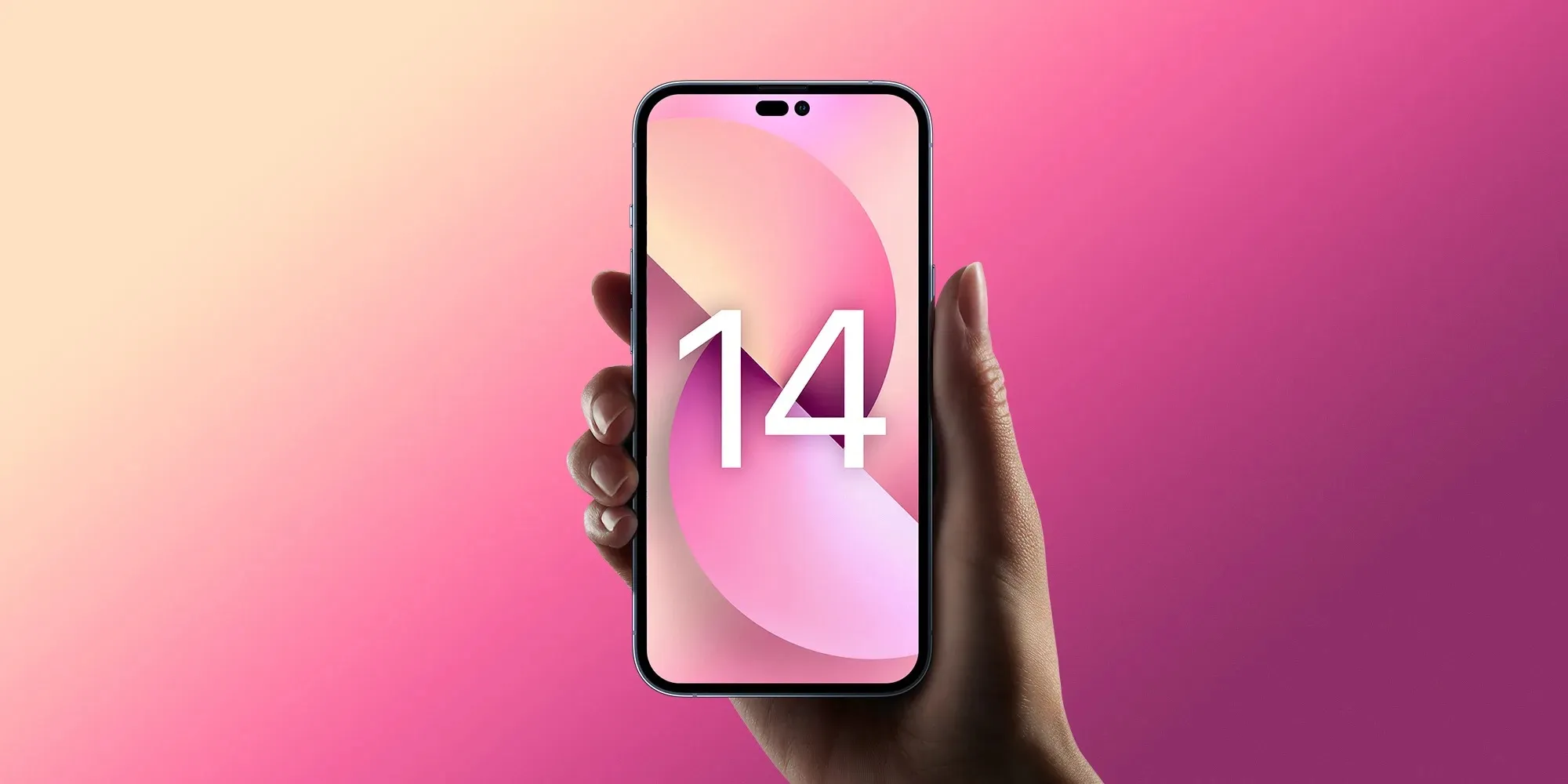
Earlier this year, multiple reports suggested that Apple is working on major upgrades to the iPhone 14’s front-facing camera. Now analyst Ming-Chi Kuo has corroborated those rumors with new details about the suppliers Apple has chosen for the selfie camera components, which will get its biggest upgrade in years with iPhone 14.
As shared by the analyst in a blog post and also on Twitter, Apple has now set its suppliers for the new iPhone 14 front-facing camera.
Analysis: winners of iPhone 14 front camera's upgrade to AF (auto focus) / 分析:iPhone 14前置攝像頭升級為AF (自動對焦) 的贏家 @mingchikuohttps://t.co/USPnSfWFDO
Some of them are already Apple’s partners, such as Sony – which will continue to provide the camera sensors for the new iPhone. The lenses will be provided by Genius and Largan, while the new focus module comes from Alps and Luxshare.
However, when it comes to the front-facing camera module, Apple will have Cowell and, for the first time, the South Korean company LG Innotek as its partners. The partnership between Apple and LG Innotek had already been reported last month after the Cupertino-based company ruled out components from Chinese camera makers due to quality issues.
Based on Kuo’s report, iPhone 14 will represent Apple’s biggest front-facing smartphone camera upgrade in years. The analyst predicts that the new camera will feature autofocus, which should result in significantly better quality for capturing photos and videos compared to the current fixed focus camera.
Other upgrades include a six-part lens, versus the existing five-part lens. The iPhone 14’s front camera is also expected to have a larger f/1.9 aperture. For comparison, the iPhone’s front camera remains pretty much the same since iPhone 11, when Apple introduced a new 12-megapixel lens with f/2.2 aperture.
More camera upgrades coming to iPhone 14 Pro
While the selfie camera improvements should be available for the entire iPhone 14 lineup, some of the upgrades will be restricted to the more expensive iPhone 14 Pro models. Previous reports have revealed that this year’s Pro models will get a new wide camera with a 48-megapixel sensor capable of shooting videos in 8K resolution.
Unfortunately, the entry-level iPhone 14 models are rumored to keep the same set of rear cameras with wide and ultra-wide lenses of 12 megapixels each. Of course, this doesn’t mean that other aspects of these lenses won’t be upgraded.
iPhone 14 will be available in four different versions, with two regular models and two Pro models. The mini-sized iPhone is expected to be discontinued and will make way for a new 6.7-inch iPhone 14 Max, while the Pro models will keep the same size as the current generation, but this time with a new display design that eliminates the notch.
also heard from sources that some of the new iPhones will stick with the A15 Bionic chip from the iPhone 13, while others (presumably the iPhone 14 Pro models) will get the new A16 chip.
Apple is likely to announce the new iPhones in September.
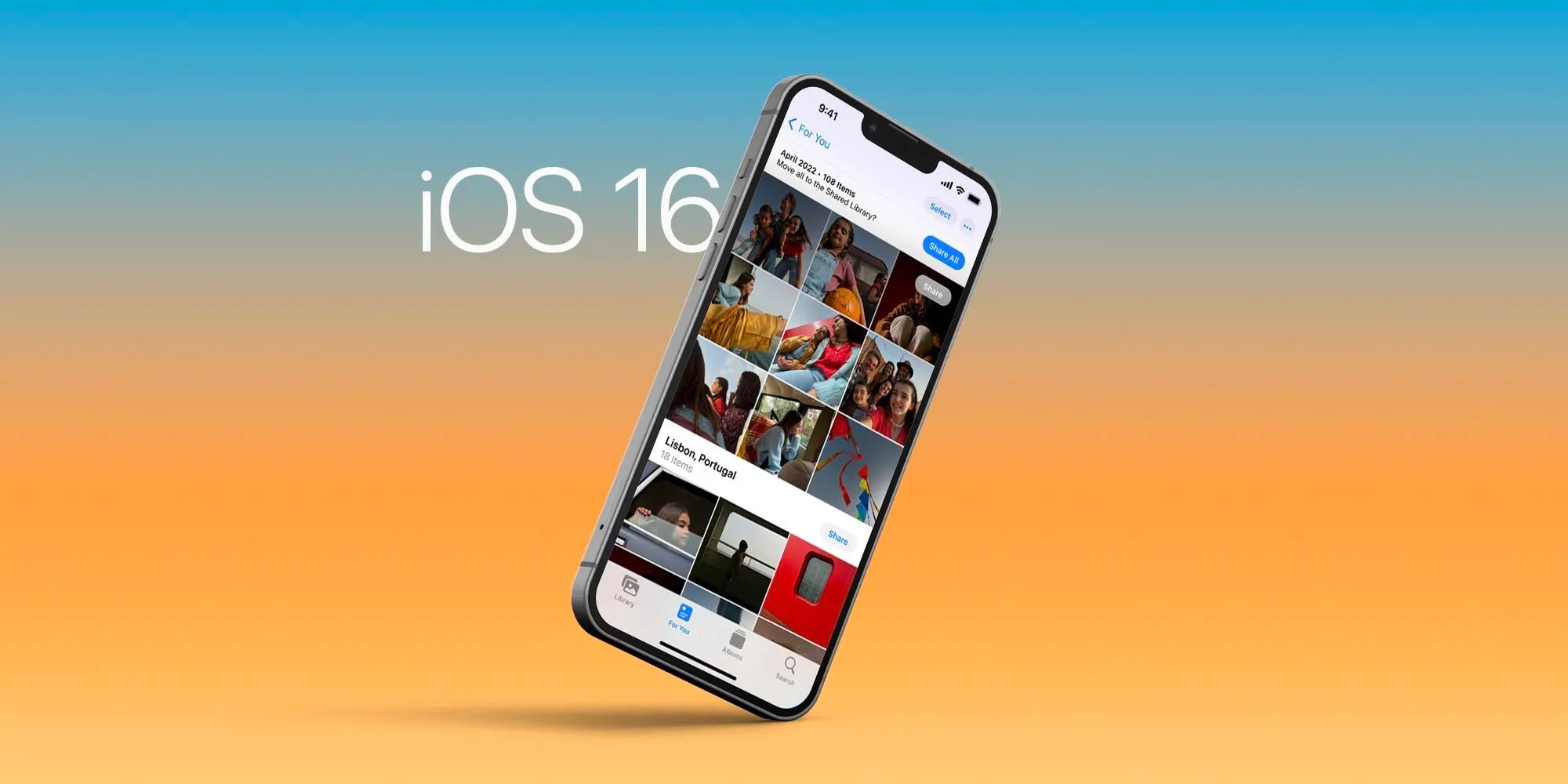
Apple announced iOS 16 during the WWDC 2022 keynote. The upcoming software for iPhones is full of new features, but there are a few that are going to be extra nice when you can get your hands on iOS 16 later this fall. Here are the five best features of this upcoming operating system.
Edit, unsend, and unread Messages on iOS 16.
iOS 16 is bringing some major improvements to iMessage. When it’s available to all users, you’ll have 15 minutes to edit or unsend any messages. This is very useful for when you misspelled a word or send the wrong message to the wrong person.
Unread, on the other hand, is useful to help you keep track on what messages you want to answer later. It’s important to notice that at least edit and unsend message features will need all devices to be running iOS 16, iPadOS 16, macOS 13 Ventura, or watchOS 9.
A brand new Lock Screen to your current iPhone
The most important feature of iOS 16 – or at least the most noticeable – is the new Lock Screen. It offers a handful of new customization, letting you edit the Lock Screen almost any way you want.
It’s easy to customize the font, color, or placement of elements on your Lock Screen by tapping them. With multilayered photo effect, photo subjects are dynamically displayed in front of the time to make the subject of the photo pop.
In addition, you can also add, for the first time, widgets to the Lock Screen in iOS 16 — and not only widgets made by Apple, but third-party widgets as well.
Live Text in video is groundbreaking.
Live Text was already great with iOS 15. You could grab information from a photo by selecting the text available, a telephone or address, for example.
Now, with Live Text in videos, text is completely interactive in paused video frames, so you can use functions like copy and paste, lookup, and translate.
In addition, Live Text with iOS 16 adds recognition of Japanese, Korean, and Ukrainian text. Last but not least, data detected in photos and videos is actionable with a single tap. Track flights or shipments, translate foreign languages, convert currencies, and more.
Focus Mode is getting even more useful in iOS 16.
With iOS 15, I said Focus Mode was the most important feature of the update. Now, this function is getting even better.
For example, the Lock Screen can link with your Focus Mode. So if you’re working, your Lock Screen will reflect the Focus set.
With Focus filters, you can set Apple apps like Calendar, Mail, Messages, and Safari to draw boundaries for each Focus you enable. In addition, you can have a Focus turn on automatically at a set time or location, or while using a certain app, which is more useful than just a particular time.
For a passwordless future, meet Passkeys in iOS 16.
Passkeys plans to replace passwords with an easier and safer sign-in method by using your face or fingerprint with Face ID/Touch ID.
It’s protected agains phishing and website leaks, since passkeys never leave your device and are specific to the site you created them for, making it almost impossible for them to be phished or hacked.
In addition, Passkeys syncs across devices and lets you sign in to other devices. Apple says that it is trying to reach an industry standard so you can sign in to websites or apps on other devices, including non-Apple devices, with your saved passkey by scanning the QR code with your iPhone or iPad and using Face ID or Touch ID to authenticate.
Apple Store is down ahead of WWDC Apple event: iOS 16, new MacBook Air, and more
The Apple Store is down ahead of Apple’s WWDC 2022 keynote later today, with a new placeholder page that reads ‘Developing news’. The ceremonial store-going-down dance usually indicates that Apple is preparing to announce new hardware products.
Of course, the main star of the show today will be on the operating system updates; we expect Apple to unveil major new features for iOS 16, iPadOS 16, macOS 13, watchOS 9 and tvOS 16. Some new hardware announcements are also in the cards …
iOS 16 will be the star of the show, featuring new lock-screen widget functionality, updates to Messages and Health apps, and more. iPadOS updates are expected to include significant advancements when it comes to multitasking multiple apps at a time, perhaps adding desktop-style resizable windows for the first time.
Betas for iOS 16 and other Apple operating systems will be made available to developers today. A release date for public beta testing will likely come next month, with a public release set for the fall.
Although WWDC is usually thought of as a software event, Apple periodically uses the event to announce new hardware too.
This year, the rumor mill is expecting Apple to unveil a new generation MacBook Air, perhaps featuring second-generation Apple Silicon ‘M2’ chip, thinner screen bezels and an enclosure redesign reminiscent of the 2021 MacBook Pro models. Availability of the new laptops is expected to be severely constrained due to ongoing supply chain production shortages.
We also expect Apple to preview the Apple Silicon Mac Pro today. The new Mac Pro probably won’t go on sale until the end of the year, though. Both the 2013 and 2019-generation Mac Pro models were also unveiled first at WWDC as a sneak peek, before a winter release.
Other M2-revved product launches are possible, such as a base model M2 13-inch MacBook Pro and M2 Mac mini. The M2 will build upon the tremendous performance and energy efficiency of the Apple-designed M1 chip, which first debuted in October 2020.
WWDC 2022 kicks off with tours of the new Apple Developer Center; here’s a look inside
WWDC 2022 officially kicks off tomorrow, but developers who were invited to the event are getting a head start as Apple is offering tours of its all-new Developer Center, which is located on the Apple Park Campus. Images posted to Twitter have offered our first look inside the Developer Center, which features different rooms named after macOS releases, the Big Sur Theater, and much more.
The Apple Developer Center had been somewhat of a mystery until now. Apple’s Phil Schiller first teased the new building during his testimony in the Apple vs. Epic Games legal trial last year. It was then revealed that WWDC 2022 would mark the grand opening of the Developer Center, at least for the developers lucky enough to earn an invite through Apple’s lottery system.
While WWDC 2022 officially starts tomorrow, developers already in Cupertino can attend a special Open House event at the Developer Center today. Developer Paul Hudson has been sharing a slew of pictures from inside the Developer Center on Twitter, and it appears to be as impressive as you’d expect any building on the Apple Park campus to be.
As you can see in the images posted by Hudson below, the Developer Center features different rooms that are all named after macOS releases, including Panther, Tiger, Leopard, and El Capitan. Inside those rooms, developers will find a wide array of technology as well as whiteboards, TVs, and more for meetings and sessions.
One of the highlights of the new Developer Center is the Big Sur Theater, which appears to be a scaled-down version of Steve Jobs Theater — but equally as impressive. There’s a large stage with a massive screen, plush seating for developers, and more.
Throughout the rest of the Developer Center, Hudson says you can find a variety of easter eggs, pieces of classic Apple hardware, and more. Developers also received a swag package consisting of a T-shirt, a hat, a water bottle, and a collection of enamel pins.
You can view all of the pictures from Hudson below. The Developer Center will be open for those developers already at Apple Park until 6 p.m. local time tonight. It will also be where John Gruber will host his annual The Talk Show Live event, likely featuring an interview with Apple executive(s). The Talk Show Live is slated for Tuesday, June 7.
They went to *extraordinary* lengths to add fun little things throughout the building, including Easter eggs to unlock, classic pieces of equipment, and more. A fun tour! #WWDC22pic.twitter.com/jVy4cqtYSi
We’re just under one week away from WWDC 2022 kicking off and Apple has continued its tradition of augmented reality Easter eggs as it has listed the keynote on its Events landing page. The latest AR surprise features a virtual card pack you can open to reveal special developer Memoji.
Apple first started its AR Easter egg tradition back with the Apple Watch Series 6 and iPad event, then iPhone 12 launch. It continued on with the M1 Mac event, 2021 Spring Loaded, September’s iPhone 13 event, the Unleashed event, and this year’s Peek performance event.
Now just ahead of WWDC 2022’s keynote slated for June 6, Apple revealed its latest AR Easter egg. To view it, head to the Apple Events webpage on iPhone or iPad and tap the Memoji at the top.
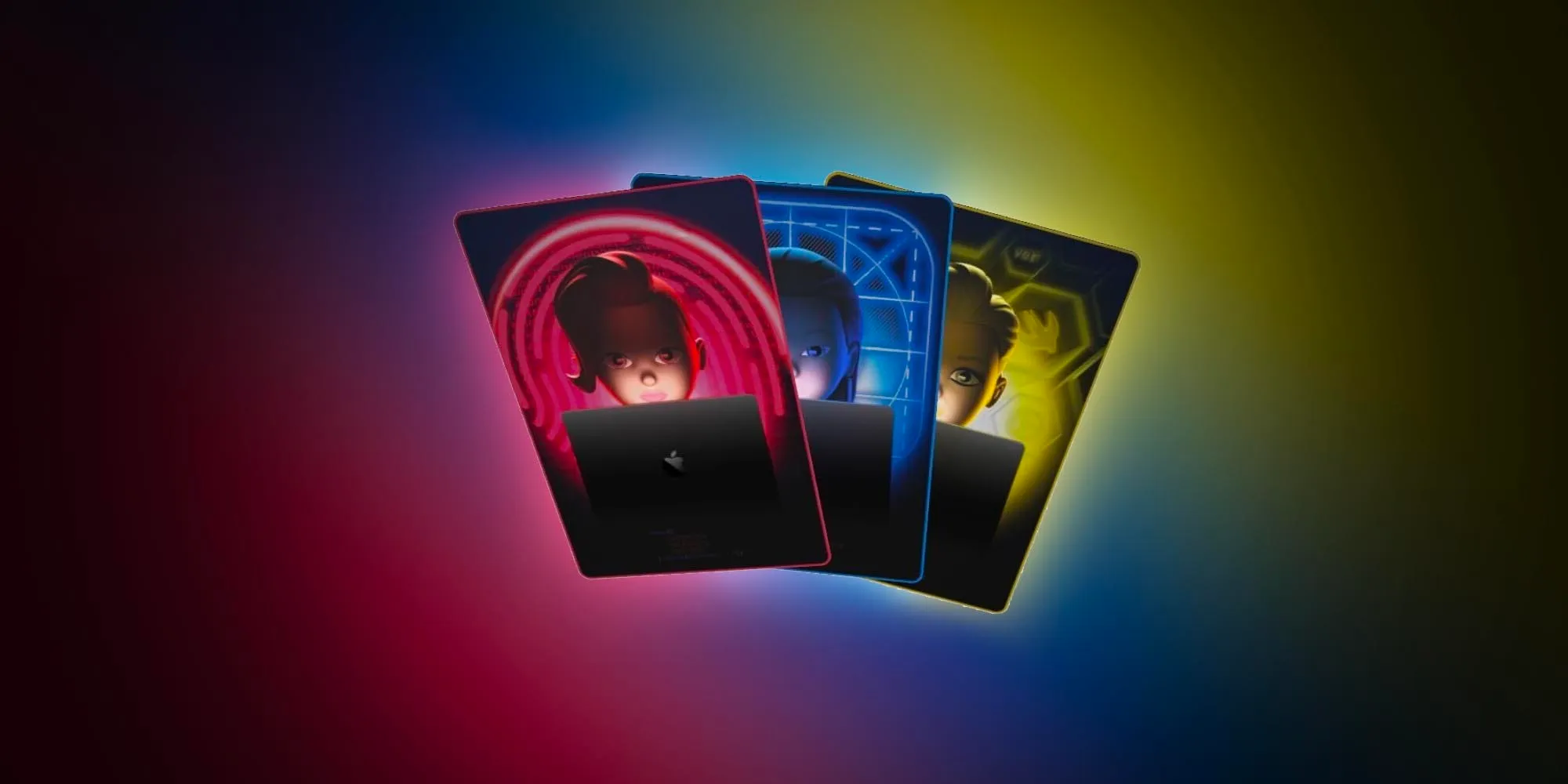
You’ll see a virtual card pack appear with the phrase “Code on, code all.” If you tap the pack, it will open to reveal several Memoji cards that match the colorful animated developer theme Apple has been using for WWDC 2022. You can also tap each card to reveal the backside with another animation of each character. The AR experience also includes a link to add the WWDC22 keynote to your calendar.
Notably, different cards appear each time you load/reload the AR experience, there’s even a rare rainbow Craig Federighi card. And if you look closely at the bottom right corner of each card, there are code snippets that translate to emoji.
Oh man there’s an ultra rare rainbow Craig card. And the code snippet is “hair force one” in emoji! https://t.co/x98g5M0nBX
Apple’s yearly developer conference is set to begin Monday, June 6 with the anticipated keynote kicking everything off. Follow along for how to watch the WWDC keynote on any device.
During the WWDC keynote, we should get our first look at iOS 16, iPadOS 16, watchOS 9, macOS 13, and tvOS 16. There’s also the possibility of seeing new hardware at the event.
WWDC 2022: What to expect, iOS 16, new operating systems, redesigned MacBook Air, more
Download WWDC 2022 inspired wallpapers for your iPhone right here
Apple teases WWDC 2022 with AR Memoji card pack Easter egg
WWDC is mostly virtual again this year, but there is a special in-person event for June 6 at Apple Park. While the lottery-based limited event was at first promoted by Apple as a keynote viewing, it later unveiled it is a full-day worth of activities including breakfast, lunch, open house at the Apple Developer Center, special tours around Apple Park, and viewings for the keynote, Platforms State of the Union, and Apple Design Awards.
WWDC 2022 in-person attendees granted special access to tour Apple Park hills, fitness center, or Caffè Macs
You can check out the full WWDC 2022 opening day schedule plus all of the details on sessions, labs, digital lounges, and more on Apple’s Developer website.
One day after seeding iOS 15.6 beta 1 to developers, Apple is now releasing the public beta version to users enrolled in the Apple Beta Software Program. Alongside the first public beta of iOS 15.6, Apple is also making available the new versions of tvOS 15.6, macOS 12.5, and watchOS 8.7.
Today’s iOS 15.6 beta 1 build is 19G5027e. Different from past versions, Apple hasn’t made available any important features so far. This will likely be the latest iOS 15 major update before the release of iOS 16 later in the fall.
Here’s what Apple announced with iOS 15.5 early this week:
Wallet now enables Apple Cash customers to send and request money from their Apple Cash card
Apple Podcasts includes a new setting to limit episodes stored on your iPhone and automatically delete older ones
Fixes an issue where home automation, triggered by people arriving or leaving, may fail.
Alongside iOS 15.6 beta 1, Apple is also seeding macOS 12.5 beta 1 (build 21G5027d), tvOS 15.6 beta 1(build 19M5027c), and watchOS 8.7 beta 1 (build 19U5027c) to public testers.
In a few weeks from now, Apple will hold its WWDC 2022 event, where the company will announce the next milestone for iOS, macOS, iPadOS, tvOS, and watchOS. Rumors so far believe iOS 16 will bring nice improvements.
According to recent rumors, iOS 16 is expected to bring significant improvements to notifications as well as a new interface for iPadOS multitasking. Reported earlier this year that Apple has been working on adding expanded settings for Focus Mode in iOS 16.
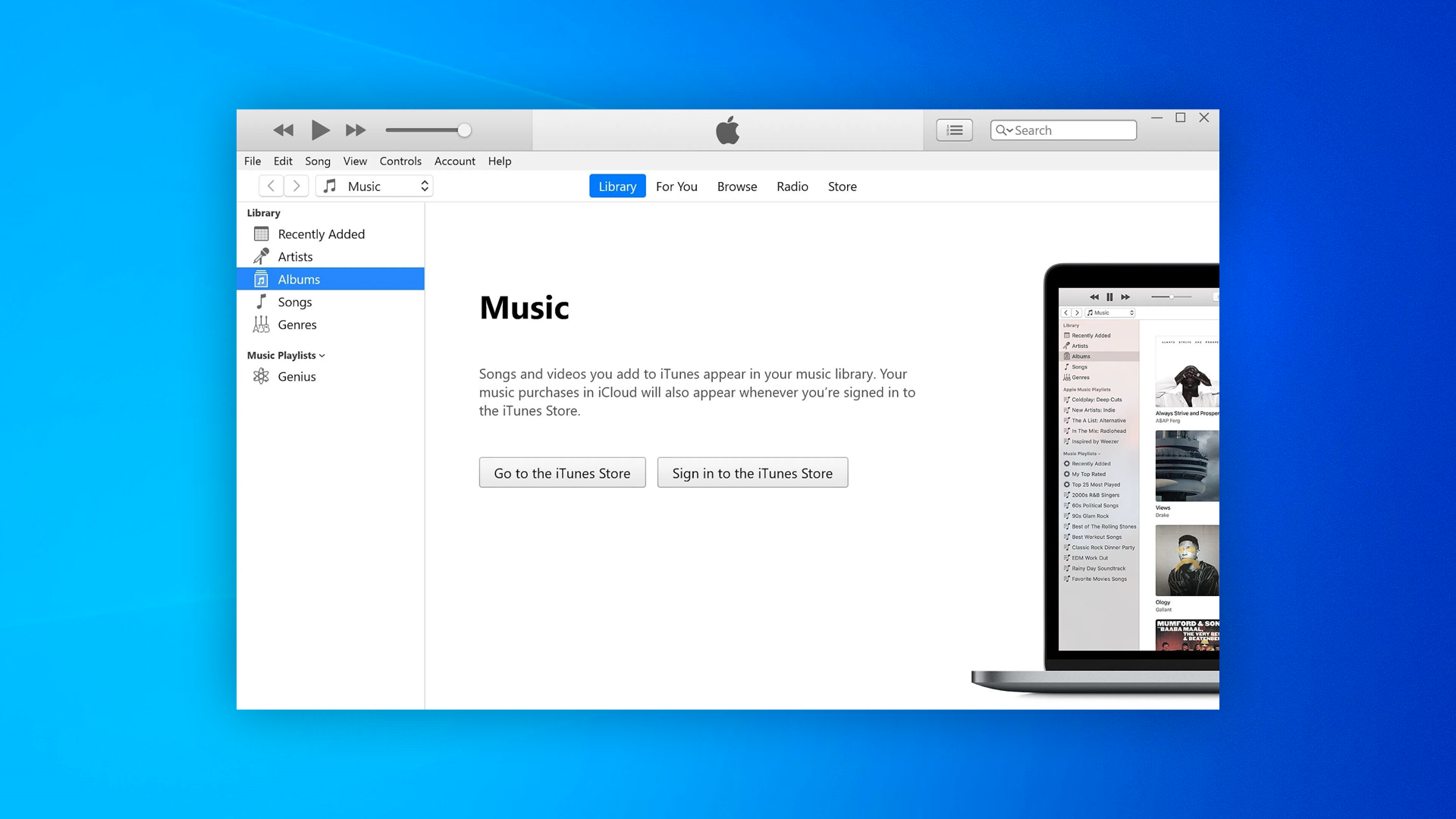
Apple this week quietly released an update for the Windows version of its iTunes music player. However, rather than adding new features, the update is focused on fixing bugs and security breaches for those who still rely on iTunes.
According to an Apple Support webpage, iTunes 12.12.4 fixes five different exploits that could be used for arbitrary code execution through the music player.
A specific exploit in the Mobile Device Service, which manages the connection between PC and iOS devices, allowed an app to delete files from the computer without permission. Other exploits fixed were related to AppleGraphicsControl, ImageIO, and WebKit.
Apple recommends that Windows users download the latest version of iTunes from the Microsoft Store. However, the app is still available as a separate download through Apple’s website (it requires Windows 8 or later). iTunes on Windows is required to access Apple Music offline and manage iPhone, iPod, and iPad devices.
Of course, since iTunes was discontinued on macOS years ago, the update is not required for Mac users.
iTunes on Windows
Even though Apple Music has its own app on iOS, macOS, and even Android, Windows users still rely on iTunes – which at this point is quite outdated and lacks some features available on other platforms.
Apple Music users on Windows PCs can download some alternative clients such as Cider. However, these apps do not replace iTunes when it comes to restoring iOS devices.
Rumors heard last year that Apple was testing both Music and Podcast apps for Microsoft platforms. The company was even looking for engineers with Universal Windows Platform (UWP) experience. Unfortunately, other details about Apple’s plans for launching an Apple Music app for Windows remain unclear.
After over a month of beta testing, Apple has released iOS 15.5 RC to developers and public beta users. This suggests that the updates could be released to the public as soon as sometime next week. Head below for the full release notes…
iOS 15.5 new features
Apple says that iOS 15.5 makes enhancements to Apple Cash, with support for more easily requesting and sending money from the Apple Cash card in the Wallet app. There’s also a new feature in Apple Podcasts to help preserve your iPhone’s storage space and some bug fixes for HomeKit.
Here are the full release notes for iOS 15.5 according to Apple:
iOS 15.5 includes the following improvements and bug fixes:
Wallet now enables Apple Cash customers to send and request money from their Apple Cash card
Apple Podcasts includes a new setting to limit episodes stored on your iPhone and automatically delete older ones
Fixes an issue where home automations, triggered by people arriving or leaving, may fail
As a reminder, the “Release Candidate” name usually indicates that this will be the final beta of iOS 15.5 before it’s released to everyone. This is why Apple also concurrently publishes the full release notes of the update.
Here are some other changes in iOS 15.5 we’ve spotted so far, not mentioned in Apple’s release notes:
iOS 15.5 beta 1 changes and features: Wallet updates & handy new HomePod feature [Video]
iOS 15.5 includes support for apps with external purchases
iOS 15.5 hints at Bancomat and Bancontact on Apple Pay
Apple to rebrand iTunes Pass in Wallet app with iOS 15.5
iOS 15.5 beta blocks ‘Sensitive Locations’ for Memories in Photos app
iOS 15.5 beta 1 changes and features: Wallet updates & handy new HomePod feature
Apple released iOS 15.5 and iPadOS 15.5 beta to developers, and it’s likely that the public beta release isn’t far behind. While not packed with new features and changes like iOS 15.4, this latest beta release comes with a modest amount of updates and enhancements.
What’s new in iOS 15.5 beta 1?
New Request and Send buttons for Apple Cash in Wallet app.
Physical Apple Card now called ‘Titanium Card’ in Wallet settings.
Apple Pay has been rebranded as ‘Apple Cash’ Messages app.
Rebrand of iTunes Pass as “Apple Account Card” in the Wallet app.
New Wi-Fi signal bars for HomePod connectivity in Home app.
Home app now features a permissions notification for Critical Alerts.
Universal Control on iPadOS 15.5 requires all devices to be updated to latest betas.
Video: iOS 15.5 beta 1 changes and features
iOS 15.5 is largely focused on Wallet app-related enhancements and changes, so there are no huge standout user-facing features to be found here. However, having Wi-Fi signal strength indicators within the Home app for HomePods is a nice improvement. This change could make it easier to decide on how best to arrange a physical network and corresponding HomePod devices scattered around a home. It can also help with troubleshooting HomePods that aren’t properly connecting to the network.
Even if your HomePod is running 15.4, and not the latest 15.5 beta, you can still see the Wi-Fi signal strength within the Home app. Previously, the Wi-Fi network section of the HomePod preferences only showed the SSID. For HomePods in a stereo pair, you’ll have to venture into the Speakers panel to access the settings for each individual HomePod. If there are any connectivity issues, that will be reflected by an exclamation point on the Wi-Fi signal indicator, as shown below.
iOS 15.5 includes support for apps with external purchases to satisfy regulators, code confirms
Apple was recently required to let developers redirect users to third-party payment platforms instead of using the App Store’s in-app purchases system.
The latest beta version of Apple’s operating system has full support for the new entitlement used by apps to indicate that they let users make external purchases. For instance, if the user deletes an app that offers external purchases, iOS will show an alert saying that it is not possible to manage purchases and subscriptions through the App Store.
While the App Store lets users manage all their purchases in a single place, Apple has no control over what users buy outside of its platform – so it’s important to have a reminder to users.
External purchases from [app’s name] may still exist. You cannot manage or cancel any external purchases through the App Store. For more information, contact the developer.
Apple is implementing another alert that will show up when the user opens an app that offers external purchases for the first time. However, it’s worth noting that this feature won’t be available for every app.
The App Store guidelines make it clear that “External Link Account Entitlement” is only available for “Reader apps,” which are apps that offer digital content such as magazines, books, songs, or video. Another requirement is that the app can’t offer in-app purchases using Apple’s platform. Still, each request must be approved by Apple.
In the Netherlands, dating apps can continue to use Apple’s in-app purchases system along with a third-party payment system or an external link due to a requirement from the Dutch regulator.
iOS 15.5 beta 2 hints at Apple Pay support for Bancomat and Bancontact networks
Apple released the second beta of iOS 15.5 to developers, and while the update doesn’t bring any significant new features, it does hint at some changes Apple has been working on under the hood.
For those unfamiliar, Bancomat (an Italian company) and Bancontact (from Belgium) are interbank networks similar to Mastercard and Visa. Right now, cards issued by these networks are not compatible with Apple Pay, but it seems that this is about to change.
Internal codes from iOS 15.5 beta 2 reveal that Apple is working with both networks to make their cards compatible with Apple Pay, which is Apple’s digital payments platform. It’s unclear when exactly support for these cards will be announced to the public, but we assume it will happen sometime after the release of iOS 15.5.
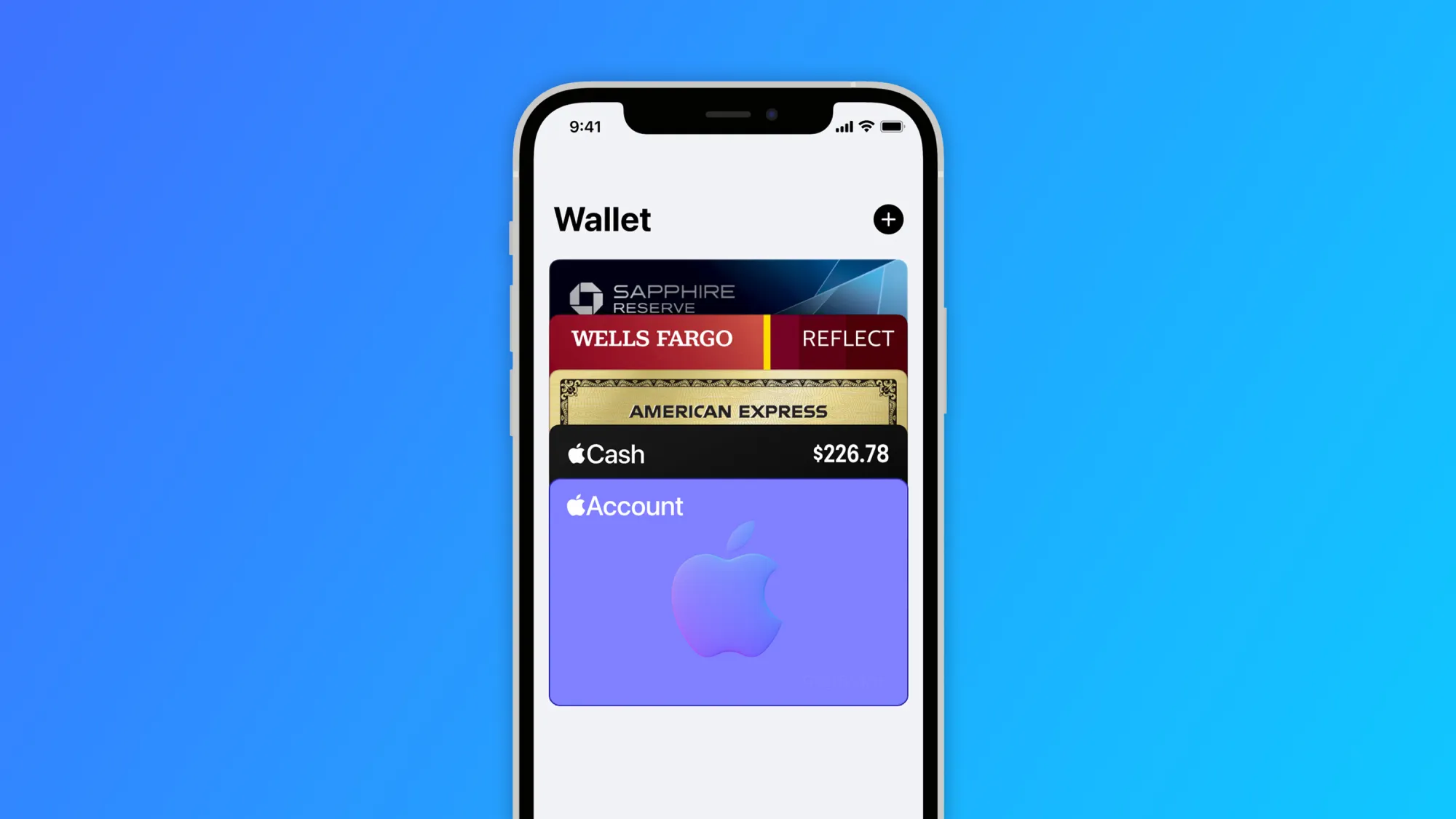
Apple is also working to rebrand iTunes Pass as “Apple Account Card.” This card will be shown in the Wallet app with the balance on the user’s Apple ID, and it can be used for purchases in the Apple Store, App Store, and app subscriptions.
With today’s beta, more code related to the Apple Account Card has been added to the system, which corroborates that this feature will also be introduced soon.
Apple to rebrand iTunes Pass in Wallet app with iOS 15.5
Apple has just released the first beta of iOS 15.5 to developers, and while we’re still looking for what’s new in today’s update, Apple has been working to rebrand iTunes Pass as “Apple Account Card” in the Wallet app with iOS 15.5.
If you buy an Apple Gift Card or add money to your Apple ID, the balance can be used to buy products in the Apple Store as well as apps, songs, movies, and subscriptions.
Currently, users can check this balance by going to the App Store or by adding the iTunes Pass to the Wallet app. At the same time, this pass has a QR Code that can be used to purchase products in Apple Retail Stores. With iOS 15.5, Apple is finally revamping the iTunes Pass.
iTunes Pass will become a new card called “Apple Account.” This card will be displayed in the Wallet app just like the Apple Card and the Apple Cash card. This way, instead of having to show the QR Code when shopping at an Apple Store, the user will be able to complete the purchase using Apple Pay.
Your account balance can be used to buy products, accessories, apps, games and more online or in store with Apple Pay.
Interestingly, the Apple Account card will have a parallax effect in the Wallet app, just like the Apple Card and Apple Cash card. The feature is currently disabled even for beta users, but it will likely be officially announced with the public release of iOS 15.5.
iOS 15.5 beta blocks ‘Sensitive Locations’ for Memories in Photos app
Apple released the third beta of iOS 15.5 to developers, and while the update doesn’t seem to have any significant changes, Apple has made an interesting tweak to its native Photos app. The system will now block “Sensitive Locations” for Memories in the Photos app.
For those unfamiliar, Memories is a feature of the Photos app on iOS and macOS that recognizes people, places, and events in your photo library to automatically create “curated collections” with a slideshow. Since this feature is entirely based on machine learning, Apple has now made some changes to the app to avoid creating some unwanted memories.
The Photos app now has a list of “Sensitive Locations,” so that any photos taken there will never be added to a memory. Interestingly, all the places banned in this version are related to the Holocaust.
Here’s the list of places that are blocked from the Memories feature in the Photos app with iOS 15.5 beta 3:
Yad Vashem Memorial
Dachau concentration camp
US Holocaust Museum
Majdanek concentration camp
Berlin Holocaust Memorial
Schindler Factory
Belzec extermination camp
Anne Frank House
Sobibor extermination camp
Treblinka extermination camp
Chelmno-Kulmhof extermination camp
Auschwitz-Birkenau concentration camp
Each location has latitude, longitude, and radius assigned, so that the Photos app will ignore images taken at these locations when creating new memories. Of course, Apple can update this list with new places with future iOS updates.
iOS 15.5 beta also brings changes to the Wallet app and reveals upcoming changes to Apple Pay.
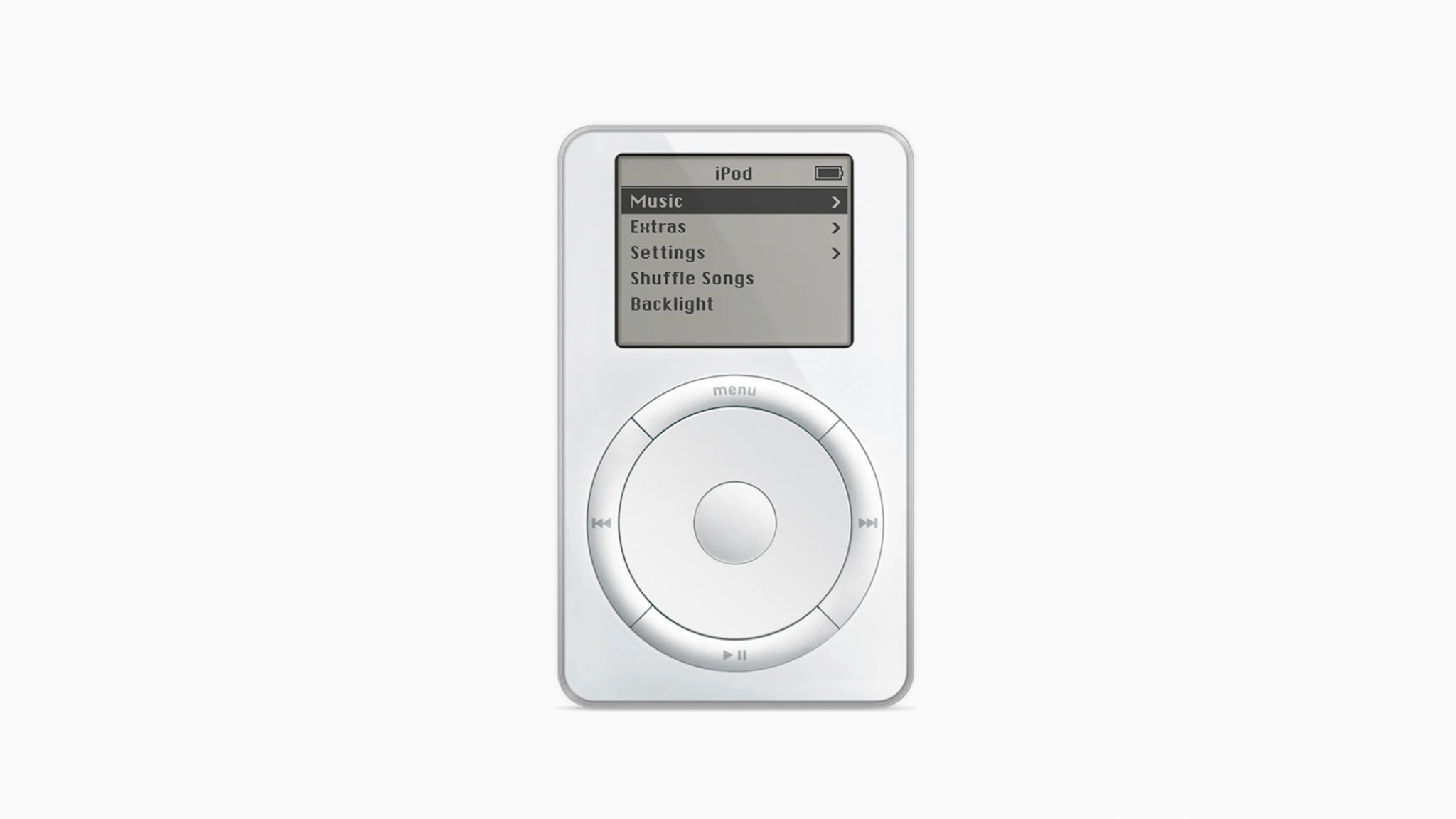
It’s the end of an era: Apple is officially discontinuing the iPod touch. The company says that the device will be available only “while supplies last.” This also means that the “iPod” brand is officially retired, as the iPod touch was the last iPod in Apple’s lineup.
It’s the end of an era for a product that was once one of the most popular gadgets in the world.
iPod touch discontinued: Available ‘while supplies last’
The first iPod touch was introduced in 2007 and was an instant hit among buyers who wanted the iPhone form factor without cellular functionality. The device saw regular updates for years, but as the iPhone become more widespread, Apple’s focus shifted.
The current seventh-generation iPod touch was introduced in 2019. It’s powered by an A10 Fusion chip that first debuted in the iPhone 7. It features a 4-inch display and is available in an array of colors. This, however, will be the end of the iPod touch.
Apple says the current iPod touch 7 will only be available “while supplies last.” This means the company has discontinued the iPod touch line. It’s the same approach it took when it also discontinued the iMac Pro and full-size HomePod.
Apple made the announcement in a press release curiously titled “The music lives on.” The press release explains that Apple users now enjoy their music via products like the iPhone, Apple Watch, Apple TV, and HomePod mini.
In a press release, Greg Joswiak, Apple’s senior vice president of Worldwide Marketing, explained that the “spirit of iPod” lives on in Apple’s current lineup of products.
Music has always been part of our core at Apple, and bringing it to hundreds of millions of users in the way iPod did impacted more than just the music industry – it also redefined how music is discovered, listened to, and shared. Today, the spirit of iPod lives on. We’ve integrated an incredible music experience across all of our products, from the iPhone to the Apple Watch to HomePod mini, and across Mac, iPad, and Apple TV. And Apple Music delivers industry-leading sound quality with support for spatial audio – there’s no better way to enjoy, discover, and experience music.
The discontinuation of the iPod touch isn’t a surprise to anyone, and we even pondered earlier this year whether the iPod touch 7 would be the final iPod ever released.
The end of the ‘iPod’ brand
In addition to this being the end of the iPod touch as a product, this also marks the end of the “iPod” brand altogether.
The first iPod was introduced in October of 2001, with Steve Jobs famously saying that it could put “1,000 songs in your pocket.” The iPod lineup expanded (and eventually contracted) multiple times over the years with the addition of products like the iPod shuffle, iPod nano, iPod classic, and iPod touch.
Daisy can disassemble up to 1.2 million phones each year, helping Apple recover more valuable materials for recycling. The company has offered to license the patents related to Daisy for researchers and other electronics manufacturers developing their own disassembly processes.
Company also advances new disassembly technology as part of closed-loop goal, Apple released new details on the increased use of recycled content across its products. For the first time, the company introduced certified recycled gold, and more than doubled the use of recycled tungsten, rare earth elements, and cobalt. Nearly 20 percent of all material used in Apple products in 2021 was recycled, the highest-ever use of recycled content.
Apple released new details on this progress, its recycling innovation efforts, and clean energy in its 2022 Environmental Progress Report.
The company also shared new ways customers can celebrate Earth Day, including supporting World Wildlife Fund by using Apple Pay. With educational resources, curated content, and engaging activities across platforms, Apple customers can take opportunities to appreciate the beauty of nature from wherever they are, learn about key issues like climate change, and support causes and communities working to protect the planet.
“As people around the world join in celebrating Earth Day, we are making real progress in our work to address the climate crisis and to one day make our products without taking anything from the earth,” said Lisa Jackson, Apple’s vice president of Environment, Policy, and Social Initiatives. “Our rapid pace of innovation is already helping our teams use today’s products to build tomorrow’s, and as our global supply chain transitions to clean power, we are charting a path for other companies to follow.”
More Recycled and Responsibly Sourced Materials Across Apple Products
Apple has pioneered innovations in the recycling and sourcing of materials to spur industrywide change. To help its recycling partners build on this momentum worldwide, Apple today announced its newest recycling innovation, Taz, a machine that uses a groundbreaking approach to improve material recovery from traditional electronics recycling.
In 2021, 59 percent of all the aluminum Apple shipped in its products came from recycled sources, with many products featuring 100 percent recycled aluminum in the enclosure. Apple has also made significant progress toward the company’s goal to eliminate plastics from its packaging by 2025, with plastics accounting for just 4 percent of packaging in 2021. Since 2015, Apple has reduced plastic in its packaging by 75 percent.
Additionally, Apple products in 2021 included:
45 percent certified recycled rare earth elements, a significant increase since Apple introduced recycled rare earth elements in its devices.
30 percent certified recycled tin, with all new iPhone, iPad, AirPods, and Mac devices featuring 100 percent recycled tin in the solder of their main logic boards.
13 percent certified recycled cobalt, used in iPhone batteries that can be disassembled by Apple’s recycling robot Daisy and returned to market.
Certified recycled gold, featured — for the first time in any Apple product — in the plating of the main logic board and wire in the front camera and the rear cameras of iPhone 13 and iPhone 13 Pro. To achieve this milestone, Apple pioneered industry-leading levels of traceability to build a gold supply chain of exclusively recycled content.
At the Material Recovery Lab in Austin, Texas, engineers and experts use a pilot-scale industrial electronics shredder for research and development. Apple’s newest recycling machine, Taz, was developed out of this process, designed to help conventional bulk electronics recyclers recover more precious materials.
Recovering more materials for use in future products helps reduce mining. From just one metric ton of iPhone components taken apart by Apple’s recycling robots, recyclers can recover the amount of gold and copper companies would typically extract from 2,000 metric tons of mined rock. Apple is also committed to extending the lifetime of its products through refurbishment. In 2021, Apple sent 12.2 million devices and accessories to new owners for reuse, extending their lifetime and reducing the need for future mining. Ultimately, Apple aims to use only renewable or recyclable materials in its products — a goal announced in 2017 that has charted the company’s pathway on design and material sourcing.
Taz, a machine that uses new shredder-like technology to separate magnets from audio modules and recover more rare earth elements, is the latest in a series of recycling advancements spearheaded by Apple. The company has also further expanded the capabilities of its patented iPhone disassembly robot Daisy to take apart 23 models of iPhone, and has offered to license those patents to other companies and researchers free of charge. An additional robot, Dave, disassembles Taptic Engines, helping to recover valuable rare earth magnets, tungsten, and steel.
2022 Environmental Progress Report
In addition to charting progress in recycling innovation and material stewardship, Apple’s newly released 2022 Environmental Progress Report highlights the company’s significant work to become carbon neutral across its global supply chain and the life cycle of every product, as well as progress reducing waste and promoting the safer use of materials in its products.
In a year when many other companies saw large increases in their footprints and the company’s revenue grew 33 percent, Apple’s net emissions remained flat. Apple has been carbon neutral for its global operations since 2020, and has relied on 100 percent renewable energy to power its offices, stores, and data centers since 2018.
Apple recently announced that its suppliers more than doubled their use of clean power over the last year, with over 10 gigawatts operational out of nearly 16 gigawatts in total commitments in the coming years. As of this month, 213 of the company’s major manufacturing partners have pledged to power all Apple production with renewable electricity across 25 countries. In 2021, these renewable projects avoided 13.9 million metric tons of carbon emissions, the equivalent to removing 3 million cars from the road for one year.
For more information about Apple’s commitment to protect the planet for future generations, explore the 2022 Environmental Progress Report.
Explore, Learn, and Take Action for Earth Day
In celebration of Earth Day 2022, Apple is sharing new ways for customers around the world to explore the beauty of the natural world, learn about pressing issues facing communities worldwide due to climate change, and take action to protect the planet.
Explore: Ahead of Earth Day, Apple Maps is making it easier than ever to find beautiful green spaces, family fun in nature, city walks, and trails with 25 new guides from Lonely Planet, AllTrails, and The Nature Conservancy in the US and Canada.
This Earth Day, Apple Maps is making it easier than ever to find beautiful green spaces, family fun in nature, city walks, and trails with 25 new guides from Lonely Planet, AllTrails, and The Nature Conservancy in the US and Canada.
To celebrate Earth Day, Apple Fitness+ subscribers can enjoy nature-inspired yoga, meditation, cycling, rowing, and treadmill workouts, as well as a new Time to Run episode that takes listeners through the beautiful sights and sounds of Yosemite National Park with an uplifting pop and rock playlist; and coaching that inspires you to take in the great outdoors, no matter where you’re running. A new episode of Time to Walkis also available this week with world-renowned scientist and environmentalist, Dr. Jane Goodall, who shares why she is willing to push past her fears for the sake of her work and what she has observed about the interconnectedness of all living things. And after completing any workout of 30 minutes or more on April 22, all Apple Watch users can earn a limited-edition award.
Fitness+ subscribers can take a walk with world-renowned primatologist and environmentalist Dr. Jane Goodall on a new Time to Walk episode.
Fitness+ subscribers can enjoy a new Time to Run episode featuring a route through Yosemite National Park. Additionally, all Apple Watch users can earn a limited-edition award after completing any workout of 30 minutes or more on April 22 (Earth Day).
Learn: On Earth Day, April 22, Apple customers can learn about the exciting environmental innovations behind iPhone 13 — including the Daisy recycling robot — with a new immersive augmented reality experience on Snapchat. And Apple Store locations worldwide are inviting customers to learn more about the company’s environmental commitments with special window decals.
In honor of Earth Day, Apple News, Apple Books, Apple Podcasts, and the Apple TV app will each feature curated global collections of content that offer in-depth opportunities to experience the natural world, learn about the climate crisis and the science behind it, and meet communities fighting for solutions. Highlights include a book collection curated by visual artist and children’s author Oliver Jeffers, and a collection of eye-opening films about humanity’s interdependent relationship with nature, curated by acclaimed documentary filmmaker Jennifer Baichwal.
In honor of Earth Day, Apple Podcasts — along with Apple News, Apple Books, and the Apple TV app — will feature a curated collection with opportunities to learn more about the climate crisis.
Take Action: The App Store provides a single destination for users to discover apps that will help them to positively impact their communities and the planet — including by being able to track carbon footprints or connect with environmental grassroots organizations with apps like Earth Hero and Milkywire
Customers can also help protect the planet by using Apple Pay. Now through April 22, Applewill donate $1 to World Wildlife Fund for each purchase made with Apple Pay on apple.com, in the Apple Store app, or at an Apple Store.
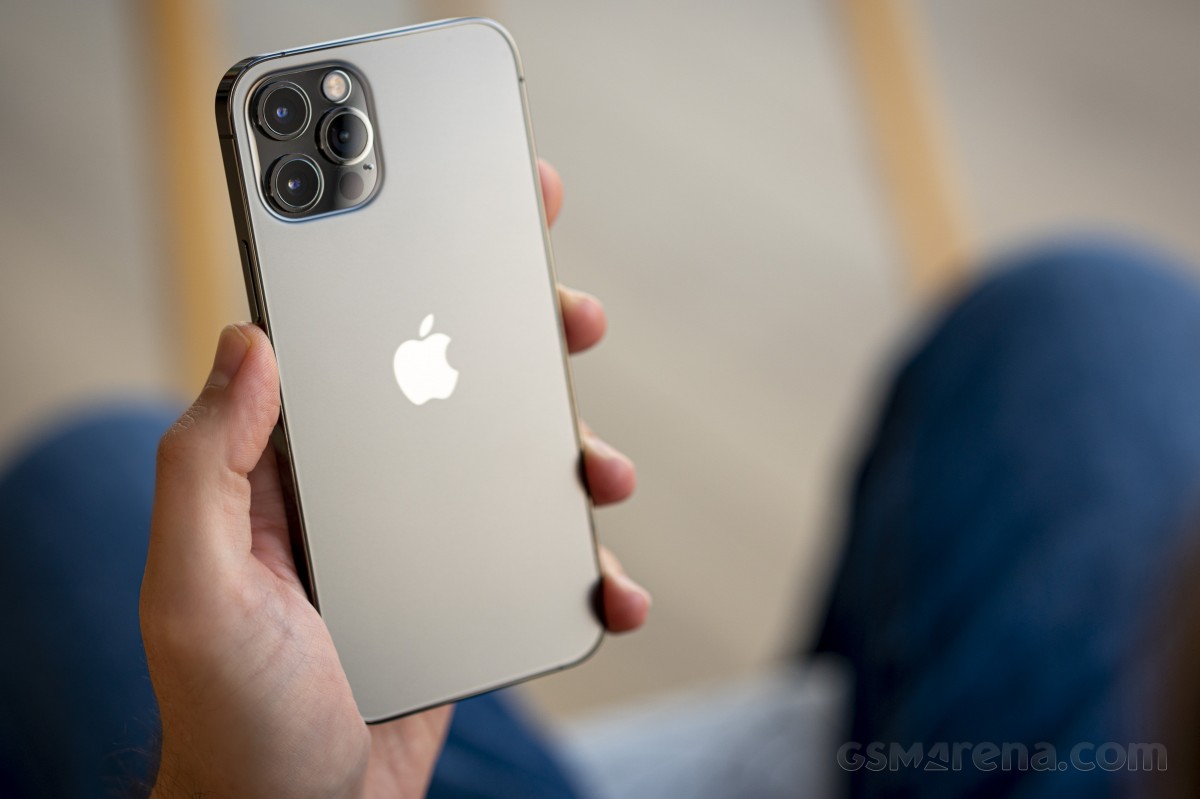
Apple is giving potential buyers more choice than ever. We already reviewed the iPhone 12, and now it’s time for the 12 Pro. Besides having double the storage, a stainless steel frame, and different colors than the 12, the 12 Pro upgrades are mostly camera-related. It’s got a proper telephoto camera with 2x optical zoom, a LiDAR Scanner for AR applications and low-light focusing, and it can take portrait shots with Night mode. This is not the longest list of upgrades we’ve seen, so choosing between these two iPhones is going to be a tough one.
At least compared to the iPhone 11 Pro, the list of new features is longer. There is a faster processor, 5G connectivity, a larger screen with better shatter resistance, Night mode for the UW camera, Dolby Vision video recording, MagSafe support, and the new LiDAR.
But most importantly, there is also the new design that Apple is introducing with the 12th Series, and it instantaneously makes all previous iPhones look less modern.
Apple iPhone 12 Pro specs:
Body: Stainless-steel frame with glossy finish, Ceramic Shield front with oleophobic coating, Glass back with frosted finish, IP68 certified for water and dust resistance. Silver, Graphite, Gold, Pacific Blue color options. 146.7 x 71.5 x 7.4 mm, 189 g.
Display: 6.1″ Retina XDR OLED screen of 1170 x 2532 px resolution, 460ppi, 600 nits, 120Hz touch sensing. HDR10, Dolby Vision support, wide color gamut. True Tone.
Chipset: Apple A14 Bionic chip (5nm) – Hexa-core (2×3.1 GHz Firestorm + 4×1.8 GHz Icestorm with 3.1GHz Turboboost) Apple CPU, four-core Apple GPU, 16-core Apple NPU 4-gen
Memory: 6GB of RAM; 128/256/512GB of internal storage
Rear camera: Triple 12MP camera: 26mm main wide-angle, f/1.6, OIS, Dual Pixel AF; 13mm ultrawide-angle, f/2.4, 120-degree field of view; 52mm telephoto, f/2.0, OIS, 2x optical zoom; dual-LED flash with slow sync. Night Mode, Smart HDR 3, Deep Fusion.
Video recording: 2160p@60/30fps, 1080p@30/60/120/240fps video recording with wider dynamic range and spatial sound, OIS + EIS, Dolby Vision
Front camera: Dual camera – 23mm 12MP f/2.2 front-facing camera with HDR mode + 3D TOF camera; Night Mode, Smart HDR 3, Deep Fusion. 2160p@60/30fps, 1080p@30/60/120fps video recording with wider dynamic range and spatial sound, EIS.
Connectivity: Dual SIM, 5G, 4G; Wi-Fi a/b/g/n/ac/6; Bluetooth 5.0; Lightning port; GPS with A-GPS, GLONASS, GALILEO, QZSS; NFC; Apple U1 chip ultrawideband
Battery: 2,815 mAh battery, 20W fast charging, 15 Qi wireless charging (MagSafe)
Misc: Face ID through dedicated TrueDepth camera, stereo speakers, Taptic Engine
While we could hardly wait to see the iPhones with this new design, we can’t say Apple has checked off all points on our wishlist. The iPhone 12 Pro was supposed to premiere with a new 120Hz ProMotion display, but unfortunately, that didn’t happen. Rumor has it that for some reason, Apple had to choose between 5G and HRR OLED (we think it’s battery life). Well, we all know how that went down – with our without carrier support – Apple’s homepage now proudly carries a huge 5G logo. We can’t deny the iPhone UI looks fast and fluid but forgoing the high-refresh-rate screen for yet another year is a flagrant omission in our books.
Also, Apple’s questionable decision to keep the camera hardware upgrades only to the iPhone 12 Pro Max further takes away some of the appeal of the 12 Pro. Not everyone will want a big phone, and Apple is making it impossible to get the new 12MP sensor with larger pixels and sensor-shift stabilization without going for the 12 Pro Max. In our minds, the iPhone 12 Pro deserved to have the same level of camera hardware instead of relying on the last year’s camera tech.
Unboxing the Apple iPhone 12 Pro
Finally, in one of the most controversial moves in the industry, Apple announced they are no longer bundling a charger or headphones with this phone that costs more than a thousand bucks.
This year, the iPhone 12 Pro comes in one of the slimmest smartphone boxes we have ever opened. Inside, you’ll find only the phone itself and a USB-C/Lightning cable. No charger or headphones here. Apple expects you to already have these or, better yet, buy them separately.
Inside the box, there is also a small sleeve, where you’d find the SIM ejection PIN and an Apple logo sticker. Apple should have saved the hassle of including those – after all, we all have those already, right? Come to think of it, nobody needs a box either – just ship the iPhone 13 in bubble wrap.
Okay, we’re a bit salty, but so is the iPhone 12 Pro pricing. Let’s see what it has to offer for our hard-earned money on the following pages.
Alternatives
The iPhone 12 Pro is a well-balanced smartphone, which offers many upgrades over the iPhone 11 Pro and a moderate list of added features compared to the standard iPhone 12.
The most notable differences between the iPhone 12 Pro and the iPhone 12 are in the camera department. The 12 Pro has an additional telephoto camera on the back, it can shoot Dolby Vision videos in 60fps, it will eventually support capturing in Apple Pro RAW, and has the LiDAR Scanner that helps for better AR and portraits. The 128GB iPhone 12 Pro is $120/€200 more expensive than the 128GB iPhone 12, and it’s up to you to decide whether you need these camera features. If not – the iPhone 12 already offers the most important core new features of Series 12.
If you want to get the best Apple has to offer in 2020, then there is the iPhone 12 Pro Max that goes for €100 over the iPhone 12 Pro. The Max has the largest screen and battery among the iPhone 12s and is the only one to actually have a meaningfully upgraded camera hardware. It has a larger 12MP sensor for its main camera with the (phone) industry’s first sensor-shift stabilization. It also features an improved 12MP telephoto camera – it now offers 2.5x zoom thanks to a new 65mm f/2.2 lens and is promised even better portraits.
The iPhone 12 Pro Max indeed offers the most significant upgrades when it comes to hardware this year, and it appears it makes more sense as a purchase compared to the iPhone 12 Pro. In fact, if you own an iPhone 11 Pro and you don’t care about the new design, 5G, or MagSafe support, you should skip the 12 Pro and wait for next year’s model.
Apple iPhone 12 • Apple iPhone 12 Pro Max
Our verdict
The Apple iPhone 12 Pro is a very good smartphone, but it doesn’t make much sense as an upgrade to the iPhone 11 Pro. Better stick with your iPhone 11 Pro, or if you are a sucker for the latest Apple tech – just spend more and get the Max.
However, logic doesn’t always matter when it comes to new iPhones. Many people buy them just because they are the new iPhones, and they want to stay in the loop, few for the actual new features and even fewer get them as it is time to replace their 3-4-5 years old phone.
If you are among those users upgrading from an older model, say XS or earlier, you should be delighted with the iPhone 12 Pro – it offers a massive amount of upgrades over the older-gen iPhones. You just need to buy a charger, but hey – welcome to the future!
We expected more from the iPhone 12 Pro, but it turned out a recycled iPhone 11 Pro. Not that Apple is forcing us to upgrade, but still. The new camera tech being a Pro Max exclusive and the lack of ProMotion screen, while failing to deliver meaningful improvements elsewhere, makes things really easy for us to make a call.
We can’t recommend the iPhone 12 Pro over its siblings – the iPhone 12 or iPhone 12 Pro Max.
Pros
Attractive design with exquisite fit and premium finish
Excellent OLED screen, very bright
Loud stereo speakers, superb audio quality
The fastest smartphone chip on the planet, 5G, too
Good photo quality across the board, day and night
LiDAR Scanner has varied applications and use cases (albeit quite niche)
Consistently good video quality
Apple iOS 14 is fast and easy to use, 5 years of guaranteed major updates
MagSafe is a promising accessory concept
Cons
No charger or headphones in the box
No high refresh rate screen
Shorter battery life than the iPhone 11 Pro
iOS needs better file management
We miss TouchID as FaceID does not work with a mask on
The best camera tech is exclusive to iPhone 12 Pro Max
Few meaningful upgrades over iPhone 11 Pro and even fewer over iPhone 12