iOS 16 beta 6 now available as Apple finalizes features ahead of September launch
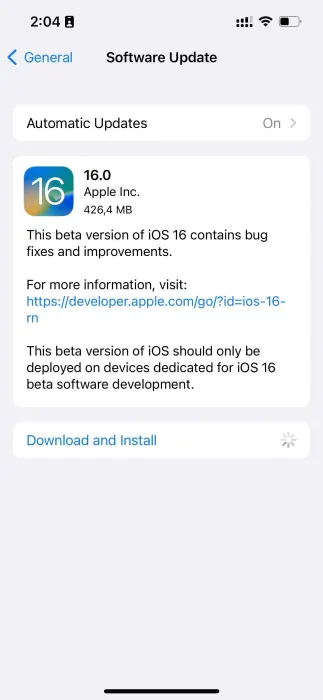
iOS 16 beta 6 and iPadOS 16 beta 6 are now rolling out to developers, one week after the fifth beta was released. iOS 16 brings a number of changes, including updates to the Lock Screen, new wallpaper options, and more. iOS 16 beta 6 will continue refining these new features…
Update: Also now available to public beta testers.
Each new iOS 16 beta usually includes a number of changes, bug fixes, and even new features. Apple keeps a keen eye on the feedback it receives from iOS 16 beta testers, and each subsequent beta aims to address complaints, bug reports, and performance issues.
Notably, Apple has switched to a one-week cycle with this beta, indicating it is ramping up beta testing ahead of next month’s public release.
One thing we’ve learned recently that Apple is planning to delay releasing this update to the public. iPadOS 16 was initially slated to launch in September alongside iOS 16, but it’s now scheduled for sometime in October.
iOS 16 beta 5 was released last week with the notable addition of a new battery percentage icon for the menu bar.
iOS 16 beta 5 finally adds the battery percentage to the status bar
Find My has a new sound alert with iOS 16 beta 5, here’s how it sounds
iOS 16 beta 5 adds ‘Copy and Delete’ option for sharing screenshots without clutter
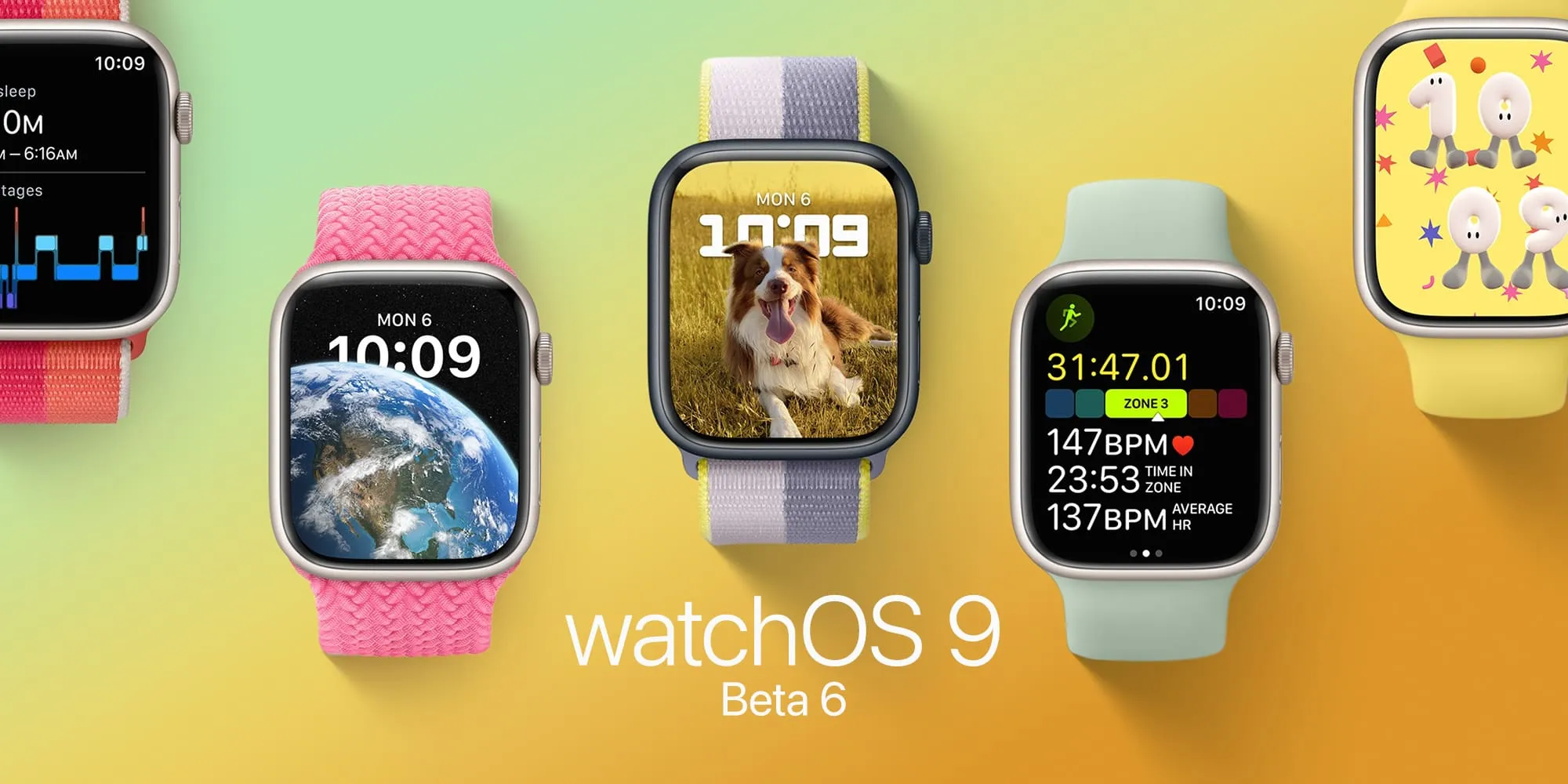
watchOS 9 beta 6 is now available to developers
watchOS 9 beta 6 is here. As Apple polishes the Apple Watch’s upcoming operating system after more than two months of beta testing, the company seems to be getting ready for the launch of watchOS 9 in September. Here’s everything new with it.
Today’s build is 20R5353a. watchOS 9 is the biggest update on the Apple Watch software in years and beta testers can take advantage of the features before everyone else.
Now that watchOS 9 doesn’t support Apple Watch Series 3 anymore, the operating system will revamp old Watch Faces, while adding four new ones. With these new faces, Apple makes them look better on bigger displays. In addition, the company is adding QWERTY keyboard support for more languages for the Apple Watch Series 7 and new QuickType technology with watchOS 9.
watchOS 9 beta version also brings a significant update to the Workout app with a lot of new features for people who love to exercise. For runners, there’s a new Workout Views where they just need to turn the Digital Crown in order to see lots of metrics, which are available during the run:
Activity rings
Heart Rate Zones
Power
Elevation
Apple is also improving the Sleep app with watchOS 9, which beta testers can now take advantage of. It now brings more sleep data and there’s a new Medications app that helps you track all the pills and vitamins you take every day.
Alongside watchOS 9 beta 6, Apple is seeding iOS 16 beta 6, iPadOS 16 beta 6, and tvOS 16 beta 6
In a report by Bloomberg, the publication says Apple will likely delay the launch of iPadOS 16 by a month, which could mean this software will be available closer to the launch of macOS Ventura, also expected for October. watchOS 9 and iOS 16, on the other hand, are expected to launch next month.
A handy new feature Apple is bringing with iOS 16 is iPhone battery percentage in the status bar that shows at all times on the Home screen, app pages, in apps, and more. However, there are a few caveats, read on for what to do if the iOS 16 iPhone battery percentage isn’t showing on your device.
Interestingly, the iOS 16 iPhone battery percentage feature didn’t arrive until beta 5 (public beta 3). While some users have seen it turned on by default when installing the latest beta, you may have to manually enable it on your iPhone.
This marks the first time the battery percentage has been in the status bar on modern iPhones since it was dropped with the iPhone X back in 2017.
iOS 16 iPhone battery percentage: How to enable on your device
iOS 16 is currently available as a free public or paid developer beta. Learn more about installing iOS 16 in our full guide.
Make sure you’re running iOS 16 beta 5 (or public beta 3)
Open the Settings app on your iPhone (see below for compatible models)
Swipe down and tap Battery
At the top, tap the toggle next to Battery Percentage
If it’s not showing, you either aren’t running iOS 16 beta 5 (public beta 3) yet or the feature isn’t compatible with your iPhone
Here’s how those steps look:
Compatible iPhones
Currently in the iOS 16 beta 5/public beta 3, these are the models that appear to work with the new feature:
iPhone 13, 13 Pro, and 13 Pro Max
iPhone 12, 12 Pro, and 12 Pro Max
iPhone 11 Pro and Pro Max
iPhone XS and XS Max
iPhone X
For now, that means it’s not available for iPhone 13 and 12 mini, iPhone 11, or iPhone XR.
A few other details about the iOS 16 iPhone battery percentage:
When your iPhone is not charging, you’ll see the normal battery icon but with the percentage number inside (it will show fully white with the number until it’s below 20%)
If your iPhone is in low power mode, the battery icon turns yellow but still shows the percentage
When charging, you’ll see the percentage with a small charging icon
If your iPhone is below 20%, you’ll see the icon turn red with the percentage number
One of the new features of iOS 16 is Lockdown Mode, which helps users protect themselves against targeted cyber attacks by disabling multiple device features. Among everything Lockdown Mode changes, it also restricts web browsing – and now software engineer Alexis Lours details how exactly that happens.
Lours shared on his personal blog how he ran multiple tests to find out which web features are disabled when Lockdown Mode is turned on. Thanks to Modernizr, a JavaScript library that detects features available in a web browser, the engineer has obtained a list of WebKit features that can potentially be used to spy on users.
Lockdown Mode’s impact on web browsing
The first thing noticed by the engineer is that Lockdown Mode disables just-in-time JavaScript compilation (JIT), which compiles code on the fly during its execution. Without JIT enabled, web browsing performance drops by up to 95% based on benchmark tests. This results in longer loading times and even higher battery consumption.
Lockdown Mode in iOS 16 disables also disables WebAssembly. WASM a powerful binary code format that enables high-performance apps on web pages. However, it can also be used to create a digital “fingerprint” of users, which helps third parties track people across websites and apps.
Interestingly, support for MP3 players on webpages is also disabled with Lockdown Mode. Lours believes that Apple wants to prevent attackers from using MP3 decoding for malicious purposes. Of course, this ends up breaking any website with MP3 playback without a fallback to the AAC or OGG formats.
The Gamepad API, which was created to let users interact with game controllers on websites, doesn’t work with Lockdown Mode enabled. This is because malicious websites can use details like the controller ID to track users. Unsurprisingly, this breaks down web games and platforms that rely on an external game controller.
Previewing files in web browsers is also restricted with Lockdown Mode. For instance, JPEG 2000 images and SVG fonts, which are exclusively supported by Safari, are disabled so websites can’t use these formats to target iOS users. PDF previewing for websites is also disabled, as multiple PDF-related exploits have been found in the past.
Other disabled features include WebGL, Speech Recognition API, and the Web Audio API.
What else does Lockdown Mode restrict?
In addition to restricting web browsing, Lockdown Mode in iOS 16 also blocks most message attachments and link previews in Apple’s Messages app. Users with Lockdown Mode enabled only get FaceTime calls from known numbers and iCloud Shared Albums are removed from the Photos app.
Apple also blocks configuration profiles and access to the device over a wired connection with Lockdown Mode turned on.
Of course, Apple emphasizes that Lockdown Mode is intended for a specific group of users who may be targeted by sophisticated espionage threats. These users include journalists, activists, and members of governments. This came after the company filed a lawsuit against ‘Pegasus’ spyware creator NSO Group last fall.
Lockdown Mode is available as part of iOS 16, which is expected to be released this fall. Developers and users registered in the Apple Beta Software Program can now try out iOS 16 beta.
Curious how much RAM Apple has put in its iPhones over the years or how much memory your current iPhone has? While the company doesn’t publicly share the information, memory details surface in teardowns and from other sources like Apple’s supply chain. Read along for a look at the complete iPhone RAM list for how much memory comes with every iPhone model..
Apple doesn’t publish or put any focus on iPhone RAM for a number of reasons. One of the biggest is iPhone performance outpaces the competition like Android phones with less RAM. Apple is able to do that as it makes both the hardware and software and precisely fine tunes its devices to perform as efficiently and powerfully as possible.
So in the big picture, Apple focuses on what its iPhones can do rather than the specs powering them.
One example was in 2019 when the iPhone 11 Pro Max with 4GB RAM beat out the Samsung Galaxy Note 10+ which has 12GB RAM in a speed test. That’s right, the tight integration between iPhone hardware and iOS made up more than an 8 GB memory difference. The same is usually true for iPad and Mac vs Android tablets and PCs too.
Before you look, can you guess how much RAM the original iPhone had? 😁
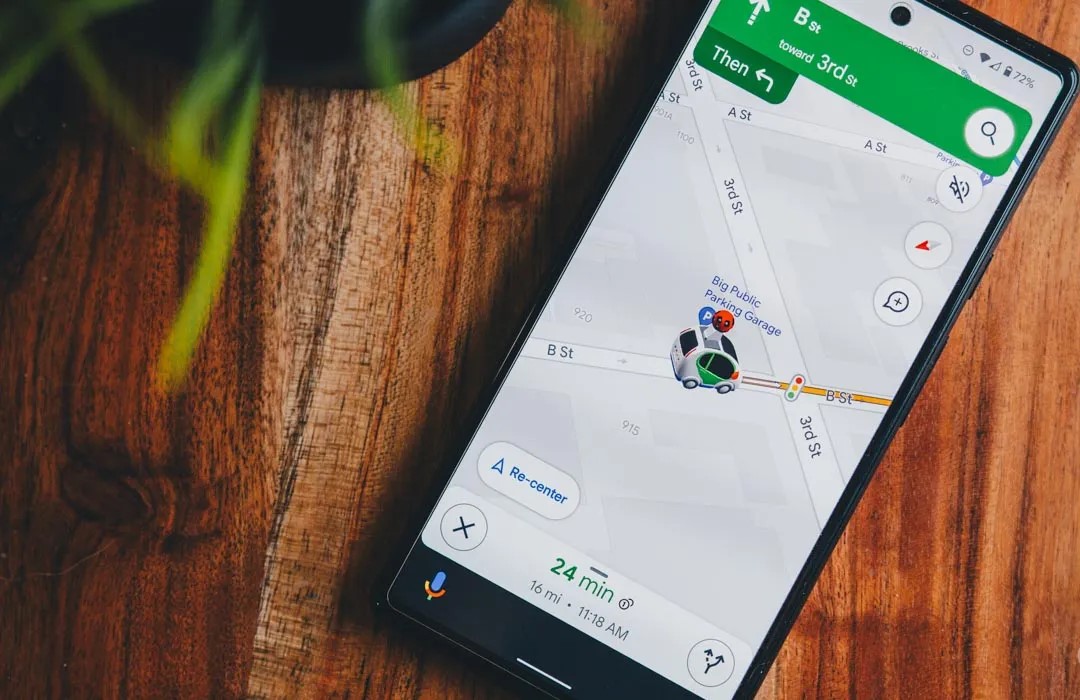
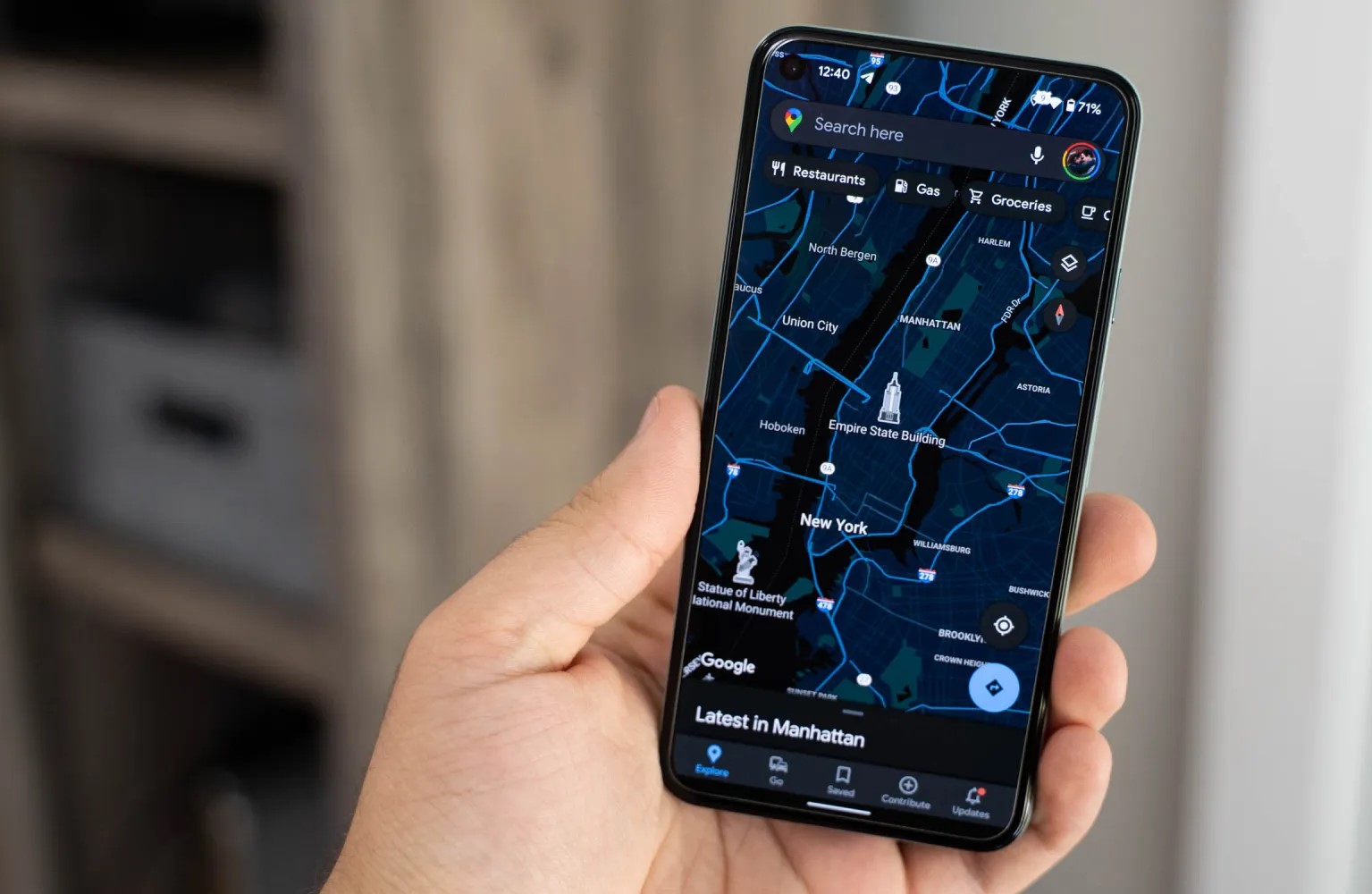
Google Maps is preparing to expand its fuel-efficient routing options by specifically tailoring to electric vehicles, hybrids, and more.
Last year, Google Maps began offering an alternative way to navigate your car from one place to another. Where typically a navigation app optimizes for the shortest travel time, Google Maps started offering routes that would be more fuel-efficient and eco-friendly, even defaulting to that route if the ETA is similar.
However, not all vehicles behave the same way or can optimize fuel efficiency with the same methods. While gas-powered vehicles are still all too common in the United States, there’s a growing number of hybrids and electric vehicles on the road, and quite a few diesel-powered ones as well. Suffice it to say the most efficient route for a traditional ICE car will not be the same as one for an electric.
To that end, the latest beta update to Google Maps, version 11.39, includes preparations to specify the engine type of the vehicle you’re currently driving. This selection — with options for gas, diesel, electric, and hybrid — will be used by Google Maps to “tailor” your navigation to find what will “save you the most fuel or energy.”
New! Get fuel-efficient routes tailored to your vehicle’s engine type.
Save more fuel by choosing your engine type
This info helps Maps find the route that will save you the most fuel or energy.
It doesn’t seem like you’ll be required to select a particular type of engine, even once this feature launches. Additionally, there will be an option in the app’s settings to switch to a different engine type, if needed.
Choose engine type
Change engine type
The change makes a great deal of sense for Google Maps given the company’s environmental consciousness, and it implies the success they may have had so far with automatically choosing the energy-efficient route. As the functionality is only just beginning to appear in beta testing, drivers of electric and hybrid vehicles will likely still have to wait a few more weeks to experience the tweaks Google Maps will make to their drive.
Google Maps begins rolling out estimated toll prices for planned routes
Estimated toll prices for planned routes now appear to be rolling out for Google Maps users on both Android and iOS after being announced earlier this year.
Having already been announced earlier this year, it has taken a little longer than expected for toll prices to arrive in Google Maps. First reported by Android Police, the feature rollout has since been confirmed by the official Google Maps help page post(and Twitter) with 2,000 toll roads in the US, India, Indonesia, and Japan being accounted for.
Google previously stated that more countries will see the feature “soon” but did not specify just what regions will be first in line once the expansion starts. Toll price estimates is a feature that has existed in Waze for some time, but given the ubiquity of Google Maps, this is a solid option for those in regions where toll roads are a common occurrence. This is in tandem with the existing feature that allows you to avoid toll roads entirely when route planning.
For the planner friend: this new feature is for you. 🙏
Now when you’re planning trips big and small, you can check estimated toll prices before you pick a route—and spend what you save on road snacks. pic.twitter.com/Lfy8s2TXQU
You’ll see the estimated toll price to your destination before you start navigating thanks to trusted information from local tolling authorities. We look at factors like having a toll pass or not, what the day of the week it is, along with how much the toll is expected to cost at the specific time you’ll be crossing it.
The pricing data is directly sourced from local tolling authorities. Maps then factors in the outright cost of using a toll pass, specific payment method charges, daily toll rates, along with how much the toll is expected to cost at the specific arrival time to give you an estimate when mapping out a potential route.
You will have the option within settings to show toll prices with or without having a toll pass–as in many geographies the price changes based on the payment method you use. You will also still have the option to avoid routes crossing toll roads entirely, if possible, by selecting ‘Avoid tolls’ within settings.
While this is a great move, it’s worth noting that Google Maps is not yet capable of showing individual toll road prices. Instead, you’ll only get a “full” estimate for a complete route. There are also no options to select things such as vehicle type nor add-in discount passes if they exist for certain transit methods. Either way, this is a great step in the right direction, and it would be great to see Google develop it further with more fine controls and pricing data.
Apple’s AirTags are coin-shaped item trackers that integrate with the Find My network. We already know about many common ways to use the tracker – pets, luggage, wallets, purses, and more. There are a slew of use cases, though, that we had never even thought of. Have you considered using an AirTag for any of the purposes below?
Apple TV remote
It’s incredibly easy to lose remotes – especially for the Apple TV as the remote is so small! However, did you know there are cases for the remote that includes a spot for AirTag? Now, if you lose your Apple TV remote, you can use your iPhone to track it down.
Jewelry and heirlooms
Have any expensive jewelry lying around? AirTag can help you track it down if it gets lost or stolen. While it’s not something you’d want to include in your jewelry while wearing it, you can attach an AirTag with a keychain while the jewelry’s not in use. Or, if you have a case for the item, there’s a good chance the tracker will fit inside.
Glasses
Now I love this one for all of you that frequently lose your readers. Nomad, the same company behind the Apple TV remote case, has an AirTag glasses strap that is also adjustable. The reviews are mostly positive. Users rave about how lightweight the strap is while in use. The strap can also be used for sunglasses, safety glasses, or most other types of glasses.
Golfing equipment
AirTag can fit easily into a golf bag or golf cart. Just keep in mind that it cannot track a golf cart while it’s on the go. There’s not yet an AirTag holder for individual golf clubs, but hey, maybe someone will make one?
Bikes
A few years ago, 529 Garage completed a study on bicycle theft, finding that over 2 million are stolen every year in the United States. That’s the equivalent of a bike being stolen every 30 seconds. One way you can track your bike down if it is stolen is with AirTag. Muc-Off has created a discreet AirTag holder that fits inside your rear tubeless tire along with the company’s Tubeless Valves.
Tools
Tools are expensive and something you don’t want to buy twice. Especially for those of you who need your tools for work and share with others. Easily place the AirTag in your tool box, or, depending on the tool, add a mount or a keychain to track.
Jackets/coats
AirTag is great for parties when it’s easy to lose your coat or forget you brought one. I can’t tell you how many times I misplaced a jacket as a child – an AirTag would’ve came in handy, especially for those jackets with never ending pockets as there’s plenty of room for a small AirTag.
Stage Manager is Apple’s solution for improving (or at least trying to) the iPad’s multitasking system. The feature lets users run apps in windowed mode, but there’s a catch: it only works with the M1 iPad Air and iPad Pro. Apple hasn’t said a word at this point about changing the feature requirements, but we’ve found a way to see how Stage Manager would work on the iPad mini.
How Stage Manager works
First of all, if you haven’t seen Stage Manager in action, it basically brings windows to iPadOS 16. However, there are still some limitations when it comes to resizing and moving apps around the screen. It’s not exactly like what you have on a Mac or Windows PC, but it certainly makes the iPad feel more like a real computer.
Unfortunately, only iPads equipped with the M1 chip support Stage Manager. Apple says it set the M1 chip as a requirement because Stage Manager lets users open up to eight apps simultaneously. Stage Manager also enables full support for an external display up to 6K resolution, and unsurprisingly, Apple claims that other iPads don’t have enough performance for this.
Some users didn’t seem to believe Apple’s statements as some of them are quite controversial. For instance, the company argues that Stage Manager benefits from the fast memory swap that is only available on the M1 chip. However, the 64GB iPad Air 5, which runs Stage Manager, lacks RAM swap.
Stage Manager on the iPad mini
Officially, there’s no way to enable Stage Manager on non-M1 iPads. However, 9to5Mac found a hidden internal mode in the iPadOS 16 code that enables Stage Manager on any iPad running the latest version of the operating system. Since there’s no jailbreak tool available for iPadOS 16, we can’t enable this mode on a real iPad, but we can take a look at it using iOS Simulator – an Apple tool that lets developers test their apps on a Mac.
More interesting than seeing Stage Manager working on the previous generation iPad Pro or iPad Air, I was wondering what the feature looks like on the iPad mini. And this is what I just found out.
Of course, the iPad mini’s display is too small for an advanced multitasking system, but still, Stage Manager can be quite useful for some iPad mini users. I took some screenshots of the iOS Simulator and sent them to my iPad mini so I could get a better idea of Stage Manager’s usability in terms of interface size. Honestly, everything looks good enough for me.
You can open three iPhone-sized apps side by side without compromising usability, which seems perfect for checking multiple social networks while you read something. You can also open a larger window while leaving smaller windows in the background to quickly switch between them, which is great for dragging and dropping items.
Current iPads can already open up to three apps simultaneously with Split View and Slide Over, but the experience is much more limited since you can’t have all three apps side by side.
Will Apple ever change that?
Some users are willing to have a limited version of Stage Manager available for non-M1 iPads, but Apple has never said if it will ever do this.
After seeing Stage Manager working on the iPad mini, I’m convinced that I’d like to have the option to run apps in windowed mode, even with some limitations compared to the M1 iPads. As I once said, having windows is not only about how many apps you can run at the same time, but it’s also about organization.
Stage Manager isn’t exactly perfect, but it certainly improves the iPad’s poor multitasking system – and it’s a shame that Apple wants to keep it for the more expensive iPads.
For now, iPadOS 16 beta remains available exclusively to developers. According to Apple, the first public beta will be released this month, while the official release is expected this fall.
Five years ago, Apple introduced the iPhone X. With a new design, powerful chip, new gestures, and a new unlock method, the Face ID, the Cupertino company paid a well-deserved tribute to the original iPhone, at the time, released ten years ago. Who would’ve thought that this innovative iPhone would be the oldest model to support iOS 16? For this 15-year anniversary, what does Apple have planned for its users?
Will there be an iPhone XV?
To be honest, I truly think it would be amazing if Apple announced the iPhone XV later this year – but it’s almost impossible for this to happen. As of now, rumors point out four new iPhone models, which will likely be called “14.”
For the 15-year anniversary of the iPhone, the iPhone 14, 14 Max, 14 Pro, and 14 Pro Max are the possible names for this new generation. And although the name will change for this decade and a half anniversary compared to what Apple introduced five years ago, there are a few things in common between these releases.
For example, minutes before introducing the iPhone X, Apple announced the iPhone 8 and 8 Plus, which brought the refinement of phones we already knew: the iPhone 6/6S/7. This time, the iPhone 14 is rumored to bring boring features, pretty much because rumors point out it will be very similar to the iPhone 13.
Rumors suggest the baseline iPhone 14 will feature the A15 Bionic chip, slightly improved camera modules, and the same design with the notch we have all known for the past five years. The difference here is that Apple will once again bring a bigger version of the regular phone, which will likely be called the iPhone 14 Max, with a 6.7-inch display.
But just like Apple saved the new features for the iPhone X, the company will do the same with the iPhone 14 Pro for the 15-year anniversary
iPhone 14 Pro and 14 Pro Max will be Apple’s old to 15-year original iPhone
With the iPhone 14 Pro and iPhone 14 Pro Max, Apple will finally update the design introduced with the iPhone X. With a new hole-punch + pill cutout, the front of the smartphone will look like a lay-down, lowercase “i.”
In addition, Apple will boost this smartphone with the A16 chip. Although it’s expected to use the same 5 nm technology, the company will likely be able to make its CPU, GPU, and Neural Engine faster, as well as revamp both the front-facing camera and main cameras on the back.
There are rumors pointing out even a purple iPhone 14 Pro, which could be the newest color after the Sierra Blue for this generation.
Wrap up
Although the name won’t matter for Apple on the 15th anniversary of the original iPhone, there’s a lot rumored to be introduced with the iPhone 14 series. In addition, Apple is also readying three new Apple Watches, new AirPods Pro, iPad Pro, and even planning to enter a new segment with Mixed Reality headset and an AR device.
We’ve seen some baby steps towards using our iPhone for proving our identity. But a couple of recent developments point to a future in which an iPhone – plus biometrics – could let us use our phone as a single means of verifying our identity, both online and in face-to-face interactions.
In all, Apple provides support for four initiatives which I think provide a clear pointer to a future in which the iPhone will be our one-stop device for ID …
Proving our identity with an iPhone
Apple currently offers support for four separate initiatives:
Mobile driving licences
Password-less login via Passkeys in the Cloud
Student ID
Captcha bypass
Each of these form some early stepping stones to what will eventually be a world in which our iPhone will be the primary way in which we prove our identity, both online and offline.
Mobile driving licences (mDL)
Back in June of last year, Apple announced its plans to allow state ID documents like driving licences in the Wallet app.
To be fully free of your physical wallet, there’s one more thing we need to bring to iPhone. And that’s your ID. So we’re bringing identity cards to Apple Wallet. This fall, you’ll just scan your drivers license or state ID in participating US states. It’s that easy. Your ID information is now in Wallet. Encrypted and stored in the Secure Element, the same hardware element technology that makes Apple Pay private and secure.
The company said that the Transportation Security Administration (TSA) would be climbing aboard, allowing iPhone owners to present digital versions of their driving licences as proof of ID for airline travel.
The TSA is working to enable airport security checkpoints as the first place you can use your digital ID.
That didn’t happen in the fall of 2021 as scheduled, and when it did finally happen, it was just dipping a toe in the water. As the mDL (mobile driving licence) tracker shows, the system hasn’t yet been officially implemented anywhere in the US as yet, and there are just a handful of trials at a tiny number of airports.
The wheels of government grind exceedingly slowly, so the point at which we can flash our iPhone at a TSA checkpoint or traffic cop are some way off yet, but some 30 states have announced that they are at least exploring the idea.
Student ID cards
Partnering with Blackboard lets college students store their ID card in the Wallet app, which can then be used for everything from entering campus facilities to paying their laundry bills.
Students who load their IDs into Apple Wallet on iPhone/Apple Watch will be able to have secure access to campus facilities, residence halls, and more in addition to using the digital card for payments at vending machines, dining halls, laundry, and even off-campus retail locations that accept student IDs as payment.
Passkeys in the Cloud/FiDO
Back in 2020, Apple joined the Fido Alliance, a tech working group dedicated to eliminating passwords. We’ve previously explained how FiDO (Fast IDentity Online) works.
Currently, to log in to a website or app, we usually enter a username and a password. What FIDO does is instead allow our device to authenticate us. The logic is this (using an iPhone with Face ID as an example):
A website or app asks you to identify yourself, and prove your identity.
Your iPhone receives that request, and activates Face ID.
If your face matches, your iPhone tells the website who you are,
and that it has confirmed your identity.
At no point is there a password involved: Authentication is performed on your device, not on the website server. The web server trusts your iPhone to authenticate you in exactly the same way that payment terminals trust your phone for Apple Pay transactions.
Apple branded its implementation of FiDO as Passkeys in the Cloud. After a halfway house in iOS 15, the iPhone maker has fully implemented this in iOS 16 and macOS 13.
Of course, it also requires online services to support the login method, and this will again take time.
Captcha bypass
iOS 16 allows allows us to bypass Captchas in apps and on the web.
A new feature called Private Access Tokens will use a combination of details about your device and your Apple ID to inform a website that you are a legitimate user rather than a robot. In turn, this allows you to completely bypass the CAPTCHA step.
This might seem like an odd thing to mention in this context, as it doesn’t actually verify our identity, but it operates on the same principle – it carries out a form of user validation, and the authentication needed for this happening entirely on our device.
Again, this requires apps and websites to sign-up, so rollout will take some time, but it’s an easy way to improve the user experience while reducing friction (points at which people might give up), so I’d again expect adoption to be reasonably brisk.
Proving our identity in this way will become standard
Long-term, I’d expect the principles involved here to become the standard way we prove our identity, both online and offline. This is because it’s safer for all involved – individuals, companies, and governments.
Individuals
It’s safer for us both online and offline.
Online data breaches are ridiculously common. Companies keep making ridiculous mistakes like storing customer databases on cloud servers without any protection, or messing up permissions to anyone with access to their network can download customer records. With FiDO, there is no database to hack
Offline, only the necessary personal data is revealed, and that is done in encrypted form. When you show your mobile driving license at a TSA checkpoint, they only receive the actual data they need, not all the data stored on/in your license. It’s very much equivalent to Apple Pay, where the payment terminal doesn’t get all of the information on your credit card, and relies on your iPhone confirming that it has verified your identity with Face ID or Touch ID.
Companies
One of the biggest headaches for businesses is keeping customer data safe from hackers. The financial and reputational cost of a security breach can be extremely costly. With FiDO, no user credentials are stored on the server as the authentication happens entirely on our devices. (Of course, they still have to keep other customer data safe, but removing the need for login credentials is a big win.)
Governments
Paper documents can be convincingly forged, despite watermarks and the like, which is why really important ones like passports also rely on electronic security in the form of an embedded RFID chip. Moving all identity documents to electronic versions, with biometric protection, is a huge step forward in security.
There is massive additional potential in this approach
I mentioned above that companies will still have to store some customer data, like addresses. But what if they didn’t have to? What if you place an online order, and your iPhone or Mac sends an encrypted code which can only be decoded by courier companies?
What if your doctor didn’t phone you with test results, but instead sent you a link to a file which can only be read by a device which uses biometric authentication to prove your identity?
What if you didn’t have to show your credit card or ID when collecting concert tickets, but your iPhone verified your identity without revealing any of your data?
It doesn’t take much imagination to see the massive potential for on-device authentication to be used in any situation in which we need to prove our identity, whether online or offline.
To me, on-device authentication is the future of ID checks, even – eventually – passports and visas. Personally, I can’t wait. What about you? Please take our poll, and share your thoughts in the comments.
Microsoft is working to make your and your family’s online experience safer. Today the company is launching its new Defender security dashboard for 365 subscribers. Users on iPhone, Mac, Windows, and Android devices have access to the Microsoft Defender security app that utilizes existing antivirus software or other protections.
Microsoft Defender is simplified online security that meets you and your family where you are by bringing multiple protections together into a single dashboard. It provides online protection across the devices you and your family use. It offers tips and recommendations to strengthen your protection further. And, as you grow your digital footprint by adding family members and devices, Defender grows with you and keeps your defenses up-to-date using trusted technology.
According to The Verge, Microsoft Defender’s features will vary by which platform. For instance, on iPhone and iPad, Microsoft Defender users won’t have antivirus protection. However, they’ll have some phishing protections alongside their dashboard that features alerts for their other devices.
Additionally, the new app includes security alerts for your devices to ensure maximum protection. While not on iPhone, you can also view Microsoft Defender’s cybersecurity tips on your Mac or Windows computer.
This is just the start. As we look forward, we will continue to bring more protections together under a single dashboard, including features like identity theft protection and secure online connection. Microsoft Defender is simplified online security that grows with you and your family to help keep you safe.