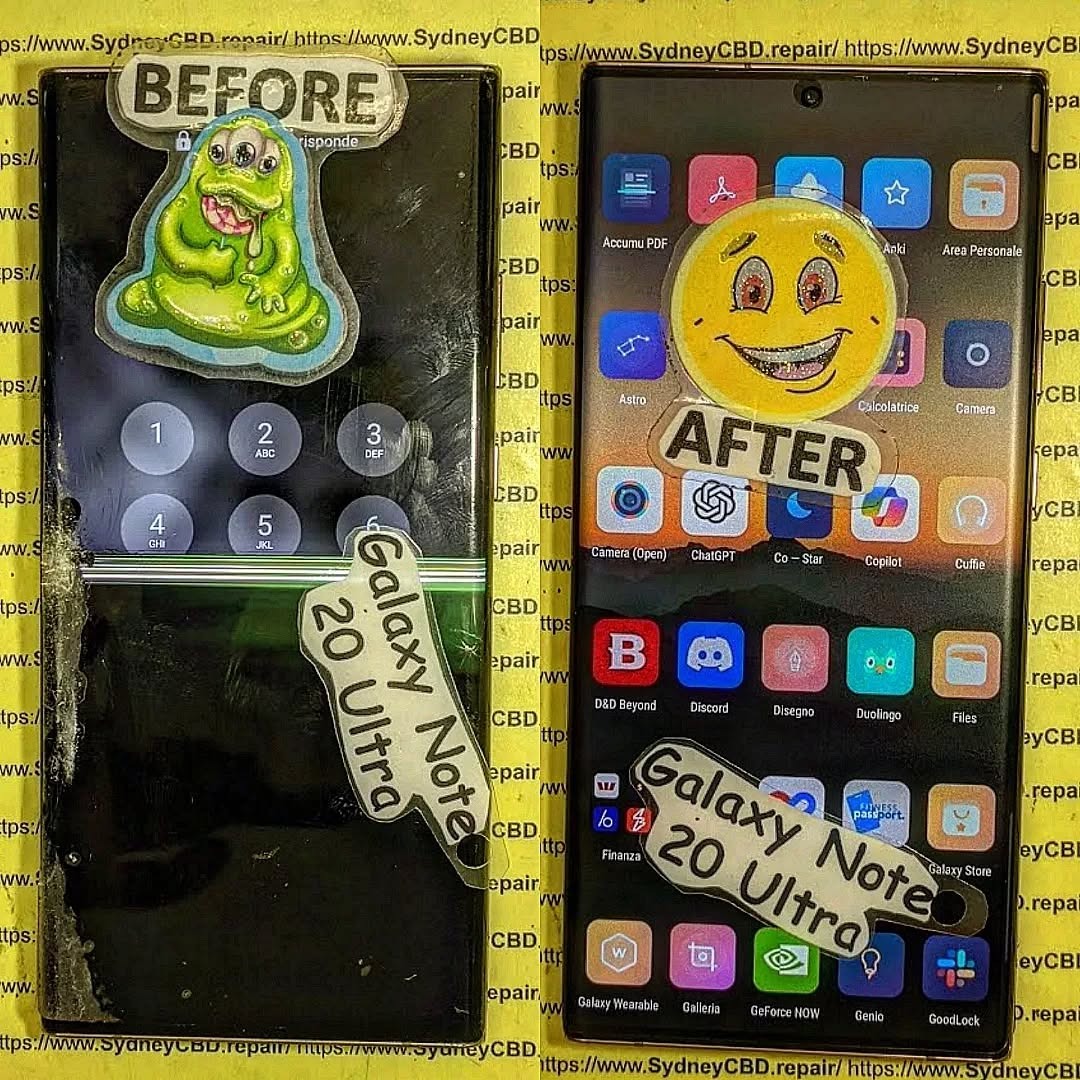
Samsung Galaxy Note 20 Ultra is an iconic flagship phone known for its dynamic AMOLED 2X display, high refresh rate, and immersive viewing experience. But even premium screens aren’t immune to cracks, scratches, or malfunctioning touch sensitivity. Understanding the Samsung Galaxy Note 20 Ultra screen replacement cost is essential for budgeting repairs and avoiding further damage.
Whether your device suffered accidental drops, water exposure, or long-term wear, a damaged screen can compromise both usability and resale value. In this guide, we’ll break down the costs, explain repair options, share tips to save money, and answer frequently asked questions to help you make the best decision.
The Note 20 Ultra boasts a 6.9-inch Dynamic AMOLED 2X display. This screen offers vivid colors, deep blacks, and an adaptive refresh rate up to 120Hz, delivering a smooth scrolling experience. AMOLED technology, while visually stunning, is more delicate than traditional LCDs, making professional care vital for repairs.
Screen Durability and Common Issues
Despite its Gorilla Glass Victus protection, the Note 20 Ultra screen is susceptible to:
Cracks and shattering from drops or impacts
Dead pixels or discoloration over time
Touch screen malfunctions caused by internal damage
Screen burn-in with prolonged static image use
These problems often necessitate a full screen replacement rather than partial repairs.
Understanding the components that influence repair costs can help you plan effectively.
OEM vs Aftermarket Parts
OEM (Original Equipment Manufacturer) parts ensure full compatibility and performance. Prices are higher but guarantee longevity.
Aftermarket screens are cheaper but may have lower color accuracy, touch sensitivity issues, or faster wear.
Labor Costs and Repair Complexity
Replacing the Note 20 Ultra screen requires careful disassembly, removal of the curved glass, and proper installation of a new panel. Labor fees vary depending on location and technician expertise.
Warranty and Service Charges
Authorized service centers may charge more, but repairs often come with warranty coverage. Third-party shops may offer competitive rates but with limited guarantees.
Average Price Range for Screen Replacement
Retail and Authorized Service Centers
Samsung official repair services typically charge $350–$450 for a Note 20 Ultra screen replacement. This includes OEM parts and warranty coverage, ensuring original quality.
Independent Repair Shops
Independent or local repair centers often charge $200–$300, offering a balance between affordability and reliability. Ensure they use high-quality parts and provide at least a 90-day warranty.
DIY Repair Cost Considerations
DIY replacements can cost $150–$250, depending on parts and tools. While cheaper, risks include voiding warranties, damaging internal components, and poor screen alignment.
Step-by-Step Guide to Samsung Galaxy Note 20 Ultra Screen Replacement
Preparing for the Repair
Backup your data to prevent accidental loss.
Power off the device and remove the SIM card tray.
Use a suction cup and plastic opening tools to lift the back panel.
Disconnect battery and display connectors carefully.
Replacing the Screen
Remove the damaged screen gently, avoiding damage to the frame or internal components.
Install the new screen, ensuring connectors are properly seated.
Apply new adhesive for secure attachment.
Reassembling and Testing
Reconnect battery and close the device.
Test display, touch functionality, and sensors before sealing completely.
Ensure no dust or bubbles are trapped under the new screen.
DIY vs Professional Repair: Pros and Cons
Option
Pros
Cons
DIY
Lower cost, flexible timing
Risk of damage, no warranty, technical skill required
Professional
Warranty coverage, high success rate, no risk to internals
Higher cost, scheduling required
Tips to Minimize Repair Costs
Use of Insurance and Warranty
Check if your device insurance or Samsung Care+ covers screen damage.
Some plans reduce the out-of-pocket cost significantly.
Choosing Reliable Repair Centers
Look for certified technicians with genuine parts.
Check online reviews and ask for written guarantees.
Signs Your Screen Needs Immediate Replacement
Cracked glass or shattered panels
Unresponsive touch or ghost touches
Dark spots, lines, or discoloration
Flickering or dead pixels
Ignoring these signs can lead to further internal damage and higher costs.
How to Protect Your Samsung Galaxy Note 20 Ultra Screen
Screen Protectors and Cases
Tempered glass or high-quality film protectors prevent scratches and minor cracks.
Protective cases with raised edges minimize direct impact on the screen.
Proper Handling Practices
Avoid placing the phone face-down on rough surfaces.
Keep it away from extreme heat or direct sunlight for long periods.
Handle with clean, dry hands to prevent moisture damage.
FAQs About Samsung Galaxy Note 20 Ultra Screen Replacement
Q1: How long does a screen replacement take?
A1: Professional repairs usually take 30 minutes to 2 hours depending on shop workload. DIY repairs can take longer due to careful handling.
Q2: Is it safe to use an aftermarket screen?
A2: Aftermarket screens are generally safe but may have lower brightness, color accuracy, or touch sensitivity. OEM parts are recommended for optimal performance.
Q3: Will a cracked screen affect my warranty?
A3: Yes, using a DIY or unauthorized repair can void your warranty. Official repairs maintain coverage.
Q4: Can water damage occur during screen replacement?
A4: If not properly sealed after repair, water damage is possible. Ensure professional technicians apply appropriate adhesive and seals.
Q5: Is Samsung Care+ worth it?
A5: Absolutely. It reduces repair costs and ensures genuine parts, especially for expensive screens like the Note 20 Ultra.
Q6: Can I repair the screen myself without special tools?
A6: It’s risky. Proper tools and knowledge are required to avoid damaging fragile internal components. DIY should only be attempted if confident.
Conclusion: Making the Right Choice for Screen Repair
Replacing a Samsung Galaxy Note 20 Ultra screen can be costly, but making an informed choice ensures device longevity and functionality. Consider OEM parts for long-term reliability, weigh professional repair benefits against DIY cost savings, and always use protective accessories to prevent future damage. By understanding the screen replacement costs, repair steps, and tips to reduce expenses, you’ll protect your investment while enjoying a flawless display.
For professional and reliable repairs in Sydney, visit Sydney CBD Repair Centre – experts in Samsung phone repairs with genuine parts and same-day service.
David from Sydney CBD Repair Centre – The Best place to fix mobile phones as 7 Years In A Row! Top Mobile Phone Repair In Sydney. More than 2000 Positive Reviews on Google and Same Day Repairs.
We take pride in delivering exceptional repair services for all major phone brands including Apple, Samsung, Google, and more. Our expert technicians use only genuine parts and offer 90days warranty on repairs. Located in the heart of Sydney CBD, we’re your one-stop solution for all mobile device repairs.
Visit us for:
✓ Same Day Express Repairs
✓ Genuine Parts Guarantee
✓ Professional Technicians
✓ Competitive Pricing
✓ 2000+ 5-Star Google Reviews
✓ 7-Time Award Winner for Best Phone Repairs
Price Check: How Much Does a Screen Repair Cost? – 2025 Guide for Smart Shoppers
💸 H1: Price Check: How Much Does a Screen Repair Cost? – 2025 Guide for Smart Shoppers
Cracked your screen and wondering how much it’ll cost to fix it? You’re not alone.
Whether you’ve shattered the glass on your iPhone, Samsung, or Google Pixel, understanding the screen repair cost can help you make an informed and budget-friendly decision.
At Sydney CBD Repair Centre, we believe in transparent, honest pricing with no guesswork. From the moment you request a quote to the time you walk out with a perfectly restored device, you’ll know exactly what you’re paying for.
📱 ASUS ROG Phone 8 Screen Repair Deep Dive: Ultimate Fix Guide + 12 Power Tips
🧠 Understanding the ASUS ROG Phone 8 Display
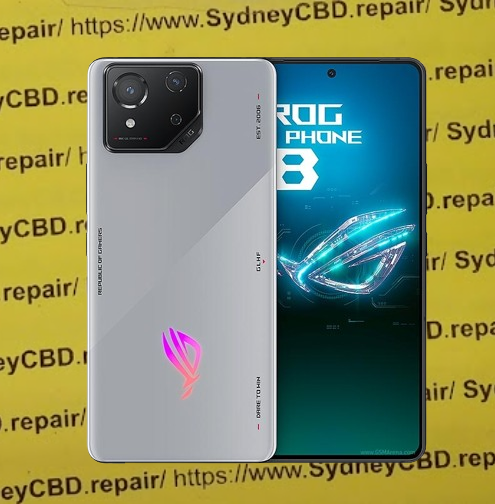
The ASUS ROG Phone 8 is a powerhouse made for gamers — and its screen reflects that high-performance focus. Featuring an AMOLED display, 165Hz refresh rate, HDR10+ support, and Corning Gorilla Glass Victus, it’s not your average smartphone screen.
But even a display this tough can’t always survive a harsh drop.
These specs make it one of the best screens on the market — and also one of the most expensive to replace. That’s why screen repair for the ROG Phone 8 should be handled with extra care.
Even the best displays have vulnerabilities. Some of the most frequent problems reported by ASUS ROG Phone 8 users include:
Cracked or shattered glass from drops
Ghost touches or phantom screen taps
Display not turning on, despite full battery
Lines or black spots appearing on the screen
Screen flickering or rapid dimming
These issues are often caused by physical damage, pressure stress, or internal component failures linked to the screen assembly.
🛠 Can You Repair the ROG Phone 8 Screen Yourself?
Short answer: Yes, but it’s not recommended unless you’re experienced.
The ROG Phone 8’s compact internal structure and adhesive-based assembly mean you’ll need a careful hand and proper tools. ASUS does not make it particularly easy for DIYers to replace components like screens — mainly to protect device integrity.
That said, a screen replacement is technically possible at home. You just need to be aware of what you’re getting into.
🧰 Tools You’ll Need for DIY Repairs
If you’re still set on a DIY route, here’s your toolkit checklist:
Precision screwdriver set (PH00, T2, etc.)
Suction cup and plastic opening tools
Heat gun or hair dryer
Anti-static mat and gloves
Replacement AMOLED screen (genuine or OEM)
Adhesive strips or liquid adhesive
Isopropyl alcohol and microfiber cloth
⚠️ Important: One misstep can cause motherboard damage, ruin touch sensitivity, or void your warranty. Always weigh the risk before proceeding.
🔧 Step-by-Step Guide to Replacing the Screen
If you’ve got steady hands and the right tools, follow these general steps to replace the ASUS ROG Phone 8 screen. Note: This is a simplified overview. Always consult a professional guide or video tutorial for exact steps.
✅ Screen Replacement Steps:
Power Off and Remove SIM Tray
Hold the power button until the device turns off completely.
Remove the SIM tray to avoid damage during disassembly.
Soften the Adhesive
Use a heat gun or hair dryer to warm the screen edges.
Apply even heat to loosen the strong adhesive holding the display.
Pry Open the Screen
Insert a plastic opening tool between the frame and the screen.
Carefully work your way around the edges — avoid using metal tools.
Disconnect the Battery
Once the back cover or screen is loosened, carefully unplug the battery connector to prevent shorts.
Remove Broken Display
Unclip the display flex cable(s) from the motherboard.
Carefully lift and remove the damaged screen.
Install New Screen
Connect the new screen’s flex cable.
Test the screen functionality before sealing.
Reassemble the Phone
If the screen works, apply new adhesive or double-sided tape.
Re-seal the phone, making sure it’s tightly closed.
⚠️ Pro Tip:
Don’t forget to test touch response, brightness, and color accuracy before finalizing the reassembly.
⚠️ Risks of DIY Repairs on Gaming Phones
Gaming phones like the ASUS ROG Phone 8 come with added complexity — including high-refresh displays, internal vapor chambers, and tuned speakers. DIY repairs can risk:
Thermal misalignment (impacting cooling systems)
Broken flex cables
Touchscreen calibration issues
Waterproofing failure
Void warranty or resale value
Unless you’re highly experienced or the screen damage is superficial, you’re better off trusting a professional repair service.
🧑🔧 When Should You See a Professional?
Let’s be real — if your screen is cracked, unresponsive, or has deep discoloration, you need professional help. A certified technician can:
Diagnose secondary damage (e.g., to digitizers or motherboard)
Use original OLED/AMOLED replacement panels
Ensure waterproofing is re-applied
Offer repair warranties
For Sydney locals, the Sydney CBD Repair Centre offers same-day repairs and has 2000+ five-star reviews. That’s the kind of peace of mind you want with a $1500+ gaming phone.
💸 Cost Breakdown: DIY vs Professional Repair
Let’s compare the typical costs for ROG Phone 8 screen replacement:
At Sydney CBD Repair Centre, most screen replacements for the ASUS ROG Phone 8 are completed within the same day — sometimes in under 2 hours if you book ahead.
Factors That Affect Repair Time:
Availability of parts
Extent of internal damage
Device model and complexity
Current workload at the repair centre
For walk-ins, you can still expect fast service — but we recommend calling ahead at +61280114119.
🛡️ Why Choose Sydney CBD Repair Centre?
David and his expert team have been voted the #1 phone repair shop in Sydney for 6 consecutive years. Here’s why they stand out:
✅ Use of 100% genuine parts
✅ Repairs by trained technicians
✅ More than 2,000 5-star Google reviews
✅ 90-day warranty
✅ Award-winning service
They specialize in Samsung, Apple, ASUS, OPPO, Huawei, and more — and they handle gaming phones with extra care.
🧩 Benefits of Using Genuine Parts
When it comes to high-performance displays, using genuine parts is non-negotiable. Here’s why:
🔁 Perfect compatibility
🎮 Preserves refresh rate (165Hz)
🌈 No color distortion or brightness issues
🤳 Touch sensitivity remains accurate
💧 Water-resistance is retained
Third-party or fake screens might cost less, but you’ll pay more in the long run with glitches, screen burns, or early failure.
🧾 Warranty and Aftercare for Screen Repairs
At Sydney CBD Repair Centre, you get a 90-day warranty on all screen replacements.
What the warranty covers:
Screen malfunctions not caused by new drops
Touch/display failures due to faulty installation
Warranty claims processed within 1 business day
They also offer helpful aftercare like:
Screen protectors
Free diagnostics if issues reoccur
Repair receipt for warranty proof
🛡️ Protecting Your ROG Phone 8 Post-Repair
After your screen has been replaced, keep it safe! Here’s how:
Post-Repair Tips:
Install a premium screen protector (tempered glass preferred)
Use a rugged case that supports heat dissipation
Avoid extreme temperatures
Enable touch sensitivity mode if using thicker protectors
Back up data regularly — just in case
Your ROG Phone 8 is a gaming beast — treat it like one.
🙋 Frequently Asked Questions (FAQs)
1. How do I know if my ROG Phone 8 needs a screen replacement?
If the display is cracked, unresponsive, flickering, or has lines — it likely needs replacement. A professional can diagnose it quickly.
2. Is the screen covered by ASUS warranty?
Physical damage isn’t covered by standard ASUS warranty. Only manufacturing defects are included.
3. Can I use any screen or does it have to be OEM?
Using OEM (original equipment manufacturer) or genuine parts ensures performance, compatibility, and longer lifespan.
4. Is it safe to repair my phone at Sydney CBD Repair Centre?
Yes. They’re an award-winning repair shop with 2000+ verified reviews and a reputation for quality and speed.
5. Will my phone still be water-resistant after the repair?
Yes, if the repair is done professionally with proper sealing adhesives — like at Sydney CBD Repair Centre.
6. Can I walk in for a screen replacement or do I need an appointment?
Walk-ins are welcome, but appointments help you get faster service. Call ahead to secure a same-day repair.
✅ Conclusion: Your Screen, Restored with Confidence
The ASUS ROG Phone 8 deserves premium care — and whether you attempt a DIY fix or go to a professional, knowing your options matters. For most users, the safest, most cost-effective route is to get it repaired by experts who specialize in high-performance devices.
💼 If you’re in Sydney, Sydney CBD Repair Centre offers everything you need:
Repairing a Cracked Screen Without Replacing It: Is It Possible?
📝 Introduction
Cracked phone screens are one of the most common—and frustrating—issues smartphone users face. Whether you dropped your device on the pavement or it slipped off your lap, that dreaded web of fractures can appear in a second.
But here’s the big question: Can you repair a cracked screen without replacing it?
In this article, we’ll break down whether it’s possible, explore temporary solutions, and help you decide the safest, most cost-effective option for your phone.
To know whether a cracked screen can be fixed without full replacement, it’s essential to understand its layers.
– Outer Glass vs LCD or OLED Panel
A modern smartphone screen is typically made up of three parts:
Glass (outer layer): The protective surface
Digitizer: Responsible for touch sensitivity
Display (LCD or OLED): Shows images and visuals
If only the outer glass is cracked and the touch + display work fine, you might be able to get away without full replacement—but it’s not always recommended.
Each cause affects the screen differently. Surface cracks might look minor but could worsen over time.
Can You Repair a Cracked Screen Without Full Replacement?
– Surface-Level Cracks
If your phone has minor hairline cracks and the display and touch still function normally, you can try temporary solutions (we’ll cover them below). However, these are only cosmetic fixes—not permanent.
– Deep Cracks or Touchscreen Failure
If the crack is deep or your touch/display is affected, then screen replacement is necessary. No surface-level repair will restore full functionality in such cases.
Temporary Fixes for Minor Cracks
These DIY options might help protect your phone temporarily, but they are not long-term solutions:
– Using a Screen Protector Over the Crack
Applying a high-quality tempered glass protector can:
Prevent the crack from spreading
Stop glass shards from cutting your fingers
Buy you time until a proper repair
– DIY Liquid Glass Solutions
Some users swear by “liquid glass” (nano-liquid screen protectors). While these may fill in micro-scratches, they won’t magically “heal” deep cracks.
– Clear Nail Polish Method
Applying clear nail polish on minor cracks can seal them and reduce their visibility—but it’s messy and not advised for long-term use. It can also seep into internal components.
Risks of Avoiding Proper Screen Replacement
Avoiding screen replacement when needed can lead to:
– Touchscreen Malfunction
Cracks often worsen and affect the digitizer, making your screen unresponsive or glitchy.
– Exposure to Moisture and Dust
A cracked screen breaks your phone’s seal, letting in moisture, dust, and debris, which can damage internal components.
When Is Full Screen Replacement Necessary?
You’ll likely need a full screen replacement if:
The crack spans across the screen
Touch sensitivity is impaired
Dead pixels or display discoloration is visible
The phone becomes unresponsive
In these cases, only replacing the full screen (glass + digitizer + display) will fully restore your device.
Professional vs DIY Repair Options
– Why Professional Repairs Are Safer
Choosing a professional repair shop like Sydney CBD Repair Centre ensures:
Correct diagnosis of screen layers affected
Use of genuine replacement parts
Fast, efficient repairs without damaging your phone further
Warranty for peace of mind
– What to Avoid with DIY Fixes
Avoid:
Cheap screen repair kits from unreliable sources
Online tutorials that oversimplify complex repairs
Opening your phone without proper tools or training
A DIY mistake can easily damage internal components or void your warranty.
Benefits of Choosing Professional Repair Shops
– Genuine Parts and Warranty
Professional shops use original or OEM parts, which ensure:
Proper fit and finish
Long-term durability
Compatibility with your device
At Sydney CBD Repair Centre, you also get a 90-day warranty on all repairs.
– Fast and Reliable Turnaround
Why wait for weeks? Local shops like ours offer:
Same-day repairs
Expert technicians
Transparent pricing
Cost Comparison: Temporary Fix vs Replacement
Solution
Estimated Cost
Durability
Risk Level
Clear Nail Polish
$2 – $5
Very low
High
Liquid Glass
$10 – $30
Low
Medium
Screen Protector
$10 – $50
Medium
Low
Professional Replacement
$150 – $400 (varies by model)
High
Very low
Temporary fixes may save money short-term, but they don’t address the real issue. If your phone is valuable or under warranty, invest in professional repair.
❓ FAQs
Can toothpaste really fix a cracked screen?
No. Toothpaste is an internet myth. It may buff out minor scratches but won’t fix cracks—and may cause more damage.
Will my phone be waterproof after a screen crack repair?
If repaired by a professional who reseals the screen properly, it may retain some water resistance—but never assume it’s waterproof again.
Is it safe to keep using a phone with a cracked screen?
Not really. Cracked screens can cut your fingers, allow moisture inside, and get worse quickly. Temporary use is fine, but get it fixed soon.
How much does a professional screen repair cost in Sydney?
Prices range from $150 to $400, depending on your model. Flagship devices like iPhones or Galaxy models cost more due to high-end parts.
Will repairing only the glass fix my touch issues?
No. If your touchscreen is unresponsive, it means the digitizer is damaged. You’ll need a full screen replacement.
Can you fix a screen without replacing the digitizer?
Only if the digitizer and display are untouched. In most modern phones, the glass, digitizer, and display come as a single unit.
✅ Conclusion
So, can you repair a cracked screen without replacing it? Yes—but only in minor cases, and the fix is temporary at best. For anything more serious, a full replacement is the safest, most reliable option.
At Sydney CBD Repair Centre, we offer same-day repairs, use only genuine parts, and provide a 90-day warranty. Whether your phone is slightly cracked or completely shattered, we’ve got you covered with trusted, affordable service.
Troubleshooting Common Smartphone Screen Issues: Expert Fixes from Sydney’s Top Repair Team
📱 Introduction: Screens Are More Fragile Than You Think
Smartphones are modern marvels, but their sleek glass screens can be vulnerable to everyday wear and tear. Whether it’s a minor scratch or a completely shattered display, screen issues are among the most common problems users face. But don’t panic — many screen-related problems can be diagnosed and fixed, especially if you catch them early.
⚠️ Most Common Smartphone Screen Issues
Cracked or Smashed Glass
This is the number one reason people seek screen repairs. A single drop can cause anything from a small crack to total shatter. Cracks not only look bad but can also:
Cause cuts on your fingers
Compromise water resistance
Spread further over time
Display Not Turning On
Sometimes the phone vibrates or rings, but the screen stays black. This could mean:
A dead battery
Display connector damage
Internal screen failure
Screen Flickering or Glitching
If your display flickers or flashes:
You might have a faulty display ribbon
Apps may be causing graphical conflicts
It could be a software bug or hardware malfunction
Touchscreen Not Responding
Non-responsive screens are often linked to:
Moisture or dirt under the glass
Faulty digitizer
Overheating
Ghost Touch Issues
Ghost touches occur when your phone acts like it’s being touched — even when it isn’t. This is usually due to:
Screen damage
Poor-quality screen replacements
System glitches
🔧 DIY Troubleshooting Tips You Can Try
Restart or Soft Reset
Sometimes, a simple restart clears up glitches. Hold down your power button and give your device a fresh start.
Screen Calibration Apps
Apps like “Touchscreen Repair” can recalibrate screen sensitivity, especially useful for ghost touch or lagging responses.
Safe Mode for App Conflicts
Booting into safe mode disables third-party apps. If the screen behaves normally here, a rogue app may be to blame.
Cleaning the Screen Surface
Use a microfiber cloth to remove dirt or grease. Moisture or grime can affect touch accuracy.
We use 100% original screens for all major phone brands — including Samsung, Apple, and Google — ensuring durability and perfect display quality.
Calibration for Touch & Fingerprint Sensors
After replacement, we recalibrate touch and fingerprint sensors, especially important for in-display readers like those in Samsung and Google Pixel phones.
90-Day Warranty on Repairs
Enjoy peace of mind with our 90-day guarantee. If your screen has issues post-repair, we’ll take care of it — no extra cost.
🛡️ Avoiding Screen Issues in the Future
Screen Protectors and Phone Cases
Invest in tempered glass screen protectors and shock-resistant phone cases. These small accessories can save you hundreds in repair costs.
Avoiding Water and Heat Exposure
Don’t leave your phone in hot cars or near water. Excess moisture or heat can cause internal damage, even without cracks.
Regular Software Updates
Keep your operating system updated. Some screen issues are software-related and get resolved with updates.
❓ FAQs
1. Can I fix a cracked screen without replacing it?
In most cases, a cracked screen needs full replacement, especially if the crack affects touch or visibility.
2. Why is my phone pressing itself?
This is likely a ghost touch issue. It could be caused by pressure on the screen, internal damage, or faulty screen replacements.
3. How long does a screen repair take?
At Sydney CBD Repair Centre, most screen repairs are done same day, often within 1–2 hours.
4. Will my fingerprint scanner still work after a screen repair?
Yes — if the repair is done professionally using genuine parts and proper calibration.
5. What’s the difference between original and aftermarket screens?
Original screens match your phone’s quality exactly. Aftermarket ones are cheaper but may lack touch sensitivity, brightness, or durability.
6. How do I know if my screen issue is hardware or software?
Try restarting in Safe Mode. If the issue disappears, it’s likely software. If not, it’s probably hardware-related.
✅ Conclusion: Don’t Let a Damaged Screen Slow You Down
Screen issues can range from mild annoyances to serious problems. Whether it’s a hairline crack or a blank display, don’t ignore the signs. Quick action can prevent bigger (and more expensive) issues. At Sydney CBD Repair Centre, we’re committed to giving your device the expert care it deserves — with genuine parts, same-day service, and a solid warranty to back it all up.
David from Sydney CBD Repair Centre – The Best Place to Fix Mobile Phones 6 Years in a Row! Top Mobile Phone Repair in Sydney. Over 2000 Positive Reviews and Same Day Repairs.
Imagine this: you’re standing beneath the dazzling light installations at Vivid Sydney 2025, your iPhone raised to capture the perfect shot of the Sydney Opera House transformed into a canvas of moving art. Suddenly, in the midst of the crowd, someone bumps your elbow. Your precious phone slips from your grasp and crashes to the ground. The heart-stopping moment when you pick it up and see that spider-web crack across your screen – it’s a scenario no festival-goer wants to experience.
But fear not! If disaster strikes during your Vivid Sydney adventure, Sydney CBD Repair Centre is your knight in shining armor, ready to save your digital companion with lightning-fast iPhone screen replacement services. Located just minutes from the festival’s main attractions, our award-winning repair center ensures you won’t miss a beat of the spectacular “Vivid Sydney, Dream” experience.
Understanding Vivid Sydney 2025
What is Vivid Sydney 2025?
Vivid Sydney 2025 is Australia’s premier festival of light, music, ideas, and food, transforming the city into a magical wonderland from May 23rd to June 14th. This year’s theme, “Vivid Sydney, Dream,” invites visitors to explore the boundaries of imagination through breathtaking light installations, thought-provoking talks, mesmerizing music performances, and culinary delights that awaken all senses.
The festival spans across key Sydney locations including Circular Quay, The Rocks, Barangaroo, Darling Harbour, and various CBD locations – all within easy reach of our repair center. With three weeks of non-stop festivities, Vivid Sydney 2025 promises to be the most captivating iteration yet, drawing millions of visitors from across Australia and around the world.
The Importance of a Functioning Phone During the Festival
In today’s digital age, your smartphone isn’t just a communication device – it’s your festival companion. During Vivid Sydney, your iPhone serves multiple critical purposes:
Capturing stunning photos and videos of light installations
Navigating between festival locations with maps
Checking the event schedule for performances and talks
Staying connected with friends and family in crowded areas
Sharing your experience on social media in real-time
Making payments for food, drinks, and souvenirs
Accessing your digital tickets and event passes
A cracked or malfunctioning screen can severely hamper these essential functions, potentially turning your dream festival experience into a frustrating ordeal. That’s why having access to fast, reliable repair services is crucial during this vibrant celebration.
iphone screen replacement
Why iPhone Screen Damage Happens More During Festivals
Common Causes of Screen Damage at Crowded Events
Festival environments like Vivid Sydney create the perfect storm for phone accidents. Our repair data shows a 35% increase in iPhone screen repairs during major Sydney events. The most common causes include:
Crowded spaces: Navigating through thousands of people increases the risk of drops and bumps.
Nighttime visibility issues: Low lighting makes it easier to mishandle your device.
Photography enthusiasm: Constantly taking out your phone for photos increases drop opportunities.
Weather conditions: Unexpected rain can make hands and surfaces slippery.
Multi-tasking challenges: Juggling food, drinks, and your phone is a recipe for accidents.
The Impact of a Damaged Screen on Your Festival Experience
A cracked iPhone screen isn’t just an aesthetic issue – it can significantly impact your Vivid Sydney experience in several ways:
Visibility problems: Light installations appear distorted through a cracked screen
Touch functionality issues: Navigation becomes difficult or impossible
Safety concerns: Glass shards or screen lifting can cause finger injuries
Battery drain: Damaged screens often cause faster battery depletion
Water vulnerability: Screen cracks compromise water resistance, particularly concerning with Sydney’s unpredictable weather
Photography limitations: Camera functionality suffers with a damaged display
Don’t let these issues dim your Vivid Sydney experience when a quick repair solution is just minutes away.
Sydney CBD Repair Centre: Your Vivid Sydney 2025 Phone Savior
About Sydney CBD Repair Centre
Sydney CBD Repair Centre stands as Sydney’s premier destination for mobile phone repairs, particularly iPhone screen replacements. Established with a commitment to excellence, we’ve grown to become the most trusted repair service in the CBD, serving over 47,000 satisfied customers.
What sets us apart is our unique combination of technical expertise, genuine care for customer needs, and lightning-fast service – critical factors during a time-sensitive event like Vivid Sydney. Our team of certified technicians, some of whom brought their specialized “Brand New Gangnam Style Mobile Phone Repair Service” expertise from South Korea, handles everything from simple screen replacements to complex board-level repairs.
Broken-iPhone-13-Screen-02
Our Award-Winning Service History
Our commitment to excellence hasn’t gone unnoticed. Sydney CBD Repair Centre has earned prestigious recognition in the industry:
Best Cultural, Arts or Music Event at the Australian Event Awards
18 medals, including 8 Golds, at the International Festival & Events Association (IFEA) Pinnacle Awards
Six consecutive years as Sydney’s Top Mobile Phone Repair Service
Over 1,900 positive Google reviews from satisfied customers
These accolades reflect our unwavering dedication to providing exceptional repair services that get you back to enjoying life’s important moments – like Vivid Sydney 2025 – without missing a beat.
Convenient Location for Vivid Sydney Attendees
Our strategic location makes us the perfect emergency repair option during Vivid Sydney 2025. Situated at Suite 201, Level 2, 661 George St, Haymarket, NSW 2000, we’re positioned right in the heart of the action:
Just a short 3-minute walk from the Chinatown Light Rail stop
7 minutes from Central Railway Station
5 minutes from World Square
Easy walking distance from many major Vivid Sydney installations
Accessible from Darling Harbour and Circular Quay via a quick light rail trip
This prime location means if disaster strikes while you’re exploring the festival, you can drop off your damaged iPhone, explore nearby installations, and return to a fully repaired device – often within the hour!
When you’re in the midst of experiencing Vivid Sydney’s spectacular offerings, time is precious. That’s why we’ve streamlined our repair process to minimize wait times:
Express service: Most iPhone screen replacements completed within 30-60 minutes
Record-breaking repairs: Some standard models repaired in as little as 20 minutes
Same-day guarantee: Even during peak festival times, we ensure same-day completion
No appointment necessary: Walk-ins welcome, though bookings help reduce wait times during busy periods
Waiting area available: Comfortable space with Wi-Fi if you prefer to wait
Our efficient process means you can drop off your damaged iPhone, grab a quick lunch or check out a nearby Vivid installation, and return to a fully functional device – all without missing the evening’s main light displays.
Quality Parts and Professional Technicians
At Sydney CBD Repair Centre, we never compromise on quality, even when delivering rapid repairs:
Expert technicians: Our repair specialists have an average of 7+ years of experience
Rigorous quality control: Every repaired device undergoes comprehensive testing
90-day warranty: All screen replacements backed by our satisfaction guarantee
Transparent pricing: No hidden fees or last-minute surprises
Comprehensive solution: We check for associated damage to cameras, sensors, and other components
Types of Screens We Use for Different iPhone Models
We tailor our repair approach based on your specific iPhone model:
iPhone 11, 12, 13, 14, 15 and 16 series: High-quality aftermarket screens offering excellent value while maintaining near-original display quality. This option balances cost-effectiveness with performance for newer models where genuine parts come at a significant premium.
Older iPhone models: Original quality screens that match factory specifications for perfect fit and function. These provide an authentic experience at a reasonable price point.
Premium option: For professionals and enthusiasts, we offer premium-grade screens with enhanced color accuracy and brightness – perfect for capturing and viewing Vivid Sydney’s spectacular light displays.
Our Transparent Repair Process
We believe in complete transparency, which is why we offer an open repair process:
Initial assessment: Quick diagnostic check to confirm the issue is limited to the screen
Clear quotation: Upfront pricing with no hidden costs
Visible repairs: You’re welcome to watch the repair process through our open workshop layout
Comprehensive testing: We test all functionality including touch response, True Tone, Face ID, and camera operation
Final quality check: Thorough inspection before handover
Warranty explanation: Clear details on your 90-day coverage
This transparency builds trust and ensures you understand exactly what service you’re receiving – especially important when you’re away from home enjoying Vivid Sydney.
Special Vivid Sydney 2025 Repair Offers
Festival-Exclusive Discounts
To celebrate Vivid Sydney 2025 and help ensure no visitor misses out due to phone damage, we’re offering special festival-period discounts:
Same-Day Repair Bonus: Complimentary tempered glass screen protector with every screen replacement
Festival Photo Recovery: Free data recovery assistance if your screen damage has affected access to your Vivid Sydney photos
These limited-time offers are our way of contributing to the vibrant community spirit of Vivid Sydney 2025.
Priority Service for Vivid Sydney Attendees
We understand that every minute counts when you’re enjoying a festival. That’s why we’ve implemented a special priority system for Vivid Sydney attendees:
Express lane: Dedicated check-in process for festival visitors
Priority queue: Faster service during peak repair hours
Booking ahead: Mention “Vivid Sydney” when calling to reserve a specific time slot
Our goal is to get you back to the festival as quickly as possible, with a fully functional iPhone to capture and enhance your experience.
Why Choose Us Over Other Repair Options During the Festival
Comparison with Apple Store Repairs
While Apple provides excellent service, there are several advantages to choosing Sydney CBD Repair Centre during Vivid Sydney:
Factor
Sydney CBD Repair Centre
Apple Store
Repair Time
30-60 minutes on average
Often 2+ hours or several days
Appointment
Walk-ins welcome
Appointment typically required
Cost
Competitive pricing
Generally higher pricing
Location
Central to Vivid Sydney locations
Limited store locations
Extended Hours
Special festival hours
Standard retail hours
Warranty
90 days on repairs
90 days on repairs
Festival Benefits
Special offers for attendees
No specific festival offers
Benefits of Local, Specialized Repair Services
Choosing a specialized local repair center during Vivid Sydney offers unique advantages:
Festival-specific understanding: We know the importance of having your phone during the event
Flexible solutions: Multiple repair options and price points to suit your needs
Personalized service: Direct communication with the technician handling your device
Supporting local business: Contribute to Sydney’s vibrant small business community
Established reputation: Over 1,900 positive reviews from satisfied customers
Festival location knowledge: Staff can recommend nearby Vivid installations to check out while you wait
Our intimate knowledge of both iPhone repairs and the Vivid Sydney festival makes us uniquely positioned to serve attendees with damaged devices.
Customer Success Stories During Previous Vivid Sydney Events
Real Testimonials from Festival Goers
Nothing speaks louder than the experiences of previous customers who faced phone emergencies during Vivid Sydney:
“Disaster struck when my iPhone 13 slipped from my pocket at Circular Quay during last year’s Vivid. The screen was completely shattered. Sydney CBD Repair Centre fixed it in 40 minutes flat while I grabbed dinner. I didn’t miss the main light show and still had my phone to capture it all. Absolute lifesavers!” – Sarah T.
“I was visiting from Melbourne specifically for Vivid Sydney and dropped my phone on day one. Thought my trip photos were doomed until I found these guys. Not only was the repair quick and affordable, but they also recommended some hidden gem installations to check out while I waited. That’s service!” – James K.
“As a photography enthusiast, my iPhone 14 Pro is essential during Vivid. When the screen cracked, I panicked about missing the perfect shots. Sydney CBD Repair Centre had me back up and running in under an hour with a screen that looks better than new. Their premium replacement option was worth every penny for the color accuracy.” – Michelle L.
These real experiences demonstrate our commitment to saving Vivid Sydney experiences one phone at a time.
Preparing Your iPhone for Vivid Sydney 2025
Preventative Measures to Avoid Screen Damage
While we’re always ready to help with repairs, prevention is better than cure. Consider these precautions before heading to Vivid Sydney:
Invest in protection: A quality case with raised edges and a tempered glass screen protector provide essential defense.
Secure handling: Use a phone grip, lanyard, or wrist strap for additional drop protection in crowds.
Pocket management: Avoid placing your phone in back pockets or loose jacket pockets where it can easily fall out.
Weather preparation: Bring a waterproof case or pouch if rain is forecast.
Battery planning: Carry a power bank to avoid the need to connect your phone to public charging stations, which increases handling risks.
Regular checks: Ensure existing case and screen protectors are in good condition before the festival.
Backup your data: Make sure your photos and videos are backing up to iCloud or another service in case of device damage.
Essential Accessories for Phone Protection
Based on our repair experience, we recommend these specific accessories for Vivid Sydney attendees:
Case recommendations: Look for cases with military-grade drop protection (MIL-STD-810G) and raised bezels
Screen protection: Tempered glass protectors with 9H hardness rating offer the best defense
Handling aids: Pop sockets, phone rings, or wrist straps minimize drop potential
Weather protection: Waterproof pouches that still allow touchscreen functionality
Photography enhancers: Stabilizing grips that also provide additional drop security
We stock many of these protective accessories at our store, allowing you to upgrade your phone’s protection before heading back into the festival.
What to Do If Your iPhone Screen Breaks During Vivid Sydney 2025
If the unfortunate happens and your screen cracks during the festival, follow these steps for the fastest resolution:
Assess the damage: Check if the phone is still functional or if there are sharp edges that could cause injury.
Protect the screen: Apply clear tape over severely cracked areas to prevent further damage or cuts.
Back up if possible: If the phone is still operational, quickly back up any recent photos or videos.
Visit us: Head to Sydney CBD Repair Centre at 661 George St, Haymarket.
Continue your festival experience: Drop off your device and use the repair time to explore nearby installations.
Return for pickup: Come back at the designated time to collect your repaired iPhone.
Our efficient process ensures minimal disruption to your Vivid Sydney experience.
Beyond Screen Repairs: Other Services for Festival Goers
While screen damage is the most common issue during festivals, we offer comprehensive solutions for all iPhone emergencies:
Battery replacements: If your phone can’t last through a full evening of Vivid activities
Water damage treatment: For those unexpected Sydney rain showers
Camera repairs: Essential for capturing the spectacular light installations
Charging port fixes: When you can’t recharge between festival locations
Software troubleshooting: For unexpected glitches or app issues
Data recovery: When accessing your festival photos is critical
Our full-service approach ensures that whatever phone emergency arises during Vivid Sydney, we have you covered.
Conclusion: Don’t Let a Cracked Screen Dim Your Vivid Sydney Experience
Vivid Sydney 2025’s “Dream” theme invites visitors to immerse themselves in a world of light, sound, and imagination. Your iPhone is your gateway to capturing, sharing, and enhancing this once-a-year experience. A damaged screen shouldn’t force you to miss a single moment of this spectacular festival.
Sydney CBD Repair Centre stands ready to rescue your Vivid Sydney experience with fast, professional iPhone screen replacements. Our central location, express service, quality parts, and festival-specific offers make us the obvious choice for emergency repairs during this busy period.
Whether you’re a Sydney local or a visitor exploring our beautiful city during this magical time, know that help is just minutes away if your iPhone suffers damage. Our team of expert technicians understands the urgency of festival repairs and is committed to getting you back to the celebrations as quickly as possible.
Don’t let a cracked screen cloud your Vivid Sydney 2025 “Dream.” Visit Sydney CBD Repair Centre and let us restore your digital window to this extraordinary festival.
FAQs About iPhone Screen Repairs During Vivid Sydney 2025
1. How long will it take to replace my iPhone screen during Vivid Sydney?
Most iPhone screen replacements at Sydney CBD Repair Centre are completed within 30-60 minutes, depending on your specific model. Some standard models can be repaired in as little as 20 minutes. We understand time is precious during the festival and prioritize efficiency without compromising quality.
2. Can I still use my iPhone if the screen is cracked but still functioning?
While a cracked iPhone may still function, continuing to use it risks several issues: glass shards can cause finger injuries, screen damage can worsen over time, and the phone’s water resistance is compromised. Additionally, visibility issues may affect your ability to capture and enjoy Vivid Sydney’s spectacular displays. We recommend getting it repaired promptly to avoid these complications.
3. Do I need to make an appointment for screen repair during Vivid Sydney, or can I just walk in?
We welcome walk-ins during Vivid Sydney 2025, but recommend calling ahead or booking online to reduce wait times during this busy period. Mentioning that you’re attending Vivid Sydney when booking will allow us to prepare for your arrival and potentially offer you our festival-specific priority service.
4. What should I do to protect my data before bringing my iPhone in for screen replacement?
If your iPhone is still operational, we recommend backing up your device to iCloud or your computer before repair. However, if that’s not possible, don’t worry – our screen replacement process typically doesn’t affect your data. Our technicians are trained to preserve all your information, including those precious Vivid Sydney photos and videos.
5. How does your pricing compare to the Apple Store for iPhone screen replacements during the festival?
Our screen replacement services typically cost 30-40% less than equivalent repairs at the Apple Store, while still maintaining excellent quality. During Vivid Sydney 2025, we’re offering additional festival-specific discounts that make the value even better. Unlike Apple, we also offer tiered pricing options depending on the screen quality you prefer, allowing you to choose based on your budget and requirements.
Thank you for using
Themify Popup
This is a sample pop up. Themify Builder or Builder Lite (free) plugin is recommended to design the pop up layouts.