The open source app was submitted to the store, given the recent rule change that allows retro game console emulators, like Delta or Folium. App Review rejected UTM, deciding that a “PC is not a console”. What is more surprising, is the fact that UTM says that Apple is also blocking the app from being listed in third-party app stores in the EU.
As written in the App Review Guidelines, Rule 4.7 covers “mini apps, mini games, streaming games, chatbots, plug-ins and game emulators”.
UTM says Apple refused to notarize the app because of the violation of rule 4.7, as that is included in Notarization Review Guidelines. However, the App Review Guidelines page disagrees. It does not annotate rule 4.7 as being part of the Notarization Review Guidelines. Indeed, if you select the “Show Notarization Review Guidelines Only” toggle, rule 4.7 is greyed out as not being applicable.
It’s therefore unclear if the Apple reviewers for UTM were incorrect in asserting the application was not suitable for distribution by third-party app stores in the EU.
However, as it stands, UTM is not proceeding to contest the ruling. As apps distributed on iOS cannot use a JIT compiler (other than specially entitled alternative browser engines), the functionality and performance of the emulators running through UTM SE, the version submitted for review that had JIT disabled, was significantly impaired. UTM says getting UTM SE approved “isn’t worth fighting for”.
UTM for iOS will continue to be available using older ‘grey market’ sideloading methods for open source software, such as compiling and installing the app manually via Xcode. UTM for Mac is available in the Mac App Store.
Following over a month of beta testing, iOS 16.5 is now available to the general public. This update includes changes to Apple News, the addition of a new “Pride Celebration” wallpaper, and more. Head below for the full release notes with details on bug fixes, new features, and more.
What’s new in iOS 16.5?
Here are Apple’s official release notes on iOS 16.5 new features and bug fixes. The build number for today’s update is 20F66.
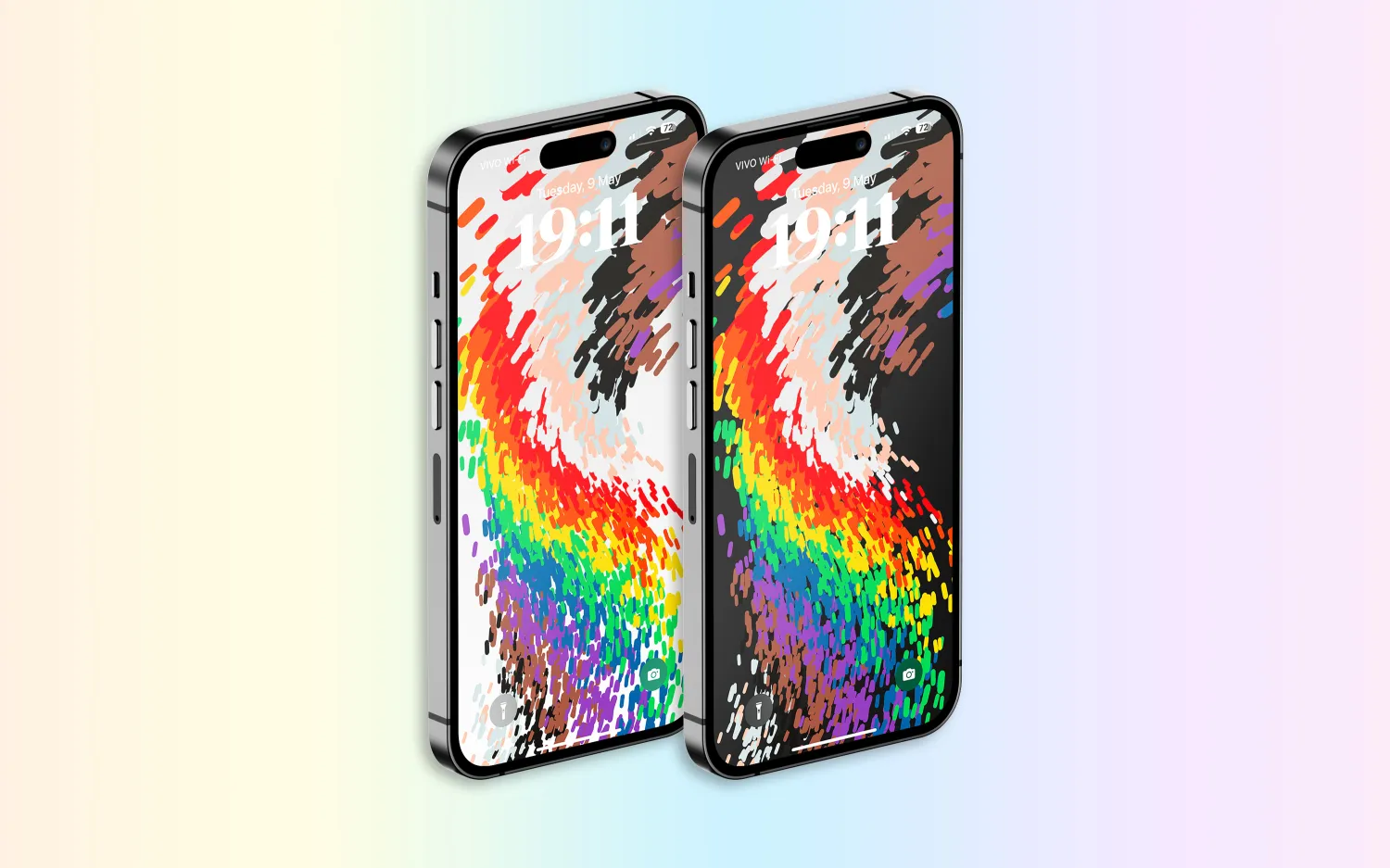
A new Pride Celebration wallpaper for the Lock Screen to honor the LGBTQ+ community and culture
Sports tab in Apple News gives easy access to stories, scores, standings, and more, for the teams and leagues you follow
My Sports score and schedule cards in Apple News take you directly to game pages where you can find additional details about specific games
Fixes an issue where Spotlight may become unresponsive
Addresses an issue where Podcasts in CarPlay may not load content
Fixes an issue where Screen Time settings may reset or not sync across all devices
Earlier iOS 16.5 betas included the addition of a new Siri command for starting and stopping a screen recording. Apple removed this feature in subsequent iOS 16.5 betas, and it’s not included in the final version of the update.
iOS 16.5 will be the final major point-release update to iOS 16 before WWDC in June. This is where Apple will debut iOS 17 and release the first developer betas.
Apple is, however, expected to continue releasing updates to iOS 16 through the summer and likely even alongside iOS 17. iOS 16.6 is expected to enter beta testing soon.
You can update your iPhone by going to the Settings app, choosing General, then choosing Software Update.
watchOS 9.5 debuts with new Pride Celebration watch face
Alongside iOS 16.5, Apple has also released watchOS 9.5 for Apple Watch users today. The headlining change in this update is an all-new Pride Celebration watch face to honor the LGBTQ+ community and culture.
What’s new in watchOS 9.5?
watchOS 9.5 is rolling out now to all users. You can update your Apple Watch by going to Settings, choosing General, then choosing Software Update. You can also install the update via the Apple Watch companion app on your iPhone.
Here are Apple’s release notes for watchOS 9.5:
watchOS 9.5 includes new features, improvements and bug fixes, including a new Pride Celebration watch face to honor the LGBTQ+ community and culture.
And some more details on the new Pride Celebration watch face:
Inspired by multiple pride flags, this new watch face combines colors to represent the strength and mutual support of the LGBTQ+ movement. Mirroring the woven loops of the Sport Loop, each strand of vibrant thread contributes to the overall composition of the watch face. The colorful threads move as the Digital Crown on Apple Watch is rotated, the display is tapped, or the user’s wrist is raised.
The new Pride Celebration face included in watchOS 9.5 pairs with the similarly-designed wallpaper for iPhone users. The new wallpaper is included with iOS 16.5, which is also available starting today.
macOS Ventura 13.4 with new sports-related features
After months of beta testing, Apple has finally released macOS Ventura 13.4 to the public. The update, which is now available for macOS users, comes with new sports-related features, as well as a new system for installing beta software. Read on as we detail what’s new with macOS Ventura 13.4.
One big change coming with macOS Ventura 13.4 is the new system for installing betas that was introduced with iOS 16.4. The operating systems now asks for the Apple ID to show and download beta software updates.
macOS checks whether the account is associated with a developer or user registered in the public beta program. It then shows the beta update available for that program. With this change, regular users will no longer be able to install developer betas, for example.
macOS 13.4 full release notes
Sports feed in the sidebar of Apple News gives easy access to stories, scores, standings, and more, for the teams and leagues you follow
My Sports score and schedule cards in Apple News take you directly to game pages where you can find additional details about specific games
Resolves an issue where Auto Unlock with Apple Watch does not log you into your Mac
Fixes a Bluetooth issue where keyboards connect slowly to Mac after restarting
Addresses a VoiceOver issue with navigating to landmarks on webpages
Fixes an issue where Screen Time settings may reset or not sync across all devices
You can install macOS Ventura 13.4 by going to the Software Update menu in the System Settings app. It may take a while before the update shows up on your computer; make sure that your Mac is compatible with macOS Ventura.
The update build number is XXXXX.
OpenAI launches free ChatGPT for iPhone app with Whisper support and more
OpenAI has announced that it is releasing a dedicated iPhone app for its ChatGPT service. The app, which is available via the App Store, gives users the ability to use ChatGPT through a native app on their iPhone. The app is free to download and includes no ads. It’s currently only available in the United States, but OpenAI says availability will expand “in the coming weeks.”
ChatGPT for iPhone now available
As announced by OpenAI in a blog post, ChatGPT for iPhone will offer the same set of features as the web version of the service. This will include ChatGPT Plus support, which lets users subscribe to pay for more advanced versions of the service.
The app will also sync your ChatGPT history across all your devices, including the web. It also includes support for Whisper, OpenAI’s open-source speech-recognition system. This integration with Whisper enables voice input for the ChatGPT app on iPhone. The ChatGPT app is also completely ad-free.
As ChatGPT has gained popularity over the last six months, a number of copycat and scam apps have surfaced on the App Store. Apple has cracked down on these apps, in part by blocking apps that use “GPT” in their name. By releasing its own version of ChatGPT for iPhone, OpenAI hopes to directly control the experience of using the service on an iPhone.
Additionally, Microsoft’s Bing app for iPhone has seen a major boost in popularity since it added ChatGPT integration.
ChatGPT for iPhone is rolling out starting today to users in the United States. OpenAI availability will “expand to additional countries in the coming weeks.”
Apple has always stood for privacy as a “human right” while the company has never liked the idea of having advertisements on its platforms. But as the App Store is now getting new ad placements, some people have become concerned about how the company’s policies may change. To add more fuel to the fire, developers have discovered that Apple may keep track of everything you tap while browsing the App Store.
Apple knows everything you tap on the App Store
Two developers and security researchers who identify themselves as “Mysk” have raised privacy concerns about the App Store getting more ads. More specifically, the developers revealed that iOS sends Apple a detailed log of how users interact with the App Store.
As shown in a brief video, the usage data includes details about where the user taps on the screen. This information is sent in real time to Apple via a JSON file.
According to developers, the company has been tracking users’ actions within the App Store since the release of iOS 14.6 in May 2021. Interestingly, as noted by BGR’s José Adorno, the company introduced the App Tracking Transparency feature a month earlier with iOS 14.5.
There’s no official explanation as to how Apple uses this data, but it seems that the company is still tracking users as they browse the App Store. It’s worth noting that since Apple started offering ads on the App Store, developers have access to some statistics about how their ads are performing – so such data may be related to this.
Even though Apple may claim that the collected data is not shared with third parties, this sounds quite controversial since Apple has been creating barriers to make it harder for third parties to track iOS users, which has affected ad platforms from Google and Meta. And according to Mysk, App Store data is sent to Apple even when the Personalized Ads option is turned off.
🧵 1/5 The recent changes that Apple has made to App Store ads should raise many #privacy concerns. It seems that the #AppStore app on iOS 14.6 sends every tap you make in the app to Apple.👇This data is sent in one request: (data usage & personalized ads are off)#CyberSecuritypic.twitter.com/1pYqdagi4e
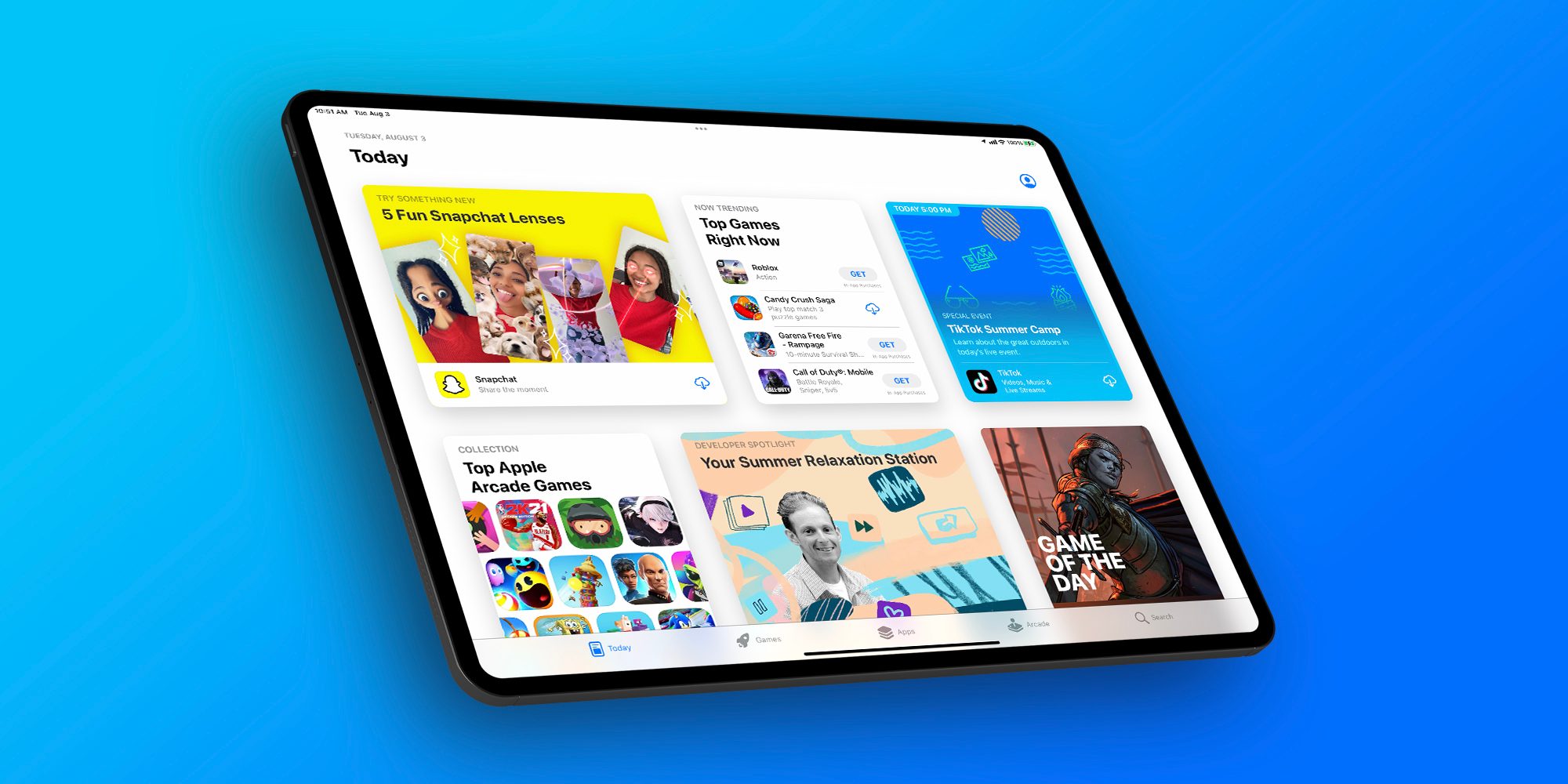
Apple last month introduced new ad placements to the App Store. While previously developers could only promote their apps in App Store Search, now they can also pay to show their apps on app pages and in the Today tab.
Soon after the new ad placements were made available, many users criticized them for showing irrelevant or ethically questionable content, such as casino and dating apps. The company then temporarily suspended ads for these apps, but it’s unclear what will happen next.
According to rumors, Apple plans to push even more ads to its users in the future. At the same time, the company makes it more difficult for competitors to reach iOS users with advertisements, which could eventually lead to a new antitrust investigation.
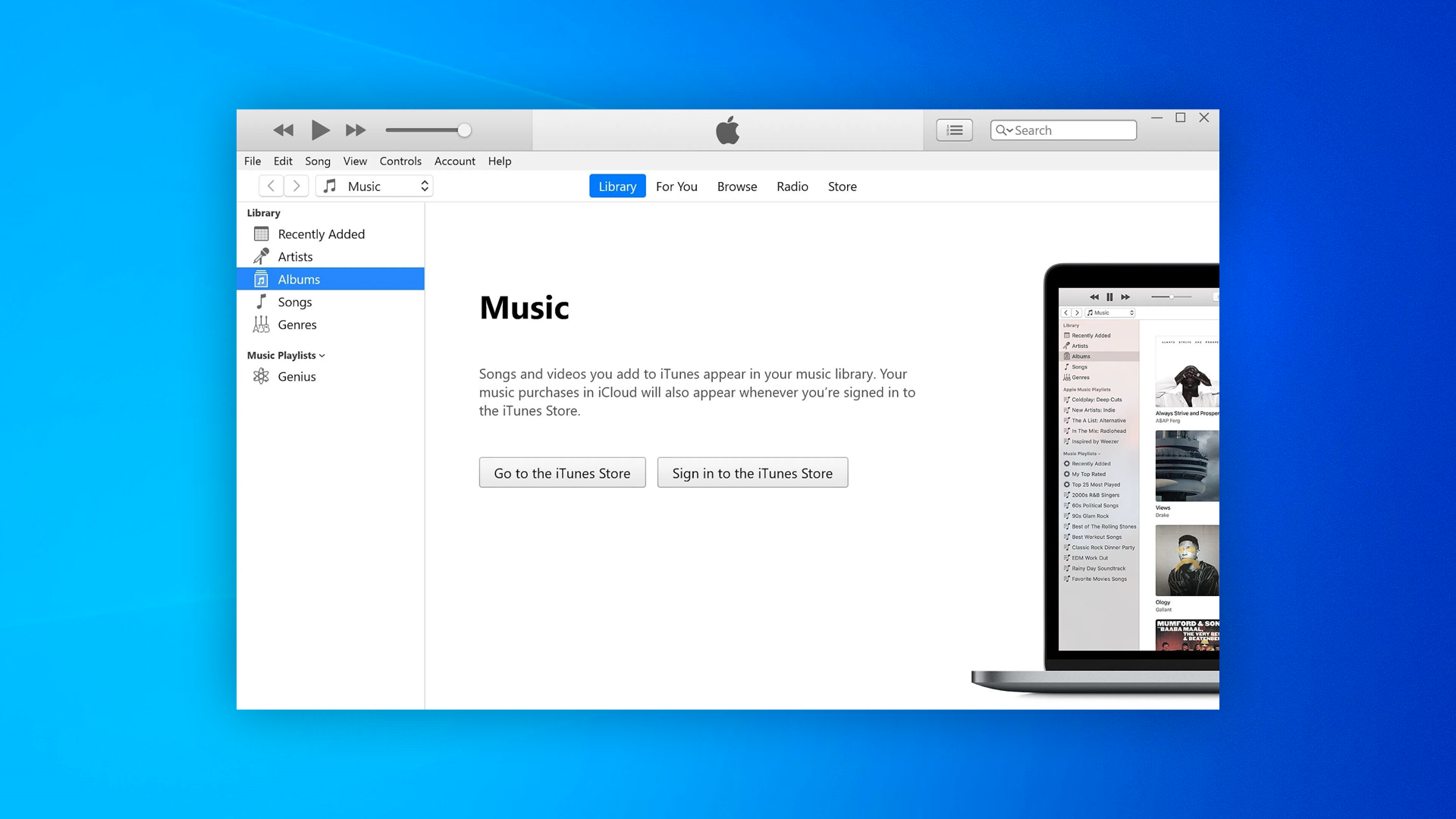
Apple this week quietly released an update for the Windows version of its iTunes music player. However, rather than adding new features, the update is focused on fixing bugs and security breaches for those who still rely on iTunes.
According to an Apple Support webpage, iTunes 12.12.4 fixes five different exploits that could be used for arbitrary code execution through the music player.
A specific exploit in the Mobile Device Service, which manages the connection between PC and iOS devices, allowed an app to delete files from the computer without permission. Other exploits fixed were related to AppleGraphicsControl, ImageIO, and WebKit.
Apple recommends that Windows users download the latest version of iTunes from the Microsoft Store. However, the app is still available as a separate download through Apple’s website (it requires Windows 8 or later). iTunes on Windows is required to access Apple Music offline and manage iPhone, iPod, and iPad devices.
Of course, since iTunes was discontinued on macOS years ago, the update is not required for Mac users.
iTunes on Windows
Even though Apple Music has its own app on iOS, macOS, and even Android, Windows users still rely on iTunes – which at this point is quite outdated and lacks some features available on other platforms.
Apple Music users on Windows PCs can download some alternative clients such as Cider. However, these apps do not replace iTunes when it comes to restoring iOS devices.
Rumors heard last year that Apple was testing both Music and Podcast apps for Microsoft platforms. The company was even looking for engineers with Universal Windows Platform (UWP) experience. Unfortunately, other details about Apple’s plans for launching an Apple Music app for Windows remain unclear.
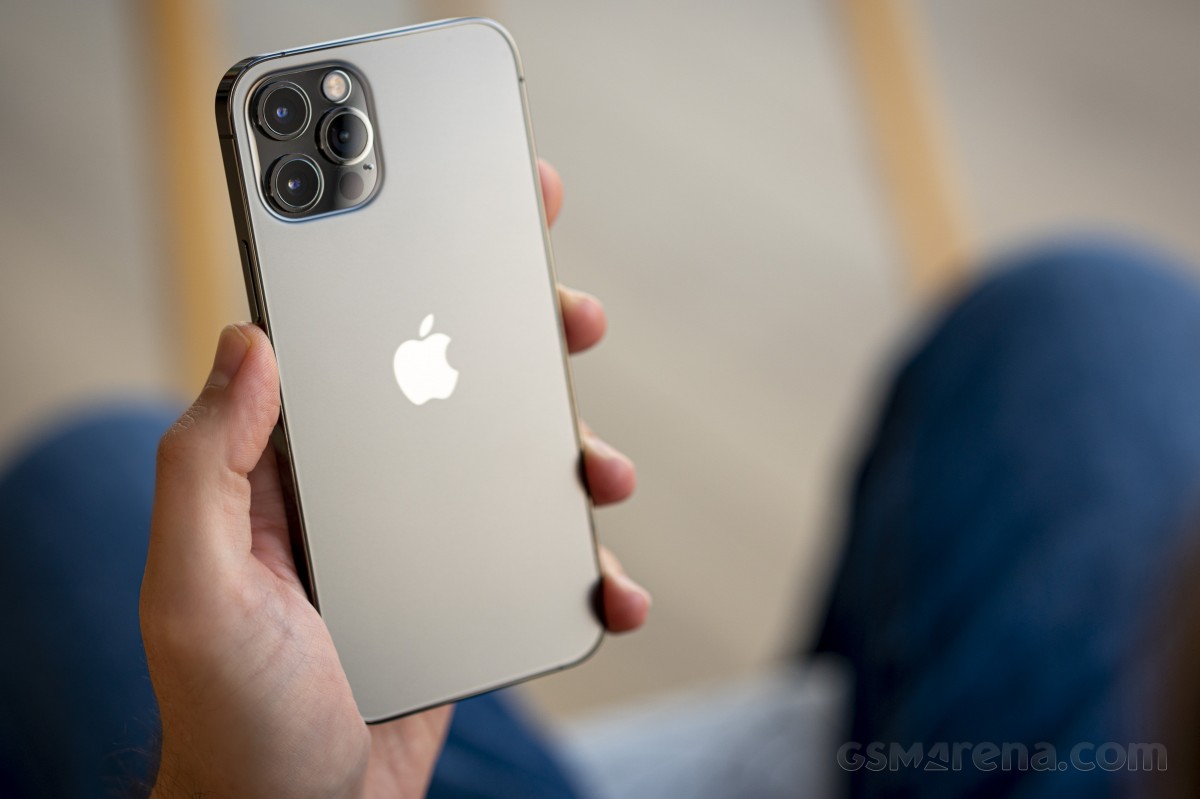
Apple is giving potential buyers more choice than ever. We already reviewed the iPhone 12, and now it’s time for the 12 Pro. Besides having double the storage, a stainless steel frame, and different colors than the 12, the 12 Pro upgrades are mostly camera-related. It’s got a proper telephoto camera with 2x optical zoom, a LiDAR Scanner for AR applications and low-light focusing, and it can take portrait shots with Night mode. This is not the longest list of upgrades we’ve seen, so choosing between these two iPhones is going to be a tough one.
At least compared to the iPhone 11 Pro, the list of new features is longer. There is a faster processor, 5G connectivity, a larger screen with better shatter resistance, Night mode for the UW camera, Dolby Vision video recording, MagSafe support, and the new LiDAR.
But most importantly, there is also the new design that Apple is introducing with the 12th Series, and it instantaneously makes all previous iPhones look less modern.
Apple iPhone 12 Pro specs:
Body: Stainless-steel frame with glossy finish, Ceramic Shield front with oleophobic coating, Glass back with frosted finish, IP68 certified for water and dust resistance. Silver, Graphite, Gold, Pacific Blue color options. 146.7 x 71.5 x 7.4 mm, 189 g.
Display: 6.1″ Retina XDR OLED screen of 1170 x 2532 px resolution, 460ppi, 600 nits, 120Hz touch sensing. HDR10, Dolby Vision support, wide color gamut. True Tone.
Chipset: Apple A14 Bionic chip (5nm) – Hexa-core (2×3.1 GHz Firestorm + 4×1.8 GHz Icestorm with 3.1GHz Turboboost) Apple CPU, four-core Apple GPU, 16-core Apple NPU 4-gen
Memory: 6GB of RAM; 128/256/512GB of internal storage
Rear camera: Triple 12MP camera: 26mm main wide-angle, f/1.6, OIS, Dual Pixel AF; 13mm ultrawide-angle, f/2.4, 120-degree field of view; 52mm telephoto, f/2.0, OIS, 2x optical zoom; dual-LED flash with slow sync. Night Mode, Smart HDR 3, Deep Fusion.
Video recording: 2160p@60/30fps, 1080p@30/60/120/240fps video recording with wider dynamic range and spatial sound, OIS + EIS, Dolby Vision
Front camera: Dual camera – 23mm 12MP f/2.2 front-facing camera with HDR mode + 3D TOF camera; Night Mode, Smart HDR 3, Deep Fusion. 2160p@60/30fps, 1080p@30/60/120fps video recording with wider dynamic range and spatial sound, EIS.
Connectivity: Dual SIM, 5G, 4G; Wi-Fi a/b/g/n/ac/6; Bluetooth 5.0; Lightning port; GPS with A-GPS, GLONASS, GALILEO, QZSS; NFC; Apple U1 chip ultrawideband
Battery: 2,815 mAh battery, 20W fast charging, 15 Qi wireless charging (MagSafe)
Misc: Face ID through dedicated TrueDepth camera, stereo speakers, Taptic Engine
While we could hardly wait to see the iPhones with this new design, we can’t say Apple has checked off all points on our wishlist. The iPhone 12 Pro was supposed to premiere with a new 120Hz ProMotion display, but unfortunately, that didn’t happen. Rumor has it that for some reason, Apple had to choose between 5G and HRR OLED (we think it’s battery life). Well, we all know how that went down – with our without carrier support – Apple’s homepage now proudly carries a huge 5G logo. We can’t deny the iPhone UI looks fast and fluid but forgoing the high-refresh-rate screen for yet another year is a flagrant omission in our books.
Also, Apple’s questionable decision to keep the camera hardware upgrades only to the iPhone 12 Pro Max further takes away some of the appeal of the 12 Pro. Not everyone will want a big phone, and Apple is making it impossible to get the new 12MP sensor with larger pixels and sensor-shift stabilization without going for the 12 Pro Max. In our minds, the iPhone 12 Pro deserved to have the same level of camera hardware instead of relying on the last year’s camera tech.
Unboxing the Apple iPhone 12 Pro
Finally, in one of the most controversial moves in the industry, Apple announced they are no longer bundling a charger or headphones with this phone that costs more than a thousand bucks.
This year, the iPhone 12 Pro comes in one of the slimmest smartphone boxes we have ever opened. Inside, you’ll find only the phone itself and a USB-C/Lightning cable. No charger or headphones here. Apple expects you to already have these or, better yet, buy them separately.
Inside the box, there is also a small sleeve, where you’d find the SIM ejection PIN and an Apple logo sticker. Apple should have saved the hassle of including those – after all, we all have those already, right? Come to think of it, nobody needs a box either – just ship the iPhone 13 in bubble wrap.
Okay, we’re a bit salty, but so is the iPhone 12 Pro pricing. Let’s see what it has to offer for our hard-earned money on the following pages.
Alternatives
The iPhone 12 Pro is a well-balanced smartphone, which offers many upgrades over the iPhone 11 Pro and a moderate list of added features compared to the standard iPhone 12.
The most notable differences between the iPhone 12 Pro and the iPhone 12 are in the camera department. The 12 Pro has an additional telephoto camera on the back, it can shoot Dolby Vision videos in 60fps, it will eventually support capturing in Apple Pro RAW, and has the LiDAR Scanner that helps for better AR and portraits. The 128GB iPhone 12 Pro is $120/€200 more expensive than the 128GB iPhone 12, and it’s up to you to decide whether you need these camera features. If not – the iPhone 12 already offers the most important core new features of Series 12.
If you want to get the best Apple has to offer in 2020, then there is the iPhone 12 Pro Max that goes for €100 over the iPhone 12 Pro. The Max has the largest screen and battery among the iPhone 12s and is the only one to actually have a meaningfully upgraded camera hardware. It has a larger 12MP sensor for its main camera with the (phone) industry’s first sensor-shift stabilization. It also features an improved 12MP telephoto camera – it now offers 2.5x zoom thanks to a new 65mm f/2.2 lens and is promised even better portraits.
The iPhone 12 Pro Max indeed offers the most significant upgrades when it comes to hardware this year, and it appears it makes more sense as a purchase compared to the iPhone 12 Pro. In fact, if you own an iPhone 11 Pro and you don’t care about the new design, 5G, or MagSafe support, you should skip the 12 Pro and wait for next year’s model.
Apple iPhone 12 • Apple iPhone 12 Pro Max
Our verdict
The Apple iPhone 12 Pro is a very good smartphone, but it doesn’t make much sense as an upgrade to the iPhone 11 Pro. Better stick with your iPhone 11 Pro, or if you are a sucker for the latest Apple tech – just spend more and get the Max.
However, logic doesn’t always matter when it comes to new iPhones. Many people buy them just because they are the new iPhones, and they want to stay in the loop, few for the actual new features and even fewer get them as it is time to replace their 3-4-5 years old phone.
If you are among those users upgrading from an older model, say XS or earlier, you should be delighted with the iPhone 12 Pro – it offers a massive amount of upgrades over the older-gen iPhones. You just need to buy a charger, but hey – welcome to the future!
We expected more from the iPhone 12 Pro, but it turned out a recycled iPhone 11 Pro. Not that Apple is forcing us to upgrade, but still. The new camera tech being a Pro Max exclusive and the lack of ProMotion screen, while failing to deliver meaningful improvements elsewhere, makes things really easy for us to make a call.
We can’t recommend the iPhone 12 Pro over its siblings – the iPhone 12 or iPhone 12 Pro Max.
Pros
Attractive design with exquisite fit and premium finish
Excellent OLED screen, very bright
Loud stereo speakers, superb audio quality
The fastest smartphone chip on the planet, 5G, too
Good photo quality across the board, day and night
LiDAR Scanner has varied applications and use cases (albeit quite niche)
Consistently good video quality
Apple iOS 14 is fast and easy to use, 5 years of guaranteed major updates
MagSafe is a promising accessory concept
Cons
No charger or headphones in the box
No high refresh rate screen
Shorter battery life than the iPhone 11 Pro
iOS needs better file management
We miss TouchID as FaceID does not work with a mask on
The best camera tech is exclusive to iPhone 12 Pro Max
Few meaningful upgrades over iPhone 11 Pro and even fewer over iPhone 12
iMovie 3.0 makes it easier than ever for anyone to share their stories with video
Apple today introduced a new version of iMovie with features that make it easier than ever to create beautiful edited videos on iPhone and iPad. Storyboards helps aspiring content creators and moviemakers learn to edit and improve their video storytelling skills with pre-made templates for popular types of videos shared on social, with colleagues, or with classmates — videos like DIYs, cooking tutorials, product reviews, science experiments, and more. Storyboards makes it easy to get started with flexible shot lists and step-by-step guidance on which clips to capture for each video type. For those who want to create a video even faster, Magic Movie instantly creates a polished video from the clips and photos a user selects, automatically adding transitions, effects, and music to the edit. Both new features include a range of styles to help personalize the final look and feel of a video, including titles, filters, transitions, color palettes, and music, all designed to work together.
“iMovie has empowered millions of people around the world to create and share their stories through video,” said Bob Borchers, Apple’s vice president of Worldwide Product Marketing. “This latest version of iMovie, featuring Storyboards and Magic Movie, simplifies video creation even further, and we think it will continue to inspire the next wave of video creators to dive in and get started.”
iMovie 3.0 introduces Storyboards and Magic Movie to make it even easier to create polished videos.
Learn and Improve Video Storytelling with Storyboards
Storyboards gives users a major head start in the video creation process, helping beginners learn to edit and improve their storytelling skills. Instead of starting with a blank timeline, creators can choose from 20 different storyboards featuring a variety of popular video types, including cooking tutorials, Q&As, product reviews, news reports, and more. Each storyboard has a shot list that organizes clips to tell a specific narrative. Each placeholder also includes an illustrative thumbnail, along with a tip that asks a question or makes a suggestion for how to shoot that clip to make it more interesting. For added customization, shots can be added, reordered, and deleted from a storyboard as needed.
Creators can choose from 20 different storyboard types based on popular video genres to get started.
Unique pre-made video styles can be added to mix up the look and feel of a project.
Creators can experiment by applying different video styles that include titles and transitions, as well as options for title layouts, fonts, filters, and color palettes. Music tracks dynamically adjust to fit the length of a project, and users can refine each clip with intuitive editing tools like trim, split, clip speed, and clip volume.
Completed Storyboard videos are easily shared from iMovie through Messages, Mail, and across social media platforms.
Create Videos Instantly with Magic Movie
Magic Movie brings photos and videos to life in just a few taps.
Magic Movie helps create beautiful custom videos — complete with titles, transitions, and music — in just a few taps. To create a Magic Movie, a user simply selects an album, or any group of photos or images from their library, and Magic Movie instantly identifies the best parts of the footage and creates the project. Creators can easily put their own spin on a Magic Movie by rearranging or deleting clips in the simplified Magic Movie shot list, or by editing the project further. Styles can be added to change up the look and feel of the entire video. Like Storyboard videos, Magic Movies can be shared from iMovie via Messages, Mail, and on social media.
Users can create a beautiful video from their Photo albums automatically with Magic Movie.
Availability
iMovie 3.0, including the new Storyboards and Magic Movie features, is available today as a free update on the App Store for devices running iOS 15.2 or later and iPadOS 15.2 or later.
The App Store Awards honor the best apps and games at the end of each year.
Apple today revealed the 2021 App Store Award winners, recognizing the 15 best apps and games that helped users tap into personal passions, discover creative outlets, connect with new people and experiences, and simply have fun. This year’s winners include developers from around the world whose apps and games were selected by Apple’s global App Store editorial team for delivering exceptional quality, innovative technology, creative design, and positive cultural impact.
“The developers who won App Store Awards in 2021 harnessed their own drive and vision to deliver the best apps and games of the year — sparking the creativity and passion of millions of users around the world,” said Tim Cook, Apple’s CEO. “From self-taught indie coders to inspiring leaders building global businesses, these standout developers innovated with Apple technology, with many helping to foster the profound sense of togetherness we needed this year.”
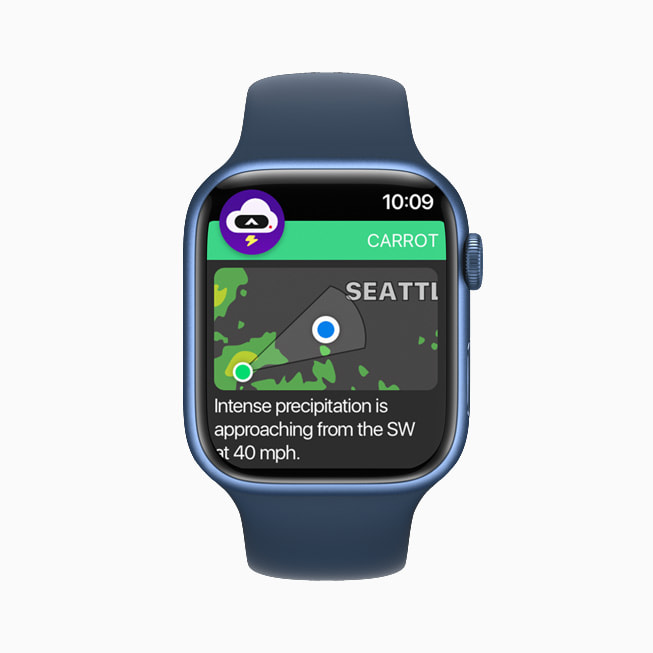
This year’s best apps and games offered extraordinary experiences across Apple devices. Ten years after its App Store debut, Toca Life World is masterfully iterating on the art of play and self-expression for kids. The developers behind DAZN guided local sport culture into the global spotlight for everyone to enjoy, while Carrot Weather brought its best-in-class meteorological forecasts — and the witty character behind it — to users’ wrists. LumaFusion made video editing faster, less intimidating, and more portable for creators at every level, and Craft creatively enabled efficiency and artistry through a notebook with seemingly limitless capabilities. The incredible graphics and rich storylines woven into “League of Legends: Wild Rift,” “MARVEL Future Revolution,” “Myst,” “Space Marshals 3,” and Apple Arcade’s “Fantasian” transported players of all ages into immersive gaming experiences.
2021 App Store Award Winners
Apps
iPhone App of the Year:Toca Life World, from Toca Boca.
iPad App of the Year:LumaFusion, from LumaTouch.
Mac App of the Year:Craft, from Luki Labs Limited.
Apple TV App of the Year: DAZN, from DAZN Group.
Apple Watch App of the Year: Carrot Weather, from Grailr.
Games
iPhone Game of the Year: “League of Legends: Wild Rift,” from Riot Games.
iPad Game of the Year: “MARVEL Future Revolution,” from Netmarble Corporation.
Mac Game of the Year: “Myst,” from Cyan.
Apple TV Game of the Year: “Space Marshals 3,” from Pixelbite.
Apple Arcade Game of the Year: “Fantasian,” from Mistwalker.
Trend of the Year: Connection
In addition to recognizing the best apps and games on Apple devices, Apple’s global App Store editors name a Trend of the Year. The goal is to identify a movement that had lasting impact on people’s lives, and to recognize the standout apps and games that met that moment. The top trend of 2021 is “Connection.” This year’s trend winners brought people together in meaningful ways — while meeting social, personal, and professional needs for users around the world.
“Among Us!” From Innersloth
With a mix of cooperation and competition, “Among Us!”cultivated community through bite-size matches that urged users to talk — and listen — to each other via banter, bluffing, and teamwork.
Bumble, from Bumble Inc.
Bumble met the moment by adding and enhancing features designed to bridge the gap for users hoping to date, forge platonic friendships, and broaden their professional networks — all while fostering women-powered conversations.
Canva, from Canva
Offering elegantly simple design tools and gorgeous templates, Canva helps users tap into their entrepreneurial spirit by making design simple for professionals, students, job seekers, community leaders, and teams of every kind.
EatOkra, from Anthony Edwards Jr. and Janique Edwards
EatOkrabuilta robust, user-driven guide to more than 11,000 Black-owned eateries that helps people find tasty ways to invest in their community.
Peanut, from Peanut App Limited
By launching social audio Pods led by experts on everything from pregnancy and menopause to relationships and self-care, Peanut is creating space for honest conversations on every aspect of womanhood at every stage of life.
For more than a decade, Apple has honored the best apps and games at the end of each year. To acknowledge the impact of the winning developer teams, last year, Apple designers began a tradition of celebration through meticulous craftsmanship with physical App Store awards for each winner. Inspired by the signature blue App Store icon, each award reveals the App Store logo set into the 100 percent recycled aluminum used to make Apple products, with the name of the winner engraved on the other side.
To learn more about the apps and games highlighted in this year’s App Store Awards, visit the App Store. In addition to the App Store editorial picks, charts for the top apps and games of the year are now available, as well as top Apple Arcade charts.
Apple announced on Thursday some changes coming to the App Store after a class-action lawsuit from US developers. In addition to these changes, the company also announced a Small Developer Assistance Fund that will pay up to $30,000 to some developers. Read on as we detail how to check if you are eligible for this new program.
A group of small developers in the United States has filed a class-action lawsuit against Apple in 2019 over how the company “monopolizes a relevant market for iOS app and in-app-product distribution services.” Apple has now proposed a settlement to end the lawsuit that will result in a $100 million fund to support small developers located in the United States.
According to the company, eligible developers will receive between $250 up to $30,000 based on multiple criteria, which are detailed in the documents filed in the case today.
The Small Developer Assistance Fund created as part of the settlement will benefit over 99% of U.S. iOS developers, whose proceeds from app and in-app digital product sales through all associated accounts were less than $1 million per calendar year during the period from June 4, 2015 to Apr. 26, 2021. These developers can claim sums from the fund ranging between minimums of $250 to $30,000, based on their historic participation in the App Store ecosystem.
In order to be eligible, the developer must have earned less than $1 million per year during the period from June 4, 2015 to April 26, 2021. Of course, only developers who offered paid apps or free apps with in-app purchases during this period will be able to request payment from Apple.
Apple says payment will vary “based on their historic participation in the App Store ecosystem.” In fact, the amount of money depends on how much the developer has earned in the US App Store during the period set by Apple, as you can see below:
An eligible developer who earned $0.01 to $100 from 2015 to 2021 will receive between $250 and $499 from Apple. If the developer’s revenue in the same period was between $100.01 and $1,000, the amount to be paid will be between $500 and $999. The maximum amount of $30,000 that Apple will pay developers is for those who have had revenue over $1 million in the last 6 years.
It’s worth noting that the Small Developer Assistance Fund is not related to the App Store Small Business Program, which is another program announced by Apple in 2020 to reduce the App Store commission rate from 30% to 15% for those earning up to $1 million per year. According to Apple, the App Store Small Business Program will remain available to eligible developers around the world.
Developers will be able to register with the Small Developer Assistance Fund by visiting smallappdeveloperassistance.com once the settlement has been approved.
Apple has announced a handful of changes coming to the App Store in response to a class-action lawsuit from US developers. One of the most notable changes is that developers can now communicate with users about alternative payment solutions outside of their applications.
Notably, Apple says that developers can “use communications, such as email, to share information about payment methods outside of their iOS App.” This means that a company or developer can email users, with their consent, to inform them about subscribing outside of the App Store.
Apple has confirmed to 9to5Mac, however, that this change does not apply to in-app communication. Developers are still not allowed to inform users in-app about pricing or subscribing options available elsewhere. Theoretically, Netflix could have a field in its iOS app for users to enter their email address, then communicate with that user directly via email about payment options.
Other highlights from the settlement:
Apple and the developers agreed to maintain the App Store Small Business program in its current structure for at least the next three years.
App Store Search has always been about making it easy for users to find the apps they’re looking for. At the request of developers, Apple has agreed that its Search results will continue to be based on objective characteristics like downloads, star ratings, text relevance, and user behavior signals. The agreement will keep the current App Store Search system in place for at least the next three years.
Apple will also expand the number of price points available to developers for subscriptions, in-app purchases, and paid apps from fewer than 100 to more than 500. Developers will continue to set their own prices.
Apple will maintain the option for developers to appeal the rejection of an app based on perceived unfair treatment, a process that continues to prove successful. Apple has agreed to add content to the App Review website to help developers understand how the appeals process works.
Over the last several years, Apple has provided a great deal of new information about the App Store on apple.com. Apple agreed to create an annual transparency report based on that data, which will share meaningful statistics about the app review process, including the number of apps rejected for different reasons, the number of customer and developer accounts deactivated, objective data regarding search queries and results, and the number of apps removed from the App Store.
Small Developer Assistance Fund
Apple is also announcing a Small Developer Assistance Fund, which will pay out between $250 to $30,000 to developers making under $1 million per year in the App Store. The amounts will vary based on the developer’s “historic participation in the App Store ecosystem.” Only developers in the United States are eligible for this program.
The Small Developer Assistance Fund created as part of the settlement will benefit over 99% of U.S. iOS developers, whose proceeds from app and in-app digital product sales through all associated accounts were less than $1 million per calendar year during the period from June 4, 2015 to Apr. 26, 2021. These developers can claim sums from the fund ranging between minimums of $250 to $30,000, based on their historic participation in the App Store ecosystem.
Apple has faced lots of criticism over the past few years because of the way its services get special treatment on iOS devices. They’ve also gotten lots of heat as of late over the way in which they allow customers to get sucked into service subscriptions.
There are lots of potential solutions to these problems. But first, you have to identify which problems are the most important to solve first. There are a couple of areas that are particularly important.
One of those is the default search engine for Safari. Apple has a controversial special deal with Google that makes them boatloads of money. They agreed to make Google the default search engine on iPhone, iPad, iPod touch, and macOS in exchange for billions. Other search engines are at a severe disadvantage because you need to navigate through multiple settings levels to change it to another service.
Apple could easily wash away any sort of antitrust implications by including a search engine selection screen during the setup process. Google would still be selected by default, but it would give users an opportunity upon first use to change their search engine of choice. This is also important for users who care about privacy. It should be easier for any user to change their default service to something like DuckDuckGo.
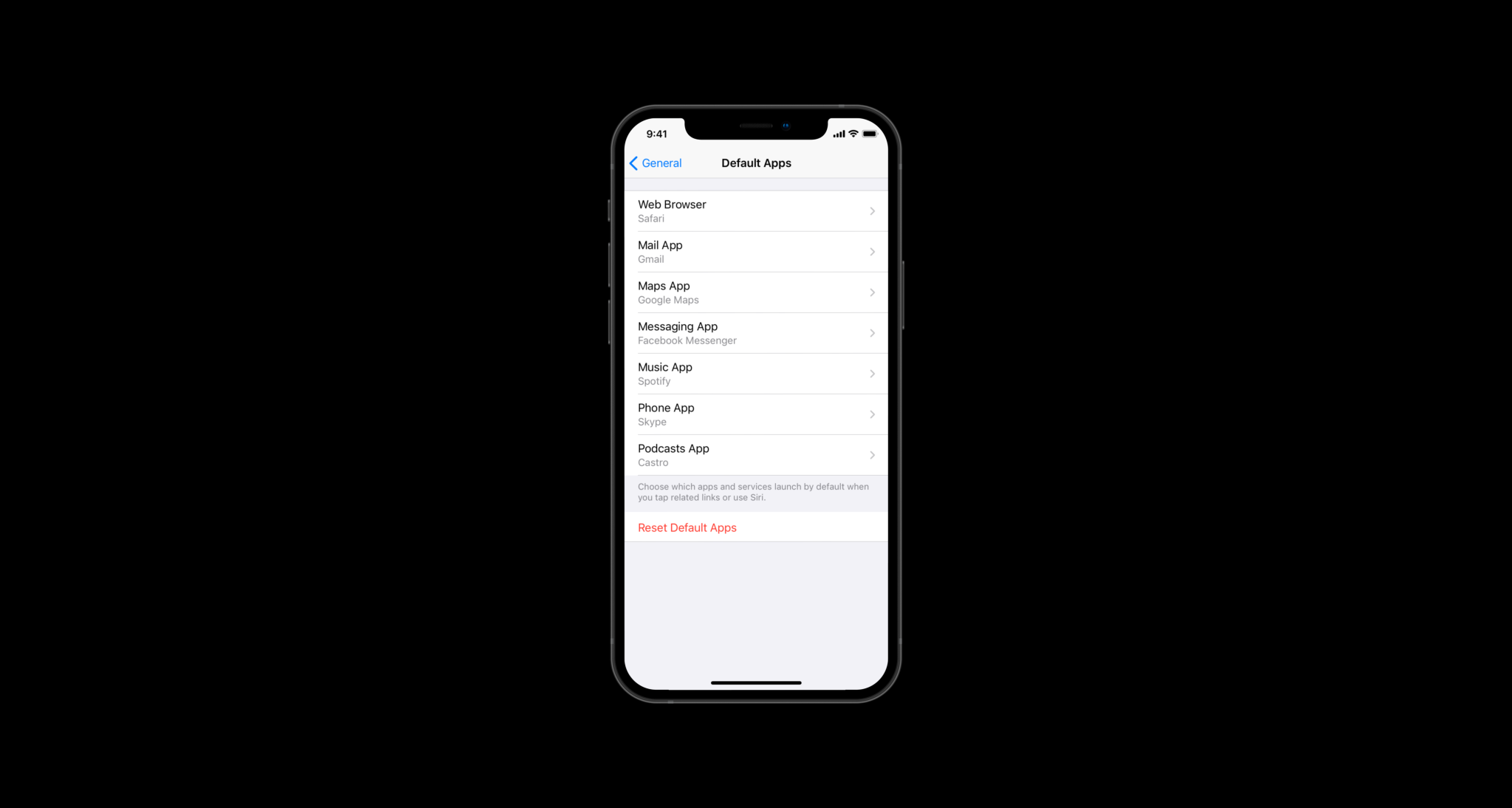
Another setting that should be surfaced during first setup is default apps and services. Apple could frame this as a way to set Siri information and content sources, but it would also change the default app in that category.
This step would appear after you sign in to your Apple ID so that you can download an alternative, Siri compatible service before set up is over.
Apple currently offers the ability to set an app as a default within its own settings panel buried at the bottom of the main Settings view. There’s no centralized place to see all of your default apps.
If they created a default apps settings panel and moved it to the top level of Settings, users would be able to find this ability much more easily. This would help alleviate some of the concerns about apps like Spotify or Gmail being put at a disadvantage.
Apple could rearrange the main Settings view and move App Store and Wallet settings right to the top below Apple ID. They could also update the App Store menu to be “Apps & Subscriptions.” Any user would be able to easily find all of their subscribed services and cancel them if they wanted to. You can also see the new “Default Apps & Services” menu with the third group of cells.
Apple also ought to update their tracking and privacy menus by merging third-party settings with first-party app settings. Apple’s own apps have their privacy settings buried within the privacy section of Settings while third-party apps’ settings are right at the top.
To complement the new subscriptions menu, Apple could redesign the sheet that appears when you tap to subscribe to a service. The new sheet would show all available plans and hides all additional copy under an information button. You would select an available plan and tap continue to move to the final step.
This additional stopgap prevents people from accidentally subscribing to a service, especially on Touch ID enabled iPhones. The second screen within the sheet lets you change your payment method and accept the terms of your subscription with a double click on the side button.
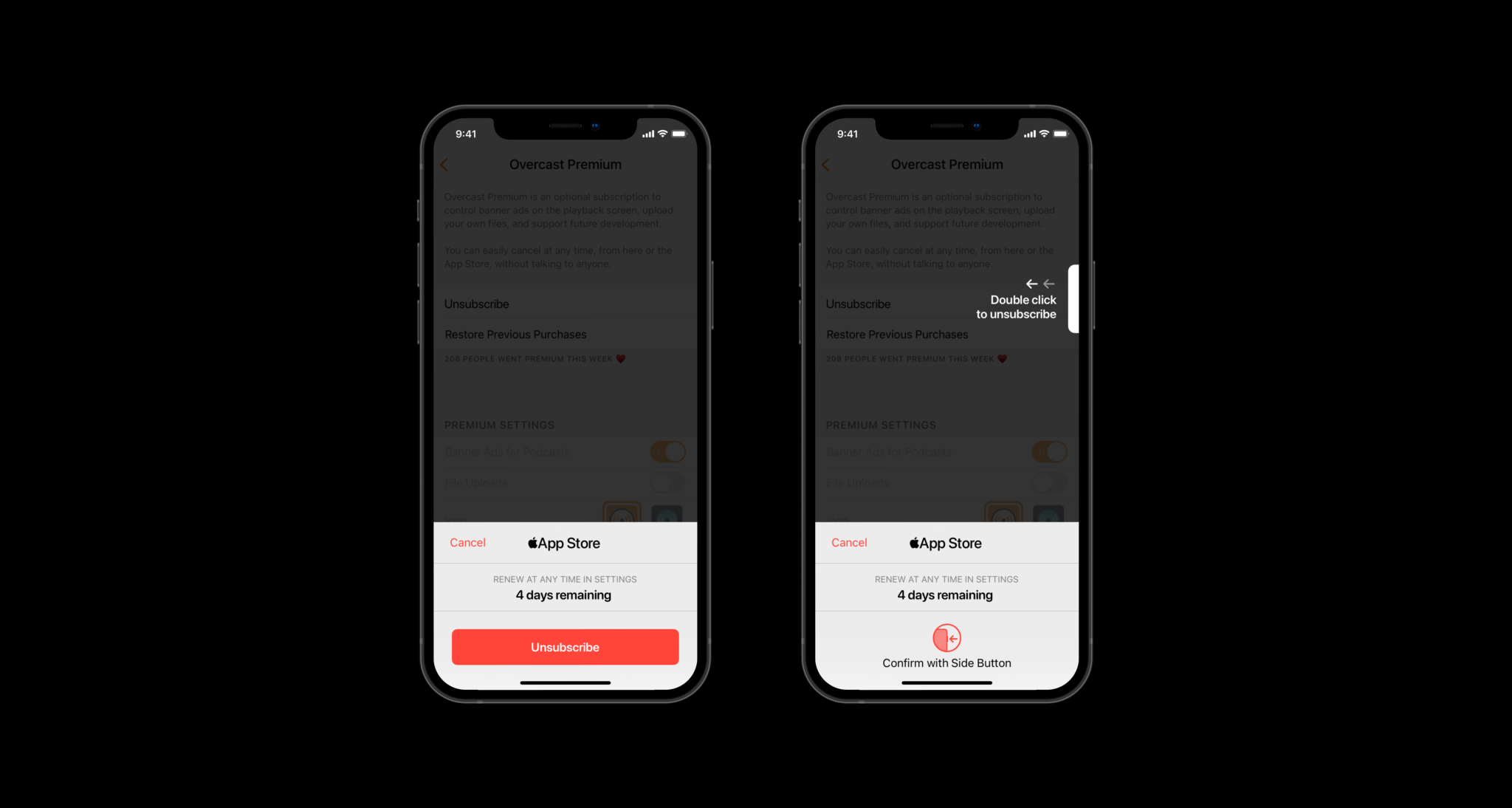
Apple could also introduce a new API for unsubscribing to services. Developers could be required to build it into their app. When tapped, a new proprietary sheet would slide up, telling you how much time is left in your subscription. You could then tap to unsubscribe and then double click the side button to confirm it.
With these changes, it would not only make it harder for people to get sucked into subscriptions, but it would help people better understand what they’re signing up for. The new top-level menu in Settings combined with these new sheets would remove the suspicion that Apple is purposefully trying to keep people subscribed to services they don’t use.