The iOS 14.5 developer and public beta includes a number of new features and changes, but one of the most exciting is the ability to unlock iPhone with your Apple Watch when Face ID detects you’re wearing a mask. Let’s look at how to install the iOS 14.5 beta as well as watchOS 7.4 beta to get access to this useful new feature and more.
The new feature getting the most attention is the Unlock with Apple Watch feature for iPhone. It works by detecting when you’re wearing a face mask and using your watch to authenticate, letting you bypass your passcode.
How to install iOS 14.5 beta and watchOS 7.4 beta
Note: watchOS 7.4 beta required to use the new Unlock with Apple Watch for iPhone feature.
Upgrade to the iOS 14.5 public beta
Make sure you have a fresh backup for your iPhone (Apple recommends with your Mac)
Apple released iOS 14.5 beta 1 to developers, and as you’ve no doubt heard, it’s quite the update. Headlined by the ability to unlock your iPhone with Apple Watch while wearing a face mask, iOS 14.5 beta 1 brings forth a number of practical improvements and overall enhancements to iPhone. Watch our hands-on commentary as we discuss the top iOS 14.5 beta 1 changes and features.
What’s new in iOS 14.5 beta 1?
Updated Software Update screens
Both the Software Update page in the Settings app and the Watch app have received more informative details regarding updates. Apple now includes a green check mark to indicate that you’re on the latest version of software, along with a message stating that “Your iPhone is up to date with all of the latest bug fixes and security enhancements.” In addition, iOS 14.5 now displays a time stamp that shows the last time you successfully checked for an update.
Unlock with Apple Watch
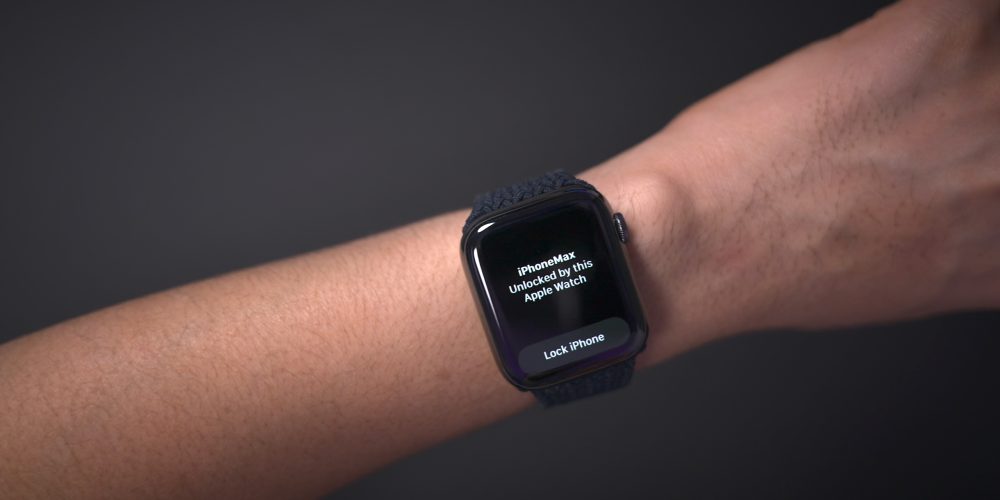
As noted, the biggest feature to come to iOS 14.5 is support for Apple Watch Unlock when Face ID detects a face with a mask. Users must be wearing an unlocked Apple Watch protected by a passcode in order for the feature to work. When attempting to unlock your iPhone using Face ID while wearing a face mask, you’ll feel a vibration on your Apple Watch, along with a notification that your iPhone was unlocked successfully.
Horizontal boot screen iPad
When connected to the Magic Keyboard, iPadOS 14.5 will display the startup Apple logo in horizontal/landscape mode instead of the default portrait orientation. If you restart your iPad when disconnected from the Magic Keyboard, even if you’re holding the device in landscape mode, the startup screen will appear in portrait mode.
As a side note, iPadOS 14.5 now supports emoji search, which iPhone users have been enjoying since iOS 14’s release, but has been inexplicably missing on iPad up until now.
Cellular connectivity updates
One of the biggest changes found in iOS 14.5 is the ability to enable dual SIM functionality while maintaining 5G connectivity. In previous versions of iOS, enabling the iPhone 12’s dual SIM feature would cause cellular connectivity to fall back to standard LTE. With iOS 14.5, users have the option of keeping both connections active simultaneously while still enjoying the benefits of 5G.
In addition to 5G dual SIM support, iOS 14.5 surfaces a new 5G Standalone cellular switch in system settings. Initial 5G implementations piggybacked on existing LTE networks to speed up adoption of 5G, but this method imposes propagation limits based on the LTE limitations. With Standalone (or SA) 5G, the limits of LTE are no longer in play. Keep in mind that your carrier will need to support 5G SA, and Apple warns that enabling SA at this early stage may cause degraded performance.
Apple Music updates
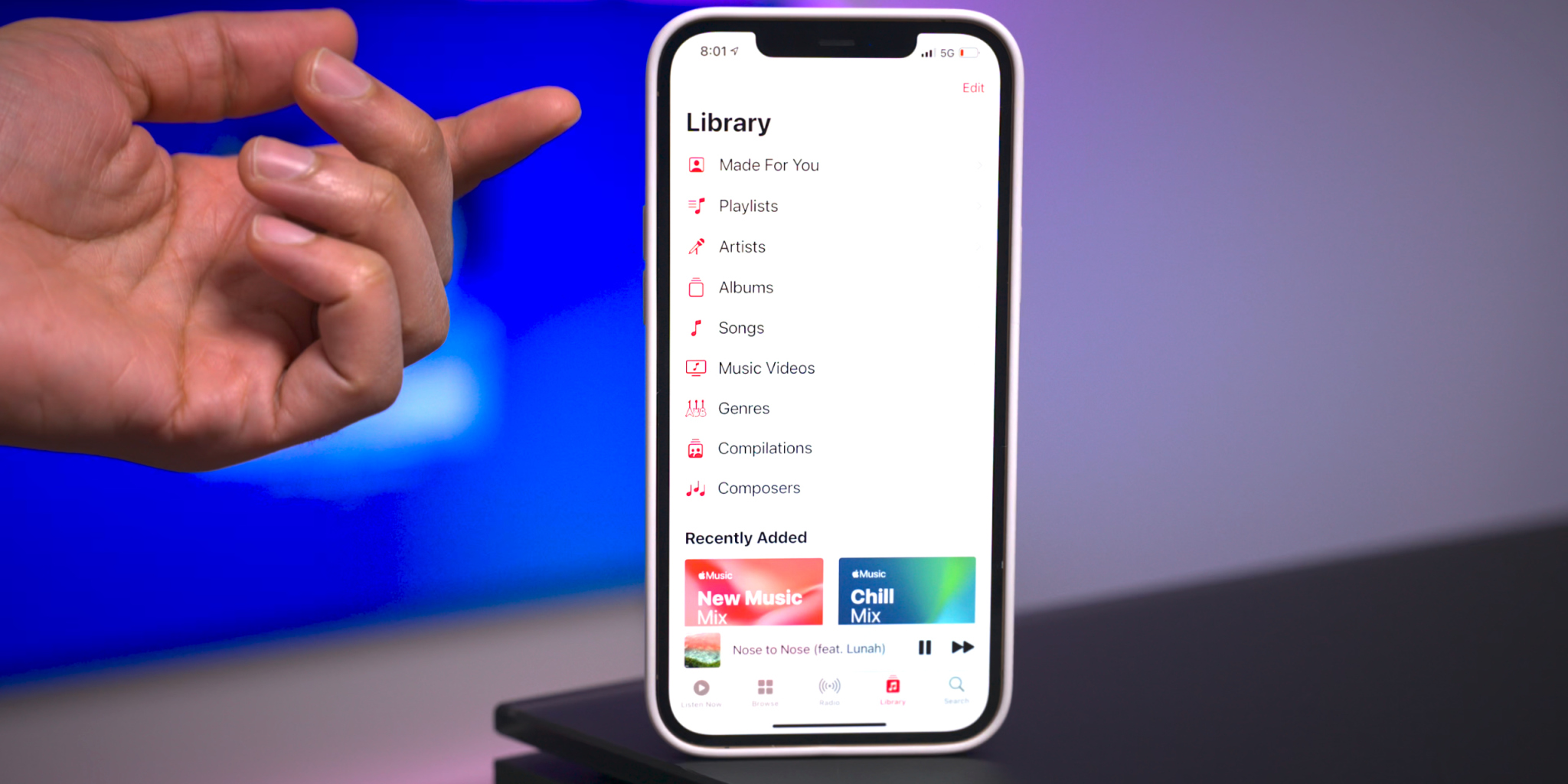
Apple Music gets some noteworthy updates in iOS 14.5, headlined by a new “Made For You” section under the Library tab. Made For You houses all of the algorithmic-curated music suggestions that are normally found within playlists like Favorites Mix, Chill Mix, and New Music Mix within the Listen Now tab.
Another handy feature found in iOS 14.5 is the inclusion of release dates for all music content featured on Apple Music. Prior versions of iOS would showcase release info, but in this latest beta version of iOS, users are treated with the exact release month, day, and year.
Users will also be happy to know that the scrolling metadata view on the Now Playing Lock Screen interface has now returned. This is a big improvement over the truncated metadata view that’s been around in the last few versions.
Reminders app enhancements
It’s crazy that we’ve not been able to sort Reminders based on parameters like modification date or title up until now, but at least we finally receive such features in iOS 14.5. Users can still sort reminder lists manually, but now there are several metadata sorting options, along with ascending and descending preferences.
The ability to directly print a reminders list joins the updated sorting options, allowing users to quickly send a list to a configured AirPrint printer.
Updated Podcast app
The stock Podcasts app gets lots of subtle changes and enhancements alongside a bigger update to the look and feel of the official show page for each podcast. New enhancements include a full-bleed header with color-matched backgrounds and a refreshed Library page with new glyphs.
Apple Fitness+ Workouts AirPlay 2 support
AirPlay 2 compatibility comes to Apple Fitness+ workouts, allowing users to stream workouts directly to an AirPlay 2-compatible set-top box or television. The problem with this method, as opposed to just playing on an Apple TV or iPad, is that you lose on-screen metric support. But that might not be a huge deal since metric details remain readily available on your Apple Watch.
Maps app redesigned guides
Apple has redesigned the Guides feature on the Maps app, which now includes a full-bleed header, redesigned buttons, and beautiful animations when minimizing and maximizing each guide.
PS5 / Xbox Series X controller support
Support for next-generation console controllers, including the Playstation 5 Dual Sense controller and the Xbox Series X controller, is now available in 14.5. Next-gen controller support is a welcome new addition for controller-compatible Apple Arcade games, and for taking advantage of console-centric remote play features.
Dedicated Search tab in News app
Similar to the Search tab in the Music app and TV app, the News app gains a dedicated search interface for quickly finding channels, topics, or stories.
Siri interface updates
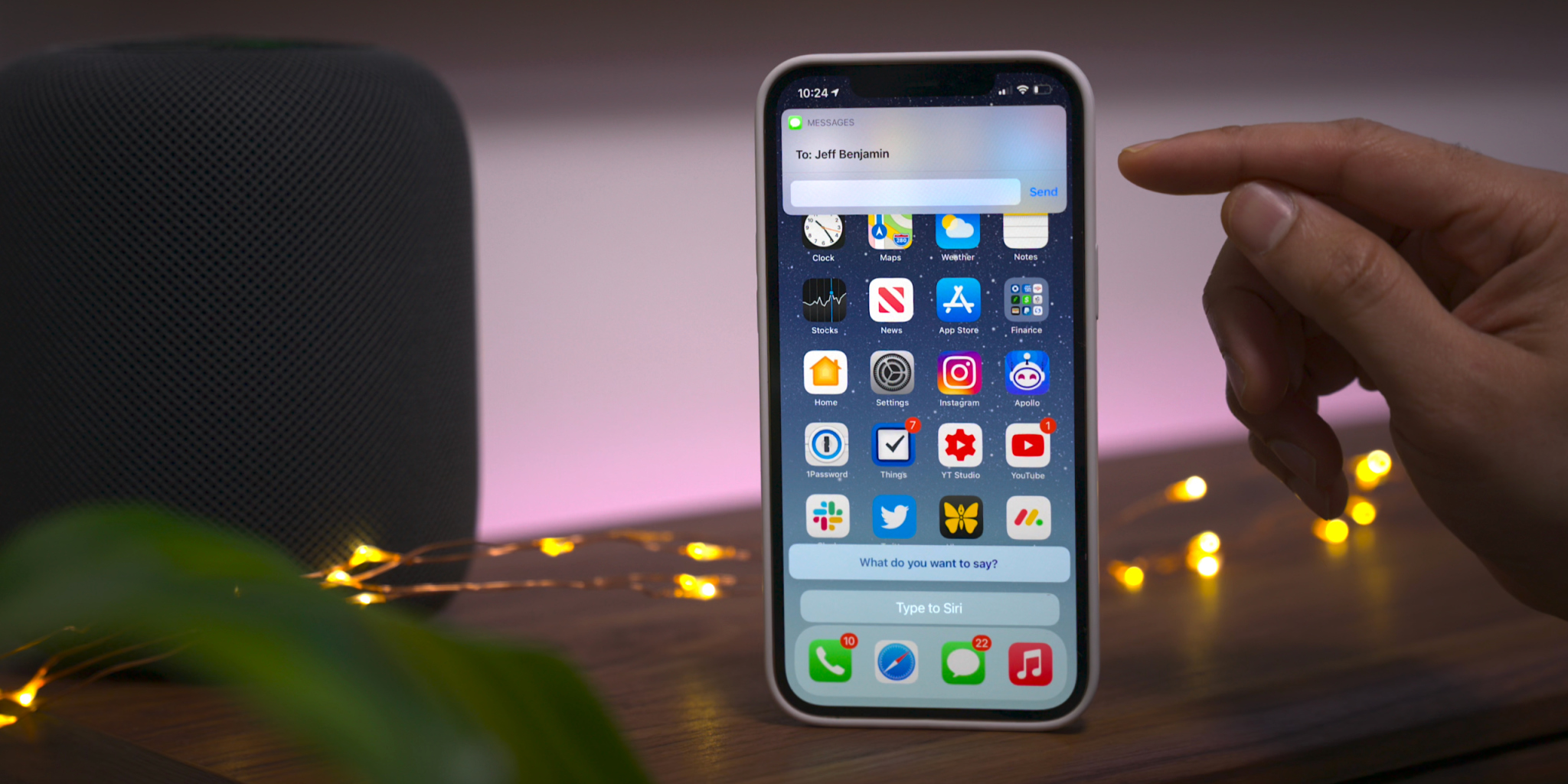
Those using the Type to Siri accessibility option will notice an updated interface that no longer opens to a dedicated Siri screen, allowing the user to maintain context of their current position in iOS. This update is similar to the changes first implemented in iOS 14 when invoking Siri using voice. You’ll also find an updated interface that appears when sending iMessages via Siri.
Apple Card updates
Although these updates are not-yet user facing, we’ve also highlighted a couple of forthcoming changes related to Apple Card:
Apple Card Family feature for multi-user accounts
New financial health features coming to the Wallet app
To commemorate Data Privacy Day, Apple is sharing “A Day in the Life of Your Data,” a report that illustrates how companies track user data.
Data tracking is more widespread than ever. Learn how Apple’s privacy features help users take control over their data
Cupertino, California — January 28 is Data Privacy Day, a time to raise awareness about the importance of protecting people’s personal information online. Apple is commemorating Data Privacy Day by sharing “A Day in the Life of Your Data,” an easy-to-understand report illustrating how companies track user data across websites and apps. The report also shares how privacy features across Apple’s products give users more transparency and control, empowering people with the tools and knowledge to protect their personal information.
“Privacy means peace of mind, it means security, and it means you are in the driver’s seat when it comes to your own data,” said Craig Federighi, Apple’s senior vice president of Software Engineering. “Our goal is to create technology that keeps people’s information safe and protected. We believe privacy is a fundamental human right, and our teams work every day to embed it in everything we make.”
“A Day in the Life of Your Data” helps users better understand how third-party companies track their information across apps and websites, while describing the tools Apple provides to make tracking more transparent and give users more control. The explainer sheds light on how widespread some of these practices have become. On average, apps include six “trackers” from other companies, which have the sole purpose of collecting and tracking people and their personal information.1 Data collected by these trackers is pieced together, shared, aggregated, and monetized, fueling an industry valued at $227 billion per year.
The new privacy nutrition label requires every app — including Apple’s — to give users an easy-to-view summary of the developer’s privacy practices.
Last year, as part of iOS 14 and iPadOS 14, Apple launched a number of important privacy features intended to help users make more informed decisions about their data. Two in particular have the potential to make a big difference in helping users protect their privacy:
With the new privacy information section on App Store product pages, a feature called the privacy nutrition label, Apple is requiring every app — including its own — to give users an easy-to-view summary of the developer’s privacy practices. Every product page on the App Store includes standardized, easy-to-read information based on the developer’s self-reported data practices. The privacy nutrition labels give users key information about how an app uses their data — including whether the data is used to track them, linked to them, or not linked to them.
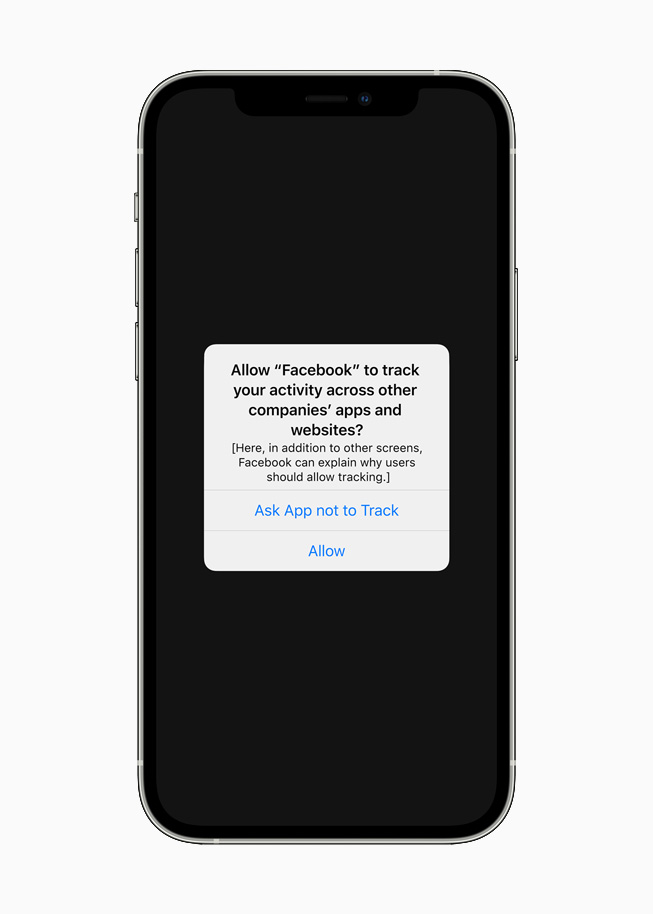
And starting soon, with Apple’s next beta update, App Tracking Transparency will require apps to get the user’s permission before tracking their data across apps or websites owned by other companies. Under Settings, users will be able to see which apps have requested permission to track, and make changes as they see fit. This requirement will roll out broadly in early spring with an upcoming release of iOS 14, iPadOS 14, and tvOS 14, and has already garnered support from privacy advocates around the world.
A new App Tracking Transparency feature across iOS, iPadOS, and tvOS will require apps to get the user’s permission before tracking their data across apps or websites owned by other companies.
Gus Hosein, Privacy International: “PI’s investigations into data brokers and ad tech companies reveal a complex, fast-growing industry that is opaque to the average user. Where there is a lack of transparency, exploitation thrives. Invisible and gratuitous data collection leaves users unable to exercise their rights and protect their privacy. Apple’s nutrition labels require industry to be clear and upfront with consumers, and tools like App Tracking Transparency will help people to assert control over the invisible leakage of their data. With these commendable innovations, industry will finally feel pressure to change. Consumer awareness and technical solutions are important parts of the solution, but in order to prevent a cat-and-mouse game between industry actors, we need substantive, enforceable regulation to stop this exploitation of our data.”
Jeff Chester, Center for Digital Democracy: “Apple’s new data privacy tools ensure that people have greater control over their personal information. Data brokers and online advertisers will now have to act more responsibly when dealing with consumers who use third party applications on Apple devices.”
Michelle Richardson, Center for Democracy and Technology: “Too often, consumers are unknowing participants in a web of data tracking and targeting. These changes will help rebalance the ecosystem so that data collection and sharing is more transparent and tracking is no longer the default. Systemic change of this breadth is a huge leap forward for consumers.”
Tristan Harris, Center for Humane Technology: “Today’s Apple announcement moves the ecosystem further away from the malicious effects of secretive profiling and microtargeting that enable many of the problems outlined in The Social Dilemma.”
Awareness of industry practices like data tracking is only the first step toward a better privacy experience. Users also need the features and controls to decide how their data is used, and by whom. Apple has led the industry by building privacy protections into every one of its products and services.
For years, Apple has introduced dozens of technologies that safeguard user privacy and help keep users’ data safe. For example, Safari was the first browser to block third-party cookies by default as far back as 2005. In iOS 11 and macOS High Sierra, Safari added Intelligent Tracking Prevention to further limit tracking while still enabling websites to function normally. In 2018, Apple introduced protections to prevent companies from fingerprinting Mac — a practice in which third parties try to identify users devices based on data like fonts and plug-ins.
These technologies represent only a small selection of the many privacy features and controls Apple has introduced across its products. For more information, visit Apple’s privacy website at apple.com/privacy.
Throughout February, Apple is bringing customers a variety of ways to celebrate Black History Month across its products and services.
Apple launches new editorial collections, Apple Maps Guides, the Apple Watch Black Unity Collection, Today at Apple sessions, and more
From curated features across the App Store, Apple Music, the Apple TV app, Apple Books, and Apple Podcasts, to new Apple Maps Guides, the Apple Watch Black Unity Collection, Today at Apple sessions, and more, here is a look at what is in store across Apple’s products and services this February.
App Store
Throughout February, users can visit the App Store Black History Month Hub, which will spotlight Black-owned businesses, developers, entertainment and gaming apps, and social justice apps. The App Store will also feature stories with Black developers discussing the importance of representation in apps and games, with creators from ustwo games and Zynga.
Users can visit the App Store Black History Month Hub spotlighting Black-owned businesses, developers, entertainment and gaming apps, and social justice apps.
Apple Music
To honor the Black artists, moments, and movements that have shaped global music and pop culture, Apple Music will launch a monthlong experience across Apple Music, Apple Music radio, and Apple Music TV that highlights some of the most remarkable musicians spanning jazz, blues, soul, gospel, R&B, pop, and hip hop. Throughout February, Apple Music will also feature curated playlists, essays, original videos, and more from Black influencers, musicians, authors, and directors, including Erykah Badu, Naomi Campbell, Common, Ava DuVernay, John Legend, Tracee Ellis Ross, and Jaden Smith. Apple Music also commissioned original artwork from collage artist Rob Lewis to visually weave together the music programming with the culture it represents.
Apple Maps
Customers can enjoy curated Apple Maps Guides created in collaboration with EatOkra, a Black-owned business directory app based in Brooklyn, New York. EatOkra works with local chefs to provide a food-themed directory of Black-owned restaurants in local communities.
With curated Apple Maps Guides created in collaboration with EatOkra, customers can find and support Black-owned restaurants in their local communities.
Apple TV App
This month’s theme for “Essential Stories” on the Apple TV app will spotlight the multidimensionality of the Black family and its representation onscreen. Viewers can dive into the “Essential: Stories That Honor Black Families” collection with curated sets of films and TV shows that explore motherhood, fatherhood, iconic TV families, queer chosen families, and more. This latest installment features original art by Jon Key, whose intimate illustrations depict various interpretations of family units. Viewers can also check out prior themes of “Essential Stories” with work from artists Darien Birks, Richard Chance, Dani Pendergast, and Loveis Wise, with more to come each month.
“The Oprah Conversation” episodes “Caste: Part 1” and “Caste: Part 2” from Apple TV+, featuring Pulitzer Prize-winning journalist and author Isabel Wilkerson and her book “Caste: The Origins of Our Discontents,” will be available for free on the Apple TV app. In these episodes, Oprah Winfrey, Wilkerson, and a panel of readers discuss the concept that America is built on a caste system, and readers share stories of how the themes of the critically acclaimed bestseller resonate with their lives and experiences. The “Oprah’s Book Club” interview with Winfrey and Wilkerson remains free to stream on Apple TV+, and customers can also check out the free “Caste” discussion guide on Apple Books and the Oprah’s Book Club podcast on “Caste.”
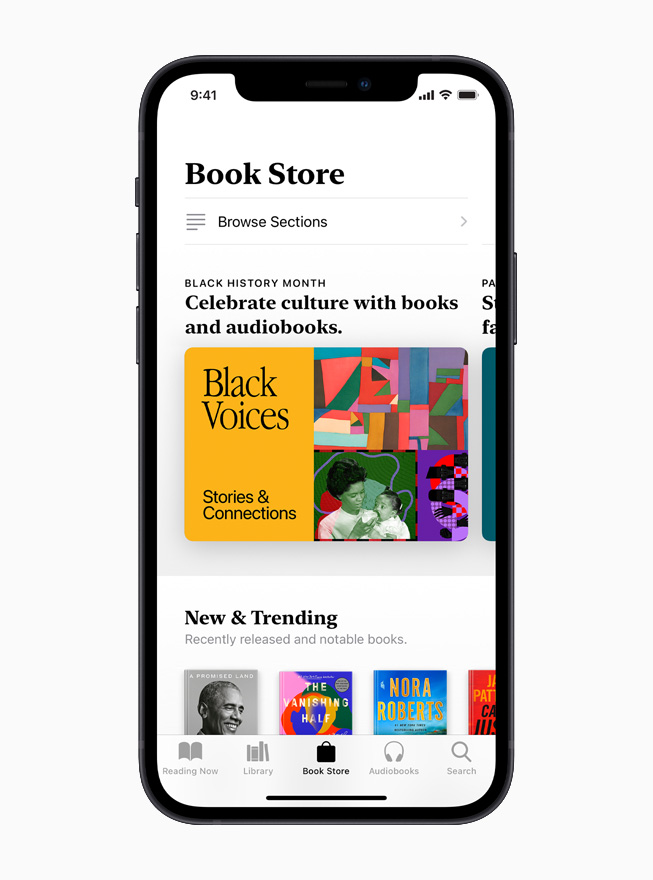
On the Apple TV app, customers can explore the “Essential Stories” collection to find movies and TV shows that celebrate Black families.
Apple News
Apple News readers can explore curated topic groups that will highlight the best journalism around race in America. Separately, a special Apple News+ Spotlight collection will feature audio articles that celebrate the Black experience. Readers can dive even deeper by visiting the Racial Justice Spotlight, an ongoing collection of articles that includes education on anti-racism, mental-health resources, and ideas to serve their community.
Apple News will feature curated topic groups that highlight the best journalism around race in America, while Apple News+ will offer audio articles that celebrate the Black experience.
Apple Books
A broad new collection on Apple Books will highlight great books and audiobooks by Black authors across a variety of genres, including literary fiction, history, memoirs, and books for young readers. Apple Books will also put a spotlight on both authors and narrators, with a special feature in which new authors, such as Jordan Ifueko, Robert Jones Jr., and Brandon Taylor, discuss their recent releases, and another feature in which celebrated audiobook narrators, including Adjoa Andoh, Guy Lockard, and Bahni Turpin, dive into some of their favorite narrating experiences.
On Apple Books, customers can find special features spotlighting Black authors and narrators, along with recommended books and audiobooks across a variety of genres.
Apple Podcasts
On Apple Podcasts, listeners can enjoy an expansive set of shows from powerful Black voices including Michelle Obama, Joe Budden, Phoebe Robinson, and Baratunde Thurston; a collection of shows from creators around the world offering thoughtful interpretations of Black families; and an extended promotion of “Seizing Freedom” from VPM, a show that documents the struggle to define freedom after 400 years of slavery. Hosted by author and historian Kidada E. Williams, with firsthand accounts from diaries, newspapers, speeches, and letters, “Seizing Freedom” illustrates the stakes for the nation during the Reconstruction era as it reveals unsettling echoes in the present-day pursuit for political and social justice.
Apple Podcasts offers listeners a wide range of shows from powerful Black voices, including “Seizing Freedom” from VPM, which is hosted by author and historian Kidada E. Williams and features artwork by L.A.InkWell.
Apple Watch
Apple is introducing the Black Unity Collection, designed to celebrate and acknowledge Black history and Black culture. The collection includes a limited-edition Apple Watch Series 6, the Black Unity Sport Band, and a Unity watch face. As part of this effort, Apple is supporting six global organizations to help advance their missions in promoting and achieving equality and civil rights in the US and around the world: Black Lives Matter Support Fund via the Tides Foundation; European Network Against Racism; International Institute on Race, Equality and Human Rights; Leadership Conference Education Fund; NAACP Legal Defense and Educational Fund, Inc.; and Souls Grown Deep.
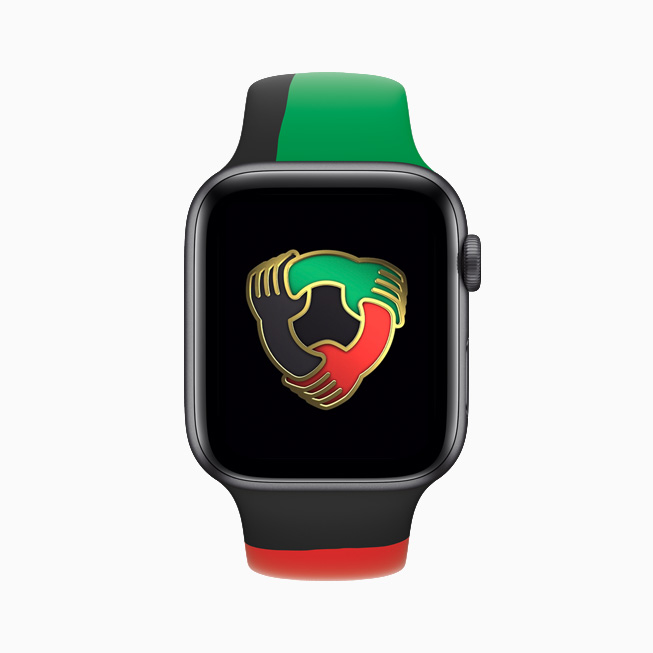
Apple introduces the Black Unity Collection, designed to celebrate and acknowledge Black history and Black culture. The collection includes a limited-edition Apple Watch Series 6, the Black Unity Sport Band, and the Unity watch face.
The Black Unity Sport Band uses colors inspired by the Pan-African flag with the words “Truth. Power. Solidarity.” laser-engraved onto the closure.
Honoring the craft of quilting, the Unity watch face creates a pattern of irregular shapes that dynamically changes over time.
The limited-edition Apple Watch Series 6 features “Black Unity” laser-etched onto the back crystal.
Members of the Black creative community and allies throughout Apple came together to design an Apple Watch Sport Band and Apple Watch face to honor the ongoing fight for racial justice. Inspired by the call to action of both the historic and current movements, the Black Unity Sport Band has “Truth. Power. Solidarity.” laser-engraved onto the interior of the stainless steel fastening pin.
The Black Unity Collection pays homage to the rich tradition and craft of quilting in the Black community and celebrates the colors of the Pan-African flag: red for the blood that unites people of the African Diaspora and was shed for their liberation, black for the people whose existence is affirmed by the flag, and green for the vibrant natural wealth of Africa, the Motherland. The Black Unity Sport Band is made from individual pieces of colored fluoroelastomer, which are assembled by hand and compression-molded into one. The Unity watch face creates an ever-changing pattern that dynamically shifts over time.
Apple Watch users can participate in a new Unity Activity Challenge and earn the limited-edition award by closing their Move ring seven days in a row during February.
Apple Watch Series 6 Black Unity and the Black Unity Sport Band will be available starting February 1, and the Unity watch face will be available as part of watchOS 7.3 coming later today.
In addition, Apple Watch users can participate in a new Unity Activity Challenge and earn the limited-edition award by closing their Move ring seven days in a row during February.
Apple Fitness+
Apple Fitness+ subscribers can enjoy a collection of themed workouts, featuring all Black artists across Cycling, Dance, High Intensity Interval Training, Strength, Yoga, and Treadmill. Fitness+ Trainers will also feature individual songs and pay tribute to Black History Month across additional workouts. In acknowledgment and celebration of Black History Month, the first Time to Walk episode in February will feature author Ibram X. Kendi reflecting on racial justice and resiliency.
Today at Apple
Today at Apple, in partnership with design group It’s Nice That, is hosting New World, a program of hands-on virtual sessions and step-by-step tutorials focused on exploring the power of creativity to bring about change. During Black History Month, curator and writer Kimberly Drew will moderate sessions led by Black creatives who will discuss their creative practices and where they get inspiration, as well as demonstrate and teach one particular skill or technique. Sessions include typographer Tré Seals; creative director, filmmaker, and photographer Joshua Kissi; and visual artist, photographer, and educator Shan Wallace. Everyone is welcome to join and can sign up at apple.co/new-world.
Today at Apple, in partnership with design group It’s Nice That, will offer a program of hands-on virtual sessions and tutorials that focus on using creativity to bring about change.
Shot on iPhone
Beginning in February, Apple’s latest Shot on iPhone campaign, “Hometown,” highlights the work of more than 30 Black photographers commissioned by Apple. Their mission was to capture amazing imagery of their “Hometown” from their own unique lens. This project covered a broad range of American cities and towns like Dallas, New York, Los Angeles, and many more.
These Black History Month activities complement the company’s ongoing commitment to honoring and celebrating Black voices. Earlier this month, Apple announced a set of major new projects as part of its $100 million Racial Equity and Justice Initiative (REJI).
Pricing and Availability
Apple Watch Series 6 Black Unity (GPS) starts at $399 (US) and Apple Watch Series 6 Black Unity (GPS + Cellular) starts at $499 (US). The Black Unity Sport Band is $49 (US).
The Black Unity Collection will be available online and in store from Apple and Target, beginning Monday, February 1, in the US and over 38 countries and regions.
The limited-edition Apple Watch Series 6 Black Unity will be available for the month of February, and the Black Unity Sport Band will be available throughout the year.
The Unity watch face will be available later today as part of watchOS 7.3, and requires iPhone 6s or later running iOS 14.4.
The Black History Month collections and content across Apple services will be available starting February 1.
It’s been two years since we unveiled the list of Apple devices that will receive the next major update. After iOS 13 and then iOS 14, it’s time to talk about iOS 15. On which iPhone, iPod or iPad can we install iOS 15 and iPadOS 15?
If iOS 14 had rolled over the same iPhones and iPads as iOS 13 (like iOS 12 and iOS 11), Apple is expected to remove five models this year, split between smartphones and tablets. Here is a first list of Apple devices that will host iOS 15 beta next June, gleaned once again from our developer friend at Apple and who works in particular on the Plans app. Obviously, needless to say that the iPhone 13 will be delivered directly with iOS 15 and an A15 chip. But for the others, there will be unhappy customers because Apple will have to part with certain models in order to facilitate the deployment of new products and to better unify its fleet.
French publication iPhoneSoft says that the information is coming from within Apple (via Apple Translate):
Here is a first list of apple devices that will host iOS 15 beta next June, once again gleaned from our developer friend at Apple and who notably officiates on the Plans app.
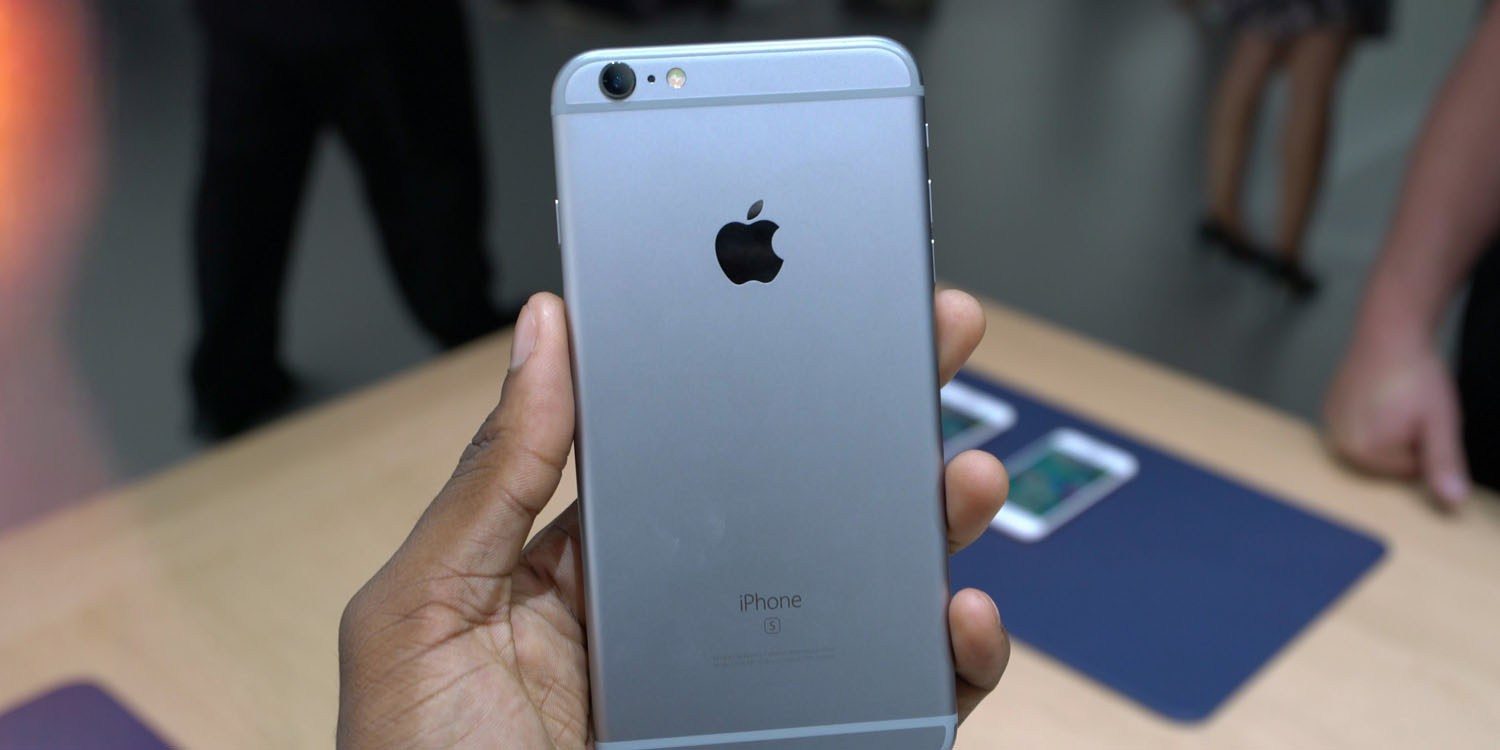
The iPhone 6s and iPhone 6s Plus were originally introduced in September of 2015, followed by the iPhone SE in March of 2016. The devices were incredibly popular and have received over four years of software updates from Apple.
With the iPhone 12 mini and the second-generation iPhone SE, Apple now sells two modern devices that match the form factor of the iPhone 6s design. The second-generation iPhone SE is actually nearly identical to the iPhone 6s in terms of design, but with the modern A13 processor inside. The iPhone 12 mini is physically smaller, but offers a bigger display because of its edge-to-edge design, alongside the A14 processor and an improved camera system.
Not compatible with iOS 15:
iPhone 6s an 6s Plus
iPhone SE 2016
That lines up with the report we saw last November from The Verifier. But going beyond that information, iPhoneSoft says that iOS 15 will also “probably not be available” on:
iPad mini 4
iPad Air 2
iPad 5
Here’s a look at what devices could work with the iOS/iPadOS 15.
Facebook continues to panic about upcoming privacy changes in iOS 14. The company has sent a new email to businesses today informing them that it has no choice but to comply with the iOS 14 App Tracking Transparency feature. Otherwise, Apple could remove Facebook from the App Store completely.
As first reported by iMore, Facebook has sent another round of emails to businesses informing them that while it disagrees with Apple’s planned changes, it has no choice but to follow them. Facebook says that the App Tracking Transparency feature, which requires apps to obtain consent from users before tracking them across other websites and apps, will have “hard-hitting implications across targeting, optimization, and measuring campaign effectiveness.”
The company also says that it believes “personalized ads and user privacy can coexist,” which is also a claim Apple has made. The two companies clearly have different versions of what constitutes “user privacy,” though.
Apple’s requirement that all apps in the App Store show a prompt to iOS 14 users in accordance with their AppTrackingTransparency framework will have hard-hitting implications across targeting, optimization, and measuring campaign effectiveness for businesses that advertise on mobile devices and across the web. Apple’s changes will benefit them, while hurting the industry and the ability for businesses of all sizes to market themselves efficiently and grow through personalized advertising. We believe that personalized ads and user privacy can coexist.
Also in the email, Facebook tells businesses that it has “no choice” but to show the prompt seen at the top of this story. Otherwise, Facebook tells businesses that it believes Apple could block Facebook and its other apps from the App Store completely.
Facebook told businesses that whilst it disagrees with Apple’s solution, it has ‘no choice’ but to show the opt-in prompt and to continue using Apple’s device identifier for advertising. The company states that it believes Apple could block Facebook and its other apps from the App Store if it doesn’t comply, bringing ‘further harm to the businesses and users that rely on our services.’
Finally, Facebook says that if users do opt out of tracking, there could be a reduction in “ad effectiveness and limitations on measurements.”
This is not the first time Facebook has warned businesses about the potential impact of the new iOS 14 App Tracking Transparency feature. Last month, Facebook was warning users about the impacts on marketing efforts. Facebook also took out a full-page ad in US newspapers to slam Apple’s changes.
The ads claim that Facebook is standing up to the iPhone maker on behalf of small businesses …
Facebook has published a blog post with more details. It also says it will back Epic Games in its ongoing legal battle over the App Store.
Facebook Inc. attacked Apple Inc. in a series of full-page newspaper ads Wednesday, claiming the iPhone maker’s anticipated mobile software changes around data gathering and targeted advertising are bad for small businesses.
The ads, slated to run in the New York Times, Wall Street Journal and Washington Post, carry the headline “We’re standing up to Apple for small businesses everywhere.” They home in on upcoming changes to Apple’s iOS 14 operating system that will curb the ability of companies like Facebook to gather data about mobile users and ply them with advertising.
The attack relates to the fact that iOS will next year force apps to ask for permission if they want to use ad-tracking. It’s expected that most users will refuse, which will mean apps won’t be able to easily offer personalized ads. Ads reflecting user interests earn more money for app developers than generic ads.
The change will significantly impact Facebook, as the ads it carries in the app will be worth less. The social network claims, however, that it doesn’t have its own interests in mind: it is instead standing up for small businesses.
The ad reads:
We’re standing up to Apple for small businesses everywhere
At Facebook, small business is at the core of our business. More than 10 million businesses use our advertising tools each month to find new customers, hire employees and engage with their communities.
Many in the small business community have shared concerns about Apple’s forced software update, which will limit businesses’ ability to run personalized ads and reach their customers effectively.
Forty-four percent of small to medium businesses started or increased their usage of personalized ads on social media during the pandemic, according to a new Deloitte study. Without personalized ads, Facebook data shows that the average small business advertiser stands to see a cut of over 60% in their sales for every dollar they spend.
While limiting how personalized ads can be used does impact larger companies like us, these changes will be devastating to small businesses, adding to the many challenges they face right now.
Small businesses deserve to be heard. We hear your concerns, and we stand with you. Join us at fb.com/SpeakUpForSmall
This is an unconvincing tack the company has taken before. Back in October, CEO Mark Zuckerberg made the claim while warning investors of the likely hit to its own ad revenues.
Facebook CEO Mark Zuckerberg took aim at Apple on Thursday over its plans to limit advertisers’ ability to track iPhone users, suggesting the proposed changes could hurt small businesses and, by extention, the broader economy.
During Facebook’s quarterly earnings call, Zuckerberg told investors that “actions planned by platform companies like Apple could have a meaningful negative effect on small businesses and economic recovery in 2021 and beyond” […]
Zuckerberg argued that “personalized advertising is helping small businesses find customers, grow their businesses and create jobs,” and that measures to limit targeted ads, such as those by Apple and lawmakers in the European Union, would hurt those businesses’ ability to reach customers.
It follows the company yesterday taking a swipe at Apple in a statement to Reuters about planned European legislation known as the Digital Markets Act (DMA), which would force Apple to offer a more level playing field between its own apps and third-party ones.
“We hope the DMA will also set boundaries for Apple,” a Facebook spokesman said. “Apple controls an entire ecosystem from device to app store and apps, and uses this power to harm developers and consumers, as well as large platforms like Facebook,” he said.
Some are suggesting that Facebook is trying to divert attention from its continuing privacy woes over its spyware app pitched as a free VPN service. Reuters reports that Australia plans to fine Facebook over the app.
Sources close to Apple tell us the company is not opposed to ad-tracking, but simply wants it to be transparent to users.
The App Tracking Transparency feature will roll out sometime in early 2021. Apple had originally hoped to launch it with iOS 14 in September, but it ended up delaying the feature to give developers more time to prepare.
a coalition of eight civil and human rights organizations penned an open letter to Apple CEO Tim Cook regarding the company’s decision to delay the release of the new App Tracking Transparency feature in iOS 14.
Apple has now responded to that letter, doubling down on its privacy practices and offering more color on the decision to delay the App Tracking Transparency feature in the first place.
In a letter sent to the Ranking Digital Rights organization, Apple’s Jane Horvath, senior director of global privacy, reiterated that the company believes that “privacy is a fundamental human right.” Horvath explains that Apple delayed the App Tracking Transparency (ATT) feature in an effort to give developers more time to prepare for the changes.
The letter also confirms that the App Tracking Transparency feature, which is designed to allow users to disable tracking between different applications, is still coming next year. Once in effect, developers will also be required to ask for permission before tracking a user across apps or websites.
“We delayed the release of ATT to early next year to give developers the time they indicated they needed to properly update their systems and data practices, but we remain fully committed to ATT and to our expansive approach to privacy protections. We developed ATT for a single reason: because we share your concerns about users being tracked without their consent and the bundling and reselling of data by advertising networks and data brokers.”
Horvath goes on to emphasize that App Tracking Transparency features don’t prevent advertising, but rather encourages advertising that respects privacy:
“Advertising that respects privacy is not only possible, it was the standard until the growth of the Internet. Some companies that would prefer ATT is never implemented have said that this policy uniquely burdens small businesses by restricting advertising options, but in fact, the current data arms race primarily benefits big businesses with big data sets. Privacy-focused ad networks were the universal standard in advertising before the practice of unfettered data collection began over the last decade or so. Our hope is that increasing user demands for privacy and security, as well as changes like ATT, will make these privacy-forward advertising standards robust once more.”
Furthermore, Horvath has sharp criticism for Facebook, saying that the social network has “made clear” that its intent is to “collect as much data as possible” on its users:
“By contrast, Facebook and others have a very different approach to targeting. Not only do they allow the grouping of users into smaller segments, they use detailed data about online browsing activity to target ads. Facebook executives have made clear their intent is to collect as much data as possible across both first and third party products to develop and monetize detailed profiles of their users, and this disregard for user privacy continues to expand to include more of their products.”
On the flip side, Facebook has criticized the App Tracking Transparency feature and said it could cause ad revenue to drop as much as 40%. Facebook has reportedly met with advertising partners to discuss the impact the change will have on advertising when users have the ability to easily opt-out of cross-platform tracking.
Apple emphasizes again today that advertising that protects user privacy is possible. For example, Apple gives users the ability to disable ad personalization based on first-party data in the Settings app. For users with Personalized Ads enabled, Apple groups together users with similar characteristics, which ensures that a campaign can’t identify a given user.
Once available in 2021, the App Tracking Transparency feature will be accessible by opening the Settings app, then looking for the Privacy menu, and looking for the Tracking section. Apple also says that its new “nutrition labels” for app privacy will be required in the App Store starting on December 8.
Following the release of iOS 14.3 last month, Apple today stopped signing both iOS 14.2 and iOS 14.2.1 — which was only available for iPhone 12 models. That means users who have updated their devices to iOS 14.3 can no longer downgrade to iOS 14.2.
Among all the changes of iOS 14.3, the most notable one is the addition of the ProRAW photo format for the iPhone 12 Pro and iPhone 12 Pro Max. Apple announced the ProRAW feature for the new iPhones during its October event last year, but the feature was only released to users months later.
As for iOS 14.2, the updates brought new emojis, more wallpapers, and support for the HomePod Intercom feature. iOS 14.2.1 arrived a few days later with specific bug fixes for iPhone 12 models.
Reverting to older iOS builds is common for those with jailbroken devices. Restoring an iPhone or iPad to a previous version of iOS can sometimes be helpful for users who experience significant bugs after upgrading to the latest version of iOS.
If you have experienced any serious issues with iOS 14.3, unfortunately you’ll now have to wait until a future update is available rather than downgrading to iOS 14.2. The only possible downgrade for now is from the recently released iOS 14.4 beta to iOS 14.3.
When it came to note-taking apps on mobile, Evernote was one of the earlier entrants. They helped popularize the idea behind the ability to sync your notes and also collaborate with other people on the same note in real-time, but this does not necessarily mean that the app is for everyone.
Some of you might have different needs and maybe you’re seeking an alternative to Evernote. If you are, you’ve come to the right place because here are some worthy Evernote alternatives that you can check out for Android and iOS.
Notion
Notion might not necessarily be an app that you have heard of, but it doesn’t detract from the app’s value and potential. In addition to being a decent note-taking app, Notion pulls double and triple duty by being an app that can help manage your workflow through Kanban-styled boards, timeline views, and more.
OneNote is an app developed by Microsoft that’s designed to be a note-taking app. It is a pretty straightforward app and comes with some features that Evernote users might actually be familiar with, but that’s a good thing. It can also sync over Microsoft’s OneDrive cloud service, so if you have an account, it can back it up to the cloud quickly and easily and you’ll be able to access it from other devices like a computer.
If you don’t need a full-fledged word processor like Google Docs and want something small and simple to jot down your notes, it would be remiss of us if we did not include Google Keep on this list. Given that this is a Google product, it quite easily integrates across Google’s other services, so if you’re tied into the Google ecosystem, this is a no-brainer.
Dropbox made a name for themselves as being a cloud storage service, but the company has been slowly expanding on its offerings and Paper is one of them. If you’re someone who uses Dropbox quite a bit, then using Paper would make a lot of sense as not only does it allow users to take down notes, but they can also sync it and collaborate with other users.
Simplenote, as the name implies, is a very simple and straightforward note-taking application. If you’re just looking for something that takes down notes well and can sync across a multitude of platforms (it’s also available on Linux), then Simplenote is a great alternative to Evernote.
These days as we work from home, being able to collaborate digitally and virtually is slowly becoming a necessity, and Notejoy excels in that regard. Users can quickly make changes to their notes and documents that can then be synced with other users in the team. There is also the ability to include reactions, threaded discussions, note views, and more.
If you’re looking to take your note-taking and productivity to the next level, there’s a good chance that you might have heard of the Todoist app. This is not only a note-taking app, but a planner, project manager, and reminder app all in one. You can use it to track your goals for your current projects, collaborate with other users, and it also integrates with other apps and services like Gmail, Slack, and more.
The purpose of the new functionality is to allow Google users to edit Microsoft Office files in a familiar interface (AP)
Following the web last year and Android in September, Google Docs, Sheets, and Slides for iOS can now edit Office files.
This capability is pitched as bringing the “collaborative and assistive features of Google Workspace to your Microsoft Office files” in a familiar interface. For example, an organization might still receive Word documents from clients and other sources, but otherwise use Google’s productivity tools for all internal work. In coming to mobile, users don’t need to download another app. Three key aspects are touted :
Allows you to edit, comment, and collaborate on Microsoft Office files using Google Docs’, Sheets’, and Slides’ powerful real-time collaboration tools.
Improves sharing options, improves sharing controls, and reduces the need to download and email file attachments.
Streamlines workflows by reducing the need to convert file types.
This editing functionality replaces the previous Office Compatibility Mode (Quickoffice), which only had basic features. The following Microsoft file types are supported:
The ability to edit Office documents in Google Docs, Sheets, and Slides for iOS is already rolled out today on both personal and enterprise accounts:
Google Workspace Essentials, Business Starter, Business Standard, Business Plus, Enterprise Essentials, Enterprise Standard, and Enterprise Plus as well as G Suite Basic, Business, Education, Enterprise for Education, and Nonprofits customers
Apple on Saturday launched a new iPhone 12 Studio website. This allows users to customize their favourite iPhone 12 device with MagSafe accessories. These customizations include Apple’s MagSafe cases and MagSafe Wallets for iPhone 12 series. This gives an opportunity for customers to preview their combination before heading to an Apple Store to pick them up.
MagSafe uses a series of magnets to attach stackable “modules” over each other. These include the MagSafe wireless charger, MagSafe Silicone Cases, MagSafe Clear case, and the MagSafe Wallet. Third parties like Belkin have already followed suit with their new MagSafe accessories.
This website comes live after the Twitter Hashflag “#iPhone12studio” went live a few hours prior. This website is, however, available for mobile and tablets devices only at the time of writing. Alongside this new website, Apple has also personalized combinations by adding user’s name with their desired combination. This can be saved as an image and shared with other users.
Click on design and choose from a range of colors, cases, and wallets for your desired iPhone.
Add your name or skip
Choose a view, download and share with the world!
These seemingly infinite combinations make it even more fun to try out. However, popular speculation suggests Apple will start shipping iPhone cases and wallets with iPhones. This is believed to be adopted from Apple Watch’s customizable approach.
Gone are the days when Apple limited its official options to just two or three colors. This year, in fact, almost has an overwhelming number of choices offered to iPhone buyers. There are four base models to choose from, not counting their different configurations, and a variety of MagSafe cases and wallets to spruce up the iPhone. In order to minimize the time you have to spend online or in stores trying to figure out what combination will fit your style, Apple has launched a new mobile site that will let you mix and match all of those and even show off your masterpiece to the world.
This isn’t the first time Apple created an online tool to help customers decide what color combination they want for their next purchase. The Apple Watch Studio last year let people virtually try out different combinations of straps, something a bit more fitting for a stylish wearable. Now the iPhone 12 Studio is offering the same chance so you won’t have to imagine what particular color combinations will look like.
The website starts off by asking you to choose between one of the four iPhone 12 models. You can then pick one of the different colors available for each model, a color for a MagSafe case, and a color for a MagSafe wallet. The latter two are optional, of course, but what would be the point of not picking one using this tool.
One interesting aspect of this tool is that it lets you download the finished combination in a format that is perfect for sharing on social media. In fact, the resulting image includes the #iPhone12Studio hashtag, encouraging people to share their creations with the world.
Unlike the Apple Watch Studio counterpart, however, the site doesn’t take you to an Apple Store page with that particular combination set, probably since the iPhone 12 is still marked as being on pre-order. If you do want to try out the iPhone 12 Studio, you’ll have to do it on a mobile browser, where on an iPhone, iPad, or any other mobile device, or set your desktop browser’s user agent to a mobile version.
MagSafe accessories make it easier than ever to personalize your iPhone 12 or iPhone 12 Pro with a unique style. A new interactive tool gives you the opportunity to mix and match colors, cases, wallets, and sleeves before you buy.
Thanks to the stackable, easy-to-attach design of MagSafe accessories, virtually limitless combinations of colors and styles can be created. Apple offers silicone and clear cases as well as leather cases, wallets, and sleeves with the technology built in.
At Apple Stores, Apple has created new interactive displays to help customers experience MagSafe technology and try an assortment of colors and styles. With some Apple Stores closed and others offering Express service or brief appointments only, there’s not always an opportunity to try before you buy. Inspired by Apple Watch Studio, I’ve created an interactive online tool to help you pick your favorite style.