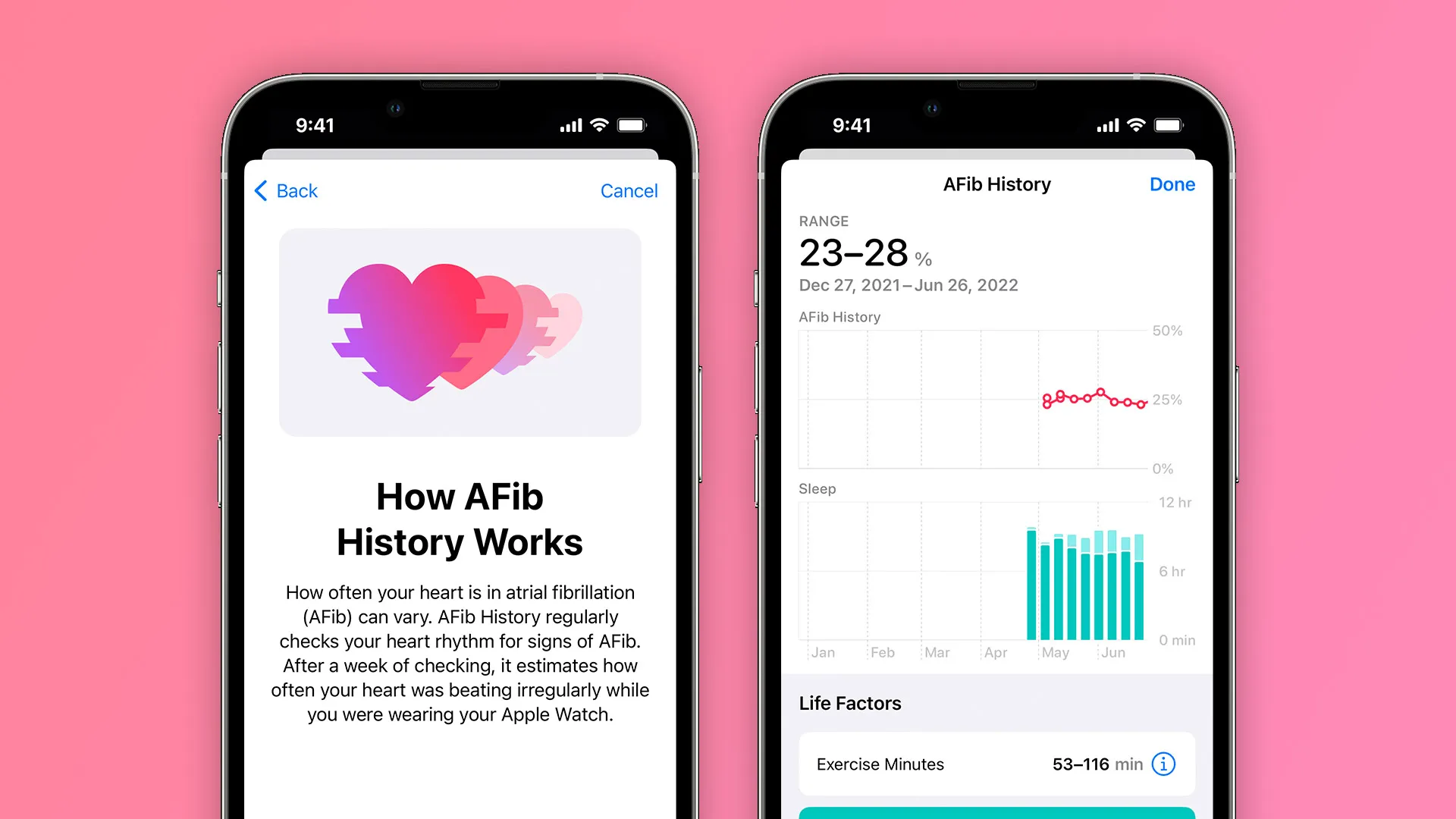
One of the new features introduced with watchOS 9 this year is AFib History, which lets users diagnosed with atrial fibrillation keep records of their heart rhythm data in order to get deeper insights into their condition. Apple has now expanded the availability of AFib History around the world with the watchOS 9.2 update.
When AFib History was announced back at WWDC 2022, it was expected to only launch in the United States as the feature requires approval from local health regulators. With the official launch of watchOS 9 in September, Apple confirmed that the feature had already been approved in over 100 countries, including Canada, Hong Kong, Mexico, South Africa, the UK, and many other countries in Europe.
AFib History coming to more regions with watchOS 9.2
Now with watchOS 9.2, which was released for Apple Watch users earlier this week, the company has quietly enabled the AFib History feature in yet another country. As noted by MacMagazine and also confirmed by 9to5Mac, the feature now works for Apple Watch users in Brazil.
For now, Apple is yet to confirm the expansion of the feature to Brazil, as the country hasn’t yet been added to the official list of supported regions on the company’s website. However, Brazilian users can now enable AFib History through the Health app on the iPhone. According to Apple, these are the requirements for enabling AFib History on the Apple Watch:
You must have a physician diagnosis of AFib.
Update your iPhone to the latest version of iOS and Apple Watch to the latest version of watchOS.
You must wear your Apple Watch at least 12 hours a day for 5 days a week to consistently receive estimates.
Heart Rate and Wrist Detection must be enabled on your Apple Watch.
AFib History is not intended for use by people under 22 years old.
Back in September, Apple had also confirmed that AFib History would become available to Apple Watch users in Australia later this fall. However, it’s still unclear whether the feature has also been enabled there with watchOS 9.2.
watchOS 9.2 some features
Alongside iOS 16.2 and updates for iPad, Apple TV, and Mac, Apple is also rolling out watchOS 9.2 for Apple Watch users today. The update includes a handful of notable changes and new features, including Race Route, Crash Detection improvements, and more. Head below for the full release notes.
watchOS 9.2 is rolling out now to all users. You can update on your Apple Watch by going to Settings, choosing General, then choosing Software Update. You can also install the update via the Apple Watch companion app on your iPhone.
What’s new in watchOS 9.2? Here’s the full rundown from Apple:
Race Route lets you compete against your previous performance in Outdoor Run, Outdoor Cycle and Outdoor Wheelchair Workouts
New custom Kickboxing algorithm in the Workout app for more accurate metrics
Noise app displaying when environmental sound levels are reduced now available with AirPods Pro (1st generation) and AirPods Max when using active noise cancellation
Family Setup users can be invited to the Home app to control HomePod speakers and smart home accessories, and unlock doors with home keys in Wallet
Accessibility support to visualize when Siren is in use on Apple Watch Ultra
Improved response time and accuracy of hand gesture controls for AssistiveTouch and Quick Actions
Crash Detection optimisations on Apple Watch Ultra, Apple Watch Series 8 and Apple Watch SE (2nd generation)
Fix for bug that causes display of incorrect watch time immediately after dismissing an alarm in Sleep Focus
Fix for bug causing interruptions to mindfulness sessions
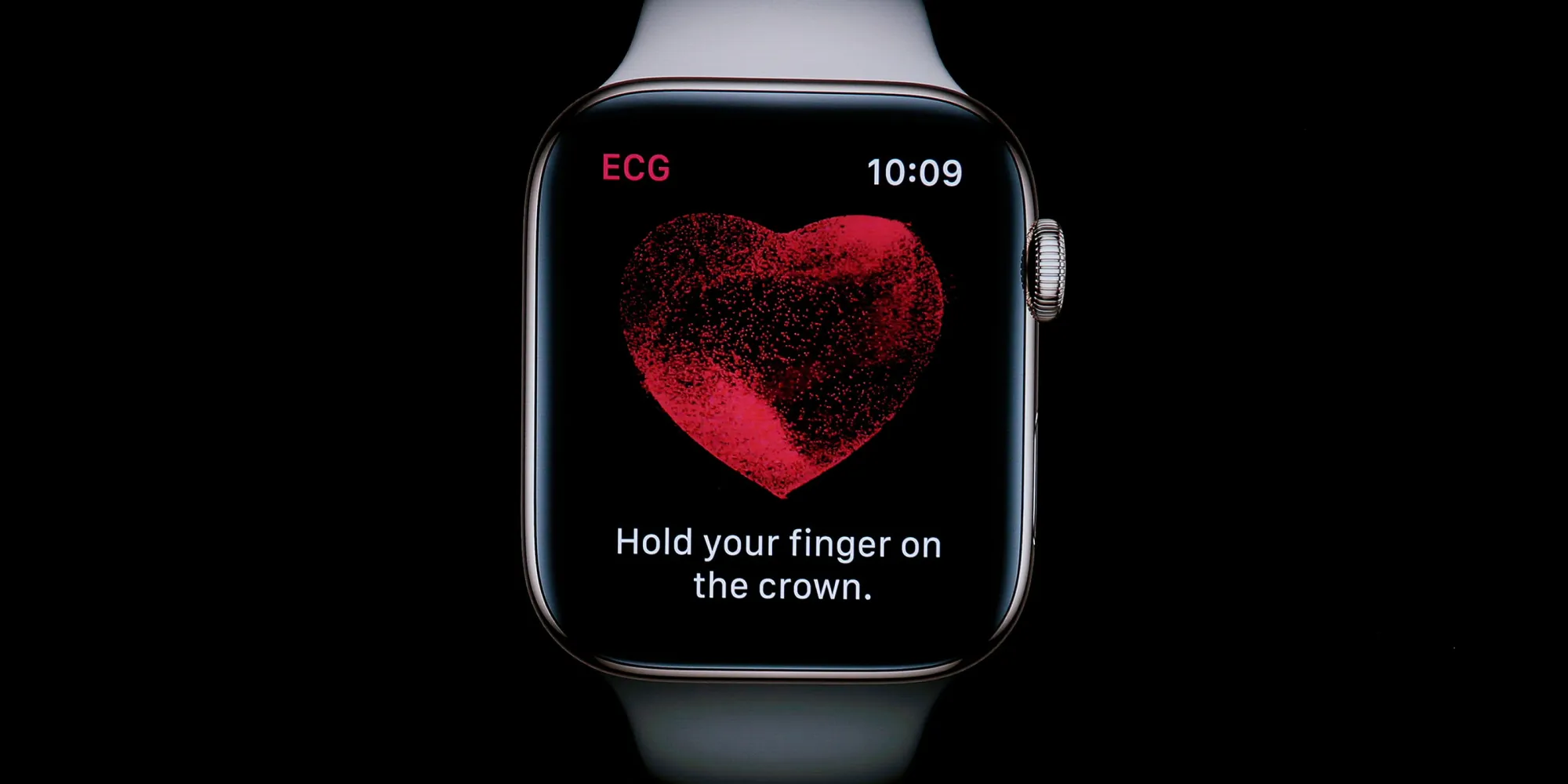
Medical researchers around the world continue to discover new ways Apple Watch can help save your life. A new study from researchers at the Mayo Clinic offers a deeper look at the Apple Watch’s ECG features, with a focus on detecting heart abnormalities like left ventricular dysfunction.
As first reported by MyHealthyApple, this is an important study, given that left ventricular dysfunction is oftentimes followed bycongestive heart failure:
Left Ventricular dysfunction of the heart is usually followed by congestive heart failure that can lead to a multitude of cardiac disorders.
The left ventricle is primarily responsible for pumping oxygen to your body’s vital organs. It is, therefore, important to diagnose any problems with the left ventricle as early as possible.
The Mayo Clinic study explains that cardiac dysfunction is often undiagnosed as it’s asymptomatic, meaning people who have it don’t know that they have it. If something like the Apple Watch is able to detect it passively or help diagnose it, it would be a major breakthrough.
The study included 2,454 patients from the United States and 11 other countries. These participants sent over 125,000 ECGs from their Apple Watch between August 2021 and February 2022. These results were then “scrubbed and processed via a proprietary AI algorithm developed by the researchers.”
The AI algorithm detected patients with low EF(ejection fraction) with an area under the curve of 0.885 (95% confidence interval 0.823–0.946) and 0.881 (0.815–0.947), using the mean prediction within a 30-d window or the closest ECG relative to the echocardiogram that determined the EF, respectively.
The findings, as explained by MyHealthyApple, show that “consumer-watch ECGs acquired in nonclinical environments can identify patients with cardiac dysfunction.” The study also infers that “the potential of smartwatches to assist with conducting remote digital health studies is just in the beginning phases.”
The full study results and discoveries were published in Nature Medicine this week. The proprietary AI algorithm used by the Mayo Clinic is currently being reviewed by the FDA.
Want an exact way to start tracking workouts with Apple Watch instead of having to deal with the default 3, 2, 1 countdown? Read on for how to turn off the Apple Watch Workout countdown and start activity tracking instantly.
Using the Workout app on Apple Watch to track your fitness activity with the default setup means you have to use the 3, 2, 1 countdown before it begins.
But there are a number of scenarios where that won’t prove to be the most accurate or convenient. Fortunately, you can turn on a switch to skip the countdown and get a “start” button to choose exactly when you want to begin workout tracking.
Or also skip the countdown another way
How to turn off the Apple Watch Workout app countdown
Option 1
This workaround can be used with any Apple Watch.
After you start a workout, tap your Apple Watch screen as soon as you see the countdown to skip it and begin your workout right away
Option 2 for Apple Watch Ultra
This strangely appears to be hardware limited to Apple Watch Ultra for now.
Open Settings on Apple Watch Ultra
Swipe down and choose Workout
Swipe down again and tap the toggle next toPrecision Start
Next time you start a workout you’ll see the main screen > swipe from left to right > tap Start when you’re ready to begin tracking
Important: You’ll need to start the workout manually or with the side button on Apple Watch Ultra – if you use Siri, the countdown will still happen even with Precision Start on
You can also turn on the feature on iPhone with the Apple Watch app > Workout > Precision Start.
Here’s how it looks to turn on and use Precision Start:
Now when you start tracking a workout by either manually tapping one in the Workout app or by using the side button on Apple Watch Ultra you’ll see the main screen with the time at 00:00:00.
Swipe from left to right to see the Start button, tap it to instantly start your workout.
Here is how to create custom workouts on the Apple Watch and Apple Watch Ultra. The ability to create custom workouts is a new feature that has been added to the Apple Workout app during the release of watchOS 9.
In order to create a custom workout, you will first need to:
Go to the app menu
Select the Apple Workout app
Once opened, you see a variety of workout categories to choose from. Once you decide on one, click on the three dots in the upper right-hand corner. This will take you to a list of the current workouts available.
You will likely see some custom workouts already built by Apple that you can use. However, in order to create your own, you will need to scroll all the way to the bottom of the list and select “Create Workout.”
From here, depending on the workout category, you will have up to six workout types to choose from:
Open: which should already be setup as the default workout (and is here in case you delete it)
Calories: workouts set to a custom calorie goal
Distance: workouts set to a custom distance goal
Time: workouts set to a custom time goal
Pacer: workouts that allow you to set both a distance and time goal. This will then create a goal pace for you to achieve. During this type of workout, the Apple Watch will provide feedback to let you know if you are going faster or slower than your goal pace.
Custom: which is where you can create your own workout type or interval training
When creating a custom workout on the Apple Watch, you will see additional warmup and cooldown sections. If you do not want these, you can leave them classified as “Skip.” If you do want them, you can set them up by time, distance, or open if you want it to be open-ended.
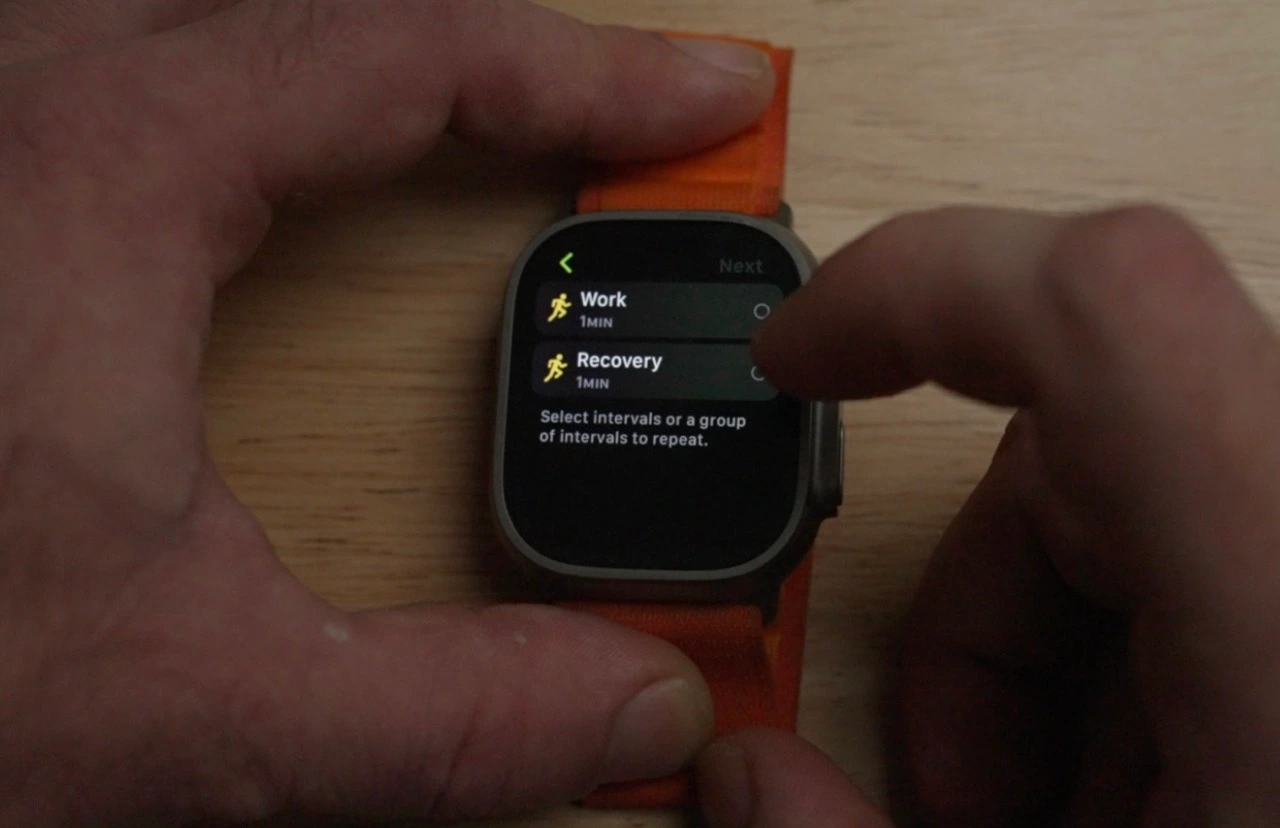
For the workout portion, select “Add,” and then select either “Work” or “Recovery.” The “Repeat” option here will be grayed out until after you have created your first workout section.
For Work and Recovery intervals, you can select distance, time, or open types. Once created, you can group intervals together and set them to repeat. To do this:
Select “Add”
Select “Repeat”
Then select the intervals you would like to be grouped, and select how many times you would like this group repeated.
You also have the ability to reorder the workout by selecting “Reorder,” and then holding and dragging the portion you would like to move.
Once done, you can name the workout whatever you would like. From now on, you will be able to find this workout as an option when you select the workout category on the Apple Watch Workout app.
Apple on Wednesday released iOS 15.6.1 and macOS Monterey 12.5.1 to all users. The updates bring no new features or major changes. Instead, they come with important security improvements. The company also released watchOS 8.7.1, but this update fixes a specific bug affecting Apple Watch Series 3 models.
watchOS 8.7.1 is available only for Apple Watch Series 3
According to the release notes, watchOS 8.7.1 fixes a bug that could cause the Apple Watch Series 3 to reboot unexpectedly for some users. For this reason, the update is only available for Series 3 models, which means that Apple Watch Series 4 and later won’t receive today’s update.
The Apple Security Updates webpage, on which the company provides details about the security enhancements made with each software update, makes it clear that watchOS 8.7.1 doesn’t come with any changes other than fixing the bug affecting Apple Watch Series 3 users. Both iOS 15.6.1 and macOS Monterey 12.5.1 come with security fixes.
According to Apple, one of the fixed vulnerabilities allowed third-party applications to execute arbitrary code with kernel privileges. Another vulnerability found in WebKit, Safari’s web engine, has also been fixed with the update. These vulnerabilities affected both iPhone, iPad, and Mac users.
In the meantime, Apple continues to work on watchOS 9, the next major update for the Apple Watch software. watchOS 9 comes with new watch faces, enhancements to the Workout app, medication reminders, and more. However, watchOS 9 requires Apple Watch Series 4 and later, which means Series 3 won’t get the update.
Just like iOS 16, watchOS 9 is expected to be officially released next month.
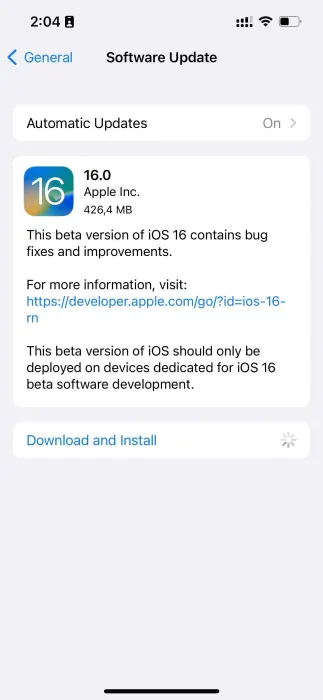
iOS 16 beta 6 now available as Apple finalizes features ahead of September launch
iOS 16 beta 6 and iPadOS 16 beta 6 are now rolling out to developers, one week after the fifth beta was released. iOS 16 brings a number of changes, including updates to the Lock Screen, new wallpaper options, and more. iOS 16 beta 6 will continue refining these new features…
Update: Also now available to public beta testers.
Each new iOS 16 beta usually includes a number of changes, bug fixes, and even new features. Apple keeps a keen eye on the feedback it receives from iOS 16 beta testers, and each subsequent beta aims to address complaints, bug reports, and performance issues.
Notably, Apple has switched to a one-week cycle with this beta, indicating it is ramping up beta testing ahead of next month’s public release.
One thing we’ve learned recently that Apple is planning to delay releasing this update to the public. iPadOS 16 was initially slated to launch in September alongside iOS 16, but it’s now scheduled for sometime in October.
iOS 16 beta 5 was released last week with the notable addition of a new battery percentage icon for the menu bar.
iOS 16 beta 5 finally adds the battery percentage to the status bar
Find My has a new sound alert with iOS 16 beta 5, here’s how it sounds
iOS 16 beta 5 adds ‘Copy and Delete’ option for sharing screenshots without clutter
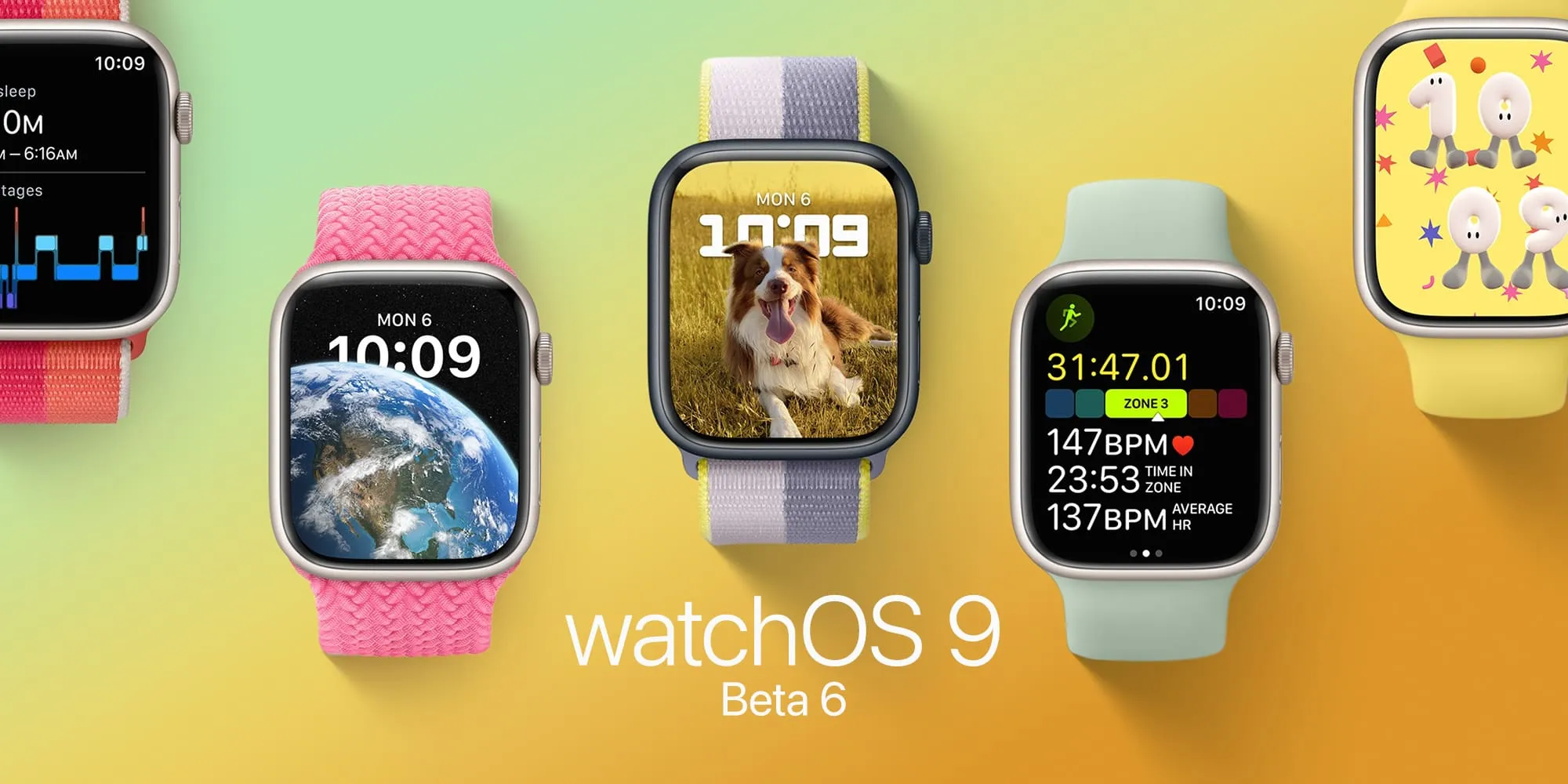
watchOS 9 beta 6 is now available to developers
watchOS 9 beta 6 is here. As Apple polishes the Apple Watch’s upcoming operating system after more than two months of beta testing, the company seems to be getting ready for the launch of watchOS 9 in September. Here’s everything new with it.
Today’s build is 20R5353a. watchOS 9 is the biggest update on the Apple Watch software in years and beta testers can take advantage of the features before everyone else.
Now that watchOS 9 doesn’t support Apple Watch Series 3 anymore, the operating system will revamp old Watch Faces, while adding four new ones. With these new faces, Apple makes them look better on bigger displays. In addition, the company is adding QWERTY keyboard support for more languages for the Apple Watch Series 7 and new QuickType technology with watchOS 9.
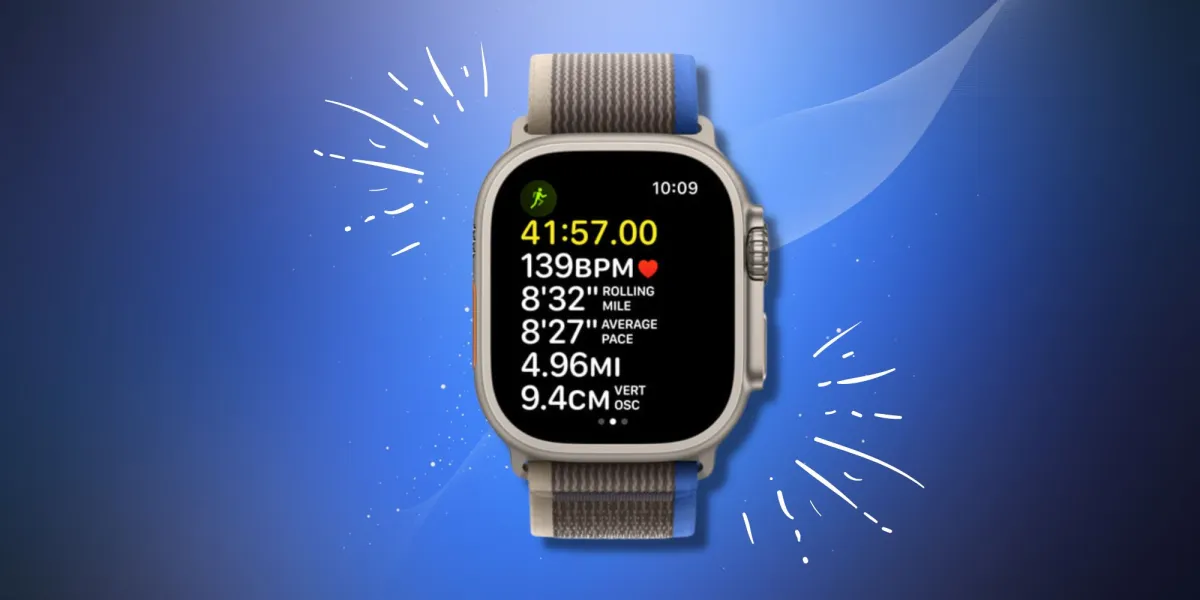
watchOS 9 beta version also brings a significant update to the Workout app with a lot of new features for people who love to exercise. For runners, there’s a new Workout Views where they just need to turn the Digital Crown in order to see lots of metrics, which are available during the run:
Activity rings
Heart Rate Zones
Power
Elevation
Apple is also improving the Sleep app with watchOS 9, which beta testers can now take advantage of. It now brings more sleep data and there’s a new Medications app that helps you track all the pills and vitamins you take every day.
Alongside watchOS 9 beta 6, Apple is seeding iOS 16 beta 6, iPadOS 16 beta 6, and tvOS 16 beta 6
In a report by Bloomberg, the publication says Apple will likely delay the launch of iPadOS 16 by a month, which could mean this software will be available closer to the launch of macOS Ventura, also expected for October. watchOS 9 and iOS 16, on the other hand, are expected to launch next month.
iPhone and Apple Watch include a wide range of valuable health features and a couple of them that don’t get much attention include measuring ambient and headphone noise levels. Read along for a look at how to protect from hearing loss by checking decibel levels on iPhone and Apple Watch.
In the US, an estimated 37.5 million adults have trouble hearing, and men are believed to be twice as likely to experience hearing loss as women (via the National Institute for Deafness and Other Communication Disorders).
Thankfully, iPhone and Apple Watch feature both ambient (environmental) and headphone decibel monitoring that are quick and easy to use, including noise threshold warnings. That makes it much easier to prevent hearing damage and loss by knowing when to turn down the volume, use ear protection, or leave a loud environment.
How loud is too loud?
So what’s a harmful decibel level? That depends on the amount of time you’re exposed along with the level of noise. Here’s what Apple says:
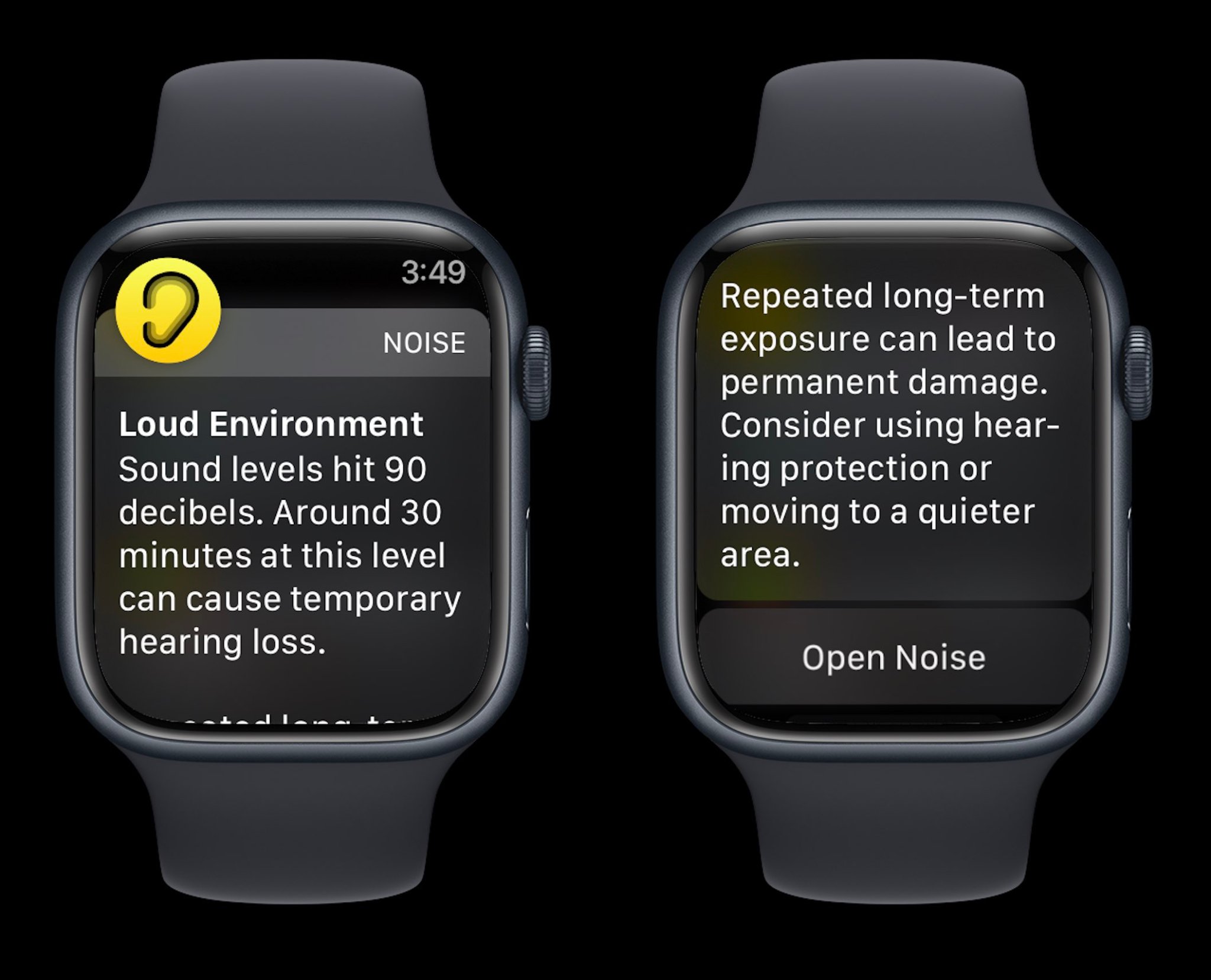
Repeated, long-term exposure to sounds above 80 dB can lead to permanent damage. Consider using hearing protection or moving to a quieter area.
Apple Watch also shares examples of noise levels/time exposure that can lead to temporary hearing loss:
80 db: Around 5 hours and 30 minutes a day
85 dB: Around 1 hour and 45 minutes a day
90 dB: Around 30 minutes a day
95 dB: Just 10 minutes a day
100 dB: Even a few minutes a day
How to check decibel levels with iPhone and Apple Watch
Decibel levels with iPhone and iPad
Interestingly, Apple doesn’t make its watchOS Noise app available on iPhone and iPad, so here’s how to check decibel levels:
Open the Settings app and choose Control Center
If it’s not already showing under the “Included Controls,” swipe below and look for the green + icon next to Hearing
Connect headphones to your iPhone
Now open Control Center (swipe down from the top right corner of your screen) and look for the ear icon to see headphone dB levels
To turn on alerts for loud headphone audio, head to Settings > Accessibility > Audio/Visual > Headphone Notifications and tap the toggle
And you can limit loud sounds in headphones by heading to Settings > Sounds & Haptics > Headphone Safety > toggle on Reduce Loud Sounds
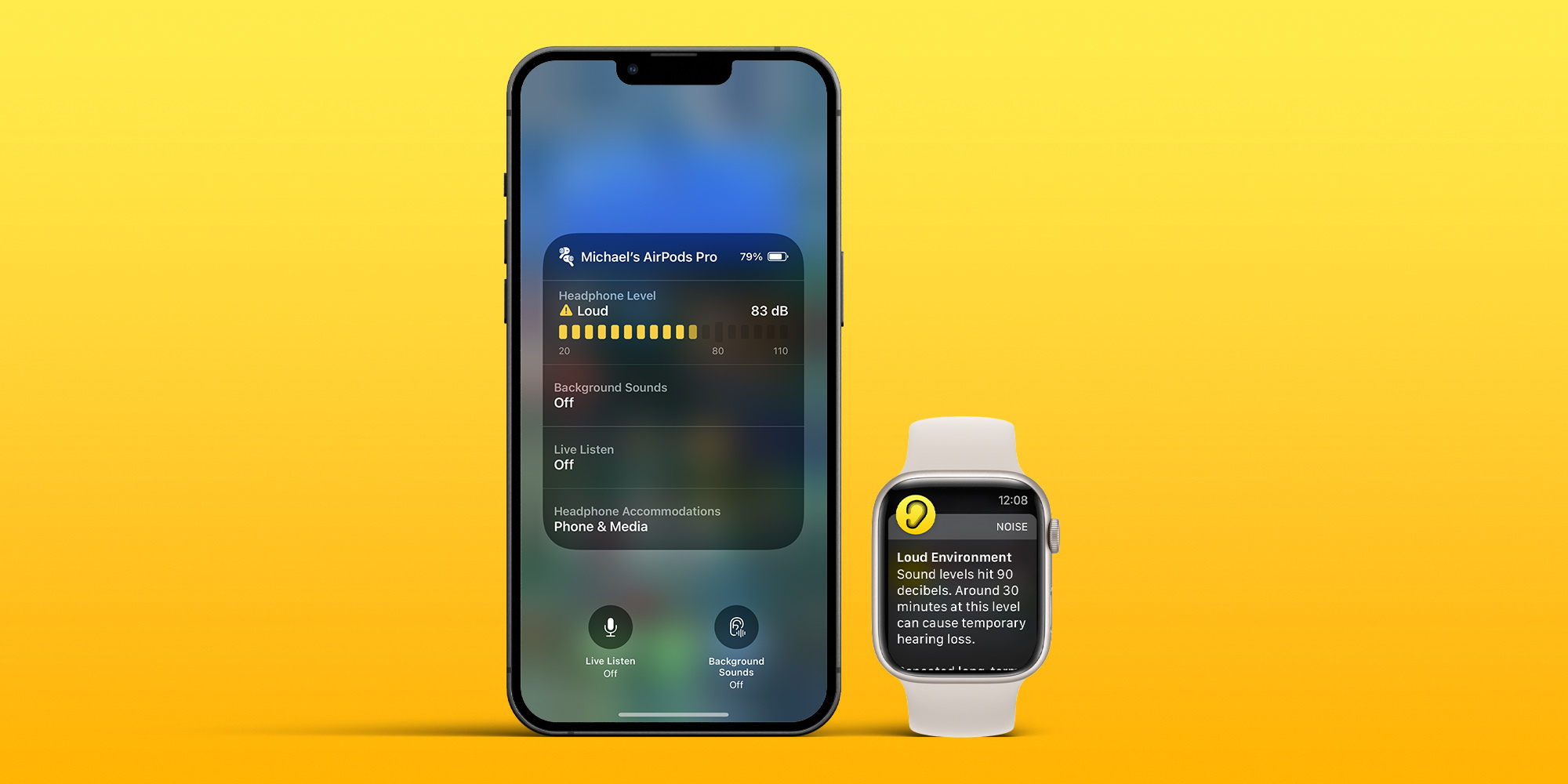
If you’re playing music with headphones connected, you’ll see the decibel meter appear in the Hearing tile in Control Center
Green desinates “OK” levels and yellow marks “Loud” levels that can damage hearing
Tap the Hearing icon to learn more about your headphone noise levels
With music paused, you can use the microphone of your headphones to measure the ambient decibel levels
Tap the microphone icon that says Live Listen in the bottom left corner (or tap the Live Listen rectangle)
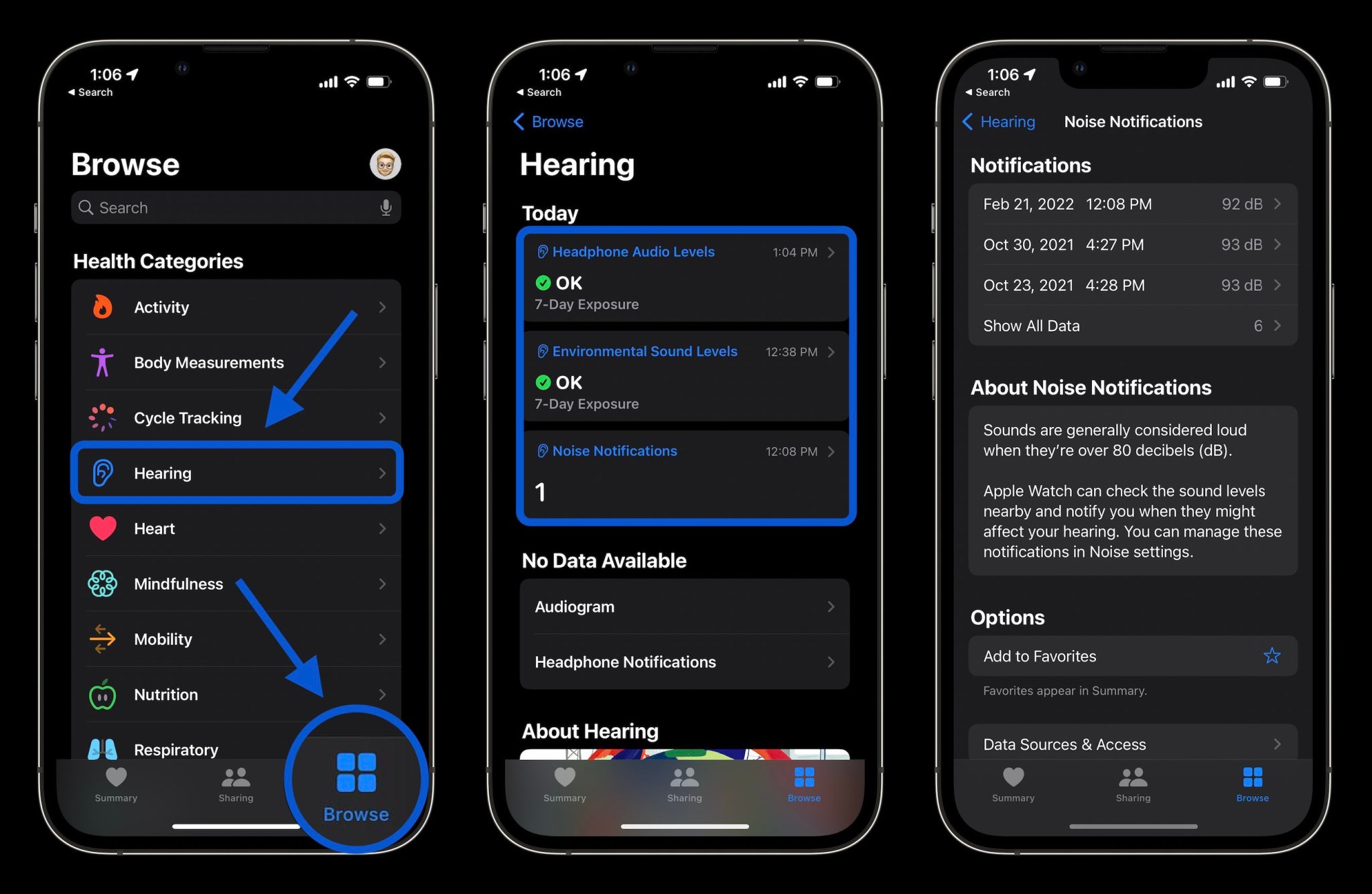
Finally, you can also check your hearing history of both ambient and headphone decibel levels in the Health app
Tap the Browse tab at the bottom
Now choose Hearing
Check decibel levels with Apple Watch
You can measure both ambient and headphone decibel levels with Apple Watch and the former works with the dedicated Noise app. One neat option with the wearable to have quick-access readings is with the Noise app complication.
To check ambient decibel levels, open the Noise app on Apple Watch (you can also turn it on via iPhone in the Apple Watch app > Noise)
If you haven’t used the Noise app before, choose to Enable the feature
You can learn more about the decibel level you’re exposed to by tapping Learn More at the bottom of the Noise app
If you want fast access to decibel levels on Apple Watch, make a watch face with the Noise app compliation
If you don’t enable Noise app notifications when setting up the feature, you can head back to the Watch app on iPhone > Noise > Noise Threshold to change the limit/noise notificiations
To check headphone decibel levels on Apple Watch, open Control Center on your watch (swipe up from the bottom of the screen from your watchface)
Swipe down to the bottom
Tap the ear icon
And here’s a look at how Noise warnings look on Apple Watch:
Apple has announced that it is celebrating Black History Month with a number of different initiatives this year. One of the most notable announcements is a new-edition Apple Watch Black Unity Braided Solo Loop and matching Unity Lights watch face, which Apple says are inspired by Afrofuturism.
Here’s how Apple describes the new Apple Watch Braided Solo Loop:
Designed by members and allies of the Black creative community at Apple to celebrate Black history and culture, the Apple Watch Black Unity Braided Solo Loop and matching Unity Lights watch face honors generations of Black people across the African diaspora. This design symbolizes a communal belief in the necessity for a more equitable world. The vibrant red and green colors of the Pan-African flag appear like speckled light across the black band.
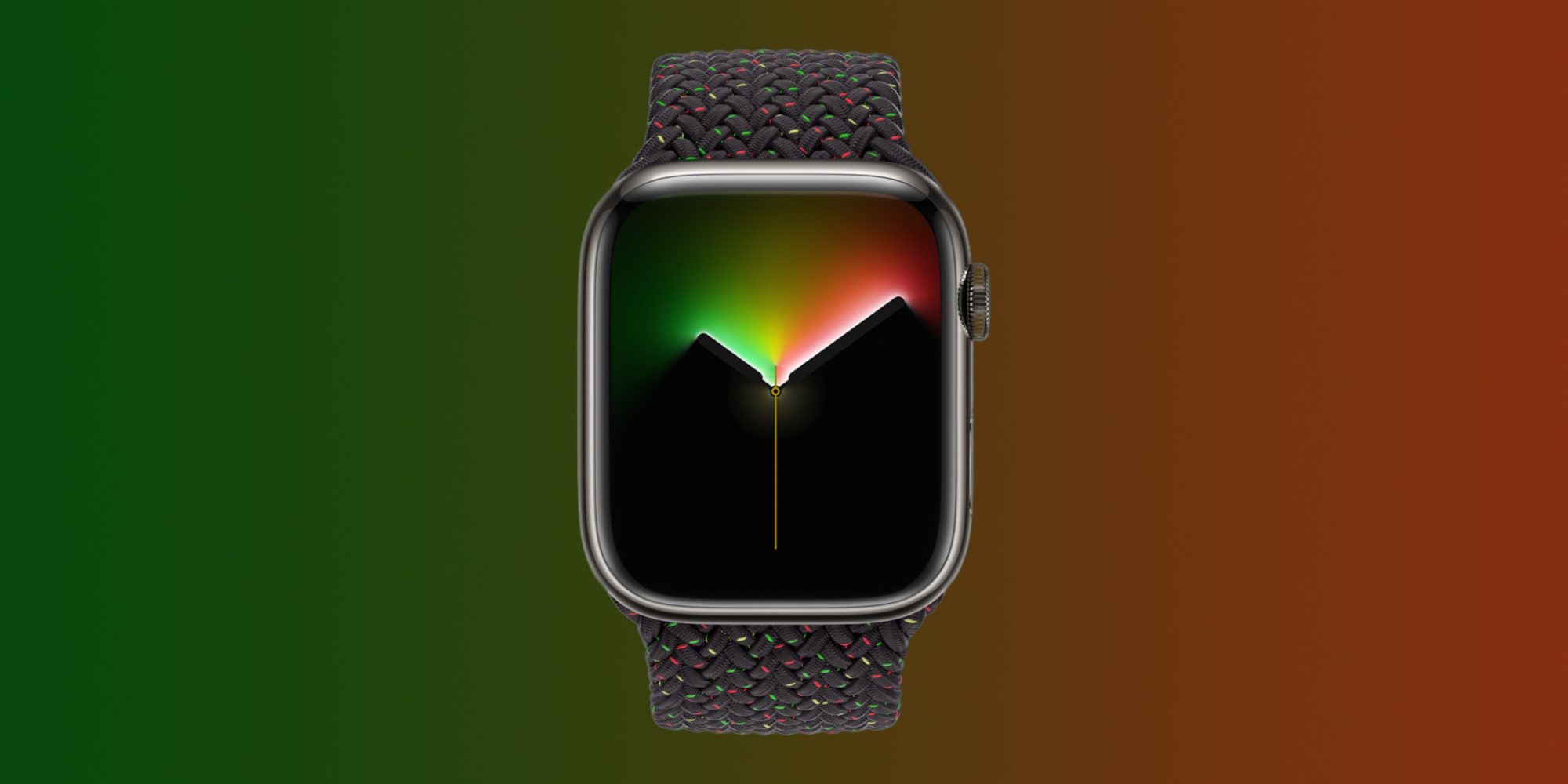
To complement the band, Apple has also launched a new Unity Lights watch face for Apple Watch users everywhere. Apple says that this face has been designed “using 2D ray tracing, a technology never before implemented for a watch face.”
Apple explains that this means every pixel on the Apple Watch screen “simulates the light and shadow falling across it and the movement of the clock hands simultaneously reveal and hide the light, changing dynamically throughout the day.” There are a handful of different customization options here, including the option to choose between a full screen or circular dial, black and white color options, tick marks, compilations, and more.
Apple also says it will soon make Afrofuturism-inspired wallpapers available for iPhone, iPad, and Mac via Apple.com.
The Black Unity Braided Solo Loop is available today from Apple’s website and in the Apple Store app. It will also launch in select Apple Store locations on Tuesday, February 1. The band sells for $99. The Unity Lights watch face is available now in the Apple Watch app on your iPhone.
Apple is also planning a wide array of content for Black History Month in Apple Podcasts, Apple Music, and more. You can learn more in the full press release right here.
watchOS 8 brings powerful features to Apple Watch users to help them stay connected, be more active, and better understand their overall health and wellness.
New cycling and wellness features, fresh watch faces, more access with Wallet, and a redesigned Home app arrive for Apple Watch users
Apple launched watchOS 8, bringing powerful features to help Apple Watch users stay connected, be more active, and better understand their overall health and wellness. New workout types, updates to cycling, and the new Mindfulness app expand support for physical and mental well-being, while enhanced capabilities with the Wallet and Home apps enable users to more seamlessly use Apple Watch on the go and at home. The redesigned Photos app, new watch faces, and tools in Messages provide customers with more ways to connect with loved ones.
Workout Updates
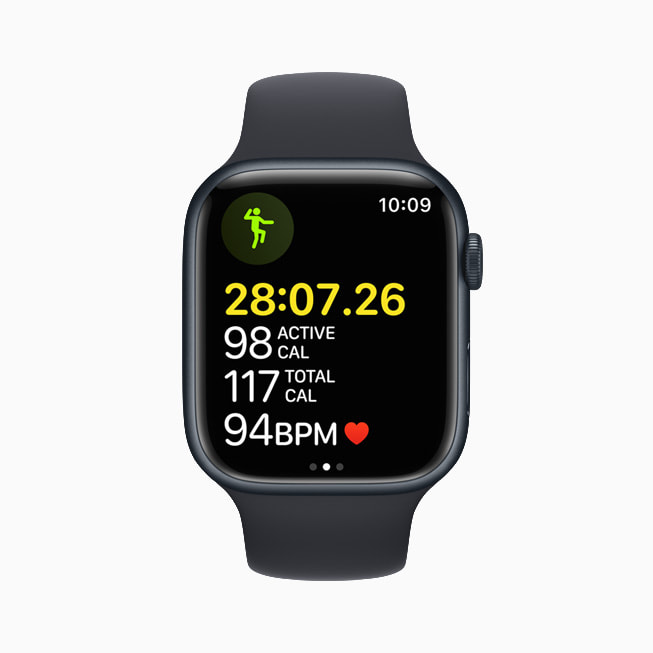
watchOS 8 introduces two new popular workout types that are beneficial for both physical fitness and mindful movement: Tai Chi and Pilates. These new workout types are supported by powerful, validated, custom-built heart rate and motion algorithms to provide users with accurate calorie metrics.
The update also adds new features for anyone who rides a bike. Apple Watch uses advanced algorithms to analyze GPS, heart rate, accelerometer, and gyroscope data to detect when users begin a ride, and prompts them to start an Outdoor Cycle workout if one was not initiated.1 Cycling workouts now have auto-pause and resume so metrics more accurately reflect time spent moving versus stationary, like waiting at a stoplight.
Apple Watch more accurately measures active calories when riding an e-bike, with an updated cycling workout algorithm that evaluates GPS and heart rate data to better determine when users are riding with pedal-assist versus leg power alone. New voice feedback through the built-in speaker of Apple Watch, or through AirPods or other Bluetooth headphones, will automatically announce workout milestones and Activity ring status, helping users stay focused during activities like running or HIIT.
watchOS 8 introduces two new popular workout types that are beneficial for both physical fitness and mindful movement: Tai Chi and Pilates.
watchOS 8 adds several new features for anyone who rides a bike.
Fall Detection Update
With watchOS 8, fall detection algorithms are updated and optimized for detecting falls during workouts — including cycling — and have been tuned to recognize the unique motion and impact of falls from a bike and other workout types.
Fall detection algorithms are updated and optimized for detecting falls during workouts in watchOS 8.
A New Approach to Mindfulness
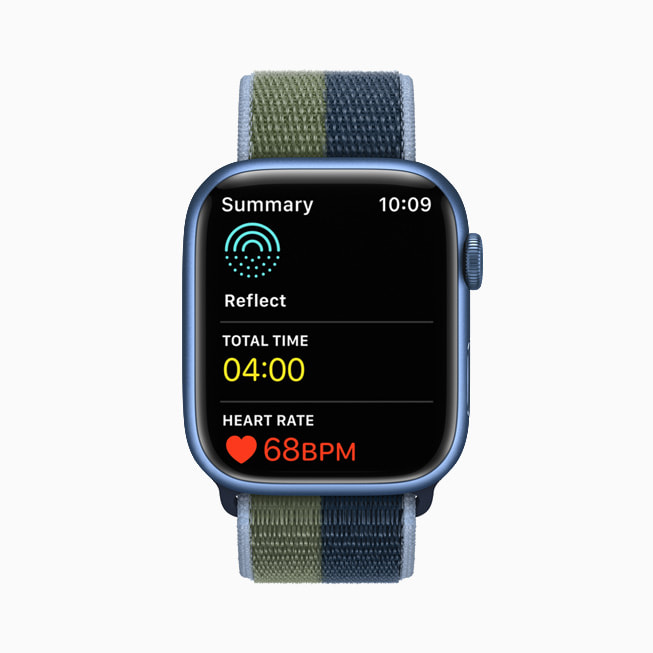
The Breathe app is now the Mindfulness app, featuring an enhanced Breathe experience; a new session type, Reflect; and guided Meditations for Fitness+ subscribers. Reflect offers a mindful intention to focus on for as little as a minute that can be done anywhere and at any time, and each session welcomes the user with a unique, thoughtful notion to consider that invites a positive frame of mind.
Starting Monday, September 27, new guided Meditations will be uploaded each week in audio form in the new Mindfulness app on Apple Watch for Fitness+ subscribers, in addition to being available as an immersive video experience on iPhone, iPad, and Apple TV. These can be played directly from Apple Watch when paired with AirPods or other Bluetooth headphones, so users can experience guided Meditation at their convenience. Users who want to practice meditation while moving will also be able to track their activity with the Workout app.
The Mindfulness app in watchOS 8 features an enhanced Breathe experience; a new session type, Reflect; and guided Meditations for Fitness+ subscribers.
New guided Meditations will be uploaded each week in audio form in the new Mindfulness app on Apple Watch for Fitness+ subscribers.
Sleeping Respiratory Rate
Apple Watch helps users meet their sleep goals by establishing a pre-bedtime routine, and tracks metrics like time asleep, heart rate, and blood oxygen. watchOS 8 provides users even more insight into their overall wellness by tracking sleeping respiratory rate — the number of breaths per minute. This information can be viewed, along with trends over time, in the Health app on iPhone.
watchOS 8 gives users even more insight into their overall wellness by tracking sleeping respiratory rate, which is the number of breaths per minute.
More Access with Wallet
With watchOS 8, Wallet brings even more contact-free ways for users to access the places and things they care about seamlessly, safely, and securely. Ultra Wideband support arrives for digital car keys,3 and Apple Watch users can securely unlock their car from a distance and start it from the driver’s seat. Additionally, users can add home and hotel keys as well as corporate badges to Wallet, and tap their Apple Watch to unlock.
Beginning with Arizona and Georgia, and followed by Connecticut, Iowa, Kentucky, Maryland, Oklahoma, and Utah, users will be able to add their driver’s license or state ID to Wallet, and present it at select TSA checkpoints and lanes.
With digital car keys, Apple Watch wearers can securely unlock their car from a distance and perform other functions.
Apple Watch wearers can add keys for their home or office, and tap their watch to unlock.
Beginning with participating states in the US, Apple Watch wearers will be able to add their driver’s license or state ID to Wallet.
Apple Watch wearers can add keys for a hotel room to Wallet and tap their watch to unlock.
Redesigned Home App
The redesigned Home app offers more convenient control for accessories and scenes, as well as the ability to control accessories by room. Users with a HomeKit-enabled camera can view who is at the door directly on their wrist. Apple Watch users can also tap Intercom to quickly broadcast a message throughout the home or to individual rooms via HomePod mini.
The redesigned Home app in watchOS 8 offers more convenient access to accessories and scenes.
With watchOS 8, Apple Watch users with a HomeKit-enabled camera can view who is at the door directly on their wrist.
New Apple Watch Faces
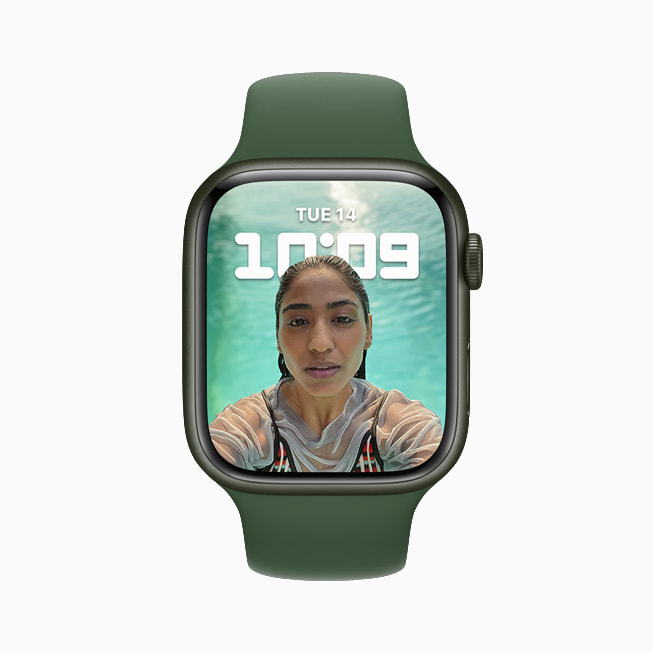
The new Portraits watch face brings to life stunning portrait photos shot on iPhone with an immersive, multilayered effect, intelligently recognizing faces in photos and cropping in to highlight the subject. The classic World Time face, based on heritage watches and ideal for travelers, tracks the time in 24 time zones around a double dial.
The new Portraits watch face brings to life stunning portrait photos shot on iPhone.
The classic World Time face, based on heritage watches and ideal for travelers, tracks the time in 24 time zones around a double dial.
Messages
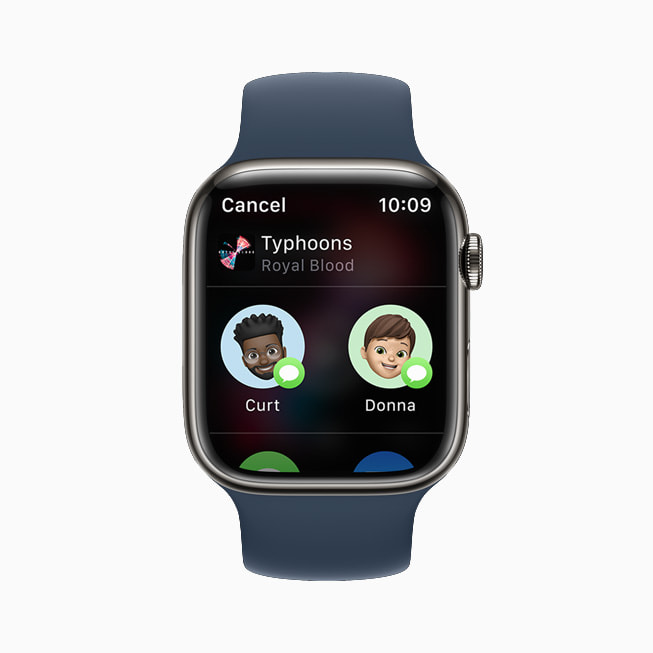
Communicating on Apple Watch is even easier with new tools in Messages. Users can combine the use of Scribble, dictation, and emoji all within the same message, and for dictated messages, they have the option to edit the presented text. To easily add even more expression to a message, users can simply enter a word or phrase and select from hundreds of trending GIFs.
Apple Watch users can now combine the use of Scribble, dictation, and emoji all within the same message.
To easily add expression to a message, users can simply enter a word or phrase and select from hundreds of trending GIFs.
Focus
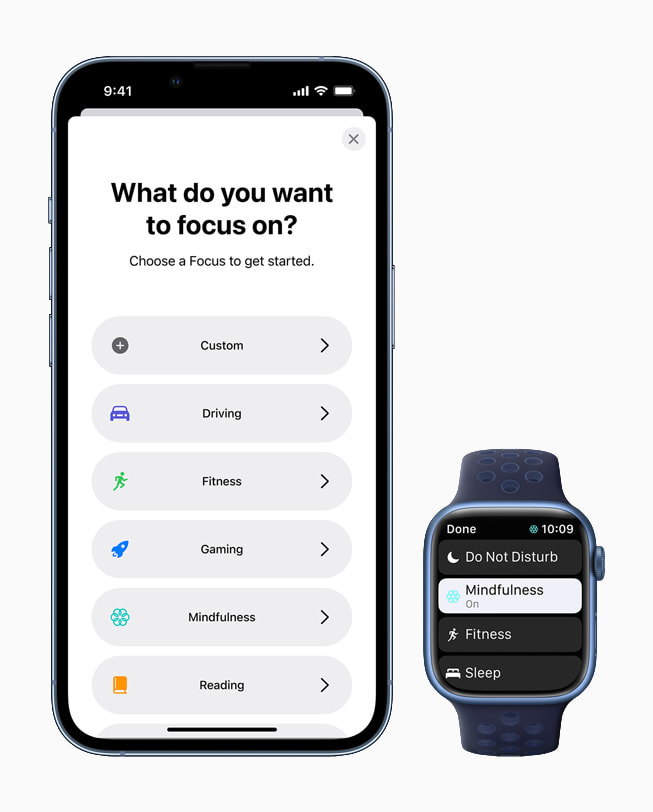
Focus is a new way to help reduce distraction by filtering notifications from people and apps based on what a user is currently doing. Apple Watch automatically aligns with any Focus set on iOS, iPadOS, or macOS. Users can set automations to turn on Focus at relevant times, like the Fitness Focus when starting a workout.
watchOS 8 supports Focus, a powerful set of tools available in iOS 15 to help users reduce distraction and be in the moment.
Additional watchOS 8 Features
The redesigned Photos app offers new ways to view and navigate collections; Memories and Featured Photos now sync to Apple Watch; and photos can be shared through Messages and Mail.
Multiple timers can be given a specific label using Siri (such as “Hey Siri, start a 10-minute pasta timer”).
The Contacts app is now on Apple Watch, providing a simple way for users to browse, add, edit, and share contacts directly from the app.
More Apple Watch apps support the Always-On display, including Maps, Mindfulness, Now Playing, Phone, Podcasts, Stopwatch, Timers, and Voice Memos.
To support Apple Watch users with upper-body limb differences, AssistiveTouch enables one-arm usage of Apple Watch by sensing simple hand gestures to interact without touching the display. Using the built-in motion sensors, users can answer incoming calls, control an on-screen motion pointer, and surface an action menu that can access Notification Center, Control Center, and more.7
A new Find Items app on Apple Watch helps users locate items with an attached AirTag and compatible third-party items using the Find My network, and a new Find Devices app helps users locate lost Apple devices that are signed in with the same Apple ID.
The redesigned Music app enables users to share songs, albums, and playlists through Messages and Mail, and enjoy music and radio all in one place.
The Weather app now supports Severe Weather notifications, displaying government alerts about certain severe weather events. The app also delivers Next Hour precipitation alerts and offers updated complications.
Family Setup now includes the ability to add transit cards from Hong Kong, Japan, and select China mainland and US cities, and Calendar and Mail offer the option to add a Google account.
The Photos app is redesigned in watchOS 8, offering new ways to view and navigate collections.
Multiple timers come to Apple Watch in watchOS 8 and can be given a specific label using Siri.
watchOS 8 brings the Contacts app to Apple Watch, providing a simple way for users to browse, add, and edit contacts, and share contacts directly from the app.
To support Apple Watch users with upper-body limb differences, AssistiveTouch enables one-arm usage of Apple Watch by sensing simple hand gestures to interact without touching the display.
A new Find Items app helps users locate items with an attached AirTag and compatible third-party items using the Find My network.
The redesigned Music app enables users to share songs, albums, and playlists through Messages and Mail in watchOS 8.
The redesigned Weather app supports Severe Weather notifications, delivers Next Hour precipitation alerts, and offers updated complications in watchOS 8.
Availability
watchOS 8 is available as a free software update starting today for Apple Watch Series 3 models and later. For more information, visit apple.com/watchos/watchos-8.
Apple Fitness+ updates will be available beginning Monday, September 27.
Some features may not be available in all regions or all languages, or with all makes and models.
[Music] hello guys it’s glenn from sydney cbd repair center and today we have a device from apple this is an apple watch series 5 with a broken case let’s try to fix it [Music]
so this apple watch came to us with a broken case and as you can see if we try to recharge this one the apple logo just comes up and it doesn’t really boot up and thanks david for that sign language and we’re gonna remove the front display first and see as you know apple watches don’t have screws on them so the first access points you have with the device is by removing the front display or the front touch screen and david is now using these prying tools and he should be very careful to remove this properly because we’re gonna reuse this display as we reassemble the apple watch later on and now we have removed that display and the next thing we’re going to do is detach the three main uh flat cables attached to the display they have these clips retaining clips for the cables so that we can safely pull them out so far so good now we’re going to remove all the screws that is holding on the main components of this smart watch as you can see the big bigger portion of the ins internal components of the apple watch is the battery and the taptic engine [Music]
so the same with your smart iphones you can have a battery that’s proportionally sized for the device to be honest they are very cute but the taptic engine seems to be like normal size that you can find in iphones but it’s still designed for the apple watch so we’re going to remove the battery now fortunately for us we have access to all the components uh all the components are not really soldered onto the device so you can just extract them like this so more screws as you can see this is like modern watch making or watch repair if you’ve seen the traditional watch repair person all the components inside those watches even quartz or automatic are really really small and no different on this one so if you want to diy this repair you have to be very careful on tracking the screws that you are extracting from this device and also you have to group them based on the time that you extracted them from the case [Music]
and now more screws so we can detach now the flex cable that is attaching to the that is attached to this case so the problem with the broken case for an apple watch is that the underside of the apple watch is riddled with a lot of sensors just like this one so the heartbeat sensor and other sensors that you have for health tracking is in here and also the charging so as you can see it’s pretty broken so we’re now going to replace it with this one a genuine part so all we have to do now is to transplant all the components that we have removed from the broken case to this new one so first off is the last thing that we removed this is the main board [Music]
Broken Apple Watch Series 5 Back Housing
Fix Broken Apple Watch Series 5 Heart Rate
Fix Broken Apple Watch Series 5 Back Housing
and we’re just gonna do everything that we did here in reverse so all the screws go uh on the correct order and on the correct holes sometimes apple devices don’t turn on even even if you’ve done all the components if you have installed them correctly but you have misplaced a screw and a different hole it’s still not going to work sometimes so do we recommend an apple watch series 5 case replacement to just anyone oh no so this is quite complicated which requires you to fully disassemble the device and as you can see the size of the device and the complexity of its assembly is very very complicated even to an enthusiast with a minimal experience so if you are unless you’re a certified professional technician with uh long experience with repairing smartphones or small smart watches or electronics then you should just seek out professional technical technicians to do the repairs for you
Broken Apple Watch Series 5 Back Housing
Apple Watch Back Cover Replacement
so if you have an apple watch with the same problem or you want your apple watch to have a new battery or a new display just reach out to sydney cbd repair center send us a message and we can give you a free quote or inform you if we have the stocks of parts that you need for the repair so we can repair the unit for you [Music] so in terms of pricing we offer a fair price on all our repair services we have been doing this for a very long time and we are typically cheaper compared to the manufacturer’s rates and we are also gonna perform the repair while you’re waiting if you want to so don’t get um discouraged if you’re still on lockdown and don’t get anxious in visiting sydney cbd repair center because we are all vaccinated and safe to operate and our business is tagged as essential because we repair devices that gets you gets you connected and gets your work done so we’re gonna install now the battery and we’re almost there [Music]
Fix Broken Apple Watch Series 5 Back Housing
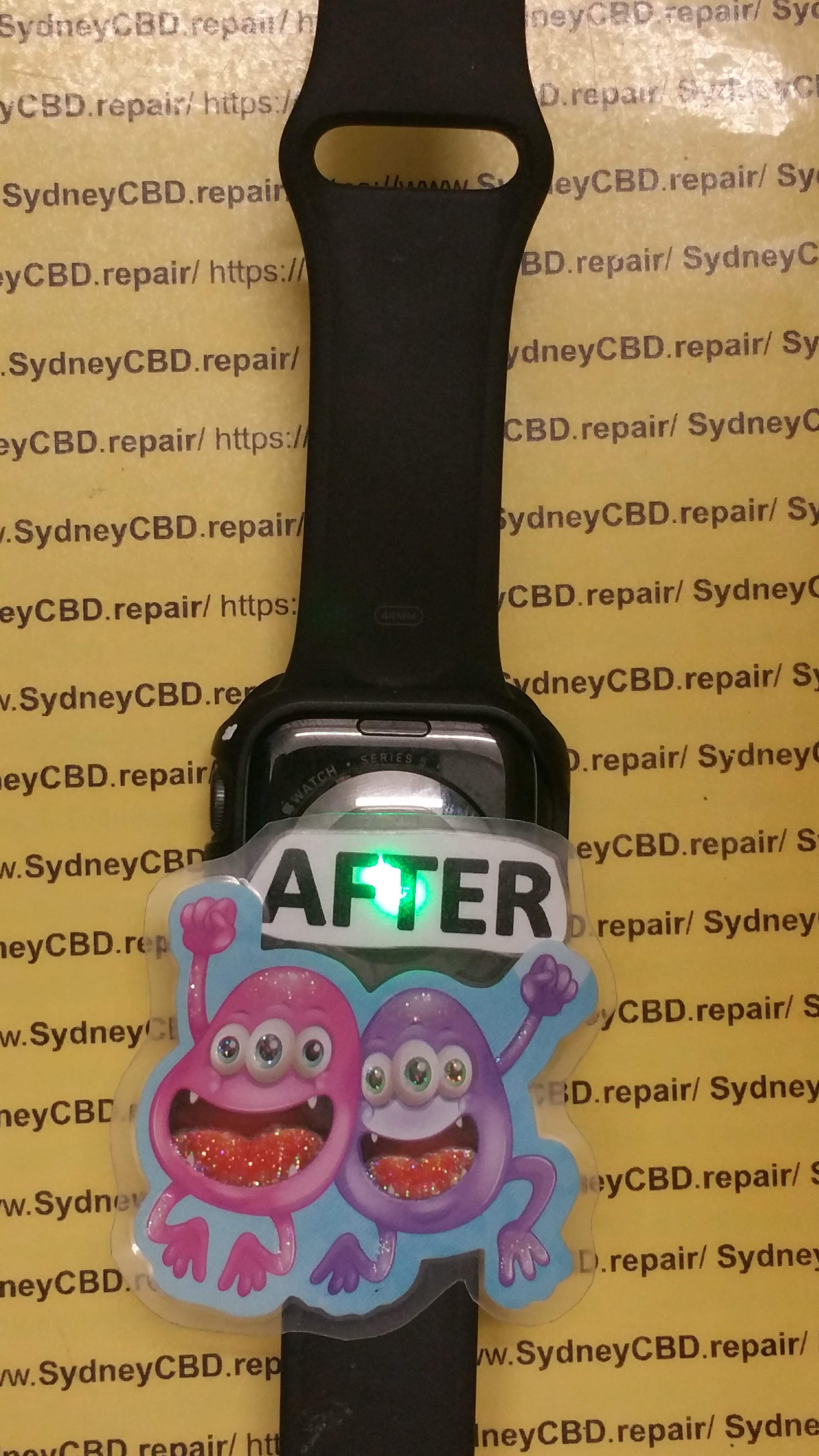
just a few screws left [Music] so remember the display that we have removed on the first part of this video we’re gonna reuse that one and because we have that an original case for the apple watch it will have a very perfect fit and right here is the last step you have to connect all the cables to the retaining clips that holds them in place [Music] and we’re gonna show you this in real time just to show you how tedious this operation is and the sensitive components can easily be damaged if you have an accidental twitch and testing time we’re gonna test if the apple watch actually works after we replace the case and first thing that we’re gonna test is charging so there’s a few hiccups when we try to do this but it’s not working so unlike the smartphone we’re gonna test the charging and of course the sensor for the health tracking the touchscreen works the button works the crown [Music]
Can the Back of an Apple Watch Be Replaced ?
and we’re now gonna test the sensor [Music] so right here we’re gonna david is gonna test this one [Music] so the heart rate monitor depends on the sensor underneath the apple watch and it’s working so we’re now going to proceed to putting adhesives on underneath the front display to close up the device just like what we do with other smartphones with adhesives that holds onto the display [Music] right here we’re just gonna press and let the glue cure and dry and we’re almost done so if you have problems with your apple watch or even your android smartphones rog phones iphones if you need a new display for those devices or a battery head on to sydney cbd repair center and we can replace those things for you so we’re just going to clean this up and apply a freebie that david usually gives if we have anything available in the shop and the final test yep it’s good so in case you’re wondering this is how a protective cover looks like for an apple watch and that’s how you install it [Music] this is going to protect the device from scratches [Music] and we’re done this device is now ready for its customer thanks for joining guys till next time cheers [Music] [Music] [Music] [Applause] [Music] [Applause] [Music] you
Fix Broken Apple Watch Series 5 Heart Rate
A Comprehensive Guide to Replacing Your Broken Apple Watch Back Case in Sydney
If you have a broken apple watch back case, or simply need to replace it for some reason, we’ve compiled a list of the best shops and distributors in Sydney that you can visit.
– 1) Unbox Sydney
– 2) Burwood Cellar
– 3) House of Fix
– 4) iFixit
– 5) Apple Store
Introduction: What is the back case of an Apple Watch?
The Apple Watch is a wearable device which was released by Apple in April of 2015. It is the first device from the company to include both fitness and health-oriented features as well as a number of other functions such as email and text messaging, music playback control, and social media dissemination. It can also remotely connect to external devices such as an iPhone or Mac computer to transfer data.
The back case is the case that holds all of the components which make up the Apple Watch. It has a sapphire crystal-covered screen and a stainless steel chassis. It can be closed and opened by turning it around its axis. The back case contains sensors, antennas, storage modules, chipsets, battery packs and other components required for operation of the device.
keywords: apple watch back case, apple watch band, apple watch battery
How to Replace Your Damaged or Broken Back Case
A broken back case happens when the back of the iPhone gets cracked or broken. The back of your iPhone is important because it houses all your most important parts such as the battery and the camera. It is generally a good idea to replace a broken back case as soon as possible to avoid any costly and unnecessary repairs.
One way to replace a damaged or broken iPhone case is to take it into an Apple store and ask if they can provide you with a new one. Usually, there are no questions asked so long as you have Applecare+ which is an extra service that comes with some iPhones. Another good option for replacing a broken back case is getting third-party cases from reputable sources on Amazon or eBay for cheaper prices than those from retail stores.
keywords: iphone xs max glass screen protector, iphone xs max screen protector, iphone xs max tempered glass
Possible Options for Replacing the Back Case on Your Apple Watch (keylight replacement glass iphone xr, replacement back cover for apple watch 38mm series 3)
Some people like to change the back case of their Apple Watch because it gets dirty very quickly or because they feel like they need a new design.
One option is to purchase an aftermarket watch band. This is probably the cheapest option and offers a wide variety of colors and designs as well as customizations such as metal clasps, wristbands made from different materials, etc.
Another option is to use a screen protector for your Apple Watch. It will protect the back case from scratches without affecting touch functionality or viewing quality.
A third option would be to use a colored case that matches the color of your original back. This could give your Apple Watch an entirely new look and would be completely custom-made for you!
Conclusion: How to Choose the Right Replacement for Your Apple Watch Back Housing
In conclusion, the right replacement for your Apple Watch back housing is a very personal decision. It can be difficult to choose the best replacement part that will fit your needs. If you are not sure what you need, then take a look at some of the best sellers in this category and see which one stands out to you.
I hope this article has helped you identify which type of replacement part will work best for your watch.
People Also Asked -apple watch back glass repair cost
apple watch back cover replacement,
apple watch 6 back glass replacement,
apple watch back glass repair cost,
apple watch series 5 back glass replacement,
apple watch series housing replacement,
apple watch heart rate monitor australia,
apple watch back sensor replacement,
apple watch series housing replacement,
apple watch housing replacement,
apple watch back plate replacement,
apple watch back cover replacement,
can the back of an apple watch be replaced,
apple watch back replacement cost,
apple watch back glass replacement,
replace apple watch back glass, apple watch back glass replacement price,
apple watch se back glass replacement,
apple watch rear glass replacement,
apple watch rear cover replacement,
apple watch 4 back glass replacement,
apple watch 6 back glass replacement,
apple watch back panel replacement,
can you replace the back of an apple watch, how to replace watch back cover,