One of the more interesting features recently added to iPhone is something called Clean Energy Charging. Apple says that this feature aims to “reduce your carbon footprint” by charging when lower carbon-emission electricity is available. In a support document, Apple has more details on how this feature works.
Apple says:
When Clean Energy Charging is enabled and you connect your iPhone to a charger, your iPhone gets a forecast of the carbon emissions in your local energy grid and uses it to charge your iPhone during times of cleaner energy production.
Clean Energy Charging is available only in the United States and is on by default when you set up your iPhone or after you update to iOS 16.1.
Clean Energy Charging is enabled by default, but you can manage the setting by going into the Settings app, choosing Battery, then Battery Health & Charging. Here, you’ll see a new toggle dedicated to the Clean Energy Charging feature.
Clean Energy Charging works together with Optimized Battery Charging to learn your charging habits. Clean Energy Charging engages only where you spend the most time and regularly charge your iPhone for long periods of time, such as your home and place of work. The feature doesn’t engage if your charging habits are variable or you’re in a new location, such as when you travel.
For Clean Energy Charging to work, Apple says the following settings must be configured:
Go to Settings > Battery > Battery Health & Charging and make sure that Clean Energy Charging is on.
Go to Settings > Privacy & Security > Location Services and make sure that Location Services is on.
Go to Settings > Privacy & Security > Location Services > System Services and make sure that System Customization is on.
Go to Settings > Privacy & Security > Location Services > System Services > Significant Locations and make sure that Significant Locations is on.
Finally, if you enable Clean Energy Charging but want to override it, you can do so directly from your iPhone’s lock screen. When Clean Energy Charging suspends charging, you’ll see a notification on your lock screen. Long press on this notification then choose the “Charge Now” option to override.
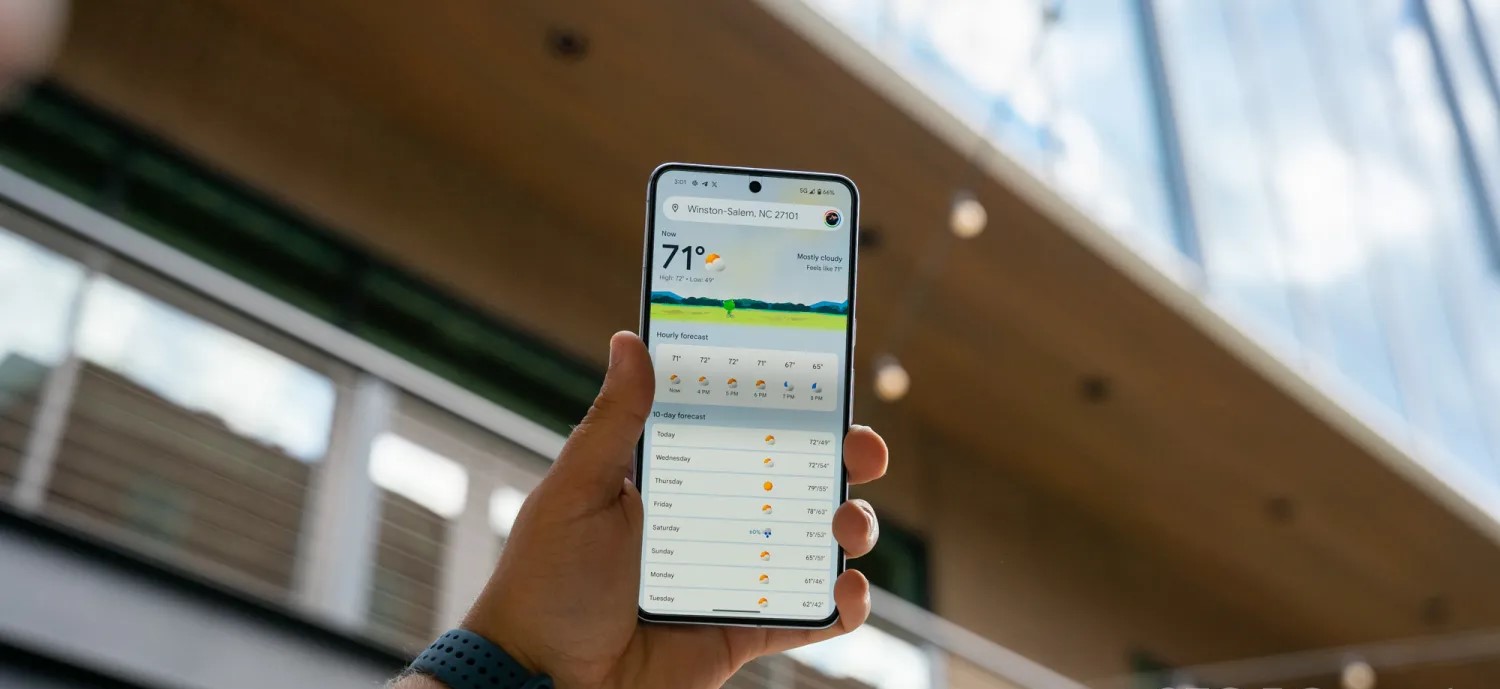
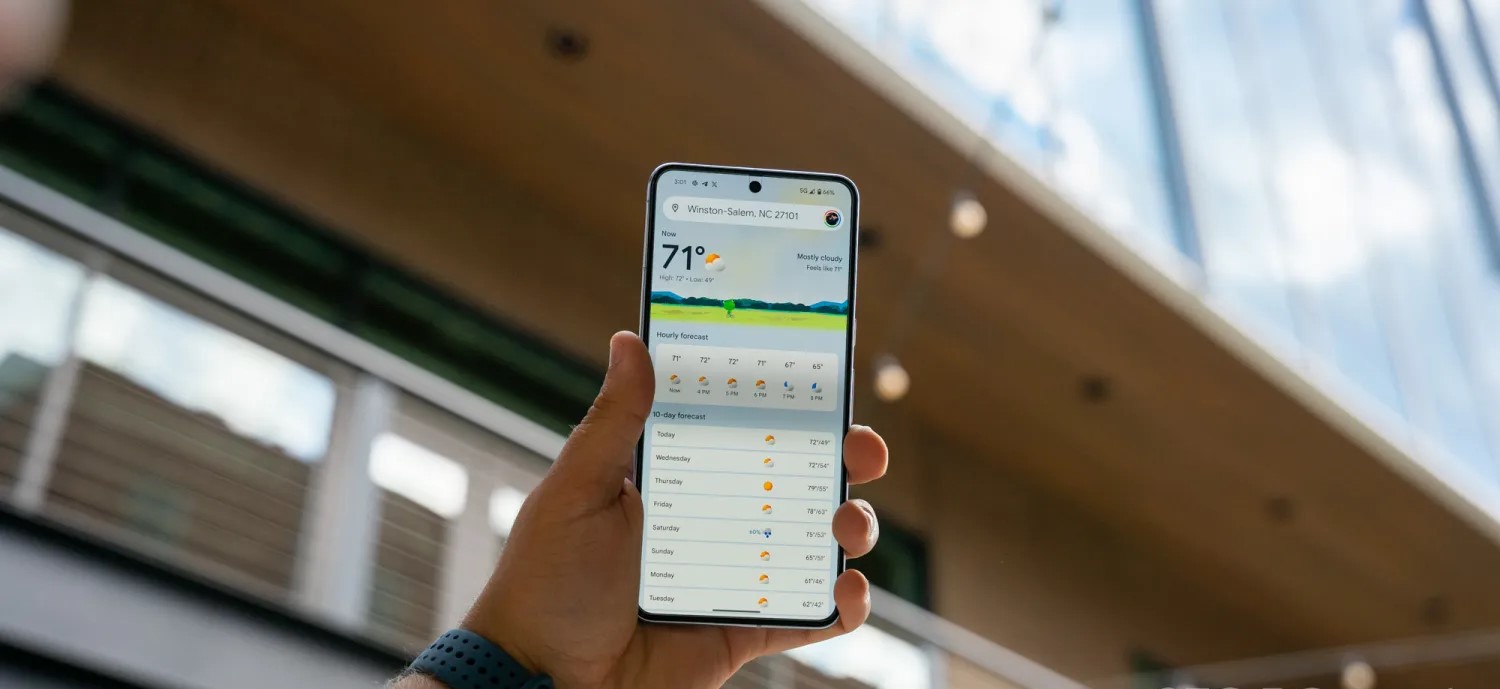
Google did a pretty good job redesigning the Weather experience on Android. It’s modern and has a straightforward layout that shows what’s coming up in the next few hours and days all on one screen.
When you do scroll or select a day, digestible cards note wind, humidity, UV index, precipitation, and more. Meanwhile, Google has kept around the lovable “Froggy” with different backgrounds that reflect the current condition to add a bit of whimsy. It really does keep the app fresh.
Helping power 12-hour precipitation forecasts is a deep learning model called MetNet-3 from Google Research and DeepMind that has so far been on par with Apple Weather/Dark Sky in my testing.
This updated Weather experience is currently available on Pixel, but it will presumably expand to all Android devices going forward.
Before the October rollout to Pixel, the last update to Google Weather came in September of 2021. That redesign used Google’s previous Material Theme design language just as Material You was going live in other apps. It’s embarrassing that it took that long to modernize.
Looking forward, I really hope Google has a feature roadmap in place rather than Weather entering maintenance mode until it’s time for the next refresh. An obvious thing to add next is radar and more widgets to show hourly and multi-day forecasts in a 5×1 size. A broader thing Google could do is bring weather to more first-party apps. It’s already starting to do this with Clocks and Contacts, but I think adding it to Google Calendar with a direct link to the full experience would be very interesting and could help people schedule their days.
One thing that could help with that is separating the fullscreen Weather experience out of Google Search and making it a standalone application. For a long time now, it has been part of the Google app.
The reason behind this is presumably because Google views weather as an extension of Search’s knowledge and information purview. The search engine has a rich experience on the web, as well as the Google app on iOS, which also uses MetNet-3. However, that’s not enough, and I think you need to give people a simple app icon that’s ideally preloaded onto every Android device. Given how good Apple’s Weather app is on iOS, Google really should have a 1:1 competitor.
At the very least, Google needs to drop the Pixel exclusivity for the two widgets available today, as that would make for a much more prominent way to launch weather than the homescreen shortcut that’s badged with the Google icon in the corner.
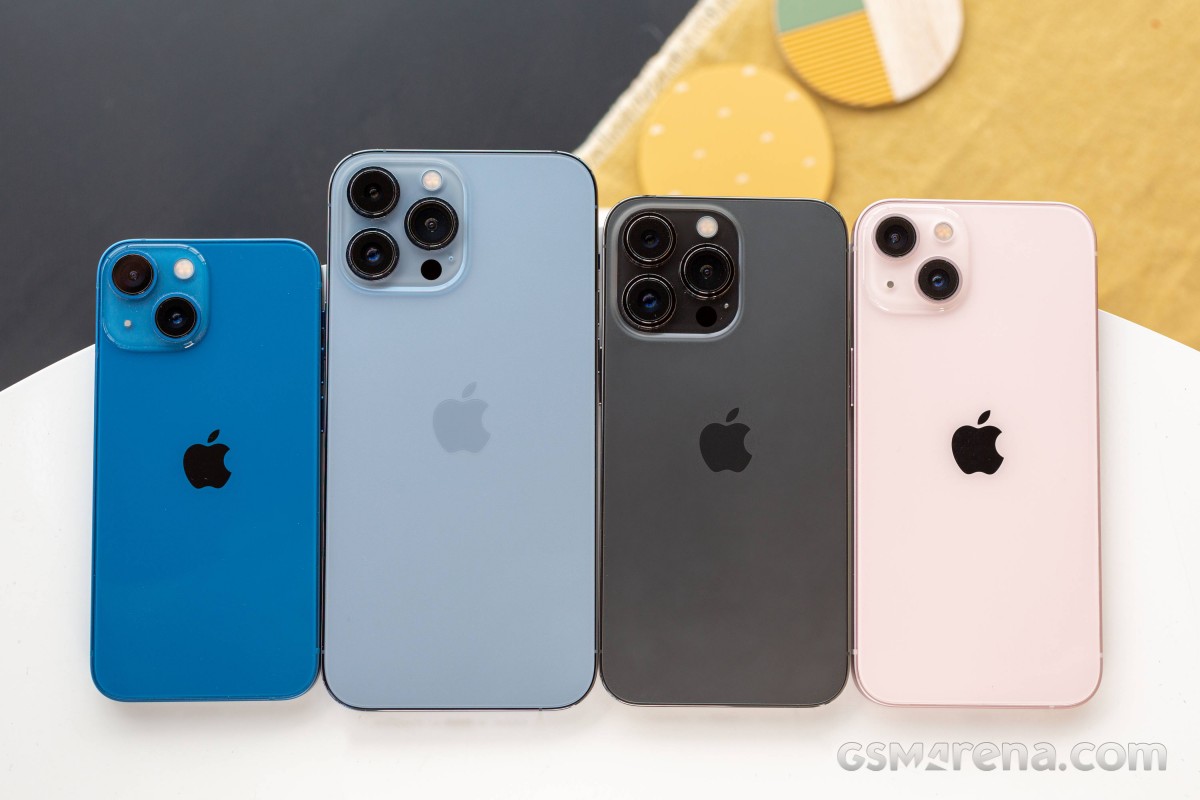
The Apple iPhone 13 mini is the most compact flagship smartphone money can buy. It’s also easy enough to outright recommend to anyone looking for this particular type of device. It is astonishingly rare to find such a pocket-friendly smartphone, let alone one of flagship caliber.
Apple launched the first iPhone mini a year ago, and while it did not turn out to be the massive success some hoped for it to be, it was still a popular purchase among the fans of compact phones, Android and iOS alike. But because of the lackluster sales, the rumor has it the iPhone 13 mini will be the last of its kind before it is merged with the iPhone SE in a year or two.
The iPhone 13 mini brings few updates over the iPhone 12 mini – an improved chipset, a better main camera with new sensor and stabilization, about 10% battery capacity increase, and a couple of software features. And a smaller screen notch, of course! But we imagine few if any iPhone 12 mini users will be upgrading to the iPhone 13 mini.
But as a standalone smartphone, the iPhone 13 mini seems like a great offer for a number of reasons – it is the cheapest current flagship iPhone with unmatched compact and lightweight design. It employs the most durable design on the market so far, runs on the most powerful Apple A15 chip with 5G, has excellent cameras, there are loud stereo speakers and a great 5.4″ OLED screen with Dolby Vision support.
Disclaimer. We can not guarantee that the information on this page is 100% correct.
For a device of this size, the Apple iPhone 13 mini is jam-packed with features. We can’t but appreciate that how Apple made the mini possible without cutting any corners – it is basically a shrunk version of the regular iPhone 13. It even offers Face ID and MagSafe wireless charging. And despite the new improvements, Apple managed to increase the battery capacity, too.
The iPhone 13 mini, just like the iPhone 13, has a regular 60Hz OLED, though that’s hardly surprising. The ProMotion screen is reserved for the iPhone ProModels. And that’s probably the only missing feature worth a mention before we get this review started.
Unboxing the Apple iPhone 13 mini
The iPhone 13 mini may be jam-packed with features, but its retail bundle is the opposite. Inside the thin paper box, you will find the iPhone 13 mini and a USB cable.
If you dig a little deeper, you’ll also discover the SIM ejection pin and one Apple sticker. This year Apple’s removed all plastic wrapping of its boxes and became even greener, so we guess the iconic sticker will be a goner soon enough.
The competition
The Apple iPhone 13 mini is a rare occurrence – it’s not only one of the most compact phones on the market, but it’s also a flagship one. And while people are still hoping for Sony to make a new Xperia mini, Apple is making compact iPhones by the dozen. Not only that, but it also offers budget phones as part of the iPhone SE lineup.
Apple iPhone 13 series
The new iPhone 13 mini is a minor upgrade over the 12 mini model with a smaller screen notch and a brighter panel, a bit faster chipset, doubled base storage, a slightly larger battery, and an improved primary camera. We’d say the battery bump is what got us excited the most about this mini, and it indeed offers improved battery autonomy over the previous model.
The compact class is ruled by Apple, so you can imagine our first alternative recommendations come from Apple’s camp. The iPhone 12 mini is still available, if the new upgrades don’t excite you, you can just as well go for the older model and save yourself €120 and maybe spend them on a pair of AirPods instead.
There is also iPhone SE (2020), which is €320 cheaper than the €799 iPhone 13 mini, but it still offers a great iOS experience, excellent performance, good photo quality, and excellent videos. The bezels and the lack of Night Mode are potential deal-breakers, though.
If the mini is too small for you, then you can consider the iPhone 13 (€100 over the 13 mini) – it’s the same phone but with a larger 6.1″ display. The regular model is still considered compact, and many users may find it striking the best balance between pocketability and multimedia-friendly.
Apple iPhone 12 mini • Apple iPhone SE (2020) • Apple iPhone 13
Outside Apple, we want to mention the Asus Zenfone 8 and the Samsung Galaxy S21 5G for being one of the most compact Android flagships with outstanding screens, performance, hardware, battery life. The Zenfone is a bit cheaper than the mini, while the S21 5G costs about the same.
Asus Zenfone 8 • Samsung Galaxy S21 5G
Verdict
The Apple iPhone 13 mini is the most compact smartphone on the market right now, with a flagship feature set and surprisingly good battery life for its small size. It has a lively Dolby Vision OLED screen, one of the most powerful chipsets to date, superb stereo speakers, and it offers a proficient trio of cameras that delivers great photo and video quality.
The iPhone 13 mini is also one of the most durable phones – it has a scratch-resistant screen and is IP68-rated for dust and water endurance in up to 6m deep water. Oh, and it’s incredibly thin and lightweight.
The iPhone 13 mini is not perfect, of course, but it’s close. It doesn’t offer a 120Hz refresh rate, it ships without a charger, and iOS is not for everyone. Plus, it’s a minor upgrade over the iPhone 12 mini, and the notch reduction is far from what many were hoping for.
We don’t know if the iPhone 13 mini is the last of its kind, for a while at least, but if it goes extinct, we know many people will miss it dearly. Because it is the phone you get if you want a small yet powerful flagship – it’s that simple. Even with its imperfections, it is the perfect smartphone for fans of compact phones.
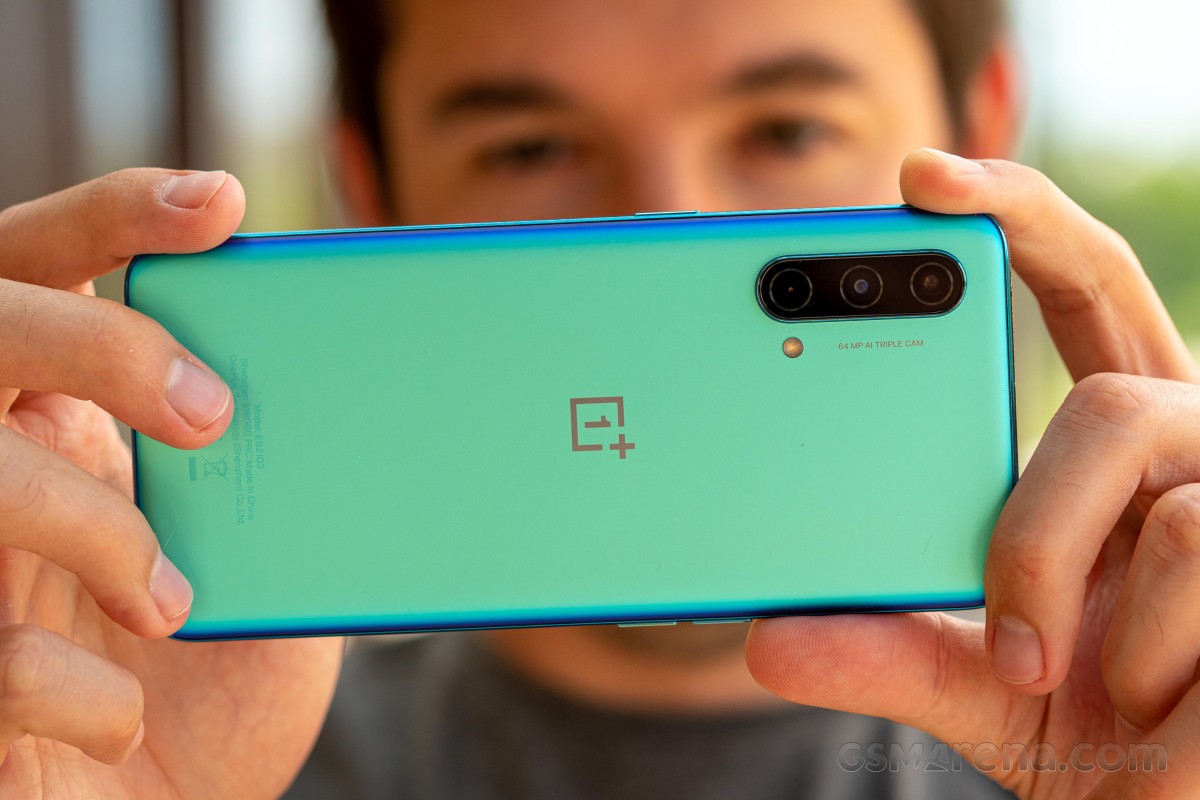
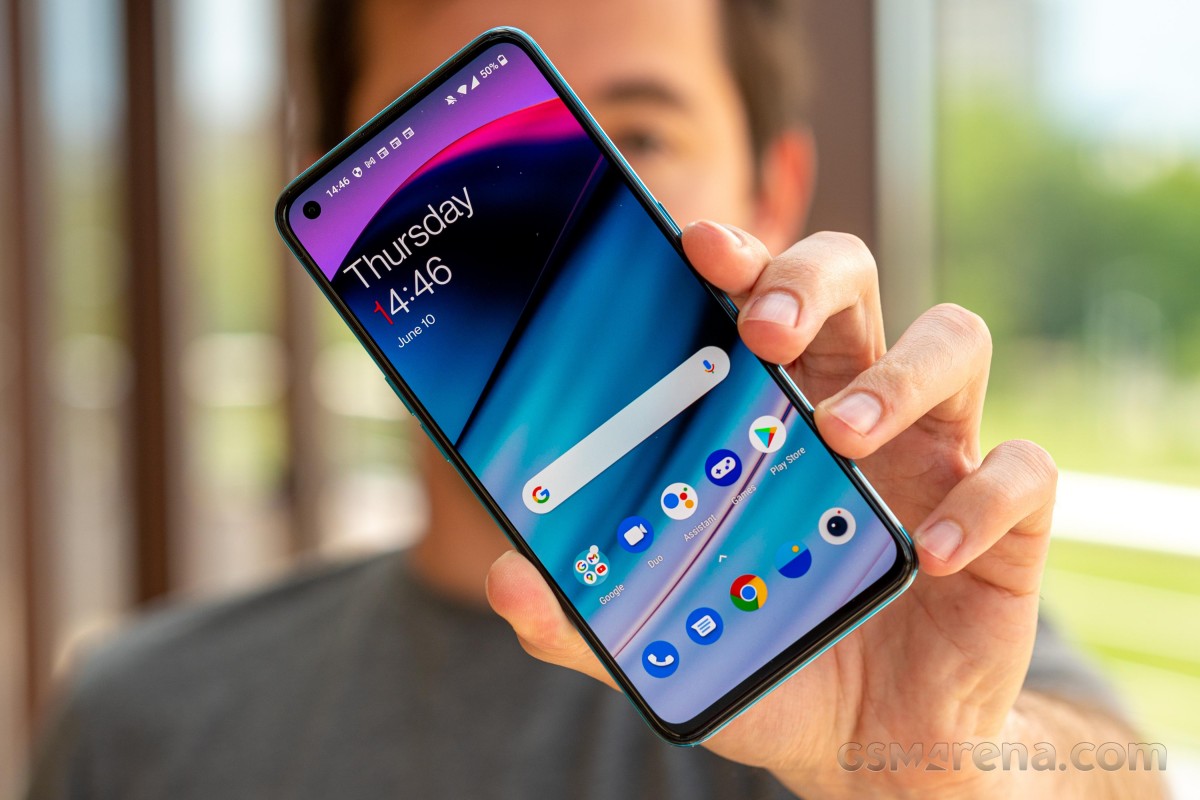
The OnePlus Nord CE 5G is the new mid-range killer or that’s at least how OnePlus markets the handset. And it’s probably not too far off from the truth. The Nord CE isn’t a successor to the original Nord but more of a toned-down version of the latter, hence the name CE, which stands for “Core Edition”. The phone keeps some of the core specs the original Nord brought, including the design, which is almost indistinguishable from the first Nord. So instead of replacing it, it’s meant to co-exist with last year’s Nord.
At around the €300 mark, the phone does face fierce competition from left and right, but it also seems to be well-equipped for the job too. It has a bright, 90Hz OLED display, a competent Snapdragon 750G, which is only a small step down from the Snapdragon 765G-powered vanilla OnePlus Nord. The base version also arrives with 128GB internal storage.
One of the key selling points is probably the portability of the Nord CE. With a 6.43-inch display, the phone is on the compact side, with a profile of less than 8mm and a weight of just 170g.
Disclaimer. We can not guarantee that the information on this page is 100% correct.
OnePlus was able to cram up a respectable 4,500 mAh battery inside the phone, which is even a step up from the first Nord, while retaining the 30W fast charging called Warp Charge 30T Plus.
As far as cameras are concerned, the Nord CE has a 64MP main camera and a secondary 8MP ultrawide. The third camera on the back is used only for depth information – there’s no dedicated macro unit. We can’t really complain, though, as macro cameras don’t bring extra value to the camera setups, especially at this price range.
So is the Nord CE 5G a mid-range killer? We try to find out in the following pages, but one thing is for sure, even by just assessing the specs sheet – the device is a well-rounded product with nothing missing from the list of essentials.
Unboxing the OnePlus Nord CE 5G
The phone comes in a fairly standard retail box containing the usual user manuals, a 30W-rated charger, USB-A to USB-C cable and a transparent case.
Our review unit came with a set of bumper cases from OnePlus itself. They are all made of soft-touch silicone and some small, dust-like golden particles stand out. It’s needless to say that they fit perfectly too.
Competition
The OnePlus Nord CE is touted as a “mid-range killer” but it has to fight off quite a few worthy competitors. This price segment is highly competitive, and since OnePlus wants to position itself as a more premium brand, it’s going to be hard. The good news is that the Nord CE 5G is a capable, well-balanced phone that might be up to the task.
Let’s start with the most obvious competitor – the Xiaomi Redmi Note 10 Pro. This handset starts at €260, which is €40 shy of the Nord CE’s starting price, but if we equate the storages (the Nord CE starts at 128GB), the difference is merely €20. Either way, the Redmi Note 10 Pro has a superior 120Hz OLED display with HDR10 support, a larger battery (although shorter battery life according to our tests), it packs a microSD card slot and offers a sensibly better camera experience all-around. The Nord CE fights back with more compact dimensions, arguably more practical and better-looking build, cleaner and leaner Android experience, longer battery life, faster charging and more importantly – a more recent and powerful SoC. It all boils down to software preference and also if that extra 30Hz on the Redmi Note 10 Pro really matter to you.
Another similarly priced alternative (€300) from the same camp is the Poco F3. This one also employs a superior 120Hz, HDR10+ compliant OLED display and offers 128GB as base storage. The camera department has been overlooked in favor of the considerably more powerful Snapdragon 870 chipset, but the overall camera quality doesn’t fall behind the Nord CE’s. In fact, it may be better in certain situations, mostly due to the better ISP in the Snapdragon 870. Battery life is still on the Nord CE 5G’s side, though. It’s a tough choice, that’s for sure, but if future-proofing and performance per dollar are your main priorities, the Poco F3 is the right way to go.
The recently released Galaxy A52 (about €315) is a hit in the mid-range segment. A well-balanced device with good camera performance across the board and an excellent Super AMOLED display with a 90Hz refresh rate. The microSD card slot is included, and the storage variants start at 128GB too. Nevertheless, as most of the other competitors, the Galaxy A52 (not to be confused with the 5G variant) loses the battery endurance and raw performance (Snapdragon 750G vs. Snapdragon 720G) races against the Nord CE 5G. The polished and more recognizable OneUI running on the Galaxy A52 is a sensible consideration.
Now it’s time for some in-house competition. The Realme 8 Pro is arguably one of the best phones to have around the €300 mark. You can even strike a deal for around €260 if you shop outside Realme’s official web store. And even though the display is just 60Hz, it’s still big, bright and crisp. Definitely not on par with the competition, though. It also settles for a Snapdragon 720G like the Galaxy A52. The camera department is the main reason to consider the handset – with its proficient main sensor and lossless (sort of) 3x zoom. Its 50W fast charging is another aspect worth taking into account, while the microSD card support + 128GB base storage combo is nice to have. And yet, the Nord CE’s more powerful chipset, HRR display, solid software experience and great battery life are really hard to beat.
Verdict
You’ve probably noticed the recurring theme when comparing the Nord CE to its direct rivals – it has better performance than most, and it has a better battery life than most. Even though the camera software needs more work, the Nord CE can stand its ground in the face of competition with a compact size, great OLED display and snappy user experience.
It sure has a few omissions like the microSD card support or the HDR10 video support, but they can be easily forgiven when assessing the Nord CE as a complete package. The Nord CE 5G is a great addition to the OnePlus roster, and it gets an easy recommendation from us.
Pros
Compact and lightweight design.
The plastic doesn’t feel like one and the Void Blue color keeps fingerprints at bay.
Bright OLED 90Hz display with good auto HRR control.
More powerful SoC than the majority of competitors, 128GB base storage.
Excellent battery life and fast charging solution.
OxygenOS feels as snappy as ever, adds a couple of neat features.
3.5mm jack, NFC.
Cons
No ingress protection rating.
Main camera outputs muted photos with a slight magenta tinge and cool white balance.
Ultra-wide camera has oversaturated colors and image quality is underwhelming.
Samsung is pretty widely rolling out its Android 14 update over the past week, but there’s a slight chance you should wait to actually install it, as it seems Samsung has left out a method that prevents burn-in from the status bar.
Burn-in on smartphone displays was once a major problem, with a few years on the same smartphone often resulting in display elements showing up nearly constantly on the screen. A common trick to prevent this is to slightly shift UI elements so they never stay in the same place too long. It’s nearly invisible to the user, but goes a very long way in preventing burn-in.
In One UI 6 (Android 14), though, it seems Samsung might have left this out.
Users on Reddit noticed that the status bar elements (time, battery, etc) no longer seem to shift over time. This was spotted by comparing screenshots over time, with the status bar elements perfectly aligning. Back in One UI 5 (Android 13), comparing screenshots over time showed that the elements would move a fair bit, resulting in an almost blurred effect when stacking screenshots on top of each other as seen below.
Notably, the navigation bar buttons still move, so Samsung doesn’t seem to have given up on this method entirely.
As for what exactly is going on here, it’s really hard to say. It’s entirely possible that Samsung has just adjusted screenshots to where they compensate for status bar elements moving, or that the company is using a new method for preventing burn-in. It’s also noteworthy that the comparison is made on two different devices – a Galaxy S23 Ultra on One UI 6 and a Galaxy Note 20 Ultra on One UI 5.
In any case, it’s at least a little worrying, and we’ll be curious to see if things change with further updates.
One UI 5 (1st photo) vs One UI 6 (2nd photo)
Samsung posts a new Android 14 update schedule for over 50 Galaxy devices
Samsung’s Android 14 rollout is well underway this week, and the company has now posted an updated schedule for the release, which details over 50 devices set to be updated over the next couple of months.
In Germany, Samsung has posted (as spotted by SamMobile) a new schedule via the Samsung Members app that details over 50 different devices set to get Android 14. The updated schedule shows updates going through February 2024, with the bulk of the work being done in November and December of this year.
Of course, we’ve heard this story before. Earlier this month, a roadmap posted by Samsung in another European country also detailed the company’s plans before being scrubbed from the web. But there are a couple of reasons to believe this latest roadmap is much more accurate. For one, it has far more devices, and it also lacks specific dates, which are always tough to hit. Beyond that, it’s being distributed through the Samsung Members app instead of the company’s forums, and the Members app is where we’ve seen this sort of roadmap released in the past.
Presumably, Samsung will add this same list to other countries in the days to come. It’s not live in the US as of now.
That’s not to say this is a concrete, definitive schedule. It’s still lacking plenty of lower-cost models, and things are always subject to change. But, that said, this is the closest we’re likely to get.
Samsung Android 14 update schedule
Smartphones
Galaxy S23 – Completed
Galaxy S23+ – Completed
Galaxy S23 Ultra – Completed
Galaxy Z Fold 5 – November 2023
Galaxy Z Fold 4 – December 2023
Galaxy Z Fold 3 – December 2023
Galaxy Z Flip 5 – November 2023
Galaxy Z Flip 4 – December 2023
Galaxy Z Flip 3 – December 2023
Galaxy S22 – December 2023
Galaxy S22+ – December 2023
Galaxy S22 Ultra – December 2023
Galaxy S21 – December 2023
Galaxy S21+ – December 2023
Galaxy S21 Ultra – December 2023
Galaxy S21 FE – December 2023
Galaxy A72 – December 2023
Galaxy A54 5G – November 2023
Galaxy A53 5G – December 2023
Galaxy A52 – December 2023
Galaxy A52 5G – December 2023
Galaxy A52s 5G – December 2023
Galaxy A34 5G – November 2023
Galaxy A33 5G – December 2023
Galaxy A23 5G – January 2024
Galaxy A14 – December 2023
Galaxy A14 5G – December 2023
Galaxy A13 – February 2024
Galaxy A13 5G – February 2024
Galaxy A04s – February 2024
Galaxy M53 5G – December 2023
Galaxy M33 5G – December 2023
Galaxy M23 5G – February 2024
Galaxy M13 – February 2024
Galaxy XCover 6 Pro – December 2023
Tablets
Galaxy Tab S9 – November 2023
Galaxy Tab S9 5G – November 2023
Galaxy Tab S9+ – November 2023
Galaxy Tab S9+ 5G – November 2023
Galaxy Tab S8 – December 2023
Galaxy Tab S8 5G – December 2023
Galaxy Tab S8+ – December 2023
Galaxy Tab S8+ 5G – December 2023
Galaxy Tab S8 Ultra – December 2023
Galaxy Tab S8 Ultra 5G – December 2023
Galaxy Tab S7 FE – January 2024
Galaxy Tab S7 FE 5G – January 2024
Galaxy Tab S6 Lite – November 2023
Galaxy Tab Active 4 Pro – January 2024
Galaxy Tab Active 4 Pro 5G – January 2024
Galaxy Tab A8 – February 2024
Galaxy Tab A7 Lite – February 2024
Again, the list here certainly isn’t definitive or all-inclusive, but it offers a much clearer picture of Samsung’s Android 14 update schedule compared to what we’ve had thus far.
It was confirmed back in September that Apple will need to comply with antitrust requirements relating to app sales, and it seems most likely this will require the company to allow third-party app stores on iPhones. Microsoft has now indicated its intention to run one of these.
One key driver for the plan is likely Microsoft’s $69 billion acquisition of mobile gaming giant Activision Blizzard …
The App Store is officially a monopoly
Currently, the only place you can buy and download iOS apps is from the App Store. Apple had argued that consumers and developers were free to buy and sell Android versions of apps, therefore it didn’t have a monopoly on mobile apps as a whole – but the European Union rejected this as irrelevant, as Apple has an undeniable monopoly on the sale of iPhone and iPad apps.
Apple eventually conceded the point, and the matter was finally settled in September. The EU named the companies which will be subject to the Digital Markets Act (DMA) antitrust law, with the iPhone maker on the list.
Apple will likely have to allow third-party app stores
We still don’t know for certain what action Apple will have to take to comply with the DMA.
As a minimum, Apple must allow developers to use third-party payment platforms for European app sales, and in-app purchases. However, it seems more likely that it will need to permit third-party app stores to fully comply.
All indications are that Apple has reluctantly accepted this. The company has for some time had a senior team working on permitting third-party app stores.
This work is being spearheaded by Andreas Wendker, a software engineering vice president within Apple. Wendker reports directly to Craig Federighi. In addition to the engineering teams, Apple’s services team is also involved. Jeff Robbin, Apple’s “top engineering manager for its services,” is leading the effort on that side. Robbin reports to Eddy Cue.
Apple has until March 6 2024 to comply.
It’s not known whether the company will limit the changes to EU countries, or make the change globally. Apple faces similar antitrust pressures in the US and elsewhere, so may decide it’s best to bite the bullet and make one change worldwide.
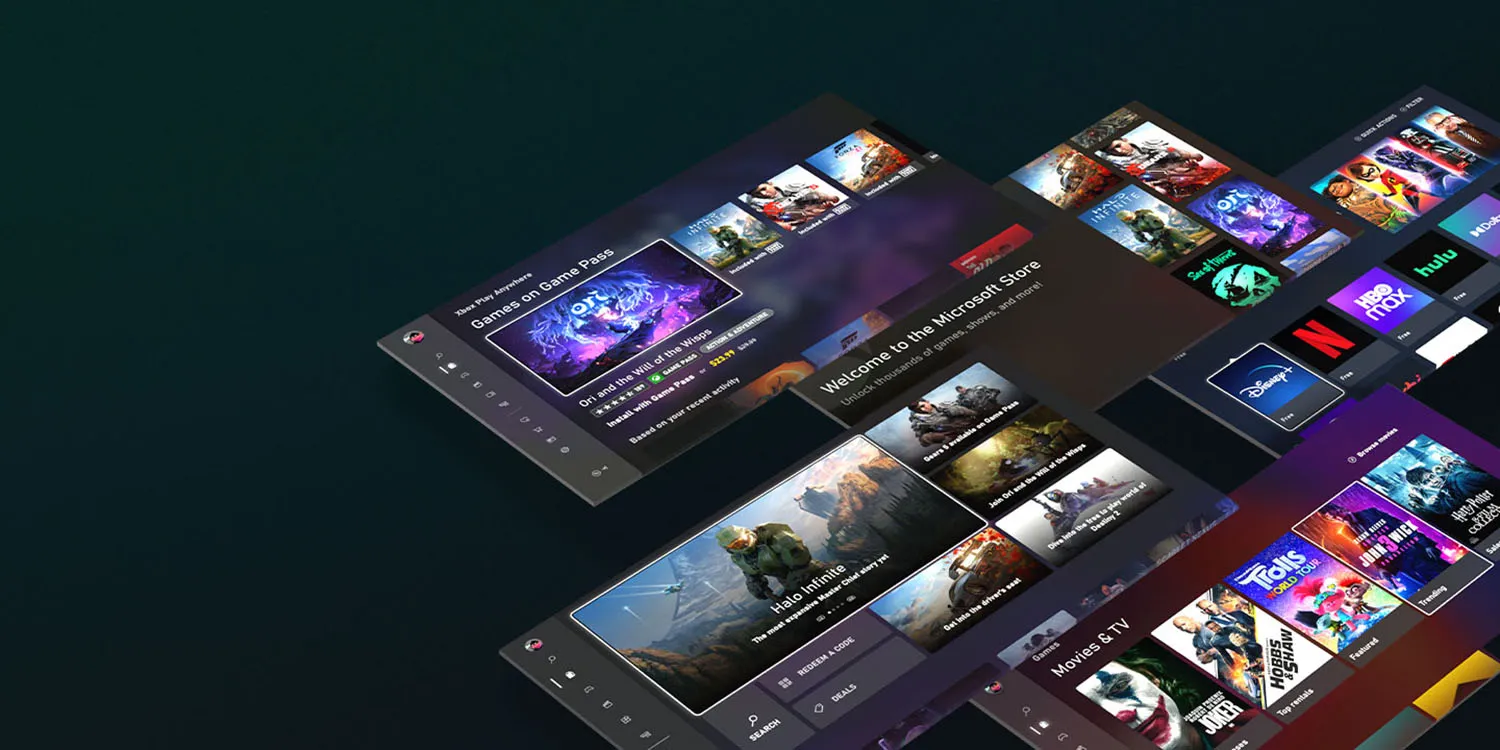
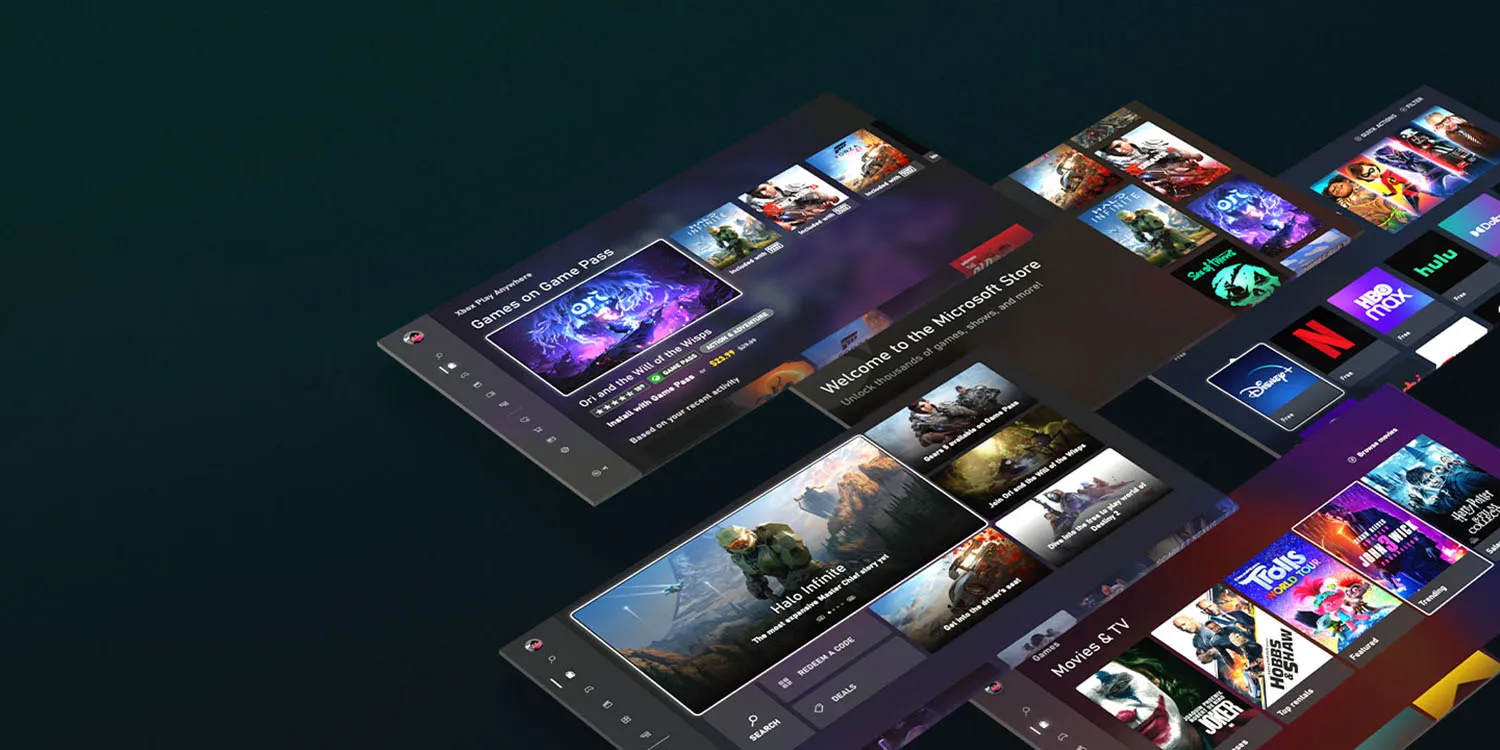
Microsoft plans to offer an app store for games
Bloomberg reports that Microsoft has confirmed reports that it plans to offer an iOS app store for games.
Microsoft Corp. is talking to partners to help launch a mobile gaming store that will take on Apple Inc. and Google’s dominant position in the business, according to Phil Spencer, who leads the company’s Xbox video-game division.
“It’s an important part of our strategy and something we are actively working on today not only alone, but talking to other partners who’d also like to see more choice for how they can monetize on the phone,’’ Spencer said in an interview in Sao Paulo during the CCXP comics and entertainment convention.
Earlier reports said that it plans to launch the store next year, and the company more-or-less confirmed this.
The executive declined to give a specific date for a launch of the online store, which earlier reports suggested could be next year. “I don’t think this is multiple years away, I think this is sooner than that,’’ he said.
What does this mean for iPhone users?
What will likely happen is that you’ll be able to go to Apple’s App Store, and download apps for third-party app stores, like the planned Microsoft one.
If you do, you’ll then be able to choose where to buy your apps – either from the official App Store, or from any of the third-party ones.
You may pay the same price or different ones; that will be up to developers. However, the most likely outcome is that third-party stores will offer lower commissions to developers, and they will pass on at least some of the savings or offer other incentives to encourage you to use the stores which charge them the lowest commissions.
But most iPhone owners likely to stick to Apple
However, while the law will give you the option of buying apps from other stores, the choice will be yours. We’d expect most iPhone owners to stick to Apple’s own store, for three reasons.
First, interia. The average iPhone user probably won’t even know that third-party app stores exist, and even those who do will likely continue to use the App Store out of habit.
Second, comfort with Apple. If you need a refund, or want to cancel a subscription, you know that Apple will take care of that for you. If you buy elsewhere, you’d be dependent on the third-party store to handle those issues.
Third, security. Apple has long argued that it does more than other app stores to exclude scam apps. Even if that might be a somewhat questionable claim, people may be less inclined to trust Microsoft.
Apple has delivered iOS 17.2 to all users and with it comes a brand new security feature for iMessage. Called Contact Key Verification (CKV), the capability gives users more certainty they’re messaging with the people they think they are. Follow along for what this feature is, how it works, and how to turn on Contact Key Verification on for iMessage.
Contact Key Verification background
When enabled, the opt-in Contact Key Verification gives automatic alerts if the iMessage key distribution services return device keys that have not been verified (e.g. if an unrecognized device has been added to an iMessage account).
And even more security is available by using CKV in person, on FaceTime, or via another secure method. You can read more on the details of how CKV works in our full coverage here.
Apple has not seen an attack like this – which would be quite advanced – but CKV arriving with iOS 17.2 means Apple is staying a step ahead of hackers and giving users more peace of mind.
Even though a very small percentage of iPhone users may need security of this level, the neat part is turning it on doesn’t reduce the functionality of your iPhone or iMessage – so it could end up being more widely used than something like Lockdown Mode.
How to turn on iMessage Contact Key Verification
Important: All devices signed into your iCloud account need to be running iOS 17.2, macOS 14.2, or watchOS 10.2 before enabling this(or you can sign out of iMessage on those devices that you don’t want to enable the feature).
Running iOS 17.2, open Settings on your iPhone
At the top, tap your name
Swipe to the very bottom
Choose Contact Key Verification
Tap the toggle next to Verification in iMessage
Follow the prompts to enable Contact Key Verification
End users just called it “Google Messages,” and that’s now the name in the Play Store listing. The new branding is also reflected in yesterday’s blog post:
To celebrate our one billion milestone, Google Messages is introducing seven fun new ways to express yourself when communicating and connecting with other Android users – from shared themes and screen effects to AI-powered reactions.
Before this, the big homescreen redesign paired the four-color “G” with “Messages” in the top-left corner of the app bar.
The application is still just called “Messages” on Android. It remains to be seen whether “Phone by Google” will be getting a similar update to “Google Phone.”
Meanwhile, here’s a look at the upcoming Custom Bubbles feature that we enabled. From a conversation’s overflow menu, you’ll find a new “Change colors” option. Including the default, there are nine themes in total, with the picker providing a preview. The color you or the recipient selects will remain synced. It is not yet widely rolled out for beta users.
Last month, it was reported that iOS 17.1.1 broke in-car wireless charging for a number of GM drivers with an iPhone 15. In today’s release notes for iOS 17.2, which will be released to everyone next week, Apple says it has solved this problem…hopefully.
A fix for GM drivers
Following my report last month, GM acknowledged the problems in a statement to The Verge. “We are aware of this concern and are investigating. There’s nothing we can confirm at this point,” a company spokesperson said.
Here’s what Apple’s release notes for iOS 17.2 say: “Fixes an issue that may prevent wireless charging in certain vehicles.”
Unfortunately, there aren’t any additional details about the scope of this fix. Apple doesn’t specifically mention that iOS 17.2 addresses the problem for GM drivers, but that feels like a safe assumption to make.
This is the second time Apple has had to address issues in iOS 17 specifically affecting in-car wireless chargers. iOS 17.1.1, released at the beginning of November, included a fix for wireless charging and NFC problems affecting BMW drivers.
iOS 17.2 is currently available in beta for developers and public beta users. It’s expected to be released to the general public in about a week.
iPhone 15 wireless charging apparently broken in many GM cars with iOS 17.1
While iOS 17.1.1 last week was released to fix iPhone 15 wireless charging problems for BMW drivers, the same can’t be said for GM drivers. A number of GM drivers have taken to Reddit and other online forums to report that they are unable to wirelessly charge their iPhone 15 in their car after updating to iOS 17.1.
iPhone 15 wireless charging problems: BMW first, now GM
After mounting complaints, Apple finally acknowledged a bug impacting wireless charging for iPhone 15 users in some BMW cars last month. In these instances, the problem would also temporarily disable NFC features of the iPhone 15, such as Apple Pay. Apple rolled out a fix for BMW wireless charging issues as part of iOS 17.1.1 last week.
In the meantime, however, GM drivers say that they are no longer able to use their in-car wireless charging pads to charge their iPhone 15 after updating to iOS 17.1. There are a number of complaints from GM drivers on Reddit, GM forums, and Apple’s support forums. These issues, however, don’t appear to impact NFC features.
It’s not immediately clear how widespread these problems are, nor is it clear which specific GM cars are affected. There are complaints from Bolt drivers, Silverado drivers, Sierra drivers, and more scattered across the web.
GM drivers say that last week’s iOS 17.1.1 update did not fix their wireless charging problems, nor does the current iOS 17.2 beta cycle. Two different GM drivers say that they spoke to Apple about the problems, and Apple told them to talk to GM about it. The key, however, is that wireless charging for these people worked prior to updating to iOS 17.1, so it’s clearly something tied to that update.
Based on these bizarre wireless charging problems that have affected GM and BMW drivers, paired with experiences using in-car wireless chargers, Starting to question the usefulness of wireless charging in cars. It clearly seems to be a fickle solution in a lot of cases, even though there are some convenience benefits, particularly if you have a car with wireless CarPlay.
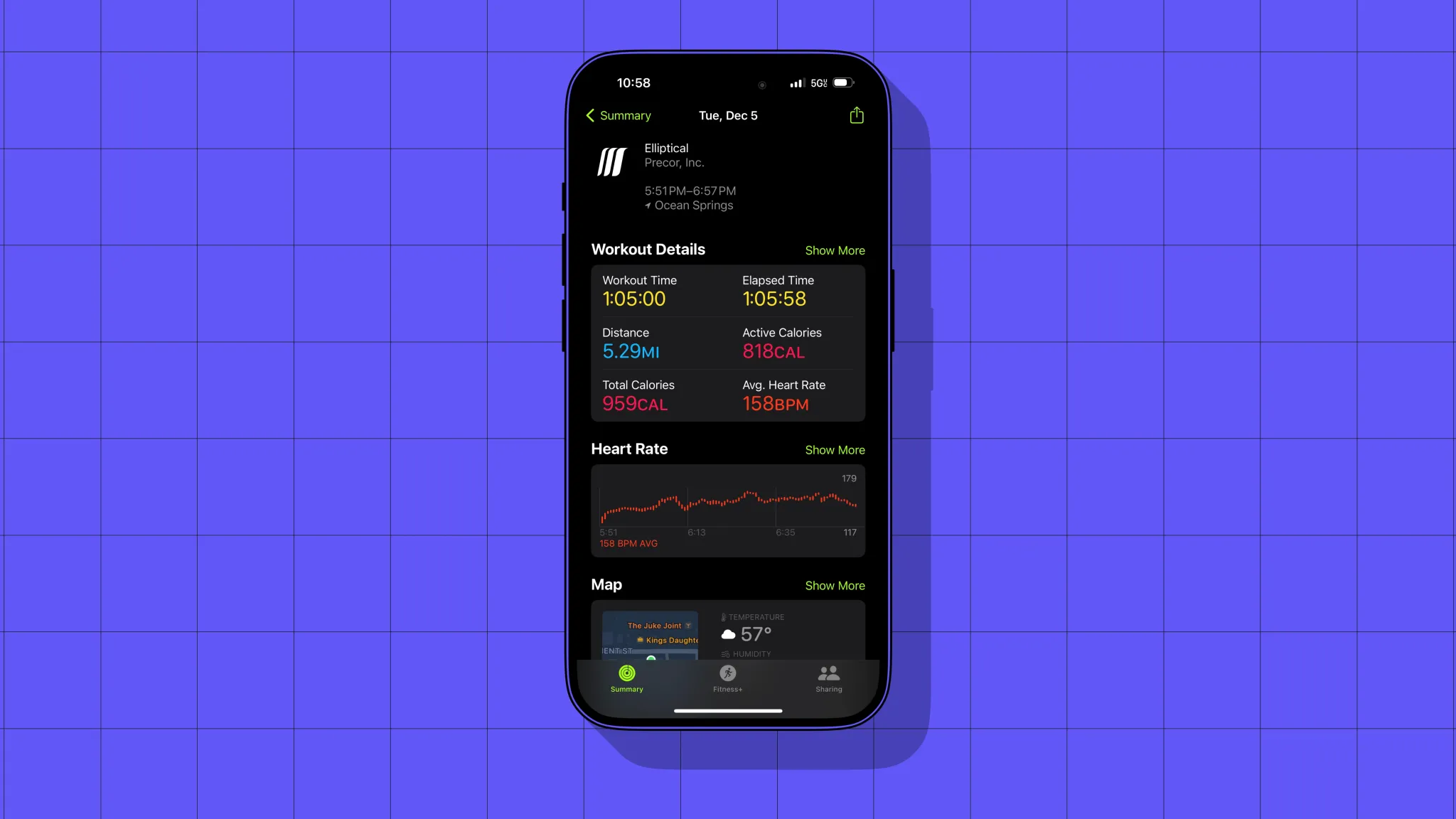
As an Apple nerd first and a person who wants to workout second, GymKit equipment is super encouraging. For everyone else with an Apple Watch, it’s the best way to sync up workout data, like heart rate, distance, and calories, that might not otherwise be available or accurate.
GymKit
Depending on who you ask, GymKit is either dead or very nice to have. I don’t think GymKit has really taken to home gym equipment except for Peloton (Bike+ only, not Tread). It also takes years for gyms to cycle through their equipment.
The GymKit slow roll started five years ago, and GymKit availability at Planet Fitness still varies by location. When you spot it, GymKit equipment is easy to use. Just wave your Apple Watch near the machine’s reader, allowing you to pair. Then starting/pausing/ending a workout from the machine matches the state on the watch (and vice versa).
The GymKit part is labeled with a watch
Wallet
Another perk since the last time we were a member? Digital keycards in Apple Wallet.
Years ago, We made our pass for the Wallet app so we could check in using our watch without our phone. Far less obsessed with trying to shoehorn the phone’s functionality into the watch now.
Still, it’s very nice being able to pull up and have the pass appear on the lock screen one tap away. And if we do want to leave our phone in the car or check in from the watch, that’s easily doable.
This is something Planet Fitness does do well. Membership cards aren’t available in Apple Wallet but are digitally available in the gym’s phone and watch apps.
Apple Watch
We can also mention here that we recently tried to pull off run tracking without the watch. We already knew this, but using a run-tracking app on the phone was not ideal.
The biggest factor for us is that the iPhone has the lock screen in between you and the run tracking app. Live Activities may help on the phone, but the watch is optimized for workout tracking.
The point? Working out is more fun with the Apple Watch, and gyms that have GymKit treadmills and ellipticals are true… gems.









 Asus Zenfone 8 • Samsung Galaxy S21 5G