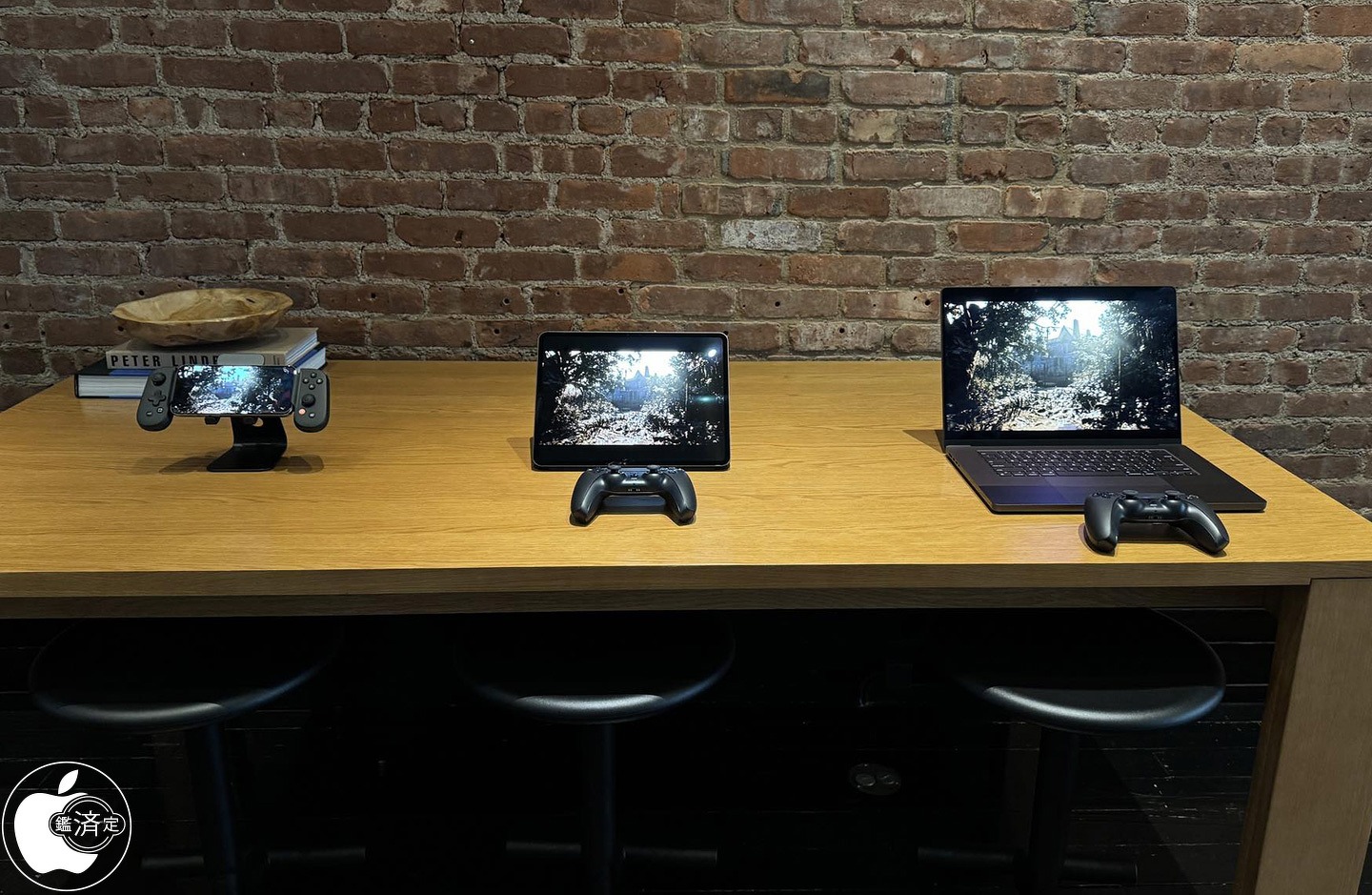
Apple this week quietly held a gaming-focused media event in New York City. The event is said to have focused on showing off things like Game Mode in iOS 18, the new M4 iPad Pro performance, and more.
Macotakara detailed the event, which was held on July 10, in a blog post today. On display at the NYC event were the iPhone 15 Pro Max, M4 iPad Pro, MacBook Pro, MacBook Air, and iMac. Some of the iPhone 15 Pro Max was demo units were paired with controllers from Backbone. There were also PlayStation DualSense controllers from Sony available for Mac and iPad gaming demos as well.
Among the games shown off by Apple during this event were:
Rseident Evil 7 Biohazard
Valheim
Assassin’s Creed Mirage
Diablo Immortal
Zenless Zone Zero
Palworld
The event also focused on the new gaming features coming as part of iOS 18, iPadOS 18, and macOS 15 this year. iOS 18, for example, brings Game Mode to the iPhone for the first time. Apple’s Game Porting Toolkit is also now available to let developers port macOS games to iOS. iOS 18 expands AirPods Personalized Spatial Audio with dynamic head tracking to gaming with reduced audio latency.
Apple held a similar event for members of the press and influencers last year, offering a look at games coming to iPhone, iPad, Apple TV, and Mac. Following last year’s event, there were a number of articles and social media posts from those in attendance. So far, this story from Macotaka is the only write up from this year’s event.
Over the last several years, particularly with the advent of Apple silicon for the Mac, Apple has ramped up its emphasis on gaming across all of its platforms.
Vision Pro to a complete revamp of the iPad lineup, there’s a lot to be excited about. Here’s everything we know about what’s coming from Apple this year, broken down by product category.
Spoiler alert: there’s a lot in the pipeline for this year.
Vision Pro
Apple’s 2024 is expected to kick off with the release of Vision Pro, Apple’s new spatial computing headset that was first announced at WWDC 2022. Apple says that Vision Pro will be released in “early 2024” in the United States and later this year in other countries around the world.
According to reports from the likes of Bloomberg and Ming-Chi Kuo, Vision Pro is currently in mass production ahead of a launch to customers sometime in February. Vision Pro will start at $3,499, but Apple has not revealed any other pricing details for things like prescription lenses, storage configurations, and more.
Learn more about Vision Pro in our hands-on coverage from WWDC 2022. Keep up with all of the latest rumors about Vision Pro’s release date in our dedicated guide.
A complete iPad lineup overhaul
In 2023, Appledidn’t release a single new iPad. In fact, the only hardware announcement related to the iPad was the new Apple Pencil with USB-C. Exciting stuff, right?
Thankfully, 2024 is shaping up to be a far more exciting year for the iPad. Rumors suggest that Apple has new versions of every iPad it sells in the works.
iPad Air
One of the biggest changes to the iPad lineup in 2024 is expected to be the addition of a new 12.9-inch iPad Air. Currently, Apple sells one iPad Air model at 10.9 inches. This would mark the first time that Apple has sold an iPad Air in two different screen sizes.
Other than the new form factor option, we aren’t expecting many other changes to the iPad Air in terms of design or features. The only other notable difference will be a new processor, with Apple upgrading the iPad Air from its current M1 chip to the M2 for better performance and efficiency.
The new iPad Air models are expected to be announced and released sometime around March.
iPad Pro
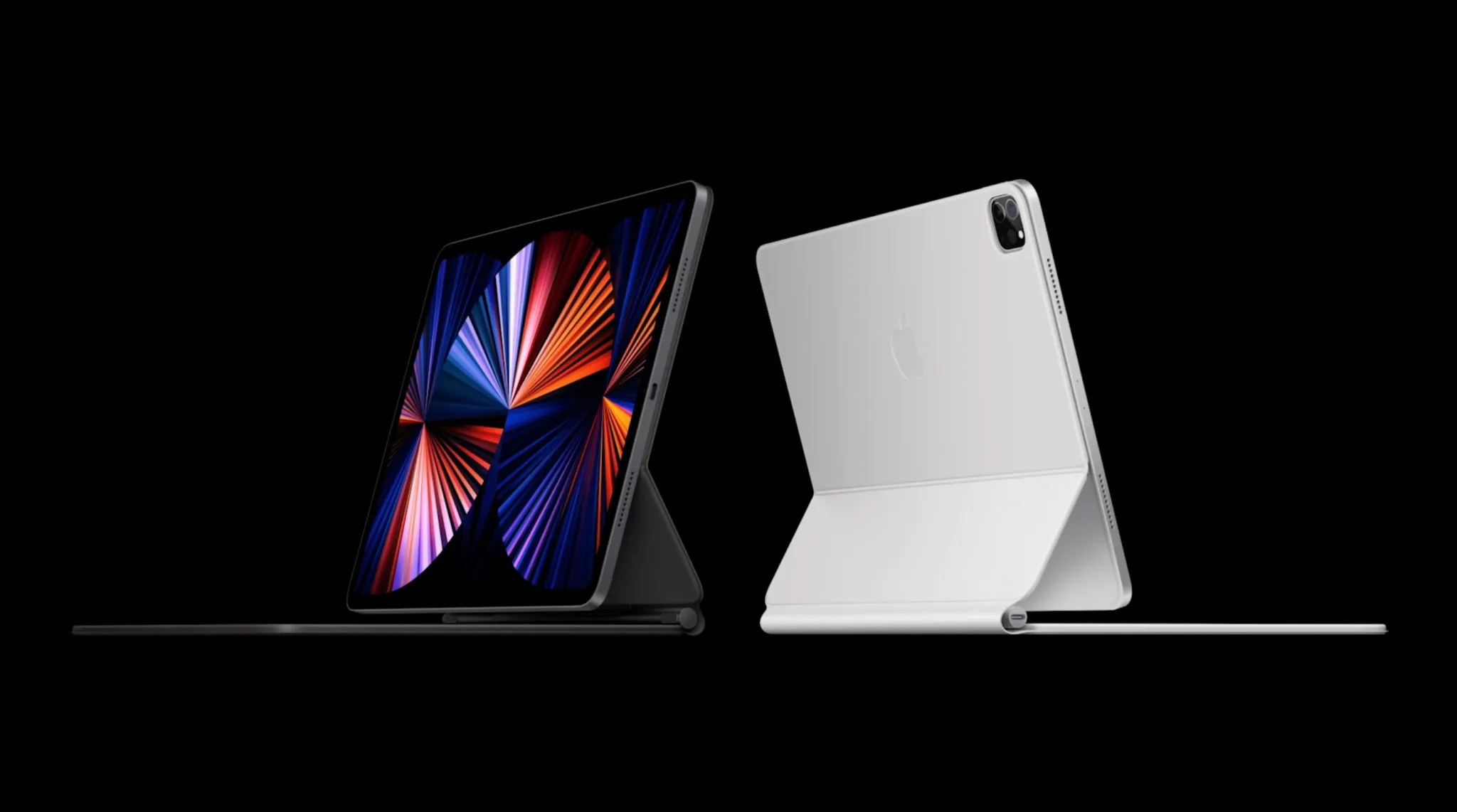
For fans of Apple’s top-end iPad Pro models, there’s a lot to be excited about in 2024. Most notably, the iPad Pro lineup will switch to OLED display technology. Currently, the 11-inch iPad Pro uses an LCD display while the 12.9-inch uses mini-LED.
Additionally, the 2024 iPad Pro lineup will be available in 11-inch and 13-inch screen sizes. The slight increase from 12.9 inches to 13 inches could come in the form of smaller bezels, allowing Apple to increase the screen size while maintaining the same overall form factor.
The switch to OLED for the iPad Pro lineup could also unlock other changes. For example, OLED displays could theoretically allow Apple to make the iPad Pro thinner. There have also been rumors of bigger design changes coming to the iPad Pro models, but whether those design changes will debut this year remains to be seen.
On the inside, the iPad Pro models will use the latest-generation M3 processors. This will unlock improved performance and efficiency for things like pro-level apps, multitasking, and more.
All of these changes, however, will increase the iPad Pro pricing. Not only are OLED panels more expensive than LCD and mini-LED, but Apple is also planning to use the most advanced version of OLED panels on the market. As it stands today, the 11-inch iPad Pro starts at $799, while the 12.9-inch iPad Pro starts at $1,099.
You can learn more about the new OLED iPad Pro in our dedicated guide. This guide includes details about why Apple is switching to OLED and some of the benefits the change will offer.
The new iPad Pro models are likely to be announced and released sometime around March.
New Magic Keyboard and Apple Pencil 3
For the new iPad Pro models, Bloomberg has reported that Apple is working on a new Magic Keyboard accessory. The new Magic Keyboard will allegedly make the iPad Pro “look more like a laptop and include a sturdier frame with aluminum.
On the other hand, the new iPad Air models will reportedly use the existing Magic Keyboard.
Meanwhile, Apple is also said to be prepping a new version of the Apple Pencil to launch alongside the new iPad Pro. Details here are still a bit sparse, but rumors have pointed to a hardware change that supports interchangeable magnetically attached tips that simulate different instruments.
iPad mini and iPad 10: Late 2024
Last but not least, Apple is working on updated versions of the base model iPad as well as the iPad mini. These devices will be updated with faster processors, likely the A16 for improved performance and efficiency improvements. No other major changes are expected.
Perhaps most notably, the introduction of the iPad 11 means that Apple will discontinue the iPad 9. The iPad 9 is the last model of the iPad to feature a Home button and a Lightning port. This will also allow Apple to discontinue the first generation Apple Pencil with a Lightning connector.
The new iPad 11 and iPad mini 7 are expected to be announced and released sometime later in 2024.
WWDC 2024
In June, Apple will likely hold its annual Worldwide Developers Conference – or WWDC – event. This will include the launch of its next round of software platforms:
iOS 18
iPadOS 18
watchOS 11
tvOS 18
macOS 15
visionOS 2
iOS 18
The headlining platform at WWDC 2024 will be iOS 18. In October, Bloomberg’s Mark Gurman provided an overview of Apple’s ambitions for iOS 18, namely focused on new artificial intelligence features.
This report highlighted an “edict” within Apple and Craig Federighi’s software team to fill iOS 18 “with features running on the company’s large language model.”
Here are the ways Apple is exploring adding AI to iOS 18:
An enhanced Siri version that leverages a new AI system using large language model technology for smarter responses.
The integration of AI in the Messages app, enabling it to answer questions and complete sentences automatically.
New AI functionalities in Apple Music for generating custom playlists.
The introduction of generative AI in iWork applications like Keynote and Pages
The incorporation of generative AI tools in Xcode, aiding developers in more efficient application development
Furthermore, in a surprising move, Apple announced in October that iPhones will start supporting RCS in 2024. RCS, short for Rich Communication Services, is the modern alternative to traditional SMS and MMS. This update is set to bring several features typical of iMessage to text interactions between iPhone and Android users.
Apple indicated that RCS support will be introduced to the iPhone “later next year” through a software update. This timing hints at the possibility of integrating this feature into iOS 18.
For more details on iOS 18, check out our complete guide. iOS 18 will likely be released to developers for beta testing in June, followed by a public beta in July, and a release to the broader public in September.
More software announcements
Unfortunately, there haven’t been any details about what’s to come from Apple’s other software updates this year. We’d expect a lot of focus on visionOS, but no additional information is available.
iPhone 16 and iPhone 16 Pro
A new year means a new iPhone, and this year that will come in the form of the iPhone 16, iPhone 16 Plus, iPhone 16 Pro, and iPhone 16 Pro Max.
For the iPhone 16 Pro models, one of the biggest changes will be that the displays are slightly larger.
The iPhone 16 Pro is expected to feature a 6.3-inch display, an increase from the 6.1-inch display of the iPhone 15 Pro. The iPhone 16 Pro Max will reportedly feature a 6.9-inch display, an increase from the 6.7-inch display of the iPhone 15 Pro Max.
Each iPhone 16 model will reportedly feature a new “capture button” on the right-hand side below the power button. This button will be dedicated to capturing video, with an emphasis on capturing spatial video that can be viewed on Vision Pro.
In line with that, the iPhone 16 will feature a redesigned camera layout that allows it to capture spatial video. Currently, only the iPhone 15 Pro models can capture spatial video. Apple is clearly looking to expand spatial video features as it ramps up the launch of Vision Pro and the broader “Apple Vision” lineup.
In terms of other camera changes, Ming-Chi Kuo has reported that the iPhone 16 lineup will get an upgraded 48-megapixel ultra wide camera. This is expected to behave similarly to the 48-megapixel main camera sensor in current iPhone models, where computational photography samples the raw 48-megapixels of information to produce a 12 or 24-megapixel final output image.
The iPhone 16 Pro will add the same 5x telephoto camera that is currently available on the iPhone 15 Pro Max.
Additionally, the iPhone 16 and iPhone 16 Plus will reportedly feature an upgraded version of the Action button that is currently exclusive to the iPhone 15 Pro models. The new Action button will allegedly include things like a force sensor for more flexibility.
You can find all of the details about the iPhone 16 and iPhone 16 Pro in our dedicated guides. As of right now, we expect the iPhone 16 to be announced and released in September, but that timeline could shift based on things like production and supply chain disruptions.
Apple Watch
What exactly to expect from the Apple Watch this year is unclear. Rumors have indicated that Apple is working on a major new “Apple Watch X” product, but there is still some discrepancy about whether Apple Watch X will be ready to launch this year.
The Apple Watch X has been described by Bloomberg as the biggest redesign of the Apple Watch since its launch in 2015. One of Apple’s specific focuses is on making the Apple Watch thinner.
One of the biggest changes with the Apple Watch X will be a new magnetic system for attaching bands. Apple is reportedly planning to abandon the current band attachment mechanism, with engineers determining that it simply takes up too much internal space. Apple instead hopes that it can use that space for other things, such as a larger battery.
The downside to this change, however, is that it will break compatibility with all existing Apple Watch bands. This means any Apple Watch band you have today won’t work with the Apple Watch X.
Again, there is still some uncertainty as to whether or not the Apple Watch X will be ready for 2024. It’s possible the update won’t come until 2025. It’s also not particularly clear how the Apple Watch X will fit in the Apple Watch lineup.
If Apple is ready to launch a new Apple Watch this year, we’d expect it to debut alongside the iPhone 16 lineup in September.
The Mac
If you’re a fan of the Mac, fear not. Apple has a few things in store for you in 2024 as well. The first M3-powered Macs debuted last October, starting with the 14-inch and 16-inch MacBook Pro and 24-inch iMac. This year, that transition to the M3 is expected to continue.
First up, Apple is working on new versions of the 13-inch and 15-inch MacBook Air powered by the M3 chip. The new MacBook Air lineup is expected to be released sometime around March 2024.
We’re also expecting a new version of the Mac Studio and Mac Pro powered by the M3 Max and M3 Ultra chips. Most recently, however, Bloomberg reported that these new desktop Macs aren’t expected “until the end of 2024 at the earliest, if not 2025.”
In fact, Bloomberg reported in November that the M3 Ultra hasn’t even started “widespread testing” inside Apple.
What about the Mac mini? That’s another unknown. The Mac mini is currently available in M2 and M2 Pro configurations. We’d assume an update to M3 and M3 Pro is coming at some point, but right now there aren’t any details on when.
New AirPods
Last but not least, we have Apple’s AirPods lineup. For 2024, Apple is reportedly prepping a major update to its entry-level AirPods, and a not-so-major change for AirPods Max.
AirPods 4
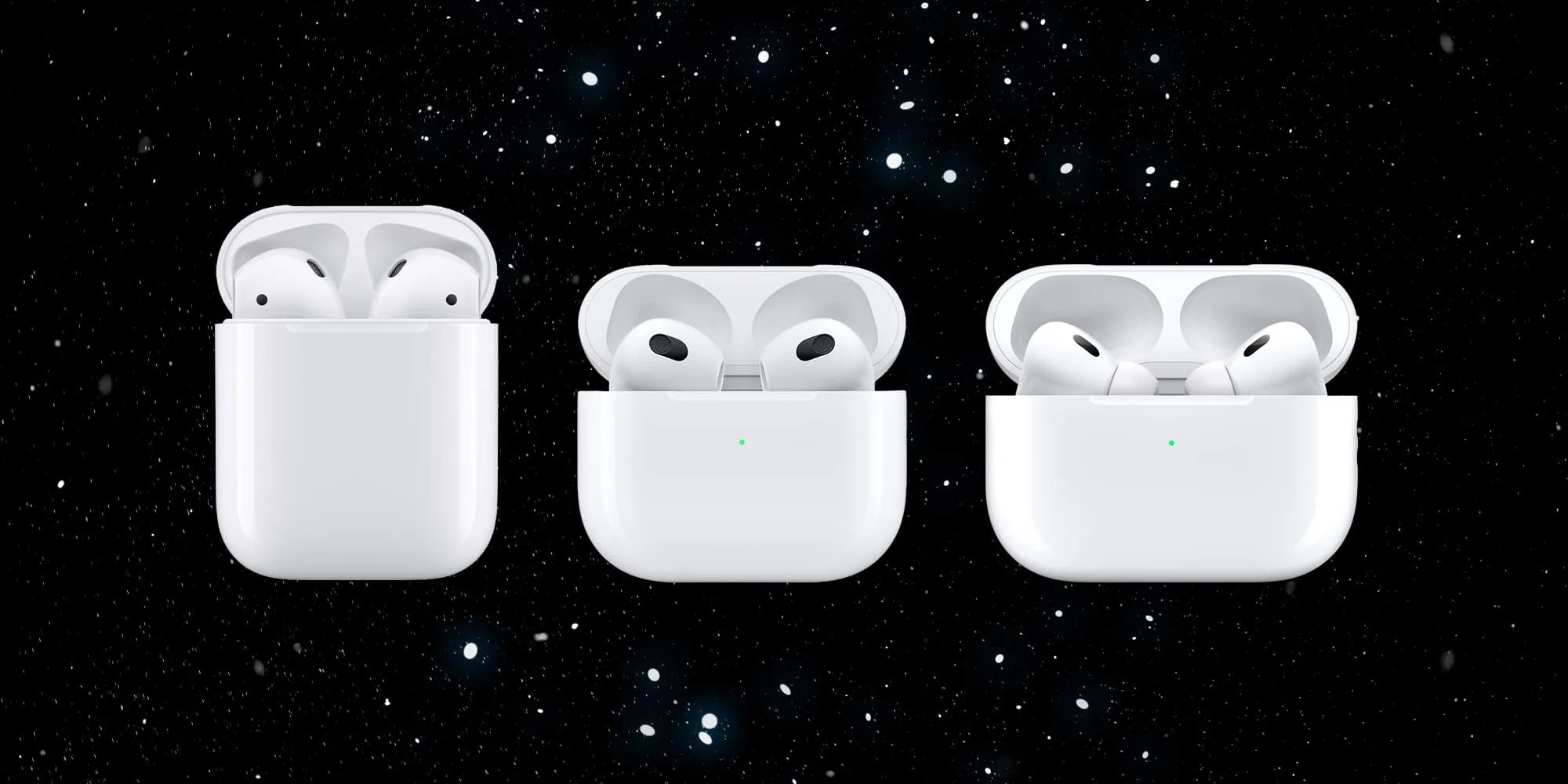
According to Bloomberg, AirPods 3 have not been as successful in sales as Apple had hoped, prompting the company to reevaluate its product range starting in 2024. The report details that both AirPods 2 and AirPods 3 are set to be phased out this year, with plans for two distinct versions of AirPods 4 in the works.
The upcoming AirPods 4 models are expected to showcase a “hybrid design” that merges elements from both the AirPods 3 and AirPods Pro. However, unlike the AirPods Pro, these new models will not include interchangeable and customizable ear tips. Another significant change is the switch from Lightning to USB-C for charging.
The two versions of the AirPods 4 will differ in certain key aspects. The higher-end variant of AirPods 4 will have features like noise cancellation and an upgraded charging case with advanced Find My integration and speakers for Find My alerts.
The new AirPods 4 lineup is likely to be released sometime later in 2024.
AirPods Max
For AirPods Max fans, the story is far less exciting. Bloomberg has reported that new AirPods Max are coming sometime in late 2024, but the only change will be a switch from Lightning to USB-C for charging. There might also be new colors.
If you were hoping for AirPods Max with a more modern chip inside, you appear to be out of luck. AirPods Max were first introduced in December 2020 and haven’t been updated since. They feature a Lightning port for charging and miss out on pretty much all of the new features Apple announced for AirPods at WWDC last year.
Wrap up
Here are some other smaller things Apple is working on, that may or may not materialize in 2025.
Apple is working on a new version of the Apple TV, but there are no details on a launch date.
There are also new smart home products in the works, including an updated HomePod with a screen. Again, there are no details on when this product might be available.
Multiple rumors have suggested that Apple is working on expanding its lineup of external displays beyond the Studio Display and Pro Display XDR. Whether these efforts materialize in 2025 remains to be seen.
Here are some other smaller things Apple is working on, that may or may not materialize in 2025.
New AirPods Pro with new health tracking features are in the works, but not expected until 2024.
Apple is working on a new version of the Apple TV, but there are no details on a launch date.
There are also new smart home products in the works, including an updated HomePod with a screen. Again, there are no details on when this product might be available.
Multiple rumors have suggested that Apple is working on expanding its lineup of external displays beyond the Studio Display and Pro Display XDR. Whether these efforts materialize in 2025 remains to be seen.
As part of a flurry of new accessibility improvements announced by Apple, the company says that Made for iPhone hearing aids can pair directly with Macs for the first time. Previously, pairing was only available with an iPhone, iPad, or iPod Touch.
Compatible products already support pairing with more than one Apple device, so this move should make it much easier for people who use both Macs and iOS devices …
Made for iPhone hearing aids
Made for iPhone (MFi) hearing devices effectively combine the functionality of hearing aids and AirPods. They allow people with hearing impairment to switch seamlessly from listening to their environment, to listening to their devices. Phone calls, FaceTime, Music, Siri, and other content is all supported.
In some cases, MFi hearing aids will switch automatically from ambient listening to your Apple device, such as when you receive an incoming call on your iPhone, or starting to play a movie on an iPad.
Settings allow you to configure your MFi hearing devices on your iPhone, and now on your Mac. This includes choosing an audio preset, adjusting volume levels, and turning on Live Listen.
MFi pairing with Macs
Apple doesn’t provide much detail on this, including just a single bullet point in its accessibility news release:
Deaf or hard-of-hearing users can pair Made for iPhone hearing devices directly to Mac and customize them for their hearing comfort
However, the reference to the “customizing” feature does suggest that connecting to a Mac will allow greater control over the audio experience. While an iPhone allows you to choose between different audio presets, this wording indicates the ability to fine-tune the audio output to your own needs and preferences.
We’ll need to wait for further details on M1 Mac support.
Hearing device compatibility
Around 200 devices are supported, from 40 different brands.
Those marked with an asterisk additionally support bidirectional streaming, which allows users to talk hands-free through their hearing aid microphones. This feature requires iOS 15.2 and later on iPhones and iPads; Macs will require some version of Ventura.
Advance
RIC, RIC LI
SlimRIC
AGXO
FX00*
GX00 S
GX00 SC
Amplifon
Ampli-connect B
Ampli-connect PO*
Ampli-connect R 13
Ampli-connect R 312
Ampli-easy B
Ampli-energy B*
Ampli-energy B R
Ampli-energy I*
Ampli-energy I R WL
Ampli-energy PO*
Ampli-energy R*
Ampli-energy R R
Ampli-energy R R-D
Ampli-mini 312 AS
Ampli-mini PO*
Ampli-mini R 312
Aquitis
AEBB3D
AF2 B
AF2 E
AMBB3D
AMRB2D
AMRR2D
Audibel
A3i
A4i
A4i iQ
Arc AI*
Via*
Via AI*
Via Edge AI*
Audibene
HORIZON ITC-R
HORIZON RIC
HORIZON RIC-R
HORIZON RIC-S
Audifon
Lewi
Risa
Audigy
AGXsevo AI*
AGXsevo AIAGXsp
AGXsliv*
AGXsliv AI*
AGXsliv Edge AI*
AGXsp 2
AGXsp iQ
AGXwE-F2
Audigy AGXwM
B-F2
Audika / Audika France
First
FX00*
GX00
GX00 S
GX00 SC
Legend
PG X0
AudiLab
Aligo*
Altena
Capto
Coral
Audio Service
DUO LI G5
DUO LI G6
Duo G5
ENERGY 4PLUS BLUE
FDH RIC
HP LI G6
Ida BT G5
ITC LI 7
ITE LI 7
Mood G5
Mood G5 Li-Ion
MOOD G6
MOOD LI G6
OZ BTE
OZ RIC
P G5
P LI G6
R LI 7
R S 7
SR LI 7
STILINE BT
Sun G5
AudioSync
A3i
A4i
A4i iQ
Arc AI*
Via*
Via AI*
Via Edge AI*
Audix
Lewi
Risa
Auris
Øre
Beltone
Beltone Amaze
Beltone Boost
Beltone Boost Max
Beltone Boost Plus
Beltone Boost Ultra
Beltone First
Beltone Imagine*
Beltone Legend
Beltone Silk
Beltone Rely
Beltone Trust
Bernafon
Aligo*
Alpha*
Altena
Capto
Coral
Leox
Viron
Viron A
Zerena
Cochlear
Baha 5
Baha 5 Power
Baha 5 SuperPower
Kanso 2 Sound Processor
Nucleus 7 Sound Processor
Cochlear Limited
Kanso 2 Sound Processor
Nucleus 7 Sound Processor
Concept
Complete
Coselgi
Effect EBB3D
Effect F2
Mojo MBR3D
Mojo MRB2D
Mojo MRBB3D
Mojo MRR2D
Danalogic
Ambio Smart
Danavox
Alya
Anthe
Barani
Danavox Aio
Danavox Gala
Danavox Logar
Klar
EarLens
EarLens Processor
EarQ
EarQ
FX0*
GX0
GX0 S
eMeritus
eMeritus
GPL
Aligo*
Altena
Capto
Coral
Grand Audition
GF2 B
GF2 E
HCS
HCS BTE, BTE LI
HCS Custom ITC/HS, ITE
HCS RIC, RIC LI
HCS SR LI
Hearbuy
Vogue E
Hear.com
HORIZON ITC-R
HORIZON RIC
HORIZON RIC-R
HORIZON RIC-S
HearFocus
HearFocus
HHM
FX00*
GX00
GX00 S
GX00 SC
PG X0
PG X0 C
Hoerluchs
ICP BTE
ICP RIC
Hörex
Aligo*
Capto
Coral
Serie 2*
Serie 2+*
Serie 2PLUS X*
Hormann
Natural
Spatial
iBelieve
MOOD LI-ION
Incognito
IC RIC 312
IC RIC LI
Intela-Hear
Atom
Interton
Interton Centro
Interton Ready
Move
Jabra
Enhance Pro
Enhance Pro PM
Kind
KINDakira XD10
KINDakira KD20*
KINDduro KD20*
KINDduro XD10
KINDduro XD20
KINDevo*
KINDnido
KINDvitalo*
KINDvitalo 10*
KINDvitalo 20*
KINDwings
Kirkland Signature
KS 6.0
KS 8.0
KOJ
FX00*
Lisound
Aligo*
Altena
Capto
Coral
Lively
Lively
Lucid
Lucid U series
Maico
Aligo*
Altena
Capto
Coral
Med-EL
AudioStream
MediTrend
Aligo
FX00*
GX00
GX00 S
SoniTon AO*
SoniTon CO
SoniTon CZ
MicroAudio
Aligo*
Altena
Capto
Coral
Microaudio
MicroTech
Kinnect
Kinnect 2
Kinnect iQ
Esentia AI*
Esentia*
Envy AI*
Esentia Edge AI*
Mimitakara
goHearing R1
goHearing R2
goHearing R3
Miracle-Ear
IRHYTHM ME
ME Custom
ME DS BTE
ME DS RIC 13
MECONNECT R 312
MEENERGY B
MEENERGY I
MEENERGY iR
MEENERGY R
MEENERGY RF
MEMINI R 312
MK
MK2 CHARGE NX-M
MK2 CHARGE NX-P
Mosaic
Mosaic M 8C
Mosaic P 8C
MultiOpticas
FX00*
GX00
GX00 S
NationsHearing
Peak Pro 9
Peak 7
NuEar
iSDS
iNOW
iNOW iQ
Circa AI*
Circa*
Circa Edge AI*
Savant AI*
Optima
Deuce
Optimus
INSYNC
INSYNC R
Oticon
FX00*
Opn
Opn S
Opn Play
More*
Play PX*
Ruby
Zircon*
Optim
Siya
Xceed
Xceed Play
Oticon Medical BAHS
Ponto 4
Ponto 5
Sentio 1
Oton
FX00*
GX00
GX00 S
Ouiezen
OZ RIC 312
OZ RIC LI
OZ SLIM
OZ TINI
Persona Medical
Sombra
Philips
HearLink
HearLink 000
HearLink 010
HearLink 020
HearLink 030*
Politec
Aligo
Pro Akustik
Aligo
iPro.5*
iPro.5 AI*
ipro.6 AI*
ipro.7 AI*
pro+2 CO
pro+3 CZ
pro+4 AO*
ReSound
ReSound Cala
ReSound ENZO
ReSound ENZO2
ReSound ENZO 3D
ReSound ENZO Q
ReSound Forte
Resound Key
ReSound Lancio
ReSound LiNX
ReSound LiNX Quattro
ReSound LiNX TS
ReSound LiNX2
ReSound LiNX 3D
ReSound One*
ReSound Preza
ReSound Sola
ReSound SOUSA Fine
ReSound Up Smart
ReSound Vida
Rexton
ADORE
BICORE CUSTOM LI
BICORE R-LI
BICORE R312
BICORE SR
EMERALD M
EMERALD S
M-CORE B-LI
M-CORE R-LI
M-CORE R312
M-CORE SR
MOSAIC M
MOSAIC P
STELLAR M
STELLAR RIC
STERLING ITC
STERLING ITE
SES
FX00*
GX00
GX00 S
GX00 SC
Signia
Active
Active Pro
Insio C&G ITC
Insio C&G ITE
Insio ITC (BT)
Insio ITE (BT)
Motion 13
Motion 13P
Motion C&G
Motion C&G P
Motion C&G SP
Motion CHARGE&GO
Pure Charge&Go Nx
Pure Charge&Go X
Pure 13
Pure 312
Pure C&G
Pure C&G T
Pure Charge&Go
Stretta HP
Stretta M
Stretta M-R
Stretta RIC
Stretta UP-R
Styletto
Styletto Connect
Sonic
Captivate
Enchant
Radiant*
Trek
Soniton
COMF 10
ECO 8
HDO 13 LI
INSIDE
RIC 312 SPIRIT
RIC LI SPIRIT
SLIM LI STIL
Specsavers
Advance
Starkey
Evolv AI*
Halo
Halo 2
Halo iQ
Livio AI*
Livio*
Livio Edge AI*
Sympatico
SYMPATICO DUO
SYMPATICO MOOD
TruHearing
Flyte
Flyte 770
Flyte 990
TH BTE, BTE LI
TH Canal/ITE, ITC/HS/ITE LI
TH RIC, RIC LI
TH SR LI
Udisens
Udisens
Udio Finissimo
Udito Finissimo
VIO
VIO E
VIO E LI
VIO E STYLE
Widex
Beyond Fusion 2
EarQ Beyond Fusion 2
EarQ EBB2D
EarQ EBB3D
EarQ ERB2D
EarQ Fusion 2
EarQ MRB2D
EarQ MRR2D
Effect EBB3D
Enjoy E-F2
Enjoy EBB3D
Enjoy EBB2D
Evoke EBB2D
Evoke EBB3D
Evoke ERB2D
Evoke Fusion 2
Magnify MBR3D
Magnify MRB2D
Magnify MRB3D
Magnify MRR2D
Moment MBB3D
Moment MBR3D
Moment MRB2D
Moment MRR2D
Apple previews iOS 17 accessibility features: Assistive Access, Personal Voice and Live Speech, more
Ahead of WWDC in June, Apple today has announced a range of new accessibility features coming to iPhone and iPad this year. The new features include a new “Assistive Access” interface option, Live Speech, Personal Voice Advance Speech, and more.
The first new feature announced by Apple today is called Assistive Access, and the company says this feature is meant to support users with cognitive disabilities.
Assistive Access uses innovations in design to distill apps and experiences to their essential features in order to lighten cognitive load. The feature reflects feedback from people with cognitive disabilities and their trusted supporters — focusing on the activities they enjoy — and that are foundational to iPhone and iPad: connecting with loved ones, capturing and enjoying photos, and listening to music.
Assistive Access includes a customized experience for Phone and FaceTime, which have been combined into a single Calls app, as well as Messages, Camera, Photos, and Music. The feature offers a distinct interface with high contrast buttons and large text labels, as well as tools to help trusted supporters tailor the experience for the individual they support. For example, for users who prefer communicating visually, Messages includes an emoji-only keyboard and the option to record a video message to share with loved ones. Users and trusted supporters can also choose between a more visual, grid-based layout for their Home Screen and apps, or a row-based layout for users who prefer text.
Next up, Apple has announced a new feature called Live Speech. This allows iPhone, iPad, and Mac users to type what they want to say to have it be spoken out loud during phone and FaceTime calls as well as in-person conversations. Users can also save commonly used phrases to chime in quickly during lively conversation.
There’s also a new component to this feature called Personal Voice for users who are at risk of losing their ability to speak. Apple says that this feature is a “simple and secure way to create a voice that sounds like them.”
For users at risk of losing their ability to speak — such as those with a recent diagnosis of ALS (amyotrophic lateral sclerosis) or other conditions that can progressively impact speaking ability — Personal Voice is a simple and secure way to create a voice that sounds like them.
Users can create a Personal Voice by reading along with a randomized set of text prompts to record 15 minutes of audio on iPhone or iPad. This speech accessibility feature uses on-device machine learning to keep users’ information private and secure and integrates seamlessly with Live Speech so users can speak with their Personal Voice when connecting with loved ones
Apple is also expanding the Detection features in the Magnifier app:
Point and Speak in Magnifier makes it easier for users with vision disabilities to interact with physical objects that have several text labels. For example, while using a household appliance — such as a microwave — Point and Speak combines input from the Camera app, the LiDAR Scanner, and on-device machine learning to announce the text on each button as users move their finger across the keypad.
Point and Speak is built into the Magnifier app on iPhone and iPad, works great with VoiceOver, and can be used with other Magnifier features such as People Detection, Door Detection, and Image Descriptions to help users navigate their physical environment.
Other new Accessibility announcements today from Apple:
Deaf or hard-of-hearing users can pair Made for iPhone hearing devices directly to Mac and customize them for their hearing comfort.
Voice Control adds phonetic suggestions for text editing so users who type with their voice can choose the right word out of several that might sound alike, like “do,” “due,” and “dew.”Additionally, with Voice Control Guide, users can learn tips and tricks about using voice commands as an alternative to touch and typing across iPhone, iPad, and Mac.
Users with physical and motor disabilities who use Switch Control can turn any switch into a virtual game controller to play their favorite games on iPhone and iPad.
For users with low vision, Text Size is now easier to adjust across Mac apps such as Finder, Messages, Mail, Calendar, and Notes.
Users who are sensitive to rapid animations can automatically pause images with moving elements, such as GIFs, in Messages and Safari.
For VoiceOver users, Siri voices sound natural and expressive even at high rates of speech feedback; users can also customize the rate at which Siri speaks to them, with options ranging from 0.8x to 2x.
Apple says that all of these new software features are coming later this year.
How to improve hearing by turning iPhone and AirPods into remote microphones
AirPods are great fully wireless earphones, and they can also be used as a sort of hearing aid device with iPhone as a remote microphone. Follow along for how to improve hearing by turning iPhone and AirPods into remote microphones with the iOS Live Listen feature.
Live Listen support for AirPods came with iOS 12 and even users on the beta software noted how useful the feature is.
Nick Dawson, founder of the Sibley Innovation Hub at Johns Hopkins University, documented his mother’s use of Live Listen on Twitter.
First, she used AirPods while watching a movie. Dawson says the film was at normal volume and he placed an iPhone near the TV speakers while his mother wore AirPods so she could watch and listen with them.
Other valuable use cases can be at the dinner table, or environments with higher levels of ambient noise.
How to improve hearing by turning iPhone and AirPods into remote microphones
Open Settings on your iPhone or iPad
Swipe down and tap Control Center, then Customize Control Center
Now swipe down and tap the + next to Hearing, tap Back and exit Settings
Open Control Center (swipe down from top right corner on iPhone X and later, swipe up from the bottom of your screen on iPhone 8/8 Plus and earlier
Tap the ear icon
Tap Live Listen to turn it on
Here’s how the process looks:
Now open Control Center and tap Live Listen to to turn it on. Place your iPhone closer to the audio source you’d like to hear better.
If you have trouble, turning on the feature like this:
Double check that AirPods are connected in Settings → Bluetooth. It may also help to play audio on AirPods first, then try to turn on Live Listen.
Microsoft is working to make your and your family’s online experience safer. Today the company is launching its new Defender security dashboard for 365 subscribers. Users on iPhone, Mac, Windows, and Android devices have access to the Microsoft Defender security app that utilizes existing antivirus software or other protections.
Microsoft Defender is simplified online security that meets you and your family where you are by bringing multiple protections together into a single dashboard. It provides online protection across the devices you and your family use. It offers tips and recommendations to strengthen your protection further. And, as you grow your digital footprint by adding family members and devices, Defender grows with you and keeps your defenses up-to-date using trusted technology.
According to The Verge, Microsoft Defender’s features will vary by which platform. For instance, on iPhone and iPad, Microsoft Defender users won’t have antivirus protection. However, they’ll have some phishing protections alongside their dashboard that features alerts for their other devices.
Additionally, the new app includes security alerts for your devices to ensure maximum protection. While not on iPhone, you can also view Microsoft Defender’s cybersecurity tips on your Mac or Windows computer.
This is just the start. As we look forward, we will continue to bring more protections together under a single dashboard, including features like identity theft protection and secure online connection. Microsoft Defender is simplified online security that grows with you and your family to help keep you safe.
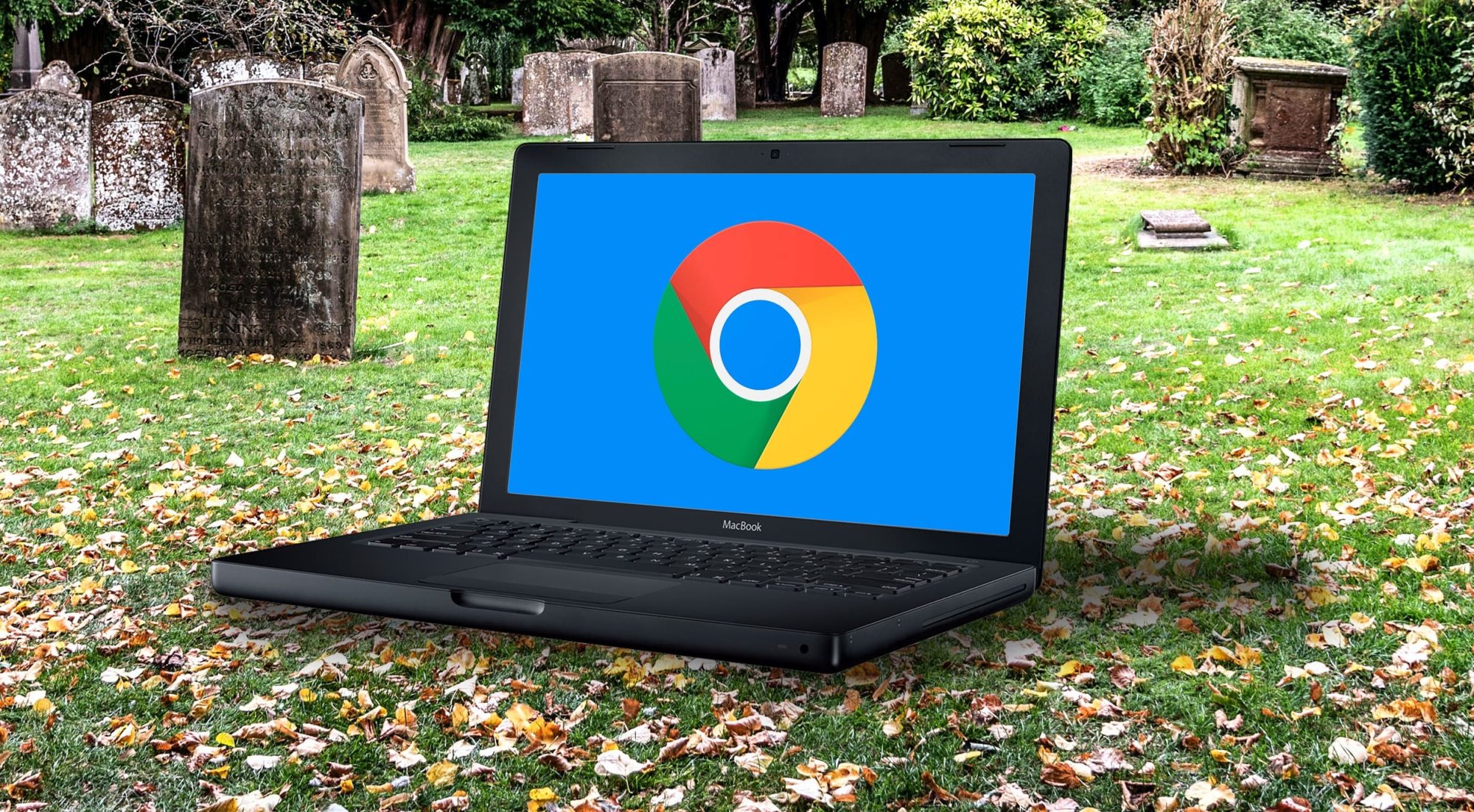
Is there an old out-of-date Mac that you desperately miss using? Well, you’re in luck because it’s incredibly easy to install a modern version of Chrome OS on old Intel Macs for free. CloudReady isn’t a new product by any stretch, but I had always been itching to try it out. Just last year, Google acquired Neverware, the company behind CloudReady. This means that Google offers an officially sanctioned way of reviving old computers with Chrome OS. Here’s how to get CloudReady up and running on an old Mac.
I was able to get CloudReady running on a 2014 Mac mini and a 2012 13″ MacBook Pro. Both of these machines have run-of-the-mill specs for their time. Each of these Macs had 4GB of RAM and much older Intel processors. Neither run recent versions of macOS particularly well, and they certainly aren’t good for power-hungry tasks. The MacBook Pro model that I used for this experiment only runs macOS up to Catalina, so it’s already out-of-date. The Mac mini that I used can run Big Sur, but it’s severely underpowered, being seven years old and not physically upgradeable.
You can install CloudReady on virtually any Intel Mac from 2007 on. CloudReady will not work on PowerPC Macs, so sadly, you can’t revive your sunflower iMac G4 or your blueberry iBook. Compatibility with CloudReady technically begins with Macs from 2006, but it’s not recommended. CloudReady has officially only certified 11 Mac models, but it’s likely you’ll be able to get the OS up and running on non-certified Intel machines as well. CloudReady requires at least 2GB of RAM, at least 16GB of storage, and graphics components made during or after 2007. There are a few specific Intel graphics cards that don’t play nicely with CloudReady, including the GMA 500, 600, 3600 and 3650.
MacBook Air 6,1 (13″ Core i5 or Core i7 Mid 2013-Early 2014)
MacBook Pro 5,5 (13″ Core 2 Duo Mid 2009)
MacBook Pro 9,2 (13″ Core i5 or Core i7 Mid 2012)
Macs that should work with CloudReady but aren’t officially certified include:
Any aluminum iMac from mid 2007 with more than 2GB of RAM
Any white or silver Mac mini from mid 2007 with more than 2GB of RAM
Any white or black MacBook from mid 2007 with more than 2GB of RAM
Any non-unibody or unibody MacBook Pro from mid 2007 with more than 2GB of RAM
Any MacBook Air model (all models have at least 2GB of RAM)
Any tower or trash can Mac Pro from mid 2007 with more than 2GB of RAM
What you’ll need
You may need to upgrade the RAM on a particularly old model before installing CloudReady. Luckily that’s quite easy on old Mac models. I upgraded my 2012 MacBook Pro with 8GB of RAM and a new 240GB SSD for around $70. But getting at least 2GB of RAM is quite cheap these days.
Once you’ve got the Mac you want to install CloudReady on, good to go, you’ll need a flash drive with at least 8GB of storage on it. Make sure not to use a Sandisk flash drive; Neverware says that they don’t work properly with the installer.
The application is only around 48MB and will help you turn your flash drive into a CloudReady installer. You can create the physical installer with any computer; it doesn’t have to be the one you plan to put CloudReady on. I built my CloudReady flash drive with a Windows 11 PC, for example.
2. Connect your flash drive to your selected Mac, then press and hold option as you turn it on
Your Mac will ask you which drive you want to boot from. Choose the CloudReady flash drive that you created. It’s likely going to be represented by an orange drive. The name can vary.
3. Boot into CloudReady
Once you select CloudReady, it will boot into the Chrome OS set up system.
4. Install Chrome OS on your Mac
Click on the clock in the lower right corner and select “Install OS” from the menu that pops up. This will launch the installer and allow you to replace your existing system with CloudReady. Keep in mind that if you choose to install CloudReady on your Mac, it will erase macOS and anything else on the drive. If you don’t want to do that, you can run CloudReady off of the flash drive. Just continue through the setup process without installing the operating system.
Once CloudReady is installed on your Mac, you are good to go. You can connect to wifi or ethernet, sign in to your Google account, and you are up and running. Chrome OS runs incredibly well on old Macs and frankly breathes new life into them.
Limitations of Neverware’s version of Chrome OS
Neverware’s variant of Chrome OS has a few limitations that you should keep in mind. It is based on Chromium rather than Chrome. That’s why you’ll see blue icons rather than Googley multi-colored ones. You cannot install Android apps on CloudReady like you can on an official Chrome OS computer. It can only run Chrome apps, progressive web apps, and websites. CloudReady does come with a few other native apps like a simple files app and wallpaper picker, but that’s about it. Another thing to keep in mind is how often you’ll get updates. CloudReady doesn’t get updated in tandem with the shipping version of Chrome OS. However, it does get regular updates and runs a secure version of Chrome OS that supports the modern web.
Using CloudReady
Once you have CloudReady installed, you can use it as you would a Chromebook. You can set a custom wallpaper or choose one from Google’s excellent collection of pre-installed ones. The shelf at the bottom of the screen can be customized with only the apps and sites you use frequently. You can also click on the circle button in the far left corner to see everything installed on your device or search its contents.
You can head over to the Chrome web store to find Chrome apps for your device, although many apps aren’t up-to-date and likely won’t be supported much longer. To get services you want to use installed on your computer, head over to their websites. Let’s say you want to install Slack as an app. Just go to the Slack website, sign in to your workspace, click the three dots in the top right corner of the window, select tools, and then select install or add shortcut. You’ll then get an icon in the launcher that you can add to your shelf. If you right-click the icon, you can change the website to open in a dedicated window rather than a new tab.
Conclusion
There are lots of beloved old Mac models that we’d love to bring back from the dead. CloudReady makes it possible to use old Macs today with modern websites and web apps. It also performs great even on low-powered machines with mediocre specs.
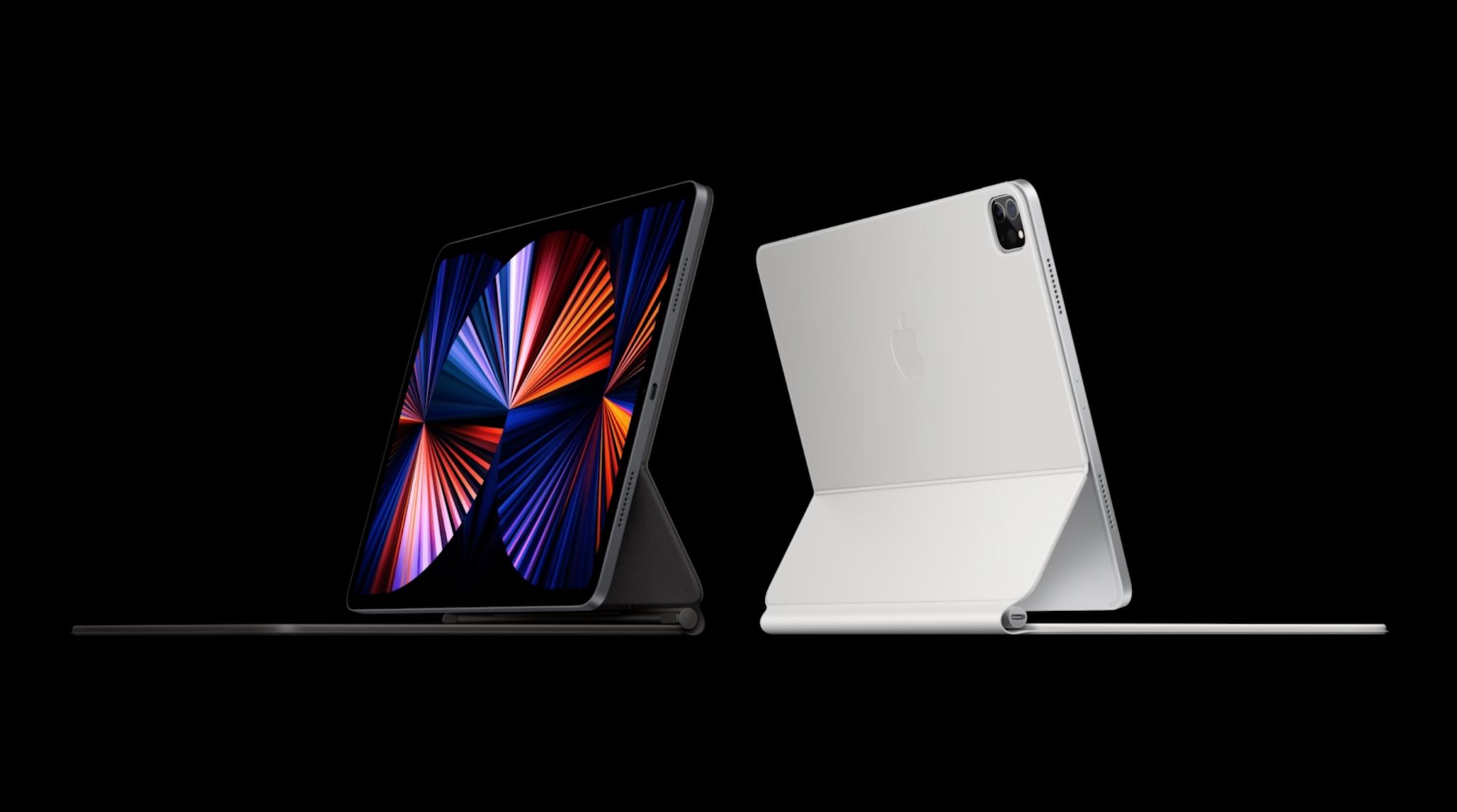
Following the announcement of the new M1 iPad Pro and M1 iMac on Tuesday, Apple executives John Ternus and Greg Joswiak have sat down with the Independent for an in-depth interview. The two Apple executives spoke in the interview about Apple’s plans for the iPad and Mac, the new features of the 2021 iPad Pro, and more.
On merging the iPad and Mac
The most notable comments during the interview came from Joswiak, who serves as Apple’s senior vice president of worldwide marketing. When asked about the future of the iPad and Mac, as the lines start to blur in terms of power, Joswiak explained that Apple has no plans to merge the two platforms.
“There’s two conflicting stories people like to tell about the iPad and Mac,” says Joz, as he starts on a clarification that will lead him at one point to apologise for his passion. “On the one hand, people say that they are in conflict with each other. That somebody has to decide whether they want a Mac, or they want an iPad.
“Or people say that we’re merging them into one: that there’s really this grand conspiracy we have, to eliminate the two categories and make them one.
“And the reality is neither is true. We’re quite proud of the fact that we work really, really hard to create the best products in their respective category.”
(Joz, however, is reluctant to name the category he’s talking about: he jokes that he “can’t even stand using” the word, because the “iPad is better than tablets”. “I hate to diminish it by calling it the category name,” he says.)
Ternus, who is Apple’s senior vice president of hardware engineering, echoed Joswiak’s sentiment. He explained that Apple does not look at things with the lens limiting what one device can do in order to note “step on the toes” of another device.
“But we’re just going to keep making them better. And we’re not going to get all caught up in, you know, theories around merging or anything like that.”
“We don’t think about well, we’re going to limit what this device can do because we don’t want to step on the toes of this [other] one or anything like that,” he says. “We’re pushing to make the best Mac we can make; we’re pushing to make the best iPad we can make. And people choose.
“A lot of people have run both. And they have workflows that span both – some people, for a particular task, prefer one versus the other.
On the new iPad Pro’s M1 chip
When asked about the M1 processor in the new iPad Pro and the software part of that story, Joswiak explained that Apple has “provided that performance even before the need was there.”
“It needs to exist first, right? You can’t have an app that requires more performance than the system’s capable of – then it doesn’t work. So you need to have the system be ahead of the apps.
Joswiak went on to list examples of powerful third-party apps from companies like Adobe and Affinity, but he wouldn’t say whether Apple was working on its own ways to tap into the new power of the M1:
(When asked again, the morning after the reveal, whether Apple is one of those developers that is planning to take advantage of the extra headroom with its professional app, Joz jokes that he’s not going to let something like that slip out.)
Joswiak also explained that this gives users more headroom and ensures their new iPad Pro purchase “isn’t going to be immediately obsolete.”
On mini-LED in the new iPad Pro
Terns also provided some interesting detail on the mini-LED display in the new 12.9-inch iPad Pro. He explained that one of the biggest undertakings in this process was shrinking the display technology — which is also used in the Pro Display XDR — into the 12.9-inch form factor.
“Shrinking it was a huge undertaking,” says Ternus. “If you just look at the two products, obviously the iPad is a lot thinner than a Pro Display XDR, and the way the architecture works – you have the LED backlight behind the display.
As you shrink it down, you necessarily need to add more LEDs; you need to kind of increase the density, because you don’t have as much room for mixing the light and creating zones.
From the very beginning it was: how do we create a backlight with sufficient density? So we had to design a new LED. We had to to design the process for putting down 10,000 LEDs on this backlight in this incredibly precise manner.”
Ternus and Joswiak also noted that one of the reasons Apple is able to make technological leaps like this is because it develops so much of the technology in-house.
On the new Center Stage front-facing camera technology in the iPad
One of the most interesting new features of the 2021 iPad Pro is something called Center Stage. The new iPad Pros pack a 12MP Ultra Wide camera sensor on the front, and Apple is using this to follow users during video chats to ensure that they are always in the frame.
Ternus explained:
“One of the things that I found really cool about it is – spending all this time in these meetings, you sit a lot,” says Ternus. “And it’s so liberating to be able to just stand up and stay framed in the image, and stretch and move around and sit down,” he says, noting that it is a neat way to still be able to close rings on the Apple Watch.
“And one of the things I found sometimes is in group scenarios – you may be FaceTiming with your family and be able to get the family in the frame, or those kind of things, I think are going to be really, really big and powerful. It’s certainly an amazing technology for the times we’re in.”
We rely on Bluetooth for more and more devices, and while the wireless standard is very convenient, it can be really frustrating when our peripherals don’t work consistently. Read along for five tips and tricks to fix Mac Bluetooth issues, including resetting your Bluetooth module and ways to remove interference.
Bluetooth issues aren’t anything new, but there has been a recent wave of more Bluetooth problems with the first Apple Silicon M1 Macs and macOS Big Sur. Notably, Bluetooth reliability should have been improved for Mac users with macOS 11.2.
But whether you’ve got a new M1 Mac or are having trouble with Bluetooth on an Intel one, we’ll cover multiple approaches to fix Mac Bluetooth issues.
How to fix Mac Bluetooth issues
Software update, power cycle, unpair
You’ve probably tried these steps, but if not, start here:
Check if macOS is up to date ( > About This Mac > Software Update…)
Make sure your Bluetooth device is charged
Turn off your Bluetooth device and back on again, you can do the same with Bluetooth on your Mac (click the Bluetooth icon in the menu bar – top right of your Mac’s screen)
You can also unpair a Bluetooth device and re-pair to see if there’s an improvement (Bluetooth in the menu bar > Bluetooth preferences > hover over a device > click the “x” icon > choose “Remove”)
Reboot your Mac
Remove interference
Apple notes in a support document that if you’re seeing intermittent Bluetooth issues, it’s good to check for interference. Tips include:
Bring your Mac and Bluetooth devices closer together
Remove other devices like phones, cameras, power cables, etc. that might be on your desk or nearby
Move some WiFi devices to 5GHz since Bluetooth and WiFi both use 2.4GHz
Move USB/Thunderbolt hubs further away from your Mac and Bluetooth devices (and don’t place them on top of your Mac)
Turn off USB devices that aren’t in use
Finally, don’t have materials between your Mac and Bluetooth devices like metal, concrete
Reset your Mac’s Bluetooth module
If you’re still having trouble with Bluetooth issues, you can reset your Mac’s Bluetooth Module:
While holding option + shift on your keyboard, click the Bluetooth icon in the menu bar
Click “Reset the Bluetooth module”
On the confirmation prompt, choose “OK”
Your Bluetooth devices will disconnect for a moment as the module resets and should automatically reconnect
Here’s how this looks:
Remove all devices + reset Bluetooth module
If that didn’t work, you can remove all of your Bluetooth devices and then reset the module (keep in mind you’ll need to re-pair all of your Bluetooth devices after this):
Hold option + shift on your keyboard and click the Bluetooth icon again
This time, choose “Remove all devices” > click OK
Do option + shift on Bluetooth in the menu bar again > click “Reset the Bluetooth module”
Re-pair your Bluetooth device(s)
Have a dongle?
This isn’t always an ideal solution depending on your setup, but if your Bluetooth device came with a USB dongle for a direct connection, that often eliminates any Bluetooth issues you’re seeing.
The most common devices to come with USB dongles are third-party mouse and keyboards.
Apple has published its 2021 update to its Platform Security guide today along with refreshing the Apple Platform Security landing page. The latest guide goes in-depth on the new and updated security features that have arrived with iOS 14, macOS 11 Big Sur, Apple Silicon Macs, watchOS 7, and more. Apple has also launched an all-new Security Certifications and Compliance Center website and guide.
Apple has long held that secure software necessitates the foundation of security built into hardware. With the shift to using its own custom Apple Silicon in its first three M1 Macs starting last fall, the company has been able to realize that goal across its entire lineup of devices.
2021 Apple Platform Security guide
Device security is a never-ending mission and the latest Apple Platform Security guide details all the effort and changes Apple has implemented over the last year – highlighted by the guide growing 39 pages with this edition to a total of 196.
This documentation provides details about how security technology and features are implemented within Apple platforms. It also helps organizations combine Apple platform security technology and features with their own policies and procedures to meet their specific security needs.
While there a number of security updates that apply to existing/older devices, Apple Silicon has been notable with the M1 Macs allowing Apple to step up security to new levels when it comes to Data Protection via a rebuilt FileVault, System integrity, password protection, and more.
Another notable change in the last year has been the advanced BlastDoor security for iMessage (not specifically mentioned in the new security guide). While it was just recently discovered as present in iOS 14, we’ve learned Apple has built it into macOS Big Sur as well. It’s a totally under the hood change that users won’t notice, but it’s the biggest security improvement to iMessage since the service got end-to-end encryption.
Check out all the new topics added to the Apple Platform Security guide this year:
Memory safe iBoot implementation
Boot process for a Mac with Apple silicon
Boot modes for a Mac with Apple silicon
Startup Disk security policy control for a Mac with Apple silicon
LocalPolicy signing-key creation and management
Contents of a LocalPolicy file for a Mac with Apple silicon
Signed system volume security in macOS
Apple Security Research Device
Password Monitoring
IPv6 security
Car keys security in iOS
And here are all the security topics that have been updated:
Secure Enclave
Hardware microphone disconnect
recoveryOS and diagnostics environments for an Intel-based Mac
Direct memory access protections for Mac computers
macOS Big Sur comes with some major changes and Safari 14 includes a number of enhancements. One of the simple but nice aesthetic changes is the option to set your own image for Apple’s browser. Read on for how to set custom Safari backgrounds.
Safari 14 comes with macOS Big Sur (released for Catalina too) and brings a lot of great features like 4K support for YouTube, Apple’s new translation integration, performance improvements, and a new start page. The start page is where you can set a custom Safari background.
Let’s look at two ways to do this…
How to set custom Safari backgrounds with macOS Big Sur
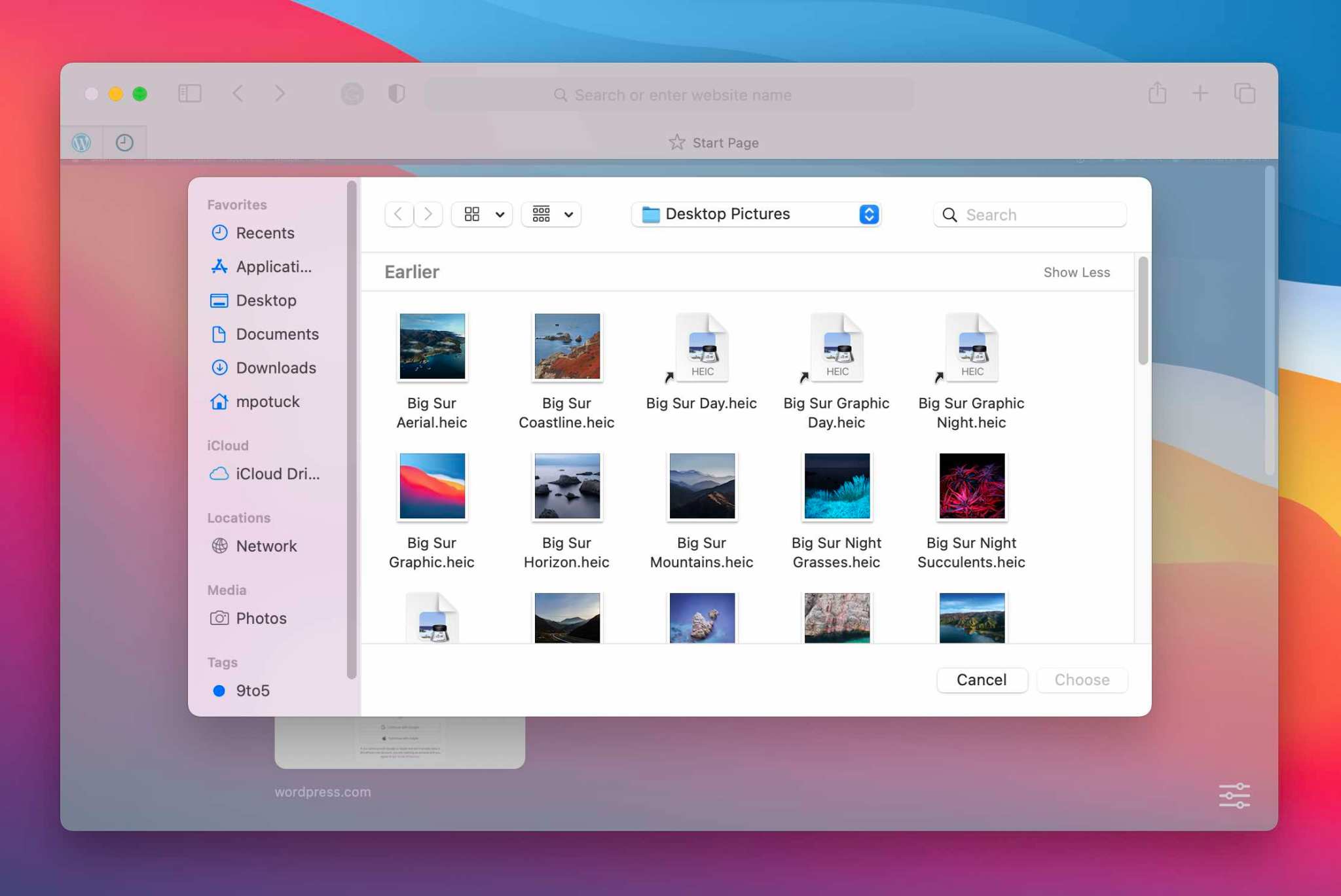
The fastest option if you already have the image you want to use is to drag and drop it on the Safari start page
Alternatively, you can right-click on the start page in a blank area and click “Choose Background…”
Now you can search Finder to select an image
If you want to clear you custom Safari background, right-click on the start page background and choose “Clear Background”
Here’s how the process looks:
Drag and drop an image to set a custom Safari background
And here’s the right-click option to set custom Safari backgrounds:
The new MacBook Air, 13-inch MacBook Pro, and Mac mini are now powered by M1, Apple’s revolutionary chip.
A new MacBook Air, 13-inch MacBook Pro, and Mac mini powered by M1, Apple’s breakthrough chip for the Mac
Cupertino, California — On a momentous day for the Mac, Apple introduced a new MacBook Air, 13-inch MacBook Pro, and Mac mini powered by the revolutionary M1, the first in a family of chips designed by Apple specifically for the Mac. By far the most powerful chip Apple has ever made, M1 transforms the Mac experience. With its industry-leading performance per watt, together with macOS Big Sur, M1 delivers up to 3.5x faster CPU, up to 6x faster GPU, up to 15x faster machine learning (ML) capabilities, and battery life up to 2x longer than before. And with M1 and Big Sur, users get access to the biggest collection of apps ever for Mac. With amazing performance and remarkable new features, the new lineup of M1-powered Macs are an incredible value, and all are available to order today.
“The introduction of three new Macs featuring Apple’s breakthrough M1 chip represents a bold change that was years in the making, and marks a truly historic day for the Mac and for Apple,” said Tim Cook, Apple’s CEO. “M1 is by far the most powerful chip we’ve ever created, and combined with Big Sur, delivers mind-blowing performance, extraordinary battery life, and access to more software and apps than ever before. We can’t wait for our customers to experience this new generation of Mac, and we have no doubt it will help them continue to change the world.”
With M1, the Mac delivers unprecedented levels of performance, extraordinary battery life, and access to more software than ever.
MacBook Air: A Thin and Light Powerhouse
MacBook Air is Apple’s most popular Mac and the world’s best-selling 13-inch notebook. With the M1 chip, MacBook Air speeds through everything from editing family photos to exporting videos for the web. The powerful 8-core CPU performs up to 3.5x faster than the previous generation. With up to an 8-core GPU, graphics are up to 5x faster, the biggest leap ever for MacBook Air, so immersive, graphics-intensive games run at significantly higher frame rates. ML workloads are up to 9x faster, so apps that use ML-based features like face recognition or object detection can do so in a fraction of the time. The M1 chip’s storage controller and latest flash technology deliver up to 2x faster SSD performance, so previewing massive images or importing large files is faster than ever. And in MacBook Air, M1 is faster than the chips in 98 percent of PC laptops sold in the past year.
With the industry-leading power efficiency of M1, MacBook Air also delivers this performance in a fanless design, which means no matter what users are doing, it remains completely silent. And the new MacBook Air features extraordinary battery life, with up to 15 hours of wireless web browsing and up to 18 hours of video playback — the longest battery life ever on a MacBook Air.
MacBook Air with M1 is an absolute powerhouse of performance and thin-and-light portability.
When compared to the previous generation, the M1-powered MacBook Air can:
Export a project for the web with iMovie up to 3x faster.
Integrate 3D effects into video in Final Cut Pro up to 5x faster.
For the first time, play back and edit multiple streams of full-quality, 4K ProRes video in Final Cut Pro without dropping a frame.
Export photos from Lightroom up to twice as fast.
Use ML-based features like Smart Conform in Final Cut Pro to intelligently frame a clip up to 4.3x faster.
Watch more movies and TV shows with up to 18 hours of battery life, the longest ever on MacBook Air.
Extend FaceTime and other video calls for up to twice as long on a single charge.
With M1, MacBook Air users can fly through projects in iMovie, exporting projects up to 3x faster.
With up to 18 hours of battery life, MacBook Air users can watch even more of their favorite movies and TV shows on a single charge.
On the new MacBook Air, FaceTime and video calls can go up to twice as long.
Other new features in MacBook Air include Apple’s latest image signal processor (ISP) in the M1 chip, which improves camera image quality with better noise reduction, greater dynamic range, and improved auto white balance and ML-enhanced face detection so users look their best during video calls. Support for P3 wide color results in an even more vibrant, true-to-life Retina display. The Secure Enclave in M1, combined with Big Sur, delivers best-in-class security with features like Touch ID, which makes it easy to unlock MacBook Air and make secure online purchases using Apple Pay with the touch of a finger. And Wi-Fi 6 delivers faster wireless performance, while two Thunderbolt ports with USB 4 support allow for connectivity to a wide range of peripherals.
With its sleek wedge-shaped design, stunning Retina display, Magic Keyboard, and astonishing level of performance thanks to M1, the new MacBook Air once again redefines what a thin and light notebook can do. And it is still just $999, and $899 for education.
Support for P3 wide color makes the Retina display on MacBook Air even more vibrant and true to life.
13-inch MacBook Pro: Even More Powerful and Even More Pro
The 13-inch MacBook Pro is Apple’s most popular pro notebook. Students use it to power through college, and pros use it to channel their creativity. With the M1 chip and Big Sur, the 13-inch MacBook Pro becomes even more powerful and even more pro. The 8-core CPU, when paired with the MacBook Pro’s active cooling system, is up to 2.8x faster than the previous generation, delivering game-changing performance when compiling code, transcoding video, editing high-resolution photos, and more. The 8-core GPU is up to 5x faster, allowing users to enjoy super smooth graphics performance whether they are designing a graphics-intensive game or a new product. And with M1, the 13-inch MacBook Pro is up to 3x faster than the best-selling Windows laptop in its class. ML is up to 11x faster, and for on-device ML tasks that use the Neural Engine, the new 13-inch MacBook Pro is now the world’s fastest compact pro notebook. With up to 17 hours of wireless web browsing and up to a staggering 20 hours of video playback, MacBook Pro delivers up to twice the battery life of the previous generation and the longest battery life ever on a Mac.
The 13-inch MacBook Pro with M1 delivers game-changing performance and the longest battery life ever on a Mac.
When compared to the previous generation, the M1-powered 13-inch MacBook Pro can:
Build code in Xcode up to 2.8x faster.
Render a complex 3D title in Final Cut Pro up to 5.9x faster.
Fluidly design intricate game scenes in Unity Editor up to 3.5x faster.
Perform ML tasks in Create ML up to 11x faster.
Separate out beats, instrumentals, and vocal tracks from a recording in real time in djay Pro AI, thanks to the amazing performance of the Neural Engine.
Play back full-quality, 8K ProRes video in DaVinci Resolve without dropping a single frame.
Compile four times as much code on a single charge, thanks to the game-changing performance per watt of the M1 chip.
With M1, the 13-inch MacBook Pro is up to 2.8x faster so users can compile code with incredible ease.
With the amazing performance of the M1 chip’s Neural Engine, users can perform machine learning tasks up to 11x faster than before.
The 13-inch MacBook Pro can play back full-quality, 8K ProRes video without dropping a single frame.
Other new features in the new 13-inch MacBook Pro include studio-quality mics for super clear recordings and calls, and Apple’s latest camera ISP in the M1 chip enables sharper images and more detail in shadows and highlights on video calls. The new MacBook Pro also delivers best-in-class security with the Secure Enclave in M1 and Touch ID. And it features two Thunderbolt ports with USB 4 support to connect to more peripherals than ever, including Apple’s Pro Display XDR in full 6K resolution.
With its amazing performance and unbelievable battery life, combined with its gorgeous Retina display, Magic Keyboard, and 3-pound compact design, the new 13-inch MacBook Pro is the ultimate expression of what the M1 chip can do. And it is available for the same starting price of just $1,299, and $1,199 for education.
The new 13-inch MacBook Pro is the ultimate expression of what the M1 chip can do.
Mac mini: Staggering Performance and an Ultracompact Design
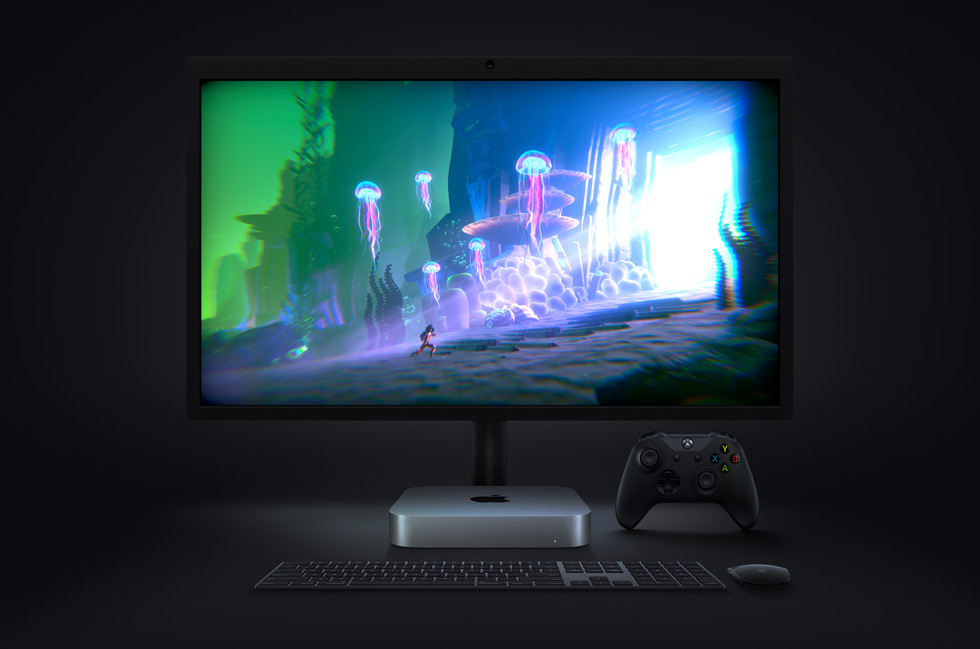
Mac mini is Apple’s most versatile computer, and now with M1, it packs a staggering amount of performance and incredible new features in such a compact design. M1 brings an 8-core CPU with up to 3x faster performance than the previous generation, dramatically accelerating demanding workloads, from compiling a million lines of code to building enormous multitrack music projects. An 8-core GPU delivers up to a massive 6x increase in graphics performance, allowing Mac mini to tackle performance-intensive tasks like complex 3D rendering with ease. ML workloads also take a quantum leap forward with up to 15x faster performance over the previous generation. And when compared to the best-selling Windows desktop in its price range, the Mac mini is just one-tenth the size, yet delivers up to 5x faster performance.
The new Mac mini packs a staggering amount of performance into its ultracompact design.
When compared to the previous generation, the M1-powered Mac mini can:
Compile code in Xcode up to 3x faster.
Play a graphics-intensive game like “Shadow of the Tomb Raider” with up to 4x higher frame rates.
Render a complex timeline in Final Cut Pro up to 6x faster.
Take music production to new levels by using up to 3x as many real-time plug-ins in Logic Pro.
Magically increase the resolution of a photo in Pixelmator Pro up to 15x faster.
Utilize ML frameworks like TensorFlow or Create ML, now accelerated by the M1 chip.
With 3x faster performance, Mac mini dramatically accelerates demanding workflows like compiling code in Xcode.
With M1, graphics-intensive gaming on Mac mini is better than ever with up to 4x higher frame rates.
The new Mac mini takes music production to new levels, enabling up to 3x as many real-time plug-ins in Logic Pro.
Mac mini also features an advanced thermal design to sustain its breakthrough performance while staying cool and quiet, support for up to two displays including Apple’s Pro Display XDR in full 6K resolution, and Wi-Fi 6 for faster wireless performance and the Secure Enclave in M1 for best-in-class security.
With M1 and Big Sur, Mac mini represents a massive shift in what an ultrasmall desktop can do. Far more versatile and far more capable than ever, Mac mini is now available for just $699, $100 less than the previous-generation quad-core model.
macOS Big Sur
All new Macs come with Big Sur, the latest version of the world’s most advanced desktop operating system. Big Sur introduces a beautiful redesign that is entirely new yet instantly familiar, and powerful updates to apps including Safari, Messages, and Maps. Big Sur is engineered, down to its core, to take full advantage of all the capability and power of M1, delivering a massive boost in performance, astonishing battery life, and even stronger security protections. With M1, things users do every day feel noticeably faster and smoother. Just like iPhone and iPad, the Mac now instantly wakes from sleep. Browsing with Safari — which is already the world’s fastest browser — is now up to 1.5x speedier at running JavaScript and nearly 2x more responsive.6
With Big Sur and M1, Mac users can run a greater range of apps than ever before. All of Apple’s Mac software is now Universal and runs natively for M1 systems. Existing Mac apps that have not been updated to Universal will run seamlessly with Apple’s Rosetta 2 technology. And iPhone and iPad apps can now run directly on the Mac. Additionally, the foundations of Big Sur are optimized to unlock the power of M1, including developer technologies from Metal for graphics to Core ML for machine learning.
macOS Big Sur is engineered to take full advantage of the M1 chip in the new Mac lineup.
Pricing and Availability
The new MacBook Air, 13-inch MacBook Pro, and Mac mini with M1 are available to order today on apple.com and in the Apple Store app. They will begin arriving to customers and will be in select Apple Store locations and Apple Authorized Resellers starting next week. The new MacBook Air starts at $999 (US), and $899 (US)for education; the new 13-inch MacBook Pro starts at $1,299 (US), and $1,199 (US) for education; and the new Mac mini starts at $699 (US),and $679 (US)for education.
Customers are able to find the same great shopping and support services at apple.com/shop, in the Apple Store app, and at Apple Store locations. Customers can get shopping help from Apple Specialists, choose monthly financing options, trade in eligible devices, and get Support services and no-contact delivery or Apple Store pickup options. Customers are encouraged to check apple.com/retail for more information on the health and safety measures in place, and the services available, at their local store.
Additional technical specifications, configure-to-order options, and accessories are available online at apple.com/mac.