One of the more interesting features recently added to iPhone is something called Clean Energy Charging. Apple says that this feature aims to “reduce your carbon footprint” by charging when lower carbon-emission electricity is available. In a support document, Apple has more details on how this feature works.
Apple says:
When Clean Energy Charging is enabled and you connect your iPhone to a charger, your iPhone gets a forecast of the carbon emissions in your local energy grid and uses it to charge your iPhone during times of cleaner energy production.
Clean Energy Charging is available only in the United States and is on by default when you set up your iPhone or after you update to iOS 16.1.
Clean Energy Charging is enabled by default, but you can manage the setting by going into the Settings app, choosing Battery, then Battery Health & Charging. Here, you’ll see a new toggle dedicated to the Clean Energy Charging feature.
Clean Energy Charging works together with Optimized Battery Charging to learn your charging habits. Clean Energy Charging engages only where you spend the most time and regularly charge your iPhone for long periods of time, such as your home and place of work. The feature doesn’t engage if your charging habits are variable or you’re in a new location, such as when you travel.
For Clean Energy Charging to work, Apple says the following settings must be configured:
Go to Settings > Battery > Battery Health & Charging and make sure that Clean Energy Charging is on.
Go to Settings > Privacy & Security > Location Services and make sure that Location Services is on.
Go to Settings > Privacy & Security > Location Services > System Services and make sure that System Customization is on.
Go to Settings > Privacy & Security > Location Services > System Services > Significant Locations and make sure that Significant Locations is on.
Finally, if you enable Clean Energy Charging but want to override it, you can do so directly from your iPhone’s lock screen. When Clean Energy Charging suspends charging, you’ll see a notification on your lock screen. Long press on this notification then choose the “Charge Now” option to override.
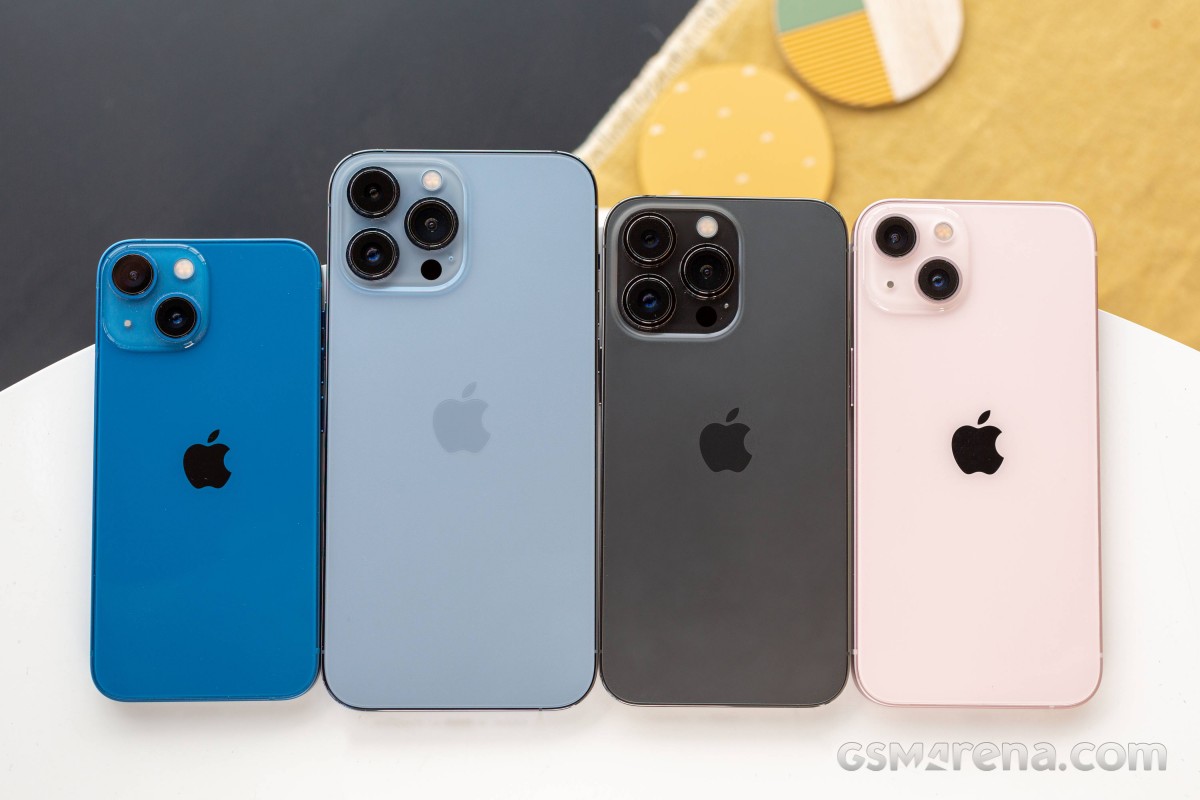
The Apple iPhone 13 mini is the most compact flagship smartphone money can buy. It’s also easy enough to outright recommend to anyone looking for this particular type of device. It is astonishingly rare to find such a pocket-friendly smartphone, let alone one of flagship caliber.
Apple launched the first iPhone mini a year ago, and while it did not turn out to be the massive success some hoped for it to be, it was still a popular purchase among the fans of compact phones, Android and iOS alike. But because of the lackluster sales, the rumor has it the iPhone 13 mini will be the last of its kind before it is merged with the iPhone SE in a year or two.
The iPhone 13 mini brings few updates over the iPhone 12 mini – an improved chipset, a better main camera with new sensor and stabilization, about 10% battery capacity increase, and a couple of software features. And a smaller screen notch, of course! But we imagine few if any iPhone 12 mini users will be upgrading to the iPhone 13 mini.
But as a standalone smartphone, the iPhone 13 mini seems like a great offer for a number of reasons – it is the cheapest current flagship iPhone with unmatched compact and lightweight design. It employs the most durable design on the market so far, runs on the most powerful Apple A15 chip with 5G, has excellent cameras, there are loud stereo speakers and a great 5.4″ OLED screen with Dolby Vision support.
Disclaimer. We can not guarantee that the information on this page is 100% correct.
For a device of this size, the Apple iPhone 13 mini is jam-packed with features. We can’t but appreciate that how Apple made the mini possible without cutting any corners – it is basically a shrunk version of the regular iPhone 13. It even offers Face ID and MagSafe wireless charging. And despite the new improvements, Apple managed to increase the battery capacity, too.
The iPhone 13 mini, just like the iPhone 13, has a regular 60Hz OLED, though that’s hardly surprising. The ProMotion screen is reserved for the iPhone ProModels. And that’s probably the only missing feature worth a mention before we get this review started.
Unboxing the Apple iPhone 13 mini
The iPhone 13 mini may be jam-packed with features, but its retail bundle is the opposite. Inside the thin paper box, you will find the iPhone 13 mini and a USB cable.
If you dig a little deeper, you’ll also discover the SIM ejection pin and one Apple sticker. This year Apple’s removed all plastic wrapping of its boxes and became even greener, so we guess the iconic sticker will be a goner soon enough.
The competition
The Apple iPhone 13 mini is a rare occurrence – it’s not only one of the most compact phones on the market, but it’s also a flagship one. And while people are still hoping for Sony to make a new Xperia mini, Apple is making compact iPhones by the dozen. Not only that, but it also offers budget phones as part of the iPhone SE lineup.
Apple iPhone 13 series
The new iPhone 13 mini is a minor upgrade over the 12 mini model with a smaller screen notch and a brighter panel, a bit faster chipset, doubled base storage, a slightly larger battery, and an improved primary camera. We’d say the battery bump is what got us excited the most about this mini, and it indeed offers improved battery autonomy over the previous model.
The compact class is ruled by Apple, so you can imagine our first alternative recommendations come from Apple’s camp. The iPhone 12 mini is still available, if the new upgrades don’t excite you, you can just as well go for the older model and save yourself €120 and maybe spend them on a pair of AirPods instead.
There is also iPhone SE (2020), which is €320 cheaper than the €799 iPhone 13 mini, but it still offers a great iOS experience, excellent performance, good photo quality, and excellent videos. The bezels and the lack of Night Mode are potential deal-breakers, though.
If the mini is too small for you, then you can consider the iPhone 13 (€100 over the 13 mini) – it’s the same phone but with a larger 6.1″ display. The regular model is still considered compact, and many users may find it striking the best balance between pocketability and multimedia-friendly.
Apple iPhone 12 mini • Apple iPhone SE (2020) • Apple iPhone 13
Outside Apple, we want to mention the Asus Zenfone 8 and the Samsung Galaxy S21 5G for being one of the most compact Android flagships with outstanding screens, performance, hardware, battery life. The Zenfone is a bit cheaper than the mini, while the S21 5G costs about the same.
Asus Zenfone 8 • Samsung Galaxy S21 5G
Verdict
The Apple iPhone 13 mini is the most compact smartphone on the market right now, with a flagship feature set and surprisingly good battery life for its small size. It has a lively Dolby Vision OLED screen, one of the most powerful chipsets to date, superb stereo speakers, and it offers a proficient trio of cameras that delivers great photo and video quality.
The iPhone 13 mini is also one of the most durable phones – it has a scratch-resistant screen and is IP68-rated for dust and water endurance in up to 6m deep water. Oh, and it’s incredibly thin and lightweight.
The iPhone 13 mini is not perfect, of course, but it’s close. It doesn’t offer a 120Hz refresh rate, it ships without a charger, and iOS is not for everyone. Plus, it’s a minor upgrade over the iPhone 12 mini, and the notch reduction is far from what many were hoping for.
We don’t know if the iPhone 13 mini is the last of its kind, for a while at least, but if it goes extinct, we know many people will miss it dearly. Because it is the phone you get if you want a small yet powerful flagship – it’s that simple. Even with its imperfections, it is the perfect smartphone for fans of compact phones.
It was confirmed back in September that Apple will need to comply with antitrust requirements relating to app sales, and it seems most likely this will require the company to allow third-party app stores on iPhones. Microsoft has now indicated its intention to run one of these.
One key driver for the plan is likely Microsoft’s $69 billion acquisition of mobile gaming giant Activision Blizzard …
The App Store is officially a monopoly
Currently, the only place you can buy and download iOS apps is from the App Store. Apple had argued that consumers and developers were free to buy and sell Android versions of apps, therefore it didn’t have a monopoly on mobile apps as a whole – but the European Union rejected this as irrelevant, as Apple has an undeniable monopoly on the sale of iPhone and iPad apps.
Apple eventually conceded the point, and the matter was finally settled in September. The EU named the companies which will be subject to the Digital Markets Act (DMA) antitrust law, with the iPhone maker on the list.
Apple will likely have to allow third-party app stores
We still don’t know for certain what action Apple will have to take to comply with the DMA.
As a minimum, Apple must allow developers to use third-party payment platforms for European app sales, and in-app purchases. However, it seems more likely that it will need to permit third-party app stores to fully comply.
All indications are that Apple has reluctantly accepted this. The company has for some time had a senior team working on permitting third-party app stores.
This work is being spearheaded by Andreas Wendker, a software engineering vice president within Apple. Wendker reports directly to Craig Federighi. In addition to the engineering teams, Apple’s services team is also involved. Jeff Robbin, Apple’s “top engineering manager for its services,” is leading the effort on that side. Robbin reports to Eddy Cue.
Apple has until March 6 2024 to comply.
It’s not known whether the company will limit the changes to EU countries, or make the change globally. Apple faces similar antitrust pressures in the US and elsewhere, so may decide it’s best to bite the bullet and make one change worldwide.
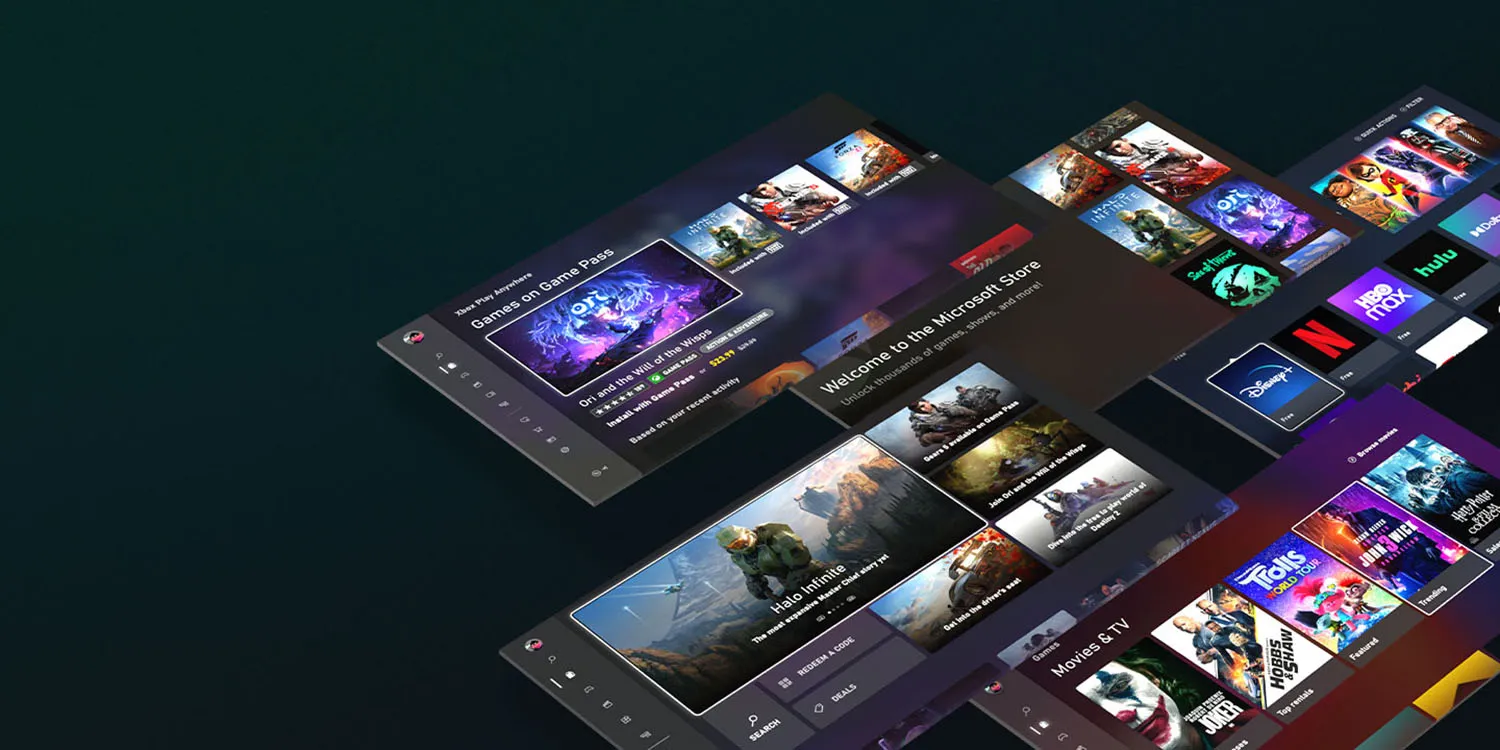
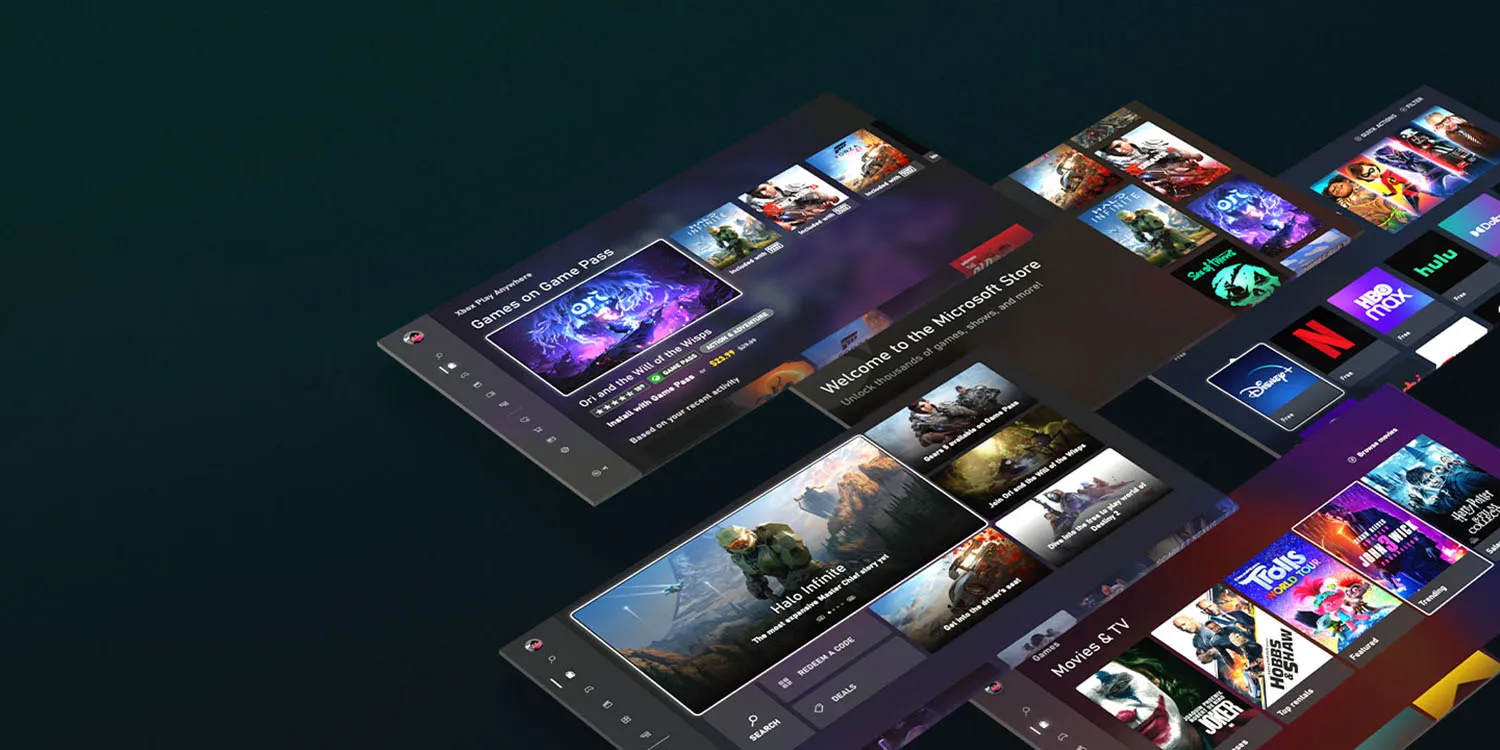
Microsoft plans to offer an app store for games
Bloomberg reports that Microsoft has confirmed reports that it plans to offer an iOS app store for games.
Microsoft Corp. is talking to partners to help launch a mobile gaming store that will take on Apple Inc. and Google’s dominant position in the business, according to Phil Spencer, who leads the company’s Xbox video-game division.
“It’s an important part of our strategy and something we are actively working on today not only alone, but talking to other partners who’d also like to see more choice for how they can monetize on the phone,’’ Spencer said in an interview in Sao Paulo during the CCXP comics and entertainment convention.
Earlier reports said that it plans to launch the store next year, and the company more-or-less confirmed this.
The executive declined to give a specific date for a launch of the online store, which earlier reports suggested could be next year. “I don’t think this is multiple years away, I think this is sooner than that,’’ he said.
What does this mean for iPhone users?
What will likely happen is that you’ll be able to go to Apple’s App Store, and download apps for third-party app stores, like the planned Microsoft one.
If you do, you’ll then be able to choose where to buy your apps – either from the official App Store, or from any of the third-party ones.
You may pay the same price or different ones; that will be up to developers. However, the most likely outcome is that third-party stores will offer lower commissions to developers, and they will pass on at least some of the savings or offer other incentives to encourage you to use the stores which charge them the lowest commissions.
But most iPhone owners likely to stick to Apple
However, while the law will give you the option of buying apps from other stores, the choice will be yours. We’d expect most iPhone owners to stick to Apple’s own store, for three reasons.
First, interia. The average iPhone user probably won’t even know that third-party app stores exist, and even those who do will likely continue to use the App Store out of habit.
Second, comfort with Apple. If you need a refund, or want to cancel a subscription, you know that Apple will take care of that for you. If you buy elsewhere, you’d be dependent on the third-party store to handle those issues.
Third, security. Apple has long argued that it does more than other app stores to exclude scam apps. Even if that might be a somewhat questionable claim, people may be less inclined to trust Microsoft.
Apple has delivered iOS 17.2 to all users and with it comes a brand new security feature for iMessage. Called Contact Key Verification (CKV), the capability gives users more certainty they’re messaging with the people they think they are. Follow along for what this feature is, how it works, and how to turn on Contact Key Verification on for iMessage.
Contact Key Verification background
When enabled, the opt-in Contact Key Verification gives automatic alerts if the iMessage key distribution services return device keys that have not been verified (e.g. if an unrecognized device has been added to an iMessage account).
And even more security is available by using CKV in person, on FaceTime, or via another secure method. You can read more on the details of how CKV works in our full coverage here.
Apple has not seen an attack like this – which would be quite advanced – but CKV arriving with iOS 17.2 means Apple is staying a step ahead of hackers and giving users more peace of mind.
Even though a very small percentage of iPhone users may need security of this level, the neat part is turning it on doesn’t reduce the functionality of your iPhone or iMessage – so it could end up being more widely used than something like Lockdown Mode.
How to turn on iMessage Contact Key Verification
Important: All devices signed into your iCloud account need to be running iOS 17.2, macOS 14.2, or watchOS 10.2 before enabling this(or you can sign out of iMessage on those devices that you don’t want to enable the feature).
Running iOS 17.2, open Settings on your iPhone
At the top, tap your name
Swipe to the very bottom
Choose Contact Key Verification
Tap the toggle next to Verification in iMessage
Follow the prompts to enable Contact Key Verification
Last month, it was reported that iOS 17.1.1 broke in-car wireless charging for a number of GM drivers with an iPhone 15. In today’s release notes for iOS 17.2, which will be released to everyone next week, Apple says it has solved this problem…hopefully.
A fix for GM drivers
Following my report last month, GM acknowledged the problems in a statement to The Verge. “We are aware of this concern and are investigating. There’s nothing we can confirm at this point,” a company spokesperson said.
Here’s what Apple’s release notes for iOS 17.2 say: “Fixes an issue that may prevent wireless charging in certain vehicles.”
Unfortunately, there aren’t any additional details about the scope of this fix. Apple doesn’t specifically mention that iOS 17.2 addresses the problem for GM drivers, but that feels like a safe assumption to make.
This is the second time Apple has had to address issues in iOS 17 specifically affecting in-car wireless chargers. iOS 17.1.1, released at the beginning of November, included a fix for wireless charging and NFC problems affecting BMW drivers.
iOS 17.2 is currently available in beta for developers and public beta users. It’s expected to be released to the general public in about a week.
iPhone 15 wireless charging apparently broken in many GM cars with iOS 17.1
While iOS 17.1.1 last week was released to fix iPhone 15 wireless charging problems for BMW drivers, the same can’t be said for GM drivers. A number of GM drivers have taken to Reddit and other online forums to report that they are unable to wirelessly charge their iPhone 15 in their car after updating to iOS 17.1.
iPhone 15 wireless charging problems: BMW first, now GM
After mounting complaints, Apple finally acknowledged a bug impacting wireless charging for iPhone 15 users in some BMW cars last month. In these instances, the problem would also temporarily disable NFC features of the iPhone 15, such as Apple Pay. Apple rolled out a fix for BMW wireless charging issues as part of iOS 17.1.1 last week.
In the meantime, however, GM drivers say that they are no longer able to use their in-car wireless charging pads to charge their iPhone 15 after updating to iOS 17.1. There are a number of complaints from GM drivers on Reddit, GM forums, and Apple’s support forums. These issues, however, don’t appear to impact NFC features.
It’s not immediately clear how widespread these problems are, nor is it clear which specific GM cars are affected. There are complaints from Bolt drivers, Silverado drivers, Sierra drivers, and more scattered across the web.
GM drivers say that last week’s iOS 17.1.1 update did not fix their wireless charging problems, nor does the current iOS 17.2 beta cycle. Two different GM drivers say that they spoke to Apple about the problems, and Apple told them to talk to GM about it. The key, however, is that wireless charging for these people worked prior to updating to iOS 17.1, so it’s clearly something tied to that update.
Based on these bizarre wireless charging problems that have affected GM and BMW drivers, paired with experiences using in-car wireless chargers, Starting to question the usefulness of wireless charging in cars. It clearly seems to be a fickle solution in a lot of cases, even though there are some convenience benefits, particularly if you have a car with wireless CarPlay.
Following the release of iOS 17.2 in early December, Apple is now beta testing iOS 17.3 for iPhone users. This update is headlined by a new feature called Stolen Device Protection, designed to protect iPhone users if they have their phone and passcode both stolen.
Head below for the full details on iOS 17.3, including new features, likely release date, and more.
When will iOS 17.3 be released?
Based on the release dates of iOS 15.3 and iOS 16.3, we currently expect iOS 17.3 to be released sometime during the second half of January. This gives Apple time to release additional betas and also accounts for the holiday slowdown when many Apple engineers aren’t working.
iOS 16.3: Released on January 23, 2023.
iOS 15.3: Released on January 26, 2022.
iOS 14.3: Released on December 14, 2020.
iOS 13.3: Released on December 10, 2019
What’s new in iOS 17.3?
Secure Device Protection
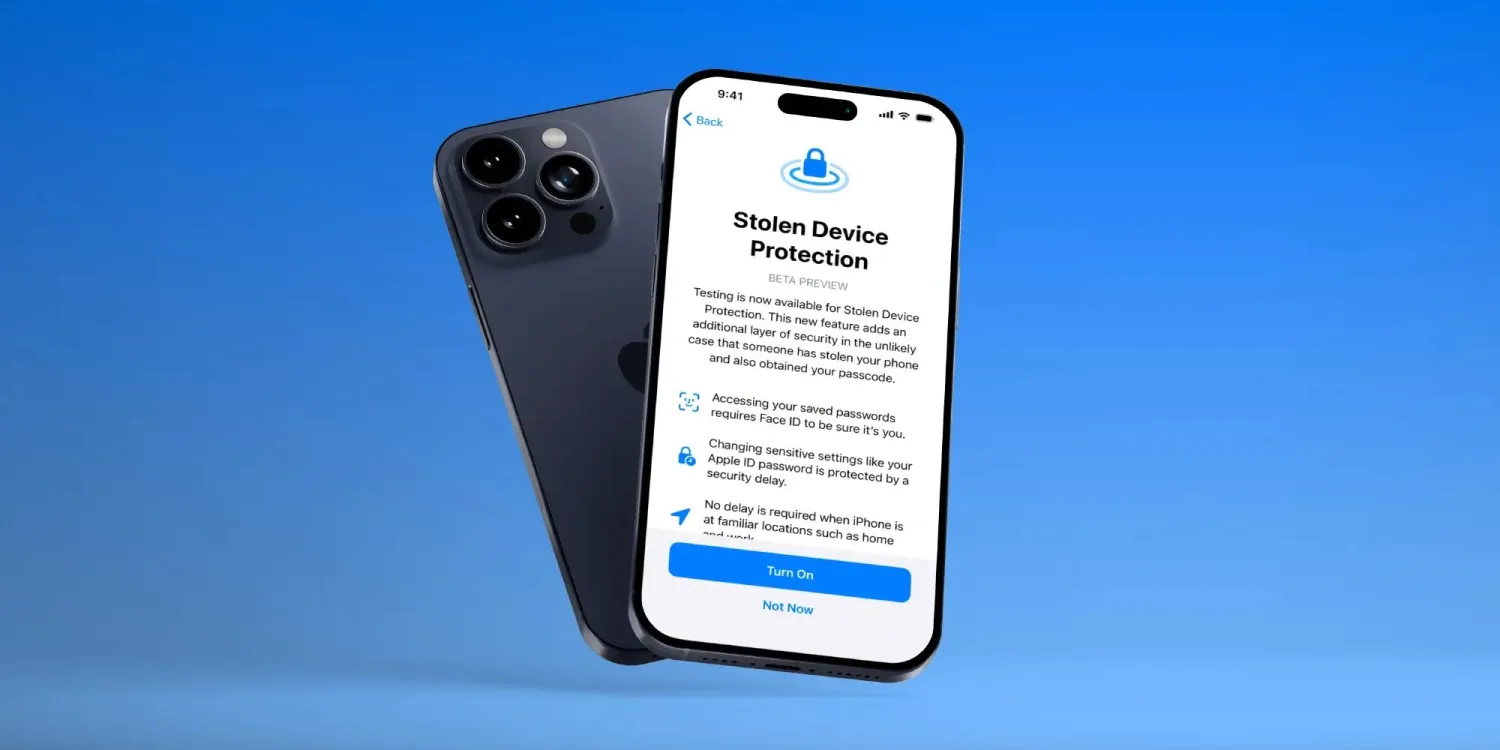
The most notable new feature in iOS 17.3 is Stolen Device Protection. “This new feature adds an additional layer of security in the unlikely case that someone has stolen your phone and also obtained your passcode,” Apple explains.
The addition of Stolen Device Protection follows excellent reporting from Joanna Stern and Nicole Nguyen. Writing at The Wall Street Journal, Stern and Nguyen, extensively reported the growing trend of thieves shoulder-surfing iPhone users to watch them enter their passcode in places like bars and restaurants. Those thieves would then steal the victim’s iPhone and use the passcode to do things like change their Apple ID password, access banking apps, and more.
Stolen Device Protection, which is an opt-in feature in iOS 17.3, attempts to counter those thieves by putting new restrictions in place on how powerful your iPhone passcode actually is.
Accessing your saved passwords requires Face ID to be sure it’s you.
Changing sensitive settings like your Apple ID password is protected by a security delay
No delay is required when the iPhone is at familiar locations such as home and work
Apple Music collaborative playlists
The saga around collaborative playlists in Apple Music continues with iOS 17.3. This feature was initially added in the early betas of iOS 17.2 but was removed by Apple before the update was actually released to the public.
In iOS 17.3, Apple Music collaborative playlists have returned once again. The feature lets you team up with other people to create shared playlists where everyone can contribute songs.
There’s also support for reacting to songs in collaborative playlists with emojis. This way, you can show other people what you think of specific songs.
More to come?
As of right now, these are the only two changes in iOS 17.3. It’s certainly possible that Apple will make further changes before the update is released to the general public.
There are a few features previously announced by Apple that have yet to launch, including next-generation CarPlay and support for AirPlay in hotels. Whether these features come with iOS 17.3 or a later update remains to be seen.
We’re also still waiting to find out how Apple plans to comply with looming changes in the European Union around digital app stores. Apple is reportedly planning to bring support for third-party app stores and sideloading to the iPhone, but it has not announced any details yet.
Apple loves a good “buzzword” as much as the next company, probably even more. The trendy “r words” arguably get the most love and attention. Words like Reduce, Reuse, Repair, Recycle. But arguably, one of Apple’s greenest practices to date is the repackaging and reselling older designs as new products after a refresh. It’s been done time and time again, be it with iPhone SE models or Macbooks.
The new iPhone 14 sort of fits into this category of product. Just sort of, though, since Apple has redesigned the internals quite a bit to facilitate easier repairability, among other things. Plus, you do get new cameras and a few other new features. Externally, though, the iPhone 14 is essentially the same as the iPhone 13, and so is the core experience these devices offer. If Apple still did “s” models in their naming scheme, the iPhone 14 would probably be the iPhone 13s.
Disclaimer. We can not guarantee that the information on this page is 100% correct.
The vanilla iPhone 14 even starts at $799 in the US, just like its predecessor, so it occupies the same segment and fills the same shoes if it were. That said, most markets outside the US have a price hike on the iPhone 14, and the iPhone 13 has come down in price since its launch. Even in the US, it is now $100 or so cheaper.
So, we have our work cut out for us, and the real question here is clear as day – is the iPhone 14 better than the iPhone 13 and is it worth shelling out a bit more for it instead?
Unboxing
Before we really dig into the iPhone 14 to see just how much different and potentially better it is, let’s start simple with its retail package. Apple basically created the new standard for the “bare minimum” accessory package and is not about to suddenly become more generous in that department.
We have the typical Apple affair – minimal in and out. The two-piece white cardboard box is very small in every dimension.
Inside the box, you’ll find a relatively short 1-meter long USB Type-C to Lightning cable, a SIM ejector tool (outside the US, where the iPhone 14 is e-SIM only and lacks a physical SIM tray) and some leaflets. That’s it. Nothing more, nothing less.
Alternatives
The iPhone 14 starts at $800 in the US, but if you are outside of the US, there is a price hike compared to the MSRP of the iPhone 13. One in Europe will set you back at least EUR 1,000, barring any carrier or similar deals. That’s a pretty penny to pay for the vanilla iPhone. Apple has decided to still offer the iPhone 13 and 13 mini. If you’ve already gone through the review, then you have probably made up your mind on whether the new iPhone 14 offers enough of an upgrade for you to shell out the extra money. A vanilla iPhone 13 starts at $699, which is a decent bit of savings.
Part of the charm of the iPhone 14 is definitely its size. Now that there is no current “mini,” it is the smallest iPhone in this generation. And indeed, even its size is hard to come by in the Android realm, where display diagonals have only been growing steadily. Still, there are some viable options to consider. If the camera is your first priority or you are into a clean as possible OS experience, then the Google Pixel 6a might be just up your alley. Assuming, of course, that this alley is in a market where Google officially sells its phones.
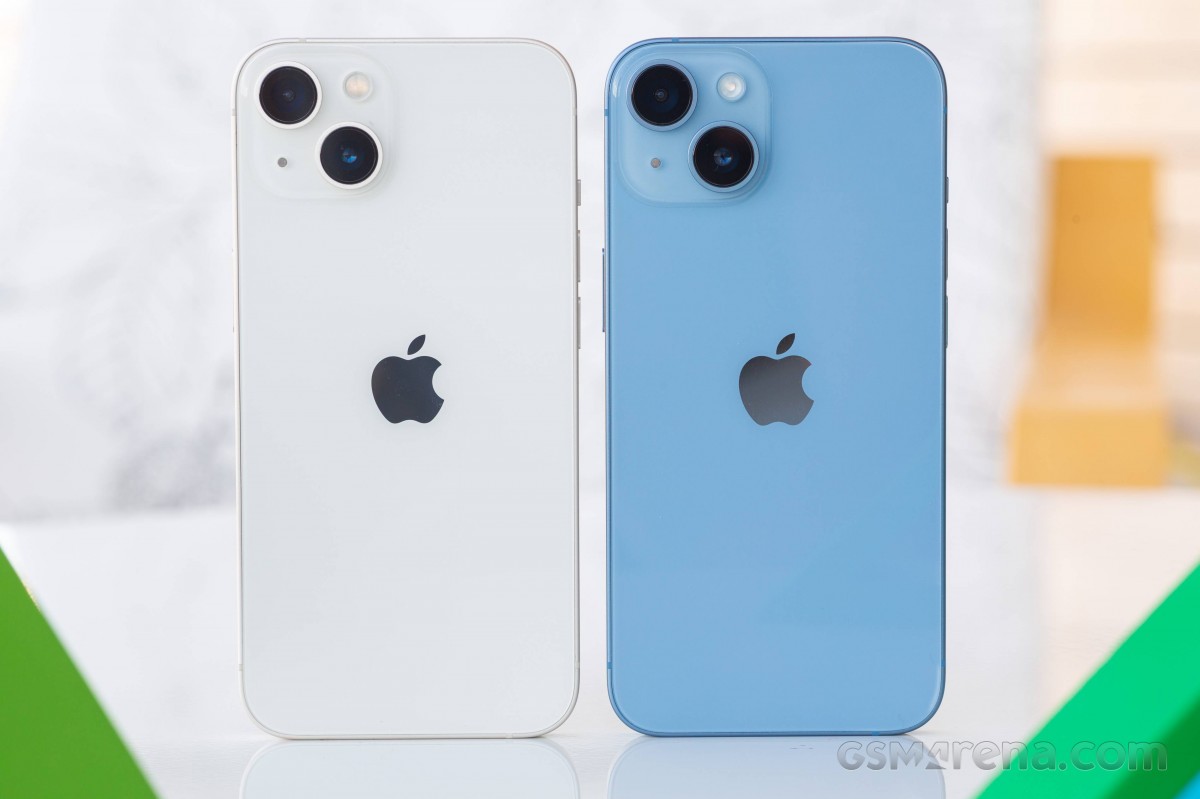
Left: iPhone 13 • Right: iPhone 14
The same is mostly true of the Asus Zenfone 9. It is compact and still packs a full set of flagship features and hardware, including Qualcomm’s latest and greatest Snapdragon 8+ Gen 1 chipset and a decently large 4,300 mAh battery. Among other things.
Left: iPhone 13 • Right: iPhone 14
Sort of on the other end of the spectrum, we find the Samsung Galaxy S22 5G. It runs the company’s highly-regarded One UI UX with all of the added high-level features it includes. Plus, you still get the latest generation of Samsung hardware, including excellent cameras.
Our verdict
The iPhone 14 is very much a familiar affair. It is an incremental upgrade over last year’s model. If you didn’t have time to go through the entire review, allow us to list all of the upgrades really quicky.
The iPhone 14 has a major internal redesign that makes it more easily repairable, particularly a back panel or a display swap is now much less of a pain. The iPhone 14 has only a slightly larger battery pack but notably better battery life and even faster charging. The chipset is last year’s A15 Bionic, but with five GPU cores, 6GB of RAM (50% more), Bluetooth 5.3, a more energy-efficient Qualcomm 5G modem, new satellite connectivity for SOS messages and new Crash Detection. The camera department has a new larger 12MP main camera with a 1/1.65″ sensor, 1.9-micron pixels, a new 12MP ultrawide and a new 12MP, f/1.9 selfie camera now with autofocus onboard. There is also the new Action Mode video stabilization, 4K Cinematic mode at 30 fps and a new Photonic Engine for better low-light photos.
It’s not an insignificant list of changes once you really dig in. Some are obviously more impactful than others, and it will be up to the individual user to judge what constitutes enough reason for an upgrade. The way we see it, anybody on an iPhone 13 has little to no incentive to jump ship. Unless you really need autofocus on your selfie cam, all of those other camera improvements only realistically result in shorter capture times in low light. We would even go as far as to say that iPhone 12 users shouldn’t feel too tempted by the 14 and can hold off upgrading for at least another year.
If you are running any iPhone older than that and you are looking to upgrade, then the iPhone 14 is nothing short of a solid and dependable way to go. Sure, it is a bit on the boring side in more ways than one, but you definitely know what you are getting into. For the more adventurous or frugal, there is also the option of picking up an iPhone 13 and potentially banking on some extended software support now that the A15 Bionic has gotten a new lease on life in the iPhone 14. Either way, you will be getting a great phone for the years to come.
Pros
Major internal redesign for easier repairability.
Bright OLED screen, HDR10, Dolby Vision and excellent color accuracy.
Solid battery life.
Loud stereo speakers, excellent output.
Great all-around performance from the older but still solid chipset.
Great photo and video quality across all three cameras.
Autofocus on the selfies camera and Action Mode are great camera additions.
Every iPhone comes with at least five years of iOS updates.
Cons
Minor upgrade over iPhone 13.
Wider feature gap with the 14 Pro: no 120Hz refresh rate, A16 Bionic, zoom camera or AF on the ultrawide.
The notch is still a polarizing design element.
The fast charging isn’t particularly fast, and the charger is not bundled.
Apple’s iOS restrictions can be off-putting to newcomers to the ecosystem.
Vision Pro to a complete revamp of the iPad lineup, there’s a lot to be excited about. Here’s everything we know about what’s coming from Apple this year, broken down by product category.
Spoiler alert: there’s a lot in the pipeline for this year.
Vision Pro
Apple’s 2024 is expected to kick off with the release of Vision Pro, Apple’s new spatial computing headset that was first announced at WWDC 2022. Apple says that Vision Pro will be released in “early 2024” in the United States and later this year in other countries around the world.
According to reports from the likes of Bloomberg and Ming-Chi Kuo, Vision Pro is currently in mass production ahead of a launch to customers sometime in February. Vision Pro will start at $3,499, but Apple has not revealed any other pricing details for things like prescription lenses, storage configurations, and more.
Learn more about Vision Pro in our hands-on coverage from WWDC 2022. Keep up with all of the latest rumors about Vision Pro’s release date in our dedicated guide.
A complete iPad lineup overhaul
In 2023, Appledidn’t release a single new iPad. In fact, the only hardware announcement related to the iPad was the new Apple Pencil with USB-C. Exciting stuff, right?
Thankfully, 2024 is shaping up to be a far more exciting year for the iPad. Rumors suggest that Apple has new versions of every iPad it sells in the works.
iPad Air
One of the biggest changes to the iPad lineup in 2024 is expected to be the addition of a new 12.9-inch iPad Air. Currently, Apple sells one iPad Air model at 10.9 inches. This would mark the first time that Apple has sold an iPad Air in two different screen sizes.
Other than the new form factor option, we aren’t expecting many other changes to the iPad Air in terms of design or features. The only other notable difference will be a new processor, with Apple upgrading the iPad Air from its current M1 chip to the M2 for better performance and efficiency.
The new iPad Air models are expected to be announced and released sometime around March.
iPad Pro
For fans of Apple’s top-end iPad Pro models, there’s a lot to be excited about in 2024. Most notably, the iPad Pro lineup will switch to OLED display technology. Currently, the 11-inch iPad Pro uses an LCD display while the 12.9-inch uses mini-LED.
Additionally, the 2024 iPad Pro lineup will be available in 11-inch and 13-inch screen sizes. The slight increase from 12.9 inches to 13 inches could come in the form of smaller bezels, allowing Apple to increase the screen size while maintaining the same overall form factor.
The switch to OLED for the iPad Pro lineup could also unlock other changes. For example, OLED displays could theoretically allow Apple to make the iPad Pro thinner. There have also been rumors of bigger design changes coming to the iPad Pro models, but whether those design changes will debut this year remains to be seen.
On the inside, the iPad Pro models will use the latest-generation M3 processors. This will unlock improved performance and efficiency for things like pro-level apps, multitasking, and more.
All of these changes, however, will increase the iPad Pro pricing. Not only are OLED panels more expensive than LCD and mini-LED, but Apple is also planning to use the most advanced version of OLED panels on the market. As it stands today, the 11-inch iPad Pro starts at $799, while the 12.9-inch iPad Pro starts at $1,099.
You can learn more about the new OLED iPad Pro in our dedicated guide. This guide includes details about why Apple is switching to OLED and some of the benefits the change will offer.
The new iPad Pro models are likely to be announced and released sometime around March.
New Magic Keyboard and Apple Pencil 3
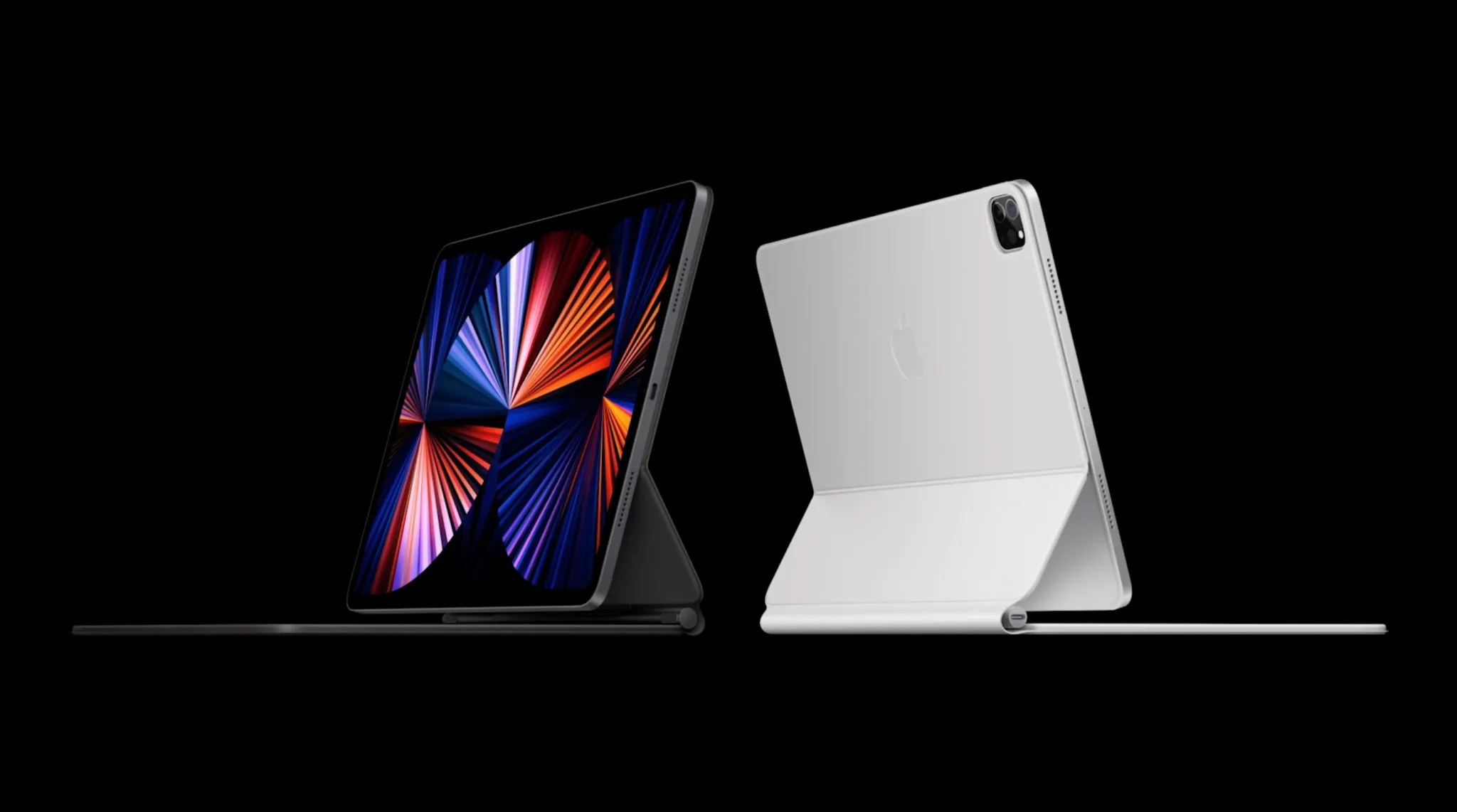
For the new iPad Pro models, Bloomberg has reported that Apple is working on a new Magic Keyboard accessory. The new Magic Keyboard will allegedly make the iPad Pro “look more like a laptop and include a sturdier frame with aluminum.
On the other hand, the new iPad Air models will reportedly use the existing Magic Keyboard.
Meanwhile, Apple is also said to be prepping a new version of the Apple Pencil to launch alongside the new iPad Pro. Details here are still a bit sparse, but rumors have pointed to a hardware change that supports interchangeable magnetically attached tips that simulate different instruments.
iPad mini and iPad 10: Late 2024
Last but not least, Apple is working on updated versions of the base model iPad as well as the iPad mini. These devices will be updated with faster processors, likely the A16 for improved performance and efficiency improvements. No other major changes are expected.
Perhaps most notably, the introduction of the iPad 11 means that Apple will discontinue the iPad 9. The iPad 9 is the last model of the iPad to feature a Home button and a Lightning port. This will also allow Apple to discontinue the first generation Apple Pencil with a Lightning connector.
The new iPad 11 and iPad mini 7 are expected to be announced and released sometime later in 2024.
WWDC 2024
In June, Apple will likely hold its annual Worldwide Developers Conference – or WWDC – event. This will include the launch of its next round of software platforms:
iOS 18
iPadOS 18
watchOS 11
tvOS 18
macOS 15
visionOS 2
iOS 18
The headlining platform at WWDC 2024 will be iOS 18. In October, Bloomberg’s Mark Gurman provided an overview of Apple’s ambitions for iOS 18, namely focused on new artificial intelligence features.
This report highlighted an “edict” within Apple and Craig Federighi’s software team to fill iOS 18 “with features running on the company’s large language model.”
Here are the ways Apple is exploring adding AI to iOS 18:
An enhanced Siri version that leverages a new AI system using large language model technology for smarter responses.
The integration of AI in the Messages app, enabling it to answer questions and complete sentences automatically.
New AI functionalities in Apple Music for generating custom playlists.
The introduction of generative AI in iWork applications like Keynote and Pages
The incorporation of generative AI tools in Xcode, aiding developers in more efficient application development
Furthermore, in a surprising move, Apple announced in October that iPhones will start supporting RCS in 2024. RCS, short for Rich Communication Services, is the modern alternative to traditional SMS and MMS. This update is set to bring several features typical of iMessage to text interactions between iPhone and Android users.
Apple indicated that RCS support will be introduced to the iPhone “later next year” through a software update. This timing hints at the possibility of integrating this feature into iOS 18.
For more details on iOS 18, check out our complete guide. iOS 18 will likely be released to developers for beta testing in June, followed by a public beta in July, and a release to the broader public in September.
More software announcements
Unfortunately, there haven’t been any details about what’s to come from Apple’s other software updates this year. We’d expect a lot of focus on visionOS, but no additional information is available.
iPhone 16 and iPhone 16 Pro
A new year means a new iPhone, and this year that will come in the form of the iPhone 16, iPhone 16 Plus, iPhone 16 Pro, and iPhone 16 Pro Max.
For the iPhone 16 Pro models, one of the biggest changes will be that the displays are slightly larger.
The iPhone 16 Pro is expected to feature a 6.3-inch display, an increase from the 6.1-inch display of the iPhone 15 Pro. The iPhone 16 Pro Max will reportedly feature a 6.9-inch display, an increase from the 6.7-inch display of the iPhone 15 Pro Max.
Each iPhone 16 model will reportedly feature a new “capture button” on the right-hand side below the power button. This button will be dedicated to capturing video, with an emphasis on capturing spatial video that can be viewed on Vision Pro.
In line with that, the iPhone 16 will feature a redesigned camera layout that allows it to capture spatial video. Currently, only the iPhone 15 Pro models can capture spatial video. Apple is clearly looking to expand spatial video features as it ramps up the launch of Vision Pro and the broader “Apple Vision” lineup.
In terms of other camera changes, Ming-Chi Kuo has reported that the iPhone 16 lineup will get an upgraded 48-megapixel ultra wide camera. This is expected to behave similarly to the 48-megapixel main camera sensor in current iPhone models, where computational photography samples the raw 48-megapixels of information to produce a 12 or 24-megapixel final output image.
The iPhone 16 Pro will add the same 5x telephoto camera that is currently available on the iPhone 15 Pro Max.
Additionally, the iPhone 16 and iPhone 16 Plus will reportedly feature an upgraded version of the Action button that is currently exclusive to the iPhone 15 Pro models. The new Action button will allegedly include things like a force sensor for more flexibility.
You can find all of the details about the iPhone 16 and iPhone 16 Pro in our dedicated guides. As of right now, we expect the iPhone 16 to be announced and released in September, but that timeline could shift based on things like production and supply chain disruptions.
Apple Watch
What exactly to expect from the Apple Watch this year is unclear. Rumors have indicated that Apple is working on a major new “Apple Watch X” product, but there is still some discrepancy about whether Apple Watch X will be ready to launch this year.
The Apple Watch X has been described by Bloomberg as the biggest redesign of the Apple Watch since its launch in 2015. One of Apple’s specific focuses is on making the Apple Watch thinner.
One of the biggest changes with the Apple Watch X will be a new magnetic system for attaching bands. Apple is reportedly planning to abandon the current band attachment mechanism, with engineers determining that it simply takes up too much internal space. Apple instead hopes that it can use that space for other things, such as a larger battery.
The downside to this change, however, is that it will break compatibility with all existing Apple Watch bands. This means any Apple Watch band you have today won’t work with the Apple Watch X.
Again, there is still some uncertainty as to whether or not the Apple Watch X will be ready for 2024. It’s possible the update won’t come until 2025. It’s also not particularly clear how the Apple Watch X will fit in the Apple Watch lineup.
If Apple is ready to launch a new Apple Watch this year, we’d expect it to debut alongside the iPhone 16 lineup in September.
The Mac
If you’re a fan of the Mac, fear not. Apple has a few things in store for you in 2024 as well. The first M3-powered Macs debuted last October, starting with the 14-inch and 16-inch MacBook Pro and 24-inch iMac. This year, that transition to the M3 is expected to continue.
First up, Apple is working on new versions of the 13-inch and 15-inch MacBook Air powered by the M3 chip. The new MacBook Air lineup is expected to be released sometime around March 2024.
We’re also expecting a new version of the Mac Studio and Mac Pro powered by the M3 Max and M3 Ultra chips. Most recently, however, Bloomberg reported that these new desktop Macs aren’t expected “until the end of 2024 at the earliest, if not 2025.”
In fact, Bloomberg reported in November that the M3 Ultra hasn’t even started “widespread testing” inside Apple.
What about the Mac mini? That’s another unknown. The Mac mini is currently available in M2 and M2 Pro configurations. We’d assume an update to M3 and M3 Pro is coming at some point, but right now there aren’t any details on when.
New AirPods
Last but not least, we have Apple’s AirPods lineup. For 2024, Apple is reportedly prepping a major update to its entry-level AirPods, and a not-so-major change for AirPods Max.
AirPods 4
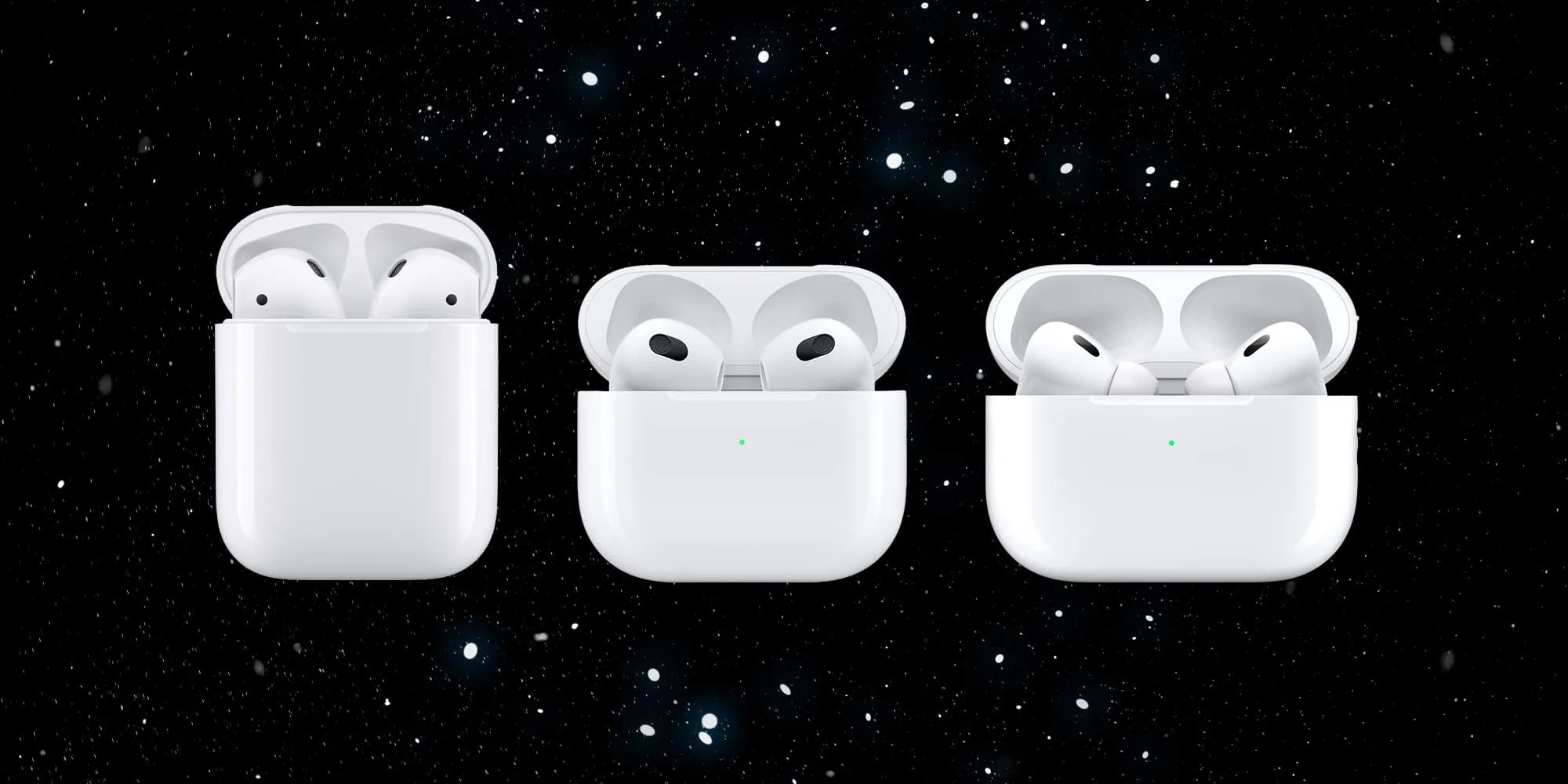
According to Bloomberg, AirPods 3 have not been as successful in sales as Apple had hoped, prompting the company to reevaluate its product range starting in 2024. The report details that both AirPods 2 and AirPods 3 are set to be phased out this year, with plans for two distinct versions of AirPods 4 in the works.
The upcoming AirPods 4 models are expected to showcase a “hybrid design” that merges elements from both the AirPods 3 and AirPods Pro. However, unlike the AirPods Pro, these new models will not include interchangeable and customizable ear tips. Another significant change is the switch from Lightning to USB-C for charging.
The two versions of the AirPods 4 will differ in certain key aspects. The higher-end variant of AirPods 4 will have features like noise cancellation and an upgraded charging case with advanced Find My integration and speakers for Find My alerts.
The new AirPods 4 lineup is likely to be released sometime later in 2024.
AirPods Max
For AirPods Max fans, the story is far less exciting. Bloomberg has reported that new AirPods Max are coming sometime in late 2024, but the only change will be a switch from Lightning to USB-C for charging. There might also be new colors.
If you were hoping for AirPods Max with a more modern chip inside, you appear to be out of luck. AirPods Max were first introduced in December 2020 and haven’t been updated since. They feature a Lightning port for charging and miss out on pretty much all of the new features Apple announced for AirPods at WWDC last year.
Wrap up
Here are some other smaller things Apple is working on, that may or may not materialize in 2025.
Apple is working on a new version of the Apple TV, but there are no details on a launch date.
There are also new smart home products in the works, including an updated HomePod with a screen. Again, there are no details on when this product might be available.
Multiple rumors have suggested that Apple is working on expanding its lineup of external displays beyond the Studio Display and Pro Display XDR. Whether these efforts materialize in 2025 remains to be seen.
Here are some other smaller things Apple is working on, that may or may not materialize in 2025.
New AirPods Pro with new health tracking features are in the works, but not expected until 2024.
Apple is working on a new version of the Apple TV, but there are no details on a launch date.
There are also new smart home products in the works, including an updated HomePod with a screen. Again, there are no details on when this product might be available.
Multiple rumors have suggested that Apple is working on expanding its lineup of external displays beyond the Studio Display and Pro Display XDR. Whether these efforts materialize in 2025 remains to be seen.
Apple on Wednesday began rolling out the second betas of iOS 17.3, macOS Sonoma 14.3 and other software updates to developers. The first betas of these versions were released on December 14, before the holiday break. The company is now resuming the beta program – and we’re about to find out what’s new in today’s updates.
iOS 17.3 beta brings Secure Device Protection and more
iOS 17.3 is a major update. The first beta introduced Secure Device Protection, which is an “additional layer of security” that protects users’ data in case someone steals their phone and gets their password. When Secure Device Protection is enabled, you can only access saved passwords using Face ID or Touch ID, for example.
This feature also makes it harder for crooks to change the Apple ID password of the owner of that device. There’s also a delay in removing Find My from an iPhone with Secure Device Protection enabled. In addition to this feature, iOS 17.3 also re-enables collaborative Apple Music playlists, now with emoji reactions.
Today’s build number is 21D5036c, compared to the number 21D5026f of the first build. Developers can update their devices by going to Settings > General > Software Update.
It’s worth noting that although iPadOS 17.3 is also available for iPads, Secure Device Protection is an exclusive feature for iPhones at this point.
macOS 14.3 and more
In addition to iOS 17.3 beta 2, the second betas of macOS 14.3, watchOS 10.3, and tvOS 17.3 are now available to developers. The first beta of these updates had no significant changes apart from potential bug fixes.
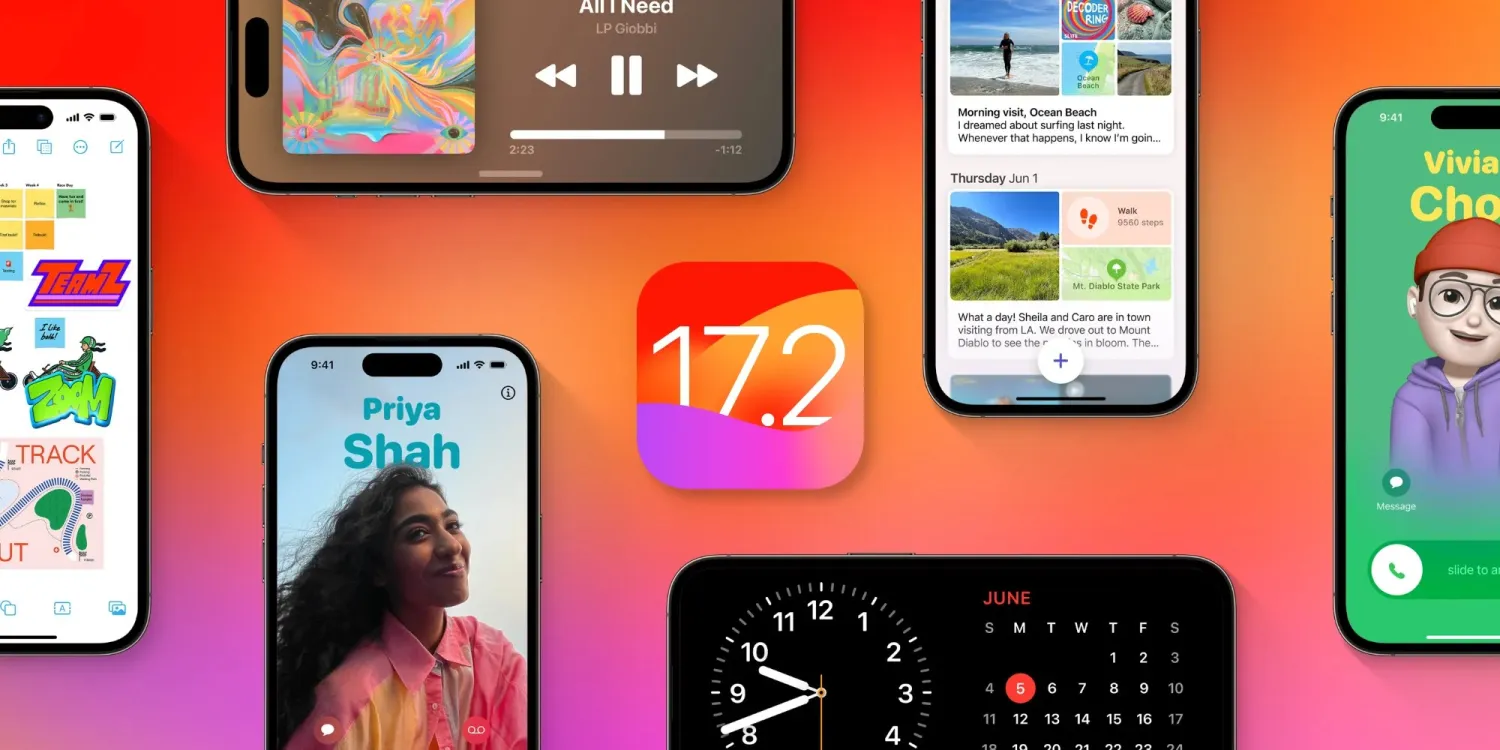
After the release of iOS 17.1 in October, Apple is hard at work on iOS 17.2 with a collection of new features and changes. iOS 17.2 is currently in beta testing with developers and public beta users. Here’s everything new so far.
When will iOS 17.2 be released?
Thus far, Apple has released four betas of iOS 17.2. This leads us to believe that the update will be released to the public sometime within the next several weeks. The update will almost certainly be released before the end of 2023.
Last year, iOS 16.2 was released on December 13 with major new features like Apple Music Sing and the all-new Freeform app.
What’s new in iOS 17.2?
Journal app
The headlining change in iOS 17.2 is the addition of the new Journal app, which Apple first unveiled at WWDC in June. Apple describes the new Journal app as an “all-new way to appreciate life’s moments and preserve your memories.”
At launch, the Journal app is only available on iPhones. There’s no word on when or if Apple plans to expand it to the iPad and Mac.
Collaborative playlists in Apple Music (maybe?)
The first three betas of iOS 17.2 included the ability to create collaborative playlists in Apple Music. This feature was announced by Apple at WWDC in June and teased as coming sometime later this year.
iOS 17.2 beta 4, however, removes the ability to create collaborative Apple Music playlists. Whether or not Apple adds the feature back before iOS 17.2 is released to everyone remains to be seen.
More changes to Apple Music
Also in iOS 17.2, there is a new default playlist called “Favorite Songs” that is automatically generated based on songs you’ve “favorited.” This builds upon the “Favorites” feature that was first introduced in iOS 17.1.
iOS 17.2 can now automatically add songs to your music library when you favorite them. You can find this option by going to the Settings app and then choosing “Music.”
Finally, iOS 17.2 adds the ability to disable Apple Music Listening History when a Focus Mode is on. “Choose if music played will influence recommendations and mixes, appear in Recently Played, or be shown to others on Apple Music,” Apple explains.
This means that when you have a particular Focus mode enabled, you can toggle on the Apple Music Focus Filter to prevent any songs played from affecting your listening data.
Spatial Video recording
With iOS 17.2, iPhone 15 Pro and iPhone 15 Pro Max users can record spatial video for Vision Pro. You can enable the new spatial video toggle by going to the Settings app, choosing the Camera menu, then choosing Formats and toggling the “Spatial Video for Apple Vision Pro” option.
Spatial video is recorded in 1080p resolution at 30 frames per second. Apple estimates that one minute of spatial video takes up around 130MB of storage space.
iOS 17.2 beta 2 enables Vision Pro spatial video capture on iPhone 15 Pro
Apple has allowed some press to view their own spatial videos in Vision Pro, Final Cut gaining editing ability next year
Default notification sounds
At long last, iOS 17.2 adds the ability to change the default notification sound. This comes after iOS 17 changed the default notification sound from “Tri-tone” to “Rebound,” which has proven to be a controversial decision.
In iOS 17.2, you can go to the Settings app and choose “Sounds & Haptics” to find a new “Default Alerts” option. Here, you can change the default sound and haptic feedback for alerts.
Reactions in Messages
Another feature coming with iOS 17.2 is the ability to react to messages using any sticker or emoji in the Messages app. This is done by long-pressing on a message and choosing the new “Add Sticker” option.
Action Button adds “Translate” option
With iOS 17.2, iPhone 15 Pro users can assign their Action button to a new “Translate” option. With this enabled, pressing the Action button initiates an automatic voice-to-text translation between two languages.
Although this capability was first introduced during the announcement of the iPhone 15 Pro in September, it wasn’t added until iOS 17.2.
New widgets
Apple has added three new widgets for the Weather app:
Details: See the chance of precipitation, UV index, wind, and more.
Daily forecast: See the current weather conditions and daily forecast for a location.
Sunrise and sunset: See the upcoming sunrise and sunset information for your location.
For the Clock app, there’s a new “Clock Digital” widget that displays the current time in a digital format rather than analog. This is the first digital clock widget Apple has offered.
‘Local Awareness’ for Emergency Alerts
iOS 17.2 includes a new “Local Awareness” option for Emergency Alerts. “Apple can use your approximate location to improve the timeliness, accuracy, and reliability of emergency,” Apple says.
To enable this option, go to the Settings app, head to Notifications, then choose Emergency Alerts and look for the new “Local Awareness” toggle.
Contact Key Verification
A year ago, Apple unveiled a feature called Contact Key Verification to enhance the security of iMessage. This feature has now been added with iOS 17.2.
Contact Key Verification enables users of iMessage to ensure that their messages are reaching only the intended recipients.
iOS 17.2 adds a new “AirPlay Receiver” option for Vision Pro. “Stream or share content from Apple Vision Pro to your iPhone,” Apple explains.
Vision Pro is currently expected to be released sometime in “early 2024.” The new toggle is in the Settings app under the AirPlay menu.
iTunes Store changes
Bloomberg has reported that Apple plans to phase the dedicated iTunes movie and TV show apps in favor of the TV app. iOS 17.2 lays the groundwork for these changes, including new messaging that redirects users to the TV app.
Software update feature
iOS 17.2 also lays the groundwork for a new feature that will allow iPhones to be updated even if they are still sealed in the box.
For instance, Apple retail employees will be able to update iPhones without taking them out of the box. Currently, iPhones are shipped from the factory with whatever build of iOS was available at that time. This means millions of iPhones out there ship with software that is multiple updates old by the time that phone arrives to the customer.
More changes in iOS 17.2
The new “Sensitive Content Warning” feature in iOS 17 is expanding to stickers in the Messages app and Contact Posters in the Contacts app.
Siri can now tell you your ETA when using Apple Maps and tell you your current altitude.
iOS 17.2 lets users disable inline text predictions without turning off predictive text.
Apple says that iOS 17.2 fixes Wi-Fi slowdowns and connectivity issues.
In the App Store’s “Apps” and “Games” sections, there are new sub-categories that appear along the top for additional filtering options.
There’s a new rainbow text option when designing a Contact Poster in iOS 17.2.
The Apple Books app has added a new “Fast Fade” option for page turning.







 Asus Zenfone 8 • Samsung Galaxy S21 5G