The big upgrade on Samsung’s new Galaxy Z Flip 5 is the debut of a new, much larger cover display that’s actually capable of doing some useful things. But, what can you actually do on it? Here’s a quick look at all of the built-in features.
The clockface is customizable
When you first turn on the display, you’ll see a customizable clockface that has tons of different styles and features. Samsung allows users to customize the style pretty heavily, from fonts to colors and more. That background color will be visible throughout widgets as a transparent backing, too.
You’ll have the option to customize the clockface only from the inner display, though. That’s where most settings live, but you can change your preset on the fly through the outer display in a rolodex-style interface.
Widgets are still the focus
Like on past Galaxy Flip models, the core of what you’ll be using on the Galaxy Z Flip 5’s cover display comes from widgets. There are a dozen widgets by default which include:
Calendar
Weather
Alarm
Step counter
Recent calls
Stopwatch
Direct Dial
Timer
SmartThings scenes
Galaxy Buds controls
Finance Watchlist (powered by Google Finance)
Apps
These are all powered by Samsung’s apps, with no option to add custom Android widgets from other apps. But, functionally, they work rather well and take advantage of the screen space made available. Notably, Samsung places all navigation in the bottom section that’s next to the camera. When on widgets, it’s gestures, but if you have navigation buttons enabled, you’ll see those when you open an app.
Flip 5’s weather widget
Yes, there’s a full keyboard
The biggest upgrade from Samsung’s bigger display here might just be interacting with messages. When you get a notification, or trigger any other text box, the Galaxy Z Flip 5’s cover display will show a full-size QWERTY keyboard.
Flip 4, notably, would only show preset replies or allow for voice-to-text or emoji replies. Oppo’s Find N2 Flip is similarly limited, despite having a much bigger display compared to the Flip 4. Samsung’s approach on Flip 5 is most similar to Motorola’s Razr+, though with a big restrction.
The full keyboard on Galaxy Z Flip 5 cover display is currently locked to the official Samsung Keyboard. You can’t use Gboard, SwiftKey, or anything else on the outer display. However, this can work independently of the inner display. If you’re using Gboard on the inside, for instance, Samsung Keyboard will still apply on the outside.
Can the Galaxy Z Flip 5 cover display run full apps?
Since rumors first started swirling, the big question has been whether or not the Galaxy Z Flip 5 cover display can run full Android apps. The good news is that yes, it can, but it’s a little complicated.
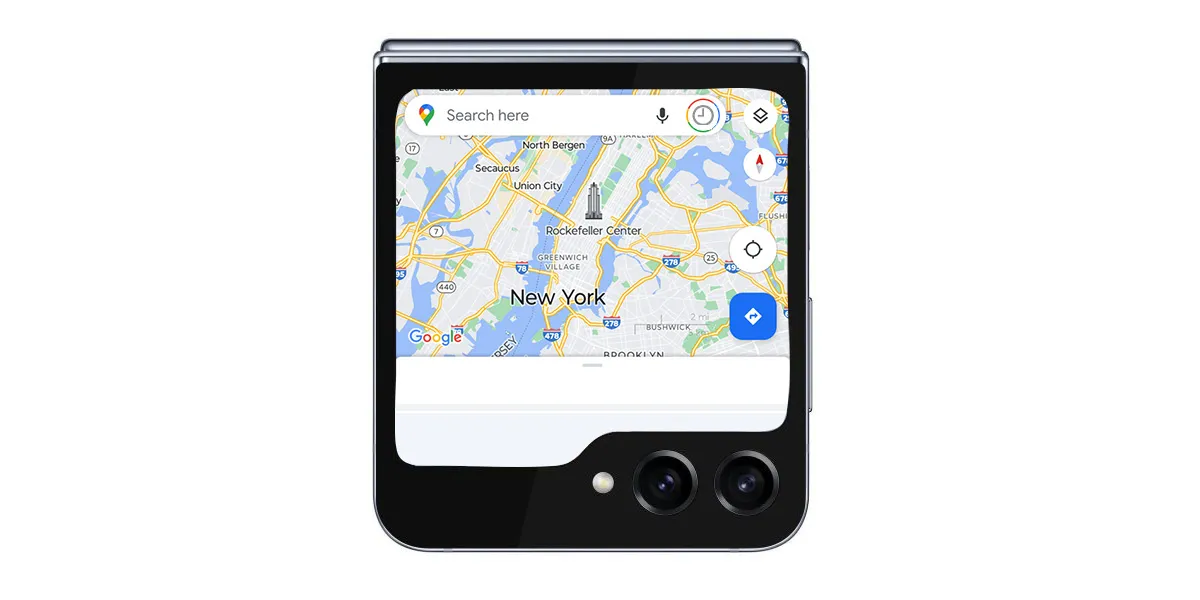
By default, there are no full apps on the Flip 5’s outer display. Through the “Labs” option in the Settings menu, you’ll be able to turn on the ability to run a limited list of full apps. That is disabled by default, but once turned on it can enable the following apps on the outer display:
Google Messages
Samsung Messages
WhatsApp
Google Maps
Netflix
YouTube
Samsung tells us that more apps may be added to this list in the future, but for the time being that’s all you’ll be able to use. The apps run as normal, just in a condensed layout. Why Netflix is included, we don’t know.
Google Maps on the Galaxy Z Flip 5 cover display
In any case, the other option is to use Good Lock. While we haven’t been able to test this out just yet, Samsung says that a Good Lock module will allow users to run any app they choose on the outer display.
Samsung is set to host its next Unpacked launch event for the Galaxy Z Fold 5 and Flip 5 later this week, and there’s actually a ton to look forward to. Here’s everything you can expect at the event.
Samsung Unpacked 2023: What’s coming?
Galaxy Z Fold 5 and Z Flip 5
The biggest launch at Samsung’s event this week will be new foldables: Galaxy Z Fold 5 and Galaxy Z Flip 5. Both devices are expected to be somewhat iterative in their improvements, with most of the upgrades coming to the Galaxy Z Flip 5.
Samsung is set to improve on the Flip 5 primarily with a new cover display that’s drastically bigger than the Flip 3 and Flip 4. The display is expected to open support for a full keyboard and more useful widgets, but it’s unclear if full apps will be supported.
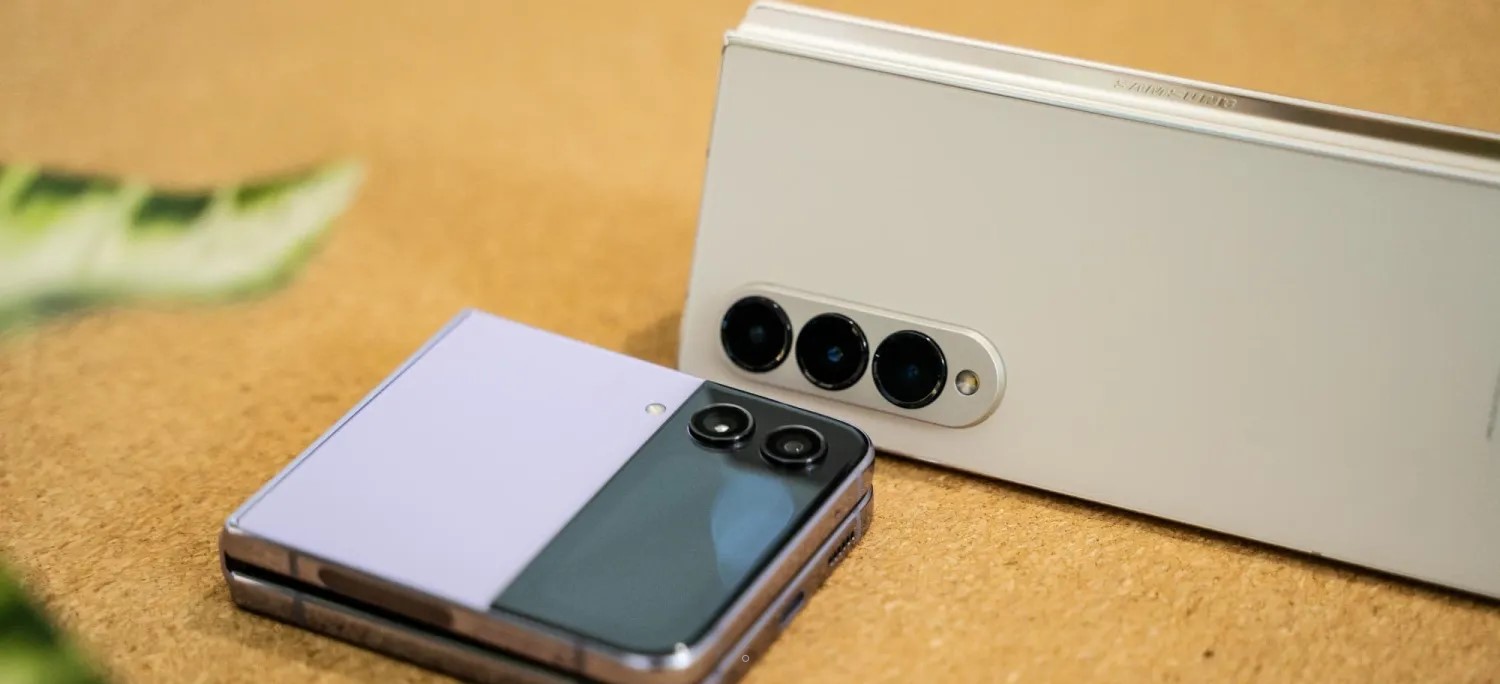
Both devices will also bring upgrades such as Snapdragon 8 Gen 2, a new hinge that allows the foldables to close fully instead of leaving a gap, and some new colors and cases.
Galaxy Tab S9 series
Samsung’s flagship tablets are also getting a refresh at Unpacked this year, with Tab S9, S9+, and S9 Ultra on the docket.
The main upgrade is Snapdragon 8 Gen 2, but there are other little tidbits beyond that, such as eSIM support, AMOLED on the smallest model, and more. It’s a welcome arrival, as it’s been a little over a year since Samsung last launched high-end Android tablets.
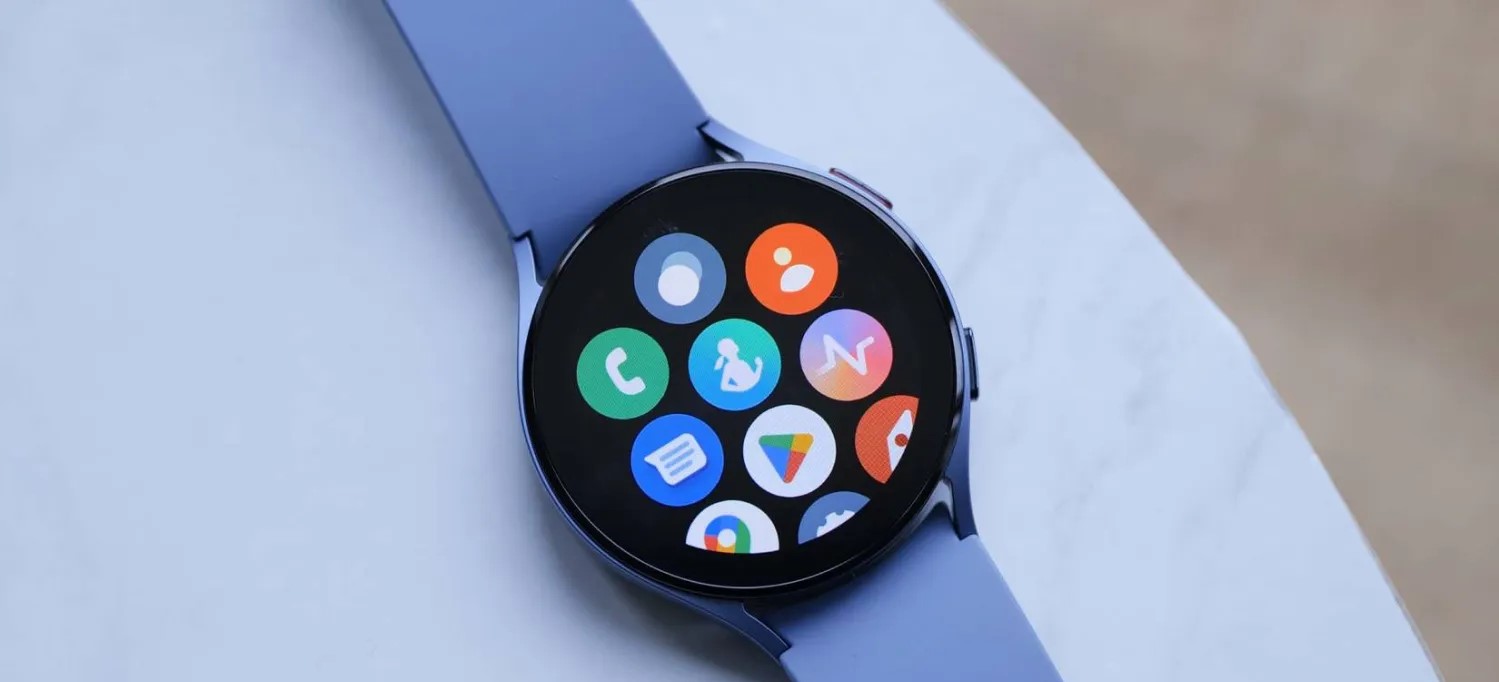
The standard Watch 6 is only seeing a couple of notable changes: a W930 chipset that should be a little faster and thinner bezels that make room for a bigger display. The RAM is also jumping from 1.5 GB to 2 GB.
Meanwhile, Galaxy Watch 6 Classic will revive the physical rotating bezel in addition to the standard model’s upgrades.
It’s possible these watches will also debut Wear OS 4, which was announced at Google I/O and brings several benefits, with the ability to connect to a new phone without a reset being one of the biggest perks.
The maybes
Outside of the core lineup, there are a few more things we might also see, but there’s not much known.
Galaxy SmartTag 2
One of the most likely unveilings might be the Galaxy SmartTag 2. Samsung hasn’t launched a new version of its tracker since the debut of Galaxy S21 over two years ago. There have been reports and regulatory evidence of this new model, but we haven’t seen any images leak, so there’s no guarantee.
Samsung’s XR headset
Samsung has been rumored to launch its own mixed-reality headset based on a new version of Android that was expected to arrive at this event. But rumor has it Samsung has delayed that device by a few months in the wake of Apple Vision Pro’s debut.
A small teaser is what we’d expect at the absolute most.
Galaxy Tab S9 FE & Galaxy S23 FE
Samsung’s “Fan Edition” lineups may return soon, as there’s strong evidence pointing towards upcoming releases for Galaxy Tab S9 FE and Galaxy S23 FE. While there’s a chance they could arrive at this event, it’s not very likely.
It’s been a bit since Samsung released a new set of earbuds, and there’s certainly a chance we could see a launch this week. But there’s only been one report on that matter and no leaks whatsoever. So we don’t expect to hear anything – no pun intended – on that front.
Reserve for a $50USD discount and Trade in at Samsung Australia for a $100AUD discount
Up until the day before Unpacked, Samsung is offering open reservations for the Fold, Flip, and Tab S9 series. All of those devices will be eligible for a $50 credit on pre-order, which can be used as a discount on the device or for accessories. In any case, it’s worth signing up if you think you might put in a pre-order.
In a teaser, Samsung confirmed that its next Galaxy Unpacked event will take place on July 26 – just a few days from now.
The event, held in Seoul, South Korea, will start at 7 a.m. ET and livestreamed via YouTube and Samsung’s social channels.
The event, at least according to rumors, will be headlined by serving as the launch date of Galaxy Z Fold 5 and Galaxy Z Flip 5. Beyond that, a new Galaxy Tab S9 series is expected, as is the Galaxy Watch 6 series. There’s also a chance of new earbuds, a new SmartTag tracker, and potentially more.
Samsung has reservations now for its new devices.
Those who sign up at Samsung.com or through the Shop Samsung app will be eligible for a $50 credit with the purchase of their device. Samsung has offered this reservation credit for quite a while, but this year it can be applied towards the actual cost of the device rather than just towards accessories (which you can still use it towards). You’ll get the credit when pre-ordering Galaxy Z Fold 5, Flip 5, or the new tablets.
There’s no commitment for this either – just drop in your email. Samsung has, in the past, also offered enhanced trade-ins with these reservations, but that doesn’t seem to be the case this time around.
If history serves as an example, Samsung will start shipping devices to customers within a week or two of the event, likely by the second week of August at the latest.
Full Galaxy Z Flip 5 and Z Fold 5 specs surface in super-cryptic leak
The Galaxy Z Flip 5 and Fold 5 are set to be the next foldable phones to come out of Samsung’s production line this year. With the release still to come, the Flip 5 and Fold 5 specs are already public thanks to a fun leak.
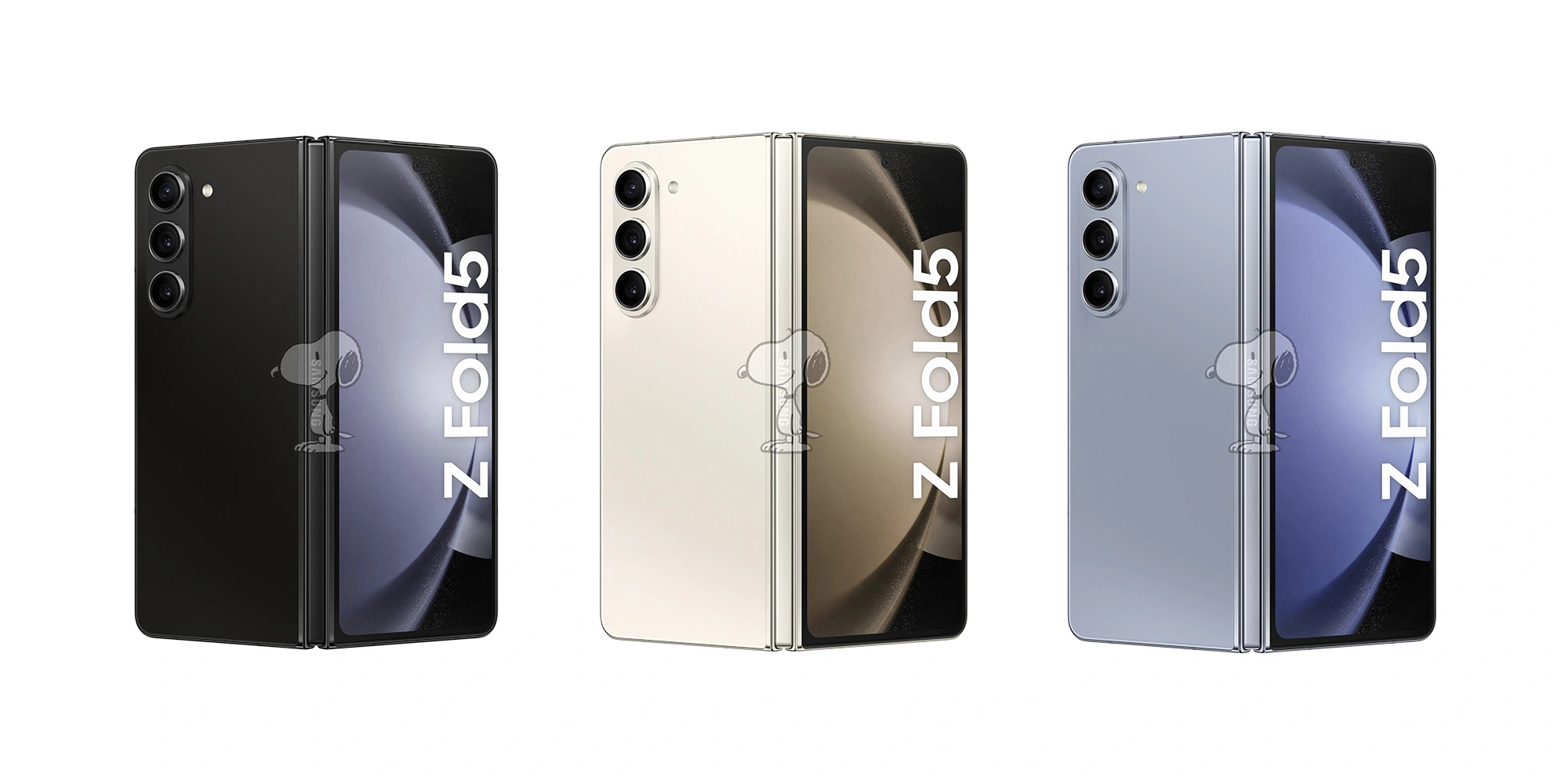
Through a convoluted process – obtaining a link through binary code posted on Twitter via SnoopyTech – every technical detail of the Galaxy Z Fold 5 and Flip 5 specs are now public. That includes display type, size, and SoC choice for each foldable.
First off, the Galaxy Z Flip 5 will unsurprisingly house two displays, one internal and another external. This go-around, Samsung is packing a much larger display on the outside of the Flip 5. That display hits 3.4-inches across at a resolution of 748 x 720. Internally, the Dynamic AMOLED 2X panel will come in at 6.7-inches and looks to be capable of hitting up to 120Hz, which flexible screen will be 2640 x 1080.
Internally, the Flip 5 is packed with 8 GB of RAM paired with either 256GB or 512GB and a Snapdragon 8 Gen 2. The clamshell foldable is also equipped with a 3,700mAh battery, which should last a decent amount of time. On the back, a 12MP primary and 12MP ultra-wide are set into the external display.
The device is set to come in four colors: Lavender, Mint, Cream, and Graphite.
As for the Z Fold 5 specs, things get a little more intense. Both display sizes hit the same size as the previous generation and are backed by a Dynamic AMOLED 2X panel. The external display hits 6.2-inches at 2176 x 1812 while the internal screen comes in at 7.6-inches. Both are capable of 120Hz while the external display’s variable refresh rate hits a minimum of 48 frames per second.
Inside, the Fold 5 houses 12 GB of RAM with either 256GB or 512GB and a Snapdragon 8 Gen 2. The battery inside is a 4,400mAh unit, which isn’t a physical improvement over the Fold 4. The Fold 5 will come with a 50MP main sensor and 12MP ultra-wide. The telephoto lens paired with the other two is also 12MP.
Something to note within the released specs is that the Z Fold 5 seems to come in at 13.4mm tall when folded. That’s about 0.8mm thinner than the Z Fold 4. The foldable is also reportedly 10 grams lighter in this generation.
The Fold 5 will come in Phantom Black, Cream, and Icy Blue.
Interestingly enough, neither device seems to come with a dust resistance rating packed in the IPX8 rating listed. It was rumored both devices might get certified, though an “X” still stands in the current dust resistance classification.
Both devices will run Android 13 (One UI 5.1.1) out of the box, which houses some seriously impressive features. Samsung is set to reveal the Galaxy Z Fold 5 and Flip 5 in July. Previous reports indicate a release date of August 11.
Galaxy Z Flip 5 outer display reportedly gets Google Maps, Messages, and YouTube apps
The upcoming Galaxy Z Flip 5 is set to bring the overdue upgrade of a big outer display and, apparently, Samsung is working with Google to bring select apps to that display including Maps and more.
As has been revealed by past leaks, the Galaxy Z Flip 5 is likely to deliver a 3.4-inch cover display that takes up almost the entire top half of the device. It’s a drastic improvement from the tiny 1.9-inch panel on Galaxy Z Flip 4, and even bigger than the Oppo Find N2 Flip’s panel.
What users can do on that outer display, though, has been largely unknown outside of a previous report that mentioned new widgets and features.
Now, a report from SamMobile details that the Galaxy Z Flip 5’s outer display will be getting some “optimized” apps from Google. This apparently includes:
Google Maps
Google Messages
YouTube
These “optimized” apps will also apparently be backed up by Samsung’s apps, which the report says to “expect” to be ready for the cover display.
But still, it’s unclear if Samsung’s phone will be able to match that of the new Motorola Razr+. That device has an even-bigger 3.6-inch display which, as we previously detailed, can run virtually an Android app.
Samsung is set to unveil Galaxy Z Flip 5 in July, the company has confirmed.
Galaxy Unpacked is mere days away, but we know what to expect from Samsung – another round of foldables that offer generational improvements. But is that enough for you to pull the trigger on a new Galaxy Z Fold 5 or Flip 5?
What do the Z Fold 5 and Z Flip 5 bring to the table?
Depending on what device you own right now, you’re looking at some improvements, just like you would with any device year over year. While the Galaxy Z Fold 5 and Galaxy Z Flip 5 haven’t technically been announced, we have enough reliable information from both leaks and the company itself to get a general idea of what the new foldables improve on.
Galaxy Z Flip 5 improvements
The first thing that comes to mind is the Z Flip 5‘s completely revamped external display. It is the foremost change and center of attention in terms of Galaxy foldables prior to launch. That display is said to come in at 3.4 inches across with a resolution of 748 x 720. By comparison, the Galaxy Z Flip 4 utilizes a 1.9-inch display with a resolution of 260 x 512. That’s a 55% increase in size, and the leaked images show just how much of a difference that makes.
As for the internal panel, that AMOLED 2X display is set at 6.7 inches and can hit up to 120 frames per second. That resolution clocks in at 2640 x 1080 – no surmisable difference on paper.
With the same 8 GB of RAM and 256 GB / 512 GB loadout, the only other stark difference is the superior Snapdragon 8 Gen 2, which should bring a slight performance increase over the previous generation.
Galaxy Z Fold 5 improvements
The step up from Fold 4 to Fold 5 is a little less pronounced. Each generation’s core display specs look to be, on paper, identical to each other. That includes size, resolution, and refresh rate.
Internally, the battery and memory options are the same, including 12 GB of RAM with 256 GB / 512 GB of internal storage. The only major difference here is the CPU. Just like the Flip 5, the Fold 5 will run a Snapdragon 8 Gen 2 for that increase in processing power and connectivity.
Physically, the Z Fold 5 sits at 0.8 mm thinner than the Z Fold 4. That matches up with what Samsung stated before the launch.
Getting ‘slimmer and lighter’
A major change affecting both the Galaxy Z Fold 5 and Flip 5 is the way Samsung designed the connection between the two sides of the device. In the center, it’s expected that Samsung is incorporating a new hinge system that does away with the “hinge gap” we’re used to in the Fold/ Flip 4 and prior devices. The tiny space that’s visible when the devices are closed may not exist on the Fold 5 and Flip 5, though that’s uncertain for now.
Samsung also hints at the foldables achieving a new minimum weight. It’s been reported that the Z Fold 5 will weigh a few grams more than the Galaxy S23 Ultra. The S23 Ultra isn’t exactly light as a feather, though it’s on the expected end for a solid device. For a foldable that houses two displays and a long center mechanism for smooth operation, that’s an encouraging benchmark.
Galaxy Z Fold 5 and Z Flip 5 might take on a heavier price tag
Another area of consideration for those looking to upgrade hardware is the price at which those new foldables will be sold. Both the Galaxy Z Fold 3 and Fold 4 had the same launch price – $1,799. While it’s no rainy-day money, it’s mostly understandable for relatively nascent technology, which has always followed a certain pattern. That trend generally says new tech is much more expensive, with subsequent generations getting more reasonably priced as time goes on.
That trend might have broken in 2023, as many other things have.
It’s looking like the Galaxy Z Fold 5 and Z Flip 5 will see a price increase of approximately €100 each – at least in France. That said, the report is limited to European pricing, leaving US pricing currently unknown.
Google and OnePlus want your attention
The last couple of years have seen Samsung crowned as the most successful foldable manufacturer, but Google and OnePlus are vying for that title with new and upcoming devices that offer up some competition.
The Pixel Fold has gone through its announcement and release, meaning the device has stirred up some publicity – good and bad. Overall, the Pixel Fold is a solid phone with some serious potential, especially considering this is Google’s first attempt at a product the general market knows very little about. The glaring error on Google’s part is the pricing, unfortunately. At $1,799, it’s hard to justify the Pixel Fold when the Galaxy Z Fold 5 is sitting around the corner at (probably) the same price.
The OnePlus Open, on the other hand, is set to debut sometime in August. The 8-inch foldable is expected to pack a Snapdragon 8 Gen 2, following in Samsung’s footsteps. While there’s no word on pricing, we’re more than confident that it will not be cheap, but it may not be as expensive as Google and Samsung feel is right.
Are you upgrading?
Let’s say you own a Galaxy Z Fold or Flip of any generation – are you trading it in or selling it to grab a Z Fold 5 or Flip 5?
It’s worth noting that those who do upgrade are more than likely to trade in, whether that’s through a carrier or directly from Samsung. At launch, Samsung has historically been more generous with trade-in values, offering more than any other buyer simply because it can recycle or resell older devices with relative ease. However, that trend has changed recently as well. The company is still running a $50 gift credit and up to $340 enhanced trade-in credit for anyone who reserves before the announcement.
We’re hoping that trading in a Galaxy Z Fold 4 for a Fold 5 means heavy savings. If trade-in values are as attractive as we’ve seen in the past, those who pre-order are likely to see a final price tag of a few hundred rather than close to $2,000. Unfortunately, there’s no telling where Samsung will set trade-in values, though it’s still a no-brainer for some looking to upgrade.
The improvements are there, but that still means an expensive device. On top of that, Google and OnePlus are becoming viable contenders. Depending on which form of Android you prefer, a foldable with OxygenOS or stock Android might sound even more appealing than Samsung’s extremely popular OneUI.
In any case, let us know your thoughts. We’re genuinely curious about how users are feeling about Samsung’s foldable prior to the official announcement. Things could change, and the Z Fold 5 or Flip 5 might be housing a bombshell improvement we know nothing about. If that isn’t the case, are you upgrading?
Hey, we heard you got your Samsung Galaxy S23 Ultra display shattered? You need a Samsung Galaxy S23 Ultra screen repair. Our pro technician will give you a proven and tested Samsung Galaxy S23 Ultra screen repair. The same people who fix iPhones and Android smartphones will get your Samsung Galaxy S23 Ultra back into working order in no time.
Is it worth it to have a Samsung Galaxy S23 Ultra screen repair for a very affordable smartphone? Of course, it is! Less trash is thrown into the environment while saving you money. What’s not to like?!
Broken-Galaxy-S23-Ultra-Screen-Replacement-03
Tips For Ensuring You Get The Best Service When Repairing Your Samsung Galaxy S23 Ultra If you own a Samsung Galaxy S23 Ultra, you know how important it is to keep your device working properly. Unfortunately, due to its complexity, things can go wrong. When this happens, it’s important to get the best service when repairing your Samsung Galaxy S23 Ultra. Here are some tips for ensuring that you receive the best service possible when repairing your device:
1. Do Your Research – Before taking your device to a repair shop for servicing, it’s important to do your research on the various options available.
Check out reviews from customers who have already had their devices serviced at each shop and make sure that they have a good reputation for quality work. Also make sure to compare prices so you can get the best deal possible for the services you require.
2. Choose an Authorized Service Provider – It’s always best to choose an authorized service provider when getting repairs done on any electronic device like the Samsung Galaxy S23 Ultra.
This will ensure that all work is covered by warranty and that any parts used in the repair are genuine Samsung parts rather than knock-off or third-party components which could compromise the performance and reliability of your device over time.
Broken-Galaxy-S23-Ultra-Screen-Replacement-02
3. Identify The Issue Before You Visit The Shop – Before visiting a repair shop,
try and identify what exactly is wrong with your phone so that they can diagnose and fix it quickly upon arrival at their store. This will save both time and money as they won’t need to conduct any diagnostic tests onsite before starting repairs which could cost extra depending on their policies.
4 . Have The Necessary Backup Ready – Make sure you have all necessary backups of personal data stored on your phone before taking it in for repairs
as there’s no guarantee that everything will be preserved throughout the process of fixing whatever issue may be present with your phone . It’s also wise to have all passwords saved somewhere safe if required during servicing in order for technicians to access certain features or settings as needed depending on what needs repaired . Having these backups ready before visiting a repair shop can often save time as well since technicians won’t need spend extra time finding solutions if those backups weren’t available beforehand .
5 . Follow Up After Repairs – After leaving a repair shop , make sure to follow up with them after some time has passed just in case there are any issues with their work or if something wasn’t fixed correctly during servicing .
This way , any issues can be addressed quickly without having to take multiple trips back and forth between yourself and the repair shop which would otherwise waste precious time trying resolve whatever problems may arise after repairs were completed originally . Following these tips should ensure that you receive the best service possible when repairing your Samsung Galaxy S23 Ultra device so you can enjoy using it without experiencing any further problems down the road .
New edition for the battery champion. The Galaxy A12 Nacho reveals good features in our review, but also some weaknesses. As with the Galaxy A12, the pricing of the Samsung phone is very attractive. Read our review to find out whether the entry-level smartphone is worth buying.
The Korean manufacturer adds another entry-level model to its popular A series. However, the Samsung phone with the model number SM-A127F is not completely new, because it’s very similar to its Galaxy A12 (SM-A125F) sibling. Although Samsung hasn’t formally changed the naming scheme, we will extend the name of the “newer” Galaxy A12 with its codename “Nacho” or “Exynos” to avoid confusion. After all, the only noteworthy difference can be found in the choice of SoCs. Unlike the A12 model, which was equipped with the MediaTek Helio P35, the 2021 variant is now based on the in-house Exynos 850 chipset.
We weren’t able to identify an MSRP for the Galaxy A12 Exynos, but the entry-level smartphone is available around the same street price as the 2020 model after market launch (about 170 Euros (~$192)). In return, buyers of the 6.5-inch Samsung smartphone get an HD+ display with a waterdrop notch, a 5,000 mAh battery, and a quad-camera setup with a 48 MP main camera.
Disclaimer. We can not guarantee that the information on this page is 100% correct.
The front of the Nacho shows a drop-shaped notch – there are no differences to the Galaxy A12 here, just like with the rest of the design. The rather wide bezels above and below the display are perfectly acceptable for the price range. In numbers: About 82% of the front corresponds to the display.
The plastic back of the Galaxy A12 Exynos can be purchased in two color options. You can choose between a black and a white version. As expected from an entry-level smartphone, the Galaxy phone’s case is neither protected against dust nor water ingress. The controls for volume adjustment as well as the on/off switch are well manufactured and have pleasing pressure points.
The build quality is at a satisfactory level, but the Galaxy smartphone doesn’t feel premium. Both the back and the frame are made of plastic. We like the slightly textured surface – considering the material type – and it gives the Nacho a pleasant grip. However, haptics are somewhat marred by the seemingly hollow back. We can easily press in the plastic material by one to two millimeters in the central area above the Samsung logo.
Connectivity – Galaxy A12 Exynos with 3.5 mm audio jack
Prospective buyers of the Galaxy A12 Exynos can choose between 32 and 64 GB of eMMC storage supported by 3 GB or 4 GB of RAM, respectively. After taking the operating system and the preinstalled apps into account, our review sample only has 22 GB available out of the box. This results in very limited storage in the 32 GB version. However, a microSD card of up to 1 TB can be used for expanding storage without losing the dual-SIM functionality of the Samsung smartphone.
Other connectivity features of the Galaxy A12 Exynos include Miracast, which enables the wireless transmission of display content to external monitors, a 3.5 mm audio jack, and USB OTG. External storage devices are recognized reliably in the test, but data transfer speeds with the USB Type-C port are not very high due to the use of the USB 2.0 standard.
microSD card reader
The SD card reader extracts very decent transfer rates from our Angelbird V60 reference card. The copy speed of almost 50 MB/s is at a good level, and the performance in the Cross Platform Disk Test is also respectable.
When using a microSD card, the Nacho allows the user to choose whether the storage medium should be used as an expansion or as internal storage.
Software – Samsung smartphone with Android 11
Unlike the Galaxy A12, the Nacho comes straight with Android 11. We weren’t able to get any information on when Samsung will provide an update to Android 12 during the test period. The rollout for the A12 model is planned for July 2022 at least, so a similar schedule seems realistic for the Exynos version. We also presume that the Nacho, like its sibling model, will receive two major Android updates. The latter is worthy of praise in this price segment.
As usual, Samsung combines the Android system with its in-house One UI (Core) user interface in version 3.1, which also includes the smart assistant Bixby. In terms of security updates, which should be issued quarterly, the Galaxy A12 Exynos is a bit outdated with its latest update being at the level of October, but higher-priced mid-range alternatives are usually not any more up to date, either. Video content from streaming services can be viewed in HD quality with the Nacho, since the Widevine L1 certification process has been completed.
Samsung DeX is not supported by the Galaxy A12 Exynos. Samsung’s Knox security environment is integrated into the Nacho’s software as well as hardware. Consequently, the inexpensive mid-range model is not equipped with an extra desktop mode through Samsung DeX.
Communication and GNSS – Galaxy A12 Exynos with slow Wi-Fi
Samsung has installed a dedicated SIM card tray for two nano SIM cards as well as a slot for memory expansion in its entry-level smartphone. Both card slots in the Galaxy smartphone can connect to the mobile Internet via the LTE standard. As is typical for a smartphone in this price range, the number of frequency bands that the Nacho uses to communicate is low. The Exynos version of the Galaxy A12 can only access 10 LTE bands. However, no frequency bands are missing for the German-speaking region.
Bluetooth version 5.0 is available for wireless communication, and a chip for near-field communication (NFC) is also on board, so Google Pay can be used with the entry-level phone. A Play Protect certification for the payment service is provided.
The Wi-Fi module only supports the IEEE 802.11b/g/n standards, which means that it only communicates using the 2.4 GHz frequency band. This results in very low average transfer rates of about 40 to 50 Mb/s in our Wi-Fi test. Furthermore, the rates measured with the Nighthawk AX12 reference router aren’t very stable.
Performance – Galaxy A12 with Exynos SoC
In contrast to the Galaxy A12 with its MediaTek MT6765 Helio P35, the Nacho is equipped with the in-house Exynos 850 SoC. The latter offers eight cores with a performance of up to 2 GHz. Not only is the processor’s performance low, but the graphics power of the built-in Mali-G52 MP1 is also rather on the lower end of the performance spectrum.
Nevertheless, there’s still a significant increase in our benchmark package compared with the Galaxy A12 with the MediaTek SoC, especially when it comes to graphics.
Unfortunately, this performance gain is not noticeable in everyday use. The Exynos 850 in combination with 3 GB of RAM provides a solid system performance in the entry-level segment. Application loading times are quite pronounced due to the slow eMMC storage, and brief lags are a daily occurrence, even in simple applications. When running complex apps or background processes, the One UI on the Galaxy A12 Exynos sometimes needs to take a break.
It often takes several seconds to open the keyboard, and scrolling is very choppy on websites with a lot of image content. We would strongly advise all prospective buyers of the Nacho to choose the version with 4 GB of RAM, in spite of the general performance deficits that are likely to remain.
Samsung is gearing up One UI 5 Watch for the upcoming Galaxy Watch 6, which brings some much-needed improvements. One brand new addition to that Galaxy Watch OS is Samsung’s irregular heartbeat notifications, which can let users know if they’re having issues well before they manually check.
The Galaxy Watch 5 utilizes sensors to issue an electrocardiogram test, which can detect irregular heartbeats in users with the intention of directing them to seek medical help. Of course, this test is on-demand, meaning that users need to manually check whether or not they have an irregular heartbeat. While the tool is invaluable, it can’t be expected that everyone will check on a regular basis.
In an effort to be more proactive in irregular heartbeat discovery, Samsung has been pushing for the Health Monitor app to be able to check these readings in the background. Announced May 08,2023 , Samsung has officially received clearance from the FDA to push that background monitoring function to Galaxy Watches with the ability to run an ECG.
By allowing the Samsung Health monitor app to run ECG tests in the background, Galaxy Watch users with detected irregular heartbeat rhythms will get a notification if AFib is detected. After receiving a notification, Samsung will have the user run a manual ECG. A manual ECG is more accurate because it requires the users to sit in a certain position with a finger on the watch for a clear reading.
Once activated in the Samsung Health Monitor app, the feature will check for irregular heart rhythms in the background via Galaxy Watch’s BioActive Sensor. If a certain number of consecutive measurements are irregular, Galaxy Watch warns the user of potential AFib activity, prompting them to take an ECG using their watch for a more accurate measurement.
The feature is expected to become available in the upcoming One UI 5 Watch update, which will debut in full on the Galaxy Watch 6 later this year and comes as Samsung builds on its version of Wear OS.
We expect that Galaxy Watch 4 and 5 users who sign up for the One UI 5 Watch beta will also see this feature included. It’s worth noting that ECG readings are still limited to users with Galaxy phones paired to their Galaxy Watch, limiting the functionality for many.
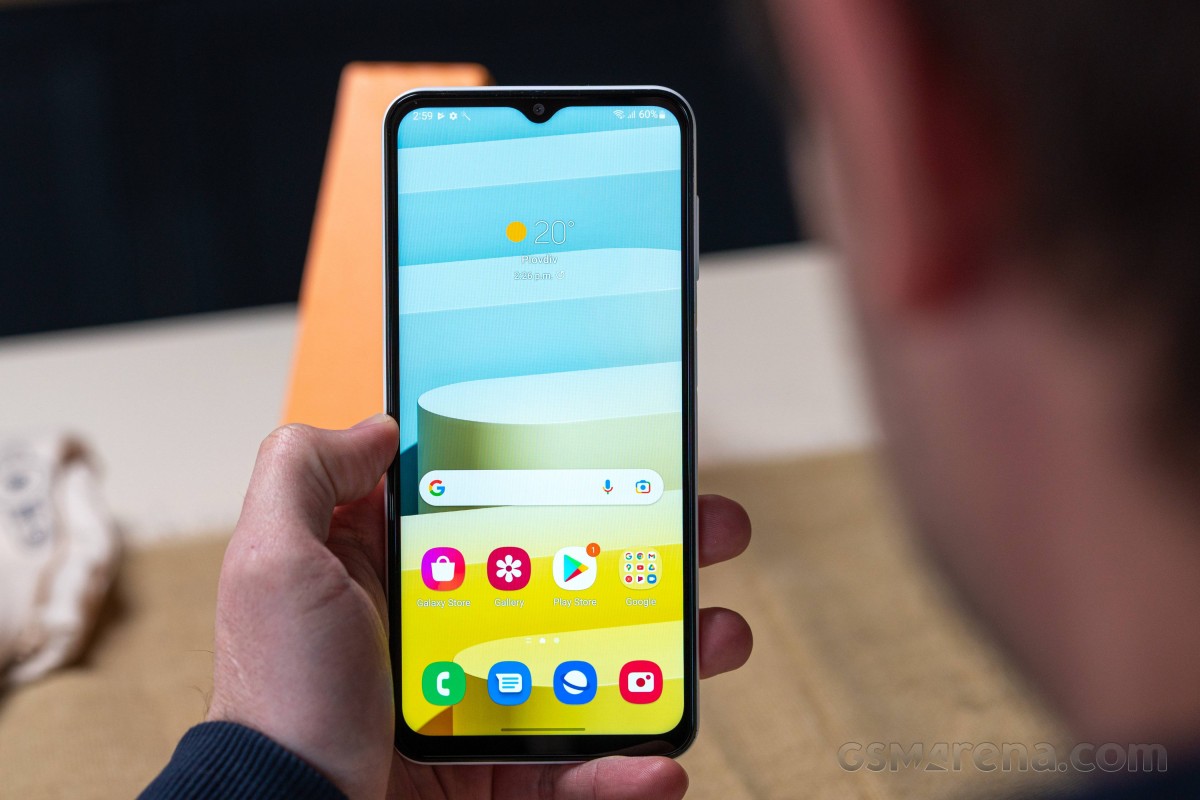
The Galaxy A13 is one of the newest entry-level phones joining the Galaxy A family. We have the 4G version for review, which is already selling in India and Europe. There is a Galaxy A13 5G as well, which upgrades to a 90Hz screen and a MediaTek Dimensity 700 chipset, but is otherwise quite similar to our 4G version.
It should be noted that the Galaxy A13 is actually not the lowest entry into the Galaxy A family, as it still sits above the Galaxy A03. Samsung has really been fleshing out its lineup lately. Unfortunately, that also means we end up with a large number of very similar devices.
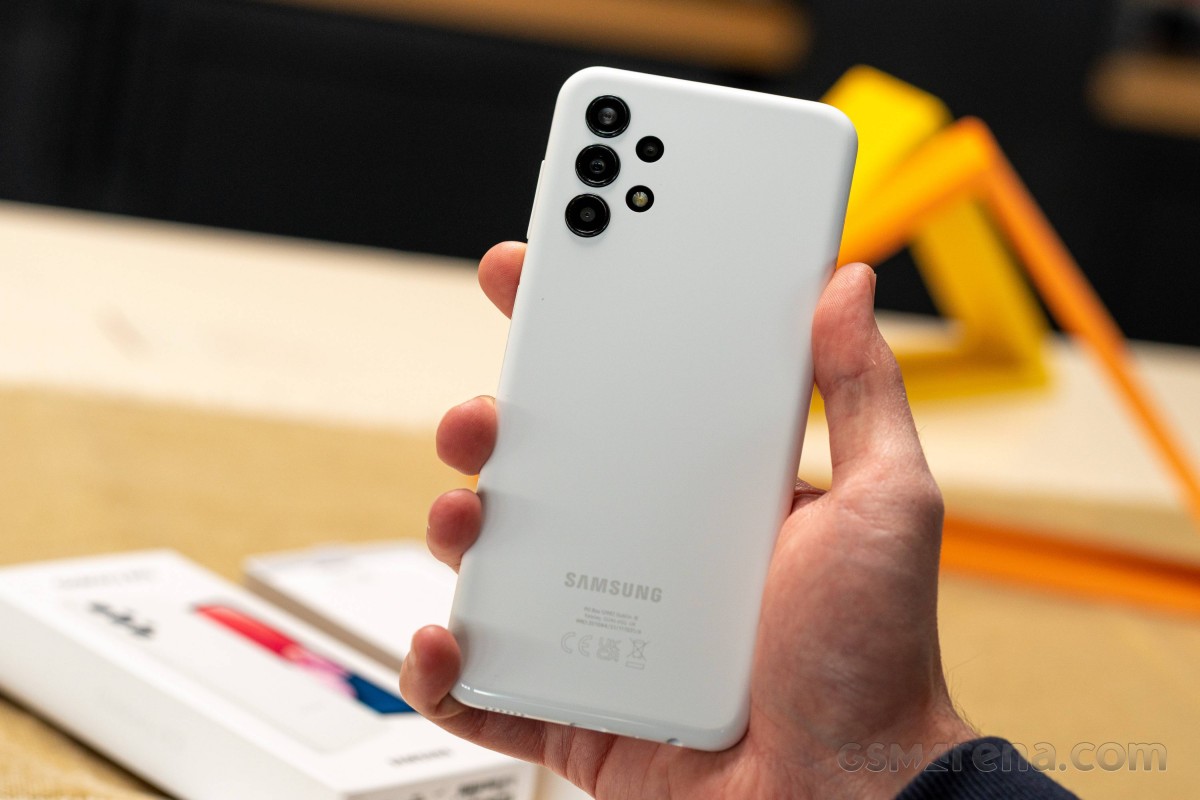
The Galaxy A13‘s body is nearly identical to the A13 5G, though it does get Gorilla Glass 5 display protection like the Galaxy A23. Also the same size 6.6″ PLS LCD, though at 60Hz, unlike the A13 5G and A23, both of which can do 90Hz.
Disclaimer. We can not guarantee that the information on this page is 100% correct.
The camera setup on the A13 is nearly identical to that on the A23, except for the lack of OIS on the main camera and the unfortunate 1080p video capture limitation imposed by the 8nm Exynos 850 chipset. The Galaxy A13 5G gets the MediaTek Dimensity 700, whereas the A23 is based on the Snapdragon 680 chip and they can both capture 4K video too.
All three phones have 5,000 mAh batteries, but the A13 pair is limited to 15W charging, while the Galaxy A23 can charge at up to 25W. Like we said – subtle difference in these parts of Samsung‘s lineup.
Unboxing
Before we get into the actual review, let’s check out the retail package. Unfortunately, there isn’t much to go over here. Samsung has really slimmed down the accessory bundle. In fact, there are no accessories to speak of unless you count the Type-C to Type-C USB cable. We gave it a quick test, and it seems to be a simple passive cable without an e-marker chip. Then again, it just needs to handle 15W of charging and USB 2.0 data transfer speeds (480Mbps).
This means that you’ll have to pick up a charger separately. Any decent PD unit or one of Samsung‘s older-style Adaptive Fast Charging adapters should work since the A13 can’t use more than 15W.
While the lack of a charger in the box is a bit unfortunate, there is the ecological angle to consider. Indeed, shipping fewer chargers likely means fewer will eventually end up in a landfill. Also, the entire packaging of the Galaxy A13 is made from non-corrugated fiberboard (paperboard), also marked as 21 PAP. It is made of cellulose fibers that are recyclable and biodegradable (compostable).
Alternative offers
At the time of release, the Samsung Galaxy A13 is listed in India for INR 14,999 or right around EUR 180 and just shy of $200US or $298.07AUD. The official Samsung UK website also has a price – GBP 179. That’s fitting some pretty tight budgets, but it doesn’t mean the phone runs uncontested.
Looking at the Galaxy A13’s close siblings first, you could easily save a few bucks and go for the older Galaxy A12 instead while stocks last. Its 48MP main cam, while a slightly older design, is not that different in practice. The HD+ display resolution is a bit more of an unfortunate downgrade, but then again, the Galaxy A13 actually has trouble even running its own One UI at FullHD+, so HD+ is realistically a more comfortable environment for the lower-end hardware. And sure, the new Galaxy A23 looks better all around, notably with a usable chipset on board 4K video capture and OIS, but also a notably higher price tag. If you don’t want to deal with sub-par sharpness or irritating performance glitches though, you might need to stretch your budget to meet it.
The slightly-older Galaxy A22, however, is a different beast. It can currently be had for right around EUR 190 and gets you a 90Hz Super AMOLED panel, albeit of lower HD+ resolution. The MediaTek Helio G80 is also arguably more powerful if not as efficient. The slightly older but comparable 48MP main cam on the Galaxy A22 gets OIS too. And beyond that, you are not sacrificing any of the other quality of life aspects of the Galaxy A13. Notably, the big battery with excellent endurance.
A slightly more regional suggestion would be the Galaxy F23, which isn’t all that more expensive than the Galaxy A13 and is currently selling in India. You will have to settle for an PLS display instead of AMOLED, but a fast 120Hz one. The F23 also includes a more capable Snapdragon 750G chipset with 5G connectivity, in case that’s on your list of priorities. Other than that, it is a similar device to the Galaxy A13 in most other aspects.
Of course, we can’t talk about budget phones without mentioning Xiaomi and specifically the Redmi line. The Redmi Note 11 is a viable and direct competitor to the Galaxy A13. For just shy of EUR 200, it gives you a 90Hz 6.43-inch AMOLED display, stereo speakers and 33W charging on its 5,000 mAh battery. The Snapdragon 680 chipset, while limited to 1080p video capture, is still better than the Exynos 850. It is also paired with faster UFS 2.2 storage.
Xiaomi has a pretty viable 5G alternative in this price range as well in the Poco M4 Pro 5G. Like the Galaxy F23, it comes with some other specs compromises here and there to fit 5G into the budget, like a 90Hz IPS display and a lighter camera setup also capped at 1080p video capture. Still, the compromises really aren’t that many, and you still get things like stereo speakers, Gorilla Glass 3 and 33W charging.
Xiaomi Poco M4 Pro 5G • Realme 8
Finally, the Realme 9i fits within the same budges and matches most of the aforementioned specs of the Poco M4 Pro 5G, but notably skips the 5G part, which hurts its value proposition a bit. A much smarter play would probably be the Realme 8 if you can still find one of those. It has a Super AMOLED HDR10 display, a versatile camera setup, and a huge 5,000 mAh battery with excellent endurance and 30W charging.
Verdict
There is a lot that can go wrong when creating a phone, especially a budget one. The trouble is that most of these devices look very similar on paper. You have to spend some time with them to uncover any issues hidden beneath the surfaces and unfortunately we located a few pretty major ones on the Galaxy A13.
While the A13 is structurally solid, it was obviously made cheaply with soft plastics, susceptible to damage. It also looks and feels quite cheap in person. The same goes for the display. While it offers a sharp picture thanks to its FullHD resolution, its pixel response time is sluggish, with plenty of smearing and ghosting. It also suffers from poor backlight uniformity, and since Samsung did not include a proper proximity reader or an ambient light sensor, you have to do a lot of manual adjustments.
But perhaps the biggest issue the Galaxy A13 has is its performance or rather lack thereof. The Exynos 850 is particularly lacking in the GPU department and faced with the daunting task of pushing pixels on a FullHD+ panel, it simply fails to deliver. The otherwise slick and feature-rich One UI 4.1 Core lags and stutters frequently on the Galaxy A13, badly hurting its general usability.
It’s a real shame since the Galaxy A13 still delivers in other key aspects. It has stellar battery life, and its cameras, while not exactly impressive, benefit from mature processing and deliver decent results. We just can’t recommend the Galaxy A13, especially since Samsung itself has other better and more well-rounded Galaxy devices in the same price range to get instead.
Pros
Gorilla Glass 5 finish on the front.
Large screen with good contrast and max brightness. Decent color reproduction.
Great all-around battery life.
The daylight camera quality is solid. Video capture is also good, despite 1080p resolution cap.
Latest Android 12 and solid One UI Core with lots of features.
3.5mm jack, microSD, NFC.
Cons
Subpar performance, especially graphics on the FullHD+ display. Lag and slowdowns are frequent.
Unibody has soft plastic prone to scratches and blemishes.
Virtual proximity sensor is unrealiable, lack of ambient light sensor means brightness adjustment is even worse.
No color mode options. Sluggish pixel response times with smearing and ghosting. Poor backlight uniformity.
Single speaker with mostly unimpressive quality.
No Night mode, Scene optimizer or video stabilization.
As phones have become more and more advanced, they physically take on more components. With that, a certain phenomenon has plagued the Android market in which phones like the Pixel 7 and Samsung Galaxy S23 make rattling sounds when shaken. This would be concerning if we didn’t know why, but we do.
Of those many little parts and pieces that are secured and glued together in your device, one of the most advanced is the camera. As far as gadgets go, flagships have some of the best cameras ever to find their way inside smartphones.
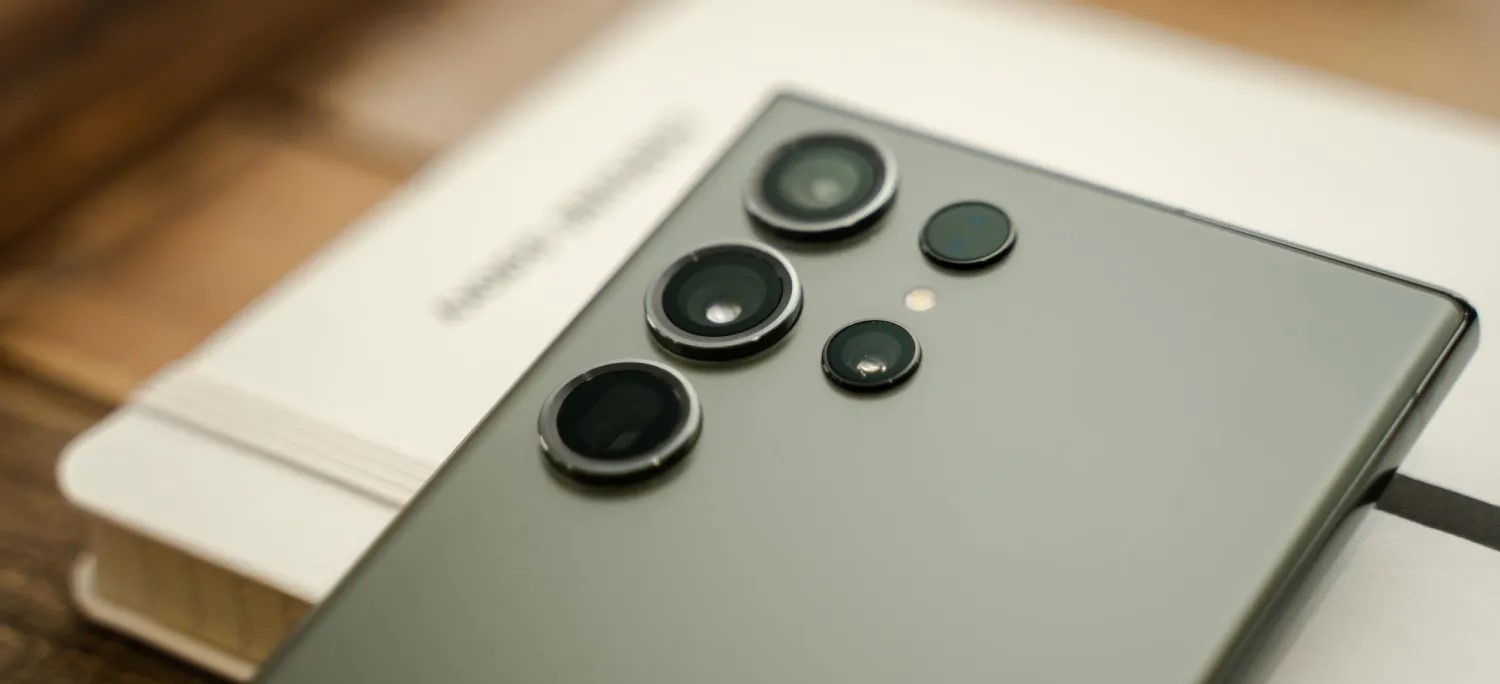
The Samsung Galaxy S23 Ultra, for example, touts a 200 MP camera sensor. Right under that set of elements and a heavy-duty sensor sits a 10 MP telephoto camera, which incorporates an even more impressive lens array. From the outside, the Galaxy S23 doesn’t look so abnormal, and the camera only seems to be a small part of the body. The actuality, however, is that the entire camera setup takes up a large proportion of the phone itself, more than most other components.
Another good example is the Pixel 6 and 7 series, which both feature a large camera bar spanning the entire width of the device. That casing is built not only to contribute to the device’s handsome design but also to protect the camera system that lies underneath. That entire bar hides much of the 50 MP sensors and robust image stabilizers. Outside of that, the rest of the phone is actually quite thin.
Here’s what every camera on the Pixel 7 Pro does
The Pixel 7 series takes a lot from its predecessor and builds on it slightly, with the biggest improvements being in the camera array – both physically and in software. This guide will take you through what the main, ultrawide, and telephoto camera on the Pixel 7 Pro does best.
The Pixel 7 has three cameras lined along the back of the device. The first is the main sensor, which takes care of your average range needs and provides you with the most detail. Next to it sits the ultrawide lens for both wide-angle shots and also the Pixel 7 Pro’s new Macro Focus mode, which we’ll touch on.
Lastly, the Pixel 7 Pro has a telephoto lens for taking shots far away from your subject. This year, the telephoto lens gains some incredible improvements, expanding its zoom capabilities by quite a margin.
When used in conjunction, the Pixel 7 Pro’s camera lineup can be quite the photography toolbelt, giving you just about anything you need to take photos anywhere.
Pixel 7 Pro’s 50 MP main camera
On a phone, your main sensor is the camera you’re going to use more often than not. It isn’t for shots with a faraway subject or even most of the time for shots with the subject close up. Rather, it’s the Goldilocks lens, providing you with just enough wiggle room to take a great photo.
On the Pixel 7 Pro, the main camera is a 50 MP sensor with an ƒ/1.85 aperture and OIS and EIS (optical image stabilization and electronic image stabilization, respectively). The 50 MP count is pretty high for a mobile lens, and it shows up well in most photos you take with the Pixel 7 Pro. Images are clear and crisp while maintaining plenty of detail. This lightens the load of the Tensor G2 chip when using tools like Photo Unblur and Magic Eraser.
The main sensor comes in at an 82-degree field of view, which is generally considered a wide lens. Even though it’s wide, it makes for a good all-around lens on the 7 Pro. Post-processing generally handles any distortion in your photos, and you’d never really notice that the main Pixel 7 Pro camera is a wide lens. One thing to note is that when zooming in to 2x, your image is cropped at 12.5 MP, rather than a full 50-megapixel count.
Pixel 7 Pro’s 12 MP ultrawide lens
Most devices on the market now come with an ultrawide lens. Its usability has been well established, especially when it comes to group shots and close-up photos of everyday objects.
On the Pixel 7 Pro, the camera array includes a 12 MP ultrawide lens, much like last year’s Google-made device. The difference here is the inclusion of autofocus in the lens and a much wider field of view at 125.8 degrees.
With that, the Pixel 7 Pro has a mode called “Macro Focus,” which allows you to turn that camera into a virtual macro lens. While it isn’t a true macro lens, the Pixel 7 Pro works hard to focus on close-up subjects and get as much detail as possible, making for some really cool-looking shots.
Pixel 7 Pro’s 48 MP telephoto lens
Perhaps the best feature of the Pixel 7 Pro is the unique telephoto lens and the heavy-lifting software behind it.
The telephoto lens comes in at 48 MP, which is just shy of what the main sensor has to offer. It has a narrow 20.6-degree field of view and can reach a 5x optical zoom. However, when combining optical and digital zoom, the Pixel 7 Pro can reach up to 30x zoom.
This year, the 48MP telephoto sensor has a new 5x optical zoom length – built from an entirely new optic layout instead of a simple sensor crop – which lets you take sharp pictures from even further away.
Impressive as it is, this feature is called Super Res Zoom, and it combines the optical performance of the lens itself and uses the Pixel 7 Pro’s Tensor G2 chip to enhance the image at great distances. Simply put, the Pixel 7 Pro will combine composite photos at different zoom rates to give you a clear photo.
Something to note is that when using the 48 MP camera at its idle 2x zoom, you’ll get full detail in that image. When moving in closer, the image becomes cropped and dives down to 12.5-megapixels. Of course, it doesn’t necessarily feel like a 12.5 MP image due to the heavy lifting Tensor does in the background.
Front-facing 10.8 MP camera
Of course, you can’t forget about the selfie camera in front of the phone. This year, the Pixel 7 Pro’s front-facing camera has a slightly lower megapixel count than last year’s device, though it won’t matter too much. The selfie camera has a 92.8-degree ultrawide field of view for just about any selfie shot you’d need. Other than that, this punch-hole camera is pretty basic.
As a whole, the camera setup on the Pixel 7 Pro works very nicely. Each camera compliments the other, and zooming in and out in the camera app on Pixel is extremely smooth. In general, the transition between each lens is more than satisfying. Together, the main sensor, ultrawide, and telephoto lens make up a great rear camera system with just about anything you might need.
What’s that rattling sound?
All that is said because it gives a little weight to the idea that the rattling sound you’re hearing in a Pixel or Samsung Galaxy phone when shaken is actually the camera. No, the sound does not mean that anything is wrong with your device. Rather than improbably loose screws or S Pens rattling around in your device, the noise is nothing but the lens and sensors within their corresponding image stabilizers.
OIS (optical image stabilizers) work in a very specific and excitable way. Built on a suspended system of shock-absorbing material, the lens or sensor is free floating. Built on the concept of absorbing the momentum of your device, a lot of that slight movement that might translate to your phone while taking pictures or recording videos is dissipated into the OIS.
Phones like the Galaxy S23 Ultra and Pixel 7 Pro have quite impressive OIS systems specifically built for telephoto lenses. With the Pixel 7 Pro hitting 30x zoom, a reliable image stabilization system is needed. When in action, that rattling sound is the sensor or lens hitting the OIS walls – its maximum extension in any direction.
Devices like the Galaxy S23 lineup and Pixel 6 and 7 series all make this rattling sound when shaken, and again, it’s completely normal. The Google Pixel 6 Pro and 7 Pro make the loudest sounds since they make use of large 48 MP telephoto lenses. The Pixel 7 Pro, in particular, houses enough hardware to facilitate 5x optical zoom, with the rest of that 30x zoom being AI-assisted.
As more devices hit the market with a focus on telephoto capabilities, there’ll be a fair share more that make sounds when shaken. Even if that is the case, you still probably shouldn’t shake them too much. The durability of OIS isn’t an exact science, and it often doesn’t seem to fail, though it’s still an internal moving piece prone to wear. Violently shaking your device just to hear the sound is probably a bad idea.
Samsung launched its Galaxy S23 series earlier this year as its first flagship in years to ditch Exynos chips and instead use Qualcomm Snapdragon on a global scale. Apparently, though, the Galaxy S23 FE will do the exact opposite, using Exynos in every region, including the United States.
The Galaxy S23, S23 Plus, and S23 Ultra are all built on top of a special version of the Snapdragon 8 Gen 2 that’s specific to Samsung. The chip is used globally, where in years past Samsung would have only used Snapdragon chips in regions such as Korea, the United States, and a few others. Elsewhere, such as in Europe, Samsung has usually left its users with Exynos chips, often leading to tons of problems with software glitches, overheating, or worse.
Samsung is largely expected to stick with this Snapdragon-only model for the foreseeable future, but that won’t apply to all devices.
it seems the former is true, according to what we’re hearing: Samsung really is planning to launch a Galaxy S23 FE, and it will arrive sometime in the fourth quarter of 2023. And it could have a surprise in store, one that may or may not make you happy.
SamMobile reports that the Galaxy S23 FE is, firstly, actually happening.
SamMobile also claims that the Galaxy S23 FE will arrive with a 50MP primary camera, 4,500 mAh battery, and a base model with 128GB of storage, with 256GB as an optional upgrade.
Apparently, the more affordable device is slated for release in Q4 of this year, which puts it ahead of schedule compared to the last “Fan Edition” release, with the Galaxy S21 FE having launched in January 2022 (mere weeks before the Galaxy S22 series). This was previously reported in February.
But, more interestingly, Samsung is apparently planning to ship the Galaxy S23 FE exclusively with an Exynos chip. Specifically, this would be the Exynos 2200 which was used in the Galaxy S22 series in some regions, and brought Samsung’s partnership with AMD to the GPU. The chip wasn’t well-received, but it can still certainly get the job done.
Using Exynos on a global scale for the Galaxy S23 FE is certainly a choice with the company having so publicly gone all-in on Qualcomm, but the decision to use the chip in the US has even more of an impact. As it stands today, the only “flagship-tier” smartphones sold in the US with Exynos chips are from Google, technically, as Tensor chips are heavily based on Exynos devices. The last time Samsung sold a flagship with Exynos in the US was with the Galaxy S6 series, which opted for the chips as Qualcomm’s designs were dealing with overheating issues at the time.
Galaxy S23 FE coming with Exynos chip worldwide
The Galaxy S23 series launched earlier this year and is exclusively powered by Qualcomm’s Snapdragon processor, but with the Fan Edition, Samsung is apparently going to flip the script: The Galaxy S23 FEwill be powered by the Exynos 2200 chip in all markets, including the USA!
the Exynos 2200, the chip that powered the Galaxy S22 series in Europe, will also power the S23 FE from what we’ve heard. The Exynos 2200 was Samsung’s first chip with an AMD GPU and was, if we’re being honest, quite a mess, which is probably why Samsung decided to go all in with Qualcomm for the S23 series.
The Exynos 2200 will be nearly two years old by the time the Galaxy S23 FE makes its debut, so it will hopefully not cause the kind of issues we saw on the Galaxy S22 lineup. In fact, Samsung better make sure that is the case if it is planning to use the chip for the US market, where customers and Samsung fans have been spoiled by Snapdragon chips on high-end Galaxy phones for many years while customers in the rest of the world have suffered the increasingly problematic Exynos chips.
Galaxy S23 FE will bring an upgraded rear camera
Anyway, let’s talk about some other Galaxy S23 FE specs that we have learned about. One of the S23 FE’s biggest upgrades could be a 50MP rear camera. The S20 FE and S21 FE used the same 12MP rear camera as the standard S20 and S21 models, and with Samsung upgrading the main camera to a 50-megapixel sensor on the (non-Ultra) Galaxy S22 and S23, we guess it’s only natural that the S23 FE get the same upgrade.
The S23 FE will come in 128GB and 256GB storage tiers, and we assume there will be 6GB or 8GB of RAM accompanying that storage. We also learned that the S23 FE will have the same 4,500 mAh battery as its predecessors, likely with 25W fast charging (though we won’t say no to Samsung doing a little charity by adding 45W charging support while keeping the price of the phone the same as the S20 FE and S21 FE).
And finally, it seems Samsung is bringing the model numbers for the Galaxy S FE series in line with what it has been using for the flagship S line since last year. The S23 FE will have model number SM-S711x – notice the 7xx series of numbers here is what Samsung also uses for the Galaxy Z Flip lineup, indicating that while these are high-end devices, they aren’t supposed to be considered proper flagships.
While we make sure we only put exclusive information out there if we trust the source, it’s always possible a few details could change by the time the new phone makes it to market. As usual, we’ll keep you updated whenever new information pops up, so stay tuned!