Apple this week quietly held a gaming-focused media event in New York City. The event is said to have focused on showing off things like Game Mode in iOS 18, the new M4 iPad Pro performance, and more.
Macotakara detailed the event, which was held on July 10, in a blog post today. On display at the NYC event were the iPhone 15 Pro Max, M4 iPad Pro, MacBook Pro, MacBook Air, and iMac. Some of the iPhone 15 Pro Max was demo units were paired with controllers from Backbone. There were also PlayStation DualSense controllers from Sony available for Mac and iPad gaming demos as well.
Among the games shown off by Apple during this event were:
Rseident Evil 7 Biohazard
Valheim
Assassin’s Creed Mirage
Diablo Immortal
Zenless Zone Zero
Palworld
The event also focused on the new gaming features coming as part of iOS 18, iPadOS 18, and macOS 15 this year. iOS 18, for example, brings Game Mode to the iPhone for the first time. Apple’s Game Porting Toolkit is also now available to let developers port macOS games to iOS. iOS 18 expands AirPods Personalized Spatial Audio with dynamic head tracking to gaming with reduced audio latency.
Apple held a similar event for members of the press and influencers last year, offering a look at games coming to iPhone, iPad, Apple TV, and Mac. Following last year’s event, there were a number of articles and social media posts from those in attendance. So far, this story from Macotaka is the only write up from this year’s event.
Over the last several years, particularly with the advent of Apple silicon for the Mac, Apple has ramped up its emphasis on gaming across all of its platforms.
A new rumor today reiterates the expectation that iOS 18 will be compatible with all the same devices as iOS 17. For iPadOS 18, however, Apple is planning to drop support for several older generation devices.
iOS 18 device compatibility
Today’s rumor comes after an initial rumor last month offered our first look at iOS 18 device compatibility. At the time, however, we cautioned skepticism because the rumor was posted and quickly deleted, suggesting the source wasn’t confident in their claims.
In what seems to be a more concrete rumor today, shared on social media by a private account with a strong track record, here’s which devices will be compatible with iOS 18:
iPhone 15
iPhone 15 Plus
iPhone 15 Pro
iPhone 15 Pro Max
iPhone 14
iPhone 14 Plus
iPhone 14 Pro
iPhone 14 Pro Max
iPhone 13
iPhone 13 mini
iPhone 13 Pro
iPhone 13 Pro Max
iPhone 12
iPhone 12 mini
iPhone 12 Pro
iPhone 12 Pro Max
iPhone 11
iPhone 11 Pro
iPhone 11 Pro Max
iPhone XS
iPhone XS Max
iPhone XR
iPhone SE (2nd generation)
iPhone SE (3rd generation)
For those keeping track at home, this means that iOS 18 will be compatible with all the same devices as iOS 17.
Other than those changes, iPadOS 18 will be compatible with the same devices as iPadOS 17. This includes the iPad (7th generation), which was first introduced in 2019 and is powered by the A10 Fusion chip.
iPadOS 18 compatibility:
iPad: 2019 and later
iPad mini: 2019 and later
iPad Air: 2019 and later
iPad Pro 2018 and later
This is a bit odd. The iPad Pro (10.5-inch) and iPad Pro (12.9-inch) (2nd generation) are both powered by the A10X Fusion processor, and will reportedly be dropped by iPadOS 18. The iPad (7th generation), meanwhile, is powered by the A10 Fusion and will reportedly support iPadOS 18.
Update March 04,2024 8:43am PT: Beats Solo 4 are not expected to launch for several more weeks, according to a source familiar with the matter. No word on when to expect new iPads.
Bloomberg’s Mark Gurman has reported that Apple stores are planning a minor refresh this week, but he believes it to be for a new accessory, rather than a major new product.
He says that a bigger refresh is expected the following week, and it sounds like that one may point to the new iPads we’re expecting to be announced any day now, alongside the just-announced M3 MacBook Air models …
New accessory may be Beats Solo 4 headphones
Gurman doesn’t give any clue as to what the new accessory may be, but we recently found images of an unannounced Beats Solo 4 in the internal files of the latest build of iOS 17.4.
A few additional points: retail stores are low on MacBook Airs and iPad Pros; Stores are planning a minor refresh for this week (I think it's a new accessory rather than a new product); Stores are planning a larger refresh early next week (which sounds more product-related). https://t.co/kUkeYjT4rK
Certainly an update to the Solo 3 is long overdue.
It’s been a long time since Apple introduced Beats Solo 3 – more specifically, it was unveiled in September 2016 alongside the first generation of AirPods. It was the first Beats headphone to feature Apple’s W1 chip for fast pairing with Apple devices.
The new model will include USB-C, and support Spatial Audio. The images we discovered suggest that the new model will be available in black, blue, and pink.
New iPad Pro models
Gurman had earlier suggested that the new iPads we’re expecting will be announced via press release, rather than in a launch event. MacRumors said its own source backed this, with the announcements expected this week.
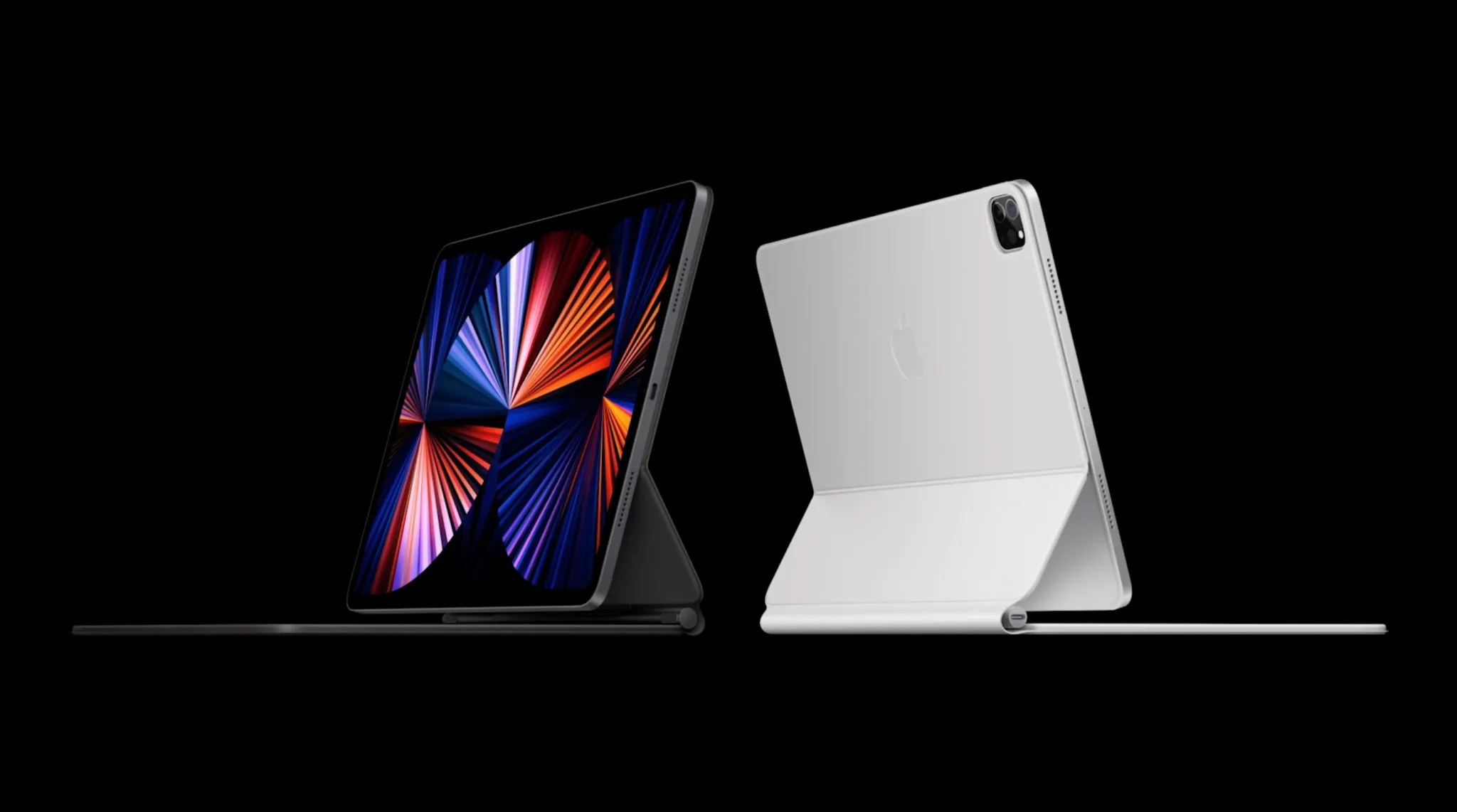
We’re expecting new iPad Pro models with OLED screens.
The biggest change to the new iPad Pro models will be a switch to OLED screens. Currently, the 11-inch iPad Pro uses an LCD screen with conventional backlighting. In fact, the 11-inch iPad Pro has used the same display panel since it was first introduced in 2018.
This year, the entire iPad Pro lineup will unify on OLED displays for the first time. This will also mark the first time that Apple has used OLED displays outside the iPhone and Apple Watch. The 12.9-inch iPad Pro might also get slightly bigger this year, with the screen size increasing to 13 inches.
This is expected to be accompanied by a new version of the Magic Keyboard for iPad, with a sturdier aluminum frame and giving a more MacBook-like look.
New iPad Air
While the iPad Air will stick to LCD screens, we’re expecting to see a new 12.9-inch model – the first time it’s been possible to buy an iPad of this size without opting for the Pro model.
We’re also expecting a new camera bump, still with a single rear camera but with the addition of flash.
Vision Pro to a complete revamp of the iPad lineup, there’s a lot to be excited about. Here’s everything we know about what’s coming from Apple this year, broken down by product category.
Spoiler alert: there’s a lot in the pipeline for this year.
Vision Pro
Apple’s 2024 is expected to kick off with the release of Vision Pro, Apple’s new spatial computing headset that was first announced at WWDC 2022. Apple says that Vision Pro will be released in “early 2024” in the United States and later this year in other countries around the world.
According to reports from the likes of Bloomberg and Ming-Chi Kuo, Vision Pro is currently in mass production ahead of a launch to customers sometime in February. Vision Pro will start at $3,499, but Apple has not revealed any other pricing details for things like prescription lenses, storage configurations, and more.
Learn more about Vision Pro in our hands-on coverage from WWDC 2022. Keep up with all of the latest rumors about Vision Pro’s release date in our dedicated guide.
A complete iPad lineup overhaul
In 2023, Appledidn’t release a single new iPad. In fact, the only hardware announcement related to the iPad was the new Apple Pencil with USB-C. Exciting stuff, right?
Thankfully, 2024 is shaping up to be a far more exciting year for the iPad. Rumors suggest that Apple has new versions of every iPad it sells in the works.
iPad Air
One of the biggest changes to the iPad lineup in 2024 is expected to be the addition of a new 12.9-inch iPad Air. Currently, Apple sells one iPad Air model at 10.9 inches. This would mark the first time that Apple has sold an iPad Air in two different screen sizes.
Other than the new form factor option, we aren’t expecting many other changes to the iPad Air in terms of design or features. The only other notable difference will be a new processor, with Apple upgrading the iPad Air from its current M1 chip to the M2 for better performance and efficiency.
The new iPad Air models are expected to be announced and released sometime around March.
iPad Pro
For fans of Apple’s top-end iPad Pro models, there’s a lot to be excited about in 2024. Most notably, the iPad Pro lineup will switch to OLED display technology. Currently, the 11-inch iPad Pro uses an LCD display while the 12.9-inch uses mini-LED.
Additionally, the 2024 iPad Pro lineup will be available in 11-inch and 13-inch screen sizes. The slight increase from 12.9 inches to 13 inches could come in the form of smaller bezels, allowing Apple to increase the screen size while maintaining the same overall form factor.
The switch to OLED for the iPad Pro lineup could also unlock other changes. For example, OLED displays could theoretically allow Apple to make the iPad Pro thinner. There have also been rumors of bigger design changes coming to the iPad Pro models, but whether those design changes will debut this year remains to be seen.
On the inside, the iPad Pro models will use the latest-generation M3 processors. This will unlock improved performance and efficiency for things like pro-level apps, multitasking, and more.
All of these changes, however, will increase the iPad Pro pricing. Not only are OLED panels more expensive than LCD and mini-LED, but Apple is also planning to use the most advanced version of OLED panels on the market. As it stands today, the 11-inch iPad Pro starts at $799, while the 12.9-inch iPad Pro starts at $1,099.
You can learn more about the new OLED iPad Pro in our dedicated guide. This guide includes details about why Apple is switching to OLED and some of the benefits the change will offer.
The new iPad Pro models are likely to be announced and released sometime around March.
New Magic Keyboard and Apple Pencil 3
For the new iPad Pro models, Bloomberg has reported that Apple is working on a new Magic Keyboard accessory. The new Magic Keyboard will allegedly make the iPad Pro “look more like a laptop and include a sturdier frame with aluminum.
On the other hand, the new iPad Air models will reportedly use the existing Magic Keyboard.
Meanwhile, Apple is also said to be prepping a new version of the Apple Pencil to launch alongside the new iPad Pro. Details here are still a bit sparse, but rumors have pointed to a hardware change that supports interchangeable magnetically attached tips that simulate different instruments.
iPad mini and iPad 10: Late 2024
Last but not least, Apple is working on updated versions of the base model iPad as well as the iPad mini. These devices will be updated with faster processors, likely the A16 for improved performance and efficiency improvements. No other major changes are expected.
Perhaps most notably, the introduction of the iPad 11 means that Apple will discontinue the iPad 9. The iPad 9 is the last model of the iPad to feature a Home button and a Lightning port. This will also allow Apple to discontinue the first generation Apple Pencil with a Lightning connector.
The new iPad 11 and iPad mini 7 are expected to be announced and released sometime later in 2024.
WWDC 2024
In June, Apple will likely hold its annual Worldwide Developers Conference – or WWDC – event. This will include the launch of its next round of software platforms:
iOS 18
iPadOS 18
watchOS 11
tvOS 18
macOS 15
visionOS 2
iOS 18
The headlining platform at WWDC 2024 will be iOS 18. In October, Bloomberg’s Mark Gurman provided an overview of Apple’s ambitions for iOS 18, namely focused on new artificial intelligence features.
This report highlighted an “edict” within Apple and Craig Federighi’s software team to fill iOS 18 “with features running on the company’s large language model.”
Here are the ways Apple is exploring adding AI to iOS 18:
An enhanced Siri version that leverages a new AI system using large language model technology for smarter responses.
The integration of AI in the Messages app, enabling it to answer questions and complete sentences automatically.
New AI functionalities in Apple Music for generating custom playlists.
The introduction of generative AI in iWork applications like Keynote and Pages
The incorporation of generative AI tools in Xcode, aiding developers in more efficient application development
Furthermore, in a surprising move, Apple announced in October that iPhones will start supporting RCS in 2024. RCS, short for Rich Communication Services, is the modern alternative to traditional SMS and MMS. This update is set to bring several features typical of iMessage to text interactions between iPhone and Android users.
Apple indicated that RCS support will be introduced to the iPhone “later next year” through a software update. This timing hints at the possibility of integrating this feature into iOS 18.
For more details on iOS 18, check out our complete guide. iOS 18 will likely be released to developers for beta testing in June, followed by a public beta in July, and a release to the broader public in September.
More software announcements
Unfortunately, there haven’t been any details about what’s to come from Apple’s other software updates this year. We’d expect a lot of focus on visionOS, but no additional information is available.
iPhone 16 and iPhone 16 Pro
A new year means a new iPhone, and this year that will come in the form of the iPhone 16, iPhone 16 Plus, iPhone 16 Pro, and iPhone 16 Pro Max.
For the iPhone 16 Pro models, one of the biggest changes will be that the displays are slightly larger.
The iPhone 16 Pro is expected to feature a 6.3-inch display, an increase from the 6.1-inch display of the iPhone 15 Pro. The iPhone 16 Pro Max will reportedly feature a 6.9-inch display, an increase from the 6.7-inch display of the iPhone 15 Pro Max.
Each iPhone 16 model will reportedly feature a new “capture button” on the right-hand side below the power button. This button will be dedicated to capturing video, with an emphasis on capturing spatial video that can be viewed on Vision Pro.
In line with that, the iPhone 16 will feature a redesigned camera layout that allows it to capture spatial video. Currently, only the iPhone 15 Pro models can capture spatial video. Apple is clearly looking to expand spatial video features as it ramps up the launch of Vision Pro and the broader “Apple Vision” lineup.
In terms of other camera changes, Ming-Chi Kuo has reported that the iPhone 16 lineup will get an upgraded 48-megapixel ultra wide camera. This is expected to behave similarly to the 48-megapixel main camera sensor in current iPhone models, where computational photography samples the raw 48-megapixels of information to produce a 12 or 24-megapixel final output image.
The iPhone 16 Pro will add the same 5x telephoto camera that is currently available on the iPhone 15 Pro Max.
Additionally, the iPhone 16 and iPhone 16 Plus will reportedly feature an upgraded version of the Action button that is currently exclusive to the iPhone 15 Pro models. The new Action button will allegedly include things like a force sensor for more flexibility.
You can find all of the details about the iPhone 16 and iPhone 16 Pro in our dedicated guides. As of right now, we expect the iPhone 16 to be announced and released in September, but that timeline could shift based on things like production and supply chain disruptions.
Apple Watch
What exactly to expect from the Apple Watch this year is unclear. Rumors have indicated that Apple is working on a major new “Apple Watch X” product, but there is still some discrepancy about whether Apple Watch X will be ready to launch this year.
The Apple Watch X has been described by Bloomberg as the biggest redesign of the Apple Watch since its launch in 2015. One of Apple’s specific focuses is on making the Apple Watch thinner.
One of the biggest changes with the Apple Watch X will be a new magnetic system for attaching bands. Apple is reportedly planning to abandon the current band attachment mechanism, with engineers determining that it simply takes up too much internal space. Apple instead hopes that it can use that space for other things, such as a larger battery.
The downside to this change, however, is that it will break compatibility with all existing Apple Watch bands. This means any Apple Watch band you have today won’t work with the Apple Watch X.
Again, there is still some uncertainty as to whether or not the Apple Watch X will be ready for 2024. It’s possible the update won’t come until 2025. It’s also not particularly clear how the Apple Watch X will fit in the Apple Watch lineup.
If Apple is ready to launch a new Apple Watch this year, we’d expect it to debut alongside the iPhone 16 lineup in September.
The Mac
If you’re a fan of the Mac, fear not. Apple has a few things in store for you in 2024 as well. The first M3-powered Macs debuted last October, starting with the 14-inch and 16-inch MacBook Pro and 24-inch iMac. This year, that transition to the M3 is expected to continue.
First up, Apple is working on new versions of the 13-inch and 15-inch MacBook Air powered by the M3 chip. The new MacBook Air lineup is expected to be released sometime around March 2024.
We’re also expecting a new version of the Mac Studio and Mac Pro powered by the M3 Max and M3 Ultra chips. Most recently, however, Bloomberg reported that these new desktop Macs aren’t expected “until the end of 2024 at the earliest, if not 2025.”
In fact, Bloomberg reported in November that the M3 Ultra hasn’t even started “widespread testing” inside Apple.
What about the Mac mini? That’s another unknown. The Mac mini is currently available in M2 and M2 Pro configurations. We’d assume an update to M3 and M3 Pro is coming at some point, but right now there aren’t any details on when.
New AirPods
Last but not least, we have Apple’s AirPods lineup. For 2024, Apple is reportedly prepping a major update to its entry-level AirPods, and a not-so-major change for AirPods Max.
AirPods 4
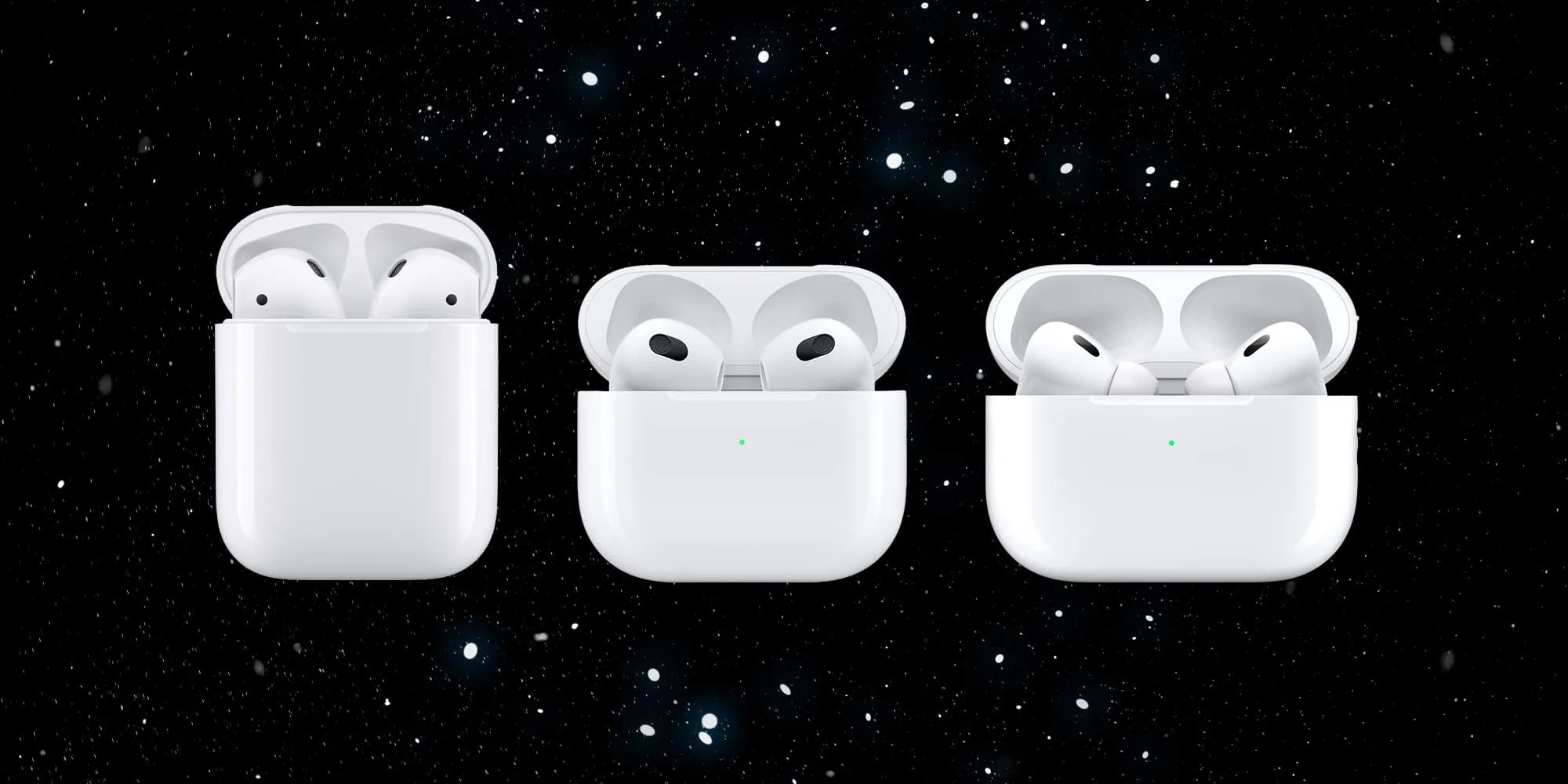
According to Bloomberg, AirPods 3 have not been as successful in sales as Apple had hoped, prompting the company to reevaluate its product range starting in 2024. The report details that both AirPods 2 and AirPods 3 are set to be phased out this year, with plans for two distinct versions of AirPods 4 in the works.
The upcoming AirPods 4 models are expected to showcase a “hybrid design” that merges elements from both the AirPods 3 and AirPods Pro. However, unlike the AirPods Pro, these new models will not include interchangeable and customizable ear tips. Another significant change is the switch from Lightning to USB-C for charging.
The two versions of the AirPods 4 will differ in certain key aspects. The higher-end variant of AirPods 4 will have features like noise cancellation and an upgraded charging case with advanced Find My integration and speakers for Find My alerts.
The new AirPods 4 lineup is likely to be released sometime later in 2024.
AirPods Max
For AirPods Max fans, the story is far less exciting. Bloomberg has reported that new AirPods Max are coming sometime in late 2024, but the only change will be a switch from Lightning to USB-C for charging. There might also be new colors.
If you were hoping for AirPods Max with a more modern chip inside, you appear to be out of luck. AirPods Max were first introduced in December 2020 and haven’t been updated since. They feature a Lightning port for charging and miss out on pretty much all of the new features Apple announced for AirPods at WWDC last year.
Wrap up
Here are some other smaller things Apple is working on, that may or may not materialize in 2025.
Apple is working on a new version of the Apple TV, but there are no details on a launch date.
There are also new smart home products in the works, including an updated HomePod with a screen. Again, there are no details on when this product might be available.
Multiple rumors have suggested that Apple is working on expanding its lineup of external displays beyond the Studio Display and Pro Display XDR. Whether these efforts materialize in 2025 remains to be seen.
Here are some other smaller things Apple is working on, that may or may not materialize in 2025.
New AirPods Pro with new health tracking features are in the works, but not expected until 2024.
Apple is working on a new version of the Apple TV, but there are no details on a launch date.
There are also new smart home products in the works, including an updated HomePod with a screen. Again, there are no details on when this product might be available.
Multiple rumors have suggested that Apple is working on expanding its lineup of external displays beyond the Studio Display and Pro Display XDR. Whether these efforts materialize in 2025 remains to be seen.
Some companies ended up making these briefcase monitor-type accessories, but they were bulky, finicky, and always expensive. But thanks to an update to iPadOS 17, it looks like your iPad can now solve that problem. Here is how to get it done.
How is this possible?
Firstly, the reason this is possible is that one of the new features of iPadOS 17 gives you the ability to use an external camera as a webcam for your iPad. Again this is on iPadOS 17 and it is still in beta, but should be released in mid-September. The way this works is by using an external camera or webcam and basically “playing” it on your iPad, and the result is the ability to use it as your camera instead of the built-in FaceTime camera. Right now this feature only works in the FaceTime app but should become more available in third-party apps like Zoom, Slack, and Teams. Wesley Hilliard, from AppleInsider, wrote that this new camera support also applies to capture cards, which can be used to turn anything into an HDMI in. That is where the magic happens.
What you need
The setup for this is actually extremely simple. It will work with any video game console as long as it has an HDMI out. As tested it with my PS4 and my Nintendo Switch, and it worked amazingly. But below are the software and items needed to get this going.
Any iPad with a USB-C port (does not work with lightning port iPads)
Must be on iPadOS 17
Video Capture Card
Video game console of choice
Capture Pro App (currently in testflight but free to sign up to use)
Optional: USB-C hub to charge your iPad and use Capture Card
As mentioned, the iPad needs to be on iPadOS 17 to support this feature. You also need to make sure to download the Capture Pro App. It is currently in testing, so just hit this link, make sure to download Testflight, and then you can sign up to test Capture Pro for free, and it works immediately. It will eventually make it onto the regular app store once iPadOS 17 goes live to the public.
How to use your iPad as a game console display
Now that we have all the hardware we need, we can start to set this up. As stated, this is the easy part. Just connect your console to power, and run the plug the capture card into the HDMI cable. Plug the HDMI side to the console, and the capture card side to the iPad. Turn on the console, open the Capture Pro app, tap the “reload” button, and you are live!
What You will love about this is also just how well it works! The audio of the video game defaults to the iPad Pro speakers, which is outstanding! There is also ZERO latency. Since this isn’t remote play or cloud gaming, you are directly connected to the console which allows for no latency while playing. On top of all of this, since you are using an App to display this through the Capture Pro App, it supports stage manager. So you could have the gameplay in one window and have Twitter or some walkthrough website up in another window while playing. Be sure to watch the hands-on video to see this in real-time.
Wrap-up
I think this is a very cool feature, and I can’t wait to see what this could mean for portable consoles in the future. It is not unheard of to put your Xbox, iPad, and controller in a bag for a week-long trip. You would be able to get some series gaming done. Combine that with the amazing iPad Pro ProMotion display, and you will be gaming at 120FPS on the go.
This is still in beta but so far I have had zero issues at all. If you want to give it a try, all you really need to do is buy that capture card if you don’t have one, and you should have everything you need.
Apple competitors like Samsung have been trying to push foldable smartphones and tablets for some time. And while this is a niche market, Apple is rumored to have been experimenting with this idea internally. We don’t yet know when, or if, the company will introduce a foldable iPhone or foldable iPad – but read on as we detail what we know so far.
Latest rumors on Apple’s foldable iPhone and iPad
Rumors suggest that the Cupertino-based company is internally developing prototypes of foldable iPhones and iPads, but those devices are far from seeing the light of day. Analysts Ming-Chi Kuo and Ross Young reported that Apple’s first foldable product is expected to be introduced in 2025 “at the earliest.” Details about these devices remain unclear at this point.
This comes as no surprise since Apple has been following a more conservative approach in recent years. Due to the large number of devices the company ships each year, Apple would likely face several supply issues with the launch of a foldable phone at this point, since this technology is still limited and more expensive.
But what would an Apple foldable device look like? People familiar with the matter have been saying that the company has different prototypes inside its campus. One of them looks more like an iPhone that folds – an idea similar to Samsung’s Galaxy Z Flip. Another prototype looks more like an iPad that folds into a phone. Kuo said this year that he believes the foldable tablet will come first.
I’m positive about the foldable iPad in 2024 and expect this new model will boost shipments and improve the product mix. My latest survey indicates that the foldable iPad will feature a carbon fiber kickstand. Carbon fiber material will make the kickstand lighter and more durable.
Last year, Young claimed that Apple was in talks with its suppliers to order 20-inch displays for a foldable laptop. Of course, these are all for experimental prototypes and none of these are product designs that are about to see the light of day. Still, it’s interesting to see that although having a foldable device is not a priority for Apple, the company is not ruling out the idea for the future.
CCS Insight also predicted that Apple’s first foldable device will cost around $2,500, much more expensive than current iPhones. But at the same time, foldable devices from other companies are not cheap either. Samsung’s Galaxy Z Fold 4 starts at $1,799. Google’s new Pixel Fold also comes with a price tag of $1,799.
Are foldable phones worth it?
Some people think foldable devices are nothing more than a gimmick, while others really see the potential in this technology.
Samsung has been doing a great job with its foldable phones, and these devices open up a lot of new possibilities. For some people, it’s all about making large phones fit into a pocket or purse. For others, it’s about new ways to interact with the phone when it’s folded. I had fun taking selfies with my Z Flip without having to hold it or put it on a stand.
At the same time, these devices still look more like prototypes than devices for end users. There’s still the crease where the display bends and they’re still quite fragile. These are things that Apple can change with its own foldable device.
Report rumored: Foldable iPhone pushed to 2025, Apple mulling 20-inch foldable MacBook display
As part of its broader report focused on the growth of foldable smartphone shipments for companies like Samsung, Display Supply Chain Consultants has new details on Apple’s work on a foldable iPhone.
According to DSCC analyst Ross Young, Apple has likely delayed its foldable iPhone until 2025, but it is also investigating the idea of “foldable notebooks.”
First off, based on conversations with supply chain sources, Young says that DSCC has delayed its expectations for a foldable iPhone to 2025. This represents a delay of around two years compared to previously-reported timelines of a foldable iPhone launching in 2023.
We delayed our expectations for Apple entering the foldable smartphone market by two years to 2025 after discussions with our supply chain contacts. The company does not appear to be in a hurry to enter the foldable smartphone market, and it may even take longer than that.
Perhaps more interestingly, DSCC says that Apple is now investigating the idea of a foldable notebook of some sort. The company is reportedly in discussions with suppliers about this category, and while a product is still several years away, its interest is in a 20-inch foldable of some sort.
On the other hand, we are now showing Apple in our roadmap for foldable notebooks. We hear there is interest at the largest size yet, around 20.x”. This size could create a new category for Apple and would result in a true dual use product, a notebook with a full-size keyboard when folded and for use as a monitor when not folded and used with an external keyboard. It may also allow for UHD/4K resolution or even higher at that size. The time frame is likely later than 2025 though, it could be 2026 or 2027.
Even if this product is several years away, DSCC says that this is “good news for the foldable space” in general.
For those unfamiliar, Ross Young is an analyst for Display Supply Chain Consultants. As such, his reporting is usually based on indications from the supply chain similar to analysts such as Ming-Chi Kuo. He’s proven to be extremely reliable over the past year, including being the sole analyst to report that the 2021 MacBook Pros would feature mini-LED displays with ProMotion.
While Android counterparts like Samsung have entered the foldable smartphone industry with full force, Apple has been much more reserved thus far. Samsung has developed its foldable smartphone products in public, with its most recent being the Galaxy Z Flip3. As usual, Apple’s approach has been to develop a foldable iPhone secrecy and release a product only when it’s deemed ready for the public.
Reliable Apple analyst Ming-Chi Kuo has predicted in the past that Apple could sell 20 million units of the first foldable iPhone, whenever it eventually comes to market.
More interesting than the foldable iPhone delay, however, is Young’s claim that Apple is working on a 20-inch foldable MacBook product of some sort. Details here are a bit sparse, but it sounds like an incredibly intriguing product — regardless of whatever form factor it ultimately ships with.
Some find the idea of a foldable MacBook or iPad much more intriguing than a foldable smartphone.
Stage Manager is Apple’s solution for improving (or at least trying to) the iPad’s multitasking system. The feature lets users run apps in windowed mode, but there’s a catch: it only works with the M1 iPad Air and iPad Pro. Apple hasn’t said a word at this point about changing the feature requirements, but we’ve found a way to see how Stage Manager would work on the iPad mini.
How Stage Manager works
First of all, if you haven’t seen Stage Manager in action, it basically brings windows to iPadOS 16. However, there are still some limitations when it comes to resizing and moving apps around the screen. It’s not exactly like what you have on a Mac or Windows PC, but it certainly makes the iPad feel more like a real computer.
Unfortunately, only iPads equipped with the M1 chip support Stage Manager. Apple says it set the M1 chip as a requirement because Stage Manager lets users open up to eight apps simultaneously. Stage Manager also enables full support for an external display up to 6K resolution, and unsurprisingly, Apple claims that other iPads don’t have enough performance for this.
Some users didn’t seem to believe Apple’s statements as some of them are quite controversial. For instance, the company argues that Stage Manager benefits from the fast memory swap that is only available on the M1 chip. However, the 64GB iPad Air 5, which runs Stage Manager, lacks RAM swap.
Stage Manager on the iPad mini
Officially, there’s no way to enable Stage Manager on non-M1 iPads. However, 9to5Mac found a hidden internal mode in the iPadOS 16 code that enables Stage Manager on any iPad running the latest version of the operating system. Since there’s no jailbreak tool available for iPadOS 16, we can’t enable this mode on a real iPad, but we can take a look at it using iOS Simulator – an Apple tool that lets developers test their apps on a Mac.
More interesting than seeing Stage Manager working on the previous generation iPad Pro or iPad Air, I was wondering what the feature looks like on the iPad mini. And this is what I just found out.
Of course, the iPad mini’s display is too small for an advanced multitasking system, but still, Stage Manager can be quite useful for some iPad mini users. I took some screenshots of the iOS Simulator and sent them to my iPad mini so I could get a better idea of Stage Manager’s usability in terms of interface size. Honestly, everything looks good enough for me.
You can open three iPhone-sized apps side by side without compromising usability, which seems perfect for checking multiple social networks while you read something. You can also open a larger window while leaving smaller windows in the background to quickly switch between them, which is great for dragging and dropping items.
Current iPads can already open up to three apps simultaneously with Split View and Slide Over, but the experience is much more limited since you can’t have all three apps side by side.
Will Apple ever change that?
Some users are willing to have a limited version of Stage Manager available for non-M1 iPads, but Apple has never said if it will ever do this.
After seeing Stage Manager working on the iPad mini, I’m convinced that I’d like to have the option to run apps in windowed mode, even with some limitations compared to the M1 iPads. As I once said, having windows is not only about how many apps you can run at the same time, but it’s also about organization.
Stage Manager isn’t exactly perfect, but it certainly improves the iPad’s poor multitasking system – and it’s a shame that Apple wants to keep it for the more expensive iPads.
For now, iPadOS 16 beta remains available exclusively to developers. According to Apple, the first public beta will be released this month, while the official release is expected this fall.
You can ensure your data remains safe through erasure.
One of the most powerful features added years ago to macOS and iOS was Find My iPhone—and iPad and Mac. The iCloud-connected service lets you track an accidentally misplaced item and potentially recover a stolen one. With the service active on a device, you can use Find My for macOS, iOS, or iPadOS or via iCloud.com to erase your computer, phone, or tablet or to queue an erasure signal for the next time the device is on the Internet. iPhones and iPads with a Secure Enclave and Macs with FileVault enabled simply delete the encryption keys for storage. This renders the data irretrievable. (It doesn’t affect your local or iCloud backups, so don’t worry.) On a Mac with a T2 Security Chip or M1 Apple silicon, disk encryption is always enabled even if FileVault isn’t, allowing Secure Enclave to destroy the disk encryption keys instantly even with FileVault disabled. Pre-Secure Enclave iPhones and iPads and Macs that predate the T2 Security chip and have FileVault disabled take longer to delete files, as each byte of data has to be overwritten. If you’re not sure whether your iPhone, iPad, or Intel Mac has a Secure Enclave, consult the list Apple provides here. You can determine if FileVault is enabled by going to the Security & Privacy preference pane’s FileVault tab.
How to erase a device
Apple warns you about the consequences when you’re about to erase your Mac remotely.
Apple’s tweaked the process slightly for its native apps but left iCloud.com virtually untouched for years. In macOS, iOS, or iPadOS, launch the Find My app. Tap the Devices tab and then tap your hardware. (If you have Family Sharing enabled, you can also see the devices of family members.) On an iPhone or iPad, tap Erase This Device and follow the prompts. On a Mac, right-click the device and select Erase This Device.
With iCloud.com, log in to your account and click the Find iPhone link—no “My” in there. Enter your iCloud password again if prompted. Click the All Devices menu and select your hardware:
For a Mac, click Erase Mac and follow prompts; you’ll note the text says it “may take up to a day to complete,” the worst-case example for a hard-drive-equipped Mac without FileVault enabled and neither a T2 nor M1 chip.
For an iPhone or iPad, just click Erase iPhone or Erase iPad.
If the device is connected to the internet via whatever method it has at its disposal—Wi-Fi, cellular, tethering, a…dial-up modem—erasure begins immediately after the Mac receives the signal relayed via Apple’s servers. In the cases noted above, the drive or flash storage almost instantly becomes irretrievable.
The erase command is queued by Apple, so if the device ever is briefly back on the internet, it erases itself. Once your device starts wiping its data, finding its location via Find My is no longer possible.
For devices that ne’er-do-wells have taken offline or put in a metal box, they may never return online to receive an erase command. But for iPhones, iPads, and Macs with a Secure Enclave, the stored data can’t be interacted with unless someone also obtained the password. (For a running Mac, there might be cracks that work, but it’s unlikely; if powered down and FileVault is enabled, effectively impossible.)
Find My lets you see all your devices and select among them for several purposes—including erasure.
It can be wiped, which securely removes your data—and then Activation Lock kicks, a part of Find My. (Macs have a few additional requirements.) Activation Lock prevents an erased device from being set up again without knowing the iCloud password associated with the account that turned on Find My on it.
Criminal groups have apparently figured out ways to bypass Activation Lock in at least some cases, but those methods still require erasing the device, so your data remains inaccessible.
A future of remote erasure?
I can imagine a future in which the Find My Network could be used to trigger erasure, too. Right now, the system is used entirely as a passive relay: an AirTag tracker and most Apple devices can broadcast their position over Bluetooth in a carefully encrypted manner. Nearby Macs, iPhones, and iPads with Find My Network enabled relay this data via Apple so you can get updates about location without the party relaying it knowing who you are or which device is transmitting.
But AirTags point the way to a potential two-way process. If Apple determines an AirTag has been traveling with you and you’re not the owner of it, you’re presented with a dialog on an iPhone or iPad that lets you play a sound. That command is passed via Bluetooth.
An iPhone that spots an unknown AirTag traveling with it over time can send a signal to prompt an action on the AirTag.
that preserves privacy and yet could be turned to device erasure, too. In Apple and Google’s joint notification system, your smartphone recorded all specially formatted Bluetooth signals around you and retained for those a period of time; this is quite similar to the signals emitted for the Find My Network by Apple devices.
If someone who had been near you receives a COVID diagnosis and enters a code into their smartphone provided by their healthcare provider, the encrypted Bluetooth IDs associated would then be uploaded to a database that all devices in your region or country regularly downloaded and compared to stored IDs.
Now, consider this: what if you could report your device as stolen and that you wanted it erased. That signal would then be distributed in encrypted form across all Apple hardware in your area or an expanded region. If any of those devices picked up an encrypted Bluetooth signal that matched, they could transmit a similarly encrypted erasure instruction. Thieves try to disable all the wireless on a device, but Bluetooth is often harder to block than Wi-Fi or cellular.
The safeguards around this would have to be strong, but it’s not far-fetched—just far-reaching!
Apple introduced iOS 15 beta 2 and iPadOS 15 beta 2 to developers, which are the first updates since the initial release at WWDC 2021 earlier this month. Now that we have the new betas in our hands, here’s a look at what’s new in today’s updates.
Not available for some devices
According to the iPadOS 15 beta 2 release notes on the Apple Developer website, today’s release cannot be installed on the Wi-Fi + Cellular version of the 9.7-inch iPad Pro. The reason is unknown, but probably Apple found some serious issue and chose to skip this release for the affected iPad models.
Bug fixes for iCloud Private Relay
iCloud Private Relay makes web browsing more secure for iCloud subscribers, but this feature was causing some problems for users in beta 1. According to Apple in today’s release notes, iOS 15 beta “resolved an issue that caused iCloud Private Relay to function unexpectedly.”
New Maps icon
Apple revealed a new icon for its Maps app at WWDC 2021, but it was not included in iOS 15 beta 1. Now with beta 2, the new Maps icon is there. It also shows animated driving directions within the app.
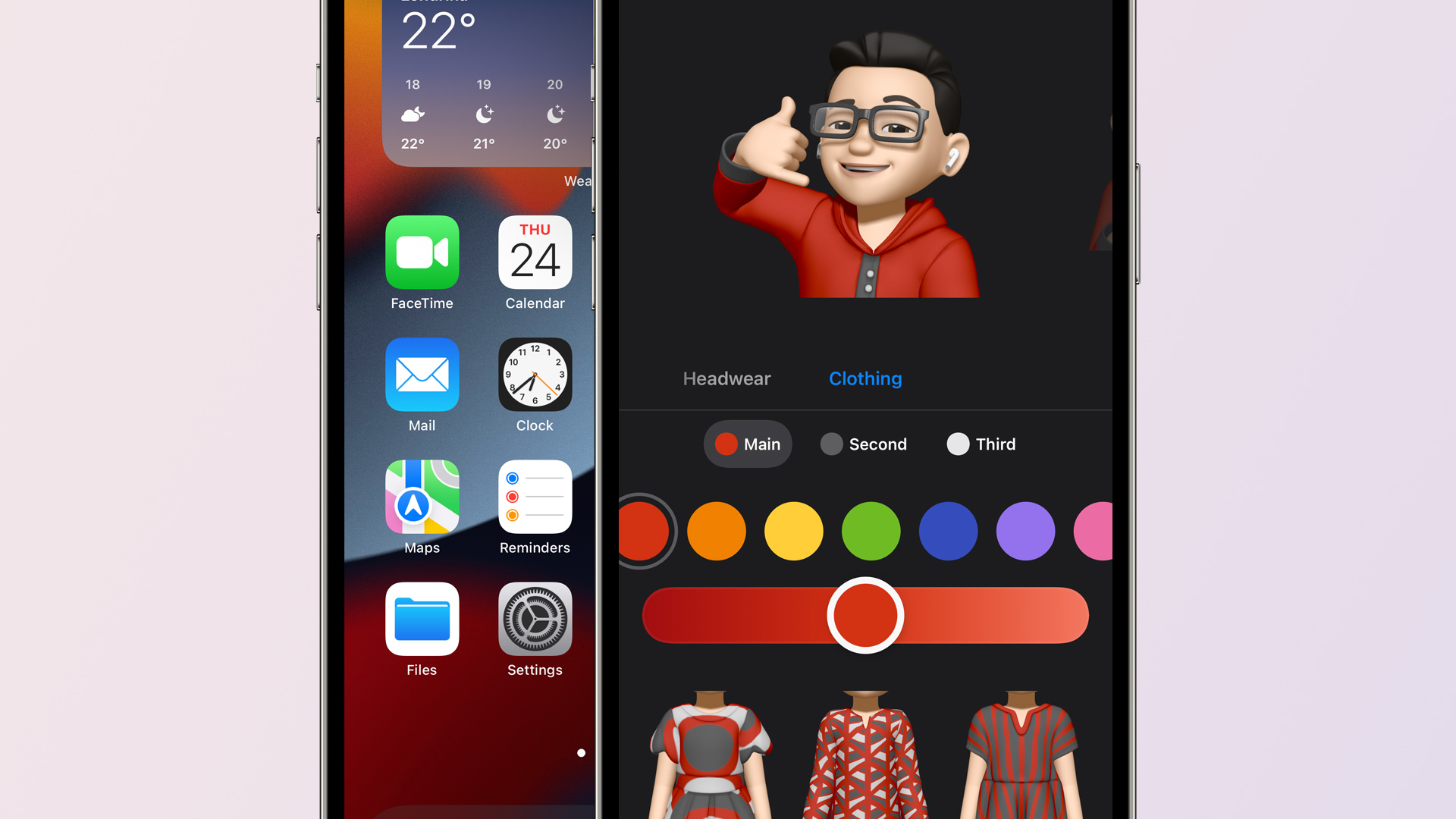
Apple also mentioned earlier this month that Memojis would be updated with new looks, including the option to set a custom outfit. These options are now available with iOS 15 beta 2.
Welcome screen in the Weather app
When you open the Weather app in iOS 15 beta 2 for the first time, you will now see a welcome screen highlighting its new features and refreshed design.
Quick Note on iPad
Quick Note was already available in iPadOS 15 beta 1, but now with beta 2 users can swipe from the bottom right corner to trigger Quick Note.
Apple’s iPadOS 15 features page claims that you’ll be able to swipe a finger to access Quick Note, but this doesn’t seem to work in Dev 1. Hopefully it makes into a future update because I don’t always carry my Pencil. (Or it’s often out of charge. 😂) pic.twitter.com/PinUT70VZF
SharePlay is a new feature to let users share a song, video, or even the screen of their devices during a FaceTime call. This feature is now working with iOS 15 beta 2.
Lossless on HomePod removed
Apple has removed the option to enable Lossless audio on HomePod with iOS 15 beta 2. Previously there was an option to stream Lossless songs on HomePod within the Home app. Most likely this option has been temporarily removed due to some issue and will return in a future release.
Safari
Apple has brought back the Refresh button for the Safari address bar, but it only shows up when using a mouse or trackpad.
The Shortcuts app can now see what is displayed on the screen for receiving input from an app without the share sheet.
Also new in iOS/iPadOS 15 beta 2: Shortcuts, like Siri, can see what's displayed on screen.
There's a new 'Receive What's On Screen' option for Shortcuts. Enable this, and a shortcut will receive input from an app without the share sheet. Right now, it works in Safari. pic.twitter.com/wxrzDlavbY
Two weeks after unveiling iOS 15 and iPadOS 15 to the public at WWDC 2021, Apple is rolling out the second developer betas. iOS 15 beta 2 and iPadOS 15 beta 2 are now available to registered developers ahead of a public beta release in July and a release to everyone in the fall.
iOS 15 beta 2 details
iOS 15 beta 2 and iPadOS 15 beta 2 are available to developers via an over-the-air update in the Settings app. As usual, if the update does not immediately appear for download, keep checking, as it sometimes takes a few minutes to roll out to all registered developers. The build number for today’s iOS 15 beta 2 release is 19A5281h .
Apple’s new software version won’t be complete until the fall, at which point it will be released to the general public. Testers should still expect performance and stability issues when running the iOS 15 beta on primary devices for the time being.
In addition to the second developer betas of iOS 15 and iPadOS 15, Apple is also releasing tvOS 15 beta 2 for Apple TV and HomePod and watchOS 8 beta 2 for Apple Watch. The second beta of macOS Monterey is not yet available.
With Apple’s Worldwidape Developers Conference firmly behind us, we’re taking our sweet time picking our way through everything coming to Apple’s platforms this fall. As usual, there were way more changes than Apple talked about onstage, and between watching the conference sessions, scrolling through long webpages of features, and keeping a gimlet eye on Twitter, even more have come to light.
But with such a preponderance of information, it can sometimes be hard to suss out which changes are likely to make a big impact on the lives of Apple users, and which will end up disappearing into the pond without so much as a ripple. Will we still be talking about iPad widgets a year from now? Will everyone have switched to Apple’s new two-factor authentication generator? Some features will have staying power; others won’t.
With that in my mind, here are my bets on which of Apple’s new features will make the biggest difference for its users.
Surfin’ Safari 15
If there’s a contentious move in Apple’s latest suite of improvements, it’s the redesign to the company’s web browser. While I don’t have metrics on hand, I’d be pretty surprised if Safari weren’t the most commonly used program on at least the iPhone and iPad. This means even a meager change is likely to make waves and, as changes go, Safari 15 is anything but meager.
Amongst its most notable updates, Safari 15 redesigns tabs as little rectangles, subsuming them into the window chrome, which now matches the color of whatever webpage you’re viewing. Apple’s stated goal is to get the browser out of the way, but there’s a reasonable question of whether this is a matter of form over function. Several common features—including the refresh button—are now hidden away beneath a single button in the location bar, necessitating an extra click. (Though you can now reload a page by pulling down from the top.) And titles in tabs are often truncated, making it hard to differentiate them, especially if you have multiple pages from the same site open. On the iPhone, the location bar has moved to the bottom, which can obscure some content and even controls.
Tab groups is one of the major tweaks to Safari coming soon.
Apple’s thought about some of these issues, it’s clear. In the company’s Design for Safari 15 WWDC session, Web Technologies Evangelist Jen Simmons mentions that if Safari detects that the color of your page might negatively affect accessibility, the browser will override and default back to white. And it advises web developers to take the iPhone location bar into account when creating their sites.
But that and other design changes will require a legion of web designers to rework parts of their sites, and with Safari only one browser amongst many—albeit a popular one—that seems like potentially a losing proposition for Apple. It is, of course, possible that further tweaks to the browser may be forthcoming during the beta period that makes these changes more palatable…but it’s just as likely that Apple stands pat.
Never taken a shortcut before?
Automation has long been a part of the Mac, from AppleScript to Automator. But while those technologies have gotten a bit long in the tooth, iOS seems to have somewhat supplanted the automation crown, thanks to Shortcuts. That’s why the addition of Shortcuts to the Mac holds such potential.
It’s not just that automating with Shortcuts is much easier than with Automator, but it’s also potentially much more powerful—thanks to broad support in both Apple’s own apps and third-party programs. Early indications suggest that many iOS shortcuts will easily make the jump to the Mac, and the Shortcuts on the Mac also supports hooking into automation tools like AppleScript and the command line, to the benefit of power users. Interoperability between Apple’s platforms here also makes it likely that future updates to Shortcuts will benefit those who live throughout Apple’s ecosystem.
As someone who has repeatedly tried to automate common tasks on the Mac only to throw up their hands in frustration, Shortcuts’ arrival on the platform lets me hold out hope that I’ll finally be able to create workflows that save me time across all my platforms.
Going splitsies
This year marked Apple’s third crack at multitasking on the iPad, and while it may not have been the ground-up rethink that some had hoped for, there are promising signs that it will still greatly improve the experience for both power users and more casual consumers.
iPadOS 15 has features to make multiasking easier.
A big part of that is simply making multitasking more visible. There’s now an explicit icon for windowing, providing controls akin to the ones you find by hovering over the green icon at the top of a Mac window. iPadOS 15 also removes some of the song-and-dance of getting apps into a Split View, letting you drag them in from a Spotlight search or from your home screen, and even if Slide Over remains a somewhat annoying feature, the addition of a floating and resizable window for the new Quick Note feature is evidence that a more powerful windowing system could work on Apple’s tablet.
Simply put, the more people who use multitasking on the iPad, the better it should get, and improved visibility and ease of use are poised to usher a lot more people into a reality of using multiple apps at once—which is a good thing, because it remains one of the iPad’s weaker qualities when compared to a Mac. As for whether Apple will decide to launch itself into a full-fledged windowing system, well, we could be waiting until iPadOS 16, at least.