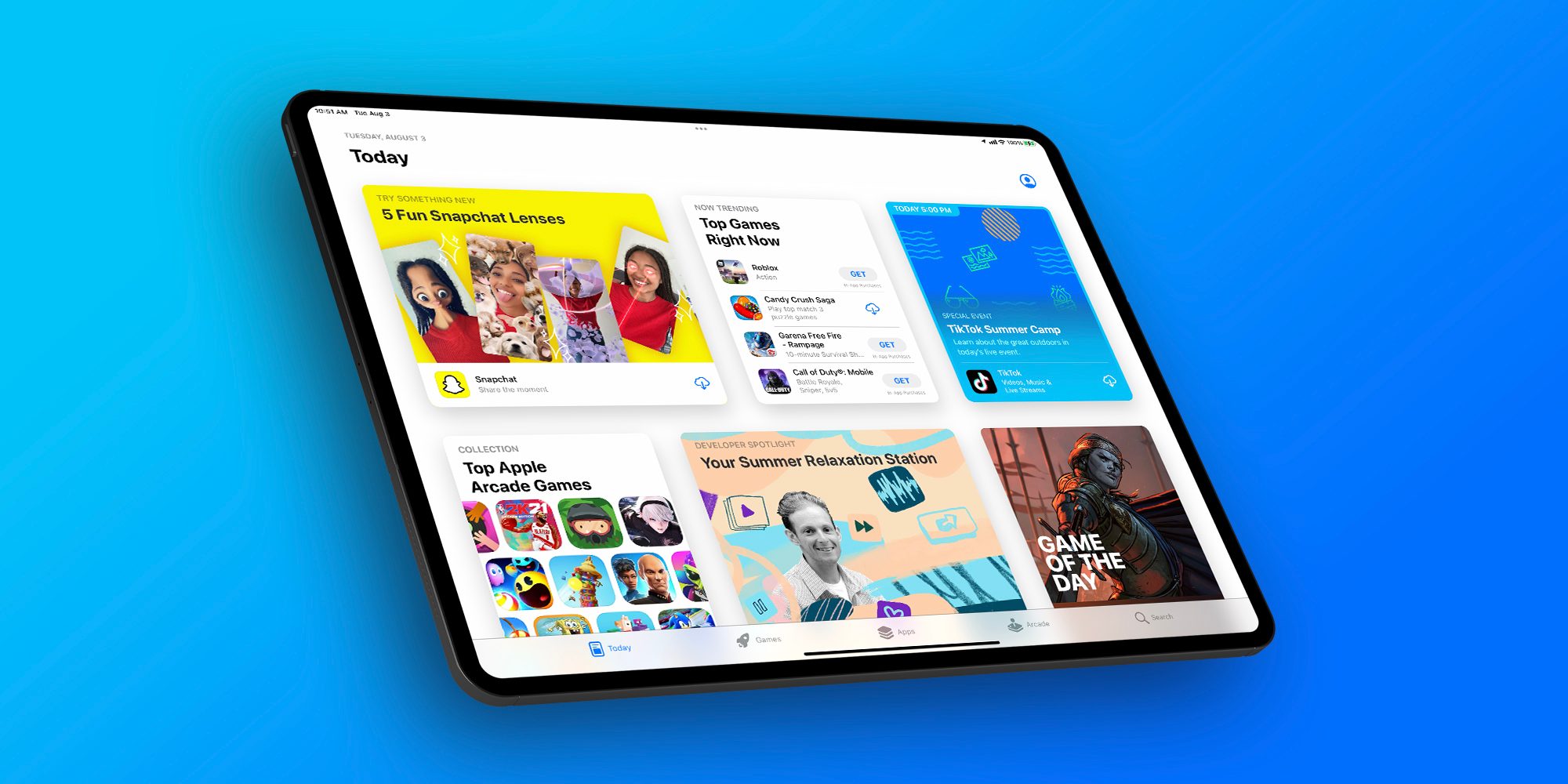
Apple this week quietly held a gaming-focused media event in New York City. The event is said to have focused on showing off things like Game Mode in iOS 18, the new M4 iPad Pro performance, and more.
Macotakara detailed the event, which was held on July 10, in a blog post today. On display at the NYC event were the iPhone 15 Pro Max, M4 iPad Pro, MacBook Pro, MacBook Air, and iMac. Some of the iPhone 15 Pro Max was demo units were paired with controllers from Backbone. There were also PlayStation DualSense controllers from Sony available for Mac and iPad gaming demos as well.
Among the games shown off by Apple during this event were:
Rseident Evil 7 Biohazard
Valheim
Assassin’s Creed Mirage
Diablo Immortal
Zenless Zone Zero
Palworld
The event also focused on the new gaming features coming as part of iOS 18, iPadOS 18, and macOS 15 this year. iOS 18, for example, brings Game Mode to the iPhone for the first time. Apple’s Game Porting Toolkit is also now available to let developers port macOS games to iOS. iOS 18 expands AirPods Personalized Spatial Audio with dynamic head tracking to gaming with reduced audio latency.
Apple held a similar event for members of the press and influencers last year, offering a look at games coming to iPhone, iPad, Apple TV, and Mac. Following last year’s event, there were a number of articles and social media posts from those in attendance. So far, this story from Macotaka is the only write up from this year’s event.
Over the last several years, particularly with the advent of Apple silicon for the Mac, Apple has ramped up its emphasis on gaming across all of its platforms.
Apple released the first developer beta of iOS 18 on June 10, the same day it kicked off WWDC and unveiled all the new OS features coming later this year.
It’s been nearly two weeks since that last beta, so when will iOS 18 beta 2 be released? Here’s what we know.
When to expect iOS 18 beta 2 to release
Apple hasn’t announced a date yet for iOS 18 beta 2. However, the company tends to follow fairly predictable patterns for its software releases. As a result, we can learn a lot by looking at previous years’ release dates.
2023: iOS 17 beta 2 arrived on Wednesday, June 21
2022: iOS 16 beta 2 arrived on Wednesday, June 22
2021: iOS 15 beta 2 arrived on Thursday, June 24
Looking at dates alone, we might expect iOS 18 beta 2 to arrive any moment now.
But there’s another key piece of data that can inform our expected date: the day WWDC started each year, which was also when the first beta debuted.
WWDC started on June 5 in 2023. It was June 6 in 2022, and also in 2021.
This year, WWDC kicked off a bit later than usual, on June 10.
For the last two years, beta 2 arrived exactly 16 days after beta 1. In 2021 it was 18 days.
Taking all of this into account, we should expect iOS 18 beta 2 to drop on Wednesday, June 26 or possibly Thursday, June 27—16 or 17 days after beta 1’s release.
What changes will come in beta 2?
iOS 18 beta 1 introduced so many new features for iPhone users. There are powerful customization features, a new Passwords app, big updates to Messages, Photos, Notes, Journal, a revamped Control Center, and a lot of other goodies.
So what kind of changes should we expect to see in beta 2?
Usually the earlier in the summer, the more changes will come with each beta. Betas 2, 3, and 4 will generally provide more changes than 5, 6, and 7, as Apple seeks to lock the release in preparation for its public launch in the fall.
So while beta 2 probably won’t have any huge surprises, it should nonetheless offer a number of enhancements and tweaks to what’s found in the current beta.
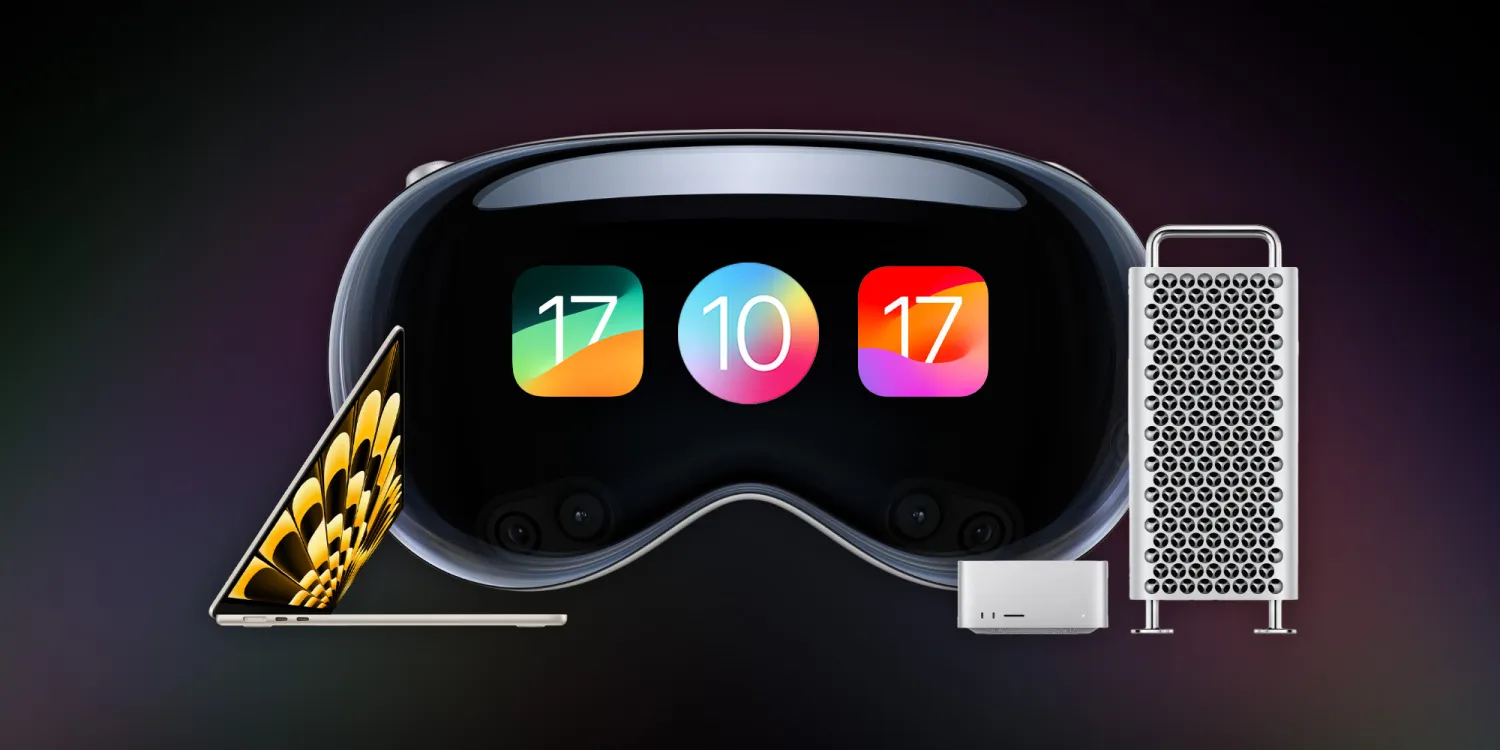
WWDC 2023 has officially come to a close, and it was one of the biggest events in Apple’s history. This year, Apple unveiled its new Vision Pro headset and visionOS software platform, alongside new Mac hardware, iOS 17, macOS Sonoma, and much more.
15-inch MacBook Air
We kicked things off this week with the new 15-inch MacBook Air powered by the M2 chip inside. This new MacBook Air features a 15.3-inch display with two Thunderbolt ports and MagSafe for charging. Apple touts that it’s 40% thinner and half a pound lighter than the average 15-inch PC.
The 15-inch MacBook Air is available to order now for $1,299, and the first shipments will start arriving next week. Along with the introduction of this new 15-inch MacBook Air, Apple also cut the price of the 13-inch MacBook Air powered by the M2 chip to $1,199. The M1 MacBook Air is also still in the lineup at $999.
Hands-on with the new 15-inch MacBook Air [Gallery]
Apple unveils 15-inch MacBook Air, available to order today for $1299
15-inch MacBook Air vs 13-inch Air: What’s the same, what’s changed?
Apple officially drops M2 13-inch MacBook Air price
Mac Studio
Apple’s desktop lineup of Macs also received some love during WWDC this year. First off, the Mac Studio has seen its first upgrade since its launch last year and is now available in M2 Max and M2 Ultra configurations. Apple says the new Mac Studio with M2 Max is up to 50 percent faster than the previous-generation Mac Studio.
Meanwhile, the Mac Studio with M2 Ultra offers twice the performance and capabilities of M2 Max. It is up to 3x faster than the previous-generation Mac Studio with M1 Ultra.
The new Mac Studio is available to order now and starts at $1,999. The first orders will arrive next week.
Mac Studio gets its first hardware update with M2 Max and the new M2 Ultra chip
2023 Mac Pro versus 2023 Mac Studio? Ports, PCI cards, vents, and wheels
Mac Pro
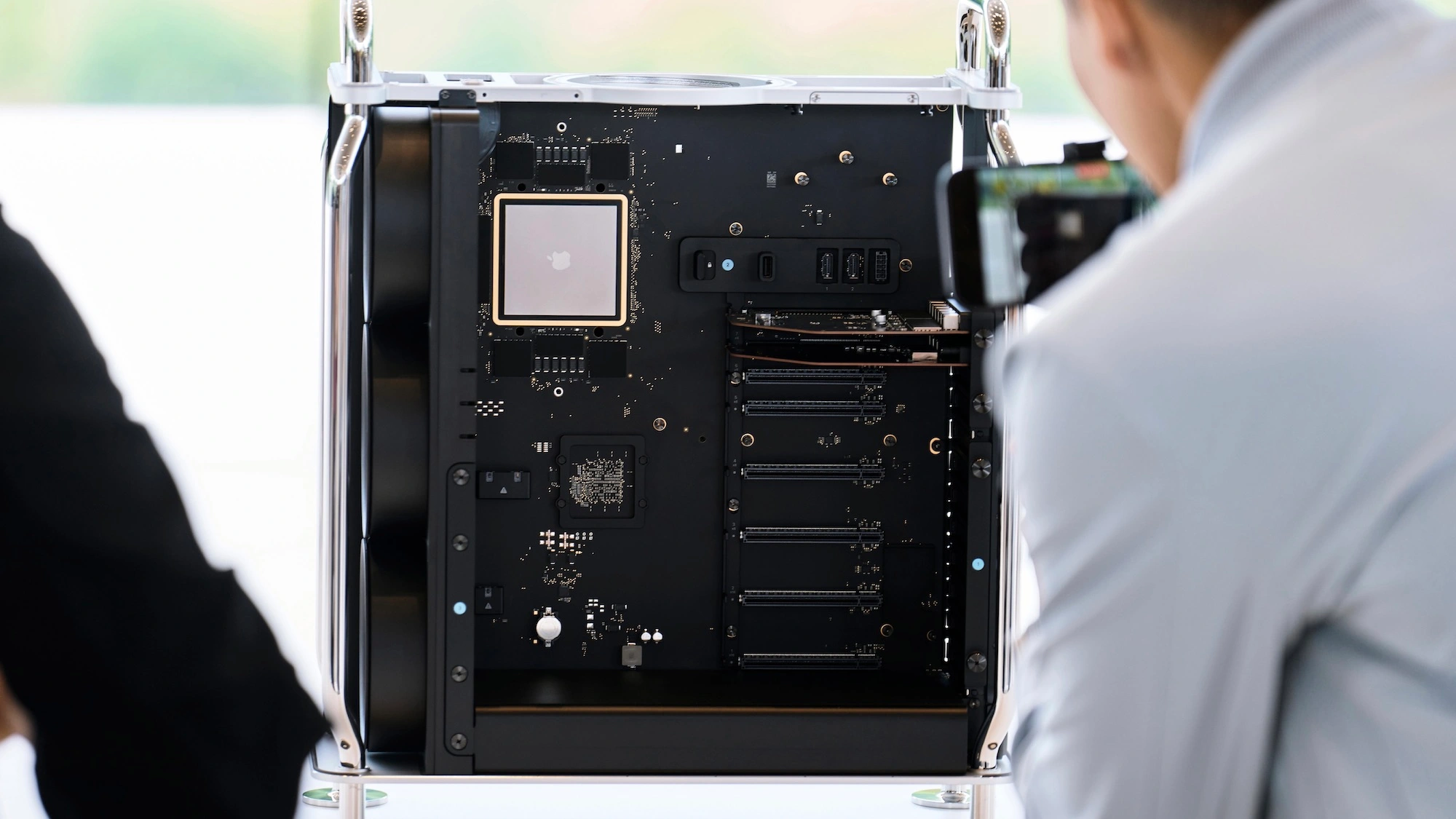
The Mac Pro also got its long-awaited upgrade to Apple Silicon. The new Mac Pro features a design that’s nearly identical to the previous generation, but inside, you’ll find the M2 Ultra chip. The Mac Pro is also the first Apple Silicon Mac with PCIe expansion, featuring seven expansion slots inside.
Other specs of the new Mac Pro include eight built-in Thunderbolt ports, a 24-core CPU, up to 192GB of memory, up to a 76-core GPU, and much more.
The Mac Pro’s switch to Apple Silicon officially marks the end of the Intel transition. This means Apple no longer sells any Macs powered by Intel. The new Mac Pro is available to order now, starting at $6,999. The first orders will arrive next week.
Apple announces new Mac Pro powered by M2 Ultra: PCI expansion, $6999 starting price
2023 Mac Pro versus 2023 Mac Studio? Ports, PCI cards, vents, and wheels
Fully-specced Apple silicon Mac Pro more affordable than last version that maxed out at over $50,000
iOS 17
Next up, Apple introduced iOS 17, its forthcoming software update that will launch to iPhone users later this year. Here’s a rundown of some of the new features in iOS 17:
Phone and FaceTime:
Personalized contact posts that appear when someone calls you
Live Voicemail that gives you voice-to-text transcription before answering
FaceTime voicemails
Messages:
Improved search
Swipe on a message to reply and start a thread
Transcription for audio messages
In-line location sharing
Redesigned access to iMessage apps
Upgrades to stickers
Check In: A new feature for notifying family when you arrive safely; automatically recognizes when you don’t make progress or respond and shares update with family
AirDrop:
NameDrop allows you to share your phone number and email between nearby iPhones
Sharing media is also redesigned, and long media transfers can continue over the internet
SharePlay API adding AirDrop integration
Autocorrect
The keyboard now leverages “transformer language model” to improve predictions
Craig Federighi: “When you just want to type a ducking word, it’ll learn”
Predictions personalized by your words and usage
Improved and more accurate dictation
Journal:
An all-new app that encourages you to journal and provides prompts for things like photos, workouts, and interactions
Uses on-device machine learning to create personalized suggestions
Standby:
New full-screen smart display-like experience that displays information in landscape mode
Can be personalized to show data like clocks, photos, widgets, weather, Home controls, and third-party widgets
Supports Live Activities
Siri works in Standby with a special landscape user interface
And more:
New one-word “Siri” prompt for triggering the voice assistant
Widgets are now interactive
Health app adds new mental health features: mood logging, depression and anxiety assessments, momentary emotion tracking, and more
Sharing passwords and passkeys through iCloud Keychain
AirTags can be shared with up to five other people
Apple Music adds collaborative playlists, crossfade, and new CarPlay queuing features
iOS 17 is available to developer beta testers now, and a public beta will launch in July. The update will be available to everyone sometime later this fall. iOS 17 supports the iPhone XS and newer, dropping support for the iPhone X.
Apple announces iOS 17 with Journal, Standby, FaceTime voicemail, more
iOS 17: Here’s the list of which features will work with your iPhone
iOS 17 StandBy feels like an experiment for a new home device
CarPlay in iOS 17: Apple Music SharePlay, design updates, new wallpaper
iOS 17 drops support for iPhone 8 and X
iOS 17 automatically removes tracking parameters from links you click on
Personal Voice on iPhone: Set up in iOS 17
iOS 17 finally makes it easier to scan and tap QR codes
iOS 17 drops the ‘Hey’ for Siri commands, but here’s how to disable it
Apple Podcasts has a slightly refreshed interface in iOS 17
iOS 17 will add support for recurring payments to Apple Cash
Download the new iOS 17 wallpaper right here
iOS 17: Apple Notes adds a hard-to-find way to link other notes, wiki style
iMessage improves group chats with Android in iOS 17
iOS 17 iPhone Standby: How to use and customize
iOS 17 DockKit API integrates camera apps with motorized stands
iOS 17 adds real-time charging availability info for EV drivers
Apple adds pronoun fields with privacy focus to Contacts app on iOS 17
iOS 17: How to download and use offline maps with Apple Maps
iPadOS 17
iPadOS 17 is coming to iPad users later this year with its own share of new features.
Customizable Lock Screen with widgets, new wallpapers, new font and color options, and more
Live Activities are now available on the iPad via the Lock Screen
Interactive widgets for things like playing a song, marking a reminder as complete, and more.
Improvements to PDF editing thanks to machine learning, which is used to identify fields in a PDF to make them easier to edit and fill out
The Health app is now available on iPad
Stage Manager updated with more flexibility for positioning and sizing windows
New video calling effects in FaceTime
iPadOS 17 is supported by the iPad (6th generation and later), iPad mini (5th generation and later), iPad Air (3rd generation and later), 12.9-inch iPad Pro (2nd generation and later), 10.5-inch iPad Pro, and 11-inch iPad Pro (1st generation and later).
iPadOS 17 new features: Lock Screen customization, Health, more
iPadOS 17: Here’s a first look at the customizable Lock Screen
iPadOS 17 adds support for USB webcams and microphones
macOS Sonoma
Here’s a rundown of what’s new in macOS Sonoma for Mac users this fall:
Interactive widgets are now available on the macOS desktop, including iPhone widgets that can pull data right from your nearby iPhone
New video calling effects in FaceTime and third-party apps like Zoom and WebEx
Safari adds user profiles, updates to Private browsing, the ability to save web apps to your Dock, and more
Apple TV-style aerial screensavers come to the Mac
Game Mode: smoother and more consistent performance by making sure games get the highest priority on the CPU and GPU
A new game porting toolkit that makes it significantly easier for developers to bring games from other platforms to the Mac
macOS Sonoma is compatible with the following Macs:
MacBook Pro: 2018 and later
MacBook Air: 2018 and later
Mac mini: 2018 and later
iMac: 2019 and later
iMac Pro: 2017
Mac Studio: All models
Mac Pro: 2019 and later
macOS Sonoma will launch later this fall.
Apple announces macOS Sonoma with aerial screensavers, Game Mode, and more
Download the macOS Sonoma and MacBook Air wallpapers
These are the macOS Sonoma features that aren’t available to Intel Macs
macOS Sonoma lets developers port Windows games to the Mac
Apple releases first macOS Sonoma beta to developers
macOS Sonoma brings new Lock Screen with aerial wallpapers
Which Macs support macOS 14? Mostly only Apple Silicon models. Here’s the list …
How to use ‘Add to Dock’ in Safari to turn websites into Mac apps
Intel Macs may not get macOS updates for much longer
iPadOS 17: Here’s a first look at the customizable Lock Screen
iPadOS 17 adds support for USB webcams and microphones
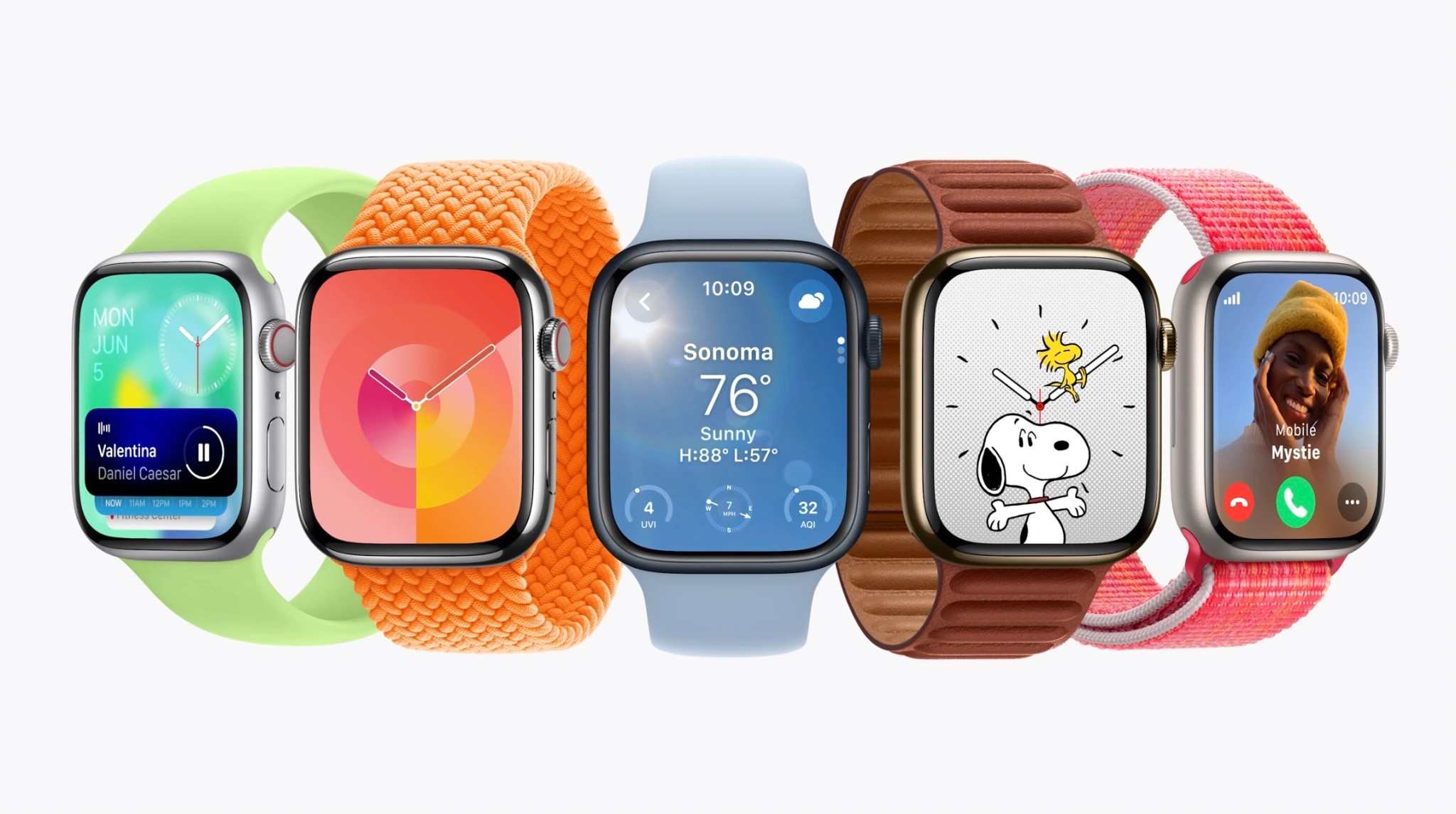
watchOS 10
Watch face:
Any watch face now reveals widgets in a smart stack; this lets watch faces without complications more informative with just a spin of the Digital Crown
Widgets can also include groups of complications
Two new faces: Pallete, a color-focused face, and Snoopy & Woodstock from Peanuts
Apps:
World Clock now includes background colors based on time of day
Workout app includes new trophy case and full-screen videos for each Activity ring
Third-party apps are being redesigned with full-screen layouts
Workout:
Apple Watch can connect to cycling power accessories over Bluetooth to improve workout tracking
Power zones based on FTP are coming to cycling workout tracking
Cycling workouts become a Live Activity on iPhone when tracked from Apple Watch; tapping the Live Activity takes over iPhone display to view speed and workout metrics while cycling
Hiking experience upgraded with Compass; cellular connection waypoint shows last connection to cellular; emergency waypoint shows where you can call from any carrier network; 3D view of waypoints
Maps on Compass enhanced with trail routes and topographical view
Workout APIs for developers allows third-party apps to access high-frequency motion data to improve golf and tennis tracking
Health:
Mental health focus with state of mind logging on iPhone and iPad in Health app; data from watch can put this into better context
Standardized assessments will help discover risk of anxiety and depression that can be shared with care providers
Vision health is the other focus with myopia front-and-center; time outdoors can be measured with ambience sensors and stored in Health app
Screen distance on iPhone and iPad can use TrueDepth camera to measure distance while reading to reduce digital eyestrain and discover vision constraints
More:
Group FaceTime audio
watchOS 10 will be available later this fall and supports the Apple Watch Series 4 and newer.
watchOS 10 tidbits: Apple Watch widgets, Control Center, watch face changes, more
watchOS 10 for Apple Watch officially unveiled
watchOS 10: These are the compatible Apple Watch models
watchOS 10 brings automatic Night Mode to the Apple Watch Ultra
Apple TV
For Apple TV users, tvOS 17 brings the following new features:
Redesigned Control Center
Support for VPNs
FaceTime app
Denser Home Screen layout
A new Find My Remote feature for the Siri Remote
tvOS 17 will be available later this year for the 2015 Apple TV and newer.
Apple announces tvOS 17: redesigned Control Center, Find my Remote, FaceTime app
Vision Pro and visionOS
Last but not least, Apple unveiled its brand new “spatial computing” platform in the form of Vision Pro and visionOS.
Just one day after the release of iOS 16.4 to everyone, Apple is once again kick-starting the beta testing process. iOS 16.5 beta 1 is rolling out to registered developers starting today, with a public beta likely to follow later this week or next week.
iOS 16.5 beta 1 will be available today to registered developer beta testers. As the update rolls out over the air within the next hour, you’ll be able to install it by going to the Settings app, choosing General, then choosing Software Update. The build number for today’s update is 20F5028e.
We’re still downloading iOS 16.5 onto our devices to check what’s new. There are, however, a few features that Apple has announced but not yet released, as well as features in development under the hood that aren’t yet available.
Apple Card Savings Account
Next-generation CarPlay
iMessage Contact Key Verification
Custom Accessibility Mode
As we approach the announcement of iOS 17 at WWDC in June, however, we expect these iOS 16 point updates to become less and less exciting.
Alongside iOS 16.5, Apple has also released the first betas of tvOS 16.5, HomePod Software Version 16.5, watchOS 9.5, and iPadOS 16.5.
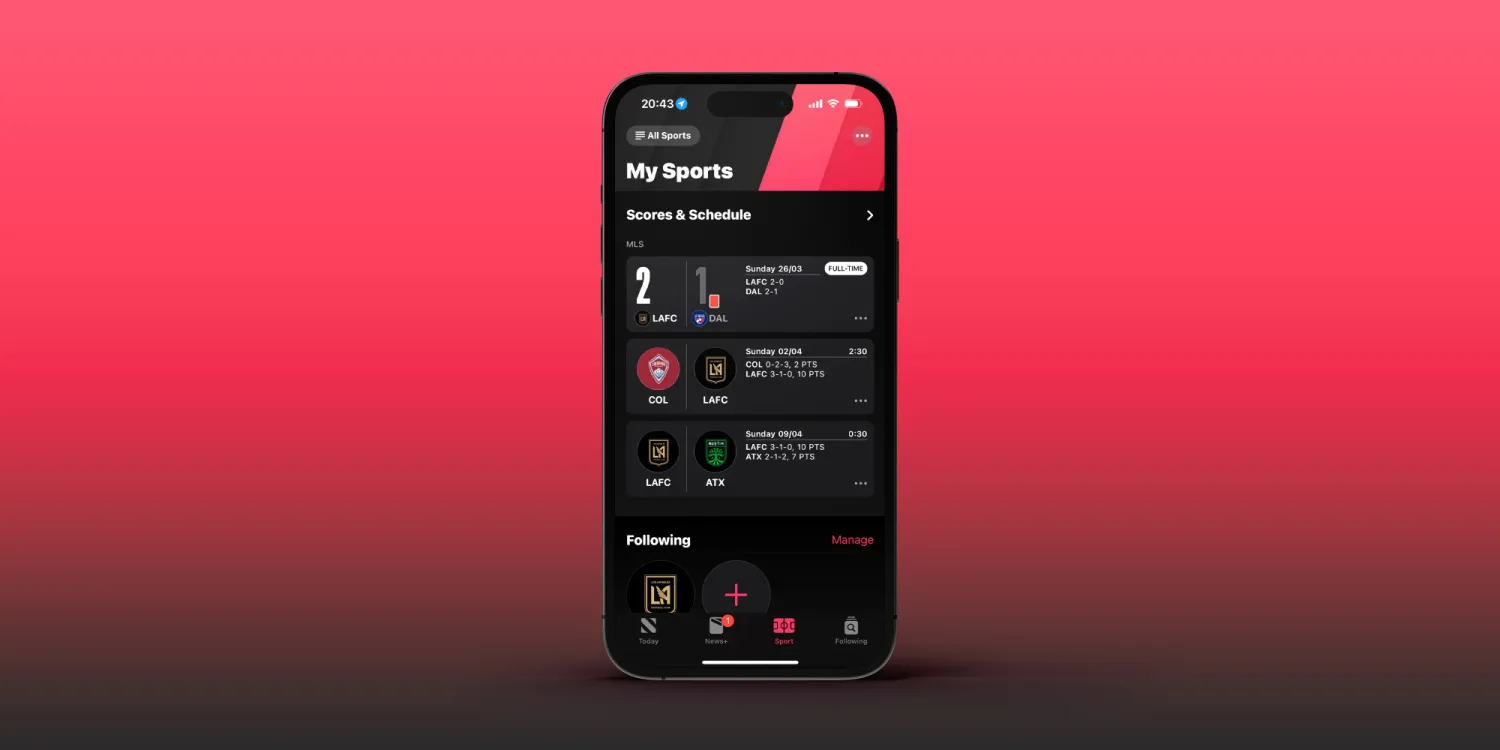
iOS 16.5 beta brings highly-requested ‘My Sports’ tab to Apple News
Apple released the first beta of iOS 16.5 to developers on March 28,2023, just one day after iOS 16.4 was released to the public. And while today’s update doesn’t seem like a big one, it does bring some small changes. For example, the Apple News app now has a tab dedicated to the My Sports feature.
My Sports gets its own tab in the Apple News app
iOS 16 introduced My Sports to Apple News. With this feature, users can easily follow news from their favorite teams and leagues, as well as get live scores, schedules, and more. However, My Sports was originally part of the Today tab of Apple News. Now with iOS 16.5, My Sports has become a dedicated tab within the Apple News app.
The way the tab works is basically the same as before, but now it’s much easier to find, as the tab is located between the Today, News+, Audio, and Following tabs. Here’s how Apple describes My Sports:
In My Sports in the News app , you can follow your favorite sports, teams, leagues, and athletes; receive stories from top sports publications, local newspapers, and more; access scores, schedules, and standings for the top professional and college leagues; and watch highlights.
It’s no surprise that My Sports got its own tab on Apple News, as Apple has been investing more in sports content. Apple TV+ now offers access to MLB’s Friday Night Baseball, while the company also recently launched MLS Season Pass in the Apple TV app.
It’s worth noting, however, that the Apple News app is only available in selected countries. This includes Australia, Canada, the US, and the UK.
More about iOS 16.5
Right now, iOS 16.5 seems more like a minor update focused on fixing bugs and improving the overall stability of the operating system. The only new feature found so far besides the My Sports tab is the addition of new Siri commands to start or stop a screen recording.
Developers with eligible devices can install the beta update by going to the Settings app, choosing General, then choosing Software Update. It’s unclear when Apple plans to make iOS 16.5 available to the public.
iOS 16.5 beta enables screen recording via Siri [Video]
iOS 16.5 developer beta 1 doesn’t appear to contain many new features and changes, but there is at least one new feature that will surely make some users happy – the ability to ask Siri to start a screen recording.
iOS users have been able to request Siri to take a screenshot in previous versions of iOS, but up until now, invoking screen recordings required manual intervention. In iOS 16.5, you can simply say “Hey Siri, start screen recording” and the screen recording will begin.
Unfortunately, it doesn’t look like there’s a dedicated screen recording action for the Shortcuts app yet, but we can presume that such an action will eventually make its way to end users. Until then, you’ll need to either start a screen recording manually via its dedicated Control Center toggle, or ask Siri.
Once you’re finished recording the screen, you can ask Siri to “stop screen recording” and Siri will usually comply. You can watch the brief video embed above to see an example of requesting Siri to start and stop a screen recording on iOS 16.5 in action.
You can now share your car key in Apple Wallet with Android users,
starting with Google Pixel
If you happen to be an owner of one of the very few cars on the market with Car Key support, you are now able to share that car key credential with non-iPhone users for the first time.
Apple is working with the IETF and industry members to standardize cross-platform car key sharing. The first implementation of this support has landed today for Google Pixel owners. Google is working on rolling out support for all Android 12+ devices soon.
The Car Key feature allows Apple Wallet to treat unlocking your car in the same manner as you can conduct contactless payments with Apple Pay: Walk up to your car and then present your iPhone or Apple Watch to unlock it.
You can share car keys by using the Share button inside the Wallet app. You could previously send the key to other iPhone users. On iOS 16.1 or later, the Wallet app generates keys that also work with other supporting platforms, most notably Android users.
Share using the system share sheet with your favorite app like Messages, Mail, and WhatsApp. You can secure the process using an optional one-time code.
At any later time, you can revoke access to a shared car key. Simply open the Wallet app, select your car key and tap on the People icon to manage the current list of shared keys for that vehicle.
Apple’s partnership with the IETF was first announced at this year’s WWDC. The group is still working on a final specification to make publicly available for adoption by anyone. But for now, only Apple and Google have access to the necessary protocols and are working on the respective implementations privately.
It’s a really cool technology that furthers Apple’s goal to replace the wallet in your pocket, alongside other initiatives like Digital ID and Apple Pay. Hopefully, more Car Key compatible vehicles will be available soon.
Apple releases iOS 16.2 beta 4 to developers ahead of expected launch this month
Following the release of iOS 16.1.2 to iPhone users on Wednesday, Apple released iOS 16.2 beta 4 to developers on Thursday. Along with iOS 16.2, Apple has also been testing new betas for watchOS 9.2, tvOS 16.2, and macOS Ventura 13.1. Read on as we detail what’s new in these updates.
iOS 16.2 and iPadOS 16.2 include some notable changes. The Freeform collaboration app is now available to iPad, iPhone, and Mac users. There are also changes to the Home app, updates to the Weather app, and more.
On November 28, Apple also released a “Rapid Security Response” update for users running iOS 16.2 beta. Once the feature becomes available to everyone, Apple will be able to quickly fix security exploits without having to release a new version of iOS just for this.
In addition to iOS 16.2 beta 4, Apple has also made the following updates available to all developer beta testers:
PayPal will soon be rolling out new ways for customers and merchants to take advantage of Apple Pay, iPhone, and more. PayPal says it will soon be adopting Apple’s new Tap to Pay on iPhone feature, as well as adding support for Apple Pay to its branded debit and credit cards and adding Apple Pay as a payment option in checkout flows.
PayPal adopting Apple Pay and more
PayPal made these announcements in an update to investors as part of its Q3 2022 earnings release. As one of its “strategic initiatives and business updates,” the company says it is “working with Apple to enhance our offerings for PayPal and Venmo merchants and consumers.”
We’re very pleased to be working with Apple to enhance our offerings for our PayPal and Venmo merchants and consumers,” PayPal Chief Executive Officer Dan Schulman said in the statement.
There are different components to today’s announcement from PayPal, which also owns the popular peer-to-peer payment platform Venmo. Here they are:
Leveraging Apple’s Tap to Pay on iPhone technology, US merchant customers will soon be able to accept contactless debit or credit cards and mobile wallets, including Apple Pay, using an iPhone and the PayPal or Venmo iOS app.
Adding Apple Pay as a payment option in PayPal’s unbranded checkout flows on merchant platforms, including the PayPal Commerce Platform.
Next year, US customers will be able to add PayPal and Venmo network-branded credit and debit cards to Apple Wallet and use them anywhere Apple Pay is accepted.
Tap to Pay on iPhone is a new feature launched by Apple earlier this year, currently available in Apple Stores and via Square’s merchant app. Tap to Pay on iPhone works by the merchant prompting the customer to hold their iPhone or Apple Watch near the merchant’s iPhone to pay with Apple Pay, a contactless credit or debit card, or another digital wallet. The payment is then securely completed using NFC technology.
Meanwhile, PayPal’s announcement today also means that you’ll see Apple Pay as a payment option when you choose the option to check out with PayPal from some websites. This will increase the availability of Apple pay for purchases on the web, but it sounds like the implementation will be somewhat limited.
Finally, PayPal also says that consumers will be able to add their PayPal and Venmo-branded debit and credit cards to Apple Wallet and Apple Pay next year.
[Music] hello guys this is glenn from sydney cbd repair center and today we have something new for you we’re gonna fix an iphone 10s with a broken back glass and we’re gonna shoot some lasers [Music] so this is an iphone 10s from a client who doesn’t really like the broken back glass on this one so this is a weird case where in the front display is okay but the back glass is partially shattered so we’re gonna replace only the back glass so this time david is gonna remove this front display carefully since we’re gonna reuse this in our reassembly later
on so just like other iphones you remove two screws at the bottom and you pry it off there are some adhesives from the factory to maintain the waterproofness of the device so we’re just going to cut it off right here and primarily the front display is held on by the clips that you can see on the sides so we’re going to slowly pry it open since the display has a lot of flex cables attached to the main board of the device you can see the l-shaped uh battery and you can also see a lot of covers or clasps that retains all the flat cables and flex cables of the front display so we’re going gonna remove them all and put it away for now and we’re gonna re disassemble the entire device so why is that so we’re gonna show you later on so this is a typical uh disassembly process for iphone tennis [Music] so all the components that we are gonna remove from this smartphone will all be reassembled later on so i know this is t just works but because we have a different process for removing the back glass of this iphone compared to other iphone models that we have fixed before in the shop
so these are heat resistant tapes i’m just gonna cover the front portion of this smartphone to prevent dust and of course parts of glass that we’re gonna remove later on so this is our laser machine what this will do is it’s gonna focus a beam of laser on the back glass because the back class of an iphone tennis is held on by adhesives which we can’t really pry off easily and when you go to apple they’re going to charge you with like 600 dollars just to replace the back glass of your iphone tennis we’re gonna do this uh more economical and sustainable so as you can see we’re gonna speed it up uh for the sake of brevity in this video but you can see the laser etching uh pulverizing away the adhesives below the glass so this is perfect for those who have like slight cracks on the glass but if you have a lot of cracks on your back glass the laser will tend to be refracted or reflected in other parts of the of the smartphone so do we recommend that you diy this one and then just hope that you can make it uh you can replace your own back glass no this is just for the professionals and even if you have this machine you still need some training and of course a well ventilated area and as you can see on the left side we have some suction for the air because the fumes that are generated by heating the adhesives and and then it will be toxic for you if you inhale it so the laser is slowly but surely uh pulverizing the adhesives the template for the iphone xs it can also be encoded on the machine so that it will skip over the camera and the charging pad for the wireless charging so right here it’s done
Black iPhone XS Back Glass Replacment
Black iPhone XS Back Glass Replacment
Black iPhone XS Back Glass Replacment
Black iPhone XS Back Glass Replacment
and david will remove this one of course with proper protection and proper protocol so this is almost done we’re gonna go to the next step so the next step is actually removing the glass as you can see here you see those squiggly lines those are the adhesives that has been pulverized by the laser but the the fact of the matter is we still have to scrape off the glass off of the main housing so right here we’re gonna dump it over to the bin slowly but surely but this time although you find it hard to believe that it’s this actually the easier way because if the adhesives are still active or not pulverized you will have a lot of a hard time scraping off the glass of this iphone 10s so basically if you you want to replace the back glass of your iphone 10s you have to just break it apart just to remove it from the main housing so this is kind of like a very good design for apple but in terms of repairability now at least we have a laser machine to default onto or you can just give it back to apple and just space 600 us dollars so it’s pretty steep just for this repair but here in sydney cbd repair center we can do that we can do it below 100 and that’s not us dollars that’s australian dollars so think about it do you really want to diy your iphone 10s repair or just head out to sydney cbd repair center and at least save a lot of money just pay a fraction of the price and get the same results so right now we’re just going to blow off some particles and we’ll head out we’ll head back to our workspace and now we’re back on our bench we’re gonna proceed now with uh reassembly of this iphone 10s although this is not really a good surface now this kind of scratched up but that’s what we get when we get thorough about about our repair but once we replace it with this replacement back glass now you can see the point of all those steps that we have taken so back to the reassembly we’re just gonna reverse all that we did so all the components the batteries the camera the vibrator vibration motors the motherboard all comes back to the main housing so the reassembly process although pretty complicated at least it’s apple has made it easier for us to replace or at least remove the components
but in this case we don’t have really any problem with the compatibility of the products of the components because we are just putting it back together [Music] so this one the battery and then we’re gonna for the first time ever we’re gonna put back the old front display because that’s not really damaged so think about it if you want to scrap your smartphone just because you have a pretty messed up back glass then that’s not really environmentally friendly and financially responsible so this time we’re just gonna take out the bad component and just replace it [Music] so we’re gonna put back the display for good now since we have tested all the components the camera the charging uh the buttons all seems to be working good and here we put on our new adhesives on the sides just to make sure that some that the replacement backlash will adhere to the surface and of course like maintain a level of waterproofness although we can’t really guarantee that it will be the same as with the factory so we’re just gonna put a lot of adhesives on this bad boy except for the charging pad this copper is for the wireless charging so we stay away from those just like what the laser did and then here it is no one will ever know that you have an iphone uh tennis fixed from a repair shop because it’s it looks bloody brand new [Music] so next step is we’re just gonna let the adhesive cure we have these mini clamps that we install on all sides as much as possible and then leave it for quite some time to let the glue cure and dry so if you have an iphone 10s 10r or even 10 that needs a back glass replacement if you are okay with the messed up back glass that’s okay but if you want to refresh your iphone 10s and you have no warranty from apple
and you don’t want to pay the exorbitant cost of replacing the backlash then contact cdcbd repair center if we have some stocks for your specific iphone models we’ll do it for you you just have to wait for the repair it’s not really gonna take a lot of time and you also get freebies like this tempered glass who knows you will need this if one day you’ll drop your smartphone at least the tempered glass will absorb some of the impact and this one too this is just a plastic cover [Music] if you don’t want this you can just opt out but you know david wants to give out free stuff all the time [Music] there it is so thanks for joining guys i hope you enjoyed this video and learned something new until next time cheers [Music] [Music] [Applause] [Music] [Applause] [Music] you
The Complete Guide to Replacing iPhone X Back Glass
This guide will show you the steps in replacing iPhone X back glass.
If your iPhone X back glass is broken, scratched, or just does not look good anymore, it is time to replace the back glass. There are many ways you can get your iPhone X back glass replaced. You can go to any Apple store and get it done quickly without any hassle at all. You can also go to an authorized service center that offers Apple repairs and replacements. If you want to do it on your own without spending too much money on getting a professional help, keep reading this guide for more information on how to replace the back glass of your iPhone X.
Introduction: What is Causing Your Cracked iPhone and How Do You Know if the Back Glass Needs to be Replaced?
The causes of a cracked iPhone could be various. One of the reasons is because of dropping the phone and it could be that the back glass needs to be replaced.
There are many causes for a cracked iPhone: you might have dropped it, left it out in the rain, or taken it through a car wash. For those who drop their phone often, there’s even a phone case for those clumsy few who need one. The first step is to identify what made your iPhone crack and then determine what you need to do next.
What Are The Causes Of A Cracked iPhone?
-Dropping your phone -Putting your phone through a car wash -Leaving your phone out in the rain
keywords: iphone x back glass, cracked iphone, iphone x cracked screen, phone replacement
How to Securely Remove the iPhone X Back Glass
Cell phone screens are getting bigger and better. Smartphones like the iPhone X now feature a beautiful 5.8-inch edge-to-edge display, but it’s not all good news for those who want to show off their new phone. The back of the iPhone X is made of glass, which means that anyone can see the reflection of themselves and everything around them in your shiny new phone.
If you don’t want to be embarrassed by an audience or if you just want to keep your personal information private, we’ll tell you what you need to know about how to securely remove the back glass from your iPhone X.
The first step is removing any sticker residue that might still be on the back of your device. You can buy a special adhesive remover at an electronics store for
keywords: how to replace iphone x back glass, replace iphone screen cost, how to replace a broken phone screen
How To Replace the IPhone X Screen
If you have a broken iphone x screen, it doesn’t need to be a disaster. There are a variety of ways to replace the iphone x screen.
First, if you have an Apple Care+ or AppleCare+, this will cover any issues with the iphone x screen. If you don’t have Apple Care+, there are stores that can replace an iphone x screen for you. If the store cannot replace the iphone x screen, they may be able to provide a loaner phone for a few days or weeks until your phone is fixed. The third option is to contact apple and arrange for them to send someone out to repair your phone in person.
keywords: replacing an iphone x screen myself, how to replace an iphone 8 screen
What Replacement Materials & Tools Do I Need For This iphone x back glass replacement DIY Project?
This DIY project is a pretty easy one. You will need a suction cup, an iOpener, a pry tool, and a screwdriver.
Materials:
-Suction cup
-iOpener
-Pry tool
-Screwdriver
keywords: replacement materials for phones, phone repair kits amazon
Conclusion: The Next Step for Your Successful DIY Repair With a New iphone x back glass.
Apple’s latest release is the iphone x, and it is projected to be one of their most popular and successful Iphones. The most important part of the iphone is the screen, so if your screen is damaged, it can be catastrophic. What you need to do in this situation is to get a new iphone x back glass. In this article we will show you how to do that on your own without having to head out and buy a new device.
In order to fix a broken iphone x back glass on your own, you will need some tools – a suction cup, some tape, a towel or piece of clothing that can protect your phone from scratches or scuffs while it sits on its back on the table top.
People Also Searched Keywords iphone xs back glass replacement kit
iphone xs back glass replacement, iphone xs back glass replacement laser,
iphone xs back glass replacement original, iphone xs back glass replacement price,
iphone xs max back glass replacement at home,
iphone xs max back glass replacement laser,
iphone xs back glass replacement kit,
iphone xs back glass replacement ifixit,
iphone xs max back glass replacement,
iphone xs max back glass replacement ifixit,
iphone xs max back glass replacement price,
iphone xs max back glass replacement cost,
iphone xs max back glass replacement oem,
Apple has announced a handful of changes coming to the App Store in response to a class-action lawsuit from US developers. One of the most notable changes is that developers can now communicate with users about alternative payment solutions outside of their applications.
Notably, Apple says that developers can “use communications, such as email, to share information about payment methods outside of their iOS App.” This means that a company or developer can email users, with their consent, to inform them about subscribing outside of the App Store.
Apple has confirmed to 9to5Mac, however, that this change does not apply to in-app communication. Developers are still not allowed to inform users in-app about pricing or subscribing options available elsewhere. Theoretically, Netflix could have a field in its iOS app for users to enter their email address, then communicate with that user directly via email about payment options.
Other highlights from the settlement:
Apple and the developers agreed to maintain the App Store Small Business program in its current structure for at least the next three years.
App Store Search has always been about making it easy for users to find the apps they’re looking for. At the request of developers, Apple has agreed that its Search results will continue to be based on objective characteristics like downloads, star ratings, text relevance, and user behavior signals. The agreement will keep the current App Store Search system in place for at least the next three years.
Apple will also expand the number of price points available to developers for subscriptions, in-app purchases, and paid apps from fewer than 100 to more than 500. Developers will continue to set their own prices.
Apple will maintain the option for developers to appeal the rejection of an app based on perceived unfair treatment, a process that continues to prove successful. Apple has agreed to add content to the App Review website to help developers understand how the appeals process works.
Over the last several years, Apple has provided a great deal of new information about the App Store on apple.com. Apple agreed to create an annual transparency report based on that data, which will share meaningful statistics about the app review process, including the number of apps rejected for different reasons, the number of customer and developer accounts deactivated, objective data regarding search queries and results, and the number of apps removed from the App Store.
Small Developer Assistance Fund
Apple is also announcing a Small Developer Assistance Fund, which will pay out between $250 to $30,000 to developers making under $1 million per year in the App Store. The amounts will vary based on the developer’s “historic participation in the App Store ecosystem.” Only developers in the United States are eligible for this program.
The Small Developer Assistance Fund created as part of the settlement will benefit over 99% of U.S. iOS developers, whose proceeds from app and in-app digital product sales through all associated accounts were less than $1 million per calendar year during the period from June 4, 2015 to Apr. 26, 2021. These developers can claim sums from the fund ranging between minimums of $250 to $30,000, based on their historic participation in the App Store ecosystem.
Apple Podcasts Subscriptions and channels are available for listeners starting today.
Thousands of Apple Podcasts Subscriptions and channels from the world’s best audio creators, including the Los Angeles Times, Luminary, NPR, Pushkin Industries, and QCODE, are available today, with more launching every week
Apple announced last Jue 15,2021 Apple Podcasts Subscriptions, the global marketplace for premium podcast subscriptions, is now available. Starting today, listeners in more than 170 countries and regions1 can purchase subscriptions for individual shows and groups of shows through channels, making it easy to support their favorite creators, enjoy new content, and unlock additional benefits such as ad-free listening and early access, directly on Apple Podcasts.
Listeners can discover thousands of subscriptions and channels featuring brand new shows that span many genres and formats, including news, comedy, sports, and true crime, offering listeners premium experiences that help them stay informed, entertained, connected, and inspired. These include subscriptions to shows from essential independent voices like “Birthful” with Adriana Lozada, “Pantsuit Politics” with Beth Silvers and Sarah Stewart Holland, “Snap Judgment” with Glynn Washington, and “You Had Me At Black” with Martina Abrams Ilunga; premier studios such as Lemonada Media, Luminary, Realm, and Wondery; and leading media and entertainment brands, including CNN, NPR, The Washington Post, and Sony Music Entertainment.
With Apple Podcasts Subscriptions, listeners can experience never-before-heard stories on Luminary’s “The Midnight Miracle” with Talib Kweli, Yasiin Bey, and Dave Chappelle, and Pushkin Industries’ “Revisionist History” with Malcolm Gladwell; the next chapters of QCODE’s apocalyptic thriller “Blackout,” starring Rami Malek and Aja Naomi King, and Realm’s “Orphan Black,” featuring Tatiana Maslany; the unrivaled chemistry and insightful commentary driving CNN’s “The Handoff,” and Politico’s “Playbook: Deep Dive”; and many more.
“Listeners can’t get enough of their favorite podcasts and want a simple way to support the extraordinary creators who make them possible,” said Oliver Schusser, Apple’s vice president of Apple Music and Beats. “Now, listeners can enjoy new content and additional benefits for thousands of new and popular podcasts, alongside millions of free shows, with more arriving every week. Apple Podcasts Subscriptions will help creators grow their businesses and continue to make podcasting an important source of information, entertainment, connection, and inspiration for hundreds of millions of listeners around the world.”
Discover Subscriptions and Channels
When listeners purchase a subscription to a show, they automatically follow the show and the page is updated with a Subscriber Edition label so they know they have access to the premium experience. Listeners can discover channels for their favorite podcasts from each show page and through Search, explore recommendations from the Listen Now and Browse tabs, and share channels using Messages, Mail, and other apps. As listeners subscribe to channels, the Listen Now tab expands with new rows that provide easy access to all of the content included in the channel and with their subscription. Listeners who subscribe to two or more channels will see a My Channels row in the Listen Now tab, where they can browse and follow all of the shows offered.
Subscribers automatically receive new episodes with the benefits included in their subscription.
Channels make it easy to discover shows and subscriptions.
Discover recommendations for channels in Listen Now and Browse.
Listeners can access channels with active subscriptions under My Channels in Listen Now.
New Shows and Seasons, Available with Apple Podcasts Subscriptions
Listeners can hear new and original shows, and get early access to new seasons of critically acclaimed and fan-favorite series, all ad-free, including:
“Chameleon: High Rollers” with Trevor Aaronson, from Campside Media:
Last year, Josh Dean and Vanessa Grigoriadis told listeners the remarkable true story of the Hollywood Con Queen scam. This summer, the critically acclaimed series returns with a new story about a doomed FBI sting operation in Las Vegas. Trevor Aaronson investigates what happened and how it all went off the rails. Subscribers enjoy new episodes first starting today, plus exclusive bonus episodes throughout the season.
“The Handoff” with Don Lemon and Chris Cuomo from CNN:
The love viewers witness between Don Lemon and Chris Cuomo in the handoff between their evening broadcasts is real. Now, Lemon and Cuomo are stepping out from behind the anchor desk for a weekly conversation where nothing is off limits. “The Handoff” is available today exclusively to subscribers on Apple Podcasts.
“The Midnight Miracle” with Talib Kweli, Yasiin Bey, and Dave Chappelle, from Luminary:
A groundbreaking original series that uniquely blends the salon and variety shows formats, recorded during Chappelle’s legendary 2020 Summer Camp in Ohio. “The Midnight Miracle” is available exclusively to Luminary subscribers today.
“Revisionist History” with Malcolm Gladwell, part of PushNik from Pushkin Industries:
Bestselling author Malcolm Gladwell’s journey through the overlooked and the misunderstood moments in history continues. In this new season, Gladwell races autonomous vehicles, rewrites one of America’s most beloved fairy tales, falls in love with a small college in New Orleans, and dives into dirty laundry.
“To Live and Die in LA” with Neil Strauss, from Tenderfoot TV:
After revealing the truth about the tragic death of an aspiring Hollywood actress, the award-winning series returns to uncover the baffling, tragic, and mysterious disappearance of Elaine Park. Neil Strauss investigates — along with his wife, neighbors, Incubus guitarist Mike Einziger, and concert violinist Ann Marie Simpson — to advance the investigation and provide closure for her loved ones. TenderfootPlus+ subscribers will gain early and exclusive access to upcoming bonus episodes.
New Subscriptions and Channels from Premier Studios
Lemonada Media: Sort through the messiness of life and get inspired by high-quality shows with all-star hosts focused on important causes. Subscribers to Lemonada Premium join an incredible community, support meaningful, world-shaping content from a women-run network, gain early access to new series, and unlock bonus episodes from leading shows.
Radiotopia from PRX: Home to podcasts from extraordinary, independent creators, including “Ear Hustle,” with Earlonne Woods, Nigel Poor, and Rahsaan Thomas, “Criminal” with Phoebe Judge, “Song Exploder” with Hrishikesh Hirway, “The Stoop” with Hana Baba and Leila Day, “Passenger List” starring Kelly Marie Tran, and more. Subscribers to Radiotopia Uninterrupted support the work they do and gain access to ad-free listening across the award-winning network.
Pushkin Industries: Listen to revelatory shows from world-class writers and thinkers, including “A Slight Change of Plans” with Dr. Maya Shankar, “The Last Archive” with historian Jill Lepore, “The Happiness Lab” with Dr. Laurie Santos, “Against The Rules” with author Michael Lewis, “Broken Record” with legendary producer Rick Rubin, and more. PushNik subscribers can hear these shows and more with no interruptions, and access exclusive bonus content.
Tenderfoot TV:Dive into gripping true-crime narratives, documentaries, and anthology series from the award-winning, independent, Atlanta-based production studio behind “Up and Vanished” and “Atlanta Monster” with filmmaker Payne Lindsey, “Whistleblower” with sports journalist Tim Livingston, “Radio Rental,” and more. Subscribers to TenderfootPlus+ enjoy ad-free listening and gain early and exclusive access to upcoming bonus episodes.
Beginning June 15,2021, listeners can find additional subscriptions from other premier studios and entertainment brands, including Audio Up, Betches Media, Blue Wire, Imperative Entertainment, Lantigua Williams & Co., Magnificent Noise, The Moth, Neon Hum Media, Sony Music Entertainment, Three Uncanny Four, and Wondery, plus channels from Audacy’s Cadence13 and Ramble, Barstool Sports, Jake Brennan’s Double Elvis, Headgum, iHeartMedia’s The Black Effect, Big Money Players, Grim & Mild, Seneca Women, Shondaland, and Relay FM.
New and Emerging Formats Powered by Subscriptions
Scripted Fiction: Subscribers get early and exclusive access to immersive original narratives with uninterrupted listening experiences from award-winning storytellers, produced by Meet Cute, QCODE, Realm, and more.
Mindfulness and Sleep: New shows featuring calming meditations, soothing music, and relaxing stories from WaitWhat’s “Meditative Story” with Rohan Gunatillake, Frequency’s “Drift” with Erin Davis, and “Sleep by Headspace” help listeners practice mindfulness and support a good night’s rest.
Kids and Family: Introduce kids to their new co-detectives, downtime companions, and study buddies with premium subscriptions featuring curated collections of age-appropriate, ad-free original stories spanning mysteries, comedies, musicals, and more from GBH, Gen-Z Media, Pinna, Wonkybot Studios, TRAX from PRX, and others.
News Providers Offering Subscriptions and Channels
The Athletic: Join the conversation on every sports story that matters. With breaking news, expert commentary, insightful analysis, and unrivaled narratives, The Athletic is powered by hundreds of full-time local writers to deliver exclusive sports coverage built around fandom.
FOX News: Hear from Dana Perino, Bret Baier, Shannon Bream, Trey Gowdy, Martha MacCallum, and other signature voices — all without commercials. Subscribers receive early access to seasonal series from FOX News Investigates, bonus episodes from FOX News Radio’s talk shows, audio versions of popular FOX News Channel programs, and a variety of long-form interviews.
Los Angeles Times: Enjoy the engaging, informative, and diverse journalism and storytelling the L.A. Times is known for with access to ad-free versions of “The Times,” a new daily news podcast hosted by columnist Gustavo Arellano; the new season of “Asian Enough” with reporters Jen Yamato, Johana Bhuiyan, Tracy Brown, and Suhauna Hussain; “Chasing Cosby” with Nicki Weisensee Egan and other narrative series; plus subscriber-exclusive bonus episodes for the all-new “The Trials of Frank Carson” from Christopher Goffard, host of “Dirty John” and “Detective Trapp.”
NPR: Enjoy sponsor-free versions of leading NPR shows across news, business, culture, and more, including “Fresh Air” with Terry Gross, “How I Built This with Guy Raz,” “It’s Been a Minute with Sam Sanders,” “Planet Money” with Jacob Goldstein, Karen Duffin, and Sarah Gonzalez, “Short Wave” with Madeline Sofia, and the Apple Podcasts 2020 Show of the Year, “Code Switch,” with Shereen Marisol Meraji and Gene Demby.
The Washington Post: Listen to ad-free editions of The Post’s award-winning podcasts spanning daily news, documentaries, investigations, and deep discussions around specific topics and moments in history, including “Post Reports” with Martine Powers, “Moonrise” with Lillian Cunningham, “Canary” with Amy Brittain, and “Cape Up with Jonathan Capehart.”
This month, listeners can also find subscriptions from Bloomberg Media, Los Angeles Times, Politico, and Vox Media, plus channels from other leading newspapers, magazines, broadcasters, radio stations, and digital publishers, including ABC News, Axios, Billboard, Bravo, CNBC, CNN, Crooked Media, Dateline, Entertainment Weekly, Futuro Media, The Hollywood Reporter, LAist Studios, National Geographic, MSNBC, NBC News, NBC Sports, New York Magazine, The New York Times, SiriusXM, SB Nation, Southern Living, The Verge, TODAY, VICE, Vogue, Vox, and WBUR.
Even More Subscriptions with Channels
Notable international subscriptions and channels available beginning today include ABC, LiSTNR, and SBS from Australia; Abrace Podcasts from Brazil; CANADALAND and Frequency Podcast Network from Canada; GoLittle from Denmark; Europe 1, Louie Media, and Radio France from France; Der Spiegel, Podimo, and ZEIT ONLINE from Germany; Il Sole 24 Ore and Storielibere.fm from Italy; J-WAVE from Japan; Brainrich from Korea; libo/libo from Russia; Finyal Media from the UAE; and Broccoli Productions, The Bugle, Content Is Queen, the Guardian, Immediate Media, and Somethin’ Else from the UK.
Creators interested in offering subscriptions and channels are encouraged to visit Apple Podcasts for Creators.
In the same way people argue about iOS over Android, the debate between Apple Music vs Spotify has also grown since 2015. As the music streaming service war starts to bring podcasts and HiFi to the battlefield, are you planning to stay with your current streaming service, or are you considering switching?
Many been using Apple Music since it launched. Even when Apple erased a few times all my library, They didn’t care. Then, when some songs appeared duplicated, They also didn’t mind. Now, Apple Music struggles to show the correct album artwork for some artists and faces some reliability bugs. Should they care now?
On the other hand, they’ve been reporting regularly on all of the changes Spotify is making on its platform. It added podcasts, and the early data shows this has been a success. It also plans to launch a HiFi tier subscription this year and it recently revamped all of its applications.
They used to complain because they didn’t get Spotify’s user interface, but as they started to compare with Apple Music, now they see that they’re very similar. Compare for yourself :
Apple Music
Spotify
If you compare prices, they’re exactly the same: $9.99/month for an individual tier, $14.99/month for a family subscription, and $4.99/month for a student application. The difference here is that Apple now offers Apple One, so it’s easier to stay with Apple Music because you can also receive iCloud, Apple Arcade, and Apple TV+ altogether.
The Individual Apple One plan is $14.95 per month, while the Family plan is $19.95 per month: a really nice deal. On the other hand, Spotify has a free-ad-based version and a Premium Duo, for two people who live together for $12.99/month.
With any of the services, you can get a nice deal depending on your need. But if you’re an Apple kind of person, you may be asking if Spotify can integrate with all your devices. Spotify has an Apple Watch app, a macOS app, and a browser app, but the company does not yet support HomePod integration.
For example: if you enjoy sharing and know what your friends are listening to, you can do that in real-time with Spotify. If you like to combine podcasts and music in the same place, Spotify also supports that. If you want a nice end-of-year recap, Spotify can also do better than Apple Music.