You can ensure your data remains safe through erasure.
One of the most powerful features added years ago to macOS and iOS was Find My iPhone—and iPad and Mac. The iCloud-connected service lets you track an accidentally misplaced item and potentially recover a stolen one. With the service active on a device, you can use Find My for macOS, iOS, or iPadOS or via iCloud.com to erase your computer, phone, or tablet or to queue an erasure signal for the next time the device is on the Internet. iPhones and iPads with a Secure Enclave and Macs with FileVault enabled simply delete the encryption keys for storage. This renders the data irretrievable. (It doesn’t affect your local or iCloud backups, so don’t worry.) On a Mac with a T2 Security Chip or M1 Apple silicon, disk encryption is always enabled even if FileVault isn’t, allowing Secure Enclave to destroy the disk encryption keys instantly even with FileVault disabled. Pre-Secure Enclave iPhones and iPads and Macs that predate the T2 Security chip and have FileVault disabled take longer to delete files, as each byte of data has to be overwritten. If you’re not sure whether your iPhone, iPad, or Intel Mac has a Secure Enclave, consult the list Apple provides here. You can determine if FileVault is enabled by going to the Security & Privacy preference pane’s FileVault tab.
How to erase a device
Apple warns you about the consequences when you’re about to erase your Mac remotely.
Apple’s tweaked the process slightly for its native apps but left iCloud.com virtually untouched for years. In macOS, iOS, or iPadOS, launch the Find My app. Tap the Devices tab and then tap your hardware. (If you have Family Sharing enabled, you can also see the devices of family members.) On an iPhone or iPad, tap Erase This Device and follow the prompts. On a Mac, right-click the device and select Erase This Device.
With iCloud.com, log in to your account and click the Find iPhone link—no “My” in there. Enter your iCloud password again if prompted. Click the All Devices menu and select your hardware:
For a Mac, click Erase Mac and follow prompts; you’ll note the text says it “may take up to a day to complete,” the worst-case example for a hard-drive-equipped Mac without FileVault enabled and neither a T2 nor M1 chip.
For an iPhone or iPad, just click Erase iPhone or Erase iPad.
If the device is connected to the internet via whatever method it has at its disposal—Wi-Fi, cellular, tethering, a…dial-up modem—erasure begins immediately after the Mac receives the signal relayed via Apple’s servers. In the cases noted above, the drive or flash storage almost instantly becomes irretrievable.
The erase command is queued by Apple, so if the device ever is briefly back on the internet, it erases itself. Once your device starts wiping its data, finding its location via Find My is no longer possible.
For devices that ne’er-do-wells have taken offline or put in a metal box, they may never return online to receive an erase command. But for iPhones, iPads, and Macs with a Secure Enclave, the stored data can’t be interacted with unless someone also obtained the password. (For a running Mac, there might be cracks that work, but it’s unlikely; if powered down and FileVault is enabled, effectively impossible.)
Find My lets you see all your devices and select among them for several purposes—including erasure.
It can be wiped, which securely removes your data—and then Activation Lock kicks, a part of Find My. (Macs have a few additional requirements.) Activation Lock prevents an erased device from being set up again without knowing the iCloud password associated with the account that turned on Find My on it.
Criminal groups have apparently figured out ways to bypass Activation Lock in at least some cases, but those methods still require erasing the device, so your data remains inaccessible.
A future of remote erasure?
I can imagine a future in which the Find My Network could be used to trigger erasure, too. Right now, the system is used entirely as a passive relay: an AirTag tracker and most Apple devices can broadcast their position over Bluetooth in a carefully encrypted manner. Nearby Macs, iPhones, and iPads with Find My Network enabled relay this data via Apple so you can get updates about location without the party relaying it knowing who you are or which device is transmitting.
But AirTags point the way to a potential two-way process. If Apple determines an AirTag has been traveling with you and you’re not the owner of it, you’re presented with a dialog on an iPhone or iPad that lets you play a sound. That command is passed via Bluetooth.
An iPhone that spots an unknown AirTag traveling with it over time can send a signal to prompt an action on the AirTag.
that preserves privacy and yet could be turned to device erasure, too. In Apple and Google’s joint notification system, your smartphone recorded all specially formatted Bluetooth signals around you and retained for those a period of time; this is quite similar to the signals emitted for the Find My Network by Apple devices.
If someone who had been near you receives a COVID diagnosis and enters a code into their smartphone provided by their healthcare provider, the encrypted Bluetooth IDs associated would then be uploaded to a database that all devices in your region or country regularly downloaded and compared to stored IDs.
Now, consider this: what if you could report your device as stolen and that you wanted it erased. That signal would then be distributed in encrypted form across all Apple hardware in your area or an expanded region. If any of those devices picked up an encrypted Bluetooth signal that matched, they could transmit a similarly encrypted erasure instruction. Thieves try to disable all the wireless on a device, but Bluetooth is often harder to block than Wi-Fi or cellular.
The safeguards around this would have to be strong, but it’s not far-fetched—just far-reaching!
With Apple’s Worldwidape Developers Conference firmly behind us, we’re taking our sweet time picking our way through everything coming to Apple’s platforms this fall. As usual, there were way more changes than Apple talked about onstage, and between watching the conference sessions, scrolling through long webpages of features, and keeping a gimlet eye on Twitter, even more have come to light.
But with such a preponderance of information, it can sometimes be hard to suss out which changes are likely to make a big impact on the lives of Apple users, and which will end up disappearing into the pond without so much as a ripple. Will we still be talking about iPad widgets a year from now? Will everyone have switched to Apple’s new two-factor authentication generator? Some features will have staying power; others won’t.
With that in my mind, here are my bets on which of Apple’s new features will make the biggest difference for its users.
Surfin’ Safari 15
If there’s a contentious move in Apple’s latest suite of improvements, it’s the redesign to the company’s web browser. While I don’t have metrics on hand, I’d be pretty surprised if Safari weren’t the most commonly used program on at least the iPhone and iPad. This means even a meager change is likely to make waves and, as changes go, Safari 15 is anything but meager.
Amongst its most notable updates, Safari 15 redesigns tabs as little rectangles, subsuming them into the window chrome, which now matches the color of whatever webpage you’re viewing. Apple’s stated goal is to get the browser out of the way, but there’s a reasonable question of whether this is a matter of form over function. Several common features—including the refresh button—are now hidden away beneath a single button in the location bar, necessitating an extra click. (Though you can now reload a page by pulling down from the top.) And titles in tabs are often truncated, making it hard to differentiate them, especially if you have multiple pages from the same site open. On the iPhone, the location bar has moved to the bottom, which can obscure some content and even controls.
Tab groups is one of the major tweaks to Safari coming soon.
Apple’s thought about some of these issues, it’s clear. In the company’s Design for Safari 15 WWDC session, Web Technologies Evangelist Jen Simmons mentions that if Safari detects that the color of your page might negatively affect accessibility, the browser will override and default back to white. And it advises web developers to take the iPhone location bar into account when creating their sites.
But that and other design changes will require a legion of web designers to rework parts of their sites, and with Safari only one browser amongst many—albeit a popular one—that seems like potentially a losing proposition for Apple. It is, of course, possible that further tweaks to the browser may be forthcoming during the beta period that makes these changes more palatable…but it’s just as likely that Apple stands pat.
Never taken a shortcut before?
Automation has long been a part of the Mac, from AppleScript to Automator. But while those technologies have gotten a bit long in the tooth, iOS seems to have somewhat supplanted the automation crown, thanks to Shortcuts. That’s why the addition of Shortcuts to the Mac holds such potential.
It’s not just that automating with Shortcuts is much easier than with Automator, but it’s also potentially much more powerful—thanks to broad support in both Apple’s own apps and third-party programs. Early indications suggest that many iOS shortcuts will easily make the jump to the Mac, and the Shortcuts on the Mac also supports hooking into automation tools like AppleScript and the command line, to the benefit of power users. Interoperability between Apple’s platforms here also makes it likely that future updates to Shortcuts will benefit those who live throughout Apple’s ecosystem.
As someone who has repeatedly tried to automate common tasks on the Mac only to throw up their hands in frustration, Shortcuts’ arrival on the platform lets me hold out hope that I’ll finally be able to create workflows that save me time across all my platforms.
Going splitsies
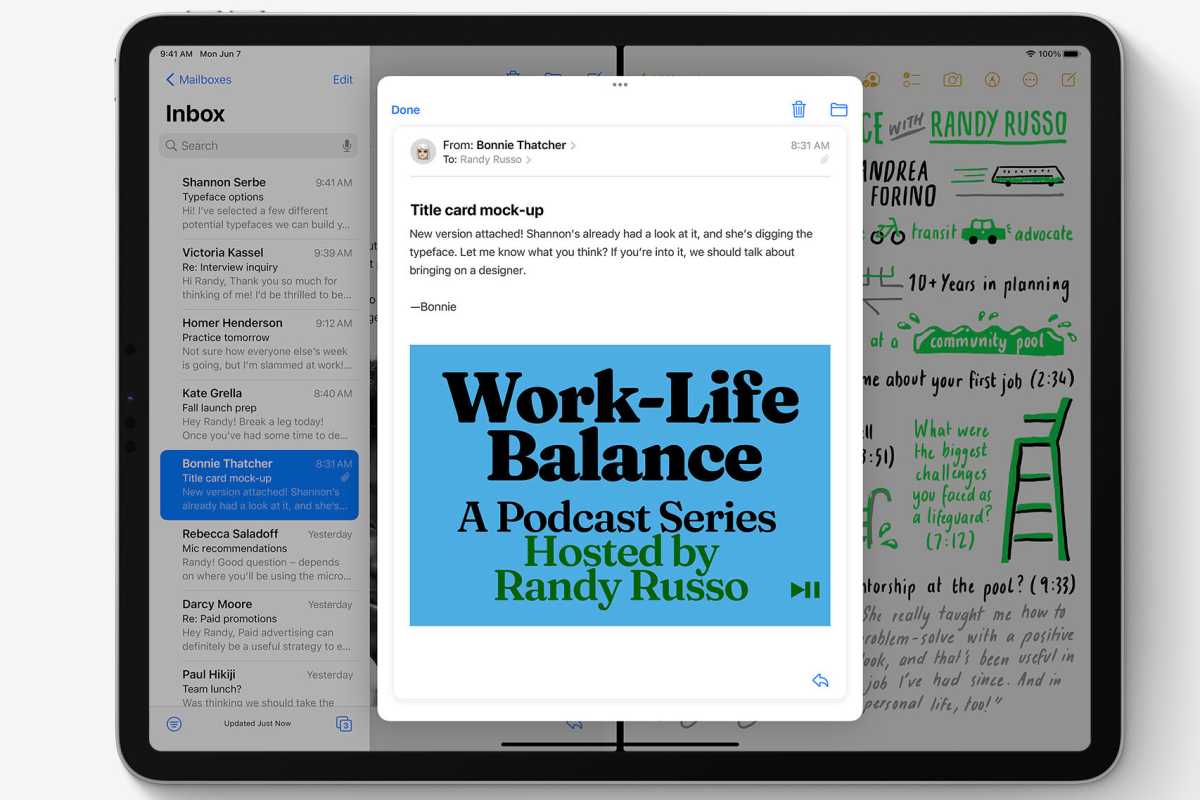
This year marked Apple’s third crack at multitasking on the iPad, and while it may not have been the ground-up rethink that some had hoped for, there are promising signs that it will still greatly improve the experience for both power users and more casual consumers.
iPadOS 15 has features to make multiasking easier.
A big part of that is simply making multitasking more visible. There’s now an explicit icon for windowing, providing controls akin to the ones you find by hovering over the green icon at the top of a Mac window. iPadOS 15 also removes some of the song-and-dance of getting apps into a Split View, letting you drag them in from a Spotlight search or from your home screen, and even if Slide Over remains a somewhat annoying feature, the addition of a floating and resizable window for the new Quick Note feature is evidence that a more powerful windowing system could work on Apple’s tablet.
Simply put, the more people who use multitasking on the iPad, the better it should get, and improved visibility and ease of use are poised to usher a lot more people into a reality of using multiple apps at once—which is a good thing, because it remains one of the iPad’s weaker qualities when compared to a Mac. As for whether Apple will decide to launch itself into a full-fledged windowing system, well, we could be waiting until iPadOS 16, at least.
Apple Inc. will debut major software updates for the iPhone and iPad at its developers’ conference on June 07,2021 to an audience that has grown increasingly critical of the company’s App Store policies.
The virtual event beginning June 07,2021 will also include software updates for the Mac, Apple Watch and Apple TV as well as tools developers can use to build apps. The company plans to discuss new privacy protections for limiting data collection as well as health-tracking, notifications and messaging features. Executives also will promote significant improvements to iPad software, making the device more capable and appealing to more advanced users.
This year’s conference arrives while Apple is facing criticism from some developers over its App Store policies. The controversy was highlighted by a three-week trial last month of a lawsuit filed by Epic Games Inc., which argued that the iPhone maker’s policies and revenue share of as much as 30% are anticompetitive. Unhappy developers have grown more willing publicly to express discontent, Apple executives have been grilled by U.S. lawmakers and companies such as Microsoft Corp. and Spotify Technology SA have chided Apple.
What to Expect From Apple’s WWDC
The Cupertino, California-based iPhone maker will now try to convince developers that Apple’s platform remains the best place for them to sell software and that it has new features to keep consumers glued to the company’s products. Apple, however, isn’t expected to announce wholesale App Store policy changes next week. The company generated about $22 billion from App Store commission in 2020 alone, according to Sensor Tower estimates.
As part of its continued privacy push, Apple is planning new features to counter overly invasive apps. One major new addition will be a control panel that provides in-depth detail on what data are being collected by each third-party app installed on a user’s device. Earlier this year, Apple rolled out a feature to limit the ability of developers to track users across apps and the web for advertising purposes, irking developers like Facebook Inc.
On the iPhone and iPad software updates, users will now be able to set a status — such as whether you are driving, sleeping, working or don’t want to be disturbed — and have that dictate how incoming notifications are handled. The update will also include a larger focus on auto-replying to messages and a new design for incoming notification banners at the top of the screen.
For the iPad, Apple plans to revamp the home screen and support the placement of widgets — snippets of dynamic information like calendar, weather and stocks — anywhere on the screen. This is a commonly requested feature that will bring the iPad in line with Android rivals. The company also plans an improved multitasking system to make it easier to operate multiple apps at the same time.
The Messages app will receive enhancements on the way toward Apple’s eventual goal to turn it into a more direct competitor to messaging services on social networks like Facebook’s WhatsApp and Messenger, Bloomberg News has previously reported. Apple has also been working on a revamped lock screen for the iPhone and iPad, though some of those changes have been pushed back to a future release and won’t appear this year.
Apple’s planned update to macOS is expected to be somewhat minor after the operating system received an overhaul in 2020, while the Apple Watch is expected to gain some health-tracking and interface improvements. The Apple TV will also get enhanced software after the company released a faster model last month.
WWDC kicks off on Monday June 07,2021 or June 08,2021 3am some part of the world.
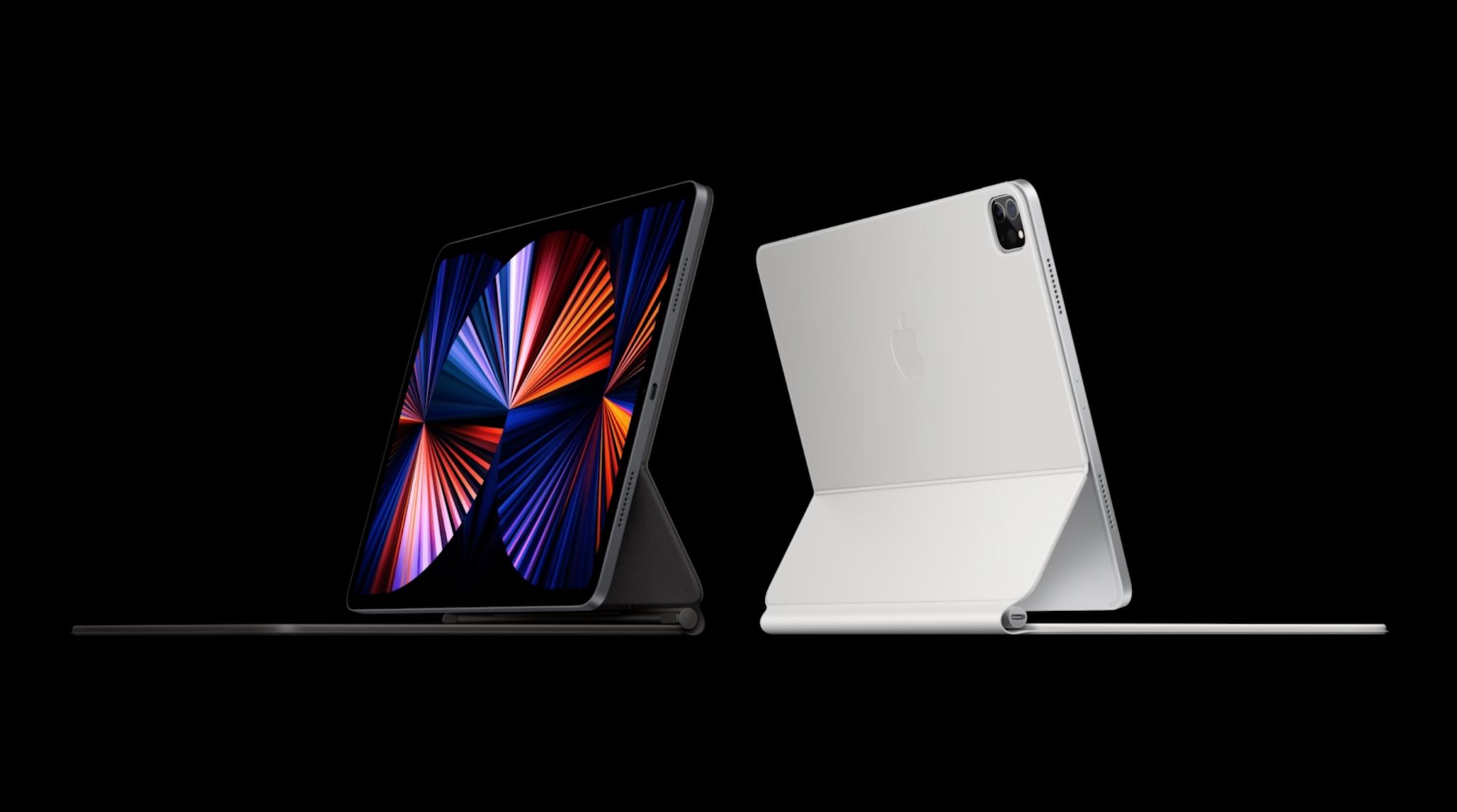
Following the announcement of the new M1 iPad Pro and M1 iMac on Tuesday, Apple executives John Ternus and Greg Joswiak have sat down with the Independent for an in-depth interview. The two Apple executives spoke in the interview about Apple’s plans for the iPad and Mac, the new features of the 2021 iPad Pro, and more.
On merging the iPad and Mac
The most notable comments during the interview came from Joswiak, who serves as Apple’s senior vice president of worldwide marketing. When asked about the future of the iPad and Mac, as the lines start to blur in terms of power, Joswiak explained that Apple has no plans to merge the two platforms.
“There’s two conflicting stories people like to tell about the iPad and Mac,” says Joz, as he starts on a clarification that will lead him at one point to apologise for his passion. “On the one hand, people say that they are in conflict with each other. That somebody has to decide whether they want a Mac, or they want an iPad.
“Or people say that we’re merging them into one: that there’s really this grand conspiracy we have, to eliminate the two categories and make them one.
“And the reality is neither is true. We’re quite proud of the fact that we work really, really hard to create the best products in their respective category.”
(Joz, however, is reluctant to name the category he’s talking about: he jokes that he “can’t even stand using” the word, because the “iPad is better than tablets”. “I hate to diminish it by calling it the category name,” he says.)
Ternus, who is Apple’s senior vice president of hardware engineering, echoed Joswiak’s sentiment. He explained that Apple does not look at things with the lens limiting what one device can do in order to note “step on the toes” of another device.
“But we’re just going to keep making them better. And we’re not going to get all caught up in, you know, theories around merging or anything like that.”
“We don’t think about well, we’re going to limit what this device can do because we don’t want to step on the toes of this [other] one or anything like that,” he says. “We’re pushing to make the best Mac we can make; we’re pushing to make the best iPad we can make. And people choose.
“A lot of people have run both. And they have workflows that span both – some people, for a particular task, prefer one versus the other.
On the new iPad Pro’s M1 chip
When asked about the M1 processor in the new iPad Pro and the software part of that story, Joswiak explained that Apple has “provided that performance even before the need was there.”
“It needs to exist first, right? You can’t have an app that requires more performance than the system’s capable of – then it doesn’t work. So you need to have the system be ahead of the apps.
Joswiak went on to list examples of powerful third-party apps from companies like Adobe and Affinity, but he wouldn’t say whether Apple was working on its own ways to tap into the new power of the M1:
(When asked again, the morning after the reveal, whether Apple is one of those developers that is planning to take advantage of the extra headroom with its professional app, Joz jokes that he’s not going to let something like that slip out.)
Joswiak also explained that this gives users more headroom and ensures their new iPad Pro purchase “isn’t going to be immediately obsolete.”
On mini-LED in the new iPad Pro
Terns also provided some interesting detail on the mini-LED display in the new 12.9-inch iPad Pro. He explained that one of the biggest undertakings in this process was shrinking the display technology — which is also used in the Pro Display XDR — into the 12.9-inch form factor.
“Shrinking it was a huge undertaking,” says Ternus. “If you just look at the two products, obviously the iPad is a lot thinner than a Pro Display XDR, and the way the architecture works – you have the LED backlight behind the display.
As you shrink it down, you necessarily need to add more LEDs; you need to kind of increase the density, because you don’t have as much room for mixing the light and creating zones.
From the very beginning it was: how do we create a backlight with sufficient density? So we had to design a new LED. We had to to design the process for putting down 10,000 LEDs on this backlight in this incredibly precise manner.”
Ternus and Joswiak also noted that one of the reasons Apple is able to make technological leaps like this is because it develops so much of the technology in-house.
On the new Center Stage front-facing camera technology in the iPad
One of the most interesting new features of the 2021 iPad Pro is something called Center Stage. The new iPad Pros pack a 12MP Ultra Wide camera sensor on the front, and Apple is using this to follow users during video chats to ensure that they are always in the frame.
Ternus explained:
“One of the things that I found really cool about it is – spending all this time in these meetings, you sit a lot,” says Ternus. “And it’s so liberating to be able to just stand up and stay framed in the image, and stretch and move around and sit down,” he says, noting that it is a neat way to still be able to close rings on the Apple Watch.
“And one of the things I found sometimes is in group scenarios – you may be FaceTiming with your family and be able to get the family in the frame, or those kind of things, I think are going to be really, really big and powerful. It’s certainly an amazing technology for the times we’re in.”
We rely on Bluetooth for more and more devices, and while the wireless standard is very convenient, it can be really frustrating when our peripherals don’t work consistently. Read along for five tips and tricks to fix Mac Bluetooth issues, including resetting your Bluetooth module and ways to remove interference.
Bluetooth issues aren’t anything new, but there has been a recent wave of more Bluetooth problems with the first Apple Silicon M1 Macs and macOS Big Sur. Notably, Bluetooth reliability should have been improved for Mac users with macOS 11.2.
But whether you’ve got a new M1 Mac or are having trouble with Bluetooth on an Intel one, we’ll cover multiple approaches to fix Mac Bluetooth issues.
How to fix Mac Bluetooth issues
Software update, power cycle, unpair
You’ve probably tried these steps, but if not, start here:
Check if macOS is up to date ( > About This Mac > Software Update…)
Make sure your Bluetooth device is charged
Turn off your Bluetooth device and back on again, you can do the same with Bluetooth on your Mac (click the Bluetooth icon in the menu bar – top right of your Mac’s screen)
You can also unpair a Bluetooth device and re-pair to see if there’s an improvement (Bluetooth in the menu bar > Bluetooth preferences > hover over a device > click the “x” icon > choose “Remove”)
Reboot your Mac
Remove interference
Apple notes in a support document that if you’re seeing intermittent Bluetooth issues, it’s good to check for interference. Tips include:
Bring your Mac and Bluetooth devices closer together
Remove other devices like phones, cameras, power cables, etc. that might be on your desk or nearby
Move some WiFi devices to 5GHz since Bluetooth and WiFi both use 2.4GHz
Move USB/Thunderbolt hubs further away from your Mac and Bluetooth devices (and don’t place them on top of your Mac)
Turn off USB devices that aren’t in use
Finally, don’t have materials between your Mac and Bluetooth devices like metal, concrete
Reset your Mac’s Bluetooth module
If you’re still having trouble with Bluetooth issues, you can reset your Mac’s Bluetooth Module:
While holding option + shift on your keyboard, click the Bluetooth icon in the menu bar
Click “Reset the Bluetooth module”
On the confirmation prompt, choose “OK”
Your Bluetooth devices will disconnect for a moment as the module resets and should automatically reconnect
Here’s how this looks:
Remove all devices + reset Bluetooth module
If that didn’t work, you can remove all of your Bluetooth devices and then reset the module (keep in mind you’ll need to re-pair all of your Bluetooth devices after this):
Hold option + shift on your keyboard and click the Bluetooth icon again
This time, choose “Remove all devices” > click OK
Do option + shift on Bluetooth in the menu bar again > click “Reset the Bluetooth module”
Re-pair your Bluetooth device(s)
Have a dongle?
This isn’t always an ideal solution depending on your setup, but if your Bluetooth device came with a USB dongle for a direct connection, that often eliminates any Bluetooth issues you’re seeing.
The most common devices to come with USB dongles are third-party mouse and keyboards.
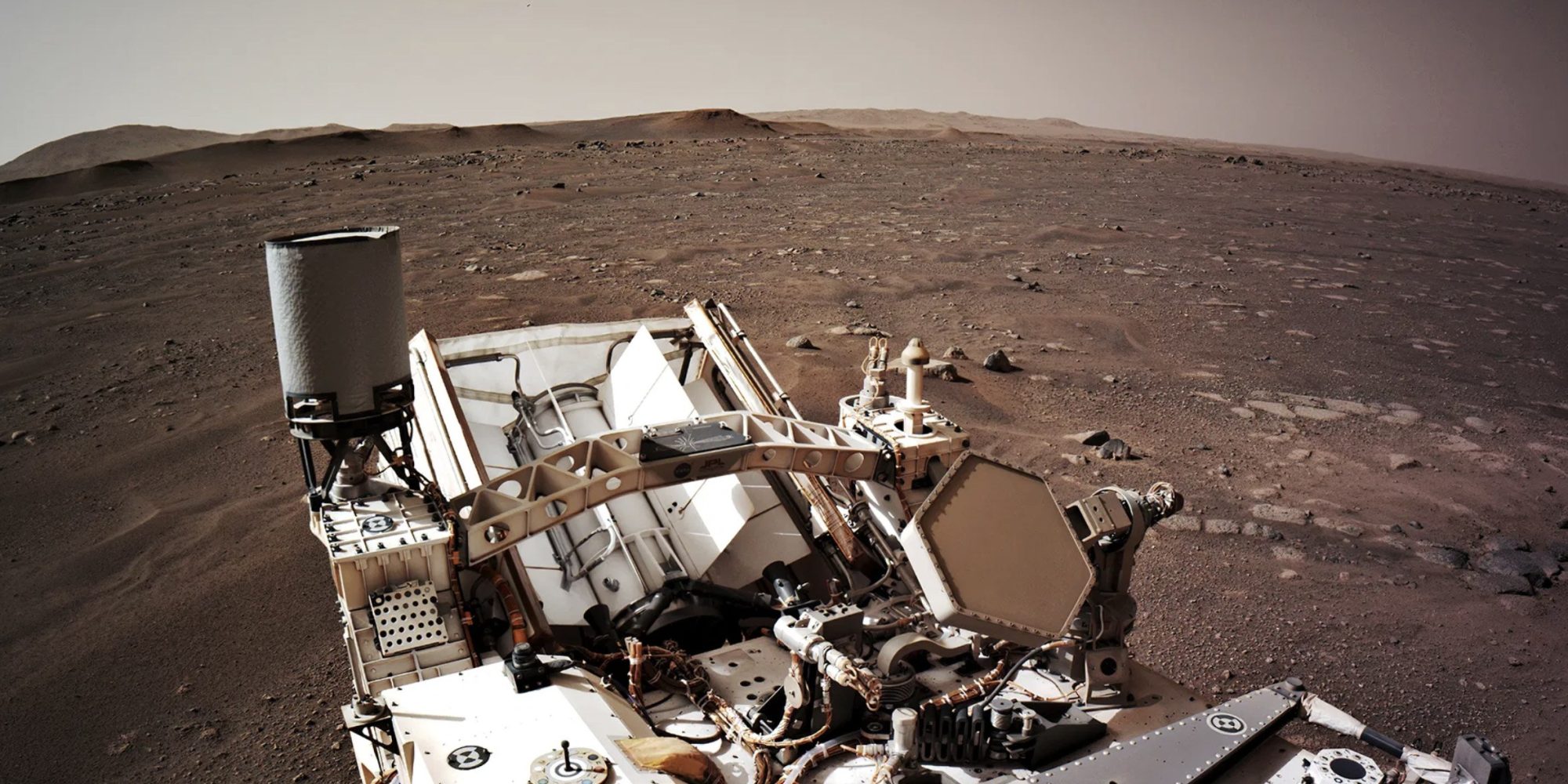
According to New Scientist (via Gizmodo), the Mars Perseverance rover uses the RISC CPUs that Apple went all in on before switching to Intel. The iMac G3 was colorful (you could see through it), and it ultimately saved Apple from bankruptcy.
The PowerPC 750 was a single-core 233MHz processor with 6 million transistors, which is now considered slow, but it was the first to incorporate dynamic branch prediction and is still used in modern processors.
Given that the Perseverance launch was in July 2020, you could be wondering why it’s using such an old processor. What it comes down to is reliability.
There’s also a pretty big difference between the iMac G3 CPU and the one inside the rover. This PowerPC 750 chip can withstand 200,000 to 1,000,000 Rads and temperatures between -55 and 125 degrees Celsius.
Given that Mars doesn’t have the same type of atmosphere as Earth, one flash of sunlight could damage the rover before its adventure can even begin.
“A charged particle that’s racing through the galaxy can pass through a device and wreak havoc,” James LaRosa at BAE Systems told NewScientist. “It can literally knock electrons loose; it can cause electronic noise and signal spikes within the circuit.”
Apple used PowerPC chips on Mac until 2005, then switched to Intel. Nowadays, Apple is making a new transition to its own Apple Silicon processors, starting with the M1 chip on MacBook Air, MacBook Pro, and Mac Mini.
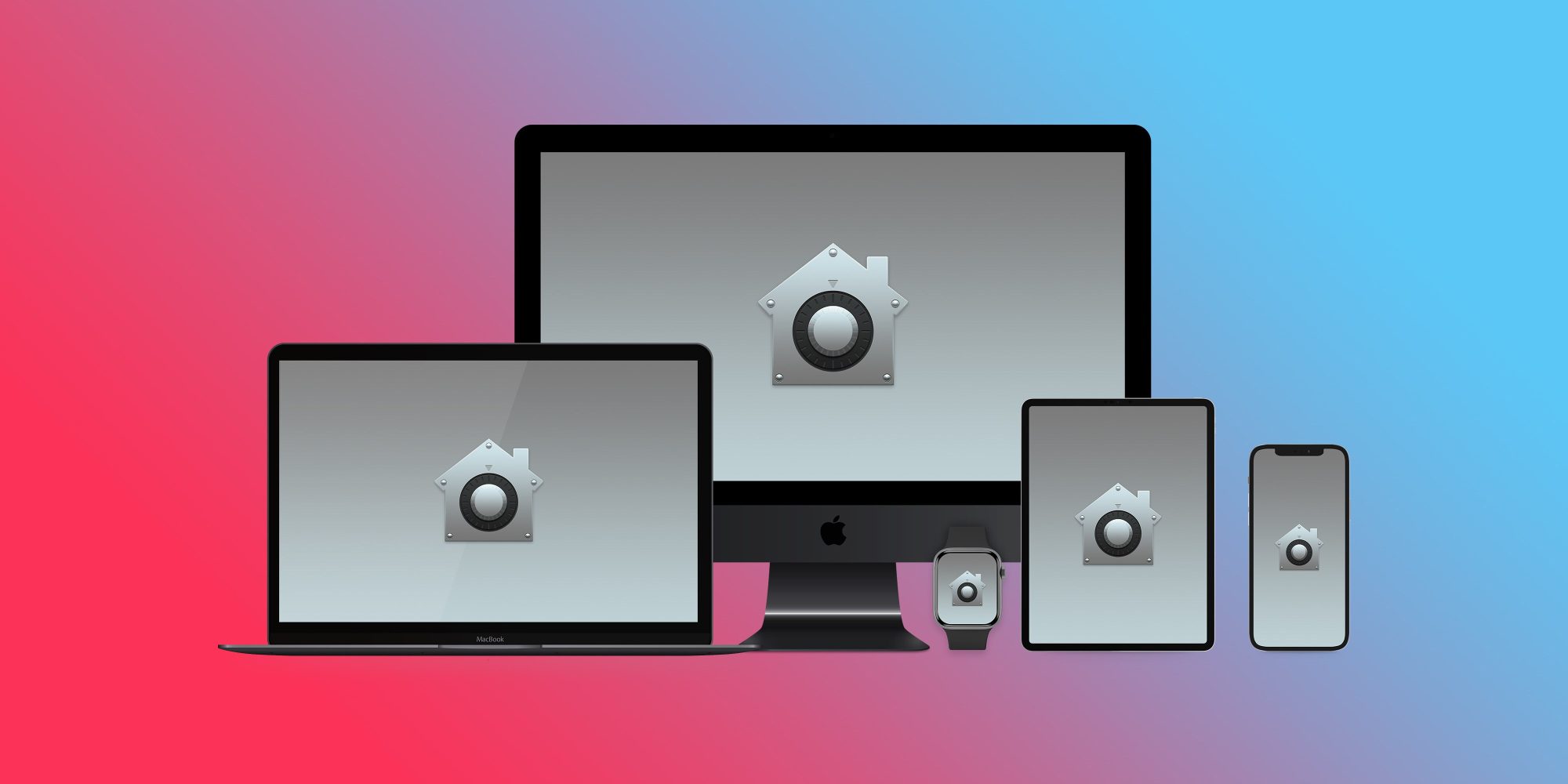
Apple has published its 2021 update to its Platform Security guide today along with refreshing the Apple Platform Security landing page. The latest guide goes in-depth on the new and updated security features that have arrived with iOS 14, macOS 11 Big Sur, Apple Silicon Macs, watchOS 7, and more. Apple has also launched an all-new Security Certifications and Compliance Center website and guide.
Apple has long held that secure software necessitates the foundation of security built into hardware. With the shift to using its own custom Apple Silicon in its first three M1 Macs starting last fall, the company has been able to realize that goal across its entire lineup of devices.
2021 Apple Platform Security guide
Device security is a never-ending mission and the latest Apple Platform Security guide details all the effort and changes Apple has implemented over the last year – highlighted by the guide growing 39 pages with this edition to a total of 196.
This documentation provides details about how security technology and features are implemented within Apple platforms. It also helps organizations combine Apple platform security technology and features with their own policies and procedures to meet their specific security needs.
While there a number of security updates that apply to existing/older devices, Apple Silicon has been notable with the M1 Macs allowing Apple to step up security to new levels when it comes to Data Protection via a rebuilt FileVault, System integrity, password protection, and more.
Another notable change in the last year has been the advanced BlastDoor security for iMessage (not specifically mentioned in the new security guide). While it was just recently discovered as present in iOS 14, we’ve learned Apple has built it into macOS Big Sur as well. It’s a totally under the hood change that users won’t notice, but it’s the biggest security improvement to iMessage since the service got end-to-end encryption.
Check out all the new topics added to the Apple Platform Security guide this year:
Memory safe iBoot implementation
Boot process for a Mac with Apple silicon
Boot modes for a Mac with Apple silicon
Startup Disk security policy control for a Mac with Apple silicon
LocalPolicy signing-key creation and management
Contents of a LocalPolicy file for a Mac with Apple silicon
Signed system volume security in macOS
Apple Security Research Device
Password Monitoring
IPv6 security
Car keys security in iOS
And here are all the security topics that have been updated:
Secure Enclave
Hardware microphone disconnect
recoveryOS and diagnostics environments for an Intel-based Mac
Direct memory access protections for Mac computers
One of the most attractive features of the popular password manager LastPass is that, if you choose to, you can use it pretty effectively without paying a dime. That comes to an end in March, as LastPass has just announced that its free tier will be restricted to only one device type starting next month.
LastPass works across nearly every platform, from Android to iOS to Windows to Mac, and that’s what makes it useful. For the most part, the services we use today are available on multiple platforms, so being able to use the service on both your mobile phone and your desktop/laptop computer is crucial to most users.
Starting on March 16, 2021, LastPass will start restricting its free service to only one device type, meaning those who sign up will be required to pick between accessing the service on their computer or their smartphone. The latter also includes LastPass access on tablets (iPads) and smartwatches. You’ll pick an “active device type” to decide on where you’ll use the service. For current free users, the first device type you log in to after March 16 will set your active type. You’ll have three chances to pick between device types before the choice is locked in. After that, you’ll need to sign up for LastPass Premium to access the service on two different platforms.
As a Free user, your first login on or after March 16 will set your active device type. You’ll have three opportunities to switch your active device type to explore what’s right for you. Please note, that all of your devices sync automatically, so you’ll never lose access to anything stored in your vault or be locked out of your account, regardless of whether you use computer or mobile devices to access LastPass.
Further, LastPass will also restrict some support options starting on May 17. Email support, most notably, will be restricted only to Premium customers and those with a LastPass family account. Free users will then be limited only to the LastPass Support Center for self-help resources.
Changes to LastPass Free
You’re spending more time online than ever before. Work. School. Connecting with family and friends. Each week, millions of LastPass users add millions of new passwords, notes, files, payment cards and more to their encrypted vault. We love being a part of the security routines of more than 20 million users across the world. As our community of users continues to grow, we need to adapt our offerings to keep up with the constantly evolving digital world. With that, we have some changes to our LastPass Free offering.
Here’s What’s Changing
We’re making changes to how Free users access LastPass across device types. LastPass offers access across two device types – computers (including all browsers running on desktops and laptops) or mobiledevices (including mobile phones, smart watches, and tablets). Starting March 16th, 2021, LastPass Free will only include access on unlimited devices of one type.
To further clarify what we mean by active device type, we’ve included two examples below:
Sarah is a Free user with Computers as her active device type. She can use LastPass on her laptop, desktop and her dad’s laptop (anyone’s computer!), but she can’t use LastPass on her phone, tablet, or smart watchunless she upgrades to LastPass Premium, which has unlimited device type access.
Steve is a Free user with MobileDevices as his active device type. He can use LastPass on his iPhone, Android work phone, tablet, and smart watch, but he can’t use LastPass on his desktop or laptop unless he upgrades to LastPass Premium, which has unlimited device type access.
As a Free user, your first login on or after March 16th will set your active device type. You’ll have three opportunities to switch your active device type to explore what’s right for you. Please note, that all of your devices sync automatically, so you’ll never lose access to anything stored in your vault or be locked out of your account, regardless of whether you use computer or mobile devices to access LastPass. Learn more about device types in our Support Center.
In addition to this change, as of May 17th, 2021, email support will only be available for Premium and Families customers. LastPass Free users will always have access to our Support Center which has a robust library of self-help resources available 24/7 plus access to our LastPass Community, which is actively monitored by LastPass specialists. Free users will continue to receive email support for technical issues until May 16th to assist through the transition of selecting an active device type. Learn more about our customer support offerings in ourSupport Center.
LastPass Premium is your single and secure one-stop shop to your digital life. It includes dark web monitoring, emergency access, unlimited device type access, a security score dashboard, dedicated personal support, advanced multi-factor authentication and more. At only $3 per month (billed annually), LastPass Premium enables you to not only store your passwords but also protect your digital life, which is more important than ever in this new era of working from anywhere. As a current Free user, you can upgrade to Premium now for an exclusive, limited time discount and receive Premium for $2.25 per month (billed annually). *
Next Steps for Free Users
We understand how much you rely on LastPass in your daily life, so we wanted to let you know well in advance and give you resources to make this adjustment easier. Here’s what you need to know:
Whether you continue using LastPass Free on one device type, or across all your devices types with LastPass Premium, we’re committed to offering you a best-in-class password management experience. We sincerely thank you for continuing to be part of our LastPass community.
*Additional Terms and Conditions: Advertised price valid for new users on their first year of LastPass Premium. Price not valid for renewals or existing customers and cannot be used for other LastPass plans, products or services.
macOS Big Sur comes with some major changes and Safari 14 includes a number of enhancements. One of the simple but nice aesthetic changes is the option to set your own image for Apple’s browser. Read on for how to set custom Safari backgrounds.
Safari 14 comes with macOS Big Sur (released for Catalina too) and brings a lot of great features like 4K support for YouTube, Apple’s new translation integration, performance improvements, and a new start page. The start page is where you can set a custom Safari background.
Let’s look at two ways to do this…
How to set custom Safari backgrounds with macOS Big Sur
The fastest option if you already have the image you want to use is to drag and drop it on the Safari start page
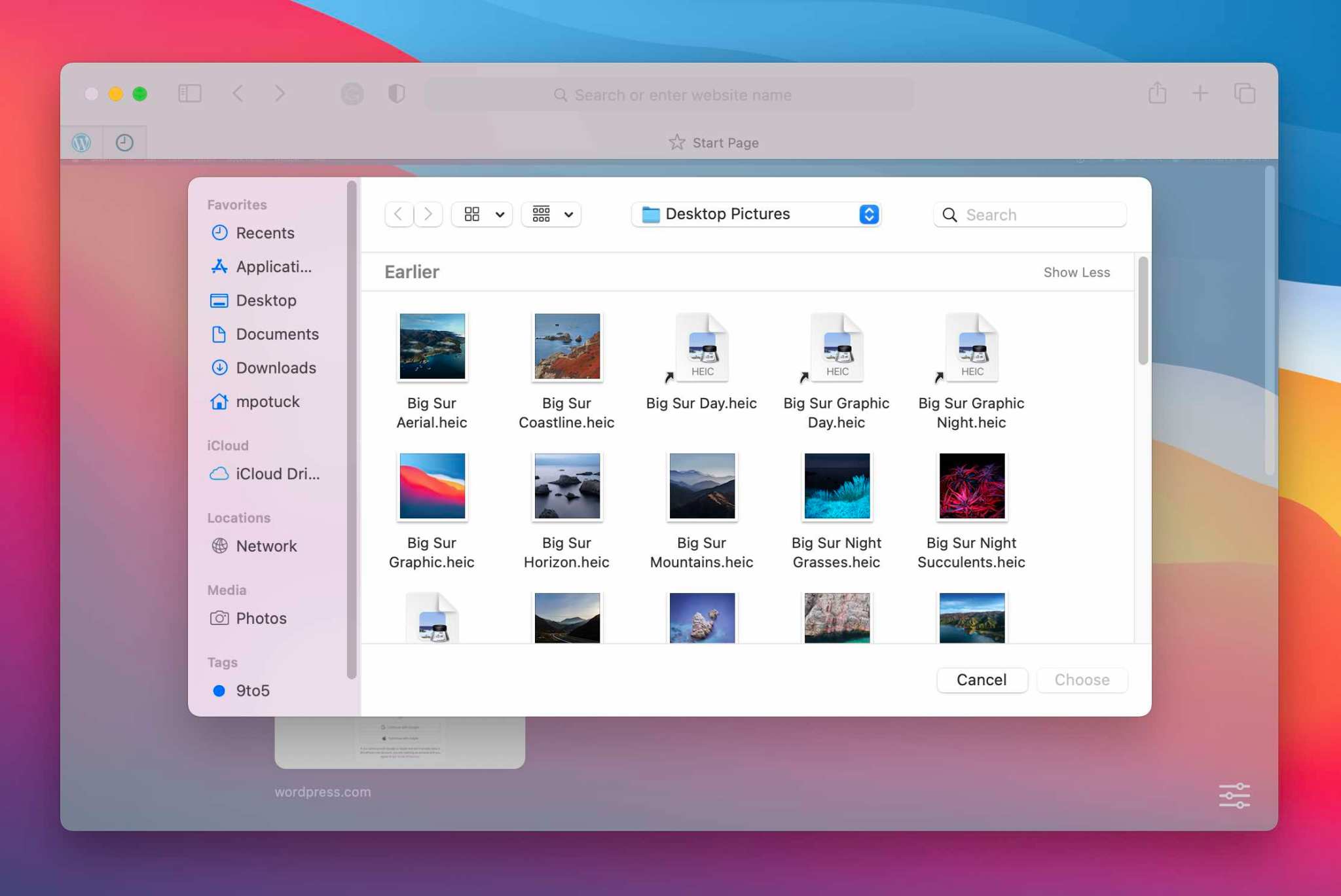
Alternatively, you can right-click on the start page in a blank area and click “Choose Background…”
Now you can search Finder to select an image
If you want to clear you custom Safari background, right-click on the start page background and choose “Clear Background”
Here’s how the process looks:
Drag and drop an image to set a custom Safari background
And here’s the right-click option to set custom Safari backgrounds:
The new MacBook Air, 13-inch MacBook Pro, and Mac mini are now powered by M1, Apple’s revolutionary chip.
A new MacBook Air, 13-inch MacBook Pro, and Mac mini powered by M1, Apple’s breakthrough chip for the Mac
Cupertino, California — On a momentous day for the Mac, Apple introduced a new MacBook Air, 13-inch MacBook Pro, and Mac mini powered by the revolutionary M1, the first in a family of chips designed by Apple specifically for the Mac. By far the most powerful chip Apple has ever made, M1 transforms the Mac experience. With its industry-leading performance per watt, together with macOS Big Sur, M1 delivers up to 3.5x faster CPU, up to 6x faster GPU, up to 15x faster machine learning (ML) capabilities, and battery life up to 2x longer than before. And with M1 and Big Sur, users get access to the biggest collection of apps ever for Mac. With amazing performance and remarkable new features, the new lineup of M1-powered Macs are an incredible value, and all are available to order today.
“The introduction of three new Macs featuring Apple’s breakthrough M1 chip represents a bold change that was years in the making, and marks a truly historic day for the Mac and for Apple,” said Tim Cook, Apple’s CEO. “M1 is by far the most powerful chip we’ve ever created, and combined with Big Sur, delivers mind-blowing performance, extraordinary battery life, and access to more software and apps than ever before. We can’t wait for our customers to experience this new generation of Mac, and we have no doubt it will help them continue to change the world.”
With M1, the Mac delivers unprecedented levels of performance, extraordinary battery life, and access to more software than ever.
MacBook Air: A Thin and Light Powerhouse
MacBook Air is Apple’s most popular Mac and the world’s best-selling 13-inch notebook. With the M1 chip, MacBook Air speeds through everything from editing family photos to exporting videos for the web. The powerful 8-core CPU performs up to 3.5x faster than the previous generation. With up to an 8-core GPU, graphics are up to 5x faster, the biggest leap ever for MacBook Air, so immersive, graphics-intensive games run at significantly higher frame rates. ML workloads are up to 9x faster, so apps that use ML-based features like face recognition or object detection can do so in a fraction of the time. The M1 chip’s storage controller and latest flash technology deliver up to 2x faster SSD performance, so previewing massive images or importing large files is faster than ever. And in MacBook Air, M1 is faster than the chips in 98 percent of PC laptops sold in the past year.
With the industry-leading power efficiency of M1, MacBook Air also delivers this performance in a fanless design, which means no matter what users are doing, it remains completely silent. And the new MacBook Air features extraordinary battery life, with up to 15 hours of wireless web browsing and up to 18 hours of video playback — the longest battery life ever on a MacBook Air.
MacBook Air with M1 is an absolute powerhouse of performance and thin-and-light portability.
When compared to the previous generation, the M1-powered MacBook Air can:
Export a project for the web with iMovie up to 3x faster.
Integrate 3D effects into video in Final Cut Pro up to 5x faster.
For the first time, play back and edit multiple streams of full-quality, 4K ProRes video in Final Cut Pro without dropping a frame.
Export photos from Lightroom up to twice as fast.
Use ML-based features like Smart Conform in Final Cut Pro to intelligently frame a clip up to 4.3x faster.
Watch more movies and TV shows with up to 18 hours of battery life, the longest ever on MacBook Air.
Extend FaceTime and other video calls for up to twice as long on a single charge.
With M1, MacBook Air users can fly through projects in iMovie, exporting projects up to 3x faster.
With up to 18 hours of battery life, MacBook Air users can watch even more of their favorite movies and TV shows on a single charge.
On the new MacBook Air, FaceTime and video calls can go up to twice as long.
Other new features in MacBook Air include Apple’s latest image signal processor (ISP) in the M1 chip, which improves camera image quality with better noise reduction, greater dynamic range, and improved auto white balance and ML-enhanced face detection so users look their best during video calls. Support for P3 wide color results in an even more vibrant, true-to-life Retina display. The Secure Enclave in M1, combined with Big Sur, delivers best-in-class security with features like Touch ID, which makes it easy to unlock MacBook Air and make secure online purchases using Apple Pay with the touch of a finger. And Wi-Fi 6 delivers faster wireless performance, while two Thunderbolt ports with USB 4 support allow for connectivity to a wide range of peripherals.
With its sleek wedge-shaped design, stunning Retina display, Magic Keyboard, and astonishing level of performance thanks to M1, the new MacBook Air once again redefines what a thin and light notebook can do. And it is still just $999, and $899 for education.
Support for P3 wide color makes the Retina display on MacBook Air even more vibrant and true to life.
13-inch MacBook Pro: Even More Powerful and Even More Pro
The 13-inch MacBook Pro is Apple’s most popular pro notebook. Students use it to power through college, and pros use it to channel their creativity. With the M1 chip and Big Sur, the 13-inch MacBook Pro becomes even more powerful and even more pro. The 8-core CPU, when paired with the MacBook Pro’s active cooling system, is up to 2.8x faster than the previous generation, delivering game-changing performance when compiling code, transcoding video, editing high-resolution photos, and more. The 8-core GPU is up to 5x faster, allowing users to enjoy super smooth graphics performance whether they are designing a graphics-intensive game or a new product. And with M1, the 13-inch MacBook Pro is up to 3x faster than the best-selling Windows laptop in its class. ML is up to 11x faster, and for on-device ML tasks that use the Neural Engine, the new 13-inch MacBook Pro is now the world’s fastest compact pro notebook. With up to 17 hours of wireless web browsing and up to a staggering 20 hours of video playback, MacBook Pro delivers up to twice the battery life of the previous generation and the longest battery life ever on a Mac.
The 13-inch MacBook Pro with M1 delivers game-changing performance and the longest battery life ever on a Mac.
When compared to the previous generation, the M1-powered 13-inch MacBook Pro can:
Build code in Xcode up to 2.8x faster.
Render a complex 3D title in Final Cut Pro up to 5.9x faster.
Fluidly design intricate game scenes in Unity Editor up to 3.5x faster.
Perform ML tasks in Create ML up to 11x faster.
Separate out beats, instrumentals, and vocal tracks from a recording in real time in djay Pro AI, thanks to the amazing performance of the Neural Engine.
Play back full-quality, 8K ProRes video in DaVinci Resolve without dropping a single frame.
Compile four times as much code on a single charge, thanks to the game-changing performance per watt of the M1 chip.
With M1, the 13-inch MacBook Pro is up to 2.8x faster so users can compile code with incredible ease.
With the amazing performance of the M1 chip’s Neural Engine, users can perform machine learning tasks up to 11x faster than before.
The 13-inch MacBook Pro can play back full-quality, 8K ProRes video without dropping a single frame.
Other new features in the new 13-inch MacBook Pro include studio-quality mics for super clear recordings and calls, and Apple’s latest camera ISP in the M1 chip enables sharper images and more detail in shadows and highlights on video calls. The new MacBook Pro also delivers best-in-class security with the Secure Enclave in M1 and Touch ID. And it features two Thunderbolt ports with USB 4 support to connect to more peripherals than ever, including Apple’s Pro Display XDR in full 6K resolution.
With its amazing performance and unbelievable battery life, combined with its gorgeous Retina display, Magic Keyboard, and 3-pound compact design, the new 13-inch MacBook Pro is the ultimate expression of what the M1 chip can do. And it is available for the same starting price of just $1,299, and $1,199 for education.
The new 13-inch MacBook Pro is the ultimate expression of what the M1 chip can do.
Mac mini: Staggering Performance and an Ultracompact Design
Mac mini is Apple’s most versatile computer, and now with M1, it packs a staggering amount of performance and incredible new features in such a compact design. M1 brings an 8-core CPU with up to 3x faster performance than the previous generation, dramatically accelerating demanding workloads, from compiling a million lines of code to building enormous multitrack music projects. An 8-core GPU delivers up to a massive 6x increase in graphics performance, allowing Mac mini to tackle performance-intensive tasks like complex 3D rendering with ease. ML workloads also take a quantum leap forward with up to 15x faster performance over the previous generation. And when compared to the best-selling Windows desktop in its price range, the Mac mini is just one-tenth the size, yet delivers up to 5x faster performance.
The new Mac mini packs a staggering amount of performance into its ultracompact design.
When compared to the previous generation, the M1-powered Mac mini can:
Compile code in Xcode up to 3x faster.
Play a graphics-intensive game like “Shadow of the Tomb Raider” with up to 4x higher frame rates.
Render a complex timeline in Final Cut Pro up to 6x faster.
Take music production to new levels by using up to 3x as many real-time plug-ins in Logic Pro.
Magically increase the resolution of a photo in Pixelmator Pro up to 15x faster.
Utilize ML frameworks like TensorFlow or Create ML, now accelerated by the M1 chip.
With 3x faster performance, Mac mini dramatically accelerates demanding workflows like compiling code in Xcode.
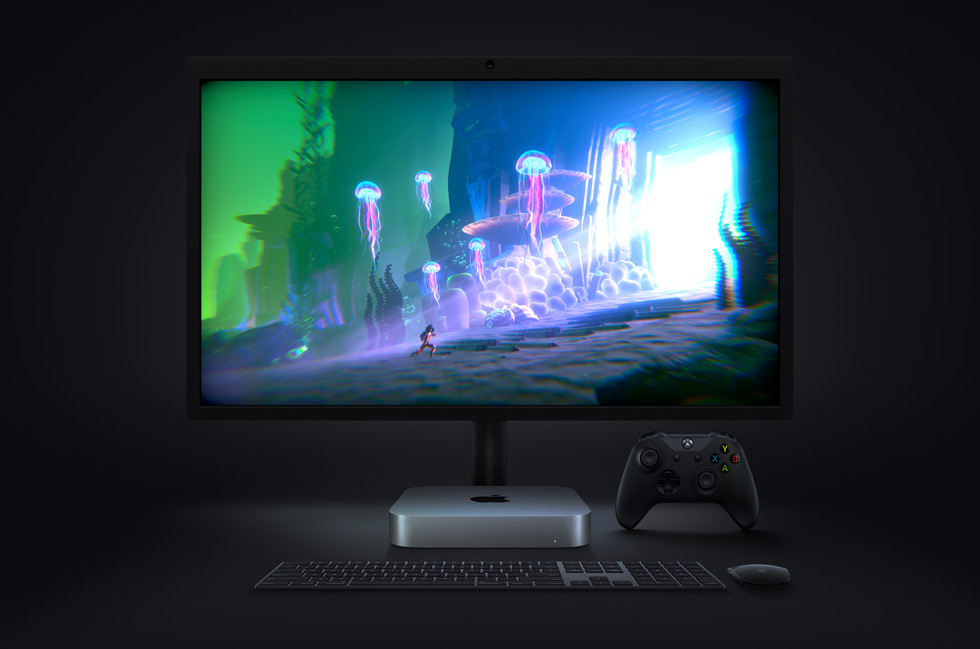
With M1, graphics-intensive gaming on Mac mini is better than ever with up to 4x higher frame rates.
The new Mac mini takes music production to new levels, enabling up to 3x as many real-time plug-ins in Logic Pro.
Mac mini also features an advanced thermal design to sustain its breakthrough performance while staying cool and quiet, support for up to two displays including Apple’s Pro Display XDR in full 6K resolution, and Wi-Fi 6 for faster wireless performance and the Secure Enclave in M1 for best-in-class security.
With M1 and Big Sur, Mac mini represents a massive shift in what an ultrasmall desktop can do. Far more versatile and far more capable than ever, Mac mini is now available for just $699, $100 less than the previous-generation quad-core model.
macOS Big Sur
All new Macs come with Big Sur, the latest version of the world’s most advanced desktop operating system. Big Sur introduces a beautiful redesign that is entirely new yet instantly familiar, and powerful updates to apps including Safari, Messages, and Maps. Big Sur is engineered, down to its core, to take full advantage of all the capability and power of M1, delivering a massive boost in performance, astonishing battery life, and even stronger security protections. With M1, things users do every day feel noticeably faster and smoother. Just like iPhone and iPad, the Mac now instantly wakes from sleep. Browsing with Safari — which is already the world’s fastest browser — is now up to 1.5x speedier at running JavaScript and nearly 2x more responsive.6
With Big Sur and M1, Mac users can run a greater range of apps than ever before. All of Apple’s Mac software is now Universal and runs natively for M1 systems. Existing Mac apps that have not been updated to Universal will run seamlessly with Apple’s Rosetta 2 technology. And iPhone and iPad apps can now run directly on the Mac. Additionally, the foundations of Big Sur are optimized to unlock the power of M1, including developer technologies from Metal for graphics to Core ML for machine learning.
macOS Big Sur is engineered to take full advantage of the M1 chip in the new Mac lineup.
Pricing and Availability
The new MacBook Air, 13-inch MacBook Pro, and Mac mini with M1 are available to order today on apple.com and in the Apple Store app. They will begin arriving to customers and will be in select Apple Store locations and Apple Authorized Resellers starting next week. The new MacBook Air starts at $999 (US), and $899 (US)for education; the new 13-inch MacBook Pro starts at $1,299 (US), and $1,199 (US) for education; and the new Mac mini starts at $699 (US),and $679 (US)for education.
Customers are able to find the same great shopping and support services at apple.com/shop, in the Apple Store app, and at Apple Store locations. Customers can get shopping help from Apple Specialists, choose monthly financing options, trade in eligible devices, and get Support services and no-contact delivery or Apple Store pickup options. Customers are encouraged to check apple.com/retail for more information on the health and safety measures in place, and the services available, at their local store.
Additional technical specifications, configure-to-order options, and accessories are available online at apple.com/mac.