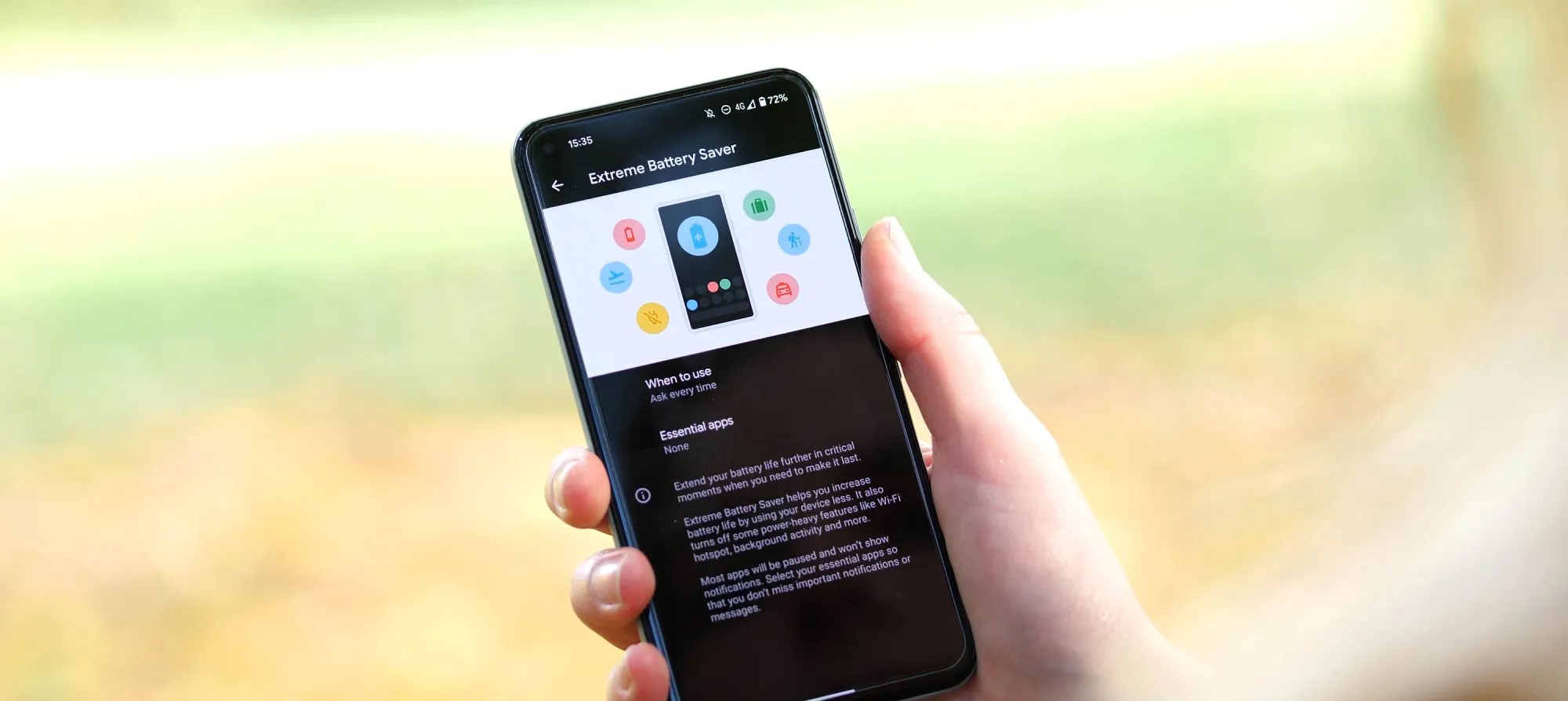
Most devices have some sort of battery saver mode, while Google’s Pixel lineup comes with an “Extreme Battery Saver.” So what is it, and what makes it extreme? This guide will take you through it.
On most Android devices, battery saver works in a very similar way. Unnecessary processes are turned off in the background, your screen’s refresh rate slows down (even to the point of turning off variable refresh rate entirely), and your phone switches to a dark theme to save energy. You might also experience the lack of certain features, such as the always-on display.
All of these limitations combined significantly improve your batter’s efficiency, and battery saver mode can mean the difference between a dead phone in two minutes or an extra 25 minutes of power, roughly speaking.
So what is the Pixel’s Extreme Battery Saver?
Beyond the regular battery saver, the Pixel’s Extreme Battery Saver is an added layer of battery efficiency. In fact, in order to use the latter, you need to initially have battery saver active.
Once it is, you can access the extreme version, which goes beyond turning off a couple of features. Rather, Extreme Battery Saver turns off most of your apps and completely pauses notifications from them. In essence, most nonessential apps completely halt background usage.
This feature is used for pretty dire circumstances and can get you even more battery life when you really need it. While you can’t access most apps during Extreme Battery Saver mode on the Pixel, you can choose to classify some apps as essential. After doing so, those apps become usable while the limitation is turned on.
How to turn it on
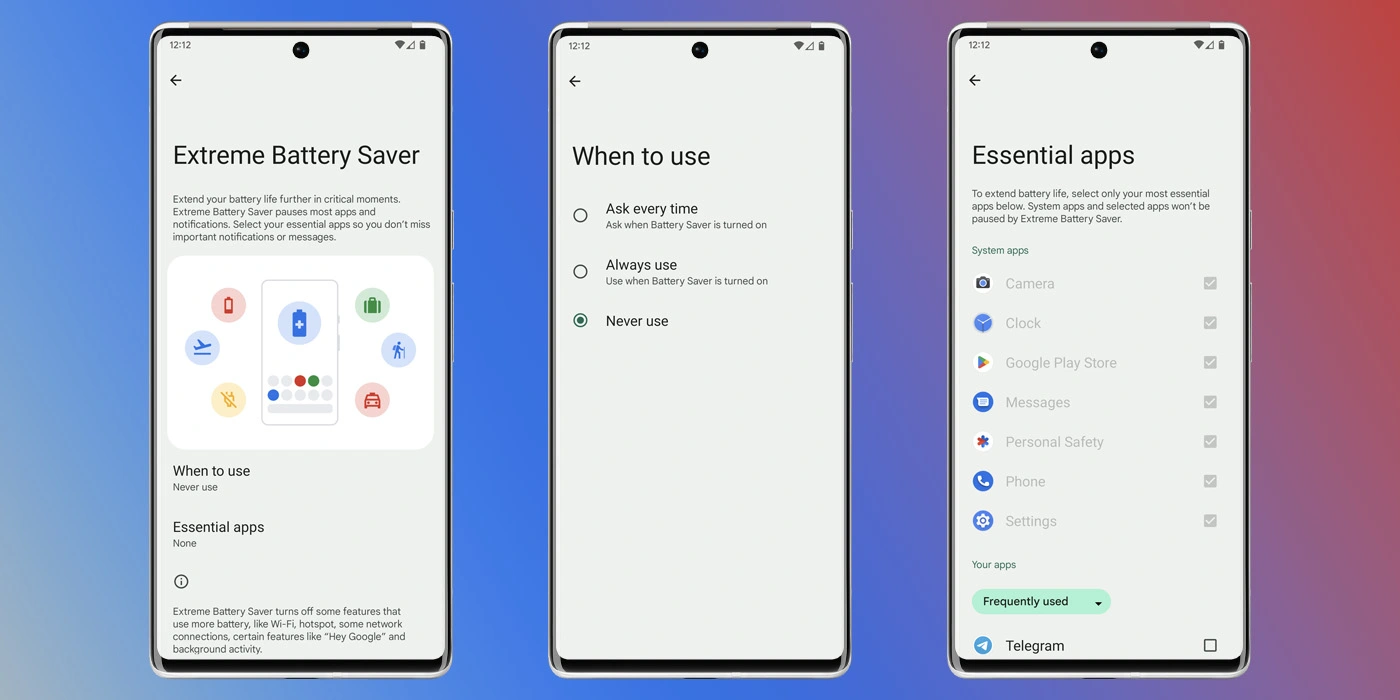
Before turning it on, you need to adjust a couple of settings that specify how you use it.
On your Pixel, head to your settings by swiping down twice and hitting the settings cog.
Tap Battery.
Hit Battery Saver.
Select Extreme Battery Saver.
Choose when to use it – you can choose to have it turn on automatically with regular battery saver or you can have your Pixel ask you first.
Choose your essential apps.
Note: Don’t go wild. The fewer apps you choose, the better your battery life will be.
Once you configure these settings, you can choose to have the extreme mode turn on after battery saver is initiated. The best way to turn the battery saver on is to access your Quick Settings on your Pixel and turn it on from there. We have a great guide on doing just that.
Samsung is on a roll as of late with device updates for a number of handsets. The October 2022 security update is even rolling out for a number of Samsung Galaxy phones and even a few tablets.
Samsung October 2022 security update – here’s what’s new:
No details have been released for the latest Android Security Update Bulletin, but we expect that to change over the coming days as Pixel devices catch up – usually on the first Monday of the month. Samsung has yet to update their own tracker for Galaxy smartphones, but that too will likely be updated very soon.
Some Samsung Galaxy devices are part of the One UI 5.0 beta program, which means that the Android 13 stable should be right around the corner.
Devices with the Samsung October 2022 security update
As is often the case, the Korean tech giant has a fairly consistent approach to updates. It’s usually the latest and greatest Galaxy devices such as the S series get updated first. While it’s not always the case, this seems to be true.
This list will include a note on where the update first debuted and if it is also available in the United States. As usual, the latest additions will be marked in bold.
Galaxy S series
It should come as absolutely no surprise that the Samsung Galaxy S22 series was the very first to receive the October 2022 security update. As Samsung’s flagship non-foldable smartphone, it was expected and likely anticipated. Right at the very end of September, Samsung released the latest security patch for the S22 series in limited regions. The update is likely to head out in more regions as we reach October proper.
Just a few days later carrier-locked versions of the Galaxy S21 series began to be updated. The October 2022 security patch is already hitting Verizon handsets in the United States. Often the latest patches arrive in global markets, so this is a nice change of pace. Those on Xfinity Mobile are also starting to see the Samsung October update on the entire Galaxy S21 series according to SamMobile.
Although technically part of the S21 series, the Galaxy S21 FE was launched just a month before the S22. This means it’s in a strange position of being part of the 2022 cohort while still having a foot in the previous generation. That said, it is still updated promptly with Indian models now starting to get the most recent patch.
Galaxy S21 / S21+ / S21 Ultra — G991USQS5CVI8 (Released first in US)
Galaxy S21 FE — G990EXXU3CVI8 (Released first in India)
Galaxy S22 / S22+ / S22 Ultra — S90xBXXS2AVI7 / S908EXXS2AVI7 (Released first in Europe/Asia)
How to check for the latest OTA on your Galaxy device
If your Samsung device is slated to have been updated already, but the October patch hasn’t arrived for you personally, you can try updating manually. Simply open the Settings app, tap “Software update,” and choose “Download and install.”
If you’re seeing faster battery drain than expected with iPhone 14 or 14 Pro you’re not alone. However, that doesn’t necessarily mean there’s a problem with your phone. Here’s a look at 7 tips and tricks to improve iPhone 14 battery life as well as why you might be seeing spikes in battery use.
The iPhone 14 lineup comes with what Apple says is roughly 1 hour longer battery for each model and the 14 and 14 Pro do feature larger mAh capacities (14 Pro Max capacity is ever so slightly less but battery life is up).
But people with the new iPhone 14 are sharing across Twitter and social media about having a bad experience with battery life so far. Let’s dig into what could be going on and how to improve battery iPhone 14 battery.
What causes battery use spikes?
Restoring a backup on your new iPhone
Things like downloading a large photo/video library are particularly draining
iPhone creates more heat when restoring and uses more battery
High background app activity
Using your new iPhone more than normal checking out new features, cameras, etc.
Combination of new hardware and software with early bugs (first iOS 16 releases)
Third-party apps and even some Apple apps may not be running optimally yet
There are many other factors at play, but these four are notable ones.
A couple of things to consider in the first few days of using your iPhone 14. Even after you’ve restored from a backup, it takes time to fully download your entire photo library, all your apps/data, etc. Your iPhone is working harder and is hotter than normal so it’s using more battery than normal.
In the Photos app, you can pause syncing/downloading with iCloud until evening. If it hasn’t done this automatically, open Apple’s Photos app > Library > All Photos > swipe to the bottom and tap “Pause.” Having that continue when you’re charging in the evening will help save battery.
In my experience, 17% of all battery use in the first four days for my iPhone 14 Pro was from the Photos app.
I’ve also seen much higher background app activity than normal across not just the Photos app but other Apple and third-party apps.
One bug I’ve seen is optimized battery charging with iPhone 14 Pro/iOS 16 has only powered my phone up to ~70% the last few nights. That, of course, makes a big difference if you’re not starting the day with a 100% charge.
You can turn that off by heading to Settings > Battery > Battery Health > Optimized Battery Charging – but keep in mind that may age your battery faster to keep it off permanently. Ideally, with a new iPhone, it will learn your schedule before long so it’s charged to 100% when you normally pull it off the charger.
Hopefully, some of these issues could be addressed with iOS 16.1 or other future updates. And after the first week, you might not be using your iPhone for quite as many hours each day and see your battery lasting longer.
How to improve iPhone 14 battery life
7 options instead of using a battery pack:
1. How are apps using battery?
Head to Settings > Battery to check out the details of your battery usage. “Last 24 Hours” is the default and shows which apps are using the most energy (including Home & Lock Screen and Siri).
Tapping the “Last X Days” toggle on the right-hand side gives you a broader look at what’s eating up your power.
Look for “Background Activity” under an app to learn if it’s been using energy behind the scenes.
Also, take a look at battery life suggestions just above battery usage (near the top). This will give you quick, actionable ways to reduce battery drain.
And, if you like to see the battery percentage on your iPhone – not just the icon –
2. Low Power Mode
Low Power Mode is a quick way to extend battery life. The feature works by suspending mail fetch, background app refresh, auto-downloads, and more with a single button. This isn’t an everyday-use feature, but it is handy.
You can turn on Low Power mode under Settings > Batteryor ask Sirito do it.However, it’s useful to have quick access to Low Power Mode in Control Center. Navigate to Settings > Control Center > Customize Controls, then tap the + icon next to Low Power Mode if it’s not already there.
This is useful to stop all the background activity from apps when you’ve recently set up a new iPhone
3. Auto-Lock, screen brightness, and always-on display
If you notice “Home & Lock Screen” on your battery usage is higher than you’d expect, it’s good to check those settings.
Auto-Lock at 30 seconds will help you preserve the most battery life. Especially with iPhone 14 Pro having an always-on display, 30 seconds can be worth it.
Navigate to Settings > Display & Brightness > Auto-Lock.
Lowering your screen brightness will also help with battery life, but this will come down to personal preference. You can do that in Control Center (swipe down from the top right corner) or Settings > Display & Brightness.
With iPhone 14 Pro HDR brightness now going up to 1600 nits and outdoor peak brightness going to 2000 nits, this is something to keep an eye on to help keep battery life in check.
Always-on display
We don’t have detailed data yet on how much battery the always-on display with the iPhone 14 Pro and Pro Max uses. Ideally, it won’t eat up much as it goes down to a 1Hz refresh rate. But if you’re looking to eke out the most battery, turning it off could help a touch.
Head to Settings > Display and brightness > Always On at the bottom.
4. Hot and cold temps
Applesays the ambient temperature “comfort zone for iPhone is 32° to 95° F (0° to 35° C). Temps above 95° F (35° C) have the potential to “permanently damage battery capacity.”
Outside of keeping your iPhone from extreme heat, it’s good to remove your iPhone case if you notice it gets hot while charging or restoring from a backup.
Meanwhile, temperatures below 32° F (0 ° C) can temporarily reduce battery life. If you live in a climate with cold temps, keeping your iPhone closer to your body in an inside pocket can help extend battery life by keeping it warmer.
5. Background app refresh
Low Power Mode turns off background app refresh across the board, but you can customize which apps use this feature for a more convenient experience as well as improved battery life. Head to Settings > General > Background App Refresh.
You can also opt to only use background app refresh on Wi-Fi in addition to Wi-Fi and Cellular or turn the feature off totally. However, most users will find leaving Wi-Fi and Cellular on while customizing which apps are used for background app refresh to be the best fit.
Turning off Background App Refresh prevents apps that you’re not actively using from updating (until you open them again).
6. Location services
Dialing in your location services settings is another way to extend battery life. (It can reduce cellular data use too). Head to Settings > Privacy & Security > Location Services to update the privileges for your apps.
Look out for any apps that ask to Always use your location and switch to While Using, Ask Next Time, or Never.
7. Push and Fetch
If you choose not to use Low Power Mode, you can manually control Push and Fetch for your email/internet accounts.
Head to Settings > Mail > Accounts > Fetch New Data. One approach is to leave your primary account(s) as push to receive new mail asap, and turn less important accounts to fetch every hour or even set them to manual.
Wrap-up on how to improve iPhone 14 battery life
While it’s no fun to have a bad experience with battery life with a brand new iPhone, hopefully, these tips plus future updates from Apple and third-party apps will reduce battery drain.
Until then, keep an eye on what apps are eating up your battery the fastest, get Low Power mode in Control Center for quick access, and use as many of the settings discussed above as you can without making daily use a hassle.
If you find you’d rather not change many (or any) of the settings, another option is to just pick up a power bank or MagSafe battery pack.
iOS 16 has been available for just about two weeks, and users are continuing to complain that the update has destroyed their iPhone’s battery life. While a temporary hit to battery life is normal after a software update, something different seems to be going on this time around, with iPhone users still complaining two weeks later…
iOS 16 battery life
When you update your iPhone to a new version of iOS, there’s usually a temporary hit to your battery life immediately after installing that update. This is because iOS is doing things in the background like reindexing files, photos, apps, and more. This type of hit to your iPhone’s battery is especially notable with Apple’s yearly flagship software releases, like iOS 16, because they are such massive updates.
In general, this leads to a flood of battery life complaints immediately after a new software version is released. But once all of the background reindexing is complete, the complaints usually subside. This year, however, the complaints have not subsided and many users are convinced that iOS 16 has completely destroyed their iPhone’s battery life.
A quick search on any social media platform, including Reddit, TikTok, and Twitter, will unearth thousands of complaints from iPhone users. These users all say that their iPhone battery life has taken a significant hit since installing iOS 16 two weeks ago. And of course, there are a number of conspiracy theories about Apple purposefully reducing battery life on older iPhones to drive iPhone 14 sales.
In a poll of 63% of iPhone users said their battery life is worse after installing iOS 16. This seems to broadly line up with public sentiment regarding iOS 16’s battery life impact. On Reddit, one user writes:
My battery drain is hugely more than i usually had. I work in the office and dont use my 13 PM that much during the day, nothing has changed in my behaviour. On iOS 15 I mostly came home with between 85% – 90% left. With iOS 16 its between 65% – 75%. That’s in my opinion quite A LOT when almost not using my phone.
Another user:
Battery on 13 pro max drains like crazy. It went from 11-12hrs SOT to just 7hrs and it lags like hell when I do facetime or PiP, it just lags in general. I do know it takes a few days for the phone to be normal again but it’s already been almost a week. I’m contemplating on going back to 15.7 but I might need some opinions first.
Apple hasn’t yet commented on these battery life concerns from iOS 16 users. The company has released iOS 16.0.2 to the public with no mention of battery life improvements. iOS 16.1 is also currently in beta testing.
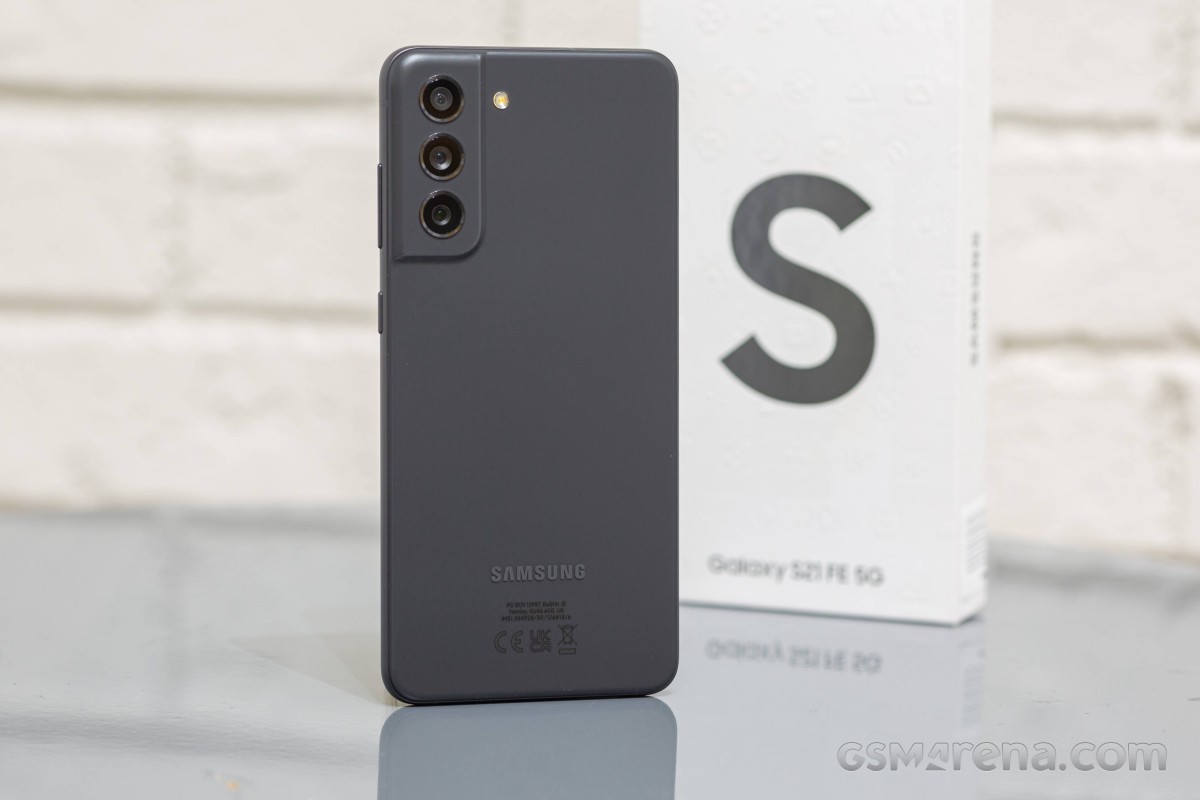
The Galaxy S21 series will not go gentle into the night. On the contrary, it will produce one last bang before the Galaxy S22 steals the spotlight. The last of the S21 series caters to the true fans of the brand and combines all Galaxy S21 essentials into one powerful no-nonsense smartphone. Yes, this is the Galaxy S21 FE 5G.
Samsung has focused on three fan-favorite features for this Fan Edition – display, performance, and camera. And it has tried to give more of those for less, a job best suited for the flagship-killer kind. We surely are not calling it that, but the S21 FE does sound quite promising as an almost-there-flagship.
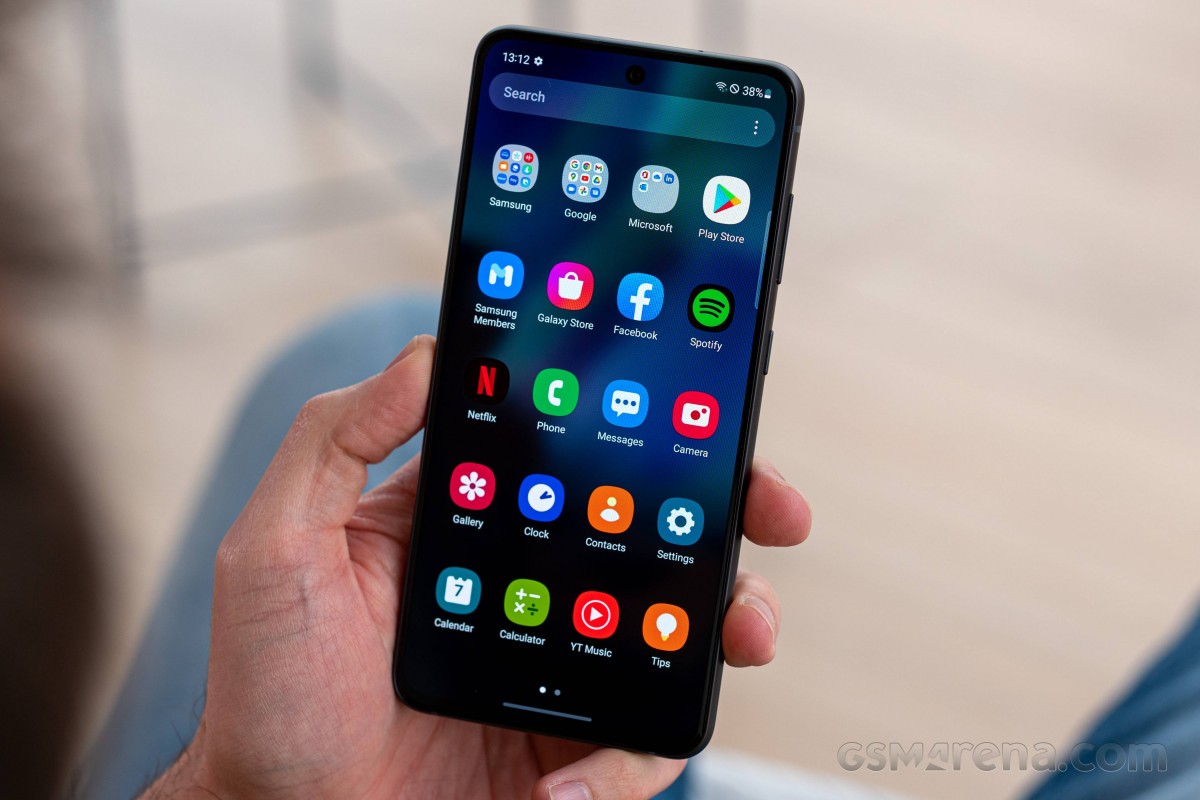
The Galaxy S21 FE updates the display with the S21’s screen panel. It offers a 6.4-inch Dynamic AMOLED 2X with native HDR10+ support and a 120Hz refresh rate. The Galaxy S20 FE’s Super AMOLED had no HDR10 capabilities at launch, which was disappointing back then, but these were enabled later in 2021.
Then there is performance – quite expectedly, the Galaxy S21 FE offers the same hardware as the rest of the S21 series – either the Snapdragon 888, or the Exynos 2100 chipset. But the chipset segmentation is reversed here – the international model is the one with the Snapdragon, while Samsung’s silicon is limited to Australia (so far).
Finally, let’s talk about the camera department. It looks like a copy-paste from the Galaxy S20 FE – a 12MP primary, another 12MP camera for ultrawide photos, and an 8MP tele for 3x optical zoom. The selfie imager is likely the same, too, a 32MP one. Samsung is not advertising the hardware as more capable, but it brags with better processing and cool features like Object Eraser – all possible thanks to the new chipset.
The stereo speakers and the UD fingerprint scanner are here to stay, too, but the microSD slot didn’t make the cut. It is one of these fan-favorite features that will not be accepted well among the community, that’s for sure. But on a positive note – the S21 FE now features a proper proximity sensor instead of a virtual one, something that should solve the numerous complaints.
Waterproofing is a vital part of the Galaxy S series, and the S21 FE is IP68-rated for dust and water resistance. Its design resembles the rest of the Galaxy S21 phones, and its build is a match to the vanilla Galaxy S21 flagship – a Gorilla Glass Victus front, an aluminum frame, and a matte plastic back.
Here is a rundown of the specs sheet.
Samsung Galaxy S21 FE 5G specs at a glance:
Body: 155.7×74.5×7.9mm, 177g; Glass front (Gorilla Glass Victus), plastic back, aluminum frame; IP68 dust/water resistant (up to 1.5m for 30 mins).
Front camera: 32 MP, f/2.2, 26mm (wide), 1/2.74″, 0.8µm.
Video capture:Rear camera: 4K@30/60fps, 1080p@30/60/240fps, 720p@960fps, HDR10+, gyro-EIS; Front camera: 4K@30/60fps, 1080p@30/60fps, gyro-EIS.
Battery: 4500mAh; Fast charging 25W, 50% in 30 min (advertised), Fast wireless charging 15W, Reverse wireless charging, USB Power Delivery 3.0.
Misc: Fingerprint reader (under display, optical); NFC; Bixby natural language commands and dictation, Samsung Pay (Visa, MasterCard certified).
The most notable omissions of this new Fan Edition are the 3.5mm jack (not available on the S20 FE) and the microSD slot (available on the S20 FE). We would have liked one of those 10MP AF selfies instead of the 32MP Quad-Bayer snapper, too, but we guess that’s going on the S22 FE wish list instead.
There is no cheaper 4G version of the Galaxy S21 FE, like it was with the S20 FE, which is possibly another bummer for some users. We guess the 5G has become the new norm and cheaper 4G versions in the future are highly unlikely.
Unboxing the Galaxy S21 FE
Apple has started something that Samsung quickly adopted, even though consumers don’t appreciate it. Yes, we are talking about the ‘eco-friendly’ cost-saving retail box, which contains only a cable and some paperwork.
That’s exactly what you get with each Galaxy S21, and that’s what the Galaxy S21 FE 5G retail box contains. The phone supports 25W fast charging, but if you want to enjoy that and you haven’t purchased such an adapter yet, now is a good time to do it.
The good news is that once you buy such a charger, you can use it for your next phone a year or two from now. Plus, it can charge plenty of electronics because of its USB-C port and USB-PD support.
The competition
The Galaxy S21 FE 5G is a well-executed smartphone and a proper sequel to the Galaxy S20 FE. It brings a better display, more powerful hardware, and improved camera performance even if the camera sensors and optics haven’t changed much since the S20 FE. Oh, and we do appreciate the new, S21-like design.
But the one thing that should have been spot-on from the get-go – the price – is all wrong. The Galaxy S21 FE should have offered ‘more for less’ – those are Samsung‘s words, mind you – yet, it’s quite an expensive smartphone at launch with a starting price of €750. And while it arguably offers more over the Galaxy S20 FE and the Galaxy S21, it’s not for less.
Galaxy S21 and Galaxy S21 FE
See, the Galaxy S21 5G retails at about €650, which is €100 less than this new Fan Edition. Yet, the standard S21 offers a more capable display with a 120Hz dynamic refresh rate, more RAM (6GB vs. 8GB). The Galaxy S21 has a different type of 3x zoom, but even if it’s achieved with some trickery, it is pretty good and not drastically different from the FE. We believe many users will happily save €100 and get the Galaxy S21 instead.
Then there is one of our favorite Galaxy phones for 2021 – the Galaxy A52s 5G. It is an equally stylish smartphone, water-resistant as well, with a similar 120Hz AMOLED screen and quite a powerful Snapdragon 778 5G chipset. If you can live without optical zoom and HDR10 support for the paid streaming apps, the 6GB+128GB model of the A52s costs as low as €360 – and compared to the S21 FE’s €750 price – that’s a bargain!
Of course, there are other cool options to consider outside Samsungverse. The Realme GT 5G is €250 cheaper, and it beats the S21 FE with a better AMOLED with a dynamic 120Hz refresh rate (and it supports HDR10). It is not a water-resistant phone and has no zoom camera, but if those are not important, you can spend less and still get what’s important to you.
The Asus Zenfone 8 is €100 cheaper than the FE, but if you are after a more compact Android, you may want to consider this one instead. It has a superb 5.9-inch AMOLED with 120Hz and HDR10+, runs on the same Snapdragon 888 chipset, has powerful speakers, and offers fan-favorite goodies like a 3.5mm audio jack, FM radio, AF for the selfie camera. It may not be rocking a telephoto camera, but its ultrawide shooter has autofocus and can take macro shots. Overall, it’s a great offer worth considering.
Finally, the €480 4G and €530 5G versions of the previous Galaxy S20 FE are still available. They are noticeably cheaper, yet with similar capabilities and identical cameras. If you can live without HDR10 support and put up with the virtual proximity sensor, they are worth considering. Their Snapdragon 865 / Exynos 990 chips are still great performers and part of the flagship crop, plus they run amazingly under 1080p screens. Oh, and they both offer microSD expansion.
Samsung Galaxy S20 FE • Samsung Galaxy S20 FE 5G
Our verdict
The Samsung Galaxy S21 FE 5G is a brilliant smartphone with top-notch features. It excels in the most critical departments – display, performance, camera, speakers, software, even design. For that – it’s a great smartphone.
But it’s not a Fan Edition, not like the S20 FE. For a phone that’s supposed to cater to the fans, ditching the charger and the microSD slot does not make sense. And it doesn’t bring any substantial camera updates, not even AF for selfies or ultrawide, though the improved photo quality could be arguably enough. But these shortcomings are not the Fan Edition’s biggest problem.
The Galaxy S21 FE’s most notable drawback is the launch price. The Galaxy S21 FE 5G costs €750 for its basic 6/128 version and €830 for the 8/256 model. And that’s quite high for the segment the FE’s aiming at.
The Galaxy S21 FE launches mere weeks before the Galaxy S22 premiere, and the expectations are that the regular Galaxy S22 with more powerful hardware and a better screen will retail between €800-€900. And it sure makes sense to wait and see what the Galaxy S22 has in store for us. Meanwhile, there are many phones that are offering similar features for much less, and what’s worse, some of them are Galaxy phones themselves.
So, the Galaxy S21 FE is a powerful and capable smartphone, no two ways about that. But we just cannot recommend it at this price, not without reservations. Once Samsung introduces its first price cut, though, the Galaxy S21 FE should get a spot on the shortlists of everyone looking for a no-nonsense flagship-like smartphone.
Pros
Excellent AMOLED HDR10 screen, 120Hz, superb color accuracy.
Ah, a new Photo king rises, but its kingdom of apps was taken away before its birth. What happens next then, the crowd asks? Will its subjects flee with the riches now gone? Or will the Huawei P40 Pro break new paths through this uncharted territory and keep its former glory? The crowds shall get their answer!
It was tough for Huawei to lose Google support, but it will be even more challenging to sell in the current stagnated market amidst the COVID-19 pandemic. But the P40 series is having its launch despite the global health crisis, and the P40 Pro surely looks like it is ready to stand its ground.
The P40 Pro provides a premium camera experience with improved sensors and a focus on the optical zooming, plus it has the new 90Hz 1200p OLED screen. There is an even more premium device than the Pro – the new P40 Pro+ with a ceramic body and a jaw-dropping 10x optical zoom.
The Pro+ launch was moved for this summer season though and it seems it will be more of a limited edition, quite expensive at that. So, all eyes on the P40 Pro here, please, as it is the star of this show.
The P40 Pro is Huawei‘s first smartphone with a high-refresh-rate screen – it now has a 6.58″ curved OLED with high-resolution of 1200p and 90Hz refresh rate. The elliptical punch-hole is quite the eyesore but packs a brand-new 32MP selfie camera with autofocus (finally!) and a ToF snapper. It seems that Huawei is making up for the lost pixels Huawei by putting the tech needed for 3D face unlock.
The main camera is what everyone will be talking about, of course. It has a new 50MP sensor with a RYYB filter that will spit 12MP photos. Then comes the ultrawide shooter lifted straight from the Mate 30 Pro – a 40MP sensor with RGGB filter and autofocus. The zoom camera seems to have an identical periscope lens for 5x optical zoom as seen on the P30 Pro’s – but gets a new 12MP sensor with RYYB filter and will allow more light at nighttime. And finally, there is another ToF camera for portraits and autofocus assistance.
The new Kirin 990 5G is at the helm of the P40 Pro. At 4,200 mAh, the battery capacity has remained unchanged since the P30 Pro but charging should be faster.
Huawei P40 Pro specs
Body: Glass front and back, aluminum frame; IP68-rated for dust and water resistance.
Security: Fingerprint reader (under display, optical), 3D face recognition.
Connectivity: 5G/4G/3G/GSM; Dual SIM, Wi-Fi 6+, Dual-band GPS, Bluetooth 5.1 + LE, NFC, USB Type-C.
Misc: IR blaster, acoustic display acts as earpiece, bottom-firing loudspeaker.
The Huawei P40 Pro seems to be lacking so little but the elephant in the room – the absence of Google Mobile Services – is something that raises many questions. And you will get those answered if you stick for a while with us.
Unboxing the Huawei P40 Pro
There are no surprises within the P40 Pro retail box – its contents are worthy of a flagship. Inside you will find the 40W power brick and the enhanced USB-C cable that goes with it.
Huawei is also throwing a pair of its wired earbuds ending on a USB-C plug. Those have the same shape as Huawei’s FreeBuds 3, they are just not so free.
Some markets may be getting a silicone case with the P40 Pro, but our box did not offer one.
Wrap-up
If someone thought Huawei was done after Google cut them off – they were wrong. The Mate 30 and the P40 series are here to prove that there is a life after Google, and it’s not as bad as you might think initially.
Google’s absence is still obvious and while we are pretty sure the Play Services will find their way on to the P40 phones, one way or another, the third-party stores are getting better and stronger, and you are never left without options. The Amazon AppStore and APKPure are perfectly capable to keep most of your apps up to date.
The hardware package is mightily impressive though, and this is where everyone should be focused, not on the Google stuff. The P40 Pro has an excellent screen with top-notch resolution and high refresh rate. The new Kirin 990 5G is one of the best on the market, with solid thermal properties.
But the new Leica camera on both ends are the attention grabbers. Huawei has kept the same arrangement on the back as on the P30 Pro, but has improved the sensors, lenses, and the processing algorithms. New video options are available, too. Meanwhile, at the front, the selfie shooter has finally gotten an autofocus, while with the help of the ToF camera you will get some amazing portrait shots.
With the right price position, stimuli (the pre-orders get FreeBuds 3), and most important – marketing push – the Huawei P40 Pro has every chance of not only surviving but beating the odds.
The competition
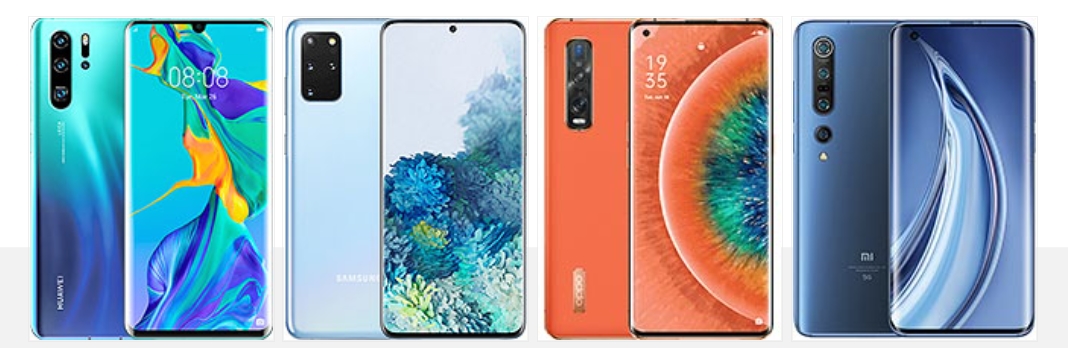
Well, we can’t start this chapter without mentioning one great alternative sold at nearly half the P40 Pro price. Huawei P30 Pro figure was slashed numerous times post the USA vs. Huawei war, and it is currently a hot deal pretty much everywhere. The previous generation flagship offers a similar experience in terms of performance and camera (read great). Sure, you will lose the 90Hz refresh rate and the top-notch ultrawide camera, but the P30 Pro almost €500 cheaper! Oh, and it has all Google services on board and already runs on Android 10 + EMUI 10.
Huawei P40 Pro next to the P30 Pro
The Galaxy S20+ is your next option. Its price is a close match to the P40 Pro, but it’s Dynamic AMOLED is larger and of higher resolution. The screen also supports HDR10+, and you can enjoy high-definition content from all popular streaming services thanks to the entirety of Google’s package. The camera experience and quality are similar even if the optical zoom has a shorter range. The Galaxy also offers stereo speakers, 120Hz refresh rate instead of 90Hz, 8K video capturing, and a bit faster performance.
Oppo Find X2 is an interesting alternative to consider if available in your region. It’s a great flagship ran by the Snapdragon 865 and uses a 6.7″ 120Hz Quad HD AMOLED screen. It has high-res wide and ultrawide snappers and a 13MP cam witha periscope lens for 5x optical zoom. Stereo speakers, Android 10, and 65W fast charging complete the flagship bundle.
Finally, the Xiaomi Mi 10 Pro will be launching soon, and it will cost as much as the Huawei. We know it will have a 6.67″ 90Hz AMOLED of 1080p resolution and the newest Snapdragon 865 chip. The quad-camera at the back is quite peculiar – a 108MP primary, a 20MP ultrawide, an 8MP telephoto for 10x hybrid zoom, and a 12MP portrait camera with 2x optical zoom. 8K capturing is available on its main camera, stereo speaker setup is present, Android 10 as well, and the Mi 10 supports 50W fast charging.
Huawei P30 Pro • Samsung Galaxy S20 Plus • Oppo Find X2 Pro • Xiaomi Mi 10 Pro 5G
The verdict
The Huawei P40 Pro is the right kind of a flagship – it offers cutting-edge tech across the board. The OLED screen is both high-resolution and with a high refresh rate, the performance is brilliant and yet won’t suffer from throttling from heating, and then the battery is relatively large and very fast to recharge.
Photography is what the P40 Pro is all about, and the phone excels in that even if there were some hiccups along the way. We are sure Huawei will fix the minor issues we observed with an update, and we already like its plans for EMUI’s expansion.
The fate of the brand lies in its supporters, but we are seeing no reason why you should stay away from it. The P40 Pro is an excellent flagship specimen worth experiencing, be it with Google functions or not.
Pros
Eye-catchy curved design, water-proof body.
Excellent high-res 90Hz OLED screen.
Flagship-grade sustained performance.
Dependable battery life, blazing-fast charging.
Excellent photo quality day and night across all cameras.
Top-notch selfies.
Great video quality at 30fps across the board, excellent stabilization.
All-round connectivity, though no 3.5mm jack
Cons
Only takes NV cards for memory expansion.
No Google Mobile Services means some apps and games will never work no matter what.
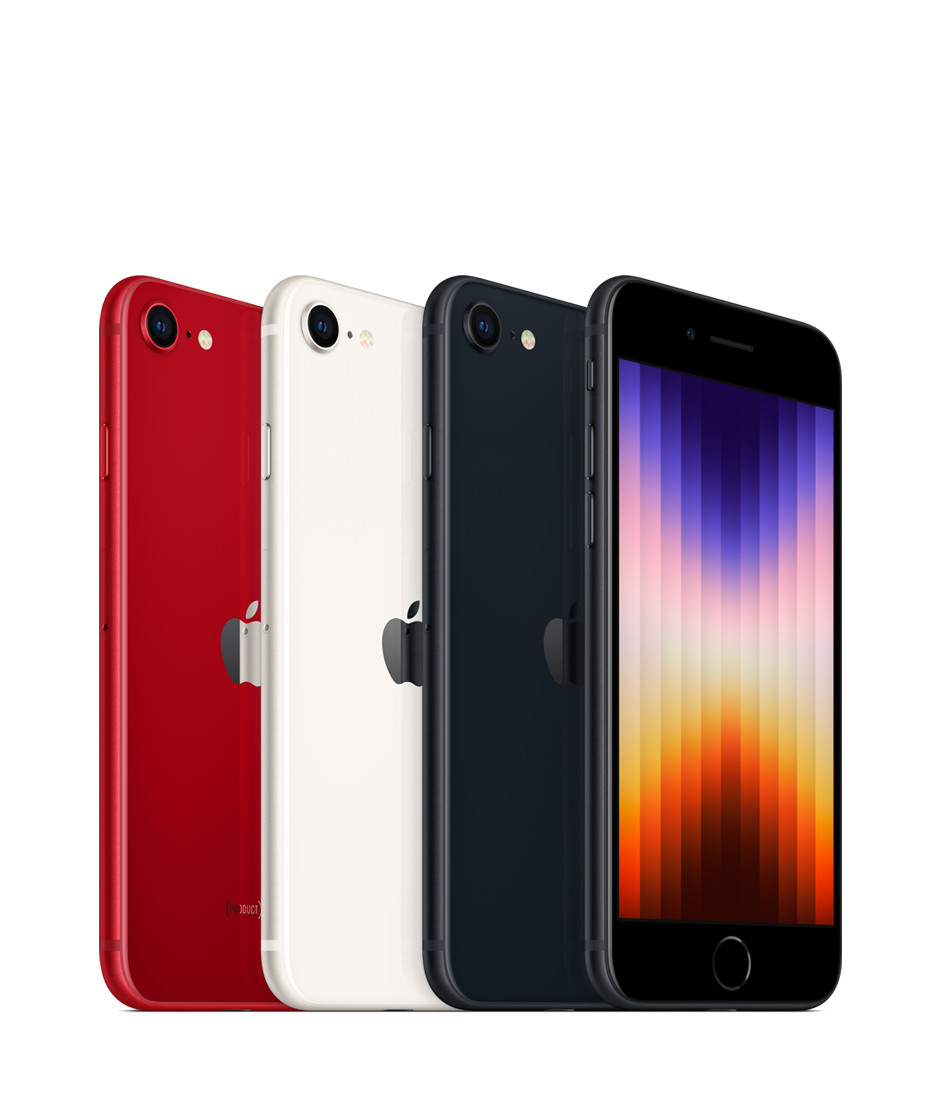
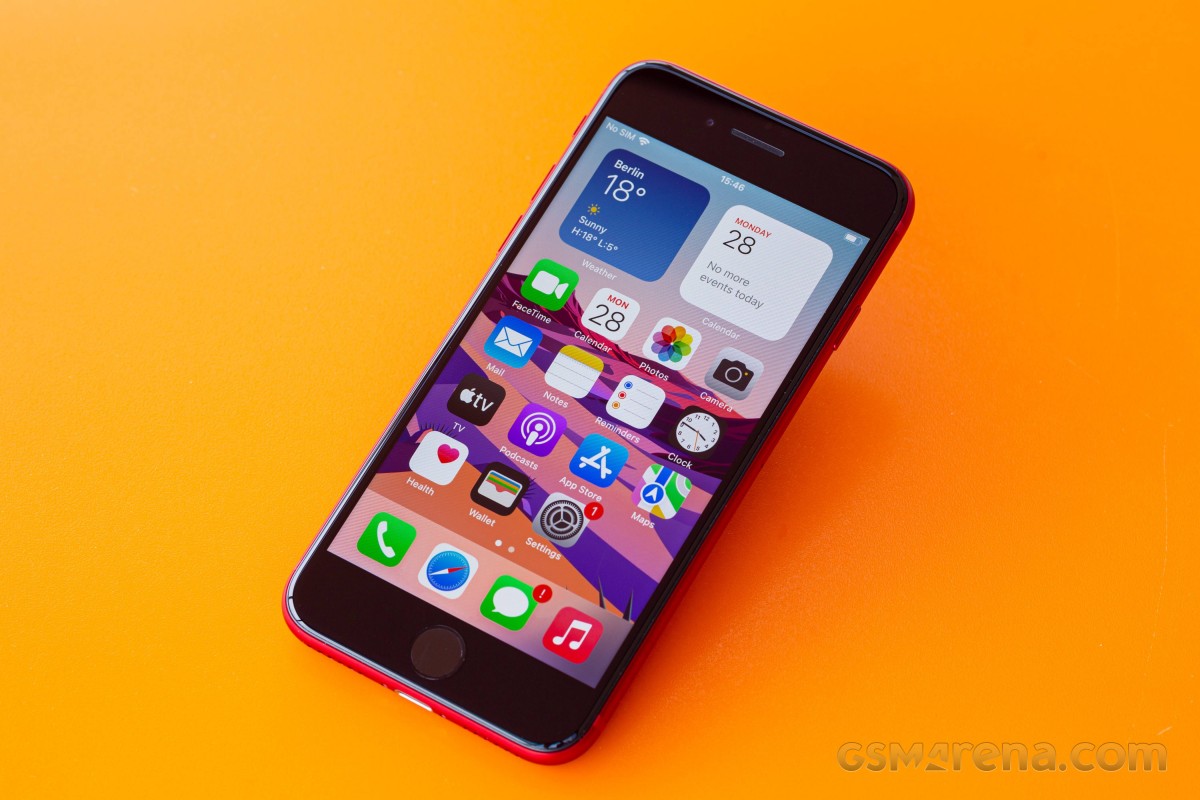
The Special Edition iPhone, also known as the cheapest iPhone, or the retro one, has been refreshed, and is now available for purchase. It’s a very minor refresh of the phone with the same name from 2020, most upgrades stemming from the new chipset and its accompanying 5G modem.
Apple really likes recycling. It is proud of its eco-friendly assembly line, recycled materials, PVC-free packaging, thin retail boxes, smaller and smaller e-waste footprint. But it’s also clearly very keen on recycling design as the third-generation iPhone SE has the same exterior as the second-generation iPhone SE from 2020, and the iPhone 8 from as far back as 2017.
The iPhone SE (2022) also keeps the 4.7-inch Retina LCD screen with 60Hz refresh rate from its predecessors. This means large thick bezels on the top and bottom, but also a Home key and an integrated Touch ID fingeprint sensor.
What’s new in the iPhone SE (2022) is the chipset – it uses the same Apple A15 Bionic as the iPhone 13 flagship line. This probably makes the iPhone SE (2022) the most powerful smartphone in the entire world when considering its small display with fewer pixels than any other high-end or mid-range smartphone. There is more RAM, too, now it’s 4GB, up from 3GB on the previous SE model.
The new chipset has enabled 5G connectivity, more computational power for iOS, and Deep Fusion for the front and rear cameras. It came short of adding night mode, however, perhaps for reasons beyond its control.
The iPhone SE (2022) also comes with a slightly larger battery – it’s now 2,018mAh instead of 1,821mAh. Wireless charging is available, just like before and because the battery capacity is so small it tops up pretty quickly even if the phone’s supported charging speeds are far from the highest on the market.
The rest of the iPhone SE (2022) specs are identical to the 2020 model – there is a 12MP OIS camera at the back and a 7MP camera at the front. You also get stereo speakers, Apple Pay support and IP67 rating for dust and water resistance.
Here’s the iPhone SE (2022) cheat sheet.
Apple iPhone SE (2022) specs at a glance:
Body: 138.4×67.3×7.3mm, 144g; Glass front, glass back, aluminum frame; IP67 dust/water resistant (up to 1m for 30 mins), Apple Pay (Visa, MasterCard, AMEX certified).
Video capture:Rear camera: 4K@24/30/60fps, 1080p@30/60/120/240fps, OIS, stereo sound rec; Front camera: 1080p@30/120fps; gyro-EIS.
Battery: 2018mAh; Fast charging 18W, 50% in 30 min (advertised), Qi wireless charging.
Misc: Fingerprint reader (front-mounted); NFC.
The Apple A15 Bionic is among the most powerful chips in the world and it feels wasteful to pair it to such a small, low-res screen that can’t exceed 60Hz. It’s like putting a Ferrari engine into a VW Polo. But we guess Apple needed to refresh the SE with 5G connectivity and it was just easiest to use the chip it already manufactures in the largest quantities.
Still, we would have preferred a larger OLED screen, even if 60Hz. And MagSafe should have been present, too, in fact we were surprised not to see it on this new SE.
Apple is promising 5 years of updates for the SE, just like on its premium iPhones, so that’s another possible reason why it needed to use the current best chipset.
Enough teasing let’s unbox this iPhone and get this review started.
Unboxing the iPhone SE (2022)
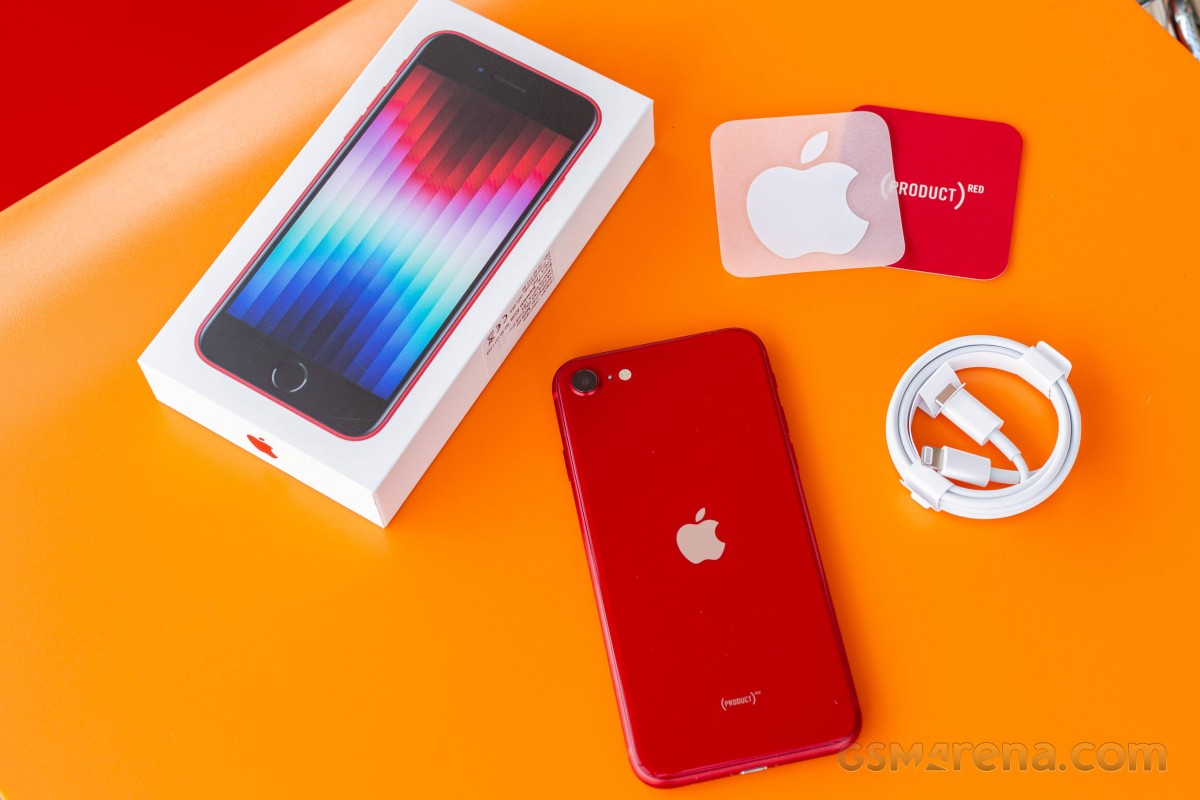
The Apple iPhone SE (2022) has the same box as the flagship iPhones – meaning it’s thin, small and lightweight and it contains the iPhone and a USB-C-to-Lightning cable.
The iPhone SE (2022) supports 20W charging, so if you already have the 20W Apple Power adapter, or a similar USB-C PD one, you should be fine.
And while Apple has dropped most of the box contents, you still get one Apple sticker that most people with throw right away. Not that eco-friendly, is it?
The competition
The iPhone SE (2022) is the cheapest iPhone you can buy from Apple and that’s all that matters to a certain group of buyers. We are not sure those are the people to care about the addition of 5G pr a faster chipset, but it is what they will be getting anyway. The new SE model keeps the iconic even if dated design, it is quite lightweight and waterproof, and offers commendable experience across the board.
Of course, the iPhone SE (2022) is a very minor upgrade over the iPhone SE (2020) so we doubt anyone will be looking to upgrade. In fact, the only major change is the chipset swap and the resulting 5G connectivity. If you do not need 5G, then you’d be perfectly fine with the second-generation iPhone SE. It is literally the same phone, even the color options are identical.
So, while stocks last the previous iPhone SE is the first model to consider. Apple has discontinued the model from its website, but the SE (2020) is still available for purchase across various retailers worldwide. And it costs about €260, which is half the iPhone SE (2022) price, making it incomparably better value.
The iPhone 12 mini is officially available, and its base model can be found at about €680 or €180 more expensive than the iPhone SE (2022). It is a smaller phone yet has a larger OLED screen with faster touch response time, which makes operations look smoother. The 12 mini offers Ceramic Shield glass, it has an extra 12MP ultrawide camera on the back and a better 12MP front camera with 4K video capturing. There is also Face ID and better battery life to consider. If you can stretch your budget that far and care about the user experience we really think the mini is the far better value for money.
We are not including the iPhone 13 mini as it is a further €120 more expensive and doesn’t offer nearly enough upgrades to justify that. Unless perhaps you are looking for 128GB of storage, which is the base for the 13 mini, but an expensive upgrade on the SE (2022) and the 12 mini.
If Apple‘s ecosystem is not a must, maybe you will like the compact Asus Zenfone 8. It is about €100 more expensive than the iPhone SE (2022), but it comes with a 5.9-inch AMOLED with 120Hz refresh rate and a superb dual-camera system on the back. Its front camera is also an excellent choice for its 12MP sensor and AF capabilities.
Finally, last year’s Samsung Galaxy S21 5G is also a good choice for its compact shape, a great 6.2-inch Dynamic AMOLED 2X with 120Hz refresh, powerful hardware, and a triple camera with an ultrawide and a telephoto in addition to the main shooter. It has much better battery life, too, and Samsung’s ecosystem and line of accessory has become as good as Apple’s. The S21 5G is about €80 more expensive than the iPhone SE (2022), still reasonably compact but with a much larger screen.
Apple iPhone SE (2020) • Apple iPhone 12 mini • Asus Zenfone 8 • Samsung Galaxy S21 5G
Our verdict
If you are dead set on buying an iPhone, but want to spend as little as possible the iPhone SE (2022) is your default option and nothing this review says will change your mind. Then again you probably won’t be reading reviews in the first place.
Apple‘s sequels rarely change much to make you jump on the next generation and the iPhone SE (2022) is just another example of that. Despite taking two years to arrive it only has the newer Apple A15 chip with a 5G modem to show for it. The rest is the same, in fact – similar to what the iPhone 8 had back in 2017.
It is not a phone you’ll hate to use, don’t get us wrong. A good if tiny display, excellent speakers, reliable camera, and a very compact body.
The iPhone SE (2022) can do a lot of things well and that might be enough to justify its €520 base price in the eyes of many people.
Of course, it looks retro, and it has a small display of low resolution and slow refresh with huge black bezels. There’s only a single camera on the back and one that hasn’t had a sensor or lens update since 2017 – hence the lack of Night Mode.
So this really is a phone for two groups of people. The first one wants the cheapest entry into the iOS ecosystem. The second are those looking for a powerful compact phone with the same requirement of spending as little as possible. If you fall in either of those the iPhone SE (2022) will perform reliably enough so you won’t regret getting it. In any other case you should either stretch you budget to an iPhone 12 mini or explore the endless Android market instead.
Pros
Solid glass build, IP67-rated, very compact body
Good brightness, decent contrast screen, great color accuracy
Loud stereo speakers, good audio quality
The screen on battery endurance is actually okay
The most powerful chipset; does not throttle much
Dependable photo and video cameras
5G
Touch ID
Cons
Very few upgrades over the iPhone SE (2020), but costs more
No Night Mode.
The display is too small for a lot of tasks
60Hz screen refresh, 60Hz touch sampling rate
No charger in the box
iOS (with its limitations) remains a love it or leave it affair
Foldables for the masses, that’s the direction where we’re headed. Okay, maybe that’s a bit of a stretch, but at $999/€1049 for the base version, the Galaxy Z Flip3 5G is the most affordable smartphone with a bendy display.
In addition to a lower price tag, the Flip3 comes with some meaningful improvements over the previous generation. Since we’re on the topic of generations, the Flip3 is the third installment in the lineup, with the original Flip and the chipset refresh that was the Flip 5G almost making the 3 in the new model’s name make sense.
Anyway, in no particular order, the upgrades include an IPX8 rating for water resistance (the ‘X’ means it’s not rated to be dust-tight), a high-refresh rate on that glorious main Dynamic AMOLED 2X display (the Flip and Flip 5G were 60Hz), and a larger, more useful cover display. There’s also the mandatory chipset upgrade that sees the Snapdragon 888 inside the new Flip.
We’re going to have to take the good with the bad, however, since there are areas where the new generation has stood still, and they are pretty important. It’s mostly the cameras that give us pause. The rear setup is headlined by a small-ish 1/2.55″ sensor that’s a descendant of the one that came in the Galaxy S7 a good while back, the ultrawide has no autofocus, there’s no telephoto of any sort. The selfie camera on the inside isn’t overly impressive either, with a relatively dim lens and no AF either.
The 15W charging capability harks back to even more distant days, though one could argue you don’t need much more with the smallish 3,300mAh battery – some consolation. The new model starts at 128GB of storage, as opposed to the 256GB-only approach of the previous generation – that probably helped with the price tag.
It may sound like more of a conclusion than an intro, but we just had to go over the key specs, and we’ve hardly made up our minds yet, writing these lines. Here are the numbers at a glance, before we get going.
Samsung Galaxy Z Flip3 5G specs at a glance:
Body: 166.0×72.2×6.9mm, 183g; Plastic front, glass back (Gorilla Glass Victus), aluminum frame; IPX8 water resistant (up to 1.5m for 30 mins).
There’s not a lot to unpack here. The Galaxy Z Flip3 arrives in a two-tone gray box that’s half-height – so you know not to expect to find much inside. An oversized ‘Z’ alludes to the phone’s name and its foldable nature.
The Z Flip3 5G rests on top, face-up in its unfolded state. Underneath, there’s a paper sleeve that holds a USB-C cable and SIM ejection pin, and that’s it.
Pre-order bundles in some regions will include a 25W adapter, or a wireless charger, or Samsung store credit of various amounts, or buy-back discounts – in some places more than one of these at the same time to help sweeten the deal. In the very box, however, you only get the bare minimum.
Competition
Samsung‘s foldable surge this year means more people will likely be considering a phone whose display bends in half. It’s no wonder – the company’s advancements in the field mean that foldables can now be made both more robust and more affordable. The Galaxy Z Flip3 5G is the least expensive of the breed to date, but with a list price at launch of $1000/€1050 for a base version, it’s hardly a bargain, even if pre-order bundles or discounts do improve the numbers. What are your options?
Let’s assume you’re hell-bent on getting a foldable. Motorola has the Razr 5G, which has a few things going for it. First is nostalgia – if you’ve ever had a Razr V3 in the mid-noughties, Motorola’s 2020 reincarnation will probably strike a chord with you. The latest Razr’s outer display is larger and a lot more useful too, and the rear-mounted fingerprint sensor makes more sense than the Flip3’s implementation of a side-mounted one. The Moto is a midranger at heart, however, and has an SD765 chipset and only a single rear camera, plus ‘water-repellent design’ isn’t quite an IP rating. There’s also the matter that Motorola isn’t overly keen on selling you one – not with a retail price of $1400/€1500.
The Flip3 is a significant upgrade over the Flip and Flip 5G, but if you can find a deal on one of the older ones, that might make sense if just any foldable will do. You’d be missing out on a much improved main display (a 120Hz refresh rate and 50% more brightness), and you best not get those older Flips wet, plus an old chipset is an old chipset, though you could stand to gain extra battery life in the process. Ultimately, we’d try and snatch a Flip3 with one of the pre-order deals over an older device, but we don’t know the prices in your particular situation.
The numbers are fairly clear when it comes to the Z Fold3 – it’s roughly twice as expensive as the Flip, though carrier subsidies could skew things one way or another. The Fold is arguably twice the phone that the Flip is, though, even if an entirely different beast – essentially a tablet when unfolded, it has nicer cameras, S-Pen support and extra software tricks up its sleeve.
Motorola Razr 5G • Samsung Galaxy Z Flip 5G • Samsung Galaxy Z Fold3 5G
Now, if you are the more sensible type and foldability isn’t a top priority, but you are instead into the Flip3 for its perceived compactness, there are multiple alternatives that will generally save you some money, while also offering more features and/or performance. Starting with the Galaxy S21, you’d be getting a more versatile camera system with zoom capability on the back and AF-ing selfie camera, all of them delivering better image quality. Battery life is also better on the bar phone as is charging speed. Oh, and the S21 can be had for up to $300/€300 less than a Flip3 (though, again, pre-order deals on the Flip can affect these numbers). Ultimately S21 – more pragmatic, Flip3 – way cooler.
That holds true against the next one, the Asus Zenfone 8. It starts at around €400/$400 less than a Flip, and even after all the early-bird discounts on the Galaxy, the Asus will still be notably cheaper. The Zenfone is also more compact, has better cameras all around, lasts longer and sort of charges faster. Has a headphone jack too, but what it doesn’t have is a hinge.
Going even smaller, the iPhone 12 mini is also substantially cheaper than the Flip3 – when was the last time an iPhone had ‘price’ in the Pros list. Similarly equipped in the camera department, the mini is also about as bad at endurance as the Galaxy. This bout is going to be decided on size and OS preferences.
Samsung Galaxy S21 5G • Asus Zenfone 8 • Apple iPhone 12 mini
Verdict
The Galaxy Z Flip3 is being marketed as a fashion statement, and while the looks and relative novelty of the form factor remain its main selling points, it’s not entirely devoid of practicality. When folded, it will fit in places normal phones won’t (though, admittedly it may not be the best for tight-fitting jeans), and when unfolded, it’ll greet you with one of the best displays around, foldable or otherwise. It’s also water resistant and comes with improved materials all around.
No, the Flip3 doesn’t have competitive battery life, it charges slowly, and its cameras are anything but state of the art. It’s also more expensive than a myriad of phones that will do most things better. But they won’t fold in half.
The Galaxy Z Flip3 5G was never meant to be a value proposition in the grand scheme of things. In its more niche foldable scheme, however, Samsung made sure to put an appealing price sticker on it, and if you act quick with the pre-order, the figures are looking even better. The phone is hardly perfect, but the trade-offs almost make sense, and even if they don’t entirely, it’s hard to argue with the Flip’s sheer coolness factor. If you value coolness more than practicality in a phone, then it most certainly deserves our recommendation.
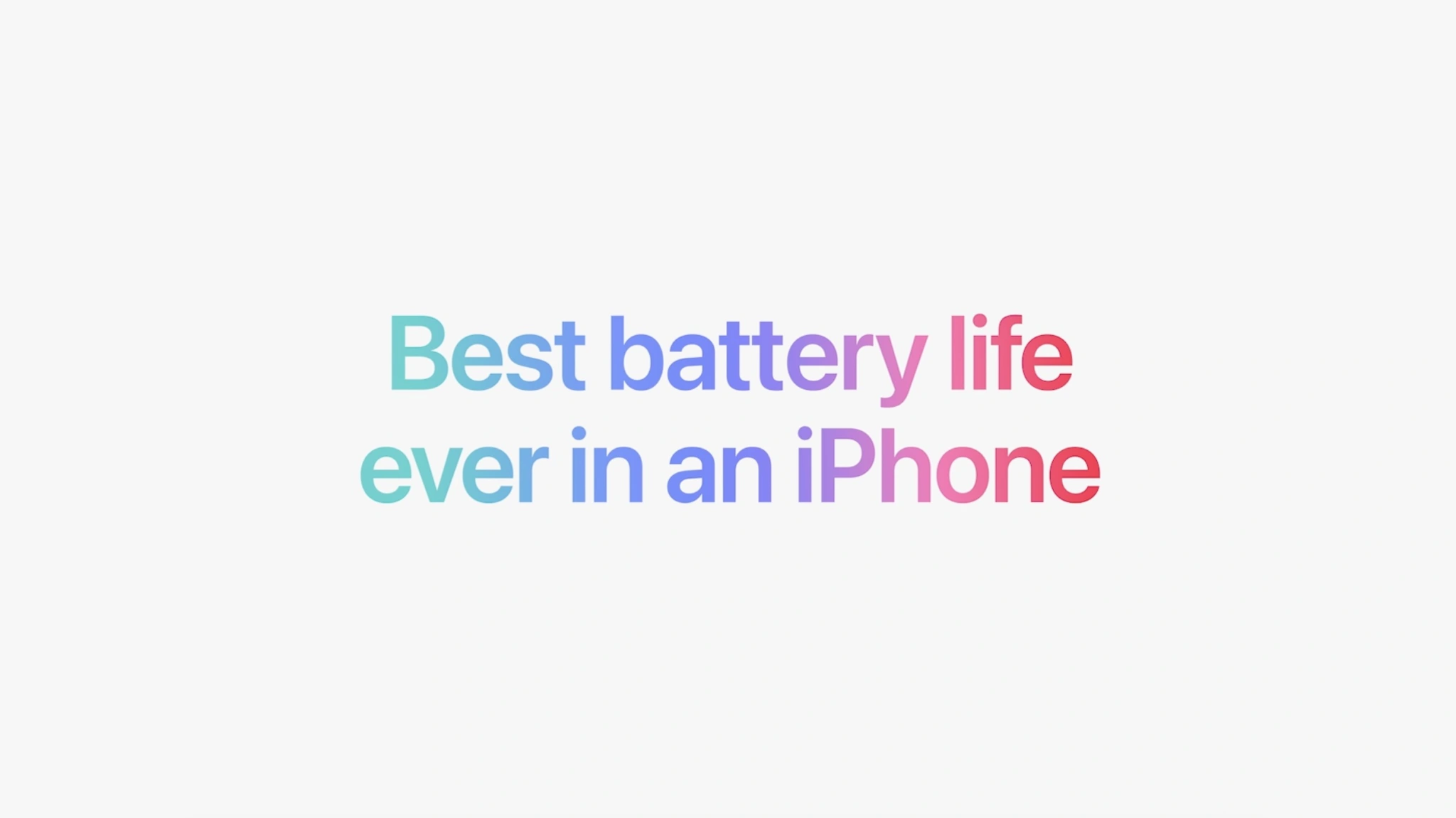
When the iPhone 14 lineup was announced last week, Apple touted that you can expect improved battery life across the board compared to the iPhone 13. Now, we have more details on the battery inside each iPhone 14 model, including the iPhone 14 Plus… which Apple says has the “best battery life ever in an iPhone.”
iPhone 14 battery sizes
In a filing on the Chemtrec website, Apple has published official details on the battery sizes of each of the iPhone 14 models. As expected, the iPhone 14 Plus battery is particularly impressive. There are also increases for the iPhone 14 and iPhone 14 Pro, while the battery in the iPhone 14 Pro Max is actually slightly smaller.
Here is the watt hour capacity for each of Apple’s iPhone 14 models, compared to their iPhone 13 predecessors:
iPhone 14 – 12.68 watt hours
iPhone 13 – 12.41 watt hours
iPhone 14 Plus – 16.68 watt hours
N/A
iPhone 14 Pro – 12.38 watt hours
iPhone 13 Pro: 11.97 watt hours
iPhone 14 Pro Max – 16.68 watt hours
iPhone 13 Pro Max: 16.75 watt hours
The battery life of an iPhone is impacted by two primary factors: the size of the battery life and the efficiency of the processor inside the iPhone. This year, the iPhone 14 Pro and iPhone 14 Pro Max have switched to a new A16 Bionic process that uses a new 4nm manufacturing process. The iPhone 14 and iPhone 14 Plus use the 5nm A15 Bionic, which is still incredibly efficient but less so than the A16 Bionic.
Shrinking the fabrication process used for chip manufacturing generally results in a boost in efficiency. This will obviously counteract the fact that the iPhone 14 Pro Max features a negligibly smaller battery than the iPhone 13 Pro Max.
Some additional statistics on the iPhone 14’s mAh battery stats have also emerged through a regulatory database in China.
iPhone 14: 3279 mAh
iPhone 13: 3227 mAh
iPhone 14 Plus: 4325 mAh
N/A
iPhone 14 Pro: 3200 mAh
iPhone 13 Pro: 3095 mAh
iPhone 14 Pro Max: 4323 mAh
iPhone 13 Pro Max: 4352 mAh
iPhone 14 battery life: What to expect and how it compares to previous iPhones
Battery life gets a little boost with the iPhone 14 lineup. Follow along for a detailed look at how iPhone 14 battery life compares to iPhone 13, 12, and 11 including what to expect for iPhone 14 battery for video and audio playback.
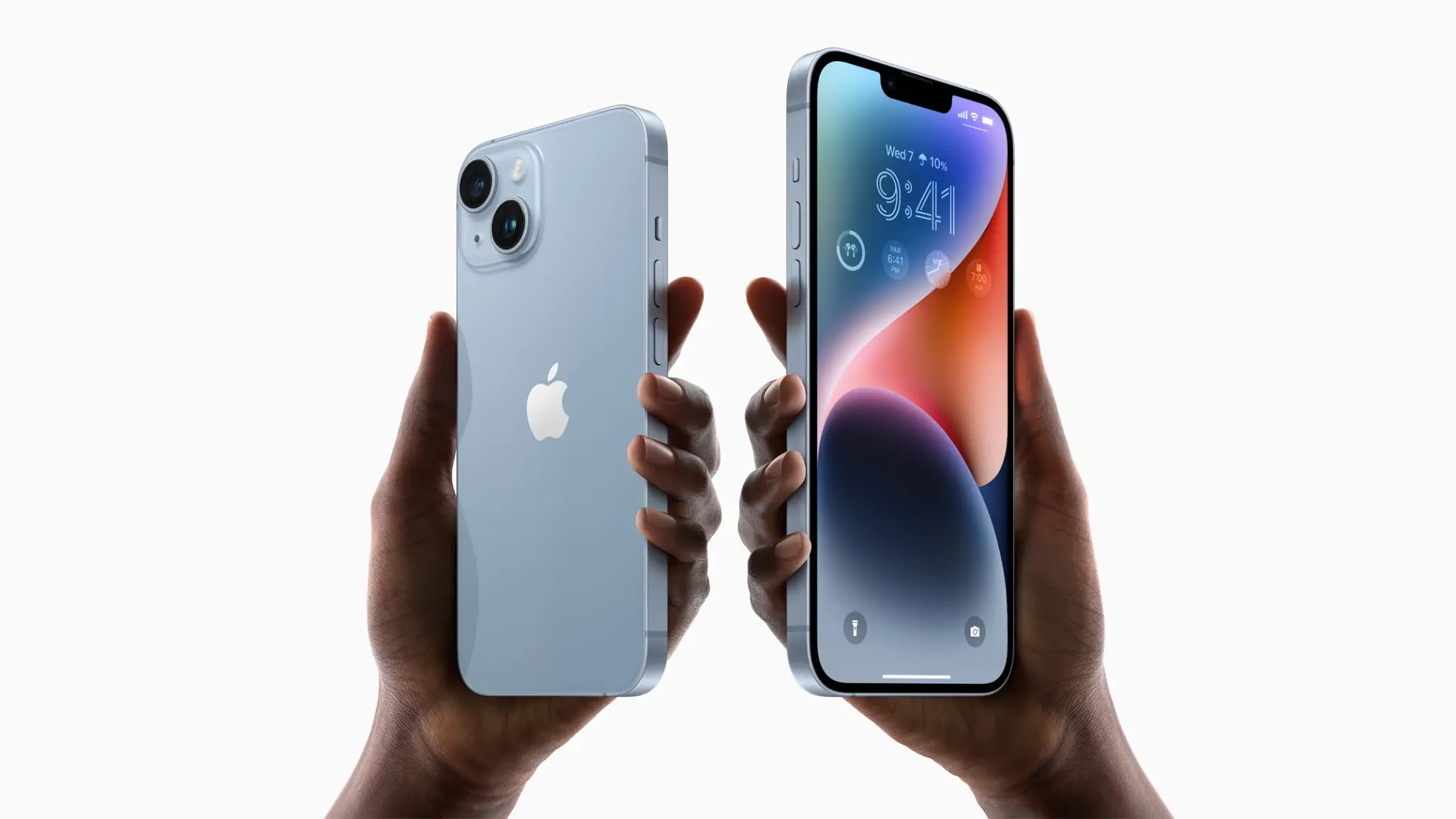
The four iPhone 14 models feature the same general design as the iPhone 13 and 12 with flat sides. But with the iPhone 12 devices at a thickness of 0.29 inches (7.4 mm) and the iPhone 13 lineup at 0.30 inches (7.65 mm) thick, the iPhone 14 comes in at 0.31 inches (7.8 mm and 7.85 mm for the Pro). That includes a slightly increased battery life along with new camera modules.
iPhone 14 battery life: What to expect
Apple says the iPhone 14 devices offer the “Best battery life ever in an iPhone.”
1 hour longer battery life on iPhone 14 Pro than iPhone 13 Pro for video playback
1 hour longer battery life on iPhone 14 Pro Max than iPhone 13 Pro Max for video playback
1 hour longer battery life on iPhone 14 than iPhone 13 for video playback
7 hours longer battery life on iPhone 14 Plus than iPhone 13 for video playback (no direct predecessor for comparison)
Keep reading for more detailed battery life specs…
Looking more closely, iPhone 14 models offer about the same amount of audio playback as the iPhone 13 lineup. However, iPhone 14 Plus leads all models with 100 hours of audio playback.
Here is iPhone 14 battery versus iPhone 13, 12, and 11 byvideo playback and audio playback (not streamed) based on Apple’s tech specs.
All battery estimates from Apple below feature the “up to” qualifier on all of its specs pages.
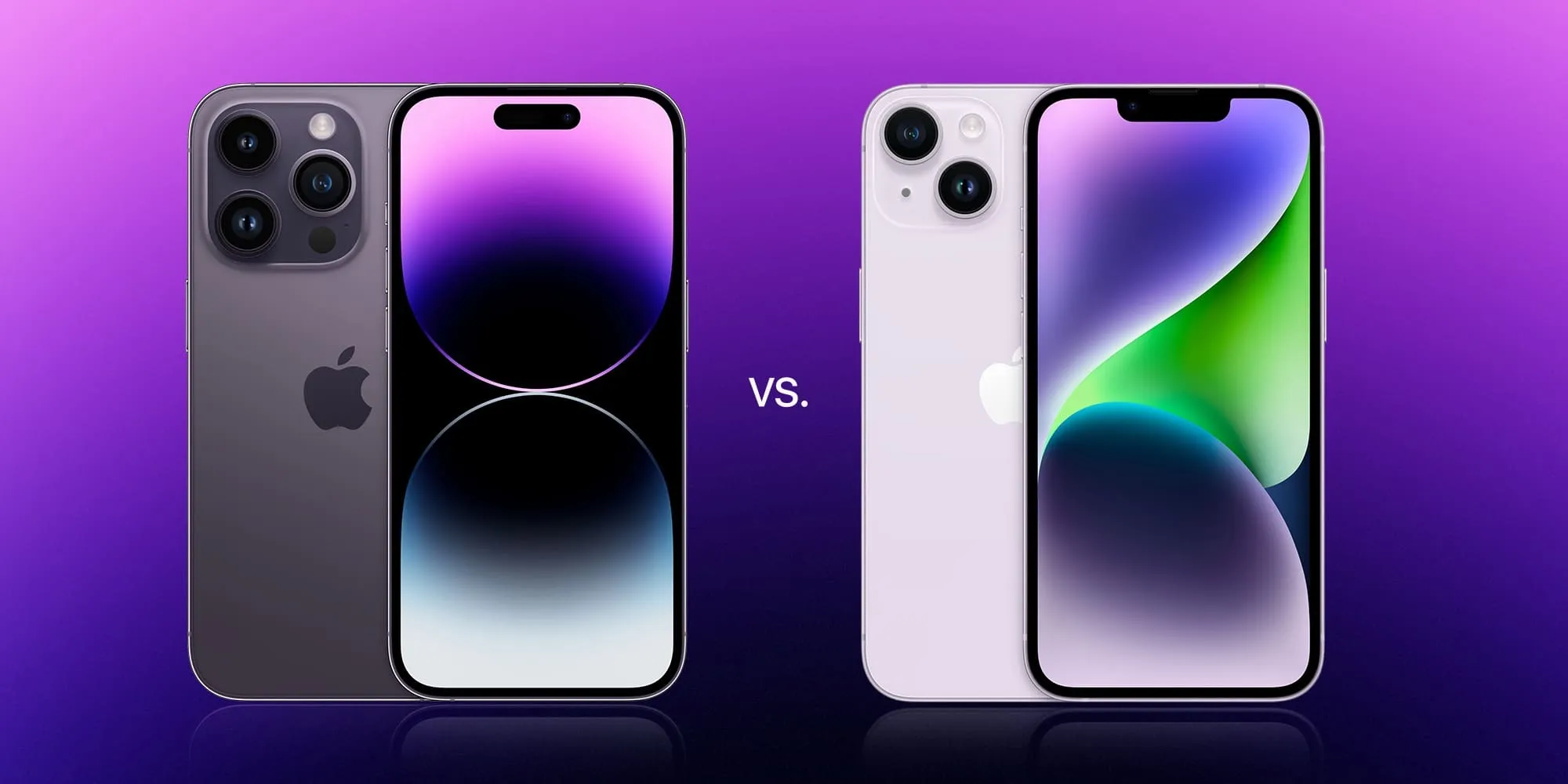
The iPhone 14 and iPhone 14 Pro lineups are officially available to order. The decision between choosing an iPhone 14 model can be tricky. The iPhone 14 Pro is obviously more powerful and capable, but you also have to factor in differences like pricing, battery life, and overall weight. Head below for a deep dive into the iPhone 14 vs iPhone 14 Pro.
iPhone 14 vs iPhone 14 Pro: Screen sizes
For the first year ever, both the standard iPhone 14 and the iPhone 14 Pro are available in the same screen sizes. Regardless of which family you pick, you have your choice between a 6.1-inch or 6.7-inch screen. This is a major difference compared to the past two years, when the top-tier “Pro Max” was the only choice for those who wanted the largest 6.7-inch screen.
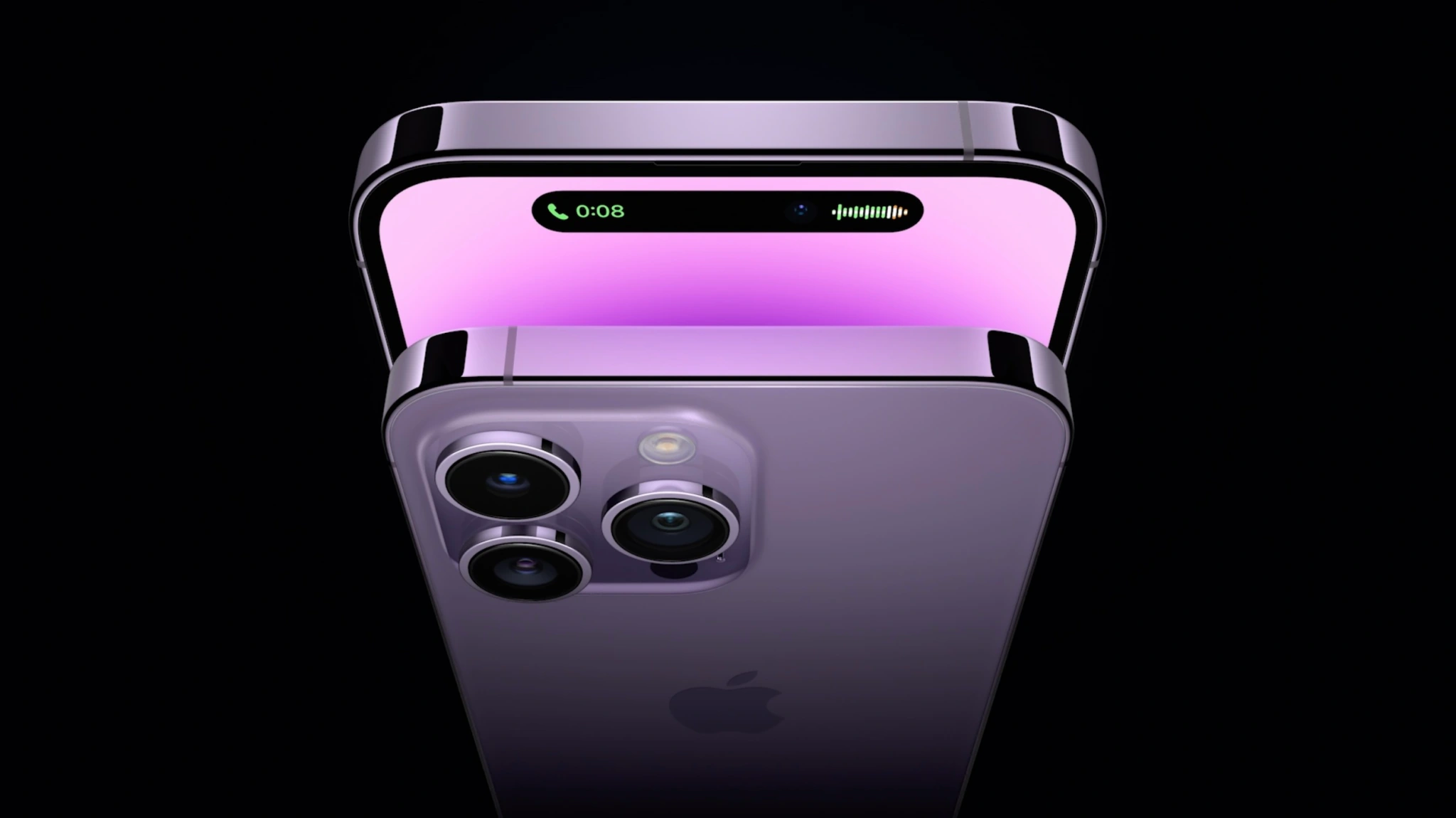
But with that in mind, there are some big differences in terms of the screen technology and features. Namely, the iPhone 14 Pro and iPhone 14 Pro Max offer ProMotion display technology for smoother animations, the new Digital Island that replaces the notch, and the first-ever Always-On display.
The iPhone 14 Pro’s Always-On display enables the screen to show you your lock screen widgets, the time, and your wallpaper at all times. This is the first time Apple has ever implemented an Always-On display for the iPhone.
Meanwhile, the Digital Island brings a new level of interactivity in replacement of the notch. You can tap and hold to find more options and controls. The Dynamic Island can show things like album art for content in the Music app, controls for FaceTime, specific background activities, and more. The new Live Activities feature coming iOS 16 also integrates with the Dynamic Island, meaning you can see live notifications directly in the new screen area.
While those are the bigger differences between the displays, there are some other technical details as well. Here’s the full breakdown of the display technology inside the iPhone 14 vs iPhone 14 Pro.
iPhone 14
iPhone 14 Plus
iPhone 14 Pro
iPhone 14 Pro Max
Size
6.1-inches
6.7-inches
6.1-inches
6.7-inches
Resolution
2532×1170-pixels
2778‑by‑1284-pixels
2556‑by‑1179-pixels
2796‑by‑1290-pixel
PPI
460ppi
458ppi
460ppi
460ppi
ProMotion?
❌
❌
✅
✅
Dynamic Island?
❌
❌
✅
✅
Always-on display?
❌
❌
✅
✅
Typical brightness
800 nits max
800 nits max
1000 nits max
1000 nits max
Outdoor brightness
800 nits max
800 nits max
2000 nits max
2000 nits max
HDR brightness
1200 nits max
1200 nits max
1600 nits max
1600 nits max
True Tone
✅
✅
✅
✅
Haptic Touch
✅
✅
✅
✅
Size and design
There are some notable differences in the design and dimensions of the iPhone 14 and iPhone 14 Pro lineups, even though they share screen sizes. There are also differences between the materials used for each model, the weight, and more.
As you can see in the chart below, the rough dimensions of the respective iPhone 14 and iPhone 14 Pro models are the same. The biggest difference is the weight, with the iPhone 14 Pro and iPhone 14 Pro Max weighing noticeably more than the non-Pro counterparts. This is due to the heavier stainless steel edges, the larger camera modules (more on that in a bit), and the larger batteries.
Here’s a rundown of what you need to know.
iPhone 14
iPhone 14 Plus
iPhone 14 Pro
iPhone 14 Pro Max
Height
5.78-inches (146mm)
6.33-inches
(160.8mm)
6.33-inches (140.7mm)
6.33-inches (160.7mm)
Width
2.82-inches
(71.5mm)
3.07-inches (78.1mm)
2.81-inches (71.5mm)
3.05-inches (77.6mm)
Thickness
0.31-inches (7.80mm)
0.31-inches
(7.80mm)
0.31-inches
(7.85mm)
0.31-inches
(7.85mm)
Weight
6.07-ounces
(172 grams)
7.16-ounces
(203 grams)
7.27-ounces
(206 grams)
8.47-ounces
(240 grams)
Durability
IP68 (splash, dust, 6 meters of water up to 30 minutes
IP68 (splash, dust, 6 meters of water up to 30 minutes
IP68 (splash, dust, 6 meters of water up to 30 minutes
IP68 (splash, dust, 6 meters of water up to 30 minutes
Back material
Glossy glass
Glossy glass
Matte glass
Matte glass
Edges
Aluminum
Aluminum
Stainless steel
Stainless steel
Performance
For the first year ever, Apple has split the performance between the iPhone 14 and iPhone 14 Pro. The iPhone 14 models are powered by an upgraded version of the A15 chip used last year (just with an added GPU core). The iPhone 14 Pro models use Apple’s newest A16 Bionic chip, which is Apple’s first 4nm processor.
We’re still waiting on the exact details on iPhone 14 vs iPhone 14 Pro performance. The fact of the matter is, however, that iPhone performance is already overkill for the majority of buyers nowadays.
Here’s a breakdown of the full iPhone 14 vs iPhone 14 specifications:
iPhone 14
iPhone 14 Plus
iPhone 14 Pro
iPhone 14 Pro Max
Processor
A15 Bionic
A15 Bionic
A16 Bionic
A16 Bionic
CPU
6-core: 2 performance + 4 efficiency
6-core: 2 performance + 4 efficiency
6-core: 2 performance + 4 efficiency
6-core: 2 performance + 4 efficiency
GPU
5-core
5-core
5-core
5-core
Neural Engine
16-core
16-core
16-core
16-core
RAM
6GB
6GB
6GB
6GB
Back material
Glossy glass
Glossy glass
Matte glass
Matte glass
Edges
Aluminum
Aluminum
Stainless steel
Stainless steel
Battery life
Battery life is a big factor when deciding which iPhone 14 to order. The battery stats from Apple can be a bit vague, but here’s what we know.
iPhone 14
iPhone 14 Plus
iPhone 14 Pro
iPhone 14 Pro Max
Video playback
20 hours
26 hours
23 hours
29 hours
Audio playback
80 hours
100 hours
75 hours
95 hours
Camera
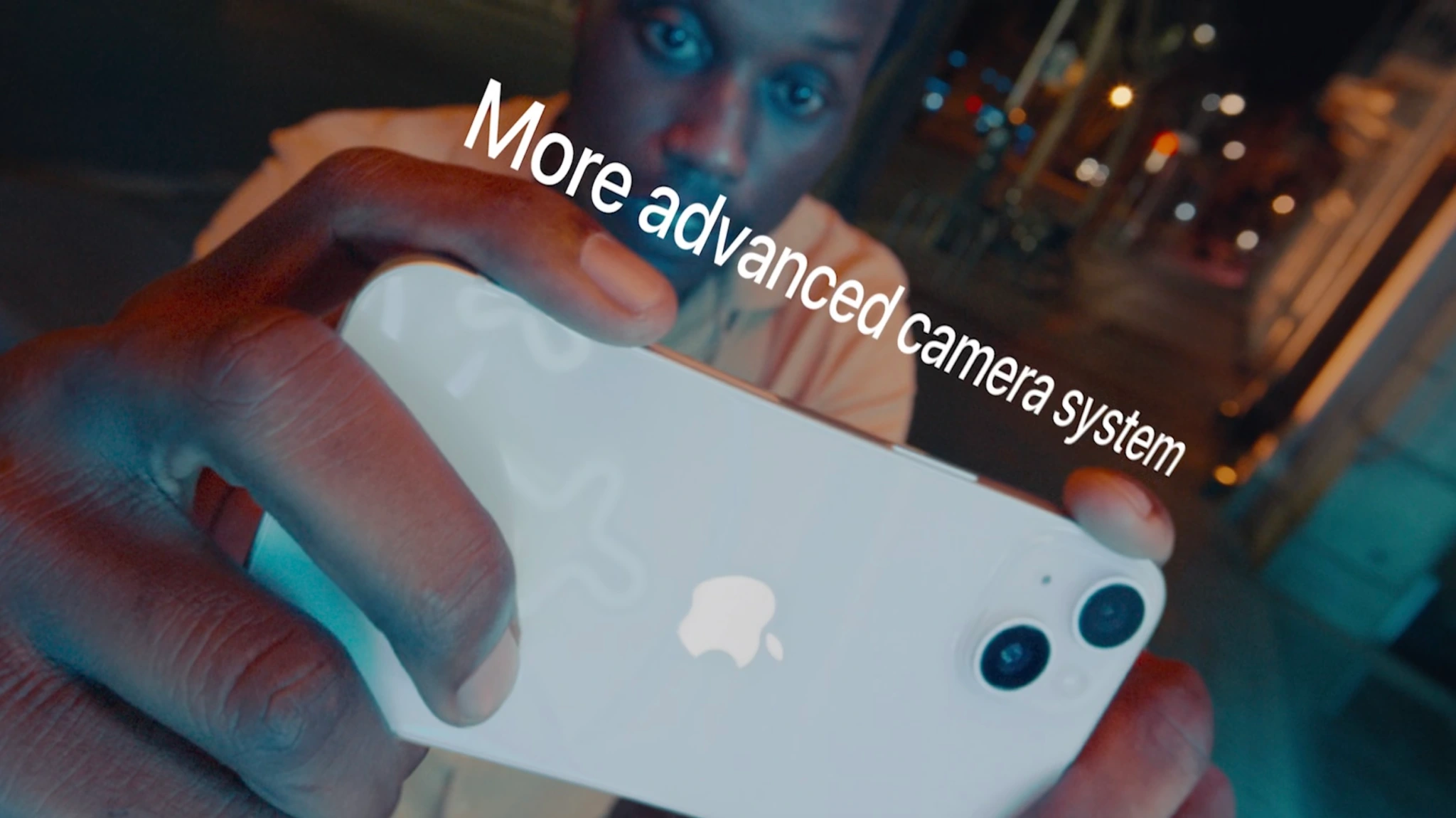
One of the biggest ways the iPhone 14 and iPhone 14 Pro differ is in terms of camera technology. The gap between iPhone 14 and iPhone 14 Pro is even bigger this year than before. Because of the new 48MP camera on the iPhone 14 Pro, the main camera uses quad-pixel technology to adapt to the photo being captured.
Both the iPhone 14 and iPhone 14 Pro also feature a new Photonic Engine. Apple describes this as a new computational photography feature that offers a “giant leap for mid- to low-light performance in photos across all cameras through a deep integration of hardware and software.”
On the iPhone 14, Apple says you can expect improved mid- to low-light performance of up to 2x on the Ultra Wide camera, 2x on the TrueDepth camera, and 2.5x on the Main camera.
On the iPhone 14 Pro, the benefit is even better: up to 2x on the Main camera, up to 3x on the Ultra Wide camera, up to 2x on the Telephoto camera, and up to 2x on the TrueDepth camera.
Here are some more technical details on the iPhone 14 vs iPhone 14 Pro camera systems:
iPhone 14/Plus
iPhone 14 Pro/Max
Main camera
12MP, ƒ/1.5 aperture, 26 mm
2x optical zoom, 5x digital zoom
48MP, ƒ/1.78, aperture, 24 mm
Sensor-shift optical
image stabilization
✅
✅
Ultra Wide
12MP, ƒ/2.4 aperture, 13mm
12MP, ƒ/2.2 aperture, 13mm
Telephoto lens
❌
✅: 48 mm, ƒ/1.78 aperture
Zoom
2x optical zoom, 5x digital zoom
3x optical zoom in,
2x optical zoom out
digital zoom up to 15x
Apple ProRAW
✅
✅
Smart HDR 4
✅
✅
Photonic Engine
✅
✅
Photographic Styles
✅
✅
Panoramas
✅, 63MP
✅, 63MP
Portrait mode
✅
✅
Video recording?
iPhone 14 and iPhone 14 Plus camera technology:
4K video recording at 24 fps, 25 fps, 30 fps, or 60 fps
1080p HD video recording at 25 fps, 30 fps, or 60 fps
720p HD video recording at 30 fps
Cinematic mode up to 4K HDR at 30 fps
Action mode up to 2.8K at 60 fps
HDR video recording with Dolby Vision up to 4K at 60 fps
Slo‑mo video support for 1080p at 120 fps or 240 fps
Time‑lapse video with stabilization
Night-mode Time-lapse
QuickTake video
Sensor-shift optical image stabilization for video (Main)
2x optical zoom out
Digital zoom up to 3x
Audio zoom
True Tone flash
Cinematic video stabilization (4K, 1080p, and 720p)
Continuous autofocus video
Take 8MP still photos while recording 4K video
Playback zoom
Video formats recorded: HEVC and H.264
Stereo recording
iPhone 14 Pro and iPhone 14 Pro Max camera technology:
4K video recording at 24 fps, 25 fps, 30 fps, or 60 fps
1080p HD video recording at 25 fps, 30 fps, or 60 fps
720p HD video recording at 30 fps
Cinematic mode up to 4K HDR at 30 fps
Action mode up to 2.8K at 60 fps
HDR video recording with Dolby Vision up to 4K at 60 fps
ProRes video recording up to 4K at 30 fps (1080p at 30 fps for 128GB storage)
Macro video recording, including slo-mo and time-lapse
Slo‑mo video support for 1080p at 120 fps or 240 fps
Time‑lapse video with stabilization
Night-mode Time-lapse
QuickTake video
Second‑generation sensor‑shift optical image stabilization for video (Main)
Dual optical image stabilization for video (Main and Telephoto)
3x optical zoom in, 2x optical zoom out; 6x optical zoom range
Digital zoom up to 9x
Audio zoom
True Tone flash
Cinematic video stabilization (4K, 1080p, and 720p)
Continuous autofocus video
Take 8MP still photos while recording 4K video
Playback zoom
Video formats recorded: HEVC, H.264, and ProRes
Stereo recording
Selfie camera
Both the iPhone 14 and iPhone 14 Pro lineups offer one of the biggest jumps in front-camera performance we’ve ever seen. Both use a new camera with an ƒ/1.9 aperture that enables better low-light performance for photos and video. It also offers auto-focus for the first time, so it can focus in low light and capture group selfies from farther away.
Full spec sheet for the selfie cameras on the iPhone 14 and iPhone 14 Pro:
12MP camera
ƒ/1.9 aperture
Autofocus with Focus Pixels
Six‑element lens
Retina Flash
Photonic Engine
Deep Fusion
Smart HDR 4
Portrait mode with advanced bokeh and Depth Control
Portrait Lighting with six effects (Natural, Studio, Contour, Stage, Stage Mono, High‑Key Mono)
Animoji and Memoji
Night mode
Photographic Styles
Apple ProRAW
Wide color capture for photos and Live Photos
Lens correction
Auto image stabilization
Burst mode
4K video recording at 24 fps, 25 fps, 30 fps, or 60 fps
1080p HD video recording at 25 fps, 30 fps, or 60 fps
Cinematic mode up to 4K HDR at 30 fps
HDR video recording with Dolby Vision up to 4K at 60 fps
ProRes video recording up to 4K at 30 fps (1080p at 30 fps for 128GB storage)
Slo‑mo video support for 1080p at 120 fps
Time‑lapse video with stabilization
Night-mode Time-lapse
QuickTake video
Cinematic video stabilization (4K, 1080p, and 720p)
Bolded bullets = iPhone 14 Pro/Pro Max only
Colors
The iPhone 14 and iPhone 14 Plus are available in five different colors:
Midnight
Purple
Starlight
(Product)RED
Blue
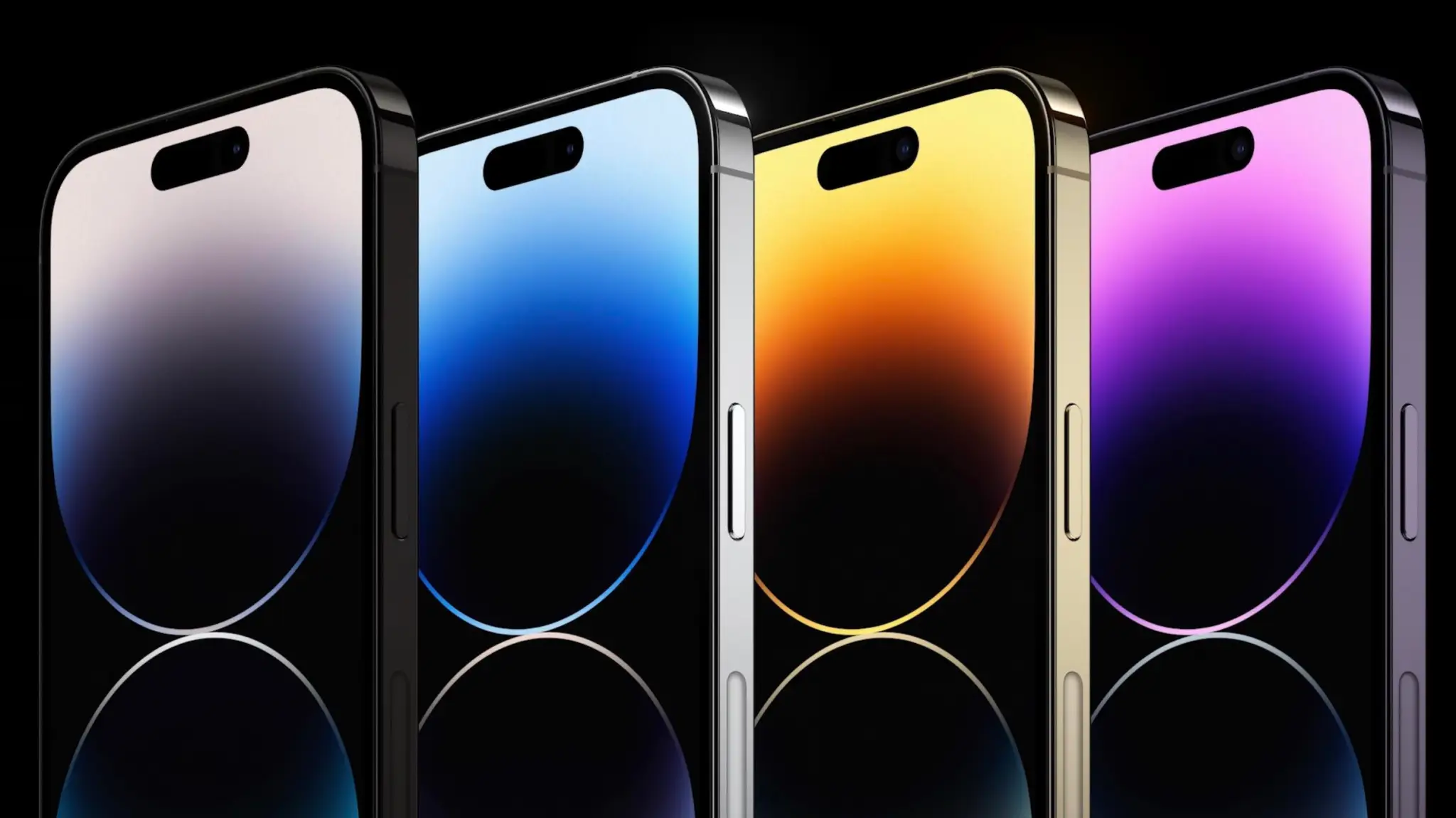
The iPhone 14 Pro and iPhone 14 Pro Max are available in four different colors:
Silver (Updated)
Deep Purple
Space Black
Gold
Storage
iPhone 14 and iPhone 14 Plus:
128GB
256GB
512GB
iPhone 14 Pro and iPhone 14 Pro Max:
128GB
256GB
512GB
1TB
Pricing
iPhone 14:
$799 – 128GB
$899 – 256GB
$999 – 512GB
iPhone 14 Plus:
$899 – 128GB
$999 – 256GB
$1099 – 512GB
iPhone 14 Pro:
$999 – 128GB
$1099 – 256GB
$1299 – 512GB
$1499 – 1TB
iPhone 14 Pro Max:
$1099 – 128GB
$1199 – 256GB
$1399 – 512GB
$1599 – 1TB
Other features
And here are some other features that are offered by both the iPhone 14 and iPhone 14 Pro:
Crash detection that can recognize when you’re in a car accident and call emergency services.
Satellite connectivity for reaching emergency services when you aren’t connected to a cellular or WiFi network.
Action mode for stabilizing video during fast-moving scenarios like running or other sports.
Ceramic Shield front for improved display durability
Included accessories
Citing environmental concerns, Apple is not including headphones or a charging brick in the iPhone 14 box this year. Here are some accessories you might consider picking up to help fill that gap and complement your new iPhone.