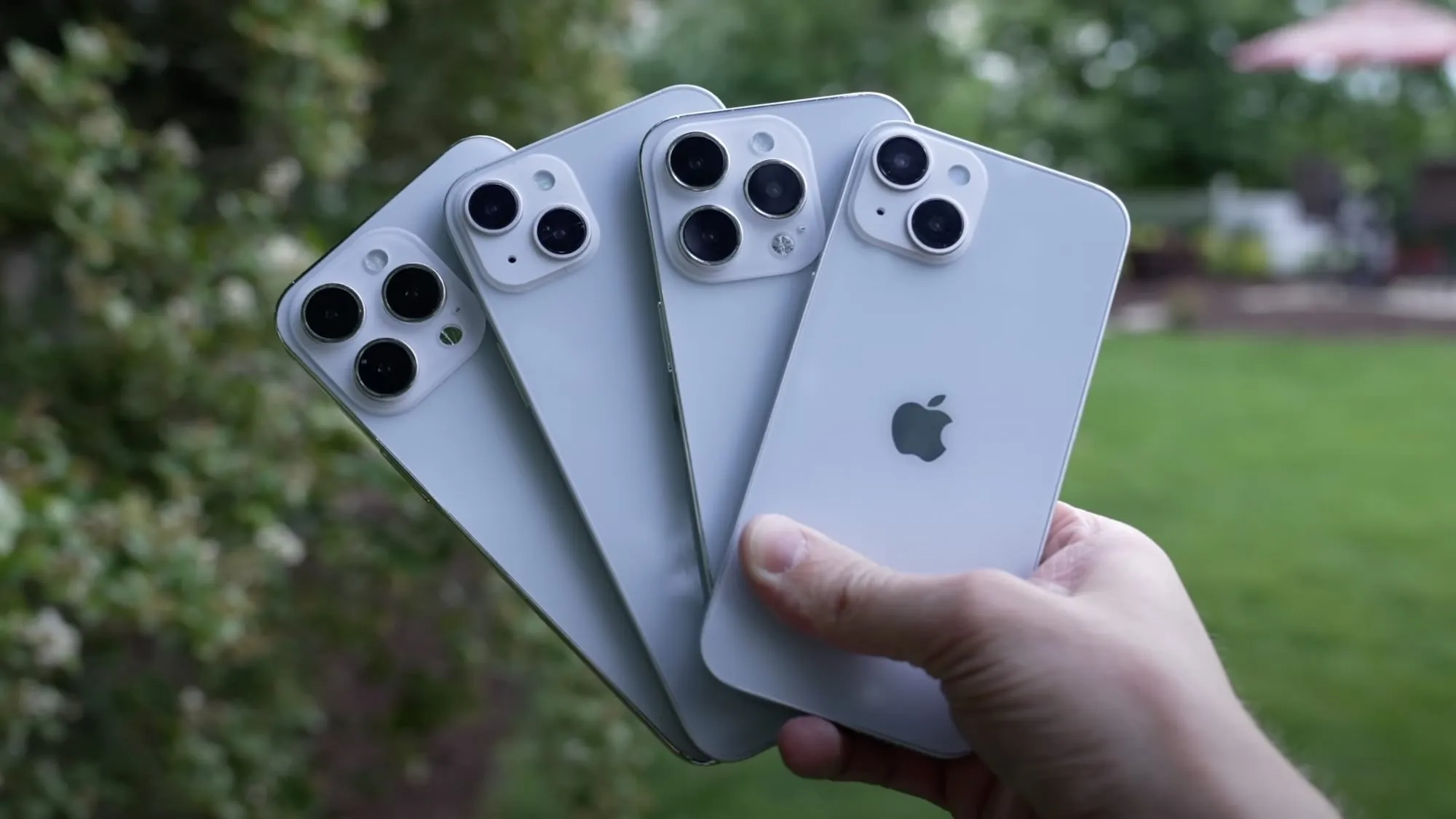
Apple is about to hold its next “Far out” special event tomorrow, and the company is expected to introduce a variety of new products. Among them, there’s the entire iPhone 14 lineup, which is supposed to have four different models: iPhone 14, iPhone 14 Plus, iPhone 14 Pro, and iPhone 14 Pro Max.
When it comes to the iPhone 14 Plus and iPhone 14 Pro Max, they’ll share the same screen size, but that’s about it.
New display technologies
It has been a while since Apple has introduced a new iPhone with the “Plus” branding, but that’s about to change. This year, Apple is rumored to discontinue the mini size of the iPhone, so there won’t be an iPhone 14 mini. Instead, Apple is likely to announce the 6.1-inch iPhone 14 and a new 6.7-inch iPhone 14 Plus.
You may have noticed that iPhone 14 Plus will have the same screen size as iPhone 13 Pro Max (and possibly iPhone 14 Pro Max, which is expected to keep the same screen size as the current generation). However, the similarities between these two models end there.
While iPhone 14 Plus will use the same display technology as iPhone 13 with a 60Hz OLED panel, the display capabilities of iPhone 14 Pro Max will go beyond that.
Based on multiple evidence and rumors, iPhone 14 Pro Max will have a new display design without the notch at the top of the screen. Apple will replace the notch with a pill-shaped cutout that houses the Face ID sensors and the new front-facing camera.
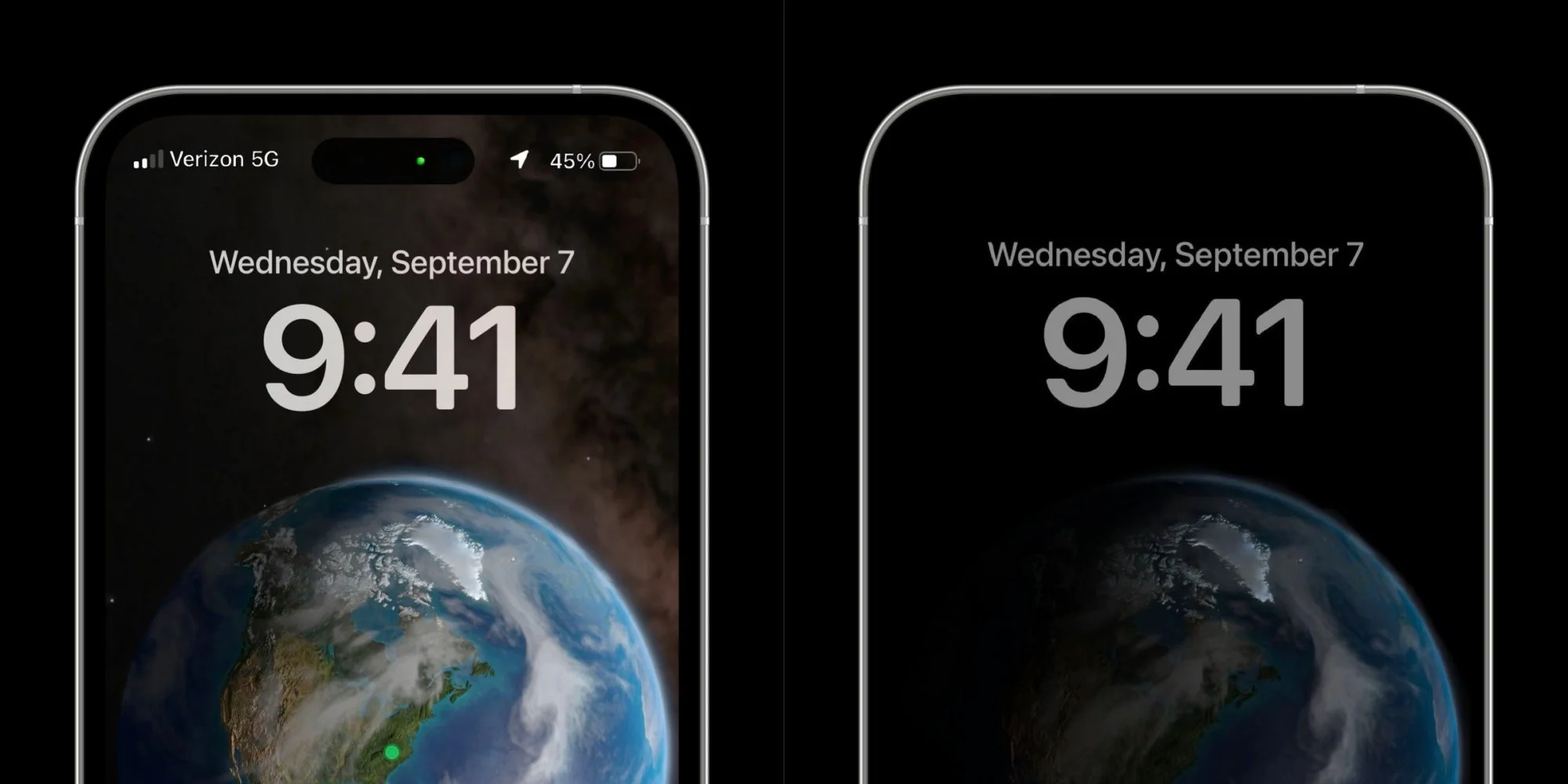
More than that, iPhone 14 Pro Max will have a ProMotion display with refresh rates ranging from 120Hz to 1Hz. As a result, the more expensive iPhone model will have an always-on display for the first time, so that it will show some visual elements on the screen even when it’s “off,” just like the Apple Watch.
A16 chip
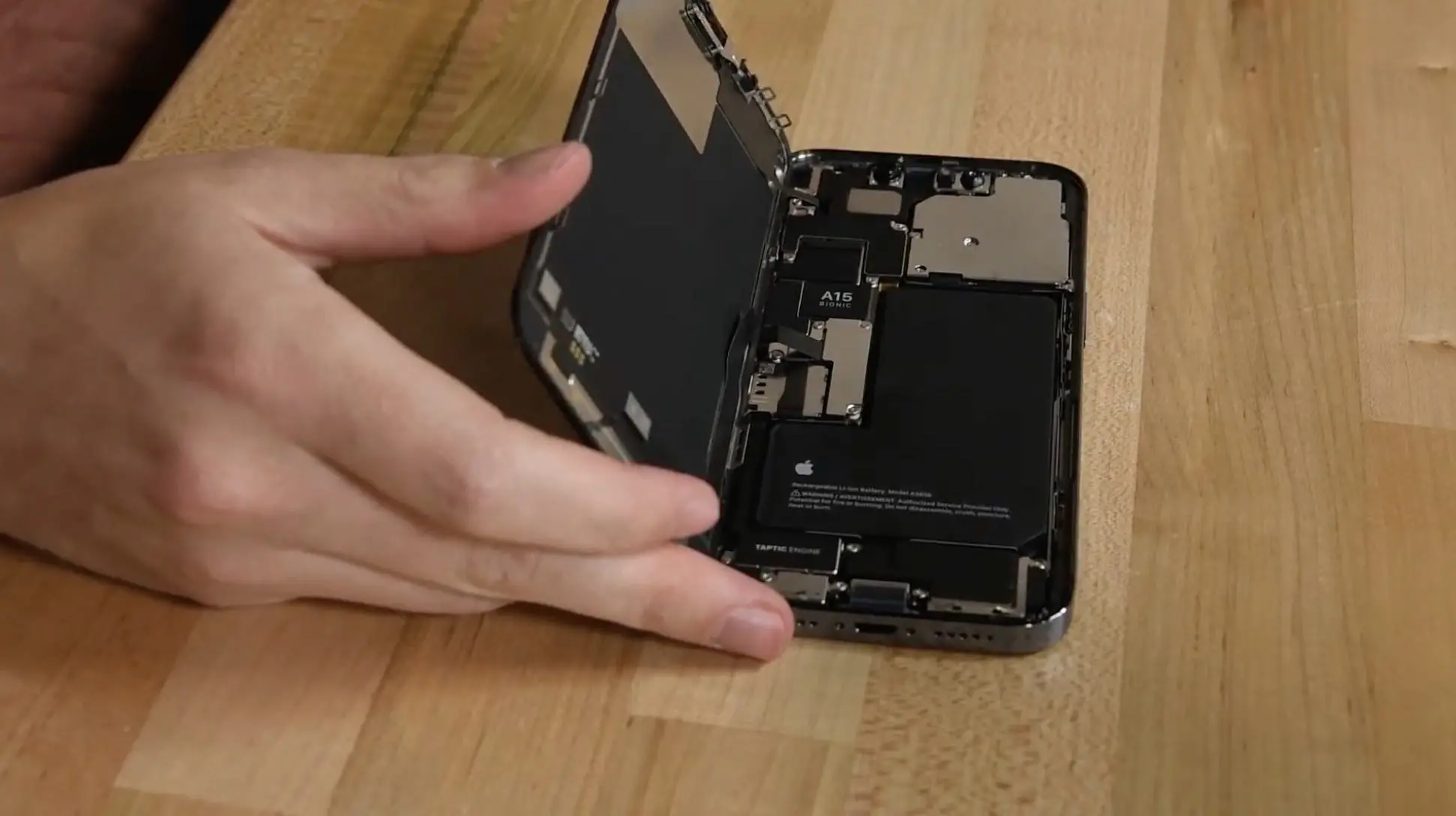
Every year, Apple introduces new iPhone models with a new, faster chip. However, some iPhone models may not have a brand-new chip this time. As corroborated by 9to5Mac earlier this year, the mid-range iPhone 14 models will be powered by the A15 Bionic, while only the 14 Pro models will have the new A16 chip.
A15 is the chip present in the iPhone 13 lineup. And while rumors point to iPhone 14 having an enhanced version of the A15 Bionic chip with more RAM and perhaps a better GPU, it’s still the same CPU as last year’s iPhone. Consumers who want the best performance on the market will have to pay more for the iPhone 14 Pro or iPhone 14 Pro Max with the A16 chip.
Of course, we’ll have to wait to get our hands on both models to get a better idea of the performance difference between iPhone 14 Plus and iPhone 14 Pro Max in real-life scenarios.
Significant camera upgrades
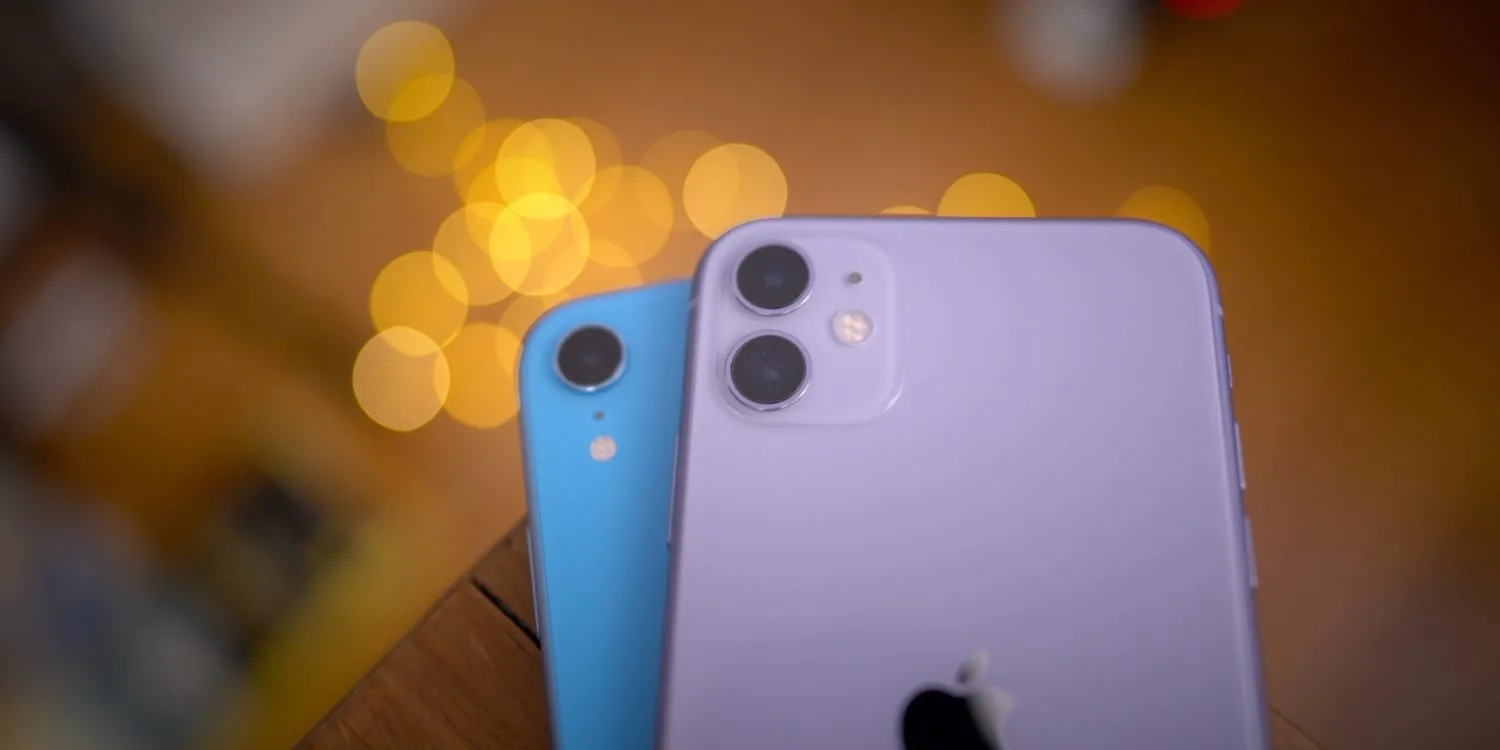
A recent report suggested that iPhone 14 and iPhone 14 Plus will have minor hardware changes when it comes to the cameras. However, the major upgrades are expected to be exclusive to iPhone 14 Pro and iPhone 14 Pro Max.
For instance, the iPhone 14 Pro models are expected to feature a new 48MP wide lens (versus the current 12MP lens) that will enable new video capabilities, such as 8K video for the first time on an iPhone. Rumors also suggest that the ultra-wide lens on the 14 Pro models will have a larger sensor to capture more light, which should result in better photos and videos in low-light scenarios.
Not to mention that features like ProRAW photos and ProRes videos are exclusive to the Pro models. So if you’re a big fan of photography, you should probably go for the iPhone 14 Pro Max instead of the iPhone 14 Plus.
Wrap-up
So as you can see, although Apple will give less demanding consumers the option of buying a larger screen phone with iPhone 14 Plus, those who want the best hardware will probably end up buying a 14 Pro model.
It’s worth noting that Apple’s “Far out” event begins on 8/9 at 3:00 am AEST. View online at apple.com or on the Apple TV app.
Few days from now, Apple will unveil the next generation of smartphones with the iPhone 14 series. While much has been rumored over this year, the week that precedes the Apple event is always full of rumors and last-minute leaks. Here’s everything that we heard about the upcoming iPhone 14 before its release.
Hole-punch + pill cutout will actually be a long pill design
For months other publications have been reporting the new hole-punch + pill cutout for the iPhone 14 Pro series, but a new leak suggests Apple will use a software tweak to make a long pill design. Between Face ID sensors and the front-facing camera, the company is rumored to add privacy labels.
When you’re on a FaceTime call, if Instagram asks for your location, or if someone video calls you on WhatsApp, the iPhone already displays a green, orange, or blue light. These indicators are on the right corner of the iPhone notch. Now it appears they will be between the Face ID and front-facing camera sensors.
iPhone 14 Pro will have a Camera app revamp, thanks to the new design
The Camera app will also have a few tweaks as Apple is planning to redesign the app, where most of the controls will be moved to the top portion of the screen.
Controls such as the flash button and Live Photo button are now positioned in the status bar, while more granular photo and video settings are directly below the display cutouts. This change will give users a larger view of the camera preview by shifting the controls upward and moving some of them into the status bar.
The images above show these changes. They are mock-ups based on the information from our source.
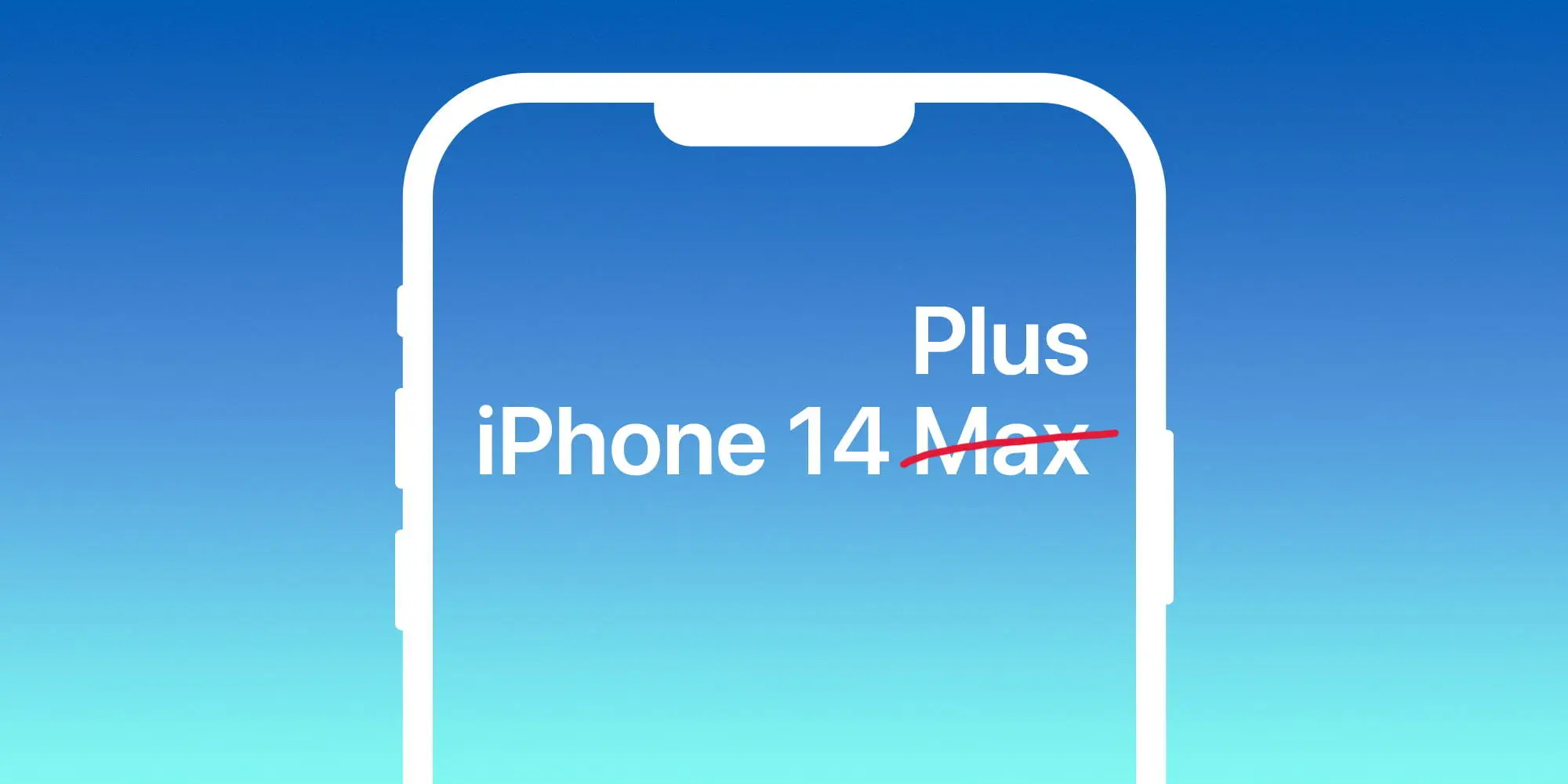
Larger regular iPhone to be called 14 Plus, not Max
Apple is said to ditch the iPhone mini model for a larger version of the regular model. While debates over whether it would be called iPhone 14 Plus or 14 Max, 9to5Mac sources familiar with the matter claimed the name will actually be iPhone 14 Plus.
In addition, at least since July, iPhone case makers have been told to not use the brand iPhone 14 Max as it won’t be the actual name of the product. Plus, 9to5Mac sources corroborated that the regular iPhone 13 case will fit the regular iPhone 14 model. Last but not least, we’ve been told that Apple will push its new 35W adapter as the go-to charger for the iPhone 14 Pro.
Classic battery indicator is making a comeback with iPhone 14 Pro series
According to information shared with MacRumors in its forum, an anonymous leaker claimed that the iPhone 14 Pro with iOS 16 will bring back the classic battery indicator on the status bar. They also shared information as to what this smartphone will look like with the new Always-on Display technology.
With iOS 16 beta 5, Apple added the iPhone’s battery percentage inside the battery icon. While many iPhone models will be able to take advantage of this new look, it seems Apple could be aiming for an exclusive design for the iPhone 14 Pro series by bringing back the classic status bar.
With that, Apple would bring the carrier signal bar to the left while bringing the location toggle and the full battery information on the right (icon and percentage). If this turns out to be true, this would be the first time since the iPhone 8 – apart from the SE series – that Apple adopts this classic design.
iPhone 14 price increase expected, but not as much as we thought
As of now, it seems clear that Apple will increase iPhone 14 prices. With the upcoming recession combined with supply chain constraints, the war, and new technologies, Apple seems to be aiming for new prices for these upcoming smartphones.
A report by TrendForce from this week said that, in the light of a tough economy and a declining smartphone market, it expects Apple to play it safe with smaller increases.
Upgrades such as initial starting memory capacity increasing to LPDDR5 6GB and 256GB, primary camera moving up to 48 million, Face ID Design changes, etc., are expected to raise starting prices. However, under pressure from rising global inflation and foreign exchange rates, Apple is expected to adopt a more cautious pricing strategy so as not to affect its sales performance.
The firm, therefore, predicts more modest iPhone 14 price increases, with starting prices of:
14: $749
14 Max: $849
14 Pro: $1,049
14 Pro Max: $1,149
All iPhone models to have 6GB of RAM, Pro models to start with 256GB of storage
TrendForce analysts are the ones predicting that the iPhone 14 Pro will start with 256GB of storage, which could explain why Apple is aiming for a higher price point for these iPhones. In addition, the publication also expects 6GB of RAM on these models.
Twitter user and leaker ShrimpApplePro shared a Weibo post that said the same. All four models will feature 6GB of RAM. For context, the iPhone 13 and iPhone 13 mini have 4GB of RAM, while the iPhone 13 Pro and iPhone 13 Pro Max have 6GB of RAM. So, if this leak is to be believed, the iPhone 14 will offer more RAM than the iPhone 13, while the 14 Pro will stick with 6GB.
This would mark the third year in a row that the “Pro” model iPhones have had 6GB of RAM. A previous leak suggested that the 14 Pro would jump to 8GB, but the consensus has since settled on 6GB instead.
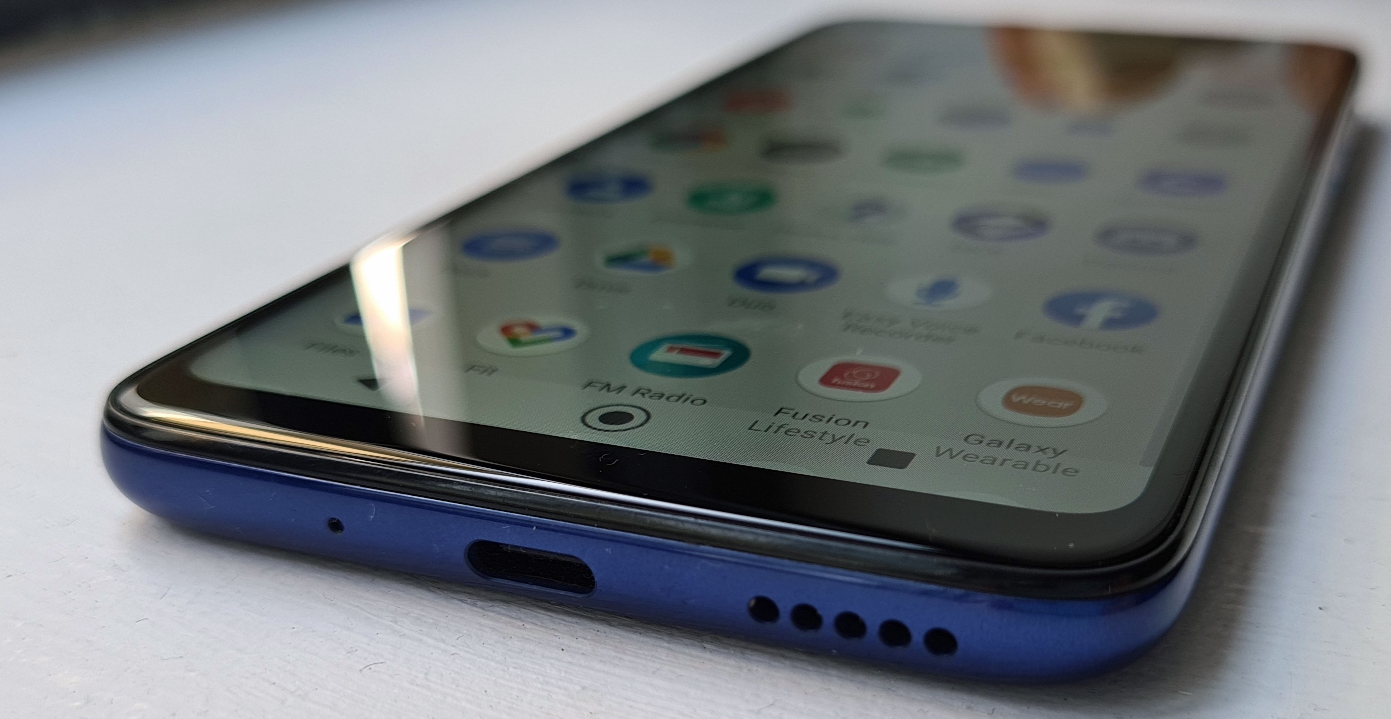
The Moto G series has become a staple of the affordable phone market, and Motorola has managed to make an even cheaper than normal base device for 2020 in the form of the Moto G8.
It doesn’t have as much of a specs jump as new numbered models usually do (and in some ways it’s even a step down), but instead the company is aiming to give you the most bang for your buck in the Moto G8, and it mostly achieves that.
You shouldn’t expect a handset that is going to amaze you, but considering how low the price is you shouldn’t be disappointed by what’s on offer either.
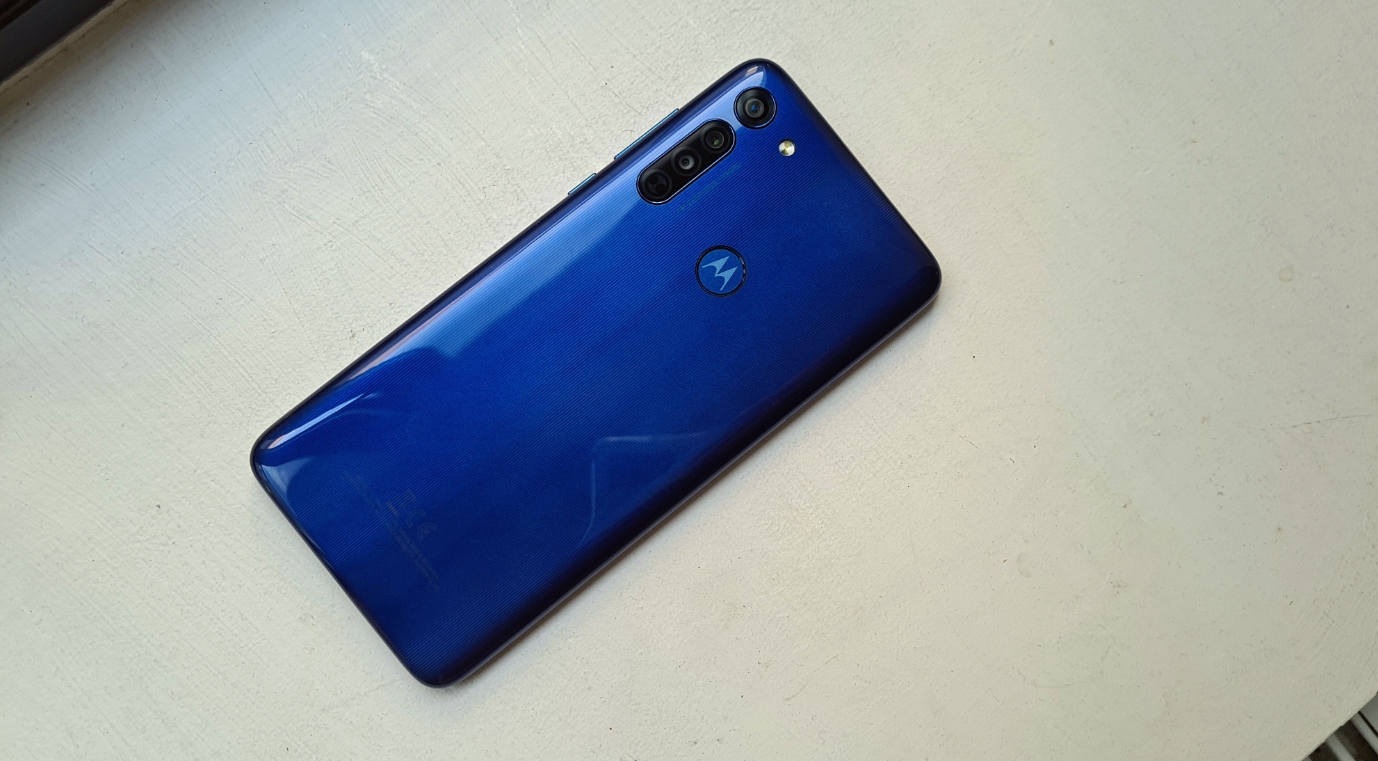
The Moto G8’s design feels premium for the type of device we’re talking about, and it has a big display (although the resolution isn’t as good as we’d like).
The battery meanwhile will last you for a full day even with extensive usage, and if you’re not going to be using the phone much each day you should find that it can last even longer. It’s slow to charge, but the 4,000mAh cell performs well.
The camera can hold its own too. There are three elements – a 16MP main shooter, an 8MP ultra-wide one, and a 2MP macro one, with the former two allowing you to take some impressive shots considering the price of the device.
And that’s what it all comes down to; the price of the Moto G8 is – as noted above – even cheaper than the last few generations of Moto G phones. That in itself is impressive, and while you may be missing a few specs that some will be desperate for, this is a perfect cheap phone for others.
The Moto G8’s release has been complicated as the company unveiled a variety of handsets in the range at different times. The standard Moto G8 was unveiled in March 2020, and it went on sale in Europe soon after that.
The phone costs £179.99 / AU$329 (about $220) but it isn’t coming to the US (though you can buy the Moto G Power and Moto G Stylus there, both of which are part of the same range). Exactly why Motorola chose not to bring the G8 to this market is currently unclear.
There’s only one variant of the Moto G8 that you can buy, and it comes with 64GB of space and 4GB of RAM. It’s remarkably cheaper than the Moto G7 that launched at $299 / £239 / AU$399 but it’s important to note that the spec is a little lower here in some regards.
For example, the screen tech on the Moto G8 is a little weaker when compared to the Moto G7.
Design
This is an affordable phone, and if you consider that when handling it then you’ll likely be pleasantly surprised with how the Moto G8 feels in the hand.
It has a plastic frame and rear, so it isn’t going to feel as svelte in your hands as a modern day flagship phone like the Motorola Edge Plus does.
If you’ve got smaller hands, you may not appreciate how large this phone is. It comes with dimensions of 161.3 x 75.8 x 9mm, making it a larger device than a lot of other cheap phones, which could make it a struggle for some to hold.
That said, we enjoyed the size of the device as it allows for a substantial screen (which we’ll dive into more in a moment) as well as a large battery inside.
Buy it if…
You need a cheap phone
For the price, the Moto G8 is a fantastic choice. You will miss out on a few features that you get on the Moto G8 Plus and some other budget phones, but some won’t mind missing these considering the Moto G8 is less than £200 / AU$350.
You want long battery life
The Moto G8 Power is the phone that will impress you when it comes to battery life, but this device is also capable of lasting for two days with light usage and should certainly last you a full day even if you’re using your phone a lot.
You want a 3.5mm headphone jack
A lot of top-end devices like the Samsung Galaxy S20 and iPhone 11 series have dropped this legacy technology. Having a 3.5mm headphone jack means you’re still able to listen to music on a wired headset with ease on the Moto G8.
Don’t buy it if…
You want a beautiful display
The 720 x 1560 display on the Moto G8 is noticeably lacking when compared to rival devices that tend to have Full HD panels. If you’re looking for a phone that will display videos in all their glory, this isn’t going to be it.
You need a powerful rear camera
This isn’t going to blow your mind with its camera, but it’s suitable for the average person that is looking for an affordable phone. Just don’t expect this to take beautiful photos that floor your friends and family when they’re uploaded to Instagram.
You want to be able to make mobile payments
As we’ve said, the Moto G8 lacks NFC so it isn’t capable of using Google Pay. That isn’t a feature that everyone needs, but it’s something worth noting if you’re considering the Moto G8 for your next smartphone.
For the past three years Google has attempted to repackage its flagships phones into A Series phones that capture the Pixel essence at a far more attractive price point. The Google Pixel 6a even got the same custom Tensor chipset as the more expensive Pixels, further sweetening the deal.
The Pixel 6a is notably compact with its 6.1-inch OLED screen and far lighter at 178g (vs 207g for the Pixel 6). It perfectly captures the design, look, and feel of the more expensive Pixel 6 and Pixel 6 Pro while strategically shaving costs down in places that doesn’t have a big impact on usability.
The Pixel 6a doesn’t have a charger in the box – a change that came with the Pixel 6 and 6 Pro. Google also axed the headphone jack in a first for the Pixel A Series.
Google Pixel 6a specs at a glance:
Body: 152.2 x 71.8 x 8.9 mm, 178g; Glass front (Gorilla Glass 3), plastic dual-tone back with horizontal camera bar, aluminum frame; IP67 water and dust resistant.
The Pixel 6a‘s camera is the tried-and-true Sony IMX 363 sensor, the same one that’s been used since the Google Pixel 2. Google only stopped using it on its premium Pixels this year, so we probably shouldn’t be surprised that the 6a didn’t get a different sensor. And we might still see the aging sensor up its performance when paired with the Google Tensor.
Pixel A Series have had excellent battery endurance historically. This time Google slightly reduced the battery size, but with a smaller screen and the Tensor chip we might be in for another solid run. We are also hoping that the 6a has addressed thermal performance weakness we saw with the 6 and 6 Pro. But let’s start with the unboxing.
Unboxing the Google Pixel 6a
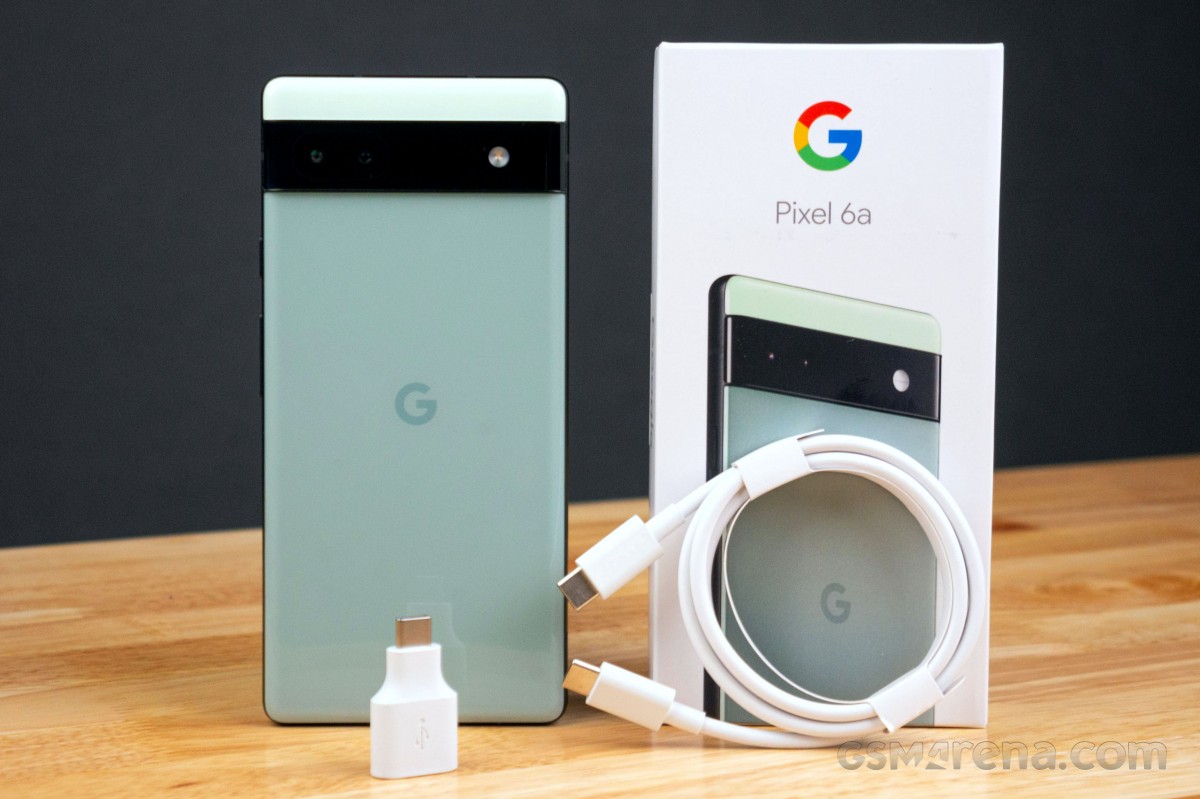
The Google Pixel 6a comes in a slim package that we can’t really say covers even the essentials. You’ll no longer find a power adapter in the package, so the Pixel 6a comes with a SIM eject tool and 1-meter USB-C to C cable. We’re glad to also see the USB-C (male) to USB-C (female) “Quick Switch Adapter” for bringing data from another Android device or iPhone over a cable.
Now let’s dive into the testing, starting with the phone’s design, looks, and build. We’re excited for this one, so grab an icy beverage and enjoy the ride.
The competition
The Google Pixel 6a costs $449 in the US, £399 in the UK, and €459 across major EU markets. It is also available in India for Rs 43,999, where the markup caused by import costs is by far the highest.
There is plenty to choose from in this price range. One competitor selling for less is the Nothing phone (1), which is cheaper than the Pixel 6a. It has a higher refresh rate screen, respectable camera performance, and the unique Glyph design that is sure to stand out even amongst flagships.
If you’re after a small flagship device, the iPhone 12 mini is still available from Apple, though it is pricier than the 6a at $599. There’s also this year’s iPhone SE, which we’d avoid unless you really insist on getting an iPhone and it’s the only one you can afford (but then you probably wouldn’t be reading this).
Nothing Phone (1) • Apple iPhone 12 mini • Apple iPhone SE (2022)
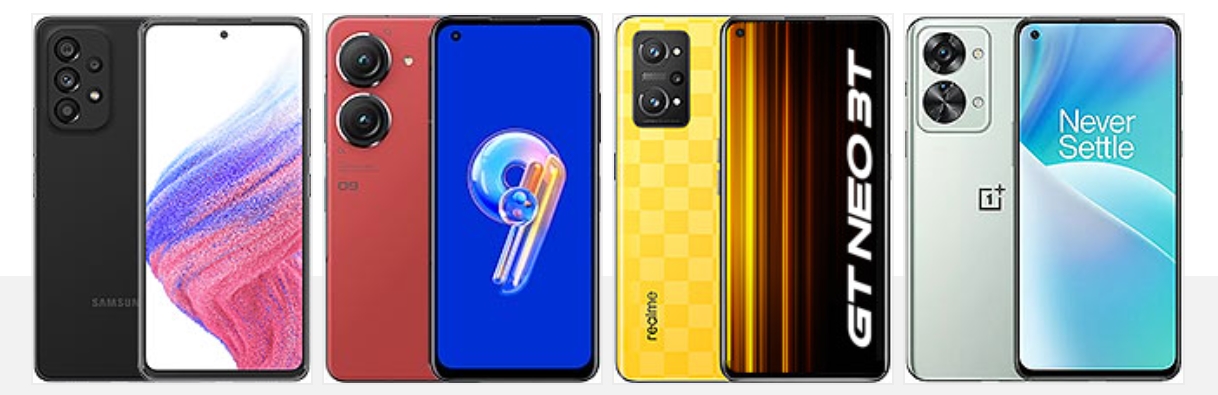
The Samsung Galaxy A53 is a popular smartphone in the US for its lower price point. You get more features and a more impressive hardware sheet. There a high refresh rate display, large battery, IP67 rating, though the camera is not too stellar and the Exynos 1280 is not a great performer.
If you’re after a small Android flagship, the Zenfone 9 is at least worth mentioning. It’s priced out of competing with the Pixel 6a, but it’s a compact handset with a 5.9-inch AMOLED screen with 120Hz refresh rate and the Snapdragon 8+ Gen 1.
The Realme GT Neo 3T is in the same price bracket as the Pixel 6a and it has great battery life, a bright AMOLED screen with 120Hz, and excellent charging speeds. Its main camera is solid and can stand up to the Pixel 6a, but its ultrawide shooter is inferior.
The Nord 2T has a reliable camera and great performance with the Dimensity 1300 5G chip. There’s also 80W fast charging, but there’s no ingress protection.
Samsung Galaxy A53 5G • Asus Zenfone 9 • Realme GT Neo 3T • OnePlus Nord 2T
Verdict
Before continuing with the verdict, we need to address an issue revealed by early testers of the Pixel 6a. It was confirmed that some devices were able to authenticate the device’s biometrics by using a finger that was not even registered to the device. The instances seem isolated, but they pose a serious security flaw with the device. Google is yet to addressed the issue, so it’s worth keeping an eye on and withhold purchase until it’s cleared if you often find yourself in environements where sensitive info might be exposed.
That aside Google may have finally mastered the A Series formula with the Pixel 6a. It managed yet again to capture the essence of the Pixel flagships into a more affordable phone that does not water down the overall experience too much. The 60Hz display and leisurly charging speeds count against it, but the overall execution of the 6a is great for its price. The
Shipping the 6a with a Google Tensor versus last year’s Snapdragon 765G and keeping the same $449 price point makes it a great offer. Camera performance remains solid, software and performance are polished and battery life is respectable. Plus, Google addressed performance throttling issues with Google Tensor on the Pixel 6a.
It’s arguably Google‘s most competitively positioned smartphone in a good while and one we can wholeheartedly recommend. The obvious asterisk here is that things stand differently in India where consumers have a huge choice in this price segment and the Pixel 6a‘s higher price makes it far less tempting.
Pros
Attractive, compact design that looks more expensive than it is.
Bright and accurate AMOLED display.
Good sustained performance from the Google Tensor this time.
Extended firmware update support; Voice Typing and on-device language processing is excellent.
Great all-around camera.
Cons
Isolated instances of a fingerprint security flaw are not acceptable.
60Hz refresh rate is not competitive for this price range.
OxygenOS 13 and ColorOS 13 share more than a few similarities – they are effectively the same OS masquerading as different “versions.” Toss in Realme UI 4.0 and it’s an inconvenient truth that BBK appears unwilling to own up to.
Given that Pete Lau claimed OxygenOS and ColorOS’s unified platform was set to be walked back, it’s all the more frustrating as we once lauded the former as the “best Android experience.” It’s amazing to see how much times have changed the industry’s disrupter. Some might say that this has been inevitable. None of this is more apparent when using ColorOS 13 and OxygenOS 13 side-by-side.
Sharing components and hardware production pipelines is one thing, but for many, the crux of why they still continued to persevere with OnePlus was OxygenOS. Just what is in store? Here’s everything you need to know – the good and the bad.
Merging all in Android 13
We saw the first steps of the merger between ColorOS and OxygenOS with the Android 12 update. It’s even more pronounced this time around, to the point that it’s actively hard to tell the two Android skins apart. The similarities are so pronounced that it’s almost easier to point out the minor changes than what is the same.
Notification center
There are big changes right away in the pull-down Notification center in OxygenOS and ColorOS 13. It is eerily reminiscent of the Android 11 Developer Preview 1 whereby the media controls were tested inside the Quick Settings panel alongside common toggles. You can certainly see some iOS influences, but the addition of the Android 12 Wi-Fi and Bluetooth pill-style toggles are an important alteration.
It’s hard to argue that this does limit utility and does so at the expense of some identity. With many Chinese OEMs doing similar things, it’s a tad disappointing to see the simple Quick Settings panel and Notification center removed in favor of this iOS-lite combination.
Settings page changes
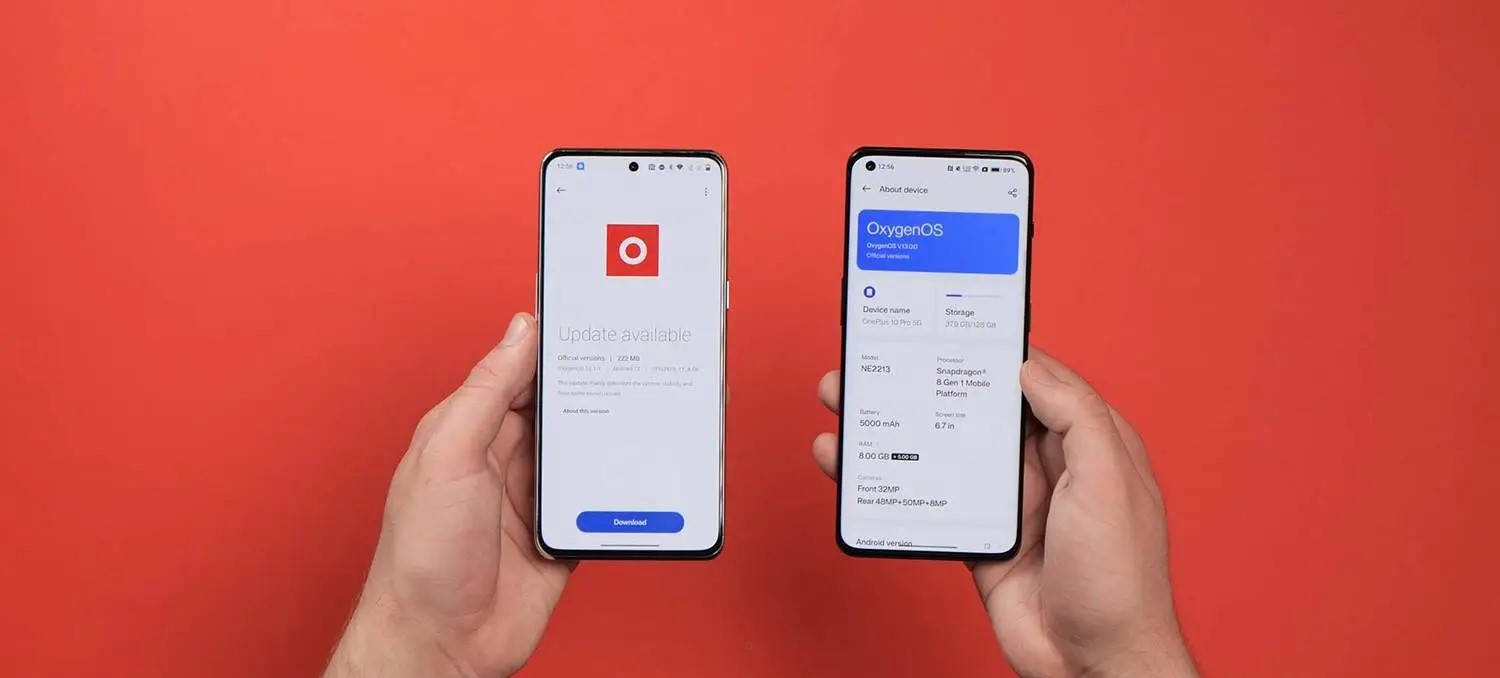
A number of changes have been made in the Settings menu and a number of associated submenus so that OxygenOS 13 is even more like ColorOS 13. You can see it instantly from the injection of color to the Settings sectional icons. There are other changes such as to the About phone screen, which is now identical on both devices including the “share” button to send or post your device specs to apps and other services.
If you’re in any doubt about whether the changes are fully merged across, even the SystemUI icon within the processes and battery section now has the same icon in OxygenOS and ColorOS 13 based upon Oppo’s system icon design.
AOD features
For years we hoped that OnePlus would add Always-on display support and finally it was introduced with OxygenOS 11 and Android 11. Since then, the feature has evolved, and to be fair to OnePlus the implementation has been solid overall.
A case in point is the brand-new Spotify widget for the Always-on display. Spotify is pushed like a banner ad within the Shelf section here too, which some might find intrusive. However, if you do use the music streaming service, you can enable a new widget that will appear when the Always-on display function is active. It’s a neat integration but is artificially limited. We’d like to see it come to more streaming and media services or just have a generic option available.
Because so much of the software is now bleeding into ColorOS, one-time exclusive Canvas AOD functions are now available to Oppo phones. Even the exclusive Parsons School of Design “Insight” feature is now part and parcel of ColorOS 13. Many of the widgets and customization options are set to be made available to Oppo and OnePlus owners.
Homescreen changes
A number of changes have been made to the homescreen including to how things look and operate, but, again, everything is visible across both versions of OxygenOS 13 and ColorOS 13. One of the most notable changes that feels like it has been lifted right out of Nothing OS is the ability to enlarge any homescreen folders for easier access.
ColorOS 13’s “Aquamorphic” icon style is available here too, which is another indication of the merging visual identities. Google’s themed icons have also made the jump over to ColorOS and OxygenOS for the first time. System apps and any supported Google apps will adhere to your preset system wallpaper colors. This relies upon greater support for Dynamic color with wallpaper-based theming available more extensively via the “Wallpaper & style” app in the Settings section.
This works in a similar manner to the Color palette feature in One UI. You can select from some preset basic color swatches with previews of just how certain menus and app controls will look. It’s nothing new, it’s just tuned here again in Android 13. Even the new wallpaper selection in OxygenOS 13 and ColorOS 13 have similarities. The stock selection feels like a copycat without the effort being made to hide it.
Global device search is in the works for the App drawer in both versions of Android 13. This looks like it is going to work in a similar manner to how Pixel devices offer the search functions when swiping up from the homescreen. It’s not fully functional or doesn’t appear to be at this stage, but this is a good move regardless.
Shelf alterations
The OnePlus Shelf function has jumped over to ColorOS for the first time in Android 13. This is one of the few features alongside Zen Mode and Work-Life Balance that has survived the UI overhaul. You can still activate by swiping down at the homescreen but it’s here in ColorOS 13 for the first time.
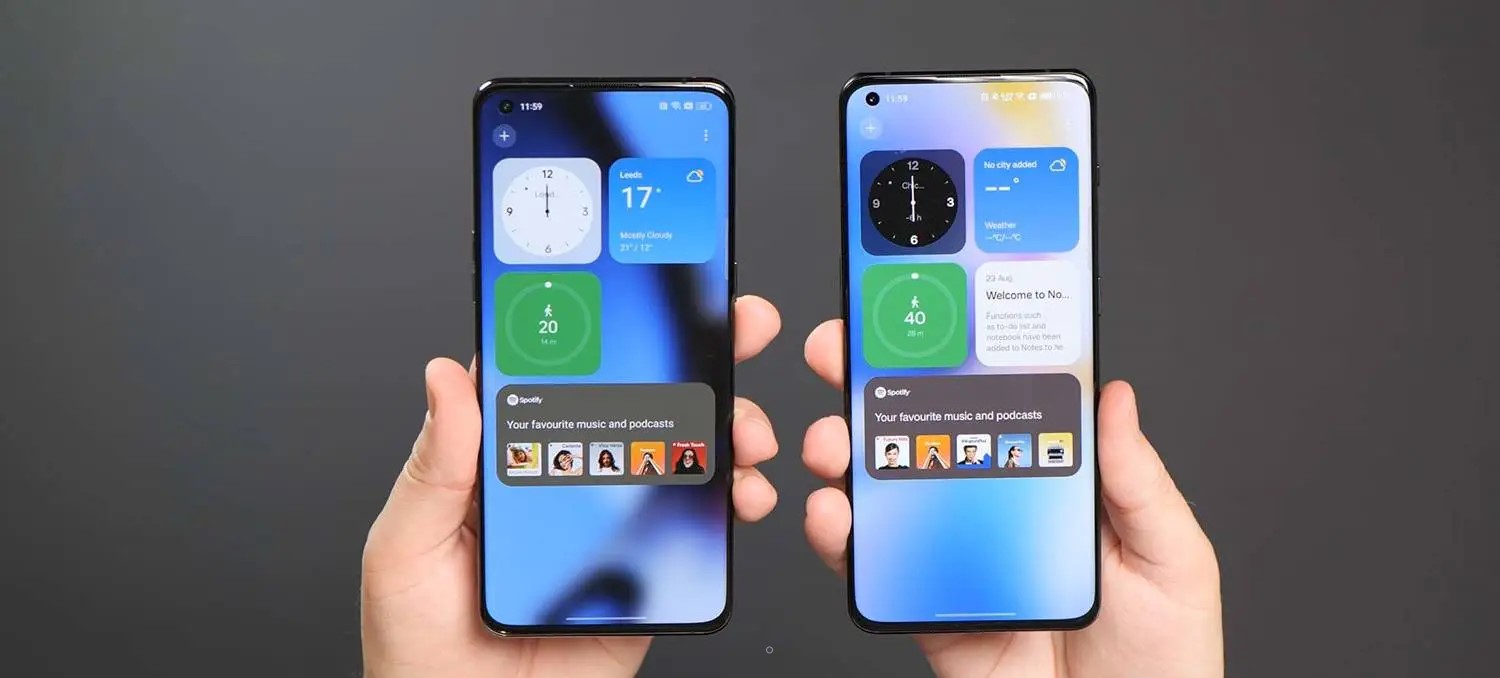
There is no ability to add toggles or on-device storage data with a limited selection of widgets including a Step tracker, Weather data, Notes, Clock, Photos, and Spotify control tab. Sadly, it looks like the ability to choose a right corner swipe gesture to access this quick panel has also been fully removed as you can only toggle via a homescreen swipe down here in Android 13 in ColorOS 13 and OxygenOS 13.
O-haptics
OnePlus and Oppo are among the best on Android when it comes to haptic feedback. The O-haptic feature has been available for a little while but joined OxygenOS 12.1 and ColorOS 12.1 when the Find X5 Pro launched. With Android 13, it’s likely coming to even more OnePlus and Oppo devices. This lets you tune the haptic intensity and how vibrations “feel” when active.
Charging animations
For years OnePlus and Oppo have remained adamant that Warp Charge and SuperVOOC charging utilized different technology despite evidence to the contrary. Now even the charging animation is identical across OxygenOS and ColorOS. It’s pretty nice too, but the “SuperVOOC” branding is now more prominent after bleeding into OnePlus devices over the past 18 months.
Removal of OnePlus identity
You could very easily argue that the OnePlus identity is slowly being airbrushed out of existence, and there are a few key areas where that is evident here in the Android 13 beta. Of course, changes could be simply due to the fact that ColorOS and OxygenOS 13 are still in the early preview phase. We’re not quite as convinced given the bulk of changes over the past couple of years. Even so, here’s a few key areas you’ll notice the watering down of the OxygenOS branding:
No Never Settle in Shelf
The useful Shelf feature has evolved over time to include many new tweaks and functions, but you’ll spot right away that the iconic “Never Settle” tagline and branding has been wiped from the pulldown section. ColorOS 13 has added the Shelf feature to add yet more confusion. It looks and functions in the same way.
Lack of 1+ calculator easter egg
Another removal in the OxygenOS 13 beta is the popular calculator easter egg. For those unaware, you can launch the stock calculator app and enter “1+” then tap “=” to reveal an animated “Never Settle” logo in the output box. Attempting to do this in the latest OxygenOS beta does nothing.
OxygenOS logo removed in Settings
In the Settings menu, there is no more room for the traditional OxygenOS logo that has been used for a number of years. You’ll usually find this by heading to Settings > About phone > Software version. While Oppo’s ColorOS logo is emblazoned within the same pane on Find X5 Pro, it’s curiously missing on the OnePlus 10 Pro. This could be a simple oversight within the Android 13 preview, given that the animated OxygenOS logo remains in place upon device startup.
Final thoughts
Oppo and OnePlus need to stop this charade of trying to claim that ColorOS and OxygenOS are different builds. While there may be under-the-hood differences, at least functionally the two are now identical. Some of the identity of OnePlus has been sacrificed and for hardened fans, the lack of transparency is not only frustrating, but it’s also insulting.
It’s exacerbated as OxygenOS 13 and ColorOS 13 are, in fact, absolutely fine. In fact, ColorOS has come a long way in recent years. It was once quite poor and now it’s very good in its own right. Oppo’s third-party Android skin can stand on its own with a number of impressive features, well-organized sections, and genuinely useful changes.
A bigger problem with this update choice is that the OnePlus of years gone by could almost sell devices courtesy of the clean, lightweight version of OxygenOS that offered a genuine alternative to the Google Pixel series.Things deteriorated over the past few years and any individuality has been ripped from the brand. Fans will be disappointed, and we’re saddened too. It almost makes it hard to recommend that you go out and buy a OnePlus phone, because, from Android 13 onwards, you’re buying an Oppo phone in all but name.
Curious which iPhones have eSIM support or if your current iPhone has an eSIM you can take advantage of? Read along for a look at the complete iPhone eSIM list for which models have the embedded digital SIM and which ones have dual eSIM support.
iPhone has used a variety of SIMs (subscriber identity modules) over the years. Apple first started iPhone with mini SIM, then moved to micro SIM with iPhone 4 and 4S, and it moved to the nano SIM size with iPhone 5 until today.
However, a convenient option in recent years has been the addition of an eSIM (embedded SIM). This makes it easier for customers to connect with carriers and use two different lines with one iPhone. With it being digital, you don’t need to replace a physical card when changing carrers. Some providers like T-Mobile even let you instantly start a trial with eSIM.
You can quickly check if your iPhone has an eSIM by heading to Settings > Cellular > Add eSIM or Add Cellular plan.
Ok, here’s the full iPhone eSIM list…
iPhone eSIM list: Which models have it?
Note: An Apple News bug may cause the information below to display incorrectly.
iPhone 13 Pro Max eSIM support?
Yes ✅ – eSIM + nano SIM and dual eSIM support (full specs)
iPhone 13 Pro eSIM support?
Yes ✅ – eSIM + nano SIM and dual eSIM support (full specs)
iPhone 13 eSIM support?
Yes ✅ – eSIM + nano SIM and dual eSIM support (full specs)
iPhone 13 mini eSIM support?
Yes ✅ – eSIM + nano SIM and dual eSIM support (full specs)
iPhone SE 3rd gen eSIM support?
Yes ✅ – eSIM + nano SIM and dual eSIM support (full specs)
iPhone battery mAh list: How much capacity does each iPhone model have?
Ever wonder how much battery capacity Apple has put in its iPhones over the years or what size battery your current iPhone has? While the company doesn’t publicly share the information, battery details eventually surface in teardowns. Join along for a look at the complete iPhone battery mAh list for how much battery capacity comes with every iPhone model.
One of the main reasons Apple doesn’t share iPhone battery capacity is iPhone battery life can often outperform the competition like Android phones with a smaller battery capacity. Apple is able to do that as it makes both the hardware and software and precisely fine tunes its devices to perform as efficiently as possible.
Said another way, Apple focuses on what its iPhones can do rather than the specs powering them.
One example of that is sometimes a newer iPhone model has come with a smaller battery capacity than its predecessor as new chips have brought better efficiency.
Before checking out the specs below, can you guess how much battery capacity the original iPhone had? 😁
Ok, here’s the full iPhone battery mAh capacity list…
iPhone battery mAh list: Battery capacity for every iPhone
Note: An Apple News bug may cause the information below to display incorrectly.
iPhone 13 Pro Max battery mAh capacity?
4352 mAh – 16.75 watt-hour
iPhone 13 Pro battery mAh capacity?
3095 mAh – 11.97 watt-hour
iPhone 13 battery mAh capacity?
3227 mAh – 12.41 watt-hour
iPhone 13 mini battery mAh capacity?
2406 mAh – 9.57 watt-hour
iPhone SE 3rd gen battery mAh capacity?
2018 mAh – 7.82 watt-hour
iPhone 12 Pro Max battery mAh capacity?
3687 mAh – 14.13 watt-hour
iPhone 12 Pro battery mAh capacity?
2815 mAh – 10.78 watt-hour
iPhone 12 battery mAh capacity?
2815 mAh – 10.78 watt-hour
iPhone 12 mini battery mAh capacity?
2227 mAh – 8.57 watt-hour
iPhone SE 2nd gen battery mAh capacity?
1821 mAh – 6.96 wat-hour
iPhone 11 Pro Max battery mAh capacity?
3969 mAh – 15.04 watt-hour
iPhone 11 Pro battery mAh capacity?
3046 mAh – 11.67 watt-hour
iPhone 11 battery mAh capacity?
3110 mAh – 11.91 watt-hour
iPhone XR battery mAh capacity?
2942 mAh – 11.24 watt-hour
iPhone XS Max battery mAh capacity?
3174 mAh – 12.08 watt-hour
iPhone XS battery mAh capacity?
2658 mAh – 10.13 watt-hour
iPhone X battery mAh capacity?
2716 mAh – 10.35 watt-hour
iPhone 8 Plus battery mAh capacity?
2691 mAh – 10.28 watt-hour
iPhone 8 battery mAh capacity?
1821 mAh – 6.96 watt-hour
iPhone 7 Plus battery mAh capacity?
2900 mAh – 11.10 watt-hour
iPhone 7 battery mAh capacity?
1960 mAh – 7.45 watt-hour
iPhone SE battery mAh capacity?
1624 mAh – 6.21 watt-hour
iPhone 6S Plus battery mAh capacity?
2750 mAh – 10.45 watt-hour
iPhone 6S battery mAh capacity?
1715 mAh – 6.55 watt-hour
iPhone 6 Plus battery mAh capacity?
2915 mAh – 11.1 watt-hour
iPhone 6 battery mAh capacity?
1810 mAh – 6.91 watt-hour
iPhone 5S battery mAh capacity?
1560 mAh – 5.92 watt-hour
iPhone 5C battery mAh capacity?
1510 mAh – 5.73 watt-hour
iPhone 5 battery mAh capacity?
1440 mAh – 5.45 watt-hour
iPhone 4S battery mAh capacity?
1432 mAh – 5.3 watt-hour
iPhone 4 battery mAh capacity?
1420 mAh – 5.25 watt-hour
iPhone 3GS battery mAh capacity?
1219 mAh – 4.51 watt-hour
iPhone 3G battery mAh capacity?
1150 mAh – 4.12 watt-hour
Original iPhone battery mAh capacity?
1400 mAh – 5.18 watt-hour
iPhone RAM list: Here’s how much memory each iPhone model has
Curious how much RAM Applehas put in its iPhones over the years or how much memory your current iPhone has? While the company doesn’t publicly share the information, memory details surface in teardowns and from other sources like Apple’s supply chain. Read along for a look at the complete iPhone RAM list for how much memory comes with every iPhone model.
Apple doesn’t publish or put any focus on iPhone RAM for a number of reasons. One of the biggest is iPhone performance outpaces the competition like Android phones with less RAM. Apple is able to do that as it makes both the hardware and software and precisely fine tunes its devices to perform as efficiently and powerfully as possible.
So in the big picture, Apple focuses on what its iPhones can do rather than the specs powering them.
One example was in 2019 when the iPhone 11 Pro Max with 4GB RAM beat out the Samsung Galaxy Note 10+ which has 12GB RAM in a speed test. That’s right, the tight integration between iPhone hardware and iOS made up more than an 8 GB memory difference. The same is usually true for iPad and Mac vs Android tablets and PCs too.
Before you look, can you guess how much RAM the original iPhone had? 😁
Ok, let’s dig into the full iPhone RAM list…
iPhone RAM list: Memory specs for every iPhone
Note: An Apple News bug may cause the information below to display incorrectly.
iPhone 13 Pro and 13 Pro Max RAM?
6 GB (LPDDR4X)
iPhone 13 and 13 mini RAM?
4 GB (LPDDR4X)
iPhone SE 3rd gen RAM?
4 GB (LPDDR4X)
iPhone 12 Pro and 12 Pro Max RAM?
6 GB (LPDDR4X)
iPhone 12 and 12 mini RAM?
4 GB (LPDDR4X)
iPhone SE 2nd gen RAM?
3 GB (LPDDR4X)
iPhone 11 Pro and 11 Pro Max RAM?
4 GB (LPDDR4X)
iPhone 11 RAM?
4 GB (LPDDR4X)
iPhone XR RAM?
3 GB (LPDDR4X)
iPhone XS and XS Max RAM?
4 GB (LPDDR4X)
iPhone X RAM?
3 GB (LPDDR4X)
iPhone 8 Plus RAM?
3 GB (LPDDR4X)
iPhone 8 RAM?
2 GB (LPDDR4X)
iPhone 7 Plus RAM?
3 GB (LPDDR4)
iPhone 7 RAM?
2 GB (LPDDR4)
iPhone SE RAM?
2 GB (LPDDR4)
iPhone 6S and 6S Plus RAM?
2 GB (LPDDR4)
iPhone 6 and 6 Plus RAM?
1 GB (LPDDR3)
iPhone 5S RAM?
1 GB (LPDDR3)
iPhone 5C RAM?
1 GB (LPDDR2)
iPhone 5 RAM?
1 GB (LPDDR2)
iPhone 4S RAM?
512 MB (LPDDR2)
iPhone 4 RAM?
512 MB (LPDDR)
iPhone 3GS RAM?
256 MB (LPDDR)
iPhone 3G RAM?
128 MB (LPDDR)
Original iPhone RAM?
128 MB (LPDDR)
iPhone display list: Size, resolution, ppi, brightness for every model
Curious what display Apple has put in its iPhones over the years or the specs your current iPhone display has? Follow along for a look at the complete iPhone display list for the size, resolution, pixels per inch (ppi), brightness, and more that’s found on the screen of every iPhone model.
iPhone has seen quite the evolution over the years when it comes to displays. While Apple initially resisted using larger screens on its smartphones that were more difficult to use one-handed, it followed Samsung and gave everyone what they asked for, larger and larger displays.
And with the iPhone 14 lineup, we’re expecting to see the largest smartphone screens from Apple yet.
Before checking out the specs below, do you know the display size of the original iPhone? 😁
Note: An Apple News bug may cause the information below to display incorrectly.
iPhone 13 Pro Max display?
6.7-inch – 2778 x 1284 resolution – 458 ppi – 1,000-1,200 nits – Super Retina XDR OLED with ProMotion
iPhone 13 Pro display?
6.1-inch – 2532 x 1170 resolution – 460 ppi – 1,000-1,200 nits – Super Retina XDR OLED with ProMotion
iPhone 13 display?
6.1-inch – 2532 x 1170 resolution – 460 ppi – 800-1,200 nits – Super Retina XDR OLED
iPhone 13 mini display?
5.4-inch – 2340 x 1080 resolution – 476 ppi – 800-1,200 nits – Super Retina XDR OLED
iPhone SE 3rd gen display?
4.7-inch – 1334 x 750 resolution – 326 ppi – 625 nits – Retina HD LED-backlit LCD
iPhone 12 Pro Max display?
6.7-inch – 2778 x 1284 resolution – 458 ppi – 800-1,200 nits – Super Retina XDR OLED
iPhone 12 Pro display?
6.1-inch – 2532 x 1170 resolution – 460 ppi – 800-1,200 nits – Super Retina XDR OLED
iPhone 12 display?
6.1-inch – 2532 x 1170 resolution – 460 ppi – 625-1,200 nits – Super Retina XDR OLED
iPhone 12 mini display?
5.4-inch – 2340 x 1080 resolution – 476 ppi – 625-1,200 nits – Super Retina XDR OLED
iPhone SE 2nd gen display?
4.7-inch – 1334 x 750 resolution – 326 ppi – 625 nits – Retina HD LED-backlit LCD
iPhone 11 Pro Max display?
6.5-inch – 2688 x 1242 resolution – 458 ppi – 800-1,200 nits – Super Retina HD OLED
iPhone 11 Pro display?
5.8-inch – 2436 x 1125 resolution – 458 ppi – 800-1,200 nits – Super Retina HD OLED
iPhone 11 display?
6.1-inch – 1792 x 828 resolution – 326 ppi – 625 nits – Liquid Retina HD LED-backlit LCD
iPhone XR display?
6.1-inch – 1792 x 828 resolution – 326 ppi – 625 nits – Liquid Retina HD LED-backlit LCD
iPhone XS Max display?
6.5-inch – 2688 x 1242 resolution – 458 ppi – 625 nits – Super Retina HD OLED
iPhone XS display?
5.8-inch – 2436 x 1125 resolution – 458 ppi – 625 nits – Super Retina HD OLED
iPhone X display?
5.8-inch – 2436 x 1125 resolution – 458 ppi – 625 nits – Super Retina HD OLED
iPhone 8 Plus display?
5.5-inch – 1920 x 1080 resolution – 401 ppi – 625 nits – Retina HD LED-backlit LCD
iPhone 8 display?
4.7-inch – 1334 x 750 resolution – 326 ppi – 625 nits – Retina HD LED-backlit LCD
iPhone 7 Plus display?
5.5-inch – 1920 x 1080 resolution – 401 ppi – 625 nits – Retina HD LED-backlit LCD
iPhone 7 display?
4.7-inch – 1334 x 750 resolution – 326 ppi – 625 nits – Retina HD LED-backlit LCD
iPhone SE display?
4-inch – 1136 x 640 resolution – 326 ppi – 500 nits – Retina HD LED-backlit LCD
iPhone 6S Plus display?
5.5-inch – 1920 x 1080 resolution – 401 ppi – 500 nits – Retina HD LED-backlit LCD
iPhone 6S display?
4.7-inch – 1334 x 750 resolution – 326 ppi – 500 nits – Retina HD LED-backlit LCD
iPhone 6 Plus display?
5.5-inch – 1920 x 1080 resolution – 401 ppi – 500 nits – Retina HD LED-backlit LCD
iPhone 6 display?
4.7-inch – 1334 x 750 resolution – 326 ppi – 500 nits – Retina HD LED-backlit LCD
iPhone 5S display?
4-inch – 1136 x 640 resolution – 326 ppi – 500 nits – Retina HD LED-backlit LCD
iPhone 5C display?
4-inch – 1136 x 640 resolution – 326 ppi – 500 nits – Retina HD LED-backlit LCD
iPhone 5 display?
4-inch – 1136 x 640 resolution – 326 ppi – 500 nits – Retina HD LED-backlit LCD
iPhone 4S display?
3.5-inch – 960 x 640 resolution – 326 ppi – Retina HD LED-backlit LCD
iPhone 4 display?
3.5-inch – 960 x 640 resolution – 326 ppi – Retina HD LED-backlit LCD
iPhone 3GS display?
3.5-inch – 480 x 320 resolution – 163 ppi – LCD
iPhone 3G display?
3.5-inch – 480 x 320 resolution – 163 ppi – LCD
Original iPhone display?
3.5-inch – 480 x 320 resolution – 163 ppi – LCD
iPhone camera list: Here are the lenses found in every model
Curious what cameras Apple has put in its iPhones over the years or what cameras your current iPhone has? Read along for a look at the complete iPhone camera list for what camera system comes with every iPhone model.
iPhone has seen an impressive evolution over the years when it comes to cameras. Apple doesn’t focus as much on the tech specs of its cameras for marketing but spends more energy on helping customers know what they can do with them.
And with the iPhone 14 lineup, we’re expecting to see some big improvements to the camera system, particularly the front-facing TrueDepth lens
Before checking out the specs below, do you know the camera that came with the original iPhone? 😁
Ok, here’s the full iPhone camera list…
iPhone camera list: Lens specs for every model
Note: An Apple News bug may cause the information below to display incorrectly.
iPhone 13 Pro Max cameras?
12 MP wide ƒ/1.5, ultra wide ƒ/1.8, and telephoto ƒ/2.8 rear lenses, 12 MP TrueDepth ƒ/2.2 front camera (full camera specs)
iPhone 13 Pro cameras?
12 MP wide ƒ/1.5, ultra wide ƒ/1.8, and telephoto ƒ/2.8 rear lenses, 12 MP TrueDepth ƒ/2.2 front lens (full camera specs)
iPhone 13 cameras?
12 MP wide ƒ/1.6 and ultra wide ƒ/2.4 rear lenses, 12 MP TrueDepth ƒ/2.2 front lens (full camera specs)
iPhone 13 mini cameras?
12 MP wide ƒ/1.6 and ultra wide ƒ/2.4 rear lenses, 12 MP TrueDepth ƒ/2.2 front lens (full camera specs)
iPhone SE 3rd gen cameras?
12 MP wide ƒ/1.8 rear lens and 7 MP ƒ/2.2 front lens (full camera specs)
iPhone 12 Pro Max cameras?
12 MP wide ƒ/1.6, ultra wide ƒ/2.4, and telephoto ƒ/2.2 rear lenses, 12 MP TrueDepth ƒ/2.2 front lens (full camera specs)
iPhone 12 Pro cameras?
12 MP wide ƒ/1.6, ultra wide ƒ/2.4, and telephoto ƒ/2.0 rear lenses, 12 MP TrueDepth ƒ/2.2 front lens (full camera specs)
iPhone 12 cameras?
12 MP wide ƒ/1.6 and ultra wide ƒ/2.4 rear lenses, 12 MP TrueDepth ƒ/2.2 front lens (full camera specs)
iPhone 12 mini cameras?
12 MP wide ƒ/1.6 and ultra wide ƒ/2.4 rear lenses, 12 MP TrueDepth ƒ/2.2 front lens (full camera specs)
iPhone SE 2nd gen cameras?
12 MP wide ƒ/1.8 rear lens and 7 MP ƒ/2.2 front lens (full camera specs)
iPhone 11 Pro Max cameras?
12 MP wide ƒ/1.8, ultra wide ƒ/2.4, and telephoto ƒ/2.0 rear lenses, 12 MP TrueDepth ƒ/2.2 front lens (full camera specs)
iPhone 11 Pro cameras?
12 MP wide ƒ/1.8, ultra wide ƒ/2.4, and telephoto ƒ/2.0 rear lenses, 12 MP TrueDepth ƒ/2.2 front lens (full camera specs)
iPhone 11 cameras?
12 MP wide ƒ/1.8 and ultra wide ƒ/2.4 rear lenses, 12 MP TrueDepth ƒ/2.2 front lens (full camera specs)
iPhone XR cameras?
12 MP wide ƒ/1.8 rear lens and 7 MP TrueDepth ƒ/2.2 front lens (full camera specs)
iPhone XS Max cameras?
12 MP wide ƒ/1.8 and telephoto ƒ/2.4 rear lenses, 7 MP TrueDepth ƒ/2.2 front lens (full camera specs)
iPhone XS cameras?
12 MP wide ƒ/1.8 and telephoto ƒ/2.4 rear lenses, 7 MP TrueDepth ƒ/2.2 front lens (full camera specs)
iPhone X cameras?
12 MP wide ƒ/1.8 and telephoto ƒ/2.4 rear lenses, 7 MP TrueDepth ƒ/2.2 front lens (full camera specs)
iPhone 8 Plus cameras?
12 MP wide ƒ/1.8 and telephoto ƒ/2.8 rear lenses, FaceTime 7 MP ƒ/2.2 front lens (full camera specs)
iPhone 8 cameras?
12 MP wide ƒ/1.8 rear lens and FaceTime 7 MP ƒ/2.2 front lens (full camera specs)
iPhone 7 Plus cameras?
12 MP wide ƒ/1.8 and telephoto ƒ/2.8 rear lenses, FaceTime 7 MP ƒ/2.2 front lens (full camera specs)
iPhone 7 cameras?
12 MP wide ƒ/1.8 rear lens and FaceTime 7 MP ƒ/2.2 front lens (full camera specs)
iPhone SE cameras?
12 MP wide ƒ/2.2 rear lens and FaceTime 1.2 MP ƒ/2.4 front lens (full camera specs)
iPhone 6s Plus cameras?
12 MP ƒ/2.2 rear lens and FaceTime 5 MP ƒ/2.2 front lens (full camera specs)
iPhone 6s cameras?
12 MP ƒ/2.2 rear lens and FaceTime 5 MP ƒ/2.2 front lens (full camera specs)
iPhone 6 Plus cameras?
8 MP ƒ/2.2 rear lens and FaceTime 1.2 MP ƒ/2.2 front lens (full camera specs)
iPhone 6 cameras?
8 MP ƒ/2.2 rear lens and FaceTime 1.2 MP ƒ/2.2 front lens (full camera specs)
iPhone 5s cameras?
8 MP ƒ/2.2 rear lens and FaceTime 1.2 MP ƒ/2.4 front lens (full camera specs)
iPhone 5c cameras?
8 MP ƒ/2.4 rear lens and FaceTime 1.2 MP front lens (full camera specs)
It’s easy to forget that Samsung makes more than $1,000+ flagship phones. After all, handsets like the $599.99 Galaxy A71 5G tend to get overshadowed when the company announces scene stealers like the $2,000 Galaxy Z Fold 2. But you shouldn’t discount these more affordable models just because they aren’t as flashy. In the case of the Galaxy A71, you’re getting a lot for your money, including 5G connectivity, solid performance, a terrific camera, and long battery life. It’s one of the better phones for getting 5G in this price range right now, though the competition is increasing at a rapid clip.
Design, Display, and Durability
The Galaxy A71 5G is flat in the front, with a curved plastic back panel. It measures 6.3 by 3.0 by 0.3 inches (HWD) and comes in at 6.5 ounces. We tested an unlocked model in black with a subtle monochromatic pattern, though Verizon’s version has a more distinct prismatic design.
The front of the phone is dominated by 6.7-inch, 2,400-by-1,080-pixel AMOLED display with a notch for the camera. The screen looks gorgeous, with vibrant colors and inky blacks, and it’s bright enough to see outside. Even the in-display fingerprint sensor is pretty good, though it’s not as fast or accurate as on the iPhone SE or the Pixel 4a.
Top of the phone has a hybrid SIM slot, while a speaker, a USB-C charging port, and a 3.5mm headphone jack sit on the bottom. The left side is bare, across from the volume rocker and multifunction power/Bixby button on the right. The buttons provide a satisfying click when tapped, but are hard to reach with small hands.
The back of the phone features a large rectangular camera stack in the upper left corner and a Samsung logo in the middle. The back panel is constructed of plastic, but it could easily be mistaken for glass if it weren’t for the dull thud it makes when tapped. While the high-gloss finish looks great, it quickly attracts fingerprints.
The phone’s plastic build should be able to handle a few bumps and drops without issue, but the display isn’t likely to fare as well as it’s constructed out of older Gorilla Glass 3. There’s also no IP rating, which is unacceptable once you cross the $500 threshold.
Connectivity and Audio
The Galaxy A71 5G is available unlocked and through every major carrier. AT&T, T-Mobile, US Cellular, and unlocked versions of the phone support sub-6GHz 5G. Verizon offers an Ultra Wideband version that supports millimeter-wave now and will support low-band 5G when it is rolled out later this year.
It’s worth mentioning that 5G is a much different beast than LTE, and you should do your homework before making a purchase. The X52 modem (400MHz) in the Galaxy A71 has half the bandwidth of the X55 (800Mhz) in the pricier Samsung Galaxy 20+, for instance.
We tested the phone on T-Mobile’s 5G network in Philadelphia. Download speeds averaged 146.8Mbps, while uploads clocked in around 38.6Mbps.
Call quality is excellent. At 85dB, the earpiece is loud enough to hear in just about any setting. Our test calls were consistently clear on both ends, and noise cancellation worked well.
Audio quality, on the other hand, is disappointing. The phone has a single bottom-firing speaker that maxes out at 90dB. It’s fine for video calls, but it sounds pretty bad for everything else. On the plus side, Dolby Atmos is supported with wired or Bluetooth headphones.
The phone also supports Bluetooth 5.0, NFC, and dual-band Wi-Fi.
Cameras
On the back, the Galaxy A71 5G sports a 64MP primary camera, a 12MP ultra-wide sensor, a 5MP macro lens, and a 5MP depth sensor. The front-facing camera clocks in at 32MP.
The 64MP quad-pixel lens performs well in all lighting scenarios. Photos are crisp, depth of field is excellent, and color is slightly saturated but looks great. In low light, we noticed minor noise and a slight loss of detail, but the phone managed to surpass the Pixel 4a in a few scenarios. The ultra-wide lens offers similarly good performance.
The 5MP macro sensor is just okay. With a steady hand and good light, you can get a decent shot, but not one that can compare with a true macro lens. That’s not surprising, as we’ve yet to see a spectacular macro lens in this price range.
The front-facing camera shines in all lighting scenarios. In good light, test shots were sharp with excellent detail. Low-light photos were nearly as good, though a few of our images showed minor noise around the edges.
Portrait mode works well on the front and rear cameras. Depth mapping was spot on in nearly all of our test photos, which is no small feat since most phones in this price range struggle with correctly capturing wisps of hair, subjects against monochromatic backgrounds, and accurately mapping the areas around hats and glasses.
Hardware and Performance
The Galaxy A715G ships with a Qualcomm Snapdragon 765 chipset and 6GB of RAM. There’s 128GB of storage, with about 108GB available out of the box. You can add up to an additional 1TB of storage with a microSD card.
Performance is solid for the price. The A71 5G handles multitasking without any problems; we had nearly two dozen apps open simultaneously, as well as 30 browser tabs, and didn’t experience any slowdown.
We tested the phone for over an hour playing Alto’s Odyssey and didn’t experience any lag or skipped frames. The game loaded fast and didn’t have a significant effect on battery life.
Benchmarks underscore our experience. On Geekbech 5, a test that measures raw processor power, the A71 5G earned scores of 609 single-core (SC) and 1,879 multi-core (MC), for a nice lead over the Pixel 4a at 402 SC and 1,618 MC.
See How We Test Phones
The phone is powered by a 4,500mAh battery that will get even the most demanding user through the day. In our battery drain test, which streams HD video over Wi-Fi at full brightness, the phone lasted for 10 hours and 33 minutes. When you find it running out of juice, the A71 5G supports Samsung’s fast charging protocol and comes with a 25W adapter in the box. Wireless charging isn’t supported, however.
Software
The Galaxy A71 5G ships with Android 10 along with Samsung’s One UI 2. While many manufacturers have gravitated toward a more stock Android model over last couple of years, Samsung’s UI continues to offer a very customized user experience.
In One UI 2, navigation buttons are reversed, app icons are changed, and the settings menu looks different than stock Android. It’s not bad by any means, but if you’re used to Android on a non-Samsung phone, prepare to spend a few minutes getting used to it.
The unlocked version of the A71 5G features Samsung’s suite of productivity apps. For the most part they’re Samsung’s version of apps already baked into Android, and for years we’ve considered them redundant, but we’re starting to rethink our stance. This year, Samsung integrated many of its apps with Microsoft Office and improved its cloud platform significantly. The A71 5G is also tightly integrated with many of Samsung’s other smart devices to offer a more seamless user experience.
And the Galaxy A71 5G is one of Samsung’s first handsets confirmed to receive OS upgrades for three years. While there’s no timeline on when Samsung will release these updates, it’s good to know that you’re not buying into a dead end.
Conclusions
The Samsung Galaxy A71 is a good phone for 5G on a (relative) budget, with solid performance all around. It also costs $100 less and has a much better camera than the 5G-capable Moto Edge. That said, we’d like to see better durability for $600, and unless you buy the phone on Verizon, you’re not getting a future-proof 5G experience. And with the $500 Moto One 5G launching on AT&T and Verizon soon, the competition is really heating up. So while the Galaxy A71 gets most things right, you might want to sit tight to see how things shake out before picking one up.
PROS
Solid performance
Excellent camera
Nice display
CONS
Lackluster durability
Poor audio quality
THE BOTTOM LINE
The Samsung Galaxy A71 offers 5G connectivity and solid overall performance for a relatively affordable price.
Just like Google’s Pixel phones, Samsung has equipped Galaxy devices with a special tool for emergency situations. The Samsung mode on Galaxy phones is called “Lockdown,” and it makes unlocking the device even more difficult if you don’t know the PIN or passcode. Here’s how it works.
Lockdown mode is one of those features that we recommend familiarizing yourself with, even though you might never need to use it. The feature sits up there with Emergency SOS as far as importance is concerned.
In essence, Lockdown Mode does a couple of things for your Samsung device. When initiated, the feature will immediately lock your phone. After the Galaxy phone is locked, it will turn off both face recognition and the fingerprint sensor, leaving a PIN or passcode as the only unlock option.
This can come in handy for a variety of reasons – all pretty malicious. There may be circumstances where your fingerprint or face could be used to unlock the device without consent. To combat this, Lockdown mode ensures that any unlock is by intent.
How to enable Lockdown mode on Samsung Galaxy phones
There are a couple of ways you can initiate Lockdown mode on your Samsung phone. Before activating it though, you need to change a couple of settings. By default, Lockdown mode isn’t an option in the Power menu and needs to be turned on.
Here’s how to add Lockdown mode to the Power menu:
On your Samsung phone, head to the settings by swiping down from the homescreen and tapping the settings cog.
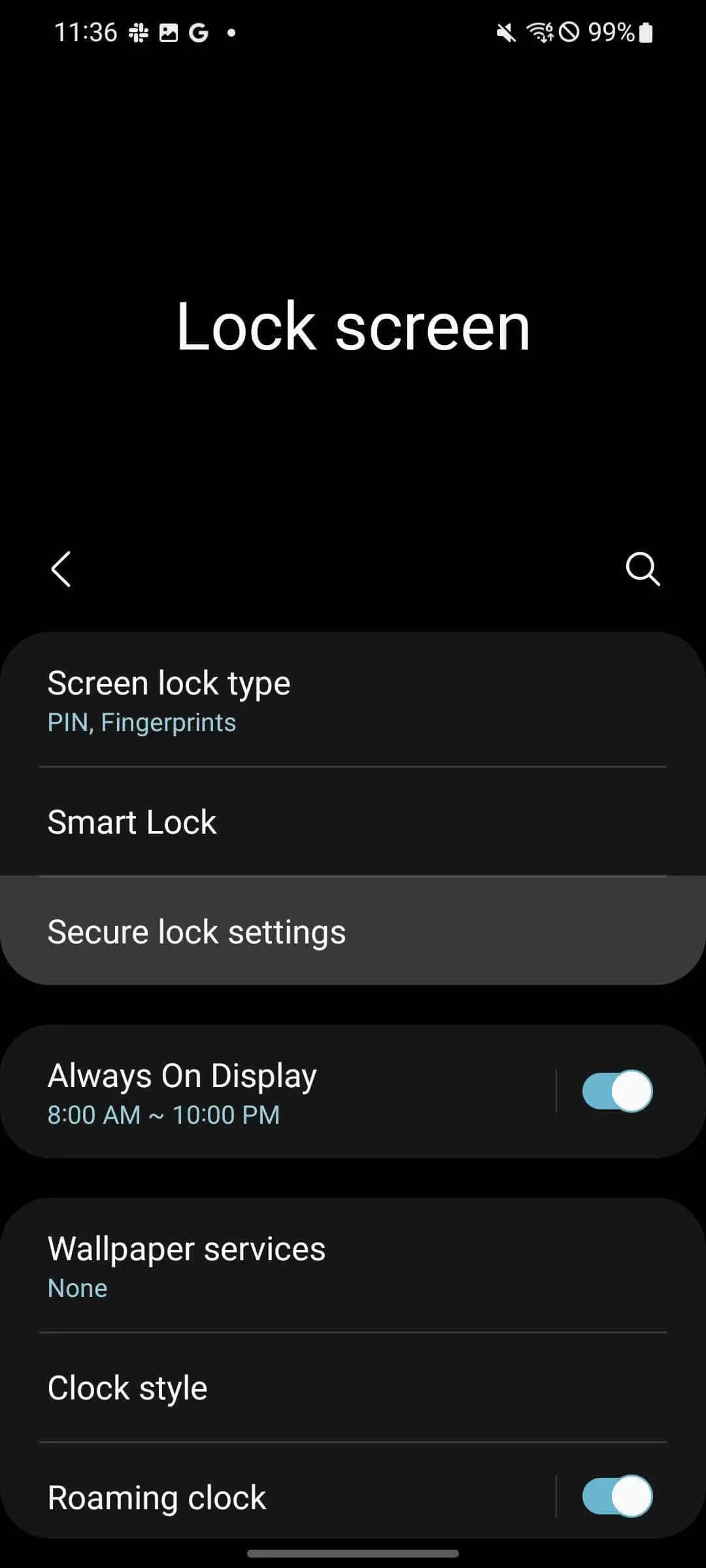
From the settings, find and tap Lock screen.
Tap Secure lock settings.
Enter your PIN or passcode.
Toggle Show lockdown option on.
This process adds Lockdown mode to your Power menu, making it very easy to access in most circumstances. Here’s how to find Lockdown mode on your Samsung phone:
From your homescreen, swipe down twice.
Tap the power icon.
Tap Lockdown.
As mentioned, your phone will instantly lock itself. If you try to open it back up, you’ll find your fingerprint won’t work nor will face unlock. The only way to gain access again is through your PIN or passcode. Once you unlock with your PIN, your Samsung device will deactivate Lockdown and things will go back to normal.
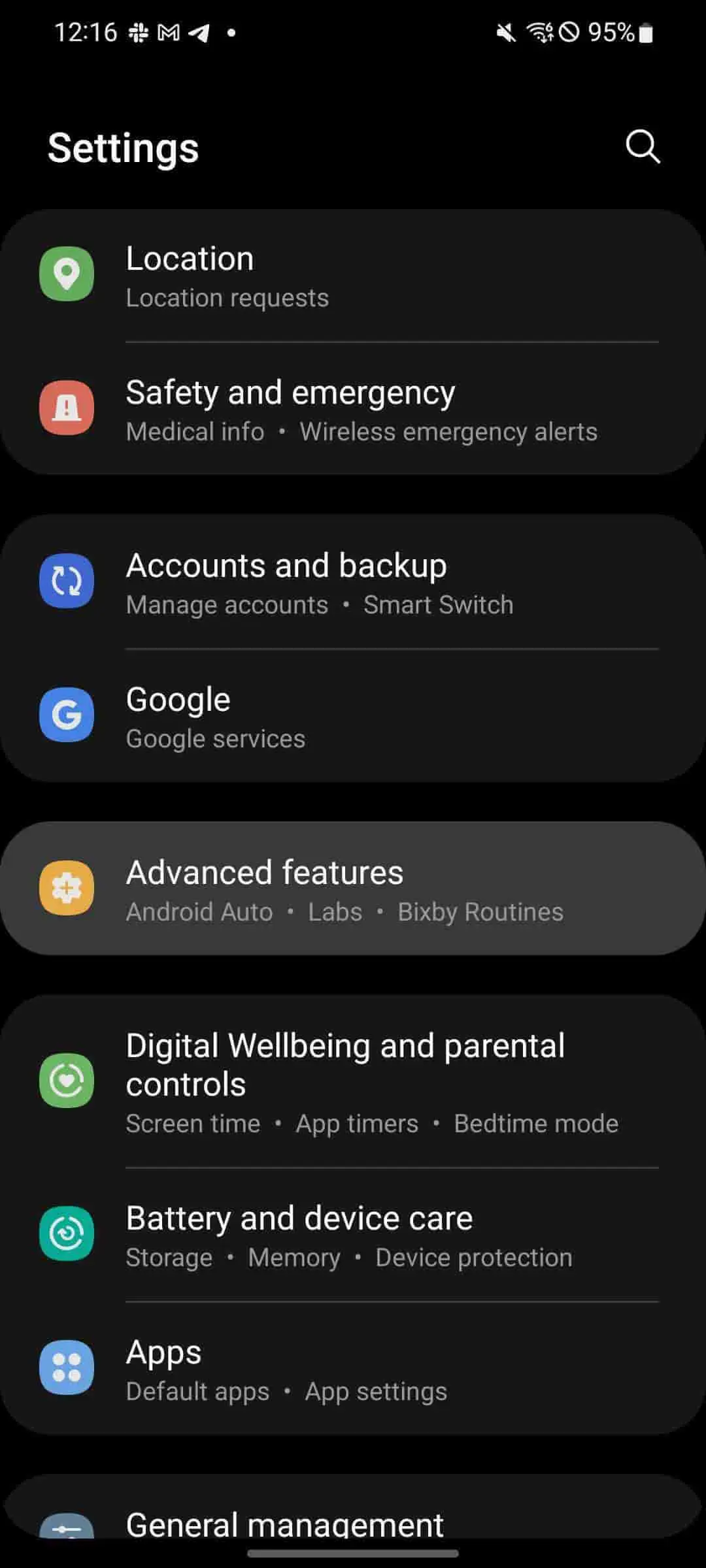
Accessing the Power menu via the side key
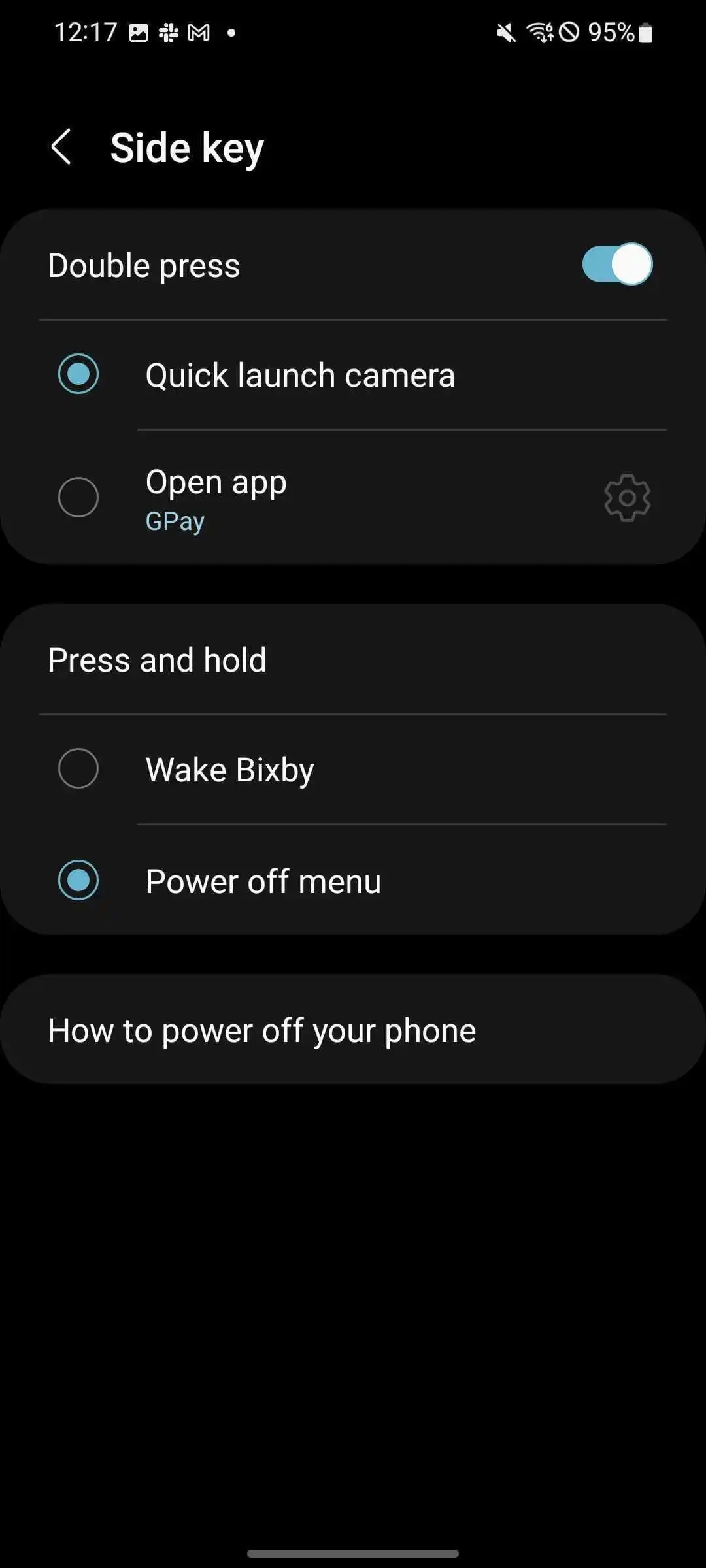
By default, the only way to access the Power menu is through the Quick Setting page above your notifications. You can change this by adjusting what the Side key – or power button – does when held down. Samsung defaults this button’s action to waking Bixby, though it can be used to quickly access the Power menu.
Here’s how to change the side key’s function:
Head to settings by swiping down once from the home screen and tapping the settings cog.
From there, scroll down and tap Advanced settings.
Hit Side key.
Under Press and hold, tap Power off menu.
Once changed, the Power menu will appear when the power button is held down. This makes it a little easier to access the Lockdown option on Samsung phones.
How is Samsung’s Lockdown different from iOS Lockdown Mode?
With iOS 16, Apple introduced a new feature for the company called Lockdown Mode as well. While the name is similar to what Samsung offers for its devices, the feature is a little more robust for iOS. Lockdown Mode for iOS initiates a systemwide security upgrade that focuses on protecting from “sophisticated cyber attacks.” Apps, websites, and other features will function differently with a focus on security rather than performance.
Apple’s Lockdown Mode is much more focused on cybersecurity rather than the physical security that Lockdown for Pixel and Samsung Galaxy devices are.
While we hope Lockdown is never needed in a real circumstance for your Android device, it’s a feature that should be familiar. Samsung’s Lockdown is a great way to protect yourself and your vital data in the case of an emergency, especially since it’s so easy to activate. This feature works great on any Samsung phone, including the Z Fold 4 and Z Flip 4, which both make use of fingerprint sensors and face unlock.
iOS 16 beta 6 now available as Apple finalizes features ahead of September launch
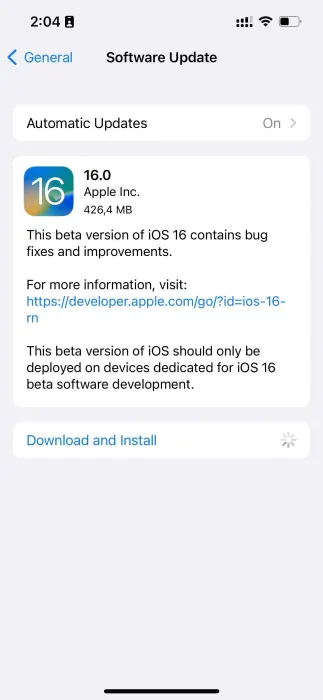
iOS 16 beta 6 and iPadOS 16 beta 6 are now rolling out to developers, one week after the fifth beta was released. iOS 16 brings a number of changes, including updates to the Lock Screen, new wallpaper options, and more. iOS 16 beta 6 will continue refining these new features…
Update: Also now available to public beta testers.
Each new iOS 16 beta usually includes a number of changes, bug fixes, and even new features. Apple keeps a keen eye on the feedback it receives from iOS 16 beta testers, and each subsequent beta aims to address complaints, bug reports, and performance issues.
Notably, Apple has switched to a one-week cycle with this beta, indicating it is ramping up beta testing ahead of next month’s public release.
One thing we’ve learned recently that Apple is planning to delay releasing this update to the public. iPadOS 16 was initially slated to launch in September alongside iOS 16, but it’s now scheduled for sometime in October.
iOS 16 beta 5 was released last week with the notable addition of a new battery percentage icon for the menu bar.
iOS 16 beta 5 finally adds the battery percentage to the status bar
Find My has a new sound alert with iOS 16 beta 5, here’s how it sounds
iOS 16 beta 5 adds ‘Copy and Delete’ option for sharing screenshots without clutter
watchOS 9 beta 6 is now available to developers
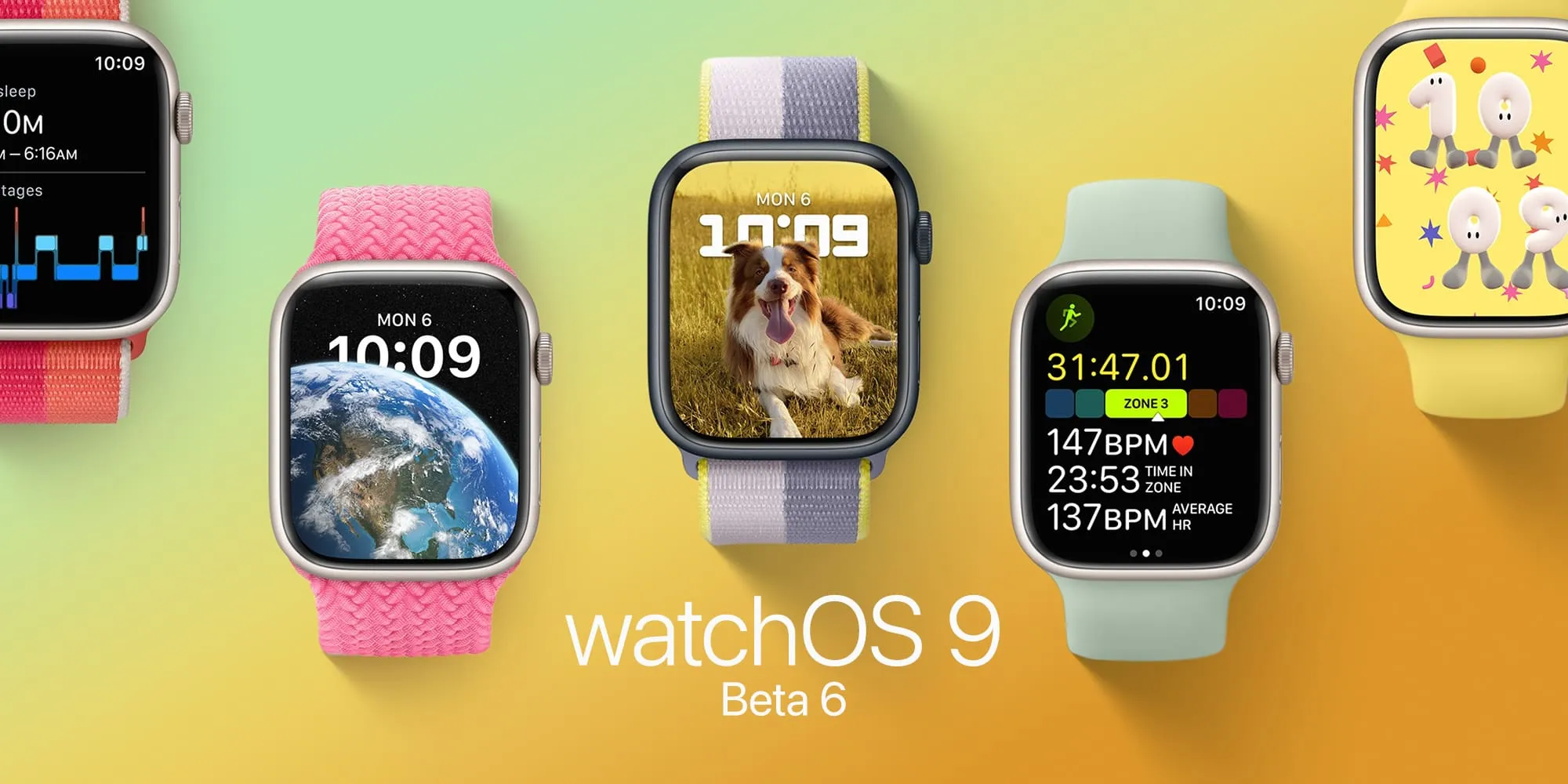
watchOS 9 beta 6 is here. As Apple polishes the Apple Watch’s upcoming operating system after more than two months of beta testing, the company seems to be getting ready for the launch of watchOS 9 in September. Here’s everything new with it.
Today’s build is 20R5353a. watchOS 9 is the biggest update on the Apple Watch software in years and beta testers can take advantage of the features before everyone else.
Now that watchOS 9 doesn’t support Apple Watch Series 3 anymore, the operating system will revamp old Watch Faces, while adding four new ones. With these new faces, Apple makes them look better on bigger displays. In addition, the company is adding QWERTY keyboard support for more languages for the Apple Watch Series 7 and new QuickType technology with watchOS 9.
watchOS 9 beta version also brings a significant update to the Workout app with a lot of new features for people who love to exercise. For runners, there’s a new Workout Views where they just need to turn the Digital Crown in order to see lots of metrics, which are available during the run:
Activity rings
Heart Rate Zones
Power
Elevation
Apple is also improving the Sleep app with watchOS 9, which beta testers can now take advantage of. It now brings more sleep data and there’s a new Medications app that helps you track all the pills and vitamins you take every day.
Alongside watchOS 9 beta 6, Apple is seeding iOS 16 beta 6, iPadOS 16 beta 6, and tvOS 16 beta 6
In a report by Bloomberg, the publication says Apple will likely delay the launch of iPadOS 16 by a month, which could mean this software will be available closer to the launch of macOS Ventura, also expected for October. watchOS 9 and iOS 16, on the other hand, are expected to launch next month.
A handy new feature Apple is bringing with iOS 16 is iPhone battery percentage in the status bar that shows at all times on the Home screen, app pages, in apps, and more. However, there are a few caveats, read on for what to do if the iOS 16 iPhone battery percentage isn’t showing on your device.
Interestingly, the iOS 16 iPhone battery percentage feature didn’t arrive until beta 5 (public beta 3). While some users have seen it turned on by default when installing the latest beta, you may have to manually enable it on your iPhone.
This marks the first time the battery percentage has been in the status bar on modern iPhones since it was dropped with the iPhone X back in 2017.
iOS 16 iPhone battery percentage: How to enable on your device
iOS 16 is currently available as a free public or paid developer beta. Learn more about installing iOS 16 in our full guide.
Make sure you’re running iOS 16 beta 5 (or public beta 3)
Open the Settings app on your iPhone (see below for compatible models)
Swipe down and tap Battery
At the top, tap the toggle next to Battery Percentage
If it’s not showing, you either aren’t running iOS 16 beta 5 (public beta 3) yet or the feature isn’t compatible with your iPhone
Here’s how those steps look:
Compatible iPhones
Currently in the iOS 16 beta 5/public beta 3, these are the models that appear to work with the new feature:
iPhone 13, 13 Pro, and 13 Pro Max
iPhone 12, 12 Pro, and 12 Pro Max
iPhone 11 Pro and Pro Max
iPhone XS and XS Max
iPhone X
For now, that means it’s not available for iPhone 13 and 12 mini, iPhone 11, or iPhone XR.
A few other details about the iOS 16 iPhone battery percentage:
When your iPhone is not charging, you’ll see the normal battery icon but with the percentage number inside (it will show fully white with the number until it’s below 20%)
If your iPhone is in low power mode, the battery icon turns yellow but still shows the percentage
When charging, you’ll see the percentage with a small charging icon
If your iPhone is below 20%, you’ll see the icon turn red with the percentage number