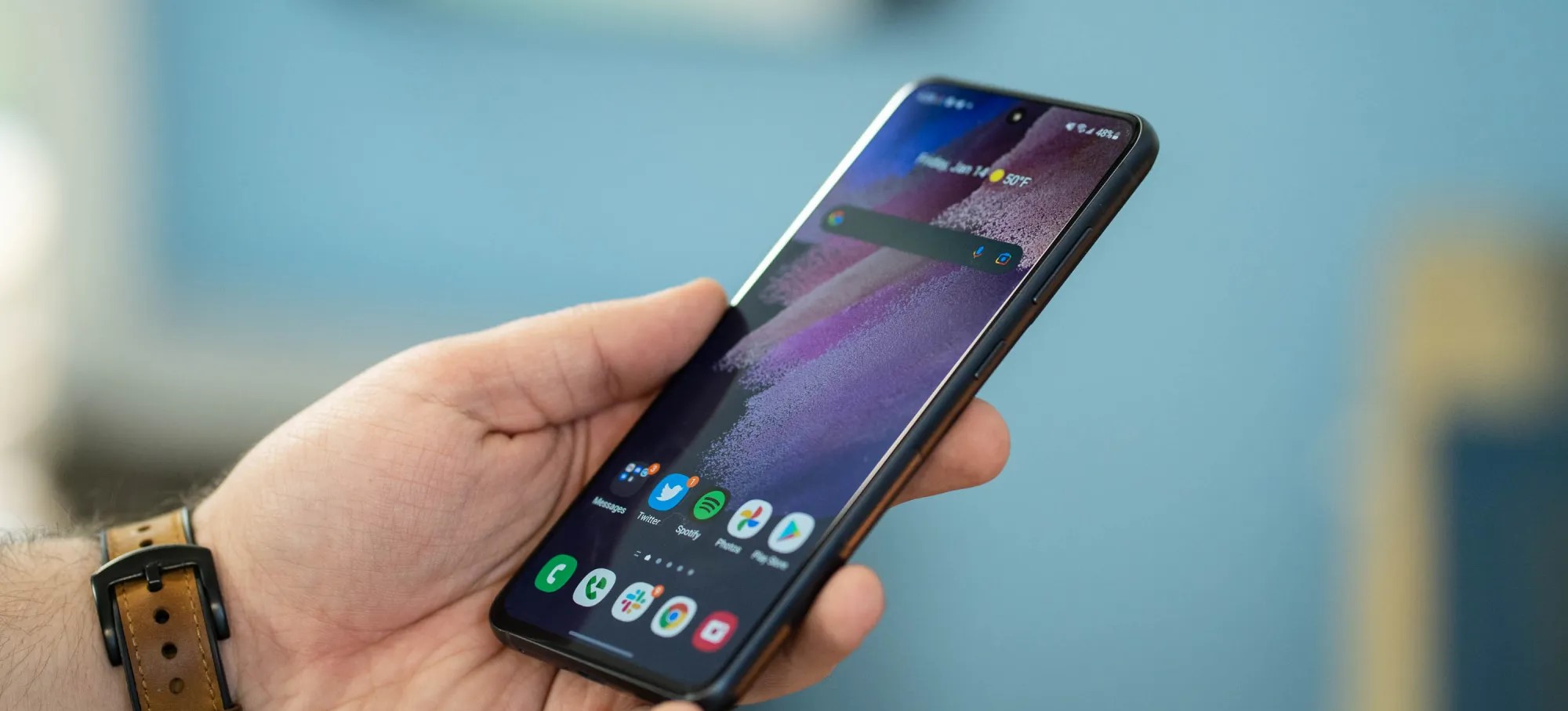
Samsung is now bringing Android 13 to the Galaxy S20 FE and the Galaxy S21 FE, starting in select regions.
Following updates to the rest of the Galaxy S20 and Galaxy S21 series, Samsung is now expanding One UI 5 to its pair of “Fan Edition” devices. The Galaxy S20 FE and Galaxy S21 FE are both getting Android 13 now via updates, though only in limited regions.
As SamMobile reports, the Galaxy S20 FE is getting Android 13 in Russia, carrying the version number G780FXXUAEVK3 and weighing in at roughly 2GB. It’s notable, though, that this is the Exynos-based version of the device, rather than the Snapdragon model that’s available in the United States and other regions.
Meanwhile, the Galaxy S21 FE is also getting Android 13 in some regions, including Europe. SamMobile notes the firmware version number G990BXXU2DVK3, and notes that the update is rolling out in some other regions.
As in most cases, Samsung usually starts these updates in select regions before expanding globally. Expect the update in other countries within the next week or two.
Samsung has updated over a dozen different smartphones and tablets to Android 13 so far, with many more to go. The company also launched Android 13 for the Galaxy Note 10 Lite this week in France.
Qualcomm just announced the Snapdragon 8 Gen 2 yesterday, and we already know one of the first phones that will use it. Unsurprisingly, the OnePlus 11 will use the Snapdragon 8 Gen 2.
OnePlus confirmed on Weibo that the OnePlus 11 “will be the first” to offer the Snapdragon 8 Gen 2. It remains to be seen if the device will truly be the first smartphone using Qualcomm’s new chip, but it will certainly be the first from OnePlus.
There aren’t any other teasers of the device, but one thing that stands out as notable is that the device is simply called the “OnePlus 11” rather than the “OnePlus 11 Pro.” This would point to OnePlus perhaps going back on last year’s choice to launch the OnePlus 10 Pro but never formally launching a “OnePlus 10” – the closest we got was the OnePlus 10T, which was a starkly different device.
According to a rumor from earlier this year, OnePlus may end up releasing the OnePlus 11 in some capacity by the end of 2022. That’s well ahead of schedule – the OnePlus 10 Pro launched in China this past January and arrived globally in March.
Leaks have also shown off the design of a “OnePlus 11 Pro” with a circular camera module and an otherwise familiar design, as pictured above.
The Snapdragon 8 Gen 2 was just announced with a new layout, Arm’s new Cortex-X3 cores, Wi-Fi 7 support, AV1 decoding, and other big upgrades as well as a focus on power efficiency.
Qualcomm announces Snapdragon 8 Gen 2 with AV1, raytracing, 1+4+3 core config
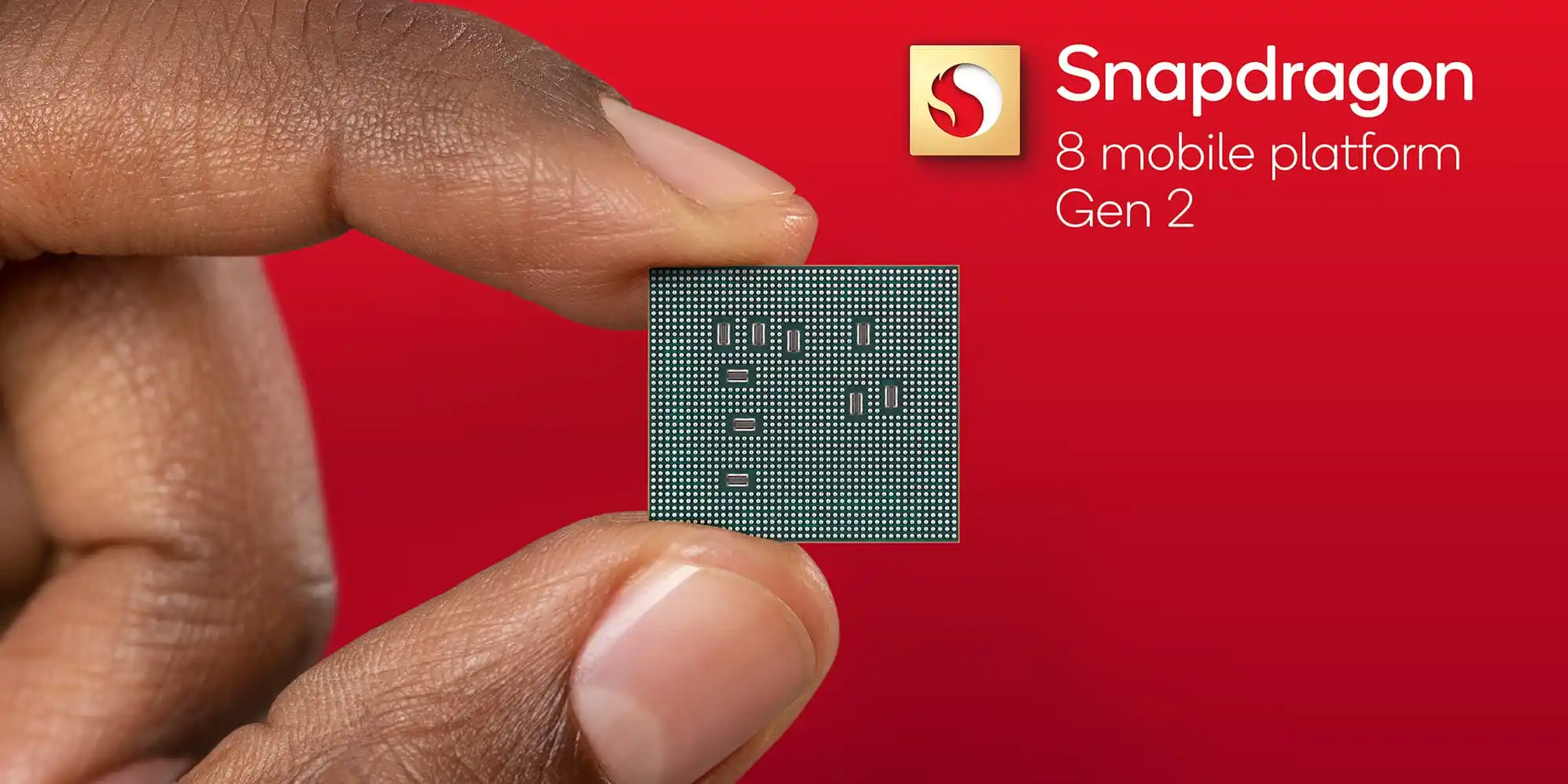
Qualcomm today announced the Snapdragon 8 Gen 2 as its new flagship Android chip with a big focus on AI performance.
This chip is built on a 4nm process with a different core configuration than last year. There’s the “Prime” Arm Cortex X3 clocked at 3.2GHz with four “Performance” (2.8GHz) and three “Efficiency” cores (2GHz). It was previously three and four, respectively, with Qualcomm finding a boost for multi-thread executions with this approach. Another optimization sees two of the Performance cores support both 64- and 32-bits operations so that older apps can run efficiently.
There’s support for up to 16GB of LP-DDR5x 4200 MHz RAM. Overall, Qualcomm says this Kryo CPU is up to 35% faster as new microarchitecture results in 40% more power efficiency (compared to 8 Gen 1).
The Adreno GPU touts up to 25% faster performance and 45% better power efficiency with Vulkan 1.3 support, while the “Adreno Display” features “OLED Aging Compensation” to combat burn-in. The other highlight is hardware-accelerated ray tracing when gaming that better simulates how light physically behaves in the real world from accurate reflections to better shadows.
The Snapdragon X70 5G model supports 5G+5G/4GDual-SIM Dual-Active, while the FastConnect 7800 powers low-latency Wi-Fi 7 and dual-Bluetooth connectivity. Other features include 4x carrier aggregation downlink and Snapdragon Satellite two-way messaging support. There’s also support for audio with dynamic head tracking.
The Qualcomm AI Engine is the other big focus with up to 4.35X increased AI performance thanks to a 2x bigger tensor accelerator. It features a dedicated power delivery system that doubles the connection between the Hexagon Processor and the Adreno GPU, as well as Spectra ISP, for higher bandwidth and lower latency. For AI tasks, the faster connection reduces the dependency on the system DDR memory. There’s also INT4 AI format support for 60% performance/watt improvement during sustained AI inferencing.
Meanwhile, the Sensing Hub features dual AI processors for audio and other sensors with a 2x performance increase and 50% more memory. Last year’s always-on camera has been rebranded to the Always-Sensing camera, with one possible use case being a phone reading a QR code in the background.
The Snapdragon 8 Gen 2 features what Qualcomm calls a “Cognitive ISP” that can run real-time semantic segmentation to identify and then optimize for faces, hair, clothes, sky, and other common layers in a scene. This is made possible by the new power delivery system. There’s support for Samsung’s ISOCELL HP3 image sensor (200MP) and AV1 codec for up to 8K HDR at 60FPS video playback.
The Snapdragon 8 Gen 2 will appear in commercial devices by the end of 2022 with adoption from Asus ROG, Honor, iQOO, Motorola, Nubia, OnePlus, Oppo, Redmagic, Redmi, Sharp, Sony Corporation, Vivo, Xiaomi, Xingi/Meizu, and ZTE.
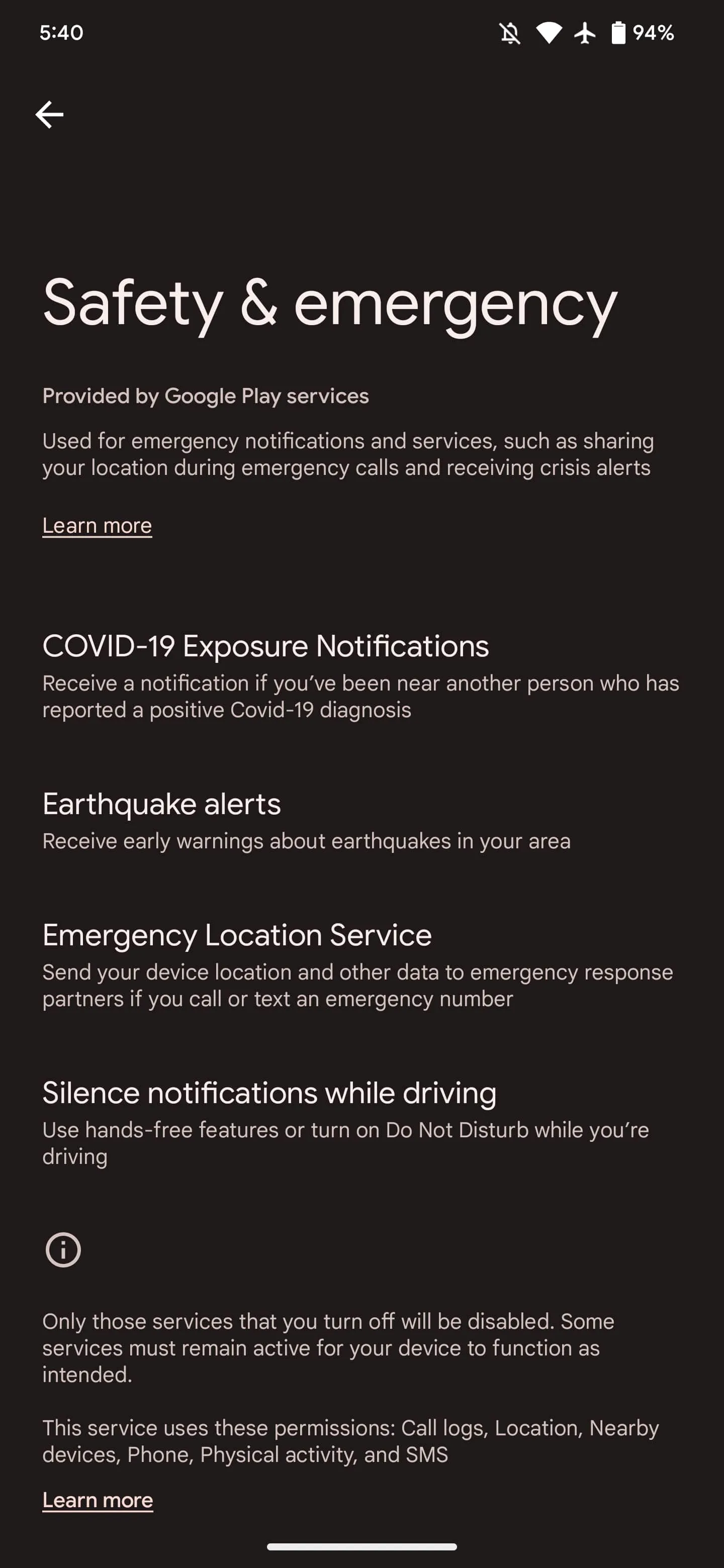
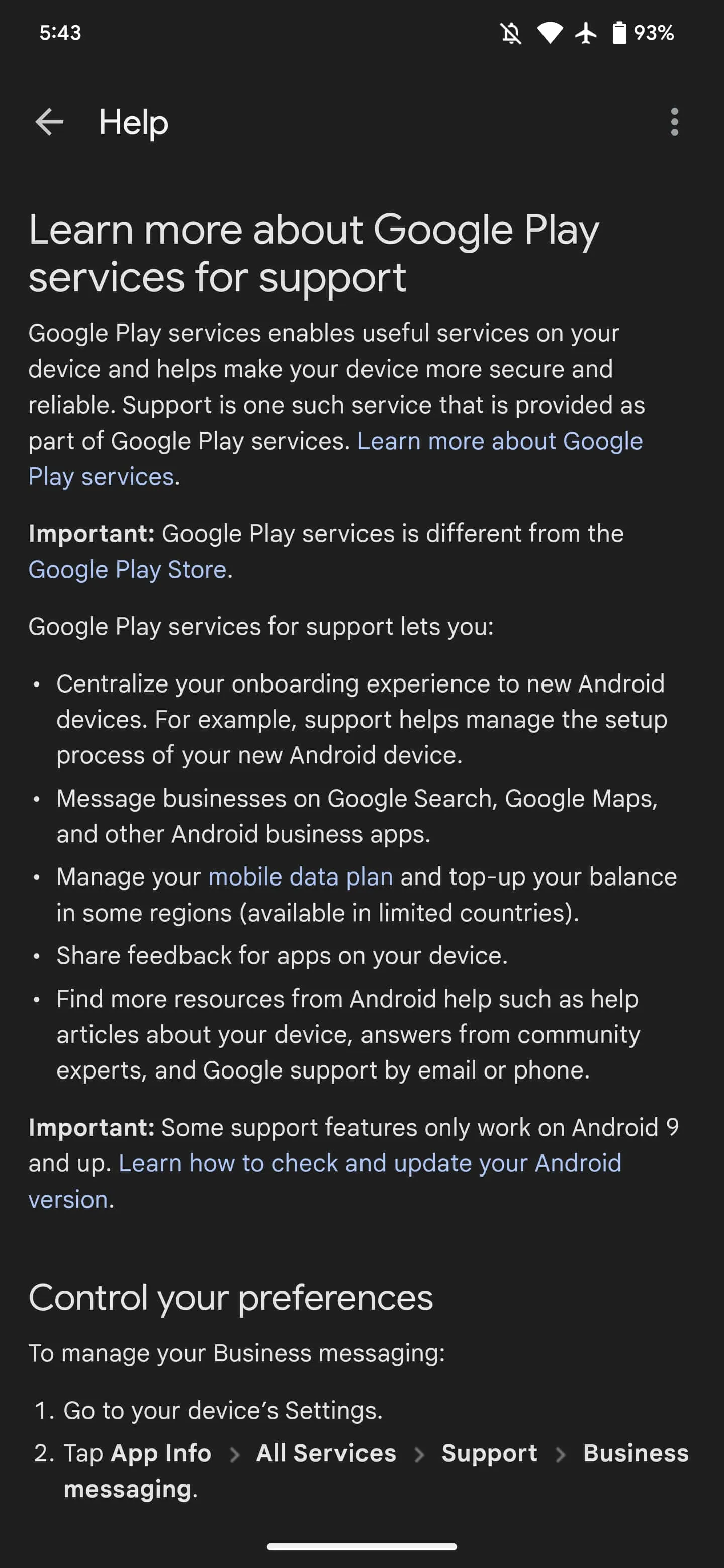
Google Play services powers many key features on Android devices that might not be obvious to end users, and Google is now offering an explanation directly on your phone as part of a new approach.
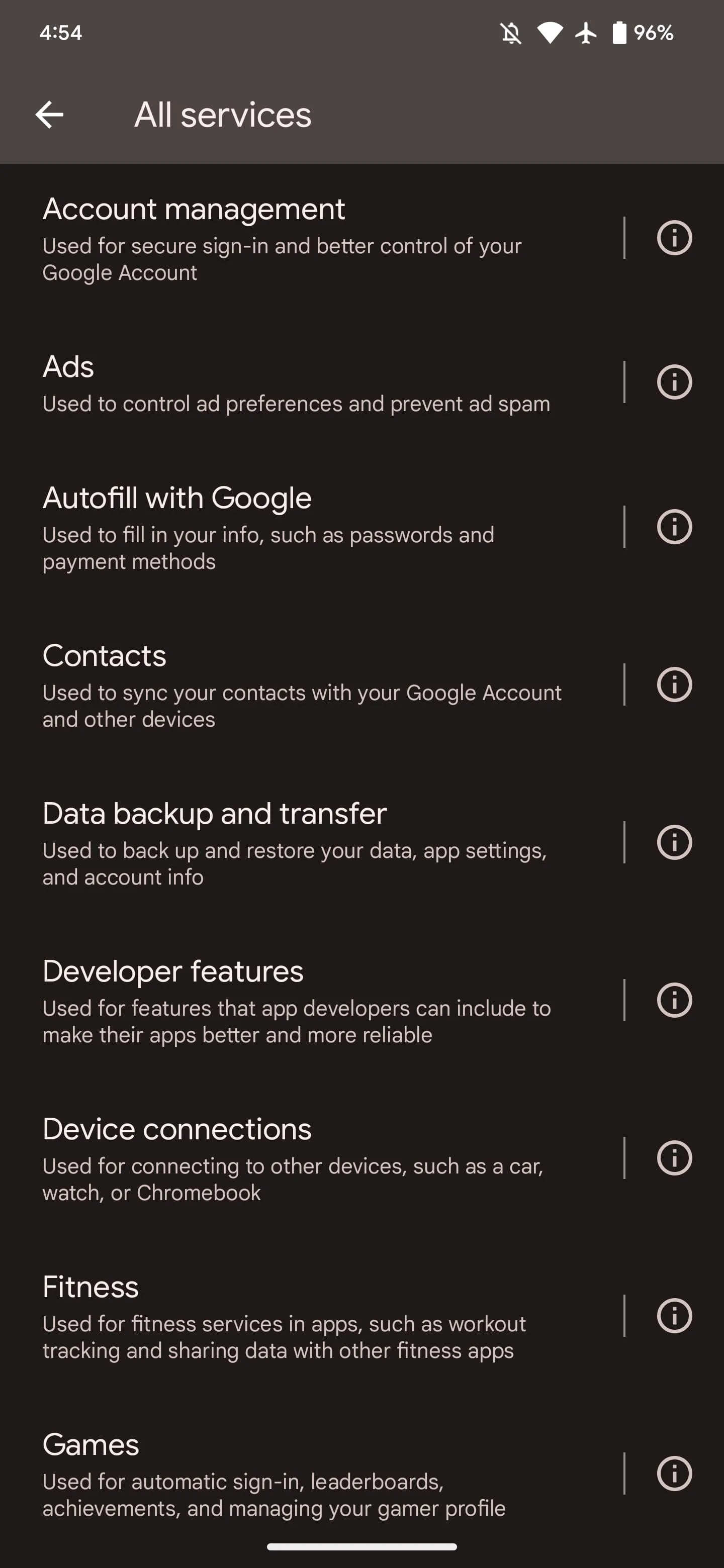
If you go to Settings > Apps > See all > Google Play services, you’ll see a new “All Services” item as the first thing in the App info list underneath Disable and Force stop. Tapping lets you “See details about the services used on your device.” Google’s high-level explanation of Play services follows:
Google Play services helps to make your device more secure and reliable. It’s an important part of many of the features on your device, and it’s different from the Play Store app.
Keep in mind that turning off services can impact the way your device works.
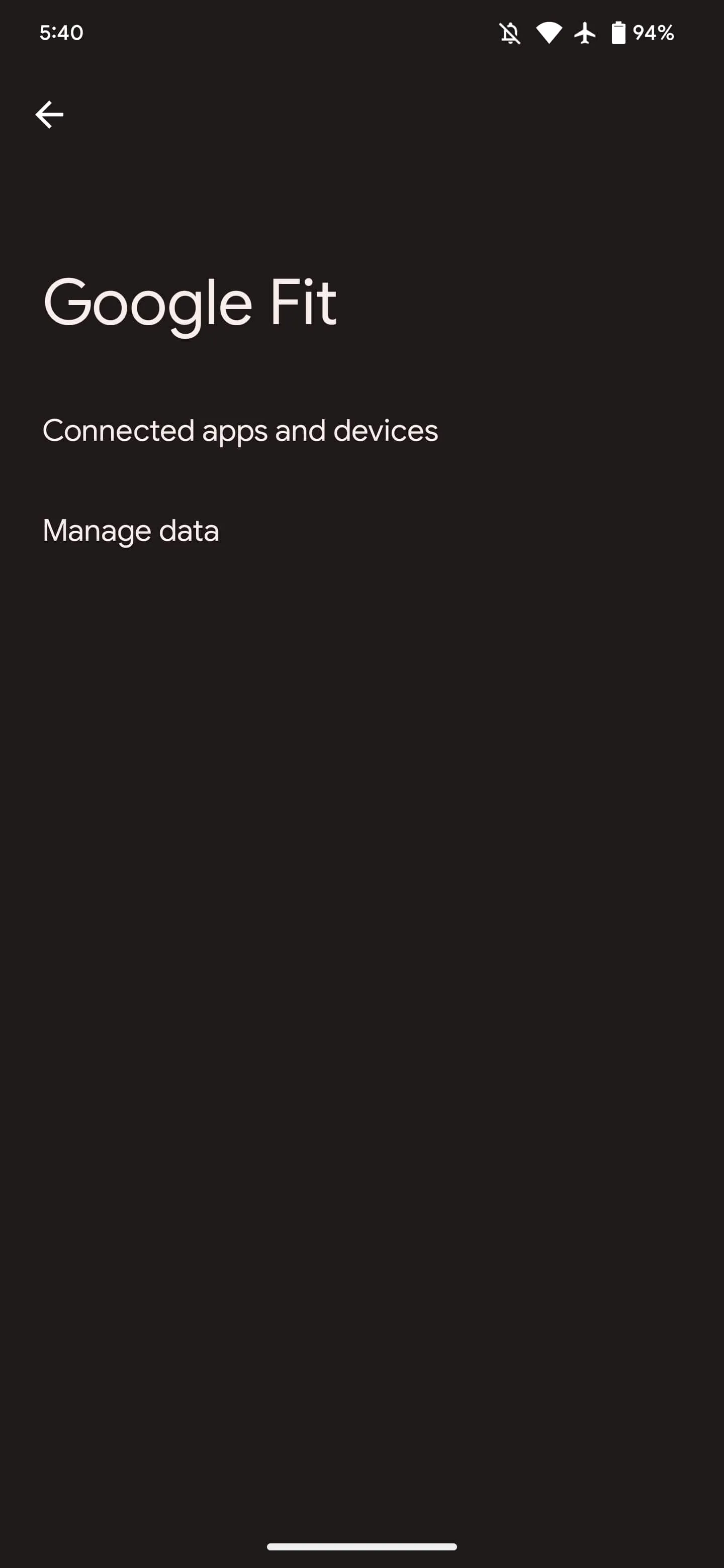
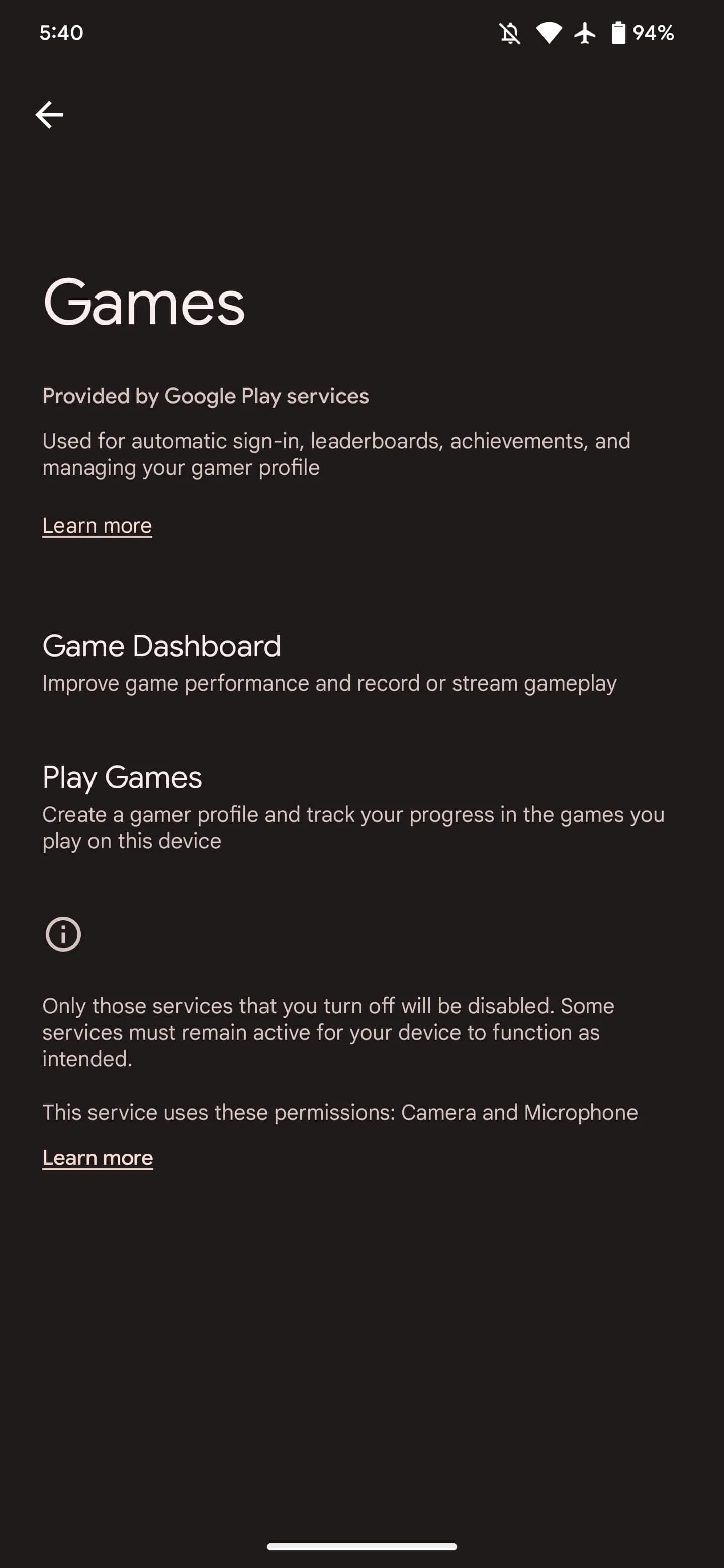
The last line makes explicit reference to how some people disable it. Google specifically highlights 17 capabilities. Tapping takes you to settings pages, while the Info button next to things takes you to various support/help articles.
Of the devices we checked today, this is only appearing on Android 13 Pixel phones. The capability that lets Play services add this “All services” page to App info requires the latest version of the OS.
Account management: Used for secure sign-in and better control of your Google Account
Links to settings for: Device phone number and Google Account
Ads: Used to control ad preferences and prevent ad spam
Lets you: Reset advertising ID, Delete advertising ID, or Enable debug logging for ads
Also shows device advertising ID
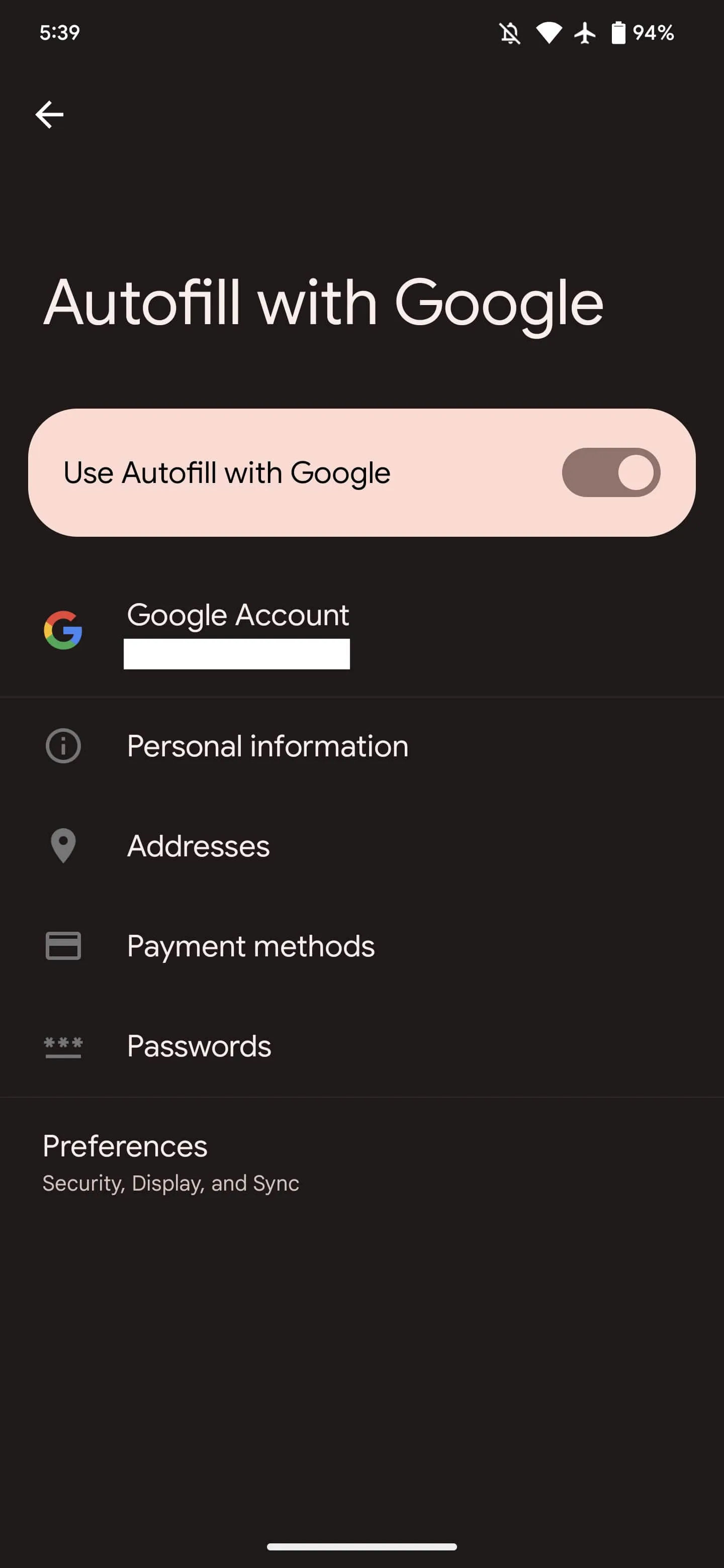
Autofill with Google: Used to fill in your info, such as passwords and payment methods
Shows settings to enable/disable Autofill with Google
Links to your saved Personal information, Addresses, Payment methods, and Passwords, as well as Preferences
Contacts: Used to sync your contacts with your Google Account and other devices
Links to settings for: Google Contacts sync and Restore contacts
Data backup and transfer: Used to back up and restore your data, app settings, and account info
Links to settings for: Settings > System > Backup
Developer features: Used for features that app developers can include to make their apps better and more reliable
Apple has always stood for privacy as a “human right” while the company has never liked the idea of having advertisements on its platforms. But as the App Store is now getting new ad placements, some people have become concerned about how the company’s policies may change. To add more fuel to the fire, developers have discovered that Apple may keep track of everything you tap while browsing the App Store.
Apple knows everything you tap on the App Store
Two developers and security researchers who identify themselves as “Mysk” have raised privacy concerns about the App Store getting more ads. More specifically, the developers revealed that iOS sends Apple a detailed log of how users interact with the App Store.
As shown in a brief video, the usage data includes details about where the user taps on the screen. This information is sent in real time to Apple via a JSON file.
According to developers, the company has been tracking users’ actions within the App Store since the release of iOS 14.6 in May 2021. Interestingly, as noted by BGR’s José Adorno, the company introduced the App Tracking Transparency feature a month earlier with iOS 14.5.
There’s no official explanation as to how Apple uses this data, but it seems that the company is still tracking users as they browse the App Store. It’s worth noting that since Apple started offering ads on the App Store, developers have access to some statistics about how their ads are performing – so such data may be related to this.
Even though Apple may claim that the collected data is not shared with third parties, this sounds quite controversial since Apple has been creating barriers to make it harder for third parties to track iOS users, which has affected ad platforms from Google and Meta. And according to Mysk, App Store data is sent to Apple even when the Personalized Ads option is turned off.
🧵 1/5 The recent changes that Apple has made to App Store ads should raise many #privacy concerns. It seems that the #AppStore app on iOS 14.6 sends every tap you make in the app to Apple.👇This data is sent in one request: (data usage & personalized ads are off)#CyberSecuritypic.twitter.com/1pYqdagi4e
Apple last month introduced new ad placements to the App Store. While previously developers could only promote their apps in App Store Search, now they can also pay to show their apps on app pages and in the Today tab.
Soon after the new ad placements were made available, many users criticized them for showing irrelevant or ethically questionable content, such as casino and dating apps. The company then temporarily suspended ads for these apps, but it’s unclear what will happen next.
According to rumors, Apple plans to push even more ads to its users in the future. At the same time, the company makes it more difficult for competitors to reach iOS users with advertisements, which could eventually lead to a new antitrust investigation.
PayPal will soon be rolling out new ways for customers and merchants to take advantage of Apple Pay, iPhone, and more. PayPal says it will soon be adopting Apple’s new Tap to Pay on iPhone feature, as well as adding support for Apple Pay to its branded debit and credit cards and adding Apple Pay as a payment option in checkout flows.
PayPal adopting Apple Pay and more
PayPal made these announcements in an update to investors as part of its Q3 2022 earnings release. As one of its “strategic initiatives and business updates,” the company says it is “working with Apple to enhance our offerings for PayPal and Venmo merchants and consumers.”
We’re very pleased to be working with Apple to enhance our offerings for our PayPal and Venmo merchants and consumers,” PayPal Chief Executive Officer Dan Schulman said in the statement.
There are different components to today’s announcement from PayPal, which also owns the popular peer-to-peer payment platform Venmo. Here they are:
Leveraging Apple’s Tap to Pay on iPhone technology, US merchant customers will soon be able to accept contactless debit or credit cards and mobile wallets, including Apple Pay, using an iPhone and the PayPal or Venmo iOS app.
Adding Apple Pay as a payment option in PayPal’s unbranded checkout flows on merchant platforms, including the PayPal Commerce Platform.
Next year, US customers will be able to add PayPal and Venmo network-branded credit and debit cards to Apple Wallet and use them anywhere Apple Pay is accepted.
Tap to Pay on iPhone is a new feature launched by Apple earlier this year, currently available in Apple Stores and via Square’s merchant app. Tap to Pay on iPhone works by the merchant prompting the customer to hold their iPhone or Apple Watch near the merchant’s iPhone to pay with Apple Pay, a contactless credit or debit card, or another digital wallet. The payment is then securely completed using NFC technology.
Meanwhile, PayPal’s announcement today also means that you’ll see Apple Pay as a payment option when you choose the option to check out with PayPal from some websites. This will increase the availability of Apple pay for purchases on the web, but it sounds like the implementation will be somewhat limited.
Finally, PayPal also says that consumers will be able to add their PayPal and Venmo-branded debit and credit cards to Apple Wallet and Apple Pay next year.
Google is preparing to shut down the dedicated Street View app on Android, keeping the feature in Google Maps.
About APK Insight: In this “APK Insight” post, we’ve decompiled the latest version of an application that Google uploaded to the Play Store. When we decompile these files (called APKs, in the case of Android apps), we’re able to see various lines of code within that hint at possible future features. Keep in mind that Google may or may not ever ship these features, and our interpretation of what they are may be imperfect. We’ll try to enable those that are closer to being finished, however, to show you how they’ll look in case that they do ship. With that in mind, read on.
Google’s Street View is an easy way to get a 360° look at almost any given street on the planet, perfect for getting a sense of your next travel destination or simply exploring the world from the comfort of home. While the Google Maps app has long offered an easy way to hop into Street View, there has also been a dedicated Street View app on Android and iOS.
This standalone app served two distinct groups of people – those who wanted to deeply browse Street View and those who wanted to contribute their own 360° imagery. Considering the more popular Google Maps app has Street View support and Google offers a “Street View Studio” web app for contributors, it should be no surprise to learn that the company is now preparing to shut down the Street View app.
In the latest update, version 2.0.0.484371618, Google has prepared a handful of deprecation/shutdown notices for the Street View app. These notices are not yet visible in the app today, but our team managed to enable them.
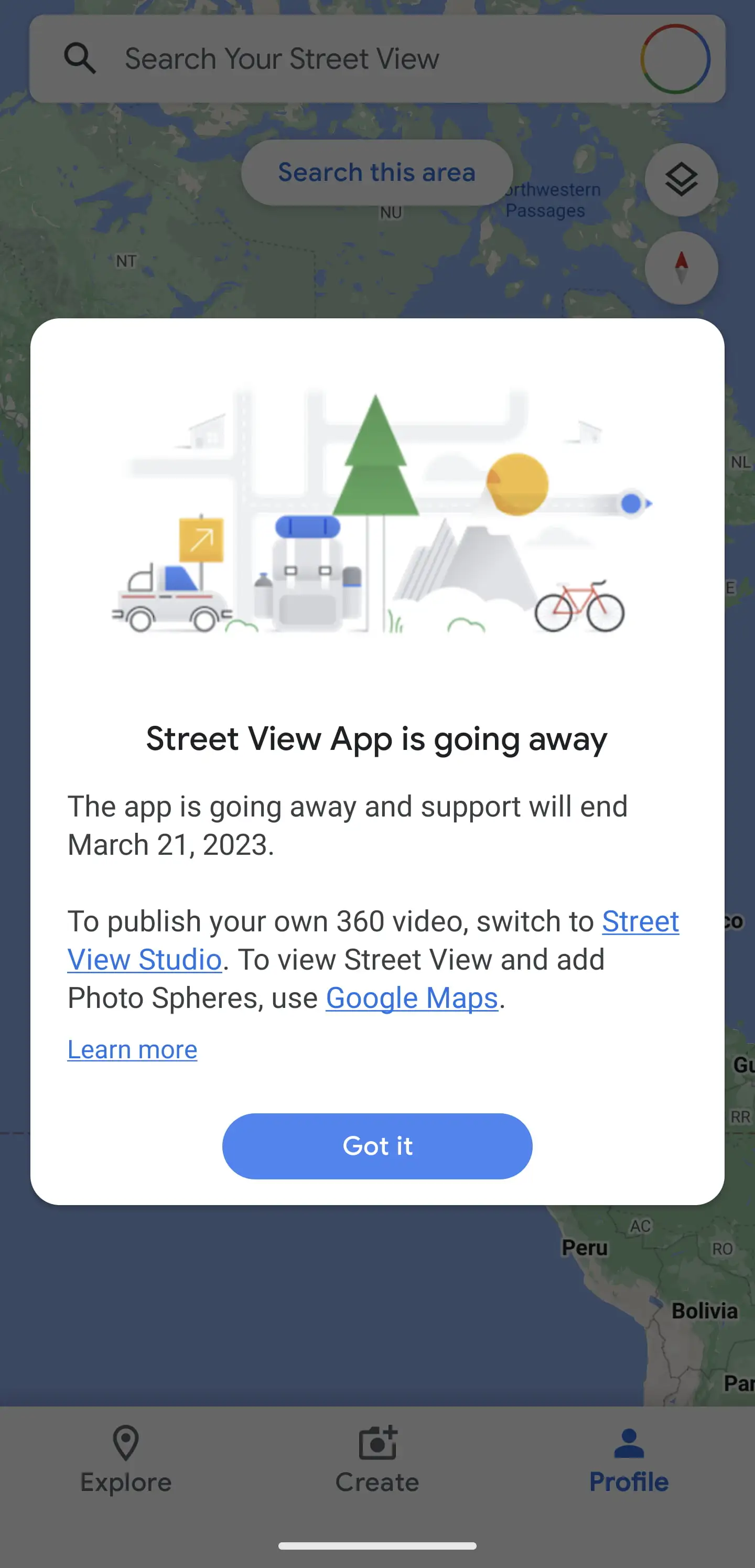
In the notice, Google confirms that the Street View app is set to shut down on March 31, 2023, encouraging users to switch to either Google Maps or Street View Studio.
Street View App is going away
The app is going away and support will end March 21, 2023.
To publish your own 360 video, switch to Street View Studio. To view Street View and add Photo Spheres, use Google Maps.
However, one feature that is being fully shut down with the Street View app’s demise is that of “Photo Paths.” First launched last year, Photo Paths were intended as a way to let nearly anyone with a smartphone contribute simple 2D photos of a road or path that had not yet been documented by Street View. Unlike every other feature of the Street View app, there is no replacement for Photo Paths on the web app or Google Maps app.
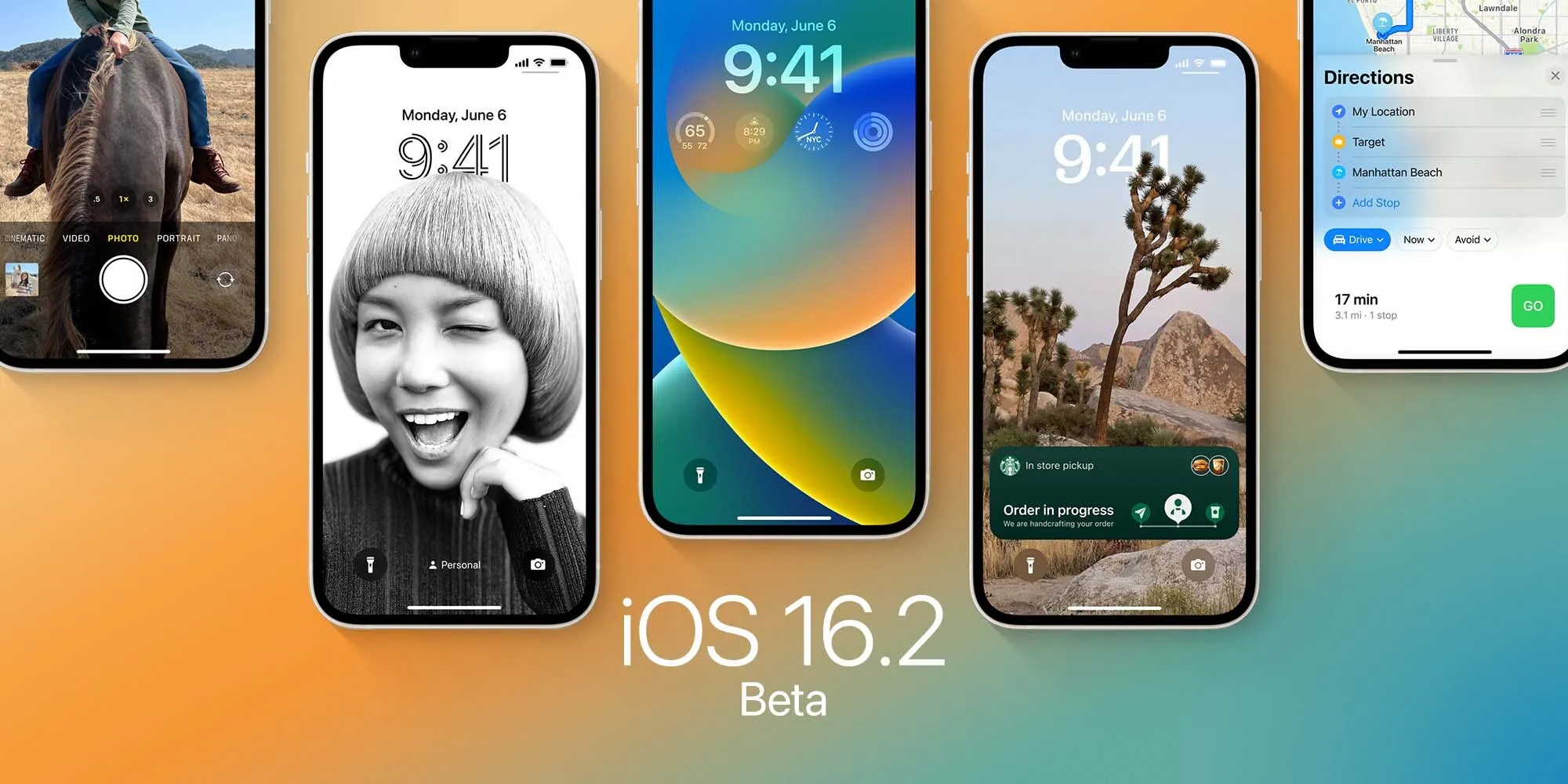
Apple this week launched the first betas of its next round of software updates, including iOS 16.2, iPadOS 16.2, and macOS Ventura 13.1. A new report from Bloomberg today indicates that Apple is currently targeting a release date to the public sometime in mid-December for these updates.
iOS 16.2 release date
In the latest edition of his Power On newsletter, Bloomberg’sMark Gurman says while Apple is done with hardware releases for the year, it still has more software updates on the way. “The iOS 16.2 and iPadOS 16.2 updates, which began beta testing this past week, should be released around mid-December,” Gurman says in today’s newsletter.
Gurman also notes that Apple is targeting a release date of sometime between early February and the beginning of March for iOS 16.3 and macOS Ventura 13.3:
I’m told that Apple is aiming to introduce the upgraded models—including M2-based versions of the 14-inch and 16-inch MacBook Pros—in the first quarter of calendar 2023 and has tied the launches to the upcoming macOS Ventura 13.3 and iOS 16.3. Those software updates are expected to debut between early February and the beginning of March.
iOS 16.2 includes a handful of changes, including the new Freeform collaboration app that Apple first showed off at WWDC. As of right now, iOS 16.2 is available to developer and public beta testers.
Apple reveals how it approached redesigning the new Home app in iOS 16
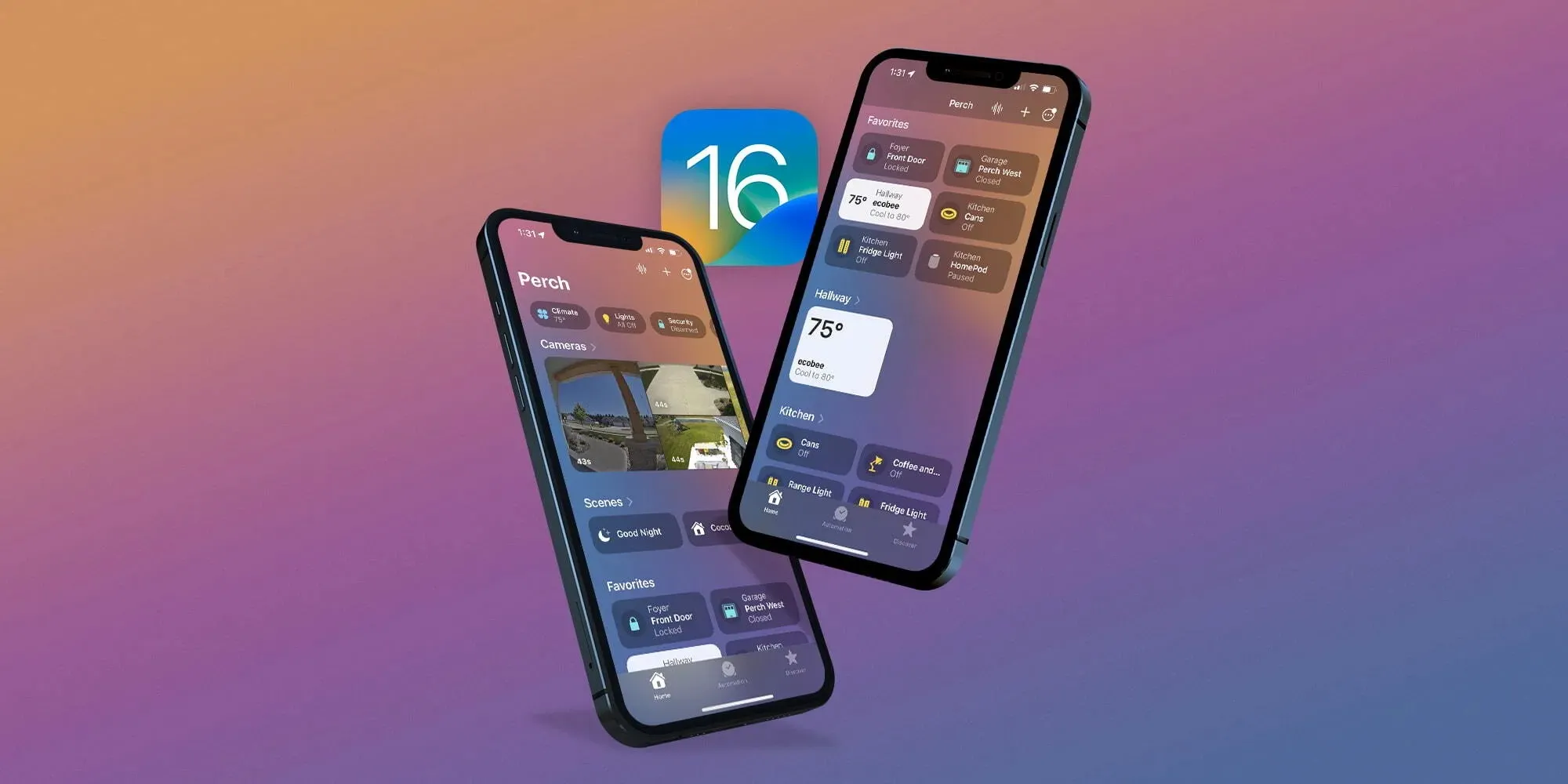
One of the valuable updates that arrived with iOS 16 this fall is an overhauled Home app. Additions and changes in the fresh experience include a new UI and iconography, customizable sections, fresh wallpapers, a more seamless experience, and more. Now Apple has shared how it approached the big Home app update in an interview.
Speaking to Parade, Cecelia Dantas who works in Product Marketing at Apple detailed how the goal was to make the new app beautiful and workable for everyone from beginners to HomeKit experts:
“We took the opportunity to rethink and redesign the Home app. It has this fresh new look and it scales beautifully, even for those who are just starting out their smart home with a few accessories or for those who have an advanced setup.”
As I wrote in my detailed hands-on coverage of the new Home app earlier this year, it features a sharp default layout:
New top category buttons
HomeKit cameras are at the top of the app, below are Scenes and Favorites
Then you’ll see your other devices organized by Room
Most of the HomeKit device icons have been either totally updated or given a slight refresh
Other improvements include improved access to Home app settings, customizable sections, new wallpapers, and more.
Dantas also highlighted that while Apple had adopted Matter support with iOS 16.1, it “continues to apply the same lens for privacy that we do across all of our products and services. So all the data is stored using end-to-end encryption. So there’s no way for Apple to read this data. And Appledoesn’t build a profile around what accessories you use, or how you use them.”
As a refresher, Matter is a collaboration between Apple, Amazon, Google, Samsung, the Connectivity Standards Alliance, and many others to make it easy to use any smart home device with better reliability, speed, and performance.
An underlying technology of Matter is Thread. And we’ve already seen a number of smart device companies adopt Thread like Apple with HomePod mini, Belkin, Nanoleaf, Eve, and more.
Android 13 is starting to expand past the beta stage on devices from Samsung, Vivo, and more after launching on Pixels earlier this year. OnePlus, though, is just now releasing a schedule for when to expect Android 13 on more devices, but only in its beta form.
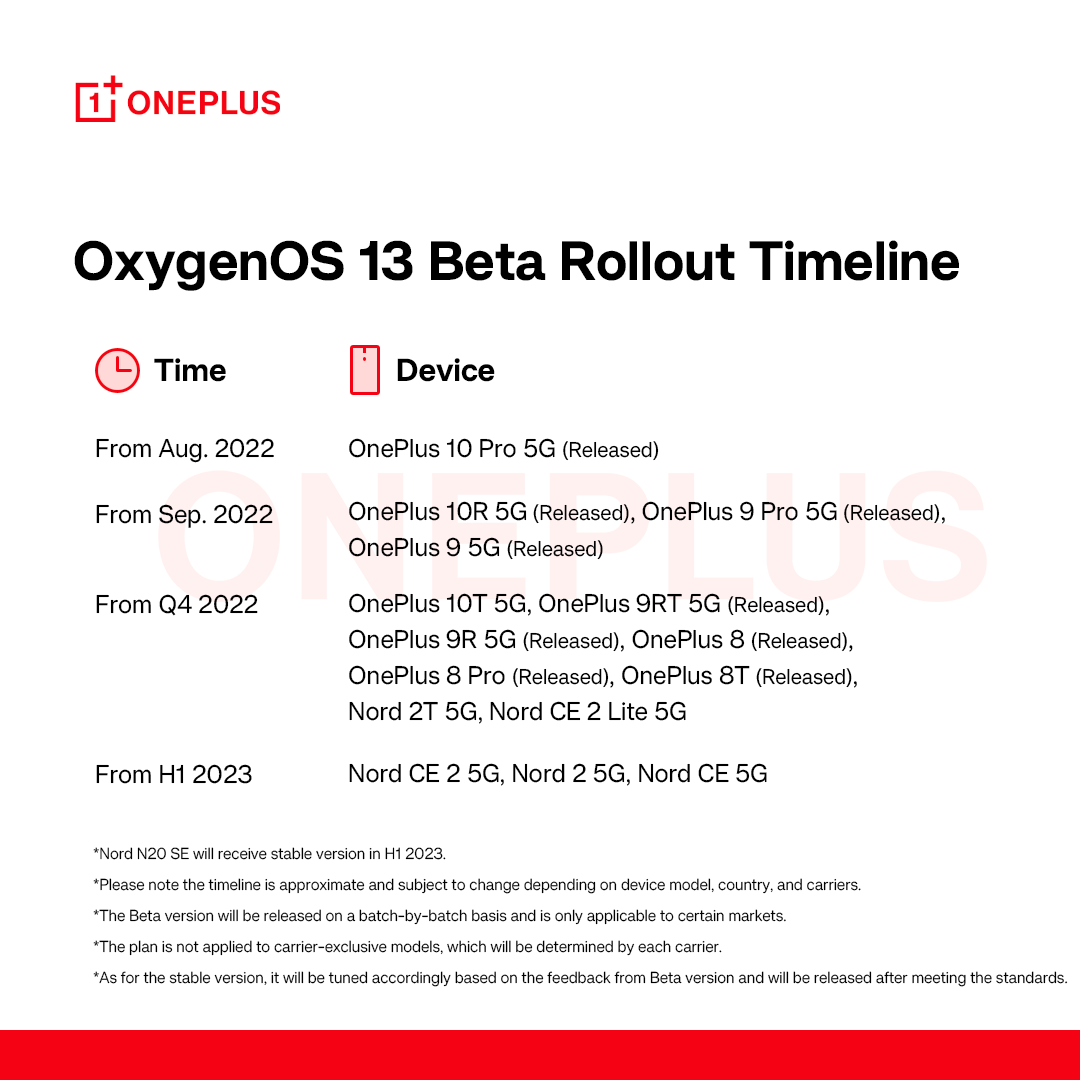
So far, OnePlus has only released a “stable” version of Android 13 with OxygenOS 13 to a single device, the OnePlus 10 Pro. That was followed by open beta releases for theOnePlus 9 and 9 Pro, as well as theOnePlus 10R in September, and betas have also since been released for OnePlus 10T, OnePlus 8 series, and the OnePlus 9R/T.
Sometime in “Q4 2022,” OnePlus says the Android 13 beta will expand to the OnePlus Nord 2T 5G and the OnePlus Nord CE 2 Lite 5G. That’s all the brand says to expect through the end of 2022. From there, the first half of 2023 will see Android 13 beta releases for the OnePlus Nord CE 2 5G, Nord 2 5G, and Nord CE 5G. Note, of course, this is only talking about the beta releases, not the stable release.
OnePlus does add that the OnePlus Nord N20 will see a stable Android 13 release sometime in the first half of 2023 as well.
With this schedule, OnePlus also doubly confirms that devices from the OnePlus 7 series are seemingly not getting Android 13, which lines up with the brand’s stance of only promising two major Android updates to its flagships.
In a time where Samsung is providing a stable Android 13 update just two months behind Google and has active beta programs ongoing for both its flagship and budget models, it’s rough to see OnePlus making slow progress like this. OnePlus and Oppo touted “faster and smoother” updates as a benefit that users would enjoy as the two brands merged closer together, but it’s certainly not reflected in this schedule. Rather, we’re just seeing more ColorOS on OnePlus devices.
With the official release of iOS 16.1 this week, Apple introduced Live Activities – a new way for third-party apps to provide useful information right on the iPhone lock screen or Dynamic Island. With the iOS 16.2 beta, which was released to developers on Tuesday, the company is working to let users choose to keep Live Activities updated more frequently.
More Frequent Updates to Live Activities
The new option, which is not yet enabled in iOS 16.2 beta 1, will provide “More Frequent Updates” for Live Activities. Code seen by 9to5Mac confirms that when this option is enabled, Live Activities (and consequently Dynamic Island interactions) will request updates at shorter intervals to show “more real time information.”
At the same time, the same message found in the code warns that enabling More Frequent Updates for Live Activities will also drain the iPhone’s battery faster. Here’s what the message says:
More Frequent Updates
Allowing more frequent updates lets you see more real time information, but can drain your battery faster.
Once available, the new option will be accessible to users in the Settings app. Having more frequent updates can be extremely useful for some apps like Flighty, which now has a Live Activity to show details about an upcoming flight. Delivery and ride apps should also benefit from this option. Presumably Apple will make the feature public before the official release of iOS 16.2.
What’s new with iOS 16.2?
iOS 16.2 comes with some other new features. The update introduces the Freeform app, which was announced back in June at WWDC 2022. Freeform allows users to write and draw together in a collaborative canvas. For iPad users, iPadOS 16.2 enables support for an external display with Stage Manager.
Also coming with iOS 16.2 is a new option to send feedback to Apple when Emergency SOS is mistakenly triggered on the iPhone, plus a new, more reliable architecture for the Home app.
The update is now available for developers and is expected to be released soon for users registered in the Apple Beta Software Program. There’s no word on when it will become available to the public.
Samsung has begun rolling out the official Android 13 update to owners of the Galaxy S22, bringing the full suite of One UI 5.0 changes.
Android 13 was officially released, starting on Google’s Pixel phones, on August 15, and just days before that launch, Samsung began beta testing the new changes on their Galaxy series phones. After over two months in beta, as spotted by SamMobile, Samsung is now rolling out the full, stable Android 13 release with One UI 5.0, starting with the Galaxy S22 series.
For now, the rollout seems to be limited to Exynos variants of the Galaxy S22 in South Korea and across Europe. Thus far, the Android 13 update has not been made available in the United States, but that is likely to change in the coming days.
To get fans acclimated with the new update and all of the hottest features of One UI 5.0, Samsung has released an official “Introduction Film” highlighting what’s changed. Samsung’s Android 13 and One UI 5.0 video, of course, kicks off with the new lock screen customization, meant to help the Galaxy S22 compete with what Apple brought to iOS 16. Another familiar feature from the iPhone series is the introduction of “Modes,” which quickly set your sound and notification settings to suit your daily activities.
Going beyond matching the iPhone’s feature set, Samsung’s lock screen options allow you to use a video wallpaper or change the artwork periodically. Just like it did for the Pixel series, the Android 13 update for Samsung Galaxy phones gives you multiple vibrant theme options generated from your current wallpaper.
Continuing the theme of customization, Samsung also showcases a new way to “stack” widgets on your homescreen, making them easily scrollable. You can even deeply customize your Galaxy Watch with the Watch Face Studio.
In changes that are less exciting but still quite useful, Samsung’s Android 13 and One UI 5.0 update combines privacy and security settings into one hub. This security and privacy dashboard is designed to be easily read and understood, making it easier to be sure you’re safe in the digital world.
For more on what’s new in the One UI 5.0 update with Android 13, across the Galaxy S22 and the rest of Samsung’s lineup, check out our video from the original beta.