In November, Google started the Android 14 QPR2 preview earlier than expected, and Beta 2 is now rolling out for Pixel phones, Fold, and Tablet.
Following the launch of QPR1 at the start of December, QPR2 is expected to hit stable in March. The preview program for that next release and Pixel Feature Drop should have kicked off this month. Instead, it started in mid-November and was followed by a .1 patch less than a week later.
QPRs are relatively stable and launch as betas rather than developer previews. Google officially says they are “suitable for general use.” Known issues include:
Sometimes when a user unlocks the device using their fingerprint, there is no haptic feedback.
For Pixel Fold devices, sometimes after a user unlocks the device while it’s folded, the inner display doesn’t turn on after unfolding the device.
The Assistant At a Glance widget sometimes displays weather information for the wrong location.
Google identifies the following fixes in AP11.231117.006 with the December 2023 security patch:
Fixed an issue where battery usage information that was reported in system settings was sometimes incorrect. (Issue #312121998)
Fixed an issue where the fingerprint icon on the lock screen would sometimes display before other information had loaded in always-on display mode. (Issue #311265905)
Fixed an issue that sometimes caused the biometric prompt to crash, causing it to be dismissed before a user could interact with it.
Fixed an issue that sometimes caused the Internet Quick Settings tile to indicate that there was no Wi-Fi connection, even when the device was connected to a Wi-Fi network.
The Android Beta Feedback app is available on Pixel devices to submit bugs. You can access it from the app drawer or via Quick Settings to file bugs in the Google issue tracker, while the Android Beta community is on Reddit.
Android 14 QPR2 Beta 2 is available for the Pixel 5a, Pixel 6, Pixel 6 Pro, Pixel 6a, Pixel 7, Pixel 7 Pro, Pixel 7a, Pixel Tablet, Pixel Fold, Pixel 8, and Pixel 8 Pro, as well as the Android Emulator.
Most people will install it via the Android Beta Program, but you can also flash or sideload the update.
Samsung has officially launched its Android 14 update, One UI 6, with new features, updated design, and more. Here’s everything that’s new, a list of Samsung Galaxy devices getting Android 14, and everything else you’ll need to know.
What’s new in Android 14 on Samsung Galaxy?
Android 14 is, in itself, a not-so-major update, but it does bring some key changes to the world’s most popular smartphone operating system. Those changes, which we’ve previously detailed, include additions such as support for UltraHDR, improvements to the share menu, lockscreen changes, official support for flash notifications, and more.
Many of the features new on Pixel phones, though, have been in place already on Samsung smartphones, such as the new lockscreens. So what’s new on Galaxy?
One UI 6 is Samsung’s latest Android skin, and built on top of Android 14 it brings some notable changes such as the new “Quick Panel” design for Quick Settings, an option to change the wallpaper based on the time of day or certain modes, expansions to the lockscreen customization options, a new camera widget, new weather widgets, as well as new emoji and a new default system font.
Samsung devices with Android 14 – The full list
On October 30, 2023, Samsung officially launched its Android 14 update to its current flagship phones, just 26 days after Google Pixel devices were updated. That’s six days after last year’s release, but much faster given Pixels were updated much earlier in 2022.
Here’s the full list of Samsung Galaxy devices that currently have Android 14.
This list will be continuously updated over the coming months with the latest additions marked in bold text. Check back regularly!
Galaxy S devices with Android 14
In October 2023, Samsung started pushing One UI 6 to the Galaxy S23, S23+, and S23 Ultra in select countries across the globe. This primarily started in Europe, but has since expanded globally including the United States. In mid-November, Samsung expanded the update to the Galaxy S22 series, as well as to the newly-released Galaxy S23 FE, but only on Exynos models, and the update has also shown up on Galaxy S21 devices.
Galaxy S23 – Available globally
Galaxy S23+ – Available globally
Galaxy S23 Ultra – Available globally
Galaxy S23 FE – Exynos models only
Galaxy S22 – Available globally
Galaxy S22+ – Available globally
Galaxy S22Ultra – Available globally
Galaxy S21 – Available in Europe
Galaxy S21+ – Available in Europe
Galaxy S21 Ultra – Available in Europe
Galaxy S21 FE – Available in Europe, US carriers
Galaxy Foldables with Android 14
On November 21, Samsung started rolling out Android 14 to its latest foldables, the Galaxy Z Fold 5 and Galaxy Z Flip 5, but only on Verizon Wireless in the US so far.
The first Galaxy A series device to get the One UI 6 update was the Galaxy A54, which picked up the update on AT&T in the US on November 21. A day later, the Galaxy A73 was updated in Iran, and the super-affordable Galaxy A34 and Galaxy A14 5G weren’t too far behind. Samsung has also since released Android 14 for the Galaxy A24 and Galaxy A53.
Galaxy A54 – Available on AT&T US
Galaxy A53 – Available in UK
Galaxy A34 – Available in Europe
Galaxy A24 – Available in Middle East, North Africa
Galaxy A14 – Available globally
Galaxy A73 – Available in Iran
Meanwhile, in Samsung’s Galaxy M series, the Galaxy M53 has been updated in Germany thus far.
Galaxy M53 – Available in Germany
Galaxy Tablets with Android 14
On November 22, Samsung released its first Android 14 update for a tablet, with the Galaxy Tab S9 series now eligible to be updated in most countries, as is the Galaxy Tab S8 series in select regions.
In December, Samsung has also released the One UI 6 update for its newest tablets, the Galaxy Tab S9 FE and Tab S9+ FE, as well as expanding it to other regions on Tab S8.
Galaxy Tab S9 – Available in Europe, US, Canada
Galaxy Tab S9+ – Available in Europe, US, Canada
Galaxy Tab S9 Ultra – Available in Europe, US, Canada
Galaxy Tab S9 FE – Available in Europe
Galaxy Tab S9+ FE – Available in Europe
Galaxy Tab S8 – Available in Europe, US, Korea
Galaxy Tab S8+ – Available in Europe, US, Korea
Galaxy Tab S8 Ultra – Available in Europe, US, Korea
Will my Galaxy device get Android 14?
Of course, not every Samsung smartphone or tablet will get Android 14. The update is being provided in line with Samsung’s current update policy. That means any flagship released since 2021 is eligible, as they all have at least four major Android OS updates. The 2020-released Galaxy S20 series, Galaxy Note 20 series, Galaxy Z Fold 2, and Galaxy Z Flip/5G however, will not be updated as Samsung has confirmed following a slip-up on the company’s part.
Generally speaking, any Samsung smartphone or tablet released in the past two years will be updated to Android 14. For slightly older devices, the update will still be available, but only to the more expensive hardware such as the Galaxy S, Galaxy Z, and Galaxy Tab S lineups.
Samsung Android 14 update schedule
The state of Samsung’s official schedule for Android 14 and One UI 6 updates has been a little hit or miss, with one schedule being removed early on. But, in November, the company posted a pretty official-looking schedule to its Samsung Members app in some countries, which gives us a good idea of what to expect.
The list below is based on Samsung’s official Android 14 schedule, and we’re constantly updating it as new devices are updated.
If last year’s Android 13 update is anything to go by, Samsung will likely blow through its core lineup well before 2024 rings in.
After a week off, Samsung is expanding its Android 14 update yet again, with OTAs hitting several Galaxy A devices as well as the Galaxy Tab S9 FE and Galaxy S21 FE.
Samsung has already launched Android 14 and One UI 6 for over a dozen devices, with more and more to come. This week that includes several more affordable devices, starting with the recently launched Galaxy Tab S9 FE.
The Galaxy Tab S9 FE series is seeing updates across both the smaller and larger Tab S9+ FE models, but only in Europe so far. Cellular models and other regions are sure to follow in the weeks to come.
Meanwhile, Samsung is giving another Fan Edition device a boost with Android 14, specifically with the Galaxy S21 FE getting One UI 6 this week. The update has appeared on the Verizon-specific Galaxy S21 FE in the US, with unlocked models and other regions likely around the corner as well.
Also, a bunch of Galaxy A devices are being updated. The Galaxy A52s is being updated in select European countries, as is the Galaxy A33. Following its 5G sibling getting the update in recent weeks, too, the Galaxy A14 LTE is now getting One UI 6 in Kazakhstan.
Samsung‘s journey toward updating all eligible Galaxy devices to One UI 6.0 continues, and the company has just added two new tablets to the list. The Galaxy Tab S9 FE and Tab S9 FE+ are now getting One UI 6.0.
The Android 14-based update is available for the Fan Edition tablets in Europe. Users can identify the update by firmware versions X516BXXU1BWK9 and X616BXXU1BWK9. The new release includes the November 2023 security patch.
The Galaxy Tab S9 FE and Tab S9 FE+ are Samsung’s first Fan Edition tablets in more than two years. They went on sale in October with Android 13 and One UI 5.1 out of the box, and One UI 6.0 is the first major OS update of the promised four.
The Fan Edition tablets barely got any use out of One UI 5.1
Samsung released its new tablets at an awkward moment in time, when One UI 5.1 was on its way out, and One UI 6.0 was readying for a widespread public release. It almost feels like one of the four promised OS upgrades went to waste. Nevertheless, One UI 6.0 is here and should enable an improved user experience.
One UI 6.0 brings better multi-tasking and redesigns some UI elements, such as the quick toggle area. Many Samsung apps have new features or slight UI enhancements.
If you own the Galaxy Tab S9 FE or Tab S9 FE+ in Europe, you should be able to download the One UI 6.0 update via the Settings app on the tablet. Navigate to “Software update” and tap “Download and install.” You can also download the official firmware files from our website and install the update manually using a PC.
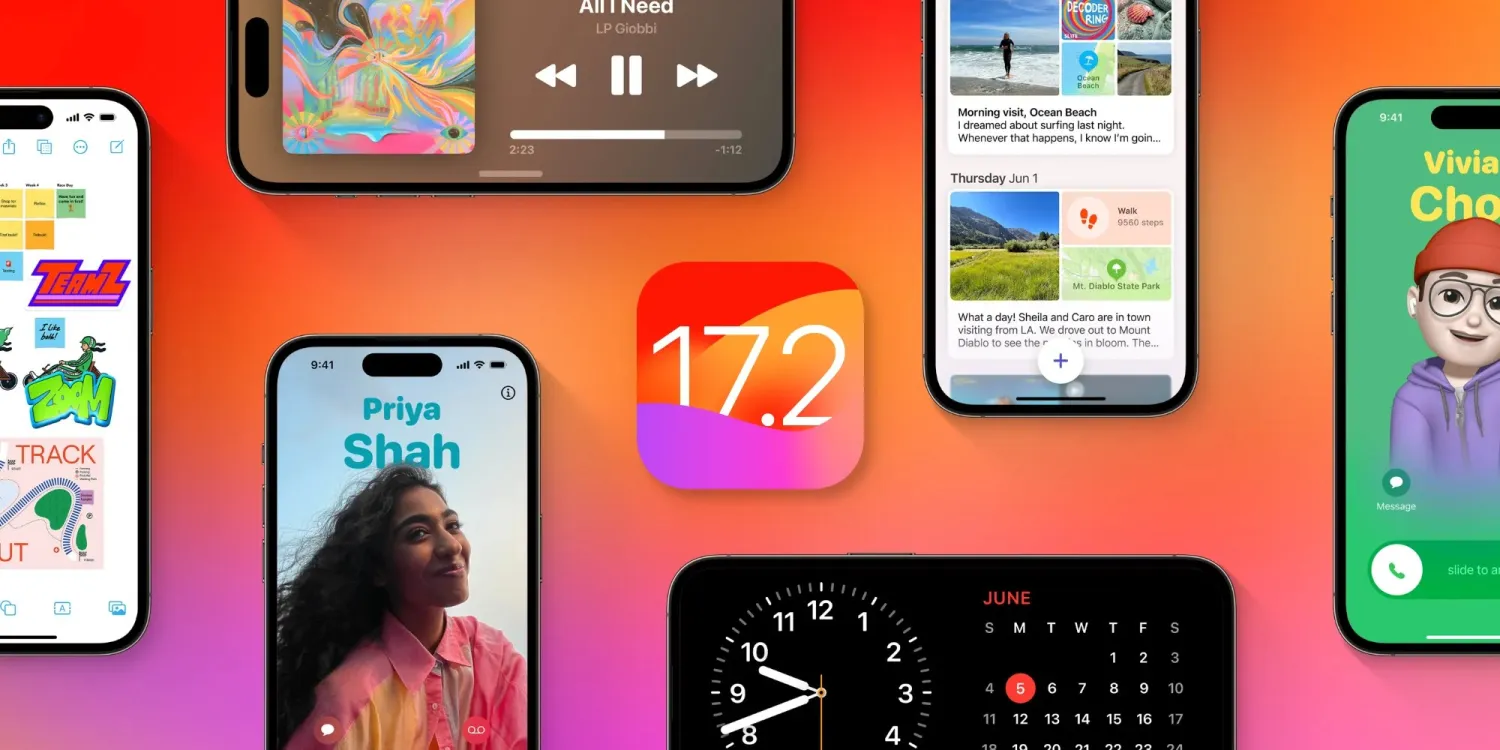
After the release of iOS 17.1 in October, Apple is hard at work on iOS 17.2 with a collection of new features and changes. iOS 17.2 is currently in beta testing with developers and public beta users. Here’s everything new so far.
When will iOS 17.2 be released?
Thus far, Apple has released four betas of iOS 17.2. This leads us to believe that the update will be released to the public sometime within the next several weeks. The update will almost certainly be released before the end of 2023.
Last year, iOS 16.2 was released on December 13 with major new features like Apple Music Sing and the all-new Freeform app.
What’s new in iOS 17.2?
Journal app
The headlining change in iOS 17.2 is the addition of the new Journal app, which Apple first unveiled at WWDC in June. Apple describes the new Journal app as an “all-new way to appreciate life’s moments and preserve your memories.”
At launch, the Journal app is only available on iPhones. There’s no word on when or if Apple plans to expand it to the iPad and Mac.
Collaborative playlists in Apple Music (maybe?)
The first three betas of iOS 17.2 included the ability to create collaborative playlists in Apple Music. This feature was announced by Apple at WWDC in June and teased as coming sometime later this year.
iOS 17.2 beta 4, however, removes the ability to create collaborative Apple Music playlists. Whether or not Apple adds the feature back before iOS 17.2 is released to everyone remains to be seen.
More changes to Apple Music
Also in iOS 17.2, there is a new default playlist called “Favorite Songs” that is automatically generated based on songs you’ve “favorited.” This builds upon the “Favorites” feature that was first introduced in iOS 17.1.
iOS 17.2 can now automatically add songs to your music library when you favorite them. You can find this option by going to the Settings app and then choosing “Music.”
Finally, iOS 17.2 adds the ability to disable Apple Music Listening History when a Focus Mode is on. “Choose if music played will influence recommendations and mixes, appear in Recently Played, or be shown to others on Apple Music,” Apple explains.
This means that when you have a particular Focus mode enabled, you can toggle on the Apple Music Focus Filter to prevent any songs played from affecting your listening data.
Spatial Video recording
With iOS 17.2, iPhone 15 Pro and iPhone 15 Pro Max users can record spatial video for Vision Pro. You can enable the new spatial video toggle by going to the Settings app, choosing the Camera menu, then choosing Formats and toggling the “Spatial Video for Apple Vision Pro” option.
Spatial video is recorded in 1080p resolution at 30 frames per second. Apple estimates that one minute of spatial video takes up around 130MB of storage space.
iOS 17.2 beta 2 enables Vision Pro spatial video capture on iPhone 15 Pro
Apple has allowed some press to view their own spatial videos in Vision Pro, Final Cut gaining editing ability next year
Default notification sounds
At long last, iOS 17.2 adds the ability to change the default notification sound. This comes after iOS 17 changed the default notification sound from “Tri-tone” to “Rebound,” which has proven to be a controversial decision.
In iOS 17.2, you can go to the Settings app and choose “Sounds & Haptics” to find a new “Default Alerts” option. Here, you can change the default sound and haptic feedback for alerts.
Reactions in Messages
Another feature coming with iOS 17.2 is the ability to react to messages using any sticker or emoji in the Messages app. This is done by long-pressing on a message and choosing the new “Add Sticker” option.
Action Button adds “Translate” option
With iOS 17.2, iPhone 15 Pro users can assign their Action button to a new “Translate” option. With this enabled, pressing the Action button initiates an automatic voice-to-text translation between two languages.
Although this capability was first introduced during the announcement of the iPhone 15 Pro in September, it wasn’t added until iOS 17.2.
New widgets
Apple has added three new widgets for the Weather app:
Details: See the chance of precipitation, UV index, wind, and more.
Daily forecast: See the current weather conditions and daily forecast for a location.
Sunrise and sunset: See the upcoming sunrise and sunset information for your location.
For the Clock app, there’s a new “Clock Digital” widget that displays the current time in a digital format rather than analog. This is the first digital clock widget Apple has offered.
‘Local Awareness’ for Emergency Alerts
iOS 17.2 includes a new “Local Awareness” option for Emergency Alerts. “Apple can use your approximate location to improve the timeliness, accuracy, and reliability of emergency,” Apple says.
To enable this option, go to the Settings app, head to Notifications, then choose Emergency Alerts and look for the new “Local Awareness” toggle.
Contact Key Verification
A year ago, Apple unveiled a feature called Contact Key Verification to enhance the security of iMessage. This feature has now been added with iOS 17.2.
Contact Key Verification enables users of iMessage to ensure that their messages are reaching only the intended recipients.
iOS 17.2 adds a new “AirPlay Receiver” option for Vision Pro. “Stream or share content from Apple Vision Pro to your iPhone,” Apple explains.
Vision Pro is currently expected to be released sometime in “early 2024.” The new toggle is in the Settings app under the AirPlay menu.
iTunes Store changes
Bloomberg has reported that Apple plans to phase the dedicated iTunes movie and TV show apps in favor of the TV app. iOS 17.2 lays the groundwork for these changes, including new messaging that redirects users to the TV app.
Software update feature
iOS 17.2 also lays the groundwork for a new feature that will allow iPhones to be updated even if they are still sealed in the box.
For instance, Apple retail employees will be able to update iPhones without taking them out of the box. Currently, iPhones are shipped from the factory with whatever build of iOS was available at that time. This means millions of iPhones out there ship with software that is multiple updates old by the time that phone arrives to the customer.
More changes in iOS 17.2
The new “Sensitive Content Warning” feature in iOS 17 is expanding to stickers in the Messages app and Contact Posters in the Contacts app.
Siri can now tell you your ETA when using Apple Maps and tell you your current altitude.
iOS 17.2 lets users disable inline text predictions without turning off predictive text.
Apple says that iOS 17.2 fixes Wi-Fi slowdowns and connectivity issues.
In the App Store’s “Apps” and “Games” sections, there are new sub-categories that appear along the top for additional filtering options.
There’s a new rainbow text option when designing a Contact Poster in iOS 17.2.
The Apple Books app has added a new “Fast Fade” option for page turning.
Apple has been under pressure in the European Union as the Digital Markets Act antitrust legislation requires the company to allow users to sideload apps outside the App Store to increase competition. The iOS 17.2 beta code that the company is indeed moving towards enabling sideloading on iOS devices.
Update: Apple has published new documentation for the ManagedAppDistribution API on its website confirming that it is primarily intended as an MDM solution. As we suggested in our report, it could still be used for other purposes. You can read the original article below.
What is sideloading
For those unfamiliar, the sideloading process consists of installing apps obtained from third-party sources instead of an official source. When it comes to iOS, the official source (and the only one available to iPhone and iPad users) is the App Store. Apple has never allowed sideloading on iOS, as this would allow apps to bypass the App Store guidelines.
However, the European Union last year passed the Digital Markets Act, or DMA, a new piece of antitrust legislation aimed at big tech companies so that they don’t use their advantages to undermine competition. One of the requirements of the DMA is that users can install any apps they want from third-party sources.
Previous reports revealed that Apple had been doing under-the-hood work on iOS 17 to prepare the system for sideloading in Europe. With the iOS 17.2 beta, internal code suggests this is true.
iOS 17.2 seems ready to allow alternative app stores
iOS 17.2 has a new public framework called “Managed App Distribution.” While our first thought was that this API would be related to MDM solutions for installing enterprise apps (which is already possible on iOS), it seems that Apple has been working on something more significant than that.
By analyzing the new API, we’ve learned that it has an extension endpoint declared in the system, which means that other apps can create extensions of this type. Digging even further, we found a new, unused entitlement that will give third-party apps permission to install other apps. In other words, this would allow developers to create their own app stores.
The API has basic controls for downloading, installing, and even updating apps from external sources. It can also check whether an app is compatible with a specific device or iOS version, which the App Store already does. Again, this could easily be used to modernize MDM solutions, but here’s another thing.
We also found references to a region lock in this API, which suggests that Apple could restrict it to specific countries. This wouldn’t make sense for MDM solutions, but it does make sense for enabling sideloading in particular countries only when required by authorities – such as in the European Union.
When will this happen?
In theory, Apple is required to comply with DMA legislation by March 2024. The company has even admitted in a Form 10-K filing that it expects to make changes that will impact the App Store’s business model.
At the same time, Apple will also appeal to the European Union about including the App Store in the Digital Markets Act, which is no surprise. Apple will likely try everything to preserve the iOS App Store. But ultimately, iOS 17 will be ready for sideloading.
Apple has released iOS 17.1.1 for iPhone. The software update includes fixes for wireless charging and the recently discovered snow glitch. The update follows the iOS 17.1 update from October 25 which introduced new AirDrop and Apple Music features. Apple is also working on iOS 17.2 and the new Journal app for iPhone.
Release notes
This update provides bug fixes for your iPhone including:
In rare circumstances, Apple Pay and other NFC features may become unavailable on iPhone 15 models after wireless charging in certain cars
Weather Lock Screen widget may not correctly display snow
It’s not just you: Apple Weather widget is showing a file icon instead of snow
Apple released a watchOS update that fixed an annoying bug affecting the Weather app complication, which had been broken for months since the watchOS 10 beta. But it seems that Apple still has other bugs to fix in its Weather app, as some users have been seeing a random file icon in the Lock Screen widget instead of a representation of snow.
Apple Weather widget can’t handle snow
As noticed by many users on the web and also by the 9to5Mac staff, the Apple Weather Lock Screen widget has been showing a generic file icon. Interestingly, this only happens when the weather forecast for the set location is snow and doesn’t seem to affect any other weather conditions shown by the widget.
On X (formerly Twitter), iPhone users have been making jokes about the fact that the Apple Weather widget isn’t ready for snow. The “iPhone weather widget apparently can no longer handle snow (neither can I, but that’s a different story),” a user posted on the social network. “The snow image isn’t even loading on my weather widget. It’s too soon for this,” said another user.
The snow image isn’t even loading on my weather widget. It’s too soon for this. pic.twitter.com/BMWP7A2ls3
It is unclear whether the bug is caused by something that can be fixed remotely on the Apple Weather servers or if it’s a more serious glitch that will require an iOS update. Either way, Apple hasn’t had much luck when it comes to its Weather app.
Back in 2020, the company acquired the weather app Dark Sky and has since implemented some of its features right into the Apple Weather app. However, it’s been a while since users began complaining about its lack of accuracy when it comes to weather alerts and forecasts.
With the November security patch, Google today is rolling out the first update to Android 14 since launch for the following Pixel devices: 4a 5G, 5, 5a, 6, 6 Pro, 6a, 7, 7 Pro, 7a, Tablet, Fold, 8, and 8 Pro.
There are 17 security issues resolved in the Android 14 November patch dated 2023-11-01 and 22 for 2023-11-05. Vulnerabilities range from high to critical. The dedicated bulletin for Google devices lists eight additional security fixes. As of today, there are just global builds.
Google lists seven fixes across Display & Graphics, NFC, System, User Interface, and Touch.
Of note, the 4a 5G and 5 are still seeing updates. While the Pixel 5 technically met its “guaranteed security updates” date in October, the 4a 5G doesn’t hit it until November. Google might as well update both. The Pixel 4a also sees another Android 13 ipdate.
Monthly Pixel security bulletin now includes changelog of ‘Functional updates’ & fixes
Several months ago, Google added a section in the main Android Security Bulletin that listed patches specific to Pixel and Nexus devices. For October, that list was broken out into a dedicated “Pixel / Nexus Security Bulletin.” With the November patch, Google has added a section detailing “Functional updates” like bug fixes for its devices.
After listing the various security issues that have been patched for Pixel/Nexus devices, Google displays a new section called “Functional updates” or “issues not related to the security of Pixel devices.”
These updates are included to address functionality issues not related to the security of Pixel devices. The table includes associated references; the affected category, such as Bluetooth or mobile data; and a summary of the issue.
Notably, it only references “Pixel devices,” though this changelog of sorts does not specifically identify any particular phone or tablet, leaving the original Pixel, Pixel 2, and Pixel C as possible recipients of these fixes.
Each entry includes a description of the “Improvements” and a category, like Audio, Bluetooth, Camera, Mobile data, and Stability. There are also reference numbers, though it does not correlate to any publicly accessible bug tracker.
In November, 12 items are listed, with the bulk related to Bluetooth, including resolving issues related to cars and general pairing.
This is a very good step towards transparency and provides a centralized repository to list what has been resolved. In the past, Google has relied on posts in the User Community. This comes as the Pixel 2 and Pixel 2 XL are due for a slate of fixes for display issues, high-pitched noises, and clicking sounds.
Last week, some Apple Watch users reported on an increasingly widespread battery drain problem plaguing Apple Watch users. Following our report, Apple has confirmed the existence of the problem and says a fix is coming soon via a software update.
This Apple Watch battery drain problem appears to affect a wide range of Apple Watch users. This includes the newest models like the Apple Watch Series 9 and Apple Watch Ultra 2, as well as older models like the Apple Watch Series 4. Affected users say that their Apple Watch battery life started draining abnormally quickly after updating to watchOS 10.1.
In an internal memo shared with Apple Authorized Service Providers on Saturday, Apple confirmed that it is aware of the battery drain problem affecting Apple Watch users. The company said that a fix is “coming soon” via a software update for watchOS 10. Unfortunately, Apple didn’t provide any further details on when that update will be released (via MacRumors).
Apple’s memo also doesn’t offer specific details on how widespread the problem is. A quick search on Twitter, however, offers some context. One user says that their Apple Watch Series 9 went from 100% to dead in just three hours. Another user reports that their Apple Watch Series 7 battery drained 25% in just 30 minutes.
@AppleSupport watchOS 10.1 has a battery bug. My brand new S9 went from 100% to dead in 3 hours. Multiple people with the same problem. pic.twitter.com/MadJJYFl44
@9to5mac Since I updated my Series 7 to watchOS 10.1, my battery has drained a ton. It barely charged overnight (was even going backwards on the charger at one point) and, after 100% this morning, lost 25% in 30 minutes. Definitely a bug in there. Might be worth investigating.
Seemingly coinciding with the release of watchOS 10.1, a number of Apple Watch users are complaining of abnormal battery drain issues.
This problem appears to be rather widespread, but it does not affect all Apple Watch users. The people who are affected, however, are using a range of different Apple Watch models. This includes older devices like the Apple Watch Series 4 as well as Apple’s newest Apple Watch Series 9 and Apple Watch Ultra 2.
Affected Apple Watch users are reporting battery drain at far more rapid rates than usual. One user on Twitter says that their Apple Watch Series 9 went from 100% to dead in just three hours. Another user reports that their Apple Watch Series 7 battery drained 25% in just 30 minutes.
Simultaneously, many of these people also say that they are having problems charging their Apple Watch due to apparent overheating problems. In the Settings app, users are seeing this message: “Charging was on hold due to Apple Watch temperature.” This leads to the Apple Watch battery actually draining while it’s on the charger for some people.
Since the rise of generative AI tools like ChatGPT, many people have wondered when Apple will introduce its own generative AI. Rumors suggest that this could happen next year. Until then, Apple CEO Tim Cook has been talking a lot about AI in recent months and has now reinforced that Apple is investing in generative AI.
Tim Cook says Apple will have its own generative AI
During a call with investors on Thursday to reveal Q4 2023 fiscal results, Cook was asked how Apple has been experimenting with generative AI, given that many other tech companies have already launched AI-based tools.
Unsurprisingly, Apple’s CEO highlighted many features in Apple devices that are based on artificial intelligence and machine learning, such as Personal Voice, Crash Detection, and ECG in the Apple Watch. But when it came specifically to generative AI tools like ChatGPT, Cook responded that “obviously, we have work going on.”
He didn’t give any details about what exactly Apple is doing but said that the company wants to have its own generative AI responsibly and that customers will see these technologies become the “heart” of future products.
In terms of generative AI, obviously, we have work going on. I’m not going to get into details about what it is, because as you know, we really don’t do that. But you can bet that we’re investing. We’re investing quite a bit. We’re going to do it responsibly, and it will… you will see product advancements over time where those technologies are at the heart of them.
This is not the first time Tim Cook has talked about AI. In an interview a few months ago, he said that Apple has been “doing research across a wide range of AI technologies, including generative AI, for years.” In May, the executive praised the potential of AI, although he claimed that there are “issues that need to be sorted.”
According to Bloomberg’s Mark Gurman, Apple has been ramping up the development of AI-based tools, targeting a release with iOS 18 next year. This technology would be implemented in apps such as Apple Music, Xcode, and of course, Siri.
Report: AI features in development for iOS 18, Siri, Apple Music, Xcode and more
In his Power On newsletter, Bloomberg’s Mark Gurman says that Apple was caught by surprise at the sudden swell of generative AI tools this year. But they are working hard to catch up with Apple SVPs Craig Federighi, John Giannandrea, and Eddy Cue all in charge of integrating AI-powered functionality into Apple’s products and services.
That will include various new AI features in iOS 18, such as smarter reply suggestions in Messages. Cue is pushing to include features like AI-generated playlists in Apple Music, and exploring how generative AI can be utilized in Apple’s productivity apps like Pages and Keynote. Giannandrea’s team is working on a new, smarter, version of Siri that should be ready to debut next year.
Gurman says embracing AI in end-user features is one of the primary objectives for Apple right now, as it looks to catch up to rivals like OpenAI, Google and Microsoft. Apple is consequently set to spend about $1 billion a year on AI research and product development.
In addition to new features in iOS 18 and Siri, Apple is also looking at ways to enhance the developer experience with AI-enhanced features in Xcode. This would likely include advanced code completion similar to what Github Copilot offers. The company is also looking at ways to streamline its internal AppleCare tools with artificial intelligence.
There is apparently some internal tension about whether to base these features off of AI neural network models running on device, or passed through Apple’s cloud services. Running on-device maximizes privacy, but large language models running on a server farm enable much more sophisticated capabilities. Gurman says Apple will likely decide on a case-by-case approach, with some features running wholly on-device and others relying on a cloud backend.
There are 34 bug fixes in U1B2.230922.013, which is still on the October 2023 security patch. This release is available for all devices out of the gate, with the on-device Android 14 QPR1 Beta 2.2 OTA coming in at 40.35 MB on a Pixel Fold.
There’s a fix for the pink text issue on the Pixel 8 Pro AOD.
Fixed an issue that sometimes prevented devices from receiving calls. (Issue #298747690)
Fixed an issue where tapping or long-pressing a Quick Settings tile sometimes failed to launch the corresponding app or settings menu. (Issue #302147272)
Fixed an issue that sometimes caused the Settings app to crash when checking for system software updates. (Issue #303739210)
Fixed an issue that sometimes caused the Camera HAL to apply the wrong tuning profile when an app requested a certain camera mode.
Fixed an issue that sometimes caused the system UI or device to crash if accessibility magnification mode was toggled rapidly.
Fixed an issue that sometimes caused the package installer to crash due to a null pointer exception.
Fixed an issue that sometimes caused the system launcher to crash due to a null pointer exception.
Fixed an issue that interfered with Bluetooth and Wi-Fi connectivity until the device was rebooted.
Fixed issues with Face Unlock reliability.
Fixed an issue that sometimes caused the device unlock animation to stutter.
Fixed an issue that sometimes caused the screen to flicker when transitioning from always-on display mode to the lock screen.
Fixed an issue that caused the animation to display incorrectly when a user gestured to open the notification shade.
Fixed an issue that sometimes caused the system UI to crash or consume more memory than necessary.
Fixed an issue that caused the picture-in-picture window to stop displaying with rounded corners after locking and unlocking the device.
Fixed an issue that sometimes caused device-to-device transfer data to be saved to an incorrect account.
Fixed an issue that caused some UI elements to render incorrectly when the device font scale was increased.
Fixed an issue that sometimes caused the work profile badge for an app icon to be displayed in the wrong place while viewing the list of recent apps.
Fixed an issue that caused some text to display in the wrong colors when always-on display features were enabled.
Fixed issues that sometimes caused a device to crash and reboot.
Fixed an issue where additional power was still being consumed by mobile network connectivity even after a device connected to Wi-Fi.
Fixed an issue where audio failed to play back or was interrupted if Adaptive Sound was enabled.
Fixed issues with audio playback when using spatial audio.
Fixed an issue that sometimes caused Wi-Fi service to be interrupted and fail to connect until the device was restarted.
Fixed an issue where the battery level in the status bar sometimes displayed temporarily as 0%.
Fixed an issue for Pixel Fold and Pixel Tablet devices where the “All Apps” button on the taskbar was slow to appear immediately after launching an app.
Fixed an issue for Pixel Fold devices where the lock screen was sometimes still displayed if the device was unlocked and unfolded at the same time.
Fixed an issue for Pixel Tablet devices where a primary user’s live wallpaper selection would sometimes be overridden after a secondary user selected a different live wallpaper.
Fixed an issue for Pixel Tablet devices that caused an unsmooth animation when tapping to return to an app from the list of recent apps.
Fixed an issue for Pixel Tablet devices that caused audio to pop when adjusting the volume if a wired headset was connected.
Fixed an issue for Pixel Tablet where a user was returned to the Home screen instead of the app that was open when the device was locked if they unlocked the device using their fingerprint while a screen saver was active.
Fixed an issue that caused memory corruption in rare cases.
Fixed various issues that were impacting system stability, performance, and connectivity.
Most will install via the Android Beta Program, but you can also flash or sideload. If you need help, here’s our full guide on installing Android 14. Google says:
Your device will be automatically updated to Android 14 QPR1 Beta 2.2 within 5 days.