M1 is Apple’s first chip designed specifically for the Mac and the most powerful chip it has ever created.
With industry-leading performance, powerful features, and incredible efficiency, M1 is Apple’s first chip designed specifically for the Mac
Cupertino, California — Apple announced M1, the most powerful chip it has ever created and the first chip designed specifically for the Mac. M1 is optimized for Mac systems in which small size and power efficiency are critically important. As a system on a chip (SoC), M1 combines numerous powerful technologies into a single chip, and features a unified memory architecture for dramatically improved performance and efficiency. M1 is the first personal computer chip built using cutting-edge 5-nanometer process technology and is packed with an astounding 16 billion transistors, the most Apple has ever put into a chip. It features the world’s fastest CPU core in low-power silicon, the world’s best CPU performance per watt, the world’s fastest integrated graphics in a personal computer, and breakthrough machine learning performance with the Apple Neural Engine. As a result, M1 delivers up to 3.5x faster CPU performance, up to 6x faster GPU performance, and up to 15x faster machine learning, all while enabling battery life up to 2x longer than previous-generation Macs.With its profound increase in performance and efficiency, M1 delivers the biggest leap ever for the Mac.
“There has never been a chip like M1, our breakthrough SoC for the Mac. It builds on more than a decade of designing industry-leading chips for iPhone, iPad, and Apple Watch, and ushers in a whole new era for the Mac,” said Johny Srouji, Apple’s senior vice president of Hardware Technologies. “When it comes to low-power silicon, M1 has the world’s fastest CPU core, the world’s fastest integrated graphics in a personal computer, and the amazing machine learning performance of the Apple Neural Engine. With its unique combination of remarkable performance, powerful features, and incredible efficiency, M1 is by far the best chip we’ve ever created.”
M1 is the first personal computer chip built using cutting-edge 5-nanometer process technology and is packed with an astounding 16 billion transistors.
First System on a Chip for the Mac
Macs and PCs have traditionally used multiple chips for the CPU, I/O, security, and more. Now with M1, these technologies are combined into a single SoC, delivering a whole new level of integration for greater performance and power efficiency. M1 also features a unified memory architecture that brings together high-bandwidth, low-latency memory into a single pool within a custom package. This allows all of the technologies in the SoC to access the same data without copying it between multiple pools of memory, further improving performance and efficiency.
The World’s Best CPU Performance per Watt
M1 features an 8-core CPU consisting of four high-performance cores and four high-efficiency cores. Each of the high-performance cores provides industry-leading performance for single-threaded tasks, while running as efficiently as possible. They are the world’s fastest CPU cores in low-power silicon, allowing photographers to edit high-resolution photos with lightning speed and developers to build apps nearly 3x faster than before. And all four can be used together for a huge boost in multithreaded performance.
The four high-efficiency cores deliver outstanding performance at a tenth of the power. By themselves, these four cores deliver similar performance as the current-generation, dual-core MacBook Air at much lower power. They are the most efficient way to run lightweight, everyday tasks like checking email or browsing the web, and preserve battery life like never before. And all eight cores can work together to provide incredible compute power for the most demanding tasks and deliver the world’s best CPU performance per watt.
M1 includes an 8-core CPU delivering incredible compute power and the world’s best performance per watt.
The World’s Fastest Integrated Graphics
M1 includes Apple’s most advanced GPU. It benefits from years of analysis of Mac applications, including everyday apps and challenging pro workloads. With industry-leading performance and incredible efficiency, the GPU in M1 is in a class by itself. Featuring up to eight powerful cores capable of running nearly 25,000 threads simultaneously, the GPU can handle extremely demanding tasks with ease, from smooth playback of multiple 4K video streams to rendering complex 3D scenes. With 2.6 teraflops of throughput, M1 has the world’s fastest integrated graphics in a personal computer.
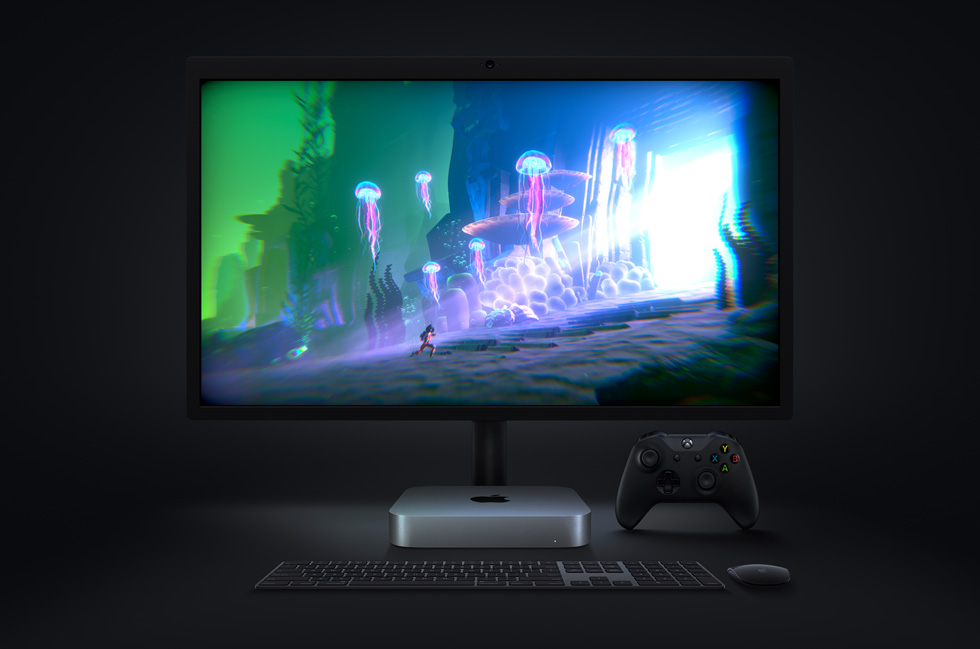
The GPU in M1 is the most advanced Apple has ever created and the world’s fastest integrated graphics in a personal computer.
Blazing-Fast, On-Device Machine Learning
The M1 chip brings the Apple Neural Engine to the Mac, greatly accelerating machine learning (ML) tasks. Featuring Apple’s most advanced 16-core architecture capable of 11 trillion operations per second, the Neural Engine in M1 enables up to 15x faster machine learning performance. In fact, the entire M1 chip is designed to excel at machine learning, with ML accelerators in the CPU and a powerful GPU, so tasks like video analysis, voice recognition, and image processing will have a level of performance never seen before on the Mac.
Developers leveraging machine learning can take full advantage of the blazing-fast performance of the Apple Neural Engine in M1.
More Innovative Technologies Packed into M1
The M1 chip is packed with a number of powerful custom technologies, including:
Apple’s latest image signal processor (ISP) for higher quality video with better noise reduction, greater dynamic range, and improved auto white balance.
The latest Secure Enclave for best-in-class security.
A high-performance storage controller with AES encryption hardware for faster and more secure SSD performance.
Low-power, highly efficient media encode and decode engines for great performance and extended battery life.
An Apple-designed Thunderbolt controller with support for USB 4, transfer speeds up to 40Gbps, and compatibility with more peripherals than ever.
The Apple-designed ISP in M1 makes video calls on the Mac sharper and more vivid.
Mac users can watch more of their favorite videos with the extended battery life delivered by M1.
The Thunderbolt controller is compatible with more peripherals than ever, including Apple’s Pro Display XDR in full 6K resolution.
macOS Big Sur Optimized for M1
macOS Big Sur is engineered, down to its core, to take full advantage of all the capability and power of M1, delivering a massive boost in performance, astonishing battery life, and even stronger security protections. With M1, things users do every day feel noticeably faster and smoother. Just like iPhone and iPad, the Mac now instantly wakes from sleep. Browsing with Safari — which is already the world’s fastest browser — is now up to 1.5x speedier at running JavaScript and nearly 2x more responsive.2
With Big Sur and M1, Mac users can run a greater range of apps than ever before. All of Apple’s Mac software is now Universal and runs natively on M1 systems. Existing Mac apps that have not been updated to Universal will run seamlessly with Apple’s Rosetta 2 technology. And iPhone and iPad apps can now run directly on the Mac. Additionally, the foundations of Big Sur are optimized to unlock the power of M1, including developer technologies from Metal for graphics to Core ML for machine learning.
Mac users now have access to a greater range of apps than ever before.
Start of a Two-Year Transition for the Mac
M1 powers the new MacBook Air, 13-inch MacBook Pro, and Mac mini. They join the rest of the Mac product line to form the strongest Mac lineup ever. This is the beginning of a transition to a new family of chips designed specifically for the Mac. The transition to Apple silicon will take about two years to complete, and these three systems are an amazing first step.
Clips 3.0 makes it easier than ever for anyone to pick up an iPhone or iPad and start creating fun, multiclip videos.
Apple’s video creation app for iPhone and iPad features a refreshed interface, support for vertical and horizontal video, and HDR recording with iPhone 12
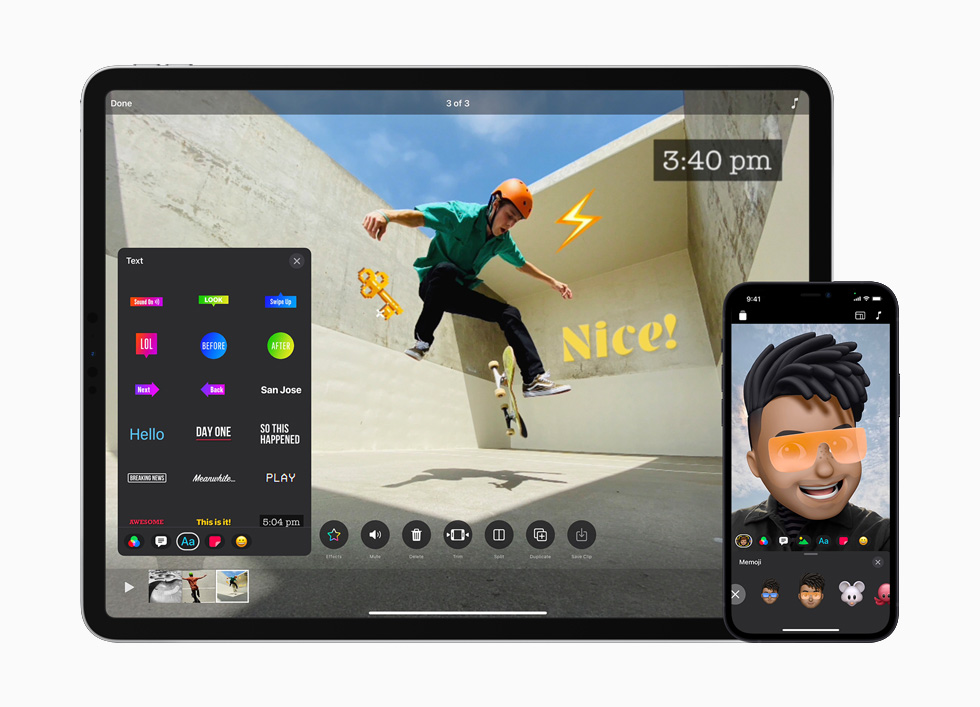
Clips, Apple’s video creation app for iOS, receives its biggest update yet with highly requested features that make it easier than ever for anyone to pick up an iPhone or iPad and start creating fun, multiclip videos — no editing experience needed. Clips 3.0, available today in the App Store, features a streamlined interface and full-screen browsers on iPhone that make it even simpler to record and add effects. On iPad, Clips supports landscape orientation, Scribble with Apple Pencil, and the use of a Bluetooth mouse or trackpad. The new version also lets users make videos in multiple aspect ratios, including horizontal and vertical, ideal for creating eye-catching content for Instagram Stories, Snapchat, YouTube, and more. And Clips 3.0 is optimized to record and share content in HDR using the rear-facing cameras on all iPhone 12 models, resulting in videos with more vibrant colors and contrast.
“Since its introduction, Clips has become one of the most popular iOS video creation apps, and millions of projects are made every day with it. Users love how easy it is to create fun, expressive videos for sharing with friends, family, and classmates with just a few taps on their iPhone or iPad screens,” said Susan Prescott, Apple’s vice president of Apps Product Marketing. “Today’s update, with a streamlined interface, support for vertical and horizontal video, HDR video capture using the new iPhone 12 or iPhone 12 Pro, and fun new effects, will help users create Clips videos with more personality and polish than ever before.”
The app now features a fresh, streamlined user interface across iPhone and iPad for faster access to fun effects.
Fresh, Streamlined Interface
Setting the stage for even more creativity, Clips adds a fresh feel with a redesigned record screen that floats on top of the viewer when shooting vertically or horizontally. Users can view more content at once with redesigned Effects, Media, and Projects browsers. And swiping up on any Effects browser displays a full-height card that fills the screen with stickers or text labels that let users personalize their videos. In addition, Clips adds a collection of new content including eight new stickers that are perfect for social posts, six additional arrows and shapes, and 25 new soundtracks that automatically adjust to match the length of videos.
Clips includes new stickers for social and 25 new soundtracks that automatically adjust to match the length of videos.
Amped-up iPad Experience
With a redesigned iPad interface featuring large Effects browsers and an easy-to-reach record button, Clips on iPad makes it even simpler for young creators, students, and teachers to make great videos. Users can take full advantage of the iPad display by recording and editing in landscape orientation — an experience that is further optimized when paired with Magic Keyboard or Smart Keyboard, and a Bluetooth mouse or trackpad. Clips automatically opens to a new 4:3 landscape project, the optimal size for full-screen videos on iPad. And Clips now supports the new Scribble feature in iPadOS 14, converting handwritten text with Apple Pencil into typed text in labels and posters.
The Clips experience on iPad is better than ever when used in landscape orientation and with Magic Keyboard or Smart Keyboard.
Record and Create in Multiple Aspect Ratios
With support for vertical and horizontal videos, Clips is a great tool for creating stories for Instagram and Snapchat, as well as landscape video masterpieces for YouTube. Clips on iPhone automatically opens to a new 16:9 vertical project, making it quick to record video for social platforms. Plus all filters, posters, Live Titles, and Selfie Scenes have been updated to record in all-new sizes for the perfect finishing touch on a new post. The updated share sheet also shows a video preview before sending, and videos can be shared in any supported size using new export options.
Clips expands options for social media sharing with support for vertical and horizontal aspect ratios.
Record in HDR Using iPhone 12
For videos that stand out with amazing color and contrast, Clips supports HDR video capture using the rear-facing cameras on iPhone 12 and iPhone 12 Pro. Clips users can record HDR footage directly into their project and add more HDR photos and videos from their Photos library. Clips will even share the final video automatically as a Dolby Vision HDR file.
About Clips
With Clips for iPhone and iPad, users can create personal video messages, slideshows, school projects, and mini-movies with amazing features like Live Titles, which automatically generates animated captions from a user’s voice, and 360-degree immersive Selfie Scenes with the TrueDepth camera on iPhone. Clips lets users add personality to their videos with dozens of filters, animated stickers, and full-screen animated posters. The app includes more than 100 soundtracks that automatically adjust to match the length of videos.
Availability
Clips 3.0 is available today as a free update on the App Store for iPhone, iPad, and iPod touch running iOS 14 or iPadOS 14 or later. Recording HDR video requires iPhone 12 models, and editing and sharing HDR video requires iPhone SE (2nd generation), iPhone 8 Plus, iPhone X or later, iPad mini (5th generation), iPad (7th generation) or later, iPad Air 3 or later, and 10.5-inch iPad Pro or later. Selfie Scenes and Memoji require iPhone or iPad models with TrueDepth camera.
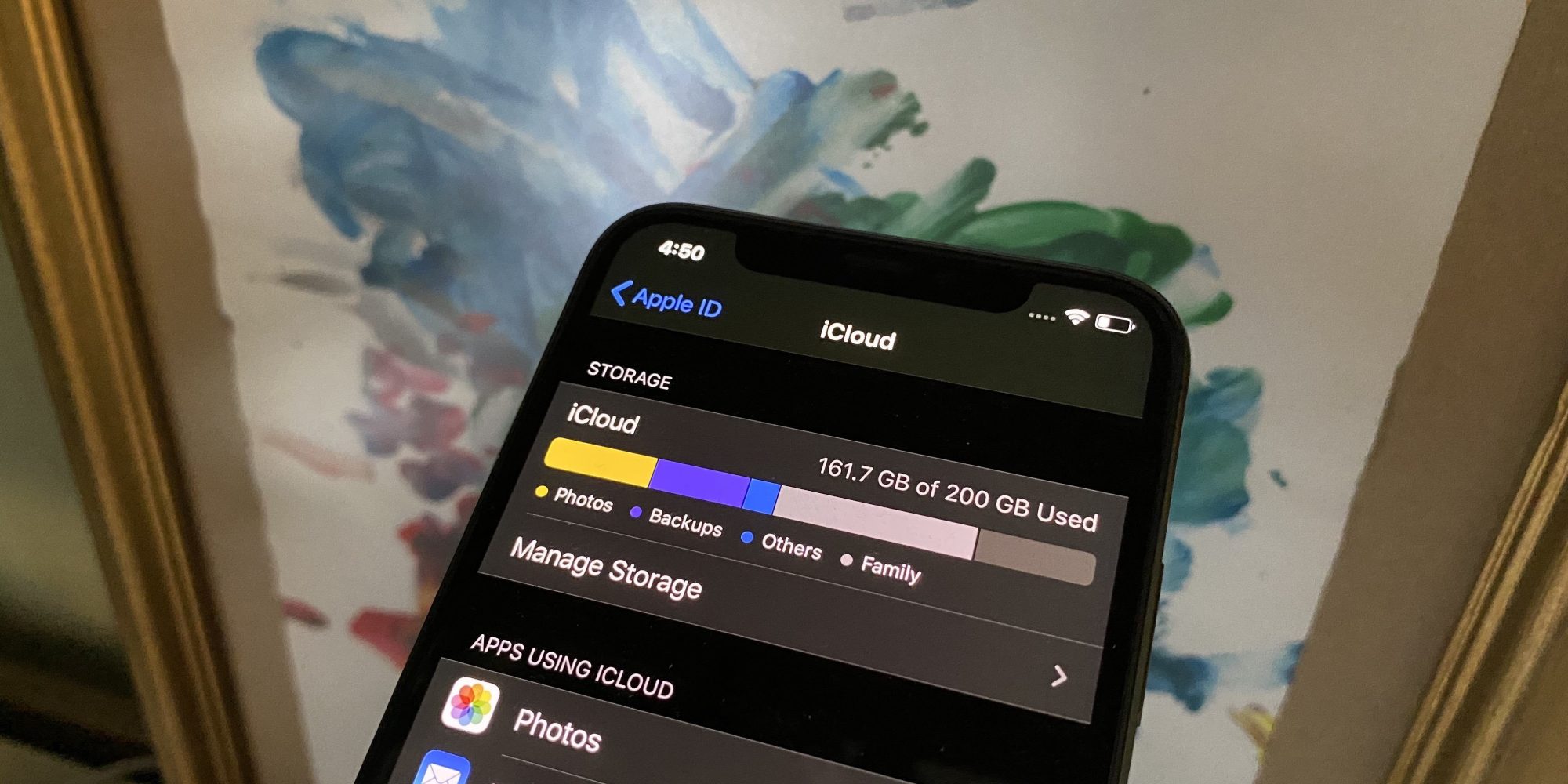
A variety of Apple’s iCloud services are experiencing outages this morning, including Calendar, Contacts, iCloud Drive, and more. Apple has confirmed the outages on its System status webpage.
According to Apple, the issues are affecting the following services and that the outages started at approximately 9 am ET this morning:
Find My
iCloud Account & Sign In
iCloud Backup
iCloud Bookmarks & Tabs
iCloud Calendar
iCloud Contacts
iCloud Drive
iCloud Keychain
iCloud Mail
iCloud Storage Upgrades
Photos
Screen Time
For each one, Apple says that “some users are affected and may be experiencing a problem with this service.” For the Find My outage specifically, Apple says:
Users may be unable to find the location of people or devices, list registered devices, play a sound on their device, remotely wipe a device, or put the device in lost mode.
Apple says the issues are ongoing and it does not offer a timetable for when the problems will be resolved. You can check on the status of Apple services on the Apple System Status webpage right here. Apple will update the status page once the outages have been resolved.
After nearly two years of no major movement in its smart speaker product line, which itself came years late to the market, Apple has finally announced a half-successor to the HomePod. The HomePod mini isn’t due to ship until next month but isn’t stopping Apple from pushing out a new version of its HomePod software that prepares for its arrival. Software version 14.1, however, which lines up with iOS 14.1 and iPadOS 14.1, isn’t just about the mini speaker but also introduces features that make all HomePods, and Siri, smarter.
With a $99 price tag, the HomePod mini aims squarely at the Amazon Echo Dot and Google Nest Mini markets, leaving people fewer excuses not to sink their teeth into Apple’s smart home ecosystem. Of course, this small smart speaker makes more sense if you’re already hooked into Apple’s world anyway or if you find its features just as or even more helpful than the competition.
The HomePod’s features haven’t exactly been at the top of the list when it comes to smart speakers but that list has been consistently growing while, some will argue, respect users’ privacy the way only Apple knows how. With Software version 14.1, for example, HomePod owners and future HomePod mini owners will be able to use a set of speakers as an intercom system throughout the house. You’ll also be able to finally select your preferred music to wake up to in the alarm settings.
Siri is also getting an update in this iteration, like being able to stop alarms and timers across all HomePods in the same network. Web searches can now be started on a HomePad then sent to an iPhone to make a more seamless and convenient transition.
As with previous HomePod software updates, the firmware is automatically installed on the speaker without requiring user intervention. It can also be triggered manually from the iOS app, of course, if you’re are that excited for a smarter and more useful smart speaker.
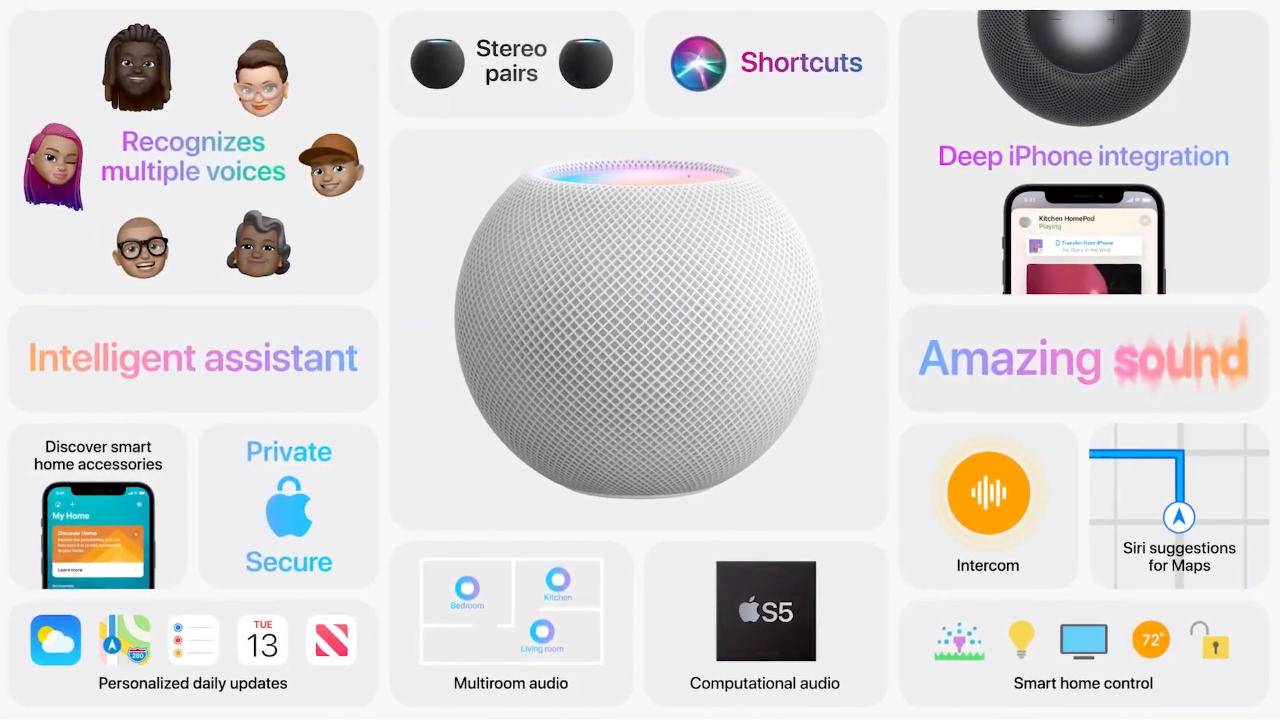
Alongside iOS and iPadOS 14.1, Apple today released new 14.1 software for the HomePod, which includes a number of new updates such as support for the Intercom feature that allows you to speak to anyone in the home on iPhone, iPad, HomePod, and more.
The update also introduces support for the HomePod mini that’s launching in November and it adds new Siri features. Siri is able to stop alarms, timers, and media across HomePod speakers, and web search requests from HomePod can be sent from HomePod to the iPhone.
There’s also an option to add music to alarms to wake up to a favorite song or playlist from Apple Music, and there are multiple reliability improvements.
Software version 14.1 includes support for HomePod mini and new Siri and Intercom features. This update also includes bug fixes and improvements.
HomePod mini
– Setup and automatically transfer your Apple ID, Apple Music, Siri and Wi-Fi settings to HomePod mini
Siri
– Siri suggestions appear in Maps when you ask HomePod for information about a location
– Web search requests to HomePod can be sent from HomePod to your iPhone
– Siri can now stop alarms, timers, and media across HomePod speakers
– Voice recognition support for Podcasts for multiple users in the home
Intercom
– Ask HomePod to make announcements to other HomePod speakers throughout your home
– Intercom to all HomePod speakers
– Intercom to a HomePod in a specific room or zone
Other improvements and fixes
– Add music to your alarms and wake up to your personal song, playlist, or radio station from Apple Music
– Fixes an issue where stereo pairs can sometimes play out of sync
– Improves reliability when using Siri to control multiple speakers
– Optimizes Siri performance
HomePod software is installed automatically on the HomePod
Apple’s iOS 14 home screen widgets have been a huge hit going beyond the tech community and making their way into the mainstream. We’ve seen some awesome options like Widgetsmith and Pastel to make custom widgets, and Clear Spaces is another handy app to create a customized home screen layout with transparent iPhone widgets.
Using stock or custom widgets is a great way to create a personalized iPhone home screen, but you’re typically still locked into filling up the entire screen with apps or widgets.
There have been some solutions to create invisible app icons to color-match your home screen, making them blend in but taking up an app space to allow for custom layouts (without jailbreaking). But one of the limitations has been that for the best results, you need to use a solid, or mostly solid wallpaper.
Enter Clear Spaces for iPhone, an app that allows you to create custom transparent widgets that work with any wallpaper background. For now, options are 2×2 or 2×4 (small and medium) widgets. Another app that you can pair with Clear Spaces if you want even more options is Transparent App Icons. As the name implies, you can create individual transparent apps.
Back to Clear Spaces, it works by taking a screenshot of your wallpaper, placing the widget based on the wallpaper, and then selecting what part of the screenshot the transparent widget should mirror.
The developers behind the app Marko Crnkovic and Aurther Nadeem (WWDC scholarship winners) are also working on an option to remove the “Clear Spaces” text under the widgets in a beta version.
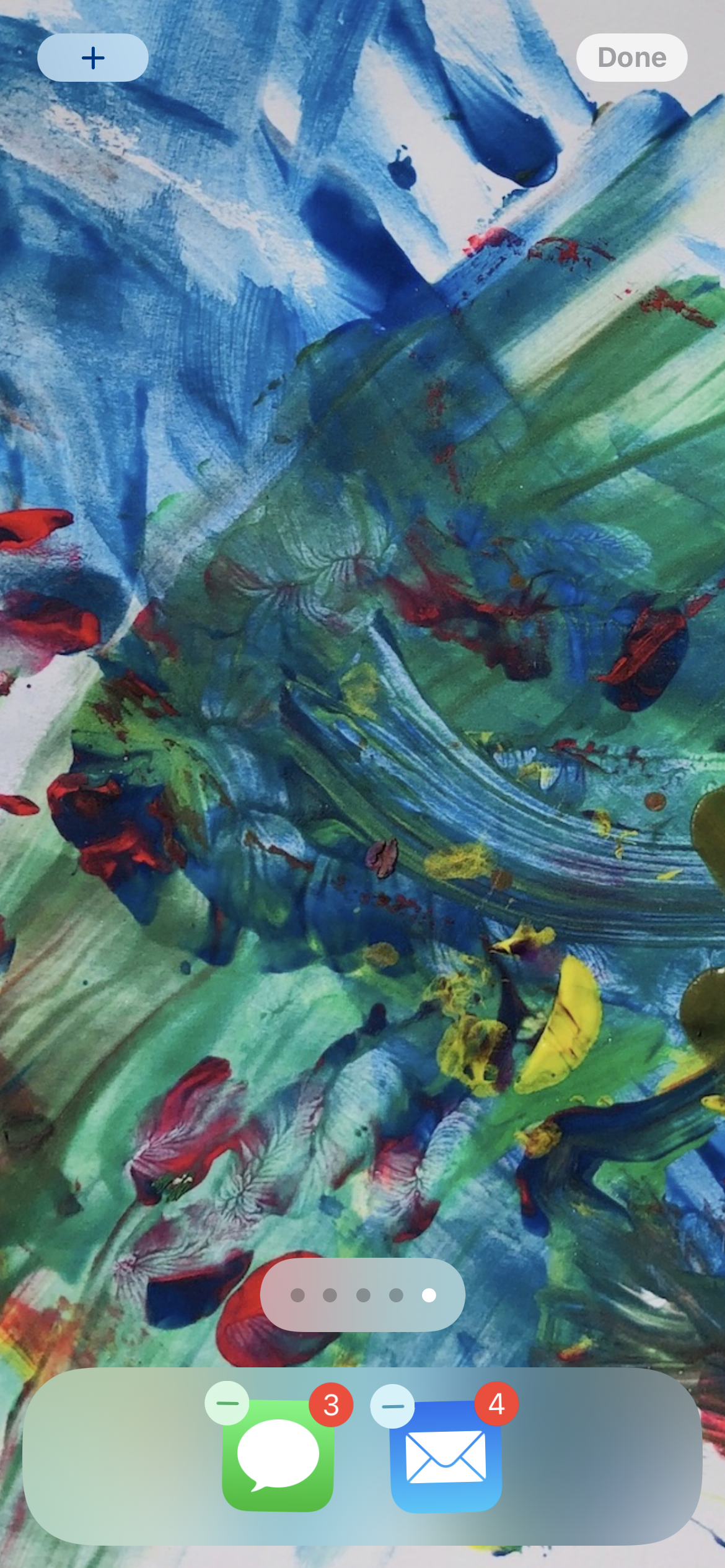
As shown in the screenshot above, you can even use the Clear Spaces transparent iPhone widgets to make custom home screen layouts compatible with complex wallpapers.
After opening the app, you can tap the info button at the bottom for full instructions but what you’ll want to do is grab some screenshots of your blank wallpaper.
Head to your home screen, tap and hold to enter jiggle mode
Swipe from right to left to the end of your app pages to see the blank one, grab a screen shot (one for dark mode and light mode)
Open up Clear Spaces, tap the plus image above “No Image Set” and pick your wallpaper screenshots
Now you can head back to your home screen, enter jiggle mode again, tap the plus in the top left corner, look for Clear Spaces to add your new transparent widgets
Once you have it placed on your home screen, long-press on it > Edit Widget to select the position so, or also opt for date/time, both, or none
Here’s how it looks to customize Clear Spaces widgets:
Apple frequently lays down a gauntlet for Android vendors when it introduces new iPhones, and that’s truer than ever for the iPhone 12 series. While there are places where Apple falls short, the new iPhones also embarrass Android phone makers in a few key areas — and not just simple aspects like performance. Here’s how the iPhone 12, 12 Pro, and 12 Pro Max stack up vs. their Android counterparts.
High-quality designs across whole phone lines
If there’s an area where Android OEMs could most stand to learn from the iPhone 12, it’s in the consistently high quality of the design, even in more affordable devices.
Every iPhone 12 model, from the Mini to the Pro Max, has a string of features you don’t always see in Android equivalents. They all have high-resolution OLED screens; each one has extra-durable front glass thanks to a new Ceramic Shield; they’re all IP68-rated for water resistance; all of them have a new MagSafe wireless charging system (more on that later). That’s not including the consistency in performance-related features, like the A14 Bionic chip, 5G, and strong camera quality. While the lower-end iPhone 12 models have aluminum sides instead of stainless steel, that’s about the only obvious external compromise.
Many mid-range Android phones have stellar features, but there are usually gotchas. Samsung’s Galaxy S20 FE is fast and boasts a great display, but makes obvious compromises in design — unless you like “glasstic,” that is. Google’s Pixel 5 is better-built, but it’s not powered by top-tier silicon. Even the OnePlus 8T may struggle with camera quality. While Xiaomi’s Mi 10 series offers both a quality design and features at good price, it’s not readily available in North America and other parts of the world.
And those sacrifices are a problem. As a rule, iPhone 12 buyers can assume they’re getting first-class treatment no matter what model they buy. You can’t often guarantee that with Android. If someone is comparison shopping, they might pick the iPhone 12 simply because it looks and feels more like a premium device vs. its Android rivals.
Small phones with big features
iPhone 12 Mini is smaller than an iPhone SE, it packs features that put many Android phones to shame, let alone compact models. It has the same A14 chip, cameras, and MagSafe charging as its larger sibling. The OLED screen is only slightly lower-resolution than in the standard iPhone 12. And like we mentioned earlier, there are no major design sacrifices compared to larger versions.
Take a look at your Android options and… it’s not pretty. Many small Android phones are old, slower, or both. Even a Pixel 4a is relatively pokey, and it’s slightly larger than the iPhone 12 Mini (if also considerably more affordable). The Sony Xperia 5 II is an impressive phone all-around, but it’s much more expensive and some could argue that it’s not really a “small” phone.
Simply put, Apple’s offering is one of the better choices in a sea of lackluster small smartphones.
Easier wireless charging
Apple was undoubtedly slow to adopt wireless charging, having introduced it only with 2017’s iPhone X and iPhone 8. It’s catching up, though, and the iPhone 12 family includes a few features that Android vendors could stand to adopt in some form.
MagSafe, which uses magnets to align your iPhone for wireless charging, is the textbook example of a “why didn’t someone think of this earlier?” invention. You don’t have to worry that your phone might be off-center — you just drop it on the pad and walk away. Then there’s the accessories this enables, like snap-on cases and even a wallet.
There are certainly areas where Android phones fare better. MagSafe on the iPhone 12 line charging tops out at 15W where it’s not uncommon to see 30W or more from some Android phones. There’s no mention of reverse wireless charging to top up your other devices, either. But those features don’t address ease of use, and Apple might have an edge simply by eliminating one of the most common hassles of wire-free power.
More camera features aimed at enthusiasts and pros
Android phones are often chock-full of camera features, but they tend to be aimed at everyday users outside of the occasional manual mode. Samsung’s Single Take feature in the Galaxy S20 family is helpful in case you’re unsure of which shot you need, but it doesn’t offer much help if you’re an exacting mobile photographer. The notable exceptions are newer Sony phones like the Xperia 1 II, and they’re a handful of models in a much larger sea.
The iPhone 12 line bucks that trend. Although Apple’s official camera app won’t provide extensive control over shots, all the new phones can not only shoot Dolby Vision HDR videos (they’re the first phones to do this), while the Pro and Pro Max deliver RAW photo support through a new ProRAW format. In other words, you can create images that could be suitable for a TV show or photo spread, let alone your Instagram feed. A Night Mode that works across all cameras is helpful, too.
Yes, you’ve had RAW shooting on Android since Lollipop, but it’s inconsistently available. HDR video recording is also hit-or-miss. And that’s not counting more explicitly hardware-dependent features like sensor-shift image stabilization (again, new to phones) or LiDAR. Simply put, Apple is giving iPhone buyers a series of powerful camera features that are genuinely aimed at enthusiasts and working pros, and that could tip the balance for some buyers.
Custom processing power
As blisteringly fast as the current crop of Android phones can be, they tend to lag iPhones in performance to some degree. AnandTechnoted that even last year’s iPhone 11 models were sometimes outperforming Snapdragon 865 phones released several months later, let alone the iPhone 12. The Android phone market’s progress is largely dictated by one company, Qualcomm, and it hasn’t been moving at a breakneck pace.
Apple, meanwhile, doesn’t have that restriction. It designs the chips it uses in its devices, and the iPhone 12’s A14 Bionic illustrates the advantages of that approach. There’s no outside designer holding it back, and it’s targeting improvements for specific phones rather than trying to make a one-size-fits-all design. Whether or not Apple’s claims of up to a 50% speed advantage over rivals are true, its expected lead is evidence that custom processing power matters.
A few Android phone builders appreciate this as well, even if their execution isn’t flawless. Samsung has its (sometimes underpowered) Exynos chips, and Huawei had its high-end Kirin chips until the US blocked that option. Most others just follow the pack, though, and that lack of customization helps the iPhone 12 stand out that much more.
Where the iPhone 12 falls short
This doesn’t mean the iPhone 12 vs. Android battle is strictly one-sided. Apple falls short in a number of categories, at least if you’re used to what Android has offered. There’s no 120Hz screen. You still won’t find microSD expansion, a USB-C port, or very high-zoom cameras. You won’t even find a 1440p display on the iPhone 12 Pro Max.
There’s also the matter of software. As much progress as iOS 14 has made, additions like home screen widgets, changeable app defaults and iPhone picture-in-picture are catch-up features. You won’t be feeling a twinge of regret if Android’s flexibility is important to you, even if you may wish you had Apple’s timelier and longer-running OS updates.
Even so, the very fact that Android vendors could take multiple major cues from the new iPhones is important. It suggests that Apple is plugging some of the more glaring holes in its iPhone strategy. Android phone creators may have to step up if they plan to go head-to-head with Apple, particularly in that upper mid-range sweet spot occupied by the iPhone 12 and 12 Mini.
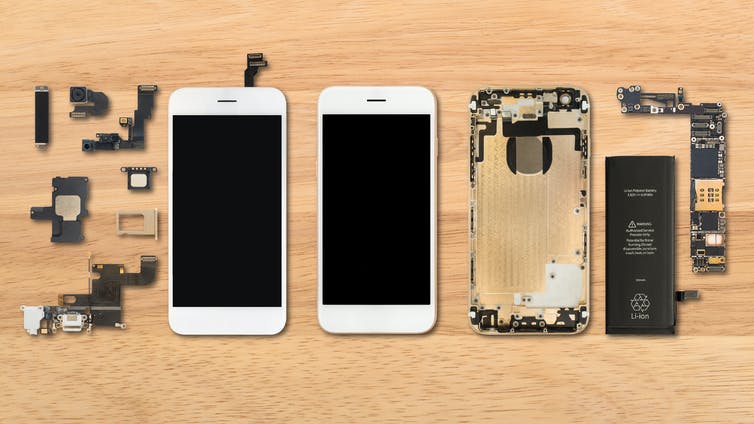
Why go to a repair shop or a manufacturer or the smartphone shop you bought the phone from? When you can do it yourself?
So you have to know if you are an enthusiast or a tech oriented individual. If you own a shop and you fix smartphones for a living, then this video is not for you. However, if you only do screen replacement once or twice a year, then watch out for the risk of DIYing a screen replacement.
Risk #1: You buy the wrong replacement part.
Think about it, the only places where you can buy these replacement parts is online shops or an actual repair shop that is willing to sell you one.
There will be a risk that you can buy the wrong part from a slightly different model. Whether it’s an iPhone or Android smartphone, you might end up with a half open smartphone that you fixed up in your kitchen counter because you can’t finish it because of a wrong part.
Risk #2: You don’t have the right tools or the knowledge to use them.
If you’ve seen some of our videos, we have a lot of special tools specifically designed to perform an operation. Oftentimes, we create our own tools based on experience.
If you don’t have the right tools to do the job, then you can jeopardise the whole repair by giving your already damaged device more damage. It’s a risk that you have to think about. Remember that a smartphone screen is made up of glass. You still have to be very gentle with it and use non-metallic tools to pry your smartphone open.
Risk #3: You can have complications while disassembling or reassembling the device.
You’ve watched videos on ifixit. you have the tools. You have the right part. But what if somewhere down your screen replacement operation, something came up that was not discussed in the repair video that you watched? What if your smartphone didn’t boot up when you tested it? What will you do?
Complications like these can happen if you don’t know the nuance of fixing a specific smartphone model. What is your smartphone chassis is bent? What will you do? What if you punctured your battery? These complications do happen, folks, so watch out.
Risk #4: You can spend more if you damage other components.
Speaking of complications, one other risk is damage to other components. So you thought that you just have to remove the broken screen and you’re good to go? One wrong move and you can bend your smartphone’s housing. Hashtag, bendgate. You can puncture your battery if you’re not careful too. That’s why no metallic objects should be used when you interact with electrical or glass components of a smartphone. You can also leave scratches on the smartphone’s aluminum body.
Damaging other parts of the smartphone if you’re not careful is a risk.
Risk #5: You don’t know advanced troubleshooting techniques if the smartphone won’t boot up after your screen replacement.
We already discussed this. What if your smartphone required more troubleshooting after you successfully replaced the screen? Do you know how to deal with it? If you’re not sure, just let the pros do it.
Sometimes, when you drop your smartphone and whacked the front display, you can also dislodge some parts inside the smartphone. Or your smartphone just won’t accept the replacement screen. It’s like next level skills that you can only get from years of experience fixing smartphones.
Call us at 8011 4119 if you have smartphone problems, Sydney CBD Repair Centre will fix it for you.
We’re just days away from the introduction of the iPhone 12. Apple officially announced its iPhone 12 event on Tuesday, teasing it with the tagline “Hi, Speed.” There’s a lot to expect at the event, and a lot we already know about what to expect.
Read on as we round up everything you need to know ahead of the “Hi, Speed” event this week.
When is Apple’s iPhone 12 event?
Apple’s iPhone 12 event will take place on October 13 at 10 a.m. PT/1 p.m. ET. It will be completely virtual due to the COVID-19 pandemic, much like Apple’s WWDC keynote and the Apple Watch event last month. We expect a pre-recorded video from Apple Park, featuring Tim Cook and a handful of other Apple executives.
You’ll be able to live stream the event through Apple’s website, on YouTube, and through the Apple TV application.
iPhone 12 models
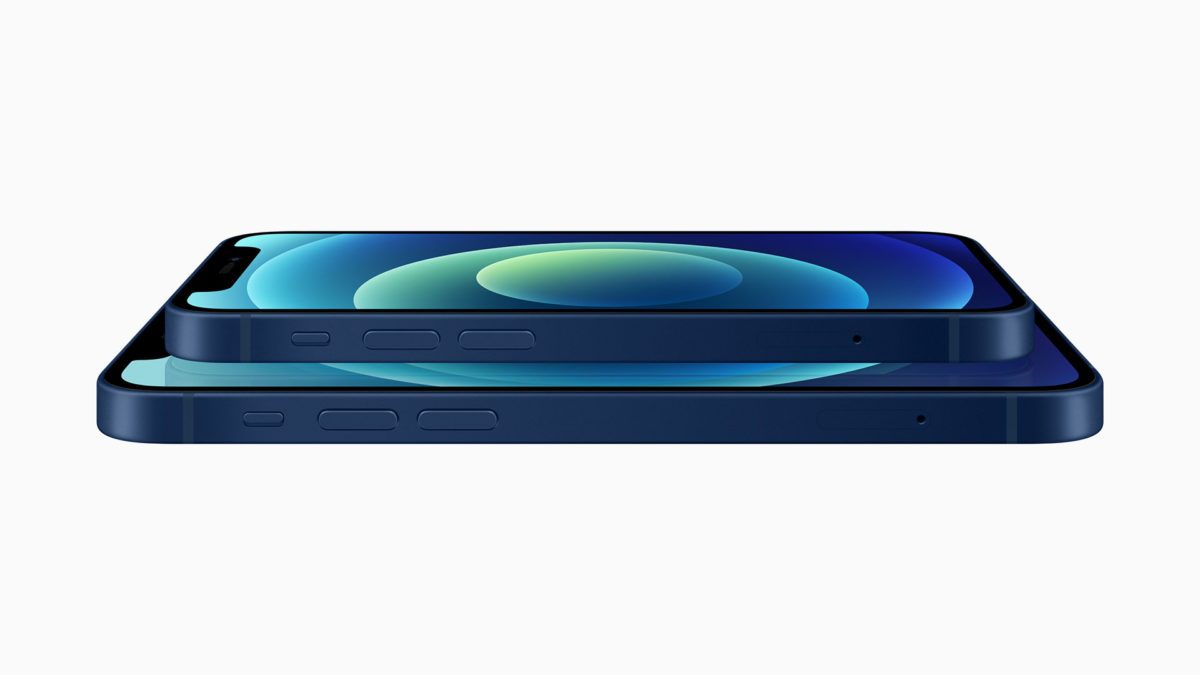
Next week’s “Hi, Speed” event will focus primarily on Apple’s all-new iPhone 12 lineup. Apple will announce four new iPhone 12 models, ranging from 5.4 inches to 6.7 inches in screen size and from $699 to $1,099 in price.
In terms of design, the iPhone 12 lineup will feature a boxier body that is similar to the iPhone 4 and iPhone 5. This means we can expect a design that looks more like the newest iPad Pro with flat edges. Currently, the iPhone 11 Pro features a blended design between the glass of the display and the stainless steel edges. This differs from the iPhone 4 and iPad Pro, which are completely squared off around the sides.
All four of Apple’s new iPhone 12 models will feature OLED displays for the first time. Previously, only the highest-end iPhone models used OLED displays, with Apple using LCD in the lower-end models. Apple will market these new displays as “Super Retina XDR,” and there will also be a new glass technology on the front with increased durability.
All four iPhone 12 variants will also feature 5G connectivity for the first time. Rumors currently incite that iPhone 12 models in the United States will include support for mmWave 5G as well as sub-6Ghz 5G, while models sold in other countries will only include the latter. There will also be something called Smart Data Mode to allocate 4G/5G according to application bandwidth, such that 5G would only be used when necessary to improve battery life.
The differentiator other than screen size between the iPhone 12 lineup will be camera technology. Here are the details, according to a recent report.
iPhone 12 mini:
5.4-inch display
black, white, red, blue, and green
64GB, 128GB, and 256GB
Dolby Vision video recording
Dual camera, wide angle + ultra-wide angle, 1.6
Pre-orders November 6/7, available November 13/14
Starting at $699
6.1-inch iPhone 12:
6.1-inch display
black, white, red, blue, and green
64GB, 128GB, and 256GB
Dual camera, wide angle + ultra-wide angle, 1.6
Dolby Vision video recording
Pre-orders October 16/17, available October 23/24
Starting at $799
iPhone 12 Pro:
6.1-inch display
gold, silver, graphite, and blue
wide angle, ultra-wide angle, telephoto + LiDAR, wide angle of the new 7P lens, 1.6, 52mm focal length telephoto, 4x optical zoom
Dolby Vision video recording
Pre-orders October 16/17, available October 23/24
128GB, 256GB, and 512GB
Starting at $999
iPhone 12 Pro Max:
6.7-inch display
gold, silver, graphite, and blue
wide angle, ultra-wide angle, telephoto + LiDAR, wide angle of the new 7P lens, 1.6, 65mm focal length telephoto, 5x optical zoom, “Expanded” ultra-wide capabilities
Dolby Vision video recording
Pre-orders November 13/14, available November 20/21
128GB, 256GB, and 512GB
Starting at $1,099
You can read our full roundup of everything to except from the iPhone 12 right her ahead of Tuesday’s event.
New wireless chargers
Apple is also said to be developing two new wireless chargers that it could introduce alongside the iPhone 12 lineup. This comes after Apple canceled its AirPower wireless charger in 2019, before it was even released to the public over quality control and overheating concerns.
Whereas AirPower was designed to feature a “drop anywhere” design, Apple’s new wireless chargers are said to use a magnetic system of sorts. In fact, Apple will reportedly revive the popular “MagSafe” branding for two of these new chargers that will be released alongside the iPhone 12.
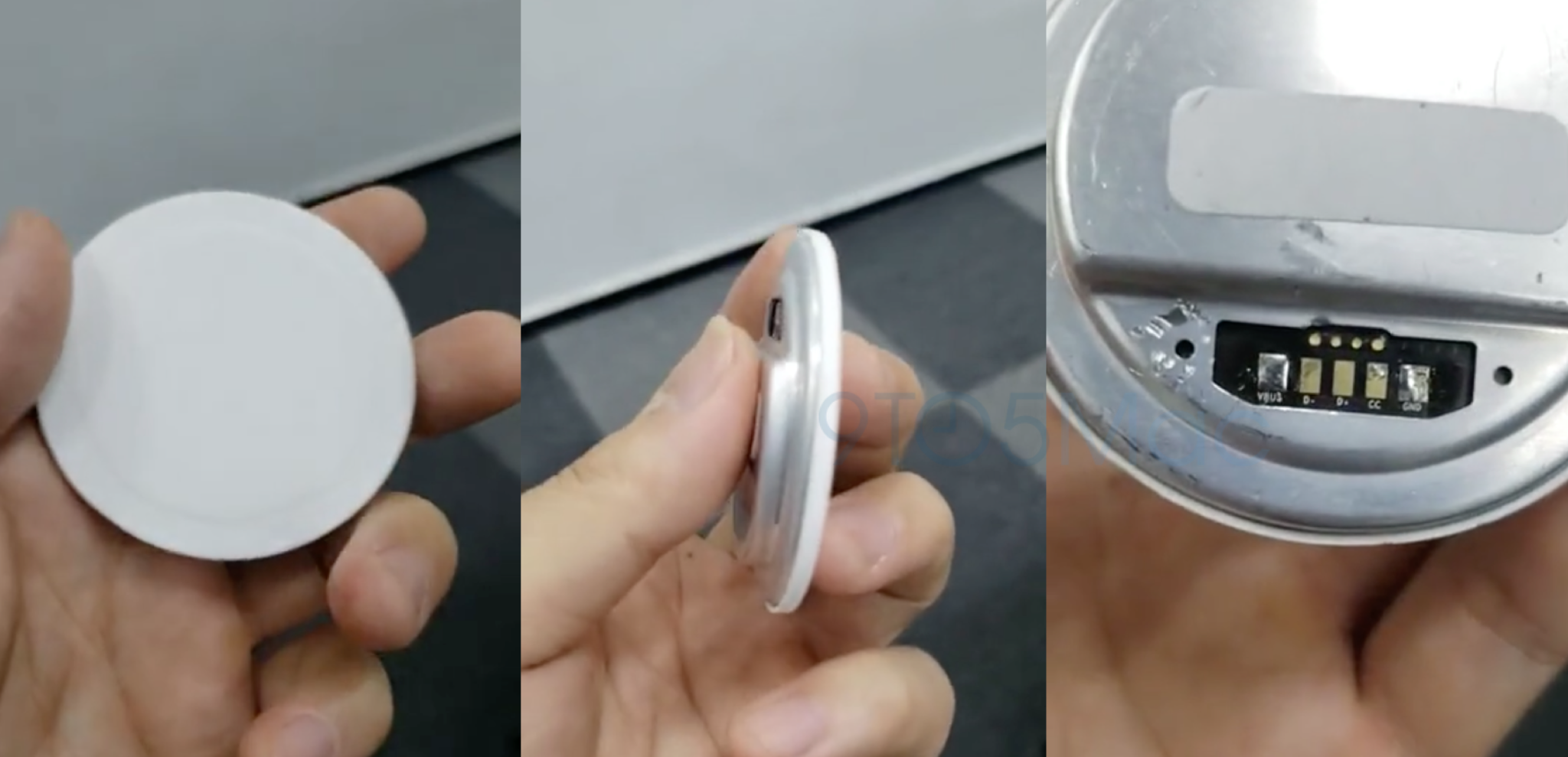
In September, reported on a video that claimed to show Apple’s magnetic wireless charger prototype. Rumors have also suggested that the iPhone 12 will include a new built-in ring of magnets in the back to allow for new accessories.
According to rumors, Apple will release two versions of the magnetic wireless chargers this year, branded as the MagSafe Charger and the MagSafe Duo Charger. This implies that we will see a smaller MagSafe charger that can only charge one device, and another that is slightly larger with support for charging two devices.
Other details about these MagSafe wireless chargers are unclear, but we should expect to learn more on October 13.
HomePod mini
Something else we should expect at Apple’s “Hi, Speed” event next week is the introduction of the HomePod mini, according to reports. Rumors currently indicate that the HomePod mini will be announced on October 13, made available for pre-order on November 6, and released on November 16.
HomePod mini will reportedly cost just $99 and measure in at 3.3 inches. It is said to be powered by Apple’s S5 processor, which is the same processor that powers the Apple Watch SE and Apple Watch Series 5. This is roughly half the size of the current HomePod, which measures in at 6.8 inches tall.
At $99, the HomePod mini seems like a clear competitor to Amazon’s Echo lineup, which is likely part of Apple’s strategy of expanding Siri to a wider user base. We do not currently expect any updates in 2020 to the full-size HomePod.
Other rumors
While it seems like a lock that the October 13 will include news on the iPhone 12, MagSafe wireless chargers, and HomePod mini, there are a few other possibilities worth mentioning.
AirPods Studio
For over a year now, reports have been circulating suggesting that Apple will soon launch its own pair of over-ear headphones. These are believed to exist separately from the Beats brand and offer features such as head and neck detection, custom equalizer settings, and more.
9to5Mac has also found evidence of so-called AirPods Studio in the leaked iOS 14 beta code, including assets showing at least two color options for the new accessory. As for the price, rumors suggest that it will cost $349 for a lower-end “Sport” variant and up to $599 for a “luxury” version made from leather and metal.
While it would absolutely make sense for Apple to unveil its AirPods Studio alongside the iPhone 12, Jon Prosser recently reported that Apple is not quite ready to announce the product just yet. It’s always possible that this will change, but for now, AirPods Studio seem more likely sometime in November or into 2021.
AirTags
For more than a year, rumors have indicated that Apple is developing its own Tile-like item trackers. In June 2019, reported on assets within iOS 13 that referenced a product type “Tag1,1.” Since then, 9 to 5 Mac discovered evidence of the “AirTags” name and references even appeared in a video published by Apple itself.
We initially expected AirTags to be released during the iPhone 11 event last year, then at WWDC 2020, then during Apple’s September event this year. Most recently, a rumor suggested that Apple had delayed AirTags until March 2021, signaling that we should not expect a release at the October 13 event
.
New Apple TV
Apple is also reportedly working on a new Apple TV and a new Siri remote. Evidence of a new Apple TV hardware refresh has been circling around in iOS code for a while, and a report recently indicated that one of the changes will be a faster chip for improved gaming performance.
As for the new Apple TV remote, Bloomberg has suggested that one of the upgrades will be support for the Find My application. This will make it easier for people to locate a remote when it goes missing in the house. Whether or not other improvements are also in store for the controversial Siri remote remains to be seen.
It’s possible that the new Apple TV is introduced during its October 13 event, but it could also be saved for later this year or early next year.
Apple Silicon
Finally, the Mac lineup is nearly set to begin its transition to Apple Silicon processors. Apple has said that it will release its first Apple Silicon Mac before the end of this year, but current indicators are that the Apple Silicon transition will not be addressed at the October event.
Most recently, Bloomberg reported that Apple will hold a separate event in November to unveil its Apple Silicon hardware. This means we should not expect details during next week’s event.
We know very well of the dangers of a battery exploding or instantly dying on you. One is a fire hazard and a health hazard. The other one can let you down on critical situations. So how can you tell that your battery needs to retire and you need to get a new one?
Reason #1: Reduced Battery Life
One of the main reason is when your battery isn’t as lively as it used to be a year ago. It needed a recharge after lunch? It needed one again just after six o’clock. What is going on? Aging. That’s what’s going on. Some lithium ion batteries just lost their capabilities to hold charge after a year. Some batteries are extreme so you might end up with a bad one. Get a new battery installed if you still want to use your old device.
Reason #2: Unexpected Shutdowns
This is worse. You are still at 80 percent and then out goes your smartphone to sleep. What’s going on? Well, your battery is not even registering the accurate charge through it’s controller. This means that it can go from hero to zero in a second. Battery replacement? Sure.
Reason #3: Bootloops
Smartphones are smart. That’s why when they detect that your battery is not supplying enough voltage to start up the device, they immediately retry. And then retry again. And again. You’re in a loop. A boot loop. Some factors can also cause this like corrupted OS or a bad motherboard. However, if you can fix it with a battery replacement, then go for it.
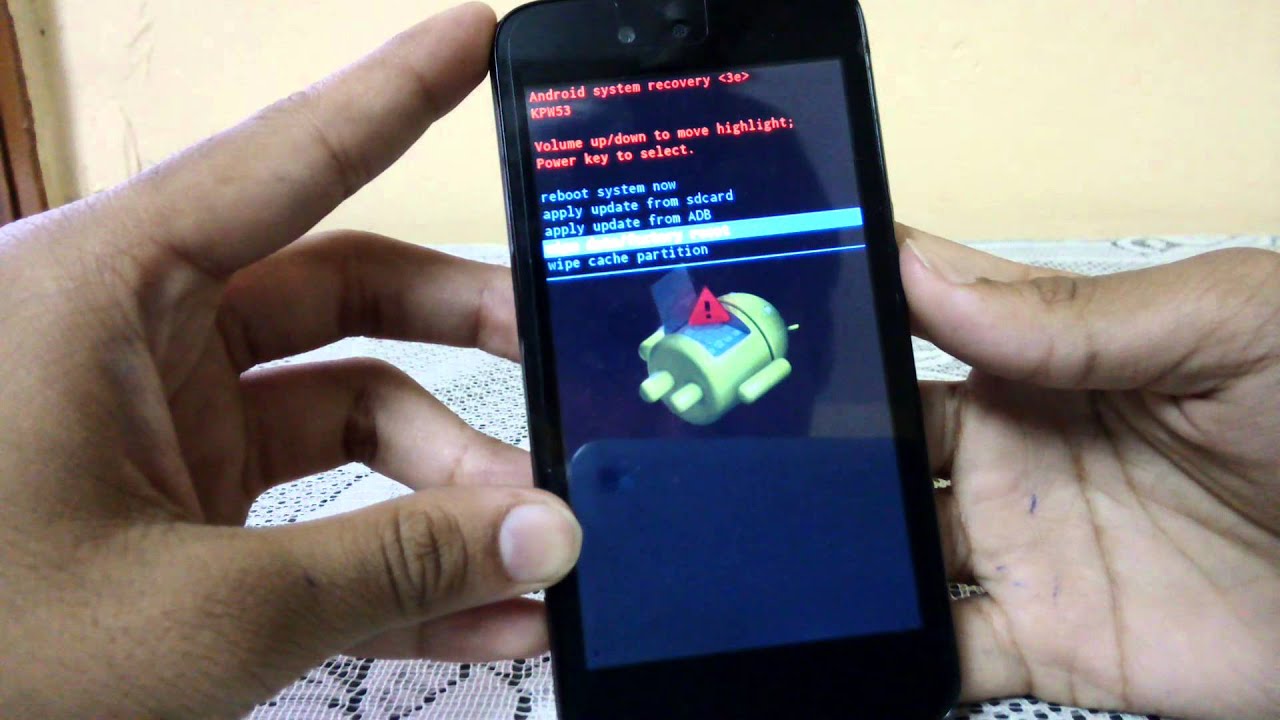
Reason #4: Physical Damage
Need I say more? Your smartphone is literally trying to rip itself apart because the battery pack is bloating. This is dangerous so don’t even attempt to open up your device if you don’t know what you’re doing. It can explode. Go to a repair centre immediately and have this sorted out.
Call us at 8011 4119 if you have smartphone problems, Sydney CBD Repair Centre will fix it for you.
These 5 screen menace could happen to your smartphone too!
In the many years of Sydney CBD Repair Centre operation, we have faced screen issues of all sorts. From the subtle cracks to the totally obliterated smartphone display. We fix all of them. Here are the top 5 most common that we deal with on the daily.
Damage #1: Cracks
We’re pretty sure that you’ve seen a crack before. When you drop something glassy and brittle, it will most likely crack, shatter or disintegrate into smaller pieces. Your smartphone is no different. It will crack when you sit on it the wrong way. It will crack when you drop it on the hard floor. It will crack if you tried to fix it yourself. It will crack if you ran it over with your car. All this Gorilla glass technology and your smartphone’s display won’t last long if you don’t cover it with thick screen protectors. This damage is as old as the first fully glass LCD on the modern smartphone. It’s also the most common so if you cracked yours, then welcome to the club!
Damage #2: Dead Pixels
To be honest this is not that annoying if you’re not really particular on your smartphone’s condition. A dead pixel is not a broken Google smartphone but exactly how it is said – dead/broken pixels. Your smartphone can exhibit a permanent dot where a pixel is not anymore working. It’s unnoticeable if you got one or two of them. However, if you got a big region with dead pixels, then you might need to replace your screen.
Damage #3: Ghost Touch
Ghost touch is when your smartphone screen is moving some of the UI elements totally on its own. This means that the touch mechanism is detecting touches that you didn’t do. Hence, the name ghost touch because it seems like someone unseen is using your smartphone. But there is no ghost involved, fortunately. This is just a faulty touch assembly that picks up taps and drags because some portions of it are permanently pressed down. It can detect this all the time so when you use your smartphone, it seems like it is using your smartphone with a ghost.
Damage #4: No Backlight
This is a tricky one to diagnose. Your smartphone screen has many layers. There’s the touch assembly, the LCD/LED layer and the backlight, if it is an LCD. What it does is it lights up your screen. DUh? But when it gets busted, you will not see a thing. Seriously. However, if you light up your smartphone with a flashlight, you can see that your smartphone is perfectly working but you just don’t see a thing! Screen replacement is the way to go on this one or maybe a software update. But updating your smartphone is rarely the solution on this hardware problem.
Damage #5: Brightness or Colour Issues
Of course, you can’t complete this list without mentioning the washed out colour problem on some displays. There are also cases of burn-in on some AMOLED display where it retains some images of static UI elements. But this one is stemmed on either a bad smartphone setting or a bad display overall. You can’t ramp up your smartphone’s brightness outdoors or you just don’t see colour accurately like you did before. If tinkering with the settings on your smartphone wouldn’t work, replace the screen mate. We’ll help you with that.
Call us at 8011 4119 if you have smartphone problems, Sydney CBD Repair Centre will fix it for you.