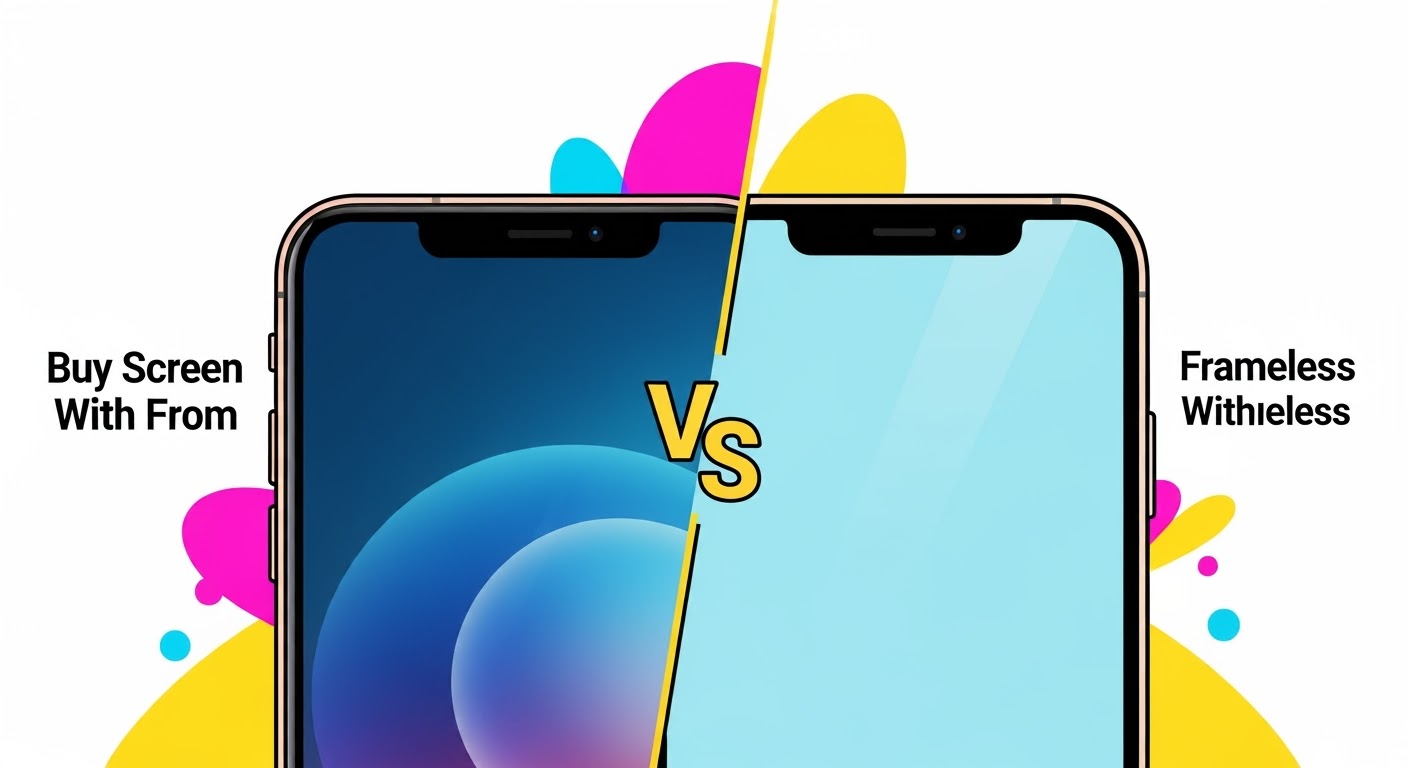
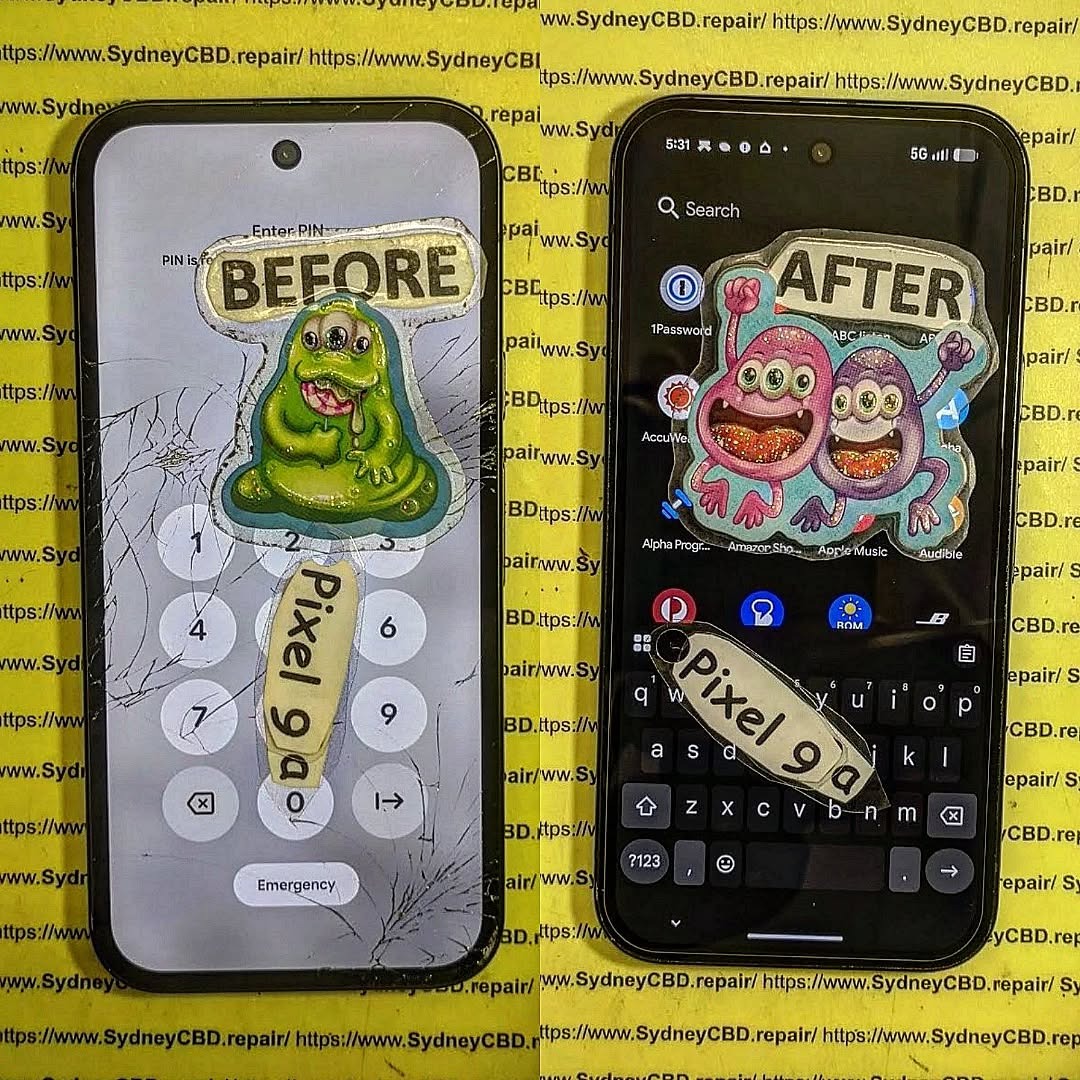
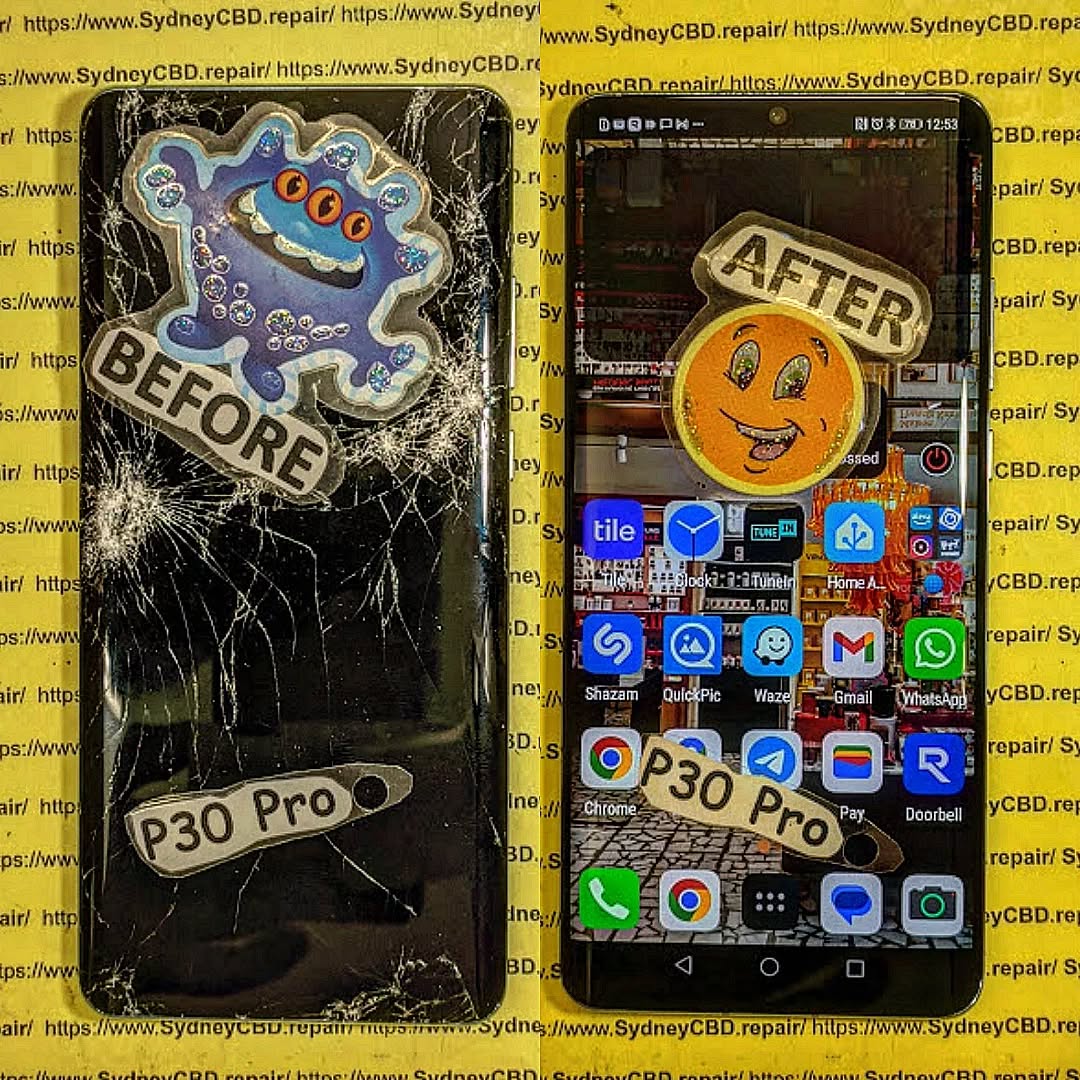
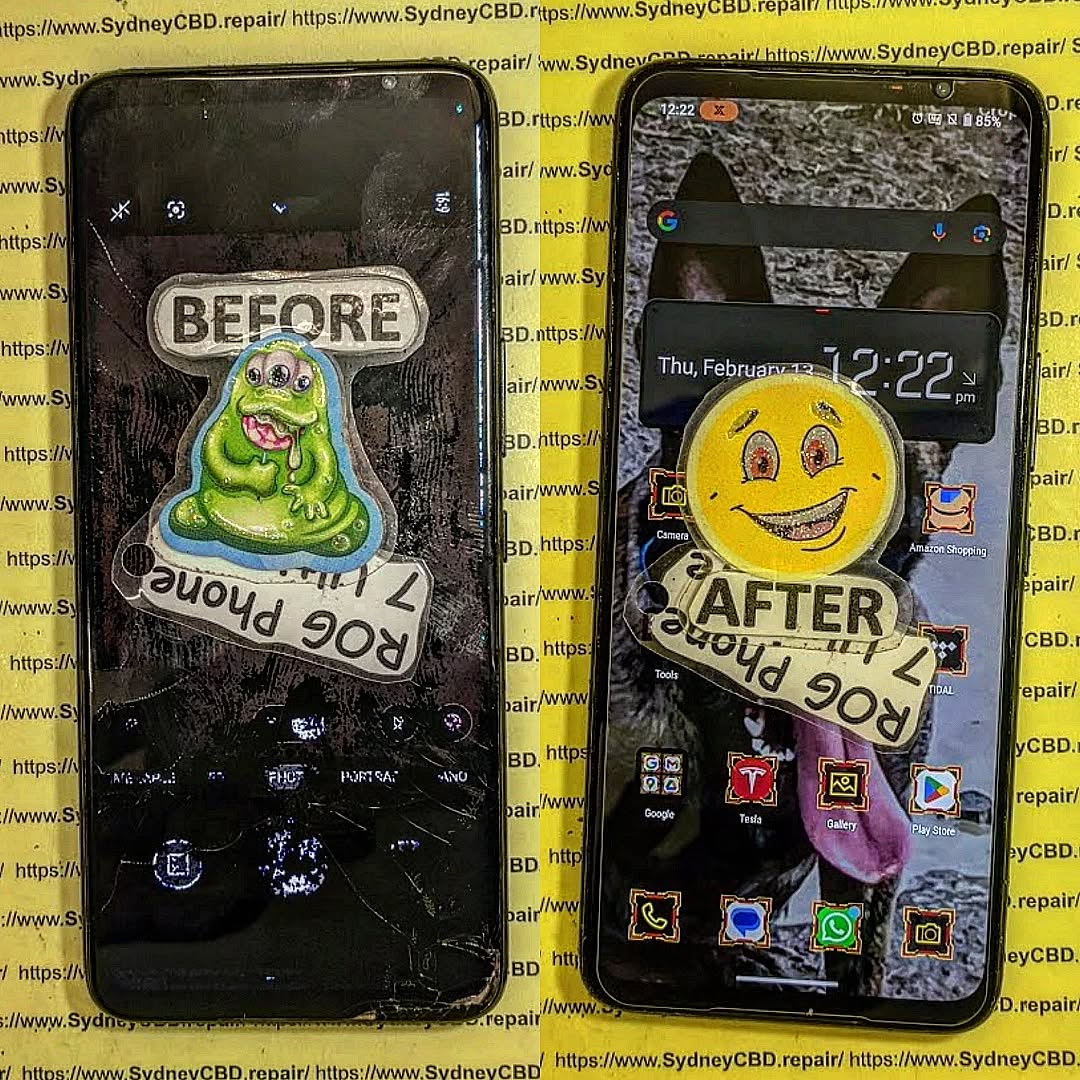
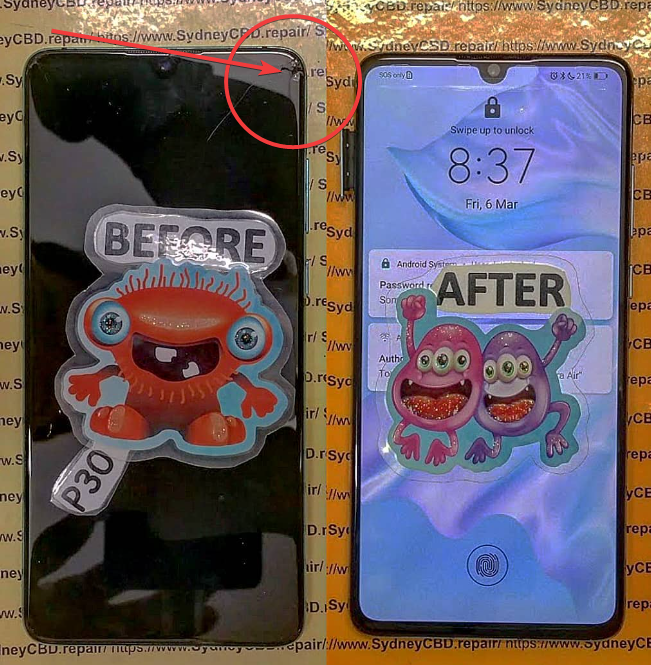
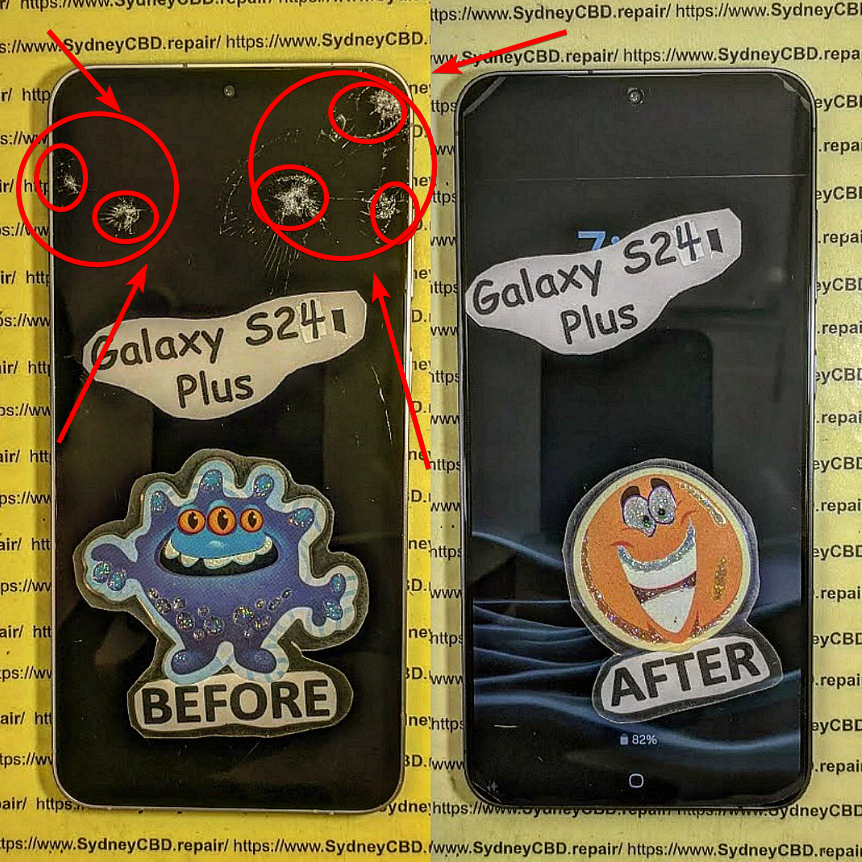
When it comes to replacing a broken or damaged phone screen, you’ll often come across two types of replacement parts: screens with frame and screens without frame. While both serve the same purpose, they’re quite different in terms of installation, cost, and long-term reliability. Understanding these differences can help you make the right decision—whether you’re attempting a DIY fix or leaving it to professionals.
A screen without frame includes only the display and digitizer. You’ll need to separate your old frame from the broken screen before installing the new one.
Key Features:
LCD/OLED panel + touch digitizer only.
Requires reusing your existing frame.
Pros:
Cheaper than with-frame options.
Good if your original frame is still in excellent condition.
Cons:
Installation is more complex.
High risk of damaging the display during fitting.
If the old frame is bent or cracked, the new screen may not sit properly.
Which One Should You Choose?
Go for Screen With Frame if:
Your phone’s frame is damaged, bent, or cracked.
You want a faster and safer installation.
You prefer better long-term stability.
Go for Screen Without Frame if:
Your frame is still in perfect condition.
You’re on a tight budget.
You have the skills and tools to perform a precise installation.
Expert Recommendation
At Sydney CBD Repair Centre, we typically recommend screens with frame for most customers. While they cost a little more, they save time, reduce risks, and ensure your phone feels as good as new. For those experienced in DIY repairs, a without frame screen may work if the frame is undamaged—but it comes with added challenges.
Final Thoughts
The choice between with frame vs. without frame phone screens comes down to budget, condition of your phone’s frame, and whether you’re going DIY or professional. For peace of mind, structural strength, and long-term durability, screens with frame are usually the smarter option.
At Sydney CBD Repair Centre, we’ve been fixing phones for over a decade — and in that time, we’ve seen everything. From smashed screens to devices that went through the washing machine, our team has handled some truly jaw-dropping repair jobs.
Here are the top 5 worst phone damages we’ve ever seen, along with how we brought those devices back to life.
One of our customers accidentally dropped their iPhone from the 10th floor of an apartment building. By the time it hit the ground, the screen was completely shattered, the frame bent, and the back glass cracked.
Our Fix:
We replaced the entire display, restored the frame, and fitted a new back panel. It looked like it had never taken the fall.
Saltwater is one of the worst enemies of electronics. A customer brought us a Samsung Galaxy that had been submerged at the beach for over 20 minutes. The phone wouldn’t even power on.
Our Fix:
We carefully disassembled the device, cleaned the internal components with a special ultrasonic treatment, and replaced the corroded battery. The phone was fully functional again.
3. The Phone That Survived a Car Wheel 🚗💨
Yes, it’s possible for a phone to be run over — and survive with the right repairs. One customer left their Google Pixel on the driveway and accidentally drove over it. The display was crushed and the back panel had deep cracks.
Our Fix:
We replaced the OLED display, repaired the frame alignment, and replaced the back glass. The customer was shocked at how “new” it looked afterward.
4. The Phone That Got Burned 🔥📱
A customer once brought us an Android phone that had been left too close to a campfire. The heat warped the plastic frame, bubbled the screen, and damaged the battery.
Our Fix:
We replaced the entire housing, swapped in a new display, and installed a fresh battery. It was a total transformation.
5. The Phone That Was in the Washing Machine 🧺💦
One of the most common (and heartbreaking) accidents — a phone forgotten in a jeans pocket. A customer ran a full wash cycle before realizing their iPhone was inside.
Our Fix:
We performed deep water damage cleaning, replaced the screen, and swapped the damaged battery. The phone powered on and worked perfectly again.
What These Stories Teach Us
Accidents happen — from balcony drops to ocean swims.
Quick action is key — the sooner you bring your phone in, the higher the repair success rate.
Professional repairs save devices — even extreme damage can often be fixed with the right skills and parts.
Need Expert Phone Repairs in Sydney?
Whether your phone is slightly cracked or looks like it’s been through a warzone, Sydney CBD Repair Centre is here to help.
✅ Same Day Express Repairs
✅ Genuine Parts with 90-Day Warranty
✅ 2000+ Five-Star Google Reviews
📍 Visit Us in Sydney CBD or Book a Mail-In Repair from Anywhere in Australia.
Overseas Repair? Sending Your Phone to Sydney – 7 Powerful Reasons Why It’s the Smart Choice
📱 H1: Overseas Repair? Sending Your Phone to Sydney – 7 Powerful Reasons Why It’s the Smart Choice
In today’s fast-paced digital world, your smartphone is more than just a gadget—it’s your communication hub, productivity tool, and entertainment center. So when it breaks, you’re faced with one important question: where should I get it repaired?
For many people, especially in regions with limited access to high-quality repair services, the answer is surprising—send your phone overseas to Sydney.
Yes, overseas repair might sound risky at first. But thousands of savvy phone owners are discovering that sending their devices to Sydney CBD Repair Centre is not only safe but also smart.
Whether you’re in New Zealand, the Pacific Islands, Southeast Asia, or even as far as Europe, Sydney CBD Repair Centre offers unbeatable value, expert care, and the kind of customer satisfaction that’s rare in the mobile repair industry.
With improved logistics and secure international courier services, cross-border device repairs are no longer a luxury. They’re a global standard for people who demand better.
Cost vs. Quality Trade-Offs
In many countries, repairs are either too expensive or subpar. Choosing overseas options like Sydney CBD Repair Centre gives you affordable rates without sacrificing quality.
Located in the heart of Sydney, this award-winning repair shop has been fixing phones for over a decade. They specialise in Samsung, Apple, Google Pixel, Oppo, and more.
Why Sydney CBD Stands Out
Same Day Repairs
Genuine Parts
Expert Technicians
90-Day Warranty
2000+ 5-Star Reviews
Their reputation isn’t just local—it’s global.
🧑🔧 H2: Reason 1 – Certified Technicians with Global Expertise
Trained on All Major Brands
The team has undergone brand-specific training, ensuring every repair is handled to manufacturer standards.
Decades of Experience
With over 20 years of combined experience, their skills are unmatched.
Keyword usage:overseas repair, Sydney CBD, expert technicians
🔩 H2: Reason 2 – Genuine Parts Used Every Time
Why Original Parts Matter
Using authentic parts ensures:
Longer device lifespan
Accurate performance
Manufacturer-grade compatibility
Avoiding Aftermarket Pitfalls
Cheap aftermarket screens can damage your phone further. Sydney CBD Repair Centre sources genuine OEM components only.
⏱️ H2: Reason 3 – Same Day Express Repairs
Fast Turnaround
Most issues—cracked screens, battery swaps, charging port replacements—are fixed within 1–3 hours.
What Repairs Qualify
Common fast-repair services:
iPhone screen replacement
Samsung back glass
Pixel battery replacement
💸 H2: Reason 4 – Affordable Pricing Without Sacrificing Quality
Price Transparency
Get upfront quotes—no hidden fees. Just honest pricing for world-class service.
Competitive with International Rates
Compared to North America, UK, and EU service centers, Sydney CBD Repair Centre’s rates are often 30–50% lower, even after factoring in shipping.
🛡️ H2: Reason 5 – 90-Day Warranty for Peace of Mind
What’s Covered
Parts and labour
Post-repair performance
Workmanship flaws
Terms and Conditions
As long as you don’t damage the phone again, you’re fully protected.
⭐ H2: Reason 6 – Over 2,000 5-Star Google Reviews
What Customers Are Saying
From tourists to techies, the feedback is consistently glowing:
“Fast, professional, and honest. Sent my phone from Auckland, had it back in 5 days—working perfectly!”
Real Experiences Shared
These aren’t bots—these are real people who trust this team with their most valued tech.
🏆 H2: Reason 7 – Award-Winning Service 6 Years in a Row
Awards and Recognitions
Best Mobile Phone Repair in Sydney (6x winner)
Google Local Favourite
National Customer Service Champion 2023
Consistency in Excellence
When you send your phone to Sydney, you’re working with the best in the business.
✈️ H2: Safety of Your Device During International Shipping
Best Practices
Use bubble wrap & sturdy boxes
Take photos before shipping
Use tracked & insured couriers (e.g., DHL, FedEx)
Insurance and Tracking Tips
Always declare the value for customs and insure your parcel for added peace of mind.
📦 H2: How to Send Your Phone to Sydney CBD Repair Centre
Step-by-Step Guide
Contact the shop for your quote
Backup your data
Package your phone securely
Include return address, issue description, and contact info
Ship via courier
Get notified when it arrives
Required Documentation
Repair form (downloadable from website)
Proof of purchase (if under manufacturer warranty)
📱 H2: What Phones and Repairs Are Accepted?
Brand and Model Support
iPhone (All Models)
Samsung Galaxy & Note Series
Google Pixel
Oppo, Huawei, and more
Services Available
Screen, battery, and charging port replacement
Water damage restoration
Camera & speaker repairs
📊 H2: Comparison Table – Local vs Overseas Repair with Sydney CBD
Criteria
Local Repair (Unknown Shop)
Sydney CBD Repair Centre
Price
$$–$$$
$$
Warranty
Varies
90 Days
Technician Experience
Unverified
Certified
Parts Quality
Aftermarket
Genuine
Turnaround
2–7 days
Same Day
Customer Support
Limited
24/7 Online
⚠️ H2: Expert Advice: When You Shouldn’t Send It Overseas
Exceptions to the Rule
Extremely urgent cases
Logistics issues or customs delays
Regions with reliable repair partners
Local Repair Warning Signs
No warranty
No reviews
Non-genuine parts
❓ H2: Frequently Asked Questions (FAQs)
1. How long will it take to get my phone back?
Typically, 5–7 business days including international shipping both ways.
2. Is international shipping safe for phones?
Yes, if packed properly and sent through reputable couriers.
3. What if they can’t fix my phone?
You’ll be contacted with options—return, parts swap, or refund (depending on case).
4. Can I get a quote before I ship?
Absolutely! Use their Contact Form to request a free quote.
5. Do I need to remove my SIM card?
Yes. For security, remove SIM and any memory cards before sending.
6. Will I lose my data?
Repairs usually don’t affect data, but always backup your device first.
🧠 H2: Conclusion – Make the Smart Choice for Your Device
Sending your phone overseas may seem like a leap of faith, but when it comes to Sydney CBD Repair Centre, it’s a calculated move rooted in trust, quality, and unmatched expertise.
Thousands of international customers can’t be wrong—when your phone matters, send it to the experts who treat it like their own.
David from Sydney CBD Repair Centre – The Best place to fix mobile phones as 6 Years In A Row!
✓ Call: +61280114119
✓ Website: https://SydneyCBD.repair/locate-us
✓ Same Day Repairs | Genuine Parts | 2000+ Reviews | Award-Winning Technicians
Should I Repair or Replace My Damaged Screen? 9 Must-Know Insights to Make the Right Decision
🟦 Introduction: The Broken Screen Dilemma
You’ve just dropped your phone, and now there’s a spiderweb of cracks across the screen. Or maybe the display has gone completely dark. Now comes the big question: Should you repair or replace your damaged screen?
This article gives you nine essential insights to help you decide what’s best for your phone—and your wallet.
Your phone is outdated and unsupported by software updates
You were already planning to upgrade
🟩 Frequently Asked Questions
❓ Can I still use my phone with a cracked screen?
Yes, but you’re putting your phone and fingers at risk. Touch functionality and display quality can worsen over time.
❓ How long does a screen repair take?
At Sydney CBD Repair Centre, most screen repairs are completed in less than 2 hours.
❓ Is screen replacement expensive?
It depends on the phone model, but it’s typically 40%–70% cheaper than buying a new device.
❓ Will my data be safe during a screen repair?
Absolutely—we do not erase or access any data during repairs.
❓ Does repairing a phone affect resale value?
On the contrary, repairing a cracked screen increases your phone’s resale value significantly.
❓ Why should I choose Sydney CBD Repair Centre?
We offer:
Genuine parts
Professional technicians
Same-day repairs
90-day warranty
Over 2000+ 5-star reviews
🟦 Conclusion: Make the Smart Choice
When weighing the decision between repair or replacement, it all comes down to:
Cost
Functionality
Sustainability
In most cases, repairing your damaged screen is the smarter, faster, and greener option—especially when you work with experts like David and the team at Sydney CBD Repair Centre.
Don’t rush into replacing your device. Visit us, get a free quote, and see why we’ve been voted Sydney’s best phone repair centre six years in a row.
Sydney CBD Repair Centre – Where Quality Meets Reliability
📍 Location: https://SydneyCBD.repair/locate-us
📞 Call Us: +61280114119
✅ Same Day Express Repairs
✅ Genuine Parts Guarantee
✅ Professional Technicians
✅ 2000+ 5-Star Google Reviews
The Ultimate Guide to Smartphone Screen Replacement Costs in 2025: What You Need to Know Now
H1. The Ultimate Guide to Smartphone Screen Replacement Costs in 2025
In today’s fast-paced digital world, smartphones are indispensable. But what happens when you drop yours and crack the screen? Replacing a smartphone screen can be expensive and confusing — especially with the vast number of models and repair options in 2025.
This ultimate guide covers everything you need to know about smartphone screen replacement costs — including real prices, expert tips, and how to avoid overpaying. Whether you own the latest iPhone 16 Pro Max, a Samsung Galaxy Z Fold5, or a trusty Google Pixel, we’ve got the answers you need.
Cracked screens remain one of the most common smartphone issues. Dropping your device, sitting on it, or even pressure from being in a tight pocket can cause visible or internal damage.
Types of Screen Damage
Cracks & Shatters: Surface or deep cracks due to impact.
Touch Issues: Unresponsive or erratic touch behavior.
Display Glitches: Flickering, dead pixels, or complete blackouts.
Glass vs LCD Damage: Surface cracks may only affect the glass, while deeper damage can affect the display layer underneath.
1. Is it worth fixing a cracked phone screen in 2025?
Yes! Repairs are faster, more affordable, and often cheaper than buying a new phone.
2. How long does a screen replacement take?
With experts like Sydney CBD Repair Centre – usually under an hour.
3. Will my phone still be waterproof after screen repair?
Only if repaired by certified technicians with proper tools and seals.
4. Can I replace just the glass instead of the full display?
Only in some cases. Most newer models require full display replacement.
5. Do screen repairs affect performance?
Not if done correctly with OEM parts. Choose reputable repairers.
6. Can I claim screen damage under my phone insurance?
Yes, depending on your provider and policy. Check excess fees.
Conclusion
In 2025, smartphone screen replacements don’t have to be a mystery. From understanding costs to choosing the right repair centre, this guide arms you with everything you need. Whether it’s an iPhone, Samsung, or Pixel — trust experts like Sydney CBD Repair Centre to bring your device back to life quickly and affordably.
Every year, thousands of smartphone users delay or avoid screen repairs based on hearsay, misconceptions, or fear of high costs. These myths not only lead to costly mistakes but also compromise the performance and longevity of your device. If you’ve ever cracked your screen and Googled, “Can I fix my phone myself?” — you’re not alone.
Let’s shine a light on the most common myths, arm you with the facts, and help you make informed repair decisions that protect both your phone and your wallet.
Some people think a little crack isn’t a big deal — but in reality, it’s the beginning of a bigger problem.
🔍 How Small Cracks Lead to Bigger Problems
Moisture Intrusion: Even a hairline fracture allows water or humidity to seep in.
Touch Sensitivity Loss: Cracks interfere with screen responsiveness over time.
Internal Damage Risk: Your phone’s internal components become vulnerable.
According to Sydney CBD Repair Centre, delaying repair can turn a $150 screen replacement into a $500 motherboard or battery issue. In short, ignoring the crack now means paying a lot more later.
Same Genuine Parts: Reputable repair shops like Sydney CBD Repair Centre source original components.
Certified Technicians: Skilled experts often have more repair-specific experience than general tech staff.
Faster Turnaround: Independent shops usually offer same-day repairs — no long queues or shipping delays.
You’re not compromising on quality; you’re gaining flexibility and saving time.
🧰 Myth 3: DIY Screen Repair Saves Money
There’s an entire world of YouTube tutorials encouraging you to fix your own screen. But is it really wise?
⚠️ The Hidden Costs and Risks of DIY
Lack of Tools: Proper screen repair requires precision tools not available in standard kits.
No Warranty: One wrong move could void any remaining device warranty.
Higher Risk of Damage: Mishandling fragile parts can break more than you fix.
In fact, over 40% of DIY attempts end up in professional shops — with doubled costs.
🔧 Myth 4: Third-Party Parts Are Always Low Quality
Not all third-party parts are created equal. This myth stems from low-end repairs using generic, poorly made parts.
🧬 Genuine vs. Aftermarket: What You Should Know
Feature
Genuine Parts
Cheap Aftermarket
Premium Aftermarket
Fit & Finish
Perfect
Poor
Excellent
Durability
High
Low
High
Touch Sensitivity
Accurate
Laggy
Accurate
Top-tier repair centers only use OEM-equivalent or original parts, especially for brands like Apple, Samsung, and Google.
🌊 Myth 5: Water-Resistant Phones Don’t Need Special Care After Screen Damage
This one’s especially dangerous. Once your screen cracks, your water resistance is gone.
💧 Why Even Minor Damage Breaks Water Resistance
The adhesive seals are compromised.
Microfractures allow water to seep into the device.
Manufacturers recommend resealing after any screen repair.
If you’ve dropped your water-resistant phone, don’t assume it’s safe — get it checked immediately.
🛡️ Myth 6: Screen Protectors Make Repairs Unnecessary
Screen protectors help, but they’re not a magic shield.
🪞 Screen Protectors vs. Screen Durability
Protectors mainly guard against scratches, not impacts.
A strong drop can still crack the screen underneath.
Tempered glass breaks first — but your screen might still suffer damage.
A screen protector is your first line of defense, not your last resort.
🧾 Myth 7: Screen Repairs Void Your Warranty
In many cases, this simply isn’t true — especially in Australia.
⚖️ Know Your Consumer Rights in Australia
Under Australian Consumer Law, manufacturers can’t void a warranty just because you used a third-party repairer — unless the damage was caused by the repairer.
So yes, you can choose trusted shops like Sydney CBD Repair Centre without risking your consumer rights.
🔍 How to Choose a Reliable Phone Repair Service
With so many options, how do you know who to trust?
📋 Checklist for Picking the Right Shop
✅ Uses genuine or OEM parts
✅ Has certified technicians
✅ Offers warranty on repairs
✅ Transparent pricing
✅ Excellent customer reviews
✅ Same-day service available
If your repair shop ticks these boxes, you’re in safe hands.
⭐ Real-World Example: Sydney CBD Repair Centre’s Trusted Service
We’ve been Sydney’s top mobile phone repair shop for over 6 years running.
🏆 What Sets Us Apart in the Sydney Market
Over 2000 five-star reviews on Google
Same-day repairs for most devices
Genuine parts only – no cheap knock-offs
90-day repair warranty
Experts in Apple, Samsung, Google Pixel, Oppo, and more
Located in the heart of Sydney CBD, we’re here to help you avoid costly mistakes and myths with top-tier service.
1. How much does it usually cost to fix a cracked phone screen in Sydney?
Costs vary by model, but on average:
iPhone screens: $150–$400
Samsung Galaxy: $200–$450
Google Pixel: $180–$350
2. Is it safe to use my phone with a cracked screen?
No. Cracks can lead to further damage, touchscreen issues, and possible injuries from glass shards.
3. Are aftermarket screens really that bad?
Low-end aftermarket parts often lack durability and clarity. Premium aftermarket or genuine parts are the better choice.
4. Can I repair my phone screen at home?
It’s possible, but risky. Improper repairs can lead to more damage and void warranties.
5. Does screen repair affect water resistance?
Yes. Even professional repairs may not fully restore original water resistance unless the device is re-sealed professionally.
6. How long does a typical screen repair take at Sydney CBD Repair Centre?
Most repairs are completed same day, often within 1–2 hours depending on the model.
✅ Conclusion: Don’t Fall for the Myths — Get Informed, Get Repaired
When it comes to screen repairs, knowledge is power. Myths can cost you more time, money, and frustration than you think. Whether you’re dealing with a minor crack or a full-blown shattered screen, choosing the right repair option is crucial.
And remember — Sydney CBD Repair Centre has your back. With expert technicians, genuine parts, and unmatched service, we help you repair smart.
Can You Fix a Dropped and Cracked Pixel Fold? | Ultimate Guide + 15 Expert Tips
Can You Fix a Dropped and Cracked Pixel Fold?
Yes, absolutely! The Google Pixel Fold is a stunning piece of technology—but like any foldable phone, it’s also vulnerable. A single drop can leave you with a cracked screen, a broken hinge, or worse. But before you panic or consider replacing the whole device, there’s good news: your Pixel Fold can be fixed, often on the same day with professional help.
At Sydney CBD Repair Centre, we’ve helped countless Pixel Fold owners restore their phones after accidental drops. In this article, we’ll walk you through everything you need to know—from identifying the damage to finding the best repair solution.
The Pixel Fold combines Google’s powerful software with a complex folding display mechanism. While beautiful and efficient, the design includes several fragile elements:
Foldable inner OLED display
Outer glass screen
Central hinge mechanism
Aluminum frame
Each of these parts can be affected by impact or pressure. Understanding how your phone works helps in recognizing the seriousness of the damage and how to address it.
When your Pixel Fold hits the ground, here’s what might go wrong:
Type of Damage
Description
Cracked inner screen
Appears as black spots, flickering, or full dead display
Scratched or cracked outer display
Cosmetic and functional concerns
Malfunctioning hinge
Makes folding/unfolding difficult or uneven
Frame bending
Leads to misalignment, screen lifting
Screen protector displacement
Can worsen display sensitivity issues
Each of these problems has different levels of repair complexity and cost.
What Happens When the Inner Display Cracks?
The inner display on the Pixel Fold is flexible and ultra-thin, making it especially susceptible to pressure damage. A crack here may cause:
Blacked-out sections
Touch unresponsiveness
Green or purple lines
Complete display failure
Ignoring this damage can lead to further problems, including touch sensitivity degradation and eventual total screen blackout.
Dangers of Using a Damaged Pixel Fold
While it might still function after a drop, using a broken Pixel Fold poses several risks:
Further screen damage from continued folding
Short circuits due to internal cracks or moisture exposure
Compromised hinge function
Personal injury from sharp broken glass
If your screen is even slightly cracked, we highly recommend getting it repaired right away.
Is Pixel Fold Repair Even Possible?
Absolutely. Despite being a newer device with advanced hardware, the Pixel Fold can be repaired—especially by experienced technicians. Professional repair centers like Sydney CBD Repair Centre offer:
Screen replacement
Hinge repair
Battery or back panel replacement
Water damage treatment
Software diagnostics post-drop
With access to genuine Pixel Fold parts, repairs can restore your phone to factory condition.
Cost to Repair a Cracked Pixel Fold
Repair costs can vary based on the type and extent of damage. Here’s an estimate:
Type of Repair
Estimated Cost (AUD)
Inner Screen Replacement
$850 – $1100
Outer Screen Replacement
$400 – $600
Hinge Repair
$300 – $450
Full Diagnostic & Tune-Up
$150 – $250
⚠️ Prices depend on your location, availability of parts, and technician experience. Sydney CBD Repair Centre offers competitive rates, transparent pricing, and no hidden fees.
Should You Visit a Certified Repair Shop?
Yes, and here’s why:
Experience matters with foldable tech
You’ll get genuine Google-approved parts
Repairs are often covered by warranty
You avoid the risk of damaging your phone further
A skilled technician will properly dismantle and rebuild your Pixel Fold without compromising its functionality or folding mechanism.
DIY Pixel Fold Repair: Should You Try It?
While YouTube makes it look easy, foldable phones are not DIY-friendly. Here’s what could go wrong:
Tearing the inner OLED layer
Damaging the hinge while opening
Losing water resistance
Voiding your warranty
Unless you’re an experienced phone technician with proper tools, it’s best to leave this repair to professionals.
Why Sydney CBD Repair Centre is the Trusted Choice
Same Day Repairs: What to Expect
We understand how important your phone is. That’s why we offer same-day repairs for most Pixel Fold issues. Drop your phone in the morning, pick it up by afternoon—good as new.
Only Genuine Parts, Guaranteed
We don’t take shortcuts. Our team uses only original Pixel Fold parts straight from certified suppliers. That means:
No low-grade replacements
No software issues post-repair
No impact on your device warranty
Warranty Considerations with Google Devices
If your Pixel Fold is under warranty, some repairs might be covered—but only if you haven’t tampered with the device. Manufacturer warranty does not cover physical or accidental damage, which makes authorized third-party repair shops a smart choice.
Sydney CBD Repair Centre offers a 90-day warranty on all repairs for extra peace of mind.
What to Do Immediately After Dropping Your Fold
If you’ve just dropped your Pixel Fold, follow these steps:
Power off the phone to prevent internal damage.
Avoid folding or unfolding it.
Inspect for visible cracks or dents.
Do not apply pressure to the screen.
Bring it to a repair centre ASAP.
The sooner you act, the better your chances of saving the device—and your data.
How to Prevent Future Damage
Protect your Pixel Fold with these tips:
Invest in a rugged case with hinge protection
Use a tempered glass screen protector
Avoid using the phone with wet or dirty hands
Don’t keep it in your back pocket
Get a protective pouch if you carry it in bags
Proactive care reduces your chances of needing repairs down the line.
Customer Success Stories from Sydney CBD Repair Centre
📱 John from Sydney dropped his Pixel Fold down a flight of stairs. Inner screen was dead, hinge loose. Our team replaced the screen and realigned the hinge within 5 hours.
📱 Amanda from Bondi had a Pixel Fold with an unresponsive fold display after water exposure. We dried the internals, replaced the screen, and it worked like new—all same day.
With over 2,000 five-star reviews, we’ve seen and fixed it all. Don’t give up on your phone just yet.
Pixel Fold Repair FAQs
1. Can you fix the Pixel Fold’s hinge?
Yes, hinge repairs are possible and common after drops. We offer full hinge realignment and replacements.
2. How long does a screen replacement take?
Most screen repairs take 4–6 hours depending on damage extent and part availability.
3. Is water damage repairable on a Pixel Fold?
Yes, if caught early. We offer internal drying and component cleaning to save your device.
4. Does Google cover drop damage?
No. Drop damage is considered accidental and not covered under standard Google warranty.
5. Is the inner screen more fragile than the outer?
Yes. The foldable OLED display is thinner and more susceptible to damage.
6. Will my phone still be water-resistant after repair?
We re-seal the phone to factory standards, but original water resistance can’t be fully restored after opening.
Final Thoughts: Is Fixing the Pixel Fold Worth It?
Absolutely. The Pixel Fold is a premium device, and replacement costs exceed $2500. In most cases, a professional repair can restore functionality for a fraction of the cost. Whether it’s a cracked screen, a busted hinge, or water damage—Sydney CBD Repair Centre has you covered.
With genuine parts, same-day repairs, and a 90-day warranty, you’ll get back to enjoying your Pixel Fold in no time.
✅ Visit us today at:
Sydney CBD Repair Centre
Call us at: +61280114119
📍 Located in the heart of Sydney CBD
💬 More than 2000+ 5-star Google reviews
🏆 6-Time Award-Winner for Best Mobile Repairs
The Ultimate Guide to Smartphone Screen Repairs: Expert Tips & 15 Must-Know Facts
📱 What is Smartphone Screen Repair?
Smartphone screen repair refers to the process of fixing or replacing a mobile phone’s display due to physical or functional damage. This includes repairing cracked glass, unresponsive touchscreens, and internal display issues like lines or dead pixels.
Most modern smartphones—Apple, Samsung, Google, and others—use delicate OLED or AMOLED screens, making them especially vulnerable to damage from accidental drops or pressure.
At Sydney CBD Repair Centre, we specialise in precise, high-quality screen replacements using genuine parts, ensuring your phone looks and functions like new.
The most common type of screen damage—caused by drops or pressure. Though the phone may still function, cracks often spread, affect visibility, and compromise touch sensitivity.
❌ Dead Pixels and Display Lines
Dead pixels (black or stuck dots) and horizontal/vertical lines usually indicate internal LCD or OLED damage. This isn’t just cosmetic—it can hint at deeper issues that need professional attention.
📵 Touchscreen Malfunctions
Issues like lagging response, ghost touches, or complete unresponsiveness often stem from digitizer damage, which usually means screen replacement is necessary.
🔧 DIY vs Professional Repairs: What You Need to Know
You might’ve seen videos online about fixing your screen with a kit. While DIY repairs might save money upfront, they carry big risks:
Aspect
DIY Repair
Professional Repair (Sydney CBD Repair Centre)
Tools & Expertise
Basic/limited
Advanced tools and certified technicians
Parts Quality
Often low-quality or generic
100% Genuine Manufacturer Parts
Warranty
None or very limited
90-Day Warranty on All Repairs
Risk of Further Damage
High
Minimal to none
Repair Time
Hours to days
Same Day Repairs (In Most Cases)
Unless you’re experienced, it’s safer—and ultimately more affordable—to let the experts handle it.
💸 How Much Does Screen Repair Cost?
Screen repair costs vary by model, damage severity, and whether genuine parts are used.
Phone Brand
Typical Screen Repair Range (AUD)
iPhone (X and newer)
$180 – $480
Samsung Galaxy (Z Series)
$300 – $700
Google Pixel
$190 – $350
Oppo, Huawei, etc.
$120 – $350
Tip: Avoid “too good to be true” prices—they usually mean non-genuine parts or unskilled technicians.
⏱️ How Long Does Screen Repair Take?
At Sydney CBD Repair Centre, most screen repairs are completed on the same day, sometimes in as little as 1 hour depending on part availability and device complexity.
Brands like Samsung Z Fold or Flip models take a bit longer due to their foldable design—but we offer express service for all major brands.
🏪 What to Expect from a Professional Repair Shop
Here’s what a reputable shop (like us!) should offer:
At Sydney CBD Repair Centre, we only use original manufacturer parts, unlike other shops that rely on third-party alternatives which can void your phone’s warranty.
🛠️ Choosing the Right Repair Centre
Not all repair shops are created equal. Choose one that:
✅ Has verified customer reviews
✅ Offers genuine parts and warranty
✅ Is authorised or experienced with your phone brand
✅ Provides transparent service and pricing
Sydney CBD Repair Centre ticks every box—with over 2000+ 5-star reviews, and 6 years of award-winning service.
🔧 Step-by-Step: How We Repair a Cracked Screen at Sydney CBD Repair Centre
Initial Inspection: We assess the damage and test functionality.
Disassembly: The device is carefully opened using precision tools.
Screen Replacement: The broken display is removed and replaced with a genuine part.
Reassembly & Testing: Everything is put back together and thoroughly tested.
Final Quality Check: We ensure the screen is functioning like new before handover.
Your phone is safe in expert hands—our technicians have repaired thousands of devices successfully.
❌ Common Myths About Screen Repair Debunked
“If it’s still working, it doesn’t need repair.”
Even small cracks can spread and cause internal damage.
“Third-party parts are just as good.”
Non-genuine parts often lack brightness, sensitivity, and durability.
“Screen repair will erase my data.”
Not true. Your data stays untouched when done properly.
🛡️ How to Prevent Future Screen Damage
Use a high-quality tempered glass screen protector
Invest in a durable, shock-absorbent phone case
Avoid putting your phone in back pockets or risky places
Don’t use your phone during workouts or near water
Get regular checkups at a trusted repair centre
❓ FAQs About Smartphone Screen Repairs
Q1: Can a cracked screen get worse over time?
Yes. Cracks can spread and lead to touchscreen failure or internal display damage.
Q2: Is it worth fixing an old phone’s screen?
If the phone still functions well and has good specs, screen repair is often more cost-effective than replacement.
Q3: How can I tell if a shop uses genuine parts?
Ask! A reputable centre like ours is upfront about part sourcing and warranties.
Q4: Will repairing my screen delete my data?
No. At Sydney CBD Repair Centre, your data remains untouched.
Q5: What if I break my screen again?
We offer a 90-day warranty. Plus, we’ll advise you on better screen protection.
Q6: Are foldable screens harder to repair?
Yes, due to their design—but we’re experienced in repairing Samsung Z Fold and Flip series professionally.
✅ Conclusion: Your Screen Deserves the Best Repair
Your smartphone is an essential part of your life—don’t trust its repair to just anyone. With genuine parts, expert technicians, and same-day service, Sydney CBD Repair Centre ensures your device gets the care it deserves.
Cracked screen? Don’t wait. Call us now at +61280114119 or visit us here for a free diagnosis and fast repair.
Is It Worth Repairing My Broken Phone? – The Honest Truth + 7 Key Factors to Consider
Introduction: The Big Question After a Break
Your phone slips, hits the ground, and suddenly… the screen shatters. Or maybe your battery won’t hold a charge anymore. The question pops up: “Is it even worth repairing this phone, or should I just buy a new one?”
You’re not alone in asking that. With the rising costs of premium smartphones like the iPhone 14 Pro Max or Samsung Galaxy Z Fold 5, repairing instead of replacing can be a smart financial and environmental choice—but only in the right situations.
Let’s walk you through everything you need to know to make an informed decision, backed by industry knowledge from Sydney CBD Repair Centre—Sydney’s most trusted mobile phone repair experts.
If the repair is under 40–50% of the phone’s current market value and you’re otherwise happy with it, repair is usually the smarter choice.
3. Consider the Age and Performance of the Phone
A 2-year-old flagship phone is still extremely capable. Many devices from Apple, Samsung, and Google receive software updates for 4–6 years.
📅 If your phone is:
Less than 3 years old – Repair is almost always worth it.
3–5 years old – Depends on model and performance.
5+ years old – Consider upgrading, unless it’s a rare model.
Sydney CBD Repair Centre can help you assess both the repair needs and expected lifespan of your device.
4. Think About Your Personal Usage
Are you using your phone just for calls, texts, and browsing—or are you into mobile gaming, photography, or business productivity?
For light users, even an older phone may still suffice after repair.
For power users, you may want to invest in a newer model if the phone is lagging or lacks needed features like 5G, better camera systems, or storage.
5. Environmental Impact of Repairing vs. Replacing
Phones contain rare metals, plastics, and chemicals that are harmful if discarded improperly.
Repairing a phone:
Reduces e-waste
Saves energy from new manufacturing
Prolongs the product lifecycle
By choosing to repair, you’re making a sustainable decision that’s better for the planet.
6. Warranty and Service Quality
A major concern for many is whether a repair will last. At Sydney CBD Repair Centre, we:
Use genuine OEM parts
Offer a 90-day repair warranty
Provide same-day express service
Are trusted by over 2000+ Google reviews
This ensures you get peace of mind, not just a quick fix.
7. Hidden Benefits of Repairing Your Phone
✅ You save money
✅ You avoid the hassle of data transfer and re-setup
✅ You retain familiarity with your device
✅ You avoid lengthy new phone contracts
Often, a screen or battery replacement can make your phone feel brand new again—at a fraction of the cost.
When Is It Not Worth Repairing a Phone?
If the phone is outdated and sluggish
If multiple major components are damaged
If the total cost of repairs exceeds 50–60% of the phone’s current value
If future software support is ending soon
In these cases, upgrading makes more sense.
FAQs: Should I Repair or Replace My Phone?
1. How do I know if my phone is still worth repairing?
If your phone is under 3 years old and works well aside from the damage, repair is usually the better option.
2. Is it cheaper to repair a phone than buy a new one?
Yes. Most repairs cost between $150–$400, while new flagship phones cost $1,000+.
3. Will a repaired phone work like new?
In most cases, yes—especially if genuine parts are used by qualified technicians.
4. Can I get my data back if my screen is broken?
Absolutely. At Sydney CBD Repair Centre, we help retrieve your data safely during the repair process.
5. Is it safe to repair water-damaged phones?
Yes, if addressed early. We perform water damage treatments to prevent corrosion and restore function.
6. How long does a phone repair usually take?
Most repairs are done same-day, especially for screens, batteries, and common faults.
Conclusion: Should You Repair or Replace Your Broken Phone?
If your phone is modern, valuable, and the issue is isolated (like a screen or battery), repairing is almost always worth it. It’s affordable, eco-friendly, and less disruptive than upgrading.
But if your phone is older, sluggish, or suffering from multiple issues, upgrading might be the better long-term decision.
📍 Visit Sydney CBD Repair Centre for a professional assessment and no-pressure quote.
Our technicians will guide you honestly—no upselling, just expert advice.
David from Sydney CBD Repair Centre – The Best place to fix mobile phones as 6 Years In A Row!
✓ Same Day Express Repairs
✓ Genuine Parts Guarantee
✓ Professional Technicians
✓ Competitive Pricing
✓ 2000+ 5-Star Google Reviews
✓ 6-Time Award Winner for Best Phone Repairs
Repairing a Damaged Hinge on a Samsung Galaxy Z Fold 5 – Ultimate Guide + 21 Essential Tips
# Introduction
Foldable phones like the Samsung Galaxy Z Fold 5 represent the cutting edge of smartphone innovation. But with all their perks comes one big weak spot—the hinge mechanism. This component, while durable, can become faulty due to wear and tear, accidental drops, or improper handling.
If you’re experiencing stiffness, clicking, or difficulty closing your Fold 5, this comprehensive guide will walk you through everything you need to know about hinge repair, including when to repair, how to prevent further damage, and who you should trust with such a delicate task.
The Samsung Galaxy Z Fold 5 features an ultra-slim Flex Hinge, designed for smooth opening and closing while supporting its foldable inner screen. It’s engineered using advanced materials, including:
Reinforced Aluminum Frame
Dual Rail Hinge System
Sweeper Technology to repel dust and debris
Despite its design upgrades over previous models, the hinge still remains susceptible to mechanical failure and dust intrusion.
Here are the leading reasons behind hinge issues in Galaxy Z Fold 5 devices:
Accidental Drops – Sudden impact can misalign the hinge or break internal components.
Dust or Debris – Even with sweeper tech, particles can infiltrate the hinge.
Excessive Force – Forcing the phone open beyond its natural resistance.
Moisture Intrusion – Exposure to humidity or spills may corrode metal components.
Wear Over Time – Daily folding and unfolding eventually strain internal components.
# Early Signs Your Hinge Might Be Failing
Watch out for these warning signs:
Unusual clicking or grinding sounds
Resistance while folding or unfolding
Screen misalignment
Visible separation near the hinge area
Display flickers or malfunctions when folding
Early detection means lower repair costs and less risk to the internal display.
# Risks of Ignoring a Damaged Hinge
Letting a hinge issue go unresolved can have serious consequences, such as:
Display damage – Internal screen can crease or split.
Permanent hinge lock-up
Water resistance compromised
More expensive repairs later
Ignoring the issue could ultimately lead to needing a full device replacement.
### Can You Use the Phone with a Broken Hinge?
Technically, yes—but it’s not recommended. Using the Fold 5 with a damaged hinge increases the risk of:
Further cracking the AMOLED screen
Causing touchscreen unresponsiveness
Bending or damaging internal circuits
If you must use it temporarily, do not fold or unfold the device frequently.
# Tools Required for Repair
DIY repair is not recommended unless you’re an experienced technician, but here’s what professionals use:
Tool
Purpose
Precision Screwdrivers
Opening back panel safely
Spudger Set
Disconnecting battery and hinge connections
Heat Gun
Loosening adhesive
Anti-Static Gloves
Avoiding electrostatic discharge
Replacement Hinge Assembly
OEM or high-quality aftermarket part
# DIY vs. Professional Repair: Pros & Cons
Factor
DIY
Professional
Cost
Lower (Parts only)
Higher (Parts + Labor)
Risk
High
Minimal
Warranty
Voided
Often preserved or covered
Tools
Needs investment
Already equipped
Time
Several hours
1–2 hours
Unless you have experience, professional repair is the safest option.
# Step-by-Step Guide to Diagnosing the Problem
1. Inspect hinge movement:
Gently open and close the phone. Listen for clicking, grinding, or resistance.
2. Examine screen alignment:
Check if the screen folds evenly or looks off-center.
3. Look for physical gaps:
Use a flashlight to spot spacing or loose components.
4. Test screen functionality:
Touchscreen and display may flicker or freeze when folding.
5. Observe folding angle:
The Fold 5 should close flat—if there’s a gap, the hinge may be failing.
# Professional Hinge Repair Process Explained
At Sydney CBD Repair Centre, the hinge repair process involves:
Initial Diagnostic
Back Glass Removal
Battery and Flex Cable Disconnection
Hinge Disassembly
Replacement with Genuine Samsung Hinge
Reassembly and Final Testing
This ensures no internal components are compromised, and your Fold 5 operates like new.
# Cost of Repair in Australia (2025 Update)
Repair Type
Average Cost (AUD)
DIY Hinge Kit (No Labor)
$180–$250
Samsung Authorized Repair
$450–$600
Sydney CBD Repair Centre
From $399 with same-day service
➡️ Pro Tip: Always ask if the repair includes genuine parts and warranty.
# Choosing the Right Repair Centre in Sydney
Look for:
Google Reviews & Ratings
Experience with Foldable Devices
Same-Day Service Options
Warranty on Repairs
Use of Genuine Samsung Parts
# Why Trust Sydney CBD Repair Centre?
✅ Over 2000+ Google Reviews
✅ 6-Time Award Winner for Best Mobile Repairs in Sydney
✅ Same Day Repairs on Z Fold 5 hinge
✅ Only Genuine Samsung Parts
✅ 90-Day Warranty
👉 Visit Us Today – We’re right in the heart of Sydney CBD!
# Samsung Warranty and Third-Party Repairs
Will Samsung still cover my phone after third-party repair?
Typically no, but if you go to an authorized repair centre, some warranty may remain intact.
For out-of-warranty devices, Sydney CBD Repair Centre offers a cost-effective solution without sacrificing quality.
# How to Prevent Future Hinge Damage
Avoid folding with one hand aggressively.
Don’t open the device flat on uneven surfaces.
Keep the hinge clean—use microfiber cloths.
Use a protective foldable case.
Never put the Fold 5 in tight pants pockets.
# Recommended Accessories for Extra Protection
Accessory
Benefit
Samsung Flip Case
Protects hinge and back panel
Dust Plug Set
Blocks lint and debris
Fold-Specific Screen Protector
Reduces stress during fold
Leather Carrying Pouch
Prevents accidental folding
Cleaning Kit
Keeps hinge area free of particles
# 6 Frequently Asked Questions
1. How long does a hinge repair take?
Most hinge repairs take 1–2 hours, especially with same-day services.
2. Can a damaged hinge affect the display?
Yes. Over time, the display can warp, crack, or misalign due to uneven pressure.
3. Is the Z Fold 5 hinge waterproof?
No. It’s water-resistant (IPX8), but not waterproof. Liquid can still damage the hinge over time.
4. Can I use lubricant to fix a squeaky hinge?
No. Using lubricants can damage internal components or attract debris.
5. Will Samsung cover hinge damage under warranty?
Only if it’s a manufacturing defect and the phone is under warranty. Accidental damage usually isn’t covered.
6. Is the Fold 5 more durable than previous models?
Yes. The Fold 5 hinge is slimmer and stronger, but still vulnerable without proper care.
# Conclusion
Repairing a damaged hinge on your Samsung Galaxy Z Fold 5 is a smart move that saves your device from further, costlier damage. Whether it’s a minor creak or a full-blown folding failure, timely repairs from experienced professionals like Sydney CBD Repair Centre ensure your foldable phone stays in top shape.
With same-day service, genuine parts, and over 2000+ satisfied customers, there’s no better place in Sydney to trust with your Galaxy Z Fold 5.