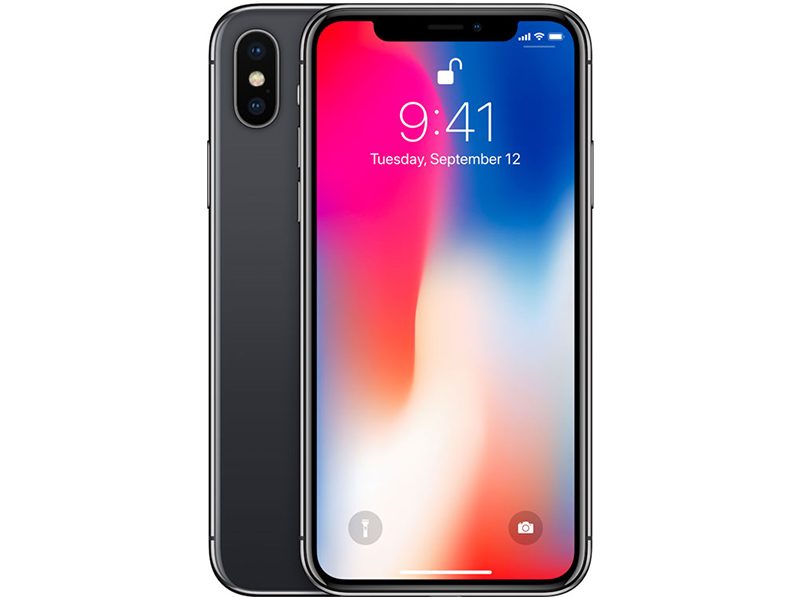
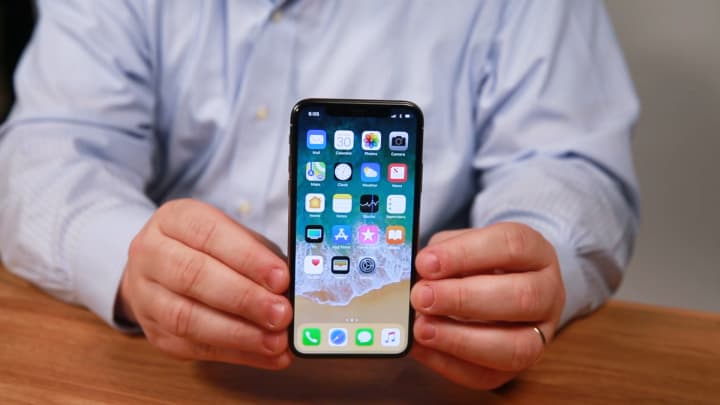
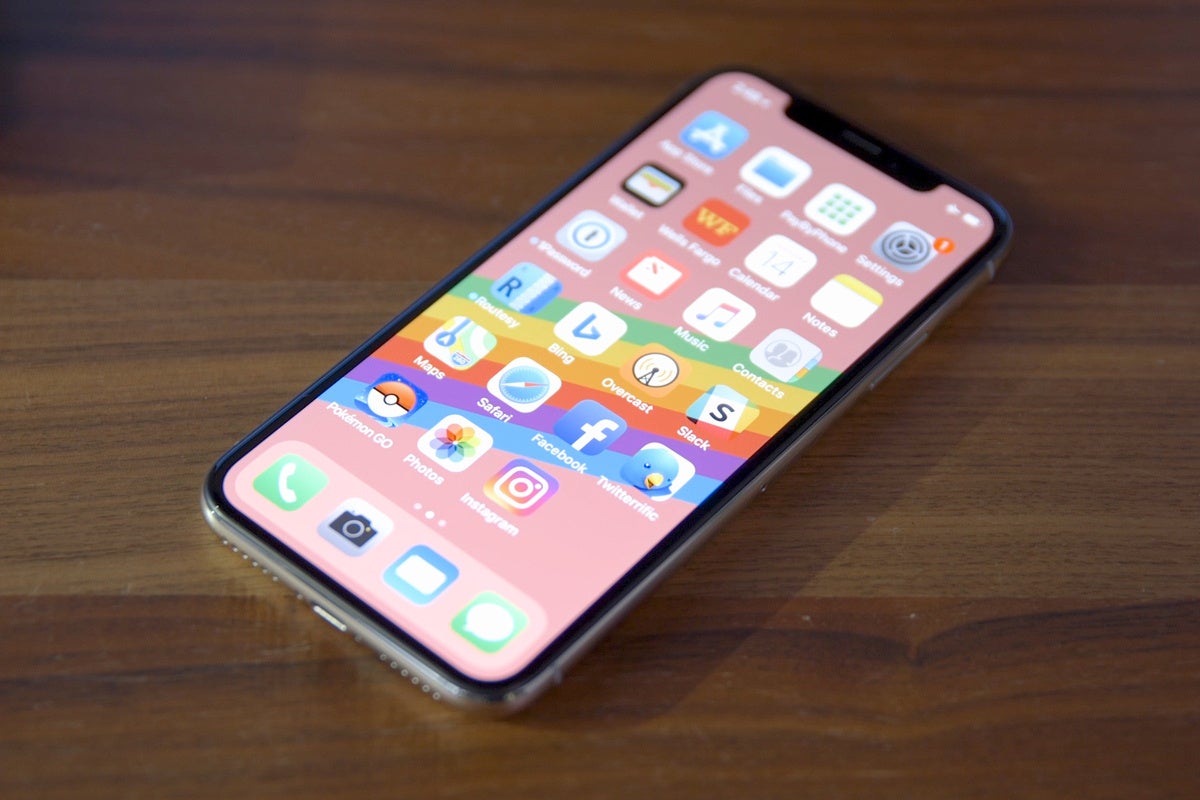
Face ID? What’s that? It’s iPhone X’s prominent feature. It basically replaced Touch ID by unlocking your iPhone using your face instead of your fingertips.
How to set up Face ID
Before you set up Face ID, make sure that there isn’t anything covering the TrueDepth camera or your face. Face ID is designed to work with glasses and contacts. Face ID works best when your iPhone X is approximately an arm’s length or closer (10-20 inches) from your face.
To set up Face ID:
Go to Settings > Face ID & Passcode. If asked, enter your passcode.
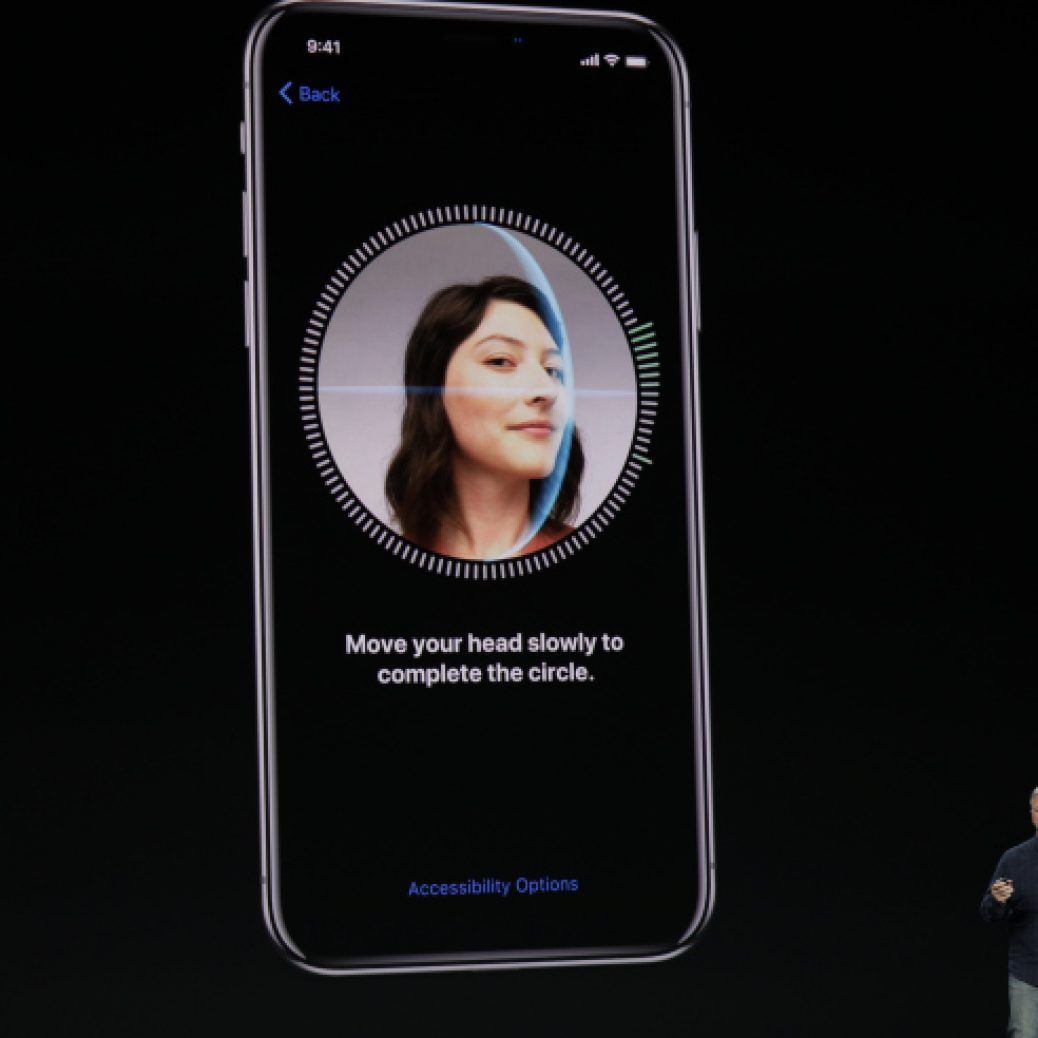
Tap Set Up Face ID, then position your face in front of your device and tap Get Started.
Look straight into your iPhone and place your face inside the frame.
Gently move your head to complete the circle. If you’re unable to move your head, tap Accessibility Options.
When you finish the first Face ID scan, tap Continue.
Gently move your head to complete the circle for a second time.
When Face ID setup is complete, tap Done.
If you didn’t set a passcode, you’ll be asked to create one to use as an alternate way to verify your identity.
To choose features that you want to use Face ID with or reset Face ID, go to Settings > Face ID & Passcode.
How to unlock your iPhone X with Face ID
After you set up Face ID, you can use it to unlock your iPhone. Here’s how:
Raise to wake or tap to wake your iPhone X.
Glance at your iPhone X.
When the lock icon on your screen animates from closed to open, swipe up from the bottom of the screen to unlock.
To turn this feature on or off, go to Settings > Face ID & Passcode > iPhone Unlock.
After all the commotion stemming from the fact that Apple has most likely crippled Qualcomm’s X16 wireless modem inside certain iPhone X versions (looking at you, Verizon and Sprint ones), to match the inferior abilities of the Intel modem in AT&T and T-Mobile’s versions, it’s only logical that owners would want to know what variant they have.
Qualcomm’s X16 is the modem of choice for most flagships sold in the US, as it allows CDMA network access, and up to 1Gbps downloads, but since the Intel chip maxes out at 600Mbps, Apple has neutered the X16 to even all models out. This shows in direct comparison, with, say, the Note 8, which achieves nearly double the download speeds of the iPhone X on one and the same network.
Unfortunately, a difference is also shown between two iPhone X units with different modems – the Verizon model with Qualcomm, for instance, showed 67% better download speeds than AT&T’s version with Intel, when placed in scenarios imitating weak signal. If you want to know whether you have an Intel XMM7480 modem in your iPhone X, or the more capable Qualcomm gear, here’s what you need to do:
1. Go to Settings > About > Legal > Regulatory, and write down the model number of your iPhone X;
2. Alternatively, you can go to Settings > General > About, then scroll down to the Model entry, and tap on it to display the model number. Write that one down, too;
3. If your iPhone X version is A1865, then you have Qualcomm’s X16 powering your data downloads, go take a lottery ticket;
4. If the model is A1901, then you have Intel inside, and may experience some slower download speeds in areas with wonky signal, at least in theory;
5. There is a third model, as you can see from Apple’s own country and carrier model listings above, which adds support for Sony’s FeliCa contactless payments on iD and QuicPay as well as Suica support on JR East. It is exclusively for use on Softbank, AU, and NTT DoCoMo in Japan.
Apple is working together with Intel on gigabit LTE and 5G modems for next-gen iPhone, trying to break away from Qualcomm as a supplier, due to the ongoing patent feud between the two, but until that bright future comes, you’d better get the iPhone X A1865 model from Verizon or unlocked, just to be on the safe side. Needless to say, most countries and carriers flaunt GSM networks, so the “Intel inside” version of the X outnumbers the Qualcomm model, but you may just have lucked out.
The iPhone X offers an Emergency SOS feature which will automatically dial 911 when the devices side buttons are held down for several seconds. The Emergency SOS countdown then starts blaring an alarm and counts down from 3, 2, 1, before dialing emergency services on your behalf, thanks to a feature called Auto Call. While this could theoretically be useful in some extreme scenarios, it can also be triggered surprisingly easy by simply trying to force reboot the iPhone X, taking a screenshot on iPhone X, by trying to temporarily disable Face ID, or even just by accident of holding down a few buttons.
With a little settings adjustment, you can disable Auto Call with Emergency SOS. With the feature disabled, you can still use Emergency SOS, but you will have to swipe the onscreen Emergency SOS control to dial emergency services, rather than simply hold down the iPhone X hardware buttons.
How to Disable Emergency SOS Auto Call on iPhone X
This disables auto calling of emergency services by holding down buttons on the iPhone X, yet still allows the feature to be used directly if need be.
Open the “Settings” app on iPhone X and then go to “Emergency SOS”
Disable “Auto Call” by flicking the switch to the off position
Now you can still summon the Emergency SOS screen (which is also the same screen which lets you shut down and turn off iPhone X and access Medical ID), without accidentally calling 911 due to the Auto Call feature by holding the buttons a little too long.
Again, you can still call emergency services through Emergency SOS if you disable Auto Dial, but you must swipe to the right on the Emergency SOS button when it appears on screen after holding down the side buttons on the iPhone X.
Don’t forget you can have Siri dial Emergency Services and 911 for you too, so if you have Hey Siri enabled for voice activation, you can do it entirely hands free, and perhaps more intentionally.
And in case you were wondering, yes people are accidentally dialing 911 due to this feature, and I myself have unintentionally activated it several times, thankfully canceling it within the few second countdown in time to avoid a mistaken call which ties up local emergency responders. The same feature also exists on the Apple Watch, where likewise people are accidentally dialing emergency services with that device too.
If you’re at all worried about this, or if you have discovered the siren alert blaring out of your pocket unexpectedly because it’s dialing 911, just disable Auto Call and you’ll prevent most erroneous dialing.
We help you determine which iPhone model is best for you.
Apple sells eight different models of the iPhone, ranging from the iPhone SE all the way up to the most premium iPhone X.
As CNBC’s gadget reviewer, I’m frequently asked: “Todd, which iPhone should I buy?” It’s a tough question to answer, since it really depends on how much you want to spend and what you expect out of your iPhone.
Do you need the very best? Do you prefer smaller screens? Don’t worry, I got you covered. Here’s how to decide which iPhone is best for you, starting from the cheapest up to the most grand.
The iPhone SE is starting to show its age, and rumors suggest Apple will refresh it in the coming months. I recommend most people hold off on buying it unless you reallydon’t care about having an outdated smartphone. It’s compelling for folks who like small screens, since it has a 4-inch display that’s the smallest Apple offers. It’s also the most affordable, starting at $349.
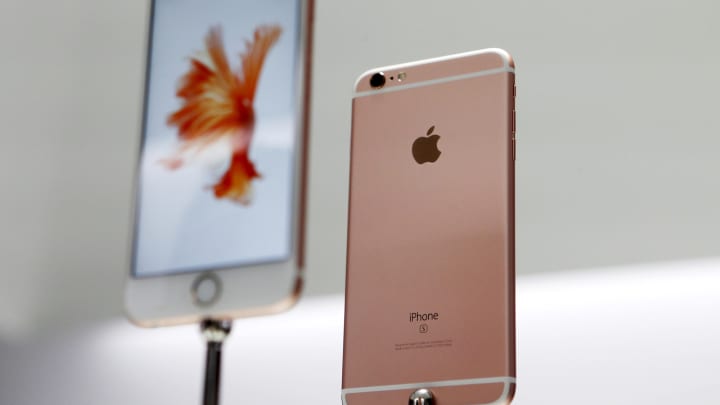
These are still decent iPhones and are best for anyone who wants an iPhone and access to iMessage but doesn’t want to spend too much. You get a choice between the 4.7-inch model, which starts at $449, and the larger 5.5-inch iPhone 6s Plus that starts at $549. Those are great prices for phones that still offer excellent cameras and features, but which are starting to show their age, but most folks should consider one step up.
These are perfect mid-range iPhones for most people. In fact, anyone who owns an iPhone 7 or iPhone 7 Plus probably doesn’t need to upgrade to the newer iPhone 8 or iPhone 8 Plus just yet — the features are relatively similar. You should buy them if you can spend a bit more than the iPhone 6s and iPhone 6s Plus, since they’re newer and will be updated longer than those phones. Plus, the iPhone 7 starts at the same price as the iPhone 6s Plus ($549) while the iPhone 7 Plus starts at $669. Want most of the latest features without splurging? These are for you.
Apple launched three new phones this year, including the iPhone 8, iPhone 8 Plus and the iPhone X. The iPhone 8 and iPhone 8 Plus don’t have the fancy new colorful OLED screen on the iPhone X, or face recognition, but they offer the same processor and wireless charging found in the iPhone X. These phones are best for folks who like Apple’s older design language but still want most of the latest parts and who don’t care for the iPhone X. iPhone 8 Plus owners should also expect some of the best battery life of any iPhone out there, even better than the iPhone X. They’re priced at a premium, starting at $699 for the iPhone 8 and $799 for the iPhone 8 Plus, but are still at least $200 cheaper than the top-of-the-line iPhone.
That brings us to the iPhone X. This is for the folks who want it all and who don’t flinch at the $999 starting price. You’ll get a brand new OLED display that runs edge-to-edge, Apple’s new Face ID recognition technology that replaces the home button and fingerprint reader, the best cameras Apple has ever crammed into a smartphone (better on the front and back), wireless charging, Apple’s fun new animoji and a phone that’ll turn heads. It’s my current favorite smartphone, though I miss the battery life of the iPhone 8 Plus I also purchased. If that’s a concern, maybe consider the 8 Plus instead.
Whether you have already bought or plan to buy an iPhone X, you’ll undoubtedly noticed that using the iPhone is quite different from prior models, not only because it lacks a Home button and requires learning a series of new gestures to perform familiar tasks, but also because there are a handful of new features introduced on iPhone X that don’t yet exist on any other Apple device.
Apple has apparently anticipated that the changes with iPhone X may require some adjustment and learning, and they have helpfully created a four and a half minute long tutorial video that walks through various tentpole features on iPhone X, including using Face ID, Animoji, Portrait Lighting mode on the new camera, and also learning and using the various new gestures required for the device.
The complete video is embedded below for easy viewing. Whether you already have an iPhone X, have ordered one and are awaiting its arrival, or are simply thinking about getting one down the road, the video is worth watching as it goes over a variety of features and changes, and how these new capabilities and changes work on the new device.
Even if you don’t have an immediate interest in iPhone X, it’s worth pointing out that iPhone X is likely an indicator of where other future iPhone and iPad devices are going, and the iPhone X seems to suggest that other upcoming devices will lose their Home button and instead rely on gesture movements and Face ID as well. With that in mind, these kind of tutorial videos from Apple can be helpful for getting a hint at where other devices are going.
Perhaps capabilities like Face ID and some of the nicer relevant gestures will even arrive on the Mac down the road too, time will tell.
Anyway enjoy the video, you’ll likely find it helpful if you’re a new iPhone Xowner!
If you discover that Face ID is not reliably unlocking iPhone X, you may want to try resetting Face ID and then setting it up again. Additionally, you can disable Face ID completely by resetting Face ID on a device and then not setting it up again. Resetting Face ID is pretty simple and it causes iPhone X to ditch the facial recognition data on the device, which you can then configure again if desired. Some users may find they need to do this if they dramatically change their personal appearance, but it can also be a helpful troubleshooting step if you’re trying to get Face ID to work better.
Face ID is the primary device unlocking mechanism on iPhone X, and while you can unlock iPhone X without using Face ID and rely on a passcode instead, if you are using the Face ID feature you probably want it to work properly and as intended. Of course if you decide you don’t want to use Face ID after setting it up, you can clear the facial recognition data from the device by resetting Face ID too. Whatever the reason, whether for troubleshooting or for deciding against using the feature, here’s how you can reset the face data stored on the device.
How to Reset Face ID on iPhone X
Obviously you’ll need iPhone X or some other Face ID device for this setting to exist:
Open the “Settings” app on iPhone X and go to “Face ID & Passcode”
Scroll down to find the “Reset Face ID” button in red text, and tap on it to confirm you want to reset Face ID
That’s all you need to do to reset Face ID and the facial recognition data on iPhone X will be removed.
If you’re resetting Face ID as a troubleshooting method, don’t forget to set it up again and to re-scan your face. Face ID can only be setup on a single face at a time, so unlike Touch ID which can hold multiple fingerprints (and where adding the same fingerprint multiple times can dramatically improve Touch ID reliability), Face ID currently can only scan a single face once. Perhaps that will change down the road and Face ID will allow for scanning multiple faces or scanning the same face a few different times with different appearances.
Oh and by the way, if you choose to “Reset Face ID” and then you do not set it up again, then Face ID will be disabled completely until it is configured again. But if you only want to temporarily disable Face ID, you can do that too.
If you need to force restart an iPhone X you will need to learn a new method, because Apple has changed how you force reboot iPhone X compared to prior iPhone models. This is partially because the iPhone X no longer has a Home button, so the longstanding method of forced rebooting is no longer possible with iPhone X.
Now with iPhone X, you will force restart the device by using a series of button presses instead. This tutorial will detail exactly how you can initiate a forced restart, sometimes called a hard reboot, of iPhone X.
The sequence is a little strange at first mostly because it’s different, breaking the habit you may have developed with force rebooting earlier iOS devices, but once you get the hang of it you will be able to force restart iPhone X almost as quickly as you could earlier devices. You’ll also need to be sure you press the buttons in the proper order as described, otherwise the iPhone X will not force restart.
How to Force Reboot iPhone X
You must press the buttons in sequential order for iPhone X to force restart, the first two buttons are pressed and then released, and the final button is held until the force reboot occurs. Here’s how it works:
Press Volume Up, then release
Press Volume Down, then release
Press and hold the Power / Lock button on the right side of iPhone X
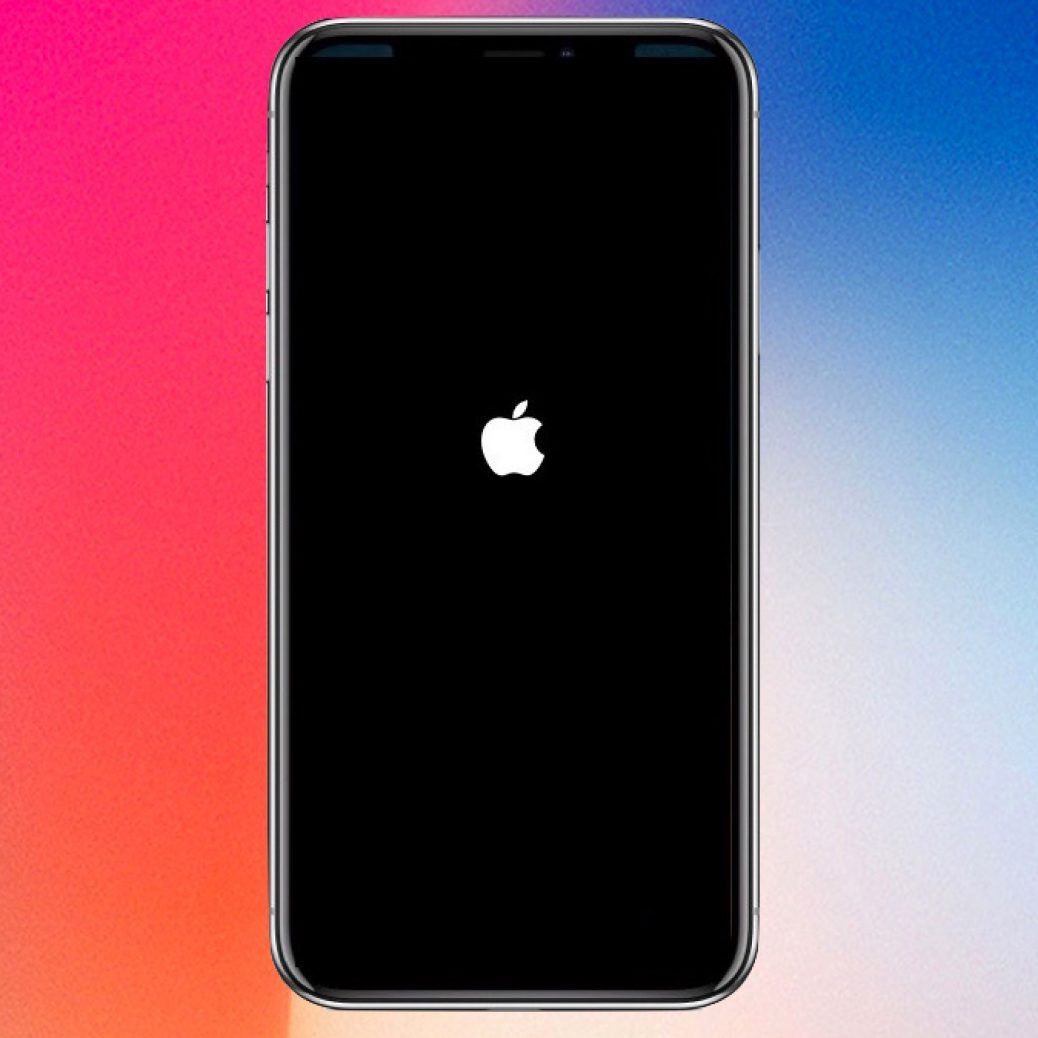
Continue to hold the Power / Lock / Side button until the Apple logo appears on screen of iPhone X
It may feel like it takes a while to see the Apple logo appear on screen, but once you do see it you will know you have successfully forced the iPhone X to restart.
Remember, you must follow the proper order of pressing the buttons to force reboot iPhone X, if it fails then just start over and try again.
If you try and press the buttons concurrently you’ll likely either take a screenshot on iPhone X or initiate the Emergency Calling feature, neither of which you are likely trying to do if you simply want to force the iPhone to restart. The proper way is: Up, Down, hold Power.
Oh and by the way, you can also preform a regular reboot of iPhone X by simply turning it off and back on again. You can do that with the Power/Volume button press, or with the method that works on all modern iOS versions by turning off the iPhone or iPad via Settings, without using the Power button and then simply turning it back on again.
People also ask
How do you force restart an iPhone 7?
How do you reset a frozen iPhone 6?
How do you reset an iPhone 6 when the screen is black?
How do you do a hard reset on an iPhone?
How do you force restart an Iphone 6?
How do you hard reset an Iphone 6?
What do you do when your Iphone 6 won t turn on?
What do you do when your Iphone screen goes black but is still on?
This minor update fixes a flaw that could cause the iPhone X screen to become unresponsive in the cold, and one other bug.
Last week, we mentioned reports that the iPhone X touch screen could become unresponsive in very cold weather. Apple said it was aware of the problem, uncommon as it was, and would issue a fix in software.
Today, the company makes good on its promise with iOS 11.1.2. It fixes two bugs. From the release notes:
Fixes an issue where the iPhone X screen becomes temporarily unresponsive to touch after a rapid temperature drop.
Addresses an issue that could cause distortion in Live Photos and videos captured with iPhone X.
The release comes shortly after the 11.1.1 update that fixes the notorious A [?] bug, and as Apple works on iOS 11.2, which will add faster wireless charging and Apple Pay Cash.
Apple has released iOS 11.1.2 for iPhone and iPad users. The small point release software update appears to primarily focus on solving two particular issues with iPhone X, including a problem where the iPhone X screen becomes unresponsive in cold weather, and with distorted video capture on iPhone X.
Despite the software update release notes primarily mentioning iPhone X, iOS 11.1.2 is available for other devices as well. You can find IPSW download links below, along with the release notes of the update.
Update to iOS 11.1.2
The easiest way to update to iOS 11.1.2 is through the Software Update mechanism on the iPhone or iPad. Always backup an iPhone or iPad before installing any system software update.
Open the “Settings” app and go to “General” and then to Software Update”
When iOS 11.1.2 appears, choose to “Download and Install”
The update is about 32mb for iPad devices, and 60mb for iPhone X.
You can also update an iOS device by connecting the iPhone or iPad to a computer running a modern version of iTunes, and then choosing to install the software update when it becomes visible in iTunes.
iOS 11.1.2 IPSW Firmware Direct Download Links
Users can choose to download IPSW firmware files for their devices and update manually through iTunes if interested. This is generally considered more advanced, but you can learn about using IPSW files here if need be.
Presumably the software update includes bug fixes or security enhancements for other devices as well, otherwise it’s a bit of a mystery why iPhone X specific updates would arrive for iPad users and other iPhone models too.
Do you like the new iPhone X? If you do, prepare a lot of cash because it will cost a lot more. A lot more. Like $999 and more.
Apple is selling 64GB and 256GB versions of the iPhone X for £999 and £1,149, respectively, but shipping is currently listed at ‘two to three weeks’. The handset is also available to buy through Apple’s iPhone Upgrade Program, with monthly payments starting at £56.45.
iPhone X Specs
5.8in Super Retina (2436×1125) OLED edge-to-edge display
New ‘all-glass’ design with IP67 certification
143.6×70.9×7.7 mm, 179g
Wireless charging support
Apple A11 chip with Apple-designed GPU
Face ID
iOS 11 with improved Siri, P2P payments
Vertical 12MP dual cameras with OIS, 7MP front-facing camera
Support for LTE speeds up to 450Mbps
Wireless charging/fast charging support
Battery life quoted at 21 hours of talk time
64GB/256GB storage
SYDNEY CBD REPAIR CENTRE IS OPEN 6 DAYS A WEEK Weekdays: 10am – 6pm Saturday: 10am – 6pm Sunday : Closed
After Business Hours, By Appointment only.
CALL 8011 4119 or 043 777 4119 ask@SydneyCBDrepairCentre.com.au
The Galaxy Note 8 is an incredible phone. Back when I reviewed it for PCWorld I gave it the highest possible score and raved about its display, still the greatest I’ve seen in Android phone. The dual camera delivered impressive portraits and lush landscapes, and the battery powered through the busiest of days. In short, it was the best phone I had ever used and I thought it would be a long while before anything topped it.
I was wrong. Apple’s iPhone X not only beats the Note 8, it practically makes it seem obsolete. I’ve tested a wide array of Android handsets over the past 12 months, and I can confidently say that none are in the same league as Apple’s newest handset. And only a couple come close.
The Galaxy Note 8 is an extraordinary phone, but iPhone X beats it in every category.
Quite frankly, it’s hard to even describe how much better iPhone X is without using it for a stretch of time, and most Android fans will never get that chance. That’s a shame. It wasn’t until I spent a day or two with iPhone X, going back and forth with the Note 8, Google Pixel 2 XL, and LG V30 that I could see just how much of a triumph it is.
Samsung might need its own Note X just to catch up.
iPhone X vs. Android: Display
Before we debate the benefits of the notch, let’s talk about the display. Yes, Apple is playing catch-up here. Android phones have been using OLED displays for years, and while Apple might have made the best smartphone LCDs in the business, they were still a notch below the superior color-handling and power efficiency of the best OLED phones from Samsung and Google.
So, I didn’t expect to be blown away by Apple’s first OLED. As I said, iPhone displays have always been superior, and I assumed iPhone X would be more of the same, a marginal improvement over iPhone 8’s already great True Tone screen and on par with what I saw with the Note 8.
That’s not the case. Apple has worked wonders with its Samsung-sourced OLED display for iPhone X. It’s accurate without being dull, bright without bring harsh. And while the Note 8’s screen is technically brighter based on my light meter tests, iPhone X is just as readable in direct sunlight. And with True Tone turned on, I don’t even have to manually increase the brightness.
Keep in mind this is out-of-the-box calibration. With Android phones, I generally spend a few minutes cycling through the various screen modes to find the most pleasing one. With iPhone X there aren’t any settings or switches to play with. While the Note 8’s quad HD 1440p display is again, technically superior to the iPhone X’s 1125p one, that advantage is neutralized by Apple’s tremendous calibration. Even if I could adjust the colors, I wouldn’t.
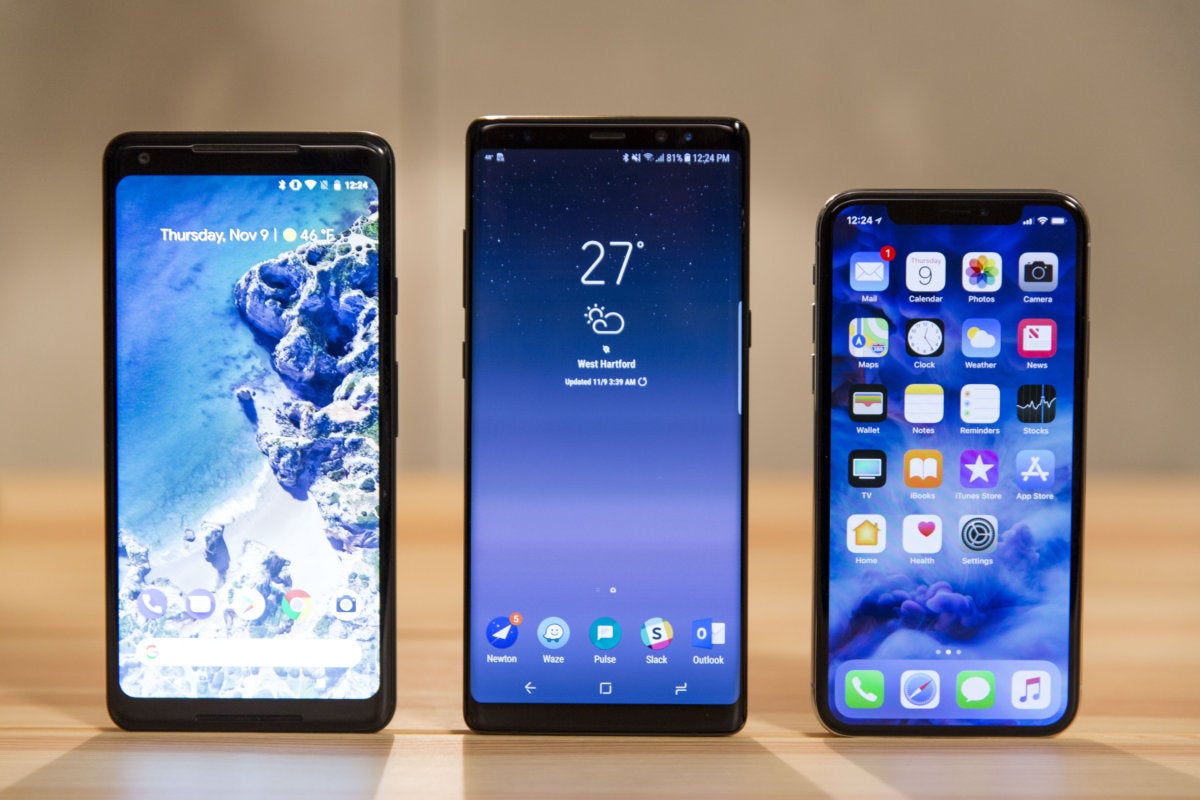
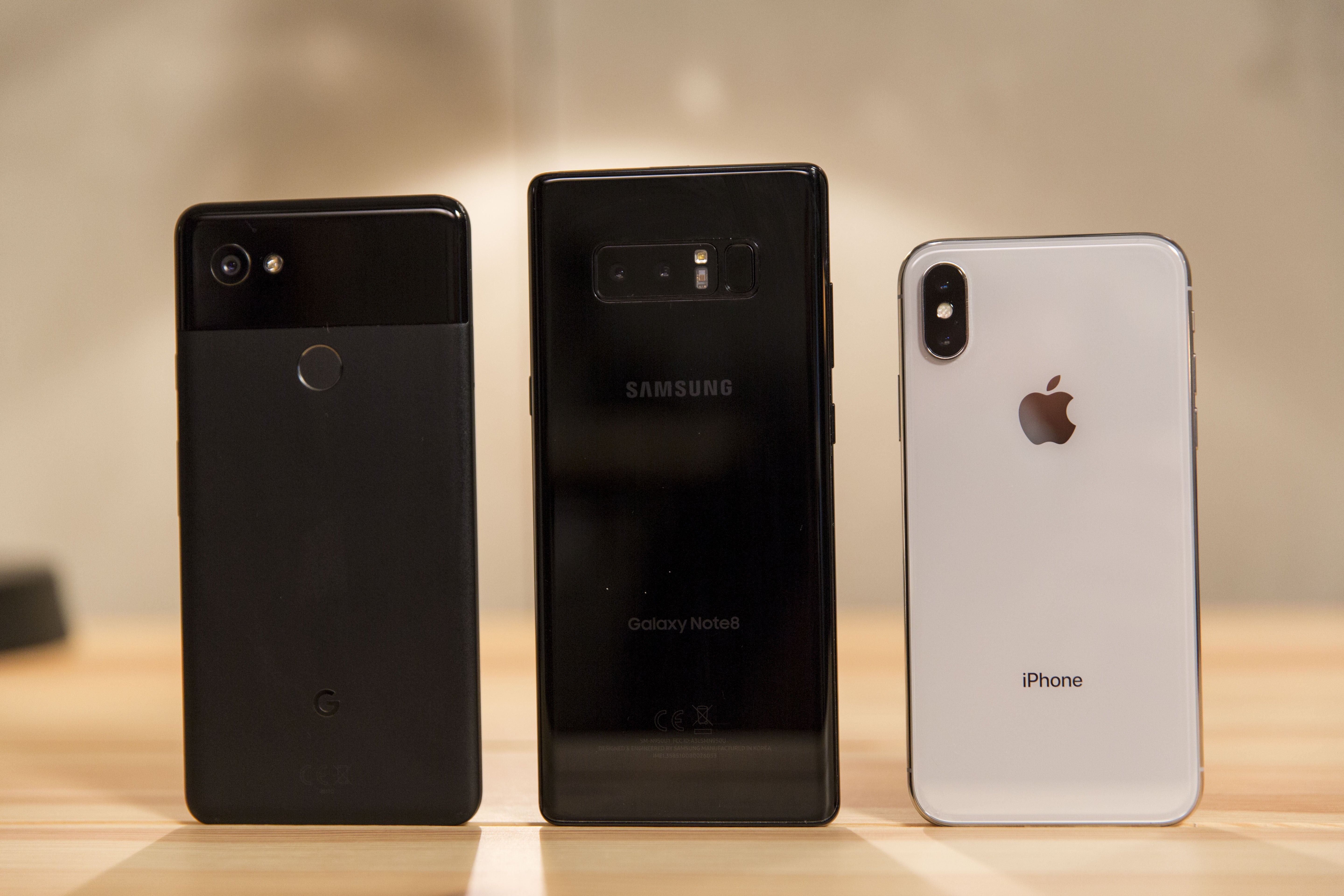
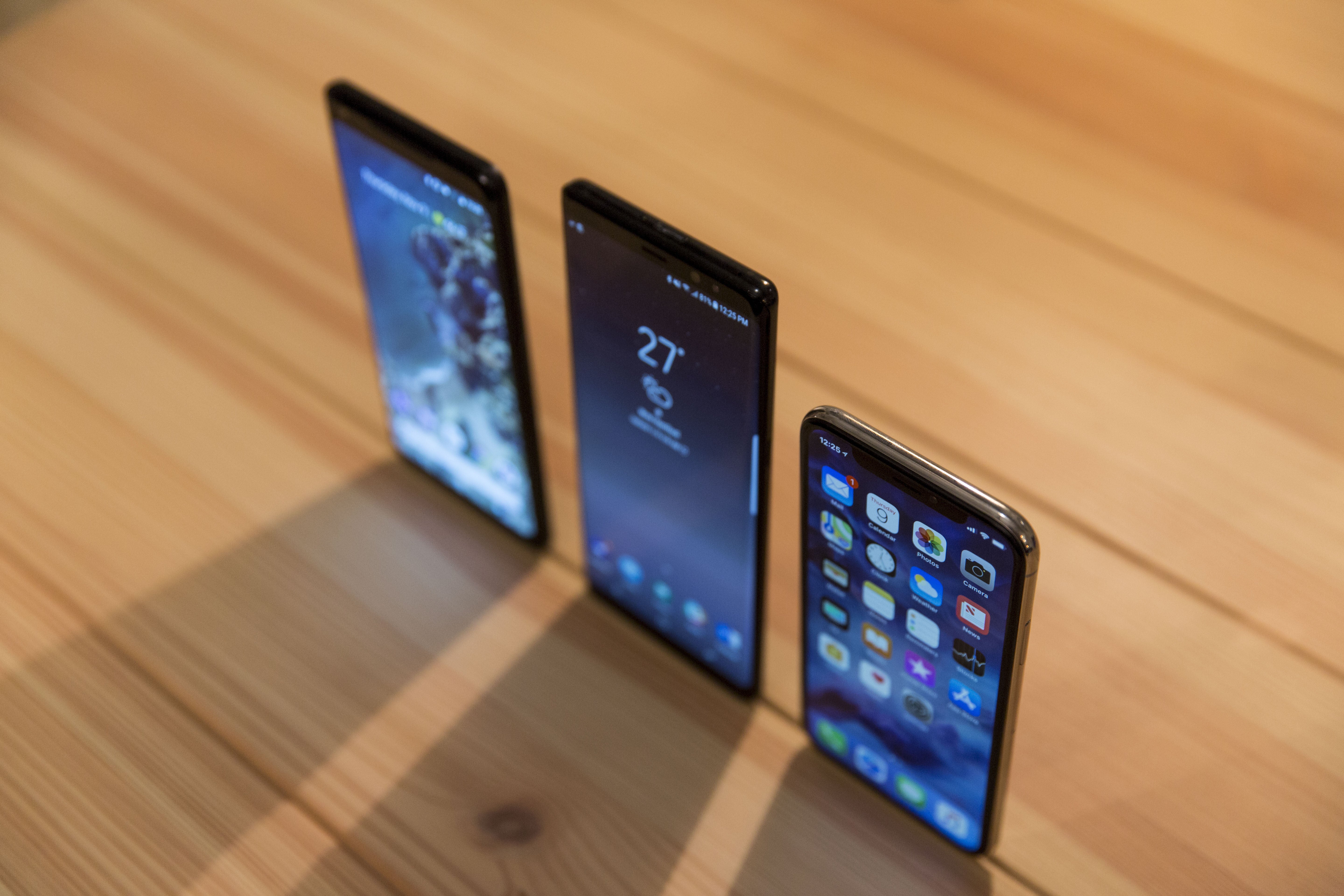
The Pixel 2 XL’s blueish screen (left) is much more obvious when compared to the Note 8 (center) and iPhone X (right).
And it puts the Pixel 2 XL and LG V30 to shame, both of which have LG-made displays. The V30‘s screen has similar issues as the Pixel 2 XL, which have been well documented, but they are amplified next to iPhone X. While my Pixel 2 XL test unit hasn’t exhibited any image retention, it does have a noticeable blue hue that overtakes every color, even at slight angles. But aside from that, there’s no denying the overall dullness of it. Even with the new boosted and saturated settings switched on, there’s still a general flatness to the display that’s hard to miss when compared to iPhone X. And little things I overlooked about the Note 8—particularly the smooth feel of gesture animations thanks to iPhone X’s 120Hz touch sample rate—became glaringly and distractingly obvious.
I do prefer the size of the other phones (particularly the 6.3-inch Note 8), and I’m hoping the rumors of a Plus size next year are true. Also, I very much miss the always-on display when using iPhone X, something that’s a staple on Android flagships. But to say that iPhone X has the best display I’ve ever used might actually be selling it short. It’s likely to be better than the ones in next year’s crop of Android phones too.
My pick: iPhone X
iPhone X vs. Android: Design
2017 has been something of a watershed year for smartphone design. While it was starting to seem as though we were approaching the limits of what could be done with glass rectangles (iPhone included), Samsung, LG, Essential and others pushed the envelope by dramatically trimming the bezels and tweaking the standard 16:9 screen ratio to make their phones easier to hold and use.
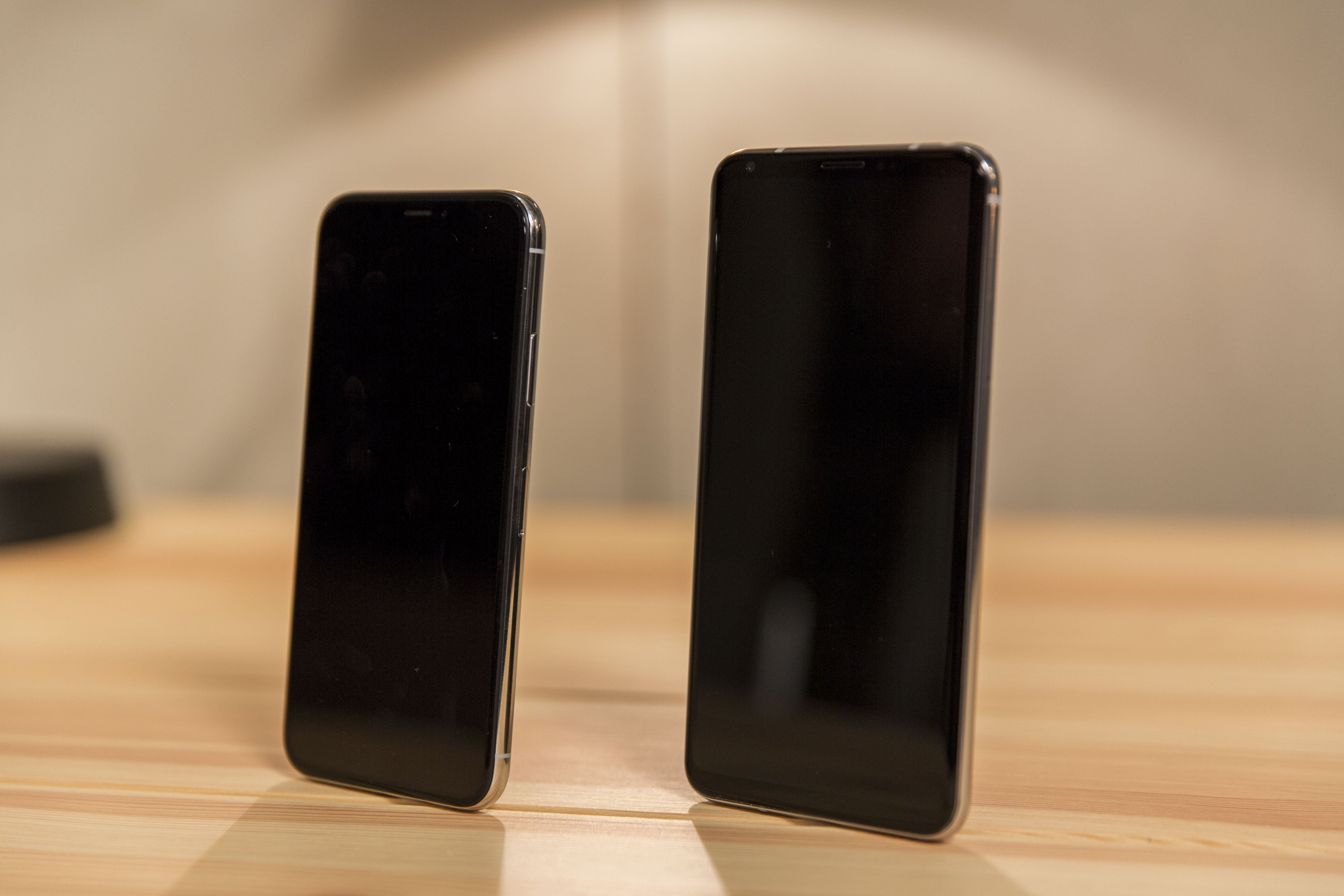
Apple follows that path with iPhone X but also manages to break new ground. Lying on a table, iPhone X looks a lot like LG’s V30, with a wraparound chrome edge sandwiched by two pieces of curved glass. But while the V30 and most other 18:9 Android flagships have slivers of glass above and below the screen, iPhone X is the first to truly go “all screen.” Now, you can quibble over that characterization since there is a healthy bezel going around the entire edge of the display, but the symmetry of the design does make it seem like you’re truly holding nothing more than a screen.
That’s not an iPhone X Plus. That’s just an LG V30 next to iPhone X.
Of all the Android phones, I prefer the Note 8’s boxy shape and overall aesthetic, but Apple’s design still wins out. I particularly appreciate the corners of the screen, which are perfectly rounded, unlike the V30’s rough edges and the Note 8’s somewhat beveled ones. The sloped edges of the Note 8’s Infinity Display might feel a touch more luxurious, but iPhone X is nothing less than a dramatic leap ahead in smartphone design and will no doubt spawn a slew of imitators.
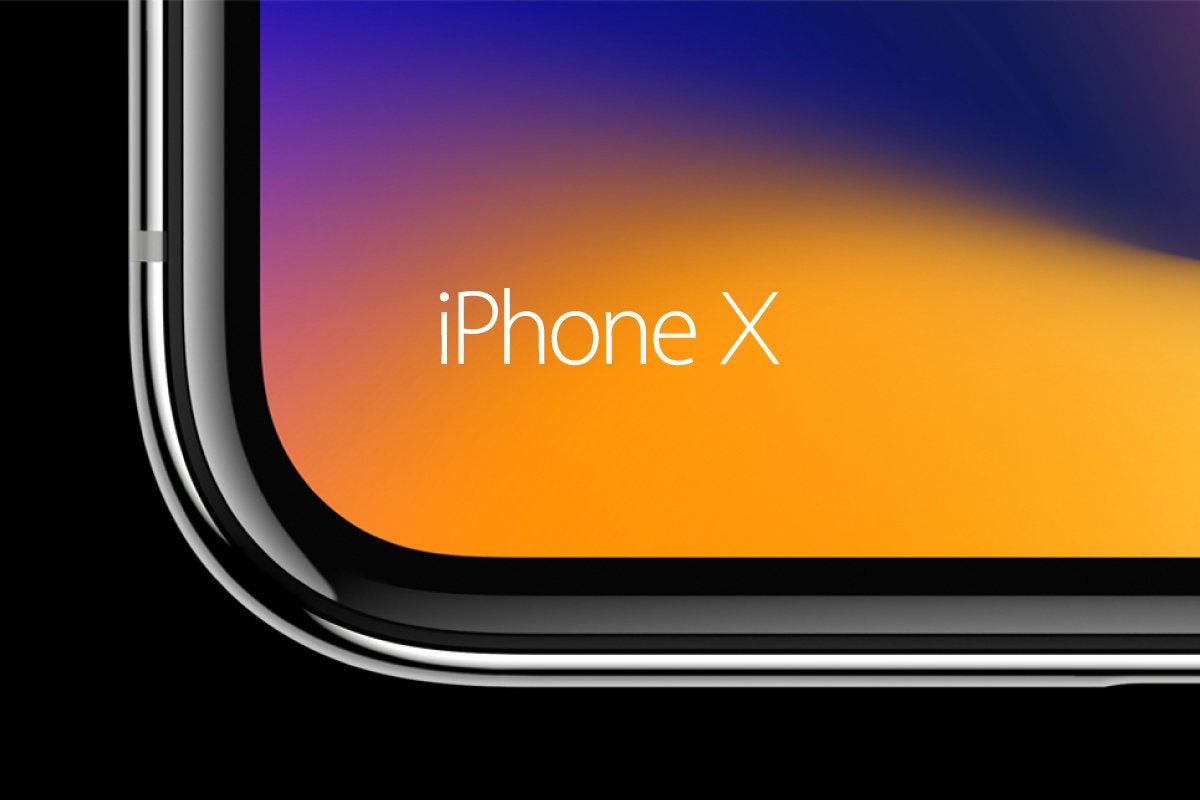
The corners of iPhone X’s display are perfectly round, unlike the V30 and Note 8.
Which brings us to the notch. I’ll admit to being extremely skeptical of it based on photos I saw, but in reality it makes a lot of sense, if for no other reason than the aforementioned symmetry. The notch doesn’t upset the visual balance of the phone like a full strip of glass does, and it does a nice job of tucking the status bar out of the way without sacrificing precious pixels. When the status bar disappears, pictures elegantly fill every corner of the display, and developers are already experimenting with cool ways to use the “horns” to their advantage. The only time it’s distracting is in landscape mode, but even there, it’s worse in pictures than in practice.
The next race will be the one to deliver the first edge-to-edge phone without a notch, and I suspect Samsung or LG will beat Apple to the finish in that one. It might not be as functional as the home button, but the notch is going to be Apple’s new defining characteristic for the iPhone. And in an era where it’s getting harder and harder to tell flagship phones apart, the notch gives iPhone X an unmistakable identity.
My pick: iPhone X
iPhone X vs. Android: Battery
iPhone X’s battery is a smidgen bigger than the 2,691mAh cell that’s in the iPhone 8 Plus, but it’s still way smaller than the ones in its Android peers. To compare the specs, you’d think iPhone X is at a serious disadvantage here:
But numbers don’t tell the whole story. Case in point: The iPhone 8 Plus has a smaller battery than the iPhone 7 Plus (2,691mAh versus 2,900mAh), but there’s no noticeable dip in longevity. Granted, you’ll still need to charge it overnight, but it should be able to power though as long of a day as the 7 Plus. In short, Apple’s iOS efficiency and battery optimization lets it do a whole lot more with less.
And the same is true of iPhone X. Power users might want to keep a battery charger around, but the vast majority of people will be able to easily make it through a day of heavy use. iPhone X was mostly on par with the Note 8, but the Pixel 2 XL fared a bit better in all of my tests, as I assumed it would. For example, streaming a 1:40 HDR/Dolby Vision movie over Wi-Fi with the brightness cranked up to max yielded these results:
It’s true that iPhone X experienced the biggest draw, but considering the size of its battery compared to the Pixel 2 XL and Note 8, I expected the gap to be much bigger. The same was true with other tasks I tested. iPhone X was consistently a couple of percentage points below its Android counterparts, but nothing that would suggest it had such a smaller battery. As such, by the end of the day I was usually in the red with iPhone X and the V30, near the red with the Note 8, and around 25% with the Pixel 2 XL. I can live with that.
That being said, it’s irritating that Apple refuses to put bigger batteries in its flagship phones. Next year’s Android phones will likely all have 4,000mAh batteries and we’ll be lucky if the next-generation iPhone X has topped 3,000mAh. That shouldn’t be the case for a $1,000-plus phone, even if Apple has optimized the heck out of it. If the iPhone X had a 3,500mAh battery like the Pixel 2 XL, it would likely last well into a second day and possibly a third.
My pick: Android (Pixel 2 XL)\
iPhone X vs. Android: Charging
Charging is another point of contention. While iPhone X finally supports wireless charging and fast charging, Apple still ships a tiny 5W charger in the box, which only charges slightly faster than a slow-as-molasses wireless charger. Android phones, meanwhile, all ship with a chargers capable of actual fast charging. To replicate the experience with iPhone X, you’ll need to purchase a $19 12W USB power adapter.
Using out-of-the-box chargers, the Android phones I tested were pretty much in line with the charging times I got with the 12W iPhone Xplug. Here’s how fast iPhone X fills up in an hour when it hits 20 percent:
Wireless: 26%
5W plug: 35%
12W plug: 48%
When it comes to wireless charging, the Note 8 faired best when connected to the Samsung Fast Charge Wireless Charging Stand (which also charges the iPhone X, albeit slower), filling up about 10 percent more than the other phones per hour. The LG V30 was roughly in line with iPhone X, and the Pixel 2 XL doesn’t support wireless charging.
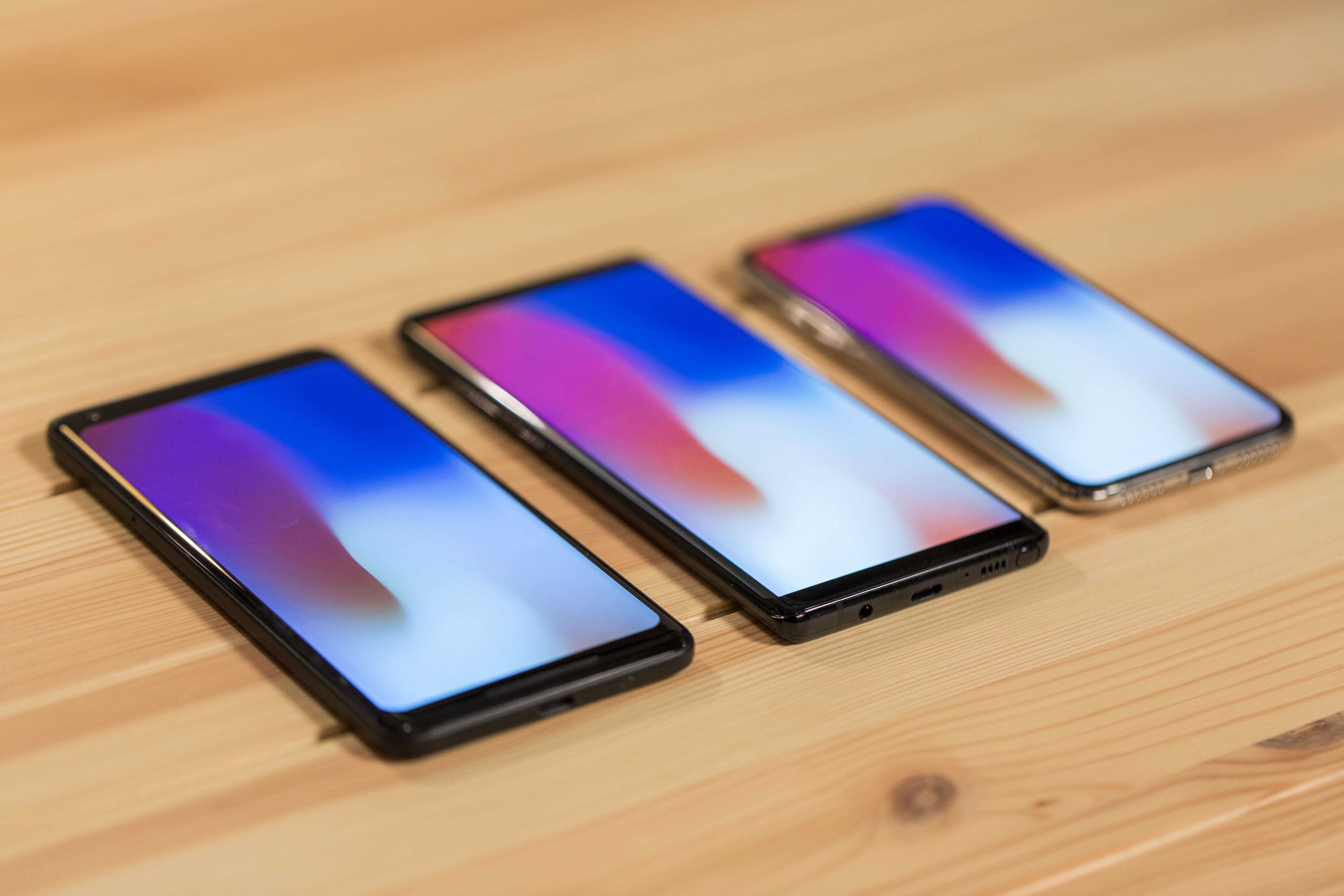
iPhone X and the Note 8 (center) both offer wireless charging, but the Pixel 2 XL doesn’t.
It’ll be interesting to see how Apple’s AirPower handles charging speeds. Apple hasn’t offered much in the way of tech specs for its new charging mat other than that it will charge three devices simultaneously, though the upcoming iOS 11.2 update will increase wireless charging speeds from 5W to 7.5W.
My pick: Android (Galaxy Note 8)
iPhone X vs. Android: Sound
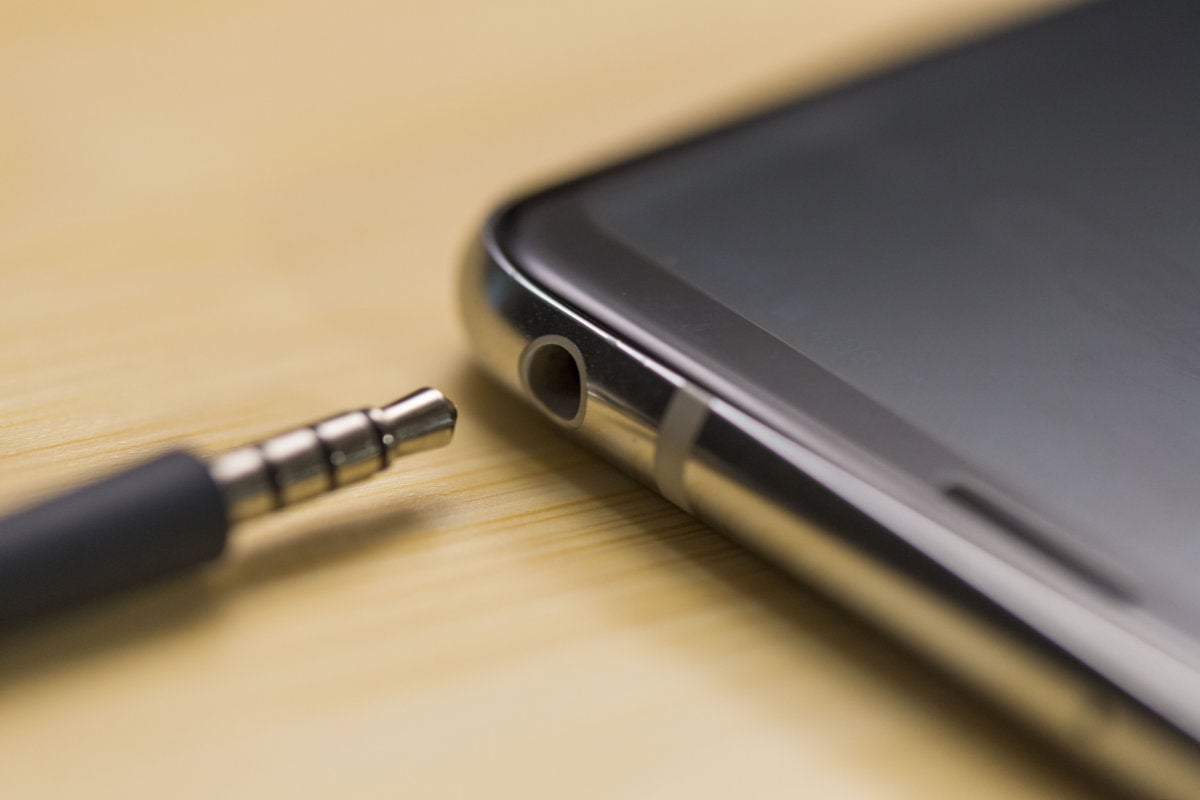
iPhone X doesn’t have a headphone jack, but this year it’s not alone. The Pixel 2 XL doesn’t have one either. Both phones comes with the appropriate 3.5mm adapter in the box, but while Apple also includes Lightning EarPods in the iPhone X box, the Pixel 2 XL doesn’t bundle a pair of USB-C headphones.
The LG V30 doesn’t just have a headphone jack, it has a Quad DAC built in.
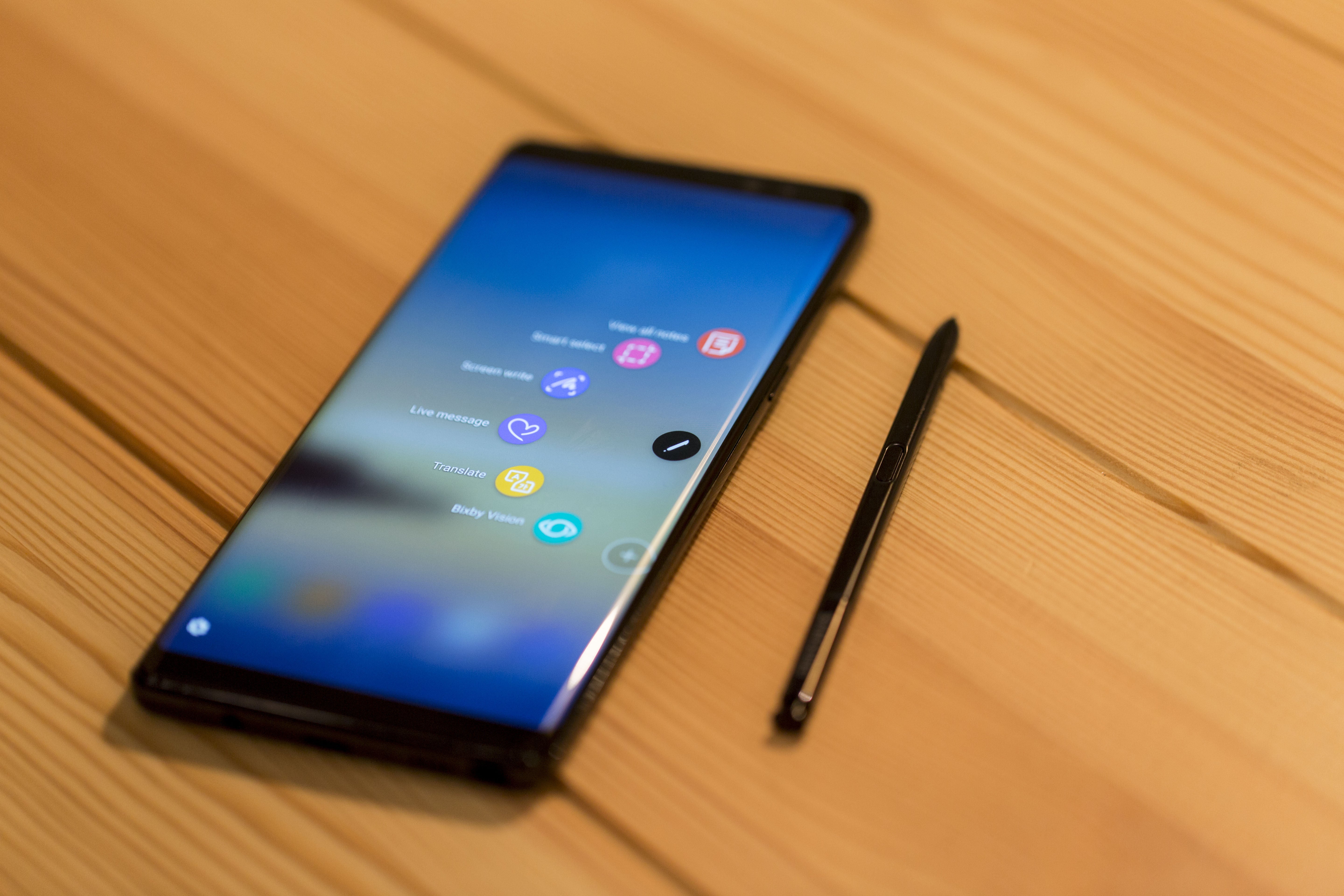
The Note 8 and V30 both have headphone jacks, with the V30 upping the game with a Quad DAC and Samsung supplying a set of premium AKG earbuds. The V30 leads the pack when it comes to wired sound (though you’ll need to bring your own pair of headphones), but the bundled buds on the Note 8 are no slouch. Both options are substantially better than Apple’s wired earbuds.
iPhone X doesn’t have a pair of front-facing stereo speakers like the Pixel 2 XL, but it sounds like it does. It’s still a phone, so we’re not talking high-fidelity sound here, but to my ears, it sounded just as good as the Pixel 2. The Note 8 and V30 were decent as well, but the Pixel and iPhone were consistently clearer and louder.
My pick: Android (LG V30)
iPhone X vs. Android: Speed, biometrics, and OS
iPhone X features Apple newest processor, the A11 Bionic chip, and it’s every bit as fast as it sounds. Apps launched and loaded incredibly quickly, and the speed boost is noticeable over iPhone 7 Plus or even last year’s iPad. But the Snapdragon 835 processor that powers the Note 8, Pixel 2 XL, and V30 is no slouch either, and in real world use and tests, they all stacked up well against each other. But Apple’s iOS optimizations make the real difference.
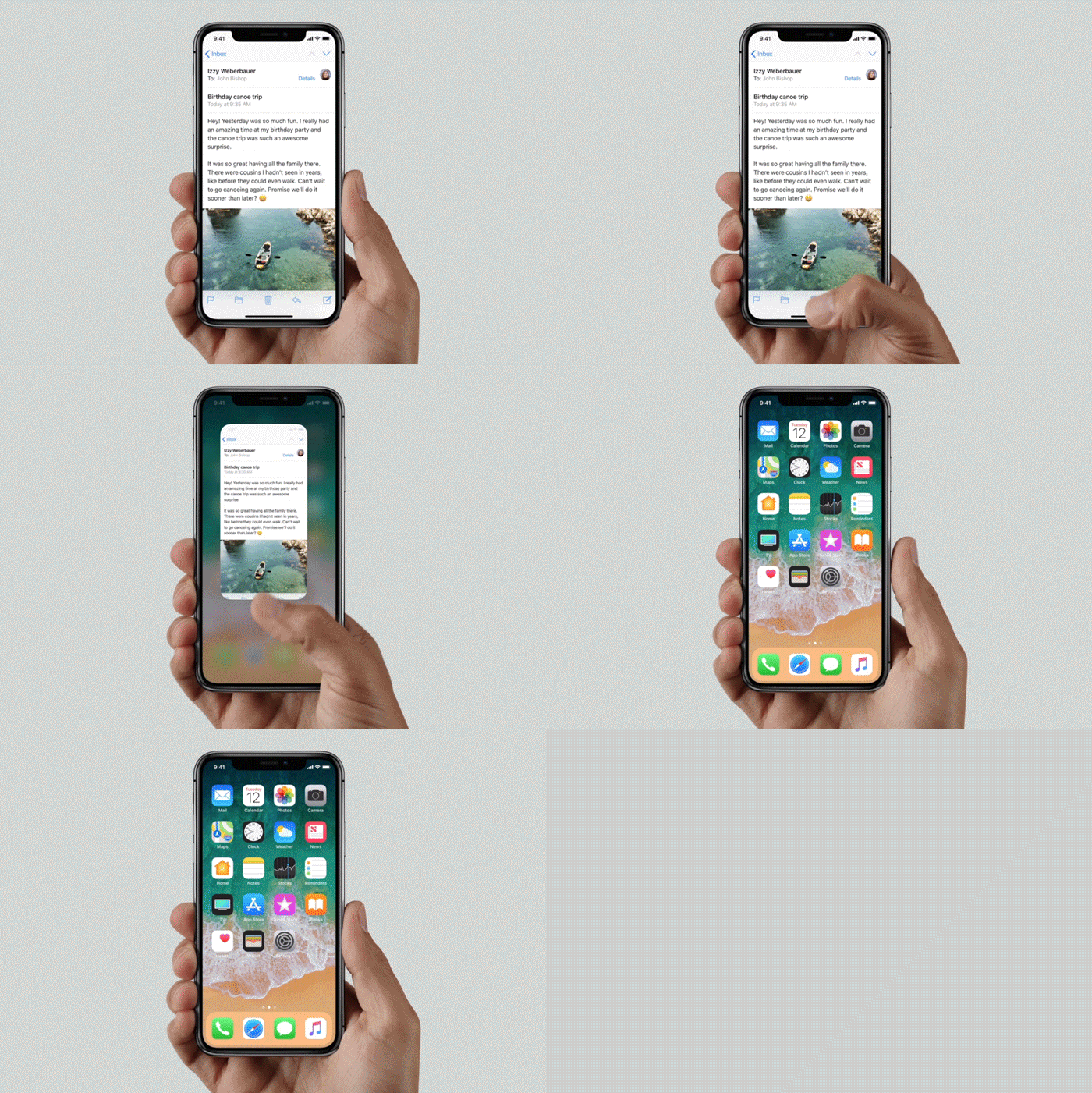
Navigation on iPhone X is completely new.
Without a home button, iPhone X offers a dramatically different iOS experience than any other iPhone. All navigation is done using gestures on the home screen, but rather than use a virtual home button, Apple introduces the home indicator, a thin strip at the bottom of the screen. Instead of tapping a button below the screen, your fingers never need to leave the display, swiping and sliding as your apps literally fly across the screen. Apple hasn’t just replaced the physical with the virtual here, and simple tasks like switching between apps feels more natural and intuitive as a result.
Navigation remains pretty consistent across the Android flagships, but there’s an undeniable learning curve when it comes to iPhone X. Apple’s newest phone is different than any one that came before (iPhone or otherwise), and like any new navigation, there will be stumbles along the way. It’ll be several iterations before Apple gets the home indicator just right, but I wouldn’t be surprised to see Android P or Q adopt something similar. After using it for just a week, the physical and virtual home buttons felt stale.
Samsung's Galaxy phones feature iris scanners, but they're not as fluid or reliable as Face ID.
Apple has also introduced Face ID with iPhone X, a new biometric to replace Touch ID. The Note 8 and V30 also offer facial recognition, but Samsung and LG actually warn you against using their phones’ facial recognition as the primary unlocking biometric. Not only is Face ID way more secure than Touch ID, it’s faster and more accurate too. In most cases, my phone unlocked before I even realized it, and as Apple improves the speed and camera angle, we eventually won’t need to think of it at all. I’ve never had a problem with fingerprint sensors (the placement on the Note 8 notwithstanding), but Face ID makes it seem like a chore.
Granted, Face ID was hardly perfect in my tests, but it worked in all sorts of lighting, only struggling when my face was lit with bright, direct sunlight. The Note 8’s iris scanner, my biometric of choice on Samsung devices, had the same difficulties, and I need to position my eyes just so to trigger it. Facial authentication will be a feature in 2018 Android phones for sure, but Apple has run out to a huge lead here with its TrueDepth camera. Even if Samsung or Google can get authentication right, thoughtful little touches like notifications expanded for my eyes only and of course, animoji, are unlikely to be replicated any time soon.
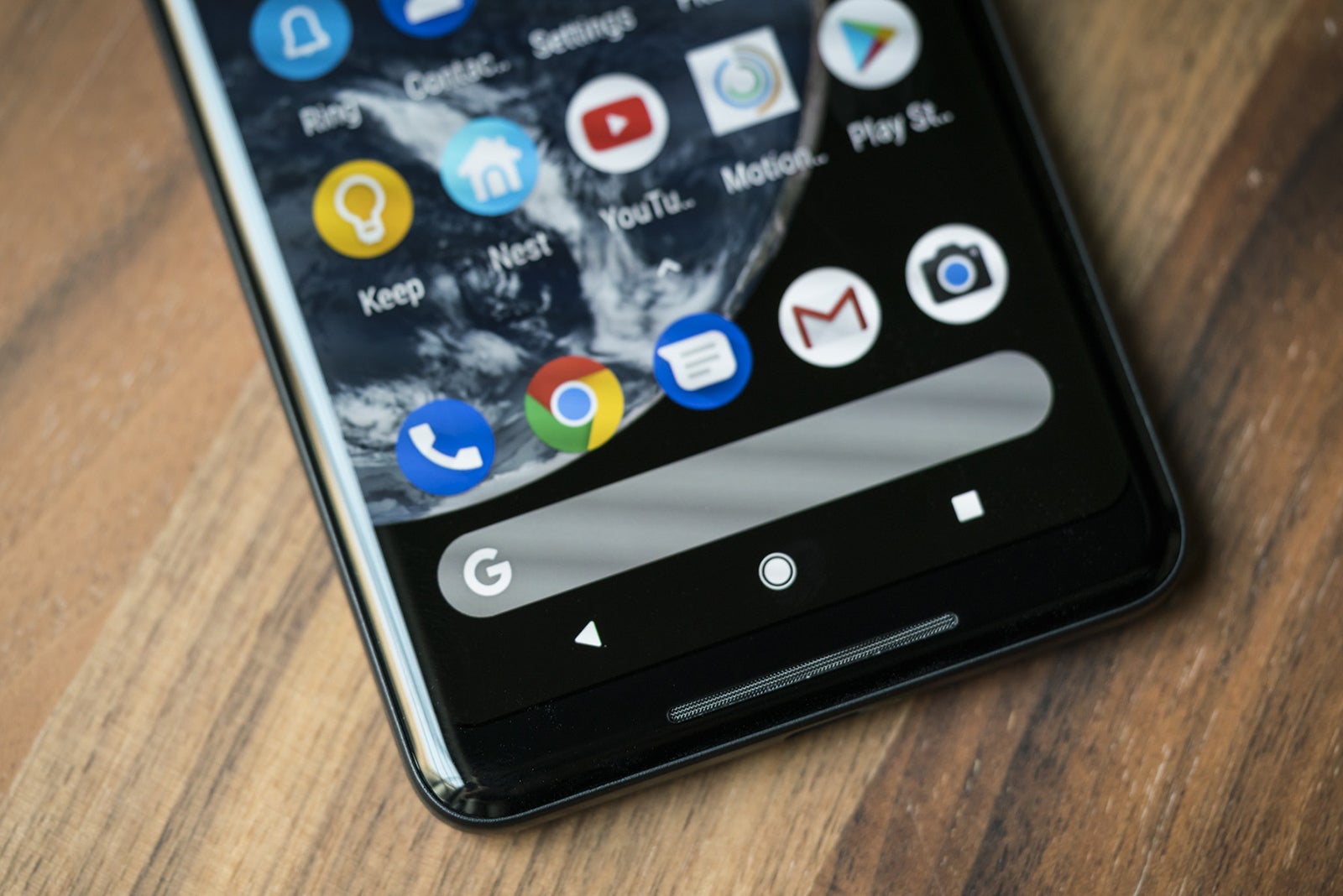
Android Oreo on the Pixel 2 XL is head and shoulders above any other Android phone.
When it comes to Android, the Pixel 2 XL handily bests the Note 8 and V30 here. Google’s newest handset may have its deficiencies, but its OS isn’t one of them. In fact, it may be reason enough to overlook the Pixel 2 XL’s less points. It’s not just that it’s one of the only phones to run Android Oreo, it’s that it runs it so well, other Android skins are exposed for how bloated and over-designed they are.
However, the choice between the Pixel 2 and iPhone X is no contest. Using iPhone X feels like Apple is finally embracing the future while its Android peers remain grounded in the present. There might be some things that the Pixel 2 XL does better with Oreo and the Note 8 has some cool S-Pen and edge screen tricks, but iOS 11 on iPhone X is the first phone in years that feels like it’s on the verge of something entirely new.
My pick: iPhone X
iPhone X vs. Android: Camera
The camera is one of the main reason why we choose the phones we do, and each of these phones offer top-notch picture-taking experiences (no pun intended). And despite extremely similar specs, they all bring something unique to the table:
iPhone X: 12MP, ƒ/1.8 wide-angle and 12MP, ƒ/2.4 telephoto
Note 8: 12MP, ƒ/1.7 wide-angle and 12MP, ƒ/2.4 telephoto
In the battle of the portraits, the single-camera Pixel 2 XL (center) does a tremendous job of keeping up with iPhone X (left) with just one camera. Meanwhile, the Note 8 (right) made my son look way paler than he should.
The Pixel 2 XL’s lack of a dual camera stands out here, but Google has more than made up for it with its image processing. Not only does it manage to mimic iPhone X’s and the Note 8’s portrait modes with just a single lens, it’s virtually indistinguishable from the dual-camera results (and oftentimes better). So it basically comes down to a matter of which features you prefer. The Note 8 has the ability to adjust the intensity of the background blur before and after the shot, and Apple has added studio lighting effects to iPhone X.
The V30 (right) captured more of the scene, but iPhone X got the lighting right.
Without a telephoto lens, the V30 doesn’t have a portrait mode at all, but its wide-angle lens captures more of the scene than any of the others. But despite some cool app features and the largest aperture of the bunch at f/1.6, the overall quality of its photos often trailed the field, particularly in low-light conditions. It’s not it’s a bad camera, just not as good as the best.
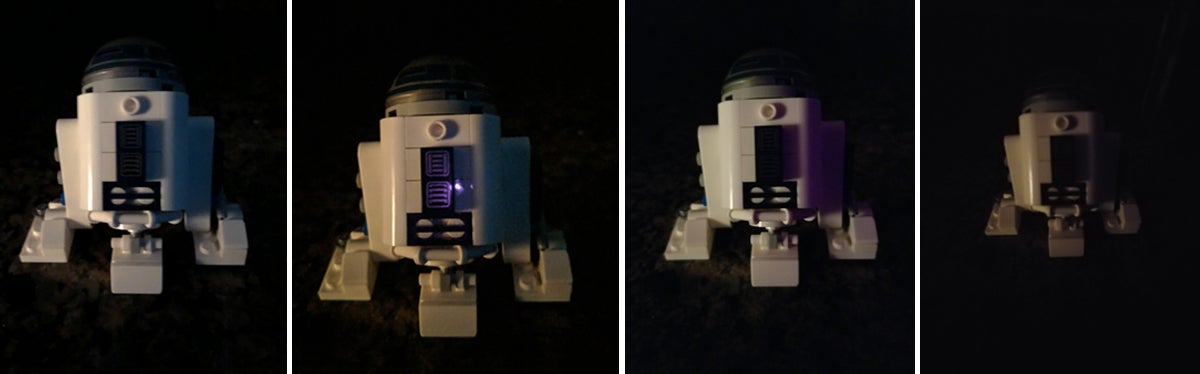
iPhone X (left) nailed Lego R2-D2's white body and picked up some good detail in harsh low-light conditions, but there's more detail in the Pixel 2 XL's shot (second from left). The Note 8 (second from right) and V30 (right) both paled in comparison.
Speaking of low light, the Pixel 2 and iPhone X are pretty neck and neck here. Google’s incredible image processing was consistently able to draw out details that iPhone X and the Note 8 missed, though iPhone X handles white balance better.
All three phones performed well in sunlight, but the flowers in the iPhone X's shot (left) pop with color and detail more than the Pixel 2 XL (center) and Note 8 (right).
Around the front, the picture-taking abilities of the cameras are all basically the same, though the V30 brings up the rear with its 5MP lens. Apple and Google have both added portrait effects for selfies, but while the Pixel 2 is a little more successful, neither is as good as the rear camera. Better is the Note 8’s Snapchat-style stickers for jazzing up your selfies, but I’d still rather have the best rear camera than a fun front one.
My pick: Tie (iPhone X and Pixel 2 XL)
Overall winner: iPhone X
Even in the categories where iPhone X lost out to another phone, it was never by much, and none of the other handsets here offer anything as complete of a package. Yes, it’s expensive, but it’s not like the other phones are cheap:
I expected Apple’s first OLED iPhone to be a clear improvement over the iPhone 7 Plus’s LCD, but I didn’t expect it to handle the top 2017 Android phones so handily. The sharpness, color accuracy, and clarity make all other phones look inferior, and Apple is just getting started. Android’s flagships, particularly the V30 and Pixel 2 XL, have a lot of work to do, and I suspect next year’s flagships will feature 120Hz touch sampling if not full 120Hz refresh rates and a sharp shift toward facial authentication.
iPhone X will cast a large shadow over next year's crop of Android phones.
Even if you could somehow combine the Note 8, Pixel 2 XL, and V30 into a superphone mashup, iPhone X would still come out ahead. From the screen to the design to the camera and chip, iPhone X doesn’t just hold its own against Android’s cream of the crop, it raises the bar considerably for the 2018 models to come.
The bottom line is we’re going to see a lot of iPhone X influence on next year’s crop of Android flagships. So much so that I wouldn’t be surprised to see a couple of them adopt camera notches too.