Replacing a Cracked Screen on a New Smartphone: Is It Worth It?
💥 Cracked Your Brand-New Smartphone? Here’s What to Do Next
You just bought the latest iPhone, Samsung, or Pixel. Then, disaster strikes—it slips, falls, and you’re left staring at a cracked screen. It’s frustrating, heartbreaking, and begs the question:
Is it really worth replacing the screen on a new smartphone?
At Sydney CBD Repair Centre, we help hundreds of customers in this exact situation. Let’s break down the real cost, value, and risks of repairing vs. replacing your brand-new device.
David from Sydney CBD Repair Centre – The Best place to fix mobile phones 6 Years In A Row! Top Mobile Phone Repair In Sydney. Over 2000 Positive Google Reviews and trusted same-day repair services.
📱 Why Screen Repair Costs Are Changing in 2025
Smartphones in 2025 are more advanced than ever—ultra-bright OLED displays, foldable screens, integrated fingerprint sensors, and tougher glass. But while the tech evolves, one thing hasn’t changed: screens still break.
So how much will it cost to replace your screen in 2025? Whether you have the newest Galaxy, iPhone, or Pixel, here’s a comprehensive repair price comparison to help you make an informed choice.
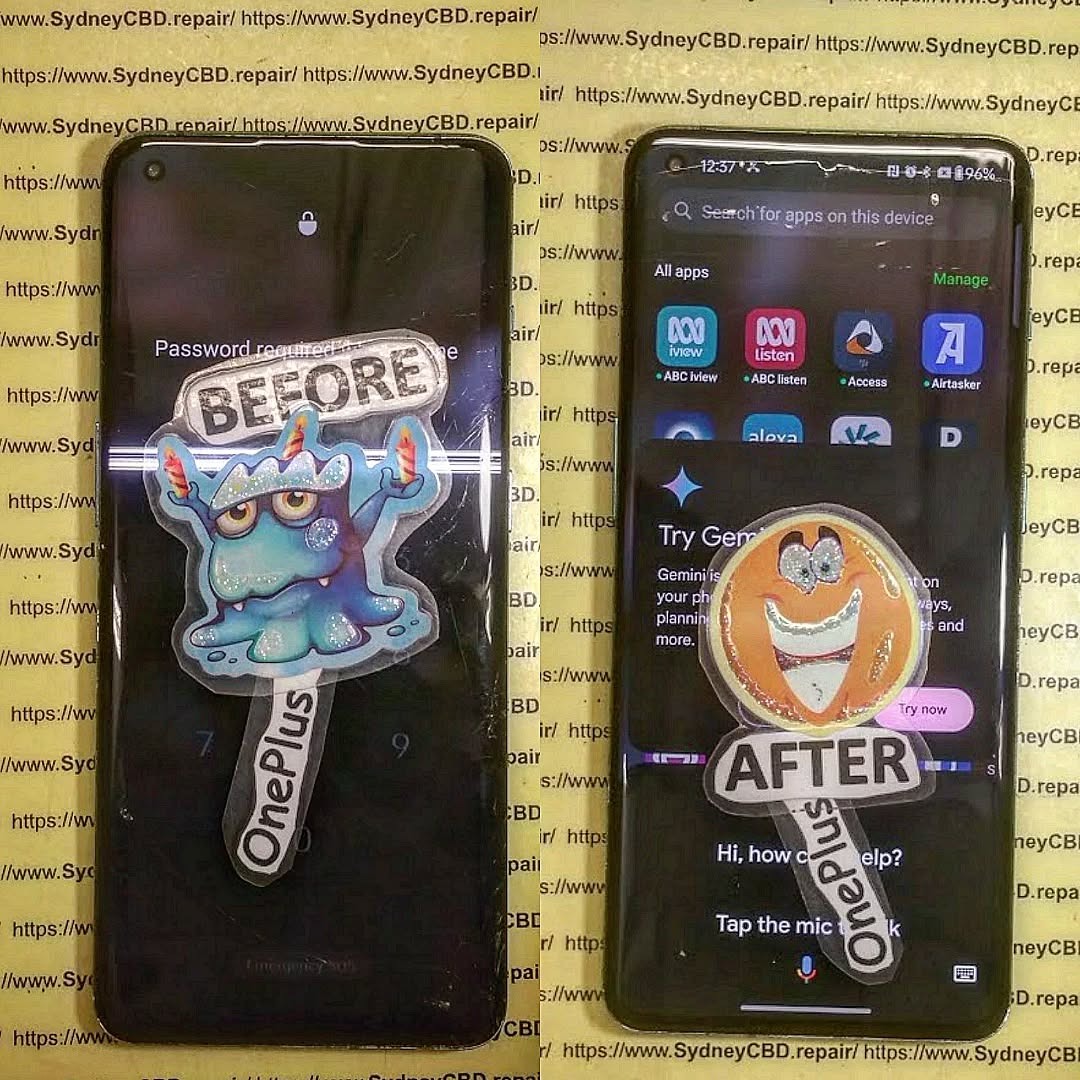
The OnePlus 12 delivers impressive performance, a gorgeous AMOLED display, and sleek design—but even a small drop can crack that stunning screen. Whether it’s a hairline fracture or full display failure, screen issues affect your ability to text, scroll, or enjoy apps.
Luckily, screen replacement for the OnePlus 12 doesn’t need to be a hassle.
Replacing it requires precision tools, experience, and genuine parts to ensure full functionality after repair. DIY jobs or uncertified technicians often cause:
Touch sensitivity loss
Colour distortion
Faulty biometrics
At Sydney CBD Repair Centre, we make sure your screen replacement is quick, safe, and 100% functional.
Galaxy S24 Repair Challenge: Can We Do It In 1 Hour?
🕐 The 1-Hour Galaxy S24 Repair Challenge
The Samsung Galaxy S24 is packed with cutting-edge features—stunning AMOLED display, intelligent cameras, and flagship performance. But when it breaks, it can feel like your entire world hits pause.
So we asked ourselves: Can we fix it in just one hour?
At Sydney CBD Repair Centre, we accepted the challenge—and the results might surprise you.
Our data shows the most common Galaxy S24 repair issues include:
✅ Cracked AMOLED screen
✅ Dead pixels or ghost touch
✅ Rear glass panel damage
✅ Battery draining fast
✅ Charging port failure
Thanks to its compact build and adhesive-sealed design, the Galaxy S24 is not easy to open without risk. That’s why time, technique, and genuine parts all matter.
Here’s how we tackle it—step by step—without cutting corners.
🔧 00:00 – Device Check-In & Diagnostics
We assess screen damage
Run a 30-point functionality test
Confirm no deeper logic board issues
🔥 00:05 – Heat & Disassembly
Use precise thermal separation to soften adhesives
Gently remove the back glass and battery connectors
🛠 00:15 – Screen Removal
Carefully detach the broken AMOLED panel
Clean housing of glue residue, glass shards, and debris
🆕 00:30 – Screen Replacement with Genuine Part
Install Samsung-certified AMOLED panel
Align connectors and reassemble frame
🧪 00:45 – Testing & Recalibration
Test display, touch, cameras, face unlock, and sensors
Calibrate brightness and fingerprint reader
🎯 01:00 – Final Polish & Return
Clean device exterior
Return fully tested phone to customer—like new
🛠 Tools and Skills That Make 1-Hour Repairs Possible
Not every shop can hit the 1-hour mark. Here’s why we can:
✅ Trained Galaxy Repair Technicians
✅ Access to Samsung Diagnostic Tools
✅ Genuine parts always in stock
✅ Precision heat machines and screen press tools
✅ Decade-long experience in flagship device repair
No guesswork. No shortcuts. Just skilled, efficient repairs.
💬 Real Customer Experience
“I dropped my S24 during my lunch break. Walked into Sydney CBD Repair Centre, and it was fixed before I even finished my sandwich. Amazing service!”
— Andrew K., Sydney
🏆 Why Sydney CBD Repair Centre?
Same Day Express Repairs on Galaxy S24 and other flagship models
Genuine Samsung Parts with full AMOLED functionality
90-Day Warranty on all screen and battery repairs
Transparent Pricing & No Hidden Costs
2000+ 5-Star Reviews on Google
6-Time Winner for Best Phone Repair in Sydney
📍 Location & Contact
Need your Galaxy S24 fixed today? Visit us in Sydney CBD.
📌 Locate Us Here
📞 Call Us: +61280114119
🕘 Open Mon–Sat | Walk-Ins Welcome
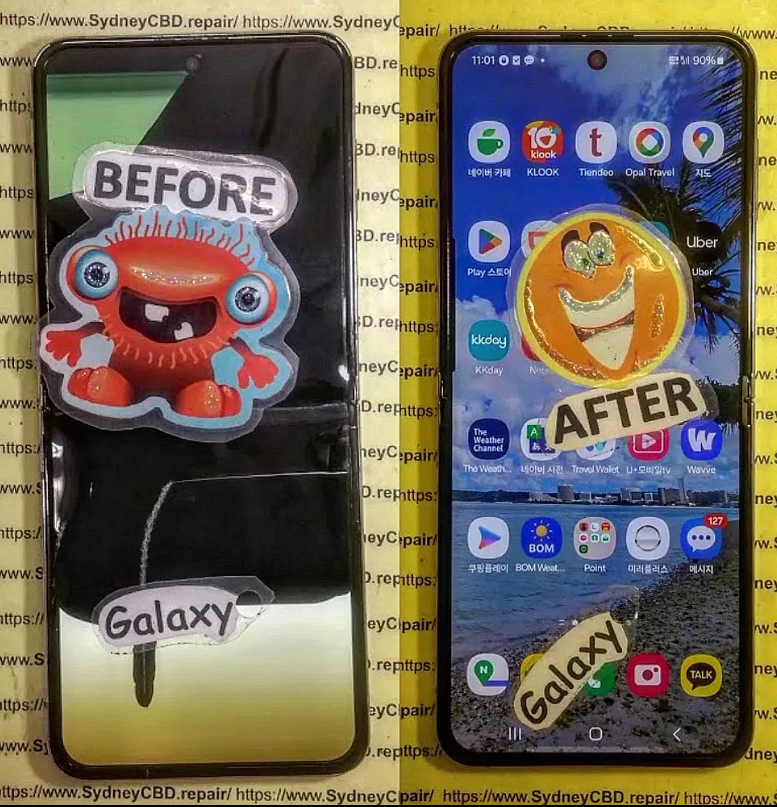
Inside Look: How We Repair The Foldable Galaxy Z Flip 5
📱 Why the Galaxy Z Flip 5 Needs Special Repair Expertise
The Samsung Galaxy Z Flip 5 is not your average smartphone. With its innovative foldable display and compact design, it’s a marvel of modern engineering—but that also makes it one of the most delicate devices to repair.
At Sydney CBD Repair Centre, we’ve developed a specialised method for repairing the Z Flip 5 that ensures your device is restored to full functionality without risking its complex folding mechanism or AMOLED display.
Repairing your own phone or taking it to a third party can save money—but it can also lead to costly mistakes if done incorrectly. Whether you’re replacing a cracked screen, dealing with water damage, or swapping out a battery, cell phone repairs require precision, patience, and the right knowledge.
A single misstep could permanently damage your device or even compromise your data security. That’s why understanding the most common cell phone repair mistakes is critical. In this guide, we’ll explore 12 of the most frequent errors technicians and DIYers make, and how to avoid them like a pro.
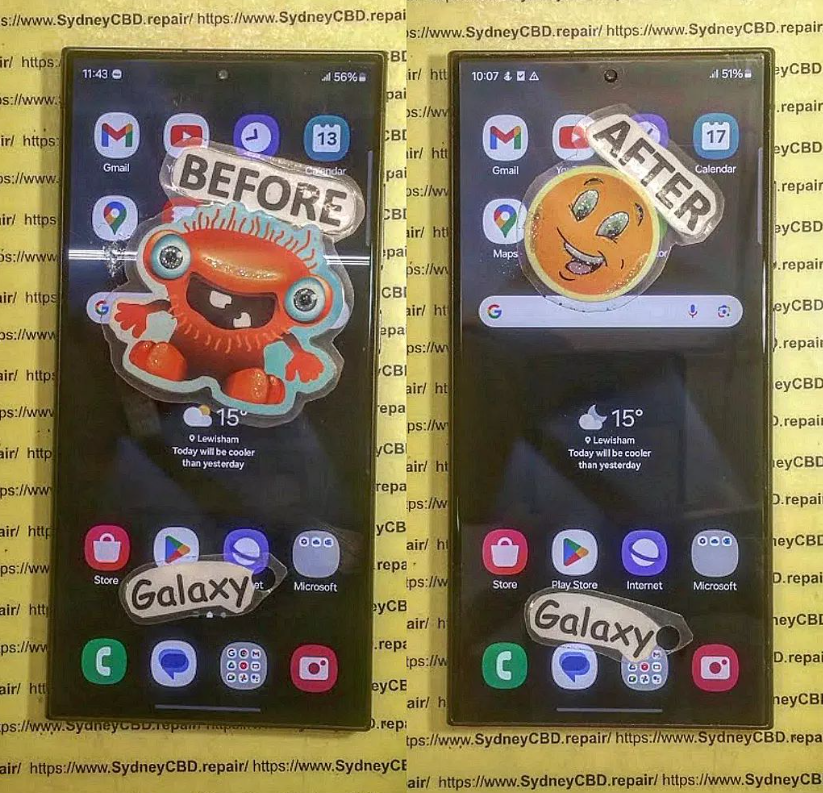
Galaxy S23 Ultra Screen Replacement
1. Ignoring Manufacturer Guidelines
Manufacturers like Apple, Samsung, and Google design phones with unique architectures. Ignoring their repair guidelines can easily lead to more damage.
🔧 Why This Happens:
Rushing through repairs without reading instructions.
Overconfidence in DIY abilities.
Using incompatible components.
🔍 Why It’s a Problem:
You risk voiding your warranty.
Components may not align or function properly.
Improper reassembly could cause overheating or short circuits.
Tip: Always check the official repair manual if available or consult a certified technician. For Samsung devices, you can find guidelines via Samsung’s Service Portal.
2. Using Non-Genuine Replacement Parts
This mistake is especially common with screen and battery replacements.
🔧 Why It Happens:
Genuine parts can be expensive or hard to find.
Some technicians cut costs with cheap alternatives.
🔍 Consequences:
Reduced performance or touch responsiveness.
Screens may crack more easily.
Batteries may swell, leak, or catch fire.
Tip: Look for repair shops that offer genuine parts, like Sydney CBD Repair Centre, where authenticity and safety are top priorities.
3. DIY Repairs Without Proper Tools
Screwdrivers, suction cups, plastic spudgers—yes, these matter. Using household tools can destroy sensitive components.
🔧 Common Examples:
Kitchen knives scratching internals.
Tweezers damaging connectors.
Fingernails breaking screen seals.
🔍 Problems Caused:
Scratches, cracks, or short circuits.
Improper torque on screws can cause internal imbalance.
Tip: Either invest in a proper toolkit or leave it to certified repair experts.
4. Skipping the Diagnostic Test
Before opening a phone, technicians should test all functions: screen, battery health, cameras, mic, and speakers.
🔍 Why This Step Matters:
Pinpoints all underlying issues.
Saves time by avoiding multiple repairs.
Helps you decide if repair is even worth it.
Tip: Use tools like Phone Doctor Plus to run preliminary diagnostics if you’re doing it yourself.
5. Forgetting to Power Off the Phone
Simple yet often missed.
⚠️ What Can Go Wrong:
Risk of electrical shock.
Can short circuit motherboards.
May cause components to burn out.
Tip: Power off the phone and unplug any batteries before beginning repair.
6. Applying Too Much Heat
Heat guns and hair dryers are used to loosen adhesive—but overdoing it can be dangerous.
🔥 Dangers Include:
Melted display or LCD burn.
Battery swelling or explosion.
Plastic components deforming.
Tip: Keep heat under 100°C and use temperature-controlled tools.
7. Not Grounding Yourself Properly
Electrostatic discharge (ESD) may be invisible, but it’s deadly for microchips.
🔧 Why This Happens:
Working on carpeted surfaces.
Not using ESD wrist straps.
Wearing synthetic clothing.
🧠 Reminder:
A single static shock can kill your phone’s motherboard or charging IC.
Tip: Ground yourself before touching any circuit boards.
8. Mishandling Internal Components
Ribbon cables, battery connectors, and charging ports are fragile. Force is your enemy here.
Common Mistakes:
Pulling instead of sliding out flex cables.
Using metal tools on battery terminals.
Twisting components improperly.
Tip: Always detach parts gently and in the correct order.
Even if a phone powers on after a splash, internal corrosion may be brewing.
🔍 Red Flags:
Unusual screen colors.
Rust on connectors.
Liquid contact indicators (LCI) triggered.
Fix:
Don’t use rice! Get professional ultrasonic cleaning as soon as possible.
10. Reassembling Without Testing
Buttoning up your device before testing is a rookie mistake.
🔧 You Should Always:
Check display, touch, Wi-Fi, and cameras before sealing the device.
Test battery charging and speaker output.
Run a final diagnostic app scan.
Tip: This saves time reopening the phone if anything’s wrong.
11. Not Backing Up Data First
Phones can fail completely during repair, making data recovery impossible without backups.
🧠 Common Scenarios:
OS corruption during repair.
Physical damage to internal storage.
Accidental deletion.
Tip: Always back up to the cloud or PC before starting any repair process.
12. Avoiding Professional Help
Trying to save money by doing it all yourself can backfire.
📉 Risks:
Ending up with a paperweight.
Wasting more money on multiple repairs.
Losing important files permanently.
When to Get Help:
If the phone doesn’t turn on.
After water damage.
For screen, logic board, or battery issues.
Visit Sydney CBD Repair Centre for trusted, affordable, and fast repairs.
❓ Frequently Asked Questions (FAQs)
1. Can I repair my phone at home with basic tools?
You can—but it’s risky. Without proper tools and training, you may damage your device further.
2. Will using third-party parts void my warranty?
Yes, most manufacturers void warranties if non-genuine parts are used.
3. How do I know if a part is genuine?
Buy from certified suppliers or trusted repair centers like Sydney CBD Repair Centre.
4. What should I do if I spilled water on my phone?
Turn it off immediately and take it to a repair shop. Don’t use rice—it’s a myth.
5. Is it worth repairing a cracked screen?
Yes, especially if it’s affecting touch functionality or risking deeper damage.
6. How can I avoid repair scams?
Choose repair centers with strong reviews, transparent pricing, and genuine part guarantees.
✅ Conclusion: Repair Smart, Repair Safe
Repairing your smartphone can save you time and money—but only if done correctly. By avoiding these 12 common cell phone repair mistakes, you protect both your device and your wallet.
When in doubt, trust the pros.
David from Sydney CBD Repair Centre reminds all customers: “Don’t risk your expensive phone. Come see why we’re Sydney’s most trusted repair shop—six years running!”
📍 Located in the heart of Sydney CBD
🔧 Same Day Repairs | ✅ Genuine Parts | ⭐ 2000+ Google Reviews
🌐 Locate Us Today or Call +61280114119
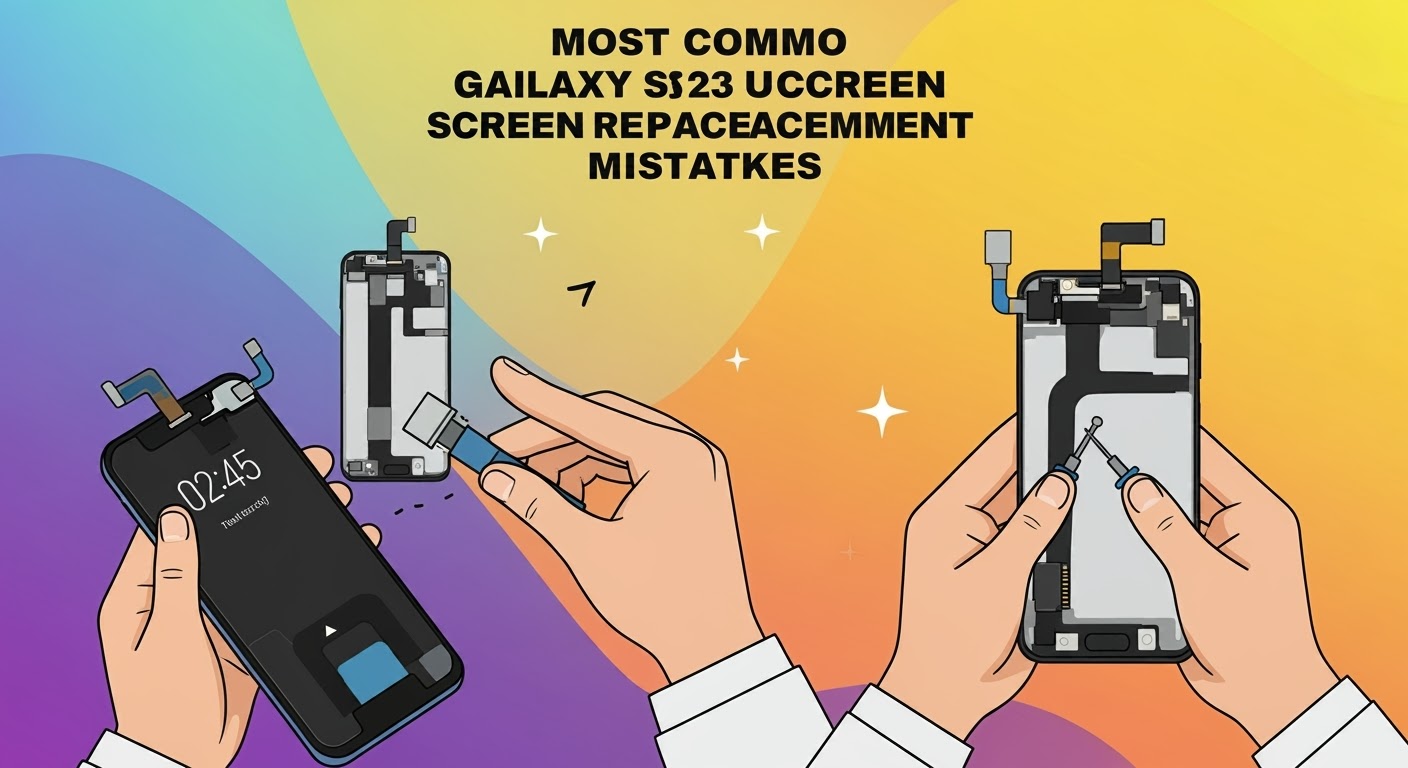
Most Common Galaxy S23 Ultra Screen Replacement Mistakes
📱 Why the Galaxy S23 Ultra Requires Expert Handling
The Samsung Galaxy S23 Ultra is one of the most advanced smartphones on the market—with a powerful AMOLED display, curved edges, and integrated S Pen technology. But these premium features come with added complexity when it’s time for a screen replacement.
At Sydney CBD Repair Centre, we’ve seen too many repair attempts go wrong—often from DIY methods or inexperienced technicians. Here’s a look at the most common mistakes people make when replacing the Galaxy S23 Ultra screen—and how to avoid them.
One of the biggest benefits of flagship phones like the Galaxy S23 Ultra is IP68 water resistance. But after screen replacement, this can easily be compromised if:
New adhesives aren’t applied properly
Seals aren’t aligned during reassembly
The technician skips the water resistance check
At Sydney CBD Repair Centre, we restore water resistance with every repair using Samsung-grade sealing solutions.
💰 Mistake #6: Overpaying for Poor Service
Not all repair shops are created equal. Many charge a premium for:
Low-quality screens
Inexperienced staff
No warranty coverage
We’ve had numerous customers come to us after a failed screen replacement elsewhere, having paid twice as much for inferior parts.
🛡 Mistake #7: Skipping the Warranty
Your S23 Ultra deserves more than a one-time fix—it deserves a guaranteed solution.
Sydney CBD Repair Centre offers:
✅ 90-Day Warranty on All Repairs
✅ Genuine Samsung Parts
✅ 2000+ Verified Google Reviews
✅ Same Day Express Repairs
Don’t settle for less than professional, long-term reliability.
🔄 Mistake #8: Not Backing Up Data Before Repair
Although rare, any hardware intervention poses a minimal risk to your phone’s data. Always back up your:
Contacts
Photos
App data
Notes and messages
We take every precaution during the repair, but data safety begins with you.
🧠 How to Avoid These Mistakes: Choose Sydney CBD Repair Centre
With years of hands-on experience, we know exactly how to handle Galaxy S23 Ultra screen replacements—safely, efficiently, and affordably.
Why Choose Us?
🔧 Certified Technicians Trained on Samsung Devices
💯 Genuine AMOLED Screens with Full Touch and Brightness Retention
🛠 Precision Equipment for Curved Screen Handling
🧴 Waterproofing Restoration as Standard Practice
🏆 Award-Winning Service for 6 Consecutive Years
💬 Transparent Pricing & Free Diagnostics
📍 Visit Us Today
📌 Sydney CBD Repair Centre
📞 Call Now: +61280114119
🌐 Locate Us Here
David from Sydney CBD Repair Centre – The Best place to fix mobile phones 6 Years In A Row! Top Mobile Phone Repair In Sydney. Over 2000 Positive Reviews on Google and Same Day Repairs.
📱 Why Choosing the Right Repair Shop Matters
Broken-Galaxy-Z-Flip-6-Screen
Your phone is more than just a gadget—it’s your lifeline to work, family, and everyday life. So when something goes wrong—be it a cracked screen, failing battery, or unresponsive display—choosing the right phone repair shop can mean the difference between a quick fix and a costly mistake.
Not all repair centres are created equal. Let’s look at how you can find a trusted, reliable, and professional mobile phone repair shop near you.
✅ 1. Check Online Reviews and Ratings
Start with the Google reviews. A shop with hundreds or even thousands of positive customer reviews, like Sydney CBD Repair Centre (2000+ 5-star ratings), is a strong indicator of trust and quality.
Things to look for:
Overall rating (aim for 4.5+ stars)
Comments on service speed, cost, and honesty
Photos of the shop and technicians
Tip: Search for “best phone repair near me” and look at top-rated businesses with real customer photos.
🧰 2. Ask About Genuine Parts
Using genuine OEM parts is critical for performance and durability. Cheaper, aftermarket parts can cause:
Screen sensitivity issues
Color distortion
Battery overheating or short life
Always ask: “Do you use genuine parts with warranty?”
At Sydney CBD Repair Centre, we only use original manufacturer parts—no shortcuts, no compromises.
The Best Screen Protectors for Samsung Galaxy S24 Ultra – 2025 Buyer’s Guide + Expert Picks
🛡️ Why You Need a Screen Protector for the S24 Ultra
Samsung’s Galaxy S24 Ultra is a powerhouse. It boasts a sleek design, a stunning 6.8-inch Dynamic AMOLED 2X display, and cutting-edge features like an ultrasonic fingerprint sensor. But with great power comes… vulnerability—especially to scratches, smudges, and cracks.
Broken-Galaxy-S24-Ultra-Screen.png
✨ Premium Design Deserves Premium Protection
This phone isn’t cheap. With a retail price soaring above AUD $2,000, even a small screen crack can be heartbreaking.
The curved display enhances visuals, but also makes it more susceptible to corner impacts and edge damage.
A good screen protector acts like armor—sacrificing itself to keep your phone flawless.
💸 Save on Expensive Repairs
Even with Samsung Care+, screen replacements can cost hundreds.
At Sydney CBD Repair Centre, we’ve seen firsthand how a $40 screen protector can save customers from $450+ screen replacement bills.
Models with a cutout or thin adhesive over the sensor area
Brands that include biometric calibration instructions
🌐 3D Curved vs. Flat Glass
Curved protectors offer full edge-to-edge coverage, but they must be installed precisely to avoid lifting or bubbles.
Flat protectors are easier to apply but may leave edges exposed—something to avoid on the S24 Ultra.
🧩 Case-Friendliness
Your screen protector should work with your case—not against it.
Look for:
“Case Friendly” labels
Slightly smaller glass dimensions to avoid edge lifting
Reviews confirming compatibility with Spigen, OtterBox, ESR, etc.
There are several types available, each with their pros and cons.
🪟 Tempered Glass
Pros:
Excellent scratch and impact resistance
Glass-like touch and clarity
Most durable option
Cons:
Can crack on impact
More challenging to install on curved screens
🧼 TPU Film
Pros:
Self-healing surface
Flexible for full-screen coverage
Fingerprint-friendly
Cons:
Less protective against impacts
Can feel rubbery when swiping
🔄 Hybrid Glass
Pros:
Combines flexibility with strength
More forgiving during installation
Less prone to shattering
Cons:
Slightly less clear than tempered glass
May scratch easier than full glass
🏆 Top 5 Screen Protectors for Samsung Galaxy S24 Ultra
Our expert technicians at Sydney CBD Repair Centre tested dozens of screen protectors. Here are our top five picks:
1. Spigen Glas.tR EZ Fit
Best For: Easy installation
Why It’s Great:
Comes with an alignment tray
Oleophobic coating prevents smudges
Fingerprint sensor works flawlessly with minor re-enrollment
Price: ~$35 AUD
2. Whitestone Dome Glass
Best For: Premium protection and full screen coverage
Why It’s Great:
UV curing installation for perfect adhesion
Maintains clarity and touch responsiveness
Compatible with all major cases
Caution: Installation is more advanced—follow instructions closely.
Price: ~$65 AUD
3. ZAGG InvisibleShield Ultra VisionGuard
Best For: Eye protection and blue light filtering
Why It’s Great:
Protects your eyes from prolonged screen exposure
Maintains crisp resolution
Lifetime warranty (conditions apply)
Price: ~$60 AUD
4. ESR Armorite
Best For: Budget-conscious buyers
Why It’s Great:
Military-grade drop protection
Slim profile with 9H hardness
Case-friendly design
Price: ~$28 AUD
5. amFilm Ultra Glass
Best For: Ultrasonic fingerprint compatibility
Why It’s Great:
High transparency with biometric precision
Includes frame for easy application
Affordable and widely available
Price: ~$30 AUD
🧰 Installation Tips for Best Results
Applying a screen protector to a curved glass phone can be intimidating, but follow these tips for a perfect fit:
🖼️ Using Alignment Frames
Use kits with alignment trays or frames
Clean screen with alcohol wipe and microfiber cloth
Use dust stickers before application
💨 Avoiding Air Bubbles
Start from the center and gently press outward
Use a credit card wrapped in microfiber to remove air pockets
Install in a steamy bathroom to reduce airborne dust
🧽 How to Maintain Your Screen Protector
A high-quality screen protector can last months—sometimes years—if maintained properly. Even the best protector won’t do much if it’s scratched, peeling, or dirty.
🧼 Cleaning Without Damaging
Use a microfiber cloth for regular cleaning
For tougher smudges, lightly dampen the cloth with water or screen-safe cleaning solution
Avoid using alcohol wipes unless recommended by the manufacturer
Pro Tip: Never spray cleaner directly onto your screen protector—spray it onto the cloth first.
🔁 When to Replace
Your protector might need replacing if:
Scratches begin to interfere with visibility
It starts peeling at the corners
Cracks appear after a drop
Fingerprint sensor becomes less responsive
Replacing your protector on time prevents damage to the actual display, especially on a device like the Samsung Galaxy S24 Ultra.
❓ FAQs About Galaxy S24 Ultra Screen Protectors
1. Can I use any screen protector on the S24 Ultra?
No. Due to the curved screen and ultrasonic fingerprint sensor, you need a screen protector specifically designed for the Galaxy S24 Ultra.
2. Will a screen protector affect fingerprint recognition?
It can—but only if the screen protector isn’t designed for ultrasonic sensor compatibility. Use brands that specifically mention this feature and follow setup instructions to re-register your fingerprints after application.
3. Do I need professional help to install it?
Not necessarily. Some protectors like Spigen EZ Fit come with an alignment frame for easy self-installation. However, if you’re unsure, Sydney CBD Repair Centre can install it for you with perfect precision.
4. How often should I replace the screen protector?
Most protectors last 6–12 months, but it depends on usage. Heavy gamers or users who often carry phones in pockets with keys may need more frequent replacements.
5. Can a protector restore an already scratched screen?
No. A screen protector won’t repair existing scratches, but it can help hide small blemishes and prevent further damage.
6. Where can I buy the best screen protectors in Sydney?
Visit Sydney CBD Repair Centre in the heart of the city. We stock genuine screen protectors compatible with Galaxy S24 Ultra and offer free installation with most purchases.
✅ Conclusion
The Samsung Galaxy S24 Ultra is one of the most powerful smartphones available in 2025—and protecting its stunning display should be a top priority. A well-chosen screen protector not only guards against everyday wear and tear but also preserves the phone’s resale value and functionality.
Whether you’re gaming, streaming, or simply scrolling through your day, using a premium screen protector ensures your experience remains smooth, scratch-free, and stress-free.
If you’re in Sydney, Sydney CBD Repair Centre is your go-to expert for screen protector installation, screen replacements, and all mobile device repairs. Let us help you protect what matters most—your tech.
David from Sydney CBD Repair Centre – The Best place to fix mobile phones as 6 Years In A Row! Top Mobile Phone Repair In Sydney. More than 2000 Positive Reviews on Google and Same Day Repairs.
📱 Why Smartphone Screens Are More Fragile Than Ever
Broken-Galaxy-Z-Flip-5-Screen.png
With every new smartphone release, we get bigger, brighter, and more beautiful screens—but also more fragile ones. Even with Gorilla Glass or Ceramic Shield, a simple drop can mean disaster. It’s not just the glass that suffers; the LCD or OLED display underneath can get damaged too.
🛠️ What’s Actually Broken? Screen vs. Display
Let’s clear this up:
Glass/Digitizer: The touchscreen layer you interact with
LCD/OLED: The screen that displays images
Frame: The outer shell holding everything together
A cracked screen may look minor, but if your display starts flickering, bleeding colors, or becomes unresponsive, it’s the LCD that’s broken—and it needs attention.
Many customers ask: “Can I just replace the LCD?” Sometimes, yes! Especially for phones where:
The glass and LCD aren’t fused
You’re using an older model
You need a budget-friendly fix
But for modern phones like iPhones and Galaxy S series, full screen assembly replacement is usually the safest, most effective option.
✅ Why Choose Sydney CBD Repair Centre?
At Sydney CBD Repair Centre, we deliver what other repair shops don’t:
🔧 Same-day express repairs
💯 Only genuine parts used
🛡️ 90-day warranty
💬 Transparent pricing and service
🏆 2000+ glowing Google reviews
Whether it’s an iPhone, Samsung, Pixel, Oppo, or any other brand—we’ve seen it all, and we fix it all.
🧠 Real-World Example
“I walked in with a flickering S22 screen and walked out in 90 minutes with it good as new. Affordable, professional, and super friendly.”
— Maria L., Sydney
♻️ Eco-Friendly Repairs = Smart Repairs
Repairing your screen extends your phone’s life and helps reduce e-waste. At Sydney CBD Repair Centre, we’re committed to sustainable repair practices that benefit both your wallet and the planet.
📍 Visit Us Today
Don’t wait until the problem gets worse. Walk into our Sydney CBD location and speak with our expert techs. We’ll assess your damage for free, and offer the best repair solution on the spot.