Sydney’s Extreme Climate: How It Damages Your Phone (And How We Fix It) + 7 Power Tips
Introduction: Understanding Sydney’s Harsh Weather Effects on Phones
Sydney is famous for its stunning beaches, vibrant city life, and unpredictable weather. But did you know that Sydney’s extreme climate can wreak havoc on your phone? From sweltering heat waves to sudden downpours, your mobile device is constantly under stress. High temperatures can degrade batteries, cause screen malfunctions, and even lead to sudden shutdowns. Meanwhile, humidity and rain can seep into your device, creating corrosion and long-term damage.
At Sydney CBD Repair Centre, we’ve seen firsthand how these environmental challenges affect all major phone brands, from Apple iPhones to Samsung and Google devices. Understanding the risks is the first step to preventing costly repairs.
Sydney experiences some of the most extreme and fluctuating weather in Australia. Summers can hit 40°C, while winter nights drop close to 5°C. Combine this with high humidity levels, UV exposure, and occasional storms, and you have the perfect storm for mobile phone problems.
Summer Heat Waves and Their Impact
High temperatures are particularly harmful to lithium-ion batteries. Extended exposure to heat can accelerate battery degradation, causing your phone to lose charge faster or swell over time. Heat also affects screens—intense sunlight can fade colors, reduce touch sensitivity, and in severe cases, cause display cracks.
Rain, Humidity, and Water Damage
Sydney is notorious for sudden rain showers. Even water-resistant phones aren’t immune. Humidity can penetrate small gaps in your device, causing corrosion of internal circuits. Rainwater combined with dust can create conductive paths, leading to short circuits and complete device failure.
UV Radiation and Screen Degradation
The Australian sun is unforgiving. Prolonged UV exposure not only fades your phone’s case but also accelerates screen wear. AMOLED and OLED displays are particularly susceptible, as excessive heat can degrade pixels and lead to permanent burn-in.
Here’s a breakdown of the most frequent issues we encounter at Sydney CBD Repair Centre:
Battery Swelling and Reduced Lifespan
Symptoms: Overheating, rapid battery drain, device bulging. Causes: Prolonged heat exposure, overcharging, or using incompatible chargers. Prevention: Keep your phone out of direct sunlight, avoid charging under high temperatures, and use genuine chargers.
Screen Malfunctions and Touch Sensitivity Issues
Symptoms: Dead pixels, unresponsive touch areas, color distortion. Causes: Heat and UV radiation, accidental drops worsened by brittle screens. Prevention: Use tempered glass protectors, and avoid leaving phones on dashboards or in cars during peak heat.
Water Damage and Corrosion
Symptoms: Random shutdowns, erratic behavior, internal condensation. Causes: Rain, humidity, accidental spills. Prevention: Waterproof cases, keeping phones dry, and avoiding bathroom usage during showers.
Overheating and Unexpected Shutdowns
Symptoms: Sudden phone restarts, battery percentage drops rapidly. Causes: High temperatures, heavy app usage, or poor ventilation. Prevention: Limit heavy app usage during hot days, avoid leaving your phone under direct sun, and remove cases temporarily if overheating.
Preventative Measures for Your Phone
Choosing the Right Case and Screen Protector
Invest in heat-resistant, waterproof cases and tempered glass protectors. These act as your first line of defense against Sydney’s harsh elements.
Safe Charging and Usage Practices
Avoid charging your phone in direct sunlight or leaving it plugged in overnight in hot rooms. Remove bulky cases during charging if your phone heats up.
Storing Your Phone Correctly
Never leave your phone on car dashboards or near windows on hot days. Avoid bathrooms where humidity spikes. Ideal storage is a shaded, ventilated area with moderate temperatures.
How Sydney CBD Repair Centre Fixes Climate-Related Damage
Sydney CBD Repair Centre specializes in restoring phones affected by heat, water, and UV damage. We use genuine parts and provide a 90-day warranty, ensuring long-term reliability.
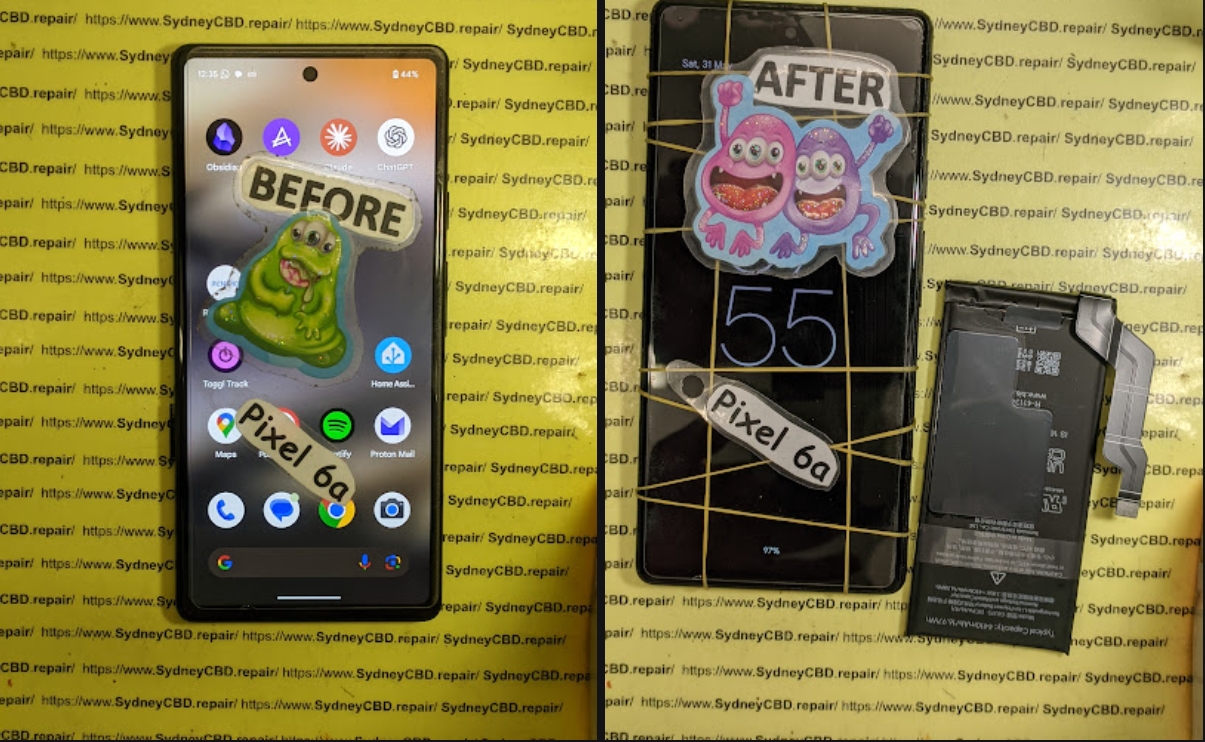
Battery Replacement and Optimization
We replace worn-out or swollen batteries with genuine units and optimize charging protocols to prevent premature degradation.
Screen Repair and Replacement
From OLED to AMOLED displays, our technicians handle screen replacement with precision. We restore full touch functionality, brightness, and color accuracy.
Water Damage Restoration
Our team disassembles your device, cleans internal components, removes corrosion, and tests functionality, increasing the chances of full recovery.
Preventative Maintenance Services
Regular checkups and diagnostics help detect early signs of damage before they escalate, saving you money in the long run.
Cost Considerations for Climate Damage Repairs
Repair costs depend on the type of damage and model. For instance:
Repair Type
Average Cost (AUD)
Battery Replacement
$99 – $179
Screen Repair
$249 – $499
Water Damage Restoration
$150 – $300
Full Diagnostic & Maintenance
$50 – $80
Investing in genuine parts and professional repair services is crucial. Cheap alternatives may save money upfront but can worsen problems and void warranties.
1. Can extreme heat permanently damage my phone?
Yes, heat can degrade batteries, reduce screen responsiveness, and even warp internal components. Avoid leaving your device in hot cars or direct sunlight.
2. Are water-resistant phones safe from Sydney’s rain?
Water-resistant phones can withstand minor splashes but prolonged exposure to rain or humidity can still cause internal corrosion.
3. How often should I check my phone for climate damage?
A monthly inspection is recommended, especially for older devices. Look for battery swelling, screen discoloration, or unexpected shutdowns.
4. What’s the best way to prevent screen burn-in from UV exposure?
Use screen protectors with UV resistance and avoid leaving your phone under direct sunlight for long periods.
5. Can DIY water damage fixes work?
DIY methods like rice baths may help temporarily but often leave residual moisture. Professional repair ensures thorough cleaning and prevents corrosion.
6. How quickly can Sydney CBD Repair Centre fix climate-related damage?
Most repairs are same-day, especially battery replacements and screen repairs, with guaranteed use of genuine parts.
Conclusion
Sydney’s extreme climate is no joke for mobile devices. Heat, humidity, and UV exposure can shorten your phone’s lifespan, but with proper care and timely repairs, you can protect your investment. Sydney CBD Repair Centre offers same-day repairs, genuine parts, and preventative maintenance to keep your phone functioning like new. Don’t let the weather dictate your device’s health—visit us today for expert service and peace of mind.
David from Sydney CBD Repair Centre – The Best place to fix mobile phones as 6 Years In A Row! Top Mobile Phone Repair In Sydney. More than 2000 Positive Reviews on Google and Same Day Repairs.
We take pride in delivering exceptional repair services for all major phone brands including Apple, Samsung, Google, and more. Our expert technicians use only genuine parts and offer 90 days warranty on repairs. Located in the heart of Sydney CBD, we’re your one-stop solution for all mobile device repairs.
Visit us for:
✓ Same Day Express Repairs
✓ Genuine Parts Guarantee
✓ Professional Technicians
✓ Competitive Pricing
✓ 2000+ 5-Star Google Reviews
✓ 6-Time Award Winner for Best Phone Repairs
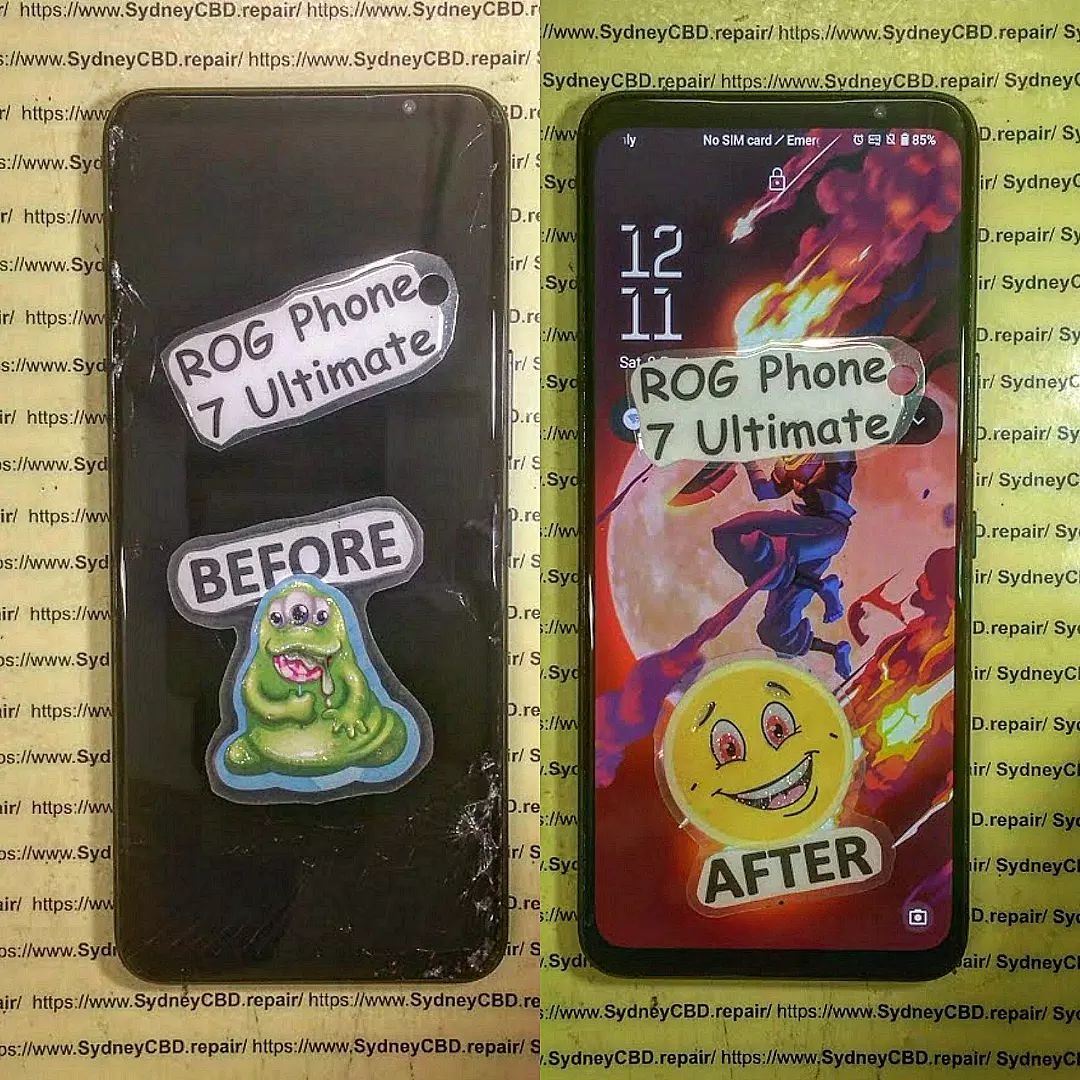
ROG Phone Ghost Touch Solved: 10 Expert Diagnostics and Fixes for Seamless Gaming
Introduction to ROG Phone Ghost Touch Issue
The ROG Phone is designed for hardcore gamers seeking unparalleled performance. But nothing kills your gaming experience faster than ghost touch issues. Ghost touches—phantom screen interactions without your input—can interfere with gameplay, typing, and app usage. In this guide, we’ll explore why it happens and how to fix it effectively. By understanding the causes and applying the right diagnostics, you can restore your ROG Phone to peak performance.
Ghost touches occur when your screen registers inputs that aren’t real. They can range from minor cursor jumps to full-on erratic tapping, impacting gameplay and daily phone use.
Software Glitches
Software is often the silent culprit behind ghost touches. Outdated firmware, conflicting apps, or corrupt system files can trick your touchscreen into responding incorrectly. A simple app update or firmware reinstall might solve the problem instantly.
Hardware Problems
Physical damage is a common factor. Cracks, bent screens, or faulty connectors can trigger phantom touches. Even a minor drop can misalign the digitizer, causing erratic responses.
Environmental Factors
External conditions—like humidity, extreme heat, or magnetic interference—can temporarily affect touch sensitivity. Moisture under the screen or a dirty screen protector can exacerbate ghost touches.
Before diving into repairs, diagnosing the root cause is critical. Identifying whether it’s software, hardware, or environmental allows for a targeted solution.
Checking for Software Problems
Start with the simplest solutions: reboot your device, uninstall recent apps, or boot into safe mode. If ghost touches disappear, software is likely the culprit. A factory reset may be required for persistent issues.
Inspecting Hardware
Look for visible damage like cracks, bulges, or water ingress. Loose connectors between the display and motherboard can also cause phantom touches. Gently flexing the device should not trigger inputs; if it does, hardware inspection is needed.
Using Diagnostic Tools
Several apps and built-in ROG tools can monitor touchscreen input and detect irregularities. These diagnostics help confirm whether the issue is hardware- or software-related.
Quick Fixes for Ghost Touch
Sometimes, a few simple tweaks are enough to eliminate ghost touches.
Restart and Reset
Perform a soft restart first. If that doesn’t work, a factory reset may clear persistent software glitches. Clearing the cache partition can also help.
Screen Calibration and Settings
Adjust touch sensitivity in settings. Disabling high-sensitivity modes temporarily can reduce false inputs. Some ROG Phone models allow screen recalibration through developer options.
Cleaning and Protective Accessories
Dirt, dust, or a low-quality screen protector can trigger ghost touches. Clean your screen with a microfiber cloth and consider removing any case or protector to test responsiveness.
Advanced Fixes for Persistent Issues
If ghost touches persist after basic troubleshooting, professional intervention may be necessary.
Professional Screen Replacement
Damaged or defective screens require replacement. Use only genuine ROG Phone parts for reliability. Reputable repair centers, like Sydney CBD Repair Centre, guarantee quality parts and professional installation.
Motherboard or Connector Repair
Sometimes the problem lies deeper in the device. Loose ribbon cables, damaged touch ICs, or motherboard faults may need professional repair. Technicians can solder or replace components to restore proper functionality.
Software Reflashing and Updates
Corrupt firmware can be reflashed using official ROG tools. Reinstalling stock ROM or performing a firmware update often fixes persistent ghost touches caused by software bugs.
Preventing Future Ghost Touch Problems
Maintaining your ROG Phone reduces the likelihood of ghost touches returning.
Regular Software Updates
Always install system updates. Patches not only improve security but also enhance touchscreen stability.
Proper Handling and Accessories
Avoid drops, moisture, and cheap screen protectors. Invest in high-quality protective cases and tempered glass to shield your device.
Monitoring Device Performance
Use diagnostic apps to track touchscreen response. Early detection of abnormal inputs can prevent major issues.
FAQs
Q1: Can ghost touches occur after a minor drop?
Yes, even small impacts can misalign the screen or connectors, triggering ghost touches.
Q2: Is ghost touch repair covered under warranty?
It depends on the manufacturer’s terms. Physical damage often voids warranty, but software-related issues may be covered.
Q3: Can cleaning the screen eliminate ghost touches?
Yes, dirt, moisture, or low-quality protectors can cause phantom touches, and cleaning may help.
Q4: Are DIY screen replacements safe?
Not recommended unless you have experience. Incorrect installation can worsen the issue.
Q5: How do I know if it’s a software or hardware problem?
Boot into safe mode or use diagnostic apps. If the issue disappears, it’s software-related; if not, hardware is likely the cause.
Q6: Can environmental factors cause ghost touches temporarily?
Yes, humidity, extreme temperature, and magnetic interference can temporarily affect touchscreen performance.
Conclusion
ROG Phone ghost touches are frustrating but solvable. Start with basic troubleshooting, like restarts, cleaning, and software updates. If the issue persists, professional repairs such as screen replacement or motherboard fixes are your best bet. With proper care and maintenance, you can enjoy flawless touch responsiveness and immersive gaming again.
David from Sydney CBD Repair Centre – The Best place to fix mobile phones as 6 Years In A Row! Top Mobile Phone Repair In Sydney. More than 2000 Positive Reviews on Google and Same Day Repairs.
We take pride in delivering exceptional repair services for all major phone brands including Apple, Samsung, Google, and more. Our expert technicians use only genuine parts and offer 90days warranty on repairs. Located in the heart of Sydney CBD, we’re your one-stop solution for all mobile device repairs.
Visit us for:
✓ Same Day Express Repairs
✓ Genuine Parts Guarantee
✓ Professional Technicians
✓ Competitive Pricing
✓ 2000+ 5-Star Google Reviews
✓ 6-Time Award Winner for Best Phone Repairs
Mail-In Repair Masterclass: Sending Your Phone to Sydney CBD from Anywhere + 10 Expert Tips
Introduction: Why Mail-In Repairs are the Future
In today’s fast-paced world, sending your phone for repair without stepping out of your home has become a game-changer. Mail-in repairs eliminate travel hassles, save time, and often provide faster turnaround than traditional walk-in services. Sydney CBD Repair Centre offers mail-in services that are trusted across Australia, providing high-quality repairs, genuine parts, and warranty-backed solutions. Whether your phone has a cracked screen, battery issues, or water damage, understanding how to safely mail your device can save you both money and stress.
Proper preparation ensures your device arrives safely and the repair process is smooth.
Backup Your Data
Before sending your phone, back up your data. For Apple users, iCloud or iTunes backups are essential. Android users can use Google Drive or manual backups. Backups protect personal files, photos, and apps during repairs.
Remove SIM and SD Cards
Always remove SIM and SD cards to prevent loss or damage during shipment. Store them securely in a small envelope or container.
Documenting the Condition
Take clear photos of your device from multiple angles. This helps in case of transit damage or warranty disputes. Include close-ups of existing cracks or scratches.
Selecting the right service is crucial for peace of mind.
Sydney CBD Repair Centre Overview
Sydney CBD Repair Centre has earned its reputation through six consecutive years as the top mobile repair provider in Sydney. With over 2,000 positive Google reviews, the centre combines skilled technicians with genuine parts to ensure long-lasting repairs.
Genuine Parts and Warranty
Always ensure the repair centre uses certified replacement parts. Sydney CBD Repair Centre provides a 90-day warranty, guaranteeing repairs that meet the highest industry standards. Learn more about genuine repair standards here.
Step 3: Packaging Your Phone Safely
Proper packaging is key to preventing damage during shipping.
Using Proper Materials
Use bubble wrap, padded envelopes, or a small cardboard box. Ensure the device is snug and cannot move inside the package. Include a copy of your repair request or invoice inside the box.
Labeling and Shipping
Clearly label your package with both sender and recipient addresses. Use a waterproof marker and add tracking information. Avoid using generic boxes without padding—they can lead to unnecessary damage.
Step 4: Selecting the Right Shipping Service
Choosing a reliable shipping provider ensures your device reaches its destination safely.
Express vs Standard Shipping
Express shipping offers faster delivery but may cost more. Standard shipping is budget-friendly but takes longer. Choose based on urgency and device value.
Insurance and Tracking
For high-value devices, purchase insurance to protect against loss or damage. Always use a trackable service to monitor your shipment.
Step 5: Tracking Your Repair
Keeping tabs on your repair reduces anxiety and ensures transparency.
Using Online Portals
Many repair centres, including Sydney CBD, offer online tracking portals. These allow you to see repair status updates in real-time.
Communicating with Technicians
Stay in touch with the repair team via email or phone. Clear communication ensures your requests are followed and any issues are addressed promptly.
Step 6: Common Repairs Available
Sydney CBD Repair Centre handles a variety of issues for all major brands.
Screen Replacement
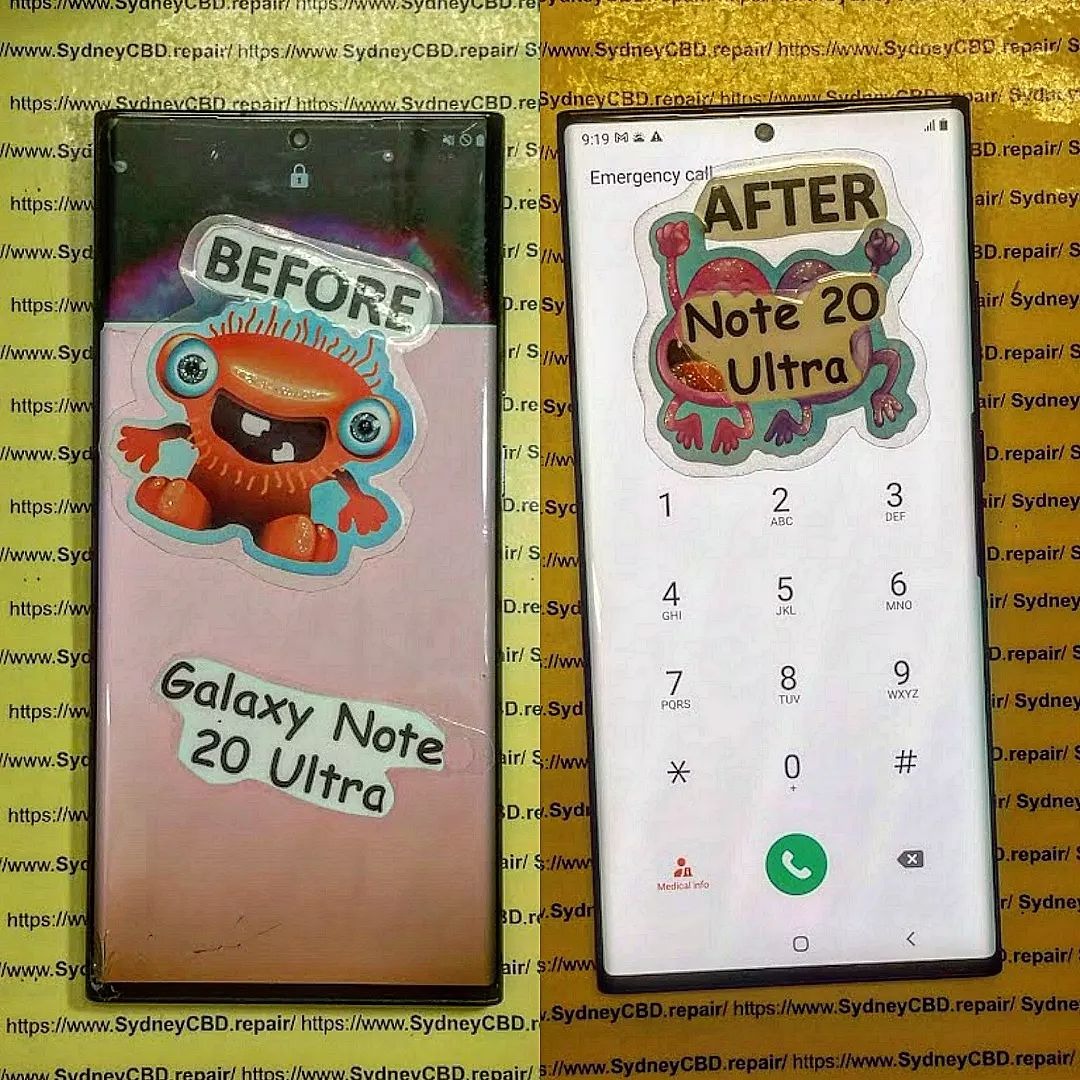
Cracked or unresponsive screens are repaired with genuine replacement parts, restoring your phone’s touch sensitivity and display quality.
Battery Replacement
Old or faulty batteries reduce performance. Replacing them increases device lifespan and charging efficiency.
Water Damage Repair
Water-exposed phones require expert intervention to prevent permanent damage. Sydney CBD uses advanced techniques to restore functionality safely.
Step 7: Post-Repair Checklist
Verify your device is fully functional before concluding the repair process.
Test Functionality
Check camera, touch screen, speakers, apps, Wi-Fi, and cellular connectivity. Ensure the repair has resolved all issues.
Restore Your Data
Use your backup to restore photos, apps, and personal files. Confirm that everything works as expected.
Step 8: Tips for International Customers
International customers need to consider customs regulations and shipping requirements. Use insured, trackable international shipping and comply with import/export rules to avoid delays.
Step 9: Cost Considerations
Understand pricing before sending your phone. Sydney CBD Repair Centre provides transparent quotes with no hidden fees. Compare repair costs for different devices to avoid surprises.
Step 10: Preventive Maintenance Tips
Reduce future repairs by taking preventive steps:
Use durable cases and screen protectors
Avoid water exposure
Charge your battery correctly
Keep software updated
FAQs
Q1: How long does mail-in repair take?
A1: Most repairs are completed within 24-72 hours after receipt, depending on device type and repair complexity.
Q2: Is my personal data safe during repair?
A2: Yes, technicians handle devices securely, but backups are highly recommended.
Q3: Can I track my phone during shipping?
A3: Absolutely. Sydney CBD Repair Centre provides real-time tracking updates.
Q4: Do you provide warranty on repairs?
A4: Yes, a 90-day warranty is included on all genuine part repairs.
Q5: What brands do you repair?
A5: Apple, Samsung, Google, Huawei, and more.
Q6: Can international customers use mail-in service?
A6: Yes, as long as proper shipping, customs, and insurance procedures are followed.
Conclusion
Mail-in repairs are a convenient, safe, and efficient solution for anyone needing top-tier mobile repairs. Sydney CBD Repair Centre combines professional expertise, genuine parts, and a proven track record of excellence. Whether local or international, sending your phone for repair has never been easier. Take the first step today to restore your device with confidence.
David from Sydney CBD Repair Centre – The Best place to fix mobile phones as 6 Years In A Row! Top Mobile Phone Repair In Sydney. More than 2000 Positive Reviews on Google and Same Day Repairs.
We take pride in delivering exceptional repair services for all major phone brands including Apple, Samsung, Google, and more. Our expert technicians use only genuine parts and offer 90days warranty on repairs. Located in the heart of Sydney CBD, we’re your one-stop solution for all mobile device repairs.
Our commitment to excellence has earned us the trust of thousands of satisfied customers. Whether it’s a cracked screen, battery replacement, or water damage repair, we handle it all with professional care and expertise. Walk in today and experience why we’re Sydney’s #1 choice for mobile phone repairs.
Visit us for:
✓ Same Day Express Repairs
✓ Genuine Parts Guarantee
✓ Professional Technicians
✓ Competitive Pricing
✓ 2000+ 5-Star Google Reviews
✓ 6-Time Award Winner for Best Phone Repairs
Data Safe: Phone Repair Without Factory Reset! 7 Expert Secrets You Must Know
Introduction
In today’s digital age, our smartphones are more than just gadgets — they’re personal vaults containing photos, messages, passwords, and confidential data. So, when your phone suddenly breaks or malfunctions, the thought of losing everything during repair can be stressful. Many people assume a factory reset is unavoidable, but that’s not true!
You can absolutely repair your phone without wiping your data — if you know the right methods and choose the right professionals. This guide will show you how to keep your personal information secure while getting your device fixed. From selecting a trusted repair centre to understanding data isolation techniques, you’ll discover seven expert secrets to ensure your data stays protected throughout the repair process.
Whether you own an iPhone, Samsung, or Google Pixel, these tips apply to all major brands and will help you make smart, safe choices for your next repair. Let’s dive in and learn how to keep your data safe — no factory reset required!
Many phone users worry that repairing their devices automatically means losing all their data. However, that’s not always true. In most professional repairs, such as screen replacements, battery changes, or charging port fixes, your personal files remain untouched.
Factory resets are usually performed when software or motherboard repairs are needed — and even then, skilled technicians can often repair the phone without erasing data.
Common Misconceptions About Factory Reset During Repair
A common myth is that technicians need access to your files to fix your phone. In reality, genuine repair centres use diagnostic tools that test components without accessing personal information.
Your photos, messages, and contacts are not needed for most repairs. At Sydney CBD Repair Centre, for instance, trained experts focus solely on the hardware or specific software problem, not your private content.
When your phone is opened for repair, the internal storage chip (where your data lives) is not accessed unless the issue specifically involves data recovery. This means your apps, passwords, and documents remain safe in most cases.
Internal Storage vs. Cloud Backup
Your phone’s internal memory is like a vault — unless intentionally wiped, your data stays there.
However, it’s always smart to back up your phone to iCloud or Google Drive just in case something unexpected happens.
When Data Might Be at Risk
Data could be vulnerable if:
You visit unverified repair shops.
Technicians replace storage chips without consent.
Malware is installed via unsecured diagnostic tools.
To avoid these risks, always go to certified centres like Sydney CBD Repair Centre, where customer data privacy is a top priority.
Expert Secret #1: Choose a Trusted Repair Centre
The first step in ensuring your data remains safe is selecting a reputable repair shop.
The Importance of Certified Technicians
Certified technicians are trained to follow strict data protection protocols. They know how to diagnose and repair without interfering with your files.
Checking Reviews and Certifications
Look for:
Verified Google reviews (like Sydney CBD Repair Centre’s 2000+ 5-star ratings)
Contrary to popular belief, a factory reset isn’t required for most physical repairs.
When a Factory Reset Might Actually Help
Sometimes, software corruption or boot loops can only be resolved by resetting. However, this should be a last resort.
When It’s Safe to Skip It
If the issue is purely hardware-based (screen, battery, camera), a factory reset isn’t necessary. Always ask your technician first.
Expert Secret #5: Privacy Agreements and Data Policies
A trustworthy repair centre will provide a privacy agreement outlining how they protect customer data.
What a Professional Repair Centre Should Offer
Confidentiality assurance
No unauthorized access to data
Written consent for data-related services
At Sydney CBD Repair Centre, these policies are standard — your trust and privacy come first.
Expert Secret #6: Use of Genuine Parts and Tools
Using non-genuine parts can compromise not just performance but also data integrity.
Why Cheap Parts Can Compromise Data Security
Fake parts may contain malware chips or interfere with system performance, risking data corruption. Genuine parts ensure both safety and reliability.
Expert Secret #7: Post-Repair Data Verification Steps
Once your phone is repaired, always double-check your data integrity.
Verifying Data Integrity After Repairs
Confirm:
All your apps open normally
Contacts, photos, and notes are still there
No new, unfamiliar apps are installed
Detecting Tampering or Data Loss
If you notice suspicious behavior (slowdowns, login alerts), reset your passwords immediately and contact your repair centre for clarification.
FAQs: Data Safety and Phone Repairs
1. Will my data be erased during phone repair?
Not usually. Only certain software or motherboard repairs require a data wipe.
2. Can technicians access my photos or messages?
No. Ethical and professional repair centres never access personal content.
3. Should I log out of my accounts before repair?
It’s a good precaution, especially for third-party apps like banking or email.
4. What if my phone won’t turn on?
You can still back up data using specialized tools — professional technicians can assist.
5. Is it safe to repair my phone at a local shop?
Yes, if the shop has certified technicians and strong privacy policies.
6. How do I know if my phone was tampered with?
Check for new apps, changed settings, or unusual login activity after repair.
Conclusion: Trust Professionals, Protect Your Privacy
Your personal data deserves protection, even when your phone is under repair. By choosing a certified, trusted repair centre like Sydney CBD Repair Centre, backing up your data, and understanding how professionals handle your device, you can enjoy worry-free repairs without factory resets.
Sydney CBD Repair Centre is Sydney’s most trusted mobile repair destination — known for:
✅ Same-day express repairs
✅ Genuine parts guarantee
✅ Certified technicians
✅ 2000+ 5-star reviews
✅ 6-time award-winning service
Visit us today at SydneyCBD.repair/locate-us or call +61280114119 to book your repair and keep your data safe!
David from Sydney CBD Repair Centre The Best place to fix mobile phones — 6 Years In A Row!
Top Mobile Phone Repair In Sydney with 2000+ Positive Reviews and Same Day Repairs.
We repair Apple, Samsung, Google, and all major brands using genuine parts — backed by a 90-day warranty.
📍 Visit: SydneyCBD.repair/locate-us
📞 Call: +61280114119
Sydney CBD Repair Centre — Where Quality Meets Reliability.
Foldable smartphones like the Samsung Galaxy Z Flip and Z Fold series have revolutionized mobile design, combining innovation and functionality in one sleek device. But with great technology comes delicate engineering—and that means inner screen damage is more common than most users realize.
Unlike traditional phones, flip phones have two interconnected displays joined by a flexible hinge. This unique construction makes the inner OLED display vulnerable to micro-stresses, temperature fluctuations, and pressure points that often go unnoticed until they cause significant visual or touch issues.
At Sydney CBD Repair Centre, we’ve seen hundreds of flip phone users shocked to discover cracks, flickering, or dead pixels hidden beneath the surface. Understanding how to identify and repair inner screen damage early can save you both money and frustration.
Your flip phone’s outer display serves quick tasks—checking notifications or snapping selfies. The inner screen, however, is a foldable AMOLED panel that delivers the full smartphone experience. Because of its flexible materials and embedded sensors, it’s far more sensitive to bending stress and heat.
Common Causes of Inner Screen Damage
Excessive folding pressure when snapping the phone shut
Debris or dust trapped in the hinge mechanism
Temperature changes, especially from cold to hot environments
Improper handling during cleaning or case installation
Drops or impacts, even when the outer shell appears fine
Many of these causes lead to “unseen damage”—hairline cracks or delamination that progress over time.
1. Spotting Unseen Damage Before It Gets Worse
Subtle Signs of Inner Screen Problems
Early detection can prevent catastrophic screen failure. Watch for these warning signs:
Faint horizontal or vertical lines after folding
Touch lag or dead spots in certain areas
Slight color distortions when opening fully
Bubbles or creases forming near the hinge
These issues often appear small at first but indicate deeper stress fractures.
Why Delayed Repairs Cost You More
Once the OLED begins to degrade, the issue spreads rapidly. Waiting too long can lead to complete display failure, forcing a full panel replacement rather than a localized fix. Early repair not only saves money—it preserves the integrity of your device’s hinge and wiring assembly.
2. Why Inner Screen Repairs Are Different from Regular Screen Replacements
The Complexity of Foldable Displays
Inner screen repair for flip phones is one of the most intricate procedures in modern smartphone repair. The flexible OLED panel is ultra-thin and bonded with adhesive layers to maintain foldability. Mishandling even one component can ruin the screen.
Tools and Techniques for Professional Repairs
At Sydney CBD Repair Centre, our technicians use manufacturer-grade tools to safely detach, clean, and replace foldable panels. The process requires precision temperature control, anti-static workstations, and genuine Samsung replacement parts—ensuring that your repaired screen performs like new.
3. Common Symptoms That Indicate Inner Screen Damage
Display Lines and Discoloration
If you notice faint lines or blotchy areas on your screen, it’s often due to pressure points or stress marks along the fold. These can worsen after repeated use.
Touch Response and Flickering Issues
When parts of your inner screen stop responding or flicker intermittently, the OLED’s underlying circuits may be damaged. Prompt repair can prevent further electrical failure.
4. The Step-by-Step Process of Inner Screen Repair
Initial Diagnostics and Disassembly
Technicians first perform a complete diagnostic scan to assess both screens and the hinge mechanism. The inner display is then carefully separated using a temperature-controlled separator.
Replacing the Foldable OLED Panel
A genuine replacement screen is installed using factory-standard adhesives and bonding methods. This ensures consistent flexibility and durability.
Testing and Quality Assurance
Every device undergoes multi-point testing—display calibration, hinge resistance check, and touch accuracy validation—before being returned to the customer.
5. Costs and Warranty Options for Inner Screen Repairs
Typical Repair Price Ranges
Repair prices vary depending on model and part availability. For most Samsung Galaxy Z Flip models, expect prices between $499 and $749 for an inner screen replacement.
How Warranty Coverage Works
Samsung’s limited warranty may cover some defects, but accidental or pressure-related damage is usually not included. Sydney CBD Repair Centre provides a 90-day warranty on all repairs for added peace of mind.
6. DIY Fixes vs Professional Inner Screen Repair
Why DIY Is Risky for Foldable Phones
Foldable screens are not designed for at-home repair. DIY attempts can cause irreversible hinge damage, burnt circuits, or screen delamination.
The Value of Expert Technicians at Sydney CBD Repair Centre
Our team has successfully repaired thousands of flip phones using only genuine parts and approved tools. We combine experience, speed, and reliability, earning over 2000 five-star reviews and six consecutive awards for Best Phone Repairs in Sydney.
7. How to Protect Your Flip Phone After Repair
Best Screen Protectors and Care Tips
Use Samsung-approved screen protectors, keep your phone away from extreme heat, and avoid pressing the middle of the fold.
Avoiding Common Mistakes That Cause Repeat Damage
Never use cheap third-party cases that stress the hinge or press the screen directly to close it. Regularly clean the hinge using a soft, dry brush to prevent grit buildup.
FAQs About Flip Phone Inner Screen Repair
Q1: Can the inner screen be repaired or does it always need replacement?
A: Minor display issues can sometimes be fixed, but most inner screen damages require a complete OLED panel replacement for long-term reliability.
Q2: How long does an inner screen repair take?
A: Most repairs are completed the same day, depending on parts availability.
Q3: Is it worth repairing my Galaxy Z Flip inner screen?
A: Absolutely. A professional repair restores full performance at a fraction of replacement cost.
Q4: Will my phone still be waterproof after repair?
A: Foldable devices lose factory sealing during repair. However, professional technicians reseal and test them for moisture resistance.
Q5: Can I continue using my phone with minor screen issues?
A: It’s risky. Even small cracks can spread quickly, leading to full display failure.
Q6: Do you offer pickup and drop-off services?
A: Yes. Sydney CBD Repair Centre offers convenient mail-in and walk-in repair options for all major phone brands.
Conclusion: Protect Your Investment with Professional Repairs
Your flip phone represents cutting-edge innovation—and it deserves professional care. Inner screen damage can start small but lead to costly replacements if ignored. At Sydney CBD Repair Centre, we specialize in Samsung Z Flip and Z Fold repairs, delivering same-day service, genuine parts, and guaranteed quality.
Trust Sydney’s most awarded repair team to bring your device back to life.
👉 Visit SydneyCBD.repair/locate-us or call +61280114119 today.
About Sydney CBD Repair Centre
Sydney CBD Repair Centre is the #1 choice for mobile phone repairs in Sydney—six years in a row!
With 2000+ positive Google reviews, genuine parts, and expert technicians, we provide unmatched repair services for Apple, Samsung, Google, and more.
✓ Same Day Express Repairs
✓ Genuine Parts Guarantee
✓ Professional Technicians
✓ Competitive Pricing
✓ 90-Day Warranty
✓ 6-Time Award Winner
📍 Located in the heart of Sydney CBD – Where Quality Meets Reliability.
Sydney CBD Repair: Smartphone Battery Longevity Secrets That Work + 10 Proven Tips
Introduction: Why Battery Longevity Matters
Smartphones have become our constant companions. From early morning alarms to late-night video calls, our phones keep us connected, entertained, and productive. But none of this is possible without a healthy battery.
Battery longevity is more than just convenience—it’s about reliability, cost savings, and sustainability. A weak or damaged battery can cause frequent shutdowns, slower performance, or even overheating. Instead of upgrading your phone every time the battery weakens, you can take simple steps to extend its life.
That’s where Sydney CBD Repair Centre steps in. With years of experience in repairing and replacing batteries for iPhone, Samsung, Google Pixel, and other top brands, they’ve seen firsthand how smart habits and timely maintenance can dramatically improve battery lifespan.
Understanding how your battery works is the first step toward taking better care of it.
Lithium-Ion Technology Explained
Most modern smartphones use lithium-ion batteries. These batteries are lightweight, rechargeable, and capable of holding a large amount of energy. However, like all batteries, they naturally degrade over time. Each charge cycle—when you charge from 0% to 100%—slightly reduces the battery’s total capacity.
On average, lithium-ion batteries last between 300–500 charge cycles before they begin to lose noticeable capacity. This means that how you charge and use your phone directly affects how quickly your battery wears out.
Common Myths About Battery Life
Before we dive into the tips, let’s clear up a few misconceptions:
Myth 1: “You must always charge to 100%.”
In reality, charging to 80–90% is often healthier for the battery.
Myth 2: “You should drain your battery to 0% often.”
Modern batteries don’t require full discharges; in fact, it can harm them.
Myth 3: “Fast charging destroys batteries.”
Certified fast charging is safe, though excessive heat should be avoided.
Now let’s get into the practical steps you can take today.
Tip 1: Avoid Extreme Temperatures
Heat is the number one enemy of smartphone batteries. Leaving your phone in a hot car, direct sunlight, or near heaters can cause permanent damage. Similarly, freezing temperatures reduce efficiency.
👉 Keep your phone between 16°C and 25°C (60°F to 77°F) whenever possible.
Tip 2: Charge Smart, Not Hard
Instead of waiting until your phone hits 0%, charge it when it drops to around 20–30%. Try unplugging around 80–90% to reduce stress on the battery. This technique, known as partial charging, can extend battery life significantly.
Tip 3: Enable Battery-Saving Features
Most modern phones include built-in battery saver modes. These limit background processes, reduce brightness, and optimize performance to conserve power. Turning this on during long days out can prevent deep discharges.
Tip 4: Keep Software Updated
Manufacturers often release software updates that improve battery efficiency. Always keep your phone updated, as these updates can fix bugs, optimize background processes, and extend runtime.
Tip 5: Optimize Screen Brightness
Your screen is the biggest battery drain. Reduce brightness manually or enable auto-brightness so the phone adjusts based on your environment. Also, using dark mode on OLED screens saves extra power.
Tip 6: Disable Unused Connectivity (Wi-Fi, Bluetooth, GPS)
When not in use, features like Wi-Fi, Bluetooth, and GPS drain power. Turn them off when unnecessary, or set them to automatic smart switching to conserve energy.
Tip 7: Manage Background Apps
Apps running in the background use memory, data, and power. Regularly check your battery usage stats to identify apps that drain too much and limit their activity.
Tip 8: Use Original or Certified Chargers
Cheap, uncertified chargers can damage your battery over time. Always use original or certified third-party accessories. At Sydney CBD Repair Centre, technicians recommend genuine OEM chargers to ensure safety and longevity.
Tip 9: Embrace Partial Charging
As mentioned earlier, partial charging keeps the battery healthier. Aiming for 20%–80% charging cycles reduces long-term degradation compared to frequent full charges.
Tip 10: Replace Old Batteries Early
Even with the best care, batteries eventually wear out. If your phone struggles to hold charge, gets hot, or shuts down unexpectedly, it’s time for a professional replacement. Sydney CBD Repair Centre offers same-day battery replacements with genuine parts.
How Professional Repairs Improve Battery Longevity
Sometimes, no amount of optimization will fix a worn-out battery. That’s when professional repair services become invaluable.
Diagnosis First: Skilled technicians test your battery and charging system before replacement.
Genuine Parts: Only original or OEM-certified batteries are installed.
Warranty Guarantee: At Sydney CBD Repair Centre, all repairs come with a 90-day warranty.
Expert Handling: Safe battery removal prevents risks like swelling or short-circuiting.
Why Choose Sydney CBD Repair Centre
Sydney CBD Repair Centre isn’t just another repair shop—it’s Sydney’s most trusted mobile repair provider.
✅ 6 Years in a Row – Best Phone Repair in Sydney
✅ 2000+ Google 5-Star Reviews
✅ Same Day Express Repairs
✅ Genuine Parts Guarantee
✅ Competitive Pricing
✅ Professional Technicians
Whether it’s a battery replacement, cracked screen repair, or water damage fix, you’ll get expert service and lasting solutions.
With proper care, most batteries last 2–3 years before needing replacement.
2. Is it okay to charge my phone overnight?
Yes, but avoid overheating. Modern phones stop charging at 100%, but leaving them plugged in for days is not recommended.
3. Can I replace my phone battery myself?
It’s possible, but not recommended. DIY battery swaps risk damage and safety hazards. Always visit professionals like Sydney CBD Repair Centre.
4. Does fast charging shorten battery life?
Certified fast charging is safe. Problems only occur with poor-quality chargers or excess heat.
5. Why does my phone battery drain so fast?
Common causes include background apps, high screen brightness, outdated software, or a worn-out battery.
6. When should I replace my smartphone battery?
If your phone shuts down unexpectedly, heats up often, or lasts only a few hours per charge, it’s time for replacement.
Conclusion: Take Control of Your Battery’s Future
Your smartphone battery is the lifeline of your device. By following the 10 proven tips, you can maximize its lifespan, save money, and reduce electronic waste. And when replacement is necessary, trust the experts at Sydney CBD Repair Centre for professional, same-day service with genuine parts.
Keep your phone reliable, powerful, and ready whenever you need it.
✅ Visit us for: ✓ Same Day Express Repairs ✓ Genuine Parts Guarantee ✓ Professional Technicians ✓ Competitive Pricing ✓ 2000+ 5-Star Google Reviews ✓ 6-Time Award Winner for Best Phone Repairs
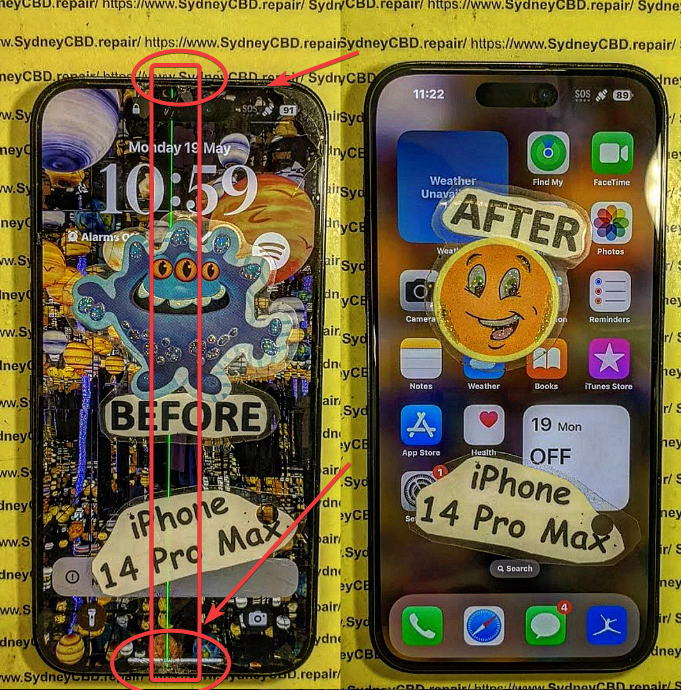
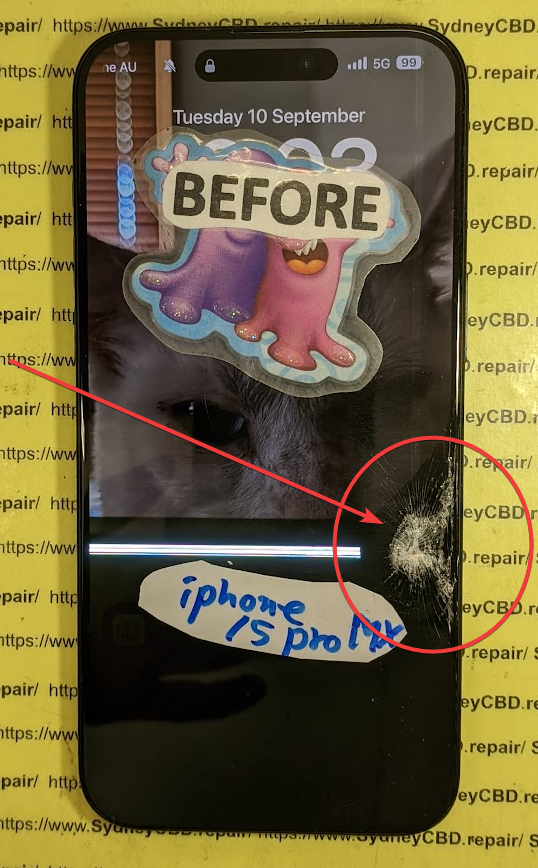
Imagine this: you’re standing beneath the dazzling light installations at Vivid Sydney 2025, your iPhone raised to capture the perfect shot of the Sydney Opera House transformed into a canvas of moving art. Suddenly, in the midst of the crowd, someone bumps your elbow. Your precious phone slips from your grasp and crashes to the ground. The heart-stopping moment when you pick it up and see that spider-web crack across your screen – it’s a scenario no festival-goer wants to experience.
But fear not! If disaster strikes during your Vivid Sydney adventure, Sydney CBD Repair Centre is your knight in shining armor, ready to save your digital companion with lightning-fast iPhone screen replacement services. Located just minutes from the festival’s main attractions, our award-winning repair center ensures you won’t miss a beat of the spectacular “Vivid Sydney, Dream” experience.
Understanding Vivid Sydney 2025
What is Vivid Sydney 2025?
Vivid Sydney 2025 is Australia’s premier festival of light, music, ideas, and food, transforming the city into a magical wonderland from May 23rd to June 14th. This year’s theme, “Vivid Sydney, Dream,” invites visitors to explore the boundaries of imagination through breathtaking light installations, thought-provoking talks, mesmerizing music performances, and culinary delights that awaken all senses.
The festival spans across key Sydney locations including Circular Quay, The Rocks, Barangaroo, Darling Harbour, and various CBD locations – all within easy reach of our repair center. With three weeks of non-stop festivities, Vivid Sydney 2025 promises to be the most captivating iteration yet, drawing millions of visitors from across Australia and around the world.
The Importance of a Functioning Phone During the Festival
In today’s digital age, your smartphone isn’t just a communication device – it’s your festival companion. During Vivid Sydney, your iPhone serves multiple critical purposes:
Capturing stunning photos and videos of light installations
Navigating between festival locations with maps
Checking the event schedule for performances and talks
Staying connected with friends and family in crowded areas
Sharing your experience on social media in real-time
Making payments for food, drinks, and souvenirs
Accessing your digital tickets and event passes
A cracked or malfunctioning screen can severely hamper these essential functions, potentially turning your dream festival experience into a frustrating ordeal. That’s why having access to fast, reliable repair services is crucial during this vibrant celebration.
iphone screen replacement
Why iPhone Screen Damage Happens More During Festivals
Common Causes of Screen Damage at Crowded Events
Festival environments like Vivid Sydney create the perfect storm for phone accidents. Our repair data shows a 35% increase in iPhone screen repairs during major Sydney events. The most common causes include:
Crowded spaces: Navigating through thousands of people increases the risk of drops and bumps.
Nighttime visibility issues: Low lighting makes it easier to mishandle your device.
Photography enthusiasm: Constantly taking out your phone for photos increases drop opportunities.
Weather conditions: Unexpected rain can make hands and surfaces slippery.
Multi-tasking challenges: Juggling food, drinks, and your phone is a recipe for accidents.
The Impact of a Damaged Screen on Your Festival Experience
A cracked iPhone screen isn’t just an aesthetic issue – it can significantly impact your Vivid Sydney experience in several ways:
Visibility problems: Light installations appear distorted through a cracked screen
Touch functionality issues: Navigation becomes difficult or impossible
Safety concerns: Glass shards or screen lifting can cause finger injuries
Battery drain: Damaged screens often cause faster battery depletion
Water vulnerability: Screen cracks compromise water resistance, particularly concerning with Sydney’s unpredictable weather
Photography limitations: Camera functionality suffers with a damaged display
Don’t let these issues dim your Vivid Sydney experience when a quick repair solution is just minutes away.
Sydney CBD Repair Centre: Your Vivid Sydney 2025 Phone Savior
About Sydney CBD Repair Centre
Sydney CBD Repair Centre stands as Sydney’s premier destination for mobile phone repairs, particularly iPhone screen replacements. Established with a commitment to excellence, we’ve grown to become the most trusted repair service in the CBD, serving over 47,000 satisfied customers.
What sets us apart is our unique combination of technical expertise, genuine care for customer needs, and lightning-fast service – critical factors during a time-sensitive event like Vivid Sydney. Our team of certified technicians, some of whom brought their specialized “Brand New Gangnam Style Mobile Phone Repair Service” expertise from South Korea, handles everything from simple screen replacements to complex board-level repairs.
Broken-iPhone-13-Screen-02
Our Award-Winning Service History
Our commitment to excellence hasn’t gone unnoticed. Sydney CBD Repair Centre has earned prestigious recognition in the industry:
Best Cultural, Arts or Music Event at the Australian Event Awards
18 medals, including 8 Golds, at the International Festival & Events Association (IFEA) Pinnacle Awards
Six consecutive years as Sydney’s Top Mobile Phone Repair Service
Over 1,900 positive Google reviews from satisfied customers
These accolades reflect our unwavering dedication to providing exceptional repair services that get you back to enjoying life’s important moments – like Vivid Sydney 2025 – without missing a beat.
Convenient Location for Vivid Sydney Attendees
Our strategic location makes us the perfect emergency repair option during Vivid Sydney 2025. Situated at Suite 201, Level 2, 661 George St, Haymarket, NSW 2000, we’re positioned right in the heart of the action:
Just a short 3-minute walk from the Chinatown Light Rail stop
7 minutes from Central Railway Station
5 minutes from World Square
Easy walking distance from many major Vivid Sydney installations
Accessible from Darling Harbour and Circular Quay via a quick light rail trip
This prime location means if disaster strikes while you’re exploring the festival, you can drop off your damaged iPhone, explore nearby installations, and return to a fully repaired device – often within the hour!
When you’re in the midst of experiencing Vivid Sydney’s spectacular offerings, time is precious. That’s why we’ve streamlined our repair process to minimize wait times:
Express service: Most iPhone screen replacements completed within 30-60 minutes
Record-breaking repairs: Some standard models repaired in as little as 20 minutes
Same-day guarantee: Even during peak festival times, we ensure same-day completion
No appointment necessary: Walk-ins welcome, though bookings help reduce wait times during busy periods
Waiting area available: Comfortable space with Wi-Fi if you prefer to wait
Our efficient process means you can drop off your damaged iPhone, grab a quick lunch or check out a nearby Vivid installation, and return to a fully functional device – all without missing the evening’s main light displays.
Quality Parts and Professional Technicians
At Sydney CBD Repair Centre, we never compromise on quality, even when delivering rapid repairs:
Expert technicians: Our repair specialists have an average of 7+ years of experience
Rigorous quality control: Every repaired device undergoes comprehensive testing
90-day warranty: All screen replacements backed by our satisfaction guarantee
Transparent pricing: No hidden fees or last-minute surprises
Comprehensive solution: We check for associated damage to cameras, sensors, and other components
Types of Screens We Use for Different iPhone Models
We tailor our repair approach based on your specific iPhone model:
iPhone 11, 12, 13, 14, 15 and 16 series: High-quality aftermarket screens offering excellent value while maintaining near-original display quality. This option balances cost-effectiveness with performance for newer models where genuine parts come at a significant premium.
Older iPhone models: Original quality screens that match factory specifications for perfect fit and function. These provide an authentic experience at a reasonable price point.
Premium option: For professionals and enthusiasts, we offer premium-grade screens with enhanced color accuracy and brightness – perfect for capturing and viewing Vivid Sydney’s spectacular light displays.
Our Transparent Repair Process
We believe in complete transparency, which is why we offer an open repair process:
Initial assessment: Quick diagnostic check to confirm the issue is limited to the screen
Clear quotation: Upfront pricing with no hidden costs
Visible repairs: You’re welcome to watch the repair process through our open workshop layout
Comprehensive testing: We test all functionality including touch response, True Tone, Face ID, and camera operation
Final quality check: Thorough inspection before handover
Warranty explanation: Clear details on your 90-day coverage
This transparency builds trust and ensures you understand exactly what service you’re receiving – especially important when you’re away from home enjoying Vivid Sydney.
Special Vivid Sydney 2025 Repair Offers
Festival-Exclusive Discounts
To celebrate Vivid Sydney 2025 and help ensure no visitor misses out due to phone damage, we’re offering special festival-period discounts:
Same-Day Repair Bonus: Complimentary tempered glass screen protector with every screen replacement
Festival Photo Recovery: Free data recovery assistance if your screen damage has affected access to your Vivid Sydney photos
These limited-time offers are our way of contributing to the vibrant community spirit of Vivid Sydney 2025.
Priority Service for Vivid Sydney Attendees
We understand that every minute counts when you’re enjoying a festival. That’s why we’ve implemented a special priority system for Vivid Sydney attendees:
Express lane: Dedicated check-in process for festival visitors
Priority queue: Faster service during peak repair hours
Booking ahead: Mention “Vivid Sydney” when calling to reserve a specific time slot
Our goal is to get you back to the festival as quickly as possible, with a fully functional iPhone to capture and enhance your experience.
Why Choose Us Over Other Repair Options During the Festival
Comparison with Apple Store Repairs
While Apple provides excellent service, there are several advantages to choosing Sydney CBD Repair Centre during Vivid Sydney:
Factor
Sydney CBD Repair Centre
Apple Store
Repair Time
30-60 minutes on average
Often 2+ hours or several days
Appointment
Walk-ins welcome
Appointment typically required
Cost
Competitive pricing
Generally higher pricing
Location
Central to Vivid Sydney locations
Limited store locations
Extended Hours
Special festival hours
Standard retail hours
Warranty
90 days on repairs
90 days on repairs
Festival Benefits
Special offers for attendees
No specific festival offers
Benefits of Local, Specialized Repair Services
Choosing a specialized local repair center during Vivid Sydney offers unique advantages:
Festival-specific understanding: We know the importance of having your phone during the event
Flexible solutions: Multiple repair options and price points to suit your needs
Personalized service: Direct communication with the technician handling your device
Supporting local business: Contribute to Sydney’s vibrant small business community
Established reputation: Over 1,900 positive reviews from satisfied customers
Festival location knowledge: Staff can recommend nearby Vivid installations to check out while you wait
Our intimate knowledge of both iPhone repairs and the Vivid Sydney festival makes us uniquely positioned to serve attendees with damaged devices.
Customer Success Stories During Previous Vivid Sydney Events
Real Testimonials from Festival Goers
Nothing speaks louder than the experiences of previous customers who faced phone emergencies during Vivid Sydney:
“Disaster struck when my iPhone 13 slipped from my pocket at Circular Quay during last year’s Vivid. The screen was completely shattered. Sydney CBD Repair Centre fixed it in 40 minutes flat while I grabbed dinner. I didn’t miss the main light show and still had my phone to capture it all. Absolute lifesavers!” – Sarah T.
“I was visiting from Melbourne specifically for Vivid Sydney and dropped my phone on day one. Thought my trip photos were doomed until I found these guys. Not only was the repair quick and affordable, but they also recommended some hidden gem installations to check out while I waited. That’s service!” – James K.
“As a photography enthusiast, my iPhone 14 Pro is essential during Vivid. When the screen cracked, I panicked about missing the perfect shots. Sydney CBD Repair Centre had me back up and running in under an hour with a screen that looks better than new. Their premium replacement option was worth every penny for the color accuracy.” – Michelle L.
These real experiences demonstrate our commitment to saving Vivid Sydney experiences one phone at a time.
Preparing Your iPhone for Vivid Sydney 2025
Preventative Measures to Avoid Screen Damage
While we’re always ready to help with repairs, prevention is better than cure. Consider these precautions before heading to Vivid Sydney:
Invest in protection: A quality case with raised edges and a tempered glass screen protector provide essential defense.
Secure handling: Use a phone grip, lanyard, or wrist strap for additional drop protection in crowds.
Pocket management: Avoid placing your phone in back pockets or loose jacket pockets where it can easily fall out.
Weather preparation: Bring a waterproof case or pouch if rain is forecast.
Battery planning: Carry a power bank to avoid the need to connect your phone to public charging stations, which increases handling risks.
Regular checks: Ensure existing case and screen protectors are in good condition before the festival.
Backup your data: Make sure your photos and videos are backing up to iCloud or another service in case of device damage.
Essential Accessories for Phone Protection
Based on our repair experience, we recommend these specific accessories for Vivid Sydney attendees:
Case recommendations: Look for cases with military-grade drop protection (MIL-STD-810G) and raised bezels
Screen protection: Tempered glass protectors with 9H hardness rating offer the best defense
Handling aids: Pop sockets, phone rings, or wrist straps minimize drop potential
Weather protection: Waterproof pouches that still allow touchscreen functionality
Photography enhancers: Stabilizing grips that also provide additional drop security
We stock many of these protective accessories at our store, allowing you to upgrade your phone’s protection before heading back into the festival.
What to Do If Your iPhone Screen Breaks During Vivid Sydney 2025
If the unfortunate happens and your screen cracks during the festival, follow these steps for the fastest resolution:
Assess the damage: Check if the phone is still functional or if there are sharp edges that could cause injury.
Protect the screen: Apply clear tape over severely cracked areas to prevent further damage or cuts.
Back up if possible: If the phone is still operational, quickly back up any recent photos or videos.
Visit us: Head to Sydney CBD Repair Centre at 661 George St, Haymarket.
Continue your festival experience: Drop off your device and use the repair time to explore nearby installations.
Return for pickup: Come back at the designated time to collect your repaired iPhone.
Our efficient process ensures minimal disruption to your Vivid Sydney experience.
Beyond Screen Repairs: Other Services for Festival Goers
While screen damage is the most common issue during festivals, we offer comprehensive solutions for all iPhone emergencies:
Battery replacements: If your phone can’t last through a full evening of Vivid activities
Water damage treatment: For those unexpected Sydney rain showers
Camera repairs: Essential for capturing the spectacular light installations
Charging port fixes: When you can’t recharge between festival locations
Software troubleshooting: For unexpected glitches or app issues
Data recovery: When accessing your festival photos is critical
Our full-service approach ensures that whatever phone emergency arises during Vivid Sydney, we have you covered.
Conclusion: Don’t Let a Cracked Screen Dim Your Vivid Sydney Experience
Vivid Sydney 2025’s “Dream” theme invites visitors to immerse themselves in a world of light, sound, and imagination. Your iPhone is your gateway to capturing, sharing, and enhancing this once-a-year experience. A damaged screen shouldn’t force you to miss a single moment of this spectacular festival.
Sydney CBD Repair Centre stands ready to rescue your Vivid Sydney experience with fast, professional iPhone screen replacements. Our central location, express service, quality parts, and festival-specific offers make us the obvious choice for emergency repairs during this busy period.
Whether you’re a Sydney local or a visitor exploring our beautiful city during this magical time, know that help is just minutes away if your iPhone suffers damage. Our team of expert technicians understands the urgency of festival repairs and is committed to getting you back to the celebrations as quickly as possible.
Don’t let a cracked screen cloud your Vivid Sydney 2025 “Dream.” Visit Sydney CBD Repair Centre and let us restore your digital window to this extraordinary festival.
FAQs About iPhone Screen Repairs During Vivid Sydney 2025
1. How long will it take to replace my iPhone screen during Vivid Sydney?
Most iPhone screen replacements at Sydney CBD Repair Centre are completed within 30-60 minutes, depending on your specific model. Some standard models can be repaired in as little as 20 minutes. We understand time is precious during the festival and prioritize efficiency without compromising quality.
2. Can I still use my iPhone if the screen is cracked but still functioning?
While a cracked iPhone may still function, continuing to use it risks several issues: glass shards can cause finger injuries, screen damage can worsen over time, and the phone’s water resistance is compromised. Additionally, visibility issues may affect your ability to capture and enjoy Vivid Sydney’s spectacular displays. We recommend getting it repaired promptly to avoid these complications.
3. Do I need to make an appointment for screen repair during Vivid Sydney, or can I just walk in?
We welcome walk-ins during Vivid Sydney 2025, but recommend calling ahead or booking online to reduce wait times during this busy period. Mentioning that you’re attending Vivid Sydney when booking will allow us to prepare for your arrival and potentially offer you our festival-specific priority service.
4. What should I do to protect my data before bringing my iPhone in for screen replacement?
If your iPhone is still operational, we recommend backing up your device to iCloud or your computer before repair. However, if that’s not possible, don’t worry – our screen replacement process typically doesn’t affect your data. Our technicians are trained to preserve all your information, including those precious Vivid Sydney photos and videos.
5. How does your pricing compare to the Apple Store for iPhone screen replacements during the festival?
Our screen replacement services typically cost 30-40% less than equivalent repairs at the Apple Store, while still maintaining excellent quality. During Vivid Sydney 2025, we’re offering additional festival-specific discounts that make the value even better. Unlike Apple, we also offer tiered pricing options depending on the screen quality you prefer, allowing you to choose based on your budget and requirements.
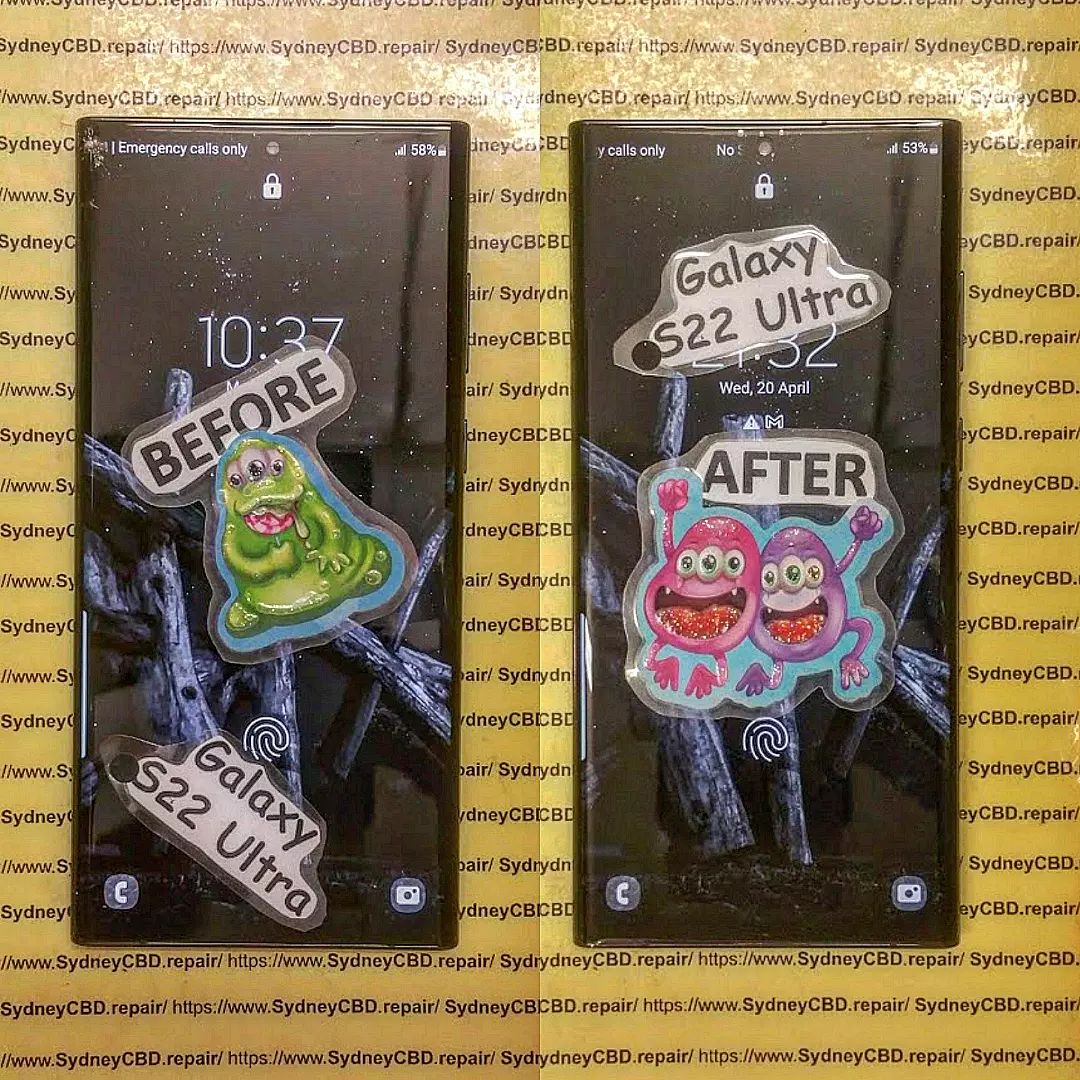
Is your Galaxy S22 Ultra screen shattered, and you’re looking for a reliable place to get it fixed fast? Look no further than Sydney CBD Repair Centre. And who better to handle it than David, the shop’s master technician? Let’s dive deep into why this shop is the go-to for fast, quality repairs, and whether David really lives up to the hype.
Fast Galaxy S22 Ultra Screen Replacement in Sydney CBD Repair Centre. Is David Good at It?
Table Of Contents:
Introduction
Importance of Screen Replacements for the Galaxy S22 Ultra
The Premium Experience of the Galaxy S22 Ultra
Common Causes of Screen Damage
Why a Quick Repair is Crucial
Sydney CBD Repair Centre: The Go-To Place for Galaxy S22 Ultra Repairs
Overview of Sydney CBD Repair Centre
Why Choose Sydney CBD Repair Centre?
Range of Services Offered
Meet David: The Master Technician
David’s Expertise in Galaxy S22 Ultra Repairs
Customer Reviews of David’s Work
David’s Approach to Fast and Reliable Screen Replacements
What to Expect During a Screen Replacement
Step-by-Step Breakdown of the Process
Quality Parts Used for Repairs
The Role of Aftercare and Warranty
How Fast is the Screen Replacement Service?
Factors That Influence Repair Time
Real-Time Service Duration at Sydney CBD Repair Centre
Pricing and Transparency
Cost of Galaxy S22 Ultra Screen Replacement
Value for Money: Comparing Other Shops
Hidden Costs to Watch Out For
Conclusion: Is David Good at Galaxy S22 Ultra Screen Repairs?
FAQs
How long does it take to replace a Galaxy S22 Ultra screen?
Can I trust aftermarket screens for my Galaxy S22 Ultra?
What is the warranty on screen repairs?
Do I need to back up my phone before repair?
Can I get my screen replaced while I wait?
Introduction
Is your Galaxy S22 Ultra screen shattered, and you’re looking for a reliable place to get it fixed fast? Look no further than Sydney CBD Repair Centre. And who better to handle it than David, the shop’s master technician? Let’s dive deep into why this shop is the go-to for fast, quality repairs, and whether David really lives up to the hype.
Where to get your Galaxy S22 Ultra screen repaired
Importance of Screen Replacements for the Galaxy S22 Ultra
The Premium Experience of the Galaxy S22 Ultra
The Galaxy S22 Ultra is a powerhouse of a smartphone with a sleek design and advanced display features. Its high-resolution AMOLED screen delivers stunning visuals, making it a favorite for those who enjoy watching content or working on the go. However, its premium design makes it vulnerable to accidental damage, particularly screen cracks or shattering from drops.
Common Causes of Screen Damage
From unexpected drops to accidental impacts, there are several reasons your Galaxy S22 Ultra screen could suffer damage. Slips from your hand, falling out of your pocket, or even being crushed in a bag are just a few common scenarios that lead to cracked or shattered screens.
Why a Quick Repair is Crucial in Galaxy S22 Ultra
A cracked screen isn’t just an aesthetic problem—it can lead to functionality issues. Delaying repair can cause the cracks to worsen, affect touch sensitivity, or even damage the internal components of your phone. Quick repair is crucial to maintaining the phone’s premium experience and avoiding further complications.
Sydney CBD Repair Centre: The Go-To Place for Galaxy S22 Ultra Repairs
Conveniently Located in Sydney CBD-red.png
Overview of Sydney CBD Repair Centre
Sydney CBD Repair Centre is known for providing fast and professional repairs for high-end smartphones, particularly the Galaxy S22 Ultra. Located in the heart of Sydney, this repair shop has built a reputation for quality services, competitive pricing, and top-notch customer care.
Why Choose Sydney CBD Repair Centre for Galaxy S22 Ultra?
Choosing Sydney CBD Repair Centre means trusting a team that understands the complexity of your Galaxy S22 Ultra. The shop’s commitment to using high-quality parts, fast service, and offering a solid warranty makes it a preferred choice for many.
Range of Services Offered
Aside from screen replacements, Sydney CBD Repair Centre also handles battery replacements, camera repairs, water damage recovery, and much more for various smartphone models. Whether it’s a minor fix or a major issue, the shop has you covered.
Meet David: The Master Technician
David’s Expertise in Galaxy S22 Ultra Repairs
David, the head technician at Sydney CBD Repair Centre, brings years of experience and expertise to the table. His specialized knowledge in handling high-end smartphones like the Galaxy S22 Ultra ensures your device is in capable hands. His deep understanding of screen technologies and repair techniques makes him stand out in the industry.
Customer reviews often highlight David’s exceptional skills and speed in handling repairs. Many clients rave about how their phones look and work as good as new after David’s touch. His meticulous attention to detail has earned him a reputation for being one of the best technicians in Sydney.
David’s Approach to Fast and Reliable Screen Replacements
David doesn’t just aim for speed—he ensures that the quality of the repair is never compromised. His methodical approach includes a thorough diagnosis, careful screen replacement, and post-repair testing to guarantee everything works perfectly before handing the phone back to the customer.
When you bring in your Galaxy S22 Ultra, David and his team begin with a diagnostic check to ensure the issue is limited to the screen. They then proceed to carefully remove the damaged screen and replace it with a high-quality part. The process is completed with thorough testing to make sure the new screen is fully functional.
Quality Parts Used for Repairs
Sydney CBD Repair Centre is committed to using top-tier aftermarket parts for most phone repairs, ensuring that your Galaxy S22 Ultra screen replacement is durable and performs just like the original.
The Role of Aftercare and Warranty
After your repair, you’ll receive a 90-day warranty covering any issues related to the screen replacement. Sydney CBD Repair Centre also provides tips on how to care for your newly replaced screen to prolong its life.
How Fast is the Screen Replacement Service?
Factors That Influence Repair Time
Several factors can influence the speed of a screen replacement, such as the availability of parts and the extent of the damage. Fortunately, at Sydney CBD Repair Centre, they strive to keep these factors under control to ensure a fast turnaround.
Real-Time Service Duration at Sydney CBD Repair Centre
In most cases, David can complete a screen replacement in under an hour, making it ideal for busy professionals or travelers who can’t be without their phones for long.
Pricing and Transparency
Cost of Galaxy S22 Ultra Screen Replacement
The cost of a Galaxy S22 Ultra screen replacement at Sydney CBD Repair Centre is competitive, especially considering the high-quality parts and fast service. The shop offers clear pricing, so you know exactly what you’re paying for upfront.
Value for Money: Comparing Other Shops
Compared to other repair shops, Sydney CBD Repair Centre offers excellent value for money. Many competitors may charge more for similar services, but few can match the expertise and quality of service you get here.
Hidden Costs to Watch Out For
Sydney CBD Repair Centre believes in full transparency, ensuring no hidden fees. You pay for the screen replacement and get a clear breakdown of the costs involved.
Conclusion: Is David Good at Galaxy S22 Ultra Screen Repairs?
Without a doubt, David is one of the best technicians in Sydney when it comes to Galaxy S22 Ultra screen replacements. His combination of speed, skill, and attention to detail ensures that every phone he works on is returned in top condition. Whether you need a quick fix or a comprehensive repair, David’s work speaks for itself.
FAQs
How long does it take to replace a Galaxy S22 Ultra screen?
At Sydney CBD Repair Centre, a Galaxy S22 Ultra screen replacement typically takes less than an hour, depending on the extent of the damage.
Can I trust aftermarket screens for my Galaxy S22 Ultra?
Yes, Sydney CBD Repair Centre uses high-quality aftermarket screens that perform just like the original, ensuring durability and responsiveness.
What is the warranty on screen repairs?
All screen replacements come with a 90-day warranty, covering any defects related to the repair.
Do I need to back up my phone before repair?
While it’s not mandatory, it’s always a good idea to back up your phone before any repair to safeguard your data.
Can I get my screen replaced while I wait?
Yes, most screen replacements are done on the spot, allowing you to get your phone back within an hour.
When your Samsung Galaxy S22 Ultra’s screen shatters, there’s no way around it—you need a reliable replacement. At the Sydney CBD Repair Centre, we specialize in professional, same-day screen replacements for this advanced smartphone.
Our expert technicians understand the intricacies of the Galaxy S22 Ultra, with its stunning AMOLED display and powerful features. We take great care during repairs to ensure your device is restored to its optimal performance.
Key Services Offered:
Same-Day Screen Replacement: Get your phone back in no time.
Careful Disassembly: We document every step of the process, ensuring a transparent repair experience.
Expert Guidance: Our team shares valuable tips on maintaining your phone’s water resistance and testing post-repair functionality.
Step-by-Step Repair Process of Galaxy S22 Ultra
Assessment: We begin with a thorough inspection of the device to identify the extent of the damage.
Disassembly: Our technicians meticulously disassemble the Galaxy S22 Ultra, paying close attention to the delicate components.
Screen Replacement: We install a brand-new, high-quality display, ensuring a perfect fit and alignment.
Reassembly and Testing: After the repair, we reassemble the device and conduct comprehensive tests to guarantee everything works flawlessly.
Tips for Protecting Your Screen
After watching our detailed video on the screen replacement process, you’ll learn not only how to handle repairs but also how to protect your device in the future.
Use a Screen Protector: This simple addition can significantly reduce the risk of damage.
Invest in a Quality Case: A sturdy case can absorb shocks and protect your phone from accidental drops.
Be Mindful of Your Environment: Avoid placing your phone in pockets with sharp objects or in precarious situations.
Connect with Us
For more information on our screen replacement services, visit our website or stop by our shop:
Address:
Suite 201, Level 2
661 George St, Haymarket, NSW 2000
Whether you’re facing a shattered screen or just curious about the repair process, our comprehensive video and expert services at Sydney CBD Repair Centre are here to help. Don’t forget to like, share, and subscribe to our channel for more insightful tech content!