In our connected world, your smartphone is more than just a gadget — it’s your camera, your office, your navigation system, and your link to friends and family. But what happens when disaster strikes while you’re travelling overseas? Whether you drop your phone on a cobblestone street in Europe, crack your screen in Bali, or spill coffee on it in Tokyo, the question is the same: Should you repair it overseas or wait until you’re back home?
Travelling adds a unique twist to phone repairs. While many countries have capable technicians, there are important factors to consider:
1. Availability of Genuine Parts
Not every overseas repair shop has access to official Apple, Samsung, or Google components. Some may use cheaper aftermarket parts that affect performance or void your warranty.
2. Warranty Implications
Manufacturer warranties often vary by region. A repair done in another country could leave you without coverage back home if non-approved parts are used.
3. Repair Quality and Standards
Repair processes and quality checks can differ widely. Without trusted reviews or certifications, it’s hard to know if your phone is in safe hands.
Compatibility Issues – Some replacement parts may not match your phone’s regional model.
Language Barriers – Miscommunication can lead to incorrect repairs or misunderstandings about costs.
Time Delays – Waiting days in a foreign country for parts to arrive could disrupt your trip.
When Overseas Repair Makes Sense
Sometimes you can’t wait until you’re back home:
Essential Work Device – If your job depends on your phone daily.
Severe Damage – When your phone is completely unusable and you need it immediately.
Long-Term Travel – If you won’t be back for weeks or months.
In these cases, look for authorized repair centres overseas and confirm they use genuine parts.
Why Many Travellers Choose to Wait
If the phone is still usable and the issue isn’t urgent, many travellers prefer to wait and have their phone repaired at a trusted home repair centre. This ensures:
Consistent Quality Standards
Warranty-Friendly Repairs
Better Part Availability
Familiar Communication
Your Safe Bet – Sydney CBD Repair Centre
When you’re back in Sydney, there’s a reason thousands choose Sydney CBD Repair Centre:
✓ Same Day Express Repairs – Get your phone back fast.
✓ Genuine Parts Guarantee – We use only official manufacturer components.
✓ Professional Technicians – Skilled in Apple, Samsung, Google, and more.
✓ 2000+ 5-Star Google Reviews – A track record you can trust.
Check Brand Authorisation – Choose a certified Apple, Samsung, or Google repairer.
Ask for a Detailed Invoice – Include the part type and warranty terms.
Inspect Before You Leave – Test all functions before paying.
Document the Damage – Take photos in case you need to claim warranty later.
Final Thoughts – A Global Journey for Your Device
Your phone may take you around the world, but when it’s damaged, you need the peace of mind that comes with trusted, high-quality repairs. Whether you choose to fix it abroad or wait until you’re back in Sydney, make sure it’s in the hands of experts who understand your device inside and out.
And if you’re coming home to Australia, Sydney CBD Repair Centre will be ready to welcome you — and your phone — back to peak performance.
🔧 The Secret World of Expert Screen Repairs—Revealed
Most people think screen repair is just about swapping a broken glass for a new one. But at Sydney CBD Repair Centre, we know the truth: screen repair is a craft. A delicate balance of tools, timing, technique, and experience.
Whether you’re a curious tech enthusiast or someone who wants to make smarter repair decisions, here’s an exclusive look into the hidden screen repair secrets only the best technicians use.
📱 Genuine vs. Generic Phone Screens: What’s the Difference?
🔍 Introduction: The Real Price Behind the Screen
Your smartphone screen does more than just display content—it’s the heart of your interaction with your device. When it’s cracked or damaged, you’re faced with a decision: go with a cheaper, generic screen or invest in a genuine replacement.
At first glance, the difference may seem minimal. But beneath the glass, the consequences of your choice can significantly affect your phone’s performance, lifespan, and value.
A genuine screen is one that’s manufactured by, or approved by, the original brand—whether that’s Apple, Samsung, Google, or others. These screens are built to meet exact specifications for:
Resolution
Touch responsiveness
Color reproduction
Battery efficiency
They’re the same as the ones used when the phone was first assembled.
Generic screens—often labeled as “aftermarket,” “third-party,” or “compatible”—are made by other manufacturers who don’t follow the strict standards set by the phone’s brand.
Although they fit the phone’s housing, they often lack:
High-quality materials
Accurate touch calibration
Full software compatibility
Result: While they may be cheaper, performance is usually compromised.
🎨 1. Display Quality: Clarity, Brightness, and Color Accuracy
Genuine screens deliver true-to-life color, deep contrast, and optimal brightness—even in direct sunlight.
Generic screens may:
Look dull or washed out
Show lower brightness levels
Struggle with contrast in low-light modes
If you value vibrant visuals, genuine is the clear winner.
✋ 2. Touch Responsiveness and Sensitivity
Genuine screens provide seamless responsiveness, essential for:
Gaming
Typing
Swiping
Multi-touch gestures
With generic screens, you may experience:
Lagging input
Missed taps
Ghost touches
This can frustrate even the simplest tasks like messaging or scrolling.
🛡️ 3. Durability and Resistance to Damage
Genuine screens are designed with Gorilla Glass or similar high-grade materials, offering better resistance against drops and scratches.
Generic screens often use inferior glass that cracks more easily—even with minor impacts.
At Sydney CBD Repair Centre, we’ve seen generic replacements shatter within a week of use.
⚙️ 4. Compatibility With Software and Hardware Features
OEM screens are designed to support:
True Tone and Face ID (on iPhones)
Fingerprint sensors
Adaptive brightness
Refresh rate synchronization
Generic screens can disable or degrade these features.
🔋 5. Battery Life and Power Consumption Differences
Genuine screens are optimized for power efficiency, reducing unnecessary battery drain.
Generic screens may lack power-saving calibration, causing:
Faster battery depletion
Overheating
Shorter battery lifespan
🔥 6. Safety Concerns: Heat, Short Circuits, and Fire Hazards
Poor-quality generic screens may cause:
Short circuits
Improper grounding
Excessive heat buildup
This creates real fire and explosion risks—especially if the battery or internal connectors are disturbed during installation.
📝 7. Warranty and Manufacturer Support
Using a generic screen often voids your phone’s warranty. Many manufacturers refuse repairs if the phone has been opened or modified with non-genuine parts.
Sydney CBD Repair Centre uses only genuine or certified OEM parts, preserving your warranty and device integrity.
💡 Why Genuine Screens Offer Long-Term Value
Though they cost more upfront, genuine screens offer:
Longer lifespan
Lower risk of future issues
Better resale value
Generic screens may save money now, but cost you more later in repairs and frustration.
❌ Common Myths About Generic Screens Debunked
Myth
Reality
“They’re just as good”
Generic screens lack the precision and quality of OEM ones
“They save money”
You may pay more in repeat repairs
“No one can tell the difference”
Display and touch issues become obvious quickly
“All parts are made in the same factory”
Not true—OEM screens pass rigorous testing
🛠️ Sydney CBD Repair Centre: Genuine Parts You Can Trust
David from Sydney CBD Repair Centre and his expert team have been Sydney’s top-rated repair service for 6 years running.
Why choose us?
✅ Genuine Parts
✅ 90-Day Warranty
✅ Same-Day Repairs
✅ Certified Technicians
✅ Over 2000 5-Star Reviews
✅ Competitive Pricing
IS IT WORTH IT? Budget Phone Screen Comparison – The Ultimate Guide for 2025
Introduction: Why Screen Quality Matters in Budget Phones
In 2025, budget smartphones have become surprisingly capable — boasting features once reserved for premium flagships. Yet one area still separates the truly great from the average: screen quality. When you spend hours scrolling, watching videos, and playing games, your display experience defines how much value you actually get.
The keyword budget phone screen comparison isn’t just about numbers and specs. It’s about finding which device delivers real-world clarity, durability, and brightness — without breaking your wallet. In this article, we’ll unpack the key differences in display technology, resolution, color accuracy, and protection. By the end, you’ll know exactly which affordable model deserves your attention.
The type of screen technology determines how your smartphone displays color, brightness, and contrast. Let’s explore the most common options in budget phones today.
What Is IPS LCD?
IPS (In-Plane Switching) LCD screens are known for their balanced color accuracy and wide viewing angles. They’re often found in phones like the Redmi 13C or Samsung Galaxy A05s. While not as vibrant as AMOLED, they offer consistent performance under different lighting conditions — perfect for casual users who value reliability over punchy saturation.
What Is AMOLED?
AMOLED (Active Matrix Organic Light-Emitting Diode) displays, on the other hand, bring deep blacks and vibrant colors thanks to individually lit pixels. They are more energy-efficient when displaying dark themes and offer a premium visual feel. Budget phones like Realme Narzo 70 Pro and Infinix Zero 30 are now featuring AMOLED panels, bridging the gap between affordability and luxury.
TFT and PLS: The Overlooked Options
TFT (Thin-Film Transistor) and PLS (Plane to Line Switching) are older technologies still used in ultra-budget phones. They deliver basic performance but lack in contrast and viewing angles. If display quality is your priority, it’s worth spending a little extra for an IPS or AMOLED option.
Screen resolution determines how sharp your display looks. Combined with pixel density (PPI), these two factors influence how crisp text and images appear.
HD+, FHD+, and QHD – What’s the Difference?
HD+ (720p): Found in entry-level phones. Good for basic use but slightly blurry for high-definition video.
FHD+ (1080p): Ideal balance for budget and midrange users. Crisp, detailed, and battery-friendly.
QHD (1440p): Rare in budget phones but offers ultra-fine detail.
Most 2025 budget devices now feature FHD+ AMOLED displays, offering the best mix of clarity and efficiency.
Why Pixel Density (PPI) Impacts Visual Clarity
Pixel density above 400 PPI ensures text and icons remain sharp even when zoomed in. Devices like the Redmi Note 13 Pro exceed this mark, giving users a near-flagship visual experience at a fraction of the price.
Brightness and Outdoor Visibility in Budget Phones
Brightness directly affects usability under sunlight. In Sydney’s bright summers or Manila’s outdoor markets, a dim screen can ruin your experience.
Nits and Real-World Usability
The term nits measures brightness. For everyday comfort:
500 nits = adequate indoors
800–1000 nits = good for outdoor viewing
1200 nits or higher = excellent for direct sunlight
Phones like the Samsung A15 and Realme 12 now reach 1000 nits peak brightness, a big win for budget shoppers.
Anti-Reflective Coatings and Adaptive Brightness
Adaptive brightness uses AI to automatically adjust lighting based on surroundings, while anti-reflective coatings minimize glare — both becoming standard even in sub-$300 models.
Color Accuracy and Contrast: What Your Eyes Deserve
Display quality isn’t just about brightness — it’s about true-to-life colors and how your eyes perceive contrast.
Color Calibration in Affordable Smartphones
Manufacturers now fine-tune displays to meet sRGB or DCI-P3 color standards. Devices like the Infinix GT 20 Pro and Poco X6 deliver excellent accuracy comparable to mid-range flagships.
Comparing Contrast Ratios – AMOLED vs LCD
AMOLED easily wins with infinite contrast, since it can turn off pixels individually. IPS LCDs hover around 1500:1, while AMOLED displays exceed 100,000:1 — giving you deeper blacks and richer depth.
Refresh Rate: 60Hz vs 90Hz vs 120Hz
One of the most talked-about specs today is refresh rate — the number of times your screen refreshes per second. Measured in Hertz (Hz), this feature dramatically affects how smooth your phone feels when scrolling, gaming, or navigating menus.
A few years ago, 60Hz was the standard. Now, even budget phones boast 90Hz or 120Hz refresh rates, offering fluid motion and reduced lag.
Refresh Rate
Experience Level
Use Case
60Hz
Basic
Everyday texting, calls, and social media
90Hz
Moderate
Smoother scrolling and casual gaming
120Hz
Premium
Fast gaming, animations, and seamless browsing
Does Higher Refresh Rate Matter for Non-Gamers?
Yes — but not as much as you think. While gamers benefit most, even casual users notice smoother animations and reduced motion blur when switching to 90Hz. However, higher refresh rates also consume more battery. Thankfully, many 2025 budget phones now feature adaptive refresh rates, automatically switching between 60Hz and 120Hz based on usage to save power.
Models like Redmi Note 13 Pro+ and Realme Narzo 70 Pro include this technology, giving users the best of both worlds: smoothness and efficiency.
Durability: Gorilla Glass, Scratch Resistance, and Screen Protection
A great screen isn’t only about color and brightness — it’s about longevity. Screen damage remains one of the most common issues in budget smartphones. Understanding durability helps you make a smarter choice.
Real-World Drop Test Insights
In 2025, many affordable phones are equipped with Corning Gorilla Glass 5 or Victus, providing strong resistance to drops and scratches. In independent tests, devices with Gorilla Glass 5 survive drops from 1.2 meters on average, while older phones without it often crack under the same impact.
If you frequently drop your phone or use it on the go, consider investing in models with verified protection like Samsung Galaxy A15 (Gorilla Glass 5) or Poco X6 (Gorilla Glass Victus).
The Role of Screen Protectors and Cases
Even the toughest glass can crack. Always use:
Tempered glass protectors for impact protection
TPU or silicone cases to absorb shocks
Hydrogel films for curved AMOLED screens
Combining these accessories can extend your screen’s life by up to 50%. They’re affordable and essential, especially for those who rely on their phone for daily work or navigation.
Touch Responsiveness and Smoothness
Touch sensitivity defines how quickly your screen reacts to your finger. Whether you’re typing a message, sketching, or gaming, touch latency can make or break your experience.
Modern budget phones now support 240Hz or 360Hz touch sampling rates, meaning they respond up to six times faster than standard models. Phones like the Infinix GT 20 Pro and Realme 12 Pro+ demonstrate near-instant touch feedback, rivaling mid-range devices from Samsung or Google.
In real-world use, that means fewer accidental touches, better gaming performance, and smoother multitasking.
Comparing Budget Models: Realme, Redmi, and Samsung A-Series
Let’s put theory into practice by comparing three of the most popular budget models of 2025 — all offering excellent value for money.
Realme 12 vs Redmi Note 13 vs Samsung Galaxy A15
Model
Display Type
Resolution
Refresh Rate
Peak Brightness
Protection
Realme 12
AMOLED
FHD+ (1080×2400)
120Hz
1000 nits
Gorilla Glass 5
Redmi Note 13
AMOLED
FHD+ (1080×2400)
120Hz
1300 nits
Gorilla Glass Victus
Samsung A15
Super AMOLED
FHD+ (1080×2340)
90Hz
800 nits
Gorilla Glass 5
Display Specs and Performance Table
Category
Winner
Brightness
Redmi Note 13
Color Accuracy
Samsung A15
Durability
Redmi Note 13 (Victus)
Smoothness
Realme 12 (Adaptive 120Hz)
Power Efficiency
Samsung A15
👉 Verdict: The Redmi Note 13 takes the lead overall with its combination of durability, peak brightness, and color depth — making it the best display performer under $350 in 2025.
Real-Life User Experiences and Expert Opinions
Display specs are impressive on paper, but real-world performance tells the true story. According to user feedback and tech reviewers:
Samsung A15 users praise its balanced color reproduction and minimal eye strain.
Realme 12 users appreciate the buttery-smooth refresh rate and minimal touch delay.
Redmi Note 13 users highlight its outdoor brightness and strong Gorilla Glass protection.
Tech experts from GSMArena and Android Authority agree that budget phone screens have reached an impressive level of maturity. The visual gap between a $300 phone and a $900 flagship is shrinking fast — a huge win for everyday users.
Environmental and Power Efficiency of Displays
Modern AMOLED panels are not just beautiful — they’re also energy efficient. By lighting only active pixels, they consume up to 25% less power compared to traditional LCDs. This efficiency helps phones last longer per charge and reduces environmental impact over time.
Brands like Samsung and Xiaomi have also begun integrating eco-friendly OLED materials, which improve brightness while reducing carbon emissions during production. Choosing such a display is both a smart and sustainable choice for 2025.
Common Screen Problems in Budget Phones
Even with advancements, budget displays aren’t perfect. Here are common issues to watch out for:
Screen burn-in: Found occasionally in older AMOLEDs after prolonged static images.
Touch ghosting: Slight lag or repeated input from cheaper panels.
Color shift: Occurs at extreme viewing angles on non-calibrated screens.
Backlight bleeding: Minor light leaks along screen edges on LCD displays.
Most manufacturers have improved QC (Quality Control), but it’s wise to inspect your screen under bright light when you first unbox it.
How to Choose the Right Budget Phone for You
Here’s a simple guide to make your decision easier:
For Brightness Lovers: Go for Redmi Note 13 (1300 nits AMOLED).
For Long-Term Durability: Choose Gorilla Glass Victus models.
For Smooth Performance: Look for 90Hz or 120Hz refresh rate displays.
For Balanced Colors: Pick Samsung A-Series with Super AMOLED.
For Gaming: Select models with 360Hz touch sampling rate.
If you value visual comfort and reliability, even spending an extra $20–$30 can drastically improve your display experience for years.
FAQs
1. Which budget phone has the best display in 2025?
The Redmi Note 13 Pro+ currently offers the best overall screen with its 120Hz AMOLED panel, 1300 nits brightness, and Gorilla Glass Victus protection.
2. Is AMOLED better than IPS for budget phones?
Yes. AMOLED offers deeper blacks, better contrast, and improved power efficiency. IPS remains more affordable and consistent but lacks vibrancy.
3. Do higher refresh rates drain more battery?
Slightly — but most phones now use adaptive refresh technology that balances power use and smoothness dynamically.
4. Can a screen protector affect touch sensitivity?
High-quality tempered glass protectors maintain near-original touch responsiveness. Avoid overly thick or poor-quality ones to ensure smooth operation.
5. Why does my phone look dim outdoors even at full brightness?
It may lack high nit levels or an anti-reflective coating. Choose devices with at least 800 nits brightness for strong sunlight.
6. Is Gorilla Glass Victus really necessary?
While not mandatory, it offers significantly better drop resistance. For active users or those prone to accidents, Victus is worth the upgrade.
Conclusion: The Verdict – Which Screen Offers the Best Value?
When comparing budget phone screens, the clear takeaway is this — display quality is no longer reserved for expensive devices. With AMOLED technology, adaptive refresh rates, and durable Gorilla Glass protection, even affordable phones now deliver stunning visuals.
If you want the best all-around display, the Redmi Note 13 Pro+ tops the charts in clarity, durability, and color accuracy. However, the Samsung Galaxy A15 remains the most balanced choice for users prioritizing eye comfort and color realism.
Ultimately, your perfect screen depends on how you use your phone — bright outdoors, vivid media, or smooth performance. No matter your preference, 2025’s budget phones prove that premium visual quality doesn’t have to come with a premium price tag.
David from Sydney CBD Repair Centre – The Best place to fix mobile phones 6 Years In A Row!
Top Mobile Phone Repair In Sydney with 2000+ 5-Star Google Reviews and Same Day Repairs.
Visit us for:
✓ Same Day Express Repairs
✓ Genuine Parts Guarantee
✓ Professional Technicians
✓ Competitive Pricing
✓ Award-Winning Service
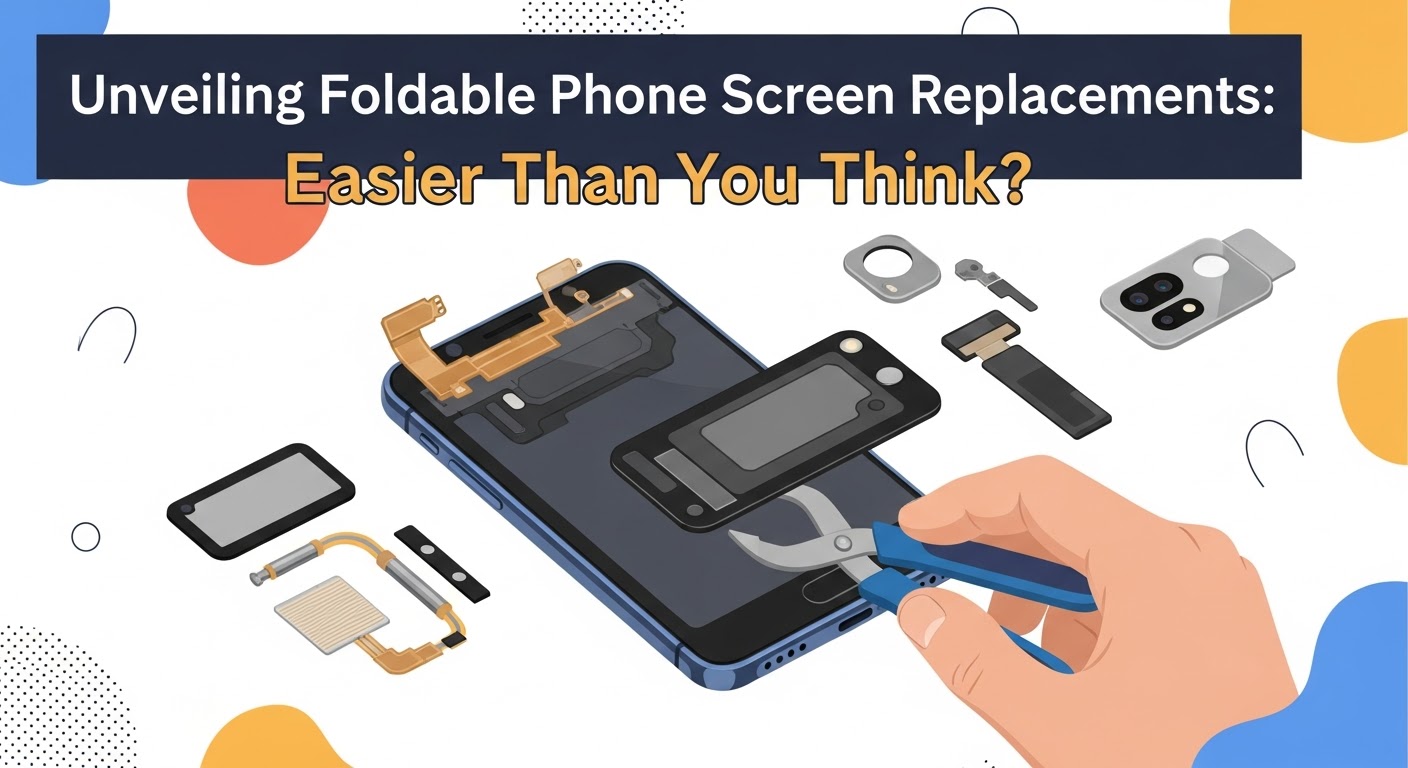
Unveiling Foldable Phone Screen Replacements: Easier Than You Think? (Top 10 Expert Tips)
Introduction: The Rise of Foldable Phones and Their Screen Challenges
Foldable smartphones are redefining innovation in the mobile world. Brands like Samsung, Huawei, and Oppo have set new standards for flexibility, portability, and futuristic design. But as impressive as these devices are, they come with one major concern — foldable screen replacement.
At first glance, repairing a foldable screen might seem like a complex and risky task. However, with the right tools, expertise, and genuine parts, it’s much easier and safer than most users think. Whether you’ve cracked your Samsung Galaxy Z Fold 5 display or your Huawei Mate X has started showing crease damage, this guide will help you understand everything from the repair process to cost-saving tips.
Understanding Foldable Screen Technology
How Foldable Displays Work
Foldable phones use flexible OLED technology, which allows the display to bend without breaking. The screen is layered with ultra-thin glass (UTG) and a polymer substrate that ensures flexibility while maintaining touch sensitivity.
Types of Foldable Screens: Inward vs. Outward Folding
There are two main types of foldable displays:
Inward-folding (Book-style): Used in devices like the Samsung Galaxy Z Fold series.
Outward-folding (Wrap-style): Seen in models like Huawei Mate X.
Each design comes with unique advantages and repair requirements — inward folds offer better protection, while outward folds are visually striking but more prone to surface damage.
Common Causes of Foldable Screen Damage
Foldable screens are sensitive. Common issues include:
Many users believe that foldable screen repair is “impossible” or “too expensive to be worth it.” These are myths. While these screens are indeed sophisticated, trained technicians can replace them with precision and care.
The Reality: It’s Not as Complicated as You Think
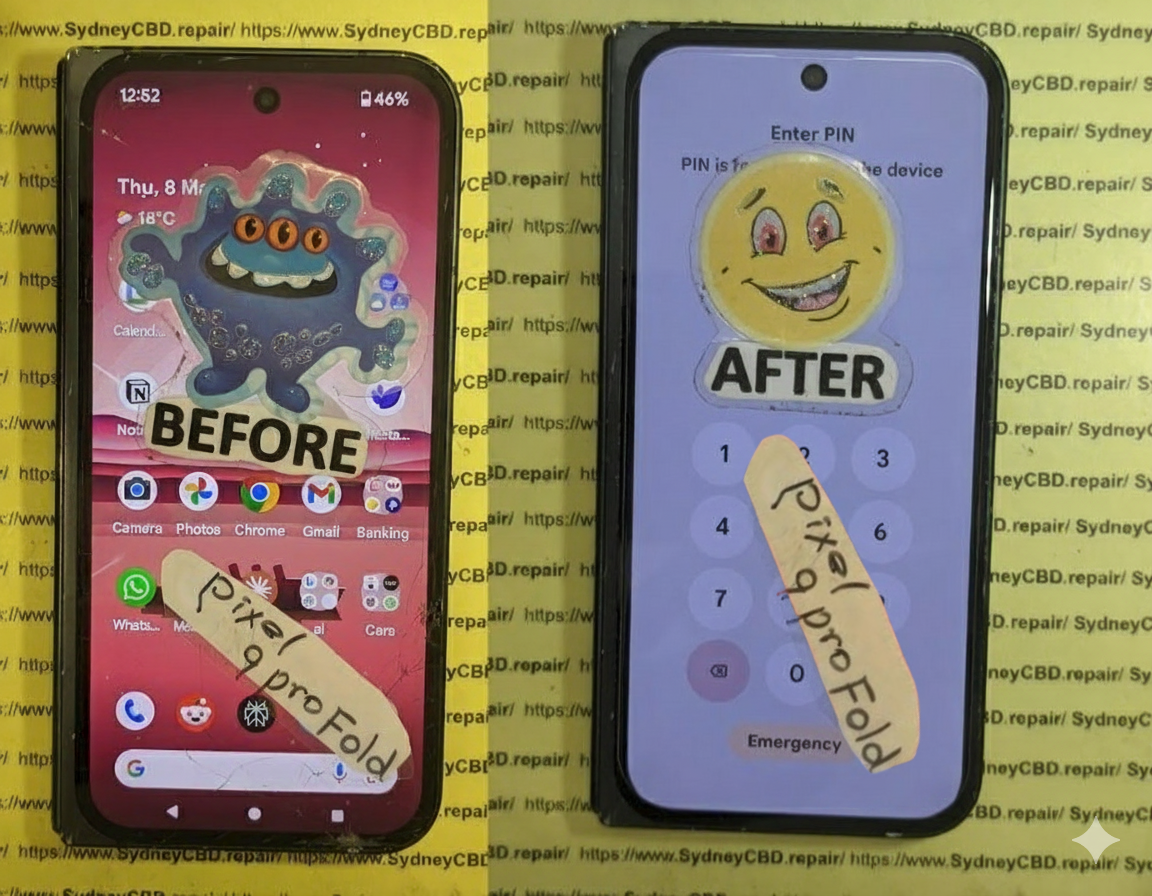
At Sydney CBD Repair Centre, replacing a foldable screen is a daily routine. With access to genuine foldable displays, precision tools, and professional expertise, the process is streamlined and efficient — often completed on the same day.
Every repair begins with a full inspection. Technicians check for:
Display malfunction or touch sensitivity issues
Internal hinge damage
Frame alignment
This step ensures the replacement is justified and targeted.
Step 2: Safe Disassembly and Screen Removal
Foldable devices require careful dismantling, especially around delicate hinges and ribbon connectors. At Sydney CBD Repair Centre, this process is done using anti-static tools to prevent damage.
Step 3: Installing the New Foldable Display
The genuine replacement screen is aligned and attached using specialized adhesives that maintain flexibility.
Step 4: Calibration and Quality Testing
After installation, the display is calibrated to ensure brightness uniformity, touch accuracy, and seamless folding.
Tools and Equipment Needed for Foldable Screen Repair
Professional Tools vs. DIY Kits
While DIY repair kits exist, foldable screen repair is not a do-it-yourself project. Professional tools like micro-suction clamps, heat stations, and hinge calibration tools are essential for safe handling.
Why Genuine Parts Matter
Genuine OEM displays maintain device quality and prevent secondary damage. Using cheap imitation screens can cause flickering, hinge stress, or even motherboard failure.
Cost of Foldable Screen Replacement in Sydney
Brand-Wise Cost Breakdown
Brand
Average Screen Replacement Cost
Samsung Galaxy Z Fold
$650 – $900
Samsung Galaxy Z Flip
$500 – $750
Huawei Mate X
$700 – $950
Oppo Find N
$600 – $850
How Sydney CBD Repair Centre Keeps Prices Affordable
Direct supplier partnerships for genuine screens
Efficient workflow minimizing labor cost
No hidden fees — transparent quotes upfront
The Role of Expertise in Successful Foldable Repairs
Why You Shouldn’t Trust Cheap, Unverified Technicians
Low-cost repairers may use substandard parts or lack foldable repair training, resulting in irreversible hinge or display damage.
Sydney CBD Repair Centre’s Proven Track Record
With over 2000 5-star Google Reviews and 6 consecutive awards, Sydney CBD Repair Centre is Sydney’s top destination for foldable phone repairs.
Preventive Care: How to Protect Your Foldable Screen
Using Proper Cases and Screen Protectors
Opt for cases designed specifically for foldable devices. Premium UTG-compatible protectors help minimize scratches and creasing.
Tips for Daily Handling and Maintenance
Always fold and unfold gently
Keep the hinge clean and dry
Avoid pressing the center crease
Don’t use sharp objects on the display
Environmental Impact of Foldable Phone Repairs
Sustainable Repair Practices
By repairing rather than replacing your phone, you help reduce e-waste and extend device lifespan.
Recycling and Reducing Electronic Waste
Sydney CBD Repair Centre promotes recycling old parts and using eco-friendly materials during repairs.
Frequently Asked Questions (FAQs)
1. How long does a foldable screen replacement take?
Most replacements are completed within the same day at Sydney CBD Repair Centre.
2. Is my phone’s waterproofing affected after screen replacement?
Yes, the waterproof seal is compromised but can be partially restored with proper resealing methods.
3. Do you use original Samsung or Huawei parts?
Absolutely. Only genuine OEM parts are used to ensure quality and longevity.
4. Can I claim warranty after a third-party repair?
No, manufacturer warranties are usually voided after third-party repairs, but Sydney CBD Repair Centre offers its own 90-day warranty.
5. Is the foldable screen more fragile after repair?
No, when replaced correctly, the screen performs just like new.
6. Do you offer mail-in repair services?
Yes, customers across Australia can mail their devices for professional foldable screen repair.
Foldable phones are no longer fragile novelties. With expert repair services like Sydney CBD Repair Centre, you can restore your device’s screen performance affordably and efficiently.
Don’t let a cracked foldable screen ruin your experience — professional help is just a visit away.
About Sydney CBD Repair Centre
David from Sydney CBD Repair Centre — The Best Place to Fix Mobile Phones 6 Years in a Row!
More than 2000 Positive Reviews on Google and Same Day Repairs.
We repair all major brands — Apple, Samsung, Google, Huawei, Oppo, and more.
✅ Same Day Express Repairs
✅ Genuine Parts Guarantee
✅ 90-Day Warranty
✅ Competitive Pricing
✅ Professional Technicians
Understanding the Issue: What Is a Frozen Phone Display?
A frozen phone display happens when your smartphone becomes unresponsive, ignoring taps, swipes, or button presses. This issue is more than just inconvenient—it can indicate deeper software or hardware problems that require immediate attention.
For iPhones: Press and quickly release the volume up button, then volume down, and hold the power button until the Apple logo appears.
For Androids: Hold down the power + volume down button for 10–20 seconds.
Disconnecting Accessories and Peripherals
Sometimes Bluetooth or wired accessories cause conflicts. Remove them to check if your phone responds.
Cooling an Overheated Phone
Excessive heat can lock your screen. Turn off your phone and let it rest in a cool environment.
Advanced Fixes for Persistent Frozen Displays
Clearing App Cache and Data
Apps store temporary files that may become corrupted. Clearing cache often restores smooth performance.
Performing a Safe Mode Boot
Safe mode disables third-party apps, helping identify if one of them is causing the freeze.
System Updates and Firmware Repairs
Updating your OS or reinstalling firmware can eliminate persistent bugs.
When Hardware Is the Culprit
Screen Replacement Considerations
If your display is cracked or unresponsive, a screen replacement may be the only solution.
Battery and Power IC Issues
A failing battery or damaged power IC (integrated circuit) may lead to recurring freezes.
DIY Fixes vs Professional Repairs
Benefits of Expert Diagnosis
Technicians have diagnostic tools to pinpoint whether the issue is with hardware, software, or both.
Risks of DIY Attempts
Without training, attempting repairs can worsen the problem, especially if the device is disassembled incorrectly.
Technician’s Insights: Real Repair Scenarios
Water-Damaged Phones Freezing Mid-Use
Even minor water damage corrodes circuits over time, leading to screen lockups.
Cracked Screen Freezes
Physical cracks may press against internal touch sensors, disrupting input recognition.
Long-Term Wear and Tear Cases
After years of use, devices naturally degrade, leading to frequent freezes.
Preventing Future Freezes
Regular System Updates
Keeping your phone’s OS up-to-date ensures smoother performance.
Keeping Storage Optimized
Delete unused apps, transfer photos to the cloud, and clear cached data.
Avoiding Low-Quality Apps
Stick to verified app stores like Google Play or Apple App Store.
Using Protective Accessories
A case and screen protector reduce physical risks that lead to unresponsive screens.
FAQs on Frozen Phone Screens
1. Why does my phone freeze randomly?
Usually because of software glitches, outdated systems, or low storage.
2. Can a frozen phone damage my data?
Yes, sudden crashes may corrupt files or cause data loss.
3. Should I try a factory reset?
Yes, but only after backing up your data and trying simpler fixes first.
4. Can low battery health cause freezing?
Definitely. A weak battery can’t deliver consistent power, leading to performance issues.
5. How do I know if it’s hardware or software?
If safe mode works, it’s software. If the problem persists, hardware may be the culprit.
6. Where should I take my phone if it keeps freezing?
A trusted repair center like Sydney CBD Repair Centre is your best bet.
Conclusion
Fixing a frozen phone display isn’t always straightforward, but with the right steps, you can resolve most issues. From simple restarts to professional repairs, addressing the problem quickly prevents long-term damage.
If your phone continues freezing, don’t risk making it worse—visit Sydney CBD Repair Centre, the #1 trusted shop for phone repairs in Sydney. With over 2000 5-star reviews, genuine parts, and same-day services, you’ll have peace of mind knowing your device is in expert hands.
DIY Phone Repair: Tools, Tape, and Troubleshooting – Master Your Fixes with 15 Essential Tips
Introduction: Why DIY Phone Repair is Growing
Smartphones are an essential part of our lives, but accidents happen—cracked screens, weak batteries, or malfunctioning buttons. The rising costs of professional repairs have encouraged many people to try DIY phone repair. With the right tools, proper tape, and a bit of troubleshooting knowledge, you can restore your device without breaking the bank.
This guide will walk you through essential DIY repair tools, different types of tape, common troubleshooting techniques, and when it’s best to seek professional help. Whether you’re fixing an iPhone, Samsung Galaxy, or Google Pixel, this article will equip you with everything you need.
A set of precision screwdrivers (Torx, Phillips, Pentalobe) is non-negotiable for safe phone disassembly.
Spudgers and Pry Tools
Plastic spudgers prevent scratches, while metal pry tools assist in lifting stubborn components.
Anti-Static Mats and Wrist Straps
Static electricity can fry your phone’s motherboard. Anti-static gear protects delicate electronics.
Magnifying Glasses and Lighting
Good lighting and magnification help identify micro components and connectors.
The Role of Tape in Smartphone Repair
Kapton Tape
Heat-resistant Kapton tape is ideal for insulating components during soldering.
Adhesive Strips for Screens and Batteries
Pre-cut adhesives are used to reseal screens or secure batteries.
Electrical Tape Uses
Useful for quick insulation, but not a permanent fix for critical components.
Common DIY Repairs You Can Attempt
Replacing a Cracked Screen
The most common repair, requiring patience and adhesive strips.
Fixing a Weak Battery
Many devices allow battery swaps using proper adhesive strips and a spudger.
Repairing a Faulty Charging Port
Requires steady hands, as ports are soldered and delicate.
Camera and Button Issues
Dust cleaning, reseating cables, or replacing small components can fix these.
Troubleshooting Basics Before Repair
Phone Won’t Turn On
Check the battery, charging cable, and try a hard reset before opening the device.
Overheating Problems
Could be due to background apps, old batteries, or blocked ventilation.
Audio and Speaker Malfunctions
Clean dust, check for software updates, and test headphones.
Water Damage Diagnostics
Don’t charge a wet phone—use silica gel or rice packs for initial drying.
Mistakes to Avoid During DIY Phone Repairs
Using force when prying open the phone
Forgetting to disconnect the battery first
Losing screws or mixing up sizes
Ignoring safety precautions with lithium-ion batteries
Professional vs DIY Repairs: When to Seek Help
While DIY can fix minor issues, water damage, motherboard faults, and advanced soldering are best left to professionals like Sydney CBD Repair Centre, trusted by thousands in Sydney for fast, reliable phone repairs.
Step-by-Step Guide: Safely Opening Your Phone
Power off the device
Remove SIM tray
Heat the phone edges with a heat gun/hairdryer
Use suction cup and pry tool
Disconnect the battery first before handling components
Data Safety Before Any Repair
Always back up your data to the cloud or a PC. This ensures you don’t lose precious photos or files if something goes wrong.
Cost Comparison: DIY vs Professional Repair
Repair Type
DIY Cost (AUD)
Professional Cost (AUD)
Screen Replacement
$60–$120
$200–$400
Battery Replacement
$40–$80
$100–$200
Charging Port
$30–$70
$120–$250
Water Damage
Risky at home
$200–$600
❓ FAQs
1. Can I repair my phone at home without special tools?
Yes, but you’ll need at least a screwdriver set and pry tools for safe disassembly.
2. What tape is best for phone repair?
Kapton tape for insulation and pre-cut adhesive strips for screens and batteries.
3. Will DIY repairs void my warranty?
Yes, most phone manufacturers void warranties if you attempt unauthorized repairs.
4. How do I know if my battery needs replacement?
If your phone shuts off unexpectedly, drains too fast, or overheats, it may need a new battery.
5. Can water-damaged phones be fixed at home?
Minor cases may be dried, but severe water damage requires professional diagnostics.
6. When should I avoid DIY repair and call a pro?
If the issue involves the motherboard, complex soldering, or severe liquid damage, go to a professional repair centre.
Conclusion
DIY phone repair is a rewarding way to save money, learn new skills, and gain independence in handling your device. With the right tools, proper tape, and solid troubleshooting steps, you can confidently attempt common fixes like screen or battery replacements. However, always know your limits—when repairs involve delicate soldering or motherboard damage, it’s best to trust certified experts like Sydney CBD Repair Centre, the #1 choice for phone repairs in Sydney.
Smartphones today are powerful and sophisticated, but like all electronics, they can reach a point where repairs are no longer practical—or even possible. At Sydney CBD Repair Centre, we’ve seen thousands of phones come through our doors, and while most can be restored to working condition, some unfortunately fall into the “unrepairable” category.
Understanding what makes a phone unrepairable can help you decide whether to invest in fixing your device or consider a replacement.
The motherboard (or logic board) is the brain of your phone. If it suffers major damage—due to water corrosion, electrical shorting, or physical impact—repairs become extremely difficult. Micro-soldering techniques can solve some board-level issues, but when the damage spreads across multiple layers, the phone may be beyond recovery.
Contrary to popular belief, putting a soaked phone in rice won’t save it. If water has seeped deep into the phone for an extended time, it corrodes tiny components and connectors. Once corrosion spreads extensively, restoring the device to full functionality becomes nearly impossible.
3. Lack of Replacement Parts
For older or discontinued models, replacement parts may no longer be available. Even if you find parts online, they may be poor-quality copies that fail quickly. Without access to genuine, compatible parts, certain phones can’t be repaired effectively.
4. Security-Locked Components
Modern smartphones like iPhones and certain Samsung devices have security-linked parts (e.g., Face ID sensors, fingerprint scanners). If these components are damaged, they can’t always be reprogrammed or replaced without breaking security functions—making the phone effectively unrepairable.
5. Catastrophic Physical Damage
If your phone has been crushed, severely bent, or burned, the structural and internal damage can be so widespread that fixing it isn’t viable. In some cases, the cost of repairs would exceed the value of the phone itself.
6. Software or Firmware Corruption Beyond Recovery
Most software issues can be fixed with resets or flashing firmware. However, if the secure boot process is corrupted, or the phone’s storage chip (NAND/eMMC) fails, even professional tools may not be able to revive it.
7. Cost vs. Value of Repair
Sometimes, the phone is technically repairable, but the cost doesn’t make sense. For example, replacing the motherboard of an older model might cost more than buying a newer device. In such cases, it’s considered “unrepairable” from a practical standpoint.
Final Thoughts
At Sydney CBD Repair Centre, we pride ourselves on saving phones that others might call “lost causes.” However, there are limits—severe motherboard damage, advanced corrosion, and unavailability of genuine parts can all make a phone unrepairable.
If your phone is acting up, don’t assume it’s beyond saving. Bring it to our expert technicians for a professional assessment—you may be surprised by what we can restore.
✓ Same Day Express Repairs
✓ Genuine Parts Guarantee
✓ Professional Technicians
✓ Competitive Pricing
✓ 2000+ 5-Star Google Reviews
✓ 6-Time Award Winner for Best Phone Repairs
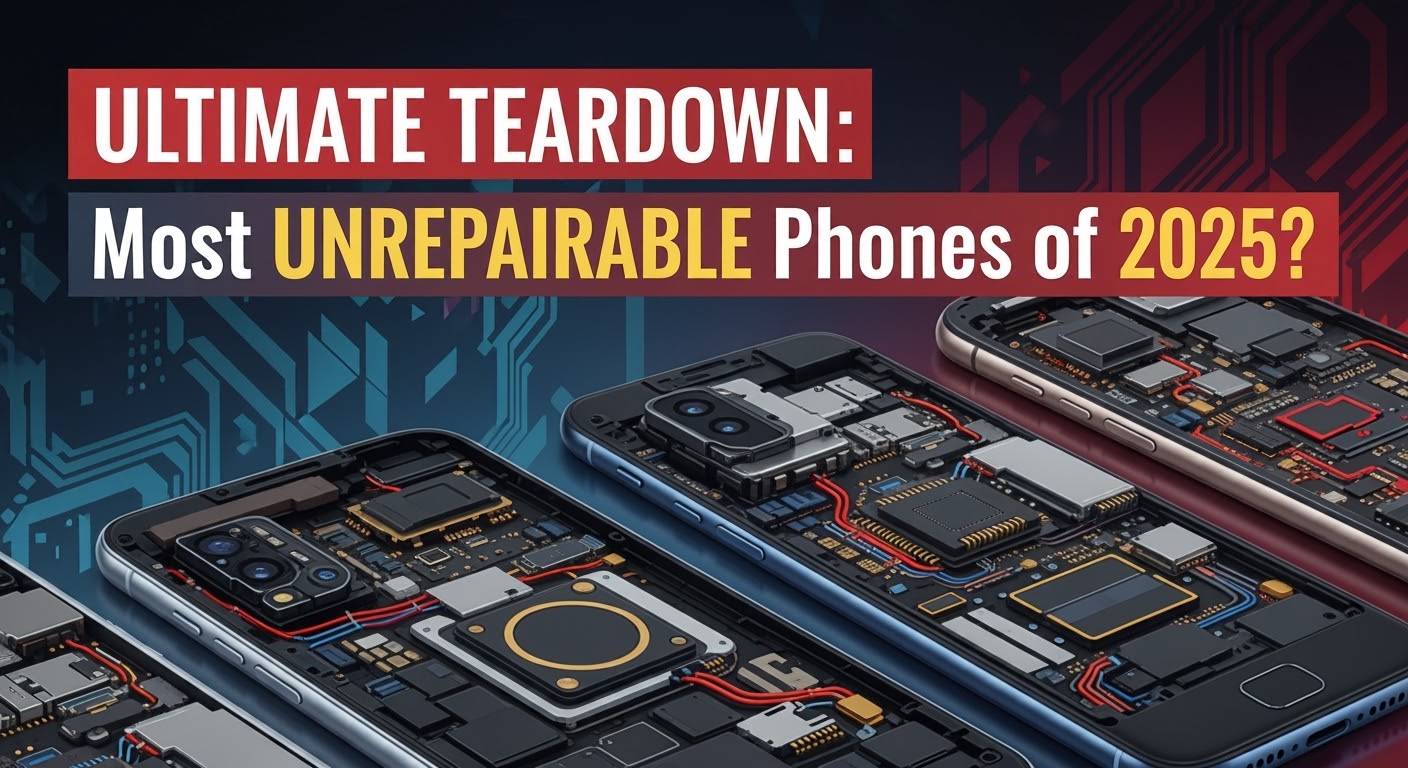
ULTIMATE TEARDOWN: Most UNREPAIRABLE Phones of 2025?
Every year, smartphones get sleeker, faster, and more feature-packed. But while manufacturers push the boundaries of design, they often make repairability an afterthought. In 2025, we’ve seen a new wave of beautiful but notoriously difficult-to-fix devices—some so complex that even seasoned technicians take a deep breath before opening them.
At Sydney CBD Repair Centre, we’ve handled hundreds of repairs this year. Here’s our insider list of the most unrepairable phones of 2025, based on design complexity, part availability, and sheer teardown frustration.
Foldables are beautiful—but they’re repair nightmares. The Z Fold 6 combines multiple fragile display layers with a hinge mechanism that’s almost impossible to disassemble without damage.
Why it’s hard to repair:
Flexible AMOLED screen that can tear if mishandled.
Tiny hinge parts that can misalign during reassembly.
Adhesive seals that require precision heating to remove.
Typical issues: Inner screen creases, hinge stiffness, dust ingress.
3. Google Pixel Fold 2
Google’s 2025 foldable has improved durability, but its parts are scarce and pricey.
Why it’s hard to repair:
Display cables run through the hinge, making replacements tedious.
Back glass removal is risky due to tight adhesive.
Software calibration needed for display replacements.
Typical issues: Flickering screens, hinge misalignment, back panel cracks.
4. Oppo Find N4 Flip
This stylish flip phone hides ultra-compact internal components that require surgical precision to replace.
Why it’s hard to repair:
Minimal spare part supply outside Asia.
Foldable display damage risk during disassembly.
Proprietary battery design.
Typical issues: Screen damage from drops, battery swelling.
5. Xiaomi Mi Mix Alpha 2025 Edition
A phone that’s all screen, all around—and almost impossible to fix without replacing the entire display wrap.
Why it’s hard to repair:
Display covers 360° of the device.
Sensors embedded directly into the screen.
Non-modular components soldered to the mainboard.
Typical issues: Screen cracks, dead touch zones, frame damage.
Why These Phones Are So Hard to Repair
Manufacturers chase slimness, waterproofing, and premium aesthetics, often at the expense of modular, repair-friendly designs. Features like glue-heavy assembly, non-removable batteries, and proprietary screws make DIY and third-party repairs increasingly difficult.
The Sydney CBD Repair Centre Difference
Even with the most challenging 2025 devices, we’re equipped to handle:
Same-Day Repairs for common issues.
Genuine Parts with a 90-Day Warranty.
Skilled technicians trained on the latest foldable and flagship devices.
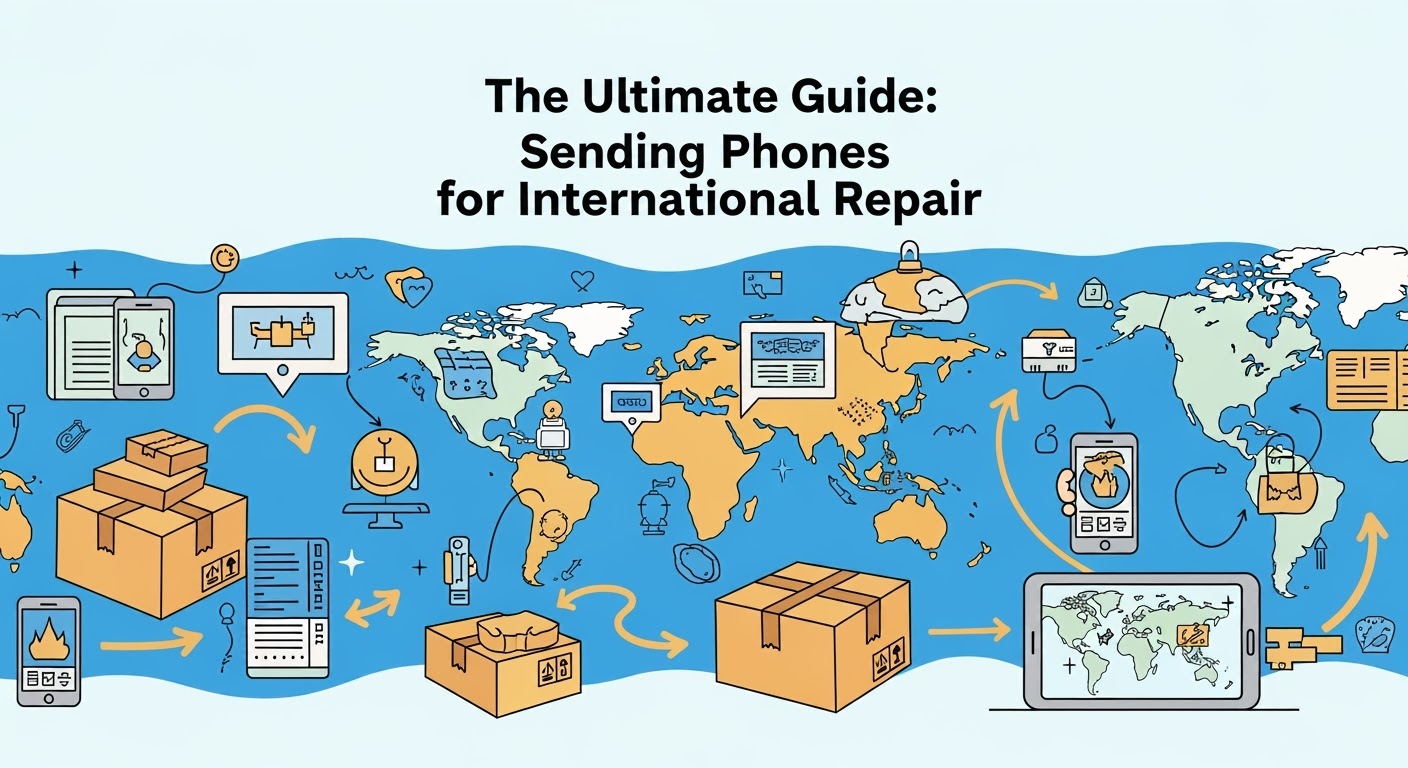
The Ultimate Guide: Sending Phones for International Repair
In today’s interconnected world, you’re not limited to local services when your phone breaks. Many people now send their smartphones overseas for repair — sometimes to access specialised expertise, genuine parts, or competitive pricing. But international repairs come with their own set of challenges.
At Sydney CBD Repair Centre, we’ve received phones from all over the globe, and we’ve helped customers navigate the process smoothly. This guide covers everything you need to know before sending your device for an overseas repair.
People choose international repairs for several reasons:
Access to specialists for rare or discontinued models
Lower labour costs in certain countries
Availability of genuine parts not stocked locally
Advanced repair techniques not offered nearby
For example, some customers have shipped devices to us from Asia, Europe, and the US because of our reputation for fast, high-quality screen and motherboard repairs.
2. Understand the Risks and Limitations
While overseas repairs can be worth it, you should be aware of:
Shipping delays (especially during peak seasons)
Customs inspections and import duties
Risk of loss or damage in transit
Warranty voids if not handled by an authorised service provider
These risks can be minimised by using trackable, insured shipping services.
At Sydney CBD Repair Centre, we provide all these assurances — plus prompt updates throughout the repair process.
4. Preparing Your Phone for Shipment
Before shipping:
Back up your data — Cloud or external storage
Remove SIM and memory cards
Disable security locks or provide repair shop access (if needed)
Use strong protective packaging — Bubble wrap, double-box method
Include your contact details and repair request inside the package
5. Customs and Paperwork
Declare the item as “mobile phone for repair and return” to avoid unnecessary import tax. In some countries, you can use a temporary export form to ensure the device is returned without being considered a new import.
6. Payment and Currency Conversion
International payments may involve:
Bank transfer fees
PayPal charges
Credit card foreign transaction fees
Confirm the total cost in your currency before sending your phone to avoid surprises.
7. Turnaround Time Expectations
A local repair might take hours, but overseas repairs involve:
Shipping time to the repair shop
Repair time (varies by issue)
Return shipping
On average, the total process can take 1–3 weeks. Choose a repair centre that offers fast turnaround once the phone arrives to minimise downtime.
8. Real-Life Example – How We Handle International Repairs
At Sydney CBD Repair Centre, here’s how we process an overseas repair:
Consultation via email — Confirm parts availability, cost, and shipping instructions
Safe receipt — We document the phone’s condition upon arrival
Repair process — Carried out by professional technicians with genuine parts
Testing — We run multiple quality checks before shipping
Return shipment — Packed securely and tracked until delivery
9. Is International Repair Right for You?
If you value specialised expertise, genuine parts, and don’t mind waiting a little longer, sending your phone overseas can be a smart choice. For urgent cases, however, local same-day repairs may be better.
Final Advice
International phone repair requires planning, but with the right partner, it can be safe, cost-effective, and worth the effort. Whether you’re in Sydney or halfway across the globe, Sydney CBD Repair Centre is ready to bring your phone back to life.
David from Sydney CBD Repair Centre – The Best place to fix mobile phones as 6 Years In A Row! Top Mobile Phone Repair In Sydney. More than 2000 Positive Reviews on Google and Same Day Repairs.
We take pride in delivering exceptional repair services for all major phone brands including Apple, Samsung, Google, and more. Our expert technicians use only genuine parts and offer 90 days warranty on repairs. Located in the heart of Sydney CBD, we’re your one-stop solution for all mobile device repairs.
Visit us for:
✓ Same Day Express Repairs
✓ Genuine Parts Guarantee
✓ Professional Technicians
✓ Competitive Pricing
✓ 2000+ 5-Star Google Reviews
✓ 6-Time Award Winner for Best Phone Repairs