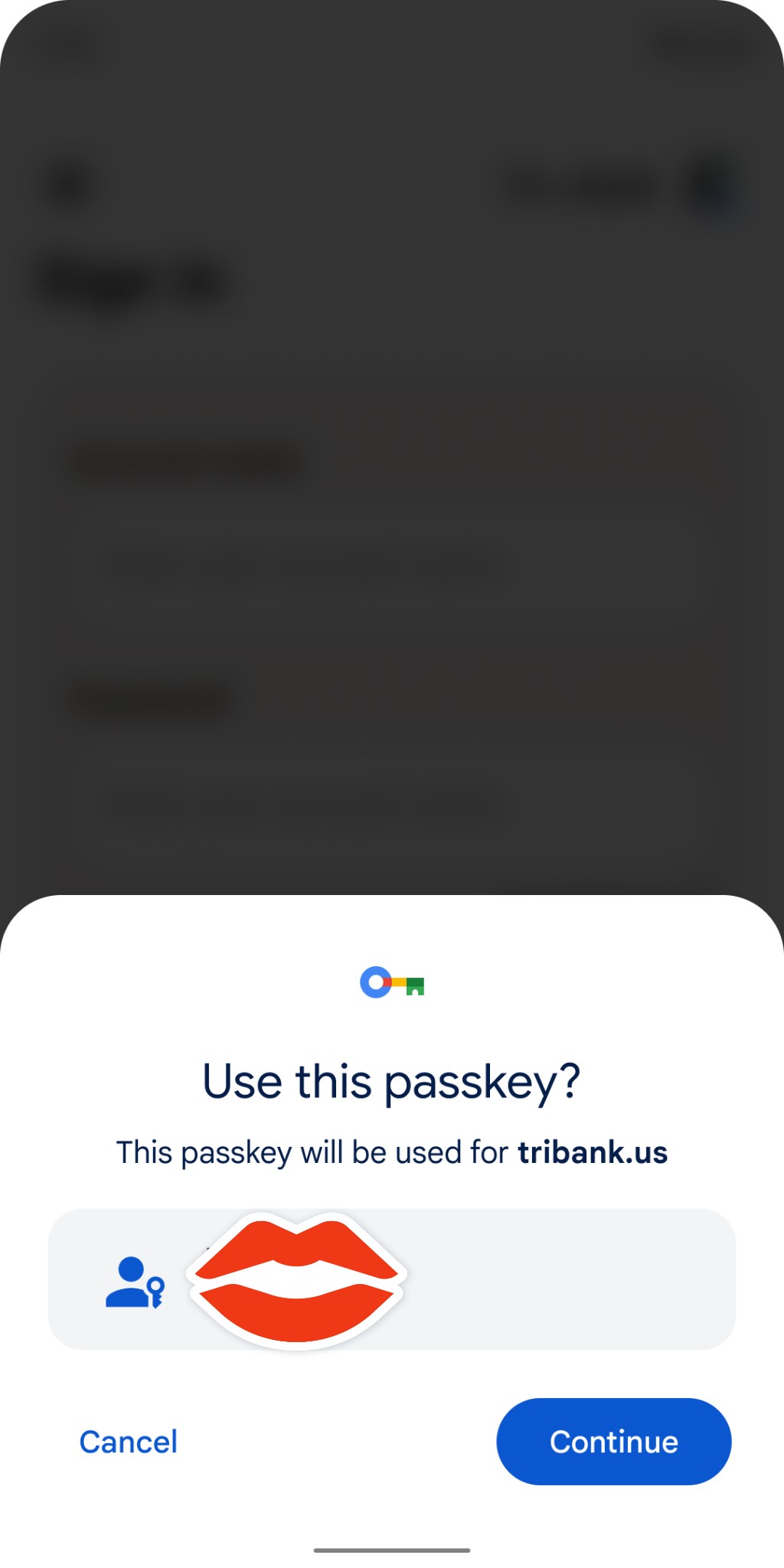
Google has spent the past several years working to replace passwords because of frequent reuse, vulnerability to data breaches, and phishing. Passkeys are the industry solution, and the ability to log in to your Google Account with them is starting to roll out.
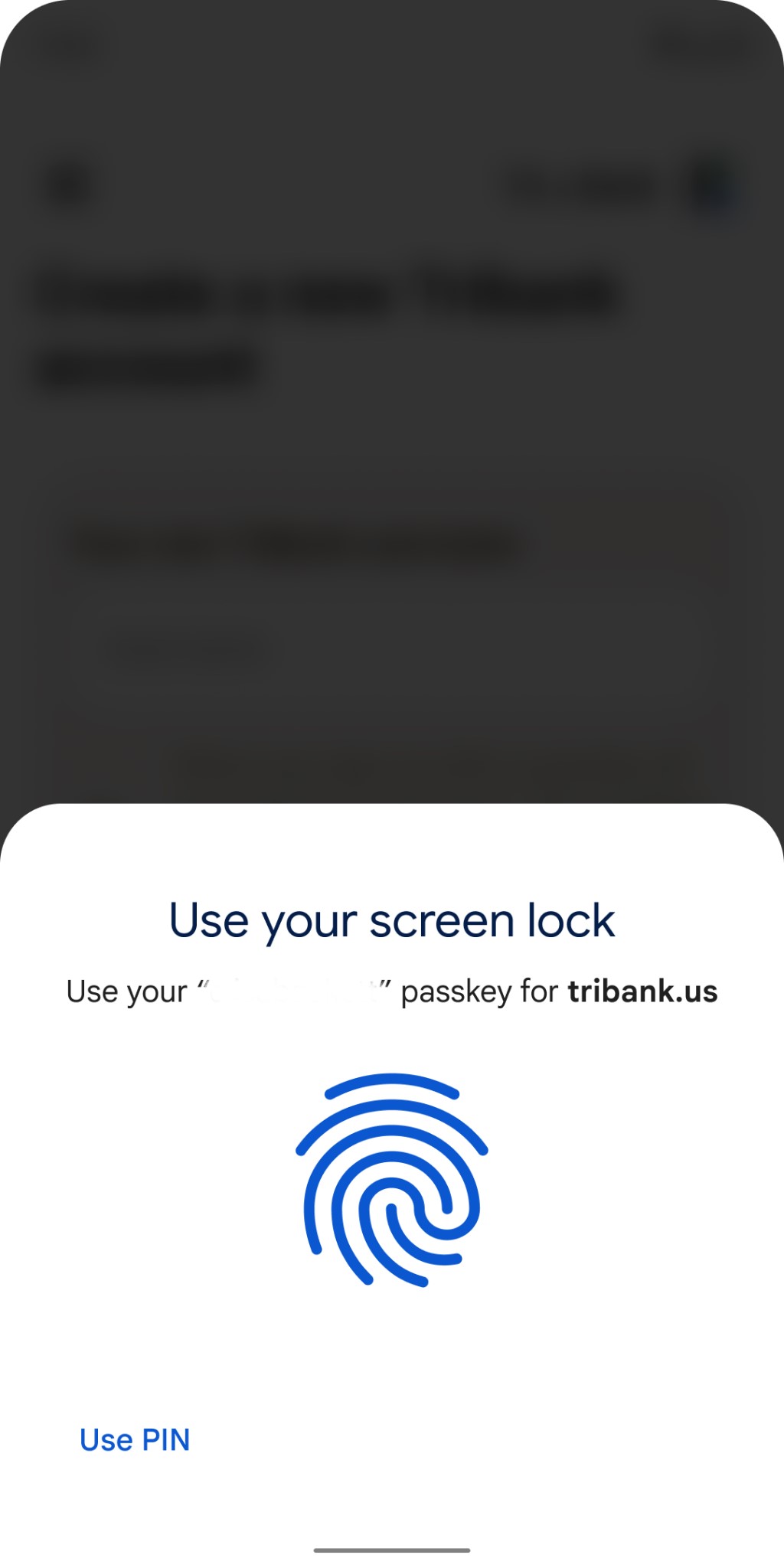
With passkeys, signing in to a service no longer requires a password. Instead, you just enter your existing phone or computer password (PIN code, fingerprint, face, etc.), and that’s used to authenticate your identity. In Google’s case, no 2-Step Verification (2SV) is required.
Google Account passkeys
You have to create a Google Account passkey for each device (phone, tablet, laptop, desktop, etc.). Behind the scenes, a cryptographic private key gets stored on that device, while a “corresponding public key is uploaded to Google.”
When you sign in we ask your device to sign a unique challenge with the private key. Your device only does so if you approve this by unlocking the device. We then verify the signature with your public key.
If you’re signing in with a new device (or doing so temporarily), you use the passkey on your phone with a QR code scanning process and a Bluetooth proximity check.
On the new device, you’d just select the option to “use a passkey from another device” and follow the prompts. This does not automatically transfer the passkey to the new device, it only uses your phone’s screen lock and proximity to approve a one-time sign-in. If the new device supports storing its own passkeys, we will ask separately if you want to create one there.
As of launch, passkeys serve as another Google Account sign-in option. There are no changes to existing methods, while passwords are the fallback method (used if a device doesn’t support passkeys). That should change in the future:
Passkeys are still new and it will take some time before they work everywhere, however creating a passkey today still comes with security benefits as it allows us to pay closer attention to the sign-ins that fall back to passwords. Over time we’ll scrutinize these more as passkeys gain broader support and familiarity.
If one device is lost, you can revoke Google Account passkeys in settings, while a device wipe is also recommended.
To add a passkey for your Google Account, start here: g.co/passkeys. This feature is actively rolling out, with the following operating system and browser versions required:
Google: Chrome 109+, Android 9+, ChromeOS 109+
Apple: Safari 16+, iOS 16, macOS Ventura
Microsoft: Edge 109+, Windows 10/11
Why passkeys are more secure
Google likes passkeys because, compared to passwords, they cannot be “written down or accidentally given to a bad actor,” phished, or exposed in a data breach. The company believes passkeys offer “stronger protection than most 2SV methods offer today, which is why we allow you to skip not only the password but also 2SV when you use a passkey.” To that end, Google is so confident that the Advanced Protection Program can just work with a passkey:
In fact, passkeys are strong enough that they can stand in for security keys for users enrolled in our Advanced Protection Program.
Google notes how Apple will sync passkeys created on your iPhone across logged-in iCloud devices:
This protects you from being locked out of your account in case you lose your devices, and makes it easier for you to upgrade from one device to another.
Passkey sync providers, like the Google Password Manager and iCloud Keychain, “use end-to-end encryption to keep your passkeys private.” In the case of Google’s Password Manager, it can sync and save other Google Accounts.
Passkeys place a great deal of emphasis on your device password. However, Google believes “most people will find it easier to control access to their devices rather than maintaining the security implications of passwords and the need to be on the lookout for phishing attempts that come with them.”
As Google’s biggest show of the year, every I/O brings a ton of news. However, the stakes for I/O 2023 seem bigger, with announcements that could more thoroughly change how people use Google’s biggest products.
Google AI
Gmail, Docs, and Workspace
Artificial intelligence is, of course, responsible for this. Google has already shown generative AI features in Gmail and Google Docs, with testing already underway. Meanwhile, Google has briefly previewed bringing image generators into Google Slides and having Google Meet automatically create notes from a video call.
At I/O 2023, Google needs to provide a fuller picture of how AI will integrate into its Workspace apps beyond individual features. Equally important are details on a public launch and how they will be available to the (non-Workspace) public. The latter might be where Google One comes into play. For initial testing, it makes sense for features like those that have already been announced in Gmail and Google Docs to be free.
However, since generative AI is computationally expensive, it makes sense for Google to eventually put them behind a paid subscription. Today, 2TB or higher Google One tiers ($9.99+/month) provide premium Google Meet features like 1080p streaming and longer calls, and it would make sense for some (if not most) generative AI features to be locked behind that.
Search
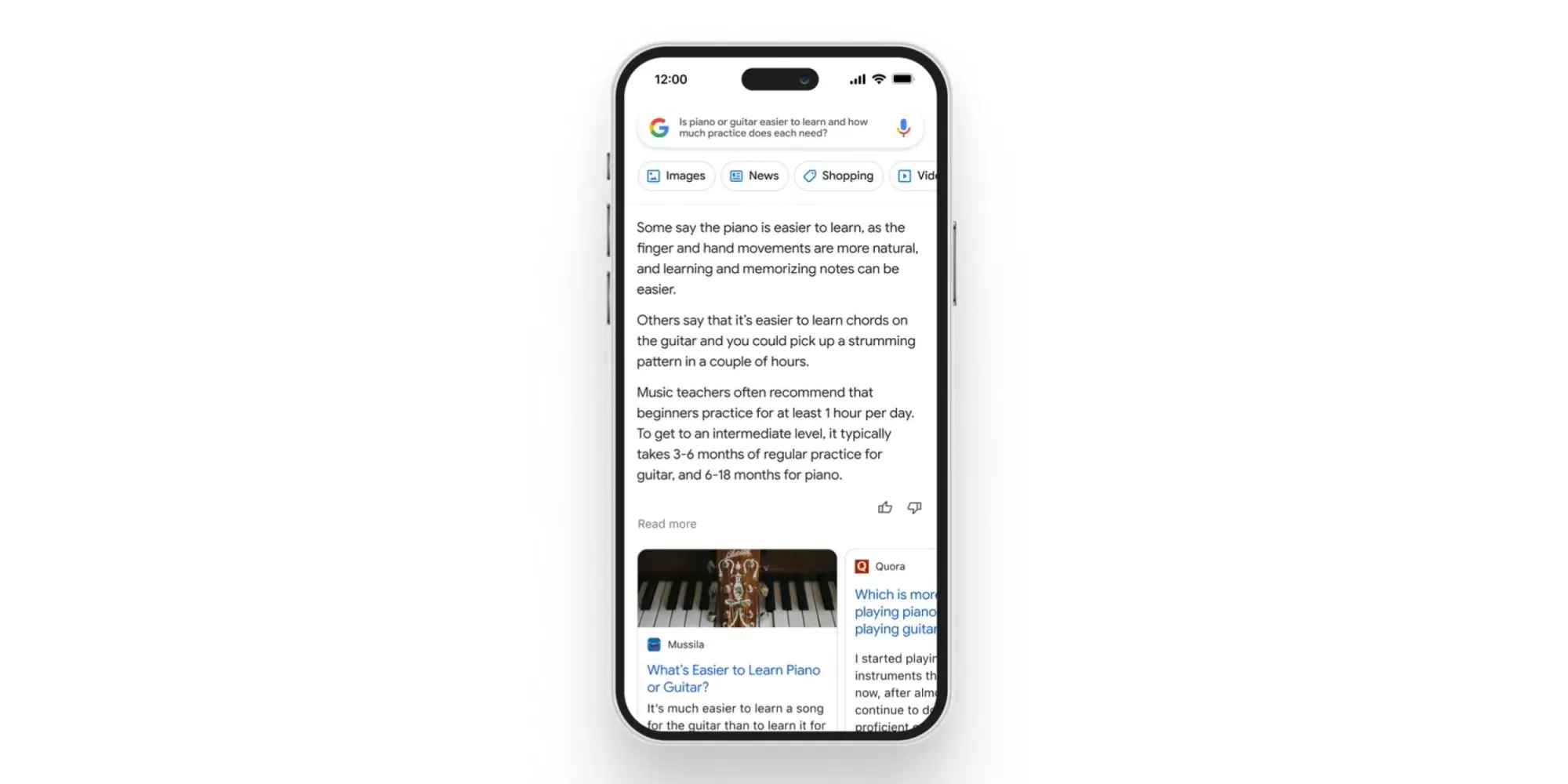
As Google’s crown jewel, many stakeholders will want an update on how AI is coming to Search. There’s, of course, the Wall Street crowd, while end users have shown that chatbot-style queries and answers are something they’re at least interested in. The company has already previewed AI Insights in Search when it announced Bard, but we need a fuller look at the end-to-end experience.
Chrome
Having a chatbot in Chrome that lets you ask questions about the page you’re currently viewing has been rumored and does indeed sound useful. As a significant entry point for how people use Google, a generative AI presence needs to exist in Chrome.
Assistant
Generative AI and its conversational nature seem ripe for voice assistants. As we’ve talked about in the past, Google Assistant is at an impasse, with its feature set shrinking. The team behind it is currently tasked with Bard development, so it’s unclear whether Google is at a point where it’s ready to announce upgrades. If it did, Google could position Assistant as being more capable than Siri or Alexa, while Microsoft expressly does not currently have a voice assistant.
For the sake of end users, I think Google needs to publicly recommit to Assistant at this I/O to assure them their devices still have a long future. It would be nice if the company provided an upgrade roadmap, but even assurances would be a start at this point after months of no real developments.
Developer tools
I/O’s roots are as a developer conference, and there will undoubtedly be AI stuff for that crowd. Of particular interest will be assistive tools in Android Studio to aid app development.
Android
Android 14
We will obviously be getting the major tentpoles for Google’s upcoming mobile release at I/O 2023, followed by Android 14 Beta 2 to hopefully test some of them out. So far, Android 14 feels like an iterative update that continues to build on Material You. For example, we spotted that bolder Dynamic Color theming is coming.
Android XR
Samsung teased an XR device (headset) running Android in February. We’ve yet to hear anything about the OS, and I/O would be the time to announce it (which also has the benefit of preempting Apple’s realityOS announcement this June). This starts the long road to third-party developer buy-in.
Google needs to share its vision for this form factor, both short and long-term. In the near term, bulkier headsets could allow for productivity and entertainment use cases. Glasses are the future, but until then, we need devices and an OS that will let developers start experimenting with these experiences. It was recently rumored that Apple’s upcoming headset will run iPad apps. Does Google have the same idea, thus providing another reason for Android pushing into large-screen development?
Wear OS
Wear OS 3 was announced in 2021, and we quietly got version 3.5 last year. The timing would be about right for Wear OS 4, which will in all likelihood coincide with an underlying upgrade to Android 13, which brings Material You.
Better Together: ChromeOS, Wear OS, Google TV
As of late, the Android team has been very big on cross-device experiences that emphasize the benefit of going all-in with the ecosystem. Earlier this month, Google released a Cross-Device Services app to power ChromeOS app streaming. We’ll presumably get a demo and launch date for that at I/O. We’re also waiting for the ability to unlock your Android phone with a paired Wear OS watch.
On the entertainment front, we’re waiting for more entertainment-focused Better Together initiatives. Previously, rumors have mentioned connecting Nest and third-party speakers to Google/Android TV devices, while easier-to-access smart home controls and other integrations are on the roadmap (for 2024). We’re also waiting for Fast Pair to arrive for Google TV and Android TV.
Find My Device
Somewhat related to Better Together and the Android ecosystem is Find My Device becoming a broader network that includes third-party accessories. Google has been laying the groundwork for this by saying it would be “encrypting and storing your device’s most recent location with Google.” Meanwhile, there have been persistent rumors of a Google-made tracker.
Made by Google
Pixel 7a, Tablet, and Fold
It seems like we’re back to immediate availability with the Pixel 7a. This was the case for Pixel 3a at I/O 2019 and seemed to be what Google was aiming for in subsequent years, but the world had other ideas.
We should finally get launch details about the Pixel Tablet a year after it was first teased, while Google will be entering a new hardware category with the Pixel Fold.
Last May 2022, Google gave an “early preview” of the Pixel 7 series and Watch, as well as a “sneak peek” of the Pixel Tablet, in what seemed to be a rather unprecedented teaser.
In the case of the phone, it allowed Google to really get ahead of leaks. Before I/O, there were only a pair of leaked renders that got some things about the design right. It was somewhat less successful for the Pixel Watch, which leaked in full (left at a restaurant) and even had an AMA, while the Pixel Tablet reveal dovetailed nicely with the large-screen Android app push.
Ahead of I/O 2023, the company could certainly replicate the strategy for the same reasons. These previews are meant to provide only a high-level overview. For the Pixel 7, it was the design and how the language introduced the year prior would continue but with a modified camera bar, as well as how a second-generation Tensor chip was coming.
The design of the Pixel 8 and 8 Pro have more thoroughly leaked via renders at this point, so Google would be covering the same ground and would get a chance to reveal the colors itself. It would be nice if a “Tensor G3” mention touched upon what the improvements actually are, while the thing everyone really wants to known is what the camera improvements will be, especially given that new sensor on 8 Pro.
The case for a Pixel Watch 2 teaser is somewhat more mixed. As a first-generation product, we don’t know what the update cadence will be. An annual cycle would make a great deal of sense if we look at the Apple Watch and Samsung Galaxy Watch, but the Fitbit Sense and Versa lines were refreshed every two years. The improvements for a Pixel Watch 2 would be obvious, with a newer chip, more activated sensors (SpO2 and skin temperature changes estimation), and a bigger battery.
I don’t expect the domed design to drastically change beyond maybe thinner bezels, with the band system at least staying for another generation to ensure accessory capability. A Pixel Watch 2 teaser would have to touch on some new hardware features, but I’m not sure Google would want to do that and break the high-level overview nature of these previews.
As always, another factor in doing teasers is possibly cannibalizing sales of the existing Pixel Watch and Pixel 7 series. Google doesn’t seem to mind or at least has different priorities, but it does seem wild to make the effective life span as the latest and greatest product be only 7-8 months.
I think a teaser would more significantly impact sales of the first-generation wearable. As a prospective buyer of the mid-cycle Pixel Watch, knowing that a second-gen was coming in the fall would give me pause if I wanted a more future-proofed purchase. Today’s version is fine and has a battery that can last you a full day, but it’s unknown how it will continue to perform, especially once major OS updates arrive.
Fitbit
After major removals with the promise of new capabilities on the horizon, Fitbit needs to start sharing the second part of its plan, from a redesigned app to new capabilities. I/O would be the time to do that. Meanwhile, Fitbit integration to show live exercise stats on Google TV has already been rumored to continue the Better Together tentpole.
Google Home
Besides the Google Home app currently being in Public Preview, the company teased a number of other features last year. This includes the web-based Script Editor and more grouping options with Custom Spaces. We’ll hopefully get more updates on that.
Right off the bat, we’d treat this rumor with skepticism. The source of the leak is @analyst941 on Twitter, who does not have an established long-term track record of accurate iOS leaks. They did, however, correctly predict certain details of the iPhone 14 Pro’s Dynamic Island ahead of its release.
The source claims to have seen various aspects of iOS 17 themselves, including the new Wallet app, the new Health app, and the revamped interface for customizing your iPhone’s wallpaper. With that knowledge, the source created a set of concepts visualizing what these new designs will look like.
This is the new grid view for Wallpapers in iOS 17.
• All new Grid-view displays 9+ wallpapers at once. • Delete wallpapers quickly within the grid-view. • Rearrange the order of wallpapers in grid-view. • Share or duplicate wallpapers by swiping up in single-view. pic.twitter.com/BUMugPKb1v
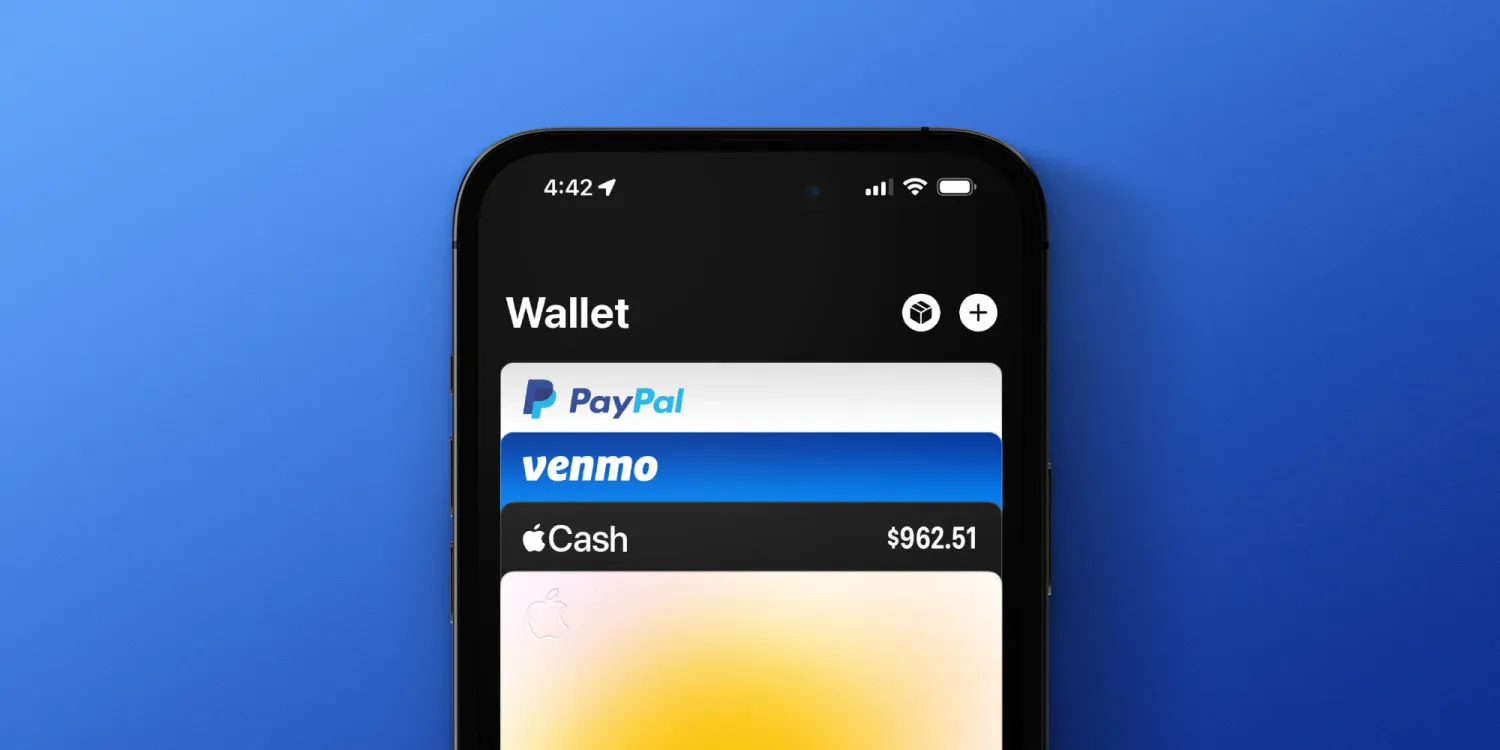
The new Wallet app is said to feature an updated interface that offers search functionality and separated tabs for your cards and your other passes, such as airline boarding passes. iOS 17 will also reportedly add a bottom navigation bar to the Wallet app, with dedicated tabs for “Cash,” “Keys, “IDs,” and “Orders.”
Someone pointed out the glyphs on the bottom were wrong, and they were. Here’s an updated version of the original image with new & more accurate glyphs… pic.twitter.com/nZYV1Lp5Fp
Bloomberg’s Mark Gurman has previously reported on Apple’s plans to overhaul the Wallet app with a new design and new features in iOS 17.
The new Health app will reportedly feature a revamped interface for the “Favorites” tab of the app. The new design will allegedly use smaller square-shaped tiles, allowing you to see additional metrics without having to scroll down the app.
This is the iOS 17 Health app ‘favorites redesign,’ — there will obviously be VISUAL data inside the squares — I’m just too lazy to do all that. I’m sure you get the point.
Finally, Apple is also reportedly planning to overhaul the process of changing and customizing your iPhone’s wallpaper. The source says:
All new Grid-view displays 9+ wallpapers at once.
Delete wallpapers quickly within the grid view.
Rearrange the order of wallpapers in a grid view.
Share or duplicate wallpapers by swiping up in single-view.
This is the new grid view for Wallpapers in iOS 17.
• All new Grid-view displays 9+ wallpapers at once. • Delete wallpapers quickly within the grid-view. • Rearrange the order of wallpapers in grid-view. • Share or duplicate wallpapers by swiping up in single-view. pic.twitter.com/BUMugPKb1v
The @analyst941 source shared these concepts on Twitter. Again, we’d treat the rumor with skepticism for now. Apple will officially unveil iOS 17 at WWDC in June, alongside updates to watchOS, iPadOS, macOS, and tvOS.
Report: iOS 17 sideloading features not coming to the US; Find My and Wallet app updates planned
Apple will announce its next round of software updates in less than two months, including iOS 17. We’ve heard scattered reports on what to expect from these updates, including the possibility that iOS 17 will include support for sideloading apps for the first time.
A report today, however, indicates that sideloading will only be available to iPhone users in Europe, not worldwide. iOS 17 will also reportedly include new features for Wallet and Find My.
iOS 17 sideloading features limited to the EU
The new rumors come from Bloomberg’s Mark Gurman, who made the comments on a recent MacRumors podcast guest appearance. Bloomberg first reported on Apple’s plans to open the iPhone up to third-party app stores and sideloading back in December, saying the company was “dedicating a significant amount of resources” to the endeavor.
Apple is not enabling third-party app stores and sideloading because of a change of heart in its long-held belief that doing so will lead to security and privacy issues. Instead, it’s doing so purely to comply with looming regulations in the European Union, known as the Digital Markets Act.
As the move is being made purely in response to regulatory pressure in the European Union, Apple is doing the bare minimum to comply with those regulations. According to Gurman, this means iOS 17 sideloading will only be available in countries where the DMA is applicable – which only includes the EU.
Gurman believes Apple will implement sideloading in a way similar to what it did when it was forced to make App Store changes in response to an antitrust case in the Netherlands. In fact, Gurman suggested Apple may downplay iOS 17 sideloading to such a degree that it’s not even announced at WWDC:
I think it will be a Europe-only feature. I think that they’re not going to shoot themselves in the foot and expand this globally if they don’t have to.
If you remember, there was that change in the Netherlands around dating apps and the percentage there. And so you have to install a special profile, you have to go through some sort of hoops to do it, and it was very under the radar.
So I think they’re going to push more in that direction. I would be a bit surprised if they announced it at WWDC and made this a highlight consumer feature. I think they want to sort of downplay it as much as possible.
“They’re not gonna do anything extraneous that would further hurt their grip on the App Store,” Gurman continued. “There really going to stick to the letter of the law here.”
But still, the project has been a “major undertaking” inside Apple, Gurman said today. As he initially reported in December, the effort has required involvement from teams across the company, including legal, marketing, and the App Store team itself.
As for how Apple might implement sideloading in the European Union, Gurman speculates that the company will likely charge developers to be part of the program, and they will use some sort of configuration profile-based process. “There’ll be some sort of review process, even though these apps would be installed outside the App Store,” Gurman said.
Outside of the geo-limited sideloading features, Gurman also mentioned in today’s podcast appearance that iOS 17 will include changes to Find My and the Wallet. “I think you’ll see a bigger push on location and Find My-related changes,” he said. “In addition to Wallet and some user interface tweaks and enhancements there.”
As for the rumors about a redesigned Control Center in iOS 17, Gurman said he has nothing to share about that. It should be noted that the rumor of a redesigned Control Center comes from the same anonymous MacRumors source that Gurman recently questioned the reliability of on Twitter. “Many of the details I’ve seen from this account are not true,” he wrote in a post.
Many of the details I’ve seen from this account are not true
The Google System Updates for April 2023 bring improvements to the Play Store, including making it easier to download apps over cellular data.
There’s so much more to an Android smartphone than just the base operating system, as anyone who’s used a phone without Google apps can tell you. The “smarts” that Google brings to mobile devices primarily come from two crucial apps – Google Play Services and the Play Store – and Android’s monthly “Play system updates.”
Each month, the company rounds up the patch notes for these three components and collectively refers to them as “Google System Updates.” Over the course of the month, as new updates are released, the company will fill in the notes with more details. We do our best to monitor the additions and explain the most important aspects, so be sure to check back throughout the month.
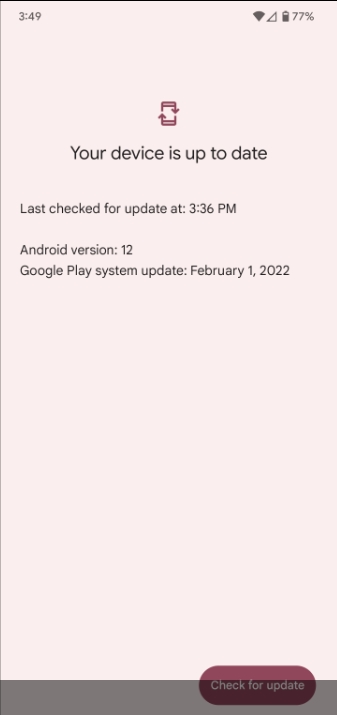
The easiest way to check whether you need to update Google Play Services on your phone is to follow a direct link to the app’s Play Store listing and update from there, if available. To update the Play Store, tap your avatar in the corner, then “Settings.” Under the “About” section, you’ll see an option to “Update Play Store.” Meanwhile, Google Play system updates can be found through the Settings app, under About phone > Android version > Google Play system update.
Updating Google Play Services
Despite the month of April being nearly over, Google has only just now shared the first details of this month’s updates. In fact, the company continued to update the March patch notes for weeks after that month had ended.
The first tidbits shared are all focused on the Google Play Store. For starters, if you attempt to install a new app while disconnected from Wi-Fi, depending on your Play Store settings, the download may not begin until you connect to Wi-Fi. In that instance, you can manually choose to begin the download via cellular data, using an option in the app. In the near future (sometime after the Play Store v35.0 update), the option to download over mobile data will also, conveniently, appear in the active download notification.
Meanwhile, another update to the Play Store (version 35.2) should offer “direct access” to Google’s “My Ad Center,” where you’re able to change your advertising privacy settings and/or adjust the kinds of ads that you see. The changelog doesn’t mention where this shortcut will appear, but the Google Account menu (opened by tapping your avatar in the top-right corner) is a likely bet.
Google Play System Updates for April 2023
Google Play Store
New Features to help you discover the Apps & Games you love.
Optimizations allowing faster and more reliable download and installation.
Continuous improvements to Play Protect to keep your device safe.
Various performance optimizations, bug fixes and improvements to security, stability and accessibility.
[Auto, PC, Phone] Users can allow apps and games to download over cellular data from the download notification while waiting for Wi-Fi.
[Phone] With this update, you will have direct access to My Ad Center.
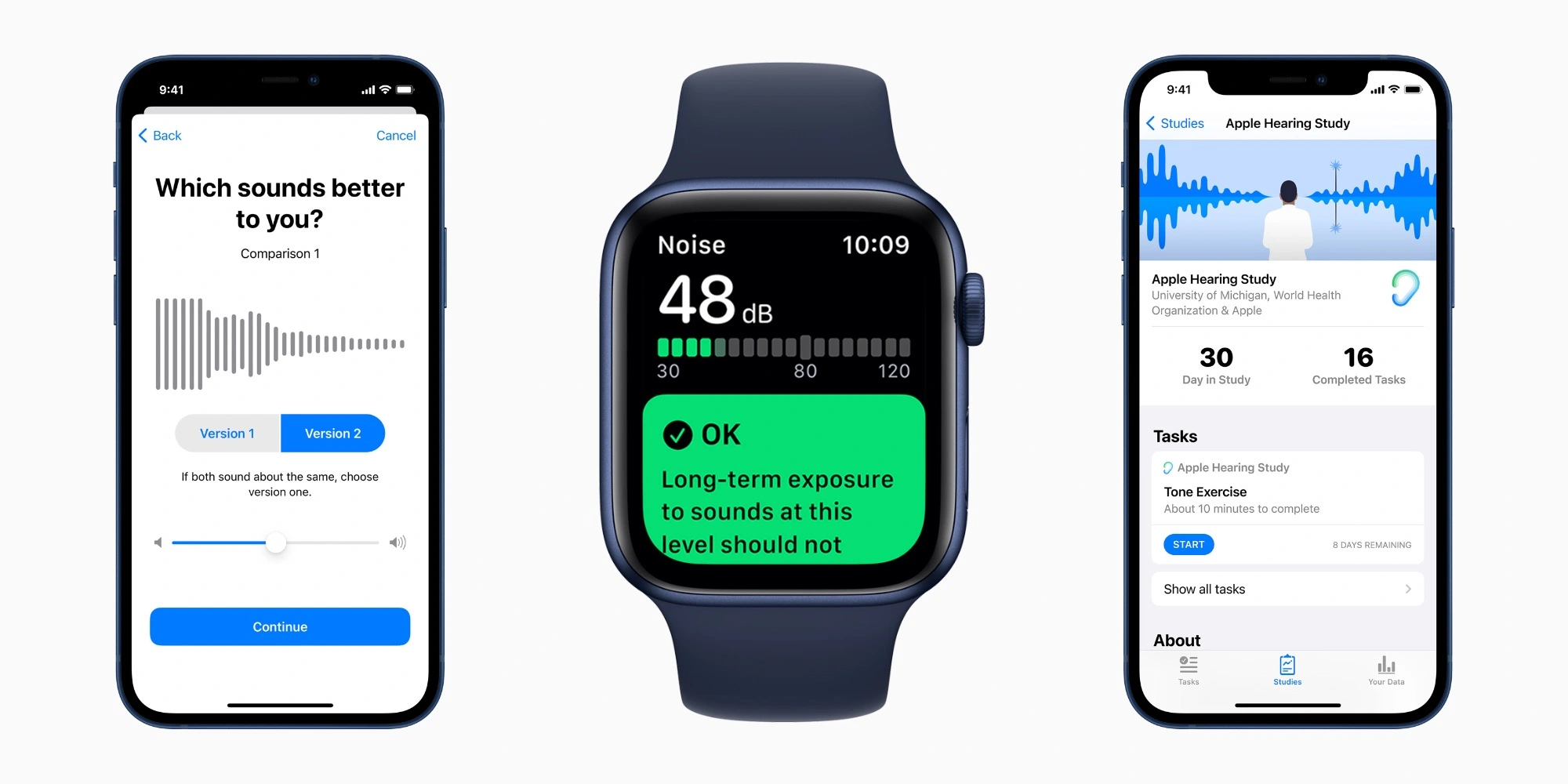
Back in 2019, Apple announced three new health research studies based on data collected from the iPhone and Apple Watch. To coincide with International Noise Awareness Day on April 26, the company shared updates on its Hearing Study conducted in partnership with the University of Michigan.
Apple launching three new research studies including hearing, cycle tracking, heart, and movement
Apple has announced three new health studies powered in part by the Apple Watch. Three new studies include hearing, cycle tracking, heart, and movement research. Apple is also launching a new Apple Research app for enrolling in each study.
Apple announces three groundbreaking health studies
UPDATE September 10, 2019
In Collaboration with Leading Medical Institutions, Apple to Examine Hearing, Women’s, Mobility and Heart Health
The new Research app displaying healthy study enrollment options on iPhone. Three new studies, available on the Research app later this fall, will explore new areas of medical research. Apple today announced three unprecedented medical studies, in partnership with leading academic and research institutions, that will reach more participants than has ever been possible. The studies will be available on the new Research app,1 which democratizes how medical research is conducted by bringing together academic medical institutions, healthcare organizations and the Apple products customers already make a part of their everyday life. Participants will contribute to potential medical discoveries and help create the next generation of innovative health products. The Research app will be available as a free download in the App Store later this year.
“With the Apple Heart Study, we found that we could positively impact medical research in ways that help patients today and that make contributions that will benefit future generations,” said Jeff Williams, Apple’s chief operating officer. “Today’s announcement carries our commitment to health even further by engaging with participants on a larger scale than ever before.”
A heart rate reading displayed on Apple Watch Series 5. The Apple Heart and Movement Study will look into the connection of heart health and mobility signals, like walking pace. The studies include:
Apple Women’s Health Study: In partnership with Harvard T.H. Chan School of Public Health and the NIH’s National Institute of Environmental Health Sciences (NIEHS), Apple has created the first long-term study of this scale focused on menstrual cycles and gynecological conditions. This study will inform screening and risk assessment of conditions like polycystic ovary syndrome (PCOS), infertility, osteoporosis, pregnancy and menopausal transition. Apple Heart and Movement Study: Apple is partnering with Brigham and Women’s Hospital and the American Heart Association on a comprehensive study of how heart rate and mobility signals — like walking pace and flights of stairs climbed — relate to hospitalizations, falls, heart health and quality of life in order to promote healthy movement and improved cardiovascular health. Apple Hearing Study: Alongside the University of Michigan, Apple is examining factors that impact hearing health. The Apple Hearing Health Study is the first of its kind to collect data over time in order to understand how everyday sound exposure can impact hearing. The study data will also be shared with the World Health Organization (WHO) as a contribution toward its Make Listening Safe initiative. The new Cycle Tracking app on Apple Watch Series 5. The Apple Women’s Health Study will explore gynecological conditions on an unparalleled scale. Apple’s support of the medical research community began with the introduction of ResearchKit and CareKit, which expanded the pace and scale at which healthcare could be studied and provided. Apple used ResearchKit to create the Apple Heart Study, which was the largest study of its kind and illustrated the impact virtual, large-scale studies can have on medical research by examining atrial fibrillation to provide validation for the irregular rhythm notification feature on Apple Watch.
“Women make up half of the world’s population, yet even today there has been limited investment in studying their unique health needs,” said Michelle A. Williams, a reproductive epidemiologist and dean of the faculty at the Harvard T.H. Chan School. “This study, unprecedented in scope, will greatly advance our understanding of the biological and social determinants of women’s health, and lead to better health outcomes.”
“This is an exciting opportunity for NIEHS researchers to contribute to the study design and use the resulting data to answer novel questions, not only important to women of reproductive age, but to women of all ages,” said Dale Sandler, Ph.D., chief of the NIEHS Epidemiology Branch.
“We are excited to be working with all the study participants and with Apple to identify the features of complex human physiology that lead to different outcomes in wellness or chronic disease, and to use this information to empower individuals to maximize their own health,” said Calum MacRae, the vice chair of Scientific Innovation for the Department of Medicine at Brigham and Women’s Hospital and associate professor of Medicine at Harvard Medical School.
“At the American Heart Association, we are a relentless force for a world of longer, healthier lives, and we are committed to educating and empowering people to be proactive in all areas of their heart health and general well-being,” said Nancy Brown, CEO of the American Heart Association. “We believe that emerging technology solutions that seek to provide deeper health insights offer great potential in getting us there. We are collaborating with Apple and Brigham and Women’s Hospital on the Apple Heart and Movement Study to explore the correlation between a broad range of physical activities and a person’s overall heart health to ultimately understand risks and interventions to improve health.”
“We are excited about this unique opportunity to partner with Apple to determine how everyday activities affect our hearing,” said DuBois Bowman, dean of the University of Michigan School of Public Health. “The information gleaned from this partnership will be critical for us to address the public health impact of various noise exposures on hearing loss in the United States.”
“The World Health Organization is pleased to note the announcement of the Apple Hearing Study which will contribute toward our Make Listening Safe initiative by improving our understanding of users’ listening behaviors,” said Dr. Shelly Chadha, technical officer of Prevention of Deafness and Hearing Loss at the World Health Organization. “With over a billion young people who could be at risk of hearing loss due to unsafe listening, WHO is addressing this challenge through raising awareness and setting new standards for safe listening. The knowledge gained through this study will contribute to future public health action in this field.”
Media
Images of Apple Health Studies
Available in the US only.
Apple Hearing Study
Since watchOS 6, Apple Watch users can rely on the Noise app, which measures the level of noise in the user’s environment, to warn of potential ear damage. According to the World Health Organization (WHO) and the US Environmental Protection Agency (EPA), people shouldn’t be exposed to an average annual noise level above 70 decibels (dBA).
The study, conducted in partnership between Apple and the University of Michigan, uses this data to measure the impacts of noise exposure on hearing health. In 2021, Apple shared the first insights from this study, which showed that 25% of participants experienced exposure to sound levels louder than the recommended limit at some point.
In most instances, this happened during common situations like being in traffic, working with machinery, and riding public transportation.
The most recent data show that 1 in 3 adults in the US, around 77 million people, are exposed to excessive noise levels. The states with the highest populations have the largest number of those affected by high-decibel noise. This includes California, Texas, Florida, and New York.
The highest percentage of participants exposed to noise levels that are often above 70 dBA reside in Puerto Rico (44%) and the lowest percentage reside in Washington DC (20%).
Apple shares first insights from hearing study based on iPhone and Apple Watch data
Apple launched three research studies in September 2019 that use the iPhone and Apple Watch to learn more about hearing health, women’s cycle tracking, and movement’s effect on wellbeing. A year and a half later, Apple has published what it describes as new insights gathered from the Apple Hearing Study.
The Research app allows iPhone and Apple Watch users to voluntarily participate in health studies from Apple and its research partners. This dramatically lowers the barrier for entry for participation. In turn, results can be based on much larger samples of the population than traditional studies.
The Apple Hearing Study is a partnership between Apple and the University of Michigan School of Public Health. Apple says data from the study is provided to the World Health Organization’s Make Listening Safe Initiative.
The first key insight from the Apple Hearing Study so far is that one in four participants are exposed to higher than recommended environmental sound levels:
The new insights generated leveraging this unprecedented data demonstrate that 25 percent of participants experience a daily average environmental sound exposure (which can include traffic, machinery, public transport, and so on) that is higher than the WHO recommended limit.
The Research app on iPhone includes questions that help inform researchers about overall hearing health. Based on that data, Apple learned that almost half of participants work or have worked in loud environments.
Also, nearly 50 percent of participants now work, or have previously worked, in a loud workplace. As noise exposure has shown an impact on hearing, it’s important to be aware of surroundings. Checking noise levels with the Noise app on Apple Watch can be an effective way to be more aware of sound exposure.
Apple is also sourcing volume level data from headphones, including AirPods. Based on this information from participants, the study has learned that 10% of participants are exposed to higher than recommended headphone volume levels.
Average weekly headphone exposure for one in 10 participants is higher than the WHO recommended limit. While catchy tunes can be tempting, listeners should consider listening to music and other media at the lowest enjoyable volume.
Other key insights realized from the Apple Health Study include these numbers:
1 in 10 participants have been professionally diagnosed with hearing loss
75% of those professionally diagnosed with hearing loss do not use a hearing aid or cochlear implant
1 in 5 participants experience hearing loss compared to World Health Organization standards
1 in 4 participants experience a ringing in their ears a few times a week or more
“Even during this pandemic, when many people are staying home, we’re still seeing 25 percent of our participants experiencing high environmental sound exposures,” according to Rick Neitzel, associate professor of environmental health sciences at the University of Michigan School of Public Health.
“The results of this study can improve our understanding of potentially harmful exposures, and help identify ways that people can proactively protect their hearing,”
Finally, Apple suggests a number of ways that people can positively impact their hearing health and reduce noise exposure to avoid hearing loss including this:
Access support for the Deaf and Hard of Hearing community: Hearing accessibility on iOS includes several features to support people who are profoundly deaf or hard of hearing, like Sound Recognition; FaceTime, including sign language detection in Group FaceTime; sensory alerts; and Type to Siri.
The Apple Hearing Study is available in the United States through the Apple Research app for iPhone.
Here’s how to protect your ears from external noise
According to Apple and the University of Michigan, there are a few things people can do to protect themselves from loud noises. These include wearing hearing protection devices such as earplugs in noisy environments, buying quiet appliances, and taking regular breaks from noisy areas when possible.
If you own an Apple Watch, be sure to check out the Noise app for a better idea of the sound noise levels in your environment. You can also enable notifications for when you’re exposed to above-recommended levels for extended periods of time.
It’s worth noting that the Apple Hearing Study is available in the United States through the Apple Research app for iPhone.
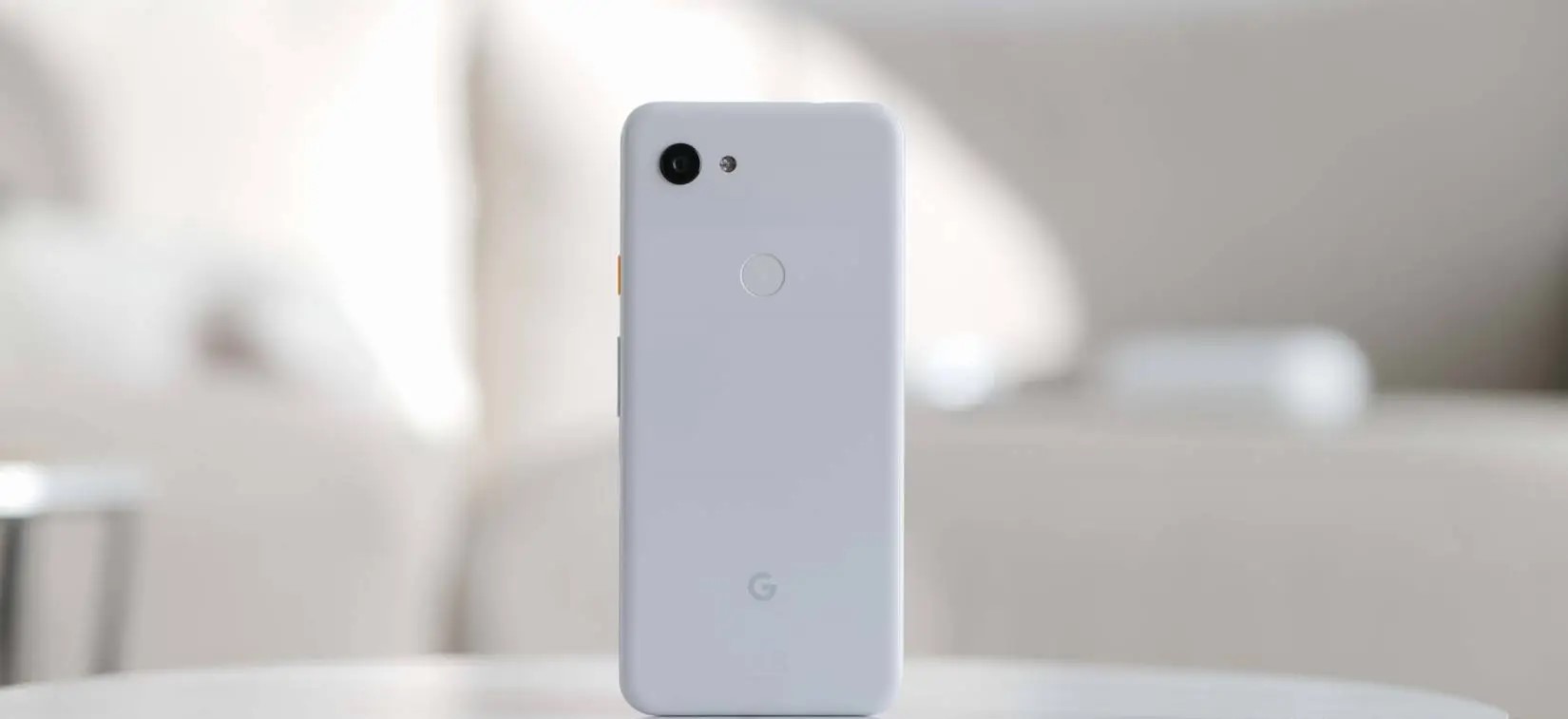
Almost four years ago, Google deviated from the well-worn flagship path and released the Pixel 3a and 3a XL. The mid-rangers provided all of the best bits of the Pixel 3 but without the asking price to match.
As the Pixel 3a and 3a XL are no longer officially supported by Google, it’s time to reassess just how this duo has changed the trajectory of Google in the smartphone space. Has it helped, or has it hindered the growth of the Pixel series? This is Pixel 3a postmortem.
What has aged well
Design
Camera
Display
What hasn’t aged well
Performance
Lifespan
Hardware and design
Familiar but ever so slightly different
We often see Android OEMs cut corners to inhibit the experience, but Google took a scalpel to only the areas that kept the price high. The result was impressive in all the right ways and even the negatives can quickly get overlooked.
One of the biggest compliments that you can give the Pixel 3a is that at least visually, it’s almost indistinguishable from the Pixel 3 at first glance. That’s undoubtedly a testament to Google’s efforts to provide at least the perception of a “premium” Pixel experience without the price tag. There’s also the benefit of shared hardware traits that do not diminish or cheapen the design principles introduced with the flagship line. Apple’s continued repackaging of old designs with the iPhone SE puts this into perspective.
A very brief divergence occurred a year later but the two-tone frosted look works surprisingly well when cheaper polycarbonate was utilized. Plastic doesn’t age quite as gracefully without a case but it’s more durable than metal and glass. You can tell that cheaper materials have been used but it’s not to the detriment of the look and feel – which actually belies the original lower entry point. The only unique trait is the new Purple-ish color and slightly tuned power button hues.
Even forehead and chin display bezels are home to front-facing speakers. There’s no bathtub notch to contend with, which in many ways felt like a huge selling point upon release. Google nailed the screens here too. Both are rated at FHD+ and capped at 60Hz, but to add such a good and well-tuned OLED screen means that the Pixel’s Always-on display features bled down to the first affordable devices. Hardware feature parity was not expected but it builds the all-important buyer trust.
Although the Qualcomm Snapdragon 670 processor is a fairly sizable downgrade over the Snapdragon 845 used in the Pixel 3, there is parity in the 4GB memory allocation. This helped to keep things running smoothly – shockingly so. The rear fingerprint scanner is also fast and fluid, something that certain recent Pixel flagships haven’t always been able to say.
There’s also the 3.5mm headphone port. A relic of a time before ports were removed with excuses about IP ratings or even the admittedly excellent Pixel Buds A-Series. Little did we know that even affordable phones would soon ditch the port entirely.
Software and performance
Fine at the time
Without delving into the performance levels today — which are impressive given the aging internals — Google’s efforts in tuning modest internals meant a flagship-level software experience without the associated price tag. The added bonus is day-one software updates and monthly security patches.
The landscape has changed since the release of the Pixel 3a, but at a time when Samsung continued to fumble software updates and device support, the idea of a sub-$500 smartphone with such a support window was almost unheard of. Android 12 is the final “official” OS update made available in September 2022 after launching with Android 9 Pie pre-installed. As of January 2023, updates ceased with the release of the May 2022 security patch. All in all, this isn’t a bad run for the duo.
Without delving into the performance levels today — which are impressive given the aging internals — Google’s efforts in tuning modest internals meant a flagship-level software experience without the associated price tag. The added bonus is day-one software updates and monthly security patches.
The landscape has changed since the release of the Pixel 3a, but at a time when Samsung continued to fumble software updates and device support, the idea of a sub-$500 smartphone with such a support window was almost unheard of. Android 12 is the final “official” OS update made available in September 2022 after launching with Android 9 Pie pre-installed. As of January 2023, updates ceased with the release of the May 2022 security patch. All in all, this isn’t a bad run for the duo.
This includes no great issues with the camera UI unresponsiveness or even apps constantly being flushed from memory. Sure, the experience when running Android 12 isn’t top-tier. In perspective, it still runs well given the hardware constraints. Many other mid-rangers released back in 2019 can’t claim the same.
A bigger frustration that has been exacerbated over time is the lacklustre 64GB storage capacity. With app sizes slowly ballooning, it would have been better to have a 128GB base model. This was corrected with the launch of the Pixel 4a series over a year later.
If you are insistent on grabbing a taste of Android 13, then you might have to head into the world of unofficial third-party ROMs. LineageOS 20 was recently announced sans Pixel 3a or 3a XL support. There is a way to flash this via unofficial means if you want to hold on to Google’s first budget phone for a little while longer.
Camera
Flagship-level solo shooter
When it was officially confirmed that the camera setup on the Pixel 3a was going to be identical to the Pixel 3 series, it certainly raised a few eyebrows. For some, it probably felt like a kick in the teeth but it was an absolute masterstroke. The Sony IMX363 is certainly a little long in the tooth.
While we’ve seen the Pixel 6 and 6a ditch the camera sensor consistency, this was a true flagship system in a mid-range phone.
No feature was missing. This included the impressive Night Sight long exposure mode, Top Shot, plus the excellent Portrait mode. Although image processing took a little longer than on the Pixel 3, the end result and overall quality are identical. Despite a lack of lens variety, the solo shooter is still impressive and you’re able to take photos in just about every scenario.
It wouldn’t say that Google’s older handsets have aged badly in the photographic department. you can certainly see that the processing has altered slightly with each iteration. Video hasn’t held up quite as well but being able to record solid 4K UHD 30fps video is a big bonus. Most 2019 mid-range smartphones would cap at 1080p and given the same flagship-level camera system was utilized across the Pixel 3 and 3a series, it was an impressive inclusion.
As mentioned, the paltry 64GB internal storage with no option to expand or upgrade has always been a sore point. Offloading images to Google Photos, other cloud storage services, or locally on a PC or drive was something we deemed necessary back at launch.
Battery
Exceptional in its day
Although it’s unfair to look at an almost four-year-old smartphone’s lifespan, upon release of the Pixel 3a and 3a XL the battery longevity surpassed even the flagship Pixel 3. The low-power processor and power management helped to push the Pixel 3a XL into the upper echelons of Android lifespan back in 2019.
Seven hours of screen time over multiple days was possible back at launch. You’ll be lucky to attain half of that today given natural battery degradation. The 18W maximum charge speeds seem slow by today’s standards but seemed solid during the initial launch window.
A lack of wireless charging feels like a missed opportunity, alas it is another relic of the time. It also feels unfair to complain about this when the Pixel A-series still lacks the ability to charge via Qi wireless pad or even the Pixel Stand. Maybe future iterations will finally allow for wire-free charging. We can only hope.
In many ways, the Pixel 3a and 3a XL absolutely stole some of the limelight from the Pixel 3. It’s not often that any manufacturer absolutely nails the first attempt at a new segment but Google most certainly did probably in ways that the Pixel series could never really manage.
The price point and feature set mean this duo felt fully fleshed out in ways that the Pixel series hadn’t quite managed at the time. While Google of old struggled with trying to break into the high-end smartphone space, the firm’s first mid-range effort absolutely nailed every single fundamental — and then some.
In a previous revisit, the Pixel 3a XL specifically the “everyman Android”. Mid-range phones were nothing new in 2019, but by repackaging everything that we expected from Google’s flagship experience without overly watering things down. It led to the birth of what is arguably the more enticing Made by Google smartphone series to most prospective buyers. All the flavour but less of the fluff. Just a pure Pixel experience sans a price tag.
With the Pixel 6a being more or less the culmination of the A-series at this stage and the Pixel 7a likely bringing yet more upgrades, those handsets will have the Pixel 3a and 3a XL to thank for truly paving the way.
Fitbit shared that its transition to using Google Accounts for logging in and new device registration will start this summer.
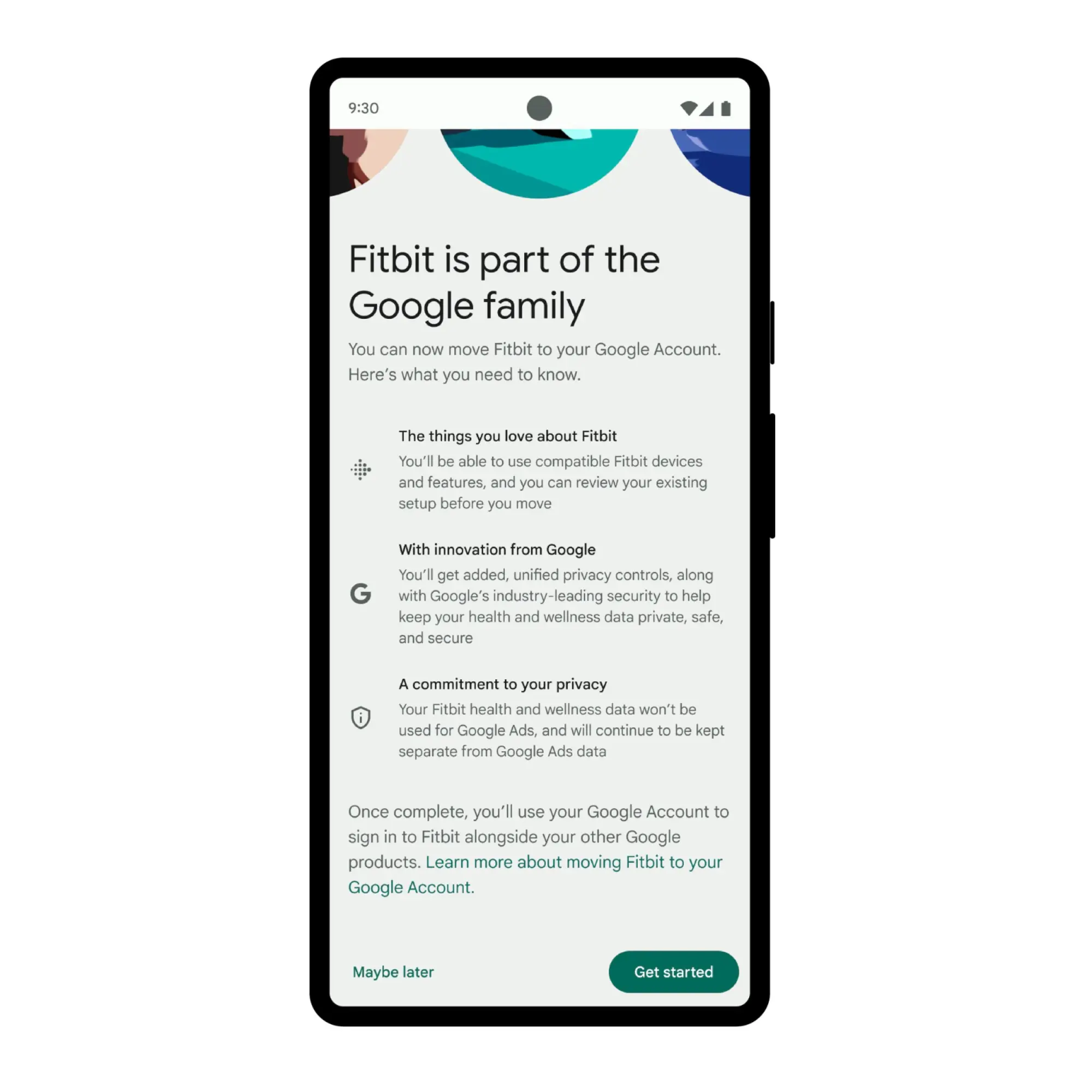
Fitbit is moving away from its own login system to just use Google Accounts. Google touts benefits like having one username/password for Gmail/YouTube/Photos/etc., and Fitbit, as well as “industry-leading privacy and security.”
Users will have added, unified privacy controls – including the ability to manage all Fitbit data in the Google Privacy Center – to keep their health and wellness data safe and secure. They will also be able to see and manage where they are logged in across their Google Account.
For example, Fitbit two-factor authentication (2FA) only takes place over SMS today.
Google reiterates that “Fitbit health and wellness data won’t be used for Google Ads, and it will continue to be kept separate from Google Ads data.”
Besides the login experience, Fitbit says users should not expect any changes to accessing historical health and wellness stats. This upcoming move is being positioned as laying the groundwork for future Fitbit capabilities, with similar phrasing used to describe the recent removal of Challenges and open groups.
This will start rolling in a few months, and users will see a prompt in the Fitbit app (or an option in app settings) to migrate to logging in with a Google Account. You will have the ability to “review your existing setup before you move.”
Existing users will not have to switch until 2025, but new Fitbit users will need to go the Google Account route to set up devices when this rolls out.
Fitbit removing Google sign-in support ahead of account transition
As of 2023, Fitbit will require a Google Account to use new devices and features. As part of transitioning to a single account system, Fitbit.com is losing support for Google sign-in.
At the moment, Fitbit.com lets you sign in with a username and password (aka Fitbit account) or by using “Continue with Google” (Google Account). In 2021, the website also supported signing in with Facebook, but that was eventually and unsurprisingly deprecated.
The Fitbit website’s sign-in page has been updated with the following message: “We are removing the option to log in to your account on fitbit.com with your Google credentials to support an improved experience coming soon.” No hard date for when this will occur is provided.
To prepare for this removal, be sure you know the email address and password you use for Fitbit. If you don’t know your password, click Forgot Password
For more information about your Fitbit account, including how to find and change your email address, see our help article.
Fitbit wants all users to be aware of their email addresses and password, which is already required by the Android and iOS apps. You’re advised to reset your password and enter a new one if not.
This change is in service of Fitbit accounts being replaced by standard Google Accounts, so there will no longer be two different systems. A Google Account will be needed to access new features and set up devices, though users will be able to stick with existing Fitbit accounts until 2025.
Besides access to new features, Google touts feature like “industry-leading account security, centralized privacy controls for Fitbit user data, and more features from Google on Fitbit.”
When this consolidation launches, you will have to “consent to transfer your Fitbit user data from Fitbit to Google.” This is no timeline yet for when this will occur.
Fitbit Challenges and open groups are no longer available as Google pulls the plug
Following an announcement earlier this year, Fitbit has today pulled the plug on challenges and open groups, two longtime features of its app.
As of today, March 27, Fitbit has discontinued support for four different “legacy” features within its app. Available since 2017, those most notably include “Challenges & Adventures,” which were social activities that allowed Fitbit owners to compete with one another with real-life movement and activity goals. The challenges included:
Challenges: Find the extra encouragement to move more by competing with friends and family.
Virtual Premium Challenges: It’s even easier to play! For a limited time, earn bonus active minutes and Active Zone Minutes during challenges.
Adventure Races: Virtually race against your friends along real-life locations.
Solo Adventures: Virtually explore real-life locations.
Further, Fitbit has also today removed open groups from its app, now limiting the feature to only private groups with friends. Open groups allowed Fitbit owners to share progress and discuss topics on a public forum accessible through the Fitbit app.
Google and Fitbit said that the reason for removing Challenges and open groups was in an effort to “streamline areas” of the Fitbit app as the two companies move toward further Google integration.
We’re working hard behind the scenes to enhance the Fitbit app with Google technology this year. As a result, we’re streamlining areas of the Fitbit app and will remove all challenges, including adventures, and trophies on March 27, 2023.
However, both of these removals have not been well-received by the community. Longtime Fitbit owners have expressed their outrage at the decision and called on Google repeatedly to reverse the decision. At this point, though, the features have already shut down, and it seems they’re unlikely to make a return unless Google opts to reinvent them in the future.
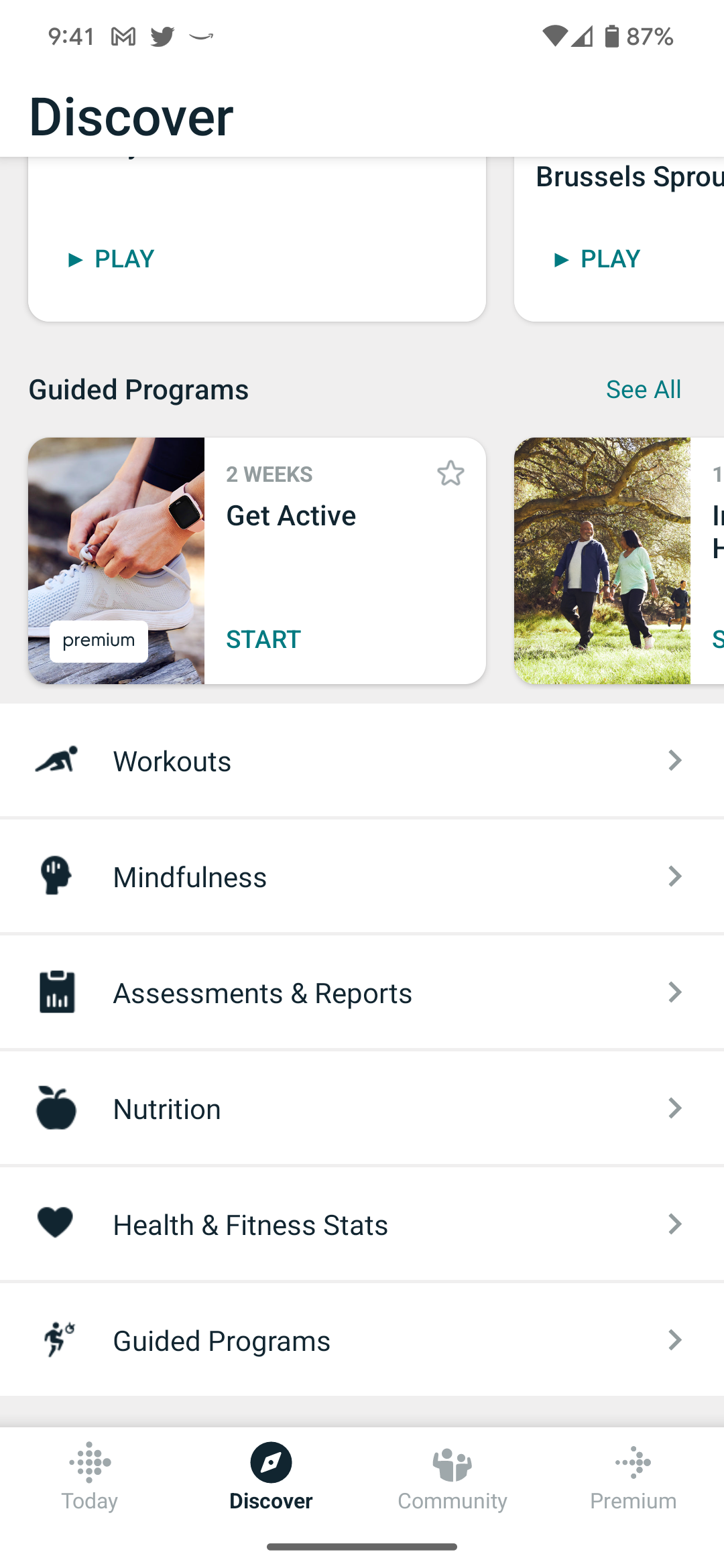
The “Discover” tab in the Fitbit app is now lacking these longtime features, instead only showing workout guides, mindfulness and nutrition content, and similar programs and content.
Last week, Apple released iOS 15.7.4 to the general public with notable security patches. Now, Apple is rolling out iOS 15.7.5 as yet another update for older iPhone and iPad devices. This update, along with iPadOS 15.7.5, addresses two vulnerabilities that “may have been actively exploited.”
as Apple stated about iOS 15 Updates iOS 15 brings audio and video enhancements to FaceTime, including spatial audio and Portrait mode. Shared with You resurfaces the articles, photos, and other shared content from your Messages and conversations in the corresponding app. Focus helps you reduce distractions by filtering out notifications based on what you are currently doing. Notifications have been redesigned and a new notification summary delivers a collection of notifications so you can catch up on your own time. Maps delivers a beautiful redesign with a new three-dimensional city experience and augmented reality walking directions. Live Text uses on-device intelligence to recognize text in photos across the entire system and on the web. New privacy controls in Siri, Mail, and more provide transparency and give you more control over your data.
You can update your iPhone to iOS 15.7.5 by heading to the Settings app, choosing General, and then choosing Software Update. The build number for today’s update is 19H332. It’s available for the following devices:
iPhone 6s (all models), iPhone 7 (all models), iPhone SE (1st generation), iPad Air 2, iPad mini (4th generation), and iPod touch (7th generation)
Apple says iOS 15.7.5 addresses two security vulnerabilities that may have been actively exploited in the wild:
IOSurfaceAccelerator
Impact: An app may be able to execute arbitrary code with kernel privileges. Apple is aware of a report that this issue may have been actively exploited.
Description: An out-of-bounds write issue was addressed with improved input validation.
WebKit
Impact: Processing maliciously crafted web content may lead to arbitrary code execution. Apple is aware of a report that this issue may have been actively exploited.
Description: A use-after-free issue was addressed with improved memory management.
In addition to iOS 15.7.5, Apple has also released macOS Big Sur 11.7.6 (20G1231) as well as macOS Monterey 12.6.5 (21G531).
PayPal has announced that it is now rolling out Apple Pay as a checkout option for small businesses. This means that small businesses using PayPal’s “complete payments solution” online can now offer Apple Pay as a payment option during their checkout flow.
PayPal first detailed its plans to adopt Apple Pay support last year as part of its roadmap of “strategic initiatives and business updates” for 2023. In a press release April 4,2023, the company announced that Apple Pay support is now rolling out for small businesses online.
The option to enable Apple Pay for checkout is available to small businesses that use PayPal’s “complete payments solution” platform. This is the unbranded checkout flow that many small businesses use and it’s different than the branded checkout page. Essentially, this means that small businesses using PayPal as the backend for their payment processing can now enable Apple Pay.
Small businesses that are leveraging PayPal’s complete payments solution will now be able to accept Apple Pay alongside a variety of other popular payment options. Apple Pay offers their customers an easy, secure and private way to pay online and in-apps when using Apple devices.
“The retail landscape is constantly evolving and SMBs need access to a range of tools to help them drive sales, cut costs and protect themselves and their customers from fraud,” said Nitin Prabhu, VP, Merchant Experiences and Payment Solutions, PayPal. “With our complete payments solution, small businesses can get access to all of these tools with one integration.”
At launch, the ability to pay with Apple Pay through PayPal’s unbranded checkout flow is available only for one-time transactions. The company says that recurring payment support will be added soon.
PayPal and Venmo adding Tap to Pay on iPhone, Apple Pay for online purchases, and Wallet app support
PayPal will soon be rolling out new ways for customers and merchants to take advantage of Apple Pay, iPhone, and more. PayPal says it will soon be adopting Apple’s new Tap to Pay on iPhone feature for merchants, as well as adding support for Apple Pay to its branded debit and credit cards and adding Apple Pay as a payment option in checkout flows.
PayPal adopting Apple Pay and more
PayPal made these announcements in an update to investors as part of its Q3 2022 earnings release. As one of its “strategic initiatives and business updates,” the company says it is “working with Apple to enhance our offerings for PayPal and Venmo merchants and consumers.”
We’re very pleased to be working with Apple to enhance our offerings for our PayPal and Venmo merchants and consumers,” PayPal Chief Executive Officer Dan Schulman said in the statement.
There are different components to today’s announcement from PayPal, which also owns the popular peer-to-peer payment platform Venmo. Here they are:
Leveraging Apple’s Tap to Pay on iPhone technology, US merchant will soon be able to accept contactless debit or credit cards and mobile wallets, including Apple Pay, using an iPhone and the PayPal or Venmo iOS app.
Adding Apple Pay as a payment option in PayPal’s unbranded checkout flows on merchant platforms, including the PayPal Commerce Platform.
Next year, US customers will be able to add PayPal and Venmo network-branded credit and debit cards to Apple Wallet and use them anywhere Apple Pay is accepted.
Tap to Pay on iPhone is a new feature launched by Apple earlier this year, currently available in Apple Stores and via Square’s merchant app. Tap to Pay on iPhone works by the merchant prompting the customer to hold their iPhone or Apple Watch near the merchant’s iPhone to pay with Apple Pay, a contactless credit or debit card, or another digital wallet. The payment is then securely completed using NFC technology.
Meanwhile, PayPal’s announcement today also means that you’ll see Apple Pay as a payment option at select online stores that use the company’s unbranded checkout flows. This will increase the availability of Apple pay for purchases on the web, but it sounds like the implementation will be somewhat limited.
Finally, PayPal also says that consumers will be able to add their PayPal and Venmo-branded debit and credit cards to Apple Wallet and Apple Pay.
PayPal Adds New Features to Its Complete Payments Solution for Online Small Businesses
PayPal’s online payment solution enables SMBs to accept PayPal payments, credit and debit cards, digital wallets and more. Beginning today, SMBs will also be able to accept payments with Apple Pay®, allow their customers to save payment methods with the PayPal vault and keep their cards up to date with real-time account updater, as well as get access to features to help them run their business including interchange plus plus (IC++) pricing with gross settlement.
SAN JOSE, Calif., April 4, 2023 /PRNewswire/ — PayPal Holdings, Inc. (NASDAQ: PYPL) today announced it has added new features to its complete payments solution for small businesses. The solution enables small businesses to accept a range of payments including PayPal, Venmo and PayPal Pay Later products. Giving customers more choice in how they can pay can help drive checkout. Fifty-nine percent of respondents of a recent Ponemon Institute study said their customers frequently abandon their shopping cart when their preferred payment method is unavailable.PayPal’s complete payments solution also enables small businesses to process card payments directly on their website, and customize the checkout experience to match the look and feel of their brand, all through a single integration.
Beginning today, PayPal will also give small businesses access to four new features to help them drive payment acceptance and enhance how they run their business. This will include Apple Pay as a checkout option, the ability for customers to save payment methods with the PayPal vault for faster future checkout, real-time account updater to help customers keep their payment methods up to date, and access to IC++ pricing.
“The retail landscape is constantly evolving and SMBs need access to a range of tools to help them drive sales, cut costs and protect themselves and their customers from fraud,” said Nitin Prabhu, VP, Merchant Experiences and Payment Solutions, PayPal. “With our complete payments solution, small businesses can get access to all of these tools with one integration.”
Enabling more payment choice to help drive checkout
Small businesses that are leveraging PayPal’s complete payments solution will now be able to accept Apple Pay alongside a variety of other popular payment options. Apple Pay offers their customers an easy, secure and private way to pay online and in-apps when using Apple® devices.
Simplifying the checkout experience to help drive conversion
In addition, PayPal’s complete payments solution now allows consumers to securely save their payment information on a business’s ecommerce website for future purchases. This can reduce friction and drive conversion. By letting PayPal help manage some of the business’s PCI compliance for the storage of financial instruments, businesses are better able to manage risk and complexity of their businesses. Small businesses can save multiple payment methods — including PayPal, Venmo and cards — in the PayPal vault. Once saved, these payment methods will remain fresh via PayPal’s real-time account updater service and network tokens, which can help reduce declines and drive conversions by automatically updating lost, stolen or expired cards-on-file.
Helping businesses better manage their cashflow and get more transparent pricing
Small businesses will continue to get access to features like automatic transfer, which helps businesses better manage their cashflow. Businesses will now be able to choose between flat-rate pricing or an IC++ pricing model, which helps them get paid the full amount up-front and get a transparent view into processing costs.
Helping keep businesses and their customers secure
To help keep small businesses secure in an environment where fraud is on the rise, PayPal’s complete payments solution will continue to offer Fraud Protection, Chargeback Protection and Seller Protection, on eligible transactions. SMBs will also get one of the market-leading rates on processing fees for card payments, alternative payment methods and other digital wallets, at just 2.59% + 49 cents. Pricing for PayPal payments is 3.49% + 49 cents.
You can learn more about PayPal’s complete payments solution here.
About PayPal
PayPal has remained at the forefront of the digital payment revolution for more than 20 years. By leveraging technology to make financial services and commerce more convenient, affordable, and secure, the PayPal platform is empowering 435 million active accounts in more than 200 markets to join and thrive in the global economy. For more information, visit paypal.com.
1 Ponemon Institute, Commissioned by PayPal. The 2022 True Cost of Online Fraud Global Study. 2 Pay with Apple Pay on Advanced Checkout is currently for one-time transactions with recurring payment support to be added soon. 3 Apple and Apple Pay are registered trademarks of Apple Inc. 4 Fraud Protection is available on “Advanced Card Payments” (unbranded processing) and branded PayPal payments but not guest transactions. 5 Certain chargebacks are not eligible for the Chargeback Protection tool. See terms for details. Chargebacks that are not related to fraud or item not received (INR), such as broken Item, significantly not as described (SNAD), refund not processed, and duplicate charge, are not protected by Chargeback Protection. Chargeback Protection is available for accounts enrolled in Advanced Credit and Debit Card Payments. 6 Available on eligible purchases. Limits apply. 7 Fees are subject to change.
Announced at CES 2022, Google has now launched Nearby Share for Windows as a beta app to transfer files between your Android device and PC.
The Nearby Share Beta for Windows app is available as a direct download from android.com for Windows 10 and newer (64-bit version) with “ARM devices not supported.” Bluetooth and Wi-Fi have to be enabled on your PC, with Google mentioning a 16-foot (5-meter) transfer proximity between devices.
It lets you “quickly transfer photos, videos, documents, audio files or entire folders between your Android device and Windows PCs.” Google positions it as being useful when you want to “edit your photos on a larger screen or organize your digital folders.”
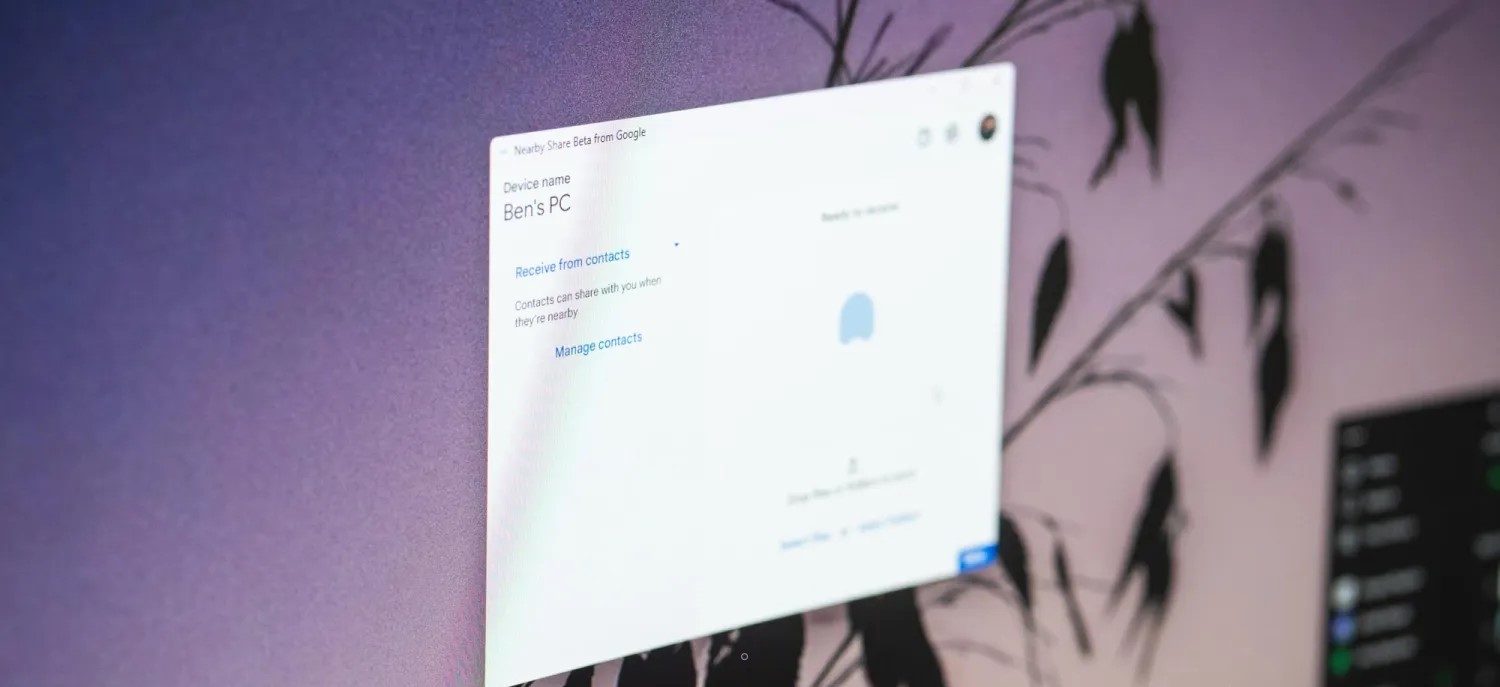
After installing, you’re prompted to sign in to your Google Account to customize sharing preferences, “like only allowing your contacts to share with you.” However, there’s a “Use without account” option too.
Nearby Share Beta works with your Windows PC whether the app is open on the desktop or running in the background.
With a Material 3 design for the window (and blue accent), you can send via drag-and-drop, or right clicking on a file and selecting “Send with Nearby Share.” A blue double helix is used as the app icon.
Nearby Share on Windows features the same device visibility controls as Android: Everyone, Contacts, Your devices, and No one.
Sending files to your own devices is even faster. As long as both devices are logged into your Google account, file transfers are automatically accepted — even if your screen is off.
When you receive a transfer, you have the ability to Open or Dismiss. Google says “all Nearby Share transfers are protected by E2E encryption.”
According to Google, this beta is “rolling out in the U.S. and select regions globally.” Currently, only sharing between Android (smartphones + tablets) and Windows PCs is supported. Google says it will “expand official support to share content with other Google ecosystem devices” in the future.
Nearby Share Beta for Windows PCs is not currently supported within the following regions: Austria, Belgium, Bulgaria, Croatia, Cyprus, Czechia, Denmark, Donbass, Estonia, Finland, France, Germany, Greece, Hungary, Ireland, Italy, Latvia, Lithuania, Luxembourg, Malta, Netherlands, Poland, Portugal, Romania, Slovakia, Slovenia, Spain and Sweden.
We’re seeing the download live in the US, but users in Europe (or at least France) are not being offered the website option. That said, once you get the file, there are no install limitations.
Hands on: Android’s Nearby Share for Windows just works
One of the tools that I’ve always been a little envious of from Apple’s ecosystem has been AirDrop. While it’s not something I want to use constantly, being able to throw a file from my phone to my computer or vice versa is compelling. Now, that’s finally possible on Android and Windows, as Google has released Nearby Share for the Microsoft-owned platform, and it’s wonderful.
Nearby Share was announced for Windows PCs in early 2022, but Google was pretty much silent about the feature in the following months. Even at CES 2023 this year, a full year after Google had announced the feature, there was still nothing to share.
Now, Google has finally launched Nearby Share for Windows in beta. The app launched on Friday, and as our Abner Li noted, it’s limited by region but not by device. You’ll need a modern computer with Wi-Fi, Bluetooth, and a 64-bit OS (Windows 10 or 11), but that’s not exactly a high bar to clear in 2023. It’s also quite different from what was originally envisioned. When Google announced Nearby Share for Windows in 2022, the company implied it would be limited to partnerships with HP and other brands. At the time, I was quite worried my custom-built PC would never see Nearby Share, so I was certainly happy to see last week that Google is just opening the floodgates to everyone.
But how does Nearby Share for Windows actually work in practice? Really, it just works.
Installing the app is as simple as installing the executable file, and the installer will feel quite familiar if you’ve ever installed Google Chrome on Windows. From there, you’ll be prompted to link your Google account and then set up your privacy preferences. Like on Android, you can set Nearby Share to only be visible to contacts, just your other devices, or to anyone. You’ll also set a name for your computer to be seen on Android devices. (Chromebooks are not supported right now.)
At that point, you’re kind of done. Nearby Share then works just like it does on any other device.
Pick the file you want to share (either by using the upload button and File Explorer or by using drag and drop) and then the device you want to send it to. I found this to be a little slow with my Pixel 7 Pro, not in the speed of the file transfer but in the time it took for my Pixel to appear as a sharing target. Part of this boils down to Nearby Share requiring that your phone is unlocked before it can appear. This was a bit annoying for quick workflows, but it makes sense.
As for incoming files, Nearby Share for Windows defaults to the Downloads folder, but you can redirect that anywhere you’d like. That’s the only real setting, though, as the only other things you can adjust are your PC’s name seen by other Nearby Share devices and visibility settings. I don’t really see that as a problem, though, as the current setup gets the job done very well.
File transfer speeds have been, for me, quite quick.
Sending a 500 MB video from my Pixel 7 Pro to my PC took less than 30 seconds, with a transfer rate of over 60-70 MB/s. And like on Android and ChromeOS, you can send multiple files at once.
However, your results may vary here. As seen in the video below seeing transfer speeds in mere KB/s, which he found may be attributed to using a Google Workspace account.
Nearby Share for Windows also supports sending files from the right-click dialogue of the OS. This is super useful, as it saves a few clicks in opening up the app itself. You’ll also get notifications for incoming files through native Windows notifications.
What does the future hold in store for Nearby Share on Windows? Frankly, I can’t see a whole lot changing in terms of functionality. This works, and it works really well. If Google had just thrown this out the door as a final product, I’d have believed it. I can only assume this is still a beta release to give Google time to work out any quiet bugs hiding behind the scenes, as well as optimize it for other regions.