The Extreme Phone Restoration Reviving a Water-Damaged Pixel’s Phone: Reviving a Water-Damaged Pixel – 7 Proven Steps
Water damage can strike even the most advanced smartphones, and Google Pixel devices are no exception. Whether your Pixel fell into a pool, got caught in a downpour, or accidentally met a kitchen sink, panic often follows. But don’t despair! With the right steps, you can maximize your Pixel’s chances of survival. In this guide, we’ll walk through the proven techniques to revive a water-damaged Pixel safely and effectively.
Introduction to Water Damage in Smartphones
Smartphones are engineered to be resilient, but water exposure remains one of the leading causes of permanent damage. Google Pixel models, while often marketed with water resistance (IP68 in recent models), are still vulnerable if submerged too long or exposed to certain liquids like saltwater or sugary beverages. Immediate action can make the difference between a functional device and a paperweight.
Not all Pixels are created equal. Different models have varying degrees of water resistance, which diminishes over time as seals wear out.
Pixel 2/3/3a: Limited water resistance; exposure can be risky.
Pixel 4/4a/5: IP68 water-resistant up to 1.5 meters for 30 minutes.
Pixel 6/6a/7: Enhanced IP68 rating but still susceptible to corrosion if wet internally.
LSI Keyword: smartphone water damage, Pixel repair, water resistance
Knowing your device’s limits helps you take the correct precautions. Even minor exposure can cause long-term problems like corrosion, battery issues, or short circuits.
Time is critical. Your actions in the first few minutes can save your device.
Powering Down Safely
Never attempt to power on a wet phone. Electricity flowing through wet components can cause permanent short circuits. Immediately turn off the Pixel and avoid pressing any buttons unnecessarily.
Removing External Accessories
Take out the SIM card, SD card (if applicable), headphones, and cases. Water trapped under cases or in headphone jacks can exacerbate damage.
Drying Techniques: Dos and Don’ts
How you dry your Pixel matters immensely.
Air Drying vs. Silica Gel Packs
Method
Pros
Cons
Air Drying
Free, no special tools
Slow, may leave moisture inside
Silica Gel Packs
Absorbs moisture efficiently, safe
Needs multiple packets for deep drying
Avoid Rice – Why It Doesn’t Work
Despite popular belief, rice is not an effective drying agent. It absorbs some moisture but cannot reach internal components. Worse, rice dust can enter ports, causing more harm.
Disassembling Your Pixel for Deep Drying
If air drying or silica gel isn’t enough, partial disassembly can help water escape from hard-to-reach areas.
Tools Needed for Disassembly
Small screwdrivers (Phillips, Torx)
Plastic prying tools
Anti-static wrist strap
Step-by-Step Pixel Teardown
Power off the device.
Remove the SIM tray.
Unscrew back panel screws carefully.
Lift the back cover using a plastic prying tool.
Detach the battery and internal connectors.
Place components on a dry, clean surface.
Note: Only proceed if comfortable with electronics; otherwise, seek professional help.
Cleaning Internal Components
Water exposure can leave residues, leading to corrosion over time.
Using Isopropyl Alcohol
Use 90–99% isopropyl alcohol.
Gently brush connectors and circuit boards to remove deposits.
Avoid aggressive scrubbing that may damage components.
Inspecting for Short Circuits
Look for green or white residue (signs of corrosion). Use a magnifying glass for small areas. Cleaning thoroughly can prevent future malfunctions.
Testing and Reassembly
Once dried and cleaned, it’s time to test the Pixel.
Initial Power-On Test
Connect the battery carefully.
Power on the device in a safe, controlled environment.
If it doesn’t start, wait 24 hours for further drying.
Reinstalling Components
Replace connectors securely.
Reattach back panel and screws.
Insert SIM card and test functions: display, touchscreen, speakers, and cameras.
Professional Repair vs. DIY
DIY can save money, but professional repair ensures safety and warranty compliance. Sydney CBD Repair Centre, for example, provides same-day water damage restoration using genuine parts and offers a 90-day warranty.
DIY: Low cost, risk of errors.
Professional: Expertise, guaranteed results, less stress.
Be mindful that IP ratings do not guarantee total protection.
FAQs
Q1: Can a water-damaged Pixel fully recover?
A1: Yes, if addressed immediately. Drying, cleaning, and testing can restore full functionality.
Q2: How long should I wait before powering on a wet Pixel?
A2: Minimum 24–48 hours for thorough drying.
Q3: Is professional repair always necessary?
A3: Not always, but it reduces risk of permanent damage.
Q4: Can rice help in water damage?
A4: No. Rice is largely ineffective and can introduce debris.
Q5: What liquids are most harmful?
A5: Saltwater, sugary drinks, and alcohol-based liquids accelerate corrosion.
Q6: Will insurance cover water damage?
A6: Depends on your policy. Many warranties exclude liquid damage.
Conclusion
Reviving a water-damaged Pixel is challenging but achievable. Immediate action, proper drying techniques, careful disassembly, and professional support all increase success rates. With patience and expertise, your Pixel can return to optimal performance. Remember: prevention is always better than restoration.
David from Sydney CBD Repair Centre – The Best place to fix mobile phones as 6 Years In A Row! Top Mobile Phone Repair In Sydney. More than 2000 Positive Reviews on Google and Same Day Repairs.
📍 Visit us today for:
✓ Same Day Express Repairs
✓ Genuine Parts Guarantee
✓ Professional Technicians
✓ Competitive Pricing
✓ 2000+ 5-Star Google Reviews
✓ 6-Time Award Winner for Best Phone Repairs
THE UNTOLD COST! Why Cheap Third-Party Screens Destroy Your New Pixel 10 + Shocking Truths + 10 Hidden Risks
Introduction
The Pixel 10 represents Google’s latest effort to deliver premium smartphone performance, advanced AI features, and stunning visual experiences. However, many owners face a difficult decision when accidental screen damage occurs. The temptation to save money with cheap third-party screens can seem appealing at first glance.
Unfortunately, that short-term saving often turns into a long-term expense.
A replacement display isn’t just a piece of glass. Modern smartphones rely on sophisticated screen technology that works closely with touch sensors, biometric security systems, brightness controls, and battery management software. When a low-quality replacement is installed, the entire user experience can suffer.
Many users discover too late that cheap third-party screens destroy your new Pixel 10 by introducing hidden issues that weren’t present before the repair. These problems range from poor display quality to fingerprint sensor failures and increased battery consumption.
In this article, we’ll explore exactly why choosing the cheapest replacement option can end up costing more in the long run and how you can protect your investment.
The Pixel 10 features advanced display engineering designed to deliver:
Exceptional color accuracy
Smooth refresh rates
High brightness levels
Enhanced power efficiency
Fast touch response
Secure biometric integration
Unlike older smartphone displays, modern Pixel screens are carefully calibrated at the factory. Every component works together to create a seamless user experience.
The display assembly includes:
Component
Function
OLED Panel
Produces images and colors
Touch Digitizer
Detects finger movements
Protective Glass
Protects internal display layers
Display Controller
Manages screen performance
Fingerprint Integration
Enables biometric security
When one component is replaced with a lower-quality alternative, overall performance may decline significantly.
Why Google Invests in Premium Displays
Google designs Pixel displays to meet strict quality standards. These screens undergo extensive testing for:
Color consistency
Durability
Brightness accuracy
Touch responsiveness
Long-term reliability
As a result, users enjoy a premium viewing experience every day. Replacing such advanced technology with a budget component often creates noticeable compromises.
1. Can a cheap third-party screen damage my Pixel 10 permanently?
Yes. Poor-quality screens can contribute to overheating, battery stress, and reduced component lifespan over time.
2. Why does my fingerprint sensor stop working after screen replacement?
Many aftermarket screens don’t fully support the optical or ultrasonic systems used for biometric authentication.
3. Are all third-party screens bad?
No. Quality varies significantly. However, very cheap screens typically involve compromises in materials and manufacturing standards.
4. Will battery life decrease after installing a cheap screen?
In many cases, yes. Lower-quality displays may consume more power and operate less efficiently.
5. How can I tell if a replacement screen is low quality?
Warning signs include:
Dull colors
Touch delays
Brightness inconsistencies
Fingerprint failures
Excessive battery drain
6. Is paying more for a premium repair worth it?
Generally, yes. Higher-quality components often provide better reliability, performance, and long-term value.
7. Does a third-party screen affect resale value?
Absolutely. Buyers frequently prefer devices repaired with genuine or premium-quality parts.
8. Can a cheap screen affect gaming performance?
Yes. Reduced touch responsiveness and display lag can negatively impact gaming experiences.
Conclusion
The decision to save money on screen repairs may seem logical initially. However, the reality is that cheap third-party screens destroy your new Pixel 10 in ways many users don’t anticipate. From reduced display quality and touch responsiveness to fingerprint failures, battery drain, overheating, and lower resale value, the hidden costs add up quickly.
Investing in a quality repair using premium components helps preserve the performance, reliability, and value of your Pixel 10. Rather than focusing solely on the initial repair price, consider the total cost of ownership and the long-term health of your device.
Choosing quality today can save substantial frustration and expense tomorrow.
David from Sydney CBD Repair Centre – The Best place to fix mobile phones as 7 Years In A Row! Top Mobile Phone Repair In Sydney. More than 2000 Positive Reviews on Google and Same Day Repairs.
We take pride in delivering exceptional repair services for all major phone brands including Apple, Samsung, Google, and more. Our expert technicians use only genuine parts and offer 90days warranty on repairs. Located in the heart of Sydney CBD, we’re your one-stop solution for all mobile device repairs.
Our commitment to excellence has earned us the trust of thousands of satisfied customers. Whether it’s a cracked screen, battery replacement, or water damage repair, we handle it all with professional care and expertise. Walk in today and experience why we’re Sydney’s #1 choice for mobile phone repairs.
Visit us for:
✓ Same Day Express Repairs
✓ Genuine Parts Guarantee
✓ Professional Technicians
✓ Competitive Pricing
✓ 2000+ 5-Star Google Reviews
✓ 7-Time Award Winner for Best Phone Repairs
Identifying Fake Screens: How to Verify Genuine Parts During Your DIY Repair – 11 Powerful Expert Tips
Introduction
The popularity of DIY smartphone repairs has skyrocketed over the last decade. Repair enthusiasts now have access to tools, tutorials, and replacement parts that were once reserved for professional technicians. However, one major challenge remains: identifying fake screens before installation.
A replacement display may look genuine at first glance, but counterfeit parts can significantly reduce your phone’s performance, lifespan, and value. Whether you’re repairing an iPhone, Samsung Galaxy, Google Pixel, or another device, understanding how to verify genuine parts is critical.
This guide provides practical advice based on industry experience and proven inspection techniques. By the end, you’ll know exactly how to distinguish authentic displays from poor-quality imitations.
As smartphone repair demand has grown, so has the market for counterfeit replacement components. Many online marketplaces feature screens advertised as “OEM quality” or “original grade” without clear evidence of authenticity.
Unfortunately, some suppliers intentionally blur the line between genuine and imitation products. This makes identifying fake screens an essential skill for every DIY repairer.
Counterfeit parts are often:
Cheaper to manufacture
Made with lower-quality materials
Less durable
Poorly calibrated
More likely to fail prematurely
Risks of Using Fake Screens
Installing a fake display can lead to numerous problems:
Reduced brightness
Poor touch sensitivity
Inaccurate colors
Increased battery consumption
Frequent display failures
Face ID or fingerprint sensor issues
Lower resale value
In some cases, a counterfeit screen may damage other phone components over time.
Performance problems often appear shortly after installation.
Common symptoms include:
Screen flickering
Random touch inputs
Display burn-in
Brightness inconsistency
Battery drain
If multiple symptoms appear together, further inspection may be necessary.
Comparison Table: Genuine vs Fake Screens
Feature
Genuine Screen
Fake Screen
Brightness
High and consistent
Lower and uneven
Touch Response
Fast and accurate
Delayed or inconsistent
Color Accuracy
Natural colors
Distorted colors
Oleophobic Coating
Present
Often absent
Durability
High
Lower
Warranty Support
Common
Rare
Manufacturing Quality
Precise
Inconsistent
Component Compatibility
Excellent
Potential issues
This comparison highlights why identifying fake screens is so important before installation.
Best Practices When Buying DIY Repair Parts
Purchasing quality components starts with research.
Follow these best practices:
Research the Supplier
Check:
Customer reviews
Warranty terms
Return policies
Years in business
Request Authenticity Information
Ask suppliers about:
OEM certification
Manufacturing source
Serial number verification
Avoid Unrealistic Pricing
If a screen costs dramatically less than competitors, caution is warranted.
Remember:
If a deal seems too good to be true, it probably is.
Purchase from Specialized Repair Stores
Dedicated repair suppliers generally maintain higher standards than generic marketplaces.
For additional repair guidance, visit the official iFixit Repair Community, a respected resource for DIY repair enthusiasts.
Frequently Asked Questions
1. Can a fake screen damage my phone?
Yes. Low-quality displays can cause touch issues, excessive power consumption, and compatibility problems that may affect other components.
2. Are all aftermarket screens fake?
No. Some aftermarket screens are high quality. However, not all aftermarket parts meet OEM standards.
3. How can I verify an OEM screen?
Check manufacturer markings, packaging quality, serial numbers, and supplier documentation.
4. Is a refurbished original screen better than a cheap aftermarket screen?
In many cases, yes. Refurbished original displays often retain the factory panel and provide better performance.
5. Why do fake screens have poor touch response?
Counterfeit manufacturers frequently use lower-quality digitizers and controllers to reduce production costs.
6. What is an oleophobic coating?
It’s a protective layer that resists fingerprints and oils, improving screen cleanliness and user experience.
7. Can brightness testing reveal a fake screen?
Absolutely. Genuine displays generally provide more consistent brightness and superior color reproduction.
8. Should I trust marketplace sellers claiming “OEM quality”?
Not automatically. Always verify reviews, warranty policies, and supplier reputation before purchasing.
Conclusion
Identifying fake screens is one of the most important skills any DIY repair enthusiast can learn. Counterfeit displays may appear similar to genuine parts, but closer inspection often reveals significant differences in construction, performance, and durability.
By examining packaging, labels, touch response, brightness, color accuracy, flex cables, coatings, and overall build quality, you can dramatically reduce the risk of installing a counterfeit component. Furthermore, purchasing from trusted suppliers remains the most effective safeguard against fake parts.
As smartphone repair continues to grow in popularity, informed consumers who understand the process of identifying fake screens will enjoy better repair outcomes, longer-lasting devices, and greater confidence in every repair project.
David from Sydney CBD Repair Centre – The Best place to fix mobile phones as 7 Years In A Row! Top Mobile Phone Repair In Sydney. More than 2000 Positive Reviews on Google and Same Day Repairs.
We take pride in delivering exceptional repair services for all major phone brands including Apple, Samsung, Google, and more. Our expert technicians use only genuine parts and offer 90days warranty on repairs. Located in the heart of Sydney CBD, we’re your one-stop solution for all mobile device repairs.
Our commitment to excellence has earned us the trust of thousands of satisfied customers. Whether it’s a cracked screen, battery replacement, or water damage repair, we handle it all with professional care and expertise. Walk in today and experience why we’re Sydney’s #1 choice for mobile phone repairs.
Visit us for:
✓ Same Day Express Repairs
✓ Genuine Parts Guarantee
✓ Professional Technicians
✓ Competitive Pricing
✓ 2000+ 5-Star Google Reviews
✓ 7-Time Award Winner for Best Phone Repairs
DIY Disaster vs. Pro Fix: When Should You Attempt a Phone Repair? (Ultimate Guide + 7 Critical Truths)
Introduction: The Temptation of DIY Phone Repair
Let’s face it—smartphones are expensive. So when your screen cracks or your battery starts acting funny, the idea of a DIY phone repair can feel pretty tempting. A quick YouTube tutorial, a cheap repair kit, and boom—you think you’ve saved yourself a bundle.
However, here’s the catch: modern smartphones aren’t built like they used to be. What looks simple on video can quickly turn into a costly DIY disaster. Therefore, knowing when to attempt a phone repair yourself and when to call a professional makes all the difference.
This guide breaks it all down clearly, honestly, and without fluff.
Smartphones today are slim, powerful, and packed with advanced technology. Unfortunately, that also makes phone repair far more complex.
Key challenges include:
Sealed designs with strong adhesives
Fragile OLED and AMOLED displays
Integrated components that are hard to isolate
Water-resistant seals that are easy to break
In other words, one wrong move can turn a small issue into a major repair nightmare.
What Is DIY Phone Repair?
DIY phone repair means attempting to fix your device without professional assistance. People usually do this at home using online tutorials and third-party tools.
Common DIY Phone Repair Types
Some popular DIY phone repair attempts include:
Screen replacement
Battery replacement
Charging port cleaning
Speaker or microphone fixes
While some of these are relatively simple, others can spiral out of control fast.
Pros of DIY Phone Repair
Cost Savings and Convenience
The biggest draw of DIY phone repair is cost. Repair kits often seem cheaper than professional services, and you avoid service wait times.
Benefits include:
Lower upfront cost
Immediate action
Learning a new skill
No appointment needed
That said, these benefits only hold up if the repair goes smoothly.
Here’s where reality kicks in. DIY phone repair comes with serious risks that many people underestimate.
Common problems include:
Damaging internal components
Losing water resistance
Voiding manufacturer warranties
Using low-quality or incompatible parts
Data loss or security issues
According to professional repair experts, over 40% of failed DIY repairs end up costing more to fix afterward than the original professional service would have. That’s a tough pill to swallow.
When DIY Phone Repair Makes Sense
Simple Fixes You Can Safely Try
Not all DIY phone repair attempts are bad ideas. In fact, some minor fixes are generally safe if you’re careful.
Good DIY candidates include:
Cleaning charging ports
Replacing phone cases or screen protectors
Software troubleshooting
Replacing SIM trays
If the repair doesn’t require opening the phone or handling sensitive components, DIY can be reasonable.
When Professional Phone Repair Is the Better Choice
Complex Repairs That Require Experts
Professional phone repair is strongly recommended for:
Screen replacements
Battery replacements in sealed phones
Water damage repairs
Motherboard issues
Face ID or fingerprint sensor problems
Professionals use specialized tools, genuine parts, and proven processes. More importantly, they know what not to touch.
At first glance, DIY looks cheaper. However, once you factor in mistakes, tool purchases, and repeat repairs, professional phone repair often delivers better long-term value.
Warranty, Data Safety, and Long-Term Value
DIY phone repair almost always voids manufacturer warranties. That’s a big deal, especially for newer devices.
Professional repair shops typically offer:
Repair warranties
Data protection procedures
Quality assurance testing
Genuine or OEM-grade parts
So while DIY may save money today, professional phone repair protects your investment tomorrow.
Environmental and Ethical Considerations
Interestingly, professional phone repair is often more environmentally responsible. Repair centers properly recycle parts, manage e-waste, and extend device lifespans.
DIY repairs, on the other hand, often result in:
Unused broken parts
Shortened device life
Increased electronic waste
Choosing professional phone repair supports sustainability while keeping your device running longer.
Expert Insights from Professional Technicians
Experienced technicians agree on one thing: most DIY disasters are preventable.
According to industry professionals:
“People usually come in after a DIY attempt has already damaged the phone further. At that point, the repair becomes more expensive and sometimes impossible.”
Expert phone repair isn’t just about tools—it’s about training, experience, and knowing the device inside out.
Frequently Asked Questions (FAQs)
1. Is DIY phone repair safe?
It can be safe for minor, non-invasive fixes. However, complex repairs carry high risks.
2. Does DIY phone repair void my warranty?
Yes, in most cases, opening your phone voids the manufacturer warranty.
3. Is professional phone repair worth the cost?
Absolutely. Professional phone repair ensures reliability, safety, and long-term value.
4. Can DIY phone repair damage my data?
Yes. Incorrect handling can cause data loss or security vulnerabilities.
5. Are third-party phone repair parts reliable?
Quality varies. Many DIY kits use low-grade components that fail quickly.
6. What’s the most common DIY phone repair mistake?
Screen replacement errors—damaged connectors and broken displays are very common.
Conclusion: Making the Smart Choice
DIY phone repair isn’t always a bad idea—but it’s not always a smart one either. Simple fixes? Go ahead. Anything complex? Think twice.
When it comes to protecting your data, your investment, and your peace of mind, professional phone repair often wins hands down. In the long run, choosing expertise over experimentation saves time, money, and frustration.
David from Sydney CBD Repair Centre – The Best place to fix mobile phones as 7 Years In A Row! Top Mobile Phone Repair In Sydney. More than 2000 Positive Reviews on Google and Same Day Repairs.
We take pride in delivering exceptional repair services for all major phone brands including Apple, Samsung, Google, and more. Our expert technicians use only genuine parts and offer 90days warranty on repairs. Located in the heart of Sydney CBD, we’re your one-stop solution for all mobile device repairs.
Our commitment to excellence has earned us the trust of thousands of satisfied customers. Whether it’s a cracked screen, battery replacement, or water damage repair, we handle it all with professional care and expertise. Walk in today and experience why we’re Sydney’s #1 choice for mobile phone repairs.
Visit us for:
✓ Same Day Express Repairs
✓ Genuine Parts Guarantee
✓ Professional Technicians
✓ Competitive Pricing
✓ 2000+ 5-Star Google Reviews
✓ 7-Time Award Winner for Best Phone Repairs
The $2,000 Mistake: Rescuing a Crushed iPhone 17 Pro in Sydney CBD – 17 Essential Lessons That Could Save Your Device
Introduction to the Costly Smartphone Disaster
Imagine spending over $2,000 on a premium smartphone only to watch it get crushed in a matter of seconds. Unfortunately, that’s exactly what happens to many users every year. Whether it’s accidentally run over by a vehicle, dropped from a construction site, trapped in heavy machinery, or crushed inside a backpack, severe smartphone damage can happen when least expected.
An iPhone 17 Pro repair often becomes the difference between saving an expensive investment and purchasing a brand-new device. Many users initially assume a heavily damaged phone is beyond repair. However, modern repair techniques have evolved dramatically, allowing skilled technicians to recover devices that appear completely destroyed.
In Sydney CBD, professional technicians regularly encounter crushed smartphones that arrive with shattered screens, bent frames, damaged cameras, and non-functional components. Surprisingly, a large percentage of these devices can still be restored successfully.
The key is acting quickly. Delays can worsen internal damage, particularly if moisture enters exposed components. Seeking professional assistance immediately increases the chances of successful restoration while protecting valuable personal data.
The iPhone 17 Pro represents one of Apple’s most advanced devices. With premium materials, advanced cameras, powerful processors, and significant storage capabilities, it’s more than just a phone.
Users often store:
Family photos
Business documents
Banking applications
Authentication credentials
Personal messages
Work-related files
When a device becomes crushed, the concern isn’t only the hardware cost. The potential loss of irreplaceable data can be even more devastating.
This is why professional iPhone 17 Pro repair services focus on both physical restoration and data preservation. For many customers, recovering years of memories is just as important as restoring device functionality.
How an iPhone Gets Completely Crushed
Common Real-Life Accidents
Many severe damage cases involve everyday situations that escalate unexpectedly.
Common causes include:
Vehicle accidents
Construction site incidents
Heavy object impacts
Industrial machinery accidents
Furniture-related crushing
Bicycle and motorcycle mishaps
Airport luggage compression
Although Apple devices are engineered for durability, no smartphone is designed to withstand extreme crushing forces.
Hidden Internal Damage
The external appearance rarely tells the full story.
A crushed device may suffer:
OLED display damage
Battery deformation
Camera module displacement
Logic board fractures
Connector damage
Face ID component failure
Wireless charging coil damage
Professional diagnostics are necessary because internal issues can remain invisible during a basic visual inspection.
The Emergency Assessment Process
External Inspection
When technicians receive a severely damaged phone, they begin with a detailed external evaluation.
This process typically examines:
Component
Inspection Focus
Display
Cracks and OLED damage
Housing
Frame deformation
Cameras
Lens and sensor condition
Buttons
Physical functionality
Charging Port
Structural integrity
Documenting visible damage establishes a repair strategy and helps identify areas requiring immediate attention.
Internal Diagnostics
After external assessment, technicians conduct internal diagnostics.
Advanced tools evaluate:
Battery health
Power delivery circuits
Logic board communication
Charging performance
Data accessibility
Camera operation
Sensor functionality
These tests provide a roadmap for successful iPhone 17 Pro repair procedures.
Why DIY Repairs Often Make Things Worse
Many users search online tutorials after damaging their phones. While this may seem cost-effective, severe damage cases require specialized expertise.
DIY attempts frequently result in:
Torn flex cables
Damaged connectors
Lost screws
Additional board damage
Water resistance failure
Battery punctures
A crushed iPhone contains numerous fragile components. Without professional equipment, even simple disassembly can cause permanent damage.
Furthermore, lithium-ion batteries present safety risks if mishandled. A compromised battery may swell, leak, or become a fire hazard.
Professional repair centres possess the proper tools, training, and safety procedures necessary for complex restoration projects.
The display is often the most visibly damaged component.
Repair specialists assess whether:
Glass replacement is possible
OLED replacement is required
Touch functionality remains intact
Display connectors are damaged
Premium repair facilities use precision equipment to ensure proper screen installation and calibration.
Frame Reconstruction
A bent frame creates multiple complications.
Frame restoration may involve:
Structural reshaping
Housing replacement
Alignment correction
Component repositioning
Proper frame geometry is essential for display installation, camera alignment, and long-term reliability.
Logic Board Recovery
The logic board serves as the device’s brain.
Crushing forces can cause:
Microfractures
Solder joint separation
Connector damage
Power circuit failures
Experienced microsoldering technicians can often repair board-level damage that appears catastrophic at first glance.
This advanced aspect of iPhone 17 Pro repair frequently determines whether valuable data can be recovered.
Data Recovery from Severely Damaged Devices
For many customers, data recovery is the primary concern.
Professional technicians employ specialized procedures to:
Stabilize damaged boards
Restore temporary functionality
Access encrypted storage
Transfer files safely
Successful recovery may include:
Photos
Videos
Contacts
Documents
Messages
Application data
In numerous cases, even devices that won’t power on can still yield recoverable information when handled by experienced professionals.
The sooner recovery begins, the greater the chances of success.
Genuine Parts vs Aftermarket Components
Choosing replacement parts significantly impacts repair quality.
Genuine Components
Advantages include:
Better compatibility
Improved reliability
Accurate performance
Enhanced longevity
Aftermarket Components
Potential drawbacks include:
Reduced brightness
Lower durability
Inconsistent quality
Compatibility concerns
While aftermarket parts may reduce upfront costs, premium repairs typically prioritize quality and long-term performance.
Consumers should always ask repair providers about component sourcing and warranty coverage before authorizing repairs.
The Financial Comparison: Repair vs Replacement
One of the most compelling reasons to pursue repair is cost savings.
Consider the following comparison:
Option
Estimated Expense
New iPhone 17 Pro
$2,000+
Data Loss Recovery Efforts
Significant
Professional Repair
Often substantially lower
In many situations, repair costs represent only a fraction of replacement expenses.
Additionally, repairing a device avoids:
Data migration challenges
Application reconfiguration
Account recovery hassles
Productivity interruptions
This makes professional restoration a practical and financially responsible solution.
Why Sydney CBD Customers Choose Professional Repair Centres
Sydney CBD remains one of Australia’s busiest commercial districts. Professionals, students, tourists, and business owners depend heavily on their smartphones.
Leading repair centres offer:
Same-day diagnostics
Advanced microsoldering
Data recovery expertise
Genuine replacement parts
Warranty-backed repairs
Transparent pricing
Customers appreciate quick turnaround times because modern life depends on uninterrupted connectivity.
A trusted repair provider combines technical expertise with excellent customer service, ensuring peace of mind throughout the repair process.
For additional information about smartphone protection and maintenance, visit the official Apple Support website.
While no accessory guarantees complete protection, quality products significantly improve impact resistance.
Safe Handling Habits
Simple habits can prevent expensive accidents.
Best practices include:
Avoid placing phones on vehicle roofs
Keep devices away from heavy equipment
Use secure pockets
Avoid overstuffed bags
Maintain regular backups
These precautions help minimize the likelihood of severe damage.
Signs Your iPhone Needs Immediate Attention
Following an impact event, seek professional evaluation if you notice:
Flickering display
Random shutdowns
Overheating
Battery swelling
Charging issues
Camera malfunction
Distorted audio
Face ID failure
Ignoring these symptoms can lead to escalating damage and more expensive repairs.
Prompt diagnosis often results in simpler and more affordable solutions.
Customer Success Story
One Sydney CBD customer arrived with what appeared to be an unrecoverable device. Their iPhone 17 Pro had been accidentally run over by a commercial vehicle.
The damage included:
Completely shattered display
Bent titanium frame
Non-functional cameras
Charging failure
No power response
After comprehensive diagnostics, technicians performed board-level repairs, replaced damaged components, restored the housing, and recovered all customer data.
The final repair cost was substantially lower than purchasing a replacement device and rebuilding years of digital information.
The customer walked away with a fully functional smartphone and priceless peace of mind.
Frequently Asked Questions
1. Can a completely crushed iPhone 17 Pro be repaired?
Yes. Many severely damaged devices can be restored depending on the extent of internal component damage.
2. How long does an iPhone 17 Pro repair usually take?
Repair times vary. Minor repairs may be completed the same day, while complex board-level repairs can require additional time.
3. Is data recovery possible from a crushed phone?
In many cases, yes. Professional technicians often recover photos, contacts, and important files from damaged devices.
4. Is repairing cheaper than replacing an iPhone 17 Pro?
Generally, yes. Professional repair is often significantly less expensive than purchasing a brand-new flagship device.
5. Will Face ID continue working after repair?
If the original Face ID components remain intact or can be properly restored, functionality may be preserved.
6. Should I attempt to charge a crushed phone?
No. A damaged battery or charging circuit may pose safety risks. Professional evaluation is recommended first.
7. What should I do immediately after crushing my iPhone?
Power it off if possible, avoid charging it, and seek professional assessment as soon as possible.
8. Can water damage occur after the phone is crushed?
Yes. Structural damage often compromises water resistance, making the device vulnerable to moisture intrusion.
Conclusion
A crushed smartphone doesn’t automatically mean the end of its life. Modern repair technology has made remarkable progress, enabling technicians to restore devices that once would have been considered beyond saving.
Whether the damage involves a shattered display, bent frame, failed battery, or complex logic board issues, professional iPhone 17 Pro repair services provide a cost-effective alternative to replacement. More importantly, they can preserve valuable personal and professional data that might otherwise be lost forever.
If disaster strikes, acting quickly and choosing an experienced repair specialist can transform a seemingly hopeless situation into a successful recovery story. What initially looks like a $2,000 mistake may ultimately become a repair success that saves both money and memories.
David from Sydney CBD Repair Centre – The Best place to fix mobile phones as 7 Years In A Row! Top Mobile Phone Repair In Sydney. More than 2000 Positive Reviews on Google and Same Day Repairs.
We take pride in delivering exceptional repair services for all major phone brands including Apple, Samsung, Google, and more. Our expert technicians use only genuine parts and offer 90days warranty on repairs. Located in the heart of Sydney CBD, we’re your one-stop solution for all mobile device repairs.
Our commitment to excellence has earned us the trust of thousands of satisfied customers. Whether it’s a cracked screen, battery replacement, or water damage repair, we handle it all with professional care and expertise. Walk in today and experience why we’re Sydney’s #1 choice for mobile phone repairs.
Visit us for:
✓ Same Day Express Repairs
✓ Genuine Parts Guarantee
✓ Professional Technicians
✓ Competitive Pricing
✓ 2000+ 5-Star Google Reviews
✓ 7-Time Award Winner for Best Phone Repairs
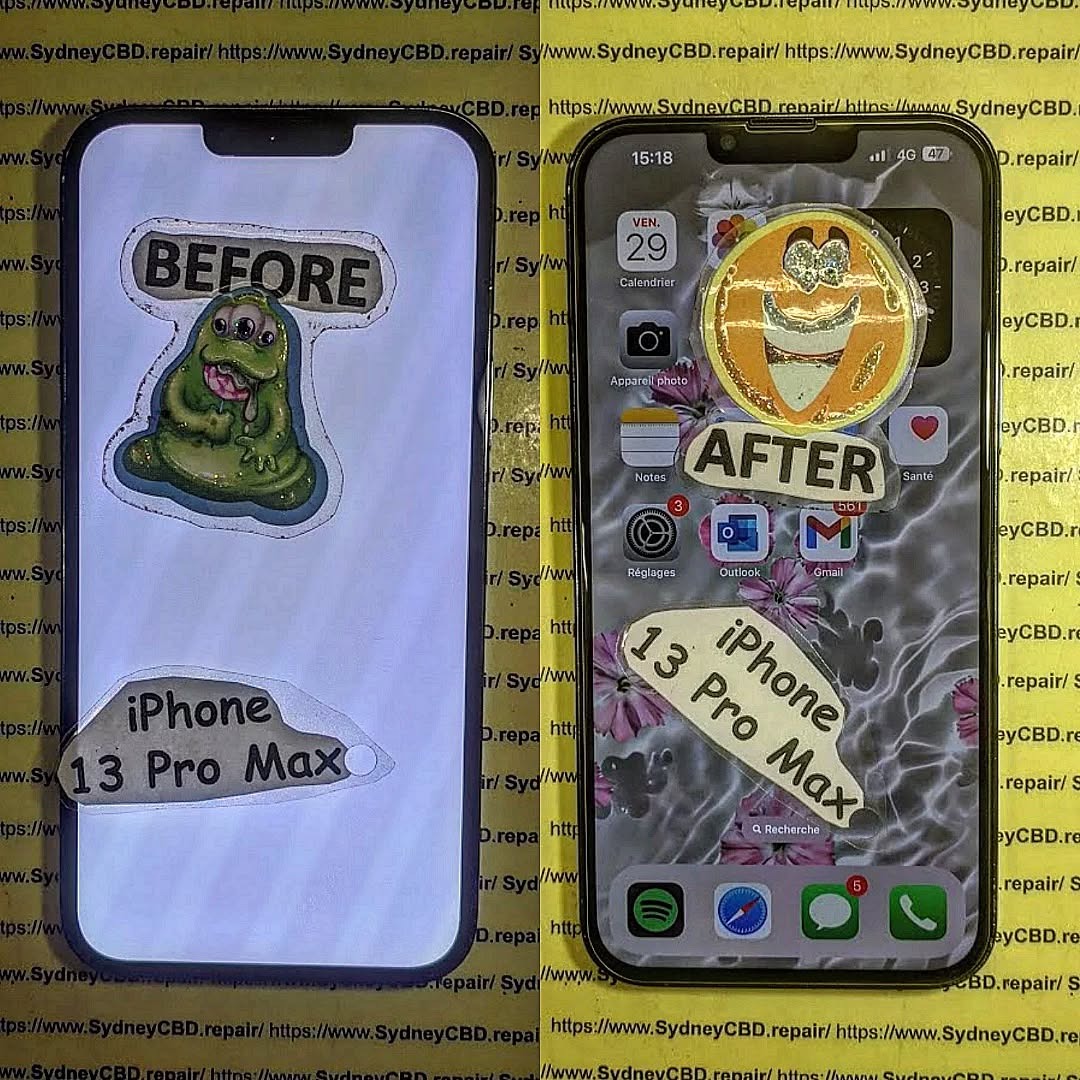
Salvaging a Liquid Damaged iPhone 13 Pro Max Through Deep Ultrasonic Cleaning Methods: 9 Powerful Recovery Techniques
Introduction
When an iPhone experiences water exposure, panic often follows. However, salvaging a liquid damaged iPhone 13 Pro Max through deep ultrasonic cleaning methods can significantly improve the chances of successful restoration. Modern smartphones contain densely packed electronic components, making them highly vulnerable to moisture intrusion. Even though the iPhone 13 Pro Max offers water resistance, it is not completely waterproof.
Liquid damage can affect charging circuits, display connectors, cameras, speakers, microphones, and the motherboard. In many situations, immediate professional intervention can mean the difference between a full recovery and an expensive replacement.
Deep ultrasonic cleaning methods have become one of the most effective approaches for restoring liquid-damaged smartphones. By using specialized cleaning equipment and professional-grade solutions, technicians can remove contaminants and corrosion that are impossible to clean manually.
This guide explores every aspect of salvaging a liquid damaged iPhone 13 Pro Max through deep ultrasonic cleaning methods, from diagnosis to restoration and prevention.
The iPhone 13 Pro Max was engineered with an impressive level of durability. However, water resistance decreases over time due to normal wear, accidental drops, and aging adhesive seals.
When liquid enters the device, it begins a chain reaction that can quickly damage internal circuitry. Minerals, salts, sugars, and other contaminants found in liquids create conductive paths where electricity shouldn’t flow.
Common Sources of Liquid Damage
Many people assume only complete submersion causes problems. In reality, even small amounts of moisture can be devastating.
Common sources include:
Dropping the phone in water
Rain exposure
Sweat accumulation
Coffee spills
Soft drinks
Saltwater exposure
Bathroom humidity
Washing machine accidents
Each liquid introduces different contaminants. For example, saltwater accelerates corrosion dramatically, while sugary drinks leave sticky residues that attract moisture and dirt.
Internal Components Most at Risk
Several components face immediate danger when moisture enters the device:
Component
Risk Level
Typical Symptoms
Logic Board
Extremely High
No power
Battery Connector
High
Charging issues
Display Connector
High
Screen flickering
Cameras
Medium
Blurry images
Speakers
Medium
Distorted audio
Face ID Components
High
Face ID failure
Because these components work together, damage in one area often creates symptoms elsewhere.
Why Water Exposure Is More Dangerous Than Most Users Think
Many users believe placing a wet phone in rice will solve the problem. Unfortunately, this popular myth rarely addresses the actual issue.
Water itself isn’t always the primary threat. The real danger comes from:
Electrical short circuits
Mineral deposits
Corrosion formation
Oxidation reactions
Contaminant buildup
Corrosion can continue developing for weeks or months after exposure. A phone may appear functional initially but fail later due to ongoing damage.
This is why salvaging a liquid damaged iPhone 13 Pro Max through deep ultrasonic cleaning methods is often recommended as soon as possible after exposure.
Professional technicians understand that quick action dramatically increases repair success rates.
Initial Assessment and Diagnostic Procedures
Before restoration begins, a complete assessment must be performed.
Proper diagnostics identify:
Extent of liquid penetration
Corrosion severity
Damaged components
Data recovery potential
Repair feasibility
Visual Inspection Techniques
Technicians inspect:
Liquid Contact Indicators (LCIs)
Charging ports
SIM tray areas
Display connectors
Motherboard sections
Magnification tools help reveal corrosion invisible to the naked eye.
Identifying Corrosion Indicators
Corrosion commonly appears as:
Green residue
White powder deposits
Black discoloration
Rust-colored staining
These signs indicate chemical reactions occurring on the circuit board.
Advanced repair facilities utilize microscopes to inspect delicate solder joints and microchips.
Deep Ultrasonic Cleaning Methods Explained
The centerpiece of modern liquid damage restoration is ultrasonic cleaning technology.
How Ultrasonic Cleaning Works
Ultrasonic cleaning uses high-frequency sound waves transmitted through a specialized cleaning solution.
The process creates microscopic bubbles through a phenomenon known as cavitation.
When these bubbles collapse, they generate tiny cleaning forces capable of removing:
Corrosion
Oxidation
Dirt
Mineral deposits
Liquid residue
The cleaning action reaches areas that brushes and manual tools simply cannot access.
This is why salvaging a liquid damaged iPhone 13 Pro Max through deep ultrasonic cleaning methods is considered one of the most effective restoration strategies available.
Equipment Used During Restoration
Professional repair centers use:
Equipment
Purpose
Ultrasonic Cleaner
Corrosion removal
Microscope
Board inspection
Hot Air Station
Component drying
Bench Power Supply
Testing
Multimeter
Electrical diagnostics
Specialized Cleaning Fluids
Safe contaminant removal
These tools work together to maximize restoration success.
Repairing liquid-damaged devices requires patience, precision, and expertise.
Device Disassembly
The restoration process begins with complete disassembly.
Technicians carefully remove:
Display assembly
Battery
Camera modules
Logic board
Speakers
Charging assembly
Every component must be separated before cleaning.
Component Separation
Sensitive parts receive individual inspection.
Technicians evaluate:
Connector integrity
Flex cable condition
Component corrosion
Solder joint damage
Damaged parts may require replacement before final assembly.
Ultrasonic Cleaning Cycle
The logic board is submerged in a specialized ultrasonic cleaning solution.
The cleaning cycle typically involves:
Initial contamination removal
Multiple cleaning passes
Rinse stages
Controlled drying procedures
The duration depends on corrosion severity.
For heavily damaged devices, several cleaning sessions may be necessary.
Drying and Reassembly
After cleaning, moisture must be eliminated completely.
Professional drying methods include:
Controlled heat drying
Vacuum-assisted drying
Desiccant chambers
Once dry, technicians begin reassembly and testing.
Every function is verified, including:
Charging
Display
Cameras
Audio systems
Wireless connectivity
Face ID functionality
Benefits of Professional Ultrasonic Cleaning
Professional restoration offers several important advantages.
Improved Recovery Rates
Compared to DIY methods, ultrasonic cleaning provides:
Better contaminant removal
More thorough cleaning
Reduced corrosion progression
Increased board survivability
Many devices considered “dead” can often be restored successfully.
Long-Term Reliability
A properly cleaned device experiences:
Reduced future failures
Stable electrical performance
Improved charging reliability
Better component longevity
Professional repair minimizes the likelihood of recurring corrosion-related issues.
Furthermore, salvaging a liquid damaged iPhone 13 Pro Max through deep ultrasonic cleaning methods can preserve valuable user data, which is often more important than the hardware itself.
Challenges During Liquid Damage Repair
Despite advanced techniques, some cases remain difficult.
Severe Corrosion Cases
Long-term exposure can result in:
Broken circuit traces
Destroyed components
Burned power circuits
Connector deterioration
These issues often require board-level repair in addition to cleaning.
Data Recovery Concerns
Data recovery becomes challenging when:
Storage circuits are damaged
Power systems fail
Corrosion affects memory pathways
Specialized repair techniques may still recover photos, contacts, and important files.
The earlier the device receives professional attention, the better the chances of successful recovery.
Preventing Future Liquid Damage
While repairs are possible, prevention remains the best strategy.
Protective Accessories
Recommended protection includes:
Waterproof cases
Port covers
Protective pouches
Impact-resistant cases
Quality accessories reduce risk significantly.
Safe Usage Practices
Follow these simple habits:
Avoid charging near water.
Keep devices away from beverages.
Dry hands before use.
Avoid bathroom storage.
Inspect seals after repairs.
Replace damaged protective cases promptly.
These practices help extend device lifespan and maintain water resistance.
Frequently Asked Questions
1. Can an iPhone 13 Pro Max survive water damage?
Yes. Many devices can be restored successfully if treated quickly and professionally. Success depends on exposure duration, liquid type, and corrosion severity.
2. Does rice fix water-damaged iPhones?
No. Rice may absorb some external moisture but cannot remove internal corrosion or contaminants. Professional cleaning remains the preferred solution.
3. How soon should I seek repair after liquid exposure?
Immediately. Faster intervention improves recovery chances and reduces corrosion progression.
4. Is ultrasonic cleaning safe for iPhone motherboards?
Yes. When performed by trained technicians using proper equipment and cleaning solutions, ultrasonic cleaning is a safe and highly effective restoration method.
5. Can data be recovered from a liquid-damaged iPhone?
In many cases, yes. Even severely damaged devices can often yield recoverable data through board-level repair techniques.
6. Will water damage continue to worsen over time?
Yes. Corrosion can continue developing long after the initial incident. Professional cleaning helps stop ongoing deterioration.
7. How long does ultrasonic cleaning take?
Most restoration procedures take several hours, although severe cases may require additional cleaning cycles and board repairs.
8. Is replacing the motherboard always necessary?
No. Many liquid-damaged boards can be restored through cleaning and component-level repairs without complete replacement.
Conclusion
Salvaging a liquid damaged iPhone 13 Pro Max through deep ultrasonic cleaning methods represents one of the most advanced and effective approaches to smartphone restoration. Liquid damage can appear catastrophic, but modern repair technology provides remarkable recovery opportunities.
Professional diagnostics, careful disassembly, ultrasonic cleaning, and board-level repair techniques dramatically improve the chances of restoring functionality and recovering valuable data. Acting quickly remains critical, as corrosion becomes more severe over time.
Rather than assuming a water-damaged device is beyond repair, consulting experienced technicians can often reveal practical and cost-effective recovery solutions. With proper intervention, many liquid-damaged iPhone 13 Pro Max devices can continue operating reliably for years after restoration.
For additional information regarding water resistance and device care, visit the official Apple support page: Apple Support
David from Sydney CBD Repair Centre – The Best place to fix mobile phones as 7 Years In A Row! Top Mobile Phone Repair In Sydney. More than 2000 Positive Reviews on Google and Same Day Repairs.
We take pride in delivering exceptional repair services for all major phone brands including Apple, Samsung, Google, and more. Our expert technicians use only genuine parts and offer 90days warranty on repairs. Located in the heart of Sydney CBD, we’re your one-stop solution for all mobile device repairs.
Our commitment to excellence has earned us the trust of thousands of satisfied customers. Whether it’s a cracked screen, battery replacement, or water damage repair, we handle it all with professional care and expertise. Walk in today and experience why we’re Sydney’s #1 choice for mobile phone repairs.
Visit us for:
✓ Same Day Express Repairs
✓ Genuine Parts Guarantee
✓ Professional Technicians
✓ Competitive Pricing
✓ 2000+ 5-Star Google Reviews
✓ 7-Time Award Winner for Best Phone Repairs
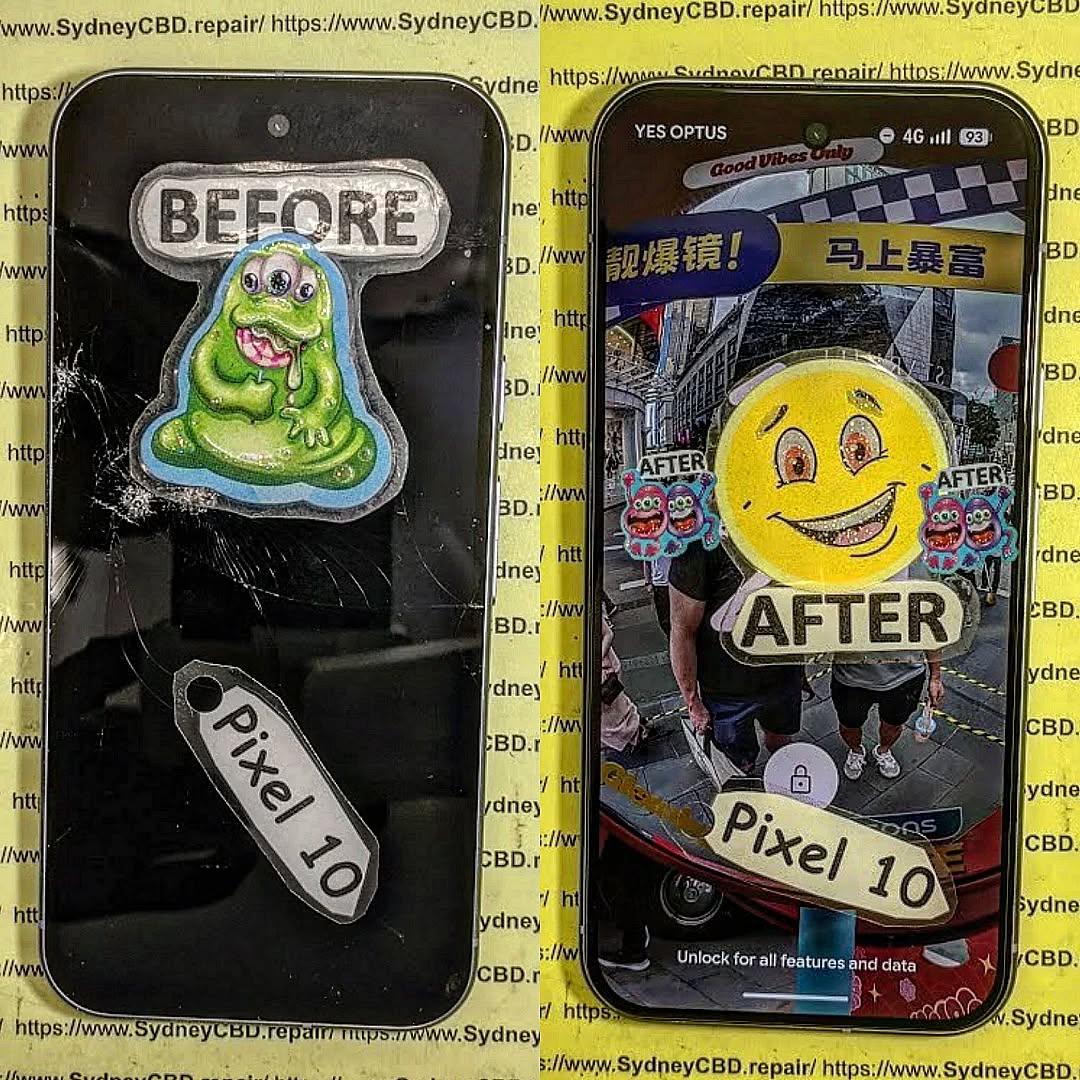
Repairing a Crushed Google Pixel 10 Pro XL Using Advanced Micro Soldering Techniques: 17 Expert Methods That Save Devices
Introduction to Severe Smartphone Damage Repair
Repairing a Crushed Google Pixel 10 Pro XL Using Advanced Micro Soldering Techniques is one of the most challenging tasks in modern smartphone repair. Unlike a simple screen replacement, severe crush damage often affects multiple layers of hardware, including the motherboard, flex cables, connectors, integrated circuits, and solder joints.
Modern smartphones are engineering marvels. They combine powerful processors, sophisticated camera systems, advanced wireless communication modules, and high-capacity batteries within a remarkably compact design. However, when subjected to extreme pressure, vehicle accidents, industrial impacts, or heavy object compression, these devices can suffer catastrophic structural damage.
Fortunately, advanced micro soldering techniques provide a pathway to recovery. Skilled technicians can restore functionality, recover valuable data, and significantly reduce the need for complete device replacement.
The process of repairing a crushed Google Pixel 10 Pro XL using advanced micro soldering techniques requires specialized knowledge, precision tools, and extensive experience. Through careful diagnosis and board-level repair, even heavily damaged devices can often be revived.
The Google Pixel 10 Pro XL is designed with a densely packed internal layout that maximizes performance while minimizing physical size. This compact architecture creates both opportunities and challenges for repair specialists.
Internal Components Most Vulnerable to Crushing
When a device experiences severe crushing force, several critical components are particularly vulnerable:
Logic board
OLED display assembly
Battery cells
Charging circuitry
Camera modules
RF communication components
Antenna systems
Internal connectors
Flex cables
The motherboard serves as the central nervous system of the device. Even minor fractures within its multilayer structure can disrupt essential functions.
Common Failure Points After Impact
Technicians frequently encounter:
Component
Typical Damage
Motherboard
Cracked traces
CPU area
Broken solder joints
Charging IC
Electrical failure
Display connector
Bent pins
Camera connector
Separation damage
Power management IC
Impact-related faults
USB-C port
Mechanical distortion
These issues rarely resolve through conventional part replacement alone. Board-level intervention becomes necessary.
What Is Advanced Micro Soldering?
Advanced micro soldering refers to highly specialized electronic repair techniques performed under magnification using precision soldering equipment.
Unlike standard repairs, micro soldering focuses on repairing components directly on the motherboard.
Essential Tools for Micro Soldering
Professional technicians typically use:
Stereo microscopes
Hot air rework stations
Precision soldering irons
Thermal cameras
Oscilloscopes
Multimeters
PCB holders
Flux systems
Ultrasonic cleaners
BGA rework stations
These tools allow technicians to manipulate components smaller than a grain of rice.
Why Board-Level Repair Matters
Many repair shops replace assemblies. However, when severe crush damage affects the motherboard, replacing components alone may not solve the problem.
Board-level repair enables technicians to:
Restore damaged circuits
Recover user data
Save expensive devices
Reduce electronic waste
Preserve original hardware
This approach makes repairing a crushed Google Pixel 10 Pro XL using advanced micro soldering techniques both practical and economical.
Modern smartphone motherboards contain multiple internal layers.
Damage may occur:
Between layers
Beneath chips
Within hidden traces
Finding these faults requires advanced diagnostic expertise.
Heat Sensitivity
Modern components are extremely sensitive to excessive heat.
Technicians must balance:
Adequate solder flow
Component protection
PCB preservation
Improper thermal management can create additional failures.
Component Availability
Some specialized chips may be difficult to source.
Technicians often rely on:
Donor boards
Authorized suppliers
Component harvesting
Specialized distributors
Access to quality replacement parts significantly affects repair outcomes.
Benefits of Professional Micro Soldering Repairs
Professional board-level repairs offer several important advantages.
Cost Savings
Replacing a flagship smartphone can be expensive.
Micro soldering repairs frequently cost less than purchasing a new device.
Data Preservation
Recovering irreplaceable personal information remains one of the greatest benefits.
Environmental Sustainability
Electronic waste continues to grow worldwide.
Repairing devices helps:
Reduce landfill waste
Extend product lifecycles
Minimize manufacturing demand
Support sustainability efforts
Retaining Original Hardware
Many users prefer maintaining their original devices due to:
Customized settings
Stored applications
Familiarity
Security configurations
This makes repairing a crushed Google Pixel 10 Pro XL using advanced micro soldering techniques an attractive solution.
Cost Considerations and Repair Economics
Several factors influence repair costs.
Major Cost Drivers
Motherboard damage severity
Number of failed components
Data recovery requirements
Parts availability
Labor complexity
Diagnostic time
Typical Repair Scenarios
Damage Level
Complexity
Minor board damage
Moderate
Connector replacement
Moderate
Multiple IC failures
High
Extensive trace repair
High
Multi-layer PCB damage
Very High
While advanced repairs require specialized expertise, they often remain financially worthwhile when compared to flagship smartphone replacement costs.
Preventing Future Physical Damage
Although advanced repair techniques are impressive, prevention remains the best strategy.
Protective Measures
Consider the following:
Use rugged protective cases
Install tempered glass protection
Avoid placing phones in back pockets
Store devices securely during travel
Keep phones away from heavy machinery
Use shock-absorbing accessories
Workplace Safety Tips
Individuals working in construction, logistics, or industrial settings should:
Use reinforced cases
Carry devices in protected pouches
Avoid exposure to crushing hazards
Conduct routine device inspections
Preventative measures can significantly reduce repair expenses and downtime.
Frequently Asked Questions (FAQs)
1. Can a completely crushed Google Pixel 10 Pro XL be repaired?
In many cases, yes. Success depends on the extent of motherboard, storage, and processor damage. Advanced micro soldering techniques can restore functionality even when the external appearance is severely compromised.
2. How long does micro soldering repair usually take?
Repair times vary from a few hours to several days depending on damage complexity, diagnostics, and component availability.
3. Is data recovery possible from a crushed phone?
Often it is. If the storage chip remains intact and communication pathways can be restored, data recovery is frequently achievable.
4. Why is micro soldering more expensive than standard repairs?
5. Does motherboard repair affect phone performance?
When performed correctly, repaired devices generally operate at normal performance levels.
6. Are repaired motherboards reliable long-term?
Professional repairs using quality components and proper techniques can provide excellent long-term reliability.
7. Should I replace or repair a crushed Google Pixel 10 Pro XL?
If critical data is stored on the device or repair costs are significantly lower than replacement costs, repair is often the preferred option.
8. What is the success rate of advanced micro soldering repairs?
Success rates vary by damage severity, but experienced technicians regularly recover devices that appear beyond repair.
Conclusion
Repairing a Crushed Google Pixel 10 Pro XL Using Advanced Micro Soldering Techniques represents the pinnacle of modern smartphone repair. Through precise diagnostics, advanced board-level restoration, trace reconstruction, connector replacement, BGA reballing, and integrated circuit replacement, skilled technicians can revive devices that would otherwise be considered irreparable.
The process requires exceptional expertise, specialized equipment, and meticulous attention to detail. However, the benefits are substantial. Customers can recover valuable data, save money, reduce electronic waste, and continue using their original devices.
As smartphone technology continues to evolve, advanced micro soldering will remain a critical discipline within the repair industry. For severely damaged devices, it often provides the only practical path to recovery and restoration.
For additional information about professional electronics repair standards, visit the official website of the IPC Association.
David from Sydney CBD Repair Centre – The Best place to fix mobile phones as 7 Years In A Row! Top Mobile Phone Repair In Sydney. More than 2000 Positive Reviews on Google and Same Day Repairs.
We take pride in delivering exceptional repair services for all major phone brands including Apple, Samsung, Google, and more. Our expert technicians use only genuine parts and offer 90days warranty on repairs. Located in the heart of Sydney CBD, we’re your one-stop solution for all mobile device repairs.
Our commitment to excellence has earned us the trust of thousands of satisfied customers. Whether it’s a cracked screen, battery replacement, or water damage repair, we handle it all with professional care and expertise. Walk in today and experience why we’re Sydney’s #1 choice for mobile phone repairs.
Visit us for:
✓ Same Day Express Repairs
✓ Genuine Parts Guarantee
✓ Professional Technicians
✓ Competitive Pricing
✓ 2000+ 5-Star Google Reviews
✓ 7-Time Award Winner for Best Phone Repairs
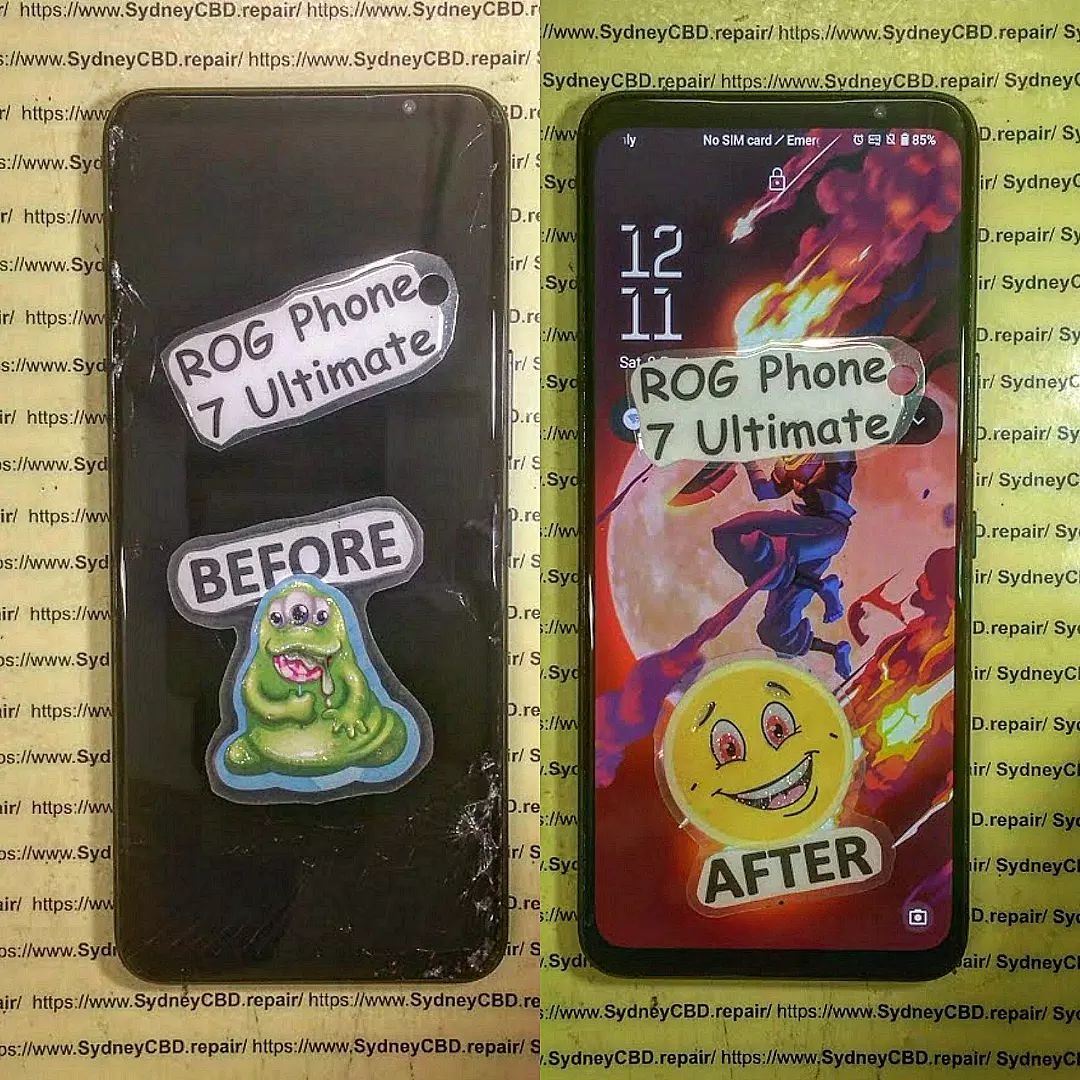
Can We Fix This? Total Restoration of a Shattered Asus ROG Phone 7 Ultimate – Incredible Recovery #7
Introduction to the Repair Challenge
The Asus ROG Phone 7 Ultimate is one of the most powerful gaming smartphones ever released. Built for performance enthusiasts, mobile gamers, and power users, it combines cutting-edge hardware with advanced cooling technology and premium construction. However, even the toughest smartphones can suffer catastrophic damage.
When a severely damaged Asus ROG Phone 7 Ultimate arrives at a repair workshop, the first question everyone asks is simple: Can we fix this?
The answer often depends on the extent of the damage, the availability of replacement components, and the expertise of the repair technicians. In this case study, we explore the complete restoration of a shattered Asus ROG Phone 7 Ultimate and demonstrate how professional repair techniques can bring a seemingly destroyed device back to life.
Modern smartphones are incredibly complex. A shattered screen may be only the beginning. Beneath the surface, technicians must evaluate the motherboard, battery, cameras, antennas, cooling systems, charging ports, and structural frame. Every component plays a crucial role in restoring full functionality.
Fortunately, advancements in repair technology and access to quality replacement parts have dramatically improved restoration success rates. What may appear beyond repair can often be restored to near-new condition when handled by experienced professionals.
The Asus ROG Phone 7 Ultimate stands apart from traditional smartphones thanks to its gaming-focused design and flagship specifications.
Some standout features include:
Qualcomm Snapdragon 8 Gen 2 processor
AMOLED display with high refresh rate
Advanced cooling system
AirTrigger gaming controls
Massive battery capacity
Premium stereo speakers
AeroActive cooling support
RGB gaming aesthetics
These features make the device highly desirable among competitive gamers and content creators.
Why Gamers Love This Smartphone
Gaming smartphones are designed to handle demanding applications without compromising performance. The Asus ROG Phone 7 Ultimate excels in several key areas:
Feature
Benefit
High Refresh Rate
Smooth gameplay
Powerful CPU
Faster performance
Advanced Cooling
Reduced thermal throttling
Large Battery
Extended gaming sessions
Gaming Controls
Better competitive performance
Because of its premium status, many owners prefer repair over replacement, especially when the internal hardware remains functional.
Assessing the Damage
External Damage Inspection
The first stage of any Asus ROG Phone 7 Ultimate restoration involves a comprehensive visual inspection.
Typical damage may include:
Completely shattered display
Bent aluminum frame
Cracked rear glass
Damaged camera lenses
Broken buttons
Deep impact marks
Photographing the device before repair provides valuable documentation and helps technicians identify hidden issues.
A shattered screen often looks alarming. However, the actual condition of the underlying OLED panel may vary significantly. Some displays continue functioning despite severe glass damage, while others require complete replacement.
Internal Component Evaluation
Once the device is opened, technicians inspect:
Motherboard integrity
Battery condition
Charging circuitry
Flex cable connections
Cooling components
Camera modules
Special diagnostic equipment helps identify electrical faults that may not be visible during visual inspection.
In many cases, impact damage causes connectors to loosen rather than permanently fail. Careful testing can reveal opportunities for cost-effective repairs.
Common Causes of Severe Smartphone Damage
The majority of catastrophic smartphone damage results from:
Accidental drops
Vehicle accidents
Water exposure
Compression damage
Construction site incidents
Sports-related impacts
Gaming smartphones often experience additional stress due to extended usage sessions and portable gaming environments.
Many users carry their devices without protective cases. While premium smartphones look fantastic without protection, they become far more vulnerable to serious damage.
Understanding how damage occurs helps owners make informed decisions about prevention and protection.
Preparing for a Professional Restoration
Required Tools and Equipment
Professional repair technicians rely on specialized equipment to restore premium devices safely.
Essential tools include:
Precision screwdrivers
Heat separation equipment
ESD-safe workstations
Microscope inspection systems
Adhesive removal tools
Diagnostic testing equipment
Battery testing devices
Using improper tools significantly increases the risk of additional damage.
Safety Considerations
Repairing modern smartphones involves several safety concerns.
Technicians must carefully handle:
Lithium-ion batteries
Delicate flex cables
Glass fragments
Sensitive electronic components
Protective equipment and proper procedures reduce risks throughout the repair process.
Furthermore, anti-static precautions help prevent accidental damage to sensitive circuitry.
Disassembly begins with controlled heating of adhesive components.
The repair process typically follows these steps:
Remove rear glass panel
Disconnect battery
Remove internal shields
Disconnect flex cables
Separate damaged display
Inspect frame condition
Patience is essential during this phase. Rushing disassembly can damage reusable components.
Every connector and screw must be carefully cataloged to ensure accurate reassembly later.
Screen Replacement Process
The display is often the most expensive repair component.
For a shattered Asus ROG Phone 7 Ultimate, technicians:
Remove broken glass remnants
Clean adhesive surfaces
Install replacement display assembly
Verify touch responsiveness
Test display brightness
Confirm color accuracy
Premium OLED displays require precision installation to avoid future issues.
A high-quality replacement screen ensures the gaming experience remains uncompromised after repair.
Frame and Housing Repairs
Structural damage presents unique challenges.
Depending on severity, technicians may:
Straighten bent frames
Replace damaged housings
Restore button functionality
Replace damaged camera bezels
Frame alignment is especially important because improper positioning can affect display installation and waterproof seals.
Accurate structural restoration helps return the device to factory-like condition.
Battery Inspection and Testing
A damaged battery should never be ignored.
Technicians evaluate:
Physical swelling
Voltage stability
Charging performance
Capacity retention
If any abnormalities are detected, replacement is strongly recommended.
Battery health directly impacts gaming performance and long-term reliability.
Cooling System Verification
One unique aspect of the Asus ROG Phone 7 Ultimate is its advanced cooling system.
After restoration, technicians verify:
Thermal pad placement
Cooling chamber integrity
Heat dissipation performance
AeroActive compatibility
Gaming smartphones generate significant heat. Therefore, proper cooling system functionality is essential.
Challenges During the Repair
Not every repair proceeds smoothly.
Technicians frequently encounter:
Hidden motherboard damage
Torn flex cables
Adhesive contamination
Connector failures
Frame deformation
The Asus ROG Phone 7 Ultimate contains densely packed internal components, making precision especially important.
Repair success often depends on experience, diagnostic expertise, and attention to detail.
Some challenges only become visible after initial repairs are completed and advanced testing begins.
Fortunately, professional workshops possess the tools and knowledge required to address these complications efficiently.
Quality Control and Testing
Gaming Performance Verification
Once reassembled, the device undergoes extensive testing.
Key performance checks include:
CPU stress testing
GPU benchmarking
Thermal performance analysis
Network connectivity testing
Audio quality verification
Gaming performance must match or exceed pre-damage expectations.
Any anomalies are investigated before returning the device to the customer.
Display and Touch Testing
The display receives special attention during final quality control.
Technicians verify:
Test Category
Purpose
Touch Accuracy
Input responsiveness
Brightness
Display quality
Color Uniformity
Visual consistency
Refresh Rate
Gaming performance
Dead Pixels
Panel integrity
Comprehensive testing ensures the restored device performs as intended.
Benefits of Professional Repairs
Choosing professional repair services provides several advantages.
These include:
Higher repair success rates
Warranty protection
Genuine-quality parts
Advanced diagnostics
Faster turnaround times
Attempting DIY repairs on premium gaming smartphones can result in costly mistakes.
Professional technicians possess the expertise required to safely restore advanced devices like the Asus ROG Phone 7 Ultimate.
Additionally, professional repair centers maintain access to specialized tools unavailable to most consumers.
Cost Analysis and Value Assessment
Repair costs vary depending on damage severity.
Factors affecting pricing include:
Display replacement requirements
Frame damage extent
Battery replacement needs
Internal component failures
Labor complexity
Although repairs can appear expensive initially, they often represent excellent value compared to purchasing a new flagship gaming smartphone.
A restored Asus ROG Phone 7 Ultimate can continue delivering premium performance for years.
When evaluating repair costs, owners should consider the device’s original purchase price, current market value, and replacement cost.
In many situations, restoration remains the most economical choice.
Preventing Future Damage
Prevention is always better than repair.
Recommended protective measures include:
Use a Quality Case
A durable protective case absorbs impact forces during accidental drops.
Install Tempered Glass Protection
Screen protectors help minimize display damage from everyday hazards.
Avoid Extreme Temperatures
Excessive heat or cold can negatively affect battery performance and component longevity.
Handle With Care During Gaming
Extended gaming sessions often involve frequent movement. Maintaining a secure grip reduces drop risks.
Regular Maintenance
Periodic inspections help identify minor issues before they become major problems.
Following these simple precautions can significantly extend device lifespan.
Frequently Asked Questions
1. Can a completely shattered Asus ROG Phone 7 Ultimate be repaired?
Yes. In many cases, even severely damaged devices can be restored if the motherboard remains functional.
2. How long does a full restoration typically take?
Repair times vary, but complex restorations generally require several hours to a few days depending on parts availability.
3. Will gaming performance be affected after repair?
When quality components are used and repairs are performed correctly, gaming performance should remain unchanged.
4. Is it worth repairing a premium gaming phone?
Absolutely. High-end gaming smartphones often justify repair costs due to their premium hardware and replacement expense.
5. Should a damaged battery always be replaced?
If physical damage, swelling, or performance degradation is detected, battery replacement is recommended.
6. Can water-damaged gaming phones be restored?
Many water-damaged devices can be repaired successfully if treatment begins quickly and corrosion is limited.
7. What is the most commonly replaced component?
The display assembly is typically the most frequently replaced component following severe impact damage.
8. How can I reduce the risk of future damage?
Using a protective case, tempered glass, and practicing careful handling significantly reduces damage risk.
Conclusion
The complete restoration of a shattered Asus ROG Phone 7 Ultimate demonstrates how advanced repair techniques can revive even severely damaged smartphones. While extensive damage may initially appear impossible to overcome, professional diagnostics, quality replacement parts, and experienced technicians often make remarkable recoveries possible.
From display replacement and frame restoration to battery evaluation and cooling system verification, every stage of the process contributes to a successful outcome. For owners of premium gaming smartphones, professional repair remains a practical and cost-effective alternative to replacement.
As smartphone technology continues to evolve, expert restoration services will play an increasingly important role in extending device lifespans, reducing electronic waste, and preserving valuable investments.
For additional information about smartphone repair best practices, visit the official repair resources available through ASUS Support.
David from Sydney CBD Repair Centre – The Best place to fix mobile phones as 7 Years In A Row! Top Mobile Phone Repair In Sydney. More than 2000 Positive Reviews on Google and Same Day Repairs.
We take pride in delivering exceptional repair services for all major phone brands including Apple, Samsung, Google, and more. Our expert technicians use only genuine parts and offer 90days warranty on repairs. Located in the heart of Sydney CBD, we’re your one-stop solution for all mobile device repairs.
Our commitment to excellence has earned us the trust of thousands of satisfied customers. Whether it’s a cracked screen, battery replacement, or water damage repair, we handle it all with professional care and expertise. Walk in today and experience why we’re Sydney’s #1 choice for mobile phone repairs.
Visit us for:
✓ Same Day Express Repairs
✓ Genuine Parts Guarantee
✓ Professional Technicians
✓ Competitive Pricing
✓ 2000+ 5-Star Google Reviews
✓ 7-Time Award Winner for Best Phone Repairs
The Galaxy S25 Ultra in 2026: Is it Still Worth Repairing? 7 Essential Insights
Introduction to Galaxy S25 Ultra
The Galaxy S25 Ultra has been a flagship marvel since its launch, boasting cutting-edge displays, high-performance processors, and an impressive camera system. Even in 2026, it remains one of Samsung’s most advanced smartphones, though age inevitably brings a few challenges. For many owners, the key question is: Is repairing it still worthwhile, or is upgrading a better investment? This article dives deep into common issues, repair options, costs, and practical tips to extend your device’s lifespan.
With the Galaxy S25 Ultra, users experienced the best of Samsung’s technological innovations at launch. From a 200MP camera sensor to ultra-responsive AMOLED displays and long-lasting battery performance, the phone was built to impress. Yet, after several years, wear and tear, software updates, and physical damage can make maintenance a necessity rather than a luxury.
As phones age, the likelihood of encountering hardware and software issues increases. The most common problems reported by Galaxy S25 Ultra users in 2026 include screen damage, battery degradation, software glitches, and water or physical damage. Understanding these issues helps users make informed repair decisions.
Screen Damage and Repairs
The Galaxy S25 Ultra features a stunning edge-to-edge AMOLED display. However, these screens are prone to cracks and scratches from accidental drops. Common types of screen damage include:
Minor scratches: Often cosmetic, can be treated with protective films or DIY kits.
Cracks and shattered glass: Require professional replacement to restore functionality.
Touchscreen unresponsiveness: Can occur after impact or internal display damage.
Repairing the screen professionally ensures color accuracy, touch sensitivity, and overall device reliability. On average, a full screen replacement in 2026 costs between $450–$600, depending on location and parts used.
Battery Degradation
Even premium batteries lose efficiency over time. Galaxy S25 Ultra users may notice:
Reduced battery life
Longer charging times
Random shutdowns
Replacing the battery extends device life significantly. Professional replacement ranges from $120–$180, with genuine Samsung batteries recommended for safety and performance.
Software & Firmware Issues
Over time, software updates may cause older devices to run slower or experience bugs. Common fixes include:
Clearing cache and storage
Updating to the latest supported firmware
Factory reset as a last resort
Software maintenance often resolves minor issues without costly hardware intervention.
Water and Physical Damage
Despite water-resistant certifications, prolonged exposure or accidents can still cause:
Corrosion in charging ports
Camera or speaker malfunction
Complete device failure in severe cases
Repairing water damage is possible but often costly, particularly if multiple internal components are affected.
When deciding whether to repair the Galaxy S25 Ultra or upgrade, consider depreciation, repair costs, and the remaining lifespan of the device.
Screen Replacement Costs
Professional repair: $450–$600
DIY kits: $150–$250 (higher risk of damage)
Warranty coverage: Some extended plans may reduce cost
Battery Replacement Costs
Professional service: $120–$180
DIY replacement: $80–$120 (requires expertise)
Other Component Repairs
Camera: $200–$350
Charging port: $90–$150
Motherboard: $500+ (complex and expensive)
Compared to purchasing a new device, repairs may offer a cost-effective way to maintain high performance, especially when the phone is still structurally sound.
Is DIY Repair Viable?
DIY repair is tempting due to lower costs, but it carries risks:
Cons: Risk of further damage, voided warranty, limited tool access
For high-end devices like the Galaxy S25 Ultra, professional repair is generally safer, particularly for screen and motherboard replacements.
Professional Repair Services
Professional repair centers offer certified technicians, genuine parts, and warranties. These services reduce risk and ensure long-term device reliability. For example, Sydney CBD Repair Centre provides:
Same-day repairs
90-day warranty on parts
Genuine Samsung components
Competitive pricing
This combination of service quality and reliability makes professional repair a preferable choice for high-value devices.
Tips to Extend Your Galaxy S25 Ultra’s Life
Use high-quality screen protectors and cases
Avoid overcharging to prolong battery health
Keep software updated but avoid beta releases
Clean ports and remove dust regularly
Consider periodic professional check-ups
These strategies help users maintain device performance, avoiding unnecessary repairs.
Environmental & Sustainability Considerations
Repairing the Galaxy S25 Ultra instead of replacing it contributes to sustainability by:
Reducing e-waste
Conserving resources used in new device production
Promoting responsible consumer behavior
Choosing repair over replacement benefits both your wallet and the environment.
Future of Galaxy Devices & Repair Trends
Samsung has increasingly focused on repair-friendly designs:
Modular components
Extended repair programs
Improved availability of genuine parts
These trends suggest that repairing high-end devices like the Galaxy S25 Ultra remains feasible and practical for years to come.
FAQs
1. How much does it cost to repair a Galaxy S25 Ultra screen in 2026?
Professional repairs range from $450–$600, while DIY kits cost $150–$250, though riskier.
2. Can battery replacement significantly extend the phone’s lifespan?
Yes, replacing the battery restores performance and reliability, often adding 2–3 years of practical use.
3. Is DIY repair recommended for the Galaxy S25 Ultra?
DIY repair is possible but risky; professional services are safer for expensive, high-tech devices.
4. Does water damage repair work for the Galaxy S25 Ultra?
Yes, but costs vary depending on affected components. Severe cases may require multiple replacements.
5. Are there warranties on professional repairs?
Most certified repair centers, including Sydney CBD Repair Centre, offer 90-day warranties on parts and labor.
6. Is repairing the Galaxy S25 Ultra more sustainable than replacing it?
Absolutely. Repairing reduces e-waste and conserves resources, making it an eco-friendly choice.
Conclusion
In 2026, the Galaxy S25 Ultra remains a powerful and capable device. Whether repair is worthwhile depends on:
Extent of damage
Repair costs versus replacement
Your desire to maintain a premium device
With professional repair services like Sydney CBD Repair Centre, genuine parts, and expert technicians, the phone can remain a reliable companion for years. Thoughtful maintenance, timely repairs, and smart usage habits ensure the Galaxy S25 Ultra continues delivering premium performance well into the future.
External Link: For more information about genuine Samsung repairs, visit Samsung Support.
20 Blog Tags: Galaxy S25 Ultra, Samsung repair, phone repair, mobile repair Sydney, screen replacement, battery replacement, DIY repair, professional repair, phone maintenance, smartphone longevity, repair costs, device lifespan, water damage repair, software issues, tech sustainability, Samsung service, premium phones, repair tips, phone troubleshooting, mobile device repair
David from Sydney CBD Repair Centre – The Best place to fix mobile phones as 7 Years In A Row! Top Mobile Phone Repair In Sydney. More than 2000 Positive Reviews on Google and Same Day Repairs.
We take pride in delivering exceptional repair services for all major phone brands including Apple, Samsung, Google, and more. Our expert technicians use only genuine parts and offer 90days warranty on repairs. Located in the heart of Sydney CBD, we’re your one-stop solution for all mobile device repairs.
Our commitment to excellence has earned us the trust of thousands of satisfied customers. Whether it’s a cracked screen, battery replacement, or water damage repair, we handle it all with professional care and expertise. Walk in today and experience why we’re Sydney’s #1 choice for mobile phone repairs.
Visit us for:
✓ Same Day Express Repairs
✓ Genuine Parts Guarantee
✓ Professional Technicians
✓ Competitive Pricing
✓ 2000+ 5-Star Google Reviews
✓ 7-Time Award Winner for Best Phone Repairs
The Truth About IP68 Water Resistance After A Professional Screen Replacement: 9 Crucial Facts Every Phone Owner Must Know
Introduction
Modern smartphones are engineering marvels. Devices like the Apple iPhone 15 Pro, Samsung Galaxy S24 Ultra, and Google Pixel 8 Pro come with advanced cameras, durable displays, and IP68 water resistance ratings. However, many phone owners become concerned about one question after a repair: does IP68 water resistance still work after a professional screen replacement?
The answer isn’t as simple as “yes” or “no.” A professional screen replacement can restore much of the original sealing protection, but several factors determine whether your phone remains resistant to water afterward. Repair quality, adhesive strength, technician expertise, and device condition all play a role.
Today, we’ll uncover the truth about IP68 water resistance after a professional screen replacement. You’ll learn how manufacturers design water-resistant phones, why repairs affect seals, and what you can realistically expect after your device is fixed.
Modern smartphones rely heavily on precision adhesive systems.
Internal Gaskets and Pressure Equalization
Inside an IP68-rated device, several components help prevent water intrusion:
Component
Purpose
Display adhesive
Seals screen edges
Rubber gaskets
Protect ports and buttons
Mesh barriers
Shield microphones and speakers
Pressure vents
Balance internal air pressure
These tiny barriers work together like layers of armor.
If even one seal weakens, water can enter the device.
Weak Points Around the Display
The display area is one of the largest openings on any smartphone. During a screen replacement, technicians must carefully remove:
Broken glass
Display adhesive
Residual sealant
This process temporarily breaks the factory water-resistant seal.
Even when replaced professionally, recreated seals may not match factory robotic assembly conditions exactly.
That’s why many repair providers avoid guaranteeing waterproof performance after repair.
What Happens During a Professional Screen Replacement
Understanding the repair process helps explain why IP68 water resistance changes after a professional screen replacement.
Removing the Original Adhesive
Technicians use:
Controlled heat
Suction tools
Precision blades
Specialized opening equipment
The goal is to separate the screen without damaging:
Internal cables
Frame edges
Sensors
Battery components
Unfortunately, factory adhesive must be removed during this process.
Once removed, it cannot simply be reused.
Reapplying Waterproof Seals
After installing the new display, technicians apply replacement adhesive strips or liquid sealants.
High-quality repair shops typically use:
OEM-grade adhesive
Laser-cut waterproof gaskets
Pressurized curing methods
Some even perform pressure testing to check seal integrity.
Still, there’s an important reality:
No independent repair process can perfectly replicate factory assembly lines.
Factory assembly uses robotic calibration, industrial compression systems, and controlled manufacturing environments that are difficult to duplicate in retail repair settings.
Can IP68 Water Resistance Be Restored After Repair?
This is the question most customers ask.
Manufacturer vs Independent Repair Standards
Authorized repair centers sometimes have access to:
Genuine adhesives
Calibration software
Manufacturer pressure-testing systems
Independent repair shops may also use high-quality parts and advanced techniques, but procedures vary between businesses.
A skilled technician can restore significant water resistance protection, especially when:
The frame is undamaged
Genuine-quality seals are used
Proper curing time is followed
However, even excellent repairs may not fully restore original IP68 certification.
Why No Repair Shop Can Promise Full Waterproofing
Many reputable repair centers clearly state:
Water resistance cannot be guaranteed after opening the device.
This isn’t because the technician lacks skill.
Instead, it’s because:
Tiny frame bends can affect sealing
Microscopic gaps may remain
Adhesives age differently after reinstallation
Future drops may weaken seals further
Even manufacturers themselves often limit warranty coverage for water damage.
So while professional repairs can restore a high level of protection, complete waterproof certainty simply doesn’t exist.
Common Myths About IP68 After Screen Repairs
There’s plenty of misinformation online.
Let’s separate fact from fiction.
“It’s Still Waterproof Forever”
False.
Even untouched phones lose water resistance over time due to:
Temperature changes
Pocket lint
Frame stress
UV exposure
Adhesive aging
After a screen replacement, careful use becomes even more important.
“Third-Party Repairs Always Ruin Water Resistance”
Also false.
An experienced technician using quality materials can often restore excellent sealing performance.
The real issue is repair quality.
Cheap repairs sometimes use:
Weak adhesives
Incorrect fitting methods
Low-grade screens
Improper curing procedures
These shortcuts increase water damage risk dramatically.
Choosing a trusted repair center makes a major difference.
Signs Your Phone May Have Lost Water Resistance
Several warning signs suggest weakened sealing.
Foggy Camera Lens
Moisture trapped inside the device may cause:
Condensation
Blurry photos
Fog behind camera glass
This usually indicates internal humidity exposure.
Loose Display or Gaps
Look closely around the phone’s frame.
Potential warning signs include:
Raised corners
Uneven screen alignment
Visible adhesive gaps
Clicking when pressing edges
If the display doesn’t sit flush, water resistance may already be compromised.
How Professional Repair Shops Improve Water Resistance
Not all repair services are equal.
Professional technicians use advanced methods to improve sealing reliability.
Using Genuine Adhesives
High-quality adhesive matters enormously.
Premium repair shops use:
Adhesive Type
Benefit
OEM-cut adhesive
Precise fitting
Heat-resistant sealant
Longer durability
Pressure-sensitive bonding
Stronger seal consistency
Cheap generic adhesives often fail under heat or moisture exposure.
Pressure and Seal Testing
Some advanced repair centers perform:
Vacuum testing
Air pressure testing
Seal integrity diagnostics
These procedures help identify leaks before returning the phone to the customer.
Although testing improves confidence, it still cannot guarantee permanent waterproofing.
The Risks of Water Exposure After Screen Replacement
Even if your phone appears perfectly sealed, caution remains essential.
Saltwater Damage
Saltwater is far more destructive than freshwater.
It accelerates:
Corrosion
Short circuits
Connector damage
Even IP68-rated phones can suffer permanent damage from ocean exposure.
Steam and Humidity Exposure
Many users forget that steam is dangerous too.
Common risks include:
Hot showers
Saunas
Kitchen steam
Humid environments
Steam particles are tiny and can penetrate weakened seals more easily than liquid water.
Best Practices to Protect Your Phone After Repair
If you’ve had a professional screen replacement, these habits help protect your device.
Avoiding Water Contact
For maximum safety:
Don’t intentionally submerge the phone
Keep devices away from pools
Avoid beach exposure
Dry phones immediately after accidental splashes
Even if your phone survived water before repair, avoid assuming the same protection remains afterward.
Using Protective Cases
A quality protective case helps by:
Reducing frame flex
Minimizing drop damage
Shielding edges from impacts
Some rugged cases even add secondary water resistance layers.
Comparing Apple, Samsung, and Google Water Resistance Designs
Different manufacturers approach water resistance differently.
Apple Devices
Apple uses strong perimeter adhesive systems and internal mesh barriers.
Recent iPhones feature excellent sealing, but repairs still require adhesive replacement.
Samsung Devices
Samsung often combines adhesive barriers with reinforced frame structures.
Their curved-edge devices can be particularly sensitive to frame deformation after drops.
Google Pixel Phones
Google devices emphasize slim construction and internal adhesive precision.
Pixel phones may require especially careful screen alignment during repair to maintain sealing performance.
Why Professional Repairs Still Matter
Despite limitations, professional repairs remain the safest option.
Experienced technicians provide:
Proper screen calibration
Reliable adhesive application
Safe battery handling
High-quality parts
Reduced internal damage risk
DIY repairs or ultra-cheap services frequently cause more serious problems, including:
Face ID failure
Fingerprint sensor issues
Battery punctures
Weak sealing
Display lifting
A reputable repair shop dramatically lowers these risks.
Frequently Asked Questions
Does IP68 water resistance remain after a professional screen replacement?
A professional screen replacement can restore significant water resistance, but full factory-level IP68 protection usually cannot be guaranteed.
Can water damage void my phone warranty after repair?
Yes. Many manufacturers exclude liquid damage from warranty coverage, especially after third-party repairs.
Is my phone waterproof after repair?
No phone is truly waterproof. Devices are only water resistant under specific test conditions.
Should I avoid water completely after a screen replacement?
Yes, it’s safer to avoid intentional water exposure after any repair.
Do genuine parts improve water resistance?
Yes. Genuine-quality adhesives and properly fitted screens help improve sealing reliability.
Can repair shops test water resistance?
Some professional repair centers perform pressure testing and seal diagnostics, but no test guarantees permanent waterproof performance.
What’s the biggest danger after a repair?
Drops and frame bending are major risks because they can weaken newly installed adhesive seals.
Is steam dangerous for repaired phones?
Absolutely. Steam and humidity can penetrate weakened seals more easily than liquid water.
Conclusion
The truth about IP68 water resistance after a professional screen replacement is nuanced. A skilled technician can restore much of your phone’s original sealing capability, especially when using premium adhesives and professional repair methods. However, factory-perfect waterproofing is difficult to recreate once a device has been opened.
That doesn’t mean repairs are unsafe. In fact, professional repairs remain the best solution for damaged devices. The key is understanding realistic expectations. Water resistance after repair should be treated as added protection—not an invitation for underwater photography or swimming pool use.
By choosing experienced technicians, avoiding unnecessary water exposure, and caring for your device properly, you can greatly extend the life of your smartphone after a professional screen replacement.
David from Sydney CBD Repair Centre – The Best place to fix mobile phones as 7 Years In A Row! Top Mobile Phone Repair In Sydney. More than 2000 Positive Reviews on Google and Same Day Repairs.
We take pride in delivering exceptional repair services for all major phone brands including Apple, Samsung, Google, and more. Our expert technicians use only genuine parts and offer 90days warranty on repairs. Located in the heart of Sydney CBD, we’re your one-stop solution for all mobile device repairs.
Our commitment to excellence has earned us the trust of thousands of satisfied customers. Whether it’s a cracked screen, battery replacement, or water damage repair, we handle it all with professional care and expertise. Walk in today and experience why we’re Sydney’s #1 choice for mobile phone repairs.
Visit us for:
✓ Same Day Express Repairs
✓ Genuine Parts Guarantee
✓ Professional Technicians
✓ Competitive Pricing
✓ 2000+ 5-Star Google Reviews
✓ 7-Time Award Winner for Best Phone Repairs