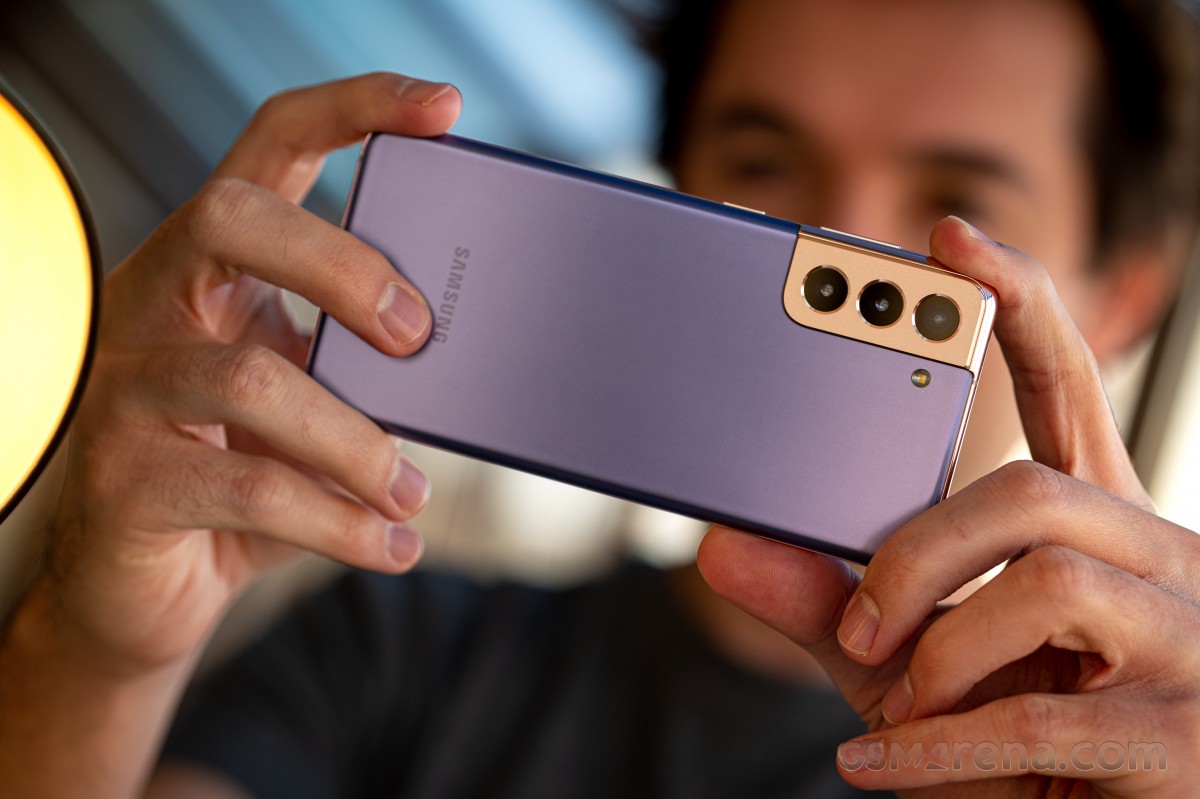
The Samsung Galaxy A11 is a budget-friendly smartphone that features a 6.4-inch HD+ “Infinity-O” display, 13MP + 5MP + 2MP triple rear cameras, and a single 8MP punch-hole selfie camera.
It runs on a Qualcomm Snapdragon 450 chipset with 3GB of RAM and Android 10 OS. There’s also a rear-mounted fingerprint scanner, dual-SIM 4G LTE connectivity, and 32GB of expandable storage.
A 4,000mAh battery powers the device with support for 15W fast charging via USB Type-C.
SPECS
Chipset
Snapdragon 450
Display
6.4″ 720×1560 LCD
RAM
2GB LPDDR3
Storage
32GB, with microSD expansion
Battery
4,000mAh
Rear cameras
13MP f/1.8 main
5MP f/2.2 wide-angle
2MP f/2.4 depth camera
Front camera
8MP f/2.0
Connectivity
802.11 a/b/g/n/ac Wi-Fi (dual-band), USB Type-C, Bluetooth 4.2, 3.5mm headphone jack, Fingerprint sensor
Dimensions
163.1 x 76.3 x 8.0, 177g
Price
$179.99
Samsung has so many budget phones that it can be hard to keep track of them all. One of the company’s more recent releases is the Galaxy A11, a low-end device with an MSRP of $179.99. However, the sub-$200 price bracket is a highly competitive one, and the Galaxy A11 is fighting the new Moto E, Nokia 2.3, and even other Samsung-made phones for your hard-earned cash.
The Galaxy A11 sits near the bottom of Samsung‘s phone lineup in the United States, alongside last year’s Galaxy A10e and the Galaxy A01. It’s a capable smartphone, but depending on what features you care about, there are better options out there.
Design, hardware, what’s in the box
Samsung‘s budget phones mostly look the same, and the Galaxy A11 is no exception. The device has a plastic exterior, coated with a glossy finish that easily attracts smudges and dirt. I get that the idea is to emulate the look and feel of glass, but I would have really preferred a simple matte coating.
The rear cover attracts fingerprints and dust very easily
The back of the phone also has a fingerprint sensor near the top, which worked just fine in my testing. There are also three rear cameras, including a main 13MP lens, a 5MP wide-angle camera, and a 2MP depth sensor. A flash is located to the right of the camera array.
The Galaxy A11 has a 3.5mm audio jack on the top, which is (thankfully) common in phones around this price, but what isn’t common is the A11’s modern USB Type-C port for charging. There are still plenty of sub-$200 phones in the United States using the older microUSB connector, so Samsung gets brownie points there.
At 6.4 inches across, the Galaxy A11‘s screen slightly larger than the display on the Galaxy S20 (6.2″), but smaller than the screen on the Galaxy S20+ (6.7″). While the A11’s panel isn’t full HD, at only 1560×720, the screen looks decent enough watching for YouTube videos and scrolling through social media. There’s no massive notch for the camera, like on the Galaxy A10e or A01 — just a hole on the top-left of the display.
Powering the phone is a Snapdragon 450 chipset, paired with 2GB RAM and 32GB of storage. That’s not a lot of memory to work with, and the Snapdragon 450 is three years old at this point. Even though the chipset is capable of operating in 64-bit mode, Android on the Galaxy A11 runs in 32-bit mode to reduce memory usage. That means no Pokémon Go.
The Galaxy A11 is also missing NFC, so you can’t use Google Pay, Samsung Pay, or any other contactless payment applications. It’s still rare for sub-$200 phones in the United States to come with NFC support, but that doesn’t make the omission any less frustrating. The Google Nexus S from 10 years ago had NFC — it should be basic functionality in every smartphone now.
Software, performance, battery
The Galaxy A11 comes with Samsung‘s custom version of Android 10, also known as One UI 2.1. That means the software experience is fairly similar to what you get on flagship Galaxy S and Note smartphones, minus the features that require specific hardware. There are all the usual Android 10 features (full-screen navigation, improved notifications, system-wide dark theme, etc.), plus the functionality Samsung adds on top.
If you’ve used a Samsung phone at any point in the past few years, you’ll feel right at home on the Galaxy A11. Samsung still makes duplicates of Google’s applications that you can’t fully remove (or even disable, in some cases), and you can’t use third-party launchers with the new gesture navigation, but overall I don’t have many complaints with One UI.
However, if you buy the Galaxy A11 from a carrier, prepare for a lot of bloatware. My review unit came from Boost Mobile, and over 15 third-party apps were automatically installed out of the box. Some of them, like Boost’s FastNEWS app, were even sending spam push notifications.
The Galaxy A11‘s performance is about what you would expect for a cheap phone. Apps can take a few seconds to start up, and there are slowdowns when the phone is waking from sleep, but day-to-day use isn’t outright horrible. Battery life, at least, is excellent — the large 4,000mAh battery should last most people over two days.
THE GOOD
Software
Samsung’s One UI software might not be to everyone’s liking, but it does provide plenty of features over stock Android. Some carriers are adding lots of pre-installed apps on the A11, though.
USB Type-C
A USB Type-C port isn’t too common on sub-$200 phones, at least in the United States.
THE NOT SO GOOD
Design
The glossy plastic rear cover is gross.
No NFC
The Galaxy Nexus from a decade ago had NFC, not having it in any Android smartphone more than $50 is just ridiculous at this point.
Availability
The US version of the Galaxy A11 doesn’t seem to be available unlocked, so you’re stuck using carrier models.
Today we are taking a look at how to get your music video on Apple Music. More specifically, the various options and difficulties with regards to independent digital distribution of our music videos and music-related video content to Apple’s streaming platform. We have previously discussed services like TuneCore — one of the better options for getting your music on Apple Music, Spotify, and many others — however, things have evolved in the space since then with TuneCore competitor Distrokid now making waves, but to some degree, options are still somewhat limited when it comes distributing your companion video content. So let’s take a closer look at Apple’s official list of distributor partners, the best options available for independent music makers/content creators, and how to distribute your music video on Apple Music.
How to get your music video on Apple Music
At this point it seems, for the most part, quite straight forward to get your music on Apple Music and other comparable services. Music videos, however, are a slightly more complicated beast for completely indie artists.
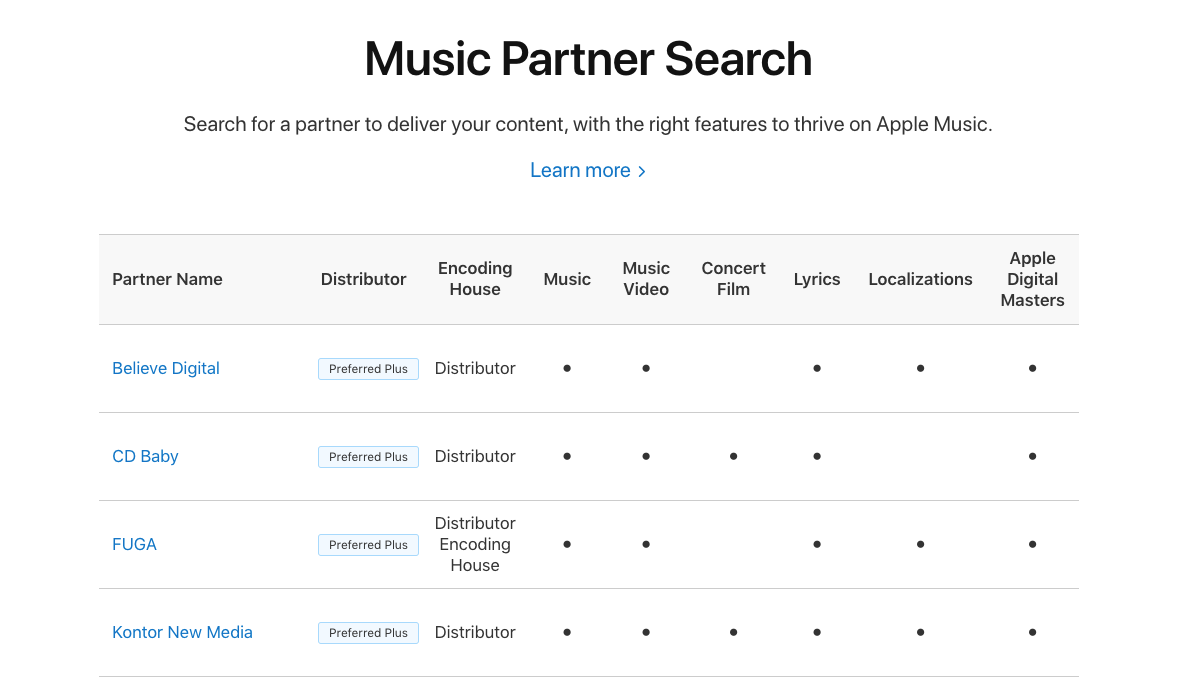
Apple’s Music Partner Search list – Apple Music video distribution
Apple’s official Music Partner Search list is an obvious place to start here, but there really aren’t very many of the officially highlighted services that you can just go sign up for, pay your money, and watch you music video on Apple Music (usually a few weeks later) as far as we can tell. You’ll find loads of them on there that say they do, and that might very well be the case, but it seems as though many of them are really more like a small label you would need to submit your package to before you’re even considered — or something to that effect. And on the other hand, much of the larger, well-known services on the list (TuneCore, Distrokid, etc.) do not support music video distribution.
Which services are the best for distributing music videos to Apple Music?
This leaves independent artists, bedroom producers, and aspiring content creators at a bit of a loss, or in a somewhat confusing mess of options to consider with limited possibilities for personal authorship when it comes to how to get music videos on Apple Music. Parsing through the royalty splits and pricing for each music video distribution avenue, policies/pricing for changes to content after delivery, and understanding video content requirements/limitations for each service, among other things, is already way more than enough for independent creatives to deal with — never mind some of the services on Apple’s list that present a complicated mess of a home page and/or are really only available for folks outside of North America.
So finding a service that’s simple and easy to understand with the details clearly laid out, is invaluable, even despite all of the other monetization considerations here. Some creatives just want to get their content out there to the world and on the biggest platforms in the game, so the ability to just submit content, pay the cash, and go without having to worry about the rest of it is what we are really after here today.
Symphonic music video distribution
And that brings us toSymphonic. Of all the options Apple mentions on its official Partner list, Symphonic appears to be the most straight forward for how to get your video on Apple’s platform. While TuneCore and Distrokid (use this link for 7% off your distribution job)— arguably the two biggest players in the indie music distribution game — don’t offer music video services, Symphonic appears to have a simple submission process that anyone can use.
The usual royalty splits and video spec requirements apply here as expected (no lyric videos on Apple Music anymore, no Facebook uploads unless you have a public official artist page, etc.), but in the end, you fill the forms out, send your cash, and you’re on your way. No need to have a million Spotify plays or a massive Instagram following for the independent distributor to consider you, just pay your cash and get your content out there.
Symphonic has a simple to follow submission process available that walks creatives through the entire process with several tips and details on what is required on your end and what to expect from the various streaming services, including Apple Music. There’s a handy four step checklist you can use to ensure your music video is ready to go as well as some important specifics regarding VEVO and videos featuring content in another language. You can browse through all of these details right here before you lay any cash down and you can review the Symphonic royalty schedule here.
More Apple Music distribution options
Sure, there are loads of options on Apple’s list that will get the job done, but most of them aren’t entirely open services. Popular distributor CD Baby, for example, is listed as supporting music videos but they don’t appear to offer or advertise that service anywhere. Does anyone have any experience paying for distribution with CD Baby and/or the music video situation?
Of the five services on the Partners list denoted as being a “Preferred Plus” option by Apple, CD Baby is the only one that doesn’t look like some kind of music label that has to want to distribute your creations to get your content out to the world or at least require some kind of private communication and submission process that feels like you’re trying to get a record deal or something. The others fall into the label-like side of things or aren’t even in english when you hit the home page.
While there are certainly other ways beyond Symphonic for getting your music video on Apple Music, when it comes to the officially supported options, it does appear to be the easiest way to make it happen at this point.
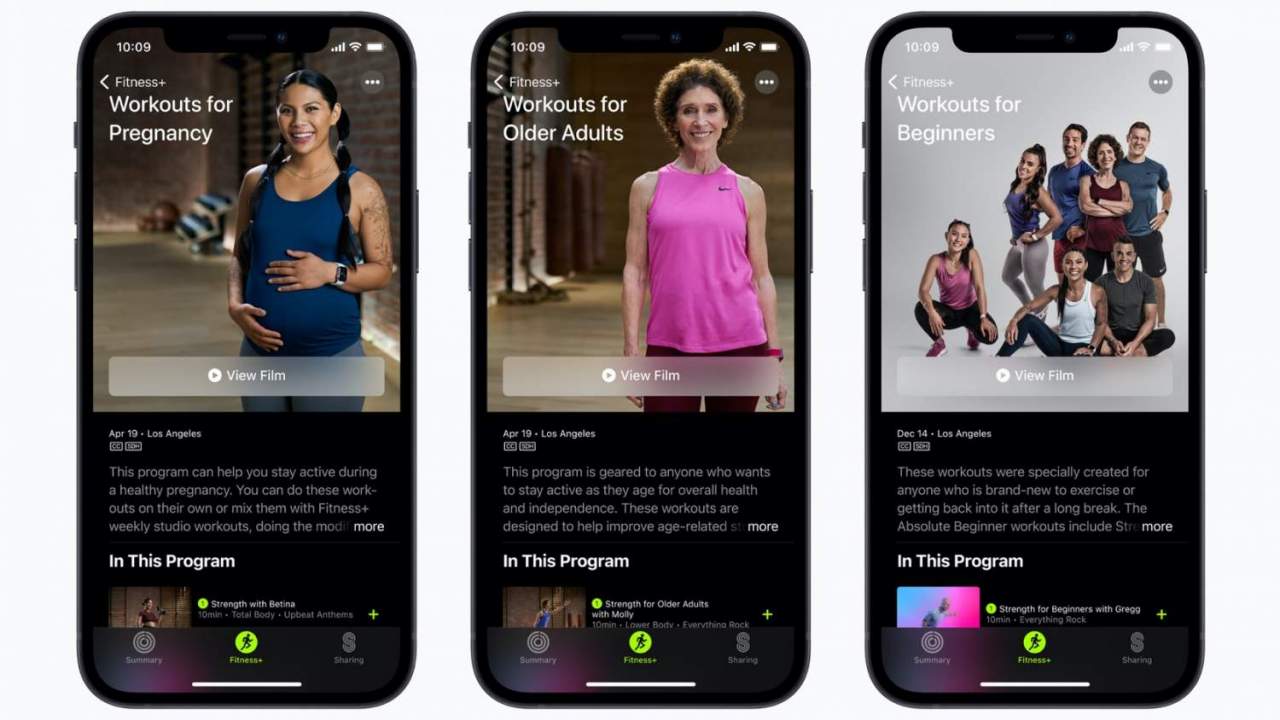
Apple Fitness+ is gaining new workouts today, adding specific sessions for pregnancy and that target older adults and beginners. It’s part of a workout boost for the Apple Watch-centered subscription fitness system, and will also include a new Time to Walk session with Jane Fonda.
Announced last year, Fitness+ opened up its guided sessions in December 2020. It relies on exercise tracking through the Apple Watch, with tutorials and classes delivered via a variety of the company’s screens, such as Apple TV, iPad, and iPhone.
One of the challenges early-adopters have found, particularly those just getting into fitness, is trying to get up to speed. That’s something Apple is addressing today, with new workouts for beginners. Offered across the Yoga, Strength, and HIIT workout types, they consist of low-impact exercises and spend more time on how to perfect form to build good habits.
Much in the same way, the new workouts for older adults focus on the specific needs of older people trying to get – or stay – fit. They center on strength, flexibility, balance, coordination, and mobility, Apple says, with a series of eight sessions led by trainer Molly Fox, with guest appearances by Gregg Cook for Strength, Dustin Brown for Yoga, Bakari Williams for HIIT, and Jhon Gonzalez for Dance.
Each workout is 10 minutes long, and many can be completed with either bodyweight or a light dumbbell, Apple says. Alternatively, they may use a chair or involve leaning against the wall. They can also be combined with other Fitness+ workouts, carrying those modifications over.
Finally, there’s a new workouts for pregnancy series. 10 sessions – covering Strength, Core, and Mindful Cooldown – will be led by Betina Gozo alongside trainers Emily Fayette and Anja Garcia, each 10 minutes in length. They’re designed, Apple says, to suit any stage of pregnancy along with any fitness level. Again, as with the older fitness sessions, they also include suggestions on how to modify the more general Fitness+ workouts in ways to accommodate those who are pregnant.
Beyond the three specific categories, there are now two new trainers: one in the Yoga section, and the other in HIIT (High Intensity Interval Training). From April 19, meanwhile, Jane Fonda’s Time to Walk session will be added. That takes the form of an audio interview with paired walking instructions.
Apple Fitness+ is currently available in the US, Australia, Canada, Ireland, New Zealand, and the UK. Three months access is bundled with a new Apple Watch Series 3 or later, while existing owners can try it free for a month. After that, it’s $9.99 per month or $79.99 per year – for up to six family members to share – or bundle as part of the $29.95 Apple One Premiere plan.
There’s another virtual assistant you can call using your iPhone. Starting today, you can say “Hey Spotify,” with the Spotify app opened, to start playing a song, an album, or even a playlist.
Last month, reports surfaced that Spotify was working on enabling a hands-free wake word: “Hey Spotify”. Today, I received a notification in the Spotify app on my personal Galaxy S21 device that walked through the feature and how to enable it. Let’s look at what it is and what it does.
A notification was received by the Spotify app. It brought us to a screen that prompted us to turn on “Hey Spotify”. Saying the wake phrase will prompt Spotify’s built-in voice search while the screen is on and the Spotify app is open. This means that the app is continuously listening for the wake phrase. Spotify’s privacy policy for voice data usage states that Spotify says it only holds recordings and transcriptions of the searches that you perform when tapping the voice button or saying the wake phrase.
As you can see, there’s nothing much to do with the “Hey Spotify” feature apart from asking for things inside the app. Because the feature is only starting to roll out, not every user will be able to find it, but here’s where it should be:
To enable the “Hey Spotify” feature, tap the Settings icon on the Spotify homepage
Then click on “Voice Interactions
Click on the “Hey Spotify” toggle and that’s it
Now, when you’re using the app, you can just say the wake word to improve your listening experience.
This new “Hey Spotify” feature is in addition to the voice search feature that has previously been available for Premium users. The difference is that “Hey Spotify” is truly hands-free.
In the last several months, Spotify has announced several new things, such as its plans to add a HiFi subscription tier, combining music and podcasts on the same page, and a revamped design in all its iOS, Mac, and web apps.
The feature doesn’t really add any function outside of enabling Spotify’s own voice search for hands-free use. It’s just as easy to use” Hey Google” or “Hey Siri” on either Android or iOS to ask Spotify to listen to an artist, playlist, podcast, or album. Perhaps Spotify is hoping that users will be more inclined to user Spotify’s built-in voice search if it has a wake word to activate it.
Spotify’s voice search feature first launched back in 2019 for users on Spotify Premium and evidence of the Hey Spotify wake phrase was spotted as early as March 2020.
If you’ve ever thought about switching your Apple Music subscription to Spotify, Pandora, YouTube Music, Deezer, or the vice versa, one thing that probably made you change your mind is “how am I going to transfer all my songs from a streaming service to another?” Well, here’s the answer.
If you have thousands of songs and lots of playlists, adding one by one doesn’t seem like a good call. And if for any reason you have multiple music streaming services, there’s a simple way to keep all of them updated with the FreeYourMusic app.
The app has two options: you can transfer one hundred songs and that’s it or you can pay for it. Here are the tiers:
Basic: One-time-purchase with the possibility to transfer an unlimited number of songs, playlists, and albums on all platforms, and with lifetime updates.
Premium: Pay per month and receive e-mail support, share playlists across streaming services, auto-synchronization of all playlists/albums, backup your playlist in the cloud, and the ability to cancel anytime.
Lifetime: One-time-purchase and you get everything available on the Premium plan.
FreeYourMusic is available on iOS, macOS, Android, Windows, and Linux and offers support to basically every music streaming service available.
How to transfer Apple Music songs to Spotify
Once you installed the app, it allows you to easily transfer your music library:
Select your current platform as a source, for example, Apple Music.
Then select the platform where you want to create a new playlist, for example, Spotify.
Find playlists, albums, or tracks you want to transfer from Apple Music to Spotify.
Confirm your action and done.
One tip I give you is if you have thousands of songs, you may want to transfer first your main playlists. The transfer between services is really fast, but if you have a lot of songs, it can take a few days.
In the same way people argue about iOS over Android, the debate between Apple Music vs Spotify has also grown since 2015. As the music streaming service war starts to bring podcasts and HiFi to the battlefield, are you planning to stay with your current streaming service, or are you considering switching?
Many been using Apple Music since it launched. Even when Apple erased a few times all my library, They didn’t care. Then, when some songs appeared duplicated, They also didn’t mind. Now, Apple Music struggles to show the correct album artwork for some artists and faces some reliability bugs. Should they care now?
On the other hand, they’ve been reporting regularly on all of the changes Spotify is making on its platform. It added podcasts, and the early data shows this has been a success. It also plans to launch a HiFi tier subscription this year and it recently revamped all of its applications.
They used to complain because they didn’t get Spotify’s user interface, but as they started to compare with Apple Music, now they see that they’re very similar. Compare for yourself :
Apple Music
Spotify
If you compare prices, they’re exactly the same: $9.99/month for an individual tier, $14.99/month for a family subscription, and $4.99/month for a student application. The difference here is that Apple now offers Apple One, so it’s easier to stay with Apple Music because you can also receive iCloud, Apple Arcade, and Apple TV+ altogether.
The Individual Apple One plan is $14.95 per month, while the Family plan is $19.95 per month: a really nice deal. On the other hand, Spotify has a free-ad-based version and a Premium Duo, for two people who live together for $12.99/month.
With any of the services, you can get a nice deal depending on your need. But if you’re an Apple kind of person, you may be asking if Spotify can integrate with all your devices. Spotify has an Apple Watch app, a macOS app, and a browser app, but the company does not yet support HomePod integration.
For example: if you enjoy sharing and know what your friends are listening to, you can do that in real-time with Spotify. If you like to combine podcasts and music in the same place, Spotify also supports that. If you want a nice end-of-year recap, Spotify can also do better than Apple Music.
The Galaxy Note 20 series is finally official. Samsung introduced the Note 20 and Note20 Ultra last night and now we’re going hands-on with the ultimate S-Pen-packing Galaxy for 2020.
Similarly to the S20 family from the spring, the Ultra comes with exclusive all-out hardware not available on the vanilla model. In a somewhat bizarre turn of events that includes the 120Hz 1440p+ display, while the Note 20 has a plain 60Hz 1080p panel. Earlier this year even the smaller S20 had the high refresh rate and the extra pixels.
The Galaxy Note20 Ultra retains exclusivity on some of the camera bits too. The periscope telephoto, is something you won’t be able to get on the Note 20, though it’s a different module than the one on the S20 Ultra. For zooming in, the Note 20 has the same 64MP non-telephoto telephoto that stirred some controversy on the S20 and S20+ for the way it was marketed.
The 108MP Nonacell primary cam is also an Ultra-only feature and this appears to have been carried over from the S20 Ultra. Same thing with the smaller Note’s 12MP main shooter that you can find on the S20 and S20+.
Samsung Galaxy Note20 Ultra 5G specs
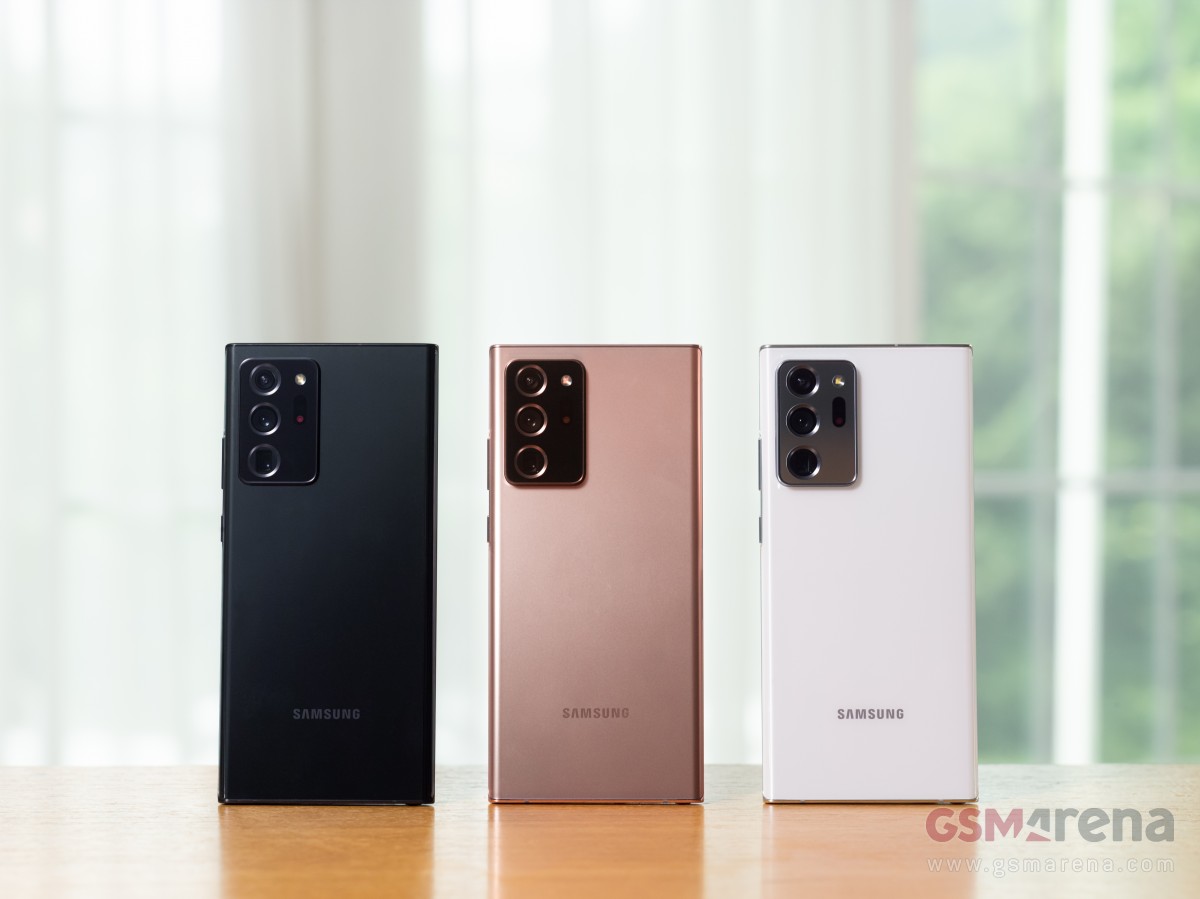
Body: 164.8×77.2×8.1mm, 208g; Glass front (Gorilla Glass Victus), glass back (Gorilla Glass Victus), stainless steel frame; IP68 dust/water resistant (up to 1.5m for 30 mins); Colors: Mystic Bronze, Mystic Black, Mystic White.
Front camera: 10 MP, f/2.2, 26mm (wide), 1/3.2″, 1.22µm, Dual Pixel PDAF; Dual video call, Auto-HDR.
Video capture:Rear camera: 8K@24fps, 4K@30/60fps, 1080p@30/60/240fps, 720p@960fps, HDR10+, stereo sound rec., gyro-EIS & OIS; Front camera: 4K@30/60fps, 1080p@30fps.
Battery: 4500mAh; Fast charging 25W, USB Power Delivery 3.0, Fast Qi/PMA wireless charging, Reverse wireless charging 9W.
Misc: Fingerprint (under display, ultrasonic), accelerometer, gyro, proximity, compass, barometer; NFC; FM radio (Snapdragon model only; market/operator dependent); Samsung Wireless DeX (desktop experience support), ANT+, Bixby natural language commands and dictation; Samsung Pay (Visa, MasterCard certified); S Pen Stylus, 9ms latency (Bluetooth integration, accelerometer, gyro).
The Ultra is protected by the brand new Gorilla Glass Victus front and back and both phones get a stainless steel frame – that’s a first on a Samsung smartphone. Oddly enough, the Note 20 comes with a plastic back – that one we hadn’t seen in a while on a high-end Samsung handset.
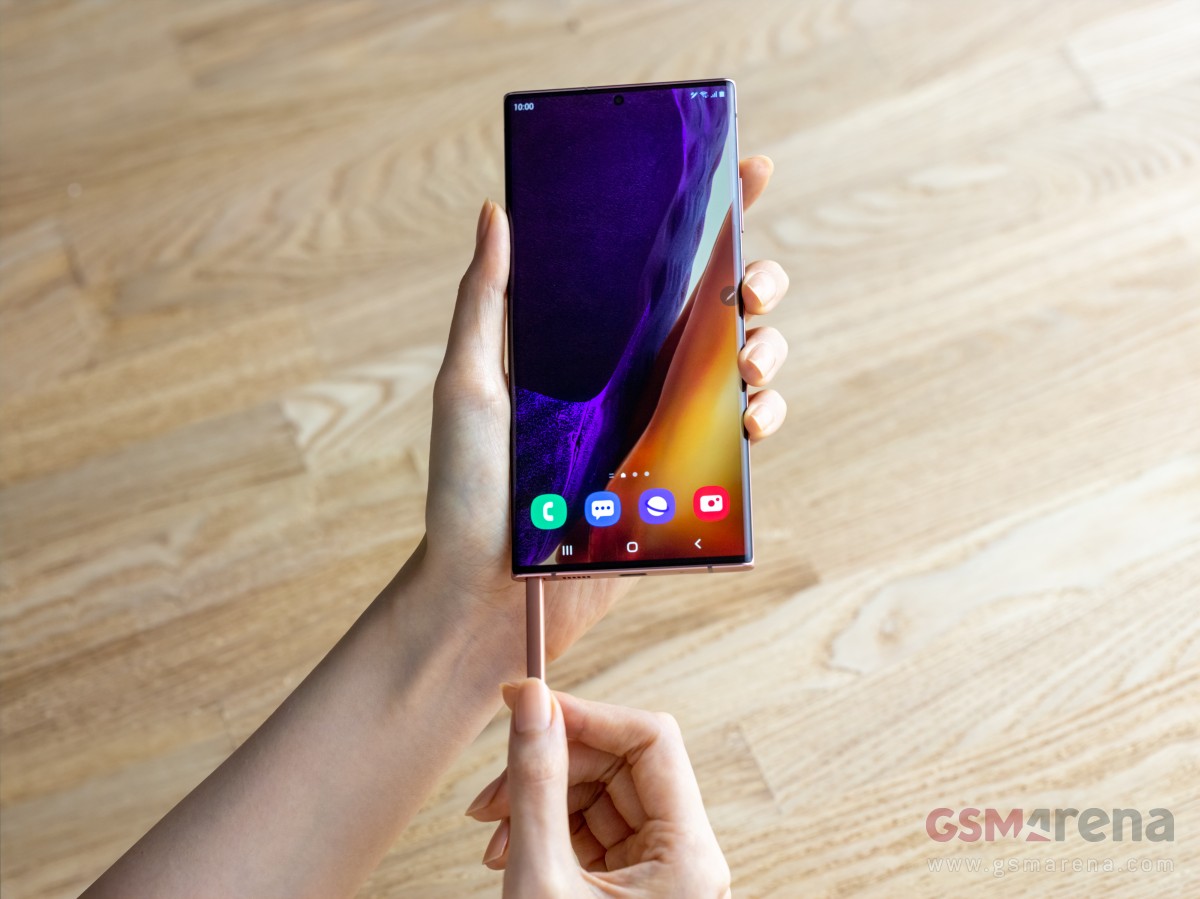
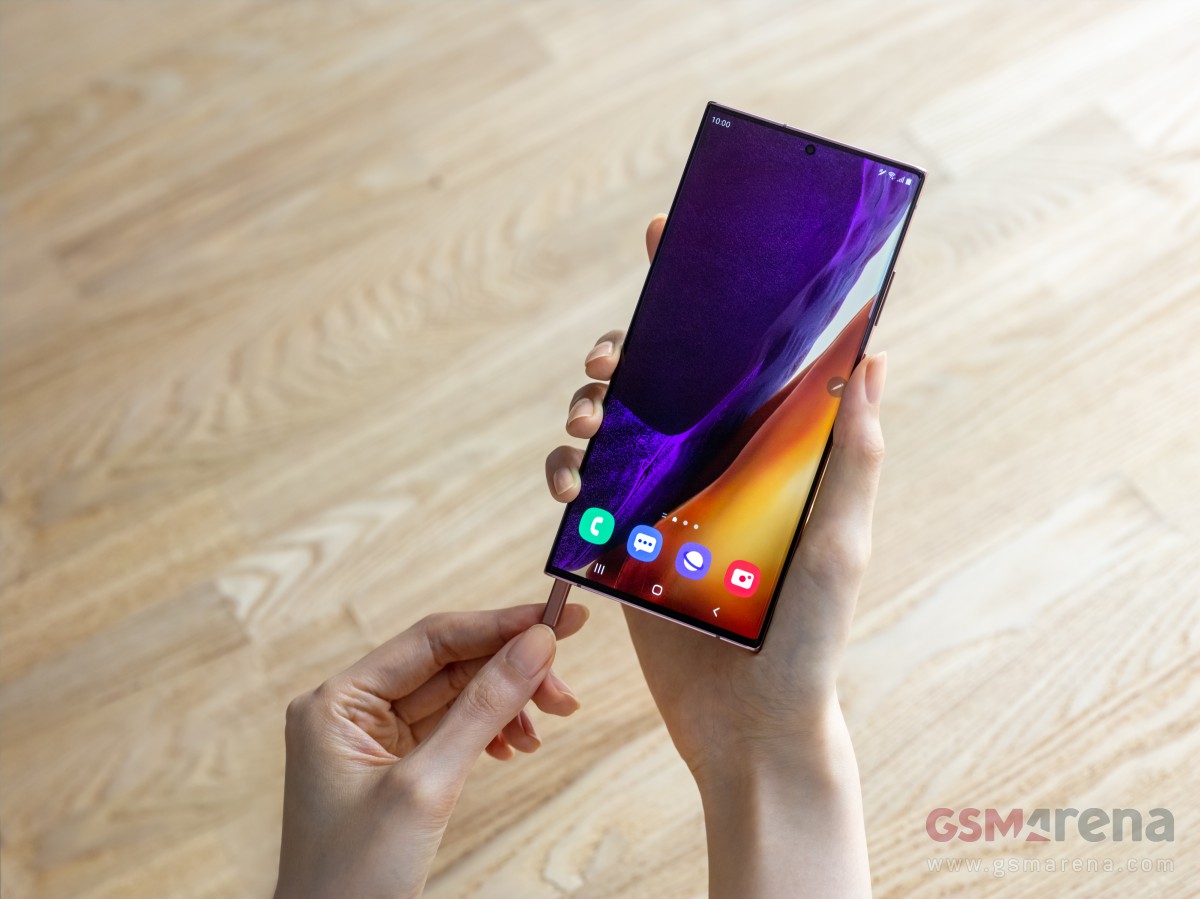
Both Notes get the S Pen too, at least this much is still guaranteed. It’s been moved to the left of the phone now, a major change from all previous generations. It comes with added gestures and it’s got improved latency for an even more pen-on-paper-like feel – on the Ultra, that is, the vanilla model doesn’t get that either.
Galaxy Note20 Ultra hands-on
The Note20 Ultra and Note 20 sit atop the Galaxy lineup and as such offer premium build quality and design. Having said that, even here the Ultra has an edge on the vanilla model.
Both phones get a stainless steel frame, a new development for Samsung high-end phones after sticking with aluminum for their skeleton needs until now. Apple has had steel on iPhones since the X, now Samsung joins in too.
Where the two differ is in the material of both front and back. The Note20 Ultra is where Gorilla Glass Victus debuts and Corning’s latest should be safer than GG6 in the event of impact while also offering improved scratch resistance. It’s two sheets of Victus on the Ultra – both front and back, while the camera is protected by Gorilla Glass 5.
Gorilla Glass 5 is what your Note 20‘s display is covered by, but that’s not what’s raising eyebrows quite as much as the choice of material for the back – the Note 20‘s rear panel is plastic. Reinforced polycarbonate, as Samsung calls it, and while we’re not entirely opposed to plastic-backed phones, it does sound out of place on a $1000 phone.
Victus or polycarbonate, both phones have this satin matte finish so they ward off fingerprints nicely. We welcome that decision, glossy Galaxies are practically impossible to keep clean. Thankfully, the IP68 rating for dust and water protection is a common feature too as plastic is able to keep the elements out just as well as glass.
At launch, the handsets will be available in three colors each, the Mystic Bronze hero colorway shared between them. The Note 20 also gets Gray and Green, while the Ultra will be available in Black and White – all of them Mystic, as the official naming will have it. Mind you, color options will vary by region with most markets getting two of the three available at launch.
The camera assembly of the Note20 Ultra is quite the chunky one, though having seen the S20 Ultra, we knew it was coming. It feels like this one sticks out even more and that would make sense – after all, the Note20 Ultra is a good 0.7mm thinner than the S20 Ultra at 8.1mm vs. 8.8mm so the camera island gets more prominence. If anything, it’ll be even easier to support the handset by propping your index finger against the camera bump’s edge than it was on the S20U, thus saving your pinky some heavy lifting.
The Note 20 proper has a sizeable camera cluster too, but it’s simply not of the same scale. Both phones wobble on a flat surface, for what that’s worth.
Looking at the front, Galaxy Note20 Ultra follows in the footsteps of the Note10 Plus from last year – a large rectangular slab of a phone with sharp corners and a very technical, no-nonsense look. It’s, in fact, precisely as wide as the Note10 Plus, though a couple of millimeters taller. The S20 Ultra, in contrast, is two further millimeters taller, but a millimeter narrower – so the Note20 Ultra is more squarish.
The Ultra’s display is curved to the sides – ever so slightly, and only at the absolute edges, but it’s curved nonetheless. It’s got almost nonexistent bezels too and the tiniest of punch holes and that’s certainly the closest Samsung has come to a ‘full-screen display’. It will probably pose issues for handling, if you’re one to need extra space to rest your fingers and/or hate curved screens. That’ll be a task for the review to examine, but even in a quick hands-on session it’s clear that for sheer ‘wow’ factor the Note20 Ultra’s display is only bested by foldables.
The Note20 non-Ultra, meanwhile, has more ordinary appeal, to put it this way. Its display is flat, so there’s that, and it’s got a somewhat thicker black border all around. The punch hole in the display is also that extra bit bigger. It’s not bad-looking by any stretch, but it’s no Ultra.
We were particularly vocal last year when the Note10 and Note10 Plus arrived with the power button on the left side, as opposed to the right where it had always been. It was a one-off type of thing, never to be seen on other Galaxies since.
Starting with late 2019 models and continuing into 2020, the volume rocker got relocated to the right, joining the power button on those non-Note10 models – a decision much easier to live with. All of this is to serve as context for us to say that the Note20s have the power button on the right, where it should be, and we’re happy. Of course, our outrage last year was a bit overdramatic as you get used to where a button is in no time, but it’s nice that you won’t need to this time around.
But hear this – the S Pen slot on the Note 20 generation is on the left side of the phone when looking at the display – it’s either that or the Power button it seems.
The S Pen has always been on the right, and it’s a natural position for pulling the stylus out with the right hand, which you’ll then use for writing or drawing, or camera remote, or Air actions (unlikely as that last bit may be). On the other hand, if you’re left-handed, it may very well be the best Galaxy Note to date.
In all fairness, however, we didn’t experience any notable difficulties getting at the S Pen on the Note20 Ultra with either hand. We had a minor argument at the office whether the left-side button placement on the Note10 was related to the S Pen’s position inside the phone and if the internal design was unable to accommodate both on the same side. By the looks of it, that must have been the case.
Ambidextrous Samsung Galaxy Note20 Ultra
The S Pen itself is virtually identical to the one we got last year. It’s got the clicky top, the button on the side, and the capacitor, gyro, and accelerometer within to enable the remote actions. The stylus also matches the paintjob of the phone it comes out of, though we did enjoy the contrast of the blue S Pen on the Aura Glow Note10s – or as we call that one ‘motor oil in a puddle’ for its rainbow light effects.
Circling back to the Ultra vs. non-Ultra differences, only the ultimate S Pen-wielding Galaxy supports storage expansion via microSD, while the vanilla Note 20 has to make do with what it has from the box. It’s one of the easier downgrades to swallow given that it was the case with the smaller Note10 last year too – so in way, it was expected. Then there’s the matter that the Note 20 comes with decent 128GB storage in its base 5G version and you can bump that to 256GB, while the LTE variant is 256GB only. Still, if all three S20s could have expandable storage, maybe both Note20s could?
One difference on last year’s models that was also seen on the S20 family but is now gone is fast charging support. The Note10+ and the S20 Ultra could be charged faster with optional 45W bricks, while the plainer models only went as high as 25W. Well, the Note20 Ultra and the Note 20 both only go as high as 25 watts. It’s hardly a big deal since the 45W adapter had to be purchased separately and it didn’t bring the kind of speed advantage the numbers would suggest.
The charging situation may be a welcome bit of parity between the Note20s.
Display and S Pen
Displays have always been among the key selling points of Samsung phones – after all, it is a leading manufacturer of OLED panels in these sizes. The Galaxy Note20 pair is no different in this respect. Well, sort of.
Both panels boast a crazy high peak brightness of 1,500nits, a 25% increase over the S20s from just six months ago. That’s useful for displaying HDR10+ content, which they support, but will also be helpful for outdoor visibility – not that the previous ones weren’t great at that, it’s just that the Note20s will be better.
Of course, don’t expect to light up the entire screen with pure white and get all those nits – OLEDs scale brightness depending on the number of pixels being lit. We’ll certainly be doing our own testing, when we get a review unit in our office.
And that’s where the common traits of the two Notes’ displays end. You see, it’s only the Ultra that supports the 120Hz rate, and it’s only the Ultra that has a QHD resolution. Meanwhile, the vanilla Note 20‘s specsheet reads 60Hz and FullHD, and that’s… disappointing.
The Galaxy Note20 Ultra’s 6.9-inch display has a 1440x3088px resolution with 496ppi density in the somewhat unorthodox 19.3:9 aspect ratio. It’s branded as Dynamic AMOLED 2X, Samsung’s marketing speak for high refresh rate and the Note20 Ultra does go all the way up to 120Hz, complete with 240Hz touch sampling.
The HRR is done differently this time around than it was on the S20s, where you could pick between 60Hz and 120Hz and the phone would stay locked at those refresh rates regardless of what you’re doing on it.
Here, you get two options – Standard (60Hz) and Adaptive, and that Adaptive mode is what’s having us all excited. The Note20 Ultra will be able to dynamically adjust the refresh rate based on the activity you’re in and the content being displayed, thus striking an optimal balance between smoothness and battery life. We’ll be sure to examine it in more detail come review time.
What’s abundantly clear already, however, is that you still don’t get to the run the Note20 Ultra in its full resolution at its maximum refresh rate. Adaptive mode only works in 1080p, 1440p only works in 60Hz.
In more uplifting developments, the Note20 Ultra adopting a 120Hz screen enhances the S Pen experience. Samsung says it’s improved the latency with which the phone recognizes and displays your S Pen input and it’s now down to 9ms from the old Note’s 42ms, making for an even more paper-like feel.
The Note 20 doesn’t match that number, however – its latency stands at 26ms. It’s still an improvement over the outgoing model, but in what we feel is becoming a theme, it’s no Ultra. Samsung talked about ‘AI-based point prediction’ which aims to anticipate the trajectory in which you’ll be moving the S Pen, and that could be more at play here.
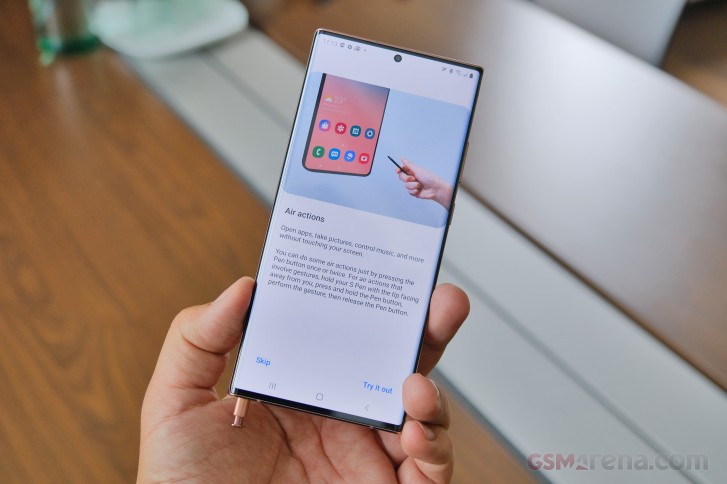
Both phones do get more Air actions, an S Pen functionality introduced with the ‘active’ stylus on the Note9. These are called Anywhere actions and work across the UI as opposed to the limited availability in the ones we had until now. Five new actions are introduced, and you’ll able to launch Smart Select and Screen write with two of them, while the other three serve for basic navigation – Back, Home, and Recent tasks. We’re not entirely sure someone would really use those, and in the limited time we had with the phones, we couldn’t get them to work reliably. Maybe we’ll give them another chance in the in-depth review. Solid maybe.
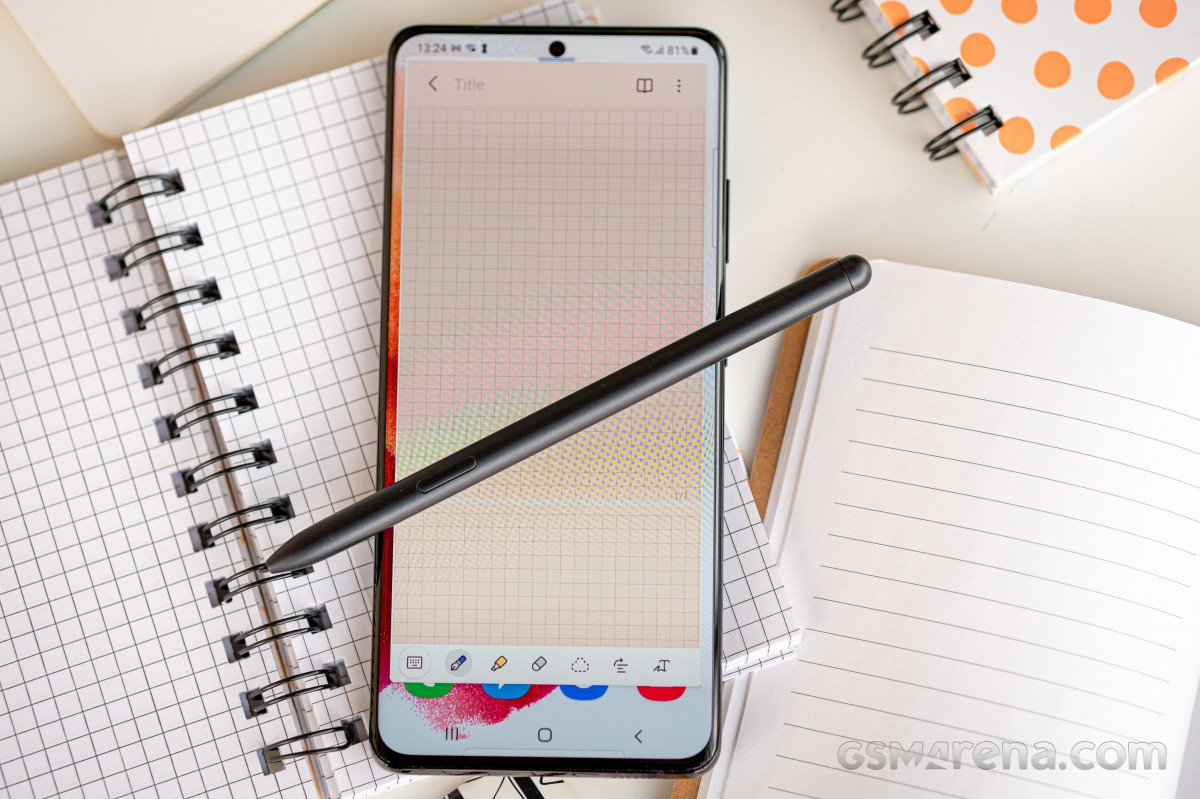
On a related topic to the S Pen, Samsung Notes has gotten an overhaul for this Note generation. It comes with improved handwriting recognition, straightening of already written text, new background colors and templates, PDF imports, audio-synced annotations, PowerPoint integration and syncing between different devices and platforms. If you do actually use your Note for keeping handwritten notes, this could offer a nice boost to your workflow.
The Note 20 pair comes with Android 10 and OneUI 2.5 out of the box. That’s a newer version of Samsung’s Android overlay than we’ve seen on previous Galaxies, and while there’s little immediately recognizable as new, we’re certain there will be small bits we notice when we delve deeper. Perhaps more importantly, the Notes are promised to get three major OS updates – so expect to see Android 13 on the Note 20 in 2022.
Wrap-up
The Galaxy Note 20 and Note20 Ultra have finally arrived after much anticipation and the usual months-long stream of leaks. The S Pen flagships don’t bring massive surprises and will remain high on shortlists for Samsung fans, there’s no doubt about that.
What’s taking us longer to wrap our heads around is the significant segmentation between the Ultra and the non-Ultra – it wasn’t quite so prominent last year with the Note10 and Note10 Plus, and even the S20s from the spring had less of a gap in features. Is it Samsung trying to nudge you into buying the more expensive Ultra or is a way of getting the S Pen into more hands by offering two products that differ in more than just size?
We’ll try to answer this and many other questions once we get to properly review the two phones. For the time being, we can say that pre-orders will be made in this office, though seemingly not quite as many as last year.
This year, the Galaxy S21 series came earlier than expected, and it brought a slew of changes. The Galaxy S21 and S21 Plus now feature lower-res OLEDs, no microSD expansion, and no chargers in the box. Meanwhile, the Galaxy S21 Ultra is what the original Ultra should have been – jam-packed with high-end features, no asterisks, no fine print. Still no charger, though.
The original S20 Ultra was supposed to be the greatest Galaxy to date, but it fell short of that. You could enjoy a 120Hz refresh rate, but only at a lower 1080p resolution. The telephoto camera was advertised as 5x, but it was, in fact, 4x, and let’s not even start with the Space Zoom. The ultrawide camera had a great sensor, but it couldn’t do macro shots due to the lack of autofocus. The battery was large, but battery life was poor. You get the point.
Well, the Galaxy S21 Ultra makes up for everything. It has a large 1440p screen with native 120Hz support, adaptive at that. It also brings two dedicated telephoto snappers – one for 3x and another one for 10x optical zoom. Its ultrawide camera does feature autofocus, which works for macro shots. The new Ultra also offers ultrawide-band support, and surprise, surprise, S-Pen support as well. This has to be the first non-Note Galaxy phone to offer that – one for the history books.
There is no S-Pen socket on the Galaxy S21 Ultra, and neither is there a bundled stylus. But you can use any S-Pen that’s been in circulation, as well as the newly announced S-Pen for S21 Ultra and the upcoming S-Pen Pro. Samsung has also opened the S-Pen to third-party companies that make Wacom-based styluses, so you can expect even more options in the upcoming months. Finally, you can store the stylus in your pocket or opt for some S21 Ultra cases with dedicated pen holders.
The Galaxy S21 Ultra is the only S21 model to come with a 1440p OLED screen, unlike the previous generation. And even better, it now supports 120Hz at that high resolution, so you don’t need to choose between high res and high refresh rate. This new Ultra screen also supports Adaptive Refresh Rate that can vary between 10Hz and 120Hz, just like the Note20 Ultra.
The latest Galaxy bears the latest chipset, of course. All international models use the new Exynos 2100 SoC by Samsung(like the one we are reviewing), while the USA and China will be getting devices running on the Snapdragon 888 instead. The RAM has been bumped to 12GB, and there is a limited 16GB model, too.
The camera has seen a welcome upgrade. The wide snappers remain relatively the same – a 108MP shooter with f/1.8 26mm lens and a 12MP cam with f/2.2 13mm optics, but now it features autofocus. The zoom system has been completely revamped, though – it now features two 10MP imagers, one for 3x optical zoom and another for 10x optical zoom via a 240mm periscopic lens.
Other flagship tidbits worth mentioning – a 40MP selfie eye with AF, stereo speakers, Wi-Fi 6e, 5G connectivity, ultrawide-band support short-range communication, fast wired and wireless charging for the large 5,000mAh battery.
This year isn’t off to a good start for the fans of the rich retail bundles, though. Like Apple and Xiaomi, Samsung has removed the chargers and headphones from the retail boxes and ships each Galaxy S21 only with a cable.
Let’s take a deep dive in the specs now.
Samsung Galaxy S21 Ultra 5G specs at a glance:
Body: 165.1×75.6×8.9mm, 227g; Glass front (Gorilla Glass Victus), glass back (Gorilla Glass Victus), aluminum frame; IP68 dust/water resistant (up to 1.5m for 30 mins), Stylus support.
Front camera: 40 MP, f/2.2, 26mm (wide), 1/2.8″, 0.7µm, PDAF.
Video capture:Rear camera: 8K@24fps, 4K@30/60fps, 1080p@30/60/240fps, 720p@960fps, HDR10+, stereo sound rec., gyro-EIS; Front camera: 4K@30/60fps, 1080p@30fps.
Battery: 5000mAh; Fast charging 25W, USB Power Delivery 3.0, Fast Qi/PMA wireless charging 15W, Reverse wireless charging 4.5W.
Misc: Fingerprint reader (under display, ultrasonic); Stereo speakers; NFC; FM radio (Snapdragon model only; market/operator dependent); Samsung DeX, Samsung Wireless DeX (desktop experience support), ANT+, Bixby natural language commands and dictation, Samsung Pay (Visa, MasterCard certified), Ultra Wideband (UWB) support.
The Note10 was the one to retire the 3.5mm jack, and now the Galaxy S21 is retiring the microSD slot. Samsung makes up for that with a minor price difference between the 128GB and the 256GB models – just €50. It’s up to you to decide whether this compensation is enough, though.
There are some omissions, too, this time – inside the retail box.
Unboxing the Galaxy S21 Ultra
Well, well, well, how the tables have turned?! It was just last October when Samsung mocked Apple for not including chargers with the latest iPhones. And a mere two months later, Samsung was caught scrubbing these jabs off the internet in preparation for the launch of its own charger-less flagship.
It’s not the first time Samsung had done this, is it? We still remember how the audio jack mockeries disappeared overnight, foreshadowing the jack-less Galaxy Note 10.
So, the Galaxy S21 Ultra is the first Samsung phone to come without a charger or headphones. The maker joins Apple and Xiaomi in a quest to make the planet cleaner, and this ought to make a positive impact eventually. It just requires one small sacrifice from you, the user – you need to buy a USB-C charger if you don’t own one and keep it for the long haul.
The thin Galaxy S21 Ultra box contains a USB-C-to-C cable and the phone. That’s it.
The Galaxy S21 pre-orders do include various freebies such as a 25W charger, Galaxy Buds, and even a SmartTag, so you aren’t without options. Samsung switched to USB-C chargers since the Note10 and S20 generations, so the chance of you having one isn’t that big, and it’s a good thing you can now grab it for free.
Our Samsung Galaxy S21 Ultra also came with one very thin protector, almost invisible in fact, applied in the factory. It’s plastic and will be good only against scratches, but it’s still better than nothing.
Alternatives
The new Galaxy Ultra impresses with three key features, and it will be remembered for those novelties – the new 120Hz Quad HD OLED and its S-Pen support, and the versatile quad-camera on the back that relies on real optics instead of some hybrid trickery.
Yes, the Galaxy S21 Ultra is the all-powerful Galaxy right now, and that alone is enough to sell it. It’s the Ultra model – meaning there is no better phone on the market today. Indeed, there isn’t.
The Xiaomi Mi 11 Pro isn’t even official yet, Huawei is yet to unveil the P50, and we are yet to see recent Huawei devices with Google app integration. The OnePlus 9 is unannounced as well, while the next iPhones are far ahead in the future.
Speaking of iPhones, Samsung really outdid itself by dropping the charger immediately after Apple’s done it. It could have waited a year or announced it a year ahead to allow a transition period, but it’s Samsung – some things are done in the heat of the moment. Like saving the planet, for example.
And that’s the reason while the Apple iPhone 12 Pro Max comes as our first suggestion. The Max costs as much as the Ultra, and subjectively, it’s the prettier and supposedly sturdier device. The iPhone also impresses with performance and LiDAR scanner if you have the use of it, that is. The camera performance is somewhat on par with the Galaxy as far as primary and ultrawide shooters are concerned. The iPhone cannot match the zoom capabilities of the Ultra, plus it runs on iOS, so if you’ve invested in Android apps, there are two major deal-breakers right there.
Thinking about the camera, we just can’t but mention the elusive Xiaomi Mi 10 Ultra (about $950). It’s officially sold only in China, but if you value a complete package with an outstanding camera – this is the one, folks. It has a 120Hz 1080p OLED, Snapdragon 865 chip, and stereo speakers to get you started, but we found its quad-camera (0.5x + 1x + 2x + 5x) to be among the best on the market as far as photo quality is concerned. This Ultra also comes with a 120W adapter, which recharges its flat battery for 27 minutes, so there is that, too.
Another limited-edition phone that comes to mind is the Google-less Huawei P40 Pro+. It has a 1200p 90Hz OLED and one of the best camera configurations money can get you on a handset – 50MP primary, 8MP 3x, 8MP 10x, 40MP ultrawide, and 3D ToF. Indeed, that’s a similar setup to the Galaxy S21 Ultra, and Huawei’s cameras save some incredible photos. The P40 Pro+ stock is scarce but not that hard to find. It costs about €800/£900 – meaning it is cheaper than the Ultra. Then again, no Google on it.
Back to more popular and easier to find choices – the OnePlus 8 Pro seems relevant even 10 months after its launch. It solved the 120Hz Quad HD OLED conundrum way before Samsung; it runs on a powerful Snapdragon 865 chip; and it offers a reasonably good quad-camera on the back with a 48MP primary, 8MP 3x tele, 48MP ultrawide, and a 5MP color filter cam intended for some artsy shots. The OnePlus 8 Pro runs on the especially smooth Oxygen launcher and is €500 cheaper than the Galaxy. Sure, it can’t offer 20% more powerful chip, 10x zoom and S-Pen support, but do these cost €500? You decide.
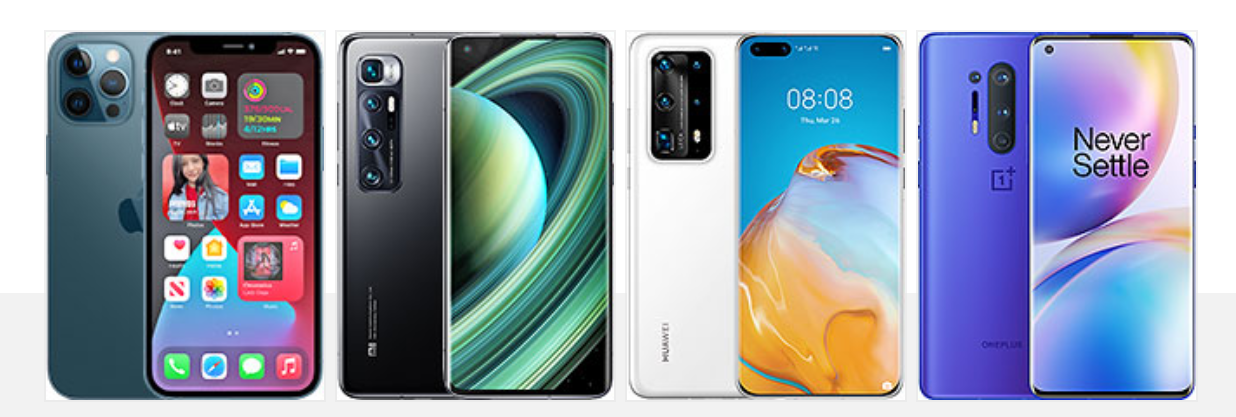
Apple iPhone 12 Pro Max • Xiaomi Mi 10 Ultra • Huawei P40 Pro+ • OnePlus 8 Pro
The verdict
If you’ve stayed with us that long, you’ve probably noticed we are conflicted about this Galaxy S21 Ultra. It is the perfect smartphone on paper, even without a microSD expansion and a bundled charger. But we’ve had ups and downs while using it for the past week. By the end of this review, we realized the good stuff far outweighs the bad, and most of what we didn’t like could be fixed with an upcoming update.
The Galaxy S21 Ultra absolutely deserves its Ultra insignia – it has the best OLED screen with Wacom layer at that, the most powerful hardware, one of the largest batteries, good stereo speakers, and pretty advanced camera system. We were thoroughly impressed by the screen performance and the battery endurance, like the UI and the S-Pen features, and saw many good photos and videos saved by the various snappers.
We aren’t huge fans of the new industrial design – mostly how the camera on the back was made. The phone is large and slippery, making it very uncomfortable to handle without a case. The photo quality wasn’t always flagship-grade – Samsung needs to tone down its image processing even if it results in some noise or lesser dynamic range. We’ve always preferred images with natural-looking processing, and so far, both Apple and Samsung have failed us. Here’s hoping that at least Samsung does something in this direction with a software update.
If you are after the best and newest phone on the market – look no further – that’s the Galaxy S21 Ultra. It has its issues, but the overwhelmingly good features elsewhere and a patch or two will make up for everything. Samsung is definitely off to a good start this year with its Ultra!
Pros
The best OLED screen, 1000+nits, 1440p, 120Hz, HDR10+, S-Pen.
Phenomenal fingerprint scanner performance.
Outstanding battery life, fast to top-up the 5,000mAh battery.
Stereo speakers with good loudness.
The fastest Android chipset, 5G, Wi-Fi 6E, Ultra-Wide Band.
OneUI is super smooth, clutter-free, S-Pen support.
The daylight photos are good across the board even if a bit overprocessed.
The selfies are excellent.
The 4K30 videos are great.
Cons
Somewhat bulky and slippery.
The image processing needs further refinements.
We don’t miss the microSD slot, but some of you might.
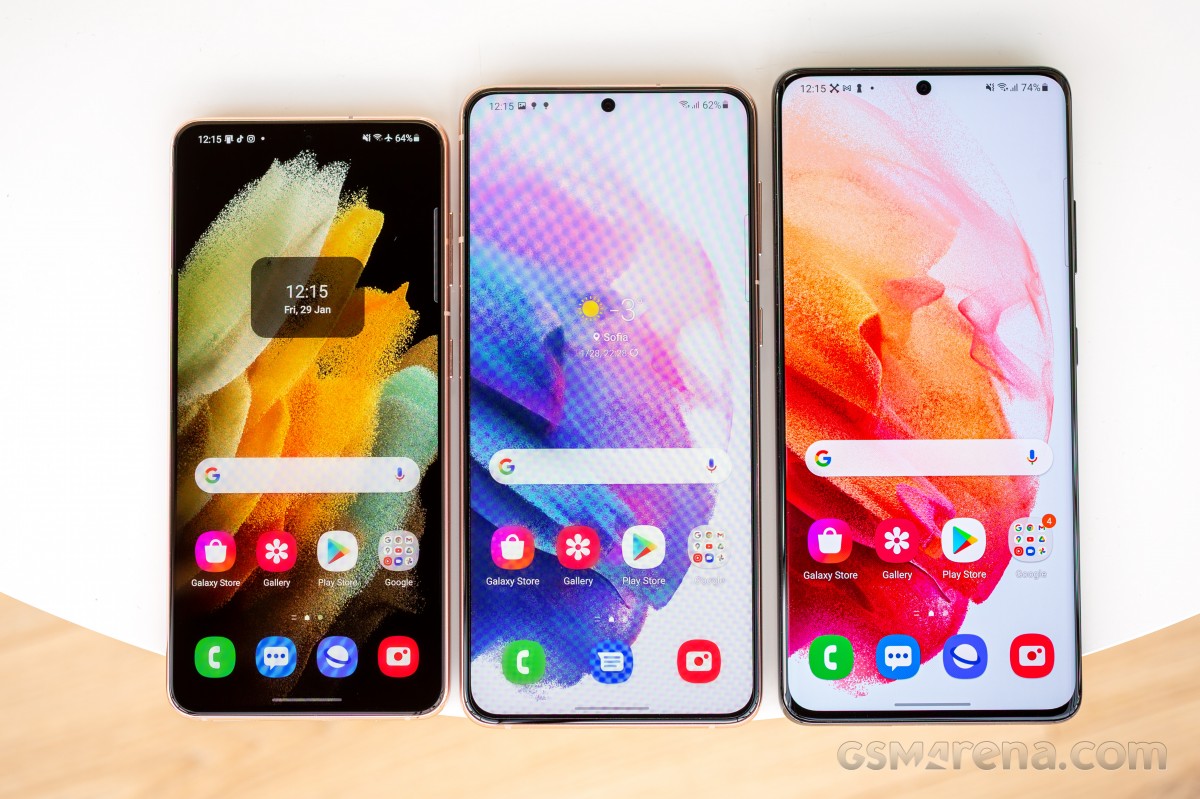
Almost as big as the Ultra, but not quite as camera-centric. Nearly identical to the vanilla, but with a plus-size screen, extra battery and a more premium touch. Yes, we’re talking about the middle option in the 2021 Samsung S-series roster, the Galaxy S21 Plus.
Plus stands for ‘more of it’, and the S21 Plus has a bigger display – at 6.7 inches in diagonal, it’s a lot closer to the Ultra’s 6.8 inches than it is to the S21 proper’s 6.2. Beyond the size, however, it’s more vanilla than it is Ultra – the resolution is 1080p, and the Adaptive refresh rate handling is the half-there variety, but Adaptive it is nonetheless.
There’s ‘more of it’ when it comes to battery capacity, and here, too, Plus aims for the Ultra – at 4,800mAh, it’s oh-so-close to the 5,000mAh of the top model. More importantly, perhaps, the middle option is the only one that’s gotten a battery upgrade this year.
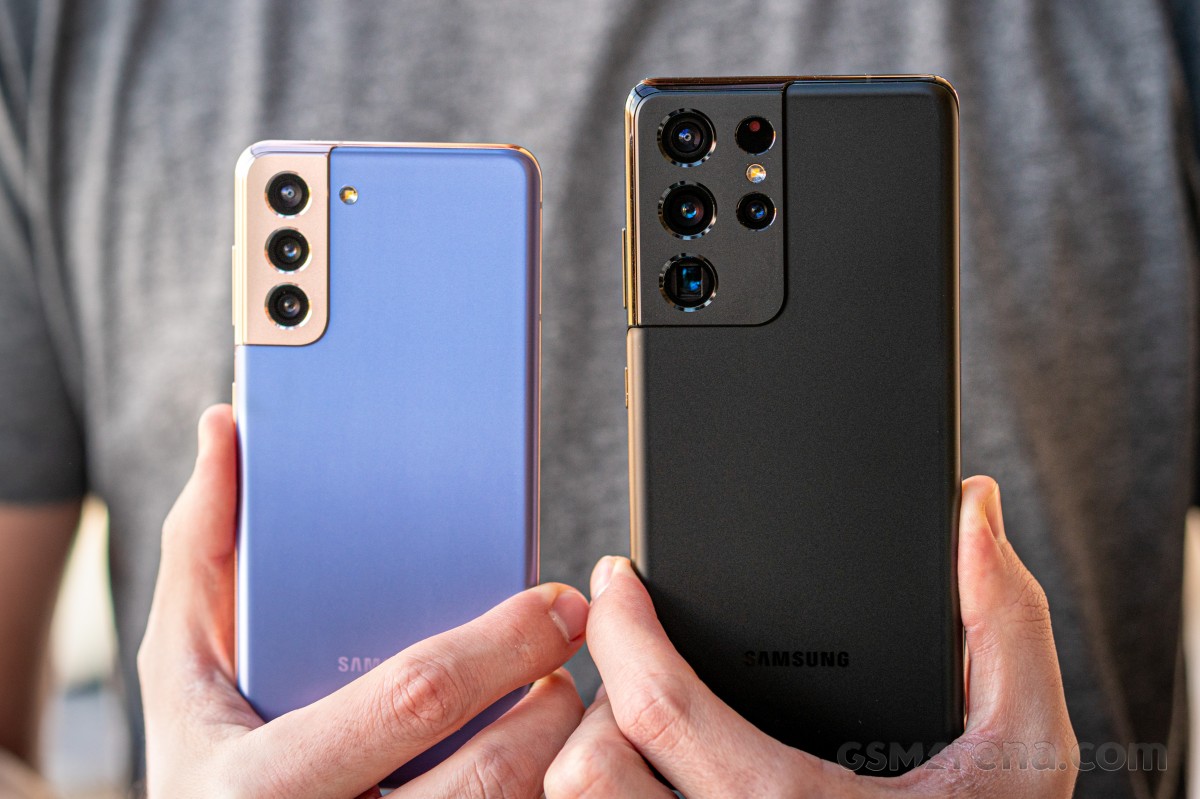
The third area where the Galaxy S21 Plus differs from the S21 is the build. And here, from the vantage point of the S21 Plus, the choice of plastic for the S21’s back makes sense – this way, the Plus has one more thing going for it. Maybe.
We touched upon the differences between the S21 and S21 Plus, two out of three of those quantitative, the other – well, qualitative. Here’s a reminder of the other bits that make up the S21 Plus.
Samsung Galaxy S21 Plus 5G specs at a glance:
Body: 161.5×75.6×7.8mm, 200g; Glass front (Gorilla Glass Victus), glass back (Gorilla Glass Victus), aluminum frame; IP68 dust/water resistant (up to 1.5m for 30 mins).
Video capture:Rear camera: 8K@24fps, 4K@30/60fps, 1080p@30/60/240fps, 720p@960fps, HDR10+, stereo sound rec., gyro-EIS; Front camera: 4K@30/60fps, 1080p@30fps.
Battery: 4800mAh; Fast charging 25W, USB Power Delivery 3.0, Fast Qi/PMA wireless charging 15W, Reverse wireless charging 4.5W.
Misc: Fingerprint reader (under display, ultrasonic); NFC; FM radio (Snapdragon model only; market/operator dependent); Samsung DeX, Samsung Wireless DeX (desktop experience support), Samsung Pay (Visa, MasterCard certified), ANT+, Bixby natural language commands and dictation.
Samsung Galaxy S21 Plus unboxing
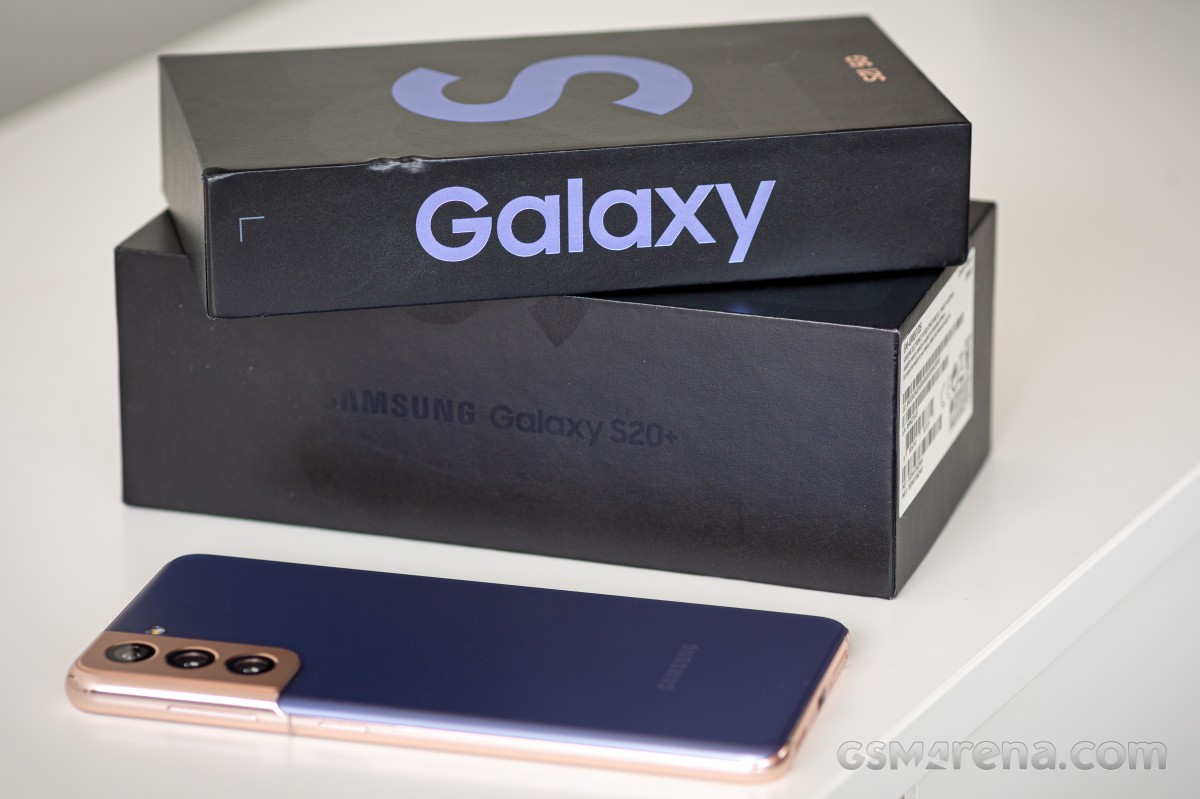
The Galaxy S21 Plus arrives in the same half-height box as the other high-end Galaxies for 2021 and, likely, from here on. When you don’t pack a charger and headphones, there’s no point in wasting cardboard, is there?
We’re not strictly against the disappearing chargers trend. There are charging stations in the office with QuickCharge 3.0 outputs, and those have been serving us well for several years now and will continue to do so. Additionally, between us, we’ve bought an assortment of USB Power Delivery adapters for personal use and the bulk of us likely fall in that group of people who won’t be needing new chargers with their next phone purchase. So there could be actual benefits to this, eventually. Perhaps the way the marketing teams have been sugarcoating the process is what’s been most annoying. Anyway, on to the design.
Competition
Samsung‘s early Galaxy release this year means the bulk of Android makers don’t have their 2021 offerings out yet. While the smaller S21 is more uniquely placed, for the Plus, it’s a bit harder to make comparisons in this transitional period since we can’t know how an upcoming Oppo Find X3 will perform, for example, plus its launch will lower the prices on the existing lineup. Same with the OnePlus 9/8 and Xiaomi Mi 11/10.
Still, we’ll try to figure out where the Galaxy S21 Plus stands in this current state of the market – say, you absolutely must buy a flagship smartphone by the end of the week.
At a cool $1000/€1050/£950, the Plus is anything but cheap. Next to it, the OnePlus 8 Pro looks almost like a bargain at $800/€800/£700. Sure, it may have last year’s chipset, but if you’re faced with an Exynos 2100 Galaxy, it’s not a massive leap over the OP’s SD865. Believe it or not, the 8 Pro has a better display in a more premium-looking body. Neither has industry-leading camera performance, but both will take great shots, battery life is a little better on the Galaxy, and charging is quicker on the OP. With Samsung dropping the expandable storage, the two are a tie, too. We wouldn’t get an OP8P today on account of the new generation being just around the corner, but it’s certainly looking a better deal than the S21 Plus right now.
The Zenfone 7 Pro isn’t as close to a replacement, and it’s great value at €700 – not available globally, though. Its unique rotating camera remains a central selling point, bringing main-camera-grade selfies, vlogging capabilities and whatnot. It’s plenty capable outside of the flipping mechanism, too – a large 90Hz OLED, one of the better implementations of the SD865+, solid battery life, and expandable storage. This would be tough to settle if they were the same price, but with the prospect of 30% savings, our money would be on the Zenfone. If you can get one where you reside, that is.
Normally more of an Ultra competitor, the Find X2 Pro’s approaching expiry date makes it a viable alternative to the S21 Plus, price-wise. It’ll get you a periscope for more reach than the Galaxy’s non-telephoto, but also a higher-res ultra-wide with AF – may be a better option for photography this one then. It’s got a better display, too, same as the OnePlus 8 Pro’s (don’t quote us on this one). The Find can’t match the Galaxy’s battery life, but it does charge twice as fast, so there’s that.
Seemingly the most obvious rival, however, and this is as up to date as it’s going to be, is the iPhone 12 Pro. Priced identically in the US and a bit more expensive in Europe $1000/€1150/£1000, the 12 Pro is in a similar position – one down from the best in the lineup. The Galaxy wins for battery life; the iPhone is a bit more compact and is rated to survive deeper water dives. Insert all the usual ecosystem considerations here.
OnePlus 8 Pro • Asus Zenfone 7 Pro ZS671KS • Oppo Find X2 Pro • Apple iPhone 12 Pro
Verdict
But really, though – the Galaxy S21 Plus has so many rivals within the family that it doesn’t need outside competition. The smaller S21 is 20% cheaper and is essentially the same phone (well, smaller, which can be a good thing), only not quite the marathon runner in terms of battery life.
The S21 Ultra is bigger and more expensive but comes with a state-of-the-art camera setup and display. And if you’re dead set on the 6.7-inch diagonal, last year’s S20 Plus is in most ways as good as the S21 Plus and better in a bunch of areas (higher-res display, MicroSD slot, cheaper and lighter).
The extremes seem to make more sense than the middle option – S21 Plus between the S21 and the S21 Ultra
So you’ve probably figured out where this is leading us. The Galaxy S21 Plus is a great all-round package and has the smartphone pillars well propped up. Ultimately, however, it lacks a standout selling point. In our opinion, if you want a Galaxy, there are no less than three that each build a stronger case for themselves than the S21 Plus.
Plus
Nice color options, standout design, IP68 rating.
Bright AMOLED display with adaptive refresh rate handling.
Class-leading battery life.
Versatile triple camera setup (though essentially the same as last year’s).
Improved selfie camera performance.
Cons
Scant retail package – no charger or headphones.
Flat screen and thicker bezels lack a premium vibe, though some of you may find ergonomically nicer.
2021 chipsets aren’t meaningfully more powerful than last year’s.
No generational advancements in the camera department – lack of AF on the ultra wide stands out in particular, since the S21 Ultra has that.
Unpacking 2021 with a bang, we have the Samsung Galaxy S21 5G for you today. Samsung has rearranged its yearly release schedule to pull its high-end S-series reveal for January, and could there be a better way to kick off the year?
We did say ‘bang’, but it’s hardly the most thunderous of those – out of the trio of Galaxy S21 5G phones announced, we’ll now be presenting you the smallest, vanilla one. We also have the Ultra at the office, but you’ll need to wait a bit more for that – no event starts off with the headliner anyway.
For the second year in a row, Samsung unveils three phones as part of the spring flagship roster (even though it’s very much winter this time around, at least where we are). And, much like last time, there’s a very clear divide between the ultimate uncompromising Ultra and the two more restrained and down-to-earth ‘regular’ S phones. If anything, the gap has even widened.
The examples are plenty, some of them more significant than others. Take the displays for example. Unlike last year when all three phones had 1440p resolution panels, now only the Ultra gets the higher resolution, the ‘mainstream’ S21s stand at 1080p. All three screens were curved in 2020, now it’s just the Ultra. All three S20s had the same high-refresh rate implementation, now the Ultra gets a more advanced Adaptive mode than the other two.
How about the cameras? The S20 Ultra had a vastly superior setup than the other two, regardless of issues it might have had with realizing the full potential of all of its impressive hardware. Well, the S21 Ultra builds on top of that and comes with further improved internals in the imaging department. The S21 and S21 Plus, meanwhile, reuse last year’s bits. Hmm.
But there’s more. In the case of the small Galaxy S21 we have here, a final blow hurts the most – it’s got a plastic back. It’s hardly the end of the world, and we’ll go on to rationalize how that’s actually a good thing on the next page. But it goes to emphasize the further differentiation between the one true flagship and the others that stand below it. And then further down below it.
Some genes are shared among all in the family, after all. The chipset is the same on all three (still different from region to region, but that’s a whole other topic), all have the second-gen ultrasonic fingerprint reader from Qualcomm, as well as stereo speakers and IP68 rating for dust and water resistance. And no, none of them has a microSD slot, that one was most surprising.
Samsung Galaxy S21 5G specs at a glance:
Body: 151.7×71.2×7.9mm, 169g; Glass front (Gorilla Glass Victus), plastic back, aluminum frame; IP68 dust/water resistant (up to 1.5m for 30 mins).
Video capture:Rear camera: 8K@24fps, 4K@30/60fps, 1080p@30/60/240fps, 720p@960fps, HDR10+, stereo sound rec., gyro-EIS; Front camera: 4K@30/60fps, 1080p@30fps.
Battery: 4000mAh; Fast charging 25W, USB Power Delivery 3.0, Fast Qi/PMA wireless charging 15W, Reverse wireless charging 4.5W.
Misc: Fingerprint reader (under display, ultrasonic); NFC; FM radio (Snapdragon model only; market/operator dependent); Samsung DeX, Samsung Wireless DeX (desktop experience support), Samsung Pay (Visa, MasterCard certified), ANT+, Bixby natural language commands and dictation.
Samsung Galaxy S21 5G unboxing
Here it is, the high-end Galaxies’ new and improved (read ‘smaller’) retail box. Following in the footsteps of Apple, Samsung has chosen to remove the charger and headphones from the retail bundle, resulting in a more compact box.
Yes, yes, you’re supposed to already have chargers at home, so not including one with every phone should help reduce waste, plus the decreased shipping volume will lower the carbon footprint along the logistics chain. It’s a noble concept though somehow saving the environment still doesn’t feel like the key driving factor.
Having said that, at the S21 keynote, Samsung mentioned that adapters will now be sold at a reduced price, and this seems like a step in the right direction.
Anyway, what you are getting in the box is the phone itself and a USB-C-to-C cable. That sort of means you need to have a moderately contemporary USB PowerDelivery charger lying around, or a USB-A-to-C cable if you intend to use an adapter that doesn’t have a Type C out.
As it came to light around the iPhone 12 launch days, local regulations in France specifically mandate that all phones sold in the country come with a headset. So S21s in France will indeed ship with the usual set of AKG-branded earbuds we’ve gotten used to from Galaxies in recent years. Still no charger, though.
Competition
Galaxies like to compete with iPhones but with the ever-growing Apple lineup, which is the correct counterpart? Let’s say you like the smallest S21 5G for its size in particular – then perhaps the iPhone 12 mini could be even better being a full 2cm shorter and 30+ grams lighter, not to mention actually cheaper (by $70/€50/£70 for base storage).
Too diminutive? Then the iPhone 12 proper, at virtually the same size and weight as the S21, is a bit more expensive (€50/£30, actually the same price in the US). Now, at these prices, the iPhones will come with half the storage and one rear camera short but with a more powerful chipset. For most other things, it’ll be a toss-up.
Which is where the 12 Pro comes in, adding a zoom camera and matching the Galaxy for base storage. There’s but a nominal price premium to be paid over the Galaxy, to the tune of $200/€300/£230 – nah, we didn’t think so either.
Galaxy S21 5G money can buy you a OnePlus 8 Pro, and that’s looking like a solid deal if you can live with the added bulk – the OP is a full-size offering. Going that way, you’ll obviously get a bigger display, but also a superior ultra-wide camera and blazing fast charging (with adapter in the box too) and you really won’t be sacrificing anything.
Normally, around this time of the year, we’d be advising that you wait for whatever P-series handset Huawei might have in store, but at the present time, it’s telephona-non-grata in the Western world, so that’s a no-go. Google practically exited the smartphone master race with the Pixel 5, which is pretty much LG’s standing too.
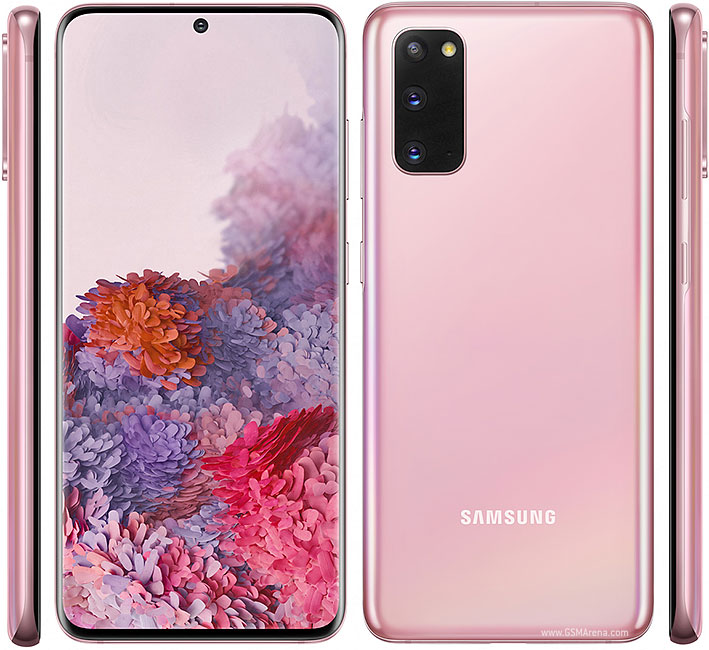
That’s not really the end of the list, though. We’d argue that at this point, a Galaxy S20, not S21, is the one to get. A year older chipset is still easily powerful enough, the cameras are virtually the same, and its display is, in a way, better. The S20 got the latest Android/OneUI combo too, so it’s not trailing in this respect. It’s better in other ways, too – it’s got a microSD slot and a non-plastic back. Perhaps in day-to-day use, the S21 could return marginally better battery life, but the S20 comes with a charger, doesn’t it? Ah, it also comes with a 15-20% lower price tag, maybe even cheaper depending on where you are and how lucky you get.
S21 5G proper, the S-series Galaxy for compact phone lovers is predictably a very nice package. It’s got a display that’s hard not to love, battery life that won’t keep you tied to an outlet, and cameras that capture great images, all of it packaged in what’s Samsung‘s most daring design lately. Seemingly, however, that’s no longer enough.
It’s not that we don’t like the Galaxy S21 5G. On the contrary, we’re quite fond of its looks, and there’s proven substance beneath them. But maybe that’s the issue – it’s a little too proven. Last year’s S20 is in many ways superior, and even though the S21 launches at a lower MSRP, the year-old S20 can still be found for less while arguably offering more.
Pros
Nice color options, standout design, IP68 rating.
A fairly compact high-end device, not too many of those out there.
Bright AMOLED display with adaptive refresh rate handling.
Very good battery life.
Versatile triple camera setup (though essentially the same as last year’s).
Improved selfie camera performance.
Cons
Scant retail package – no charger or headphones.
Plastic back is at odds with the upmarket position.
Flat screen and thicker bezels lack a premium vibe, though some of you may find ergonomic benefits in them.
Benchmark numbers from the new chipset leave us wondering, we’ll need a 2021 Snapdragon for context.
No generational advancements in the camera department – lack of AF on the ultra wide stands out in particular, since the S21 Ultra has that.