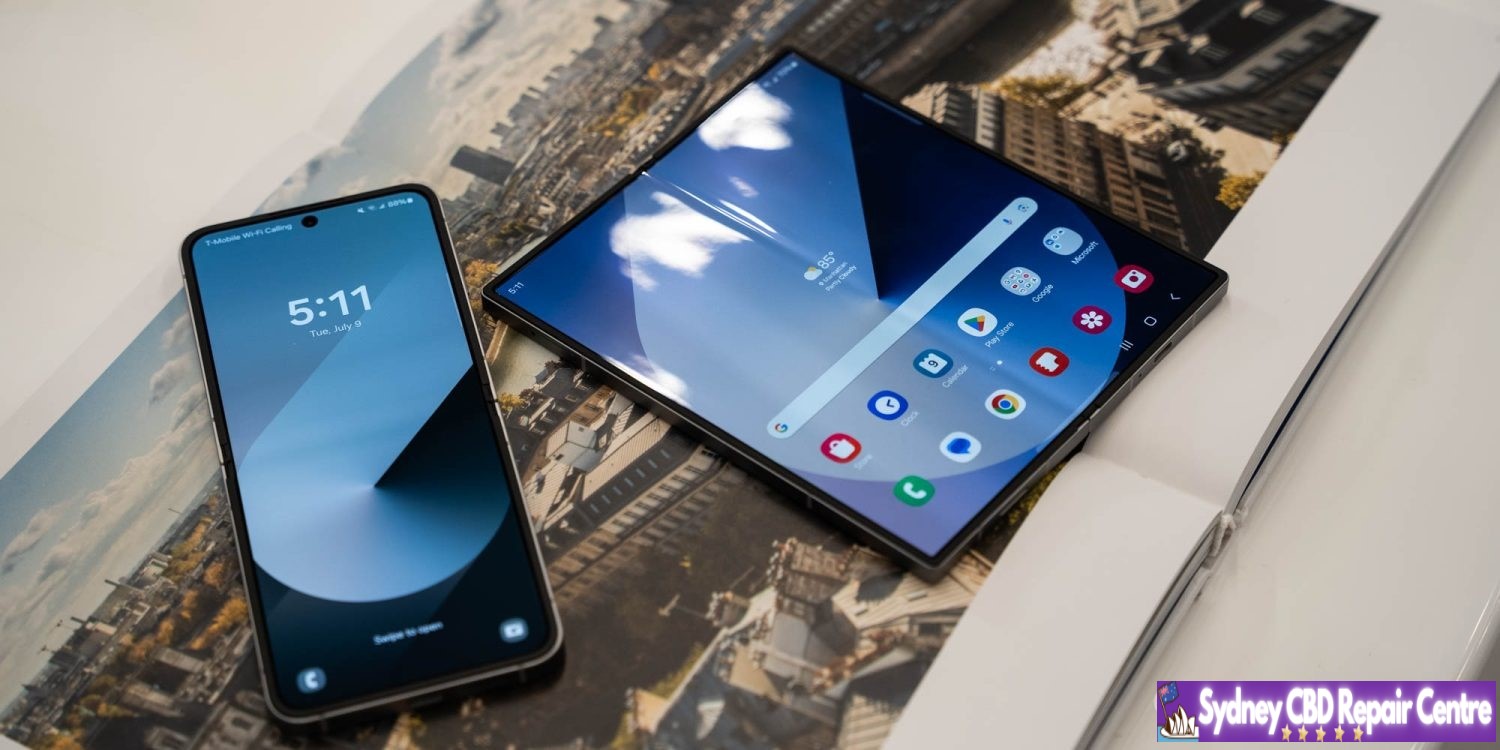
Android 15 itself is shaping up to be a pretty middling upgrade, but it sounds like Samsung may have some bigger updates in store, according to a known tipster.
One UI updates generally build on the latest version of Android with Samsung’s own suite of new features. But, over the past few releases, we haven’t see a lot of change.
Apparently, that streak could end this year, as tipster Ice Universesays that One UI 7, Samsung’s Android 15 release, will be the “most changed version in the history of One UI.”
Today's leak: One UI 7 may be the most changed version in the history of One UI. The icon is redrawn.
What does that mean? It’s hard to tell without added context. The post only goes on to further say that the “icon is redrawn,” which perhaps hints at some design changes or perhaps animation tweaks, but it’s really hard to know for sure. On Weibo, Ice further expands to say that the “drop-down bar” has been changed, and specifies that the “icon style” is updated.
Android 15 itself is, as mentioned, void of any big changes.
One thing Samsung is confirmed to deliver is “App Lock,” a new feature separate from “Secure Folder.”
When it debuts, whatever it may bring, Samsung is likely to test in beta and later launch One UI 7 first on devices such as the Galaxy S23 series and the recently-launched Galaxy Z Fold 6 and Flip 6.
Apple is now rolling out updated builds of iOS 18 beta 3 and macOS Sequoia beta 3. The revised builds come a week after the original beta 3 was released and are a strong indication that the company is gearing up to launch the first iOS 18 and macOS 15 public betas.
New iOS 18 beta 3 and macOS 15 beta 3 build
For instance, the current build number for iOS 18 beta 3 is 22A5307f, while the new one is 22A5307i. For macOS Sequoia, the new build number is 24A5289h, while the previous one was 24A5289g. It’s unclear at this point whether there’s anything new in these updated builds, but it’s likely that they just bring some additional bug fixes.
There’s a lot of anticipation about when Apple will enable Apple Intelligence features in the iOS 18 beta and macOS Sequoia beta. So far, none of the AI-related stuff is available to beta users. The company said that some features would be available later this summer, while others are not expected until 2025.
With iOS 18 beta 3, Apple has introduced a new variant of the system’s default wallpaper that changes color during the day. The update also refines the new Photos app and the redesigned flashlight interface on iPhones with Dynamic Island. The update also enabled RCS on the iPhone for more carriers around the world.
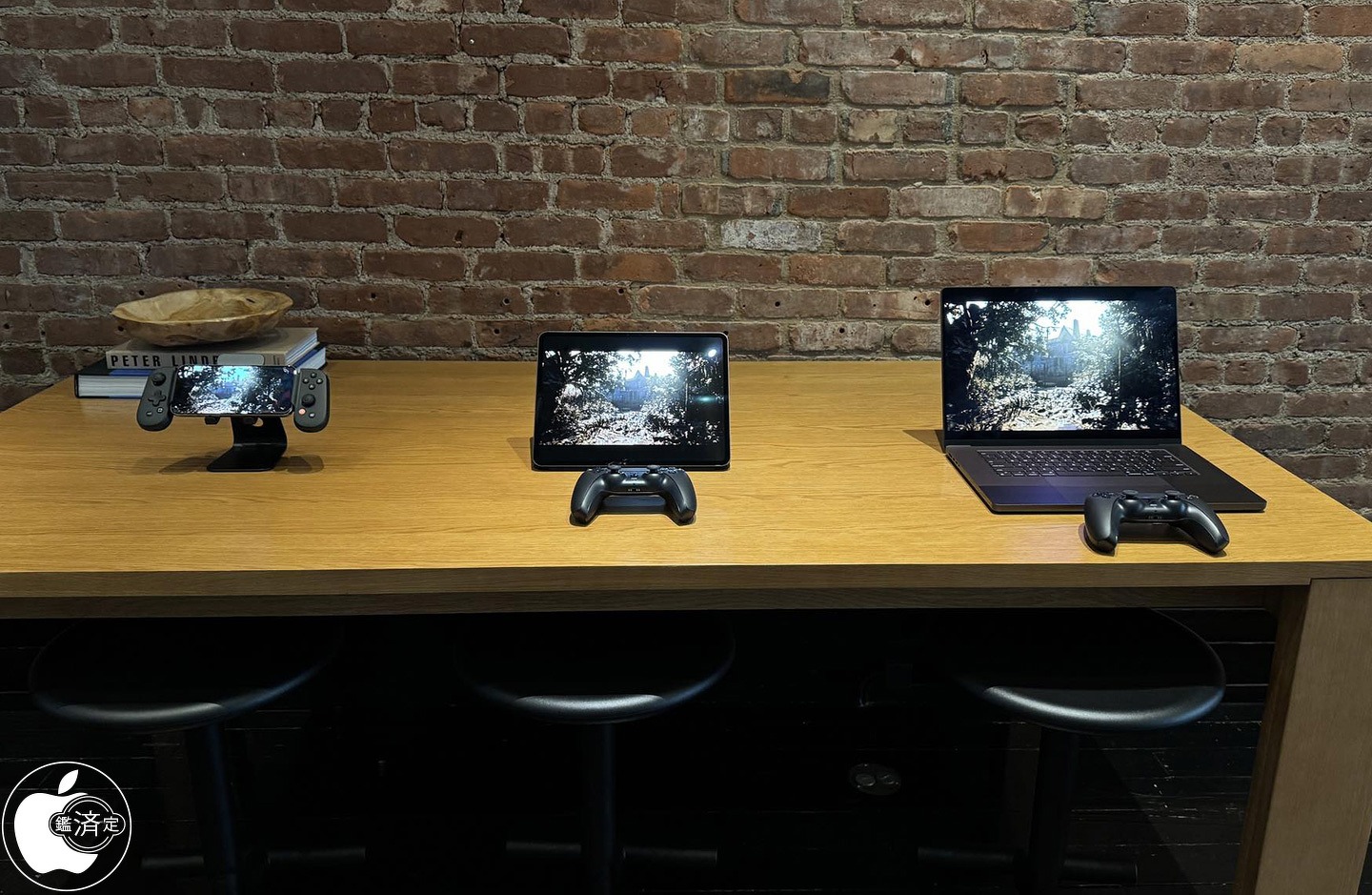
Apple this week quietly held a gaming-focused media event in New York City. The event is said to have focused on showing off things like Game Mode in iOS 18, the new M4 iPad Pro performance, and more.
Macotakara detailed the event, which was held on July 10, in a blog post today. On display at the NYC event were the iPhone 15 Pro Max, M4 iPad Pro, MacBook Pro, MacBook Air, and iMac. Some of the iPhone 15 Pro Max was demo units were paired with controllers from Backbone. There were also PlayStation DualSense controllers from Sony available for Mac and iPad gaming demos as well.
Among the games shown off by Apple during this event were:
Rseident Evil 7 Biohazard
Valheim
Assassin’s Creed Mirage
Diablo Immortal
Zenless Zone Zero
Palworld
The event also focused on the new gaming features coming as part of iOS 18, iPadOS 18, and macOS 15 this year. iOS 18, for example, brings Game Mode to the iPhone for the first time. Apple’s Game Porting Toolkit is also now available to let developers port macOS games to iOS. iOS 18 expands AirPods Personalized Spatial Audio with dynamic head tracking to gaming with reduced audio latency.
Apple held a similar event for members of the press and influencers last year, offering a look at games coming to iPhone, iPad, Apple TV, and Mac. Following last year’s event, there were a number of articles and social media posts from those in attendance. So far, this story from Macotaka is the only write up from this year’s event.
Over the last several years, particularly with the advent of Apple silicon for the Mac, Apple has ramped up its emphasis on gaming across all of its platforms.
Apple’s public beta program is gearing up for its busiest season. Any day now, Apple is expected to release the first public betas for iOS 18, macOS Sequoia, and several other major updates.
Ahead of the public beta’s release, Apple lets you pre-enroll in the beta program so your device is ready and able to install the new software as soon as it becomes available. Here’s how to do it.
Public beta enrollment available now
If you plan to install the iOS 18 public beta on your iPhone—or any of the other beta releases for another device—you’ll first need to enroll in Apple’s public beta program.
Enrollment is quick and easy, and available now at beta.apple.com. Here’s what you need to do:
Sign in with your Apple Account (formerly called Apple ID)
Read the Beta Software Program Agreement
Hit the blue ‘Agree’ button
Follow the device-specific guides for getting beta updates on that device
After you’ve followed these instructions, your device will be set for the public betas’ impending release.
These are the public beta releases coming soon
Public betas will be available for nearly all of Apple’s devices—but not quite all. The following public betas are expected to be available:
iOS 18
iPadOS 18
macOS Sequoia
watchOS 11
tvOS 18
HomePod software 18
Each of these has its own specific instructions for installing the public beta, which you can find here.
While just about every platform offers a public beta, the one notable exception is the Vision Pro. Apple has never offered a public beta for Vision Pro, limiting its betas to developers only. That unfortunately will still be the case this summer with visionOS 2.
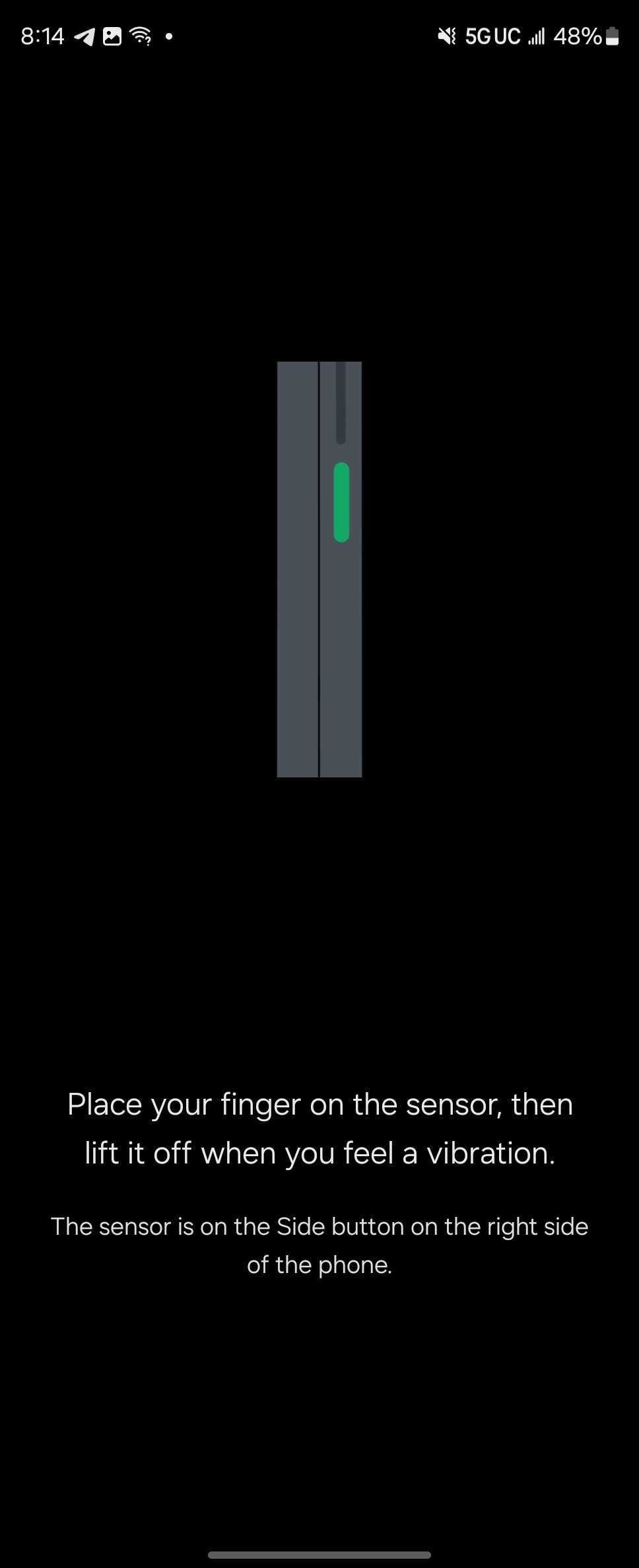
Since its first generation, Samsung has forced users of its Galaxy Fold series to enroll their fingerprint with the device in its opened state. Finally, that’s come to an end.
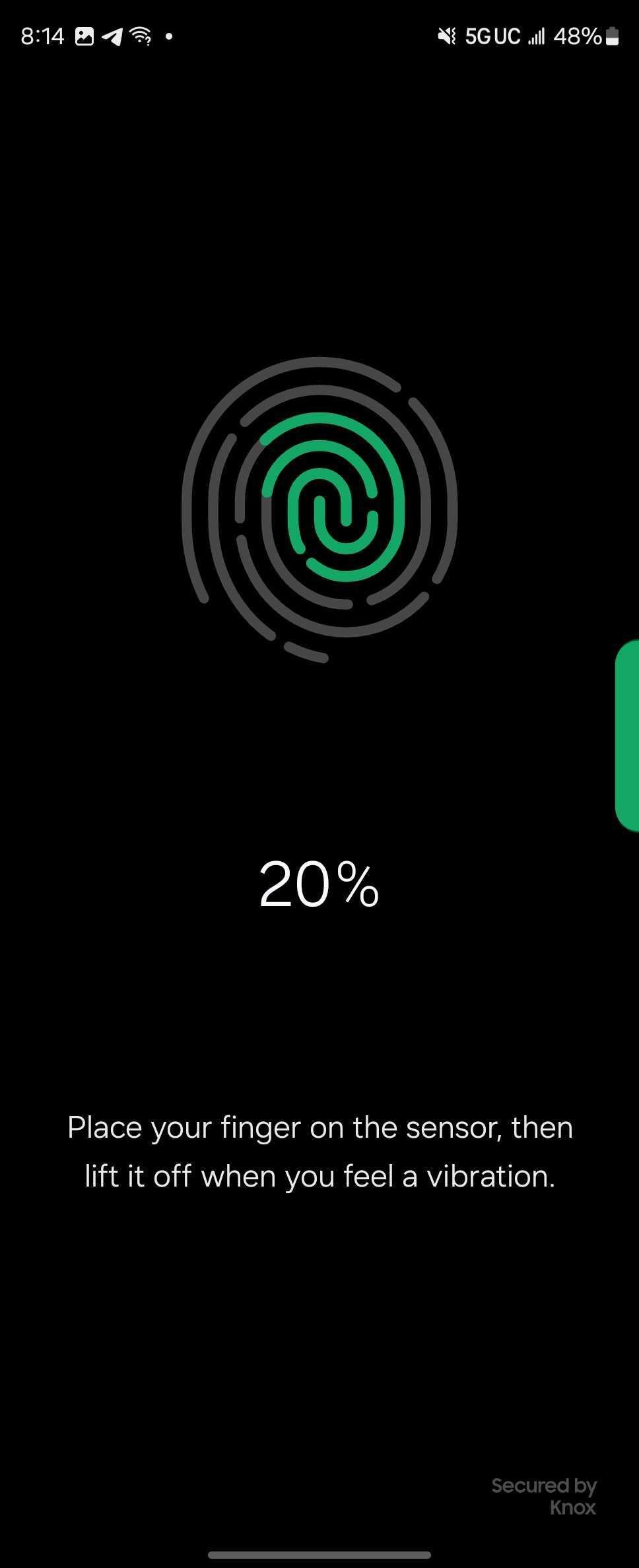
Starting with the Galaxy Z Fold 6 series, Samsung has tweaked the fingerprint enrollment process for its book-style foldable to allow users to add their fingerprint whether the display is closed or open. The animation has even been updated to properly show this.
Previously, and with every prior Fold, Samsung required users to open the device to add a new fingerprint, whether during or after setup. This was still in place on the Galaxy Z Fold 5.
Samsung’s reasoning for this was requirement was never particularly clear, but we’re glad it’s finally come to an end. While adding one fingerprint while the device is open makes sense, it prevents the user from naturally placing their second fingerprint for the grip they have while the device is closed. As such, this new setup should allow for faster, and potentially more accurate enrollment.
Meanwhile, though, a bug in Samsung’s software prevents users from setting up the fingerprint during the initial device setup process.
The Galaxy Z Fold 6 and Flip 6 are available for pre-order now with up to $1,200 in trade-in value, doubled storage for free, and other perks. You can also get up to $150 more offer with our link to the Galaxy Z Fold 6 at Samsung.com.
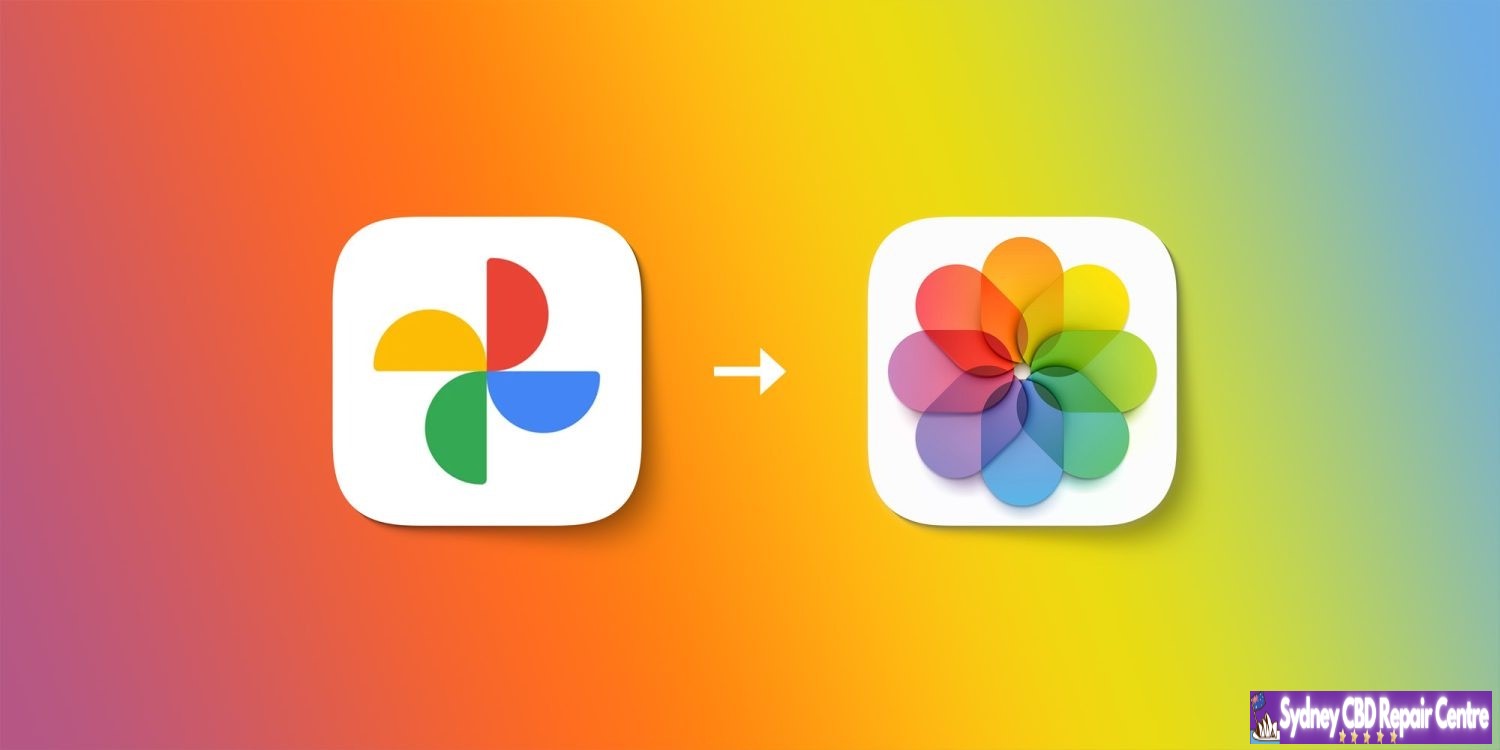
Apple and Google have teamed up to introduce a new data portability tool that lets users transfer their Google Photos collections straight to iCloud Photos. This follows the launch of a tool that lets you transfer iCloud Photos to Google Photos back in 2021.
Apple and Google’s work is part of the Data Transfer Project, which is an open-source initiative focused on data portability between different online platforms. In a blog post announcing today’s news, the Data Transfer Initiative explained that support for transferring photos and videos from Google Photos to iCloud Photos will roll out over the next week:
Beginning today, Apple and Google are expanding on their direct data transfer offerings to allow users of Google Photos to transfer their collections directly to iCloud Photos. This complements and completes the existing transfers that were first made possible from iCloud Photos to Google Photos and fulfills a core Data Transfer Initiative (DTI) principle of reciprocity. The offering from Apple and Google will be rolling out over the next week and is the newest tool powered by the open source Data Transfer Project (DTP) technology stack, joining existing direct portability tools available to billions of people today offered by DTI and its founding partners Apple, Google, and Meta.
Apple and Google have both published support articles that detail the process of transferring collections from Google Photos to iCloud Photos. Apple says that the service will be available in over 240 countries and regions around the world. The service isn’t available for child accounts or Managed Apple ID accounts. You also can’t import photo and video data to iCloud while Advanced Data Protection is enabled.
Apple says:
When you transfer photos and videos to iCloud Photos, they aren’t deleted from Google Photos.
You don’t need to download your photos or videos to transfer them. The transfer happens directly from Google to iCloud.
The transfer process might take between several hours and a few days, depending on the size of the photos and videos being transferred.
To transfer your photos and videos from Google Photos to iCloud Photos:
Follow the instructions to start an export from Google Photos.
Choose “Apple – iCloud Photos” as the destination to transfer and sign in with your Apple ID.
Tap Allow to share permission with Google to add photos and videos to iCloud.
You can learn more on Apple’s website and Google’s website, both of which have more details on how the process works and what happens when your transfer is complete.
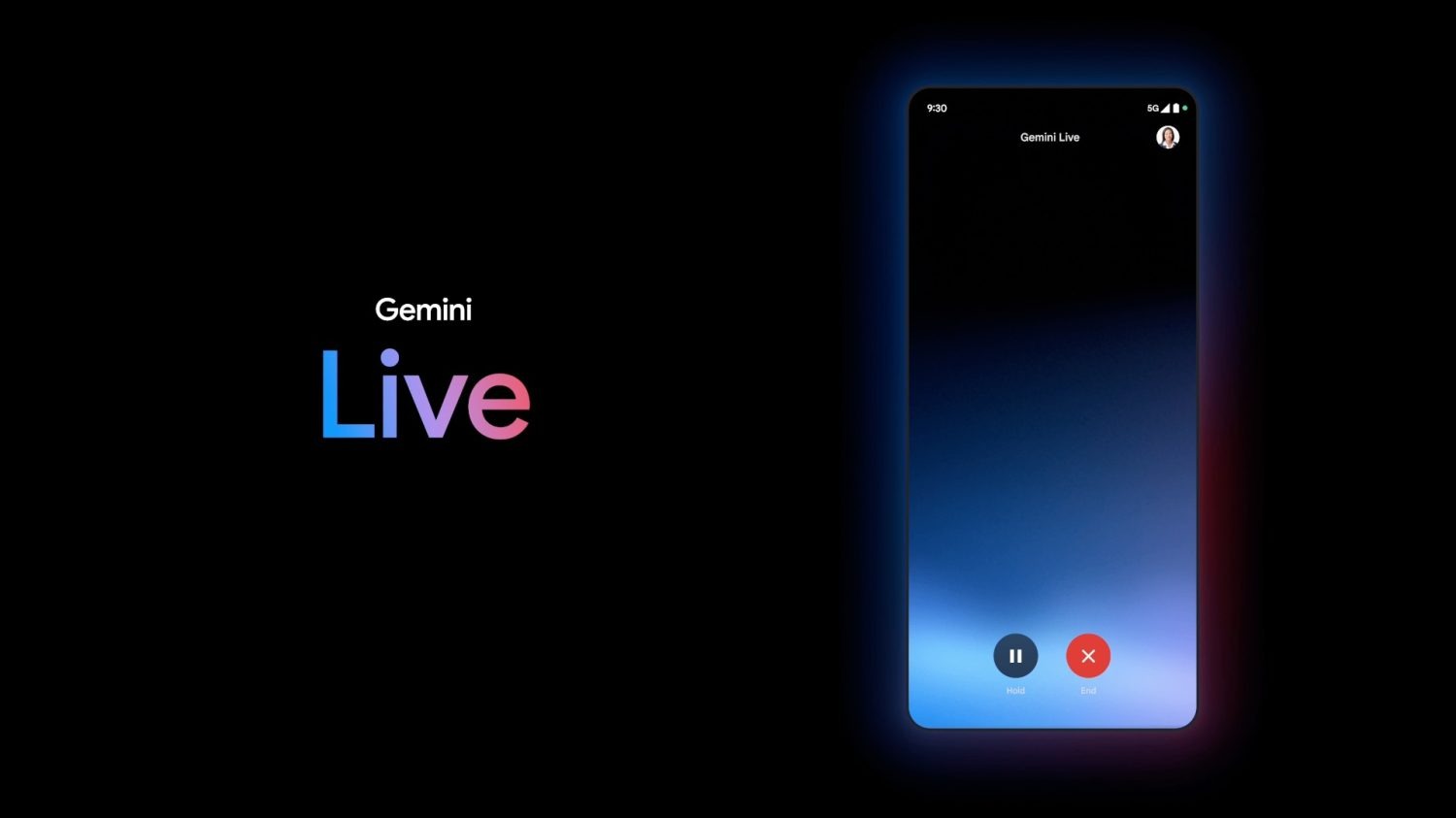
“Live” will let you have a two-way conversation with Gemini when it arrives this summer. Shown as a fullscreen experience at I/O 2024, Gemini Live might also work in the background, including on your lockscreen.
Strings in Google app 15.27 (beta) mention how a “background_mode” will let you “continue [Gemini] Live chats while using other apps or while your screen is locked.”
For the most part, Google Assistant and Gemini will stop after the accompanying UI is off the screen.
Allowing Gemini Live to accept input and reply as you’re doing other stuff on your device could lead to a more immersive and natural experience. In that regard, Gemini Live is basically a phone call. One possible use case is looking through your apps for more information to manually add to a conversation with Gemini.
Once done, you can say “Stop” to Gemini Live or end the chat by looking for a persistent notification.
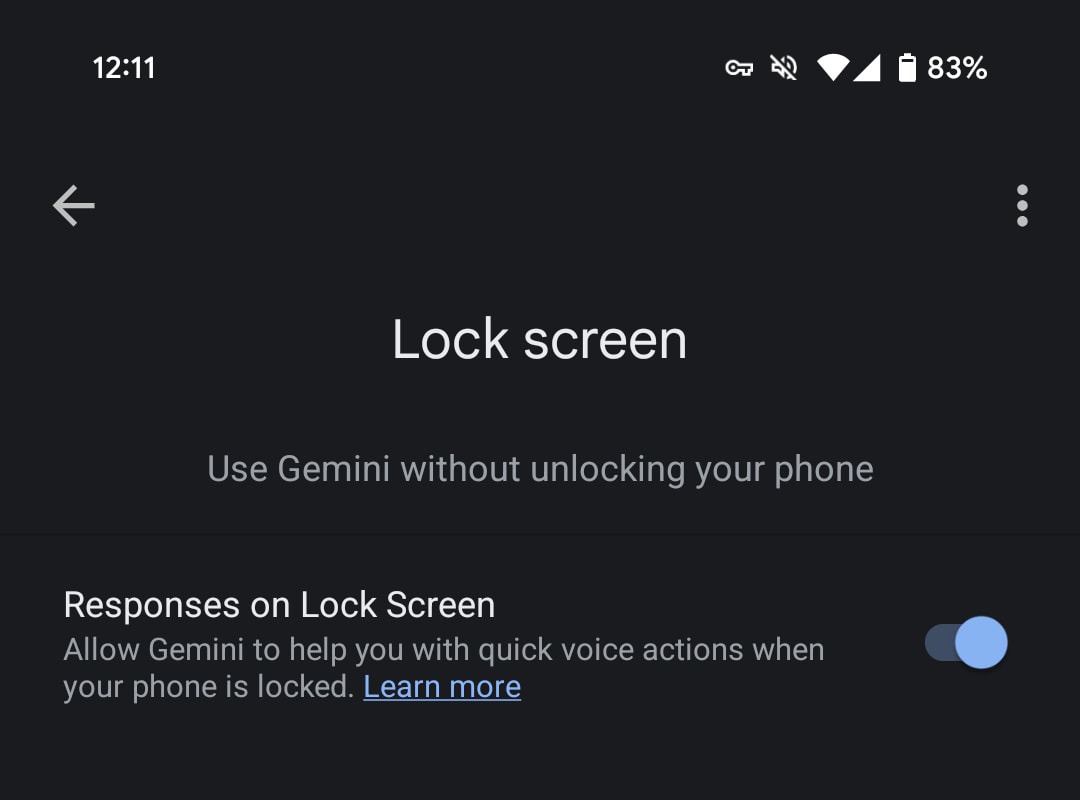
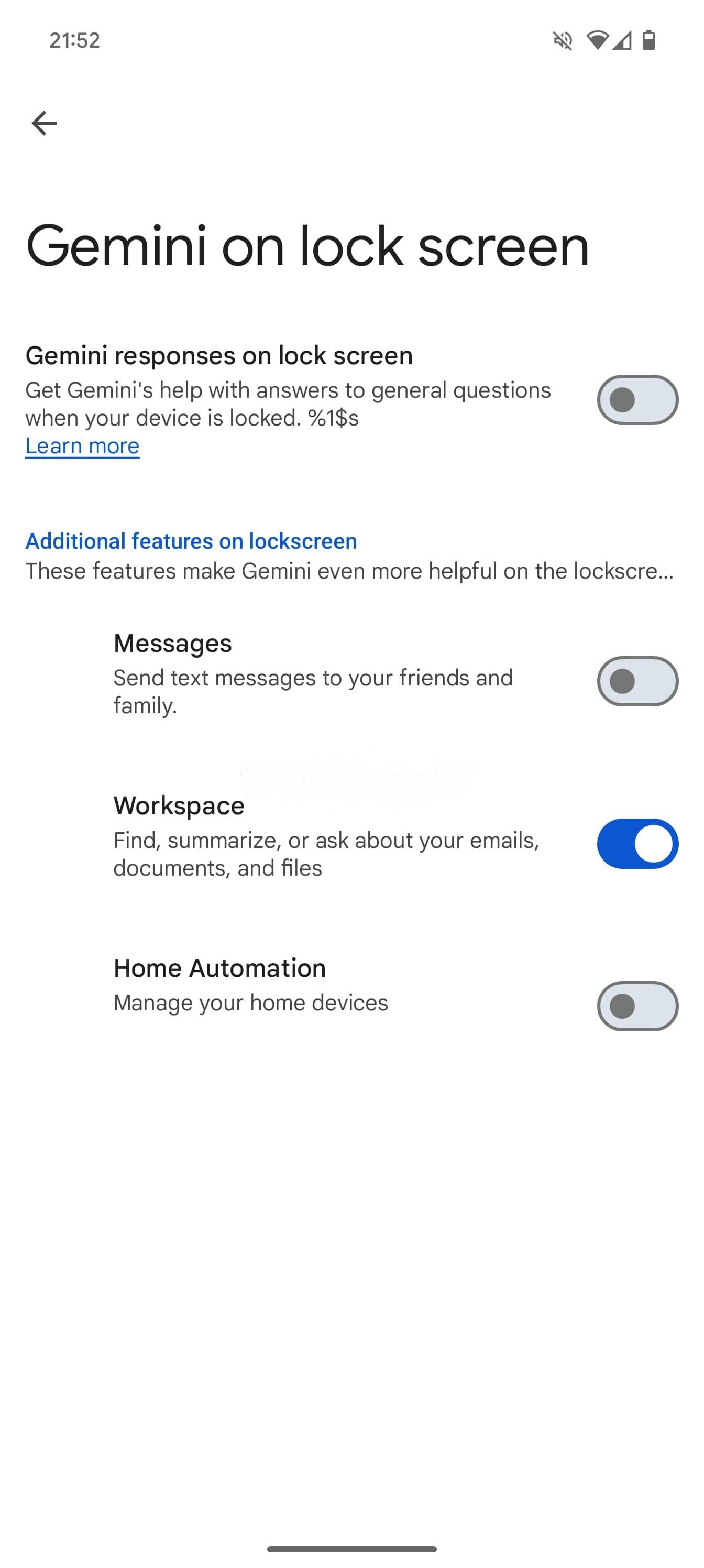
Meanwhile, Google is working to let Gemini do more when your device is locked. Today, enabling that setting allows you to set alarms and timers, with most other commands — including something as basic as asking for the weather — requiring device unlock.
Moving forward, as we enabled below, setting up “Gemini on lock screen” and “extensions on lock screen” will let you get “answers to general questions and more.” Your options are Messages, Workspace, and Home Automation.
Google Maps, YouTube, Google Flights, and Google Hotels extensions are turned on by default on lock screen. Any future extensions that don’t require user credentials or don’t access private data will be on by default. You can turn them off in settings at any time.
Finally, “Gemini will read your messages to you” if you enable “Spoken message notifications.”
iOS 18 beta 3 is now available for developers. The update comes two weeks after iOS 18 beta 2 was released and a month after WWDC.
The build number for iOS 18 beta 3 is 22A5307f . There’s no word on what’s new, but we’ll dive in to the update and have more details soon.
Each new iOS 18 beta is expected to introduce numerous changes, bug fixes, and additional features. Apple closely monitors feedback from iOS 18 beta testers, with each successive beta addressing complaints, bug reports, and performance issues.
iOS 18 beta 2 brought a number of changes and new features, including the addition of iPhone Mirroring and SharePlay screen sharing upgrades. The update also started the process of rolling out RCS support to iPhone users.
The iOS 18 beta is currently only available to registered developer beta testers. The update will launch to public beta testers sometime this month, followed by a release to the general public in September. For the time being, testers should still expect performance and stability issues when running the iOS 18 beta on primary devices.
Spot any changes in today’s release of iOS 18 beta 3 or iPadOS 18 beta 3? Let us know in the comments below.
After announcing sequel foldables last month, Motorola has finally provided an Android 14 update to its 2023 Razr and Razr+ devices.
Motorola first launched the Razr+ in June 2023 to wide praise from critics and users alike. The later release of the more affordable Razr (2023) in the second half of the year was similarly met with good impressions. However, one worry was Motorola’s iffy track record in software support.
Despite offering a solid timeline for updates, Motorola left a long delay in bringing the next major version of Android to its 2023 Razr foldables. As we pointed out recently, Motorola still hadn’t pushed or even really talked about Android 14 for its previous Razr models.
That’s finally changed.
As spottedbysome users, Motorola has started rolling out Android 14 for the Razr+ (2023) and Razr (2023) in the US. The update is rolling out to both devices and carries the May 2024 security patch along with it. For the larger Razr+, the update brings various upgrades for the cover display that are present on the 2024 models. There’s also now support for AOD.
The update doesn’t seem to be widely available to all users just yet, but is starting to appear. One user who bought a Razr and also bought one for their spouse says that one of the two has received the Android 14 update, but the other has not.
Motorola seems to be rolling out Android 14 to 2023 Razr models gradually. We’ve not been able to get the update on our Razr+ (2023) yet.
YTechB also spotted that Motorola has quietly put up a support page detailing new features in Android 14 on the Razr 40 series, though the international update doesn’t seem to be available yet.
This comes almost immediately after Motorola launched the Razr (2024) and Razr+ (2024) with Android 14 available out of the box, but around nine months after Google first released the update on Pixel phones.
This fall’s Apple Watch Series 10 is reportedly going plus size. While the Ultra model stays the same, the two standard Apple Watch sizes are expected to grow significantly: moving from 41mm and 45mm cases to 45mm and 49mm.
Why the change? Perhaps Apple has seen strong customer satisfaction around the Ultra model’s larger display, and assumes that bigger will prove better.
In thinking about the Apple Watch’s future, though, I’ve started to wonder if Apple Intelligence may be part of the answer.
The most popular product being bypassed by Apple Intelligence
Out of all of Apple’s devices, the most popular product line missing out on Apple Intelligence is the Apple Watch. The full list of AI-compatible devices features iPhones, Macs, and iPads, but notably no Watch, Vision Pro, or HomePod.
The Watch is by far the most successful of the three products being left out of the Apple Intelligence story. And so the curious reports about the new Series 10 Watch getting bigger has me wondering what’s prompted the change.
Assessing the rumors about Apple’s new Watch
There are a handful of features and changes that have been rumored for the new Series 10 Watch. Besides the aforementioned size upgrades, the new Watch is expected to include:
a blood pressure sensor for detecting hypertension
a sleep apnea sensor is also possible
new display technology that should improve battery efficiency
There’s no guarantee that all of these changes happen with the Series 10 Watch. However, if they do, can these features alone explain the size upgrades?
I’m not sure they can. New health sensors will require space inside the Watch’s small enclosure, of course. But the new display tech could mean that the Watch’s battery can get even smaller for the same performance, or at least stay the same size despite needing to power a larger display.
The health sensors and battery optimizations could theoretically offset each other when it comes to additional space needs. They don’t appear to, on their own at least, merit the larger Watch sizes.
Apple Intelligence on the Watch
Perhaps, in addition to new sensors and other internal changes, Apple is prepping for a future where Apple Intelligence comes to the Series 10 Watch.
Right now, the major limiting factor keeping current Watch models from supporting Apple Intelligence is its chip. The S-class Watch chip is massively underpowered for Apple Intelligence’s current spec requirements. However, a larger Watch could in theory house a more powerful chip.
If Apple needs additional processing power and a beefed up Neural Engine to power, say, a more capable Siri experience on the Watch, it could benefit from more room inside the Watch’s enclosure.
Not only would a physically larger chip need more space, but the thermal management that accompanies a more powerful chip could also be a factor.
The Apple Watch’s absence from this year’s Apple Intelligence story is likely to be remedied by Apple as soon as possible. It’s a safe bet that WWDC 2025 will bring word of the expansion of Apple Intelligence to new devices.
A next-gen Apple Watch chip being added to this year’s Series 10 models means that, when WWDC rolls around and Apple unveils watchOS 12, it can talk about supported Apple Intelligence features, because there will be a Watch on the market with powerful enough hardware to run the update.
Wrap-up
Our thoughts are entirely speculation, of course, and in September we’ll know one way or another what Apple’s plans for the Series 10 Watch are.
However, if there isn’t a notable chip upgrade in the Series 10, it could indicate a long wait ahead before the Watch gets any Apple Intelligence features. And we hope, for the Watch’s sake, that doesn’t happen.