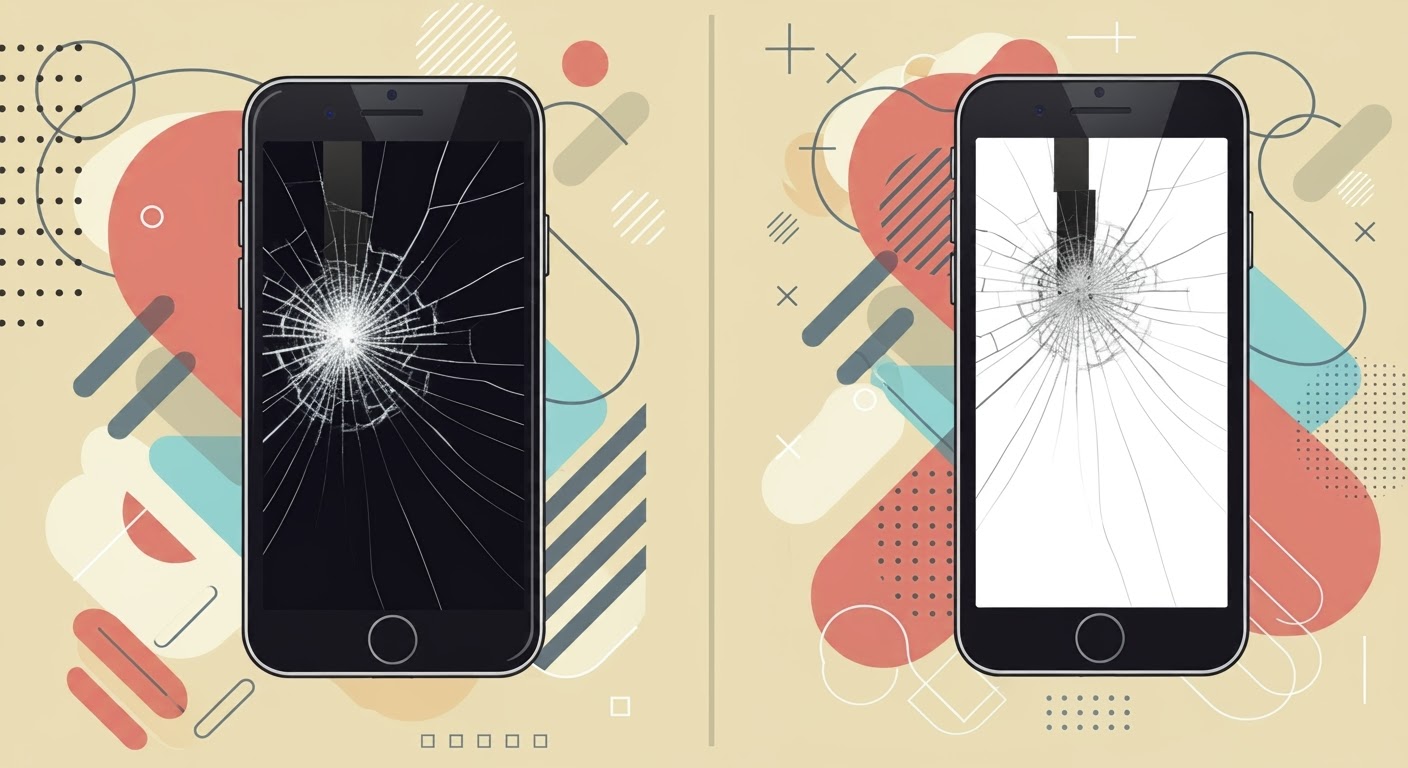
CAN IT BE FIXED? Water Damaged Phone Rescue Mission!
Water and smartphones are a recipe for disaster. Whether it’s an accidental drop in the sink, a sudden rainstorm, or an unexpected spill, water damage remains one of the most common—and most feared—phone emergencies. But here’s the good news: with the right expertise, even a water-damaged phone can often be brought back to life.
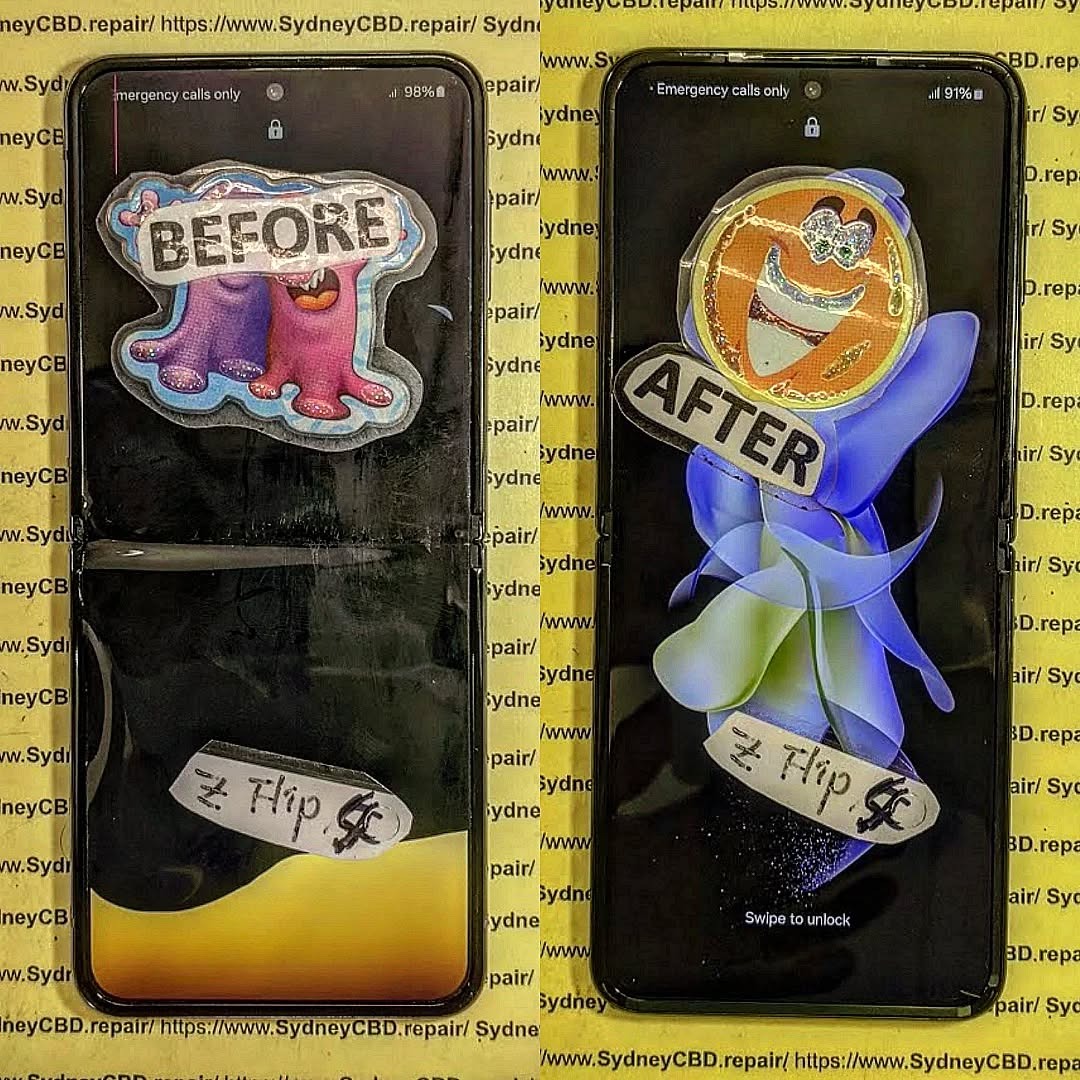
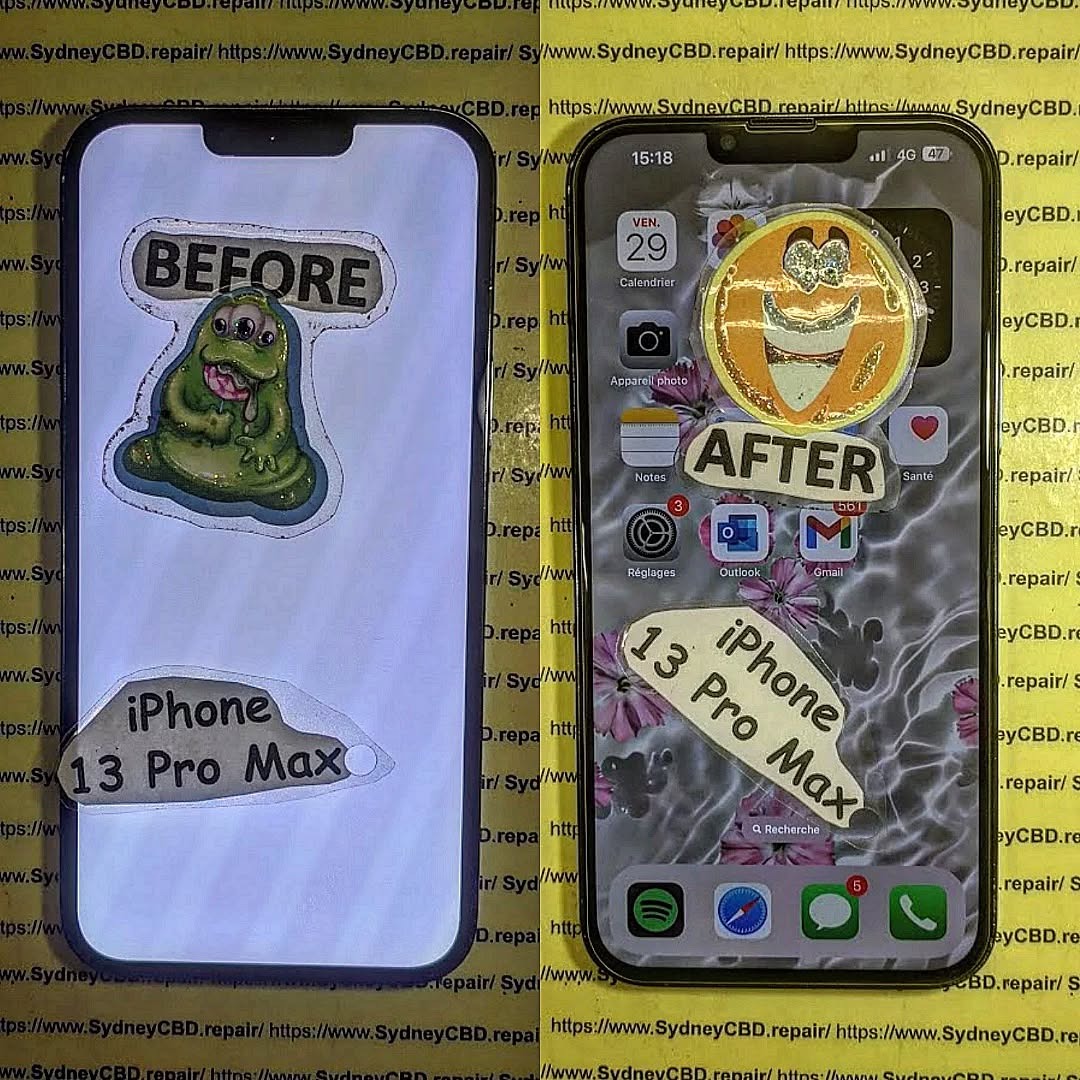
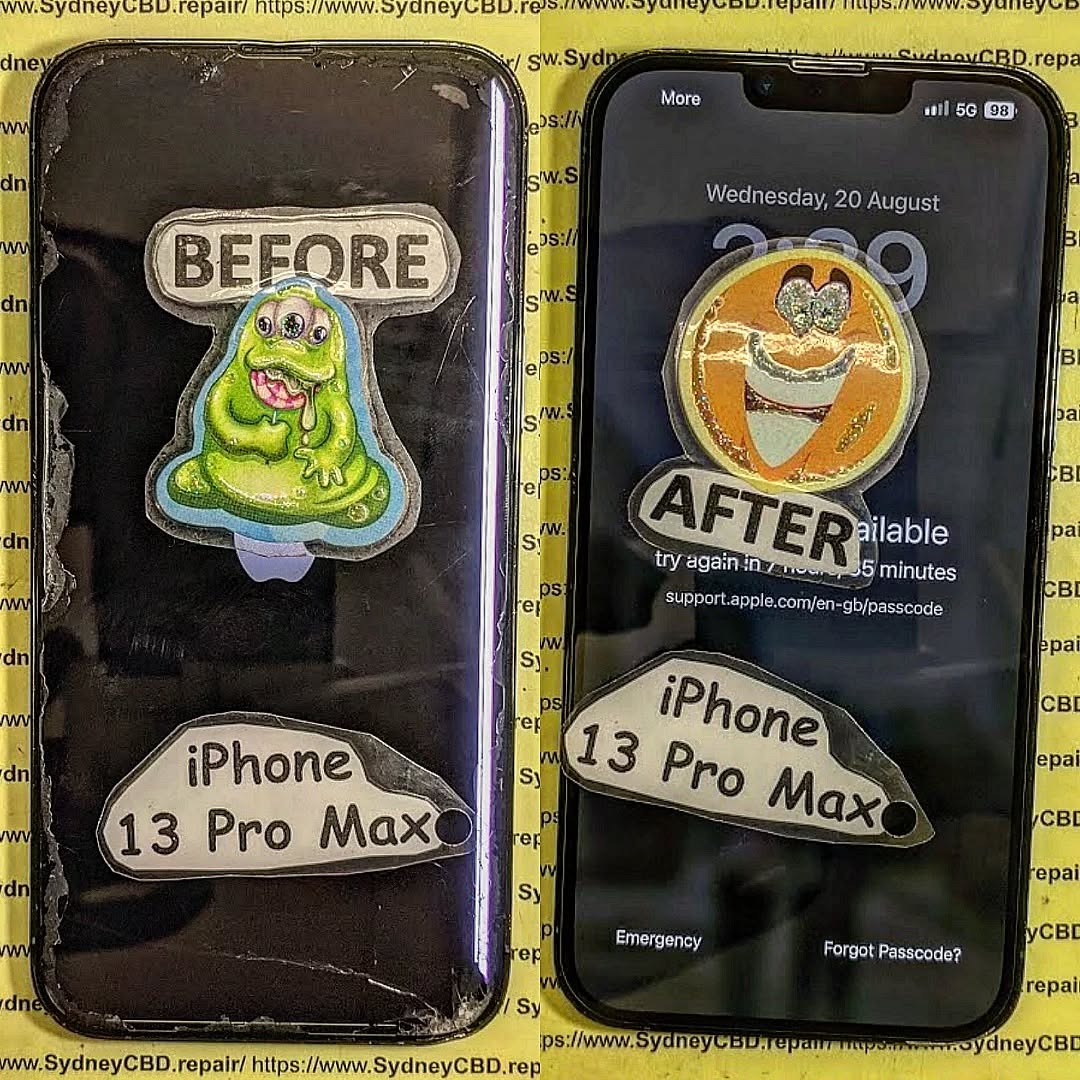
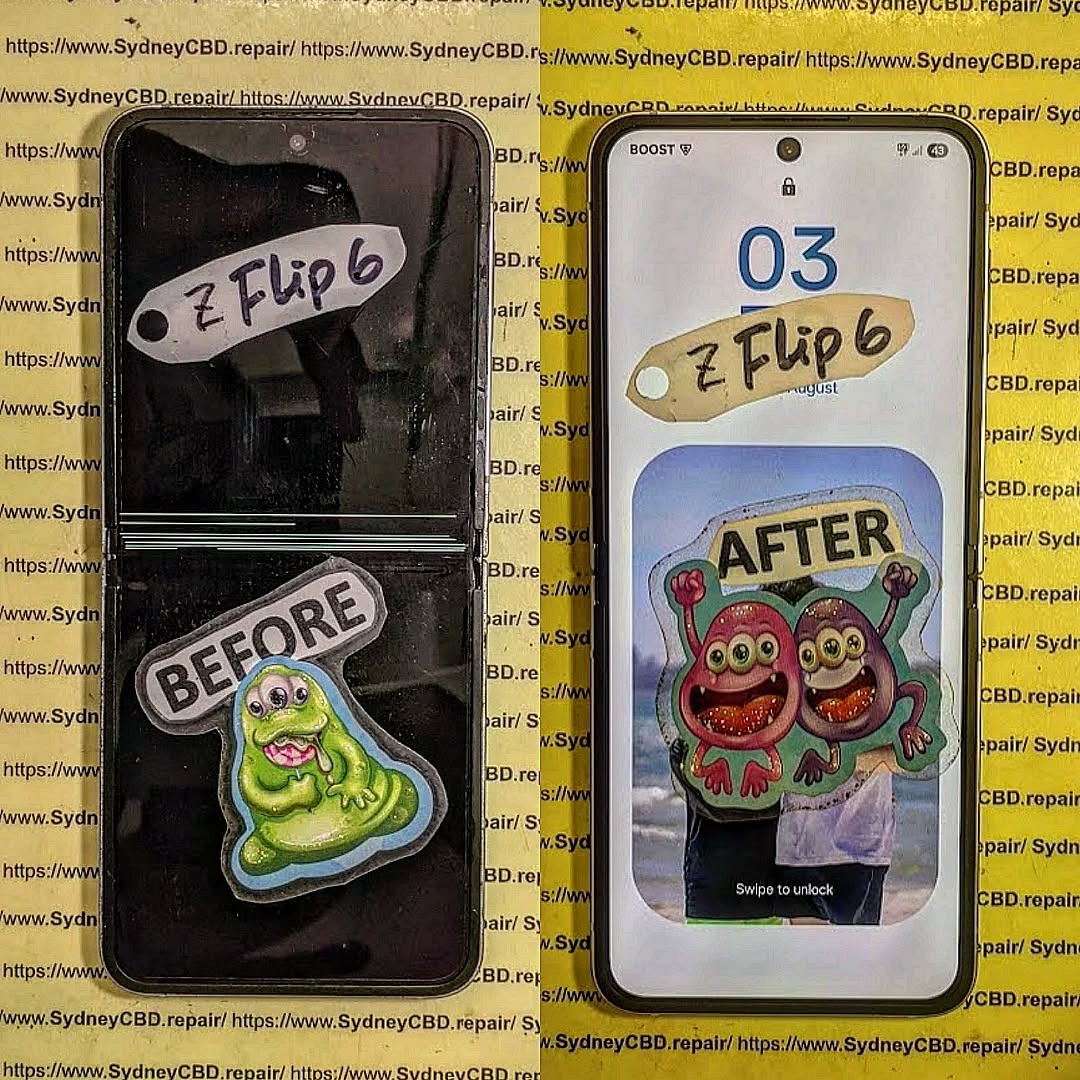
At Sydney CBD Repair Centre, we recently undertook a Water Damaged Phone Rescue Mission, where a customer’s device had been submerged and refused to power on. With precision diagnostics and advanced tools, our technicians managed to revive it. Here’s how we approach these high-stakes repairs.
Unlike cracked screens or battery issues, water damage can cause internal corrosion that spreads silently. Even if the phone powers on after drying, hidden damage may appear later. Common problems include:
Every water-damaged phone undergoes a careful, professional repair procedure:
Immediate Diagnosis – The phone is inspected externally and internally to assess damage.
Safe Disassembly – Our technicians carefully open the device to prevent further shorting.
Moisture Extraction – Using specialized drying chambers, we remove trapped water.
Ultrasonic Cleaning – Components are cleaned with an ultrasonic machine to stop corrosion.
Part Replacement if Needed – Damaged parts like the battery, charging port, or display are replaced with genuine parts.
Full Testing & Restoration – The phone is tested for connectivity, charging, audio, and display before being returned to the customer.
What NOT To Do After Water Damage
Many people unknowingly make their phones worse after water exposure. Avoid these mistakes:
❌ Don’t charge the phone.
❌ Don’t press buttons repeatedly.
❌ Don’t shake or blow-dry the phone.
❌ Don’t put it in rice (it doesn’t remove corrosion!).
Instead, turn it off immediately and bring it to a professional repair shop.
Can Every Water-Damaged Phone Be Fixed?
Not always—but the chances of recovery are much higher if you act quickly. Factors that affect success include:
How long the phone was submerged
Type of liquid (freshwater vs saltwater vs sugary drinks)
How soon it was brought in for repair
At Sydney CBD Repair Centre, we’ve successfully revived phones that were written off elsewhere.
Why Choose Sydney CBD Repair Centre for Water Damage Repairs?
✔ Same Day Express Repairs – Many devices are restored within the day.
✔ Genuine Parts Guarantee – Only authentic parts used for replacements.
✔ Professional Technicians – Skilled experts in handling delicate water-damaged devices.
✔ 90-Day Warranty – Peace of mind with every repair.
✔ 2000+ 5-Star Google Reviews – Trusted by thousands across Sydney.
Conclusion: Rescue Mission Accomplished!
So, can water-damaged phones be fixed? The answer is often yes, but only with the right tools, expertise, and genuine parts. At Sydney CBD Repair Centre, we’ve turned countless “dead” devices into fully functional smartphones again.
📍 Don’t wait—every minute matters with water damage. Visit us in Sydney CBD and let our expert team save your phone.
DIY Smartphone Repair: When NOT to Try It – 7 Critical Mistakes to Avoid
Introduction: The Rise of DIY Smartphone Repair
Smartphones have become an extension of ourselves. From work to personal life, they store our memories, help us communicate, and even manage our finances. So, when they break, the first instinct for many is to get them fixed as quickly (and cheaply) as possible. This is where DIY smartphone repair comes into play.
Fueled by thousands of YouTube tutorials, repair kits sold online, and forums where users swap tips, DIY repair has become a popular trend. It gives people the sense that they can handle something once considered “too technical.”
But here’s the catch: while some repairs may look easy, attempting the wrong type of DIY fix could leave your phone permanently damaged. In fact, many cases that arrive at Sydney CBD Repair Centre come from failed DIY attempts, where a simple issue became a costly repair.
The key takeaway? DIY repairs are not always the smartest move. Knowing when to step back and let professionals handle the job can save you money, time, and frustration.
Before diving into the dangers, it’s important to understand why DIY smartphone repair has gained traction.
Saving Money: A Common Motivation
Most people try fixing their own devices because they want to save money. Screen replacements, battery swaps, or charging port repairs can feel expensive. Watching a video and spending $20 on a kit sounds appealing compared to a professional repair bill.
But the hidden costs—like buying low-quality parts, voiding your warranty, or damaging other components—often make DIY more expensive in the long run.
The Influence of Online Tutorials
Platforms like YouTube and TikTok are full of “easy phone repair” guides. They make it look simple: unscrew, swap, reassemble. What these videos don’t show is the precision, steady hands, and knowledge required to avoid further damage.
Sense of Accomplishment
For tech enthusiasts, there’s a sense of pride in fixing something with their own two hands. While that’s admirable, smartphones are compact devices with delicate components. One wrong move could leave you with a paperweight instead of a functioning phone.
Many smartphone owners underestimate the risks. DIY phone repairs may seem harmless, but they can cause:
Lack of Proper Tools
A butter knife is not a pry tool. Yet, many people use household items to open their phones. Without specialized tools, you risk snapping connectors, damaging flex cables, or cracking the screen further.
Risk of Permanent Damage
A misstep in handling components like the motherboard, display, or fingerprint sensor can lead to irreversible damage. Unlike swapping batteries in a TV remote, phone components are fragile and tightly packed.
Safety Concerns with Batteries
Lithium-ion batteries are volatile. Puncturing or bending them during DIY repair can cause swelling, leakage, or even fires. Trained technicians follow strict safety protocols to avoid these risks.
7 Situations Where You Should Never Attempt DIY Repairs
Here are the most common cases where DIY smartphone repair is not recommended:
1. Water Damage
Water can corrode circuits quickly. DIY “rice fixes” don’t work and often delay proper cleaning. Only professional ultrasonic cleaning can truly restore a water-damaged phone.
2. Advanced Motherboard Issues
If your phone doesn’t turn on, it could be a motherboard issue. DIY soldering attempts usually make the problem worse. Micro-soldering requires specialized training and equipment.
3. Face ID & Fingerprint Sensor Repairs
Biometric components are fragile and security-linked. Mishandling them could permanently disable authentication features.
4. OLED/AMOLED Screen Replacement
Replacing a cracked OLED screen isn’t just about swapping glass. It requires precision heat application and alignment. One mistake can damage the display panel.
5. Charging Port Micro-Soldering
A loose charging port is a common issue, but it’s not as simple as swapping parts. Ports are soldered onto the motherboard. A DIY mistake could fry the entire board.
6. Data Recovery Attempts
When people try DIY software tools for data recovery, they often overwrite important files permanently. Professionals use advanced systems that preserve data.
7. Software & Firmware Corruption
Installing the wrong firmware can “brick” your phone. In many cases, only professional-level tools can restore the software.
DIY vs. Professional Phone Repairs: A Cost Comparison
Many people assume professional repairs are overpriced. In reality, they often provide better long-term value.
Short-Term Savings vs. Long-Term Costs
DIY may save money upfront, but failed attempts often lead to additional costs. For example:
DIY screen replacement = $80 parts + risk of failure
Professional repair = $150 with warranty and expert fitting
Warranty Considerations
Opening your phone typically voids the manufacturer’s warranty. Authorized repair shops preserve your coverage.
Quality of Replacement Parts
Cheap parts online may not be genuine. They often have poor touch sensitivity, weak brightness, or short lifespan. Professional repair centers, like Sydney CBD Repair Centre, use genuine parts backed by warranty.
Expert Insights: Why Professional Repairs Are Safer
There are clear reasons why experts are the better option.
Certified Technicians and Training
Professionals undergo training to understand device architecture, repair protocols, and safety standards.
Use of Genuine Parts
Shops like Sydney CBD Repair Centre source original parts, ensuring the repaired phone functions like new.
Repair Warranty & Customer Protection
Most professional services include repair warranties—giving you peace of mind that your money is well spent.
FAQs on DIY Smartphone Repair
Can I replace my phone screen at home?
Technically, yes—but it’s not recommended. Without the right tools, you risk damaging connectors, sensors, and waterproof seals.
Is it safe to fix my phone battery myself?
No. Lithium-ion batteries are dangerous if punctured or bent. Always have a professional handle replacements.
Does opening my phone void the warranty?
Yes. In most cases, breaking manufacturer seals voids the warranty.
Why are phone parts online cheaper than repair shop parts?
Because many online parts are counterfeit or low quality. Repair shops prioritize genuine, reliable components.
What DIY phone repairs are actually safe?
Simple ones, like replacing a phone case, applying a new screen protector, or cleaning charging ports with compressed air.
Should I trust YouTube repair tutorials?
They can be educational but misleading. What looks simple on video often requires years of skill.
Conclusion: Knowing When to Call the Experts
DIY smartphone repair is tempting, but not always wise. Some fixes are safe for beginners, but others require advanced knowledge and equipment. Attempting repairs like water damage cleaning, motherboard fixes, or screen replacements can lead to irreversible damage.
If you’re unsure, it’s always better to seek professional help. At Sydney CBD Repair Centre, we provide fast, affordable, and reliable services with genuine parts and warranties. Instead of risking your phone with DIY, trust experts who’ve been voted Sydney’s Best Phone Repair Shop for 6 years in a row.
👉 Visit us today for:
✓ Same Day Express Repairs
✓ Genuine Parts Guarantee
✓ Professional Technicians
✓ Competitive Pricing
✓ 2000+ 5-Star Google Reviews
✓ 6-Time Award Winner for Best Phone Repairs
REPAIR SHOP SECRETS: The Most Common Phone Damage You Must Know + Expert Tips + 7 Shocking Facts
Introduction: Why Phone Damage is More Common Than You Think
In today’s fast-paced digital world, our smartphones are more than just gadgets—they’re our lifeline to work, family, and entertainment. Yet, despite how advanced these devices have become, phone damage is still one of the most common frustrations faced by millions of users worldwide. From cracked screens to failing batteries, accidents happen more often than people realize.
At Sydney CBD Repair Centre, we’ve repaired thousands of devices and witnessed firsthand the most frequent types of phone damage. Many of these issues are preventable with the right habits and protective measures. In this article, we’ll uncover the 7 most common phone damages, why they happen, how to avoid them, and when it’s best to leave the fix to professionals.
If you’ve ever dropped your phone and picked it up with a cracked screen, you’re not alone. Screen damage is by far the most common phone issue brought to repair shops.
Causes of Cracked Screens
Accidental Drops: The number one culprit, whether it’s from your hand, table, or pocket.
Pressure Damage: Sitting on your phone or keeping it in a tight bag.
Invest in a high-quality tempered glass protector.
Use a durable phone case with shock absorption.
Avoid placing your phone in your back pocket or under heavy items.
Handle your phone with a secure grip when multitasking.
Even with the best precautions, accidents still happen. The good news is that screen repairs are one of the fastest and most affordable fixes, especially when handled by professionals using genuine parts.
A phone’s battery is like its heart—without a healthy one, the device can’t function properly. Yet, battery degradation often goes unnoticed until it becomes severe.
Signs of Battery Damage
Rapid battery drain
Phone shutting down unexpectedly
Overheating during regular use
Swelling of the battery casing
Extending Battery Life with Smart Habits
Avoid charging your phone overnight regularly.
Keep your phone between 20%–80% battery levels when possible.
Reduce screen brightness and background apps.
Use certified charging cables and adapters only.
Replacing a damaged battery can restore your phone’s performance and extend its life by years. At Sydney CBD Repair Centre, we use genuine batteries that maintain factory-grade performance and come with warranty.
Charging Port Issues – Why Your Phone Won’t Charge
One of the most frustrating problems is when your phone refuses to charge, even though your charger works fine.
Common Causes of Charging Port Failure
Dust, lint, or debris clogging the port
Frequent bending or tugging of the charging cable
Water or liquid damage inside the port
Loose or broken internal connectors
When to Replace vs Repair the Charging Port
Minor Issues: Cleaning the port often resolves charging problems.
Serious Damage: If pins are broken or corroded, professional replacement is necessary.
Trying to fix charging ports at home can worsen the damage. Professional repair ensures your phone charges safely without risking further motherboard issues.
Water Damage – The Repair Shop’s Worst Nightmare
Smartphones and water rarely mix well. Even with waterproof ratings, liquid exposure remains one of the trickiest repairs.
Signs Your Phone Has Water Damage
Screen flickering or discoloration
Phone won’t turn on after exposure
Speakers producing muffled sound
Fog or condensation under camera lens
What to Do Immediately After Water Exposure
Turn the phone off right away.
Avoid pressing buttons—it can push water deeper inside.
Don’t use rice—it’s ineffective compared to professional drying.
Bring your device to a repair centre within 24–48 hours for the best chance of recovery.
Water damage requires specialized ultrasonic cleaning and component inspection, something only experienced technicians can do effectively.
Camera Malfunctions – Blurry Photos & More
Smartphone cameras have replaced traditional cameras for most people, but when they fail, the experience is frustrating.
Why Smartphone Cameras Fail
Physical damage to the lens
Moisture inside the module
Faulty image stabilization
Software glitches interfering with camera function
Repair vs Replacement: Which is Best?
Repair: Lens cleaning, calibration, or fixing loose connectors can restore clarity.
Replacement: If the camera sensor is damaged, replacing the module is often more cost-effective.
Speaker & Microphone Damage – The Overlooked Problem
You can’t fully enjoy your smartphone if people can’t hear you, or if your calls sound distorted.
Causes of Sound Issues in Phones
Dust or lint blocking speaker grills
Water damage corroding audio components
Loose internal connections
Software misconfigurations
Professional Fixes for Clear Audio
Cleaning or replacing speaker grills
Re-soldering broken microphone components
Testing and restoring audio IC chips when needed
Software Glitches – Not Always a Hardware Issue
Not all phone problems are physical. Sometimes, software errors mimic hardware failure.
When to Suspect Software vs Hardware
Apps crashing frequently
Phone freezing or restarting randomly
Bluetooth/WiFi issues without visible hardware damage
Best Practices for Preventing Glitches
Keep your OS updated
Avoid installing unverified apps
Perform regular system reboots
Back up and reset when glitches persist
The Cost of Phone Repairs – What Customers Should Expect
Many people avoid repairs because they fear high costs. The truth is, repair prices vary depending on several factors.
Factors Affecting Repair Prices
Phone brand and model
Type of damage (screen vs motherboard)
Availability of genuine parts
Labour complexity
Hidden Costs to Watch Out For
Shops using cheap third-party parts
Short warranties that leave customers unprotected
Overcharging for simple fixes
At Sydney CBD Repair Centre, pricing is transparent and always includes genuine parts plus a 90-day warranty.
DIY vs Professional Repair – Which is Smarter?
With so many YouTube tutorials, DIY repairs are tempting. But are they worth the risk?
Risks of DIY Fixes
Potential to damage delicate components
Voiding manufacturer warranties
Using low-quality replacement parts
Benefits of Professional Repairs
Expert handling of sensitive hardware
Use of genuine parts with warranty
Faster and safer turnaround times
How to Choose the Right Phone Repair Shop
Not all repair shops are created equal. Choosing wisely can save you money and stress.
What to Look for in a Trusted Repair Centre
Genuine parts guarantee
Experienced technicians
Transparent pricing
Warranty on all repairs
Positive customer reviews
Red Flags to Avoid
No warranty offered
Suspiciously cheap pricing
Poor customer service
Lack of physical address
👉 You can check out Sydney CBD Repair Centre (Locate Us Here)—a trusted repair shop with 2000+ 5-star reviews and a 6-year streak as Sydney’s top repair centre.
FAQs – Answering Your Most Common Questions
Q1: How long do most phone repairs take?
Most common repairs like screen or battery replacements can be done within the same day.
Q2: Are third-party parts safe to use?
No. They often degrade performance and can cause further damage. Always insist on genuine parts.
Q3: Can water-damaged phones be fully repaired?
It depends on the extent of damage. Early intervention improves the chances of recovery.
Q4: How can I make my phone last longer?
Use protective accessories, charge smartly, and avoid exposing your phone to extreme heat or moisture.
Q5: Do repair shops back up data before fixing?
Professional shops advise customers to back up data before service, though some may assist with recovery if needed.
Q6: Is it better to repair or replace my phone?
If the cost of repair is less than 40% of the price of a new phone, repair is often the smarter choice.
Conclusion – Protecting Your Phone for the Future
Phone damage is common, but most of it can be prevented with the right care. From cracked screens to battery issues, knowing the risks and taking proactive steps can save you time, stress, and money.
For those inevitable accidents, trust the experts at Sydney CBD Repair Centre. With over 2000 positive Google reviews, same-day service, and a genuine parts guarantee, we’ve earned our reputation as Sydney’s #1 mobile phone repair shop.
The Samsung Galaxy S Ultra series has become the pinnacle of smartphone innovation—combining sleek design, powerful performance, and cutting-edge technology. Yet, many tech enthusiasts, bloggers, and even some repair shops label these phones as “unrepairable.”
But is that really the case? The truth is, while Samsung’s flagship devices are complex and delicate, they are far from unfixable. With the right techniques, specialized equipment, and experienced professionals, even the most “impossible” Samsung S Ultra repairs can be successfully carried out.
This guide will debunk the myths, uncover the real challenges, and reveal 10 secrets to repairing the so-called “unrepairable” Samsung S Ultra phones.
Samsung’s Galaxy S Ultra models are built with slim bezels, tightly glued glass panels, and intricately layered components. This makes disassembly challenging without causing further damage.
Specialized Components
Unlike budget smartphones, the S Ultra uses custom parts—from the AMOLED panels to the Snapdragon/Exynos chipsets—making replacements costly and harder to source.
Fragile Materials
The premium Gorilla Glass Victus panels and ultra-thin flexible wiring inside the device can crack or tear during even the smallest repair attempts, which fuels the “unrepairable” label.
Common Samsung S Ultra Failures That Seem Impossible to Fix
Even though these phones are powerful, they’re not immune to common smartphone problems:
Cracked Display and Touch Issues
The 6.8-inch AMOLED display is both the highlight and Achilles heel of the S Ultra. Dropping it often results in cracked glass or unresponsive touch panels.
Battery Swelling and Rapid Drain
Despite large battery capacity, users often report overheating, swelling, or rapid battery drain after a year or two.
Charging Port Malfunctions
Daily plugging and unplugging can wear down the USB-C charging port, leading to charging failures.
Water and Liquid Damage
Although marketed as water-resistant, extended exposure or severe drops in water can still seep through seals, damaging internal components.
Motherboard & IC Failures
When chips like the Power IC or Charging IC fail, many believe the phone is beyond repair. However, microsoldering techniques can restore life.
10 Secrets to Repairing the “Unrepairable” Samsung S Ultra
1. Professional Diagnostic Tools
Specialized equipment like thermal cameras, multimeters, and ultrasonic cleaners allow technicians to pinpoint issues beyond what the naked eye can detect.
2. Using OEM & Genuine Parts
Counterfeit screens or batteries often worsen the problem. Genuine Samsung parts ensure longevity and compatibility.
3. Advanced Microsoldering Techniques
For damaged motherboards or IC chips, microsoldering can reconnect circuits at the microscopic level.
4. Screen Refurbishment vs. Replacement
Instead of replacing the whole display, experts can separate cracked glass from working OLED panels, saving customers hundreds of dollars.
5. Specialized Heat and Separation Equipment
Removing glued glass requires precisely controlled heat machines to avoid cracking the OLED panel underneath.
6. Battery Recalibration & Replacement
Sometimes rapid battery drain isn’t just a failing cell—recalibration can restore function before replacement becomes necessary.
7. Reflow & IC Chip-Level Repair
When chips loosen from the board due to heat, reflowing solder joints can restore full performance.
8. Data Recovery from Damaged Boards
Even when a phone is “dead,” professionals can extract data by working directly with the storage chips.
9. Waterproofing Restoration
Replacing seals and adhesives restores IP68 water resistance after major repairs.
10. Preventive Maintenance & Care
Encouraging users to use protective cases, charge properly, and avoid overheating extends the device’s lifespan.
Cons: Risk of permanent damage, no warranty, lack of proper tools.
Advantages of Professional Repairs
Guaranteed use of genuine parts.
Advanced diagnostic and soldering equipment.
Warranty and after-service support.
Higher success rates with complex repairs.
How Sydney CBD Repair Centre Masters the “Unrepairable”
Our Tools and Techniques
At Sydney CBD Repair Centre, we use OEM parts, thermal diagnostic systems, reflow stations, and ultrasonic cleaners to bring dead Samsung S Ultra phones back to life.
Case Studies of Successful Samsung S Ultra Repairs
A Galaxy S22 Ultra with a dead motherboard restored using microsoldering.
A Galaxy S23 Ultra with a cracked AMOLED display repaired with glass-only replacement, saving the client 40%.
Multiple water-damaged devices revived using ultrasonic cleaning and part-level replacements.
Q1: Can a cracked Samsung S Ultra screen be repaired without full replacement?
Yes, in some cases technicians can replace only the outer glass if the OLED is intact.
Q2: How long does a typical Samsung S Ultra repair take?
Most repairs can be completed within 1–2 hours, especially at professional shops like Sydney CBD Repair Centre.
Q3: Is water damage really fixable?
Yes, if treated early. Ultrasonic cleaning and part replacement can restore functionality.
Q4: Why is it important to use genuine parts?
Genuine parts ensure long-term reliability, preserve resale value, and maintain waterproofing.
Q5: Is DIY repair a good idea for Samsung S Ultra models?
Not recommended unless you have proper tools and expertise. Mistakes can cause irreparable damage.
Q6: Do professional repair shops offer warranty?
Yes, Sydney CBD Repair Centre offers a 90-day warranty on all repairs for peace of mind.
Conclusion: Turning the “Unrepairable” into Repairable
The Samsung S Ultra series may look intimidating to repair, but with advanced tools, genuine parts, and skilled technicians, even the most complex issues can be solved. Whether it’s a cracked screen, swollen battery, or a dead motherboard, there’s always a solution in the right hands.
If your Samsung Galaxy S Ultra has been deemed “unrepairable,” don’t give up hope. At Sydney CBD Repair Centre, we specialize in breathing life back into devices others have written off.
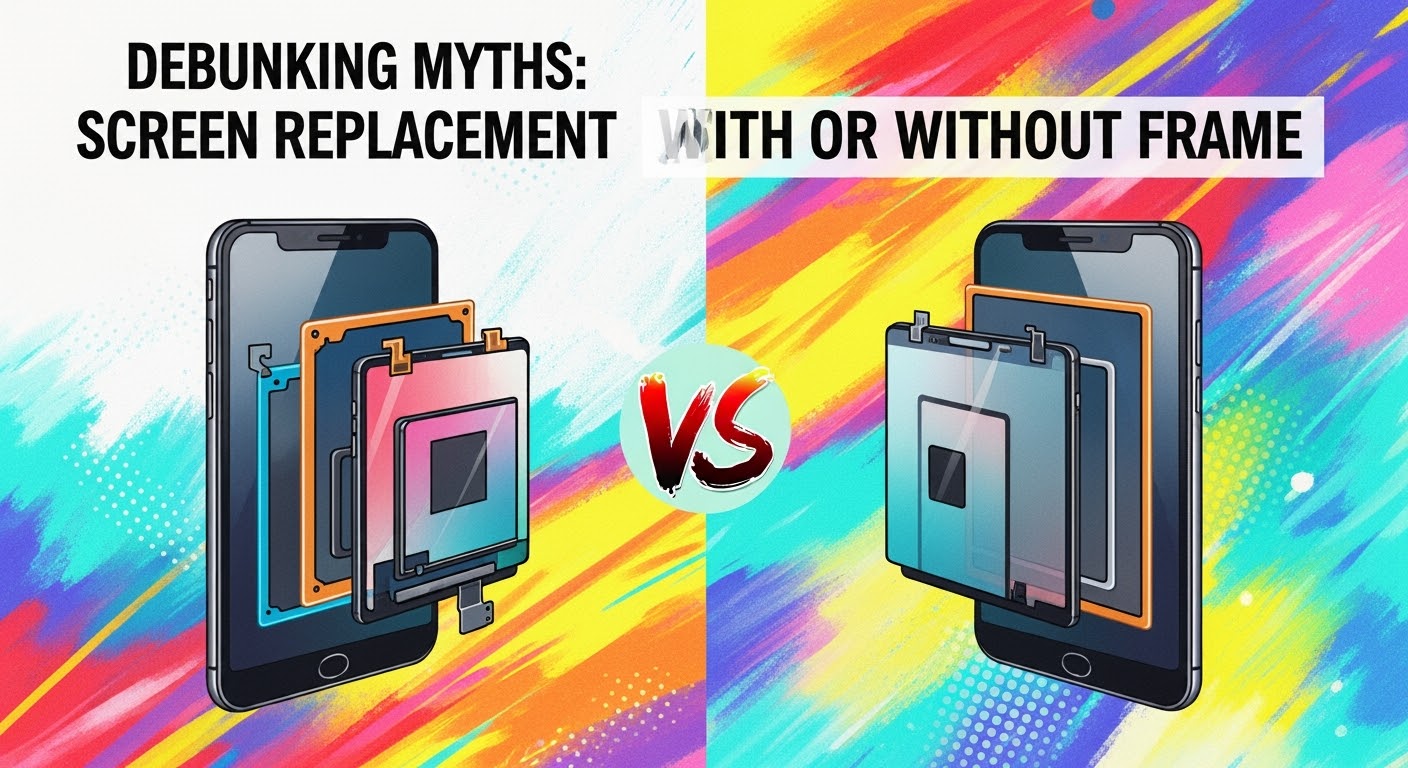
Debunking Myths: Screen Replacement with or Without Frame
When your smartphone screen breaks, one of the first questions that comes up is: “Should I replace the screen with or without the frame?” There’s a lot of confusion online about this, and many myths that can lead to costly mistakes. As Sydney’s trusted phone repair experts, we’re here to clear the air.
Truth:
While it’s true that replacing only the display panel (without the frame) can cost less in parts, it’s not always the most economical choice. If your phone’s frame is bent, damaged, or warped from a fall, reusing it can:
Make the new screen fit improperly
Affect waterproof sealing
Cause future cracks due to uneven pressure
In these cases, replacing the screen with the frame is often more cost-effective long term.
Truth:
A frame’s role isn’t just to “hold” the screen — it ensures structural integrity, alignment, and sealing. Even slight bends in the frame can cause:
Gaps where dust and moisture enter
Touch sensitivity problems
Premature screen failure
Professional technicians always inspect the frame before deciding the best repair option.
Myth 3 – Without-frame replacements are always original parts
Truth:
Many aftermarket screens without frames are mass-produced and may vary in quality. Genuine OEM screens often come pre-assembled with the frame for precise fitting and factory-level calibration. Choosing a pro repair shop means you can verify the part’s origin before installation.
Myth 4 – You can easily swap a screen without a frame at home
Truth:
Screen-only replacement is more technically challenging than replacing with the frame because:
You must separate the old glass from the frame without damaging internal components
Special adhesive and alignment tools are required
The risk of breaking the new display is higher
It’s a repair best left to experienced technicians, especially for modern edge-to-edge displays.
Myth 5 – With-frame replacements waste perfectly good frames
Truth:
If a frame is in excellent condition, we’ll recommend a without-frame repair to save resources. But if the frame has even minor damage, replacing it along with the screen ensures the phone’s durability, water resistance, and resale value.
When to Choose “With Frame” Replacement
Frame is bent, cracked, or warped
You want original manufacturer alignment and sealing
You need a faster repair process (pre-assembled screens save time)
When to Choose “Without Frame” Replacement
Frame is in perfect condition
You want to save on part costs
You’re okay with a slightly longer repair time for precision work
Our Expert Recommendation
At Sydney CBD Repair Centre, we don’t believe in a one-size-fits-all approach. Every repair starts with a free inspection so we can recommend the most cost-effective and durable option — whether that’s with or without the frame.
With over 2,000 five-star Google reviews and 6 years as Sydney’s top-rated phone repair shop, you can trust us to guide you with honesty, skill, and genuine parts.
David from Sydney CBD Repair Centre – The Best place to fix mobile phones as 6 Years In A Row! Top Mobile Phone Repair In Sydney. More than 2000 Positive Reviews on Google and Same Day Repairs.
We take pride in delivering exceptional repair services for all major phone brands including Apple, Samsung, Google, and more. Our expert technicians use only genuine parts and offer 90 days warranty on repairs. Located in the heart of Sydney CBD, we’re your one-stop solution for all mobile device repairs.
Visit us for:
✓ Same Day Express Repairs
✓ Genuine Parts Guarantee
✓ Professional Technicians
✓ Competitive Pricing
✓ 2000+ 5-Star Google Reviews
✓ 6-Time Award Winner for Best Phone Repairs
Sydney CBD’s Verdict: Amazon vs. Pro Replacement Screens – The 9 Key Factors You Must Know
Introduction
In today’s digital-first world, your smartphone is your lifeline — for work, entertainment, payments, and staying connected. When your screen cracks, you face an important decision: should you buy a replacement screen from Amazon and attempt the repair yourself, or should you trust a professional repair centre?
At Sydney CBD Repair Centre, we’ve spent over a decade repairing thousands of devices, from iPhones to Samsung Galaxy models, and we’ve seen the good, the bad, and the ugly of both approaches. This guide will walk you through the 9 key factors you should consider before choosing between Amazon and a professional replacement screen service.
Amazon’s DIY replacement screens can look like a bargain — sometimes as low as 30–50% of a professional repair price. But those numbers are deceiving. You also have to factor in:
Shipping fees and delays
Tools you may need to buy (screwdrivers, heat gun, pry tools)
The risk of breaking the new screen during installation
Time spent watching tutorials and troubleshooting
A $70 Amazon screen can quickly cost you $120+ when you factor in extras and possible re-orders if the part is defective.
How professional repair pricing works
Professional repair pricing, like at Sydney CBD Repair Centre, covers far more than just the screen itself. It includes:
Genuine or premium-grade parts
Expert labour from certified technicians
A warranty (we offer 90 days)
Same-day service — no days lost waiting for deliveries
While upfront costs may be higher, the all-inclusive pricing often saves you money (and frustration) in the long run.
Not all Amazon sellers are equal. Some offer genuine parts; others sell lower-grade aftermarket screens with:
Poor colour accuracy
Reduced touch sensitivity
Thinner glass that breaks easier
With online buying, you can’t verify the quality until it arrives — and sometimes, the real-life product looks nothing like the photos.
Pro repair parts sourcing
At Sydney CBD Repair Centre, we source directly from OEM suppliers or use high-grade aftermarket parts that meet strict quality standards. Each screen is tested before installation, so you know exactly what you’re getting.
Factor 3 – Warranty and Support
Amazon’s return policies
While Amazon does offer returns, there are limitations:
Time-sensitive return windows
Packaging requirements
Possible restocking fees
Having to pay return shipping in some cases
Once the screen is installed, most sellers won’t accept returns if you damage it during installation.
Pro repair warranties
Professional repair shops like ours offer a 90-day warranty that covers:
Touch responsiveness issues
Display problems
Manufacturing defects
And the best part? If something goes wrong, you can walk straight into our store in Sydney CBD and have it addressed immediately.
Factor 4 – Installation Skill Required
DIY risks and learning curve
Replacing a smartphone screen is not like changing a lightbulb — it involves:
Delicate connectors and screws
Managing adhesives and seals
Avoiding static discharge damage
Maintaining waterproofing
One wrong move can permanently damage your device.
Professional installation benefits
A trained technician can replace your screen in under an hour with:
Precision tools
Steady hands
Years of experience
The right adhesives for durability and waterproofing
Factor 5 – Time and Convenience
Amazon delivery wait
Even with Prime, shipping can take 1–3 days (longer if overseas stock). Add the repair time yourself, and you could be without a phone for a week.
Same-day repairs in Sydney CBD
At Sydney CBD Repair Centre, we offer same-day express service. You can:
Drop off your phone during lunch
Pick it up before heading home
Avoid being without your device for days
Factor 6 – Risk of Damage
When DIY goes wrong
DIY repairs carry the risk of:
Damaging internal components
Losing waterproof seals
Breaking the new screen before it’s even installed
We’ve seen many cases where customers brought in a half-repaired phone, and the cost to fix both the original issue and the DIY damage exceeded the price of a professional repair.
Professional safety procedures
We use anti-static workstations, calibrated tools, and proper sealing techniques to protect your device during the repair process.
Factor 7 – Customer Experience
Amazon buyer reviews
While reviews can help, they can also be misleading due to fake feedback or reviewers who have different phone models.
In-store customer service
With a professional repair shop, you get face-to-face communication with the person repairing your phone. You can ask questions, see the part beforehand, and get clear aftercare advice.
Factor 8 – Long-Term Durability
Longevity of Amazon screens
Some cheaper screens may work fine initially but:
Fade in colour over months
Develop touch dead zones
Peel away from the frame due to poor adhesive
Pro-grade durability
We ensure proper screen alignment, adhesive curing, and calibration — extending the life of your device.
Factor 9 – Value for Money
Lifetime cost comparison
While Amazon screens may seem cheaper, factoring in the risks, extra purchases, and possible re-repairs, professional services often end up costing less over the device’s lifetime.
FAQs
Q1: Are Amazon replacement screens genuine?
Not always — many are aftermarket. Genuine screens are rare and more expensive online.
Q2: How long does a pro screen replacement take?
At Sydney CBD Repair Centre, most are done in under an hour.
Q3: Will replacing my screen myself void my warranty?
Yes, in most cases, DIY repairs void manufacturer warranties.
Q4: Can I keep my phone’s waterproofing with an Amazon screen?
Only if you have the correct seals and tools — pros ensure waterproof integrity.
Q5: Is it worth repairing a phone that’s a few years old?
If the phone still meets your needs, a screen replacement is usually cheaper than buying a new device.
Q6: How can I tell if my screen is OEM quality?
Look for supplier verification or have it inspected by a repair professional.
Conclusion
While Amazon replacement screens can be tempting for their low upfront cost, professional screen replacement services in Sydney CBD offer superior quality, convenience, and long-term value.
Sydney CBD Repair Centre is your trusted partner for safe, fast, and reliable mobile phone repairs.
David from Sydney CBD Repair Centre – The Best place to fix mobile phones as 6 Years In A Row! Top Mobile Phone Repair In Sydney. More than 2000 Positive Reviews on Google and Same Day Repairs.
We take pride in delivering exceptional repair services for all major phone brands including Apple, Samsung, Google, and more. Our expert technicians use only genuine parts and offer 90days warranty on repairs. Located in the heart of Sydney CBD, we’re your one-stop solution for all mobile device repairs.
Visit us for:
✓ Same Day Express Repairs
✓ Genuine Parts Guarantee
✓ Professional Technicians
✓ Competitive Pricing
✓ 2000+ 5-Star Google Reviews
✓ 6-Time Award Winner for Best Phone Repairs
Phone Not Turning On After Water Damage? Here’s What You Need to Know
💧 What Happens When Water Gets Inside a Phone
Phones aren’t as waterproof as we think. When liquid enters your device, it starts corroding circuits almost immediately. Saltwater or chlorinated pool water is even worse, accelerating damage.
Even so-called “water-resistant” models like iPhones or Samsung Galaxy S series aren’t immune. Their seals can weaken over time.
Sometimes, the screen is gone, but the motherboard is still functional. Other times, the battery or charging port is shorted. We’ve seen phones power up after professional cleaning and part replacement — even if they looked completely dead.
❌ What NOT to Do After Water Exposure
Don’t charge it. Electricity and water don’t mix.
Don’t press buttons. It could push water further inside.
Don’t use a hairdryer. Heat can melt delicate components.
Don’t wait. Corrosion starts within hours.
✅ Immediate Steps to Take After Water Damage
Turn it off if it’s on.
Remove the SIM card.
Pat dry with a towel – no shaking!
Do not place in rice – it won’t fix corrosion.
Bring it to a professional repair shop ASAP.
🛠️ DIY Fixes: Are They Worth the Risk?
YouTube makes it look easy, but opening a phone without proper tools and anti-static precautions can cause irreversible damage. You also risk voiding your warranty.
Trust the experts — it’s safer, faster, and usually cheaper in the long run.
🔧 How Experts Diagnose Internal Water Damage
At Sydney CBD Repair Centre, our technicians:
Use microscopes to inspect internal corrosion
Test circuits with multimeters
Use ultrasonic cleaning machines to remove residue
Replace only the damaged components
We restore phones others have written off as “beyond repair.”
🔩 Common Components Affected by Water
Component
Issue Caused by Water
Battery
Short circuit or swelling
Display
Flickering or blackout
Charging Port
Corrosion or failure to charge
Motherboard
Complete phone failure
Camera
Fogging or dead sensors
🧯 Can Water-Damaged Phones Be Repaired?
Yes, in many cases. But it depends on:
How long it’s been exposed
The type of water (saltwater is worse)
How quickly you act
Same Day Repairs at Sydney CBD Repair Centre increase your chances of a full recovery.
💾 Data Recovery After Water Damage
We can often retrieve your:
Photos and videos
Contacts and messages
Notes and app data
Even if the phone itself can’t be saved, your memories and important files can often be rescued.
⏱️ Why Speed Matters in Water Damage Repairs
Water doesn’t just sit there — it spreads and corrodes. The longer you wait, the more damage occurs. That’s why we offer express same-day service for water-damaged phones.
🛡️ Prevention Tips for the Future
Use a waterproof pouch near water
Avoid charging near sinks or pools
Don’t take your phone into the bathroom (yes, even the shower!)
Always turn off the phone immediately if it gets wet
🧑🔧 Why Choose Sydney CBD Repair Centre
📍Location: Central Sydney — easy walk-in access
🛠️ Expert Technicians with years of experience
🔒 Genuine Parts Only — no dodgy knockoffs
⚡ Same Day Repairs available
🌟 2,000+ 5-Star Google Reviews
🏆 6-Time Award-Winning Service
We’ve repaired thousands of water-damaged phones that other shops gave up on.
⭐ Real Customer Success Stories
“My iPhone fell in the pool and wouldn’t turn on. Apple said it was dead. Sydney CBD Repair Centre brought it back to life the same day!”
— Jenny, Bondi
“Samsung S22 Ultra took a bath with me. Thought I lost everything. These guys saved all my files!”
— Tom, Surry Hills
🙋♂️ FAQs
Q1: How long does it take to repair a water-damaged phone?
Most cases are done same day, but severe corrosion may take 24-48 hours.
Q2: Is water damage covered under warranty?
Usually not. Most manufacturers exclude liquid damage. But we offer a 90-day repair warranty.
Q3: Can water-damaged phones be 100% restored?
If you act fast and there’s no extensive corrosion, full restoration is often possible.
Q4: What if my phone won’t charge after water exposure?
It’s likely the charging port is corroded. We can replace it quickly.
Q5: How much does it cost to fix water damage?
Depends on the extent. Walk-ins get a free diagnosis.
Q6: Is putting the phone in rice effective?
No. It may absorb moisture but won’t stop corrosion. It delays proper treatment.
✅ Conclusion: Trust the Experts Before It’s Too Late
Water damage is scary — but not always fatal. If your phone won’t turn on after getting wet, act fast and bring it to the trusted professionals at Sydney CBD Repair Centre.
Let our experience, equipment, and expertise save your phone — and your data.
David from Sydney CBD Repair Centre – The Best Place to Fix Mobile Phones 6 Years in a Row!
📞 Call us: +61280114119
🌐 Visit: https://SydneyCBD.repair/locate-us
Is It Worth Repairing Your Cracked Smartphone Screen? 7 Powerful Reasons Why You Should Consider It
🟦 Introduction: The Cracked Screen Dilemma
A cracked smartphone screen is one of the most common tech mishaps today. Whether it’s from a careless drop or an accidental sit, you’re not alone—millions of people deal with shattered displays each year. But here’s the real question: Is it worth repairing your cracked smartphone screen?
In this comprehensive guide, we’ll explore 7 powerful reasons why fixing your screen might just be the best decision you make for your device, your wallet, and even the planet.
“Fixed my iPhone 13 screen in under 2 hours. Looks and works like new!” – Jenny M.
“Honest, reliable, and much cheaper than Apple. Highly recommended!” – Tom L.
Over 2000+ 5-star Google reviews tell the story.
🟩 Frequently Asked Questions
❓ Is it cheaper to repair a phone or replace it?
Yes—repairs usually cost 50–70% less than a new phone.
❓ Can I still use my phone with a cracked screen?
You can, but you risk further damage and injury from broken glass.
❓ How long does a screen repair take?
At Sydney CBD Repair Centre, most repairs are done same-day.
❓ Will a cracked screen affect resale value?
Yes. Cracks can reduce resale value by up to 40%.
❓ Is screen replacement covered under warranty?
Usually not, unless you have accidental damage coverage.
❓ Does a repaired screen work like a new one?
Yes—when done professionally with genuine parts, performance is restored.
🟦 Conclusion: A Cracked Screen Isn’t the End
So, is it worth repairing your cracked smartphone screen? Absolutely.
From financial benefits and data security to eco-conscious living, repairing offers unmatched value. But only if you choose the right repair centre.
With its unmatched reputation, Sydney CBD Repair Centre is your go-to place for reliable, affordable, and speedy smartphone repairs.
David from Sydney CBD Repair Centre – The Best Place to Fix Mobile Phones 6 Years in a Row!
📍 Visit Us Today: SydneyCBD.repair/locate-us
📞 Call: +61280114119
✅ Same Day Repairs | ✅ Genuine Parts | ✅ 2000+ Reviews | ✅ 90-Day Warranty
🧠 Introduction: Why Fingerprint Sensors Fail After Repairs
Fingerprint scanners are now essential for fast and secure smartphone access. But after a screen replacement, many users notice their fingerprint sensors stop working, become inconsistent, or disappear entirely. This isn’t a coincidence—it’s often the result of improper handling, incompatible parts, or missed calibration steps.
At Sydney CBD Repair Centre, we’ve helped hundreds of customers fix fingerprint sensor problems post-repair—especially for high-end models like the Samsung Galaxy S series and Google Pixel devices.
In this article, we explain why fingerprint sensors fail after screen replacement, how to avoid it, and most importantly, how to fix it.
Modern smartphones mostly use optical or ultrasonic fingerprint sensors embedded beneath the display.
Optical (e.g. Pixel 6): Uses light to capture your fingerprint image.
Ultrasonic (e.g. Galaxy S21 Ultra): Sends sound waves through the screen to map your finger’s ridges.
These sensors are highly sensitive to screen thickness, transparency, and alignment. If the replacement screen doesn’t match the original specs, the fingerprint sensor may stop functioning entirely.
Even after enrolling your fingerprint again, the sensor fails to unlock the phone or gives “Try Again” repeatedly.
🛑 Fingerprint Option Missing in Settings
In some cases, the entire biometric menu disappears—indicating a software or hardware disconnect.
🐢 Slow or Laggy Fingerprint Detection
The phone takes longer than usual to scan your fingerprint or fails to respond until multiple tries.
📱 Device Brands Affected the Most
📱 Samsung Galaxy Phones
Samsung uses ultrasonic sensors, which are extremely sensitive. Any misalignment or use of non-OEM parts can render the sensor useless after repair.
📱 Google Pixel Devices
Models like Pixel 6 and Pixel 7 rely on optical sensors. If the screen’s transparency isn’t optimal, fingerprint data won’t be captured correctly.
📱 Oppo, Xiaomi, and Other Android Brands
Brands using in-display sensors (especially budget or mid-range models) often face sensor failure due to poor aftermarket screens or installation errors.
🔧 Key Reasons for Fingerprint Sensor Failure Post-Repair
🔁 Non-Genuine or Low-Quality Screens
Cheap screens might not allow the sensor’s signal to pass through properly—resulting in complete fingerprint failure.
🪛 Misalignment During Installation
Even a 1mm shift can misalign the sensor window under the screen, causing mismatched readings.
🧩 Calibration or Software Mismatch
Some phones require factory-level calibration post-screen replacement, which only professional centres like Sydney CBD Repair Centre can perform.
✅ Best Practices for Preserving Fingerprint Function
🧪 Use Genuine Screens Only
Always ask your repair technician to use OEM-grade displays designed for fingerprint transparency and sensor alignment.
🧑🔧 Let Experts Handle Calibration
Only certified repair centres have the right tools to recalibrate sensors for certain Samsung and Google models.
🔄 Ensure Firmware is Updated Post-Repair
Some devices require a software update or fingerprint module reset after screen replacement.
🛠️ How Sydney CBD Repair Centre Ensures Sensor Accuracy
✅ OEM-Grade Screens
We only use manufacturer-spec glass and displays, designed to work seamlessly with biometric sensors.
🧰 Factory Calibration Tools
For phones like Samsung and Pixel, we run post-repair calibration to sync the sensor with your new screen.
🧑🔬 Skilled Technicians with Sensor Expertise
Our team has extensive experience fixing screen + sensor combos, ensuring accurate, same-day results.
📚 Case Study: Fixing Fingerprint Failures on Samsung S21 Ultra
A customer brought in a Galaxy S21 Ultra with a non-functional fingerprint scanner after a third-party screen replacement. Upon inspection, the previous shop had used a non-transparent adhesive and poorly aligned screen.
After reapplying OEM adhesive, realigning the display with a precision tool, and recalibrating using Samsung’s official test software—we restored full fingerprint functionality in under 2 hours.
🔄 What To Do If Your Fingerprint Sensor Still Doesn’t Work
🔐 Backup Unlock Options
Use PIN, pattern, or facial recognition temporarily until a repair centre can recheck the screen installation.
🧭 Try Re-Enrollment After Repair
Delete all saved fingerprints and re-enroll them in a well-lit area using multiple finger angles.
🧼 Factory Reset as a Last Resort
Some sensor issues stem from mismatched software. A factory reset (after backup) may resolve lingering bugs.
🛡️ Preventative Measures Before a Screen Replacement
🗂️ Backup Fingerprint Data
Some phones lose fingerprint profiles during repair. Back up all data and reconfigure post-repair.
📣 Inform Technician of Sensor Sensitivity
Let the repair centre know your phone relies on under-display fingerprint unlocking, so they handle it with care.
❓ FAQs
1. Why did my fingerprint sensor stop working after replacing the screen?
Most likely, the new screen wasn’t OEM-grade or the installation wasn’t aligned properly, which blocks the sensor.
2. Can fingerprint sensors be re-calibrated after repair?
Yes. Professional centres like Sydney CBD Repair Centre have tools to recalibrate fingerprint sensors after screen replacement.
3. Do I need a software update after screen replacement?
Some phones require software or firmware reinitialisation to recognise the fingerprint sensor again.
4. Will using a third-party repair centre void my fingerprint sensor warranty?
Not if the centre uses genuine parts and performs proper calibration. Always choose certified technicians.
5. Can I still use other unlock methods if the fingerprint sensor fails?
Yes—PIN, pattern, and facial recognition will still work unless the biometric module is fully disabled.
6. Is fingerprint failure after repair permanent?
Usually not. With proper diagnosis and OEM parts, it can often be restored to full functionality.
✅ Conclusion: Get It Fixed Right the First Time
Fingerprint sensor issues after a screen replacement are frustrating—but avoidable. The key lies in choosing a trusted repair centre that understands the technology, uses the right parts, and applies professional techniques.
At Sydney CBD Repair Centre, we specialise in resolving fingerprint-related issues for Samsung, Pixel, and other major brands. With same-day service, genuine parts, and expert calibration—you can rest assured your fingerprint scanner will work just as it did before (if not better!).
How to Tell if a Replacement Screen is Original: 10 Surefire Ways to Spot Genuine Parts
🔍 Introduction
So you just got your phone screen replaced—but something feels…off. Maybe the colors look washed out or the touch seems a little less snappy. If you’re wondering whether your new screen is original or a low-grade copy, you’re not alone.
Knowing how to tell if a replacement screen is original is crucial not just for performance—but also for long-term durability and device safety.
Q1: Can I tell if my screen is fake just by looking at it?
Yes, but it helps to compare it to another phone or the original. Brightness, touch response, and screen fit are key indicators.
Q2: Will a fake screen damage my phone?
Potentially. Poor-quality displays can affect internal components or lead to overheating, ghost touch, and battery issues.
Q3: How do I know my repair shop used a genuine screen?
Ask for documentation, a warranty, or confirmation that the part is OEM (Original Equipment Manufacturer).
Q4: Are aftermarket screens always bad?
Not always. Some high-quality aftermarket screens work well, but they still fall short in brightness, color, and touch accuracy.
Q5: Do Apple or Samsung provide original screens to third-party repair shops?
Some independent repair shops are authorized and get genuine parts. Always check if your repair centre is certified.
Q6: What should I do if I suspect a fake screen?
Return to the repair centre immediately and request an inspection or replacement. If they refuse, seek a second opinion from a trusted technician.
🏁 Conclusion
Knowing how to tell if a replacement screen is original empowers you to make informed repair decisions. By checking for signs like color accuracy, touch response, and part numbers, you can spot a fake before it causes trouble.
Avoid the risk. Choose a professional, trusted repair centre like Sydney CBD Repair Centre, where you’re guaranteed genuine parts, expert service, and long-term peace of mind.