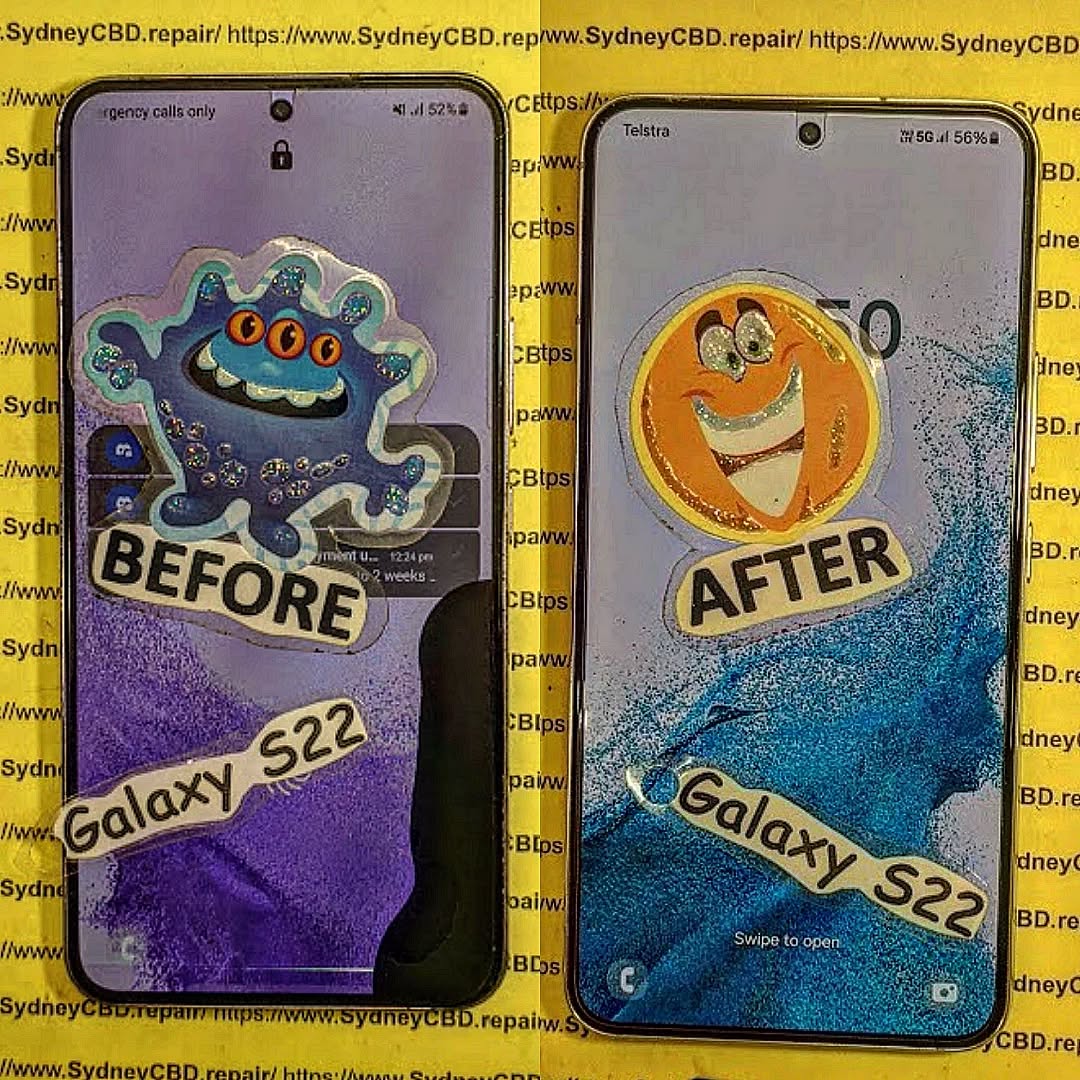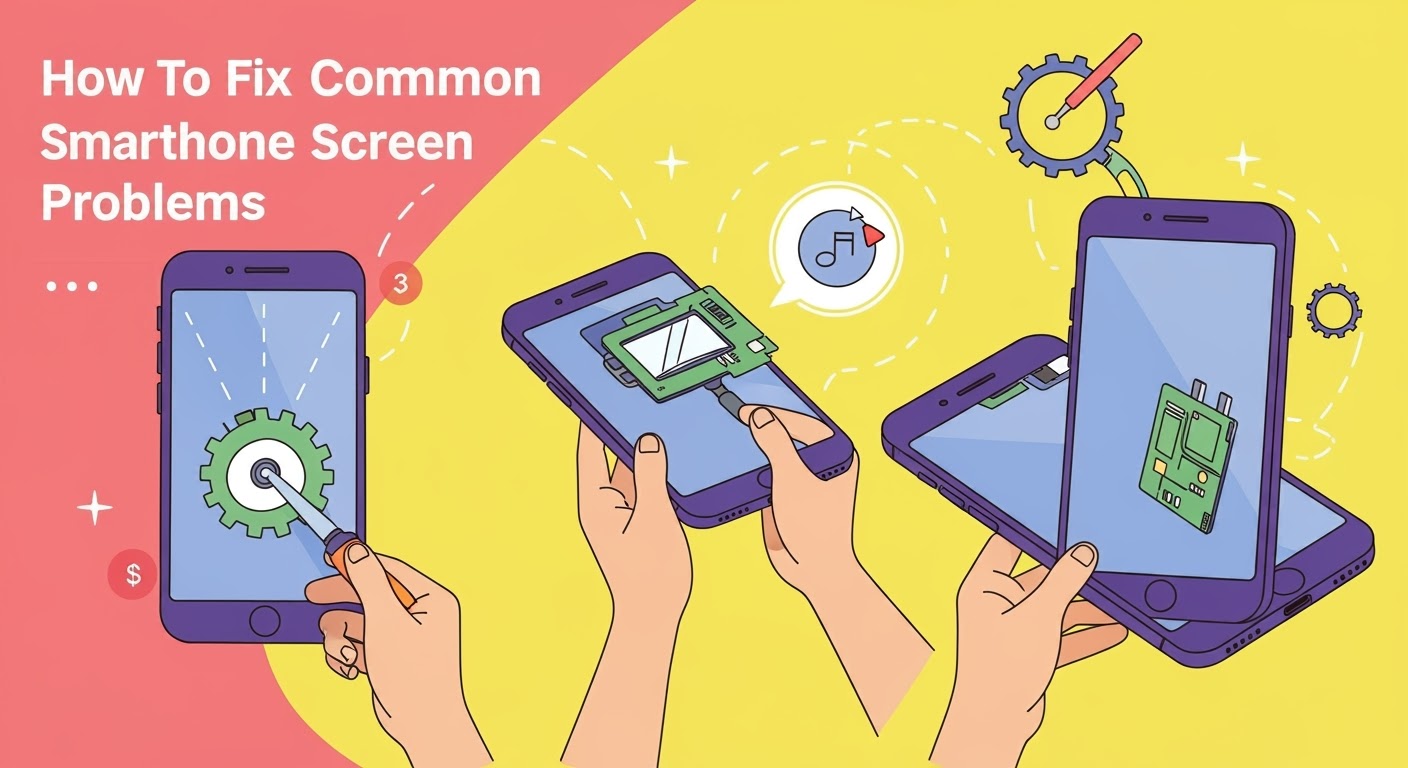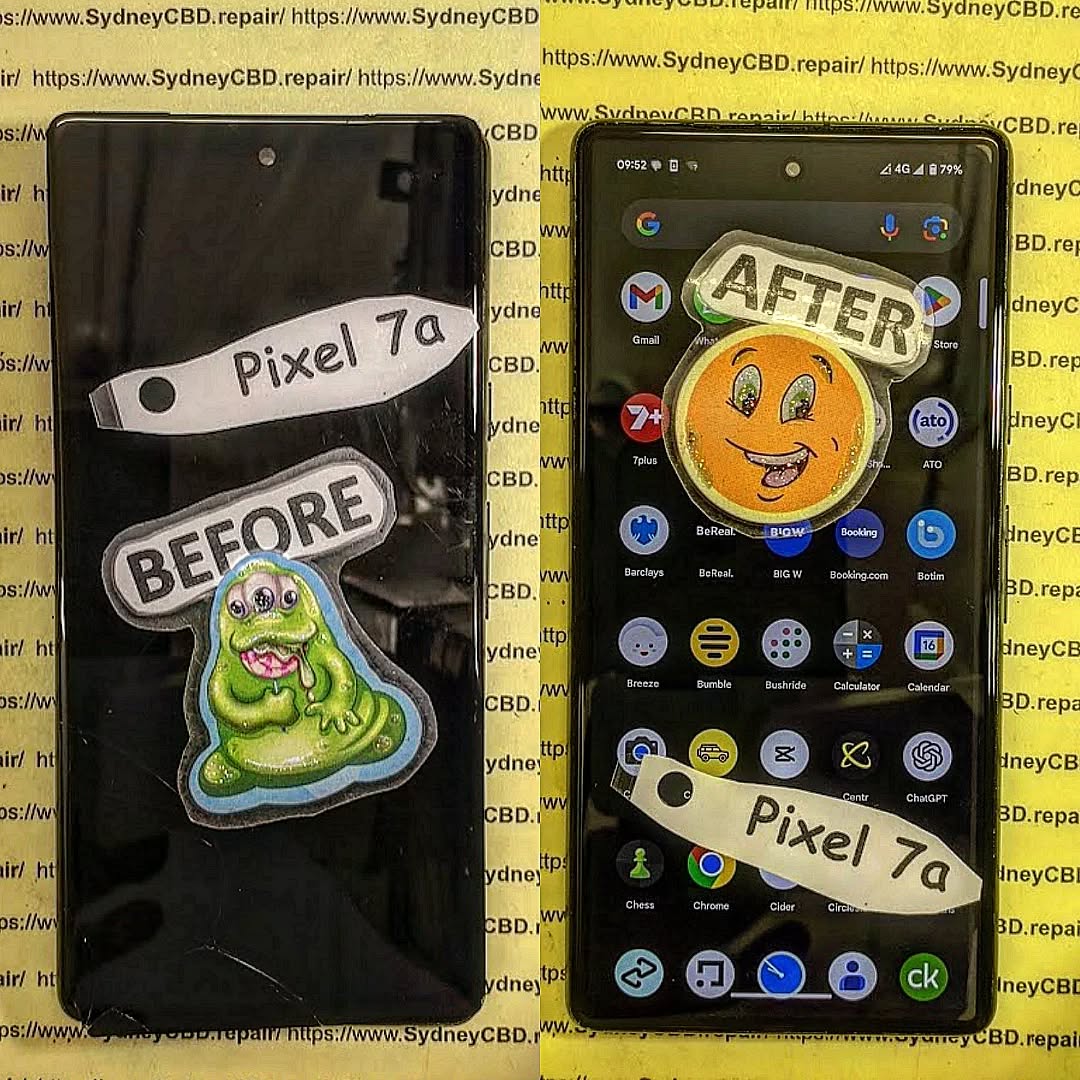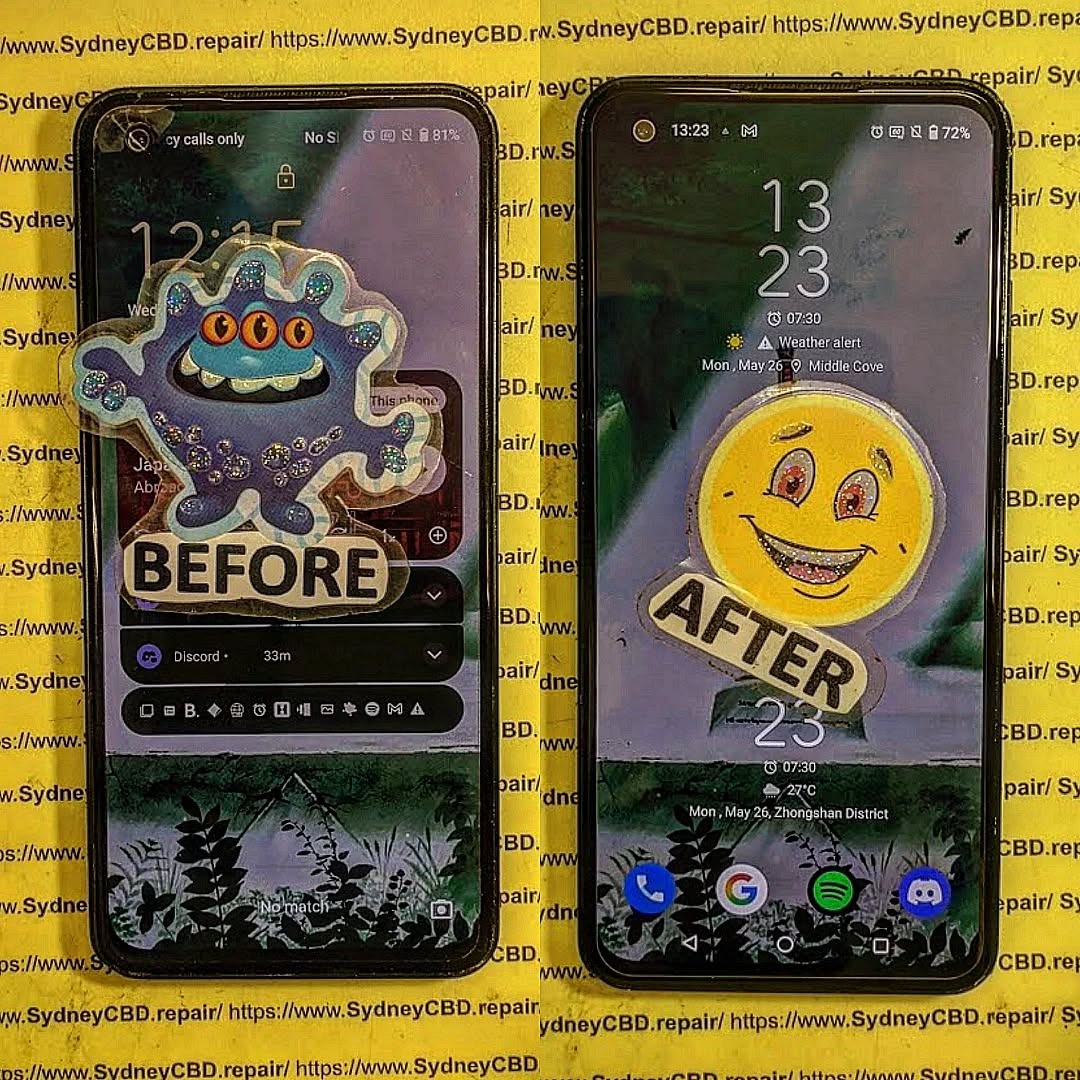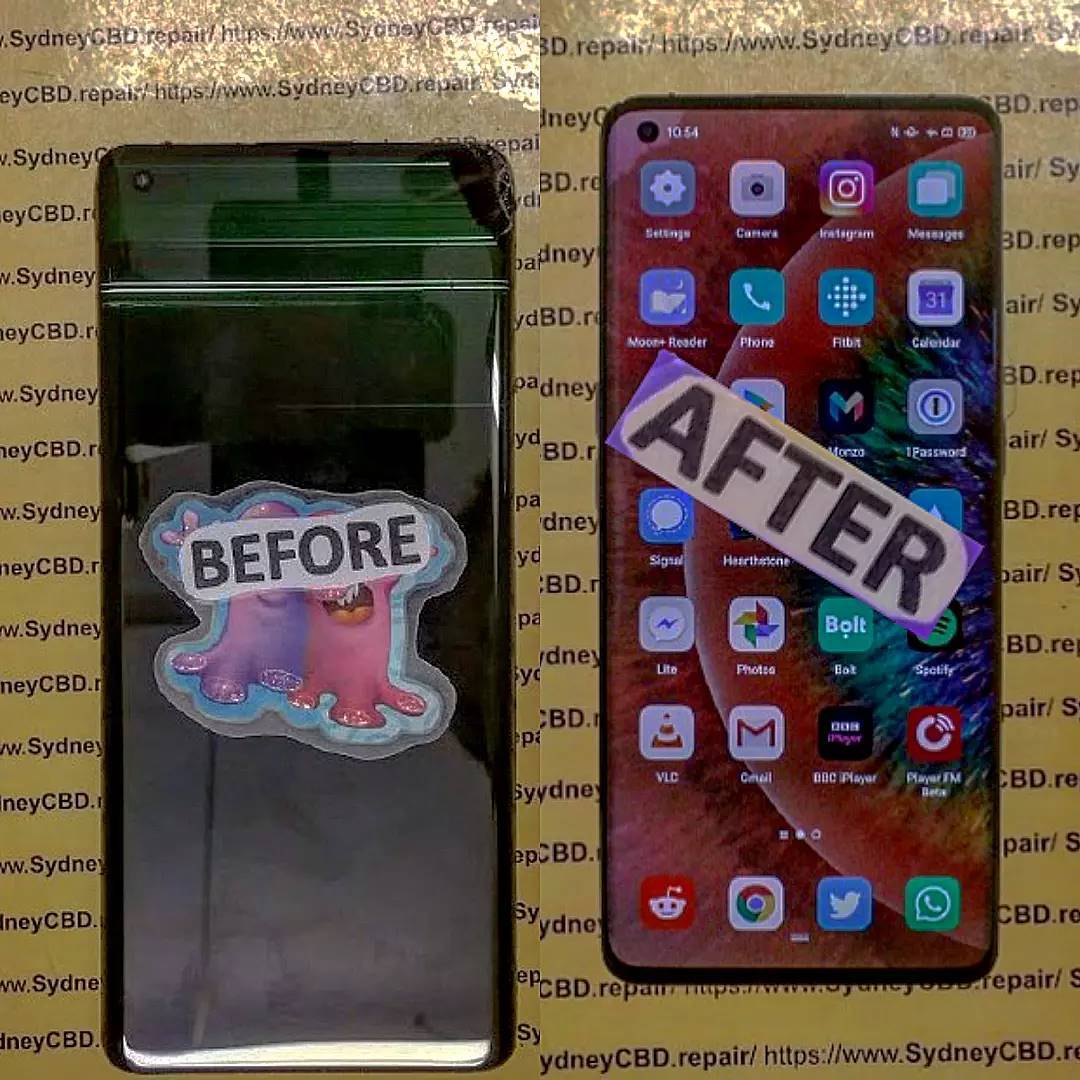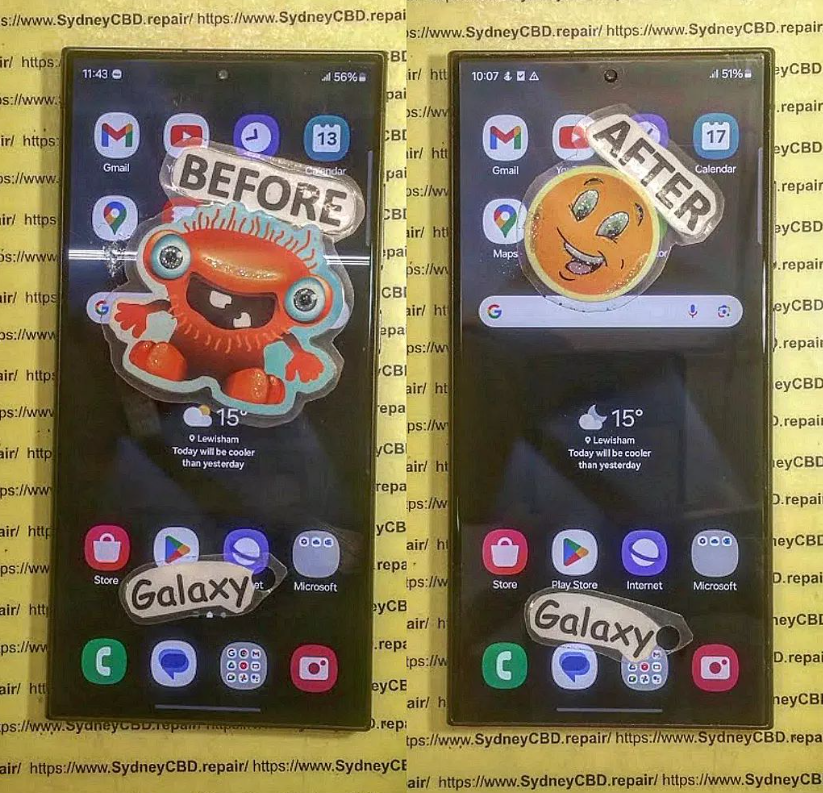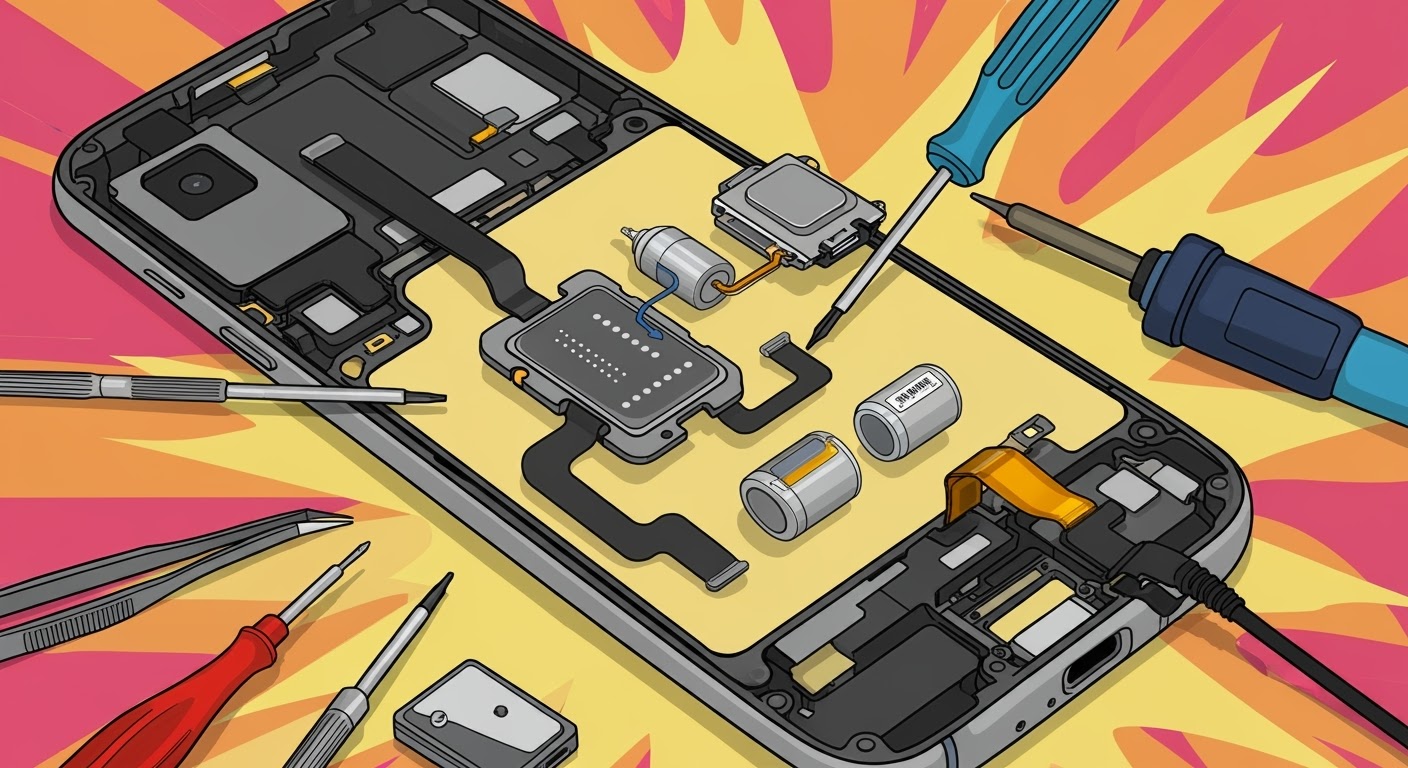
DIY Phone Repair: Replacing Only the LCD Screen ā What You Need to Know Before You Begin
š± Introduction
Got a blank screen but an otherwise working phone? If your touchscreen doesnāt display anything or shows weird colours, you may be dealing with a damaged LCD. While full screen replacements are common, some DIYers wonder: āCan I replace just the LCD?ā
In this guide, weāll break down DIY phone repair focused on replacing only the LCD screen. Youāll learn the process, the tools required, and the risksāplus when itās better to visit professionals like Sydney CBD Repair Centre.
š§ What is the LCD Screen and Why Replace Only It?
Understanding Phone Display Layers
Most smartphones have three display components:
Glass (Digitizer): The outermost layer you touch
Touch Sensor: Detects finger movement
LCD (or OLED): Displays images, colours, and brightness
If the LCD is damaged but the glass and touch still work, you may be able to replace just the LCD panel.
Many older or mid-range phones (especially LCD-based models) allow for separate replacements.
When Full Screen Replacement is Better
Modern phones (especially iPhones, Samsung AMOLED, or flagship models) use a fused screen assembly. Trying to separate layers often causes more damage. In such cases, it’s saferāand often more cost-effectiveāto replace the entire screen unit.
š§° Tools & Materials Youāll Need
Replacement LCD panel (specific to your phone model)
Precision screwdriver set
Plastic pry tools / spudger
Heat gun or hairdryer (for softening adhesive)
Suction cup (to lift screen)
Tweezers
Anti-static wrist strap (recommended)
Microfiber cloth and isopropyl alcohol
Magnetic mat (optional but helpful)
š ļø Step-by-Step Guide to Replacing the LCD Screen
ā ļø Note: Proceed only if youāre confident and the LCD is not fused. This process varies depending on your phone model.
1. Power Off and Disassemble the Device
Turn off the phone
Remove SIM tray and screws (usually near charging port)
Use a suction cup and pry tool to separate the screen from the frame
Be cautious of fingerprint sensors or ribbon cables
2. Remove the Broken LCD
Carefully detach ribbon connectors using a spudger
Remove any shielding plates or adhesive layers
Gently lift out the damaged LCD panel
3. Install the New LCD Panel
Align the new LCD properly
Reconnect ribbon cables
Secure it back into the frame
Apply new adhesive (if needed)
4. Reassemble and Test the Phone
Put everything back together
Power on the device
Test the display, touch, brightness, and screen responsiveness
āļø Pros and Cons of DIY LCD Replacement
ā Pros:
Lower upfront cost (just parts and tools)
Learn a new skill
Can be done at home (if confident)
ā Cons:
High risk of permanent damage
No warranty
May void manufacturer or insurance cover
Complex for modern smartphones with fused displays
ā ļø Common Mistakes and How to Avoid Them
Mistake
How to Avoid It
Damaging internal components
Use plastic tools and work gently
Choosing the wrong screen
Double-check model number
Forgetting to disconnect battery
Always remove power first
Skipping re-adhesion
Use new adhesive to avoid loose fit
Not testing before reassembly
Power on to test before closing the phone
šØāš§ When to Call a Professional Instead
Youāre not comfortable handling electronics
Your screen is glued or fused
Your phone has multiple issues (e.g., battery, motherboard)
You want a warranty-backed repair
In these cases, save yourself the stress and visit an expert like Sydney CBD Repair Centre.
š Why Sydney CBD Repair Centre is the Smart Alternative
1. Is it really possible to replace only the LCD screen?
Yesābut only if the screen is not fused. Most modern phones use fused assemblies, so this is usually an option for older or budget models.
2. How do I know if my LCD is fused?
Search your phone model online or consult a technician. You can also check teardown videos to confirm.
3. Will replacing only the LCD affect phone performance?
If done correctly with a compatible part, no. But improper installation can cause ghost touch or brightness issues.
4. Is it cheaper to replace only the LCD?
Yes, but itās harder to do, and not always possible. Whole screen assemblies are often more practical.
5. Can I damage my phone during DIY repair?
Absolutely. Incorrect tools or too much pressure can damage the logic board, battery, or other internal components.
6. Do you offer LCD-only replacement at Sydney CBD Repair Centre?
We always inspect devices first. If only the LCD needs replacing and itās not fused, weāll perform the most cost-effective and safest repair.
ā Conclusion
Replacing just the LCD screen on your phone can be a rewarding DIY projectābut itās not without risks. If your device allows separate LCD replacement and youāre confident in your skills, it may save money. But if you’re unsure, or using a flagship model, professional repair is the best route.
At Sydney CBD Repair Centre, we ensure your device gets top-tier service, fast turnaround, and peace of mind through genuine parts and warranty. Donāt take chancesāget it done right the first time.
How To Choose The Right Phone Screen Replacement ā Expert Tips for Quality & Longevity
š± Introduction
Replacing a cracked or faulty phone screen is one of the most common repairs, but not all replacement screens are made equal. Choosing the right phone screen replacement can save you from repeated repairs, unresponsive touch issues, or poor display quality.
In this guide, weāll explain everything you need to know before getting your screen replacedāfrom screen types and red flags to look out for, to choosing a professional repair centre like Sydney CBD Repair Centre, Australiaās trusted expert for screen repairs.
š” Why Screen Quality Matters
Performance and Touch Sensitivity
A low-quality screen may respond slowly or inconsistently to touch, making navigation frustrating. Genuine screens provide smooth, lag-free interaction.
Display Brightness and Colour Accuracy
Cheap replacement screens often suffer from dull brightness or inaccurate coloursāespecially in sunlight. OEM screens maintain the original displayās vivid quality.
Durability and Longevity
Low-grade displays scratch and crack more easily. Choosing a quality screen means longer-lasting protection, especially if paired with a good case and screen protector.
Matches the original display in brightness, colour, and touch sensitivity
Typically more expensive but worth the investment
Offered by trusted repair shops like Sydney CBD Repair Centre
Aftermarket Screens
Third-party replicas, often manufactured overseas
May lack the same durability or clarity
Usually cheaper but less reliable
Touch issues and shorter lifespan are common
Refurbished Screens
Original screens salvaged and restored from used phones
Often a balance between cost and quality
Should be sourced from reliable technicians who test thoroughly
ā Key Factors to Consider
Compatibility with Your Phone Model
Ensure the replacement screen matches your exact phone modelānot just the brand. Even a tiny mismatch can affect fit and function.
Glass vs Display: Know What Needs Replacing
Sometimes only the outer glass is damaged, while the display underneath still works. A skilled technician can determine what needs replacing and help you save on costs.
Warranty and Return Policy
Always ask:
Is the screen covered by a warranty?
How long is the warranty?
What happens if it fails again?
Sydney CBD Repair Centre offers a 90-day warranty on all screen repairs.
ā ļø Red Flags to Avoid
Ultra-Cheap Pricing
If a screen replacement deal seems too good to be trueāit probably is. Cheap parts often mean:
Phones like iPhones and Samsung Galaxies come with water resistance seals that must be carefully replaced during screen repair. Professionals ensure that the integrity is maintained.
š ļø Why Choose Sydney CBD Repair Centre
2000+ Google Reviews & 6 Years as Top Repair Centre
David and the team at Sydney CBD Repair Centre are Sydneyās most trusted phone repair experts. With 2000+ 5-star reviews and 6 consecutive years of top-rated service, you can trust youāre in good hands.
OEM screens are the highest quality and closest to what your phone originally came with.
2. Are cheap screens worth it?
Not usually. They may cost less upfront, but youāll likely face issues with performance, visibility, or durability.
3. How do I know if my screen is OEM?
Genuine repair centres will tell you the screenās origin and often include branding on the part.
4. Can I replace the screen myself?
It’s risky. DIY repairs often lead to further damage or voiding your warranty.
5. Whatās the difference between glass replacement and full screen replacement?
Glass-only replacement fixes surface cracks, while full screen replacement includes the touch and display layersāusually needed for major damage.
6. How long does screen replacement take at Sydney CBD Repair Centre?
Most screen replacements are done within a few hours, often on the same day.
ā Conclusion
When it comes to phone screen replacement, the quality of the screen and the skill of the technician make all the difference. Donāt risk cheap parts or inexperienced repairs. Choose a repair centre that uses genuine components, provides transparent pricing, and backs their work with a solid warranty.
Sydney CBD Repair Centre ticks all the boxes. With expert technicians, same-day service, and a reputation built on excellence, theyāre the smart choice for anyone looking to restore their phoneās screen to like-new condition.
Troubleshooting Common Smartphone Screen Issues: Expert Fixes from Sydneyās Top Repair Team
š± Introduction: Screens Are More Fragile Than You Think
Smartphones are modern marvels, but their sleek glass screens can be vulnerable to everyday wear and tear. Whether itās a minor scratch or a completely shattered display, screen issues are among the most common problems users face. But donāt panic ā many screen-related problems can be diagnosed and fixed, especially if you catch them early.
ā ļø Most Common Smartphone Screen Issues
Cracked or Smashed Glass
This is the number one reason people seek screen repairs. A single drop can cause anything from a small crack to total shatter. Cracks not only look bad but can also:
Cause cuts on your fingers
Compromise water resistance
Spread further over time
Display Not Turning On
Sometimes the phone vibrates or rings, but the screen stays black. This could mean:
A dead battery
Display connector damage
Internal screen failure
Screen Flickering or Glitching
If your display flickers or flashes:
You might have a faulty display ribbon
Apps may be causing graphical conflicts
It could be a software bug or hardware malfunction
Touchscreen Not Responding
Non-responsive screens are often linked to:
Moisture or dirt under the glass
Faulty digitizer
Overheating
Ghost Touch Issues
Ghost touches occur when your phone acts like itās being touched ā even when it isnāt. This is usually due to:
Screen damage
Poor-quality screen replacements
System glitches
š§ DIY Troubleshooting Tips You Can Try
Restart or Soft Reset
Sometimes, a simple restart clears up glitches. Hold down your power button and give your device a fresh start.
Screen Calibration Apps
Apps like āTouchscreen Repairā can recalibrate screen sensitivity, especially useful for ghost touch or lagging responses.
Safe Mode for App Conflicts
Booting into safe mode disables third-party apps. If the screen behaves normally here, a rogue app may be to blame.
Cleaning the Screen Surface
Use a microfiber cloth to remove dirt or grease. Moisture or grime can affect touch accuracy.
We use 100% original screens for all major phone brands ā including Samsung, Apple, and Google ā ensuring durability and perfect display quality.
Calibration for Touch & Fingerprint Sensors
After replacement, we recalibrate touch and fingerprint sensors, especially important for in-display readers like those in Samsung and Google Pixel phones.
90-Day Warranty on Repairs
Enjoy peace of mind with our 90-day guarantee. If your screen has issues post-repair, weāll take care of it ā no extra cost.
š”ļø Avoiding Screen Issues in the Future
Screen Protectors and Phone Cases
Invest in tempered glass screen protectors and shock-resistant phone cases. These small accessories can save you hundreds in repair costs.
Avoiding Water and Heat Exposure
Donāt leave your phone in hot cars or near water. Excess moisture or heat can cause internal damage, even without cracks.
Regular Software Updates
Keep your operating system updated. Some screen issues are software-related and get resolved with updates.
ā FAQs
1. Can I fix a cracked screen without replacing it?
In most cases, a cracked screen needs full replacement, especially if the crack affects touch or visibility.
2. Why is my phone pressing itself?
This is likely a ghost touch issue. It could be caused by pressure on the screen, internal damage, or faulty screen replacements.
3. How long does a screen repair take?
At Sydney CBD Repair Centre, most screen repairs are done same day, often within 1ā2 hours.
4. Will my fingerprint scanner still work after a screen repair?
Yes ā if the repair is done professionally using genuine parts and proper calibration.
5. Whatās the difference between original and aftermarket screens?
Original screens match your phoneās quality exactly. Aftermarket ones are cheaper but may lack touch sensitivity, brightness, or durability.
6. How do I know if my screen issue is hardware or software?
Try restarting in Safe Mode. If the issue disappears, it’s likely software. If not, itās probably hardware-related.
ā Conclusion: Donāt Let a Damaged Screen Slow You Down
Screen issues can range from mild annoyances to serious problems. Whether itās a hairline crack or a blank display, donāt ignore the signs. Quick action can prevent bigger (and more expensive) issues. At Sydney CBD Repair Centre, weāre committed to giving your device the expert care it deserves ā with genuine parts, same-day service, and a solid warranty to back it all up.
David from Sydney CBD Repair Centre ā The Best Place to Fix Mobile Phones 6 Years in a Row! Top Mobile Phone Repair in Sydney. Over 2000 Positive Reviews and Same Day Repairs.
Samsung S23 Plus Screen Repair Cost Analysis: Uncover the Truth Behind the Price + Expert Breakdown
š² Introduction: The Growing Need for Samsung S23 Plus Repairs
The Samsung Galaxy S23 Plus is a powerhouse of innovation and design, featuring a stunning 6.6-inch Dynamic AMOLED 2X display that offers crystal-clear visuals and a buttery-smooth 120Hz refresh rate. However, as beautiful as it is, that screen is vulnerable to accidental damage.
From accidental drops on pavement to pressure cracks inside a pocket, many users find themselves seeking screen repair services ā and asking the all-too-common question: Why is Samsung S23 Plus screen repair so expensive? Let’s break it down.
š” Why the Samsung S23 Plus Screen is Expensive to Fix
Advanced AMOLED Display Technology
The Samsung S23 Plus boasts a Full HD+ Dynamic AMOLED 2X panel ā not your average LCD. AMOLED screens provide deeper blacks and brighter colors, but they’re also more expensive to manufacture and replace.
Cost of production: AMOLED panels are thinner and more sensitive.
Delicate nature: Any mishandling during repair can render them unusable.
Screen Integration with Fingerprint Sensor
Unlike many smartphones, the Samsung S23 Plus integrates the ultrasonic fingerprint scanner directly beneath the display. This means:
Replacing the screen involves careful calibration.
Only high-quality parts can ensure the scanner works post-repair.
Water and Dust Resistance: The IP68 Factor
Samsung engineered this device to meet IP68 standards, making it dustproof and water-resistant. This seal can be compromised during screen repair, which:
Increases the time and precision needed during reassembly.
Prices for Samsung screen repairs vary, but here’s a breakdown of what typically makes up the total cost:
OEM vs Aftermarket Screens
OEM (Original Equipment Manufacturer): Usually costs AUD $400ā$550, but offers guaranteed compatibility.
Aftermarket Screens: Cheaper, ranging AUD $250ā$350, but may have color tint, lower brightness, or reduced touch sensitivity.
Type
Average Cost (AUD)
Pros
Cons
OEM
$400 – $550
Perfect fit, fingerprint sensor support
Expensive
Aftermarket
$250 – $350
Budget-friendly
May affect performance
Labour and Diagnostic Fees
Some repair centres charge a diagnostic fee ranging from $40ā$80, while labour charges depend on:
Technician experience
Time required for disassembly and reassembly
Tools and technology used
Warranty and Post-Repair Support
Reputable shops like Sydney CBD Repair Centre offer 90-day warranties, which ensures peace of mind and protects your investment.
šŖ Where to Get Your Samsung S23 Plus Screen Repaired
Samsung Authorized Service Centres
Pros:
Official parts and procedures
Warranty remains intact (if within period)
Cons:
Expensive
Longer turnaround times
Independent Repair Shops
Pros:
Faster service
Competitive pricing
Cons:
Quality varies ā choose a reputed one like Sydney CBD Repair Centre
DIY Repairs: Worth the Risk?
Though tempting, DIY repairs can:
Void your warranty
Damage the internal components
Fail to reseal waterproofing
š Comparing Samsung S23 Plus Screen Repair Costs Globally
Country
Average Cost (USD)
Notes
USA
$280 – $400
OEM parts widely available
Australia
$300 – $420
Labour cost slightly higher
UK
Ā£250 – Ā£350
High-quality third-party repairs
India
ā¹18,000 – ā¹27,000
Mostly aftermarket options
Global costs fluctuate due to import taxes, technician availability, and brand partnerships.
š” Tips to Save Money on Screen Repairs
Use phone cases and tempered glass
Repair small cracks early to prevent spread
Compare quotes from reputable repair centres
Check if your credit card includes accidental damage coverage
Ask for refurbished OEM parts (cost-effective, still genuine)
š”ļø The Role of Insurance and Warranties in Screen Repair
Carrier or manufacturer insurance may cover accidental damage, but:
Excess fees apply
Limited number of claims per year
Check if screen damage is covered under your plan
Samsung Care+ is a great option, but if it’s expired, opt for reliable independent repair options.
š How Sydney CBD Repair Centre Delivers Premium Samsung Repairs
Genuine Parts and Trained Technicians
All repairs use 100% genuine OEM parts for Samsung devices, preserving your phone’s integrity. Technicians are certified and experienced in delicate repairs like ultrasonic fingerprint integration.
Transparent Pricing and Same-Day Repairs
No hidden fees
Free diagnosis
Express same-day service
With over 2000+ Google Reviews and 6-time award-winning service, Sydney CBD Repair Centre has built a reputation you can trust.
1. How long does it take to replace a Samsung S23 Plus screen?
Most high-end repair shops, like Sydney CBD Repair Centre, offer same-day service ā usually within 1 to 3 hours.
2. Will a third-party screen affect my phoneās performance?
Yes, especially if it’s low quality. Touch sensitivity, brightness, and fingerprint sensors may not work as expected.
3. Is screen replacement covered under Samsung warranty?
Only if there’s a manufacturing defect. Accidental damage is usually not covered unless you have Samsung Care+.
4. Whatās the difference between OLED and AMOLED?
Both are similar, but AMOLED offers better contrast and consumes less power ā and is used in S23 Plus.
5. Can a cracked screen be repaired without full replacement?
Not usually. Most cracks affect the digitizer and display, requiring a complete screen assembly replacement.
6. Is Sydney CBD Repair Centre cheaper than Samsung stores?
Yes. You can save up to 30ā40% compared to authorized centres while still getting genuine parts and warranty.
ā Conclusion: Quality Repair is an Investment
Investing in a quality screen repair for your Samsung S23 Plus isn’t just about restoring looks ā it’s about performance, protection, and peace of mind. Whether you choose OEM or a high-grade aftermarket screen, always trust experienced technicians who stand by their work. In Sydney, Sydney CBD Repair Centre remains your top choice for affordability, speed, and service excellence.
š§ Introduction: The Evolution of Smartphone Screen Repair
Smartphones are an essential part of our daily lives, and when that sleek screen cracks or stops responding, it feels like the world stops too. But the way we fix our devices is changing ā fast. From DIY repair kits to eco-friendly recycling programs and next-gen OLED screen technologies, the smartphone screen repair landscape is evolving.
So whatās hot and whatās not in 2025? Letās dive into the trends driving change in the screen repair industry ā especially here in Sydney, where expert repair shops like Sydney CBD Repair Centre are leading the charge.
š„ Whatās Hot: Top Smartphone Screen Repair Trends in 2025
More consumers now demand genuine manufacturer parts for repairs. Not only do they last longer, but they also ensure proper touch responsiveness, color accuracy, and durability. Shops that can guarantee authentic parts ā like Sydney CBD Repair Centre ā are earning greater trust from customers.
2. Same-Day Repairs Are a Must
People donāt want to be without their phone for a week. The popularity of same-day repairs is rising sharply. A repair shopās ability to quickly diagnose and fix screens within hours is now a key differentiator.
3. OLED Screen Expertise Is Essential
Phones from Apple, Samsung, and Google increasingly feature OLED or AMOLED displays. These screens are more delicate and costly, requiring technicians with specialized training. Repair shops with OLED certification are becoming the new standard.
4. Eco-Friendly Repairs & Recycling
With sustainability top of mind, eco-conscious users are choosing repair over replacement. More shops are offering screen recycling and low-impact repair options, such as glass-only replacement to reduce e-waste.
5. Mobile Screen Insurance Claims
Insurance partnerships are growing. Repair centres that can handle on-the-spot insurance claims for screen damage are seeing an increase in customers who want quick, paperless solutions.
6. Micro-Welding & Laser Separation Tools
Techs are upgrading tools. Advanced machines like laser separators for back glass removal and micro-welding stations for flex cable repairs are now common in high-end repair shops.
Customers are now well-informed. They know when a screen is too dim or touch is lagging. Cheap aftermarket screens are being rejected in favor of OEM-quality parts with warranties.
2. Week-Long Repair Times
Old-school repair shops that take 5ā7 days to fix a screen are being left behind. Todayās users expect a fast turnaround ā preferably same-day or next-day.
3. No Warranty on Repairs
If your shop isnāt offering at least a 90-day warranty, customers will walk away. Warranty-backed repairs give users confidence and are now considered a basic expectation.
4. Limited Brand Expertise
Gone are the days when shops only focused on iPhones. The rise of Google Pixels, Samsung Foldables, and Xiaomi means repair centres must train on multiple brands to stay relevant.
5. Ignoring Customer Experience
From online booking systems to clear pricing and friendly service, the customer experience is king. Repair centres that overlook these basics are losing to those with better service models.
David and the expert team at Sydney CBD Repair Centre are ahead of the curve. Hereās what sets us apart:
ā Genuine Parts Only ā No knockoffs, ever
ā Same-Day Express Repairs ā In & out in under 2 hours
ā Expertise in OLED & Foldables ā Trained on the latest tech
ā Eco-Conscious Practices ā We recycle screens and use minimal-waste techniques
ā Transparent Pricing ā No surprises, no upsells
ā 90-Day Warranty ā Peace of mind with every repair
š± Top Tips to Avoid Needing a Repair
While weāre happy to help, weād love for you to avoid repairs entirely. Here are some of our best tips:
Use a Tempered Glass Protector ā Theyāre affordable and highly effective
Invest in a Drop-Tested Case ā Especially one with raised bezels
Donāt Put Your Phone in Back Pockets ā Most screen cracks happen from unintentional pressure
Avoid Extreme Temperatures ā OLED screens are sensitive to heat and cold
Handle with Clean, Dry Hands ā Oils and moisture can cause drops and screen damage
ā Frequently Asked Questions (FAQs)
1. Whatās the average cost of screen repair in Sydney?
Prices vary, but quality repairs typically range from $180 to $350 AUD, depending on the brand and screen type.
2. Do you repair Samsung and Google Pixel screens?
Yes! At Sydney CBD Repair Centre, we specialize in Apple, Samsung, Google, Oppo, and more.
3. Can I claim insurance on my broken screen?
Many customers successfully claim insurance. We help facilitate the process with invoices and diagnostic reports.
4. Are same-day repairs guaranteed?
In most cases, yes ā as long as parts are in stock. Call ahead to check availability.
5. Whatās the difference between OLED and LCD repairs?
OLED screens are thinner, more vibrant, and expensive. Repairing them requires special tools and expertise, which we have in-house.
6. Do you offer bulk or business device repair services?
Yes! We service corporate fleets, schools, and offices with tailored repair plans.
š Conclusion: The Future Is Clear ā Professional, Fast & Sustainable
In 2025, smartphone screen repair is all about speed, quality, and customer care. Consumers demand genuine parts, fast service, and transparent pricing ā and thatās exactly what we deliver at Sydney CBD Repair Centre.
Skip the guesswork. Choose a repair shop thatās in touch with todayās technology and tomorrowās trends.
š About Sydney CBD Repair Centre
SydneyCBDrepairCentreTeam-854-553.jpg
David from Sydney CBD Repair Centre ā The Best place to fix mobile phones as 6 Years In A Row! Trusted by over 2000+ Google Reviews, weāre known across Sydney for:
ā Introduction: The Power of DIY Smartphone Repair
In a world where smartphones are essential, even a minor issue can throw your whole day off. But hereās the good news: you donāt always need to rush to a technician for a fix. Many common smartphone problems can be solved right at home with the right tools, guidance, and patience.
Whether your phoneās screen is cracked, the battery is draining faster than ever, or your apps are constantly crashing, this comprehensive DIY repair tutorial will walk you through every major issueāand help you decide when it’s time to get expert help.
Letās dive into 15 of the most frequent smartphone issues, learn how to troubleshoot them like a pro, and take control of your mobile life again.
Cracked screens are the most common smartphone repair issue worldwide. Whether itās a minor scratch or a full spiderweb across your screen, dealing with screen damage promptly is crucialānot only for aesthetics but also to prevent internal component damage and injury.
ā ļø Safety First: Handling Broken Glass
Before attempting any repair, make sure to protect yourself:
Turn off the device to avoid short-circuiting.
Use gloves to prevent cuts from shards of glass.
Apply packing tape or a screen protector over the cracks if you’re delaying the repair.
š§° Tools Needed for Screen Replacement
Youāll need a few essentials:
A heat gun or hairdryer (to loosen adhesive)
Plastic spudger or opening tools
Small Phillips and pentalobe screwdrivers
Suction cup
Replacement screen (make sure itās compatible with your exact model)
ESD-safe tweezers and gloves
Pro Tip: Always opt for genuine parts to avoid touchscreen sensitivity issues and compatibility errors.
š Step-by-Step DIY Screen Replacement
Follow these general steps. Exact procedures vary by model (e.g., iPhones differ from Samsungs), so check a model-specific video tutorial first.
Power off your phone.
Heat the screen edges gently with a heat gun.
Use a suction cup to lift the screen, then slide a plastic spudger around the edge to loosen the adhesive.
Disconnect battery cable first after removing the backplate or display.
Carefully detach display connectors.
Install the new screen, reconnect cables, and test functionality before sealing it.
Reapply adhesive, close the device, and power on.
Note: If youāre unsure about your skills, seek professional repair. Poor installation can result in a non-functional device or void warranties.
If you’re based in Sydney, check out Sydney CBD Repair Centre ā experts in screen replacements using genuine parts and same-day service.
If all else fails, your best bet is a diagnostic test from a certified technician. For Sydney locals, David and his expert team at Sydney CBD Repair Centre offer precise diagnostics and same-day power issue repairs.
š 3. Battery Draining Too Fast? Hereās Why
Short battery life is a daily frustration for many users. While some degradation is natural over time, excessive battery drain can be fixed.
š Calibrating Your Battery
Battery calibration helps your phone measure remaining power more accurately.
Use your phone’s Battery Usage settings to spot offenders and limit their background activity.
š When to Replace Your Battery
Look out for these signs:
Swollen battery
Sudden power drops (e.g., 40% to 5%)
Overheating while charging
You can replace most smartphone batteries yourself with the right tools, though newer models make it tricky. If you’re not confident, trust a repair centre like Sydney CBD Repair Centre, which uses original batteries and provides a 90-day warranty.
š„ 4. Phone Overheating ā How to Cool It Down
A hot phone isnāt just annoyingāit can damage components and reduce battery life. Hereās how to keep it cool.
š Identifying Heat Sources
Common culprits include:
Heavy gaming or video streaming
Charging while using device
Hot environments
App glitches or malware
āļø Cooling Techniques for Android and iPhone
Close all background apps.
Switch to Airplane Mode to cut down processing.
Remove phone case to let heat escape.
Turn off Bluetooth, GPS, and NFC if not in use.
š” Preventative Measures
Avoid long gaming sessions in hot environments.
Keep your software updated.
Avoid third-party chargers and cables.
Donāt leave your phone in direct sunlight (e.g., car dashboards).
If overheating continues, it might be due to internal hardware faults. Professional diagnostics may be necessary.
š¢ 5. Slow Performance and Lag Fixes
Nothing’s more frustrating than a slow smartphoneāespecially when youāve invested a lot in it. Whether itās laggy scrolling, delayed app launches, or freezing, these issues are often easy to fix with a few tweaks.
š§¹ Clearing Cache and Bloatware
First things firstāyour phone needs a digital cleanup.
Clear cached data from apps via your phoneās storage settings.
Uninstall or disable bloatwareāpreinstalled apps you donāt use.
Use tools like Google Files or CCleaner (Android) for regular cleanup.
iPhone users can offload unused apps while retaining their data via Settings > iPhone Storage.
š Software Updates & Factory Reset Tips
An outdated OS can cause compatibility issues, so ensure:
You’re running the latest system version.
You regularly update your apps.
Still lagging? Try a factory reset, but back up your data first:
Android: Settings > System > Reset > Factory data reset
iPhone: Settings > General > Transfer or Reset > Erase All Content and Settings
A reset can eliminate hidden bugs or malware causing sluggishness.
š§ Upgrading Internal Storage or RAM (for some models)
If your phone allows expandable storage (like many Android models):
Move photos and apps to an SD card.
Delete old backups and files.
For rooted devices, some users opt for virtual RAM increase, but this isnāt for beginners.
For newer flagship devices with non-expandable memory, freeing up space and managing background apps is your best option.
š„ 6. Apps Crashing? How to Stop It
Apps crashing randomly? You’re not alone. App instability can stem from various reasons, including bad updates, corrupted cache, or even insufficient memory.
š App Conflicts and Compatibility Issues
If crashes began after installing a new app, there may be a conflict. Try:
Uninstalling the most recent apps.
Disabling unnecessary background apps.
Apps may also misbehave if your OS is outdated or if the app isn’t fully compatible with your phone model.
š§ Update or Reinstall Troublesome Apps
A quick fix that works:
Go to App Settings > Storage > Clear Cache & Data.
Uninstall and reinstall the app from Google Play or App Store.
This often solves issues caused by corrupted app data.
š² OS Compatibility Check
Make sure both your app and OS are updated. Developers push updates to match new Android or iOS versions. If your phone is too old, some newer apps may not run properly.
If youāre unsure, a technician at Sydney CBD Repair Centre can help determine if your phone needs a system update or full reset.
š 7. Wi-Fi or Data Connection Problems
Struggling with unstable connections or mobile data? Itās a common problem, but often very fixable without heading to a technician.
š§Ŗ Diagnosing Network Settings
Check these first:
Airplane Mode isn’t enabled.
Wi-Fi and Data are turned on.
Router is working (try another device on the same network).
Then:
Forget the network and reconnect.
Restart your phone and router.
š Resetting Network Configurations
For a deeper fix:
Android: Settings > System > Reset > Reset Network Settings
iPhone: Settings > General > Reset > Reset Network Settings
This clears saved Wi-Fi passwords and cellular settings, so have those on hand.
š¶ Router vs. Phone Issue
Test with a different Wi-Fi or SIM. If other devices work fine on the same network, itās your phone. If none doāitās the router or signal provider.
š 8. No Sound or Microphone Not Working
Whether during calls or media playback, sound issues usually stem from hardware blockage or software misconfiguration.
š§¼ Cleaning Speaker and Mic Ports
Dust and lint clogging the mic/speaker grill are surprisingly common.
Use a soft toothbrush or compressed air.
Avoid sticking metal objects inside ports.
Pro Tip: If water got in, don’t blow air forcefullyāit might push liquid deeper. Let it dry thoroughly first.
āļø Software Troubleshooting
Ensure Do Not Disturb isnāt enabled.
Try Safe Mode to see if third-party apps are interfering.
Test mic/speaker via Voice Recorder app or YouTube.
If the issue persists after cleaning and software resets, the speaker or mic might be damaged.
Replacement parts are inexpensive.
Many models allow DIY mic/speaker swaps.
Seek expert help for soldered or glued-down componentsāSydney CBD Repair Centre offers mic and speaker repair with OEM parts.
šø 9. Camera Not Working or Blurry Images
A smartphoneās camera is one of its most-used features, so any issue here is frustrating. Whether itās not focusing, crashing, or showing a black screen, hereās how to fix it.
⨠DIY Lens Cleaning Tips
First, clean the lens gently using:
A microfiber cloth
A small dab of lens cleaner
Avoid paper towels or rubbing alcohol (they can scratch)
Sometimes itās just smudges causing blurriness.
š§ Resetting Camera App Settings
Go to App Settings > Camera > Clear Cache & Data
Reopen the app and try again
On iPhones, resetting settings via Settings > General > Reset > Reset All Settings can help too.
š· Replacing Camera Modules
Still blurry or no image?
The camera module may be loose or damaged.
DIY camera replacements are possible on many Android models using a toolkit and YouTube guide.
iPhones require more care due to Face ID and TrueDepth sensors.
Pro Tip: Only trust genuine camera modulesācheap parts often fail quickly.
šļø 10. Touchscreen Not Responding? Hereās What to Check
A frozen or unresponsive touchscreen can render your phone almost useless. Luckily, there are several ways to troubleshoot before resorting to a screen replacement.
š§Ŗ Screen Calibration and Sensitivity Settings
For Android:
Use apps like Touchscreen Repair or MultiTouch Tester.
Navigate to Settings > Display > Touch Sensitivity (on supported models).
For iPhone:
Restart the device.
Update iOS to the latest version.
Remove screen protectors or cases that might interfere with touch recognition.
š¦ Removing Case or Screen Protector
Sometimes, screen protectors or rugged cases reduce touch sensitivity. Try:
Removing any tempered glass or plastic screen guard.
Testing touch response afterward.
š When to Replace the Digitizer
If none of the above works:
Your digitizer (touch sensor) may be damaged.
This component often comes fused with the displayāmeaning you may need a full screen replacement.
For safe, same-day service with OEM parts, consider Sydney CBD Repair Centre. Their expert team ensures your touchscreen functions like new.
š§ 11. Water Damage Recovery Steps
Water and electronics donāt mix. If your smartphone takes a dive into the sink, toilet, or pool, time is of the essence.
ā± Immediate Actions After Exposure
Turn off the phone immediately.
Donāt press any buttonsāthis could push water deeper.
Remove the SIM, SD card, and battery (if removable).
Wipe it dry with a lint-free cloth.
Place the device in a sealed bag with silica gel packets for at least 24ā48 hours.
Avoid riceāitās less effective and can introduce dust or starch particles.
š§° Disassembling for Drying
If you’re confident:
Open the back cover and unscrew internal components.
Disconnect the battery.
Use isopropyl alcohol (90%+) and a soft brush to clean corrosion.
Let it dry fully before reassembling.
š§ What Parts May Need Replacing
Common casualties of water damage include:
Battery
Screen/digitizer
Motherboard or charging port
Speakers or mic
Sydney CBD Repair Centre specializes in water-damaged devices and can professionally diagnose and repair these componentsāwith a high success rate.
š§² 12. Charging Port Issues and Fixes
Is your phone not charging properly or showing “Accessory Not Supported”? Your charging port might be dirty, damaged, or loose.
š§¼ Cleaning the Port Safely
Turn off your phone.
Use a toothpick or ESD-safe brush to gently remove lint or dust.
Avoid using metal objects or blowing forcefully into the port.
āļø Software vs. Hardware Charging Faults
If cleaning doesn’t help:
Test with a new cable and adapter.
Try wireless charging if supported.
Boot in Safe Mode to rule out rogue apps.
If still no charge, your port may be physically worn out or disconnected internally.
š§ When to Replace the Charging Port
Charging ports wear out over time due to daily plugging/unplugging. For many phones, it’s a standalone module and can be replaced easily. iPhones and USB-C Android phones often require:
Micro-soldering (for integrated ports)
Precision parts alignment
For a reliable and fast fix, Sydney CBD Repair Centre replaces charging ports using original-grade replacementsāoften within 1ā2 hours.
šµ 13. SIM Card Not Detected
A āNo SIMā or āInvalid SIMā error is common and usually easy to resolve.
š Cleaning and Re-inserting SIM
Power off your device.
Remove the SIM card.
Gently clean it with a microfiber cloth.
Re-insert it properly and restart the device.
š§° Software Fixes
Try:
Airplane Mode toggle
Network settings reset
Carrier settings update (iPhone)
Still no luck? Try another SIM. If it works, the issue is with your cardānot your phone.
š§ SIM Tray or Reader Replacement
If the SIM reader pins are bent or the tray is damaged, professional repair is needed.
Sydney CBD Repair Centre offers quick SIM tray and reader replacementsārestoring full signal functionality without hassle.
ā ļø 14. Error Messages and Boot Loops
Stuck on the Apple logo or Android boot screen? These software errors can often be solved without hardware repair.
š Common Errors and What They Mean
iPhone: “Support.apple.com/iphone/restore” ā typically iOS corruption
Android: āNo commandā or āSystem UI has stoppedā ā system crash
š Safe Mode and Recovery Options
iPhone:
Use iTunes or Finder to force restore
Try DFU Mode for deeper-level repair
Android:
Enter Recovery Mode and wipe cache partition
Use ADB (Android Debug Bridge) for advanced troubleshooting
āļø When to Flash New Firmware
If system files are corrupt, reinstalling the firmware may help. This requires:
OEM software tools (e.g., Odin for Samsung)
Backup of your data (as it will be erased)
Or, let Sydney CBD Repair Centre handle it for you with data preservation and clean firmware flashing.
š 15. Software Update Failed
Failed updates are more than annoyingāthey can leave your device unusable.
š§° Identifying the Problem
Common reasons include:
Insufficient storage
Low battery during update
Poor Wi-Fi or interrupted download
Jailbroken/rooted device
š§ iOS vs. Android Update Fixes
iPhone:
Use iTunes or Finder to restore or update
Clear space by deleting unused apps or media
Android:
Use recovery mode to apply update from ADB or SD card
Flash firmware using tools like Odin (Samsung) or SP Flash Tool (MediaTek)
Avoid jailbreaking or rooting for smoother updates
ā FAQs
1. Is it safe to repair a phone at home?
Yes, basic repairs like battery or screen replacement are safe if you follow instructions, use the correct tools, and power down your device. However, repairs involving micro-soldering or motherboard components are best left to professionals.
2. Whatās the most common smartphone issue?
Cracked screens and battery degradation are the most common. They account for over 50% of repairs handled by shops like Sydney CBD Repair Centre.
3. How long does a typical phone repair take?
It depends on the repair type. Screen and battery replacements take 30ā90 minutes. Water damage diagnostics may require up to 48 hours.
4. Does DIY repair void my warranty?
If your phone is under manufacturer warranty, DIY repairs can void it. Using authorized repair services or those that use OEM partsālike Sydney CBD Repair Centreācan protect your device and warranty.
5. Whatās the best way to protect my phone?
Use a shock-absorbent case, apply a tempered glass screen protector, avoid overcharging, and handle software updates promptly.
6. My phone has multiple issues. Should I still repair it?
Yes, a professional technician can often bundle repairs. At Sydney CBD Repair Centre, you can get discounted pricing for multiple issues repaired in one visit.
ā Conclusion: Donāt PanicāMost Smartphone Issues Are Fixable!
Modern smartphones are robust, but not immune to damage. Whether youāre dealing with cracked glass, power issues, water damage, or performance slowdownsāthereās almost always a fix.
DIY repairs can save you money if done right, but for complex issues or guaranteed results, trust experts who have the right tools, parts, and experience.
š§ Need Reliable Smartphone Repairs in Sydney?
David from Sydney CBD Repair Centre and his expert team have been the trusted choice in mobile repairs six years in a row!
We take pride in delivering exceptional repair services for all major phone brands including Apple, Samsung, Google, and more. Our expert technicians use only genuine parts and offer a 90-day warranty on repairs. Located in the heart of Sydney CBD, we’re your one-stop solution for all mobile device repairs.
Visit us for:
ā Same Day Express Repairs
ā Genuine Parts Guarantee
ā Professional Technicians
ā Competitive Pricing
ā 2000+ 5-Star Google Reviews
ā 6-Time Award Winner for Best Phone Repairs
Emergency Mobile Phone Repairs During Vivid Sydney 2025 ā Donāt Miss a Single Spark
Vivid Sydney 2025 is shaping up to be one of the most visually mesmerizing, musically immersive, and socially connected festivals the Harbour City has ever seen. From May 23 to June 14, millions will flood Sydneyās streets, laneways, waterfronts, and rooftops to bask in a wonderland of light installations, live music, thought-provoking talks, and gourmet delights.
But thereās one major buzzkill that can ruin the experience in seconds: a broken phone. Whether itās a cracked screen, dead battery, or unresponsive touch, these are issues no festival-goer wants to deal withāespecially during an event where your phone is your camera, map, ticket, and lifeline.
Thatās where we come in.
Your Lifesaver During Vivid Sydney ā Sydney CBD Repair Centre
At Sydney CBD Repair Centre, we understand that your phone is more than a device during Vivid Sydneyāit’s your gateway to unforgettable memories. Weāre not just another repair shop. Weāre the most trusted and awarded mobile phone repair specialists in Sydney, and weāve been serving both locals and visitors for over a decade with exceptional, same-day service.
Strategically Located in the Heart of Sydney CBD
Our repair centre is located at:
Suite 201, Level 2, 661 George St, Haymarket, NSW 2000
Weāre just steps from the Chinatown Light Rail stop, minutes from Darling Harbour, and within walking distance from most major Vivid Sydney installations. Whether youāre coming from Circular Quay, Barangaroo, The Rocks, or Central Station, we are conveniently located so you can drop in for a repair without missing a beat of the festival.
Lightning-Fast, Same-Day Repairs for Popular Devices
Time is precious during Vivid Sydney. Thatās why weāve optimized our repair process to deliver screen replacements and battery fixes within an hour for most popular phone models including:
Apple iPhones (iPhone 6 to iPhone 16 Series)
Samsung Galaxy S and Note Series
Google Pixel Devices
ASUS ROG Gaming Phones
OnePlus, Xiaomi, Oppo, Huawei & More
If your device requires a more complex repair, we usually complete it on the same day. Our goal is simple: get your phone back to perfect working condition while you enjoy the festival.
Why Choose Us Over Other Repair Shops During Vivid Sydney?
š Trusted by Thousands ā 6-Time Award Winner
Weāre proud to have been voted a Top 3 Mobile Phone Repair Shop in Sydney for six consecutive years, and the Best Phone Repair Store in the City of Sydney in 2025 by the Quality Business Awards.
With over 1,900 positive Google reviews, weāve earned our reputation as Sydneyās most reliable phone repair centre.
šØāš§ Skilled Technicians Trained in South Korea
Our repair team, trained in advanced repair techniques from South Korea, delivers a level of precision and care thatās hard to match. We call it our “Brand New Gangnam Style Repair Service”āswift, stylish, and seriously good.
š§ Genuine Parts You Can Trust
We use original screens and batteries for most Samsung, Google Pixel, and other Android repairs. For Apple iPhones, we use high-quality aftermarket parts for iPhone 11ā15 series due to Appleās strict proprietary restrictions, but we never compromise on quality. Every repair comes with a 90-day warranty for your peace of mind.
šø Transparent Pricing & Cash Discounts
We believe in clear, competitive pricing with no hidden charges. We even offer discounts for cash payments, helping you save money while getting your device fixed fast. Why buy a new phone when we can restore your existing one to like-new condition for a fraction of the price?
š¹ Watch Your Repair Live
We invite our customers to watch the repair process in person. Youāll see firsthand the care and expertise we bring to every job.
Common Repairs We Perform During Vivid Sydney
Cracked Screen Repairs
Battery Replacement
Charging Port Fixes
Camera Repair
Water Damage Treatment
Software Troubleshooting
Data Recovery and Backup
We repair both iOS and Android devices, and if youāre unsure what the issue is, our team can diagnose it for free while you wait.
Donāt Let Phone Troubles Kill the Vibe ā Visit Us Today
A cracked screen or non-responsive phone can leave you in the darkāliterallyāduring Vivid Sydneyās most photogenic and social moments. Whether youāre planning to Instagram your way through the Light Walk, share a reel of the Vivid Music stage, or navigate to the next event on your itinerary, donāt let phone problems ruin your experience.
Come to us for a repair while you explore nearby festival attractions. Drop your phone off, grab a snack in Chinatown or a bubble tea from World Square, and come back to a fully repaired deviceāready to document every luminous second.
Vivid Sydney 2025 Special Opening Hours
From May 23 to June 14, 2025, our trading hours are:
Whether youāre a local or a visitor, make Sydney CBD Repair Centre your go-to mobile phone repair shop during Vivid Sydney 2025.
David from Sydney CBD Repair Centre ā The Best place to fix mobile phones as 6 Years In A Row! Top Mobile Phone Repair In Sydney. More than 1900 Positive Reviews on Google and Same Day Repairs.
We take pride in delivering exceptional repair services for all major phone brands including Apple, Samsung, Google, and more. Our expert technicians use only genuine parts and offer 90days warranty on repairs. Located in the heart of Sydney CBD, we’re your one-stop solution for all mobile device repairs.
Our commitment to excellence has earned us the trust of thousands of satisfied customers. Whether it’s a cracked screen, battery replacement, or water damage repair, we handle it all with professional care and expertise. Walk in today and experience why we’re Sydney’s #1 choice for mobile phone repairs.
Visit us for:
ā Same Day Express Repairs
ā Genuine Parts Guarantee
ā Professional Technicians
ā Competitive Pricing
ā 1900+ 5-Star Google Reviews
ā 6-Time Award Winner for Best Phone Repairs
In 2026, foldable smartphones are no longer just futuristic concepts ā theyāre mainstream marvels of engineering. Brands like Samsung, Google, and Huawei have refined their foldable models, offering users larger displays in compact forms. But as innovation surges, so does the complexity of repairs, especially when it comes to foldable phone screen repair.
These devices rely on flexible OLED panels, intricate hinge systems, and ultra-thin glass layers. While these technologies allow stunning versatility, they also make foldable screens more fragile and expensive to fix. Understanding how these screens work and how theyāre repaired is crucial for both users and technicians.
Foldable smartphones have dominated the premium market in 2026, with Samsung Galaxy Z Fold 6, Google Pixel Fold 2, and Oppo Find N3 leading the charge. Each model showcases incredible flexibility, durability, and multitasking performance. However, despite these advancements, foldable phone screen repair remains one of the most challenging aspects of maintenance.
The popularity of these phones has driven demand for specialized repair centers ā like Sydney CBD Repair Centre, which has spent years perfecting its techniques for delicate foldable devices.
Foldable phones introduce unique challenges that traditional smartphones never faced. Letās explore the most common problems owners encounter.
Creasing and Cracking Problems
Over time, repeated folding can cause visible creases across the screen. In severe cases, these creases evolve into cracks that distort display quality and touch response. Early detection and professional intervention are essential to prevent complete screen failure.
Display Separation and Pixel Damage
Display separation occurs when internal layers detach due to mechanical stress. This can lead to pixel burnouts or entire sections of the screen going dark. Only trained technicians using manufacturer-approved equipment can address these issues effectively.
Touch Sensitivity Failures
The touch sensors embedded within foldable displays are thin and complex. Even minor damage can cause dead zones or erratic touch behavior. Recalibration often requires software tools exclusive to authorized repair centers.
Why Foldable Screen Repairs Are Different
Repairing a foldable screen is unlike fixing a flat smartphone. The components are layered in intricate sequences and built with flexible materials that demand precision.
Flexible OLED Display Layers Explained
Foldable screens use Flexible OLED (Organic Light Emitting Diode) panels ā made to bend without breaking. These screens integrate multiple layers including a polarizer, flexible substrate, and protective coating. Damage to any layer can compromise display integrity.
Ultra-Thin Glass (UTG) vs. Plastic Screens
Manufacturers now prefer Ultra-Thin Glass (UTG) for foldable screens due to its improved durability. However, UTG is still more delicate than traditional Gorilla Glass. Proper handling during foldable phone screen repair is crucial to avoid microfractures.
Specialized Tools and Techniques Required
Repairing these displays requires specialized tools like heat-controlled separators, lamination machines, and optical adhesives. This isnāt a job for amateurs ā even minor mistakes can permanently damage a $2,000 device.
How Professionals Repair Foldable Screens
Repairing a foldable screen demands surgical precision and patience.
Step-by-Step Process of Screen Replacement
Diagnosis: The technician examines screen damage and hinge performance.
Disassembly: Carefully removes the back panel, hinge covers, and flexible display connections.
Screen Removal: The damaged screen is heated and detached using controlled temperature equipment.
Cleaning and Preparation: Residual adhesive is cleaned off to ensure a smooth new installation.
New Screen Installation: A genuine replacement screen is fitted and aligned with the hinge system.
Testing: The new screen undergoes fold-cycle testing and touch calibration.
Calibration and Fold Mechanism Testing
Once installed, the phone is tested for uniform brightness, touch sensitivity, and hinge flexibility. This ensures that the device functions as if it just came out of the factory.
DIY Foldable Screen Fixes ā Are They Worth It?
While YouTube tutorials might make foldable repairs look simple, DIY attempts often end in disaster. These devices require high-precision equipment and anti-static workstations. Attempting a home repair can worsen damage and void your warranty. Always seek professional foldable phone screen repair from certified experts like Sydney CBD Repair Centre.
Cost of Foldable Phone Screen Repair in Sydney 2026
The cost of repairing foldable phone screens varies depending on the model:
Brand/Model
Approx. Repair Cost (AUD)
Samsung Galaxy Z Fold 6
$850 – $1,100
Samsung Galaxy Z Flip 6
$700 – $950
Google Pixel Fold 2
$900 – $1,200
Oppo Find N3
$750 – $1,000
While expensive, using genuine replacement screens ensures durability and compatibility ā something only authorized repair centers can guarantee.
Choosing the Right Repair Centre
When your foldable phone needs a screen repair, expertise matters.
Why Sydney CBD Repair Centre Leads the Way
With over 2000 five-star reviews and six consecutive awards, Sydney CBD Repair Centre is Sydneyās #1 choice for foldable phone repairs. Their technicians use only genuine OEM parts, backed by a 90-day warranty.
Genuine Parts and Warranty Assurance
Cheap imitations can cause irreversible damage to foldable phones. Sydney CBD Repair Centre guarantees that every repair uses authentic parts ā ensuring quality, safety, and peace of mind.
Preventive Maintenance for Foldable Phones
To prolong your foldable phoneās life:
Avoid folding the screen with pressure or sharp objects nearby.
Keep the hinge clean and dust-free.
Use manufacturer-approved screen protectors.
Avoid exposing the phone to extreme temperatures.
Small precautions can save you from costly foldable phone screen repair bills.
Future of Foldable Display Repairs
As foldable technology matures, so will repair techniques. Companies like Samsung and Google are developing self-healing materials and modular components to make future repairs easier and cheaper. Soon, screen replacements could take mere minutes ā revolutionizing the repair industry.
FAQs About Foldable Phone Screen Repair
1. Can a foldable phone screen be repaired if cracked?
Yes, professional technicians can replace cracked foldable screens using genuine parts and specialized tools.
2. How long does it take to repair a foldable screen?
Most repairs at Sydney CBD Repair Centre are completed within the same day, depending on parts availability.
3. Is foldable screen repair covered by warranty?
Manufacturer warranties usually donāt cover physical damage, but repair shops like Sydney CBD Repair Centre offer their own 90-day warranty.
4. Why are foldable screen repairs so expensive?
The materials, complexity, and calibration involved make these repairs more costly than standard phones.
5. Can water damage affect the foldable screen?
Yes. Water can corrode the delicate display layers and hinges. Immediate professional attention is recommended.
6. Are third-party repairs safe?
Only if done by certified experts using genuine parts ā like those at Sydney CBD Repair Centre.
Conclusion: Where Innovation Meets Expertise
Foldable phones represent the future of mobile technology ā elegant, flexible, and powerful. Yet, they require a higher level of care and technical skill when damaged. For reliable foldable phone screen repair in Sydney, trust the experts at Sydney CBD Repair Centre, where technology meets precision and customer satisfaction always comes first.
Sydney CBD Repair Centre is a reputable phone repair shop in Sydney, Australia, known for its expertise in repairing Google Pixel devices, including the Google Pixel 9 Pro XL. The shop uses genuine parts for all its repairs and offers fast turnaround times, with most screen replacements completed within 30 minutes to an hour. They also provide a range of other repair services, including battery replacement, camera repair, charging port repair, water damage repair, and software troubleshooting. Customers praise the shop for its professionalism, efficiency, and friendly service, as evidenced by their numerous positive Google reviews. Customers outside of Sydney can avail of their mail-in repair service.
So, you’ve shattered the stunning display on your Google Pixel 9 Pro XL. Ouch! That beautiful, expansive screen, now marred by cracks or unresponsive to your touch. It’s a heartbreaker, but before you resign yourself to a life of spiderwebbed selfies, there’s good news: a screen replacement might be easier and more affordable than you think, especially in Sydney.
Why Sydney CBD Repair Centre Is the Best Choice for Your Google Pixel Repairs
Why Choose Sydney CBD Repair Centre for Your Pixel 9 Pro XL Screen Repair?
You might be thinking, “Surely there’s a phone repair shop closer to me?” While that might be true, consider this: Sydney CBD Repair Centre has built a reputation for excellence in mobile phone repairs, particularly for Google Pixel devices. And when it comes to your prized Pixel 9 Pro XL, you don’t want to trust it to just anyone.
Here’s why Sydney CBD Repair Centre should be your top choice:
Genuine Google Pixel Parts: The sources stress the importance of using authentic parts for repairs. Sydney CBD Repair Centre understands this completely. They exclusively use genuine Google Pixel screens for all their replacements, ensuring the same visual brilliance and touch responsiveness you enjoyed before the unfortunate incident.
Expert Technicians: The folks at Sydney CBD Repair Centre are more than just phone fixersāthey’re skilled technicians with a passion for breathing life back into damaged devices. They know the ins and outs of the Pixel 9 Pro XL and can handle your precious phone with the care it deserves.
Speed and Efficiency: Nobody enjoys being without their phone for long. That’s why Sydney CBD Repair Centre prides itself on its fast turnaround times. Most screen replacements are completed within 30 minutes to an hour, so you can get back to capturing life’s moments without missing a beat.
Transparency and Communication: Sydney CBD Repair Centre believes in keeping things open and honest. They’ll keep you updated throughout the repair process, and if any additional issues are discovered, they’ll contact you immediately to discuss your options.
Positive Customer Reviews: Don’t just take our word for it! Sydney CBD Repair Centre boasts over 18,000 positive Google reviews from satisfied customers who rave about their professionalism, efficiency, and friendly service. They’ve also been consistently ranked among the top 3 mobile phone repair shops in Sydney for five years runningāa testament to their dedication to quality and customer satisfaction.
Convenient Location and Mail-in Service: Located in the heart of Sydney’s CBD, the Centre is easily accessible for those who prefer to drop off their devices. But what if you’re not in Sydney? No problem! They offer a convenient mail-in repair service, making it easy for anyone in Australia to benefit from their expertise.
Competitive Pricing and Warranty: A cracked screen is already a pain; dealing with exorbitant repair costs shouldn’t add to it. Sydney CBD Repair Centre offers competitive pricing for all their Google Pixel repairs, including the Pixel 9 Pro XL. Plus, all screen replacements are backed by a warranty, giving you peace of mind knowing you’re covered.
sydney-cbd-repair-centre-thank-you2.png
Understanding Google Pixel 9 Pro XL Screen Replacements
Before handing over your phone, it’s helpful to understand a bit about the process:
Diagnosis: The technicians will carefully examine your Pixel 9 Pro XL to confirm that a screen replacement is necessary and identify any potential underlying issues.
Screen Replacement: Using specialized tools and genuine Google Pixel parts, the damaged screen is meticulously removed and replaced with a brand-new one.
Quality Check: After the replacement, a thorough quality check is performed to ensure the new screen is functioning perfectly, including touch sensitivity, display clarity, and color accuracy.
OPEN 6 DAYS : Weekdays: 10am ā 6pm, Saturday:Ā 10am ā 2pm
Beyond Screen Replacements: Sydney CBD Repair CentreāYour One-Stop Shop for Pixel Repairs
While a cracked screen might be the most common issue, Sydney CBD Repair Centre offers a comprehensive range of repair services for Google Pixel phones, including:
Battery Replacement: Is your Pixel 9 Pro XL struggling to hold a charge? They can replace your worn-out battery with a genuine Google Pixel battery, restoring your phone’s power and extending its lifespan.
Camera Repair: If your Pixel’s camera is acting upāblurry photos, focusing issues, or lens problemsātheir technicians can diagnose and repair the issue, ensuring you never miss capturing those precious moments.
Charging Port Repair: Having trouble charging your phone? A faulty charging port could be the culprit. Sydney CBD Repair Centre can repair or replace your charging port, restoring your phone’s ability to power up without a hitch.
Water Damage Repair: Accidents happen, and sometimes our phones take an unexpected dip. While the Pixel 9 Pro XL has some water resistance, it’s not entirely waterproof. If your phone has been exposed to water, Sydney CBD Repair Centre can assess the damage and attempt to salvage it using specialized drying and repair techniques.
Software Troubleshooting: Not all phone problems are hardware-related. If you’re experiencing software glitches, operating system errors, or app malfunctions, their technicians can diagnose and resolve the issue, getting your Pixel back on track.
Don’t Settle for LessāChoose Quality and Expertise
Choosing the right repair shop can mean the difference between a quick fix and a recurring headache. Sydney CBD Repair Centre’s commitment to quality, speed, and customer satisfaction makes them the ultimate destination for your Google Pixel 9 Pro XL screen replacement in Sydney.
Contact them today to schedule your repair and experience the difference that expertise and genuine care can make!
Amazing Customer Story Podcast Season 1 : Listen Now
Title: “A Roadside Rescue for a Google Pixel 7 Pro”
It was another busy afternoon at Sydney CBD Repair Centre, the place known for its unbeatable service, top-tier expertise, and a five-year streak as one of the Top 3 Mobile Phone Repair shops in Sydney. David, the go-to technician, was in the middle of a screen replacement when the door swung open, and a customer hurried in with a phone that looked like it had been through a war zone.
āHey, is this fixable?ā the customer asked, holding up a Google Pixel 7 Pro with a screen so shattered it looked like it had been hit by a truck ā or several.
David gave the phone a quick glance and smiled. “Definitely, it’s fixable,” he assured. āWhat happened to it?ā
The customer sighed and shook his head. “I was running across the road, didnāt even realize I dropped it. It was in my back pocket. By the time I noticed, I went back and saw it in the middle of the road ā and, man, a bunch of cars had already run over it! A stranger even tried to pick it up, and I had to shout, ‘Hey, wait a sec, thatās my phone!'”
David chuckled. “Thatās rough. Youāre lucky you managed to get it back.”
“Yeah, I quickly Googled phone repair shops, and your YouTube video popped up! Over 10k subscribers ā figured you were the man for the job.”
David grinned, appreciating the nod to his growing online presence. “Well, youāve come to the right place. Iāll get this screen replaced in no time.”
Within the hour, David had carefully replaced the screen, making the phone look as good as new. To top it off, he threw in a free screen protector, knowing how often phones can slip out of pockets and meet the pavement.
When David handed the phone back, the customerās face lit up. “Wow! I didnāt think it would ever look like this again. Thanks so much, David!”
David smiled. “Glad youāre happy with it. Just one tip ā try not to run while crossing the road. Itāll save your life and your phone!”
They both laughed, and with a new screen and some extra advice, the customer left the shop, fully satisfied with his Pixel 7 Pro restored and ready for use. Another day, another happy customer at Sydney CBD Repair Centre.
In the fast-paced world of modern technology, our smartphones are an essential part of our lives. Whether it’s for communication, entertainment, or work, a reliable device like the Google Pixel 7 Pro is indispensable. However, accidents happen, and sometimes, they happen at the worst possible moment. Imagine being in the middle of a busy street and dropping your Google Pixel 7 Pro, only to watch it get run over by multiple cars. Sounds like a nightmare, right? Fortunately, with the right expertise and service, even such dire situations can have a happy ending.
This article explores how a seemingly catastrophic accident involving a Google Pixel 7 Pro led to a swift and impressive recovery, thanks to Sydney CBD Repair Centreās skilled technicians and renowned service.
The Incident: A Runaway Phone in the Middle of the Road
A routine day took a sharp turn when a customer entered Sydney CBD Repair Centre with a severely damaged Google Pixel 7 Pro. The device had been accidentally dropped while the customer was crossing the road. Worse yet, before the owner could retrieve it, the phone had been run over by several vehicles.
The customer, distressed by the sight of his shattered screen, hurriedly searched for a repair solution. With over 10,000 subscribers on YouTube and a glowing online reputation, Sydney CBD Repair Centre quickly appeared as the top choice. The decision to visit the shop was made, and the outcome of this seemingly doomed phone was about to take a positive turn.
The Google Pixel 7 Pro is known for its robust build and top-tier specifications, but no device is impervious to accidents. When the phone arrived at Sydney CBD Repair Centre, the screen was shattered beyond recognition. This level of damage often raises concerns about internal components being compromised, including the battery, motherboard, or camera.
Upon inspection, the technician, David, quickly assessed that while the screen was entirely destroyed, the internal components remained intact ā a fortunate turn of events, considering the phone had been run over by multiple vehicles. David, known for his expertise, assured the customer that the phone was definitely fixable.
Key Considerations for Serious Phone Damage:
Screen Replacement: The most obvious issue was the shattered screen. A cracked or non-functional screen can render a phone unusable. Thankfully, the Pixel 7 Proās display is replaceable, allowing the phone to be restored to its former glory.
Internal Components Check: Despite external damage, phones can sometimes survive major accidents if the internal hardware remains intact. A thorough check ensures no hidden damage, preventing future malfunctions.
Battery Health: After severe impacts, itās essential to ensure the battery hasnāt been damaged. This can prevent potential issues like overheating or poor performance later on.
The Repair Process: Restoring the Pixel 7 Pro to Like-New Condition
At Sydney CBD Repair Centre, the repair process begins with a detailed evaluation of the phone’s damage. In this case, David moved quickly and expertly to replace the shattered screen. Replacing a Google Pixel 7 Pro screen requires precision, as the phone’s intricate components need to be handled carefully to avoid causing further damage.
The new screen was carefully installed, and after the repair was completed, the phone was powered on to ensure everything functioned as it should. The once unrecognizable Google Pixel 7 Pro was now fully restored, looking as good as the day it was unboxed.
Steps in Screen Replacement for the Google Pixel 7 Pro:
Careful Dismantling: Removing the damaged screen without harming the internal components.
Internal Check: Ensuring no further damage has been caused to sensitive components like the motherboard or camera.
Screen Installation: Applying the new, high-quality screen with precision, ensuring it is perfectly aligned and functions seamlessly.
Final Testing: Checking the phoneās touch functionality, display quality, and internal components for any lingering issues.
Customer Satisfaction: Exceeding Expectations
sydney-cbd-repair-centre-thank-you2.png
When the repair was completed, the customer was astounded by the result. He had come in with a phone that looked like it had no hope of survival, and within an hour, his Google Pixel 7 Pro was not only functional again but also appeared brand new. To add value to the service, David even threw in a complimentary screen protector to help safeguard the phone from future mishaps.
This level of service is what sets Sydney CBD Repair Centre apart from its competitors. The speed, expertise, and attention to detail ensure that even the most damaged devices can be revived, often in less time than expected.
Why Sydney CBD Repair Centre Is the Best Choice for Your Google Pixel Repairs
When it comes to phone repairs, expertise is key. Not all repair shops are created equal, and the wrong technician can turn a minor issue into a major headache. However, at Sydney CBD Repair Centre, you can expect:
Why Sydney CBD Repair Centre Is the Best Choice for Your Google Pixel Repairs
1. Unmatched Expertise
With years of experience repairing all kinds of phones, including the latest models like the Google Pixel 7 Pro, David and his team are known for their high level of skill. This expertise allows them to tackle even the most challenging repairs.
2. High-Quality Parts
All repairs at Sydney CBD Repair Centre use only the highest quality parts, ensuring that your device functions just as well as it did when it was brand new. In this case, the screen replacement was done using a top-tier display that met the original specifications of the Pixel 7 Pro.
3. Fast Turnaround Times
Nobody wants to be without their phone for long, especially when it’s essential to daily life. At Sydney CBD Repair Centre, most repairs are completed within the same day, ensuring minimal disruption to your schedule.
4. Outstanding Customer Reviews
With over 1,800 positive reviews on Google, Sydney CBD Repair Centre has a reputation for exceptional service and customer satisfaction. The shop has been ranked among the Top 3 Mobile Phone Repair Shops in Sydney for five consecutive years ā a testament to the quality of work and customer care provided.
Accidents happen, and when they do, it’s important to have a trusted repair shop on hand. Whether it’s a cracked screen or more severe damage, Sydney CBD Repair Centre can handle it with speed, expertise, and exceptional customer service. Don’t let a damaged phone disrupt your life ā trust the experts to bring it back to life.