One week after the release of iOS 14.5, Apple today is releasing iOS 14.5.1 to the public with bug fixes and performance improvements. Apple is also releasing iOS 12.5.3 for older iPhones that are not supported by iOS 14.5.
Today’s new release iOS 14.5.1 is available via an over-the-air update in the Settings app. As usual, if the update does not immediately appear for download, keep checking, as it sometimes takes a few minutes to roll out to all users. The build number for today’s release is 18E212.
iOS 14.5 was a major update for iPhone users, bringing new features such as App Tracking Transparency, Appel Watch Unlock, Siri improvements, and more. For such a big update, it is unsurprising to see Apple release a point update with bug fixes.
Apple says iOS 14.5.1 fixes a bug that prevented some users from seeing App Tracking Transparency prompts:
This update fixes an issue with App Tracking Transparency where some users who previously disabled Allow Apps to Request to Track in Settings may not receive prompts from apps after re-enabling it. This update also provides important security updates and is recommended for all users.
Notably, iOS 14.5.1 does not fix an issue that causes the App Tracking Transparency toggle in Settings to be grayed out. After updating to iOS 14.5.1, the “Allow Apps to Request to Track” toggle is still grayed out for some users in the Settings app.
iOS 14.5.1 is rolling out today and you can update by going to the Settings app on your device, choosing General, then choosing Software Update. Apple is also rolling out iPadOS 14.5.1 today as well.
Telegram founder Pavel Durov announced the app will add group video calls starting next month. This feature has been long anticipated by many Telegram users.
Telegram often taunts rivals over their tardiness to add new features but on video calls it has been a laggard, only adding the ability to make one-on-one video calls last August — rather than prioritizing a launch of group video calls, as it had suggested it would a few months earlier.
In an April 2020 blog post, to mark passing 400M users, it wrote that the global lockdown had “highlighted the need for a trusted video communication tool” — going on to dub video calls in 2020 “much like messaging in 2013”.
However it also emphasized the importance of security for group video calling — and that’s perhaps what’s caused the delay.
(Another possibility is the operational distraction of needing to raise a large chunk of debt financing to keep funding development: Last month Telegram announced it had raised over $1BN by selling bonds — its earlier plan to monetize via a blockchain platform having hit the buffers in 2020.)
In the event, rather than rolling out group video calls towards the latter end of 2020 it’s going to be doing so almost half way through 2021 — which has left videoconferencing platforms like Zoom to keep cleaning up during the pandemic-fuelled remote work and play boom (even as ‘Zoom fatigue’ has been added to our lexicon).
How secure Telegram’s implementation of group video calls will be, though, is an open question.
Durov’s post mades repeat mention of “encryption” — perhaps to make a subtle dig at Zoom’s own messy security claims history — but doesn’t specify whether it will use end-to-end encryption (we’ve asked).
Meanwhile Zoom does now offer e2e — and also has designs on becoming a platform in its own right, with apps and a marketplace, so there are a number of shifts in the comms landscape that could see the videoconferencing giant making deeper incursions into Telegram’s social messaging territory.
The one-to-one video calls Telegram launched last year were rolled out with its own e2e encryption — so presumably it will be replicating that approach for group calls.
However the MTProto encryption Telegram uses is custom-designed — and there’s been plenty of debate among cryptography experts over the soundness of its approach. So even if group calls are e2e encrypted there will be scrutiny over exactly how Telegram is doing it.
Also today, Durov touted two recently launched web versions of Telegram (not the first such versions by a long chalk, though) — adding that it’s currently testing “a functional version of web-based video calls internally, which will be added soon”.
He said the Webk and Webz versions of the web app are “by far the most cross-platform versions of Telegram we shipped so far”, and noting that no downloads or installs are required to access your chats via the browser.
“This is particularly good for corporate environments where installing native apps is now always allowed, but also good for users who like the instant nature of web sites,” he added, with another little nod toward enterprise users.
As reported by Yahoo Finance, Durov made the announcement via a text message posted to his official Telegram channel today. He wrote:
“We will be adding a video dimension to our voice chats in May, making Telegram a powerful platform for group video calls”.
“Screen sharing, encryption, noise-canceling, desktop and tablet support — everything you can expect from a modern video conferencing tool, but with Telegram-level UI, speed, and encryption. Stay tuned!”.
While Telegram usually taunts its competitors over their delay in offering new features, the app is behind WhatsApp, which already offers end-to-end encrypted video calls.
Also today, Durov touted two recently launched web versions of Telegram, adding that it’s currently testing “a functional version of web-based video calls internally, which will be added soon.”
“He said the Webk and Webz versions of the web app are ‘by far the most cross-platform versions of the app we shipped so far’, and noting that no downloads or installs are required to access your chats via the browser.”
While Telegram is focusing on this new feature, WhatsApp is currently testing ways to integrate Facebook Messenger and WhatsApp, as well as migrating chat history between an iPhone and an Android device.
There’s another virtual assistant you can call using your iPhone. Starting today, you can say “Hey Spotify,” with the Spotify app opened, to start playing a song, an album, or even a playlist.
Last month, reports surfaced that Spotify was working on enabling a hands-free wake word: “Hey Spotify”. Today, I received a notification in the Spotify app on my personal Galaxy S21 device that walked through the feature and how to enable it. Let’s look at what it is and what it does.
A notification was received by the Spotify app. It brought us to a screen that prompted us to turn on “Hey Spotify”. Saying the wake phrase will prompt Spotify’s built-in voice search while the screen is on and the Spotify app is open. This means that the app is continuously listening for the wake phrase. Spotify’s privacy policy for voice data usage states that Spotify says it only holds recordings and transcriptions of the searches that you perform when tapping the voice button or saying the wake phrase.
As you can see, there’s nothing much to do with the “Hey Spotify” feature apart from asking for things inside the app. Because the feature is only starting to roll out, not every user will be able to find it, but here’s where it should be:
To enable the “Hey Spotify” feature, tap the Settings icon on the Spotify homepage
Then click on “Voice Interactions
Click on the “Hey Spotify” toggle and that’s it
Now, when you’re using the app, you can just say the wake word to improve your listening experience.
This new “Hey Spotify” feature is in addition to the voice search feature that has previously been available for Premium users. The difference is that “Hey Spotify” is truly hands-free.
In the last several months, Spotify has announced several new things, such as its plans to add a HiFi subscription tier, combining music and podcasts on the same page, and a revamped design in all its iOS, Mac, and web apps.
The feature doesn’t really add any function outside of enabling Spotify’s own voice search for hands-free use. It’s just as easy to use” Hey Google” or “Hey Siri” on either Android or iOS to ask Spotify to listen to an artist, playlist, podcast, or album. Perhaps Spotify is hoping that users will be more inclined to user Spotify’s built-in voice search if it has a wake word to activate it.
Spotify’s voice search feature first launched back in 2019 for users on Spotify Premium and evidence of the Hey Spotify wake phrase was spotted as early as March 2020.
Apple has published its 2021 update to its Platform Security guide today along with refreshing the Apple Platform Security landing page. The latest guide goes in-depth on the new and updated security features that have arrived with iOS 14, macOS 11 Big Sur, Apple Silicon Macs, watchOS 7, and more. Apple has also launched an all-new Security Certifications and Compliance Center website and guide.
Apple has long held that secure software necessitates the foundation of security built into hardware. With the shift to using its own custom Apple Silicon in its first three M1 Macs starting last fall, the company has been able to realize that goal across its entire lineup of devices.
2021 Apple Platform Security guide
Device security is a never-ending mission and the latest Apple Platform Security guide details all the effort and changes Apple has implemented over the last year – highlighted by the guide growing 39 pages with this edition to a total of 196.
This documentation provides details about how security technology and features are implemented within Apple platforms. It also helps organizations combine Apple platform security technology and features with their own policies and procedures to meet their specific security needs.
While there a number of security updates that apply to existing/older devices, Apple Silicon has been notable with the M1 Macs allowing Apple to step up security to new levels when it comes to Data Protection via a rebuilt FileVault, System integrity, password protection, and more.
Another notable change in the last year has been the advanced BlastDoor security for iMessage (not specifically mentioned in the new security guide). While it was just recently discovered as present in iOS 14, we’ve learned Apple has built it into macOS Big Sur as well. It’s a totally under the hood change that users won’t notice, but it’s the biggest security improvement to iMessage since the service got end-to-end encryption.
Check out all the new topics added to the Apple Platform Security guide this year:
Memory safe iBoot implementation
Boot process for a Mac with Apple silicon
Boot modes for a Mac with Apple silicon
Startup Disk security policy control for a Mac with Apple silicon
LocalPolicy signing-key creation and management
Contents of a LocalPolicy file for a Mac with Apple silicon
Signed system volume security in macOS
Apple Security Research Device
Password Monitoring
IPv6 security
Car keys security in iOS
And here are all the security topics that have been updated:
Secure Enclave
Hardware microphone disconnect
recoveryOS and diagnostics environments for an Intel-based Mac
Direct memory access protections for Mac computers
One of the most attractive features of the popular password manager LastPass is that, if you choose to, you can use it pretty effectively without paying a dime. That comes to an end in March, as LastPass has just announced that its free tier will be restricted to only one device type starting next month.
LastPass works across nearly every platform, from Android to iOS to Windows to Mac, and that’s what makes it useful. For the most part, the services we use today are available on multiple platforms, so being able to use the service on both your mobile phone and your desktop/laptop computer is crucial to most users.
Starting on March 16, 2021, LastPass will start restricting its free service to only one device type, meaning those who sign up will be required to pick between accessing the service on their computer or their smartphone. The latter also includes LastPass access on tablets (iPads) and smartwatches. You’ll pick an “active device type” to decide on where you’ll use the service. For current free users, the first device type you log in to after March 16 will set your active type. You’ll have three chances to pick between device types before the choice is locked in. After that, you’ll need to sign up for LastPass Premium to access the service on two different platforms.
As a Free user, your first login on or after March 16 will set your active device type. You’ll have three opportunities to switch your active device type to explore what’s right for you. Please note, that all of your devices sync automatically, so you’ll never lose access to anything stored in your vault or be locked out of your account, regardless of whether you use computer or mobile devices to access LastPass.
Further, LastPass will also restrict some support options starting on May 17. Email support, most notably, will be restricted only to Premium customers and those with a LastPass family account. Free users will then be limited only to the LastPass Support Center for self-help resources.
Changes to LastPass Free
You’re spending more time online than ever before. Work. School. Connecting with family and friends. Each week, millions of LastPass users add millions of new passwords, notes, files, payment cards and more to their encrypted vault. We love being a part of the security routines of more than 20 million users across the world. As our community of users continues to grow, we need to adapt our offerings to keep up with the constantly evolving digital world. With that, we have some changes to our LastPass Free offering.
Here’s What’s Changing
We’re making changes to how Free users access LastPass across device types. LastPass offers access across two device types – computers (including all browsers running on desktops and laptops) or mobiledevices (including mobile phones, smart watches, and tablets). Starting March 16th, 2021, LastPass Free will only include access on unlimited devices of one type.
To further clarify what we mean by active device type, we’ve included two examples below:
Sarah is a Free user with Computers as her active device type. She can use LastPass on her laptop, desktop and her dad’s laptop (anyone’s computer!), but she can’t use LastPass on her phone, tablet, or smart watchunless she upgrades to LastPass Premium, which has unlimited device type access.
Steve is a Free user with MobileDevices as his active device type. He can use LastPass on his iPhone, Android work phone, tablet, and smart watch, but he can’t use LastPass on his desktop or laptop unless he upgrades to LastPass Premium, which has unlimited device type access.
As a Free user, your first login on or after March 16th will set your active device type. You’ll have three opportunities to switch your active device type to explore what’s right for you. Please note, that all of your devices sync automatically, so you’ll never lose access to anything stored in your vault or be locked out of your account, regardless of whether you use computer or mobile devices to access LastPass. Learn more about device types in our Support Center.
In addition to this change, as of May 17th, 2021, email support will only be available for Premium and Families customers. LastPass Free users will always have access to our Support Center which has a robust library of self-help resources available 24/7 plus access to our LastPass Community, which is actively monitored by LastPass specialists. Free users will continue to receive email support for technical issues until May 16th to assist through the transition of selecting an active device type. Learn more about our customer support offerings in ourSupport Center.
LastPass Premium is your single and secure one-stop shop to your digital life. It includes dark web monitoring, emergency access, unlimited device type access, a security score dashboard, dedicated personal support, advanced multi-factor authentication and more. At only $3 per month (billed annually), LastPass Premium enables you to not only store your passwords but also protect your digital life, which is more important than ever in this new era of working from anywhere. As a current Free user, you can upgrade to Premium now for an exclusive, limited time discount and receive Premium for $2.25 per month (billed annually). *
Next Steps for Free Users
We understand how much you rely on LastPass in your daily life, so we wanted to let you know well in advance and give you resources to make this adjustment easier. Here’s what you need to know:
Whether you continue using LastPass Free on one device type, or across all your devices types with LastPass Premium, we’re committed to offering you a best-in-class password management experience. We sincerely thank you for continuing to be part of our LastPass community.
*Additional Terms and Conditions: Advertised price valid for new users on their first year of LastPass Premium. Price not valid for renewals or existing customers and cannot be used for other LastPass plans, products or services.
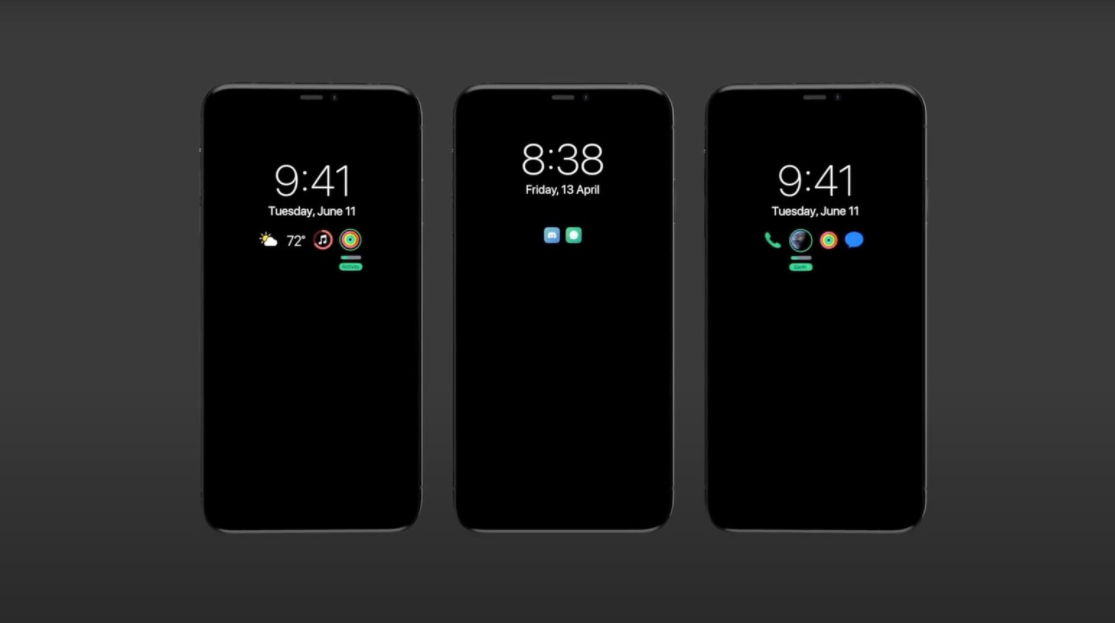
The hype surrounding Apple’s next iPhone lineup has been slowly gaining traction in the passing months. According to a new leak from EverythingApplePro and Max Weinbach, Apple will finally bring Always-On Display functionality to its upcoming iPhone 13 series. The rumor suggests iPhone 13 units will use Samsung’s 120Hz LTPO (low-temperature polycrystalline oxide) displays and users will be able to have their battery percentage and time on display at all times.
There’s also talk of notifications appearing on the AOD by lighting up just a small portion of the screen. The new leak also mentions iPhone 13 will bring stronger MagSafe magnets preventing compatible accessories from unclipping. In addition to the previous camera leaks, there’s talk of an automatic Astro-photography mode which will switch on when it detects stars or other space objects in the sky.
Apple’s AirTags were also mentioned to launch in March of April and the Apple Watch Series 7 will gain blood sugar tracking.
This year’s iPhone 13 lineup will include an always-on display with a 120hz refresh rate, improved camera capabilities for astrophotography, stronger MagSafe magnets, and a finer matte finish on the back, according to leaker Max Weinbach
Always-on displays are typical in most flagship Android smartphones, and it allows users to see information on their screen at all times, without having to power on or unlock the device. Ever since the iPhone X, which was the first iPhone to feature an OLED display, many have speculated Apple will bring this feature to iPhone users.
OLED displays use less power than LCD displays, since each pixel is individually controlled, unlike LCD panels which use backlight and light up all pixels, even if it’s just to show a small piece of information on the screen. With OLED displays, Apple is able to only light up the pixels needed to show users the time, battery, or some form of indicator for app notifications, without using a significant amount of battery power.
Weinbach claims that the always-on display will look like a “toned down lockscreen,” where the clock and battery charge are always visible, and past notifications are shown through “a bar and icons.” When users receive a notification, the notification will “pop up normally except that the screen will not entirely light up.” Instead, “it will display it just like you’re used to right now, except dimmed down and only temporarily,” according to the leaker.
The leaker also “confirms” that a 120hz ProMotion refresh rate is happening on the 2021 Pro iPhone models, a feature that was widely rumored to appear on the iPhone 12. An always-on and ProMotion display would not require a change in physical design, and that yields to the fact that Weinbach reports there will be no change to the actual chassis on the iPhone 13 compared to the iPhone 12 lineup. The only possible hardware change will be a matte back with a “grippier, more comfortable” feeling, similar to the finishing on the back of the Google Pixel series.
Internally, MagSafe will be getting “considerably” stronger, according to the leak. The iPhone 12 features MagSafe on the back that allows users to magnetically attach different accessories and offers an alternative way to charge the device, however, the magnets have been criticized by some for being weak. Apple’s looking to alleviate those concerns by adding stronger magnets, although the addition is not expected to be the sole reason for a rumored increase in device thickness. As for the cameras, Weinbach reports that Apple is increasing its efforts in astrophotography.
Astrophotography, the photography of astronomy, typically requires complicated camera setups to proficiently capture the night times dark sky. The integration of the ability into the iPhone is expected to be seamless, with the leak claiming the iPhone will automatically switch to the mode when it registers a user pointing to the sky. The mode will allow the phone to detect different artifacts such as the moon and stars and adjusts settings such as exposure accordingly. Corroborating Apple analyst Ming-Chi Kuo, the leak says the ultra-wide camera across the entire lineup will be getting an improved sensor and lens.
The newest information from the leaks points towards the ability to take portrait videos on this year’s iPhone. Users have been able to take portrait photos since the launch of the iPhone 7 Plus, but it has remained entirely limited to photos. Portrait mode adds a depth feel to your photos, blurring the background and keeping the center subject fully in focus. With videos, the task becomes much harder since the subject is actively moving, making it harder to add a depth effect in real-time.
The new information joins an already long list of features we’re expecting for the 2021 iPhone. A Bloomberg report suggests that the biggest headlining feature of the lineup will be the reintroduction of Touch ID on the iPhone. According to that report, Apple is testing burying the Touch ID sensor below the display, allowing users to unlock their device if Face ID is deemed unusable, such as when you’re wearing a mask. Unlike the iPhone 12 which saw delays due to the COVID-19 pandemic, the iPhone 13 is expected to launch on time in September.
The iOS 14.5 developer and public beta includes a number of new features and changes, but one of the most exciting is the ability to unlock iPhone with your Apple Watch when Face ID detects you’re wearing a mask. Let’s look at how to install the iOS 14.5 beta as well as watchOS 7.4 beta to get access to this useful new feature and more.
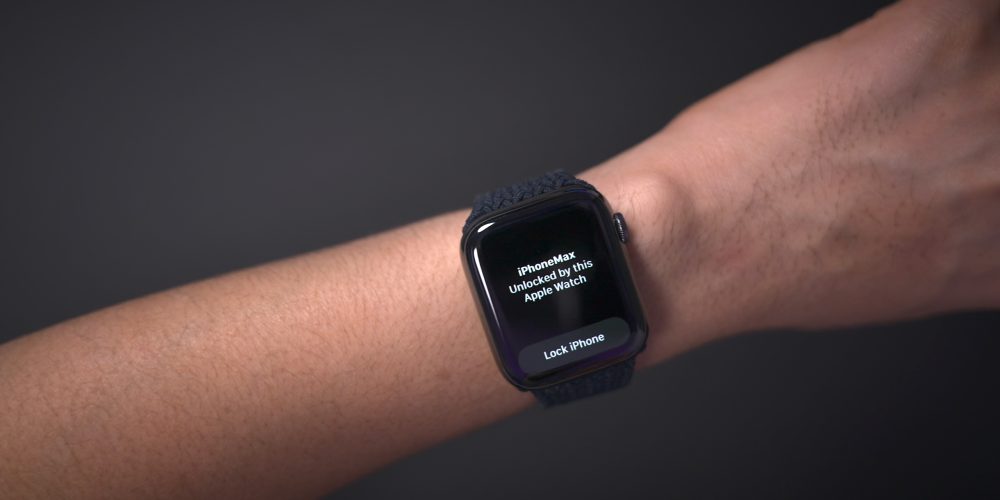
The new feature getting the most attention is the Unlock with Apple Watch feature for iPhone. It works by detecting when you’re wearing a face mask and using your watch to authenticate, letting you bypass your passcode.
How to install iOS 14.5 beta and watchOS 7.4 beta
Note: watchOS 7.4 beta required to use the new Unlock with Apple Watch for iPhone feature.
Upgrade to the iOS 14.5 public beta
Make sure you have a fresh backup for your iPhone (Apple recommends with your Mac)
Apple released iOS 14.5 beta 1 to developers, and as you’ve no doubt heard, it’s quite the update. Headlined by the ability to unlock your iPhone with Apple Watch while wearing a face mask, iOS 14.5 beta 1 brings forth a number of practical improvements and overall enhancements to iPhone. Watch our hands-on commentary as we discuss the top iOS 14.5 beta 1 changes and features.
What’s new in iOS 14.5 beta 1?
Updated Software Update screens
Both the Software Update page in the Settings app and the Watch app have received more informative details regarding updates. Apple now includes a green check mark to indicate that you’re on the latest version of software, along with a message stating that “Your iPhone is up to date with all of the latest bug fixes and security enhancements.” In addition, iOS 14.5 now displays a time stamp that shows the last time you successfully checked for an update.
Unlock with Apple Watch
As noted, the biggest feature to come to iOS 14.5 is support for Apple Watch Unlock when Face ID detects a face with a mask. Users must be wearing an unlocked Apple Watch protected by a passcode in order for the feature to work. When attempting to unlock your iPhone using Face ID while wearing a face mask, you’ll feel a vibration on your Apple Watch, along with a notification that your iPhone was unlocked successfully.
Horizontal boot screen iPad
When connected to the Magic Keyboard, iPadOS 14.5 will display the startup Apple logo in horizontal/landscape mode instead of the default portrait orientation. If you restart your iPad when disconnected from the Magic Keyboard, even if you’re holding the device in landscape mode, the startup screen will appear in portrait mode.
As a side note, iPadOS 14.5 now supports emoji search, which iPhone users have been enjoying since iOS 14’s release, but has been inexplicably missing on iPad up until now.
Cellular connectivity updates
One of the biggest changes found in iOS 14.5 is the ability to enable dual SIM functionality while maintaining 5G connectivity. In previous versions of iOS, enabling the iPhone 12’s dual SIM feature would cause cellular connectivity to fall back to standard LTE. With iOS 14.5, users have the option of keeping both connections active simultaneously while still enjoying the benefits of 5G.
In addition to 5G dual SIM support, iOS 14.5 surfaces a new 5G Standalone cellular switch in system settings. Initial 5G implementations piggybacked on existing LTE networks to speed up adoption of 5G, but this method imposes propagation limits based on the LTE limitations. With Standalone (or SA) 5G, the limits of LTE are no longer in play. Keep in mind that your carrier will need to support 5G SA, and Apple warns that enabling SA at this early stage may cause degraded performance.
Apple Music updates
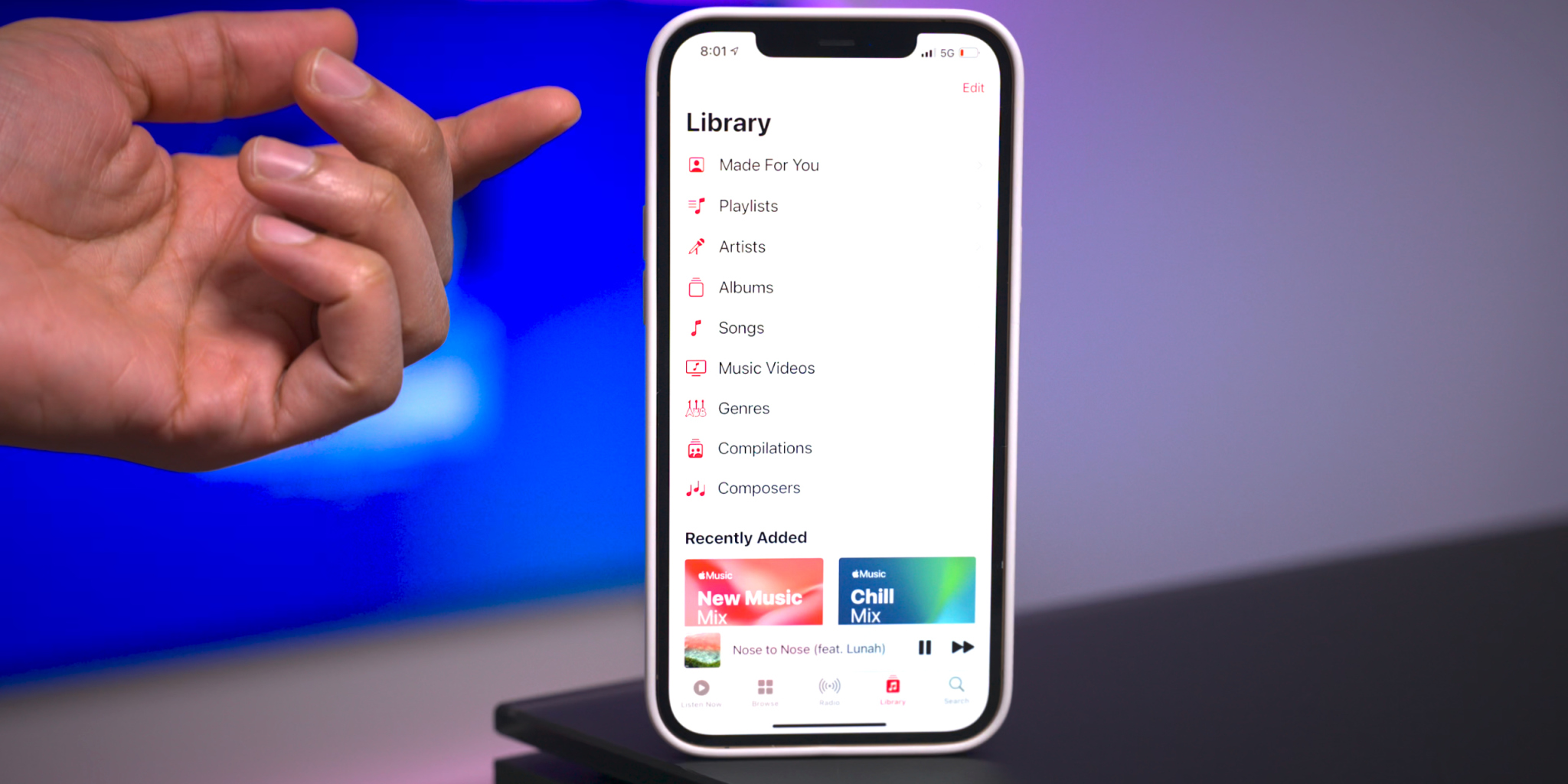
Apple Music gets some noteworthy updates in iOS 14.5, headlined by a new “Made For You” section under the Library tab. Made For You houses all of the algorithmic-curated music suggestions that are normally found within playlists like Favorites Mix, Chill Mix, and New Music Mix within the Listen Now tab.
Another handy feature found in iOS 14.5 is the inclusion of release dates for all music content featured on Apple Music. Prior versions of iOS would showcase release info, but in this latest beta version of iOS, users are treated with the exact release month, day, and year.
Users will also be happy to know that the scrolling metadata view on the Now Playing Lock Screen interface has now returned. This is a big improvement over the truncated metadata view that’s been around in the last few versions.
Reminders app enhancements
It’s crazy that we’ve not been able to sort Reminders based on parameters like modification date or title up until now, but at least we finally receive such features in iOS 14.5. Users can still sort reminder lists manually, but now there are several metadata sorting options, along with ascending and descending preferences.
The ability to directly print a reminders list joins the updated sorting options, allowing users to quickly send a list to a configured AirPrint printer.
Updated Podcast app
The stock Podcasts app gets lots of subtle changes and enhancements alongside a bigger update to the look and feel of the official show page for each podcast. New enhancements include a full-bleed header with color-matched backgrounds and a refreshed Library page with new glyphs.
Apple Fitness+ Workouts AirPlay 2 support
AirPlay 2 compatibility comes to Apple Fitness+ workouts, allowing users to stream workouts directly to an AirPlay 2-compatible set-top box or television. The problem with this method, as opposed to just playing on an Apple TV or iPad, is that you lose on-screen metric support. But that might not be a huge deal since metric details remain readily available on your Apple Watch.
Maps app redesigned guides
Apple has redesigned the Guides feature on the Maps app, which now includes a full-bleed header, redesigned buttons, and beautiful animations when minimizing and maximizing each guide.
PS5 / Xbox Series X controller support
Support for next-generation console controllers, including the Playstation 5 Dual Sense controller and the Xbox Series X controller, is now available in 14.5. Next-gen controller support is a welcome new addition for controller-compatible Apple Arcade games, and for taking advantage of console-centric remote play features.
Dedicated Search tab in News app
Similar to the Search tab in the Music app and TV app, the News app gains a dedicated search interface for quickly finding channels, topics, or stories.
Siri interface updates
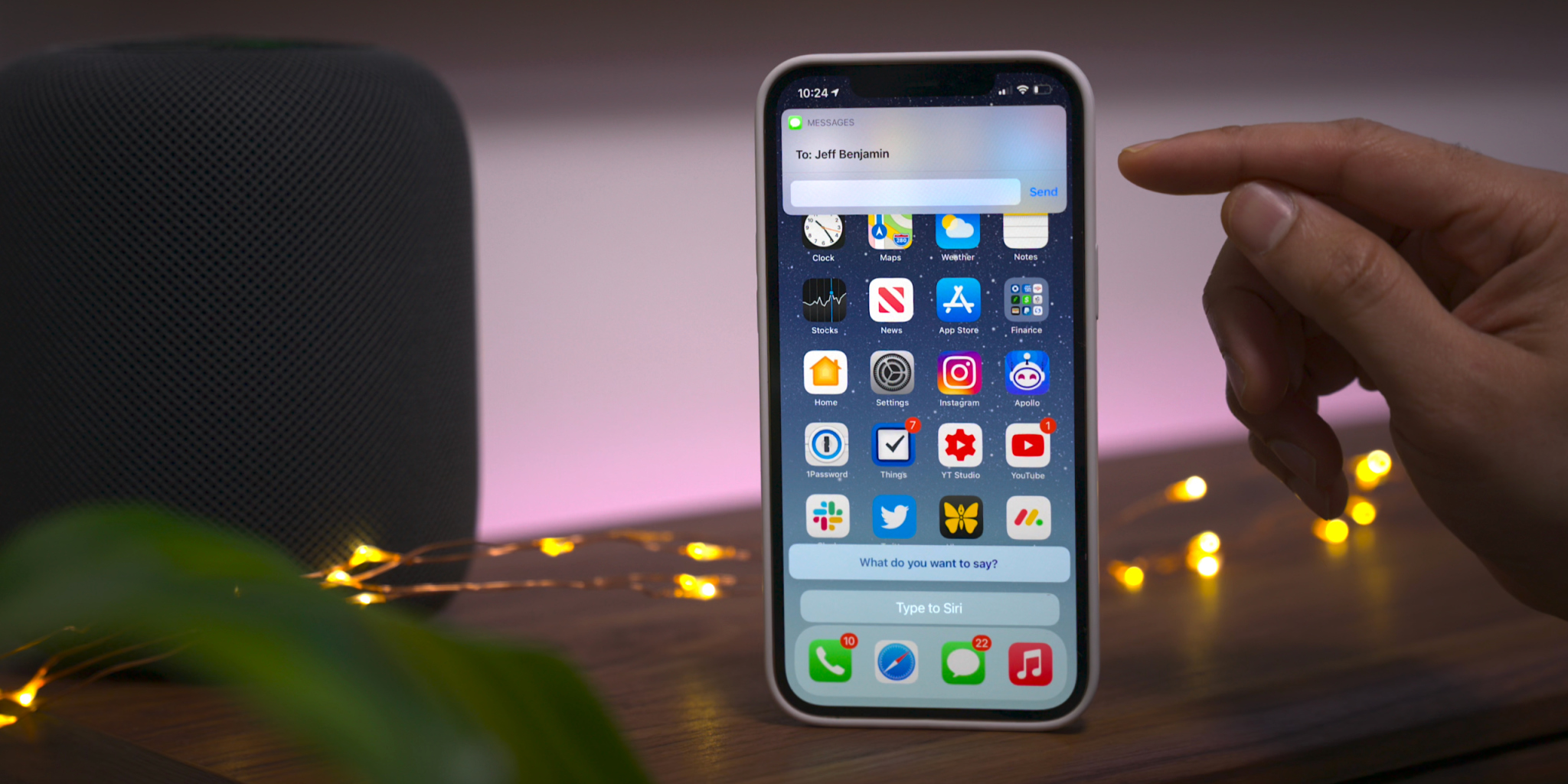
Those using the Type to Siri accessibility option will notice an updated interface that no longer opens to a dedicated Siri screen, allowing the user to maintain context of their current position in iOS. This update is similar to the changes first implemented in iOS 14 when invoking Siri using voice. You’ll also find an updated interface that appears when sending iMessages via Siri.
Apple Card updates
Although these updates are not-yet user facing, we’ve also highlighted a couple of forthcoming changes related to Apple Card:
Apple Card Family feature for multi-user accounts
New financial health features coming to the Wallet app
It’s been two years since we unveiled the list of Apple devices that will receive the next major update. After iOS 13 and then iOS 14, it’s time to talk about iOS 15. On which iPhone, iPod or iPad can we install iOS 15 and iPadOS 15?
If iOS 14 had rolled over the same iPhones and iPads as iOS 13 (like iOS 12 and iOS 11), Apple is expected to remove five models this year, split between smartphones and tablets. Here is a first list of Apple devices that will host iOS 15 beta next June, gleaned once again from our developer friend at Apple and who works in particular on the Plans app. Obviously, needless to say that the iPhone 13 will be delivered directly with iOS 15 and an A15 chip. But for the others, there will be unhappy customers because Apple will have to part with certain models in order to facilitate the deployment of new products and to better unify its fleet.
French publication iPhoneSoft says that the information is coming from within Apple (via Apple Translate):
Here is a first list of apple devices that will host iOS 15 beta next June, once again gleaned from our developer friend at Apple and who notably officiates on the Plans app.
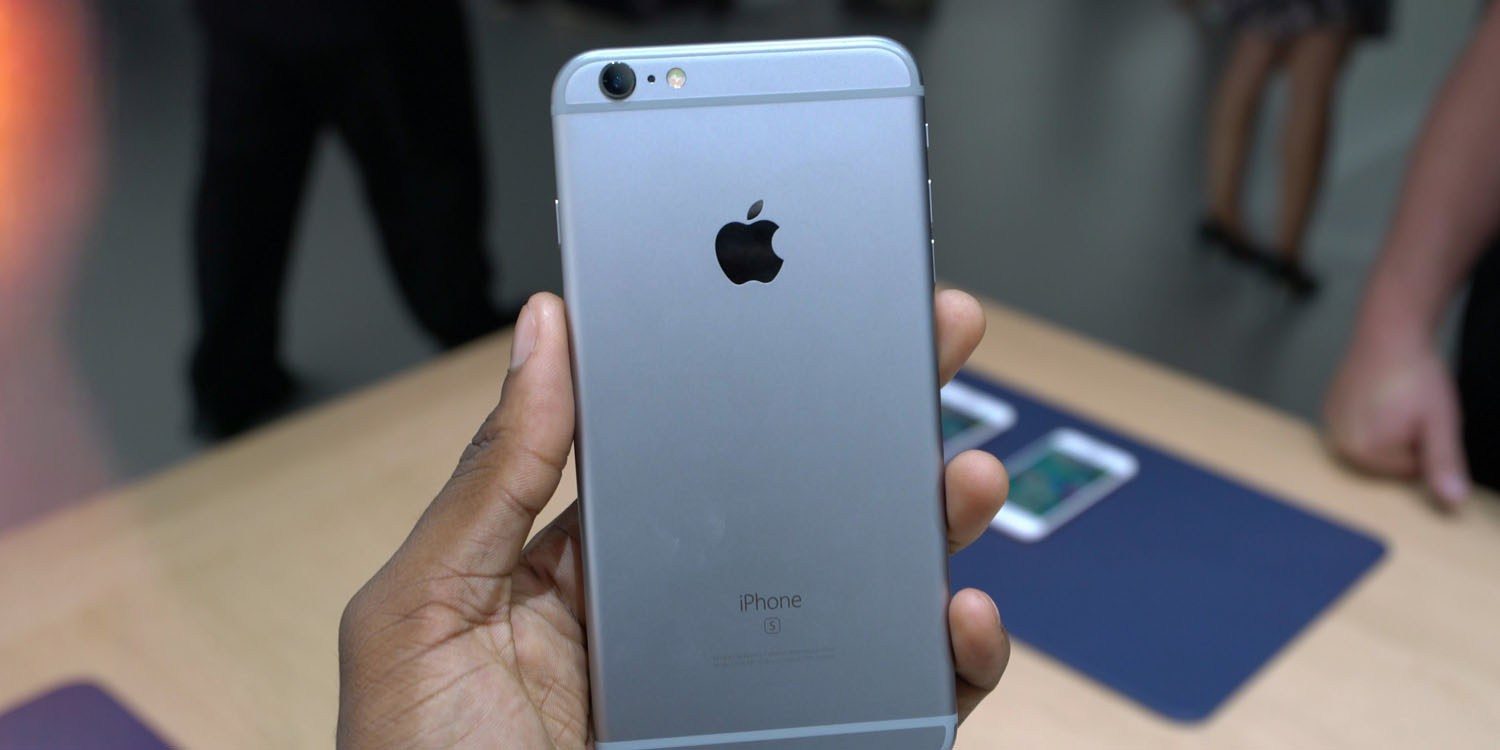
The iPhone 6s and iPhone 6s Plus were originally introduced in September of 2015, followed by the iPhone SE in March of 2016. The devices were incredibly popular and have received over four years of software updates from Apple.
With the iPhone 12 mini and the second-generation iPhone SE, Apple now sells two modern devices that match the form factor of the iPhone 6s design. The second-generation iPhone SE is actually nearly identical to the iPhone 6s in terms of design, but with the modern A13 processor inside. The iPhone 12 mini is physically smaller, but offers a bigger display because of its edge-to-edge design, alongside the A14 processor and an improved camera system.
Not compatible with iOS 15:
iPhone 6s an 6s Plus
iPhone SE 2016
That lines up with the report we saw last November from The Verifier. But going beyond that information, iPhoneSoft says that iOS 15 will also “probably not be available” on:
iPad mini 4
iPad Air 2
iPad 5
Here’s a look at what devices could work with the iOS/iPadOS 15.
Facebook continues to panic about upcoming privacy changes in iOS 14. The company has sent a new email to businesses today informing them that it has no choice but to comply with the iOS 14 App Tracking Transparency feature. Otherwise, Apple could remove Facebook from the App Store completely.
As first reported by iMore, Facebook has sent another round of emails to businesses informing them that while it disagrees with Apple’s planned changes, it has no choice but to follow them. Facebook says that the App Tracking Transparency feature, which requires apps to obtain consent from users before tracking them across other websites and apps, will have “hard-hitting implications across targeting, optimization, and measuring campaign effectiveness.”
The company also says that it believes “personalized ads and user privacy can coexist,” which is also a claim Apple has made. The two companies clearly have different versions of what constitutes “user privacy,” though.
Apple’s requirement that all apps in the App Store show a prompt to iOS 14 users in accordance with their AppTrackingTransparency framework will have hard-hitting implications across targeting, optimization, and measuring campaign effectiveness for businesses that advertise on mobile devices and across the web. Apple’s changes will benefit them, while hurting the industry and the ability for businesses of all sizes to market themselves efficiently and grow through personalized advertising. We believe that personalized ads and user privacy can coexist.
Also in the email, Facebook tells businesses that it has “no choice” but to show the prompt seen at the top of this story. Otherwise, Facebook tells businesses that it believes Apple could block Facebook and its other apps from the App Store completely.
Facebook told businesses that whilst it disagrees with Apple’s solution, it has ‘no choice’ but to show the opt-in prompt and to continue using Apple’s device identifier for advertising. The company states that it believes Apple could block Facebook and its other apps from the App Store if it doesn’t comply, bringing ‘further harm to the businesses and users that rely on our services.’
Finally, Facebook says that if users do opt out of tracking, there could be a reduction in “ad effectiveness and limitations on measurements.”
This is not the first time Facebook has warned businesses about the potential impact of the new iOS 14 App Tracking Transparency feature. Last month, Facebook was warning users about the impacts on marketing efforts. Facebook also took out a full-page ad in US newspapers to slam Apple’s changes.
The ads claim that Facebook is standing up to the iPhone maker on behalf of small businesses …
Facebook has published a blog post with more details. It also says it will back Epic Games in its ongoing legal battle over the App Store.
Facebook Inc. attacked Apple Inc. in a series of full-page newspaper ads Wednesday, claiming the iPhone maker’s anticipated mobile software changes around data gathering and targeted advertising are bad for small businesses.
The ads, slated to run in the New York Times, Wall Street Journal and Washington Post, carry the headline “We’re standing up to Apple for small businesses everywhere.” They home in on upcoming changes to Apple’s iOS 14 operating system that will curb the ability of companies like Facebook to gather data about mobile users and ply them with advertising.
The attack relates to the fact that iOS will next year force apps to ask for permission if they want to use ad-tracking. It’s expected that most users will refuse, which will mean apps won’t be able to easily offer personalized ads. Ads reflecting user interests earn more money for app developers than generic ads.
The change will significantly impact Facebook, as the ads it carries in the app will be worth less. The social network claims, however, that it doesn’t have its own interests in mind: it is instead standing up for small businesses.
The ad reads:
We’re standing up to Apple for small businesses everywhere
At Facebook, small business is at the core of our business. More than 10 million businesses use our advertising tools each month to find new customers, hire employees and engage with their communities.
Many in the small business community have shared concerns about Apple’s forced software update, which will limit businesses’ ability to run personalized ads and reach their customers effectively.
Forty-four percent of small to medium businesses started or increased their usage of personalized ads on social media during the pandemic, according to a new Deloitte study. Without personalized ads, Facebook data shows that the average small business advertiser stands to see a cut of over 60% in their sales for every dollar they spend.
While limiting how personalized ads can be used does impact larger companies like us, these changes will be devastating to small businesses, adding to the many challenges they face right now.
Small businesses deserve to be heard. We hear your concerns, and we stand with you. Join us at fb.com/SpeakUpForSmall
This is an unconvincing tack the company has taken before. Back in October, CEO Mark Zuckerberg made the claim while warning investors of the likely hit to its own ad revenues.
Facebook CEO Mark Zuckerberg took aim at Apple on Thursday over its plans to limit advertisers’ ability to track iPhone users, suggesting the proposed changes could hurt small businesses and, by extention, the broader economy.
During Facebook’s quarterly earnings call, Zuckerberg told investors that “actions planned by platform companies like Apple could have a meaningful negative effect on small businesses and economic recovery in 2021 and beyond” […]
Zuckerberg argued that “personalized advertising is helping small businesses find customers, grow their businesses and create jobs,” and that measures to limit targeted ads, such as those by Apple and lawmakers in the European Union, would hurt those businesses’ ability to reach customers.
It follows the company yesterday taking a swipe at Apple in a statement to Reuters about planned European legislation known as the Digital Markets Act (DMA), which would force Apple to offer a more level playing field between its own apps and third-party ones.
“We hope the DMA will also set boundaries for Apple,” a Facebook spokesman said. “Apple controls an entire ecosystem from device to app store and apps, and uses this power to harm developers and consumers, as well as large platforms like Facebook,” he said.
Some are suggesting that Facebook is trying to divert attention from its continuing privacy woes over its spyware app pitched as a free VPN service. Reuters reports that Australia plans to fine Facebook over the app.
Sources close to Apple tell us the company is not opposed to ad-tracking, but simply wants it to be transparent to users.
The App Tracking Transparency feature will roll out sometime in early 2021. Apple had originally hoped to launch it with iOS 14 in September, but it ended up delaying the feature to give developers more time to prepare.
a coalition of eight civil and human rights organizations penned an open letter to Apple CEO Tim Cook regarding the company’s decision to delay the release of the new App Tracking Transparency feature in iOS 14.
Apple has now responded to that letter, doubling down on its privacy practices and offering more color on the decision to delay the App Tracking Transparency feature in the first place.
In a letter sent to the Ranking Digital Rights organization, Apple’s Jane Horvath, senior director of global privacy, reiterated that the company believes that “privacy is a fundamental human right.” Horvath explains that Apple delayed the App Tracking Transparency (ATT) feature in an effort to give developers more time to prepare for the changes.
The letter also confirms that the App Tracking Transparency feature, which is designed to allow users to disable tracking between different applications, is still coming next year. Once in effect, developers will also be required to ask for permission before tracking a user across apps or websites.
“We delayed the release of ATT to early next year to give developers the time they indicated they needed to properly update their systems and data practices, but we remain fully committed to ATT and to our expansive approach to privacy protections. We developed ATT for a single reason: because we share your concerns about users being tracked without their consent and the bundling and reselling of data by advertising networks and data brokers.”
Horvath goes on to emphasize that App Tracking Transparency features don’t prevent advertising, but rather encourages advertising that respects privacy:
“Advertising that respects privacy is not only possible, it was the standard until the growth of the Internet. Some companies that would prefer ATT is never implemented have said that this policy uniquely burdens small businesses by restricting advertising options, but in fact, the current data arms race primarily benefits big businesses with big data sets. Privacy-focused ad networks were the universal standard in advertising before the practice of unfettered data collection began over the last decade or so. Our hope is that increasing user demands for privacy and security, as well as changes like ATT, will make these privacy-forward advertising standards robust once more.”
Furthermore, Horvath has sharp criticism for Facebook, saying that the social network has “made clear” that its intent is to “collect as much data as possible” on its users:
“By contrast, Facebook and others have a very different approach to targeting. Not only do they allow the grouping of users into smaller segments, they use detailed data about online browsing activity to target ads. Facebook executives have made clear their intent is to collect as much data as possible across both first and third party products to develop and monetize detailed profiles of their users, and this disregard for user privacy continues to expand to include more of their products.”
On the flip side, Facebook has criticized the App Tracking Transparency feature and said it could cause ad revenue to drop as much as 40%. Facebook has reportedly met with advertising partners to discuss the impact the change will have on advertising when users have the ability to easily opt-out of cross-platform tracking.
Apple emphasizes again today that advertising that protects user privacy is possible. For example, Apple gives users the ability to disable ad personalization based on first-party data in the Settings app. For users with Personalized Ads enabled, Apple groups together users with similar characteristics, which ensures that a campaign can’t identify a given user.
Once available in 2021, the App Tracking Transparency feature will be accessible by opening the Settings app, then looking for the Privacy menu, and looking for the Tracking section. Apple also says that its new “nutrition labels” for app privacy will be required in the App Store starting on December 8.