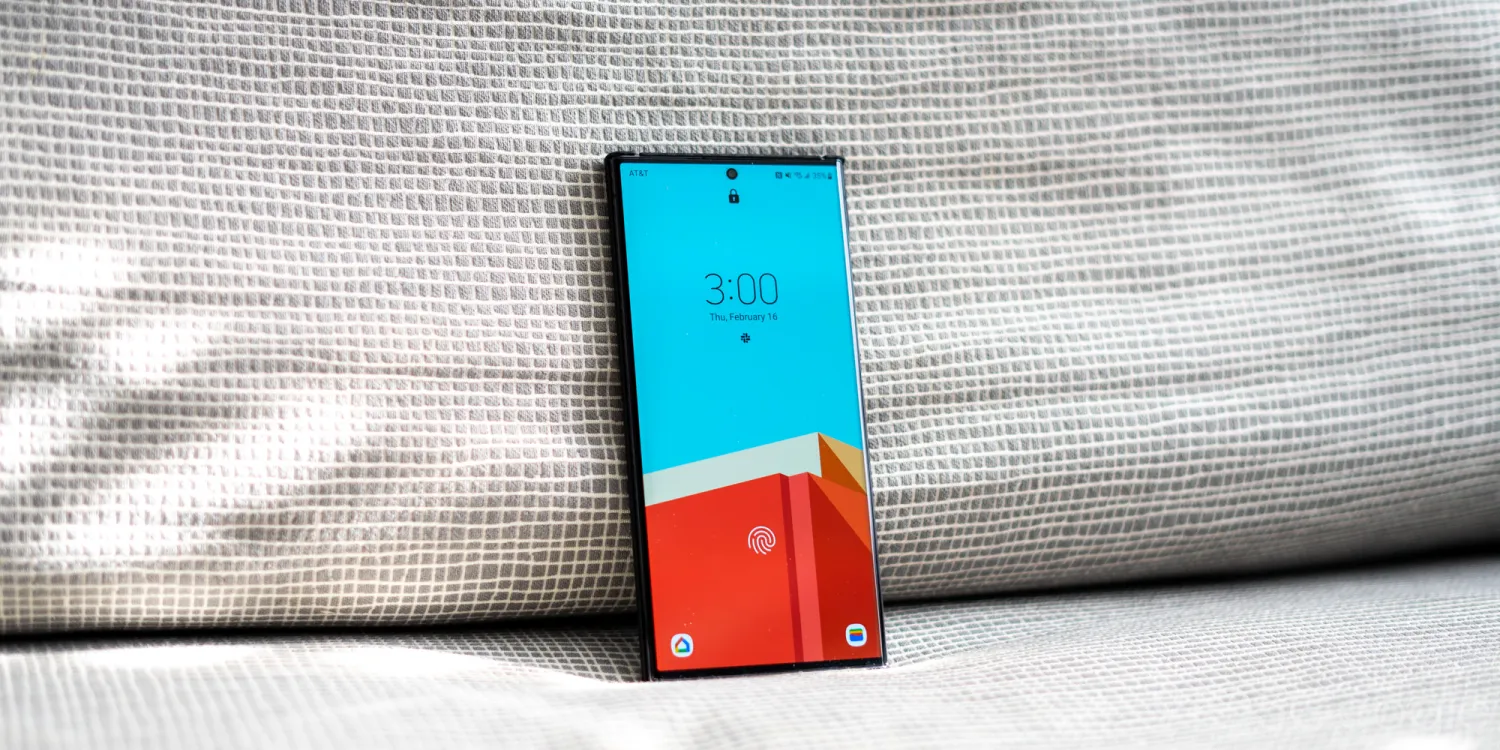
The Galaxy S23 is getting its fifth One UI 6 beta update, which could only mean One UI 6 based on Android 14 is getting closer to public release.
After a rocky start, the Galaxy S23 and a few other devices have been included in the One UI 6 beta program. So far, it’s gone through five different versions of the OS, each addressing bugs and issues common to beta versions and including new features.
Now, Samsung is releasing version 5 of the One UI 6 beta, and the Galaxy S23 is the first to see it (via SamMobile). This variant ends ZWIK and is being pushed to the Galaxy S23, S23+, and S23 Ultra – Samsung’s flagship devices.
This version of One UI 6 seems to have one purpose – fix issues introduced in previous versions. While other versions included new features, One UI 6 beta 5 only mentions hotfixes.
Bugs that have been fixed
Fixed the problem of not being able to record during a call
Fixed no touch at the bottom of the screen or ghost touch issue
Fixed the issues of stuck after entering camera, forced termination, and not being able to take pictures
Fixed the problem of not being able to use Motion Photo
Fixed infinite rebooting problem when entering Maintenance Mode
Many other improvements
Some of these fixes address experience-ending issues, like not being able to register touch input at the bottom of the screen. Another urgent fix takes on the infinite boot loop some have experienced in Maintenance Mode. The changelog seems to infer that this version brings a much more stable version of One UI 6, as the “Many other improvements” entry suggests.
This version of the One UI 6 beta was first spotted in the UK but is likely going to expand to other regions in a very short amount of time. You can keep an eye out in the Samsung Members app. A One UI 6 beta card should appear at the top if your device is eligible.
Galaxy A53 sees first One UI 6 update
As the Galaxy S23 lineup is seeing its fifth iteration of One UI 6, the Galaxy A53 is finally getting its first. We’ve seen One UI 6 make its way to the Galaxy A54 and A34, but doubling down on budget device betas with a previous generation is a great move from Samsung.
This year the company started prioritizing not only its flagship lineup but budget models as well, which make up a huge portion of the market. By requesting feedback from beta versions on these devices, it’s likely Samsung is able to round out the experience a little better for all users.
The Galaxy A53 should see the new update in the Samsung Members app under the version number A536EXXU7ZWIA.
As part of the September 2023 Google System Updates, Android is set to gain better support for using a PIN with the FIDO2 security standard, among other improvements.
While most of the flashier changes for our smartphones often arrive as part of annual Android OS updates or quarterly QPRs or Feature Drops, Google is constantly rolling out improvements and new features through the Play Store. These range from “Play System updates” that affect core OS components to updates for apps like Play Services, the Play Store, and more. The company collectively refers to these as the “Google System.”
Each month, Google publishes (and gradually extends) a list of changes included in that month’s updates. We’ll do our best to keep an eye on these changes and explain the most important ones here. So be sure to check back throughout September.
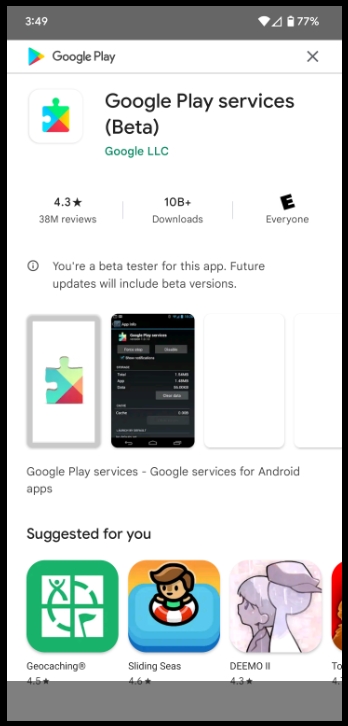
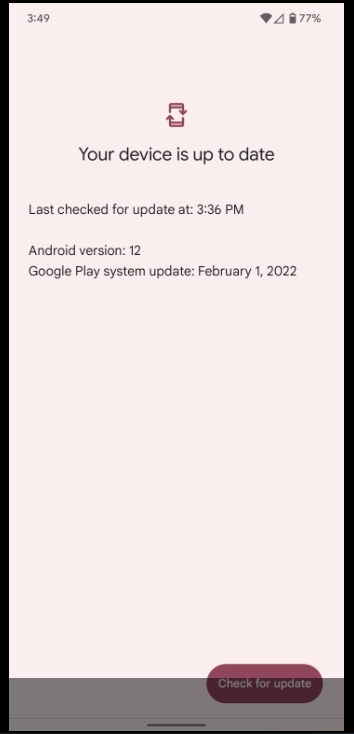
The easiest way to check whether you need to update Google Play Services on your phone is to follow a direct link to the app’s Play Store listing and update from there, if available. To update the Play Store, tap your avatar in the corner, then “Settings.” Under the “About” section, you’ll see an option to “Update Play Store.” Meanwhile, Google Play system updates can be found through the Settings app, under About phone > Android version > Google Play system update.
Updating Google Play Services
In the first wave of updates for September 2023, Google has shared that Android’s support for the FIDO2 security standard is getting updated this month. While FIDO2 (often taking the form of a Titan/Yubikey security key) was originally most commonly used for two-factor authentication alongside a password, the tech industry’s recent push for “passkeys” (passwordless login) has made FIDO2 far more prevalent.
With that increased usage comes a need for increased security, and one such solution is to add a PIN to protect your passkey against theft. In the coming weeks, Android is set to support this “Pin Protocol,” but it’s unclear what precisely this will mean.
One explanation is that Android will natively support entering the necessary PIN for a connected FIDO2 security key. Alternatively, since Android 7+ phones can themselves serve as a FIDO2 key, it’s possible this means you’ll be able to add an extra layer of security by requiring a PIN. We’ll likely learn more once Google Play Services version 23.35 rolls out.
Meanwhile, in the same update, Google Wallet is set to gain some minor improvements, including “new email preference settings.” Google Wallet users in Japan should also soon notice a “better card management” experience.
On the Play Store side of things, Google is introducing “a new settings page” that simplifies “survey choices.”
Google Play Store
[Phone] A new settings page makes it simpler for you to manage your survey choices and preferences.
Security & Privacy
[Phone] Adding Pin Protocol support for Fido2 on Android Platform.
Wallet
[Phone] New email preference settings in Wallet.
[Phone] This feature enables better card management in Japan.
System Management
[Auto, PC, Phone, TV, Wear] Updates to system management services that improve Network Usage and Privacy.
[Phone] Changed terms of service for auto updates in setup screen.
Instead of the stable release of Android 14 for Pixel phones, as well as the Fold and Tablet, we got a series of Google app updates and updated branding this morning. While unexpected, this isn’t Google’s latest OS release just yet.
With Beta 5 at the start of last month, Android 14 looked on track for a stable launch as soon as mid-August, which would have mirrored Android 13’s August 15th rollout. At the time, Google said the “official release” was “only weeks away.” Beta 5 was followed by 5.1 and 5.2, with no other release this cycle seeing a second patch. While Beta 5 was the “last scheduled update in our Android 14 beta program,” Google doesn’t consider patches to be scheduled, so there’s nothing unexpected about those bug fixers.
With no launch in August, the next window shifted to September 5th (since the first Monday of the month is a holiday in the US). Considering that window has now also passed, let’s look at the recent history of Android launches:
The latest launch in recent memory is Android 12, which had an AOSP release in early October followed by an October 19 Pixel launch tied to the Pixel 6 and 6 Pro announcement. However, in the case of Android 12, the last beta milestone (5) came a month before (in September). Before that, Google has launched in August or September since 2016.
The fact we don’t have a stable yet is complicated by the fact that Android 14 does not seem to be a major release from a visual or new features perceptive. Given the Material You redesign, it made sense why Android 12 took so long.
Android 14’s stage presence during the I/O 2023 keynote in May was unusually limited. We’ve been beta testing lockscreen clock and customization shortcuts for some time now, while generative AI wallpapers hardly seem like a showstopper (and are something I’d expect to debut first on the Pixel 8 anyway before coming to older phones with the December 2023 Feature Drop).
Speaking of Pixel Feature Drops, there clearly wasn’t one today. There also wasn’t one in September of 2021 or 2022, with Google waiting until December both years.
For those waiting, Android 14 Beta 5.2 is quite stable on the Pixel 7 series, Tablet, and Fold. I’ve been using it as my daily driver for several weeks now without issues, thus adding to the intrigue of why it isn’t out yet.
It will be interesting to see whether there will be Android 13 or Android 14 Beta 5.3 with the September security patch at this point. Depending on how many bugs are addressed in the latter, that could signal how far away we are from a stable launch.
Google updates the Android brand with new logo and 3D robot
Following our previous report, Google is officially unveiling a new 3D logo for Android. The broad goal of this updated branding is to “help connect Android to Google,” and it follows the previous modernization in 2019.
Each time we overhaul our branding, we evaluate not only changing needs, but also future goals. We know people today want more choice and autonomy, and we want our brand to be reflective of Android: something that gives people the freedom to create on their terms. As an open platform, it’s important that both our technology and brand are an invitation for people to create, connect and do more with Google on Android devices.
Google says it drew “inspiration from Material design to complement the Google brand palette, as well as be adaptable.”
It starts by moving away from Android’s “longstanding lowercase stylization” to help elevate the logo and add “more weight to its appearance when placed next to Google’s logo” (as seen above in the top-left corner).
While we’ve added more curves and personality unique to Android, the new Android stylization more closely mirrors Google’s logo and creates balance between the two. We hope these small but significant updates to the Android typeface will better communicate the relationship between Android devices and the Google apps and services people already know.
The other big aspect is the Android robot, which, since 2019, has appeared alongside the wordmark. In going 3D, Google gave the bugdroid “more dimension, and a lot more character.” It can be depicted with different materials, colors, and even accessories.
As a visual signifier of our brand, we wanted the bugdroid to appear as dynamic as Android itself.
Google has also updated the full-body appearance to “ensure it can easily transition between digital and real-life environments, making it a versatile and reliable companion across channels, platforms and contexts.” The body is now a domed capsule instead of having a flat bottom and legs protruding from it. With the last branding update, it seemed that Google was moving away from this version.
The updated logo, 3D bugdroid, and brand identity will “appear on Android devices and in more places starting this year.”
Redesigned Assistant At a Glance widget rolling out to all Android phones
Android is rolling out its quarterly drop of new features today, with a redesign of the Assistant At a Glance widget being the highlight.
The current widget available on all Android phones was never updated when the fixed Pixel Launcher version was updated with Android 12. Now, it features a Material You redesign in which the weather is prominently shown in an M3 shape at the right, while text appears at the left. Two lines of text are supported, while a three-dot overflow menu provides additional options, as we previously enabled.
This At a Glance redesign is available for all Android 9+ devices and is rolling out starting today.
In terms of new app features, Google is rolling out the ability to ask questions – by voice or typing – about images with Lookout. Announced back in May, this uses a visual language model to describe images that do not have alt text. Lookout is also adding support for 11 new languages (including Japanese, Korean, and Chinese) for a total of 34.
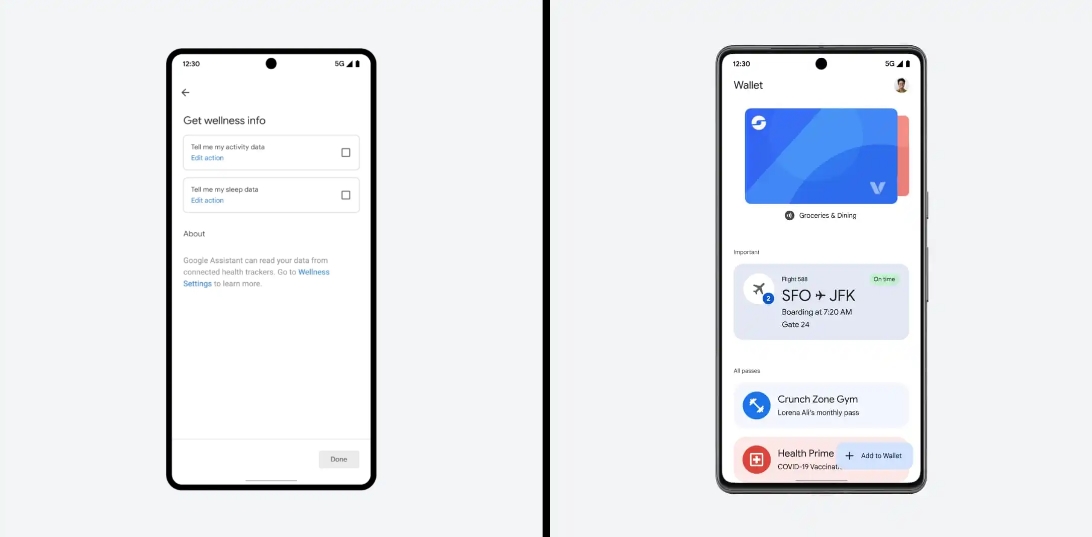
Google Wallet is also rolling out the previously announced ability to import/upload passes with QR codes or barcodes. This could be used with some library or gym cards, parking passes, and tickets.
You can add what time you slept and how many hours (from Google Fit or Fitbit) to your Google Assistant “Good morning” Routine.
Rounding out the app front are Android Auto apps from Zoom and Webex that will let users join conference calls (by audio) and browse meeting schedules. Google says all “active calls are managed through Android Auto,” with the ability to mute your microphone as needed.
OnePlus has today announced that it will launch OxygenOS 14, the brand’s skin on top of Android 14, on September 25.
OxygenOS 14 will be the second major update to OnePlus’ skin since the closer merger with Oppo that resulted in OxygenOS and ColorOS effectively becoming one and the same. This next update, OnePlus says, will be one of the first updates built on top of Android 14.
Google itself has yet to finalize Android 14, but is expected to do so and roll the update out to Pixel phones within the next week or two.
OnePlus says that its Android 14 update will have a big focus on performance, with the debut of the new “Trinity Engine” which is said to “[achieve] greater synergy between hardware and software” through CPU Vitalization, RAM Vitalization, ROM Vitalization, HyperBoost, HyperTouch, and HyperRendering. Marketing words aside, OnePlus says that should bring better power efficiency, multitasking, and an overall faster and smoother experience that is also longer lasting.
To bring this experience to life, OnePlus is introducing its brand-new proprietary performance platform, the Trinity Engine, to OxygenOS 14. By achieving greater synergy between hardware and software, the Trinity Engine unleashes the full potential of OnePlus handsets to address industry-wide challenges in pursing higher power consumption efficiency, better multi-tasking capability, and more enduring fast and smooth experience. Under the hood of the engine are six innovative technologies, including CPU Vitalization, RAM Vitalization, ROM Vitalization, HyperBoost, HyperTouch, and HyperRendering. When combined, these technologies guarantee a versatile fast and smooth experience in scenarios such as multi-tasking, intensive mobile gaming, and long-term usage.
OnePlus says that OxygenOS 14 will launch on September 25, but the brand doesn’t mention which device will get the update first – presumably, it’ll be the OnePlus 11. Other OnePlus devices likely, but not confirmed, to be updated include OnePlus 10 Pro, OnePlus 10T, recent Nord launches, and more. The OnePlus Open foldable, expected to debut in October, may also make its debut with the update.
Given the closely connected underlying work, expect Oppo to debut its Android 14 update around the same time.
OnePlus Open foldable has apparently been delayed for a display upgrade
OnePlus confirmed earlier this year that it would launch its first foldable smartphone in Q3 2023, but it seems that date will be slipping. According to a new report, the OnePlus Open will suffer a delay, but at least for a good reason.
Less than a week after the company confirmed the name of its first foldable in a cheeky teaser, the OnePlus Open appears to be getting hit with a delay. The news comes courtesy of Max Jambor, a reliable source for this sort of information. Jambor says that the Open’s launch has been delayed “a bit,” with no clear timeline on when it will actually be revealed.
OnePlus Open was expected to see its debut in late August.
Why the delay? Jambor claims that OnePlus made a late switch to a key component, the display. The Open was originally set to use a display panel from BOE, a Chinese display maker who has provided displays for devices such as the 2019 Motorola Razr and Huawei’s more recent Mate X3. OnePlus apparently ran into some issues with the BOE panels and is moving to panels provided by Samsung.
In theory, this should be an upgrade. Samsung panels are used pretty widely in foldables right now, with the company providing displays for the Google Pixel Fold, Motorola Razr+, and of course the Galaxy Z Flip 5 and Fold 5 which are on pre-order now.
Will it be worth the wait? That’s harder to know, but past leaks certainly have the OnePlus Open looking like a compelling foldable.
We’ve reached out to OnePlus for an official statement on the alleged delay, but the company wasn’t immediately available for comment. We’ll follow up when/if we hear back.
Open Launch got pushed back a bit, but no worries the delay is actually good in a way
Open was supposed to have a BOE screen but turns out it was 👎🏼 – new panels are from Samsung ✅
Stay tuned for an exciting device! More to follow 🔜
OnePlus confirms the name of its foldable in cheeky teaser
Samsung is unveiling its latest batch of foldable smartphones this morning into a market that’s more packed than ever. And, just a few weeks from now, OnePlus is also set to unveil the “OnePlus Open,” its first foldable that the brand has just confirmed the name last July 26.
In a tweet last July 26, OnePlus takes advantage of Samsung’s imminent event to confirm the name of its foldable. The brand says that it “opens” when others “fold.” That confirms previous claims that the foldable will be called the “OnePlus Open.”
It’s a funny, if a little cringey, line, but it also puts OnePlus in a spot where it has to deliver, as it’s clearly implying that its foldable will be better than Samsung’s.
Of course, Samsung hasn’t really been pushing the boundaries with foldables lately. The Galaxy Z Fold 4 and Flip 4 were both very iterative upgrades, and aside from the Flip 5’s new cover display there’s really nothing major going on this year either. But you can check out our coverage of Samsung’s devices for more on that.
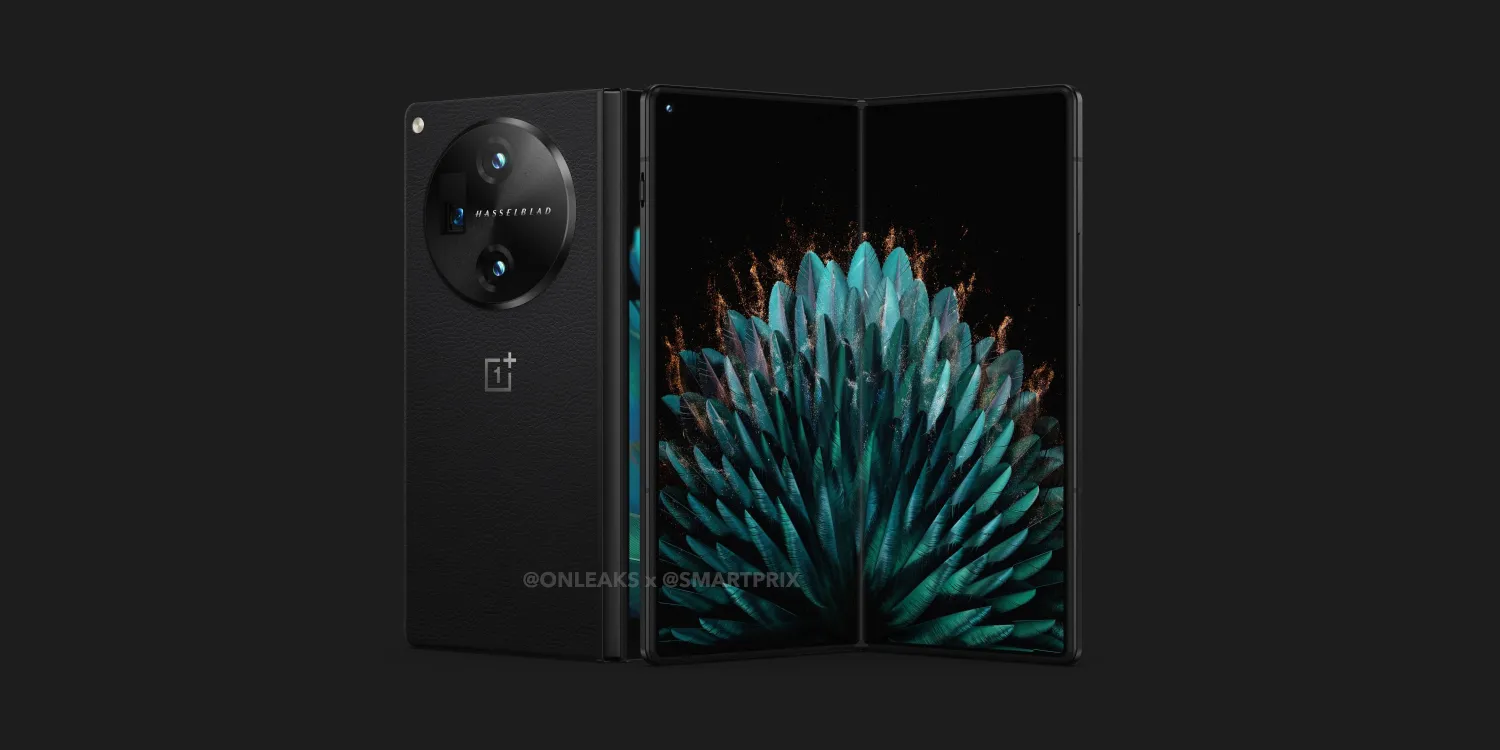
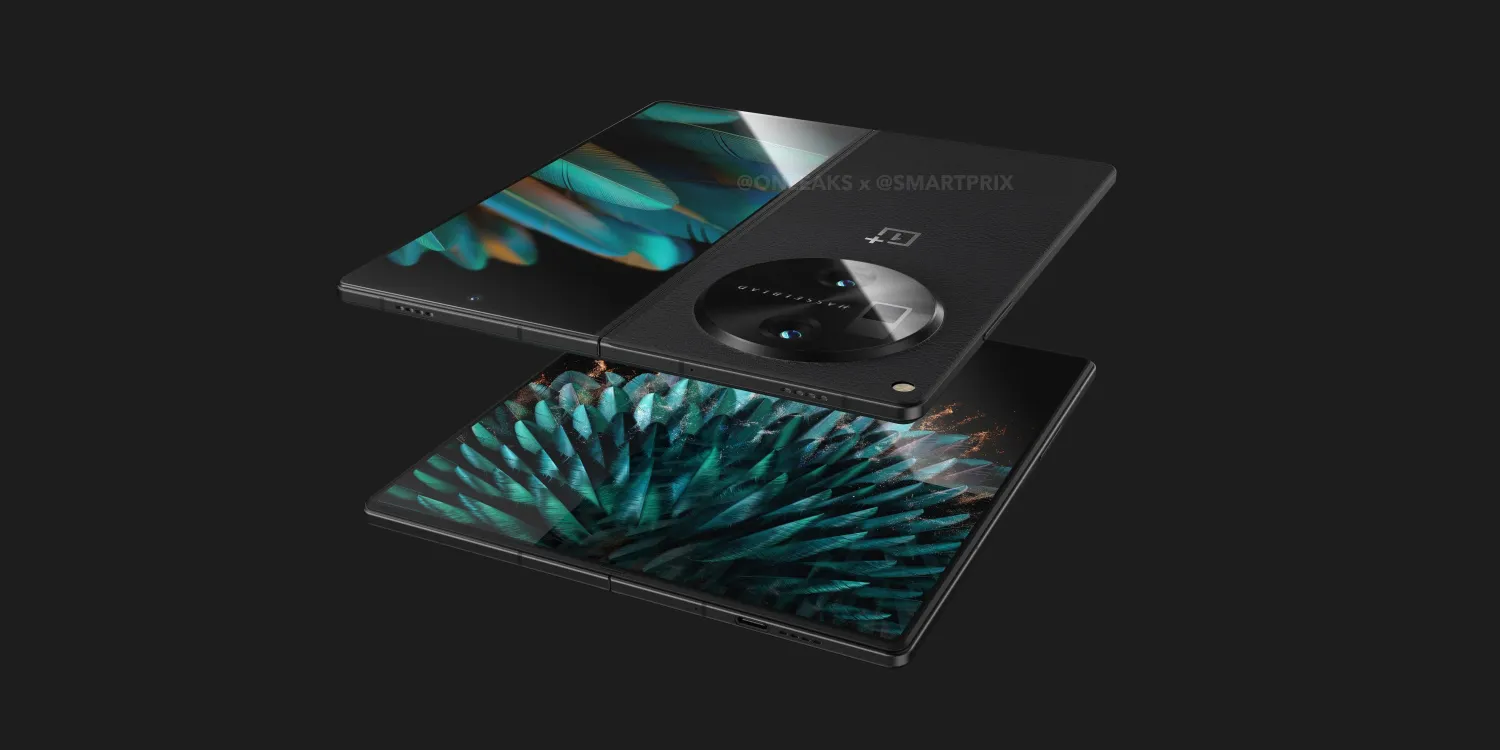
The OnePlus Open, meanwhile, is expected to be something quite impressive. Leaked specs include Snapdragon 8 Gen 2 and 16GB of RAM, a bigger 7.8-inch inner display, and a wider 6.3-inch outer display compared to Samsung’s foldables, as well as a big 4,800 mAh battery, 67W charging, and strong rear cameras too.
OnePlus Open is set to debut in late August but got delayed to October.
Update: Public beta versions of today’s software releases are available now.
It’s not just iPhone 15 event announcement day. Fresh iOS 17 betas are here as well. Apple has released iOS 17 beta 8 for developers.
Apple unveiled iOS 17 at its annual Worldwide Developers Conference on June 5, previewing new features coming to iPhone including StandBy, Live Voicemail, AirDrop updates, and much more.
iOS 17 has been available as a pre-release version since early June. Starting last month, Apple has expanded iOS 17 testing through its public beta program as well.
This year, Apple has made it possible to join the developer beta program without paying the annual $99 fee. The one difference between the developer and public beta now is how soon new builds become available.
Early versions of developer beta releases go out in plenty of time to make sure nothing critical breaks for public beta users. Closer to release, however, both versions typically become available at the same time.
We expect iOS 17 to be ready for primetime in a couple weeks. Apple should announce the official release date on September 12. In the meantime, follow our coverage to stay up-to-date on the latest.
Apple has also released watchOS 10 beta 8, tvOS 17 beta 8, HomePod (OS) 17 beta 8, and the third visionOS beta.
Google introduced support for an app taskbar along the bottom of the screen for big-screen Android devices not long ago, but the feature has already changed with time to only show part of the time. With Android 14, Google seems to be preparing a tweak to the taskbar that lets it appear constantly.
When the taskbar first debuted in Android 12L, it was designed effectively as a larger version of the existing navigation bar. Directly above that area, you’d get a list of apps that you could instantly switch between or open in multitasking. You could then hide the taskbar by long-pressing the navigation bar.
But, with Android 13, Google tweaked this to a “transient” design that hides the taskbar when it’s not actively being used. This is virtually identical to the iPad’s taskbar, which is probably why Google made the change. It works well enough, but it’s not as powerful for quickly switching between apps.
In Android 14, though, this may change. Android Police cites a flag in the latest Android 14 beta labeled “ENABLE_TASKBAR_PINNING.” Further context around the flag reveals that it will allow users to choose between the transient or persistent taskbar. The change can be made by long-pressing an empty space on the taskbar itself, as shown in the video below.
Notably, Samsung currently defaults to the “persistent” taskbar design with no transient option, but it will certainly be nice to have the choice.
Currently, this option isn’t available to end users, but there’s a good chance it may arrive before Android 14’s final release – there are still a couple more betas to go. The next release is expected pretty soon.
Samsung’s first Android 14 beta could launch in late July
Google is pushing along with Android 14 for Pixel phones, with the third beta out. But, soon, Samsung might join in on the fun, with a new report claiming the company’s first Android 14 beta could arrive in late July.
Samsung has been opening public beta programs for new Android versions for the past few years, with customers able to get in on the latest version of One UI a few months ahead of the formal launch. And, each year, it’s been happening earlier and earlier.
According to the folks over at SamMobile, we can expect the first Android 14 beta with One UI 6.0 from Samsung sometime next month. Specifically, the outlet claims, in the third week of July. That’d put the release sometime between July 17 and July 21.
That’s a couple of weeks ahead of last year, with the Android 13/One UI 5.0 beta from Samsung having opened on August 5, with an official announcement a day later. It was also just days ahead of the launch of the Galaxy Z Fold 4 and Flip 4. And, not so ironically, the same thing is happening this time around. The Galaxy Z Fold 5 and Flip 5 are confirmed to be coming at an event during the last week of July, apparently on July 27.
We still don’t know much about Samsung’s take on Android 14, but an app update teased new colors for the company’s version of Material You, and Samsung previously confirmed it was working with Google to improve how One UI handles background apps with this update. The update will likely be made available first to the Galaxy S23 series.
How to install the Android 14 Beta on Google Pixel
After a few early developer previews, the Android 14 Beta program has officially arrived. Here’s how to get Android 14 on your Google Pixel smartphone.
What Pixel devices can install the Android 14 Beta?
Android 14 will drop another set of Pixel smartphones out of active support, but several will still be eligible. The following Pixel smartphones will be eligible for the Android 14 Beta program.
Pixel 4a 5G
Pixel 5
Pixel 5a
Pixel 6
Pixel 6 Pro
Pixel 6a
Pixel 7
Pixel 7 Pro
What’s the latest Android 14 Beta build?
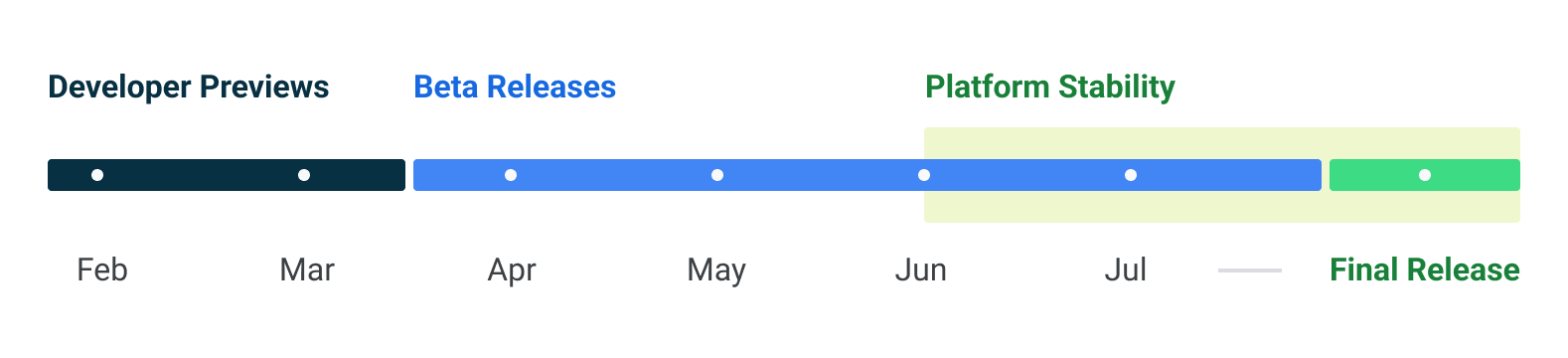
As of June 7, 2023, Google has just opened the third beta release of Android 14. Google has scheduled a total of five beta releases through May, June, and July, with the final release likely to arrive in August.
Beta 1 (April): Initial beta-quality release, over-the-air update to early adopters who enroll in Android Beta.
Beta 2 (May): Incremental Beta-quality release.
Beta 3 (June): First Platform Stability milestone, including final APIs and behaviors. Play publishing also opens.
Beta 4 (July): Near-final builds for final testing.
Beta 5 (July): Near-final builds for final testing.
Final release: Android 14 release to AOSP and ecosystem.
This adds one additional beta compared to Android 13’s release schedule, which only had four beta releases.
Notably, some users have noticed that the first two beta releases of Android 14 have been a bit more erratic compared to previous years. We’d certainly advise caution if you plan to try the beta on a daily device. As usual, proceed at your own risk.
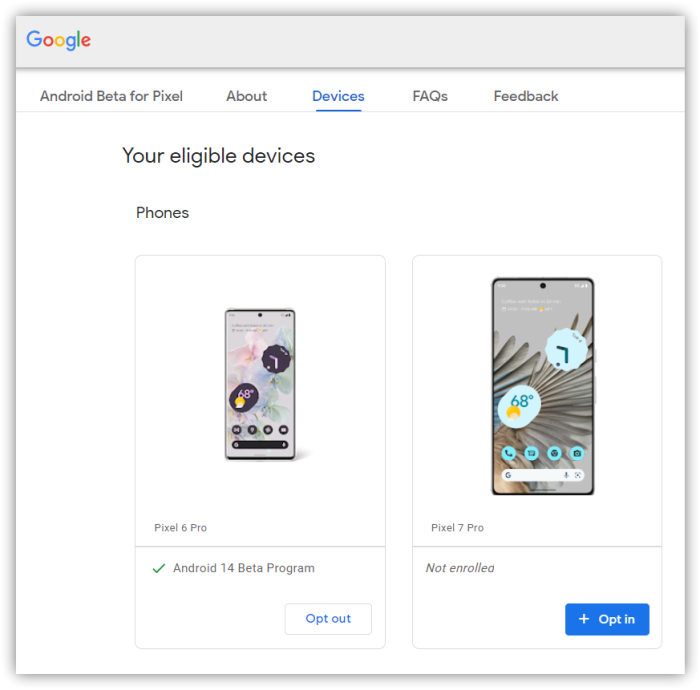
How to get Android 14 with the Android Beta Program
The easiest way to get Android 14 on your Google Pixel device today is through the Android Beta Program.
This automated program allows you to “opt-in” to Android beta updates and install them as you would a normal system update. There’s no computer or fancy tools required, and you can roll back to Android 13 any time you’d like by simply opting out.
Notably, for Beta 3, this is the easiest way to currently get in on the update. Google has not yet released files for sideloading (the process described below), but it has released the beta through the Android Beta Program. If you go into settings and manually check for updates, it should appear quickly.
How to sideload Android 14 Beta on Google Pixel
By far, the fastest way to get a new version of Android on your Pixel is to sideload it. It’s a relatively easy process, but you’ll need to get set up to do it. Here’s how.
Download the needed files.
Boot into Recovery mode.
Navigate to ADB sideload.
Connect the handset to a computer with ADB tools installed.
Enter the sideload command.
Reboot your phone.
1. Download Android 14 Beta files
To get started, you’ll first need to download the files needed to actually put the Android 14 Beta on your Pixel. There are two ways to do so. First, you can install a Factory Image, which wipes your phone and starts everything from scratch. Alternatively, and the way we’ll detail here, there’s an OTA file, which installs over your current version of Android without wiping your phone.
You can download the beta OTA file from Google’s Full OTA Image hosting site. That site contains OTA downloads for sideloading different updates, including the Android 14 Beta, on every Pixel and Nexus device, so you’ll need to scroll down to ensure you are downloading the file that associates with your device. OTA downloads are available here.
For the Android 14 Beta, only Pixel 4a 5G, Pixel 5a, Pixel 5, and Pixel 6/Pro are available.
You won’t be able to install it on the original Pixel/XL, Pixel 2/XL, Pixel 3/XL, Pixel 3a/XL, Pixel 4/XL, or Pixel 4a.
Note: This process (using OTA) won’t wipe your device, but it’s good practice to back up any irreplaceable data in case something goes wrong.
2. Boot into Recovery mode
Next, you’ll boot your Pixel into Recovery mode. To do this, fully power down your handset. Then hold down on the Power button and the Volume down button at the same time until you get to the Bootloader page. You will know you’re in the right place when you see an Android figure lying down on the screen.
Using your volume buttons, scroll down to Recovery mode. Select this by clicking the power button. Alternatively, if you’re already connected to a computer with ADB, you can use the reboot recovery command.
Now, you should see a smaller Android lying down with an exclamation mark over it. From here, press the Power button and the Volume up button for about a second to fully enter Recovery mode. Releasing the Volume up button will send you into Recovery.
3. Navigate to ADB sideload
Using the volume buttons, scroll down to Apply update from ADB and select it with the power button. This will launch a mostly blank screen with text near the bottom directing you on how to sideload an OTA, such as this one for the Android 12L Beta.
4. Connect the handset to a computer with ADB tools installed
This step is important as it’s the only way to transfer the downloaded OTA file to your handset. You’ll need to have ADB and Fastboot tools in a handy place. You can download ADB tools from the Android Developers website. You can also use the Universal ADB Drivers from ClockWorkMod, which can make the process a bit easier on Windows devices.
5. Enter the sideload command
As long as everything is in place, you can now sideload the OTA file. On Windows, ensure your Command Prompt is directed to the ADB tools folder and type in adb sideload. If you’re on macOS or Linux, do the same thing in Terminal (use “cd” and “ls” commands to make sure your Terminal is pointed at the right folder – Google it if you need help) but type in ./adb sideload. You’ll then need to insert the file name of the .zip folder you downloaded from Google and hit enter to start the process.
If everything is working properly, you should see some dialog on your computer and handset that shows the process of the sideload and installation process.
6. Reboot your phone
Once the OTA is done installing, you will be taken back to Recovery Mode. The last step to jump into the new update is to select the Reboot now option with your power button.
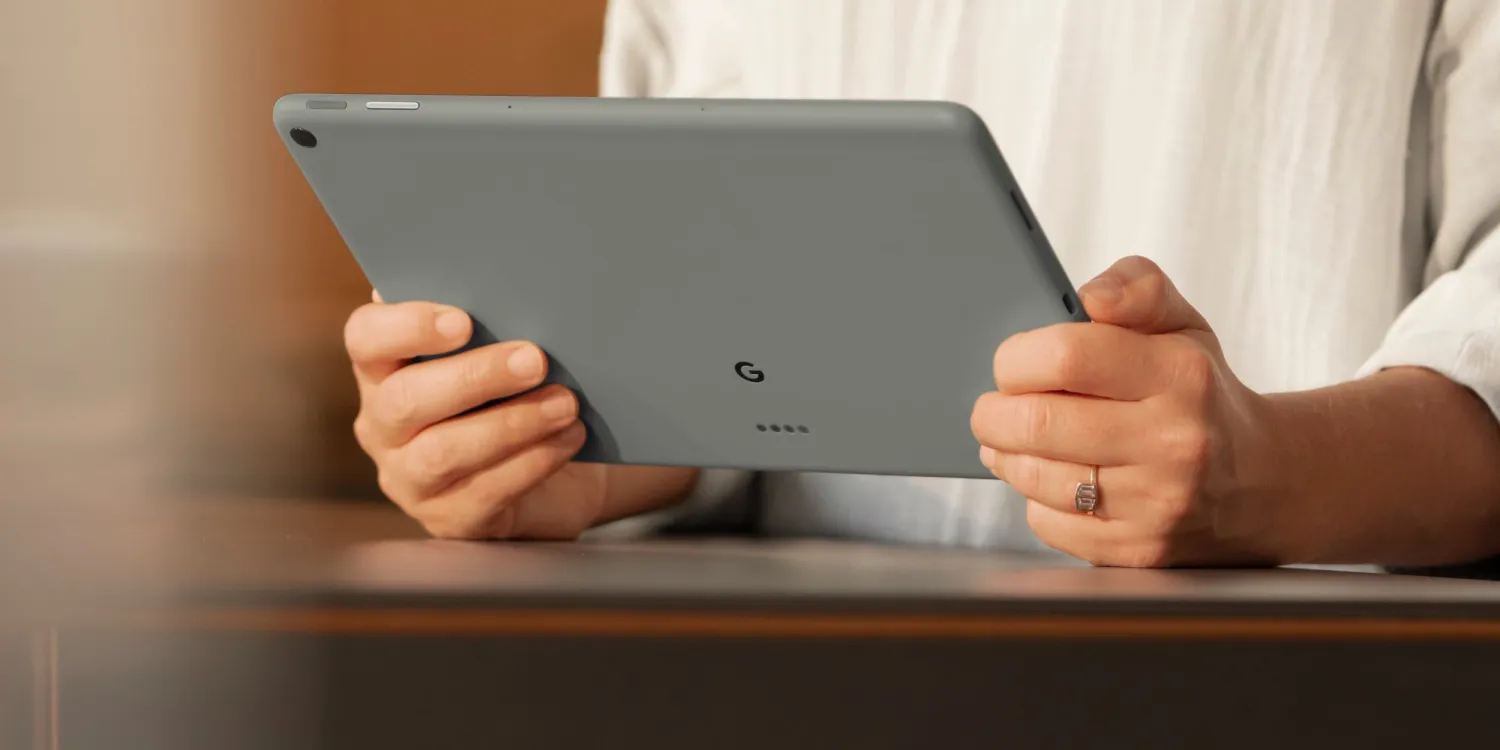
Android 14 preparing better stylus support that might help out the Pixel Tablet
Google’s Pixel Tablet is riding a wave of renewed interest in Android tablets, and, in Android 14, Google appears to be working on better stylus support.
There are a huge number of Android devices out there that support stylus input, but generally this is handled by each device maker. Android itself doesn’t really have particularly robust support. That may be changing in Android 14, though.
When you connect a stylus to your device on Android 14 and go to the "device details" page, you'll be able to see new stylus-specific settings: A shortcut to change the "default notes app" and a toggle to "ignore all stylus button presses." pic.twitter.com/dhg1tllxuR
As Mishaal Rahman highlights and demos in the image below, Google has a few key improvements in store. On the user-facing side, connecting a smart stylus to Android 14 now has new settings, including the ability to set a default app for notes, an option to ignore stylus button presses, and more.
Behind the scenes, Google has further improvements. It appears that Android is working to better support multiple buttons on a stylus, including “Primary,” “Secondary,” “Teriary,” and “Tail.” Interestingly, there’s a specific message about the “tail” button not generally corresponding “to the function of an eraser.” Rather, a message in Android mentions setting a default app for notes, which hints this button might be used for launching your notes app of choice.
Although the API diff isn't up yet, I spotted new key code constants in the KeyEvent documentation: KEYCODE_STYLUS_BUTTON_PRIMARY, KEYCODE_STYLUS_BUTTON_SECONDARY, KEYCODE_STYLUS_BUTTON_TERTIARY, and KEYCODE_STYLUS_BUTTON_TAIL.
These improvements sound welcome for stylus use, and it’s unfortunate they won’t be in place for the Pixel Tablet’s debut. While Google isn’t selling an official stylus, the Pixel Tablet does support USI 2.0 stylus options, so these added controls may end up benefitting the tablet in the long run.
Pixel phones have an unfortunate pattern forming when it comes to updates causing issues with battery life, and it seems the June update is causing another round of issues with battery drain for some users.
A Reddit thread from last week has picked up hundreds of comments from Google Pixel owners, many of whom have noticed that the June 2023 update is causing faster-than-normal battery drain on their devices.
Some of those affected report seeing their battery needing a charge by the afternoon and requiring a charge multiple times per day. Google’s Pixel phones have never had tremendously good battery life, but this is certainly not how things should be going. The phones even seem to be draining much faster when sitting idle. And, on top of that, the issue is also causing phones to run hotter than usual. The problem seems to mostly be affecting Pixel 6 and Pixel 7 series devices.
The issue doesn’t appear to be universal, with some even claiming improvements following the update, but it’s certainly not an isolated case either. Some also report signal issues following the update.
The good news here, at least, is that a fix may end up coming sooner than later. Google tends to release new updates on the first Monday of the month, which puts a potential fix just a week from today. That said, with June’s update having been delayed by almost two weeks, it stands to reason July’s might, too.
June Feature Drop + Android 13 QPR3 rolling out: Pixel 7 Pro macro video, Palm Timer, new wallpapers, Home Panel
Starting on the camera front, the Pixel 7 Pro gains Macro Focus Video for “butterflies fluttering or flowers waving in the wind” after previously offering close-up stills (as close as three centimeters away) thanks to auto-focus on the ultrawide lens.
Similarly, Google Camera (on Pixel 6 and newer) will let you start a selfie timer (3 or 10 seconds) by raising your palm to the phone, a feature first introduced on the Pixel Fold. A yellow box will identify your hand before starting the sequence. This is very useful if your phone is propped up on a distant surface, though you can’t be that far away.
As debuted at I/O 2023, Emoji Wallpapers let you mix and match over 4,000 characters. Opening Wallpaper & style will reveal a new Emoji option alongside the other albums.
You can pick up to 14 emoji to display with the normal keyboard picker. The Patterns tab lets you select styles like Mosaic, Lotus, Stacks, Sprinkle, and Prism with a zoom density slider at the bottom. Lastly, you can choose a background and emoji color, while there’s also a “Randomize” option.
Once set, you have the option to make the emoji interactive. This is a live wallpaper, and a tap on your homescreen will cause them to react/jiggle. Emoji Wallpapers are available on the Pixel 4a and newer.
Cinematic Wallpapers (Pixel 6+) let you create a 3D image from any regular photo. Select an image for your wallpaper as you would normally, and in the top-right corner, you’ll be offered a new sparkle button to trigger the cinematic effect.
Google is estimating depth with an on-device convolutional neural network to estimate depth, while the in-painting as the background moves leverages a generative adversarial network (GAN). There’s a parallax effect when you tilt the device.
Home Panel on Pixel phones
First announced on the Pixel Tablet, Home Panel is coming to phones. When you tap the Home icon in the bottom-left corner of your lockscreen or the Quick Settings tile, you’ll see a new view that matches the new Google Home app’s Favorites tab.
Instead of having to customize a different grid of toggles just for this view, Google will carry over the in-app arrangement. Besides devices, this can include automations and actions. You’ll be prompted to unlock when accessing sensitive devices.
More for Pixel
In Recorder, Speaker Labels will be searchable in recordings, while named people will appear in the video clips you can generate (Pixel 6+). The app has also improved the transcription export option with your Speaker Labels appearing in Google Docs with accompanying time stamps.
On the safety front, you can start/stop Emergency Sharing with your voice, as well as tell Google Assistant to start a Safety Check. (“Hey Google, start a safety check for 30 minutes.”) Similarly, Car Crash Detection will share your real-time location and call status with emergency contacts in addition to calling emergency services.
In March 2023, Google made it so that Adaptive Charging no longer requires an alarm to be set. This is finally being announced this month of June 2023:
Adaptive Charging now uses Google AI to help extend the lifespan of your Pixel battery. When you plug in your phone, it can predict a long charging session based on your previous charging habits, and slowly charge to 100% one hour before it’s expected to be unplugged.
The company notes, “Adaptive Charging needs several days to learn your charging habits. The feature may not activate if your charging habits vary widely.”
Adaptive haptics will let the Pixel 6a and 7a “lower its vibration intensity when it detects that it’s on a hard, flat surface like a desk or table.”
There are only a handful of user-facing tweaks in Android 13 QPR3. When you swipe down for Quick Settings, the battery percentage is once again shown in the top-right corner instead of “Until xx:xx.” When setting wallpapers, there’s a revised fullscreen preview UI.
Settings app > Security & privacy > Screen lock page introduces a new “Enhanced PIN privacy” option that disables animations when entering a code on the lockscreen.
How to get Android 13 QPR3
If you’re on the Android Beta Program running QPR3 Beta 3.2, “opt-outof the Beta program in order to receive the public over-the-air (OTA) update.” You will not lose data. Google explains how:
“Important: You must take action and opt out of the program in order to receive the public update. If your device is running a beta QPR3 build, you will not receive a downgrade OTA when you opt out so your device will not get wiped. Once you’ve opted out, you will receive the public June OTA update as it becomes available (may take a week+ as this is a phased rollout).
“If you have a device that is currently enrolled and running Android 14 Beta (not Android 13 QPR3 Beta), opting out would apply a downgrade OTA (and wipe your device) per the usual program process.”
There are 23 security issues resolved in the Android 13 June patch dated 2023-06-01 and 34 for 2023-06-05. Vulnerabilities range from high to critical. The dedicated bulletin for Google devices lists 108 security fixes.
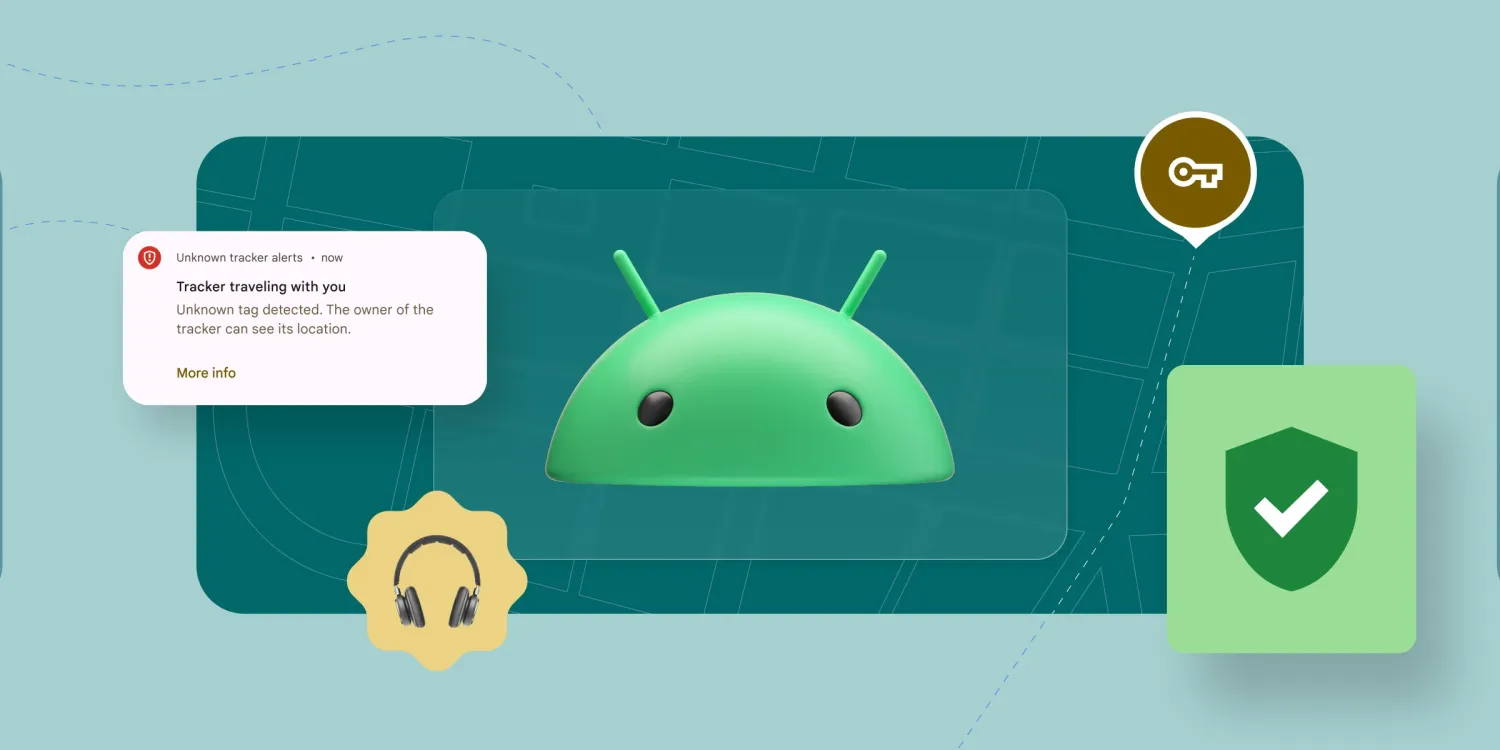
This summer, Google will leverage the over 1 billion Android devices out there to locate tracker tags and headphones. As part of this, Find My Device is getting a new logo.
For the past several years, the icon for the Find My Device app on Android has been a white pin with a phone at the center against a green background. It conveyed the map-based nature of the application. Google in 2022 did tweak it to remove shadows and better match other modern logos.
The obvious visual downside is that the logo will blend into the sea of other blue/red/yellow/green icons on your phones. Staying green, which evoked a sense of security and Android to a degree, would have better distinguished the app, especially since it’s one that you might be looking for in a panic. As of late, Google has shown a willingness to not bring the four-color design to apps like Play Books. That said, Google Authenticator and Arts & Culture clearly went the other direction.
This icon will presumably make an appearance when the Find My Device network launches later this summer. Google will let you view the location of tracker tags, headphones (launching later), and your mobile devices. The app will guide you when something is close with the ability to play a sound.
Google says “location data crowdsourced from the network is end-to-end encrypted, which ensures Google can’t see or use it for any other purposes,” with more details on the built-in privacy safeguards coming before the launch.
Android launching ‘Find My Device network’ for tracker tags, headphones, more
Google has just publicly unveiled its plans for a “Find My Device network” on Android that can seamlessly locate tracker tags (including Tile products), headphones, and phones.
While Google has long offered the “Find My Device” app, it’s currently only able to roughly locate devices via an internet connection or based on where they were last connected with Bluetooth. This can be useful for locating a lost phone, but it doesn’t help much for finding missing earbuds.
Beyond that, there’s a vast market of Bluetooth tracker tags, useful for making everyday objects locatable. Just last week, Google and Apple announced a partnership to make Bluetooth trackers and AirTags safer by alerting you to the presence of an unwanted tracker on your person. This functionality is now set to launch later this summer.
At Google I/O 2023, the company is finally announcing its (long in development) “Find My Device network,” which massively overhauls the way that lost objects can be found. If your phone joins the Find My Device network, it will periodically check for nearby devices to help crowdsource the location of any missing devices.
Importantly, Google emphasizes that “the Find My Device network was built with user privacy as a key priority.” To that end, the data used is end-to-end encrypted, “which ensures Google can’t see or use it for any other purposes.” The company says it will detail more of the network’s security and privacy safeguards ahead of launch this summer.
The Find My Device network is also expanding to two new classes of gadgets: headphones and Bluetooth trackers. Following firmware updates coming soon to headphones from Sony and JBL – as well as “existing Pixel Buds” – your headphones will be locatable via the massive network of over 1 billion Android devices worldwide.
Meanwhile, tracker tags from Tile, Chipolo, and Pebblebee will soon be fully integrated into the Find My Device network, potentially making tracking more robust while also removing the need for a brand-specific app. Notably, Google’s announcement makes no mention of the frequently-rumored Nest locator tag, aka “Grogu.”
Apple and Google team up to bring AirTag-like unwanted tracking alerts to all item trackers on iPhone and Android
Apple has announced a major new partnership with Google today to lead an “industry specification to address unwanted tracking.” Through the partnership, Apple and Google will create a “draft specification” to alert users about possible unwanted tracking by AirTags and other Bluetooth item trackers.
Currently, iOS offers a robust set of features to counter unwanted tracking and stalking with AirTag item trackers. The native iOS features, however, aren’t open to third-party item tracker companies such as Tile. Apple does offer a “Tracker Detect” application to locate nearby AirTags with an Android device, the app doesn’t scan for nearby accessories in the background. Instead, it only scans a user’s surroundings when the user initiates the scan.
The new technology developed by Apple and Google aims to address those limitations.
Apple revealed the news in a press release on Tuesday morning. As part of this partnership, Apple and Google have submitted a “proposed industry specification” to help combat the misuse of item trackers. The specification created by Apple and Google has been submitted as an Internet-Draft via the Internet Engineering Task Force.
The technology created by the two companies will allow Bluetooth location-tracking devices to be compatible with unauthorized tracking detection and alerts across iOS and Android.
In addition to Apple and Google, companies including Samsung, Tile, Chipolo, Eufy, and Pebblebee have expressed interest in supporting this technology. Apple says that it and Google will solicit feedback from other players in the industry as they continue to develop and refine the technology.
Today Apple and Google jointly submitted a proposed industry specification to help combat the misuse of Bluetooth location-tracking devices for unwanted tracking. The first-of-its-kind specification will allow Bluetooth location-tracking devices to be compatible with unauthorized tracking detection and alerts across iOS and Android platforms. Samsung, Tile, Chipolo, eufy Security, and Pebblebee have expressed support for the draft specification, which offers best practices and instructions for manufacturers, should they choose to build these capabilities into their products.
Ron Huang, Apple’s vice president of Sensing and Connectivity, explained:
“Apple launched AirTag to give users the peace of mind knowing where to find their most important items. We built AirTag and the Find My network with a set of proactive features to discourage unwanted tracking — a first in the industry — and we continue to make improvements to help ensure the technology is being used as intended. This new industry specification builds upon the AirTag protections, and through collaboration with Google results in a critical step forward to help combat unwanted tracking across iOS and Android.”
Apple and Google will release a production implementation of the specification for unwanted tracking alerts by the end of 2023. The technology will then be supported in future versions of iOS and Android.
Find My Device rolls out Material You redesign with dark theme [U]
While the Find My Device app on Android gets the occasional update, Google has not revamped its UI in several years. That’s now changing with a big Material You redesign for Find My Device that also includes a dark theme.
Update 2/8: An updated version (2.5.011) of Find My Device is widely rolling out via the Play Store today. The changelog notes:
Refreshed app design
Find My Device can now help you locate devices, even if they’re offline by encrypting and storing your device’s most recent location with Google
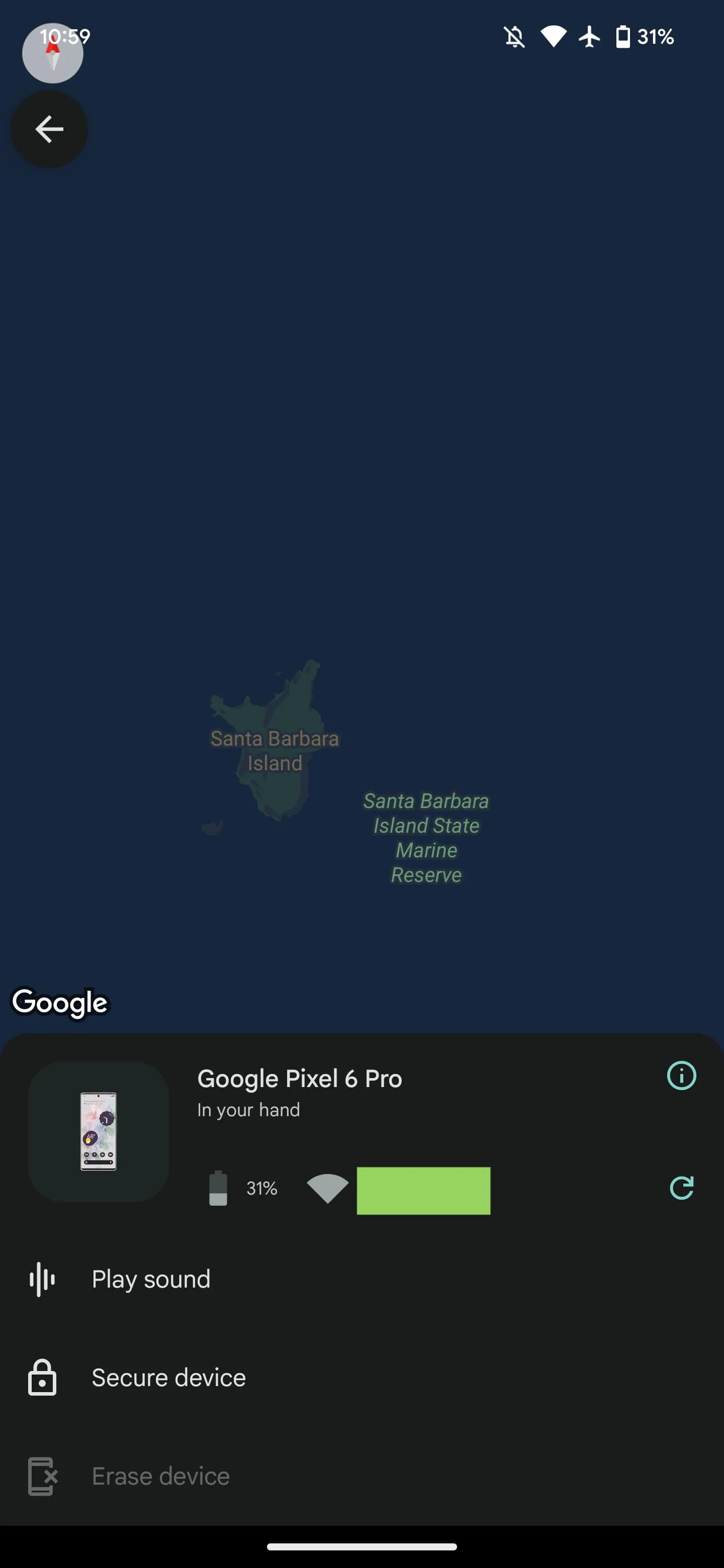
Original 1/18: Upon updating to version 2.5.001, you’re finally greeted with a dark theme and modern account picker. This Find My Device redesign does away with the green accent for Dynamic Color throughout the UI.
After signing in, you’re now greeted with a list of devices associated with your account. Google has removed the integrated map view where your devices appear at the top underneath the app bar. The new list approach is much easier to browse with larger icons than before and more friendly thanks to the device name being listed next to each picture.
Once you make a selection, the map takes up more of the screen, while you get the same device information as before, including battery percentage and network. You can then Play sound, Secure device, and Erase device from the bottom of the sheet.
Tap the arrow in the top-left to return to all your devices, while the other corner is home to a modern Google Account switcher. Settings just links to Google Play services.
It’s somewhat surprising that Google didn’t use this redesign as an opportunity to release a new icon that will presumably be four-colored. Logo tweaks were made early last year. Meanwhile, the Find My Device website is unchanged today and still green.
The Find My Device redesign with version 2.5.001 is not yet widely rolled out via Google Play.
On its own, Android is a strong platform upon which to build products like phones, tablets, and more. However, many of the things that make our smartphones smart come from the apps and services that Google adds on top of stock Android, particularly the Play Store, Play Services, and the monthly “Play System Updates” for core Android components.
Collectively, those three are referred to as the “Google System,” and each month, Google lists the latest updates and changes for them. Over the course of the month, the company will gradually add more notes, and we do our best to catalog and explain them here. So check back periodically to see what’s new.
The easiest way to check whether you need to update Google Play Services on your phone is to follow a direct link to the app’s Play Store listing and update from there, if available. To update the Play Store, tap your avatar in the corner, then “Settings.” Under the “About” section, you’ll see an option to “Update Play Store.” Meanwhile, Google Play system updates can be found through the Settings app, under About phone > Android version > Google Play system update.
Updating Google Play Services
After a messy two months of oddly timed patch notes, Google is now back on track, sharing the first details about the June updates in a timely manner.
First up, Google Wallet is gaining some improvements for foldable phones – perfectly timed for the upcoming launch of the Pixel Fold and the soon-to-be-announced Galaxy Z Fold/Flip 5 generation. One notable detail our team has uncovered is that foldable phones need to be closed in order to make payments or use passes.
Elsewhere in Google Wallet news, the app is adding a toggle that will let you disable the “fun animations “that the service occasionally shows when tapping your phone to make a payment.
Android owners can also expect the “Find My Device network” to arrive in the very near future. First announced at Google I/O, the Find My Device network will make it easy to locate lost devices – phones, tablets, earbuds, and even Bluetooth trackers – with the help of a massive network of Android devices while also maintaining privacy.
Google Play System Updates for June 2023
Account Management
[Phone] New alerts and recommendations to secure your Google Account.
Security & Privacy
[Phone] Find My Device now supports more devices, including accessories, using a new privacy-centric framework.
Wallet
[Phone] GPay support for foldable devices.
[Phone] Control to opt out of fun animations after you complete a payment or use a pass.
System Management
[TV] A reminder dialogue for pending system updates has been added.
Following over a month of beta testing, iOS 16.5 is now available to the general public. This update includes changes to Apple News, the addition of a new “Pride Celebration” wallpaper, and more. Head below for the full release notes with details on bug fixes, new features, and more.
What’s new in iOS 16.5?
Here are Apple’s official release notes on iOS 16.5 new features and bug fixes. The build number for today’s update is 20F66.
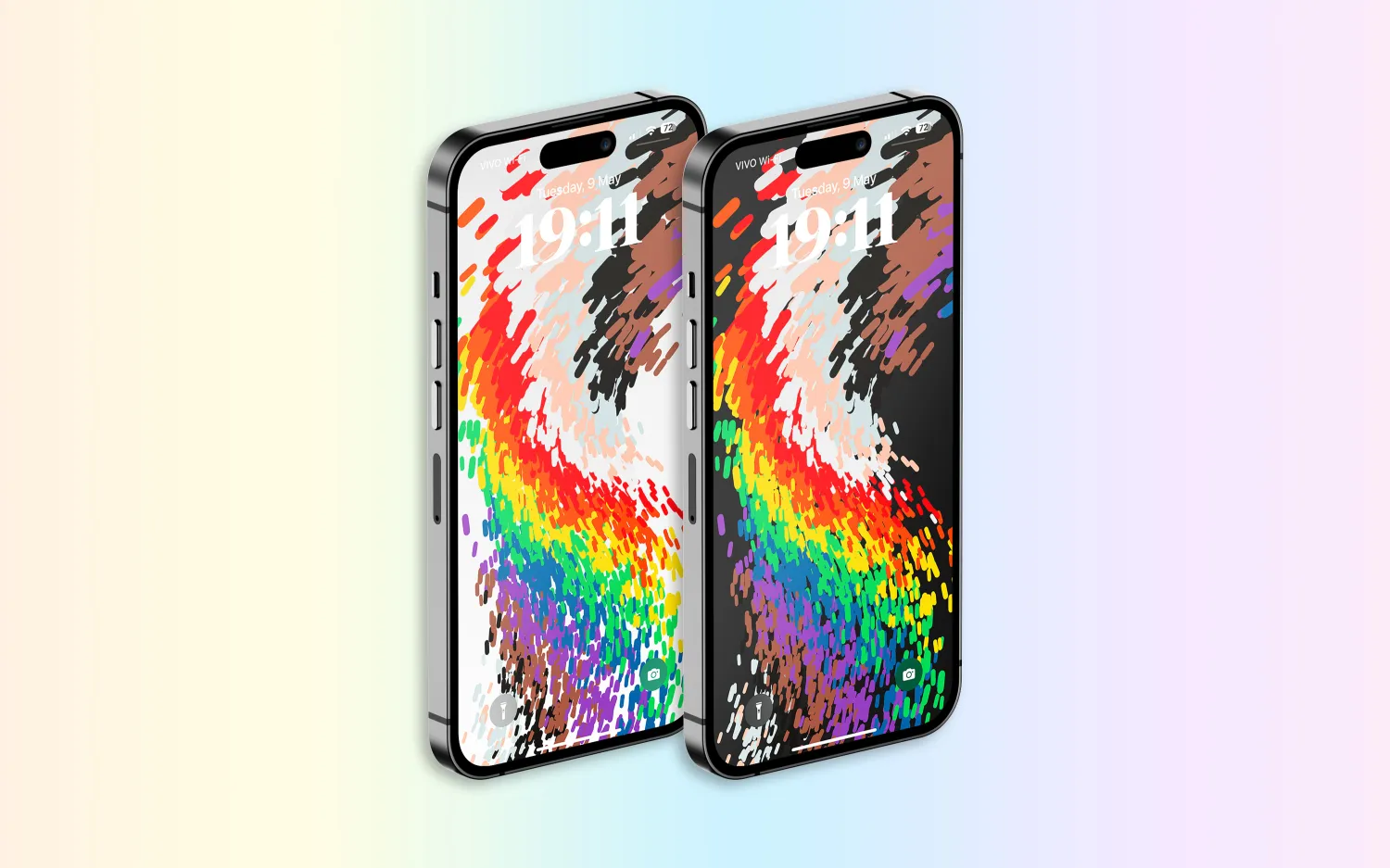
A new Pride Celebration wallpaper for the Lock Screen to honor the LGBTQ+ community and culture
Sports tab in Apple News gives easy access to stories, scores, standings, and more, for the teams and leagues you follow
My Sports score and schedule cards in Apple News take you directly to game pages where you can find additional details about specific games
Fixes an issue where Spotlight may become unresponsive
Addresses an issue where Podcasts in CarPlay may not load content
Fixes an issue where Screen Time settings may reset or not sync across all devices
Earlier iOS 16.5 betas included the addition of a new Siri command for starting and stopping a screen recording. Apple removed this feature in subsequent iOS 16.5 betas, and it’s not included in the final version of the update.
iOS 16.5 will be the final major point-release update to iOS 16 before WWDC in June. This is where Apple will debut iOS 17 and release the first developer betas.
Apple is, however, expected to continue releasing updates to iOS 16 through the summer and likely even alongside iOS 17. iOS 16.6 is expected to enter beta testing soon.
You can update your iPhone by going to the Settings app, choosing General, then choosing Software Update.
watchOS 9.5 debuts with new Pride Celebration watch face
Alongside iOS 16.5, Apple has also released watchOS 9.5 for Apple Watch users today. The headlining change in this update is an all-new Pride Celebration watch face to honor the LGBTQ+ community and culture.
What’s new in watchOS 9.5?
watchOS 9.5 is rolling out now to all users. You can update your Apple Watch by going to Settings, choosing General, then choosing Software Update. You can also install the update via the Apple Watch companion app on your iPhone.
Here are Apple’s release notes for watchOS 9.5:
watchOS 9.5 includes new features, improvements and bug fixes, including a new Pride Celebration watch face to honor the LGBTQ+ community and culture.
And some more details on the new Pride Celebration watch face:
Inspired by multiple pride flags, this new watch face combines colors to represent the strength and mutual support of the LGBTQ+ movement. Mirroring the woven loops of the Sport Loop, each strand of vibrant thread contributes to the overall composition of the watch face. The colorful threads move as the Digital Crown on Apple Watch is rotated, the display is tapped, or the user’s wrist is raised.
The new Pride Celebration face included in watchOS 9.5 pairs with the similarly-designed wallpaper for iPhone users. The new wallpaper is included with iOS 16.5, which is also available starting today.
macOS Ventura 13.4 with new sports-related features
After months of beta testing, Apple has finally released macOS Ventura 13.4 to the public. The update, which is now available for macOS users, comes with new sports-related features, as well as a new system for installing beta software. Read on as we detail what’s new with macOS Ventura 13.4.
One big change coming with macOS Ventura 13.4 is the new system for installing betas that was introduced with iOS 16.4. The operating systems now asks for the Apple ID to show and download beta software updates.
macOS checks whether the account is associated with a developer or user registered in the public beta program. It then shows the beta update available for that program. With this change, regular users will no longer be able to install developer betas, for example.
macOS 13.4 full release notes
Sports feed in the sidebar of Apple News gives easy access to stories, scores, standings, and more, for the teams and leagues you follow
My Sports score and schedule cards in Apple News take you directly to game pages where you can find additional details about specific games
Resolves an issue where Auto Unlock with Apple Watch does not log you into your Mac
Fixes a Bluetooth issue where keyboards connect slowly to Mac after restarting
Addresses a VoiceOver issue with navigating to landmarks on webpages
Fixes an issue where Screen Time settings may reset or not sync across all devices
You can install macOS Ventura 13.4 by going to the Software Update menu in the System Settings app. It may take a while before the update shows up on your computer; make sure that your Mac is compatible with macOS Ventura.
The update build number is XXXXX.
OpenAI launches free ChatGPT for iPhone app with Whisper support and more
OpenAI has announced that it is releasing a dedicated iPhone app for its ChatGPT service. The app, which is available via the App Store, gives users the ability to use ChatGPT through a native app on their iPhone. The app is free to download and includes no ads. It’s currently only available in the United States, but OpenAI says availability will expand “in the coming weeks.”
ChatGPT for iPhone now available
As announced by OpenAI in a blog post, ChatGPT for iPhone will offer the same set of features as the web version of the service. This will include ChatGPT Plus support, which lets users subscribe to pay for more advanced versions of the service.
The app will also sync your ChatGPT history across all your devices, including the web. It also includes support for Whisper, OpenAI’s open-source speech-recognition system. This integration with Whisper enables voice input for the ChatGPT app on iPhone. The ChatGPT app is also completely ad-free.
As ChatGPT has gained popularity over the last six months, a number of copycat and scam apps have surfaced on the App Store. Apple has cracked down on these apps, in part by blocking apps that use “GPT” in their name. By releasing its own version of ChatGPT for iPhone, OpenAI hopes to directly control the experience of using the service on an iPhone.
Additionally, Microsoft’s Bing app for iPhone has seen a major boost in popularity since it added ChatGPT integration.
ChatGPT for iPhone is rolling out starting today to users in the United States. OpenAI availability will “expand to additional countries in the coming weeks.”