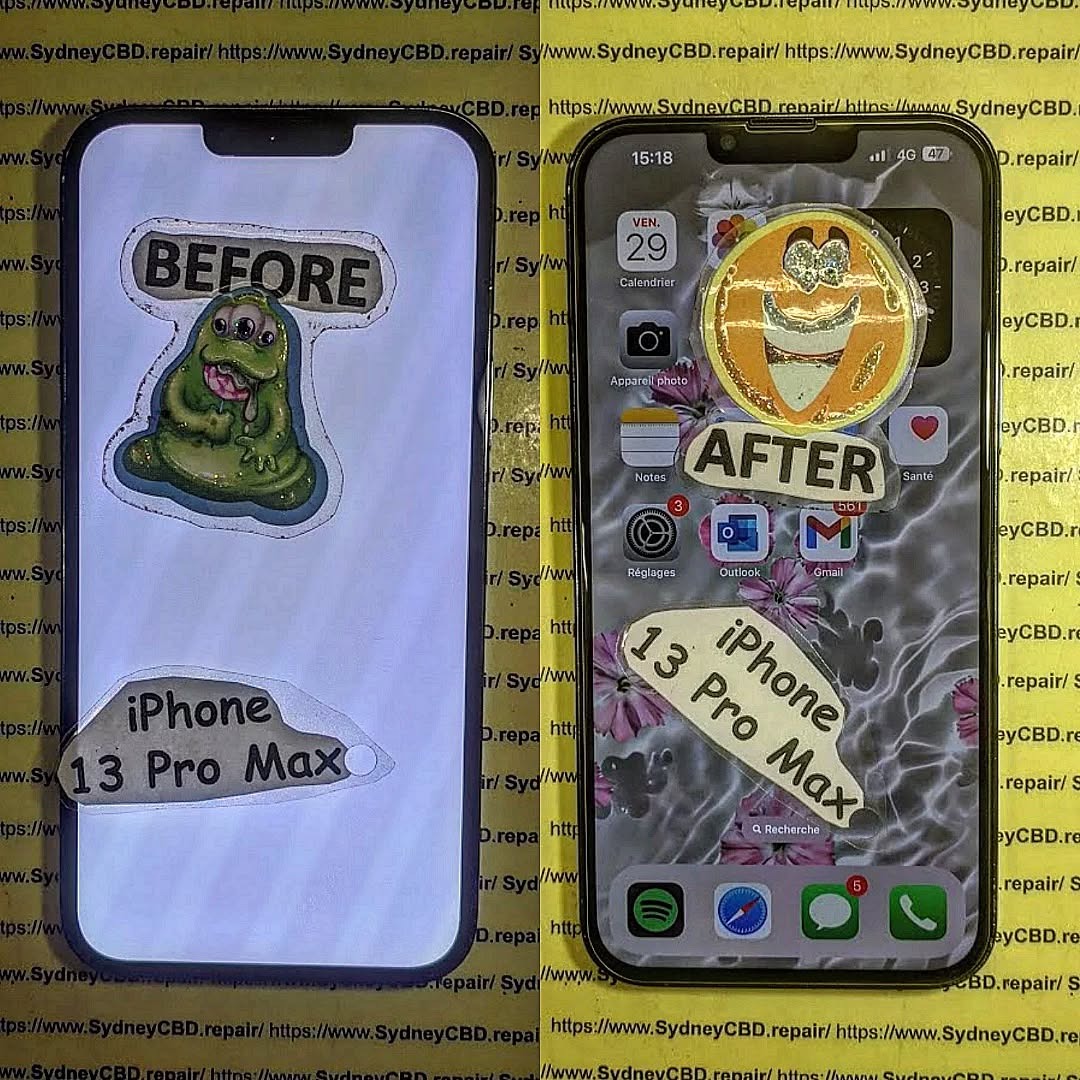
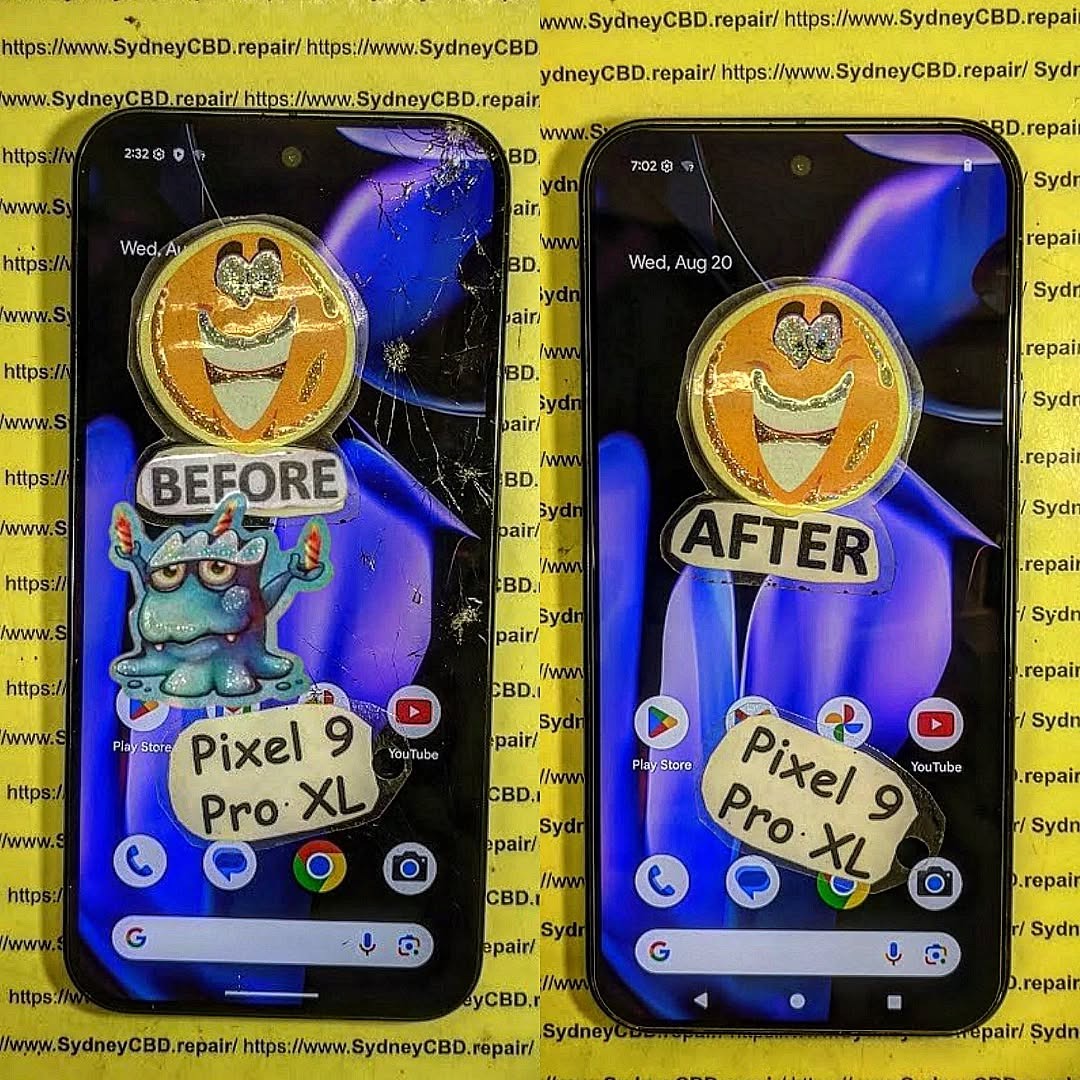
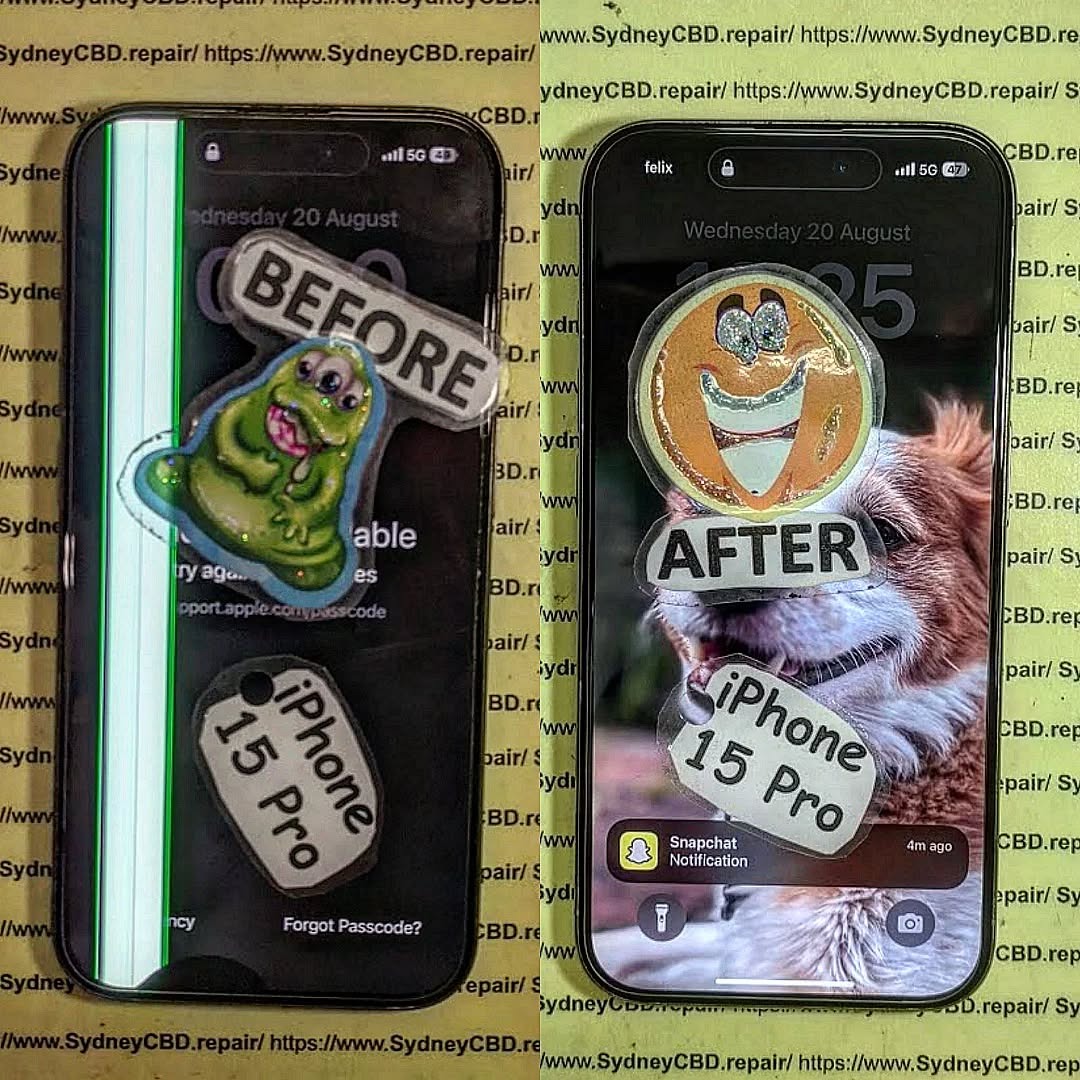
Phone Repair Fails Exposed: 7 Costly Mistakes You Must Avoid Today!
Smartphones are an essential part of our daily lives, but when they break, many people rush to fix them without fully understanding the risks. Unfortunately, this often leads to costly repair fails that could have been avoided. Whether it’s a cracked screen, a weak battery, or water damage, avoiding common mistakes can save you both money and stress.
Watching a quick YouTube video might make repairs look easy, but smartphones are more complex than they appear. Without proper tools:
You risk damaging delicate components.
You might tear flex cables or break connectors.
Your repair could end up costing more than professional service.
3. Ignoring Water Damage
Dropping your phone in water and only drying the outside is a common mistake. Moisture inside the phone causes corrosion over time.
Rice doesn’t fix water damage—it just absorbs surface moisture.
Professional cleaning with ultrasonic tools is the real solution.
4. Skipping Professional Help
Some people keep using their cracked screens or faulty batteries to “save money.” In reality:
Cracks spread and damage the OLED/AMOLED panel beneath.
Faulty batteries can harm the motherboard if ignored.
5. Trusting the Wrong Repair Shop
Not all repair shops are the same. Choosing a cheap, unverified repairer often results in:
Poor workmanship.
Parts that fail within weeks.
No warranty or customer support.
Conclusion: Learn from Phone Repair Fails
Phone repairs don’t have to end in frustration or wasted money—but only if you avoid the common mistakes that so many people make. Choosing cheap parts, attempting DIY fixes without the right tools, or trusting the wrong repair shop can turn a small problem into a major headache.
The smartest move is to trust experienced professionals who use genuine parts and provide warranties on their work. That way, your phone gets fixed properly the first time, and you can get back to using it with confidence.
At Sydney CBD Repair Centre, we’ve seen every type of repair fail—and we know how to do it right. With over 2000 5-star Google reviews, same-day repairs, and a reputation as Sydney’s most trusted phone repair shop, we’re here to make sure your repair experience is smooth, safe, and successful.
👉 Don’t risk another phone repair fail. Visit Sydney CBD Repair Centre today and let the experts take care of your device.
The Smart Choice: Sydney CBD Repair Centre
David from Sydney CBD Repair Centre – The Best place to fix mobile phones as 6 Years In A Row! Top Mobile Phone Repair In Sydney. With 2000+ Positive Google Reviews and Same Day Repairs, we guarantee quality repairs done right the first time.
We specialize in all major brands: Apple, Samsung, Google, and more. Our technicians use only genuine parts, and every repair comes with a 90 days warranty for peace of mind.
Visit us for:
✓ Same Day Express Repairs
✓ Genuine Parts Guarantee
✓ Professional Technicians
✓ Competitive Pricing
✓ 2000+ 5-Star Google Reviews
✓ 6-Time Award Winner for Best Phone Repairs
The Samsung Galaxy S24 Ultra isn’t just another smartphone—it’s a powerhouse of innovation, boasting cutting-edge camera technology, a vibrant AMOLED display, and lightning-fast performance. But even with all its high-end engineering, the device isn’t immune to wear and tear. From cracked screens to battery drainage, many users find themselves facing unexpected issues that make their once-impressive phone feel abandoned and unusable.
That’s where restoration comes in. Restoring your Galaxy S24 Ultra isn’t just about fixing what’s broken—it’s about reviving the full potential of your device. By investing in proper restoration, you save money, extend your phone’s lifespan, and reduce e-waste that ends up in landfills.
At Sydney CBD Repair Centre, we’ve seen thousands of Galaxy devices walk through our doors with seemingly catastrophic issues—only to leave looking and functioning like new. With the right tools, techniques, and expertise, even a phone that looks beyond repair can be brought back to life.
Like all advanced smartphones, the Galaxy S24 Ultra can suffer from a range of problems. Some are caused by accidents, while others occur naturally over time due to usage patterns. Let’s explore the most common issues that often require restoration.
Screen Cracks and Display Failures
One of the most frequent reasons customers come to us is a cracked screen. The Galaxy S24 Ultra’s expansive edge-to-edge AMOLED display is stunning, but it’s also vulnerable to shatters and scratches if dropped. In some cases, damage extends beyond the glass, affecting touch sensitivity or even the internal display panel.
Symptoms: Flickering, ghost touches, unresponsive areas, or complete blackout.
Solution: Professional screen replacement using genuine Samsung parts ensures full restoration of brightness, resolution, and touch accuracy.
Battery Degradation and Power Issues
Even with Samsung’s optimization, batteries naturally lose capacity over time. For heavy users, this may happen within two years. Signs of battery decline include:
Rapid draining even with light use
Overheating during charging or gaming
Sudden shutdowns despite high charge levels
Replacing the battery with a genuine one restores long-lasting power, prevents overheating, and improves overall performance.
Camera Malfunctions
The Galaxy S24 Ultra is celebrated for its quad-lens camera system, but problems can arise:
Blurry or foggy images due to lens scratches
Camera app crashes or black screens
Focus and stabilization issues
A proper restoration may involve replacing the lens glass, cleaning internal components, or recalibrating the camera module.
Software and System Glitches
Not all problems are hardware-related. Many Galaxy S24 Ultra owners experience lag, freezing, or random restarts caused by software errors, outdated firmware, or corrupted apps.
Restoration in this case means:
Resetting or reinstalling system firmware
Updating to the latest Android version
Clearing junk files and optimizing system performance
With professional software troubleshooting, your device can run as smoothly as the day you unboxed it.
The Importance of Professional Repairs
When a high-end device like the Samsung Galaxy S24 Ultra breaks down, the temptation to try a quick DIY fix can be strong. After all, there are countless online tutorials that make repairs look simple. But in reality, modern smartphones are incredibly complex, and the risks of attempting self-repair often outweigh the benefits.
Risks of DIY Fixes
Opening up your Galaxy S24 Ultra without the right tools and experience can lead to irreversible damage. Some common mistakes include:
Damaging the display connectors: The AMOLED panel is delicate and can easily be destroyed with too much pressure.
Using low-quality adhesives: Cheap glue may cause screen lifting or even damage internal components.
Short-circuiting internal parts: Without proper grounding, static electricity can fry the motherboard.
In many cases, we see devices that started with a minor issue but became completely unusable after a failed DIY attempt.
Benefits of Genuine Parts
At Sydney CBD Repair Centre, we only use genuine Samsung replacement parts. This matters because:
Genuine screens maintain true-to-life colors, brightness, and touch accuracy.
Authentic batteries provide safe, long-lasting power without the risk of swelling.
Original camera modules preserve Samsung’s advanced stabilization and zoom capabilities.
Cutting corners with counterfeit parts might save money initially, but it almost always leads to additional repairs—or worse, total device failure.
Warranty and Service Guarantees
One of the biggest advantages of professional repair is the peace of mind it brings. Our team provides a 90-day warranty on all repairs, ensuring that you’re covered if anything unexpected happens. This guarantee isn’t just about replacing faulty parts—it’s about showing our confidence in the quality of our work.
When you choose Sydney CBD Repair Centre, you’re not just getting a fix—you’re investing in a long-term solution that keeps your Galaxy S24 Ultra performing at its best.
Restoring a premium phone requires a careful, structured approach. At Sydney CBD Repair Centre, we follow a step-by-step restoration process designed to address every issue with precision.
Initial Diagnosis and Assessment
Every repair begins with a thorough diagnostic check. Our technicians use professional tools to test the screen, battery, camera, speakers, and internal circuits. This allows us to:
Identify hidden issues beyond the obvious damage
Provide an accurate repair estimate upfront
Save you from future headaches by addressing potential problems early
Component Replacement Techniques
Once diagnostics are complete, we move on to part replacement if necessary. Whether it’s a broken display, degraded battery, or malfunctioning camera, our technicians:
Use specialized equipment to safely disassemble the phone
Replace faulty components with genuine Samsung parts
Reassemble the device with factory-level precision
This ensures that the phone looks and functions exactly as intended.
Software Optimization and Updates
Hardware is only part of the equation. A full restoration also includes software optimization, which may involve:
Updating the device to the latest Android version
Removing corrupted apps or malware
Clearing unnecessary files to improve performance
This software refresh gives your Galaxy S24 Ultra the speed and reliability of a brand-new device.
Quality Testing and Final Checks
Before returning your phone, we run a series of final checks, including:
Screen brightness and touch response tests
Battery performance analysis
Camera focus and clarity testing
Charging and connectivity checks
Only after passing these tests is the device handed back to you—fully restored and ready for everyday use.
Conclusion: Bringing Your Galaxy S24 Ultra Back to Life
The Samsung Galaxy S24 Ultra is more than just a phone—it’s a trusted companion that keeps you connected, productive, and entertained. When it suffers damage or performance issues, it can feel like you’ve lost a vital part of your daily life. But the good news is that with the right expertise, tools, and genuine parts, your device can be restored from abandoned to astounding.
Professional restoration doesn’t just fix the visible problems—it rejuvenates the entire device, ensuring it performs at peak capacity. From cracked screens to fading batteries, from glitchy software to malfunctioning cameras, every issue has a reliable solution when handled by skilled technicians.
At Sydney CBD Repair Centre, we’ve built our reputation as the #1 choice for mobile phone repairs in Sydney by combining precision workmanship, genuine parts, and customer-focused service. With more than 2,000 positive reviews and recognition as the best phone repair centre in Sydney for six years in a row, we stand behind every repair we perform.
If your Galaxy S24 Ultra needs a second life, don’t settle for temporary fixes or risky DIY attempts. Instead, trust the experts who can restore your device with confidence, care, and efficiency.
Walk into our Sydney CBD shop today—or call us now—and experience the difference of professional smartphone restoration done right.
David from Sydney CBD Repair Centre – The Best place to fix mobile phones as 6 Years In A Row!
Top Mobile Phone Repair In Sydney. More than 2000 Positive Reviews on Google and Same Day Repairs.
We take pride in delivering exceptional repair services for all major phone brands including Apple, Samsung, Google, and more. Our expert technicians use only genuine parts and offer 90 days warranty on repairs. Located in the heart of Sydney CBD, we’re your one-stop solution for all mobile device repairs.
Our commitment to excellence has earned us the trust of thousands of satisfied customers. Whether it’s a cracked screen, battery replacement, or water damage repair, we handle it all with professional care and expertise. Walk in today and experience why we’re Sydney’s #1 choice for mobile phone repairs.
Visit us for:
✓ Same Day Express Repairs
✓ Genuine Parts Guarantee
✓ Professional Technicians
✓ Competitive Pricing
✓ 2000+ 5-Star Google Reviews
✓ 6-Time Award Winner for Best Phone Repairs
Introduction: Why the Pixel 8 Pro Teardown Matters
Google’s Pixel 8 Pro is one of the most advanced smartphones in the market, boasting cutting-edge AI features, a stunning display, and top-tier camera systems. But what really lies inside this flagship? And more importantly, how does it hold up in extreme environments like Sydney’s summer heat?
A teardown doesn’t just show the internal hardware—it reveals design decisions, repairability challenges, and long-term durability factors that impact every user. For those in Sydney, where hot weather and humidity often stress smartphones, understanding the Pixel 8 Pro’s resilience is more than curiosity—it’s practical knowledge.
At Sydney CBD Repair Centre, we specialize in diagnosing these intricate devices, and our teardown insights help users anticipate repairs and maintenance while ensuring devices survive local conditions.
The Pixel 8 Pro embraces Google’s signature design: a sleek matte glass back, polished aluminum frame, and the iconic horizontal camera bar. The Gorilla Glass Victus 2 provides enhanced scratch and drop resistance, while IP68 certification ensures water and dust protection.
Unlike cheaper phones that cut corners on materials, the Pixel 8 Pro exudes premium craftsmanship. However, premium also means complexity—its strong adhesives and integrated design make opening it far trickier than budget phones.
Durability Against Heat and Humidity
Sydney summers can push temperatures beyond 40°C. Phones left in cars, on beaches, or even outdoors often suffer heat-related slowdowns, swollen batteries, and screen discoloration. The Pixel 8 Pro’s internal cooling system, combined with thermal management software, helps it stay functional even under stress. But like any smartphone, prolonged exposure to heat accelerates battery wear—a reality Sydney users need to be mindful of.
Before diving inside, technicians use specialized tools:
Heat gun to loosen adhesives
Suction cup and plastic prying tools
Precision screwdrivers
Anti-static mats
Once heated, the Pixel 8 Pro’s display must be carefully lifted—too much force risks cracking the screen, which is one of the costliest repairs.
Risks Involved During Teardown
The teardown process is not beginner-friendly. Common risks include:
Damaging the OLED screen during removal
Tearing fragile display connectors
Puncturing the battery if pried incorrectly
Voiding manufacturer warranty
This is why professional repair shops like Sydney CBD Repair Centre are the safer choice for anyone needing Pixel repairs.
Inside the Pixel 8 Pro: What We Found
Battery Technology and Safety
The Pixel 8 Pro houses a 5050 mAh lithium-ion battery, offering improved longevity compared to its predecessor. Google claims adaptive charging extends its life, but Sydney’s high temperatures can still strain battery health. Professional battery replacements remain one of the most in-demand services for this model.
Camera Module Breakdown
The Pixel 8 Pro boasts a 50MP wide sensor, 48MP ultrawide, and 48MP telephoto lens, all enhanced with Google’s AI-driven imaging. The camera module is large and tightly integrated, making replacements tricky. For Sydney’s photography enthusiasts, damage to the lens or sensors can be costly—but repairable with genuine parts.
Cooling System: Surviving Sydney’s Heat
The most fascinating insight from the teardown is Google’s enhanced vapor chamber cooling system. This component spreads heat efficiently across the device, reducing overheating during gaming or 4K video recording. In Sydney’s climate, this design is a lifesaver for performance stability.
Pixel 8 Pro Display: A Closer Look
Screen Adhesive and Replacement Difficulty
The 6.7-inch LTPO OLED display supports variable refresh rates up to 120Hz. But while visually stunning, it’s also one of the hardest parts to replace due to heavy adhesive layers. Display repairs are among the most expensive fixes for the Pixel 8 Pro in Sydney, often costing more than $500 if not handled by certified repair shops.
Comparison With Previous Pixel Models
Compared to the Pixel 7 Pro, the Pixel 8 Pro’s screen is brighter and more efficient but also more fragile. Drop tests indicate that despite Gorilla Glass Victus 2, edge impacts can still shatter the panel. This highlights the importance of screen protectors and professional installation when repairs are needed.
Repairability Score: Where the Pixel 8 Pro Stands
Common Repairs Users Will Face
Based on user trends and teardown insights, the most common Pixel 8 Pro repairs in Sydney include:
Screen replacements after drops
Battery replacements due to heat-related swelling
Charging port repairs from wear and tear
Back glass replacements after cracks
Cost of Repairs in Sydney
At Sydney CBD Repair Centre, typical Pixel 8 Pro repair costs are:
Screen Replacement: From $500+
Battery Replacement: From $180
Charging Port Repair: From $150
Back Glass Replacement: From $200
By using genuine Google parts, we ensure devices retain their premium quality and longevity.
Pixel 8 Pro vs Competitors in Repairability
Samsung S24 Ultra
Samsung’s flagship rivals the Pixel with similar premium build quality, but its curved display edges make screen replacements even trickier and more expensive.
iPhone 15 Pro Max
Apple’s ecosystem offers strong durability but poor repairability due to software locks and proprietary parts. In comparison, the Pixel 8 Pro provides slightly better accessibility for independent repair shops in Sydney.
FAQs
1. Is the Pixel 8 Pro easy to repair in Sydney?
No. Due to strong adhesives and integrated parts, professional help is recommended for repairs.
2. How does Sydney’s heat affect the Pixel 8 Pro?
High temperatures accelerate battery wear and may trigger thermal throttling. However, the vapor chamber cooling system helps manage extreme conditions.
3. What’s the most expensive Pixel 8 Pro repair?
The display replacement, costing over $500 in Sydney, is typically the priciest.
4. Can I replace the Pixel 8 Pro battery myself?
Not recommended. The battery is glued in tightly, and DIY attempts risk punctures or damage.
5. How does the Pixel 8 Pro compare in durability with iPhones?
While both are premium devices, the Pixel 8 Pro is more repair-friendly than recent iPhones but less durable against drops compared to Apple’s titanium build.
6. Where’s the best place to repair a Pixel 8 Pro in Sydney?
At Sydney CBD Repair Centre, trusted by over 2000 customers with same-day repairs, genuine parts, and a 90-day warranty. Visit Us Here.
Conclusion: Pixel 8 Pro – Built Tough for Sydney Users
The Pixel 8 Pro isn’t just a powerhouse of AI-driven performance—it’s also a device designed with heat management, premium durability, and serviceability in mind. While not the easiest phone to repair, professional technicians in Sydney ensure it stays reliable even under challenging conditions.
If you’re a Sydney user, protecting your Pixel 8 Pro with proper care and knowing where to go for repairs is essential. At Sydney CBD Repair Centre, we bring years of expertise and thousands of success stories to keep your flagship running like new.
Our commitment to excellence has earned us the trust of thousands of satisfied customers. Whether it’s a cracked screen, battery replacement, or water damage repair, we handle it all with professional care and expertise. Walk in today and experience why we’re Sydney’s #1 choice for mobile phone repairs.
Visit us for: ✓ Same Day Express Repairs ✓ Genuine Parts Guarantee ✓ Professional Technicians ✓ Competitive Pricing ✓ 2000+ 5-Star Google Reviews ✓ 6-Time Award Winner for Best Phone Repairs
Introduction: Why Pixel 8 Pro Volume Buttons Stop Working
The Google Pixel 8 Pro is one of the most advanced smartphones in today’s market, known for its sleek design, smooth performance, and premium build quality. However, even the best devices encounter problems over time. One of the most frustrating issues Pixel 8 Pro users face is unresponsive volume buttons.
If your volume buttons are stiff, non-functional, or respond only intermittently, you’re not alone. This issue can stem from hardware wear, dust accumulation, or even software bugs after updates. The good news is that there are reliable ways to troubleshoot, fix, and even prevent such problems.
In this guide, you’ll learn everything from quick DIY checks to professional repair solutions. Plus, you’ll get 7 expert tips from Sydney CBD Repair Centre — trusted by over 2,000 happy customers with same-day, genuine part repairs.
Recognizing the early signs of failing volume buttons can save you time and money. Some of the most common symptoms include:
Button Press Feels Stiff or Loose
If your Pixel 8 Pro’s button no longer has that “clicky” feedback, it could mean dirt buildup, internal misalignment, or wear of the button mechanism.
Volume Control Only Works Occasionally
Intermittent response usually points to contact issues inside the button assembly or minor debris preventing consistent pressure recognition.
No Response Even After Multiple Presses
When neither the volume up nor down button works regardless of how many times you press, it’s often a sign of serious internal hardware damage or a disconnected flex cable.
Understanding what causes unresponsive buttons will help you determine whether it’s a simple fix or requires expert attention.
Physical Wear and Tear
Daily use naturally wears down mechanical buttons. Over months and years, the internal switch can lose sensitivity.
Dust, Dirt, and Debris
Small particles can slip under the button edges, interfering with functionality. This is especially common if you carry your phone without a protective case.
Software Glitches or Updates
Sometimes, your Pixel 8 Pro’s software may misinterpret input, especially after updates. Luckily, this is usually a temporary problem.
Internal Hardware Malfunction
In severe cases, the volume flex cable or motherboard connection may be damaged, requiring professional repair or part replacement.
Quick DIY Fixes Before Professional Repair
Before rushing to a repair shop, you can try a few safe DIY solutions:
Restarting Your Pixel 8 Pro
A simple restart often resolves temporary glitches. Hold the power button and reboot your phone.
Cleaning Around the Buttons Safely
Use a soft microfiber cloth and compressed air to gently clean around the buttons. Avoid liquid cleaners that may seep inside.
Checking for Software Updates
Go to Settings > System > Software Update and install the latest patch. Google frequently releases bug fixes for button responsiveness issues.
Advanced Troubleshooting for Tech-Savvy Users
If you’re confident with smartphone settings, here are a few deeper troubleshooting steps:
Running Pixel’s Safe Mode
Boot into Safe Mode to rule out third-party apps causing the problem. If buttons work in Safe Mode, an app is the culprit.
Factory Reset Considerations
As a last resort, back up your data and perform a factory reset. This clears software issues but won’t fix hardware faults.
Testing with Accessibility Settings
Use on-screen volume controls or Google Assistant to confirm if it’s purely a hardware failure.
When to Seek Professional Help
Not every problem can be solved at home. Seek professional repair when:
Identifying Irreparable Hardware Damage
If buttons don’t respond even after resets, cleaning, or Safe Mode testing, it’s likely a hardware issue.
Why DIY Repair Can Be Risky
Pixel 8 Pro is a delicate device with tightly sealed components. Attempting DIY disassembly without proper tools risks damaging the screen, battery, or motherboard.
Pixel 8 Pro Volume Button Replacement Process
At Sydney CBD Repair Centre, our technicians follow a professional procedure to restore full functionality:
Tools Required for Replacement
Precision screwdriver set
Plastic opening tools
Heat gun for adhesive removal
Genuine Pixel replacement parts
Step-by-Step Disassembly Overview
Power off device and remove SIM tray.
Gently heat and lift display with suction tools.
Disconnect battery and volume button flex cable.
Install new button assembly with genuine part.
Installing Genuine Replacement Parts
We only use original Google Pixel parts, ensuring your phone feels brand-new after repair.
Cost of Repair: DIY vs Professional Service
Average Costs in Sydney
A professional Pixel 8 Pro volume button repair typically ranges between $150 – $250, depending on the extent of damage.
Comparing Repair Shops vs Google Authorized Centers
Authorized repair centres may charge higher, while trusted independent shops like Sydney CBD Repair Centre offer affordable pricing, same-day turnaround, and genuine parts.
Preventing Future Pixel 8 Pro Volume Button Issues
To extend your phone’s lifespan, practice these habits:
Using a Protective Case
A case reduces dust entry and protects buttons from physical wear.
Regular Cleaning and Maintenance
Wipe your phone weekly with a microfiber cloth. Avoid lint and grime buildup around button edges.
Avoiding Excessive Button Pressure
Press gently. Repeated forceful pressing shortens button life.
Alternatives if Repair Isn’t Immediate
If you can’t repair your Pixel 8 Pro right away, use these temporary workarounds:
On-Screen Volume Controls
Enable volume sliders from settings for quick adjustments.
Why did my Pixel 8 Pro volume button suddenly stop working?
It may be due to hardware wear, dust, or a software bug. A quick restart can rule out temporary glitches.
Can software updates fix unresponsive buttons?
Yes, if the issue is software-related. Updates often patch responsiveness bugs.
How long does professional repair take?
At Sydney CBD Repair Centre, most repairs are done same day, often within 1-2 hours.
Is Pixel 8 Pro volume button repair covered under warranty?
If your phone is still under Google warranty and shows no signs of accidental damage, it may be covered.
Should I replace the button myself or hire a professional?
Professional repair is strongly recommended to avoid damaging your device.
How do I prevent volume button issues in the future?
Keep your phone clean, use a protective case, and avoid pressing buttons too hard.
Conclusion: Restoring Full Functionality to Your Pixel 8 Pro
A non-responsive volume button may seem like a small problem, but it can quickly affect how you use your Pixel 8 Pro daily. While basic troubleshooting may solve minor glitches, more serious cases require expert repair with genuine parts.
At Sydney CBD Repair Centre, we specialize in fast, reliable, and affordable Pixel repairs. With over 2,000 5-star Google reviews and recognition as Sydney’s #1 repair centre for six years in a row, you can trust us to restore your device to full working order.
📍 Visit us today for:
✓ Same Day Express Repairs
✓ Genuine Parts Guarantee
✓ Professional Technicians
✓ Competitive Pricing
✓ 2000+ 5-Star Google Reviews
✓ 6-Time Award Winner for Best Phone Repairs
Sydney CBD Repair Centre – Where Quality Meets Reliability.
Understanding the Risks of Smartphone Water Damage
Smartphones have become essential companions in our daily lives. They store personal data, manage our work, and connect us with loved ones. However, water damage is one of the most common—and costly—accidents affecting mobile devices. From a spilled cup of coffee to an accidental drop in the pool, water damage can compromise a phone’s hardware and software in seconds.
How Water Affects Modern Smartphones
While modern smartphones are built with some degree of water resistance, they are not entirely waterproof. Water can seep through small openings like charging ports, headphone jacks, and speaker grills. Once inside, moisture begins corroding delicate circuitry, leading to short circuits and irreversible component damage.
Common Myths About Waterproof Devices
Many consumers believe their devices are completely safe because of “waterproof” marketing. In reality, most phones are only water-resistant under controlled conditions. For instance, an IP68-rated phone can survive brief immersion in clean water but not in saltwater, chlorinated pools, or soapy liquids. Misunderstanding these limits often leads to preventable water damage.
Preventing water damage is far easier—and cheaper—than repairing it. By adopting simple habits and using the right accessories, you can minimize the risks significantly.
Using Protective Cases and Accessories
Waterproof cases: Ideal for outdoor activities like kayaking or beach trips.
Port covers: Small rubber plugs that block entry points.
Dry bags: Affordable and effective for rainy conditions or swimming pools.
Safe Habits Around Liquids
Keep drinks away from workspaces where your phone is charging.
Avoid placing your phone on wet bathroom counters.
Never use your device with wet hands.
Environmental Hazards You May Overlook
Humidity, rain, and even sweat during workouts can contribute to moisture buildup inside your phone. Keeping your device in a dry environment, especially when traveling in tropical climates, is crucial to long-term safety.
Recognizing early warning signs can save your phone from permanent damage.
Physical Symptoms to Watch For
Screen discoloration or dark spots
Foggy camera lenses
Unresponsive buttons
Internal Warning Signs
Phone overheating during charging
Distorted sound from speakers
Random shutdowns or restarts
If you notice these issues, it’s best to power down your phone and consult a professional repair service immediately.
Immediate Steps to Take After Water Exposure
What to Do in the First 10 Minutes
Turn off your device immediately.
Remove the SIM card and memory card.
Wipe off excess moisture with a lint-free cloth.
Place the phone in a dry, ventilated area.
Common Mistakes to Avoid
Don’t use a hairdryer. Excess heat may warp internal components.
Avoid rice. While popular, rice isn’t effective at extracting deep moisture.
Don’t charge the phone. Powering a wet phone accelerates damage.
Professional Water Damage Repair: What to Expect
Even with quick action, water can linger in tiny circuits. Professional repair shops use specialized tools and ultrasonic cleaning techniques to restore devices safely.
Diagnostic Process in Repair Shops
Technicians conduct a full inspection, checking for corrosion, component failure, and short circuits. Using industry-grade equipment, they identify which parts can be saved and which must be replaced.
Cost of Water Damage Repairs
Repair costs vary depending on the severity of the damage and the smartphone model. In Sydney, professional water damage repair typically ranges between $150–$400, far less than replacing a flagship device outright.
Why DIY Fixes Rarely Work
Online tutorials may suggest DIY cleaning, but without professional tools, it’s nearly impossible to remove all corrosion. Attempting a repair yourself often worsens the damage or voids manufacturer warranties.
Meta Description: Unveiling Smartphone Water Damage: Learn prevention, survival tips, and 10 essential insights to protect your device, avoid costly repairs, and extend its lifespan.
Long-Term Effects of Water Damage on Smartphones
Even if your phone appears to work after a splash accident, hidden water exposure can cause gradual deterioration.
Corrosion and Component Failure
Moisture corrodes the copper pathways and solder joints inside smartphones. Over time, this weakens electrical connections, leading to unpredictable malfunctions.
Battery and Charging Issues
Batteries are highly sensitive to water. Exposure can cause swelling, overheating, and in severe cases, leakage. Charging ports are also prone to corrosion, resulting in poor or failed charging.
Ignoring these issues may shorten your device’s lifespan significantly.
Waterproofing Technologies Explained
IP Ratings and What They Really Mean
The Ingress Protection (IP) rating indicates how resistant a phone is to dust and water. For instance, IP68 means dustproof and water-resistant in controlled conditions (up to 1.5 meters for 30 minutes).
Can You Trust Manufacturer Claims?
Manufacturers test under fresh water—not saltwater, chlorinated pools, or soapy sinks. Real-world conditions are far harsher. Always treat “water-resistant” as a safety net, not a guarantee.
Extended warranty or insurance: May include water accidents but with conditions.
How to File a Claim
Document the incident with photos.
Provide diagnostic reports from a certified repair centre.
File promptly, as delays may invalidate claims.
For Australians, it’s worth checking your consumer rights under ACCC guidelines: https://www.accc.gov.au.
FAQs on Smartphone Water Damage
1. Can a phone recover from water damage without repair?
Sometimes, yes. If exposure was minimal and immediate steps were taken. But hidden corrosion often causes delayed failures.
2. Is it safe to use silica gel packs instead of rice?
Yes. Silica gel is far more effective at absorbing moisture than rice.
3. How long should I leave my phone off after water exposure?
At least 24–48 hours, but professional drying methods are recommended for best results.
4. Will water damage void my phone’s warranty?
Yes. Almost all manufacturers exclude liquid damage from standard warranties.
5. Can waterproof sprays or coatings protect my device?
They can add extra resistance but should not replace safe handling practices.
6. When should I visit a professional repair shop?
If your phone shows signs of water damage—or if you want peace of mind after an accident—seek professional help immediately.
Conclusion: Protecting Your Smartphone for the Future
Water damage is one of the leading causes of smartphone failure, but most cases are preventable with awareness and safe habits. While technology offers some level of resistance, no device is fully immune. Acting quickly after an accident and relying on trusted professionals for repair can make the difference between saving or losing your phone.
📍 Sydney’s Trusted Repair Experts
David from Sydney CBD Repair Centre – The Best place to fix mobile phones 6 Years In A Row!
Top Mobile Phone Repair In Sydney with more than 2000 Positive Reviews on Google and Same Day Repairs.
We pride ourselves on delivering exceptional repair services for Apple, Samsung, Google, and more. Our certified technicians use only genuine parts and provide a 90-day warranty on repairs.
Whether it’s a cracked screen, battery replacement, or water damage repair, we handle it with precision and care.
Visit us for:
✓ Same Day Express Repairs
✓ Genuine Parts Guarantee
✓ Professional Technicians
✓ Competitive Pricing
✓ 2000+ 5-Star Google Reviews
✓ 6-Time Award Winner for Best Phone Repairs
📍 Located in the heart of Sydney CBD, we’re your one-stop solution for mobile device repairs.
A frozen screen can turn your smartphone from a lifeline into a frustrating brick. Whether it’s an iPhone, Samsung Galaxy, or Google Pixel, screen freezes often leave users confused and searching for quick fixes. Luckily, not all frozen screens require expensive repairs—many can be resolved with a few smart troubleshooting steps.
At Sydney CBD Repair Centre, we’ve helped thousands of customers restore their phones back to smooth performance. Let’s break down the causes of frozen screens, DIY solutions, and when to seek professional help.
A frozen screen doesn’t always mean the end of your phone. With quick troubleshooting, many issues can be resolved at home. But if hardware is to blame, expert repairs are your best option.
At Sydney CBD Repair Centre, we combine expertise, genuine parts, and customer trust to bring your smartphone back to life. Don’t let a frozen screen slow you down—get it fixed today!
📞 Call us at +61280114119
📍 Visit us in Sydney CBD for professional, reliable repairs.
Smartphones are no longer just gadgets—they’re lifelines. From storing memories to managing work, our devices do it all. But when disaster strikes—like a cracked screen or a dead battery—repair costs can leave people puzzled. Knowing what to expect helps you avoid overpaying and ensures your phone gets the care it needs.
At Sydney CBD Repair Centre, we’ve spent years helping thousands of customers make smart choices about their repairs. This breakdown gives you real insight into costs, repair options, and when it might be smarter to upgrade instead of repair.
Apple users pay premium prices. Genuine iPhone screens range from $250–$600 depending on model.
Samsung & Google Pixel Screen Repair Costs
Samsung Galaxy S22/S23/S25 Ultra: $300–$550
Google Pixel 8/9: $250–$400
Is It Worth Replacing a Screen?
If the device is less than 3 years old, replacing the screen is usually worth it. For older models, weigh the repair against buying a new mid-range device.
Battery Replacement Costs: Extending Your Phone’s Life
iPhone Battery Replacement
Apple charges around $160–$250 for genuine batteries.
Samsung & Pixel Battery Replacement
At Sydney CBD Repair Centre, expect $120–$200 with genuine parts and a 90-day warranty.
Water Damage Repair: Can It Be Saved?
What Happens When Water Hits Your Phone
Water corrodes internal parts, damaging circuits and screens.
Repair vs. Replacement Costs for Water Damage
Minor clean & restore: $200–$300
Major motherboard issues: $400+
Sometimes replacement makes more sense if damage is severe.
Charging Port and Button Repairs
Fixing Charging Ports
USB-C and Lightning port replacements average $120–$180.
Power & Volume Button Repair Costs
Small parts, big price. Expect $90–$150 for button repairs.
Camera Repair: Selfie & Rear Lens Fixes
Camera module repairs range $150–$400. Rear cameras on flagship phones cost the most due to multiple lenses and stabilization hardware.
Comparing Authorized Service vs. Third-Party Repairs
Pros and Cons of Apple & Samsung Official Repair Centers
✅ Use of genuine parts
✅ Warranty honored
❌ Long wait times
❌ Expensive pricing
Why Independent Shops Like Sydney CBD Repair Centre Stand Out
DIY kits might look affordable, but without skill, you risk damaging your phone further. Most users end up paying double after failed DIY attempts.
FAQs
Q1: Is it cheaper to repair or replace my phone?
It depends on age and damage severity. If your phone is under 3 years old, repair is usually more cost-effective.
Q2: How long do repairs usually take?
At Sydney CBD Repair Centre, most repairs are done same-day.
Q3: Do third-party shops use genuine parts?
Reputable ones do. Always ask. Sydney CBD Repair Centre guarantees genuine parts.
Q4: Will water damage always ruin my phone?
Not always. Quick professional repair can save most devices.
Q5: Can I replace a phone screen myself?
Technically yes, but most DIY jobs fail due to complexity.
Q6: Do repairs affect resale value?
Yes, but having genuine parts installed preserves resale better than leaving damage unfixed.
Conclusion: Making the Smartest Repair Decision
Repair costs vary, but being informed saves money and stress. Whether it’s a cracked screen, water damage, or battery issue, choosing the right repair shop makes all the difference.
At Sydney CBD Repair Centre, we combine expertise, genuine parts, and award-winning service to deliver repairs you can trust. Don’t let damage slow you down—repair smart, repair right.
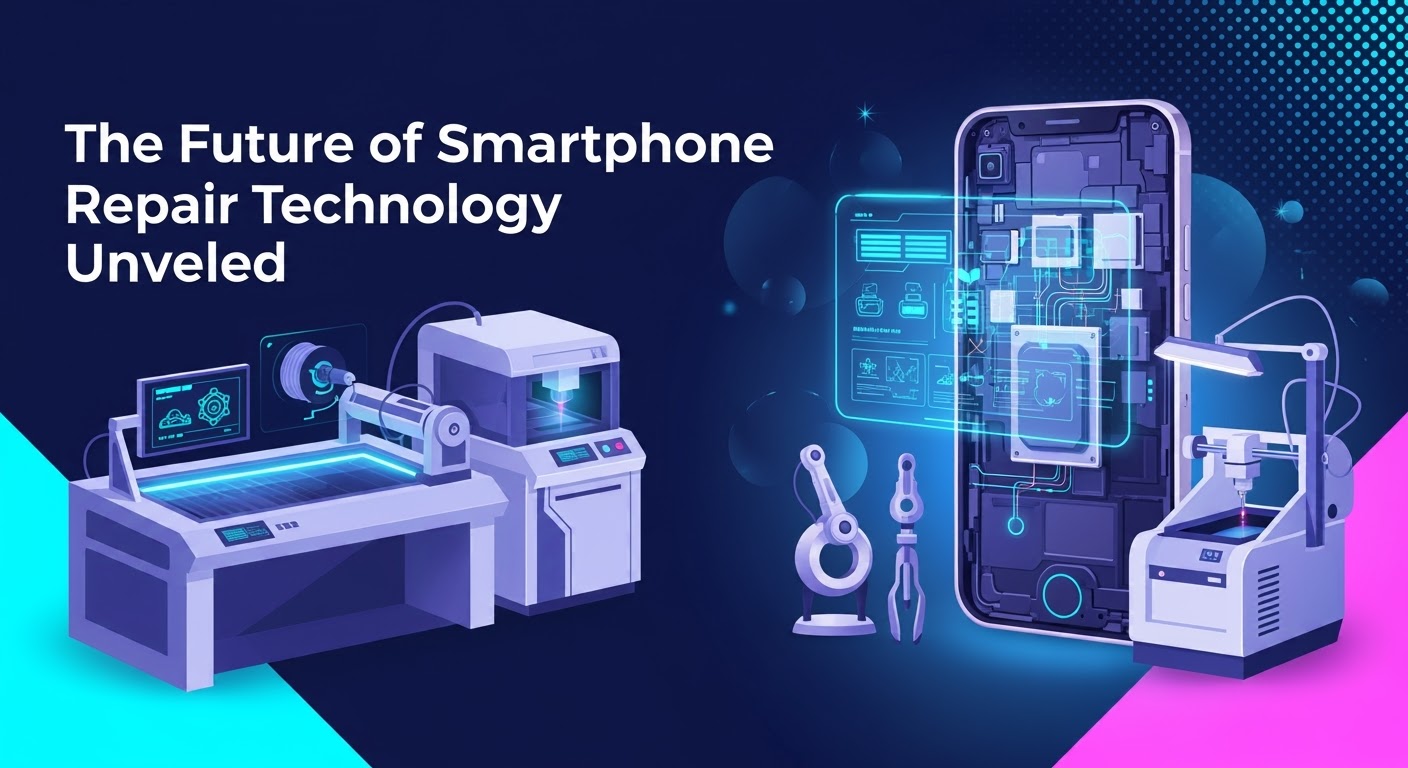
The Future of Smartphone Repair Technology Unveiled
Smartphones are evolving faster than ever. With each new generation, devices become slimmer, more powerful, and packed with cutting-edge features. But as technology advances, so does the complexity of repairing these devices. The question many people are asking now is: what does the future of smartphone repair technology look like?
At Sydney CBD Repair Centre, we’re always adapting to new trends and tools, ensuring that we stay ahead of the curve. Let’s take a closer look at the innovations shaping the future of phone repairs.
Some smartphone manufacturers are exploring modular designs, where components like batteries, cameras, and screens can be swapped out easily without dismantling the entire device. This trend could dramatically improve repairability, reduce electronic waste, and make it easier for technicians and even users to extend a phone’s lifespan.
Future repair centers will increasingly rely on AI-powered diagnostics. These tools can automatically scan a device, detect faults, and suggest precise solutions. This not only speeds up repair times but also minimizes errors.
3. Micro-Soldering and Board-Level Repairs
As phones become thinner, more components are being soldered directly to the motherboard. Micro-soldering technology is advancing, enabling technicians to repair chips and circuits that were once considered unfixable. This will save customers from costly replacements by restoring existing hardware.
4. Use of Robotics and Automation
Robotics is beginning to play a role in high-precision repairs. Automated machines can already remove broken glass from displays or reapply adhesives with perfect accuracy. In the future, robotic tools may handle intricate tasks like soldering and reassembly, ensuring consistent repair quality.
5. Genuine Parts Accessibility
With growing demand for the Right to Repair, companies like Google and Apple are slowly making genuine parts and manuals more available to the public. This shift will allow repair shops—like Sydney CBD Repair Centre—to access authentic components more easily, providing customers with reliable repairs that match manufacturer standards.
6. Eco-Friendly Repair Practices
Sustainability will be central to future repair technology. Expect to see more biodegradable adhesives, recyclable components, and eco-friendly refurbishing processes that reduce the environmental impact of repairs.
7. Augmented Reality (AR) in Repairs
AR could soon assist technicians by overlaying real-time instructions and component diagrams directly onto the phone being repaired. This will enhance training for new technicians and improve repair accuracy.
8. Remote Repair Services
With cloud-based troubleshooting, some issues—especially software-related—can be diagnosed and fixed remotely. In the future, technicians may even guide customers through simple physical fixes using video calls combined with AR instructions.
Conclusion: A Smarter Future for Repairs
The future of smartphone repair technology is bright. From AI diagnostics to robotic precision tools and eco-friendly practices, the industry is moving towards faster, safer, and more sustainable solutions.
At Sydney CBD Repair Centre, we embrace these innovations to continue delivering top-quality service. Whether it’s today’s cracked screens or tomorrow’s microchip repairs, our team is prepared to handle it all with professionalism and care.
✓ Same Day Express Repairs
✓ Genuine Parts Guarantee
✓ Professional Technicians
✓ Competitive Pricing
✓ 2000+ 5-Star Google Reviews
✓ 6-Time Award Winner for Best Phone Repairs
Smartphones today are powerful and sophisticated, but like all electronics, they can reach a point where repairs are no longer practical—or even possible. At Sydney CBD Repair Centre, we’ve seen thousands of phones come through our doors, and while most can be restored to working condition, some unfortunately fall into the “unrepairable” category.
Understanding what makes a phone unrepairable can help you decide whether to invest in fixing your device or consider a replacement.
The motherboard (or logic board) is the brain of your phone. If it suffers major damage—due to water corrosion, electrical shorting, or physical impact—repairs become extremely difficult. Micro-soldering techniques can solve some board-level issues, but when the damage spreads across multiple layers, the phone may be beyond recovery.
Contrary to popular belief, putting a soaked phone in rice won’t save it. If water has seeped deep into the phone for an extended time, it corrodes tiny components and connectors. Once corrosion spreads extensively, restoring the device to full functionality becomes nearly impossible.
3. Lack of Replacement Parts
For older or discontinued models, replacement parts may no longer be available. Even if you find parts online, they may be poor-quality copies that fail quickly. Without access to genuine, compatible parts, certain phones can’t be repaired effectively.
4. Security-Locked Components
Modern smartphones like iPhones and certain Samsung devices have security-linked parts (e.g., Face ID sensors, fingerprint scanners). If these components are damaged, they can’t always be reprogrammed or replaced without breaking security functions—making the phone effectively unrepairable.
5. Catastrophic Physical Damage
If your phone has been crushed, severely bent, or burned, the structural and internal damage can be so widespread that fixing it isn’t viable. In some cases, the cost of repairs would exceed the value of the phone itself.
6. Software or Firmware Corruption Beyond Recovery
Most software issues can be fixed with resets or flashing firmware. However, if the secure boot process is corrupted, or the phone’s storage chip (NAND/eMMC) fails, even professional tools may not be able to revive it.
7. Cost vs. Value of Repair
Sometimes, the phone is technically repairable, but the cost doesn’t make sense. For example, replacing the motherboard of an older model might cost more than buying a newer device. In such cases, it’s considered “unrepairable” from a practical standpoint.
Final Thoughts
At Sydney CBD Repair Centre, we pride ourselves on saving phones that others might call “lost causes.” However, there are limits—severe motherboard damage, advanced corrosion, and unavailability of genuine parts can all make a phone unrepairable.
If your phone is acting up, don’t assume it’s beyond saving. Bring it to our expert technicians for a professional assessment—you may be surprised by what we can restore.
✓ Same Day Express Repairs
✓ Genuine Parts Guarantee
✓ Professional Technicians
✓ Competitive Pricing
✓ 2000+ 5-Star Google Reviews
✓ 6-Time Award Winner for Best Phone Repairs
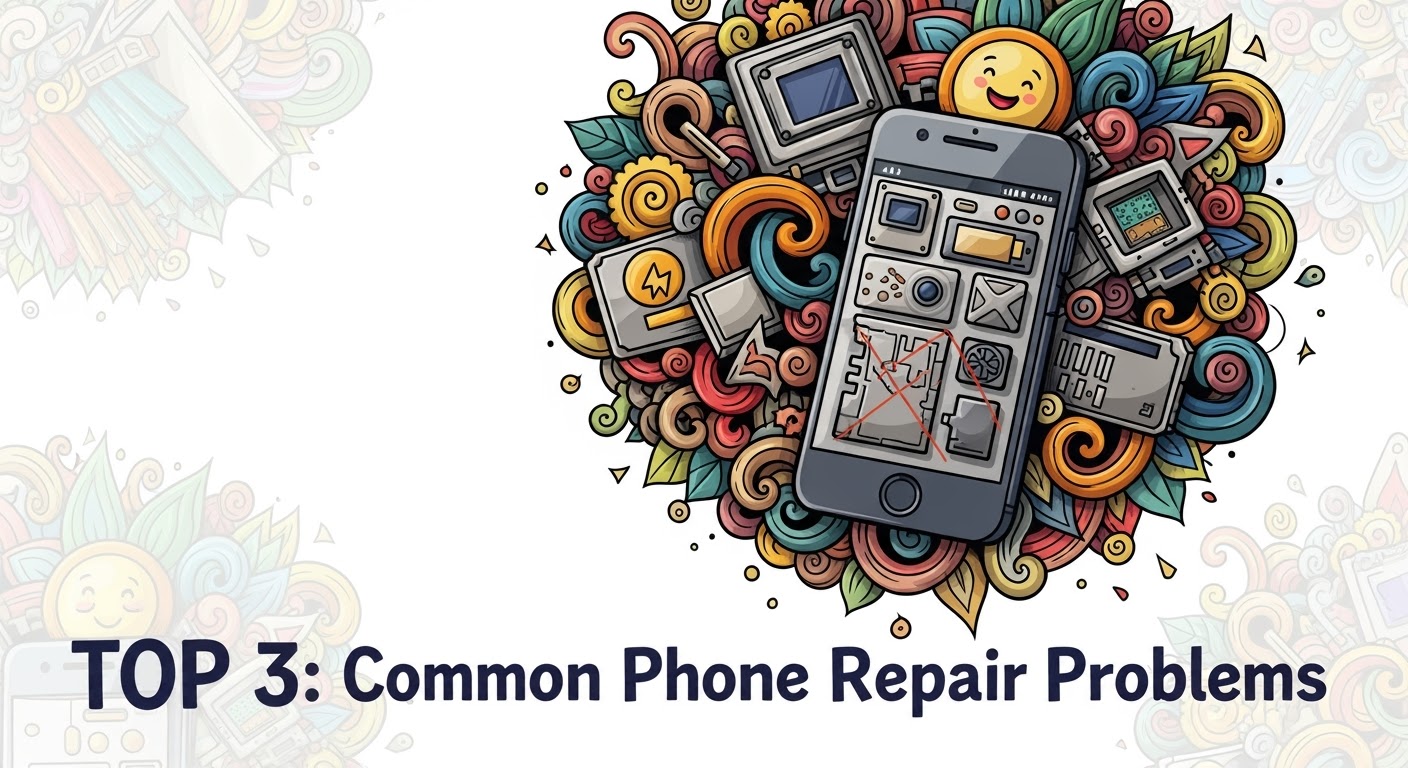
When it comes to smartphones, even the most durable models eventually face issues. At Sydney CBD Repair Centre, we’ve seen it all—from cracked screens to water damage—and some problems are far more common than others. Here are the Top 3 most frequent phone repair problems we handle every day.
This is by far the most common phone repair problem. A single drop can leave your screen covered in cracks, making it difficult to use or even unsafe due to sharp glass edges. While screen protectors and cases can help, accidents still happen.
Why it happens:
Accidental drops
Pressure in pockets or bags
Weakening of glass over time
Our Solution:
We offer same-day screen replacements using genuine parts, ensuring your phone looks and feels brand new again.
2. Battery Problems
Smartphone batteries naturally degrade over time. After a year or two, you may notice your device doesn’t hold a charge as well as it used to—or worse, it shuts down unexpectedly.
Signs your battery needs replacement:
Rapid battery drain
Overheating during normal use
Phone shutting down at 20–30% charge
Battery swelling
Our Solution:
Our technicians provide professional battery replacement with a 90-day warranty, restoring your phone’s performance and extending its lifespan.
3. Water Damage
Water and electronics don’t mix. Whether it’s a phone dropped in the sink, toilet, or pool, liquid damage is a serious problem that can affect screens, speakers, and internal components.
Why it’s dangerous:
Causes corrosion inside the phone
Leads to short circuits
May permanently damage the motherboard
Our Solution:
We perform water damage diagnostics and repairs, often saving devices that customers thought were beyond repair. The sooner you bring it in, the higher the chance of recovery.
Final Thoughts
Cracked screens, failing batteries, and water damage are the top 3 most common phone repair issues faced by smartphone users worldwide. The good news? Sydney CBD Repair Centre has the expertise, tools, and genuine parts to fix them quickly and professionally.