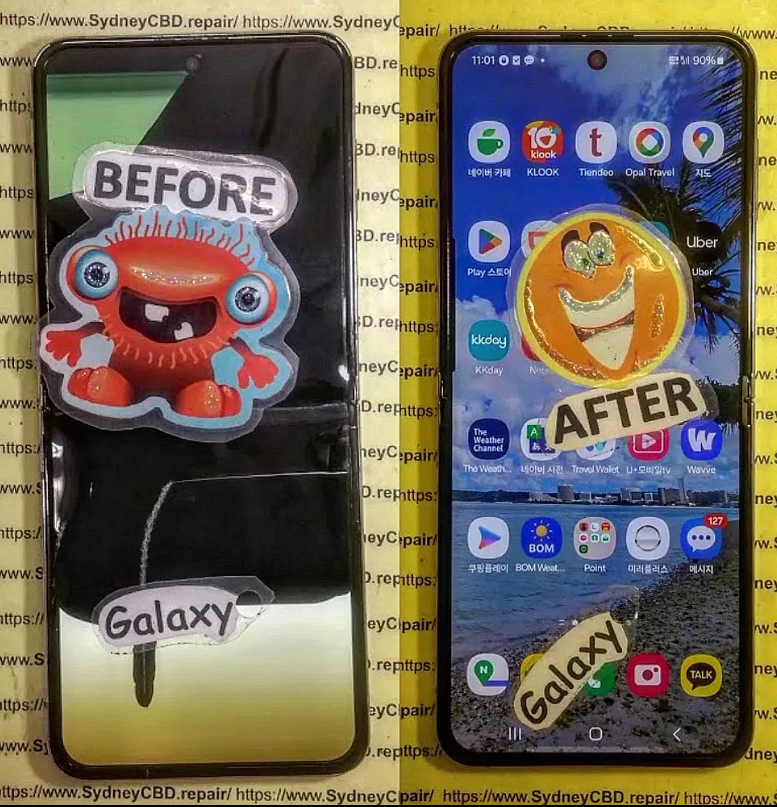
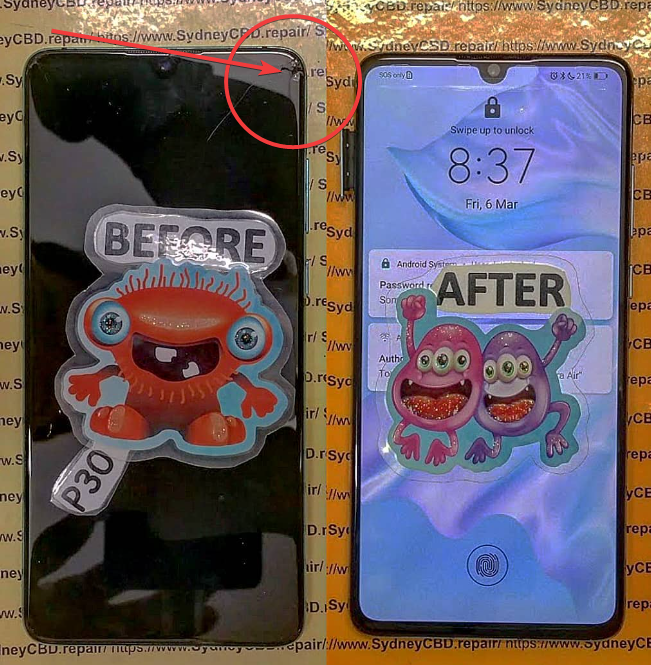
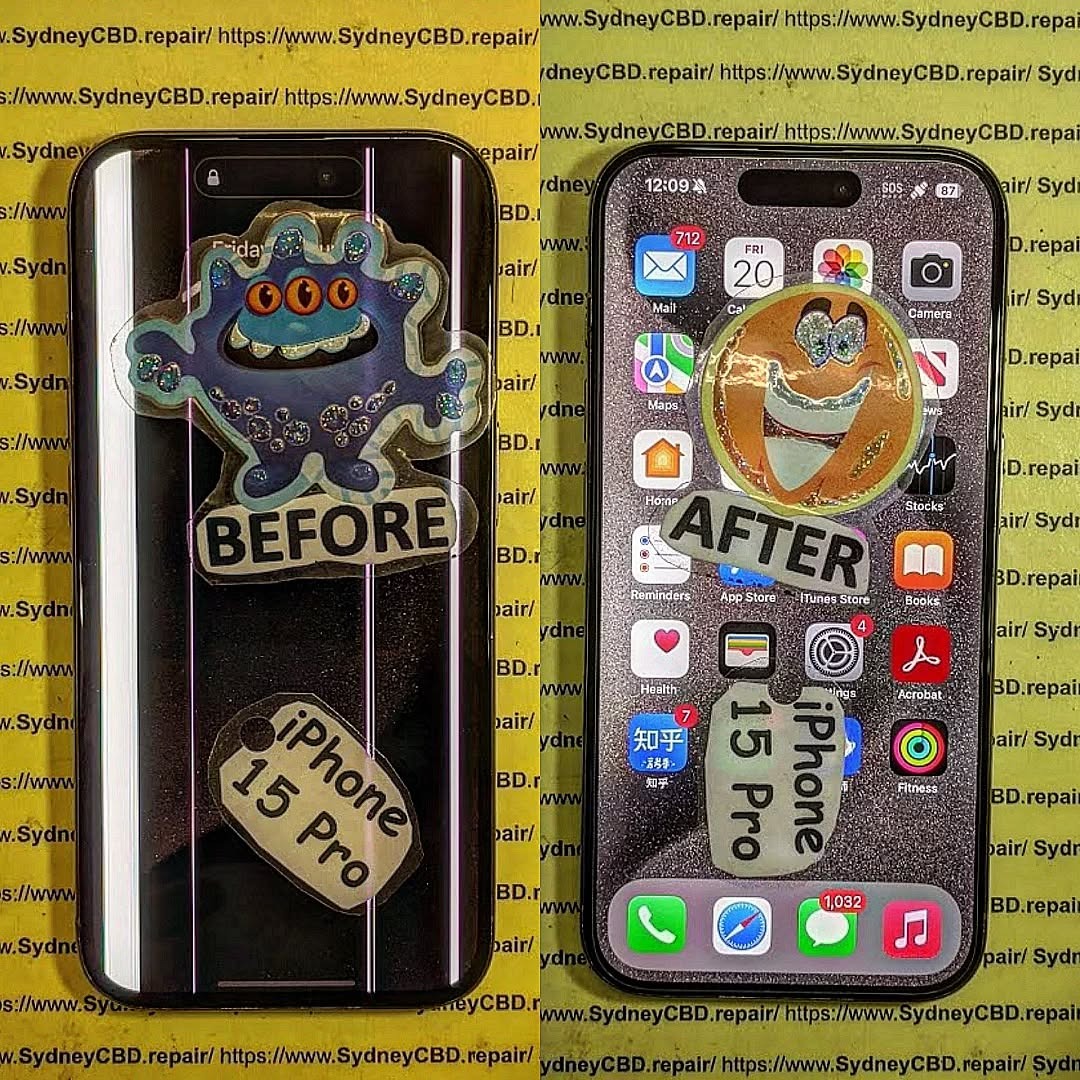
The Samsung Galaxy Z Flip 5 stands out in the smartphone world with its innovative foldable design, compact body, and high-end specs. But with that innovation comes complexity—especially when it comes to repairs. Whether it’s a cracked inner display, hinge issue, or outer screen damage, fixing a Z Flip 5 is nothing like a typical smartphone repair.
At Sydney CBD Repair Centre, we specialise in repairing next-gen foldables like the Galaxy Z Flip 5, using genuine Samsung parts, professional-grade tools, and proven techniques that ensure your device works like new again.
The Flip 5 has two displays: a flexible inner AMOLED screen and a smaller Super AMOLED cover screen. Damage to either requires careful disassembly and handling to avoid causing harm to the hinge or motherboard.
2. Specialised Hinge Mechanism
The foldable hinge is engineered with precision and involves tiny moving components, water-resistant seals, and flex cables. Repairs must be performed in a clean, static-free environment to prevent dust ingress or alignment issues.
3. Adhesive-Heavy Construction
Unlike traditional phones, the Z Flip 5 is glued shut tightly to maintain its slim profile and IPX8 water resistance. Proper heat tools and removal techniques are essential to open it safely without cracking the fragile OLED screen.
4. Risk of Damaging the Flexible Display
The inner screen is ultra-thin and flexible—this makes it more vulnerable to pressure and mishandling. One wrong move, and you could end up with dead pixels, screen bubbling, or total panel failure.
At Sydney CBD Repair Centre, we’ve mastered the art of Z Flip series repairs. Our certified technicians:
Use genuine Samsung components for both displays and hinge modules
Apply industry-standard procedures to protect screen integrity
Provide same-day repair options whenever possible
Offer a 90-day warranty on all completed repairs
📍 Visit Us Today
David from Sydney CBD Repair Centre — the Top Mobile Phone Repair Shop in Sydney 6 Years in a Row — invites you to experience a repair service that’s fast, reliable, and backed by 2000+ positive reviews.
✅ Same Day Repairs
✅ Genuine Parts
✅ Professional Technicians
✅ Affordable Pricing
✅ 6-Time Best Phone Repair Award Winner
Cracked your screen? Battery dying too fast? It’s tempting to turn to YouTube tutorials and give DIY phone repair a go. But is it really that simple—or even safe?
In this article, we break down the pros and cons of fixing your own phone, explore which repairs are doable at home, and explain when it’s smarter to visit a trusted repair professional like Sydney CBD Repair Centre.
What seems like a budget-friendly option can end up more expensive:
Item
Estimated Cost
Tools (basic kit)
$50–$100
Replacement screen
$80–$200
Shipping delays (online parts)
Varies
Extra parts due to mistakes
$50+
Time invested
2–5 hours
Professional repair after failure
$100–$300
Suddenly, that “cheap DIY fix” doesn’t look so cheap anymore.
📞 When It’s Better to Call the Pros
DIY may work if:
You’re fixing older phones
You’re technically experienced
You’re okay risking the device
But professional help is a must if:
You use the phone for work
It’s under warranty
You have newer models (Face ID, Foldables, etc.)
The issue involves internal components
🏆 What Sets Sydney CBD Repair Centre Apart
Why risk your phone when you can have it fixed:
By certified experts
Using genuine parts
With a 90-day repair warranty
In as little as 1–2 hours
Sydney CBD Repair Centre has been voted Top Mobile Phone Repair in Sydney for 6 years running. We’ve repaired thousands of Apple, Samsung, and Google devices with over 2000 5-star Google reviews.
No, but doing so can void your warranty or damage your device if done improperly.
2. Can I fix my phone with household tools?
Unlikely. Precision tools are essential to avoid internal damage.
3. Will Apple or Samsung still service my phone after a DIY repair?
Not always. If you’ve used non-OEM parts or damaged internal components, they may refuse future support.
4. Is DIY repair ever worth it?
If you’re confident, have the tools, and the phone is out of warranty—it might be. Otherwise, it’s risky.
5. Can I sell a phone I’ve repaired myself?
Yes, but buyers may ask for proof of quality parts or question the repair’s reliability.
6. What’s the safest DIY repair I can try?
Battery swaps on older models and port cleaning are relatively low-risk.
✅ Conclusion
DIY phone repair is possible—but it’s not for everyone. Between fragile parts, hidden risks, and long-term damage, it’s often safer (and smarter) to trust the experts.
Need professional help fast? Visit Sydney CBD Repair Centre and experience the difference.
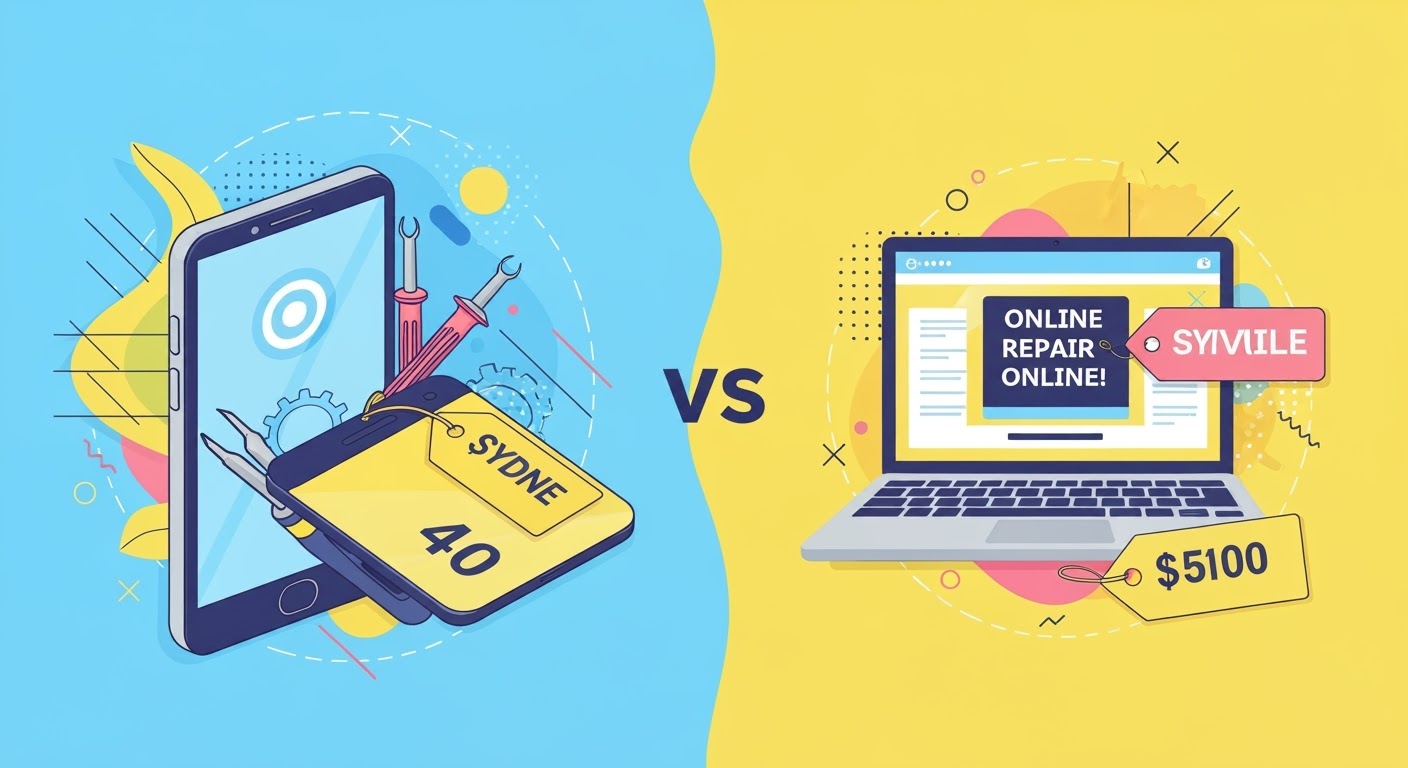
Phone Repair Cost Comparison: Sydney vs Online – The Truth About What You’re Really Paying For
📱 Introduction
Need your phone fixed but torn between walking into a Sydney repair shop or mailing it to an online service? You’re not alone. Choosing between cost, quality, and convenience can be tricky—but understanding how pricing really works can save you time, money, and frustration.
Let’s break down the real cost comparison between Sydney phone repairs and online repair services, so you know what you’re paying for—and what you’re potentially sacrificing.
The price of repairing a phone isn’t just about the part—it’s about service quality, part authenticity, labor time, warranty, and logistics. Here’s why repair prices differ:
Type of repair (screen, battery, logic board, etc.)
Phone model (iPhones usually cost more than Androids)
Local repair shops like Sydney CBD Repair Centre offer:
Face-to-face service and diagnostics
Genuine parts and transparent pricing
Same-day turnaround
On-the-spot warranty activation
No risk of shipping delays or phone damage in transit
You also get immediate feedback and peace of mind knowing your device is handled by qualified technicians.
🌐 Online Repair Services: Convenience at a Cost?
Online mail-in repair services often advertise lower costs, but:
You pay for postage
Wait up to 7–14 business days
Risk courier damage or loss
Harder to follow-up on issues or claim warranty
Often use aftermarket parts
It’s a tempting solution for remote users, but the lack of personal service and delays can be a dealbreaker—especially when time is critical.
💰 Cost Breakdown: Common Repairs in Sydney vs Online
Repair Type
Phone Model
Sydney CBD Repair Centre
Online Repair Service (Avg)
Screen Replacement
iPhone 13
$299
$270 + $30 shipping
Battery Replacement
Galaxy S22
$179
$159 + $20 return shipping
Back Glass Repair
Pixel 7
$199
$169 + $35 courier insurance
Charging Port Repair
iPhone X
$149
$129 + $25 shipping both ways
📌 Important: Local shops include diagnostics, testing, and warranty activation, while online prices often exclude postage, taxes, and delays.
⚖️ Pros and Cons: Sydney Repair Shops vs Online Services
Aspect
Sydney Repair Shops
Online Repair Services
Price
Fair, upfront pricing
Lower base price, hidden costs
Time
Same-day or next-day
5–14 days
Quality
Genuine parts, certified repair
Often aftermarket parts
Warranty
Instant warranty, in-store support
Delayed or complex claims
Risk
Low (face-to-face)
Higher (shipping, delays)
⏱️ Turnaround Time: Speed of Service Matters
If you rely on your phone for work, navigation, communication, or payments, waiting 10+ days for an online repair just isn’t feasible. In Sydney, places like Sydney CBD Repair Centre complete most repairs in under 2 hours—no downtime, no hassle.
⚠️ Hidden Fees and Risks of Online Repairs
Online repair services might seem cheaper—until you factor in:
Shipping costs (2-way)
Courier insurance
Risk of loss/damage in transit
Repackaging fees or missed courier pickups
Extended turnaround times
Some users also report phones being returned unrepaired or repaired with non-matching parts, affecting resale value and performance.
🛡️ Warranty and Aftercare Support
Sydney CBD Repair Centre offers:
90-day warranty on all repairs
Walk-in support if any issues arise
Full device diagnostics before and after the repair
Online repair providers often require:
Posting the phone back again
Waiting weeks for assessment
No face-to-face communication
🧠 How to Choose a Reliable Repair Option
Before deciding, ask yourself:
Do I need the phone repaired urgently?
Am I comfortable sending my phone by mail?
Does the service use genuine parts?
What is the real total cost, including shipping and time lost?
Is there a warranty with local support?
For most Sydney users, a local repair offers better value and reliability.
🏆 Why Sydney CBD Repair Centre Offers the Best Value
1. Is it cheaper to repair a phone online or in Sydney?
Online may appear cheaper, but when factoring in shipping, delays, and part quality, Sydney repairs offer better overall value.
2. Can I trust online phone repair services?
Some are reputable, but many lack transparency and use non-genuine parts. Always check reviews and warranty terms.
3. How fast can Sydney CBD Repair Centre fix my phone?
Most common repairs like screen and battery replacements are done within 1–2 hours.
4. Is there a risk of my phone being damaged in transit if I mail it?
Yes. There is always a risk of courier mishandling or loss, which is why many prefer local, in-person repairs.
5. Do online repairs include a warranty?
Some do, but claiming it often involves posting the phone back, which adds delay and cost.
6. What’s the best option for urgent repairs?
Walk-in service at Sydney CBD Repair Centre—you can have your phone repaired and back in your hands the same day.
✅ Conclusion
When comparing Sydney repair shops vs online phone repair services, the true cost goes beyond just dollars—it’s about trust, speed, support, and peace of mind. For most users, walking into a trusted Sydney shop like Sydney CBD Repair Centre is the smarter, safer, and more valuable choice.
Replacing a Smartphone Display: A Step-by-Step Guide
A cracked or unresponsive screen doesn’t mean your smartphone is beyond saving. With the right tools and knowledge, screen replacement is possible—whether you’re a tech enthusiast or simply exploring your options before heading to a repair shop.
In this guide from Sydney CBD Repair Centre, we’ll walk you through the step-by-step process of replacing a smartphone display, what to watch out for, and when it’s better to call in the professionals.
🧰 What You’ll Need Before You Start
Before you begin, gather the following tools and materials:
Pentalobe or Phillips screwdriver (depending on your phone brand)
Suction cup tool
Plastic opening picks or spudger
Tweezers
Heat gun or hair dryer
Anti-static gloves or wristband
Replacement screen (preferably genuine or OEM-grade)
Always power off your smartphone before starting any repair to avoid electrical short-circuits or data damage.
Step 2: Remove Screws and Heat the Display
Using the appropriate screwdriver, remove screws located near the charging port. Apply mild heat around the screen edges to loosen the adhesive—use a heat gun, not an open flame.
Step 3: Detach the Screen
Use a suction cup to gently lift one edge of the display. Slide an opening pick underneath to begin separating the screen from the body. Take your time—forcing it can damage internal cables.
Step 4: Disconnect the Battery
Once the screen is lifted, locate the battery connector and carefully disconnect it. This prevents accidental power to internal components.
Step 5: Disconnect Display Cables
Use a spudger or tweezers to detach the flex cables that connect the display to the motherboard. Be gentle—these connectors are fragile and essential for touch and display functionality.
Now that the old screen is detached, install the new display by reversing the above process. Reconnect all cables securely and double-check alignments.
Step 7: Reassemble and Test
Reattach the screen carefully, replace the screws, and power on your device. Check:
Touch responsiveness
Display brightness
Front camera and sensors
Face ID or fingerprint sensor (if applicable)
⚠️ Things to Watch Out For
Loss of Waterproofing: Opening your phone breaks its factory seal.
Touch & Display Calibration: Some features like True Tone or brightness auto-adjust may be lost.
Face ID/Touch ID Damage: Mishandling can disable biometric sensors permanently.
🧑🔧 When to Leave It to the Pros
While DIY repairs can be fulfilling, they carry risks—especially for newer models with complex assemblies.
At Sydney CBD Repair Centre, we:
Use only genuine parts
Offer same-day repairs
Provide a 90-day warranty
Preserve your data and phone features
With over 2000+ 5-star reviews and award-winning service, we’re Sydney’s most trusted repair team for Apple, Samsung, Google Pixel, and more.
Can You Replace Your iPhone 15 Pro Screen Yourself? + The Truth + 10 Must-Know Facts
📱 Understanding the iPhone 15 Pro’s Screen Technology
The iPhone 15 Pro boasts a cutting-edge Super Retina XDR OLED display with Ceramic Shield protection, which is not only brighter and more responsive than previous models but also more intricate in its engineering. This makes replacing it far more complicated than older iPhones.
Key specs:
6.1-inch OLED display
ProMotion 120Hz refresh rate
Dynamic Island
True Tone, HDR10, Dolby Vision
Ceramic Shield front for extra durability
But even with these premium specs, the screen can still crack, shatter, or become unresponsive due to accidental drops or impact. And that’s when you start thinking—should you repair it yourself or leave it to the pros?
You might consider a screen replacement for a few of the following reasons:
Cracked or shattered display
Dead pixels or screen burn-in
Touchscreen unresponsiveness
Ghost touches
Display discoloration or flickering
Face ID not working due to display damage
While the symptoms might seem fixable, diving into DIY repair without adequate prep could make things worse.
🛠️ DIY Screen Repair: Is It Even Possible?
Technically, yes—you can attempt to replace the iPhone 15 Pro screen yourself, but should you? Let’s weigh the tools and knowledge required first.
🧰 Tools and Materials You’ll Need
To even consider a DIY screen replacement, you’ll need:
Pentalobe screwdriver (P2)
Tri-point screwdriver (Y000)
Plastic spudger and opening picks
Suction handle
Heat gun or iOpener
Anti-static mat and gloves
Replacement OLED screen (genuine or high-quality third-party)
Even experienced DIYers often lack the tools to safely remove Apple’s display adhesives and micro-connectors.
🛒 Where to Source Genuine Parts
Apple allows access to original parts via its Self Service Repair program in select countries. However, for most people outside this circle, parts come from third-party vendors. Be cautious—cheap knock-offs can damage your logic board or result in poor display performance.
Warning: This is a high-risk repair. Even a small mistake can permanently damage your iPhone.
🔌 Step 1: Power Off and Disassemble
Before anything, power off your iPhone. Use a Pentalobe screwdriver to remove the two screws next to the Lightning port. Gently heat the display edges with a heat gun or iOpener to loosen the adhesive.
Use a suction handle to lift the display slightly while sliding an opening pick along the edges to break the seal. Take extreme care—pulling too hard may damage flex cables underneath.
🔋 Step 2: Disconnect the Battery
After lifting the screen, use a tri-point screwdriver to remove the cover plate that shields the battery and display connectors. Disconnect the battery first to avoid short-circuits.
📱 Step 3: Remove the Damaged Display
Once disconnected, carefully remove the display by detaching the remaining connectors. Don’t force anything—most connectors are delicate and sit snugly.
🔄 Step 4: Install the New Screen
Place the new screen and reconnect all display flex cables. Ensure each one clicks gently into place. Misaligned connections could disable Face ID or display functions.
🔧 Step 5: Reassemble and Test
Reattach the battery and cover plate. Close the screen gently, ensuring proper alignment, then reinstall the Pentalobe screws. Turn the iPhone on and test:
Display brightness and responsiveness
Face ID functionality
ProMotion refresh
True Tone (may be lost without Apple calibration)
⚠️ Challenges of DIY Repairs
Repairing an iPhone 15 Pro screen isn’t like swapping out batteries on older models. Here’s what makes it risky:
😟 Face ID & OLED Issues
Face ID components are tied to your logic board. Damaging them disables facial recognition permanently unless you go through Apple.
OLED screens are fragile and require precision handling. One wrong flex and you’ll see flickering, ghosting, or dead zones.
💧 Dust, Water Resistance & Internal Damage Risks
Opening your iPhone breaks its waterproof seal. Reapplying adhesive rarely restores its original IP68 water resistance.
You also risk puncturing the battery, bending logic board contacts, or damaging the speaker/mic seals.
📜 Apple’s Official Policy on Third-Party Repairs
Apple allows third-party and self-service repairs but warns that:
Certain features like True Tone, Face ID, and brightness calibration may not work correctly without proprietary tools.
Damage during third-party repair voids the warranty, even if the original fault was unrelated.
Post-repair errors may not be resolved through Apple Store support.
iOS feature limitations (like True Tone or Auto-Brightness malfunctioning)
Apple’s diagnostic tools will detect third-party displays, which could result in service refusals later.
💵 Professional vs DIY: A Cost Comparison
Repair Method
Average Cost
Time Required
Risk Level
Warranty
DIY (with tools)
AUD $400–$600
2–4 hours
High
None
Professional Repair
AUD $480–$550
1 hour
Low
90-day or more
Though DIY may appear cheaper at first, consider the long-term costs of screen failure, re-repair, or disabling Face ID. Most users save money by doing it right the first time.
⚡ Safety Concerns with DIY Repairs
🔋 Battery puncture can cause fire
🧲 Static discharge may damage components
👁️ Sharp OLED shards can cause injury
🧪 Exposure to glue fumes can irritate skin/eyes
Unless you’re confident and well-equipped, the risk is often not worth the reward.
🛠️ What to Expect from a Professional Repair Shop
⏱️ Turnaround Time
Shops like Sydney CBD Repair Centre offer same-day screen replacement. Most customers are in and out within 1–2 hours.
📜 Warranty and Support
You’ll get:
90-day warranty on parts and labor
Genuine Apple-compatible parts
Expert calibration for Face ID, True Tone, and display settings
And most importantly, peace of mind.
⭐ Sydney CBD Repair Centre: Your Trusted Repair Partner
Located in the heart of the Sydney CBD, we are:
🛠️ 6-time winner for best mobile phone repair
✅ Over 2000 verified 5-star Google reviews
📱 Specialists in Apple, Samsung, and Google Pixel repairs
💯 Only use genuine parts with full functionality
Walk-in or book online for same-day service:
🔗 Locate us here
❓ 6 FAQs About iPhone 15 Pro Screen Replacement
1. Can I replace the iPhone 15 Pro screen myself?
Technically yes, but it’s risky and may void your warranty. Always weigh the risks before proceeding.
2. Will Face ID still work after replacement?
Only if done professionally. DIY repairs may break the Face ID sensor permanently.
3. Does Apple allow third-party screen repairs?
Yes, but they won’t cover any resulting damage under warranty unless it’s done through official channels.
4. How long does a professional repair take?
Most professional screen replacements are completed within 60–90 minutes.
5. What’s the average cost in Sydney?
Expect to pay between AUD $480 to $550 for a professional iPhone 15 Pro screen replacement with genuine parts.
6. Can I keep my True Tone feature after repair?
Only if the repair technician transfers the original screen data correctly—which most DIYers cannot do.
✅ Conclusion
So, can you replace your iPhone 15 Pro screen yourself? Sure. Should you? Probably not—unless you’re highly experienced and fully equipped.
DIY repairs are tempting but carry major risks: broken Face ID, water damage, or complete phone failure. For most people, the smartest choice is turning to professionals like Sydney CBD Repair Centre—where quality meets reliability.
How to Choose the Right Phone Screen Replacement – A Complete Buyer’s Guide for 2025
📱 Introduction
Cracked or unresponsive screen? It’s a common issue with smartphones today—and fixing it properly is crucial. But with so many screen types and suppliers out there, how do you choose the right phone screen replacement?
Whether you’re using an iPhone, Samsung, or Google Pixel, this guide will help you understand screen types, cost factors, compatibility concerns, and how to ensure your repair is safe, effective, and long-lasting.
🕵️ When Should You Replace Your Phone Screen?
Signs Your Screen Needs Replacement
Cracked or shattered display
Ghost touches or delayed touch response
Screen flickering or going black
Vertical/horizontal lines appearing
Face ID or fingerprint scanner no longer working
Can You Delay the Replacement?
You can—but it’s not recommended. Using a damaged screen may cause:
Further internal damage
Data loss due to hardware failure
Injury from glass shards
Compromised water resistance
If your screen is more than just scratched, it’s time for a replacement.
Failure to consider this may break your phone’s biometrics.
🧰 What’s Included in a Screen Replacement Kit?
Full Display Assembly vs Just the Glass
Full assembly includes LCD/OLED + digitiser + frame
Glass-only kits are cheaper but require advanced skills to separate layers without damage
Adhesives, Tools, and Accessories
Kits should include:
Suction cup or heat pad
Pry tools
Screwdrivers (pentalobe, tri-point, Phillips)
Pre-cut adhesive seals
Anti-static gloves
If these aren’t included, you’ll need to purchase them separately.
🔧 DIY vs Professional Screen Replacement
Risks of DIY Repairs
Screen damage during installation
Loss of water resistance
Face ID/Touch ID failure
Warranty void
Electrical shorts or battery puncture (⚠️ Fire risk!)
DIY is only advised for users with technical knowledge and proper tools.
Why Professional Repair Is Safer
Professionals offer:
Clean, dust-free workspace
OEM tools and calibration devices
Experience with screen bonding and sensor transfer
Warranty on parts and labour
💰 Cost Breakdown of Screen Replacement in Australia
Brand
Model
Estimated Cost (AUD)
Apple
iPhone 14 Pro
$400–$650
Samsung
S23 Ultra
$450–$700
Google
Pixel 7 Pro
$350–$500
Prices vary depending on screen type, part quality, and technician expertise. Sydney CBD Repair Centre offers genuine parts at competitive prices.
🚫 How to Avoid Counterfeit Parts
Red flags include:
Unusually cheap prices
No logo or serial number on flex cables
Washed-out colours or dim backlight
No warranty offered
Stick with certified repair centres like Sydney CBD Repair Centre to avoid costly mistakes.
🛡️ Benefits of Choosing Genuine Parts
True Tone and Face ID remain functional
Brightness and colour match the original
Longer screen life
Proper adhesive and waterproofing
Manufacturer compliance (especially for Apple & Samsung)
🌟 Why Sydney CBD Repair Centre is a Trusted Choice
6-time award-winning repair shop
2000+ ⭐⭐⭐⭐⭐ Google Reviews
Only genuine or premium OEM parts
90-day warranty on all screen repairs
Same-day service for most models
Skilled technicians experienced in Apple, Samsung, and Pixel repairs
📍 Convenient location in Sydney’s CBD
📞 Call us: +61280114119
🔗 Locate us here
❓ FAQs
1. Can I upgrade my screen to a better one?
No. Phone screens are model-specific. Upgrades like OLED instead of LCD usually aren’t compatible.
2. Is it safe to buy replacement screens online?
Only if purchased from reputable sources with verified reviews. Avoid unknown marketplaces.
3. How long does a screen replacement take?
At Sydney CBD Repair Centre, most replacements are done within 1–3 hours, depending on model and availability.
4. Will a new screen fix ghost touches or flickering?
If those issues are caused by screen damage, yes. But if it’s a board-level issue, further diagnosis may be needed.
5. What happens if I install a screen myself and it doesn’t work?
You risk damaging connectors or voiding your warranty. We recommend professional help unless you’re experienced.
6. Will I lose data during screen replacement?
No. Screen repairs don’t affect internal storage, but backing up your data is always a good idea.
✅ Conclusion
Choosing the right phone screen replacement is about more than just swapping glass—it’s about compatibility, safety, and restoring your phone’s full functionality. While DIY might seem cost-effective, the risks often outweigh the rewards.
For fast, reliable, and warranty-backed screen replacements using only genuine parts, trust the experts at Sydney CBD Repair Centre. Walk in today and experience why we’re Sydney’s #1 mobile phone repair destination.
Unboxing and Teardown: Galaxy S24 Ultra – A Deep Dive Into Samsung’s Latest Flagship
📱 Introduction
Samsung’s Galaxy S24 Ultra is a powerhouse smartphone packed with premium features. But what lies beneath its sleek exterior? In this article, we go beyond the surface with a complete unboxing and teardown of the Galaxy S24 Ultra, helping users and technicians alike understand what makes this flagship tick.
Whether you’re a tech enthusiast or considering a future repair, this deep dive—brought to you by Sydney CBD Repair Centre—will give you valuable insights into the phone’s build, components, and repairability.
✨ Galaxy S24 Ultra – First Impressions
Broken-Galaxy-S24-Ultra-Screen.png
What’s in the Box
Samsung continues its eco-conscious packaging with a minimal approach:
Galaxy S24 Ultra (wrapped in a protective sleeve)
USB-C to USB-C charging cable
SIM ejector tool
Documentation (quick start guide, warranty card)
No charger included, consistent with recent Samsung flagship releases
Design and Build Quality
The S24 Ultra features:
A titanium frame – lighter and more durable
Flat-edge design for better grip
Gorilla Glass Victus 3 on front and back
Slim camera housing with four high-performance lenses
The design feels premium and extremely solid in hand.
1. Can I repair the Galaxy S24 Ultra screen at home?
It’s not recommended. The display is fused, requiring a complete teardown. Professional tools are needed.
2. Is the battery replaceable?
Yes, with patience. It’s held by strong adhesive but not soldered.
3. Does the teardown void the warranty?
Yes. Opening the phone without Samsung authorization voids the manufacturer warranty.
4. Can I upgrade internal storage during teardown?
No. The storage is soldered onto the motherboard, and not upgradable.
5. Is the titanium frame more durable?
Yes. It offers better resistance to drops and dents compared to aluminum frames.
6. Do you offer Galaxy S24 Ultra screen repair?
Yes. Sydney CBD Repair Centre offers genuine Samsung screen replacements with same-day service (stock permitting).
✅ Conclusion
The Galaxy S24 Ultra stands out for its premium build, performance, and innovation. But when it comes to repairability, its fused screen and soldered components make DIY repairs challenging. That’s why trusting a professional repair centre like Sydney CBD Repair Centre is the safest and smartest choice.
Whether it’s a screen, battery, or camera issue, our expert team has the skills and tools to get your phone back in top condition—fast and hassle-free.
DIY Phone Repair: Replacing Only the LCD Screen – What You Need to Know Before You Begin
📱 Introduction
Got a blank screen but an otherwise working phone? If your touchscreen doesn’t display anything or shows weird colours, you may be dealing with a damaged LCD. While full screen replacements are common, some DIYers wonder: “Can I replace just the LCD?”
In this guide, we’ll break down DIY phone repair focused on replacing only the LCD screen. You’ll learn the process, the tools required, and the risks—plus when it’s better to visit professionals like Sydney CBD Repair Centre.
🧠 What is the LCD Screen and Why Replace Only It?
Understanding Phone Display Layers
Most smartphones have three display components:
Glass (Digitizer): The outermost layer you touch
Touch Sensor: Detects finger movement
LCD (or OLED): Displays images, colours, and brightness
If the LCD is damaged but the glass and touch still work, you may be able to replace just the LCD panel.
Many older or mid-range phones (especially LCD-based models) allow for separate replacements.
When Full Screen Replacement is Better
Modern phones (especially iPhones, Samsung AMOLED, or flagship models) use a fused screen assembly. Trying to separate layers often causes more damage. In such cases, it’s safer—and often more cost-effective—to replace the entire screen unit.
🧰 Tools & Materials You’ll Need
Replacement LCD panel (specific to your phone model)
Precision screwdriver set
Plastic pry tools / spudger
Heat gun or hairdryer (for softening adhesive)
Suction cup (to lift screen)
Tweezers
Anti-static wrist strap (recommended)
Microfiber cloth and isopropyl alcohol
Magnetic mat (optional but helpful)
🛠️ Step-by-Step Guide to Replacing the LCD Screen
⚠️ Note: Proceed only if you’re confident and the LCD is not fused. This process varies depending on your phone model.
1. Power Off and Disassemble the Device
Turn off the phone
Remove SIM tray and screws (usually near charging port)
Use a suction cup and pry tool to separate the screen from the frame
Be cautious of fingerprint sensors or ribbon cables
2. Remove the Broken LCD
Carefully detach ribbon connectors using a spudger
Remove any shielding plates or adhesive layers
Gently lift out the damaged LCD panel
3. Install the New LCD Panel
Align the new LCD properly
Reconnect ribbon cables
Secure it back into the frame
Apply new adhesive (if needed)
4. Reassemble and Test the Phone
Put everything back together
Power on the device
Test the display, touch, brightness, and screen responsiveness
⚖️ Pros and Cons of DIY LCD Replacement
✅ Pros:
Lower upfront cost (just parts and tools)
Learn a new skill
Can be done at home (if confident)
❌ Cons:
High risk of permanent damage
No warranty
May void manufacturer or insurance cover
Complex for modern smartphones with fused displays
⚠️ Common Mistakes and How to Avoid Them
Mistake
How to Avoid It
Damaging internal components
Use plastic tools and work gently
Choosing the wrong screen
Double-check model number
Forgetting to disconnect battery
Always remove power first
Skipping re-adhesion
Use new adhesive to avoid loose fit
Not testing before reassembly
Power on to test before closing the phone
👨🔧 When to Call a Professional Instead
You’re not comfortable handling electronics
Your screen is glued or fused
Your phone has multiple issues (e.g., battery, motherboard)
You want a warranty-backed repair
In these cases, save yourself the stress and visit an expert like Sydney CBD Repair Centre.
🌟 Why Sydney CBD Repair Centre is the Smart Alternative
1. Is it really possible to replace only the LCD screen?
Yes—but only if the screen is not fused. Most modern phones use fused assemblies, so this is usually an option for older or budget models.
2. How do I know if my LCD is fused?
Search your phone model online or consult a technician. You can also check teardown videos to confirm.
3. Will replacing only the LCD affect phone performance?
If done correctly with a compatible part, no. But improper installation can cause ghost touch or brightness issues.
4. Is it cheaper to replace only the LCD?
Yes, but it’s harder to do, and not always possible. Whole screen assemblies are often more practical.
5. Can I damage my phone during DIY repair?
Absolutely. Incorrect tools or too much pressure can damage the logic board, battery, or other internal components.
6. Do you offer LCD-only replacement at Sydney CBD Repair Centre?
We always inspect devices first. If only the LCD needs replacing and it’s not fused, we’ll perform the most cost-effective and safest repair.
✅ Conclusion
Replacing just the LCD screen on your phone can be a rewarding DIY project—but it’s not without risks. If your device allows separate LCD replacement and you’re confident in your skills, it may save money. But if you’re unsure, or using a flagship model, professional repair is the best route.
At Sydney CBD Repair Centre, we ensure your device gets top-tier service, fast turnaround, and peace of mind through genuine parts and warranty. Don’t take chances—get it done right the first time.
How To Choose The Right Phone Screen Replacement – Expert Tips for Quality & Longevity
📱 Introduction
Replacing a cracked or faulty phone screen is one of the most common repairs, but not all replacement screens are made equal. Choosing the right phone screen replacement can save you from repeated repairs, unresponsive touch issues, or poor display quality.
In this guide, we’ll explain everything you need to know before getting your screen replaced—from screen types and red flags to look out for, to choosing a professional repair centre like Sydney CBD Repair Centre, Australia’s trusted expert for screen repairs.
💡 Why Screen Quality Matters
Performance and Touch Sensitivity
A low-quality screen may respond slowly or inconsistently to touch, making navigation frustrating. Genuine screens provide smooth, lag-free interaction.
Display Brightness and Colour Accuracy
Cheap replacement screens often suffer from dull brightness or inaccurate colours—especially in sunlight. OEM screens maintain the original display’s vivid quality.
Durability and Longevity
Low-grade displays scratch and crack more easily. Choosing a quality screen means longer-lasting protection, especially if paired with a good case and screen protector.
Matches the original display in brightness, colour, and touch sensitivity
Typically more expensive but worth the investment
Offered by trusted repair shops like Sydney CBD Repair Centre
Aftermarket Screens
Third-party replicas, often manufactured overseas
May lack the same durability or clarity
Usually cheaper but less reliable
Touch issues and shorter lifespan are common
Refurbished Screens
Original screens salvaged and restored from used phones
Often a balance between cost and quality
Should be sourced from reliable technicians who test thoroughly
✅ Key Factors to Consider
Compatibility with Your Phone Model
Ensure the replacement screen matches your exact phone model—not just the brand. Even a tiny mismatch can affect fit and function.
Glass vs Display: Know What Needs Replacing
Sometimes only the outer glass is damaged, while the display underneath still works. A skilled technician can determine what needs replacing and help you save on costs.
Warranty and Return Policy
Always ask:
Is the screen covered by a warranty?
How long is the warranty?
What happens if it fails again?
Sydney CBD Repair Centre offers a 90-day warranty on all screen repairs.
⚠️ Red Flags to Avoid
Ultra-Cheap Pricing
If a screen replacement deal seems too good to be true—it probably is. Cheap parts often mean:
Phones like iPhones and Samsung Galaxies come with water resistance seals that must be carefully replaced during screen repair. Professionals ensure that the integrity is maintained.
🛠️ Why Choose Sydney CBD Repair Centre
2000+ Google Reviews & 6 Years as Top Repair Centre
David and the team at Sydney CBD Repair Centre are Sydney’s most trusted phone repair experts. With 2000+ 5-star reviews and 6 consecutive years of top-rated service, you can trust you’re in good hands.
OEM screens are the highest quality and closest to what your phone originally came with.
2. Are cheap screens worth it?
Not usually. They may cost less upfront, but you’ll likely face issues with performance, visibility, or durability.
3. How do I know if my screen is OEM?
Genuine repair centres will tell you the screen’s origin and often include branding on the part.
4. Can I replace the screen myself?
It’s risky. DIY repairs often lead to further damage or voiding your warranty.
5. What’s the difference between glass replacement and full screen replacement?
Glass-only replacement fixes surface cracks, while full screen replacement includes the touch and display layers—usually needed for major damage.
6. How long does screen replacement take at Sydney CBD Repair Centre?
Most screen replacements are done within a few hours, often on the same day.
✅ Conclusion
When it comes to phone screen replacement, the quality of the screen and the skill of the technician make all the difference. Don’t risk cheap parts or inexperienced repairs. Choose a repair centre that uses genuine components, provides transparent pricing, and backs their work with a solid warranty.
Sydney CBD Repair Centre ticks all the boxes. With expert technicians, same-day service, and a reputation built on excellence, they’re the smart choice for anyone looking to restore their phone’s screen to like-new condition.
Troubleshooting Common Smartphone Screen Issues: Expert Fixes from Sydney’s Top Repair Team
📱 Introduction: Screens Are More Fragile Than You Think
Smartphones are modern marvels, but their sleek glass screens can be vulnerable to everyday wear and tear. Whether it’s a minor scratch or a completely shattered display, screen issues are among the most common problems users face. But don’t panic — many screen-related problems can be diagnosed and fixed, especially if you catch them early.
⚠️ Most Common Smartphone Screen Issues
Cracked or Smashed Glass
This is the number one reason people seek screen repairs. A single drop can cause anything from a small crack to total shatter. Cracks not only look bad but can also:
Cause cuts on your fingers
Compromise water resistance
Spread further over time
Display Not Turning On
Sometimes the phone vibrates or rings, but the screen stays black. This could mean:
A dead battery
Display connector damage
Internal screen failure
Screen Flickering or Glitching
If your display flickers or flashes:
You might have a faulty display ribbon
Apps may be causing graphical conflicts
It could be a software bug or hardware malfunction
Touchscreen Not Responding
Non-responsive screens are often linked to:
Moisture or dirt under the glass
Faulty digitizer
Overheating
Ghost Touch Issues
Ghost touches occur when your phone acts like it’s being touched — even when it isn’t. This is usually due to:
Screen damage
Poor-quality screen replacements
System glitches
🔧 DIY Troubleshooting Tips You Can Try
Restart or Soft Reset
Sometimes, a simple restart clears up glitches. Hold down your power button and give your device a fresh start.
Screen Calibration Apps
Apps like “Touchscreen Repair” can recalibrate screen sensitivity, especially useful for ghost touch or lagging responses.
Safe Mode for App Conflicts
Booting into safe mode disables third-party apps. If the screen behaves normally here, a rogue app may be to blame.
Cleaning the Screen Surface
Use a microfiber cloth to remove dirt or grease. Moisture or grime can affect touch accuracy.
We use 100% original screens for all major phone brands — including Samsung, Apple, and Google — ensuring durability and perfect display quality.
Calibration for Touch & Fingerprint Sensors
After replacement, we recalibrate touch and fingerprint sensors, especially important for in-display readers like those in Samsung and Google Pixel phones.
90-Day Warranty on Repairs
Enjoy peace of mind with our 90-day guarantee. If your screen has issues post-repair, we’ll take care of it — no extra cost.
🛡️ Avoiding Screen Issues in the Future
Screen Protectors and Phone Cases
Invest in tempered glass screen protectors and shock-resistant phone cases. These small accessories can save you hundreds in repair costs.
Avoiding Water and Heat Exposure
Don’t leave your phone in hot cars or near water. Excess moisture or heat can cause internal damage, even without cracks.
Regular Software Updates
Keep your operating system updated. Some screen issues are software-related and get resolved with updates.
❓ FAQs
1. Can I fix a cracked screen without replacing it?
In most cases, a cracked screen needs full replacement, especially if the crack affects touch or visibility.
2. Why is my phone pressing itself?
This is likely a ghost touch issue. It could be caused by pressure on the screen, internal damage, or faulty screen replacements.
3. How long does a screen repair take?
At Sydney CBD Repair Centre, most screen repairs are done same day, often within 1–2 hours.
4. Will my fingerprint scanner still work after a screen repair?
Yes — if the repair is done professionally using genuine parts and proper calibration.
5. What’s the difference between original and aftermarket screens?
Original screens match your phone’s quality exactly. Aftermarket ones are cheaper but may lack touch sensitivity, brightness, or durability.
6. How do I know if my screen issue is hardware or software?
Try restarting in Safe Mode. If the issue disappears, it’s likely software. If not, it’s probably hardware-related.
✅ Conclusion: Don’t Let a Damaged Screen Slow You Down
Screen issues can range from mild annoyances to serious problems. Whether it’s a hairline crack or a blank display, don’t ignore the signs. Quick action can prevent bigger (and more expensive) issues. At Sydney CBD Repair Centre, we’re committed to giving your device the expert care it deserves — with genuine parts, same-day service, and a solid warranty to back it all up.
David from Sydney CBD Repair Centre – The Best Place to Fix Mobile Phones 6 Years in a Row! Top Mobile Phone Repair in Sydney. Over 2000 Positive Reviews and Same Day Repairs.