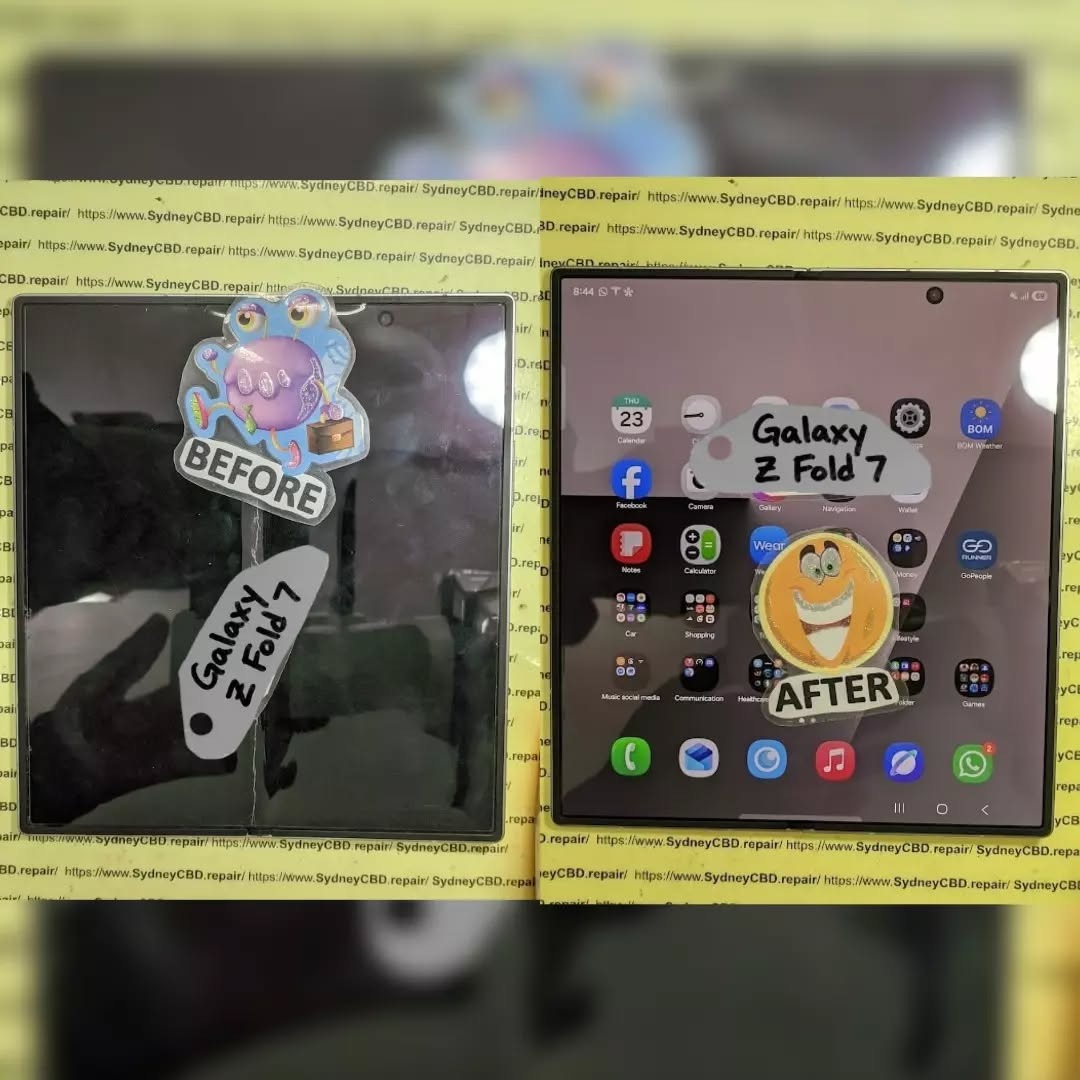
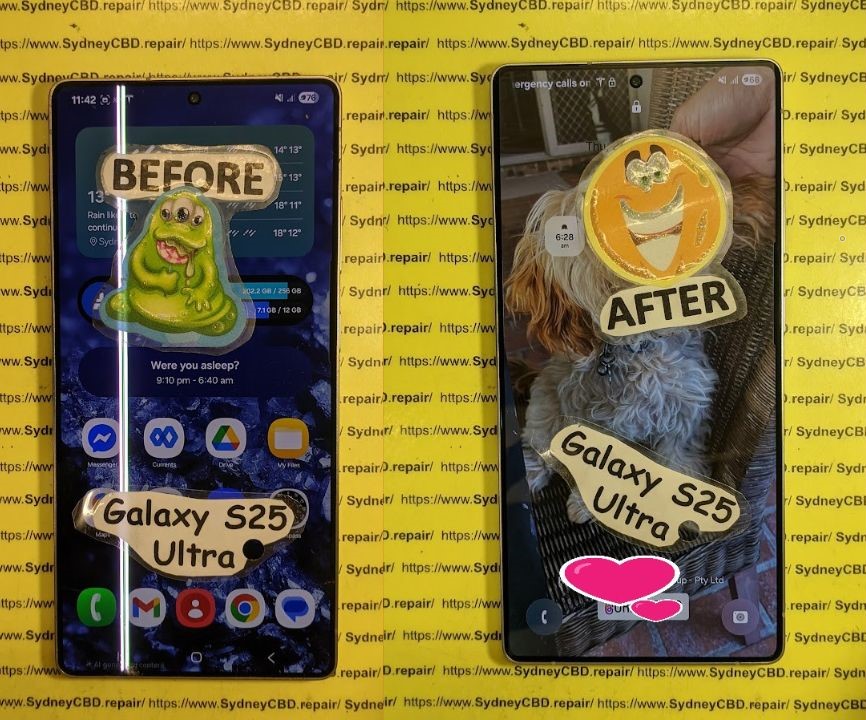
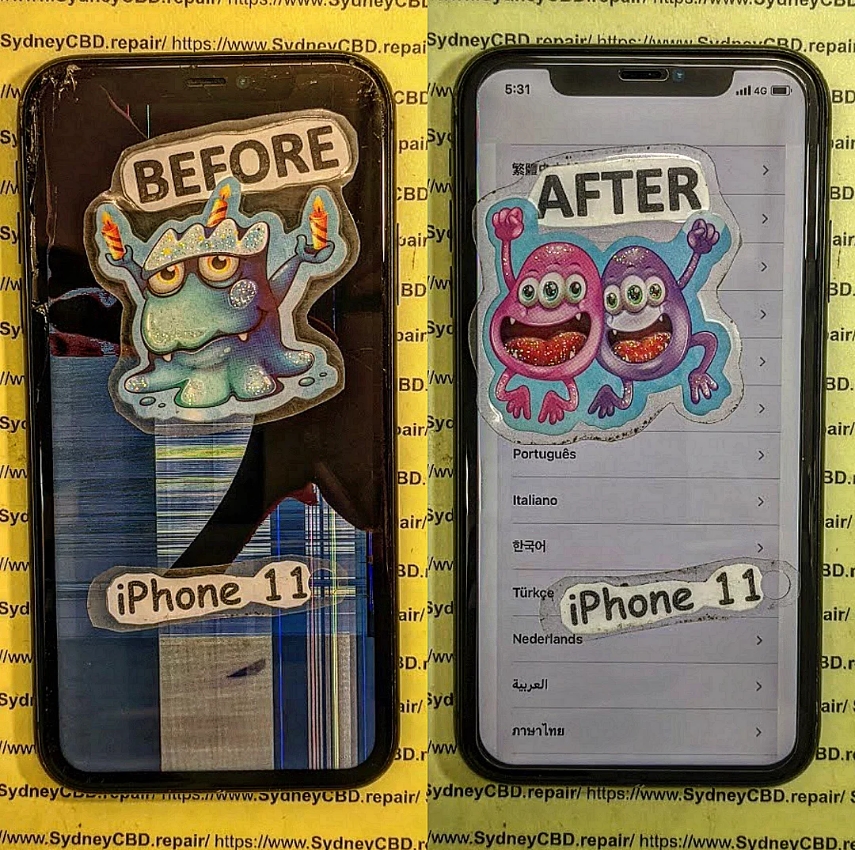
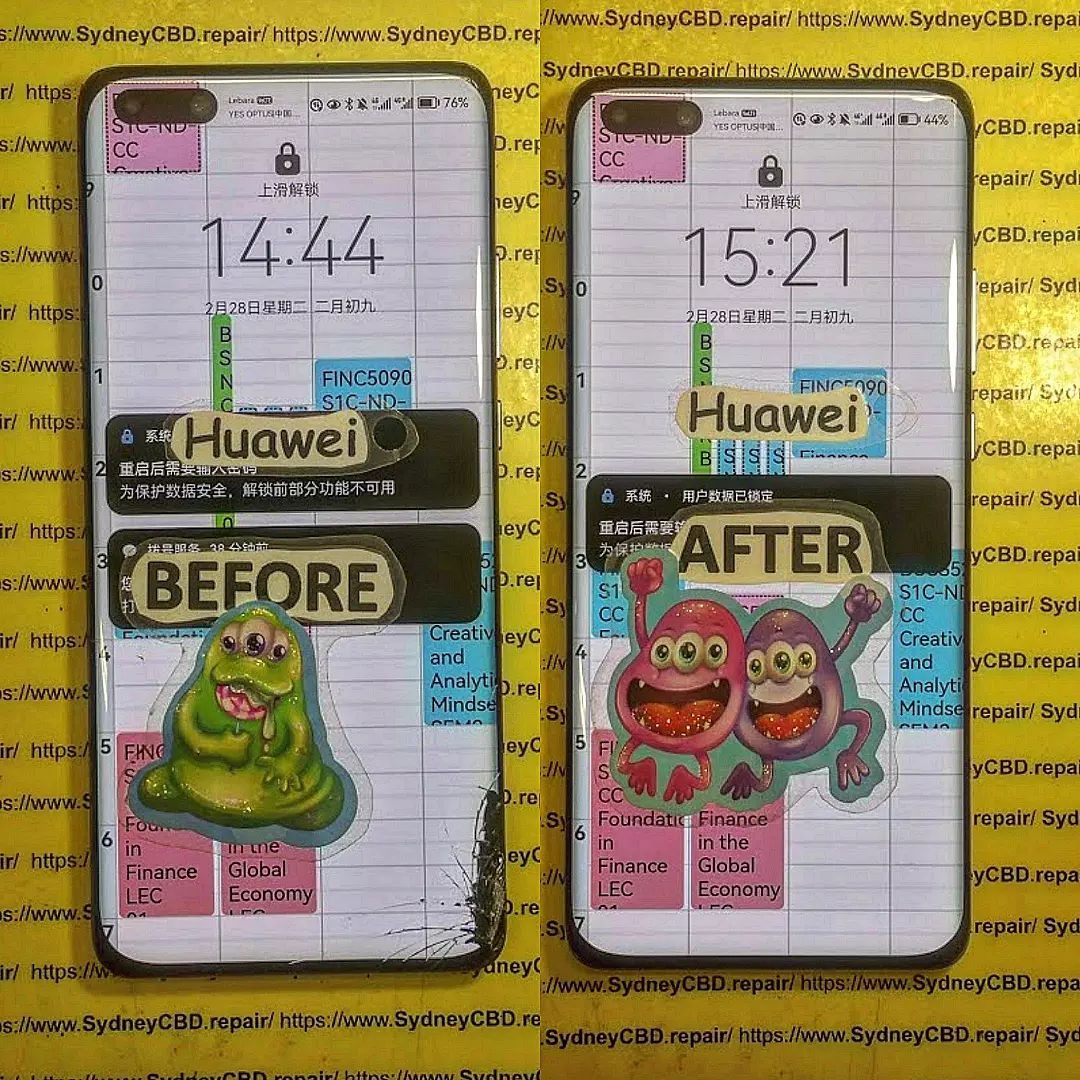
The Future of Foldable Phones Repairs: Mastering the Art of Foldable Phone Repairs
Foldable smartphones have quickly evolved from futuristic concepts to mainstream devices, with brands like Samsung, Huawei, and Oppo leading the way. These innovative phones combine cutting-edge engineering with sleek designs, offering users larger displays without the bulk. However, with advanced technology comes a new challenge—repairs. Foldable phones are exciting, but they’re also more complex to fix than traditional smartphones.
As foldable technology matures, repair processes are also improving:
Modular designs: Future foldables may adopt more modular parts, making replacements easier and cheaper.
Enhanced durability: Stronger hinge materials and protective coatings will reduce common damage.
Specialized repair centres: Only expert shops like Sydney CBD Repair Centre will have the skills, tools, and access to genuine parts for complex foldable repairs.
Cost efficiency: As more foldables enter the market, repair costs are expected to become more competitive.
Conclusion
The rise of foldable phones is shaping the future of mobile technology, offering users flexibility, innovation, and style. However, with these advancements come unique challenges in terms of durability and repairs. From delicate folding screens to complex hinge mechanisms, foldable devices require specialized care that only experienced technicians can provide.
At Sydney CBD Repair Centre, we stay ahead of the curve by mastering the latest repair techniques for all phone types—including foldables. Our dedication to using genuine parts, same-day service, and professional expertise ensures that your device is not only restored but also protected for the long run.
Whether you’re dealing with a creased screen, a faulty hinge, or water damage, you can trust us to bring your device back to life with precision and care. The future of foldable phone repairs may be complex, but with the right experts by your side, your investment is always in safe hands.
Would you also like me to make this conclusion more SEO-focused with keyword integration (e.g., “foldable phone repair Sydney,” “professional hinge repair,” etc.)?
Why Choose Expert Repair for Foldables
Attempting DIY repairs on foldable devices can lead to irreversible damage. These phones require micro-precision work and genuine parts to ensure longevity. At Sydney CBD Repair Centre, our technicians are equipped to handle foldable screen replacements, hinge repairs, and full diagnostics, ensuring your investment stays protected.
David from Sydney CBD Repair Centre – The Best place to fix mobile phones as 6 Years In A Row!
Top Mobile Phone Repair In Sydney. More than 2000 Positive Reviews on Google and Same Day Repairs.
📍 Visit us for:
✓ Same Day Express Repairs
✓ Genuine Parts Guarantee
✓ Professional Technicians
✓ Competitive Pricing
✓ 2000+ 5-Star Google Reviews
✓ 6-Time Award Winner for Best Phone Repairs
Solving Samsung Phones Green Line Screen Mystery: 10 Proven Fixes for a Clear Display
Introduction: Why the Samsung Green Line Issue Matters
Samsung smartphones are known for their vibrant displays, but for some users, the dreaded green line screen issue has turned that brilliance into frustration. A single vertical green line may appear on the display, sometimes after a fall, water exposure, or even without warning.
This problem isn’t just cosmetic—it can affect usability, resale value, and overall device performance. Understanding the causes, fixes, and repair options is crucial for Samsung owners who want to keep their devices in peak condition.
The green line issue typically shows as a thin vertical line that runs from the top to the bottom of the display. In some cases, multiple lines appear, and the intensity may change depending on brightness levels.
Models Commonly Affected
While most OLED-equipped Samsung devices can be affected, the problem has been frequently reported in:
The OLED panel or the display connector may have developed a fault, often due to pressure, bending, or manufacturing defects.
Software Glitches
Occasionally, display drivers or outdated firmware can trigger the green line. A factory reset or software patch may resolve such cases.
Physical Damage
Drops, exposure to water, or overheating can damage the delicate display circuits, leading to persistent green lines.
DIY Troubleshooting Before Repair
Before rushing to a repair shop, Samsung users can try a few quick fixes:
Restarting the Device
A simple restart can sometimes clear temporary glitches.
Safe Mode Testing
Booting in Safe Mode helps determine whether a third-party app is causing the display anomaly.
Software Updates
Samsung frequently releases updates that address known issues. Always check Settings > Software Update to install the latest firmware.
Professional Repair Solutions
When DIY methods fail, professional help is necessary.
Screen Replacement
Most cases require a screen replacement, especially if the OLED panel itself is damaged.
Motherboard Repairs
In rare cases, display controller IC issues may demand motherboard-level repairs.
Cost Considerations
Depending on the model, screen replacements can range from $250 to $600 AUD. Choosing a trusted repair centre ensures value for money and warranty coverage.
Samsung Warranty and Customer Support Options
Eligibility for Free Repair
Samsung has acknowledged green line complaints in some regions, offering free screen replacements under warranty.
Limitations of Warranty Coverage
Physical damage, liquid exposure, or expired warranty periods may prevent users from claiming free repairs. In such cases, third-party repair centres provide faster, cost-effective solutions.
Preventive Measures for Avoiding Green Line Issues
Proper Charging Habits
Avoid using cheap third-party chargers that may cause overheating and damage internal circuits.
Protective Accessories
A sturdy case and screen protector reduce the risk of physical damage.
Regular Software Updates
Keeping the phone updated reduces the risk of software-related display glitches.
Why Sydney CBD Repair Centre Is Your Trusted Choice
At Sydney CBD Repair Centre, we’ve helped thousands of Samsung users restore their displays to flawless condition.
Genuine Parts and Warranty
We use only original Samsung screens and back all repairs with a 90-day warranty.
Skilled Technicians
Our team is trained to handle even the most complex Samsung repairs, from screen replacements to water-damage recovery.
Customer Testimonials
With 2000+ 5-star Google reviews, our reputation speaks for itself.
FAQs
1. What causes the green line on Samsung screens?
It’s usually due to OLED damage, connector issues, or software glitches.
2. Can I fix the green line myself?
You can try restarting, updating software, or safe mode testing, but hardware issues need professional repair.
3. Is the green line covered under Samsung warranty?
Yes, if the device is under warranty and the damage isn’t due to drops or liquid exposure.
4. How much does a Samsung green line repair cost?
Screen replacement costs vary between $250–$600 AUD, depending on the model.
5. Can water damage cause the green line issue?
Yes. Water exposure can corrode display connectors and circuits, causing persistent screen problems.
6. Where’s the best place in Sydney to fix Samsung green line issues?
The Sydney CBD Repair Centre is the top-rated choice, offering genuine parts and same-day service.
Conclusion: Say Goodbye to the Green Line Mystery
The Samsung green line screen issue may look intimidating, but it doesn’t have to spell the end of your phone’s life. From quick DIY checks to professional repairs, there are multiple ways to restore your display.
At Sydney CBD Repair Centre, we combine genuine parts, expert technicians, and unbeatable customer service to ensure your Samsung device looks and feels brand new. Don’t let a green line ruin your smartphone experience—get it fixed today.
David from Sydney CBD Repair Centre – The Best place to fix mobile phones as 6 Years In A Row! Top Mobile Phone Repair In Sydney. More than 2000 Positive Reviews on Google and Same Day Repairs.
📍 Visit us for: ✓ Same Day Express Repairs ✓ Genuine Parts Guarantee ✓ Professional Technicians ✓ Competitive Pricing ✓ 2000+ 5-Star Google Reviews ✓ 6-Time Award Winner for Best Phone Repairs
Introduction: Why Smartphone Water Damage Is a Common Disaster
Few things are as heart-stopping as dropping your smartphone into water. Whether it slips into the sink, tumbles into a pool, or faces a sudden downpour, water exposure can cause significant damage. Despite advancements in water resistance, no smartphone is 100% waterproof. That’s why smartphone liquid damage repair remains one of the most common services requested at repair centres worldwide.
Smartphones are not only expensive but also essential to daily life—used for communication, banking, work, and entertainment. Losing one to water damage can feel catastrophic. But here’s the good news: with the right steps, timely intervention, and professional expertise, most water-damaged phones can be saved.
When liquid enters a smartphone, it doesn’t just make things “wet.” Instead, it causes a series of harmful reactions:
Corrosion and Short-Circuits Explained
Water contains minerals and impurities that interact with the delicate circuits inside your device. Once moisture settles on the motherboard or connectors, corrosion begins almost immediately. This corrosion weakens connections, leading to short-circuits that may fry critical components.
Signs of Immediate vs. Long-Term Damage
Immediate symptoms: phone not turning on, display glitches, distorted audio, or rapid battery drain.
Long-term symptoms: corrosion that worsens over weeks, random shutdowns, faulty charging, or unresponsive buttons.
Spotting these early signs can be the difference between a repairable phone and one that’s beyond recovery.
Understanding the culprits helps prevent future accidents. Here are the most frequent scenarios:
Accidental Drops in Water
Toilets, sinks, pools, and bathtubs are the top offenders. One slip, and your device may be submerged.
Humidity and Sweat Exposure
Even without a dramatic drop, high humidity or keeping your phone in a sweaty pocket during workouts can introduce damaging moisture.
Spills and Rain Incidents
From morning coffee mishaps to unexpected downpours, everyday environments pose hidden risks.
First Aid: What to Do Immediately After Water Exposure
Speed is critical when dealing with liquid damage. Follow these proven first-aid measures:
Powering Down the Device
Turn off your smartphone immediately. Leaving it on risks further short-circuits.
Removing External Components
Take out the SIM card, memory card, and—if possible—the battery. These steps reduce points of corrosion.
Drying Techniques That Work
Pat dry with a soft cloth.
Place the device in a sealed container with silica gel packets (better than rice).
Avoid direct heat sources like ovens or hairdryers, which may warp parts.
Myths About Smartphone Water Damage Repair
Not all advice online is good advice. Some “hacks” can worsen the situation.
Rice Method: Helpful or Harmful?
While rice absorbs moisture, it’s inefficient compared to silica gel. Worse, rice dust can infiltrate your phone.
Hairdryers and Heat Risks
High heat can damage adhesives, melt plastics, and warp delicate components. Instead, stick to professional drying methods.
DIY Repair Options for Water-Damaged Phones
If you’re confident and careful, you can attempt some DIY fixes:
Alcohol Cleaning for Corroded Parts
Isopropyl alcohol (90%+) can clean corrosion on circuit boards. Use a soft brush and gentle application.
Using Silica Gel Packets
Seal your phone with multiple silica packs for at least 24–48 hours.
Disassembly Precautions
Only experienced users should attempt to open a phone. One wrong move can cause more harm than good.
Professional Smartphone Water Damage Repair Services
When DIY isn’t enough, professionals step in with advanced tools.
Diagnostic Testing
Repair shops use microscopes and specialized software to identify hidden liquid damage.
Ultrasonic Cleaning Process
An ultrasonic cleaner uses special solutions and sound waves to remove corrosion at a microscopic level.
Component Replacement Options
Damaged screens, batteries, or charging ports can often be swapped out, restoring full functionality.
👉 For Sydney residents, Sydney CBD Repair Centre offers expert water damage repair using genuine parts, same-day service, and a 90-day warranty.
Cost of Smartphone Liquid Damage Repair
Repair pricing varies depending on several factors.
Factors That Influence Repair Pricing
Extent of damage
Brand and model
Replacement parts required
Average Repair Costs by Brand
Apple iPhones: $150–$400 (depending on model)
Samsung Galaxy/Note: $180–$450
Google Pixel: $170–$350
While costs vary, repairing is often cheaper than buying a new phone.
Preventing Future Water Damage
Prevention is always better than cure.
Waterproof Cases and Pouches
Invest in a high-quality waterproof case if you’re frequently around water.
Using Nano Coatings
Some third-party services apply hydrophobic coatings that repel moisture at the microscopic level.
Avoiding High-Risk Environments
Don’t bring your phone into saunas, showers, or anywhere with extreme humidity.
Frequently Asked Questions (FAQs)
Q1: Can a phone with water damage be fixed permanently?
Yes, if treated quickly and professionally, many water-damaged phones can be fully restored.
Q2: Is it safe to use a phone after water damage repair?
Absolutely. Once cleaned and repaired, your phone is safe to use again.
Q3: Does water damage void a phone warranty?
Most manufacturer warranties don’t cover water damage. However, third-party repair shops provide their own warranties.
Q4: How long does professional water damage repair take?
At trusted centres like Sydney CBD Repair Centre, most repairs are completed the same day.
Q5: Should I attempt DIY water damage repair at home?
Basic first-aid is fine, but for complex damage, professional repair is strongly recommended.
Q6: Can rice really save a water-damaged phone?
It might help a little, but it’s not effective compared to silica gel or professional methods.
Conclusion: Save Your Phone and Avoid Costly Replacements
Smartphone water damage doesn’t always mean the end of your device. Acting fast, avoiding myths, and seeking expert help can bring your phone back to life.
If you’re in Sydney and dealing with a water-damaged device, David and the team at Sydney CBD Repair Centre are ready to help. With over 2000 positive reviews, award-winning service, and same-day repairs, they’re the go-to experts for smartphone liquid damage repair.
David from Sydney CBD Repair Centre – The Best place to fix mobile phones as 6 Years In A Row! Top Mobile Phone Repair In Sydney. More than 2000 Positive Reviews on Google and Same Day Repairs.
📍 Visit us for: ✓ Same Day Express Repairs ✓ Genuine Parts Guarantee ✓ Professional Technicians ✓ Competitive Pricing ✓ 2000+ 5-Star Google Reviews ✓ 6-Time Award Winner for Best Phone Repairs
Beyond the Screen Repair: Phone Camera Repair with 10 Expert Insights
Introduction to Phone Camera Repair
Smartphones have transformed into pocket-sized photography studios. From capturing breathtaking landscapes to preserving everyday memories, the camera has become one of the most essential parts of a phone. But just like any delicate technology, phone cameras are vulnerable to damage. Phone camera repair has now become one of the most requested services at professional repair centres.
Many users assume that fixing a damaged lens or a faulty sensor is straightforward, but the truth is, these repairs often require specialized skills, tools, and genuine replacement parts. If done incorrectly, you risk worsening the issue or losing the camera’s functionality entirely. That’s why understanding the world behind phone camera repair is so important—it saves you both time and money in the long run.
At Sydney CBD Repair Centre, our team has witnessed every type of camera failure imaginable. From foggy lenses to broken image stabilizers, we’ve seen it all—and fixed it. In this article, we’ll take you beyond the screen, exploring 10 expert insights into phone camera repair, covering the most common issues, solutions, and preventive measures to keep your camera in peak condition.
Modern phone cameras pack DSLR-level technology into a device thinner than your wallet. This includes multiple lenses, image sensors, optical zoom, AI-driven enhancements, and even optical image stabilization (OIS) mechanisms. While these features deliver crystal-clear images, they also make the system delicate and prone to malfunctions when exposed to drops, dust, or moisture.
The Role of Lenses, Sensors, and Stabilizers
Every component in your smartphone’s camera module plays a vital role. The lens determines sharpness, the sensor captures light, and the stabilizer reduces motion blur. If any of these fail, your photos and videos suffer instantly. Unfortunately, these components are often glued or soldered into compact modules, making repairs far trickier than replacing a cracked screen.
One of the most frequent complaints we hear is about cameras producing blurry images. Causes range from scratched lenses, misaligned sensors, faulty autofocus motors, or even software glitches.
Cracked or Scratched Camera Lens
A cracked lens doesn’t just affect photo clarity—it can expose the internal camera module to dust and moisture, leading to more severe damage if ignored.
Black Screen or Camera Not Opening
If your camera app refuses to open, it could be a software bug, corrupted firmware, or hardware malfunction. In many cases, this requires diagnostic testing to determine the root cause.
Glare, Fogging, and Distorted Colors
Fogging usually happens when moisture seeps inside the lens, while color distortion might indicate sensor damage. These problems are especially common after water damage incidents.
DIY vs Professional Phone Camera Repair
Risks of DIY Camera Repairs
YouTube tutorials may make DIY repairs look easy, but phone camera modules are extremely fragile. Attempting to repair them without the right tools often leads to:
Damaging nearby components
Breaking delicate ribbon cables
Compromising water resistance
Voiding manufacturer warranty
Benefits of Professional Repair Services
On the other hand, professional repair centres like Sydney CBD Repair Centre use advanced diagnostic tools, OEM-grade parts, and expert techniques. This ensures your phone is restored to factory condition without further damage. Plus, you get a repair warranty—something DIY can’t provide.
Step-by-Step Guide: Professional Camera Repair Process
When your smartphone’s camera malfunctions, professional repair isn’t just about replacing parts—it’s a systematic process designed to diagnose, resolve, and restore your phone to full working order. Here’s how expert technicians like those at Sydney CBD Repair Centre handle it:
Initial Diagnostics and Assessment
Before any repairs begin, technicians run comprehensive diagnostics. This includes:
Checking the camera app for errors
Inspecting the physical lens for cracks or scratches
Running hardware tests to confirm sensor or stabilizer functionality
Testing the phone’s software for bugs or corrupted files
This stage ensures the problem is correctly identified, preventing unnecessary part replacements.
Lens and Sensor Replacement
If damage is confirmed, the next step may involve lens replacement or sensor swaps. These tasks require precision tools, as the modules are glued and aligned under microscopes. Even the slightest misalignment can compromise image quality.
Software Troubleshooting for Camera Apps
Sometimes, the issue isn’t hardware but software. Experts may:
Update or reinstall firmware
Clear corrupted cache files
Reset the camera app to factory settings
Run third-party diagnostics to rule out malware or conflicting apps
By combining hardware and software checks, repair centres ensure nothing is overlooked.
Tools and Equipment Used in Camera Repairs
Specialized Tools Only Experts Use
Professional repair shops aren’t just about screwdrivers and pliers. They rely on precision-grade equipment such as:
Heat guns for adhesive removal
Anti-static workstations
Micro-soldering kits for circuit-level fixes
Microscopes for module alignment
Why Genuine Parts Matter
Non-genuine camera modules may be cheaper, but they often:
Produce lower-quality photos
Fail faster due to poor construction
Break manufacturer warranties
At Sydney CBD Repair Centre, only genuine OEM parts are used, ensuring long-lasting performance and compatibility.
Costs of Phone Camera Repairs Explained
Factors Affecting Repair Pricing
Phone camera repair costs vary depending on:
Phone brand and model – flagship phones often have more complex, expensive parts
Type of issue – cracked lens replacements cost less than full sensor repairs
Availability of genuine parts – some models require imported components
Average Repair Costs by Brand
Apple iPhones: $150 – $400 depending on model and issue
Samsung Galaxy Series: $120 – $350
Google Pixel Phones: $130 – $300
Other Brands (Oppo, Huawei, etc.): $100 – $280
Compared to replacing your entire device, repairs are far more cost-effective—saving hundreds of dollars.
Preventive Care for Phone Cameras
Protective Cases and Lens Covers
Investing in a high-quality case with a raised edge around the camera can prevent direct impact. Some users also add clip-on lens protectors for extra safety.
Cleaning and Maintenance Tips
Use a microfiber cloth instead of your shirt or tissues (which can scratch the glass)
Avoid exposing the phone to extreme heat, humidity, or dust
Regularly update your camera software for optimal performance
Get water-damaged phones checked immediately to prevent internal corrosion
These small steps extend the lifespan of your phone’s most prized feature—the camera.
FAQs on Phone Camera Repair
1. Can I still use my phone if the camera lens is cracked?
Yes, but you risk worsening the damage and compromising image quality. Dust and moisture may also enter and cause further issues.
2. How long does professional camera repair take?
Most repairs take between 1–3 hours at Sydney CBD Repair Centre, depending on the severity of the issue.
3. Is water-damaged camera repairable?
In many cases, yes. Professional cleaning and part replacement can restore functionality, though immediate service is crucial.
4. Will repairing my phone camera void the warranty?
If done by unauthorized technicians, yes. But certified repair centres use genuine parts and often provide their own warranty.
5. Why is my phone camera blurry after a drop?
The autofocus system or stabilizer may be misaligned. This requires precise calibration or replacement.
6. Are aftermarket replacement camera parts reliable?
Not always. They may work initially but often degrade faster. OEM parts ensure quality and longevity.
Conclusion: Why Expert Camera Repair Saves Time and Money
Phone cameras are more than just a feature—they’re the heart of modern smartphones. But with great power comes fragility. From cracked lenses to faulty sensors, the risks are real, and attempting DIY fixes often makes things worse. That’s why turning to professionals like Sydney CBD Repair Centre is the smart choice.
With over 2000+ 5-star reviews, same-day service, and the use of genuine parts, our team ensures your phone’s camera is repaired with precision and care. Whether you’re dealing with blurry photos, fogging, or a complete camera failure, expert repair not only restores function but also extends the life of your device.
So next time your phone camera lets you down, remember: professional repair doesn’t just save your pictures—it saves you money and stress, too.
David from Sydney CBD Repair Centre – The Best place to fix mobile phones as 6 Years In A Row!
Top Mobile Phone Repair In Sydney. More than 2000 Positive Reviews on Google and Same Day Repairs.
📍 Visit us for:
✓ Same Day Express Repairs
✓ Genuine Parts Guarantee
✓ Professional Technicians
✓ Competitive Pricing
✓ 2000+ 5-Star Google Reviews
✓ 6-Time Award Winner for Best Phone Repairs
Samsung Galaxy S24 Ultra Screen Scratches: Anti-Reflective Coating Explained – Ultimate Guide for Protection in 2025
Introduction to the Samsung S24 Ultra Display
The Samsung Galaxy S24 Ultra is Samsung’s most advanced flagship yet, boasting a Dynamic AMOLED 2X display with outstanding brightness, clarity, and contrast. One of its most discussed features in 2025 is the anti-reflective (AR) coating applied to the glass.
While Samsung markets it as a major step forward in sunlight visibility and color accuracy, many users have noticed that this same coating can be susceptible to visible scratches—sometimes even when the phone hasn’t been dropped.
At Sydney CBD Repair Centre, we’ve repaired countless flagship devices, and we’ve seen firsthand how micro-scratches and coating wear can impact your premium screen. If you’ve invested in a top-tier phone like the S24 Ultra, understanding how the AR coating works—and how to protect it—is crucial.
Corning’s Gorilla Glass Armor is extremely tough against drops, but scratch resistance is a different battle. The AR coating can be marked by hard dust particles, sand, or even metal fragments from keys and coins.
How Micro-Scratches Happen
The AR coating is measured in microns—thinner than a strand of hair. Even a small abrasive particle in your pocket can leave visible scuffs if pressed against the screen.
This is why some users report scratches within weeks of ownership despite being careful.
The Role of Anti-Reflective Coating in Scratch Visibility
Light Diffusion and Scratch Perception
Interestingly, scratches are more visible on AR-coated glass because the coating alters light refraction. Even shallow marks can catch light differently, making them look deeper than they are.
Coating Degradation Over Time
With regular use, the AR layer can wear unevenly, leading to “patchy” spots where glare returns. This is not necessarily glass damage—it’s coating removal.
Common Causes of S24 Ultra Screen Scratches
Pocket Grit and Dust – Tiny quartz particles in dust are harder than glass.
Charging in the Car – Vibration plus loose objects = micro-abrasion.
Accidental Drops – Even a short fall onto a textured surface can leave marks.
Testing the Durability of the Anti-Reflective Layer
Laboratory Scratch Tests
Mohs hardness tests suggest Gorilla Glass Armor is around level 6 on the Mohs scale—but AR coatings can be softer, closer to level 3–4.
Real-World Consumer Reports
Tech forums and YouTube reviews confirm that while the glass remains intact, cosmetic wear is a recurring theme for AR-coated flagships.
How to Protect the S24 Ultra Anti-Reflective Coating
Best Screen Protectors for 2025
Premium tempered glass with oleophobic coating.
Nano-coating protectors that mimic AR benefits.
Cleaning Practices to Prevent Damage
Use a microfiber cloth only.
Avoid paper towels or rough fabrics.
Don’t use abrasive cleaning sprays—mild water or phone-safe cleaners work best.
Repairing or Replacing a Damaged Coating
Can It Be Restored?
The AR layer cannot be reapplied at home—it requires factory-level equipment.
When a Full Screen Replacement is Needed
If scratches interfere with visibility or the coating is mostly gone, replacing the full screen (with a new AR layer) is the only long-term fix.
At Sydney CBD Repair Centre, we use genuine Samsung parts, ensuring your display looks and feels brand new.
Myths About Screen Scratches and Coatings
“It’s Just Cosmetic” – Why That’s Misleading
While small scratches won’t stop the phone from working, they reduce resale value and can worsen over time.
“Coating Damage Means the Glass is Weak” – The Truth
The glass itself can still be strong—the coating’s weakness doesn’t mean the structure is compromised.
Q1: Does the S24 Ultra scratch more easily than older models?
A: The AR coating can scratch more easily, but the glass strength is still improved.
Q2: Can I polish out AR coating scratches?
A: No—polishing removes more coating and can worsen glare.
Q3: Is a screen protector worth it if the phone already has Gorilla Glass Armor?
A: Yes, especially to protect the AR coating from visible wear.
Q4: How long does the AR coating last?
A: With care, it can last years, but heavy use may show wear within months.
Q5: Will Samsung warranty cover coating scratches?
A: Generally, no—cosmetic damage is not covered.
Q6: Can professional repair shops fix the AR layer without replacing the screen?
A: Not reliably—the correct fix is replacing the full display assembly.
Conclusion
The Samsung Galaxy S24 Ultra’s anti-reflective coating is a technological upgrade that dramatically improves outdoor visibility—but it comes with a trade-off in scratch resistance.
By understanding how it works, what causes scratches, and how to protect it, you can extend the life and beauty of your screen.
If your S24 Ultra screen is already scratched or the coating is wearing off, Sydney CBD Repair Centre offers genuine Samsung screen replacements done by expert technicians—same-day repairs with a 90-day warranty.
THE CRITICAL iPHONE 11 SCREEN REPAIR: WHAT WENT WRONG? (7 Common Mistakes You Must Avoid)
Introduction
Cracked screens, unresponsive touch panels, and dull displays — these are some of the most common issues iPhone 11 users face. While the iPhone 11 is known for its durability and vibrant display, even the most careful users can’t always avoid accidental drops or impacts. When that happens, the first instinct is to get the screen fixed quickly and cheaply. But here’s the catch — not all screen repairs are created equal.
Many iPhone 11 owners learn this the hard way: after a poorly done repair, their device may develop new issues such as Face ID failure, flickering screens, color inaccuracy, or loss of water resistance. What was supposed to be a simple fix turns into an expensive and frustrating experience.
In this article, we’ll uncover what often goes wrong during iPhone 11 screen repairs, explore the most common mistakes made by DIY enthusiasts and unqualified technicians, and show you how to avoid these pitfalls. You’ll also discover why choosing a trusted and certified service provider — like Sydney CBD Repair Centre, a six-time award-winning repair shop — ensures your iPhone gets back to perfect working condition safely and efficiently.
Whether you’re considering a DIY replacement or searching for a reputable Sydney repair shop, this guide will help you make informed decisions, protect your investment, and keep your iPhone 11 looking and functioning like new.
When your iPhone 11 screen cracks or stops responding, the urge to fix it immediately is understandable. However, a quick or cheap repair often leads to further damage, especially when the technician isn’t trained or uses non-genuine parts. The iPhone 11 is a high-precision device, and its screen system includes sensors, cameras, and complex connectors that require expertise to handle.
This article reveals the 7 most common mistakes people make during iPhone 11 screen repairs — and how you can avoid them by choosing professional repair services like Sydney CBD Repair Centre, Sydney’s top-rated phone repair shop six years in a row.
Unlike older iPhone models, the iPhone 11’s screen integrates several high-tech components:
OLED or Liquid Retina Display (LCD) technology
True Tone and Haptic Touch features
Face ID sensors and front camera module
Water-resistant adhesive seals
Because of this complexity, replacing an iPhone 11 screen isn’t just about removing glass. It’s about maintaining display accuracy, water resistance, and functionality. That’s why professional handling is critical.
🔍 OLED vs LCD – Why It Matters
Apple’s iPhone 11 uses a Liquid Retina HD (LCD) display, unlike its Pro models that feature OLED. But both screen types are sensitive to improper repairs.
Feature
OLED
LCD
Display Type
Organic Light-Emitting Diode
Liquid Crystal Display
Color Accuracy
Superior
Very Good
Repair Cost
Higher
Moderate
Durability
Slightly lower
Better resistance
Common Issue
Burn-in risk
Backlight bleeding
Choosing the wrong screen type or using low-quality third-party panels often results in dull colors, poor brightness, or dead pixels — problems that only worsen over time.
⚠️ Common Mistakes During iPhone 11 Screen Repairs
Even small repair errors can cause irreversible damage. Below are seven critical mistakes every iPhone 11 owner should know.
⚙️ Mistake #1: Using Cheap Replacement Screens
While it’s tempting to save money, cheap screens lack Apple’s calibration and quality control. These parts often:
Display inaccurate colors
Reduce touch sensitivity
Fail True Tone detection
Break more easily under slight pressure
A genuine iPhone screen may cost more upfront but saves money long-term by lasting longer and maintaining resale value.
🌈 Mistake #2: Ignoring True Tone Calibration
True Tone automatically adjusts color temperature based on ambient lighting. When you replace your screen, this calibration is lost unless transferred correctly using specialized tools.
Untrained technicians often skip this step, causing the screen to appear unnaturally blue or yellow, especially in low light.
😷 Mistake #3: Damaging the Face ID Module
The iPhone 11’s Face ID sensor sits dangerously close to the display flex cables. If mishandled during a screen swap, it can disable Face ID permanently.
Repairing Face ID damage often requires logic board work, which is expensive and complex — something only expert technicians like those at Sydney CBD Repair Centre can handle safely.
💧 Mistake #4: Poor Adhesive Application
Apple uses precision waterproof adhesives to maintain water resistance. Incorrect or uneven application leads to:
Gaps around the frame
Dust or moisture ingress
Reduced structural integrity
A professional repairer uses factory-grade adhesive strips and presses to ensure a perfect seal, keeping your device resistant to spills and rain.
⚡ Mistake #5: Static Discharge and Motherboard Damage
Static electricity can fry delicate components on the iPhone’s logic board. Many DIY repairers forget ESD (electrostatic discharge) precautions. A single spark can destroy touch controllers or cause ghost-touch problems.
Professional shops use anti-static workbenches, gloves, and grounded mats to prevent this.
🧰 Mistake #6: Incorrect Tools Used
Using screwdrivers or pry tools not designed for Apple devices often strips screws or cracks internal glass shields. Precision tools like tri-point and pentalobe drivers are essential to avoid permanent damage.
🔄 Mistake #7: Skipping Post-Repair Testing
Some repairs end with screen replacement but skip diagnostics. Without testing:
Proximity sensors might fail
Display may flicker or freeze
Face ID might not align
A professional repair shop conducts a complete 15-step diagnostic before returning your iPhone — ensuring every feature functions properly.
🧩 The Importance of Genuine Parts
Genuine parts not only fit perfectly but also maintain Apple’s color accuracy, responsiveness, and durability.
Non-genuine screens often lead to:
Shorter lifespan
Uneven brightness
Overheating issues
Sydney CBD Repair Centre sources authentic and OEM-grade parts, ensuring your device performs just like new. That’s backed by their 90-day repair warranty.
📍 Choosing the Right Repair Shop in Sydney
With so many repair options available, it’s vital to choose a service that guarantees transparency and reliability.
🧾 Certification, Warranty, and Reviews
Before trusting your iPhone to any repairer, check:
Certifications for Apple or electronic repair standards
Warranty coverage on parts and labor
Google Reviews and local reputation
A trustworthy repair shop should provide clear pricing, a written warranty, and same-day repair options.
🏆 Why Sydney CBD Repair Centre Excels
Located in the heart of Sydney, Sydney CBD Repair Centre has:
2000+ verified 5-star Google reviews
6-time “Best Mobile Phone Repair” award
Expert Apple-certified technicians
Genuine parts guarantee
Same-day express repairs
They’ve built their reputation on transparency, quality, and trust, making them the go-to repair centre for iPhone 11 screen replacements.
Once repaired, you can extend your iPhone 11 screen’s life by:
Using a tempered glass protector
Avoiding exposure to heat or moisture
Keeping the device in a protective case
Cleaning the display with a microfiber cloth
Getting minor cracks repaired immediately before spreading
Simple precautions go a long way toward keeping your device in top shape.
❓ FAQs About iPhone 11 Screen Repair
1. How long does an iPhone 11 screen repair take?
Most professional repairs, including testing, take under 1 hour at Sydney CBD Repair Centre.
2. Does replacing the screen affect Face ID?
Not if done correctly by experts. Mishandling flex cables, however, can cause Face ID failure.
3. Is the new screen water-resistant?
Yes, when installed with original-grade adhesives by certified technicians.
4. Can I keep True Tone after a screen replacement?
Absolutely — if your repair shop uses data transfer tools to copy True Tone calibration.
5. Why does my new screen look dimmer?
This usually happens with cheap aftermarket panels that lack Apple’s brightness specs.
6. What warranty does Sydney CBD Repair Centre offer?
All repairs come with a 90-day warranty covering workmanship and parts.
🏁 Conclusion: Professional Repair for Peace of Mind
Your iPhone 11 deserves the best care. Avoiding cheap parts, untrained technicians, and improper repairs ensures long-lasting performance and perfect display quality.
Trust Sydney CBD Repair Centre — Sydney’s most reviewed and award-winning mobile repair shop — for your next screen replacement.
David from Sydney CBD Repair Centre – The best place to fix mobile phones for six years in a row!
Top-rated mobile phone repair in Sydney with 2000+ positive reviews, genuine parts, and same-day repairs.
Overseas Phone Repair? Your Phone’s Global Journey!
In our connected world, your smartphone is more than just a gadget — it’s your camera, your office, your navigation system, and your link to friends and family. But what happens when disaster strikes while you’re travelling overseas? Whether you drop your phone on a cobblestone street in Europe, crack your screen in Bali, or spill coffee on it in Tokyo, the question is the same: Should you repair it overseas or wait until you’re back home?
Travelling adds a unique twist to phone repairs. While many countries have capable technicians, there are important factors to consider:
1. Availability of Genuine Parts
Not every overseas repair shop has access to official Apple, Samsung, or Google components. Some may use cheaper aftermarket parts that affect performance or void your warranty.
2. Warranty Implications
Manufacturer warranties often vary by region. A repair done in another country could leave you without coverage back home if non-approved parts are used.
3. Repair Quality and Standards
Repair processes and quality checks can differ widely. Without trusted reviews or certifications, it’s hard to know if your phone is in safe hands.
Compatibility Issues – Some replacement parts may not match your phone’s regional model.
Language Barriers – Miscommunication can lead to incorrect repairs or misunderstandings about costs.
Time Delays – Waiting days in a foreign country for parts to arrive could disrupt your trip.
When Overseas Repair Makes Sense
Sometimes you can’t wait until you’re back home:
Essential Work Device – If your job depends on your phone daily.
Severe Damage – When your phone is completely unusable and you need it immediately.
Long-Term Travel – If you won’t be back for weeks or months.
In these cases, look for authorized repair centres overseas and confirm they use genuine parts.
Why Many Travellers Choose to Wait
If the phone is still usable and the issue isn’t urgent, many travellers prefer to wait and have their phone repaired at a trusted home repair centre. This ensures:
Consistent Quality Standards
Warranty-Friendly Repairs
Better Part Availability
Familiar Communication
Your Safe Bet – Sydney CBD Repair Centre
When you’re back in Sydney, there’s a reason thousands choose Sydney CBD Repair Centre:
✓ Same Day Express Repairs – Get your phone back fast.
✓ Genuine Parts Guarantee – We use only official manufacturer components.
✓ Professional Technicians – Skilled in Apple, Samsung, Google, and more.
✓ 2000+ 5-Star Google Reviews – A track record you can trust.
Check Brand Authorisation – Choose a certified Apple, Samsung, or Google repairer.
Ask for a Detailed Invoice – Include the part type and warranty terms.
Inspect Before You Leave – Test all functions before paying.
Document the Damage – Take photos in case you need to claim warranty later.
Final Thoughts – A Global Journey for Your Device
Your phone may take you around the world, but when it’s damaged, you need the peace of mind that comes with trusted, high-quality repairs. Whether you choose to fix it abroad or wait until you’re back in Sydney, make sure it’s in the hands of experts who understand your device inside and out.
And if you’re coming home to Australia, Sydney CBD Repair Centre will be ready to welcome you — and your phone — back to peak performance.
BEYOND THE SCREEN REPAIR: Phone Camera Repair Secrets + 7 Expert Tips
The Rising Dependence on Smartphone Cameras
In the last decade, smartphone cameras have gone from a convenient add-on to a central part of modern life. They’re no longer just for the occasional holiday snap — they’re how we record memories, document daily life, and even earn a living. For many, the phone’s camera is the camera.
Whether you’re capturing your child’s first steps, shooting content for social media, or scanning important documents, your phone camera is working harder than ever. Unfortunately, with this increased use comes an increased risk of damage. Even a tiny scratch on the lens or a minor software glitch can transform your crystal-clear shots into blurry, unusable images.
Smartphone cameras are intricate systems where optical precision meets advanced electronics. Understanding the most common issues helps you spot problems early.
Physical Damage to Camera Lens
The most obvious culprit is impact damage. Drops, bumps, or even carrying your phone in a pocket with keys can crack or scratch the lens. A cracked lens can cause light refraction problems, leading to blurry or distorted photos.
Internal Hardware Failures
Inside your phone, the camera module houses sensors, stabilizers, and connectors. Hardware failures may come from manufacturing defects, moisture damage, or hard impacts that cause parts to come loose.
Software-Related Glitches
Sometimes, your hardware is fine, but the software controlling it isn’t. Outdated firmware, conflicting apps, or corrupted system files can cause your camera to freeze, refuse to focus, or fail to launch altogether.
When your phone’s camera stops working properly, you have two main options — try fixing it yourself or go to a repair shop.
DIY Repairs may seem cost-effective, but without the proper tools and training, you risk causing more damage. You could void your warranty, damage delicate connectors, or even break other components while trying to reach the camera module.
Professional Repairs, like those at Sydney CBD Repair Centre, ensure your phone is handled by experts using the correct tools and genuine parts. It’s not just about fixing the problem — it’s about preserving the longevity and performance of your device.
Step-by-Step Professional Camera Repair Process
A quality repair centre doesn’t just swap out parts blindly — they follow a systematic process to diagnose and fix the exact issue.
Initial Inspection – The technician checks for physical and software problems.
Detailed Diagnosis – Using specialized tools, they identify whether the issue is lens damage, sensor failure, or software malfunction.
Secure Disassembly – The phone is carefully opened to avoid damaging nearby components.
Component Replacement or Repair – Faulty parts are replaced with genuine OEM components for reliability.
Reassembly & Testing – After the repair, the phone undergoes multiple quality checks to ensure the camera functions like new.
Tools and Equipment Used by Experts
Professional repairers use precision screwdrivers, anti-static mats, magnifying glasses, and sometimes heat guns to soften adhesives without damaging the device.
Use of Genuine Replacement Parts
Choosing OEM (Original Equipment Manufacturer) parts means your camera performs exactly as it did when new. Aftermarket parts may be cheaper but often fall short in image quality, colour accuracy, and durability.
Preventive Measures to Protect Your Phone Camera
Use a protective phone case with raised edges around the camera.
Invest in camera lens protectors to prevent scratches.
Avoid placing your phone face-down on rough surfaces.
Clean the lens regularly with a microfiber cloth — never with your shirt sleeve.
Cost of Phone Camera Repairs in 2025
The price of camera repairs depends on the phone model and extent of the damage:
Brand / Model
Average Camera Repair Cost (AUD)
Repair Time
iPhone 14 Pro
$250 – $350
1–2 hours
Samsung S23 Ultra
$300 – $400
1–2 hours
Google Pixel 7 Pro
$220 – $300
1–2 hours
Budget Android Models
$100 – $180
1–2 hours
Note: Prices vary based on part availability and whether the device is still under warranty.
Sydney CBD Repair Centre – Excellence in Camera Repairs
David and his team at Sydney CBD Repair Centre have been restoring phone cameras to perfect working condition for over six years — winning Best Phone Repairs in Sydney year after year.
With more than 2000 positive Google reviews, customers trust them for:
✓ Same Day Express Repairs
✓ Genuine Parts Guarantee
✓ Professional Technicians
✓ Competitive Pricing
Located in the heart of Sydney CBD, they’re a one-stop solution for Apple, Samsung, Google, and other major brands.
Case 1: An iPhone 13 Pro owner came in with a foggy lens after beach exposure. Within an hour, the team replaced the lens, cleaned the internals, and restored the camera’s crystal-clear quality.
Case 2: A Samsung S22 Ultra dropped from a balcony had severe camera module damage. The Sydney CBD Repair Centre team sourced a genuine module and completed the repair the same day.
FAQs About Phone Camera Repairs
1. How long does a phone camera repair take?
Most repairs are completed within 1–2 hours, depending on part availability.
2. Can a scratched lens be polished instead of replaced?
Minor scratches can sometimes be reduced, but deep scratches usually require lens replacement.
3. Does repairing my camera void my phone’s warranty?
Repairs at authorized or reputable centres using genuine parts typically preserve your warranty.
4. Can water damage be fixed in phone cameras?
Yes — if addressed quickly. Delays can cause corrosion and permanent sensor damage.
5. Why is my phone camera blurry after a fall?
The impact may have misaligned the lens or damaged the stabilizer.
6. Is it worth repairing an old phone’s camera?
If the phone is otherwise functional, repairing it can extend its life and save money compared to buying new.
Conclusion – The Future of Phone Camera Repairs
Smartphone cameras will only become more advanced — and more integral to our daily lives. With higher megapixel counts, AI enhancements, and improved stabilization, future repairs will require even greater expertise.
By choosing a trusted service provider like Sydney CBD Repair Centre, you ensure that your phone’s camera remains reliable, no matter the damage. In an age where every memory counts, protecting your camera is protecting your life’s moments.
Samsung Galaxy Z Fold 7 Teardown: What Hidden Repairs Await?
Samsung’s Galaxy Z Fold 7 is one of the most advanced foldable smartphones ever released, blending cutting-edge design with powerful performance. But like any intricate piece of technology, it hides a complex network of parts that can wear down, break, or require delicate repairs over time. A teardown not only reveals the device’s engineering marvels but also shows where hidden repair challenges might be lurking.
While Samsung has improved hinge durability, it’s still one of the first points of failure in foldables. Dust intrusion, drops, or wear can cause stiffness or misalignment. Repairing the hinge often means partial or full disassembly of the phone — a complex and time-consuming task.
2. Inner Display Vulnerabilities
The foldable screen is more delicate than traditional glass displays. Crease wear, dead pixels, and touch sensitivity issues may arise. Even replacing the inner screen demands careful handling to avoid damaging the folding mechanism.
3. Adhesive-Heavy Construction
Samsung uses strong adhesives to secure the Z Fold 7’s internal parts for water resistance. While this helps in daily use, it makes repairs trickier, requiring heat tools and precision to avoid breaking other components during disassembly.
4. Battery Placement and Risks
The Z Fold 7 houses two separate batteries — one in each half of the device. Replacing them involves disconnecting flex cables routed around the hinge, increasing the risk of accidental damage.
5. Under-Display Camera Repairs
The Z Fold 7’s under-display camera is hidden beneath the foldable screen. Accessing it requires removing the display, making even small repairs more complicated.
The Importance of Professional Repair for Foldables
DIY repair on a Z Fold 7 is risky. Without the right tools, you could damage the flexible OLED, snap ribbon cables, or compromise the hinge’s dust protection. That’s why Sydney CBD Repair Centre is the go-to choice in Sydney for delicate foldable repairs.
Our technicians:
Use genuine Samsung parts for reliable performance.
Follow manufacturer-recommended repair processes to preserve water resistance.
Offer same-day service for common Z Fold repairs where possible.
Sydney CBD Repair Centre – Your Foldable Experts
David and his expert team have years of experience repairing Samsung Galaxy Z Fold models, from early versions to the latest Z Fold 7. Whether it’s a screen replacement, hinge service, or camera repair, we deliver results that meet or exceed factory standards.
Final Thoughts – What to Expect in Z Fold 7 Repairs
The Samsung Z Fold 7 is a remarkable piece of technology — but its complexity makes professional repair essential. From the intricate hinge to the ultra-thin glass display, every component demands precision. Choosing a trusted repairer like Sydney CBD Repair Centre ensures your foldable stays in peak condition for years to come.
Foldable Screen Repair Reality Check: Genuine Replacement vs Cheap Aftermarket Displays — 9 Crucial Facts You MUST Know!
Introduction: Why Your Foldable Screen Deserves a Reality Check
Foldable phones have changed the way people use mobile technology. Devices such as the Samsung Galaxy Z Fold and Galaxy Z Flip combine compact designs with large, flexible displays. You can open a phone to enjoy a tablet-sized workspace or fold it to fit neatly into your pocket.
However, this technology comes with a challenge. A foldable display isn’t built like the ordinary glass screen found on most traditional smartphones. It uses specialised materials, flexible display layers, precision components, and a carefully designed hinge system.
When something goes wrong, the repair decision can be confusing. One repair shop may offer a genuine replacement assembly at a higher price, while another advertises a much cheaper aftermarket display. Both options might sound reasonable, but the parts, testing procedures, compatibility, and warranty terms can differ significantly.
That’s why foldable screen repair requires more than finding the lowest quote. The goal is to restore the phone’s functionality without creating new problems or paying for a repair that doesn’t meet your expectations.
In this guide, we’ll examine nine crucial facts about genuine and aftermarket displays, explain common warning signs, compare repair options, and show you how to make a more informed decision.
Traditional smartphones generally use a rigid display assembly protected by a glass layer. Foldable phones work differently because their displays must bend repeatedly without losing their ability to produce clear images or register touch accurately.
A foldable display may contain several specialised layers, including:
A flexible OLED panel that produces images.
A thin protective surface designed to bend with the display.
Touch-sensitive components that detect finger movements.
Adhesive layers that hold the display structure together.
Supporting layers that help distribute pressure and maintain the panel’s shape.
The exact construction varies by manufacturer and model. Some foldable phones also include a factory-installed protective film that shouldn’t be treated as ordinary screen glass.
These layers work together to create the folding experience. If one layer becomes damaged, the symptoms may appear in another part of the display.
For example, a phone might develop a black patch even though the outer protective surface appears intact. Another device might show flickering along the crease or stop responding to touch in a narrow section of the inner screen.
This is one reason a simple visual inspection isn’t always enough to determine which components need attention.
The hinge controls how the phone opens and closes. Its movement affects the position, support, and folding path of the flexible display.
If the hinge is damaged, obstructed, or no longer aligned correctly, the display may experience additional stress. Similarly, damage to the frame can affect how the screen sits inside the device.
A complete repair assessment should therefore consider more than the visible crack.
Component
Purpose
Potential Problem
Flexible OLED panel
Produces images
Black areas, lines, flickering
Protective film
Protects the flexible surface
Bubbles, peeling, scratches
Touch layer
Registers finger input
Dead zones or missed touches
Hinge assembly
Controls folding movement
Stiffness, uneven opening
Frame and support
Holds components in position
Misalignment or pressure damage
Display connectors
Carry power and display signals
Intermittent image or touch faults
Not every symptom means every component is damaged. A trained technician should diagnose the device before recommending a replacement.
Which Foldable Phones Need Specialised Repair?
Foldable devices such as the Samsung Galaxy Z Fold series, Galaxy Z Flip series, and other book-style or clamshell phones use different display assemblies and repair procedures.
Even two models from the same manufacturer may use different parts, adhesives, connectors, and calibration requirements.
For example, the inner display of a book-style foldable is not interchangeable with the smaller folding display of a clamshell phone. Parts compatibility must be confirmed using the exact model and, where appropriate, its regional variant.
The key takeaway: Foldable displays are specialised components. A suitable repair depends on accurate diagnosis, compatible replacement parts, and careful installation.
2. Genuine Replacement Screens vs Cheap Aftermarket Displays
What Is a Genuine Replacement Screen?
A genuine replacement screen is a part supplied through the device manufacturer’s authorised parts channels or another verifiable source that establishes its authenticity. Availability and terminology vary by manufacturer and model.
A replacement may be supplied as a display-only component or as part of a larger assembly containing supporting components. These differences can affect both the price and the repair procedure.
Genuine parts are often a sensible choice when maintaining the device’s intended display characteristics, compatibility, and service requirements is a priority.
However, genuine parts aren’t automatically proof of a perfect repair. Installation quality, the condition of the surrounding frame, correct adhesives, and appropriate testing still matter.
A genuine component can be damaged during installation, while a properly installed compatible replacement may perform well. The part’s origin and the technician’s workmanship should therefore be considered together.
What Does Aftermarket Mean?
An aftermarket display is manufactured or supplied outside the device manufacturer’s original parts supply chain. Aftermarket products vary widely in quality, and the term doesn’t automatically mean a part is defective or counterfeit.
Some third-party parts may provide acceptable performance at a lower price. Others may differ from the original specification in brightness, colour reproduction, touch response, folding behaviour, or long-term reliability.
The challenge is knowing which product you’re being offered.
A very low price doesn’t prove that a screen is poor quality, just as a high price doesn’t prove that a component is genuine. Ask the repairer to explain the part’s source, specification, warranty, and limitations.
Comparison: Genuine and Aftermarket Foldable Displays
Factor
Genuine Replacement
Aftermarket Replacement
Source
Manufacturer-linked or verifiable genuine supply
Independent third-party supply
Model compatibility
Designed for the specified device when correctly matched
Depends on the particular product
Display performance
Intended to match the relevant specification
May match closely or differ
Folding characteristics
Intended for the supported device design
Depends on materials and manufacturing quality
Price
Often higher
May be lower
Warranty
Depends on seller and repair arrangement
Depends on seller and repair arrangement
Documentation
Ask for source and part details
Ask for supplier and specification details
Long-term reliability
Depends on part condition and installation
Varies by product and installation
Why the Cheapest Quote Can Be Misleading
Imagine two repair shops quote different prices for the same model.
The first quote includes a documented genuine display assembly, professional installation, post-repair testing, and a written warranty.
The second quote is substantially cheaper but doesn’t specify the part’s origin, whether the hinge will be inspected, or what happens if the replacement develops a fault.
The lower quote might still represent a legitimate repair. However, you don’t yet have enough information to compare the two services fairly.
Before choosing, ask whether both quotes cover the same components, labour, testing, and warranty period.
A useful rule: Compare the complete repair package, not just the headline price.
3. Nine Crucial Facts You MUST Know Before Foldable Screen Repair
Fact 1: Genuine Parts Can Offer Greater Specification Confidence
When a genuine part can be verified for the exact model, you have a clearer basis for understanding the intended display characteristics and compatibility.
This is especially valuable for foldable phones, where the screen must work with the device’s touch system, frame, hinge, and software.
Still, genuine parts should be installed correctly and tested thoroughly. The part alone cannot guarantee the result.
Fact 2: Not All Aftermarket Screens Have the Same Quality
Aftermarket displays range from carefully manufactured alternatives to products with significant compromises.
Potential differences include brightness, colour accuracy, touch sensitivity, crease appearance, and mechanical durability.
Ask the repair provider to identify the specific part being offered instead of accepting a broad label such as “premium quality.”
Fact 3: The Inner Screen Is Not Ordinary Glass
The flexible inner display uses a specialised construction. Treating it like a conventional glass panel can lead to additional damage.
Avoid pressing hard on a black patch, pushing a crease flat, or attempting to lift a damaged protective layer. If the display is already compromised, extra pressure may make the problem worse.
Fact 4: A Black Screen Doesn’t Always Mean the Whole Phone Is Dead
A foldable phone may continue to vibrate, ring, or respond to notifications even when its internal display stops working.
Possible causes include panel damage, connector problems, or other hardware faults. Software issues may also affect display behaviour.
A proper diagnosis helps distinguish these possibilities before you pay for a replacement.
Fact 5: The Hinge Must Be Inspected
A screen replacement may not resolve problems caused by a damaged or misaligned hinge.
If the phone doesn’t open smoothly, sits unevenly, or makes unusual noises, mention these symptoms before the repair begins.
The technician can then determine whether the hinge, frame, display, or several components require attention.
Fact 6: Installation Quality Matters as Much as Part Quality
Foldable display assemblies require careful handling and accurate positioning.
Poor installation can affect adhesive coverage, connector seating, alignment, and the way the display behaves when opening and closing.
Experienced technicians should follow model-appropriate procedures and use suitable tools rather than relying on guesswork.
Fact 7: Water Resistance Must Not Be Assumed After Repair
Some foldable phones have water-resistance ratings, but a rating isn’t a guarantee against all water exposure. Resistance can also be affected by age, impact damage, and previous repairs.
After opening the phone, the technician should explain what seals were replaced and whether any appropriate testing was performed.
Don’t assume the phone has regained its original water resistance simply because the screen works.
Fact 8: Warranty Terms Need to Be Clear
A repair warranty can provide peace of mind, but its value depends on the written terms.
Ask whether the warranty covers display defects, touch failures, installation problems, or other relevant faults. Also clarify exclusions for accidental damage, pressure damage, and liquid exposure.
A warranty doesn’t eliminate every risk, but it helps establish what support you can expect if a covered problem develops.
Fact 9: Post-Repair Testing Is Essential
The repair isn’t complete just because an image appears on the screen.
A suitable final inspection should include image quality, touch response, folding behaviour, and other relevant functions.
Depending on the model and repair, technicians may also check the cameras, fingerprint reader, speakers, buttons, charging, and other features that could have been affected during disassembly.
These nine facts highlight a simple principle: a successful repair combines the right part, skilled workmanship, clear warranty terms, and appropriate testing.
4. Common Foldable Display Problems and Their Warning Signs
A foldable screen can fail in several ways. Understanding the symptoms can help you explain the problem to a repair technician and avoid unnecessary replacements.
Cracks Along the Folding Crease
The central crease is a moving part of the display’s surface. If a line becomes visibly cracked, or the screen develops a dark mark along the folding area, the flexible panel may be damaged.
Don’t repeatedly open and close the phone to see whether the crack gets worse. If the display is visibly damaged, minimise folding and arrange an assessment.
Black Spots, Green Lines, and Flickering
A black patch may indicate damaged OLED pixels. Green or pink lines can result from display panel damage or an electrical fault. Flickering may be associated with a damaged panel, connector issue, or other hardware problem.
These symptoms aren’t always enough to identify the precise cause.
Symptom
Possible Cause
Recommended Action
Black patch
OLED panel damage
Arrange a professional diagnosis
Green or pink line
Panel or electrical fault
Avoid pressing the affected area
Flickering image
Display or connection problem
Back up data if possible
Touch not responding
Touch layer or related fault
Request touch-system testing
Bubbles in protective film
Film lifting or surface damage
Ask whether professional film replacement is suitable
Uneven folding
Hinge, frame, or structural problem
Request a hinge and frame inspection
Entire inner display black
Panel, connector, or another hardware fault
Seek diagnosis before ordering parts
Touchscreen Dead Zones
If part of the display stops responding to touch, the cause could involve the touch-sensitive layer, the display assembly, or related circuitry.
Test the affected area gently without pressing hard. If the phone still works through its outer display, use that opportunity to back up important data.
Don’t assume a software reset will repair a physically damaged display.
Peeling or Bubbled Screen Protectors
A lifting factory-installed protective film isn’t necessarily the same as a damaged OLED panel.
However, foldable screen protectors are designed for a particular display and folding motion. Pulling the film off without understanding the manufacturer’s guidance can create additional problems.
Ask whether the issue can be resolved with an appropriate protective-film replacement or whether the underlying display is damaged.
When Should You Stop Using the Phone?
Stop folding or using the device if the screen is separating, the frame is bent, the battery appears swollen, or the phone becomes unusually hot.
A swollen battery is a safety concern. Don’t press the screen back into place, puncture the battery, or attempt to remove the assembly yourself. Arrange professional assistance.
5. Foldable Screen Repair Costs: What Are You Really Paying For?
The cost of foldable screen repair varies by device, replacement part, damage level, and repair method. Some foldable displays are expensive because the screen assembly is specialised and may be supplied with additional supporting components.
There isn’t one reliable price that applies to every Galaxy Z Fold, Galaxy Z Flip, or other folding phone.
The Main Factors That Affect the Quote
1. The phone model
Newer models and premium devices may have more expensive replacement assemblies. Even devices within the same product family can use different components.
2. Genuine versus aftermarket parts
A verified genuine part may cost more than an independent alternative. The difference depends on availability, supplier, region, and the particular product.
3. Display-only versus complete assembly
Some repair options involve a display component, while others include supporting parts or a frame. The scope of the work can substantially change the final quote.
4. Additional hinge or frame damage
A phone that’s been dropped may have more than a cracked display. If the hinge, frame, or connectors are damaged, additional work may be needed.
5. Labour and testing
Precision disassembly, careful adhesive removal, component transfer, reassembly, and functional checks all require time and expertise.
6. Warranty and aftercare
A repair package may include a written warranty, additional checks, or support if a covered fault develops. Compare these terms when reviewing prices.
Example Repair Quote Comparison
The following table is a comparison framework, not a list of current market prices.
Cost Factor
Quote A
Quote B
Replacement part
Verified genuine part
Specified aftermarket part
Hinge inspection
Included
Confirm before booking
Installation
Included
Confirm before booking
Functional testing
Documented
Confirm before booking
Warranty
Written terms provided
Written terms requested
Final price
Confirmed written quote
Confirmed written quote
A lower quote may be the better option for some owners, particularly when the part is well documented and the repairer stands behind the work. In other cases, the additional cost of a verified genuine assembly may be worth paying.
Should You Repair or Replace the Phone?
Compare the total repair cost with the phone’s current condition and replacement value.
Repair may make sense if the device is otherwise working well, your data matters, and the repair offers reasonable long-term value.
Replacing the phone may be worth considering if it has extensive structural damage, multiple failing components, or a repair cost that’s close to the price of a suitable replacement.
Before deciding, ask the technician to explain the likely outcome and any remaining risks.
6. How to Choose a Reliable Foldable Phone Repair Centre
Finding a repair provider is about more than selecting the first shop with an attractive price.
Foldable devices require specialised handling, and not every general phone repair service has experience with flexible inner displays.
Ask About Foldable Repair Experience
Ask whether the technician has worked on your exact model or a closely related device.
Useful questions include:
Have you replaced the inner display on this model before?
Will you inspect the hinge and frame before installing a new screen?
What type of replacement part will you use?
Can you explain the warranty in writing?
Which functions will you test after reassembly?
What happens if the phone has additional damage?
A professional repairer should be able to explain the process in clear, practical language.
Verify the Replacement Part
Ask for the part’s description, source, and compatibility information. If the provider advertises a genuine component, ask what documentation or supplier information supports that claim.
Be cautious if a seller promises an original screen at an unusually low price but refuses to identify the component.
Likewise, don’t assume that every aftermarket display is poor quality. Request clear information about the specific option rather than relying on marketing terms.
Check the Warranty Before Paying
Get the warranty period and coverage in writing. Clarify whether it covers defects in the replacement part and workmanship, and whether accidental damage or liquid exposure is excluded.
Also ask whether the repair could affect existing manufacturer coverage. The answer depends on the device, service provider, local consumer law, and circumstances.
Look for a Proper Diagnostic Process
A dependable repair centre should inspect the phone before quoting for a replacement. It should explain whether the problem appears limited to the screen or may involve other components.
A useful assessment should consider:
Display condition and visible damage.
Hinge movement and alignment.
Frame condition.
Touch and image behaviour.
Other reported faults.
Part availability and repair limitations.
Use Manufacturer Guidance Where Available
For Samsung devices, you can start with the official Samsung support website to locate device-specific guidance and available support options in Australia.
Manufacturer information can help you understand supported service routes, warranty terms, and care recommendations. Confirm that any repair provider and replacement part meet your needs before booking.
7. DIY Foldable Screen Repair vs Professional Service
Repair videos can make a screen replacement look straightforward. A technician opens the phone, removes the damaged assembly, installs a new part, and closes the device.
In practice, foldable phone repairs can involve delicate connectors, specialised adhesives, tightly fitted components, and fragile display layers.
Why DIY Repair Can Be Risky
A small mistake can damage the replacement screen or nearby components. Applying too much heat, using the wrong tool, or lifting the wrong layer may turn a display repair into a more expensive job.
Other potential problems include:
Damaged flex cables or connectors.
Incorrect adhesive placement.
Poor screen alignment.
Damage to the hinge or frame.
Loss of function in other components.
Uncertain water resistance after reassembly.
Before opening the device, also consider whether you have the correct tools, compatible parts, repair instructions, and a safe workspace.
When Is Professional Repair the Better Choice?
Professional service is generally the safer option when the inner OLED panel is cracked, the hinge is damaged, the phone has suffered liquid exposure, or the screen is completely black.
A technician can assess the device, source a compatible part, and perform the repair using appropriate procedures.
For owners who rely on their phone every day, professional repair can also reduce the time spent troubleshooting a failed DIY attempt.
What About Repairing Only the Protective Film?
A protective-film replacement may be a simpler service than replacing the complete inner display, but it isn’t suitable for every problem.
If the panel itself is cracked, showing black spots, or failing to display an image, changing the film won’t fix the underlying fault.
Ask the technician to distinguish cosmetic film damage from actual display damage before approving the work.
8. Post-Repair Testing and Long-Term Screen Care
Once the replacement is installed, testing helps confirm that the repair has addressed the original fault and that other important functions remain operational.
What Should a Technician Test?
A suitable post-repair checklist may include:
Foldable screen repair checklist
0 of 8
Reset checklist
Not every repair requires the same tests. The exact checks depend on the phone model and the work performed.
Ask whether the repairer has tested the functions relevant to your reported problem. If the original fault involved the hinge, for instance, display testing alone isn’t sufficient.
How to Protect Your New Foldable Display
Once the repair is complete, a few sensible habits can help reduce unnecessary wear.
Fold the phone gently. Use its normal opening and closing motion instead of forcing the hinge.
Keep the display clean. Use a soft, appropriate cloth and follow the manufacturer’s cleaning guidance.
Avoid pressing hard on the crease. The flexible display isn’t designed for forceful pressure.
Keep small objects away from the inner screen. Sand, grit, and debris can damage delicate surfaces.
Use suitable accessories. Choose cases and protective products designed for the exact model.
Avoid extreme heat. High temperatures can affect electronic components and adhesives.
Back up important data. Regular backups help protect your information if another fault develops.
Investigate new symptoms early. Lines, unusual noises, or uneven folding deserve attention before the problem worsens.
Does a Repaired Foldable Phone Have Its Original Water Resistance?
Don’t assume so. Water resistance depends on the device design, condition, replacement seals, and quality of the repair.
Some repair providers may perform specific sealing or pressure tests where appropriate, but the availability and meaning of those tests vary.
Ask what was tested and what the results establish. Until you have clear information, avoid deliberately exposing the repaired phone to water.
9. Frequently Asked Questions About Foldable Screen Repair
1. Is a genuine foldable screen better than a cheap aftermarket display?
A verified genuine replacement provides a clearer reference for the device’s intended specifications and compatibility. Aftermarket displays vary in quality, so the best choice depends on the specific part, installation quality, budget, and warranty. Ask the repairer to explain the differences before deciding.
2. How much does foldable screen repair cost in Sydney?
The cost depends on your phone model, display assembly, part availability, and whether the hinge or frame is also damaged. Genuine replacement assemblies may cost more than some aftermarket alternatives. Request a written quote that includes parts, labour, testing, and warranty terms.
3. Can I replace a foldable screen myself?
DIY repair is possible for people with suitable technical skills, tools, and model-specific instructions. However, flexible OLED panels and internal connectors can be delicate. Incorrect handling may cause additional damage, so professional repair is generally advisable for a cracked inner display.
4. Why is my foldable phone screen black but the phone still works?
The phone may still operate even when its internal display cannot show an image. Possible causes include OLED panel damage, connector faults, or other hardware problems. If the device responds to calls or notifications, back up your data if possible and arrange a professional diagnosis.
5. Can a cracked foldable screen be repaired without replacing the entire display?
It depends on the type and location of the damage. A problem limited to a replaceable protective film may not require a complete display assembly. However, damage to the flexible OLED panel often requires a display replacement. A technician should inspect the device before recommending a solution.
6. How long does foldable screen repair take?
Repair time varies with the model, part availability, damage, and repair centre’s workload. Some repairs may be completed the same day when suitable parts and technicians are available. More complicated jobs or special-order components can take longer. Confirm the estimated turnaround before booking.
7. Will replacing my foldable screen affect water resistance?
It can. Opening the device may affect its seals, and the original water-resistance rating shouldn’t automatically be assumed after repair. Ask whether the relevant seals were replaced, whether appropriate testing was performed, and what limitations apply after the service.
8. How can I tell whether an aftermarket screen is good quality?
Ask for the exact part specification, compatibility details, supplier information, warranty coverage, and available testing evidence. If possible, discuss expected brightness, touch response, folding behaviour, and any differences from the original display. Avoid relying on vague descriptions such as “premium” without supporting details.
9. Is it worth repairing an older Samsung Galaxy Z Fold or Z Flip?
It may be worth repairing if the phone is otherwise in good condition and the replacement cost is reasonable compared with its current value. Consider battery health, hinge condition, software support, and any other existing faults. Compare the complete repair quote with the cost of a suitable replacement device.
10. What should I do before taking my foldable phone for repair?
Back up your data if possible, record the symptoms, and photograph visible damage. Ask for a quote and confirm the replacement part, warranty, turnaround time, and testing procedure. Follow the manufacturer’s guidance for preparing your device and protecting personal information.
Conclusion: Make the Right Choice for Your Foldable Phone
Foldable phones are remarkable devices, but their flexible displays require specialised care. When the screen cracks, develops lines, or stops responding, choosing the cheapest repair isn’t always the best way to save money.
The most important factors are the quality and authenticity of the replacement part, the technician’s experience, the condition of the hinge and frame, and the checks performed after installation.
A verified genuine replacement may provide greater confidence in compatibility and intended specifications. A suitable aftermarket alternative may offer savings, but its actual quality, limitations, and warranty should be established before you agree to the repair.
Before making your decision, remember these nine essential points:
Genuine parts can offer greater confidence in intended specifications.
Aftermarket display quality varies between suppliers.
Flexible OLED screens require specialised handling.
Black screens and coloured lines need proper diagnosis.
Hinge and frame damage can affect repair outcomes.
Installation quality is critical to long-term performance.
Water resistance shouldn’t be assumed after repair.
Written warranty terms help you understand your protection.
Thorough post-repair testing is an important part of the service.
Ultimately, foldable screen repair should restore practical functionality while giving you a clear understanding of the parts, costs, and limitations involved.
If your Samsung Galaxy Z Fold, Galaxy Z Flip, or another foldable phone has a damaged display, seek an assessment from a repair provider experienced with folding devices. Ask questions, compare complete quotes, and choose a solution that balances cost, quality, and peace of mind.
Your foldable phone deserves more than a quick fix. It deserves a repair decision based on clear information, careful workmanship, and realistic expectations.
The Best Place to Fix Mobile Phones — 7 Years in a Row!
Top Mobile Phone Repair in Sydney
More than 2,000 positive reviews on Google and same-day repairs.
We take pride in delivering exceptional repair services for all major phone brands, including Apple, Samsung, Google, and more. Our expert technicians use genuine parts where available and offer a 90-day warranty on repairs, subject to the applicable terms.
Located in the heart of Sydney CBD, we’re your one-stop solution for mobile device repairs. Whether you need a cracked screen replacement, battery replacement, or water-damage assessment, our team is ready to help.
Visit us for:
Same-day express repairs
Genuine parts guarantee
Professional technicians
Competitive pricing
2,000+ five-star Google reviews
Seven-time award winner for best phone repairs
Sydney CBD Repair Centre — Where Quality Meets Reliability