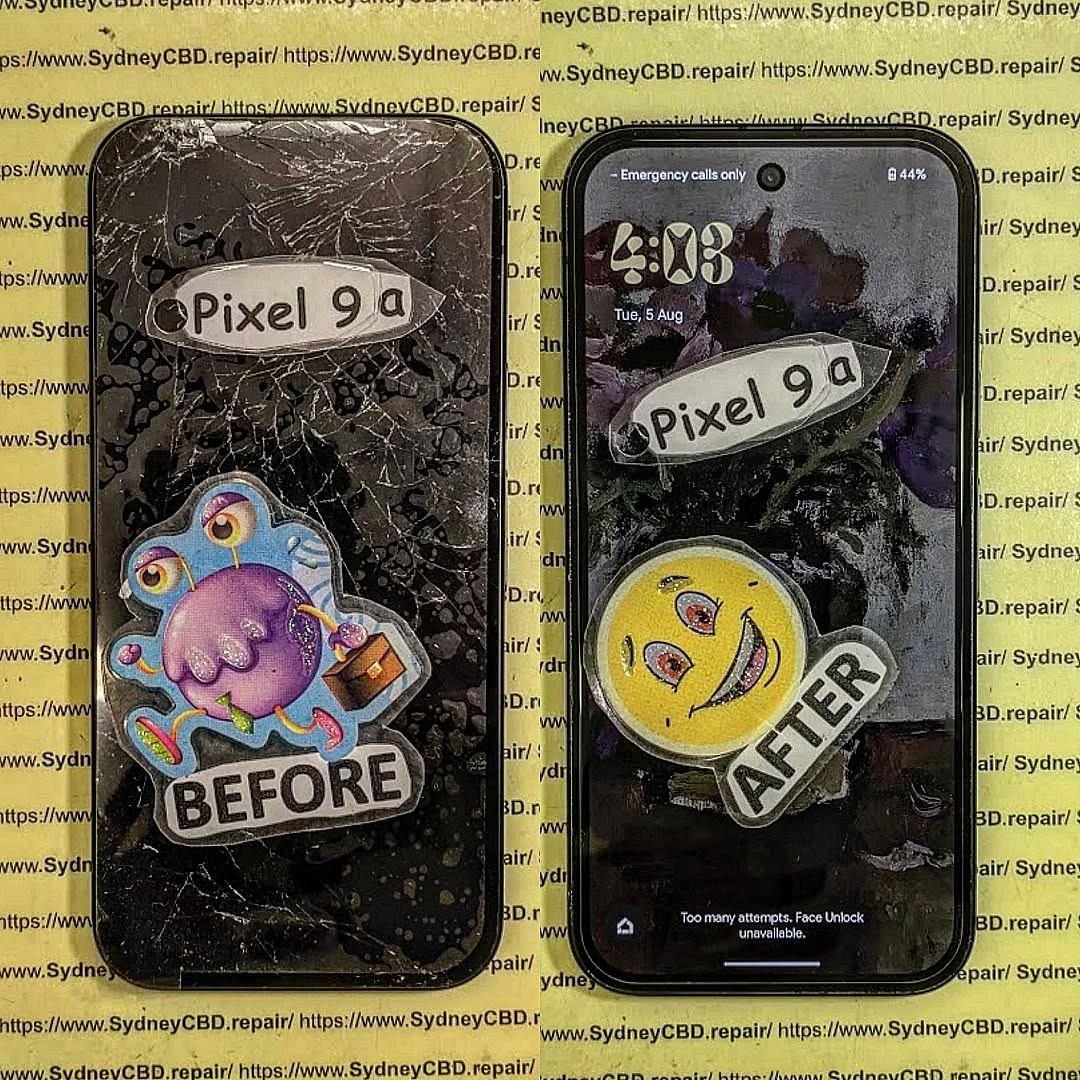
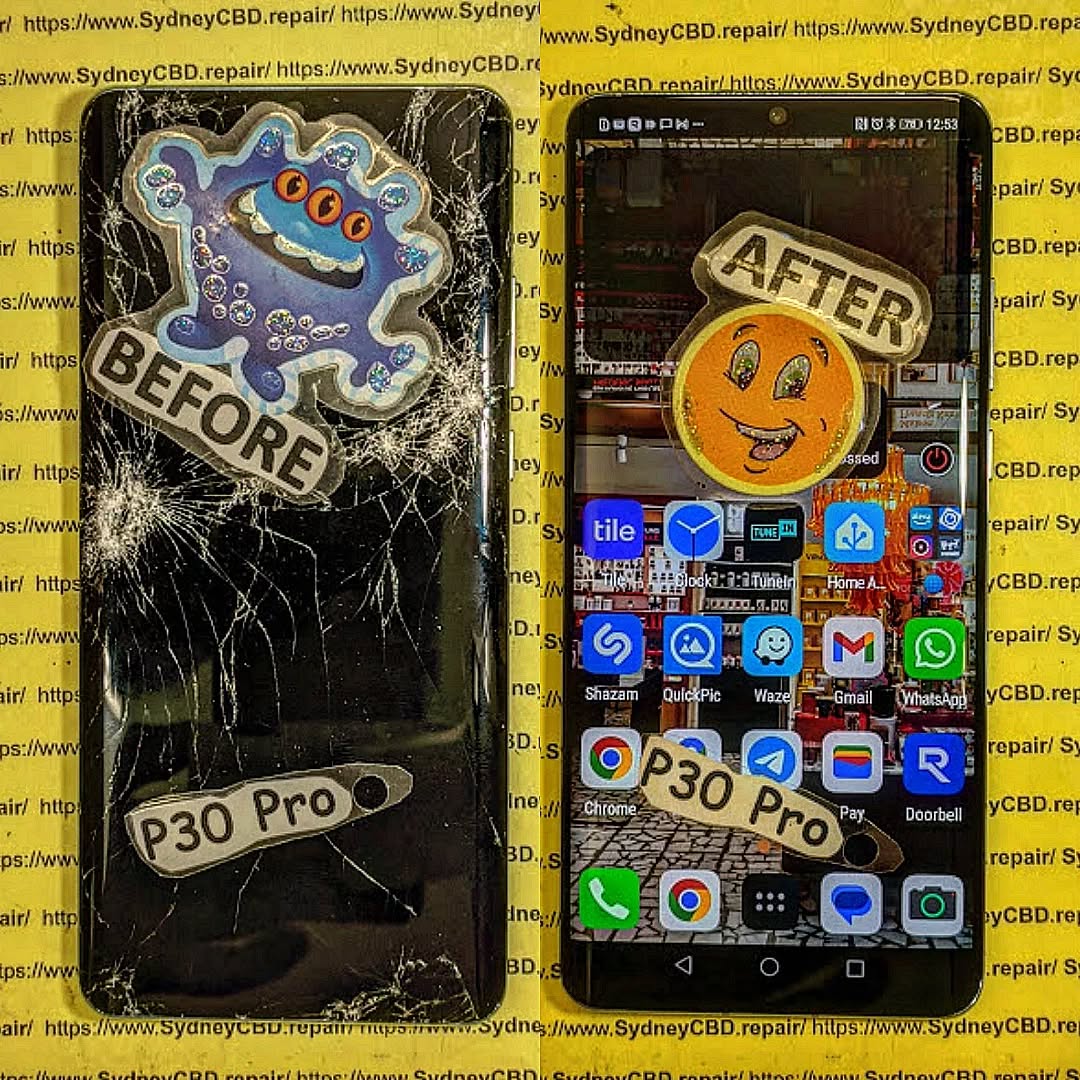
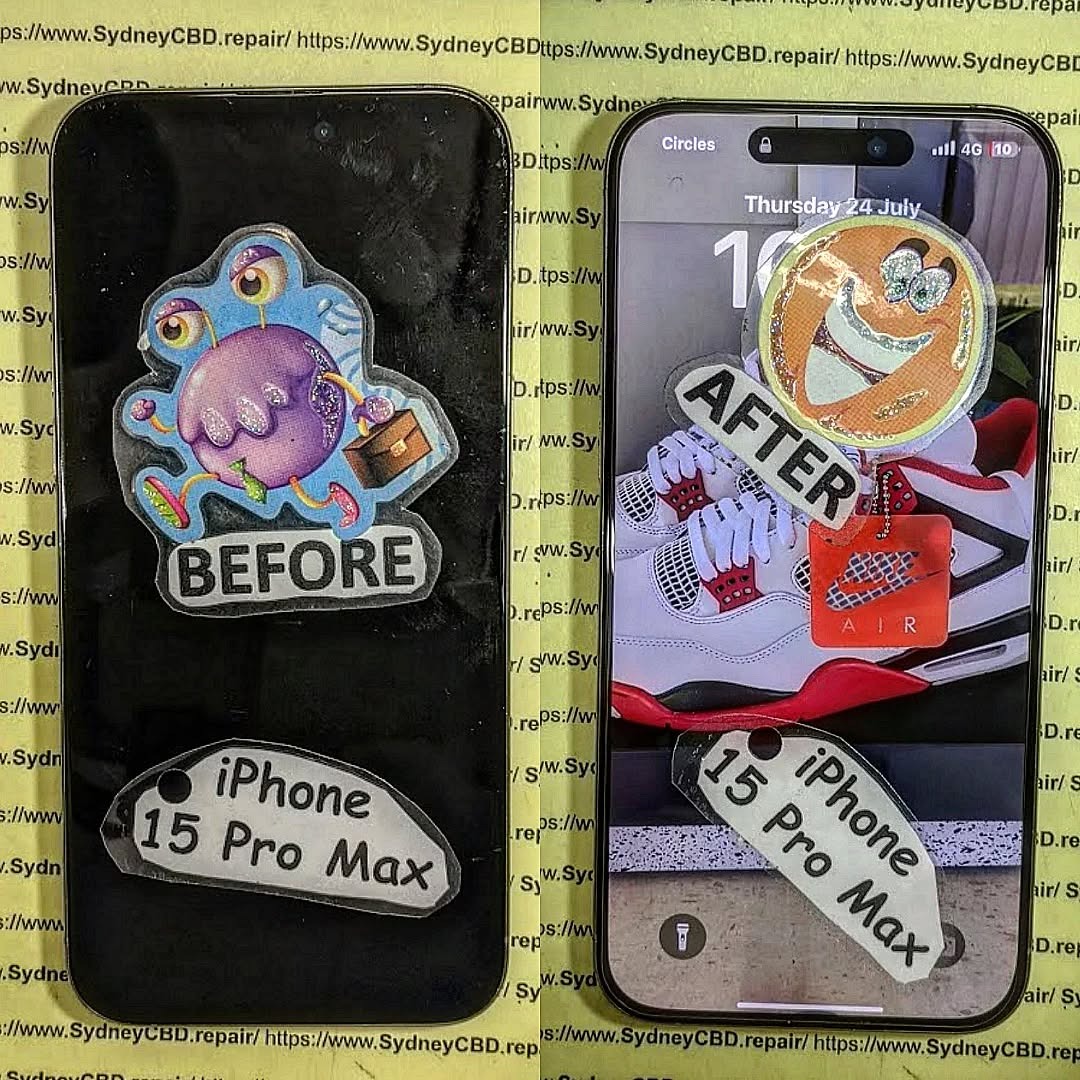
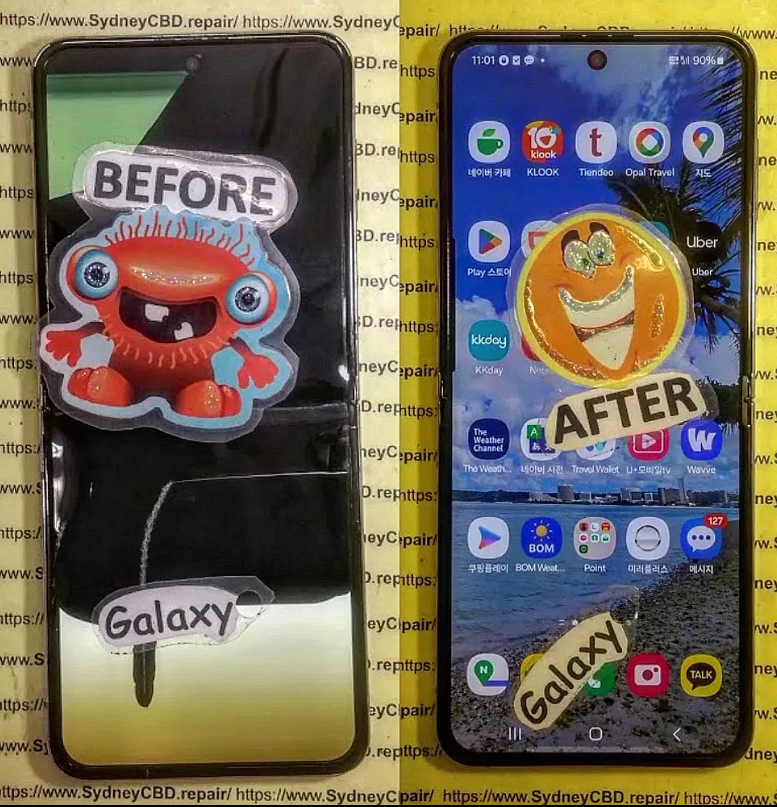
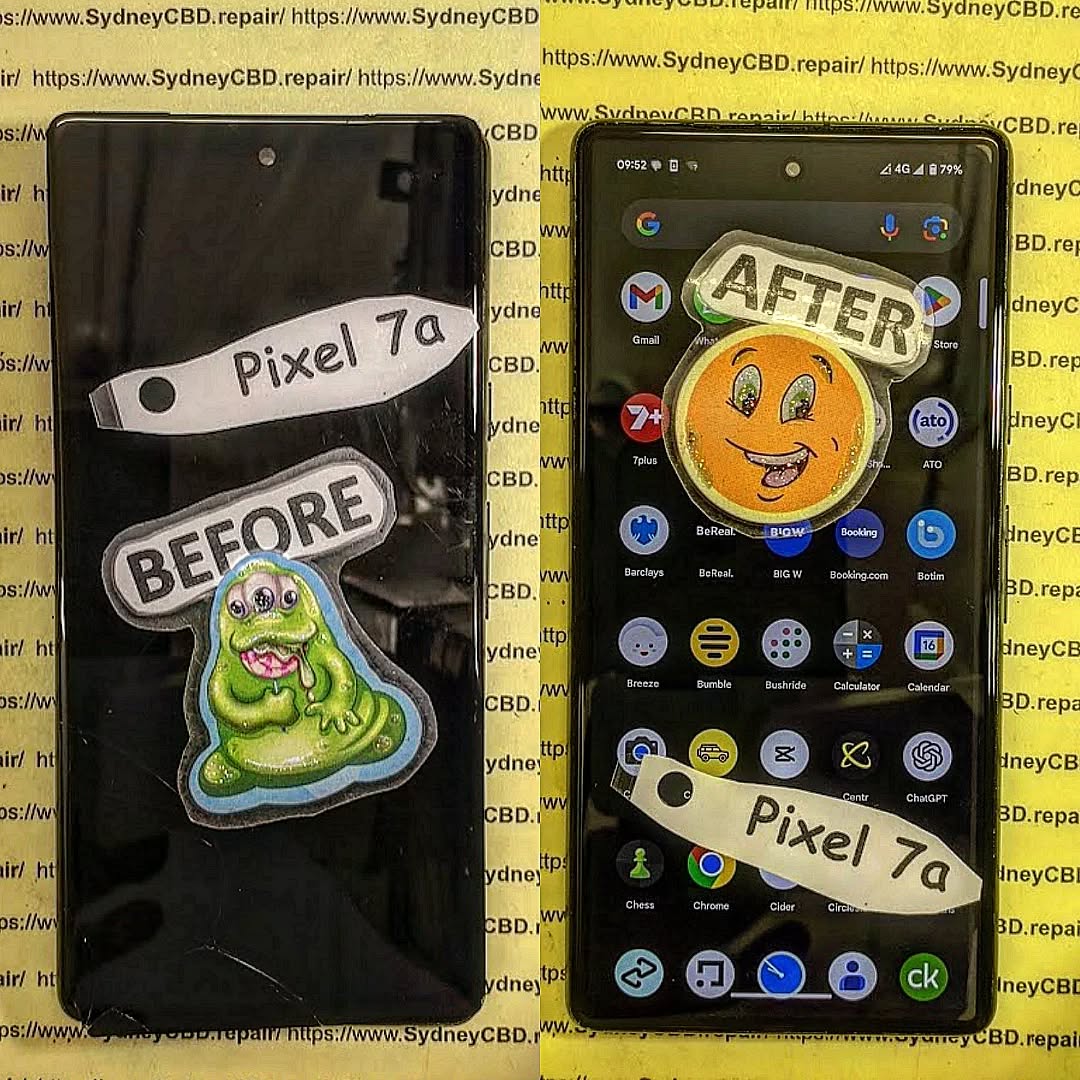
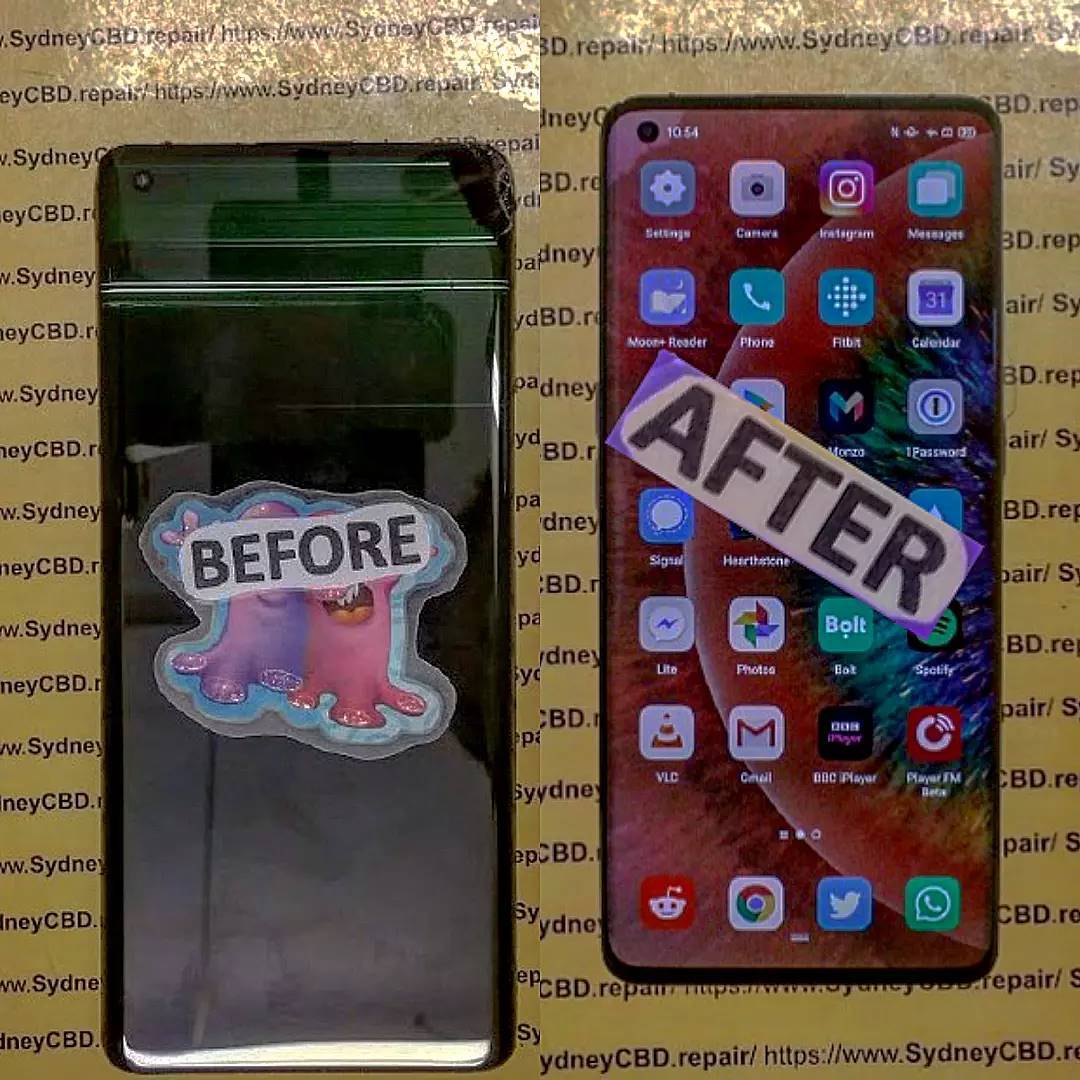
When it comes to smartphones, even the most durable models eventually face issues. At Sydney CBD Repair Centre, we’ve seen it all—from cracked screens to water damage—and some problems are far more common than others. Here are the Top 3 most frequent phone repair problems we handle every day.
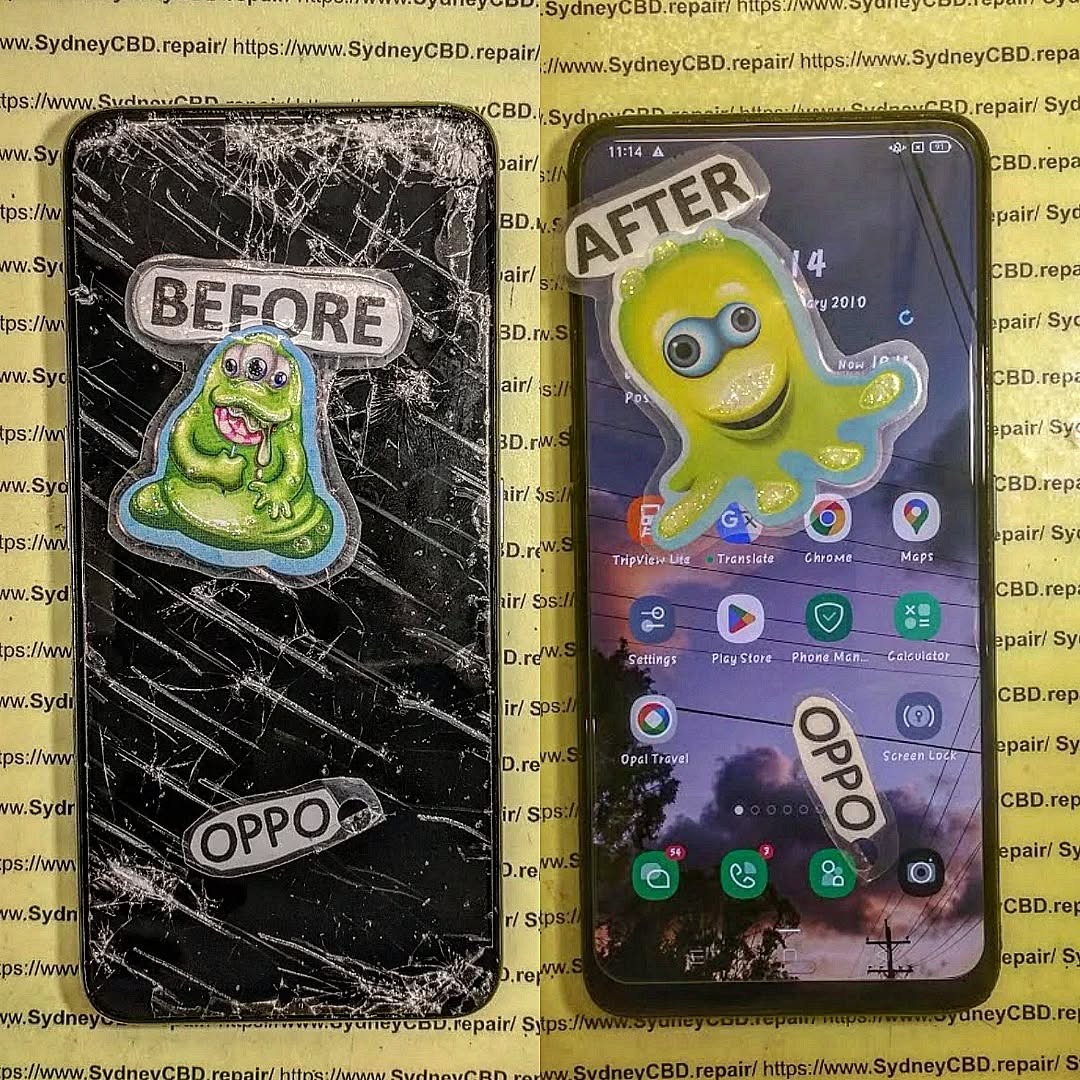
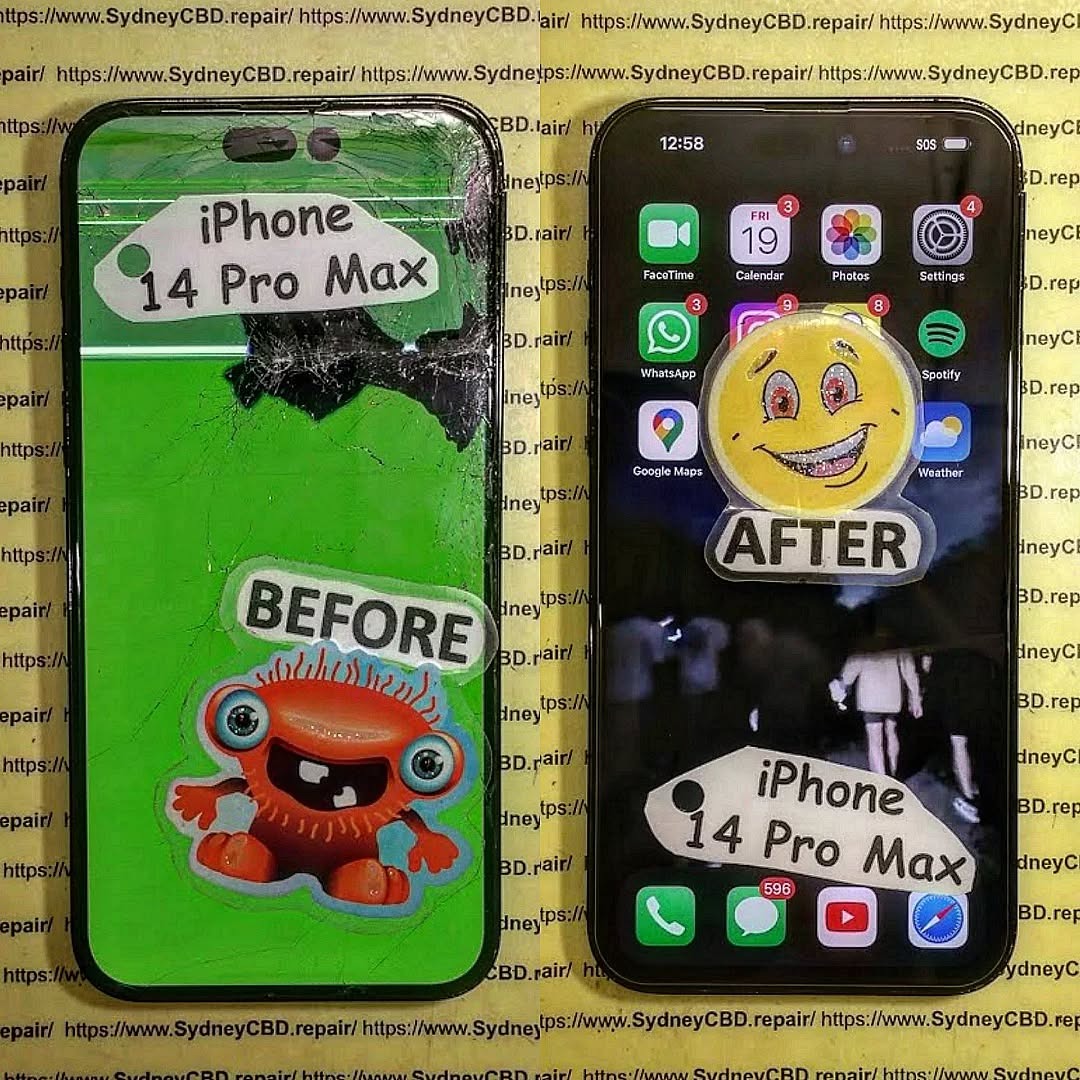
This is by far the most common phone repair problem. A single drop can leave your screen covered in cracks, making it difficult to use or even unsafe due to sharp glass edges. While screen protectors and cases can help, accidents still happen.
Why it happens:
Accidental drops
Pressure in pockets or bags
Weakening of glass over time
Our Solution:
We offer same-day screen replacements using genuine parts, ensuring your phone looks and feels brand new again.
2. Battery Problems
Smartphone batteries naturally degrade over time. After a year or two, you may notice your device doesn’t hold a charge as well as it used to—or worse, it shuts down unexpectedly.
Signs your battery needs replacement:
Rapid battery drain
Overheating during normal use
Phone shutting down at 20–30% charge
Battery swelling
Our Solution:
Our technicians provide professional battery replacement with a 90-day warranty, restoring your phone’s performance and extending its lifespan.
3. Water Damage
Water and electronics don’t mix. Whether it’s a phone dropped in the sink, toilet, or pool, liquid damage is a serious problem that can affect screens, speakers, and internal components.
Why it’s dangerous:
Causes corrosion inside the phone
Leads to short circuits
May permanently damage the motherboard
Our Solution:
We perform water damage diagnostics and repairs, often saving devices that customers thought were beyond repair. The sooner you bring it in, the higher the chance of recovery.
Final Thoughts
Cracked screens, failing batteries, and water damage are the top 3 most common phone repair issues faced by smartphone users worldwide. The good news? Sydney CBD Repair Centre has the expertise, tools, and genuine parts to fix them quickly and professionally.
DIY vs. PRO: iPhone Screen Repair Showdown – The Ultimate 2025 Guide
Introduction: Why iPhone Screen Repair Matters More Than Ever
The iPhone has evolved into more than just a smartphone—it’s your wallet, camera, work device, and entertainment hub all rolled into one. With every new release, screens are becoming sharper, brighter, and more advanced. But here’s the downside: cracked screens remain one of the most common issues for iPhone users worldwide.
In 2025, the debate between DIY screen repair vs professional repair has never been more relevant. Many people wonder: Is it worth saving money by fixing it myself, or should I leave it to the pros? This showdown will uncover the real costs, risks, and long-term implications of both options.
Repairing an iPhone screen is not just about replacing broken glass. It involves precision tools, technical skills, and often, hidden costs. Let’s break it down.
DIY Repair Costs: Tools and Parts
At first glance, DIY repair looks cheaper. A replacement screen from online marketplaces can range between $40 to $150, depending on the iPhone model and part quality. Add specialized tools like pentalobe screwdrivers, suction cups, and adhesive kits, and you’re looking at an additional $30–$60.
But here’s the catch: not all parts are genuine. Low-quality screens may cause dull colors, poor touch sensitivity, or even face ID failure.
Professional Repair Costs: What You’re Really Paying For
Professional repair shops may charge between $200 and $450 for iPhone screen replacement. At first, that seems expensive. But you’re not just paying for a new screen—you’re paying for:
Genuine OEM parts that match Apple’s original standards.
Skilled technicians with years of experience.
Warranty coverage (90 days at Sydney CBD Repair Centre).
Peace of mind, knowing your phone won’t be damaged further.
So while DIY might save you money upfront, a botched repair can cost much more in the long run.
Thinking of fixing your iPhone screen at home? Here’s what’s involved.
Tools You’ll Need
Precision screwdriver set
Plastic prying tools
Heat gun or hairdryer
Adhesive strips
Replacement screen
Step-by-Step DIY Process
Power off your iPhone.
Remove the bottom screws near the charging port.
Use suction cups and prying tools to carefully lift the screen.
Disconnect the battery before removing any display cables.
Replace the broken screen with a new one.
Reconnect cables and test before sealing.
Common DIY Mistakes and Risks
Damaging the battery (which can cause swelling or fire).
Breaking the Face ID sensor, making it unusable.
Losing tiny screws or connectors that are hard to replace.
Poor sealing, leading to dust or water damage.
DIY repair is possible, but it requires patience, a steady hand, and the willingness to risk your device.
Professional iPhone Screen Repair Explained
Professional repair services eliminate guesswork and provide guaranteed results.
The Repair Process at a Professional Centre
At Sydney CBD Repair Centre, technicians follow a structured process:
Diagnosis & Testing – Checking the phone’s condition.
Screen Removal – Using specialized tools and anti-static precautions.
Replacement with Genuine Parts – Ensuring full compatibility.
Quality Assurance Testing – Checking display, touch, and Face ID.
Final Sealing & Warranty Activation.
Warranty, Parts, and Reliability
Professional repairs come with:
Genuine parts guarantee.
90-day warranty for peace of mind.
Zero risk of counterfeit screens.
Turnaround Time and Convenience
Many repair shops, including Sydney CBD Repair Centre, offer same-day express service. That means you can drop off your phone during lunch and pick it up after work—good as new.
Safety Concerns: DIY vs. PRO
Battery Damage and Fire Hazards
One wrong move with a metal tool can puncture your iPhone’s lithium-ion battery, causing dangerous fires. Professionals use insulated tools and proper training to avoid this.
Data Loss Risks
Improper handling can lead to logic board damage, wiping your data. Professional shops usually preserve your data during repair.
Long-Term Impact on Your iPhone
Performance and Touch Sensitivity
Cheap replacement screens may lag, ghost-touch, or crack more easily. Professional screens maintain Apple-level performance.
Resale Value Considerations
A phone repaired with genuine parts holds higher resale value compared to one with third-party parts.
Comparing DIY vs. PRO Repairs Side by Side
Cost Comparison Table
Factor
DIY Repair
Professional Repair
Initial Cost
$70–$200
$200–$450
Risk Level
High
Low
Warranty
None
90 days
Screen Quality
Mixed
Genuine
Time Needed
2–4 hours
30–90 minutes
Pros and Cons List
DIY Pros: Cheaper upfront, learning experience, immediate availability. DIY Cons: High risk, no warranty, lower screen quality.
PRO Pros: Safe, reliable, genuine parts, warranty included, faster turnaround. PRO Cons: Higher initial cost.
FAQs
1. Is DIY iPhone screen repair worth it?
It can be, but only if you’re experienced and accept the risks. For most people, professional repair is safer.
2. How long does a professional iPhone screen repair take?
At Sydney CBD Repair Centre, most repairs are done same-day, often within 1 hour.
3. Will Apple know if I replaced my screen myself?
Yes. iPhones detect non-genuine screens and may show a warning in settings.
4. Can DIY repairs void my warranty?
Yes. Apple and most repair centres won’t cover devices with DIY damage.
5. Are third-party screens really that bad?
They often have weaker glass, inaccurate colors, and poor touch response compared to genuine parts.
6. How can I make my iPhone screen last longer after repair?
Use a tempered glass protector and shock-absorbing case.
Conclusion: The Smart Choice in 2025
When weighing DIY vs PRO iPhone screen repair, the choice depends on your skills, budget, and risk tolerance. While DIY might save money upfront, the risks—battery damage, Face ID failure, resale loss—are significant.
On the other hand, professional repair offers peace of mind, genuine parts, warranty, and same-day service. For most people, professional repair is the smarter investment.
👉 If you’re in Sydney, there’s no better choice than Sydney CBD Repair Centre—rated the Best Mobile Phone Repair Shop 6 Years in a Row with over 2000 positive Google reviews.
Ultimate Guide: Choosing the Right Screen Replacement – 9 Expert Tips for Perfect Results
Why Screen Replacement Matters for Your Device
Your phone’s screen is more than just glass — it’s the window to your entire digital life. Whether you’re replying to messages, streaming videos, or snapping photos, a damaged screen affects both performance and aesthetics.
Ignoring cracks or touch issues can lead to:
Reduced touchscreen sensitivity
Display discoloration or dead pixels
Further internal damage due to dust and moisture
By opting for a professional screen replacement, you restore your device’s full functionality and avoid bigger repair costs later.
Prices vary depending on the device and screen type:
Device Type
OEM Screen
Aftermarket Premium
iPhone 14 Pro
$450–$550
$300–$400
Samsung S23 Ultra
$500–$600
$350–$450
Google Pixel 7 Pro
$400–$500
$280–$380
Common Myths About Screen Replacements
“Aftermarket screens are always bad.” – Premium aftermarket can be great.
“DIY repairs are just as good.” – Without tools and skills, you risk damage.
“Only the glass needs replacing.” – Often the LCD/digitizer is also damaged.
How to Maintain Your New Screen
Use a tempered glass protector
Keep phone in a shockproof case
Avoid exposing to extreme heat
Clean with microfiber cloth
FAQs About Screen Replacements
Q1: How long does a screen replacement take? A: Most professional repairs are done within 1–2 hours.
Q2: Will replacing the screen erase my data? A: No, but always back up just in case.
Q3: Is it worth repairing an older phone? A: If it meets your needs and the repair is affordable, yes.
Q4: Can I replace the screen myself? A: Possible, but risky without experience.
Q5: Does a replacement affect water resistance? A: If done by a professional, seals can be restored.
Q6: What’s the warranty period for screen replacements? A: At Sydney CBD Repair Centre, 90 days.
Conclusion: Making the Right Choice
A screen replacement isn’t just a cosmetic fix — it restores your phone’s usability, performance, and value. Whether you choose OEM or premium aftermarket, always work with trusted professionals.
Why Choose Sydney CBD Repair Centre for Screen Replacement?
David from Sydney CBD Repair Centre – The Best place to fix mobile phones as 6 Years In A Row! More than 2000 Positive Reviews on Google and Same Day Repairs.
Visit us for:
✓ Same Day Express Repairs
✓ Genuine Parts Guarantee
✓ Professional Technicians
✓ Competitive Pricing
✓ 2000+ 5-Star Google Reviews
✓ 6-Time Award Winner for Best Phone Repairs
MYTHBUSTING: Can ANY Phone Screen Be Repaired? – Truths, Limits & Expert Tips (2025)
🟢 Introduction
Cracked your phone screen? You’re not alone. It’s one of the most common smartphone mishaps in the world—and usually the first reason people visit a repair shop. But there’s a big question that keeps popping up: Can any phone screen be repaired? Spoiler alert: not always.
This article will break down myths, outline what’s possible, what’s not, and help you make smart decisions about screen repair. Whether you’re holding the latest iPhone, a Google Pixel, or a no-name brand, we’ve got the facts you need to know.
OLED vs LCD vs AMOLED vs TFT: What You Need to Know
Not all phone displays are built the same:
Type
Characteristics
Common In
LCD
Affordable, backlit, less vibrant
Budget Android phones
OLED
More vibrant, thinner, power-efficient
iPhones, flagships
AMOLED
OLED variant, deeper contrast
Samsung Galaxy series
TFT
Basic LCD with fast response
Older or cheaper models
Each type reacts differently to impact, moisture, or wear. That’s why repairing a Samsung AMOLED isn’t the same as fixing a Nokia LCD.
Glass vs Display: Not the Same Thing
Glass is just the outer layer. The display panel is the component underneath that actually shows visuals. Many people think a cracked glass = screen replacement, but that’s not always true.
🤔 Can All Screens Actually Be Repaired?
High-End Phones: iPhones, Galaxies, and More
For newer iPhones (like the iPhone 13–15 series), screen repair is usually possible, thanks to readily available parts and modular design. Samsung Galaxies also fall into this group—especially S21 and newer.
But some models have issues:
In-display fingerprint scanners may not work after screen repair unless recalibrated.
Face ID sensors are delicate; breaking them can make the phone unusable.
Budget Phones: Are Repairs Worth It?
Budget devices like older Oppos, Motorolas, or Realme models might not be worth repairing due to:
Low resale value
Lack of spare parts
Non-removable screens glued into the frame
Sometimes replacing the whole phone is more economical.
🧨 Common Myths About Phone Screen Repairs
“All Screens Are the Same”
False. Screen components vary not only between brands, but even between regions (e.g., Korean vs Chinese Samsung screens).
“Cheaper Repairs Save Money”
Not really. Low-cost repairs often:
Use aftermarket or low-quality parts
Void warranty
Fail quickly—costing more long-term
“DIY Is Just as Good as Professional”
Unless you’re trained and equipped, this is a risky gamble. Many DIY kits don’t include:
Adhesive sealants
Electrostatic protection
Specialized tools for modern bezels
⚠️ Real Limitations of Screen Repairs
Lack of Genuine Parts
Some brands (like Apple and Huawei) tightly control part distribution, so only authorized repairers can access original components.
Outdated or Rare Models
Devices that are over 5 years old often fall into the “non-repairable” category—not because they can’t be fixed, but because parts are discontinued.
Structural Frame Damage
If your screen shattered because the phone was bent or warped, repair becomes tricky. A new screen on a deformed frame won’t sit flush or last long.
🧩 Factors That Affect Screen Repairability
Availability of Parts
Your phone’s popularity determines how easily parts are sourced. For example:
iPhones and Samsungs? Easy.
Niche Chinese brands? Not so much.
Device Design (Modular vs Sealed Units)
Phones with modular design (e.g., Fairphone) are easy to repair.
But many flagships are now sealed units requiring heat, suction, and precision—raising costs and risks.
Brand Repair Policies
Some brands push users toward official repairs only, even disabling features if parts are replaced elsewhere (looking at you, Apple Face ID!).
🧪 How to Know if Your Phone Screen Can Be Repaired
Physical Inspection
Cracks near corners? Less problematic. Spiderwebbing across the whole screen? Tougher. Internal bleeding (LCD leakage)? Major concern.
Diagnostic Testing
Shops like Sydney CBD Repair Centre run multi-point diagnostics to determine if it’s just the screen—or deeper issues like motherboard damage.
Quoting and Evaluation by Professionals
Always ask for a quote after inspection. A reputable shop won’t charge you for simply checking.
✅ Best Practices to Avoid Repair Disasters
Choose Certified Technicians
Look for technicians with certifications or proven track records (like 2000+ reviews on Google for Sydney CBD Repair Centre).
Ask for Genuine Parts
Always clarify if OEM parts are used. If not available, ask for premium-grade alternatives with warranty.
Understand the Warranty
A 90-day repair warranty is the bare minimum. Ensure your shop stands behind their work.
😕 Why Some Shops Say “It’s Not Repairable”
They might mean:
Parts are unavailable
Risk of damage is high
Device is not worth the repair cost
That’s why a second opinion from a trusted centre like Sydney CBD Repair Centre can make all the difference.
🛠️ What If It’s Really Beyond Repair? Your Options
Trade-in the device for parts
Recycle responsibly
Sell for scrap (some shops pay for motherboards, batteries, etc.)
Buy refurbished – cheaper and sustainable
⭐ Why Sydney CBD Repair Centre Leads the Way
At Sydney CBD Repair Centre, we’ve seen it all—from phones that look run over by a bus to rare imports with obscure parts. Here’s what makes us different:
1. Can I fix just the glass if the display still works?
Yes, but it’s delicate. Glass-only repairs require specialized equipment and are best done by professionals.
2. Are aftermarket screens bad?
Not all. Some high-grade aftermarket displays are excellent. The key is to avoid ultra-cheap knockoffs.
3. How long does screen replacement take?
At Sydney CBD Repair Centre, most screen repairs are completed the same day, often within 1–2 hours.
4. Will Face ID or fingerprint sensors still work after repair?
If the repair is done professionally, yes. However, replacing components without recalibration may disable these features.
5. Should I repair or replace an old phone?
If your phone is over 5 years old or parts are rare, replacement may be more cost-effective.
6. Do cracked screens get worse over time?
Absolutely. Cracks can spread, compromise waterproofing, and expose the display to further damage.
🧠 Conclusion: Can Any Screen Be Fixed? It Depends
The short answer? Not every screen is repairable—but many are.
The long answer? It depends on the model, damage, part availability, and who’s doing the repair.
When in doubt, trust the experts. At Sydney CBD Repair Centre, we blend experience, technology, and passion to bring your phone back to life—the right way.
For iPhones (especially iPhone 13 and newer), OLED panels are used. Replacing them with aftermarket LCDs can result in duller colors and a slower refresh rate.
Recommended:
iPhone 14 Pro Max OEM OLED
iPhone 13 Mini Premium Refurbished Screen
📱 Samsung Galaxy Replacement Screens
Samsung’s AMOLED screens require precision and genuine components. Aftermarket screens often break easily and may not support features like the Always-On Display.
Recommended:
Galaxy S23 Ultra OEM AMOLED
Galaxy A54 Premium Compatible Panel
📷 Google Pixel Replacement Screens
Pixel displays are known for their color calibration. Using cheap replacements can distort whites and oversaturate colors.
Recommended:
Pixel 7 Pro Original OLED
Pixel 6a OEM-grade screen with digitizer
🔋 OnePlus and Oppo Replacement Screens
These brands also use AMOLED panels, often with curved edges. Installing low-quality replacements can ruin the display curvature and sensitivity.
Recommended:
OnePlus 11 OEM Curved Display
Oppo Find X5 Premium Refurbished Panel
🛒 Key Factors to Consider When Buying a Replacement Screen
Compatibility with Model & Version
Touchscreen Responsiveness
Brightness & Color Accuracy
In-Display Sensor Compatibility
Vendor Reputation
Return Policy & Warranty
Avoid overly cheap options—they often lead to double spending down the road.
🛍️ Where to Buy Quality Screens in 2025
🌐 Online Marketplaces
Reputable platforms like iFixit, MobileSentrix, and AliExpress Verified Sellers offer certified replacement parts. Always check for:
Verified OEM tag
Seller reviews
Return policies
🛠️ Authorized Repair Centres
Places like Sydney CBD Repair Centre offer walk-in services with genuine screens, same-day delivery, and professional technicians.
🏭 Direct-from-Manufacturer Options
Some brands (like Apple and Samsung) allow you to order original parts directly—though installation must often be done by a certified shop.
⚠️ Common Pitfalls to Avoid
Buying screens labeled as “OEM” but with no proof
Skipping compatibility checks
Falling for ultra-low prices
Ignoring reviews
Attempting repairs without proper tools
Always verify part numbers and screen specs before purchasing.
🧰 Tools and Accessories You’ll Need
If you attempt a DIY repair, gather:
Heat gun or iOpener
Suction cup and plastic pry tools
Screwdrivers (pentalobe, torx, tri-point)
ESD mat and gloves
UV glue for curved AMOLEDs
Display testing cable (if needed)
But remember: even the right tools won’t guarantee success if you’re not trained.
👨🔧 Why Installation Should Be Done by Professionals
Here’s why professional installation is always recommended:
Preserves water resistance
Protects internal components
Ensures correct sensor recalibration
Provides warranty coverage
DIY errors like damaging flex cables or misaligning connectors can cause permanent damage.
🏆 Our Recommendation: Sydney CBD Repair Centre
🛡️ Genuine Parts Guarantee
We use only verified OEM or Grade A premium parts for all iPhone, Samsung, Google, and OnePlus repairs.
🚀 Same-Day Repairs & Warranty
Most screen replacements are completed in under 90 minutes, with a 90-day warranty on all repairs.
Some high-grade aftermarket screens are decent, but they rarely match the quality of OEM. Always verify the supplier.
2. What’s the lifespan of a replacement screen?
OEM screens typically last as long as the original. Aftermarkets may degrade faster—especially with heavy use.
3. Can a bad screen affect battery life?
Yes. Poor-quality screens can overuse power due to mismatched brightness or touch sensitivity settings.
4. Will I lose fingerprint sensor functionality?
Not if installed by professionals. DIY replacements often damage in-display sensors.
5. How do I test the screen before installing it?
Use a screen tester flex cable and power the device partially to check for color and touch accuracy.
6. Do professional repairs void phone warranties?
If done by certified centers with proper documentation, warranty impact is minimal or none.
✅ Conclusion
Finding the best replacement screens in 2025 doesn’t need to be complicated. Stick to genuine parts, trusted repair centres, and always prioritize quality over cost. Whether you own an iPhone, Samsung, Pixel, or OnePlus device, the right screen will restore your phone’s performance, value, and look.
Need expert help? Trust Sydney CBD Repair Centre for fast, professional, and guaranteed screen repairs.
How to Find the Right Replacement Screen for Your Phone – The Ultimate 17-Step Guide to Saving Money & Stress
🧭 Introduction
If you’ve cracked your phone screen—or worse, shattered it—you know how frustrating and inconvenient it can be. But not all screen replacements are created equal. Whether you want to DIY or visit a professional like Sydney CBD Repair Centre, this guide will help you choose the right replacement screen while saving money, time, and headaches.
Your screen is the face of your phone. A poor-quality replacement can lead to:
Touchscreen lag
Colour distortion
Decreased brightness
Poor durability
That’s why choosing the correct screen is crucial for long-term performance and usability. You want to get as close to the original quality as possible—without paying a premium unnecessarily.
Understanding the types of screens available will help you make the best decision for your device and usage.
LCD Screens
Liquid Crystal Display (LCD) is common in budget and mid-range phones. It provides decent brightness and color but is less vibrant compared to newer tech.
Pros:
Affordable
Readable in sunlight
Cons:
Lower contrast
Less battery efficient
OLED Screens
Organic Light-Emitting Diode (OLED) screens are self-lighting and offer vibrant colors with deep blacks. Common in flagship phones like iPhones and Samsung Galaxy models.
Pros:
Better contrast and brightness
More energy-efficient
Cons:
Expensive
More delicate
AMOLED Screens
A more advanced OLED version found in high-end Samsung and OnePlus phones.
Pros:
True blacks
Thin and flexible
Faster response time
Cons:
Costlier
Risk of burn-in
⚠️ Signs Your Screen Needs Replacing
If you notice any of the following, it might be time for a screen replacement:
Cracks or chips
Touchscreen unresponsiveness
Ghost touches
Discoloration
Flickering or lines
🏷 OEM vs Aftermarket Screens
OEM (Original Equipment Manufacturer) screens are made by the same company that made your phone’s original screen.
Aftermarket screens are third-party alternatives.
Feature
OEM Screen
Aftermarket Screen
Quality
High
Varies
Price
High
Low to Medium
Compatibility
Guaranteed
Might have fit issues
Availability
Limited
Widely Available
If you’re not on a tight budget, go for OEM. Otherwise, research reputable aftermarket brands or trust a professional repair service like Sydney CBD Repair Centre.
🛍 Where to Buy Replacement Screens
Authorized Retailers
These vendors offer genuine parts and often provide warranties. Great for peace of mind, but expect higher prices.
Online Marketplaces
Amazon, eBay, AliExpress—you’ll find everything, but beware of fakes. Check reviews and ratings before purchase.
Local Repair Shops
Shops like Sydney CBD Repair Centre offer walk-in service, verified genuine parts, and same-day repairs.
🔎 How to Identify Your Phone’s Model and Screen Type
Check your phone’s settings or backplate. Common ways:
Settings > About Phone
IMEI Lookup tools
Manufacturer’s website
Physically inspecting model number
This step ensures you get a compatible screen.
❌ Common Mistakes to Avoid
Buying the wrong screen type
Ignoring touch sensitivity ratings
Choosing lowest-price option blindly
Skipping compatibility checks
Using poor-quality tools
🧰 Tools You’ll Need for Screen Replacement
If you go DIY, make sure you have:
Screwdriver kit
Pry tools
Suction cup
Heat gun or hairdryer
ESD-safe gloves
Quality tools reduce the risk of damage during installation.
🧑🔧 DIY vs Professional Screen Replacement
Choosing between doing it yourself and hiring a professional depends on your skills, budget, and tolerance for risk.
DIY Screen Replacement
DIY might seem appealing, especially for the tech-savvy. You can find numerous tutorials online, and kits are available for most phone models.
Pros:
Cheaper (initially)
Good learning experience
Can be done at your convenience
Cons:
Risk of damaging internal components
Voids manufacturer warranty
Time-consuming
No quality guarantee
DIY is ideal only if you have prior experience or if the phone is old and not worth the cost of professional repair.
Professional Screen Replacement
Professional repair centers like Sydney CBD Repair Centre offer expertise, speed, and reliability.
Pros:
Done by trained technicians
Use of high-quality or OEM parts
Repairs done within the same day
Covered under a warranty (e.g., 90 days at Sydney CBD Repair Centre)
Zero risk of causing more damage
Cons:
More expensive than DIY
You might need to leave your phone for a few hours
If you value peace of mind and time efficiency, going pro is the way to go.
💰 Cost Comparison: DIY vs Professional Services
Cost Factor
DIY
Professional
Screen
$30 – $150
$100 – $400
Tools
$15 – $50 (if not already owned)
Included
Time
2–4 hours
30 mins – 1 hour
Risk
High (if inexperienced)
Low
Warranty
None
Yes (e.g., 90 days at Sydney CBD Repair Centre)
Bottom Line: DIY might save you money upfront, but professional repairs give you long-term value and confidence in your device’s performance.
🧑⚖️ What to Look for in a Repair Service Provider
Not all phone repair shops are equal. When selecting a provider, keep these key factors in mind:
Experience: Look for providers with a proven track record. Sydney CBD Repair Centre has been voted top repairer 6 years in a row.
Parts: Only use shops that install genuine or high-grade OEM screens.
Warranty: A 90-day warranty is ideal—it shows the shop stands by their work.
Reviews: Thousands of positive reviews (like Sydney CBD’s 2000+ 5-star reviews) are a strong trust signal.
Speed: Same-day repairs are a massive plus, especially for working professionals.
✅ Warranty and Quality Assurance
Always ask about:
Part warranties (minimum 30–90 days)
Service warranties
Return or re-repair policies
Shops like Sydney CBD Repair Centre provide peace of mind with a 90-day warranty and same-day repair, so you don’t have to worry.
🌱 Environmental Impact of Screen Replacements
Replacing your phone screen instead of buying a new device is eco-friendly. It reduces e-waste and the need for new raw materials.
To be extra responsible:
Ask your repair shop if they recycle old screens
Choose local repair options to reduce shipping emissions
Support businesses using sustainable practices
🔒 How to Extend the Life of Your New Screen
Here are some practical tips to protect your investment:
Install a tempered glass protector
Use a shockproof phone case
Avoid putting your phone in the same pocket as keys or coins
Clean your screen with microfiber cloths only
Don’t overheat your phone
Preventative care means fewer future repairs—and more savings.
❓ Frequently Asked Questions (FAQs)
1. Can I replace my phone screen myself?
Yes, but it requires the right tools, patience, and confidence. It’s best for older models or if you have prior experience.
2. Is it worth repairing a cracked screen?
Absolutely—especially if the device is still under contract or has good performance. Replacing the screen is far cheaper than buying a new phone.
3. How long does professional screen replacement take?
Most services take 30 minutes to 1 hour, especially if you choose Sydney CBD Repair Centre, which offers same-day express repairs.
4. What’s the difference between OEM and aftermarket screens?
OEM screens are original, while aftermarket ones vary in quality. Reputable shops often use high-grade aftermarket parts if OEMs aren’t available.
5. Do repaired screens affect touch sensitivity or display quality?
If done correctly with high-quality parts, there should be no difference in touch or display performance.
6. Where’s the best place to get my screen replaced in Sydney?
Sydney CBD Repair Centre – with over 2000 5-star Google reviews, genuine parts, and express same-day service.
🏁 Conclusion: Make the Smart Screen Choice
Your phone screen is more than glass—it’s your gateway to communication, productivity, and entertainment. Choosing the right replacement involves understanding screen types, knowing where to buy, and recognizing the value of expert repair services.
If you’re in Sydney, don’t risk DIY mistakes or dodgy shops. Visit Sydney CBD Repair Centre, where quality meets reliability.
📞 Call to Action – Trust Sydney CBD Repair Centre
Sydney CBD Repair Centre
🔧 Over 2000+ 5-Star Google Reviews
🏆 6-Time Award Winner for Best Phone Repairs
📍 Located in the heart of Sydney
🛠 Same Day Repairs | Genuine Parts | 90-Day Warranty
🛍️ Best Places to Buy Replacement Screens: A Comparison Guide – Genuine vs Generic Sources Reviewed
🛠️ Introduction
Whether you’re a DIY techie or sourcing parts for a repair centre, finding the right screen replacement can be confusing. From eBay deals to manufacturer-certified parts, the market is flooded with options—some reliable, some risky.
At Sydney CBD Repair Centre, we’ve worked with all types of screens: OEM, refurbished, aftermarket, and even counterfeit. This guide breaks down the top places to buy replacement screens, weighing cost, quality, and reliability.
Very high risk of low-quality parts, long shipping
Local Repair Shops (Walk-in)
Refurbished / Aftermarket
Immediate pickup, advice available
Quality varies drastically
Recycling Programs or Salvage Sellers
Original Pulls
Affordable genuine screens
No warranty, wear and tear possible
✅ Recommended: Buy Through Certified Repair Centres
Why?
Genuine parts guaranteed
Warranty included
Professionals handle the installation
No compatibility or fitting issues
🏆 Sydney CBD Repair Centre sources directly from Samsung, Apple, and Google-certified suppliers, ensuring every screen is safe, high-performing, and durable.
🛒 Tips for Buying Replacement Screens Online
🔍 Check Seller Ratings and Reviews
Stick to sellers with high ratings (95%+), plenty of transactions, and detailed customer feedback.
📦 Read the Listing Carefully
Look for product specs like:
LCD vs OLED
Digitizer compatibility
Frame included or not
Screen type (OEM, aftermarket, refurbished)
🛡️ Return Policy & Warranty
A reliable seller offers:
30-day return window
At least 3-month warranty on screen defects
📸 Request Real Product Photos
Avoid stock images—real photos help identify genuine vs copy parts.
❌ Red Flags to Avoid
“OEM-quality” with no brand backing
Prices too low to be true
Vague product descriptions
No return policy
No customer reviews
Buying a bad screen may result in:
Touch delays
Colour distortion
Fingerprint scanner issues
Reduced resale value
📌 Real Case Study: Customer Bought from eBay, Came to Us
A customer brought in a Galaxy S21 Ultra after buying a screen from an eBay seller claiming “OEM Quality.” The screen arrived:
With LCD instead of AMOLED
No in-display fingerprint sensor support
Slightly larger bezel, didn’t fit the phone frame properly
We replaced it with a genuine Samsung screen and the phone returned to factory performance—no compromises.
🛠️ How Sydney CBD Repair Centre Can Help
We offer:
OEM and certified refurbished screens
Same-day installation
90-day warranty on all parts and repairs
Support for Apple, Samsung, Google & more
If you’re unsure whether your screen is genuine or not, our team can verify it and recommend the best upgrade path.
Q1: Is it cheaper to buy a screen and fix it yourself?
A: Maybe, but most DIY attempts end up costing more due to mistakes or using incompatible parts. Professional repair centres eliminate that risk.
Q2: What’s the difference between OEM and aftermarket screens?
A: OEM screens are made to manufacturer standards—better colour, brightness, and compatibility. Aftermarket screens vary in quality and often lack key features.
Q3: Can I buy a screen online and bring it to you for installation?
A: Yes, but we recommend letting us supply the screen so we can guarantee quality and include a full warranty.
Q4: Are refurbished screens reliable?
A: If sourced from a trusted provider, yes. They’re tested and restored to OEM performance standards.
Q5: What’s the best site to buy replacement screens in Australia?
A: Trusted suppliers include iFixit, MobileHQ, and local certified centres like Sydney CBD Repair Centre.
Q6: How do I know if the screen I received is fake?
A: Look for off-colour display, poor fit, or fingerprint sensor issues. Bring it to us for professional assessment.
🧠 Conclusion: Shop Smart, Repair Safer
When it comes to buying replacement screens, the source matters as much as the price. Cheap screens might seem like a deal—until they compromise your phone’s performance.
For peace of mind, go with trusted, certified suppliers or repair centres like Sydney CBD Repair Centre. We ensure that every screen installed meets factory standards and lasts.
How To Fix Common Smartphone Screen Problems – 7 Expert-Backed Solutions for a Clear Display
🟦 Introduction: Why Screen Problems Are So Common
Smartphones are essential in our daily lives. But with constant use, accidents are bound to happen. A cracked screen, ghost touches, or an unresponsive display can turn a useful device into a frustrating paperweight.
Most users think screen issues require a brand-new phone or an expensive fix—but that’s not always the case.
At Sydney CBD Repair Centre, we’ve seen every screen issue imaginable. With over 2000+ glowing reviews and 6 consecutive years as Sydney’s best repair shop, we’re here to break down the most common screen problems—and exactly how you can fix or prevent them.
Let’s dive into the top 7 smartphone screen problems and how to solve them!
Clear tape or tempered glass can prevent the cracks from spreading.
Use a stylus if touch is erratic but still works.
⚠️ Reminder: These are just temporary band-aids. They won’t stop further internal damage.
🏥 When to Seek Professional Repair
A cracked screen can:
Affect touch sensitivity
Cause internal screen bleeding
Risk injury from glass shards
Sydney CBD Repair Centre offers same-day screen replacements using genuine parts for major brands like Apple, Samsung, Google, and more. You’ll also get a 90-day warranty, so you can rest easy.
🟦 6. Screen Burn-in: What It Is and How to Prevent It
🔥 What Causes Burn-in on OLED Screens
Burn-in happens when static images (like a navigation bar or logo) stay on-screen too long, creating a permanent “ghost” image.
🛡️ Ways to Reduce or Reverse Screen Burn-in
Enable dark mode and auto-hide features
Use screen savers
Apps like OLED Saver can reduce visible effects
In severe cases, screen replacement may be necessary
🟦 7. Display Not Turning On: Black Screen Issues
⚡ Battery or Display Problem?
Try charging the phone and observe any vibration or sounds
Try a forced reboot
If it vibrates but doesn’t show anything, it’s likely a display issue
🛠 Fixes to Consider
Reset with key combinations
Replace screen or connector if hardware-related
Same-day diagnosis available at Sydney CBD Repair Centre
🟦 When to DIY and When to Call the Pros
⚠️ Risks of DIY Repairs
Voiding your warranty
Damaging other internal components
Using low-quality parts from unreliable sellers
🏆 Benefits of Expert Repairs
Trained technicians with years of experience
Use of genuine parts
90-day warranty on all repairs
No fix? No fee.
🟦 Tips to Protect Your Smartphone Screen
🛡 Best Screen Protectors
Tempered glass with oleophobic coating
Privacy filters to reduce eye strain and light burn
🧼 Proper Handling & Usage
Don’t keep your phone in the same pocket as coins or keys
Avoid direct sunlight for extended periods
Keep the software updated to minimize bugs that affect display performance
❓ Frequently Asked Questions
1. Can I still use a phone with a cracked screen?
Yes, but it’s not recommended. Continued use may cause further damage or injury.
2. How much does it cost to fix a smartphone screen?
Costs vary by brand and model. At Sydney CBD Repair Centre, we offer competitive pricing with genuine parts.
3. Is screen flickering always a hardware issue?
Not always. Try Safe Mode or a factory reset to rule out software issues first.
4. What’s the best way to fix ghost touches?
Start with software resets and screen protector removal. If it continues, seek professional repair.
5. Will a screen protector stop cracks?
It won’t prevent all cracks, but it can greatly reduce damage from minor drops and scratches.
6. How long does a screen replacement take?
At Sydney CBD Repair Centre, most screen repairs are completed within the same day.
✅ Conclusion
Your smartphone screen is your digital lifeline. Whether it’s a crack, flicker, ghost touch, or black display, it can be incredibly frustrating. The good news? Most problems can be diagnosed and fixed—often affordably and quickly.
Don’t wait for the issue to get worse. Visit Sydney CBD Repair Centre—Sydney’s most trusted phone repair shop. With genuine parts, expert service, and thousands of satisfied customers, your phone is in the best hands possible.
Best Practices for Smartphone Screen Repair: 10 Pro Tips for a Smooth Fix
📱 Why Screen Repair Best Practices Matter
Smartphone screens are fragile. Whether it’s a small hairline crack or full shatter, handling the repair properly ensures your device’s safety, performance, and longevity. With technology evolving rapidly—especially with foldables and OLED panels—it’s essential to follow best practices, whether you’re attempting a DIY repair or seeking professional help in Sydney.
This assessment helps you decide between a glass-only replacement or a full screen assembly repair.
2. Back Up Your Data
Always back up your data to iCloud, Google Drive, or your PC. Screen repairs can risk data loss due to:
Disconnections
Battery removal
Software resets
3. Power Off the Device
This simple step prevents:
Short circuits
Static discharge
Further hardware damage
It also allows the internal components to cool before opening.
4. Use Only Genuine or OEM Parts
Using low-quality screens can result in:
Reduced brightness
Poor touch sensitivity
Shortened device lifespan
💡 Sydney CBD Repair Centre uses genuine parts and backs them with a 90-day warranty for total peace of mind.
5. Work in a Clean, Static-Free Environment
A cluttered desk or static-prone workspace can ruin internal components. Use:
Anti-static wristbands
Non-metallic tools
Organized trays for screws
6. Use the Right Tools
Avoid makeshift tools like knives or screwdrivers. Instead, use:
Pentalobe or Phillips screwdrivers
Plastic pry tools
Suction cups
Heat gun for adhesive
Recommended: iFixit Toolkit or equivalent.
7. Avoid Excessive Force
Phone components, especially ribbon cables and connectors, are extremely fragile. Always:
Pry gently
Detach cables using tweezers
Reconnect with steady pressure
8. Double Check Before Reassembly
Before sealing everything up:
Test the new screen
Check for full touch and display function
Ensure no internal screws are missing
🛠️ At Sydney CBD Repair Centre, we triple-test every phone before handing it back to the customer.
9. Use a Screen Protector Post-Repair
Applying a tempered glass screen protector immediately helps:
Absorb minor impacts
Prevent future cracks
Maintain resale value
10. Know When to Call the Experts
If you encounter:
Touch issues post-repair
Broken internal cables
Repair anxiety
Don’t force it. Call the professionals at Sydney CBD Repair Centre, Sydney’s top-rated repair shop with 2000+ 5-star reviews.
🙋♂️ FAQs
1. Can a cracked screen get worse over time?
Yes, temperature changes, pressure, or moisture can worsen the damage quickly.
2. How long does a professional screen repair take?
At Sydney CBD Repair Centre, most screen replacements are done same-day—some in under an hour.
3. What if the replacement screen isn’t responsive?
Check the digitizer connector. If the problem persists, it may be a faulty screen or misaligned connection.
4. Can I replace just the glass without replacing the LCD?
Only if the display and touch function are intact. However, separating the glass from the LCD requires expert tools.
5. Do I lose warranty if I repair my screen?
Yes, if done by unauthorized service providers. Sydney CBD Repair Centre offers genuine parts with a warranty, minimizing this risk.
6. How do I prevent future screen damage?
Use a sturdy case, install a screen protector, and avoid placing your phone in back pockets or near keys.
Screen Replacement: Original vs. Parallel Parts – The Ultimate Guide with 10 Shocking Facts You Must Know
Introduction: The Growing Need for Screen Replacements
Cracked your phone screen? You’re not alone. Millions of smartphone users experience this issue every year, making screen replacement one of the most common repairs today. Whether it’s a casual drop, pressure in your bag, or accidental impact, screens are vulnerable.
As a result, you’re faced with a crucial decision: Should you choose an original screen or a parallel one? The choice can affect everything from your device’s performance to its resale value. Let’s dive deep and uncover which option is right for you.
Original parts, also referred to as OEM (Original Equipment Manufacturer) parts, are manufactured by the same company that produced the components for your smartphone. For example, Apple-approved screens for iPhones, or Samsung-certified displays for Galaxy devices.
Characteristics of Original Screens:
Exact match to your device’s specifications
Factory-grade quality and performance
Backed by manufacturer warranty
Often more expensive
Original screens ensure that your device performs exactly as it did when you first unboxed it. That includes color accuracy, refresh rate, touch responsiveness, and brightness levels.
Parallel parts (also known as aftermarket or third-party parts) are manufactured by companies other than the original phone maker. These can range from high-quality replicas to low-grade knockoffs.
Characteristics of Parallel Screens:
May not meet the exact specs of your original screen
Variable quality (depending on supplier)
Cheaper than OEM parts
Might not be compatible with future software updates
Parallel parts are more accessible and cost-effective but may not always deliver the same level of performance.
Key Differences Between Original and Parallel Screens
Feature
Original Screens
Parallel Screens
Manufacturer
OEM (Apple, Samsung, etc.)
Third-party vendors
Quality Control
High, consistent
Varies widely
Compatibility
Full
Partial or limited
Price
High
Low to moderate
Warranty
Manufacturer or repair center
Repair center (varies)
Brightness & Color Accuracy
Precise
May vary
Touch Sensitivity
Excellent
Inconsistent in cheaper versions
These differences may not be obvious at first glance, but they become apparent in long-term use.
Pros and Cons of Using Original Screens
✅ Pros:
Top-tier performance
Longer lifespan
Perfect fit and finish
Maintains device value
Manufacturer support
❌ Cons:
Expensive
Limited availability in certain regions
Might not be necessary for older devices
Original parts are perfect for users who prioritize quality over cost—especially for high-end devices like the iPhone 14 Pro Max or Samsung Galaxy Z Fold 5.
Pros and Cons of Using Parallel Screens
✅ Pros:
Budget-friendly
Available almost everywhere
Wide variety of options
Ideal for older or secondary phones
❌ Cons:
Inconsistent quality
May affect software compatibility
Shorter lifespan
Often voids manufacturer warranty
Parallel screens are great if you’re looking to save money or need a temporary fix, but beware of ultra-cheap options that could lead to further damage.
Performance Comparison: Brightness, Touch Sensitivity, and Durability
When it comes to actual use, performance differences between original and parallel screens can be quite stark.
Brightness:
Original screens offer peak brightness levels of up to 1200 nits on flagship phones.
Parallel screens may max out at 700–800 nits, affecting outdoor visibility.
Touch Sensitivity:
OEM screens have precise and fast response times, crucial for gaming and typing.
Some aftermarket screens introduce lag or missed touches.
Durability:
Original screens are often paired with Gorilla Glass or similar.
Many aftermarket options use weaker glass, more prone to shattering.
Price Comparison: Are You Really Saving with Parallel Parts?
Sure, parallel parts seem like a steal—but let’s break it down.
Repair Option
Average Cost
Re-Repair Risk
Long-Term Cost
Original Screen
$200 – $400
Low
Lower overall
High-Quality Parallel
$100 – $150
Medium
Medium
Low-Quality Parallel
$50 – $80
High
High (due to repeat repairs)
You might spend more upfront on an OEM screen, but you’re also reducing the likelihood of having to replace it again in 6 months.
Warranty & Support: What You’re Actually Covered For
Original parts typically preserve your device warranty (if installed by authorized repair centers).
Parallel parts might void your warranty, depending on the brand and repair provider.
Sydney CBD Repair Centre, for instance, provides a 90-day warranty on all repairs, even for high-quality aftermarket parts, giving you peace of mind.
How to Spot Fake or Low-Quality Parallel Screens
Here’s how to identify poor-quality screens:
Dim backlight and weak colors
Sluggish touch response
No brand labeling or mismatched serial numbers
Inconsistent bezel alignment
No scratch resistance
Always request a demo or screen test before installation.
Real-World Case Studies: Customer Experience With Both Options
Case 1: Sarah’s iPhone 13 Pro
Replaced with original screen
Perfect touch response, no display issues
Higher cost, but worth it
Case 2: John’s Galaxy A51
Chose a parallel screen for budget reasons
Display faded after 4 months
Ended up paying twice
Moral of the story? Know your device’s value and long-term needs.
Expert Insights: What Technicians Recommend
Experienced repair technicians usually advise:
Original for newer flagships
High-quality parallel for mid-range phones
Avoid ultra-budget screens for any phone
According to David from Sydney CBD Repair Centre, “We always assess the customer’s usage, budget, and expectations before recommending a screen type.”
Sydney CBD Repair Centre’s Approach to Screen Replacement
Environmental Impact of Screen Replacement Choices
Did you know?
Original screens are more energy-intensive to produce but last longer.
Low-quality parallel screens contribute more to e-waste due to frequent replacements.
Opting for quality repairs over frequent cheap fixes is more eco-friendly in the long run.
FAQs: Original vs. Parallel Parts
1. Are parallel screens safe to use?
Yes, high-quality parallel screens from trusted sources are safe. Avoid ultra-cheap variants.
2. Will a parallel screen affect my phone’s resale value?
Yes, especially for high-end models. Original parts retain higher value.
3. Can I install a parallel screen myself?
Technically yes, but it’s risky. Professional installation is strongly recommended.
4. Do original screens come with a warranty?
Yes, if installed by an authorized or trusted repair center.
5. Why are original screens so expensive?
They’re built to exact specs, tested rigorously, and use premium materials.
6. Does Sydney CBD Repair Centre use original parts?
Yes, we offer both OEM and premium parallel parts—your choice.
Conclusion: Which Screen Type Is Best for You?
If you value performance, durability, and peace of mind, go with original parts. For older or secondary devices, a high-quality parallel screen can be a budget-friendly solution—just avoid the lowest tier.
At Sydney CBD Repair Centre, we help you make the right call based on your budget and expectations. Don’t compromise on quality—your phone deserves the best.