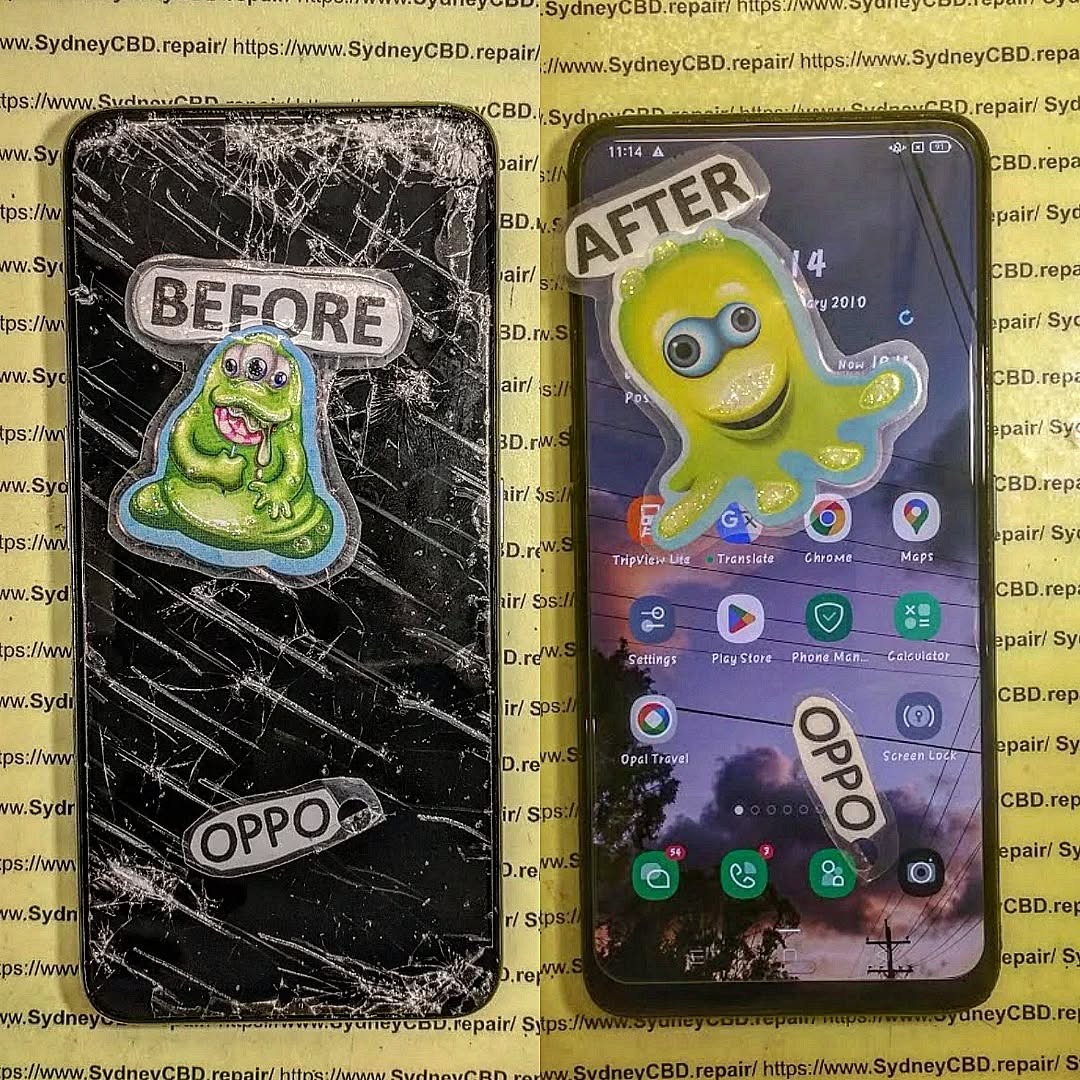
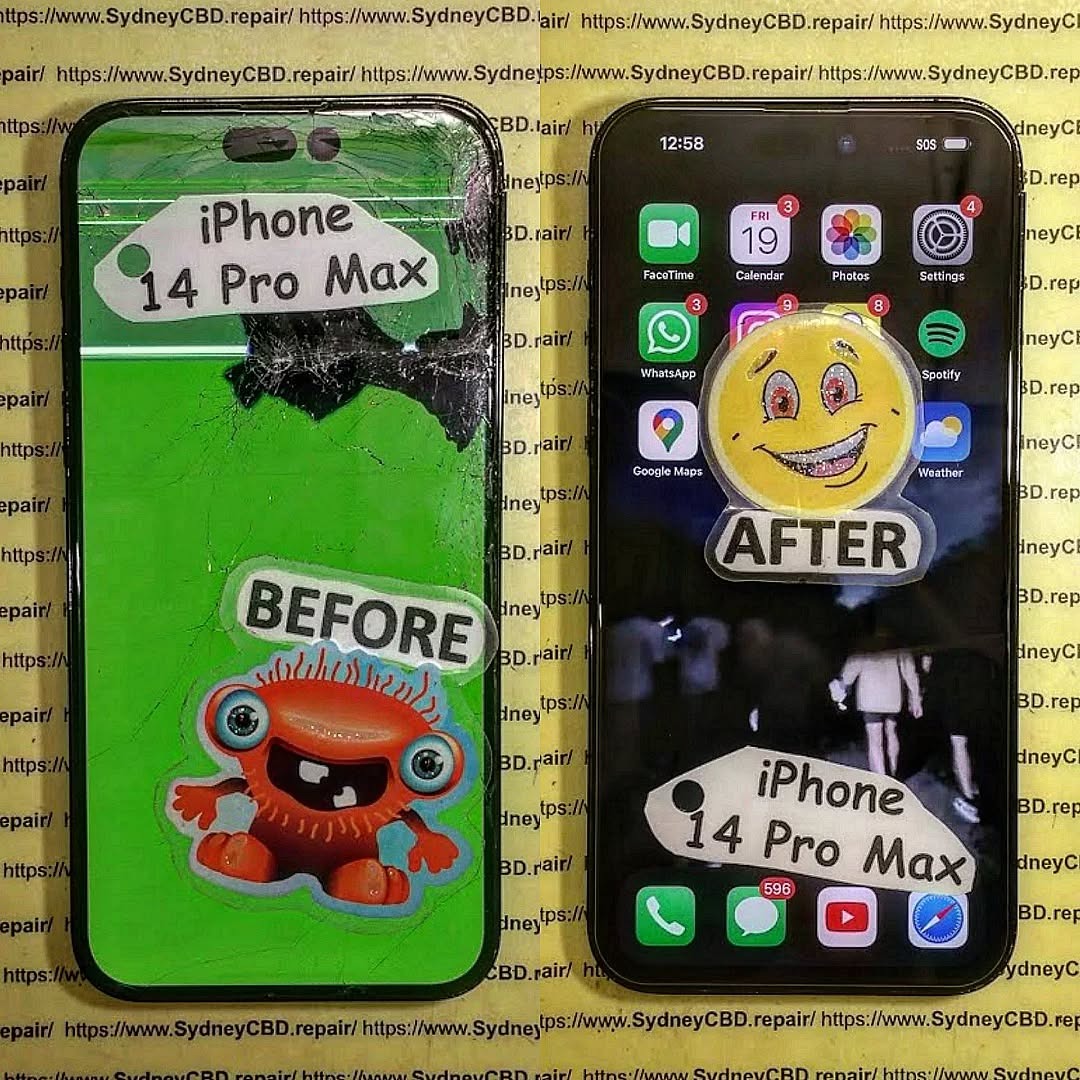
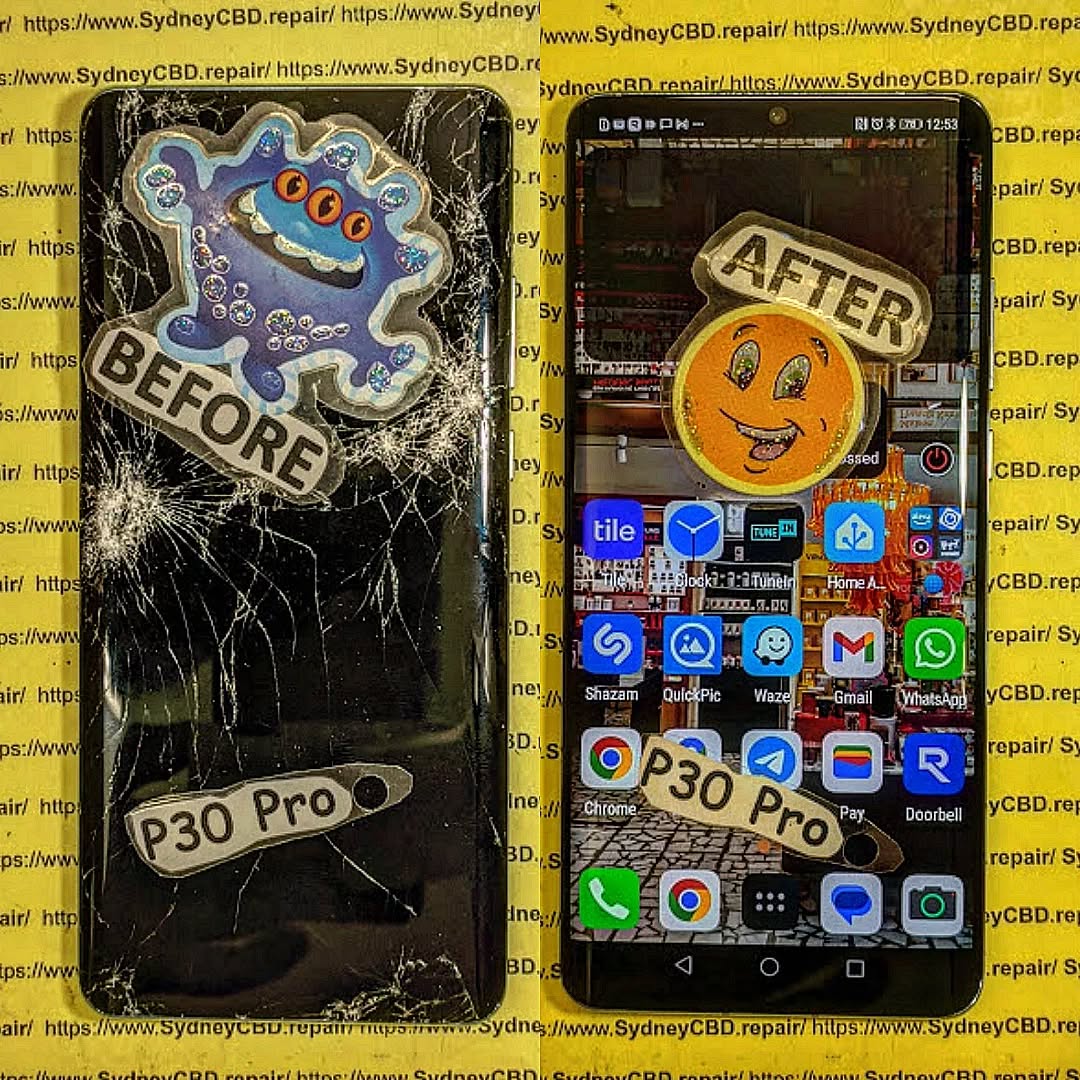
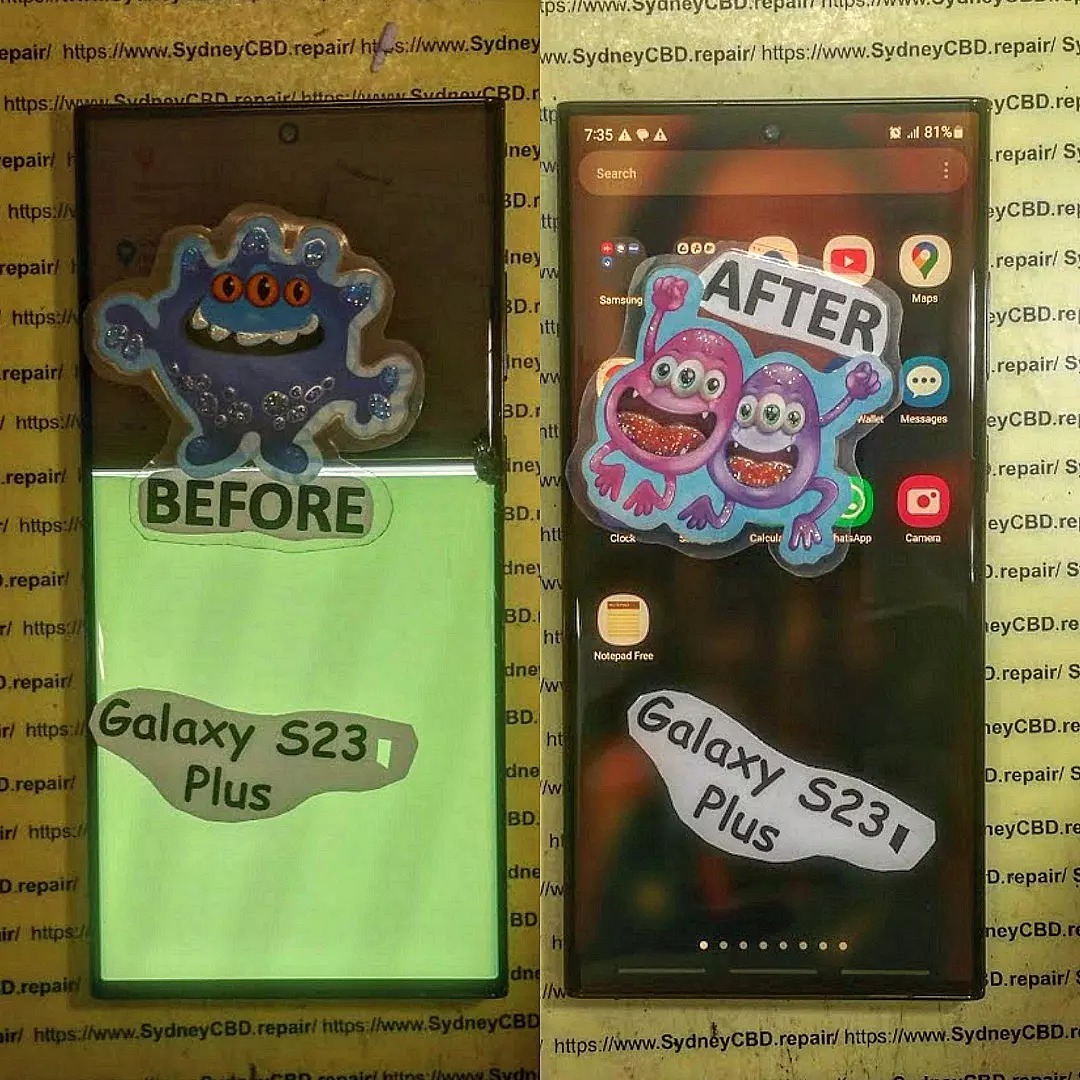
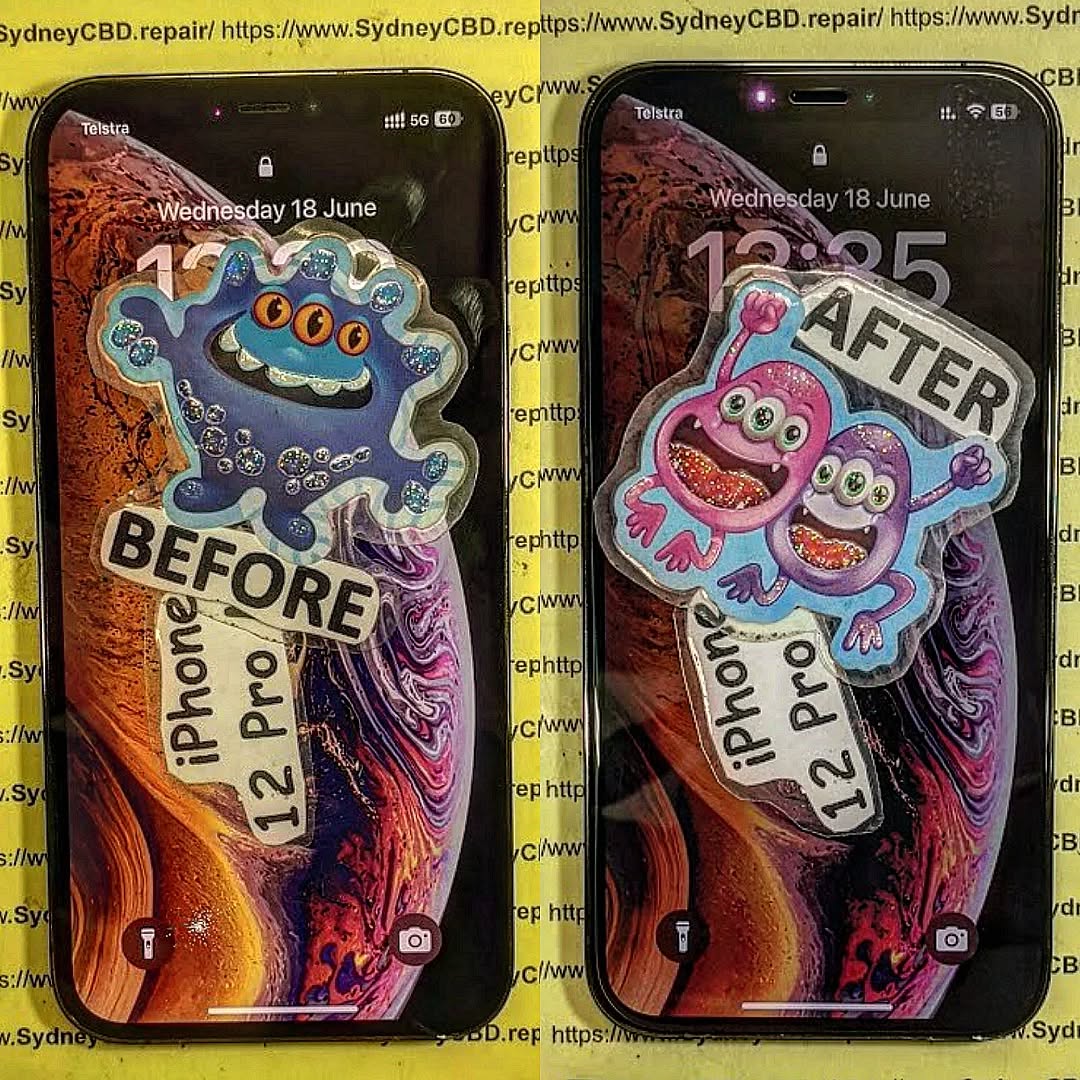
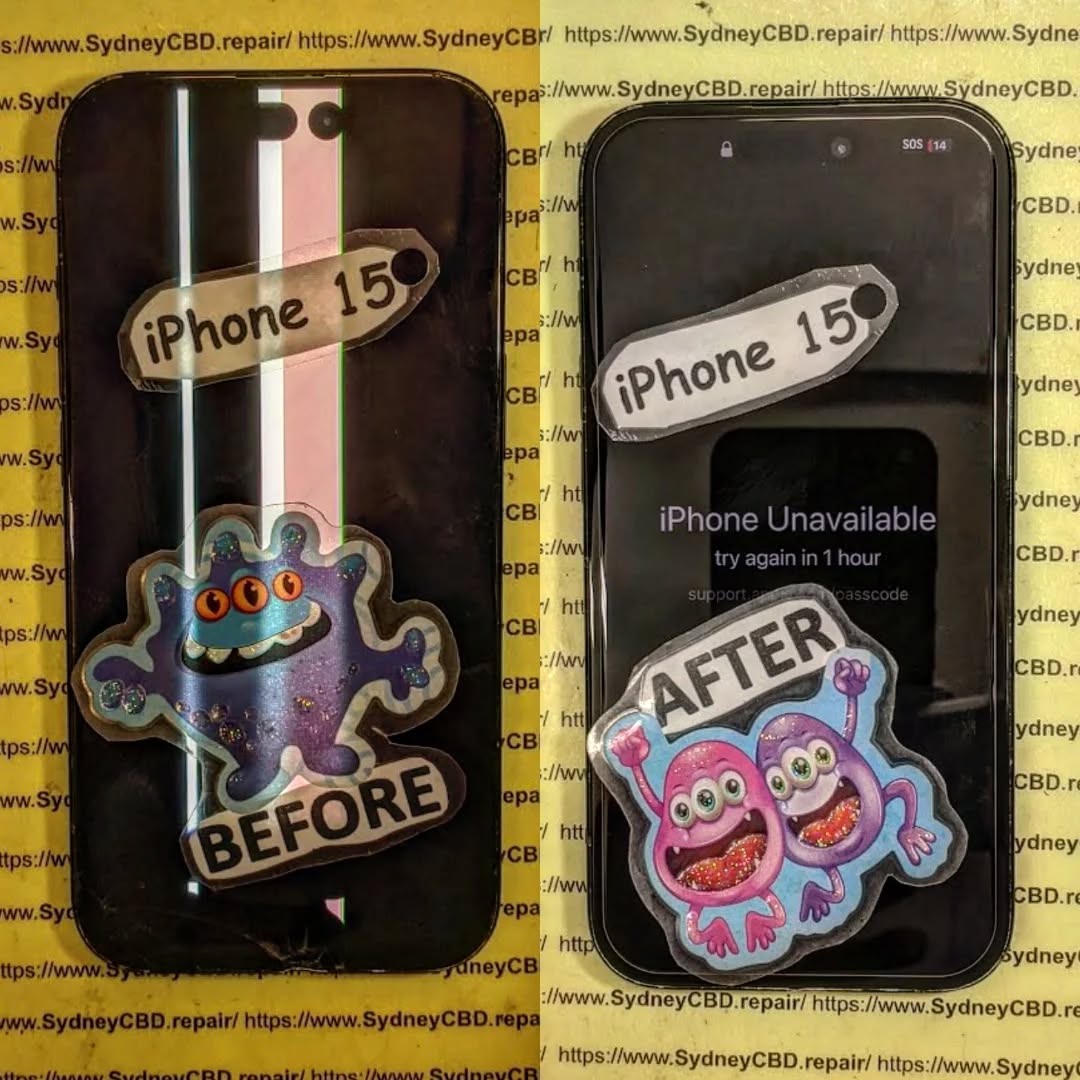
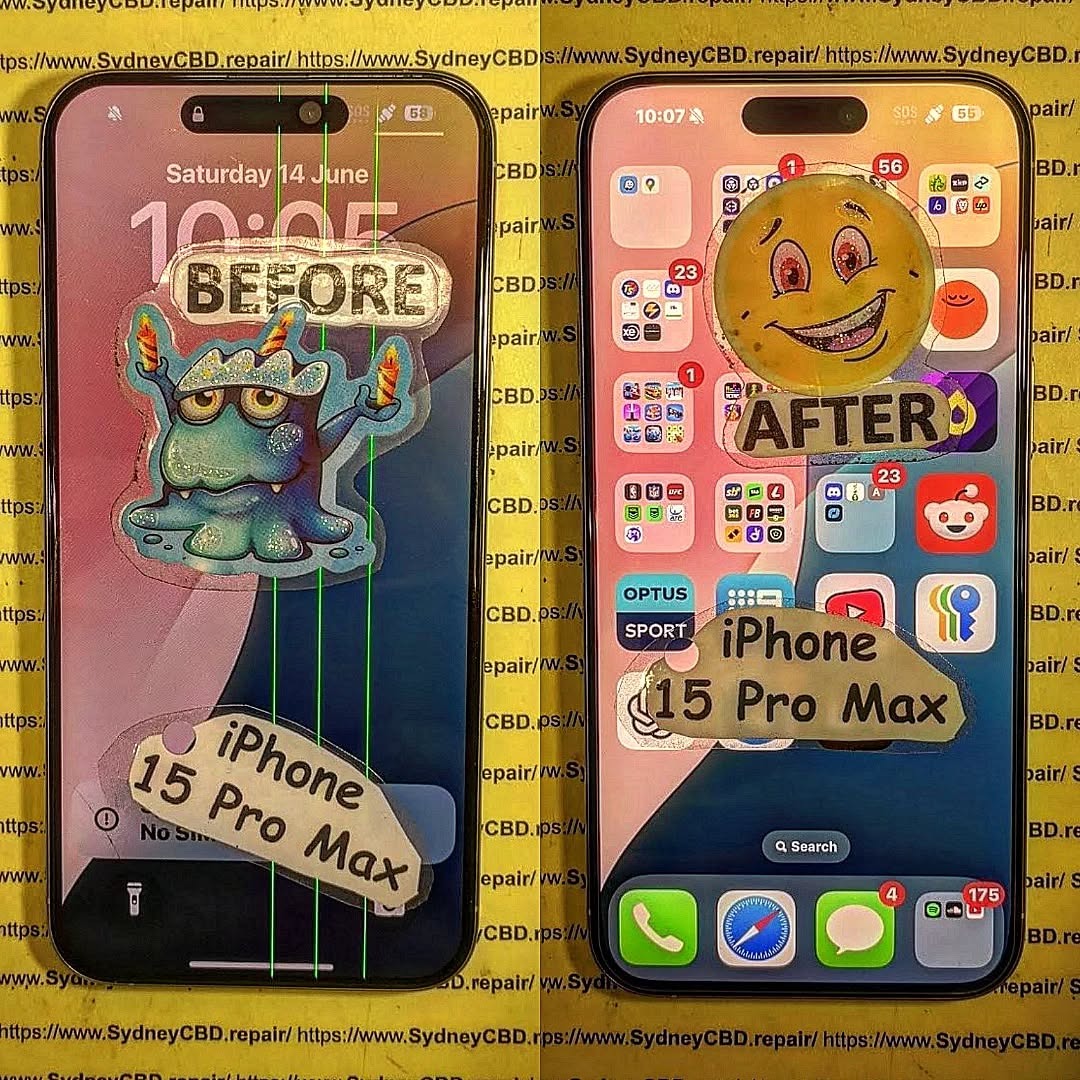
Every year, millions of smartphones are discarded worldwide, contributing to the growing problem of electronic waste (e-waste). But what if many of those “dead” devices could actually be revived and given a second life? At Sydney CBD Repair Centre, we recently worked on a Google Pixel 7 Pro that had been destined for e-waste recycling—only to bring it back to full working condition.
Many people assume that once their phone stops charging, develops screen issues, or fails after water exposure, it’s beyond repair. In reality, most smartphones—including the Pixel 7 Pro—can be fixed with the right skills, tools, and genuine replacement parts.
Common reasons phones get discarded:
Cracked or unresponsive screens
Faulty charging ports
Battery degradation
Water or liquid damage
Software glitches mistaken for hardware failure
Instead of throwing them away, repairs can extend the life of these devices and reduce harmful e-waste.
Most people would have tossed it, but our team saw potential.
The Repair Process
Full Diagnostic Check – We examined the phone’s hardware and software.
Screen Replacement – Installed a genuine Pixel 7 Pro OLED display for perfect touch and color accuracy.
Battery Swap – Replaced the worn battery with a brand-new, genuine unit.
Charging Port Repair – Fixed the connection to restore reliable charging.
Final Testing – Checked Face Unlock, camera, display responsiveness, and overall performance.
The result? The once “e-waste” Pixel 7 Pro is now good as new, ready for years of reliable use.
Why Repairing Beats Recycling Alone
While recycling is important, repairing first is even better for the environment. It saves energy, reduces resource demand, and keeps devices out of landfills for longer.
Benefits of repair over immediate recycling:
Extends device lifespan
Preserves resale value
Prevents unnecessary e-waste
Saves customers money compared to buying new
Sydney CBD Repair Centre: Your Pixel Repair Experts
We specialize in Google Pixel repairs, from the latest models like the Pixel 8 Pro to slightly older ones like the Pixel 6 series. Whether it’s a screen replacement, battery issue, or charging port repair, our expert technicians use only genuine parts for maximum reliability.
✔ Same Day Express Repairs
✔ Genuine Parts Guarantee
✔ Professional Technicians
✔ Competitive Pricing
✔ 2000+ 5-Star Google Reviews
✔ 6-Time Award Winner for Best Phone Repairs
Final Thoughts
A broken Pixel 7 Pro doesn’t have to end up as e-waste. With expert repair, it can be restored to full working order, saving you money and helping the planet. At Sydney CBD Repair Centre, we’ve proven time and again that what looks like junk can often be rescued.
When it comes to smartphones, even the most durable models eventually face issues. At Sydney CBD Repair Centre, we’ve seen it all—from cracked screens to water damage—and some problems are far more common than others. Here are the Top 3 most frequent phone repair problems we handle every day.
This is by far the most common phone repair problem. A single drop can leave your screen covered in cracks, making it difficult to use or even unsafe due to sharp glass edges. While screen protectors and cases can help, accidents still happen.
Why it happens:
Accidental drops
Pressure in pockets or bags
Weakening of glass over time
Our Solution:
We offer same-day screen replacements using genuine parts, ensuring your phone looks and feels brand new again.
2. Battery Problems
Smartphone batteries naturally degrade over time. After a year or two, you may notice your device doesn’t hold a charge as well as it used to—or worse, it shuts down unexpectedly.
Signs your battery needs replacement:
Rapid battery drain
Overheating during normal use
Phone shutting down at 20–30% charge
Battery swelling
Our Solution:
Our technicians provide professional battery replacement with a 90-day warranty, restoring your phone’s performance and extending its lifespan.
3. Water Damage
Water and electronics don’t mix. Whether it’s a phone dropped in the sink, toilet, or pool, liquid damage is a serious problem that can affect screens, speakers, and internal components.
Why it’s dangerous:
Causes corrosion inside the phone
Leads to short circuits
May permanently damage the motherboard
Our Solution:
We perform water damage diagnostics and repairs, often saving devices that customers thought were beyond repair. The sooner you bring it in, the higher the chance of recovery.
Final Thoughts
Cracked screens, failing batteries, and water damage are the top 3 most common phone repair issues faced by smartphone users worldwide. The good news? Sydney CBD Repair Centre has the expertise, tools, and genuine parts to fix them quickly and professionally.
DIY vs. PRO: iPhone Screen Repair Showdown – The Ultimate 2025 Guide
Introduction: Why iPhone Screen Repair Matters More Than Ever
The iPhone has evolved into more than just a smartphone—it’s your wallet, camera, work device, and entertainment hub all rolled into one. With every new release, screens are becoming sharper, brighter, and more advanced. But here’s the downside: cracked screens remain one of the most common issues for iPhone users worldwide.
In 2025, the debate between DIY screen repair vs professional repair has never been more relevant. Many people wonder: Is it worth saving money by fixing it myself, or should I leave it to the pros? This showdown will uncover the real costs, risks, and long-term implications of both options.
Repairing an iPhone screen is not just about replacing broken glass. It involves precision tools, technical skills, and often, hidden costs. Let’s break it down.
DIY Repair Costs: Tools and Parts
At first glance, DIY repair looks cheaper. A replacement screen from online marketplaces can range between $40 to $150, depending on the iPhone model and part quality. Add specialized tools like pentalobe screwdrivers, suction cups, and adhesive kits, and you’re looking at an additional $30–$60.
But here’s the catch: not all parts are genuine. Low-quality screens may cause dull colors, poor touch sensitivity, or even face ID failure.
Professional Repair Costs: What You’re Really Paying For
Professional repair shops may charge between $200 and $450 for iPhone screen replacement. At first, that seems expensive. But you’re not just paying for a new screen—you’re paying for:
Genuine OEM parts that match Apple’s original standards.
Skilled technicians with years of experience.
Warranty coverage (90 days at Sydney CBD Repair Centre).
Peace of mind, knowing your phone won’t be damaged further.
So while DIY might save you money upfront, a botched repair can cost much more in the long run.
Thinking of fixing your iPhone screen at home? Here’s what’s involved.
Tools You’ll Need
Precision screwdriver set
Plastic prying tools
Heat gun or hairdryer
Adhesive strips
Replacement screen
Step-by-Step DIY Process
Power off your iPhone.
Remove the bottom screws near the charging port.
Use suction cups and prying tools to carefully lift the screen.
Disconnect the battery before removing any display cables.
Replace the broken screen with a new one.
Reconnect cables and test before sealing.
Common DIY Mistakes and Risks
Damaging the battery (which can cause swelling or fire).
Breaking the Face ID sensor, making it unusable.
Losing tiny screws or connectors that are hard to replace.
Poor sealing, leading to dust or water damage.
DIY repair is possible, but it requires patience, a steady hand, and the willingness to risk your device.
Professional iPhone Screen Repair Explained
Professional repair services eliminate guesswork and provide guaranteed results.
The Repair Process at a Professional Centre
At Sydney CBD Repair Centre, technicians follow a structured process:
Diagnosis & Testing – Checking the phone’s condition.
Screen Removal – Using specialized tools and anti-static precautions.
Replacement with Genuine Parts – Ensuring full compatibility.
Quality Assurance Testing – Checking display, touch, and Face ID.
Final Sealing & Warranty Activation.
Warranty, Parts, and Reliability
Professional repairs come with:
Genuine parts guarantee.
90-day warranty for peace of mind.
Zero risk of counterfeit screens.
Turnaround Time and Convenience
Many repair shops, including Sydney CBD Repair Centre, offer same-day express service. That means you can drop off your phone during lunch and pick it up after work—good as new.
Safety Concerns: DIY vs. PRO
Battery Damage and Fire Hazards
One wrong move with a metal tool can puncture your iPhone’s lithium-ion battery, causing dangerous fires. Professionals use insulated tools and proper training to avoid this.
Data Loss Risks
Improper handling can lead to logic board damage, wiping your data. Professional shops usually preserve your data during repair.
Long-Term Impact on Your iPhone
Performance and Touch Sensitivity
Cheap replacement screens may lag, ghost-touch, or crack more easily. Professional screens maintain Apple-level performance.
Resale Value Considerations
A phone repaired with genuine parts holds higher resale value compared to one with third-party parts.
Comparing DIY vs. PRO Repairs Side by Side
Cost Comparison Table
Factor
DIY Repair
Professional Repair
Initial Cost
$70–$200
$200–$450
Risk Level
High
Low
Warranty
None
90 days
Screen Quality
Mixed
Genuine
Time Needed
2–4 hours
30–90 minutes
Pros and Cons List
DIY Pros: Cheaper upfront, learning experience, immediate availability. DIY Cons: High risk, no warranty, lower screen quality.
PRO Pros: Safe, reliable, genuine parts, warranty included, faster turnaround. PRO Cons: Higher initial cost.
FAQs
1. Is DIY iPhone screen repair worth it?
It can be, but only if you’re experienced and accept the risks. For most people, professional repair is safer.
2. How long does a professional iPhone screen repair take?
At Sydney CBD Repair Centre, most repairs are done same-day, often within 1 hour.
3. Will Apple know if I replaced my screen myself?
Yes. iPhones detect non-genuine screens and may show a warning in settings.
4. Can DIY repairs void my warranty?
Yes. Apple and most repair centres won’t cover devices with DIY damage.
5. Are third-party screens really that bad?
They often have weaker glass, inaccurate colors, and poor touch response compared to genuine parts.
6. How can I make my iPhone screen last longer after repair?
Use a tempered glass protector and shock-absorbing case.
Conclusion: The Smart Choice in 2025
When weighing DIY vs PRO iPhone screen repair, the choice depends on your skills, budget, and risk tolerance. While DIY might save money upfront, the risks—battery damage, Face ID failure, resale loss—are significant.
On the other hand, professional repair offers peace of mind, genuine parts, warranty, and same-day service. For most people, professional repair is the smarter investment.
👉 If you’re in Sydney, there’s no better choice than Sydney CBD Repair Centre—rated the Best Mobile Phone Repair Shop 6 Years in a Row with over 2000 positive Google reviews.
Ultimate Guide: Choosing the Right Screen Replacement – 9 Expert Tips for Perfect Results
Why Screen Replacement Matters for Your Device
Your phone’s screen is more than just glass — it’s the window to your entire digital life. Whether you’re replying to messages, streaming videos, or snapping photos, a damaged screen affects both performance and aesthetics.
Ignoring cracks or touch issues can lead to:
Reduced touchscreen sensitivity
Display discoloration or dead pixels
Further internal damage due to dust and moisture
By opting for a professional screen replacement, you restore your device’s full functionality and avoid bigger repair costs later.
Prices vary depending on the device and screen type:
Device Type
OEM Screen
Aftermarket Premium
iPhone 14 Pro
$450–$550
$300–$400
Samsung S23 Ultra
$500–$600
$350–$450
Google Pixel 7 Pro
$400–$500
$280–$380
Common Myths About Screen Replacements
“Aftermarket screens are always bad.” – Premium aftermarket can be great.
“DIY repairs are just as good.” – Without tools and skills, you risk damage.
“Only the glass needs replacing.” – Often the LCD/digitizer is also damaged.
How to Maintain Your New Screen
Use a tempered glass protector
Keep phone in a shockproof case
Avoid exposing to extreme heat
Clean with microfiber cloth
FAQs About Screen Replacements
Q1: How long does a screen replacement take? A: Most professional repairs are done within 1–2 hours.
Q2: Will replacing the screen erase my data? A: No, but always back up just in case.
Q3: Is it worth repairing an older phone? A: If it meets your needs and the repair is affordable, yes.
Q4: Can I replace the screen myself? A: Possible, but risky without experience.
Q5: Does a replacement affect water resistance? A: If done by a professional, seals can be restored.
Q6: What’s the warranty period for screen replacements? A: At Sydney CBD Repair Centre, 90 days.
Conclusion: Making the Right Choice
A screen replacement isn’t just a cosmetic fix — it restores your phone’s usability, performance, and value. Whether you choose OEM or premium aftermarket, always work with trusted professionals.
Why Choose Sydney CBD Repair Centre for Screen Replacement?
David from Sydney CBD Repair Centre – The Best place to fix mobile phones as 6 Years In A Row! More than 2000 Positive Reviews on Google and Same Day Repairs.
Visit us for:
✓ Same Day Express Repairs
✓ Genuine Parts Guarantee
✓ Professional Technicians
✓ Competitive Pricing
✓ 2000+ 5-Star Google Reviews
✓ 6-Time Award Winner for Best Phone Repairs
Phone Repair Secrets: What Manufacturers Don’t Want You to Know + Expert Insights + 10 Shocking Facts
Phone Repair Secrets: What Manufacturers Don’t Want You to Know
When your phone breaks, the first thing most people do is panic — or head to an official service center. But what if we told you manufacturers have been keeping secrets about repairs for years? In this comprehensive guide, we’ll uncover the truths behind phone repairs, expose misleading tactics used by big tech companies, and empower you with the knowledge to make smarter repair choices.
Let’s face it — smartphones are expensive. Whether you’ve spent $1,500 on the latest iPhone or grabbed a solid mid-range Android, repairs are inevitable. But when they do happen, you’re often steered towards manufacturer service centers that charge premium prices and limit your options.
Here’s the truth: you don’t always need to go back to the manufacturer. In fact, doing so might be costing you more time, money, and control than necessary.
From hidden diagnostics tools to restrictive repair policies, this article uncovers what phone manufacturers don’t want you to know and why choosing reputable third-party services like Sydney CBD Repair Centre can save you time and money without compromising quality.
When your screen cracks or your battery dies, most brands recommend only visiting authorized service centers. Why? Because they profit from it.
Here’s what they don’t tell you:
Excessive Pricing: Manufacturer repairs are usually more expensive because of brand markups.
Long Wait Times: You could be waiting days — even weeks — just to get a basic repair done.
Limited Repair Scope: Some repairs are outright refused if the damage is deemed “too severe.”
At Sydney CBD Repair Centre, same-day repairs are the norm — with genuine parts and expert technicians who know your phone inside out.
Real-World Example:
A Galaxy S21 screen replacement at an official Samsung store can cost over $400, while third-party repair centers using genuine AMOLED displays offer the same repair for less than half the price, with warranty included.
While official service centers operate under the brand’s policies, independent repair shops like Sydney CBD Repair Centre offer flexibility, faster service, and competitive pricing.
Advantages of Independent Repair Shops:
Same-day service for most models
Genuine and OEM parts
More repair options (motherboard, microsoldering, etc.)
Better communication and support
Official centers often won’t touch devices with prior repairs or “unauthorized tampering,” leaving users stranded.
3. Secret Codes and Diagnostic Tools Technicians Use
Manufacturers have built-in diagnostic codes and tools to test hardware — but they don’t make them public.
Examples of Hidden Codes:
Samsung: *#0*# for testing screen, sensors, vibration
Apple: Internal diagnostic tools only accessible via Apple’s proprietary software
Independent repair experts are trained to use these diagnostics and third-party tools to test, verify, and repair your device accurately.
4. OEM vs Aftermarket Parts – What’s the Difference?
A key phone repair secret lies in the parts used for replacement.
Type
OEM (Original Equipment Manufacturer)
Aftermarket
Source
Same supplier used by phone brand
Third-party manufacturers
Quality
High – identical to original
Varies – some are poor
Price
Higher
Lower
Warranty Impact
None if done by certified shop
May void warranty
At Sydney CBD Repair Centre, we only use genuine or high-grade OEM parts — no low-quality imitations.
5. Debunking Myths About Third-Party Repairs
a. Will You Lose Your Warranty?
In most countries, the answer is no. Consumer protection laws (like Australian Consumer Law) state that you can choose your own repairer without voiding your warranty — as long as the repair doesn’t cause the fault.
b. Are Third-Party Technicians Less Skilled?
Absolutely not. In fact, many certified technicians in repair shops have more experience than those at brand service centers — especially with out-of-warranty devices.
6. How to Identify Quality Repair Services
Not all third-party repair shops are created equal. Look for these signs of a trusted technician:
a. Certifications and Credentials
Are they Apple Independent Repair Provider (IRP) certified?
Do they have ISO certifications?
Are they trained for micro-soldering or board-level repairs?
b. Reviews and Reputation
Check Google Reviews and customer testimonials. Sydney CBD Repair Centre, for example, boasts 2000+ 5-star reviews and has been voted Best Phone Repair in Sydney 6 Years Running.
7. Most Common Phone Issues Manufacturers Won’t Cover
Even though smartphones come with warranties, many common issues aren’t covered by manufacturers. This forces users to pay premium repair fees or, worse, replace the entire device.
Let’s break down the top problems manufacturers often refuse to fix affordably — and how Sydney CBD Repair Centre handles them better.
a. Cracked Screens
Screen damage is the #1 reason people visit repair shops.
Manufacturer response: Usually not covered under warranty.
Cost: Up to $700+ for flagship models.
Our solution: We offer same-day screen repairs using genuine OLED and AMOLED displays at a fraction of the cost.
Sydney CBD Repair Centre stocks premium screens for iPhones, Samsung Galaxy, Google Pixel, and more. Every screen replacement includes a 90-day warranty.
b. Water Damage
Despite many phones being marketed as “water-resistant,” liquid damage is rarely covered.
Manufacturer’s fix: Often refuse to repair or suggest a full replacement.
Our fix: We perform board-level cleaning and micro-soldering to restore water-damaged devices.
Our success rate in water-damaged repairs has helped save thousands of devices others wrote off as “non-repairable.”
c. Battery Degradation
Over time, your battery will degrade — it’s inevitable.
Manufacturer’s approach: Often require full diagnostics and software resets, or try to upsell you on a new phone.
Our solution:Fast battery replacement with genuine or OEM batteries for iPhones, Samsung, and more, backed by warranty.
No delays, no tricks — just expert service done right.
8. How Manufacturers Limit Your Repair Options
There’s a reason you’ve probably felt cornered into going to an official service center: manufacturers design it that way.
a. Software Locks and Serial Number Linking
Some phone brands use software pairing to restrict repairs:
Apple’s TrueTone and Face ID functions may stop working if parts aren’t properly reprogrammed.
Samsung’s fingerprint readers and displays may reject replacements unless coded to the motherboard.
But at Sydney CBD Repair Centre, our experts have the tools and training to reprogram and recalibrate parts, restoring full functionality after repair.
b. Limited Access to Parts and Schematics
Brands rarely share:
Repair guides
Schematics
Diagnostic software
This forces most shops to work in the dark — but top-tier centers like ours invest in global repair networks and advanced tools like ZXW, JC Programmers, and REWA logic maps to solve complex problems others won’t touch.
9. Right to Repair Movement – What It Means for You
The Right to Repair is a growing global movement pushing back against restrictive manufacturer policies.
What it advocates:
Fair access to replacement parts and manuals
Legal protection for independent repair shops
Preventing planned obsolescence
In countries like Australia, consumer rights already protect you from being forced into brand-specific repairs — and you have every right to choose independent experts.
At Sydney CBD Repair Centre, we’re proud supporters of the Right to Repair and believe you deserve freedom, transparency, and affordability when your phone breaks.
Trying to fix your phone yourself? It’s possible — but risky. Here’s what you need to consider before picking up that toolkit.
a. Tools and Kits
You’ll need:
Precision screwdrivers
Suction cups and plastic picks
Anti-static wrist straps
Isopropyl alcohol and cleaning brushes
There are also many DIY repair kits online, but be cautious: many include low-quality parts or lack key tools.
b. Common Mistakes to Avoid
Breaking fragile flex cables
Misaligning or damaging biometric sensors
Forgetting waterproof seals
Using low-quality parts that cause screen discoloration or battery swelling
Unless you’re confident and experienced, trust a certified repair center like Sydney CBD Repair Centre for safe, professional results.
📋 FAQs
1. Will third-party repair void my warranty?
In Australia, consumer law protects your right to choose where you repair your device. As long as the repair doesn’t cause further damage, your warranty remains intact.
2. How do I know if a shop uses genuine parts?
Always ask for proof — at Sydney CBD Repair Centre, we use only genuine or OEM-quality parts and are transparent about everything we install.
3. Is it safe to repair water-damaged phones?
Yes — when done by professionals. We disassemble the phone, clean and treat the board, and test thoroughly before restoring it.
4. Can I upgrade my battery instead of buying a new phone?
Absolutely. A battery replacement can give your phone another 1-2 years of life. It’s one of the most cost-effective repairs you can get.
5. What’s the difference between LCD and AMOLED replacement screens?
LCD is cheaper but may not match the original quality. AMOLED (used in iPhones and Samsung devices) offers better color, contrast, and battery efficiency. We always recommend matching the original screen type.
6. Why choose Sydney CBD Repair Centre over others?
With 6 years as Sydney’s top-rated phone repair shop, 2000+ 5-star reviews, same-day service, and genuine parts — we simply deliver what others promise.
Conclusion
Phone manufacturers have built a wall between you and your right to affordable, fast, and effective repairs. But now you know the secrets — and better yet, you know who to trust.
Whether it’s a cracked screen, weak battery, water damage, or even motherboard issues, you don’t have to pay premium prices or wait weeks for service.
Sydney CBD Repair Centre is your trusted partner in restoring your phone — fast, professionally, and affordably.
Call to Action: Choose a Trusted Repair Partner
📍 Located in the heart of Sydney, our team at Sydney CBD Repair Centre is ready to get your phone working like new — same day, guaranteed parts, no gimmicks.
The Best Tools and Techniques for Phone Screen Repair – Top 15 Expert Tips for Flawless Results
📱 Introduction
Cracked or shattered phone screens are an unfortunate reality in today’s smartphone world. But whether you’re an aspiring DIYer or a technician, the tools and techniques you use can make or break the repair. In this guide, we’ll explore the best tools and professional tips to ensure your phone screen replacement is a success.
Here are the core tools every screen repair should include:
✅ Precision Screwdriver Set
Modern smartphones use tiny screws like pentalobe, tri-point, and Phillips #000. A quality screwdriver kit allows you to open the device without stripping screws.
✅ Plastic Pry Tools and Spudgers
These non-metal tools help you separate the screen from the frame without damaging internal components.
✅ Suction Cup Tool
Used to gently lift the screen after loosening adhesive. This is especially helpful for iPhones and Samsung models.
✅ Heat Gun or Hair Dryer
Softens adhesive holding the screen in place. A temperature-controlled heat gun is safer for delicate devices.
✅ ESD-Safe Tweezers
Great for handling small components like display cables and connectors without static damage.
✅ Anti-Static Wrist Strap
Protects sensitive internal circuits from electrostatic discharge during the repair process.
✅ Magnetic Work Mat
Keeps screws and components organized, which is essential when reassembling the phone.
✅ Replacement Adhesive Strips
Used to reattach the screen securely and ensure dust/water resistance is maintained.
🧪 Advanced Tools for Professionals
At Sydney CBD Repair Centre, we use state-of-the-art equipment to perform safe and efficient repairs.
🔥 Laser Separator Machine
Used to separate glass from OLED displays without damaging delicate layers—ideal for high-end devices.
🌀 OLED Laminating Machine
Rebonds replacement glass and digitizer to the OLED for a factory-level finish.
📲 Choosing the Right Replacement Screen
Whether you’re using an OEM or high-grade aftermarket screen, compatibility and quality are non-negotiables.
Pro Tip: Always check your phone’s model number and screen technology (LCD vs OLED) before ordering.
🔍 Key Techniques for Safe and Clean Removal
Power off the device before starting.
Use a heat gun to soften the adhesive.
Apply gentle prying motion with a plastic spudger.
Use a suction cup for clean lifting—never use sharp force.
Disconnect battery before removing display connectors.
🧩 Tips for Installing the New Screen Correctly
Test the new screen before sealing the phone back up.
Apply even pressure while connecting ribbon cables.
Use precise adhesive placement for dust resistance.
Avoid over-tightening screws—this can crack new glass.
⚠️ Common Mistakes to Avoid During Repairs
Using metal tools inside the phone
Skipping heat application before prying
Not organizing screws properly
Touching screen internals with bare fingers
Reusing old adhesives
🧑🔧 Should You Attempt DIY or Go to a Pro?
Factor
DIY
Professional
Cost
Lower
Higher
Risk
High
Low
Quality
Variable
Guaranteed
Time
2–4 hrs
30–60 mins
Tools Needed
Yes
No
Warranty
No
Yes (e.g. 90 days at Sydney CBD Repair Centre)
🛡 Safety Precautions to Follow
Wear an anti-static strap
Always power off the phone
Don’t work on a carpeted surface
Keep liquids and magnets away
Watch out for battery punctures
🧠 Professional Tips from Sydney CBD Repair Centre
“We’ve repaired thousands of screens over the past decade. Our advice? Don’t compromise on tools. Cheap kits lead to costly damage. We only use OEM-quality parts, and every repair is backed by our 90-day warranty.”
— David, Head Technician, Sydney CBD Repair Centre
❓ FAQs
1. Can I repair a screen with household tools?
No. Using improper tools like kitchen knives or screwdrivers can severely damage your phone.
2. Is a heat gun necessary?
Yes, especially for iPhones and newer Androids. It helps loosen adhesive without cracking the display.
3. How long does screen replacement take?
DIY can take hours. Professionals like Sydney CBD Repair Centre finish most repairs in under an hour.
4. Are aftermarket tools safe to use?
If purchased from a reputable source, yes. However, cheap kits often break easily and can damage your phone.
5. Do I need adhesive strips to reattach the screen?
Absolutely. Using glue or tape instead can lead to dust ingress and screen separation.
6. Where can I find professional repair help in Sydney?
Screen repair is more than just swapping glass—it’s a technical process requiring precision, the right tools, and a deep understanding of phone internals. Whether you’re a DIY enthusiast or prefer professional help, investing in proper tools or expert service is key to a lasting repair.
📞 Call to Action – Trust Sydney CBD Repair Centre
Don’t risk your phone with untrained hands or cheap tools.
📍 Sydney CBD Repair Centre – Where Quality Meets Reliability
🛠️ Same Day Repairs | 90-Day Warranty | OEM Parts
🌟 2000+ 5-Star Google Reviews | 6-Time Award Winner
Samsung S23 Plus Screen Repair Cost Analysis: Uncover the Truth Behind the Price + Expert Breakdown
📲 Introduction: The Growing Need for Samsung S23 Plus Repairs
The Samsung Galaxy S23 Plus is a powerhouse of innovation and design, featuring a stunning 6.6-inch Dynamic AMOLED 2X display that offers crystal-clear visuals and a buttery-smooth 120Hz refresh rate. However, as beautiful as it is, that screen is vulnerable to accidental damage.
From accidental drops on pavement to pressure cracks inside a pocket, many users find themselves seeking screen repair services — and asking the all-too-common question: Why is Samsung S23 Plus screen repair so expensive? Let’s break it down.
💡 Why the Samsung S23 Plus Screen is Expensive to Fix
Advanced AMOLED Display Technology
The Samsung S23 Plus boasts a Full HD+ Dynamic AMOLED 2X panel — not your average LCD. AMOLED screens provide deeper blacks and brighter colors, but they’re also more expensive to manufacture and replace.
Cost of production: AMOLED panels are thinner and more sensitive.
Delicate nature: Any mishandling during repair can render them unusable.
Screen Integration with Fingerprint Sensor
Unlike many smartphones, the Samsung S23 Plus integrates the ultrasonic fingerprint scanner directly beneath the display. This means:
Replacing the screen involves careful calibration.
Only high-quality parts can ensure the scanner works post-repair.
Water and Dust Resistance: The IP68 Factor
Samsung engineered this device to meet IP68 standards, making it dustproof and water-resistant. This seal can be compromised during screen repair, which:
Increases the time and precision needed during reassembly.
Prices for Samsung screen repairs vary, but here’s a breakdown of what typically makes up the total cost:
OEM vs Aftermarket Screens
OEM (Original Equipment Manufacturer): Usually costs AUD $400–$550, but offers guaranteed compatibility.
Aftermarket Screens: Cheaper, ranging AUD $250–$350, but may have color tint, lower brightness, or reduced touch sensitivity.
Type
Average Cost (AUD)
Pros
Cons
OEM
$400 – $550
Perfect fit, fingerprint sensor support
Expensive
Aftermarket
$250 – $350
Budget-friendly
May affect performance
Labour and Diagnostic Fees
Some repair centres charge a diagnostic fee ranging from $40–$80, while labour charges depend on:
Technician experience
Time required for disassembly and reassembly
Tools and technology used
Warranty and Post-Repair Support
Reputable shops like Sydney CBD Repair Centre offer 90-day warranties, which ensures peace of mind and protects your investment.
🏪 Where to Get Your Samsung S23 Plus Screen Repaired
Samsung Authorized Service Centres
Pros:
Official parts and procedures
Warranty remains intact (if within period)
Cons:
Expensive
Longer turnaround times
Independent Repair Shops
Pros:
Faster service
Competitive pricing
Cons:
Quality varies — choose a reputed one like Sydney CBD Repair Centre
DIY Repairs: Worth the Risk?
Though tempting, DIY repairs can:
Void your warranty
Damage the internal components
Fail to reseal waterproofing
🌍 Comparing Samsung S23 Plus Screen Repair Costs Globally
Country
Average Cost (USD)
Notes
USA
$280 – $400
OEM parts widely available
Australia
$300 – $420
Labour cost slightly higher
UK
£250 – £350
High-quality third-party repairs
India
₹18,000 – ₹27,000
Mostly aftermarket options
Global costs fluctuate due to import taxes, technician availability, and brand partnerships.
💡 Tips to Save Money on Screen Repairs
Use phone cases and tempered glass
Repair small cracks early to prevent spread
Compare quotes from reputable repair centres
Check if your credit card includes accidental damage coverage
Ask for refurbished OEM parts (cost-effective, still genuine)
🛡️ The Role of Insurance and Warranties in Screen Repair
Carrier or manufacturer insurance may cover accidental damage, but:
Excess fees apply
Limited number of claims per year
Check if screen damage is covered under your plan
Samsung Care+ is a great option, but if it’s expired, opt for reliable independent repair options.
🏆 How Sydney CBD Repair Centre Delivers Premium Samsung Repairs
Genuine Parts and Trained Technicians
All repairs use 100% genuine OEM parts for Samsung devices, preserving your phone’s integrity. Technicians are certified and experienced in delicate repairs like ultrasonic fingerprint integration.
Transparent Pricing and Same-Day Repairs
No hidden fees
Free diagnosis
Express same-day service
With over 2000+ Google Reviews and 6-time award-winning service, Sydney CBD Repair Centre has built a reputation you can trust.
1. How long does it take to replace a Samsung S23 Plus screen?
Most high-end repair shops, like Sydney CBD Repair Centre, offer same-day service — usually within 1 to 3 hours.
2. Will a third-party screen affect my phone’s performance?
Yes, especially if it’s low quality. Touch sensitivity, brightness, and fingerprint sensors may not work as expected.
3. Is screen replacement covered under Samsung warranty?
Only if there’s a manufacturing defect. Accidental damage is usually not covered unless you have Samsung Care+.
4. What’s the difference between OLED and AMOLED?
Both are similar, but AMOLED offers better contrast and consumes less power — and is used in S23 Plus.
5. Can a cracked screen be repaired without full replacement?
Not usually. Most cracks affect the digitizer and display, requiring a complete screen assembly replacement.
6. Is Sydney CBD Repair Centre cheaper than Samsung stores?
Yes. You can save up to 30–40% compared to authorized centres while still getting genuine parts and warranty.
✅ Conclusion: Quality Repair is an Investment
Investing in a quality screen repair for your Samsung S23 Plus isn’t just about restoring looks — it’s about performance, protection, and peace of mind. Whether you choose OEM or a high-grade aftermarket screen, always trust experienced technicians who stand by their work. In Sydney, Sydney CBD Repair Centre remains your top choice for affordability, speed, and service excellence.
Repairing Your Phone Screen: DIY vs Professional – What You Need to Know
📱 Introduction: The Growing Need for Screen Repairs
Cracked screens are one of the most common smartphone issues. With millions of devices in daily use, it’s no surprise that accidents happen—from drops on concrete to minor knocks in a pocket. When your phone screen breaks, you’re faced with a choice: DIY repair or professional help?
Making the right decision isn’t always simple. This article explores both sides of the debate, so you can decide what’s best for your device, your wallet, and your peace of mind.
🧰 DIY Screen Repairs: The Pros
Some phone owners are naturally inclined to fix things themselves. Here’s why DIY screen repairs might seem appealing:
Cost-Effective (initially): Replacing a screen at home using a kit from online retailers can be cheaper than going to a repair shop.
Convenience: You can attempt the repair at your own pace without leaving your home.
Learning Experience: For tech enthusiasts, it’s a great way to understand how phones work.
⚠️ DIY Screen Repairs: The Cons
Despite the potential savings, DIY screen repair comes with major risks:
Low-Quality Parts: Online kits often come with non-genuine parts that may reduce display brightness, touch response, and durability.
No Warranty: If something goes wrong, you’re responsible—no professional to back you up.
Risk of Further Damage: One slip of the hand can break other components like the battery, front camera, or motherboard.
Void Manufacturer Warranty: Unauthorized repairs often void your phone’s warranty.
Real Talk: Most DIY repairs end in disappointment—if not disaster—especially for modern phones with delicate displays like the iPhone 15 Pro Max or Samsung Galaxy S24.
Professional repairs offer several advantages that DIY methods simply can’t match:
✅ Genuine Parts: At Sydney CBD Repair Centre, only OEM-quality parts are used.
✅ Skilled Technicians: Our techs are certified and trained on all major phone brands.
✅ Warranty Coverage: Every repair comes with a 90-day warranty.
✅ Same-Day Service: Most screen repairs are completed within 1 hour.
✅ Advanced Equipment: Pros use specialised tools that aren’t included in cheap online kits.
🔍 Professional Repairs: The Drawbacks
While professional repairs are generally safer, they may come with:
Slightly Higher Cost: Due to labor and premium parts.
Time & Travel: You may need to visit a repair shop (unless they offer mail-in or walk-in services like we do).
However, the value and reliability of professional repairs often outweigh the drawbacks.
💸 Comparing Costs: DIY vs Professional
Aspect
DIY Repair
Professional Repair
Average Cost
$50–$120 (kit)
$120–$300 (depends on model)
Part Quality
Often third-party
Genuine OEM
Time Required
1–3 hours (with risk)
30–60 minutes
Risk Level
High
Very Low
Warranty
None
90 days (at Sydney CBD Repair Centre)
🛠️ Tools Required for DIY Repairs
If you’re still considering DIY, here’s what you’ll need:
Heat gun or hairdryer (to loosen glue)
Suction cups
Plastic pry tools
Precision screwdriver set
Tweezers
Screen adhesive strips
Replacement screen (model-specific)
Warning: Even with tools, you risk damaging your device without training.
🚫 Common Mistakes Made in DIY Repairs
Using too much heat – Can damage internal components.
Snapping flex cables – Fragile and expensive to fix.
Mismatching screen models – Resulting in incompatible parts.
Not discharging the battery – Risk of short-circuiting.
Incorrect assembly – Can lead to future malfunctions.
🧠 Signs That You Shouldn’t Attempt DIY
You’ve never repaired electronics before.
Your phone is water-damaged.
The screen has multiple layers of cracks.
You rely heavily on the phone daily.
You want to retain manufacturer warranty.
🏆 What Makes a Professional Repair Worth It?
Trusting your device with professionals means:
Fewer risks
Better performance
Peace of mind
Extended phone life
Strong after-service support
🏢 Sydney CBD Repair Centre: The Trusted Choice
David and the team at Sydney CBD Repair Centre have built a reputation as Sydney’s most trusted phone repair experts—6 years in a row! With over 2000+ Google 5-star reviews, we provide:
“Quick and reliable! They fixed my iPhone screen in less than an hour. Highly recommend!” – Sarah K.
“Professional service with genuine parts. My Pixel feels brand new again!” – Tom G.
“They even cleaned my phone and applied a free screen protector. Great team!” – Melissa W.
📋 How to Prepare Your Phone for Repair
Backup your data to cloud or computer.
Remove SIM and memory card.
Turn off “Find My iPhone” (for Apple users).
Note any issues besides the screen to mention.
Bring ID and payment if required.
❓ FAQs
1. How much does a professional screen repair cost?
It ranges from $120 to $300 depending on your phone model and damage level.
2. Will I void my warranty if I repair the screen myself?
Yes, DIY repairs usually void manufacturer warranties.
3. Can I really fix a phone screen at home?
Technically yes, but it’s risky and often leads to further damage without proper tools and experience.
4. How long do professional repairs take?
Most screen repairs are done within an hour at Sydney CBD Repair Centre.
5. What are the risks of DIY phone screen repair?
You risk damaging your battery, logic board, or other components—costing more in the long run.
6. Is my data safe with professional repairs?
Yes, but it’s always a good idea to back up your device before handing it in.
✅ Conclusion: Choosing What’s Best for You
DIY screen repair might seem tempting, but it’s a high-risk, low-reward move unless you have advanced technical skills. Professional repairs, while slightly more expensive, offer safety, speed, warranty, and peace of mind.
If you want the job done right the first time, trust Sydney CBD Repair Centre — where quality meets reliability.
A cracked screen isn’t just a cosmetic problem—it can lead to deeper technical issues that affect your phone’s performance and safety. When your display gets damaged, water and dust can seep in, sensors might malfunction, and the touch screen could stop responding altogether. Proper screen repair is essential for both functionality and longevity.
However, many people make costly mistakes when attempting to fix their phone screens—either by doing it themselves or by choosing the wrong repair service. Let’s explore the top 10 common mistakes in phone screen repairs, and how you can avoid them with expert help from Sydney CBD Repair Centre.
⚠️ Mistake #1: Ignoring Small Cracks
Small cracks may seem harmless at first, but they can quickly spread and lead to bigger, more expensive issues. Delaying repair also risks damaging the internal components due to exposure to moisture or dust.
Expert Tip: As soon as you see even a hairline fracture, consult a professional. Early intervention is far more affordable than replacing an entire screen assembly.
🛠️ Mistake #2: DIY Repairs Without Proper Tools
YouTube tutorials might make phone repairs look easy, but lacking the proper tools and expertise can do more harm than good. Many DIYers end up damaging cables, LCD layers, or fingerprint sensors.
Expert Tip: If you’re not a trained technician with the right tools, leave the repair to experts who guarantee quality results.
💡 Mistake #3: Using Low-Quality Replacement Screens
Cheap, non-genuine screens might save you money initially but often result in poor touch sensitivity, dull colors, and reduced durability. These parts can fail within weeks, requiring another repair.
Expert Tip: At Sydney CBD Repair Centre, we only use genuine parts, ensuring your screen performs just like the original.
🕒 Mistake #4: Delaying Repairs Too Long
The longer you wait, the worse it gets. Cracks can spread, components can shift or loosen, and water damage becomes a serious threat. Long-term neglect can lead to complete phone failure.
Expert Tip: Fixing the issue as soon as it arises prevents further complications—and can be completed in as little as 1 hour at our centre.
💾 Mistake #5: Not Backing Up Your Data
While professional repairs are usually safe, there’s always a small chance of data loss due to hardware disconnection or software issues. People often regret not backing up before handing over their device.
Expert Tip: Back up your files to iCloud, Google Drive, or a computer before any service.
💰 Mistake #6: Choosing Price Over Quality
Many repair shops lure customers with ultra-low prices, but often compromise on quality—using counterfeit parts, skipping diagnostics, or rushing jobs. You truly get what you pay for.
Expert Tip: Always check reviews and technician credentials. Sydney CBD Repair Centre has 2000+ 5-star reviews for a reason.
🌐 Mistake #7: Falling for Online Repair Myths
From toothpaste fixes to rice bag solutions, the internet is full of bogus advice. These methods don’t work—and can make the problem worse.
Expert Tip: Trust real technicians, not internet hacks. Repairing a screen requires precision and care, not home remedies.
📜 Mistake #8: Ignoring Warranty Terms
Some people void their warranty by attempting their own repairs or going to unauthorized centres. Manufacturers can refuse to service a phone if a third party has tampered with it.
Expert Tip: Always ask if the repair shop uses genuine parts and provides a warranty on service—ours is 90 days.
🌊 Mistake #9: Overlooking Water Damage Risks
Even the smallest crack can allow moisture in, especially in humid climates or rainy seasons. Water damage can corrode internal circuits and fry your logic board.
Expert Tip: A cracked screen isn’t just a visual issue—it’s a vulnerability. Get it repaired before water or humidity sneaks in.
👨🔧 Mistake #10: Not Consulting Professional Technicians
Amateur repairs often lead to more damage, increasing the cost of professional repairs later on. Professional technicians ensure diagnostics, quality parts, and proper installation.
Expert Tip:Sydney CBD Repair Centre has over a decade of experience, and our technicians are certified to handle all major brands with utmost precision.
Here’s what you should do before, during, and after your screen repair:
Step
Action
Before
Back up your data, remove SIM and memory card
During
Choose a reputable repair shop, ask for genuine parts
After
Test the screen, ask for warranty documentation, apply a screen protector
Also, ask for a service report detailing what was fixed—this builds trust and transparency.
⭐ Why Choose Sydney CBD Repair Centre?
Located in the heart of Sydney, our centre has become the go-to destination for phone screen repairs because:
✅ Same Day Express Repairs
✅ Genuine Parts Only
✅ Certified Technicians
✅ 6 Years Award-Winning Service
✅ 2000+ Positive Google Reviews
✅ 90-Day Repair Warranty
👉 Locate Us Today or call us at +61280114119 for more information.
❓ FAQs
1. How long does phone screen repair take?
Most screen repairs at our centre are completed within 1 hour, depending on the model and issue severity.
2. Will repairing my screen erase data?
No. Screen replacement doesn’t affect internal storage. However, always back up your data just in case.
3. Is it worth repairing an older phone model?
Absolutely. If your phone works well otherwise, a screen repair can extend its life significantly—especially compared to buying a new device.
4. Do you use original parts for repairs?
Yes. We only use genuine OEM parts, ensuring your device looks and functions like new.
5. Can I walk in without an appointment?
Yes, walk-ins are welcome! We’re located in Sydney CBD and offer same-day service.
6. What happens if my phone has other issues?
Our diagnostics can detect underlying problems. We’ll let you know and give you a transparent quote before any additional repairs.
✅ Conclusion
Fixing your phone screen might seem like a small task, but avoiding common mistakes can save you from big headaches. Whether it’s choosing quality over cost, acting fast on cracks, or trusting a professional—your device deserves the best.
At Sydney CBD Repair Centre, we take pride in offering world-class phone repairs with a personal touch. So don’t wait until that small crack turns into a major problem—get it fixed right, the first time.
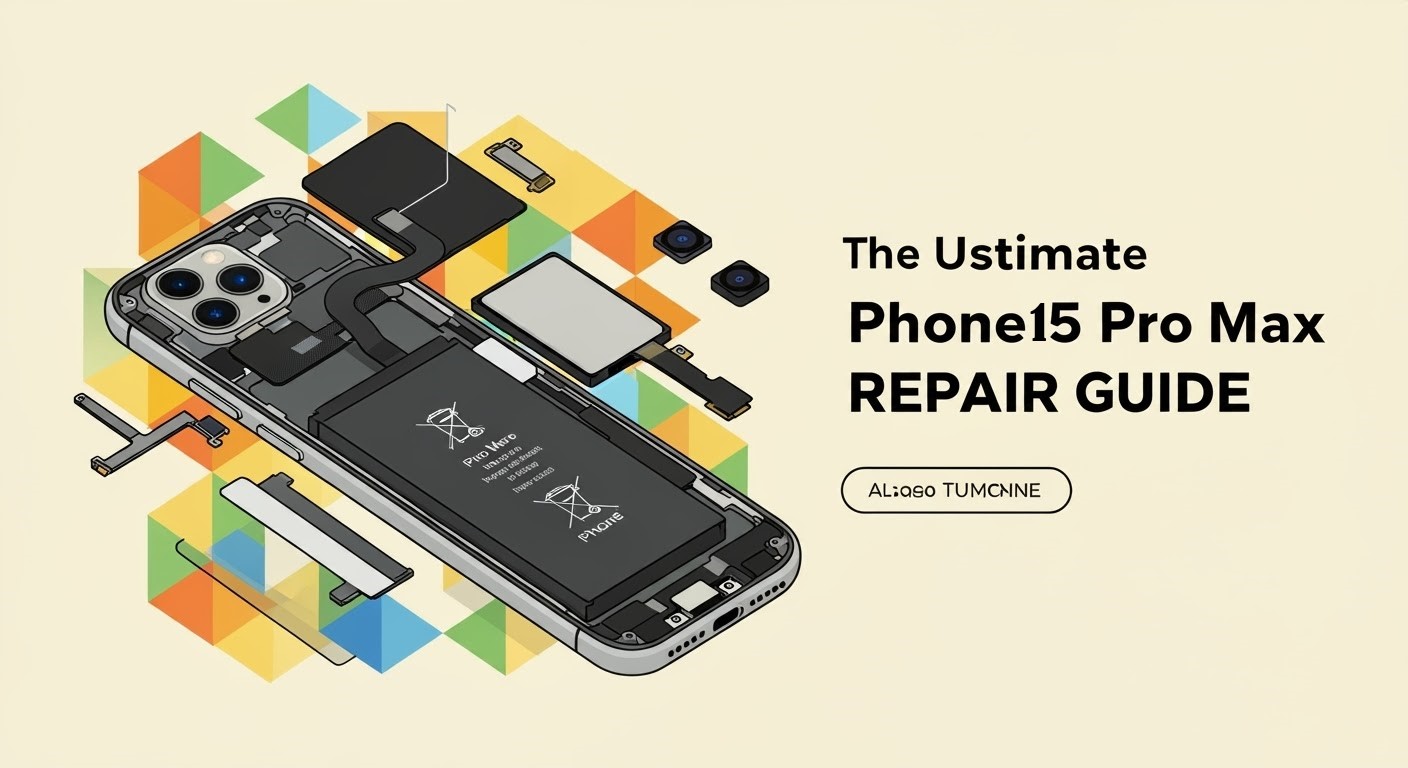
The iPhone 15 Pro Max is Apple’s most advanced smartphone yet, boasting cutting-edge performance, stunning titanium build, and industry-leading camera systems. But even the best devices aren’t immune to wear and tear. Whether you’ve cracked the screen, damaged the charging port, or experienced water damage—this ultimate guide covers everything you need to know to get your iPhone 15 Pro Max back in top shape.
Despite its premium design, the iPhone 15 Pro Max can still face various issues:
Cracked or shattered front glass
Unresponsive OLED display
Battery drain or sudden shutdowns
Charging port malfunction (USB-C)
Camera module problems
Water or liquid damage
Software glitches and boot loops
Face ID or proximity sensor failures
💥 Cracked Screen Replacement
Signs You Need a Screen Replacement:
Visible cracks
Ghost touch or no touch response
Dead pixels or black spots
Flickering display
At Sydney CBD Repair Centre, we use original OLED panels to ensure your screen retains its high brightness and colour accuracy. The replacement typically takes under 1 hour, and all screen repairs include a 90-day warranty.
Pro Tip: Avoid third-party aftermarket LCDs—they degrade camera quality and reduce battery life.
Our Solution:
We offer genuine battery replacements that maintain full compatibility with iOS and battery health reporting. Same-day service is available with no data loss.
⚡ USB-C Charging Port Repair
Apple’s switch to USB-C on the iPhone 15 Pro Max is a big change, but port damage can still occur.
Signs of Port Failure:
Phone not charging unless cable is adjusted
Accessory not supported error
Dirt or lint preventing full connection
Fix It at Sydney CBD Repair Centre:
We’ll diagnose whether it’s a port obstruction or a hardware fault. Our technicians safely clean or replace USB-C ports using ESD-safe tools and genuine parts.
📸 Camera & Face ID Repairs
Rear Camera Issues:
Blurry images or shaky videos
Camera app freezing
Unable to focus
Face ID Not Working?
This could be due to:
Drop damage
Screen replacement with incompatible parts
Flex cable damage
Our repairs maintain TrueDepth sensor functionality and original Face ID calibration—something only expert repair centres like us can guarantee.
💧 Water Damage Treatment
Despite being rated IP68, the iPhone 15 Pro Max isn’t fully waterproof. Water damage can lead to:
Motherboard corrosion
Display or speaker failure
Charging port oxidation
What We Do:
We perform professional ultrasonic cleaning and diagnostics to salvage your device and replace damaged components. Success rates are high if the device is brought in quickly.
🧠 Software & Logic Board Repairs
If your iPhone is stuck in a boot loop or showing error messages like “Unable to Activate”, this could indicate:
Software corruption
NAND storage issues
Logic board damage
Advanced Micro-Soldering Repairs:
We perform micro-soldering to repair faulty logic board connections or replace tiny IC chips—something most general repair shops can’t handle.
🕓 Turnaround Times
Repair Type
Average Time
Screen Replacement
30–60 minutes
Battery Replacement
30 minutes
Charging Port Repair
1–2 hours
Water Damage Diagnostics
24–48 hours
Camera & Face ID Repairs
1 hour
Board-Level Repair
1–3 days
🛡️ Why Choose Sydney CBD Repair Centre?
SydneyCBDrepairCentreTeam-854-553.jpg
✅ Same Day Express Repairs
✅ Genuine Apple-Compatible Parts
✅ 2000+ 5-Star Google Reviews
✅ Expert Technicians with 10+ Years Experience
✅ Located in the Heart of Sydney CBD
✅ Awarded 6 Times for Best Phone Repairs
We’re not your average repair shop. We offer transparency, speed, and reliability that’s hard to find elsewhere in Sydney.
🔎 FAQs
1. Do you use original Apple parts?
We use Apple-grade OEM components, which are functionally identical to the original. Your iPhone retains full performance and iOS compatibility.
2. Will my data be erased during the repair?
No! Most of our repairs, like screen and battery replacements, are non-invasive and keep your data intact.
3. How long does a screen replacement take?
Typically under 1 hour, depending on current queue and model availability.
4. Is your work covered by warranty?
Yes, all repairs come with a 90-day warranty covering parts and workmanship.
5. Can you fix water-damaged iPhones?
Yes! We have a very high success rate with water-damaged phones—especially if brought in within 24 hours.
6. Do I need an appointment?
Walk-ins are welcome! But you can also book online or call ahead for priority service.
🏁 Final Thoughts
The iPhone 15 Pro Max is a powerhouse, but when things go wrong, it’s crucial to trust your device with experts who understand its complexity.
Sydney CBD Repair Centre stands out with top-tier repairs, real Apple-grade parts, and thousands of satisfied customers. Whether it’s a simple screen swap or complex logic board fix, we’re ready to help.
📍 Visit Us Today!
Sydney CBD Repair Centre – Where Quality Meets Reliability
📞 Call: +61280114119
🌐 Website: https://SydneyCBD.repair/locate-us
📍 Address: Shop 2, 661 George St, Haymarket NSW 2000
🕘 Open Mon–Sat, 10AM–6PM