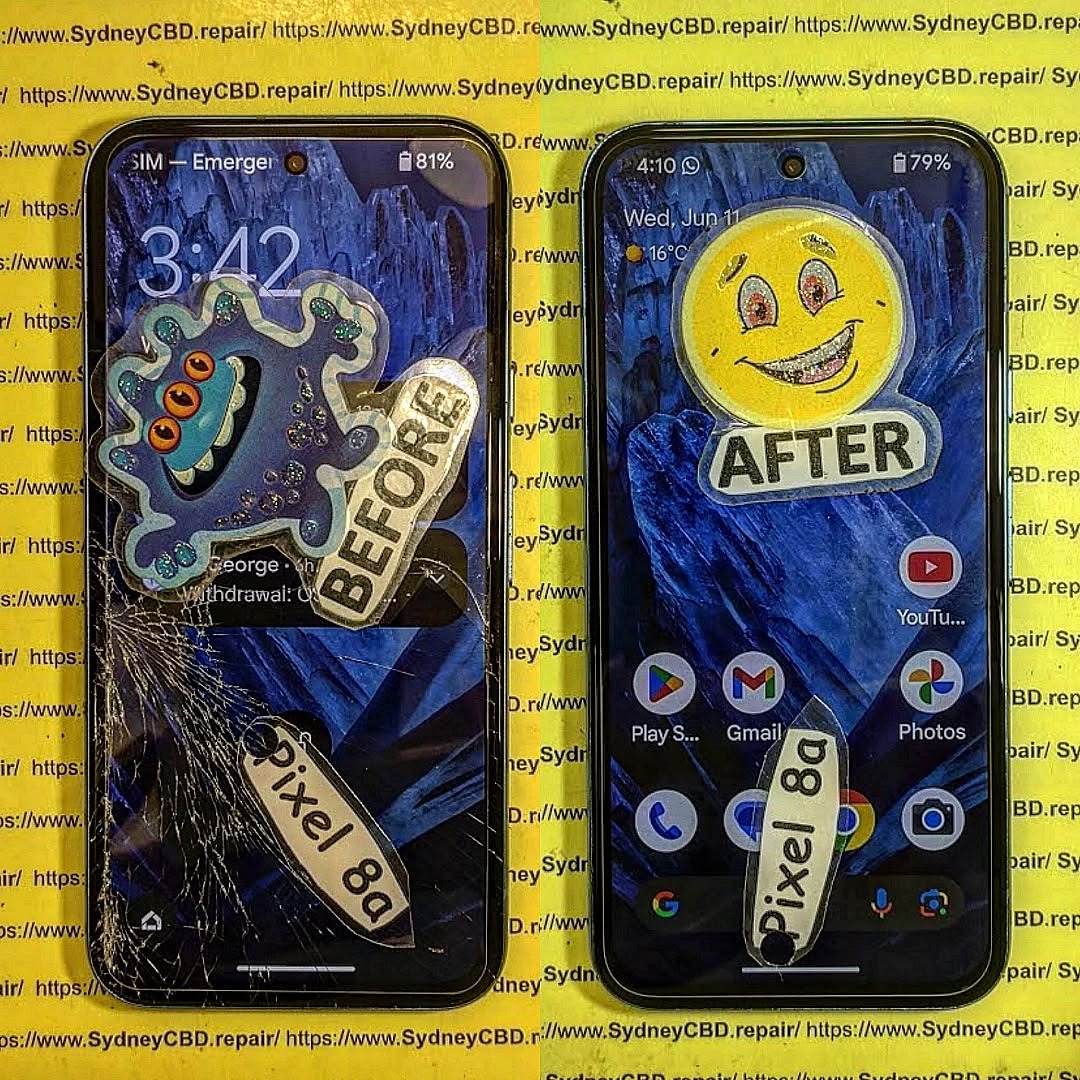
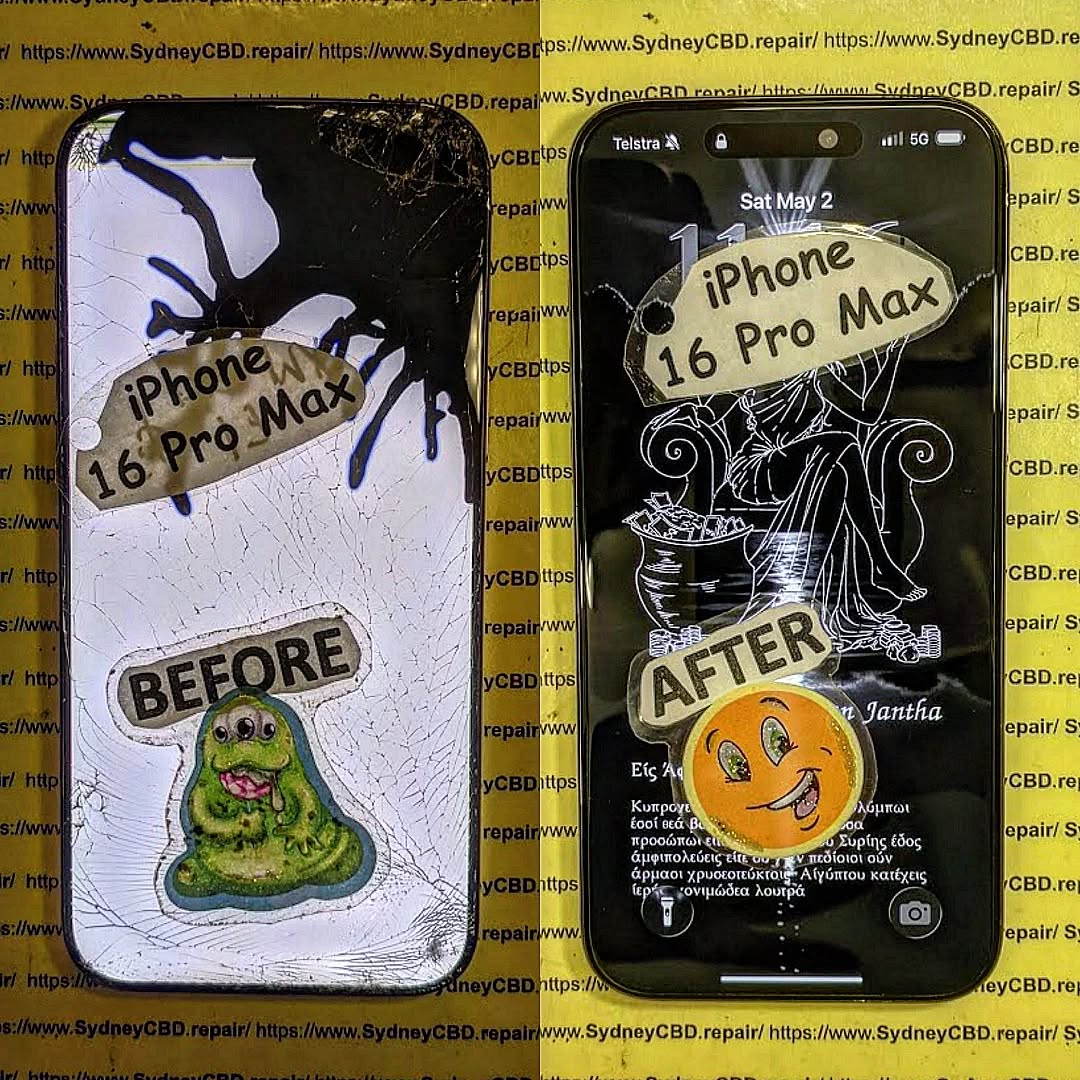
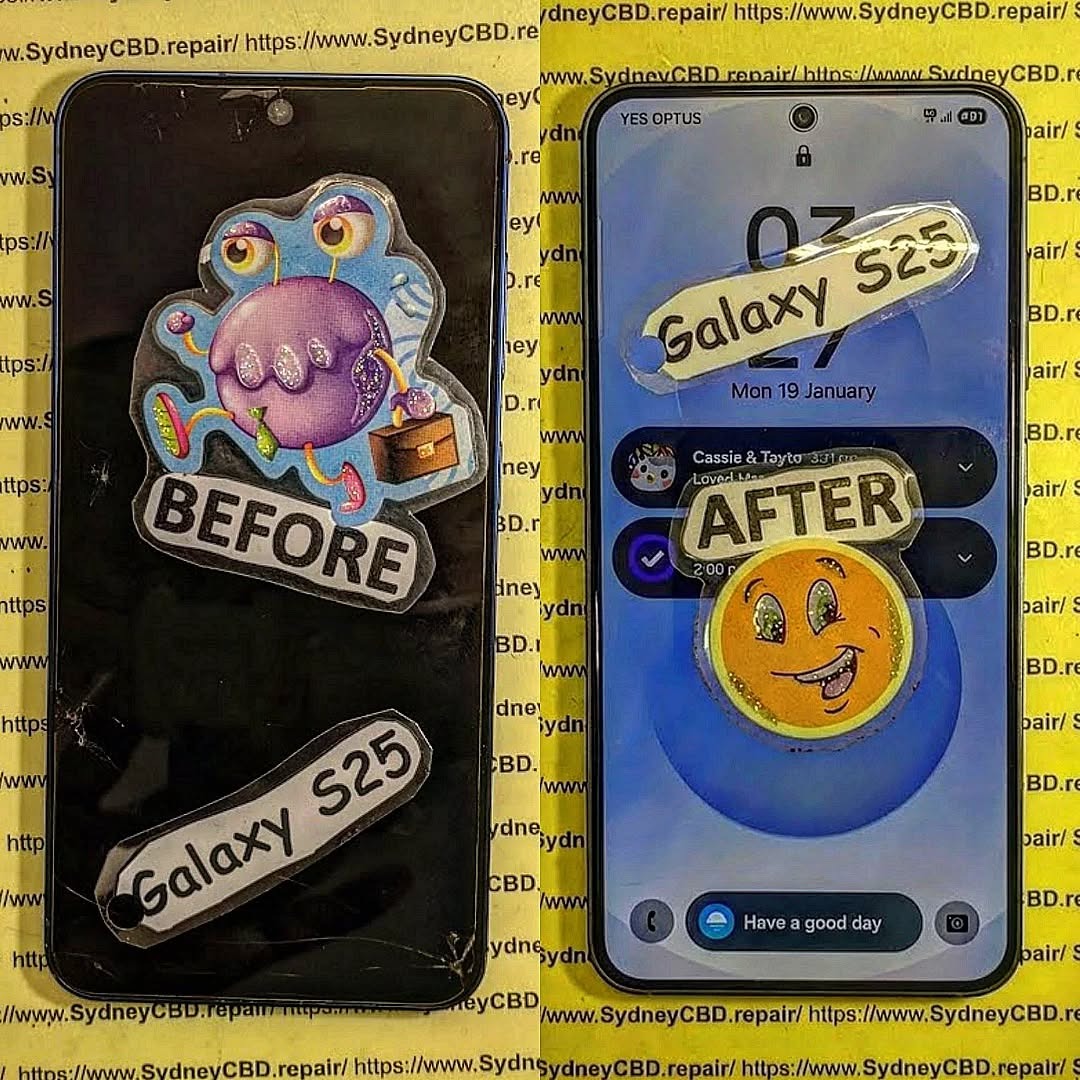
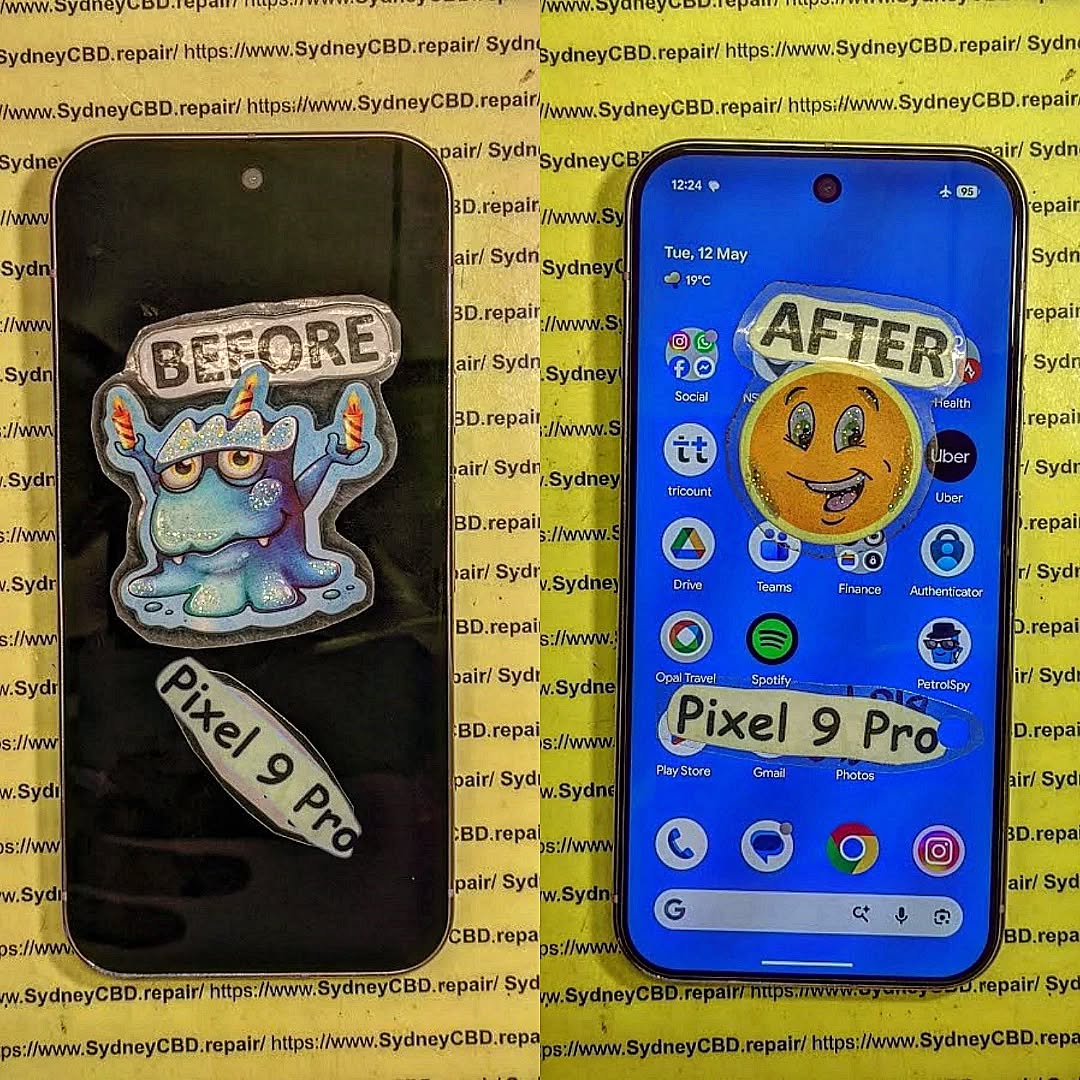
📱 Know the hidden dangers of cheap screen replacement.: 7 Shocking Facts Every Smartphone Owner Must Know
🛠️ Introduction: Why Cutting Costs Can Cut More Than Corners
Smartphone repairs can be expensive, especially screen replacements. So, it’s tempting to go with the cheapest quote available. But what many don’t realize is that cheap screen repairs often come with hidden dangers—ones that can lead to permanent damage, data loss, or even serious safety risks.
In this article, we’ll explore 7 shocking truths behind cheap screen repairs and why choosing a trusted repair center, like Sydney CBD Repair Centre, could save you time, money, and your phone.
You might think you’re saving money by choosing a low-cost repair. But many customers end up paying twice—once for the cheap repair, and again when it fails or causes further damage.
Low-grade adhesive can cause the screen to lift within days.
Non-calibrated screens may have inaccurate touch responses.
Often, cheap parts void manufacturer warranties, leaving you without support when the real issues begin.
Real-world example: Customers who got $80 screen repairs often returned to Sydney CBD Repair Centre to fix what the budget shops botched—at full price.
Counterfeit parts are low-quality copies of OEM (Original Equipment Manufacturer) components. They look similar but lack the durability and compatibility of genuine parts.
How Non-Genuine Parts Affect Device Performance
Dull or off-color displays
Inconsistent brightness
Lower responsiveness
Shorter lifespan of the screen
Even worse, fake screens can interfere with your phone’s internal sensors, causing issues like auto-brightness failure or battery drain.
📲 3. Risk of Touchscreen Malfunctions
Dead Zones and Ghost Touches Explained
Cheap repairs often fail to properly align or calibrate the touchscreen, leading to:
Dead zones (areas that don’t respond)
Ghost touches (screen reacting without input)
This is more than just annoying—it’s disruptive. Imagine typing a message and your screen randomly presses keys or opens apps.
🔐 4. Compromised Device Security
Data Theft from Unauthorized Technicians
When you leave your phone with a budget repair shop, do you know who’s working on it? Or what access they have?
Risks include:
Data theft
Installation of spyware
SIM card cloning
Unlike Sydney CBD Repair Centre, many shops don’t background-check their technicians or protect your data.
🚫 5. No Warranty, No Peace of Mind
What Happens When Things Go Wrong?
Cheap repair shops rarely offer warranties—or they offer ones they don’t honor. When your phone stops working a week later, you’re out of luck and money.
With Sydney CBD Repair Centre:
90-day warranty included
Free diagnosis if issues arise
Peace of mind with every repair
⚠️ 6. Damage to Internal Components
Botched Repairs That Cause More Harm Than Good
Inexperienced technicians may damage:
Motherboards
Connectors
Cameras
Speakers
We’ve seen phones come in with missing screws, ripped flex cables, or loose battery connections after a cheap screen repair.
🔥 7. Fire Hazards and Battery Issues
Overheating from Incorrect Assembly
Improper installation can cause the battery to shift, swell, or short-circuit. That’s not just a tech problem—it’s a safety hazard.
Signs of battery-related issues from poor repair:
Phone gets unusually hot
Screen lifts after a few days
Swelling or battery draining fast
Fact: Low-quality replacement screens can lack proper shielding, allowing heat to build up.
🛠️ How to Identify a Trustworthy Repair Shop
Credentials, Reviews, and Questions to Ask
Not all repair shops are created equal. Look for:
Google reviews (2000+ is a good sign!)
Years of experience
Genuine part guarantee
Clear warranty terms
Questions to ask:
Do you use OEM parts?
Do you offer a warranty?
Are your technicians certified?
⭐ Sydney CBD Repair Centre: Trusted Experts You Can Count On
David from Sydney CBD Repair Centre and his expert team have built a reputation for excellence—6 years in a row!
Why choose Sydney CBD Repair Centre?
✅ Genuine Parts Guarantee
✅ 90-Day Warranty
✅ Same Day Repairs
✅ Professional, Background-Checked Technicians
✅ 2000+ 5-Star Google Reviews
✅ Located in the Heart of Sydney CBD
1. Is it safe to get a screen repair from a market stall or kiosk?
Not always. Many use low-grade parts and untrained staff, which can cause damage or security issues.
2. Can a cheap screen damage my phone’s internals?
Yes. Incorrect fitting and non-OEM parts can harm sensors, connectors, and other internal components.
3. Why do cheap repairs void my phone’s warranty?
Most manufacturers require genuine parts and authorized technicians. Cheap repairs often violate those terms.
4. How can I know if a part is genuine?
Ask the technician. Reputable shops will show you the part and its packaging or certification.
5. What’s the average lifespan of a cheap screen repair?
Some last weeks; some fail within days. Genuine parts, on the other hand, match factory quality.
6. Will my phone be water-resistant after a cheap repair?
Unlikely. Many budget repairs skip proper resealing, which voids water resistance.
✅ Conclusion: Cheap Can Be Costly
What seems like a good deal upfront could cost you your device—or your data. When it comes to screen repairs, cutting corners often leads to cutting ties with your phone altogether.
Choose safety, quality, and reliability. Choose Sydney CBD Repair Centre.
THE GHOST TOUCH FIX! iPhone 16 Pro Screen Digitizer Calibration Mastery at Sydney: 7 Proven Techniques to Stop Phantom Touches
Introduction
If you’ve recently noticed your iPhone 16 Pro acting strangely—registering touches you didn’t make, opening apps on its own, or scrolling erratically—you’re experiencing what’s commonly known as “ghost touch.” This frustrating issue often stems from problems with the screen digitizer, the component responsible for translating your physical touches into digital commands. While it can be alarming, ghost touch is usually fixable, either through careful software adjustments, DIY calibration steps, or professional repair.
In this guide, we’ll walk you through everything you need to know about iPhone 16 Pro ghost touch: what causes it, how to identify it, effective calibration techniques, and preventative tips to avoid future issues. Whether you’re attempting simple at-home fixes or planning to visit a certified Sydney repair centre, this comprehensive guide equips you with the knowledge to restore full, responsive touch control to your device. By the end, you’ll understand not only how to fix ghost touches but also how to maintain your iPhone’s screen health for optimal performance.
If your iPhone 16 Pro is acting up with ghost touches, phantom taps, or erratic screen responses, you’re not alone. Ghost touch problems can be frustrating, but with the right techniques and calibration methods, you can regain smooth, accurate touch control. This guide offers a complete roadmap to mastering iPhone 16 Pro screen digitizer calibration in Sydney, blending practical advice, troubleshooting strategies, and professional repair insights.
Ghost touch, often called phantom touch, occurs when your iPhone 16 Pro reacts to touches you didn’t make. This can range from random taps, apps opening on their own, or erratic scrolling. The underlying culprit is usually the screen digitizer, which translates physical touch into digital commands. Understanding this phenomenon is the first step toward effective calibration.
What Causes Ghost Touch Issues
Several factors can trigger ghost touch:
Hardware Damage: Dropping the phone, pressure on the screen, or faulty digitizer components.
Software Glitches: Outdated iOS versions or corrupted system files.
Environmental Interference: Moisture, extreme temperatures, or magnetic fields.
Screen Protectors: Poorly applied or low-quality protectors can interfere with touch sensitivity.
Symptoms to Identify Ghost Touch
Random apps opening without input
Typing errors appearing as if keys are pressed by themselves
Erratic scrolling or zooming
Touch lag or screen freezing
Recognizing these symptoms early helps prevent further damage and data loss.
The digitizer is a thin layer beneath the iPhone screen that detects touch. Every tap, swipe, and pinch is interpreted by the digitizer. Any misalignment or malfunction leads to ghost touch.
How Digitizer Calibration Works
Calibration involves synchronizing the touch input with screen response. Professional calibration tools test every touch point, ensuring accuracy. iOS also provides some native touch sensitivity adjustments that can aid minor misalignment.
Signs of a Miscalibrated Digitizer
Inconsistent tap responses across different screen areas
Slow or double-registered touches
Touch inputs that don’t match finger location
Ghost touches increasing after a screen replacement
DIY Fixes Before Visiting Sydney Repair Centres
Before spending hundreds on repairs, try these safe, at-home strategies:
Software Updates & Resets
iOS Update: Go to Settings → General → Software Update to install the latest version.
Force Restart: Press and release volume up, volume down, then hold the side button.
Reset All Settings: Settings → General → Transfer or Reset iPhone → Reset → Reset All Settings.
Cleaning & Screen Protection Tips
Wipe the screen with a soft, lint-free cloth.
Remove any third-party screen protectors.
Avoid using your iPhone with wet or oily fingers.
Advanced Calibration Techniques
Professional repair shops in Sydney often use advanced methods when DIY fails:
Touch Sensitivity Adjustments
Adjusting 3D Touch and Haptic settings (Settings → Accessibility → Touch → 3D & Haptic Touch)
Software-based recalibration using iOS diagnostic tools
Hardware Recalibration Tools
Technicians may use specialized digitizer calibration equipment to realign touch sensors. This ensures every input is correctly registered and eliminates ghost touch caused by hardware misalignment.
When to Seek Professional Repair
Knowing when to consult experts saves time, money, and stress. Signs include:
Persistent ghost touches after software fixes
Damaged screen or visible cracks
Increasing frequency of phantom taps
Difficulty navigating essential apps
Certified Sydney Repair Centres
Choose repair centres with:
Genuine Apple parts
Experienced technicians
Positive reviews and proven track record
Transparent warranty policies
Repair vs. Replacement Costs
Repair Type
Estimated Cost (AUD)
Pros
Cons
Digitizer Replacement
$250–$400
Full touch restoration
Temporary inconvenience
Full Screen Replacement
$450–$650
Addresses multiple issues
Higher cost
DIY Repair
$50–$100
Cost-effective
Risk of further damage
Preventing Ghost Touch in the Future
Prevention is better than cure. Maintain your iPhone 16 Pro by:
Screen Protection & Case Selection
Use high-quality tempered glass or Apple-certified protectors
Avoid cases that press against the screen edges
Environmental & Usage Habits
Keep device away from heat, moisture, and magnets
Avoid excessive pressure or bending of the device
Clean hands before using the phone
FAQs About iPhone 16 Pro Ghost Touch
Q1: Can a ghost touch fix itself over time?
A: Minor software glitches may resolve with updates or restarts, but persistent hardware issues require professional intervention.
Q2: Does a screen protector cause ghost touch?
A: Low-quality or misaligned screen protectors can interfere with digitizer function, triggering phantom taps.
Q3: Can water damage cause ghost touches?
A: Yes, moisture can temporarily or permanently affect the digitizer. Immediate drying and professional assessment are recommended.
Q4: Is it safe to attempt DIY calibration?
A: Basic software fixes are safe. Physical digitizer adjustments should be done by certified technicians to prevent further damage.
Q5: How long does professional calibration take?
A: Most Sydney-based repair centres can recalibrate a digitizer within 30–60 minutes, depending on damage severity.
Q6: Will replacing the screen fix ghost touch?
A: Usually yes, if the issue stems from a faulty digitizer. Ensure genuine parts are used for long-term reliability.
External Link: For additional Apple support on touch issues, visit Apple iPhone Support.
Conclusion: Regain Full Touch Control
Mastering iPhone 16 Pro screen digitizer calibration combines understanding, preventive care, and professional assistance. By identifying symptoms, trying safe DIY fixes, and knowing when to consult certified Sydney technicians, you can effectively eliminate ghost touch and restore smooth, precise touchscreen performance. Remember, early intervention prevents costly damage and prolongs the life of your iPhone.
David from Sydney CBD Repair Centre – The Best place to fix mobile phones as 7 Years In A Row! Top Mobile Phone Repair In Sydney. More than 2000 Positive Reviews on Google and Same Day Repairs.
We take pride in delivering exceptional repair services for all major phone brands including Apple, Samsung, Google, and more. Our expert technicians use only genuine parts and offer 90days warranty on repairs. Located in the heart of Sydney CBD, we’re your one-stop solution for all mobile device repairs.
Our commitment to excellence has earned us the trust of thousands of satisfied customers. Whether it’s a cracked screen, battery replacement, or water damage repair, we handle it all with professional care and expertise. Walk in today and experience why we’re Sydney’s #1 choice for mobile phone repairs.
Visit us for:
✓ Same Day Express Repairs
✓ Genuine Parts Guarantee
✓ Professional Technicians
✓ Competitive Pricing
✓ 2000+ 5-Star Google Reviews
✓ 7-Time Award Winner for Best Phone Repairs
Beyond the Screen repair: How to Replace Any Phone’s Charging Port + 7 Expert Tips
Introduction: Why Charging Ports Fail and How Replacement Helps
Your phone’s charging port is the lifeline connecting it to power and data. Over time, this small component can wear out, become clogged with debris, or suffer damage from accidental drops or water exposure. Knowing how to replace a charging port can save both time and money while keeping your device fully functional. This guide will walk you through everything from identifying symptoms to performing a replacement safely.
A faulty charging port isn’t just inconvenient—it can also lead to battery issues, data transfer problems, or even a completely dead phone. By understanding the causes of failure and the proper replacement techniques, you’ll be better prepared to either tackle the repair yourself or seek professional assistance.
A successful repair requires the right tools. Common items include:
Precision screwdriver set
Plastic pry tools and spudgers
Tweezers
Magnifying glass or lamp
Replacement charging port
Anti-static mat (optional)
Optional Tools for Advanced Repair
Soldering kit
Heat gun
Multimeter
Professional-grade repair mat
Step-by-Step Charging Port Replacement Guide
Step 1: Power Off and Disassemble Your Device
Always power down your device before attempting repairs. Remove the battery if possible and keep track of all screws and components. Using a magnetic mat or labeled container is ideal for organization.
Step 2: Locate and Remove the Faulty Charging Port
Carefully detach any connectors leading to the port. Avoid using excessive force, as motherboards and ribbon cables are fragile. If soldering is required, practice safety precautions and ensure proper grounding.
Step 3: Install the New Charging Port
Align pins and connectors precisely. For soldered ports, heat and solder carefully, avoiding excess flux or heat damage. Ensure the port sits flush and is firmly secured.
Step 4: Reassemble and Test
Reattach all components and power the device on. Plug in a known working charger to confirm the port charges and allows data transfer. Inspect for any wobbling or connectivity issues.
Phone Brand-Specific Considerations
Apple iPhone
Lightning ports are proprietary; using third-party replacements can risk compatibility issues or void warranties. Follow Apple repair guides for best results.
Samsung Galaxy
Most Galaxy devices use USB-C. Ensure replacement ports support fast charging standards. Extra caution is required when handling small internal flex cables.
Google Pixel
USB-C ports are generally easier to replace, but water resistance can be compromised during repair. Replace seals and gaskets carefully.
DIY vs Professional Repair: What You Should Know
DIY repairs save money but carry risks: voided warranties, accidental damage, and safety hazards. Professional repair services, like Sydney CBD Repair Centre, offer:
Same-day express service
Genuine parts
90-day repair warranty
Preventing Future Charging Port Problems
Clean ports regularly with a soft brush or compressed air.
Avoid forcing cables in.
Use protective cases and avoid moisture exposure.
Costs and Timeframes for Charging Port Repairs
DIY Kits: $10–$30 (excluding tools)
Professional Repair: $60–$120 depending on model
Repair Time: 30 minutes to 2 hours, depending on complexity
FAQs on Phone Charging Port Replacement
Q1: Can I Replace a Charging Port Without Professional Help?
Yes, but careful attention to tools, safety, and part quality is crucial. Mishandling can damage your device permanently.
Q2: How Long Does a Charging Port Last?
Typically 2–5 years, depending on usage and care.
Q3: Will Replacing the Charging Port Fix Slow Charging Issues?
Not always. Slow charging can also be caused by cables, adapters, battery health, or software issues.
Q4: Are All Replacement Parts Genuine?
No. Always source from trusted vendors or professional repair shops to avoid counterfeit components.
Q5: Can a Water-Damaged Port Be Repaired?
Sometimes. Corrosion may prevent a simple replacement; cleaning and component replacement may be necessary.
Q6: Is Warranty Still Valid After Replacement?
DIY replacements generally void manufacturer warranties. Professional repairs may offer their own warranty instead.
Conclusion
Replacing a phone charging port can seem intimidating, but with the right tools, step-by-step guidance, and attention to detail, it’s achievable. Always weigh DIY efforts against professional services, especially for high-end devices. Preventative care—like cleaning ports and careful handling—will extend the life of your phone. For reliable, fast, and genuine repairs, professional services like Sydney CBD Repair Centre remain the gold standard.
David from Sydney CBD Repair Centre – The Best place to fix mobile phones as 7 Years In A Row! Top Mobile Phone Repair In Sydney. More than 2000 Positive Reviews on Google and Same Day Repairs.
We take pride in delivering exceptional repair services for all major phone brands including Apple, Samsung, Google, and more. Our expert technicians use only genuine parts and offer 90days warranty on repairs. Located in the heart of Sydney CBD, we’re your one-stop solution for all mobile device repairs.
Our commitment to excellence has earned us the trust of thousands of satisfied customers. Whether it’s a cracked screen, battery replacement, or water damage repair, we handle it all with professional care and expertise. Walk in today and experience why we’re Sydney’s #1 choice for mobile phone repairs.
Visit us for:
✓ Same Day Express Repairs
✓ Genuine Parts Guarantee
✓ Professional Technicians
✓ Competitive Pricing
✓ 2000+ 5-Star Google Reviews
✓ 7-Time Award Winner for Best Phone Repairs
WHICH IS BETTER? REPAIR OR RECYCLE? The Cost Reality of Modern Sustainable Smartphone Screen Fixes + 12 Smart Insights
Introduction: Why Screen Repairs Matter Today
In today’s smartphone-driven world, the dilemma between repairing or recycling a damaged screen has become increasingly common. With the average smartphone costing several hundred dollars, and repair costs often climbing into the hundreds, consumers face a difficult choice: spend money to repair, or invest in a new device. Beyond finances, the environmental consequences of replacing devices unnecessarily are significant. E-waste has become one of the fastest-growing waste streams worldwide, with millions of tons of electronics discarded annually.
The modern approach to sustainability encourages repairing devices whenever feasible. Not only does it save money, but it also significantly reduces your environmental footprint. This article dives deep into the cost realities, technological challenges, and environmental implications of smartphone screen repairs, giving you 12 smart insights to make the best decision.
Understanding the financial side of screen repairs is crucial. Repair costs vary widely depending on brand, model, and type of damage. While some older devices may be relatively cheap to repair, flagship smartphones often come with premium repair costs.
Average Repair Costs Across Major Brands
Brand
Model Examples
Screen Repair Cost (AUD)
Notes
Apple
iPhone 14, 15
350–600
OLED/AMOLED screens more expensive
Samsung
Galaxy S23, S24
300–550
Curve screens increase complexity
Google
Pixel 8, 8 Pro
250–500
Availability of parts varies
Huawei
P60, Mate 50
200–450
Limited local repair centers
These are average market costs in Australia; prices may vary globally.
DIY vs Professional Repair: Hidden Costs
While DIY repair kits can reduce upfront costs, they come with hidden challenges. Tools, risk of accidental damage, time investment, and warranty voids can make professional repair more cost-effective in the long run. A professional repair service like Sydney CBD Repair Centre ensures genuine parts, expert handling, and warranty protection.
Repairing your phone is often the greener choice. Each repaired device avoids contributing to e-waste and lowers the carbon footprint associated with manufacturing new devices.
E-Waste Statistics and Trends
Global E-Waste: Over 57 million tons in 2021, projected to reach 74 million tons by 2030.
Average Smartphone Life: 2–3 years, emphasizing the importance of repair.
Recycling Rate: Less than 20% of smartphones are properly recycled.
Carbon Footprint Comparison
Manufacturing a new smartphone generates roughly 55–95 kg of CO₂. Repairing a screen instead can cut emissions by up to 80%, depending on the repair type and device.
Technological Advances in Screen Repairs
Screen technology is evolving rapidly. OLED and AMOLED displays are more fragile and costly, but repair technologies are keeping pace.
OLED, AMOLED, and LCD Challenges
Modern displays are ultra-thin and flexible, making them prone to damage during both everyday use and repair. Professional repair tools and training are essential to avoid further damage.
New Repair-Friendly Phone Designs
Brands like Fairphone and Apple are exploring modular designs, self-repairable parts, and repair programs to make screen fixes easier and more cost-effective.
Cost-Benefit Analysis: Repair vs Recycling
Depreciation and Resale Value
A repaired device often retains higher resale value than a recycled or replaced one. For example, an iPhone with a professionally replaced screen can sell for 70–80% of its original value, compared to 40–50% if replaced or sold as broken.
Case Studies
Case 1: iPhone 14 screen cracked, repair cost AUD 400 → device resale AUD 700 → net savings AUD 300.
Most professional repair services follow similar pricing trends, but turnaround time and part authenticity can vary significantly. Local centers often provide quicker, reliable service.
DIY Screen Repairs: Pros and Cons
Tools You’ll Need
Precision screwdrivers
Suction cups and spudgers
Replacement screen kits
Anti-static wristbands
Risks of DIY Repairs
Warranty void
Accidental component damage
Misaligned screens or touch sensitivity issues
DIY is viable for those confident in technical skills, but for high-end devices, professional repair often makes more sense.
Recycling Options for Damaged Phones
Even after repair isn’t feasible, responsible recycling ensures minimal environmental impact.
Apple, Samsung, Google Recycling Programs
Apple Trade-In: Receive store credit or recycling
Samsung Recycling: Return old devices for eco-friendly processing
Google: Certified recycling options for Pixel devices
Local Recycling Centers
In Sydney, several e-waste centers accept old smartphones for proper dismantling and recycling, reducing landfill impact.
Consumer Decision-Making Factors
Cost Sensitivity
Budget constraints often drive repair decisions. Minor scratches may not justify repair, while cracked screens affecting usability typically do.
Environmental Awareness
Eco-conscious consumers increasingly prefer repairs over replacements to reduce e-waste and carbon emissions.
FAQs
1. Is repairing my phone cheaper than buying a new one?
Yes, especially for mid-range and flagship devices. Repairs usually cost 30–50% of a new device’s price.
2. Can I DIY repair a modern smartphone screen?
Yes, but risks include warranty void, accidental damage, and touch sensitivity issues. Professional repair is safer.
3. How long does a professional screen repair take?
Most reputable centers, like Sydney CBD Repair Centre, complete repairs the same day.
4. Does repairing a screen improve resale value?
Absolutely. Professionally repaired screens retain up to 80% of a device’s original value.
5. Are there eco-friendly options if I choose not to repair?
Yes, certified recycling programs from Apple, Samsung, and Google ensure environmentally safe disposal.
6. How do OLED screens affect repair costs?
OLED screens are more expensive due to fragility and complexity, often costing 20–30% more than LCDs.
Conclusion: Making an Informed Choice
Repairing your smartphone screen is often the most financially and environmentally responsible choice. By weighing costs, considering professional vs DIY options, and understanding the ecological impact, consumers can make smarter decisions. Sustainable repair practices not only save money but also contribute to reducing the growing e-waste problem.
David from Sydney CBD Repair Centre – The Best place to fix mobile phones as 7 Years In A Row! Top Mobile Phone Repair In Sydney. More than 2000 Positive Reviews on Google and Same Day Repairs.
We take pride in delivering exceptional repair services for all major phone brands including Apple, Samsung, Google, and more. Our expert technicians use only genuine parts and offer 90days warranty on repairs. Located in the heart of Sydney CBD, we’re your one-stop solution for all mobile device repairs.
Visit us for:
✓ Same Day Express Repairs
✓ Genuine Parts Guarantee
✓ Professional Technicians
✓ Competitive Pricing
✓ 2000+ 5-Star Google Reviews
✓ 7-Time Award Winner for Best Phone Repairs
SYDNEY’S EXTREME HEAT: Replacing a Swollen Battery and Screen on Galaxy S25 Lifesaver Guide 2026
Introduction
Sydney’s summer temperatures can be brutal on modern smartphones. One increasingly common issue technicians encounter is replacing a swollen battery and screen on Galaxy S25 devices after prolonged exposure to heat, heavy charging cycles, or aging battery cells.
As smartphones become thinner and more powerful, battery technology is pushed closer to its operational limits. While the Galaxy S25 is engineered with advanced thermal management, no lithium-ion battery is completely immune to heat-related degradation.
If you’ve noticed your screen lifting, unusual battery drain, overheating, or a bulging back cover, it may be time to consider replacing a swollen battery and screen on Galaxy S25 before more serious damage occurs.
This guide explains everything Sydney smartphone owners need to know.
Understanding Sydney’s Heat Challenges
Sydney regularly experiences temperatures exceeding 35°C during summer. When phones are left inside cars, near windows, or exposed to direct sunlight, internal temperatures can climb dramatically.
Modern smartphones generate heat from:
Gaming
Video streaming
Fast charging
GPS navigation
Background applications
Wireless charging
When environmental heat combines with device-generated heat, battery stress increases significantly.
For Galaxy S25 owners, extreme temperatures can reduce battery lifespan and increase the likelihood of swelling over time.
Why Heat Is a Major Concern
Lithium-ion batteries rely on stable chemical reactions. Excessive heat speeds up those reactions, leading to:
Faster degradation
Reduced battery capacity
Increased internal gas formation
Physical expansion
Potential screen separation
This is why technicians frequently recommend replacing a swollen battery and screen on Galaxy S25 as soon as swelling becomes noticeable.
Battery swelling occurs when gases accumulate inside battery cells.
Although uncommon in newer devices, several factors can contribute to battery expansion.
The Science Behind Battery Expansion
Inside every lithium-ion battery are chemical components that store and release energy.
Over time:
Chemical compounds degrade.
Internal resistance increases.
Gas forms within the battery.
Pressure builds.
The battery expands.
Since smartphones have limited internal space, expansion pushes against surrounding components.
How Heat Accelerates Battery Damage
Heat acts like a catalyst.
It speeds up:
Electrolyte breakdown
Chemical aging
Cell degradation
Internal gas production
Sydney’s climate can therefore contribute to earlier battery failure, particularly for users who:
Charge overnight every day
Use wireless chargers extensively
Leave devices in hot vehicles
Frequently run demanding apps
When these factors combine, replacing a swollen battery and screen on Galaxy S25 may eventually become unavoidable.
Common Signs of a Swollen Battery
Recognizing early warning signs can prevent expensive repairs.
Physical Warning Signs
Look for:
Screen lifting from the frame
Gaps around display edges
Back panel separation
Visible bulging
Difficulty pressing buttons
Many customers initially believe their adhesive has failed when the real culprit is battery expansion.
Performance Warning Signs
Battery swelling is often accompanied by:
Rapid battery drain
Unexpected shutdowns
Excessive heat generation
Slow charging
Reduced charging capacity
If these symptoms appear alongside screen separation, professional inspection should be arranged immediately.
Why Screen Damage Often Happens Together
One reason technicians frequently perform replacing a swollen battery and screen on Galaxy S25 simultaneously is because swelling places enormous pressure on the display assembly.
Internal Pressure Effects
As the battery expands:
Pressure pushes against the OLED screen
Display adhesives weaken
Internal cables become stressed
Screen alignment shifts
Over time, this pressure can permanently damage the display.
Risks of Delaying Repairs
Ignoring a swollen battery can result in:
Potential Issue
Consequence
Screen cracking
Costlier repair
Touch failure
Reduced usability
Display discoloration
Permanent OLED damage
Internal frame bending
Structural issues
Battery rupture
Safety risk
Prompt action often reduces repair costs and prevents additional damage.
Professional repair centres follow strict procedures when replacing a swollen battery and screen on Galaxy S25 devices.
Inspection and Diagnosis
The repair process begins with:
External inspection
Battery health testing
Thermal analysis
Screen evaluation
Frame integrity checks
Technicians determine whether the screen remains reusable or requires replacement.
Safe Battery Removal
Safety is critical.
A swollen battery cannot simply be pried out.
Professional technicians use:
Specialized tools
Controlled heat
Anti-static equipment
Protective safety measures
The battery is carefully removed without puncturing the cells.
Screen Replacement Procedure
When display damage is present, technicians may:
Remove the damaged screen.
Clean remaining adhesive.
Inspect internal components.
Install a replacement OLED display.
Perform calibration tests.
Verify touch functionality.
The device then undergoes comprehensive quality control testing.
Benefits of Immediate Repairs
Repairing a swollen battery promptly provides several advantages.
Enhanced Safety
A healthy battery reduces risks associated with:
Overheating
Device failure
Unexpected shutdowns
Internal pressure damage
Improved Battery Life
New batteries restore:
Longer screen-on time
Better charging performance
Consistent power delivery
Improved reliability
Better User Experience
Following replacing a swollen battery and screen on Galaxy S25, users often notice:
Brighter displays
Improved touch response
Faster charging
Reduced overheating
The phone feels almost new again.
Preventing Future Battery Swelling
Prevention is always better than repair.
Fortunately, there are practical ways to extend battery lifespan.
Best Charging Habits
Consider the following practices:
Avoid charging under pillows
Use certified chargers
Disconnect after reaching full charge
Keep software updated
Avoid constant 0% to 100% cycles
Ideal charging typically occurs between 20% and 80%.
Heat Protection Strategies
Protect your device by:
Keeping it out of direct sunlight
Removing thick cases during charging
Avoiding hot vehicles
Limiting heavy gaming during charging
Using ventilation when charging
These habits significantly reduce battery stress.
Repair Costs and Value Considerations
The cost of replacing a swollen battery and screen on Galaxy S25 depends on several factors.
These include:
Extent of damage
Screen condition
Parts quality
Repair complexity
Warranty coverage
While some users consider replacing their phone entirely, repairs are often far more cost-effective.
Benefits of repair include:
Retaining personal data
Avoiding setup hassles
Extending device lifespan
Reducing electronic waste
For premium flagship devices like the Galaxy S25, repair frequently delivers excellent value.
Choosing a Reliable Repair Centre
Not all repair providers offer the same level of service.
When selecting a repair centre, consider:
Experience
Look for technicians with extensive experience repairing Samsung flagship devices.
Warranty Coverage
A trustworthy repair provider offers warranty protection for both parts and workmanship.
Quality Components
High-quality replacement parts help ensure:
Reliable performance
Better durability
Longer lifespan
Improved safety
Customer Reviews
Positive customer feedback can provide confidence in a repair provider’s reputation.
A repair centre with thousands of successful repairs demonstrates a strong commitment to quality.
Frequently Asked Questions
1. Is a swollen Galaxy S25 battery dangerous?
Yes. A swollen battery should be inspected promptly because internal pressure can damage components and create safety concerns.
2. Can I continue using my phone if the screen is lifting?
It’s not recommended. Screen lifting often indicates battery expansion, which can worsen over time.
3. How long does replacing a swollen battery and screen on Galaxy S25 take?
Most professional repairs can often be completed on the same day, depending on parts availability and damage severity.
4. What causes battery swelling most often?
The most common causes include heat exposure, battery aging, excessive charging cycles, and poor charging habits.
5. Will replacing the battery improve performance?
Yes. A new battery often restores battery life, charging reliability, and overall device stability.
6. Can battery swelling damage the motherboard?
In severe cases, expanding batteries can place pressure on internal components and potentially contribute to additional hardware damage.
7. Is it cheaper to repair or replace a Galaxy S25?
In many situations, repairing a Galaxy S25 is significantly more affordable than purchasing a new flagship smartphone.
8. How can I prevent battery swelling in the future?
Avoid excessive heat, use quality chargers, maintain proper charging habits, and seek professional servicing when issues first appear.
Conclusion
Sydney’s hot climate can place tremendous stress on smartphone batteries. Over time, heat exposure, charging habits, and natural battery aging can contribute to swelling that affects both the battery and display assembly.
Recognizing early warning signs is essential. Screen lifting, overheating, rapid battery drain, and visible bulging should never be ignored. By addressing these issues early and seeking professional assistance, users can avoid more extensive damage and restore their devices safely.
When it comes to replacing a swollen battery and screen on Galaxy S25, professional repairs offer a practical, cost-effective solution that extends the life of your premium smartphone while maintaining performance, safety, and reliability.
For additional information about lithium-ion battery safety, visit the official Samsung Support resource center.
David from Sydney CBD Repair Centre – The Best place to fix mobile phones as 7 Years In A Row! Top Mobile Phone Repair In Sydney. More than 2000 Positive Reviews on Google and Same Day Repairs.
We take pride in delivering exceptional repair services for all major phone brands including Apple, Samsung, Google, and more. Our expert technicians use only genuine parts and offer 90days warranty on repairs. Located in the heart of Sydney CBD, we’re your one-stop solution for all mobile device repairs.
Our commitment to excellence has earned us the trust of thousands of satisfied customers. Whether it’s a cracked screen, battery replacement, or water damage repair, we handle it all with professional care and expertise. Walk in today and experience why we’re Sydney’s #1 choice for mobile phone repairs.
Visit us for:
✓ Same Day Express Repairs
✓ Genuine Parts Guarantee
✓ Professional Technicians
✓ Competitive Pricing
✓ 2000+ 5-Star Google Reviews
✓ 7-Time Award Winner for Best Phone Repairs
Sydney CBD Repair Centre – Where Quality Meets Reliability.
Call : +61280114119
Website: Sydney CBD Repair Centre
Why Your Local Shop Failed: Fixing a Botched Pixel 9 Pro Repair – 9 Powerful Lessons Every Owner Must Know
Introduction
The growing popularity of Google’s flagship smartphones has led to an increase in demand for Pixel 9 Pro repair services. While many local repair shops promise quick fixes and affordable prices, not all technicians possess the expertise needed to handle sophisticated modern devices. Unfortunately, a poorly executed Pixel 9 Pro repair can create more problems than it solves.
When a repair goes wrong, users often experience new hardware failures, battery issues, display malfunctions, and even data loss. The good news is that most botched repairs can be corrected by experienced technicians who understand Google’s advanced hardware and software architecture.
This article explores why repair failures happen, how to identify them, and what professional repair centres do to restore devices properly.
The Google Pixel 9 Pro represents one of the most advanced Android smartphones available today. It combines premium materials, powerful processors, advanced AI features, and sophisticated camera systems.
As device ownership grows, so does the demand for Pixel 9 Pro repair services. Common repair requests include:
Cracked OLED screens
Battery replacements
Charging port repairs
Camera repairs
Water damage restoration
Back glass replacement
Because of the device’s complexity, even a seemingly simple repair requires specialized tools and expertise.
Why Modern Smartphones Are Harder to Repair
Today’s smartphones contain:
High-density circuit boards
Delicate flex cables
Precision adhesive systems
Biometric security components
Advanced thermal management systems
A technician lacking experience with Pixel devices can easily damage internal components during disassembly or reassembly.
A botched Pixel 9 Pro repair occurs when a repair introduces new faults, leaves existing problems unresolved, or compromises the phone’s functionality.
These issues often appear immediately after collection from a repair shop, although some may take days or weeks to become noticeable.
Common Mistakes Made by Inexperienced Technicians
Several repair errors occur frequently.
Incorrect Screen Installation
Improper screen installation may lead to:
Dead pixels
Touchscreen unresponsiveness
Screen lifting
Light leakage
Display flickering
Damaged Flex Cables
The Pixel 9 Pro contains numerous delicate flex cables connecting:
Cameras
Battery
Charging assembly
Display
Antennas
A torn cable can disable major device functions.
Improper Adhesive Application
Excess adhesive can:
Interfere with sensors
Affect wireless charging
Reduce water resistance
Cause display separation
Poor Quality Replacement Parts
Many repair failures stem from cheap aftermarket components.
Low-quality parts often cause:
Component
Potential Issue
Display
Poor brightness and colour
Battery
Rapid degradation
Charging Port
Intermittent charging
Camera Module
Autofocus failures
Back Glass
Poor durability
Warning Signs After a Failed Pixel 9 Pro Repair
Recognizing the signs of a bad Pixel 9 Pro repair early can prevent further damage.
Display Problems
A damaged or poorly installed display may show:
Green tinting
Flickering
Ghost touches
Black spots
Reduced brightness
These symptoms often indicate installation mistakes or inferior replacement screens.
Battery Issues
Battery-related symptoms include:
Overheating
Rapid battery drain
Random shutdowns
Slow charging
Swollen battery
These problems require immediate inspection.
Connectivity Failures
Connectivity issues can appear after internal damage during repair.
Watch for:
Weak Wi-Fi signals
Bluetooth failures
GPS inaccuracies
Mobile network dropouts
NFC malfunctions
Many of these functions rely on small connectors that are easy to damage during servicing.
Why Local Repair Shops Sometimes Get It Wrong
Not every repair business has the necessary training to perform advanced Pixel 9 Pro repair procedures.
Lack of Specialized Training
Google devices differ significantly from other Android phones.
Technicians must understand:
Pixel hardware layouts
Google diagnostic tools
Component pairing systems
Calibration requirements
Without proper training, repair quality can suffer.
Inadequate Diagnostic Procedures
Many budget repair shops skip diagnostic testing to save time.
Professional technicians perform:
Pre-repair inspection
Functional testing
Component verification
Post-repair validation
Quality assurance checks
Skipping these steps often leads to unresolved issues.
Cost-Cutting Measures
Some repair providers reduce costs by:
Using low-grade parts
Rushing repairs
Avoiding calibration procedures
Reusing damaged adhesives
Ignoring quality control
While these shortcuts may increase profits, they often result in customer dissatisfaction.
Professional Assessment of a Damaged Repair
When correcting a failed Pixel 9 Pro repair, experts begin with a comprehensive evaluation.
Internal Hardware Inspection
Technicians inspect:
Flex cable integrity
Connector damage
Battery health
Board-level faults
Water damage indicators
Microscopic inspection tools often reveal issues invisible to the naked eye.
Software and Calibration Testing
Modern smartphones require software verification after hardware replacement.
Tests include:
Display calibration
Touch sensitivity
Camera functionality
Biometric authentication
Charging performance
Comprehensive diagnostics ensure all systems function correctly.
How Experts Fix a Botched Pixel 9 Pro Repair
Repairing someone else’s mistakes often requires significantly more work than performing the original repair properly.
Replacing Damaged Components
Corrective repairs may involve replacing:
Damaged displays
Torn flex cables
Faulty batteries
Charging assemblies
Camera modules
In severe cases, motherboard repairs may also be necessary.
Restoring Factory-Level Performance
Professional repair centres focus on returning the device to original operating standards.
This includes:
Accurate component installation
Proper adhesive application
Full system testing
Thermal performance verification
Battery optimization
The goal is to ensure the phone performs as intended by the manufacturer.
The Importance of Genuine Parts
One of the most critical aspects of successful Pixel 9 Pro repair work is the use of quality replacement components.
Benefits include:
Better reliability
Improved compatibility
Longer lifespan
Enhanced safety
Consistent performance
Genuine or premium-grade parts reduce the likelihood of repeat failures.
Quality Parts Versus Cheap Alternatives
Feature
Genuine Parts
Low-Quality Parts
Durability
Excellent
Poor
Compatibility
High
Variable
Performance
Consistent
Inconsistent
Warranty Support
Available
Limited
Safety
High
Potential Risk
Investing in quality components often saves money in the long run.
Risks of Delaying Corrective Repairs
Ignoring a failed Pixel 9 Pro repair can create serious consequences.
Potential risks include:
Further hardware damage
Battery swelling
Data loss
Motherboard failure
Increased repair costs
For example, a loose display connector can eventually damage the motherboard if left unchecked.
Financial Impact
Delaying repairs frequently leads to:
More extensive damage
Additional replacement parts
Longer repair times
Reduced device value
Addressing problems early remains the most cost-effective solution.
How to Choose a Reliable Repair Centre
Selecting the right provider significantly reduces the risk of future Pixel 9 Pro repair problems.
Certifications and Experience
Look for repair centres that offer:
Experienced technicians
Specialized training
Modern diagnostic equipment
Transparent repair processes
Professional facilities
Experience matters, particularly when handling premium smartphones.
Warranty and Customer Reviews
A reputable repair centre should provide:
Written warranties
Positive customer feedback
Clear pricing
Repair documentation
Post-repair support
Researching customer reviews can provide valuable insight into service quality.
Questions to Ask Before Booking
Consider asking:
Do you use genuine-quality parts?
What warranty is included?
How long will the repair take?
Are diagnostics performed before repair?
Have you repaired Pixel devices before?
These questions help identify trustworthy providers.
Preventing Future Repair Problems
Prevention remains the best strategy.
To avoid future repair issues:
Use protective cases
Install tempered glass protectors
Avoid unauthorized repair providers
Back up data regularly
Address minor damage promptly
Routine care extends device lifespan and reduces repair frequency.
Smart Maintenance Tips
Here are some additional recommendations:
Avoid extreme temperatures
Keep charging ports clean
Use certified chargers
Update software regularly
Monitor battery health
Simple habits can significantly improve long-term reliability.
Frequently Asked Questions
1. How do I know if my Pixel 9 Pro repair was done incorrectly?
Common signs include touchscreen issues, battery drain, display flickering, connectivity problems, and overheating after the repair.
2. Can a botched Pixel 9 Pro repair be fixed?
Yes. Most repair mistakes can be corrected by experienced technicians using proper diagnostic procedures and quality replacement parts.
3. Is it safe to keep using a phone after a failed repair?
Not always. Continuing to use a damaged device may worsen existing issues and increase repair costs.
4. Why are genuine parts important for Pixel 9 Pro repair?
Genuine-quality parts provide better compatibility, reliability, safety, and overall performance compared to low-cost alternatives.
5. How long does corrective Pixel 9 Pro repair usually take?
Repair times vary depending on the damage. Minor corrective work may take a few hours, while complex repairs can require several days.
6. Can a bad repair affect water resistance?
Yes. Improper adhesive application or incorrect assembly can compromise the phone’s original sealing and reduce water resistance.
7. Should I return to the original repair shop?
If the shop offers a valid warranty and has a good reputation, returning may be reasonable. However, if confidence has been lost, seeking an independent expert assessment is often the safer option.
8. Can data be recovered after a failed repair?
In many cases, yes. Professional technicians can often recover data even when hardware issues are present, provided the storage system remains intact.
Conclusion
A failed Pixel 9 Pro repair can be frustrating, expensive, and disruptive. However, understanding the warning signs and seeking professional assistance quickly can prevent further damage and restore your device to optimal performance.
The most common causes of repair failure include inexperienced technicians, poor-quality parts, inadequate testing, and rushed workmanship. Fortunately, expert repair centres possess the skills, tools, and diagnostic procedures required to correct these issues effectively.
When choosing a repair provider, prioritize experience, transparency, quality parts, and warranty support. By doing so, you’ll significantly reduce the risk of future problems and ensure your Pixel 9 Pro continues to perform at its best for years to come.
For additional information about Google Pixel devices and support resources, visit the official Google Pixel Support page.
David from Sydney CBD Repair Centre – The Best place to fix mobile phones as 7 Years In A Row! Top Mobile Phone Repair In Sydney. More than 2000 Positive Reviews on Google and Same Day Repairs.
We take pride in delivering exceptional repair services for all major phone brands including Apple, Samsung, Google, and more. Our expert technicians use only genuine parts and offer 90days warranty on repairs. Located in the heart of Sydney CBD, we’re your one-stop solution for all mobile device repairs.
Our commitment to excellence has earned us the trust of thousands of satisfied customers. Whether it’s a cracked screen, battery replacement, or water damage repair, we handle it all with professional care and expertise. Walk in today and experience why we’re Sydney’s #1 choice for mobile phone repairs.
Visit us for:
✓ Same Day Express Repairs
✓ Genuine Parts Guarantee
✓ Professional Technicians
✓ Competitive Pricing
✓ 2000+ 5-Star Google Reviews
✓ 7-Time Award Winner for Best Phone Repairs
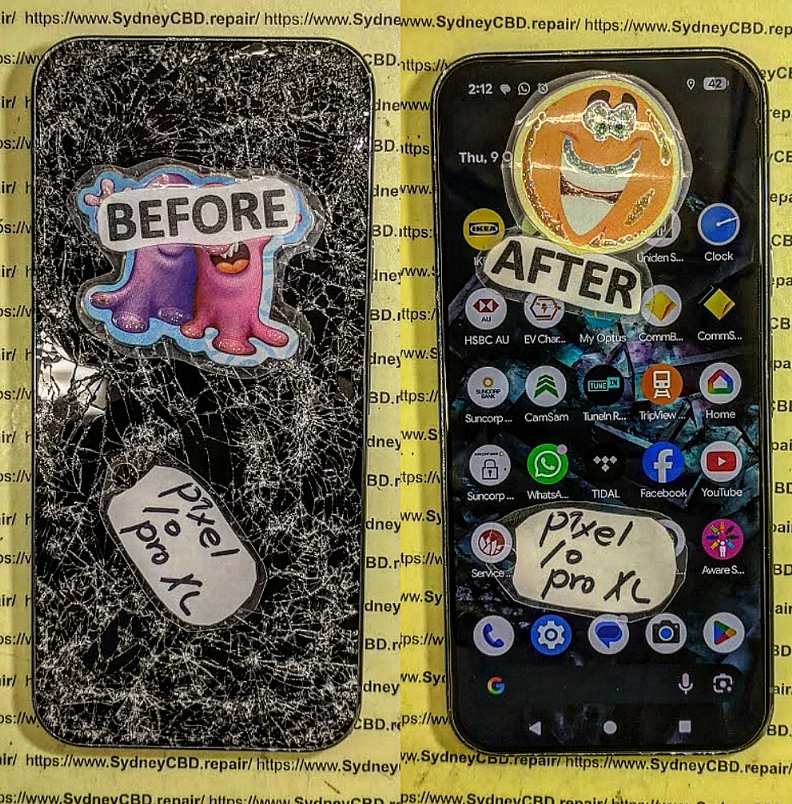
DISASTER RECOVERY! Fixing A Shattered Pixel 10 Pro XL Under Intense Sydney Rain – 10 Critical Steps That Saved the Device
Introduction
Modern smartphones are incredibly powerful, but they remain vulnerable to two major threats: impact damage and water exposure. When both occur simultaneously, the results can be devastating. This case study explores a real-world style scenario involving a Pixel 10 Pro XL that suffered catastrophic screen damage while being exposed to heavy Sydney rain.
For many smartphone owners, seeing a shattered display covered in rainwater is enough to assume the device is beyond repair. However, professional technicians understand that immediate intervention can dramatically improve recovery outcomes. In this article, we’ll examine how a severely damaged Pixel 10 Pro XL was restored through a systematic repair process and why expert attention remains essential in complex repair situations.
The Emergency Situation
Sydney weather can be unpredictable. One moment, skies are clear; the next, a sudden downpour arrives. In this case, the owner accidentally dropped their Pixel 10 Pro XL onto a concrete footpath during intense rainfall.
The impact caused:
Extensive front glass shattering
OLED display damage
Water infiltration through cracked glass
Touchscreen malfunction
Temporary power instability
At first glance, the device appeared unsalvageable. The display flickered intermittently, touch functionality became unreliable, and moisture was visibly present beneath portions of the damaged screen.
Fortunately, the owner sought professional repair assistance immediately rather than attempting risky home remedies.
A shattered display isn’t always limited to cosmetic damage. On a sophisticated device like the Pixel 10 Pro XL, impact forces can affect several internal components.
Potential damage includes:
Component
Risk Level
OLED Display
High
Touch Digitizer
High
Frame Structure
Medium
Front Camera
Medium
Flex Cables
Medium
Motherboard
Low to High
Professional technicians begin by determining whether damage extends beyond the display assembly.
Rainwater Exposure Complications
Water entering through broken glass creates additional concerns.
Common issues include:
Internal corrosion
Short circuits
Connector contamination
Battery-related risks
Sensor malfunctions
Unlike clean distilled water, rainwater often contains contaminants that accelerate corrosion processes inside electronic devices.
Initial Inspection Process
A successful Pixel 10 Pro XL recovery starts with a detailed assessment.
External Damage Evaluation
Technicians first document visible damage.
Inspection points include:
Glass fragmentation
Frame deformation
Camera lens condition
Rear panel integrity
Charging port contamination
The objective is to identify every potential entry point where moisture may have reached sensitive electronics.
Internal Component Testing
Once external evaluation is complete, technicians perform diagnostic testing.
Important checks include:
Power consumption analysis
Display signal testing
Battery health assessment
Camera functionality review
Sensor verification
These diagnostics help determine whether repair remains economically viable.
Why Immediate Action Matters
Timing is critical when a Pixel 10 Pro XL experiences both physical and water damage.
Corrosion Risks
Corrosion begins surprisingly fast.
Moisture trapped inside a device can start damaging circuitry within hours. Tiny traces on the motherboard are especially vulnerable.
Signs of corrosion include:
Green residue
White mineral deposits
Oxidized connectors
Unstable device behavior
The sooner technicians intervene, the higher the probability of successful recovery.
Electrical Short Circuit Threats
When water bridges electrical pathways, short circuits may occur.
Potential consequences include:
Sudden shutdowns
Battery damage
Component failure
Permanent motherboard defects
Professional repair centers immediately disconnect power sources before beginning restoration procedures.
Professional Repair Strategy
Recovering a rain-damaged Pixel 10 Pro XL requires a structured process.
Device Disassembly
The first step involves safe disassembly.
Technicians carefully remove:
Display assembly
Battery
Protective shields
Camera modules
Internal connectors
This creates access for detailed inspection and cleaning.
Water Damage Mitigation
Once opened, moisture removal begins.
The procedure often includes:
Microscopic inspection
Specialized cleaning solutions
Corrosion treatment
Connector restoration
Controlled drying methods
Professional-grade equipment provides significantly better results than common household techniques.
Screen Replacement Procedure
After ensuring internal components remain stable, technicians install a new display assembly.
The replacement process includes:
Removing damaged OLED remnants
Cleaning adhesive surfaces
Installing premium replacement components
Reconnecting display flex cables
Reassembling structural elements
Precision is essential because even minor alignment issues can affect performance.
Challenges During Repair
Not every repair proceeds smoothly.
Moisture Removal
Hidden moisture can remain trapped in unexpected locations.
Common problem areas include:
Camera modules
Speaker chambers
Charging ports
SIM card trays
Connector housings
Technicians use advanced inspection methods to ensure complete moisture elimination.
Component Preservation
Preserving original components whenever possible remains a priority.
Advantages include:
Maintaining factory calibration
Reducing repair costs
Preserving device authenticity
Ensuring compatibility
The goal isn’t simply replacing parts but restoring full functionality.
Testing and Quality Assurance
Repair work isn’t complete until extensive testing confirms success.
Display Verification
The newly repaired Pixel 10 Pro XL undergoes comprehensive display testing.
Evaluation includes:
Brightness consistency
Color accuracy
Touch responsiveness
Dead pixel detection
Refresh rate performance
These tests ensure the replacement display meets expected standards.
Camera and Sensor Validation
Modern smartphones contain numerous sensors requiring verification.
Technicians test:
Front camera
Rear camera system
Proximity sensor
Ambient light sensor
Face recognition functions
GPS performance
Every feature must operate correctly before the repair is considered complete.
1. Can a Pixel 10 Pro XL survive heavy rain after the screen shatters?
Yes. A Pixel 10 Pro XL may still be recoverable if professional repair is performed quickly. Immediate action minimizes corrosion and electrical damage.
2. Should I put a rain-damaged phone in rice?
No. Rice is generally ineffective for severe water exposure and may introduce dust particles into ports and openings.
3. How long should I wait before seeking repair?
Ideally, seek professional assistance immediately. Delays increase the likelihood of corrosion and permanent component failure.
4. Will all my data be lost after severe screen damage?
Not necessarily. In many cases, professional technicians can restore device functionality while preserving user data.
5. Can water damage affect cameras even if they appear functional?
Yes. Moisture can cause delayed failures, fogging, autofocus issues, and image quality degradation.
6. Is repairing a Pixel 10 Pro XL cheaper than replacing it?
In most situations, yes. Screen replacement and water damage treatment are often significantly less expensive than purchasing a brand-new flagship smartphone.
7. How can I tell if water entered my phone?
Common indicators include:
Screen flickering
Speaker distortion
Charging problems
Camera fogging
Random restarts
8. What is the biggest danger after rain exposure?
Corrosion is usually the greatest long-term threat because it can progressively damage internal circuitry even after the device appears functional.
Conclusion
Recovering a severely damaged Pixel 10 Pro XL after a catastrophic drop during intense Sydney rain requires expertise, specialized equipment, and swift action. While shattered screens and water exposure can appear devastating, many devices can be successfully restored through professional diagnostic procedures, corrosion treatment, precision component replacement, and comprehensive testing.
The key lesson is simple: don’t assume a damaged smartphone is beyond saving. Prompt professional intervention often transforms what appears to be a total loss into a successful recovery. Whether dealing with cracked glass, water ingress, or combined damage, expert technicians can frequently restore a Pixel 10 Pro XL to reliable working condition while preserving valuable user data and extending the device’s lifespan.
David from Sydney CBD Repair Centre – The Best place to fix mobile phones as 7 Years In A Row! Top Mobile Phone Repair In Sydney. More than 2000 Positive Reviews on Google and Same Day Repairs.
We take pride in delivering exceptional repair services for all major phone brands including Apple, Samsung, Google, and more. Our expert technicians use only genuine parts and offer 90days warranty on repairs. Located in the heart of Sydney CBD, we’re your one-stop solution for all mobile device repairs.
Our commitment to excellence has earned us the trust of thousands of satisfied customers. Whether it’s a cracked screen, battery replacement, or water damage repair, we handle it all with professional care and expertise. Walk in today and experience why we’re Sydney’s #1 choice for mobile phone repairs.
Visit us for:
✓ Same Day Express Repairs
✓ Genuine Parts Guarantee
✓ Professional Technicians
✓ Competitive Pricing
✓ 2000+ 5-Star Google Reviews
✓ 7-Time Award Winner for Best Phone Repairs
Sydney CBD Repair Centre – Where Quality Meets Reliability.
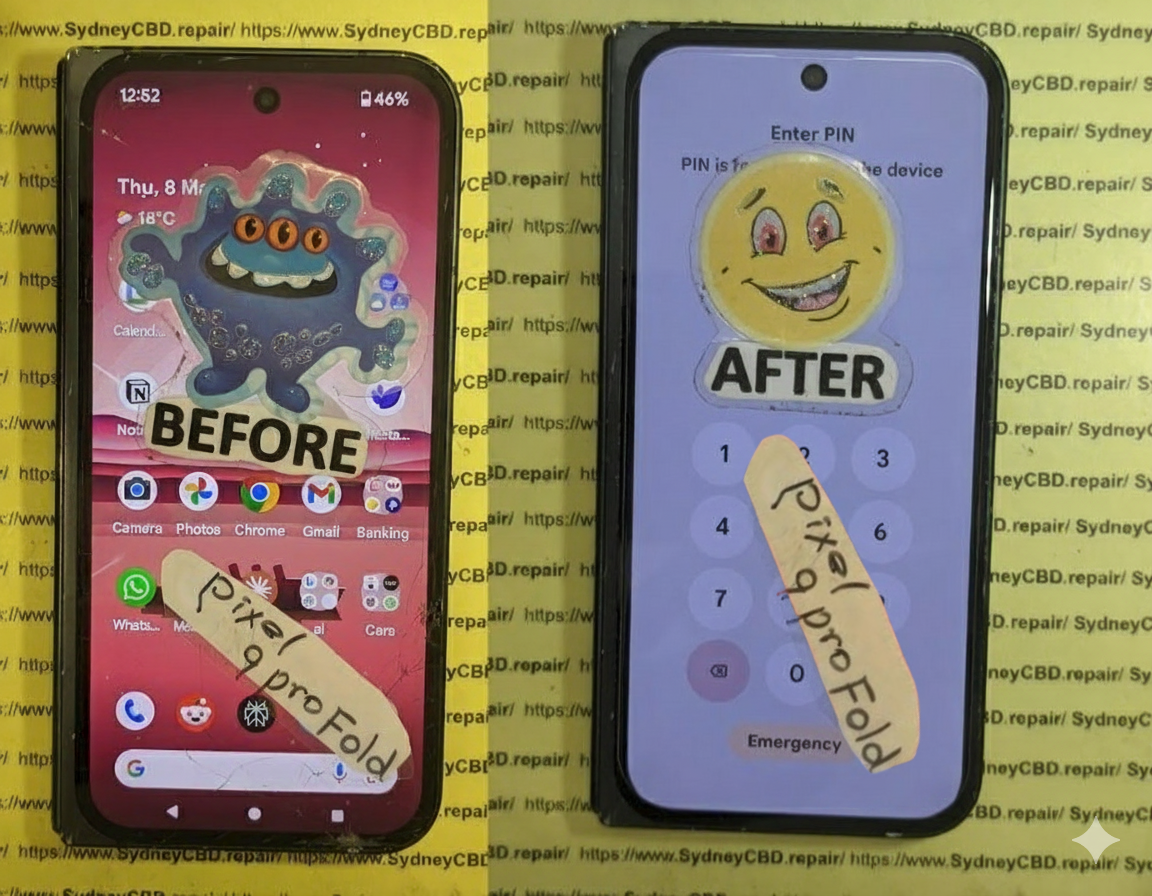
Mail-In Makeover: Resurrecting a Near-Dead Google Pixel Fold + 7 Essential Steps
Introduction
In the fast-paced world of mobile technology, the Google Pixel Fold stands out as a cutting-edge marvel. Combining the power of a flagship smartphone with a flexible, foldable display, it promises users a unique and immersive experience. However, this innovative design comes with its own set of challenges. From delicate hinges to ultra-thin screens, even minor mishaps can render the device seemingly lifeless.
This is where mail-in repair services come into play. Instead of scrambling to find a local technician or attempting risky DIY fixes, a professional mail-in repair can bring your near-dead Google Pixel Fold back to life with precision and care. In this comprehensive guide, we’ll walk you through every step of the mail-in repair process—from identifying issues and choosing a trusted repair center to the final quality checks—so you can restore your device efficiently and safely.
Whether your Pixel Fold suffers from battery degradation, screen failure, or software glitches, this article will provide expert insights, practical tips, and real-life success stories to ensure your device functions like new again. By the end, you’ll not only understand how to revive your Pixel Fold but also how to maintain it for long-term durability.
The Google Pixel Fold is a marvel of modern mobile engineering. It combines a flagship-level performance with a flexible, foldable display. But as innovative as it is, this device comes with inherent fragility. The folding mechanism, delicate hinge, and ultra-thin OLED display make it prone to certain types of damage. Unlike conventional phones, a Pixel Fold needs extra care, and even a minor drop can lead to catastrophic failure.
Despite careful usage, a Google Pixel Fold can encounter several failure points.
Battery Degradation
Battery health is one of the most overlooked aspects of foldable phones. Pixel Fold batteries degrade faster due to dual-screen usage, high refresh rates, and heat generated during heavy tasks. Symptoms include sudden shutdowns, fast battery drain, or the device refusing to power on.
Display Issues
The folding display is both the phone’s greatest innovation and its weakest link. Common issues include:
Creasing along the fold
Unresponsive touch in certain zones
Dead pixels or discoloration
Complete screen failure after accidental drops
Software Glitches
Software problems can also mimic hardware failure. Boot loops, frozen screens, or apps crashing constantly might lead you to think your phone is broken, when in reality, it may be a repairable software issue.
Benefits of Mail-In Repair Services
Mail-in repair services are increasingly popular for foldable devices. Here’s why:
Convenience: No need to travel to a repair shop; the technician comes to you through a secure process.
Expertise: Specialized technicians handle foldable technology, often with years of experience.
Cost-Effectiveness: Avoid expensive emergency repairs by shipping your device for precise diagnostics.
Safety and Warranty Considerations
Always choose a repair service that uses genuine parts and offers warranty coverage. Certified centers, like Sydney CBD Repair Centre, guarantee authenticity and reliability.
Step-by-Step Mail-In Repair Process
Step 1: Assessing the Damage
Before sending your Pixel Fold, perform a basic evaluation. Take photos, note symptoms, and attempt minor software fixes if safe. This ensures technicians can immediately identify the issue.
Step 2: Selecting a Trusted Repair Centre
Check reviews, certifications, and years of experience. A trusted repair service reduces risk of further damage during handling.
Step 3: Packaging and Shipping Your Device
Use protective materials:
Bubble wrap around the device
Hard box to prevent pressure on the fold
Insure the package for full value
Step 4: Diagnostic and Repair
Technicians perform comprehensive diagnostics:
Screen and hinge inspection
Battery performance test
Software integrity check
Water or physical damage assessment
Step 5: Component Replacement
Common replacements:
Folding OLED screen
Battery pack
Hinges and internal connectors
Charging ports
Step 6: Software Restoration and Testing
After hardware replacement:
Update OS to the latest version
Restore apps and data
Perform performance and stress tests
Step 7: Quality Check and Return Shipping
Final steps ensure the phone functions perfectly. After rigorous testing, your device is securely packaged and shipped back to you.
Cost Analysis: Is Mail-In Repair Worth It?
Repair costs vary:
Component
Approximate Cost (USD)
Folding Screen
500-700
Battery
100-150
Hinge/Mechanism
80-120
Software Diagnostics
50-100
Mail-in repairs often save time and prevent additional damage compared to DIY or rushed local repairs.
Real-Life Success Stories
John from Sydney reported a Pixel Fold that wouldn’t power on. After a mail-in repair:
Battery replaced
Screen calibrated
Device returned within 5 days
He described the service as “seamless and professional.”
How to Prevent Future Failures
Use a high-quality case designed for foldables
Avoid overcharging to prolong battery health
Regularly clean the hinge
Keep software updated
Google Pixel Fold vs Competitors: Durability Comparison
Device
Hinge Durability
Screen Longevity
Warranty Options
Google Pixel Fold
Medium
Medium
1-Year
Samsung Galaxy Z Fold
High
Medium-High
1-Year + Care+
Huawei Mate X
Medium
Medium
1-Year
Choosing the Right Insurance or Protection Plan
Consider plans covering:
Accidental drops
Water damage
Hardware failure
Theft and loss
FAQs About Google Pixel Fold Mail-In Repairs
Q1: How long does a mail-in repair take?
A: Typically 5–10 business days depending on damage severity.
Q2: Are my data and apps safe during repair?
A: Reputable centers perform diagnostics without wiping data. Backup is recommended.
Q3: Is mail-in repair more expensive than local repair?
A: Often comparable or slightly higher due to secure shipping, but offers expertise.
Q4: Can all screen issues be repaired?
A: Most hardware and hinge issues can be repaired, but extreme damage may require replacement.
Q5: Do I get a warranty on repaired parts?
A: Yes, certified centers provide 90-day warranty on parts and labor.
Q6: What if my device is water-damaged?
A: Mail-in services have the tools to dry, clean, and replace components, restoring functionality.
Conclusion
Mail-in repair is a lifeline for Google Pixel Fold owners. With expert technicians, genuine parts, and a secure process, even a near-dead device can be resurrected. By understanding the steps, costs, and preventive measures, you can ensure your Pixel Fold remains functional for years.
David from Sydney CBD Repair Centre – The Best place to fix mobile phones as 7 Years In A Row! Top Mobile Phone Repair In Sydney. More than 2000 Positive Reviews on Google and Same Day Repairs.
We take pride in delivering exceptional repair services for all major phone brands including Apple, Samsung, Google, and more. Our expert technicians use only genuine parts and offer 90days warranty on repairs. Located in the heart of Sydney CBD, we’re your one-stop solution for all mobile device repairs.
Our commitment to excellence has earned us the trust of thousands of satisfied customers. Whether it’s a cracked screen, battery replacement, or water damage repair, we handle it all with professional care and expertise. Walk in today and experience why we’re Sydney’s #1 choice for mobile phone repairs.
Visit us for:
✓ Same Day Express Repairs
✓ Genuine Parts Guarantee
✓ Professional Technicians
✓ Competitive Pricing
✓ 2000+ 5-Star Google Reviews
✓ 7-Time Award Winner for Best Phone Repairs
Smartphones have become indispensable in our daily lives, keeping us connected, organized, and entertained. But despite their sleek designs and advanced technology, these devices remain highly vulnerable to water damage. Whether it’s a sudden spill, a drop in the sink, or an unexpected downpour, water exposure can threaten your phone’s functionality in an instant.
Many users panic when their phone gets wet, often making mistakes that worsen the damage. Understanding how water affects your device, knowing immediate steps to take, and being aware of professional repair options can mean the difference between salvaging your phone and facing a costly replacement.
In this guide, “Beyond the Screen: Reviving Water-Damaged Phones, Step-by-Step – 12 Proven Techniques,” we’ll explore practical strategies to rescue water-damaged phones. From first-aid measures and drying techniques to advanced repair solutions and preventive tips, this article provides a comprehensive roadmap to bring your phone back to life. Whether you’re a DIY enthusiast or considering professional help, you’ll learn actionable methods to protect your device and extend its lifespan.
By following these expert-backed steps, you’ll gain the confidence to handle water emergencies efficiently, reduce repair costs, and avoid common pitfalls that many phone owners encounter. Dive in and discover how to revive your phone beyond just the screen—because when it comes to water damage, timing and technique are everything.
Water damage is a nightmare for any smartphone owner. From accidental spills to submersion in water, phones are highly vulnerable due to their intricate electronic components. Understanding the types of water damage can save your device and prevent permanent failure.
Water damage typically occurs in three forms: light moisture exposure, partial immersion, and full submersion. Each type affects the phone differently. Light moisture may only damage buttons or ports, while full submersion often damages the motherboard and battery.
Many people fall for myths such as “letting the phone dry naturally for 24 hours is enough” or “rice always saves phones.” In reality, improper handling often worsens the damage. Early action combined with correct techniques is crucial.
The first step is critical. Turning on a wet phone can create short circuits, permanently damaging components. Power off immediately and avoid charging or pressing buttons unnecessarily.
Remove SIM, SD Cards, and Battery
If your device allows, remove the SIM card, SD card, and battery. These components can trap moisture and increase corrosion risk. Place them on a dry cloth to prevent further exposure.
Drying Techniques That Work
Drying a phone is a delicate process. Common methods include:
Air Drying: Place the phone in a well-ventilated area; avoid heat sources like hairdryers as they can warp components.
Silica Gel: A far more effective option than rice, silica packets absorb moisture quickly.
Rice Method: Popular but less effective; rice can introduce dust particles inside the device.
Each method has pros and cons, but immediate action within the first few hours dramatically increases survival chances.
Assessing the Damage
Signs of Water Damage
Recognize early signs: flickering screen, unresponsive buttons, distorted audio, or random shutdowns. These indicate internal corrosion or short-circuiting.
Using Water Damage Indicators
Most smartphones have Liquid Damage Indicator (LDI) stickers. A red or pink sticker means the device has been exposed to liquid. Checking the LDI helps technicians estimate repair complexity and potential warranty impact.
Advanced Repair Techniques
Disassembly and Cleaning
Professional repair often involves carefully disassembling the phone to clean affected areas. Using isopropyl alcohol, technicians remove residue and corrosion from circuit boards without causing further damage.
Ultrasonic Cleaning
For severe corrosion, ultrasonic cleaning is highly effective. It uses high-frequency vibrations in a liquid solution to remove dirt and oxidation from delicate components.
Component Replacement
Sometimes, replacing water-damaged parts such as the battery, speaker, or display is necessary. Knowing which parts are salvageable prevents unnecessary costs.
Preventive Measures for the Future
Prevention is always better than repair. Consider:
Using waterproof cases
Applying nano-coatings
Avoiding phone use near water or in humid conditions
These steps reduce future risk and extend your phone’s lifespan.
Professional vs DIY Repair
DIY repair can save money but carries risks like voiding warranties or causing permanent damage. Professional repair ensures:
Genuine parts
Proper tools and cleaning solutions
Warranty-backed service
At Sydney CBD Repair Centre, our experts provide safe and efficient water damage repair.
External Resources and Tools
For detailed guidance, Apple Support provides comprehensive instructions for handling water-damaged devices: Apple Support – iPhone Water Damage
Frequently Asked Questions (FAQs)
Q1: How long should I wait before powering on a wet phone?
A1: Wait at least 24–48 hours, preferably after using silica gel or professional drying methods.
Q2: Can rice really save my phone?
A2: Rice may absorb some moisture but is not as effective as silica gel or professional drying.
Q3: Is water damage covered by warranty?
A3: Most warranties do not cover water damage unless the device has official water resistance certification.
Q4: How much does professional repair cost?
A4: Costs vary by damage severity, brand, and parts needed. At Sydney CBD Repair Centre, repairs start from $99.
Q5: Can I prevent corrosion after water exposure?
A5: Yes. Immediate drying, alcohol cleaning, and professional inspection reduce corrosion risks.
Q6: What signs mean my phone is beyond repair?
A6: Irreparable motherboard damage, non-functional display, or battery failure may indicate the device cannot be salvaged.
Conclusion
Water damage doesn’t always mean the end of your phone. Immediate, informed actions, combined with professional repair, can save devices that might otherwise seem lost. Understanding water damage, applying correct drying techniques, and knowing when to seek expert help ensures your phone can survive accidents and continue serving you efficiently.
Remember, time is critical—act fast, handle carefully, and invest in preventive measures to safeguard your investment.
David from Sydney CBD Repair Centre – The Best place to fix mobile phones as 7 Years In A Row! Top Mobile Phone Repair In Sydney. More than 2000 Positive Reviews on Google and Same Day Repairs.
We take pride in delivering exceptional repair services for all major phone brands including Apple, Samsung, Google, and more. Our expert technicians use only genuine parts and offer 90days warranty on repairs. Located in the heart of Sydney CBD, we’re your one-stop solution for all mobile device repairs.
Our commitment to excellence has earned us the trust of thousands of satisfied customers. Whether it’s a cracked screen, battery replacement, or water damage repair, we handle it all with professional care and expertise. Walk in today and experience why we’re Sydney’s #1 choice for mobile phone repairs.
Visit us for:
✓ Same Day Express Repairs
✓ Genuine Parts Guarantee
✓ Professional Technicians
✓ Competitive Pricing
✓ 2000+ 5-Star Google Reviews
✓ 7-Time Award Winner for Best Phone Repairs
Global Logistics Guide: How to Ship Your Broken Device to Sydney CBD Repair Centre – 15 Powerful Steps for Safe International Repairs
Introduction
In today’s interconnected world, device owners are no longer limited to repair providers within their own city or country. Thanks to modern courier networks and streamlined logistics systems, customers can safely ship smartphones, tablets, smartwatches, and laptops internationally for professional servicing.
This Global Logistics Guide: How to Ship Your Broken Device to Sydney CBD Repair Centre explains every stage of the process, from preparing your device and packaging it correctly to navigating customs requirements and tracking international shipments.
Whether you’re dealing with a cracked screen, battery issue, charging failure, water damage, motherboard fault, or software malfunction, understanding international shipping procedures can help ensure your valuable device reaches its destination safely and returns fully repaired.
Many customers worldwide choose Sydney CBD Repair Centre because specialized repairs often require experienced technicians, quality replacement parts, and advanced diagnostic equipment.
Several factors make professional mail-in repairs attractive:
Access to highly skilled technicians
Advanced diagnostic capabilities
Genuine or premium-quality replacement components
Competitive repair pricing
Reliable turnaround times
Detailed repair assessments
Professional quality control procedures
For rare devices or complex repairs, local options may be limited. In such situations, shipping a device to an experienced repair center becomes a practical solution.
Additionally, many customers find that international repairs remain cost-effective when compared with replacing an expensive smartphone or tablet.
Devices Eligible for Mail-In Repairs
Most modern electronic devices can be shipped for repair, including:
iPhones
Samsung Galaxy devices
Google Pixel smartphones
iPads
Android tablets
Smartwatches
Gaming handhelds
Laptops
MacBooks
Before shipping, it’s advisable to confirm device eligibility and available repair services.
Benefits of International Repair Services
International repair services provide access to expertise that may not exist locally.
Benefits include:
Specialized knowledge
Access to difficult-to-source parts
Comprehensive diagnostics
Professional testing
Secure return logistics
As a result, customers can extend the life of their devices while reducing electronic waste.
This systematic approach reduces the likelihood of unresolved issues.
Final Certification
After successful testing, devices are prepared for return shipping.
Packaging standards are applied again to protect repaired devices during transit.
Return Shipping Procedures
Once repairs are complete, the return logistics phase begins.
Secure Packaging for Return Transit
The repair center typically:
Repackages the device securely
Applies protective materials
Generates tracking information
Confirms shipping details
Tracking the Return Shipment
Customers receive tracking numbers to monitor:
Dispatch
International transit
Customs clearance
Delivery progress
Receiving Your Repaired Device
Upon arrival:
Inspect packaging.
Verify device condition.
Test major functions.
Review repair documentation.
Prompt inspection helps identify any shipping-related concerns.
Common Shipping Mistakes to Avoid
Avoiding common mistakes can improve repair success rates.
Poor Packaging
Insufficient cushioning may lead to additional damage.
Missing Documentation
Missing forms often result in customs delays.
Shipping Accessories Unnecessarily
Unneeded accessories increase risk and complexity.
Failing to Back Up Data
Data protection should always remain a priority.
Ignoring Tracking Updates
Monitoring shipments enables faster problem resolution.
Choosing the Cheapest Option Only
Low-cost shipping isn’t always the safest option for valuable electronics.
Balancing reliability, insurance, and tracking features usually provides better results.
Frequently Asked Questions
1. Can I ship a water-damaged phone internationally for repair?
Yes. Water-damaged devices can often be shipped safely. Ensure the device is powered off and packaged securely.
2. Should I remove the battery before shipping?
For most smartphones, batteries are built-in and should remain installed. Follow courier regulations regarding lithium batteries.
3. How long does international shipping usually take?
Transit times vary by country and courier but generally range from several days to a few weeks.
4. Is shipping insurance necessary?
Insurance is strongly recommended for high-value devices because it provides financial protection against loss or damage.
5. Can I track my device throughout the entire journey?
Most major couriers provide end-to-end tracking from pickup through delivery.
6. What if customs holds my shipment?
Customs may request additional information. Providing accurate documentation generally helps resolve issues quickly.
7. Are repaired devices tested before being returned?
Yes. Professional repair centers typically perform extensive testing and quality assurance procedures before return shipment.
8. Can tablets and laptops also be shipped for repair?
Absolutely. Many repair centers accept smartphones, tablets, laptops, and other electronic devices through mail-in repair programs.
Conclusion
This Global Logistics Guide: How to Ship Your Broken Device to Sydney CBD Repair Centre demonstrates that international mail-in repairs are more accessible than ever. With proper preparation, secure packaging, accurate customs documentation, and reliable courier services, customers worldwide can confidently send valuable devices for professional repair.
By following the steps outlined in this guide, you can reduce shipping risks, streamline customs processing, protect your device during transit, and ensure a smooth repair experience from start to finish. Whether you’re sending a smartphone with a cracked display, a tablet suffering from battery issues, or a laptop requiring advanced diagnostics, professional mail-in repair services offer a dependable solution that can significantly extend the lifespan of your technology investment.
For the best results, prioritize careful preparation, maintain clear communication, and choose secure shipping methods that provide tracking and insurance coverage.
External Resource
For international shipping regulations and customs guidance, visit the official website of the Universal Postal Union (UPU).
David from Sydney CBD Repair Centre – The Best place to fix mobile phones as 7 Years In A Row! Top Mobile Phone Repair In Sydney. More than 2000 Positive Reviews on Google and Same Day Repairs.
We take pride in delivering exceptional repair services for all major phone brands including Apple, Samsung, Google, and more. Our expert technicians use only genuine parts and offer 90days warranty on repairs. Located in the heart of Sydney CBD, we’re your one-stop solution for all mobile device repairs.
Our commitment to excellence has earned us the trust of thousands of satisfied customers. Whether it’s a cracked screen, battery replacement, or water damage repair, we handle it all with professional care and expertise. Walk in today and experience why we’re Sydney’s #1 choice for mobile phone repairs.
Visit us for:
✓ Same Day Express Repairs
✓ Genuine Parts Guarantee
✓ Professional Technicians
✓ Competitive Pricing
✓ 2000+ 5-Star Google Reviews
✓ 7-Time Award Winner for Best Phone Repairs