Replacing a Smartphone Display: A Step-by-Step Guide
A cracked or unresponsive screen doesn’t mean your smartphone is beyond saving. With the right tools and knowledge, screen replacement is possible—whether you’re a tech enthusiast or simply exploring your options before heading to a repair shop.
In this guide from Sydney CBD Repair Centre, we’ll walk you through the step-by-step process of replacing a smartphone display, what to watch out for, and when it’s better to call in the professionals.
🧰 What You’ll Need Before You Start
Before you begin, gather the following tools and materials:
Pentalobe or Phillips screwdriver (depending on your phone brand)
Suction cup tool
Plastic opening picks or spudger
Tweezers
Heat gun or hair dryer
Anti-static gloves or wristband
Replacement screen (preferably genuine or OEM-grade)
Always power off your smartphone before starting any repair to avoid electrical short-circuits or data damage.
Step 2: Remove Screws and Heat the Display
Using the appropriate screwdriver, remove screws located near the charging port. Apply mild heat around the screen edges to loosen the adhesive—use a heat gun, not an open flame.
Step 3: Detach the Screen
Use a suction cup to gently lift one edge of the display. Slide an opening pick underneath to begin separating the screen from the body. Take your time—forcing it can damage internal cables.
Step 4: Disconnect the Battery
Once the screen is lifted, locate the battery connector and carefully disconnect it. This prevents accidental power to internal components.
Step 5: Disconnect Display Cables
Use a spudger or tweezers to detach the flex cables that connect the display to the motherboard. Be gentle—these connectors are fragile and essential for touch and display functionality.
Now that the old screen is detached, install the new display by reversing the above process. Reconnect all cables securely and double-check alignments.
Step 7: Reassemble and Test
Reattach the screen carefully, replace the screws, and power on your device. Check:
Touch responsiveness
Display brightness
Front camera and sensors
Face ID or fingerprint sensor (if applicable)
⚠️ Things to Watch Out For
Loss of Waterproofing: Opening your phone breaks its factory seal.
Touch & Display Calibration: Some features like True Tone or brightness auto-adjust may be lost.
Face ID/Touch ID Damage: Mishandling can disable biometric sensors permanently.
🧑🔧 When to Leave It to the Pros
While DIY repairs can be fulfilling, they carry risks—especially for newer models with complex assemblies.
At Sydney CBD Repair Centre, we:
Use only genuine parts
Offer same-day repairs
Provide a 90-day warranty
Preserve your data and phone features
With over 2000+ 5-star reviews and award-winning service, we’re Sydney’s most trusted repair team for Apple, Samsung, Google Pixel, and more.
Smartphone Screen Repair: Do-It-Yourself vs Professional
A cracked or malfunctioning smartphone screen can be more than just an inconvenience—it can disrupt your communication, work, and daily routine. When faced with screen damage, many people are torn between fixing it themselves or turning to a professional repair service.
At Sydney CBD Repair Centre, we’ve helped thousands of customers make the smart choice. Here’s a breakdown of DIY vs professional smartphone screen repair, so you can decide what’s right for you.
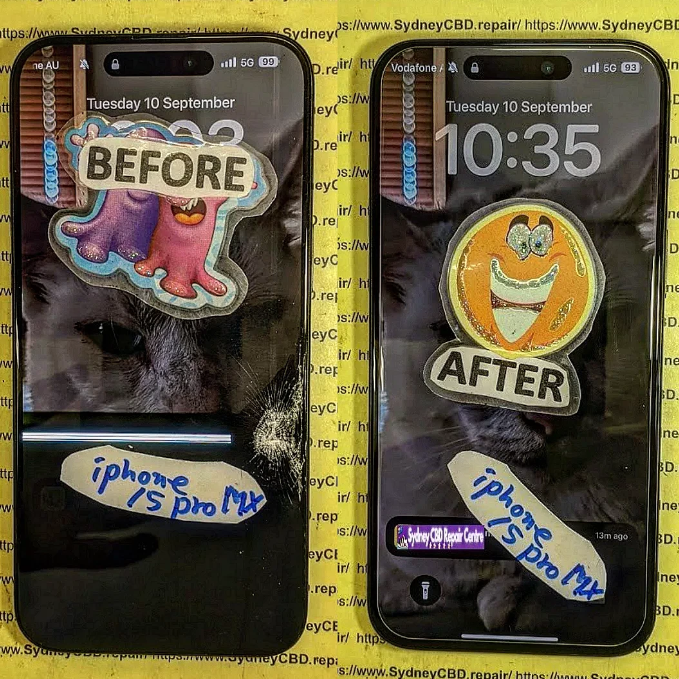
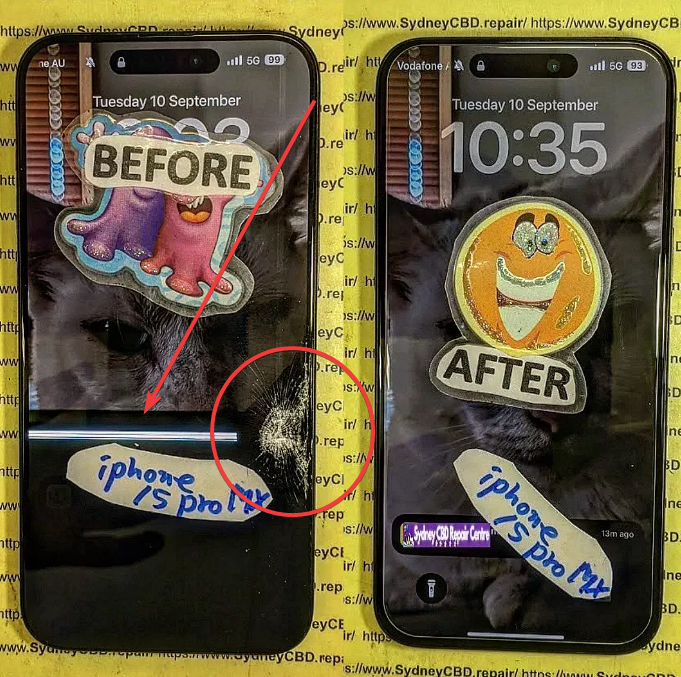
broken-iphone-15-pro-max-screen-before-after.png
🔧 The DIY Route: Is It Worth It?
Do-it-yourself screen repair might sound like a cost-saving option. After all, there are countless YouTube tutorials, affordable toolkits, and aftermarket parts available online.
Pros of DIY Repair
Lower upfront cost (if done right)
Satisfaction of fixing it yourself
Convenient for tech-savvy users
Cons of DIY Repair
High risk of further damage
Mishandling components like the digitizer, battery, or Face ID sensors can lead to more expensive issues.
No warranty or guarantee
Time-consuming and complex
Loss of features like waterproofing, True Tone, or brightness calibration if not reassembled correctly
Limited access to genuine parts
Even the most careful DIYer can run into issues that require a second (or third) repair attempt, potentially costing more than just getting it fixed professionally from the start.
At Sydney CBD Repair Centre, we’re proud to offer expert smartphone screen repairs using genuine parts and industry-grade tools. Whether you use an iPhone, Samsung Galaxy, or Google Pixel, our trained technicians know how to handle delicate components properly.
Benefits of Choosing a Professional Repair
✅ Same-day service for most repairs
✅ Genuine replacement parts used
✅ Warranty coverage (90 days)
✅ Data remains intact
✅ Advanced calibration to restore True Tone, brightness levels, and more
✅ Preserves waterproof integrity (where possible)
Professional repairs aren’t just about fixing the issue—they’re about maintaining your phone’s performance and longevity.
👩🔧 Expertise You Can Trust: Sydney CBD Repair Centre
We’ve been Sydney’s top mobile phone repair destination six years in a row, thanks to our:
📍 Central CBD location
⭐ 2000+ 5-star reviews
🧰 Certified technicians
💯 Commitment to using genuine parts
Whether it’s a shattered iPhone 14 Pro Max screen or a flickering Galaxy display, we have the tools and expertise to fix it fast—and fix it right.
📝 Final Verdict: DIY or Professional?
If you have the tools, time, and confidence, a DIY repair can be a rewarding project. But for most users, especially those with newer models or data concerns, professional repair is the smarter, safer, and more reliable option.
Sydney CBD Repair Centre is your go-to repair destination. We offer same-day repairs, transparent pricing, and customer-first service that ensures your phone is back in your hands—good as new.
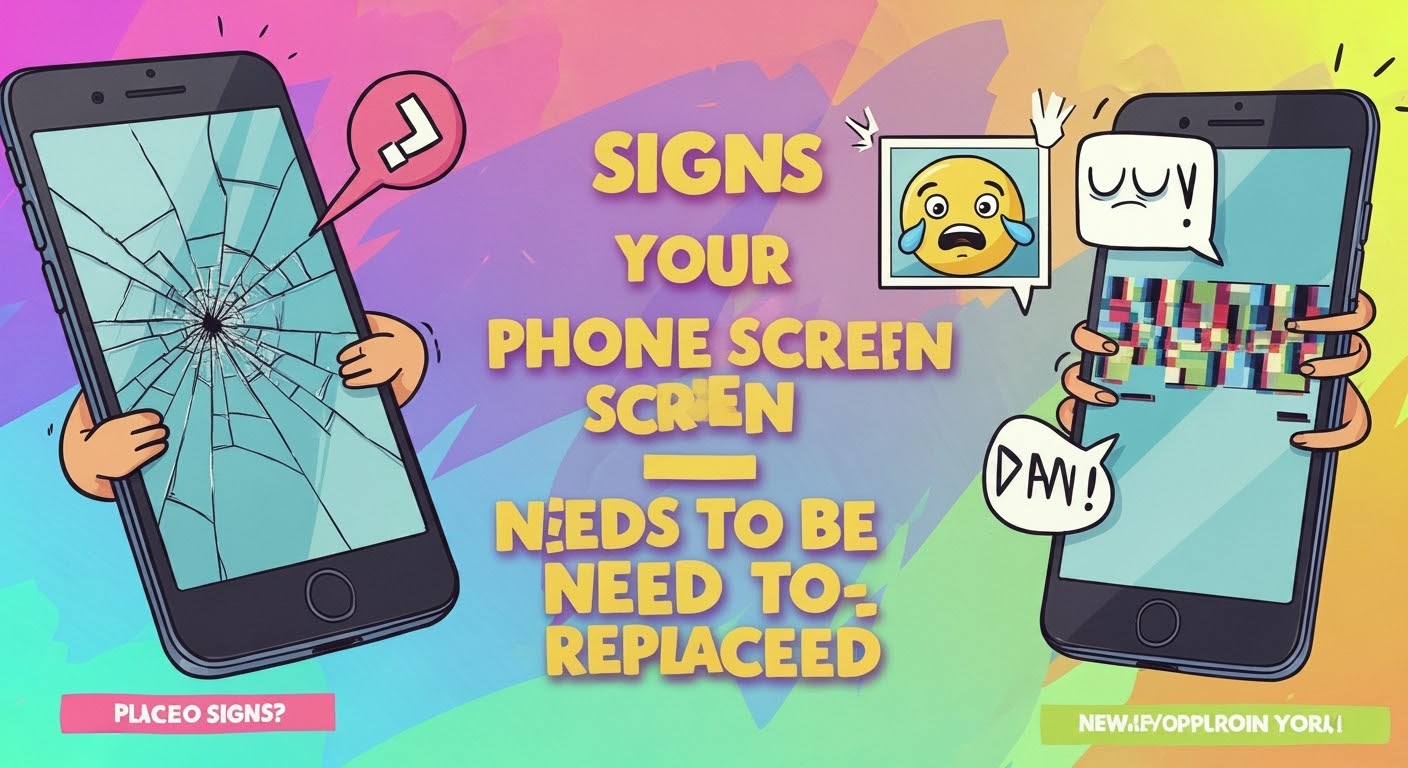
Your phone screen is your connection to the digital world—and when it starts acting up, it can disrupt your day instantly. But how do you know when it’s time to replace it, rather than just live with a few cracks?
Even small cracks can spread quickly and compromise your phone’s structural integrity. Beyond being an eyesore, cracks can also lead to finger injuries and worsen with pressure or temperature changes.
Tip: A cracked screen can allow dust and moisture to enter your device, potentially causing deeper damage.
2. Unresponsive Touch Screen
If your screen doesn’t register your taps, swipes, or gestures accurately, it’s a red flag. This often means the digitizer (the part of the screen responsible for touch) is damaged.
3. Discoloration or Flickering Display
Do you see weird lines, colour patches, or screen flickers? This typically indicates internal screen damage or issues with the display connectors. It might look minor at first, but it could lead to a completely blacked-out screen soon.
Is your phone performing actions on its own—like opening apps or typing randomly? This is known as “ghost touch,” and it usually means your screen is malfunctioning.
5. Delayed Response or Dead Zones
If parts of your screen stop responding altogether or respond slower than others, this is a sign of partial digitizer failure. This makes typing, swiping, and general use frustrating.
🚀 Get It Fixed Fast at Sydney CBD Repair Centre
If your screen is showing any of these signs, don’t wait until it gets worse. At Sydney CBD Repair Centre, we:
✅ Replace screens using genuine parts
✅ Offer same-day express service
✅ Provide a 90-day repair warranty
✅ Are trusted by over 2000+ 5-star Google reviewers
Walk in today and let our expert technicians bring your phone back to life—safely, affordably, and professionally.
How To Fix A Cracked Screen On Your Phone – Expert Repair Advice You Can Trust
📱 Introduction
A cracked phone screen is one of the most common issues smartphone users face. Whether it’s a minor surface crack or a major shatter, it can affect usability, safety, and even your phone’s internal components.
So, what’s the best way to fix a cracked screen on your phone? In this guide, we’ll cover your repair options, cost expectations, and expert insights from Sydney CBD Repair Centre, Sydney’s most trusted repair shop.
🕵️ Assessing the Severity of the Crack
Surface Crack vs Deep Screen Damage
Not all cracks are created equal. Here’s how to distinguish them:
Surface Crack: Cosmetic damage; phone usually works fine
Deep Crack: May affect touch sensitivity or screen visibility
Shattered Screen: Cracked glass and broken display; urgent replacement needed
1. Can I keep using my phone if the screen is cracked?
Yes, but it’s not advisable. It may worsen and pose safety risks like glass splinters or internal damage.
2. Will fixing the screen erase my data?
No. Screen replacement doesn’t affect your data, but back up your phone just in case.
3. How do I know if the repair shop uses genuine parts?
Ask for transparency. Sydney CBD Repair Centre guarantees genuine parts and provides a warranty.
4. Is it cheaper to replace just the glass?
In some cases, yes. However, most modern phones require full screen assembly replacement.
5. Can a cracked screen affect battery life?
Yes. A damaged screen can put stress on your phone’s components and lead to battery drain.
6. What if my phone has water damage and a cracked screen?
We offer comprehensive diagnostics and can handle both issues in a single repair session.
✅ Conclusion
Cracked screens are frustrating—but they don’t have to be the end of your phone’s life. Whether you need a quick fix or a full screen replacement, the safest option is always professional repair.
Sydney CBD Repair Centre is your trusted partner in restoring your phone to like-new condition. With genuine parts, expert technicians, and same-day service, we’re Sydney’s go-to solution for all screen repair needs.
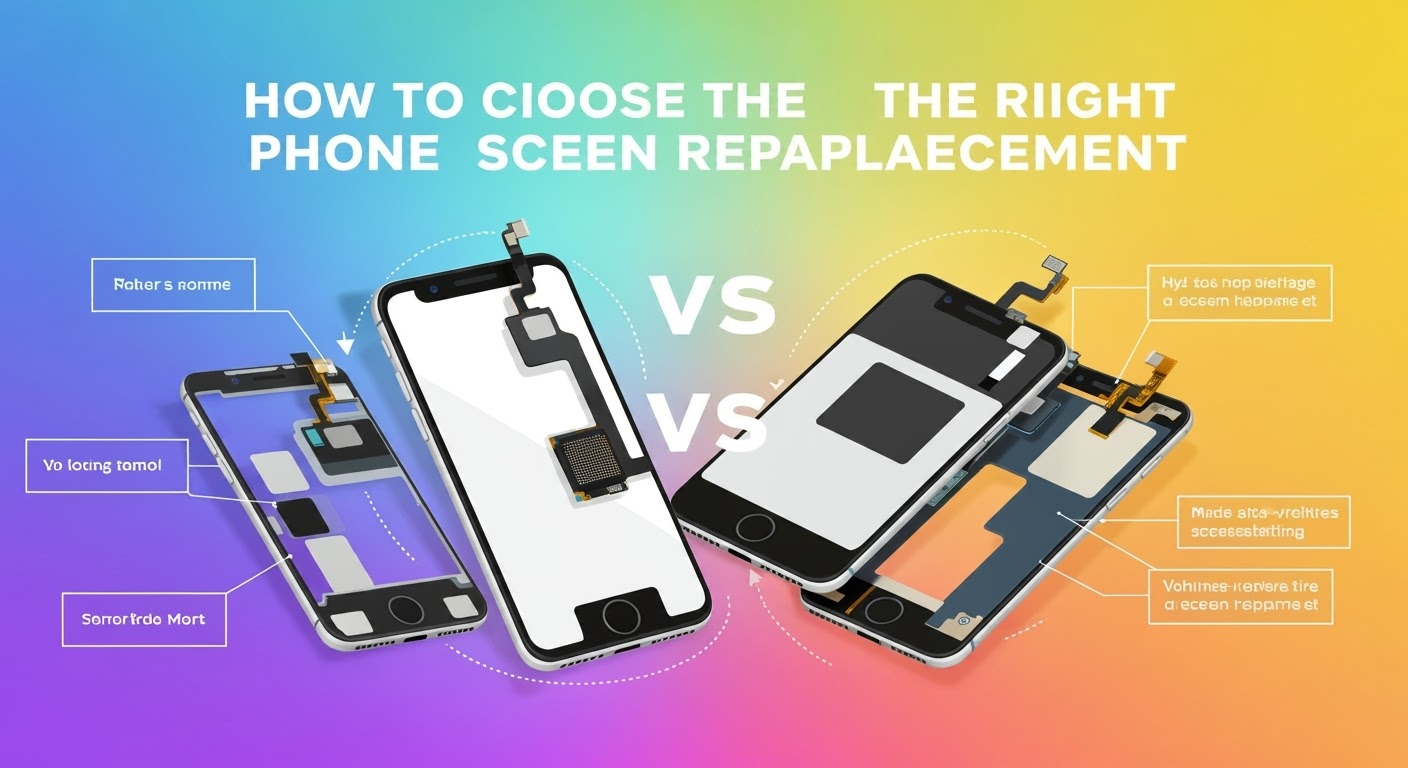
How To Choose The Right Phone Screen Replacement – Expert Tips for Quality & Longevity
📱 Introduction
Replacing a cracked or faulty phone screen is one of the most common repairs, but not all replacement screens are made equal. Choosing the right phone screen replacement can save you from repeated repairs, unresponsive touch issues, or poor display quality.
In this guide, we’ll explain everything you need to know before getting your screen replaced—from screen types and red flags to look out for, to choosing a professional repair centre like Sydney CBD Repair Centre, Australia’s trusted expert for screen repairs.
💡 Why Screen Quality Matters
Performance and Touch Sensitivity
A low-quality screen may respond slowly or inconsistently to touch, making navigation frustrating. Genuine screens provide smooth, lag-free interaction.
Display Brightness and Colour Accuracy
Cheap replacement screens often suffer from dull brightness or inaccurate colours—especially in sunlight. OEM screens maintain the original display’s vivid quality.
Durability and Longevity
Low-grade displays scratch and crack more easily. Choosing a quality screen means longer-lasting protection, especially if paired with a good case and screen protector.
Matches the original display in brightness, colour, and touch sensitivity
Typically more expensive but worth the investment
Offered by trusted repair shops like Sydney CBD Repair Centre
Aftermarket Screens
Third-party replicas, often manufactured overseas
May lack the same durability or clarity
Usually cheaper but less reliable
Touch issues and shorter lifespan are common
Refurbished Screens
Original screens salvaged and restored from used phones
Often a balance between cost and quality
Should be sourced from reliable technicians who test thoroughly
✅ Key Factors to Consider
Compatibility with Your Phone Model
Ensure the replacement screen matches your exact phone model—not just the brand. Even a tiny mismatch can affect fit and function.
Glass vs Display: Know What Needs Replacing
Sometimes only the outer glass is damaged, while the display underneath still works. A skilled technician can determine what needs replacing and help you save on costs.
Warranty and Return Policy
Always ask:
Is the screen covered by a warranty?
How long is the warranty?
What happens if it fails again?
Sydney CBD Repair Centre offers a 90-day warranty on all screen repairs.
⚠️ Red Flags to Avoid
Ultra-Cheap Pricing
If a screen replacement deal seems too good to be true—it probably is. Cheap parts often mean:
Phones like iPhones and Samsung Galaxies come with water resistance seals that must be carefully replaced during screen repair. Professionals ensure that the integrity is maintained.
🛠️ Why Choose Sydney CBD Repair Centre
2000+ Google Reviews & 6 Years as Top Repair Centre
David and the team at Sydney CBD Repair Centre are Sydney’s most trusted phone repair experts. With 2000+ 5-star reviews and 6 consecutive years of top-rated service, you can trust you’re in good hands.
OEM screens are the highest quality and closest to what your phone originally came with.
2. Are cheap screens worth it?
Not usually. They may cost less upfront, but you’ll likely face issues with performance, visibility, or durability.
3. How do I know if my screen is OEM?
Genuine repair centres will tell you the screen’s origin and often include branding on the part.
4. Can I replace the screen myself?
It’s risky. DIY repairs often lead to further damage or voiding your warranty.
5. What’s the difference between glass replacement and full screen replacement?
Glass-only replacement fixes surface cracks, while full screen replacement includes the touch and display layers—usually needed for major damage.
6. How long does screen replacement take at Sydney CBD Repair Centre?
Most screen replacements are done within a few hours, often on the same day.
✅ Conclusion
When it comes to phone screen replacement, the quality of the screen and the skill of the technician make all the difference. Don’t risk cheap parts or inexperienced repairs. Choose a repair centre that uses genuine components, provides transparent pricing, and backs their work with a solid warranty.
Sydney CBD Repair Centre ticks all the boxes. With expert technicians, same-day service, and a reputation built on excellence, they’re the smart choice for anyone looking to restore their phone’s screen to like-new condition.
Repairing Your Phone Screen: DIY vs Professional – What You Need to Know
📱 Introduction: The Growing Need for Screen Repairs
Cracked screens are one of the most common smartphone issues. With millions of devices in daily use, it’s no surprise that accidents happen—from drops on concrete to minor knocks in a pocket. When your phone screen breaks, you’re faced with a choice: DIY repair or professional help?
Making the right decision isn’t always simple. This article explores both sides of the debate, so you can decide what’s best for your device, your wallet, and your peace of mind.
🧰 DIY Screen Repairs: The Pros
Some phone owners are naturally inclined to fix things themselves. Here’s why DIY screen repairs might seem appealing:
Cost-Effective (initially): Replacing a screen at home using a kit from online retailers can be cheaper than going to a repair shop.
Convenience: You can attempt the repair at your own pace without leaving your home.
Learning Experience: For tech enthusiasts, it’s a great way to understand how phones work.
⚠️ DIY Screen Repairs: The Cons
Despite the potential savings, DIY screen repair comes with major risks:
Low-Quality Parts: Online kits often come with non-genuine parts that may reduce display brightness, touch response, and durability.
No Warranty: If something goes wrong, you’re responsible—no professional to back you up.
Risk of Further Damage: One slip of the hand can break other components like the battery, front camera, or motherboard.
Void Manufacturer Warranty: Unauthorized repairs often void your phone’s warranty.
Real Talk: Most DIY repairs end in disappointment—if not disaster—especially for modern phones with delicate displays like the iPhone 15 Pro Max or Samsung Galaxy S24.
Professional repairs offer several advantages that DIY methods simply can’t match:
✅ Genuine Parts: At Sydney CBD Repair Centre, only OEM-quality parts are used.
✅ Skilled Technicians: Our techs are certified and trained on all major phone brands.
✅ Warranty Coverage: Every repair comes with a 90-day warranty.
✅ Same-Day Service: Most screen repairs are completed within 1 hour.
✅ Advanced Equipment: Pros use specialised tools that aren’t included in cheap online kits.
🔍 Professional Repairs: The Drawbacks
While professional repairs are generally safer, they may come with:
Slightly Higher Cost: Due to labor and premium parts.
Time & Travel: You may need to visit a repair shop (unless they offer mail-in or walk-in services like we do).
However, the value and reliability of professional repairs often outweigh the drawbacks.
💸 Comparing Costs: DIY vs Professional
Aspect
DIY Repair
Professional Repair
Average Cost
$50–$120 (kit)
$120–$300 (depends on model)
Part Quality
Often third-party
Genuine OEM
Time Required
1–3 hours (with risk)
30–60 minutes
Risk Level
High
Very Low
Warranty
None
90 days (at Sydney CBD Repair Centre)
🛠️ Tools Required for DIY Repairs
If you’re still considering DIY, here’s what you’ll need:
Heat gun or hairdryer (to loosen glue)
Suction cups
Plastic pry tools
Precision screwdriver set
Tweezers
Screen adhesive strips
Replacement screen (model-specific)
Warning: Even with tools, you risk damaging your device without training.
🚫 Common Mistakes Made in DIY Repairs
Using too much heat – Can damage internal components.
Snapping flex cables – Fragile and expensive to fix.
Mismatching screen models – Resulting in incompatible parts.
Not discharging the battery – Risk of short-circuiting.
Incorrect assembly – Can lead to future malfunctions.
🧠 Signs That You Shouldn’t Attempt DIY
You’ve never repaired electronics before.
Your phone is water-damaged.
The screen has multiple layers of cracks.
You rely heavily on the phone daily.
You want to retain manufacturer warranty.
🏆 What Makes a Professional Repair Worth It?
Trusting your device with professionals means:
Fewer risks
Better performance
Peace of mind
Extended phone life
Strong after-service support
🏢 Sydney CBD Repair Centre: The Trusted Choice
David and the team at Sydney CBD Repair Centre have built a reputation as Sydney’s most trusted phone repair experts—6 years in a row! With over 2000+ Google 5-star reviews, we provide:
“Quick and reliable! They fixed my iPhone screen in less than an hour. Highly recommend!” – Sarah K.
“Professional service with genuine parts. My Pixel feels brand new again!” – Tom G.
“They even cleaned my phone and applied a free screen protector. Great team!” – Melissa W.
📋 How to Prepare Your Phone for Repair
Backup your data to cloud or computer.
Remove SIM and memory card.
Turn off “Find My iPhone” (for Apple users).
Note any issues besides the screen to mention.
Bring ID and payment if required.
❓ FAQs
1. How much does a professional screen repair cost?
It ranges from $120 to $300 depending on your phone model and damage level.
2. Will I void my warranty if I repair the screen myself?
Yes, DIY repairs usually void manufacturer warranties.
3. Can I really fix a phone screen at home?
Technically yes, but it’s risky and often leads to further damage without proper tools and experience.
4. How long do professional repairs take?
Most screen repairs are done within an hour at Sydney CBD Repair Centre.
5. What are the risks of DIY phone screen repair?
You risk damaging your battery, logic board, or other components—costing more in the long run.
6. Is my data safe with professional repairs?
Yes, but it’s always a good idea to back up your device before handing it in.
✅ Conclusion: Choosing What’s Best for You
DIY screen repair might seem tempting, but it’s a high-risk, low-reward move unless you have advanced technical skills. Professional repairs, while slightly more expensive, offer safety, speed, warranty, and peace of mind.
If you want the job done right the first time, trust Sydney CBD Repair Centre — where quality meets reliability.
A cracked screen isn’t just a cosmetic problem—it can lead to deeper technical issues that affect your phone’s performance and safety. When your display gets damaged, water and dust can seep in, sensors might malfunction, and the touch screen could stop responding altogether. Proper screen repair is essential for both functionality and longevity.
However, many people make costly mistakes when attempting to fix their phone screens—either by doing it themselves or by choosing the wrong repair service. Let’s explore the top 10 common mistakes in phone screen repairs, and how you can avoid them with expert help from Sydney CBD Repair Centre.
⚠️ Mistake #1: Ignoring Small Cracks
Small cracks may seem harmless at first, but they can quickly spread and lead to bigger, more expensive issues. Delaying repair also risks damaging the internal components due to exposure to moisture or dust.
Expert Tip: As soon as you see even a hairline fracture, consult a professional. Early intervention is far more affordable than replacing an entire screen assembly.
🛠️ Mistake #2: DIY Repairs Without Proper Tools
YouTube tutorials might make phone repairs look easy, but lacking the proper tools and expertise can do more harm than good. Many DIYers end up damaging cables, LCD layers, or fingerprint sensors.
Expert Tip: If you’re not a trained technician with the right tools, leave the repair to experts who guarantee quality results.
💡 Mistake #3: Using Low-Quality Replacement Screens
Cheap, non-genuine screens might save you money initially but often result in poor touch sensitivity, dull colors, and reduced durability. These parts can fail within weeks, requiring another repair.
Expert Tip: At Sydney CBD Repair Centre, we only use genuine parts, ensuring your screen performs just like the original.
🕒 Mistake #4: Delaying Repairs Too Long
The longer you wait, the worse it gets. Cracks can spread, components can shift or loosen, and water damage becomes a serious threat. Long-term neglect can lead to complete phone failure.
Expert Tip: Fixing the issue as soon as it arises prevents further complications—and can be completed in as little as 1 hour at our centre.
💾 Mistake #5: Not Backing Up Your Data
While professional repairs are usually safe, there’s always a small chance of data loss due to hardware disconnection or software issues. People often regret not backing up before handing over their device.
Expert Tip: Back up your files to iCloud, Google Drive, or a computer before any service.
💰 Mistake #6: Choosing Price Over Quality
Many repair shops lure customers with ultra-low prices, but often compromise on quality—using counterfeit parts, skipping diagnostics, or rushing jobs. You truly get what you pay for.
Expert Tip: Always check reviews and technician credentials. Sydney CBD Repair Centre has 2000+ 5-star reviews for a reason.
🌐 Mistake #7: Falling for Online Repair Myths
From toothpaste fixes to rice bag solutions, the internet is full of bogus advice. These methods don’t work—and can make the problem worse.
Expert Tip: Trust real technicians, not internet hacks. Repairing a screen requires precision and care, not home remedies.
📜 Mistake #8: Ignoring Warranty Terms
Some people void their warranty by attempting their own repairs or going to unauthorized centres. Manufacturers can refuse to service a phone if a third party has tampered with it.
Expert Tip: Always ask if the repair shop uses genuine parts and provides a warranty on service—ours is 90 days.
🌊 Mistake #9: Overlooking Water Damage Risks
Even the smallest crack can allow moisture in, especially in humid climates or rainy seasons. Water damage can corrode internal circuits and fry your logic board.
Expert Tip: A cracked screen isn’t just a visual issue—it’s a vulnerability. Get it repaired before water or humidity sneaks in.
👨🔧 Mistake #10: Not Consulting Professional Technicians
Amateur repairs often lead to more damage, increasing the cost of professional repairs later on. Professional technicians ensure diagnostics, quality parts, and proper installation.
Expert Tip:Sydney CBD Repair Centre has over a decade of experience, and our technicians are certified to handle all major brands with utmost precision.
Here’s what you should do before, during, and after your screen repair:
Step
Action
Before
Back up your data, remove SIM and memory card
During
Choose a reputable repair shop, ask for genuine parts
After
Test the screen, ask for warranty documentation, apply a screen protector
Also, ask for a service report detailing what was fixed—this builds trust and transparency.
⭐ Why Choose Sydney CBD Repair Centre?
Located in the heart of Sydney, our centre has become the go-to destination for phone screen repairs because:
✅ Same Day Express Repairs
✅ Genuine Parts Only
✅ Certified Technicians
✅ 6 Years Award-Winning Service
✅ 2000+ Positive Google Reviews
✅ 90-Day Repair Warranty
👉 Locate Us Today or call us at +61280114119 for more information.
❓ FAQs
1. How long does phone screen repair take?
Most screen repairs at our centre are completed within 1 hour, depending on the model and issue severity.
2. Will repairing my screen erase data?
No. Screen replacement doesn’t affect internal storage. However, always back up your data just in case.
3. Is it worth repairing an older phone model?
Absolutely. If your phone works well otherwise, a screen repair can extend its life significantly—especially compared to buying a new device.
4. Do you use original parts for repairs?
Yes. We only use genuine OEM parts, ensuring your device looks and functions like new.
5. Can I walk in without an appointment?
Yes, walk-ins are welcome! We’re located in Sydney CBD and offer same-day service.
6. What happens if my phone has other issues?
Our diagnostics can detect underlying problems. We’ll let you know and give you a transparent quote before any additional repairs.
✅ Conclusion
Fixing your phone screen might seem like a small task, but avoiding common mistakes can save you from big headaches. Whether it’s choosing quality over cost, acting fast on cracks, or trusting a professional—your device deserves the best.
At Sydney CBD Repair Centre, we take pride in offering world-class phone repairs with a personal touch. So don’t wait until that small crack turns into a major problem—get it fixed right, the first time.
✅ Introduction: The Power of DIY Smartphone Repair
In a world where smartphones are essential, even a minor issue can throw your whole day off. But here’s the good news: you don’t always need to rush to a technician for a fix. Many common smartphone problems can be solved right at home with the right tools, guidance, and patience.
Whether your phone’s screen is cracked, the battery is draining faster than ever, or your apps are constantly crashing, this comprehensive DIY repair tutorial will walk you through every major issue—and help you decide when it’s time to get expert help.
Let’s dive into 15 of the most frequent smartphone issues, learn how to troubleshoot them like a pro, and take control of your mobile life again.
Cracked screens are the most common smartphone repair issue worldwide. Whether it’s a minor scratch or a full spiderweb across your screen, dealing with screen damage promptly is crucial—not only for aesthetics but also to prevent internal component damage and injury.
⚠️ Safety First: Handling Broken Glass
Before attempting any repair, make sure to protect yourself:
Turn off the device to avoid short-circuiting.
Use gloves to prevent cuts from shards of glass.
Apply packing tape or a screen protector over the cracks if you’re delaying the repair.
🧰 Tools Needed for Screen Replacement
You’ll need a few essentials:
A heat gun or hairdryer (to loosen adhesive)
Plastic spudger or opening tools
Small Phillips and pentalobe screwdrivers
Suction cup
Replacement screen (make sure it’s compatible with your exact model)
ESD-safe tweezers and gloves
Pro Tip: Always opt for genuine parts to avoid touchscreen sensitivity issues and compatibility errors.
🛠 Step-by-Step DIY Screen Replacement
Follow these general steps. Exact procedures vary by model (e.g., iPhones differ from Samsungs), so check a model-specific video tutorial first.
Power off your phone.
Heat the screen edges gently with a heat gun.
Use a suction cup to lift the screen, then slide a plastic spudger around the edge to loosen the adhesive.
Disconnect battery cable first after removing the backplate or display.
Carefully detach display connectors.
Install the new screen, reconnect cables, and test functionality before sealing it.
Reapply adhesive, close the device, and power on.
Note: If you’re unsure about your skills, seek professional repair. Poor installation can result in a non-functional device or void warranties.
If you’re based in Sydney, check out Sydney CBD Repair Centre — experts in screen replacements using genuine parts and same-day service.
If all else fails, your best bet is a diagnostic test from a certified technician. For Sydney locals, David and his expert team at Sydney CBD Repair Centre offer precise diagnostics and same-day power issue repairs.
🔋 3. Battery Draining Too Fast? Here’s Why
Short battery life is a daily frustration for many users. While some degradation is natural over time, excessive battery drain can be fixed.
🔄 Calibrating Your Battery
Battery calibration helps your phone measure remaining power more accurately.
Use your phone’s Battery Usage settings to spot offenders and limit their background activity.
🔁 When to Replace Your Battery
Look out for these signs:
Swollen battery
Sudden power drops (e.g., 40% to 5%)
Overheating while charging
You can replace most smartphone batteries yourself with the right tools, though newer models make it tricky. If you’re not confident, trust a repair centre like Sydney CBD Repair Centre, which uses original batteries and provides a 90-day warranty.
🔥 4. Phone Overheating – How to Cool It Down
A hot phone isn’t just annoying—it can damage components and reduce battery life. Here’s how to keep it cool.
🔍 Identifying Heat Sources
Common culprits include:
Heavy gaming or video streaming
Charging while using device
Hot environments
App glitches or malware
❄️ Cooling Techniques for Android and iPhone
Close all background apps.
Switch to Airplane Mode to cut down processing.
Remove phone case to let heat escape.
Turn off Bluetooth, GPS, and NFC if not in use.
🛡 Preventative Measures
Avoid long gaming sessions in hot environments.
Keep your software updated.
Avoid third-party chargers and cables.
Don’t leave your phone in direct sunlight (e.g., car dashboards).
If overheating continues, it might be due to internal hardware faults. Professional diagnostics may be necessary.
🐢 5. Slow Performance and Lag Fixes
Nothing’s more frustrating than a slow smartphone—especially when you’ve invested a lot in it. Whether it’s laggy scrolling, delayed app launches, or freezing, these issues are often easy to fix with a few tweaks.
🧹 Clearing Cache and Bloatware
First things first—your phone needs a digital cleanup.
Clear cached data from apps via your phone’s storage settings.
Uninstall or disable bloatware—preinstalled apps you don’t use.
Use tools like Google Files or CCleaner (Android) for regular cleanup.
iPhone users can offload unused apps while retaining their data via Settings > iPhone Storage.
🔄 Software Updates & Factory Reset Tips
An outdated OS can cause compatibility issues, so ensure:
You’re running the latest system version.
You regularly update your apps.
Still lagging? Try a factory reset, but back up your data first:
Android: Settings > System > Reset > Factory data reset
iPhone: Settings > General > Transfer or Reset > Erase All Content and Settings
A reset can eliminate hidden bugs or malware causing sluggishness.
🧠 Upgrading Internal Storage or RAM (for some models)
If your phone allows expandable storage (like many Android models):
Move photos and apps to an SD card.
Delete old backups and files.
For rooted devices, some users opt for virtual RAM increase, but this isn’t for beginners.
For newer flagship devices with non-expandable memory, freeing up space and managing background apps is your best option.
💥 6. Apps Crashing? How to Stop It
Apps crashing randomly? You’re not alone. App instability can stem from various reasons, including bad updates, corrupted cache, or even insufficient memory.
🔄 App Conflicts and Compatibility Issues
If crashes began after installing a new app, there may be a conflict. Try:
Uninstalling the most recent apps.
Disabling unnecessary background apps.
Apps may also misbehave if your OS is outdated or if the app isn’t fully compatible with your phone model.
🔧 Update or Reinstall Troublesome Apps
A quick fix that works:
Go to App Settings > Storage > Clear Cache & Data.
Uninstall and reinstall the app from Google Play or App Store.
This often solves issues caused by corrupted app data.
📲 OS Compatibility Check
Make sure both your app and OS are updated. Developers push updates to match new Android or iOS versions. If your phone is too old, some newer apps may not run properly.
If you’re unsure, a technician at Sydney CBD Repair Centre can help determine if your phone needs a system update or full reset.
🌐 7. Wi-Fi or Data Connection Problems
Struggling with unstable connections or mobile data? It’s a common problem, but often very fixable without heading to a technician.
🧪 Diagnosing Network Settings
Check these first:
Airplane Mode isn’t enabled.
Wi-Fi and Data are turned on.
Router is working (try another device on the same network).
Then:
Forget the network and reconnect.
Restart your phone and router.
🔁 Resetting Network Configurations
For a deeper fix:
Android: Settings > System > Reset > Reset Network Settings
iPhone: Settings > General > Reset > Reset Network Settings
This clears saved Wi-Fi passwords and cellular settings, so have those on hand.
📶 Router vs. Phone Issue
Test with a different Wi-Fi or SIM. If other devices work fine on the same network, it’s your phone. If none do—it’s the router or signal provider.
🔇 8. No Sound or Microphone Not Working
Whether during calls or media playback, sound issues usually stem from hardware blockage or software misconfiguration.
🧼 Cleaning Speaker and Mic Ports
Dust and lint clogging the mic/speaker grill are surprisingly common.
Use a soft toothbrush or compressed air.
Avoid sticking metal objects inside ports.
Pro Tip: If water got in, don’t blow air forcefully—it might push liquid deeper. Let it dry thoroughly first.
⚙️ Software Troubleshooting
Ensure Do Not Disturb isn’t enabled.
Try Safe Mode to see if third-party apps are interfering.
Test mic/speaker via Voice Recorder app or YouTube.
🧩 Replacing Audio Components
If the issue persists after cleaning and software resets, the speaker or mic might be damaged.
Replacement parts are inexpensive.
Many models allow DIY mic/speaker swaps.
Seek expert help for soldered or glued-down components—Sydney CBD Repair Centre offers mic and speaker repair with OEM parts.
📸 9. Camera Not Working or Blurry Images
A smartphone’s camera is one of its most-used features, so any issue here is frustrating. Whether it’s not focusing, crashing, or showing a black screen, here’s how to fix it.
✨ DIY Lens Cleaning Tips
First, clean the lens gently using:
A microfiber cloth
A small dab of lens cleaner
Avoid paper towels or rubbing alcohol (they can scratch)
Sometimes it’s just smudges causing blurriness.
🔧 Resetting Camera App Settings
Go to App Settings > Camera > Clear Cache & Data
Reopen the app and try again
On iPhones, resetting settings via Settings > General > Reset > Reset All Settings can help too.
📷 Replacing Camera Modules
Still blurry or no image?
The camera module may be loose or damaged.
DIY camera replacements are possible on many Android models using a toolkit and YouTube guide.
iPhones require more care due to Face ID and TrueDepth sensors.
Pro Tip: Only trust genuine camera modules—cheap parts often fail quickly.
🖐️ 10. Touchscreen Not Responding? Here’s What to Check
A frozen or unresponsive touchscreen can render your phone almost useless. Luckily, there are several ways to troubleshoot before resorting to a screen replacement.
🧪 Screen Calibration and Sensitivity Settings
For Android:
Use apps like Touchscreen Repair or MultiTouch Tester.
Navigate to Settings > Display > Touch Sensitivity (on supported models).
For iPhone:
Restart the device.
Update iOS to the latest version.
Remove screen protectors or cases that might interfere with touch recognition.
📦 Removing Case or Screen Protector
Sometimes, screen protectors or rugged cases reduce touch sensitivity. Try:
Removing any tempered glass or plastic screen guard.
Testing touch response afterward.
🛠 When to Replace the Digitizer
If none of the above works:
Your digitizer (touch sensor) may be damaged.
This component often comes fused with the display—meaning you may need a full screen replacement.
For safe, same-day service with OEM parts, consider Sydney CBD Repair Centre. Their expert team ensures your touchscreen functions like new.
💧 11. Water Damage Recovery Steps
Water and electronics don’t mix. If your smartphone takes a dive into the sink, toilet, or pool, time is of the essence.
⏱ Immediate Actions After Exposure
Turn off the phone immediately.
Don’t press any buttons—this could push water deeper.
Remove the SIM, SD card, and battery (if removable).
Wipe it dry with a lint-free cloth.
Place the device in a sealed bag with silica gel packets for at least 24–48 hours.
Avoid rice—it’s less effective and can introduce dust or starch particles.
🧰 Disassembling for Drying
If you’re confident:
Open the back cover and unscrew internal components.
Disconnect the battery.
Use isopropyl alcohol (90%+) and a soft brush to clean corrosion.
Let it dry fully before reassembling.
🔧 What Parts May Need Replacing
Common casualties of water damage include:
Battery
Screen/digitizer
Motherboard or charging port
Speakers or mic
Sydney CBD Repair Centre specializes in water-damaged devices and can professionally diagnose and repair these components—with a high success rate.
🧲 12. Charging Port Issues and Fixes
Is your phone not charging properly or showing “Accessory Not Supported”? Your charging port might be dirty, damaged, or loose.
🧼 Cleaning the Port Safely
Turn off your phone.
Use a toothpick or ESD-safe brush to gently remove lint or dust.
Avoid using metal objects or blowing forcefully into the port.
⚙️ Software vs. Hardware Charging Faults
If cleaning doesn’t help:
Test with a new cable and adapter.
Try wireless charging if supported.
Boot in Safe Mode to rule out rogue apps.
If still no charge, your port may be physically worn out or disconnected internally.
🔧 When to Replace the Charging Port
Charging ports wear out over time due to daily plugging/unplugging. For many phones, it’s a standalone module and can be replaced easily. iPhones and USB-C Android phones often require:
Micro-soldering (for integrated ports)
Precision parts alignment
For a reliable and fast fix, Sydney CBD Repair Centre replaces charging ports using original-grade replacements—often within 1–2 hours.
📵 13. SIM Card Not Detected
A “No SIM” or “Invalid SIM” error is common and usually easy to resolve.
🔄 Cleaning and Re-inserting SIM
Power off your device.
Remove the SIM card.
Gently clean it with a microfiber cloth.
Re-insert it properly and restart the device.
🧰 Software Fixes
Try:
Airplane Mode toggle
Network settings reset
Carrier settings update (iPhone)
Still no luck? Try another SIM. If it works, the issue is with your card—not your phone.
🔧 SIM Tray or Reader Replacement
If the SIM reader pins are bent or the tray is damaged, professional repair is needed.
Sydney CBD Repair Centre offers quick SIM tray and reader replacements—restoring full signal functionality without hassle.
⚠️ 14. Error Messages and Boot Loops
Stuck on the Apple logo or Android boot screen? These software errors can often be solved without hardware repair.
🛠 Common Errors and What They Mean
iPhone: “Support.apple.com/iphone/restore” – typically iOS corruption
Android: “No command” or “System UI has stopped” – system crash
🔄 Safe Mode and Recovery Options
iPhone:
Use iTunes or Finder to force restore
Try DFU Mode for deeper-level repair
Android:
Enter Recovery Mode and wipe cache partition
Use ADB (Android Debug Bridge) for advanced troubleshooting
⚙️ When to Flash New Firmware
If system files are corrupt, reinstalling the firmware may help. This requires:
OEM software tools (e.g., Odin for Samsung)
Backup of your data (as it will be erased)
Or, let Sydney CBD Repair Centre handle it for you with data preservation and clean firmware flashing.
🆙 15. Software Update Failed
Failed updates are more than annoying—they can leave your device unusable.
🧰 Identifying the Problem
Common reasons include:
Insufficient storage
Low battery during update
Poor Wi-Fi or interrupted download
Jailbroken/rooted device
🔧 iOS vs. Android Update Fixes
iPhone:
Use iTunes or Finder to restore or update
Clear space by deleting unused apps or media
Android:
Use recovery mode to apply update from ADB or SD card
Flash firmware using tools like Odin (Samsung) or SP Flash Tool (MediaTek)
🧩 Tips for Successful Updates
Charge to 100% before starting
Ensure Wi-Fi is strong and stable
Clear space (at least 5–10 GB recommended)
Avoid jailbreaking or rooting for smoother updates
❓ FAQs
1. Is it safe to repair a phone at home?
Yes, basic repairs like battery or screen replacement are safe if you follow instructions, use the correct tools, and power down your device. However, repairs involving micro-soldering or motherboard components are best left to professionals.
2. What’s the most common smartphone issue?
Cracked screens and battery degradation are the most common. They account for over 50% of repairs handled by shops like Sydney CBD Repair Centre.
3. How long does a typical phone repair take?
It depends on the repair type. Screen and battery replacements take 30–90 minutes. Water damage diagnostics may require up to 48 hours.
4. Does DIY repair void my warranty?
If your phone is under manufacturer warranty, DIY repairs can void it. Using authorized repair services or those that use OEM parts—like Sydney CBD Repair Centre—can protect your device and warranty.
5. What’s the best way to protect my phone?
Use a shock-absorbent case, apply a tempered glass screen protector, avoid overcharging, and handle software updates promptly.
6. My phone has multiple issues. Should I still repair it?
Yes, a professional technician can often bundle repairs. At Sydney CBD Repair Centre, you can get discounted pricing for multiple issues repaired in one visit.
✅ Conclusion: Don’t Panic—Most Smartphone Issues Are Fixable!
Modern smartphones are robust, but not immune to damage. Whether you’re dealing with cracked glass, power issues, water damage, or performance slowdowns—there’s almost always a fix.
DIY repairs can save you money if done right, but for complex issues or guaranteed results, trust experts who have the right tools, parts, and experience.
🔧 Need Reliable Smartphone Repairs in Sydney?
David from Sydney CBD Repair Centre and his expert team have been the trusted choice in mobile repairs six years in a row!
We take pride in delivering exceptional repair services for all major phone brands including Apple, Samsung, Google, and more. Our expert technicians use only genuine parts and offer a 90-day warranty on repairs. Located in the heart of Sydney CBD, we’re your one-stop solution for all mobile device repairs.
Visit us for:
✓ Same Day Express Repairs
✓ Genuine Parts Guarantee
✓ Professional Technicians
✓ Competitive Pricing
✓ 2000+ 5-Star Google Reviews
✓ 6-Time Award Winner for Best Phone Repairs