The Future of Foldables: Repairing The New Next Generation of Foldable Phone Screens – Ultimate Breakdown + 7 Key Insights
Introduction
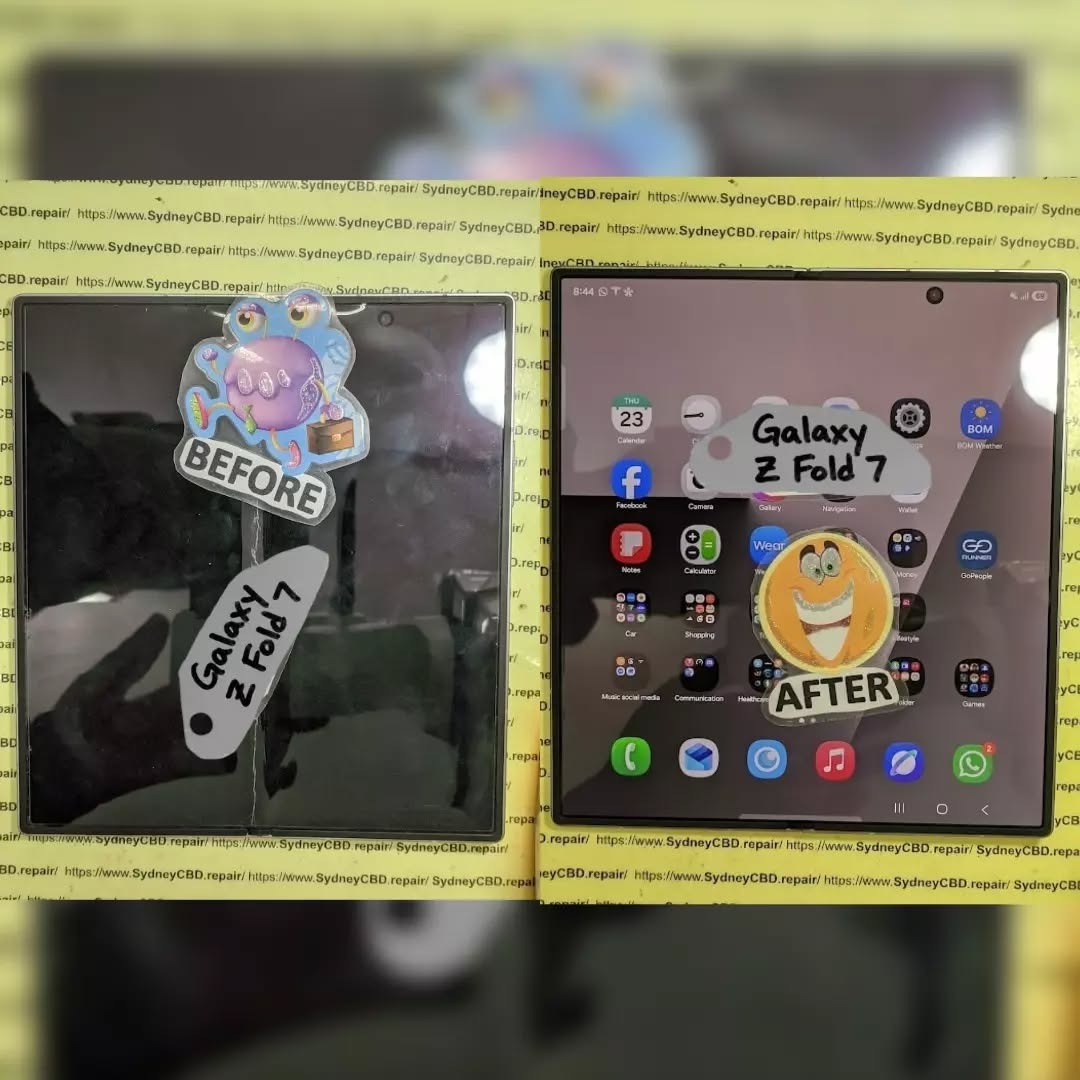
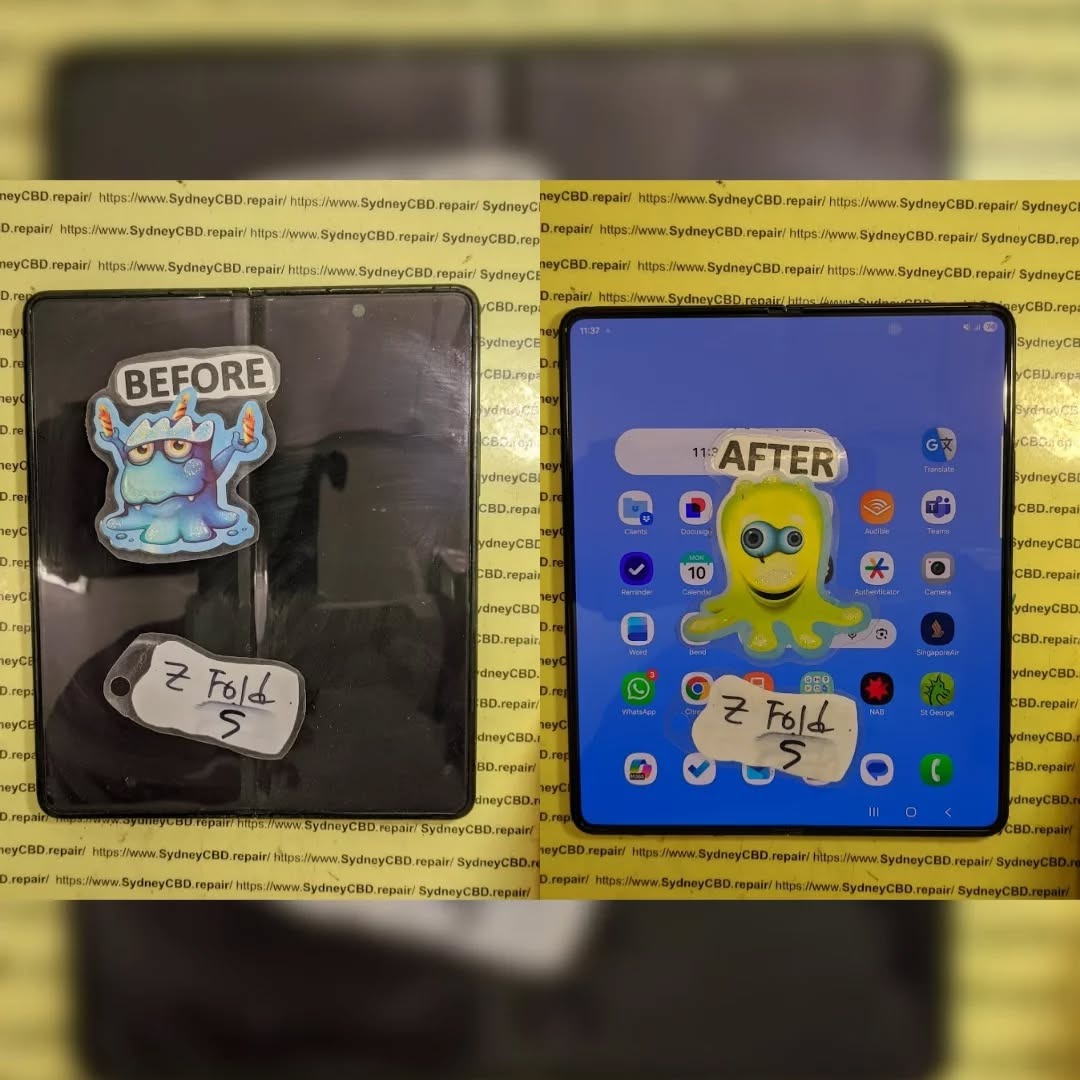
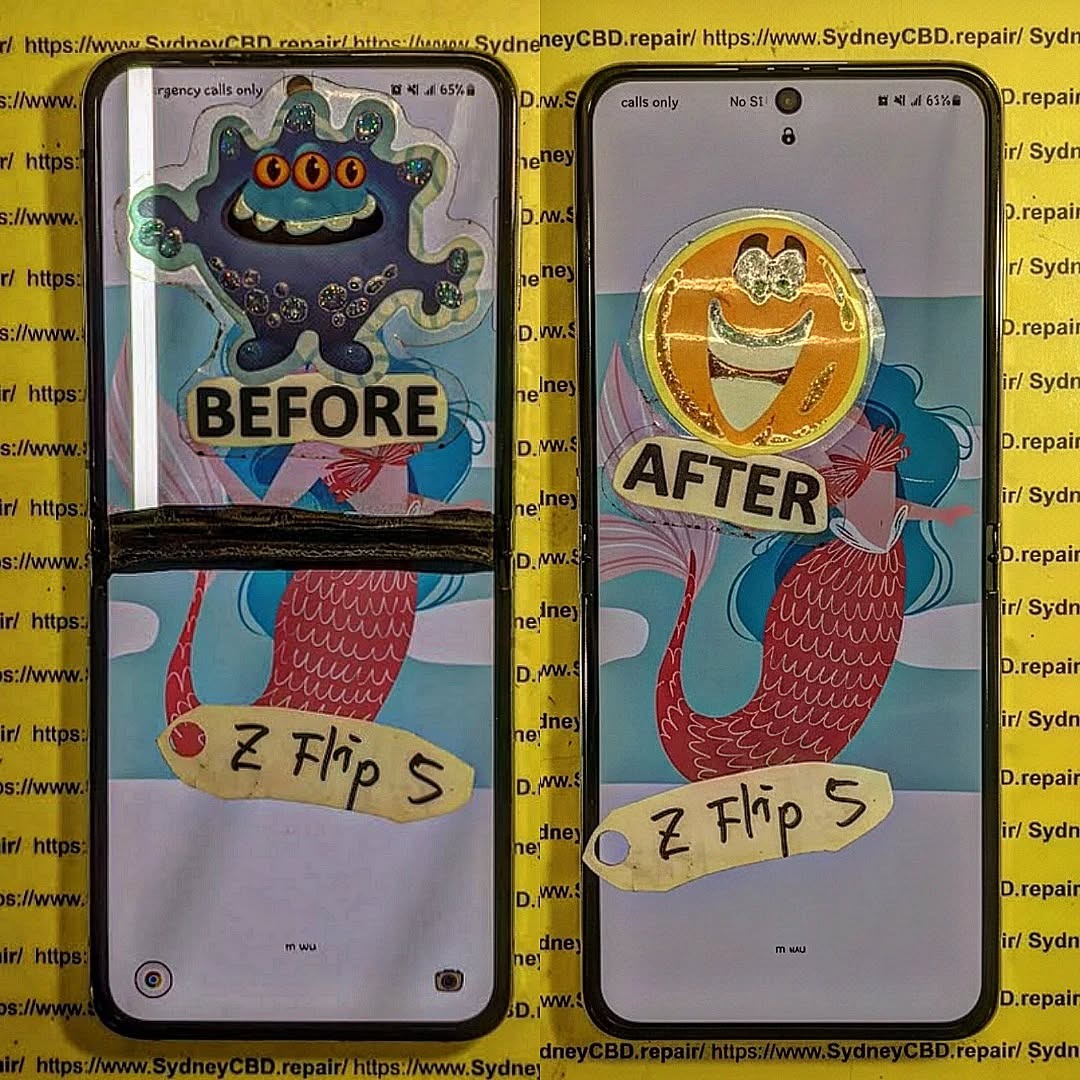
Foldable smartphones are no longer prototypes or futuristic concepts—they’re rapidly becoming mainstream devices reshaping how we use mobile technology. As brands like Samsung, Google, Huawei, and Motorola push boundaries with sleeker hinges, tougher screens, and more immersive displays, users are beginning to ask the next big question: How do we repair these next-gen flexible phone screens when something goes wrong? The Future of Foldables: Repairing Next-Gen Flexible Phone Screens isn’t just a trending topic—it’s an essential discussion for anyone who owns, repairs, or plans to invest in a foldable device.
In recent years, foldable technology has evolved from fragile plastic displays to robust ultra-thin glass (UTG), offering improved durability and a smoother touch experience. But despite these innovations, the unique materials and mechanical structures in foldables mean repairs aren’t as straightforward as fixing traditional smartphone screens. Their complex layering, adhesive bonding, and hinge-display interaction require specialized techniques, advanced tools, and expert handling.
This introduction sets the stage for a deep dive into the world of flexible phone screen technology—how it works, why it fails, and what the future of repairability looks like. As foldables continue to gain popularity, understanding these concepts becomes increasingly important for consumers, technicians, and tech enthusiasts alike. The goal? To empower you with clear, practical, and forward-thinking insights into maintaining and repairing the mobile devices of tomorrow.
Foldable smartphones are becoming the new normal in mobile innovation, and as more users invest in futuristic devices with bending screens, repairability becomes a major concern. The Future of Foldables: Repairing Next-Gen Flexible Phone Screens is a topic that every smartphone user—especially early adopters—needs to understand. These devices look sleek and work beautifully, but fixing them isn’t as straightforward as repairing traditional flat screens.
In this guide, you’ll discover how foldable screens work, why they break, what it takes to repair them, and how future technology will make repairs easier, cheaper, and more accessible.
Foldable phones rely on advanced display engineering that allows screens to bend thousands of times without losing clarity or touch sensitivity. These displays combine flexibility with durability, though the balance is still evolving.
Types of Flexible Screens
There are two main types of foldable screens today:
1. AMOLED Foldable Displays
These screens use flexible AMOLED layers that maintain brightness and color accuracy even when bent.
2. Ultra-Thin Glass (UTG) Displays
UTG offers improved scratch resistance and reduced creasing compared to plastic OLED.
Materials Used in Modern Foldables
Next-gen displays use a combination of:
Ultra-thin glass
Flexible OLED panels
Polyimide layers
Multi-layer laminated protective coatings
These materials work together to deliver durability, but they also complicate the repair process.
Although foldable screens have improved dramatically, they still face recurring issues.
Creasing and Wrinkles
Even premium devices show slight crease marks after extended use. This happens due to consistent folding pressure on the middle hinge area.
OLED Pixel Damage
Damaged pixels or dark spots may appear after drops or pressure. Because the OLED layer is thin and flexible, it’s more vulnerable than rigid displays.
Why Flexible Screens Break Differently
Foldable screens use elastic materials not found in traditional displays.
Stress Points and Repeated Folding
Every fold creates mechanical stress. Over time, this can:
Loosen layers
Cause micro-fractures
Reduce touchscreen responsiveness
Thermal Impact on Flexible OLED Layers
Heat expands the layers unevenly, increasing the chance of delamination or screen bubbling.
Repair Challenges for Foldable Screens
Repairing foldable devices is not the same as fixing normal phones. There are several unique challenges.
High Cost of Replacement Panels
Foldable panels are more expensive because:
They require specialized manufacturing
There’s limited supply
Repairs must be done with advanced equipment
Adhesive and Lamination Complexity
Foldable screens use multiple bonding layers that need precise alignment during replacement—a process nearly impossible without professional tools.
Advancements Making Repairs Cheaper and Faster
The future looks promising thanks to ongoing technological improvements.
Modular Display Layers
Manufacturers are now designing foldable displays with independent layers, making repairs less invasive.
Improved Ultra-Thin Glass (UTG) Technology
Modern UTG is:
Tougher
More flexible
Less prone to cracking
This decreases repair frequency and cost.
DIY vs Professional Repairs
Why DIY Repairs Often Fail
Trying to repair a foldable screen at home can lead to:
Touchscreen failure
Creasing
Broken hinges
Total display damage
Benefits of Choosing Certified Technicians
Professionals offer:
Proper tools
Accurate lamination
Genuine replacement parts
Device-safe diagnostics
Future Trends in Foldable Screen Repair
Self-Healing Materials
Self-repairing polymers may soon fix small scratches or creases automatically—reducing service needs.
Magnetic or Snap-On Display Modules
Future foldables may allow easier panel swaps without full disassembly.
FAQs
1. Are foldable screens easier to break than regular screens?
Yes, because they contain flexible OLED layers that are thinner and more delicate.
2. Can a crease in a foldable screen be removed?
Not completely, although UTG improvements reduce visibility.
3. How much does a typical foldable screen repair cost?
It depends on the model, but repairs often range from $400 to $900.
4. How long do foldable displays last?
Most are tested for 200,000 folds—equivalent to 5+ years of normal use.
5. Can water damage ruin a foldable display?
Absolutely. Water can seep into layers and cause irreversible pixel failure.
6. What’s the best way to protect a foldable screen?
Use manufacturer-approved screen protectors and avoid applying pressure near the hinge.
Conclusion
Foldable technology continues to evolve, and so does the repair industry supporting it. While early foldables faced major durability issues, new models are stronger, more flexible, and more repair-friendly. As materials improve and modular designs become mainstream, repairs will get cheaper and faster—making foldable phones accessible to more users worldwide.
If you rely on your foldable phone daily, choosing skilled repair professionals ensures long-term performance, device safety, and cost savings.
David from Sydney CBD Repair Centre – The Best place to fix mobile phones as 7 Years In A Row! Top Mobile Phone Repair In Sydney. More than 2000 Positive Reviews on Google and Same Day Repairs.
We take pride in delivering exceptional repair services for all major phone brands including Apple, Samsung, Google, and more. Our expert technicians use only genuine parts and offer 90 days warranty on repairs. Located in the heart of Sydney CBD, we’re your one-stop solution for all mobile device repairs.
Visit us for:
✓ Same Day Express Repairs
✓ Genuine Parts Guarantee
✓ Professional Technicians
✓ Competitive Pricing
✓ 2000+ 5-Star Google Reviews
✓ 7-Time Award Winner for Best Phone Repairs
Look Inside a Phone Repair Shop: A Day in the Life + Expert Insights + 10 Tasks Uncovered
Inside a Phone Repair Shop: A Day in the Life
Ever wondered what really happens inside a phone repair shop? It’s not just screwdrivers and shattered screens—it’s a mix of precision, customer service, troubleshooting, and time-sensitive challenges.
At Sydney CBD Repair Centre, we open our doors every morning with one mission: to get our customers back online as quickly and reliably as possible. With over 2,000 glowing Google reviews and 6 years of award-winning service, our team knows a thing or two about what goes into a day’s work.
Here’s what life looks like inside one of Sydney’s busiest phone repair centres.
No two days are the same—but cracked screens and dead batteries are always at the top of the list.
Initial Diagnostics: The First Step
Every repair starts with a thorough check-up, which includes:
Visual inspection
Touchscreen and display testing
Battery health check
Port and speaker functionality
Internal component diagnostics
This process ensures we diagnose the real issue—not just what appears broken.
Tools of the Trade: What We Use
Our repair bench is packed with industry-grade tools like:
Anti-static mats and wristbands
Precision screwdrivers
Laser machines (for glass-only replacements)
Soldering stations
Thermal imaging tools
Ultrasonic cleaning tanks (for water damage)
High-quality tools = high-quality repairs.
Meet the Technicians
Behind every repair is a trained professional technician who understands the delicate nature of mobile device hardware. At Sydney CBD Repair Centre, our team includes:
Certified iPhone and Samsung repair experts
Technicians skilled in micro-soldering
Experienced staff for Android repairs
Customer support specialists trained in tech troubleshooting
Handling Screen Repairs
Screen replacements are one of the most delicate tasks we do. The process includes:
Disassembling the phone carefully
Detaching the cracked screen
Installing a genuine replacement screen
Recalibrating display settings
Testing touch sensitivity and brightness
Cleaning and reassembling the device
Some brands, like Samsung and Google, require frame-based replacements for better structural integrity.
Battery Replacements & Quick Fixes
Modern lithium-ion batteries degrade with time. Our technicians:
Measure battery health
Replace with genuine batteries
Ensure the battery sits flush (no swelling)
Run charging cycle tests before handover
Battery replacements are often completed in under 45 minutes.
Water Damage Repairs: Behind the Scenes
Water-damaged phones go through:
Complete disassembly
Board-level diagnostics
Cleaning in an ultrasonic bath
Corrosion removal
Component-level testing
Moisture removal in a heated vacuum chamber
Success depends on how quickly you bring in the device after exposure.
Dealing with Software & Boot Issues
Sometimes it’s not the hardware—it’s the software. We handle:
Boot loops
App crashes
OS reinstallation
Data recovery
Factory resets
Unlocks and updates
We always back up data (if accessible) before making changes.
Real-Time Customer Interactions
Our front desk team plays a crucial role:
Explaining repair options
Providing transparent quotes
Educating on care tips
Offering honest recommendations
We believe in clear, jargon-free communication—every customer deserves to understand what’s happening with their device.
Quality Control: Post-Repair Testing
No repair leaves our hands without rigorous testing. This includes:
Visual inspection
Battery charging test
Display calibration
Button and port functionality
Camera check
Face ID/Touch ID functionality
Only after passing all tests do we hand the phone back to the customer.
Managing Urgent Repairs
Many customers rely on their phones for work or emergencies. For urgent jobs:
We fast-track the diagnostics
Assign senior technicians
Offer same-day turnaround (often under 2 hours)
Prioritise genuine parts availability
Express service is always available—especially for screen and battery replacements.
The Role of Genuine Parts
Using genuine parts ensures:
Optimal compatibility
Full feature retention (like Face ID)
Longevity
Manufacturer-level performance
Peace of mind under warranty
All repairs at Sydney CBD Repair Centre come with a 90-day warranty when using genuine components.
Customer Education & Repair Advice
We don’t just fix phones—we empower customers by:
Explaining the cause of the issue
Sharing tips to prevent repeat damage
Advising on accessories (like screen protectors)
Offering upgrade vs. repair comparisons
Helping with software tips and battery care
Wrapping Up: End-of-Day Tasks
By 6 PM, we:
Update inventory
Clean workstations
Confirm next-day appointments
Review quality assurance logs
Back up diagnostics data
Shut down machinery
Then we get ready to do it all again tomorrow—with the same commitment to quality, speed, and customer care.
FAQs
1. How long does a typical phone repair take?
Most screen and battery replacements are done within 1–2 hours. Water damage and complex jobs may take longer.
2. Can I walk in without an appointment?
Absolutely! We accept walk-ins every day at Sydney CBD Repair Centre.
3. Are your parts genuine?
Yes. We use only genuine parts unless otherwise requested—and all come with a 90-day warranty.
4. Do you repair all phone brands?
We service Apple, Samsung, Google, Oppo, Huawei, and more.
5. Will my data be safe during repair?
Yes. We take extreme care to avoid data loss and always inform you before any reset.
6. Do you fix tablets and smartwatches too?
Yes! We handle tablets, smartwatches, and other smart devices.
Conclusion
Working in a phone repair shop isn’t just about swapping parts—it’s about precision, patience, and people. At Sydney CBD Repair Centre, every day brings new challenges, new devices, and new opportunities to help someone reconnect with their world.
If you’ve got a phone problem—we’ve got the solution. From screen repairs and battery replacements to water damage and data recovery, trust the pros who’ve been doing it right for over 6 years.
David from Sydney CBD Repair Centre
📍 Find us: SydneyCBD.repair/locate-us
📞 Call: +61280114119
✓ Same Day Express Repairs
✓ Trusted Technicians
✓ 2000+ 5-Star Reviews
✓ Genuine Parts. Fast Fixes. Zero Fuss.
Inside Sydney CBD Repair Centre: A Day In The Life Of Master Techs – 7 Powerful Secrets Behind Expert Repairs
Introduction: What Really Happens Inside a Phone Repair Centre?
A cracked smartphone screen may look like a simple repair job. However, professional mobile phone repair involves much more than removing a damaged component and installing a replacement.
At Sydney CBD Repair Centre, every device presents a different challenge. One customer may arrive with a shattered iPhone display, while another needs a Samsung battery replacement or help with a phone that suddenly refuses to charge. Some problems are obvious. Others require careful testing before the real fault becomes clear.
That’s why the work of experienced technicians matters.
A professional repair technician combines technical knowledge, hands-on experience, specialist tools, careful inspection, and attention to detail. The goal isn’t simply to make a phone turn on again. It’s to identify the problem, complete the repair correctly, test the device, and return it to the customer in reliable working condition.
This behind-the-scenes look at Sydney CBD Repair Centre explores what a typical day can involve and why professional repair techniques can make such a difference.
From early-morning preparation to final quality checks, there’s plenty happening behind the repair counter.
Before the first customer walks through the door, professional technicians have plenty to do.
A repair centre needs to be organised because mobile phones aren’t all built the same way. Different models require different tools, components, procedures, and testing methods.
The day typically begins by preparing the work area.
Technicians need a clean and organised workspace where small components can be handled safely. Precision screwdrivers, pry tools, inspection equipment, cleaning materials, testing devices, and other specialist tools need to be readily available.
Organisation might sound like a small detail, but it can have a major effect on repair quality.
A cluttered workspace can increase the chance of misplaced screws, damaged components, or unnecessary delays. A well-prepared workstation, on the other hand, allows technicians to focus on the device in front of them.
Checking Tools and Equipment
Professional repairs require more than a screwdriver.
Depending on the repair, technicians may work with:
Precision screwdrivers
Opening and separation tools
Magnification equipment
Diagnostic software
Battery testing equipment
Cleaning tools
Heat-control equipment
Replacement components
Device testing accessories
Each tool has a specific purpose.
The technician’s experience also matters. Having the right equipment doesn’t automatically make someone a skilled repairer. Knowing how and when to use each tool is equally important.
Reviewing the Repair Queue
Once the workspace is ready, technicians can review the day’s expected repairs.
These may include:
Screen replacement
Battery replacement
Charging-port issues
Camera problems
Speaker faults
Microphone problems
Back-glass damage
Water-damaged devices
Software-related issues
General diagnostic requests
Every repair is different, even when two customers have the same phone model.
For example, two phones with cracked screens may require completely different approaches if one has suffered additional internal damage.
That’s why experienced technicians don’t simply rush into the repair.
They inspect first.
2. The First Customer: Understanding the Problem
When a customer brings in a phone, the first step isn’t always opening the device.
It’s listening.
Customers often know exactly what happened. Perhaps the phone was dropped on concrete, exposed to water, left charging overnight, or suddenly stopped responding.
That information can provide valuable clues.
A technician may ask questions such as:
When did the problem begin?
Was the phone recently dropped?
Has it been exposed to water?
Does the device still turn on?
Is the screen responsive?
Does it charge?
Has the phone been repaired previously?
Did another component stop working at the same time?
These questions help establish a useful repair history.
Why Customer Information Matters
A phone’s visible problem isn’t always the root problem.
Imagine a customer arrives because the display is black. It would be easy to assume that the screen needs replacement. But the actual issue could involve the battery, charging system, internal connection, or another component.
Likewise, a phone that won’t charge may have a damaged charging port, but it could also have debris inside the port, a faulty cable, a battery problem, or another internal issue.
Professional diagnostics help separate symptoms from causes.
Creating a Repair Plan
After gathering information, the technician can explain the next step.
This is where transparency becomes important.
Customers deserve to understand what is being inspected and what the likely repair involves. If additional damage is discovered, the technician should explain the situation rather than simply proceeding without discussion.
A clear repair process builds trust.
And when your phone contains your photos, contacts, work information, banking apps, messages, and personal files, trust isn’t something to take lightly.
Diagnostics are one of the most important parts of mobile phone repair.
A skilled technician doesn’t simply replace parts until something works.
Instead, the device is assessed systematically.
The technician may inspect the external condition first. They can then check the display, buttons, cameras, speakers, microphones, charging system, battery performance, connectivity, and other relevant functions.
This process can reveal additional damage that isn’t immediately visible.
Visual Inspection
The first inspection may identify:
Cracks
Bent frames
Missing components
Damaged buttons
Signs of liquid exposure
Gaps around the display
Broken camera glass
Damage around charging ports
Physical damage can provide clues about what happened internally.
Functional Testing
The technician may then test the device’s major functions.
Depending on the problem, this can include:
Power and startup
Touchscreen response
Display brightness
Camera operation
Speaker output
Microphone recording
Charging behaviour
Wi-Fi and Bluetooth
Mobile network functions
Buttons and biometric features
Not every repair requires every test, but comprehensive testing can be useful when the device has suffered significant damage.
Why Diagnosis Saves Time
Correct diagnosis can prevent unnecessary repairs.
For example, replacing a charging port when the real problem is simply debris inside the port would be unnecessary. Similarly, replacing a screen without checking for additional internal damage could leave the customer with an unresolved problem.
That’s why professional technicians take the time to investigate.
The golden rule is simple: diagnose first, repair second.
4. Screen Repairs: Precision Matters
Cracked screens are among the most common smartphone problems.
A phone can slip from a pocket, fall from a desk, or land awkwardly on a hard surface. Even a short drop can create a spiderweb of cracks across the display.
However, replacing a modern smartphone screen isn’t simply a matter of removing glass and putting on a new panel.
The technician must carefully separate the damaged component, protect internal parts, transfer relevant components where necessary, install the replacement correctly, and test the finished device.
Inspecting Damage Before Replacement
A cracked screen can sometimes hide other problems.
Technicians may check whether:
The frame is bent
Touch functionality still works
The display has dead areas
The front camera functions correctly
Sensors operate normally
Internal components show signs of impact
If the frame is severely damaged, installing a new display may require additional consideration.
Precision During Installation
Modern smartphones contain tightly packed components.
A technician must work carefully around:
Flexible cables
Cameras
Sensors
Batteries
Connectors
Speakers
Internal boards
A rushed repair can create new problems.
That’s why professional experience and appropriate tools are so important.
Final Screen Testing
After installation, the technician should test the display.
This can include checking:
Touch response
Brightness
Colour and image quality
Front camera
Sensors
Face or biometric functions where applicable
Screen alignment
A repair isn’t finished simply because the screen lights up.
The device needs to be checked as a complete unit.
5. Battery Replacement: More Than Just a New Battery
Battery problems can be frustrating.
A phone might drain rapidly, shut down unexpectedly, struggle to hold a charge, or become unreliable during normal daily use.
Battery replacement can restore practical usability, but safety is a major consideration.
Smartphone batteries are compact lithium-based power sources. They need to be handled carefully during removal and installation.
Identifying Battery Problems
Technicians may look for symptoms such as:
Rapid battery drain
Unexpected shutdowns
Poor battery life
Charging inconsistencies
Performance issues associated with an ageing battery
Physical swelling
A swollen battery deserves particular attention because continuing to use a physically damaged battery can create additional risks.
Safe Removal
Removing a battery from a modern smartphone requires care.
The battery may be secured inside the device, and other components can be located nearby. Excessive force or incorrect tools can damage internal parts.
Experienced technicians understand that patience is often faster than rushing.
Testing the Replacement
After a battery replacement, the technician can check charging behaviour, startup, battery recognition, and general operation.
The customer should receive a device that has been tested rather than simply reassembled.
6. Water Damage: Acting Carefully
Water damage is one of the repair problems where time can matter.
A phone that has been dropped into water, exposed to heavy rain, or affected by another liquid may continue operating initially. That doesn’t necessarily mean the internal components are unaffected.
Liquid can reach areas that aren’t visible from the outside.
What Technicians Look For
A professional inspection may involve checking for:
Corrosion
Liquid indicators
Moisture around connectors
Contamination
Damaged components
Charging problems
Display issues
Battery concerns
Water-damaged devices can be unpredictable because corrosion may continue affecting components over time.
What Customers Should Avoid
If a phone becomes wet, avoid repeatedly turning it on just to see whether it works.
Also avoid relying on household fixes as a substitute for professional inspection.
If the device contains important information, prompt professional assessment may help determine whether the phone can be safely restored.
The key lesson is simple: don’t assume that a working phone is an undamaged phone.
7. Charging Problems: Looking Beyond the Port
A phone that won’t charge can cause plenty of frustration.
Many people immediately blame the charging port. Sometimes that’s correct. Sometimes it isn’t.
Technicians can investigate several possible causes.
These may include:
Damaged charging ports
Dirt or debris
Faulty charging accessories
Battery problems
Software-related issues
Internal connection problems
Board-level faults
Careful Inspection
Charging ports are exposed to pockets, bags, dust, lint, and everyday debris.
A small amount of compacted material can sometimes interfere with proper charging.
However, attempting aggressive cleaning with inappropriate objects can cause damage.
A professional technician can inspect the port and determine whether cleaning, component replacement, or further diagnosis is appropriate.
Testing After Repair
Once the issue has been addressed, charging should be tested.
Depending on the device, technicians may check charging consistency and other related functions.
The goal isn’t just to make the charging symbol appear. It’s to establish whether the device is behaving normally.
8. Brand-Specific Expertise: Apple, Samsung, Google and More
Modern smartphones vary considerably between brands and models.
Apple, Samsung, Google, and other manufacturers use different designs, components, software systems, and repair procedures.
This means a technician needs broad knowledge.
Apple Repairs
Apple devices can require careful handling because internal components are tightly integrated.
Screen, battery, charging, camera, and other repairs each have their own considerations.
For official information about Apple devices and service, customers can consult Apple Support.
Samsung Repairs
Samsung produces a wide range of devices, from entry-level smartphones to premium Galaxy models.
Repair procedures can vary significantly between models.
Technicians therefore need to identify the exact model before selecting components or beginning a repair.
Google and Other Android Devices
Google Pixel and other Android smartphones also have model-specific construction and repair requirements.
The same principle applies across the industry:
Know the device before opening it.
Professional experience helps technicians adapt their approach instead of relying on a one-size-fits-all method.
9. Quality Control: The Repair Isn’t Finished Yet
One of the most important parts of a professional repair happens after the replacement itself.
It’s called quality control.
A technician should verify that the repair has solved the original problem and hasn’t introduced another one.
A Typical Post-Repair Check
Depending on the repair, technicians may test:
Component
Possible Test
Display
Touch, brightness, image quality
Battery
Charging and power behaviour
Camera
Front and rear camera operation
Speaker
Audio output
Microphone
Voice recording
Charging port
Charging connection
Buttons
Physical response
Connectivity
Wi-Fi, Bluetooth, network functions
Sensors
Relevant sensor operation
This extra step may take a few minutes, but it can make a major difference.
Why Quality Control Builds Confidence
Imagine collecting your phone after a screen replacement and discovering later that the microphone doesn’t work.
That’s exactly the sort of issue final testing is designed to catch.
Professional repair isn’t only about replacing a damaged part. It’s about returning a functioning device.
10. Same-Day Repairs: Speed Without Cutting Corners
Customers often need their phones quickly.
For many people, a smartphone isn’t simply a gadget. It’s a communication tool, navigation device, work accessory, camera, payment tool, and connection to everyday life.
That’s why same-day repair services can be valuable.
However, speed shouldn’t mean rushing.
The real challenge is balancing efficiency with accuracy.
How Experienced Technicians Work Efficiently
Experienced technicians can often work efficiently because they understand common repair procedures.
They know:
Which tools are needed
Which components require special care
Where common faults occur
Which tests should be performed
How to organise the repair process
This experience can reduce unnecessary delays.
A Simple Principle
A fast repair is useful.
A fast repair that has to be redone isn’t.
The best workflow aims to complete the job efficiently while maintaining careful workmanship and appropriate testing.
11. Genuine Parts and Component Quality
The quality of replacement components can influence the repair experience.
A replacement part needs to be appropriate for the specific device and repair.
At Sydney CBD Repair Centre, customers are informed that the centre uses genuine parts for its repairs.
Component quality matters because smartphones depend on tightly integrated hardware.
For example, a replacement display isn’t simply a piece of glass. It can involve touch functionality, brightness, colour reproduction, sensors, cameras, and other connected features.
Likewise, a replacement battery needs to be suitable for the particular device.
Why Compatibility Matters
Using the wrong component can result in:
Poor performance
Compatibility problems
Reduced reliability
Additional faults
The need for another repair
That’s why professional technicians identify the exact phone model before beginning work.
12. Common Repair Mistakes and Why Experience Matters
DIY repair videos can make smartphone repairs look surprisingly easy.
The reality can be different.
Modern phones are compact and delicate. A mistake made during disassembly can cause damage that wasn’t present before the repair began.
Common problems can include:
Using excessive force
Damaging flexible cables
Puncturing batteries
Losing tiny screws
Damaging connectors
Installing incompatible parts
Forgetting to test components
Closing the device before checking all functions
Experience Makes a Difference
An experienced technician has seen many different failure patterns.
They can recognise signs that might not be obvious to someone performing their first repair.
This is one of the strongest reasons people choose professional repair services.
You aren’t only paying for a replacement component.
You’re also paying for knowledge, tools, experience, testing, and accountability.
13. Customer Experience: Communication Builds Trust
Technical skill is only one part of a successful repair service.
Communication matters, too.
Customers want to know what’s wrong with their device, what can be repaired, how long the process may take, and what to expect.
A professional repair centre should aim to make that information easy to understand.
Clear Communication Includes
Explaining the diagnosed issue
Discussing repair options
Providing relevant pricing information
Explaining unexpected findings
Setting realistic expectations
Answering customer questions
Explaining the repair after completion
Good communication helps remove uncertainty.
And when your phone contains valuable personal information, knowing that it’s being handled professionally can provide peace of mind.
14. What Makes a Professional Repair Different?
There are plenty of places where people can find phone repair advice.
The difference between professional repair and an improvised fix often comes down to process.
A professional approach includes:
Listening to the customer’s description
Inspecting the device
Diagnosing the problem
Selecting appropriate components
Using suitable tools
Performing the repair carefully
Testing the device
Communicating the result
Providing relevant warranty information
This structured approach reduces guesswork.
It also creates accountability.
At Sydney CBD Repair Centre, the stated repair service includes a 90-day warranty on repairs, giving customers an additional point of confidence when choosing a repair service.
15. FAQs About Professional Mobile Phone Repairs
How long does a phone repair take?
Repair times depend on the device, the type of damage, parts availability, and the complexity of the repair. Common repairs such as certain screen or battery replacements may be completed the same day when the required components are available.
Can a cracked phone screen be repaired?
In many cases, a damaged screen can be replaced. The technician should first inspect the device for additional damage, including frame problems, touch issues, camera problems, and internal impact.
Is battery replacement worth considering?
If a battery has significantly degraded or is causing charging and power problems, replacement may restore more reliable everyday use. A technician can inspect the device and explain whether battery replacement is appropriate.
What should I do if my phone gets wet?
Avoid repeatedly powering the phone on and seek professional assessment as soon as practical. Liquid damage can affect internal components even when the device initially appears to work normally.
Can you repair charging problems?
Charging faults can have several causes. A technician can inspect the charging port, check for debris or physical damage, test the battery and charging behaviour, and determine whether further repair is required.
Do professional technicians repair Apple and Samsung phones?
Professional mobile phone repair centres can service a range of brands and models. The exact repair options depend on the device, its condition, available components, and the nature of the fault.
Why is professional diagnosis important?
Diagnosis helps identify the actual cause of a problem rather than simply replacing components based on symptoms. This can reduce unnecessary repairs and help ensure the correct solution is applied.
Does Sydney CBD Repair Centre offer same-day repairs?
Sydney CBD Repair Centre promotes same-day express repairs for supported devices and repair types. Actual completion time can depend on the phone model, damage, parts availability, and repair complexity.
Are repairs covered by a warranty?
Sydney CBD Repair Centre states that its repairs include a 90-day warranty. Customers should confirm the specific warranty terms applicable to their individual repair.
Should I repair or replace my phone?
That depends on several factors, including the phone’s age, condition, repair cost, performance, battery health, and replacement price. A professional technician can assess the device and explain the available repair option without requiring you to make an immediate decision.
Conclusion: Behind Every Good Repair Is Careful Work
A professional phone repair may look simple from the outside.
Behind the counter, however, there’s a structured process involving diagnosis, precision, experience, suitable components, specialist tools, testing, and customer communication.
That’s the real story behind a day in the life of master techs at Sydney CBD Repair Centre.
From the first inspection in the morning to the final quality check before a customer collects their phone, every stage matters.
Whether it’s a cracked screen, weak battery, charging fault, water damage, camera problem, or another device issue, careful diagnosis should come before repair.
After all, your smartphone isn’t just another electronic device. It’s often where your work, photos, conversations, contacts, documents, and everyday life come together.
When something goes wrong, professional workmanship can make the repair process far less stressful.
If you’re looking for mobile phone repair in Sydney CBD, a careful inspection is a sensible place to start.
David from Sydney CBD Repair Centre – The Best place to fix mobile phones as 7 Years In A Row! Top Mobile Phone Repair In Sydney. More than 2000 Positive Reviews on Google and Same Day Repairs.
We take pride in delivering exceptional repair services for all major phone brands including Apple, Samsung, Google, and more. Our expert technicians use only genuine parts and offer 90days warranty on repairs. Located in the heart of Sydney CBD, we’re your one-stop solution for all mobile device repairs.
Our commitment to excellence has earned us the trust of thousands of satisfied customers. Whether it’s a cracked screen, battery replacement, or water damage repair, we handle it all with professional care and expertise. Walk in today and experience why we’re Sydney’s #1 choice for mobile phone repairs.
Visit us for:
✓ Same Day Express Repairs
✓ Genuine Parts Guarantee
✓ Professional Technicians
✓ Competitive Pricing
✓ 2000+ 5-Star Google Reviews
✓ 7-Time Award Winner for Best Phone Repairs
Sydney CBD Repair Centre – Where Quality Meets Reliability.
Call : +61280114119
Website: Sydney CBD Repair Centre
What Is The Most Extreme Phone Damage We’ve Repaired at Sydney CBD Repair Centre? – Shocking Stories & 7 Unbelievable Fixes
Introduction to Extreme Phone Damage Cases
At Sydney CBD Repair Centre, we’ve seen it all—and then some. From phones crushed under heavy vehicles to devices pulled from the ocean weeks later, the most extreme phone damage we’ve repaired at Sydney CBD Repair Centre goes far beyond cracked screens and worn-out batteries. These cases test not only the limits of mobile devices but also the expertise, patience, and innovation of our technicians.
Phones today are powerful, compact, and essential. However, they’re also vulnerable. Accidents happen fast, and when they do, customers often assume the worst. Still, time and again, we’ve proven that even the most extreme phone damage can often be repaired—saving data, money, and memories.
In this article, we’ll walk you through seven shocking real-life repair stories, explain how professional diagnostics make a difference, and show why trusting experts matters more than ever.
You might think extreme phone damage is rare. In reality, it’s becoming increasingly common. Busy lifestyles, constant device use, and environmental exposure all play a role. Phones are dropped from balconies, left on car roofs, exposed to seawater, or damaged during DIY repairs.
Moreover, modern smartphones are more complex than ever. A single incident can affect multiple components at once—screen, logic board, battery, and cameras. That’s why the most extreme phone damage we’ve repaired at Sydney CBD Repair Centre often involves layered issues rather than one obvious fault.
Case Study #1: Phone Run Over by a Truck
This case still shocks new technicians. A customer accidentally dropped their phone in a parking lot, and before they noticed, a delivery truck rolled right over it.
Damage Assessment Process
The phone arrived with:
Shattered front and back glass
Bent aluminium frame
Non-responsive display
No power
At first glance, it looked beyond saving. However, our diagnostic tools revealed that the logic board was intact—a critical discovery.
Repair Strategy and Outcome
We replaced:
Screen assembly
Battery
Housing and frame
Charging port
After careful reassembly and testing, the phone powered on successfully. Data was fully recovered. This repair stands as one of the most extreme phone damage we’ve repaired at Sydney CBD Repair Centre—and a reminder not to give up too soon.
Case Study #2: Severe Water and Saltwater Damage
Water damage is common, but saltwater damage is a different beast entirely.
Internal Corrosion Challenges
Salt accelerates corrosion. In this case, the phone had been submerged in the ocean for two days. Internally, connectors and chips showed visible oxidation.
Advanced Cleaning Techniques
Using ultrasonic cleaning and specialised chemical solutions, we removed corrosion from the logic board. Several components were microsoldered and replaced. While the phone required extensive work, it eventually powered on and functioned normally.
This case highlights why professional intervention matters. According to Apple’s official water damage guidance, improper drying methods can worsen internal damage.
Case Study #3: Phone Burnt in a House Fire
Fire damage is rare—but devastating.
Heat Damage to Components
The phone casing had partially melted. Internally, the battery was destroyed, and the screen layers had fused together.
Data Recovery Success
While the phone itself couldn’t be fully restored, our technicians focused on data recovery. By isolating the memory chip, we successfully retrieved photos and documents. For the customer, this outcome mattered more than the device itself.
Case Study #4: Folded, Bent, and Crushed Frames
We often see phones bent in back pockets—but this one was folded nearly in half after being caught in gym equipment.
Structural Integrity Testing
Bent frames compromise internal alignment. We transferred all salvageable components into a new housing. After recalibration and stress testing, the phone passed all functionality checks.
Case Study #5: DIY Repair Gone Wrong
DIY repairs are tempting. Unfortunately, they often lead to more damage.
Common DIY Mistakes
In this case:
Incorrect screws punctured the logic board
Battery connector was torn
Screen cables were damaged
We replaced multiple components and corrected internal alignment. The phone was saved—but at a higher cost than a professional repair would’ve been initially.
Case Study #6: Battery Explosion and Power Failure
A swollen battery eventually ruptured due to prolonged overheating.
Safety Measures and Replacement
We safely removed the damaged battery, inspected surrounding components, and replaced the power management IC. The phone powered on safely, with no further risk.
Case Study #7: Phones Retrieved from the Ocean
One of the most extreme phone damage cases involved a phone recovered after three weeks underwater.
Long-Term Salt Exposure Effects
The phone required:
Full logic board cleaning
Multiple component replacements
New display and battery
Amazingly, after weeks of work, it functioned again. This repair perfectly embodies the most extreme phone damage we’ve repaired at Sydney CBD Repair Centre.
Our technicians combine formal training with real-world problem-solving. That’s how we consistently achieve results others can’t.
What These Extreme Phone Damage Repairs Teach Us
Every extreme repair teaches a lesson:
Don’t assume a phone is beyond saving
Act quickly after damage
Avoid DIY fixes for complex issues
Choose experienced professionals
Phones are resilient—but expert care makes all the difference.
Frequently Asked Questions (FAQs)
1. Can extreme phone damage really be repaired?
Yes, in many cases. Even severe damage can often be partially or fully repaired.
2. Is water-damaged phone repair worth it?
Often, yes—especially if data recovery is important.
3. How long do extreme repairs take?
Anywhere from same day to several days, depending on severity.
4. Will data be lost during extreme repairs?
We prioritise data preservation whenever possible.
5. Are genuine parts used in extreme repairs?
Absolutely. We use only high-quality, genuine or equivalent parts.
6. Is there a warranty on these repairs?
Yes, all repairs include a 90-day warranty.
Conclusion
From crushed frames to fire damage, the most extreme phone damage we’ve repaired at Sydney CBD Repair Centre proves that hope isn’t lost when accidents happen. With the right tools, expertise, and commitment, even the most shocking cases can have positive outcomes.
If your phone has suffered serious damage, don’t give up. Bring it to professionals who’ve seen—and fixed—it all.
David from Sydney CBD Repair Centre – The Best place to fix mobile phones as 6 Years In A Row! Top Mobile Phone Repair In Sydney. More than 2000 Positive Reviews on Google and Same Day Repairs.
We take pride in delivering exceptional repair services for all major phone brands including Apple, Samsung, Google, and more. Our expert technicians use only genuine parts and offer 90days warranty on repairs. Located in the heart of Sydney CBD, we’re your one-stop solution for all mobile device repairs.
Our commitment to excellence has earned us the trust of thousands of satisfied customers. Whether it’s a cracked screen, battery replacement, or water damage repair, we handle it all with professional care and expertise. Walk in today and experience why we’re Sydney’s #1 choice for mobile phone repairs.
Visit us for:
✓ Same Day Express Repairs
✓ Genuine Parts Guarantee
✓ Professional Technicians
✓ Competitive Pricing
✓ 2000+ 5-Star Google Reviews
✓ 6-Time Award Winner for Best Phone Repairs
Deconstructing One UI 8.5’s Impact on Android Phone Repair: 10 Key Insights You Need
Introduction to One UI 8.5
Samsung’s One UI 8.5 represents a significant step forward in Android customization, blending aesthetics, performance, and user-centric design. This latest iteration focuses on smoother interactions, enhanced multitasking, and intelligent device management. But beyond its user-friendly appeal, One UI 8.5 also carries implications for Android phone repair, both for technicians and end-users.
In particular, the update brings changes to adaptive battery management, touch sensitivity adjustments, and security layers that influence hardware repair strategies. For repair centres like Sydney CBD Repair Centre, understanding these nuances ensures timely fixes, accurate diagnostics, and reduced risk of post-repair complications.
Evolution from Previous Versions
Compared to One UI 8.0 and earlier versions, 8.5 introduces subtle but meaningful enhancements:
Smoother animations and gestures: Reduces UI lag but introduces new calibration challenges for touchscreens.
Advanced multitasking features: Split-screen and pop-up windows are more seamless but add stress to processor-intensive tasks, occasionally affecting diagnostics.
Improved security protocols: Stronger encryption and tighter bootloader restrictions make firmware repair more intricate.
These features collectively impact repair workflows, especially for software-dependent diagnostics or hardware swaps.
Key Features Affecting Hardware
One UI 8.5’s innovations extend to hardware behavior. For instance:
Adaptive refresh rates: 120Hz or variable refresh modes can strain screen drivers.
Battery optimization AI: Modifies charging cycles, affecting battery health and replacement intervals.
Repairing Android devices requires a mix of technical expertise, proper tools, and an understanding of both hardware and software dynamics. One UI 8.5, while primarily software-focused, intersects with hardware performance in ways that repair centres must consider.
Common Repair Types
The most frequent Android repairs impacted by One UI 8.5 include:
Screen replacements: Especially for devices using variable refresh rate AMOLED displays.
Battery swaps: Adaptive charging may affect longevity, altering replacement schedules.
Software-related issues: Update-induced slowdowns, boot loops, or app crashes.
Camera repairs: UI changes can affect sensor calibration.
Tools and Techniques
Repair tools need recalibration in some cases:
Diagnostic software: Must support One UI 8.5 firmware.
Touchscreen calibrators: To account for gesture and sensitivity changes.
Battery testers: Adaptive charging AI requires different assessment metrics.
Understanding these changes is critical for delivering accurate repairs without inadvertently causing new problems.
While many repairs are hardware-focused, One UI 8.5 introduces software complexities that directly impact repair strategies.
Security Updates and Unlocking Devices
Samsung’s security protocols have strengthened in 8.5, making certain tasks more challenging:
Unlocking bootloaders or accessing service menus may require updated credentials or specialized tools.
Device encryption and Knox security limit unauthorized repairs or custom firmware installations.
Technicians need updated certifications and tools to navigate these protections safely.
Firmware Compatibility Issues
Firmware mismatches can result in:
Malfunctioning touchscreen gestures
Inaccurate battery calibration
Performance slowdowns or random reboots
Repair centres must maintain the latest software libraries to avoid introducing complications post-repair.
One UI 8.5 and Battery Performance
Battery health is a critical aspect affected by One UI 8.5. The update optimizes power management, but this also affects repair timelines and diagnostic procedures.
Power Management Features
Key features impacting repairs include:
Adaptive Battery AI: Adjusts app energy usage based on usage patterns.
These examples highlight how One UI 8.5 features intersect with hardware repairs.
FAQs
Q1: Does One UI 8.5 make screen repairs harder?
A1: Yes, due to adaptive refresh rates and gesture sensitivity, screen replacements require recalibration for optimal functionality.
Q2: Will battery replacement schedules change with One UI 8.5?
A2: Adaptive AI charging may extend battery life, but replacements must consider AI recalibration to avoid false readings.
Q3: Can all repair centres handle One UI 8.5 devices?
A3: Only centres with updated diagnostic tools and trained technicians can efficiently repair these devices.
Q4: Are there new security challenges for repairs?
A4: Yes, Knox and firmware encryption may limit unauthorized access, requiring certified tools.
Q5: How can users prevent post-update issues?
A5: Regularly update apps, monitor battery health, and avoid heavy multitasking immediately after installing the update.
Q6: Do repairs cost more with One UI 8.5?
A6: Slightly, due to additional calibration, software diagnostics, and updated tools required.
Conclusion
One UI 8.5 enhances the Android experience with smarter AI, smoother gestures, and optimized performance. However, these improvements come with a ripple effect on phone repair, necessitating updated tools, technician training, and careful diagnostic procedures.
Repair centres like Sydney CBD Repair Centre stay ahead of these challenges by leveraging expertise, certified tools, and detailed knowledge of software-hardware interplay. For users, understanding the implications of One UI 8.5 ensures smoother device maintenance, longer battery life, and reduced repair surprises.
For detailed repair assistance and certified One UI 8.5 support, visit Sydney CBD Repair Centre.
David from Sydney CBD Repair Centre – The Best place to fix mobile phones as 6 Years In A Row! Top Mobile Phone Repair In Sydney. More than 2000 Positive Reviews on Google and Same Day Repairs.
We take pride in delivering exceptional repair services for all major phone brands including Apple, Samsung, Google, and more. Our expert technicians use only genuine parts and offer 90days warranty on repairs. Located in the heart of Sydney CBD, we’re your one-stop solution for all mobile device repairs.
Our commitment to excellence has earned us the trust of thousands of satisfied customers. Whether it’s a cracked screen, battery replacement, or water damage repair, we handle it all with professional care and expertise. Walk in today and experience why we’re Sydney’s #1 choice for mobile phone repairs.
Visit us for:
✓ Same Day Express Repairs
✓ Genuine Parts Guarantee
✓ Professional Technicians
✓ Competitive Pricing
✓ 2000+ 5-Star Google Reviews
✓ 6-Time Award Winner for Best Phone Repairs
Unfolding the Problem: Samsung Z Flip 7 Hinge & Screen Integration Fix + Ultimate 7-Step Guide
Introduction
The Samsung Z Flip 7 has redefined the smartphone experience with its innovative foldable design, merging compact portability with a full-sized display. While this cutting-edge technology offers convenience and style, it also introduces unique challenges, particularly in the hinge and screen integration. Many users report issues like hinge looseness, screen creasing, or unresponsive touch areas, which can significantly affect device performance and longevity.
Understanding these problems is crucial for both users and repair professionals. Whether you’re experiencing minor alignment issues or considering a complete screen replacement, knowing the root causes, preventive measures, and repair options is key to maintaining your device’s functionality. In this comprehensive guide, we’ll explore common Samsung Z Flip 7 hinge and screen issues, diagnostic steps, repair techniques, preventive tips, cost considerations, and professional solutions. By the end, you’ll be equipped to make informed decisions about keeping your foldable smartphone in top condition.
The Samsung Z Flip 7 is a marvel of modern engineering, offering users the convenience of a compact device with a full-sized screen. However, with its foldable design, hinge and screen integration issues are common and can significantly impact usability. In this article, we explore the root causes of these problems, provide practical solutions, and guide you through both professional and DIY repair options.
To effectively repair hinge or screen issues, understanding the Samsung Z Flip 7’s design is essential. The device integrates a flexible OLED display with a sophisticated hinge mechanism, allowing it to fold seamlessly while maintaining structural integrity.
The Foldable Screen Technology Explained
The Z Flip 7 uses a foldable AMOLED display with multiple layers, including a protective polymer layer, flexible glass, and a high-resolution OLED layer. This combination ensures a vibrant display but also makes it more delicate than traditional smartphone screens. Creases and touch sensitivity problems often occur when the device is mishandled or folded incorrectly.
Hinge Mechanism and Durability Factors
The hinge mechanism is engineered with multiple interlocking gears and springs, designed to withstand thousands of folds. Despite this, factors like dust accumulation, accidental drops, or excessive force can cause looseness, misalignment, or even partial hinge failure. Proper maintenance and careful usage are crucial to prevent long-term issues.
Common Hinge & Screen Issues
Identifying the common problems helps users decide whether a DIY fix is feasible or if professional repair is necessary.
Screen Creasing and Damage
Creasing occurs when repeated folding stresses the display. Visible lines or color distortions can appear along the fold. Over time, this may lead to cracks or delamination of the screen layers. Preventive measures include avoiding pressure on the fold and cleaning debris regularly.
Hinge Looseness and Misalignment
Users often notice the hinge feeling wobbly or uneven. Misalignment can result in the device not closing completely, gaps forming, or uneven screen tension. Ignoring these signs may worsen the problem, making repairs more complex and costly.
Software-Related Screen Malfunctions
Occasionally, touch sensitivity issues or unresponsive areas are caused by software glitches rather than physical damage. Regular updates and recalibration through Samsung’s built-in diagnostic tools can resolve these minor malfunctions without requiring hardware intervention.
Accurate diagnosis ensures the right repair strategy.
Visual Inspection Techniques
Check the fold area for dust, debris, and scratches. Look for uneven gaps in the hinge, creases on the screen, and signs of wear around the edges. Use a bright light to detect small cracks that may not be immediately visible.
Functional Testing Procedures
Test the device by gently folding and unfolding it. Pay attention to resistance, unusual sounds, or irregular screen behavior. Verify touch sensitivity across the entire display, and observe for any areas that fail to respond. Logging these observations will guide whether a screen replacement, hinge adjustment, or software fix is required.
Professional vs DIY Repairs
Deciding between professional and DIY repair depends on technical skill, risk tolerance, and warranty considerations.
Risks of DIY Repair
DIY repairs carry significant risks, including voiding warranty, damaging delicate screen layers, and improper hinge realignment. Foldable screens are highly sensitive, and even minor mistakes can make the device unusable.
Benefits of Professional Repair
Professional repair centers, like Sydney CBD Repair Centre, provide expertise, specialized tools, and genuine parts. Repairs performed by trained technicians come with warranties, ensuring long-term reliability. For complex issues, professional intervention is strongly recommended.
Samsung Z Flip 7 Hinge Repair Techniques
Fixing hinge issues requires precision and careful handling.
Hinge Realignment Procedures
Power off the device and place it on a soft, clean surface.
Remove external debris with a soft brush or compressed air.
Gently loosen hinge screws if accessible, aligning gears for uniform tension.
Test folding motion and adjust incrementally until smooth without resistance.
Lubrication and Cleaning Tips
Use a specialized electronic-safe lubricant sparingly to reduce friction. Avoid oil-based lubricants that can degrade plastic components. Regular cleaning helps prevent dust buildup, which is a major cause of hinge stiffness and noise.
Screen Integration Repair & Replacement
Screen issues often coincide with hinge problems due to structural interdependence.
Screen Replacement Steps
Turn off the device and carefully remove the back cover.
Disconnect the battery and flex cables.
Use heat to loosen adhesive on the foldable display.
Remove the damaged screen and clean the frame thoroughly.
Apply new adhesive and install the replacement display.
Reconnect cables and battery, then test functionality before final assembly.
Adhesive & Seal Integrity
Ensuring proper adhesive application and seal integrity is critical to prevent dust ingress and maintain water resistance. Only use OEM-quality materials to maintain durability and device safety.
Preventive Maintenance for Longevity
Extending the lifespan of your Z Flip 7 requires daily care and awareness.
Safe Folding Practices
Avoid pressing hard on the screen, folding at sharp angles, or placing heavy objects on the device. Gentle handling significantly reduces crease formation and hinge strain.
Regular Cleaning & Inspection
Monthly cleaning with a microfiber cloth and inspection for loose screws or debris prevents minor issues from escalating. Compressed air can remove dust from the hinge without disassembly.
Costs & Time Estimates for Repairs
Repair costs vary depending on the type of issue and service provider.
Professional Repair Costs
Hinge repairs typically range from $100 to $250 AUD, while screen replacement can cost $500 to $800 AUD depending on parts and labor. Professional centers usually complete repairs within a few hours to one business day.
DIY Repair Costs
DIY repair kits for hinge adjustment may cost $30–$60 AUD, while screen replacement kits range from $300 to $500 AUD. However, the risk of error is high, potentially resulting in higher long-term costs.
Guides for foldable screen care and hinge maintenance
Frequently Asked Questions (FAQs)
Can I repair a hinge myself?
While minor cleaning and lubrication can be done, full hinge realignment or replacement is risky without professional tools and experience.
How long does screen replacement take?
Professional repair typically takes 2–4 hours, depending on technician availability and device condition.
Will a hinge repair affect warranty?
DIY or unauthorized repairs can void your warranty. Professional repairs at certified centers usually maintain warranty coverage.
How to prevent creasing on foldable screens?
Avoid pressing on the fold area, keep debris out, and fold gently to maintain screen integrity.
Can software updates fix screen issues?
Touch sensitivity and calibration problems may be solved via software updates or factory reset, but physical damage requires hardware repair.
Recommended professional repair centres in Sydney?
Sydney CBD Repair Centre is a trusted provider with 6-time awards, over 2000 positive reviews, same-day repairs, and genuine parts for Samsung devices.
Conclusion
Hinge and screen integration issues on the Samsung Z Flip 7 can be challenging but manageable with the right approach. Understanding the design, practicing preventive maintenance, and choosing professional repair when necessary ensures your device remains functional and durable. Regular inspection, careful handling, and prompt attention to issues extend the lifespan of your foldable smartphone.
David from Sydney CBD Repair Centre – The Best place to fix mobile phones as 6 Years In A Row! Top Mobile Phone Repair In Sydney. More than 2000 Positive Reviews on Google and Same Day Repairs.
We take pride in delivering exceptional repair services for all major phone brands including Apple, Samsung, Google, and more. Our expert technicians use only genuine parts and offer 90days warranty on repairs. Located in the heart of Sydney CBD, we’re your one-stop solution for all mobile device repairs.
Our commitment to excellence has earned us the trust of thousands of satisfied customers. Whether it’s a cracked screen, battery replacement, or water damage repair, we handle it all with professional care and expertise. Walk in today and experience why we’re Sydney’s #1 choice for mobile phone repairs.
Visit us for:
✓ Same Day Express Repairs
✓ Genuine Parts Guarantee
✓ Professional Technicians
✓ Competitive Pricing
✓ 2000+ 5-Star Google Reviews
✓ 6-Time Award Winner for Best Phone Repairs
Cracked Screen Repair: When Is It Worth It? Smart Ways to Save Money (2025 Guide)
Introduction
Dealing with a cracked phone screen is frustrating, but it’s also incredibly common. One quick drop and suddenly your once-perfect display is covered in lines, chips, or shattered glass. The big question is: When is cracked screen repair actually worth it?
In 2025, screen repair costs vary widely depending on technology, brand, and damage level. Yet repairing your device can often save you money, protect your data, and extend the phone’s lifespan. At the same time, there are cases where repairing a broken screen doesn’t make financial sense—especially if hidden damage or high repair costs outweigh the value of your device.
This guide breaks down everything you need to know before making a decision. From understanding repair costs to comparing replacement vs. upgrade options, you’ll learn the smartest, most cost-efficient way to handle screen damage. Whether your phone has a minor crack or a completely shattered display, this introduction gives you the clarity you need to move forward with confidence.
A cracked screen is one of the most common phone problems today. It happens fast—one slip, one drop, and suddenly you’re staring at lines, black spots, or shattered glass. But here’s the big question: Cracked screen repair — when is it worth it?
In many cases, repairing your cracked screen saves money, protects your data, and extends your device’s life. But sometimes, it may not be the best choice. This guide helps you understand when repair is worth it and when replacement or upgrade makes more sense.
In this article, we’ll explore the true cost of screen repairs, hidden damage you might not notice, situations that make repairs a smart investment, and cases where fixing the screen doesn’t pay off. You’ll also learn how to choose between DIY and professional repairs, plus get practical tips to prevent future damage.
People often assume screen cracks are only cosmetic, but there’s usually more happening underneath. Before deciding if cracked screen repair is worth it, you need to understand the different types of screen damage and how they impact your device.
Visible vs. Hidden Damage
A crack is obvious, but hidden damage is what catches most users off guard. Here are two major types:
Glass Damage
This is the outer layer — the protective glass. If only this layer is broken, repairs are cheaper.
Display Damage (LCD/OLED/AMOLED/LTPO)
This includes touch issues, discoloration, flickering, dead pixels, and black ink spots. When you see these, the internal display is damaged.
Even a small crack can cause:
Touch delays
Ghost touch
Pressure spots
Bright white lines
Screen bleeding
This means repair is no longer optional — it’s necessary.
How Screen Damage Affects Device Performance
A cracked screen weakens the entire device. Over time, moisture, dust, and debris slip through the cracks, damaging internal components.
A damaged screen can:
Drain your battery faster
Cause overheating
Break the front camera
Damage the microphone
Reduce water resistance
In short: a small crack today can become a costly repair tomorrow.
Repairing a cracked screen is often worth it — more than most people think. Here’s how to know.
Repair Costs Compared to Device Value
A common rule is:
If the repair cost is less than 40–50% of the device value, repairing is worth it.
For example:
Device
Market Value
Screen Repair Cost
Worth Repairing?
iPhone 14
$900
$280
Yes
Samsung S22 Ultra
$950
$380
Yes
Google Pixel 7
$600
$220
Yes
Most screen repairs fall between $150–$450, depending on the model.
Situations Where Repair Saves You More Money
Repair is worth it when:
Your phone is less than 3 years old
You’re not ready to upgrade
The device still performs well
Repair cost is reasonable
You want to avoid data migration or setup
You plan to resell your device later
A repaired screen increases resale value by as much as 40–60%.
Environmental Reasons to Repair
Repairing instead of replacing helps reduce electronic waste — one of the fastest-growing waste streams globally. Extending the life of your device reduces your carbon footprint and saves natural resources.
Sometimes repairing doesn’t make financial sense. Here are situations where repairing might not be the best choice.
Severe Internal Damage
If your device has:
Dead motherboard
Total display failure
Black screen with no response
Water damage on top of screen damage
Severe frame bending (common in drops)
…then screen repair alone may not fix your phone.
When Replacement Is Cheaper Than Repair
Replace your phone instead of repairing when:
Repair cost exceeds 60% of device value
Parts are unavailable or too expensive
The phone is more than 4–5 years old
Battery, camera, and ports are failing too
When Upgrading Makes More Sense
If your device is nearing the end of its lifespan (3–5 years), putting money into repairs may not be ideal. Modern phones offer better battery life, stronger glass, improved cameras, faster charging, and software support.
Factors That Influence Screen Repair Costs
Not all screens are made equal. Several factors affect repair cost.
Brand and Model
Here’s a general breakdown:
Apple — Mid to high price
Samsung — High price (especially curved displays)
Google Pixel — Moderate
Oppo & Xiaomi — Affordable to moderate
Foldables — Very high cost
OLED, AMOLED, LTPO, and Foldable Displays
Newer screen technologies cost more:
Technology
Cost Level
Notes
LCD
Low
Common in budget phones
OLED
Medium
Better color & brightness
AMOLED
High
Premium Samsung screens
LTPO
Very High
Adaptive refresh rate
Foldable Screens
Extremely High
Most fragile, most expensive
OEM vs. Aftermarket Parts
OEM (Original) — Best quality, long-lasting, expensive
Premium Aftermarket — Good quality, cheaper
Low-Grade Aftermarket — Cheap but prone to failure
Professionals usually recommend OEM or high-grade aftermarket screens.
DIY vs. Professional Repair: What’s Best in 2025?
Pros & Cons of DIY Screen Repair
Pros:
Low cost
Educational experience
Cons:
No warranty
Hard to find proper tools
High risk of damaging other parts
YouTube guides often skip important steps
99% of failed DIY repairs end up costing more.
Why Professional Repairs Offer Better Value
Professionals provide:
OEM parts
Warranty
Precision tools
Trained expertise
Faster turnaround
Cleaning & diagnostics
Proper adhesive sealing
This is especially important for water-resistant devices.
How to Prevent Screen Cracks in the Future
Best Screen Protectors
Choose:
Tempered glass
Ceramic hybrid protectors
UV adhesive protectors (for curved screens)
Avoid plastic protectors — outdated and low-protection.
Protective Cases
Best case types:
Shockproof TPU
Rugged armor
Magnetic ring cases
Hybrid bumper cases
Smart Handling Tips
Don’t keep your phone in your back pocket
Avoid using it while walking on concrete
Use a wrist strap for extra security
Keep your phone away from edges of tables
Simple habits go a long way.
FAQs
1. How much does cracked screen repair cost in 2025?
Most repairs range from $150 to $450, depending on brand, model, and screen type.
2. Is it safe to keep using a phone with a cracked screen?
Not really. Cracked screens can cause further internal damage, weaken touch performance, and even pose safety risks due to tiny glass shards.
3. How long does a screen repair take?
A professional shop can finish repairs within 30–90 minutes for most models.
4. Are aftermarket screens good?
High-quality aftermarket screens can be good alternatives, but low-grade versions may have poor brightness, weak colors, and slow touch response.
5. Will repairing my screen restore water resistance?
Not fully. Only manufacturers can guarantee full water resistance, but professionals can get very close through proper sealing and adhesive application.
6. Should I repair my screen before selling my phone?
Yes. A repaired screen increases resale value significantly and makes the phone easier to sell.
Conclusion
Cracked screen repair is worth it in most cases — especially when the device is still valuable, functional, and less than a few years old. Repairing protects your data, extends your phone’s life, and saves money compared to buying a new device.
But in cases of severe internal damage, high repair cost, or outdated hardware, it may be smarter to upgrade or replace your device instead.
If you’re unsure, consult a reputable repair centre. Expert technicians can diagnose hidden issues and help you decide the best option for your situation.
David from Sydney CBD Repair Centre – The Best place to fix mobile phones as 6 Years In A Row! Top Mobile Phone Repair In Sydney. More than 2000 Positive Reviews on Google and Same Day Repairs.
We take pride in delivering exceptional repair services for all major phone brands including Apple, Samsung, Google, and more. Our expert technicians use only genuine parts and offer 90days warranty on repairs. Located in the heart of Sydney CBD, we’re your one-stop solution for all mobile device repairs.
Our commitment to excellence has earned us the trust of thousands of satisfied customers. Whether it’s a cracked screen, battery replacement, or water damage repair, we handle it all with professional care and expertise. Walk in today and experience why we’re Sydney’s #1 choice for mobile phone repairs.
Visit us for:
✓ Same Day Express Repairs
✓ Genuine Parts Guarantee
✓ Professional Technicians
✓ Competitive Pricing
✓ 2000+ 5-Star Google Reviews
✓ 6-Time Award Winner for Best Phone Repairs
Data Safe: Phone Repair Without Factory Reset! 7 Expert Secrets You Must Know
Introduction
In today’s digital age, our smartphones are more than just gadgets — they’re personal vaults containing photos, messages, passwords, and confidential data. So, when your phone suddenly breaks or malfunctions, the thought of losing everything during repair can be stressful. Many people assume a factory reset is unavoidable, but that’s not true!
You can absolutely repair your phone without wiping your data — if you know the right methods and choose the right professionals. This guide will show you how to keep your personal information secure while getting your device fixed. From selecting a trusted repair centre to understanding data isolation techniques, you’ll discover seven expert secrets to ensure your data stays protected throughout the repair process.
Whether you own an iPhone, Samsung, or Google Pixel, these tips apply to all major brands and will help you make smart, safe choices for your next repair. Let’s dive in and learn how to keep your data safe — no factory reset required!
Many phone users worry that repairing their devices automatically means losing all their data. However, that’s not always true. In most professional repairs, such as screen replacements, battery changes, or charging port fixes, your personal files remain untouched.
Factory resets are usually performed when software or motherboard repairs are needed — and even then, skilled technicians can often repair the phone without erasing data.
Common Misconceptions About Factory Reset During Repair
A common myth is that technicians need access to your files to fix your phone. In reality, genuine repair centres use diagnostic tools that test components without accessing personal information.
Your photos, messages, and contacts are not needed for most repairs. At Sydney CBD Repair Centre, for instance, trained experts focus solely on the hardware or specific software problem, not your private content.
When your phone is opened for repair, the internal storage chip (where your data lives) is not accessed unless the issue specifically involves data recovery. This means your apps, passwords, and documents remain safe in most cases.
Internal Storage vs. Cloud Backup
Your phone’s internal memory is like a vault — unless intentionally wiped, your data stays there.
However, it’s always smart to back up your phone to iCloud or Google Drive just in case something unexpected happens.
When Data Might Be at Risk
Data could be vulnerable if:
You visit unverified repair shops.
Technicians replace storage chips without consent.
Malware is installed via unsecured diagnostic tools.
To avoid these risks, always go to certified centres like Sydney CBD Repair Centre, where customer data privacy is a top priority.
Expert Secret #1: Choose a Trusted Repair Centre
The first step in ensuring your data remains safe is selecting a reputable repair shop.
The Importance of Certified Technicians
Certified technicians are trained to follow strict data protection protocols. They know how to diagnose and repair without interfering with your files.
Checking Reviews and Certifications
Look for:
Verified Google reviews (like Sydney CBD Repair Centre’s 2000+ 5-star ratings)
Contrary to popular belief, a factory reset isn’t required for most physical repairs.
When a Factory Reset Might Actually Help
Sometimes, software corruption or boot loops can only be resolved by resetting. However, this should be a last resort.
When It’s Safe to Skip It
If the issue is purely hardware-based (screen, battery, camera), a factory reset isn’t necessary. Always ask your technician first.
Expert Secret #5: Privacy Agreements and Data Policies
A trustworthy repair centre will provide a privacy agreement outlining how they protect customer data.
What a Professional Repair Centre Should Offer
Confidentiality assurance
No unauthorized access to data
Written consent for data-related services
At Sydney CBD Repair Centre, these policies are standard — your trust and privacy come first.
Expert Secret #6: Use of Genuine Parts and Tools
Using non-genuine parts can compromise not just performance but also data integrity.
Why Cheap Parts Can Compromise Data Security
Fake parts may contain malware chips or interfere with system performance, risking data corruption. Genuine parts ensure both safety and reliability.
Expert Secret #7: Post-Repair Data Verification Steps
Once your phone is repaired, always double-check your data integrity.
Verifying Data Integrity After Repairs
Confirm:
All your apps open normally
Contacts, photos, and notes are still there
No new, unfamiliar apps are installed
Detecting Tampering or Data Loss
If you notice suspicious behavior (slowdowns, login alerts), reset your passwords immediately and contact your repair centre for clarification.
FAQs: Data Safety and Phone Repairs
1. Will my data be erased during phone repair?
Not usually. Only certain software or motherboard repairs require a data wipe.
2. Can technicians access my photos or messages?
No. Ethical and professional repair centres never access personal content.
3. Should I log out of my accounts before repair?
It’s a good precaution, especially for third-party apps like banking or email.
4. What if my phone won’t turn on?
You can still back up data using specialized tools — professional technicians can assist.
5. Is it safe to repair my phone at a local shop?
Yes, if the shop has certified technicians and strong privacy policies.
6. How do I know if my phone was tampered with?
Check for new apps, changed settings, or unusual login activity after repair.
Conclusion: Trust Professionals, Protect Your Privacy
Your personal data deserves protection, even when your phone is under repair. By choosing a certified, trusted repair centre like Sydney CBD Repair Centre, backing up your data, and understanding how professionals handle your device, you can enjoy worry-free repairs without factory resets.
Sydney CBD Repair Centre is Sydney’s most trusted mobile repair destination — known for:
✅ Same-day express repairs
✅ Genuine parts guarantee
✅ Certified technicians
✅ 2000+ 5-star reviews
✅ 6-time award-winning service
Visit us today at SydneyCBD.repair/locate-us or call +61280114119 to book your repair and keep your data safe!
David from Sydney CBD Repair Centre The Best place to fix mobile phones — 6 Years In A Row!
Top Mobile Phone Repair In Sydney with 2000+ Positive Reviews and Same Day Repairs.
We repair Apple, Samsung, Google, and all major brands using genuine parts — backed by a 90-day warranty.
📍 Visit: SydneyCBD.repair/locate-us
📞 Call: +61280114119
Sydney CBD Repair Centre — Where Quality Meets Reliability.
Unveiling the Foldable Future: Z Flip 5 Repair Simplified with Expert Care
Introduction: Why the Galaxy Z Flip 5 Deserves Special Attention
The Samsung Galaxy Z Flip 5 stands as a symbol of innovation, bridging the gap between modern design and cutting-edge technology. With its sleek foldable structure and compact aesthetic, it’s no wonder this device has become a favorite among tech lovers. However, with innovation comes complexity—making Z Flip 5 repair a specialized process that requires expert attention.
Whether it’s a cracked foldable screen, hinge stiffness, or charging issue, the Z Flip 5’s unique architecture demands precise handling. This is why understanding the inner workings of your phone—and choosing the right repair service—can make all the difference in maintaining performance and longevity.
Understanding the Z Flip 5’s Foldable Design
Innovative Hinge Mechanism Explained
At the heart of the Z Flip 5 is Samsung’s Flex Hinge, a revolutionary engineering marvel that allows the phone to open smoothly and stay in position at various angles. This flexible hinge supports the Flex Mode, giving users the power to multitask hands-free—perfect for video calls or content creation.
However, this same hinge is also one of the most sensitive parts of the phone. Dust, accidental drops, and excessive folding can lead to misalignment or stiffness, affecting both the screen and hinge movement.
Display Technology and Common Weak Points
The Dynamic AMOLED 2X display provides stunning visuals, but its ultra-thin glass (UTG) layer is more vulnerable than traditional screens. Continuous folding and unfolding cause stress at the crease, leading to potential micro-cracks or dead pixels over time.
Even though Samsung integrates protective film layers, improper handling or using third-party screen protectors can compromise display integrity. This is why professional repair and maintenance play an essential role in keeping your Z Flip 5 flawless.
The most frequent Z Flip 5 repair request involves the foldable display. Whether from an accidental drop or prolonged use, a damaged screen requires expert-level disassembly and recalibration to restore full touch and visual performance.
Battery and Charging Problems
Over time, battery health may decline—causing rapid drain or inconsistent charging. Since the Z Flip 5 features a dual-battery setup, only skilled technicians should replace or recalibrate it to ensure power efficiency.
Software and Performance Glitches
Like any smart device, the Z Flip 5 isn’t immune to bugs. Glitches often result from software updates or third-party app interference. Professional repair centers can diagnose these through Samsung’s Smart Repair Tools, ensuring firmware stability.
Hinge Stiffness or Misalignment
Physical stress and dirt accumulation can make the hinge rigid or misaligned. A professional cleaning or hinge replacement restores the smooth folding mechanism without affecting internal connections.
Why Professional Repair is Essential
Risks of DIY Repairs
Trying to fix your Z Flip 5 at home might sound tempting—but it’s risky. Foldable phones contain intricate flex cables and layered components. A single misstep could lead to permanent damage, voided warranties, or even safety hazards like battery punctures.
Importance of Using Genuine Samsung Parts
Only certified service centers like Sydney CBD Repair Centre use genuine Samsung components. Authentic parts ensure longevity, proper fit, and maintain device integrity—something counterfeit parts can’t guarantee.
Every repair begins with a multi-point diagnostic test—checking hardware, software, and display calibration. This helps identify both visible and hidden issues.
Screen Replacement Procedure
Technicians carefully disassemble the phone using specialized heat and suction tools. The damaged display is replaced with a genuine Samsung foldable panel, followed by recalibration to match the phone’s original specs.
Battery Replacement and Calibration
If a battery replacement is needed, technicians ensure both battery cells are balanced. Software tools are then used to recalibrate power distribution and improve overall battery health.
Quality Testing Before Delivery
Before handing the device back, professionals conduct final functionality and safety checks, ensuring your Z Flip 5 performs like new.
Choosing the Right Repair Service in Sydney
What Makes Sydney CBD Repair Centre the Best
Located in the heart of Sydney, Sydney CBD Repair Centre has been a trusted name for over six years, offering same-day express repairs and genuine parts.
With more than 2,000 positive Google reviews, they’ve earned a reputation for excellence, transparency, and precision.
Warranty, Genuine Parts, and Expert Technicians
All repairs come with a 90-day warranty, guaranteeing peace of mind. Skilled technicians handle every device with professional care, ensuring each repair meets Samsung’s quality standards.
Cost of Z Flip 5 Repair in Sydney
Price Range for Common Fixes
Repair Type
Estimated Cost (AUD)
Screen Replacement
$499 – $699
Battery Replacement
$199 – $299
Hinge Repair
$250 – $400
Water Damage Restoration
$150 – $350
Factors Affecting Repair Cost
Severity of damage
Availability of genuine parts
Labor time and diagnostic complexity
Warranty or insurance coverage
Maintenance Tips to Extend Your Z Flip 5 Lifespan
Avoiding Fold Line Pressure
Keep your phone free from pocket pressure or hard folds. Always close it gently to avoid straining the hinge assembly.
Safe Charging and Cleaning Practices
Use official Samsung chargers to prevent overheating. Clean your device with a microfiber cloth—never use alcohol or high-pressure air near the hinge.
FAQs About Z Flip 5 Repairs
Q1: How long does a Z Flip 5 screen repair take?
A typical screen replacement at Sydney CBD Repair Centre takes 1 to 3 hours, depending on part availability.
Q2: Is it safe to use third-party screen protectors?
It’s not recommended. Only Samsung-approved protectors ensure proper flexibility and sensitivity.
Q3: Can water damage be fixed?
Yes. Professional technicians can perform moisture extraction and corrosion cleaning to restore function.
Q4: Does repairing void my warranty?
Not if serviced at authorized centers like Sydney CBD Repair Centre, which uses Samsung-certified methods.
Q5: How can I prevent hinge issues?
Avoid dust exposure and open/close your phone slowly to prevent stress on the mechanism.
Q6: Do you offer same-day repairs?
Yes! Sydney CBD Repair Centre provides same-day express repairs for most Z Flip 5 issues.
Conclusion: Preserve the Future of Your Foldable Device
Your Samsung Galaxy Z Flip 5 is more than just a smartphone—it’s a glimpse into the future of mobile technology. Keeping it in pristine condition requires both careful handling and expert repair services.
For Sydney residents, Sydney CBD Repair Centre remains the #1 trusted choice—offering reliability, authenticity, and unbeatable service quality. Whether you need a quick fix or a full replacement, your foldable future is in good hands.
David from Sydney CBD Repair Centre – The Best Place to Fix Mobile Phones, 6 Years in a Row!
📍 Visit us for:
✓ Same Day Express Repairs
✓ Genuine Parts Guarantee
✓ Professional Technicians
✓ Competitive Pricing
✓ 2000+ 5-Star Google Reviews
✓ 6-Time Award Winner
SCREEN BURN-IN FIX! OLED Display Restoration Process That Actually Works (2025 Update)
Introduction
Screen burn-in has become one of the most common issues affecting modern OLED and AMOLED displays. Whether you’re using a high-end smartphone, tablet, or smart TV, prolonged exposure to static images can lead to ghosting effects and discoloration that ruin your viewing experience.
But here’s the good news — burn-in doesn’t always mean your screen is beyond repair. With the right restoration techniques and professional expertise, you can often reverse or minimize the effects and bring your display back to life.
In this article, we’ll dive deep into the OLED display restoration process, covering everything from DIY fixes to professional repair methods used by experts at Sydney CBD Repair Centre — the top-rated mobile repair shop in Sydney for six consecutive years. Whether you’re looking to prevent future burn-in or restore your screen’s brilliance today, this guide will show you exactly how to fix screen burn-in safely and effectively.
Screen burn-in is a permanent discoloration or ghost image that appears on a display when static elements — like icons, navigation bars, or notifications — remain visible for extended periods. This issue is especially common in OLED and AMOLED screens found in modern smartphones, TVs, and smartwatches.
Understanding OLED Technology
OLED (Organic Light-Emitting Diode) displays work by illuminating individual pixels with organic compounds that emit light when electricity passes through them. Each pixel produces its own color and brightness, offering superior contrast and vivid colors.
However, over time, certain pixels degrade faster due to uneven usage, causing image retention that eventually turns into burn-in.
Common Causes of OLED Burn-In
Static UI elements such as navigation bars and app icons
High brightness levels used over long durations
Prolonged gaming sessions with static HUDs
Always-on display (AOD) features
Streaming apps with fixed subtitles or logos
🔍 Pro Tip: Reducing screen brightness and enabling dark mode can significantly minimize the risk of OLED burn-in.
Detecting burn-in early can help you prevent irreversible damage. Early signs may look subtle, but they’re crucial to act upon immediately.
How to Test for Screen Burn-In
Use a solid color test image (red, blue, green, white).
Open each color in full-screen mode.
Observe if any faint outlines or shadows persist.
If you notice residual images, it’s likely temporary retention, but if it persists after several hours, burn-in may have started.
Difference Between Image Retention and Burn-In
Feature
Image Retention
Screen Burn-In
Duration
Temporary
Permanent
Cause
Pixel memory effect
Pixel degradation
Fixability
Usually fixable
Often requires repair
Example
Ghost of keyboard
Persistent logo mark
DIY Screen Burn-In Fix Methods (Step-by-Step)
Before you rush to a service centre, try these proven DIY burn-in remedies. While they may not reverse severe cases, they often help mild to moderate burn-in.
Pixel Refresher and Compensation Cycles
Many modern OLED devices (like Samsung Galaxy and LG OLED TVs) include built-in pixel refresher features.
These recalibrate and balance pixel brightness levels automatically.
Steps:
Go to Settings → Display → Pixel Refresher (or similar).
Run the cycle and let it complete (takes 5–10 minutes).
Avoid using your device during the process.
Color Cycling and Screen Saver Techniques
Apps like “OLED Tools” or “Screen Burn Fixer” run color-shifting animations to recondition pixels.
Steps:
Download a trusted color cycling app.
Run it for 30–60 minutes.
Repeat daily for a few days if burn-in persists.
Reducing Static Images and Brightness Levels
Reducing screen brightness to below 70% and using auto-dimming can slow further damage.
Enable auto-rotate and dark themes to distribute pixel wear more evenly.
Professional OLED Restoration Process
If DIY methods fail, it’s time to consult a professional technician for a thorough restoration.
How Expert Technicians Restore Burned Displays
Certified repair professionals use calibrated restoration equipment to rebalance pixel aging and eliminate ghosting.
At Sydney CBD Repair Centre, technicians employ specialized pixel rejuvenation tools, thermal balancing, and firmware restoration to recover display uniformity without replacing the entire screen.
Tools and Techniques Used in Repair Centres
Professional-grade pixel alignment systems
OLED rejuvenation software
Factory-level calibration tools
Infrared balancing devices
⚙️ The goal is to restore screen consistency and extend OLED lifespan — often saving you hundreds of dollars compared to full screen replacement.
When to Replace Instead of Repair
Sometimes, severe burn-in or dead pixels make repair impractical.
Cost Comparison: Repair vs Replacement
Service
Average Cost (AUD)
Duration
Success Rate
Pixel Restoration
$80–$150
1–2 hours
85%
Full Display Replacement
$200–$450
Same Day
100%
New Phone
$1200+
Immediate
100%
If restoration fails or the damage is widespread, a display replacement becomes the best option.
Choosing a Trusted Service Provider
When selecting a repair centre, always look for:
Genuine OEM parts
Experienced technicians
Warranty on repairs
Positive online reviews
💡 Sydney CBD Repair Centre has over 2000 positive Google reviews, genuine parts, and same-day repairs, making it Sydney’s #1 choice for phone screen restoration.
Preventing Future Burn-In Problems
Prevention is the most effective way to maintain your OLED screen’s quality.
Screen Management Tips
Use auto-brightness settings.
Enable screen timeout (1 minute or less).
Change wallpapers regularly.
Turn on dark mode system-wide.
Software Solutions and Updates
Manufacturers frequently release firmware updates that optimize pixel usage.
Ensure your device is running the latest software version to prevent uneven aging.
FAQs About Screen Burn-In Fix
1. Can OLED burn-in be fully repaired?
Minor burn-in can often be reduced or hidden, but severe cases may require screen replacement.
2. How long does burn-in take to appear?
It can take hundreds to thousands of hours of displaying static images before noticeable damage occurs.
3. Are OLED screens more prone to burn-in than LCDs?
Yes. OLED pixels emit their own light, making them more susceptible to uneven wear.
4. Will a factory reset fix screen burn-in?
No, burn-in is hardware-related, not a software issue.
5. Does warranty cover screen burn-in?
Most manufacturers do not cover burn-in under standard warranty, viewing it as user-induced wear.
6. What’s the best prevention method?
Avoid static content, reduce brightness, and update your device regularly.
Conclusion
Screen burn-in can be frustrating, but it’s not always permanent.
With proper maintenance, professional repair services, and smart usage habits, your OLED display can be restored and protected for years.
If you’re experiencing screen burn-in in Sydney, don’t wait — contact Sydney CBD Repair Centre, the city’s top-rated mobile repair service for six consecutive years.
Their expert team provides same-day OLED restoration and genuine part replacements, ensuring your phone looks brand new again.
Sydney CBD Repair Centre has earned a reputation as the most trusted phone repair shop in Sydney.
With over 2000 five-star Google reviews, they specialize in iPhone, Samsung, Google Pixel, and other major brands, offering:
✅ Same Day Express Repairs
✅ Genuine Parts Guarantee
✅ Professional Technicians
✅ Competitive Pricing
✅ 90-Day Warranty
Sydney CBD Repair Centre – Where Quality Meets Reliability.