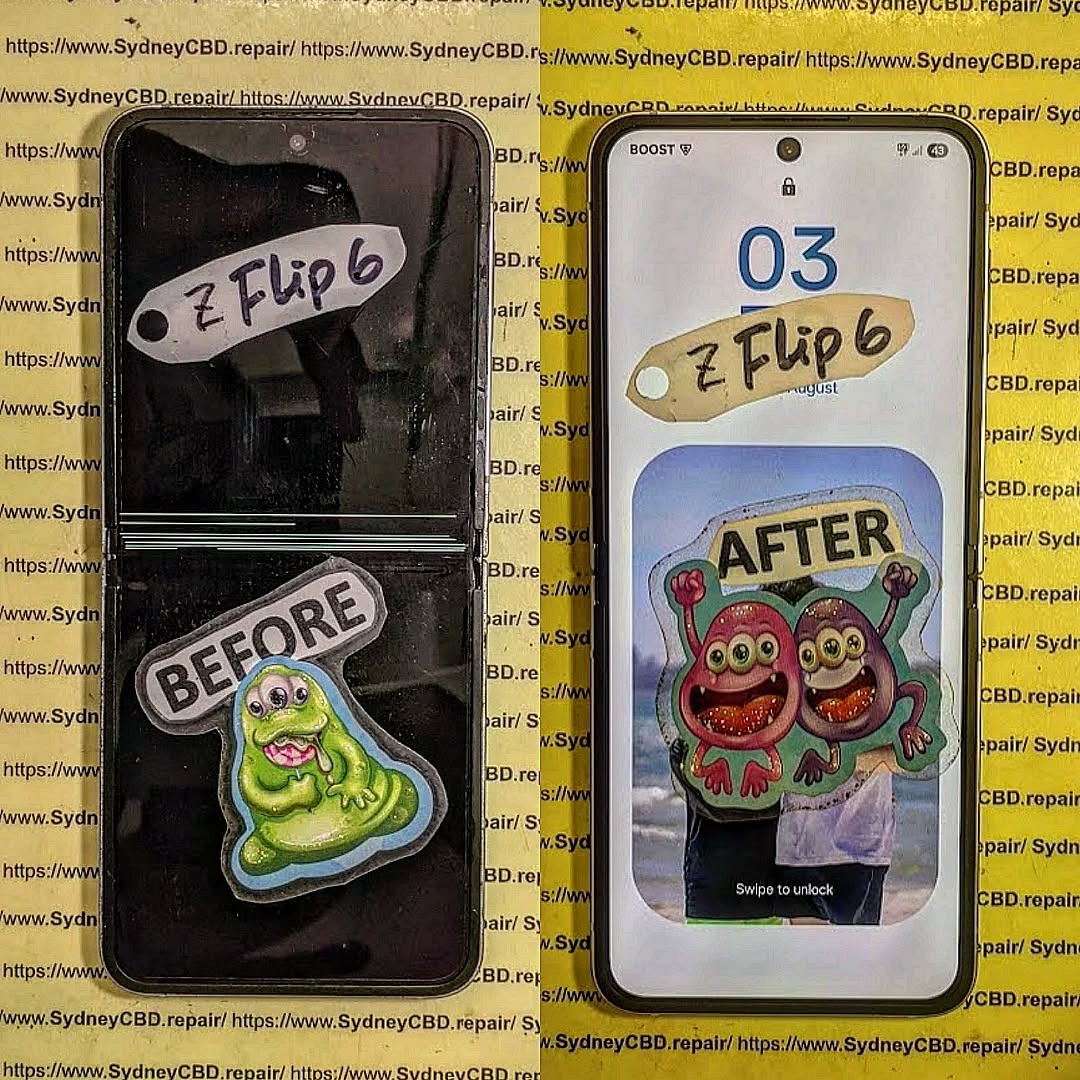
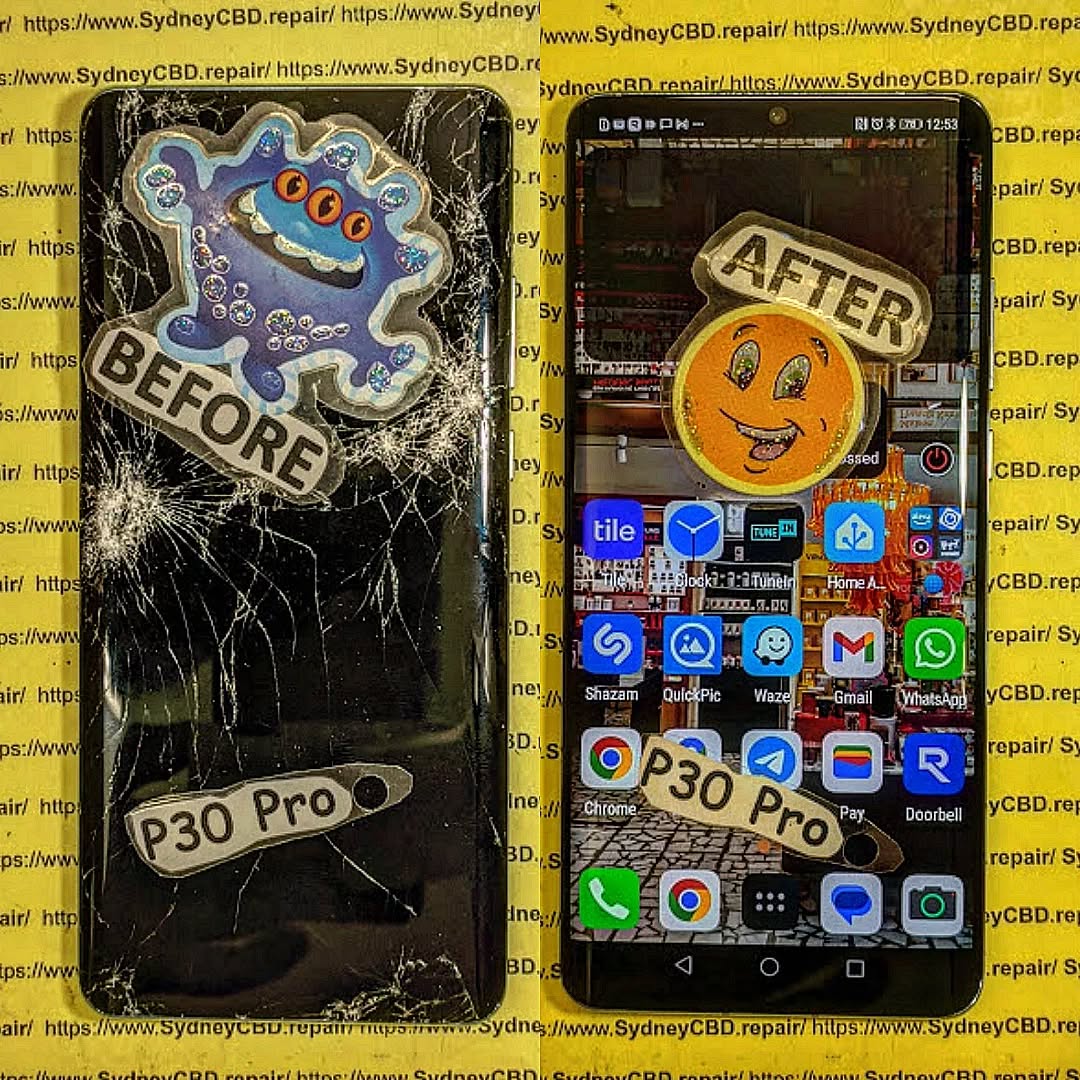
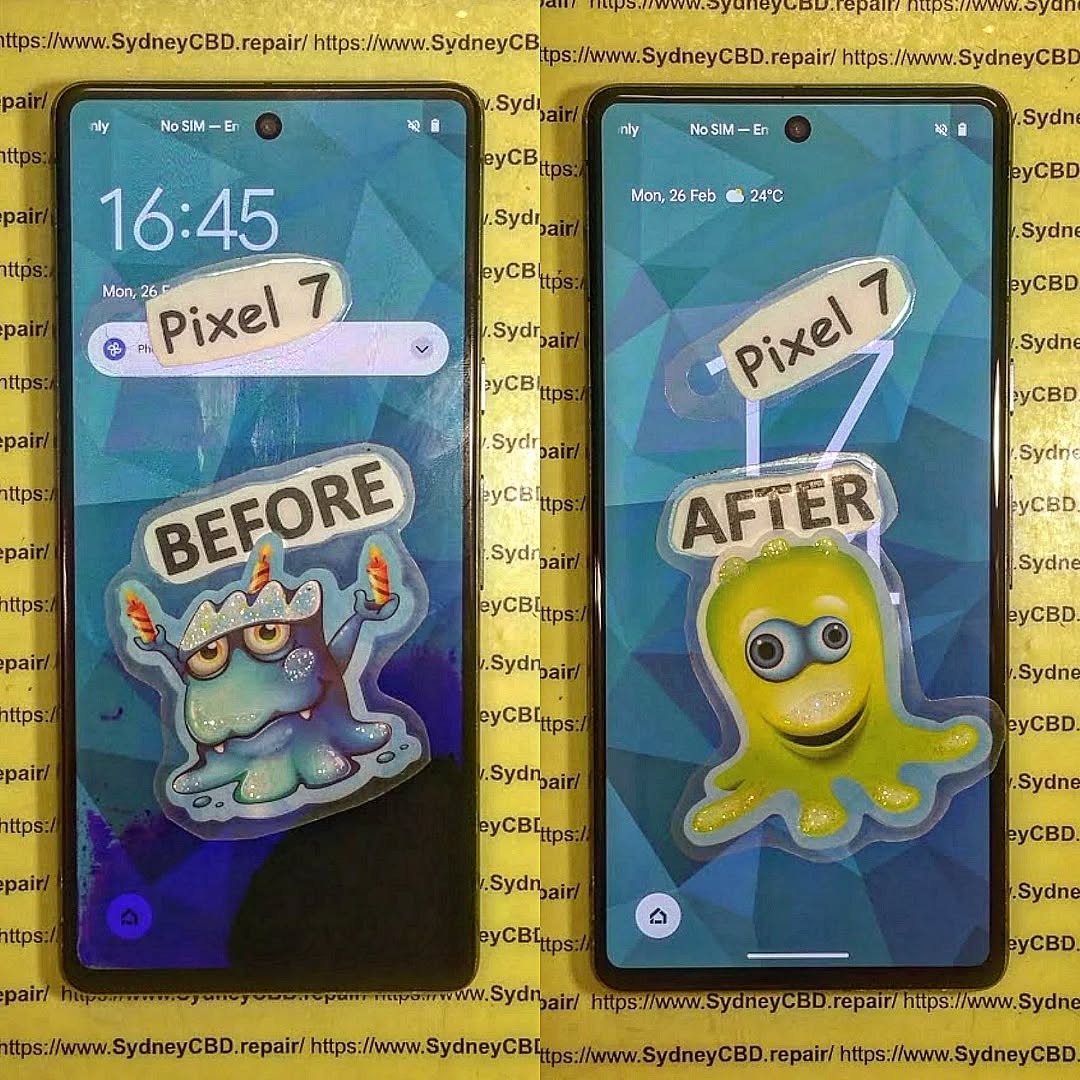
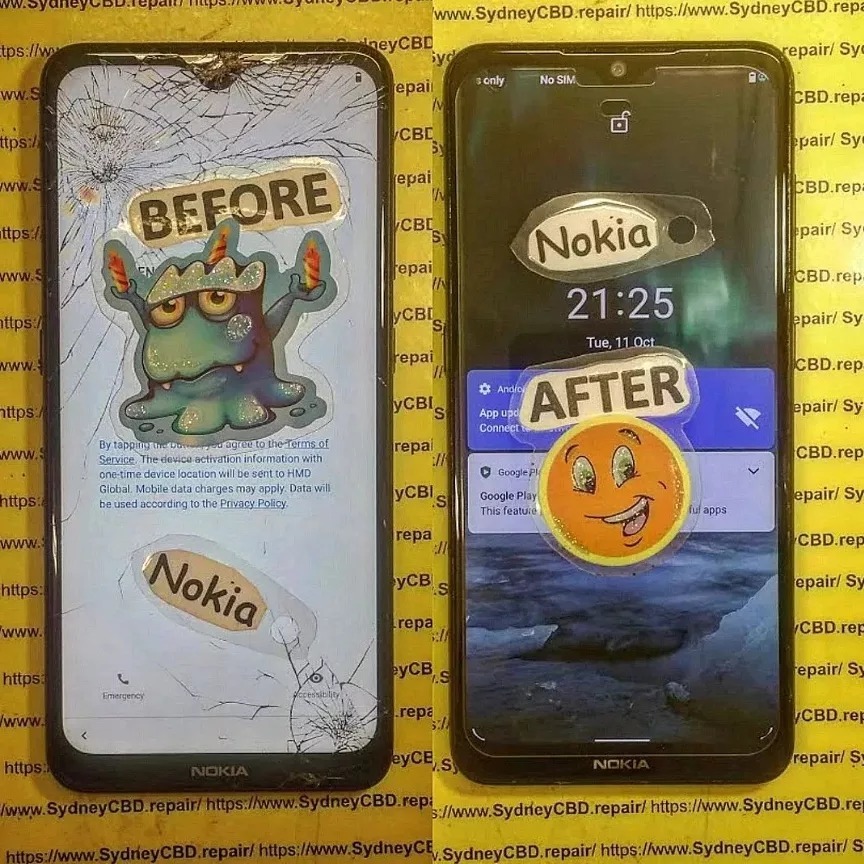
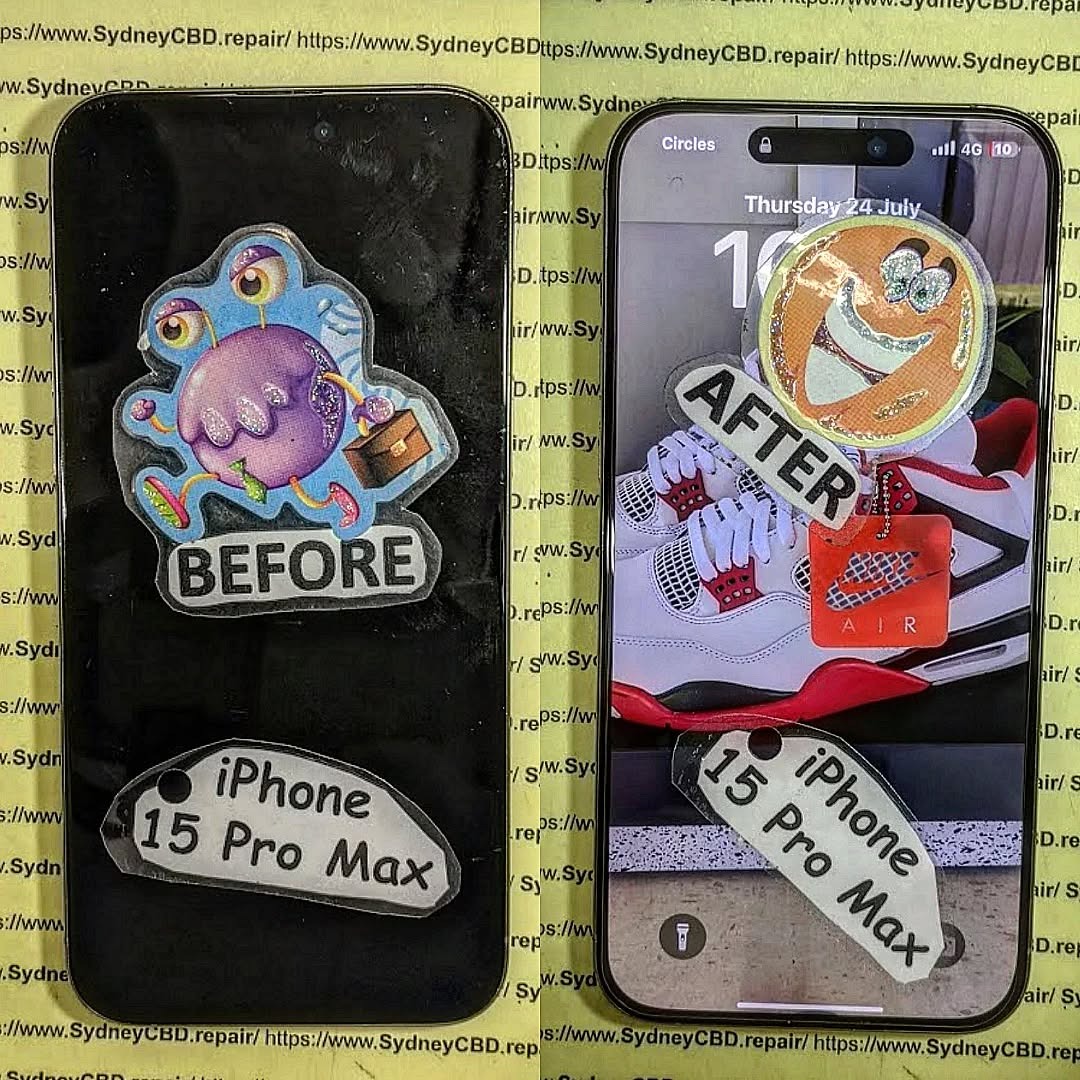
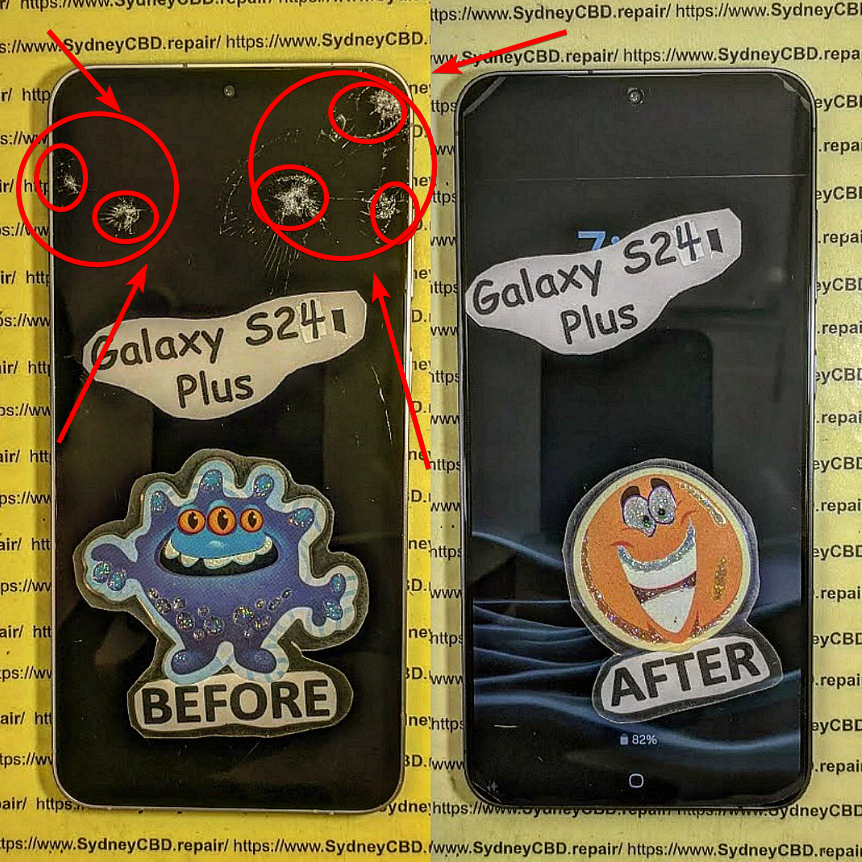
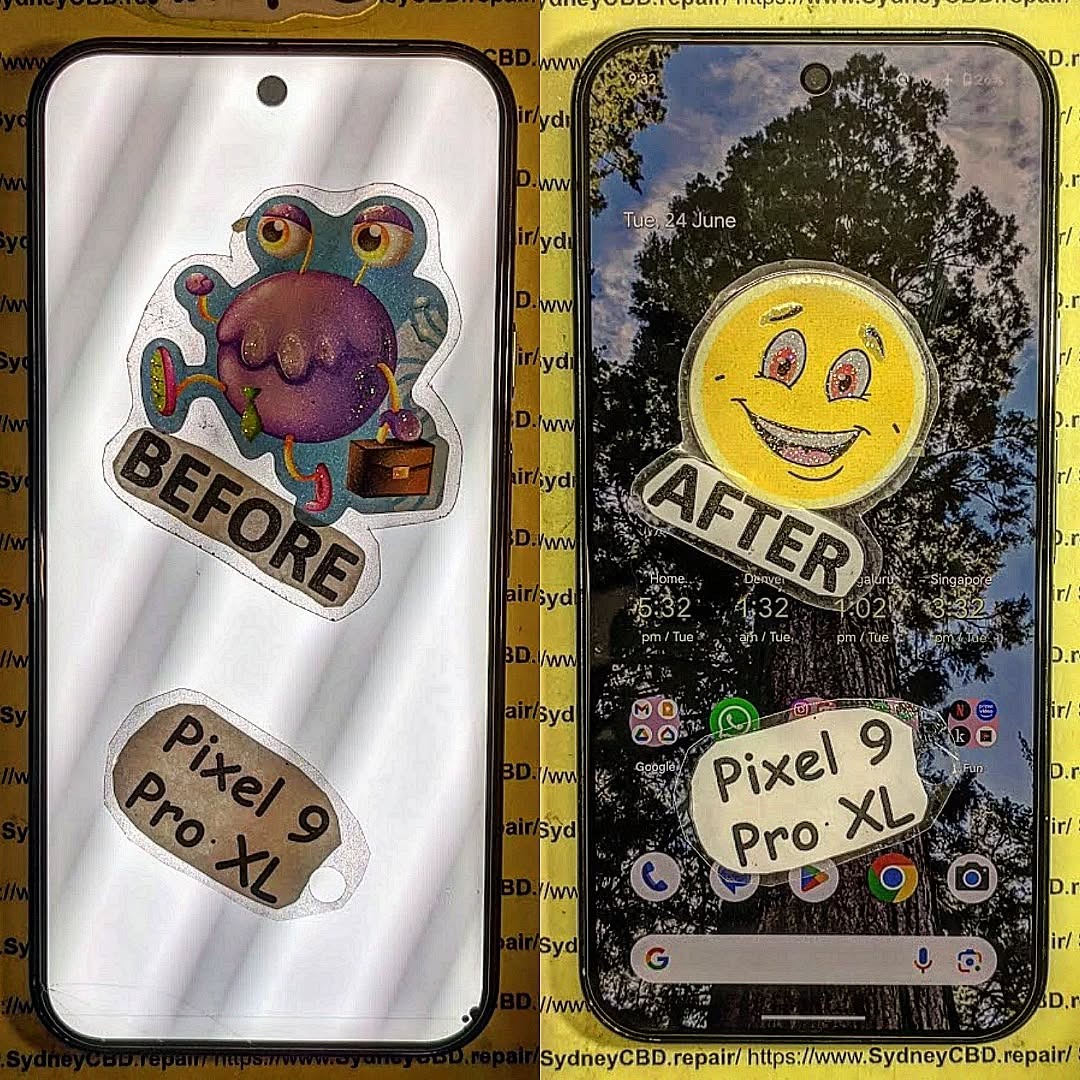
At Sydney CBD Repair Centre, we’ve been fixing phones for over a decade — and in that time, we’ve seen everything. From smashed screens to devices that went through the washing machine, our team has handled some truly jaw-dropping repair jobs.
Here are the top 5 worst phone damages we’ve ever seen, along with how we brought those devices back to life.
One of our customers accidentally dropped their iPhone from the 10th floor of an apartment building. By the time it hit the ground, the screen was completely shattered, the frame bent, and the back glass cracked.
Our Fix:
We replaced the entire display, restored the frame, and fitted a new back panel. It looked like it had never taken the fall.
Saltwater is one of the worst enemies of electronics. A customer brought us a Samsung Galaxy that had been submerged at the beach for over 20 minutes. The phone wouldn’t even power on.
Our Fix:
We carefully disassembled the device, cleaned the internal components with a special ultrasonic treatment, and replaced the corroded battery. The phone was fully functional again.
3. The Phone That Survived a Car Wheel 🚗💨
Yes, it’s possible for a phone to be run over — and survive with the right repairs. One customer left their Google Pixel on the driveway and accidentally drove over it. The display was crushed and the back panel had deep cracks.
Our Fix:
We replaced the OLED display, repaired the frame alignment, and replaced the back glass. The customer was shocked at how “new” it looked afterward.
4. The Phone That Got Burned 🔥📱
A customer once brought us an Android phone that had been left too close to a campfire. The heat warped the plastic frame, bubbled the screen, and damaged the battery.
Our Fix:
We replaced the entire housing, swapped in a new display, and installed a fresh battery. It was a total transformation.
5. The Phone That Was in the Washing Machine 🧺💦
One of the most common (and heartbreaking) accidents — a phone forgotten in a jeans pocket. A customer ran a full wash cycle before realizing their iPhone was inside.
Our Fix:
We performed deep water damage cleaning, replaced the screen, and swapped the damaged battery. The phone powered on and worked perfectly again.
What These Stories Teach Us
Accidents happen — from balcony drops to ocean swims.
Quick action is key — the sooner you bring your phone in, the higher the repair success rate.
Professional repairs save devices — even extreme damage can often be fixed with the right skills and parts.
Need Expert Phone Repairs in Sydney?
Whether your phone is slightly cracked or looks like it’s been through a warzone, Sydney CBD Repair Centre is here to help.
✅ Same Day Express Repairs
✅ Genuine Parts with 90-Day Warranty
✅ 2000+ Five-Star Google Reviews
📍 Visit Us in Sydney CBD or Book a Mail-In Repair from Anywhere in Australia.
Can I Send My Phone to Sydney? Your Complete Guide to Mail-In Phone Repairs
If you live outside Sydney but need a reliable and fast mobile phone repair service, you might be wondering — “Can I send my phone to Sydney for repairs?”
The short answer is YES! At Sydney CBD Repair Centre, we proudly offer Australia-wide mail-in phone repair services, so you can get your device fixed by Sydney’s most trusted technicians — no matter where you are.
📍 6 Years in a Row – Sydney’s Best Phone Repair Shop
We’ve been awarded Best Mobile Phone Repair in Sydney for six consecutive years. With over 2000 five-star Google reviews, customers trust us for quality, speed, and honesty.
🔧 Repairs for All Major Brands
Whether you own an Apple iPhone, Samsung Galaxy, Google Pixel, or another popular brand, our expert team can repair cracked screens, replace batteries, fix charging issues, and even restore water-damaged phones.
💯 Genuine Parts & 90-Day Warranty
We only use genuine replacement parts to ensure your phone works like new. Every repair comes with a 90-day warranty for your peace of mind.
⚡ Same-Day Repairs
Once your phone arrives, most repairs are completed and shipped back the same day.
Here’s how our simple and secure mail-in process works:
Contact Us First
Call +61 2 8011 4119 or visit SydneyCBD.repair/locate-us to confirm your repair needs and get an estimated quote.
Package Your Device Safely
Wrap your phone in bubble wrap and place it in a sturdy box or padded mailer.
Remove SIM cards and accessories before sending.
Ship It to Our Sydney CBD Workshop
Use a tracked and insured courier service for extra protection.
We Repair & Return
Once we receive your phone, our professional technicians repair it using genuine parts.
Your device is then tested and shipped back via express tracked delivery.
Common Repairs We Handle via Mail-In Service
Cracked Screen Replacement
Battery Replacement
Charging Port Repairs
Water Damage Restoration
Camera Replacement
Speaker & Microphone Fixes
Why Customers Love Our Mail-In Phone Repairs
✅ Fast Turnaround – Repairs are done the same day your phone arrives.
✅ Expert Technicians – Skilled in fixing complex mobile phone issues.
✅ Nationwide Service – From Brisbane to Perth, we’ve got you covered.
✅ Transparent Pricing – No hidden costs or surprise fees.
Final Thoughts
If you’ve been searching for a safe, reliable, and fast way to repair your phone without visiting a store, Sydney CBD Repair Centre is your best choice.
Whether you’re dealing with a cracked screen, a dying battery, or a water-damaged phone, we’ll fix it and send it back to you in top condition — no matter where you are in Australia.
📞 Call Us Today: +61 2 8011 4119
🌐 Website:https://SydneyCBD.repair/locate-us
🏆 Sydney CBD Repair Centre – Where Quality Meets Reliability
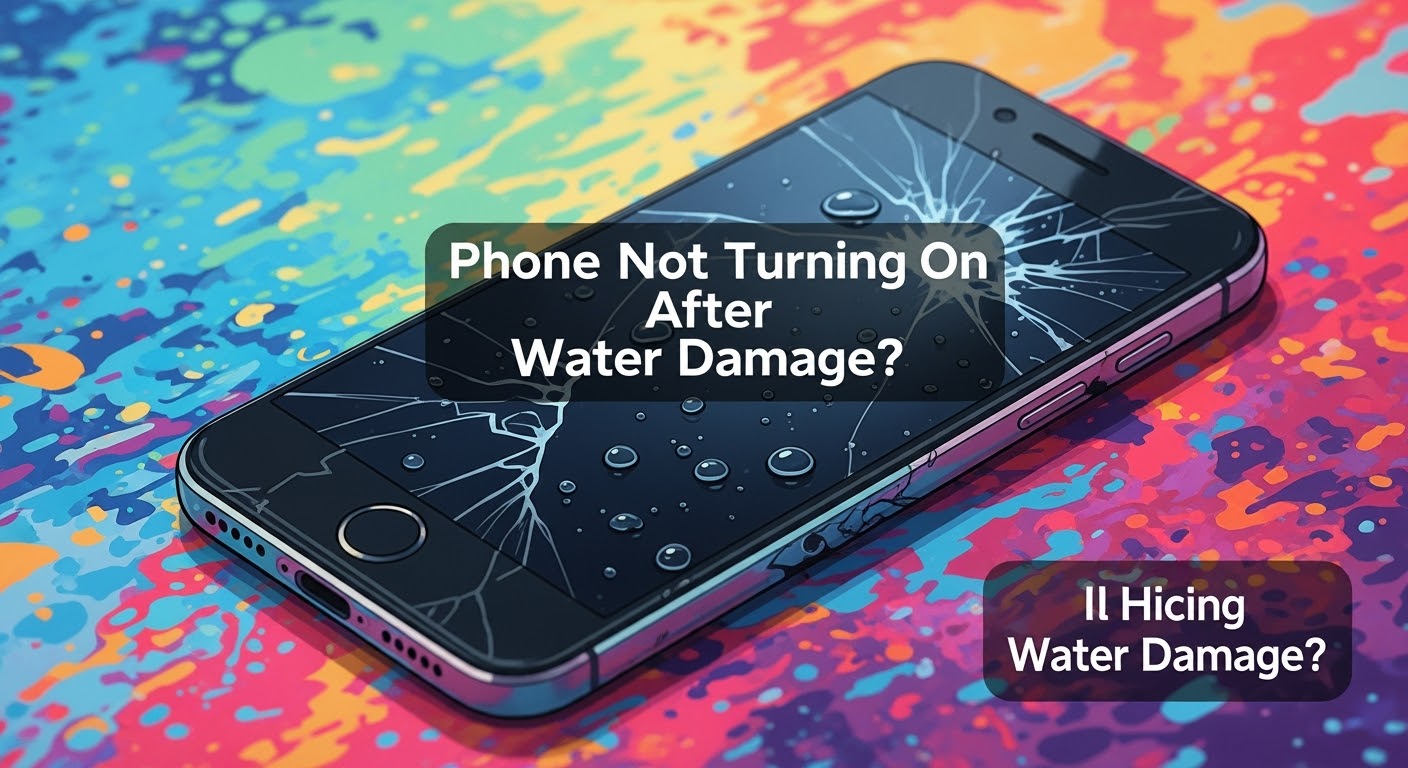
Phone Not Turning On After Water Damage? Here’s What You Need to Know
💧 What Happens When Water Gets Inside a Phone
Phones aren’t as waterproof as we think. When liquid enters your device, it starts corroding circuits almost immediately. Saltwater or chlorinated pool water is even worse, accelerating damage.
Even so-called “water-resistant” models like iPhones or Samsung Galaxy S series aren’t immune. Their seals can weaken over time.
Sometimes, the screen is gone, but the motherboard is still functional. Other times, the battery or charging port is shorted. We’ve seen phones power up after professional cleaning and part replacement — even if they looked completely dead.
❌ What NOT to Do After Water Exposure
Don’t charge it. Electricity and water don’t mix.
Don’t press buttons. It could push water further inside.
Don’t use a hairdryer. Heat can melt delicate components.
Don’t wait. Corrosion starts within hours.
✅ Immediate Steps to Take After Water Damage
Turn it off if it’s on.
Remove the SIM card.
Pat dry with a towel – no shaking!
Do not place in rice – it won’t fix corrosion.
Bring it to a professional repair shop ASAP.
🛠️ DIY Fixes: Are They Worth the Risk?
YouTube makes it look easy, but opening a phone without proper tools and anti-static precautions can cause irreversible damage. You also risk voiding your warranty.
Trust the experts — it’s safer, faster, and usually cheaper in the long run.
🔧 How Experts Diagnose Internal Water Damage
At Sydney CBD Repair Centre, our technicians:
Use microscopes to inspect internal corrosion
Test circuits with multimeters
Use ultrasonic cleaning machines to remove residue
Replace only the damaged components
We restore phones others have written off as “beyond repair.”
🔩 Common Components Affected by Water
Component
Issue Caused by Water
Battery
Short circuit or swelling
Display
Flickering or blackout
Charging Port
Corrosion or failure to charge
Motherboard
Complete phone failure
Camera
Fogging or dead sensors
🧯 Can Water-Damaged Phones Be Repaired?
Yes, in many cases. But it depends on:
How long it’s been exposed
The type of water (saltwater is worse)
How quickly you act
Same Day Repairs at Sydney CBD Repair Centre increase your chances of a full recovery.
💾 Data Recovery After Water Damage
We can often retrieve your:
Photos and videos
Contacts and messages
Notes and app data
Even if the phone itself can’t be saved, your memories and important files can often be rescued.
⏱️ Why Speed Matters in Water Damage Repairs
Water doesn’t just sit there — it spreads and corrodes. The longer you wait, the more damage occurs. That’s why we offer express same-day service for water-damaged phones.
🛡️ Prevention Tips for the Future
Use a waterproof pouch near water
Avoid charging near sinks or pools
Don’t take your phone into the bathroom (yes, even the shower!)
Always turn off the phone immediately if it gets wet
🧑🔧 Why Choose Sydney CBD Repair Centre
📍Location: Central Sydney — easy walk-in access
🛠️ Expert Technicians with years of experience
🔒 Genuine Parts Only — no dodgy knockoffs
⚡ Same Day Repairs available
🌟 2,000+ 5-Star Google Reviews
🏆 6-Time Award-Winning Service
We’ve repaired thousands of water-damaged phones that other shops gave up on.
⭐ Real Customer Success Stories
“My iPhone fell in the pool and wouldn’t turn on. Apple said it was dead. Sydney CBD Repair Centre brought it back to life the same day!”
— Jenny, Bondi
“Samsung S22 Ultra took a bath with me. Thought I lost everything. These guys saved all my files!”
— Tom, Surry Hills
🙋♂️ FAQs
Q1: How long does it take to repair a water-damaged phone?
Most cases are done same day, but severe corrosion may take 24-48 hours.
Q2: Is water damage covered under warranty?
Usually not. Most manufacturers exclude liquid damage. But we offer a 90-day repair warranty.
Q3: Can water-damaged phones be 100% restored?
If you act fast and there’s no extensive corrosion, full restoration is often possible.
Q4: What if my phone won’t charge after water exposure?
It’s likely the charging port is corroded. We can replace it quickly.
Q5: How much does it cost to fix water damage?
Depends on the extent. Walk-ins get a free diagnosis.
Q6: Is putting the phone in rice effective?
No. It may absorb moisture but won’t stop corrosion. It delays proper treatment.
✅ Conclusion: Trust the Experts Before It’s Too Late
Water damage is scary — but not always fatal. If your phone won’t turn on after getting wet, act fast and bring it to the trusted professionals at Sydney CBD Repair Centre.
Let our experience, equipment, and expertise save your phone — and your data.
David from Sydney CBD Repair Centre – The Best Place to Fix Mobile Phones 6 Years in a Row!
📞 Call us: +61280114119
🌐 Visit: https://SydneyCBD.repair/locate-us
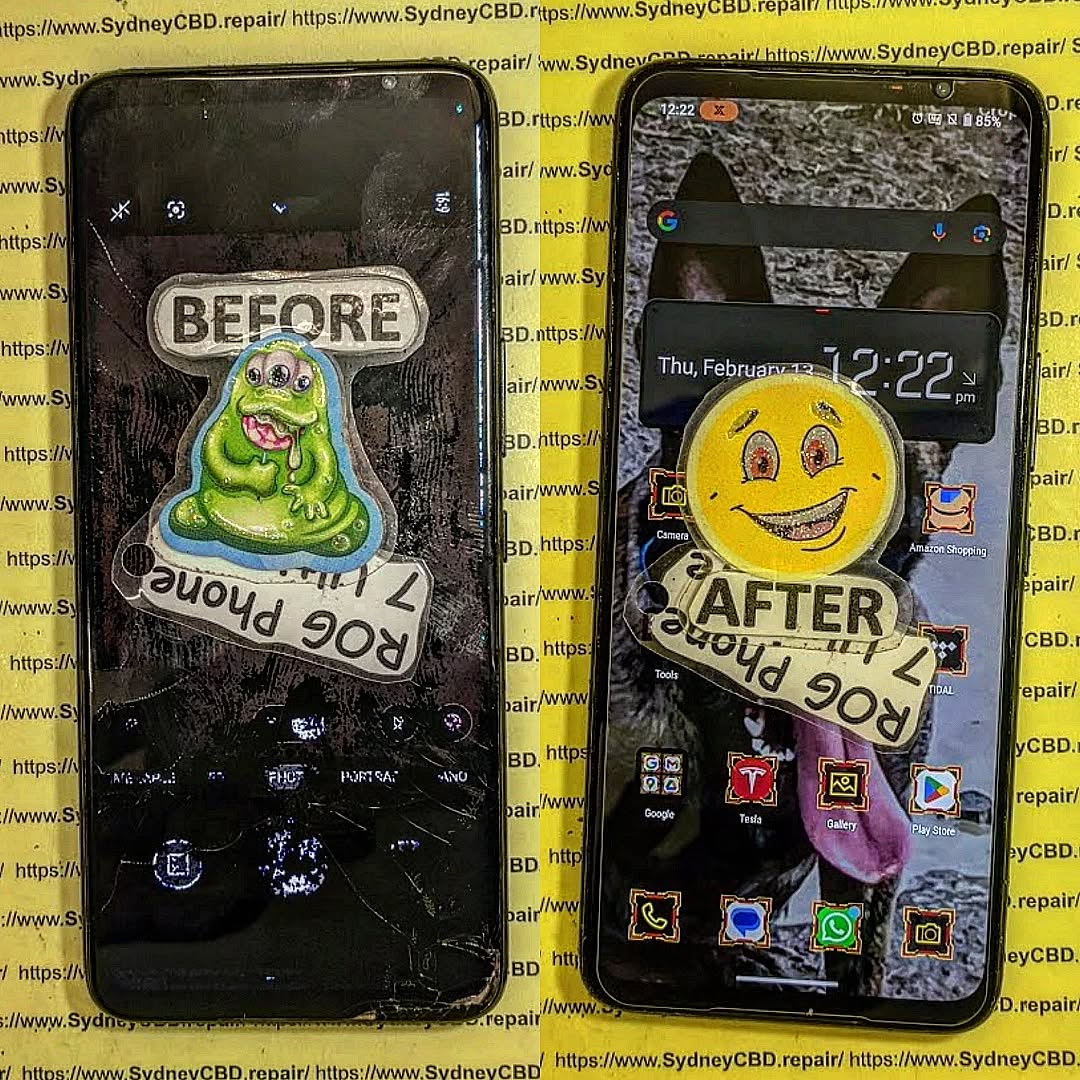
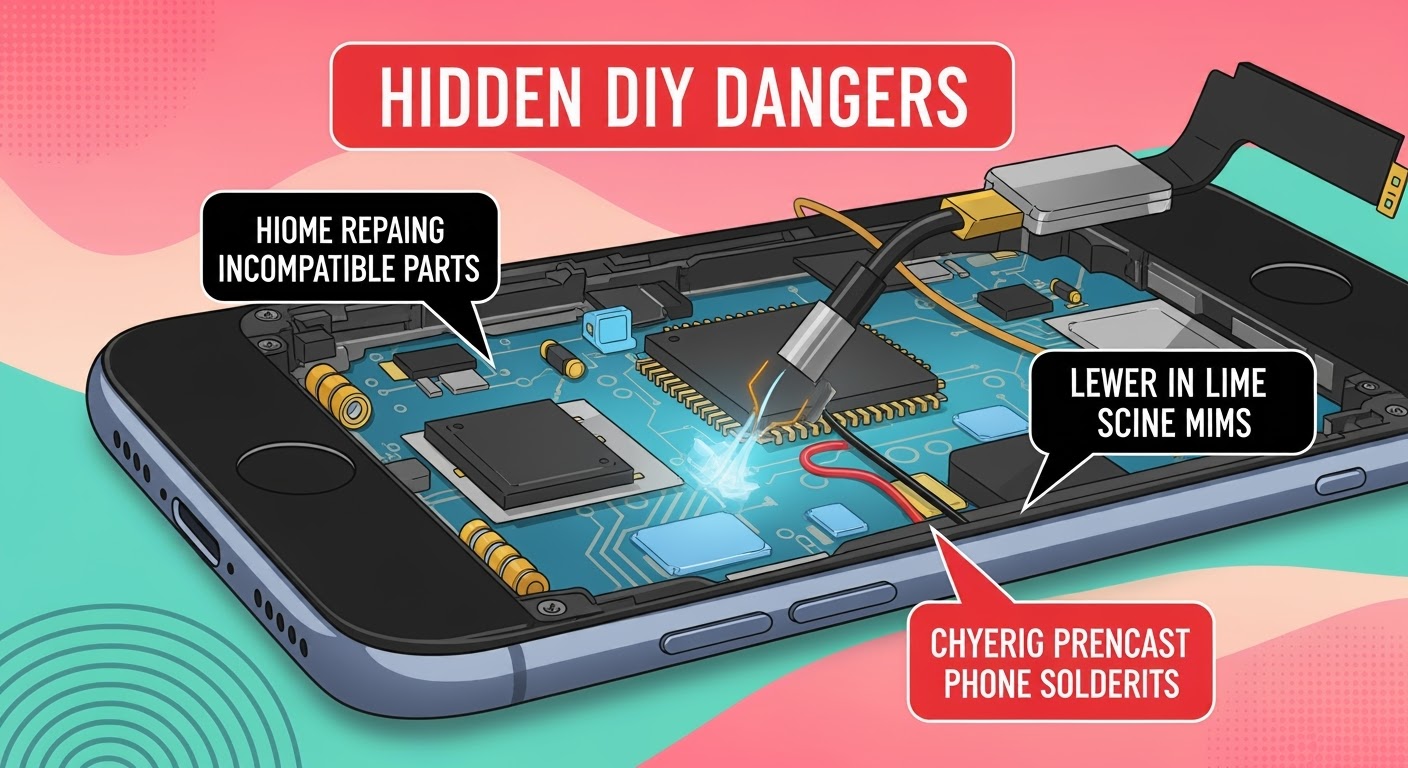
Hidden DANGERS of DIY Phone Repair Revealed – 7 Shocking Truths You Need to Know
🟢 Introduction
DIY phone repair videos flood YouTube. Toolkits are cheap. Replacement parts ship fast. It seems easy, right? But beneath the surface lies a set of risks that can turn your fix into a failure—or even a fire hazard.
At Sydney CBD Repair Centre, we’ve seen dozens of DIY repair attempts gone wrong. This guide reveals the hidden dangers of DIY phone repair—so you can make smarter, safer decisions when your device breaks down.
How to Find the Right Replacement Screen for Your Phone – The Ultimate 17-Step Guide to Saving Money & Stress
🧭 Introduction
If you’ve cracked your phone screen—or worse, shattered it—you know how frustrating and inconvenient it can be. But not all screen replacements are created equal. Whether you want to DIY or visit a professional like Sydney CBD Repair Centre, this guide will help you choose the right replacement screen while saving money, time, and headaches.
Your screen is the face of your phone. A poor-quality replacement can lead to:
Touchscreen lag
Colour distortion
Decreased brightness
Poor durability
That’s why choosing the correct screen is crucial for long-term performance and usability. You want to get as close to the original quality as possible—without paying a premium unnecessarily.
Understanding the types of screens available will help you make the best decision for your device and usage.
LCD Screens
Liquid Crystal Display (LCD) is common in budget and mid-range phones. It provides decent brightness and color but is less vibrant compared to newer tech.
Pros:
Affordable
Readable in sunlight
Cons:
Lower contrast
Less battery efficient
OLED Screens
Organic Light-Emitting Diode (OLED) screens are self-lighting and offer vibrant colors with deep blacks. Common in flagship phones like iPhones and Samsung Galaxy models.
Pros:
Better contrast and brightness
More energy-efficient
Cons:
Expensive
More delicate
AMOLED Screens
A more advanced OLED version found in high-end Samsung and OnePlus phones.
Pros:
True blacks
Thin and flexible
Faster response time
Cons:
Costlier
Risk of burn-in
⚠️ Signs Your Screen Needs Replacing
If you notice any of the following, it might be time for a screen replacement:
Cracks or chips
Touchscreen unresponsiveness
Ghost touches
Discoloration
Flickering or lines
🏷 OEM vs Aftermarket Screens
OEM (Original Equipment Manufacturer) screens are made by the same company that made your phone’s original screen.
Aftermarket screens are third-party alternatives.
Feature
OEM Screen
Aftermarket Screen
Quality
High
Varies
Price
High
Low to Medium
Compatibility
Guaranteed
Might have fit issues
Availability
Limited
Widely Available
If you’re not on a tight budget, go for OEM. Otherwise, research reputable aftermarket brands or trust a professional repair service like Sydney CBD Repair Centre.
🛍 Where to Buy Replacement Screens
Authorized Retailers
These vendors offer genuine parts and often provide warranties. Great for peace of mind, but expect higher prices.
Online Marketplaces
Amazon, eBay, AliExpress—you’ll find everything, but beware of fakes. Check reviews and ratings before purchase.
Local Repair Shops
Shops like Sydney CBD Repair Centre offer walk-in service, verified genuine parts, and same-day repairs.
🔎 How to Identify Your Phone’s Model and Screen Type
Check your phone’s settings or backplate. Common ways:
Settings > About Phone
IMEI Lookup tools
Manufacturer’s website
Physically inspecting model number
This step ensures you get a compatible screen.
❌ Common Mistakes to Avoid
Buying the wrong screen type
Ignoring touch sensitivity ratings
Choosing lowest-price option blindly
Skipping compatibility checks
Using poor-quality tools
🧰 Tools You’ll Need for Screen Replacement
If you go DIY, make sure you have:
Screwdriver kit
Pry tools
Suction cup
Heat gun or hairdryer
ESD-safe gloves
Quality tools reduce the risk of damage during installation.
🧑🔧 DIY vs Professional Screen Replacement
Choosing between doing it yourself and hiring a professional depends on your skills, budget, and tolerance for risk.
DIY Screen Replacement
DIY might seem appealing, especially for the tech-savvy. You can find numerous tutorials online, and kits are available for most phone models.
Pros:
Cheaper (initially)
Good learning experience
Can be done at your convenience
Cons:
Risk of damaging internal components
Voids manufacturer warranty
Time-consuming
No quality guarantee
DIY is ideal only if you have prior experience or if the phone is old and not worth the cost of professional repair.
Professional Screen Replacement
Professional repair centers like Sydney CBD Repair Centre offer expertise, speed, and reliability.
Pros:
Done by trained technicians
Use of high-quality or OEM parts
Repairs done within the same day
Covered under a warranty (e.g., 90 days at Sydney CBD Repair Centre)
Zero risk of causing more damage
Cons:
More expensive than DIY
You might need to leave your phone for a few hours
If you value peace of mind and time efficiency, going pro is the way to go.
💰 Cost Comparison: DIY vs Professional Services
Cost Factor
DIY
Professional
Screen
$30 – $150
$100 – $400
Tools
$15 – $50 (if not already owned)
Included
Time
2–4 hours
30 mins – 1 hour
Risk
High (if inexperienced)
Low
Warranty
None
Yes (e.g., 90 days at Sydney CBD Repair Centre)
Bottom Line: DIY might save you money upfront, but professional repairs give you long-term value and confidence in your device’s performance.
🧑⚖️ What to Look for in a Repair Service Provider
Not all phone repair shops are equal. When selecting a provider, keep these key factors in mind:
Experience: Look for providers with a proven track record. Sydney CBD Repair Centre has been voted top repairer 6 years in a row.
Parts: Only use shops that install genuine or high-grade OEM screens.
Warranty: A 90-day warranty is ideal—it shows the shop stands by their work.
Reviews: Thousands of positive reviews (like Sydney CBD’s 2000+ 5-star reviews) are a strong trust signal.
Speed: Same-day repairs are a massive plus, especially for working professionals.
✅ Warranty and Quality Assurance
Always ask about:
Part warranties (minimum 30–90 days)
Service warranties
Return or re-repair policies
Shops like Sydney CBD Repair Centre provide peace of mind with a 90-day warranty and same-day repair, so you don’t have to worry.
🌱 Environmental Impact of Screen Replacements
Replacing your phone screen instead of buying a new device is eco-friendly. It reduces e-waste and the need for new raw materials.
To be extra responsible:
Ask your repair shop if they recycle old screens
Choose local repair options to reduce shipping emissions
Support businesses using sustainable practices
🔒 How to Extend the Life of Your New Screen
Here are some practical tips to protect your investment:
Install a tempered glass protector
Use a shockproof phone case
Avoid putting your phone in the same pocket as keys or coins
Clean your screen with microfiber cloths only
Don’t overheat your phone
Preventative care means fewer future repairs—and more savings.
❓ Frequently Asked Questions (FAQs)
1. Can I replace my phone screen myself?
Yes, but it requires the right tools, patience, and confidence. It’s best for older models or if you have prior experience.
2. Is it worth repairing a cracked screen?
Absolutely—especially if the device is still under contract or has good performance. Replacing the screen is far cheaper than buying a new phone.
3. How long does professional screen replacement take?
Most services take 30 minutes to 1 hour, especially if you choose Sydney CBD Repair Centre, which offers same-day express repairs.
4. What’s the difference between OEM and aftermarket screens?
OEM screens are original, while aftermarket ones vary in quality. Reputable shops often use high-grade aftermarket parts if OEMs aren’t available.
5. Do repaired screens affect touch sensitivity or display quality?
If done correctly with high-quality parts, there should be no difference in touch or display performance.
6. Where’s the best place to get my screen replaced in Sydney?
Sydney CBD Repair Centre – with over 2000 5-star Google reviews, genuine parts, and express same-day service.
🏁 Conclusion: Make the Smart Screen Choice
Your phone screen is more than glass—it’s your gateway to communication, productivity, and entertainment. Choosing the right replacement involves understanding screen types, knowing where to buy, and recognizing the value of expert repair services.
If you’re in Sydney, don’t risk DIY mistakes or dodgy shops. Visit Sydney CBD Repair Centre, where quality meets reliability.
📞 Call to Action – Trust Sydney CBD Repair Centre
Sydney CBD Repair Centre
🔧 Over 2000+ 5-Star Google Reviews
🏆 6-Time Award Winner for Best Phone Repairs
📍 Located in the heart of Sydney
🛠 Same Day Repairs | Genuine Parts | 90-Day Warranty
Is It Worth Repairing a Cracked Screen? + Expert Breakdown + 7 Key Considerations
Introduction
A cracked phone screen can be both frustrating and inconvenient. Whether it’s a minor scratch or a full-blown shatter, the big question is always: Is it worth repairing a cracked screen?
This guide will walk you through the real value of a screen repair, from cost comparisons to usability and environmental impact. If you’re located in Sydney, David and the expert team at Sydney CBD Repair Centre offer affordable, fast, and trustworthy repairs for all major brands.
While a cracked screen may still function, it can gradually worsen and affect:
Touch responsiveness
Display visibility
Device water resistance
Internal component protection
User safety due to sharp edges
Ignoring a cracked screen may lead to higher repair costs or total device failure later on.
Common Causes of Screen Cracks
Cause
Description
Accidental Drops
Slips from pockets, hands, or desks
Pressure Damage
Sitting or stepping on the phone
Poor-Quality Screen Protectors
Cheap protectors that offer minimal impact resistance
Lack of a Protective Case
Increases vulnerability
Using While Charging
Holding the phone awkwardly, leading to drops
Types of Screen Damage: What’s Repairable?
Not all screen issues require full replacements. Here’s a breakdown:
Type of Damage
Repairable?
Recommended Action
Hairline cracks
Yes
Screen protector or professional advice
Shattered glass
Yes
Replace glass or full screen
LCD damage
Yes
Full display replacement
Touch issues
Yes
Often tied to digitizer; screen replacement
Black spots or bleeding
Yes
Requires professional evaluation
7 Key Considerations When Deciding to Repair
1. Age and Value of the Phone
If your phone is less than 2 years old or a flagship model (e.g., iPhone, Galaxy S, Pixel), repairing is usually worthwhile. Newer models retain higher resale value after repair.
2. Extent of the Damage
Is the damage cosmetic or functional? Deep cracks or display issues that affect usability should be repaired promptly.
3. Touch Responsiveness and Display Quality
If your screen is unresponsive or showing discoloration, a replacement is necessary to restore performance.
4. Repair Cost vs Replacement Cost
Compare the cost of screen repair to the cost of buying a new phone. In most cases, repairing costs significantly less.
5. Data Safety and Usability
With a damaged screen, backing up data or using the phone safely becomes difficult. A functioning screen ensures data access and device longevity.
6. Manufacturer Warranty or Insurance
Check if your phone is still under warranty or has screen repair coverage. If not, Sydney CBD Repair Centre offers competitive pricing with warranty.
7. Environmental Impact
Repairing your screen helps reduce e-waste and lowers your environmental footprint compared to replacing the entire phone.
Sydney CBD Repair Centre offers same-day repairs, genuine parts, and 90-day warranties.
DIY vs Professional Repair: A Realistic Comparison
Criteria
DIY Repair
Professional Repair (Sydney CBD Repair Centre)
Cost
Lower upfront
Slightly higher but includes warranty
Tools Required
Yes
All included
Risk of Damage
High
Minimal
Warranty
No
90 days
Time Required
2–3 hours (if experienced)
30–60 minutes
Skill Level
Advanced
Not required
Unless you’re highly skilled, DIY repair often costs more in the long run due to the risk of further damage.
The Risks of Delaying a Screen Repair
Touch and display issues can worsen
Internal parts may become exposed to dust or moisture
Small cracks can spread, increasing replacement cost
Cuts or injuries from broken glass
Loss of resale value
If your phone is worth keeping, delaying repair is not worth the risk.
Why Choose Sydney CBD Repair Centre for Screen Repairs
✅ 6 Years Running: Best Phone Repair in Sydney
✅ 2000+ Verified Google Reviews
✅ Genuine OEM Screens Only
✅ Same-Day Service Available
✅ Affordable Pricing + Warranty
✅ Located in the Heart of Sydney CBD
David and the team are trusted by thousands of Sydney locals and businesses. From cracked screens to complete display replacements, they handle it all with care.
Yes. Even small cracks can spread and affect the phone’s performance or lead to internal damage.
2. How long does screen repair take at Sydney CBD Repair Centre?
Most screen replacements are completed within 30 to 60 minutes.
3. Is there a warranty on repaired screens?
Yes, Sydney CBD Repair Centre offers a 90-day warranty on all screen repairs.
4. Can you fix just the glass without replacing the whole screen?
In some models, yes. But most modern phones require full screen replacements for quality and durability.
5. Will my data be safe during screen repair?
Absolutely. We do not access your personal data, and recommend a backup for peace of mind.
6. What’s the cost to repair a cracked screen in Sydney?
Costs vary by brand and model but start at AUD $149. Visit our website or call for a precise quote.
Conclusion
So, is it worth repairing a cracked screen? For most people, the answer is yes—especially if the phone is recent, still functions well, and you want to save money compared to buying a new one. Delaying repairs risks further damage, while professional repair ensures safety, usability, and peace of mind.
If you’re in Sydney, Sydney CBD Repair Centre offers expert service, genuine parts, and unbeatable customer satisfaction. Drop by or call today to bring your device back to life.
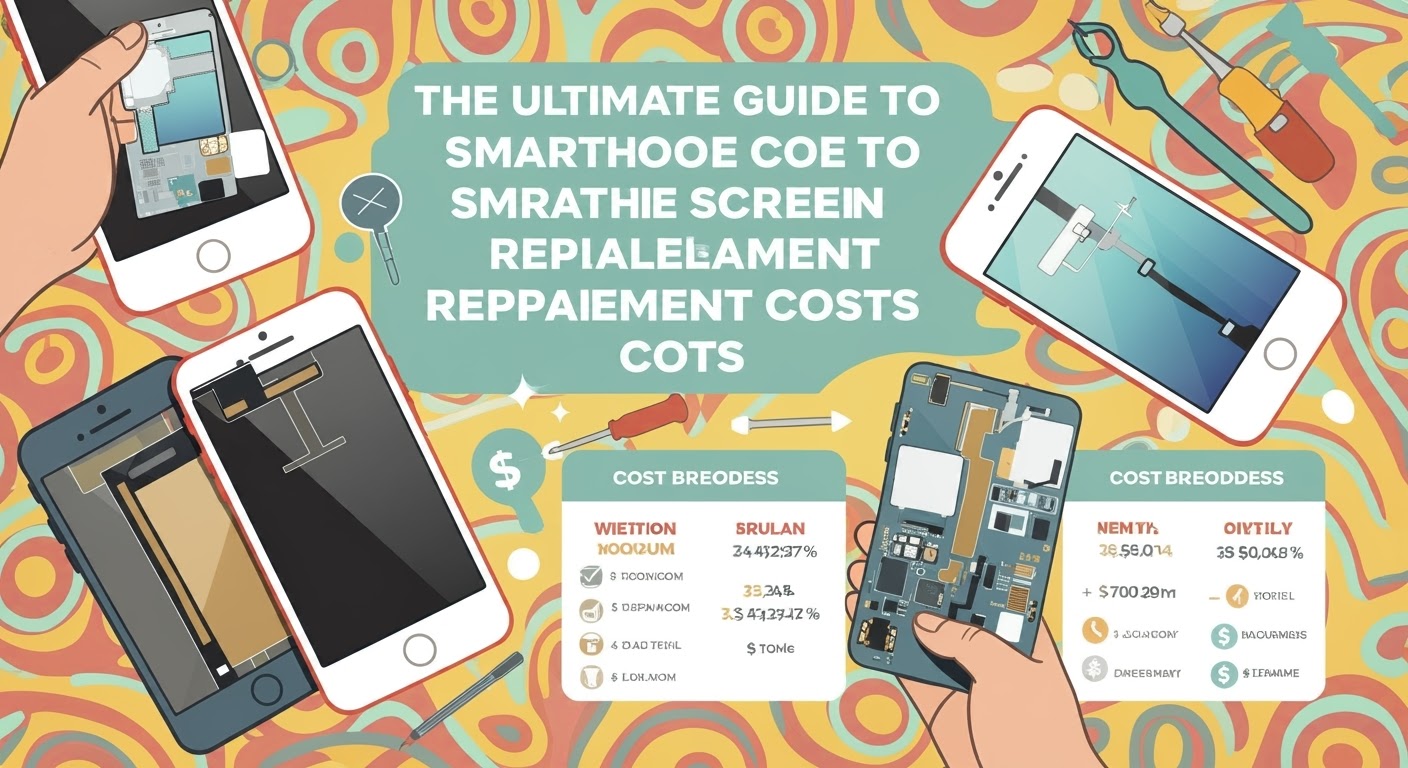
The Ultimate Guide to Smartphone Screen Replacement Costs in 2025: What You Need to Know Now
H1. The Ultimate Guide to Smartphone Screen Replacement Costs in 2025
In today’s fast-paced digital world, smartphones are indispensable. But what happens when you drop yours and crack the screen? Replacing a smartphone screen can be expensive and confusing — especially with the vast number of models and repair options in 2025.
This ultimate guide covers everything you need to know about smartphone screen replacement costs — including real prices, expert tips, and how to avoid overpaying. Whether you own the latest iPhone 16 Pro Max, a Samsung Galaxy Z Fold5, or a trusty Google Pixel, we’ve got the answers you need.
Cracked screens remain one of the most common smartphone issues. Dropping your device, sitting on it, or even pressure from being in a tight pocket can cause visible or internal damage.
Types of Screen Damage
Cracks & Shatters: Surface or deep cracks due to impact.
Touch Issues: Unresponsive or erratic touch behavior.
Display Glitches: Flickering, dead pixels, or complete blackouts.
Glass vs LCD Damage: Surface cracks may only affect the glass, while deeper damage can affect the display layer underneath.
1. Is it worth fixing a cracked phone screen in 2025?
Yes! Repairs are faster, more affordable, and often cheaper than buying a new phone.
2. How long does a screen replacement take?
With experts like Sydney CBD Repair Centre – usually under an hour.
3. Will my phone still be waterproof after screen repair?
Only if repaired by certified technicians with proper tools and seals.
4. Can I replace just the glass instead of the full display?
Only in some cases. Most newer models require full display replacement.
5. Do screen repairs affect performance?
Not if done correctly with OEM parts. Choose reputable repairers.
6. Can I claim screen damage under my phone insurance?
Yes, depending on your provider and policy. Check excess fees.
Conclusion
In 2025, smartphone screen replacements don’t have to be a mystery. From understanding costs to choosing the right repair centre, this guide arms you with everything you need. Whether it’s an iPhone, Samsung, or Pixel — trust experts like Sydney CBD Repair Centre to bring your device back to life quickly and affordably.
Repairing a Broken Phone: What to Expect in 2025 – Top Trends & Tips You Need to Know
📝 Introduction
As smartphones continue to advance, so too does the world of phone repairs. In 2025, fixing a broken phone isn’t what it used to be. You’ll see smarter diagnostics, quicker turnaround times, and even support for futuristic foldable and rollable screens.
Whether you’re dealing with a cracked screen, a swollen battery, or mysterious software glitches, understanding what to expect from modern phone repair services is more important than ever.
Let’s dive into the key trends, costs, and expert insights for phone repairs in 2025—and how to get the best service in Sydney.
Gone are the days when every neighbourhood shop could fix your phone. As devices become more complex, only skilled and certified technicians can offer reliable repairs without risking your data or hardware.
– Growth of Same-Day and On-Demand Repairs
In 2025, time is more valuable than ever. Top-tier shops like Sydney CBD Repair Centre now offer same-day express services for most issues, including screen and battery replacements.
Technicians now use AI-powered tools to scan your phone for hardware issues, thermal performance, and software anomalies—saving time and improving accuracy.
– Modular Component Swaps
Some 2025 phones feature modular internals, allowing parts like the battery, camera, or charging port to be swapped independently. This reduces waste and speeds up repair.
– Foldable and Rollable Screen Repairs
Foldable phones are now common—and so are their repairs. Advanced tools and parts are required to fix their delicate hinges and flexible OLED panels.
Common Phone Issues Still Seen in 2025
Even with new tech, these issues remain just as common:
– Cracked Screens
Still the #1 reason for repair. Now available with ultra-tough glass or protective coatings, but accidents still happen.
– Battery Failures
Batteries wear out, especially with fast charging. Modern diagnostics show battery health in real-time, helping predict failure.
– Water Damage and Corrosion
Despite better waterproofing, damage still occurs. Skilled repair shops can now micro-solder and restore internal circuits.
– Software and Firmware Glitches
Unexpected updates, bricking, or OS corruption are common. Repairs now include firmware flashing and data recovery options.
The Importance of Certified Technicians and Genuine Parts
With high-end phones costing over $2,000, you can’t risk amateur repairs. Certified technicians:
Prevent further damage
Protect your phone’s resale value
Preserve biometric security features (Face ID, fingerprint sensors)
Sydney CBD Repair Centre uses only genuine OEM parts—ensuring compatibility, longevity, and warranty compliance.
How Much Do Repairs Cost in 2025?
Prices vary by brand, model, and part availability.
– Screen Replacement
From $180 to $600+
Foldables and high-refresh OLEDs cost more due to complex assembly.
– Battery Replacement
$120 to $250
Depending on size, fast-charging support, and battery condition.
– Water Damage Recovery
$150 to $350
Includes internal cleaning, corrosion removal, and diagnostics.
How Long Does a Phone Repair Take Now?
Screen Replacement: 1–2 hours
Battery Replacement: 30 minutes – 1 hour
Water Damage Repair: Same day (if no board damage)
Diagnostics: Under 20 minutes with AI scanning tools
With genuine parts in stock, many phones are fixed on the same day at Sydney CBD Repair Centre.
Mobile Insurance vs Out-of-Pocket Repairs
Should you rely on insurance?
Factor
Mobile Insurance
Out-of-Pocket
Monthly Cost
$10–$20
$0
Excess Fee
$100–$300
N/A
Repair Speed
Often 3–7 days
Same Day (in-shop)
Part Quality
Often refurbished
Genuine (if requested)
Unless you’re accident-prone, out-of-pocket repairs may be faster and cheaper in the long run.
What to Expect During Your Repair Visit
– Pre-Repair Diagnosis
Technicians will assess the issue using AI scanners and manual inspection.
– Repair Process & Transparency
You’ll be informed of costs, repair steps, and estimated time before the fix begins.
– Post-Repair Testing and Warranty
Every device is tested thoroughly. Sydney CBD Repair Centre includes a 90-day warranty with every repair.
Green Tech: Sustainability in Modern Phone Repair
Repairing instead of replacing saves resources. In 2025, more shops:
Recycle old parts responsibly
Offer trade-in credits
Support eco-conscious repair practices
Repair is greener than replace.
Why Choose Sydney CBD Repair Centre in 2025
– Industry-Leading Expertise
More than 6 years in service, with over 2000 Google reviews, Sydney CBD Repair Centre is trusted by thousands.
– Same Day Repairs and Genuine Parts
We offer express repairs using only original components, so your phone feels brand new.
– Trusted by Thousands
With awards and repeat customers, we’re proud to be Sydney’s #1 mobile repair shop.
❓ FAQs
Are foldable phones harder to repair?
Yes. They require advanced tools and expertise due to delicate hinges and flexible screens.
Is it worth repairing an older phone in 2025?
If the phone supports the latest software and hardware functions, absolutely—especially with the rising cost of new devices.
Can AI really diagnose phone issues accurately?
Yes. AI tools can identify issues faster and more precisely than manual testing alone.
Do phone repairs still void warranties in 2025?
Not if the repair is performed by a certified technician using genuine parts. Always check your manufacturer’s policy.
How can I tell if a repair shop uses genuine parts?
Ask for verification or check their OEM certification status. Trusted shops like ours display this clearly.
What if I need multiple repairs at once?
Shops like Sydney CBD Repair Centre offer bundled pricing for screen + battery or other common combos.
✅ Conclusion
Phone repair in 2025 is smarter, faster, and more reliable than ever. Whether you’re dealing with a cracked screen, dying battery, or software bug, knowing what to expect helps you make smarter choices.
Sydney CBD Repair Centre stays ahead of the curve with genuine parts, certified experts, and a customer-first approach. When your phone breaks, we fix it right—first time, every time.
How to Choose the Right Phone Repair Shop in Sydney: 12 Smart Tips You Can’t Miss
📝 Introduction
Choosing the right phone repair shop in Sydney can feel overwhelming, especially with so many options available. Whether you’re dealing with a cracked screen, faulty battery, or water damage, your priority is simple: getting your device back in working order—fast, affordably, and with quality you can count on.
But not all repair shops are created equal.
In this guide, you’ll discover 12 smart tips to help you make an informed decision when selecting a phone repair shop in Sydney. From checking technician certifications to evaluating post-repair support, we cover it all. Let’s dive in.
When your phone breaks, it’s tempting to look for the quickest and cheapest fix. But phones today are complex devices, and one wrong move can cause further damage. That’s why professional repair matters. A qualified technician will:
Use proper tools and techniques.
Avoid shortcuts that risk long-term issues.
Provide warranties on both parts and service.
Investing in a professional repair isn’t just about fixing the issue—it’s about protecting your phone’s lifespan and value.
Before stepping foot into any repair shop, do a little homework.
– Online Reviews and Ratings
Platforms like Google Reviews, Trustpilot, and Facebook are great for scoping out other customers’ experiences. Look for shops with:
High ratings (4.5 stars or more)
Detailed customer feedback
Consistent praise for service, speed, and communication
For example, Sydney CBD Repair Centre boasts more than 2000 positive reviews—a clear indicator of trust and customer satisfaction.
– Word of Mouth Matters
Ask friends, family, or coworkers where they’ve had their phones fixed. Local recommendations often reveal hidden gems.
3. Check for Certifications and Technical Expertise
Not every technician is trained to handle complex repairs, especially for newer models like the iPhone 16 or Galaxy S24.
– Certified Technicians vs Freelancers
Always ask if the technicians are certified by manufacturers or industry bodies. Certifications show a level of credibility and ongoing education. Be wary of freelance technicians without any official credentials.
4. Ask About Warranty Policies
A professional shop stands behind its work. Always ask:
How long is the warranty? (Standard is 30-90 days)
What does it cover? (Parts, labor, recurring issues?)
Is the warranty void if you open the phone again?
Sydney CBD Repair Centre offers a 90-day warranty, providing peace of mind and accountability.
5. Prioritise Repair Shops That Use Genuine Parts
Using genuine or OEM parts ensures that your phone performs as it should post-repair. Cheap alternatives can:
Drain your battery faster
Affect touch sensitivity
Reduce screen brightness and resolution
Ask the shop directly: “Do you use original parts?”
6. Turnaround Time: How Fast Can They Fix It?
Some shops will promise quick service but take days to complete your repair. Clarify:
Estimated repair time (1 hour? Same day?)
Do they stock common parts in-house?
Will you need to make an appointment or can you walk in?
Sydney CBD Repair Centre offers same-day express repairs for many issues.
7. Compare Pricing, But Don’t Be Fooled by Cheap Rates
It’s tempting to go with the lowest price, but when it comes to phone repair, you usually get what you pay for.
What to Watch For:
Hidden fees (diagnostic charges, labor, etc.)
Suspiciously low prices that may mean low-quality parts
No written quote—always get one!
Use pricing as a factor, not the only decision-maker.
8. Evaluate Customer Service and Communication
From the moment you walk in, the team should be helpful, transparent, and professional.
Look for:
Friendly staff willing to answer your questions
Clear communication about pricing and timelines
Updates during the repair process if delays occur
Poor service is a red flag—even if they’re technically skilled.
9. Look for Specialisation in Your Phone Brand
Some shops are better with Apple, others with Samsung, Google Pixel, or OnePlus. Ask:
“Do you specialise in my phone model?”
“Have you worked on this issue before?”
“Do you have the correct parts available?”
This ensures a smoother repair process and better results.
10. Visit the Store—Is It Clean, Organised, and Transparent?
First impressions matter. A shop’s appearance often reflects their professionalism.
Look for:
Neat, organised workspace
Clearly displayed prices or repair policies
Staff wearing uniforms or ID badges
If they’re messy with their tools, how careful will they be with your phone?
11. Ask About Post-Repair Support
What happens if the issue returns in a week?
A good repair shop should offer:
Free diagnostics if problems recur
No-hassle warranty support
A system to track repair history
This shows they care about the customer experience, not just the transaction.
12. Trust a Repair Shop With a Solid Local Reputation
When in doubt, choose a shop that has been around for years and consistently delivers quality.
Sydney CBD Repair Centre has:
Over 6 years of proven service
2000+ 5-star Google reviews
Recognition as a 6-time award winner
Shops with that level of community trust don’t take shortcuts—they rely on their reputation.
❓ FAQs
How do I know if a repair shop uses genuine parts?
Ask directly and look for written confirmation on invoices. Reputable shops, like Sydney CBD Repair Centre, openly advertise genuine part usage.
What should I avoid when choosing a repair shop?
Avoid shops that don’t offer warranties, use vague language, or refuse to show you a price list.
How long does a typical phone repair take?
It varies, but simple issues like screen replacements often take under an hour at well-equipped shops.
Is it better to go with a manufacturer repair centre or third party?
Third-party shops are often faster and cheaper. Just make sure they’re certified and offer genuine parts and warranties.
What’s included in a phone repair warranty?
Usually, it covers parts and labor for a set period (30–90 days). Some cover return visits if issues reoccur.
How do I check a repair shop’s certification?
Look for certificates displayed in-store, ask directly, or check their website for brand partnerships and training acknowledgments.
✅ Conclusion
Choosing the right phone repair shop in Sydney isn’t just about price—it’s about trust, quality, and peace of mind. With these 12 smart tips, you’re now equipped to spot a professional repair centre that delivers top-notch results.
Don’t take chances with your tech. For those in Sydney, Sydney CBD Repair Centre ticks all the boxes—genuine parts, certified technicians, same-day service, and a stellar reputation.
When your phone breaks, trust the repair shop that thousands of Sydneysiders already do.
How to Prevent Screen Damage on Your Phone – Top 10 Smart Habits That Save You Money
📱 Introduction: Why Screen Protection Should Be a Priority
Your smartphone screen is the window to everything — messages, maps, calls, and apps. A single drop can cost you hundreds in repairs, lost time, and even data if left unchecked. Screen damage is one of the most common reasons people seek phone repairs in Sydney.
But here’s the good news: screen damage is mostly preventable. With the right habits, tools, and care, you can extend your phone’s life — and save money in the long run.
A quality case can prevent screen damage even if you drop your phone face down.
🧱 Look for Drop Protection and Raised Edges
Drop-tested from 1.5m or higher
Reinforced corners
Slightly raised lip around the screen
Brands like OtterBox, Spigen, and UAG offer military-grade protection without adding too much bulk.
🚫 Habit 3: Avoid Placing Your Phone Face Down
Placing your phone face down increases risk of scratches from:
Dirt
Sand
Tiny debris
Even tables can have abrasive particles. Flip it screen-up whenever possible.
🪙 Habit 4: Don’t Keep Your Phone in the Same Pocket as Keys or Coins
Keys and coins cause micro-scratches that weaken the glass. Over time, these can lead to cracks even from small drops.
Use a separate pocket or a phone pouch.
🌧️ Habit 5: Be Cautious in Wet or Humid Environments
Even if your phone is water-resistant, water + heat + cracked screen = disaster. Avoid:
Using your phone near pools or sinks
Leaving your phone in steamy bathrooms
Using a wet cloth directly on the screen
Water finds its way into cracked or chipped glass faster than you’d think.
🚗 Habit 6: Use a Phone Holder While Driving or Biking
Accidental drops from a moving car or bike can completely shatter a screen. Use:
Car dash mounts
Handlebar mounts
Magnetic holders (with shock absorption)
It keeps your phone safe and improves road safety too.
⚠️ Habit 7: Avoid Cheap Repair Shops for Screen Replacements
You get what you pay for. Some budget repair shops:
Use low-grade screens
Skip adhesives that ensure fit and water resistance
Offer no warranty
🛠️ Why Genuine Parts Matter
Using OEM or manufacturer-quality parts ensures:
Better touch sensitivity
Long-term durability
Water-resistance integrity
Sydney CBD Repair Centre uses only genuine parts with a 90-day warranty. Trusted by over 2000 happy customers.
🧼 Habit 8: Clean Your Screen the Right Way
A dirty screen can cause glare, poor touch sensitivity, and micro-abrasions if cleaned improperly.
🧴 Avoid Harsh Chemicals and Abrasives
Instead, use:
Microfiber cloths
Screen-safe sprays
Light circular motions
Don’t spray directly on the screen — always spray the cloth first.
🧩 Habit 9: Don’t Ignore Minor Cracks or Chips
Small chips often lead to spiderweb cracks, especially after:
A second drop
Pressure from tight jeans or bags
Sudden temperature changes
Fixing a chip early is cheaper than a full screen replacement later.
🎒 Habit 10: Store and Carry Your Phone Mindfully
Be intentional when you:
Sit down (not on your phone)
Pack your bag (don’t shove it with heavy items)
Hand your phone to kids (use a case made for kids if needed)
A little mindfulness goes a long way in preventing screen damage.
🚨 Common Causes of Screen Damage to Watch Out For
🤕 Accidental Drops
Most screen repairs happen after a drop from 1 meter or less.
🪑 Sitting on Your Phone
Yes — pressure cracks are a real thing.
🌡️ Extreme Temperature Exposure
Excessive heat can weaken glass. Cold can make it more brittle. Avoid leaving your phone in cars or windowsills.
❓ FAQs
1. What is the best screen protector to use?
Tempered glass screen protectors with 9H hardness offer the best protection for drops and scratches.
2. Will a phone case prevent all screen damage?
No, but a good case with raised edges can absorb most impacts and prevent direct screen contact during a fall.
3. How can I tell if my screen is weakened?
Micro-scratches, foggy display, or uneven brightness could indicate stress points in the glass.
4. Is screen damage covered by warranty?
Most manufacturers do not cover accidental damage under standard warranties. You’ll need AppleCare+ or a similar extended coverage.
5. Can Sydney CBD Repair Centre replace my screen on the same day?
Yes! Most screen replacements are completed within 1–2 hours depending on your device.
6. What should I avoid to keep my screen in good condition?
Avoid drops, rough pockets, extreme temperatures, poor-quality repairs, and placing your phone face down.
✅ Conclusion: Protect Your Screen, Protect Your Phone
A cracked screen isn’t just inconvenient — it can lead to bigger problems like water damage or touch failure. Fortunately, most screen damage is preventable with simple, smart habits and reliable accessories.
When it’s time for a screen replacement, don’t risk it with questionable parts or DIY fixes. Visit Sydney CBD Repair Centre — where quality meets reliability.