The Cost Calculator: Is Repairing Your Phone Cheaper Than Buying A New One? + 7 Smart Savings Secrets
Introduction
Your smartphone isn’t just a device — it’s your camera, wallet, calendar, office, and connection to the world. So when it breaks, the big question hits fast: Is repairing your phone cheaper than buying a new one?
With flagship phones now costing over $2,000, replacing a damaged device can feel like a serious financial setback. On the other hand, repair costs vary widely, and many people aren’t sure whether fixing a cracked screen, worn-out battery, or water-damaged device is truly worth it. That’s where a smart cost calculator approach becomes essential.
Instead of making an emotional decision, this guide breaks down the real numbers behind phone repair vs replacement. We’ll explore hidden costs, depreciation, warranty factors, environmental impact, and long-term value. More importantly, we’ll help you understand when repairing your phone is the financially smarter choice — and when upgrading actually makes sense.
If you’ve ever stood in a repair shop wondering whether to fix it or replace it, you’re in the right place. Let’s take a clear, practical, and optimistic look at your options so you can make a confident decision that protects both your wallet and your technology investment.
Let’s be honest — when your phone breaks, panic sets in. You drop it. The screen shatters. The battery dies before lunch. Or worse, it takes a swim in the sink.
Suddenly, you’re asking the big question:
Is repairing your phone cheaper than buying a new one?
This is where a proper cost calculator mindset comes into play. Instead of reacting emotionally, you need to weigh the numbers carefully. In many cases, repairing your phone is significantly cheaper than replacing it — but not always.
In this detailed guide, we’ll break down real-world numbers, explore hidden costs, and uncover 7 smart savings secrets that can save you hundreds — sometimes even thousands — of dollars.
In most scenarios, repairing your phone is cheaper than buying a new one.
When Repairing Your Phone Is the Smarter Choice
Repair makes sense when:
Damage is cosmetic
Battery health is poor
Device is under 4 years old
Repair cost < 50% of replacement
You’re satisfied with performance
Professionally repaired phones can last years longer.
When Buying a New Phone Makes Sense
Replacement is better if:
Motherboard is irreparable
Repair cost exceeds 60%
Device no longer receives updates
Multiple major components failed
Even then, consider trade-in value.
FAQs About Repairing Your Phone vs Buying New
1. Is repairing your phone cheaper than buying a new one?
In most cases, yes. Repairs typically cost 10–40% of a new device price.
2. How long does a phone last after repair?
With quality parts, 1–3 additional years is common.
3. Is it worth replacing a phone battery?
Absolutely. Battery replacement is one of the most cost-effective repairs available.
4. Does repairing reduce resale value?
Professional repairs using genuine parts often maintain strong resale value.
5. Is data safe during repair?
Reputable centres prioritise data safety and privacy protocols.
6. Are third-party repairs reliable?
Certified, well-reviewed repair centres offer warranties and professional-grade components.
Conclusion
When you apply a real cost calculator approach, the answer becomes clear.
In most everyday damage scenarios, repairing your phone is cheaper than buying a new one.
It saves money.
It reduces waste.
It preserves value.
It’s practical.
However, if repair costs approach replacement pricing, upgrading may be justified.
The smartest move? Get a professional diagnosis before deciding.
If you’re in Sydney, trusted experts like Sydney CBD Repair Centre provide same-day diagnostics and transparent pricing, helping you make the financially sound choice.
David from Sydney CBD Repair Centre – The Best place to fix mobile phones 7 Years In A Row! Top Mobile Phone Repair In Sydney. More than 2000 Positive Reviews on Google and Same Day Repairs.
We take pride in delivering exceptional repair services for all major phone brands including Apple, Samsung, Google, and more. Our expert technicians use only genuine parts and offer 90 days warranty on repairs. Located in the heart of Sydney CBD, we’re your one-stop solution for all mobile device repairs.
✓ Same Day Express Repairs
✓ Genuine Parts Guarantee
✓ Professional Technicians
✓ Competitive Pricing
✓ 2000+ 5-Star Google Reviews
✓ 7-Time Award Winner for Best Phone Repairs
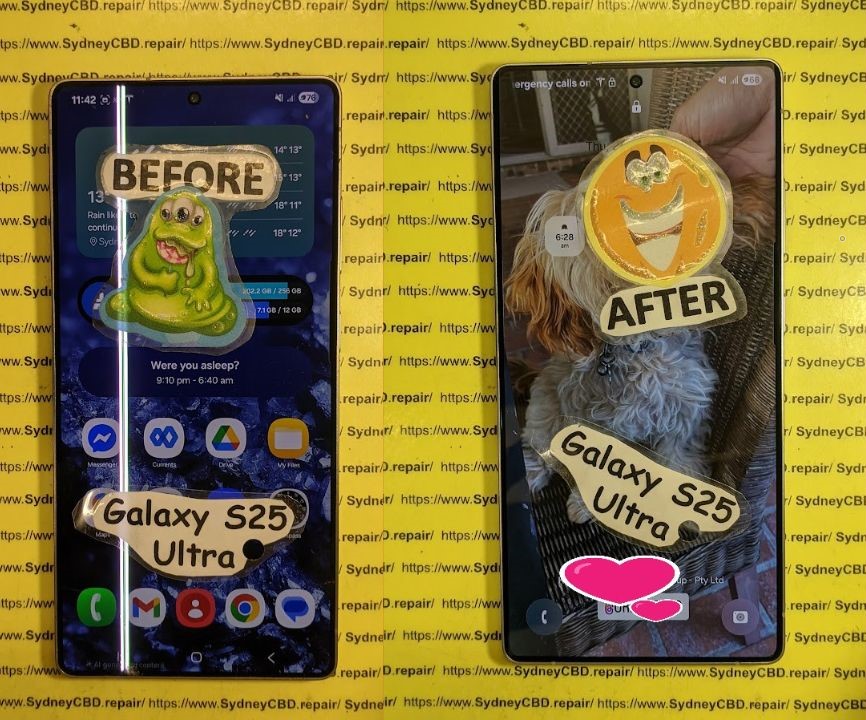
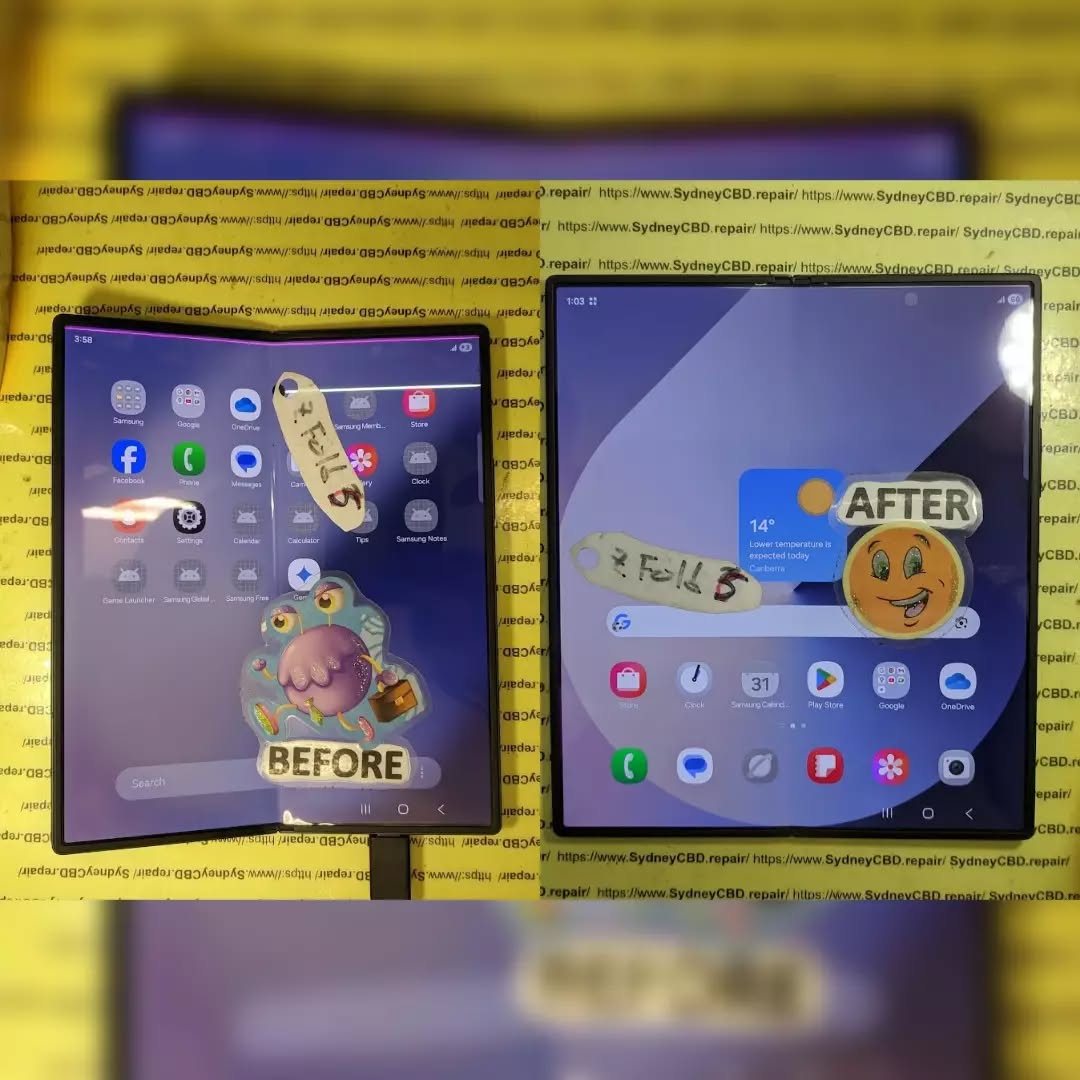
Before and After: Extreme Phone Screen Damage Transformations by Our Technicians + 10 Stunning Cases
Introduction:
A shattered phone screen can feel like a disaster. From accidental drops to heavy impacts, extreme screen damage not only ruins the appearance of your device but can also affect its functionality, making it difficult—or even impossible—to use. Many people underestimate just how complex a repair can be until they attempt a DIY fix or visit a repair service without the right expertise.
At Sydney CBD Repair Centre, we specialize in transforming even the most damaged devices. Our skilled technicians restore shattered screens to like-new condition, using genuine parts, precision tools, and advanced techniques. In this article, we’ll take you through the causes of extreme screen damage, the meticulous repair process, real-life transformations, and tips to prevent future damage—all backed by the experience that has earned us thousands of satisfied customers and 7 consecutive years as Sydney’s top mobile repair center.
Whether you’re dealing with a cracked iPhone, a water-damaged Samsung, or a foldable device in pieces, this guide shows how professional care turns disaster into perfection.
Few things are as frustrating as a severely cracked or shattered phone screen. Whether it’s a devastating drop, accidental impact, or water exposure, extreme screen damage can disrupt your day, compromise device functionality, and create costly repair bills. At Sydney CBD Repair Centre, we specialize in restoring even the most damaged devices to like-new condition. This article explores the full spectrum of extreme screen transformations carried out by our expert technicians, highlighting the care, skill, and technology involved.
Screen damage is not just about a cracked surface. It can involve layers of the display, touch sensitivity, and even internal components. Understanding the type of damage is key to ensuring a proper repair.
Minor vs. Major Screen Damage
Minor Damage: Surface scratches, small cracks, or minor dead pixels.
Major Damage: Shattered glass, malfunctioning touch, black spots, or complete LCD failure. Extreme damage often renders the device unusable.
Causes of Extreme Damage
Drops and Impacts: Accidental drops from height are the leading cause of screen shattering.
Pressure Damage: Sitting on a phone, heavy objects pressing on the screen.
Water and Liquid Exposure: Moisture can warp screens and affect internal components.
Thermal or Chemical Exposure: Extreme heat or corrosive substances may compromise the screen.
Extreme screen damage doesn’t have to mean the end of your device. With Sydney CBD Repair Centre’s professional repairs, shattered screens are transformed back to pristine condition. Our expert technicians, genuine parts, and state-of-the-art equipment ensure your device not only looks amazing but works flawlessly. Walk in today and witness the transformation for yourself!
David from Sydney CBD Repair Centre – The Best place to fix mobile phones as 7 Years In A Row! Top Mobile Phone Repair In Sydney. More than 2000 Positive Reviews on Google and Same Day Repairs.
We take pride in delivering exceptional repair services for all major phone brands including Apple, Samsung, Google, and more. Our expert technicians use only genuine parts and offer 90days warranty on repairs. Located in the heart of Sydney CBD, we’re your one-stop solution for all mobile device repairs.
Our commitment to excellence has earned us the trust of thousands of satisfied customers. Whether it’s a cracked screen, battery replacement, or water damage repair, we handle it all with professional care and expertise. Walk in today and experience why we’re Sydney’s #1 choice for mobile phone repairs.
Visit us for:
✓ Same Day Express Repairs
✓ Genuine Parts Guarantee
✓ Professional Technicians
✓ Competitive Pricing
✓ 2000+ 5-Star Google Reviews
✓ 7-Time Award Winner for Best Phone Repairs
Reason why are some phone screens so expensive to replace? The breakdown + Ultimate Guide + 7 Insights
Introduction
Smartphone screens are the gateway to your digital world. From checking emails to streaming videos, your screen is the most-used part of your device—and also the most vulnerable. But have you ever wondered why replacing a cracked or damaged phone screen can cost hundreds of dollars, sometimes even more than the device itself?
The answer isn’t as simple as “glass is expensive.” Modern phone screens are sophisticated pieces of technology, combining high-resolution displays, touch-sensitive layers, protective glass, and advanced features like high refresh rates, HDR support, and under-display fingerprint sensors. Each layer and feature adds complexity—and cost—to repair or replacement.
In this comprehensive guide, we’ll break down why some phone screens are so expensive to replace, explore the technology behind these screens, examine factors driving repair costs, and share expert tips on protecting your device. Whether you’re considering a DIY fix or professional service, understanding these factors will help you make informed choices and potentially save hundreds on repairs.
Smartphone screens are one of the most fragile and essential components of modern devices. Yet, replacing a cracked or damaged screen can sometimes cost more than you’d expect. If you’ve ever wondered why, this guide will unpack the hidden complexities behind screen prices, explain technology-driven costs, and provide practical advice for maintenance and repair.
A phone screen isn’t just a slab of glass. It’s a sophisticated assembly that integrates multiple layers and technologies, each contributing to cost and repair complexity.
Display Types: LCD vs. OLED vs. AMOLED
The display panel is the heart of the screen. There are three primary types:
LCD (Liquid Crystal Display): Traditional and cost-effective. Used in older phones. Requires a backlight.
OLED (Organic Light-Emitting Diode): Offers deeper blacks and higher contrast. Each pixel emits its own light, which allows thinner displays but costs more to manufacture.
AMOLED (Active Matrix OLED): An advanced version of OLED with faster refresh rates and improved efficiency. Premium devices like high-end Samsung Galaxy models use this, driving up replacement prices.
Touch Sensor Technology
Most modern screens integrate touch sensors directly with the display (in-cell or on-cell technology). Repairing or replacing these screens requires high precision to ensure touch sensitivity remains accurate.
Protective Glass Layers
Tempered glass or Gorilla Glass adds durability but also increases replacement complexity. Higher-end models may have multiple layers, including anti-reflective or scratch-resistant coatings, adding to costs.
Multiple factors beyond just the materials affect why screens are pricey to replace.
Brand Premiums and Original Parts
High-demand brands such as Apple and Samsung charge a premium for original parts. Non-genuine or third-party parts are cheaper but may compromise display quality or touch responsiveness.
Labor Costs and Technician Expertise
Replacing modern smartphone screens isn’t as simple as swapping glass. Technicians must carefully disassemble devices, separate delicate components, and reassemble without damaging internal hardware. Skilled labor contributes significantly to overall costs.
Supply Chain and Availability
Some devices have limited production or use proprietary components. For example, the latest foldable phones often have screens that are only produced in small batches, which drives up prices due to scarcity.
Advanced Features Increasing Complexity
Features such as:
High refresh rate (120Hz+)
HDR support
Under-display fingerprint sensors
Curved or edge-to-edge designs
…all make screens more expensive to manufacture and repair. Even slight misalignment during replacement can cause malfunctions.
Repair vs. Replacement: What You Need to Know
Risks of DIY Repairs
While tempting to save money, DIY screen repairs carry risks:
Damage to other components
Reduced touch responsiveness
Warranty voiding
DIY repair kits often lack precision tools or quality materials, increasing the chance of failure.
Warranty Implications
Most manufacturers only honor warranties if original parts are used and repairs are done by certified technicians. Replacing the screen with non-genuine parts can void coverage.
Choosing Professional Repair Services
Professional services like Sydney CBD Repair Centre ensure genuine parts, expert labor, and warranties. Choosing the right repair service reduces risk and often saves money in the long run.
Technology Trends Affecting Screen Prices
Smartphone screens evolve rapidly, and new tech often increases costs.
Foldable Screens and New Materials
Foldable devices use ultra-thin flexible OLED panels that are challenging to produce. Repairs are complex and costly due to fragile layers and hinge mechanisms.
Under-Display Fingerprint Sensors
Embedding sensors under the screen adds layers of precision. Misalignment or damage during replacement can make fingerprint recognition fail, requiring expensive fixes.
High Refresh Rate and HDR Displays
Modern flagship phones offer buttery-smooth 120Hz refresh rates and HDR content. Replacing these screens isn’t just swapping glass—it requires precise calibration for color accuracy and performance.
Cost Breakdown by Phone Model
Screen replacement costs vary significantly depending on brand and model.
Apple iPhones
iPhone SE / older models: $150–$200
iPhone 13/14: $300–$400
iPhone Pro/Pro Max: $450–$700
Apple’s premium components and tight integration increase costs.
Samsung Galaxy Devices
Mid-range Galaxy A series: $150–$250
Galaxy S series: $300–$500
Galaxy Z Fold / Flip: $800–$1,200
Foldable displays and AMOLED technology are major contributors to high costs.
Google Pixel and Other Android Phones
Pixel 6/7: $250–$400
Pixel 8 Pro: $450–$650
Other brands vary widely depending on screen technology and availability of genuine parts.
How to Extend Your Screen’s Lifespan
Using Screen Protectors and Cases
Tempered glass protectors and rugged cases absorb shocks and prevent scratches, delaying expensive replacements.
Proper Handling and Maintenance Tips
Avoid leaving phones in pockets with keys or coins
Keep away from extreme temperatures
Clean screens gently with microfiber cloths
Small preventive steps can save hundreds in repair costs over time.
FAQs
1. Why is an OLED screen more expensive than an LCD?
OLED panels emit light per pixel, allowing for superior color and contrast but requiring complex manufacturing, making them pricier.
2. Can third-party replacement screens void my warranty?
Yes. Using non-genuine parts often voids manufacturer warranties and may affect future support.
3. Are repair costs worth it for older devices?
Depends on device value. For older models, costs may approach the phone’s resale value, making replacement or upgrade a better option.
4. How do under-display sensors affect repair complexity?
They add extra layers under the glass. Misalignment or damage can render the sensor useless, increasing labor costs.
5. Is DIY repair ever a safe option?
Only for experienced technicians with proper tools. Most users risk further damage and reduced functionality.
6. Why do foldable screens cost significantly more?
They use ultra-thin flexible materials, complex hinge mechanisms, and have smaller production runs, driving up costs.
Conclusion
Smartphone screens are more than just glass—they’re sophisticated technology that balances display quality, touch sensitivity, and durability. Replacement costs reflect the complexity of materials, labor, and brand premiums. While DIY repairs can seem tempting, professional services with genuine parts often save money and frustration in the long run. Protecting your device with proper handling, cases, and screen protectors is a cost-effective way to extend its life.
David from Sydney CBD Repair Centre – The Best place to fix mobile phones as 7 Years In A Row! Top Mobile Phone Repair In Sydney. More than 2000 Positive Reviews on Google and Same Day Repairs.
We take pride in delivering exceptional repair services for all major phone brands including Apple, Samsung, Google, and more. Our expert technicians use only genuine parts and offer 90days warranty on repairs. Located in the heart of Sydney CBD, we’re your one-stop solution for all mobile device repairs.
Visit us for:
✓ Same Day Express Repairs
✓ Genuine Parts Guarantee
✓ Professional Technicians
✓ Competitive Pricing
✓ 2000+ 5-Star Google Reviews
✓ 7-Time Award Winner for Best Phone Repairs
Phone Screen Frame vs Phone Screen Only: Which Repair Method Does Your Phone Actually Need? + Ultimate Guide + 7 Critical Facts
Introduction to Screen Frame vs Screen Only Repairs
When your phone screen cracks, the first question you’ll likely ask is simple: should I choose a screen frame vs screen only repair? It sounds technical, but don’t worry. Once you understand the difference, the decision becomes much clearer.
In today’s smartphones—whether it’s an iPhone, Samsung Galaxy, or Google Pixel—the display is more than just glass. It’s a layered system including the digitizer, OLED or LCD panel, adhesives, and sometimes the metal frame that supports everything. If one part fails, the repair approach matters.
The debate around screen frame vs screen only repair isn’t just about cost. It’s about durability, alignment, touch sensitivity, and overall phone performance. Choosing the wrong option can lead to gaps, loose screens, poor waterproof sealing, or even recurring cracks.
Let’s break it down clearly and professionally, so you can make an informed decision with confidence.
A screen frame repair, also called a “full assembly replacement,” replaces both the display and the supporting frame.
This is more comprehensive. Instead of separating the broken display from the existing housing, technicians install a new display already mounted onto a new frame.
When Screen Frame Replacement Is Necessary
You’ll likely need this repair if:
The phone is bent
Corners are dented
The screen doesn’t sit flush
The device suffered a heavy drop
There’s internal alignment damage
Many flagship devices, especially those with ultra-thin designs like models from Google, are more vulnerable to structural shifts after impact.
Pros and Cons of Screen Frame Repair
Pros:
Restores original alignment
Stronger long-term durability
Cleaner internal fit
Better chance of maintaining water resistance
Cons:
Higher cost
Slightly longer repair time
It’s more expensive, yes—but it’s also more comprehensive.
Screen Frame vs Screen Only: 7 Critical Differences
Now let’s dive into the real comparison of screen frame vs screen only repairs.
1. Structural Integrity
Screen-only keeps the original frame. Frame replacement restores the entire structural shell.
2. Cost Comparison
Screen-only repairs are typically 20–40% cheaper.
3. Durability
Frame replacements last longer when structural damage exists.
4. Waterproof Sealing
Full frame replacements often provide better resealing results.
A properly aligned phone with a frame replacement often looks newer.
7. Risk Factor
If the frame is even slightly bent, screen-only repairs may fail early.
How Technicians Decide the Right Repair
Professional technicians follow a strict checklist:
Diagnostic Checklist
Inspect frame corners
Check for micro-bends
Test display seating
Evaluate adhesive integrity
Examine internal brackets
Measure structural alignment
This isn’t guesswork—it’s precision.
Risks of Choosing the Wrong Repair Method
Choosing incorrectly in the screen frame vs screen only debate can lead to:
Screen lifting after weeks
Light bleeding at edges
Touch dead zones
Repeat cracks
Reduced resale value
Worse still, moisture may seep in if sealing fails.
Brand-Specific Considerations
Different brands design screens differently.
Devices from Apple use tight integration between display and housing. Samsung devices often feature curved OLED panels that require precise alignment.
That’s why experienced repair centers matter.
For additional technical guidance on smartphone display structures, you can review iFixit’s professional teardown resources: https://SydneyCBD.repair/locate-us
Cost Breakdown Table
Repair Type
Average Cost Range
Repair Time
Best For
Screen Only
$120–$280
1–2 hours
Minor cracks
Screen + Frame
$200–$450
2–3 hours
Bent or dented phones
Prices vary depending on model.
Frequently Asked Questions
1. Is screen-only repair safe?
Yes, if the frame is undamaged.
2. How do I know if my frame is bent?
Look for gaps, uneven edges, or lifted glass corners.
3. Does frame replacement improve durability?
Yes, especially after heavy drops.
4. Will my phone remain waterproof?
It depends on technician skill and adhesive quality.
5. Which repair lasts longer?
Frame replacement generally offers stronger structural integrity.
6. Is screen-only cheaper?
Yes, but only suitable for minor damage.
Conclusion
The choice between screen frame vs screen only repair ultimately depends on your phone’s structural condition. If the damage is purely cosmetic and the frame is straight, screen-only replacement can save you money.
However, if there’s any bend, dent, or alignment issue, a full screen frame repair is the smarter investment. It protects your phone’s longevity, durability, and performance.
When in doubt, consult experienced technicians who can perform a proper diagnostic. That way, you won’t just fix your screen—you’ll protect your entire device.
David from Sydney CBD Repair Centre – The Best place to fix mobile phones as 7 Years In A Row! Top Mobile Phone Repair In Sydney. More than 2000 Positive Reviews on Google and Same Day Repairs.
We take pride in delivering exceptional repair services for all major phone brands including Apple, Samsung, Google, and more. Our expert technicians use only genuine parts and offer 90days warranty on repairs. Located in the heart of Sydney CBD, we’re your one-stop solution for all mobile device repairs.
Our commitment to excellence has earned us the trust of thousands of satisfied customers. Whether it’s a cracked screen, battery replacement, or water damage repair, we handle it all with professional care and expertise. Walk in today and experience why we’re Sydney’s #1 choice for mobile phone repairs.
Visit us for:
✓ Same Day Express Repairs
✓ Genuine Parts Guarantee
✓ Professional Technicians
✓ Competitive Pricing
✓ 2000+ 5-Star Google Reviews
✓ 7-Time Award Winner for Best Phone Repairs
The Lifespan of a Repaired Phone Screen: How Long Will It Last? + Ultimate Guide + 7 Key Factors
Introduction:
When your phone screen cracks or stops functioning properly, the immediate question is not just “how much will it cost to fix?” but also, “how long will this repair actually last?” After all, no one wants a replacement that fails after a few weeks. Understanding the lifespan of a repaired screen can save you money, stress, and countless hours of phone downtime.
Modern smartphones are more delicate than ever, and their screens are among the most vulnerable components. Repaired screens, like all tech, aren’t immune to wear and tear. However, with the right materials, skillful repair, and proper care, your repaired screen can often last as long as the original—sometimes even longer.
In this article, we’ll break down the key factors affecting screen lifespan, provide average longevity statistics, and share practical tips to help you maximize the durability of your repair.
Several elements determine how long your repaired screen will last. While some are within your control, others depend on the repair process itself. Understanding these factors can help you make an informed decision when choosing a repair service.
Type of Screen Replacement
Not all replacements are created equal. OEM (Original Equipment Manufacturer) screens are the gold standard, as they match your phone’s original display quality perfectly. Aftermarket screens, while cheaper, may not have the same color accuracy, touch sensitivity, or durability. Choosing the right type affects not only visual performance but also how long your screen stays intact.
Quality of Replacement Parts
Genuine parts are crucial. High-quality replacement glass, digitizers, and LCD components are less prone to malfunction and cracking. Inferior components may initially look fine but can develop issues within months. Always check for warranties and supplier credibility when considering a repair.
Repair Technician Skill
A skilled technician can make a huge difference. Even high-quality parts may fail prematurely if installed incorrectly. Experienced technicians ensure proper alignment, adhesion, and sealing, which reduces the risk of dust infiltration, moisture damage, and internal screen failure.
Usage Patterns
How you use your device impacts screen longevity. Frequent drops, rough handling, and heavy multitasking can all shorten a repaired screen’s lifespan. Even with the best repair, careless usage can quickly lead to cracks or touch sensitivity issues.
Protective Measures
Cases, tempered glass, and screen protectors act as your screen’s first line of defense. Regular maintenance, including cleaning and avoiding extreme conditions, adds years to your repaired screen’s life. A minor investment in protective accessories can pay off in durability.
While every repair scenario is different, industry data provides useful benchmarks.
Apple Devices
For iPhones, a properly repaired screen using OEM parts can last 2–5 years, depending on usage. Apple-certified repairs usually guarantee long-term reliability.
Samsung & Android Devices
Samsung, Google, and other Android devices vary more due to different models and screen technologies. Typically, a repaired AMOLED or LCD screen lasts 1.5–3 years. Higher-end models with Gorilla Glass and OEM parts tend to last longer.
Differences Between Phone Models
Premium phones generally use tougher materials, so their repaired screens can endure more wear. Budget models may require extra care, even after a professional repair.
Signs Your Repaired Screen is Wearing Out
Even high-quality repairs have limits. Watch for these warning signs:
Flickering or dead pixels
Reduced touch sensitivity
Discoloration or spots on the display
Cracks forming around edges
Separation between glass and frame
Early detection can prevent more costly repairs or complete replacement.
Tips to Extend the Life of Your Repaired Screen
Prolonging your repaired screen’s life requires a combination of care, protection, and smart usage.
Daily Care Routines
Clean your screen with microfiber cloths only
Avoid using harsh chemicals or abrasive cleaners
Keep liquids away to prevent accidental spills
Protective Accessories
Invest in high-quality phone cases and tempered glass
Consider edge bumpers or screen guards for extra protection
Environmental Considerations
Avoid leaving your phone in direct sunlight or hot environments
Keep it away from moisture and extreme temperatures
Cost vs Longevity: Is a Cheap Repair Worth It?
While a budget repair may save you money upfront, it can cost more in the long run. Low-cost repairs often use aftermarket parts and inexperienced technicians, leading to shorter lifespan and potential repeated repairs. Investing in quality parts and skilled service often offers better return on investment.
Expert Opinions and Industry Standards
Technicians recommend OEM or high-quality aftermarket parts, proper alignment, and avoiding third-party repairs that offer no warranties. Sydney CBD Repair Centre, for example, provides genuine parts with a 90-day warranty, demonstrating how professional standards increase repaired screen longevity.
Frequently Asked Questions (FAQs)
Q1: How long does a repaired phone screen usually last?
A: On average, 2–5 years for premium devices and 1.5–3 years for most Android phones, depending on usage and care.
Q2: Are OEM screens better than aftermarket?
A: Yes. OEM screens match original specs and typically last longer.
Q3: Can I use my phone while it’s charging without affecting the screen?
A: Using your phone while charging does not significantly impact screen lifespan, but excessive heat can degrade components.
Q4: Will a tempered glass protector reduce touch sensitivity?
A: High-quality tempered glass usually does not affect sensitivity, but cheap options may.
Q5: Does warranty cover screen lifespan?
A: Warranties usually cover defects from repair but not accidental damage or wear from misuse.
Q6: How can I tell if my repaired screen is failing early?
A: Look for flickering, dead pixels, discoloration, cracks, or touch response issues.
Conclusion
The lifespan of a repaired screen depends on a combination of factors, including part quality, repair skill, usage patterns, and protection. With OEM parts, experienced technicians, and proactive care, your repaired screen can last years, often matching or exceeding the original display’s durability. Investing in quality repairs upfront saves frustration, money, and downtime in the long run.
For expert repairs and peace of mind, Sydney CBD Repair Centre ensures genuine parts, skilled technicians, and same-day service that keeps your phone running smoothly for years.
David from Sydney CBD Repair Centre – The Best place to fix mobile phones as 7 Years In A Row! Top Mobile Phone Repair In Sydney. More than 2000 Positive Reviews on Google and Same Day Repairs.
Visit us for:
✓ Same Day Express Repairs
✓ Genuine Parts Guarantee
✓ Professional Technicians
✓ Competitive Pricing
✓ 2000+ 5-Star Google Reviews
✓ 7-Time Award Winner for Best Phone Repairs
All about DIY Screen Replacement What You Need to Know – Expert Tips + 12 Common Pitfalls
Introduction to DIY Screen Repairs
Cracked phone screens are frustrating — but paying for a professional fix can be costly. That’s why many tech-savvy users consider DIY screen replacement. But before grabbing a screwdriver and ordering a new screen online, it’s essential to understand what’s involved, what tools you need, and what risks you may face.
This guide will walk you through everything you need to know to decide if DIY repair is right for you — or if you’re better off leaving it to the pros.
To perform a safe and clean screen replacement, gather the following:
Plastic opening tools or guitar picks
Suction cup
Precision screwdriver set (Torx, Phillips, or Pentalobe)
Tweezers
Heat gun or heating pad
Isopropyl alcohol (90% or higher)
Microfiber cloth
Anti-static wrist strap
Magnetic mat (for screws)
Without the right tools, you’re more likely to damage your phone.
Screen Types: LCD vs OLED vs AMOLED – What’s the Difference?
Type
Features
Common Devices
LCD
Cheaper, less vibrant colors
Older iPhones, entry-level Android
OLED
Better colors and contrast, thinner
Mid to high-end smartphones
AMOLED
OLED with active matrix for faster refresh
Samsung Galaxy, Pixel, OnePlus
Using the wrong screen type for your phone can affect display quality and touch responsiveness.
Step-by-Step Guide to DIY Screen Replacement
Step 1: Power Off and Remove SIM Card
Before starting, turn off your device and eject the SIM tray to prevent data loss or short-circuits.
Step 2: Open the Device Safely
Use a heat gun around the edges to soften adhesive. Then use a suction cup and pry tools to lift the screen or back panel — depending on the phone’s design.
Step 3: Disconnect Battery and Display Cables
Always disconnect the battery first. Then gently remove connectors for the screen, fingerprint sensor, and other components.
Step 4: Remove Old Screen
Once disconnected, gently heat and pry the old screen off. Be careful not to damage the frame or internals.
Step 5: Install New Screen and Reassemble
Clean the area with isopropyl alcohol, align the new screen, reconnect all cables, and test before sealing the phone back up.
12 Common DIY Screen Replacement Mistakes to Avoid
Not powering off the phone before disassembly
Using metal tools that can cause short circuits
Applying too much heat or not enough
Damaging flex cables or connectors
Not disconnecting the battery before working
Installing the wrong type of screen
Forgetting to clean the frame
Losing screws or using the wrong ones
Forgetting to test the screen before reassembly
Rushing the process
Neglecting to use an anti-static strap
Over-tightening screws, damaging threads or boards
Signs You’ve Damaged Components During Repair
Screen remains black or flickers
Touchscreen is unresponsive
Phone doesn’t turn on
Battery drains quickly
No signal or Wi-Fi connection
Fingerprint sensor no longer works
If you notice these after a repair, seek professional help immediately.
Using OEM vs Aftermarket Screens: What’s the Difference?
Feature
OEM Screen
Aftermarket Screen
Display quality
Exact match
Often lower brightness or resolution
Touch responsiveness
High
May lag or misregister touches
Compatibility
100% guaranteed
May lack features (e.g., fingerprint)
Durability
Built to last
Cheaper materials, lower lifespan
Price
Higher
Lower, but quality varies greatly
At Sydney CBD Repair Centre, we use genuine OEM parts to maintain device integrity and performance.
Is It Cheaper to Do It Yourself?
It can be, but the savings often come with risks.
Cost Breakdown (DIY)
Estimated
Screen part (aftermarket)
$60–$120
Tools
$30–$100
Time (2–4 hours)
Your time
Risk of error/damage
High
Compare that to a professional repair which usually includes:
OEM screen
Warranty (60–90 days)
Safe and fast turnaround
No risk of voiding your warranty
Why Professional Help Might Be the Smarter Choice
At Sydney CBD Repair Centre, we offer:
Same-day express repairs
Genuine parts guarantee
Highly skilled technicians
90-day warranty
Over 2000 five-star reviews from satisfied customers
We specialize in screen replacements for Apple, Samsung, Google, and more — done right the first time.
It can be if you’re skilled and have the tools, but many people end up causing more damage. For high-end phones, professional repair is safer.
2. How long does a screen replacement take?
DIY takes 2–4 hours. A pro can do it in under 1 hour, depending on the phone.
3. Can I fix a cracked screen without replacing it?
Not really. Glass-only repairs are rare and complex. Most screen replacements include the LCD or AMOLED.
4. Will DIY repairs void my warranty?
Yes, in most cases opening the phone voids manufacturer or carrier warranties.
5. What’s the most difficult part of DIY screen replacement?
Disconnecting flex cables and removing the screen without damaging the frame or motherboard.
6. Is it safe to buy replacement screens online?
Only from reputable sources. Look for OEM parts or high-grade replacements with good reviews.
Conclusion
DIY screen replacement can save you money — but it also comes with risks. If you’re confident, prepared, and have the right tools, it’s doable. But if you’re unsure or working on a valuable phone, professional repair is your safest and most reliable option.
Let the experts at Sydney CBD Repair Centre take care of your device with guaranteed quality and genuine parts.
Comprehensive Outline: The Anatomy of a Bezel: Why Samsung vs. iPhone Screen Edge Repairs Differ + 10 Key Insights
Introduction: Understanding the Importance of Screen Bezels
The bezel is often overlooked when it comes to smartphones, but it plays a crucial role in both design and repair. When comparing Samsung and iPhone devices, the difference in bezel design becomes even more apparent, affecting repair costs, durability, and touch sensitivity. Understanding why Samsung vs. iPhone screen edge repairs differ can help users make informed decisions when seeking professional repairs.
Screen edges do more than frame your display—they influence your phone’s structural integrity and repair feasibility. With high-end devices pushing toward edge-to-edge displays, the bezel’s role in protecting and supporting the screen has become more significant than ever.
A bezel is the frame that surrounds a smartphone’s display. While often thin and subtle in modern devices, it serves multiple purposes:
Structural support for the glass
Housing for sensors, cameras, and antennas
Protection against drops and scratches
Types of Bezels: Thick vs. Thin, Flat vs. Curved
Thick Bezels: Provide extra protection and are easier to repair; often found in older models.
Thin Bezels: Enhance aesthetics but make repairs more delicate.
Curved Edge Displays: Popular in Samsung’s flagship devices; increase repair complexity.
Flat Bezels: Found in most iPhones, simplifying repairs and replacements.
Samsung vs. iPhone: Design Philosophies Behind Bezels
Samsung’s Edge-to-Edge Display Technology
Samsung favors curved, edge-to-edge displays, emphasizing aesthetics and immersive viewing. While visually stunning, this design introduces unique challenges during repairs:
Glass separation requires specialized tools
Higher risk of cracking during replacement
More time-consuming labor for adhesive removal
Apple’s Uniform and Minimalist Bezel Approach
iPhones maintain consistent, flat bezels to support both durability and repair simplicity. This design choice ensures:
Easier glass removal and replacement
Lower risk of damaging internal components
Faster turnaround time in professional repair centers
1. Are Samsung screen edge repairs more expensive than iPhones?
Yes, due to curved displays and higher risk of damage, Samsung repairs are usually costlier.
2. Can I repair a bezel at home?
It’s not recommended. Improper tools and adhesives can permanently damage the screen.
3. How long does an iPhone screen edge repair take?
Typically 30–60 minutes in a professional repair center.
4. Will a repaired Samsung screen be as durable as new?
Yes, if genuine parts and proper techniques are used, but edge-to-edge glass remains more fragile than flat iPhones.
5. Do curved Samsung screens affect touch sensitivity after repair?
If recalibration isn’t done properly, touch sensitivity at the edges may be reduced.
6. How can I prevent bezel damage?
Use tempered glass protectors, durable cases, and avoid drops.
Conclusion: Choosing the Right Repair Approach
When it comes to Samsung vs. iPhone screen edge repairs, the key differences lie in design and materials. Samsung’s curved edges demand precision and specialized tools, while iPhones benefit from flat, uniform bezels that simplify repairs. Choosing a professional repair service ensures longevity, maintains warranty, and preserves device functionality.
By understanding bezel anatomy and repair complexity, users can make informed decisions, reduce repair costs, and protect their investment in high-end smartphones.
David from Sydney CBD Repair Centre – The Best place to fix mobile phones as 7 Years In A Row! Top Mobile Phone Repair In Sydney. More than 2000 Positive Reviews on Google and Same Day Repairs.
We take pride in delivering exceptional repair services for all major phone brands including Apple, Samsung, Google, and more. Our expert technicians use only genuine parts and offer 90days warranty on repairs. Located in the heart of Sydney CBD, we’re your one-stop solution for all mobile device repairs.
Our commitment to excellence has earned us the trust of thousands of satisfied customers. Whether it’s a cracked screen, battery replacement, or water damage repair, we handle it all with professional care and expertise. Walk in today and experience why we’re Sydney’s #1 choice for mobile phone repairs.
Visit us for:
✓ Same Day Express Repairs
✓ Genuine Parts Guarantee
✓ Professional Technicians
✓ Competitive Pricing
✓ 2000+ 5-Star Google Reviews
✓ 7-Time Award Winner for Best Phone Repairs
Is Your Phone Repair Worth It Calculating Phone Screen Replacement Value + Ultimate Guide + 7 Smart Factors
Introduction
Is your cracked phone screen worth fixing, or is it time to upgrade? It’s a question millions of smartphone owners ask every year—and the answer isn’t always obvious. With rising repair costs and constantly changing phone prices, understanding phone screen replacement value has never been more important. A damaged screen doesn’t automatically mean your phone is finished, but repairing it without doing the maths can be an expensive mistake.
In this guide, we’ll break down how to calculate phone screen replacement value in a clear, practical way. You’ll learn how repair costs compare to resale prices, how phone age and brand affect value, and when a screen replacement truly makes financial sense. More importantly, we’ll share expert insights used by professional technicians to help you make a confident, informed decision—without the guesswork.
Whether you’re holding onto a premium flagship or a reliable mid-range device, this article will help you decide if repairing your phone is a smart investment or if replacing it is the better move.
When customers ask, “Is my phone screen repair worth it?”, they’re really asking about phone screen replacement value. This value isn’t just about dollars and cents. Instead, it’s a balance of cost, usability, lifespan, and resale potential.
What “Value” Really Means in Phone Repairs
At its core, phone screen replacement value is calculated by comparing:
The cost of the repair
The current market value of the phone
The expected lifespan after repair
If your screen replacement costs $300, but the phone is worth $900 after repair, the phone screen replacement value is strong. On the other hand, spending $250 to repair a device worth only $300 doesn’t make much financial sense.
However, value isn’t always purely financial. For many users, data security, familiarity, and reliability also matter.
Emotional vs Financial Value
Let’s be honest—people get attached to their phones. Photos, apps, and daily routines all live there. While emotional value shouldn’t override logic entirely, it does play a role in determining phone screen replacement value.
That said, professional technicians always recommend grounding decisions in objective repair economics, not just sentiment.
Understanding today’s phone market is essential when calculating phone screen replacement value. Smartphones depreciate quickly, but not evenly.
Depreciation Rates by Brand
Here’s a simplified breakdown:
Brand
Value After 1 Year
Value After 3 Years
Apple iPhone
~75%
~55%
Samsung Galaxy
~65%
~45%
Google Pixel
~60%
~40%
Budget Android
~45%
~25%
Premium brands hold value longer. Therefore, screen replacement on newer iPhones and Samsung Galaxy devices usually delivers better phone screen replacement value.
How Resale Platforms Set Prices
Platforms like eBay, Facebook Marketplace, and trade-in programs evaluate:
Cosmetic condition
Screen quality
Original vs replaced parts
Functional integrity
A professionally replaced genuine screen maintains resale trust, which directly improves phone screen replacement value. According to data shared by reputable refurbishers and sources like GSMArena , phones with documented professional repairs sell faster and at higher prices.
True Cost of Screen Replacement
To calculate phone screen replacement value accurately, you must understand what you’re paying for.
Parts, Labour, and Warranty Breakdown
A professional screen replacement typically includes:
Genuine or premium-grade screen
Skilled labour
Calibration and testing
Warranty (often 90 days or more)
This bundled service ensures reliability. While DIY kits may seem cheaper upfront, they rarely offer long-term value.
Genuine vs Aftermarket Screens
Screen Type
Cost
Durability
Resale Impact
Genuine OEM
High
Excellent
Strong
Premium Aftermarket
Medium
Good
Moderate
Low-Grade Copy
Low
Poor
Negative
Using genuine parts improves phone screen replacement value by ensuring brightness, touch sensitivity, and longevity remain close to factory standards.
When Screen Repair Makes Financial Sense
Not every cracked screen is a deal-breaker. In fact, many repairs deliver excellent phone screen replacement value.
Flagship Phones Under 3 Years Old
If your phone:
Is less than three years old
Has no internal damage
Still receives software updates
Then screen replacement almost always makes sense. Flagship phones are designed to last, and replacing the screen often extends usability by several years.
Mid-Range and Budget Devices
Here, the calculation becomes tighter. If repair costs exceed 40–50% of the phone’s market value, phone screen replacement value declines rapidly. However, if the phone is otherwise flawless, repair can still be justified.
When Screen Repair Is NOT Worth It
Sometimes, walking away is the smarter move.
Multiple Component Failures
If your phone has:
Battery degradation
Charging port issues
Camera or motherboard faults
Then a screen repair alone won’t restore full value. In these cases, phone screen replacement value drops significantly.
Obsolete or Unsupported Models
Phones no longer receiving security updates pose risks. Even with a new screen, the device may be unsafe for banking or personal data, reducing overall value.
How Professionals Calculate Phone Screen Replacement Value
Repair Cost ÷ Post-Repair Market Value = Repair Ratio
If the ratio is under 0.4, the phone screen replacement value is generally considered good.
Risk Assessment by Technicians
Technicians also assess:
Frame integrity
Water damage indicators
History of previous repairs
This risk assessment protects customers from investing in devices unlikely to last.
DIY Repair vs Professional Repair
DIY repairs are tempting, but they rarely maximise phone screen replacement value.
Hidden Risks of DIY
Common DIY issues include:
Face ID or fingerprint sensor failure
Display calibration problems
Loss of water resistance
These issues reduce both usability and resale value.
Warranty and Longevity Factors
Professional repairs typically include warranties, which increase confidence and long-term value. A documented repair from a reputable centre significantly boosts phone screen replacement value.
Environmental and Sustainability Benefits
Repairing instead of replacing isn’t just economical—it’s responsible.
Reducing E-Waste Through Repair
Every repaired phone keeps harmful materials out of landfills. Choosing screen replacement supports sustainability while preserving phone screen replacement value.
Frequently Asked Questions (FAQs)
1. How do I calculate phone screen replacement value quickly?
Compare repair cost to your phone’s resale value. If repairs cost less than 40% of resale value, it’s usually worth it.
2. Does a replaced screen reduce resale value?
Not if it’s professionally installed using genuine parts. In many cases, it improves resale appeal.
3. Are aftermarket screens ever worth it?
Premium aftermarket screens can offer good phone screen replacement value for mid-range phones.
4. Is phone insurance better than screen repair?
Insurance helps, but deductibles can be high. Direct repair is often cheaper.
5. How long does a professional screen replacement last?
With quality parts, it should last as long as the original screen.
6. Can I trade in a phone with a replaced screen?
Yes. Many trade-in programs accept professionally repaired devices.
Conclusion
So, is your repair worth it? When you understand phone screen replacement value, the answer becomes clear. By evaluating repair costs, market value, device age, and long-term usability, you can make confident, informed decisions.
In most cases—especially for newer flagship phones—screen replacement is a smart investment that restores functionality, preserves value, and reduces environmental impact.
David from Sydney CBD Repair Centre – The Best place to fix mobile phones as 7 Years In A Row! Top Mobile Phone Repair In Sydney. More than 2000 Positive Reviews on Google and Same Day Repairs.
We take pride in delivering exceptional repair services for all major phone brands including Apple, Samsung, Google, and more. Our expert technicians use only genuine parts and offer 90 days warranty on repairs. Located in the heart of Sydney CBD, we’re your one-stop solution for all mobile device repairs.
Our commitment to excellence has earned us the trust of thousands of satisfied customers. Whether it’s a cracked screen, battery replacement, or water damage repair, we handle it all with professional care and expertise. Walk in today and experience why we’re Sydney’s #1 choice for mobile phone repairs.
Visit us for:
✓ Same Day Express Repairs
✓ Genuine Parts Guarantee
✓ Professional Technicians
✓ Competitive Pricing
✓ 2000+ 5-Star Google Reviews
✓ 7-Time Award Winner for Best Phone Repairs
NO MORE BLINKING! Fixing Flickering Issues On Samsung Galaxy Z Flip 6 Screen – Ultimate 10-Step Professional Repair Guide
Introduction
Screen flickering on a foldable phone can quickly turn a premium device into a frustrating experience. If your Samsung Galaxy Z Flip 6 display randomly flashes, flickers, dims, or behaves unpredictably, you’re not alone.
This comprehensive guide explains everything you need to know about fixing flickering issues on Samsung Galaxy Z Flip 6 screen, including common causes, professional repair methods, DIY troubleshooting, and preventative maintenance. Whether you’re a smartphone owner or simply curious about foldable display technology, this guide will help you understand the problem from an expert’s perspective.
The Samsung Galaxy Z Flip 6 represents one of Samsung’s most advanced foldable smartphones. Its flexible AMOLED display offers vibrant colors, deep blacks, and smooth animations. However, like every sophisticated piece of technology, it isn’t completely immune to problems.
One issue that concerns many users is fixing flickering issues on Samsung Galaxy Z Flip 6 screen. Screen flickering can appear suddenly or develop gradually over time. Sometimes the display flashes only when brightness changes. In other cases, the entire screen rapidly blinks, making the phone difficult—or even impossible—to use.
The symptoms vary depending on the underlying cause. Some owners notice:
Random screen flashing
Green or white flickering
Black screen with occasional image flashes
Display brightness constantly changing
Flickering after unfolding the device
Touchscreen remaining functional while the display flashes
Screen working normally for several minutes before flickering begins
Because foldable phones use flexible OLED panels connected by delicate ribbon cables, diagnosing these issues requires more than simply replacing a screen. Every repair should begin with careful testing to determine whether the problem is software-related or hardware-related.
Modern foldable displays contain multiple precision-engineered layers, including:
Component
Function
Flexible OLED Panel
Produces the image
Ultra Thin Glass
Protects the OLED
Polarizer
Improves visibility
Digitizer
Detects touch input
Display Flex Cable
Transfers display signals
Display Driver IC
Controls pixels
Mainboard Connectors
Connect display to motherboard
Each component must function perfectly for the screen to operate correctly. Even a tiny defect can create noticeable flickering.
Unlike conventional smartphones, the Galaxy Z Flip 6 repeatedly folds and unfolds throughout the day. This constant motion places mechanical stress on the flexible display assembly. Although Samsung has engineered the phone for durability, years of folding—or unexpected accidents—can eventually affect internal components.
Another important point is that not every flickering issue requires an expensive display replacement. Professional technicians first eliminate software causes before moving on to hardware diagnostics. This approach saves both time and money.
Users should also avoid assuming that a flickering screen automatically means permanent damage. Many cases result from corrupted firmware, outdated software, loose connectors after an impact, or temporary system instability. Correct diagnosis is the key to successful repair.
Understanding how the foldable display functions is the first step toward solving the issue. In the following sections, we’ll explore every major cause behind Galaxy Z Flip 6 screen flickering and explain why accurate diagnosis is essential before replacing any parts.
Understanding the reasons behind fixing flickering issues on Samsung Galaxy Z Flip 6 screen begins with identifying the root cause. While the symptom may appear identical—a blinking or flashing display—the underlying reasons can vary significantly.
Professional repair technicians typically divide these causes into two categories:
Software-related issues
Hardware-related issues
Knowing the difference prevents unnecessary repairs and ensures the correct solution is applied.
Software Problems
Software faults are among the easiest issues to resolve. They usually occur after:
Android updates
One UI upgrades
Corrupted applications
Graphics driver conflicts
System cache corruption
Firmware installation failures
Common software symptoms include:
Flickering only during startup
Display flashing after installing updates
Brightness instability
Temporary black screen
Random app crashes alongside display problems
Fortunately, these issues can often be corrected by:
Restarting the device
Updating firmware
Clearing the cache partition
Booting into Safe Mode
Performing a factory reset (after backing up data)
If the flickering disappears in Safe Mode, a third-party application may be responsible.
Hardware Problems
Hardware failures are generally more serious and require specialist equipment.
Professional repair centers inspect:
Flexible OLED display
Hinge assembly
Display flex cable
Connector sockets
Display Driver IC
Power management circuits
Motherboard components
Hardware-related flickering usually becomes worse over time rather than improving.
Signs include:
Flickering when opening the phone
Display flashing after minor drops
Green vertical lines
White flashing at maximum brightness
Screen blackout when folding
Permanent image distortion
One of the most common hardware failures involves the display flex cable. Because this cable bends every time the phone opens and closes, it experiences continuous mechanical stress. Even microscopic cracks in the cable can interrupt signal transmission, causing intermittent flickering.
Physical Impact Damage
A surprising number of flickering issues begin after seemingly harmless accidents.
Examples include:
Dropping the phone onto hard flooring
Sitting on the device
Pressure inside a backpack
Twisting the phone while folded
Hitting the hinge against a table
Even when the outer glass remains intact, internal layers may suffer damage.
Technicians frequently discover:
Partially disconnected display connectors
Damaged flex cables
Micro-fractures in OLED panels
Bent internal brackets
Hinge alignment issues
These problems often require professional disassembly because the Galaxy Z Flip 6 uses precision adhesives, delicate ribbon cables, and tightly integrated components.
Water and Moisture Exposure
Although the Galaxy Z Flip 6 offers water resistance, no device is completely waterproof. Over time, seals naturally age, and accidental exposure to liquids can affect internal electronics.
Moisture intrusion may lead to:
Corrosion on display connectors
Oxidation of motherboard contacts
Short circuits
Voltage instability
Random screen flickering
Interestingly, moisture damage doesn’t always appear immediately. Corrosion can develop gradually over days or weeks, making diagnosis more challenging.
Professional technicians use specialized microscopes to inspect connector pins and solder joints for corrosion that may not be visible to the naked eye.
Manufacturing Defects
While relatively uncommon, manufacturing defects can occasionally contribute to display problems. These defects may involve:
Faulty OLED panels
Weak solder joints
Defective display driver chips
Connector manufacturing inconsistencies
Such issues often emerge early in the device’s lifespan and may be covered under the manufacturer’s warranty, depending on the cause and the phone’s condition.
Heat and Environmental Stress
Excessive heat is another factor that can contribute to display instability. Leaving the phone in direct sunlight, using it during heavy gaming sessions for extended periods, or charging in high-temperature environments may stress sensitive electronic components.
High temperatures can affect:
OLED performance
Adhesive integrity
Internal connectors
Display driver circuits
Although heat alone rarely causes permanent flickering, it can expose an underlying weakness that later develops into a persistent problem.
Professional Diagnostic Process for a Flickering Galaxy Z Flip 6 Screen
Successfully fixing flickering issues on Samsung Galaxy Z Flip 6 screen starts with an accurate diagnosis. Replacing the display without identifying the real cause can lead to unnecessary costs and repeated repairs. Professional repair technicians follow a structured process to determine whether the issue originates from software, hardware, or both.
Step 1: Gather Device History
Before opening the phone, technicians ask several important questions:
Has the phone been dropped recently?
Did the flickering begin after a software update?
Has the device been exposed to water?
Does the screen flicker only when folded or unfolded?
Has the phone been repaired before?
These answers help narrow down the possible causes before any disassembly begins.
Step 2: External Inspection
A careful visual inspection often reveals clues that users may overlook.
Technicians examine:
The foldable OLED display
The cover screen
The hinge mechanism
The frame
The USB-C charging port
SIM tray indicators
Water damage indicators
Signs of impact or bending
Even tiny dents around the hinge can suggest internal stress affecting the display cable.
Step 3: Functional Testing
Before opening the device, several diagnostic tests are performed.
Typical tests include:
Brightness adjustment
Touchscreen responsiveness
Adaptive refresh rate
Always-On Display
Camera operation
Wireless charging
Fingerprint sensor
Flex mode functionality
If flickering only occurs at certain brightness levels or fold angles, this information becomes extremely valuable.
Step 4: Software Diagnostics
Professional technicians verify that the issue isn’t software-related by checking:
Android version
Samsung One UI version
Display driver updates
Safe Mode operation
Diagnostic logs
Error reports
Many intermittent display problems disappear after software corrections, saving customers from unnecessary hardware replacement.
Step 5: Internal Inspection
If software is ruled out, the phone is carefully disassembled using specialized tools.
The technician inspects:
Display flex cables
Internal connectors
Battery condition
Hinge routing
Motherboard connectors
Protective shields
Grounding contacts
Foldable phones require significantly more care than traditional smartphones because the flexible display assembly can be damaged during improper disassembly.
Step 6: Electrical Testing
Advanced repair centers use precision instruments to measure electrical performance.
These include:
Diagnostic Tool
Purpose
Digital Multimeter
Voltage testing
Microscope
Connector inspection
Thermal Camera
Detect overheating
DC Power Supply
Current monitoring
Display Tester
OLED verification
USB Analyzer
Charging diagnostics
These tools help identify faulty circuits without replacing working components.
Professional Repair Options
After identifying the root cause, technicians determine the most effective repair strategy.
OLED Display Replacement
If the OLED panel itself has failed, replacing the complete display assembly is often the best solution.
Benefits include:
Restored image quality
Eliminated flickering
Factory-like performance
Reliable touch response
Improved durability
Using genuine replacement parts helps preserve display brightness, color accuracy, and fold performance.
Display Flex Cable Repair
Sometimes the OLED panel remains functional while the flexible ribbon cable develops damage.
Symptoms include:
Flickering only while folding
Temporary black screen
Image returning after movement
Random flashing
Depending on the extent of the damage, technicians may replace the cable or install a complete display assembly.
Connector Reseating
A loose connector may interrupt communication between the motherboard and display.
Technicians carefully:
Disconnect the battery.
Remove protective shields.
Clean connector contacts.
Inspect for corrosion.
Reconnect and test.
This relatively simple repair can resolve intermittent flickering if no permanent damage exists.
Motherboard-Level Repair
In more complex cases, the issue originates from the motherboard rather than the display.
Potential faults include:
Display driver IC failure
Damaged power management circuits
Broken solder joints
Liquid-damaged components
Burned display filters
These repairs require advanced microsoldering skills and specialized equipment.
When Is a Full Display Replacement Necessary?
A complete screen replacement is typically recommended if:
The OLED panel has visible damage.
Colored lines appear permanently.
The screen stays black despite power.
Touch response is lost.
The display has internal cracks.
Flickering worsens rapidly over time.
Replacing only part of the assembly in these situations may lead to recurring issues.
Genuine vs. Aftermarket Displays
One of the biggest decisions during fixing flickering issues on Samsung Galaxy Z Flip 6 screen is selecting the replacement display.
While aftermarket parts may reduce upfront costs, they can vary significantly in quality.
Feature
Genuine Display
Aftermarket Display
Color Accuracy
Excellent
Varies
Brightness
Factory Standard
Often Lower
Fold Durability
Excellent
May Differ
Touch Sensitivity
Excellent
Can Vary
Refresh Rate Support
Full
May Be Limited
Long-Term Reliability
High
Depends on Manufacturer
Warranty Support
Better
Varies
For premium foldable devices like the Galaxy Z Flip 6, genuine parts generally provide the best overall experience.
Preventing Future Screen Flickering
Although not every failure can be prevented, good habits can significantly reduce the likelihood of display problems.
Protect the Hinge
The hinge is the heart of the foldable design.
Avoid:
Forcing the phone open.
Folding it with debris inside.
Carrying it in overstuffed pockets.
Twisting the device.
Use a Protective Case
A quality case helps absorb impacts that could otherwise damage internal components.
Look for:
Hinge protection
Shock absorption
Raised bezels
Secure grip
Precision fit
Avoid Extreme Temperatures
Very high or very low temperatures can affect OLED performance and internal electronics.
Best practices include:
Don’t leave the phone in a hot car.
Avoid prolonged direct sunlight.
Allow the phone to cool during intensive tasks.
Charge in moderate temperatures.
Keep Software Updated
Samsung regularly releases updates that improve stability, performance, and compatibility.
Updating the device can:
Fix graphics bugs.
Improve display drivers.
Enhance battery management.
Resolve known software issues.
Charge with Certified Accessories
Poor-quality chargers may produce unstable voltage that affects sensitive components.
Choose:
Samsung-certified chargers
High-quality USB-C cables
Reputable charging accessories
Consistent power delivery contributes to overall device reliability.
Repair Costs and Factors That Affect Pricing
When it comes to fixing flickering issues on Samsung Galaxy Z Flip 6 screen, repair costs can vary considerably depending on the underlying fault. A simple software issue may be resolved at little or no cost, while a damaged foldable OLED display or motherboard component requires a more involved repair.
Several factors influence the final repair price:
Extent of the damage
Whether the OLED panel or only the flex cable is affected
Availability of genuine replacement parts
Labor required to safely disassemble and reassemble the foldable phone
Whether additional components, such as the hinge or motherboard, require repair
Because every Galaxy Z Flip 6 is different, professional diagnostics should always be completed before approving a repair. This prevents unnecessary part replacements and ensures customers receive the most cost-effective solution.
Why Professional Repairs Matter
Foldable smartphones are engineered differently from traditional slab-style phones. The Galaxy Z Flip 6 contains a flexible AMOLED display, ultra-thin glass, precision adhesives, delicate flex cables, and a sophisticated hinge assembly.
Professional technicians understand these complexities and follow repair procedures designed to preserve the integrity of the device.
Benefits of choosing an experienced repair centre include:
Accurate fault diagnosis
Professional-grade repair equipment
Proper battery disconnection before servicing
Genuine or premium-quality replacement parts
Careful adhesive application
Functional testing before device return
Repair warranty for added peace of mind
Attempting a repair without the proper tools or expertise can result in additional damage, including torn flex cables, damaged connectors, broken internal components, or compromised water resistance.
Common Mistakes to Avoid
Many Galaxy Z Flip 6 owners unintentionally make the problem worse while trying to troubleshoot a flickering screen.
Avoid these common mistakes:
Ignoring Early Symptoms
Minor flickering can indicate the beginning of a larger hardware issue. Seeking professional diagnosis early may prevent further damage.
Applying Excessive Pressure
Pressing firmly on the display or hinge can damage the flexible OLED layers.
Continuing to Fold the Phone Excessively
If flickering appears only while folding or unfolding, repeated movement may worsen a damaged display cable.
Using Low-Quality Chargers
Cheap charging accessories can contribute to unstable power delivery and should be avoided.
Attempting DIY Screen Replacement
Foldable displays require specialized tools and techniques. Improper removal may permanently damage the screen or hinge assembly.
Best Practices for Long-Term Display Health
Keeping your Galaxy Z Flip 6 in excellent condition involves regular care and responsible usage.
Follow these recommendations:
Clean the screen using a microfiber cloth.
Avoid exposing the phone to sand, dust, or debris around the hinge.
Install software updates promptly.
Use protective cases designed specifically for foldable devices.
Avoid dropping the phone or placing heavy objects on it.
Charge using certified accessories.
Have unusual display behavior inspected early.
Small preventative measures can greatly extend the lifespan of your foldable smartphone.
Frequently Asked Questions
1. Why is my Samsung Galaxy Z Flip 6 screen flickering?
Screen flickering may be caused by software bugs, display cable damage, OLED panel failure, impact damage, water exposure, or motherboard faults. A professional diagnosis is the best way to identify the exact cause.
2. Can software updates fix screen flickering?
Yes. If the issue is related to firmware or graphics drivers, updating the operating system or installing the latest Samsung One UI update may resolve the problem without hardware repairs.
3. Does a flickering screen always mean the display must be replaced?
No. Some cases are caused by loose connectors, software conflicts, or damaged flex cables. Only a proper inspection can determine whether a full display replacement is necessary.
4. Is it safe to continue using a flickering Galaxy Z Flip 6?
While the phone may still function, continued use could worsen an underlying hardware problem. It is advisable to have the device inspected as soon as possible.
5. Can water cause intermittent screen flickering?
Yes. Moisture can corrode internal connectors or damage sensitive electronic components, resulting in intermittent or persistent display issues.
6. How can I reduce the risk of future screen problems?
Use a protective case, avoid unnecessary stress on the hinge, keep software updated, charge with certified accessories, and seek professional repairs whenever problems appear.
Additional Resources
For official Samsung device support, software updates, and troubleshooting guides, visit the Samsung Support website:
The Samsung Galaxy Z Flip 6 is an impressive example of modern foldable smartphone engineering, combining cutting-edge display technology with a compact, stylish design. However, its advanced construction also means that display issues require careful diagnosis and professional attention.
Throughout this guide, we’ve explored the most common causes of fixing flickering issues on Samsung Galaxy Z Flip 6 screen, from software glitches and firmware conflicts to damaged OLED panels, worn flex cables, loose connectors, and motherboard faults. Understanding these potential causes is the first step toward choosing the correct repair solution.
The most important takeaway is that not every flickering display requires a complete screen replacement. A systematic diagnostic process can identify whether the issue is software-related, connector-related, or caused by a more serious hardware failure. Early intervention often prevents minor problems from developing into expensive repairs.
If your Galaxy Z Flip 6 begins flashing, dimming, or displaying intermittent flickering, avoid applying pressure to the screen or attempting complex DIY repairs. Instead, back up your data, perform basic software troubleshooting, and consult experienced technicians who specialize in foldable devices.
With genuine parts, professional repair techniques, and proper preventative care, your Galaxy Z Flip 6 can continue delivering the premium foldable experience it was designed to provide for years to come.
David from Sydney CBD Repair Centre
David from Sydney CBD Repair Centre – The Best place to fix mobile phones as 7 Years In A Row! Top Mobile Phone Repair In Sydney. More than 2000 Positive Reviews on Google and Same Day Repairs.
We take pride in delivering exceptional repair services for all major phone brands including Apple, Samsung, Google, and more. Our expert technicians use only genuine parts and offer 90 days warranty on repairs. Located in the heart of Sydney CBD, we’re your one-stop solution for all mobile device repairs.
Our commitment to excellence has earned us the trust of thousands of satisfied customers. Whether it’s a cracked screen, battery replacement, or water damage repair, we handle it all with professional care and expertise. Walk in today and experience why we’re Sydney’s #1 choice for mobile phone repairs.
Visit us for:
✓ Same Day Express Repairs
✓ Genuine Parts Guarantee
✓ Professional Technicians
✓ Competitive Pricing
✓ 2000+ 5-Star Google Reviews
✓ 7-Time Award Winner for Best Phone Repairs
Sydney CBD Repair Centre – Where Quality Meets Reliability.
The Samsung Galaxy Z Fold 6 represents one of the most advanced smartphones ever built. Its innovative foldable OLED display, precision-engineered hinge, and ultra-thin internal components make it an engineering masterpiece—but they also make repairs significantly more challenging than those on traditional smartphones. Replacing the inner display requires specialist tools, technical knowledge, and careful handling to avoid damaging delicate flex cables, sensors, and the hinge mechanism.
At Sydney CBD Repair Centre, our technicians regularly perform professional Galaxy Z Fold 6 inner display replacements using genuine Samsung parts and industry-approved repair procedures. This guide explains what is involved in replacing the Fold 6’s inner screen and why professional repair is the safest option.
Unlike conventional smartphones, the Galaxy Z Fold 6 features:
Ultra-Thin Glass (UTG)
Flexible AMOLED display
Advanced hinge assembly
Multiple ribbon cable connections
Under-display camera integration
Factory-installed protective layer
Every component is precisely aligned, making the repair process extremely sensitive.
Common Reasons the Inner Display Needs Replacement
The inner screen may require replacement if you notice:
Black spots spreading across the display
Green or white lines
Dead pixels
Flickering display
No image while touch still works
Touch not responding
Display crease damage
Cracks developing along the fold
Internal OLED damage after impact
Sometimes the outer screen remains fully functional while the internal display fails completely.
Signs of Internal Display Failure
Professional diagnosis often identifies:
Display Flickering
Brightness constantly changes.
Vertical or Horizontal Lines
OLED panel damage often causes coloured lines.
Half Screen Not Working
One side of the folding display becomes unusable.
Touch Failure
The display shows images but ignores touch input.
Black Screen
The phone powers on normally but the inner display remains black.
Why This Repair Is So Difficult
Replacing the Fold 6 inner display is considered one of the most difficult smartphone repairs because technicians must work around:
Delicate folding OLED panel
Extremely thin display adhesive
Hidden flex cables
Internal antenna assemblies
Hinge protection plates
Waterproof sealing components
Even a tiny mistake can destroy a brand-new display.
Professional Tools Required
Our technicians use specialised equipment including:
Precision screwdrivers
Plastic opening tools
Heat plate
Anti-static workstation
Display removal cards
Professional adhesives
Microscope inspection tools
Samsung calibration software
These tools minimise repair risks while maintaining repair quality.
Step 1 – Initial Device Inspection
Before opening the phone we inspect:
Display damage
Frame condition
Hinge movement
Water damage indicators
Camera functionality
Charging system
Speaker operation
Fingerprint sensor
This ensures there are no hidden issues.
Step 2 – Safe Device Disassembly
The Fold 6 is carefully opened using controlled heat.
Technicians remove:
Rear glass
Wireless charging coil
Mid-frame
Battery connectors
Motherboard shields
Every screw is organised to prevent installation mistakes.
Step 3 – Battery Disconnection
Battery disconnection is one of the most important safety procedures.
Disconnecting power prevents:
Electrical shorts
OLED damage
Motherboard failure
Accidental component activation
Skipping this step significantly increases repair risks.
Step 4 – Removing the Damaged Display
Removing the defective inner display requires patience.
Technicians carefully:
Separate display adhesive
Protect hinge cables
Remove display connectors
Inspect surrounding components
Clean adhesive residue
The frame must remain perfectly clean before installing the replacement.
Step 5 – Inspecting the Hinge
The hinge is checked for:
Excessive resistance
Dust contamination
Bent components
Loose screws
Structural damage
A damaged hinge can destroy a newly installed screen.
Step 6 – Installing the Genuine Samsung Inner Display
The replacement display is carefully aligned before installation.
Special attention is paid to:
Display positioning
Hinge alignment
Flex cable routing
Pressure distribution
Adhesive placement
Perfect alignment is essential for smooth folding.
Step 7 – Reassembly
The phone is rebuilt in reverse order.
Every connector is checked before sealing the device.
Technicians ensure:
Cameras reconnect correctly
Wireless charging functions
Speakers work
Antennas are secured
Battery reconnects safely
Step 8 – Functional Testing
After assembly we perform comprehensive testing.
This includes:
Inner display brightness
Touch sensitivity
Multi-touch response
S Pen compatibility
Fold detection
Auto-rotation
Camera testing
Wi-Fi
Bluetooth
Charging
Speaker testing
Microphone testing
Fingerprint sensor
Face recognition
Why Genuine Samsung Parts Matter
Genuine displays provide:
Correct colour accuracy
Factory brightness
Better durability
Smooth folding performance
Reliable touch sensitivity
Proper compatibility
Inferior aftermarket displays may suffer from:
Reduced brightness
Colour inconsistency
Premature failure
Poor hinge tolerance
Touch issues
Maintaining Water Resistance
Although foldable phones contain sealing materials, repairs require replacing adhesives and seals.
Professional technicians install new adhesive seals to restore the device’s resistance against everyday dust and moisture exposure. However, no repaired device should be considered fully waterproof, and users should continue to avoid exposing it to water.
Use a protective case designed for foldable phones.
Keep the device away from sand and fine dust.
Proper care significantly extends display life.
Why Choose Sydney CBD Repair Centre?
Galaxy Z Fold repairs require extensive experience, precision, and genuine replacement parts. At Sydney CBD Repair Centre, our skilled technicians have repaired thousands of smartphones, including the latest Samsung foldable devices.
Customers choose us because we offer:
Same Day Express Repairs
Genuine Parts Guarantee
Professional Technicians
Competitive Pricing
2000+ 5-Star Google Reviews
7-Time Award Winner for Best Phone Repairs
90-Day Repair Warranty
Convenient Sydney CBD Location
Whether your Galaxy Z Fold 6 has a cracked inner display, touch issues, display lines, or hinge-related damage, our experienced repair specialists can restore your device quickly and professionally.
Conclusion
Replacing the Samsung Galaxy Z Fold 6 inner display is one of the most technically demanding smartphone repairs available today. From safely disassembling the foldable chassis to precisely aligning the flexible AMOLED display and ensuring every component is reconnected correctly, the process requires expert knowledge, specialised tools, and genuine Samsung replacement parts. Attempting this repair without professional experience can lead to costly damage and further complications.
At Sydney CBD Repair Centre, our experienced technicians are equipped to handle even the most challenging Galaxy Z Fold 6 repairs with precision and care. We use genuine parts, perform comprehensive post-repair testing, and back our workmanship with a 90-day warranty for your peace of mind. If your Galaxy Z Fold 6 has suffered a cracked inner display, display lines, touch issues, or hinge-related problems, visit Sydney CBD Repair Centre for fast, reliable, same-day service and discover why thousands of customers trust us as Sydney’s leading mobile phone repair specialists.
Sydney CBD Repair Centre – Where Quality Meets Reliability.
David from Sydney CBD Repair Centre – The Best place to fix mobile phones as 7 Years In A Row! Top Mobile Phone Repair In Sydney. More than 2000 Positive Reviews on Google and Same Day Repairs.
📍 Visit us today for:
✓ Same Day Express Repairs
✓ Genuine Parts Guarantee
✓ Professional Technicians
✓ Competitive Pricing
✓ 2000+ 5-Star Google Reviews
✓ 7-Time Award Winner for Best Phone Repairs