Smartphone Screen Repair: Do-It-Yourself vs Professional
A cracked or malfunctioning smartphone screen can be more than just an inconvenience—it can disrupt your communication, work, and daily routine. When faced with screen damage, many people are torn between fixing it themselves or turning to a professional repair service.
At Sydney CBD Repair Centre, we’ve helped thousands of customers make the smart choice. Here’s a breakdown of DIY vs professional smartphone screen repair, so you can decide what’s right for you.
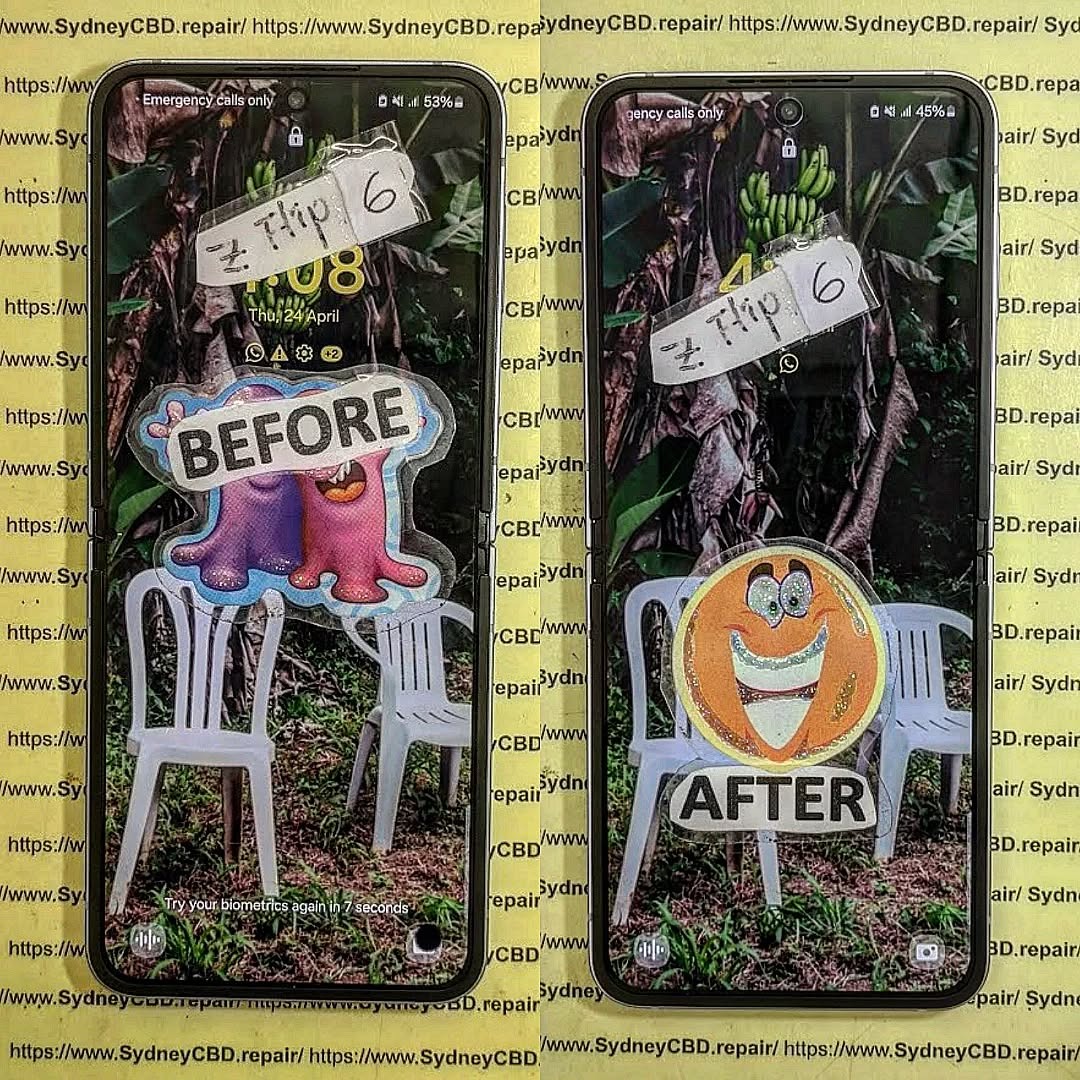
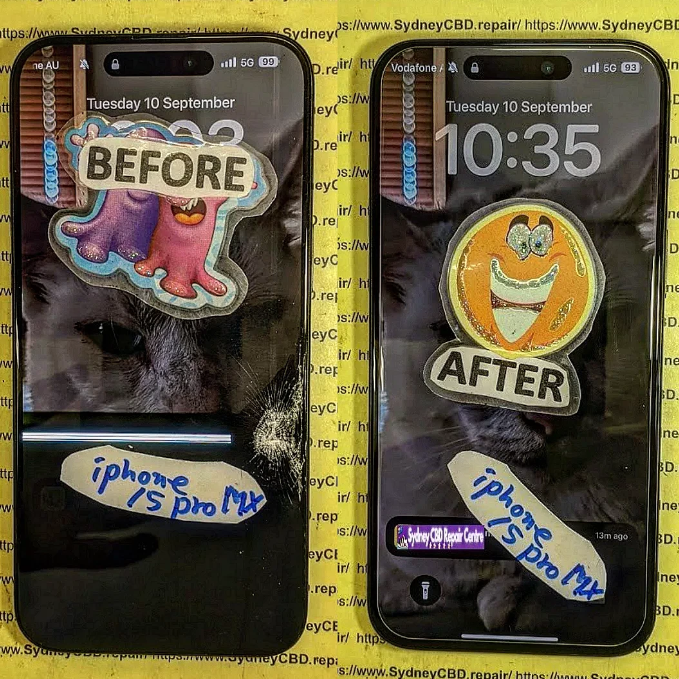
broken-iphone-15-pro-max-screen-before-after.png
🔧 The DIY Route: Is It Worth It?
Do-it-yourself screen repair might sound like a cost-saving option. After all, there are countless YouTube tutorials, affordable toolkits, and aftermarket parts available online.
Pros of DIY Repair
Lower upfront cost (if done right)
Satisfaction of fixing it yourself
Convenient for tech-savvy users
Cons of DIY Repair
High risk of further damage
Mishandling components like the digitizer, battery, or Face ID sensors can lead to more expensive issues.
No warranty or guarantee
Time-consuming and complex
Loss of features like waterproofing, True Tone, or brightness calibration if not reassembled correctly
Limited access to genuine parts
Even the most careful DIYer can run into issues that require a second (or third) repair attempt, potentially costing more than just getting it fixed professionally from the start.
At Sydney CBD Repair Centre, we’re proud to offer expert smartphone screen repairs using genuine parts and industry-grade tools. Whether you use an iPhone, Samsung Galaxy, or Google Pixel, our trained technicians know how to handle delicate components properly.
Benefits of Choosing a Professional Repair
✅ Same-day service for most repairs
✅ Genuine replacement parts used
✅ Warranty coverage (90 days)
✅ Data remains intact
✅ Advanced calibration to restore True Tone, brightness levels, and more
✅ Preserves waterproof integrity (where possible)
Professional repairs aren’t just about fixing the issue—they’re about maintaining your phone’s performance and longevity.
👩🔧 Expertise You Can Trust: Sydney CBD Repair Centre
We’ve been Sydney’s top mobile phone repair destination six years in a row, thanks to our:
📍 Central CBD location
⭐ 2000+ 5-star reviews
🧰 Certified technicians
💯 Commitment to using genuine parts
Whether it’s a shattered iPhone 14 Pro Max screen or a flickering Galaxy display, we have the tools and expertise to fix it fast—and fix it right.
📝 Final Verdict: DIY or Professional?
If you have the tools, time, and confidence, a DIY repair can be a rewarding project. But for most users, especially those with newer models or data concerns, professional repair is the smarter, safer, and more reliable option.
Sydney CBD Repair Centre is your go-to repair destination. We offer same-day repairs, transparent pricing, and customer-first service that ensures your phone is back in your hands—good as new.
Unboxing and Teardown: Galaxy S24 Ultra – A Deep Dive Into Samsung’s Latest Flagship
📱 Introduction
Samsung’s Galaxy S24 Ultra is a powerhouse smartphone packed with premium features. But what lies beneath its sleek exterior? In this article, we go beyond the surface with a complete unboxing and teardown of the Galaxy S24 Ultra, helping users and technicians alike understand what makes this flagship tick.
Whether you’re a tech enthusiast or considering a future repair, this deep dive—brought to you by Sydney CBD Repair Centre—will give you valuable insights into the phone’s build, components, and repairability.
✨ Galaxy S24 Ultra – First Impressions
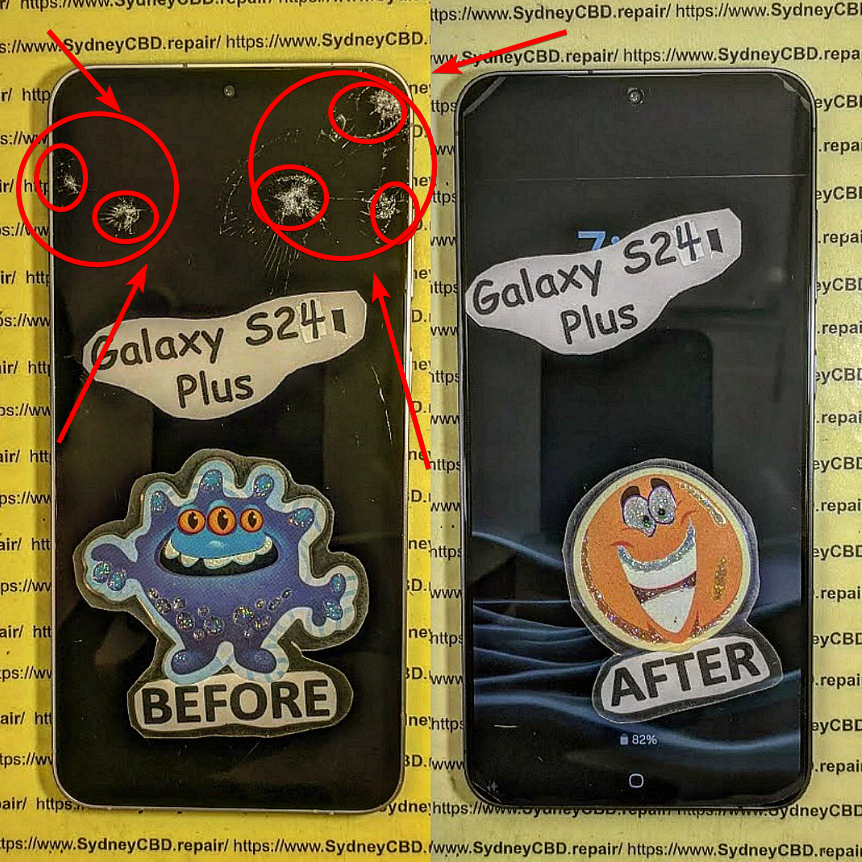
Broken-Galaxy-S24-Ultra-Screen.png
What’s in the Box
Samsung continues its eco-conscious packaging with a minimal approach:
Galaxy S24 Ultra (wrapped in a protective sleeve)
USB-C to USB-C charging cable
SIM ejector tool
Documentation (quick start guide, warranty card)
No charger included, consistent with recent Samsung flagship releases
Design and Build Quality
The S24 Ultra features:
A titanium frame – lighter and more durable
Flat-edge design for better grip
Gorilla Glass Victus 3 on front and back
Slim camera housing with four high-performance lenses
The design feels premium and extremely solid in hand.
1. Can I repair the Galaxy S24 Ultra screen at home?
It’s not recommended. The display is fused, requiring a complete teardown. Professional tools are needed.
2. Is the battery replaceable?
Yes, with patience. It’s held by strong adhesive but not soldered.
3. Does the teardown void the warranty?
Yes. Opening the phone without Samsung authorization voids the manufacturer warranty.
4. Can I upgrade internal storage during teardown?
No. The storage is soldered onto the motherboard, and not upgradable.
5. Is the titanium frame more durable?
Yes. It offers better resistance to drops and dents compared to aluminum frames.
6. Do you offer Galaxy S24 Ultra screen repair?
Yes. Sydney CBD Repair Centre offers genuine Samsung screen replacements with same-day service (stock permitting).
✅ Conclusion
The Galaxy S24 Ultra stands out for its premium build, performance, and innovation. But when it comes to repairability, its fused screen and soldered components make DIY repairs challenging. That’s why trusting a professional repair centre like Sydney CBD Repair Centre is the safest and smartest choice.
Whether it’s a screen, battery, or camera issue, our expert team has the skills and tools to get your phone back in top condition—fast and hassle-free.
How To Choose The Right Phone Screen Replacement – Expert Tips for Quality & Longevity
📱 Introduction
Replacing a cracked or faulty phone screen is one of the most common repairs, but not all replacement screens are made equal. Choosing the right phone screen replacement can save you from repeated repairs, unresponsive touch issues, or poor display quality.
In this guide, we’ll explain everything you need to know before getting your screen replaced—from screen types and red flags to look out for, to choosing a professional repair centre like Sydney CBD Repair Centre, Australia’s trusted expert for screen repairs.
💡 Why Screen Quality Matters
Performance and Touch Sensitivity
A low-quality screen may respond slowly or inconsistently to touch, making navigation frustrating. Genuine screens provide smooth, lag-free interaction.
Display Brightness and Colour Accuracy
Cheap replacement screens often suffer from dull brightness or inaccurate colours—especially in sunlight. OEM screens maintain the original display’s vivid quality.
Durability and Longevity
Low-grade displays scratch and crack more easily. Choosing a quality screen means longer-lasting protection, especially if paired with a good case and screen protector.
Matches the original display in brightness, colour, and touch sensitivity
Typically more expensive but worth the investment
Offered by trusted repair shops like Sydney CBD Repair Centre
Aftermarket Screens
Third-party replicas, often manufactured overseas
May lack the same durability or clarity
Usually cheaper but less reliable
Touch issues and shorter lifespan are common
Refurbished Screens
Original screens salvaged and restored from used phones
Often a balance between cost and quality
Should be sourced from reliable technicians who test thoroughly
✅ Key Factors to Consider
Compatibility with Your Phone Model
Ensure the replacement screen matches your exact phone model—not just the brand. Even a tiny mismatch can affect fit and function.
Glass vs Display: Know What Needs Replacing
Sometimes only the outer glass is damaged, while the display underneath still works. A skilled technician can determine what needs replacing and help you save on costs.
Warranty and Return Policy
Always ask:
Is the screen covered by a warranty?
How long is the warranty?
What happens if it fails again?
Sydney CBD Repair Centre offers a 90-day warranty on all screen repairs.
⚠️ Red Flags to Avoid
Ultra-Cheap Pricing
If a screen replacement deal seems too good to be true—it probably is. Cheap parts often mean:
Phones like iPhones and Samsung Galaxies come with water resistance seals that must be carefully replaced during screen repair. Professionals ensure that the integrity is maintained.
🛠️ Why Choose Sydney CBD Repair Centre
2000+ Google Reviews & 6 Years as Top Repair Centre
David and the team at Sydney CBD Repair Centre are Sydney’s most trusted phone repair experts. With 2000+ 5-star reviews and 6 consecutive years of top-rated service, you can trust you’re in good hands.
OEM screens are the highest quality and closest to what your phone originally came with.
2. Are cheap screens worth it?
Not usually. They may cost less upfront, but you’ll likely face issues with performance, visibility, or durability.
3. How do I know if my screen is OEM?
Genuine repair centres will tell you the screen’s origin and often include branding on the part.
4. Can I replace the screen myself?
It’s risky. DIY repairs often lead to further damage or voiding your warranty.
5. What’s the difference between glass replacement and full screen replacement?
Glass-only replacement fixes surface cracks, while full screen replacement includes the touch and display layers—usually needed for major damage.
6. How long does screen replacement take at Sydney CBD Repair Centre?
Most screen replacements are done within a few hours, often on the same day.
✅ Conclusion
When it comes to phone screen replacement, the quality of the screen and the skill of the technician make all the difference. Don’t risk cheap parts or inexperienced repairs. Choose a repair centre that uses genuine components, provides transparent pricing, and backs their work with a solid warranty.
Sydney CBD Repair Centre ticks all the boxes. With expert technicians, same-day service, and a reputation built on excellence, they’re the smart choice for anyone looking to restore their phone’s screen to like-new condition.
Troubleshooting Common Smartphone Screen Issues: Expert Fixes from Sydney’s Top Repair Team
📱 Introduction: Screens Are More Fragile Than You Think
Smartphones are modern marvels, but their sleek glass screens can be vulnerable to everyday wear and tear. Whether it’s a minor scratch or a completely shattered display, screen issues are among the most common problems users face. But don’t panic — many screen-related problems can be diagnosed and fixed, especially if you catch them early.
⚠️ Most Common Smartphone Screen Issues
Cracked or Smashed Glass
This is the number one reason people seek screen repairs. A single drop can cause anything from a small crack to total shatter. Cracks not only look bad but can also:
Cause cuts on your fingers
Compromise water resistance
Spread further over time
Display Not Turning On
Sometimes the phone vibrates or rings, but the screen stays black. This could mean:
A dead battery
Display connector damage
Internal screen failure
Screen Flickering or Glitching
If your display flickers or flashes:
You might have a faulty display ribbon
Apps may be causing graphical conflicts
It could be a software bug or hardware malfunction
Touchscreen Not Responding
Non-responsive screens are often linked to:
Moisture or dirt under the glass
Faulty digitizer
Overheating
Ghost Touch Issues
Ghost touches occur when your phone acts like it’s being touched — even when it isn’t. This is usually due to:
Screen damage
Poor-quality screen replacements
System glitches
🔧 DIY Troubleshooting Tips You Can Try
Restart or Soft Reset
Sometimes, a simple restart clears up glitches. Hold down your power button and give your device a fresh start.
Screen Calibration Apps
Apps like “Touchscreen Repair” can recalibrate screen sensitivity, especially useful for ghost touch or lagging responses.
Safe Mode for App Conflicts
Booting into safe mode disables third-party apps. If the screen behaves normally here, a rogue app may be to blame.
Cleaning the Screen Surface
Use a microfiber cloth to remove dirt or grease. Moisture or grime can affect touch accuracy.
We use 100% original screens for all major phone brands — including Samsung, Apple, and Google — ensuring durability and perfect display quality.
Calibration for Touch & Fingerprint Sensors
After replacement, we recalibrate touch and fingerprint sensors, especially important for in-display readers like those in Samsung and Google Pixel phones.
90-Day Warranty on Repairs
Enjoy peace of mind with our 90-day guarantee. If your screen has issues post-repair, we’ll take care of it — no extra cost.
🛡️ Avoiding Screen Issues in the Future
Screen Protectors and Phone Cases
Invest in tempered glass screen protectors and shock-resistant phone cases. These small accessories can save you hundreds in repair costs.
Avoiding Water and Heat Exposure
Don’t leave your phone in hot cars or near water. Excess moisture or heat can cause internal damage, even without cracks.
Regular Software Updates
Keep your operating system updated. Some screen issues are software-related and get resolved with updates.
❓ FAQs
1. Can I fix a cracked screen without replacing it?
In most cases, a cracked screen needs full replacement, especially if the crack affects touch or visibility.
2. Why is my phone pressing itself?
This is likely a ghost touch issue. It could be caused by pressure on the screen, internal damage, or faulty screen replacements.
3. How long does a screen repair take?
At Sydney CBD Repair Centre, most screen repairs are done same day, often within 1–2 hours.
4. Will my fingerprint scanner still work after a screen repair?
Yes — if the repair is done professionally using genuine parts and proper calibration.
5. What’s the difference between original and aftermarket screens?
Original screens match your phone’s quality exactly. Aftermarket ones are cheaper but may lack touch sensitivity, brightness, or durability.
6. How do I know if my screen issue is hardware or software?
Try restarting in Safe Mode. If the issue disappears, it’s likely software. If not, it’s probably hardware-related.
✅ Conclusion: Don’t Let a Damaged Screen Slow You Down
Screen issues can range from mild annoyances to serious problems. Whether it’s a hairline crack or a blank display, don’t ignore the signs. Quick action can prevent bigger (and more expensive) issues. At Sydney CBD Repair Centre, we’re committed to giving your device the expert care it deserves — with genuine parts, same-day service, and a solid warranty to back it all up.
David from Sydney CBD Repair Centre – The Best Place to Fix Mobile Phones 6 Years in a Row! Top Mobile Phone Repair in Sydney. Over 2000 Positive Reviews and Same Day Repairs.
Fast Galaxy S22 Ultra Screen Replacement at Sydney CBD Repair Centre
When your Galaxy S22 Ultra screen cracks or shatters, it can be incredibly frustrating. A damaged screen affects not only the device’s functionality but also its sleek appearance. Fortunately, Sydney CBD Repair Centre specializes in providing fast and efficient Galaxy S22 Ultra screen replacements that get you back to using your device in no time.
Why Choose Sydney CBD Repair Centre for Your Galaxy S22 Ultra?
Where to get your Galaxy S22 Ultra screen repaired
Sydney CBD Repair Centre is known for delivering affordable, high-quality repairs that don’t compromise on quality. With expert technicians and fast turnaround times, you can expect your Galaxy S22 Ultra to be repaired quickly and correctly the first time.
Top-Notch Screen Replacement Service – Galaxy S22 Ultra screen
At Sydney CBD Repair Centre, we use premium-grade replacement parts for every Galaxy S22 Ultra screen repair. Whether it’s a minor crack or a complete screen failure, we ensure your phone looks and functions like new. Our technicians have extensive experience with Samsung devices, ensuring that your screen replacement is flawless.
Fast Turnaround Times – Galaxy S22 Ultra screen
We understand the importance of staying connected, which is why we offer fast and efficient repairs. Most Galaxy S22 Ultra screen replacements are completed within an hour, allowing you to get back to your daily routine without unnecessary delays.
Screen repairs can be expensive, but Sydney CBD Repair Centre offers competitive pricing. We provide a standard repair price and a discounted cash price, so you can choose the best option for your budget. You get high-quality service at an affordable rate, with no hidden fees or charges.
On average, our Galaxy S22 Ultra screen replacement service takes around one hour. We strive to offer quick service without compromising on quality.
What Type of Parts Do You Use?
We use high-quality replacement screens that perform just like the original. You can trust that your phone will be fully functional and look as good as new.
Is There a Warranty?
Yes, we offer a 90-day warranty on all screen repairs. If there are any issues related to the repair, simply bring your phone back, and we’ll fix it at no additional cost.
Do I Need to Back Up My Data?
While we take every precaution to keep your data safe, we always recommend backing up your important files before any repair service, just in case.
Contact Us Today for Fast Galaxy S22 Ultra Repairs
Don’t let a cracked screen slow you down. At Sydney CBD Repair Centre, we make the process easy, fast, and affordable. Contact us today to schedule your Galaxy S22 Ultra screen replacement and get back to enjoying your device!
Sydney CBD Repair Centre Galaxy S22 Ultra Screen Replacement now and
via YouTube https://www.youtube.com/watch?v=Hb2iECUve7E
It seems like there might be a mix-up in the information provided. It appears to be incomplete or may have been cut off. If you have any additional meeting notes or details regarding action items you’d like me to distill, please provide them so I can assist in assigning action items to specific individuals.
Scene: A sleek and modern repair center in the heart of Sydney’s CBD, where cutting-edge technology meets expert craftsmanship. A technician carefully examines the stunning Galaxy S22 Ultra, a device that epitomizes innovation and excellence. Transition to the meticulous screen replacement process, as precision tools and premium-quality components are utilized. A fusion of skill and dedication results in a seamless restoration, ensuring the device’s pristine display is revived to its former glory. Fast forward to a satisfied customer, admiring their immaculate Galaxy S22 Ultra, showcasing the flawless screen replacement. The video concludes with a call to action, inviting viewers to experience the exceptional Galaxy S22 Ultra screen replacement service at Sydney CBD Repair Centre. End with the YouTube link for more details.
#SydneyCBDRepair #GalaxyS22Ultra #ScreenReplacement #PhoneRepair
The fact that we haven’t seen a stable Android 12 release means that at least Samsung has the opportunity to catch up to Google with their One UI 4.0 Beta 2 update.
Although it’s quite unlikely, we could have a situation where the first stable Android 12 update comes to a non-Pixel device. That would be a real shock, but given that Samsung is only pushing the second One UI 4.0 beta based upon Android 12, we’d be very surprised, to say the least.
Here’s everything notable in the latest Android 12-based update for Samsung Galaxy devices:
Color theme
A huge component of Android 12 on Pixel phones is now available as part of One UI 4.0 Beta 2 but with a few Samsung-ish tweaks in tow. “Color theme,” as Samsung has renamed it, is the Korean firm’s take on Dynamic Color and the “Monet” theming system seen on Pixel hardware.
From your homescreen, long-press in an empty space or pinch to zoom outwards and head to Wallpapers > Color theme. From this new panel you’ll be able to choose a three-color theme based upon your on-device wallpaper. You can leave it as the preset blue, white, and black setup or select one of up to four patterns determined by your device.
You’ll see a nice preview pane above showing just what colors will be adopted across your device too. The effect isn’t nearly as obvious as it is on Pixels, but it does work across almost all core One UI 4.0 system areas — including notification toggles and the lockscreen.
It’s worth noting that the change is very noticeable but not quite as extensive as you might expect. Instead, it’s more of an accent addition that tweaks some UI elements but doesn’t appear to work with any of Google’s recently updated and tuned first-party applications including Messages, Gmail and many more.
You’ll still see the Material You tweaks on those apps, but for now at least, most will just adhere to the stock or standard colors applied. Some apps are fully themed but will depend heavily upon which version you have installed or have updated. A fine example is the Google Podcasts app, which will adjust based upon your wallpaper-based “Color theme” accenting.
Because of the inherent changes to apps as a result of your system accent color, “Color theme” changes just how you’ll experience Android 12 on your Samsung Galaxy device. Google is pushing it hard for Pixel, and it was initially expected to be limited to Made by Google devices but the arrival here in One UI 4.0 Beta 2 is far earlier than expected.
RAM Plus
To explain, “RAM Plus” is a feature that uses a portion of your on-device storage to create “virtual RAM” that ups the limit on your Galaxy smartphone. For higher-end Samsung Galaxy smartphones in excess of 8-12GB of RAM, this probably isn’t even an issue, but for the low-end devices with hardware limits, this could be a real way to expand or improve general performance levels.
In One UI 4.0 Beta 2 you can’t actually disable “RAM Plus” as it’s simply enabled by default. You can see just how much space is being used by heading to Settings > Device care > Memory. Here you’ll be able to clear or free up RAM as well as see just how much “virtual memory” is being adopted where the system deems necessary.
We’re not sure if this will decrease or automatically disable if you lack the available space, but it appears to be capped at 4GB. It’s also worth noting that this isn’t the same as physically adding 4GB of RAM to your device, but it might help if heavy apps are taking up system resources or you want to play more demanding games and are happy to sacrifice other app performance levels. It’s worth noting that this has already been released to some mid-rangers from Samsung, including the Galaxy A52 and even the brand-new Z Fold 3, but joining the main One UI 4.0 build could expand it to all devices.
Enhanced video calling options and effects
When initiating a video call, you have more options at your fingertips as part of the “Video call effects” floating panel after updating to One UI 4.0 Beta 2. These include the ability to adjust background blur effects or add a color/image. Effectively, this simply mimics the kind of things you can already do in the various calling apps like Zoom, Google Meet, and others, but this works on any app that your Galaxy device detects as a video calling app.
Enhancing those controls is a new “Mic mode” option that lets you choose just what audio is picked up when making video calls. There’s a “Standard” mode that works just as you expect, a “Voice focus” option that attempts to cut out any annoying background noise but a neat option for group or family calls is an option labeled “All sound.” When making large group calls — something fairly normal since the start of the pandemic — this might help as it boosts the audio picked up in the vicinity of your phone.
Gallery metadata editing
It’s almost as if Samsung lifted the ability to edit and adjust the time and date metadata from images in the Gallery app right from Google Photos — although it’s simply a highly requested feature. Tapping the overflow menu and then selecting details opens up the metadata menu for any image within the Samsung Gallery app.
From here you’re able to edit everything from the photo name, the location it was taken, and even the time and date — complete with Dynamic Color supporting time and date picker. Not having to upload to Google Photos or use another third-party app is likely a massive added feature for many that use the default gallery app on their Galaxy devices.
Android 12 easter egg with Dynamic Color
Not necessarily a massive update but provided you are using “Color theme” on your device, the Android 12 easter egg will adhere to your preset theme — just like it does on Pixel smartphones running the Android 12 Beta. Is this is an important change? No, but it’s nice all the same.
Should I install One UI 4.0 Beta 2 on my Galaxy S21?
If you want to try this modest set of additional features alongside the previous — and more extensive add-ons — then you’ll need to sign up the One UI 4.0 Beta via the Samsung Members app. At this stage it has only rolled out in the US and UK, but more regions will get access to this Android 12 preview over the coming days.
However, at this stage, we’d suggest holding on a little longer. Although this update includes a number of bug fixes, performance can be quite unstable at times with texture pop-in and lag in certain apps when scrolling. Beta 3 will hopefully add a bit more stability.
The Samsung Galaxy S10e is like a breath of fresh air in a world of behemoth smartphones with enormous displays. To be honest, we didn’t expect Samsung or any other manufacturer for that matter to release a compact flagship. Especially since even Sony dropped their compact lineup. But here it is – a small flagship phone for a little less than you’d expect from a normal flagship these days.
It’s nice to see Samsung keeping most of the high-end features in this little guy but for around €700, some corners had to be cut. For starters, you don’t get the telephoto lens, the bezels are a tad thicker and the under-display fingerprint has moved to the side frame. If you are willing to live without those, than the Galaxy S10e might be the right choice for you out of all three phones Galaxy S10s.
Samsung Galaxy S10e specs
Body: 142.2 x 69.9 x 7.9 mm, 150 grams, metal side frame, Gorilla Glass 5 on the front and back.
Front camera: 10MP f/1.9, up to 2160p@30fps video recording.
Battery: 3,100mAh, adaptive fast charging 15W (9V/1.67A).
Connectivity: Single-SIM, Dual-SIM available in certain markets (hybrid slot); LTE-A, 7-Band carrier aggregation, Cat.20/13 (2Gbps/150Mbps); USB Type-C (v3.1); Wi-Fi a/b/g/n/ac/ax MU-MIMO; GPS, GLONASS, Beidou, Galileo; NFC; Bluetooth 5.0.
Misc: Stereo loudspeakers, wireless charging, reverse wireless charging, IP68 rating dust and water protection.
But don’t mistake the Galaxy S10e for an upper-mid-range device. It’s still a flagship phone with a corresponding price tag although, a lot lower than the S10 or S10+ for that matter. You still get the flawless screen experience – as long as you don’t mind the punch-hole camera – the great camera, powerful Exynos 9820 (or the Snapdragon 855 depending on your region) and tons of proprietary Samsung features.
Unboxing the Samsung Galaxy S10e
Unfortunately, we didn’t get a retail unit so the phone didn’t come in its original box. However, we did receive the proper charger supporting fast charging output of 15W. We also got the AKG-branded buds, which sound great, by the way. It seems that all three Galaxies come with those AKGs. Kudos for that.
The competition
Competition in the mid-range might be tough, but the high-end segment has its difficulties too. And the Galaxy S10e doesn’t make it easier for some as well. We can even say it’s a rare beast to some extent – it’s one of the few compact flagships and it doesn’t break the bank too. To be honest, it was quite hard for us to think of adequate competitors, aside from the iPhone XR, which is the main rival here.
However, the Galaxy S10e fills a couple of niches – it’s a decently-priced compact flagship with the essential high-end features at hand. Almost all of its competitors are more expensive but let’s start with the most obvious one.
Samsung‘s answer to the “budget” iPhone XR is definitely the Galaxy S10e. Of course, the iPhone XR is a tad more expensive than the S10e in the US but asks considerably more in Europe or other parts of the world. But if you’ve reached a point where you have to decide between the iPhone XR and the Galaxy S10e, you probably don’t have a single clue on how big your phone should be. Both handsets look similar, but once you hold them in your hand, the Galaxy S10e just feels tiny. Mostly because of the skinny bezels. It’s just way easier to handle.
Battery life on the XR is about the same and raw performance is measurably higher, but that’s all. The S10e impresses with one the best in class AMOLED displays, it has a pretty good ultra-wide camera, while the iPhone XR relies on one unit, and the Galaxy S10e still offers the option to unlock it with a fingerprint. And when you weigh in the factor of ever-declining Android prices, the gap between the Galaxy S10e and the iPhone XR will just grow bigger over time. One would argue that if the iPhone XR is in your price range, the Galaxy S10 is actually the better choice.
But if you are strictly in the Android camp, or more specifically, in Samsung‘s party tent, you should consider the Galaxy S10. The price difference is around €100 (or slightly more depending on your region), but you get the fancy in-display ultrasonic fingerprint reader, a third telephoto camera and a bigger and curvier display.
For a little less, Xiaomi has two offers that can go under the “affordable flagship” label – the recently released Xiaomi Mi 9 and last year’s crowd favorite – the Pocophone F1. The Mi 9, despite being bigger in size and considerably less expensive, is closer to the Galaxy S10e than you’d think – a premium build, great AMOLED screen, long battery life, heavily-customized UI and powerful up to date hardware.
And as for the Pocophone F1, it’s the definition of “affordable flagship.” Although still rocking a Snapdragon 845, it can do almost everything the S10e can but lacks the sharp AMOLED screen and the excellent camera experience. But for the less pretentious users, the Pocophone F1 will save you a couple of hundred dollars.
If you are one of the old-school users looking for something new, and compactness is on the top of your list, you should also consider the Pixel 3 – a powerful stock Android alternative to the Galaxy S10e and depending on the current Google promotions, it can be less expensive or slightly above the Galaxy S10e. There’s also a big “if” with availability – Pixel availability is notoriously limited. But if all is good and you are willing to go with the Pixel, you should consider the bare bones Android experience and the single-camera module. That doesn’t mean it can’t do awesome shots, though.
Verdict
Surely, there are better value propositions from flagship phones, but the Galaxy S10e packs the latest and greatest and it’s easy to handle with one hand. It has one of the best screens in the industry combined with a stellar camera experience, tons of cool software and hardware features and it’s still rocking that beloved 3.5mm audio jack. It’s one of the most feature-complete flagship devices out there, but there are a couple of things you’d have to deal with.
For example, the One UI might not be to everyone’s taste – it’s heavily-customized, and the navigation has changed a lot since the last Samsung UX iterations, and the high fingerprint reader placement requires too much of a thumb stretch. Even for a phone with this size, unlocking the handset using the side-mounted scanner feels like a chore.
Speaking of displacement, the punch-hole camera is an OCD-inducing design choice. Also, we still think that the hole is better off in the left corner, like the Honor View 20. We are still unsure how screen cutouts are any better than a notch, but we guess we are a step closer to full-screen design with sensors and cameras under the display.
And what’s with the ancient fast charging Samsung? Every other phone maker offers a more advanced fast charging system, regardless of whether proprietary or not.
So this phone is not without its shortcomings. But do we recommend the Galaxy S10e? In a heartbeat. We see it becoming one of the best value high-end smartphones shortly, once the price starts to drop. As long as you don’t care about those over-the-top fancy features like the in-display fingerprint reader, the Galaxy S10e could be your trusty sidekick for years ahead.
Pros
One of the few compact flagships out there.
Impeccable build quality, premium materials, great colors.
Outstanding display.
Stellar camera experience with a few minor exceptions.
Decent battery life, better than the Galaxy S10
Cons
Fingerprint reader is placed inconveniently high.
The ultra-wide angle camera needs autofocus.
The camera Night mode is lackluster.
Samsung’s fast charging tech is not competitive in speed.
Samsung has released Android 11-based One UI 3.0 beta for the Galaxy S20, Note20 and Z Flip lineups already, and today the Galaxy S10, Galaxy S10+ and Galaxy S10e join them as the company opened the One UI 3.0 beta program for its 2019 flagships.
Samsung had confirmed the One UI 3.0 beta for the S10 lineup a couple of weeks ago, but it was delayed due to battery drain concerns. But now that Samsung has opened the beta program for the S10 trio, you can get a taste of Samsung’s latest custom Android skin by participating in the beta program from the Samsung Members app.
So Android 11 is still officially missing from Samsung Galaxy devices, but the Android 11-based One UI 3.0 beta has offered a preview phase ahead of a global rollout.
Before you enroll in the beta program, make sure you’ve backed up your device, and remember that beta software is not as stable as the final builds and often has bugs that hamper the user experience.
The One UI 3.0 beta program for the S10 trio is currently live in the UK, India and South Korea, but should expand to other countries soon.
It looks like the stable One UI 3.0 could be here within weeks as firstly the One UI 3.0 beta for Galaxy Note 20 series devices has now officially ended in Samsung’s homeland of South Korea. This is a good sign, as the beta ending signifies that testing is complete. The next likely rollout for Galaxy Note 20 devices will be the stable One UI 3.0 update.
Samsung kicked off the One UI 3.0 public beta program for the Galaxy S20 series early last month. A few weeks after the update started rolling out to Galaxy S20 users, the company expanded the beta program to include Galaxy Note 20 series devices. Then, earlier this month, Samsung announced that it would be expanding the One UI 3.0 beta program to more devices, including the Galaxy Z Fold 2, Galaxy Z Flip 5G, the Galaxy S10 series, and the Galaxy Note 10 series. As promised, the company has now opened the One UI 3.0 beta program for the Galaxy S10 series in South Korea, India, and the UK.
Splashing your cash on a high-end, premium smartphone such as Samsung’s Galaxy S10+ is probably not an everyday occurrence, indeed, like most of us you’ll probably be aiming to get a couple of years usage out of the phone before upgrading again. With its all-glass design, large Infinity-O display with its punch-hole (that you can customize) that houses the two selfie cameras, the Galaxy S10+ isn’t going to be cheap to repair, so you’ll probably want to slap a case on it to keep it in pristine condition for as long as possible unless you have money to burn.
Samsung LED View Cover Case
Kicking the list off is Samsung with its LED View case that features built-in LED lights that show the clock and notifications as well as the ability to store a bank card in the internal slot. The dot matrix design allows for customizable notification designs while the case itself offers front and back protection for your Galaxy S10+. Available in Black, Green, or White, the LED View case can be ordered from Amazon for $59.92.
X-Doria’s Defense Shield case combines hard polycarbonate, flexible TPU, and anodized aluminum to provide military-grade drop protection (exceeding MIL-STD-810G) while the transparent rear panel ensures your choice color is displayed to all and sundry. The phone’s display is protected on flat surfaces by the raised lip and there is an integrated sound channel that amplifies the bottom speaker, redirecting sound to the front of the case. You can grab X-Doria’s Defense Shield Case from Amazon in Red or Irridescent for $29.95.
One of the arguments you hear against using a case is that it hides the design of the phone, but Speck’s GemShell Clear case you can show off your Galaxy S10+ to one and all while ensuring it’s protected against life’s knocks. The hard polycarbonate outer layer protects against scratches while the soft TPU inner absorbs the shock creat from drops and bumps. The GemShell case meets Mil-STD-810G drop-test standards and the raised bezel protects the display when the phone is laid face-down on flat surfaces. The Speck GemShell Clear case costs $27.60 from Amazon.
If you want your phone case to store your cash and bank cards, Ringke’s Wallet Case could be the case your Galaxy S10+ needs. It’s exterior is made from Premium PU Leather while the inner mount is constructed from flexible TPU material. You can store 2 cards in each of the three card slots and an internal side pocket where you can store bank notes, receipts, or even more cards. The case also has a built-in kickstand so you can enjoy hands-free viewing of your favorite content, and there is all-around protection for your phone. Available from Amazon for $12.99, you can get the Ringke Wallet Case in Navy Blue & Brown or Black & Red.
Adding some glitz to the Galaxy S10+ is OtterBox’s Symmetry Clear series of cases that features a pocket-friendly design with wraparound colors and more importantly, polycarbonate and TPU outer and inner layers of protection against bumps and scratches. The raised lip protects the display when it’s laid on a flat surface, and OtterBox offers a limited lifetime warranty on the case. The OtterBox Symmetry Clear case can be ordered from Amazon for $33.81 in the following designs – Aspen Gleam, Black, Clear, Gradient Energy, Ivy Meadow, Love Triangle, Stardust, and Tonic Violet.
The Design Armor case from SQMCase features a 360-degree rotating ring that brings extra grip and the option to be used as a built-in kickstand. The transparent rear panel is scratch-resistant while the bumper is made of TPU and guards against bumps and knocks. It should be noted that the case is not compatible with wireless charging, but the metal ring on the rear can attach to magnetic car mounts when using the phone for navigation. Amazon is selling the Design Armor case for $10.89 in Black, Blue, and Red.
Poetic’s Revolution case adds some heavy-duty protection into the mix as well as a colorful design and a built-in kickstand for hands-free viewing. The outer shell is made of scratch-resistant polycarbonate while the shock-absorbent bumper is made from a flexible TPU. There are raised lips and corners to keep your display safe when the phone is laid face down on a flat surface. Despite the heavy-duty protection, the case is still compatible with wireless charging. Available in Pink, Blue, and Black, Poetic’s Revolution case can be ordered from Amazon for $16.95.
Despite being the cheapest case in the list, Tudia’s Slim-Fit case offers dual-layer protection, a snap-on design, and maintains the slim profile of your Galaxy S10+. The TPU inner layer absorbs shock from bumps and knocks while the polycarbonate outer shell protects against scratches, and the case is compatible with wireless charging. When laid face-down on a flat surface, the raise lips prevent the display from being harmed. The Slim-Fit case from Tudia is available in Matte Black, Metallic Slate, Mint, and Rose Gold for $7.50 from Amazon.
Featuring a feather-light design, the Plyo case from UAG has an impact-resistant inner core along with air-soft corners and military-grade drop protection. The phone’s buttons are protected by tactile covers that deliver a clean click-feel and the case itself maintains compatibility with wireless charging and reverse wireless charging. Available in Glacier or Ice colors, the Plyo case from UAG can be purchased from Amazon for $39.95.
If you are after a slim case with a built-in kickstand, then perhaps the ESR Metal is the case you need. The case has a polycarbonate rear panel and a shock-absorbent TPU bump that provides military-grade drop protection while its built-in two-way kickstand allows the phone to be stood vertically or horizontally. Its raised lips guard the phone’s display when it’s laid on a flat surface and the rear camera is similarly protected. Available only in Black, the ESR Metal case costs $21.99 from Amazon.
So you’ve got one of the new Galaxy S10 series of phones… congratulations!
But how do you turn on the battery percentage so you can clearly see exactly how much juice you have left?
By default, Samsung‘s One UI only shows an icon with the battery so you only get a rough idea about the battery levels, but not an exact number. Luckily, it’s easy to fix that and add an exact percentage marker to that. Follow the few steps right below to get it done in a matter of seconds.