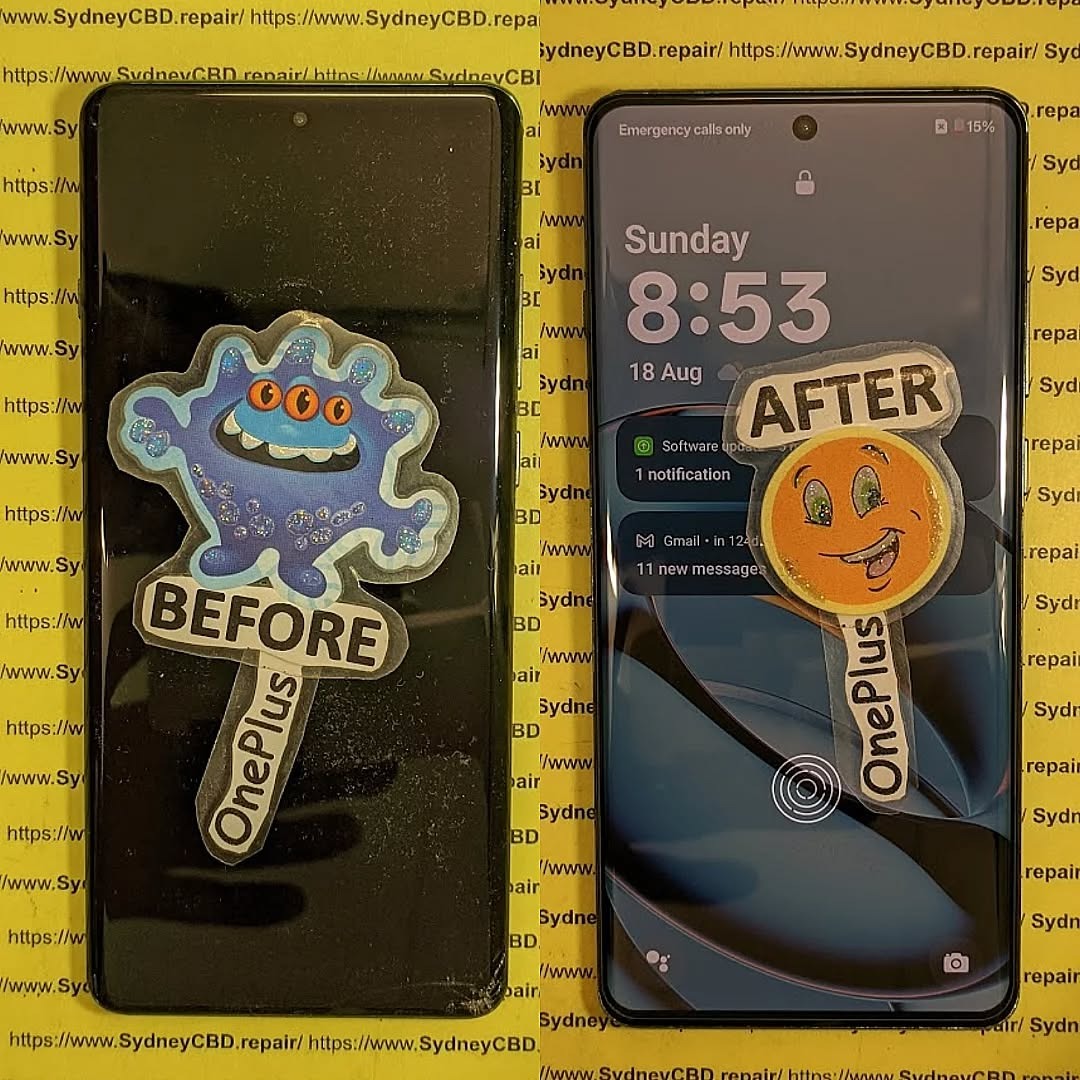
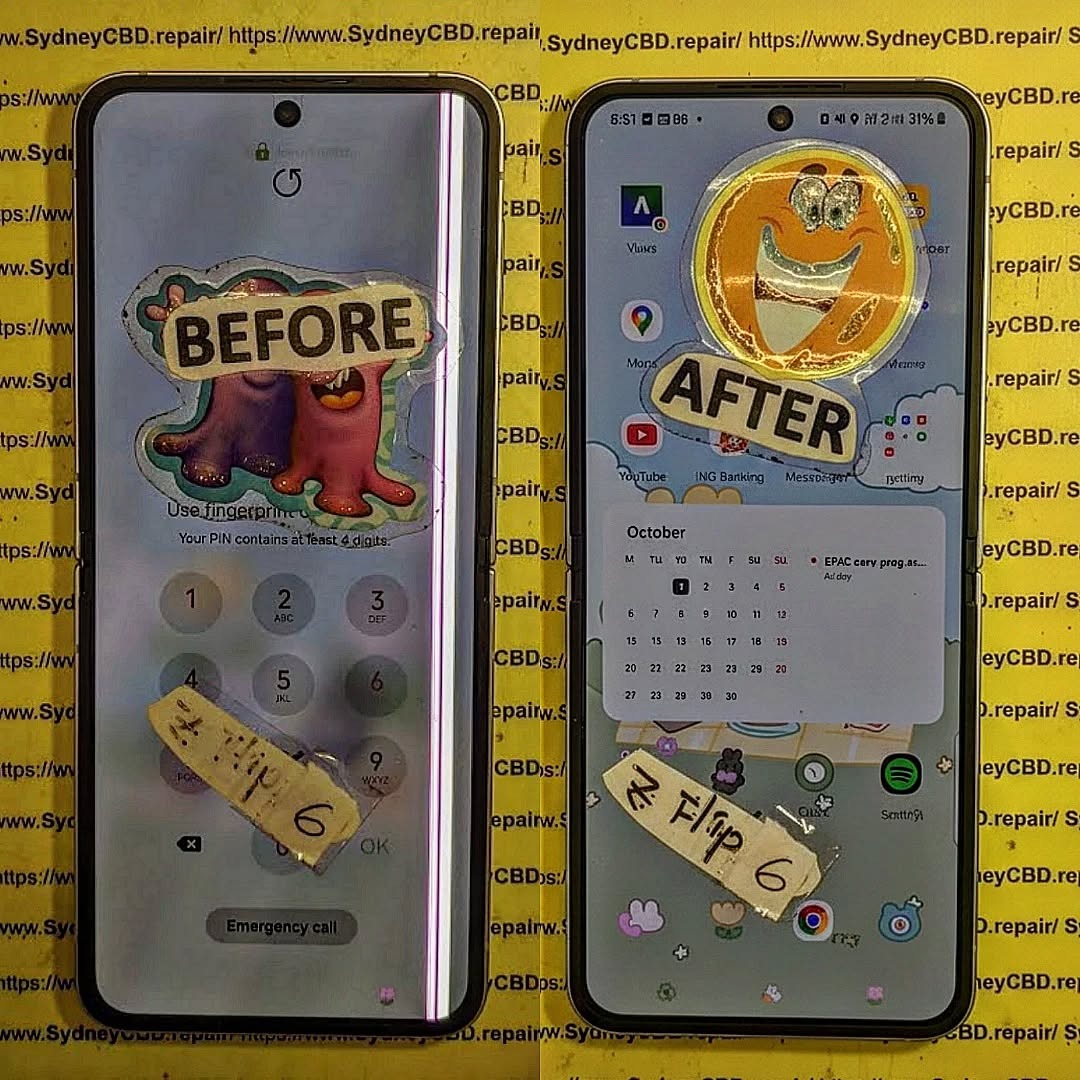
Replacing the Screen of the OnePlus 12 Pro phone – Complete Guide + 10 Must-Know Tips
Introduction: Why Screen Replacement is Tricky
The OnePlus 12 Pro is packed with premium hardware, including a stunning 120Hz LTPO AMOLED display with curved edges and high touch sensitivity. But its design — including a sealed glass back, in-display fingerprint sensor, and delicate flex cables — makes screen replacement complicated.
If your phone’s screen is cracked, unresponsive, or bleeding pixels, follow this guide for the safest repair process.
1. How long does a OnePlus 12 Pro screen replacement take?
At Sydney CBD Repair Centre, we can usually complete it within 2–3 hours with same-day service.
2. Will the fingerprint sensor still work after a screen change?
Yes, if an OEM screen is used and calibrated correctly. Aftermarket screens often cause issues.
3. Can I replace just the glass and not the display?
No — the OnePlus 12 Pro uses a fused display unit. Glass-only replacements are risky and not recommended.
4. Is it cheaper to do it yourself?
DIY might save labor costs, but with risks. A professional job includes warranty, correct calibration, and no damage to other parts.
5. Do you provide original OnePlus parts?
Absolutely. We only use genuine OEM parts for every repair to maintain the phone’s performance and appearance.
6. Will I lose my data during screen replacement?
No. Screen replacement doesn’t affect internal storage. However, it’s always smart to back up your data beforehand.
Conclusion
Replacing the screen on your OnePlus 12 Pro isn’t impossible, but it’s not for the faint of heart. The curved AMOLED display, fused layers, and delicate internals demand skill, precision, and the right parts.
Whether you’re an experienced repair enthusiast or a cautious smartphone user, Sydney CBD Repair Centre is your best bet for safe, fast, and guaranteed repairs. Trust our expert team to bring your device back to life with genuine parts and a 90-day warranty.
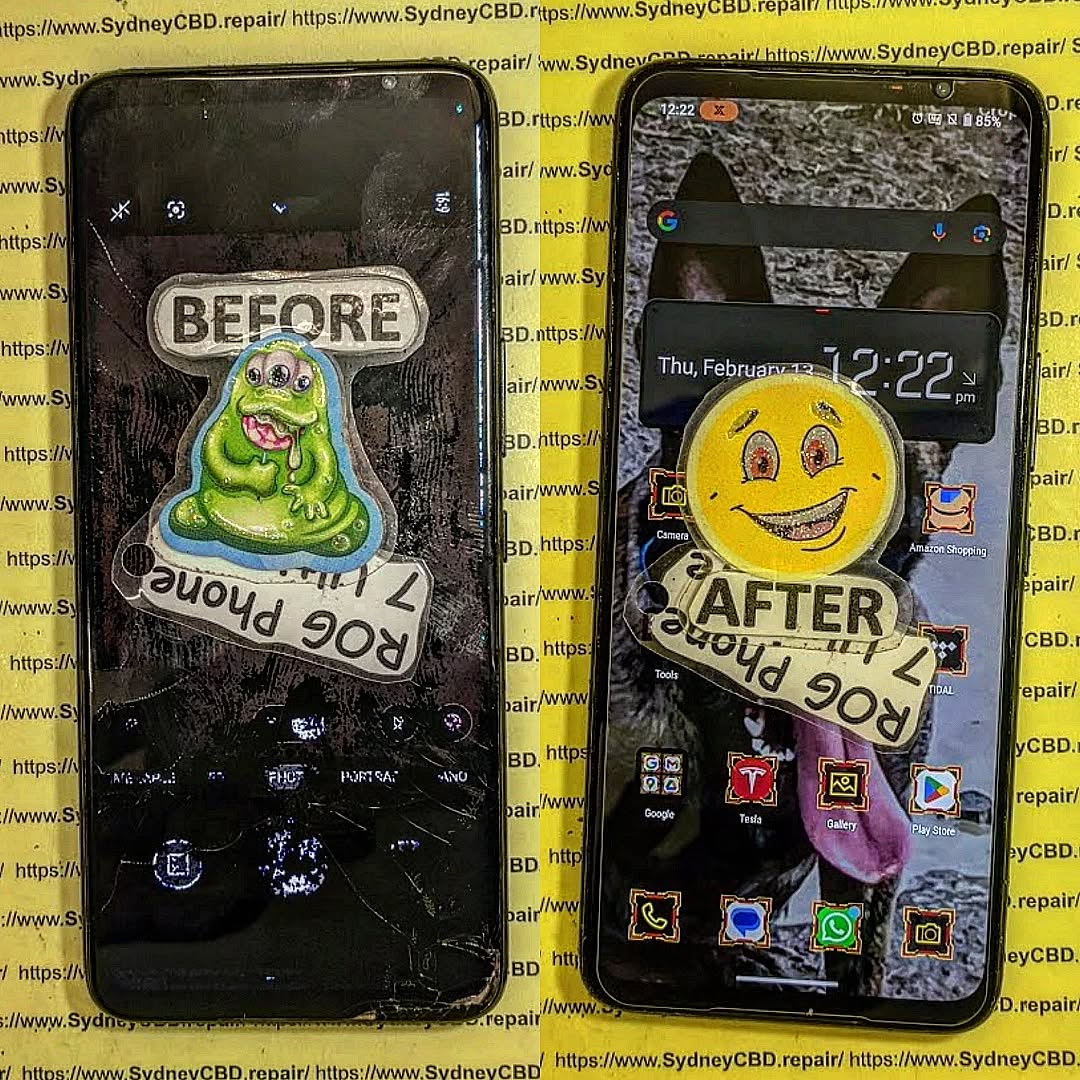
Mail-In Repair Masterclass: Your Asus ROG Phone 7 Screen Fix, No Matter Where! | Ultimate 7-Step Expert Guide
Introduction
A cracked or unresponsive screen can instantly take the shine off your ASUS ROG Phone 7—especially when it’s a device built for speed, precision, and immersive gaming. Fortunately, a professional ROG Phone 7 screen fix no longer depends on your location. Thanks to secure and efficient mail-in repair services, getting your device restored to like-new condition is now easier than ever. Whether you’re in a major city or a remote area, expert technicians, genuine parts, and streamlined logistics come together to deliver reliable results without the hassle of visiting a repair shop.
In this guide, we’ll walk you through everything you need to know about mail-in screen repair for the ROG Phone 7—from how the process works and why it’s safe, to what benefits you can expect and how to choose the right repair centre. If you’re looking for a convenient, trustworthy solution that keeps performance intact, you’re in the right place.
The ASUS ROG Phone 7 is a powerhouse device engineered for gamers, professionals, and performance enthusiasts. Its AMOLED display delivers ultra-smooth visuals, vibrant colors, and a high refresh rate that’s tough to beat. However, with advanced tech comes increased fragility. When screen damage occurs, a ROG Phone 7 screen fix becomes essential—and that’s where mail-in repair services truly shine.
Why ROG Phone 7 Screens Are Unique
The ROG Phone 7 uses a high-refresh-rate AMOLED panel designed for extreme responsiveness. Unlike standard smartphone screens, this display integrates touch sensitivity, gaming optimization layers, and advanced cooling considerations. As a result, replacing or repairing it requires expert handling and genuine parts. A DIY approach or inexperienced technician can easily cause more harm than good.
Common Causes of Screen Damage
Even the most careful users encounter accidents. Common causes include accidental drops, pressure damage from pockets or bags, liquid exposure, or manufacturing defects that surface over time. When these issues arise, users often assume they must visit a physical store. Thankfully, mail-in repair services eliminate that limitation entirely.
What Is Mail-In Repair and Why It Works
Mail-in repair is a professional service that allows customers to send their damaged device to a certified repair centre for inspection, repair, and return shipping. For a ROG Phone 7 screen fix, this method is both practical and reliable.
How Mail-In Repair Services Operate
The process starts online. You book your repair, receive clear instructions, and ship your device securely. Once the repair centre receives it, trained technicians diagnose the issue, perform the screen replacement using genuine components, and thoroughly test the device before sending it back.
Is Mail-In Repair Safe and Secure?
Absolutely. Reputable repair centres follow strict protocols for data privacy, device tracking, and secure packaging. Devices are logged upon arrival, repaired in controlled environments, and returned with tracking information. It’s not guesswork—it’s a well-oiled system.
Choosing mail-in repair for your ROG Phone 7 screen fix offers advantages that in-store repairs simply can’t match.
Convenience for Remote Customers
No matter where you live—regional areas, interstate, or even internationally—mail-in repair ensures access to expert technicians. You don’t need to travel, wait in queues, or rearrange your schedule. Everything happens on your terms.
Cost Efficiency and Transparency
Mail-in services often reduce overhead costs, which translates into competitive pricing. You’ll receive upfront quotes, no hidden fees, and clear communication throughout the process. That transparency builds trust and peace of mind.
Step-by-Step Mail-In Repair Process
Understanding the process helps eliminate uncertainty. Here’s how a typical ROG Phone 7 screen fix via mail-in repair works.
Booking Your Repair Online
You start by selecting your device model and issue on the repair centre’s website. After confirming details, you’ll receive instructions for shipping and preparation. Some centres even provide prepaid shipping labels.
Packaging Your ROG Phone 7 Safely
Proper packaging is crucial. Use bubble wrap, a sturdy box, and remove accessories like cases or SIM cards. This ensures your device arrives safely and avoids delays.
Repair, Testing, and Return Shipping
Once repaired, technicians conduct multiple tests—display quality, touch responsiveness, and overall performance. Only after passing quality checks is your phone shipped back, often with express delivery options.
Choosing the Right Repair Centre
Not all repair centres are created equal. Selecting the right one is key to a successful ROG Phone 7 screen fix.
Certifications, Reviews, and Experience
Look for centres with proven experience, positive reviews, and industry certifications. Trusted businesses often showcase customer testimonials and years of service excellence.
Genuine Parts and Warranty Coverage
Always choose a repair centre that uses genuine or OEM-quality parts and offers a warranty. This protects your investment and ensures long-term reliability.
Turnaround Time and What to Expect
Most mail-in repairs are completed within 1–3 business days after receipt, excluding shipping time. Clear timelines and regular updates keep you informed, so you’re never left guessing.
Data Safety, Privacy, and Trust
Reputable centres prioritize data protection. Devices are handled under strict confidentiality policies, and technicians never access personal data unless required for testing. Still, backing up your data before shipping is always a smart move.
Environmental Benefits of Mail-In Repairs
Repairing instead of replacing reduces electronic waste. Mail-in repair services contribute to sustainability by extending device lifespan and minimizing environmental impact. It’s a win-win for you and the planet.
Frequently Asked Questions (FAQs)
1. Is mail-in repair reliable for a ROG Phone 7 screen fix?
Yes, when handled by an experienced repair centre, mail-in repairs are highly reliable and professionally managed.
2. How long does the entire process take?
Typically 5–7 business days including shipping, depending on location.
3. Will my data be safe during repair?
Reputable centres follow strict data privacy protocols. Backups are recommended.
4. Are genuine parts used for screen replacement?
Top-tier centres use genuine or OEM-quality parts and provide warranties.
5. What if additional issues are found?
You’ll be contacted with a revised quote before any extra work begins.
6. Is mail-in repair more affordable than in-store repair?
Often yes, due to reduced overhead and competitive pricing structures.
Conclusion
A cracked or faulty screen doesn’t mean your ROG Phone 7 is done for. With professional mail-in repair services, a ROG Phone 7 screen fix is accessible, secure, and efficient—no matter where you are. From convenience and cost savings to expert craftsmanship and environmental benefits, mail-in repair stands out as a smart, modern solution. Choose wisely, and your device will be back in top shape before you know it.
David from Sydney CBD Repair Centre – The Best place to fix mobile phones as 7 Years In A Row! Top Mobile Phone Repair In Sydney. More than 2000 Positive Reviews on Google and Same Day Repairs.
We take pride in delivering exceptional repair services for all major phone brands including Apple, Samsung, Google, and more. Our expert technicians use only genuine parts and offer 90days warranty on repairs. Located in the heart of Sydney CBD, we’re your one-stop solution for all mobile device repairs.
Our commitment to excellence has earned us the trust of thousands of satisfied customers. Whether it’s a cracked screen, battery replacement, or water damage repair, we handle it all with professional care and expertise. Walk in today and experience why we’re Sydney’s #1 choice for mobile phone repairs.
Visit us for:
✓ Same Day Express Repairs
✓ Genuine Parts Guarantee
✓ Professional Technicians
✓ Competitive Pricing
✓ 2000+ 5-Star Google Reviews
✓ 7-Time Award Winner for Best Phone Repairs
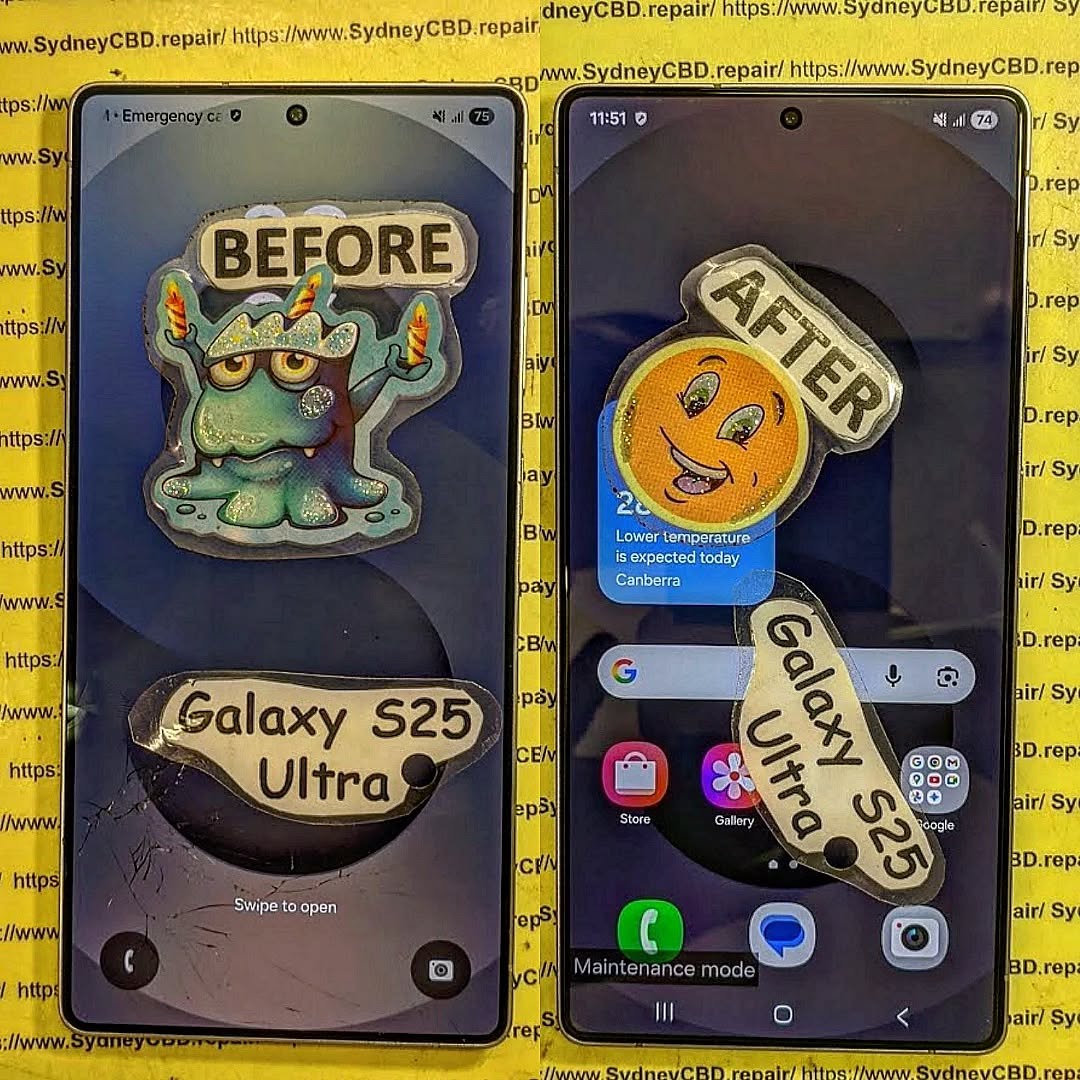
FIRST IN AUSTRALIA! Samsung Galaxy S26 Ultra Full Screen Restoration Process Revealed: Ultimate 10 Expert Insights
Introduction
The Samsung Galaxy S26 Ultra Full Screen Restoration Process Revealed is more than simply replacing a broken display. Modern flagship smartphones feature advanced AMOLED technology, integrated fingerprint scanners, AI-powered touch recognition, adaptive refresh rates, and highly durable protective glass. Restoring these sophisticated devices requires technical expertise, precision equipment, and genuine replacement components.
A cracked screen isn’t always just cosmetic. In many situations, impact damage can affect the OLED display, touch digitizer, fingerprint sensor, frame alignment, and even internal connectors. While some users continue using their phones despite visible cracks, delaying repairs may allow moisture, dust, and additional stress to worsen the damage.
Professional repair technicians follow a systematic restoration process that ensures every component is inspected, cleaned, repaired, and tested before the phone is returned to its owner. This approach restores not only the appearance of the phone but also its functionality, durability, and reliability.
Throughout this guide, you’ll discover exactly how professionals restore Samsung’s latest flagship device, why genuine components matter, and what separates expert repair shops from inexperienced technicians.
Samsung continues pushing smartphone display technology forward with every Ultra model. The Galaxy S26 Ultra features one of the most advanced smartphone screens available, delivering exceptional brightness, vibrant colors, and outstanding responsiveness.
Its display combines several technologies into one compact assembly.
AMOLED Display Technology
The AMOLED panel delivers:
Rich contrast
Deep black levels
Excellent outdoor visibility
Smooth animations
Power-efficient operation
HDR support
Adaptive refresh rates
Unlike traditional LCD panels, AMOLED displays illuminate individual pixels independently. This allows for remarkable picture quality while consuming less power during dark-mode usage.
However, this advanced technology also means repairs demand greater care. OLED panels are extremely thin and can crack internally even when the outer glass appears relatively intact.
Professional technicians use specialized tools designed specifically for OLED handling to prevent additional damage during restoration.
Gorilla Glass Protection
Samsung’s flagship devices are engineered for durability.
The strengthened front glass helps resist:
Everyday scratches
Minor drops
Pocket wear
Key abrasion
Surface impacts
Even so, no smartphone glass is indestructible.
A drop onto concrete, tiles, asphalt, or metal edges can easily shatter the protective layer, requiring complete display replacement.
Fortunately, professional restoration returns the phone to nearly factory condition when quality replacement parts are used.
Although Samsung builds premium devices, accidents remain the leading cause of screen damage worldwide.
Accidental Drops
The majority of repairs begin with a simple accident.
Common scenarios include:
Phone slipping from pockets
Falling off desks
Dropping during selfies
Falling while exiting vehicles
Children accidentally throwing devices
Even protective cases cannot absorb every impact.
The force may damage:
Outer glass
OLED panel
Display flex cables
Touch digitizer
Internal frame
Professional diagnosis determines the full extent of hidden damage.
Pressure Damage
Pressure damage develops gradually.
Examples include:
Sitting on the phone
Carrying it in a back pocket
Heavy bags compressing the device
Objects pressing against the display
Unlike impact damage, pressure often causes:
Green lines
Pink lines
Black spots
Touch failures
Flickering displays
Because these issues originate inside the OLED layer, replacing only the outer glass isn’t enough.
Complete screen restoration becomes necessary.
Water Exposure
Although flagship Samsung devices include water resistance, no waterproof seal lasts forever.
Previous repairs, accidental drops, or worn adhesive can reduce protection.
Water intrusion may damage:
Display connectors
OLED circuitry
Charging circuits
Internal sensors
Cameras
Technicians always inspect for moisture indicators before installing replacement components.
Ignoring liquid damage may result in future failures, even after installing a new display.
Professional Diagnosis Before Repair
One of the biggest differences between professional repair centers and inexperienced workshops is diagnosis.
Replacing parts without understanding the root cause often leads to repeat repairs.
Experts spend considerable time inspecting the device before beginning any restoration.
External Inspection
The repair begins with a complete visual examination.
Technicians look for:
Bent frames
Cracked rear glass
Camera damage
Housing separation
Missing screws
Previous repair attempts
Every observation helps determine whether additional components require replacement.
Display Function Testing
Even badly cracked displays provide valuable diagnostic information.
Technicians evaluate:
Test
Purpose
Touch Response
Detect dead zones
Brightness
OLED health
Color Accuracy
Panel integrity
Fingerprint Sensor
Biometric functionality
Refresh Rate
Display performance
Adaptive Brightness
Sensor verification
Multi-touch
Digitizer testing
These tests establish a repair baseline before disassembly begins.
Internal Frame Inspection
After opening the phone, professionals inspect the internal structure.
Common findings include:
Bent midframes
Loose connectors
Broken brackets
Torn flex cables
Dust contamination
Corrosion
Battery swelling
Repairing these issues before installing a new screen significantly improves long-term reliability.
Rather than rushing the job, experienced technicians ensure every component is properly aligned, cleaned, and secured. This careful preparation minimizes the risk of future display failures and helps the Samsung Galaxy S26 Ultra perform as intended after restoration.
Samsung Galaxy S26 Ultra Full Screen Restoration Process Revealed
The Samsung Galaxy S26 Ultra Full Screen Restoration Process Revealed isn’t simply about swapping a damaged display for a new one. Professional technicians follow a detailed workflow that minimizes risk and ensures every feature works exactly as it should after the repair.
From preparation to final testing, every step requires patience, precision, and specialized equipment.
Preparing the Device
Before any repair begins, technicians prepare a clean, static-free workstation equipped with professional repair tools.
Typical equipment includes:
Precision screwdrivers
Plastic opening picks
Suction cups
Heat pads or controlled heating equipment
Anti-static wrist straps
Fine-tip tweezers
Display adhesive
Cleaning solutions
Magnification equipment
The device is then powered off completely to protect sensitive internal components from electrical damage.
Whenever possible, customers are encouraged to back up important files before leaving their phone for repair. While professional repairs rarely affect stored data, creating a backup is always a smart precaution.
Softening the Display Adhesive
Samsung secures its displays using industrial-strength adhesive that creates an excellent seal against dust and moisture.
Rather than forcing the display loose, technicians gently warm the edges of the phone using calibrated heating equipment.
This controlled heat:
Softens the adhesive
Reduces stress on the OLED panel
Prevents frame damage
Makes removal safer
Using too much heat can permanently damage nearby components such as the battery, cameras, or wireless charging coil. That’s why professional repair centers carefully monitor temperature throughout the process.
Removing the Damaged Screen
Once the adhesive has softened, the damaged display is lifted carefully using specialized tools.
Technicians work slowly around the perimeter to avoid:
Tearing display flex cables
Damaging antenna lines
Scratching the frame
Cracking internal components
Even if the display is already shattered, removing it carefully protects the expensive hardware underneath.
The display connector is disconnected only after the phone is safely opened and internal shielding has been removed.
Cleaning the Frame
After the damaged screen is removed, attention shifts to the phone’s frame.
Old adhesive, dust, and tiny glass fragments are completely removed.
The frame is inspected for:
Warping
Bends
Hairline cracks
Sharp edges
Loose brackets
A perfectly clean frame ensures the replacement display sits flush without gaps.
This step is often overlooked in low-cost repairs but plays a major role in the durability of the finished repair.
Inspecting Internal Components
With the phone open, technicians perform another round of inspections.
Components checked include:
Component
Inspection Purpose
Battery
Swelling or impact damage
Charging Port
Bent pins or corrosion
Cameras
Alignment and cleanliness
Wireless Charging Coil
Physical damage
Speaker Assembly
Dust or moisture
Vibration Motor
Secure mounting
Motherboard
Connector integrity
If hidden damage is discovered, customers are usually informed before the repair continues.
This transparent approach helps prevent unexpected issues after the phone is reassembled.
Installing the New Display
The replacement display is never installed immediately after unboxing.
Instead, professionals first perform a temporary connection test.
This confirms:
OLED image quality
Touch responsiveness
Fingerprint scanner compatibility
Brightness
Refresh rate
Display calibration
Only after passing these checks is the screen permanently installed.
Fresh waterproof adhesive is then applied evenly around the frame.
Proper alignment is essential because even slight positioning errors can affect:
Touch sensitivity
Display sealing
Side button operation
Camera alignment
Dust resistance
Experienced technicians carefully position the display before applying uniform pressure to achieve a factory-like finish.
Why Genuine Replacement Parts Matter
One of the most important factors in any flagship phone repair is the quality of the replacement display.
Although aftermarket screens are widely available, not all offer the same level of performance.
High-quality genuine or premium-grade replacement parts typically provide:
Accurate color reproduction
Smooth scrolling
Excellent brightness
Reliable touch sensitivity
Better durability
Proper fingerprint scanner support
Improved longevity
Lower-quality displays may appear acceptable initially but can develop issues over time such as:
Reduced brightness
Poor viewing angles
Slower touch response
Increased battery consumption
Display flickering
Color inconsistency
For premium devices like the Galaxy S26 Ultra, investing in quality replacement components helps maintain the phone’s flagship experience.
Adhesive Quality Is Just as Important
Many people focus only on the display itself.
However, the adhesive used during installation is equally critical.
Professional-grade adhesive helps:
Secure the display firmly
Reduce dust entry
Improve structural strength
Restore the original fit
Enhance long-term durability
Inferior adhesive can loosen over time, causing the screen to lift from the frame and increasing the risk of future damage.
Quality Control Testing
Installing the display is only part of the restoration process.
Professional technicians perform extensive testing before returning the device.
A complete quality inspection typically includes:
Display Testing
Technicians verify:
Uniform brightness
Color accuracy
Dead pixel inspection
Refresh rate performance
Auto brightness
Touch Testing
Every section of the display is checked for:
Multi-touch functionality
Gesture navigation
Swipe accuracy
Edge sensitivity
Palm rejection
Fingerprint Sensor Verification
Modern Samsung phones feature under-display fingerprint sensors.
Following installation, technicians ensure:
Fast recognition
Accurate enrollment
Reliable unlocking
Consistent performance
If necessary, fingerprint registration is repeated to maximize accuracy.
Camera Testing
Because the device has been opened, cameras are tested for:
Focus speed
Image clarity
Lens cleanliness
Optical stabilization
Front camera quality
Charging Tests
Technicians also verify:
Wired charging
Wireless charging
Fast charging compatibility
USB data transfer
This confirms that no internal connectors were disturbed during the repair.
Final Cosmetic Inspection
Before the repair is completed, the phone receives one final inspection.
Professionals check:
Display alignment
Adhesive finish
Button operation
Speaker openings
SIM tray fit
Camera alignment
Overall cleanliness
The goal is to return the phone looking and functioning as close to factory condition as possible.
By combining careful workmanship, premium replacement parts, and thorough quality control, professional technicians ensure that the Samsung Galaxy S26 Ultra Full Screen Restoration Process Revealed delivers reliable, long-lasting results rather than a temporary fix.
Repair vs. Replacement: Which Option Makes More Sense?
After learning about the Samsung Galaxy S26 Ultra Full Screen Restoration Process Revealed, many owners wonder whether repairing the phone is worth it or if upgrading to a new device is the better option.
For most users, a professional screen restoration is the more economical and environmentally friendly choice. The Galaxy S26 Ultra is a premium flagship smartphone built with cutting-edge hardware, including a powerful processor, advanced camera system, generous storage options, and a brilliant AMOLED display. If only the screen is damaged, replacing the display can restore nearly all of the phone’s original functionality.
However, there are situations where replacing the entire device may be the smarter investment.
Repair Is Usually Recommended When:
The screen is cracked but the motherboard works perfectly.
The phone powers on normally.
Face recognition and fingerprint functions still operate.
Cameras and charging functions remain unaffected.
There is no significant water damage.
The repair cost is considerably lower than purchasing a new flagship phone.
Replacement May Be Better When:
The motherboard has suffered severe impact damage.
Repair costs approach the price of a replacement device.
The device has experienced repeated unsuccessful repairs.
A trusted technician can provide an honest assessment after inspecting the phone, helping you choose the most cost-effective solution.
How to Protect Your Samsung Galaxy S26 Ultra After Repair
Once your phone has been professionally restored, taking a few preventive measures can significantly reduce the chances of future damage.
Use a High-Quality Protective Case
A premium protective case absorbs impact during accidental drops.
Look for features such as:
Shock-absorbing corners
Raised screen bezels
Reinforced edges
Anti-slip grip
Certified drop protection
While no case can guarantee complete protection, quality cases greatly reduce the risk of serious damage.
Install a Tempered Glass Screen Protector
A tempered glass protector acts as the first line of defense against scratches and minor impacts.
Benefits include:
Reduced scratching
Improved resale value
Easier cleaning
Additional impact protection
Lower repair costs after minor accidents
Replacing a worn screen protector is far less expensive than replacing another OLED display.
Avoid Extreme Temperatures
Modern smartphones are designed to operate within specific temperature ranges.
Avoid:
Leaving the phone inside hot vehicles
Direct sunlight for extended periods
Freezing environments
Rapid temperature changes
Extreme heat may weaken adhesives, while excessive cold can make glass more brittle.
Keep the Charging Port Clean
Dust and pocket lint accumulate over time.
Instead of using sharp metal objects, gently clean the charging port using:
A soft brush
Compressed air (used carefully)
Professional cleaning services
Keeping the port clean helps maintain reliable charging and data connectivity.
Handle Water Resistance Carefully
Even though flagship Samsung phones offer water resistance, it should never be considered permanent.
Water-resistant seals naturally age over time and may be affected by drops or previous repairs.
To maximize protection:
Avoid unnecessary water exposure.
Dry the phone immediately if it becomes wet.
Do not intentionally submerge the device.
Have damaged seals replaced during professional repairs.
Frequently Asked Questions
1. How long does a Galaxy S26 Ultra screen replacement usually take?
Most professional repair centers can complete a standard screen replacement on the same day, provided replacement parts are available and no additional internal damage is found.
2. Will replacing the screen erase my data?
In most cases, no. A screen replacement does not require deleting your photos, contacts, or applications. However, backing up important data before any repair is always recommended.
3. Can a cracked screen become worse over time?
Yes. Small cracks often spread with continued use. Dust, moisture, and repeated pressure can also damage the OLED panel beneath the glass, leading to display failure or touch issues.
4. Why should I choose genuine replacement parts?
Genuine or premium-quality parts generally provide better brightness, color accuracy, touch responsiveness, durability, and compatibility with features such as the under-display fingerprint scanner.
5. Is the phone still water-resistant after a screen replacement?
Professional technicians use high-quality adhesive to help restore the device’s seal. However, no repair shop can guarantee that the phone will retain the exact same factory water-resistance rating. It is still wise to avoid unnecessary exposure to water.
6. How can I tell if my screen needs replacement instead of just the glass?
If you notice any of the following, a complete display replacement is often required:
Black spots
Green or pink lines
Flickering
Dead pixels
Touchscreen not responding
Display not turning on
A professional diagnostic inspection can confirm the extent of the damage.
Final Thoughts
The Samsung Galaxy S26 Ultra Full Screen Restoration Process Revealed demonstrates that restoring a premium smartphone is far more involved than simply installing a new display. Every stage—from diagnosis and careful disassembly to frame preparation, genuine component installation, and comprehensive quality testing—plays a vital role in achieving a dependable, long-lasting repair.
Choosing an experienced repair provider helps ensure that your Galaxy S26 Ultra maintains its exceptional display quality, smooth touch performance, and overall reliability. Skilled technicians, premium replacement parts, and rigorous testing can often restore the device to a condition that feels remarkably close to new.
With proper care, a protective case, a quality screen protector, and timely maintenance, your repaired phone can continue delivering flagship performance for years to come.
For additional information about Samsung device care and support, visit the official Samsung Support website: https://www.samsung.com/support/
Conclusion
Investing in a professional screen restoration is often the smartest way to extend the life of your Samsung Galaxy S26 Ultra. Rather than replacing an otherwise excellent smartphone, expert repairs preserve your investment, reduce electronic waste, and restore the premium user experience you expect from a flagship device.
Whether your screen has suffered a minor crack or significant display damage, following the proper restoration process ensures the best possible outcome. Always choose experienced technicians who prioritize quality workmanship, genuine parts, and thorough testing to keep your device performing at its best.
David from Sydney CBD Repair Centre – The Best place to fix mobile phones as 7 Years In A Row! Top Mobile Phone Repair In Sydney. More than 2000 Positive Reviews on Google and Same Day Repairs.
We take pride in delivering exceptional repair services for all major phone brands including Apple, Samsung, Google, and more. Our expert technicians use only genuine parts and offer 90 days warranty on repairs. Located in the heart of Sydney CBD, we’re your one-stop solution for all mobile device repairs.
Our commitment to excellence has earned us the trust of thousands of satisfied customers. Whether it’s a cracked screen, battery replacement, or water damage repair, we handle it all with professional care and expertise. Walk in today and experience why we’re Sydney’s #1 choice for mobile phone repairs.
Visit us for:
✓ Same Day Express Repairs
✓ Genuine Parts Guarantee
✓ Professional Technicians
✓ Competitive Pricing
✓ 2000+ 5-Star Google Reviews
✓ 7-Time Award Winner for Best Phone Repairs
Sydney CBD Repair Centre – Where Quality Meets Reliability.
📱 Debunking The Phone Replacement Myths: AMOLED vs. TFT – What You Really Need to Know
📲 Introduction: Why This Debate Matters
If you’ve ever had your phone screen replaced, chances are someone mentioned AMOLED or TFT. Some repair shops might push TFT as a “budget-friendly option,” while others insist AMOLED is the only way to go.
So which is right?
This article will break down the facts vs. myths about these screen technologies, so you can make an informed decision next time you need a screen replacement.
TFT (Thin-Film Transistor) LCD screens use a backlight and offer:
Decent brightness levels
Cheaper production cost
Wide availability in low-to-mid-range phones
However, they typically lack the rich colour contrast and energy efficiency of AMOLED.
❌ Myth #1: “TFT and AMOLED are Basically the Same”
Nope. The core technology is entirely different.
Feature
AMOLED
TFT
Light Source
Self-emitting
Backlit
Contrast
Deep blacks
Washed out blacks
Thickness
Thinner
Thicker
Flexibility
Flexible
Rigid
Cost
Higher
Lower
AMOLED displays don’t need a backlight, meaning they’re thinner and more power-efficient.
💸 Myth #2: “TFT Is Just as Good If You’re on a Budget”
While TFT screens are cheaper, they come with compromises in quality:
Poor outdoor visibility
Reduced viewing angles
Lower touch sensitivity
More strain on the eyes
You’re not just saving money—you’re trading off on user experience.
👀 Myth #3: “You Can’t Tell the Difference After Repair”
Wrong again. Here’s what customers often notice immediately with a TFT replacement:
Colours look “off” or washed out
Text isn’t as sharp
Touch input feels sluggish
Brightness doesn’t auto-adjust accurately
At Sydney CBD Repair Centre, we often see people return from other shops asking us to “undo” a TFT replacement.
🔋 Myth #4: “TFT Uses Less Battery”
Actually, the opposite is true—especially if you’re using dark mode.
AMOLED screens turn off pixels completely for black backgrounds, saving power. TFT, on the other hand, lights the whole screen regardless of colour, draining more battery over time.
📦 Myth #5: “All Replacement Screens Are AMOLED Anyway”
Sadly, some repair shops claim to install AMOLED replacements but secretly install TFT screens.
Red flags include:
Suspiciously low pricing
No mention of warranty
Lack of screen brightness and vibrancy post-repair
Always ask your technician to confirm the screen type and show you the part before installation.
🧪 Real-World Differences: Visuals, Touch, and Longevity
Brightness and Colour Accuracy
AMOLED screens provide:
100% true blacks
Richer colour depth
Less glare under sunlight
TFT screens may appear:
Faded or dim
Oversaturated in some areas
Inconsistent across different apps
Touch Responsiveness
Gamers and fast typers will feel the difference immediately. TFT can introduce:
Lag
Missed inputs
Reduced multi-touch accuracy
Lifespan and Burn-In Risks
While AMOLED screens can experience burn-in if left on static images too long, TFTs generally have:
Shorter overall lifespans
Lower drop resistance
Worse performance over time
⚠️ Why Some Repair Shops Push TFT Screens
Cost Cutting or Lack of Awareness?
Many repair shops push TFT to boost profit margins or because they’re unaware of the impact it has on user experience.
The truth is:
TFT screens cost significantly less, and some unethical shops pass them off as “just as good.”
At Sydney CBD Repair Centre, we believe in transparency and quality.
✅ Choosing the Right Screen for Your Device
Ask these questions before agreeing to a repair:
Is the screen OEM or aftermarket?
Is it AMOLED or TFT?
What warranty comes with the repair?
Will features like Face ID or in-display fingerprint still work?
If you’re unsure, get a second opinion—your phone deserves better.
🔧 The Sydney CBD Repair Centre Difference
David and the expert team at Sydney CBD Repair Centre have earned their reputation by:
With 2000+ 5-star reviews, we’re the #1 trusted name in mobile repair.
❓ FAQs About AMOLED and TFT Screens
1. Is it OK to use a TFT screen as a temporary solution?
You can, but expect lower performance and visibility. It’s not ideal long-term.
2. How can I tell if my screen is TFT or AMOLED?
Hold a full black image on your screen. If it glows greyish-black, it’s likely TFT. True AMOLED shows pitch black.
3. Will my battery last longer with AMOLED?
Yes, especially with dark wallpapers and themes.
4. Can I upgrade a TFT screen to AMOLED?
Only if your phone originally came with an AMOLED display. Otherwise, it won’t be compatible.
5. Is screen burn-in common with AMOLED?
Not unless you keep static images for extended periods. Modern AMOLED screens are much more resistant.
6. What if a shop claims their TFT is “Super AMOLED equivalent”?
That’s often marketing talk. Always ask for proof or documentation.
✅ Conclusion: Don’t Settle for Less Than Your Phone Deserves
The next time your screen needs replacing, don’t fall for repair myths. TFT may be cheaper, but it comes at the cost of display quality, responsiveness, and battery life.
Choose genuine. Choose AMOLED. Choose Sydney CBD Repair Centre.
Reasons Why Your Screen Repair Costs as Much as a new Samsung Phone: 7 Shocking Reasons
Introduction
If you’ve ever looked at the cost of repairing a cracked or shattered Samsung phone screen, you might have done a double take. In many cases, the repair can cost nearly as much as a brand-new device. At first glance, this seems absurd—but when you dig deeper, the price begins to make sense. Understanding why your screen repair costs as much as a new Samsung phone requires breaking down components, labor, and other hidden factors.
From foldable phones to curved-edge displays, modern Samsung devices are marvels of engineering—but they come at a premium. Whether you own a Galaxy S23, Galaxy Z Flip 5, or any other model, the investment you make in screen repair reflects the complexity behind these sleek devices.
Original Equipment Manufacturer (OEM) screens are the gold standard for Samsung devices. They ensure perfect color accuracy, touch responsiveness, and durability. Aftermarket or third-party screens may cost less but often compromise on quality, risking uneven brightness, ghost touches, or rapid deterioration.
Screen Type
Cost Range
Pros
Cons
OEM
$250-$450
Guaranteed quality, warranty
Expensive
Aftermarket
$100-$200
Cheaper upfront
May fail sooner, lower touch sensitivity
Choosing OEM parts is a major factor in why repair costs approach the price of a new phone.
Labour Intensity
Samsung screen repair isn’t as simple as swapping parts. Technicians often perform microsurgery-level work, especially for devices like the Galaxy Z Fold or phones with under-display fingerprint sensors. The labor involves:
Removing delicate adhesive without cracking components
Detaching glass layers from AMOLED displays
Reassembling multi-layer components with precision
Highly skilled technicians command higher fees because mistakes can render the device unusable. Microsurgery-level repairs may take 1-3 hours, reflecting in the overall cost.
Foldable Samsung phones, like the Galaxy Z Flip series, feature flexible OLED displays. These displays require precise calibration and pressure-sensitive lamination. Even minor errors during repair can cause visible creases or permanent damage, justifying higher repair fees.
AMOLED vs Super AMOLED vs Dynamic AMOLED
Different screen technologies impact pricing:
AMOLED – Early-generation technology; slightly cheaper to repair
Super AMOLED – Integrated touch sensor; more expensive
Each layer adds labor complexity and increases the chance of errors, pushing repair costs higher.
Tools and Technology Required
Specialized tools are non-negotiable for Samsung repairs. These include:
Microsoldering equipment for circuit connections
UV adhesive curing machines
Precision heat plates
Microscopes for microscopic alignment
High-tech equipment adds to overhead costs, which technicians pass on to customers. Without proper tools, repairs are risky and often impossible.
Risks and Quality Control
Warranty Considerations
Using genuine Samsung screens ensures warranty protection. If you opt for aftermarket parts, Samsung may refuse to honor warranty claims. High repair costs often reflect the added assurance of warranty coverage.
Risk of DIY Repairs
DIY or low-cost repair attempts carry significant risks:
Further screen damage
Water and dust ingress
Invalidated device warranty
The cost of fixing mistakes often exceeds professional repair fees, making skilled labor a safer, though pricier, option.
When availability is limited, prices naturally increase, especially for rare foldable panels.
Hidden Fees and Service Charges
Many repair costs include:
Diagnostic fees
Labor markups
Disposal of damaged components
Quality testing
These “hidden” fees ensure the repair meets Samsung’s rigorous standards, but they also inflate the overall price.
Comparing Screen Repair vs Buying New
Long-Term Value
While repair costs may seem steep, repairing a device preserves its data, settings, and personal apps. A new device requires transferring data and adapting to new software—sometimes a hassle that justifies the cost of repair.
Environmental Considerations
Repairing instead of replacing reduces e-waste, conserving resources and helping the planet. A small premium for repair can be seen as an eco-conscious investment.
How to Reduce Repair Costs
Tips to save money include:
Using reputable repair centers like Sydney CBD Repair Centre
Checking if insurance covers accidental damage
Considering trade-in programs for old devices
Comparing OEM and high-quality aftermarket screens carefully
Finding a balance between quality and affordability can make repairs less painful.
FAQ
1. Why is Samsung screen repair so expensive?
Samsung screens are technologically advanced, requiring OEM parts, skilled labor, and specialized tools. Foldable and curved screens increase complexity.
2. Can I use a cheaper third-party screen?
Yes, but risks include lower touch responsiveness, faster wear, and voided warranty.
3. How long does a professional screen repair take?
Typically 1-3 hours for most models; foldables may take longer due to delicate assembly.
4. Will insurance cover my Samsung screen repair?
It depends on your provider. Many plans cover accidental damage but require proof of repair at authorized centers.
5. Is repairing better than buying a new phone?
Repairing preserves your device, personal data, and is environmentally friendly, but the cost can approach a new phone for high-end models.
6. How can I ensure a quality repair?
Always choose certified technicians using genuine parts, and ask for warranty coverage on the repair.
Conclusion
Samsung screen repairs may seem shockingly expensive, but understanding the reasons behind the cost sheds light on the value provided. From advanced screen technology to skilled labor, specialized tools, and warranty assurance, every factor contributes to why repair prices sometimes rival the cost of a new phone. Investing in professional repair not only protects your device but also reduces environmental impact while extending the life of your phone.
For professional Samsung screen repairs in Sydney, trust Sydney CBD Repair Centre for genuine parts, expert service, and a 90-day warranty on all repairs.
David from Sydney CBD Repair Centre – The Best place to fix mobile phones as 7 Years In A Row! Top Mobile Phone Repair In Sydney. More than 2000 Positive Reviews on Google and Same Day Repairs.
We take pride in delivering exceptional repair services for all major phone brands including Apple, Samsung, Google, and more. Our expert technicians use only genuine parts and offer 90days warranty on repairs. Located in the heart of Sydney CBD, we’re your one-stop solution for all mobile device repairs.
Our commitment to excellence has earned us the trust of thousands of satisfied customers. Whether it’s a cracked screen, battery replacement, or water damage repair, we handle it all with professional care and expertise. Walk in today and experience why we’re Sydney’s #1 choice for mobile phone repairs.
Visit us for:
✓ Same Day Express Repairs
✓ Genuine Parts Guarantee
✓ Professional Technicians
✓ Competitive Pricing
✓ 2000+ 5-Star Google Reviews
✓ 7-Time Award Winner for Best Phone Repairs
WHICH IS BETTER? REPAIR OR RECYCLE? The Cost Reality of Modern Sustainable Smartphone Screen Fixes + 12 Smart Insights
Introduction: Why Screen Repairs Matter Today
In today’s smartphone-driven world, the dilemma between repairing or recycling a damaged screen has become increasingly common. With the average smartphone costing several hundred dollars, and repair costs often climbing into the hundreds, consumers face a difficult choice: spend money to repair, or invest in a new device. Beyond finances, the environmental consequences of replacing devices unnecessarily are significant. E-waste has become one of the fastest-growing waste streams worldwide, with millions of tons of electronics discarded annually.
The modern approach to sustainability encourages repairing devices whenever feasible. Not only does it save money, but it also significantly reduces your environmental footprint. This article dives deep into the cost realities, technological challenges, and environmental implications of smartphone screen repairs, giving you 12 smart insights to make the best decision.
Understanding the financial side of screen repairs is crucial. Repair costs vary widely depending on brand, model, and type of damage. While some older devices may be relatively cheap to repair, flagship smartphones often come with premium repair costs.
Average Repair Costs Across Major Brands
Brand
Model Examples
Screen Repair Cost (AUD)
Notes
Apple
iPhone 14, 15
350–600
OLED/AMOLED screens more expensive
Samsung
Galaxy S23, S24
300–550
Curve screens increase complexity
Google
Pixel 8, 8 Pro
250–500
Availability of parts varies
Huawei
P60, Mate 50
200–450
Limited local repair centers
These are average market costs in Australia; prices may vary globally.
DIY vs Professional Repair: Hidden Costs
While DIY repair kits can reduce upfront costs, they come with hidden challenges. Tools, risk of accidental damage, time investment, and warranty voids can make professional repair more cost-effective in the long run. A professional repair service like Sydney CBD Repair Centre ensures genuine parts, expert handling, and warranty protection.
Repairing your phone is often the greener choice. Each repaired device avoids contributing to e-waste and lowers the carbon footprint associated with manufacturing new devices.
E-Waste Statistics and Trends
Global E-Waste: Over 57 million tons in 2021, projected to reach 74 million tons by 2030.
Average Smartphone Life: 2–3 years, emphasizing the importance of repair.
Recycling Rate: Less than 20% of smartphones are properly recycled.
Carbon Footprint Comparison
Manufacturing a new smartphone generates roughly 55–95 kg of CO₂. Repairing a screen instead can cut emissions by up to 80%, depending on the repair type and device.
Technological Advances in Screen Repairs
Screen technology is evolving rapidly. OLED and AMOLED displays are more fragile and costly, but repair technologies are keeping pace.
OLED, AMOLED, and LCD Challenges
Modern displays are ultra-thin and flexible, making them prone to damage during both everyday use and repair. Professional repair tools and training are essential to avoid further damage.
New Repair-Friendly Phone Designs
Brands like Fairphone and Apple are exploring modular designs, self-repairable parts, and repair programs to make screen fixes easier and more cost-effective.
Cost-Benefit Analysis: Repair vs Recycling
Depreciation and Resale Value
A repaired device often retains higher resale value than a recycled or replaced one. For example, an iPhone with a professionally replaced screen can sell for 70–80% of its original value, compared to 40–50% if replaced or sold as broken.
Case Studies
Case 1: iPhone 14 screen cracked, repair cost AUD 400 → device resale AUD 700 → net savings AUD 300.
Most professional repair services follow similar pricing trends, but turnaround time and part authenticity can vary significantly. Local centers often provide quicker, reliable service.
DIY Screen Repairs: Pros and Cons
Tools You’ll Need
Precision screwdrivers
Suction cups and spudgers
Replacement screen kits
Anti-static wristbands
Risks of DIY Repairs
Warranty void
Accidental component damage
Misaligned screens or touch sensitivity issues
DIY is viable for those confident in technical skills, but for high-end devices, professional repair often makes more sense.
Recycling Options for Damaged Phones
Even after repair isn’t feasible, responsible recycling ensures minimal environmental impact.
Apple, Samsung, Google Recycling Programs
Apple Trade-In: Receive store credit or recycling
Samsung Recycling: Return old devices for eco-friendly processing
Google: Certified recycling options for Pixel devices
Local Recycling Centers
In Sydney, several e-waste centers accept old smartphones for proper dismantling and recycling, reducing landfill impact.
Consumer Decision-Making Factors
Cost Sensitivity
Budget constraints often drive repair decisions. Minor scratches may not justify repair, while cracked screens affecting usability typically do.
Environmental Awareness
Eco-conscious consumers increasingly prefer repairs over replacements to reduce e-waste and carbon emissions.
FAQs
1. Is repairing my phone cheaper than buying a new one?
Yes, especially for mid-range and flagship devices. Repairs usually cost 30–50% of a new device’s price.
2. Can I DIY repair a modern smartphone screen?
Yes, but risks include warranty void, accidental damage, and touch sensitivity issues. Professional repair is safer.
3. How long does a professional screen repair take?
Most reputable centers, like Sydney CBD Repair Centre, complete repairs the same day.
4. Does repairing a screen improve resale value?
Absolutely. Professionally repaired screens retain up to 80% of a device’s original value.
5. Are there eco-friendly options if I choose not to repair?
Yes, certified recycling programs from Apple, Samsung, and Google ensure environmentally safe disposal.
6. How do OLED screens affect repair costs?
OLED screens are more expensive due to fragility and complexity, often costing 20–30% more than LCDs.
Conclusion: Making an Informed Choice
Repairing your smartphone screen is often the most financially and environmentally responsible choice. By weighing costs, considering professional vs DIY options, and understanding the ecological impact, consumers can make smarter decisions. Sustainable repair practices not only save money but also contribute to reducing the growing e-waste problem.
David from Sydney CBD Repair Centre – The Best place to fix mobile phones as 7 Years In A Row! Top Mobile Phone Repair In Sydney. More than 2000 Positive Reviews on Google and Same Day Repairs.
We take pride in delivering exceptional repair services for all major phone brands including Apple, Samsung, Google, and more. Our expert technicians use only genuine parts and offer 90days warranty on repairs. Located in the heart of Sydney CBD, we’re your one-stop solution for all mobile device repairs.
Visit us for:
✓ Same Day Express Repairs
✓ Genuine Parts Guarantee
✓ Professional Technicians
✓ Competitive Pricing
✓ 2000+ 5-Star Google Reviews
✓ 7-Time Award Winner for Best Phone Repairs
The Secret to Affordable Flagship Screen Replacements in Sydney CBD Repair Centre: 7 Insider Tips You Need
Introduction
Flagship smartphones are marvels of modern technology, boasting stunning displays, high-resolution cameras, and cutting-edge features. But with great innovation comes vulnerability—particularly when it comes to the screen. A single accidental drop can leave your device with a shattered display, making it not only unsightly but also difficult to use. For many Sydney residents, the cost of replacing a flagship screen can feel overwhelming, with prices often reaching several hundred dollars.
Fortunately, affordable flagship screen replacements in Sydney are within reach if you know how to navigate the repair market wisely. From understanding the cost factors to identifying trustworthy repair centers, there are practical strategies to ensure you get top-quality repairs without paying a fortune. In this guide, we’ll explore the secrets to saving money on screen replacements, share insider tips, and explain why choosing a reliable service—like Sydney CBD Repair Centre—can make all the difference. By the end, you’ll be equipped to protect your investment, restore your phone to its original condition, and avoid costly mistakes.
When it comes to flagship smartphones like the iPhone 15 Pro Max, Samsung Galaxy S24 Ultra, or Google Pixel Fold, the sleek displays are both a marvel and a potential headache. One accidental drop, and that gorgeous screen can shatter in seconds. The good news? Affordable flagship screen replacements in Sydney are possible if you know where to look and how to choose the right repair service. This guide will uncover insider tips, explain costs, and help you make an informed decision without breaking the bank.
Flagship smartphones represent cutting-edge technology. Their screens aren’t just glass; they incorporate advanced touch sensors, OLED/AMOLED panels, high refresh rates, and complex assemblies. Naturally, this complexity drives up replacement costs.
Understanding the Cost Breakdown
To understand why flagship screen repairs can cost hundreds of dollars, consider the following:
Cost Component
Description
Original Screen
Genuine OEM parts can cost $300–$600 depending on the model.
Labor
Skilled technicians charge $50–$150 per hour depending on experience.
Tools & Equipment
Specialized tools for disassembly, adhesive application, and calibration add to costs.
Warranty & Testing
Shops often include post-repair testing and limited warranties, factored into pricing.
Breaking it down helps consumers realize that the price isn’t just for a piece of glass; it’s for precision work and high-quality materials.
Factors That Influence Screen Replacement Prices
Several variables affect the cost:
Phone model: Newer flagship devices cost more to repair.
Screen type: OLED and AMOLED panels are pricier than standard LCDs.
Damage severity: Cracks alone may cost less than water-damaged or fully non-functional screens.
Location: Sydney CBD repair centers often have competitive pricing compared to suburban shops due to higher volume.
Understanding these factors is key to finding an affordable solution without sacrificing quality.
Finding a cheap screen replacement isn’t just about price. Reliability, genuine parts, and technician expertise are equally important. Cutting corners can lead to more damage or reduced device lifespan.
Genuine Parts vs Third-Party Components
Some repair shops offer third-party screens at lower costs. While tempting, these may have:
Reduced color accuracy and brightness
Lower touch sensitivity
Shorter lifespan and no warranty
Always confirm if the repair center uses genuine OEM or certified replacement parts. At Sydney CBD Repair Centre, every screen replacement uses verified original parts to ensure quality and longevity.
Technician Expertise and Certifications
Certified technicians bring knowledge and precision. Look for:
Experience with flagship devices
Manufacturer training or certifications
Positive track record with complex repairs
DIY or inexperienced repairs can void warranties and cause long-term issues.
Customer Reviews and Reputation
Before committing, check:
Google reviews and ratings
Customer testimonials
Social media feedback
A shop with hundreds of positive reviews (like our 2000+ five-star Google reviews) is often more trustworthy than one with no online presence.
Top 7 Tips to Save on Flagship Screen Replacements
You don’t have to overspend. Here are seven proven strategies:
1. Compare Multiple Repair Shops
Prices vary significantly between shops. Collect quotes from at least three reliable repair centers to find the best deal. Ensure all quotes include:
Labor and parts
Warranty
Potential hidden fees
2. Check for Warranty and Guarantees
A shop that backs its work with a 90-day warranty provides peace of mind. Avoid “cheap but no warranty” options—they can cost more in the long run.
3. Look for Same-Day Repair Options
Same-day repairs save time and prevent prolonged device downtime. Many Sydney CBD repair centers, including ours, offer express services without premium charges.
4. Consider Refurbished Screens (If Safe)
Certified refurbished screens can reduce costs. Ensure:
They are verified for quality
Come with a warranty
Installed by trained technicians
5. Book During Promotional Periods
Many repair centers run promotions during holidays or product launches. Keeping an eye on deals can save up to 20–30% on repairs.
6. DIY Repair Kits – Pros and Cons
While tempting, DIY kits carry risks:
May void warranties
Can result in permanent damage
Often lack precision tools
DIY is only recommended for technically skilled users; otherwise, professional repair is safer.
7. Leverage Insurance or Trade-In Programs
Check if your phone insurance covers screen damage. Trade-in programs may offer credit toward repairs, especially for older devices.
How Sydney CBD Repair Centre Makes Repairs Affordable
Our center combines quality with cost-effectiveness. Here’s how:
Expert Technicians with Genuine Parts
Every flagship repair is handled by trained technicians using OEM parts. This ensures display quality, touch sensitivity, and long-term reliability.
Competitive Pricing and Transparent Quotes
We provide upfront pricing with no hidden fees. Customers know exactly what they’re paying before repair begins.
90-Day Warranty on Repairs
Our warranty covers parts and labor, giving peace of mind and protecting your investment.
Common Misconceptions About Screen Repairs
Many believe that all screen cracks require full replacement, or that cheap repairs are always bad. Let’s debunk common myths:
Cracked Screens Always Mean Full Replacement
Some minor cracks can be repaired without replacing the entire panel, depending on the phone model.
Cheap Repairs Always Compromise Quality
Affordable repairs can be high-quality if performed by certified technicians using verified parts.
Warranty Voids After Third-Party Repair
Using certified replacement parts by reputable repair centers usually keeps your warranty intact. Avoid unverified shops or DIY attempts.
Step-by-Step Guide to a Smooth Screen Replacement
Booking Your Repair Appointment
Call ahead or book online
Describe your phone model and damage
Confirm pricing and warranty
Preparing Your Device for Repair
Back up your data
Remove SIM and SD cards
Power off the device
Post-Repair Care Tips
Avoid dropping your phone immediately after repair
Use a high-quality case and screen protector
Clean the screen with microfiber cloths only
Frequently Asked Questions (FAQs)
How much does a flagship screen replacement cost in Sydney?
Prices range from $250–$600 depending on model and parts used.
Can I get my screen replaced the same day?
Yes, many Sydney repair centers offer express same-day service.
Are third-party replacement screens reliable?
Only certified or OEM replacement screens guarantee the same quality as the original. Avoid cheap, uncertified parts.
Will my warranty be affected by a repair?
Not if you use a reputable repair center using certified parts.
How long does a typical repair take?
Standard repairs take 30–90 minutes for most flagship devices.
Is it safe to attempt DIY screen replacement?
It’s risky unless you have technical expertise. Mistakes can cause permanent damage.
Conclusion: Making Smart Choices for Affordable Repairs
Affordable flagship screen replacements in Sydney are achievable with the right approach. Compare repair centers, verify part quality, and leverage promotions or insurance when possible. Prioritize certified technicians and genuine parts to ensure your device performs like new. Sydney CBD Repair Centre provides quality, reliability, and affordable solutions—so you don’t have to compromise between cost and excellence.
David from Sydney CBD Repair Centre – The Best place to fix mobile phones as 7 Years In A Row! Top Mobile Phone Repair In Sydney. More than 2000 Positive Reviews on Google and Same Day Repairs.
We take pride in delivering exceptional repair services for all major phone brands including Apple, Samsung, Google, and more. Our expert technicians use only genuine parts and offer 90days warranty on repairs. Located in the heart of Sydney CBD, we’re your one-stop solution for all mobile device repairs.
Our commitment to excellence has earned us the trust of thousands of satisfied customers. Whether it’s a cracked screen, battery replacement, or water damage repair, we handle it all with professional care and expertise. Walk in today and experience why we’re Sydney’s #1 choice for mobile phone repairs.
Visit us for:
✓ Same Day Express Repairs
✓ Genuine Parts Guarantee
✓ Professional Technicians
✓ Competitive Pricing
✓ 2000+ 5-Star Google Reviews
✓ 7-Time Award Winner for Best Phone Repairs
Solving The Vertical Green Line Display Glitch On High End Samsung Galaxy Screen Panels: 7 Proven Fixes That Work
Introduction
If you’ve recently noticed a vertical green line running down your Samsung Galaxy display, you’re not alone. This issue has been reported across multiple high-end Samsung Galaxy models, including the S and Note series. While it may seem alarming, the good news is that there are practical steps you can take to resolve it—ranging from simple software tweaks to hardware repairs.
The vertical green line glitch is a common display problem often caused by hardware malfunctions, firmware issues, or accidental physical damage. Understanding the root cause is critical for applying the most effective solution.
Vertical green lines on Samsung Galaxy screens are often symptoms of deeper display or hardware issues. These lines appear due to pixel irregularities in AMOLED panels, which are sensitive to both pressure and liquid damage.
Causes of Green Line Glitches
Hardware Damage: A drop or pressure on the screen can damage the internal display connectors or the AMOLED matrix.
Software Bugs: In rare cases, firmware glitches may misinterpret pixel signals.
Manufacturing Defects: Some high-end Galaxy panels may have inherent AMOLED imperfections.
Liquid Damage: Water or moisture can cause short circuits in display circuits.
Before attempting any fixes, proper diagnosis ensures that you choose the right solution.
Visual Inspection Techniques
Look for physical cracks or bent frames that could stress the screen.
Observe whether the line appears on all screens or just certain apps.
Gently press around the edges to see if the line flickers, which indicates loose connectors.
Using Samsung’s Built-in Diagnostics
Samsung devices offer diagnostic codes accessible via the Phone app:
Dial *#0*# to access the diagnostic menu.
Use the “Red, Green, Blue” test to pinpoint pixel irregularities.
If the green line appears only during the green test, the display panel itself may be faulty.
Software-Based Fixes
Sometimes, the vertical green line may be purely software-related or exacerbated by software bugs.
Restart and Soft Reset
Perform a simple restart. It often resolves minor display glitches.
For stubborn cases, use a soft reset: press and hold the Volume Down + Power buttons for 10–15 seconds.
Update Your Firmware and Apps
Go to Settings > Software Update and install the latest firmware.
Update apps via the Play Store to prevent conflicts causing display anomalies.
Safe Mode Diagnostics
Boot into Safe Mode by holding the power button > tap Power Off > press Safe Mode when prompted.
If the line disappears in Safe Mode, a third-party app may be causing the glitch.
Hardware-Based Fixes
If software tweaks fail, the vertical green line likely stems from hardware issues.
Checking the Display Connector
Turn off the phone and remove the back panel carefully.
Inspect the display flex cable for loose or damaged connections.
Re-seat the connector and check if the line persists.
Replacing the AMOLED Panel
If the green line remains, panel replacement may be necessary.
Use only genuine Samsung replacement parts to maintain color accuracy and touch sensitivity.
Professional repair centers, like Sydney CBD Repair Centre, can replace your panel safely.
Preventing Future Display Glitches
Preventing future glitches is simpler than you think:
Proper Device Handling
Avoid placing heavy objects on your phone screen.
Use sturdy cases to absorb impact and prevent stress on AMOLED panels.
Avoiding Screen Pressure and Drops
Don’t bend or apply pressure on foldable devices like the Galaxy Z Fold series.
Handle your phone with care to prolong the life of your high-end panel.
When to Consult a Professional
Persistent vertical lines after software fixes.
Physical damage to the display or water exposure.
Devices under warranty for genuine Samsung repair options.
Professional technicians can diagnose issues accurately and replace panels without voiding warranties.
FAQs
Q1: Can a green line disappear on its own?
A1: Rarely. If it appears due to a hardware defect, it usually requires repair. Temporary software glitches may resolve after restart or update.
Q2: Is this issue covered under Samsung warranty?
A2: It depends on the cause. Physical damage isn’t covered, but manufacturing defects usually are.
Q3: Can I use a third-party repair service?
A3: Yes, but ensure they use genuine parts to avoid color or touch sensitivity problems.
Q4: Does Safe Mode remove the green line?
A4: If the green line is app-related, Safe Mode can isolate the problem. Otherwise, hardware is the likely cause.
Q5: How much does AMOLED panel replacement cost?
A5: Prices vary by model, typically ranging from $200–$500 for high-end Samsung devices.
Q6: Will water damage cause vertical lines?
A6: Yes, moisture can short-circuit display components, resulting in vertical or horizontal lines.
Conclusion
The vertical green line display glitch on Samsung Galaxy panels can be a frustrating experience, but most issues are solvable. Start with software solutions like restarts and updates, and move to hardware fixes if needed. Preventive care, such as careful handling and using protective cases, reduces the likelihood of recurrence. For serious issues, professional repair services ensure your device maintains peak performance.
For expert repairs using genuine parts, visit Sydney CBD Repair Centre for same-day service and a 90-day warranty.
David from Sydney CBD Repair Centre – The Best place to fix mobile phones as 7 Years In A Row! Top Mobile Phone Repair In Sydney. More than 2000 Positive Reviews on Google and Same Day Repairs.
We take pride in delivering exceptional repair services for all major phone brands including Apple, Samsung, Google, and more. Our expert technicians use only genuine parts and offer 90days warranty on repairs. Located in the heart of Sydney CBD, we’re your one-stop solution for all mobile device repairs.
Our commitment to excellence has earned us the trust of thousands of satisfied customers. Whether it’s a cracked screen, battery replacement, or water damage repair, we handle it all with professional care and expertise. Walk in today and experience why we’re Sydney’s #1 choice for mobile phone repairs.
Visit us for:
✓ Same Day Express Repairs
✓ Genuine Parts Guarantee
✓ Professional Technicians
✓ Competitive Pricing
✓ 2000+ 5-Star Google Reviews
✓ 7-Time Award Winner for Best Phone Repairs
Glass Only vs Full AMOLED Assembly: When Can You Save Your Screen? 11 Powerful Facts Every Phone Owner Should Know
Introduction
Smartphone screen damage is one of the most common problems mobile users face. Whether you’ve dropped your device on concrete, accidentally sat on it, or experienced pressure damage inside a pocket, a cracked display can be frustrating.
One of the most common questions customers ask repair technicians is: Should I choose a glass only repair or a full AMOLED assembly replacement?
The answer depends on the condition of the screen beneath the glass. Understanding the differences between Glass Only vs Full AMOLED Assembly repairs can help you save money while ensuring your phone performs as expected.
In this comprehensive guide, we’ll explain how smartphone displays work, when a glass-only repair is possible, and when a full AMOLED assembly replacement becomes necessary.
Today’s premium smartphones use sophisticated display technology that combines several layers into a single assembly.
Many flagship devices from brands such as the Apple Inc., Samsung Electronics, and Google feature AMOLED or OLED displays that deliver vibrant colors, deep blacks, and exceptional brightness.
These displays are made of multiple bonded layers working together seamlessly.
What Is Glass Only Repair?
Glass-only repair involves replacing only the top protective glass while preserving the original AMOLED display underneath.
Specialized equipment separates the cracked glass from the display panel, followed by re-bonding a new glass layer using optical adhesive and vacuum lamination technology.
This repair method retains the original factory AMOLED screen.
What Is a Full AMOLED Assembly Replacement?
A full AMOLED assembly replacement involves replacing the complete display module, including:
Front glass
AMOLED display
Touch digitizer
Frame (in some models)
This method installs an entirely new screen assembly rather than salvaging the original display.
To understand Glass Only vs Full AMOLED Assembly, it’s important to know the layers involved.
Outer Glass Layer
The glass is the protective surface users touch daily. It shields the internal display from scratches and impacts.
Common protective materials include:
Gorilla Glass
Ceramic Shield
Tempered glass technologies
Touch Digitizer
The digitizer detects finger movements and touch gestures.
In many modern phones, the digitizer is integrated directly into the AMOLED panel.
AMOLED Panel
The AMOLED panel generates the image you see on-screen.
Features include:
Self-illuminating pixels
Superior contrast ratios
Better battery efficiency
Rich color reproduction
Damage to this layer often determines whether a repair can remain glass-only.
Glass Only vs Full AMOLED Assembly Explained
The debate surrounding Glass Only vs Full AMOLED Assembly repairs often comes down to cost versus necessity.
Major Differences
Feature
Glass Only Repair
Full AMOLED Assembly
Replaces Glass
Yes
Yes
Replaces AMOLED
No
Yes
Retains Original Screen
Yes
No
Lower Cost
Usually
Sometimes No
Repair Difficulty
Higher
Moderate
Factory Display Preserved
Yes
No
Repair Complexity
Glass-only repairs require:
Laser separation machines
Vacuum laminators
Bubble removal equipment
Highly trained technicians
Full assembly replacements generally involve removing and replacing the entire display module.
Although technically simpler, replacement parts can be significantly more expensive.
When Glass Only Repair Is Possible
Glass-only repair can save substantial money when the display underneath remains functional.
Signs the AMOLED Is Still Healthy
You may qualify for a glass-only repair if:
Screen displays images normally
Colors remain accurate
Brightness functions properly
Touch responsiveness is intact
No black spots appear
No green lines are visible
No screen flickering occurs
If these conditions are met, technicians may successfully separate the damaged glass and preserve the original AMOLED.
Common Eligible Devices
Many premium devices support glass-only refurbishment, including:
iPhone Pro models
Samsung Galaxy Ultra devices
Google Pixel Pro devices
Huawei flagship phones
Xiaomi premium smartphones
However, repair feasibility varies by model and damage severity.
When Full AMOLED Assembly Is Required
Unfortunately, not every cracked screen can be saved.
Black Spots and Dead Pixels
A full AMOLED assembly replacement becomes necessary when you notice:
Ink-like black spots
Dead pixel clusters
Bright colored lines
Screen bleeding
Internal cracks
These symptoms indicate physical damage to the AMOLED layer itself.
Once the display matrix is damaged, replacing only the glass won’t solve the problem.
Touch Issues and Display Failure
Other indicators requiring full replacement include:
Unresponsive touch areas
Complete display blackout
Ghost touching
Flickering screens
Severe burn-in combined with cracks
In these situations, the entire display assembly must be replaced.
Cost Comparison
One major reason customers ask about Glass Only vs Full AMOLED Assembly repairs is cost.
Labor and Equipment Costs
Glass-only repair requires advanced machinery and significant technician expertise.
Equipment often includes:
Laser separators
OCA laminators
Vacuum chambers
Bubble removal machines
Although labor-intensive, the repair avoids replacing expensive AMOLED panels.
Long-Term Value
Cost advantages may include:
Repair Type
Typical Cost Range
Glass Only Repair
Lower
Full AMOLED Assembly
Higher
Genuine AMOLED Replacement
Highest
Because AMOLED panels represent the most expensive component, preserving the original screen can dramatically reduce repair costs.
For many flagship phones, customers may save hundreds of dollars through glass-only refurbishment.
Advantages of Glass Only Repair
When applicable, glass-only repair offers several benefits.
Retains Factory Display Quality
The original display remains intact.
Benefits include:
Factory-calibrated colors
Original brightness performance
Manufacturer touch sensitivity
Genuine AMOLED quality
More Affordable
Since the AMOLED panel remains untouched, part costs are significantly reduced.
Environmentally Friendly
Glass-only repair reduces electronic waste.
Instead of discarding an entire display assembly, technicians reuse the functioning AMOLED panel.
Faster Parts Availability
Replacement glass is often easier to source than complete display assemblies.
This can shorten repair timelines.
Advantages of Full AMOLED Assembly Replacement
Although more expensive, full replacement offers important advantages.
Comprehensive Solution
Replacing the entire module eliminates:
AMOLED damage
Touch failures
Display artifacts
Internal cracks
Higher Success Rate
A complete assembly replacement generally has a predictable outcome.
Technicians do not need to separate delicate layers.
Suitable for Severe Damage
When internal display damage exists, full replacement is often the only viable option.
Manufacturer-Level Restoration
Using high-quality parts can restore the device close to original specifications.
Risks and Challenges
Every repair approach carries risks.
Glass Only Repair Risks
Potential challenges include:
AMOLED cracking during separation
Hidden display damage
Re-lamination defects
Dust contamination
This is why technician experience matters significantly.
Full AMOLED Assembly Risks
Possible concerns include:
Higher repair cost
Variable aftermarket part quality
Color calibration differences
Reduced brightness with low-grade replacements
Choosing reputable repair providers helps minimize these risks.
Choosing the Right Repair Provider
Not all repair centers offer true glass-only refurbishment.
Before proceeding, ask:
Do you perform in-house glass-only repairs?
What equipment is used?
Is the AMOLED tested beforehand?
Is a warranty provided?
Are genuine-quality parts available?
A qualified repair specialist should provide transparent answers and realistic expectations.
What to Look For
Choose a repair provider that offers:
Experienced technicians
Professional equipment
Positive customer reviews
Warranty coverage
Clear pricing
For additional information about display technology, visit the official AMOLED technology resource from Samsung Display.
Frequently Asked Questions
FAQ 1: Is glass-only repair as good as replacing the entire screen?
Yes, if the AMOLED panel remains undamaged. The repair preserves the original factory display, often providing excellent results.
FAQ 2: How do I know if my AMOLED is damaged?
Signs include black spots, colored lines, flickering, dead pixels, and display blackout.
FAQ 3: Can every cracked phone screen be repaired with glass-only replacement?
No. The underlying AMOLED panel must be fully functional.
FAQ 4: Is glass-only repair cheaper?
Generally, yes. Since the expensive AMOLED panel is retained, repair costs are often significantly lower.
FAQ 5: How long does glass-only repair take?
Repair times vary depending on the model and technician workload, but many repairs can be completed within the same day or a few business days.
FAQ 6: Does glass-only repair affect display quality?
When performed correctly by skilled technicians, display quality should remain virtually identical to the original factory screen.
FAQ 7: Which repair option lasts longer?
Both repairs can be durable when performed professionally using quality materials and proper installation techniques.
FAQ 8: Should I choose genuine AMOLED replacement parts?
Whenever possible, genuine or premium-quality AMOLED assemblies provide the best color accuracy, brightness, and reliability.
Conclusion
Understanding Glass Only vs Full AMOLED Assembly repairs can help smartphone owners make informed decisions when facing screen damage.
If the AMOLED display remains healthy and fully functional, glass-only repair can offer substantial savings while preserving the original factory screen. However, when internal display damage exists, a full AMOLED assembly replacement becomes the safest and most reliable solution.
The key is obtaining an accurate diagnosis from a reputable repair specialist. By evaluating the screen carefully, you can determine whether your display can be saved or whether a complete replacement is necessary.
Ultimately, choosing the right repair method ensures your device returns to peak performance while protecting your investment for years to come.
David from Sydney CBD Repair Centre – The Best place to fix mobile phones as 7 Years In A Row! Top Mobile Phone Repair In Sydney. More than 2000 Positive Reviews on Google and Same Day Repairs.
We take pride in delivering exceptional repair services for all major phone brands including Apple, Samsung, Google, and more. Our expert technicians use only genuine parts and offer 90days warranty on repairs. Located in the heart of Sydney CBD, we’re your one-stop solution for all mobile device repairs.
Our commitment to excellence has earned us the trust of thousands of satisfied customers. Whether it’s a cracked screen, battery replacement, or water damage repair, we handle it all with professional care and expertise. Walk in today and experience why we’re Sydney’s #1 choice for mobile phone repairs.
Visit us for:
✓ Same Day Express Repairs
✓ Genuine Parts Guarantee
✓ Professional Technicians
✓ Competitive Pricing
✓ 2000+ 5-Star Google Reviews
✓ 7-Time Award Winner for Best Phone Repairs
Restoring Professional Grade Durability To A Shattered Samsung Galaxy S25 Ultra Display – Ultimate 10-Step Expert Repair Guide
Introduction
A shattered smartphone display can feel like the end of the road for even the most advanced device. However, restoring professional grade durability to a shattered Samsung Galaxy S25 Ultra display is entirely possible with expert repair techniques, genuine replacement components, and experienced technicians. The Samsung Galaxy S25 Ultra stands as one of Samsung’s most premium flagship devices, featuring cutting-edge AMOLED technology, ultra-fast responsiveness, and exceptional durability. Still, accidents happen.
Whether the damage comes from an unexpected drop, pressure inside a pocket, or impact against a hard surface, repairing the display quickly is essential. A cracked screen doesn’t just affect appearance—it can compromise touch sensitivity, weaken structural integrity, and expose the device to dust or moisture.
Fortunately, professional repair services can restore the Samsung Galaxy S25 Ultra to near-original condition. By using proper diagnostic tools and precision installation methods, technicians can bring back display clarity, responsiveness, and strength. In many cases, same-day repairs are available, helping users avoid long periods without their phones.
The Samsung Galaxy S25 Ultra display is one of the most advanced smartphone screens ever developed. Samsung engineered this device with a premium Dynamic AMOLED panel capable of delivering exceptional brightness, color accuracy, and ultra-smooth refresh rates.
Key Display Features
Feature
Benefit
AMOLED Technology
Rich blacks and vibrant colors
High Refresh Rate
Smooth scrolling and gaming
HDR Support
Better video viewing experience
Gorilla Glass Protection
Improved impact resistance
Edge-to-Edge Design
Premium visual aesthetics
Because the display is central to the user experience, even minor cracks can significantly reduce usability. That’s why restoring professional grade durability to a shattered Samsung Galaxy S25 Ultra display should never be delayed.
Even with strong protective glass, the Samsung Galaxy S25 Ultra can still suffer screen damage under certain conditions.
Frequent Causes Include
Accidental drops onto concrete
Pressure from sitting on the phone
Impact inside bags or backpacks
Falls from tables or countertops
Sharp object contact
Heat-related structural weakening
Interestingly, many users assume modern flagship phones are indestructible. While durable, no smartphone display is completely immune to damage.
Signs Your Samsung Galaxy S25 Ultra Needs Immediate Repair
Some damage appears obvious, while other problems develop gradually over time.
Common Warning Signs
Cracked or Spiderweb Glass
Visible cracks are the most common indicator.
Touchscreen Unresponsiveness
Dead spots or delayed touch input suggest internal damage.
Flickering Display
A flickering screen often points to AMOLED panel issues.
Black Spots or Bleeding Pixels
These signs usually indicate impact damage beneath the glass.
Green or White Lines
Vertical lines commonly appear after pressure damage.
Screen Separation
The display lifting away from the frame requires urgent repair.
Ignoring these warning signs can worsen the damage and increase repair costs.
Understanding AMOLED Technology in the Galaxy S25 Ultra
Samsung’s AMOLED technology is renowned worldwide for exceptional image quality. Unlike traditional LCD displays, AMOLED screens use self-lit pixels that individually illuminate.
Benefits of AMOLED Displays
Better battery efficiency
Superior contrast ratios
Deeper blacks
Faster response times
Thinner display construction
However, AMOLED panels are highly specialized. Restoring professional grade durability to a shattered Samsung Galaxy S25 Ultra display requires careful handling because even small installation errors can affect performance.
Manufacturing new phones consumes significant energy.
Longer Device Lifespan
Professional repairs keep devices functional for years.
Restoring professional grade durability to a shattered Samsung Galaxy S25 Ultra display is not only financially smart—it’s environmentally responsible too.
Choosing the Right Repair Centre
Not all repair centres offer the same quality standards.
What To Look For
Experienced Technicians
Choose specialists with Samsung repair expertise.
Genuine Parts
Always ask whether original-quality parts are used.
Warranty Coverage
Reliable repair centres stand behind their work.
Positive Customer Reviews
Strong customer feedback indicates service quality.
Fast Turnaround Times
Efficient repairs reduce inconvenience.
Selecting a trusted repair provider ensures your Samsung Galaxy S25 Ultra receives professional treatment.
Frequently Asked Questions
1. Can a shattered Samsung Galaxy S25 Ultra display be fully restored?
Yes. Professional technicians can restore the phone’s appearance, functionality, and durability using genuine-quality replacement parts and precision repair methods.
2. Will repairing the display affect waterproofing?
Professional repair centres attempt to restore original sealing as closely as possible. However, water resistance can never be guaranteed exactly like factory conditions.
3. Is it safe to keep using a cracked Samsung Galaxy S25 Ultra?
Using a cracked device can lead to worsening damage, moisture penetration, and potential injury from broken glass.
4. How much does Samsung Galaxy S25 Ultra screen repair usually cost?
Costs vary depending on part quality, repair complexity, and whether internal damage exists. Genuine AMOLED repairs typically cost more than standard smartphone screens.
5. Can the fingerprint sensor still work after screen replacement?
Yes. High-quality professional repairs maintain compatibility with the under-display fingerprint scanner.
6. How can I avoid future Samsung Galaxy S25 Ultra display damage?
Using a rugged case, tempered glass protector, and careful handling significantly reduces the risk of future cracks.
7. Is repairing better than replacing the phone?
In most cases, yes. Screen repair is far more affordable and environmentally friendly compared to buying a new flagship device.
Conclusion
The Samsung Galaxy S25 Ultra is an advanced premium smartphone designed for performance, durability, and exceptional visual quality. Yet even the strongest devices can suffer accidental damage. Thankfully, restoring professional grade durability to a shattered Samsung Galaxy S25 Ultra display is entirely achievable with professional repair services.
From restoring AMOLED brilliance to reinforcing structural integrity, expert technicians can breathe new life into damaged devices. By using genuine-quality components, advanced repair techniques, and proper sealing procedures, modern repair centres help users regain confidence in their smartphones without the high cost of replacement.
Investing in professional repair not only protects your device but also extends its lifespan, preserves valuable data, and contributes to environmental sustainability. When handled correctly, a repaired Samsung Galaxy S25 Ultra can continue delivering flagship-level performance for years to come.
David from Sydney CBD Repair Centre – The Best place to fix mobile phones as 7 Years In A Row! Top Mobile Phone Repair In Sydney. More than 2000 Positive Reviews on Google and Same Day Repairs.
We take pride in delivering exceptional repair services for all major phone brands including Apple, Samsung, Google, and more. Our expert technicians use only genuine parts and offer 90days warranty on repairs. Located in the heart of Sydney CBD, we’re your one-stop solution for all mobile device repairs.
Our commitment to excellence has earned us the trust of thousands of satisfied customers. Whether it’s a cracked screen, battery replacement, or water damage repair, we handle it all with professional care and expertise. Walk in today and experience why we’re Sydney’s #1 choice for mobile phone repairs.
Visit us for:
✓ Same Day Express Repairs
✓ Genuine Parts Guarantee
✓ Professional Technicians
✓ Competitive Pricing
✓ 2000+ 5-Star Google Reviews
✓ 7-Time Award Winner for Best Phone Repairs