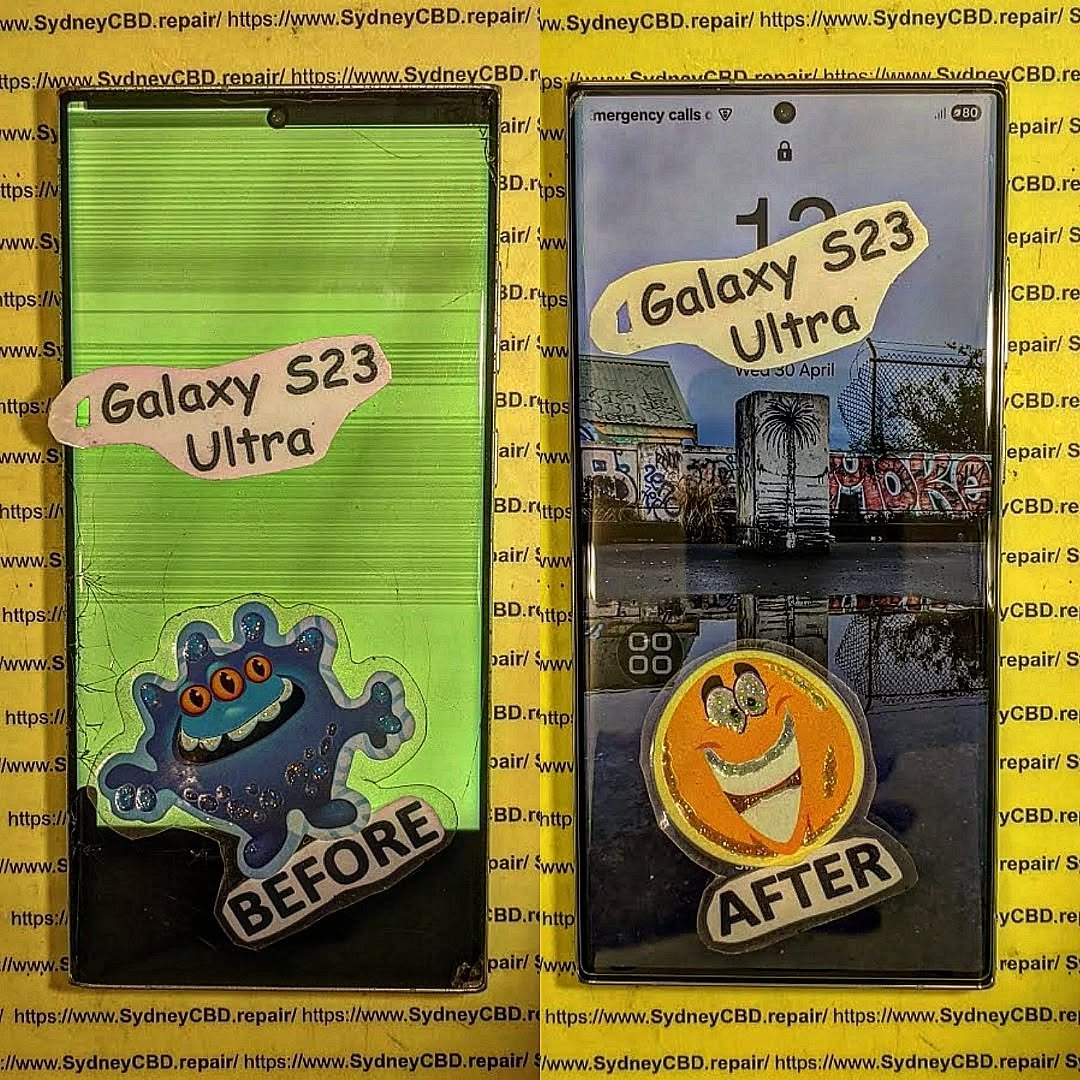
Repairing a Cracked Screen Without Replacing It: Is It Possible?
📝 Introduction
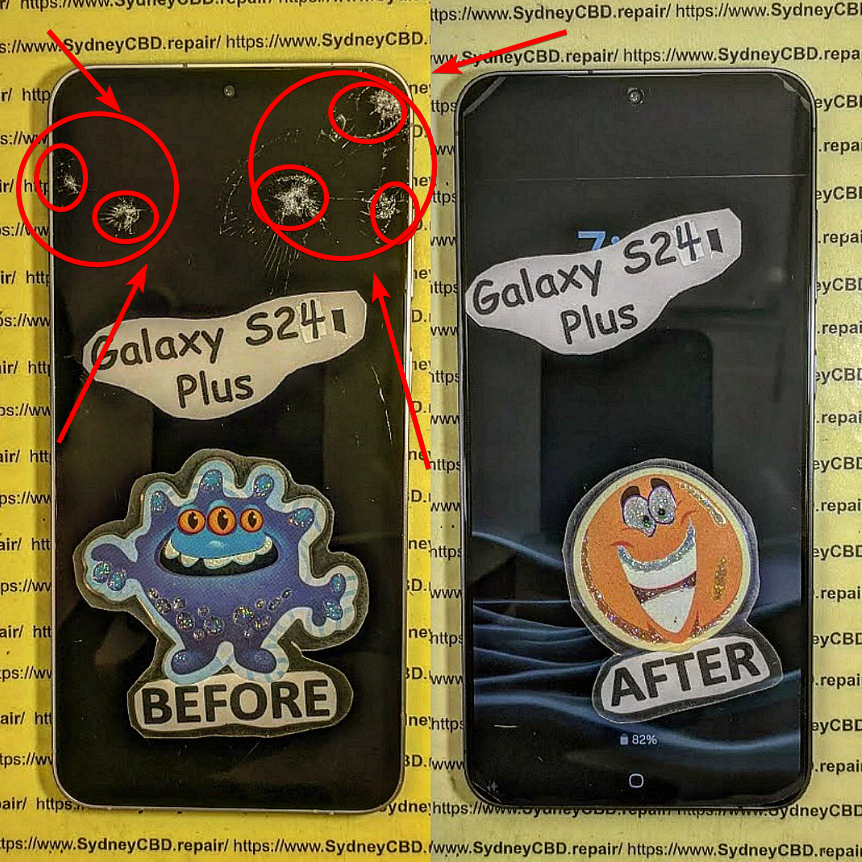
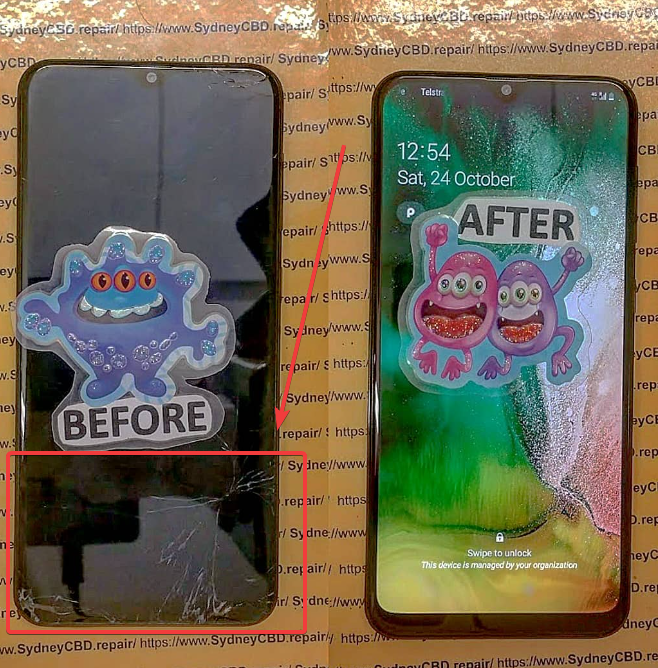
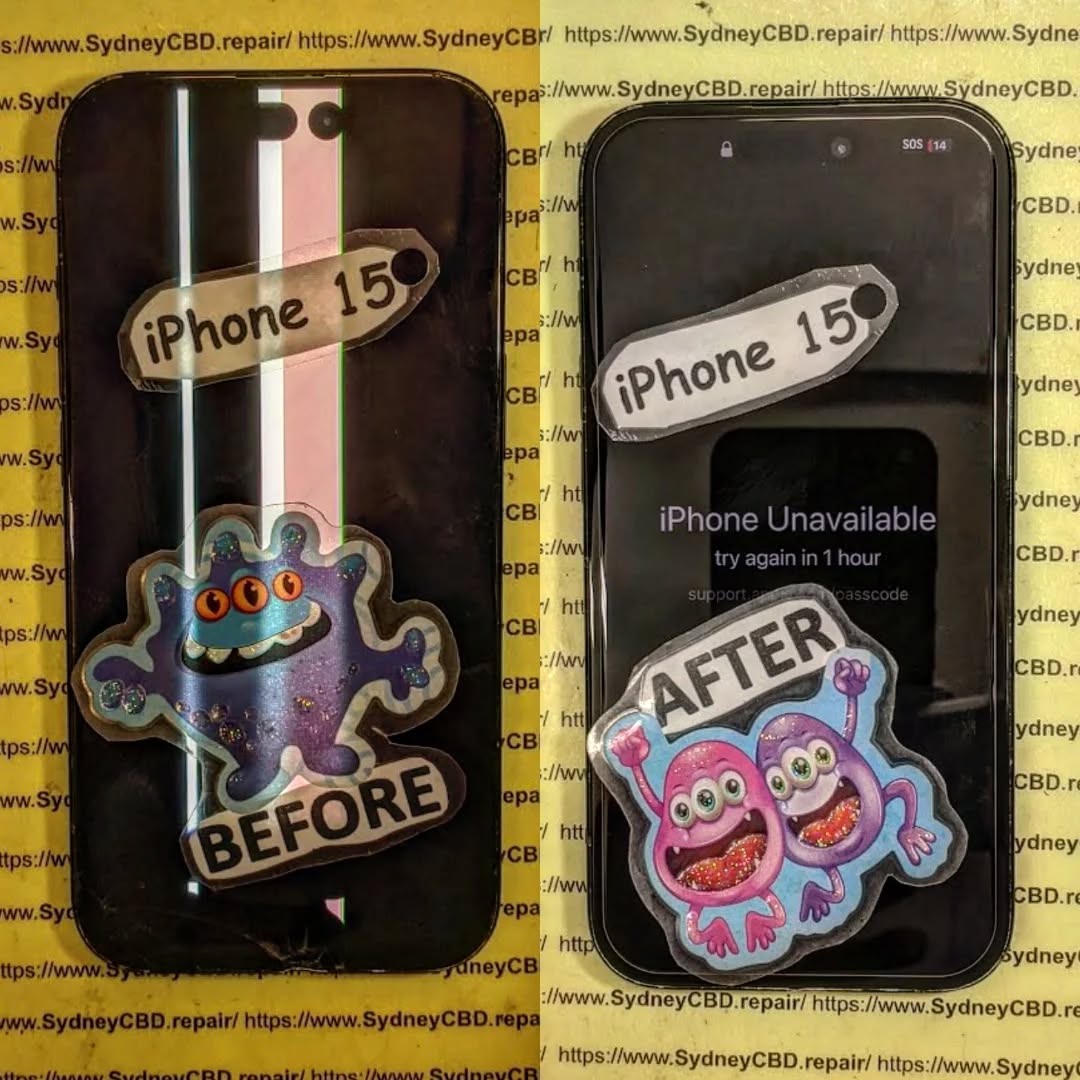
Cracked phone screens are one of the most common—and frustrating—issues smartphone users face. Whether you dropped your device on the pavement or it slipped off your lap, that dreaded web of fractures can appear in a second.
But here’s the big question: Can you repair a cracked screen without replacing it?
In this article, we’ll break down whether it’s possible, explore temporary solutions, and help you decide the safest, most cost-effective option for your phone.
To know whether a cracked screen can be fixed without full replacement, it’s essential to understand its layers.
– Outer Glass vs LCD or OLED Panel
A modern smartphone screen is typically made up of three parts:
Glass (outer layer): The protective surface
Digitizer: Responsible for touch sensitivity
Display (LCD or OLED): Shows images and visuals
If only the outer glass is cracked and the touch + display work fine, you might be able to get away without full replacement—but it’s not always recommended.
Each cause affects the screen differently. Surface cracks might look minor but could worsen over time.
Can You Repair a Cracked Screen Without Full Replacement?
– Surface-Level Cracks
If your phone has minor hairline cracks and the display and touch still function normally, you can try temporary solutions (we’ll cover them below). However, these are only cosmetic fixes—not permanent.
– Deep Cracks or Touchscreen Failure
If the crack is deep or your touch/display is affected, then screen replacement is necessary. No surface-level repair will restore full functionality in such cases.
Temporary Fixes for Minor Cracks
These DIY options might help protect your phone temporarily, but they are not long-term solutions:
– Using a Screen Protector Over the Crack
Applying a high-quality tempered glass protector can:
Prevent the crack from spreading
Stop glass shards from cutting your fingers
Buy you time until a proper repair
– DIY Liquid Glass Solutions
Some users swear by “liquid glass” (nano-liquid screen protectors). While these may fill in micro-scratches, they won’t magically “heal” deep cracks.
– Clear Nail Polish Method
Applying clear nail polish on minor cracks can seal them and reduce their visibility—but it’s messy and not advised for long-term use. It can also seep into internal components.
Risks of Avoiding Proper Screen Replacement
Avoiding screen replacement when needed can lead to:
– Touchscreen Malfunction
Cracks often worsen and affect the digitizer, making your screen unresponsive or glitchy.
– Exposure to Moisture and Dust
A cracked screen breaks your phone’s seal, letting in moisture, dust, and debris, which can damage internal components.
When Is Full Screen Replacement Necessary?
You’ll likely need a full screen replacement if:
The crack spans across the screen
Touch sensitivity is impaired
Dead pixels or display discoloration is visible
The phone becomes unresponsive
In these cases, only replacing the full screen (glass + digitizer + display) will fully restore your device.
Professional vs DIY Repair Options
– Why Professional Repairs Are Safer
Choosing a professional repair shop like Sydney CBD Repair Centre ensures:
Correct diagnosis of screen layers affected
Use of genuine replacement parts
Fast, efficient repairs without damaging your phone further
Warranty for peace of mind
– What to Avoid with DIY Fixes
Avoid:
Cheap screen repair kits from unreliable sources
Online tutorials that oversimplify complex repairs
Opening your phone without proper tools or training
A DIY mistake can easily damage internal components or void your warranty.
Benefits of Choosing Professional Repair Shops
– Genuine Parts and Warranty
Professional shops use original or OEM parts, which ensure:
Proper fit and finish
Long-term durability
Compatibility with your device
At Sydney CBD Repair Centre, you also get a 90-day warranty on all repairs.
– Fast and Reliable Turnaround
Why wait for weeks? Local shops like ours offer:
Same-day repairs
Expert technicians
Transparent pricing
Cost Comparison: Temporary Fix vs Replacement
Solution
Estimated Cost
Durability
Risk Level
Clear Nail Polish
$2 – $5
Very low
High
Liquid Glass
$10 – $30
Low
Medium
Screen Protector
$10 – $50
Medium
Low
Professional Replacement
$150 – $400 (varies by model)
High
Very low
Temporary fixes may save money short-term, but they don’t address the real issue. If your phone is valuable or under warranty, invest in professional repair.
❓ FAQs
Can toothpaste really fix a cracked screen?
No. Toothpaste is an internet myth. It may buff out minor scratches but won’t fix cracks—and may cause more damage.
Will my phone be waterproof after a screen crack repair?
If repaired by a professional who reseals the screen properly, it may retain some water resistance—but never assume it’s waterproof again.
Is it safe to keep using a phone with a cracked screen?
Not really. Cracked screens can cut your fingers, allow moisture inside, and get worse quickly. Temporary use is fine, but get it fixed soon.
How much does a professional screen repair cost in Sydney?
Prices range from $150 to $400, depending on your model. Flagship devices like iPhones or Galaxy models cost more due to high-end parts.
Will repairing only the glass fix my touch issues?
No. If your touchscreen is unresponsive, it means the digitizer is damaged. You’ll need a full screen replacement.
Can you fix a screen without replacing the digitizer?
Only if the digitizer and display are untouched. In most modern phones, the glass, digitizer, and display come as a single unit.
✅ Conclusion
So, can you repair a cracked screen without replacing it? Yes—but only in minor cases, and the fix is temporary at best. For anything more serious, a full replacement is the safest, most reliable option.
At Sydney CBD Repair Centre, we offer same-day repairs, use only genuine parts, and provide a 90-day warranty. Whether your phone is slightly cracked or completely shattered, we’ve got you covered with trusted, affordable service.
How to Choose the Right Phone Repair Shop in Sydney: 12 Smart Tips You Can’t Miss
📝 Introduction
Choosing the right phone repair shop in Sydney can feel overwhelming, especially with so many options available. Whether you’re dealing with a cracked screen, faulty battery, or water damage, your priority is simple: getting your device back in working order—fast, affordably, and with quality you can count on.
But not all repair shops are created equal.
In this guide, you’ll discover 12 smart tips to help you make an informed decision when selecting a phone repair shop in Sydney. From checking technician certifications to evaluating post-repair support, we cover it all. Let’s dive in.
When your phone breaks, it’s tempting to look for the quickest and cheapest fix. But phones today are complex devices, and one wrong move can cause further damage. That’s why professional repair matters. A qualified technician will:
Use proper tools and techniques.
Avoid shortcuts that risk long-term issues.
Provide warranties on both parts and service.
Investing in a professional repair isn’t just about fixing the issue—it’s about protecting your phone’s lifespan and value.
Before stepping foot into any repair shop, do a little homework.
– Online Reviews and Ratings
Platforms like Google Reviews, Trustpilot, and Facebook are great for scoping out other customers’ experiences. Look for shops with:
High ratings (4.5 stars or more)
Detailed customer feedback
Consistent praise for service, speed, and communication
For example, Sydney CBD Repair Centre boasts more than 2000 positive reviews—a clear indicator of trust and customer satisfaction.
– Word of Mouth Matters
Ask friends, family, or coworkers where they’ve had their phones fixed. Local recommendations often reveal hidden gems.
3. Check for Certifications and Technical Expertise
Not every technician is trained to handle complex repairs, especially for newer models like the iPhone 16 or Galaxy S24.
– Certified Technicians vs Freelancers
Always ask if the technicians are certified by manufacturers or industry bodies. Certifications show a level of credibility and ongoing education. Be wary of freelance technicians without any official credentials.
4. Ask About Warranty Policies
A professional shop stands behind its work. Always ask:
How long is the warranty? (Standard is 30-90 days)
What does it cover? (Parts, labor, recurring issues?)
Is the warranty void if you open the phone again?
Sydney CBD Repair Centre offers a 90-day warranty, providing peace of mind and accountability.
5. Prioritise Repair Shops That Use Genuine Parts
Using genuine or OEM parts ensures that your phone performs as it should post-repair. Cheap alternatives can:
Drain your battery faster
Affect touch sensitivity
Reduce screen brightness and resolution
Ask the shop directly: “Do you use original parts?”
6. Turnaround Time: How Fast Can They Fix It?
Some shops will promise quick service but take days to complete your repair. Clarify:
Estimated repair time (1 hour? Same day?)
Do they stock common parts in-house?
Will you need to make an appointment or can you walk in?
Sydney CBD Repair Centre offers same-day express repairs for many issues.
7. Compare Pricing, But Don’t Be Fooled by Cheap Rates
It’s tempting to go with the lowest price, but when it comes to phone repair, you usually get what you pay for.
What to Watch For:
Hidden fees (diagnostic charges, labor, etc.)
Suspiciously low prices that may mean low-quality parts
No written quote—always get one!
Use pricing as a factor, not the only decision-maker.
8. Evaluate Customer Service and Communication
From the moment you walk in, the team should be helpful, transparent, and professional.
Look for:
Friendly staff willing to answer your questions
Clear communication about pricing and timelines
Updates during the repair process if delays occur
Poor service is a red flag—even if they’re technically skilled.
9. Look for Specialisation in Your Phone Brand
Some shops are better with Apple, others with Samsung, Google Pixel, or OnePlus. Ask:
“Do you specialise in my phone model?”
“Have you worked on this issue before?”
“Do you have the correct parts available?”
This ensures a smoother repair process and better results.
10. Visit the Store—Is It Clean, Organised, and Transparent?
First impressions matter. A shop’s appearance often reflects their professionalism.
Look for:
Neat, organised workspace
Clearly displayed prices or repair policies
Staff wearing uniforms or ID badges
If they’re messy with their tools, how careful will they be with your phone?
11. Ask About Post-Repair Support
What happens if the issue returns in a week?
A good repair shop should offer:
Free diagnostics if problems recur
No-hassle warranty support
A system to track repair history
This shows they care about the customer experience, not just the transaction.
12. Trust a Repair Shop With a Solid Local Reputation
When in doubt, choose a shop that has been around for years and consistently delivers quality.
Sydney CBD Repair Centre has:
Over 6 years of proven service
2000+ 5-star Google reviews
Recognition as a 6-time award winner
Shops with that level of community trust don’t take shortcuts—they rely on their reputation.
❓ FAQs
How do I know if a repair shop uses genuine parts?
Ask directly and look for written confirmation on invoices. Reputable shops, like Sydney CBD Repair Centre, openly advertise genuine part usage.
What should I avoid when choosing a repair shop?
Avoid shops that don’t offer warranties, use vague language, or refuse to show you a price list.
How long does a typical phone repair take?
It varies, but simple issues like screen replacements often take under an hour at well-equipped shops.
Is it better to go with a manufacturer repair centre or third party?
Third-party shops are often faster and cheaper. Just make sure they’re certified and offer genuine parts and warranties.
What’s included in a phone repair warranty?
Usually, it covers parts and labor for a set period (30–90 days). Some cover return visits if issues reoccur.
How do I check a repair shop’s certification?
Look for certificates displayed in-store, ask directly, or check their website for brand partnerships and training acknowledgments.
✅ Conclusion
Choosing the right phone repair shop in Sydney isn’t just about price—it’s about trust, quality, and peace of mind. With these 12 smart tips, you’re now equipped to spot a professional repair centre that delivers top-notch results.
Don’t take chances with your tech. For those in Sydney, Sydney CBD Repair Centre ticks all the boxes—genuine parts, certified technicians, same-day service, and a stellar reputation.
When your phone breaks, trust the repair shop that thousands of Sydneysiders already do.
Why Your Phone’s Screen Might Be Flawed: Common Issues + Expert Insights
🟦 Introduction: The Importance of Screen Quality
The screen is your smartphone’s main interface—if it’s flawed, your entire experience suffers. From swiping to scrolling, gaming to video streaming, a damaged or malfunctioning screen can turn your phone into a frustrating device.
Many users assume screen issues mean accidental drops or visible cracks, but there’s more than meets the eye. Let’s explore the most common screen problems and how to identify and fix them.
Ghost touch occurs when your phone starts acting on its own—tapping apps, typing random letters, or swiping without input.
Causes:
Faulty screen or digitizer
Incompatible screen protector
Moisture or static build-up
Fix:
Remove screen protector
Restart in Safe Mode
Seek expert repair if issue persists
🟦 Dead Pixels and Discoloration
A “dead pixel” appears as a black dot that never lights up. Stuck pixels show constant colors (red, green, blue), while discoloration may indicate LCD or OLED damage.
Causes:
Manufacturing defect
Pressure or impact damage
Overheating
Fix:
Use pixel-fixer apps (e.g., JScreenFix)
Screen replacement if pixel issues spread
🟦 Unresponsive Touchscreen
If your screen doesn’t react to touches, it’s either a software glitch, a damaged digitizer, or a hardware failure.
Try:
Reboot the device
Update the OS
Remove case or screen protector
If nothing works, visit Sydney CBD Repair Centre for diagnostics.
🟦 Flickering or Flashing Displays
Causes:
Loose LCD connector
Software bugs after updates
Battery problems
Solutions:
Turn off adaptive brightness
Update or roll back recent apps
Professional repair for hardware issues
🟦 Screen Burn-in or Image Retention
This is common in OLED displays where static images cause permanent shadows on the screen.
Prevention:
Use dark mode
Enable screen savers
Lower screen brightness
Fix:
Use apps like OLED Saver
Replace display if burn-in is severe
🟦 Low Brightness or Dimming Issues
If your screen seems too dim even at max brightness:
Causes:
Ambient light sensor issues
Power-saving modes
Screen degradation
Fix:
Adjust settings manually
Disable battery saver
Visit a technician if brightness stays low
🟦 Screen Freezing or Lag
Lag can feel like a screen issue but often points to CPU or RAM overuse.
Solutions:
Close background apps
Clear system cache
Factory reset if lag persists
🟦 Water Damage Effects on Display
If your phone got wet, screen problems may not appear immediately. Symptoms include:
Flickering
Unresponsiveness
Discoloration or ghosting
Fix:
Power off immediately
Do not charge
Visit Sydney CBD Repair Centre for water damage treatment
🟦 Software Bugs vs. Hardware Damage
Sometimes what looks like a screen problem is software-related.
Software Clues:
Issues resolved after reboot or Safe Mode
Problems after an update
Hardware Clues:
Physical cracks or flickering
No improvement after resets
🟦 How to Diagnose Your Screen Problem
Use this quick checklist:
Symptom
Likely Cause
Cracks or shattered glass
Drop or impact
Touch doesn’t respond
Digitizer failure
Colors distorted
LCD/OLED damage
Random touches
Ghost touch
Black areas
Dead pixels
Flickering
Loose connector
🟦 Can You Fix It Yourself?
While there are DIY kits available, fixing a screen isn’t simple. You risk:
Breaking internal components
Losing water resistance
Voiding warranty
If you’re not experienced, it’s safer and often more cost-effective to go professional.
🟦 When to See a Professional Repair Technician
Visit Sydney CBD Repair Centre when:
The screen is cracked or won’t respond
DIY solutions failed
The phone is under warranty or high-value
You need a genuine parts guarantee and same-day service
🟦 Prevention Tips to Protect Your Screen
Use a tempered glass screen protector
Install a shock-resistant case
Avoid extreme temperatures
Don’t keep your phone in tight pockets or bags with keys
❓ Frequently Asked Questions
1. Why does my screen have a black spot?
It’s likely a dead pixel or internal LCD damage.
2. Can a cracked screen affect touch sensitivity?
Yes, especially if the digitizer is also damaged.
3. Is ghost touch caused by moisture?
It can be. Static, water, or hardware failure may be responsible.
4. Should I keep using my phone if the screen is cracked?
You can, but it’s risky. Cracks can spread or cause injuries.
5. How much does a screen replacement cost?
It varies by brand and model. Call us at +61280114119 for a quote.
6. How long does it take to repair a screen?
At Sydney CBD Repair Centre, most screens are fixed the same day.
✅ Conclusion
From cracked glass to flickering displays, screen issues are common—but not unbeatable. Whether it’s wear and tear or water damage, identifying the cause early can save your phone and your wallet.
For trusted, fast, and guaranteed screen repairs in Sydney, visit Sydney CBD Repair Centre. With 2000+ positive reviews and award-winning service, we’ve earned our place as Sydney’s top mobile repair experts.
Top 5 Most Common Smartphone Problems and Their Fixes + Expert Repair Tips
📱 Introduction: Why Knowing Common Phone Issues Matters
Smartphones are essential in our daily lives—but even the most reliable devices aren’t immune to problems. Cracked screens, dead batteries, and charging issues are just a few of the common complaints we see daily at Sydney CBD Repair Centre. By understanding the most frequent issues and how to fix or prevent them, you can save time, money, and stress.
Permanent: Screen replacement by professionals
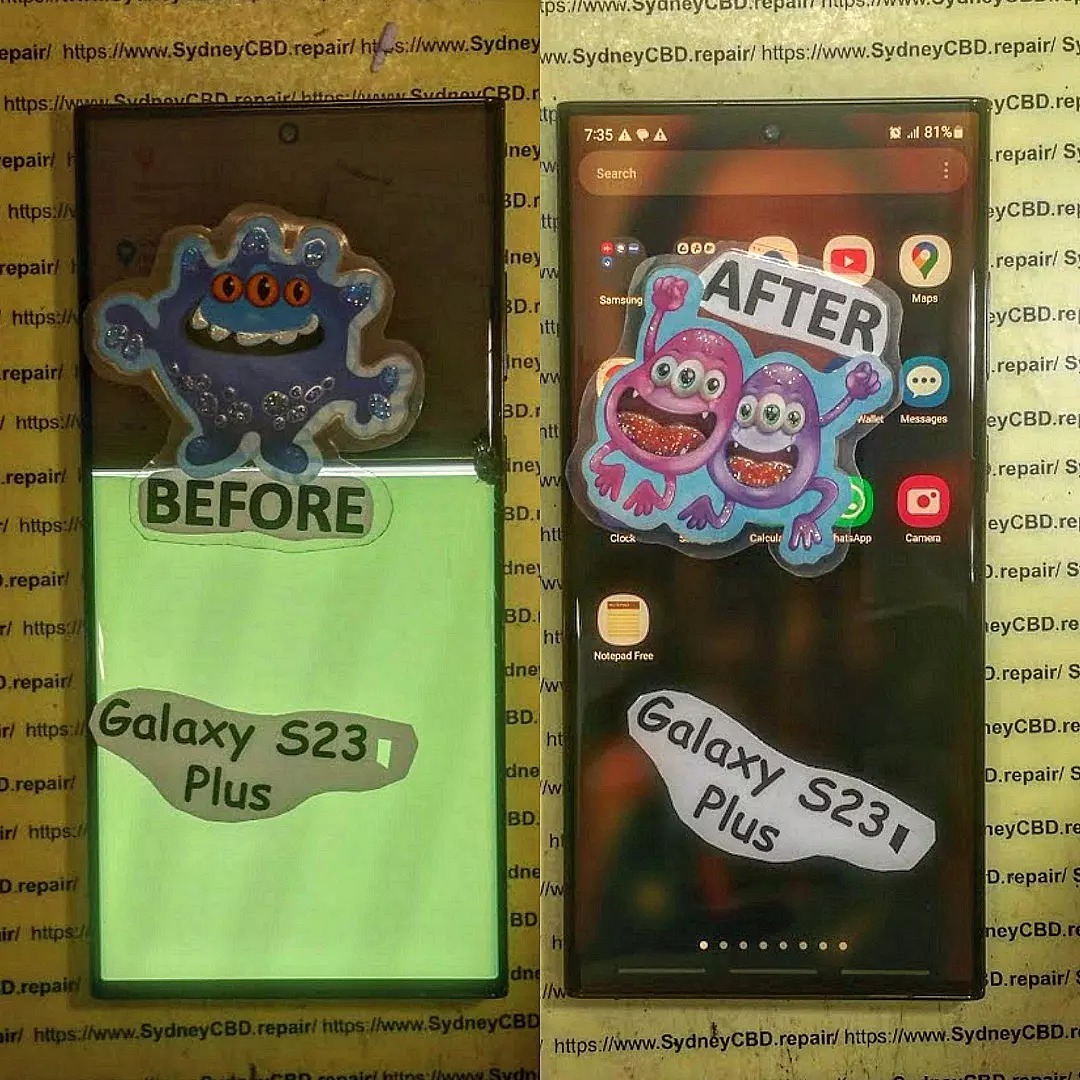
At Sydney CBD Repair Centre, we use only genuine screens with a 90-day warranty and offer same-day service.
Replace battery if it’s bloated or aged We offer fast battery replacements for iPhones, Samsung, Google Pixel, and more—done by certified technicians.
⚡ Problem #3 – Phone Not Charging Properly
Symptoms:
Phone won’t charge at all
Charges only at certain angles
Slow charging
Causes:
Dust or lint in charging port
Faulty charging cable or adapter
Damaged charging IC (internal chip)
Fix:
Clean port gently with a toothpick or soft brush
Try a different cable and power source
Replace port or internal component (if needed) Our team diagnoses and repairs charging issues quickly using OEM parts for long-lasting results.
💧 Problem #4 – Water Damage
Symptoms:
Phone won’t turn on
Screen flickers or becomes unresponsive
Audio or speaker distortion
Do’s:
Power off immediately
Remove SIM/memory cards
Bring to a repair shop ASAP
Don’ts:
Don’t charge it
Don’t blow dry it
Don’t shake it to remove water
💡 Sydney CBD Repair Centre has professional tools and methods to handle water damage recovery safely and effectively.
🖐️ Problem #5 – Unresponsive Touchscreen
Symptoms:
Screen doesn’t react to touch
Delayed or erratic responses
Only part of the screen works
Causes:
Software glitches
Faulty screen or digitizer
Water or impact damage
Fix:
Restart device
Boot into safe mode to check for software issues
Replace screen or digitizer if needed We run full diagnostics to determine whether it’s a hardware or software issue before starting repairs.
🔍 DIY vs. Professional Repair
Aspect
DIY Repair
Professional Repair
Cost
Lower upfront
Slightly higher
Risk
High – possible damage
Low – experts handle it
Tools Required
Many specialized tools
All included in service
Warranty
None
Yes – 90 Days at Sydney CBD Repair
DIY might save you a few dollars, but one mistake could cost much more. With over 2000+ 5-star reviews, our customers trust Sydney CBD Repair Centre to get it right the first time.
🛡️ How to Prevent These Issues
Use a shockproof case and tempered glass protector
Keep ports clean and dry
Avoid using your phone while charging
Update your phone’s OS and apps regularly
Avoid exposing the device to extreme temperatures
🌟 Why Choose Sydney CBD Repair Centre
✅ Same-Day Express Repairs
✅ Only Genuine Parts
✅ Expert Technicians
✅ 90-Day Warranty
✅ Located in the Heart of Sydney CBD
✅ 6-Time Award Winner for Best Phone Repairs
Whether you have an iPhone, Samsung, Google Pixel, or any other device, we handle it all with precision, care, and transparency.
🙋♂️ FAQs
1. Can I still use my phone with a cracked screen?
Yes, but it’s risky—cracks can spread or cause touch issues. It’s best to get it repaired early.
2. How do I know if my battery needs replacing?
Fast drainage, overheating, or sudden shutdowns are clear signs. You can also check battery health in settings.
3. Is water damage repairable?
Often yes, especially if treated quickly. Bring it in within 24 hours for the best chance.
4. How much does screen repair cost?
It depends on the model. Sydney CBD Repair Centre offers competitive rates—call us for a free quote.
5. Do you offer same-day repairs?
Yes, most screen, battery, and charging port repairs are completed on the same day.
6. What brands do you repair?
We service Apple, Samsung, Google, Oppo, Huawei, Sony, and more.
🧠 Final Thoughts
Smartphones may be smart—but they’re not indestructible. By understanding these common problems and acting quickly, you can extend the life of your device and avoid major costs.
For guaranteed, fast, and trusted repairs, visit Sydney CBD Repair Centre—Sydney’s most reliable repair experts for over 6 years in a row.
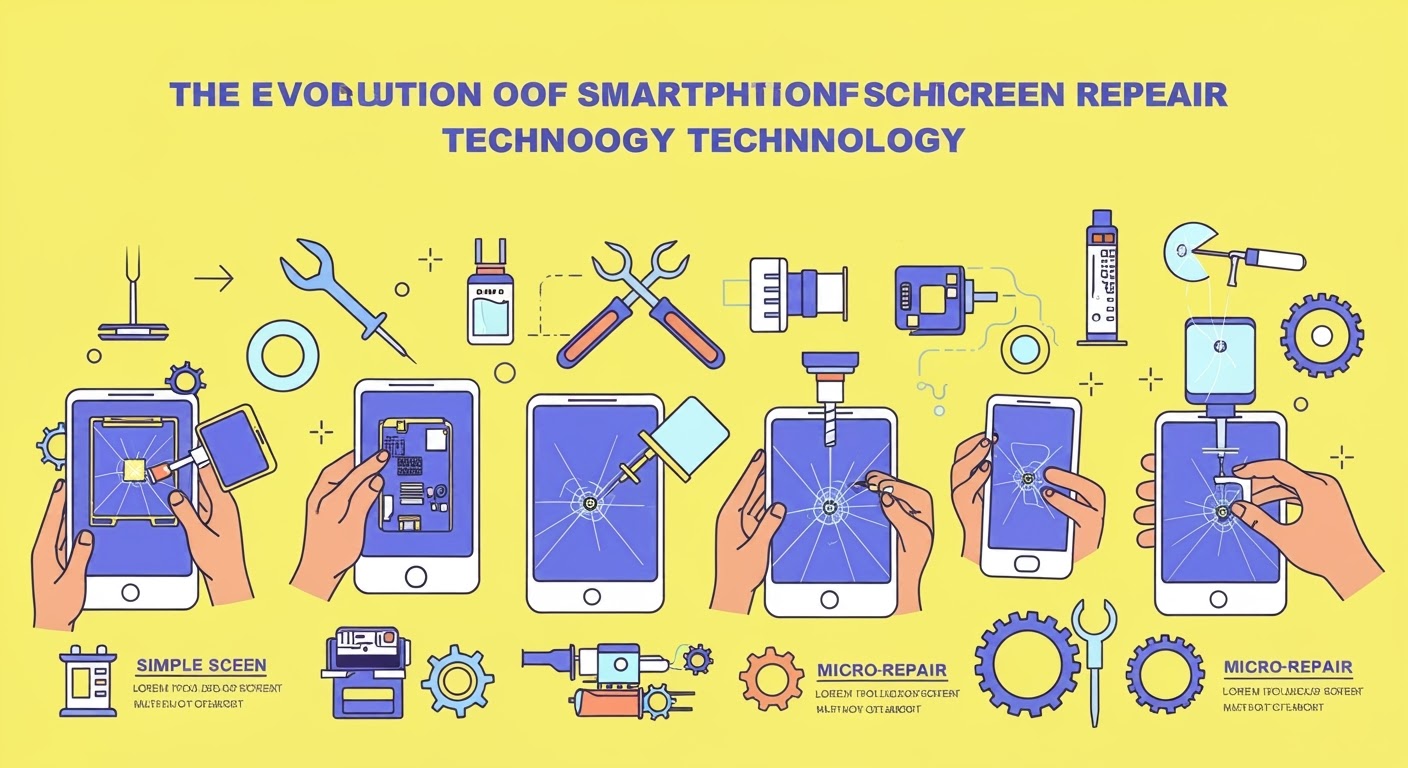
The Evolution of Smartphone Screen Repair Technology: Game-Changing Innovations + 15 Essential Insights
📱 Introduction to Smartphone Screen Repair Technology
Smartphones have become an essential extension of our lives. But as their functionality evolves, so does their complexity—especially when it comes to repairs. Among the most common issues users face? Broken or damaged screens. That’s where the ever-evolving world of smartphone screen repair technology steps in.
Today, repairing a screen isn’t just about swapping glass. It involves delicate operations on high-resolution OLEDs, foldable components, and sometimes even using AI to diagnose the damage. Let’s explore how far we’ve come and where we’re headed.
Modern flagships like the iPhone 15 Pro Max and Samsung Galaxy Z Fold 5 cost over $2,000 AUD. With prices soaring, users are more likely to repair than replace. Screen repairs are now more economical and environmentally conscious.
User Dependency on Mobile Devices
From banking to GPS navigation, phones are no longer luxury items—they’re lifelines. A broken screen disrupts daily life. This increased dependency fuels demand for efficient, same-day screen repairs.
🛠️ Early Days: The Birth of Screen Repair
Plastic Screens and Initial Repair Attempts
In the early 2000s, screens were made from resistive plastic. While more durable than today’s glass, they scratched easily and dulled over time. Technicians relied on simple tools—suction cups and adhesives—to fix these early issues.
The Rise of LCD Technology
LCD (Liquid Crystal Display) became the standard in the late 2000s. Although visually superior, they introduced challenges like backlight bleed and ribbon cable fragility. Repairs became more delicate, requiring precise alignment and heating techniques.
OLED and AMOLED screens offer richer colors and deeper blacks—but they’re thinner and more fragile. They use no backlight, so repairs risk permanent pixel burn or color distortion if handled poorly.
Advancements in Tools and Materials
Infrared separation machines allow screen disassembly without overheating.
Polarizer films and OLED glass laminators help restore display clarity.
Micro-soldering tools assist in fixing touch digitizer circuits.
These tools have transformed how technicians restore smartphones to like-new condition.
📐 Foldable Screens: A Revolutionary Challenge
Understanding the Foldable Mechanism
Devices like the Samsung Z Fold and Z Flip have complex hinges and ultra-thin glass (UTG). Their layered structure makes them tricky to open without damage.
Specialised Repair Techniques for Z Fold and Flip Series
At Sydney CBD Repair Centre, we:
Use factory-aligned hinge calibration tools
Apply precise heat to peel UTG safely
Replace inner folding displays using genuine Samsung parts
These methods ensure no bubbles or creases post-repair.
🤖 Smart Tools: How Automation and AI Are Changing Repairs
Laser Machines for Precision Glass Removal
One standout advancement is laser separation technology. Instead of brute-force removal, lasers melt adhesives cleanly—minimising risks to internal components.
AI-Powered Diagnostics
AI tools now:
Detect dead zones on touchscreens
Identify pressure points or flickering
Recommend optimal repair procedures
These innovations streamline repairs, reduce errors, and boost success rates.
🔧 Modular Design and Its Role in Repair Simplification
Framework Phones and User-Friendly Repairs
Some manufacturers are now designing modular phones that let users replace parts easily. Brands like Fairphone and Framework lead the way with replaceable screens and batteries—encouraging DIY repairs.
Industry Movement Toward Sustainability
E-waste is a global crisis. Modular phones paired with advanced repair services help extend device lifespans and reduce landfill waste.
🧩 Why OEM Parts and Skilled Technicians Are Crucial
Original Equipment Manufacturer (OEM) parts are not just about brand loyalty—they guarantee:
Display brightness consistency
Touch sensitivity
Durability over time
Technicians trained in OEM repair protocols (like those at Sydney CBD Repair Centre) ensure your device works exactly as intended.
🏆 Sydney CBD Repair Centre: Pioneering Screen Repair Excellence
Same-Day Repairs with Genuine Parts
Located in the heart of Sydney, we specialise in screen repairs for:
Apple iPhones
Samsung Galaxy and Foldables
Google Pixel series
Oppo, OnePlus, and more
We use only genuine parts and offer a 90-day warranty—backed by professional-grade tools and expert knowledge.
2000+ 5-Star Reviews and Trusted by Thousands
With more than 2,000 Google reviews, our reputation speaks volumes. We’ve been voted Sydney’s #1 repair centre 6 years in a row, thanks to our commitment to quality, speed, and honesty.
🔗 External Resource for Right to Repair Advocacy
To learn more about the Right to Repair movement, visit:
👉 https://repair.org
❓ Frequently Asked Questions (FAQs)
1. Is it worth repairing a cracked smartphone screen?
Yes, especially if the phone is a recent model. Repairs can save you hundreds compared to a full replacement.
2. What’s the difference between OEM and aftermarket parts?
OEM parts are made by the phone’s original manufacturer, ensuring performance and durability. Aftermarket parts may vary in quality.
3. How long does a screen repair take?
At Sydney CBD Repair Centre, most screen repairs are completed same-day, often in under 2 hours.
4. Are foldable screens more expensive to repair?
Yes. Due to their complexity and delicate hinges, foldable screen repairs cost more and require specialised tools.
5. Can I repair my own screen at home?
Only if you have the right tools and experience. DIY attempts may void warranties or worsen damage.
6. What’s covered in the 90-day warranty?
Our warranty covers manufacturing defects in the parts we install—not physical damage post-repair.
✅ Conclusion: Future of Screen Repair Tech
The evolution of smartphone screen repair technology has been nothing short of astounding. From primitive plastic screens to ultra-advanced foldables, repairs have kept pace through innovation and craftsmanship.
As we move forward, expect:
Wider adoption of modular designs
More AI-driven diagnostics
Continued push for Right to Repair legislation
One thing’s for sure: screen repairs are no longer a “quick fix”—they’re precision services delivered by tech-savvy professionals. And at Sydney CBD Repair Centre, we’re proud to be at the forefront of this transformation.
David from Sydney CBD Repair Centre – The Best place to fix mobile phones as 6 Years In A Row!
Top Mobile Phone Repair In Sydney. More than 2000 Positive Reviews on Google and Same Day Repairs.
From cracked screens to fast-draining batteries, smartphones can encounter a wide range of issues that disrupt daily life. Whether you’re using the latest iPhone or a Samsung Galaxy, it’s important to know which problems can be solved at home and which require professional care.
At Sydney CBD Repair Centre, we’ve seen and fixed it all. Our team has earned a reputation as Sydney’s #1 phone repair shop—and for good reason. With same-day service, genuine parts, and over 2000 5-star Google reviews, we’re your go-to solution for fast, reliable smartphone repairs.
DIY Tip: Power off immediately. Do not use rice. Keep the phone upright and dry.
When to Repair:ASAP. Bring it to our repair centre for proper moisture removal and corrosion treatment.
5. Speaker or Microphone Issues
DIY Tip: Test with multiple apps. Clean the grill with a soft brush.
When to Repair: If calls are muffled or audio cuts in and out—it may require part replacement or internal cleaning.
6. Software Freezing or Boot Loop
DIY Tip: Try a hard reset or update the OS.
When to Repair: If your phone won’t boot or restarts repeatedly, you might need software reinstallation or hardware diagnostics.
📍 Why Choose Sydney CBD Repair Centre?
At Sydney CBD Repair Centre, we don’t just fix phones—we restore peace of mind. Whether you have a cracked Galaxy Z Flip 5, a dead iPhone battery, or a buggy Pixel device, we’ll get you back up and running in no time.
✅ Same Day Repairs
✅ Genuine OEM Parts
✅ 90-Day Repair Warranty
✅ Expert Technicians
✅ 2000+ 5-Star Google Reviews
✅ 6-Time Award-Winning Service
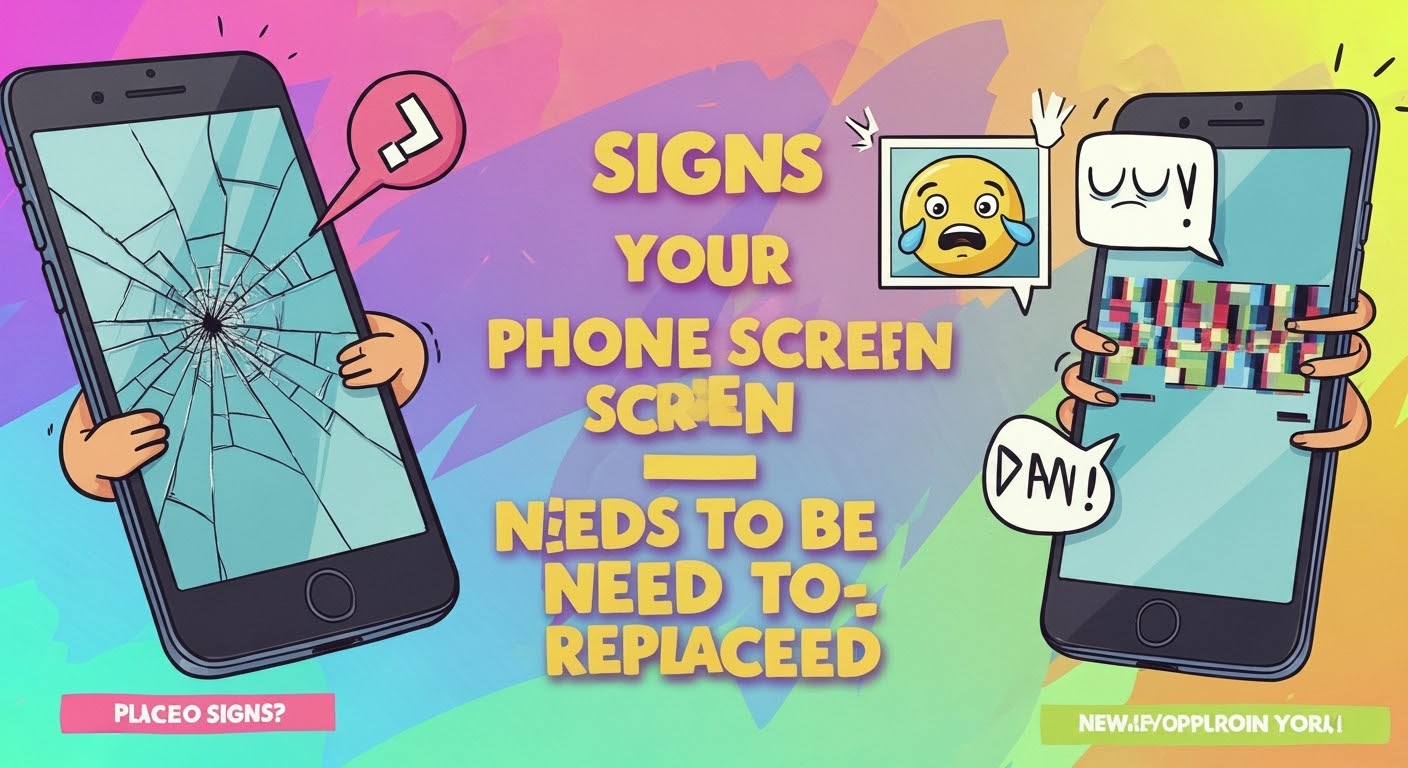
Your phone screen is your connection to the digital world—and when it starts acting up, it can disrupt your day instantly. But how do you know when it’s time to replace it, rather than just live with a few cracks?
Even small cracks can spread quickly and compromise your phone’s structural integrity. Beyond being an eyesore, cracks can also lead to finger injuries and worsen with pressure or temperature changes.
Tip: A cracked screen can allow dust and moisture to enter your device, potentially causing deeper damage.
2. Unresponsive Touch Screen
If your screen doesn’t register your taps, swipes, or gestures accurately, it’s a red flag. This often means the digitizer (the part of the screen responsible for touch) is damaged.
3. Discoloration or Flickering Display
Do you see weird lines, colour patches, or screen flickers? This typically indicates internal screen damage or issues with the display connectors. It might look minor at first, but it could lead to a completely blacked-out screen soon.
Is your phone performing actions on its own—like opening apps or typing randomly? This is known as “ghost touch,” and it usually means your screen is malfunctioning.
5. Delayed Response or Dead Zones
If parts of your screen stop responding altogether or respond slower than others, this is a sign of partial digitizer failure. This makes typing, swiping, and general use frustrating.
🚀 Get It Fixed Fast at Sydney CBD Repair Centre
If your screen is showing any of these signs, don’t wait until it gets worse. At Sydney CBD Repair Centre, we:
✅ Replace screens using genuine parts
✅ Offer same-day express service
✅ Provide a 90-day repair warranty
✅ Are trusted by over 2000+ 5-star Google reviewers
Walk in today and let our expert technicians bring your phone back to life—safely, affordably, and professionally.
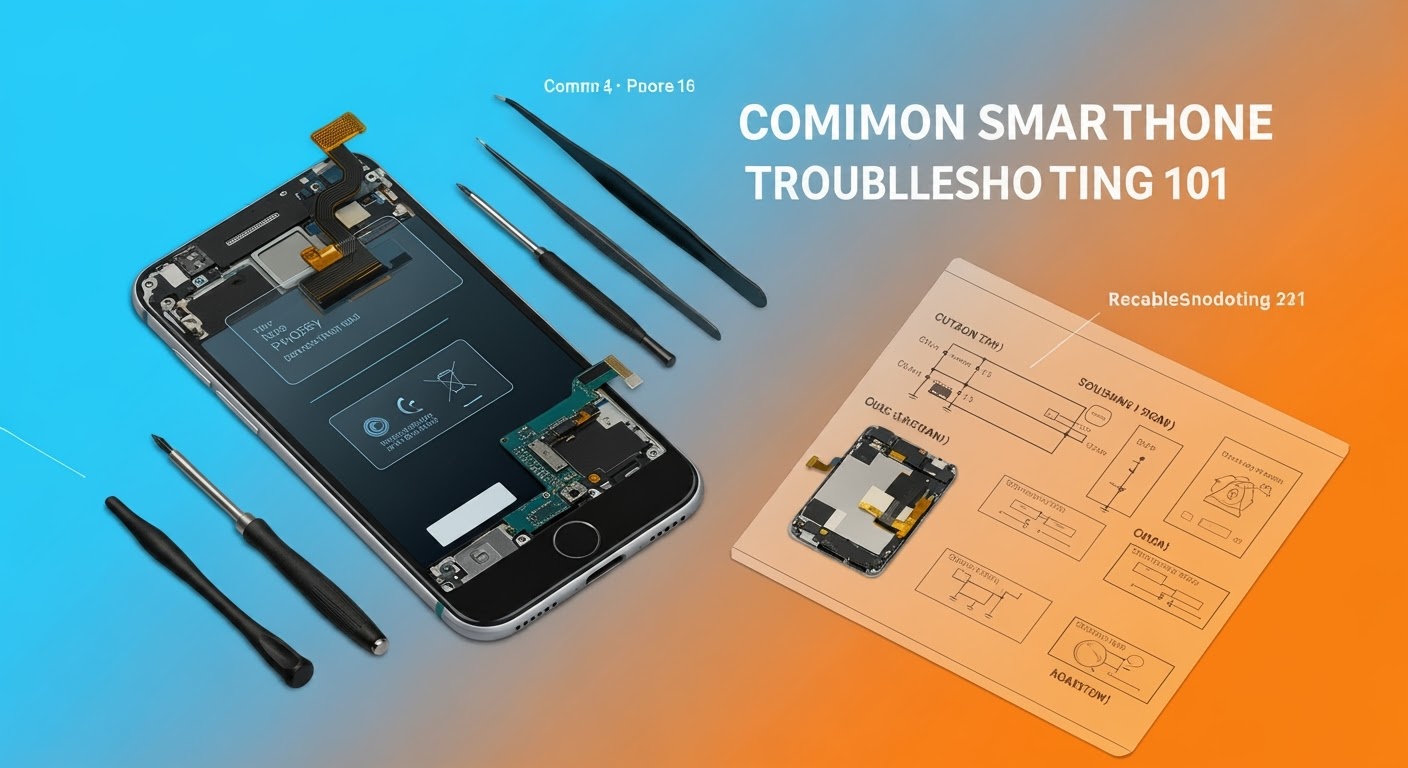
Troubleshooting Common Smartphone Screen Issues: Expert Fixes from Sydney’s Top Repair Team
📱 Introduction: Screens Are More Fragile Than You Think
Smartphones are modern marvels, but their sleek glass screens can be vulnerable to everyday wear and tear. Whether it’s a minor scratch or a completely shattered display, screen issues are among the most common problems users face. But don’t panic — many screen-related problems can be diagnosed and fixed, especially if you catch them early.
⚠️ Most Common Smartphone Screen Issues
Cracked or Smashed Glass
This is the number one reason people seek screen repairs. A single drop can cause anything from a small crack to total shatter. Cracks not only look bad but can also:
Cause cuts on your fingers
Compromise water resistance
Spread further over time
Display Not Turning On
Sometimes the phone vibrates or rings, but the screen stays black. This could mean:
A dead battery
Display connector damage
Internal screen failure
Screen Flickering or Glitching
If your display flickers or flashes:
You might have a faulty display ribbon
Apps may be causing graphical conflicts
It could be a software bug or hardware malfunction
Touchscreen Not Responding
Non-responsive screens are often linked to:
Moisture or dirt under the glass
Faulty digitizer
Overheating
Ghost Touch Issues
Ghost touches occur when your phone acts like it’s being touched — even when it isn’t. This is usually due to:
Screen damage
Poor-quality screen replacements
System glitches
🔧 DIY Troubleshooting Tips You Can Try
Restart or Soft Reset
Sometimes, a simple restart clears up glitches. Hold down your power button and give your device a fresh start.
Screen Calibration Apps
Apps like “Touchscreen Repair” can recalibrate screen sensitivity, especially useful for ghost touch or lagging responses.
Safe Mode for App Conflicts
Booting into safe mode disables third-party apps. If the screen behaves normally here, a rogue app may be to blame.
Cleaning the Screen Surface
Use a microfiber cloth to remove dirt or grease. Moisture or grime can affect touch accuracy.
We use 100% original screens for all major phone brands — including Samsung, Apple, and Google — ensuring durability and perfect display quality.
Calibration for Touch & Fingerprint Sensors
After replacement, we recalibrate touch and fingerprint sensors, especially important for in-display readers like those in Samsung and Google Pixel phones.
90-Day Warranty on Repairs
Enjoy peace of mind with our 90-day guarantee. If your screen has issues post-repair, we’ll take care of it — no extra cost.
🛡️ Avoiding Screen Issues in the Future
Screen Protectors and Phone Cases
Invest in tempered glass screen protectors and shock-resistant phone cases. These small accessories can save you hundreds in repair costs.
Avoiding Water and Heat Exposure
Don’t leave your phone in hot cars or near water. Excess moisture or heat can cause internal damage, even without cracks.
Regular Software Updates
Keep your operating system updated. Some screen issues are software-related and get resolved with updates.
❓ FAQs
1. Can I fix a cracked screen without replacing it?
In most cases, a cracked screen needs full replacement, especially if the crack affects touch or visibility.
2. Why is my phone pressing itself?
This is likely a ghost touch issue. It could be caused by pressure on the screen, internal damage, or faulty screen replacements.
3. How long does a screen repair take?
At Sydney CBD Repair Centre, most screen repairs are done same day, often within 1–2 hours.
4. Will my fingerprint scanner still work after a screen repair?
Yes — if the repair is done professionally using genuine parts and proper calibration.
5. What’s the difference between original and aftermarket screens?
Original screens match your phone’s quality exactly. Aftermarket ones are cheaper but may lack touch sensitivity, brightness, or durability.
6. How do I know if my screen issue is hardware or software?
Try restarting in Safe Mode. If the issue disappears, it’s likely software. If not, it’s probably hardware-related.
✅ Conclusion: Don’t Let a Damaged Screen Slow You Down
Screen issues can range from mild annoyances to serious problems. Whether it’s a hairline crack or a blank display, don’t ignore the signs. Quick action can prevent bigger (and more expensive) issues. At Sydney CBD Repair Centre, we’re committed to giving your device the expert care it deserves — with genuine parts, same-day service, and a solid warranty to back it all up.
David from Sydney CBD Repair Centre – The Best Place to Fix Mobile Phones 6 Years in a Row! Top Mobile Phone Repair in Sydney. Over 2000 Positive Reviews and Same Day Repairs.
A cracked screen isn’t just a cosmetic problem—it can lead to deeper technical issues that affect your phone’s performance and safety. When your display gets damaged, water and dust can seep in, sensors might malfunction, and the touch screen could stop responding altogether. Proper screen repair is essential for both functionality and longevity.
However, many people make costly mistakes when attempting to fix their phone screens—either by doing it themselves or by choosing the wrong repair service. Let’s explore the top 10 common mistakes in phone screen repairs, and how you can avoid them with expert help from Sydney CBD Repair Centre.
⚠️ Mistake #1: Ignoring Small Cracks
Small cracks may seem harmless at first, but they can quickly spread and lead to bigger, more expensive issues. Delaying repair also risks damaging the internal components due to exposure to moisture or dust.
Expert Tip: As soon as you see even a hairline fracture, consult a professional. Early intervention is far more affordable than replacing an entire screen assembly.
🛠️ Mistake #2: DIY Repairs Without Proper Tools
YouTube tutorials might make phone repairs look easy, but lacking the proper tools and expertise can do more harm than good. Many DIYers end up damaging cables, LCD layers, or fingerprint sensors.
Expert Tip: If you’re not a trained technician with the right tools, leave the repair to experts who guarantee quality results.
💡 Mistake #3: Using Low-Quality Replacement Screens
Cheap, non-genuine screens might save you money initially but often result in poor touch sensitivity, dull colors, and reduced durability. These parts can fail within weeks, requiring another repair.
Expert Tip: At Sydney CBD Repair Centre, we only use genuine parts, ensuring your screen performs just like the original.
🕒 Mistake #4: Delaying Repairs Too Long
The longer you wait, the worse it gets. Cracks can spread, components can shift or loosen, and water damage becomes a serious threat. Long-term neglect can lead to complete phone failure.
Expert Tip: Fixing the issue as soon as it arises prevents further complications—and can be completed in as little as 1 hour at our centre.
💾 Mistake #5: Not Backing Up Your Data
While professional repairs are usually safe, there’s always a small chance of data loss due to hardware disconnection or software issues. People often regret not backing up before handing over their device.
Expert Tip: Back up your files to iCloud, Google Drive, or a computer before any service.
💰 Mistake #6: Choosing Price Over Quality
Many repair shops lure customers with ultra-low prices, but often compromise on quality—using counterfeit parts, skipping diagnostics, or rushing jobs. You truly get what you pay for.
Expert Tip: Always check reviews and technician credentials. Sydney CBD Repair Centre has 2000+ 5-star reviews for a reason.
🌐 Mistake #7: Falling for Online Repair Myths
From toothpaste fixes to rice bag solutions, the internet is full of bogus advice. These methods don’t work—and can make the problem worse.
Expert Tip: Trust real technicians, not internet hacks. Repairing a screen requires precision and care, not home remedies.
📜 Mistake #8: Ignoring Warranty Terms
Some people void their warranty by attempting their own repairs or going to unauthorized centres. Manufacturers can refuse to service a phone if a third party has tampered with it.
Expert Tip: Always ask if the repair shop uses genuine parts and provides a warranty on service—ours is 90 days.
🌊 Mistake #9: Overlooking Water Damage Risks
Even the smallest crack can allow moisture in, especially in humid climates or rainy seasons. Water damage can corrode internal circuits and fry your logic board.
Expert Tip: A cracked screen isn’t just a visual issue—it’s a vulnerability. Get it repaired before water or humidity sneaks in.
👨🔧 Mistake #10: Not Consulting Professional Technicians
Amateur repairs often lead to more damage, increasing the cost of professional repairs later on. Professional technicians ensure diagnostics, quality parts, and proper installation.
Expert Tip:Sydney CBD Repair Centre has over a decade of experience, and our technicians are certified to handle all major brands with utmost precision.
Here’s what you should do before, during, and after your screen repair:
Step
Action
Before
Back up your data, remove SIM and memory card
During
Choose a reputable repair shop, ask for genuine parts
After
Test the screen, ask for warranty documentation, apply a screen protector
Also, ask for a service report detailing what was fixed—this builds trust and transparency.
⭐ Why Choose Sydney CBD Repair Centre?
Located in the heart of Sydney, our centre has become the go-to destination for phone screen repairs because:
✅ Same Day Express Repairs
✅ Genuine Parts Only
✅ Certified Technicians
✅ 6 Years Award-Winning Service
✅ 2000+ Positive Google Reviews
✅ 90-Day Repair Warranty
👉 Locate Us Today or call us at +61280114119 for more information.
❓ FAQs
1. How long does phone screen repair take?
Most screen repairs at our centre are completed within 1 hour, depending on the model and issue severity.
2. Will repairing my screen erase data?
No. Screen replacement doesn’t affect internal storage. However, always back up your data just in case.
3. Is it worth repairing an older phone model?
Absolutely. If your phone works well otherwise, a screen repair can extend its life significantly—especially compared to buying a new device.
4. Do you use original parts for repairs?
Yes. We only use genuine OEM parts, ensuring your device looks and functions like new.
5. Can I walk in without an appointment?
Yes, walk-ins are welcome! We’re located in Sydney CBD and offer same-day service.
6. What happens if my phone has other issues?
Our diagnostics can detect underlying problems. We’ll let you know and give you a transparent quote before any additional repairs.
✅ Conclusion
Fixing your phone screen might seem like a small task, but avoiding common mistakes can save you from big headaches. Whether it’s choosing quality over cost, acting fast on cracks, or trusting a professional—your device deserves the best.
At Sydney CBD Repair Centre, we take pride in offering world-class phone repairs with a personal touch. So don’t wait until that small crack turns into a major problem—get it fixed right, the first time.
✅ Introduction: The Power of DIY Smartphone Repair
In a world where smartphones are essential, even a minor issue can throw your whole day off. But here’s the good news: you don’t always need to rush to a technician for a fix. Many common smartphone problems can be solved right at home with the right tools, guidance, and patience.
Whether your phone’s screen is cracked, the battery is draining faster than ever, or your apps are constantly crashing, this comprehensive DIY repair tutorial will walk you through every major issue—and help you decide when it’s time to get expert help.
Let’s dive into 15 of the most frequent smartphone issues, learn how to troubleshoot them like a pro, and take control of your mobile life again.
Cracked screens are the most common smartphone repair issue worldwide. Whether it’s a minor scratch or a full spiderweb across your screen, dealing with screen damage promptly is crucial—not only for aesthetics but also to prevent internal component damage and injury.
⚠️ Safety First: Handling Broken Glass
Before attempting any repair, make sure to protect yourself:
Turn off the device to avoid short-circuiting.
Use gloves to prevent cuts from shards of glass.
Apply packing tape or a screen protector over the cracks if you’re delaying the repair.
🧰 Tools Needed for Screen Replacement
You’ll need a few essentials:
A heat gun or hairdryer (to loosen adhesive)
Plastic spudger or opening tools
Small Phillips and pentalobe screwdrivers
Suction cup
Replacement screen (make sure it’s compatible with your exact model)
ESD-safe tweezers and gloves
Pro Tip: Always opt for genuine parts to avoid touchscreen sensitivity issues and compatibility errors.
🛠 Step-by-Step DIY Screen Replacement
Follow these general steps. Exact procedures vary by model (e.g., iPhones differ from Samsungs), so check a model-specific video tutorial first.
Power off your phone.
Heat the screen edges gently with a heat gun.
Use a suction cup to lift the screen, then slide a plastic spudger around the edge to loosen the adhesive.
Disconnect battery cable first after removing the backplate or display.
Carefully detach display connectors.
Install the new screen, reconnect cables, and test functionality before sealing it.
Reapply adhesive, close the device, and power on.
Note: If you’re unsure about your skills, seek professional repair. Poor installation can result in a non-functional device or void warranties.
If you’re based in Sydney, check out Sydney CBD Repair Centre — experts in screen replacements using genuine parts and same-day service.
If all else fails, your best bet is a diagnostic test from a certified technician. For Sydney locals, David and his expert team at Sydney CBD Repair Centre offer precise diagnostics and same-day power issue repairs.
🔋 3. Battery Draining Too Fast? Here’s Why
Short battery life is a daily frustration for many users. While some degradation is natural over time, excessive battery drain can be fixed.
🔄 Calibrating Your Battery
Battery calibration helps your phone measure remaining power more accurately.
Use your phone’s Battery Usage settings to spot offenders and limit their background activity.
🔁 When to Replace Your Battery
Look out for these signs:
Swollen battery
Sudden power drops (e.g., 40% to 5%)
Overheating while charging
You can replace most smartphone batteries yourself with the right tools, though newer models make it tricky. If you’re not confident, trust a repair centre like Sydney CBD Repair Centre, which uses original batteries and provides a 90-day warranty.
🔥 4. Phone Overheating – How to Cool It Down
A hot phone isn’t just annoying—it can damage components and reduce battery life. Here’s how to keep it cool.
🔍 Identifying Heat Sources
Common culprits include:
Heavy gaming or video streaming
Charging while using device
Hot environments
App glitches or malware
❄️ Cooling Techniques for Android and iPhone
Close all background apps.
Switch to Airplane Mode to cut down processing.
Remove phone case to let heat escape.
Turn off Bluetooth, GPS, and NFC if not in use.
🛡 Preventative Measures
Avoid long gaming sessions in hot environments.
Keep your software updated.
Avoid third-party chargers and cables.
Don’t leave your phone in direct sunlight (e.g., car dashboards).
If overheating continues, it might be due to internal hardware faults. Professional diagnostics may be necessary.
🐢 5. Slow Performance and Lag Fixes
Nothing’s more frustrating than a slow smartphone—especially when you’ve invested a lot in it. Whether it’s laggy scrolling, delayed app launches, or freezing, these issues are often easy to fix with a few tweaks.
🧹 Clearing Cache and Bloatware
First things first—your phone needs a digital cleanup.
Clear cached data from apps via your phone’s storage settings.
Uninstall or disable bloatware—preinstalled apps you don’t use.
Use tools like Google Files or CCleaner (Android) for regular cleanup.
iPhone users can offload unused apps while retaining their data via Settings > iPhone Storage.
🔄 Software Updates & Factory Reset Tips
An outdated OS can cause compatibility issues, so ensure:
You’re running the latest system version.
You regularly update your apps.
Still lagging? Try a factory reset, but back up your data first:
Android: Settings > System > Reset > Factory data reset
iPhone: Settings > General > Transfer or Reset > Erase All Content and Settings
A reset can eliminate hidden bugs or malware causing sluggishness.
🧠 Upgrading Internal Storage or RAM (for some models)
If your phone allows expandable storage (like many Android models):
Move photos and apps to an SD card.
Delete old backups and files.
For rooted devices, some users opt for virtual RAM increase, but this isn’t for beginners.
For newer flagship devices with non-expandable memory, freeing up space and managing background apps is your best option.
💥 6. Apps Crashing? How to Stop It
Apps crashing randomly? You’re not alone. App instability can stem from various reasons, including bad updates, corrupted cache, or even insufficient memory.
🔄 App Conflicts and Compatibility Issues
If crashes began after installing a new app, there may be a conflict. Try:
Uninstalling the most recent apps.
Disabling unnecessary background apps.
Apps may also misbehave if your OS is outdated or if the app isn’t fully compatible with your phone model.
🔧 Update or Reinstall Troublesome Apps
A quick fix that works:
Go to App Settings > Storage > Clear Cache & Data.
Uninstall and reinstall the app from Google Play or App Store.
This often solves issues caused by corrupted app data.
📲 OS Compatibility Check
Make sure both your app and OS are updated. Developers push updates to match new Android or iOS versions. If your phone is too old, some newer apps may not run properly.
If you’re unsure, a technician at Sydney CBD Repair Centre can help determine if your phone needs a system update or full reset.
🌐 7. Wi-Fi or Data Connection Problems
Struggling with unstable connections or mobile data? It’s a common problem, but often very fixable without heading to a technician.
🧪 Diagnosing Network Settings
Check these first:
Airplane Mode isn’t enabled.
Wi-Fi and Data are turned on.
Router is working (try another device on the same network).
Then:
Forget the network and reconnect.
Restart your phone and router.
🔁 Resetting Network Configurations
For a deeper fix:
Android: Settings > System > Reset > Reset Network Settings
iPhone: Settings > General > Reset > Reset Network Settings
This clears saved Wi-Fi passwords and cellular settings, so have those on hand.
📶 Router vs. Phone Issue
Test with a different Wi-Fi or SIM. If other devices work fine on the same network, it’s your phone. If none do—it’s the router or signal provider.
🔇 8. No Sound or Microphone Not Working
Whether during calls or media playback, sound issues usually stem from hardware blockage or software misconfiguration.
🧼 Cleaning Speaker and Mic Ports
Dust and lint clogging the mic/speaker grill are surprisingly common.
Use a soft toothbrush or compressed air.
Avoid sticking metal objects inside ports.
Pro Tip: If water got in, don’t blow air forcefully—it might push liquid deeper. Let it dry thoroughly first.
⚙️ Software Troubleshooting
Ensure Do Not Disturb isn’t enabled.
Try Safe Mode to see if third-party apps are interfering.
Test mic/speaker via Voice Recorder app or YouTube.
🧩 Replacing Audio Components
If the issue persists after cleaning and software resets, the speaker or mic might be damaged.
Replacement parts are inexpensive.
Many models allow DIY mic/speaker swaps.
Seek expert help for soldered or glued-down components—Sydney CBD Repair Centre offers mic and speaker repair with OEM parts.
📸 9. Camera Not Working or Blurry Images
A smartphone’s camera is one of its most-used features, so any issue here is frustrating. Whether it’s not focusing, crashing, or showing a black screen, here’s how to fix it.
✨ DIY Lens Cleaning Tips
First, clean the lens gently using:
A microfiber cloth
A small dab of lens cleaner
Avoid paper towels or rubbing alcohol (they can scratch)
Sometimes it’s just smudges causing blurriness.
🔧 Resetting Camera App Settings
Go to App Settings > Camera > Clear Cache & Data
Reopen the app and try again
On iPhones, resetting settings via Settings > General > Reset > Reset All Settings can help too.
📷 Replacing Camera Modules
Still blurry or no image?
The camera module may be loose or damaged.
DIY camera replacements are possible on many Android models using a toolkit and YouTube guide.
iPhones require more care due to Face ID and TrueDepth sensors.
Pro Tip: Only trust genuine camera modules—cheap parts often fail quickly.
🖐️ 10. Touchscreen Not Responding? Here’s What to Check
A frozen or unresponsive touchscreen can render your phone almost useless. Luckily, there are several ways to troubleshoot before resorting to a screen replacement.
🧪 Screen Calibration and Sensitivity Settings
For Android:
Use apps like Touchscreen Repair or MultiTouch Tester.
Navigate to Settings > Display > Touch Sensitivity (on supported models).
For iPhone:
Restart the device.
Update iOS to the latest version.
Remove screen protectors or cases that might interfere with touch recognition.
📦 Removing Case or Screen Protector
Sometimes, screen protectors or rugged cases reduce touch sensitivity. Try:
Removing any tempered glass or plastic screen guard.
Testing touch response afterward.
🛠 When to Replace the Digitizer
If none of the above works:
Your digitizer (touch sensor) may be damaged.
This component often comes fused with the display—meaning you may need a full screen replacement.
For safe, same-day service with OEM parts, consider Sydney CBD Repair Centre. Their expert team ensures your touchscreen functions like new.
💧 11. Water Damage Recovery Steps
Water and electronics don’t mix. If your smartphone takes a dive into the sink, toilet, or pool, time is of the essence.
⏱ Immediate Actions After Exposure
Turn off the phone immediately.
Don’t press any buttons—this could push water deeper.
Remove the SIM, SD card, and battery (if removable).
Wipe it dry with a lint-free cloth.
Place the device in a sealed bag with silica gel packets for at least 24–48 hours.
Avoid rice—it’s less effective and can introduce dust or starch particles.
🧰 Disassembling for Drying
If you’re confident:
Open the back cover and unscrew internal components.
Disconnect the battery.
Use isopropyl alcohol (90%+) and a soft brush to clean corrosion.
Let it dry fully before reassembling.
🔧 What Parts May Need Replacing
Common casualties of water damage include:
Battery
Screen/digitizer
Motherboard or charging port
Speakers or mic
Sydney CBD Repair Centre specializes in water-damaged devices and can professionally diagnose and repair these components—with a high success rate.
🧲 12. Charging Port Issues and Fixes
Is your phone not charging properly or showing “Accessory Not Supported”? Your charging port might be dirty, damaged, or loose.
🧼 Cleaning the Port Safely
Turn off your phone.
Use a toothpick or ESD-safe brush to gently remove lint or dust.
Avoid using metal objects or blowing forcefully into the port.
⚙️ Software vs. Hardware Charging Faults
If cleaning doesn’t help:
Test with a new cable and adapter.
Try wireless charging if supported.
Boot in Safe Mode to rule out rogue apps.
If still no charge, your port may be physically worn out or disconnected internally.
🔧 When to Replace the Charging Port
Charging ports wear out over time due to daily plugging/unplugging. For many phones, it’s a standalone module and can be replaced easily. iPhones and USB-C Android phones often require:
Micro-soldering (for integrated ports)
Precision parts alignment
For a reliable and fast fix, Sydney CBD Repair Centre replaces charging ports using original-grade replacements—often within 1–2 hours.
📵 13. SIM Card Not Detected
A “No SIM” or “Invalid SIM” error is common and usually easy to resolve.
🔄 Cleaning and Re-inserting SIM
Power off your device.
Remove the SIM card.
Gently clean it with a microfiber cloth.
Re-insert it properly and restart the device.
🧰 Software Fixes
Try:
Airplane Mode toggle
Network settings reset
Carrier settings update (iPhone)
Still no luck? Try another SIM. If it works, the issue is with your card—not your phone.
🔧 SIM Tray or Reader Replacement
If the SIM reader pins are bent or the tray is damaged, professional repair is needed.
Sydney CBD Repair Centre offers quick SIM tray and reader replacements—restoring full signal functionality without hassle.
⚠️ 14. Error Messages and Boot Loops
Stuck on the Apple logo or Android boot screen? These software errors can often be solved without hardware repair.
🛠 Common Errors and What They Mean
iPhone: “Support.apple.com/iphone/restore” – typically iOS corruption
Android: “No command” or “System UI has stopped” – system crash
🔄 Safe Mode and Recovery Options
iPhone:
Use iTunes or Finder to force restore
Try DFU Mode for deeper-level repair
Android:
Enter Recovery Mode and wipe cache partition
Use ADB (Android Debug Bridge) for advanced troubleshooting
⚙️ When to Flash New Firmware
If system files are corrupt, reinstalling the firmware may help. This requires:
OEM software tools (e.g., Odin for Samsung)
Backup of your data (as it will be erased)
Or, let Sydney CBD Repair Centre handle it for you with data preservation and clean firmware flashing.
🆙 15. Software Update Failed
Failed updates are more than annoying—they can leave your device unusable.
🧰 Identifying the Problem
Common reasons include:
Insufficient storage
Low battery during update
Poor Wi-Fi or interrupted download
Jailbroken/rooted device
🔧 iOS vs. Android Update Fixes
iPhone:
Use iTunes or Finder to restore or update
Clear space by deleting unused apps or media
Android:
Use recovery mode to apply update from ADB or SD card
Flash firmware using tools like Odin (Samsung) or SP Flash Tool (MediaTek)
🧩 Tips for Successful Updates
Charge to 100% before starting
Ensure Wi-Fi is strong and stable
Clear space (at least 5–10 GB recommended)
Avoid jailbreaking or rooting for smoother updates
❓ FAQs
1. Is it safe to repair a phone at home?
Yes, basic repairs like battery or screen replacement are safe if you follow instructions, use the correct tools, and power down your device. However, repairs involving micro-soldering or motherboard components are best left to professionals.
2. What’s the most common smartphone issue?
Cracked screens and battery degradation are the most common. They account for over 50% of repairs handled by shops like Sydney CBD Repair Centre.
3. How long does a typical phone repair take?
It depends on the repair type. Screen and battery replacements take 30–90 minutes. Water damage diagnostics may require up to 48 hours.
4. Does DIY repair void my warranty?
If your phone is under manufacturer warranty, DIY repairs can void it. Using authorized repair services or those that use OEM parts—like Sydney CBD Repair Centre—can protect your device and warranty.
5. What’s the best way to protect my phone?
Use a shock-absorbent case, apply a tempered glass screen protector, avoid overcharging, and handle software updates promptly.
6. My phone has multiple issues. Should I still repair it?
Yes, a professional technician can often bundle repairs. At Sydney CBD Repair Centre, you can get discounted pricing for multiple issues repaired in one visit.
✅ Conclusion: Don’t Panic—Most Smartphone Issues Are Fixable!
Modern smartphones are robust, but not immune to damage. Whether you’re dealing with cracked glass, power issues, water damage, or performance slowdowns—there’s almost always a fix.
DIY repairs can save you money if done right, but for complex issues or guaranteed results, trust experts who have the right tools, parts, and experience.
🔧 Need Reliable Smartphone Repairs in Sydney?
David from Sydney CBD Repair Centre and his expert team have been the trusted choice in mobile repairs six years in a row!
We take pride in delivering exceptional repair services for all major phone brands including Apple, Samsung, Google, and more. Our expert technicians use only genuine parts and offer a 90-day warranty on repairs. Located in the heart of Sydney CBD, we’re your one-stop solution for all mobile device repairs.
Visit us for:
✓ Same Day Express Repairs
✓ Genuine Parts Guarantee
✓ Professional Technicians
✓ Competitive Pricing
✓ 2000+ 5-Star Google Reviews
✓ 6-Time Award Winner for Best Phone Repairs