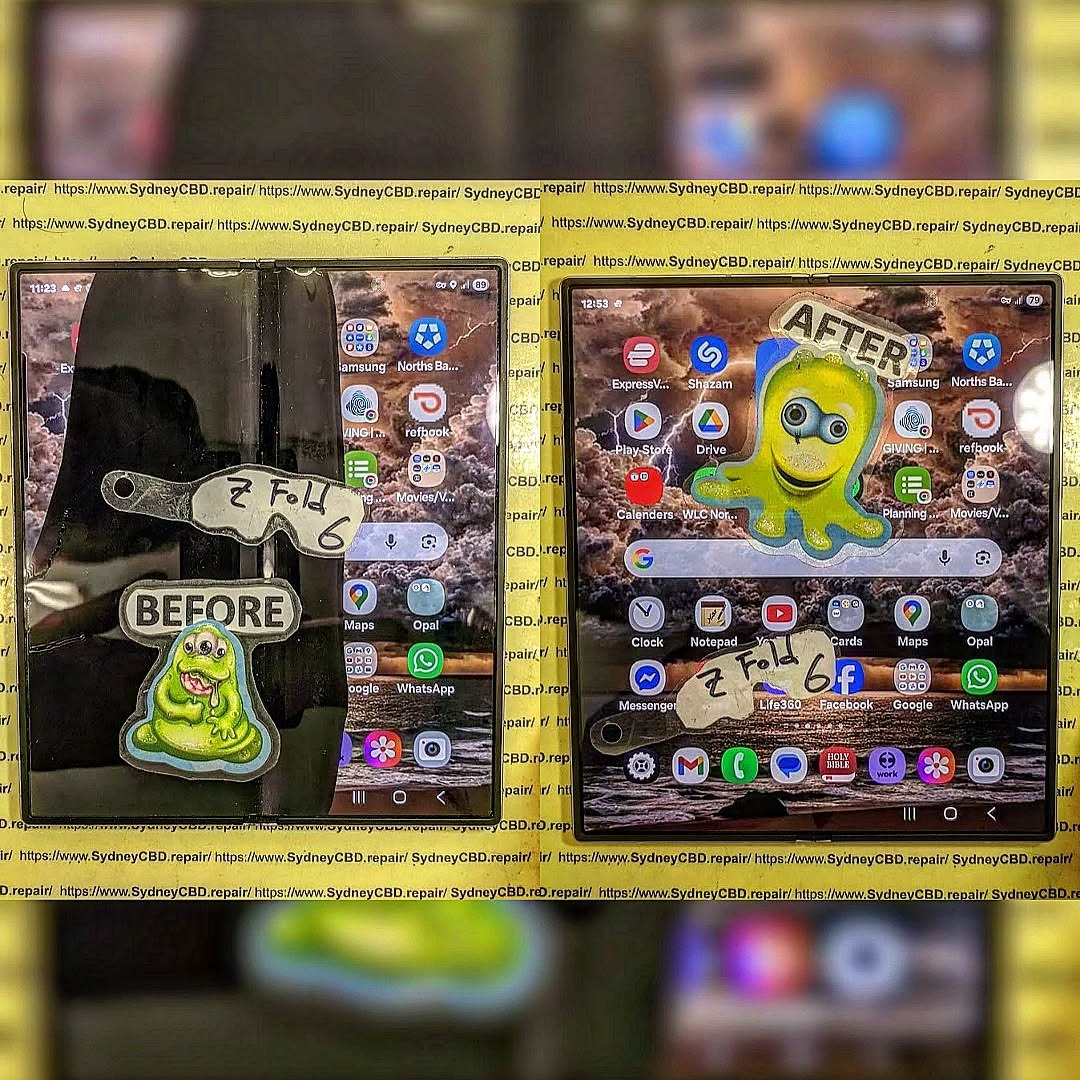
Future Proofing Your Foldable: Mastering Galaxy Z Fold 6 Screen Care
Introduction
The Galaxy Z Fold 6 represents the pinnacle of foldable smartphone technology. Its expansive screen and innovative folding design are marvels of modern engineering—but with great technology comes great responsibility. Proper care is essential to preserve the lifespan and flawless appearance of your foldable device.
At Sydney CBD Repair Centre, we specialize in mobile phone repairs, offering expert advice and genuine parts for all major brands. Here’s your ultimate guide to Galaxy Z Fold 6 screen care.
Unlike traditional smartphones, foldable screens use ultra-thin glass or flexible polymer layers. These materials allow folding but are more prone to dents, scratches, and damage if mishandled.
Cost of Repair vs. Prevention
A cracked Galaxy Z Fold 6 screen can cost hundreds of dollars to replace. Investing time in prevention ensures your device stays functional and visually pristine without incurring unnecessary repair costs.
Invest in a screen protector designed specifically for foldable devices. Avoid standard glass protectors; opt for flexible, ultra-thin polymer protectors that move with the screen.
Handle with Clean Hands
Dirt, dust, and oils can scratch your screen over time. Wash your hands before using your Galaxy Z Fold 6 to minimize surface debris.
Avoid Sharp Objects
Keys, pens, and coins in your pockets or bags can press against the screen and cause micro-scratches or dents. Store your phone in a protective case or dedicated pocket.
Mind the Folding Mechanism
Always open and close your device gently. Avoid applying extra pressure in the hinge area; even slight mishandling can weaken the folding mechanism over time.
Keep Away from Extreme Temperatures
Excessive heat or cold can affect the adhesive and polymers in foldable screens. Avoid leaving your phone in direct sunlight or in freezing environments.
Accessories That Enhance Protection
Protective Cases for Foldables
A case specifically designed for the Galaxy Z Fold 6 adds a layer of shock absorption. Look for models that protect both front and back panels without interfering with the hinge.
Foldable-Friendly Pouches
For extra protection during travel, consider foldable-friendly pouches or sleeves. These keep dust out and reduce the risk of accidental drops.
Common Mistakes to Avoid
DIY Screen Repairs
Attempting to repair your foldable screen at home can cause more damage than good. Trust professional technicians to maintain the integrity of your device.
Ignoring Small Scratches
Minor scratches can worsen over time, eventually leading to cracks or touch sensitivity issues. Early intervention is key.
When to Seek Professional Help
Cracks or Unresponsive Areas
If your screen cracks or certain areas stop responding, immediate professional repair is recommended to prevent further damage.
Hinge Issues
If the folding mechanism feels stiff or unusual noises occur, bring it to a certified technician. Attempting to fix it yourself may void warranties or worsen the problem.
Why Choose Sydney CBD Repair Centre
Same Day Express Repairs
Genuine Parts Guarantee
Professional Technicians
Competitive Pricing
2000+ 5-Star Google Reviews
7-Time Award Winner for Best Phone Repairs
We’ve built a reputation as Sydney’s #1 mobile repair centre, providing reliable, high-quality service for foldables and all major smartphone brands.
Conclusion
Mastering Galaxy Z Fold 6 screen care is all about prevention, smart handling, and professional maintenance. With the right habits and accessories, your foldable phone can stay pristine, functional, and future-ready.
Visit Sydney CBD Repair Centre today to ensure your Galaxy Z Fold 6 gets the care it deserves.
FAQs
Q1: Can I use a regular tempered glass protector on the Galaxy Z Fold 6?
No. Foldables require flexible polymer protectors that can bend with the screen without cracking.
Q2: How often should I clean my foldable screen?
Clean your screen daily or at least weekly using a microfiber cloth to prevent dust buildup.
Q3: What should I do if my hinge feels stiff?
Stop using excessive force and bring your device to a professional technician immediately.
Q4: Are DIY repairs safe for foldable screens?
DIY repairs are highly risky. Always rely on certified repair centres like Sydney CBD Repair Centre.
Q5: Can I prevent scratches completely?
While no method guarantees 100% protection, using a dedicated screen protector, case, and careful handling significantly reduces risk.
David from Sydney CBD Repair Centre – The Best place to fix mobile phones as 7 Years In A Row! Top Mobile Phone Repair In Sydney. More than 2000 Positive Reviews on Google and Same Day Repairs.
📍 Visit us today for:
✓ Same Day Express Repairs
✓ Genuine Parts Guarantee
✓ Professional Technicians
✓ Competitive Pricing
✓ 2000+ 5-Star Google Reviews
✓ 7-Time Award Winner for Best Phone Repairs
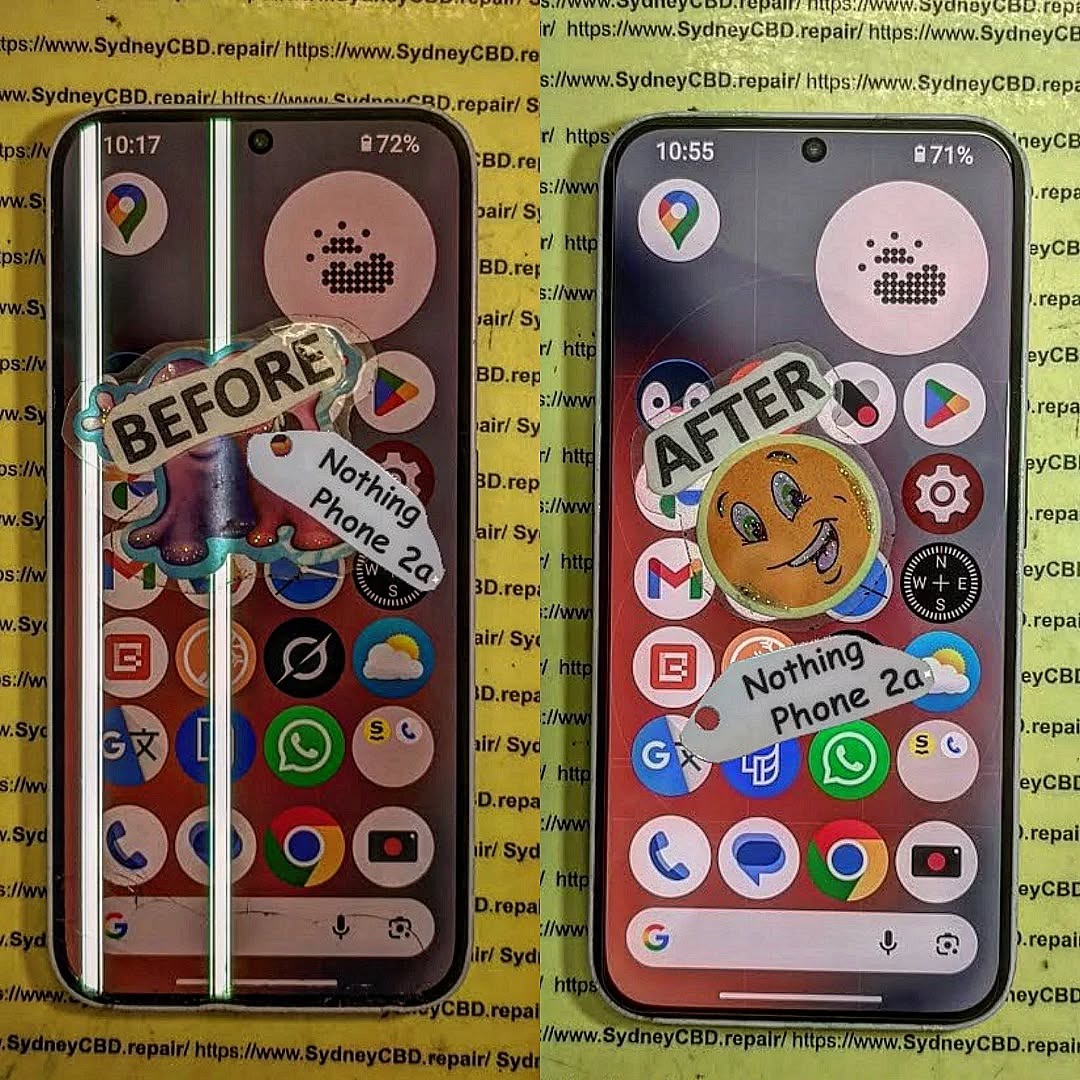
ULTIMATE REFINEMENT! Nothing Phone 2a Glyph Interface Screen Repair | Sydney CBD Repair Centre – 7 Powerful Reasons to Fix Your Device Fast
Introduction to Nothing Phone 2a Screen Repairs
The Nothing Phone 2a has quickly become one of the most talked-about smartphones on the market. With its futuristic design, stunning OLED display, and signature Glyph Interface, it’s a device that stands out from the crowd. However, like any premium smartphone, accidents can happen. Cracked glass, unresponsive touchscreens, dead pixels, and display flickering are all common issues users face after drops or impacts.
That’s where professional Nothing Phone 2a Glyph Interface Screen Repair services become essential. A damaged display doesn’t just affect the appearance of your device. It can also interfere with touch sensitivity, display clarity, battery performance, and even the functionality of the iconic Glyph lighting system.
At Sydney CBD Repair Centre, experienced technicians specialize in restoring devices to their best condition using high-quality replacement parts and precise repair methods. Whether your phone has suffered a shattered screen or internal OLED damage, getting it fixed quickly can save you from bigger problems down the line.
In today’s fast-paced world, smartphones are essential tools for communication, work, entertainment, and navigation. Consequently, a damaged screen can disrupt your daily routine. Fortunately, professional repair services provide fast turnaround times, reliable workmanship, and warranty-backed repairs that give customers peace of mind.
The standout feature of the Nothing Phone 2a is undoubtedly its Glyph Interface. Unlike traditional smartphones, the device uses LED lighting patterns on the back panel to provide notifications, charging indicators, timers, and visual alerts.
What Makes the Glyph Interface Unique
The Glyph Interface transforms the user experience by making notifications more interactive and less intrusive. Instead of constantly checking the display, users can rely on custom lighting signals to stay informed.
Some key features include:
Visual notification alerts
Charging progress indicators
Camera fill-light assistance
Timer countdown animations
Music synchronization lighting
Because the Glyph Interface is integrated closely with the phone’s internal components, screen repairs require careful handling. Poor-quality repairs may damage internal connectors or affect LED synchronization.
That’s why choosing a qualified repair specialist is critical.
Common Causes of Screen Damage
Even though the device uses durable materials, accidents still happen. Some of the most common causes of damage include:
Cause
Resulting Damage
Accidental Drops
Cracked glass and OLED damage
Pressure in Bags or Pockets
Display discoloration
Water Exposure
Touchscreen malfunction
Impact Damage
Frame bending and screen separation
Heat Exposure
Flickering and display burnout
Many users continue using their phones despite visible cracks. However, this can worsen the problem over time. Tiny fractures may spread across the screen, while exposed internal components become vulnerable to dust and moisture.
Recognizing repair symptoms early can help prevent expensive motherboard or display failures.
Touchscreen Malfunctions
One major warning sign is poor touch response. If the screen becomes sluggish, registers ghost touches, or stops responding entirely, the display assembly may already be damaged internally.
Symptoms include:
Delayed touch response
Random screen taps
Frozen applications
Multi-touch failures
These issues often develop after drops, even if the glass appears intact.
OLED Display Issues
OLED technology produces vibrant colors and deep blacks. However, it’s more delicate than traditional LCD panels.
Common OLED issues include:
Green lines
Purple blotches
Black screen despite phone vibration
Burn-in shadows
Brightness inconsistency
If left untreated, OLED damage can spread further.
Flickering and Dead Pixels
Screen flickering usually points to loose connectors or display panel damage. Dead pixels appear as tiny black or colored dots that remain permanently visible.
Professional Nothing Phone 2a Glyph Interface Screen Repair technicians can accurately diagnose whether the issue affects only the glass, the OLED panel, or deeper motherboard components.
Why Professional Screen Repair Matters
Many people consider cheap repair options or DIY kits after cracking their screens. While this might seem cost-effective initially, it often creates larger problems later.
Risks of DIY Repairs
Modern smartphones are incredibly complex. The Nothing Phone 2a contains delicate flex cables, adhesive layers, biometric components, and advanced display technology.
DIY repair risks include:
Damaging internal connectors
Breaking the OLED panel completely
Water resistance failure
Poor adhesive application
Fingerprint sensor malfunction
Without specialized equipment, repairs can quickly become disastrous.
Benefits of Expert Technicians
Professional technicians use advanced tools and proper repair procedures to ensure device safety and reliability.
Benefits include:
Accurate diagnostics
Genuine-quality parts
Safe disassembly techniques
Proper adhesive sealing
Thorough testing procedures
Repair warranties
Additionally, experienced repair specialists understand how to preserve the functionality of the Glyph Interface during screen replacements.
According to Nothing Technology Official Website, the design architecture of Nothing devices is intentionally engineered for unique hardware integration, which makes skilled repair work especially important.
The Sydney CBD Repair Centre Advantage
When it comes to Nothing Phone 2a Glyph Interface Screen Repair, choosing the right repair center makes all the difference.
Genuine-Quality Parts
At Sydney CBD Repair Centre, repairs are performed using premium replacement parts designed for excellent display quality, durability, and touch responsiveness.
Inferior aftermarket screens often suffer from:
Low brightness
Poor color accuracy
Weak touch sensitivity
Fast battery drain
Short lifespan
Using high-quality components helps maintain the premium feel of the device.
Same-Day Repairs
Nobody wants to be without their phone for days. Fortunately, many screen repairs can be completed the same day, depending on parts availability and device condition.
This fast turnaround is ideal for:
Students
Business professionals
Travelers
Content creators
Everyday users
Efficient service minimizes downtime and restores convenience quickly.
Warranty Protection
Reliable repair centers stand behind their work. Warranty-backed repairs provide confidence that any post-repair issues will be addressed professionally.
A quality warranty generally covers:
Warranty Coverage
Included
Screen defects
Yes
Touch functionality
Yes
Installation faults
Yes
Accidental damage
No
Water damage after repair
Usually No
Always ask about warranty terms before approving repairs.
Step-by-Step Nothing Phone 2a Repair Process
Understanding the repair process helps customers feel more informed and comfortable.
Diagnosis
The first step involves a complete device assessment. Technicians inspect:
Display condition
Frame integrity
Internal connectors
Touch responsiveness
OLED functionality
Glyph Interface operation
This ensures no hidden issues are overlooked.
Screen Replacement
Once diagnosed, the damaged display is carefully removed using specialized heating and separation tools.
The replacement process typically includes:
Device disassembly
Battery isolation
Screen removal
Adhesive cleaning
New screen installation
Reassembly
Professional alignment is crucial because improper installation can cause light bleeding or touch issues.
Quality Testing
Before returning the device, technicians perform extensive testing.
Testing includes:
Touch accuracy
Display brightness
Face unlock functionality
Speaker performance
Charging operation
Glyph Interface synchronization
Only after all functions pass inspection is the phone considered ready for pickup.
Cost Factors for Nothing Phone 2a Repairs
Repair costs can vary depending on several factors.
These include:
Factor
Impact on Price
OLED panel damage
Higher cost
Glass-only repair availability
Lower cost
Genuine part quality
Moderate increase
Frame damage
Additional labor
Water damage complications
Higher repair complexity
While cheap repairs may appear attractive, they often use low-grade screens with inferior longevity.
Investing in professional Nothing Phone 2a Glyph Interface Screen Repair services helps protect the overall lifespan of your device.
How to Protect Your Nothing Phone 2a Screen
Preventing future damage is just as important as repairing current issues.
Protective Cases
A high-quality shockproof case absorbs impact energy during accidental drops.
Look for features such as:
Raised screen edges
Reinforced corners
Anti-slip texture
Durable TPU materials
Cases significantly reduce crack risks.
Tempered Glass Protection
Tempered glass protectors provide an additional defensive layer against scratches and impacts.
Benefits include:
Scratch resistance
Crack absorption
Fingerprint reduction
Easier screen cleaning
Replacing a screen protector is far cheaper than replacing an OLED display.
Additionally, avoiding excessive heat exposure and keeping phones away from moisture can help preserve long-term screen health.
Frequently Asked Questions
How long does Nothing Phone 2a screen repair take?
Most repairs can be completed the same day, depending on technician workload and part availability.
Will the Glyph Interface still work after repair?
Yes. Professional technicians ensure the Glyph Interface remains fully functional after the screen replacement process.
Is it worth repairing a cracked Nothing Phone 2a screen?
Absolutely. Repairing the device restores usability, prevents further damage, and extends the phone’s lifespan.
Can OLED damage spread over time?
Yes. Black spots, green lines, and flickering often worsen if ignored.
Do repairs include warranty coverage?
Many professional repair centers provide warranties covering workmanship and replacement parts.
Will my data be deleted during repair?
In most cases, no. However, customers should always back up important files before repairs.
Can a tempered glass protector prevent cracks?
It can reduce damage severity significantly, although no protector guarantees total protection.
Why should I avoid cheap replacement screens?
Low-quality screens often have poor brightness, inaccurate colors, weak durability, and unreliable touch performance.
Conclusion
The Nothing Phone 2a is an innovative smartphone that combines futuristic design with impressive performance. However, its sophisticated OLED display and Glyph Interface require professional attention when damage occurs.
Choosing expert Nothing Phone 2a Glyph Interface Screen Repair services ensures your device receives proper care, accurate diagnostics, premium-quality parts, and dependable warranty support.
Whether your phone suffers from cracked glass, dead pixels, touch issues, or display flickering, professional technicians can restore it quickly and safely. Investing in quality repairs not only improves device performance but also protects your smartphone’s long-term value.
For trusted repair services, fast turnaround times, and experienced technicians, Sydney CBD Repair Centre remains a reliable destination for premium smartphone repairs.
David from Sydney CBD Repair Centre – The Best place to fix mobile phones as 7 Years In A Row! Top Mobile Phone Repair In Sydney. More than 2000 Positive Reviews on Google and Same Day Repairs.
We take pride in delivering exceptional repair services for all major phone brands including Apple, Samsung, Google, and more. Our expert technicians use only genuine parts and offer 90days warranty on repairs. Located in the heart of Sydney CBD, we’re your one-stop solution for all mobile device repairs.
Our commitment to excellence has earned us the trust of thousands of satisfied customers. Whether it’s a cracked screen, battery replacement, or water damage repair, we handle it all with professional care and expertise. Walk in today and experience why we’re Sydney’s #1 choice for mobile phone repairs.
Visit us for:
✓ Same Day Express Repairs
✓ Genuine Parts Guarantee
✓ Professional Technicians
✓ Competitive Pricing
✓ 2000+ 5-Star Google Reviews
✓ 7-Time Award Winner for Best Phone Repairs
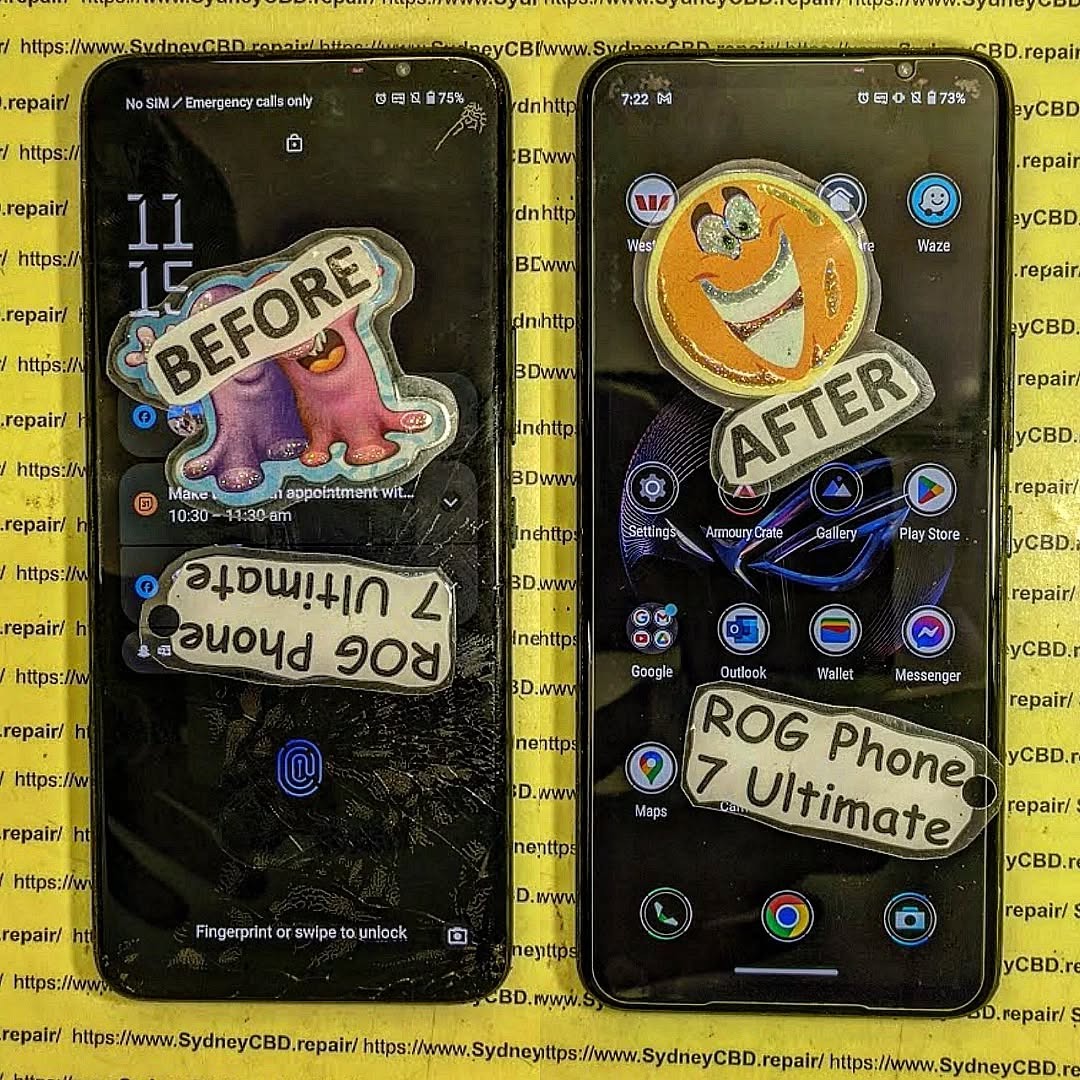
RESTORE THE FUTURE! Asus ROG Phone 7 Ultimate Gaming Screen Replacement | Sydney CBD Repair Centre + Powerful 2026 Guide
Introduction
The Asus ROG Phone 7 Ultimate isn’t just another smartphone. It’s a powerhouse built specifically for gamers who demand elite-level performance, immersive graphics, and lightning-fast responsiveness. With its AMOLED display, AirTrigger controls, advanced cooling system, and flagship-grade processor, this gaming device pushes mobile entertainment to the next level.
However, even the most advanced gaming smartphones can suffer screen damage. A cracked display, dead pixels, or touch response failure can quickly ruin the gaming experience. That’s why professional Asus ROG Phone 7 Ultimate gaming screen replacement services are essential for maintaining device performance.
At Sydney CBD Repair Centre, expert technicians specialize in restoring premium gaming devices with precision and care. Whether the issue involves shattered glass or a malfunctioning AMOLED panel, professional repair ensures your device returns to peak condition.
Gaming smartphones are often exposed to intense usage conditions. While the ASUS gaming lineup is built tough, daily wear and tear can still lead to display problems.
Accidental Drops
Let’s face it — accidents happen. A quick slip from your pocket or desk can crack the front glass instantly. Even if the phone still powers on, internal OLED damage may worsen over time.
Typical Drop Damage Includes:
Spiderweb cracks
Dead touch zones
Black ink-like spots
Frame bending
Display flickering
These symptoms often require a complete Asus ROG Phone 7 Ultimate gaming screen replacement instead of a simple glass repair.
Gaming Heat Stress
Extended gaming sessions generate significant heat. Over time, excessive thermal stress can affect internal display connectors and AMOLED stability.
Common heat-related issues include:
Green tint on display
Random screen flickers
Touch lag
Burn-in effects
Screen discoloration
Professional diagnostics help determine whether the display assembly or internal motherboard components are affected.
Pressure Damage
Sometimes, the screen breaks without a visible drop. Sitting on the phone, placing heavy objects on it, or carrying it tightly in a bag can damage the AMOLED layer underneath the glass.
This internal breakage may show:
Purple lines
Horizontal streaks
Unresponsive touch
Completely black display
Signs You Need a Screen Replacement
Not every damaged display looks dramatic. In many cases, the warning signs begin subtly before becoming severe.
Black Screen Issues
If your phone vibrates or makes sounds but the screen remains black, the OLED panel may have failed.
This often happens after:
Hard impacts
Water exposure
Excessive overheating
A technician can confirm whether an Asus ROG Phone 7 Ultimate gaming screen replacement is necessary.
Ghost Touch Problems
Ghost touching occurs when the device registers touches without user interaction. Gamers notice this issue immediately because it affects gameplay precision.
Causes include:
Damaged digitizer
Internal moisture
Display connector issues
OLED pressure damage
Professional repair restores accurate touch performance.
Flickering AMOLED Display
Flickering screens usually indicate OLED deterioration or connector instability.
Common Symptoms
Symptom
Possible Cause
Brightness fluctuations
OLED panel damage
Green lines
Internal display fault
Flashing screen
Loose display connector
Random dimming
Power regulation issue
Ignoring these signs may lead to complete screen failure later.
Why Gamers Need Fast Repairs
Gamers rely heavily on performance consistency. A damaged screen doesn’t only affect visuals — it disrupts touch accuracy, frame responsiveness, and immersion.
Imagine playing competitive mobile games with delayed touch input or dead screen zones. It’s frustrating, plain and simple.
That’s why same-day Asus ROG Phone 7 Ultimate gaming screen replacement services are highly valuable. Quick turnaround times help users get back into gaming, streaming, content creation, and communication without extended downtime.
At Sydney CBD Repair Centre, technicians understand the urgency of premium gaming device repairs. Efficient workflows and specialized tools help speed up the process while maintaining repair quality.
Repairing a gaming smartphone requires advanced technical skill. The internal cooling system, AMOLED display, and gaming hardware components demand careful handling.
Diagnostic Testing
Every repair begins with a full device assessment.
Technicians inspect:
OLED functionality
Touch responsiveness
Internal frame alignment
Charging capability
Motherboard condition
This ensures no hidden damage goes unnoticed.
Safe Device Disassembly
The repair process involves carefully removing the damaged display assembly without harming nearby components.
Specialized equipment is used to:
Heat adhesive safely
Prevent flex cable damage
Protect internal cooling components
Avoid motherboard stress
Precision matters because gaming phones contain tightly packed internal hardware.
OLED Screen Installation
Once the damaged display is removed, a high-quality replacement screen is installed.
Important Installation Steps
Clean residual adhesive
Test replacement display
Align OLED precisely
Secure waterproof seals
Reconnect internal flex cables
This stage directly impacts display performance and long-term reliability.
Final Quality Assurance
Before returning the device, technicians perform comprehensive testing.
Final Checks Include:
Brightness calibration
Touch sensitivity
Gaming trigger response
Speaker functionality
Camera testing
Charging performance
This quality control process ensures the phone performs like new again.
Genuine vs Aftermarket Screens
One of the biggest questions customers ask is whether genuine-quality displays are worth it. The answer is usually yes, especially for gaming smartphones.
Genuine-Quality Screen Benefits
Feature
Genuine-Quality OLED
Cheap Aftermarket
Color accuracy
Excellent
Inconsistent
Touch response
Ultra-fast
Delayed
Brightness
High
Lower
Durability
Strong
Variable
Gaming experience
Smooth
Reduced quality
Low-cost aftermarket screens may seem tempting, but they often compromise refresh rate smoothness, touch precision, and display brightness.
For serious gamers, premium-quality parts provide the best experience after an Asus ROG Phone 7 Ultimate gaming screen replacement.
Benefits of Choosing Sydney CBD Repair Centre
Choosing the right repair provider matters just as much as choosing the right replacement screen.
This experience minimizes repair risks and improves reliability.
Warranty Protection
Professional repair centers stand behind their work.
Benefits include:
Repair warranty coverage
Quality assurance
Post-repair support
Reliable replacement parts
Customers gain peace of mind knowing their device is protected after service.
Same Day Repairs
Fast turnaround times are essential for modern users.
Same-Day Service Advantages
Reduced downtime
Faster gaming recovery
Immediate communication access
Convenience for busy customers
Many repairs can be completed within hours depending on parts availability and damage severity.
Cost of Asus ROG Phone 7 Ultimate Gaming Screen Replacement
Repair pricing varies depending on several factors.
Main Pricing Factors
Factor
Impact on Cost
OLED panel quality
Major
Extent of damage
Moderate
Frame damage
Additional cost
Genuine parts availability
Variable
Labor complexity
Moderate
Gaming smartphones often use advanced AMOLED panels, making repairs more specialized compared to standard devices.
Still, replacing the screen is typically far more affordable than buying a brand-new gaming phone.
Customers are encouraged to request a diagnostic quote before proceeding with repairs.
Tips to Protect Your Gaming Phone Screen
Prevention is always better than repair. While accidents can’t always be avoided, proper protection greatly reduces damage risk.
Use a High-Quality Case
A shock-absorbing case helps reduce impact force during accidental drops.
Look for:
Raised bezels
Military-grade protection
Reinforced corners
Install Tempered Glass
Tempered glass protectors add another layer of defense against scratches and cracks.
Benefits include:
Reduced impact damage
Scratch resistance
Better resale value
Avoid Overheating
Gaming sessions can generate substantial heat.
To Reduce Heat Stress:
Remove thick cases during charging
Avoid direct sunlight
Take gaming breaks
Use external cooling accessories
These habits extend the lifespan of the AMOLED display.
Frequently Asked Questions
How long does Asus ROG Phone 7 Ultimate gaming screen replacement take?
Most repairs can be completed on the same day depending on parts availability and device condition.
Will I lose my data during the repair?
In most cases, data remains intact. However, backing up important files before repair is always recommended.
Is the replacement screen original quality?
Professional repair centers use high-quality replacement parts designed to match the original display performance.
Can a cracked screen worsen over time?
Yes. Small cracks often spread and may eventually damage the AMOLED layer or touch functionality.
Does screen replacement affect gaming performance?
A properly installed premium display restores normal gaming responsiveness and visual quality.
Is it better to repair or replace the phone?
For premium gaming devices like the Asus ROG Phone 7 Ultimate, screen replacement is usually more cost-effective than purchasing a new device.
Can water damage affect the screen?
Absolutely. Water exposure may damage display connectors, OLED panels, and internal circuits.
Conclusion
The Asus ROG Phone 7 Ultimate is a premium gaming smartphone built for speed, power, and immersive entertainment. However, even advanced devices aren’t immune to cracked screens, OLED failures, or touch response problems.
Professional Asus ROG Phone 7 Ultimate gaming screen replacement services restore functionality, protect performance, and extend the lifespan of the device. From precise OLED installation to full diagnostic testing, expert repairs ensure gamers can continue enjoying their mobile experience without compromise.
For trusted repairs, same-day service, and experienced technicians, Sydney CBD Repair Centre remains a reliable destination for premium smartphone restoration.
For more information about ASUS gaming smartphones, visit the official ASUS ROG website.
David from Sydney CBD Repair Centre – The Best place to fix mobile phones as 7 Years In A Row! Top Mobile Phone Repair In Sydney. More than 2000 Positive Reviews on Google and Same Day Repairs.
We take pride in delivering exceptional repair services for all major phone brands including Apple, Samsung, Google, and more. Our expert technicians use only genuine parts and offer 90days warranty on repairs. Located in the heart of Sydney CBD, we’re your one-stop solution for all mobile device repairs.
Our commitment to excellence has earned us the trust of thousands of satisfied customers. Whether it’s a cracked screen, battery replacement, or water damage repair, we handle it all with professional care and expertise. Walk in today and experience why we’re Sydney’s #1 choice for mobile phone repairs.
Visit us for:
✓ Same Day Express Repairs
✓ Genuine Parts Guarantee
✓ Professional Technicians
✓ Competitive Pricing
✓ 2000+ 5-Star Google Reviews
✓ 7-Time Award Winner for Best Phone Repairs
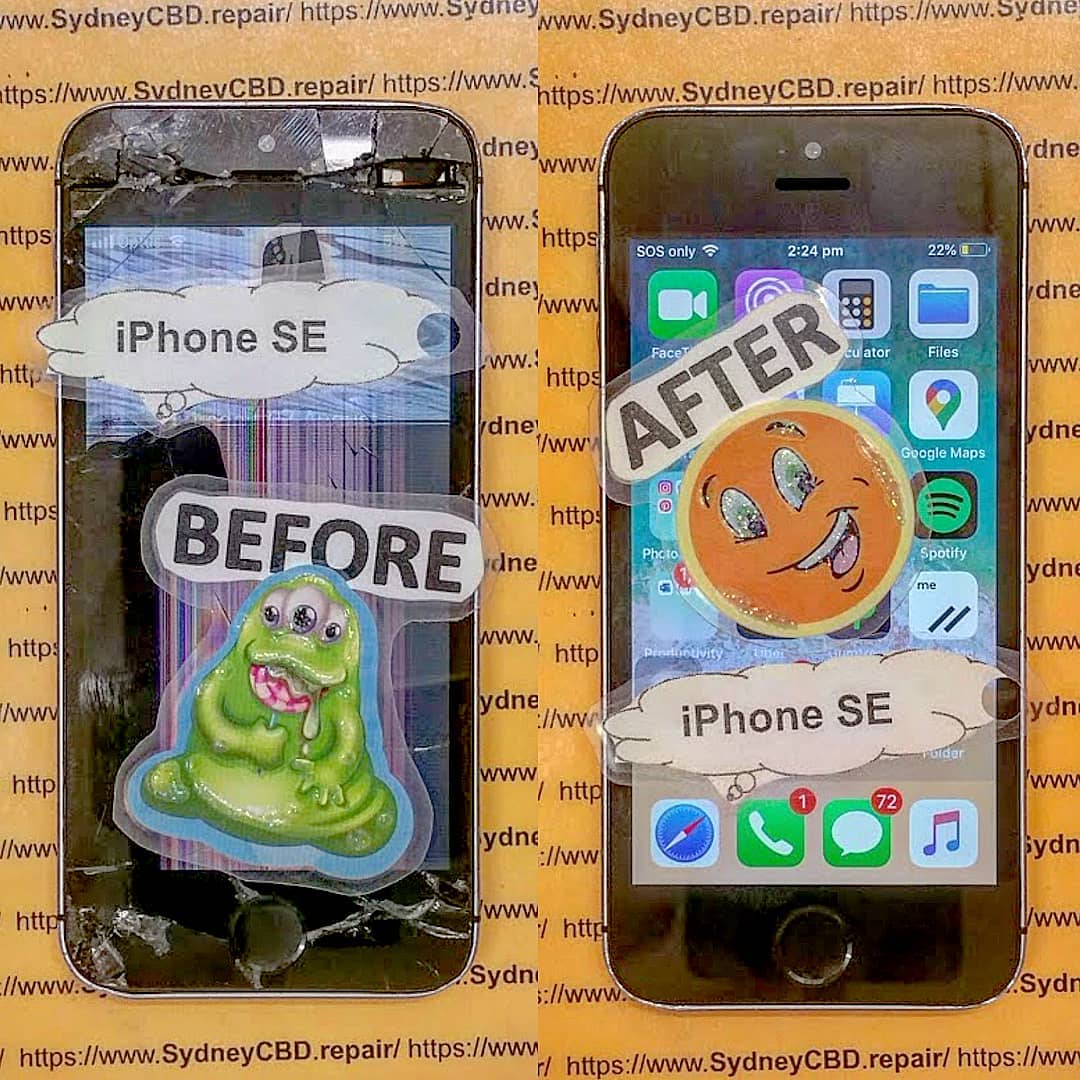
RESTORING A CLASSIC! Original iPhone SE Screen Restoration Sydney CBD Repair Centre | Expert Revival Guide 2026
Introduction
The original iPhone SE remains one of Apple’s most beloved compact smartphones. Even years after its release, many users still rely on this pocket-sized powerhouse because of its reliable performance, lightweight design, and familiar home button. However, daily wear and tear can eventually damage the screen, making professional Original iPhone SE screen restoration Sydney CBD Repair Centre services more important than ever.
Whether your screen is cracked, flickering, unresponsive, or showing black spots, restoring your iPhone SE can breathe new life into the device. Instead of replacing your phone entirely, expert technicians can restore it using professional tools, premium-quality parts, and tested repair techniques.
In this detailed guide, we’ll explain everything you need to know about restoring a classic iPhone SE screen, why professional repairs matter, and how trusted technicians in Sydney can help preserve your device for years to come.
Apple introduced the original iPhone SE as a compact alternative to larger smartphones. Surprisingly, it remains highly popular among users who prefer smaller devices that are easy to carry and operate with one hand.
Reasons People Still Love the Original iPhone SE
Compact and lightweight design
Reliable iOS support
Fast performance for everyday tasks
Physical home button with Touch ID
Durable aluminum body
Excellent portability
For many users, restoring the screen is far more practical than upgrading to a newer model. The device still performs well for messaging, browsing, music streaming, and business communication.
Over time, even durable phones can suffer screen damage. Professional Original iPhone SE screen restoration Sydney CBD Repair Centre technicians frequently encounter several recurring issues.
Cracked Glass Damage
The most obvious issue is shattered or cracked front glass. Even a small crack can spread over time and affect touchscreen functionality.
Common causes include:
Accidental drops
Pressure damage
Impact from hard surfaces
Sitting on the phone accidentally
LCD Display Issues
Sometimes the display underneath the glass becomes damaged too. Symptoms may include:
Black spots
Flickering display
Colored lines
Screen bleeding
Dim brightness
Touchscreen Malfunctions
A damaged digitizer can cause:
Ghost touching
Delayed responses
Unresponsive areas
Random screen behavior
These problems can make using the device frustrating and unreliable.
Signs Your iPhone SE Needs Immediate Screen Restoration
Ignoring screen damage can lead to bigger issues later. Here are warning signs that indicate your phone needs professional repair immediately.
Warning Indicators
Problem
What It Means
Flickering display
LCD damage
Touch not responding
Digitizer failure
Sharp glass edges
Safety hazard
Black display areas
Internal panel damage
Screen separating from frame
Battery swelling or adhesive failure
Moisture under display
Water damage risk
If you notice these symptoms, prompt repair can prevent further internal damage.
Why Professional Restoration Is Better Than DIY Repairs
DIY repair kits may look tempting online, but repairing an original iPhone SE requires skill, patience, and precision equipment.
Risks of Cheap Replacement Parts
Low-cost aftermarket screens often suffer from:
Poor brightness
Weak touch sensitivity
Incorrect colors
Faster failure rates
Reduced durability
Professional repair shops use tested parts that maintain performance and reliability.
Importance of Precision Tools
Modern phone repair requires specialized tools such as:
Heat separation machines
Anti-static workstations
Microscope inspection equipment
Precision screwdrivers
Adhesive curing tools
Without proper tools, DIY repairs can damage sensitive internal components.
The Complete iPhone SE Screen Restoration Process
Professional technicians follow a structured process to ensure quality results.
Device Inspection
Before starting repairs, technicians inspect:
LCD condition
Frame alignment
Battery health
Water damage indicators
Touch functionality
This helps identify hidden issues that may affect repair quality.
Safe Screen Removal
The damaged display is carefully separated using heat and specialized opening tools. Technicians avoid damaging:
Flex cables
Home button assembly
Front camera
Internal connectors
Display Testing and Calibration
After installation, the new screen undergoes:
Brightness testing
Touch response testing
Color calibration
Sensor testing
Home button verification
Only after passing all tests is the phone returned to the customer.
Genuine vs Aftermarket iPhone SE Screens
Choosing the right screen quality is crucial for long-term satisfaction.
Feature
Genuine Quality Screen
Cheap Aftermarket Screen
Brightness
Excellent
Often dim
Touch Response
Smooth
Delayed
Durability
Strong
Fragile
Color Accuracy
Accurate
Washed out
Lifespan
Long-lasting
Shorter
Fitment
Perfect
May have gaps
Professional Original iPhone SE screen restoration Sydney CBD Repair Centre specialists understand the importance of quality components.
How Sydney CBD Repair Centre Restores Classic Apple Devices
Experienced repair professionals focus on preserving the integrity of classic Apple devices while delivering modern repair standards.
Certified Repair Technicians
Skilled technicians understand the internal structure of older Apple models and know how to handle delicate components safely.
High-Quality Components
Premium replacement parts ensure:
Better display performance
Long-term reliability
Improved durability
Better customer satisfaction
Same-Day Turnaround
Many original iPhone SE screen repairs can be completed the same day, minimizing downtime for customers.
Benefits of Restoring Instead of Replacing Your iPhone
Many people assume upgrading is the only solution. However, restoration offers several important advantages.
Financial Savings
Repairing an iPhone SE costs far less than purchasing a new smartphone.
Environmental Benefits
Restoring devices reduces electronic waste and supports sustainability.
Familiar User Experience
Users can continue enjoying:
Compact form factor
Existing settings
Favorite apps
Familiar controls
Preserving a Classic Device
The original iPhone SE has become somewhat iconic because of its size and reliability. Many users simply prefer keeping it alive.
How to Protect Your Restored iPhone SE Screen
Once your device is repaired, protecting it properly is essential.
Best Screen Protectors
A quality tempered glass protector helps:
Prevent scratches
Absorb impact
Reduce cracking risk
Maintain display clarity
Protective Cases
Look for cases with:
Raised edges
Shock absorption
Reinforced corners
Slim but durable construction
Avoid Common Damage Risks
Try to avoid:
Carrying phones with keys
Dropping phones on hard surfaces
Excessive pressure in pockets
Exposure to water and heat
Cost of Original iPhone SE Screen Restoration in Sydney
Repair pricing depends on:
Screen quality selected
Severity of damage
Additional internal issues
Labor complexity
Although cheaper repair providers exist, choosing professional services often saves money long-term because quality repairs reduce repeat failures.
What’s Usually Included
Service
Included
Screen replacement
Yes
Device testing
Yes
Touchscreen calibration
Yes
Adhesive sealing
Yes
Warranty coverage
Often included
Always ask about warranty coverage before approving repairs.
Data Safety During Screen Repairs
Many customers worry about losing personal data during repairs.
Professional technicians typically do not erase:
Photos
Contacts
Apps
Messages
Files
However, it’s still smart to back up your device before any repair service.
Tips for Data Protection
Create an iCloud backup
Remove sensitive information if possible
Disable passcodes only if requested
Choose reputable repair providers
Why Customers Trust Sydney CBD Repair Centre
Customers trust experienced repair specialists because they consistently deliver:
Fast turnaround times
Professional diagnostics
Reliable workmanship
Honest pricing
Genuine-quality parts
Strong warranties
The repair process focuses on quality rather than shortcuts, helping customers extend the life of their beloved devices.
For more information about Apple support and device care, visit Apple Support
Frequently Asked Questions
How long does original iPhone SE screen restoration take?
Most repairs can be completed within a few hours, depending on part availability and device condition.
Will my data be erased during repair?
In most cases, no. Screen restoration typically does not affect stored data.
Can deep cracks damage internal components?
Yes. Severe impact damage can affect the LCD, battery, connectors, or motherboard.
Is it worth repairing an original iPhone SE in 2026?
Absolutely. Many users still prefer its compact size and reliable performance.
Are aftermarket screens safe to use?
Some are acceptable, but low-quality screens may have poor durability and responsiveness.
Does screen restoration improve touch performance?
Yes. Replacing damaged components restores normal touch functionality and display clarity.
Can water-damaged iPhone SE screens be repaired?
Sometimes. Technicians first inspect internal corrosion before recommending repairs.
Do repaired screens come with warranty coverage?
Professional repair centers commonly provide warranties covering workmanship and replacement parts.
Conclusion
The original iPhone SE remains one of Apple’s most iconic compact smartphones. Even in today’s market filled with oversized devices, many users still value its simplicity, portability, and dependable performance. When screen damage occurs, professional Original iPhone SE screen restoration Sydney CBD Repair Centre services offer an excellent way to preserve and extend the life of this classic device.
Rather than replacing your phone entirely, expert restoration can return your iPhone SE to near-original condition using professional repair techniques and high-quality components. From cracked glass to unresponsive touchscreens, experienced technicians can restore functionality while maintaining the charm of this beloved device.
Choosing skilled repair professionals ensures your phone receives careful handling, precise installation, and proper testing for long-lasting results. With the right repair service, your classic iPhone SE can continue serving you reliably for years to come.
David from Sydney CBD Repair Centre – The Best place to fix mobile phones as 7 Years In A Row! Top Mobile Phone Repair In Sydney. More than 2000 Positive Reviews on Google and Same Day Repairs.
We take pride in delivering exceptional repair services for all major phone brands including Apple, Samsung, Google, and more. Our expert technicians use only genuine parts and offer 90days warranty on repairs. Located in the heart of Sydney CBD, we’re your one-stop solution for all mobile device repairs.
Our commitment to excellence has earned us the trust of thousands of satisfied customers. Whether it’s a cracked screen, battery replacement, or water damage repair, we handle it all with professional care and expertise. Walk in today and experience why we’re Sydney’s #1 choice for mobile phone repairs.
Visit us for:
✓ Same Day Express Repairs
✓ Genuine Parts Guarantee
✓ Professional Technicians
✓ Competitive Pricing
✓ 2000+ 5-Star Google Reviews
✓ 7-Time Award Winner for Best Phone Repairs
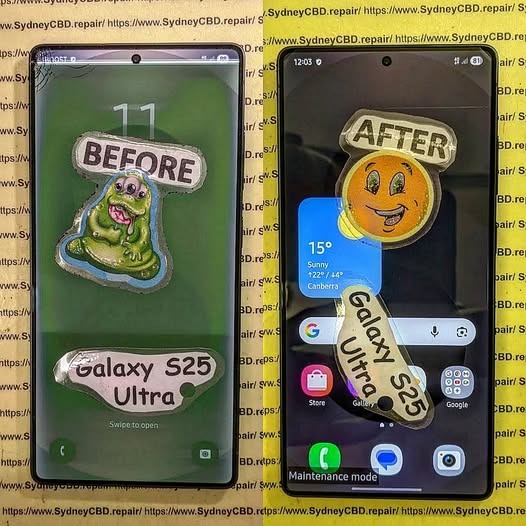
CAN IT SURVIVE? Extreme Samsung Galaxy S25 Ultra Screen Repair | Sydney CBD Repair Centre + 7 Powerful Recovery Secrets
Introduction to Samsung Galaxy S25 Ultra Screen Repair
The Samsung Galaxy S25 Ultra is one of the most advanced smartphones ever released by Samsung. With its premium AMOLED display, titanium frame, AI-powered features, and cutting-edge camera system, it’s built for users who demand top-tier performance. However, even a flagship phone can suffer catastrophic damage after a serious drop, water exposure, or crushing impact.
That’s where professional Samsung Galaxy S25 Ultra screen repair becomes essential.
At Sydney CBD Repair Centre, technicians regularly handle phones that look beyond saving. Cracked OLED panels, black screens, green lines, and unresponsive touch functions are all common issues. Yet surprisingly, many heavily damaged devices can still be restored to full working condition.
Modern Samsung phones use advanced display bonding technology. Because of this, repairing them requires specialized tools, expert handling, and precision calibration. Attempting DIY fixes can often make the problem worse. Fortunately, experienced technicians can safely replace damaged components while preserving the phone’s internal functionality.
In this article, we’ll explore the full Samsung Galaxy S25 Ultra screen repair process, explain common problems, compare genuine versus aftermarket screens, and reveal how professional repair services bring damaged devices back to life.
The Samsung Galaxy S25 Ultra isn’t just another smartphone. It’s a premium investment packed with industry-leading technology.
Premium AMOLED Display Technology
One major reason Samsung Galaxy S25 Ultra screen repair is expensive involves the display itself. Samsung uses advanced Dynamic AMOLED technology with extremely high brightness, vivid colors, and deep contrast levels.
These screens are engineered with:
High refresh rate technology
HDR support
Ultrasonic fingerprint integration
Curved edge precision
High pixel density
Because the OLED panel and touch layer are fused together, repairing the screen is far more complex than older smartphone displays.
Gorilla Glass Protection Features
Samsung also equips the Galaxy S25 Ultra with durable protective glass. However, no glass is completely unbreakable. Hard impacts can still shatter the display or damage the OLED layer underneath.
Many customers assume their phone is safe because the outer glass looks intact. In reality, internal display damage may already exist beneath the surface.
Even careful users experience accidents. Here are the most common reasons people seek Samsung Galaxy S25 Ultra screen repair services.
Accidental Drops
Drops remain the number one cause of broken screens. A fall onto concrete or tiles can instantly crack the OLED panel.
Sometimes the damage appears minor at first. Then days later, black spots or green lines begin spreading across the screen.
Pressure Damage
Phones carried in tight pockets or bags can suffer pressure damage. Sitting on the device or placing heavy objects on it may fracture the internal OLED structure.
Unlike simple glass cracks, pressure damage often causes:
Ink-like black bleeding
Flickering
Touch failure
Dead display sections
Water Exposure
Although Samsung devices offer water resistance, seals weaken over time. Water entering the phone can short internal display connectors.
Moisture damage often leads to:
Water Damage Symptom
Possible Cause
Green display tint
OLED moisture contamination
Random touch input
Corrosion on connectors
Black screen
Shorted display circuit
Flickering brightness
Water inside display layers
Heat Damage
Extreme temperatures may damage internal adhesives and display components. Leaving a phone inside a hot vehicle is riskier than many people realize.
Heat can weaken the OLED panel and affect touch responsiveness.
Warning Signs Your Samsung Galaxy S25 Ultra Needs Repair
Some users delay repairs because the phone still partially works. Unfortunately, display problems often worsen over time.
Flickering Screen
Screen flickering usually signals OLED damage or connector issues. Ignoring it may eventually lead to total display failure.
Green or Purple Lines
Vertical lines are a common issue after impact damage. These lines indicate that the OLED matrix has been compromised.
Black Screen Problems
A black screen doesn’t always mean the phone is dead. Often, the motherboard still functions while only the display fails.
Signs your phone is still alive include:
Vibrations
Charging sounds
Notifications
Alarm activity
Ghost Touch Issues
Ghost touching occurs when the phone registers touches that aren’t actually happening. This can make the device nearly impossible to use safely.
The Extreme Samsung Galaxy S25 Ultra Screen Repair Process
Professional Samsung Galaxy S25 Ultra screen repair involves far more than simply replacing glass.
Diagnostic Inspection
Technicians first inspect the device carefully. They check for:
Frame bending
Battery swelling
Water damage
Motherboard faults
Display connector damage
This step helps determine whether the phone is fully repairable.
Safe Device Disassembly
Modern Samsung phones use strong adhesive sealing. Opening the device incorrectly can crack the back glass or damage internal flex cables.
Professional technicians use:
Heat separation tools
Precision screwdrivers
Anti-static equipment
Specialized opening picks
OLED Screen Replacement
The damaged display assembly is carefully removed and replaced with a new screen.
This stage requires extreme precision because Samsung components are delicate and expensive.
The repair includes:
Removing damaged adhesive
Disconnecting battery safely
Installing replacement OLED assembly
Testing touch response
Calibrating fingerprint sensor
Waterproof Seal Restoration
After repair, new adhesive seals are installed to help restore water resistance.
Although no repair shop can guarantee factory-level waterproofing forever, professional resealing significantly improves protection.
Genuine vs Aftermarket Samsung Galaxy S25 Ultra Screens
Choosing the right replacement screen matters enormously.
Display Quality Differences
Genuine Samsung displays provide:
Better brightness
Accurate colors
Smooth refresh rates
Superior fingerprint recognition
Aftermarket displays may appear cheaper initially but often deliver reduced quality.
Durability Comparison
Genuine screens typically last longer and resist burn-in more effectively.
Aftermarket parts sometimes suffer:
Weak adhesives
Lower brightness
Faster degradation
Poor fitment
Touch Sensitivity
Premium Samsung displays are designed for ultra-responsive touch input.
Inferior aftermarket screens may introduce lag or inconsistent touch accuracy.
At Samsung Official Website, Samsung highlights the importance of quality components and certified servicing for maintaining device performance.
How Long Does Samsung Galaxy S25 Ultra Screen Repair Take?
Most professional Samsung Galaxy S25 Ultra screen repair jobs can be completed the same day depending on parts availability.
Repair times vary based on:
Repair Type
Estimated Time
Basic screen replacement
1-3 hours
Frame repair included
3-5 hours
Water damage plus screen
1-2 days
Severe motherboard repair
Several days
Fast turnaround matters because many people rely on their phones for work, communication, banking, and navigation.
Cost Factors for Samsung Galaxy S25 Ultra Screen Repair
Several factors influence repair pricing.
Screen Type
Genuine Samsung OLED panels cost more than aftermarket alternatives.
Extent of Damage
If the frame, battery, or motherboard is also damaged, repair complexity increases.
Technician Expertise
Experienced repair specialists may charge more, but proper workmanship reduces long-term risks.
Warranty Coverage
Professional repair centres often provide warranties that protect customers after repair completion.
DIY Repair vs Professional Repair
Many online tutorials make Samsung Galaxy S25 Ultra screen repair look simple. In reality, it’s extremely challenging.
Risks of DIY Repair
Attempting self-repair may cause:
Battery puncture
Face ID or fingerprint failure
Internal cable tearing
Waterproofing loss
Permanent motherboard damage
Benefits of Professional Repair
Professional repair centres provide:
Specialized equipment
Genuine components
Safe repair methods
Warranty support
Quality testing
Although DIY kits appear cheaper initially, mistakes often increase final repair costs dramatically.
Why Sydney CBD Repair Centre Is Trusted
Sydney CBD Repair Centre has built a strong reputation for premium Samsung Galaxy S25 Ultra screen repair services.
Experienced Technicians
The team handles advanced Samsung repairs daily, including:
OLED replacement
Water damage restoration
Charging issues
Back glass repair
Battery replacement
Genuine Parts
Using quality components helps maintain device performance and reliability.
Fast Turnaround
Same-day service minimizes inconvenience for busy customers.
Strong Customer Reviews
Thousands of positive reviews reflect consistent workmanship and professional customer support.
Protecting your phone after repair is extremely important.
Use a Quality Case
Shock-resistant cases absorb impact energy during drops.
Install a Tempered Glass Protector
Screen protectors reduce surface scratches and minor crack risks.
Avoid Extreme Heat
Never leave your phone inside hot vehicles or under direct sunlight for long periods.
Keep the Device Dry
Even water-resistant phones benefit from extra caution around moisture.
Handle Carefully During Charging
Avoid using damaged cables or cheap charging accessories.
Frequently Asked Questions
FAQ 1: Can a completely black Samsung Galaxy S25 Ultra screen be repaired?
Yes. In many cases, the motherboard still functions normally while only the OLED display is damaged. Professional technicians can usually replace the screen successfully.
Absolutely. The Galaxy S25 Ultra is a premium flagship device, and repairing it is often far cheaper than buying a brand-new replacement phone.
FAQ 3: How can I tell if my OLED display is damaged?
Signs include:
Green lines
Flickering
Black spots
Dead pixels
Touch issues
Screen bleeding
FAQ 4: Will water resistance remain after repair?
Professional repair centres install replacement adhesive seals. However, long-term waterproofing can never be guaranteed exactly like factory conditions.
FAQ 5: Are aftermarket Samsung screens bad?
Not always, but genuine Samsung screens generally offer superior brightness, durability, and touch performance.
FAQ 6: How long does Samsung Galaxy S25 Ultra screen repair usually last?
A properly installed quality screen can last for years when the phone is handled carefully and protected with a case.
FAQ 7: Can screen damage affect battery life?
Yes. Damaged OLED panels may draw irregular power, causing faster battery drain or overheating issues.
Conclusion
The Samsung Galaxy S25 Ultra is an incredible smartphone, but even advanced technology can’t fully prevent accidental damage. Thankfully, professional Samsung Galaxy S25 Ultra screen repair services can restore devices that appear completely destroyed.
From cracked OLED panels to black screens and severe impact damage, experienced technicians use specialized tools and quality components to revive premium smartphones safely.
Choosing a trusted repair provider matters enormously. Proper diagnostics, genuine parts, expert workmanship, and careful sealing all contribute to long-lasting repair quality.
If your Galaxy S25 Ultra has suffered screen damage, acting quickly can often prevent additional complications and save your valuable device from permanent failure.
David from Sydney CBD Repair Centre – The Best place to fix mobile phones as 7 Years In A Row! Top Mobile Phone Repair In Sydney. More than 2000 Positive Reviews on Google and Same Day Repairs.
We take pride in delivering exceptional repair services for all major phone brands including Apple, Samsung, Google, and more. Our expert technicians use only genuine parts and offer 90days warranty on repairs. Located in the heart of Sydney CBD, we’re your one-stop solution for all mobile device repairs.
Our commitment to excellence has earned us the trust of thousands of satisfied customers. Whether it’s a cracked screen, battery replacement, or water damage repair, we handle it all with professional care and expertise. Walk in today and experience why we’re Sydney’s #1 choice for mobile phone repairs.
Visit us for:
✓ Same Day Express Repairs
✓ Genuine Parts Guarantee
✓ Professional Technicians
✓ Competitive Pricing
✓ 2000+ 5-Star Google Reviews
✓ 7-Time Award Winner for Best Phone Repairs
WATER DAMAGE RECOVERY! Samsung Galaxy S25 Ultra Display and Component Precision Repair + Ultimate Guide 2026
Introduction
The Samsung Galaxy S25 Ultra is one of the most advanced smartphones ever created. With its premium AMOLED display, high-powered chipset, and sophisticated camera system, it’s built for performance and durability. However, even flagship smartphones can suffer severe problems after accidental liquid exposure. That’s where Samsung Galaxy S25 Ultra water damage recovery becomes critical.
Water damage can happen in seconds. A spilled drink, sudden rainstorm, swimming pool accident, or bathroom mishap may cause hidden corrosion inside the device. Even though the Samsung Galaxy S25 Ultra offers water resistance, no phone is entirely waterproof forever. Over time, seals weaken, adhesives degrade, and accidental impacts can compromise water protection.
Professional repair technicians now use advanced methods like ultrasonic cleaning, motherboard diagnostics, and micro soldering to restore water-damaged devices. These procedures help revive displays, charging systems, and internal components while protecting valuable user data.
In this detailed guide, we’ll explore the entire Samsung Galaxy S25 Ultra display and component precision repair process. You’ll also discover what causes internal damage, how experts diagnose problems, and why fast action dramatically increases recovery success.
Water damage affects smartphones differently depending on the type of liquid involved, exposure duration, and internal component sensitivity. While some devices survive brief splashes, others experience instant failures.
Common Causes of Liquid Damage
Several everyday situations can expose your Samsung Galaxy S25 Ultra to moisture:
Dropping the phone into water
Rain exposure during outdoor use
Spilled coffee or soft drinks
Steam from bathrooms or kitchens
Saltwater exposure at beaches
Sweat buildup during workouts
Interestingly, saltwater and sugary liquids are usually more destructive than clean water. They accelerate corrosion and leave conductive residue across sensitive circuits.
Early Warning Signs After Water Exposure
Sometimes the phone continues functioning temporarily after exposure. However, hidden issues may appear later.
Common symptoms include:
Symptom
Possible Cause
Screen flickering
Display connector corrosion
Ghost touch
Moisture affecting digitizer
No charging
Damaged charging IC
Overheating
Short circuit on motherboard
Camera fogging
Internal condensation
Speaker distortion
Water trapped in speaker mesh
If you notice these signs, immediate professional inspection is essential.
Why Immediate Action Matters
Time plays a massive role in successful Samsung Galaxy S25 Ultra water damage recovery. Corrosion begins almost instantly once liquid reaches internal circuits.
How Corrosion Begins Inside the Phone
Modern smartphones contain microscopic pathways carrying electrical signals across the motherboard. When water bridges those pathways, it creates unintended electrical connections.
This process causes:
Short circuits
Component overheating
Burned IC chips
Power failures
Permanent motherboard damage
Corrosion spreads like rust. Even tiny traces of moisture continue damaging the phone long after the initial accident.
Risks of Delayed Repairs
Many users make the mistake of waiting several days before seeking repair services. Unfortunately, delays often worsen internal damage.
Here’s what can happen:
Corrosion spreads further
Battery swelling develops
Display connectors deteriorate
Data becomes unrecoverable
Motherboard repair costs increase
Quick professional intervention dramatically improves recovery chances.
The display assembly is one of the most vulnerable parts affected by water exposure.
AMOLED Display Failure Symptoms
The Samsung Galaxy S25 Ultra uses a sophisticated AMOLED panel that delivers vivid colors and ultra-smooth refresh rates. However, moisture can severely impact the display system.
Common display problems include:
Green lines
Black spots
Flickering brightness
Touch response failure
Complete display blackout
Sometimes the display itself remains functional while flex cables or connectors become corroded.
Touchscreen and Flex Cable Issues
Flex cables carry signals between the display and motherboard. Water intrusion near these connectors often causes intermittent display behavior.
Technicians carefully inspect:
Display flex connectors
Backlight circuits
Touch IC chips
AMOLED control lines
Precision repair procedures help restore functionality without replacing unnecessary components.
Precision Repair Process for Water-Damaged Devices
Professional repair centers follow systematic recovery procedures to maximize success.
Initial Diagnostic Procedures
The first step involves complete device disassembly. Technicians inspect every component using magnification tools and specialized equipment.
Diagnostic checks include:
Voltage testing
Thermal imaging
Corrosion inspection
Power rail analysis
Display functionality tests
This process identifies both visible and hidden failures.
Ultrasonic Cleaning Techniques
One of the most important repair methods is ultrasonic cleaning. Specialized cleaning machines use high-frequency vibrations to remove corrosion from delicate motherboard components.
Benefits include:
Deep contaminant removal
Safe precision cleaning
Reduced corrosion spread
Improved electrical stability
This step is critical for successful Samsung Galaxy S25 Ultra display and component precision repair.
Component-Level Repairs
If corrosion damages specific chips or connectors, technicians perform targeted repairs.
Examples include:
Replacing charging ICs
Rebuilding damaged pads
Repairing broken traces
Replacing connectors
Restoring display circuits
These repairs require advanced soldering expertise and professional equipment.
Motherboard Recovery and Micro Soldering
The motherboard is the heart of the Samsung Galaxy S25 Ultra. Water damage here can affect every major function.
Common IC Components Affected
Several motherboard chips are especially vulnerable:
Component
Function
Power Management IC
Controls power distribution
Charging IC
Manages charging system
Audio IC
Handles sound functions
Display IC
Controls screen output
Wi-Fi IC
Wireless connectivity
Damage to any of these components may cause major device failures.
Precision Soldering Methods
Micro soldering involves repairing tiny electronic components under a microscope.
Technicians use:
Hot air rework stations
Precision soldering irons
Microscope magnification
Fine solder wire
PCB repair tools
This delicate process allows specialists to restore severely damaged boards.
Battery and Charging Port Restoration
Water damage often affects charging systems before other components.
Charging Failure Symptoms
A damaged charging system may show signs like:
Slow charging
No charging response
Moisture detection errors
Overheating while charging
Intermittent charging
Technicians inspect both the charging port and surrounding motherboard circuits.
Battery Safety Concerns
Lithium-ion batteries can become dangerous after water exposure. Internal short circuits may lead to swelling or overheating.
Warning signs include:
Battery bulging
Excessive heat
Rapid power drain
Random shutdowns
Replacing compromised batteries is essential for device safety.
Camera and Audio Component Repairs
Modern flagship phones contain sophisticated imaging and sound systems that are highly sensitive to moisture.
Lens Fogging and Camera Failure
Water vapor trapped inside camera modules often creates fogging. Over time, moisture damages autofocus motors and image sensors.
Repair procedures may involve:
Camera module replacement
Lens cleaning
Connector restoration
Sensor diagnostics
Speaker and Microphone Issues
Audio components frequently suffer after liquid exposure.
Typical problems include:
Muffled sound
Crackling speakers
Microphone failure
Reduced audio volume
Cleaning and replacing affected parts restores clear sound quality.
Data Recovery From Water-Damaged Samsung Phones
For many users, recovering photos, messages, and business files matters more than repairing the phone itself.
Professional Recovery Techniques
Experienced technicians use specialized tools to retrieve important data.
Methods include:
Temporary power restoration
NAND chip recovery
Board-level bypass techniques
Data extraction software
In severe cases, partial motherboard repairs may be necessary just to access stored information.
Preventing Permanent Data Loss
To protect your data:
Avoid turning the phone on repeatedly
Don’t attempt DIY charging
Seek immediate professional help
Backup recovered data immediately
Fast action significantly increases recovery success rates.
DIY Water Damage Myths
The internet is full of misleading advice regarding water-damaged smartphones.
Why Rice Doesn’t Work
Placing phones in rice is one of the most common myths. Unfortunately, rice doesn’t remove corrosion or trapped moisture inside sealed components.
Rice may actually:
Delay professional repairs
Introduce dust particles
Trap moisture internally
Professional cleaning remains the safest option.
Common Mistakes Users Make
Avoid these harmful actions:
Charging the phone immediately
Using a hairdryer
Freezing the phone
Shaking out water aggressively
Ignoring minor symptoms
These mistakes often worsen internal damage.
Benefits of Professional Samsung Galaxy S25 Ultra Repairs
Professional repair services offer major advantages over temporary fixes.
Genuine Parts and Warranty
Reliable repair centers use high-quality replacement components and proper repair procedures.
Benefits include:
Better durability
Improved display performance
Safer charging behavior
Manufacturer-grade compatibility
Professional warranties also provide peace of mind.
Long-Term Reliability
Proper repairs restore structural integrity and reduce future failure risks.
Experienced technicians ensure:
Internal cleaning
Correct adhesive sealing
Precision calibration
Full functionality testing
This comprehensive approach extends device lifespan considerably.
For official Samsung device support and care information, visit Samsung Support
Preventing Future Water Damage
Prevention is always better than expensive repairs.
Waterproofing Limitations
Even water-resistant devices have limitations. IP ratings apply only under controlled laboratory conditions.
Factors reducing resistance include:
Previous repairs
Physical drops
Aging adhesive seals
Extreme temperatures
Users should still treat their devices carefully around liquids.
Protective Habits for Daily Use
Here are smart habits to reduce risk:
Use waterproof pouches outdoors
Avoid bathroom steam exposure
Keep drinks away from devices
Dry phones immediately after splashes
Inspect damaged frames promptly
Simple precautions can prevent costly repairs.
Frequently Asked Questions
Can a Samsung Galaxy S25 Ultra survive water damage?
Yes, many devices can be successfully repaired if treated quickly. Immediate professional cleaning greatly improves recovery chances.
How long should I wait before turning on a wet phone?
Avoid powering it on entirely until inspected by a technician. Turning it on too soon can cause short circuits.
Does rice fix water-damaged phones?
No. Rice doesn’t remove corrosion or internal moisture effectively.
Can water damage affect the display only?
Sometimes. However, moisture often spreads beyond the screen and impacts the motherboard or battery.
Is data recovery possible after severe liquid damage?
In many cases, yes. Professional repair labs can often recover photos, contacts, and files even from heavily damaged devices.
How much does Samsung Galaxy S25 Ultra water damage repair cost?
Costs vary depending on affected components. Minor cleaning is cheaper than motherboard reconstruction or display replacement.
Can a water-damaged battery become dangerous?
Yes. Damaged lithium batteries may swell, overheat, or fail unpredictably. Professional inspection is important.
Conclusion
The Samsung Galaxy S25 Ultra is an impressive flagship smartphone, but water damage remains a serious threat to its advanced internal systems. From AMOLED display failures to motherboard corrosion, liquid exposure can quickly turn into a costly disaster if ignored.
Fortunately, modern Samsung Galaxy S25 Ultra display and component precision repair techniques offer highly effective recovery solutions. Ultrasonic cleaning, micro soldering, and advanced diagnostics now allow experienced technicians to restore many water-damaged devices that once seemed beyond repair.
Most importantly, acting quickly makes a huge difference. Immediate professional inspection reduces corrosion, protects valuable data, and improves repair success rates dramatically.
Whether you’re facing screen flickering, charging issues, speaker failure, or complete device shutdown, professional repair specialists can often restore your phone safely and efficiently. By understanding the repair process and avoiding common mistakes, you can maximize the chances of full recovery and extend the life of your Samsung Galaxy S25 Ultra.
David from Sydney CBD Repair Centre – The Best place to fix mobile phones as 7 Years In A Row! Top Mobile Phone Repair In Sydney. More than 2000 Positive Reviews on Google and Same Day Repairs.
We take pride in delivering exceptional repair services for all major phone brands including Apple, Samsung, Google, and more. Our expert technicians use only genuine parts and offer 90days warranty on repairs. Located in the heart of Sydney CBD, we’re your one-stop solution for all mobile device repairs.
Our commitment to excellence has earned us the trust of thousands of satisfied customers. Whether it’s a cracked screen, battery replacement, or water damage repair, we handle it all with professional care and expertise. Walk in today and experience why we’re Sydney’s #1 choice for mobile phone repairs.
Visit us for:
✓ Same Day Express Repairs
✓ Genuine Parts Guarantee
✓ Professional Technicians
✓ Competitive Pricing
✓ 2000+ 5-Star Google Reviews
✓ 7-Time Award Winner for Best Phone Repairs
MICROSCOPIC ACCURACY! Fixing a Shattered Nothing Phone 3a Pro Screen in Sydney CBD Shop + Ultimate Precision Guide 2026
Introduction
A shattered smartphone screen can instantly turn a premium device into a frustrating daily problem, especially when it involves the advanced Nothing Phone 3a Pro. Known for its sleek transparent aesthetics, powerful OLED display, and futuristic engineering, this smartphone demands far more than a basic repair approach when damage occurs. Even a minor crack can affect touch responsiveness, fingerprint functionality, display clarity, and overall device performance.
In a fast-paced city like Sydney, smartphone users rely heavily on their devices for work, communication, navigation, and entertainment. That’s why professional Nothing Phone 3a Pro screen repair services have become increasingly important. Modern repair specialists now use microscopic inspection tools, precision calibration equipment, and advanced adhesive technology to restore damaged devices with exceptional accuracy.
This article explores the complete process of fixing a shattered Nothing Phone 3a Pro screen in a Sydney CBD repair shop. From diagnosing hidden damage to installing a premium OLED replacement, you’ll discover why expert technicians focus on microscopic precision to achieve reliable, long-lasting results. Whether your phone has suffered a sudden drop, pressure crack, or display malfunction, understanding the professional repair process can help you make smarter decisions and protect your investment.
The Nothing Phone 3a Pro stands out in today’s smartphone market because of its futuristic transparent design, premium OLED display, and sophisticated internal engineering. While it looks stunning, the device also demands microscopic accuracy during repairs. A shattered display on this model isn’t just cosmetic damage—it can affect touch responsiveness, fingerprint recognition, display brightness, and even internal board connectivity.
Modern smartphones are becoming thinner and more compact. Because of this, replacing a cracked screen requires advanced tools and technical expertise. In a busy city like Sydney, many users rely on professional technicians rather than risking costly DIY mistakes.
The Nothing Phone 3a Pro screen repair process is especially delicate due to:
Flexible OLED connectors
Thin frame tolerances
Embedded biometric sensors
High-strength display adhesive
Precision-aligned internal screws
Repair technicians in Sydney CBD shops use advanced heat separation tools, anti-static workstations, and microscopic inspection equipment to ensure flawless results. Without these professional methods, even a tiny installation error can damage the motherboard or create display flickering issues later on.
Moreover, the transparent design of the phone means imperfections become more noticeable. Dust particles trapped beneath the screen or uneven adhesive application can ruin the visual appearance. That’s why experienced repair specialists focus heavily on detail-oriented workmanship.
Even premium smartphones aren’t immune to accidents. The Nothing Phone 3a Pro screen repair industry has seen a sharp rise in cracked OLED displays caused by daily mishaps.
Impact Damage
Most shattered screens happen because of accidental drops. Smartphones frequently slip from:
Pockets
Car mounts
Office desks
Gym equipment
Bathroom counters
Even when using protective cases, direct corner impacts can crack OLED layers underneath the glass. In many cases, the outer glass appears lightly damaged while the internal display suffers severe pixel bleeding.
A drop onto concrete can create:
Black ink spots
Green lines
Ghost touch problems
Touchscreen dead zones
Complete display failure
Interestingly, many customers continue using damaged devices for weeks before seeking professional help. Unfortunately, delayed repair can worsen internal damage.
Liquid Exposure
Water exposure is another major reason for Nothing Phone 3a Pro screen repair services. Moisture can seep beneath cracked glass and corrode display connectors.
Common liquid-related issues include:
Symptom
Possible Cause
Flickering display
Corroded OLED connector
Random touch activity
Moisture contamination
Screen discoloration
Water-damaged pixels
No display output
Shorted display circuitry
Although many modern phones advertise water resistance, cracked screens compromise protective seals. Once the seal is broken, even light rain can become dangerous.
Signs You Need Immediate Repair
Some users ignore small cracks, thinking they’re harmless. However, professional technicians recommend immediate Nothing Phone 3a Pro screen repair when any of the following symptoms appear:
Display flickering
Black spots spreading
Green vertical lines
Touchscreen delays
Unresponsive fingerprint sensor
Glass splinters
OLED burn patterns
Sudden battery drain
A damaged display may also expose internal components to dust and moisture. Over time, contamination can affect charging systems and motherboard functionality.
Another overlooked issue is eye strain. Cracked OLED screens sometimes produce unstable brightness levels that make prolonged usage uncomfortable.
In Sydney CBD repair environments, technicians often use microscopic diagnostic tools to inspect hidden structural fractures around the frame. These tiny fractures can compromise future repair quality if not addressed early.
Professional Diagnostic Process
Before replacing any component, professional repair technicians perform a complete device assessment.
Microscopic Inspection Tools
Modern repair shops use:
Digital microscopes
OLED testing systems
Thermal imaging cameras
Precision voltage meters
Anti-static inspection mats
These tools help identify hidden issues that ordinary users can’t see. For example, a shattered display may have also damaged nearby flex cables or loosened board connectors.
Professional inspection ensures technicians don’t simply replace the screen while missing deeper hardware faults.
Internal Hardware Testing
A proper Nothing Phone 3a Pro screen repair includes testing:
Battery health
Charging port stability
Motherboard voltage
Front camera alignment
Face recognition sensors
Internal antennas
This comprehensive process prevents repeat visits and guarantees long-term reliability.
Professional shops in Sydney CBD often complete diagnostics before providing repair quotes. That transparency helps customers understand exactly what’s damaged.
Step-by-Step Screen Replacement
Nothing Phone 3a Pro screen repair requires patience, precision, and professional equipment.
Device Opening Procedure
The repair begins with controlled heating. Technicians use calibrated heat pads to soften industrial adhesive around the frame.
Next steps include:
Removing the rear panel carefully
Disconnecting the battery
Protecting internal flex cables
Separating the damaged OLED assembly
This stage is extremely delicate. Excessive force can bend the frame or damage nearby components.
OLED Panel Installation
Once the damaged screen is removed, technicians clean the frame thoroughly. Any leftover adhesive or glass fragments can create uneven pressure points.
The new OLED assembly is then aligned with microscopic precision.
Important installation considerations include:
Flex cable positioning
Touch calibration
Fingerprint sensor alignment
Pressure distribution
Dust prevention
Professional repairers use specialized clamps to maintain proper screen seating during adhesive curing.
Adhesive Sealing Process
The final step restores structural integrity and helps maintain water resistance.
Technicians apply precision-cut adhesive seals designed specifically for the Nothing Phone 3a Pro. Cheap glue alternatives often fail within weeks.
After sealing, the device undergoes:
Display brightness testing
Touch responsiveness checks
Camera alignment inspection
Frame pressure verification
This detailed process ensures the repaired device functions like new.
Why DIY Repairs Often Fail
Online tutorials make screen replacement look simple. In reality, DIY Nothing Phone 3a Pro screen repair attempts frequently cause additional damage.
Common DIY mistakes include:
Overheating the battery
Tearing OLED flex cables
Using low-quality replacement parts
Damaging waterproof seals
Misaligning biometric sensors
Without professional tools, separating shattered OLED glass becomes extremely risky.
Many DIY users also underestimate electrostatic discharge. A tiny static shock can permanently damage motherboard components.
Another issue is adhesive quality. Cheap adhesive strips may cause the screen to lift after a few days of use.
Professional repair shops invest heavily in:
Controlled repair environments
OEM-grade tools
High-quality replacement components
Technician training
Safety procedures
These factors significantly improve repair success rates.
Benefits of Professional Repair
Choosing professional Nothing Phone 3a Pro screen repair offers several important advantages.
Reliable Workmanship
Experienced technicians understand the phone’s internal layout and repair challenges. Their expertise minimizes risks during disassembly and reassembly.
Quality Components
Professional shops typically use premium-grade OLED panels with accurate brightness, refresh rates, and touch sensitivity.
Faster Turnaround
Many Sydney CBD repair centres offer same-day service for screen replacements. That convenience matters greatly for busy professionals and students.
Warranty Protection
A reputable repair centre usually provides warranty coverage on both parts and labour.
Data Safety
Professional technicians focus on preserving customer data during repairs. DIY mistakes sometimes result in complete data loss.
Genuine vs Aftermarket Screens
One major factor in Nothing Phone 3a Pro screen repair quality is the replacement screen itself.
Feature
Genuine-Quality OLED
Cheap Aftermarket OLED
Brightness
Excellent
Inconsistent
Color Accuracy
True-to-life
Oversaturated
Touch Sensitivity
Smooth
Laggy
Durability
Long-lasting
Fragile
Battery Efficiency
Optimized
Higher drain
Low-quality aftermarket screens may initially look acceptable, but long-term performance often declines rapidly.
Users sometimes notice:
Screen flickering
Weak brightness outdoors
Poor fingerprint detection
Ghost touch problems
Professional repair centres generally recommend premium-quality parts to maintain device performance.
Repair Time and Cost Expectations
Repair times vary depending on damage severity and parts availability.
Typical Nothing Phone 3a Pro screen repair timelines include:
Repair Type
Estimated Time
Basic screen replacement
1–2 hours
Screen with frame repair
2–3 hours
Liquid-damaged display repair
3–5 hours
Costs depend on:
OLED quality
Additional component damage
Frame condition
Water exposure severity
Professional repair shops in Sydney CBD often provide upfront quotes after diagnostics.
Protecting Your Nothing Phone 3a Pro
After completing a Nothing Phone 3a Pro screen repair, prevention becomes essential.
Recommended protection strategies include:
Use a Quality Case
Shock-absorbing cases reduce impact force during drops.
Install Tempered Glass
Premium tempered glass protectors add an extra defensive layer.
Avoid Extreme Temperatures
Excessive heat weakens adhesives and OLED durability.
Keep Away From Water
Even water-resistant devices can fail after repeated moisture exposure.
Handle Carefully During Charging
Many cracked screens happen when phones fall from charging cables.
Preventive habits can significantly extend device lifespan.
Why Sydney CBD Customers Choose Experts
Customers in Sydney expect high-quality service, fast turnaround, and reliable results. Professional repair centres in Sydney CBD meet these expectations through technical expertise and customer-focused support.
In competitive repair markets, reputation matters enormously. Repair businesses with strong customer reviews and consistent workmanship often become trusted local leaders.
Is the Nothing Phone 3a Pro screen difficult to repair?
Yes. The device uses advanced OLED technology and precision internal engineering, making professional repair strongly recommended.
How long does Nothing Phone 3a Pro screen repair take?
Most professional screen replacements are completed within 1–2 hours, depending on damage severity.
Can a cracked screen affect phone performance?
Absolutely. Cracked displays can impact touch sensitivity, fingerprint recognition, brightness, and even motherboard stability.
Should I repair or replace my phone?
If the motherboard remains functional, screen replacement is usually far more affordable than purchasing a new device.
Will water resistance remain after repair?
Professional repair centres attempt to restore protective sealing, but original factory waterproof ratings can’t always be guaranteed.
Are aftermarket OLED screens reliable?
Higher-quality aftermarket OLEDs can perform well, but cheaper versions often develop flickering and touch issues over time.
Can data be lost during screen repair?
Professional technicians typically preserve all user data during repairs unless severe motherboard damage exists.
Why do OLED screens cost more?
OLED displays provide superior brightness, color accuracy, and thinness, but they’re significantly more complex to manufacture and replace.
Conclusion
The Nothing Phone 3a Pro is a beautifully engineered smartphone that demands microscopic accuracy during repairs. From OLED calibration to adhesive sealing, every repair stage requires professional skill and specialized equipment.
While DIY repair videos may seem tempting, the risks often outweigh the savings. Professional Nothing Phone 3a Pro screen repair services in Sydney CBD deliver safer, faster, and more reliable results.
By choosing experienced technicians, using premium-quality parts, and practicing proper device care afterward, users can restore their smartphones to excellent working condition and extend their lifespan significantly.
David from Sydney CBD Repair Centre – The Best place to fix mobile phones as 7 Years In A Row! Top Mobile Phone Repair In Sydney. More than 2000 Positive Reviews on Google and Same Day Repairs.
We take pride in delivering exceptional repair services for all major phone brands including Apple, Samsung, Google, and more. Our expert technicians use only genuine parts and offer 90days warranty on repairs. Located in the heart of Sydney CBD, we’re your one-stop solution for all mobile device repairs.
Our commitment to excellence has earned us the trust of thousands of satisfied customers. Whether it’s a cracked screen, battery replacement, or water damage repair, we handle it all with professional care and expertise. Walk in today and experience why we’re Sydney’s #1 choice for mobile phone repairs.
Visit us for:
✓ Same Day Express Repairs
✓ Genuine Parts Guarantee
✓ Professional Technicians
✓ Competitive Pricing
✓ 2000+ 5-Star Google Reviews
✓ 7-Time Award Winner for Best Phone Repairs
iPhone 17 Pro Max Complete Disassembly: 17 Powerful Insights Into Apple’s Newest Internal Security Screws
Introduction
The iPhone 17 Pro Max complete disassembly has become one of the most talked-about topics in the repair industry. Apple continues to refine its internal engineering, and this year’s flagship device introduces a fresh layer of security hardware designed to make unauthorized repairs more difficult. At the same time, these changes also improve durability, structural integrity, and long-term reliability.
For repair technicians and tech enthusiasts alike, understanding the internal structure of the iPhone 17 Pro Max is essential. Apple has packed the phone with upgraded thermal systems, advanced camera modules, tighter waterproofing seals, and a new generation of proprietary internal security screws.
Interestingly, Apple’s latest approach balances repairability with security. While some components are easier to access, other areas are heavily protected with layered shielding and hidden fasteners. Consequently, technicians now need specialized tools and more patience than ever before.
In this guide, we’ll walk through the entire iPhone 17 Pro Max complete disassembly process, explain the purpose behind Apple’s newest screws, and discuss how professionals safely repair this premium smartphone.
Apple has always used proprietary screws in its devices. From pentalobe screws to tri-point fasteners, the company continuously evolves its internal hardware.
This time around, the iPhone 17 Pro Max introduces reinforced micro-security screws inside critical repair zones. Apple appears focused on three key goals:
Improving structural rigidity
Preventing accidental component damage
Enhancing repair authentication security
These screws are strategically placed around the logic board, battery connectors, and camera assemblies.
Benefits of Apple’s New Screw Design
Feature
Benefit
Smaller screw heads
More internal space
Hardened alloy materials
Increased durability
Deep recessed mounting
Improved tamper resistance
Multi-layer threading
Stronger hold during drops
Because of these modifications, repair shops now require updated screwdriver sets specifically designed for the iPhone 17 series.
Repairing modern smartphones isn’t just about opening screws anymore. The iPhone 17 Pro Max contains sensitive lithium-ion batteries and delicate flex cables that can tear easily.
Important Safety Steps
1. Power Down the Device
Always turn the phone off completely before starting.
2. Remove the SIM Tray
The SIM tray must be removed to avoid damaging the frame during opening.
3. Discharge Battery Below 25%
A lower battery charge reduces fire risks.
4. Use ESD Protection
Electrostatic discharge can permanently damage logic board components.
Furthermore, excessive heat during opening may weaken OLED layers, so controlled heating is essential.
Step-by-Step Opening Procedure
Opening the iPhone 17 Pro Max requires patience because Apple’s adhesive system is stronger than previous generations.
Heating the Display Adhesive
Apply moderate heat around the perimeter for approximately two minutes. This softens the waterproof adhesive.
Removing the Bottom Screws
Apple still uses external pentalobe screws near the USB-C port. However, internal screws now vary in shape and depth.
Lifting the Display
Use a suction cup carefully near the bottom edge. Slowly insert an opening pick to separate the display.
Important Warning
The display opens from the side because multiple flex cables remain attached on the opposite edge.
Rushing this process can permanently damage the OLED panel.
Understanding Apple’s New Screw Architecture
One of the most fascinating aspects of the iPhone 17 Pro Max complete disassembly is Apple’s internal screw layering strategy.
Apple now combines:
Tri-point screws
Micro Torx screws
Hybrid security screws
Shield-mounted recessed screws
These screws are positioned to isolate high-risk repair zones.
Why This Matters
This structure helps:
Reduce accidental punctures
Maintain board compression
Improve water sealing
Limit unauthorized part swapping
Repair technicians now spend more time organizing screws because even tiny placement errors can damage the motherboard.
Display Assembly Removal Process
The display assembly is incredibly thin yet highly durable.
Disconnecting the Battery First
Before touching any display cables, disconnect the battery connector.
This prevents electrical short circuits.
Removing Display Shields
Several layered metal shields cover the display connectors. These shields use Apple’s newest internal security screws.
Technicians must remember exact screw placement because lengths vary dramatically.
Flex Cable Risks
The display contains:
OLED flex
Touch digitizer cable
Face ID cable
Ambient light sensor cable
Even slight tearing can disable critical functions permanently.
Battery Adhesive and Battery Extraction
Apple continues using stretch-release adhesive tabs for the battery.
However, the adhesive is now stronger and more heat-resistant.
Battery Removal Steps
Remove lower speaker assembly
Access adhesive pull tabs
Pull slowly at low angles
Apply alcohol if adhesive snaps
If tabs break, technicians must carefully pry the battery without puncturing it.
Why Apple Changed the Battery Layout
The redesigned battery compartment improves:
Heat dissipation
Drop protection
Structural balance
As a result, the device feels sturdier during daily use.
Logic Board Layout and Shielding
The logic board inside the iPhone 17 Pro Max is one of Apple’s most compact designs ever.
Multi-Layer Board Engineering
Apple uses stacked board technology to maximize space efficiency.
Internal Components Include
Component
Function
A19 Pro chip
Main processor
RAM modules
Multitasking
NAND storage
File storage
Power IC
Voltage regulation
RF modules
Cellular communication
The board is protected with thick EMI shielding plates.
Advanced Shield Removal
Removing these shields requires extreme precision because nearby solder points are vulnerable.
Additionally, Apple added thermal transfer pads beneath major chips to improve cooling.
Camera System Teardown
The camera module is massive compared to earlier iPhone generations.
Triple-Lens Camera System
The iPhone 17 Pro Max features:
Wide sensor
Ultra-wide sensor
Tetraprism telephoto lens
Each camera is individually stabilized.
Internal Protection Features
Apple surrounds the camera housing with reinforced brackets and foam dampeners.
This reduces vibration damage during drops.
LiDAR Scanner Placement
The LiDAR system now integrates deeper into the frame structure for better alignment accuracy.
Consequently, replacing rear camera components requires more recalibration steps.
Thermal Management Improvements
Heat control is one of Apple’s biggest upgrades this year.
Vapor Chamber Cooling
Reports from the iPhone 17 Pro Max complete disassembly indicate Apple improved thermal performance dramatically.
The cooling system includes:
Graphite sheets
Copper transfer layers
Vapor chamber elements
Thermal gel interfaces
These features help maintain gaming performance and camera processing stability.
Benefits for Daily Users
Improved thermals lead to:
Better sustained performance
Longer battery lifespan
Reduced overheating
More stable charging speeds
This engineering upgrade is particularly important for intensive AI-powered tasks.
USB-C Port and Charging Assembly
Apple continues refining its USB-C implementation.
Port Construction
The charging assembly includes:
USB-C connector
Microphone modules
Waterproof gaskets
Antenna routing brackets
The port itself is reinforced with thicker anchor points.
Repair Challenges
USB-C repairs are still delicate because nearby board traces are extremely small.
Improper soldering can destroy charging functionality permanently.
Speaker and Haptic Engine Analysis
The speaker system inside the iPhone 17 Pro Max delivers richer sound due to redesigned acoustic chambers.
Speaker Assembly Features
Apple enlarged:
Resonance chambers
Bass channels
Vibration dampeners
As a result, audio quality feels fuller and clearer.
Taptic Engine Improvements
The Taptic Engine is slightly larger and mounted with reinforced brackets.
This design minimizes movement during drops and improves long-term reliability.
Face ID and Sensor Flex Considerations
Face ID repairs remain among the most difficult smartphone repairs in the industry.
Fragile Sensor Arrays
The sensor flex includes:
Infrared camera
Dot projector
Flood illuminator
Damaging any component may permanently disable Face ID.
Why Apple Locks Face ID Components
Apple uses hardware pairing for security and biometric protection.
Therefore, many Face ID repairs require advanced microsoldering expertise.
Repairability Score and Technician Challenges
The iPhone 17 Pro Max complete disassembly reveals a mixed repairability experience.
Areas That Improved
Easier display access
Better battery compartment organization
Improved modular speakers
Areas That Became Harder
New internal security screws
Stronger adhesives
Increased software pairing
Professional repair shops now rely heavily on specialized equipment and repair databases.
Genuine Parts vs Aftermarket Components
Choosing replacement parts significantly affects repair quality.
Genuine Parts Advantages
Genuine Parts
Aftermarket Parts
Better OLED quality
Lower brightness
Accurate colors
Inconsistent calibration
Improved durability
Variable lifespan
Better waterproof fit
Possible sealing gaps
Using authentic components also reduces compatibility issues.
Water Resistance Restoration After Repair
One major concern after disassembly is restoring water resistance.
Adhesive Replacement
Technicians must install new waterproof adhesive seals after every opening.
Important Reality Check
Even with proper sealing, repaired devices may not fully match factory waterproof ratings.
Therefore, users should still avoid exposing repaired phones to excessive moisture.
Common Mistakes During iPhone 17 Pro Max Complete Disassembly
Many DIY repairs fail because of avoidable mistakes.
Frequent Errors
Incorrect Screw Placement
Using the wrong screw can puncture the motherboard.
Excessive Pry Force
This often damages OLED panels or flex cables.
Battery Punctures
Lithium-ion batteries can ignite if bent or pierced.
Improper Adhesive Removal
Poor adhesive cleanup prevents proper resealing.
Patience and organization are absolutely essential during any repair.
Professional Repair Recommendations
Although online teardown videos make repairs look easy, professional repair work requires training and experience.
Why Professionals Matter
Certified technicians offer:
Proper diagnostics
Safe battery handling
Correct waterproof resealing
Advanced microsoldering
Genuine-quality replacement parts
Additionally, professional repair centers maintain specialized tools designed specifically for modern Apple devices.
Frequently Asked Questions
Is the iPhone 17 Pro Max difficult to repair?
Yes. The device uses advanced adhesives, security screws, and paired components that increase repair complexity.
Can I replace the battery myself?
Technically yes, but battery replacement requires careful adhesive removal and proper safety procedures.
What are Apple’s new internal security screws?
They are proprietary fasteners designed to improve structural rigidity and limit unauthorized repairs.
Does opening the iPhone 17 Pro Max remove waterproofing?
Yes. Opening the device breaks the factory waterproof seal, which must be replaced carefully.
Can Face ID be repaired after damage?
Some Face ID repairs are possible, but many require advanced microsoldering and specialized calibration tools.
Are aftermarket screens safe to use?
Some aftermarket screens work adequately, but genuine-quality displays usually provide better brightness, color accuracy, and durability.
Why are screw placements so important?
Different screw lengths can damage sensitive internal layers if installed incorrectly.
Conclusion
The iPhone 17 Pro Max complete disassembly showcases Apple’s relentless focus on engineering refinement, durability, and internal security. From its sophisticated cooling system to its reinforced camera structures and proprietary internal screws, the device reflects a growing trend toward tightly integrated smartphone design.
While certain repair areas have improved, the newest internal security screws and advanced component pairing systems create fresh challenges for technicians. Consequently, successful repairs now depend heavily on proper tools, technical expertise, and careful organization.
For users, the takeaway is simple: modern flagship smartphones are marvels of engineering, but repairing them safely requires skill and experience. Whether you’re a repair enthusiast or a professional technician, understanding Apple’s newest internal architecture is essential for navigating the future of smartphone repair.
Thanks for reading this comprehensive guide on the iPhone 17 Pro Max complete disassembly and Apple’s newest internal security screws. Staying informed about modern smartphone engineering helps users make smarter repair decisions and protect their devices for the long term.
David from Sydney CBD Repair Centre – The Best place to fix mobile phones as 7 Years In A Row! Top Mobile Phone Repair In Sydney. More than 2000 Positive Reviews on Google and Same Day Repairs.
We take pride in delivering exceptional repair services for all major phone brands including Apple, Samsung, Google, and more. Our expert technicians use only genuine parts and offer 90days warranty on repairs. Located in the heart of Sydney CBD, we’re your one-stop solution for all mobile device repairs.
Our commitment to excellence has earned us the trust of thousands of satisfied customers. Whether it’s a cracked screen, battery replacement, or water damage repair, we handle it all with professional care and expertise. Walk in today and experience why we’re Sydney’s #1 choice for mobile phone repairs.
Visit us for:
✓ Same Day Express Repairs
✓ Genuine Parts Guarantee
✓ Professional Technicians
✓ Competitive Pricing
✓ 2000+ 5-Star Google Reviews
✓ 7-Time Award Winner for Best Phone Repairs
Expert Comparison: Repairing the Google Pixel 10 Pro XL vs Galaxy S25 Ultra Internals – 15 Powerful Insights Every Technician Should Know
Introduction to Modern Smartphone Repair Challenges
Smartphone repair has changed dramatically over the last few years. Devices are now thinner, faster, and packed with premium materials. While these upgrades improve user experience, they also make repairs more complicated. When comparing repairing the Google Pixel 10 Pro XL vs Galaxy S25 Ultra internals, technicians quickly notice how different engineering philosophies affect repairability.
Manufacturers are focusing heavily on waterproofing, slim designs, and camera performance. Unfortunately, these features often come at the cost of easy repairs. Adhesives are stronger, internal layouts are tighter, and delicate flex cables sit dangerously close to opening points.
Both flagship devices represent the peak of Android engineering. However, they differ significantly once you remove the rear glass and examine the internal structure. Understanding these differences is critical for repair technicians, DIY enthusiasts, and customers wanting reliable long-term ownership.
According to Google Official Store and Samsung Official Website, both devices prioritize premium durability and advanced AI features. Yet from a repair standpoint, those priorities create unique service challenges.
Why Repairability Matters More Than Ever
Repairability isn’t just about replacing a cracked screen anymore. Consumers now expect smartphones to last several years. As device prices rise, users want affordable repair options instead of expensive replacements.
Here’s why repairability matters:
Lower ownership costs
Reduced electronic waste
Faster repair turnaround
Better resale value
Longer device lifespan
The debate surrounding repairing the Google Pixel 10 Pro XL vs Galaxy S25 Ultra internals has become increasingly important because these are ultra-premium devices with equally premium repair costs.
Modern consumers also care more about sustainability. Companies like Sydney CBD Repair Centre have pushed manufacturers toward improving repairability scores. Even so, flagship smartphones remain difficult to service compared to older models.
The Google Pixel 10 Pro XL follows Google’s familiar minimalist internal design philosophy. Once opened, technicians immediately notice a relatively organized layout with modular sections.
Pixel 10 Pro XL Frame Construction
Google uses a reinforced aluminum frame combined with Gorilla Glass protection. The frame feels sturdy, but the rear glass remains vulnerable during opening procedures.
One advantage of the Pixel design is its cleaner cable routing. Flex cables are positioned more predictably compared to Samsung’s denser arrangement.
Internal highlights include:
Layered motherboard architecture
Centrally positioned battery
Independent camera housing
Modular charging assembly
These features make repairing the Google Pixel 10 Pro XL vs Galaxy S25 Ultra internals somewhat easier on the Google side for intermediate technicians.
Battery Placement and Adhesive Layout
The Pixel battery uses pull-tab adhesive strips that simplify removal. While adhesive remains strong, controlled heat and proper lifting techniques reduce battery puncture risks significantly.
Benefits include:
Pixel 10 Pro XL Battery Design
Advantage
Pull-tab adhesives
Easier extraction
Central battery location
Better access
Reduced cable overlap
Lower accidental damage risk
Camera Module Accessibility
Google’s camera modules are surprisingly accessible once the upper protective shields are removed. This helps technicians replace faulty cameras without fully dismantling the motherboard.
That modular approach saves time and lowers labor costs.
Samsung approaches flagship engineering differently. The Galaxy S25 Ultra emphasizes rigidity, thermal management, and dense component integration.
S25 Ultra Structural Reinforcement
Samsung reinforces the internal structure heavily. The titanium frame and additional support brackets improve durability but increase repair complexity.
Technicians often notice:
Multiple hidden screws
Strong perimeter adhesive
Layered shielding plates
Tighter cable pathways
This makes repairing the Google Pixel 10 Pro XL vs Galaxy S25 Ultra internals more challenging on Samsung devices, especially for beginners.
Samsung’s Display Assembly Design
Samsung’s display assembly is incredibly thin and expensive. Because of curved-edge technology and integrated digitizer layers, screen replacements require extreme caution.
A damaged OLED panel can cost hundreds of dollars alone.
Additionally, Samsung screens often integrate:
Ultrasonic fingerprint sensors
High-refresh LTPO technology
Flexible OLED connectors
Delicate ribbon cable assemblies
Cooling System and Heat Dissipation
Samsung includes an advanced vapor chamber cooling system. While excellent for gaming and thermal performance, it complicates motherboard removal.
Technicians must carefully disconnect thermal layers to avoid bending critical components.
Comparing Opening Procedures
Opening procedures reveal major differences between both phones.
Heat Application Requirements
The Galaxy S25 Ultra generally requires more heat because Samsung uses stronger adhesive around the rear panel.
The Pixel 10 Pro XL opens slightly easier because its adhesive softens more consistently under controlled temperatures.
Recommended repair temperatures:
Device
Suggested Opening Temperature
Pixel 10 Pro XL
75°C–80°C
Galaxy S25 Ultra
85°C–90°C
Too much heat can damage wireless charging coils and OLED layers.
Adhesive Strength Differences
Samsung prioritizes water resistance aggressively. As a result, the S25 Ultra’s adhesive can feel almost cement-like during first entry.
Google balances waterproofing with moderate repairability, making rear glass separation slightly safer.
Still, both devices demand:
Precision pry tools
Isopropyl alcohol
Controlled heat pads
Suction cups
Patience
Rushing repairs is where things go pear-shaped quickly.
Screen Repair Difficulty Comparison
Display repairs remain the most common smartphone repair worldwide.
When comparing repairing the Google Pixel 10 Pro XL vs Galaxy S25 Ultra internals, Samsung’s screen replacement is notably more difficult and expensive.
Google Pixel 10 Pro XL Screen Repairs
Advantages:
Flatter display profile
Easier frame alignment
Reduced OLED flex stress
Less edge cracking risk
Disadvantages:
Fragile under-display sensors
Strong display adhesive
Delicate flex connectors
Galaxy S25 Ultra Screen Repairs
Advantages:
Exceptional display quality
Strong structural frame
Disadvantages:
Curved edge vulnerability
Expensive OLED assembly
Difficult adhesive cleanup
Increased accidental crack risk
Technicians often spend longer calibrating Samsung displays after replacement due to fingerprint sensor integration.
Battery Replacement Analysis
Battery replacements are essential after years of charging cycles.
Google performs better here.
Pixel 10 Pro XL Battery Serviceability
The Pixel’s pull-tab system significantly reduces repair risk. Batteries can often be removed cleanly with less force.
This minimizes:
Battery swelling incidents
Frame bending
Internal punctures
Thermal runaway risks
Galaxy S25 Ultra Battery Serviceability
Samsung batteries use stronger adhesive layers without equally effective pull tabs. Removing them safely often requires additional solvent and careful prying.
That extra difficulty increases labor time and risk.
Motherboard and Component-Level Repair Accessibility
Component-level repair specialists care deeply about motherboard accessibility.
Google provides:
Cleaner shield layouts
Easier connector access
More logical screw placement
Samsung prioritizes compact engineering over repair simplicity.
Common Component Repairs
| Repair Type | Pixel Difficulty | Samsung Difficulty |
|—|—|
| Charging port | Moderate | Hard |
| Front camera | Easy | Moderate |
| Rear camera | Moderate | Hard |
| Power IC repair | Hard | Very Hard |
| Audio IC replacement | Hard | Very Hard |
The tighter Samsung layout means accidental cable damage occurs more frequently during disassembly.
Camera Repair and Lens Replacement
Camera technology is one of the biggest selling points for both phones.
However, camera repairs differ considerably.
Pixel Camera Repairs
Google’s modular camera design allows individual lens replacements more efficiently. Technicians can isolate defective units faster.
Samsung Camera Repairs
Samsung’s larger sensor array and integrated stabilization system complicate repairs.
Potential issues include:
Dust contamination
Autofocus calibration
Sensor alignment
OIS instability
Professional clean-room handling becomes increasingly important.
Water Resistance Challenges After Repairs
Both devices advertise strong IP ratings. However, maintaining waterproofing after repair is difficult.
Why Water Resistance Changes After Repair
Once opened:
Factory seals break
Adhesive consistency changes
Pressure equalization alters
Tiny gaps may appear
Even expert technicians can’t fully recreate factory conditions.
That’s why customers should understand realistic expectations after repairs.
Parts quality dramatically affects repair outcomes.
Genuine Parts Advantages
Genuine Components
Benefit
Better OLED quality
Improved visuals
Proper calibration
Stable performance
Accurate fitment
Easier installation
Reliable waterproofing
Better durability
Aftermarket Risks
Cheap parts may cause:
Ghost touch issues
Poor brightness
Battery overheating
Weak adhesives
Camera malfunctions
Repair technicians should always explain these trade-offs clearly to customers.
Repair Costs and Long-Term Value
Premium smartphones come with premium repair costs.
Typical Repair Cost Comparison
| Repair Type | Pixel 10 Pro XL | Galaxy S25 Ultra |
|—|—|
| Screen replacement | High | Very High |
| Battery replacement | Moderate | Moderate-High |
| Rear glass repair | Moderate | High |
| Charging port repair | Moderate | High |
Samsung repairs usually cost more because:
OLED panels are pricier
Labor time increases
Curved displays raise risks
Component density complicates work
Still, both phones offer excellent longevity when repaired properly.
Tools Technicians Need for Both Devices
Professional repairs require specialized equipment.
Essential Repair Tools
Precision screwdrivers
OLED-safe pry picks
Controlled heating pads
Microscope for board work
ESD protection
Adhesive removal tools
High-quality tweezers
Advanced technicians also use:
Thermal cameras
DC power supplies
Microsoldering stations
Without proper tools, expensive mistakes happen fast.
Common Repair Mistakes to Avoid
Many repair failures happen because technicians rush.
Frequent Errors
Overheating the Rear Glass
Too much heat weakens OLED layers and damages wireless charging coils.
Using Excessive Prying Force
This often snaps flex cables hidden beneath the glass.
Poor Adhesive Cleanup
Uneven adhesive creates waterproofing issues and frame gaps.
Installing Cheap Batteries
Low-quality batteries may swell prematurely or trigger thermal instability.
Forgetting Calibration Steps
Modern smartphones require calibration after repairs, especially fingerprint sensors and cameras.
Which Phone Is Easier to Repair?
When evaluating repairing the Google Pixel 10 Pro XL vs Galaxy S25 Ultra internals, the Google Pixel 10 Pro XL is generally easier to repair overall.
Why the Pixel Wins for Repairability
Simpler internal organization
Better battery adhesive system
Easier camera access
Reduced cable congestion
Less aggressive adhesive usage
Why Samsung Still Excels
Despite repair complexity, Samsung offers:
Outstanding structural durability
Premium thermal engineering
Exceptional display technology
Advanced camera systems
Ultimately, the better device depends on whether users prioritize repairability or cutting-edge engineering.
Frequently Asked Questions
Is the Google Pixel 10 Pro XL easier to repair than the Galaxy S25 Ultra?
Yes. The Pixel 10 Pro XL generally offers easier battery access, cleaner cable routing, and simpler modular repairs.
Why are Samsung screen repairs more expensive?
Samsung uses advanced curved OLED panels with integrated technologies that increase both parts cost and repair difficulty.
Can waterproofing remain after repairs?
Professional technicians can restore some water resistance using premium adhesives, but factory-level sealing is difficult to fully replicate.
Are genuine parts worth the extra cost?
Absolutely. Genuine parts improve reliability, performance, durability, and compatibility.
Which phone has better long-term repair value?
The Pixel 10 Pro XL often provides better repair value because labor times are shorter and component access is simpler.
Should DIY users attempt these repairs?
Only experienced DIY users should attempt flagship repairs. Modern smartphones contain fragile components that are easy to damage.
Conclusion
Modern flagship smartphones are engineering marvels, but they’re also increasingly difficult to repair. Comparing repairing the Google Pixel 10 Pro XL vs Galaxy S25 Ultra internals reveals two very different design philosophies.
Google prioritizes cleaner layouts and somewhat improved serviceability, while Samsung focuses heavily on durability, thermal management, and cutting-edge display technology.
For technicians, the Pixel 10 Pro XL offers a smoother repair experience overall. For consumers, both devices remain excellent choices if serviced properly using genuine parts and professional repair methods.
As smartphones continue evolving, repairability will remain a major factor influencing long-term ownership costs, sustainability, and customer satisfaction.
David from Sydney CBD Repair Centre – The Best place to fix mobile phones as 7 Years In A Row! Top Mobile Phone Repair In Sydney. More than 2000 Positive Reviews on Google and Same Day Repairs.
We take pride in delivering exceptional repair services for all major phone brands including Apple, Samsung, Google, and more. Our expert technicians use only genuine parts and offer 90days warranty on repairs. Located in the heart of Sydney CBD, we’re your one-stop solution for all mobile device repairs.
Our commitment to excellence has earned us the trust of thousands of satisfied customers. Whether it’s a cracked screen, battery replacement, or water damage repair, we handle it all with professional care and expertise. Walk in today and experience why we’re Sydney’s #1 choice for mobile phone repairs.
Visit us for:
✓ Same Day Express Repairs
✓ Genuine Parts Guarantee
✓ Professional Technicians
✓ Competitive Pricing
✓ 2000+ 5-Star Google Reviews
✓ 7-Time Award Winner for Best Phone Repairs
The Global Repair Guide: How to Mail Your Broken Device to Sydney for Fast, Secure & Stress-Free Repairs in 10 Easy Steps
Introduction
Technology has become part of daily life. Smartphones, tablets, smartwatches, and laptops keep people connected to work, family, banking, travel, and entertainment. So when a device suddenly breaks, panic often follows. A cracked screen, dead battery, charging issue, or water damage can disrupt an entire routine.
Fortunately, mail-in repair services have changed the way people fix electronics. Instead of searching endlessly for a trustworthy local repair shop, customers can now send their damaged devices to expert technicians in Sydney. This process is simple, safe, and surprisingly fast.
This global repair guide explains everything you need to know about how to mail your broken device to Sydney. From packaging and shipping to repair timelines and warranties, this article covers every important detail.
Mail-in phone repair services are becoming more popular because they offer convenience and reliability. Many smaller towns and remote areas don’t have access to experienced repair specialists. Even in larger cities, customers often struggle to find technicians who use genuine parts and provide proper warranties.
Mail-in services solve these problems by allowing customers to access premium repair centers regardless of location.
Some major reasons behind this growing trend include:
Faster repair turnaround
Better quality control
Access to advanced repair equipment
Certified technicians
Transparent pricing
Easier online communication
Consumers today also value convenience more than ever. Rather than driving around town or waiting in long queues, people can package their device at home and arrange pickup through a courier service.
According to industry trends shared by Statista, global smartphone ownership continues to rise every year. Naturally, repair demand has increased alongside it.
Sydney has become a trusted destination for professional electronics repair. The city is known for skilled technicians, modern repair facilities, and strong customer service standards.
Access to Certified Technicians
One of the biggest advantages of mailing your broken device to Sydney is access to highly trained repair professionals. Experienced technicians can diagnose hidden problems that inexperienced repair shops may overlook.
This matters because modern smartphones are extremely complex. Devices now contain delicate OLED displays, tiny motherboard components, biometric sensors, and advanced waterproofing systems.
A professional repair center understands how to work with these sensitive parts safely.
Genuine Replacement Parts
Another major benefit is the availability of genuine or premium-quality replacement components. Low-quality aftermarket parts may lead to:
Reduced battery life
Display discoloration
Touchscreen lag
Charging problems
Device overheating
Professional repair centers in Sydney often source high-grade components directly from trusted suppliers.
Faster Turnaround Times
Many repair centers in Sydney offer same-day repairs for common issues such as:
Screen replacement
Battery replacement
Charging port repair
Speaker repair
This means international customers can often receive their repaired device quickly after delivery.
Devices You Can Safely Mail for Repair
Mail-in repair services aren’t limited to smartphones. Many electronics can be safely shipped for diagnostics and repair.
Smartphones
Popular smartphone brands include:
Apple
Samsung
Google
Huawei
Xiaomi
Common issues include cracked displays, swollen batteries, and charging faults.
Tablets
Tablets are also commonly repaired through mail-in services. Screen damage is particularly common because tablets have large glass surfaces.
Laptops and Wearables
Customers can also send:
Smartwatches
Gaming handhelds
Laptops
Bluetooth devices
Professional packaging is especially important for larger electronics.
Preparing Your Device Before Shipping
Before mailing your broken device to Sydney, preparation is critical. A few careful steps can protect your information and reduce repair delays.
Back Up Your Data
Always create a full backup before shipping your device.
You can back up:
Photos
Videos
Contacts
Messages
Documents
Cloud storage services make this process easier than ever.
Never ignore digital privacy when sending devices internationally.
Mistakes to Avoid When Shipping Electronics
Many shipping problems happen because of avoidable mistakes.
Using Weak Packaging
Thin packaging increases the risk of transit damage.
Forgetting to Back Up Data
Repairs sometimes require software resets.
Sending Accessories Unnecessarily
Extra accessories can become misplaced.
Ignoring Shipping Insurance
Insurance protects against unexpected loss or damage.
Delaying Water Damage Repairs
Water damage worsens quickly because corrosion spreads internally.
Fast shipping improves repair success rates.
How to Track Your Device During Transit
Tracking technology has improved significantly in recent years.
Most major couriers now provide:
Real-time GPS tracking
SMS notifications
Email alerts
Delivery confirmations
Customers should regularly monitor shipping progress.
If delays occur, contact the courier immediately.
Why Sydney Is a Trusted Global Repair Destination
Sydney has earned a strong reputation in the repair industry for several reasons.
Highly Skilled Technicians
Many repair specialists undergo advanced technical training.
Access to Premium Parts
Professional suppliers help maintain repair quality standards.
Fast Logistics Infrastructure
Sydney’s transport network supports efficient domestic and international shipping.
Strong Consumer Protection Standards
Australian consumer laws encourage higher service quality and accountability.
This gives international customers added confidence when choosing a Sydney-based repair provider.
FAQs
Can I safely mail my broken device internationally?
Yes. Proper packaging, tracking, and insurance make international device shipping very safe.
Should I remove my SIM card before shipping?
Absolutely. Remove SIM cards and memory cards to protect your personal data and prevent accidental loss.
How much does mail-in repair usually cost?
Costs vary depending on the device model and repair type. Screen replacements are generally more expensive than battery repairs.
Is shipping insurance necessary?
It’s strongly recommended because it protects against package loss or transit damage.
Can water-damaged phones still be repaired?
Yes, but immediate action is important. Fast professional cleaning greatly improves recovery chances.
How long does international mail-in repair take?
Most repairs are completed within several business days after arrival. Total time depends on shipping speed and repair complexity.
Will my data remain secure during repair?
Reputable repair centers follow professional privacy procedures, but customers should still back up and secure sensitive information beforehand.
Conclusion
Mail-in repair services have transformed the electronics repair industry. Customers no longer need to settle for low-quality local repair options or replace expensive devices unnecessarily.
By learning how to properly mail your broken device to Sydney, you can access expert technicians, premium replacement parts, and reliable warranties from almost anywhere in the world.
The process is straightforward:
Prepare the device
Back up your data
Package it securely
Choose a trusted courier
Track the shipment carefully
Whether you have a cracked smartphone screen, battery issue, charging problem, or water-damaged tablet, professional mail-in repairs offer a practical and cost-effective solution.
David from Sydney CBD Repair Centre – The Best place to fix mobile phones as 7 Years In A Row! Top Mobile Phone Repair In Sydney. More than 2000 Positive Reviews on Google and Same Day Repairs.
We take pride in delivering exceptional repair services for all major phone brands including Apple, Samsung, Google, and more. Our expert technicians use only genuine parts and offer 90days warranty on repairs. Located in the heart of Sydney CBD, we’re your one-stop solution for all mobile device repairs.
Our commitment to excellence has earned us the trust of thousands of satisfied customers. Whether it’s a cracked screen, battery replacement, or water damage repair, we handle it all with professional care and expertise. Walk in today and experience why we’re Sydney’s #1 choice for mobile phone repairs.
Visit us for:
✓ Same Day Express Repairs
✓ Genuine Parts Guarantee
✓ Professional Technicians
✓ Competitive Pricing
✓ 2000+ 5-Star Google Reviews
✓ 7-Time Award Winner for Best Phone Repairs