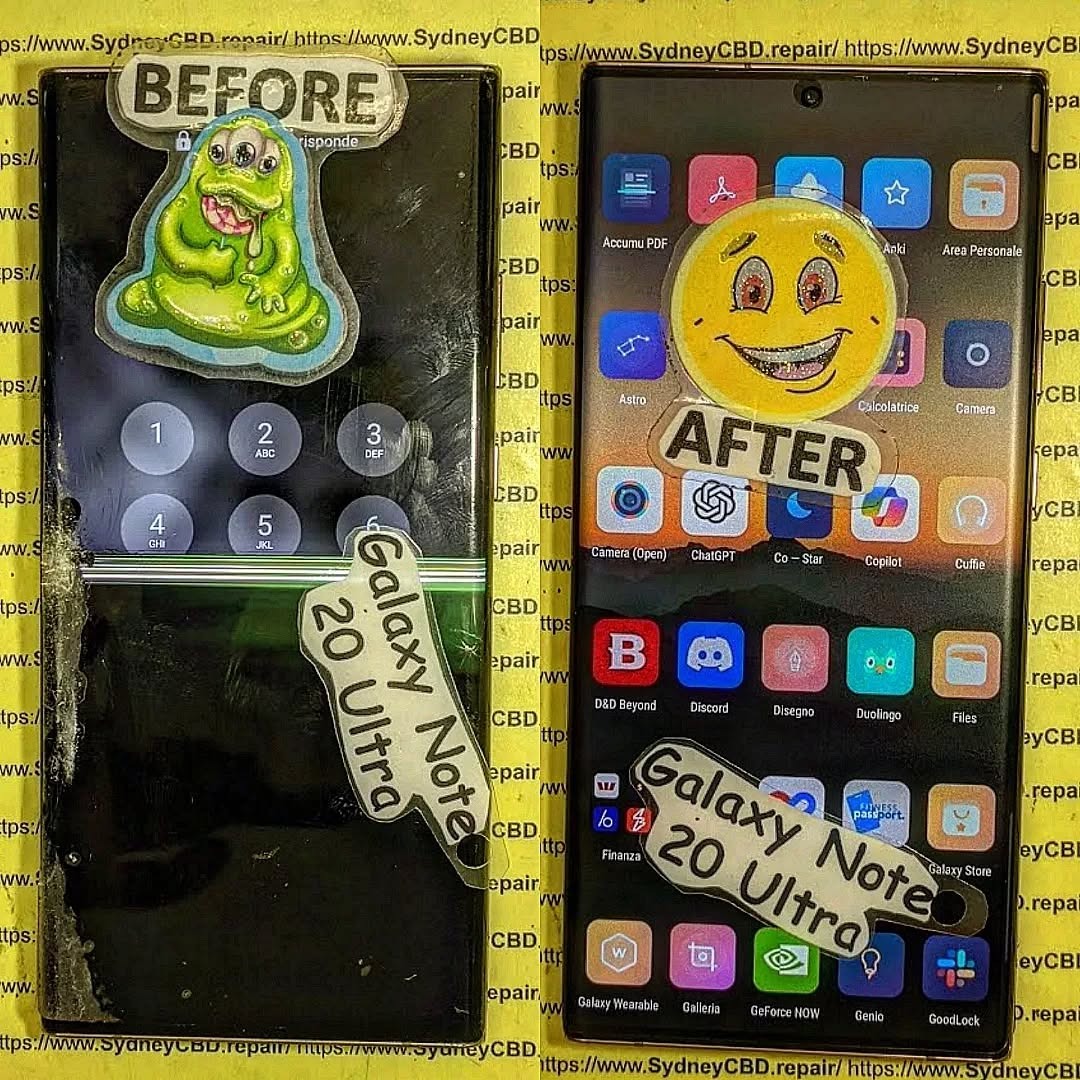
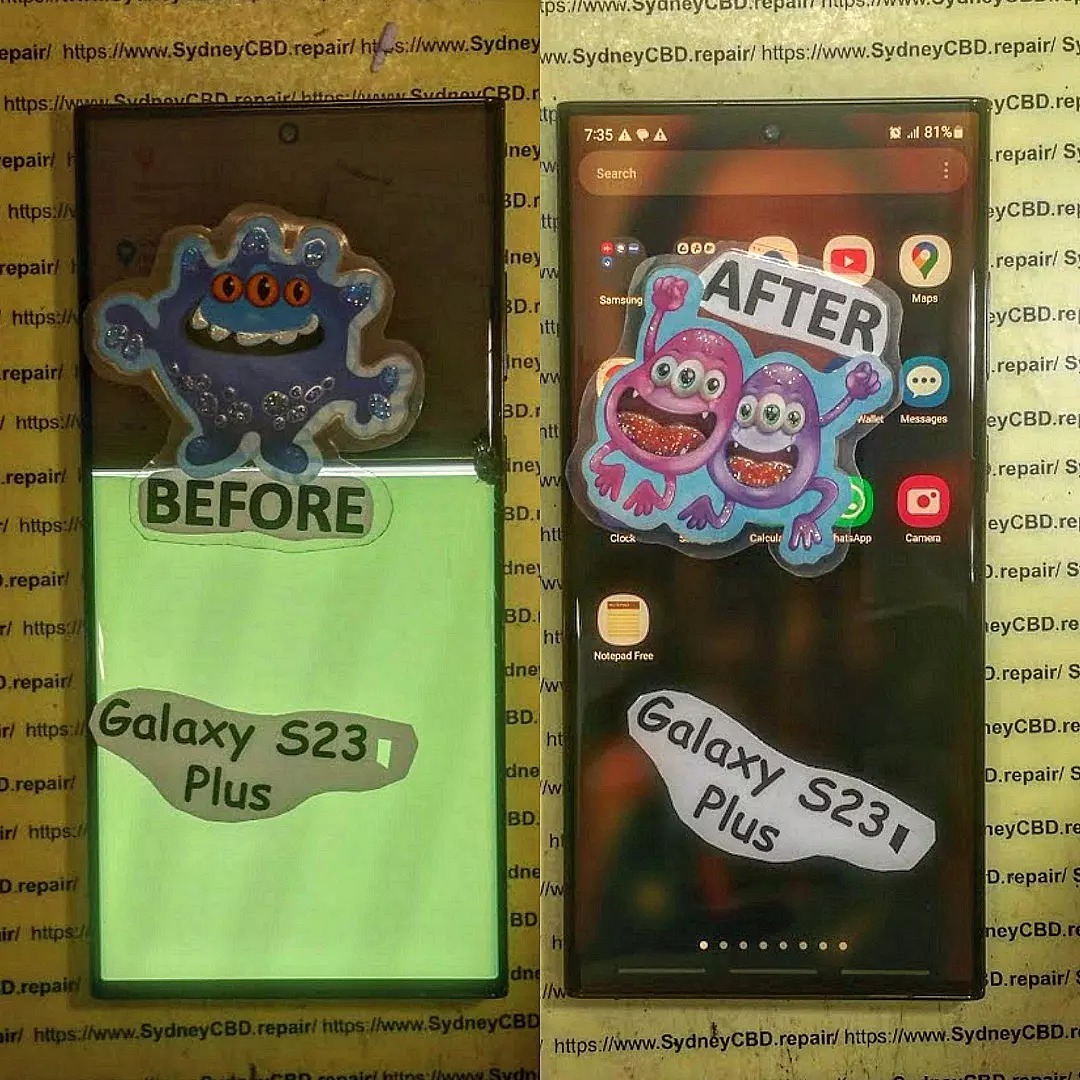
Samsung Galaxy Note 20 Ultra is an iconic flagship phone known for its dynamic AMOLED 2X display, high refresh rate, and immersive viewing experience. But even premium screens aren’t immune to cracks, scratches, or malfunctioning touch sensitivity. Understanding the Samsung Galaxy Note 20 Ultra screen replacement cost is essential for budgeting repairs and avoiding further damage.
Whether your device suffered accidental drops, water exposure, or long-term wear, a damaged screen can compromise both usability and resale value. In this guide, we’ll break down the costs, explain repair options, share tips to save money, and answer frequently asked questions to help you make the best decision.
The Note 20 Ultra boasts a 6.9-inch Dynamic AMOLED 2X display. This screen offers vivid colors, deep blacks, and an adaptive refresh rate up to 120Hz, delivering a smooth scrolling experience. AMOLED technology, while visually stunning, is more delicate than traditional LCDs, making professional care vital for repairs.
Screen Durability and Common Issues
Despite its Gorilla Glass Victus protection, the Note 20 Ultra screen is susceptible to:
Cracks and shattering from drops or impacts
Dead pixels or discoloration over time
Touch screen malfunctions caused by internal damage
Screen burn-in with prolonged static image use
These problems often necessitate a full screen replacement rather than partial repairs.
Understanding the components that influence repair costs can help you plan effectively.
OEM vs Aftermarket Parts
OEM (Original Equipment Manufacturer) parts ensure full compatibility and performance. Prices are higher but guarantee longevity.
Aftermarket screens are cheaper but may have lower color accuracy, touch sensitivity issues, or faster wear.
Labor Costs and Repair Complexity
Replacing the Note 20 Ultra screen requires careful disassembly, removal of the curved glass, and proper installation of a new panel. Labor fees vary depending on location and technician expertise.
Warranty and Service Charges
Authorized service centers may charge more, but repairs often come with warranty coverage. Third-party shops may offer competitive rates but with limited guarantees.
Average Price Range for Screen Replacement
Retail and Authorized Service Centers
Samsung official repair services typically charge $350–$450 for a Note 20 Ultra screen replacement. This includes OEM parts and warranty coverage, ensuring original quality.
Independent Repair Shops
Independent or local repair centers often charge $200–$300, offering a balance between affordability and reliability. Ensure they use high-quality parts and provide at least a 90-day warranty.
DIY Repair Cost Considerations
DIY replacements can cost $150–$250, depending on parts and tools. While cheaper, risks include voiding warranties, damaging internal components, and poor screen alignment.
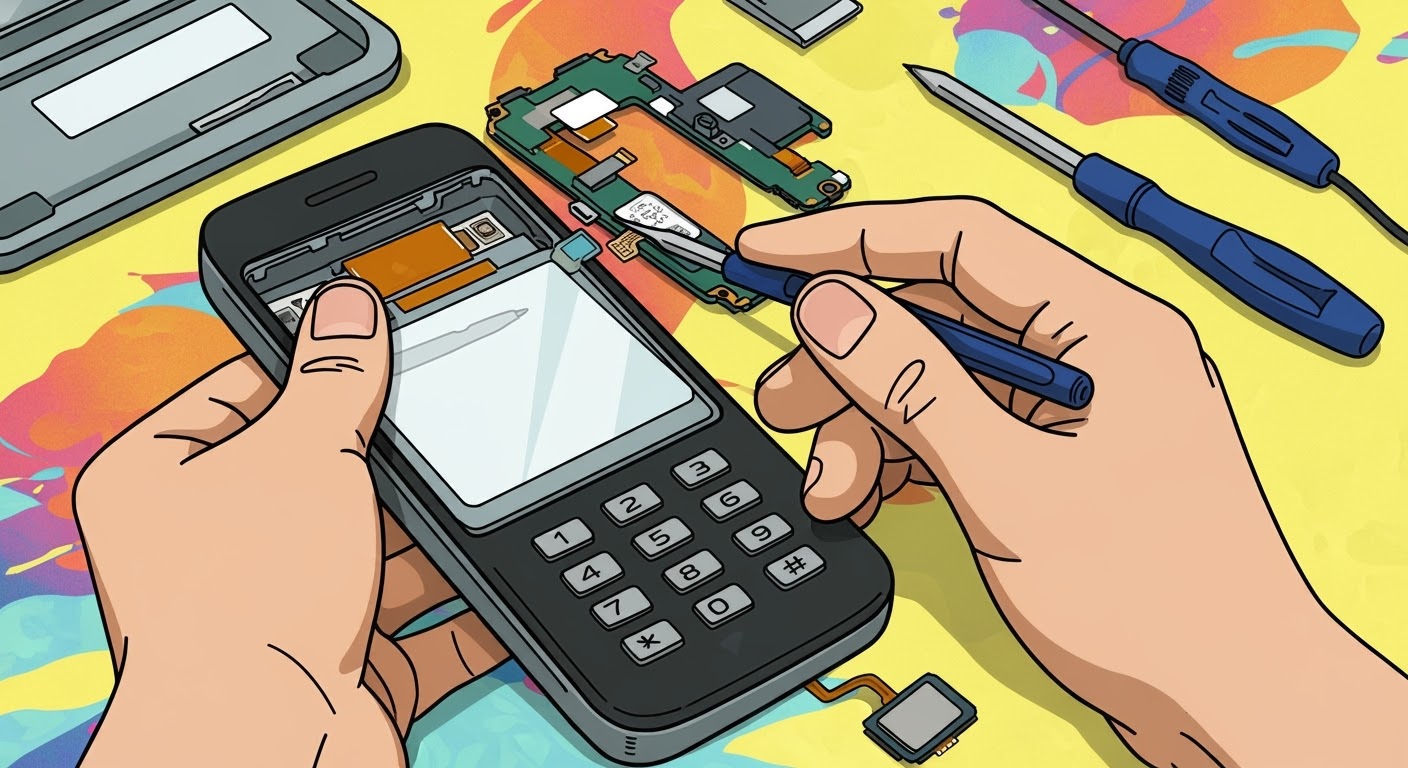
Step-by-Step Guide to Samsung Galaxy Note 20 Ultra Screen Replacement
Preparing for the Repair
Backup your data to prevent accidental loss.
Power off the device and remove the SIM card tray.
Use a suction cup and plastic opening tools to lift the back panel.
Disconnect battery and display connectors carefully.
Replacing the Screen
Remove the damaged screen gently, avoiding damage to the frame or internal components.
Install the new screen, ensuring connectors are properly seated.
Apply new adhesive for secure attachment.
Reassembling and Testing
Reconnect battery and close the device.
Test display, touch functionality, and sensors before sealing completely.
Ensure no dust or bubbles are trapped under the new screen.
DIY vs Professional Repair: Pros and Cons
Option
Pros
Cons
DIY
Lower cost, flexible timing
Risk of damage, no warranty, technical skill required
Professional
Warranty coverage, high success rate, no risk to internals
Higher cost, scheduling required
Tips to Minimize Repair Costs
Use of Insurance and Warranty
Check if your device insurance or Samsung Care+ covers screen damage.
Some plans reduce the out-of-pocket cost significantly.
Choosing Reliable Repair Centers
Look for certified technicians with genuine parts.
Check online reviews and ask for written guarantees.
Signs Your Screen Needs Immediate Replacement
Cracked glass or shattered panels
Unresponsive touch or ghost touches
Dark spots, lines, or discoloration
Flickering or dead pixels
Ignoring these signs can lead to further internal damage and higher costs.
How to Protect Your Samsung Galaxy Note 20 Ultra Screen
Screen Protectors and Cases
Tempered glass or high-quality film protectors prevent scratches and minor cracks.
Protective cases with raised edges minimize direct impact on the screen.
Proper Handling Practices
Avoid placing the phone face-down on rough surfaces.
Keep it away from extreme heat or direct sunlight for long periods.
Handle with clean, dry hands to prevent moisture damage.
FAQs About Samsung Galaxy Note 20 Ultra Screen Replacement
Q1: How long does a screen replacement take?
A1: Professional repairs usually take 30 minutes to 2 hours depending on shop workload. DIY repairs can take longer due to careful handling.
Q2: Is it safe to use an aftermarket screen?
A2: Aftermarket screens are generally safe but may have lower brightness, color accuracy, or touch sensitivity. OEM parts are recommended for optimal performance.
Q3: Will a cracked screen affect my warranty?
A3: Yes, using a DIY or unauthorized repair can void your warranty. Official repairs maintain coverage.
Q4: Can water damage occur during screen replacement?
A4: If not properly sealed after repair, water damage is possible. Ensure professional technicians apply appropriate adhesive and seals.
Q5: Is Samsung Care+ worth it?
A5: Absolutely. It reduces repair costs and ensures genuine parts, especially for expensive screens like the Note 20 Ultra.
Q6: Can I repair the screen myself without special tools?
A6: It’s risky. Proper tools and knowledge are required to avoid damaging fragile internal components. DIY should only be attempted if confident.
Conclusion: Making the Right Choice for Screen Repair
Replacing a Samsung Galaxy Note 20 Ultra screen can be costly, but making an informed choice ensures device longevity and functionality. Consider OEM parts for long-term reliability, weigh professional repair benefits against DIY cost savings, and always use protective accessories to prevent future damage. By understanding the screen replacement costs, repair steps, and tips to reduce expenses, you’ll protect your investment while enjoying a flawless display.
For professional and reliable repairs in Sydney, visit Sydney CBD Repair Centre – experts in Samsung phone repairs with genuine parts and same-day service.
David from Sydney CBD Repair Centre – The Best place to fix mobile phones as 7 Years In A Row! Top Mobile Phone Repair In Sydney. More than 2000 Positive Reviews on Google and Same Day Repairs.
We take pride in delivering exceptional repair services for all major phone brands including Apple, Samsung, Google, and more. Our expert technicians use only genuine parts and offer 90days warranty on repairs. Located in the heart of Sydney CBD, we’re your one-stop solution for all mobile device repairs.
Visit us for:
✓ Same Day Express Repairs
✓ Genuine Parts Guarantee
✓ Professional Technicians
✓ Competitive Pricing
✓ 2000+ 5-Star Google Reviews
✓ 7-Time Award Winner for Best Phone Repairs
Step by Step Samsung Galaxy Z Fold 7 Inner Screen Assembly and Display Replacement: 11 Essential Steps
Introduction
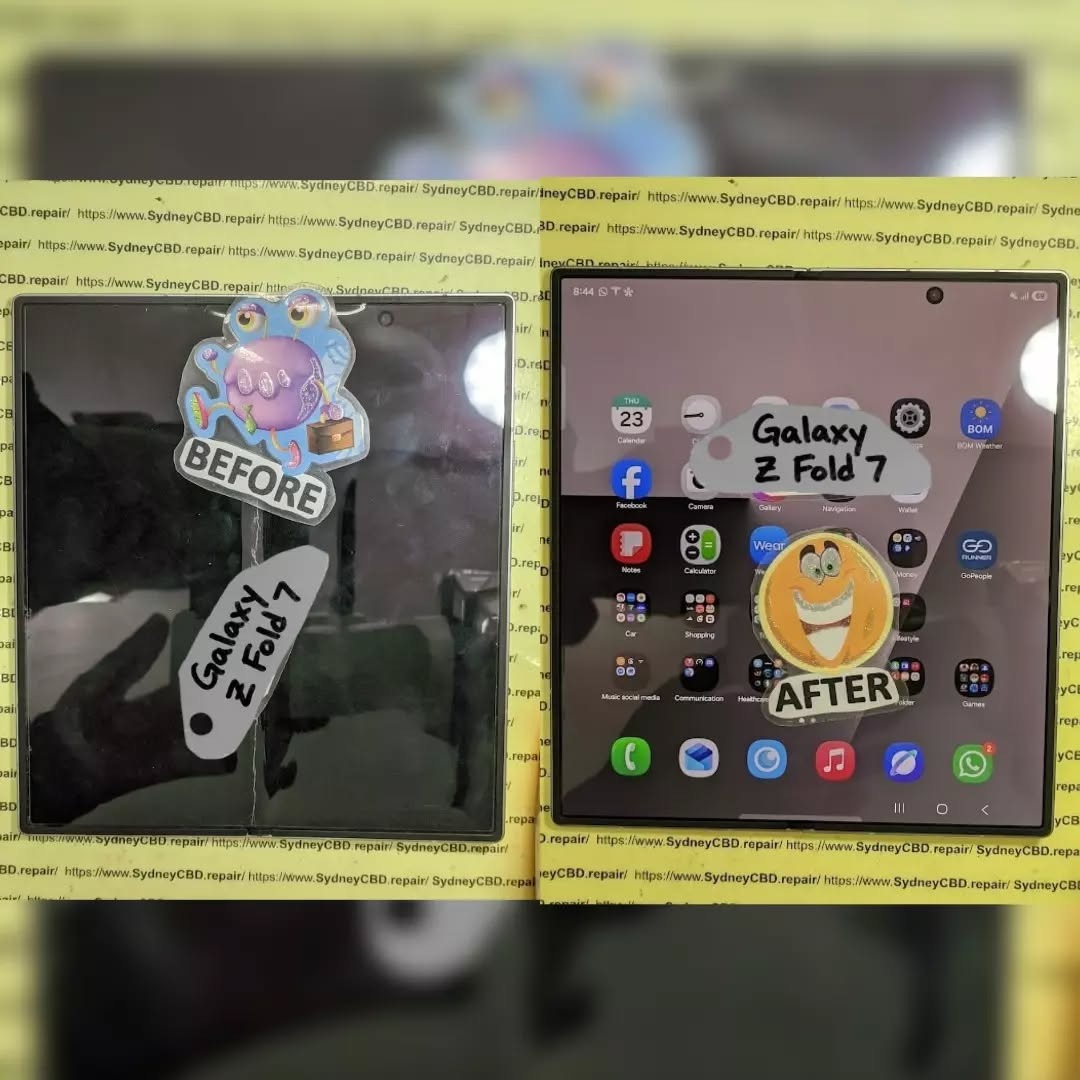
Replacing the inner display on a foldable smartphone is very different from replacing a conventional flat phone screen. The Samsung Galaxy Z Fold 7 inner screen assembly and display replacement process involves a flexible AMOLED panel, precision adhesives, delicate connectors, and a hinge area that requires careful handling.
The Galaxy Z Fold7 features an 8-inch Dynamic AMOLED 2X main display with a 2184 × 1968 resolution and adaptive refresh rate up to 120Hz. Samsung also redesigned the device around a thinner, lighter structure and an updated hinge system.
Because of that construction, an inner-screen replacement should generally be treated as a specialist repair rather than a casual DIY project. The steps below are intended to explain the professional workflow, preparation, inspection, and testing involved. Always use the appropriate manufacturer-approved procedures and replacement components for the exact model.
The Galaxy Z Fold7 isn’t built like a standard slab-style smartphone. Its main screen is a flexible foldable display designed to repeatedly bend around the device’s central hinge. Samsung lists the main display as an 8-inch Dynamic AMOLED 2X panel with 120Hz adaptive refresh.
That construction creates several important repair considerations.
A traditional smartphone screen can often be separated from its frame using controlled heat and appropriate prying techniques. A foldable display, however, has a much more complicated structure. Excessive pressure, incorrect tool placement, contamination, or improper adhesive handling can turn a simple display replacement into additional damage.
The inner screen is also significantly more expensive than many conventional smartphone displays. Samsung’s current U.S. repair pricing page lists separate Fold7 inner-screen repair and inner screen-module replacement prices, illustrating how the selected repair method and component can affect the final cost. Prices vary by region, service type, warranty status, and repair provider.
Key Galaxy Z Fold7 Display Specifications
Feature
Galaxy Z Fold7 Main Display
Display size
8.0 inches
Technology
Dynamic AMOLED 2X
Resolution
2184 × 1968
Refresh rate
Up to 120Hz adaptive
Display type
Foldable/flexible main display
Cover display
6.5-inch Dynamic AMOLED 2X
Main display purpose
Folded/unfolded multitasking and media
These specifications matter because replacement testing shouldn’t stop at simply checking whether the screen turns on. A properly completed repair should also be evaluated for touch response, brightness, color uniformity, folding behavior, refresh behavior, and general display stability.
Diagnosing the Problem Before Replacing the Screen
Before beginning a Samsung Galaxy Z Fold 7 inner screen assembly and display replacement, diagnose the actual failure.
A black screen doesn’t automatically mean that the display assembly is defective. The problem could involve a connector, software issue, board-level fault, physical impact, or another component.
Start with a visual inspection.
Look for:
Cracks or visible damage
Black spots or ink-like spreading
Vertical or horizontal lines
Flickering
Dead pixels
Touch failures
Display discoloration
Brightness abnormalities
Damage around the center fold
Display problems that appear only when folding
If the phone still displays an image, test as many functions as possible before opening it.
Check Touch Response
Open a drawing application or another suitable touch-testing interface and slowly move a finger across the entire inner display.
Pay particular attention to the central folding region and edges.
If certain areas don’t respond, document their location before the repair.
Check the Display While Folding
A foldable display should be assessed in several positions rather than only when completely open.
Observe whether:
The display works while fully open.
The display remains stable while partially folded.
The image changes unexpectedly around the hinge.
Touch input remains consistent.
Flickering occurs during movement.
This information can help determine whether the problem is isolated to the panel or related to another part of the foldable assembly.
Tools and Replacement Components
A professional repair environment should use appropriate precision tools and manufacturer-compatible parts.
Typical equipment may include:
Precision screwdrivers
Plastic opening tools
Approved opening picks
Suction equipment where appropriate
ESD-safe equipment
Tweezers
Magnification
Cleaning materials approved for electronics
Replacement adhesive
Display assembly or appropriate replacement component
Protective work mat
Inspection lighting
The exact tools and disassembly sequence can vary according to the service documentation and replacement assembly being used.
Why Genuine or Approved Parts Matter
The replacement component should match the Galaxy Z Fold7 model and regional variant where required.
Samsung’s Philippine support information states that its authorized service centers use genuine Samsung parts for repairs.
This is particularly important for a foldable phone because the display isn’t simply a piece of glass. Compatibility involves the panel, electronics, flex connections, physical dimensions, adhesives, and interaction with the phone’s software and hardware.
Before opening the device, protect the customer’s data and establish a record of the phone’s condition.
Back up important data whenever the device is operational.
Record:
Existing cracks
Frame damage
Camera condition
Cover-screen condition
Inner-screen condition
Buttons
Charging function
Speakers
Microphones
Cameras
Wireless connectivity
General device condition
If the phone is being handed to a service center, Samsung recommends using Maintenance Mode to restrict access to personal data during repair.
Step 1: Power Down and Secure the Device
The phone should be shut down using the appropriate procedure before internal work begins.
Remove external accessories and keep the work area clean.
Avoid placing unnecessary pressure on the inner display. A foldable screen can be damaged by pressure even when there isn’t obvious external cracking.
A clean, organized workspace also reduces the chance of losing tiny components.
Step 2: Carefully Access the Device
Professional disassembly begins by gaining access to the internal structure using the approved procedure for the Galaxy Z Fold7.
This is where repair technicians need to be especially careful.
The Fold7 is only about 4.2 mm thick when unfolded, excluding the main-screen frame, and 8.9 mm when folded. Samsung lists its weight at 215 grams.
That thin construction leaves less room for careless tool movement.
Never force an opening tool into an unknown area. A tool inserted too deeply can damage internal components, flex cables, or other layers.
Step 3: Disconnect the Relevant Connections
Once the correct internal access point has been reached, the relevant connectors must be identified and handled carefully.
The general principle is simple:
Disconnect power and relevant display connections before attempting to remove the damaged display assembly.
Connectors should be lifted using appropriate tools rather than pulled by their cables.
This is one of those moments where patience pays off. A connector that seems stubborn should be inspected rather than forced.
Step 4: Remove the Damaged Inner Display Assembly
The damaged display assembly is then separated according to the appropriate service procedure.
This is the most delicate stage of the operation.
A foldable display should not be treated like a conventional rigid glass panel. Avoid bending, twisting, puncturing, or applying concentrated pressure to the flexible display layers.
Important Safety Principle
Never use excessive force simply because an assembly isn’t separating.
If a component doesn’t release as expected, stop and identify what is still holding it.
Potential causes include:
Remaining adhesive
A connector
A retaining component
A frame section
An overlooked attachment point
Trying to “muscle through” the process can cause secondary damage.
Step 5: Inspect the Frame and Hinge
Once the damaged assembly has been removed, inspect the supporting structure before installing the replacement.
Look for:
Bent frame sections
Foreign particles
Adhesive residue
Hinge-area damage
Deformation
Liquid contamination
Damaged connectors
Missing or damaged fasteners
Samsung says the Fold7 uses an Armor FlexHinge with a multi-rail structure designed to distribute stress and support the thinner foldable design.
That makes hinge inspection an important part of the repair.
If the underlying structure is damaged, simply installing another display may not provide a reliable long-term repair.
Step 6: Prepare the Replacement Display Assembly
Before installation, compare the replacement assembly with the removed component.
Check:
Model compatibility
Physical dimensions
Connector arrangement
Visible damage
Flex cable condition
Display surface
Frame alignment
Protective films
Adhesive condition
Don’t remove protective material unnecessarily early.
Keeping the replacement component protected until the installation stage reduces the chance of scratches, dust contamination, or accidental handling damage.
Keep the Work Area Dust-Free
Dust is a small problem that can become a big problem beneath a display assembly.
Even a tiny particle can create:
A visible bump
Uneven pressure
Poor adhesive contact
Cosmetic defects
Localized stress
Therefore, cleanliness isn’t just about appearance. It can directly affect the quality of the finished repair.
Step 7: Position and Align the New Display
The replacement display should be positioned carefully according to the appropriate repair procedure.
Alignment is critical.
Before final adhesion or securing, verify that:
Edges are correctly positioned.
The central fold area is correctly aligned.
Connectors can reach their mating points.
The display sits evenly.
No flex cable is trapped.
No debris is underneath the assembly.
Don’t rush this stage.
A few extra minutes spent checking alignment can prevent the need to repeat a complicated repair.
Step 8: Reconnect the Display and Internal Components
After the replacement assembly is correctly positioned, reconnect the required components in the prescribed sequence.
Each connector should sit correctly before pressure is applied.
Never press directly on delicate flex cables.
After connections are restored, inspect the work visually before proceeding with final reassembly.
Connector Inspection Checklist
Check
What to Look For
Connector seating
Fully and evenly seated
Flex cable
No tears, sharp bends, or crushing
Contact area
Clean and free of debris
Routing
Cable follows the intended path
Nearby components
Nothing trapped underneath
Step 9: Test the New Inner Display
Testing before final closure is one of the most valuable steps in any screen replacement.
Power the device using the approved service procedure and test the replacement display.
Check the following:
Image Quality
Display a white, black, red, green, and blue screen if suitable diagnostic tools are available.
Look for:
Dead pixels
Lines
Flickering
Uneven brightness
Color abnormalities
Black spots
Image retention or other unexpected behavior
Touch Response
Test the entire panel.
Move across:
Top edge
Bottom edge
Left edge
Right edge
Center
Fold region
The touch system should respond consistently.
Refresh and Motion
Where applicable, verify smooth scrolling and normal display behavior.
The Fold7 main display supports an adaptive refresh rate up to 120Hz.
Step 10: Reassemble the Device
Once the replacement display has passed preliminary tests, complete the remaining reassembly according to the appropriate service instructions.
Check every component before closing the device.
A good technician doesn’t simply put the screws back and call it a day.
The final inspection should include:
Screw placement
Connector seating
Adhesive positioning
Flex routing
Frame alignment
Hinge movement
Cover display condition
Camera condition
External buttons
Step 11: Perform Final Functional Testing
After complete reassembly, perform another full test.
This second test is important because a device can work before final closure but develop an issue if something is incorrectly positioned during reassembly.
Test:
Inner display
Cover display
Touchscreen
Folding/unfolding
Charging
Cameras
Speakers
Microphones
Wi-Fi
Bluetooth
Cellular connectivity
Buttons
Fingerprint functionality where applicable
Folding Test
Open and close the phone carefully.
Do not repeatedly cycle the hinge unnecessarily. A small number of controlled checks should be enough to confirm normal operation.
Watch the inner screen while changing the device position.
The display should remain stable without unexpected flickering, lines, or touch failures.
Common Samsung Galaxy Z Fold7 Screen Replacement Mistakes
Even experienced technicians need to work carefully on foldable devices.
Here are some common mistakes to avoid.
Using Excessive Heat
Foldable displays contain sensitive components and materials. Excessive heat can create additional problems.
Use only the approved service method and temperature guidance applicable to the specific repair.
Prying Too Deeply
An opening tool should never be inserted farther than necessary.
Deep insertion can damage internal components.
Touching Display Surfaces Unnecessarily
Fingerprints, dust, and oils can complicate final inspection.
Use appropriate clean handling practices.
Ignoring Frame Damage
If the frame or hinge has been damaged by the original impact, installing a new screen alone may not resolve the underlying problem.
Skipping the Pre-Repair Test
Without a baseline test, it can be difficult to determine whether another component developed a problem during the repair.
Skipping the Post-Repair Test
A screen that turns on isn’t necessarily a successful repair.
Touch, brightness, color, folding behavior, connectivity, and other functions should also be checked.
Inner Screen Assembly vs Display-Only Replacement
One important consideration is whether the repair provider is replacing only the screen or an entire display assembly/module.
These approaches can differ in:
Parts availability
Labor requirements
Repair complexity
Price
Warranty terms
Expected turnaround time
Samsung’s published U.S. repair pricing demonstrates that Fold7 inner-screen repairs and inner screen-module replacement can have different prices.
Because prices and service options differ by country, the best approach is to obtain a repair quotation based on the exact damage and model.
How Much Does Galaxy Z Fold7 Inner Screen Repair Cost?
There isn’t one universal worldwide price.
The cost can depend on:
Country
Repair provider
Warranty status
Insurance or protection plan
Display-only versus module replacement
Additional frame or hinge damage
Availability of replacement components
For example, Samsung’s U.S. support page currently lists separate pricing for the Galaxy Z Fold7 inner display repair and inner screen-module replacement.
Those U.S. prices shouldn’t be used as a direct quotation for Australia, the Philippines, or another market.
For an official repair route in the Philippines, Samsung provides a service-center locator and states that its authorized centers use genuine Samsung parts.
Professional Repair vs DIY Replacement
The Galaxy Z Fold7 inner screen is not an ideal beginner repair.
A professional repair is especially worth considering when:
The phone contains important data.
The display has severe physical damage.
The hinge is damaged.
The frame is bent.
The replacement part is expensive.
You don’t have foldable-phone repair experience.
The device may still be under warranty or protection coverage.
You need a repair warranty.
A DIY attempt may appear cheaper initially, but a damaged replacement display, connector, hinge component, or frame can increase the total repair cost.
In short, this is a job where the cheapest approach isn’t always the least expensive approach.
How to Find an Authorized Samsung Repair Center
Samsung Philippines provides an official service-center locator for mobile devices. Its support page states that there are more than 100 authorized service centers across the Philippines and explains how to search by city, town, or postal code.
When requesting service, provide the technician with a clear description of:
What happened
Whether the phone was dropped
Whether the inner display still works
Whether touch works
Whether the cover screen works
Whether the phone has liquid exposure
Whether the hinge feels normal
This information can make diagnosis more efficient.
Samsung Galaxy Z Fold7 Inner Screen Replacement Checklist
Use this checklist when evaluating a completed repair.
Test
Pass Condition
Inner display
Clear image
Touch
Responsive across panel
Brightness
Consistent
Colors
No obvious abnormalities
Pixels
No unexpected dead areas
Fold area
Stable during movement
Hinge
Opens and closes normally
Cover display
Fully operational
Cameras
Working
Speakers
Working
Microphones
Working
Charging
Working
Connectivity
Working
Physical assembly
No gaps or loose parts
Frequently Asked Questions
1. Can the Galaxy Z Fold7 inner screen be replaced?
Yes, the inner display can be serviced, but the procedure is significantly more complicated than replacing a conventional smartphone screen. Samsung provides repair options for the Fold7 inner screen in supported markets.
2. Is Galaxy Z Fold7 inner screen replacement a DIY repair?
It’s possible to find repair procedures and replacement components, but the inner foldable display is delicate. For most users without professional foldable-device repair experience, an authorized or experienced repair technician is the safer option.
3. What size is the Galaxy Z Fold7 inner screen?
The Galaxy Z Fold7 has an 8-inch main display with a 2184 × 1968 resolution and a maximum adaptive refresh rate of 120Hz.
4. Can I replace only the cracked surface layer?
The correct repair method depends on the nature of the damage and the available service parts. A cracked or malfunctioning foldable display may require an appropriate screen or display-module replacement rather than a simple glass replacement.
5. How do I know whether my display or motherboard is damaged?
A complete diagnosis is required. If the phone has image, touch, or connector-related symptoms, a technician should test the display and associated hardware before ordering replacement parts.
6. Does screen replacement restore water resistance?
You shouldn’t assume that a repaired phone has exactly the same water-resistance performance as a factory-sealed device. The outcome depends on the repair method, components, seals, and service procedure. Samsung lists the Galaxy Z Fold7 as IP48-rated, but that rating should not be interpreted as a guarantee after third-party repair.
7. Should I repair the hinge at the same time?
If the hinge or frame has visible damage, it should be inspected before installing a replacement display. A damaged supporting structure may cause problems with a new display.
8. Is the Galaxy Z Fold7 display covered by warranty?
Warranty coverage depends on the market, warranty terms, cause of damage, and condition of the device. Accidental physical damage is often treated differently from manufacturing defects. Check the warranty terms applicable to your country and device.
9. How long does a Fold7 screen repair take?
Turnaround time varies according to the repair provider, part availability, diagnosis, and whether additional components are damaged. Some service providers offer same-day service, while others may require more time.
10. Where can I get official Samsung Fold7 repair support?
Samsung Philippines provides an official service-center locator and repair-support information.
Conclusion
The Samsung Galaxy Z Fold 7 inner screen assembly and display replacement is a precision repair that requires significantly more care than a standard smartphone screen replacement.
The most important principles are straightforward: diagnose the fault before replacing parts, protect the flexible display, use compatible components, keep the work area clean, avoid excessive force, inspect the hinge and frame, and thoroughly test the phone after installation.
The Galaxy Z Fold7 combines an 8-inch flexible Dynamic AMOLED 2X inner display with a thin foldable structure, making careful handling especially important.
For users without professional foldable-phone repair experience, an authorized Samsung service center or qualified specialist can reduce the risk of additional damage. Samsung’s Philippine service network provides an official starting point for customers seeking repair assistance.
A successful repair isn’t simply about making the screen light up again. It’s about restoring reliable display performance, touch response, folding behavior, structural integrity, and overall functionality while protecting the rest of the device.
For professional assistance with Samsung Galaxy Z Fold7 and other mobile-device repairs, Sydney CBD Repair Centre provides repair services for major smartphone brands.
David from Sydney CBD Repair Centre – The Best place to fix mobile phones as 7 Years In A Row! Top Mobile Phone Repair In Sydney. More than 2000 Positive Reviews on Google and Same Day Repairs.
We take pride in delivering exceptional repair services for all major phone brands including Apple, Samsung, Google, and more. Our expert technicians use only genuine parts and offer 90days warranty on repairs. Located in the heart of Sydney CBD, we’re your one-stop solution for all mobile device repairs.
Our commitment to excellence has earned us the trust of thousands of satisfied customers. Whether it’s a cracked screen, battery replacement, or water damage repair, we handle it all with professional care and expertise. Walk in today and experience why we’re Sydney’s #1 choice for mobile phone repairs.
Visit us for:
✓ Same Day Express Repairs
✓ Genuine Parts Guarantee
✓ Professional Technicians
✓ Competitive Pricing
✓ 2000+ 5-Star Google Reviews
✓ 7-Time Award Winner for Best Phone Repairs
Sydney CBD Repair Centre – Where Quality Meets Reliability.
Choosing the Best iPhone 15 Pro Max Screen Replacement: AMOLED vs. LCD + 7 Expert Insights
Introduction to iPhone 15 Pro Max Display Technology
Choosing the best iPhone 15 Pro Max screen is one of the most important decisions for users, repair professionals, and buyers alike. The screen isn’t just a display—it’s the primary interface between you and Apple’s most advanced smartphone. From checking emails to watching HDR movies, everything depends on screen quality.
Many people often compare AMOLED vs. LCD when discussing smartphone screens. However, the iPhone 15 Pro Max officially uses an advanced AMOLED (OLED) panel, not LCD. Still, the comparison matters because LCD replacement screens exist in the aftermarket, and users want to know whether they’re worth considering.
In this guide, we’ll break down everything you need to know about choosing the best iPhone 15 Pro Max screen, using real-world repair experience, technical knowledge, and practical advice. We’ll keep it simple, honest, and helpful—no fluff, no hype.
The iPhone 15 Pro Max features a 6.7-inch Super Retina XDR AMOLED display with:
ProMotion 120Hz refresh rate
HDR10 and Dolby Vision support
Peak brightness up to 2000 nits outdoors
Always-On Display functionality
Apple does not design or calibrate the iPhone 15 Pro Max for LCD use. Any LCD screen installed is an aftermarket compromise.
From a professional repair standpoint, choosing the best iPhone 15 Pro Max screen almost always means sticking with genuine or high-quality AMOLED replacements.
Visual Quality Comparison: AMOLED vs. LCD
Brightness, Color Accuracy, and Contrast
When comparing AMOLED vs. LCD side by side, the difference is obvious—even to non-technical users.
Feature
AMOLED
LCD
Contrast Ratio
Infinite
Limited
Black Levels
True black
Greyish
Color Gamut
Wide (P3)
Narrower
Viewing Angles
Excellent
Good
AMOLED screens deliver punchier colors without oversaturation when calibrated correctly, which Apple does exceptionally well.
Outdoor Visibility and HDR Performance
AMOLED panels on the iPhone 15 Pro Max excel outdoors. The display boosts brightness automatically under sunlight, making content readable even on bright days.
LCD screens struggle here. The backlight limits peak brightness and increases glare, reducing clarity.
Performance and Power Efficiency
One often overlooked factor when choosing the best iPhone 15 Pro Max screen is battery efficiency.
Because AMOLED pixels turn off individually, dark mode and Always-On Display features consume less power. LCD screens drain battery faster because the backlight stays on constantly.
Over time, this difference adds up—especially for power users.
Durability and Longevity of iPhone Screens
Durability depends on more than just glass. It includes pixel lifespan, burn-in risk, and structural design.
AMOLED Pros:
Better integration with Ceramic Shield glass
Designed for Apple’s thermal management
Long lifespan with proper calibration
LCD Cons in iPhone 15 Pro Max:
Thicker layers increase pressure points
More prone to light bleeding
Reduced touch sensitivity
Burn-in is often mentioned with AMOLED, but in real-world use on iPhones, it’s extremely rare.
Repair and Replacement Considerations
Genuine vs. Aftermarket Screens
When repairing an iPhone 15 Pro Max, you’ll encounter three main screen options:
Genuine Apple AMOLED
OEM Refurbished AMOLED
Aftermarket LCD
From a professional repair perspective, LCD screens are not recommended for this model. They:
Disable True Tone
Reduce display quality
Affect Face ID alignment
Lower resale value
Choosing the best iPhone 15 Pro Max screen means prioritizing compatibility and quality over short-term savings.
Cost Comparison: AMOLED vs. LCD Repairs
Screen Type
Average Cost
Value
Genuine AMOLED
High
Excellent
OEM AMOLED
Medium
Very Good
LCD
Low
Poor
While LCD repairs are cheaper upfront, they often lead to dissatisfaction, repeat repairs, or device replacement.
For long-term value, AMOLED wins—hands down.
User Experience and Daily Usage Impact
Your screen affects everything:
Typing accuracy
Eye comfort
Media enjoyment
Gaming performance
AMOLED screens offer smoother scrolling, faster response times, and better touch accuracy—especially important with the iPhone 15 Pro Max’s 120Hz ProMotion display.
Environmental and Health Considerations
AMOLED displays emit less blue light at lower brightness levels and support advanced color management, reducing eye strain.
Additionally, higher-quality screens last longer, reducing electronic waste. Choosing the best iPhone 15 Pro Max screen isn’t just about performance—it’s also about sustainability.
Frequently Asked Questions (FAQs)
1. Does the iPhone 15 Pro Max use AMOLED or LCD?
The iPhone 15 Pro Max officially uses an AMOLED (OLED) display only.
2. Can I replace my iPhone 15 Pro Max screen with LCD?
Technically yes, but it’s not recommended due to reduced quality and compatibility issues.
3. Is AMOLED better than LCD for battery life?
Yes, AMOLED is significantly more power-efficient, especially with dark mode.
4. Will LCD affect Face ID?
In many cases, yes. Poor-quality LCD screens can interfere with Face ID sensors.
5. Is screen burn-in a problem on iPhone AMOLED screens?
Rarely. Apple’s calibration and pixel-shifting techniques minimize burn-in risk.
6. What’s the best replacement screen option?
A genuine or OEM-quality AMOLED screen is the best choice.
Conclusion: Which Screen Is Best for iPhone 15 Pro Max?
When it comes to choosing the best iPhone 15 Pro Max screen, the answer is clear: AMOLED is the only option that preserves Apple’s intended experience.
LCD screens may seem cheaper, but they compromise quality, performance, and long-term value. Whether you’re repairing, upgrading, or buying, investing in a proper AMOLED display ensures your iPhone 15 Pro Max performs exactly as it should.
For further technical insights on OLED technology, you can explore Apple’s official display overview here:
👉 https://www.apple.com/iphone-15-pro/
David from Sydney CBD Repair Centre – The Best place to fix mobile phones as 6 Years In A Row! Top Mobile Phone Repair In Sydney. More than 2000 Positive Reviews on Google and Same Day Repairs.
We take pride in delivering exceptional repair services for all major phone brands including Apple, Samsung, Google, and more. Our expert technicians use only genuine parts and offer 90 days warranty on repairs. Located in the heart of Sydney CBD, we’re your one-stop solution for all mobile device repairs.
Our commitment to excellence has earned us the trust of thousands of satisfied customers. Whether it’s a cracked screen, battery replacement, or water damage repair, we handle it all with professional care and expertise. Walk in today and experience why we’re Sydney’s #1 choice for mobile phone repairs.
Visit us for:
✓ Same Day Express Repairs
✓ Genuine Parts Guarantee
✓ Professional Technicians
✓ Competitive Pricing
✓ 2000+ 5-Star Google Reviews
✓ 6-Time Award Winner for Best Phone Repairs
From Scrap to Sparkle: Reviving a Critically Damaged of iPhone 15 Pro Max Screen + 12 Proven Techniques
Introduction:
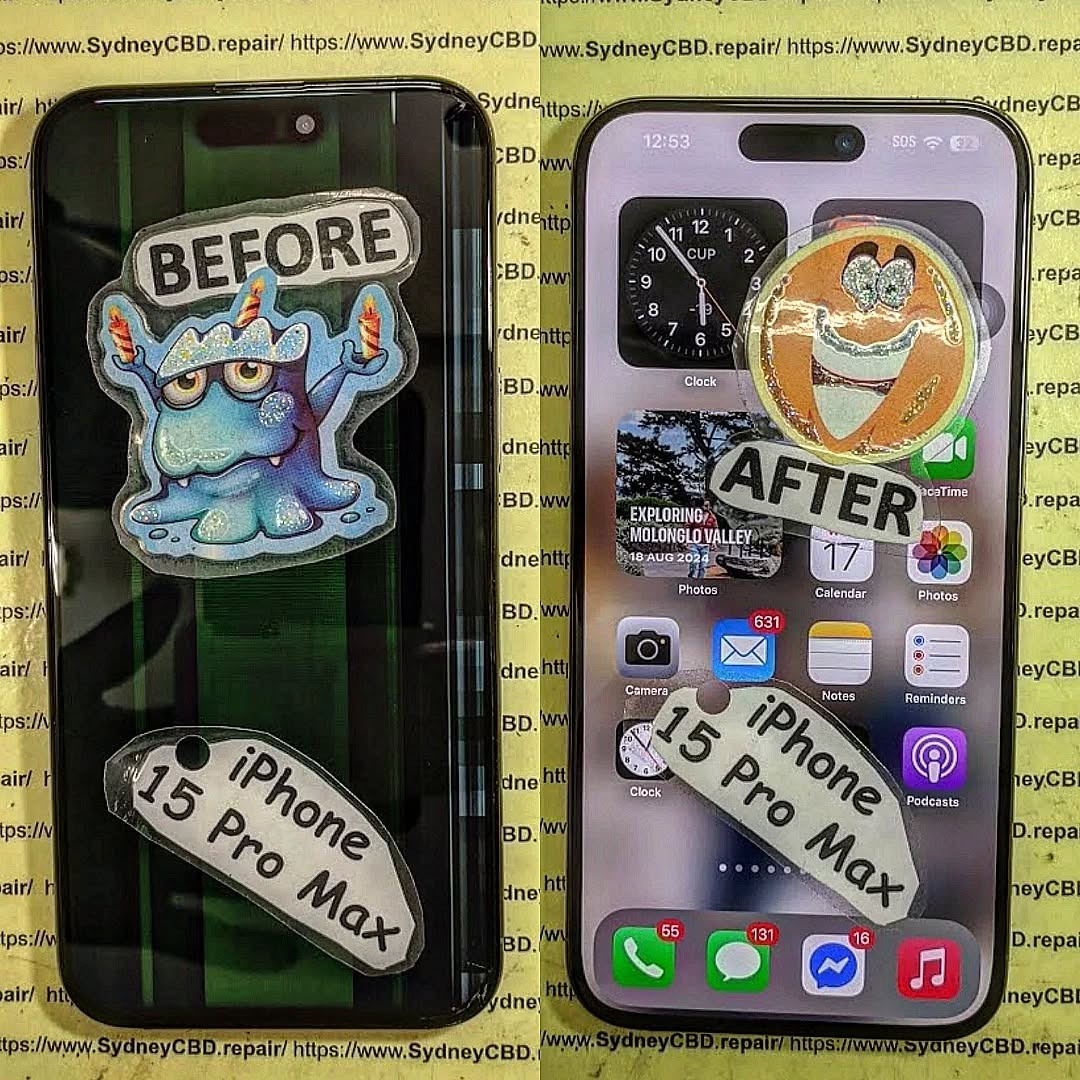
Your iPhone 15 Pro Max is more than just a phone—it’s a personal assistant, a camera, a gaming device, and a hub for your digital life. So, when its screen suffers a critical crack or shatter, it can feel like your entire day comes to a halt. The good news? Even the most damaged iPhone 15 Pro Max screens can be revived with the right approach, tools, and professional guidance.
In this article, we’ll take you step by step through understanding the screen’s complex structure, diagnosing hidden damage, exploring both DIY and professional repair options, and applying preventive measures to keep your screen looking flawless. Whether you’re a tech enthusiast eager to attempt a self-repair or someone seeking trusted professional services, this guide provides practical, detailed, and reliable solutions to bring your iPhone back to life.
By the end of this guide, you’ll not only understand how to restore your device but also learn how to protect it for the long haul—turning that “scrap” into true “sparkle.”
The iPhone 15 Pro Max is an engineering marvel, but even the toughest phones aren’t immune to damage. A shattered screen can make your smartphone almost unusable—but fear not. Reviving a critically damaged iPhone 15 Pro Max screen isn’t impossible. With the right knowledge, tools, and a touch of expertise, you can restore your device to like-new condition. This guide dives into everything you need to know—from diagnosing damage to professional repairs, DIY strategies, and preventive tips.
Before attempting any repair, it’s vital to understand what makes up your iPhone 15 Pro Max screen. Modern Apple devices use a combination of advanced materials and sensors to deliver exceptional display quality.
Display Panels: OLED vs Super Retina XDR
The iPhone 15 Pro Max uses a Super Retina XDR OLED display, providing vibrant colors, deep blacks, and high contrast ratios. OLED technology allows each pixel to emit its own light, making it more energy-efficient but slightly more delicate compared to older LCDs. Understanding this helps prevent unnecessary errors during repairs.
Touch Sensitivity & Haptic Layer
Underneath the screen lies the touch-sensitive layer, which detects every tap and swipe. The haptic feedback layer gives the tactile response you feel when interacting with your device. Damage to these layers may not always be visible, but it can severely affect the device’s functionality, even if the glass appears intact.
Knowing how your screen can get damaged helps in both repair and prevention.
Accidental Drops and Impacts
Most screen damage happens from drops. Even a small fall on a hard surface can cause cracks or dislodge internal components. According to research, 40% of iPhone repairs are due to accidental drops.
Water and Liquid Exposure
Though the iPhone 15 Pro Max is water-resistant, liquid can still seep in, damaging the OLED layer and sensors. Sticky residues from drinks or saltwater are particularly harmful.
Heat, Pressure, and Environmental Factors
High temperatures, prolonged sun exposure, or excessive pressure (like sitting with your phone in your pocket) can warp or fracture the screen. These factors can cause subtle cracks that worsen over time.
Diagnosing the Extent of Damage
Not all damage is obvious. Proper diagnosis ensures effective repair.
Visual Inspection: Cracks and Shards
Start by checking for visible cracks, chips, or shattered glass. Look for discoloration or dead pixels, which indicate deeper damage.
Functional Tests: Touch, Display, and Sensors
Test the touch responsiveness, brightness levels, and color display. Check Face ID and haptic feedback for any issues.
Professional Diagnostic Tools
Advanced repair shops use microscopes, thermal imaging, and software diagnostics to pinpoint hidden faults. Consulting professionals can save you time and money in the long run.
DIY Screen Repair: Risks and Limitations
DIY repairs are tempting but come with risks.
Necessary Tools and Kits
You’ll need precision screwdrivers, suction tools, anti-static mats, and specialized adhesives. Without these, you risk further damage.
Step-by-Step Replacement Process
Power off your iPhone.
Remove screws near the Lightning port.
Carefully separate the screen from the frame.
Disconnect the battery and display connectors.
Replace the screen assembly and reassemble.
Even with careful steps, minor misalignments can impair performance.
Common Mistakes and How to Avoid Them
Using excessive force on connectors.
Skipping anti-static precautions.
Not testing the new screen before final assembly.
Professional Repair Options
Apple Authorized Service Providers
Offers original parts and warranty coverage. Repairs are often costlier but guarantee quality and compatibility.
Independent Repair Shops
Many independent shops, like Sydney CBD Repair Centre, offer competitive pricing, rapid turnaround, and genuine parts, often with a 90-day warranty. Independent shops can sometimes handle issues that Apple may not cover under warranty.
Sydney CBD Repair Centre Case Study
Our experts have repaired thousands of iPhones, restoring shattered screens efficiently. With 7 years of awards and 2000+ 5-star reviews, we’re the trusted choice for Sydney locals. Learn more here.
Screen Protection Post-Repair
Prevention is key after repair.
Tempered Glass & Film Protectors
High-quality tempered glass reduces the risk of future cracks. Look for ultra-clear, high-durability options.
Cases and Edge Protection
Rugged cases with reinforced edges absorb shock and prevent direct impact on the screen.
Usage Habits to Extend Screen Life
Avoid placing phones in back pockets.
Keep away from heat and liquids.
Clean gently with microfiber cloths.
Cost Analysis: DIY vs Professional Repair
Factor
DIY
Professional
Cost
$80–$200
$250–$450
Time
1–3 hours
30–60 minutes
Risk
High
Low
Warranty
None
90 days+
Skill Required
Advanced
Minimal
Professional repair is generally safer, faster, and more reliable, especially for critical damage.
FAQs
1. Can I repair my iPhone 15 Pro Max screen myself?
Yes, but it carries risks. Professional repair is recommended for severe damage.
2. How long does a screen repair take?
DIY can take 1–3 hours; professional services often complete repairs in under an hour.
3. Will my warranty be voided by DIY repair?
Yes, self-repair may void Apple’s warranty. Always check before attempting.
4. What is the cost difference between Apple and independent repair?
Apple repairs are typically higher due to original parts; independent shops are more affordable but still reliable.
5. Can cracked screens affect Face ID?
Yes, cracks near the TrueDepth sensor can impair Face ID functionality.
6. How can I prevent future screen damage?
Use tempered glass, protective cases, and avoid drops, heat, and pressure.
Conclusion
Reviving a critically damaged iPhone 15 Pro Max screen requires understanding the screen’s structure, accurate damage diagnosis, and selecting the right repair path—DIY or professional. With careful attention and preventive measures, your iPhone can return to pristine condition. Remember, investing in professional repair services and protective accessories ensures both performance and longevity.
David from Sydney CBD Repair Centre – The Best place to fix mobile phones as 7 Years In A Row! Top Mobile Phone Repair In Sydney. More than 2000 Positive Reviews on Google and Same Day Repairs.
Visit us for:
✓ Same Day Express Repairs
✓ Genuine Parts Guarantee
✓ Professional Technicians
✓ Competitive Pricing
✓ 2000+ 5-Star Google Reviews
✓ 7-Time Award Winner for Best Phone Repairs
The NOTHING PHONE 2a TEARDOWN: Expert Screen and Unique Glyph Interface Component Repair + Powerful Guide 2026
Introduction to the NOTHING PHONE 2a TEARDOWN
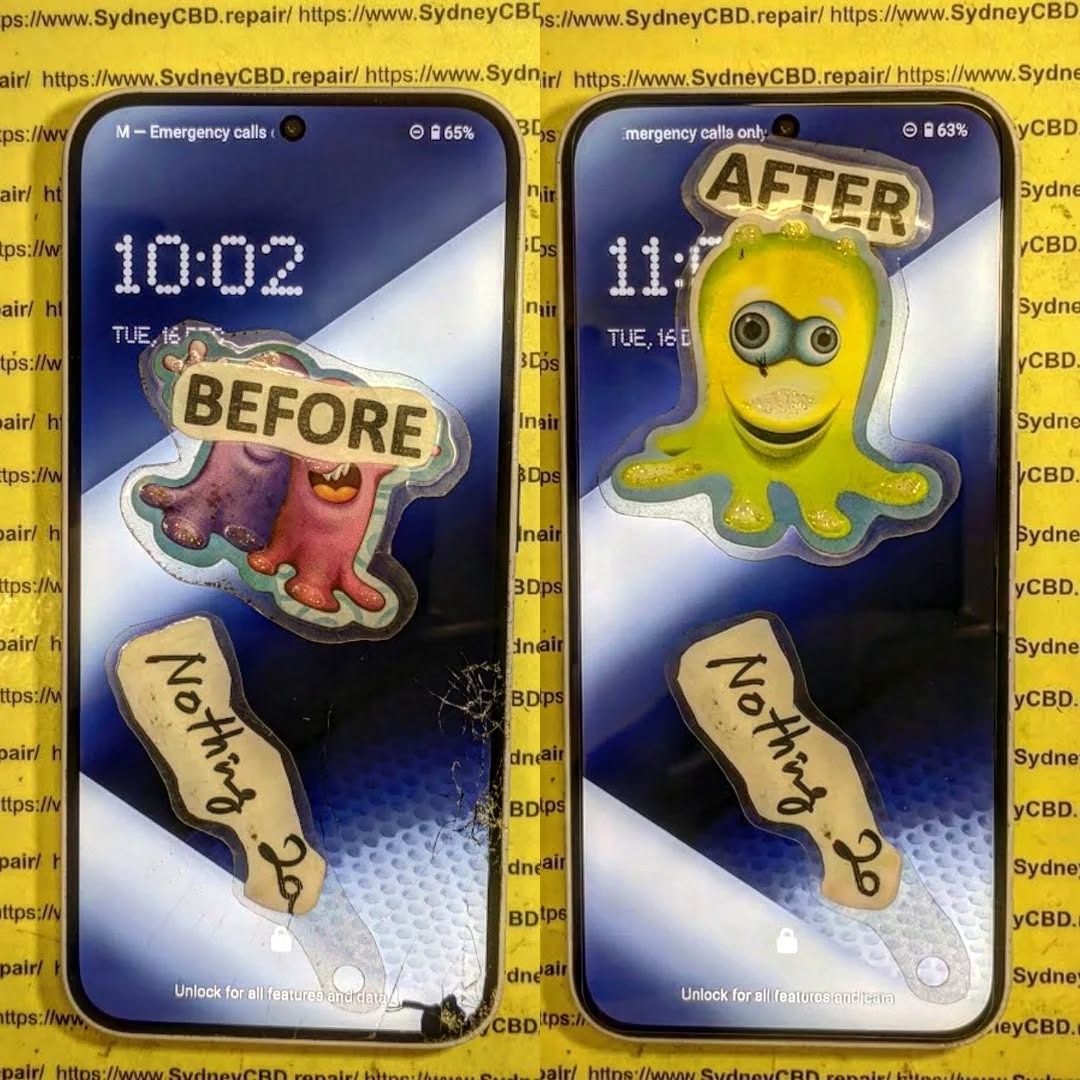
The NOTHING PHONE 2a TEARDOWN reveals the inner engineering behind one of the most visually distinctive smartphones on the market. Designed by Nothing, the device continues the brand’s philosophy of transparency and innovation. From its iconic Glyph interface to its sleek internal layout, the Phone 2a represents a modern approach to smartphone hardware.
A teardown isn’t just about curiosity. It’s an essential process for technicians, repair specialists, and enthusiasts who want to understand how devices are assembled and how easily they can be repaired. By carefully dismantling the Nothing Phone 2a, experts can evaluate:
Screen replacement complexity
Battery accessibility
Glyph LED repairability
Component modularity
This knowledge helps repair professionals perform safe and efficient repairs while minimizing risks to sensitive components.
Moreover, understanding a phone’s internal structure is crucial for sustainability. When technicians can repair a device instead of replacing it, the lifespan of the product increases significantly. As a result, teardowns like this one play a major role in promoting environmentally responsible electronics repair.
In this detailed guide, we’ll walk through every major step of the NOTHING PHONE 2a TEARDOWN, including screen repair, internal component replacement, and troubleshooting the device’s iconic lighting system.
Before opening the device, it’s important to understand the design philosophy behind the Nothing Phone 2a. The company focuses on creating technology that feels transparent—both visually and conceptually.
Unlike many smartphones that hide their internal structure behind opaque glass, Nothing celebrates the hardware beneath the surface.
Key Hardware Specifications
The Phone 2a combines style with solid performance. Some of its key specifications include:
Component
Specification
Display
6.7-inch AMOLED
Resolution
2412 × 1084
Processor
MediaTek Dimensity 7200 Pro
Battery
5000mAh
Charging
45W fast charging
Rear Cameras
Dual 50MP sensors
OS
Nothing OS based on Android
These specs make the device competitive in the mid-range smartphone market while maintaining a unique visual identity.
The Signature Glyph Interface
Perhaps the most recognizable feature of the phone is the Glyph Interface.
This lighting system consists of multiple LED strips arranged beneath the transparent back panel. These lights perform several functions:
Notifications
Charging indicators
Timer countdowns
Camera fill lighting
However, the system also adds complexity to repairs. During the NOTHING PHONE 2a TEARDOWN, technicians must carefully disconnect the Glyph lighting modules to avoid damaging delicate ribbon cables.
Despite the additional components, the internal layout remains relatively organized compared with many modern smartphones.
Performing a successful teardown requires the right tools. Without proper equipment, the risk of damaging internal components increases dramatically.
Professional Technician Toolkit
Here are the most commonly used tools during a NOTHING PHONE 2a TEARDOWN:
Precision screwdriver set
Plastic opening picks
Suction cup
Heat gun or heating pad
ESD-safe tweezers
Isopropyl alcohol
Anti-static wrist strap
These tools help technicians safely remove adhesive, disconnect fragile cables, and access internal modules.
Safety Precautions Before Disassembly
Before opening the phone, several precautions should be taken:
Power off the device completely
Remove the SIM card tray
Discharge battery below 25%
Work on an anti-static surface
Use gentle heat to soften adhesive
Skipping these steps could lead to component damage or even battery hazards.
Professional repair labs follow strict procedures to ensure both technician safety and device integrity.
Step-by-Step NOTHING PHONE 2a TEARDOWN Process
Now let’s explore the full NOTHING PHONE 2a TEARDOWN procedure.
Removing the Back Panel
The teardown begins with heating the rear panel. The phone uses strong adhesive to secure the transparent back glass.
Steps:
Apply heat around the edges for 1–2 minutes.
Attach a suction cup to lift slightly.
Insert a plastic pick along the edge.
Slowly slide around the perimeter.
Once the adhesive loosens, the panel can be lifted carefully. However, the Glyph LED connectors are attached beneath the panel, so pulling too quickly may damage them.
Disconnecting the Battery
Before touching any internal component, the battery must be disconnected.
This step prevents:
Short circuits
Electrical damage
Accidental device booting
After removing protective shields, technicians unplug the battery connector from the motherboard.
Removing Internal Shields
Metal shields protect several internal components.
These shields cover:
Motherboard connectors
Camera modules
Charging circuits
By removing these shields, technicians gain full access to the device’s internal architecture.
NOTHING PHONE 2a Screen Replacement Guide
The display is one of the most commonly repaired smartphone components.
A cracked or malfunctioning display often requires immediate replacement.
OLED Panel Structure
The Nothing Phone 2a features an AMOLED display composed of multiple layers:
Protective glass
Touch digitizer
OLED panel
Display flex cable
Damage to any of these layers can cause:
Dead pixels
Ghost touches
Flickering
Black screens
Frame vs Screen-Only Replacement
There are two main repair methods.
Repair Type
Advantages
Disadvantages
Screen-Only
Lower cost
Requires advanced skill
Screen with Frame
Easier installation
Higher part cost
Professional technicians often recommend screen-with-frame replacement because it reduces repair risk.
During the NOTHING PHONE 2a TEARDOWN, removing the display requires careful heating and adhesive separation.
Repairing the Unique Glyph Interface Components
One of the most delicate aspects of the device is repairing the Glyph lighting system.
Glyph Lighting Modules
The interface contains several LED strips arranged in patterns across the back panel.
These modules connect to the motherboard through flexible ribbon cables.
Functions include:
Notification alerts
Charging progress indicators
Music visualizer effects
Camera lighting
Because the system is integrated with the rear panel, repairs often require replacing the entire back assembly.
Common Glyph Repair Issues
Technicians frequently encounter these issues:
LED segments not lighting
Flickering lights
Notification failures
Damaged flex cables
In many cases, replacing the Glyph module assembly resolves these problems.
For more technical information about Nothing devices, you can explore the official site: https://nothing.tech
Battery and Charging Port Replacement
Battery health naturally declines over time.
After about 500 charge cycles, many smartphone batteries begin to lose capacity.
Battery Removal Steps
The Phone 2a battery is secured using strong adhesive strips.
Removal steps include:
Apply controlled heat.
Pull adhesive tabs slowly.
Lift battery using plastic tools.
Using metal tools is strongly discouraged because puncturing the battery can cause thermal runaway.
USB-C Port Repair
Charging issues often originate from the USB-C port.
Common causes include:
Dust buildup
Bent connector pins
Liquid damage
Fortunately, the charging port sits on a separate daughterboard, making replacement easier compared to phones where the port is soldered to the motherboard.
Motherboard and Camera Components
At the heart of the device lies the motherboard.
This board houses:
Processor
RAM
Storage
Wireless chips
MediaTek Dimensity Chipset
The Phone 2a uses the MediaTek Dimensity 7200 Pro, which delivers strong mid-range performance with improved power efficiency.
Key benefits include:
Smooth multitasking
Efficient gaming performance
Reduced battery consumption
Camera Module Replacement
The device includes dual 50MP cameras.
Replacement is relatively straightforward:
Remove shielding brackets.
Disconnect camera flex cables.
Lift modules from the housing.
These modular components make camera repairs more manageable for experienced technicians.
Repairability Score and Durability Analysis
Based on the NOTHING PHONE 2a TEARDOWN, the device earns a respectable repairability score.
Pros:
Modular charging port
Accessible battery
Organized internal layout
Cons:
Strong adhesive on back glass
Complex Glyph LED wiring
Screen replacement difficulty
Overall repairability score: 7/10
This score suggests the phone is moderately repair-friendly compared with many sealed flagship devices.
Professional Repair vs DIY Repair
Many users wonder whether they should attempt repairs themselves.
Here’s a quick comparison.
Factor
DIY Repair
Professional Repair
Cost
Lower
Higher
Risk
High
Low
Tools Required
Yes
No
Warranty
Often void
Often included
For complex repairs like screen replacement or Glyph interface issues, professional repair services are usually the safer option.
Frequently Asked Questions
1. Is the NOTHING PHONE 2a TEARDOWN difficult?
The teardown is moderately challenging due to adhesive and the Glyph lighting connectors.
2. Can the Nothing Phone 2a screen be replaced easily?
Screen replacement requires heat and precision. Many technicians recommend replacing the screen with frame.
3. What makes the Glyph interface unique?
It uses programmable LED strips that provide notifications, charging indicators, and visual alerts.
4. How long does a professional repair take?
Most repairs can be completed within 1–2 hours, depending on the issue.
5. Is the battery replaceable?
Yes. The battery can be replaced once adhesive is removed and connectors are unplugged.
6. Does opening the phone void the warranty?
Yes, opening the device without authorization typically voids the manufacturer warranty.
Conclusion
The NOTHING PHONE 2a TEARDOWN provides valuable insight into the engineering behind one of today’s most distinctive smartphones.
From its transparent design to the innovative Glyph interface, the device blends style with functionality. While some repairs—such as screen replacement—require technical expertise, many components remain accessible to trained technicians.
Overall, the phone strikes a balance between visual innovation and reasonable repairability. For users who value both design and longevity, that’s a promising combination.
David from Sydney CBD Repair Centre – The Best place to fix mobile phones as 7 Years In A Row! Top Mobile Phone Repair In Sydney. More than 2000 Positive Reviews on Google and Same Day Repairs.
We take pride in delivering exceptional repair services for all major phone brands including Apple, Samsung, Google, and more. Our expert technicians use only genuine parts and offer 90days warranty on repairs. Located in the heart of Sydney CBD, we’re your one-stop solution for all mobile device repairs.
Our commitment to excellence has earned us the trust of thousands of satisfied customers. Whether it’s a cracked screen, battery replacement, or water damage repair, we handle it all with professional care and expertise. Walk in today and experience why we’re Sydney’s #1 choice for mobile phone repairs.
Visit us for:
✓ Same Day Express Repairs
✓ Genuine Parts Guarantee
✓ Professional Technicians
✓ Competitive Pricing
✓ 2000+ 5-Star Google Reviews
✓ 7-Time Award Winner for Best Phone Repairs
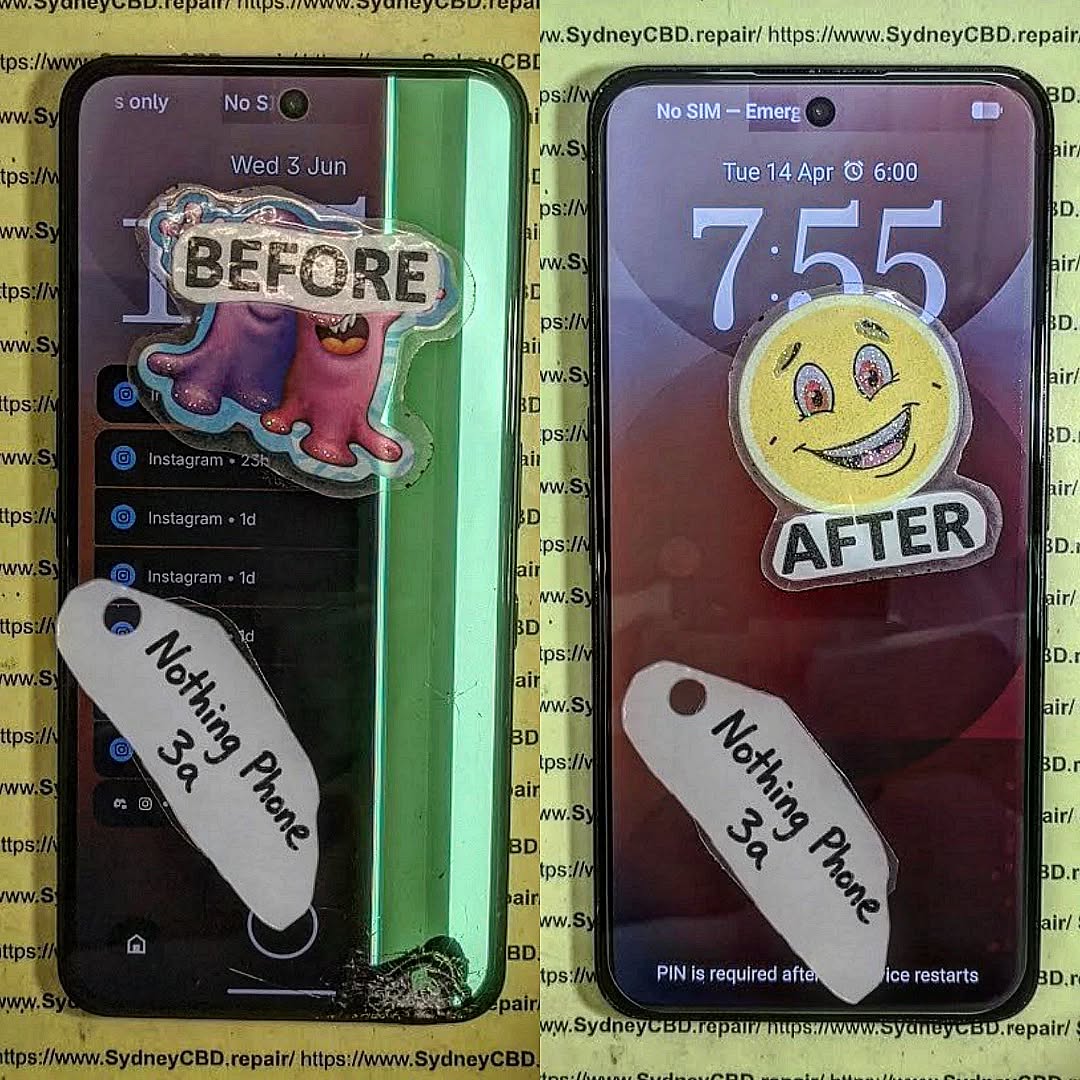
RARE FIND FIX! Nothing Phone (3a) Full Display Assembly | Sydney CBD Repair Centre – 7 Expert Reasons to Choose Professional Repair
Introduction to Nothing Phone (3a) Screen Repairs
The Nothing Phone (3a) Full Display Assembly is one of the most important components of the device. It serves as the primary interface between the user and the smartphone, delivering vivid visuals, responsive touch controls, and the premium experience that Nothing devices are known for.
However, accidents happen. A sudden drop onto concrete, pressure from a crowded backpack, or unexpected liquid exposure can leave the display cracked, unresponsive, or completely unusable. When this occurs, replacing the Nothing Phone (3a) Full Display Assembly is often the most effective solution.
Modern smartphones feature highly integrated display systems. Unlike older devices where only the glass could be changed easily, today’s smartphones combine multiple layers into a single module. This design improves durability and image quality but also requires specialized tools and expertise for repairs.
At Sydney CBD Repair Centre, technicians handle advanced display replacements daily. Their experience with premium smartphones ensures every repair is completed with precision and care. Whether the damage is cosmetic or severe, professional intervention can restore the phone to excellent working condition.
Furthermore, a quality screen replacement not only improves usability but also protects the device’s long-term value. A damaged screen can worsen over time, affecting touch sensitivity, display clarity, and even internal components.
For users who rely on their phones for work, communication, entertainment, and navigation, restoring the screen quickly becomes a priority. Fortunately, professional repair services make the process straightforward and efficient.
The Nothing Phone (3a) Full Display Assembly is far more than a simple piece of glass. It is a sophisticated module consisting of several interconnected components working together.
Components Included in the Display Assembly
A complete display assembly generally includes:
Component
Function
Front Glass
Protects the display underneath
OLED/AMOLED Panel
Produces images and colors
Touch Digitizer
Registers touch input
Display Flex Cables
Connect display to motherboard
Adhesive Layer
Secures the assembly
Because these elements are fused together, replacing the entire assembly is often the safest and most reliable repair option.
Why the Display Is Critical
The display impacts almost every interaction with the device. Users depend on it for:
Calling and messaging
Social media browsing
Photography and video editing
Mobile gaming
Online banking
Business communication
A damaged display can significantly reduce productivity and enjoyment. That’s why replacing the Nothing Phone (3a) Full Display Assembly promptly is highly recommended.
Additionally, modern OLED displays provide exceptional contrast, brightness, and energy efficiency. Preserving these features requires high-quality replacement parts installed by trained professionals.
Common Causes of Display Damage
Despite improvements in smartphone durability, displays remain vulnerable to everyday accidents.
Accidental Drops
Drops continue to be the leading cause of screen damage. Even when a phone survives a fall without visible cracks, internal display layers may suffer damage.
Potential issues include:
Black spots
Touch failure
Flickering
Color distortion
Display separation
Pressure Damage
Phones are often stored in tight pockets, handbags, and backpacks. Excessive pressure can crack internal layers without visibly breaking the outer glass.
Pressure damage frequently results in:
Vertical lines
Dead areas
Screen discoloration
Touch responsiveness issues
Liquid Exposure
While many smartphones offer some degree of water resistance, liquid exposure remains a significant threat.
Liquids can cause:
Display flickering
Corrosion
Touchscreen malfunction
Complete display failure
In such situations, replacing the Nothing Phone (3a) Full Display Assembly may be necessary after a thorough diagnostic assessment.
Warning Signs Your Display Needs Replacement
Not all display issues are immediately obvious. Some symptoms gradually worsen over time.
Touchscreen Problems
If your phone stops responding accurately to touch inputs, the digitizer may be damaged.
Common symptoms include:
Delayed responses
Random touches
Dead zones
Multi-touch failures
Dead Pixels and Lines
Vertical or horizontal lines often indicate internal display damage.
Watch for:
Green lines
Pink lines
White lines
Black spots
These defects typically cannot be repaired and require a new Nothing Phone (3a) Full Display Assembly.
Flickering Screens
Screen flickering may indicate:
Damaged OLED layers
Loose display connections
Internal impact damage
Ignoring flickering can lead to total display failure.
Benefits of Professional Display Assembly Replacement
Professional repairs provide numerous advantages over temporary fixes or amateur attempts.
Precision Repairs
Experienced technicians use:
Specialized tools
Manufacturer-grade procedures
Proper adhesive systems
Professional testing equipment
This ensures the Nothing Phone (3a) Full Display Assembly functions correctly after installation.
Genuine Quality Components
Quality replacement assemblies deliver:
Accurate color reproduction
Reliable touch sensitivity
Consistent brightness
Improved durability
Using inferior components may result in poor performance and reduced lifespan.
Professional repair centers carefully source quality parts that meet strict performance standards.
Sydney CBD Repair Centre Repair Process
Replacing a Nothing Phone (3a) Full Display Assembly involves a systematic process designed to ensure reliability.
Diagnosis
Every repair begins with a detailed inspection.
Technicians evaluate:
Display condition
Frame integrity
Battery health
Internal connectors
Water damage indicators
This comprehensive assessment helps identify all underlying issues.
Replacement Procedure
The replacement process typically includes:
Device disassembly
Battery isolation
Removal of damaged display
Surface preparation
Installation of new assembly
Reconnection of components
Secure reassembly
Each step requires careful attention to detail.
Quality Testing
Before returning the device, technicians verify:
Touch responsiveness
Brightness levels
Color consistency
Camera functionality
Sensor operation
Charging performance
These checks ensure the repair meets professional standards.
Why DIY Repairs Can Be Risky
Online repair tutorials may appear simple, but smartphone repairs have become increasingly complex.
DIY repairs often involve risks such as:
Flex cable damage
Battery punctures
Adhesive failures
Water resistance compromise
Frame damage
Furthermore, specialized tools are usually required for successful installation.
Without proper experience, replacing a Nothing Phone (3a) Full Display Assembly can become significantly more expensive if additional components are damaged during the process.
Professional repair services eliminate these risks and provide peace of mind.
Although lower-cost options may seem attractive initially, investing in professional repairs often delivers greater long-term value.
Quality repairs help:
Extend device lifespan
Preserve performance
Maintain resale value
Reduce repeat repair expenses
As a result, choosing an experienced repair provider is often the smartest financial decision.
Maintaining Your New Display
Once the Nothing Phone (3a) Full Display Assembly has been replaced, proper care can significantly extend its lifespan.
Recommended protection measures include:
Use a Quality Case
A shock-absorbing case reduces impact forces during accidental drops.
Install a Screen Protector
Screen protectors help prevent:
Scratches
Minor cracks
Surface wear
Avoid Excessive Pressure
Never place heavy objects on top of the phone.
Keep Away from Liquids
Even water-resistant devices can experience liquid-related damage.
Regular Cleaning
Use a microfiber cloth to remove dirt and oils without scratching the display.
Following these simple practices can help keep the display looking and functioning like new.
Why Sydney CBD Repair Centre Stands Out
When it comes to replacing a Nothing Phone (3a) Full Display Assembly, experience matters.
Sydney CBD Repair Centre offers:
Same-day repair solutions
Professional technicians
Quality replacement parts
Advanced repair equipment
Thorough quality control
Warranty-backed repairs
Excellent customer support
Customers trust the centre because of its commitment to quality workmanship and transparent service.
Additionally, the repair team continually updates its knowledge to stay current with evolving smartphone technologies.
For mobile users seeking dependable repairs, professional expertise remains the safest choice.
For additional smartphone care and repair information, visit the official Android support resources: Android Help Center
Frequently Asked Questions
1. What is included in the Nothing Phone (3a) Full Display Assembly?
The assembly generally includes the front glass, OLED display panel, touch digitizer, flex cables, and installation adhesive components.
2. How long does a display replacement take?
Most professional repairs can be completed on the same day, depending on part availability and device condition.
3. Can a cracked screen still be repaired if the touch works?
Yes. Even if touch functionality remains operational, replacing the damaged Nothing Phone (3a) Full Display Assembly is recommended to prevent further deterioration.
4. Will replacing the display restore original performance?
When quality components are used and installation is performed correctly, users can expect display performance comparable to the original screen.
5. Is DIY screen replacement recommended?
DIY repairs carry substantial risks due to the complexity of modern smartphones. Professional repairs are generally the safer option.
6. Can display damage affect other phone functions?
Yes. Severe impacts can affect internal connectors, sensors, cameras, and other components beyond the display itself.
7. How can I protect my replacement screen?
Using a protective case, screen protector, and careful handling practices can significantly extend display lifespan.
8. What causes green lines on smartphone screens?
Green lines are usually caused by OLED panel damage, impact stress, or display connector issues and often require replacement of the display assembly.
Conclusion
The Nothing Phone (3a) Full Display Assembly is a sophisticated component that plays a crucial role in everyday smartphone use. When damage occurs, professional replacement offers the most reliable path to restoring performance, appearance, and functionality.
From accidental drops and pressure damage to touchscreen failures and display flickering, screen issues can quickly disrupt daily life. Fortunately, expert repair services provide a safe and effective solution.
By choosing experienced technicians, quality components, and comprehensive testing procedures, users can enjoy confidence that their device will perform at its best once again. Whether the damage is minor or severe, timely intervention helps preserve the phone’s value and extend its useful lifespan.
David from Sydney CBD Repair Centre – The Best place to fix mobile phones as 7 Years In A Row! Top Mobile Phone Repair In Sydney. More than 2000 Positive Reviews on Google and Same Day Repairs.
We take pride in delivering exceptional repair services for all major phone brands including Apple, Samsung, Google, and more. Our expert technicians use only genuine parts and offer 90days warranty on repairs. Located in the heart of Sydney CBD, we’re your one-stop solution for all mobile device repairs.
Our commitment to excellence has earned us the trust of thousands of satisfied customers. Whether it’s a cracked screen, battery replacement, or water damage repair, we handle it all with professional care and expertise. Walk in today and experience why we’re Sydney’s #1 choice for mobile phone repairs.
Visit us for:
✓ Same Day Express Repairs
✓ Genuine Parts Guarantee
✓ Professional Technicians
✓ Competitive Pricing
✓ 2000+ 5-Star Google Reviews
✓ 7-Time Award Winner for Best Phone Repairs
Sydney CBD Repair Centre – Where Quality Meets Reliability.
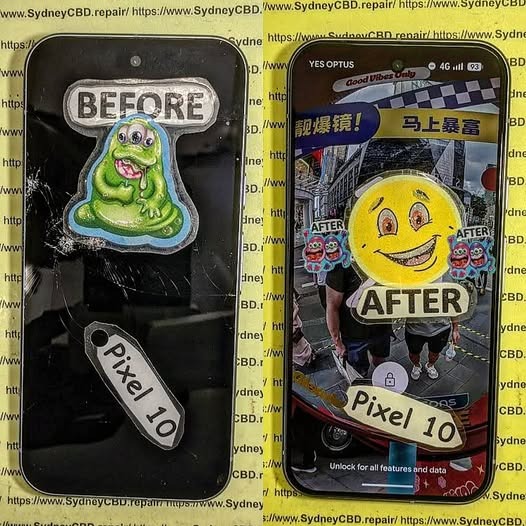
Detailed Internal Teardown and Full Screen Restoration of Google Pixel 10: Ultimate Guide 2026
Introduction to Google Pixel 10 Screen Restoration
The Google Pixel 10 represents the latest advancement in smartphone engineering, combining premium materials, cutting-edge display technology, and intelligent software integration. Despite its durability, accidental drops, pressure damage, and impact events can still lead to display failures. When this happens, a Google Pixel 10 screen restoration becomes essential to return the device to full functionality.
A successful Google Pixel 10 screen restoration involves much more than simply replacing the front glass. Modern smartphones integrate touch layers, OLED panels, fingerprint sensors, proximity sensors, and display controllers into a tightly engineered assembly. Therefore, technicians must carefully dismantle the device and evaluate every internal component before proceeding with repairs.
In this comprehensive guide, we’ll explore the complete teardown process, restoration procedures, diagnostic methods, and testing requirements involved in professional Google Pixel 10 screen restoration.
Modern smartphones are engineering marvels, and the Google Pixel 10 is no exception.
Design Evolution of the Pixel Series
Over the years, Google has refined its Pixel lineup with stronger frames, thinner bezels, and improved repairability. The Pixel 10 continues this trend while maintaining a sleek profile and advanced hardware integration.
Key design improvements include:
Enhanced OLED panel technology
Improved thermal management
Stronger internal frame construction
Advanced camera stabilization systems
Optimized battery placement
These improvements help increase device longevity while maintaining premium performance.
Core Hardware Components
Inside the Pixel 10, technicians encounter several critical modules:
Component
Function
OLED Display
Visual output
Battery
Power storage
Motherboard
Main processing unit
Camera Modules
Image capture
Speaker Assembly
Audio output
USB-C Port
Charging and data transfer
Antenna System
Wireless communication
Cooling Components
Thermal regulation
Understanding component placement is crucial before beginning any Google Pixel 10 screen restoration procedure.
Tools Required for Professional Teardown
Successful repairs depend heavily on using the correct equipment.
Professional technicians commonly use:
Precision screwdriver set
Plastic opening picks
Anti-static mat
Suction cup tools
Heat pad or heat gun
Tweezers
Isopropyl alcohol
Display adhesive strips
Magnetic parts tray
Microscope for inspection
Using specialized tools minimizes the risk of damaging delicate connectors and flex cables.
Safety Precautions Before Opening the Device
Before opening any smartphone:
Power off the device.
Discharge the battery below 25%.
Remove SIM trays.
Wear anti-static protection.
Organize workspace components carefully.
Document screw locations.
These precautions help prevent accidental short circuits and component damage.
Initial Diagnostic Assessment
Before beginning repairs, technicians perform a detailed evaluation.
Common Screen Failure Symptoms
Indicators that a Google Pixel 10 screen restoration may be required include:
Black display
Flickering screen
Green line defects
Dead touch zones
OLED bleeding
Display separation
Random ghost touches
Each symptom can reveal different underlying issues.
Determining Repair Feasibility
Not every damaged device requires a complete replacement.
Technicians assess:
Frame condition
Motherboard integrity
Battery safety
Connector condition
Water damage indicators
Camera alignment
A thorough diagnosis ensures that restoration efforts will produce reliable results.
While DIY repair videos are widely available, professional service offers substantial advantages.
Advanced Diagnostic Equipment
Professionals use:
Thermal imaging
Microscopes
Board-level testing tools
Calibration software
Genuine Component Compatibility
High-quality parts ensure:
Better durability
Improved display quality
Enhanced touch responsiveness
Reliable fingerprint functionality
Warranty Coverage
Many repair providers offer warranties that protect customers against defects and installation issues.
Faster Turnaround Times
Experienced technicians can often complete a Google Pixel 10 screen restoration efficiently while maintaining quality standards.
Frequently Asked Questions
1. How long does a Google Pixel 10 screen restoration take?
Most professional repairs are completed within a few hours, depending on component availability and device condition.
2. Can a cracked Pixel 10 screen still be repaired?
Yes. In most cases, damaged screens can be replaced successfully unless severe motherboard damage is also present.
3. Will waterproofing remain after repair?
Professional technicians apply new adhesive seals to restore resistance against dust and moisture, though factory waterproof ratings cannot always be fully guaranteed.
4. Is OLED replacement better than glass-only repair?
Yes. Full OLED replacement ensures proper touch functionality, display quality, and long-term reliability.
5. Can impact damage affect internal components?
Absolutely. Drops may damage batteries, connectors, cameras, and motherboards even when external damage appears minor.
6. Why does my screen show green lines after a drop?
Green lines typically indicate OLED layer damage or display controller failure, often requiring complete screen replacement.
7. Should I repair or replace my Pixel 10?
If the motherboard remains healthy, repair is usually far more economical than purchasing a new device.
8. Does screen replacement affect performance?
A properly installed display should perform exactly like the original and have no negative impact on system performance.
Conclusion
The process of Google Pixel 10 screen restoration involves far more than replacing a broken display. Professional technicians must carefully diagnose hidden damage, safely dismantle the device, inspect critical internal components, install a high-quality replacement OLED assembly, and perform extensive testing before returning the phone to service.
As smartphone technology becomes increasingly sophisticated, successful repairs require specialized knowledge, professional tools, and attention to detail. By following proven restoration procedures, technicians can restore damaged Pixel 10 devices to near-original condition while maximizing reliability and longevity.
For users facing screen damage, investing in professional Google Pixel 10 screen restoration remains one of the most effective ways to extend the life of a premium smartphone and avoid the expense of full device replacement.
For additional information about Google devices, visit the official Google Pixel Support resource center.
David from Sydney CBD Repair Centre – The Best place to fix mobile phones as 7 Years In A Row! Top Mobile Phone Repair In Sydney. More than 2000 Positive Reviews on Google and Same Day Repairs.
We take pride in delivering exceptional repair services for all major phone brands including Apple, Samsung, Google, and more. Our expert technicians use only genuine parts and offer 90days warranty on repairs. Located in the heart of Sydney CBD, we’re your one-stop solution for all mobile device repairs.
Our commitment to excellence has earned us the trust of thousands of satisfied customers. Whether it’s a cracked screen, battery replacement, or water damage repair, we handle it all with professional care and expertise. Walk in today and experience why we’re Sydney’s #1 choice for mobile phone repairs.
Visit us for:
✓ Same Day Express Repairs
✓ Genuine Parts Guarantee
✓ Professional Technicians
✓ Competitive Pricing
✓ 2000+ 5-Star Google Reviews
✓ 7-Time Award Winner for Best Phone Repairs
Linea Verde: Is Samsung S23 Plus Screen Repair Worth It? Proven Truth + 7 Key Insights
Introduction
A cracked or unresponsive screen can instantly turn a premium smartphone into a daily frustration. If you’re using Samsung’s flagship device, you’ve probably found yourself asking the same question many owners do: is Samsung S23 Plus screen repair worth it? With rising repair costs and new phone releases every year, deciding whether to fix or replace your device isn’t always straightforward.
The Samsung Galaxy S23 Plus is packed with cutting-edge features, from its Dynamic AMOLED 2X display to its smooth 120Hz refresh rate and powerful performance. However, that advanced screen technology also means repairs can be costly if damaged. Still, repairing a screen isn’t just about money—it’s about value, usability, longevity, and making a smart, informed choice.
In this article, we’ll break everything down in plain English. You’ll learn what makes the S23 Plus screen special, what typically causes damage, how much repairs really cost, and who benefits most from fixing instead of replacing. By the end, you’ll have a clear, confident answer to whether Samsung S23 Plus screen repair is worth it for you—without the guesswork.
The Samsung Galaxy S23 Plus features one of the most advanced smartphone displays on the market today. When asking, is Samsung S23 Plus screen repair worth it, you must first understand what you’re actually repairing.
Display Technology Explained
The S23 Plus uses a 6.6-inch Dynamic AMOLED 2X display with:
120Hz adaptive refresh rate
HDR10+ support
Gorilla Glass Victus 2 protection
This display isn’t just a piece of glass. It’s a layered system that combines the AMOLED panel, digitizer, and protective glass into a single bonded unit. That’s why Samsung S23 Plus screen repair requires precision, expertise, and proper tools.
Why the Screen Is So Expensive
Many users are shocked by the price. However, the cost reflects:
Advanced AMOLED manufacturing
High refresh rate technology
Integrated fingerprint sensor
Color accuracy calibrated at factory level
Because of this, deciding whether Samsung S23 Plus screen repair is worth it depends on device value, age, and usage habits.
Even with premium protection, damage happens. Let’s look at the most common reasons customers walk into repair centers.
Accidental Drops
The number one cause remains simple gravity. One bad drop can cause:
Shattered glass
AMOLED black spots
Green or white lines
Once the display is compromised, Samsung S23 Plus screen repair becomes unavoidable.
Pressure and Frame Bends
Sitting on your phone or carrying it in a tight pocket may not crack the glass immediately. However, internal pressure can damage the AMOLED layer over time.
Liquid Exposure
Although the S23 Plus has water resistance, it’s not waterproof forever. Moisture intrusion can cause flickering or complete display failure, making screen repair necessary.
Samsung S23 Plus Screen Repair vs Replacement
This is where many users get confused. Repair and replacement aren’t always the same thing.
Repair Defined
Screen repair usually means:
Replacing the entire display module
Restoring touch, brightness, and clarity
For the S23 Plus, “repair” almost always equals full screen replacement due to fused components.
Full Replacement Defined
A full replacement ensures:
New AMOLED panel
New glass and digitizer
Restored fingerprint accuracy
So when people ask, is Samsung S23 Plus screen repair worth it, they’re really asking if replacing the display module makes financial sense.
Cost Breakdown of Samsung S23 Plus Screen Repair
Let’s talk numbers, because cost matters.
Authorized Service Pricing
Samsung-authorized repairs typically cost more due to:
Genuine parts
Certified technicians
Official warranty support
However, pricing can be high enough that users consider upgrading instead.
Third-Party Repair Pricing
Professional independent repair centers often provide:
Genuine or OEM-grade screens
Lower labor costs
Same-day turnaround
For many users, this is where Samsung S23 Plus screen repair becomes worth it financially.
Is Samsung S23 Plus Screen Repair Worth It for Different Users?
The answer changes depending on who you are.
Light Users
If you mainly browse, message, and stream:
Repair extends phone life by 2–3 years
Costs less than buying a new flagship
Yes, Samsung S23 Plus screen repair is usually worth it.
Power Users
Gamers and content creators rely on:
Color accuracy
Touch responsiveness
High refresh rate
A quality screen replacement restores full performance, making repair a smart choice.
Business Owners
For professionals, downtime equals lost money. Same-day Samsung S23 Plus screen repair keeps productivity high without learning a new device.
Risks of Delaying Screen Repair
Putting it off may seem harmless, but it rarely is.
Touch Failure
Cracks spread. Touch sensors fail. What starts as a small issue can make the phone unusable.
Display Bleeding
Black spots and discoloration grow over time. Once AMOLED pixels die, they don’t recover.
Safety Concerns
Sharp glass edges and exposed components can cause injuries. From a safety standpoint alone, Samsung S23 Plus screen repair is worth it.
DIY vs Professional Samsung S23 Plus Screen Repair
YouTube makes it look easy. Reality says otherwise.
Why DIY Often Fails
DIY risks include:
Breaking the AMOLED panel
Damaging fingerprint sensors
Losing water resistance
One mistake can double repair costs.
Benefits of Professional Repair
Professionals offer:
Proper calibration
Dust-free installation
Warranty-backed repairs
This significantly improves long-term reliability.
Frequently Asked Questions (FAQs)
1. Is Samsung S23 Plus screen repair worth it compared to buying a new phone?
Yes, especially if your phone is under two years old and otherwise functional.
2. How long does Samsung S23 Plus screen repair take?
Professional repairs often take 1–2 hours with same-day service.
3. Will screen repair affect fingerprint scanning?
Not if done correctly using a high-quality display and recalibration.
4. Are third-party repairs safe for Samsung S23 Plus?
Yes, when performed by experienced technicians using genuine-quality parts.
5. Does screen repair restore original display quality?
A genuine AMOLED replacement restores brightness, color, and smoothness.
6. Can a cracked screen damage internal components?
Absolutely. Dust and moisture can enter, leading to costly motherboard issues.
For more official device specifications, visit the Samsung Galaxy S23 Plus product page: https://www.samsung.com
Conclusion: So, Is Samsung S23 Plus Screen Repair Worth It?
In most cases, the answer is a confident yes. The Samsung Galaxy S23 Plus remains a powerful, premium device. Replacing the screen:
Extends device lifespan
Preserves flagship performance
Costs far less than upgrading
When done by professionals, Samsung S23 Plus screen repair is a smart, cost-effective, and environmentally friendly choice. If your phone still performs well, repairing the screen simply makes sense.
David from Sydney CBD Repair Centre – The Best place to fix mobile phones as 6 Years In A Row! Top Mobile Phone Repair In Sydney. More than 2000 Positive Reviews on Google and Same Day Repairs.
We take pride in delivering exceptional repair services for all major phone brands including Apple, Samsung, Google, and more. Our expert technicians use only genuine parts and offer 90days warranty on repairs. Located in the heart of Sydney CBD, we’re your one-stop solution for all mobile device repairs.
Our commitment to excellence has earned us the trust of thousands of satisfied customers. Whether it’s a cracked screen, battery replacement, or water damage repair, we handle it all with professional care and expertise. Walk in today and experience why we’re Sydney’s #1 choice for mobile phone repairs.
Visit us for:
✓ Same Day Express Repairs
✓ Genuine Parts Guarantee
✓ Professional Technicians
✓ Competitive Pricing
✓ 2000+ 5-Star Google Reviews
✓ 6-Time Award Winner for Best Phone Repairs
Replacing the Screen of a Rare Vintage Phone – Expert Guide + 17 Key Tips
🧭 Why Vintage Phones Still Matter in 2025
In today’s high-tech world of foldables and AI-powered smartphones, vintage phones may seem outdated. But for collectors, tech enthusiasts, or people with a sentimental attachment, these devices carry immense value.
Whether it’s a Nokia 8800, Motorola Razr V3, or even an early iPhone 2G, rare vintage phones are more than just functional items—they’re pieces of history. Some are worth thousands due to limited production or iconic design.
Top Reasons People Repair Vintage Phones:
Emotional attachment or nostalgia
Collectible or resale value
Robust hardware with long-lasting battery
Simpler functionality without distractions
With that significance in mind, keeping your vintage phone in pristine condition—especially the screen—is essential.
Repairing a rare vintage phone isn’t the same as fixing a modern smartphone. Several challenges make it complex:
Scarce replacement parts
Unique display types like LCD, monochrome, or OLED
Unusual screws or casing designs
Risk of damaging irreplaceable components
No official repair support from manufacturers
Some vintage phones are out of circulation for more than a decade. That means you’re often dealing with aftermarket parts or salvaging from donor phones, which adds another layer of difficulty.
Before you even open up the device, you must know exactly what you’re working with. Mismatching models can result in incompatible parts or irreversible damage.
Tips for Identifying Vintage Models:
Look under the battery or back panel for model numbers.
Use IMEI-based lookup tools.
Compare external design with official product archives or collector forums.
Search by chipset or screen specs if label is faded.
Take note: Model variants can differ even within the same release year.
🛠 Tools and Parts Required for Vintage Screen Replacement
Replacing a screen is only successful if you have the right tools on hand. Vintage phones often use proprietary fasteners or unique connectors.
Essential Tools:
Tool
Purpose
Precision screwdriver set
For opening small screws
Plastic prying tools
To avoid scratching casings
Heat gun or hairdryer
For loosening adhesive (if applicable)
Antistatic gloves or mat
Prevents static damage
Magnifying glass
For intricate work on connectors
Must-Have Parts:
Compatible screen panel
Adhesive strips or glue
Protective screen film (optional)
🛒 Where to Source Original or Compatible Screens
Finding original screens can be tough, but not impossible. Here’s where to look:
eBay, AliExpress, and Etsy – Be cautious of seller ratings.
Donor phones from local recyclers or tech enthusiasts
Specialist repair shops like Sydney CBD Repair Centre that stock rare parts
Make sure the part you purchase is:
Verified to work for your exact model
Tested (if refurbished)
Returnable in case of incompatibility
🧐 Assessing the Damage: Can It Be Repaired or Not?
Before diving into the repair, assess the screen issue thoroughly. Not all cracks or display problems require a full replacement.
Types of Screen Damage:
Surface scratches: Often cosmetic, can be polished.
Cracked glass: Needs screen replacement if touch is affected.
Display artifacts: Lines, flickering, or dead pixels = LCD issue.
Unresponsive screen: Could be a digitizer or logic board issue.
If the internal display functions but the glass is cracked, some rare phones allow glass-only replacements—a more affordable and less risky option.
🔧 Step-by-Step Process for Replacing a Vintage Phone Screen
Let’s get into the core of this guide—how to replace a rare vintage phone screen safely and effectively.
Step 1: Safety First – Power Down and Disassembly
Turn off the phone and remove the battery (if possible).
Use the correct screwdriver to remove external screws.
Keep screws organized—they’re often different sizes.
Step 2: Remove the Damaged Screen
Use a prying tool to gently lift the screen away.
If glued, apply controlled heat to soften adhesive.
Be cautious with ribbon cables and connectors—they’re fragile.
Step 3: Install the New Screen
Connect the new screen carefully.
Secure it back in place with adhesive or clips.
Reassemble the phone and power it on to test.
⚠️ Common Mistakes to Avoid During Screen Replacement
Even experienced DIYers can make mistakes. Here are a few to steer clear of:
Applying too much force when prying the casing
Overheating the display while softening adhesive
Not grounding yourself, causing static damage
Mixing up screws, which can damage internal components
Using incompatible replacement screens
Remember: One wrong move can permanently ruin a rare piece of tech.
🧑🔧 When You Shouldn’t DIY – Let the Experts Handle It
If you’re unsure about any part of the process, it’s always better to consult professionals. A misstep with a rare device may leave you with no repair option.
Situations when expert help is better:
If you can’t source the right part
If the phone won’t power on
If soldering is required
If it’s an irreplaceable collector’s item
🛠 How Sydney CBD Repair Centre Handles Vintage Phone Repairs
At Sydney CBD Repair Centre, we specialise in restoring rare vintage phones to full functionality. With over 6 years of award-winning service and more than 2000 positive reviews, our repair process guarantees reliability and expertise.
Our Process:
Diagnosis – We assess all components, not just the screen.
Genuine Part Sourcing – We use our network to find OEM or best-fit replacements.
Professional Repair – Conducted by skilled technicians.
Post-Repair Testing – We ensure everything works perfectly before handing it back.
Q1: Can you replace the screen on any vintage phone?
A: Not all, but most. It depends on part availability and internal condition.
Q2: Is it better to restore or preserve a vintage phone?
A: Restoration is great for functionality. Preservation is ideal for collectors.
Q3: How long does a vintage screen replacement take?
A: Typically 1–2 days depending on part sourcing.
Q4: Are replacement parts original?
A: We strive to use original parts, or the closest available OEM alternative.
Q5: Can you upgrade the screen to a newer display?
A: Not usually. Most vintage phones are not compatible with modern display tech.
Q6: How much does a vintage screen repair cost?
A: Prices vary widely depending on the model. Contact us for a quote.
🏁 Final Thoughts on Restoring Your Vintage Device
Replacing the screen on a rare vintage phone is more than a repair—it’s a restoration of history. While the process can be tricky, with the right tools, parts, and expertise, you can breathe new life into a beloved device.
If you’re in Sydney, trust the Sydney CBD Repair Centre for fast, reliable, and professional service. We treat every device—old or new—with the respect it deserves.
David from Sydney CBD Repair Centre – The Best place to fix mobile phones as 6 Years In A Row! Top Mobile Phone Repair In Sydney. More than 2000 Positive Reviews on Google and Same Day Repairs.
📱 Why Smartphone Screens Are More Fragile Than Ever
Broken-Galaxy-Z-Flip-5-Screen.png
With every new smartphone release, we get bigger, brighter, and more beautiful screens—but also more fragile ones. Even with Gorilla Glass or Ceramic Shield, a simple drop can mean disaster. It’s not just the glass that suffers; the LCD or OLED display underneath can get damaged too.
🛠️ What’s Actually Broken? Screen vs. Display
Let’s clear this up:
Glass/Digitizer: The touchscreen layer you interact with
LCD/OLED: The screen that displays images
Frame: The outer shell holding everything together
A cracked screen may look minor, but if your display starts flickering, bleeding colors, or becomes unresponsive, it’s the LCD that’s broken—and it needs attention.
Many customers ask: “Can I just replace the LCD?” Sometimes, yes! Especially for phones where:
The glass and LCD aren’t fused
You’re using an older model
You need a budget-friendly fix
But for modern phones like iPhones and Galaxy S series, full screen assembly replacement is usually the safest, most effective option.
✅ Why Choose Sydney CBD Repair Centre?
At Sydney CBD Repair Centre, we deliver what other repair shops don’t:
🔧 Same-day express repairs
💯 Only genuine parts used
🛡️ 90-day warranty
💬 Transparent pricing and service
🏆 2000+ glowing Google reviews
Whether it’s an iPhone, Samsung, Pixel, Oppo, or any other brand—we’ve seen it all, and we fix it all.
🧠 Real-World Example
“I walked in with a flickering S22 screen and walked out in 90 minutes with it good as new. Affordable, professional, and super friendly.”
— Maria L., Sydney
♻️ Eco-Friendly Repairs = Smart Repairs
Repairing your screen extends your phone’s life and helps reduce e-waste. At Sydney CBD Repair Centre, we’re committed to sustainable repair practices that benefit both your wallet and the planet.
📍 Visit Us Today
Don’t wait until the problem gets worse. Walk into our Sydney CBD location and speak with our expert techs. We’ll assess your damage for free, and offer the best repair solution on the spot.