🎮 Beyond Screen Repair: Fix Common ASUS ROG Issues Like a Pro
🛠️ Introduction: Why ASUS ROG Needs Specialised Repairs
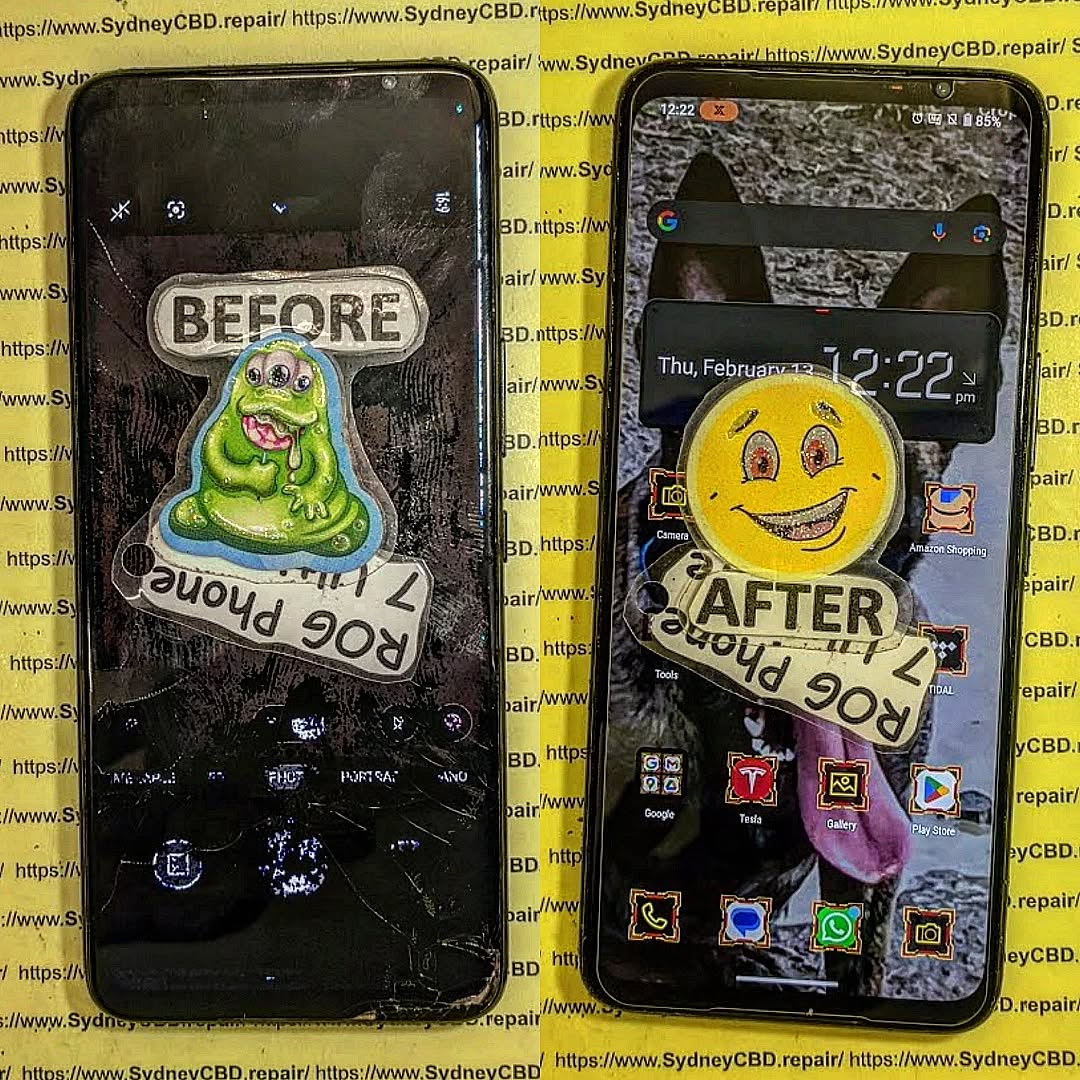
The ASUS ROG (Republic of Gamers) Phone is no ordinary smartphone—it’s a gaming powerhouse. With its cutting-edge hardware, dual charging ports, and active cooling systems, this phone is built for performance. But that also means when something goes wrong, it takes more than a generic fix.
At Sydney CBD Repair Centre, we’ve helped hundreds of ROG users who were told their phones were “unfixable.” From charging ports to gaming triggers—we know what makes the ROG tick.
Our ASUS ROG repair services are trusted by gamers, streamers, and tech enthusiasts across Sydney.
Why choose us?
✅ Genuine Parts Only
✅ Micro-soldering Experts
✅ 90-Day Warranty on Repairs
✅ Express Same-Day Service
✅ 2000+ Google 5-Star Reviews
✅ Located in Sydney CBD
Gaming phone? Gaming-level repair service. 📍 Locate Us Now | ☎️ Call: +61280114119
❓ FAQs About ASUS ROG Repairs
1. Do you repair ROG triggers or shoulder buttons?
Yes! We fix all gaming-specific components using genuine replacements.
2. Can my phone still be water-resistant after repair?
We reseal the phone after service, but full water resistance may be compromised after any third-party repair.
3. How long does a typical ROG repair take?
Most repairs are done same-day or within 24 hours, depending on parts availability.
4. Can you recover data from a dead ASUS ROG phone?
Yes, in many cases we can extract your data—even from non-booting devices.
5. Is it worth fixing my ROG phone or should I upgrade?
If the device is under 3 years old and the damage is repairable, fixing is often more cost-effective than replacing.
6. Do you repair ROG accessories like docks and coolers?
We specialize in phones, but can assess and advise on accessory-related issues too.
🎯 Conclusion: Get Back to Gaming, Fast
Whether you’re battling overheating, unresponsive buttons, or charging issues—don’t settle for generic repair shops that don’t know gaming phones.
Trust the team at Sydney CBD Repair Centre to bring your ASUS ROG back to life with genuine parts, expert care, and same-day service.
📱 The Hidden Dangers of Cheap Screen Repairs: 7 Shocking Facts Every Smartphone Owner Must Know
🛠️ Introduction: Why Cutting Costs Can Cut More Than Corners
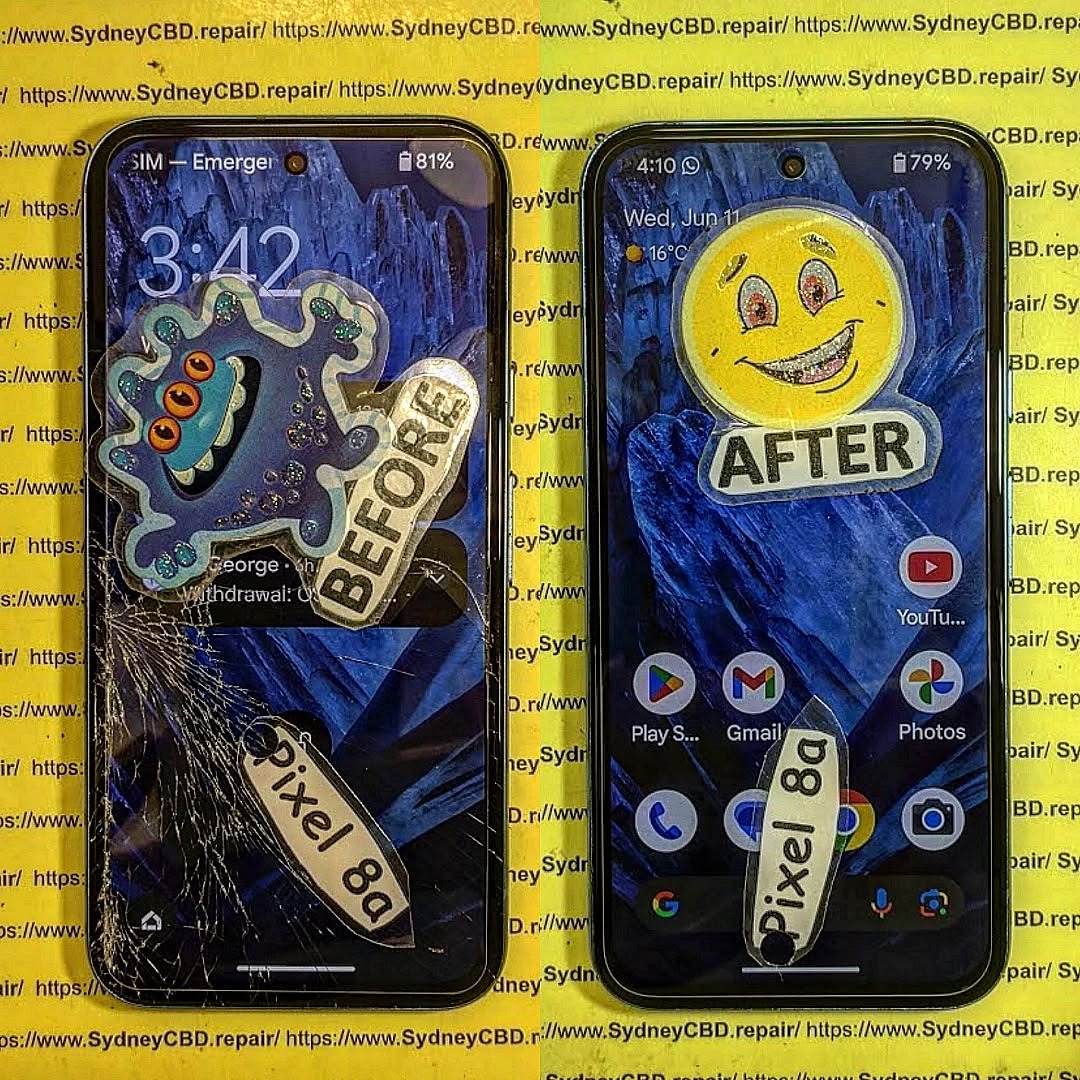
Smartphone repairs can be expensive, especially screen replacements. So, it’s tempting to go with the cheapest quote available. But what many don’t realize is that cheap screen repairs often come with hidden dangers—ones that can lead to permanent damage, data loss, or even serious safety risks.
In this article, we’ll explore 7 shocking truths behind cheap screen repairs and why choosing a trusted repair center, like Sydney CBD Repair Centre, could save you time, money, and your phone.
You might think you’re saving money by choosing a low-cost repair. But many customers end up paying twice—once for the cheap repair, and again when it fails or causes further damage.
Low-grade adhesive can cause the screen to lift within days.
Non-calibrated screens may have inaccurate touch responses.
Often, cheap parts void manufacturer warranties, leaving you without support when the real issues begin.
Real-world example: Customers who got $80 screen repairs often returned to Sydney CBD Repair Centre to fix what the budget shops botched—at full price.
Counterfeit parts are low-quality copies of OEM (Original Equipment Manufacturer) components. They look similar but lack the durability and compatibility of genuine parts.
How Non-Genuine Parts Affect Device Performance
Dull or off-color displays
Inconsistent brightness
Lower responsiveness
Shorter lifespan of the screen
Even worse, fake screens can interfere with your phone’s internal sensors, causing issues like auto-brightness failure or battery drain.
📲 3. Risk of Touchscreen Malfunctions
Dead Zones and Ghost Touches Explained
Cheap repairs often fail to properly align or calibrate the touchscreen, leading to:
Dead zones (areas that don’t respond)
Ghost touches (screen reacting without input)
This is more than just annoying—it’s disruptive. Imagine typing a message and your screen randomly presses keys or opens apps.
🔐 4. Compromised Device Security
Data Theft from Unauthorized Technicians
When you leave your phone with a budget repair shop, do you know who’s working on it? Or what access they have?
Risks include:
Data theft
Installation of spyware
SIM card cloning
Unlike Sydney CBD Repair Centre, many shops don’t background-check their technicians or protect your data.
🚫 5. No Warranty, No Peace of Mind
What Happens When Things Go Wrong?
Cheap repair shops rarely offer warranties—or they offer ones they don’t honor. When your phone stops working a week later, you’re out of luck and money.
With Sydney CBD Repair Centre:
90-day warranty included
Free diagnosis if issues arise
Peace of mind with every repair
⚠️ 6. Damage to Internal Components
Botched Repairs That Cause More Harm Than Good
Inexperienced technicians may damage:
Motherboards
Connectors
Cameras
Speakers
We’ve seen phones come in with missing screws, ripped flex cables, or loose battery connections after a cheap screen repair.
🔥 7. Fire Hazards and Battery Issues
Overheating from Incorrect Assembly
Improper installation can cause the battery to shift, swell, or short-circuit. That’s not just a tech problem—it’s a safety hazard.
Signs of battery-related issues from poor repair:
Phone gets unusually hot
Screen lifts after a few days
Swelling or battery draining fast
Fact: Low-quality replacement screens can lack proper shielding, allowing heat to build up.
🛠️ How to Identify a Trustworthy Repair Shop
Credentials, Reviews, and Questions to Ask
Not all repair shops are created equal. Look for:
Google reviews (2000+ is a good sign!)
Years of experience
Genuine part guarantee
Clear warranty terms
Questions to ask:
Do you use OEM parts?
Do you offer a warranty?
Are your technicians certified?
⭐ Sydney CBD Repair Centre: Trusted Experts You Can Count On
David from Sydney CBD Repair Centre and his expert team have built a reputation for excellence—6 years in a row!
Why choose Sydney CBD Repair Centre?
✅ Genuine Parts Guarantee
✅ 90-Day Warranty
✅ Same Day Repairs
✅ Professional, Background-Checked Technicians
✅ 2000+ 5-Star Google Reviews
✅ Located in the Heart of Sydney CBD
1. Is it safe to get a screen repair from a market stall or kiosk?
Not always. Many use low-grade parts and untrained staff, which can cause damage or security issues.
2. Can a cheap screen damage my phone’s internals?
Yes. Incorrect fitting and non-OEM parts can harm sensors, connectors, and other internal components.
3. Why do cheap repairs void my phone’s warranty?
Most manufacturers require genuine parts and authorized technicians. Cheap repairs often violate those terms.
4. How can I know if a part is genuine?
Ask the technician. Reputable shops will show you the part and its packaging or certification.
5. What’s the average lifespan of a cheap screen repair?
Some last weeks; some fail within days. Genuine parts, on the other hand, match factory quality.
6. Will my phone be water-resistant after a cheap repair?
Unlikely. Many budget repairs skip proper resealing, which voids water resistance.
✅ Conclusion: Cheap Can Be Costly
What seems like a good deal upfront could cost you your device—or your data. When it comes to screen repairs, cutting corners often leads to cutting ties with your phone altogether.
Choose safety, quality, and reliability. Choose Sydney CBD Repair Centre.
Is the Galaxy A54 Still Worth Repairing? Cost-Benefit Analysis for Sydney Users + Ultimate Guide 2026
Introduction to Galaxy A54 Repair Considerations
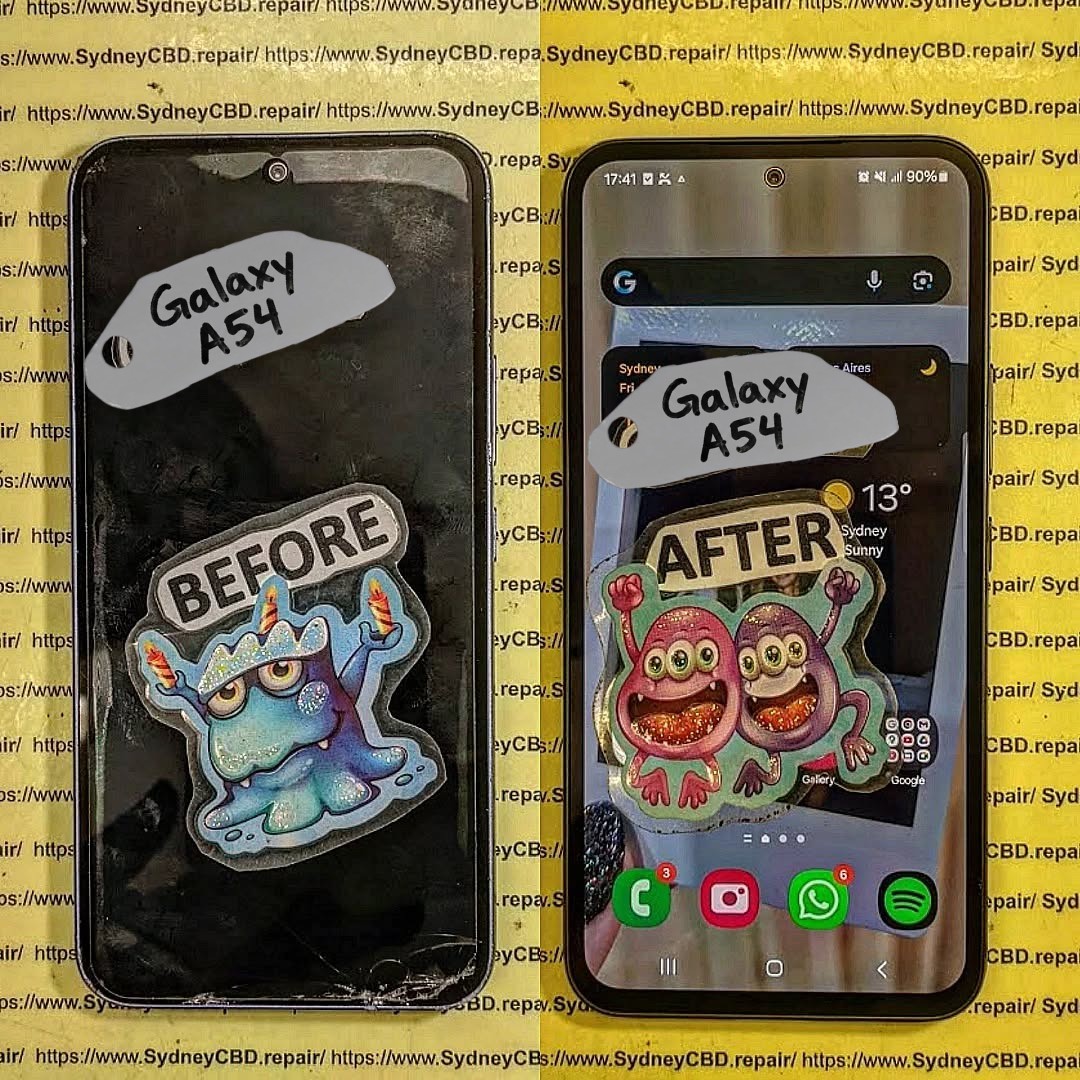
The Samsung Galaxy A54, a mid-range powerhouse, has remained popular among Sydney users for its high-quality AMOLED display, solid camera system, and reliable battery life. However, like all devices, it is prone to damage over time. Whether it’s a cracked screen from a slip on the pavement or a battery that drains faster than it should, deciding whether to repair or replace your Galaxy A54 requires careful consideration.
When thinking about repairs, Sydney users need to factor in:
Repair cost vs. replacement cost
Device longevity post-repair
Availability of genuine parts
Service quality and warranty
In this guide, we’ll provide a deep dive into each factor, helping you decide if your Galaxy A54 is worth repairing or if it’s smarter to consider a replacement or trade-in.
Understanding the typical issues your Galaxy A54 may face is the first step in evaluating repair feasibility.
Screen Damage and OLED Repairs
Screen damage is by far the most common repair reason. The Galaxy A54 features a 6.4-inch Super AMOLED panel known for vibrant colors and crisp visuals. Unfortunately, a single drop can lead to:
Cracks or shattered glass
Dead pixels or discoloration
Touchscreen unresponsiveness
Backlight bleeding or flickering
Replacing the OLED screen is usually the costliest repair. In Sydney, professional replacement ranges from $250–$400 AUD, depending on whether you choose genuine Samsung parts or third-party options.
Pro Tip: Genuine OLED replacements maintain display clarity, touch responsiveness, and resale value, while third-party panels may compromise performance.
Battery Performance and Replacement
Another common issue is battery degradation. Even the Galaxy A54’s 5000mAh battery can show signs of wear after 18–24 months. Typical symptoms include:
Rapid battery drain
Phone shutting down unexpectedly
Longer charging times
Device overheating
Battery replacement restores performance and extends device longevity. Sydney users can expect $120–$180 AUD for a genuine Samsung battery swap.
Charging Port and Connectivity Issues
Heavy usage may also damage the charging port or impact connectivity. Common problems include:
Loose USB-C ports
Non-functioning fast charging
Wireless charging not working
Intermittent data connection issues
Repairing these issues usually costs between $80–$150 AUD, depending on complexity and service provider.
Before committing to a repair, it’s critical to weigh the financial implications against replacement options.
Screen Replacement Costs in Sydney
Service Type
Price Range (AUD)
Notes
Genuine OLED Replacement
$350–$400
High performance, warranty included
Third-Party Replacement
$250–$300
Slight risk of reduced color accuracy
DIY Kits
$150–$200
Risky, potential device damage
Battery Replacement Costs
Service Type
Price Range (AUD)
Lifespan Impact
Genuine Samsung Battery
$120–$180
Restores 12–18 months of battery life
Third-Party Battery
$70–$100
Lower lifespan, potential safety issues
Labor Costs and Service Quality
Labor costs in Sydney typically range from $50–$80 AUD, depending on repair complexity. Choosing a reputable technician ensures:
Proper installation of delicate components
Avoiding accidental damage
Maintaining device performance and warranty
Overall Cost Comparison
Option
Approx. Cost (AUD)
Considerations
Screen + Battery Repair
$470–$580
Restores device almost like new
New Galaxy A54
$550–$650
Latest device with warranty
Refurbished Galaxy A54
$400–$500
Lower cost, may include minor wear
Insight: Minor repairs like battery replacement are highly cost-effective. Major screen damage may make replacement or refurbished purchase more attractive.
Performance Longevity Post-Repair
Once repaired with genuine parts, a Galaxy A54 can continue delivering reliable performance for 2–3 years, depending on usage. Screen replacements restore visual experience, battery swaps prevent unexpected shutdowns, and other repairs ensure smooth operation. Devices maintained with genuine components also retain higher resale value.
Tip: Avoid non-genuine parts; short-term savings often result in long-term problems.
Warranty and Genuine Parts Importance
Using genuine Samsung parts is crucial. Benefits include:
Manufacturer-backed warranty (typically 90 days)
Optimized performance and longevity
Maintained resale value
Reduced risk of overheating, swelling, or system errors
Third-party parts may save money upfront but often compromise these benefits.
DIY Repairs: Risks and Considerations
DIY repairs might seem tempting to save costs, but they carry risks:
Screen damage: OLED panels are delicate; improper installation can crack them.
Battery hazards: Incorrect installation can lead to fire or device damage.
Warranty void: Manufacturer or professional warranties are often voided after DIY repairs.
Hidden costs: Mistakes may require professional repair, doubling costs.
Professional repair remains the safest, most reliable choice for Sydney users.
Alternatives to Repairing Your Galaxy A54
Sometimes, repair isn’t the best financial decision. Alternatives include:
Trade-in Programs
Sell your broken device for partial value. Samsung and carriers in Sydney offer trade-in options. Samsung Australia Trade-In
Refurbished Devices
Buying a refurbished Galaxy A54 can be more economical than major repairs. These devices are often inspected and restored to near-new condition.
Upgrade
Consider newer models for improved cameras, faster processors, and software support. Factor in resale value of your current Galaxy A54.
Environmental and Financial Benefits of Repair
Repairing instead of replacing reduces e-waste and carbon footprint. Environmentally conscious consumers in Sydney benefit by:
Reducing demand for new electronics
Conserving raw materials and energy
Lowering landfill contributions
Financially, repairs extend device life without the premium cost of new purchases.
Where to Get Your Galaxy A54 Repaired in Sydney
Choosing a reliable repair center ensures quality work, warranty coverage, and peace of mind.
Sydney CBD Repair Centre Overview
Sydney CBD Repair Centre is a trusted service provider with:
1. Is repairing the Galaxy A54 worth it in 2026?
Yes, especially for battery replacement or minor screen cracks. Major damage should be weighed against refurbished or new device costs.
2. How long will my Galaxy A54 last after a professional repair?
With genuine parts, 2–3 additional years of reliable performance is typical.
3. Can I use third-party parts safely?
Possible, but they may reduce performance, longevity, and void warranties.
4. How fast can repairs be done in Sydney?
Reputable centers like Sydney CBD Repair Centre offer same-day repairs for most common issues.
5. Does repairing maintain resale value?
Yes, especially when using genuine parts and certified technicians.
6. Are DIY repairs recommended?
Not generally. Risks include permanent damage, battery hazards, and warranty voiding.
7. What is the average cost of screen and battery repair?
Combined repair can range from $470–$580 AUD, depending on parts and labor.
8. Are there eco-friendly reasons to repair?
Yes, repairs reduce e-waste, conserve resources, and lower carbon footprint compared to purchasing new devices.
Conclusion: Making the Smart Choice
The Galaxy A54 remains a strong contender in 2026, and repairing it can be financially and environmentally sensible. Minor issues like battery replacement are almost always worth repairing, while major screen damage requires careful cost-benefit evaluation. Choosing a reputable Sydney repair center using genuine parts ensures safety, performance, and longevity.
Repairing your Galaxy A54 isn’t just a financial decision—it’s an investment in performance, sustainability, and peace of mind.
David from Sydney CBD Repair Centre – The Best place to fix mobile phones as 7 Years In A Row! Top Mobile Phone Repair In Sydney. More than 2000 Positive Reviews on Google and Same Day Repairs.
We take pride in delivering exceptional repair services for all major phone brands including Apple, Samsung, Google, and more. Our expert technicians use only genuine parts and offer 90days warranty on repairs. Located in the heart of Sydney CBD, we’re your one-stop solution for all mobile device repairs.
Our commitment to excellence has earned us the trust of thousands of satisfied customers. Whether it’s a cracked screen, battery replacement, or water damage repair, we handle it all with professional care and expertise. Walk in today and experience why we’re Sydney’s #1 choice for mobile phone repairs.
Visit us for:
✓ Same Day Express Repairs
✓ Genuine Parts Guarantee
✓ Professional Technicians
✓ Competitive Pricing
✓ 2000+ 5-Star Google Reviews
✓ 7-Time Award Winner for Best Phone Repairs
THE GHOST TOUCH FIX! iPhone 16 Pro Screen Digitizer Calibration Mastery Sydney: 7 Proven Techniques to Stop Phantom Touches
Introduction
If you’ve recently noticed your iPhone 16 Pro acting strangely—registering touches you didn’t make, opening apps on its own, or scrolling erratically—you’re experiencing what’s commonly known as “ghost touch.” This frustrating issue often stems from problems with the screen digitizer, the component responsible for translating your physical touches into digital commands. While it can be alarming, ghost touch is usually fixable, either through careful software adjustments, DIY calibration steps, or professional repair.
In this guide, we’ll walk you through everything you need to know about iPhone 16 Pro ghost touch: what causes it, how to identify it, effective calibration techniques, and preventative tips to avoid future issues. Whether you’re attempting simple at-home fixes or planning to visit a certified Sydney repair centre, this comprehensive guide equips you with the knowledge to restore full, responsive touch control to your device. By the end, you’ll understand not only how to fix ghost touches but also how to maintain your iPhone’s screen health for optimal performance.
If your iPhone 16 Pro is acting up with ghost touches, phantom taps, or erratic screen responses, you’re not alone. Ghost touch problems can be frustrating, but with the right techniques and calibration methods, you can regain smooth, accurate touch control. This guide offers a complete roadmap to mastering iPhone 16 Pro screen digitizer calibration in Sydney, blending practical advice, troubleshooting strategies, and professional repair insights.
Ghost touch, often called phantom touch, occurs when your iPhone 16 Pro reacts to touches you didn’t make. This can range from random taps, apps opening on their own, or erratic scrolling. The underlying culprit is usually the screen digitizer, which translates physical touch into digital commands. Understanding this phenomenon is the first step toward effective calibration.
What Causes Ghost Touch Issues
Several factors can trigger ghost touch:
Hardware Damage: Dropping the phone, pressure on the screen, or faulty digitizer components.
Software Glitches: Outdated iOS versions or corrupted system files.
Environmental Interference: Moisture, extreme temperatures, or magnetic fields.
Screen Protectors: Poorly applied or low-quality protectors can interfere with touch sensitivity.
Symptoms to Identify Ghost Touch
Random apps opening without input
Typing errors appearing as if keys are pressed by themselves
Erratic scrolling or zooming
Touch lag or screen freezing
Recognizing these symptoms early helps prevent further damage and data loss.
The digitizer is a thin layer beneath the iPhone screen that detects touch. Every tap, swipe, and pinch is interpreted by the digitizer. Any misalignment or malfunction leads to ghost touch.
How Digitizer Calibration Works
Calibration involves synchronizing the touch input with screen response. Professional calibration tools test every touch point, ensuring accuracy. iOS also provides some native touch sensitivity adjustments that can aid minor misalignment.
Signs of a Miscalibrated Digitizer
Inconsistent tap responses across different screen areas
Slow or double-registered touches
Touch inputs that don’t match finger location
Ghost touches increasing after a screen replacement
DIY Fixes Before Visiting Sydney Repair Centres
Before spending hundreds on repairs, try these safe, at-home strategies:
Software Updates & Resets
iOS Update: Go to Settings → General → Software Update to install the latest version.
Force Restart: Press and release volume up, volume down, then hold the side button.
Reset All Settings: Settings → General → Transfer or Reset iPhone → Reset → Reset All Settings.
Cleaning & Screen Protection Tips
Wipe the screen with a soft, lint-free cloth.
Remove any third-party screen protectors.
Avoid using your iPhone with wet or oily fingers.
Advanced Calibration Techniques
Professional repair shops in Sydney often use advanced methods when DIY fails:
Touch Sensitivity Adjustments
Adjusting 3D Touch and Haptic settings (Settings → Accessibility → Touch → 3D & Haptic Touch)
Software-based recalibration using iOS diagnostic tools
Hardware Recalibration Tools
Technicians may use specialized digitizer calibration equipment to realign touch sensors. This ensures every input is correctly registered and eliminates ghost touch caused by hardware misalignment.
When to Seek Professional Repair
Knowing when to consult experts saves time, money, and stress. Signs include:
Persistent ghost touches after software fixes
Damaged screen or visible cracks
Increasing frequency of phantom taps
Difficulty navigating essential apps
Certified Sydney Repair Centres
Choose repair centres with:
Genuine Apple parts
Experienced technicians
Positive reviews and proven track record
Transparent warranty policies
Repair vs. Replacement Costs
Repair Type
Estimated Cost (AUD)
Pros
Cons
Digitizer Replacement
$250–$400
Full touch restoration
Temporary inconvenience
Full Screen Replacement
$450–$650
Addresses multiple issues
Higher cost
DIY Repair
$50–$100
Cost-effective
Risk of further damage
Preventing Ghost Touch in the Future
Prevention is better than cure. Maintain your iPhone 16 Pro by:
Screen Protection & Case Selection
Use high-quality tempered glass or Apple-certified protectors
Avoid cases that press against the screen edges
Environmental & Usage Habits
Keep device away from heat, moisture, and magnets
Avoid excessive pressure or bending of the device
Clean hands before using the phone
FAQs About iPhone 16 Pro Ghost Touch
Q1: Can a ghost touch fix itself over time?
A: Minor software glitches may resolve with updates or restarts, but persistent hardware issues require professional intervention.
Q2: Does a screen protector cause ghost touch?
A: Low-quality or misaligned screen protectors can interfere with digitizer function, triggering phantom taps.
Q3: Can water damage cause ghost touches?
A: Yes, moisture can temporarily or permanently affect the digitizer. Immediate drying and professional assessment are recommended.
Q4: Is it safe to attempt DIY calibration?
A: Basic software fixes are safe. Physical digitizer adjustments should be done by certified technicians to prevent further damage.
Q5: How long does professional calibration take?
A: Most Sydney-based repair centres can recalibrate a digitizer within 30–60 minutes, depending on damage severity.
Q6: Will replacing the screen fix ghost touch?
A: Usually yes, if the issue stems from a faulty digitizer. Ensure genuine parts are used for long-term reliability.
External Link: For additional Apple support on touch issues, visit Apple iPhone Support.
Conclusion: Regain Full Touch Control
Mastering iPhone 16 Pro screen digitizer calibration combines understanding, preventive care, and professional assistance. By identifying symptoms, trying safe DIY fixes, and knowing when to consult certified Sydney technicians, you can effectively eliminate ghost touch and restore smooth, precise touchscreen performance. Remember, early intervention prevents costly damage and prolongs the life of your iPhone.
David from Sydney CBD Repair Centre – The Best place to fix mobile phones as 7 Years In A Row! Top Mobile Phone Repair In Sydney. More than 2000 Positive Reviews on Google and Same Day Repairs.
We take pride in delivering exceptional repair services for all major phone brands including Apple, Samsung, Google, and more. Our expert technicians use only genuine parts and offer 90days warranty on repairs. Located in the heart of Sydney CBD, we’re your one-stop solution for all mobile device repairs.
Our commitment to excellence has earned us the trust of thousands of satisfied customers. Whether it’s a cracked screen, battery replacement, or water damage repair, we handle it all with professional care and expertise. Walk in today and experience why we’re Sydney’s #1 choice for mobile phone repairs.
Visit us for:
✓ Same Day Express Repairs
✓ Genuine Parts Guarantee
✓ Professional Technicians
✓ Competitive Pricing
✓ 2000+ 5-Star Google Reviews
✓ 7-Time Award Winner for Best Phone Repairs
Fixing a Google Pixel 8 Pro Damaged by High Pressure Sea Water: 9 Powerful Recovery Steps That Actually Work
Introduction
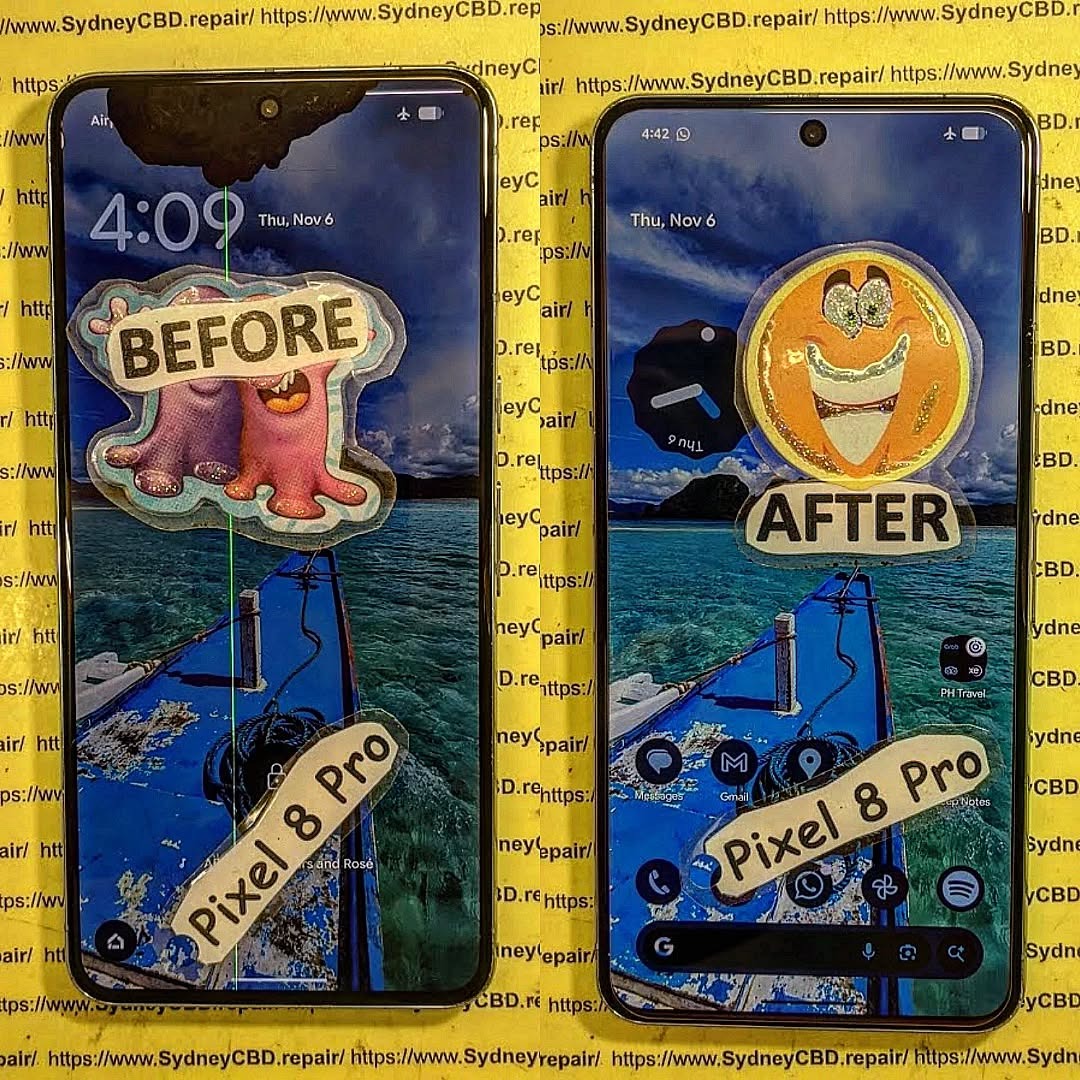
Accidents involving water are among the most common causes of smartphone failure, and saltwater exposure is particularly destructive. When a premium device like the Google Pixel 8 Pro encounters high pressure sea water, the consequences can be far more serious than typical water damage. Salt particles, minerals, and pressure-driven moisture can quickly penetrate tiny openings in the phone, reaching sensitive internal components such as the motherboard, charging port, and camera modules. As a result, fixing a Google Pixel 8 Pro damaged by high pressure sea water requires more than simply drying the device—it demands careful diagnostics, corrosion removal, and professional repair techniques.
Modern smartphones are often marketed as water-resistant, but it’s important to understand the limitations of these protections. While the Pixel 8 Pro carries an IP68 rating designed to resist fresh water under controlled conditions, seawater introduces additional risks including salt corrosion and electrical conductivity. These factors can trigger short circuits, degrade internal connections, and cause gradual component failure if not addressed quickly.
Fortunately, a sea water–damaged phone does not always mean the end of the device. With prompt action and proper repair procedures, many smartphones can be restored to full functionality. Professional technicians use specialized tools such as ultrasonic cleaners, microscopic board inspections, and precision micro-soldering to remove corrosion and repair damaged circuits. These advanced methods significantly improve the chances of recovery, even after severe saltwater exposure.
This guide explains everything you need to know about fixing a Google Pixel 8 Pro damaged by high pressure sea water. From the science behind saltwater corrosion to emergency steps you should take immediately after exposure, we’ll walk through the full repair process used by professionals. Whether your phone fell into the ocean during a beach trip or was exposed to powerful sea spray, understanding the right recovery steps can make the difference between saving your device and losing it permanently.
Understanding How High Pressure Sea Water Damages Smartphones
When it comes to fixing a Google Pixel 8 Pro damaged by high pressure sea water, understanding the underlying damage mechanisms is critical. While modern smartphones such as the Google Pixel 8 Pro include water-resistance features, they are not designed to withstand high pressure sea water exposure.
The device carries an IP68 rating, meaning it can survive limited freshwater immersion. However, saltwater introduces two major risks:
Salt corrosion
Electrical conductivity
Let’s break these down.
Saltwater Corrosion
Sea water contains sodium chloride and minerals that rapidly corrode metal components. Once salt enters the phone’s interior, it begins oxidizing:
motherboard solder joints
charging contacts
battery connectors
camera modules
This corrosion continues even after the phone dries.
In fact, corrosion can spread for weeks, slowly damaging circuits.
Electrical Short Circuits
Saltwater is highly conductive. If the phone remains powered on after exposure, electrical current flows through unintended paths.
This can cause:
blown power IC chips
damaged display drivers
motherboard short circuits
Consequently, immediate shutdown is crucial.
High Pressure Makes Things Worse
Regular water exposure is one thing. But high pressure sea water, such as waves crashing or dropping a phone underwater, forces liquid past seals.
Even the IP68 protection fails under pressure, allowing saltwater to penetrate:
SIM tray seals
speaker mesh
microphone openings
USB-C charging port
That’s why fixing a Google Pixel 8 Pro damaged by high pressure sea water often requires deep internal repair, not just drying.
Compared to buying a new flagship phone, repairing can save hundreds of dollars.
Preventing Future Water Damage
While accidents happen, there are ways to reduce risk.
Use Waterproof Cases
A quality waterproof case adds an extra layer of protection.
This is especially helpful when:
boating
beach trips
water sports
Avoid Charging Near Water
Many water damage incidents occur near pools or beaches while charging.
Keep devices away from moisture when plugged in.
Rinse After Salt Exposure
Even if the phone survives ocean exposure, rinse it with fresh water to remove salt.
When to Seek Professional Repair Services
You should seek professional help if your Google Pixel 8 Pro shows:
charging problems
overheating
camera fogging
touchscreen issues
random shutdowns
These are clear signs that internal corrosion may be present.
Professional repair services have tools unavailable to most consumers.
For example, technicians may use advanced diagnostic equipment recommended by industry resources
Frequently Asked Questions
1. Can a Google Pixel 8 Pro survive sea water exposure?
It might survive brief exposure, but saltwater often causes corrosion. Immediate action and professional cleaning greatly improve recovery chances.
2. Is rice effective for drying water-damaged phones?
No. Rice does not remove salt or corrosion. Professional cleaning is far more effective.
3. How long does saltwater damage take to appear?
Symptoms can appear immediately or even days to weeks later, depending on corrosion spread.
4. Should I rinse my phone after ocean exposure?
Yes, rinsing with fresh water helps remove salt. However, the phone should remain powered off afterward.
5. Can water damage be repaired permanently?
Many devices can be restored, especially if treatment occurs quickly. However, severe corrosion may require component replacement.
6. How long does water damage repair take?
Most professional repairs take 24–72 hours, depending on the extent of damage.
Conclusion
Saltwater exposure is one of the most damaging incidents a smartphone can experience. However, fixing a Google Pixel 8 Pro damaged by high pressure sea water is often possible with the right approach.
Immediate shutdown, proper cleaning, and professional diagnostics are critical steps in preventing permanent failure. While some devices may require component replacements, modern repair techniques—including ultrasonic cleaning and micro-soldering—have dramatically improved recovery success rates.
If your Pixel 8 Pro encounters the ocean, acting quickly and seeking expert repair services can make the difference between a fully restored device and a total loss.
David from Sydney CBD Repair Centre – The Best place to fix mobile phones as 7 Years In A Row! Top Mobile Phone Repair In Sydney. More than 2000 Positive Reviews on Google and Same Day Repairs.
We take pride in delivering exceptional repair services for all major phone brands including Apple, Samsung, Google, and more. Our expert technicians use only genuine parts and offer 90days warranty on repairs. Located in the heart of Sydney CBD, we’re your one-stop solution for all mobile device repairs.
Our commitment to excellence has earned us the trust of thousands of satisfied customers. Whether it’s a cracked screen, battery replacement, or water damage repair, we handle it all with professional care and expertise. Walk in today and experience why we’re Sydney’s #1 choice for mobile phone repairs.
Visit us for:
✓ Same Day Express Repairs
✓ Genuine Parts Guarantee
✓ Professional Technicians
✓ Competitive Pricing
✓ 2000+ 5-Star Google Reviews
✓ 7-Time Award Winner for Best Phone Repairs
Screen Frame vs Screen Only: Which Repair Method Does Your Phone Actually Need? + Ultimate Guide + 7 Critical Facts
Introduction to Screen Frame vs Screen Only Repairs
When your phone screen cracks, the first question you’ll likely ask is simple: should I choose a screen frame vs screen only repair? It sounds technical, but don’t worry. Once you understand the difference, the decision becomes much clearer.
In today’s smartphones—whether it’s an iPhone, Samsung Galaxy, or Google Pixel—the display is more than just glass. It’s a layered system including the digitizer, OLED or LCD panel, adhesives, and sometimes the metal frame that supports everything. If one part fails, the repair approach matters.
The debate around screen frame vs screen only repair isn’t just about cost. It’s about durability, alignment, touch sensitivity, and overall phone performance. Choosing the wrong option can lead to gaps, loose screens, poor waterproof sealing, or even recurring cracks.
Let’s break it down clearly and professionally, so you can make an informed decision with confidence.
A screen frame repair, also called a “full assembly replacement,” replaces both the display and the supporting frame.
This is more comprehensive. Instead of separating the broken display from the existing housing, technicians install a new display already mounted onto a new frame.
When Screen Frame Replacement Is Necessary
You’ll likely need this repair if:
The phone is bent
Corners are dented
The screen doesn’t sit flush
The device suffered a heavy drop
There’s internal alignment damage
Many flagship devices, especially those with ultra-thin designs like models from Google, are more vulnerable to structural shifts after impact.
Pros and Cons of Screen Frame Repair
Pros:
Restores original alignment
Stronger long-term durability
Cleaner internal fit
Better chance of maintaining water resistance
Cons:
Higher cost
Slightly longer repair time
It’s more expensive, yes—but it’s also more comprehensive.
Screen Frame vs Screen Only: 7 Critical Differences
Now let’s dive into the real comparison of screen frame vs screen only repairs.
1. Structural Integrity
Screen-only keeps the original frame. Frame replacement restores the entire structural shell.
2. Cost Comparison
Screen-only repairs are typically 20–40% cheaper.
3. Durability
Frame replacements last longer when structural damage exists.
4. Waterproof Sealing
Full frame replacements often provide better resealing results.
A properly aligned phone with a frame replacement often looks newer.
7. Risk Factor
If the frame is even slightly bent, screen-only repairs may fail early.
How Technicians Decide the Right Repair
Professional technicians follow a strict checklist:
Diagnostic Checklist
Inspect frame corners
Check for micro-bends
Test display seating
Evaluate adhesive integrity
Examine internal brackets
Measure structural alignment
This isn’t guesswork—it’s precision.
Risks of Choosing the Wrong Repair Method
Choosing incorrectly in the screen frame vs screen only debate can lead to:
Screen lifting after weeks
Light bleeding at edges
Touch dead zones
Repeat cracks
Reduced resale value
Worse still, moisture may seep in if sealing fails.
Brand-Specific Considerations
Different brands design screens differently.
Devices from Apple use tight integration between display and housing. Samsung devices often feature curved OLED panels that require precise alignment.
That’s why experienced repair centers matter.
For additional technical guidance on smartphone display structures, you can review iFixit’s professional teardown resources: https://SydneyCBD.repair/locate-us
Cost Breakdown Table
Repair Type
Average Cost Range
Repair Time
Best For
Screen Only
$120–$280
1–2 hours
Minor cracks
Screen + Frame
$200–$450
2–3 hours
Bent or dented phones
Prices vary depending on model.
Frequently Asked Questions
1. Is screen-only repair safe?
Yes, if the frame is undamaged.
2. How do I know if my frame is bent?
Look for gaps, uneven edges, or lifted glass corners.
3. Does frame replacement improve durability?
Yes, especially after heavy drops.
4. Will my phone remain waterproof?
It depends on technician skill and adhesive quality.
5. Which repair lasts longer?
Frame replacement generally offers stronger structural integrity.
6. Is screen-only cheaper?
Yes, but only suitable for minor damage.
Conclusion
The choice between screen frame vs screen only repair ultimately depends on your phone’s structural condition. If the damage is purely cosmetic and the frame is straight, screen-only replacement can save you money.
However, if there’s any bend, dent, or alignment issue, a full screen frame repair is the smarter investment. It protects your phone’s longevity, durability, and performance.
When in doubt, consult experienced technicians who can perform a proper diagnostic. That way, you won’t just fix your screen—you’ll protect your entire device.
David from Sydney CBD Repair Centre – The Best place to fix mobile phones as 7 Years In A Row! Top Mobile Phone Repair In Sydney. More than 2000 Positive Reviews on Google and Same Day Repairs.
We take pride in delivering exceptional repair services for all major phone brands including Apple, Samsung, Google, and more. Our expert technicians use only genuine parts and offer 90days warranty on repairs. Located in the heart of Sydney CBD, we’re your one-stop solution for all mobile device repairs.
Our commitment to excellence has earned us the trust of thousands of satisfied customers. Whether it’s a cracked screen, battery replacement, or water damage repair, we handle it all with professional care and expertise. Walk in today and experience why we’re Sydney’s #1 choice for mobile phone repairs.
Visit us for:
✓ Same Day Express Repairs
✓ Genuine Parts Guarantee
✓ Professional Technicians
✓ Competitive Pricing
✓ 2000+ 5-Star Google Reviews
✓ 7-Time Award Winner for Best Phone Repairs
REPAIR OR RECYCLE? The Cost Reality of Modern Sustainable Smartphone Screen Fixes + 12 Smart Insights
Introduction: Why Screen Repairs Matter Today
In today’s smartphone-driven world, the dilemma between repairing or recycling a damaged screen has become increasingly common. With the average smartphone costing several hundred dollars, and repair costs often climbing into the hundreds, consumers face a difficult choice: spend money to repair, or invest in a new device. Beyond finances, the environmental consequences of replacing devices unnecessarily are significant. E-waste has become one of the fastest-growing waste streams worldwide, with millions of tons of electronics discarded annually.
The modern approach to sustainability encourages repairing devices whenever feasible. Not only does it save money, but it also significantly reduces your environmental footprint. This article dives deep into the cost realities, technological challenges, and environmental implications of smartphone screen repairs, giving you 12 smart insights to make the best decision.
Understanding the financial side of screen repairs is crucial. Repair costs vary widely depending on brand, model, and type of damage. While some older devices may be relatively cheap to repair, flagship smartphones often come with premium repair costs.
Average Repair Costs Across Major Brands
Brand
Model Examples
Screen Repair Cost (AUD)
Notes
Apple
iPhone 14, 15
350–600
OLED/AMOLED screens more expensive
Samsung
Galaxy S23, S24
300–550
Curve screens increase complexity
Google
Pixel 8, 8 Pro
250–500
Availability of parts varies
Huawei
P60, Mate 50
200–450
Limited local repair centers
These are average market costs in Australia; prices may vary globally.
DIY vs Professional Repair: Hidden Costs
While DIY repair kits can reduce upfront costs, they come with hidden challenges. Tools, risk of accidental damage, time investment, and warranty voids can make professional repair more cost-effective in the long run. A professional repair service like Sydney CBD Repair Centre ensures genuine parts, expert handling, and warranty protection.
Repairing your phone is often the greener choice. Each repaired device avoids contributing to e-waste and lowers the carbon footprint associated with manufacturing new devices.
E-Waste Statistics and Trends
Global E-Waste: Over 57 million tons in 2021, projected to reach 74 million tons by 2030.
Average Smartphone Life: 2–3 years, emphasizing the importance of repair.
Recycling Rate: Less than 20% of smartphones are properly recycled.
Carbon Footprint Comparison
Manufacturing a new smartphone generates roughly 55–95 kg of CO₂. Repairing a screen instead can cut emissions by up to 80%, depending on the repair type and device.
Technological Advances in Screen Repairs
Screen technology is evolving rapidly. OLED and AMOLED displays are more fragile and costly, but repair technologies are keeping pace.
OLED, AMOLED, and LCD Challenges
Modern displays are ultra-thin and flexible, making them prone to damage during both everyday use and repair. Professional repair tools and training are essential to avoid further damage.
New Repair-Friendly Phone Designs
Brands like Fairphone and Apple are exploring modular designs, self-repairable parts, and repair programs to make screen fixes easier and more cost-effective.
Cost-Benefit Analysis: Repair vs Recycling
Depreciation and Resale Value
A repaired device often retains higher resale value than a recycled or replaced one. For example, an iPhone with a professionally replaced screen can sell for 70–80% of its original value, compared to 40–50% if replaced or sold as broken.
Case Studies
Case 1: iPhone 14 screen cracked, repair cost AUD 400 → device resale AUD 700 → net savings AUD 300.
Most professional repair services follow similar pricing trends, but turnaround time and part authenticity can vary significantly. Local centers often provide quicker, reliable service.
DIY Screen Repairs: Pros and Cons
Tools You’ll Need
Precision screwdrivers
Suction cups and spudgers
Replacement screen kits
Anti-static wristbands
Risks of DIY Repairs
Warranty void
Accidental component damage
Misaligned screens or touch sensitivity issues
DIY is viable for those confident in technical skills, but for high-end devices, professional repair often makes more sense.
Recycling Options for Damaged Phones
Even after repair isn’t feasible, responsible recycling ensures minimal environmental impact.
Apple, Samsung, Google Recycling Programs
Apple Trade-In: Receive store credit or recycling
Samsung Recycling: Return old devices for eco-friendly processing
Google: Certified recycling options for Pixel devices
Local Recycling Centers
In Sydney, several e-waste centers accept old smartphones for proper dismantling and recycling, reducing landfill impact.
Consumer Decision-Making Factors
Cost Sensitivity
Budget constraints often drive repair decisions. Minor scratches may not justify repair, while cracked screens affecting usability typically do.
Environmental Awareness
Eco-conscious consumers increasingly prefer repairs over replacements to reduce e-waste and carbon emissions.
FAQs
1. Is repairing my phone cheaper than buying a new one?
Yes, especially for mid-range and flagship devices. Repairs usually cost 30–50% of a new device’s price.
2. Can I DIY repair a modern smartphone screen?
Yes, but risks include warranty void, accidental damage, and touch sensitivity issues. Professional repair is safer.
3. How long does a professional screen repair take?
Most reputable centers, like Sydney CBD Repair Centre, complete repairs the same day.
4. Does repairing a screen improve resale value?
Absolutely. Professionally repaired screens retain up to 80% of a device’s original value.
5. Are there eco-friendly options if I choose not to repair?
Yes, certified recycling programs from Apple, Samsung, and Google ensure environmentally safe disposal.
6. How do OLED screens affect repair costs?
OLED screens are more expensive due to fragility and complexity, often costing 20–30% more than LCDs.
Conclusion: Making an Informed Choice
Repairing your smartphone screen is often the most financially and environmentally responsible choice. By weighing costs, considering professional vs DIY options, and understanding the ecological impact, consumers can make smarter decisions. Sustainable repair practices not only save money but also contribute to reducing the growing e-waste problem.
David from Sydney CBD Repair Centre – The Best place to fix mobile phones as 7 Years In A Row! Top Mobile Phone Repair In Sydney. More than 2000 Positive Reviews on Google and Same Day Repairs.
We take pride in delivering exceptional repair services for all major phone brands including Apple, Samsung, Google, and more. Our expert technicians use only genuine parts and offer 90days warranty on repairs. Located in the heart of Sydney CBD, we’re your one-stop solution for all mobile device repairs.
Visit us for:
✓ Same Day Express Repairs
✓ Genuine Parts Guarantee
✓ Professional Technicians
✓ Competitive Pricing
✓ 2000+ 5-Star Google Reviews
✓ 7-Time Award Winner for Best Phone Repairs
Debunking Repair Myths: What Really Happens When Your Phone Breaks? + 10 Surprising Truths
Introduction: The Rise of Phone Repair Myths
Smartphones are more than just gadgets—they’re essential extensions of our daily lives. Yet, the moment a screen cracks, a battery swells, or water spills, panic sets in. Unfortunately, widespread myths often guide how users react to these issues. Many believe that DIY fixes are always cheaper, non-original parts are just as good, or that a water-damaged phone is doomed. These misconceptions can lead to costly mistakes, prolonged device downtime, and even permanent damage.
This article dives deep into the top 10 repair myths and the real truths behind them. By understanding what actually happens when your phone breaks, you’ll be empowered to make informed decisions and protect your investment.
Many users think that fixing a phone themselves saves money, but the reality is more nuanced.
Hidden Costs of DIY Repairs
DIY repair kits might seem affordable, but hidden costs quickly add up. You’ll need precision tools, replacement parts, adhesives, and sometimes even magnification devices. Mistakes are common, and one wrong move can damage internal components, turning a simple repair into a full replacement scenario.
Warranty Voiding Issues
Opening a phone yourself almost always voids the manufacturer warranty. That means any future issues, even unrelated to your repair, could cost you the full replacement price. Professional repair services ensure devices are fixed without invalidating warranty coverage.
Some believe cheaper third-party components are just as effective. This is far from true.
Risks of Third-Party Parts
Third-party screens or batteries often lack quality controls. A low-quality battery may overheat or swell, while a poorly calibrated display can compromise touch sensitivity. This puts not only the device but also your safety at risk.
How Genuine Parts Extend Device Life
Genuine replacement parts maintain the original performance and longevity of your device. Using OEM components ensures proper battery life, display quality, and functionality, giving you peace of mind and preserving resale value.
Myth 3: Water Damage Means Total Loss
Water exposure doesn’t automatically spell doom for your phone.
Steps Professionals Take to Recover Devices
Expert technicians use specialized drying techniques, ultrasonic cleaning, and board-level repairs to restore functionality. Quick action can often salvage devices that might seem hopeless.
When Water Damage Is Irreversible
In severe cases—such as prolonged exposure to saltwater or corrosion on essential circuitry—repairs may be impossible. However, most spills are recoverable with professional intervention.
Myth 4: Screen Cracks Don’t Affect Function
A small crack may seem harmless, but it can cause hidden damage.
Microfractures and Touch Issues
Cracks create microfractures that can interfere with the digitizer, resulting in unresponsive touch areas or ghost touches.
Long-Term Damage from Cracks
Over time, cracks can worsen, allowing dust and moisture inside, potentially leading to more serious hardware failures and reducing the device’s lifespan.
Myth 5: Battery Replacement Is Complicated
Battery issues are common, but many avoid replacement due to perceived difficulty.
Signs Your Battery Needs Replacement
Look for swelling, sudden shutdowns, poor battery life, or overheating. These are clear indicators that a new battery is needed.
How Technicians Replace Batteries Safely
Professional technicians use safe, structured processes, including disconnecting the old battery carefully, installing genuine replacements, and testing for voltage and capacity. This ensures safety and optimal performance.
Myth 6: All Repairs Take Weeks
Time is a crucial factor, and many believe professional repair is slow.
Same-Day Repair Services
Many repair centers offer same-day service for common issues like screen replacements, battery swaps, or charging port repairs. Professional technicians can often complete tasks in under an hour.
Factors Affecting Repair Time
Complex issues, rare parts, or water-damaged devices may require longer repairs, but transparent service centers will provide accurate time estimates.
Myth 7: Repair Costs Are Always Overpriced
Repairing your device doesn’t have to break the bank.
Why Prices Vary
Costs vary based on brand, part quality, and technician expertise. High-quality services may charge more, but you get reliability and genuine parts.
How to Avoid Overpaying
Compare local repair centers, check reviews, and confirm part authenticity. Avoid “too cheap to be true” services—they often result in repeat repairs.
Myth 8: Software Issues Require a New Phone
Many users panic when their phone freezes, assuming a replacement is needed.
Common Fixes Without Replacement
Software problems are often resolved with system resets, firmware updates, or cache clearing. These fixes save time and money without hardware replacement.
When Device Replacement Is Necessary
If software issues are caused by hardware faults—like a failing motherboard—replacement may be the only solution. Diagnostic services can clarify the problem.
Myth 9: Insurance Covers Everything
Phone insurance provides peace of mind but has limitations.
Typical Insurance Policies
Most policies cover accidental damage but exclude wear-and-tear, unauthorized repairs, or water damage beyond certain limits. Deductibles also apply.
Alternative Solutions
Professional repair centers often provide cost-effective options outside insurance, including warranty-backed repairs using genuine parts.
Myth 10: One Repair Fixes All
A single repair doesn’t always address the root cause.
Importance of Diagnostics
Full diagnostics help identify underlying problems. For instance, a cracked screen may hide battery or motherboard damage that requires attention.
Preventive Maintenance Tips
Regular cleaning, case protection, software updates, and avoiding DIY mishaps help prevent repeated issues and extend your phone’s lifespan.
FAQs
Q1: Can I safely repair my phone at home?
A: Minor fixes like screen protectors are safe, but opening devices can void warranties and risk damage. Professional repair is safer.
Q2: Are third-party batteries safe?
A: Low-quality third-party batteries may overheat or degrade quickly. Always use OEM or certified replacements.
Q3: How long does water damage repair take?
A: Depending on severity, minor water damage can be fixed within hours. Severe corrosion may take days.
Q4: Does insurance cover all phone repairs?
A: Not always. Insurance often excludes wear-and-tear or unauthorized repairs. Review your policy carefully.
Q5: Why is my replacement screen unresponsive?
A: This may occur if the digitizer isn’t calibrated or if a third-party part was used. Genuine parts and professional installation prevent this.
Q6: How often should I replace my phone battery?
A: Typically every 2–3 years, or sooner if you notice swelling, overheating, or rapid battery drain.
Conclusion
Phone repair myths are widespread, but understanding the truth can save money, prevent stress, and extend the life of your device. DIY may seem cheap, but hidden costs, voided warranties, and safety risks make professional services the better option. Genuine parts, diagnostics, and preventive maintenance ensure your phone performs at its best.
For reliable repairs in Sydney, trust Sydney CBD Repair Centre for same-day service, genuine parts, and expert technicians. Avoid myths and ensure your phone stays functional, safe, and long-lasting.
David from Sydney CBD Repair Centre – The Best place to fix mobile phones as 7 Years In A Row! Top Mobile Phone Repair In Sydney. More than 2000 Positive Reviews on Google and Same Day Repairs.
We take pride in delivering exceptional repair services for all major phone brands including Apple, Samsung, Google, and more. Our expert technicians use only genuine parts and offer 90days warranty on repairs. Located in the heart of Sydney CBD, we’re your one-stop solution for all mobile device repairs.
Our commitment to excellence has earned us the trust of thousands of satisfied customers. Whether it’s a cracked screen, battery replacement, or water damage repair, we handle it all with professional care and expertise. Walk in today and experience why we’re Sydney’s #1 choice for mobile phone repairs.
Visit us for:
✓ Same Day Express Repairs
✓ Genuine Parts Guarantee
✓ Professional Technicians
✓ Competitive Pricing
✓ 2000+ 5-Star Google Reviews
✓ 7-Time Award Winner for Best Phone Repairs
Beyond the Screen: How to Replace Any Phone’s Charging Port + 7 Expert Tips
Introduction: Why Charging Ports Fail and How Replacement Helps
Your phone’s charging port is the lifeline connecting it to power and data. Over time, this small component can wear out, become clogged with debris, or suffer damage from accidental drops or water exposure. Knowing how to replace a charging port can save both time and money while keeping your device fully functional. This guide will walk you through everything from identifying symptoms to performing a replacement safely.
A faulty charging port isn’t just inconvenient—it can also lead to battery issues, data transfer problems, or even a completely dead phone. By understanding the causes of failure and the proper replacement techniques, you’ll be better prepared to either tackle the repair yourself or seek professional assistance.
A successful repair requires the right tools. Common items include:
Precision screwdriver set
Plastic pry tools and spudgers
Tweezers
Magnifying glass or lamp
Replacement charging port
Anti-static mat (optional)
Optional Tools for Advanced Repair
Soldering kit
Heat gun
Multimeter
Professional-grade repair mat
Step-by-Step Charging Port Replacement Guide
Step 1: Power Off and Disassemble Your Device
Always power down your device before attempting repairs. Remove the battery if possible and keep track of all screws and components. Using a magnetic mat or labeled container is ideal for organization.
Step 2: Locate and Remove the Faulty Charging Port
Carefully detach any connectors leading to the port. Avoid using excessive force, as motherboards and ribbon cables are fragile. If soldering is required, practice safety precautions and ensure proper grounding.
Step 3: Install the New Charging Port
Align pins and connectors precisely. For soldered ports, heat and solder carefully, avoiding excess flux or heat damage. Ensure the port sits flush and is firmly secured.
Step 4: Reassemble and Test
Reattach all components and power the device on. Plug in a known working charger to confirm the port charges and allows data transfer. Inspect for any wobbling or connectivity issues.
Phone Brand-Specific Considerations
Apple iPhone
Lightning ports are proprietary; using third-party replacements can risk compatibility issues or void warranties. Follow Apple repair guides for best results.
Samsung Galaxy
Most Galaxy devices use USB-C. Ensure replacement ports support fast charging standards. Extra caution is required when handling small internal flex cables.
Google Pixel
USB-C ports are generally easier to replace, but water resistance can be compromised during repair. Replace seals and gaskets carefully.
DIY vs Professional Repair: What You Should Know
DIY repairs save money but carry risks: voided warranties, accidental damage, and safety hazards. Professional repair services, like Sydney CBD Repair Centre, offer:
Same-day express service
Genuine parts
90-day repair warranty
Preventing Future Charging Port Problems
Clean ports regularly with a soft brush or compressed air.
Avoid forcing cables in.
Use protective cases and avoid moisture exposure.
Costs and Timeframes for Charging Port Repairs
DIY Kits: $10–$30 (excluding tools)
Professional Repair: $60–$120 depending on model
Repair Time: 30 minutes to 2 hours, depending on complexity
FAQs on Phone Charging Port Replacement
Q1: Can I Replace a Charging Port Without Professional Help?
Yes, but careful attention to tools, safety, and part quality is crucial. Mishandling can damage your device permanently.
Q2: How Long Does a Charging Port Last?
Typically 2–5 years, depending on usage and care.
Q3: Will Replacing the Charging Port Fix Slow Charging Issues?
Not always. Slow charging can also be caused by cables, adapters, battery health, or software issues.
Q4: Are All Replacement Parts Genuine?
No. Always source from trusted vendors or professional repair shops to avoid counterfeit components.
Q5: Can a Water-Damaged Port Be Repaired?
Sometimes. Corrosion may prevent a simple replacement; cleaning and component replacement may be necessary.
Q6: Is Warranty Still Valid After Replacement?
DIY replacements generally void manufacturer warranties. Professional repairs may offer their own warranty instead.
Conclusion
Replacing a phone charging port can seem intimidating, but with the right tools, step-by-step guidance, and attention to detail, it’s achievable. Always weigh DIY efforts against professional services, especially for high-end devices. Preventative care—like cleaning ports and careful handling—will extend the life of your phone. For reliable, fast, and genuine repairs, professional services like Sydney CBD Repair Centre remain the gold standard.
David from Sydney CBD Repair Centre – The Best place to fix mobile phones as 7 Years In A Row! Top Mobile Phone Repair In Sydney. More than 2000 Positive Reviews on Google and Same Day Repairs.
We take pride in delivering exceptional repair services for all major phone brands including Apple, Samsung, Google, and more. Our expert technicians use only genuine parts and offer 90days warranty on repairs. Located in the heart of Sydney CBD, we’re your one-stop solution for all mobile device repairs.
Our commitment to excellence has earned us the trust of thousands of satisfied customers. Whether it’s a cracked screen, battery replacement, or water damage repair, we handle it all with professional care and expertise. Walk in today and experience why we’re Sydney’s #1 choice for mobile phone repairs.
Visit us for:
✓ Same Day Express Repairs
✓ Genuine Parts Guarantee
✓ Professional Technicians
✓ Competitive Pricing
✓ 2000+ 5-Star Google Reviews
✓ 7-Time Award Winner for Best Phone Repairs
Is It Worth Fixing? Comparing Repair Costs Versus Buying New Folding Phones + 7 Shocking Truths
Introduction: The Folding Phone Dilemma
Folding smartphones have revolutionized mobile technology. Devices like the Samsung Galaxy Z Fold 6, Samsung Galaxy Z Flip 6, and Google Pixel Fold offer tablet-sized displays in pocket-friendly formats. However, as innovative as they are, they’re also fragile.
So the big question remains: Is it worth fixing your folding phone, or should you buy a new one?
When comparing repair costs versus buying new folding phones, many users are shocked at the numbers. A cracked folding OLED screen isn’t cheap. A damaged hinge? Even worse. Yet replacing your entire device could cost twice as much.
Folding phones rely on ultra-thin glass, flexible OLED panels, and precision-engineered hinge systems. Unlike traditional slab phones, these devices bend thousands of times during their lifespan.
Popular Models in the Market
The current leaders include:
Samsung Galaxy Z Fold 6
Samsung Galaxy Z Flip 6
Google Pixel Fold
Each uses advanced hinge engineering and layered display protection. Still, complexity increases repair risk.
Hinges endure constant mechanical stress. Dust infiltration and micro-friction gradually reduce smoothness. Over time, internal cables can stretch or snap.
Screen Crease & OLED Issues
Flexible OLED displays develop crease lines. While cosmetic at first, pressure damage can evolve into dead pixels or black lines.
Simply put, folding phones have more failure points than traditional smartphones.
Repair Costs Breakdown in 2026
Now let’s examine the numbers carefully.
Screen Replacement Costs
Device
Average Screen Repair Cost (AUD)
Galaxy Z Fold Series
$750 – $950
Galaxy Z Flip Series
$480 – $650
Pixel Fold
$700 – $900
Screen repairs are the most expensive component when comparing repair costs versus buying new folding phones.
Battery & Internal Repairs
Battery replacement: $180 – $250
Charging port repair: $150 – $220
Hinge repair: $350 – $600
Compared to flagship slab phones, these costs are noticeably higher.
Now here’s the shocker: most screen repairs cost roughly 30–40% of the device’s original value.
That means repairing could extend your phone’s life at a fraction of replacement cost.
Repair vs Replace: Cost Comparison Table
Scenario
Repair Cost
Replacement Cost
Smarter Choice
Cracked Fold Screen
$850
$2,599
Repair
Dead Battery
$220
$2,599
Repair
Severe Water Damage
$900+
$2,599
Depends
Multiple Internal Failures
$1,200+
$2,599
Replace
When comparing repair costs versus buying new folding phones, the break-even point usually occurs when repair exceeds 50% of replacement value.
Environmental & Sustainability Factors
Replacing devices increases electronic waste. According to global sustainability reports, extending a phone’s lifespan by just one year reduces carbon emissions significantly.
Repairing supports circular economy principles and reduces landfill contribution.
Warranty, Insurance & Protection Plans
Most folding phones include:
1-year manufacturer warranty
Optional Samsung Care+
Carrier insurance programs
If under warranty, repair costs drop dramatically. Always check coverage before deciding.
When Repair Makes More Financial Sense
Repair is typically smarter when:
Device is under 2 years old
Damage is limited to screen or battery
Internal components remain functional
Repair cost is below 40% of replacement
Professionally done repairs using genuine parts restore performance without compromise.
When Buying New Is Smarter
Replacement makes sense if:
Logic board is damaged
Multiple repairs required
Device is 3–4 years old
Trade-in incentives are available
Sometimes upgrading improves performance and battery longevity significantly.
Expert Advice from Sydney CBD Repair Centre
At Sydney CBD Repair Centre, we’ve handled thousands of folding phone repairs. Our experience shows most customers benefit financially from repairing rather than replacing.
We use genuine parts, provide 90-day warranty coverage, and complete most repairs same-day. That practical, hands-on expertise matters.
Repair decisions shouldn’t be emotional. They should be strategic.
Frequently Asked Questions
1. Are folding phone screens more expensive to repair?
Yes. Flexible OLED displays cost more due to layered construction and hinge integration.
2. How long do folding phone hinges last?
Most are rated for 200,000 folds. However, real-world dust and pressure can shorten lifespan.
3. Does repairing affect water resistance?
Yes, but professional technicians reseal devices carefully to restore protection.
4. Is it safe to use third-party repair shops?
Choose experienced repair centres with proven reviews and genuine parts policies.
5. Will repair void my warranty?
Unauthorized repairs may void manufacturer warranty. Always confirm first.
6. What’s the average lifespan of a folding phone?
Typically 3–4 years with proper care.
Conclusion: Making the Smart Financial Decision
When comparing repair costs versus buying new folding phones, the answer isn’t one-size-fits-all. However, in most screen or battery cases, repair delivers better financial value.
Replacement only becomes logical when internal damage is severe or the device is nearing end-of-life.
The smart choice? Evaluate repair cost percentage, warranty coverage, and long-term usability. Think strategically, not impulsively.
David from Sydney CBD Repair Centre – The Best place to fix mobile phones as 7 Years In A Row! Top Mobile Phone Repair In Sydney. More than 2000 Positive Reviews on Google and Same Day Repairs.
We take pride in delivering exceptional repair services for all major phone brands including Apple, Samsung, Google, and more. Our expert technicians use only genuine parts and offer 90days warranty on repairs. Located in the heart of Sydney CBD, we’re your one-stop solution for all mobile device repairs.
Our commitment to excellence has earned us the trust of thousands of satisfied customers. Whether it’s a cracked screen, battery replacement, or water damage repair, we handle it all with professional care and expertise. Walk in today and experience why we’re Sydney’s #1 choice for mobile phone repairs.
Visit us for:
✓ Same Day Express Repairs
✓ Genuine Parts Guarantee
✓ Professional Technicians
✓ Competitive Pricing
✓ 2000+ 5-Star Google Reviews
✓ 7-Time Award Winner for Best Phone Repairs