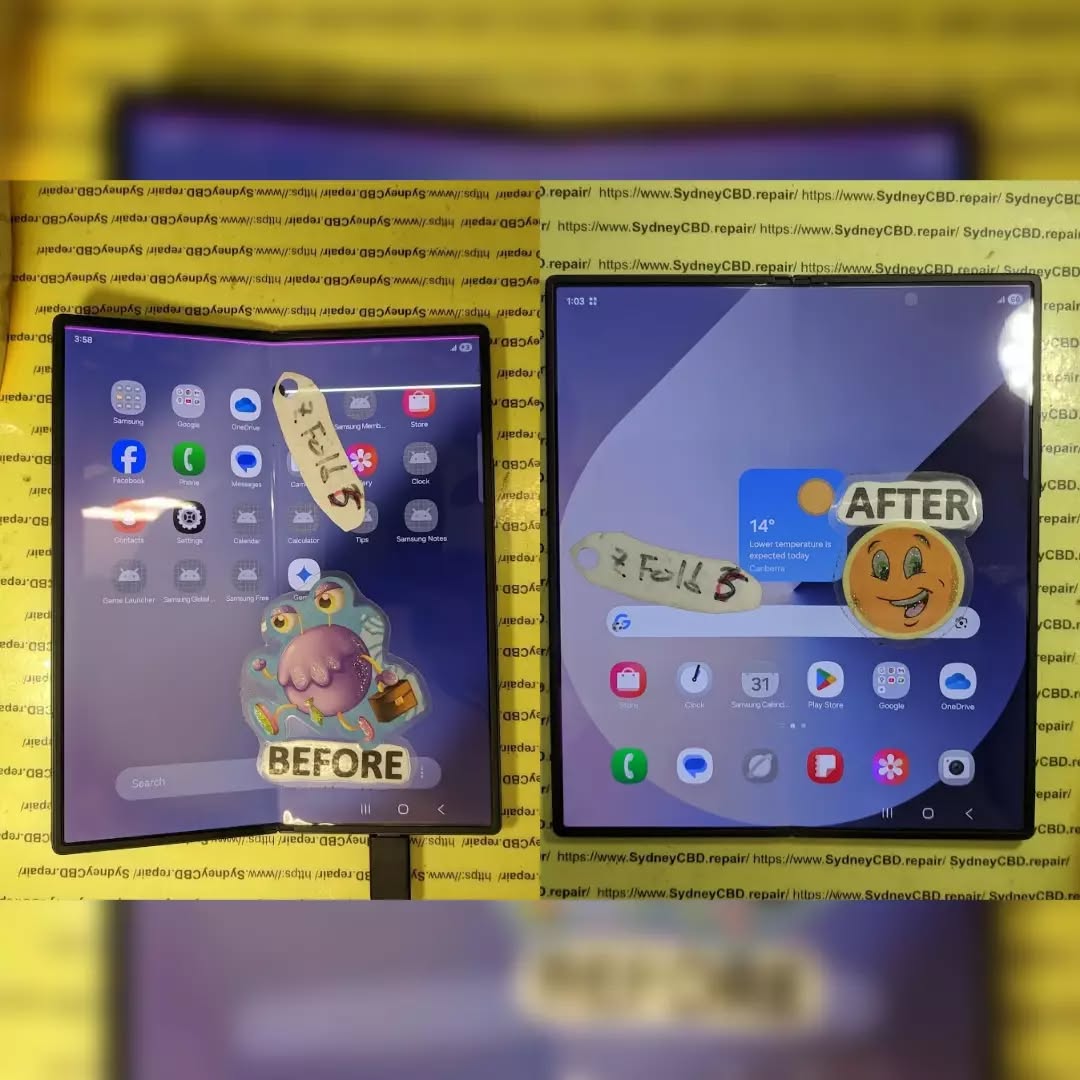
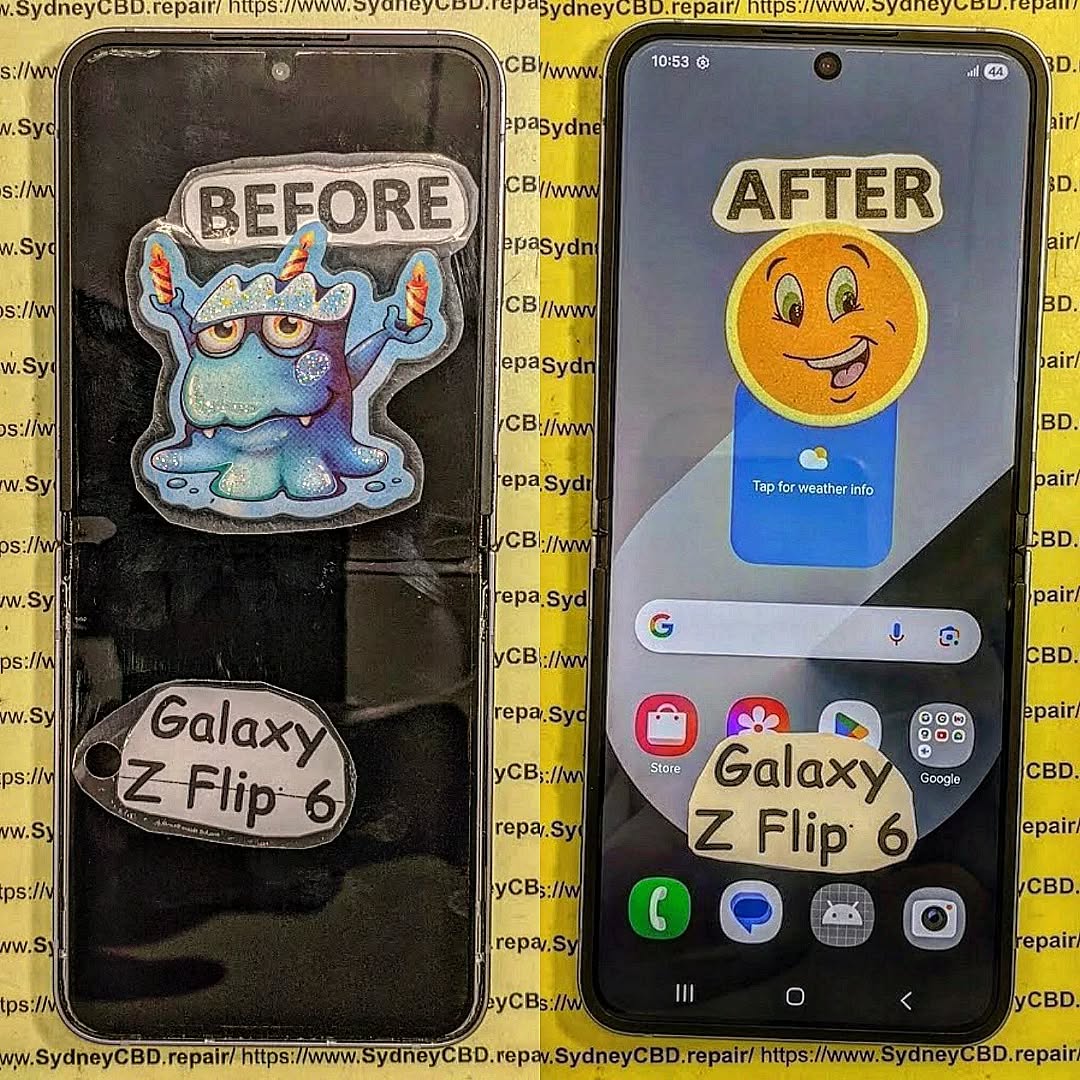
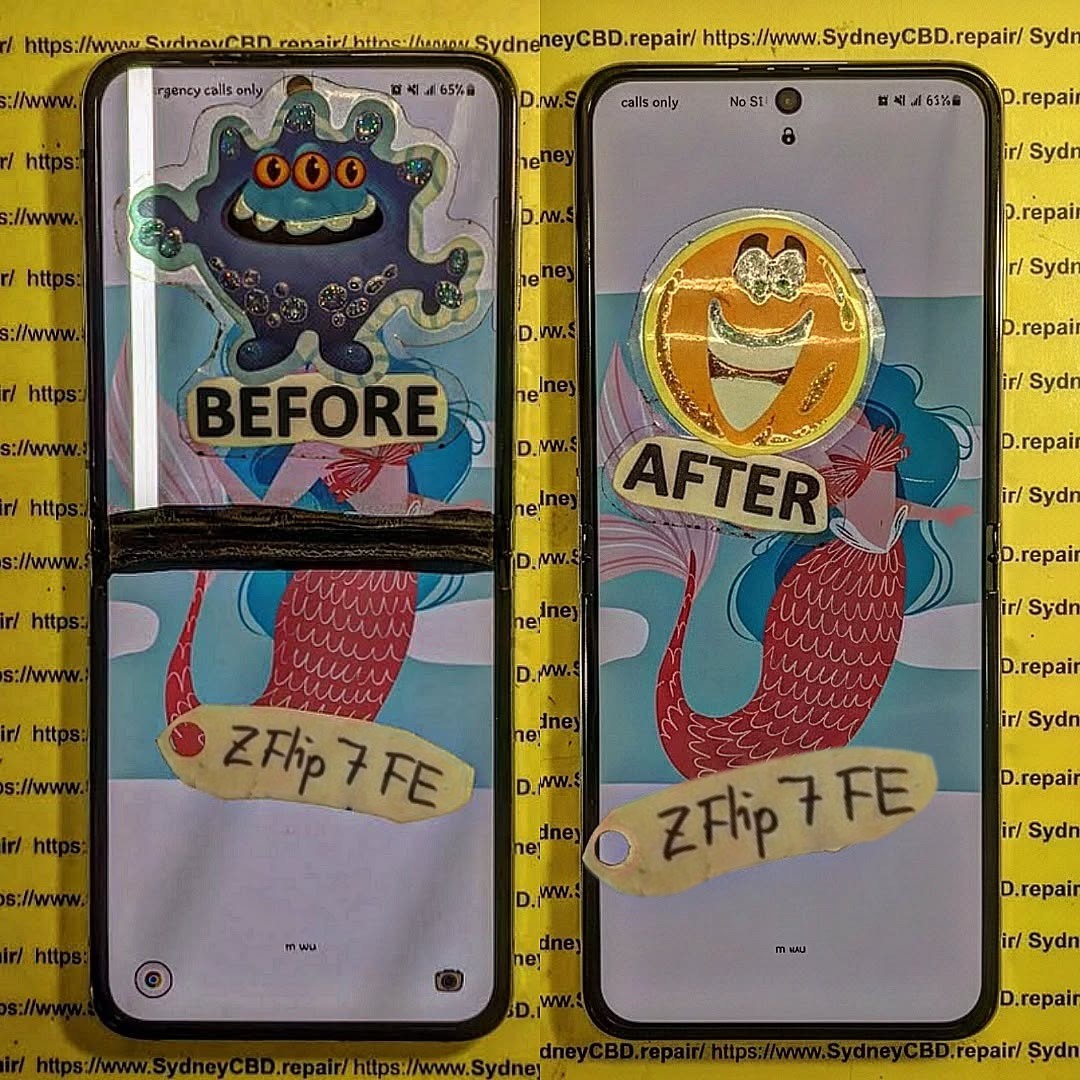
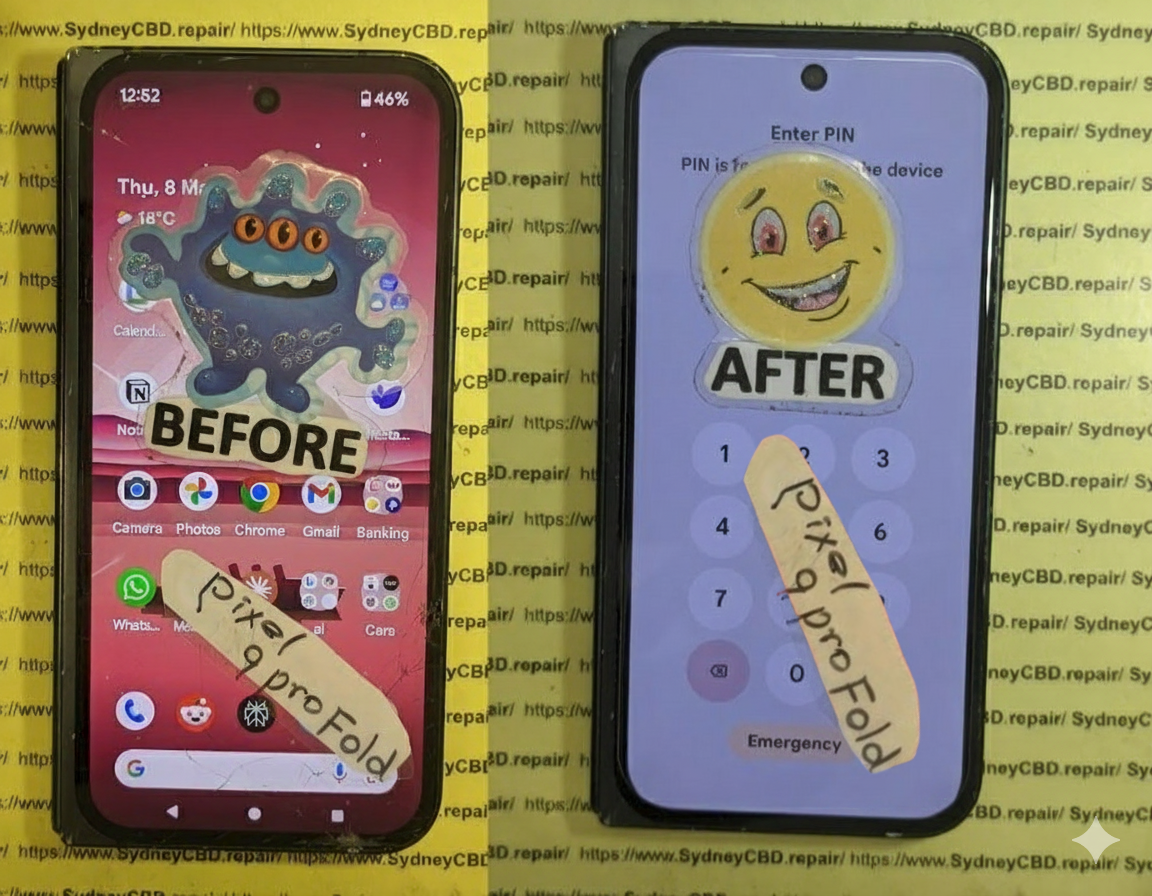
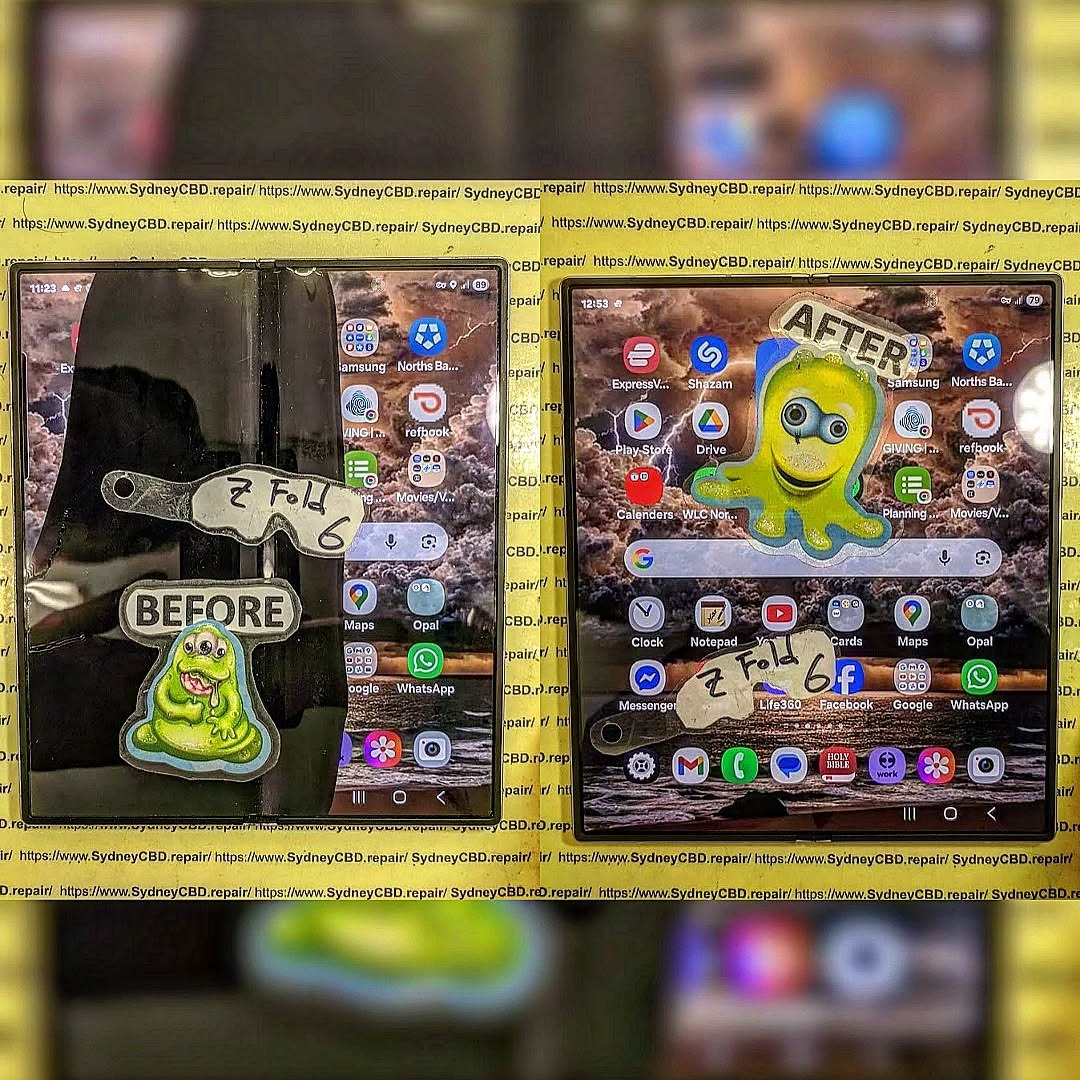
The Samsung Galaxy Z Fold 6 represents one of the most advanced smartphones ever built. Its innovative foldable OLED display, precision-engineered hinge, and ultra-thin internal components make it an engineering masterpiece—but they also make repairs significantly more challenging than those on traditional smartphones. Replacing the inner display requires specialist tools, technical knowledge, and careful handling to avoid damaging delicate flex cables, sensors, and the hinge mechanism.
At Sydney CBD Repair Centre, our technicians regularly perform professional Galaxy Z Fold 6 inner display replacements using genuine Samsung parts and industry-approved repair procedures. This guide explains what is involved in replacing the Fold 6’s inner screen and why professional repair is the safest option.
Unlike conventional smartphones, the Galaxy Z Fold 6 features:
Ultra-Thin Glass (UTG)
Flexible AMOLED display
Advanced hinge assembly
Multiple ribbon cable connections
Under-display camera integration
Factory-installed protective layer
Every component is precisely aligned, making the repair process extremely sensitive.
Common Reasons the Inner Display Needs Replacement
The inner screen may require replacement if you notice:
Black spots spreading across the display
Green or white lines
Dead pixels
Flickering display
No image while touch still works
Touch not responding
Display crease damage
Cracks developing along the fold
Internal OLED damage after impact
Sometimes the outer screen remains fully functional while the internal display fails completely.
Signs of Internal Display Failure
Professional diagnosis often identifies:
Display Flickering
Brightness constantly changes.
Vertical or Horizontal Lines
OLED panel damage often causes coloured lines.
Half Screen Not Working
One side of the folding display becomes unusable.
Touch Failure
The display shows images but ignores touch input.
Black Screen
The phone powers on normally but the inner display remains black.
Why This Repair Is So Difficult
Replacing the Fold 6 inner display is considered one of the most difficult smartphone repairs because technicians must work around:
Delicate folding OLED panel
Extremely thin display adhesive
Hidden flex cables
Internal antenna assemblies
Hinge protection plates
Waterproof sealing components
Even a tiny mistake can destroy a brand-new display.
Professional Tools Required
Our technicians use specialised equipment including:
Precision screwdrivers
Plastic opening tools
Heat plate
Anti-static workstation
Display removal cards
Professional adhesives
Microscope inspection tools
Samsung calibration software
These tools minimise repair risks while maintaining repair quality.
Step 1 – Initial Device Inspection
Before opening the phone we inspect:
Display damage
Frame condition
Hinge movement
Water damage indicators
Camera functionality
Charging system
Speaker operation
Fingerprint sensor
This ensures there are no hidden issues.
Step 2 – Safe Device Disassembly
The Fold 6 is carefully opened using controlled heat.
Technicians remove:
Rear glass
Wireless charging coil
Mid-frame
Battery connectors
Motherboard shields
Every screw is organised to prevent installation mistakes.
Step 3 – Battery Disconnection
Battery disconnection is one of the most important safety procedures.
Disconnecting power prevents:
Electrical shorts
OLED damage
Motherboard failure
Accidental component activation
Skipping this step significantly increases repair risks.
Step 4 – Removing the Damaged Display
Removing the defective inner display requires patience.
Technicians carefully:
Separate display adhesive
Protect hinge cables
Remove display connectors
Inspect surrounding components
Clean adhesive residue
The frame must remain perfectly clean before installing the replacement.
Step 5 – Inspecting the Hinge
The hinge is checked for:
Excessive resistance
Dust contamination
Bent components
Loose screws
Structural damage
A damaged hinge can destroy a newly installed screen.
Step 6 – Installing the Genuine Samsung Inner Display
The replacement display is carefully aligned before installation.
Special attention is paid to:
Display positioning
Hinge alignment
Flex cable routing
Pressure distribution
Adhesive placement
Perfect alignment is essential for smooth folding.
Step 7 – Reassembly
The phone is rebuilt in reverse order.
Every connector is checked before sealing the device.
Technicians ensure:
Cameras reconnect correctly
Wireless charging functions
Speakers work
Antennas are secured
Battery reconnects safely
Step 8 – Functional Testing
After assembly we perform comprehensive testing.
This includes:
Inner display brightness
Touch sensitivity
Multi-touch response
S Pen compatibility
Fold detection
Auto-rotation
Camera testing
Wi-Fi
Bluetooth
Charging
Speaker testing
Microphone testing
Fingerprint sensor
Face recognition
Why Genuine Samsung Parts Matter
Genuine displays provide:
Correct colour accuracy
Factory brightness
Better durability
Smooth folding performance
Reliable touch sensitivity
Proper compatibility
Inferior aftermarket displays may suffer from:
Reduced brightness
Colour inconsistency
Premature failure
Poor hinge tolerance
Touch issues
Maintaining Water Resistance
Although foldable phones contain sealing materials, repairs require replacing adhesives and seals.
Professional technicians install new adhesive seals to restore the device’s resistance against everyday dust and moisture exposure. However, no repaired device should be considered fully waterproof, and users should continue to avoid exposing it to water.
Use a protective case designed for foldable phones.
Keep the device away from sand and fine dust.
Proper care significantly extends display life.
Why Choose Sydney CBD Repair Centre?
Galaxy Z Fold repairs require extensive experience, precision, and genuine replacement parts. At Sydney CBD Repair Centre, our skilled technicians have repaired thousands of smartphones, including the latest Samsung foldable devices.
Customers choose us because we offer:
Same Day Express Repairs
Genuine Parts Guarantee
Professional Technicians
Competitive Pricing
2000+ 5-Star Google Reviews
7-Time Award Winner for Best Phone Repairs
90-Day Repair Warranty
Convenient Sydney CBD Location
Whether your Galaxy Z Fold 6 has a cracked inner display, touch issues, display lines, or hinge-related damage, our experienced repair specialists can restore your device quickly and professionally.
Conclusion
Replacing the Samsung Galaxy Z Fold 6 inner display is one of the most technically demanding smartphone repairs available today. From safely disassembling the foldable chassis to precisely aligning the flexible AMOLED display and ensuring every component is reconnected correctly, the process requires expert knowledge, specialised tools, and genuine Samsung replacement parts. Attempting this repair without professional experience can lead to costly damage and further complications.
At Sydney CBD Repair Centre, our experienced technicians are equipped to handle even the most challenging Galaxy Z Fold 6 repairs with precision and care. We use genuine parts, perform comprehensive post-repair testing, and back our workmanship with a 90-day warranty for your peace of mind. If your Galaxy Z Fold 6 has suffered a cracked inner display, display lines, touch issues, or hinge-related problems, visit Sydney CBD Repair Centre for fast, reliable, same-day service and discover why thousands of customers trust us as Sydney’s leading mobile phone repair specialists.
Sydney CBD Repair Centre – Where Quality Meets Reliability.
David from Sydney CBD Repair Centre – The Best place to fix mobile phones as 7 Years In A Row! Top Mobile Phone Repair In Sydney. More than 2000 Positive Reviews on Google and Same Day Repairs.
📍 Visit us today for:
✓ Same Day Express Repairs
✓ Genuine Parts Guarantee
✓ Professional Technicians
✓ Competitive Pricing
✓ 2000+ 5-Star Google Reviews
✓ 7-Time Award Winner for Best Phone Repairs
Samsung Z Flip 6 Fingerprint Sensor Testing and Calibration After Screen Repair: Complete Guide to Perfect Biometric Performance
Introduction
The Samsung Galaxy Z Flip 6 combines cutting-edge foldable technology with a highly responsive side-mounted fingerprint sensor integrated into the power button. While replacing a damaged screen restores the device’s appearance and touch functionality, professional technicians understand that the repair is incomplete without thoroughly testing and verifying biometric performance.
A fingerprint sensor that fails after repair isn’t always defective. In many cases, improper assembly, loose flex cable connections, damaged side-button assemblies, or incomplete diagnostic testing are responsible.
At Sydney CBD Repair Centre, every Samsung Z Flip 6 undergoes comprehensive fingerprint sensor testing before it leaves our workshop, ensuring customers receive a phone that functions exactly as Samsung intended.
Unlike under-display fingerprint readers, the Galaxy Z Flip 6 uses a capacitive fingerprint sensor built directly into the power button located on the side frame.
This design offers:
Faster unlocking
Better reliability
Lower power consumption
High biometric accuracy
Improved durability
Because the sensor is integrated into the side button assembly, any screen repair requiring frame disassembly must be performed carefully to avoid stressing the fingerprint flex cable.
Why Fingerprint Testing Matters After Screen Repair
Many repair shops simply verify that the display lights up and touch functions work.
Professional repair centres go much further.
Every repair should include testing of:
Fingerprint enrollment
Fingerprint recognition speed
Wake button functionality
Power button clicks
Side key responsiveness
Security authentication
Samsung Pass compatibility
App authentication
Lock screen unlocking
Even a tiny assembly mistake can reduce fingerprint accuracy.
Common Fingerprint Sensor Problems After Screen Replacement
Some issues only become apparent after the phone has been fully reassembled.
Examples include:
Fingerprint Not Detected
The phone displays:
Fingerprint hardware unavailable
Sensor not responding
Unable to register fingerprint
Possible causes include:
Loose connector
Damaged flex cable
Pinched cable
Damaged power button assembly
Fingerprint Recognition Is Slow
The sensor responds but takes several attempts.
Possible reasons include:
Improper seating
Flex cable stress
Software needing optimization
Contaminated sensor surface
Fingerprint Enrollment Fails
Users may see:
“Couldn’t register fingerprint.”
Professional diagnostics determine whether the issue is software-related or hardware-related.
Unlike some smartphones with under-display ultrasonic sensors, the Samsung Galaxy Z Flip 6 side-mounted fingerprint sensor generally does not require optical recalibration after a standard screen replacement.
However, technicians should still verify:
Firmware communication
Hardware detection
Sensor response
Security authentication
Knox integrity
Biometric registration
Professional testing confirms everything is functioning correctly before returning the device to the customer.
Professional Diagnostic Procedures
At Sydney CBD Repair Centre, every Z Flip 6 follows a structured inspection process.
Visual Inspection
Technicians examine:
Side frame
Power button
Flex routing
Connector condition
Water-resistant seals
Internal Inspection
After opening the device:
Battery disconnected safely
Fingerprint connector inspected
Flex cable examined under magnification
Connector reseated
Frame alignment checked
Functional Diagnostics
Technicians verify:
Side key input
Fingerprint response
Wake functionality
Sleep mode
Authentication
Step-by-Step Fingerprint Sensor Testing
Professional testing includes multiple stages.
Stage 1
Delete all saved fingerprints.
Stage 2
Restart the phone.
Stage 3
Register a completely new fingerprint.
Stage 4
Perform multiple unlock attempts.
Stage 5
Test unlocking from different finger angles.
Stage 6
Verify Samsung Pass.
Stage 7
Test biometric authentication inside secure apps.
Checking Side Fingerprint Flex Cable Connections
The fingerprint sensor communicates through an extremely delicate flex cable.
Technicians carefully inspect for:
Bent contacts
Torn cable
Loose connector
Connector contamination
Compression damage
Even microscopic damage may reduce reliability.
Testing Power Button Responsiveness
Because the sensor shares the power button assembly, technicians verify:
Single press
Long press
Double press
Emergency shortcut
Camera shortcut
Screen wake
Screen sleep
Any inconsistency could indicate assembly issues.
Software Calibration and Firmware Verification
Modern Samsung devices rely on firmware communication between hardware components.
Professional repair centres use Samsung diagnostic tools to test:
Fingerprint hardware
Side key response
Touch functionality
Display
Battery
Cameras
Sensors
Comprehensive diagnostics ensure every major component operates correctly after repair.
Common Mistakes During Screen Repairs
Several repair mistakes can affect fingerprint performance.
Forgetting Battery Disconnection
Working on connectors while the battery remains connected risks damaging sensitive circuits.
Damaging the Fingerprint Cable
Improper tool placement may:
Tear the cable
Stretch the cable
Bend connectors
Poor Cable Routing
Incorrect cable positioning may lead to:
Pressure damage
Fold fatigue
Connector movement
Cheap Replacement Parts
Low-quality components can affect:
Button fitment
Frame alignment
Internal tolerances
Professional repairs rely on high-quality replacement parts designed for precise compatibility.
Importance of Genuine Samsung Parts
High-quality replacement components ensure:
Correct frame alignment
Accurate button placement
Reliable flex routing
Long-term durability
Better overall repair quality
Inferior parts may introduce unnecessary complications that affect the fingerprint sensor and other hardware.
Why DIY Repairs Can Cause Fingerprint Failures
Foldable phones are significantly more complex than traditional smartphones.
DIY repairs often lack:
Professional heating equipment
Precision screwdrivers
Anti-static protection
Diagnostic software
Experience handling foldable assemblies
Small mistakes can lead to expensive secondary damage.
Professional Quality Control Before Device Return
Every Samsung Z Flip 6 repaired at Sydney CBD Repair Centre undergoes extensive quality control.
Technicians test:
Display brightness
OLED performance
Touch sensitivity
Folding mechanism
Charging
Wireless charging
Cameras
Speakers
Microphones
Wi-Fi
Bluetooth
Cellular signal
Fingerprint sensor
Side button
Face Unlock
Battery performance
Only after passing every inspection is the device returned to the customer.
Why Choose Sydney CBD Repair Centre
David from Sydney CBD Repair Centre has built a reputation for precision repairs, honest service, and exceptional customer satisfaction.
Why customers trust us:
Best place to fix mobile phones 7 Years In A Row
Top Mobile Phone Repair in Sydney
More than 2000 Positive Google Reviews
Same Day Express Repairs
Genuine Parts Guarantee
Professional Technicians
Competitive Pricing
90-Day Repair Warranty
Repairs for Samsung, Apple, Google Pixel, Motorola, Huawei, Oppo, OnePlus, ASUS ROG, Nokia, Xiaomi, and more
Convenient Sydney CBD location
Whether your Samsung Z Flip 6 needs a screen replacement, battery service, hinge repair, charging port repair, or fingerprint sensor diagnosis, our experienced technicians are ready to help.
Sydney CBD Repair Centre – Where Quality Meets Reliability.
Can a Samsung Z Flip 6 fingerprint sensor stop working after a screen replacement?
Yes. Improper assembly, connector issues, or flex cable damage can prevent the fingerprint sensor from functioning correctly after a repair.
Does the fingerprint sensor require calibration?
The side-mounted fingerprint sensor generally does not require optical calibration after a standard screen replacement, but comprehensive hardware and software testing is essential to verify proper operation.
Can a damaged flex cable be repaired?
In some cases, replacement of the damaged fingerprint button or flex assembly is the most reliable solution, depending on the extent of the damage.
Why is my fingerprint recognition slower after repair?
Slow recognition may be caused by connector issues, contamination, mechanical stress on the flex cable, or software-related factors. Professional diagnostics can identify the exact cause.
Is the fingerprint sensor part of the display?
No. On the Samsung Galaxy Z Flip 6, the fingerprint sensor is integrated into the side-mounted power button rather than the display.
How long does fingerprint testing take?
A thorough professional inspection and testing process typically takes only a few minutes but is an important part of ensuring the repair is complete.
Conclusion
A successful Samsung Galaxy Z Flip 6 screen repair is about more than replacing a damaged display. Every critical feature—including the fingerprint sensor—must be carefully inspected, tested, and verified before the device is returned to its owner. Comprehensive diagnostics, precise assembly, and quality replacement parts all contribute to restoring the phone’s original performance and reliability.
At Sydney CBD Repair Centre, fingerprint sensor testing is an essential part of every Samsung Z Flip 6 repair. From connector inspection and hardware diagnostics to biometric enrollment and quality assurance, every device receives meticulous attention from experienced technicians. That commitment to precision is why thousands of customers continue to trust Sydney CBD Repair Centre for professional mobile phone repairs.
David from Sydney CBD Repair Centre – The Best place to fix mobile phones as 7 Years In A Row! Top Mobile Phone Repair In Sydney. More than 2000 Positive Reviews on Google and Same Day Repairs.
📍 Visit us today for:
✓ Same Day Express Repairs
✓ Genuine Parts Guarantee
✓ Professional Technicians
✓ Competitive Pricing
✓ 2000+ 5-Star Google Reviews
✓ 7-Time Award Winner for Best Phone Repairs
Beyond Screen Repairs: Unmasking The Most Challenging Smartphone Repairs of 2026
Introduction to Modern Smartphone Repairs
Smartphones have come a long way since the early 2000s, and by 2026, the complexity of devices has skyrocketed. Beyond just cracked screens and dead batteries, technicians now face intricate challenges from foldable designs, ultra-thin components, and advanced AI-integrated systems. For everyday users, a seemingly minor mishap can become a repair nightmare.
The modern smartphone is more than just hardware; it’s a combination of delicate electronics, precision sensors, and software security protocols. Repair experts now need a deep understanding of both physical and digital intricacies. As the demand for fast, efficient, and reliable repair grows, knowing the most challenging repairs of 2026 helps users make informed decisions.
Smartphones in 2026 are smarter, thinner, and more flexible than ever. Foldable screens, ultra-thin motherboards, and multi-layered batteries make repairs more complicated. Unlike past devices, a minor misstep can damage multiple components at once.
Foldable and Flexible Screens
Foldables are the poster child of modern design innovation. Their flexible displays are prone to hinge misalignment, dead pixels, and micro-tears along the crease. Repairing these screens requires specialized tools, high-precision alignment, and a steady hand. In 2026, technicians are leveraging new adhesive technologies and nano-reinforcements to increase longevity.
Ultra-Thin and Multi-Layered Components
Ultra-thin devices pack more power in smaller spaces. Batteries, motherboards, and sensors are now stacked in multiple layers. Removing one component without affecting others requires specialized heat management tools and microscopes. Even simple soldering tasks demand exceptional precision, making these repairs costly and time-consuming.
Water damage remains a top cause of smartphone failure. New water-resistant designs reduce incidents, but when liquid enters, it often infiltrates sensitive micro-layers.
Internal Corrosion Issues
Water exposure triggers corrosion on micro-circuits, leading to short circuits and intermittent failures. By 2026, technicians use ultrasonic cleaning and corrosion inhibitors to salvage affected devices, though complete recovery isn’t guaranteed.
Advanced Water Detection Systems
Modern smartphones now include multiple water sensors throughout internal circuits. These sensors alert the system to exposure but also complicate repairs. Detecting which sensor triggered the alert and bypassing it safely requires deep technical know-how.
Software and Firmware Glitches
Repair isn’t just physical. Firmware issues can prevent devices from booting even if hardware is intact. Locked bootloaders, encrypted storage, and AI-based diagnostics create repair hurdles.
Locked Bootloaders & Firmware Security
Smartphone manufacturers increasingly use hardware-level encryption. Unlocking bootloaders or reflashing firmware without proper authorization can render devices unusable. Expert technicians must navigate these legal and technical barriers carefully.
Data Preservation Challenges
Repairing a device without erasing personal data is a growing concern. In 2026, experts use encrypted backups, specialized data recovery tools, and forensic-level techniques to maintain user privacy while fixing hardware.
Battery and Charging Port Challenges
Battery technology has evolved, with solid-state and ultra-thin lithium-ion variants becoming standard. While these batteries enhance performance, they’re harder to replace.
Battery Swelling and Replacement Risks
Thin designs increase the risk of punctures during repairs. Swollen batteries can warp frames or damage nearby sensors. Experts must carefully handle replacements with specialized anti-static and protective equipment.
Fast Charging & Port Malfunctions
High-speed charging technologies exert more stress on ports. Microfractures in solder points or corrosion can lead to intermittent failures. Proper diagnostics require advanced multimeters and thermal imaging tools.
Camera and Sensor Repairs
Multi-lens camera systems, LiDAR sensors, and depth mapping technologies present unique repair challenges. Even slight misalignments can compromise photo quality or AR performance.
Optical Image Stabilization Complexity
OIS mechanisms involve precise gyroscopes and springs. A technician must disassemble, realign, and recalibrate without disturbing surrounding components—a painstaking process.
Sensor Calibration
After repairs, cameras and sensors require calibration with AI-assisted software to maintain accuracy. This ensures autofocus, HDR, and depth-sensing functions work correctly.
Connectivity Repairs
With 5G, Wi-Fi 7, and ultra-high-frequency antennas, connectivity issues are trickier than ever.
Micro-Antenna Failures
Tiny antennas embedded in ultra-thin frames are difficult to diagnose. Failures often mimic software problems, requiring detailed testing.
Signal Interference Challenges
Physical damage or repair mishaps can create interference. Technicians use spectrum analyzers and RF testing equipment to restore optimal connectivity.
Physical Damage Beyond Screens
Beyond screens, devices suffer from hinge wear, frame bending, and ceramic back cracks.
Foldable Hinge Mechanisms
Hinges are engineered for tens of thousands of folds. Misalignment or debris can cause permanent damage, demanding delicate realignment or replacement.
Material-Specific Repairs
Ceramic, titanium, and reinforced glass require specialized adhesives and polishing techniques. Incorrect handling can leave scratches or compromise structural integrity.
Repair Tools and Techniques in 2026
Advanced tools are essential for modern repairs. AI-assisted diagnostics, micro-robotics, and precision microscopes streamline complex fixes.
AI-Assisted Diagnostics
AI analyzes error logs, sensor data, and physical condition to pinpoint failures quickly. Technicians can then make precise repairs without trial-and-error approaches.
Micro-Robotics in Repair
Robotic arms now assist in micro-soldering, hinge calibration, and component placement. This reduces human error and improves consistency.
Cost vs DIY Repairs
DIY repair kits are widely available, but the risks are higher than ever.
Risks of DIY Repairs
Thin frames, delicate sensors, and AI-locked firmware make DIY attempts risky. Mistakes can void warranties, damage components, or permanently disable the device.
When to Trust Professionals
Professional repair centers, like Sydney CBD Repair Centre, have certified technicians, advanced tools, and access to genuine parts—making them the safest option for complex issues.
FAQs
Q1: Can foldable screens be repaired at home?
A1: Attempting DIY repairs on foldables is highly risky due to delicate hinges and flexible layers. Professional repair is recommended.
Q2: How long does a typical battery replacement take in 2026 smartphones?
A2: Professional replacements can take 30–90 minutes depending on the model and battery type.
Q3: Are water-damaged phones always repairable?
A3: Not always. Success depends on the extent of internal corrosion and whether critical sensors are affected.
Q4: Can software glitches be fixed without losing data?
A4: Yes, using specialized forensic tools and backups, experts can often repair devices without data loss.
Q5: How much does a hinge repair for foldable phones cost?
A5: Costs vary by brand and model, typically ranging from $250–$600 for high-end devices.
Q6: Are DIY tools safe for ultra-thin smartphones?
A6: Generally not. DIY kits lack precision instruments and can damage micro-components or void warranties.
Conclusion
Smartphone repairs in 2026 go far beyond cracked screens. Foldable displays, ultra-thin layers, AI-driven diagnostics, and advanced sensors make modern repairs a complex blend of art and science. While DIY solutions exist, entrusting your device to professional centers like Sydney CBD Repair Centre ensures precision, safety, and data integrity. Staying informed about these repair challenges empowers users to make smarter choices and extends the lifespan of their devices.
David from Sydney CBD Repair Centre – The Best place to fix mobile phones as 7 Years In A Row! Top Mobile Phone Repair In Sydney. More than 2000 Positive Reviews on Google and Same Day Repairs.
We take pride in delivering exceptional repair services for all major phone brands including Apple, Samsung, Google, and more. Our expert technicians use only genuine parts and offer 90days warranty on repairs. Located in the heart of Sydney CBD, we’re your one-stop solution for all mobile device repairs.
Our commitment to excellence has earned us the trust of thousands of satisfied customers. Whether it’s a cracked screen, battery replacement, or water damage repair, we handle it all with professional care and expertise. Walk in today and experience why we’re Sydney’s #1 choice for mobile phone repairs.
Visit us for:
✓ Same Day Express Repairs
✓ Genuine Parts Guarantee
✓ Professional Technicians
✓ Competitive Pricing
✓ 2000+ 5-Star Google Reviews
✓ 7-Time Award Winner for Best Phone Repairs
DIY Repair vs. Pro Repair: When is a shattered screen worth repairing by yourself? + 7 Powerful Insights to Save Money
Introduction to DIY vs. Pro Repair
When your phone slips from your hand and lands face-first, your heart sinks. That spiderweb crack across the display isn’t just cosmetic—it’s frustrating, inconvenient, and potentially expensive. Naturally, you start wondering about DIY vs. pro repair. Should you fix it yourself and save money, or trust a professional technician?
In today’s world, smartphones are more than gadgets. They’re essential tools for communication, work, banking, and entertainment. Deciding between DIY vs. pro repair isn’t just about cost—it’s about safety, reliability, and long-term value.
This comprehensive guide explores when a shattered screen is worth repairing yourself and when it’s better to seek professional help. By the end, you’ll have clarity and confidence to make the right decision.
Modern smartphones use advanced display technologies like OLED and AMOLED. Devices from companies such as Apple, Samsung, and Google incorporate delicate components layered tightly together.
Today’s screens are not just glass panels. They include:
Touch digitizers
Display panels
Protective glass (often Gorilla Glass)
Sensors (fingerprint, proximity, face recognition)
How Screens Break
Screens typically shatter due to:
Accidental drops
Pressure in pockets or bags
Impact on corners
Thermal stress
Even a small crack can spread quickly. Worse still, internal damage may not be visible immediately.
Hidden Damage Beneath the Glass
Here’s the kicker: cracked glass doesn’t always mean only glass damage. Internal components like the OLED panel or digitizer can suffer microfractures. In DIY vs. pro repair debates, this hidden damage often becomes the deciding factor.
A DIY repair may replace visible glass, but professionals diagnose deeper problems using specialized tools.
Choosing professional repair can extend device lifespan significantly.
Frequently Asked Questions
1. Is DIY screen repair cheaper?
Yes, upfront costs are lower. However, mistakes may increase total expenses.
2. Does DIY void warranty?
Yes. Opening your phone typically voids manufacturer warranty.
3. How long does professional repair take?
Most reputable shops offer same-day repairs.
4. Are aftermarket screens safe?
Quality varies. Cheap screens often reduce brightness and durability.
5. Can I restore waterproofing after DIY repair?
It’s difficult without specialized adhesive and pressure equipment.
6. Is DIY repair worth it for newer phones?
Usually not. Modern smartphones are complex and expensive.
Conclusion
So, when is a shattered screen worth repairing yourself?
In the DIY vs. pro repair debate, the answer depends on your phone’s value, your skill level, and your risk tolerance.
DIY works for older devices and experienced users. However, for premium smartphones and daily-use devices, professional repair offers safety, warranty, and long-term reliability.
Ultimately, peace of mind often outweighs small savings.
David from Sydney CBD Repair Centre – The Best place to fix mobile phones as 7 Years In A Row! Top Mobile Phone Repair In Sydney. More than 2000 Positive Reviews on Google and Same Day Repairs.
We take pride in delivering exceptional repair services for all major phone brands including Apple, Samsung, Google, and more. Our expert technicians use only genuine parts and offer 90days warranty on repairs. Located in the heart of Sydney CBD, we’re your one-stop solution for all mobile device repairs.
Our commitment to excellence has earned us the trust of thousands of satisfied customers. Whether it’s a cracked screen, battery replacement, or water damage repair, we handle it all with professional care and expertise. Walk in today and experience why we’re Sydney’s #1 choice for mobile phone repairs.
Visit us for:
✓ Same Day Express Repairs
✓ Genuine Parts Guarantee
✓ Professional Technicians
✓ Competitive Pricing
✓ 2000+ 5-Star Google Reviews
✓ 7-Time Award Winner for Best Phone Repairs
Pixel Fold Phone’s Screen Repair: The unexpected challenges of flexible displays + 7 Key Insights
Introduction: The Rise of Flexible Display Technology
Flexible displays are no longer a futuristic concept—they’re a reality reshaping the smartphone landscape. Devices like the Pixel Fold have popularized foldable technology, combining portability with large-screen experiences. However, this innovation introduces a set of challenges for device repair, particularly when it comes to screen replacement. Unlike traditional rigid displays, foldable screens are delicate, requiring specialized handling, tools, and expertise to maintain optimal functionality.
Pixel Fold users often underestimate the fragility of these devices. While the ability to fold the phone adds convenience, it also increases the risk of damage over time. This guide explores the complexities of Pixel Fold screen replacement, addressing common issues, repair techniques, and preventative measures.
The Pixel Fold utilizes flexible OLED technology, allowing the screen to bend without breaking. Unlike conventional LCDs, OLEDs generate light from individual pixels, eliminating the need for a backlight. This results in thinner, more vibrant displays capable of folding seamlessly. However, this thinness comes at the cost of durability. Even minor mishandling can cause pixel burnout, dead zones, or permanent creases.
Hinge Mechanism and Screen Durability
The hinge is central to the Pixel Fold’s functionality. While it provides smooth folding action, it also subjects the screen to repeated stress. Over time, improper folding or pressure on specific points can weaken the display. Maintaining hinge health and avoiding unnecessary force is crucial to prolonging screen life.
A drop is arguably the most common cause of screen failure. Flexible displays are more prone to cracking from direct impact due to their thin structure. Protective cases reduce risk, but no accessory can fully prevent damage from high-impact drops.
Pressure Points and Folding Stress
Unlike flat smartphones, foldables endure repeated bending stress. Carrying the Pixel Fold in tight pockets or placing objects on the screen can create pressure points, resulting in micro-tears or creases.
Water and Dust Exposure
While many modern devices offer water resistance, foldable phones have more entry points, especially around the hinge. Moisture or dust entering the hinge can damage internal layers of the display and affect touch sensitivity.
Why Pixel Fold Screen Replacement is Tricky
Fragility of Flexible OLED Panels
Repairing a flexible OLED isn’t as straightforward as replacing a rigid screen. The delicate layers, including touch sensors, polarizers, and protective films, require extreme caution to avoid further damage.
Specialized Tools and Techniques Needed
Standard repair tools often aren’t sufficient. Technicians must use specialized clamps, heat guns with precise temperature control, and anti-static equipment to remove and install the new screen without causing warping or short circuits.
Limited Availability of Genuine Parts
Pixel Fold replacement screens are scarce. Using non-genuine parts may compromise performance, display quality, and hinge alignment. Accessing authentic components is essential for a successful repair.
Step-by-Step Pixel Fold Screen Replacement Process
Preparing for the Repair
Before starting, back up all data and power down the device. Work in a clean, dust-free environment and ensure you have all specialized tools ready.
Removing the Damaged Screen
Careful heating of the adhesive and gentle prying are required. Avoid bending the screen excessively. Detach connectors methodically, labeling each to ensure proper reassembly.
Installing the New Flexible Display
Position the replacement screen precisely, reconnect all cables, and apply uniform adhesive. Ensure no dust or debris is trapped under the display.
Testing and Calibration
Power on the device to test touch responsiveness, color accuracy, and hinge operation. Perform calibration if necessary to restore optimal performance.
Tools and Equipment Required for Pixel Fold Screen Repairs
Professional-Grade Tools Overview
Essential tools include:
Precision screwdrivers
Heat guns with adjustable temperature
Anti-static tweezers
Specialized screen clamps
Thin pry tools
Importance of Anti-Static Precautions
Static electricity can permanently damage OLED panels. Using anti-static mats and wristbands prevents unintended short circuits.
Cost Factors for Pixel Fold Screen Replacement
Labor vs Parts Pricing
The cost depends on the complexity of the repair and part authenticity. Genuine Pixel Fold screens are expensive, often exceeding the price of traditional displays.
Warranty Considerations
Always check warranty status before attempting DIY repairs. Unauthorized repairs may void manufacturer coverage.
Tips to Extend the Life of Your Pixel Fold Screen
Proper Handling and Folding Habits
Fold your device gently, avoid sharp bends, and never force the screen to open or close rapidly.
Protective Accessories and Cases
Use custom cases designed for foldables, avoiding tight enclosures that stress the hinge.
Environmental Awareness: Temperature and Humidity
Avoid exposing the device to extreme heat, direct sunlight, or high humidity, which can weaken the flexible display layers.
DIY vs Professional Repair: Risks and Rewards
When to Attempt DIY Repairs
DIY may be considered only if you have experience with fragile electronics and access to genuine parts and professional tools.
Why Professional Repair is Recommended
Expert technicians minimize risk, ensuring proper alignment, calibration, and handling of fragile components. Attempting DIY can easily worsen the damage.
External Resources for Pixel Fold Repair Guidance
Official Manufacturer Support
Refer to Google’s Pixel Support for repair guidelines, official parts, and warranty details.
Community and Repair Forums
Repair communities, like iFixit, provide step-by-step guides, video tutorials, and discussion threads from experienced users.
Frequently Asked Questions (FAQs)
1. How long does a Pixel Fold screen last on average?
With careful handling, the screen can last 3–5 years, though repeated folding increases wear risk.
2. Can I use third-party replacement screens?
Technically yes, but quality may vary, affecting touch sensitivity, color accuracy, and hinge alignment.
3. Will the hinge mechanism be affected after screen replacement?
If replaced correctly with genuine parts, the hinge should function normally. Improper installation can cause misalignment.
4. How can I prevent creasing on my flexible display?
Avoid tight folds, excessive pressure, and store the device in protective cases to prevent permanent creases.
5. What is the turnaround time for professional Pixel Fold repair?
Most repair centers complete the replacement within 1–2 business days, depending on part availability.
6. Are screen replacements covered under warranty?
Warranty coverage varies; accidental damage typically isn’t included. Always check your manufacturer’s warranty terms.
Conclusion: Ensuring Longevity for Flexible Screens
Pixel Fold screen replacement demands precision, patience, and specialized knowledge. By understanding the unique challenges of flexible displays, following preventive measures, and relying on expert technicians when necessary, users can extend the life of their foldable devices. Remember: investing in professional repair ensures quality, reliability, and peace of mind for your high-end device.
David from Sydney CBD Repair Centre – The Best place to fix mobile phones as 7 Years In A Row! Top Mobile Phone Repair In Sydney. More than 2000 Positive Reviews on Google and Same Day Repairs.
We take pride in delivering exceptional repair services for all major phone brands including Apple, Samsung, Google, and more. Our expert technicians use only genuine parts and offer 90days warranty on repairs. Located in the heart of Sydney CBD, we’re your one-stop solution for all mobile device repairs.
Our commitment to excellence has earned us the trust of thousands of satisfied customers. Whether it’s a cracked screen, battery replacement, or water damage repair, we handle it all with professional care and expertise. Walk in today and experience why we’re Sydney’s #1 choice for mobile phone repairs.
Visit us for:
✓ Same Day Express Repairs
✓ Genuine Parts Guarantee
✓ Professional Technicians
✓ Competitive Pricing
✓ 2000+ 5-Star Google Reviews
✓ 7-Time Award Winner for Best Phone Repairs
Inside the Lab Recovering Memories from a Snapped Samsung Galaxy Z Flip 7 Ultimate Guide: 11 Powerful Recovery Secrets
Introduction
A snapped foldable phone looks like the end of the road. Many people believe that once a Samsung Galaxy Z Flip 7 breaks across its hinge, every treasured photo, family video, business document, and personal message disappears forever.
Fortunately, that’s not always true.
Inside the Lab Recovering Memories from a Snapped Samsung Galaxy Z Flip 7 reveals how professional technicians carefully inspect, repair, and recover valuable information from devices that appear beyond saving. Modern smartphones contain sophisticated storage chips and advanced encryption, making recovery challenging—but not impossible.
The key is acting quickly and avoiding mistakes that can permanently damage the remaining hardware.
Whether your phone suffered a severe drop, accidental crushing, or hinge failure, understanding the recovery process can dramatically improve your chances of retrieving irreplaceable memories.
Instead of carrying cameras, notebooks, wallets, and computers separately, we keep almost everything inside one device. Losing that information can be devastating.
Typical data stored on today’s Galaxy Z Flip 7 includes:
Family photographs
Wedding videos
Business contacts
Banking records
Work documents
Authentication apps
Medical information
School assignments
Voice recordings
Important conversations
For many users, these files are worth far more than the phone itself.
Replacing damaged hardware is relatively straightforward. Replacing years of memories simply isn’t possible.
That’s why professional laboratories focus first on preserving the data before considering cosmetic repairs.
Recovering data starts with understanding how the phone is built.
Samsung’s newest foldable devices are engineering masterpieces packed into an incredibly compact frame. Every millimetre inside the phone is carefully utilised.
Unlike traditional smartphones, foldables introduce additional engineering complexity because they must bend thousands of times throughout their lifetime.
Foldable Display Technology
The Galaxy Z Flip 7 features an ultra-thin flexible OLED display supported by multiple protective layers.
These include:
Component
Purpose
Ultra Thin Glass
Provides rigidity
Flexible OLED
Produces images
Touch Digitizer
Detects touch input
Protective Film
Reduces scratches
Display Cable
Transfers signals
When the phone snaps, these layers rarely fail in the same way.
Sometimes the display dies instantly.
Other times, only the touch function stops working while the motherboard continues operating normally.
This distinction becomes critical during data recovery.
Internal Memory Layout
One of the biggest misconceptions is that photos are stored inside the screen.
They’re not.
Your memories actually reside inside a dedicated NAND flash memory chip mounted directly onto the logic board.
That storage chip contains:
Android operating system
User photos
Videos
Downloads
Applications
Settings
Documents
As long as this storage remains intact—and encryption keys are available—there may still be an opportunity for successful recovery.
Security and Encryption
Modern Samsung smartphones use powerful security features.
These include:
Hardware encryption
Secure boot
Knox security
Trusted execution environments
User authentication
These protections are excellent for privacy but add another layer of complexity during recovery.
Unlike older phones, technicians cannot simply remove the memory chip and read its contents using standard equipment.
Instead, recovery usually requires restoring enough functionality for the original processor and security hardware to decrypt the stored information.
This is why professional expertise is so valuable.
What Happens When a Galaxy Z Flip 7 Snaps in Half
A foldable phone rarely experiences just one type of damage.
Instead, several failures often occur simultaneously.
Understanding these failures helps explain why successful recovery depends on careful diagnostics rather than guesswork.
Physical Damage
The most obvious issue is structural damage.
The hinge absorbs tremendous force during an accident.
Possible damage includes:
Broken aluminium frame
Torn flexible cables
Cracked OLED panel
Detached battery connectors
Bent internal brackets
Loose motherboard mounting points
Interestingly, severe cosmetic damage doesn’t always mean the storage chip has failed.
Many seemingly destroyed phones still contain fully functional data.
Electrical Damage
Physical breaks often create electrical problems.
Examples include:
Short circuits
Damaged power rails
Burned charging circuits
Failed battery protection ICs
Broken display power lines
Even a tiny short circuit can prevent the phone from starting.
Professional technicians use laboratory-grade power supplies to monitor current consumption during diagnostics.
This allows them to identify hidden electrical faults without risking further damage.
Motherboard Damage
The motherboard is the heart of every smartphone.
When a Galaxy Z Flip 7 bends unexpectedly, microscopic solder joints beneath integrated circuits may crack.
These invisible fractures can interrupt communication between:
CPU
Memory
Storage
Power management chips
Charging controller
Display controller
Repairing these faults requires advanced board-level repair techniques using microscopes and precision soldering equipment.
Rather than replacing the entire motherboard—which would result in data loss—experienced technicians work to restore the original board whenever possible.
Inside a Professional Data Recovery Laboratory
Recovering information from a snapped Samsung Galaxy Z Flip 7 involves much more than replacing a screen.
Professional laboratories combine advanced electronics expertise with specialised diagnostic equipment to maximise recovery success.
The process begins with a careful visual inspection before any power is applied to the damaged device. Technicians examine the frame, hinge, display cables, battery connectors, and motherboard for signs of impact, corrosion, or electrical failure. Every detail matters because powering a severely damaged phone too soon can sometimes worsen the damage.
Next comes microscopic inspection. High-powered microscopes allow engineers to identify tiny cracks in solder joints, damaged integrated circuits, or torn flex cables that are invisible to the naked eye. Foldable devices contain densely packed components, making precision essential.
Another critical tool is a laboratory power supply. Instead of connecting the original battery immediately, technicians use controlled power sources that limit voltage and current. By observing how much power the phone draws, they can often pinpoint faulty circuits before beginning repairs.
Throughout the recovery process, professionals document each step, ensuring that repairs are systematic rather than experimental. This disciplined approach significantly increases the likelihood of recovering irreplaceable photos, videos, contacts, and documents while protecting the integrity of the device.
In the next part, we’ll explore the specialized equipment used in professional recovery labs, the first actions you should take after a Galaxy Z Flip 7 breaks, common recovery challenges, and the advanced board-level techniques experts rely on to retrieve priceless memories.
Inside a Professional Data Recovery Laboratory
Recovering data from a snapped Samsung Galaxy Z Flip 7 requires a combination of technical expertise, specialized tools, and patience. Every damaged phone presents a unique challenge, so technicians follow a structured workflow to maximize the chances of success.
Unlike a standard phone repair, data recovery places the highest priority on preserving the original motherboard and storage components. Cosmetic repairs can wait—saving priceless memories comes first.
Specialized Diagnostic Equipment
Professional repair laboratories invest heavily in equipment designed specifically for board-level diagnostics and data recovery.
Some of the most commonly used tools include:
Equipment
Purpose
Stereo Microscope
Inspects microscopic damage
Hot Air Rework Station
Removes and reinstalls components
Micro Soldering Station
Repairs damaged solder joints
Laboratory Power Supply
Safely powers damaged devices
Thermal Camera
Detects overheating components
Multimeter
Measures voltage and continuity
Oscilloscope
Analyses electrical signals
Ultrasonic Cleaner
Cleans boards affected by contamination
These tools allow technicians to diagnose faults that would otherwise remain hidden.
For example, a thermal camera may reveal an integrated circuit heating excessively due to an internal short circuit. Without this equipment, locating the fault could take hours—or even days.
Clean Working Environment
Foldable smartphones are packed with extremely delicate components.
Dust, static electricity, and moisture can all interfere with repairs.
Professional laboratories maintain clean workspaces that reduce contamination and protect sensitive electronics.
Technicians also wear anti-static wrist straps to prevent electrostatic discharge (ESD), which can permanently damage integrated circuits without producing any visible signs.
Although smartphones are not repaired inside hospital-grade clean rooms, maintaining a clean, organized workspace dramatically improves repair quality.
When a Samsung Galaxy Z Flip 7 suffers catastrophic damage, people often assume technicians simply remove the memory chip and copy the data. In reality, modern smartphones are far more sophisticated than older mobile devices.
Today’s Samsung phones use advanced encryption that ties the storage chip to the original processor and security hardware. This means the memory chip alone is usually unreadable if removed from the motherboard.
Why Chip-Off Recovery Isn’t Always Possible
Years ago, “chip-off recovery” was a common solution for damaged phones. Technicians could desolder the NAND flash memory and read its contents using specialized programmers.
Modern Galaxy devices are different because they rely on:
Hardware-backed encryption
Secure Boot
Samsung Knox security
Device-specific encryption keys
Trusted Execution Environment (TEE)
These security measures protect users from unauthorized access. They also mean that successful data recovery often depends on repairing the original motherboard rather than transplanting components.
Temporary Restoration for Data Extraction
Professional technicians frequently perform temporary repairs instead of full device restoration.
Examples include:
Repairing broken power circuits
Replacing damaged display connectors
Installing temporary displays
Rebuilding cracked PCB traces
Replacing failed charging components
Once the phone boots successfully, technicians immediately create secure backups of:
Photos
Videos
Contacts
Messages
Documents
Voice recordings
Application data (where possible)
Only after customer data has been safely copied do they consider additional repairs.
Protecting Customer Privacy
Recovering memories also means protecting sensitive personal information.
Professional repair laboratories should follow strict privacy procedures throughout the recovery process.
Good privacy practices include:
Secure handling of customer devices
Password confidentiality
Limited technician access
Encrypted backup storage
Secure deletion of temporary recovery files
Customer authorization before accessing data
Trust is essential in every data recovery project.
Customers often entrust technicians with years of personal memories, confidential work files, and financial information. A reputable repair centre treats this responsibility with the highest level of professionalism.
Success Rates Explained
One of the most common questions customers ask is:
“Can my data actually be recovered?”
The honest answer depends entirely on the type of damage.
Damage Type
Typical Recovery Outlook
Broken display only
Excellent
Damaged hinge
Very High
Torn flex cables
High
Battery failure
Very High
Charging circuit damage
High
Motherboard fracture
Moderate to High
Water damage
Variable
Fire damage
Low to Moderate
Every device is unique.
Even phones that appear beyond repair sometimes contain fully recoverable data, while devices with only minor visible damage may have suffered severe internal electrical failures.
This is why professional diagnostics are always the first step before making assumptions.
Preventing Future Data Loss
Although professional recovery can be remarkably successful, prevention remains the best strategy.
Simple habits can greatly reduce the risk of permanent data loss.
Enable Automatic Cloud Backups
Cloud storage provides an additional layer of protection.
Regular backups ensure your memories remain safe even if the device is severely damaged.
Consider backing up:
Photos
Videos
Contacts
Documents
Calendar events
Notes
Automatic synchronization removes the need to remember manual backups.
Handle Foldable Phones Carefully
Foldable smartphones contain moving parts that deserve extra care.
Good habits include:
Closing the phone gently
Avoiding excessive pressure
Keeping debris away from the hinge
Using a quality protective case
Avoiding extreme temperatures
These simple steps can significantly extend the lifespan of the device.
Repair Damage Promptly
Small problems often become larger ones.
A damaged hinge, cracked display, or swollen battery should be assessed by professionals before additional failures occur.
Delaying repairs may reduce the chances of successful data recovery if another accident happens.
Professional Recovery vs DIY
Many online videos promise easy smartphone recovery techniques.
Unfortunately, these demonstrations rarely reflect real-world foldable phone repairs.
Professional laboratories offer several advantages:
DIY Attempt
Professional Recovery
Limited tools
Advanced laboratory equipment
Higher risk of damage
Controlled diagnostic procedures
No board-level experience
Skilled micro-soldering technicians
Possible permanent data loss
Focus on preserving original data
No warranty
Professional workmanship
When irreplaceable memories are involved, professional expertise is often the safest choice.
Learn More About Mobile Security
For additional information about Android security and device protection, visit the official Android Security website:
This resource explains how Android protects user information through encryption, verified boot, and ongoing security updates.
Frequently Asked Questions
1. Can photos be recovered from a snapped Samsung Galaxy Z Flip 7?
Yes, in many cases. If the motherboard and encrypted storage remain functional—or can be temporarily repaired—professional technicians may be able to recover photos, videos, and documents.
2. Will replacing the motherboard preserve my data?
Usually not. The original motherboard contains the processor and encryption keys linked to the stored data. Replacing it typically results in the loss of locally stored information.
3. Should I keep trying to turn my phone on?
No. Repeated power attempts may worsen electrical damage. It’s safer to have the device professionally diagnosed before applying power again.
4. Does a broken screen mean my files are gone?
Not necessarily. A damaged display often prevents access to the phone, but the internal storage may still be intact. Many recoveries begin with replacing or temporarily bypassing the damaged display.
5. Can water damage reduce recovery chances?
Yes. Corrosion can spread quickly after liquid exposure, damaging electrical circuits. Prompt professional assessment usually offers the best chance of preserving data.
6. How long does professional data recovery take?
The timeline depends on the complexity of the damage. Simple repairs may take only a few hours, while advanced board-level work can require several days.
7. Is recovering data from a foldable phone harder than from a regular smartphone?
Generally, yes. Foldable devices contain more delicate flex cables, complex hinge assemblies, and tightly packed internal components, making diagnostics and repairs more challenging.
Conclusion
Inside the Lab Recovering Memories from a Snapped Samsung Galaxy Z Flip 7 demonstrates that severe physical damage does not always mean precious memories are lost forever. Modern foldable smartphones combine innovative engineering with advanced security features, creating both opportunities and challenges for professional data recovery.
Successful recovery depends on preserving the original motherboard, understanding Samsung’s encryption system, and performing meticulous board-level diagnostics using specialized laboratory equipment. Every repair requires patience, technical expertise, and a commitment to protecting customer privacy.
Most importantly, acting quickly after an accident can significantly improve recovery outcomes. Avoid unnecessary charging, refrain from attempting complex DIY repairs, and seek assistance from experienced technicians who prioritize data preservation before hardware replacement.
With the right approach, even a severely damaged Samsung Galaxy Z Flip 7 may still hold years of irreplaceable memories waiting to be recovered.
David from Sydney CBD Repair Centre – The Best place to fix mobile phones as 7 Years In A Row! Top Mobile Phone Repair In Sydney. More than 2000 Positive Reviews on Google and Same Day Repairs.
We take pride in delivering exceptional repair services for all major phone brands including Apple, Samsung, Google, and more. Our expert technicians use only genuine parts and offer 90days warranty on repairs. Located in the heart of Sydney CBD, we’re your one-stop solution for all mobile device repairs.
Our commitment to excellence has earned us the trust of thousands of satisfied customers. Whether it’s a cracked screen, battery replacement, or water damage repair, we handle it all with professional care and expertise. Walk in today and experience why we’re Sydney’s #1 choice for mobile phone repairs.
Visit us for:
✓ Same Day Express Repairs
✓ Genuine Parts Guarantee
✓ Professional Technicians
✓ Competitive Pricing
✓ 2000+ 5-Star Google Reviews
✓ 7-Time Award Winner for Best Phone Repairs
Sydney CBD Repair Centre – Where Quality Meets Reliability.
Repairing a Crushed Galaxy Z Fold 6: The Ultimate Structural Engineering Challenge – 9 Professional Techniques That Save Premium Foldables
Introduction
Modern foldable smartphones represent some of the most sophisticated engineering in consumer electronics. Unlike conventional smartphones, the Samsung Galaxy Z Fold 6 combines flexible display technology, high-strength aluminum framing, precision hinges, multiple cameras, and tightly integrated electronics into an incredibly compact design.
When a Galaxy Z Fold 6 becomes crushed, the damage often extends far beyond the visible screen. Professional repair requires structural analysis, microscopic inspection, specialized equipment, and genuine replacement components to restore the device safely.
This comprehensive guide explores the engineering behind repairing a crushed Galaxy Z Fold 6 and explains why expert repair dramatically improves the chances of a successful restoration.
Repairing a Crushed Galaxy Z Fold 6 is among the most demanding smartphone repairs performed today. Foldable devices contain significantly more moving parts than traditional smartphones, making them vulnerable to structural damage when subjected to heavy impacts.
Unlike a regular smartphone that may only require a screen replacement, a crushed Galaxy Z Fold 6 can suffer from:
Bent chassis
Misaligned hinge
Torn flexible display
Internal motherboard stress
Damaged batteries
Broken cameras
Severed ribbon cables
Frame distortion
These problems often occur simultaneously.
Professional technicians must treat the repair like rebuilding a miniature precision machine rather than replacing a single damaged component.
Every micron matters.
Even a tiny frame bend can prevent the hinge from opening smoothly or cause premature wear on the flexible OLED display.
Throughout this guide, you’ll discover why Repairing a Crushed Galaxy Z Fold 6 demands structural engineering principles, specialized equipment, and extensive experience.
When Repairing a Crushed Galaxy Z Fold 6, experienced technicians never rush to replace the display. Instead, they begin with a complete structural assessment. This process determines whether the phone can be restored safely and reliably.
Think of it like repairing a damaged bridge. Engineers don’t repaint the bridge before checking its foundation. Likewise, a foldable phone’s internal structure must be inspected before any replacement parts are installed.
Professional repair centres follow a systematic workflow to ensure nothing is overlooked.
Initial Visual Inspection
The first step involves documenting every visible sign of damage.
Technicians look for:
Cracked front or rear glass
Bent frame edges
Hinge gaps
Camera lens damage
Display separation
Signs of water or dust intrusion
Impact marks around the corners
Photographs are usually taken before disassembly to record the phone’s condition.
Measuring Frame Alignment
Unlike standard smartphones, the Galaxy Z Fold 6 must maintain exceptional frame precision.
Even a tiny twist can create problems later.
Measurements typically include:
Inspection Area
Purpose
Outer frame
Detect bending
Inner frame
Check flatness
Display housing
Confirm proper support
Hinge axis
Measure alignment
Rear housing
Identify distortion
Camera mounts
Ensure accurate positioning
If the frame exceeds acceptable tolerances, it may require replacement instead of straightening.
Internal Diagnostics
Before opening the phone, technicians perform electronic testing.
This includes checking:
Charging functions
Battery health
Touchscreen response
Camera operation
Wi-Fi connectivity
Bluetooth performance
NFC functionality
Speaker quality
Microphone performance
Sometimes a phone with a completely broken display still communicates with diagnostic software, revealing hidden electrical faults.
Disassembly With Precision
Opening a crushed foldable phone demands patience and specialised tools.
Technicians carefully:
Heat adhesive evenly.
Remove the rear panel.
Disconnect both batteries.
Separate delicate ribbon cables.
Remove cameras and shields.
Lift the motherboard.
Inspect the hinge assembly.
Skipping steps or applying excessive force can permanently damage reusable components.
Although the Galaxy Z Fold 6 is engineered with impressive durability features, repairing a crushed device presents additional challenges when it comes to restoring its resistance to water and dust. Once the phone has been opened, every seal and adhesive must be replaced correctly.
Professional technicians never reuse old adhesive because it loses its sealing ability after removal. Instead, fresh factory-grade adhesive and precision-cut waterproof seals are installed during reassembly.
Why Water Resistance Cannot Be Assumed
Many users believe that replacing a screen automatically restores the phone to its original condition. Unfortunately, that isn’t the case.
Water resistance depends on multiple factors working together:
New perimeter adhesive
Proper frame alignment
Undamaged speaker meshes
Correct camera lens seals
Secure charging port assembly
Accurate rear cover installation
If even one seal is installed incorrectly, moisture can find its way inside the device.
Professional Sealing Process
Experienced technicians follow a controlled process:
Remove every trace of old adhesive.
Clean all sealing surfaces.
Inspect the frame for deformation.
Install genuine sealing adhesive.
Apply even pressure during bonding.
Allow proper curing time.
Perform functional testing.
While no independent repair can always guarantee the exact same factory certification after severe structural damage, following professional procedures provides the best possible protection.
Why Genuine Parts Matter
When Repairing a Crushed Galaxy Z Fold 6, replacement parts play a major role in the final result.
Premium foldable smartphones rely on incredibly tight manufacturing tolerances. Genuine components are designed specifically for these tolerances, while lower-quality alternatives may introduce new problems.
Advantages of Genuine Parts
Professional repair centres prefer genuine parts because they provide:
Excellent display brightness
Accurate colours
Reliable touch sensitivity
Proper hinge compatibility
Better durability
Consistent battery performance
Manufacturer-level fit and finish
Although genuine parts may cost more initially, they often reduce the likelihood of repeat repairs.
Risks of Inferior Components
Cheap replacement parts may lead to:
Problem
Possible Result
Poor OLED quality
Dull colours or uneven brightness
Weak adhesive
Display lifting over time
Inferior flex cables
Intermittent touch response
Low-grade batteries
Reduced runtime and safety concerns
Poorly machined frames
Hinge misalignment
Investing in quality components protects both the device and the owner’s investment.
Common DIY Repair Mistakes
Online repair videos can make complex procedures look surprisingly simple. However, foldable phones are among the most difficult smartphones to repair safely.
Mistake 1: Replacing Only the Screen
A crushed Galaxy Z Fold 6 often suffers hidden structural damage. Installing a new display without addressing a bent frame or damaged hinge may result in another screen failure.
Mistake 2: Using Household Tools
Kitchen knives, metal picks, and excessive heat can damage:
Flexible displays
Battery cells
Wireless charging coils
Ribbon cables
Plastic antenna components
Professional tools are designed to minimise these risks.
Mistake 3: Ignoring Battery Damage
A battery that has been crushed or punctured can become unstable. Continuing to use it may create safety hazards, including overheating or swelling.
Mistake 4: Forgetting Calibration
Modern smartphones require software calibration after hardware replacement.
Professional technicians verify:
Fingerprint sensor operation
Display responsiveness
Camera alignment
Battery performance
Charging behaviour
Skipping calibration can leave the phone functioning below its full potential.
Preventing Future Structural Damage
While accidents cannot always be avoided, several simple habits can reduce the risk of another costly repair.
Choose a Quality Protective Case
A well-designed case helps absorb impact energy before it reaches the phone’s internal structure.
Look for features such as:
Reinforced corners
Raised edges
Hinge protection
Shock-absorbing materials
Handle the Hinge Carefully
Always open and close the Fold 6 smoothly.
Avoid:
Forcing the hinge
Snapping it open
Twisting while folding
Applying pressure to the centre crease
These habits reduce unnecessary stress on the mechanism.
Keep the Device Clean
Although the hinge includes protective features, dust and debris can still cause wear over time.
Regularly:
Wipe the exterior with a soft cloth.
Keep pockets free of grit.
Avoid exposing the phone to sand or construction dust.
Protect Against Heavy Pressure
Many crushed phones are damaged because they were:
Sat on
Packed tightly in luggage
Dropped under heavy furniture
Compressed inside backpacks
Keeping the device in a dedicated pocket or protective compartment greatly reduces these risks.
Frequently Asked Questions
1. Can a severely crushed Galaxy Z Fold 6 really be repaired?
Yes. Many crushed devices can be restored, depending on the extent of the structural damage. Professional diagnostics determine whether repair or replacement is the most practical option.
2. Why is repairing a foldable phone more expensive than a standard smartphone?
Foldable devices contain flexible OLED displays, sophisticated hinge mechanisms, dual battery systems, and tightly integrated internal components that require specialised equipment and expertise.
3. Will my data be lost during the repair?
In many cases, your data remains intact. However, if the motherboard has sustained severe damage, data recovery may not always be possible. Backing up important files whenever possible is recommended.
4. How long does a professional Galaxy Z Fold 6 repair usually take?
Repair times vary depending on the availability of parts and the extent of the damage. Straightforward repairs may be completed the same day, while major structural rebuilds can take longer.
5. Can a repaired Fold 6 be as reliable as before?
When repaired using genuine parts, proper structural alignment, and professional calibration, many devices return to excellent working condition and provide reliable long-term performance.
6. Should I attempt the repair myself?
Because of the complexity of the hinge, flexible display, and internal components, DIY repairs carry a high risk of causing additional damage. Professional repair is generally the safest and most cost-effective approach.
7. How can I tell if the frame is bent?
Common signs include uneven gaps, difficulty opening or closing the phone, a display that doesn’t sit flush, or unusual noises from the hinge. A technician can confirm frame alignment using specialised measuring equipment.
8. Does replacing the display fix every issue?
Not necessarily. A crushed phone may also require repairs to the hinge, frame, batteries, motherboard, cameras, or charging port. A full inspection ensures all hidden damage is identified.
Conclusion
Repairing a Crushed Galaxy Z Fold 6 is far more than a simple screen replacement. It is a detailed structural engineering process that demands precision, patience, and specialised expertise.
From evaluating frame alignment and rebuilding the hinge to replacing the flexible OLED display and inspecting hidden internal damage, every stage contributes to the phone’s long-term reliability. Cutting corners or using inferior components can compromise both performance and durability.
Choosing an experienced repair centre that uses genuine parts, follows professional diagnostic procedures, and performs comprehensive quality testing gives your premium foldable smartphone the best chance of returning to peak condition.
As foldable technology continues to evolve, so too will the techniques used to restore these remarkable devices. With the right knowledge, equipment, and attention to detail, even a severely crushed Galaxy Z Fold 6 can often enjoy a second life.
Thank you for reading this comprehensive guide on Repairing a Crushed Galaxy Z Fold 6. Whether you’re dealing with a cracked display, a damaged hinge, or severe structural deformation, investing in professional repair can extend the life of your premium foldable smartphone while protecting its performance and value. Always choose experienced technicians who use genuine parts, follow manufacturer-grade repair procedures, and perform thorough post-repair testing for the best possible outcome.
David from Sydney CBD Repair Centre – The Best place to fix mobile phones as 7 Years In A Row! Top Mobile Phone Repair In Sydney. More than 2000 Positive Reviews on Google and Same Day Repairs.
We take pride in delivering exceptional repair services for all major phone brands including Apple, Samsung, Google, and more. Our expert technicians use only genuine parts and offer 90 days warranty on repairs. Located in the heart of Sydney CBD, we’re your one-stop solution for all mobile device repairs.
Our commitment to excellence has earned us the trust of thousands of satisfied customers. Whether it’s a cracked screen, battery replacement, or water damage repair, we handle it all with professional care and expertise. Walk in today and experience why we’re Sydney’s #1 choice for mobile phone repairs.
Visit us for:
✓ Same Day Express Repairs
✓ Genuine Parts Guarantee
✓ Professional Technicians
✓ Competitive Pricing
✓ 2000+ 5-Star Google Reviews
✓ 7-Time Award Winner for Best Phone Repairs
Sydney CBD Repair Centre – Where Quality Meets Reliability.
Can You Fix It for Less? 10 Proven Ways to Repair Your Samsung Galaxy Z Flip 6 Without Samsung Prices
Introduction: Why Z Flip 6 Repairs Can Be Costly
Repairing the Samsung Galaxy Z Flip 6 can feel like a wallet-busting experience. Foldable displays, delicate internals, and proprietary parts make replacement expensive, especially through official Samsung channels. But it doesn’t mean you’re doomed to pay sky-high prices. With smart strategies, you can repair your Z Flip 6 without breaking the bank, keeping it functional and stylish for years.
The Samsung Galaxy Z Flip 6 is sophisticated, which also makes it prone to a few predictable issues. Knowing them helps in making cost-effective repair choices.
Screen Damage and Foldable Display Issues
Foldable phones are inherently delicate. Scratches, creases, or cracks in the foldable display are common. While Samsung charges premium prices for OEM replacements, certified repair shops often offer the same quality at a fraction of the cost.
Repair tips:
Use tempered glass protectors specifically designed for foldable screens.
Avoid DIY replacements unless you have proper tools.
Check for warranty coverage before opting for out-of-pocket repair.
Battery Drain and Charging Problems
Battery issues can cripple your device. Swelling or fast-draining batteries are often caused by prolonged usage or software mismanagement.
Repair tips:
Replace the battery with genuine or high-quality third-party alternatives.
Avoid cheap batteries—they can damage your device.
Perform software optimizations to prolong battery life.
Water Damage and Internal Corrosion
Even a splash can lead to long-term damage due to corrosion. Immediate action can save hundreds.
Repair tips:
Turn off your phone and remove the SIM/memory card immediately.
Avoid charging until fully dried.
Seek professional ultrasonic cleaning for severe damage.
DIY vs Professional Repair: What You Need to Know
Repairing your Z Flip 6 at home can be tempting. But understanding the risks and limitations is crucial.
Safety Precautions for DIY Repairs
Use anti-static gloves to avoid component damage.
Follow online tutorials cautiously—missing steps can worsen damage.
Invest in precision tools: screwdrivers, spudgers, heat guns.
When to Seek Professional Help
Some issues, like display replacement or water damage, are better left to experts. Professional repair reduces risk of voiding warranty and ensures genuine parts are used.
Choosing Affordable Repair Services
Knowing where to take your device can save a fortune.
Local Repair Shops vs Official Samsung Service
Samsung: High cost, guaranteed genuine parts.
Local shops: 30-50% cheaper, some may use OEM parts.
Online Repair Services and Mail-In Options
Convenient for busy users.
Compare reviews and warranty policies.
Avoid no-name services—they often reuse parts.
Essential Tools and Replacement Parts
For DIY enthusiasts or pros, having the right tools and parts is essential.
Sourcing Genuine vs Third-Party Parts
Genuine: Expensive, ensures full compatibility.
Third-Party: Affordable, but quality varies—research reviews.
Screen replacement: Professional alignment is crucial.
Battery replacement: Disconnect power fully to avoid short circuits.
Water damage: Professional ultrasonic cleaning yields the best results.
Software fixes: Regular updates, factory resets, and safe mode troubleshooting.
Maintaining Your Z Flip 6 After Repair
Use protective cases and screen guards.
Avoid overcharging or draining the battery fully.
Regularly clean ports to prevent corrosion.
Frequently Asked Questions (FAQ)
1. Can I replace my Z Flip 6 screen at home?
Yes, but it’s risky due to the foldable design. Professional repair is recommended.
2. How much does a battery replacement cost outside Samsung?
Typically 40-60% less than official service, depending on the shop and battery quality.
3. Does water damage void the warranty?
Often, yes. Avoid DIY attempts if under warranty.
4. Are third-party parts reliable?
Some are high-quality, but research is key. Reviews and certifications matter.
5. How long will my repaired Z Flip 6 last?
With proper maintenance, another 2–3 years is achievable.
6. Can I insure my repaired Z Flip 6?
Yes, but notify the insurer of previous repairs for accurate coverage.
Conclusion
Repairing your Samsung Galaxy Z Flip 6 doesn’t have to drain your wallet. By understanding common issues, weighing DIY versus professional services, sourcing affordable parts, and practicing proper maintenance, you can extend the life of your device affordably and safely. With the right approach, high-quality repair is accessible without paying Samsung prices.
David from Sydney CBD Repair Centre – The Best place to fix mobile phones as 7 Years In A Row! Top Mobile Phone Repair In Sydney. More than 2000 Positive Reviews on Google and Same Day Repairs.
We take pride in delivering exceptional repair services for all major phone brands including Apple, Samsung, Google, and more. Our expert technicians use only genuine parts and offer 90days warranty on repairs. Located in the heart of Sydney CBD, we’re your one-stop solution for all mobile device repairs.
Our commitment to excellence has earned us the trust of thousands of satisfied customers. Whether it’s a cracked screen, battery replacement, or water damage repair, we handle it all with professional care and expertise. Walk in today and experience why we’re Sydney’s #1 choice for mobile phone repairs.
Visit us for:
✓ Same Day Express Repairs
✓ Genuine Parts Guarantee
✓ Professional Technicians
✓ Competitive Pricing
✓ 2000+ 5-Star Google Reviews
✓ 7-Time Award Winner for Best Phone Repairs
Restoring from Pieces to Perfection Restoring a Smashed Google Pixel Fold Using OEM Parts + 7 Proven Techniques
Introduction
The Google Pixel Fold represents a groundbreaking leap in mobile technology, combining the portability of a smartphone with the expansive experience of a tablet. Its sleek foldable design allows users to multitask, enjoy larger screens for media, and carry advanced technology in a compact form. However, with innovation comes vulnerability. The delicate foldable screen, intricate hinge mechanism, and ultra-thin internal components make the Pixel Fold prone to damage from drops, pressure, or even minor mishandling.
Restoring a smashed Pixel Fold isn’t just about replacing a screen or battery—it’s about understanding the device’s unique engineering, using high-quality OEM parts, and following precise repair techniques to ensure the device functions like new. Whether you’re a DIY enthusiast looking to attempt the repair yourself or considering professional service, knowing the step-by-step process, potential pitfalls, and the importance of genuine parts is essential.
In this comprehensive guide, we’ll explore everything from identifying damage, sourcing the right OEM components, executing meticulous repairs, to preventing future issues. By the end, you’ll have the knowledge and confidence to bring your Pixel Fold back from “pieces to perfection.”
The Google Pixel Fold is a marvel of modern mobile technology, combining a tablet-sized screen with a pocketable form factor. Its foldable design offers versatility, but it also introduces vulnerabilities not seen in standard smartphones. The foldable hinge, ultra-thin OLED display, and flexible internal components are prone to cracking, creasing, or malfunctioning if mishandled. Understanding these weaknesses is the first step toward effective repair.
Unlike traditional smartphones, even minor pressure in the wrong spot can lead to permanent screen damage. Many users overlook hinge care, which can result in misalignment, screen separation, or internal component stress. Being proactive and understanding the Pixel Fold’s unique engineering ensures a higher success rate when restoring a smashed device.
Organized Parts Tray: Avoid losing screws or small components during reassembly.
Preparation is half the battle; rushing increases chances of irreversible damage.
Step-by-Step Guide to Screen Replacement
Replacing the Pixel Fold screen is intricate but achievable with patience and proper OEM components.
Removing the Damaged Display
Power off the device.
Heat the edges gently to soften adhesive.
Use a suction cup and spudger to lift the screen without bending the OLED.
Disconnect ribbon cables carefully to avoid tearing.
Installing the New OEM Screen
Align the new screen precisely with the hinge and frame.
Connect ribbon cables securely.
Test functionality before sealing with adhesive.
Press gently to ensure adhesion without warping.
Battery Replacement and Optimization
A damaged battery can reduce performance even after a screen replacement. When replacing:
Use OEM batteries only.
Avoid bending or puncturing the battery.
Calibrate after installation by charging to 100% and discharging fully once.
Proper battery replacement ensures longer lifespan and prevents overheating.
Repairing Internal Components
Other internal repairs include:
Logic Board Fixes: Address short circuits or flex cable damage.
Camera Replacement: Carefully detach connectors.
Hinge Adjustment: Replace worn bushings or lubricate hinge pins.
Sensor Alignment: Ensure fold detection sensors function properly.
All repairs require OEM parts and patience to avoid cascading failures.
Reassembling the Device Safely
Reassembly involves:
Using correct screws for each component
Applying adhesive only where necessary
Aligning hinge for smooth folding
Checking screen flushness and touch sensitivity
Skipping any step can result in poor fold mechanics or uneven display.
Software Calibration After Repair
Once hardware is restored:
Check touchscreen responsiveness across the fold
Test fold sensors and animations
Update software to the latest patch
Run built-in diagnostics to confirm component integrity
This ensures the device functions as if it were new.
Preventative Tips to Avoid Future Damage
Use a robust foldable case
Apply high-quality screen protectors
Avoid sitting on the device or storing in tight spaces
Keep away from heat and moisture
Schedule routine diagnostics if fold responsiveness declines
These simple steps extend the Pixel Fold’s lifespan dramatically.
Cost Analysis: DIY vs Professional Repair
Factor
DIY
Professional
Cost
Lower upfront but risk of mistakes
Higher but includes warranty
Tools
Must buy precision tools
Provided by technician
Time
Can take hours
Typically same-day or 1-2 days
Risk
High if inexperienced
Low, experts handle delicate parts
Warranty
None if DIY
Usually 90 days+ with OEM parts
While DIY is tempting, professional repair ensures longevity and preserves device value.
FAQ Section
Q1: Can I use non-OEM screens for Pixel Fold repair?
A1: Technically yes, but non-OEM screens can have reduced durability, touch sensitivity issues, and color inaccuracies.
Q2: How long does a Pixel Fold screen replacement take?
A2: With experience, 60–90 minutes. For DIY beginners, allow 2–3 hours.
Q3: Does replacing the battery affect fold performance?
A3: Only if improper handling bends internal components; OEM batteries maintain normal fold mechanics.
Q4: How can I prevent hinge damage?
A4: Avoid placing stress on the fold, keep it free of dust, and consider professional lubrication.
Q5: Is software calibration necessary after screen replacement?
A5: Absolutely. Calibration ensures touchscreen responsiveness and correct fold detection.
Q6: What warranty applies to OEM part replacements?
A6: Typically, professional repairs with OEM parts provide at least 90 days warranty, covering defects and functionality issues.
Conclusion
Restoring a smashed Google Pixel Fold using OEM parts is both feasible and highly recommended. OEM components preserve device integrity, ensure optimal performance, and reduce future maintenance. Whether opting for professional repair or a carefully planned DIY approach, understanding the unique vulnerabilities of the Pixel Fold, using the right tools, and following precise steps can return your foldable device to “as-new” condition. For additional support and genuine parts, visit Google Support.
David from Sydney CBD Repair Centre – The Best place to fix mobile phones as 7 Years In A Row! Top Mobile Phone Repair In Sydney. More than 2000 Positive Reviews on Google and Same Day Repairs.
We take pride in delivering exceptional repair services for all major phone brands including Apple, Samsung, Google, and more. Our expert technicians use only genuine parts and offer 90days warranty on repairs. Located in the heart of Sydney CBD, we’re your one-stop solution for all mobile device repairs.
Our commitment to excellence has earned us the trust of thousands of satisfied customers. Whether it’s a cracked screen, battery replacement, or water damage repair, we handle it all with professional care and expertise. Walk in today and experience why we’re Sydney’s #1 choice for mobile phone repairs.
Visit us for:
✓ Same Day Express Repairs
✓ Genuine Parts Guarantee
✓ Professional Technicians
✓ Competitive Pricing
✓ 2000+ 5-Star Google Reviews
✓ 7-Time Award Winner for Best Phone Repairs
Can We Fix It? Reviving a Water Damaged Pixel 9 Pro Fold XL – Amazing 9-Step Recovery Guide
Introduction
Modern foldable smartphones are engineering masterpieces. The water damaged Pixel 9 Pro Fold XL combines a premium folding OLED display, advanced cameras, artificial intelligence features, and sophisticated internal hardware into one slim device. While it offers excellent durability compared to previous generations, liquid exposure remains one of the biggest threats to its lifespan.
Many owners assume that because their phone has an IP rating, it can survive almost any encounter with water. Unfortunately, that’s not true. Even a small amount of moisture can begin damaging sensitive electronic components within minutes. Saltwater, coffee, soft drinks, swimming pools, rain, and even steam can create problems that become worse over time.
The encouraging news is that not every water damaged Pixel 9 Pro Fold XL is beyond repair. Professional technicians equipped with the proper tools, cleaning equipment, and diagnostic systems can often restore devices that appear completely lifeless.
In this guide, we’ll explain exactly what happens inside your phone after liquid exposure, why acting quickly matters, and how professional repair dramatically increases the chances of a successful recovery.
Liquid damage doesn’t simply stop at the surface. Once moisture enters the phone, it begins affecting numerous components simultaneously.
Unlike traditional smartphones, foldable devices contain additional moving parts, flexible display connectors, hinge assemblies, multiple protective seals, and delicate ribbon cables. Every one of these components creates another possible pathway for moisture intrusion.
That makes a water damaged Pixel 9 Pro Fold XL significantly more complicated to repair than older smartphones.
Why Foldable Phones Are More Vulnerable
Although Google’s engineers designed the Fold XL to withstand everyday use, foldable technology naturally introduces additional engineering challenges.
Some vulnerable areas include:
Flexible OLED display connectors
Internal hinge mechanisms
Multiple ribbon cables
Dual battery configuration
Precision adhesive seals
Internal microphones
Speakers
USB-C charging assembly
Water doesn’t need a large opening.
Even microscopic gaps can allow moisture to travel deep into the phone through capillary action.
Once inside, corrosion begins almost immediately.
Water Resistance Doesn’t Mean Waterproof
One of the biggest misconceptions involves IP ratings.
An IP rating means a phone was tested under controlled laboratory conditions using fresh water. Real-world accidents rarely happen under laboratory conditions.
Consider these common scenarios:
Swimming pool chemicals
Ocean saltwater
Soap residue
Rain driven by wind
Coffee spills
Soft drinks
Beer
Sweat during exercise
Humid bathrooms
Each liquid behaves differently.
Many contain minerals or contaminants that greatly accelerate corrosion.
Even if your water damaged Pixel 9 Pro Fold XL initially appears to function normally, hidden corrosion may continue developing over the following days or weeks.
Hidden Damage Often Appears Later
Many customers tell technicians:
“It worked perfectly yesterday.”
That’s actually common.
After liquid exposure, symptoms may appear gradually, including:
Random shutdowns
Display flickering
Green screen
Black screen
Touch failure
Face Unlock issues
Camera fogging
Charging failures
Overheating
Speaker distortion
Battery drain
Corrosion continues spreading long after the original accident unless professionally cleaned.
Your actions during the first half-hour can determine whether your phone requires a simple cleaning or an expensive motherboard repair.
Many well-intentioned DIY attempts actually increase the damage.
Let’s examine what should—and shouldn’t—be done.
Mistake #1: Continuing to Use the Phone
The biggest mistake is assuming:
“It’s still working, so it’s probably okay.”
Using a water damaged Pixel 9 Pro Fold XL while moisture remains inside allows electricity to flow across contaminated circuits.
That causes:
Short circuits
Burned components
Permanent motherboard failure
Damaged display connectors
Battery issues
If liquid has entered the phone, power should be turned off immediately.
Mistake #2: Charging the Device
Many users notice low battery after the accident.
Their first instinct?
Plug it into a charger.
Unfortunately, this is one of the fastest ways to destroy the charging circuitry.
Electric current and moisture are a dangerous combination.
Professional technicians always recommend avoiding:
Wired charging
Wireless charging
Fast charging
Power banks
until the phone has been professionally inspected.
Mistake #3: Putting It in Rice
The “rice trick” has become one of the internet’s most persistent myths.
Rice cannot:
Remove corrosion
Dry moisture trapped beneath chips
Eliminate minerals
Clean contaminated circuits
Prevent oxidation
Instead, rice may introduce dust and starch particles into charging ports and speaker openings.
Professional repair centres never rely on rice.
Instead, they disassemble the phone, remove moisture mechanically, clean affected components using specialised solutions, and inspect every circuit under magnification.
Mistake #4: Using a Hair Dryer
Heat causes several additional problems.
High temperatures may:
Warp the OLED display
Damage waterproof seals
Soften adhesives
Push moisture deeper inside
Harm battery chemistry
Likewise, compressed air can drive water further into connectors instead of removing it.
Gentle drying of the phone’s exterior is fine, but internal drying requires professional equipment.
What You Should Do Instead
If your water damaged Pixel 9 Pro Fold XL has been exposed to liquid, follow these steps immediately:
Turn the phone off.
Disconnect all charging cables.
Remove any protective case.
Dry the exterior with a lint-free cloth.
Keep the device unfolded if possible.
Do not press unnecessary buttons.
Do not attempt charging.
Avoid shaking the device.
Take it to a professional repair technician as soon as possible.
Time is one of the biggest factors affecting successful recovery.
The sooner corrosion is removed, the greater the chance that expensive components can be saved.
Many people believe water damage simply “dries out.”
Unfortunately, electronics don’t work that way.
The real enemy isn’t always the water itself.
It’s what remains behind after the water evaporates.
Minerals, salts, sugars, cleaning chemicals, chlorine, and other contaminants remain on electronic circuits. These residues begin reacting with electricity and metal almost immediately, producing corrosion that slowly destroys microscopic pathways on the motherboard.
For a water damaged Pixel 9 Pro Fold XL, this process can affect nearly every internal system. Because foldable phones use tightly packed components connected by flexible ribbon cables, even a tiny amount of corrosion can interrupt communication between essential hardware.
Professional technicians often discover multiple affected areas from what seemed like a small spill.
Some of the first components inspected include:
Component
Possible Water Damage Symptoms
OLED Inner Display
Flickering, black screen, green tint
Outer Display
Touch issues, display artifacts
Battery
Rapid drain, overheating, swelling
Charging Port
Slow charging, no charging, intermittent connection
Cameras
Foggy lenses, autofocus failure
Speakers
Muffled or distorted sound
Microphones
Poor call quality
Motherboard
Random restarts, complete failure
Flex Cables
Display disconnects, touch failure
The challenge is that these issues don’t always appear immediately. Some develop over several days as corrosion spreads, which is why early professional cleaning remains the best defence against permanent damage.
Professional Diagnostic Process
When a water damaged Pixel 9 Pro Fold XL arrives at a professional repair centre, technicians don’t immediately replace parts. Instead, they follow a structured diagnostic process designed to identify both visible and hidden damage. This careful approach prevents unnecessary repairs and increases the likelihood of restoring the device while preserving valuable data.
Unlike DIY repair attempts, professional diagnostics rely on specialised tools, precision equipment, and years of experience working with delicate foldable smartphones.
Step 1: External Inspection
The first step is a detailed visual inspection.
Technicians check for:
Signs of liquid entry around the SIM tray
Moisture near the USB-C charging port
Speaker and microphone openings
Display abnormalities
Hinge movement
Physical impact damage
Bent frame sections
Cracked glass
These initial observations often provide clues about where the liquid entered the phone.
Step 2: Safe Device Disassembly
Foldable phones are significantly more challenging to open than standard smartphones.
Improper disassembly can damage:
Flexible OLED display
Internal display cables
Waterproof adhesive seals
Hinge components
Battery connections
Professional technicians use specialised heating equipment, precision opening tools, and manufacturer-approved procedures to safely access the internal components without causing additional damage.
Step 3: Internal Moisture Assessment
Once opened, technicians inspect every major component.
Particular attention is given to:
Motherboard
Battery connectors
Display flex cables
Charging circuitry
Camera modules
Wireless charging coil
Hinge assembly
Liquid contact indicators
These indicators help determine how extensively the liquid has spread throughout the device.
Step 4: Microscope-Level Inspection
Many forms of corrosion are invisible to the naked eye.
Professional repair centres use high-powered microscopes to inspect:
Integrated circuits (ICs)
Power management chips
Display connectors
Capacitors
Micro solder joints
Charging ICs
This level of precision allows technicians to locate damaged areas that would otherwise go unnoticed.
Step 5: Ultrasonic Cleaning
One of the most important stages in repairing a water damaged Pixel 9 Pro Fold XL is ultrasonic cleaning.
The motherboard is carefully cleaned using professional electronic-safe cleaning solutions inside an ultrasonic cleaner. This process removes:
Corrosion
Mineral deposits
Salt residue
Dirt particles
Oxidation
Unlike household cleaning methods, ultrasonic cleaning reaches beneath chips and into microscopic spaces where corrosion often hides.
Step 6: Drying and Component Testing
After cleaning, all components are thoroughly dried using controlled equipment.
Technicians then test:
Power rails
Battery voltage
Charging current
Display output
Camera operation
Speaker function
Touch response
Wireless charging
Network connectivity
Wi-Fi and Bluetooth
Only after confirming the integrity of each subsystem will the device be reassembled.
Common Components That May Require Replacement
Not every water-damaged component can be restored through cleaning alone. Depending on the extent of the damage, one or more parts may need replacement.
Component
Possible Repair
OLED Display
Replace if permanently damaged
USB-C Charging Port
Replace charging assembly
Battery
Install a new genuine battery
Cameras
Replace affected camera module
Loudspeaker
Install new speaker
Microphone
Replace damaged microphone
Flex Cables
Replace faulty ribbon cables
Motherboard Components
Microsoldering or IC replacement
Professional technicians always aim to preserve the original hardware whenever possible, especially if replacing it isn’t necessary.
Can Every Water Damaged Pixel 9 Pro Fold XL Be Saved?
One of the most common questions customers ask is whether every water damaged Pixel 9 Pro Fold XL can be repaired.
The honest answer is: not always—but many can be saved.
The outcome depends on several factors, including:
How much liquid entered the phone
The type of liquid involved
Whether the phone remained powered on
How quickly professional treatment began
The extent of corrosion
Whether the motherboard has suffered electrical shorts
Fresh water generally causes less long-term damage than saltwater or sugary drinks, which leave behind conductive residues that accelerate corrosion.
Even phones that appear completely dead may still be recoverable if the damage is addressed promptly.
Factors That Improve Repair Success
Several conditions significantly increase the chances of a successful repair:
The phone was switched off immediately.
It wasn’t connected to a charger after the incident.
No DIY repair attempts were made.
The device was professionally cleaned within 24 to 48 hours.
Corrosion had not reached critical integrated circuits.
These factors can often make the difference between a straightforward repair and an irreparable motherboard failure.
When Repair May Not Be Possible
In some cases, the damage is simply too extensive.
Examples include:
Severe motherboard corrosion
Multiple burned integrated circuits
Delaminated OLED display
Battery thermal damage
Extensive saltwater exposure over several days
Physical damage combined with liquid intrusion
Even in these situations, professional technicians may still be able to recover important data before recommending device replacement.
Repair vs Replacement: Which Is the Better Option?
Deciding whether to repair or replace a water damaged Pixel 9 Pro Fold XL depends on several practical considerations.
Repair Is Often the Better Choice When:
The motherboard is recoverable.
The display remains functional.
Your data is valuable.
The phone is relatively new.
Only a few components require replacement.
Repairing the original device is often more cost-effective than purchasing a brand-new premium foldable smartphone.
Replacement May Be Necessary When:
The motherboard is beyond repair.
Both displays are destroyed.
The repair cost approaches the price of a replacement device.
Multiple critical components have failed simultaneously.
A professional diagnostic assessment provides the information needed to make an informed decision.
Data Recovery Considerations
For many users, the data stored on the phone is more valuable than the hardware itself.
Photos, videos, contacts, business documents, and personal memories can often be recovered if the motherboard can be temporarily restored to working condition.
This is another reason to avoid DIY repair attempts, as they can reduce the chances of successful data recovery.
Professional technicians prioritise data preservation whenever possible before proceeding with more extensive repairs.
Why Professional Repair Matters
Foldable smartphones represent some of the most advanced consumer electronics available today. Repairing them requires specialised tools, technical expertise, and an understanding of their unique internal design.
Attempting to repair a water damaged Pixel 9 Pro Fold XL without the proper equipment can result in:
Torn display cables
Damaged hinge mechanisms
Broken OLED panels
Further motherboard damage
Loss of waterproof sealing
Reduced chances of successful data recovery
Choosing an experienced repair centre gives your device the best opportunity for a full recovery while minimising the risk of additional damage.
Preventing Future Water Damage
While professional repair can often save a water damaged Pixel 9 Pro Fold XL, prevention is always the most cost-effective solution. Foldable smartphones are built with impressive engineering, but no electronic device is completely immune to liquid damage.
By following a few practical habits, you can significantly reduce the risk of expensive repairs.
Keep Your Phone Away from High-Risk Environments
Many liquid damage cases don’t happen because someone drops a phone into a pool. Instead, they occur during everyday activities.
Common situations include:
Using the phone in heavy rain
Placing it beside a sink
Taking it into the bathroom while showering
Leaving it near beverages at cafés or restaurants
Using it around swimming pools
Carrying it during water sports
Avoiding these scenarios whenever possible can dramatically reduce the chances of accidental exposure.
Remember That Water Resistance Changes Over Time
The factory seals that help protect your phone gradually wear down through normal use.
Factors that affect water resistance include:
Daily opening and closing of the foldable hinge
Minor drops or impacts
Exposure to heat
Previous repairs
Normal ageing of adhesive seals
Even if your Pixel 9 Pro Fold XL survived water exposure in the past, it may not provide the same level of protection months or years later.
Use Protective Accessories
Although accessories cannot make your phone waterproof, they can help minimise risk.
Consider using:
A quality protective case
Waterproof pouch for beach trips
Dry bags during boating or hiking
Screen protectors
Dust plugs when appropriate
These accessories add another layer of defence against accidental spills and splashes.
Back Up Your Data Regularly
Even the best repair cannot guarantee data recovery in every situation.
Protect your memories and important files by enabling automatic cloud backups.
Regularly back up:
Photos
Videos
Contacts
Messages
Documents
App data
If the unexpected happens, you’ll still have access to your important information.
Frequently Asked Questions
1. Can a water damaged Pixel 9 Pro Fold XL be completely repaired?
Yes, many devices can be successfully repaired, especially if they are turned off immediately and professionally cleaned before corrosion becomes severe. The outcome depends on the amount of liquid exposure, the type of liquid, and how quickly the phone receives professional attention.
2. Should I put my Pixel 9 Pro Fold XL in rice?
No.
Rice does not remove corrosion or moisture trapped beneath integrated circuits. It may also introduce dust and starch particles into ports and speakers. Professional disassembly and ultrasonic cleaning are far more effective.
3. My phone still works after getting wet. Should I still have it inspected?
Absolutely.
Hidden corrosion can continue developing even if the phone appears normal. A professional inspection can identify and treat problems before they become permanent.
4. How long should I wait before turning my phone back on?
Do not turn it back on until it has been inspected and properly dried by a qualified technician. Powering on a wet device can create electrical shorts that permanently damage the motherboard.
5. Can water damage affect the folding screen?
Yes.
The flexible OLED display, ribbon cables, and display connectors are all vulnerable to liquid intrusion. Damage may appear as flickering, green lines, black screens, or touch issues.
6. Is repairing a water damaged Pixel 9 Pro Fold XL cheaper than replacing it?
In many cases, yes.
If the motherboard and display can be saved, professional repair is often significantly more affordable than purchasing a brand-new premium foldable smartphone.
7. Can my photos and files still be recovered?
Often, yes.
Even if the phone will not power on, experienced technicians may be able to restore the motherboard temporarily or repair specific circuits to recover important data. The sooner the device is professionally assessed, the better the chances of successful recovery.
8. Does Google’s warranty cover water damage?
Generally, accidental liquid damage is not covered under the standard manufacturer’s warranty. If liquid contact indicators have been triggered or corrosion is present, repairs are typically considered out-of-warranty.
Conclusion
A water damaged Pixel 9 Pro Fold XL doesn’t automatically mean the end of your device. Thanks to advances in professional diagnostics, ultrasonic cleaning, and motherboard-level repair techniques, many phones that appear beyond saving can be restored to full working order.
The key is acting quickly. Turning the phone off immediately, avoiding charging, resisting common DIY myths like placing it in rice, and seeking professional assistance as soon as possible can dramatically improve the chances of a successful repair.
Foldable smartphones are among the most sophisticated mobile devices ever created. Their intricate internal design demands specialised tools, technical expertise, and careful handling. Whether the issue is minor moisture exposure or significant liquid intrusion, an experienced repair technician can accurately assess the damage, recommend the most cost-effective solution, and maximise the likelihood of preserving both your device and your valuable data.
If your Pixel 9 Pro Fold XL has suffered water damage, don’t wait for corrosion to spread. Early intervention is often the difference between a straightforward repair and an expensive replacement. Trust skilled professionals who understand the complexities of foldable smartphones and are equipped to return your device to peak performance.
Final Thoughts
Water accidents happen to everyone, but they don’t always have to result in losing your phone. Prompt action, informed decisions, and professional repair services can make all the difference. By understanding the risks, avoiding common mistakes, and prioritising expert diagnostics, you’ll give your Pixel 9 Pro Fold XL the best possible chance of recovery and many more years of reliable use.
David from Sydney CBD Repair Centre – The Best place to fix mobile phones as 7 Years In A Row! Top Mobile Phone Repair In Sydney. More than 2000 Positive Reviews on Google and Same Day Repairs.
We take pride in delivering exceptional repair services for all major phone brands including Apple, Samsung, Google, and more. Our expert technicians use only genuine parts and offer 90 days warranty on repairs. Located in the heart of Sydney CBD, we’re your one-stop solution for all mobile device repairs.
Our commitment to excellence has earned us the trust of thousands of satisfied customers. Whether it’s a cracked screen, battery replacement, or water damage repair, we handle it all with professional care and expertise. Walk in today and experience why we’re Sydney’s #1 choice for mobile phone repairs.
Visit us for:
✓ Same Day Express Repairs
✓ Genuine Parts Guarantee
✓ Professional Technicians
✓ Competitive Pricing
✓ 2000+ 5-Star Google Reviews
✓ 7-Time Award Winner for Best Phone Repairs
Sydney CBD Repair Centre – Where Quality Meets Reliability.