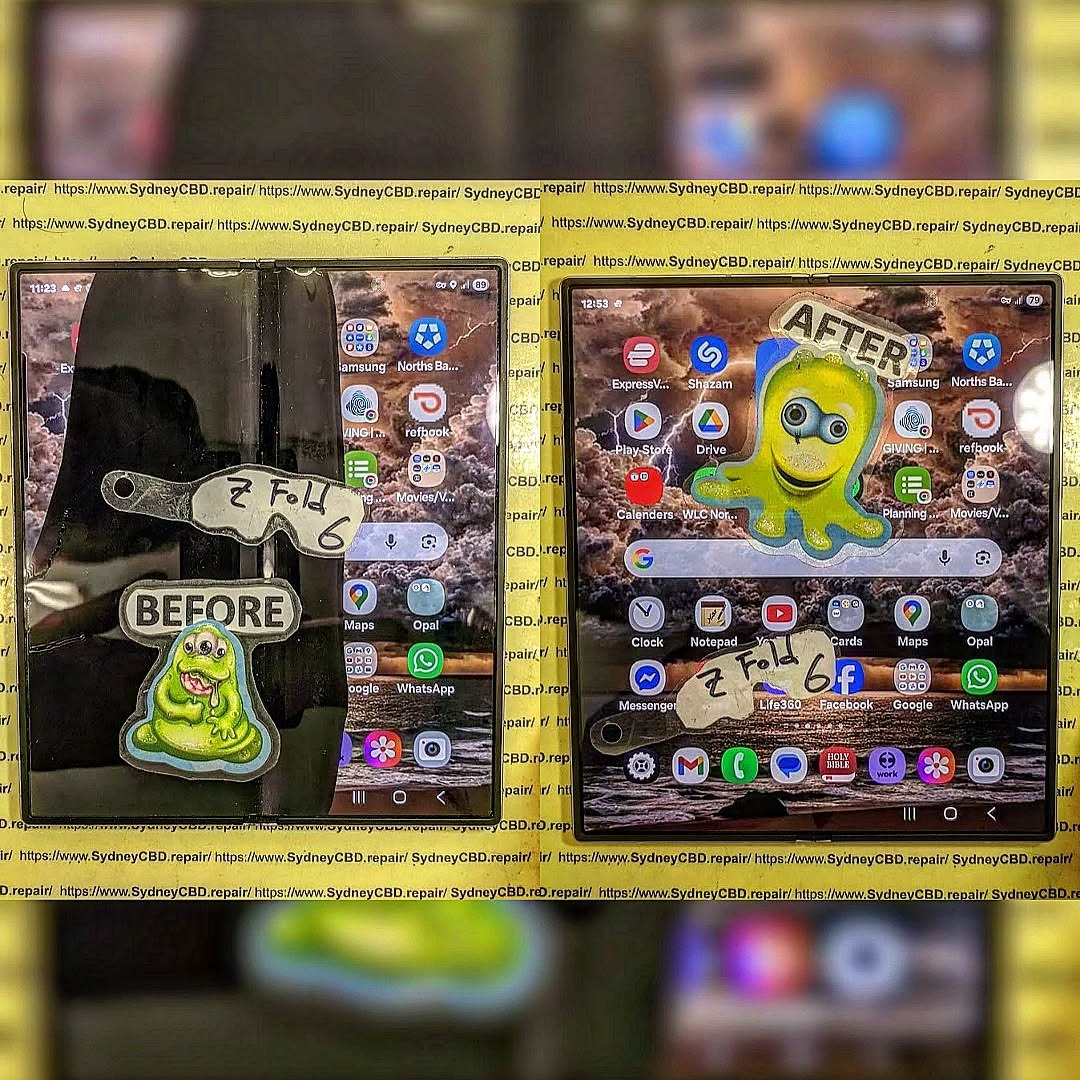
The $2000 Mistake: Repairing a crushed Samsung Z Fold 6 Slim Screen
Introduction
The Samsung Galaxy Z Fold 6 is one of the most advanced foldable smartphones on the market, offering users the convenience of a tablet-sized display in a sleek, pocket-friendly design. However, this cutting-edge technology comes with a delicate side: the slim, foldable screen is highly susceptible to damage. A single drop or accidental pressure can crush the display, leaving users facing an expensive repair bill that can reach up to $2000 if handled incorrectly.
At Sydney CBD Repair Centre, we’ve witnessed countless cases where a rushed DIY repair or a visit to an unofficial technician turned a small crack into a costly disaster. With over 7 years of experience, thousands of satisfied customers, and more than 2000 positive Google reviews, we specialize in providing reliable, same-day repairs for Samsung Galaxy devices. Our expert technicians use only genuine parts and back every repair with a 90-day warranty, ensuring your phone works like new.
In this article, we’ll explore why the Galaxy Z Fold 6 screen is so fragile, the common mistakes that lead to skyrocketing repair costs, and why professional service at Sydney CBD Repair Centre is the smartest choice for keeping your device safe and fully functional.
The Samsung Galaxy Z Fold 6 is a marvel of modern technology—a phone that doubles as a tablet, offering flexibility, cutting-edge features, and a sleek, ultra-thin design. But with innovation comes vulnerability. One wrong drop, one sharp edge, and the delicate slim screen can be crushed, leaving owners facing a potentially shocking repair bill. In fact, a crushed Galaxy Z Fold 6 screen can cost up to $2000 if not handled correctly.
At Sydney CBD Repair Centre, we’ve seen countless customers panic over a folded, cracked, or smashed Z Fold 6. With 7 consecutive years as Sydney’s top mobile phone repair shop, our team has helped thousands avoid costly mistakes.
Unlike traditional smartphone displays, the Galaxy Z Fold 6 features a foldable AMOLED screen, which is thinner, flexible, and more intricate than standard glass. Repairing it isn’t as simple as swapping a screen. Challenges include:
Delicate Folding Mechanism – A crushed screen can affect the folding hinge, requiring precise calibration.
Ultra-Thin OLED Layer – The slim display can tear or warp if not replaced by a certified technician.
High Part Costs – Genuine replacement parts for foldable screens are expensive and not widely available.
Labor-Intensive Repair – Technicians need specialized tools and expertise to ensure the screen functions seamlessly after repair.
Attempting a DIY repair or using cheap third-party parts can cause further damage, leading to double the cost or even a total loss of the device.
The $2000 Mistake Explained
Many customers believe they can save money by going to unofficial repair shops or attempting home fixes. This is a huge risk for the Galaxy Z Fold 6. Here’s what often happens:
Non-Genuine Parts Fail – After a few days, the display may flicker, show dead pixels, or stop folding properly.
Hidden Damage Overlooked – Internal damage to the battery, hinge, or circuit boards may be missed, causing long-term malfunctions.
Voided Warranty – Using unofficial repairs voids Samsung’s warranty, leaving you liable for full replacement costs.
The end result? A repair attempt that was supposed to save money can easily turn into a $2000 disaster.
Why Sydney CBD Repair Centre Is Your Best Choice
When it comes to high-end devices like the Galaxy Z Fold 6, professional repair is non-negotiable. At Sydney CBD Repair Centre, we offer:
Same-Day Express Repairs – Get your device back in working condition without unnecessary delays.
Genuine Parts Guarantee – Only official Samsung parts are used for every repair.
Professional Technicians – Our team has 7+ years of experience with foldable devices.
Competitive Pricing – Transparent quotes without hidden fees.
90-Day Warranty – Peace of mind with every repair.
Proven Reputation – Over 2000 positive Google reviews and 7-time award winner for best phone repair in Sydney.
We handle everything from cracked screens to hinge repairs, battery replacements, water damage restoration, and more.
Q1: Can I still use my Z Fold 6 if the screen is cracked?
A: Technically, yes, but it’s risky. Cracks can worsen over time, affecting touch sensitivity and folding function. Immediate professional repair is recommended.
Q2: How long does a screen replacement take?
A: At Sydney CBD Repair Centre, same-day repairs are standard. Most Galaxy Z Fold 6 screens are replaced within a few hours.
Q3: Are third-party repair parts safe?
A: No. Non-genuine parts can cause permanent damage and void your warranty. Always opt for certified parts.
Q4: Will the warranty cover a crushed screen?
A: Typically, physical damage isn’t covered under standard warranties. Professional repair is your best way to restore functionality.
Q5: Can water damage affect the foldable screen?
A: Absolutely. Even minor exposure can damage the AMOLED layer. Immediate service is crucial.
Avoid the $2000 Mistake – Act Fast
Crushed or folded screens are urgent repairs. The longer you wait, the higher the risk of additional damage. Don’t gamble with your high-value device. Trust the experts who have handled thousands of Samsung, Apple, and Google repairs successfully.
Visit Sydney CBD Repair Centre Today
Located in the heart of Sydney CBD, we are the city’s #1 mobile phone repair centre. Walk in or book a repair and experience our unmatched service.
✓ Same Day Express Repairs
✓ Genuine Parts Guarantee
✓ Professional Technicians
✓ Competitive Pricing
✓ 2000+ 5-Star Google Reviews
✓ 7-Time Award Winner for Best Phone Repairs
At Sydney CBD Repair Centre, quality meets reliability. Don’t risk $2000 on a bad repair—trust the experts who get it right the first time.
Reasons Why Your Screen Repair Costs as Much as a new Samsung Phone: 7 Shocking Reasons
Introduction
If you’ve ever looked at the cost of repairing a cracked or shattered Samsung phone screen, you might have done a double take. In many cases, the repair can cost nearly as much as a brand-new device. At first glance, this seems absurd—but when you dig deeper, the price begins to make sense. Understanding why your screen repair costs as much as a new Samsung phone requires breaking down components, labor, and other hidden factors.
From foldable phones to curved-edge displays, modern Samsung devices are marvels of engineering—but they come at a premium. Whether you own a Galaxy S23, Galaxy Z Flip 5, or any other model, the investment you make in screen repair reflects the complexity behind these sleek devices.
Original Equipment Manufacturer (OEM) screens are the gold standard for Samsung devices. They ensure perfect color accuracy, touch responsiveness, and durability. Aftermarket or third-party screens may cost less but often compromise on quality, risking uneven brightness, ghost touches, or rapid deterioration.
Screen Type
Cost Range
Pros
Cons
OEM
$250-$450
Guaranteed quality, warranty
Expensive
Aftermarket
$100-$200
Cheaper upfront
May fail sooner, lower touch sensitivity
Choosing OEM parts is a major factor in why repair costs approach the price of a new phone.
Labour Intensity
Samsung screen repair isn’t as simple as swapping parts. Technicians often perform microsurgery-level work, especially for devices like the Galaxy Z Fold or phones with under-display fingerprint sensors. The labor involves:
Removing delicate adhesive without cracking components
Detaching glass layers from AMOLED displays
Reassembling multi-layer components with precision
Highly skilled technicians command higher fees because mistakes can render the device unusable. Microsurgery-level repairs may take 1-3 hours, reflecting in the overall cost.
Foldable Samsung phones, like the Galaxy Z Flip series, feature flexible OLED displays. These displays require precise calibration and pressure-sensitive lamination. Even minor errors during repair can cause visible creases or permanent damage, justifying higher repair fees.
AMOLED vs Super AMOLED vs Dynamic AMOLED
Different screen technologies impact pricing:
AMOLED – Early-generation technology; slightly cheaper to repair
Super AMOLED – Integrated touch sensor; more expensive
Each layer adds labor complexity and increases the chance of errors, pushing repair costs higher.
Tools and Technology Required
Specialized tools are non-negotiable for Samsung repairs. These include:
Microsoldering equipment for circuit connections
UV adhesive curing machines
Precision heat plates
Microscopes for microscopic alignment
High-tech equipment adds to overhead costs, which technicians pass on to customers. Without proper tools, repairs are risky and often impossible.
Risks and Quality Control
Warranty Considerations
Using genuine Samsung screens ensures warranty protection. If you opt for aftermarket parts, Samsung may refuse to honor warranty claims. High repair costs often reflect the added assurance of warranty coverage.
Risk of DIY Repairs
DIY or low-cost repair attempts carry significant risks:
Further screen damage
Water and dust ingress
Invalidated device warranty
The cost of fixing mistakes often exceeds professional repair fees, making skilled labor a safer, though pricier, option.
When availability is limited, prices naturally increase, especially for rare foldable panels.
Hidden Fees and Service Charges
Many repair costs include:
Diagnostic fees
Labor markups
Disposal of damaged components
Quality testing
These “hidden” fees ensure the repair meets Samsung’s rigorous standards, but they also inflate the overall price.
Comparing Screen Repair vs Buying New
Long-Term Value
While repair costs may seem steep, repairing a device preserves its data, settings, and personal apps. A new device requires transferring data and adapting to new software—sometimes a hassle that justifies the cost of repair.
Environmental Considerations
Repairing instead of replacing reduces e-waste, conserving resources and helping the planet. A small premium for repair can be seen as an eco-conscious investment.
How to Reduce Repair Costs
Tips to save money include:
Using reputable repair centers like Sydney CBD Repair Centre
Checking if insurance covers accidental damage
Considering trade-in programs for old devices
Comparing OEM and high-quality aftermarket screens carefully
Finding a balance between quality and affordability can make repairs less painful.
FAQ
1. Why is Samsung screen repair so expensive?
Samsung screens are technologically advanced, requiring OEM parts, skilled labor, and specialized tools. Foldable and curved screens increase complexity.
2. Can I use a cheaper third-party screen?
Yes, but risks include lower touch responsiveness, faster wear, and voided warranty.
3. How long does a professional screen repair take?
Typically 1-3 hours for most models; foldables may take longer due to delicate assembly.
4. Will insurance cover my Samsung screen repair?
It depends on your provider. Many plans cover accidental damage but require proof of repair at authorized centers.
5. Is repairing better than buying a new phone?
Repairing preserves your device, personal data, and is environmentally friendly, but the cost can approach a new phone for high-end models.
6. How can I ensure a quality repair?
Always choose certified technicians using genuine parts, and ask for warranty coverage on the repair.
Conclusion
Samsung screen repairs may seem shockingly expensive, but understanding the reasons behind the cost sheds light on the value provided. From advanced screen technology to skilled labor, specialized tools, and warranty assurance, every factor contributes to why repair prices sometimes rival the cost of a new phone. Investing in professional repair not only protects your device but also reduces environmental impact while extending the life of your phone.
For professional Samsung screen repairs in Sydney, trust Sydney CBD Repair Centre for genuine parts, expert service, and a 90-day warranty on all repairs.
David from Sydney CBD Repair Centre – The Best place to fix mobile phones as 7 Years In A Row! Top Mobile Phone Repair In Sydney. More than 2000 Positive Reviews on Google and Same Day Repairs.
We take pride in delivering exceptional repair services for all major phone brands including Apple, Samsung, Google, and more. Our expert technicians use only genuine parts and offer 90days warranty on repairs. Located in the heart of Sydney CBD, we’re your one-stop solution for all mobile device repairs.
Our commitment to excellence has earned us the trust of thousands of satisfied customers. Whether it’s a cracked screen, battery replacement, or water damage repair, we handle it all with professional care and expertise. Walk in today and experience why we’re Sydney’s #1 choice for mobile phone repairs.
Visit us for:
✓ Same Day Express Repairs
✓ Genuine Parts Guarantee
✓ Professional Technicians
✓ Competitive Pricing
✓ 2000+ 5-Star Google Reviews
✓ 7-Time Award Winner for Best Phone Repairs
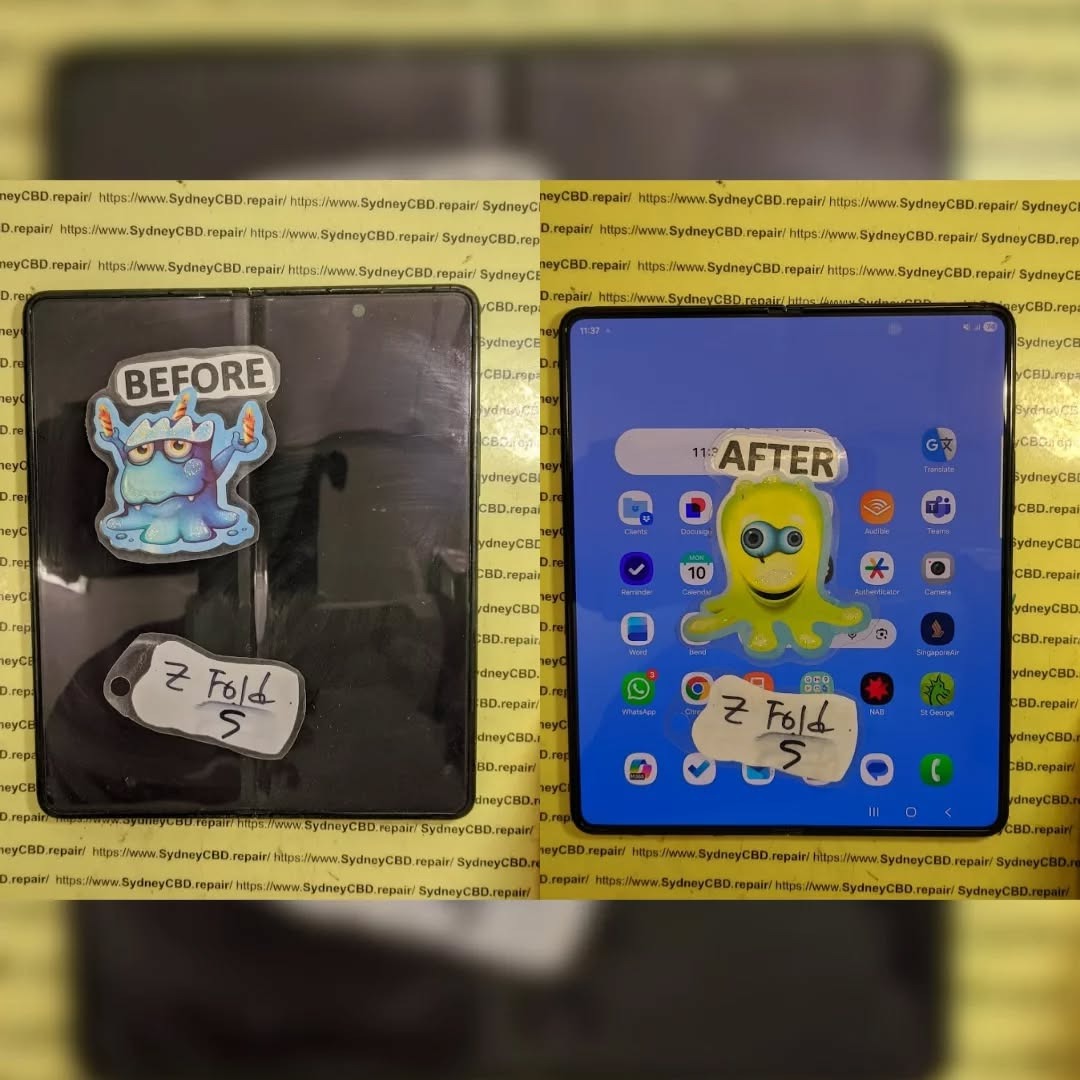
The $2000 Mistake: Repairing a Samsung Galaxy Z Fold 5 With Non-Genuine Parts
Introduction: The High Stakes of Smartphone Repairs
In today’s fast-paced digital world, smartphones like the Galaxy Z Fold 5 are more than just communication tools—they are lifestyle devices, productivity hubs, and personal entertainment centers. With prices hovering around $1,800–$2,000, any damage can feel catastrophic. One wrong move during repair—especially opting for non-genuine parts—can quickly turn into a $2,000 mistake.
Non-genuine components may seem cost-effective initially, but they often compromise performance, reliability, and safety. Whether it’s a cracked screen, battery issue, or water damage, understanding the stakes is crucial before handing your premium device over to any repair shop.
The Galaxy Z Fold 5 is Samsung’s flagship foldable smartphone, designed with cutting-edge technology that blends innovation with fragility. Its unique design requires careful handling during repairs, as even minor errors can cause long-term damage.
Folding Screen Technology Explained
At the heart of the Z Fold 5 is its foldable OLED display, capable of bending without cracking—yet extremely delicate. Unlike traditional rigid screens, foldable displays use ultra-thin layers that demand specialized handling. Non-genuine replacements may not replicate the exact folding mechanics, leading to issues like dead pixels, uneven folding, or premature wear.
Internal Hardware and Sensors
Beneath the foldable screen lies a complex arrangement of sensors, connectors, and chips. Components like the in-display fingerprint sensor, hinge motors, and cameras are precisely calibrated. A subpar part or an inexperienced repair attempt can misalign these, resulting in malfunctioning sensors, uneven touch response, or hinge failure.
Non-Genuine Parts: What Are They?
Non-genuine, or aftermarket, parts are components produced by third-party manufacturers. These parts are often marketed as “compatible” or “OEM-like,” but they rarely match the quality of original Samsung parts.
Common Non-Genuine Parts Used
Repair shops often use non-genuine parts to cut costs. Common replacements include:
Foldable screens
Batteries
Side buttons and volume keys
Camera lenses and modules
Charging ports and internal connectors
While cheaper, these parts rarely offer the durability and performance of original components.
Cost vs. Quality Tradeoff
A non-genuine screen replacement may save $200–$400 upfront, but the tradeoff is enormous. These screens can flicker, lose brightness, or fail entirely within months. Batteries may overheat or degrade faster, and even minor internal connectors may cause functionality loss. In the long run, the total cost of repeated repairs can exceed the price of a professional repair using genuine parts.
The Hidden Risks of Non-Genuine Repairs
Opting for aftermarket parts is not just a financial risk—it’s a potential hazard to your device and personal safety.
Shortened Device Lifespan
Substandard materials wear out quickly. Non-genuine displays may peel, become unresponsive, or warp, while cheap batteries often fail sooner, leading to device shutdowns or swelling. Your $2,000 phone can end up feeling like a $500 device within months.
Warranty and Insurance Issues
Samsung’s official warranty explicitly voids coverage if non-genuine parts are used. Likewise, many insurance policies will deny claims on phones repaired with aftermarket components. Choosing non-genuine parts could make you responsible for 100% of future repair costs.
Safety Hazards
Cheap batteries are particularly dangerous—they can overheat, leak, or even explode. Poor-quality screens may crack or shatter unpredictably, posing risk of injury. Non-genuine parts compromise the strict safety standards built into the Galaxy Z Fold 5, which are designed to protect both the device and its user.
To avoid the $2,000 mistake, it’s vital to know how to differentiate genuine Samsung components from cheap substitutes.
Visual and Functional Indicators
Screen clarity: Genuine screens maintain uniform brightness and colors. Non-genuine displays may appear dull or patchy.
Touch response: Original parts have smooth, accurate touch sensitivity; aftermarket parts can be laggy or uneven.
Hinge movement: Non-genuine parts can create stiffness or unusual gaps in folding.
Using Samsung Authorized Service Centers
The safest approach is to seek repairs through Samsung Authorized Service Centers or certified repair shops. They verify authenticity with serial numbers, provide factory-tested parts, and ensure your device maintains warranty coverage.
Repair Cost Breakdown
Understanding realistic costs can prevent falling for cheap, risky alternatives.
Screen Replacement Costs
Genuine screen replacement: $650–$800
Non-genuine screen replacement: $300–$400 (often fails within months)
Battery & Component Costs
Genuine battery replacement: $120–$180
Non-genuine battery: $50–$80 (risk of overheating or reduced lifespan)
When calculating potential future repairs due to failed aftermarket parts, the “savings” quickly vanish.
Expert Repair Strategies
Professional repair shops prioritize precision, safety, and long-term reliability.
Certified Technicians and Tools
Trained technicians use specialized tools for folding screens and internal connectors. They adhere to ESD safety standards, avoiding static damage to sensitive circuits. Using non-genuine parts circumvents these standards and increases failure risk.
Step-by-Step Screen Replacement
Power off the device
Carefully remove back cover without damaging hinges
Disconnect battery
Detach foldable screen using heat and precision tools
Test touch, fold, display quality, and battery function
Skipping any step or using cheap components can cause permanent malfunction.
Preventing Damage in the First Place
Avoiding repair is always better than repairing poorly.
Protective Cases & Screen Protectors
Invest in foldable-friendly cases and screen protectors. Some brands specialize in foldable displays, providing protection without restricting the hinge.
Usage Habits for Longevity
Avoid extreme folding angles
Keep away from liquids
Don’t overload device with heavy apps or excessive heat
Use certified chargers to avoid battery stress
External Resources & Samsung Guidelines
For official repair guidance, Samsung provides detailed information for authorized service: Samsung Galaxy Z Fold 5 Support. Following these guidelines ensures safety and keeps your warranty intact.
Frequently Asked Questions (FAQs)
Q1: Can I save money with non-genuine parts?
A1: Short-term savings exist, but long-term costs often surpass the price of genuine repairs. Risk of repeated failures makes it a poor investment.
Q2: How can I tell if a part is genuine?
A2: Look for factory-quality finish, proper touch response, correct hinge alignment, and purchase from authorized centers.
Q3: What happens if my warranty is voided?
A3: Samsung may refuse repairs or replacements, leaving you fully responsible for future repair costs.
Q4: Are non-genuine batteries dangerous?
A4: Yes. Cheap batteries can overheat, swell, or leak, posing safety risks.
Q5: Is DIY repair with aftermarket parts safe?
A5: Not recommended. The Z Fold 5 requires specialized tools and experience; mistakes can permanently damage the device.
Q6: Can I switch back to genuine parts after a non-genuine repair?
A6: Yes, but previous damage may complicate installation. It’s often more costly and requires certified technicians.
Conclusion
Repairing your Galaxy Z Fold 5 with non-genuine parts is more than a financial risk—it’s a $2,000 mistake waiting to happen. From shorter device lifespan to safety hazards and voided warranties, the downsides far outweigh initial savings. Choosing genuine components, certified repair services, and preventive care ensures your device remains functional, safe, and long-lasting. Investing in quality now avoids costly repairs and protects your valuable device.
When it comes to high-end foldable phones, cutting corners is never worth it. Protect your investment with expert repairs, genuine parts, and informed choices.
David from Sydney CBD Repair Centre – The Best place to fix mobile phones as 7 Years In A Row! Top Mobile Phone Repair In Sydney. More than 2000 Positive Reviews on Google and Same Day Repairs.
We take pride in delivering exceptional repair services for all major phone brands including Apple, Samsung, Google, and more. Our expert technicians use only genuine parts and offer 90days warranty on repairs. Located in the heart of Sydney CBD, we’re your one-stop solution for all mobile device repairs.
Our commitment to excellence has earned us the trust of thousands of satisfied customers. Whether it’s a cracked screen, battery replacement, or water damage repair, we handle it all with professional care and expertise. Walk in today and experience why we’re Sydney’s #1 choice for mobile phone repairs.
Visit us for:
✓ Same Day Express Repairs
✓ Genuine Parts Guarantee
✓ Professional Technicians
✓ Competitive Pricing
✓ 2000+ 5-Star Google Reviews
✓ 7-Time Award Winner for Best Phone Repairs
Green Line Fix: Does a New Screen Prevent Future Samsung Issues? Proven Insights & 7 Expert Facts
Introduction to the Samsung Green Line Issue
The Green Line Fix has become a hot topic among Samsung users worldwide. If you’ve ever unlocked your phone only to see a bright green vertical line cutting through your display, you’re not alone. This issue has been reported across multiple Samsung models, especially those using AMOLED screens. Naturally, the big question follows: does replacing the screen actually prevent future Samsung issues, or is it just a temporary patch?
In this in-depth guide, we’ll unpack the truth behind the Samsung green line problem. We’ll look at why it happens, whether a Green Line Fix through screen replacement is effective long term, and what you can realistically do to prevent it from coming back. The goal here is simple—clear answers, expert-backed insights, and practical advice you can trust.
The green line issue usually appears as a thin, vertical neon-green stripe running from the top to the bottom of the screen. It may start faint and grow brighter over time. In many cases, the line is always visible, regardless of apps or background color.
This problem is most often linked to the display panel itself, not the glass on top. That’s why restarting the phone or resetting software rarely makes it disappear for good.
Why Samsung Phones Are Commonly Affected
Samsung is a global leader in AMOLED display technology. Ironically, that innovation also makes these screens more susceptible to certain failures. AMOLED panels rely on self-emissive pixels, which degrade unevenly over time. When one vertical pixel line fails, you get the dreaded green stripe.
Models frequently reported with this issue include the Galaxy S20, S21, S22, Note series, and some A-series devices.
AMOLED screens don’t use a backlight. Each pixel produces its own light. Over time, these pixels wear out at different rates. Green subpixels often last longer than red or blue ones, which can cause color imbalance.
When a specific column of pixels degrades abnormally, it may lock into a green output—hence the line. At this point, no software tweak can reverse physical pixel damage.
Software vs Hardware Triggers
Some users notice the green line after a system update. While this feels like a software issue, updates can push hardware harder—higher brightness, new color profiles, or thermal changes. These stresses can reveal an existing weakness in the display rather than create a new one.
According to Samsung display documentation and general AMOLED behavior, once pixel circuitry is damaged, replacement is the only permanent Green Line Fix (Samsung Display Insights).
Green Line Fix Explained: Does Replacing the Screen Really Work?
This is the moment of truth. Does a new screen actually solve the problem?
When Screen Replacement Is Effective
In the vast majority of cases, yes. A full display replacement removes the faulty AMOLED panel entirely. Since the green line originates from damaged pixels or display driver circuits, installing a new screen resets that risk to zero—at least initially.
For phones without motherboard-level display controller damage, a professional Green Line Fix using a genuine Samsung screen is highly effective and visually restores the device to like-new condition.
Limitations of a New Screen
However, replacing the screen doesn’t magically change how AMOLED technology works. If the same usage patterns continue—high brightness, static images, overheating—the new display may eventually develop similar issues years down the line.
Importance of Genuine Parts
Using non-genuine or low-quality screens increases the risk of recurrence. Aftermarket displays may lack proper calibration or thermal protection. A genuine Samsung display is engineered to work seamlessly with the phone’s hardware and firmware, reducing stress on pixels over time.
Preventing Future Samsung Green Line Issues
While no method is foolproof, smart habits go a long way.
These small changes help extend AMOLED lifespan and support the long-term success of any Green Line Fix.
Software Maintenance Best Practices
Install updates gradually, not immediately on release
Restart your device weekly
Avoid unofficial firmware or display mods
Software stability helps regulate power delivery to the screen, minimizing uneven pixel aging.
Professional Repair vs DIY Fixes
Risks of DIY Repairs
DIY screen replacement videos make the process look easy. In reality, Samsung displays are fragile, expensive, and bonded with industrial adhesive. One slip can damage the fingerprint sensor, motherboard, or frame.
A failed DIY attempt often ends up costing more than a professional repair.
Benefits of Certified Repair Centres
Certified technicians use proper tools, anti-static protection, and calibrated displays. They also test thermal output and display drivers after installation. That’s a level of care you simply can’t replicate at home.
A professional Green Line Fix also usually comes with a warranty, giving you peace of mind.
Frequently Asked Questions (FAQs)
1. Is the green line issue covered under Samsung warranty?
Sometimes. If the device is within warranty and shows no physical damage, Samsung may replace the screen.
2. Can a software update fix the green line?
No. Software may hide symptoms briefly, but it cannot repair damaged pixels.
3. Will factory reset remove the green line?
No. A factory reset does not affect hardware-level display issues.
4. Is the green line dangerous to use?
Not dangerous, but it can worsen over time and reduce resale value.
5. How long does a screen replacement take?
Typically 1–2 hours at a professional repair centre.
6. Can the green line come back after screen replacement?
Rarely, if genuine parts and proper usage habits are followed.
Conclusion: Is a New Screen the Final Answer?
So, does a new screen prevent future Samsung issues? In practical terms—yes. A professional Green Line Fix using a genuine display is the most reliable and permanent solution available today. While it doesn’t eliminate the inherent aging nature of AMOLED technology, it resets the clock and restores full visual performance.
Pair that replacement with smart usage habits and proper software care, and you can confidently enjoy your Samsung device for years without seeing that green line again.
David from Sydney CBD Repair Centre – The Best place to fix mobile phones as 7 Years In A Row! Top Mobile Phone Repair In Sydney. More than 2000 Positive Reviews on Google and Same Day Repairs.
We take pride in delivering exceptional repair services for all major phone brands including Apple, Samsung, Google, and more. Our expert technicians use only genuine parts and offer 90days warranty on repairs. Located in the heart of Sydney CBD, we’re your one-stop solution for all mobile device repairs.
Our commitment to excellence has earned us the trust of thousands of satisfied customers. Whether it’s a cracked screen, battery replacement, or water damage repair, we handle it all with professional care and expertise. Walk in today and experience why we’re Sydney’s #1 choice for mobile phone repairs.
Visit us for:
✓ Same Day Express Repairs
✓ Genuine Parts Guarantee
✓ Professional Technicians
✓ Competitive Pricing
✓ 2000+ 5-Star Google Reviews
✓ 7-Time Award Winner for Best Phone Repairs
Samsung Galaxy Z Fold 6 Inner Screen Replacement and Biometric Sensor Calibration: 15 Essential Facts for a Flawless Repair
Introduction
The Samsung Galaxy Z Fold 6 Inner Screen Replacement and Biometric Sensor Calibration process is one of the most advanced smartphone repair procedures available today. Foldable smartphones represent cutting-edge technology, combining the functionality of a tablet and a phone into a single device. However, their sophisticated design also means repairs require specialized expertise.
When the inner display becomes damaged, replacing it isn’t as straightforward as changing a standard smartphone screen. The repair must be performed carefully to protect the folding mechanism, maintain display quality, and ensure biometric systems continue functioning correctly.
Furthermore, biometric sensor calibration is an essential step after many repairs. Without proper calibration, features such as fingerprint recognition and secure authentication may not operate as intended.
This guide explores every aspect of Samsung Galaxy Z Fold 6 Inner Screen Replacement and Biometric Sensor Calibration, helping device owners understand what to expect from the repair process and how to maintain their investment afterward.
1. How long does a Samsung Galaxy Z Fold 6 inner screen replacement take?
Most professional repairs are completed within several hours to one business day, depending on parts availability and calibration requirements.
2. Is biometric sensor calibration always necessary?
In many cases, yes. Calibration ensures that fingerprint and security systems operate correctly after repairs involving internal components.
3. Can I replace the inner screen myself?
Due to the complexity of foldable devices, DIY repairs are generally not recommended. Specialized tools and expertise are required.
4. Will replacing the screen affect waterproofing?
Professional repair centers use proper sealing methods to restore device protection as closely as possible to factory standards.
5. How can I prevent future screen damage?
Use protective cases, avoid excessive pressure, keep the hinge clean, and handle the device carefully during opening and closing.
6. Are genuine replacement parts important?
Absolutely. Genuine components help maintain display quality, durability, compatibility, and long-term reliability.
7. Does screen replacement improve device performance?
If display-related issues were affecting usability, replacing the screen can restore normal functionality and enhance the user experience.
8. What happens if biometric calibration is skipped?
Users may experience fingerprint recognition failures, authentication errors, or reduced security feature functionality.
Conclusion
The Samsung Galaxy Z Fold 6 Inner Screen Replacement and Biometric Sensor Calibration process is far more sophisticated than a standard smartphone repair. The foldable display, flexible architecture, and integrated security systems require specialized expertise, professional tools, and meticulous attention to detail.
By choosing an experienced repair provider, using genuine parts, and ensuring proper biometric sensor calibration, users can restore their Galaxy Z Fold 6 to optimal condition. Regular maintenance and careful handling will further extend the lifespan of the repaired device, helping owners continue enjoying the innovative features that make foldable smartphones so unique.
For additional information about Samsung devices and support resources, visit the official Samsung Support.
David from Sydney CBD Repair Centre – The Best place to fix mobile phones as 7 Years In A Row! Top Mobile Phone Repair In Sydney. More than 2000 Positive Reviews on Google and Same Day Repairs.
We take pride in delivering exceptional repair services for all major phone brands including Apple, Samsung, Google, and more. Our expert technicians use only genuine parts and offer 90days warranty on repairs. Located in the heart of Sydney CBD, we’re your one-stop solution for all mobile device repairs.
Our commitment to excellence has earned us the trust of thousands of satisfied customers. Whether it’s a cracked screen, battery replacement, or water damage repair, we handle it all with professional care and expertise. Walk in today and experience why we’re Sydney’s #1 choice for mobile phone repairs.
Visit us for:
✓ Same Day Express Repairs
✓ Genuine Parts Guarantee
✓ Professional Technicians
✓ Competitive Pricing
✓ 2000+ 5-Star Google Reviews
✓ 7-Time Award Winner for Best Phone Repairs
Sydney CBD Repair Centre – Where Quality Meets Reliability.
Call : +61280114119
Website: Sydney CBD Repair Centre
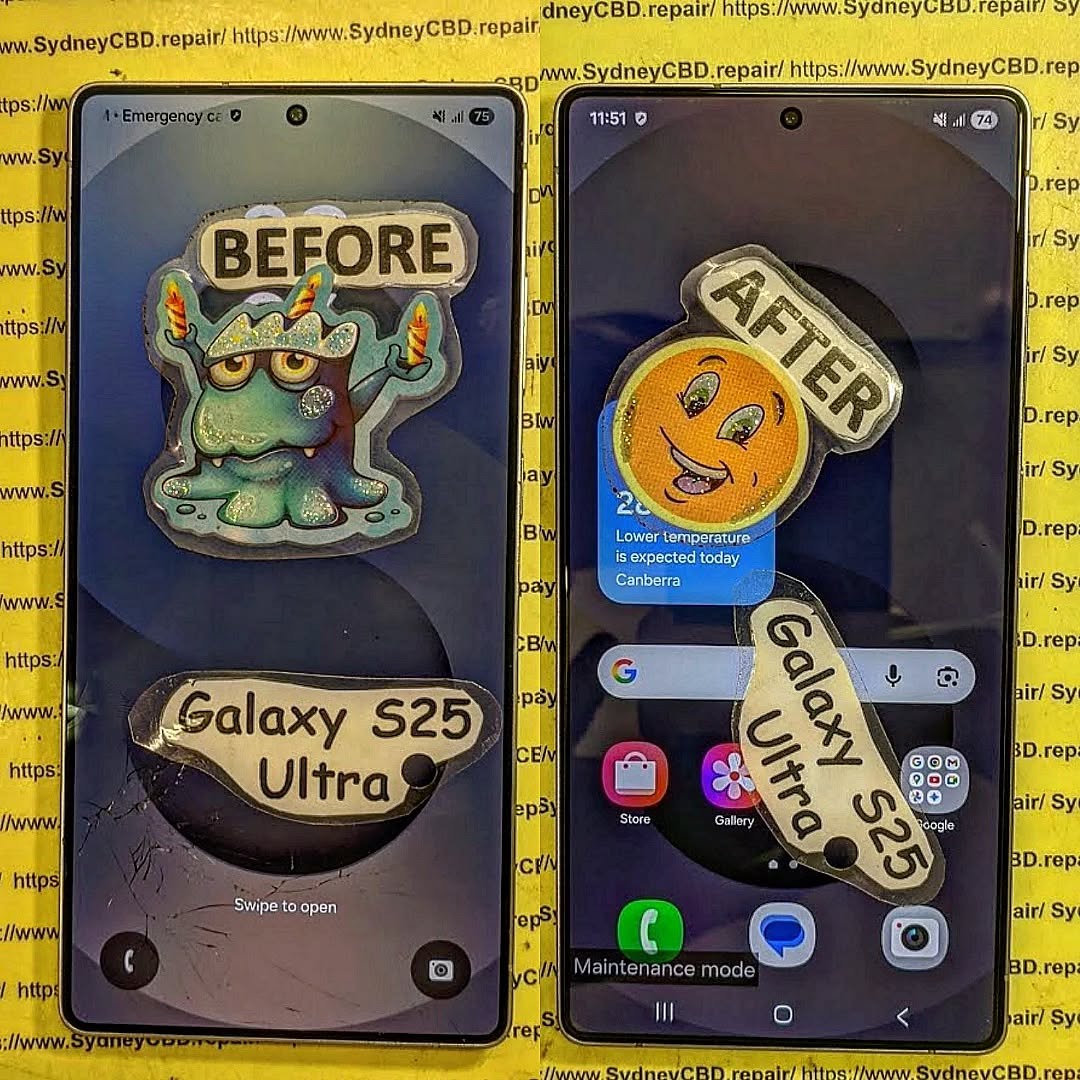
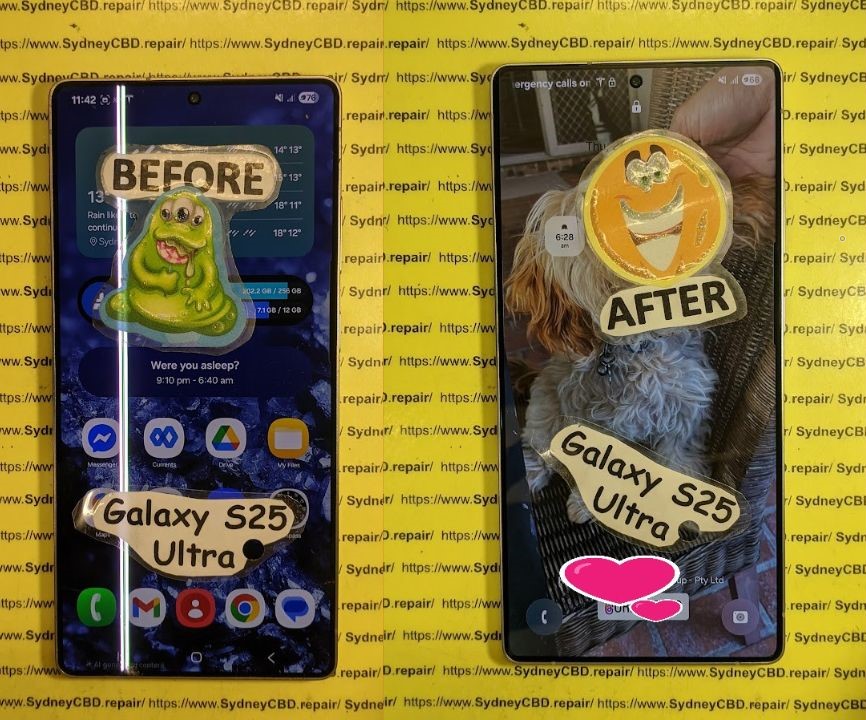
Restoring Professional Grade Durability To A Shattered Samsung Galaxy S25 Ultra Display – Ultimate 10-Step Expert Repair Guide
Introduction
A shattered smartphone display can feel like the end of the road for even the most advanced device. However, restoring professional grade durability to a shattered Samsung Galaxy S25 Ultra display is entirely possible with expert repair techniques, genuine replacement components, and experienced technicians. The Samsung Galaxy S25 Ultra stands as one of Samsung’s most premium flagship devices, featuring cutting-edge AMOLED technology, ultra-fast responsiveness, and exceptional durability. Still, accidents happen.
Whether the damage comes from an unexpected drop, pressure inside a pocket, or impact against a hard surface, repairing the display quickly is essential. A cracked screen doesn’t just affect appearance—it can compromise touch sensitivity, weaken structural integrity, and expose the device to dust or moisture.
Fortunately, professional repair services can restore the Samsung Galaxy S25 Ultra to near-original condition. By using proper diagnostic tools and precision installation methods, technicians can bring back display clarity, responsiveness, and strength. In many cases, same-day repairs are available, helping users avoid long periods without their phones.
The Samsung Galaxy S25 Ultra display is one of the most advanced smartphone screens ever developed. Samsung engineered this device with a premium Dynamic AMOLED panel capable of delivering exceptional brightness, color accuracy, and ultra-smooth refresh rates.
Key Display Features
Feature
Benefit
AMOLED Technology
Rich blacks and vibrant colors
High Refresh Rate
Smooth scrolling and gaming
HDR Support
Better video viewing experience
Gorilla Glass Protection
Improved impact resistance
Edge-to-Edge Design
Premium visual aesthetics
Because the display is central to the user experience, even minor cracks can significantly reduce usability. That’s why restoring professional grade durability to a shattered Samsung Galaxy S25 Ultra display should never be delayed.
Even with strong protective glass, the Samsung Galaxy S25 Ultra can still suffer screen damage under certain conditions.
Frequent Causes Include
Accidental drops onto concrete
Pressure from sitting on the phone
Impact inside bags or backpacks
Falls from tables or countertops
Sharp object contact
Heat-related structural weakening
Interestingly, many users assume modern flagship phones are indestructible. While durable, no smartphone display is completely immune to damage.
Signs Your Samsung Galaxy S25 Ultra Needs Immediate Repair
Some damage appears obvious, while other problems develop gradually over time.
Common Warning Signs
Cracked or Spiderweb Glass
Visible cracks are the most common indicator.
Touchscreen Unresponsiveness
Dead spots or delayed touch input suggest internal damage.
Flickering Display
A flickering screen often points to AMOLED panel issues.
Black Spots or Bleeding Pixels
These signs usually indicate impact damage beneath the glass.
Green or White Lines
Vertical lines commonly appear after pressure damage.
Screen Separation
The display lifting away from the frame requires urgent repair.
Ignoring these warning signs can worsen the damage and increase repair costs.
Understanding AMOLED Technology in the Galaxy S25 Ultra
Samsung’s AMOLED technology is renowned worldwide for exceptional image quality. Unlike traditional LCD displays, AMOLED screens use self-lit pixels that individually illuminate.
Benefits of AMOLED Displays
Better battery efficiency
Superior contrast ratios
Deeper blacks
Faster response times
Thinner display construction
However, AMOLED panels are highly specialized. Restoring professional grade durability to a shattered Samsung Galaxy S25 Ultra display requires careful handling because even small installation errors can affect performance.
Manufacturing new phones consumes significant energy.
Longer Device Lifespan
Professional repairs keep devices functional for years.
Restoring professional grade durability to a shattered Samsung Galaxy S25 Ultra display is not only financially smart—it’s environmentally responsible too.
Choosing the Right Repair Centre
Not all repair centres offer the same quality standards.
What To Look For
Experienced Technicians
Choose specialists with Samsung repair expertise.
Genuine Parts
Always ask whether original-quality parts are used.
Warranty Coverage
Reliable repair centres stand behind their work.
Positive Customer Reviews
Strong customer feedback indicates service quality.
Fast Turnaround Times
Efficient repairs reduce inconvenience.
Selecting a trusted repair provider ensures your Samsung Galaxy S25 Ultra receives professional treatment.
Frequently Asked Questions
1. Can a shattered Samsung Galaxy S25 Ultra display be fully restored?
Yes. Professional technicians can restore the phone’s appearance, functionality, and durability using genuine-quality replacement parts and precision repair methods.
2. Will repairing the display affect waterproofing?
Professional repair centres attempt to restore original sealing as closely as possible. However, water resistance can never be guaranteed exactly like factory conditions.
3. Is it safe to keep using a cracked Samsung Galaxy S25 Ultra?
Using a cracked device can lead to worsening damage, moisture penetration, and potential injury from broken glass.
4. How much does Samsung Galaxy S25 Ultra screen repair usually cost?
Costs vary depending on part quality, repair complexity, and whether internal damage exists. Genuine AMOLED repairs typically cost more than standard smartphone screens.
5. Can the fingerprint sensor still work after screen replacement?
Yes. High-quality professional repairs maintain compatibility with the under-display fingerprint scanner.
6. How can I avoid future Samsung Galaxy S25 Ultra display damage?
Using a rugged case, tempered glass protector, and careful handling significantly reduces the risk of future cracks.
7. Is repairing better than replacing the phone?
In most cases, yes. Screen repair is far more affordable and environmentally friendly compared to buying a new flagship device.
Conclusion
The Samsung Galaxy S25 Ultra is an advanced premium smartphone designed for performance, durability, and exceptional visual quality. Yet even the strongest devices can suffer accidental damage. Thankfully, restoring professional grade durability to a shattered Samsung Galaxy S25 Ultra display is entirely achievable with professional repair services.
From restoring AMOLED brilliance to reinforcing structural integrity, expert technicians can breathe new life into damaged devices. By using genuine-quality components, advanced repair techniques, and proper sealing procedures, modern repair centres help users regain confidence in their smartphones without the high cost of replacement.
Investing in professional repair not only protects your device but also extends its lifespan, preserves valuable data, and contributes to environmental sustainability. When handled correctly, a repaired Samsung Galaxy S25 Ultra can continue delivering flagship-level performance for years to come.
David from Sydney CBD Repair Centre – The Best place to fix mobile phones as 7 Years In A Row! Top Mobile Phone Repair In Sydney. More than 2000 Positive Reviews on Google and Same Day Repairs.
We take pride in delivering exceptional repair services for all major phone brands including Apple, Samsung, Google, and more. Our expert technicians use only genuine parts and offer 90days warranty on repairs. Located in the heart of Sydney CBD, we’re your one-stop solution for all mobile device repairs.
Our commitment to excellence has earned us the trust of thousands of satisfied customers. Whether it’s a cracked screen, battery replacement, or water damage repair, we handle it all with professional care and expertise. Walk in today and experience why we’re Sydney’s #1 choice for mobile phone repairs.
Visit us for:
✓ Same Day Express Repairs
✓ Genuine Parts Guarantee
✓ Professional Technicians
✓ Competitive Pricing
✓ 2000+ 5-Star Google Reviews
✓ 7-Time Award Winner for Best Phone Repairs
Mail-In Repair Masterclass: Safely Shipping Your Broken Z Fold 6 to Sydney – 11 Powerful Expert Tips
Introduction
The rise of foldable smartphones has changed the mobile industry forever. Devices like the Samsung Galaxy Z Fold 6 deliver cutting-edge technology, powerful multitasking, and sleek designs. However, these premium phones are also more delicate than traditional smartphones. When damage happens, many owners choose mail-in repair services to get professional help quickly and safely.
Shipping a broken foldable phone might sound risky at first. After all, the device contains flexible OLED panels, advanced hinges, and fragile internal components. Yet with the right preparation and packaging methods, mail-in repair can be secure, convenient, and surprisingly fast.
In this detailed guide, you’ll learn how to safely ship your broken Z Fold 6 to Sydney for repair while avoiding common mistakes that could cause additional damage.
Mail-in phone repair services have become incredibly popular across Australia. People living outside major cities often don’t have access to professional foldable phone repair specialists nearby. Instead of travelling long distances, users can securely package their damaged device and send it directly to a trusted technician.
There are several reasons why mail-in repairs continue gaining momentum:
Convenience from home
Access to specialised technicians
Faster turnaround times
Availability of genuine replacement parts
Better pricing compared to local providers
Foldable devices require highly skilled technicians because the repair process is much more complex than standard smartphones. That’s especially true for the Samsung Galaxy Z Fold 6.
Additionally, many repair centres in Sydney now offer same-day assessment and rapid turnaround for mail-in customers. This reduces downtime and keeps customers connected.
Foldable phones are engineering marvels, but they also contain delicate parts that require careful handling.
Foldable Screen Vulnerabilities
The inner folding display is ultra-thin and flexible. Unlike traditional glass screens, foldable panels can suffer from:
Creasing
Dead pixels
Touch sensitivity failure
Internal OLED bleeding
Pressure damage
Even minor shipping pressure can worsen existing damage if the phone isn’t packed properly.
Hinge Mechanism Risks
The hinge is another critical component. Dust intrusion, impact damage, and improper handling may lead to:
Stiff folding
Misalignment
Grinding noises
Failure to fully open or close
Because of this complexity, professional repair services are strongly recommended.
Common Reasons People Mail Their Z Fold 6 for Repair
Many customers send their foldable phones to Sydney due to specific repair issues.
Here are the most common problems:
Problem
Symptoms
Cracked inner screen
Black spots, flickering
Broken outer display
Touch failure
Faulty hinge
Phone won’t fold smoothly
Water damage
Overheating, random shutdowns
Battery issues
Fast drain, swelling
Charging failure
Intermittent charging
Dead motherboard
No power
These repairs often require specialised tools and premium replacement parts.
Choosing a Trusted Repair Centre in Sydney
Not every repair shop is equipped to handle foldable devices.
Experience and Certifications
Before shipping your device, look for repair centres with:
Proven foldable repair experience
Positive customer reviews
Certified technicians
Transparent pricing
Professional diagnostic procedures
An experienced technician understands the risks involved in handling foldable OLED technology.
Genuine Parts and Warranty
Always ask whether the repair centre uses genuine or premium-grade parts. Cheap aftermarket components may lead to poor display quality or reduced durability.
A trustworthy repair provider should also offer warranty coverage on repairs.
Preparation is essential before sending your device.
Backing Up Your Data
Always back up your phone before repair. Use:
Samsung Cloud
Google Drive
External SSD
Computer backup software
Although professional repair centres handle devices carefully, data protection is ultimately the owner’s responsibility.
Removing SIM and Accessories
Before packing the device:
Remove your SIM card
Remove memory cards
Take off the case
Remove accessories
Disconnect chargers
This prevents loss during transit.
Disabling Security Locks
Disable features like:
Samsung Find My Mobile
Google Factory Reset Protection
Passcodes if requested by technicians
This allows diagnostic testing after repair.
Best Packaging Methods for Foldable Phones
Proper packaging is the most important step in safe shipping.
Recommended Packaging Materials
Use high-quality materials including:
Bubble wrap
Foam padding
Rigid cardboard box
Packing tape
Zip-lock bag for accessories
Avoid using paper envelopes or thin satchels.
Step-by-Step Packing Process
Follow these steps carefully:
Power off the phone completely
Fold the device gently
Wrap it in microfiber cloth
Add multiple bubble wrap layers
Place into a snug inner box
Add foam around the box
Place inside larger outer box
Seal securely with tape
The double-box method provides excellent impact protection.
Shipping Options Available in Australia
Several shipping providers operate nationwide.
Express Post vs Courier Services
Australia Post Express is popular because it’s affordable and trackable. However, private couriers may offer:
Faster delivery
Better insurance
Signature confirmation
Real-time tracking
Choosing the right service depends on your budget and urgency.
Insurance and Tracking Importance
Never ship a foldable phone without tracking.
Insurance is also strongly recommended because the Samsung Galaxy Z Fold 6 is an expensive premium device.
Keep records of:
Tracking number
Photos before shipping
Packaging photos
Shipping receipt
These documents help protect you if problems arise.
What Happens After Your Device Arrives
Once your phone reaches the repair centre, technicians typically perform:
Physical inspection
Diagnostic testing
Repair quotation
Customer approval
Repair process
Quality control testing
Return shipping
Professional centres usually contact customers before starting major repairs.
This transparent process gives customers confidence and clarity.
Repair Timeframes and Expectations
Repair times vary depending on the issue.
Repair Type
Typical Time
Outer screen replacement
2–4 hours
Inner foldable screen
1–2 days
Hinge repair
1–3 days
Water damage cleaning
2–5 days
Motherboard repair
3–7 days
Shipping times should also be considered when planning repairs.
Most reputable repair centres provide status updates throughout the process.
Costs Involved in Mail-In Z Fold 6 Repairs
Foldable repairs are more expensive than regular smartphones because of:
Premium components
Specialised labour
Complex assembly
OLED technology
Hinge engineering
Factors affecting cost include:
Extent of damage
Parts availability
Labour intensity
Water exposure severity
Although pricing may seem high, professional repair is still significantly cheaper than replacing the entire phone.
Risks of DIY Shipping Mistakes
Many customers unintentionally cause further damage while preparing devices for shipping.
Common mistakes include:
Using oversized boxes
Insufficient padding
Shipping while powered on
Including loose accessories
Forgetting waterproof bags
Poor sealing methods
These errors can result in:
Additional screen cracking
Internal component damage
Moisture exposure
Lost accessories
Taking extra time to package correctly can save hundreds of dollars.
Benefits of Professional Mail-In Repair Services
Professional mail-in repair offers several advantages.
Convenience
Customers can arrange repairs from home without visiting a store physically.
Expert Foldable Repairs
Specialists understand foldable engineering and use proper tools.
Quality Assurance
Professional centres perform post-repair testing to ensure reliability.
Warranty Protection
Many repairs include warranty coverage for peace of mind.
Faster Turnaround
Experienced technicians can complete repairs efficiently.
For busy professionals and regional customers, mail-in repair is often the most practical solution.
How to Protect Your Z Fold 6 After Repair
After receiving your repaired device, taking preventive measures can extend its lifespan.
Recommended protection tips include:
Use a premium protective case
Avoid dust-heavy environments
Keep liquids away
Open and close gently
Avoid extreme temperatures
Use certified chargers
Apply quality screen protection
Foldable devices require careful handling, but good habits can significantly reduce future repair costs.
Frequently Asked Questions
Is it safe to ship a broken Z Fold 6 by mail?
Yes, it’s generally safe if the phone is packaged properly using bubble wrap, double boxing, and tracked shipping services.
Should I insure my foldable phone shipment?
Absolutely. The Samsung Galaxy Z Fold 6 is a high-value device, so insurance provides financial protection during transit.
How long does mail-in repair usually take?
Most repairs are completed within 1–5 business days after the device arrives, depending on the damage severity.
Can water-damaged Z Fold 6 phones still be repaired?
In many cases, yes. Immediate professional cleaning improves the chances of successful repair.
Will my data be safe during repair?
Professional repair centres handle devices carefully, but backing up your data beforehand is strongly recommended.
What’s the safest packaging method?
The safest method involves wrapping the device in microfiber cloth, bubble wrap, and placing it inside double boxes with foam padding.
Is genuine screen replacement important?
Yes. Genuine-quality screens maintain original display quality, touch responsiveness, and folding durability.
Conclusion
Mail-in repair services have transformed the way Australians repair premium foldable smartphones. Sending your damaged Samsung Galaxy Z Fold 6 to a trusted Sydney repair centre can save time, reduce stress, and restore your device professionally.
The key to successful shipping lies in preparation. Back up your data, remove accessories, package carefully, and choose tracked shipping with insurance. Most importantly, work with experienced technicians who understand foldable phone technology.
When handled correctly, mail-in repair is a secure and efficient solution for even the most delicate smartphone repairs.
David from Sydney CBD Repair Centre – The Best place to fix mobile phones as 7 Years In A Row! Top Mobile Phone Repair In Sydney. More than 2000 Positive Reviews on Google and Same Day Repairs.
We take pride in delivering exceptional repair services for all major phone brands including Apple, Samsung, Google, and more. Our expert technicians use only genuine parts and offer 90days warranty on repairs. Located in the heart of Sydney CBD, we’re your one-stop solution for all mobile device repairs.
Our commitment to excellence has earned us the trust of thousands of satisfied customers. Whether it’s a cracked screen, battery replacement, or water damage repair, we handle it all with professional care and expertise. Walk in today and experience why we’re Sydney’s #1 choice for mobile phone repairs.
Visit us for:
✓ Same Day Express Repairs
✓ Genuine Parts Guarantee
✓ Professional Technicians
✓ Competitive Pricing
✓ 2000+ 5-Star Google Reviews
✓ 7-Time Award Winner for Best Phone Repairs
Sydney CBD Repair Centre – Where Quality Meets Reliability.
Call : +61280114119
Website: Sydney CBD Repair Centre
Samsung Galaxy Note 20 Ultra is an iconic flagship phone known for its dynamic AMOLED 2X display, high refresh rate, and immersive viewing experience. But even premium screens aren’t immune to cracks, scratches, or malfunctioning touch sensitivity. Understanding the Samsung Galaxy Note 20 Ultra screen replacement cost is essential for budgeting repairs and avoiding further damage.
Whether your device suffered accidental drops, water exposure, or long-term wear, a damaged screen can compromise both usability and resale value. In this guide, we’ll break down the costs, explain repair options, share tips to save money, and answer frequently asked questions to help you make the best decision.
The Note 20 Ultra boasts a 6.9-inch Dynamic AMOLED 2X display. This screen offers vivid colors, deep blacks, and an adaptive refresh rate up to 120Hz, delivering a smooth scrolling experience. AMOLED technology, while visually stunning, is more delicate than traditional LCDs, making professional care vital for repairs.
Screen Durability and Common Issues
Despite its Gorilla Glass Victus protection, the Note 20 Ultra screen is susceptible to:
Cracks and shattering from drops or impacts
Dead pixels or discoloration over time
Touch screen malfunctions caused by internal damage
Screen burn-in with prolonged static image use
These problems often necessitate a full screen replacement rather than partial repairs.
Understanding the components that influence repair costs can help you plan effectively.
OEM vs Aftermarket Parts
OEM (Original Equipment Manufacturer) parts ensure full compatibility and performance. Prices are higher but guarantee longevity.
Aftermarket screens are cheaper but may have lower color accuracy, touch sensitivity issues, or faster wear.
Labor Costs and Repair Complexity
Replacing the Note 20 Ultra screen requires careful disassembly, removal of the curved glass, and proper installation of a new panel. Labor fees vary depending on location and technician expertise.
Warranty and Service Charges
Authorized service centers may charge more, but repairs often come with warranty coverage. Third-party shops may offer competitive rates but with limited guarantees.
Average Price Range for Screen Replacement
Retail and Authorized Service Centers
Samsung official repair services typically charge $350–$450 for a Note 20 Ultra screen replacement. This includes OEM parts and warranty coverage, ensuring original quality.
Independent Repair Shops
Independent or local repair centers often charge $200–$300, offering a balance between affordability and reliability. Ensure they use high-quality parts and provide at least a 90-day warranty.
DIY Repair Cost Considerations
DIY replacements can cost $150–$250, depending on parts and tools. While cheaper, risks include voiding warranties, damaging internal components, and poor screen alignment.
Step-by-Step Guide to Samsung Galaxy Note 20 Ultra Screen Replacement
Preparing for the Repair
Backup your data to prevent accidental loss.
Power off the device and remove the SIM card tray.
Use a suction cup and plastic opening tools to lift the back panel.
Disconnect battery and display connectors carefully.
Replacing the Screen
Remove the damaged screen gently, avoiding damage to the frame or internal components.
Install the new screen, ensuring connectors are properly seated.
Apply new adhesive for secure attachment.
Reassembling and Testing
Reconnect battery and close the device.
Test display, touch functionality, and sensors before sealing completely.
Ensure no dust or bubbles are trapped under the new screen.
DIY vs Professional Repair: Pros and Cons
Option
Pros
Cons
DIY
Lower cost, flexible timing
Risk of damage, no warranty, technical skill required
Professional
Warranty coverage, high success rate, no risk to internals
Higher cost, scheduling required
Tips to Minimize Repair Costs
Use of Insurance and Warranty
Check if your device insurance or Samsung Care+ covers screen damage.
Some plans reduce the out-of-pocket cost significantly.
Choosing Reliable Repair Centers
Look for certified technicians with genuine parts.
Check online reviews and ask for written guarantees.
Signs Your Screen Needs Immediate Replacement
Cracked glass or shattered panels
Unresponsive touch or ghost touches
Dark spots, lines, or discoloration
Flickering or dead pixels
Ignoring these signs can lead to further internal damage and higher costs.
How to Protect Your Samsung Galaxy Note 20 Ultra Screen
Screen Protectors and Cases
Tempered glass or high-quality film protectors prevent scratches and minor cracks.
Protective cases with raised edges minimize direct impact on the screen.
Proper Handling Practices
Avoid placing the phone face-down on rough surfaces.
Keep it away from extreme heat or direct sunlight for long periods.
Handle with clean, dry hands to prevent moisture damage.
FAQs About Samsung Galaxy Note 20 Ultra Screen Replacement
Q1: How long does a screen replacement take?
A1: Professional repairs usually take 30 minutes to 2 hours depending on shop workload. DIY repairs can take longer due to careful handling.
Q2: Is it safe to use an aftermarket screen?
A2: Aftermarket screens are generally safe but may have lower brightness, color accuracy, or touch sensitivity. OEM parts are recommended for optimal performance.
Q3: Will a cracked screen affect my warranty?
A3: Yes, using a DIY or unauthorized repair can void your warranty. Official repairs maintain coverage.
Q4: Can water damage occur during screen replacement?
A4: If not properly sealed after repair, water damage is possible. Ensure professional technicians apply appropriate adhesive and seals.
Q5: Is Samsung Care+ worth it?
A5: Absolutely. It reduces repair costs and ensures genuine parts, especially for expensive screens like the Note 20 Ultra.
Q6: Can I repair the screen myself without special tools?
A6: It’s risky. Proper tools and knowledge are required to avoid damaging fragile internal components. DIY should only be attempted if confident.
Conclusion: Making the Right Choice for Screen Repair
Replacing a Samsung Galaxy Note 20 Ultra screen can be costly, but making an informed choice ensures device longevity and functionality. Consider OEM parts for long-term reliability, weigh professional repair benefits against DIY cost savings, and always use protective accessories to prevent future damage. By understanding the screen replacement costs, repair steps, and tips to reduce expenses, you’ll protect your investment while enjoying a flawless display.
For professional and reliable repairs in Sydney, visit Sydney CBD Repair Centre – experts in Samsung phone repairs with genuine parts and same-day service.
David from Sydney CBD Repair Centre – The Best place to fix mobile phones as 7 Years In A Row! Top Mobile Phone Repair In Sydney. More than 2000 Positive Reviews on Google and Same Day Repairs.
We take pride in delivering exceptional repair services for all major phone brands including Apple, Samsung, Google, and more. Our expert technicians use only genuine parts and offer 90days warranty on repairs. Located in the heart of Sydney CBD, we’re your one-stop solution for all mobile device repairs.
Visit us for:
✓ Same Day Express Repairs
✓ Genuine Parts Guarantee
✓ Professional Technicians
✓ Competitive Pricing
✓ 2000+ 5-Star Google Reviews
✓ 7-Time Award Winner for Best Phone Repairs
Repair Pricing Revealed: What Goes Into Your Samsung Galaxy S22 Ultra Fix? + 7 Insider Secrets
Introduction: Understanding the True Cost of Samsung Galaxy S22 Ultra Repairs
Your Samsung Galaxy S22 Ultra is more than just a phone—it’s a powerhouse of technology, combining premium design, cutting-edge hardware, and advanced software into a sleek, compact device. But when accidents happen, like drops, water exposure, or battery degradation, repairs can quickly become complicated and costly.
Many users are often surprised by the variety of factors that influence repair pricing—from the complexity of the component being replaced to the quality of parts and expertise of technicians. Understanding what goes into these repairs helps you make informed decisions, avoid unnecessary costs, and ensure your device continues performing at its peak.
In this article, we’ll break down the most common Samsung Galaxy S22 Ultra issues, explain the costs involved, and share insider tips on how to get the best value for your repair. By the end, you’ll have a comprehensive understanding of why professional, genuine-part repairs are worth the investment and how to protect your device from future damage.
When it comes to repairing your Samsung Galaxy S22 Ultra, understanding the factors behind the pricing can save you both time and money. With cutting-edge technology packed into a sleek design, this flagship device requires precision and expertise during repairs. Whether it’s a cracked screen, battery issues, water damage, or sensor malfunctions, every repair has unique considerations that impact costs. Let’s dive deep into the world of S22 Ultra repairs and uncover what really goes into your phone fix.
Repairing a Samsung Galaxy S22 Ultra isn’t just about replacing a broken component. It’s about understanding the device’s engineering, maintaining performance, and ensuring long-term durability. With a combination of sophisticated hardware and complex software, every repair demands precision.
Common Issues That Lead to Repairs
Some of the most frequent problems users face include:
Screen cracks and display malfunctions – Accidental drops are the top culprit.
Battery degradation – Over time, battery life decreases due to usage and charging habits.
Water and liquid damage – Even water-resistant models can suffer severe internal damage.
Camera and sensor malfunctions – High-tech sensors can fail due to impact or exposure to moisture.
Motherboard or internal component failure – Often caused by physical damage or electrical issues.
Each of these issues affects repair complexity, the cost of replacement parts, and labor time.
The Importance of Genuine Parts
Using genuine Samsung parts is crucial for maintaining the phone’s integrity. Non-genuine components may initially seem cheaper but can lead to:
Reduced display quality or touch sensitivity
Faster battery degradation
Sensor malfunctions and system instability
Loss of warranty coverage
Professional repair centers like Sydney CBD Repair Centre ensure genuine parts are used, providing a 90-day warranty and guaranteeing your phone’s optimal performance.
The S22 Ultra features a dynamic AMOLED 2X display, making screen repairs one of the most expensive and delicate processes.
Factors Affecting Screen Repair Pricing
Several factors influence how much a screen replacement costs:
Damage severity – Small cracks are cheaper to repair than a shattered screen.
Display technology – AMOLED displays are pricier than LCDs due to advanced color and brightness features.
Labor costs – Expert technicians with experience in S22 Ultra repairs charge more, but guarantee precise installation.
Warranty coverage – Repairs under manufacturer warranty may reduce cost, but third-party repairs typically do not.
Screen repairs for the S22 Ultra can range from $400 to $700 AUD, depending on the factors above.
DIY vs Professional Screen Repairs
While DIY kits are available online, attempting a screen replacement yourself can be risky:
May void warranty
High risk of further damage to delicate components
Reduced touch and display performance if not installed correctly
Professional repair centers handle everything from disassembly to calibration, ensuring your device works like new.
Battery Replacement: What You Need to Know
Batteries naturally lose capacity over time. The S22 Ultra comes with a high-capacity 5000mAh battery that ensures all-day use—but eventually, replacement becomes necessary.
Signs Your Battery Needs Replacement
Phone shuts down unexpectedly
Battery drains rapidly despite normal usage
Device feels hot during charging
Charging speed decreases significantly
Cost Considerations for Battery Repair
Replacing the battery typically costs between $150–$250 AUD at professional centers. Genuine Samsung batteries are critical for maintaining device safety, as third-party replacements can risk overheating or electrical failure.
Water Damage Repairs and Their Costs
Even though the S22 Ultra is IP68-rated, liquid damage is still possible. Repairs can be complex because moisture can corrode internal circuits.
How Water Damage Impacts Your Phone
Short-circuited components
Motherboard corrosion
Screen flickering
Camera malfunctions
Steps Technicians Take for Effective Repairs
Thorough disassembly
Cleaning of internal components using specialized solutions
Testing each component for functionality
Replacement of any damaged parts
Costs vary widely depending on the damage but typically range from $200–$600 AUD.
Camera and Sensor Repairs
The S22 Ultra boasts multiple cameras and high-tech sensors that enhance photography and user experience.
Common Camera Issues and Solutions
Blurry or black images – often caused by lens damage or software glitches
Autofocus failure – may require sensor recalibration or replacement
Flash or light issues – can be caused by electrical faults
Repair costs range between $100–$350 AUD depending on the camera module affected.
Sensor Malfunctions and Repair Pricing
Fingerprint scanner failure
Proximity and gyroscope sensor issues
Heart rate and environmental sensors
Replacing sensors can cost $80–$200 AUD depending on labor and parts used.
Motherboard and Internal Component Fixes
The motherboard is the phone’s brain; any issues here can be critical.
Diagnosing Motherboard Problems
Device won’t power on
Frequent random reboots
Overheating during normal usage
Technicians use advanced diagnostic tools to identify faults accurately before repairs.
Price Ranges for Internal Repairs
Minor soldering or component replacement: $150–$300 AUD
Major motherboard replacement: $500–$800 AUD
These repairs require highly skilled professionals to ensure the device’s longevity.
Software Issues vs Hardware Issues
Not all problems require physical repairs. Sometimes software glitches are the culprit.
When Software Fixes Are Sufficient
Slow performance
App crashes or freezing
System errors or firmware issues
Professional software repair can cost $50–$120 AUD, far cheaper than hardware replacements.
When Hardware Repairs Are Necessary
Broken screens, batteries, cameras
Water-damaged components
Motherboard failures
Understanding the distinction helps save time and prevents unnecessary expenses.
Warranty and Insurance Considerations
Understanding Manufacturer Warranties
Samsung provides a standard 1-year warranty covering manufacturing defects but not accidental damage.
Third-Party Insurance Options
Device insurance can cover accidental damage, theft, or loss
Costs vary depending on coverage type and deductible
Choosing the right warranty or insurance can drastically reduce repair costs for unforeseen issues.
FAQs About Samsung Galaxy S22 Ultra Repairs
1. How long does a typical S22 Ultra repair take?
Most repairs at professional centers, like Sydney CBD Repair Centre, can be completed same-day, typically 1–3 hours depending on the issue.
2. Can I still use my phone after minor water exposure?
Yes, but it’s crucial to have it inspected immediately. Residual moisture can corrode internal components over time.
3. Is screen protector necessary after a repair?
Absolutely. A high-quality screen protector helps prevent scratches and cracks and prolongs the lifespan of the new screen.
4. Are third-party parts safe for S22 Ultra repairs?
They may work initially, but they often compromise performance and void warranties. Genuine parts are strongly recommended.
5. Can battery replacement improve phone performance?
Yes, replacing an old battery restores proper charging speed and prevents unexpected shutdowns, improving overall device usability.
6. Do repair centers offer warranty on repairs?
Professional centers, such as Sydney CBD Repair Centre, provide a 90-day warranty on repairs using genuine parts.
Conclusion: Making the Best Repair Choice
Repairing your Samsung Galaxy S22 Ultra requires understanding the delicate balance between cost, quality, and longevity. Opting for professional repairs ensures your phone continues performing at its peak while avoiding long-term damage. Always prioritize genuine parts, skilled technicians, and reputable repair centers.
For reliable S22 Ultra repairs in Sydney, visit Sydney CBD Repair Centre for same-day service, genuine parts, and expert care.
David from Sydney CBD Repair Centre – The Best place to fix mobile phones as 6 Years In A Row! Top Mobile Phone Repair In Sydney. More than 2000 Positive Reviews on Google and Same Day Repairs.
We take pride in delivering exceptional repair services for all major phone brands including Apple, Samsung, Google, and more. Our expert technicians use only genuine parts and offer 90days warranty on repairs. Located in the heart of Sydney CBD, we’re your one-stop solution for all mobile device repairs.
Our commitment to excellence has earned us the trust of thousands of satisfied customers. Whether it’s a cracked screen, battery replacement, or water damage repair, we handle it all with professional care and expertise. Walk in today and experience why we’re Sydney’s #1 choice for mobile phone repairs.
Visit us for:
✓ Same Day Express Repairs
✓ Genuine Parts Guarantee
✓ Professional Technicians
✓ Competitive Pricing
✓ 2000+ 5-Star Google Reviews
✓ 6-Time Award Winner for Best Phone Repairs
Fixing Samsung S25 Ultra Screen Lines: 7 Expert Solutions for a Flawless Display
Introduction
The Samsung S25 Ultra stands as one of the most powerful smartphones on the market, boasting cutting-edge features, a professional-grade camera system, and a stunning AMOLED display. But even with all that advanced technology, users occasionally face one frustrating issue — screen lines appearing on the display. Whether it’s faint green streaks, flickering horizontal lines, or dark vertical bands, these screen anomalies can disrupt your everyday experience and raise concerns about permanent damage.
Understanding why these lines appear and how to fix them effectively is crucial to keeping your device in peak condition. While some issues may stem from minor software glitches, others indicate deeper hardware problems that require professional attention.
In this comprehensive guide, you’ll discover the most effective solutions to fix Samsung S25 Ultra screen lines, from simple DIY troubleshooting steps to expert repair options available right here in Sydney. You’ll also learn how to prevent these problems from happening again — ensuring your phone’s display remains as flawless and vibrant as the day you bought it.
So, if you’re tired of staring at those annoying screen lines, keep reading — your Samsung S25 Ultra’s display perfection is just a few steps away.
The Samsung S25 Ultra is known for its exceptional AMOLED display—vibrant, detailed, and sharp. However, even the most advanced screens can develop vertical or horizontal lines that ruin your viewing experience.
These screen lines often appear as thin green, purple, or black streaks that cut across the display. In some cases, they flicker or worsen over time. Understanding the root cause is key to fixing the issue effectively and preventing future damage.
Common Types of Screen Lines on Samsung S25 Ultra
Vertical lines – usually caused by hardware damage or loose display connectors.
Horizontal lines – often linked to internal short circuits or software glitches.
Flickering or color-shifting lines – indicate GPU or display driver issues.
Dead pixel bands – show permanent damage to the AMOLED layer.
Why Screen Lines Appear After a Drop or Update
It’s common to notice screen lines after dropping your phone or following a firmware update. Physical impact can loosen the display cable, while software updates might temporarily disrupt display calibration.
In rare cases, moisture exposure or overheating can trigger screen flickering or line artifacts, especially if the internal seal is compromised.
Before heading to a repair shop, try these simple troubleshooting steps to rule out software issues.
Restart and Safe Mode Boot
Restart your Samsung S25 Ultra. Sometimes, background apps or system glitches can cause temporary display errors.
If the problem persists, boot into Safe Mode to see if the lines disappear. If they do, it means a third-party app is responsible. You can then uninstall recently installed apps to fix the issue.
Software Updates and Cache Clearing
Outdated firmware can cause display driver conflicts.
Go to Settings → Software Update → Download and Install.
Next, clear the system cache:
Power off your phone.
Hold Power + Volume Up until recovery mode appears.
Select Wipe Cache Partition.
Reboot your phone.
This process clears corrupted temporary files without deleting your data.
Factory Reset (Last Resort Option)
If all else fails, perform a factory reset: Settings → General Management → Reset → Factory Data Reset.
⚠️ Backup your data before proceeding. This step removes all files and resets your device to default conditions—sometimes eliminating deep software glitches that cause display anomalies.
When It’s a Hardware Issue
If screen lines remain after software fixes, it’s likely a hardware problem. Let’s explore what could be wrong internally.
Display Connector Damage
When a phone is dropped, the display flex cable may become partially detached. This causes flickering or intermittent lines. Reconnecting it properly usually fixes the problem, but doing so requires opening the device—a job for professionals.
Water or Moisture Exposure
Even minimal water exposure can short-circuit the display circuitry. Over time, corrosion can lead to green or purple lines appearing. If your phone has been exposed to water, power it off immediately and seek professional help.
Defective AMOLED Screen
If you see persistent or expanding lines, the AMOLED display itself might be damaged. Replacement is the only permanent fix in such cases. Using genuine Samsung parts ensures full brightness and color accuracy after repair.
Professional Repair Options in Sydney
When DIY fixes fail, professional repair is the next logical step. Sydney offers several reputable repair centres—but not all are created equal.
Samsung Authorised vs. Independent Repair Centres
Samsung Authorised Centres use official parts but may take days or weeks.
Independent Centres like Sydney CBD Repair Centre provide same-day service using genuine OEM components—saving you both time and money.
Why Choose Sydney CBD Repair Centre
✅ Over 2000+ 5-star Google Reviews
✅ 6-time award winner for best mobile repair in Sydney
✅ Uses only genuine Samsung screens
✅ Same-day repairs (usually under 2 hours)
✅ Located conveniently in the Sydney CBD
✅ Offers a 90-day warranty on all repairs
Step-by-Step Process of Professional Screen Repair
Diagnostic Test and Estimate
Technicians run full diagnostics to check for connector, board, or screen issues. You’ll receive a free quote before proceeding.
Genuine Screen Replacement Procedure
Once approved, your S25 Ultra’s screen is removed using precision heat tools. The new AMOLED display is bonded using professional adhesives to ensure factory-like quality.
Final Testing and Warranty Assurance
Before handover, your device undergoes rigorous display calibration and multi-touch testing. Sydney CBD Repair Centre guarantees 90 days of warranty for all screen repairs.
Preventing Future Screen Line Issues
Keeping your S25 Ultra in perfect condition requires preventive care.
Use Quality Screen Protectors
Invest in a tempered glass protector to absorb shocks from accidental drops.
Avoid Software Beta Versions
Unstable updates can introduce display driver bugs—stick to official firmware releases.
Keep Your Device Cool and Dry
Avoid direct sunlight and moisture. Overheating can cause screen discoloration or line patterns.
FAQs About Samsung S25 Ultra Screen Line Problems
1. Can screen lines go away on their own?
Sometimes, minor software glitches resolve after a reboot—but hardware-related lines usually worsen over time.
2. How much does it cost to fix screen lines in Sydney?
Depending on damage severity, expect around $450–$550 for genuine Samsung S25 Ultra screen replacement.
3. Will replacing the screen remove all lines?
Yes—if the issue is with the display itself, a full screen replacement restores flawless visuals.
4. How long does the repair take?
At Sydney CBD Repair Centre, most screen replacements are completed within 2 hours.
5. Is it safe to keep using a phone with screen lines?
Not recommended. Prolonged use can worsen the damage and affect touch sensitivity.
6. Do repairs affect Samsung warranty?
If repaired by certified technicians using genuine parts, your device warranty remains valid under Australian consumer law.
Conclusion: Restore Your Samsung S25 Ultra’s Brilliance
Dealing with Samsung S25 Ultra screen lines can be frustrating, but you don’t have to live with them. Whether it’s a software hiccup or display damage, professional repair services in Sydney can bring your phone back to life—often the same day.
For fast, reliable, and warranty-backed repairs, trust the Sydney CBD Repair Centre. With thousands of happy customers and years of proven expertise, you can enjoy your Samsung’s stunning display once again—without the lines.
📍 Sydney CBD Repair Centre – Where Quality Meets Reliability
David from Sydney CBD Repair Centre — The Best place to fix mobile phones, 6 Years In A Row! Over 2000+ 5-Star Reviews. Same Day Repairs. Genuine Parts. Trusted Technicians.