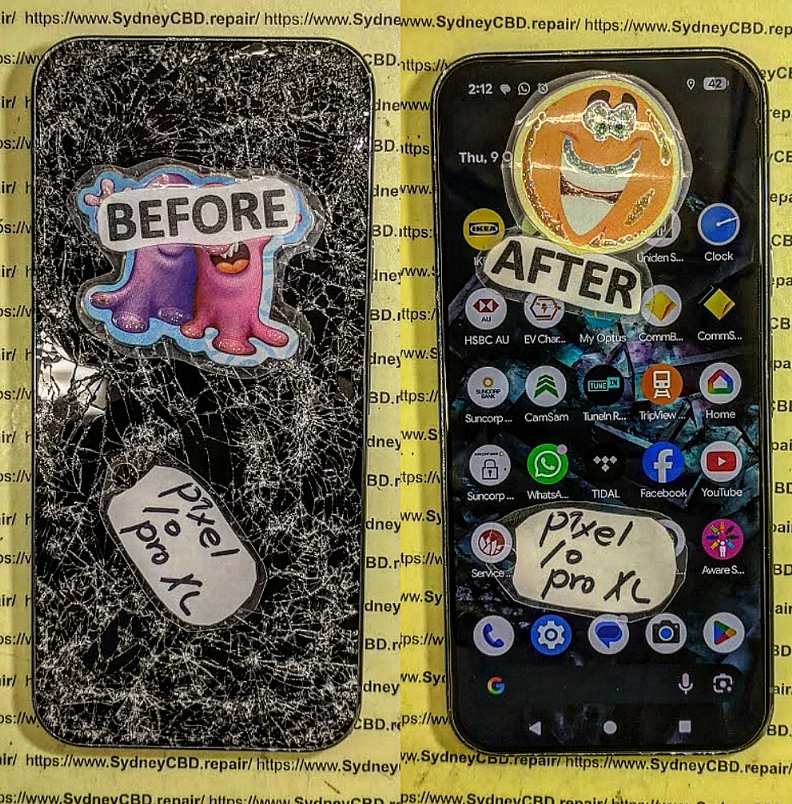
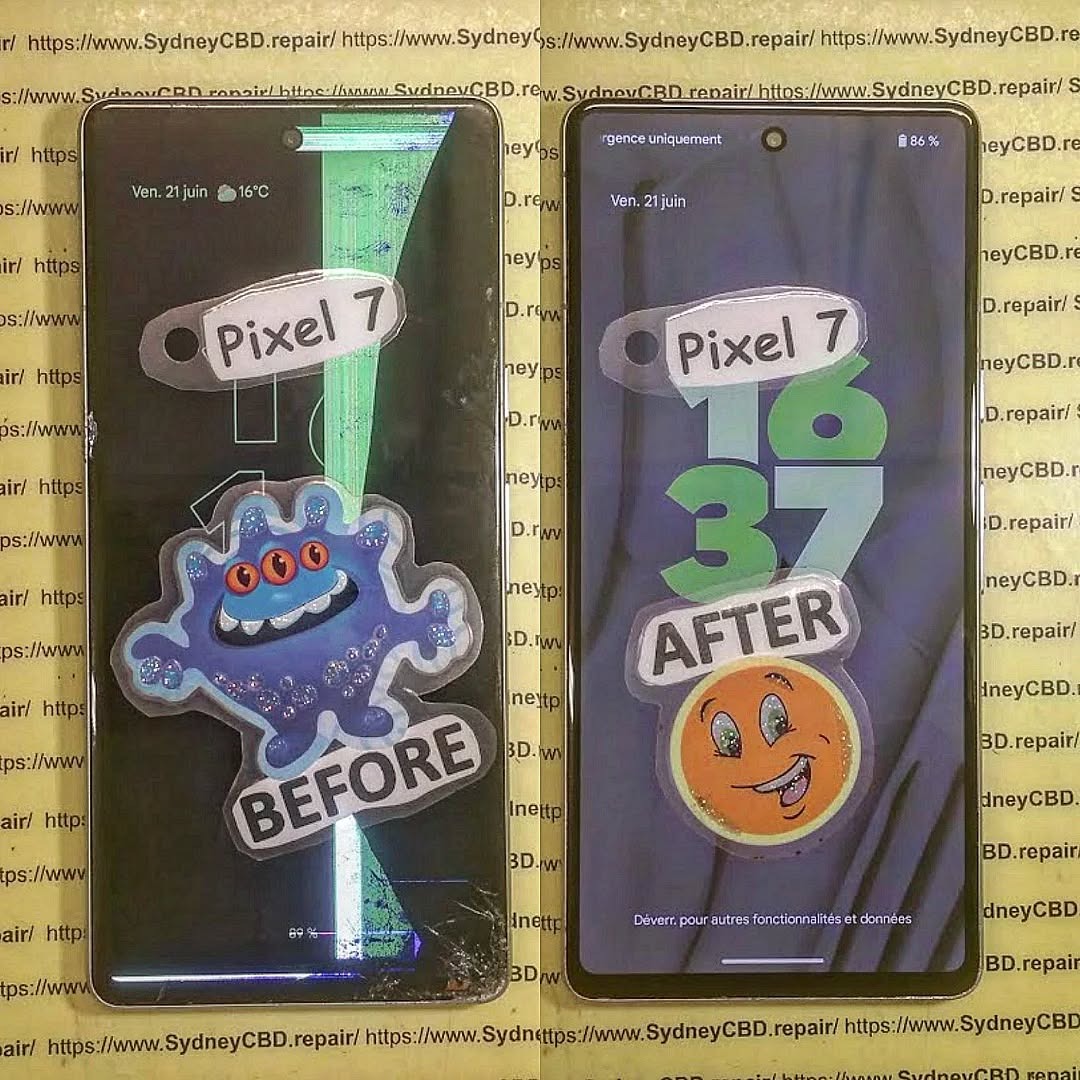
Screen Only vs Full Frame Assembly: Which Display Part Should You Buy? (7 Powerful Insights)
Introduction to Screen Repairs
When it comes to smartphone repair, one of the most common issues users face is a cracked or malfunctioning display. Whether you’re fixing devices from Apple Inc. or Samsung Electronics, the big question often comes down to this: Screen Only vs Full Frame Assembly — which one should you buy?
This decision isn’t just about cost. It affects repair difficulty, durability, time, and overall success. In this guide, we’ll break it all down in simple terms so you can confidently choose the right option.
Screen Only vs Full Frame Assembly: Key Differences
Cost Comparison
Screen Only: Cheaper upfront
Full Frame: More expensive but saves labor
Installation Difficulty
Screen Only: Advanced skill required
Full Frame: Beginner-friendly
Repair Time
Screen Only: 1–3 hours
Full Frame: 30–60 minutes
Which Option Is Best for DIY Repairs?
If you’re doing repairs at home, here’s the reality:
Screen only repairs demand professional tools like laminators and heat plates
Full frame assemblies are plug-and-play
👉 Recommendation: Go with full frame assembly if you’re not experienced.
Which Option Is Best for Repair Shops?
Professional repair centers often choose based on:
Customer budget
Device model
Availability of parts
High-volume shops may prefer:
Screen only → for higher profit margins
Full frame → for faster turnaround
Compatibility with Popular Brands
Apple Devices
Devices from Apple Inc. often have tightly integrated designs.
Screen only repairs are tricky due to Face ID components
Full frame is safer for newer iPhones
Samsung Devices
Samsung Electronics phones often feature curved AMOLED displays.
Screen only repairs are complex
Full frame is commonly preferred
Other Android Brands
Brands like Xiaomi, Oppo, and Vivo:
More flexibility in repair
Screen only can be viable
Tools Required for Each Type
Screen Only Tools
Heat gun or separator
OCA laminator
Vacuum separator
UV curing machine
Full Frame Tools
Screwdrivers
Pry tools
Adhesive strips
Common Mistakes to Avoid
❌ Buying low-quality screens
❌ Not testing display before installation
❌ Using excessive heat
❌ Ignoring compatibility
Cost Breakdown Table
Repair Type
Parts Cost
Labor Cost
Total
Screen Only
Low
High
Medium
Full Frame
High
Low
Medium-High
When Should You Choose Screen Only?
Choose screen only if:
You’re a skilled technician
The frame is in perfect condition
You want to maximize profit
When Should You Choose Full Frame Assembly?
Choose full frame assembly if:
You want a quick repair
Frame is bent or damaged
You’re a beginner
Environmental Impact of Repairs
Interestingly, screen only repairs are more eco-friendly:
Less material waste
Reduced manufacturing demand
However, full frame assemblies reduce failed repairs, which also matters.
🔗 Helpful External Resource
For more repair insights, visit:
👉 https://www.ifixit.com (trusted repair guides and tools)
❓ FAQs
1. What is better: screen only vs full frame assembly?
It depends. Screen only is cheaper but harder. Full frame is easier but more expensive.
2. Can beginners do screen only repairs?
Not recommended. It requires professional tools and skills.
3. Why is full frame more expensive?
It includes the frame and pre-installed components, increasing manufacturing cost.
4. Is screen only repair durable?
Yes, if installed correctly. Poor installation can reduce lifespan.
5. Which repair is faster?
Full frame assembly is significantly faster.
6. Do repair shops prefer screen only or full frame?
It depends on business model—profit vs speed.
Conclusion
Choosing between Screen Only vs Full Frame Assembly ultimately comes down to your skill level, budget, and repair goals. If you’re experienced and want to save money, screen only is a solid choice. However, if you value speed, ease, and reliability, full frame assembly is the way to go.
In today’s fast-paced repair environment, many professionals lean toward full frame assemblies for consistency and efficiency. Still, both options have their place—and understanding the difference gives you a major advantage.
David from Sydney CBD Repair Centre – The Best place to fix mobile phones as 7 Years In A Row! Top Mobile Phone Repair In Sydney. More than 2000 Positive Reviews on Google and Same Day Repairs.
We take pride in delivering exceptional repair services for all major phone brands including Apple, Samsung, Google, and more. Our expert technicians use only genuine parts and offer 90days warranty on repairs. Located in the heart of Sydney CBD, we’re your one-stop solution for all mobile device repairs.
Our commitment to excellence has earned us the trust of thousands of satisfied customers. Whether it’s a cracked screen, battery replacement, or water damage repair, we handle it all with professional care and expertise. Walk in today and experience why we’re Sydney’s #1 choice for mobile phone repairs.
Visit us for:
✓ Same Day Express Repairs
✓ Genuine Parts Guarantee
✓ Professional Technicians
✓ Competitive Pricing
✓ 2000+ 5-Star Google Reviews
✓ 7-Time Award Winner for Best Phone Repairs
A green line running vertically or horizontally on a smartphone display can signal a minor software glitch or a more serious hardware problem. Understanding the phenomenon is critical before deciding on repairs.
What Does a Green Line Indicate?
Green lines usually indicate that a part of the display hardware is malfunctioning. While software conflicts or temporary glitches may produce visual anomalies, persistent green streaks almost always point to:
Failing OLED or AMOLED pixels
Damaged LCD layers
Faulty flex cables or connectors
Persistent green lines rarely resolve on their own. If ignored, they may expand or worsen over time.
Common Devices Affected
Green line issues are most commonly reported on devices with OLED displays, though some LCD devices may also experience it. Devices often affected include:
Apple iPhone series: iPhone X, XS, 11, 12, 13, and 14
Samsung Galaxy series: S20, S21, S22, Note series, Z Fold, Z Flip
Google Pixel series: Pixel 4, 5, 6, and 7
The susceptibility is often tied to manufacturing tolerances, device age, and physical stress.
Identifying the root cause can help in choosing the most cost-effective solution.
Hardware Malfunctions
Hardware is the most common culprit. Causes include:
OLED/AMOLED pixel degradation: Pixels may permanently fail, creating a streak of green or other colors.
LCD pressure damage: Dropping or pressing hard on the screen can break internal layers.
Connector issues: Loose or damaged ribbon cables may miscommunicate with the display driver.
Software Glitches
Although rare, software can play a role:
System updates may introduce temporary display bugs.
Background apps may conflict with color profiles, especially after major OS upgrades.
External Factors
Water or moisture: Can corrode connectors or circuits.
Heat exposure: Extreme temperatures can stress the display.
Physical trauma: Drops, bending, or sitting on a device can damage the screen layers.
Temporary Fixes for Green Lines
Not all green lines require an immediate screen replacement. Temporary fixes can sometimes reduce visibility.
Soft Reset and Reboot
Soft resets refresh the display buffer:
Press and hold the power button.
Select “Restart” or “Reboot.”
Check if the line persists.
Safe Mode & App Checks
Booting in safe mode disables third-party apps:
Power off your device.
Hold the power button until the logo appears.
Tap and hold “Restart in Safe Mode.”
If the green line disappears, uninstall recently installed or updated apps.
Screen Calibration & Adjustments
Some devices allow display calibration:
Adjust brightness levels
Change color profiles
Use built-in calibration tools (available in settings on some phones)
While these fixes are temporary, they can make the green line less noticeable.
Is Screen Replacement Always Necessary?
Persistent green lines typically indicate hardware failure, and in most cases, screen replacement is the only permanent solution. However, there are factors to consider.
Advantages of Replacement
Full restoration of display quality
Permanent resolution of green line issue
Restores device resale value and aesthetics
Risks and Costs
Costs can range from $150 to $400 depending on model and service
DIY replacement may damage other components
Potential warranty void if done outside authorized service centers
Alternative Repair Options
Connector repair: Loose cables can sometimes be reseated
Partial panel replacement: Some devices allow partial display component repairs
Professional recalibration: Rare but possible for certain OLED devices
Step-by-Step Guide to Screen Replacement
Professional Repair Services
Professional repair centers offer:
Same-day repair with minimal risk
Use of genuine manufacturer parts
Warranty coverage
Sydney CBD Repair Centre, for example, provides expert service and 90-day warranty, ensuring that your device is restored safely.
DIY Considerations
DIY screen replacement is an option for experienced users:
Community forums for device-specific green line issues
FAQs
1. Can a green line disappear on its own?
Rarely. Temporary software glitches may cause lines, but persistent green streaks usually require hardware repair.
2. How much does a screen replacement cost?
Depending on the device and service, costs range from $150 to $400.
3. Is DIY replacement safe?
Only for experienced users. Mistakes can damage components or void warranties.
4. Can water damage cause green lines?
Yes. Moisture can corrode connectors, leading to permanent lines.
5. Will software updates fix green lines?
Generally no. Most green lines are hardware-related.
6. Are all OLED screens prone to green lines?
Not all, but OLED panels can develop pixel failures over time.
7. How long does a professional screen replacement take?
Most professional repair services complete replacement in 1–2 hours.
8. Can partial display repair work?
Yes, but it’s model-dependent and not available for all phones.
Conclusion
Persistent green lines on smartphone screens are more than cosmetic—they indicate underlying hardware issues. While temporary software fixes may help reduce their visibility, screen replacement remains the only permanent solution in most cases. Professional repair services, like those offered by Sydney CBD Repair Centre, provide reliable solutions with genuine parts and warranty coverage. Proper care, handling, and maintenance can prevent future issues and extend the life of your device.
David from Sydney CBD Repair Centre – The Best place to fix mobile phones as 7 Years In A Row! Top Mobile Phone Repair In Sydney. More than 2000 Positive Reviews on Google and Same Day Repairs.
We take pride in delivering exceptional repair services for all major phone brands including Apple, Samsung, Google, and more. Our expert technicians use only genuine parts and offer 90days warranty on repairs. Located in the heart of Sydney CBD, we’re your one-stop solution for all mobile device repairs.
Our commitment to excellence has earned us the trust of thousands of satisfied customers. Whether it’s a cracked screen, battery replacement, or water damage repair, we handle it all with professional care and expertise. Walk in today and experience why we’re Sydney’s #1 choice for mobile phone repairs.
Visit us for:
✓ Same Day Express Repairs
✓ Genuine Parts Guarantee
✓ Professional Technicians
✓ Competitive Pricing
✓ 2000+ 5-Star Google Reviews
✓ 7-Time Award Winner for Best Phone Repairs
THE ART OF ADHESIVE: Ensuring IP68 Water Resistance After A Professional Screen Fix + Ultimate Guide + 12 Expert Secrets
Introduction to IP68 Water Resistance
When it comes to modern smartphones, IP68 water resistance isn’t just a marketing buzzword—it’s a crucial feature that protects devices from dust, spills, and accidental immersion. However, once a device undergoes a professional screen fix, maintaining that original level of protection becomes a real challenge.
This is where the art of adhesive comes into play.
Adhesives are the unsung heroes in smartphone repair. They ensure that after a screen replacement, your phone remains sealed tightly enough to resist water ingress. Without proper adhesive application, even the most advanced device becomes vulnerable.
In this guide, we’ll explore how experts restore IP68 water resistance after repairs, the materials they use, and the secrets that separate average fixes from truly professional ones.
IP ratings (Ingress Protection ratings) define how well a device resists dust and water. The “68” rating means:
6: Complete dust protection
8: Protection against long-term water immersion
However, this rating is achieved under controlled factory conditions. Once a phone is opened—even for a simple screen repair—the original seal is broken.
These innovations aim to make repairs more reliable and durable.
FAQs
1. Can IP68 be fully restored after a screen repair?
Not 100%. However, professional adhesive techniques can restore near-original water resistance.
2. How long should adhesive cure after repair?
Typically 30–60 minutes, but full strength may take up to 24 hours.
3. Is liquid adhesive better than pre-cut seals?
It depends. Pre-cut seals offer precision, while liquid adhesives provide flexibility.
4. Can I test water resistance at home?
It’s not recommended. Improper testing can damage your device.
5. Why do some repairs lose water resistance quickly?
Poor adhesive quality and improper application are the main reasons.
6. Does every phone support IP68 after repair?
No. Some devices lose this capability permanently once opened.
Conclusion
The art of adhesive plays a vital role in ensuring IP68 water resistance after a professional screen fix. While factory-level sealing is hard to replicate, skilled technicians using the right tools and materials can achieve impressive results.
From choosing the correct adhesive type to applying precise techniques, every step matters. Ultimately, investing in a professional repair ensures your device stays protected, functional, and reliable.
David from Sydney CBD Repair Centre – The Best place to fix mobile phones as 7 Years In A Row! Top Mobile Phone Repair In Sydney. More than 2000 Positive Reviews on Google and Same Day Repairs.
We take pride in delivering exceptional repair services for all major phone brands including Apple, Samsung, Google, and more. Our expert technicians use only genuine parts and offer 90days warranty on repairs. Located in the heart of Sydney CBD, we’re your one-stop solution for all mobile device repairs.
Our commitment to excellence has earned us the trust of thousands of satisfied customers. Whether it’s a cracked screen, battery replacement, or water damage repair, we handle it all with professional care and expertise. Walk in today and experience why we’re Sydney’s #1 choice for mobile phone repairs.
Visit us for:
✓ Same Day Express Repairs
✓ Genuine Parts Guarantee
✓ Professional Technicians
✓ Competitive Pricing
✓ 2000+ 5-Star Google Reviews
✓ 7-Time Award Winner for Best Phone Repairs
Why Your Phone Won’t Charge After a Screen Repair: Secrets Revealed + 7 Expert Fixes
Introduction
Screen repairs are often a lifesaver when your device suffers cracks or shattered glass. However, a commonly overlooked issue is the phone’s ability to charge properly after the repair. Many users are shocked to find that their newly repaired device fails to charge or only charges intermittently.
The reason is simple: a phone’s internal system is intricately connected. A screen replacement isn’t just cosmetic—it involves disconnecting sensitive flex cables, battery connectors, and other hardware components. Any slight misalignment or mishandling during this process can lead to charging problems.
In this article, we’ll cover the main causes of charging issues after a screen repair, how to troubleshoot them effectively, and the best preventive measures to avoid future problems. By the end, you’ll have a comprehensive understanding of why your phone might not charge and the safest ways to fix it.
Screen replacements involve removing and reconnecting delicate internal components. Even experienced technicians must navigate flex cables, connectors, and fragile ports. If something goes wrong during this process, the phone may fail to recognize the charger or experience irregular power flow.
The Role of Flex Cables
Flex cables connect the display to the motherboard, and some models integrate components like touch sensors or power controllers within these cables. If a flex cable is bent, torn, or improperly seated, it may block communication between the battery and the system. This disruption can prevent your phone from charging correctly or make it charge slowly.
For instance, on devices like the iPhone 15 or Samsung Galaxy S24, the display assembly contains multiple integrated circuits that regulate power distribution. A minor misalignment can trick the device into thinking the battery is disconnected or damaged, halting charging.
Connector Alignment Issues
Connectors are the bridge between the battery, motherboard, and charging port. Misalignment—even by a millimeter—can prevent the flow of electricity. This is often the cause of intermittent charging issues, where the device starts charging and then abruptly stops.
Technicians usually double-check connector seating before reassembling the phone, but in DIY repairs or rushed replacements, these details can be overlooked. Proper alignment ensures the device reads the charger correctly and allows stable current flow to the battery.
Recognizing the symptoms of post-repair charging issues can prevent further damage and identify whether a professional repair is needed.
Intermittent Charging
One of the most noticeable signs is intermittent charging. Your phone may start charging when the cable is inserted, then stop unexpectedly, even if the charger is connected properly.
This symptom often points to loose connectors, dirt in the charging port, or a faulty flex cable. Users may also notice charging only works at certain angles, a classic sign of a misaligned connector or damaged port.
Phone Heating Up During Charge
A phone that heats up excessively during charging indicates a disruption in current flow. It could be caused by poor electrical contact due to damaged cables or connectors. Overheating is dangerous because it can permanently damage the battery and internal circuitry.
Other signs include unusually slow charging, the device not charging at all, or the battery indicator fluctuating between charging and not charging. If you experience any of these, it’s crucial to stop using the device until the problem is resolved.
Top 7 Reasons Your Phone Stops Charging Post-Screen Repair
Charging issues post-screen repair generally fall into seven categories. Understanding these can help you quickly identify the source of the problem.
1. Damaged Charging Port
During repair, the charging port may be accidentally bent or blocked. Even a small piece of debris can prevent proper contact between the charger and the port.
Signs of a damaged port include:
Loose connection with the cable
Visible bent pins
Sparks or unusual heat during charging
Professional cleaning or port replacement is usually required to restore functionality.
2. Loose Internal Connections
Internal connectors, like the battery flex or display ribbon, may loosen during repair. This is especially common in DIY repairs. A loose connection can cause:
Intermittent charging
Device not recognizing the charger
Unexpected shutdowns while charging
Re-seating connectors carefully often resolves the issue.
3. Battery Issues
Batteries are sensitive components. Excessive force, static discharge, or exposure to heat during repair can compromise battery performance. Symptoms include:
Rapid battery drain
Slow or failed charging
Device shutting off unexpectedly
Replacing the battery may be necessary if damage is confirmed.
4. Software Glitches
Modern phones regulate charging through software. Firmware may fail to recognize new hardware or changes, resulting in:
Charging not starting
Battery percentage freezing
Device heating during charge
Performing a software reset or updating firmware often resolves these glitches.
5. Third-Party Screen Parts
Aftermarket screens are a common source of problems. Non-genuine screens may:
Not align perfectly with connectors
Cause touch or display issues
Interfere with power circuits
Using genuine parts minimizes these risks and ensures proper charging.
6. Moisture or Residue
If moisture enters the device during repair, it can cause short circuits or corrosion. Similarly, dust or adhesive residue may block connectors. Signs include:
Strange odors
Device refusing to charge
Persistent error messages
Professional cleaning is required to prevent permanent damage.
7. Static Discharge or ESD Damage
Electrostatic discharge (ESD) can silently damage sensitive components during repair. Even a small static shock can affect the charging IC (integrated circuit).
Preventive measures include:
Anti-static wristbands
ESD-safe workstations
Avoiding direct contact with metal tools
Step-by-Step Troubleshooting for Charging Problems
Even if your phone fails to charge, there are steps you can safely try before seeking professional help.
Inspecting the Charging Port
Use a magnifying glass or flashlight to check for debris
Gently clean with a soft brush or compressed air
Avoid using metal objects that can bend pins
Testing With Different Cables & Chargers
Swap with certified chargers and cables
Avoid cheap third-party accessories
Test at different power outlets to rule out electrical issues
Checking Internal Connections
Only open the device if you are trained
Ensure battery and display connectors are properly seated
Check for torn flex cables or loose screws
When to Seek Professional Repair
Some charging issues require specialized tools and knowledge. Seek professional help if:
Your phone still won’t charge after cleaning ports and trying multiple chargers
The battery is swelling or overheating
You suspect damage to internal components or ESD
Professional technicians can safely diagnose the root cause, whether it’s hardware or software related.
Preventive Measures for Future Repairs
Prevention is better than cure. Following best practices reduces the risk of post-repair charging issues.
Using Genuine Parts
Original components ensure proper alignment and firmware compatibility, reducing the chance of charging problems.
Professional Installation
Experienced technicians follow protocols to avoid loose connectors, static discharge, and contamination. Always choose a trusted repair service.
Software Fixes That Can Restore Charging
If hardware seems intact, software solutions may help:
Force Restart: Clears temporary glitches
Battery Calibration: Helps the system read battery levels correctly
Firmware Update: Ensures new components communicate with the system
Always back up your data before performing software fixes. For guidance, iFixit Repair Guides provide step-by-step instructions.
External Resources and Tools
iFixit Guides – Repair tutorials and tips
Official Manufacturer Support – Apple, Samsung, and Google provide firmware updates and troubleshooting tools
Cleaning Tools – Anti-static brushes, compressed air, and microfiber cloths
FAQs
1. Why did my phone stop charging after a screen replacement?
It could be due to loose connectors, damaged flex cables, or software glitches caused during the repair.
2. Can I fix charging issues myself after replacing the screen?
Basic steps like checking cables, cleaning ports, and restarting the device are safe. Internal fixes should be handled by professionals.
3. Are third-party screens more likely to cause charging problems?
Yes, non-genuine screens may misalign connectors or lack firmware compatibility, increasing the risk of charging issues.
4. How can I tell if the battery is the problem?
If the phone won’t charge with multiple cables and chargers, the battery may be faulty or sensitive to the repair process.
5. Is overheating after a screen repair normal?
No, overheating may indicate internal misalignment or short circuits and should be addressed immediately.
6. How do professionals prevent these issues?
They use anti-static tools, verify connector alignment, and often test charging functionality before closing the device.
Conclusion
Charging problems after a screen repair are more common than most users realize. From loose connectors to software glitches or aftermarket parts, the causes vary widely. Understanding the issue, performing careful troubleshooting, and relying on professional repair services can restore your device’s charging capabilities safely.
Taking preventive steps, such as using genuine components and professional installation, ensures your phone continues to operate optimally long after a repair.
David from Sydney CBD Repair Centre – The Best place to fix mobile phones as 7 Years In A Row! Top Mobile Phone Repair In Sydney. More than 2000 Positive Reviews on Google and Same Day Repairs.
We take pride in delivering exceptional repair services for all major phone brands including Apple, Samsung, Google, and more. Our expert technicians use only genuine parts and offer 90days warranty on repairs. Located in the heart of Sydney CBD, we’re your one-stop solution for all mobile device repairs.
Our commitment to excellence has earned us the trust of thousands of satisfied customers. Whether it’s a cracked screen, battery replacement, or water damage repair, we handle it all with professional care and expertise. Walk in today and experience why we’re Sydney’s #1 choice for mobile phone repairs.
Visit us for:
✓ Same Day Express Repairs
✓ Genuine Parts Guarantee
✓ Professional Technicians
✓ Competitive Pricing
✓ 2000+ 5-Star Google Reviews
✓ 7-Time Award Winner for Best Phone Repairs
The Hidden Dangers of DIY Battery Swaps on Modern Foldable Smartphones: 15 Critical Risks You Must Know
📱 Introduction to Foldable Smartphone Technology
Foldable smartphones are one of the most exciting innovations in modern mobile technology. Devices like Samsung’s Galaxy Z Fold and Flip series have redefined how we use our phones—offering tablet-sized screens in a pocket-friendly form. However, with innovation comes complexity.
Unlike traditional smartphones, foldables rely on intricate hinge systems, flexible OLED displays, and dual battery configurations. This complexity makes even simple repairs significantly more difficult. One of the most commonly attempted repairs—DIY battery swaps on modern foldable smartphones—can quickly turn into a costly and dangerous mistake.
Absolutely. It ensures safety, reliability, and longevity.
🧾 Conclusion
Foldable smartphones are marvels of modern engineering—but they’re not designed for easy DIY repairs. While it may be tempting to attempt a battery replacement yourself, the reality is clear: DIY battery swaps on modern foldable smartphones come with serious risks.
From fragile displays to fire hazards and costly mistakes, the dangers are real and often underestimated. Instead of risking your device—and your safety—it’s wiser to rely on professional technicians who understand the complexity of these advanced devices.
In the end, protecting your investment means knowing when to step back and let the experts handle it.
David from Sydney CBD Repair Centre – The Best place to fix mobile phones as 7 Years In A Row! Top Mobile Phone Repair In Sydney. More than 2000 Positive Reviews on Google and Same Day Repairs.
We take pride in delivering exceptional repair services for all major phone brands including Apple, Samsung, Google, and more. Our expert technicians use only genuine parts and offer 90days warranty on repairs. Located in the heart of Sydney CBD, we’re your one-stop solution for all mobile device repairs.
Our commitment to excellence has earned us the trust of thousands of satisfied customers. Whether it’s a cracked screen, battery replacement, or water damage repair, we handle it all with professional care and expertise. Walk in today and experience why we’re Sydney’s #1 choice for mobile phone repairs.
Visit us for:
✓ Same Day Express Repairs
✓ Genuine Parts Guarantee
✓ Professional Technicians
✓ Competitive Pricing
✓ 2000+ 5-Star Google Reviews
✓ 7-Time Award Winner for Best Phone Repairs
Why 2026 Foldable Screens Fail and How We Professionally Fix Them – 9 Powerful Insights
🔍 Introduction to Foldable Screen Technology
Foldable smartphones have become one of the most exciting innovations in the mobile industry. By 2026, they’re no longer just luxury gadgets—they’re practical, powerful tools used by everyday people. Still, despite all the progress, one issue remains persistent: why 2026 foldable screens fail and how we professionally fix them is a question many users are asking.
📈 Evolution of Foldable Devices
Foldable phones started as experimental concepts. Early versions had fragile displays, bulky hinges, and limited durability. Fast forward to 2026, and manufacturers have significantly improved design, flexibility, and performance.
However, even with ultra-thin glass and refined hinges, foldable screens still face challenges that traditional smartphones don’t. These complexities make them more vulnerable to damage over time.
🌟 Why Foldables Are Popular in 2026
People love foldables because they combine portability with productivity. You get a compact phone that unfolds into a tablet-like experience—perfect for multitasking, gaming, and streaming.
But here’s the catch: the same flexibility that makes these devices appealing also introduces structural weaknesses. That’s where understanding why 2026 foldable screens fail and how we professionally fix them becomes essential.
Recognizing early warning signs can save you money and prevent complete failure.
👁️ Visual Defects and Flickering
If you notice:
Dead pixels
Flickering lines
Black spots
Your screen may already be compromised.
✋ Touch Sensitivity Problems
Delayed or unresponsive touch input is another red flag. This could indicate damage beneath the display surface.
🔊 Unusual Sounds from the Hinge
Hear clicking or grinding noises? That’s not normal.
It often means internal hinge components are worn or obstructed.
❌ Why DIY Repairs Often Make It Worse
Trying to fix a foldable screen yourself might seem like a good idea—but it rarely ends well.
🛠️ Lack of Specialized Tools
Foldable devices require precision tools and controlled environments. Without them, even opening the device can cause damage.
⚡ Risk of Further Damage
One wrong move can:
Tear flexible display cables
Crack the screen further
Damage internal circuits
📉 Warranty Voids
Most manufacturers void warranties if the device is opened by unauthorized personnel.
So instead of saving money, DIY repairs often lead to higher costs.
🛠️ How We Professionally Fix Foldable Screens
Now let’s dive into the real solution: how we professionally fix foldable screens.
🔍 Diagnostic Procedures
We start with a full diagnostic check:
Hardware testing
Software analysis
Structural inspection
This ensures we identify the root cause—not just the symptoms.
🔬 Advanced Repair Techniques
Professional repair involves:
Controlled disassembly
Precision hinge adjustments
Micro-soldering when needed
These techniques require expertise and experience.
✅ Genuine Parts Replacement
We only use high-quality or genuine replacement parts to ensure durability and performance.
This is critical for maintaining the integrity of foldable displays.
🔄 Step-by-Step Professional Repair Process
Here’s how a professional repair typically works:
🔎 Device Inspection
We assess:
Screen condition
Hinge functionality
Internal damage
🧹 Disassembly and Cleaning
The device is carefully opened and cleaned to remove dust and debris.
📱 Screen Replacement
If necessary, the damaged screen is replaced with a new one using specialized tools.
🧪 Testing and Calibration
Finally, we:
Test touch sensitivity
Calibrate display settings
Ensure smooth folding operation
🛡️ Preventing Foldable Screen Failures
Prevention is always better than repair.
🤲 Proper Handling Techniques
Avoid pressing on the screen
Fold gently
Keep sharp objects away
🧽 Maintenance Tips
Clean regularly
Keep the hinge area dust-free
Avoid extreme temperatures
📦 Protective Accessories
Use:
Protective cases
Screen protectors designed for foldables
💰 Cost of Foldable Screen Repairs in 2026
📊 Factors Affecting Pricing
Repair costs depend on:
Device model
Severity of damage
Availability of parts
⚖️ Repair vs Replacement
Sometimes, replacing the entire screen is more cost-effective than partial repairs.
A professional technician can guide you on the best option.
🔮 Future of Foldable Technology
🧬 Innovations in Materials
Manufacturers are exploring:
Self-healing materials
Stronger flexible glass
Improved hinge designs
🚀 Improved Durability Expectations
Future foldables will likely be more durable—but for now, proper care and professional repair remain essential.
❓ FAQs
1. Why do foldable screens fail more than regular screens?
Foldable screens are more complex and flexible, making them more prone to wear, stress, and environmental damage.
2. Can a foldable screen be fully repaired?
Yes, most foldable screens can be repaired or replaced professionally, depending on the extent of the damage.
3. How long does a foldable screen repair take?
Typically, repairs take a few hours to a full day, depending on the issue.
4. Is it worth repairing a foldable phone?
In most cases, yes—especially if the device is high-end and relatively new.
5. How can I prevent my foldable screen from failing?
Handle it gently, keep it clean, and avoid exposing it to dust and pressure.
6. Are foldable phones getting more durable?
Yes, newer models are improving, but they still require careful handling.
🏁 Conclusion
Understanding why 2026 foldable screens fail and how we professionally fix them empowers you to make smarter decisions. While these devices offer cutting-edge functionality, they demand proper care and expert repair when issues arise.
Instead of risking costly mistakes with DIY fixes, trusting professionals ensures your device gets the precision care it needs. With the right approach, your foldable phone can continue delivering top-tier performance for years to come.
David from Sydney CBD Repair Centre – The Best place to fix mobile phones as 7 Years In A Row! Top Mobile Phone Repair In Sydney. More than 2000 Positive Reviews on Google and Same Day Repairs.
We take pride in delivering exceptional repair services for all major phone brands including Apple, Samsung, Google, and more. Our expert technicians use only genuine parts and offer 90days warranty on repairs. Located in the heart of Sydney CBD, we’re your one-stop solution for all mobile device repairs.
Our commitment to excellence has earned us the trust of thousands of satisfied customers. Whether it’s a cracked screen, battery replacement, or water damage repair, we handle it all with professional care and expertise. Walk in today and experience why we’re Sydney’s #1 choice for mobile phone repairs.
Visit us for:
✓ Same Day Express Repairs
✓ Genuine Parts Guarantee
✓ Professional Technicians
✓ Competitive Pricing
✓ 2000+ 5-Star Google Reviews
✓ 7-Time Award Winner for Best Phone Repairs
Rescue Mission: Recovering Data From a Completely Snapped Google Pixel 9 Pro + 7 Proven Recovery Techniques
Introduction
Smartphones today hold the most valuable pieces of our digital lives. From irreplaceable family photos to essential work files, nearly everything we rely on daily is stored inside these compact devices. So when a phone suffers catastrophic damage—especially something as dramatic as being snapped in half—it can feel like a total disaster. For owners of the Google Pixel 9 Pro, such an accident raises one urgent question: Is the data still recoverable?
The good news is that modern smartphones are built with surprisingly resilient storage technology. Even when the exterior frame is severely bent or completely broken, the internal memory chip often remains intact. That means recovering data from a completely snapped Google Pixel 9 Pro is not only possible in many cases, but it’s something professional technicians handle regularly using specialized tools and recovery techniques.
However, successful data recovery depends heavily on the steps taken immediately after the damage occurs. Improper handling—such as repeatedly trying to power the device on, attempting DIY repairs, or charging a compromised phone—can worsen the internal damage and make recovery more difficult. Acting carefully and understanding the right recovery options can dramatically increase the chances of saving your photos, messages, contacts, and other important files.
In this article, we’ll explore how experts approach recovering data from a completely snapped Google Pixel 9 Pro, what technologies make recovery possible, and the advanced techniques used by professional repair labs. We’ll also discuss preventative measures that can protect your data in the future so that even if your device suffers severe physical damage, your information remains safe.
Whether you’re dealing with a broken phone right now or simply want to understand how data recovery works, this guide will walk you through the entire rescue mission step by step.
Smartphones hold the most important pieces of modern life. Photos, contacts, messages, work documents, banking apps—everything sits inside a device that fits in your pocket. So when a phone snaps in half, panic usually follows.
Yet surprisingly, catastrophic physical damage does not always mean permanent data loss. In fact, Recovering Data From a Completely Snapped Google Pixel 9 Pro is often possible when the correct recovery techniques are applied.
Modern devices store information in highly durable flash memory chips. Even when the frame breaks or the screen shatters, the internal storage may still function perfectly.
This article explores exactly how technicians perform Recovering Data From a Completely Snapped Google Pixel 9 Pro, what tools they use, and how you can improve your chances of saving valuable files.
Cloud backups are often the fastest way to retrieve important information.
Tools Used in Professional Data Recovery Labs
Recovering data from severely damaged phones requires advanced laboratory equipment.
These tools allow technicians to safely access microscopic components.
Microsoldering Stations
Microsoldering tools operate under high magnification.
They include:
Precision soldering irons
Hot air rework stations
Stereo microscopes
These tools allow technicians to rebuild damaged circuits safely.
Data Recovery Software
Professional labs also rely on specialized software.
These tools can:
Reconstruct damaged file systems
Extract hidden partitions
Recover deleted files
Such software analyzes raw memory structures and rebuilds usable files.
Diagnostic Platforms
Diagnostic tools help identify hardware faults.
These systems test:
Power lines
Circuit continuity
Storage chip integrity
With accurate diagnostics, technicians can determine the best strategy for Recovering Data From a Completely Snapped Google Pixel 9 Pro.
Preventing Data Loss in the Future
While recovery is often possible, prevention remains the best strategy.
Smartphone users should adopt habits that protect both devices and data.
Cloud Backup Setup
Automatic backups provide the simplest protection.
Enable:
Photo backups
Contact synchronization
App data backups
Most modern phones can perform daily backups automatically.
Physical Protection
Many catastrophic breaks happen because phones lack protection.
Consider using:
Shock-absorbing cases
Screen protectors
Reinforced frames
Even small protective upgrades can prevent structural damage.
Routine Data Maintenance
Regular digital maintenance also helps.
Best practices include:
Exporting important files monthly
Backing up work documents
Keeping multiple storage copies
These habits reduce dependence on a single device.
Frequently Asked Questions
1. Can data really be recovered from a snapped phone?
Yes. As long as the internal storage chip remains intact, technicians can often perform Recovering Data From a Completely Snapped Google Pixel 9 Pro successfully.
2. How long does the recovery process take?
Basic recoveries may take a few hours. Complex chip-level extractions can take several days.
3. Is the phone repairable after recovery?
Sometimes yes, but in many cases the phone becomes a donor device after data extraction.
4. Will all data be recovered?
Recovery success depends on the condition of the storage chip. If it is undamaged, recovery rates are very high.
5. Is data recovery expensive?
Costs vary depending on damage severity and required techniques.
6. Should I try to repair the phone myself?
DIY repair attempts often reduce recovery success. Professional diagnostics are strongly recommended.
Conclusion
A completely snapped smartphone looks catastrophic, but appearances can be deceiving. Internal storage chips are remarkably durable, and modern recovery techniques allow specialists to retrieve valuable data from devices that seem completely destroyed.
Through board-level repair, chip extraction, and cloud recovery, Recovering Data From a Completely Snapped Google Pixel 9 Pro is often achievable.
The key is acting quickly, avoiding DIY damage, and relying on experienced technicians equipped with professional tools.
Even when the phone itself cannot be saved, your memories, photos, and important documents often can be.
David from Sydney CBD Repair Centre – The Best place to fix mobile phones as 7 Years In A Row! Top Mobile Phone Repair In Sydney. More than 2000 Positive Reviews on Google and Same Day Repairs.
We take pride in delivering exceptional repair services for all major phone brands including Apple, Samsung, Google, and more. Our expert technicians use only genuine parts and offer 90days warranty on repairs. Located in the heart of Sydney CBD, we’re your one-stop solution for all mobile device repairs.
Our commitment to excellence has earned us the trust of thousands of satisfied customers. Whether it’s a cracked screen, battery replacement, or water damage repair, we handle it all with professional care and expertise. Walk in today and experience why we’re Sydney’s #1 choice for mobile phone repairs.
Visit us for:
✓ Same Day Express Repairs
✓ Genuine Parts Guarantee
✓ Professional Technicians
✓ Competitive Pricing
✓ 2000+ 5-Star Google Reviews
✓ 7-Time Award Winner for Best Phone Repairs
Smartphones hold the most important pieces of modern life. Photos, contacts, messages, work documents, banking apps—everything sits inside a device that fits in your pocket. So when a phone snaps in half, panic usually follows.
Yet surprisingly, catastrophic physical damage does not always mean permanent data loss. In fact, Recovering Data From a Completely Snapped Google Pixel 9 Pro is often possible when the correct recovery techniques are applied.
Modern devices store information in highly durable flash memory chips. Even when the frame breaks or the screen shatters, the internal storage may still function perfectly.
This article explores exactly how technicians perform Recovering Data From a Completely Snapped Google Pixel 9 Pro, what tools they use, and how you can improve your chances of saving valuable files.
Understanding Catastrophic Smartphone Damage
When a smartphone snaps, most people assume the internal electronics are destroyed. However, the situation is usually more complicated.
Phones are built in layers:
External frame
Display assembly
Battery system
Motherboard
Storage chips
A phone can break structurally while the storage component remains untouched.
Types of Structural Damage in Modern Smartphones
A completely snapped phone typically falls into one of these categories:
1. Frame Break
The aluminum or composite frame cracks, often from bending pressure.
2. Display Separation
The screen disconnects from the main board.
3. Battery Displacement
Internal pressure causes the battery to detach.
4. Motherboard Stress
In severe cases, the board cracks partially.
Not every break destroys the storage chip. In many cases, Recovering Data From a Completely Snapped Google Pixel 9 Pro remains achievable.
Why Data Often Survives Physical Destruction
Flash memory used in smartphones is surprisingly resilient. These chips are designed to survive:
Heat
Power fluctuations
Minor physical stress
Unless the storage chip itself is cracked, technicians can often retrieve files even when the phone body looks beyond repair.
In other words, a snapped phone does not automatically equal lost memories.
Initial Steps After a Phone Snaps
What you do immediately after the accident greatly affects recovery success.
Taking the wrong step can permanently damage components that would otherwise survive.
Powering Down Safely
If the phone still has power:
Turn it off immediately.
Avoid charging it.
Do not press the power button repeatedly.
Electrical shorts often happen when damaged components continue receiving power.
Turning off the device protects the motherboard and improves the chances of Recovering Data From a Completely Snapped Google Pixel 9 Pro.
Avoiding DIY Mistakes
Many people attempt quick fixes like:
Bending the phone back into shape
Taping the screen together
Charging the phone repeatedly
Opening the device without tools
These actions can destroy delicate circuits.
Instead:
Store the device in a dry place
Avoid pressure
Seek professional diagnostics
Remember: preservation comes before repair.
Professional Techniques for Recovering Data From a Completely Snapped Google Pixel 9 Pro
Professional repair labs follow a structured process when performing Recovering Data From a Completely Snapped Google Pixel 9 Pro.
The process usually includes diagnosis, temporary reconstruction, and data extraction.
Board-Level Repair
If the motherboard is partially cracked, technicians may perform micro-soldering.
This involves:
Rebuilding broken circuit traces
Reinforcing connectors
Restoring power pathways
Under a microscope, technicians repair tiny connections thinner than a human hair.
Once the board powers up, data extraction becomes possible.
Temporary Screen Reconstruction
Sometimes the screen is shattered but the motherboard works.
Technicians temporarily connect:
A test display
Touch interface
Diagnostic board
This allows the phone to boot and unlock.
After unlocking, files can be transferred using USB or secure extraction tools.
Data Extraction via USB Debugging
When the phone boots successfully, technicians enable developer access and use specialized tools to transfer data.
Typical files recovered include:
Photos
Videos
Contacts
Messages
Documents
App data
This is often the simplest method for Recovering Data From a Completely Snapped Google Pixel 9 Pro when the internal storage remains intact.
Advanced Data Recovery Methods
When the motherboard cannot boot, specialists move to deeper recovery techniques.
These require highly specialized equipment.
NAND Chip-Level Data Extraction
The NAND chip stores the device’s data.
Technicians may remove this chip and connect it to professional readers.
Steps include:
Removing the chip using hot air tools
Cleaning solder contacts
Attaching the chip to a reader board
Extracting raw data
This process can recover files even when the motherboard is completely unusable.
However, encryption and software limitations sometimes make this method complex.
Using Android Recovery Systems
Android devices often store partial backups internally.
Technicians may access recovery partitions and retrieve:
System backups
Cache files
Temporary storage
These backups sometimes contain surprisingly large amounts of user data.
Cloud Synchronization Recovery
Sometimes the easiest recovery method requires no hardware repair at all.
Many phones automatically sync data to cloud accounts.
Possible recovered items include:
Photos
Contacts
Messages
Notes
App data
Users can check backups through their account dashboard or by visiting:
Cloud backups are often the fastest way to retrieve important information.
Tools Used in Professional Data Recovery Labs
Recovering data from severely damaged phones requires advanced laboratory equipment.
These tools allow technicians to safely access microscopic components.
Microsoldering Stations
Microsoldering tools operate under high magnification.
They include:
Precision soldering irons
Hot air rework stations
Stereo microscopes
These tools allow technicians to rebuild damaged circuits safely.
Data Recovery Software
Professional labs also rely on specialized software.
These tools can:
Reconstruct damaged file systems
Extract hidden partitions
Recover deleted files
Such software analyzes raw memory structures and rebuilds usable files.
Diagnostic Platforms
Diagnostic tools help identify hardware faults.
These systems test:
Power lines
Circuit continuity
Storage chip integrity
With accurate diagnostics, technicians can determine the best strategy for Recovering Data From a Completely Snapped Google Pixel 9 Pro.
Preventing Data Loss in the Future
While recovery is often possible, prevention remains the best strategy.
Smartphone users should adopt habits that protect both devices and data.
Cloud Backup Setup
Automatic backups provide the simplest protection.
Enable:
Photo backups
Contact synchronization
App data backups
Most modern phones can perform daily backups automatically.
Physical Protection
Many catastrophic breaks happen because phones lack protection.
Consider using:
Shock-absorbing cases
Screen protectors
Reinforced frames
Even small protective upgrades can prevent structural damage.
Routine Data Maintenance
Regular digital maintenance also helps.
Best practices include:
Exporting important files monthly
Backing up work documents
Keeping multiple storage copies
These habits reduce dependence on a single device.
Frequently Asked Questions
1. Can data really be recovered from a snapped phone?
Yes. As long as the internal storage chip remains intact, technicians can often perform Recovering Data From a Completely Snapped Google Pixel 9 Pro successfully.
2. How long does the recovery process take?
Basic recoveries may take a few hours. Complex chip-level extractions can take several days.
3. Is the phone repairable after recovery?
Sometimes yes, but in many cases the phone becomes a donor device after data extraction.
4. Will all data be recovered?
Recovery success depends on the condition of the storage chip. If it is undamaged, recovery rates are very high.
5. Is data recovery expensive?
Costs vary depending on damage severity and required techniques.
6. Should I try to repair the phone myself?
DIY repair attempts often reduce recovery success. Professional diagnostics are strongly recommended.
Conclusion
A completely snapped smartphone looks catastrophic, but appearances can be deceiving. Internal storage chips are remarkably durable, and modern recovery techniques allow specialists to retrieve valuable data from devices that seem completely destroyed.
Through board-level repair, chip extraction, and cloud recovery, Recovering Data From a Completely Snapped Google Pixel 9 Pro is often achievable.
The key is acting quickly, avoiding DIY damage, and relying on experienced technicians equipped with professional tools.
Even when the phone itself cannot be saved, your memories, photos, and important documents often can be.
David from Sydney CBD Repair Centre – The Best place to fix mobile phones as 7 Years In A Row! Top Mobile Phone Repair In Sydney. More than 2000 Positive Reviews on Google and Same Day Repairs.
We take pride in delivering exceptional repair services for all major phone brands including Apple, Samsung, Google, and more. Our expert technicians use only genuine parts and offer 90days warranty on repairs. Located in the heart of Sydney CBD, we’re your one-stop solution for all mobile device repairs.
Our commitment to excellence has earned us the trust of thousands of satisfied customers. Whether it’s a cracked screen, battery replacement, or water damage repair, we handle it all with professional care and expertise. Walk in today and experience why we’re Sydney’s #1 choice for mobile phone repairs.
Visit us for:
✓ Same Day Express Repairs
✓ Genuine Parts Guarantee
✓ Professional Technicians
✓ Competitive Pricing
✓ 2000+ 5-Star Google Reviews
✓ 7-Time Award Winner for Best Phone Repairs
WHY YOUR FLASH STOPPED WORKING: Hidden Dangers of DIY Battery and Screen Repairs + 7 Critical Risks
Introduction
Have you ever tried replacing your phone’s battery or screen yourself, only to find that the flash stopped working afterward? You’re not alone. While DIY repairs can seem like a smart way to save money, they often come with hidden dangers that many users don’t anticipate. From short-circuiting the motherboard to damaging delicate flex cables, even small mistakes can lead to permanent flash failure.
In this article, we’ll uncover the most common reasons why your phone flash stops working after a DIY repair, explore the risks involved with battery and screen replacements, and explain how professional repairs can protect your device. Whether you’re a tech-savvy DIYer or simply curious about safeguarding your phone, understanding these hidden hazards is the first step to keeping your flash—and your entire phone—working perfectly.
By the end of this guide, you’ll know not only why DIY repairs can go wrong but also the preventive measures and professional solutions that can save you time, money, and stress.
If your phone flash suddenly stops working after a battery or screen replacement, you’re not alone. Thousands of DIY enthusiasts unknowingly trigger hidden dangers that compromise their devices. From short-circuiting to flex cable damage, a simple attempt to save money can quickly spiral into costly repairs.
In this guide, we’ll explore why DIY battery and screen repairs often fail, the hidden risks involved, and how professional solutions protect your device. By understanding these hazards, you can safeguard your phone’s flash and extend its lifespan.
A phone’s flash might look simple, but it’s a sophisticated system. It involves more than just the LED; it’s an integration of sensors, battery power, motherboard circuitry, and software calibration.
Components Involved in Flash Functionality
Battery: Supplies stable power for high-intensity LED flashes.
Motherboard: Controls voltage distribution and flash timing.
LED Module: Emits light; sensitive to overheating and current spikes.
Flex Cables & Connectors: Transmit signals; fragile and prone to damage during disassembly.
Common Flash Problems
Overheating from prolonged use or defective batteries
Short circuits caused by misconnected components
Misalignment during screen replacements
Software glitches or incompatible updates
Even minor mishandling during repairs can stop the flash from working entirely.
DIY phone repairs have grown popular thanks to online tutorials and the promise of saving hundreds of dollars. YouTube guides make screen replacement look easy, and battery swaps seem straightforward.
Popular DIY Fixes
Screen Replacement: Replacing cracked glass or digitizers
Battery Swaps: Installing third-party or new OEM batteries
Cleaning Connectors: Removing dust or corrosion from contacts
Tools & Techniques Used
Precision screwdrivers, spudgers, and tweezers
Heat guns or hair dryers for adhesive removal
Suction cups for lifting screens
While DIY can succeed in some cases, the risks are significant, especially for high-tech components like the flash.
Hidden Dangers of DIY Battery Replacements
Swapping a battery might appear harmless, but lithium-ion batteries are volatile. Mishandling them can lead to immediate or long-term damage.
Risk of Short-Circuiting
Even a tiny slip can connect terminals incorrectly, frying flash circuits or damaging the motherboard. Short-circuiting is irreversible in many cases.
Battery Swelling & Fire Hazards
Overcharging, puncturing, or using incompatible batteries causes swelling, heat build-up, or even fire. A swollen battery can press against the flash module, rendering it useless.
Warranty Voids & Software Conflicts
Opening your device usually voids the manufacturer warranty. Additionally, some phones detect third-party batteries and restrict flash operation to prevent damage.
Hidden Dangers of DIY Screen Repairs
Screen replacement might seem easy, but phones are precise machines. A single misstep can disrupt flash performance.
Flex Cable Damage
Flex cables connect the screen and flash circuitry. Pinching, tearing, or improper reconnection disables flash or other functions.
Misalignment & Sensor Disruption
Even a slightly misaligned screen can block the flash sensor, causing inconsistent brightness or failure.
Low-Quality Replacement Parts
Cheap screens often have inferior LED placement or weak adhesive, reducing flash intensity and overall responsiveness.
Chain Reaction Damage Explained
One mistake can trigger a domino effect. For instance, a punctured battery can short the motherboard, which then prevents the flash and other components from functioning.
From Battery to Camera Failure
Battery punctured → motherboard shorted → LED flash damaged → camera sensor affected
Small, hidden damage can manifest days later
The Cost of Multiple Component Failures
DIY may save $100 upfront but could cost $500–$800 when multiple parts fail. Professional repair reduces this risk.
Professional Repair Advantages
Certified technicians provide a safe, precise, and guaranteed repair experience.
Genuine Parts & Precision Tools
Professionals use OEM components and calibrated tools, preventing damage to delicate flash circuits.
Experience in Diagnosing Hidden Damage
Technicians can detect motherboard faults, connector issues, or software misconfigurations that DIYers often overlook. A non-working flash may not even be a battery issue—it could be a flex cable problem.
Preventive Tips to Protect Your Flash
Even without repairs, proper care reduces flash issues.
Safe Charging & Battery Handling
Avoid overcharging and extreme temperatures
Replace batteries at first sign of swelling
Screen Protection & Cleaning
Use tempered glass to prevent pressure on the flash
Clean sensors gently with microfiber cloths
FAQs
Q1: Can a swollen battery permanently damage the flash?
Yes. Swelling can press against flash components, causing physical damage that software updates can’t fix.
Q2: Will replacing the screen fix a non-working flash?
Only if the flash circuitry isn’t damaged. Misaligned screens or damaged flex cables often require professional repair.
Q3: How do I test my flash after DIY repairs?
Use the camera app’s flash mode, test in different apps, or run a flashlight test app to ensure proper intensity and timing.
Q4: Are third-party batteries safe?
They’re often cheaper but may lack proper protection circuits, risking overheating or flash malfunction.
Q5: Can software updates restore a dead flash?
Sometimes updates fix software glitches, but hardware damage cannot be repaired with software alone.
Q6: How much does professional flash repair cost?
Typical repairs range from $80–$250 depending on model and component damage. Certified repairs prevent chain reaction failures.
Conclusion
DIY battery and screen repairs can seem cost-effective, but they carry hidden risks. From short circuits to flex cable damage, even minor mistakes can disable your flash permanently. Professional repair ensures genuine parts, precise handling, and long-term reliability. Coupled with preventive care, you can extend your phone’s life and keep the flash functioning perfectly.
David from Sydney CBD Repair Centre – The Best place to fix mobile phones as 7 Years In A Row! Top Mobile Phone Repair In Sydney. More than 2000 Positive Reviews on Google and Same Day Repairs.
We take pride in delivering exceptional repair services for all major phone brands including Apple, Samsung, Google, and more. Our expert technicians use only genuine parts and offer 90days warranty on repairs. Located in the heart of Sydney CBD, we’re your one-stop solution for all mobile device repairs.
Our commitment to excellence has earned us the trust of thousands of satisfied customers. Whether it’s a cracked screen, battery replacement, or water damage repair, we handle it all with professional care and expertise. Walk in today and experience why we’re Sydney’s #1 choice for mobile phone repairs.
Visit us for:
✓ Same Day Express Repairs
✓ Genuine Parts Guarantee
✓ Professional Technicians
✓ Competitive Pricing
✓ 2000+ 5-Star Google Reviews
✓ 7-Time Award Winner for Best Phone Repairs
Restoring Your Note 20 Ultra: Screen, Frame, and Battery Bundle Value Analysis + Powerful 2026 Repair Cost Breakdown
Introduction to Samsung Note 20 Ultra Restoration
The Samsung Galaxy Note 20 Ultra remains one of the most powerful flagship smartphones released in recent years. Even though newer devices have entered the market, this premium phone still delivers exceptional performance, camera quality, and productivity features.
However, like any smartphone, it isn’t immune to damage. Cracked screens, bent frames, and degraded batteries are common issues that arise after years of daily use. Instead of replacing the entire device, many users are now turning to a screen, frame, and battery bundle repair to restore their phone to near-new condition.
This comprehensive repair package tackles three of the most critical components of the device simultaneously. By replacing the display assembly, structural frame, and battery together, technicians can significantly extend the lifespan of the phone while ensuring optimal performance.
In today’s economy, repairing a premium smartphone makes far more financial sense than buying a brand-new flagship device that could cost well over $1,000. A bundle repair approach offers cost savings while preserving the advanced technology already inside your phone.
Moreover, choosing restoration instead of replacement contributes to sustainability. According to the International E-Waste Monitor, millions of tons of electronic waste are generated each year. Repairing devices instead of discarding them helps reduce this growing environmental problem. For more information about global e-waste issues, you can visit the official report here: https://ewastemonitor.info
In this article, we’ll explore the value analysis of restoring your Note 20 Ultra through a screen, frame, and battery bundle repair, including cost breakdowns, benefits, warning signs, and professional repair insights.
By the end, you’ll understand exactly why this repair solution is often the smartest choice for extending the life of your device.
Despite being released a few years ago, the Note 20 Ultra remains one of Samsung’s most capable smartphones. Repairing it instead of replacing it often makes excellent financial and practical sense.
Premium Hardware That Still Competes
The device was built with cutting-edge specifications that remain impressive even today. Some of its standout features include:
A 6.9-inch Dynamic AMOLED display
A powerful Exynos/Snapdragon flagship processor
108MP camera system
S-Pen productivity features
High refresh rate display technology
These components allow the device to continue delivering a smooth and powerful user experience.
When users damage the screen or frame, the internal hardware remains perfectly functional. Repairing those damaged components restores the phone’s usability without sacrificing performance.
In fact, many professionals and power users still prefer the Note series due to its productivity features.
Environmental and Financial Benefits
Repairing a smartphone also brings clear sustainability benefits.
Electronic waste continues to grow worldwide, and smartphones are one of the largest contributors. By repairing devices instead of replacing them, consumers reduce the demand for raw materials and manufacturing resources.
Financially, the difference can be substantial. A new flagship phone can cost over $1,200, while a bundled repair might only represent a fraction of that price.
Repairing the phone allows users to:
Save hundreds of dollars
Maintain familiar software and settings
Avoid unnecessary electronic waste
Extend device lifespan by several years
For many users, these benefits make restoration the logical choice.
A screen, frame, and battery bundle repair is one of the most comprehensive smartphone repair services available.
Instead of replacing a single component, technicians restore several critical parts at once.
Screen Replacement Details
The display assembly is the most fragile component of the phone.
When dropped, the screen may suffer:
Cracks
Dead pixels
Touch malfunction
OLED burn-in
A complete screen replacement typically includes:
AMOLED display panel
Digitizer layer
Protective glass
Display adhesive
Once replaced, the phone regains its original visual clarity and touch responsiveness.
Frame Replacement Importance
The frame acts as the structural backbone of the smartphone.
If the phone experiences a heavy impact, the frame may bend or warp. This can cause several issues:
Screen misalignment
Internal component stress
Poor water resistance
Difficulty fitting replacement parts
Replacing the frame ensures the device regains its structural stability.
Battery Replacement Advantages
Battery degradation is inevitable over time.
After several years of use, lithium-ion batteries begin losing capacity. Users might notice:
Rapid battery drain
Unexpected shutdowns
Slow charging
Device overheating
Installing a new battery restores:
Longer screen-on time
Stable power output
Reliable charging performance
Together, these three repairs significantly rejuvenate the device.
Cost Breakdown of the Bundle Repair
One of the main reasons people choose a bundled repair is the cost advantage.
Replacing each component separately can become expensive due to labor duplication and multiple disassembly processes.
Individual Repair Costs vs Bundle
Below is a simplified comparison.
Repair Type
Typical Cost (Estimate)
Screen Replacement
$350
Frame Replacement
$180
Battery Replacement
$120
Total Individual Repairs
$650
Bundle Repair Package
$480 – $520
By combining the repairs into one service, technicians can reduce labor costs and installation time.
This translates to savings of up to 25–30% for customers.
Long-Term Savings Analysis
When considering long-term value, bundle repairs provide additional advantages.
A newly restored Note 20 Ultra can remain functional for several more years. This spreads the repair investment over a longer usage period.
Instead of purchasing a new phone every two years, users may comfortably extend their upgrade cycle.
Over time, that approach can save thousands of dollars.
Signs Your Note 20 Ultra Needs This Repair
Recognizing early signs of damage can prevent further problems.
Display Damage Symptoms
Look for these warning signs:
Cracked or shattered glass
Flickering display
Black spots or dead pixels
Touchscreen unresponsiveness
These symptoms indicate that the display assembly likely needs replacement.
Frame Distortion Signs
Frame damage may be harder to detect but still affects performance.
Signs include:
Screen lifting from edges
SIM tray misalignment
Phone wobbling on flat surfaces
Buttons feeling misaligned
These problems usually occur after drops or heavy impacts.
Battery Health Warning Signs
Battery deterioration becomes noticeable with daily use.
Common symptoms include:
Phone dying at 20–30% battery
Charging taking longer than usual
Rapid battery drain
Device overheating
If multiple symptoms appear together, replacing the battery becomes essential.
Repair Process Explained
Professional repair technicians follow a precise process to restore devices safely.
Professional Diagnosis
The repair begins with a full device inspection.
Technicians check:
Internal connectors
Logic board condition
Camera alignment
Frame integrity
This step ensures there are no hidden issues before repairs begin.
Component Replacement
Next, the device is carefully disassembled.
The damaged components are removed and replaced with new parts.
Precision tools are used to avoid damaging delicate connectors or internal circuits.
Final Testing and Quality Assurance
After installation, technicians perform extensive testing.
This includes verifying:
Touchscreen responsiveness
Display brightness and color accuracy
Battery charging cycles
Camera and speaker functionality
Only after passing these checks is the device returned to the customer.
Risks of Delaying Repairs
Ignoring damage can lead to larger issues.
For example:
A cracked screen may allow dust and moisture inside.
A bent frame can place pressure on internal components.
A degraded battery can swell and damage the display.
Delaying repairs often results in higher repair costs later.
Addressing problems early helps preserve the device.
DIY vs Professional Repairs
Some users consider repairing their phone themselves.
However, modern smartphones are extremely complex.
DIY repairs carry several risks:
Damaging internal cables
Breaking fragile display panels
Losing water resistance
Voiding warranties
Professional technicians use specialized tools and controlled environments to ensure reliable results.
For high-value devices like the Note 20 Ultra, professional repair is typically the safest option.
How to Maintain Your Repaired Device
After restoring your phone, proper care can extend its lifespan even further.
Here are some helpful tips:
Use a Protective Case
Shock-absorbing cases protect against drops.
Install a Screen Protector
Tempered glass protectors reduce screen damage.
Avoid Extreme Temperatures
High heat accelerates battery degradation.
Practice Smart Charging
Keep battery levels between 20% and 80% when possible.
Schedule Regular Maintenance
Occasional cleaning and inspections help maintain device health.
Frequently Asked Questions
1. Is repairing a Note 20 Ultra worth it?
Yes. The phone still offers flagship-level performance, making repair a cost-effective option compared to buying a new device.
2. How long does the repair take?
Most professional repair centers complete the screen, frame, and battery bundle repair within a few hours or the same day.
3. Will the phone feel like new after the repair?
Replacing these major components significantly improves the device’s appearance, durability, and battery life.
4. Can a damaged frame affect internal components?
Yes. A bent frame can stress internal parts and cause alignment issues with the screen or camera.
5. Does replacing the battery improve performance?
A fresh battery stabilizes power delivery, which can improve device responsiveness and prevent random shutdowns.
6. Is data lost during the repair?
In most cases, professional technicians perform repairs without affecting your data. However, backing up your device is always recommended.
Conclusion
Restoring your Note 20 Ultra through a screen, frame, and battery bundle repair offers a powerful solution for extending the life of your device.
Instead of spending a large amount on a brand-new smartphone, users can restore their existing device to near-new condition at a fraction of the cost.
This repair approach addresses the most common problems—display damage, frame distortion, and battery degradation—while improving both functionality and durability.
Additionally, repairing smartphones contributes to environmental sustainability by reducing electronic waste.
For anyone experiencing cracked screens, bent frames, or poor battery performance, a bundled repair can deliver excellent value.
With professional technicians, high-quality replacement parts, and thorough testing, your device can continue serving you reliably for years to come.
David from Sydney CBD Repair Centre – The Best place to fix mobile phones as 7 Years In A Row! Top Mobile Phone Repair In Sydney. More than 2000 Positive Reviews on Google and Same Day Repairs.
We take pride in delivering exceptional repair services for all major phone brands including Apple, Samsung, Google, and more. Our expert technicians use only genuine parts and offer 90days warranty on repairs. Located in the heart of Sydney CBD, we’re your one-stop solution for all mobile device repairs.
Our commitment to excellence has earned us the trust of thousands of satisfied customers. Whether it’s a cracked screen, battery replacement, or water damage repair, we handle it all with professional care and expertise. Walk in today and experience why we’re Sydney’s #1 choice for mobile phone repairs.
Visit us for:
✓ Same Day Express Repairs
✓ Genuine Parts Guarantee
✓ Professional Technicians
✓ Competitive Pricing
✓ 2000+ 5-Star Google Reviews
✓ 7-Time Award Winner for Best Phone Repairs
Fixing a Google Pixel 8 Pro Damaged by High Pressure Sea Water: 9 Powerful Recovery Steps That Actually Work
Introduction
Accidents involving water are among the most common causes of smartphone failure, and saltwater exposure is particularly destructive. When a premium device like the Google Pixel 8 Pro encounters high pressure sea water, the consequences can be far more serious than typical water damage. Salt particles, minerals, and pressure-driven moisture can quickly penetrate tiny openings in the phone, reaching sensitive internal components such as the motherboard, charging port, and camera modules. As a result, fixing a Google Pixel 8 Pro damaged by high pressure sea water requires more than simply drying the device—it demands careful diagnostics, corrosion removal, and professional repair techniques.
Modern smartphones are often marketed as water-resistant, but it’s important to understand the limitations of these protections. While the Pixel 8 Pro carries an IP68 rating designed to resist fresh water under controlled conditions, seawater introduces additional risks including salt corrosion and electrical conductivity. These factors can trigger short circuits, degrade internal connections, and cause gradual component failure if not addressed quickly.
Fortunately, a sea water–damaged phone does not always mean the end of the device. With prompt action and proper repair procedures, many smartphones can be restored to full functionality. Professional technicians use specialized tools such as ultrasonic cleaners, microscopic board inspections, and precision micro-soldering to remove corrosion and repair damaged circuits. These advanced methods significantly improve the chances of recovery, even after severe saltwater exposure.
This guide explains everything you need to know about fixing a Google Pixel 8 Pro damaged by high pressure sea water. From the science behind saltwater corrosion to emergency steps you should take immediately after exposure, we’ll walk through the full repair process used by professionals. Whether your phone fell into the ocean during a beach trip or was exposed to powerful sea spray, understanding the right recovery steps can make the difference between saving your device and losing it permanently.
Understanding How High Pressure Sea Water Damages Smartphones
When it comes to fixing a Google Pixel 8 Pro damaged by high pressure sea water, understanding the underlying damage mechanisms is critical. While modern smartphones such as the Google Pixel 8 Pro include water-resistance features, they are not designed to withstand high pressure sea water exposure.
The device carries an IP68 rating, meaning it can survive limited freshwater immersion. However, saltwater introduces two major risks:
Salt corrosion
Electrical conductivity
Let’s break these down.
Saltwater Corrosion
Sea water contains sodium chloride and minerals that rapidly corrode metal components. Once salt enters the phone’s interior, it begins oxidizing:
motherboard solder joints
charging contacts
battery connectors
camera modules
This corrosion continues even after the phone dries.
In fact, corrosion can spread for weeks, slowly damaging circuits.
Electrical Short Circuits
Saltwater is highly conductive. If the phone remains powered on after exposure, electrical current flows through unintended paths.
This can cause:
blown power IC chips
damaged display drivers
motherboard short circuits
Consequently, immediate shutdown is crucial.
High Pressure Makes Things Worse
Regular water exposure is one thing. But high pressure sea water, such as waves crashing or dropping a phone underwater, forces liquid past seals.
Even the IP68 protection fails under pressure, allowing saltwater to penetrate:
SIM tray seals
speaker mesh
microphone openings
USB-C charging port
That’s why fixing a Google Pixel 8 Pro damaged by high pressure sea water often requires deep internal repair, not just drying.
Compared to buying a new flagship phone, repairing can save hundreds of dollars.
Preventing Future Water Damage
While accidents happen, there are ways to reduce risk.
Use Waterproof Cases
A quality waterproof case adds an extra layer of protection.
This is especially helpful when:
boating
beach trips
water sports
Avoid Charging Near Water
Many water damage incidents occur near pools or beaches while charging.
Keep devices away from moisture when plugged in.
Rinse After Salt Exposure
Even if the phone survives ocean exposure, rinse it with fresh water to remove salt.
When to Seek Professional Repair Services
You should seek professional help if your Google Pixel 8 Pro shows:
charging problems
overheating
camera fogging
touchscreen issues
random shutdowns
These are clear signs that internal corrosion may be present.
Professional repair services have tools unavailable to most consumers.
For example, technicians may use advanced diagnostic equipment recommended by industry resources
Frequently Asked Questions
1. Can a Google Pixel 8 Pro survive sea water exposure?
It might survive brief exposure, but saltwater often causes corrosion. Immediate action and professional cleaning greatly improve recovery chances.
2. Is rice effective for drying water-damaged phones?
No. Rice does not remove salt or corrosion. Professional cleaning is far more effective.
3. How long does saltwater damage take to appear?
Symptoms can appear immediately or even days to weeks later, depending on corrosion spread.
4. Should I rinse my phone after ocean exposure?
Yes, rinsing with fresh water helps remove salt. However, the phone should remain powered off afterward.
5. Can water damage be repaired permanently?
Many devices can be restored, especially if treatment occurs quickly. However, severe corrosion may require component replacement.
6. How long does water damage repair take?
Most professional repairs take 24–72 hours, depending on the extent of damage.
Conclusion
Saltwater exposure is one of the most damaging incidents a smartphone can experience. However, fixing a Google Pixel 8 Pro damaged by high pressure sea water is often possible with the right approach.
Immediate shutdown, proper cleaning, and professional diagnostics are critical steps in preventing permanent failure. While some devices may require component replacements, modern repair techniques—including ultrasonic cleaning and micro-soldering—have dramatically improved recovery success rates.
If your Pixel 8 Pro encounters the ocean, acting quickly and seeking expert repair services can make the difference between a fully restored device and a total loss.
David from Sydney CBD Repair Centre – The Best place to fix mobile phones as 7 Years In A Row! Top Mobile Phone Repair In Sydney. More than 2000 Positive Reviews on Google and Same Day Repairs.
We take pride in delivering exceptional repair services for all major phone brands including Apple, Samsung, Google, and more. Our expert technicians use only genuine parts and offer 90days warranty on repairs. Located in the heart of Sydney CBD, we’re your one-stop solution for all mobile device repairs.
Our commitment to excellence has earned us the trust of thousands of satisfied customers. Whether it’s a cracked screen, battery replacement, or water damage repair, we handle it all with professional care and expertise. Walk in today and experience why we’re Sydney’s #1 choice for mobile phone repairs.
Visit us for:
✓ Same Day Express Repairs
✓ Genuine Parts Guarantee
✓ Professional Technicians
✓ Competitive Pricing
✓ 2000+ 5-Star Google Reviews
✓ 7-Time Award Winner for Best Phone Repairs